












Point Of Sale Access Rights - Change Cashier Supported

POS access rights module allows you to set access rights for different cashiers so when you switch cashier that cashier access rights will be changed based on configuration. You can easily manage specific access for a particular cashier.

Related Modules
Features

POS Order Button Control
Enable or disable the New Order, Delete Order, and Remove Order buttons in the POS based on user access rights.

POS Action Permission
Control

Enable or disable POS actions such as Refund, Notes, Create Product, Cash In/Out, Close Register, Backend Access, Pricelist, and Product Scan based on user access rights.

Cashier Button Access Control
Enable or disable Customer Selection, Numpad, Plus/Minus, Quantity, Discount, Payment, and Price buttons for individual cashier roles in the POS.
Advanced POS Interface
Access Control
Configure advanced POS access rights by hiding the logo, POS categories, debug window, customer buttons, info button, transfer option, Ship Later, Tip button, and restricting specific payment methods.

Disable Quotation/Order
Button
Configure advanced POS access rights by hiding the logo, Disable the Quotation/Order button based on configurable settings to prevent unauthorized order creation.

Disable Edit Payment Button
Configure advanced
POS access rights by enabling or disabling the Edit Payment button based on specific
settings.

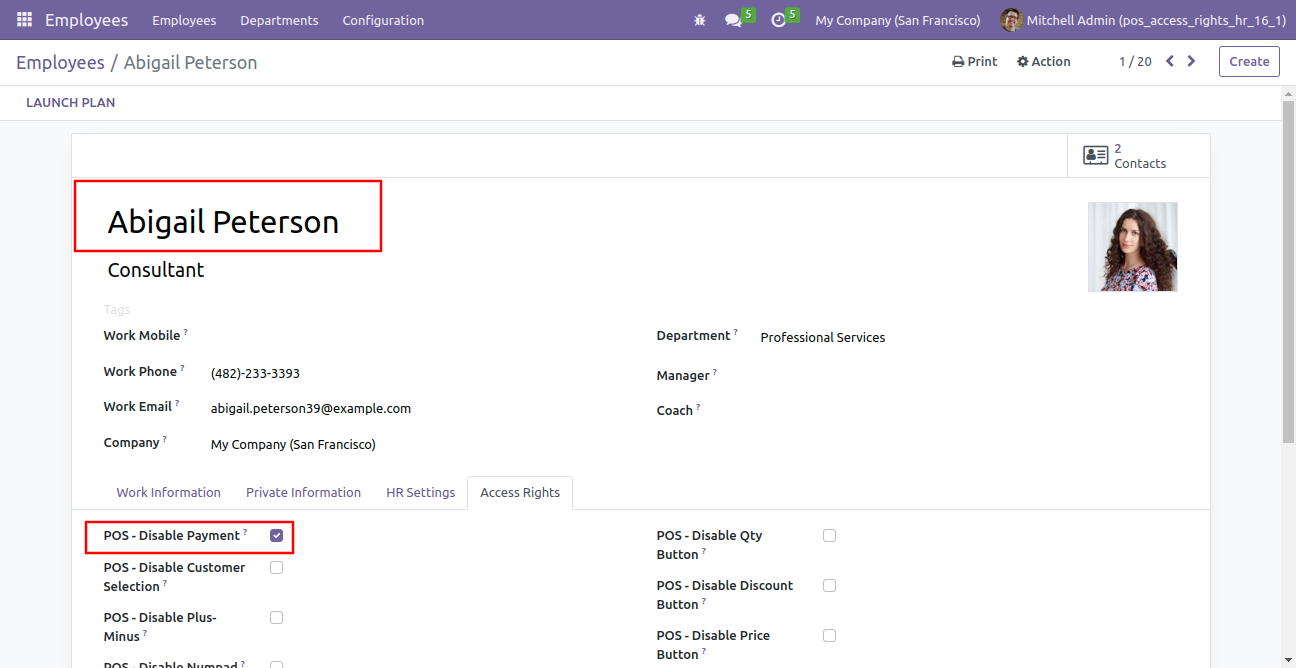
You can easily manage specific access for a particular cashier from the employee form view. Tick the tickbox to disable that access rights.
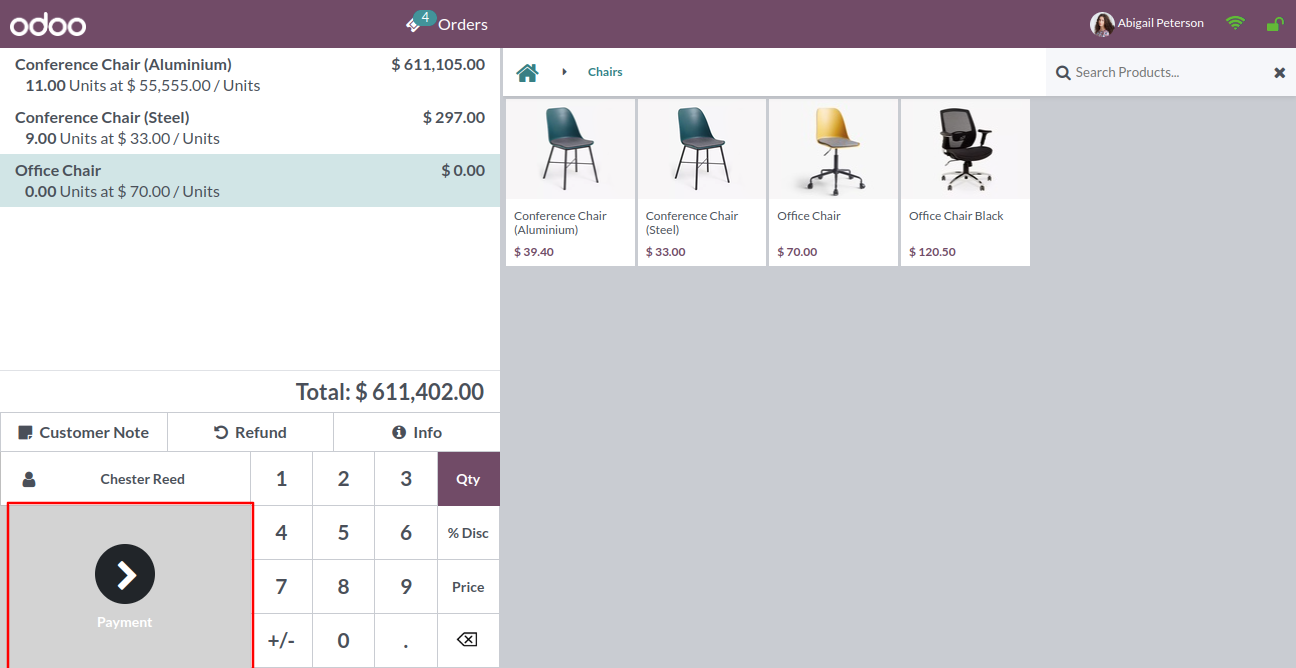
The payment button is disabled now for that employee/cashier.
Tick the tickbox to disable the customer selection button.
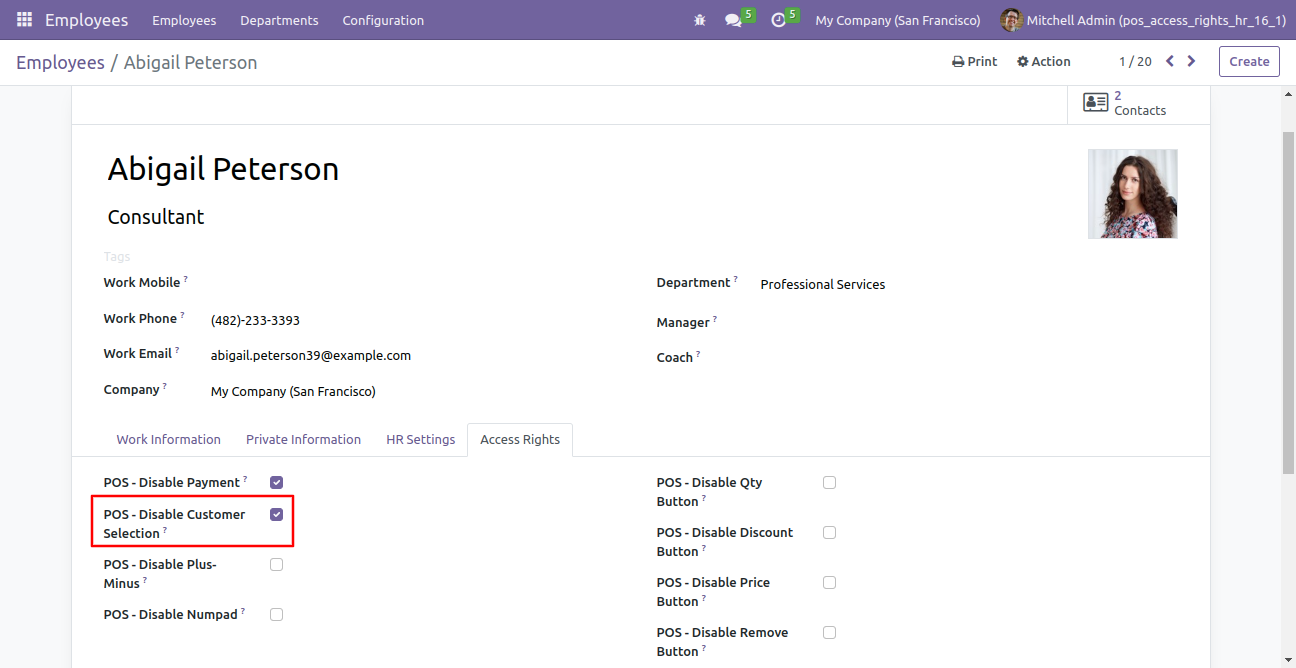
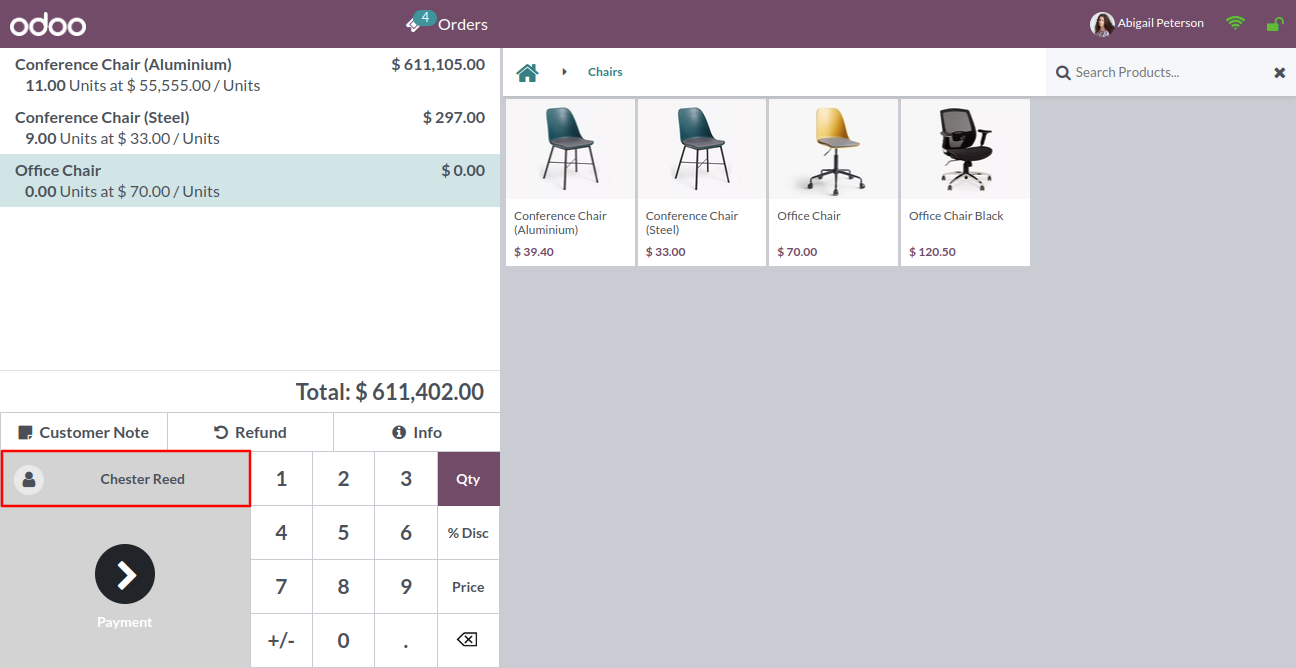
The customer selection is disabled now.
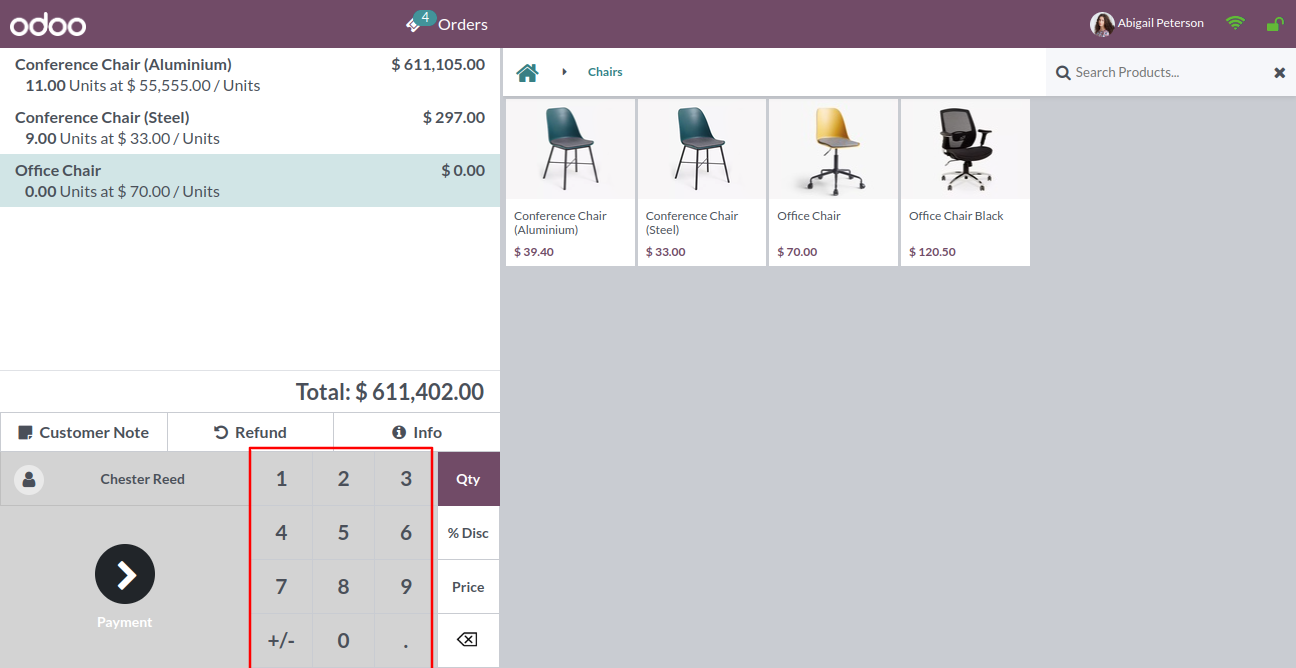
Tick the tickbox to disable the plus-minus button & numpad.

The plus-minus button & numpad is disabled now.
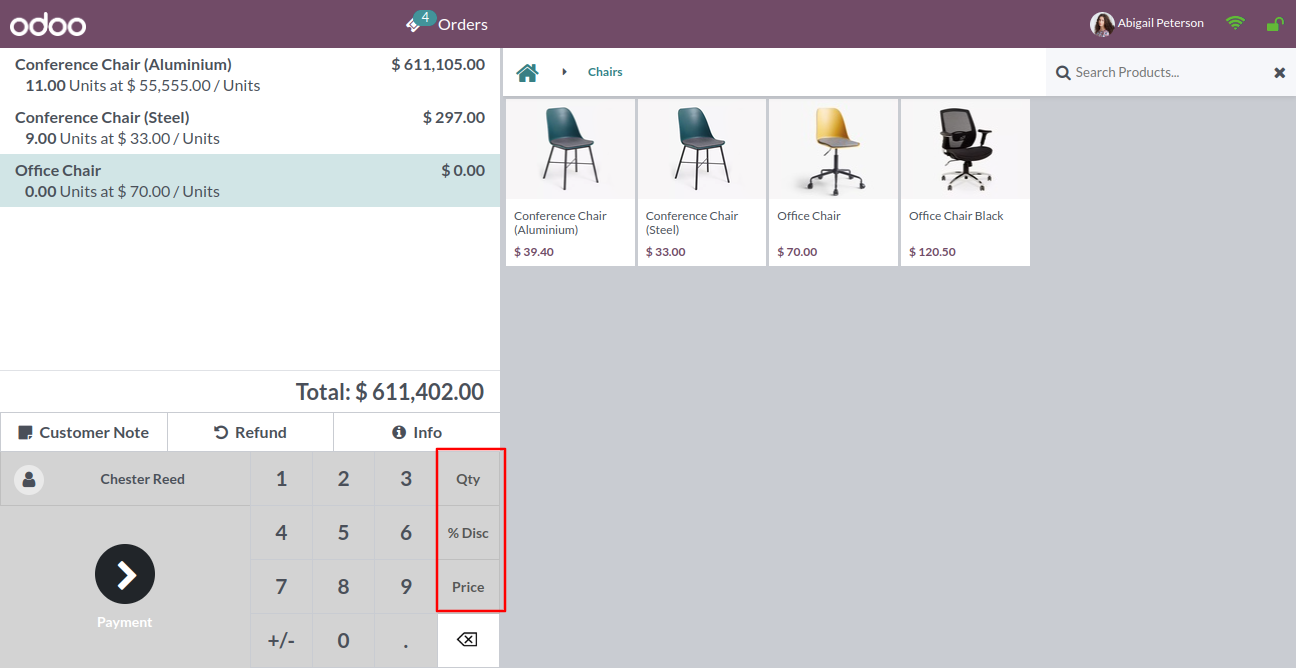
Tick the tickbox to disable the discount, qty & price button in the numpad.
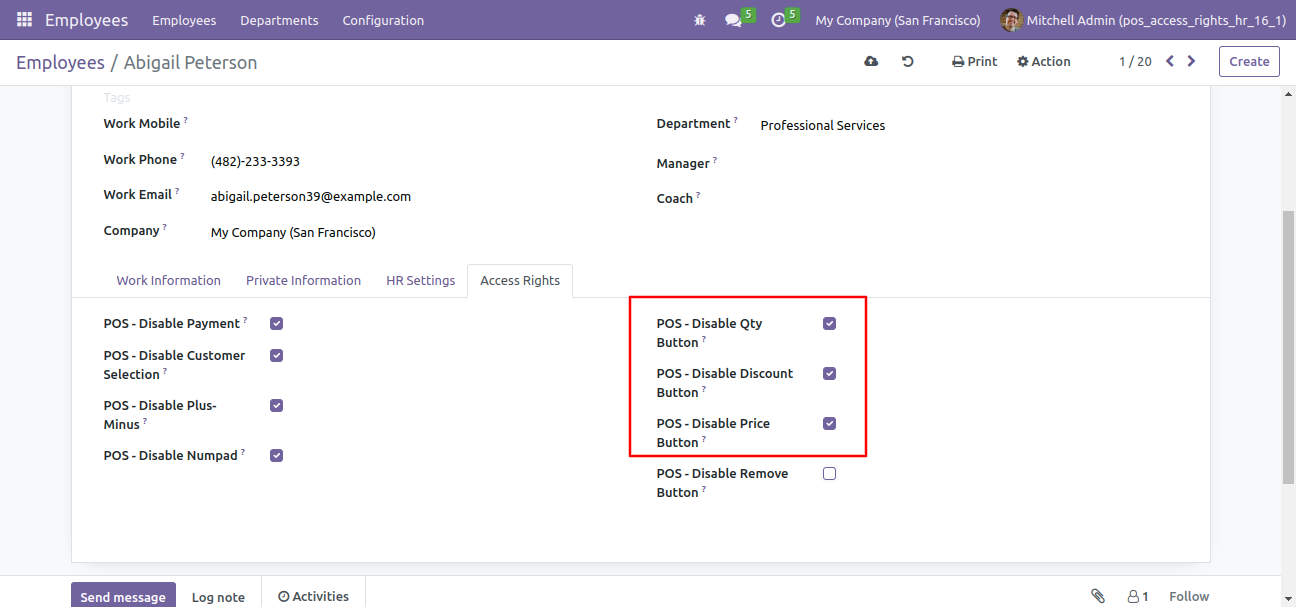
The discount, qty & price button is disabled now.
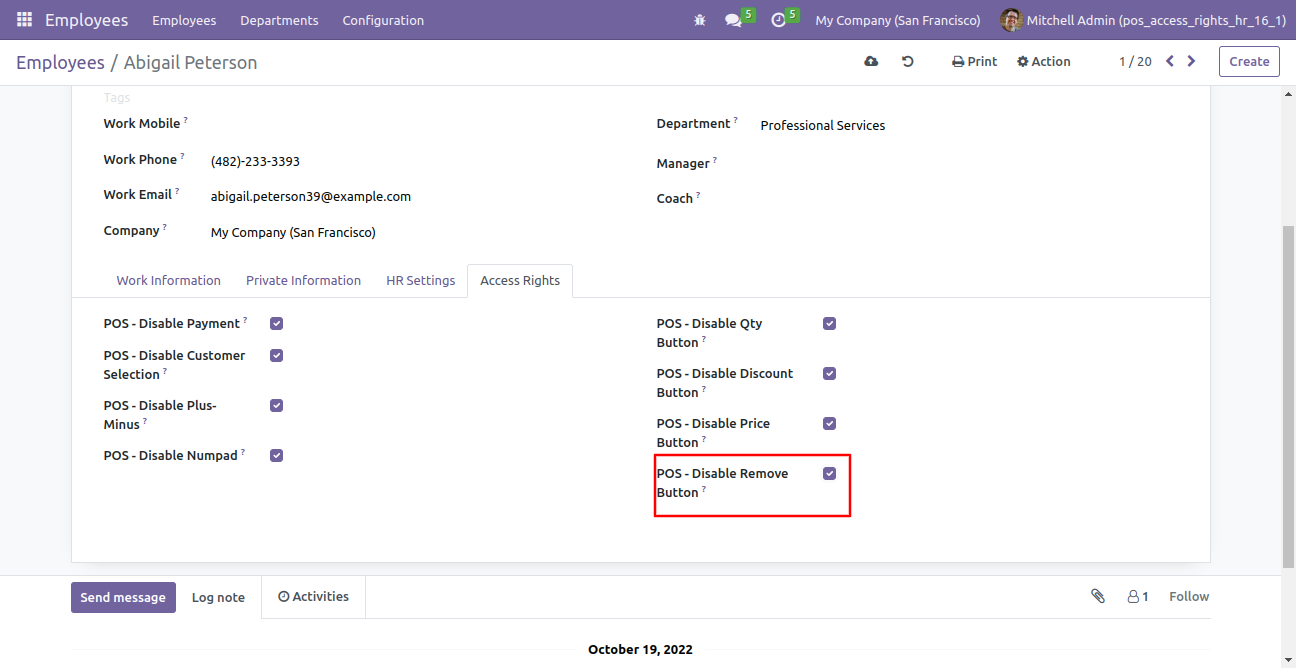
Tick the tickbox to disable the remove button.
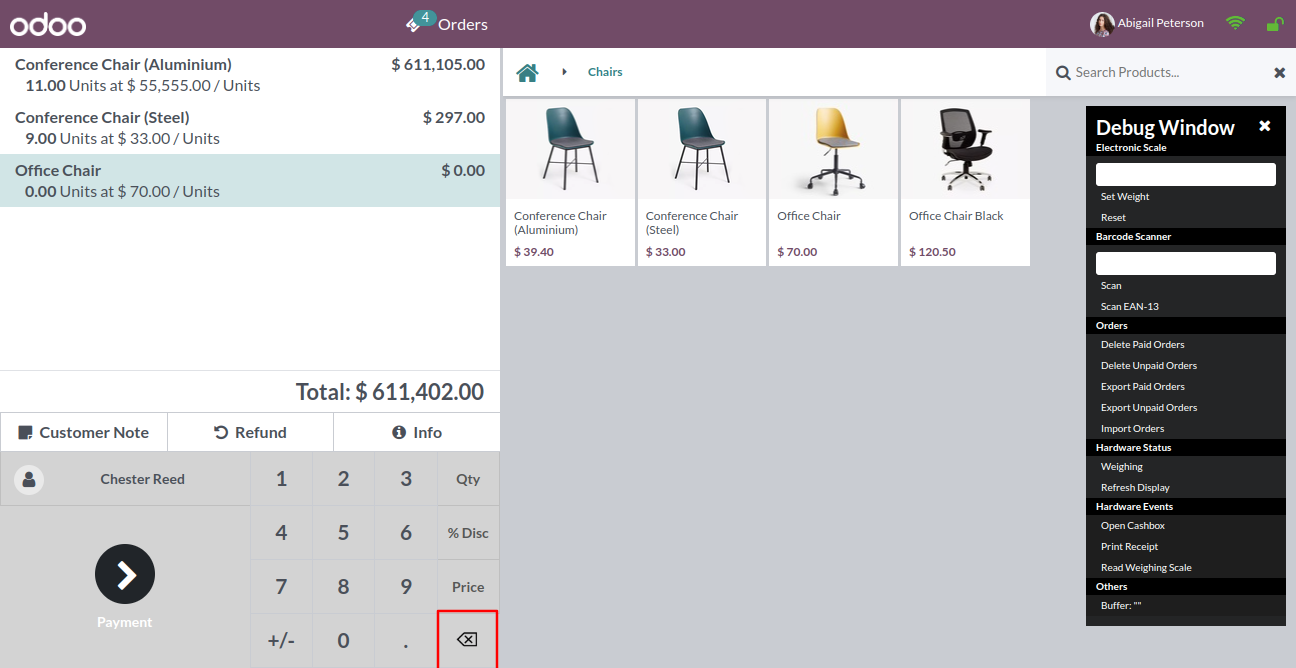
The remove button is disabled now.
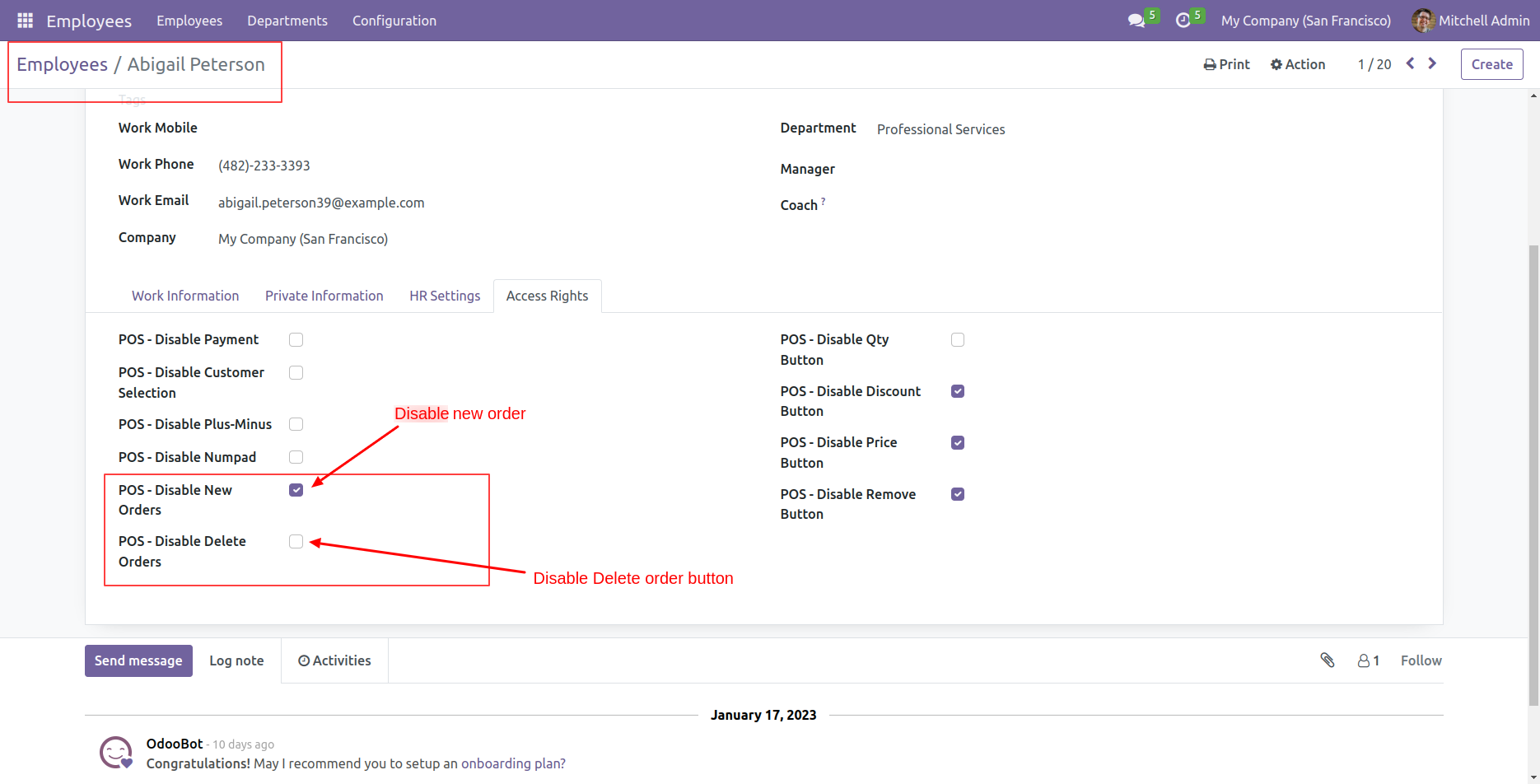
Tick the tickbox to disable the new order button.
The new order button is disabled now.
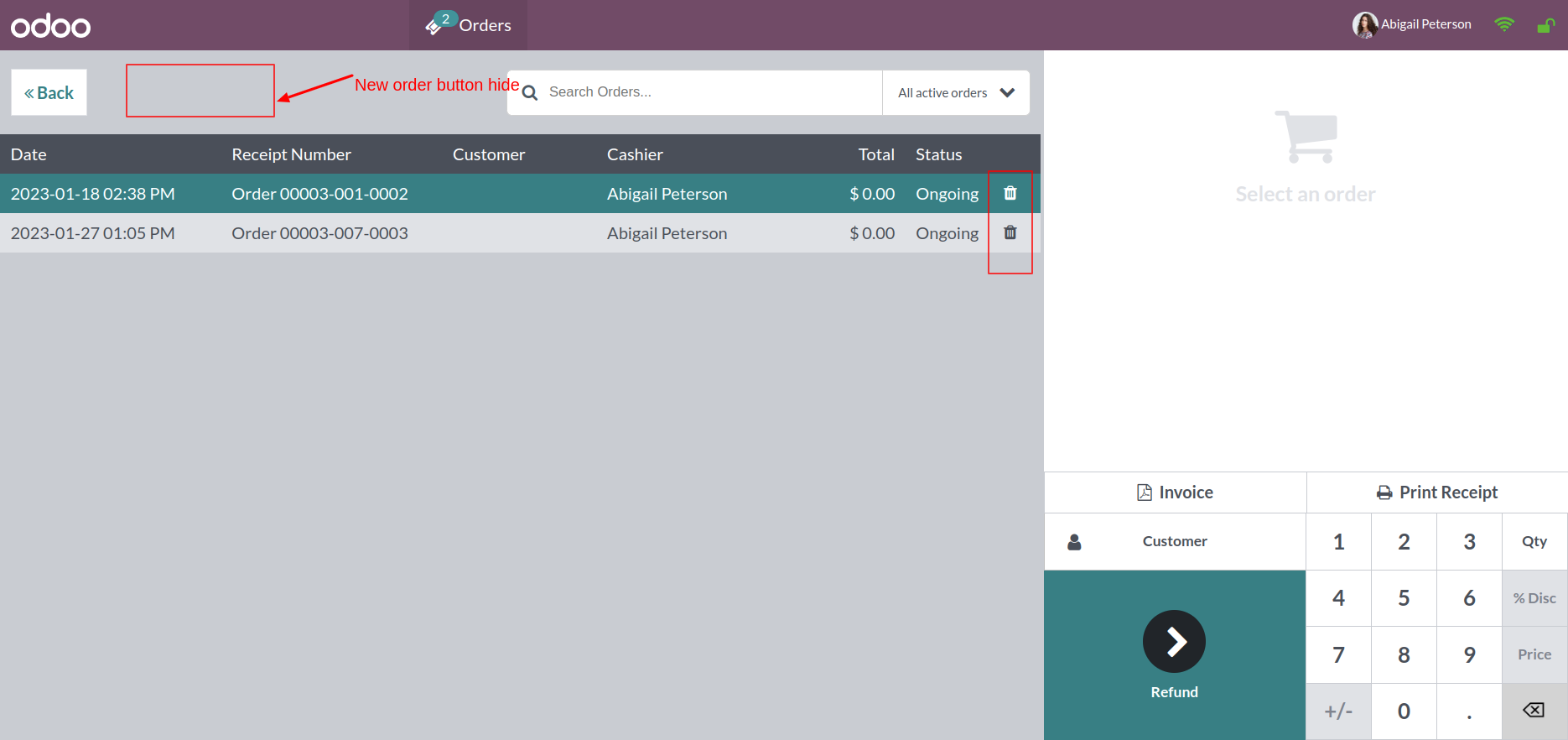
Tick the tickbox to disable the delete order button.
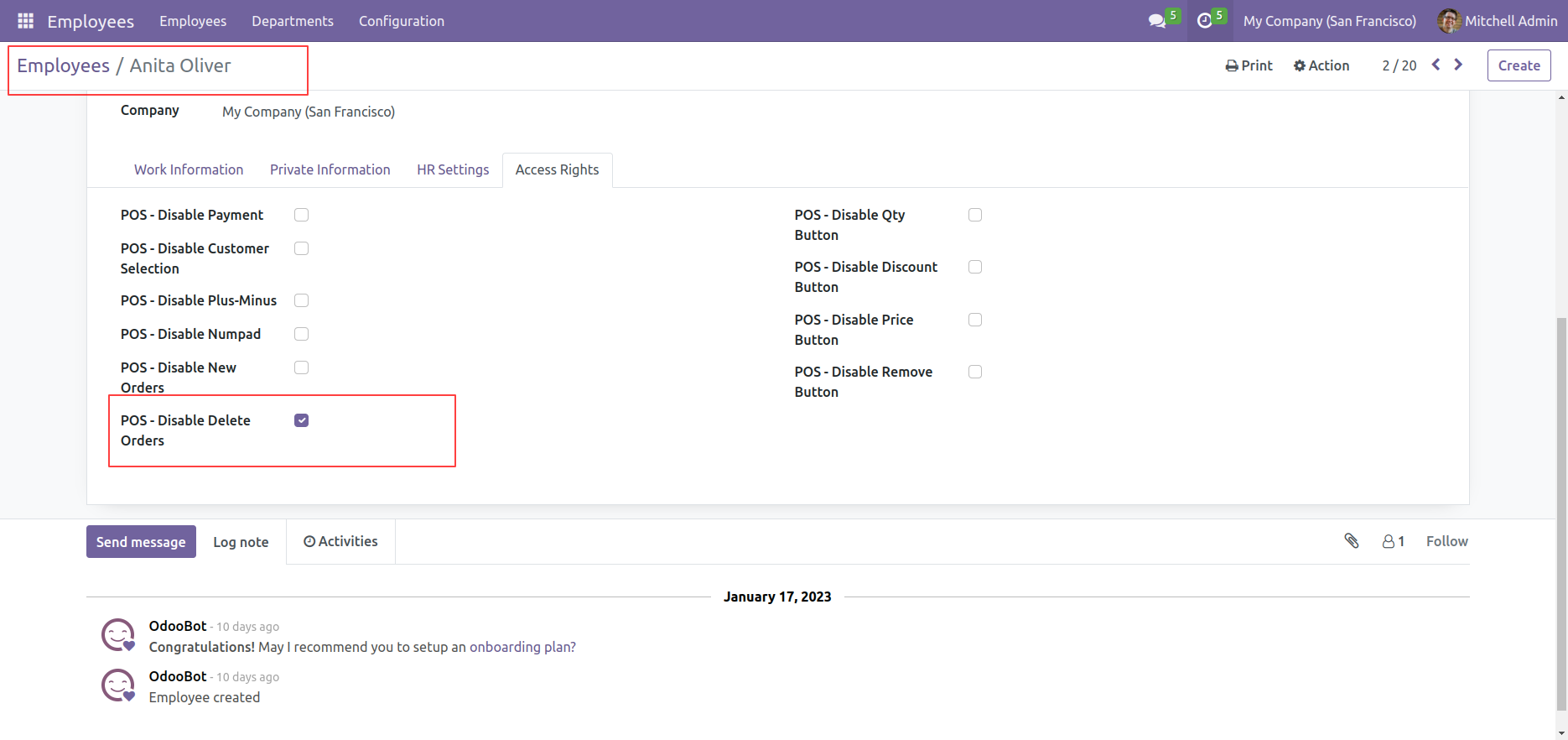
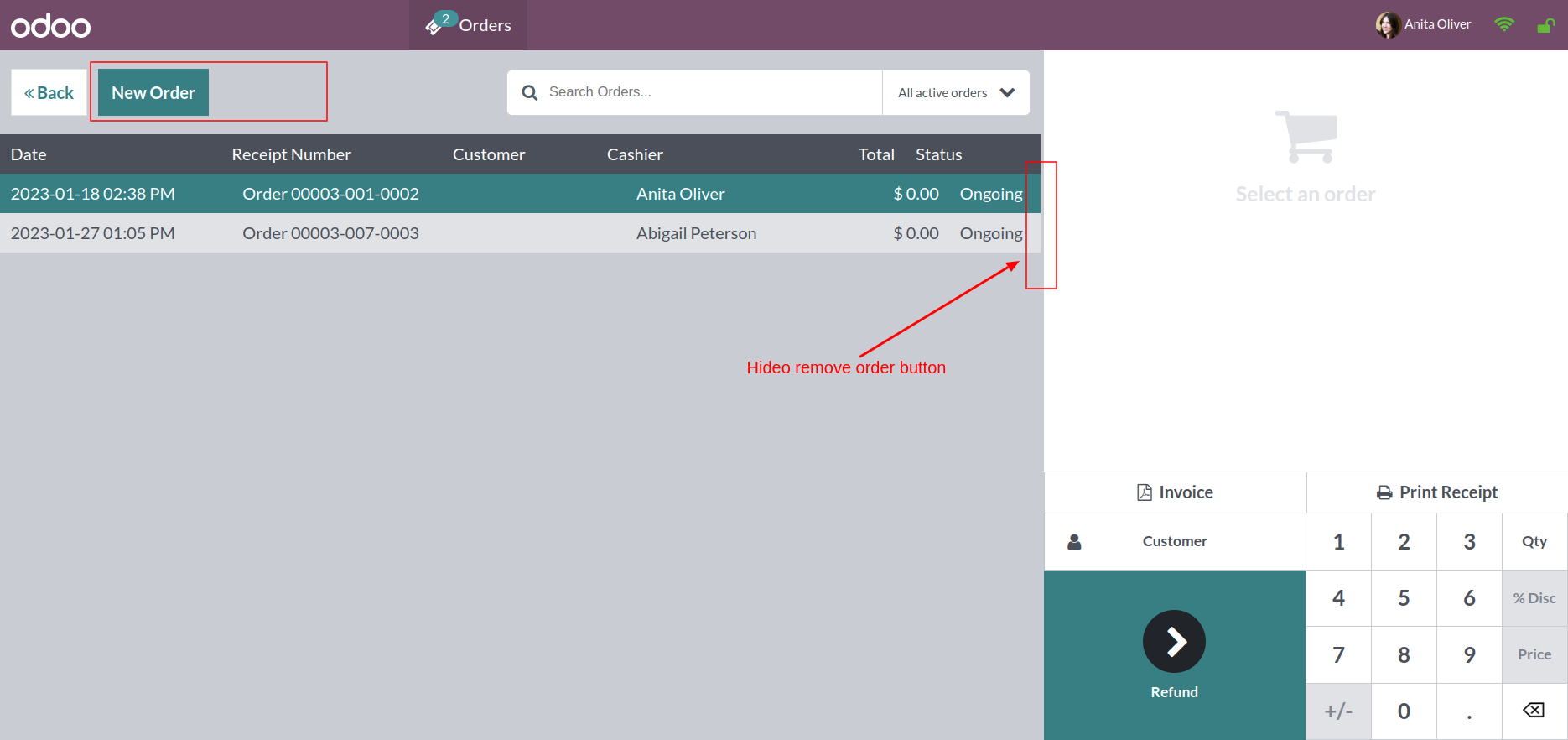
The delete order button is disabled now.
Tick the 'POS - Disable Action Button' option.
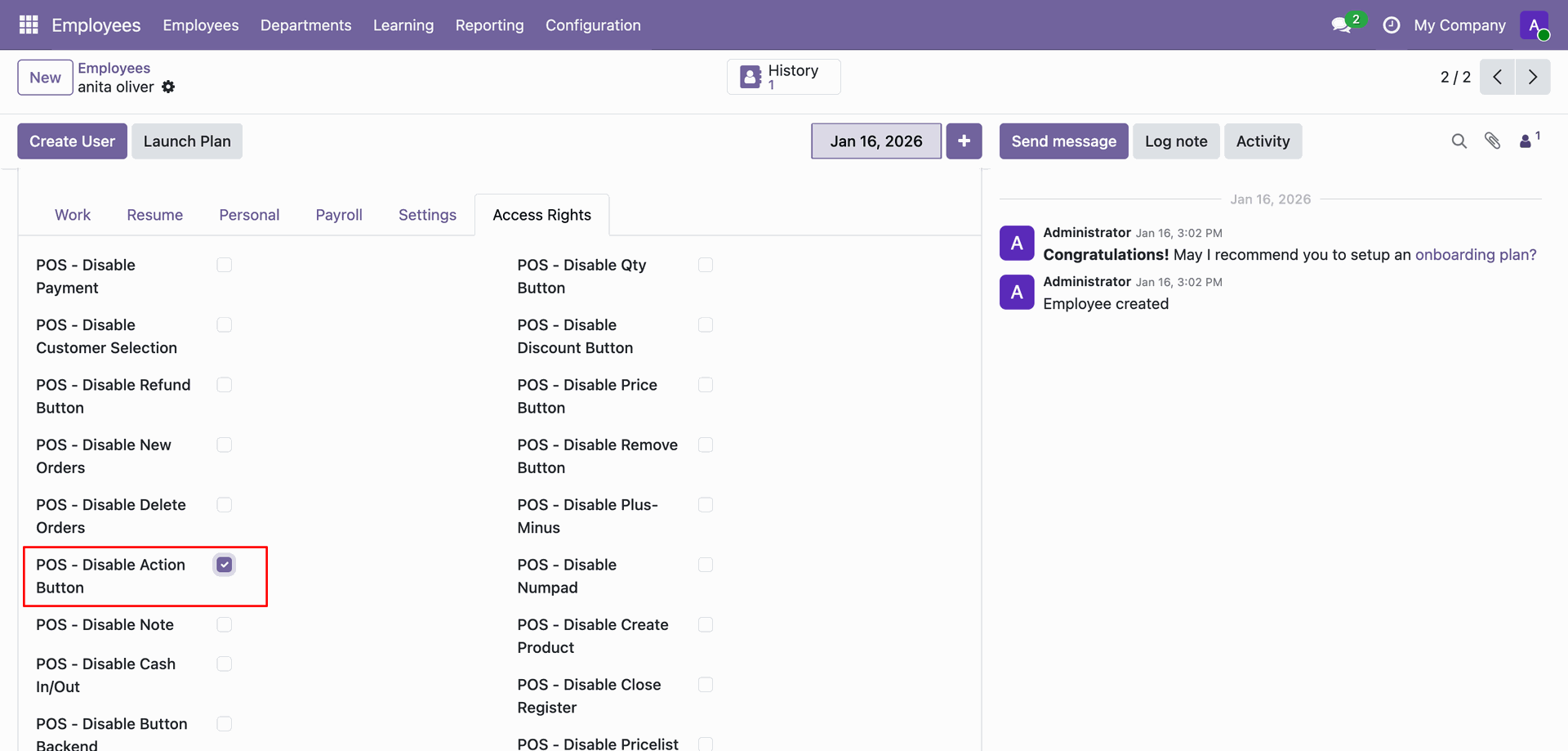
The Action button is disabled now.
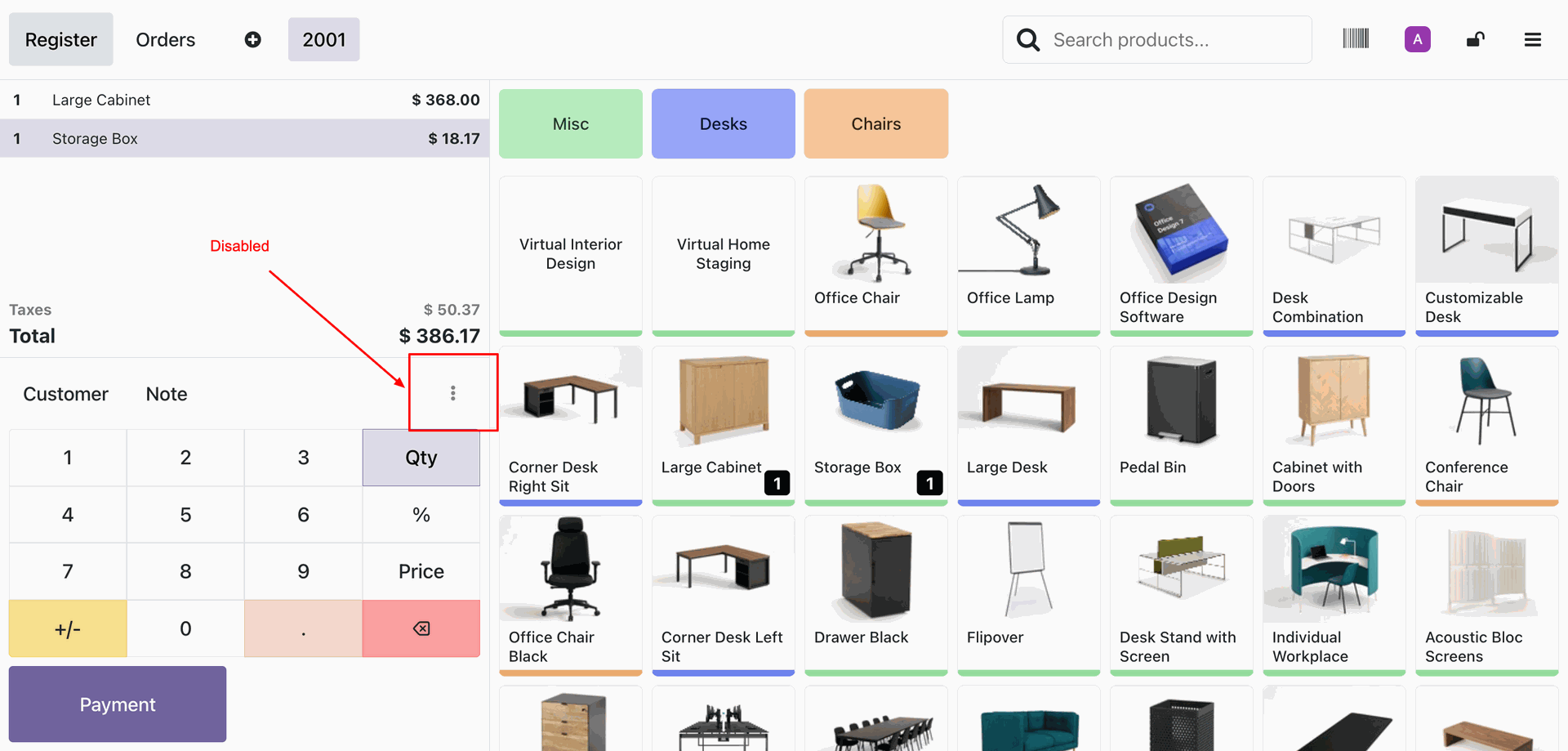
Tick the 'POS - Disable Button Backend' option.
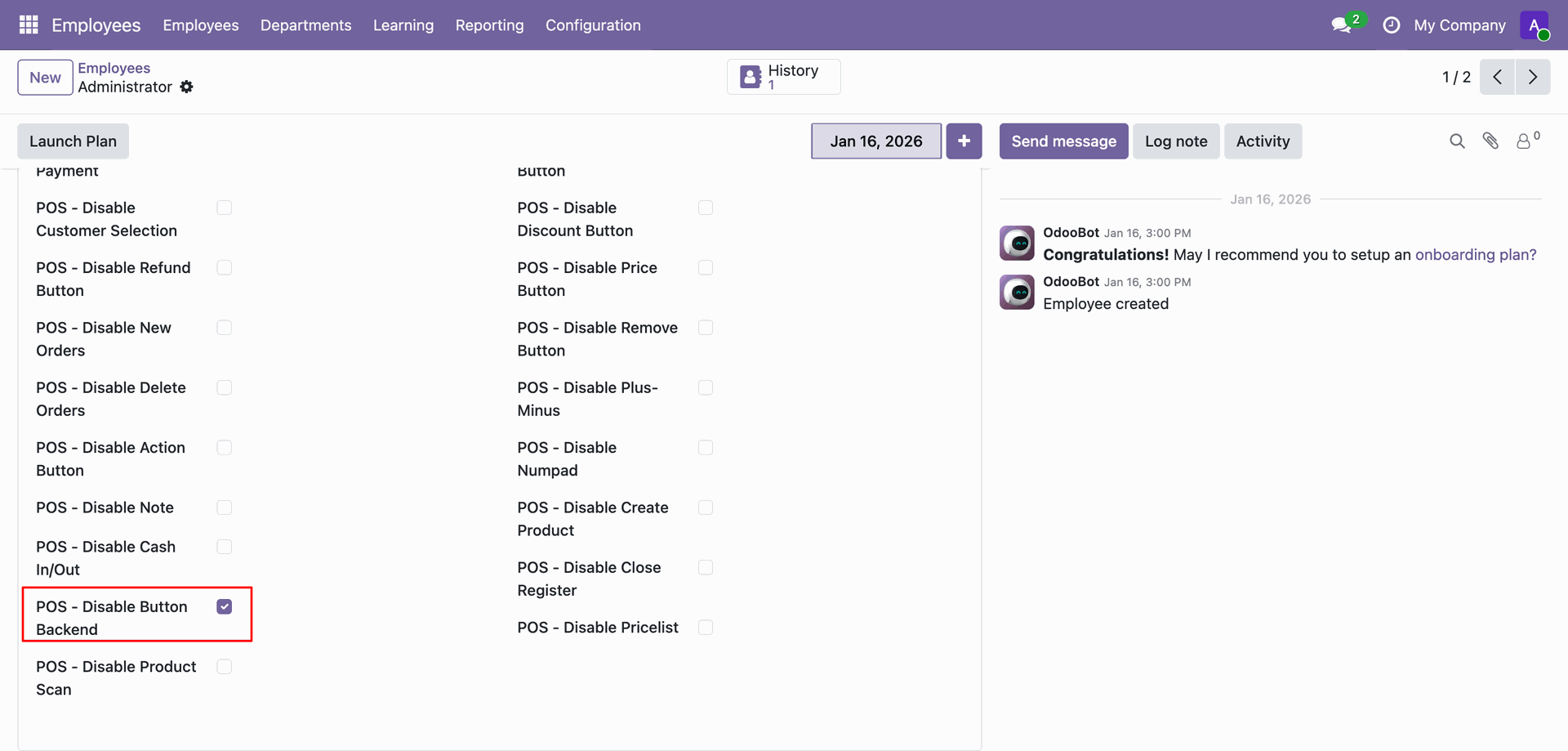
The Backend button is disabled now.
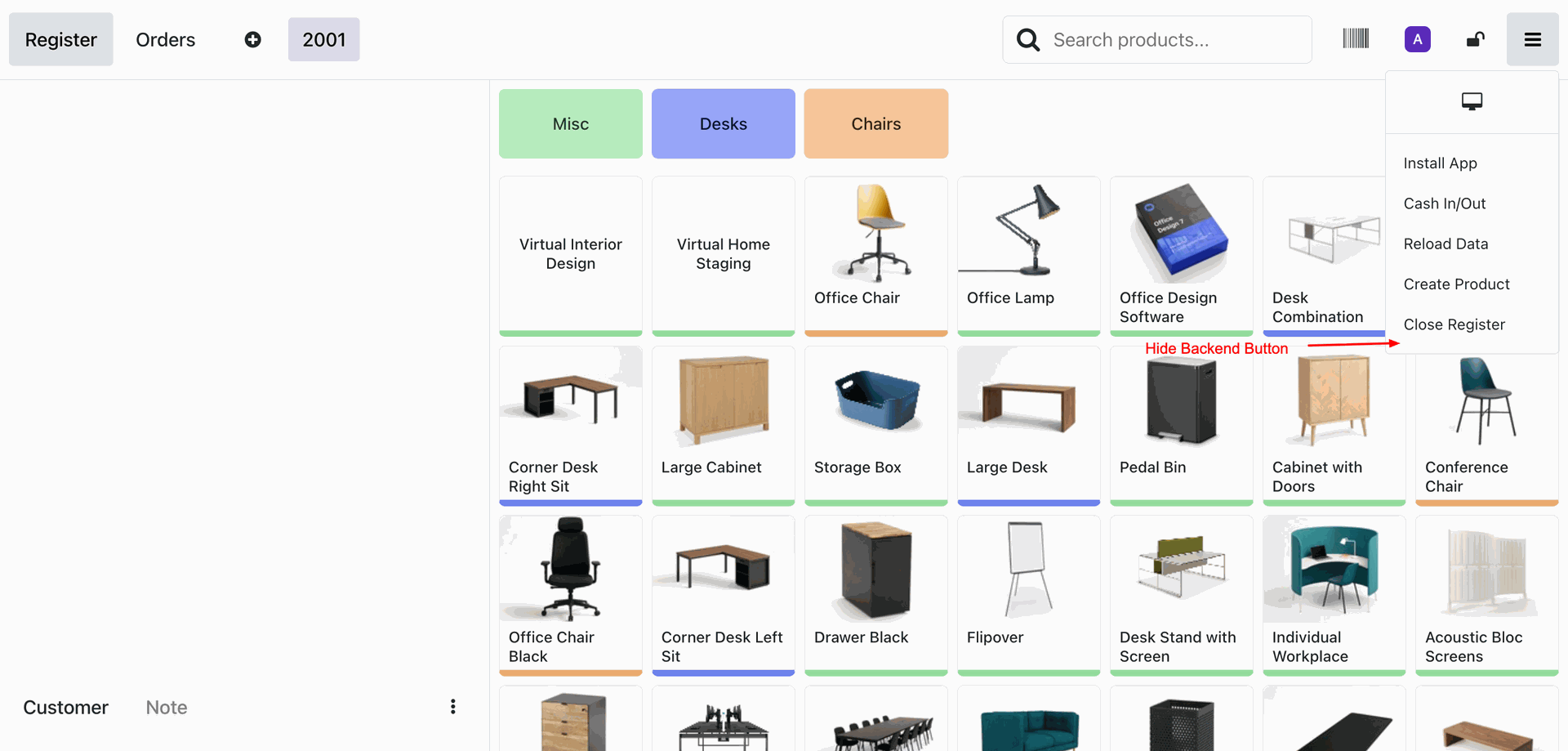
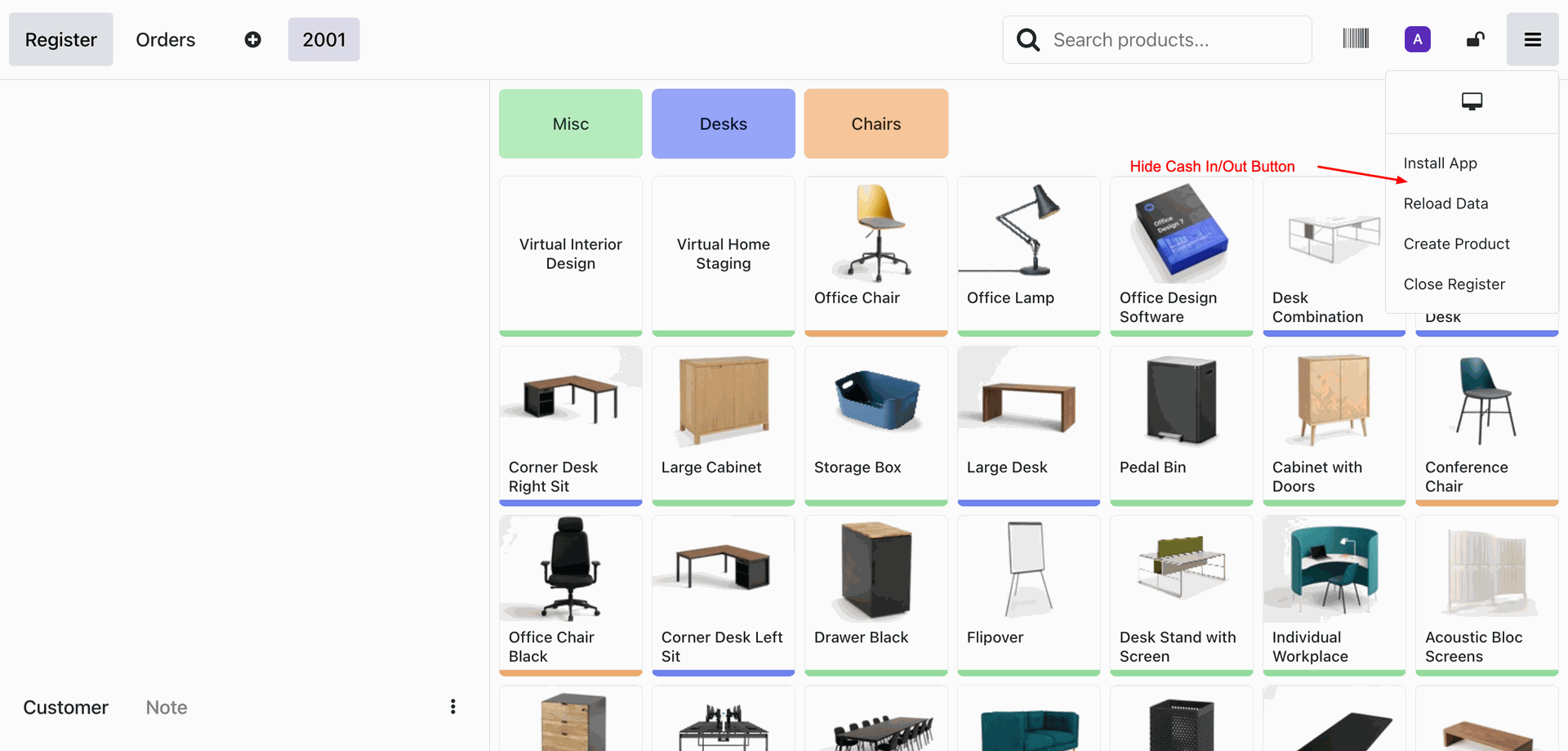
Tick the 'POS - Disable Cash In/Out' option.
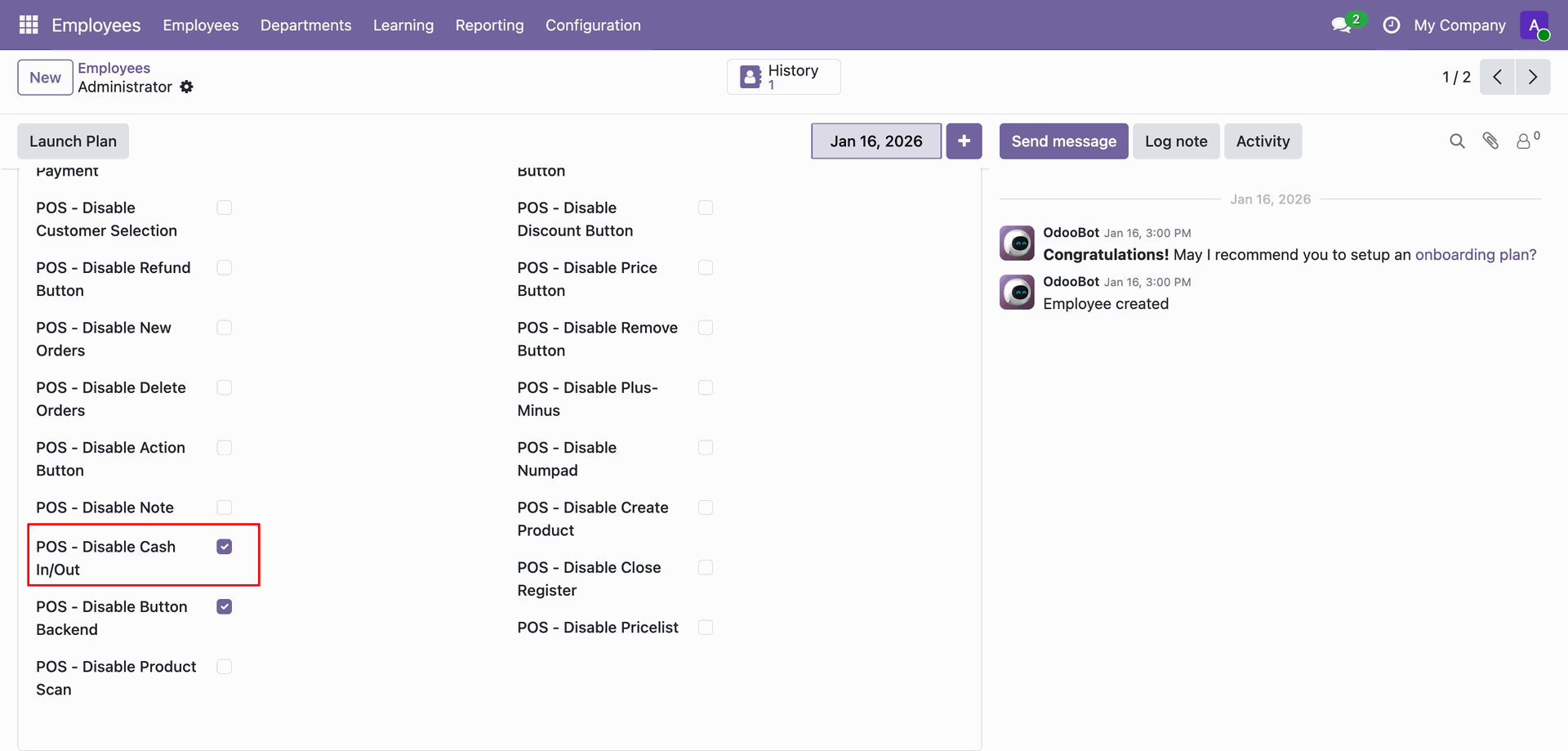
The Cash In/Out Button is disabled now.
Tick the 'POS - Disable Close Registr' option.
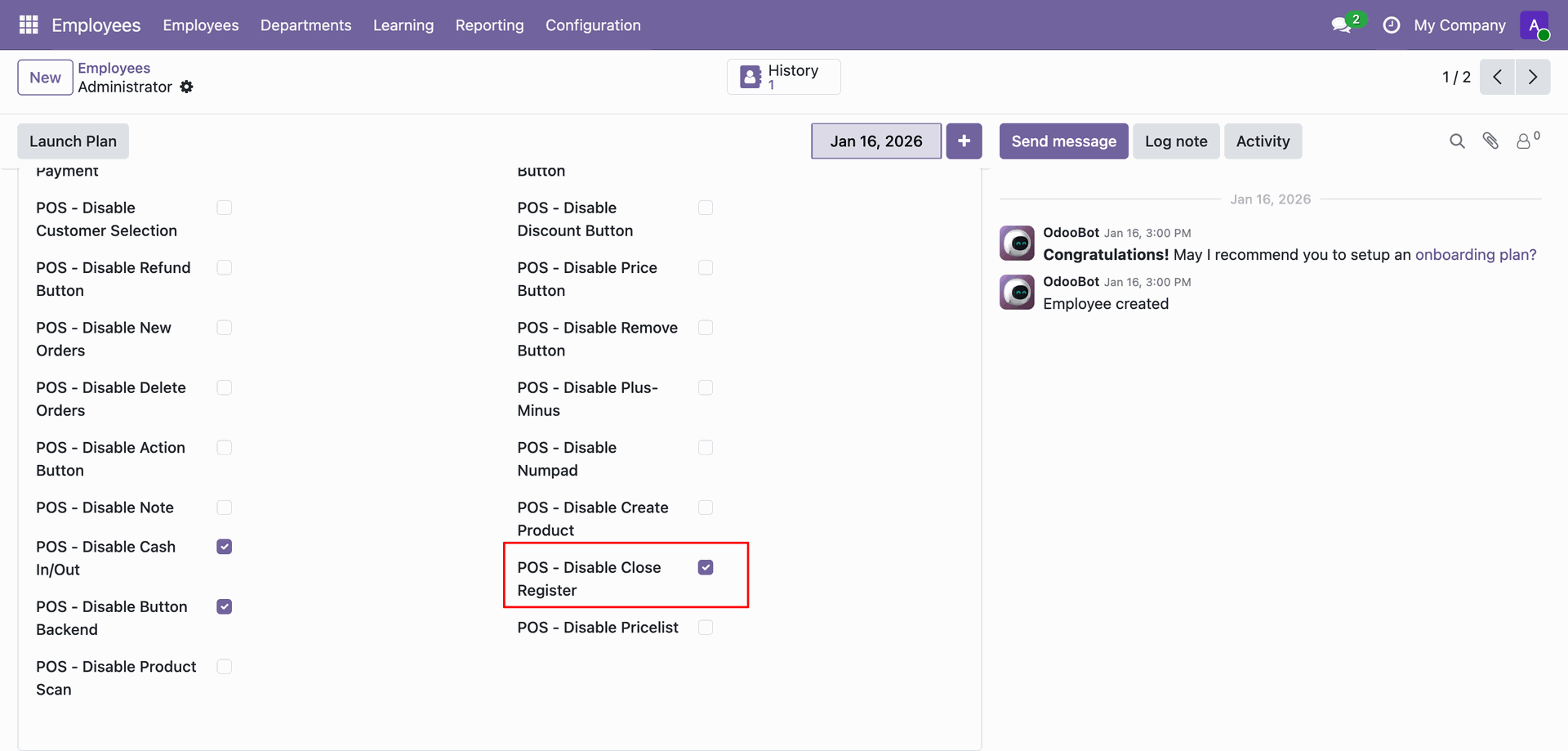
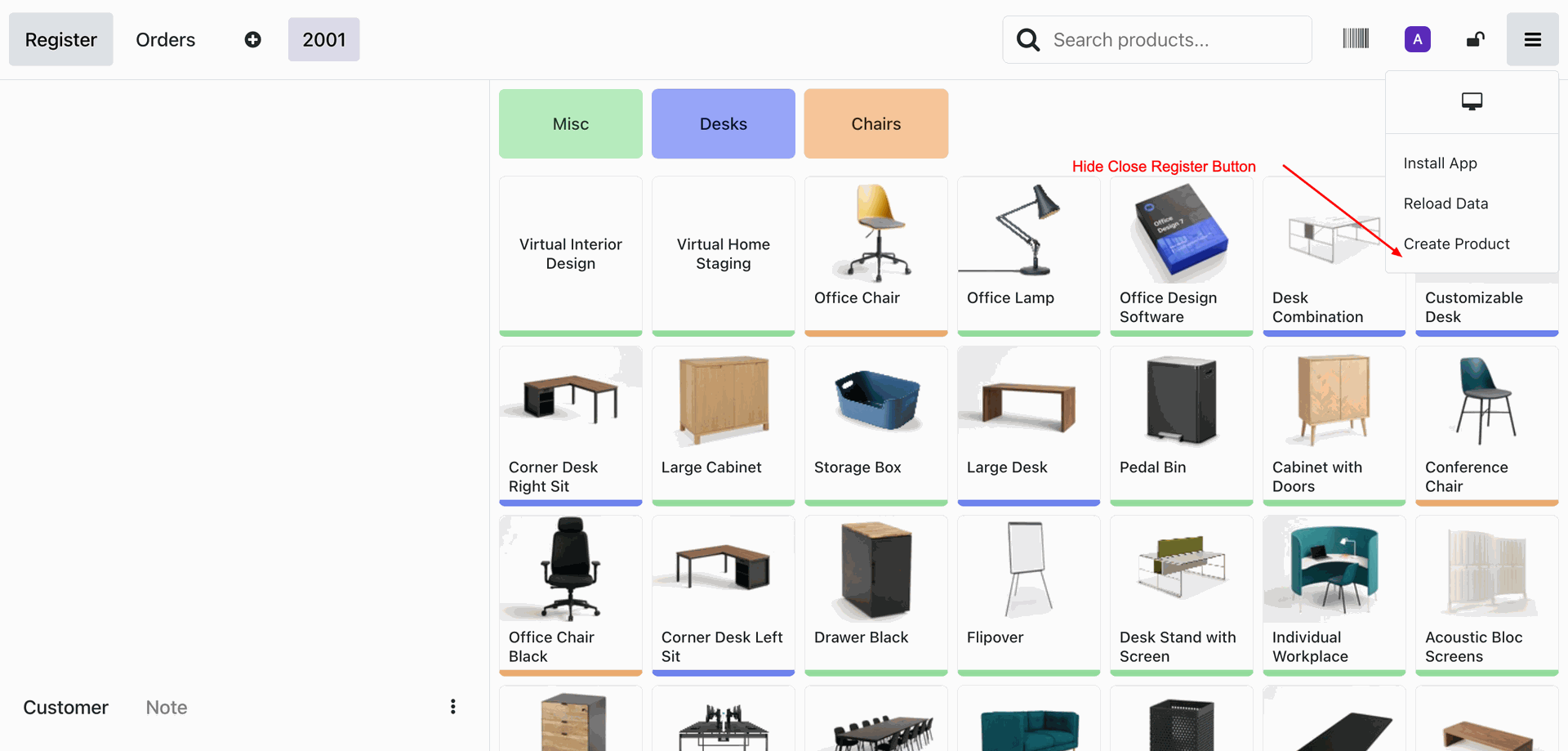
The Close Registr Button is disabled now.
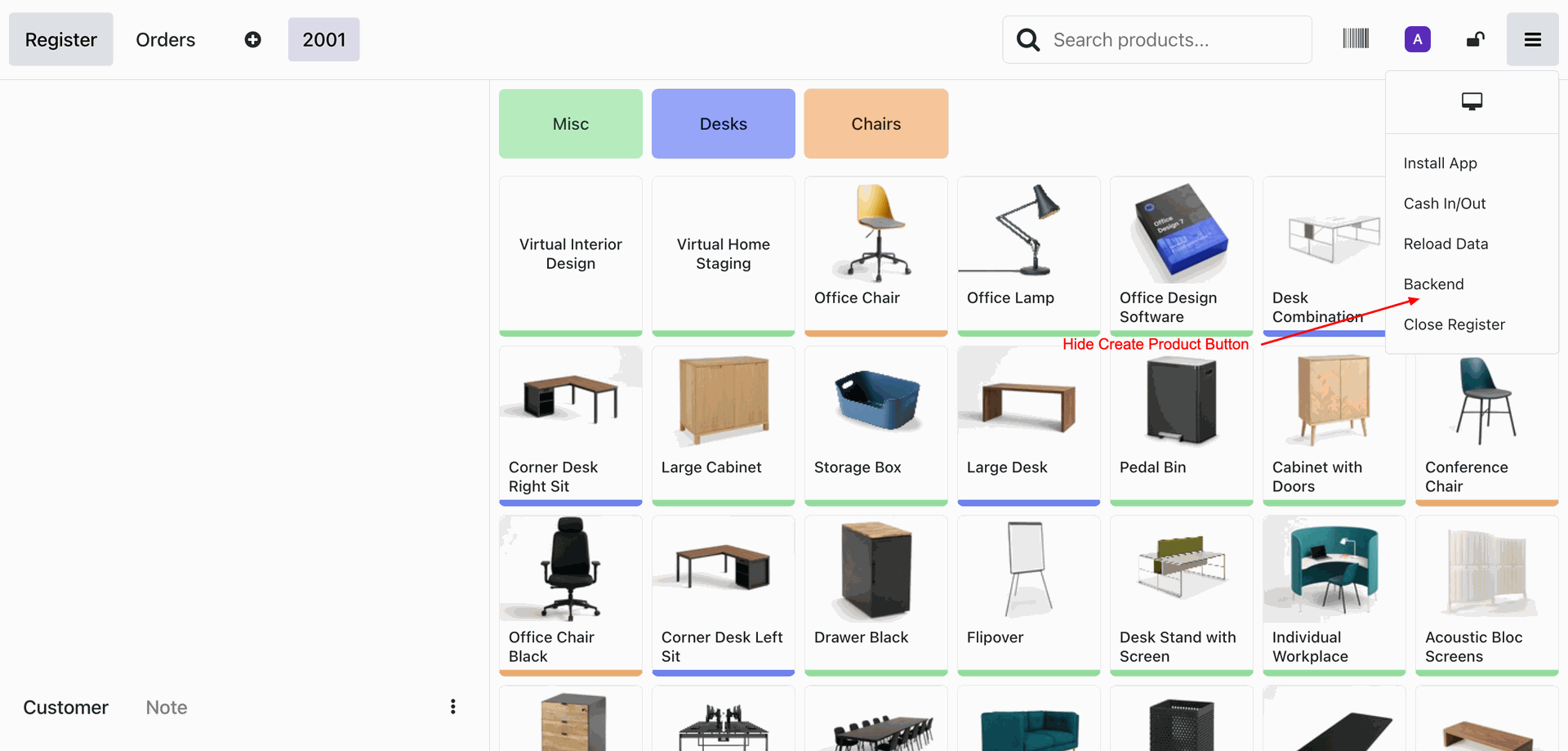
Tick the 'POS - Disable Create Product' option.
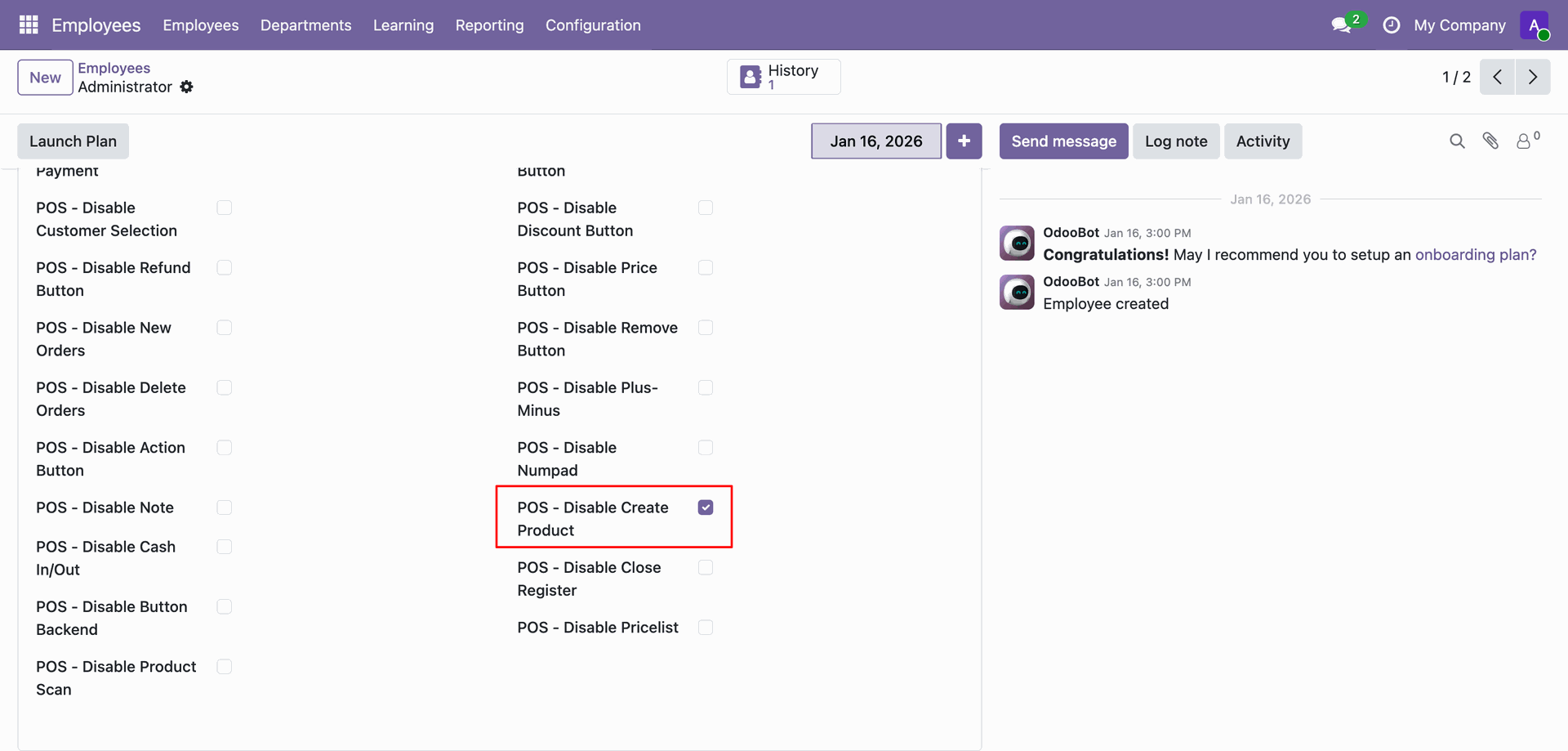
The Create Product Button is disabled now.
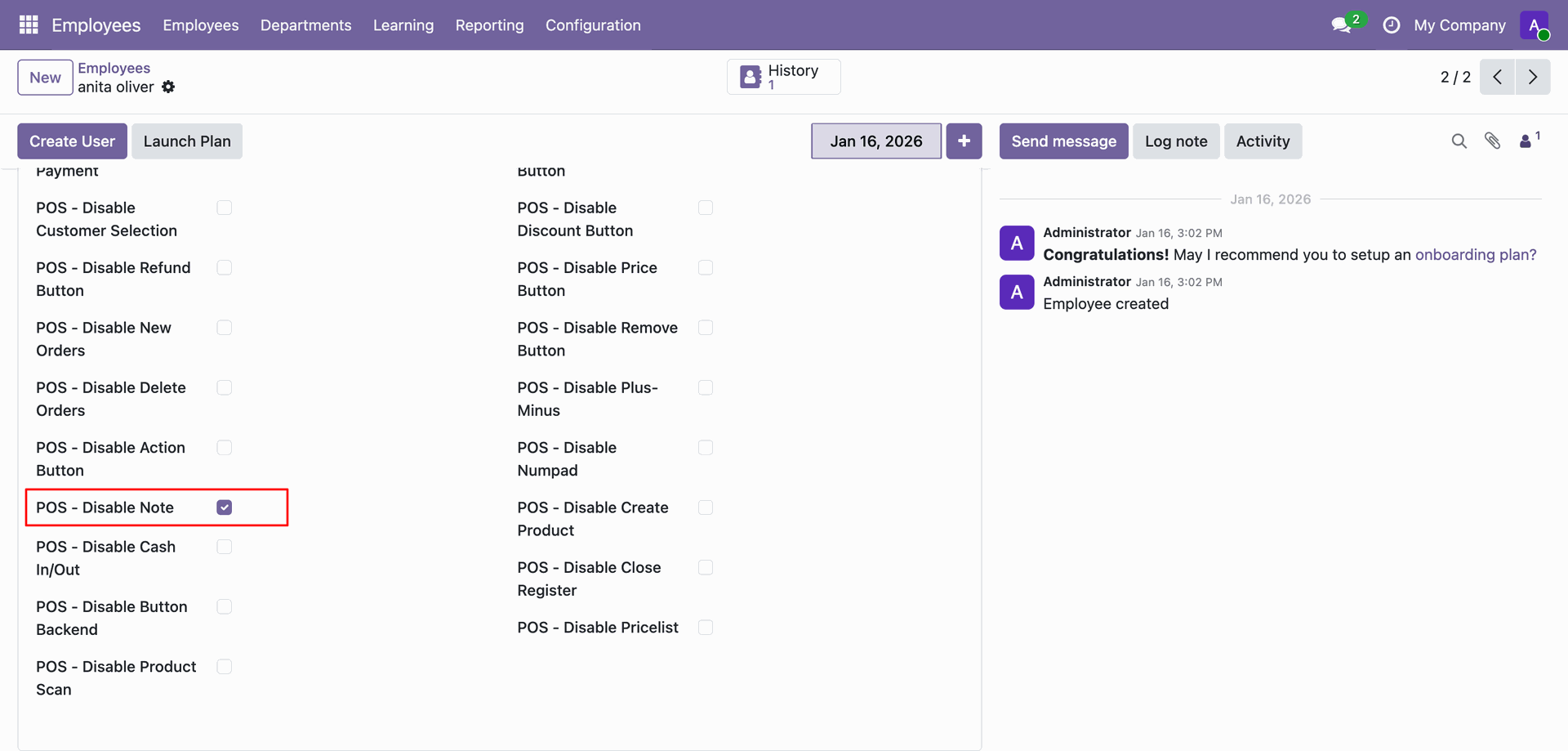
Tick the 'POS - Disable Note' option.
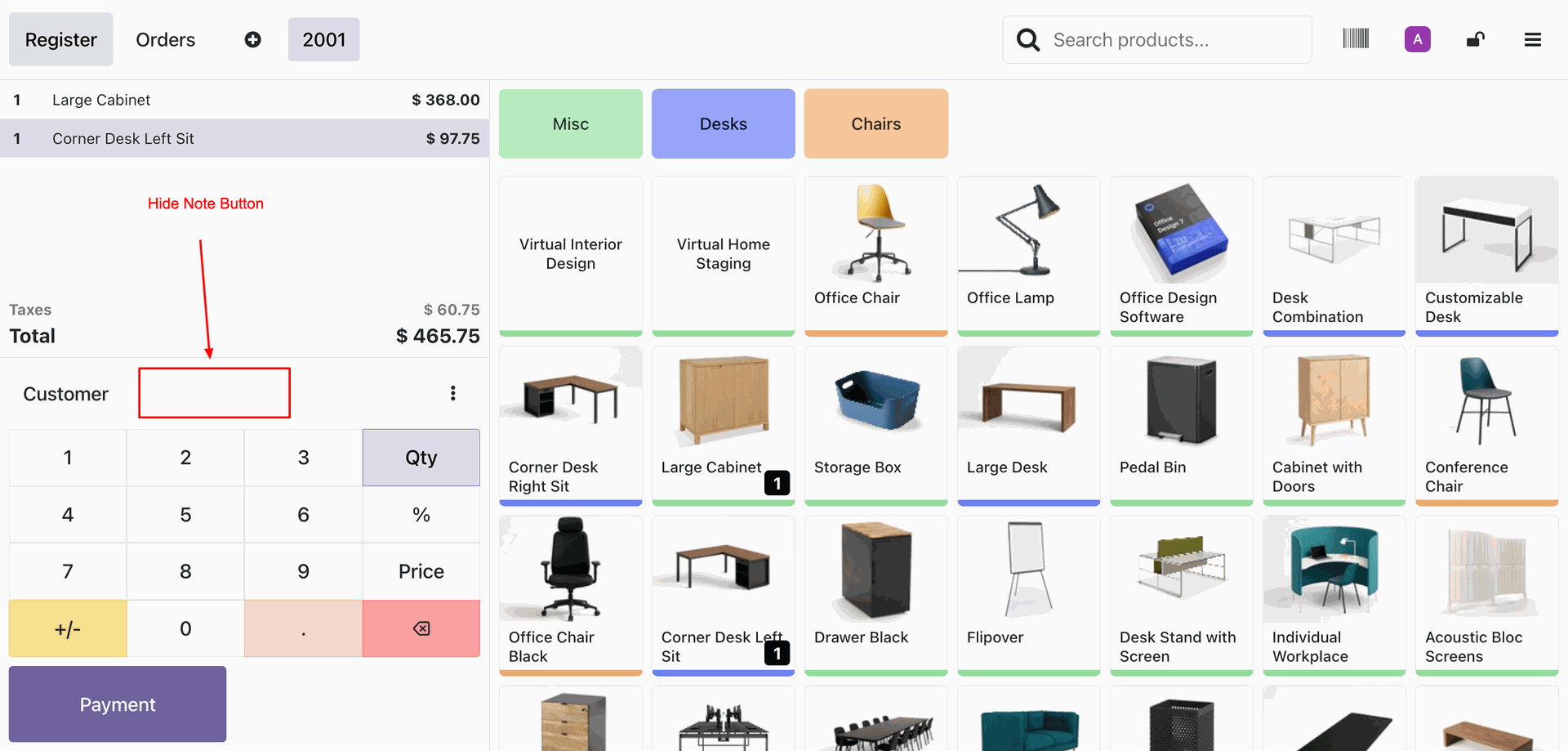
The Note Button is disabled now.
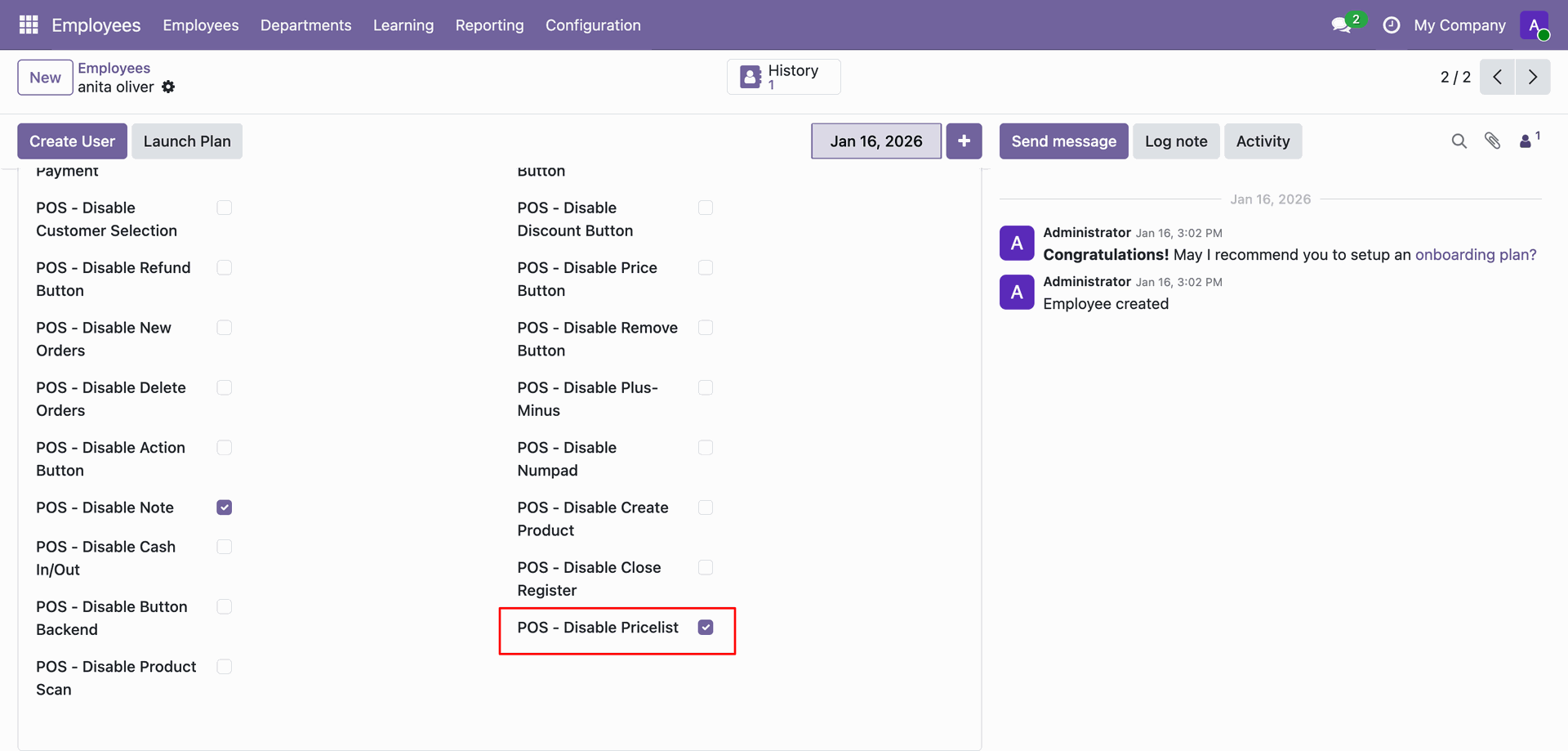
Tick the 'POS - Disable Pricelist' option.
The Pricelist Button is disabled now.
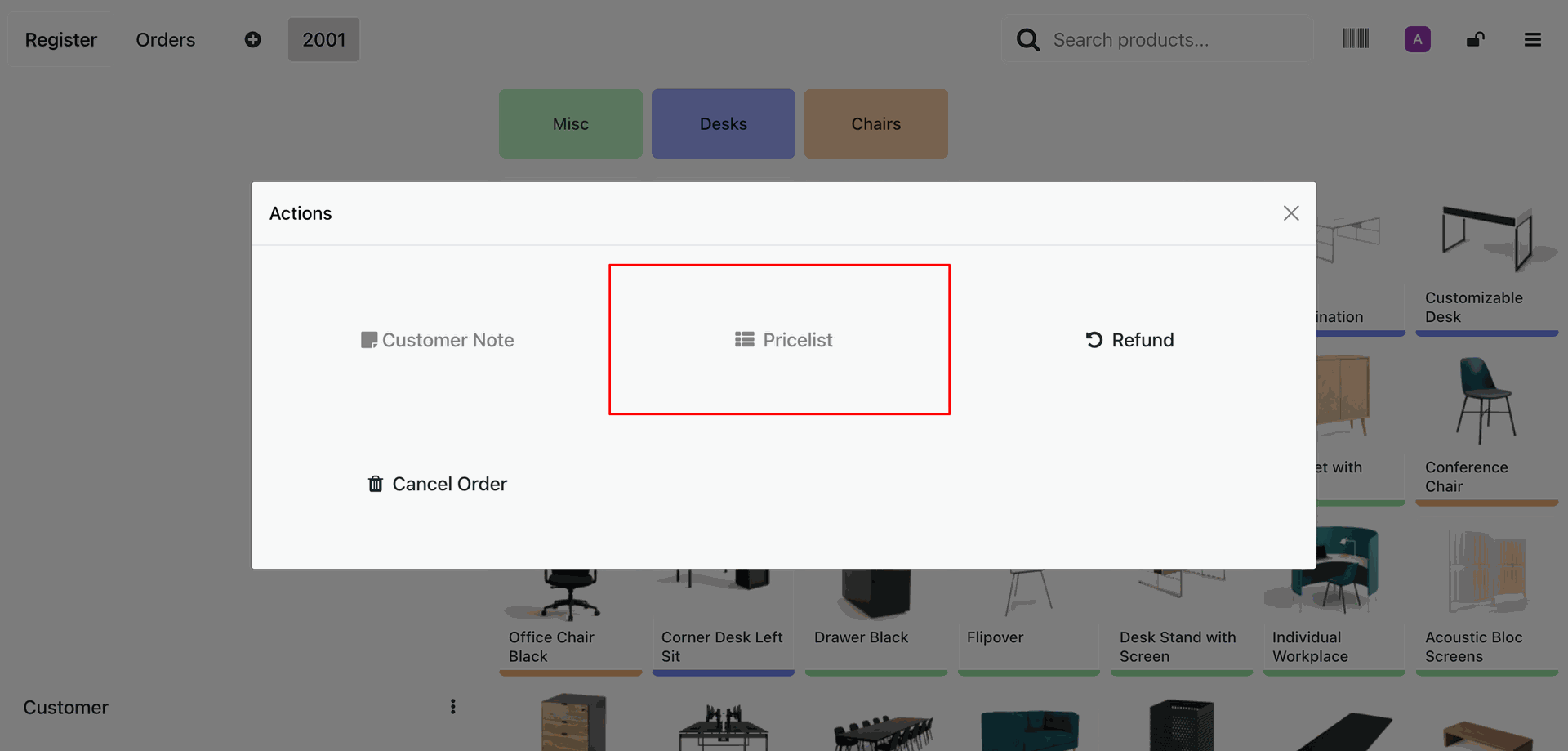
Tick the 'POS - Disable Product Scan' option.
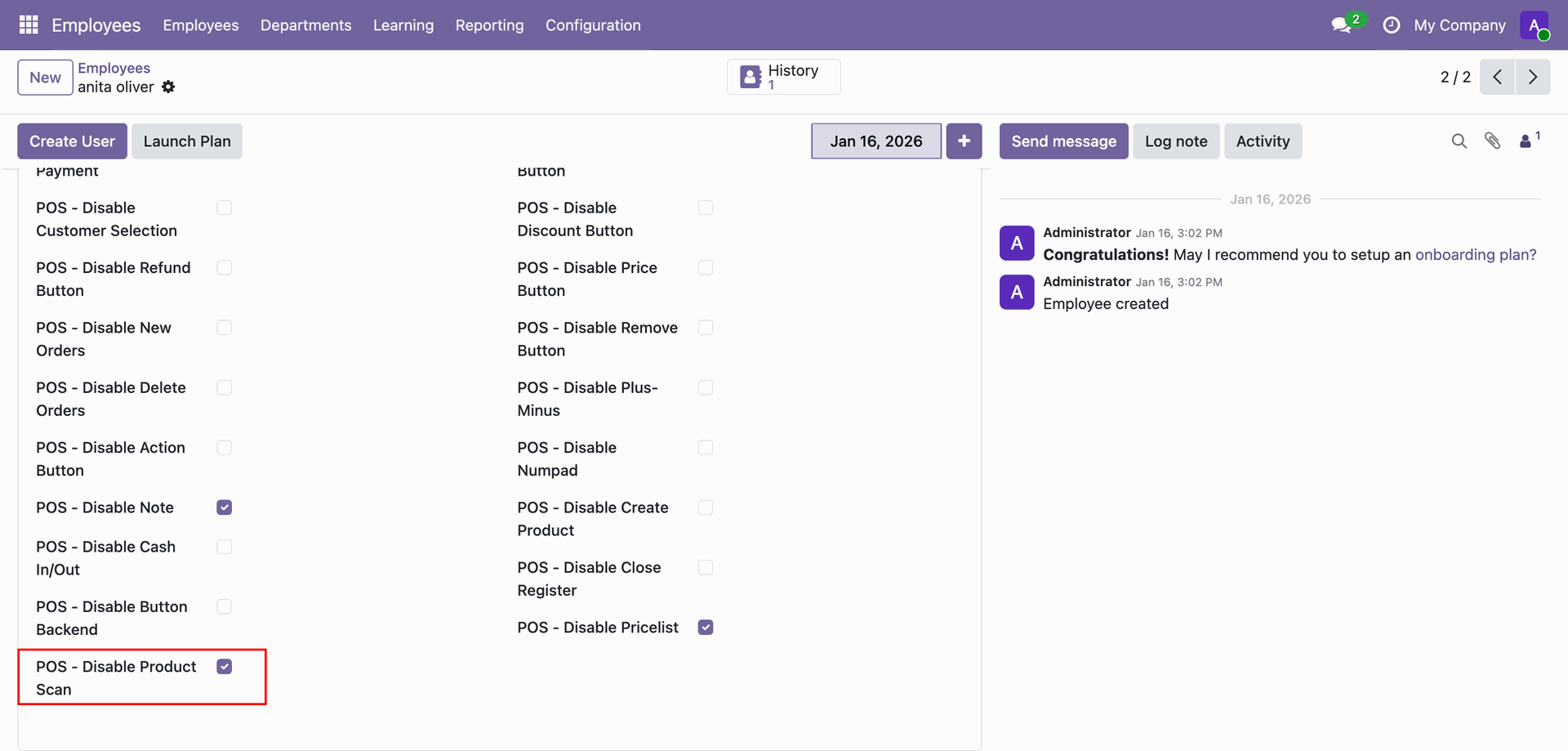
The Product Scan Button is disabled now.
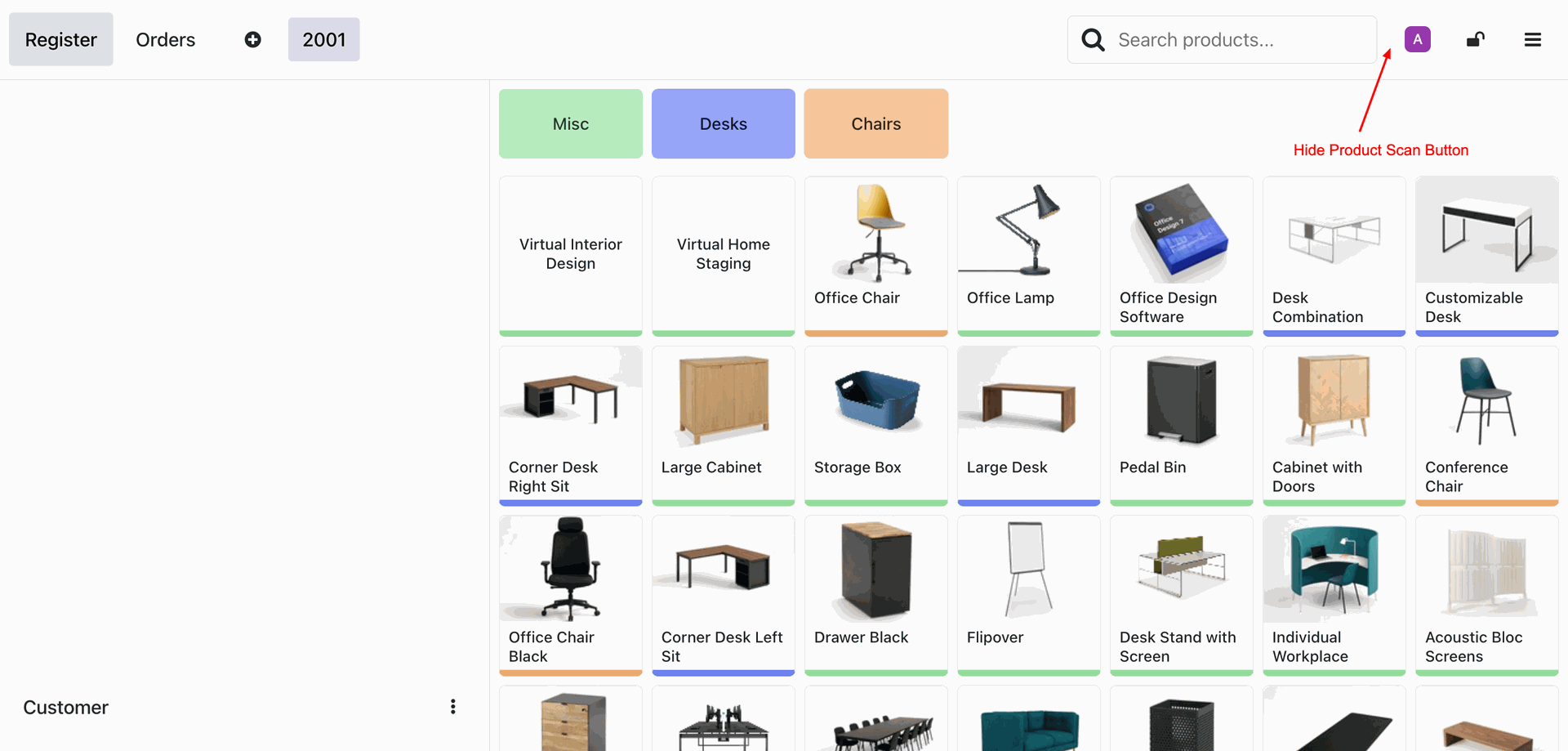
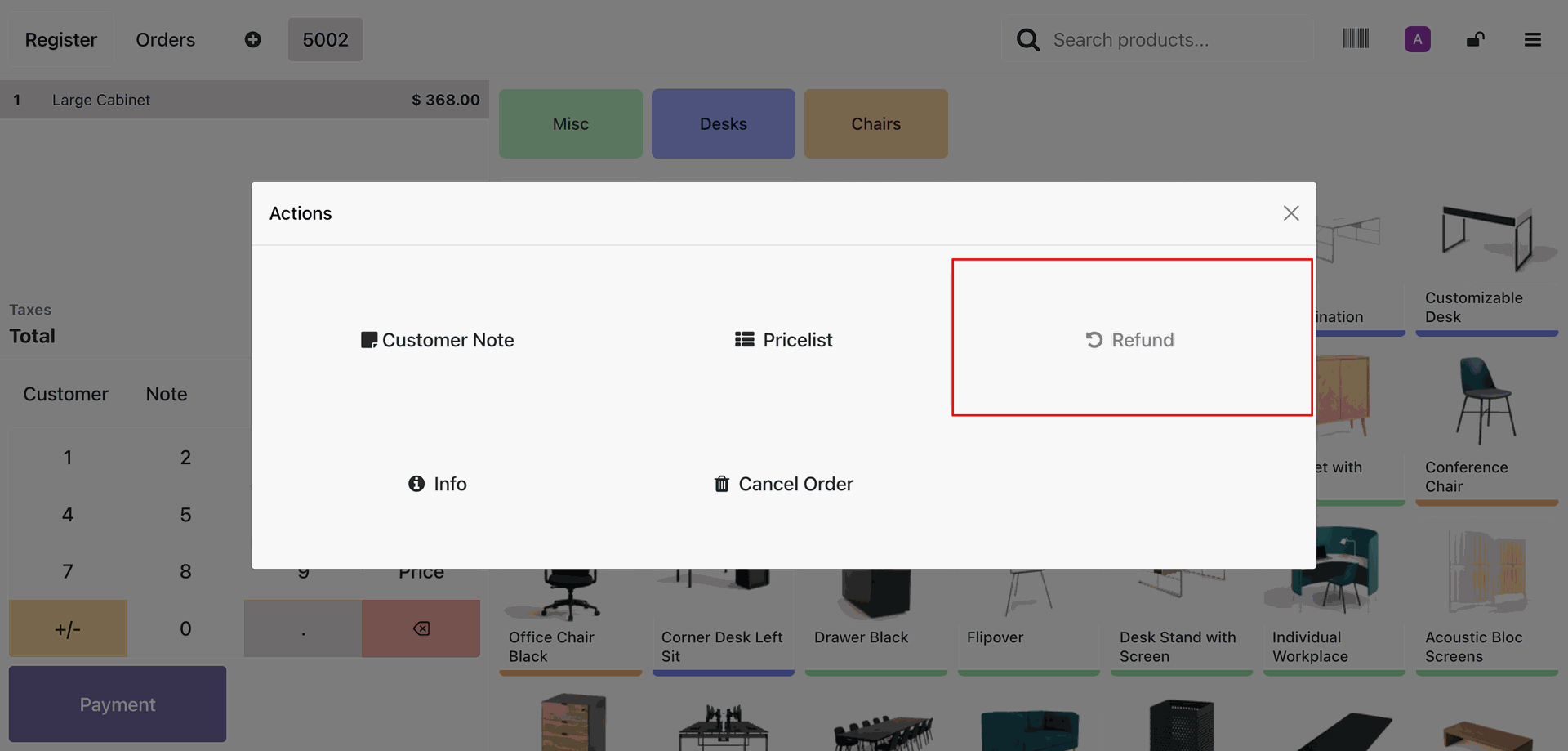
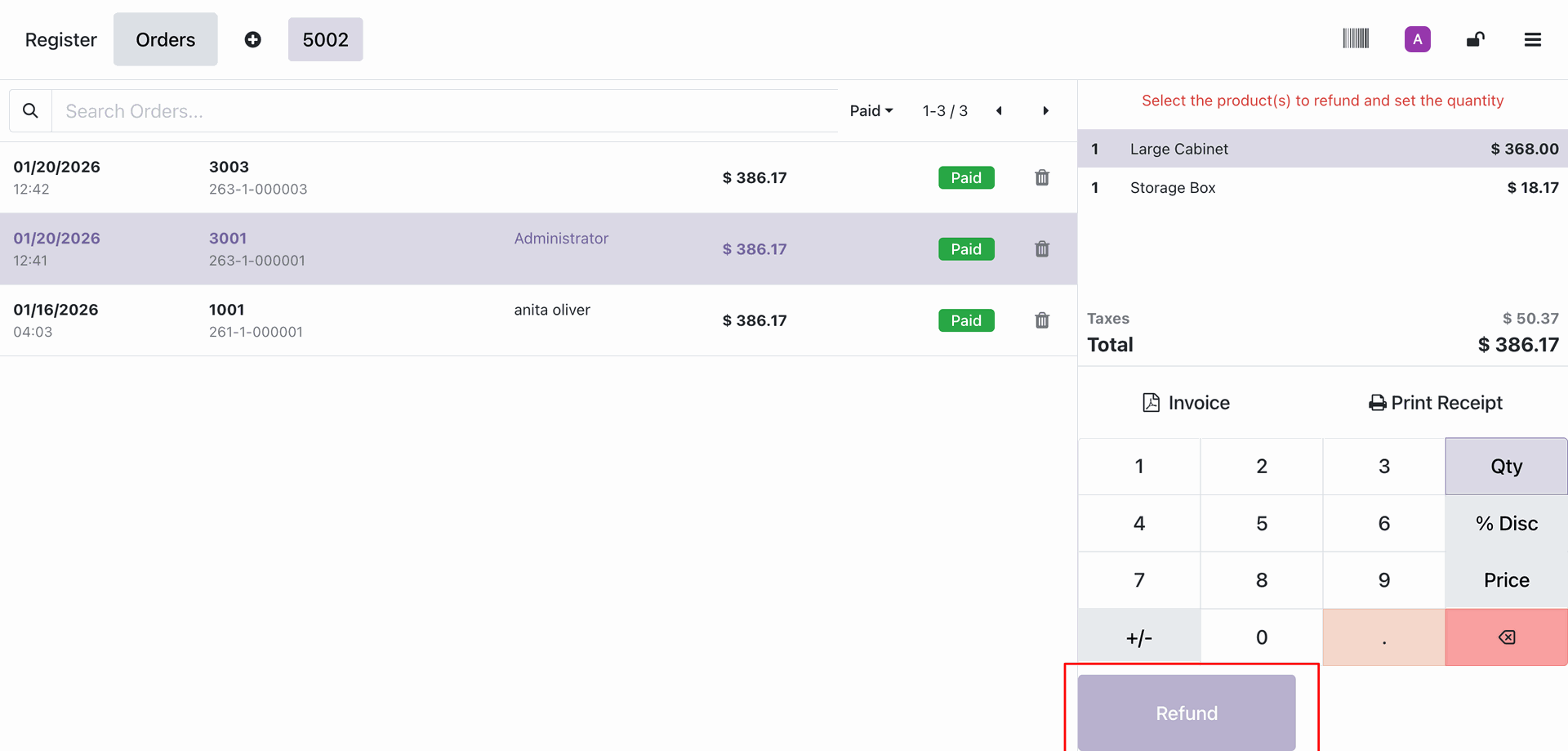
Tick the 'POS - Disable Refund Button' option.
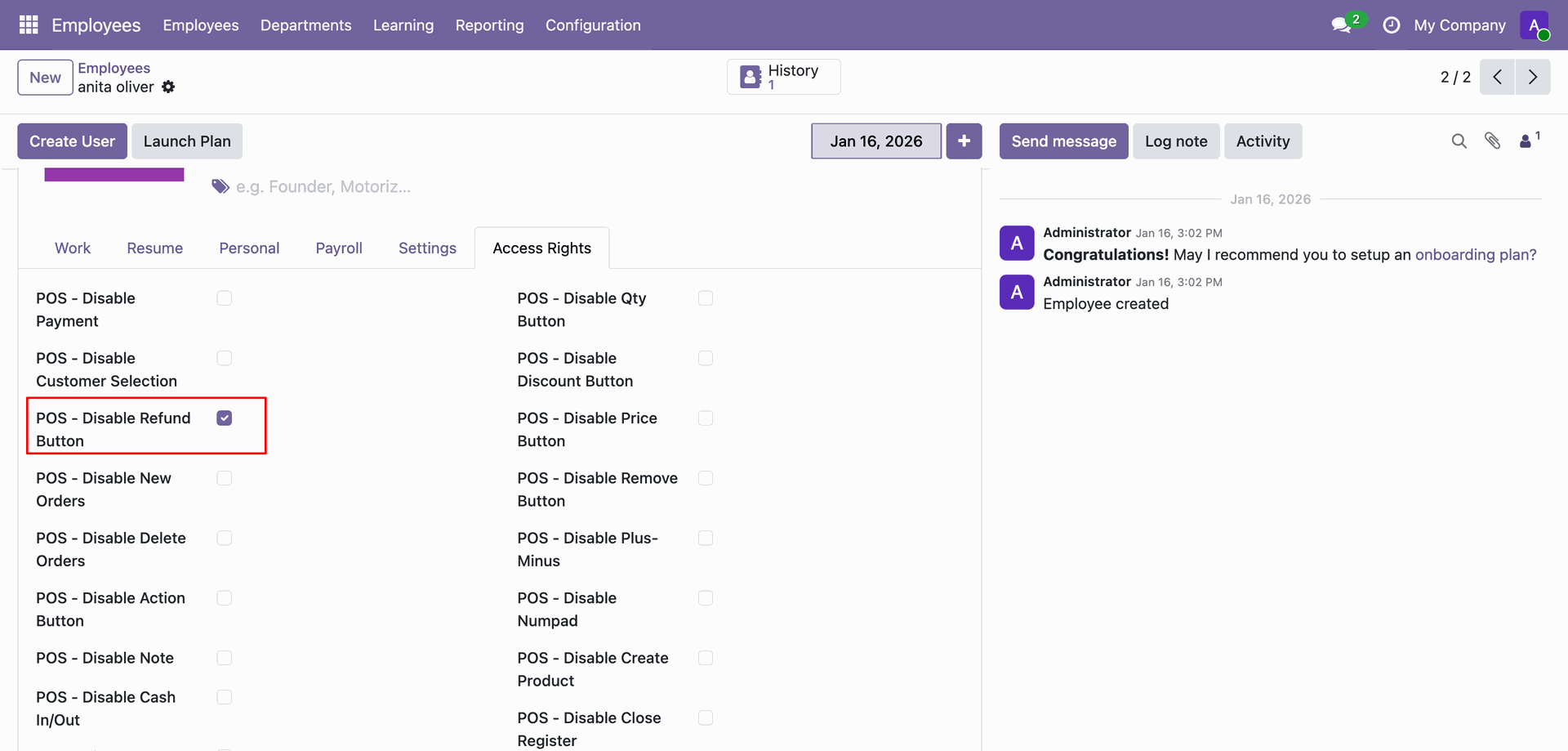
The Refund option is disabled now.
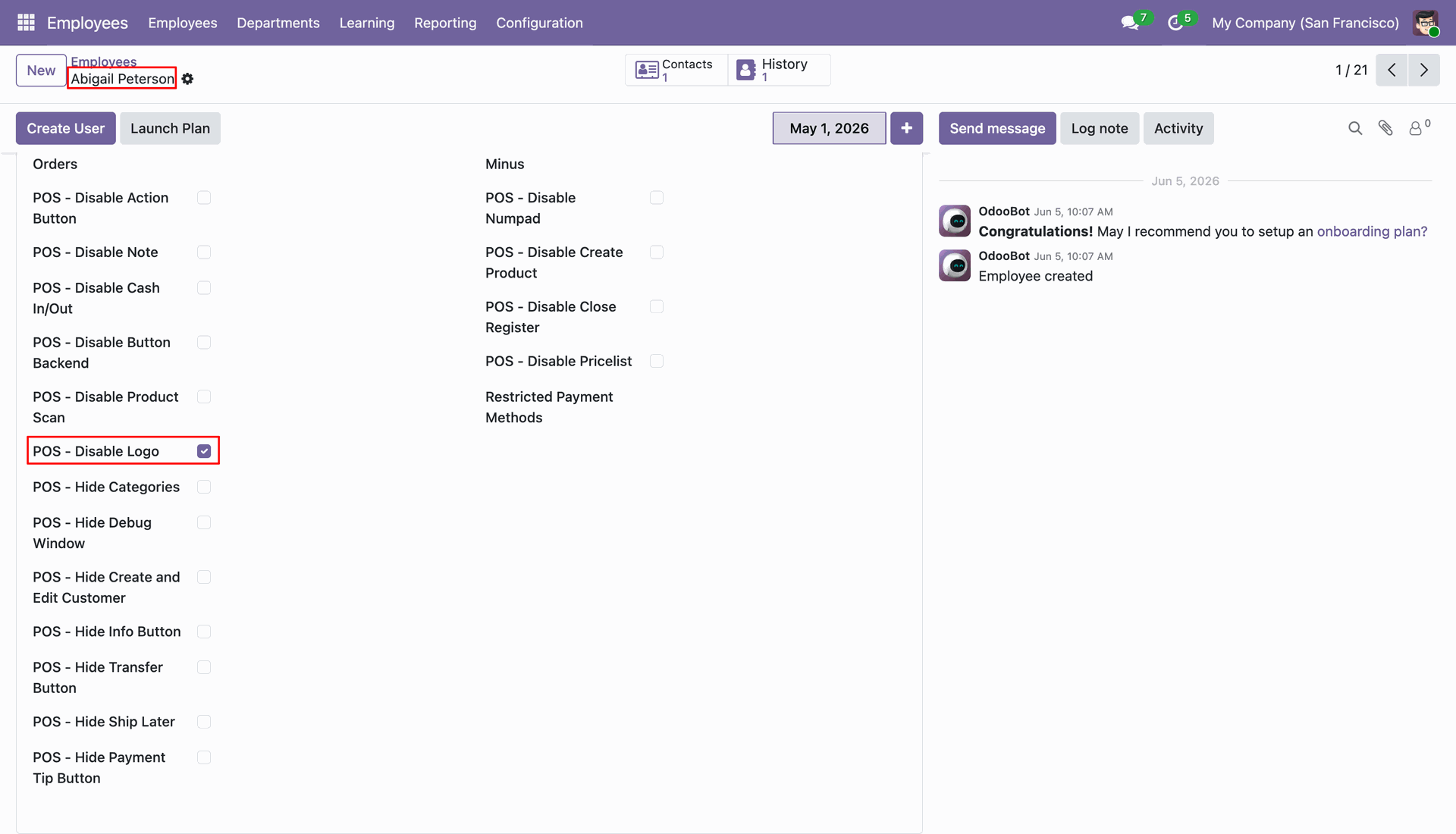
Tick the 'POS - Disable Logo' option.
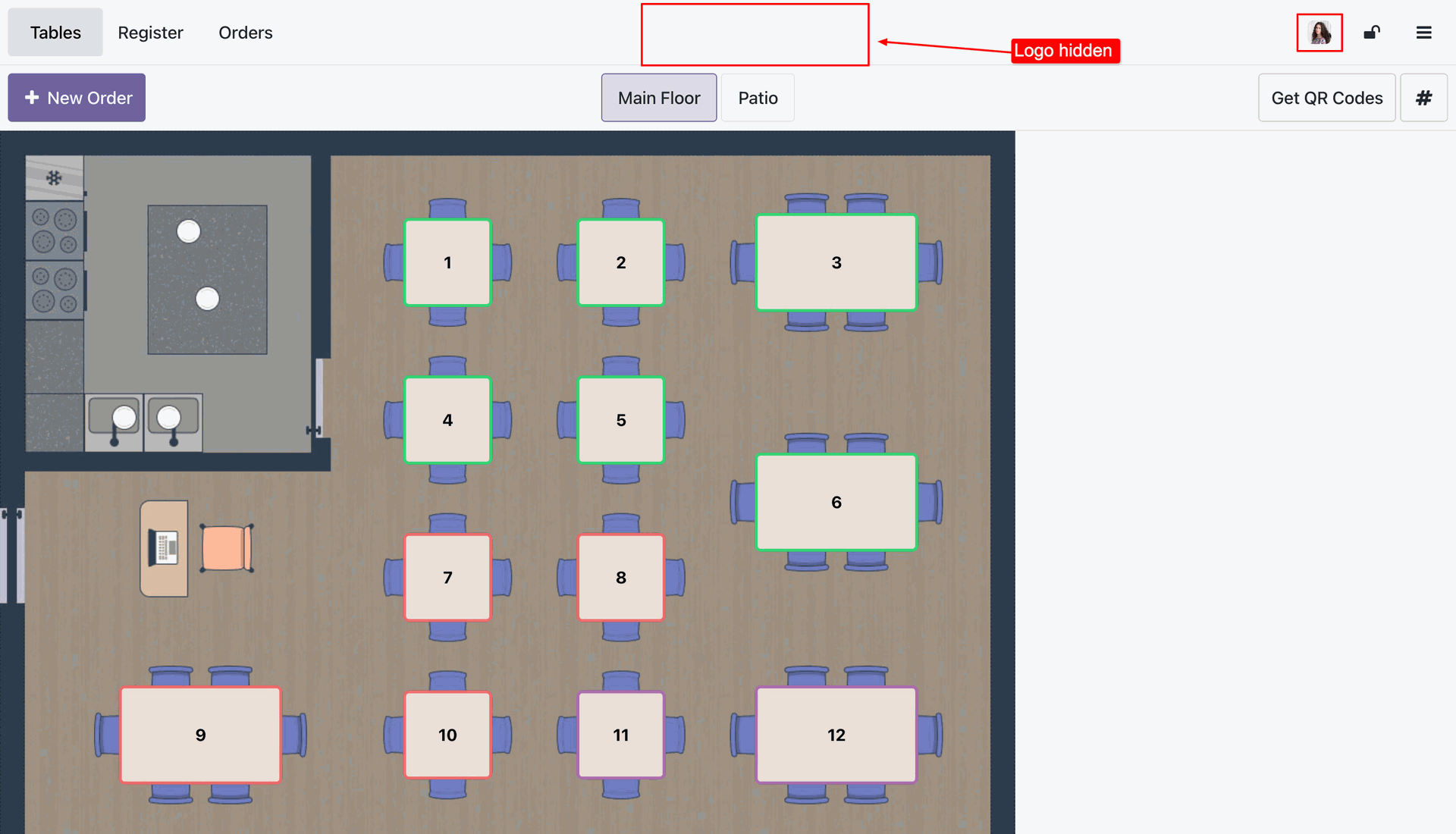
The Logo is now hidden in the POS interface.
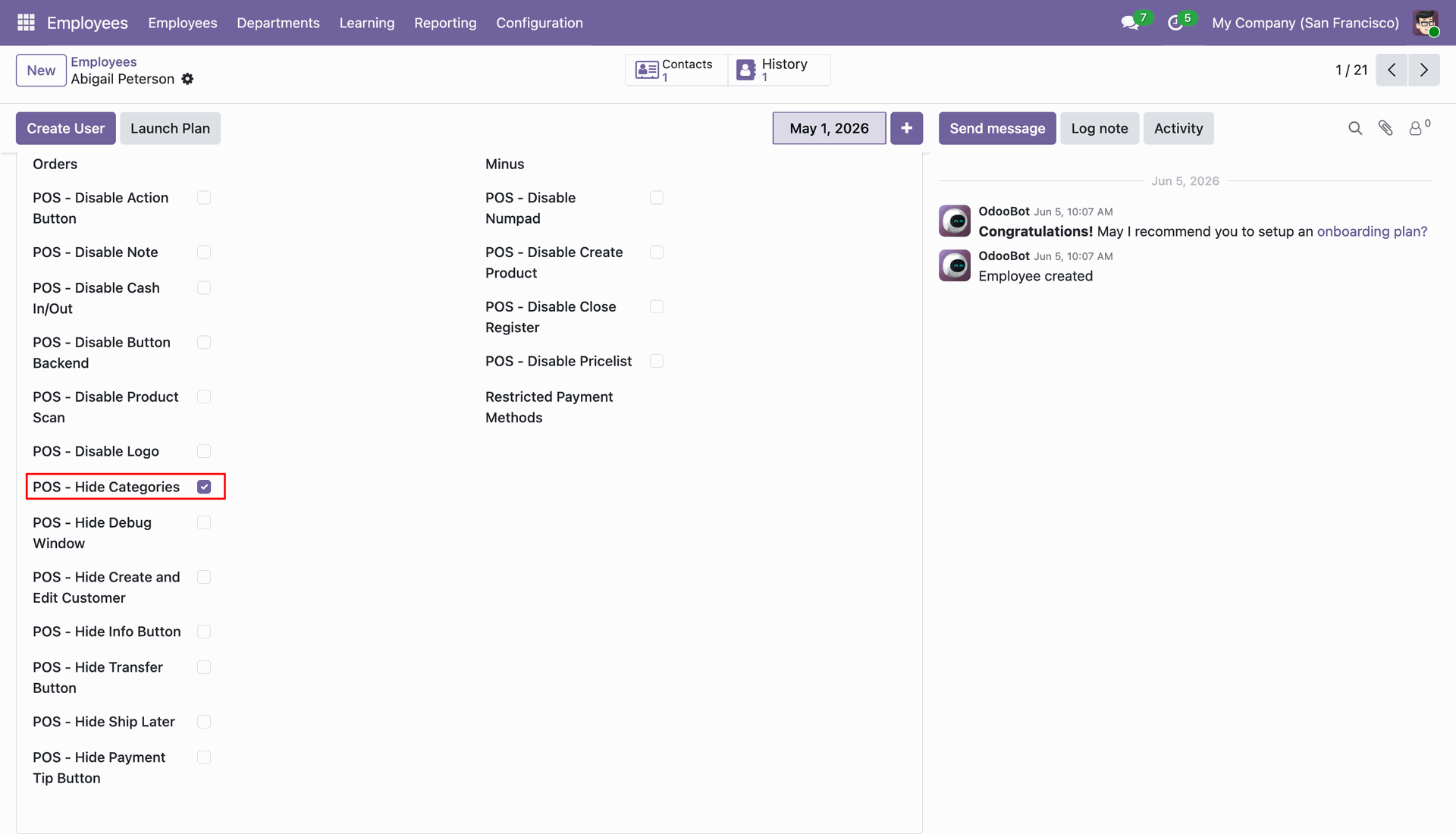
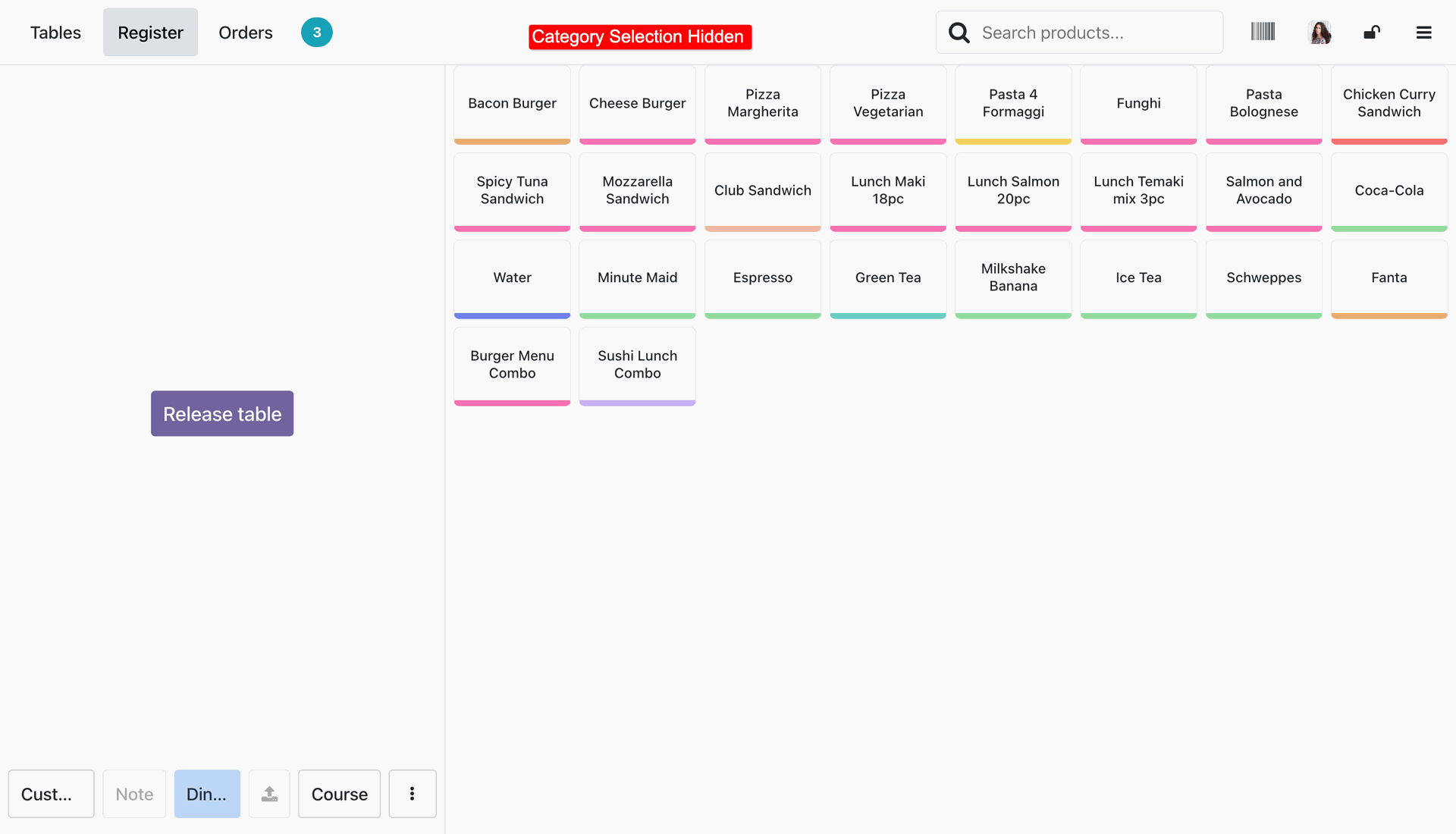
Tick the 'POS - Hide Categories' option.
The Category selection is now hidden in the POS interface.
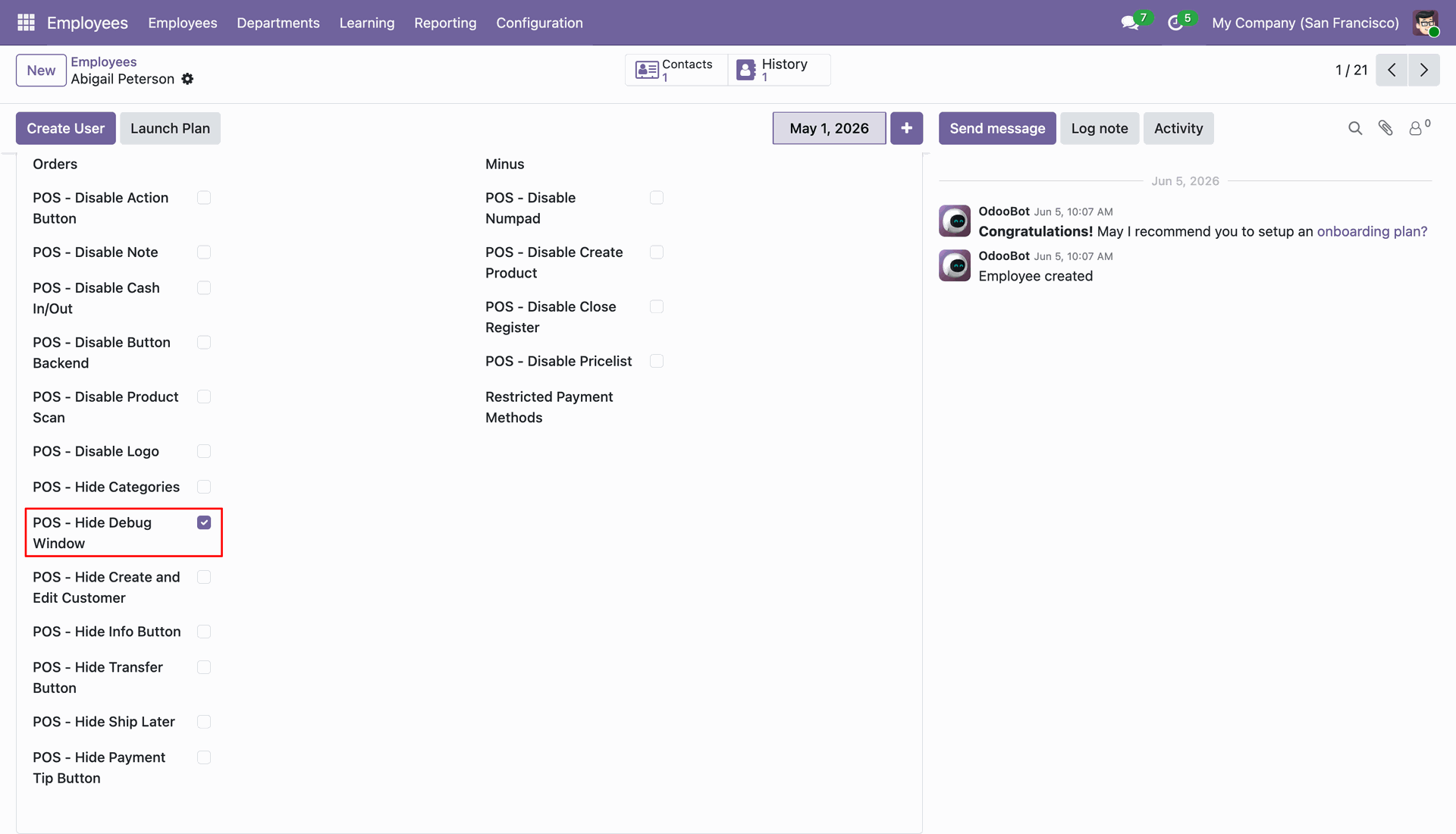
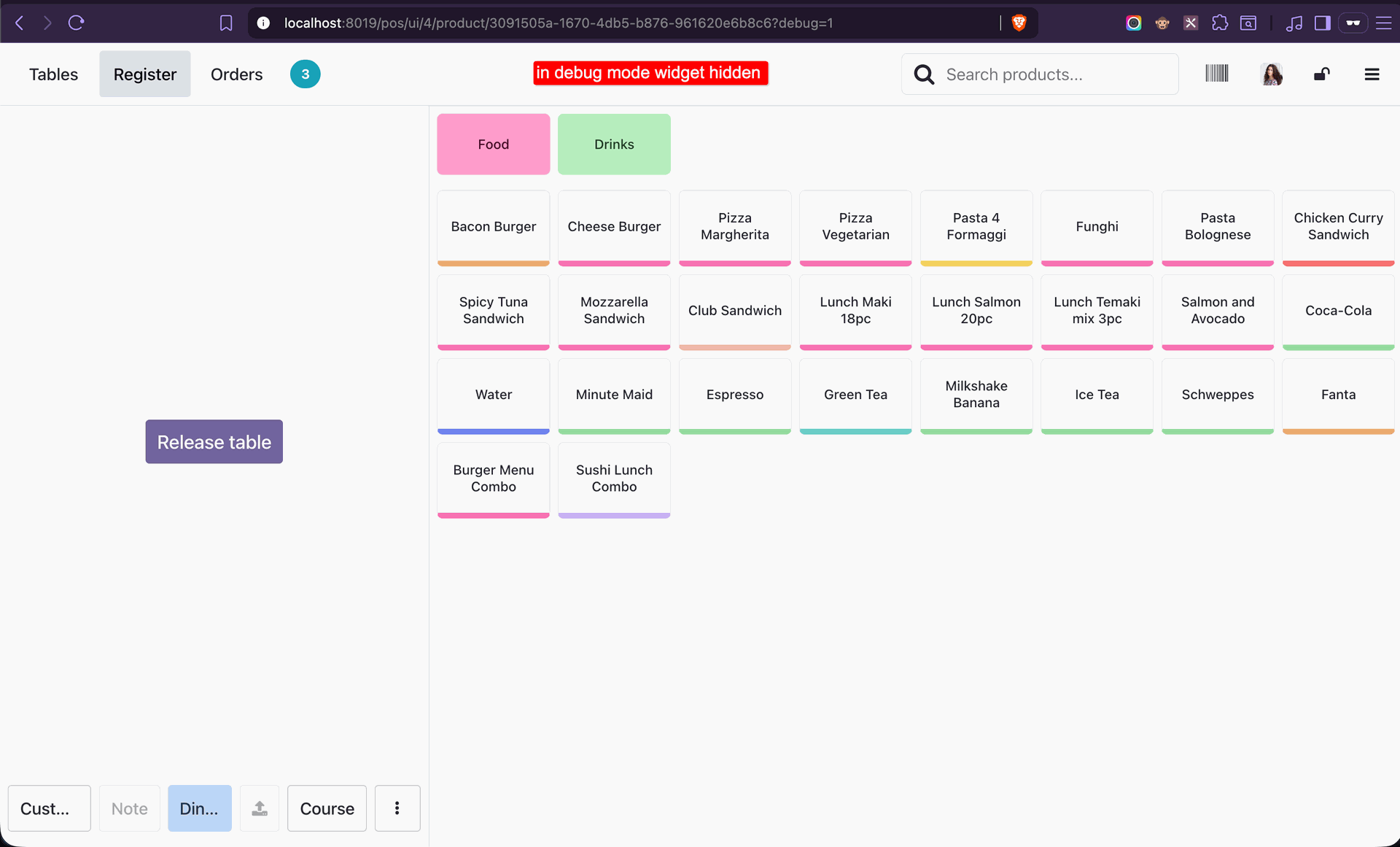
Tick the 'POS - Hide Debug Window' option.
The Debug Mode widget is now hidden in the POS interface.
Tick the 'POS - Hide Create and Edit Customer' option.
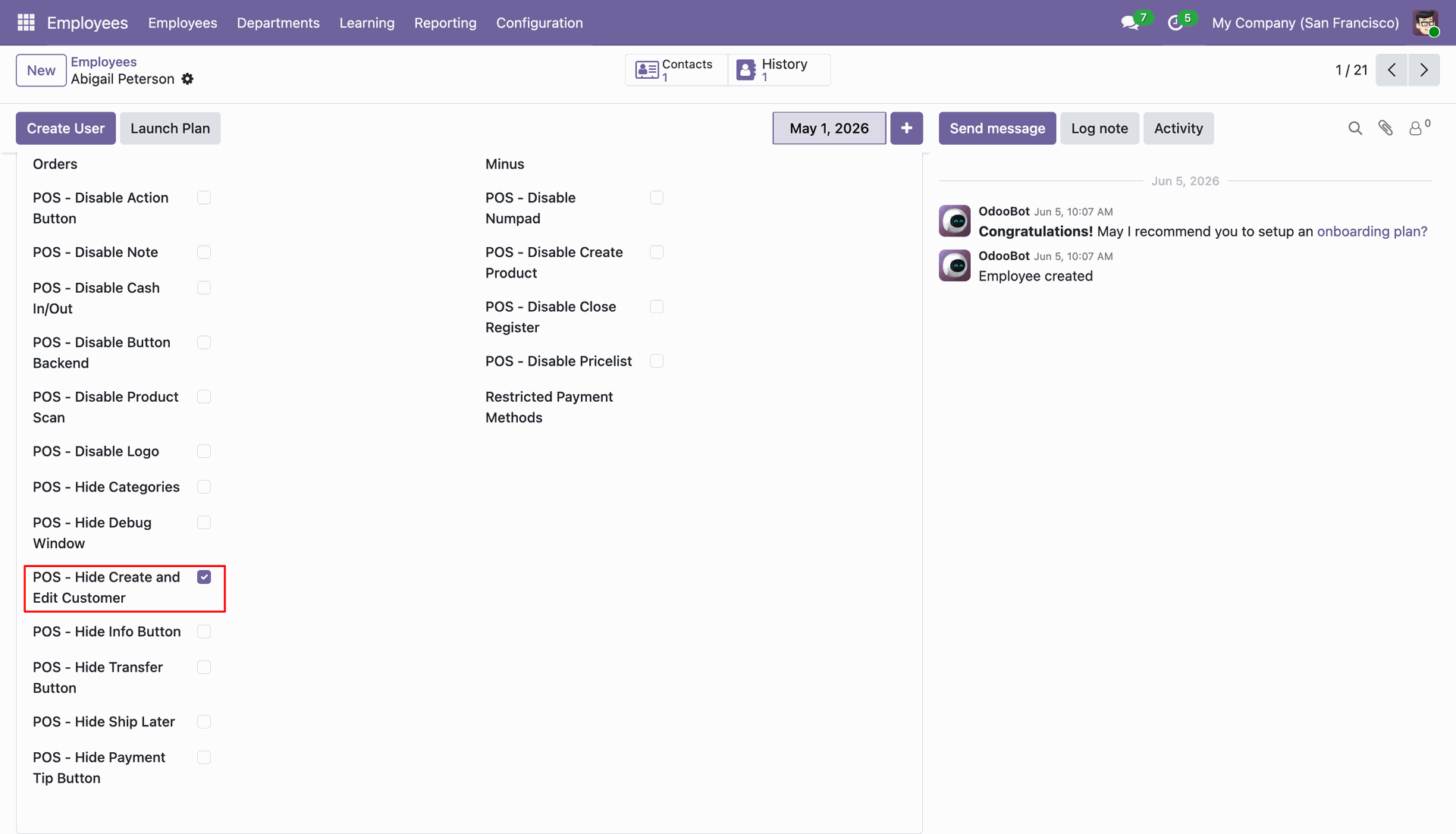
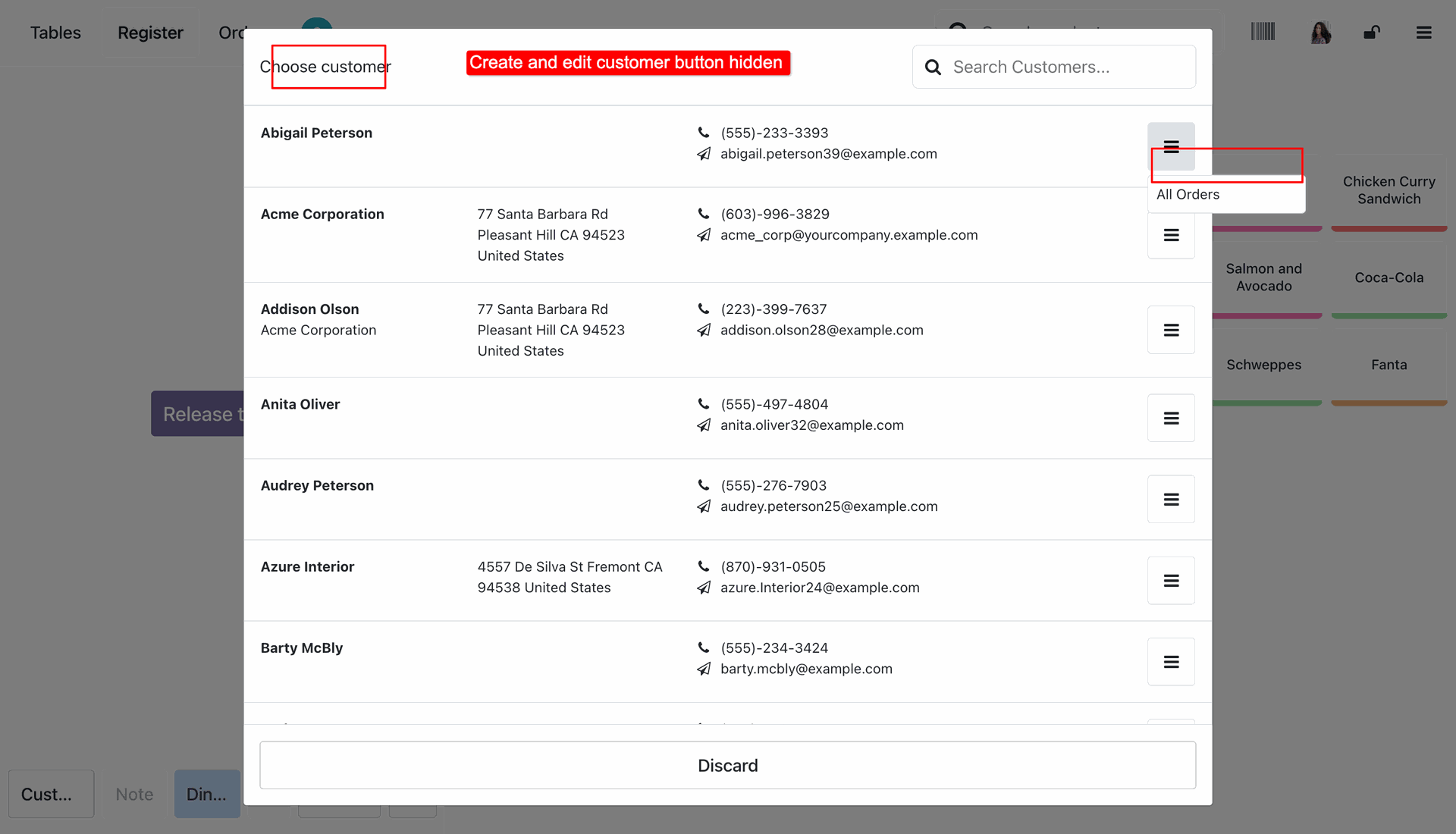
The Create and Edit Customer buttons are now hidden in the POS interface.
Tick the 'POS - Hide Info Button' option.
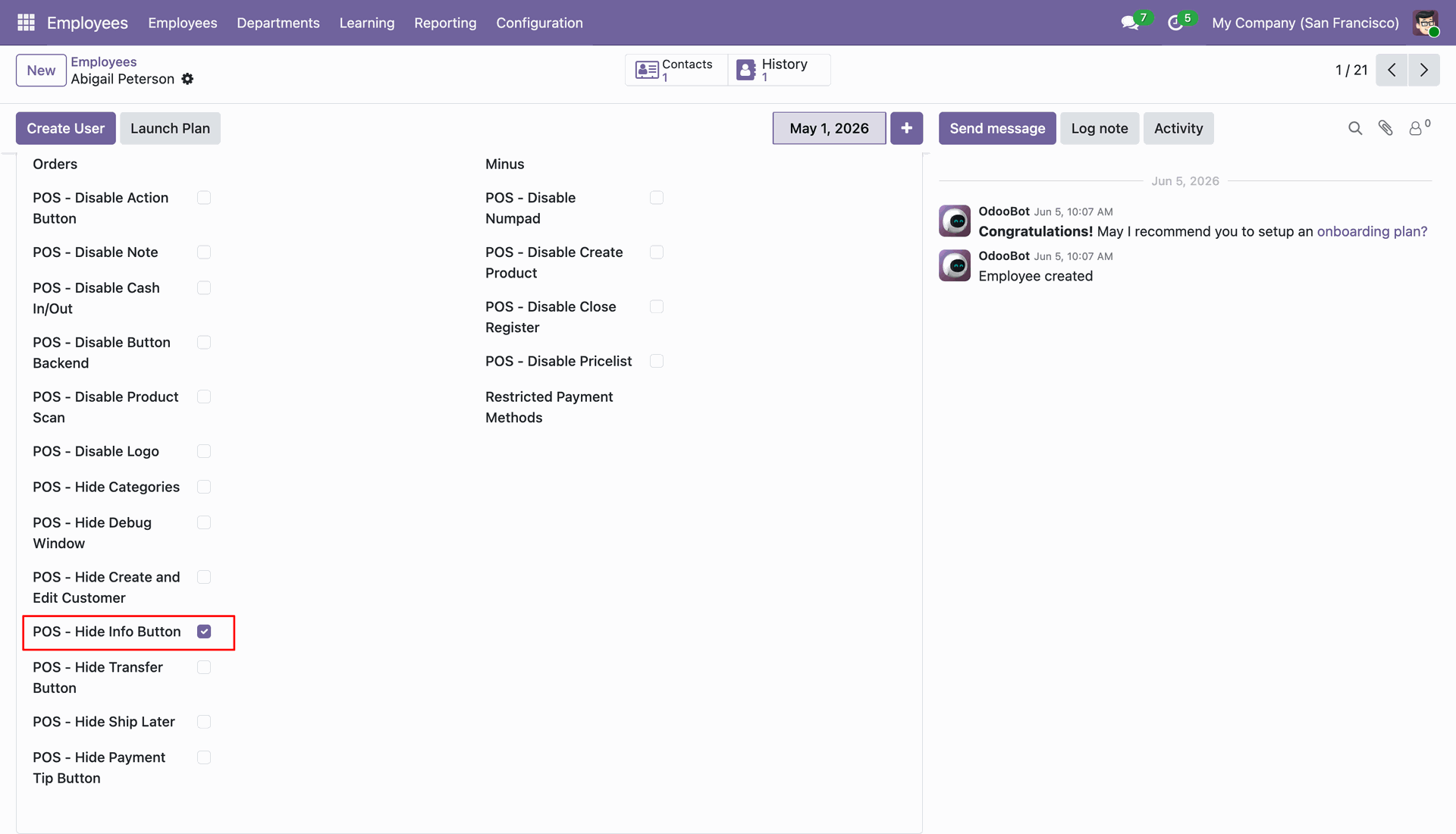
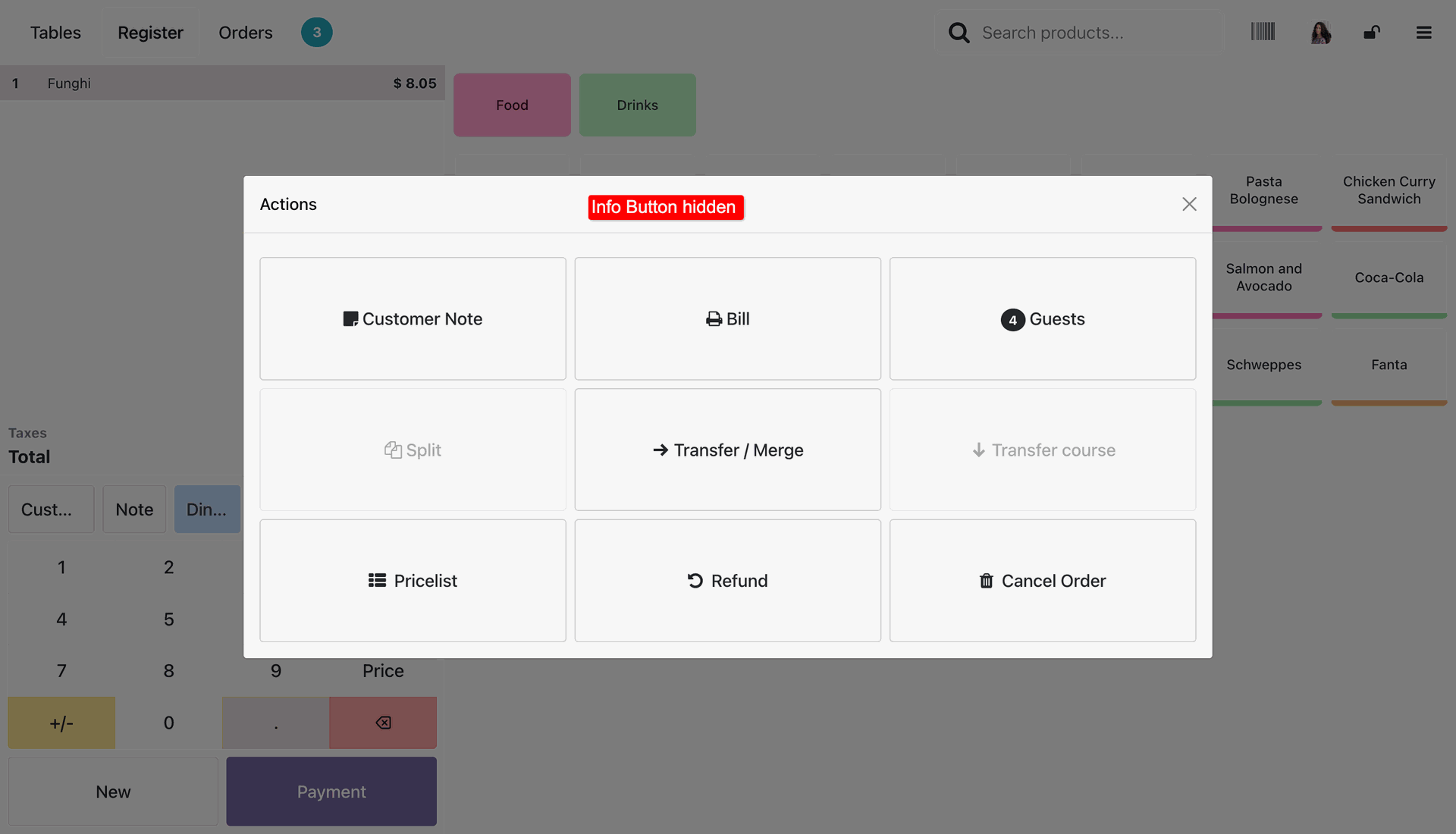
The Info button is now hidden in the POS interface.
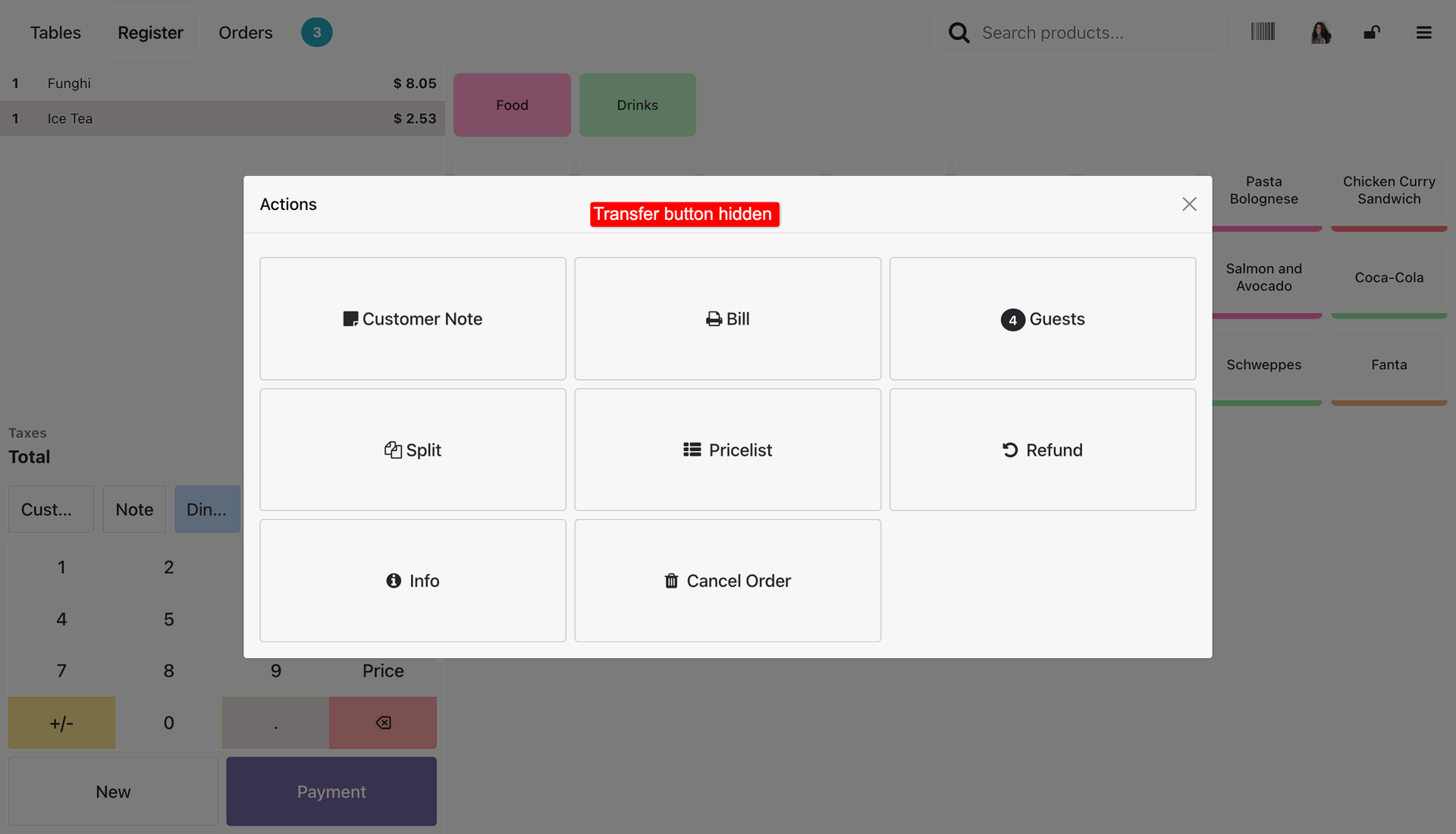
Tick the 'POS - Hide Transfer Button' option.
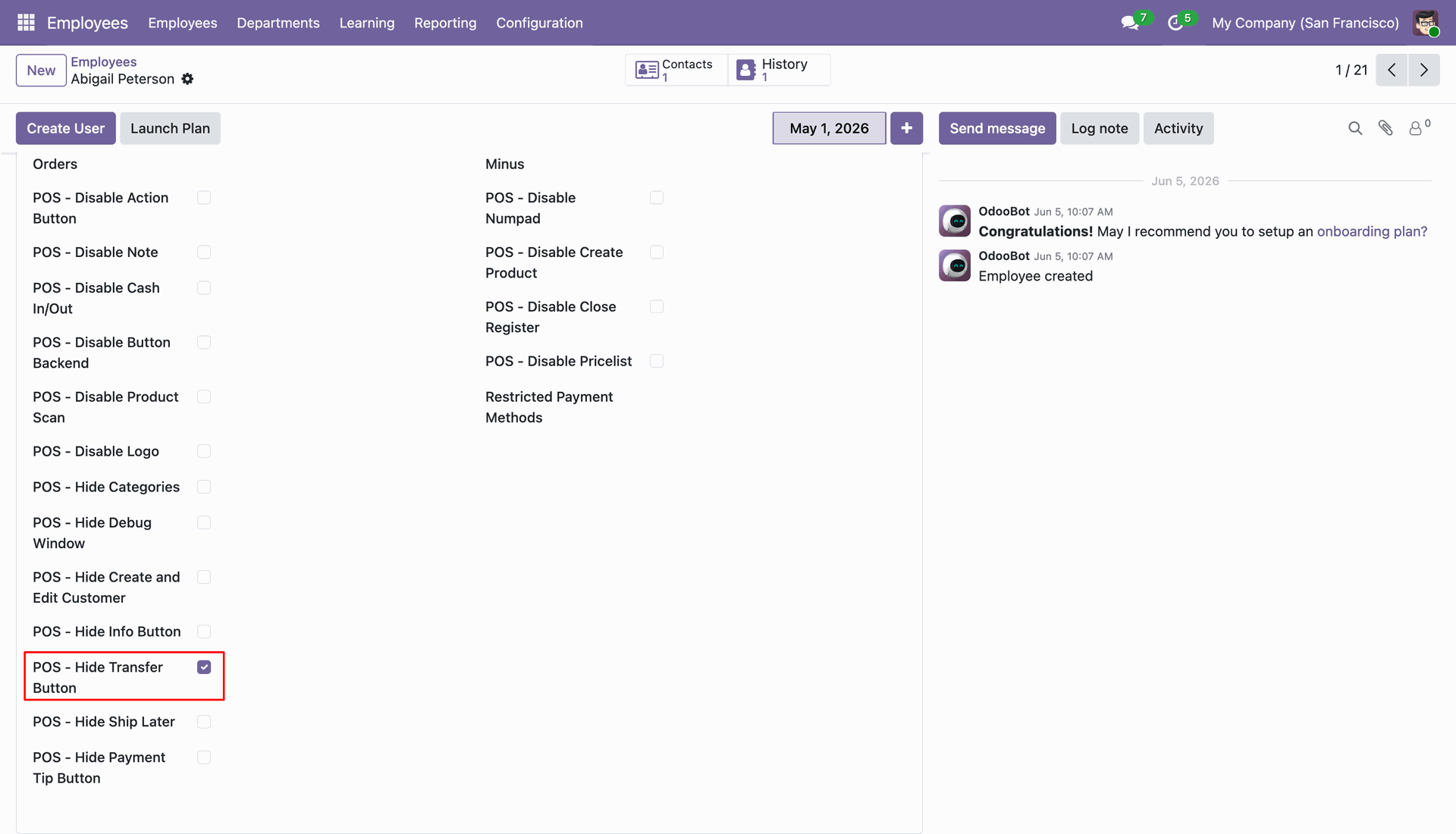
The Transfer button is now hidden in the POS interface.
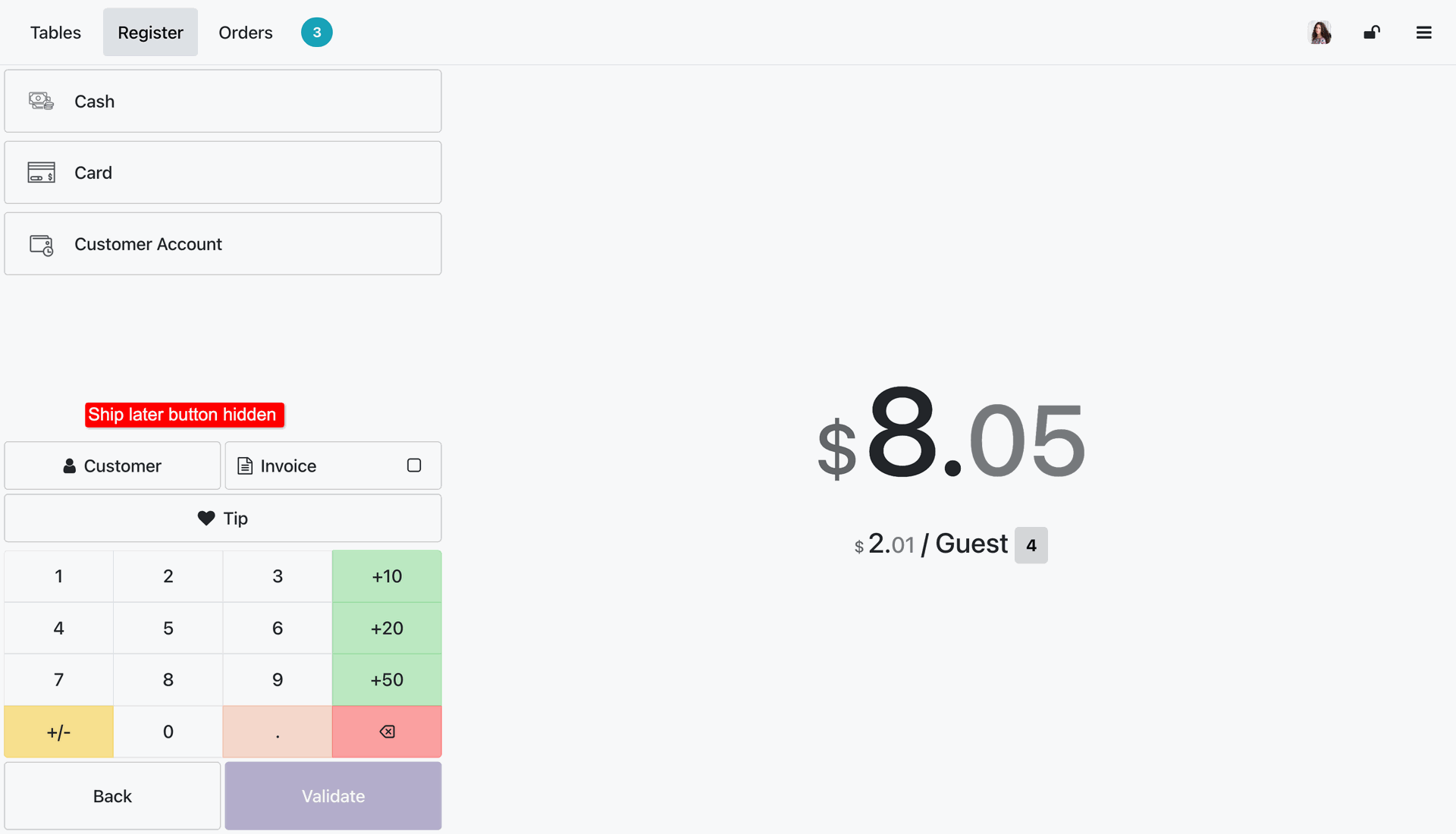
Tick the 'POS - Hide Ship Later' option.
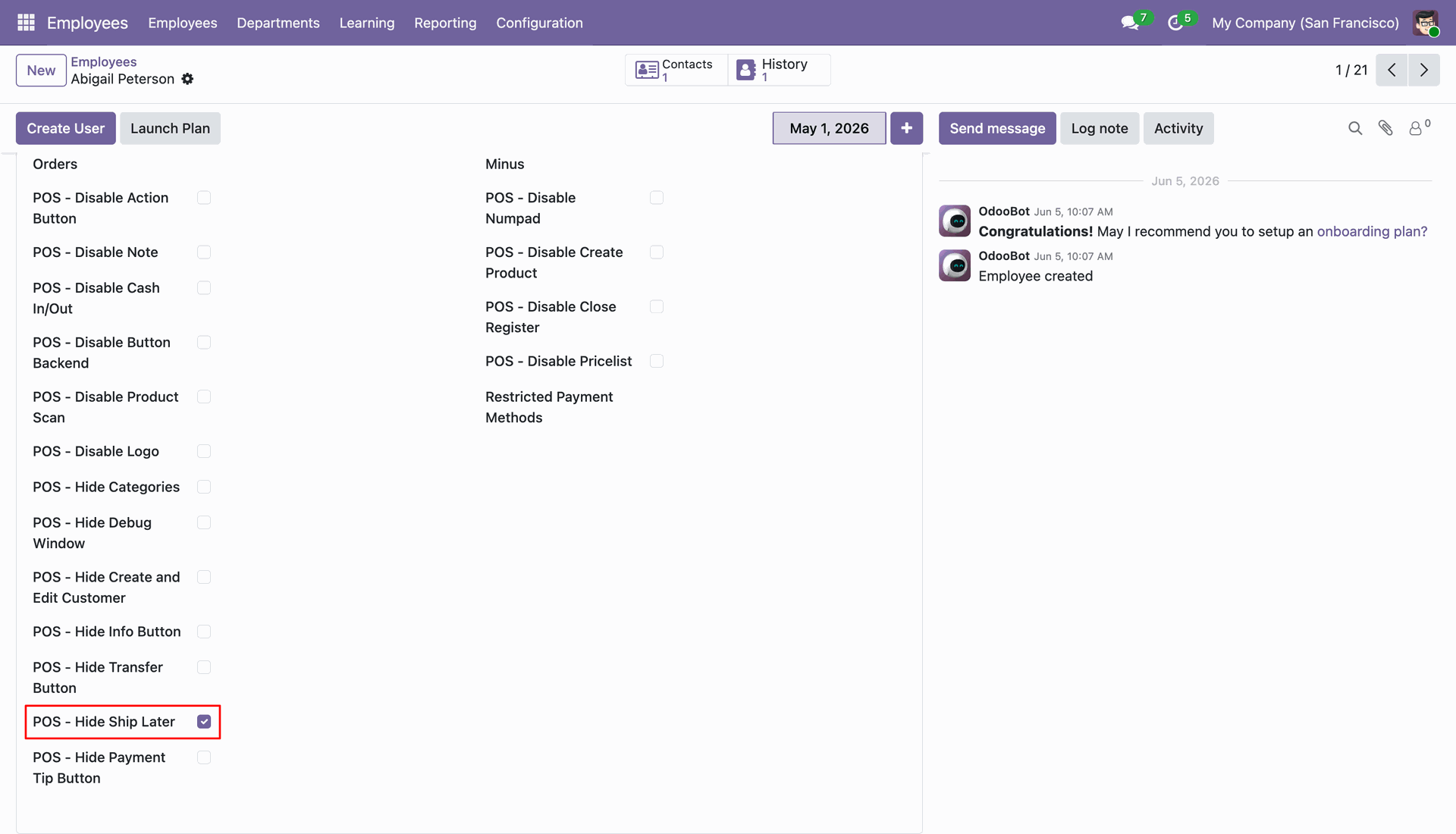
The Ship Later button is now hidden in the POS interface.
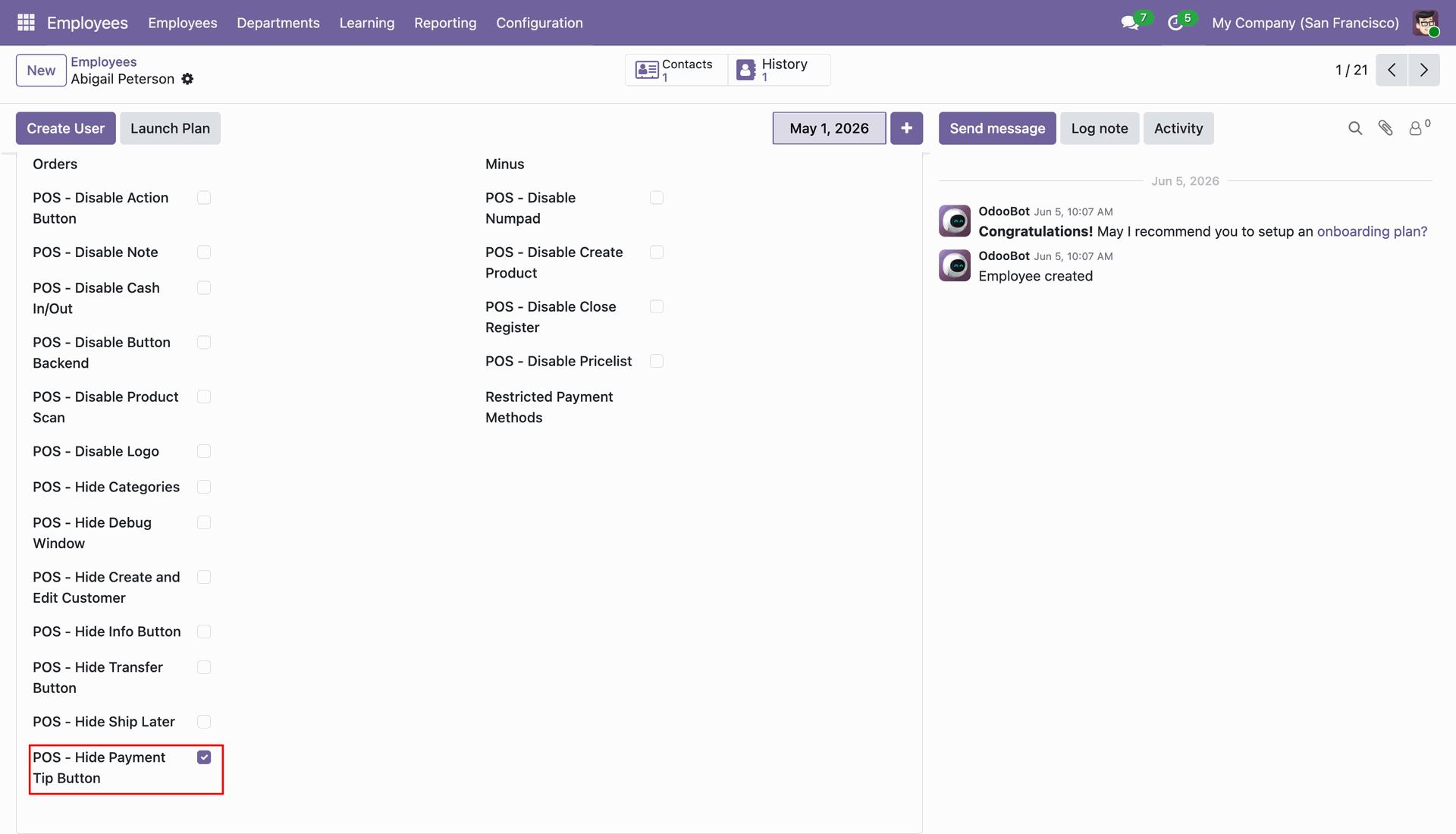
Tick the 'POS - Hide Payment Tip Button' option.
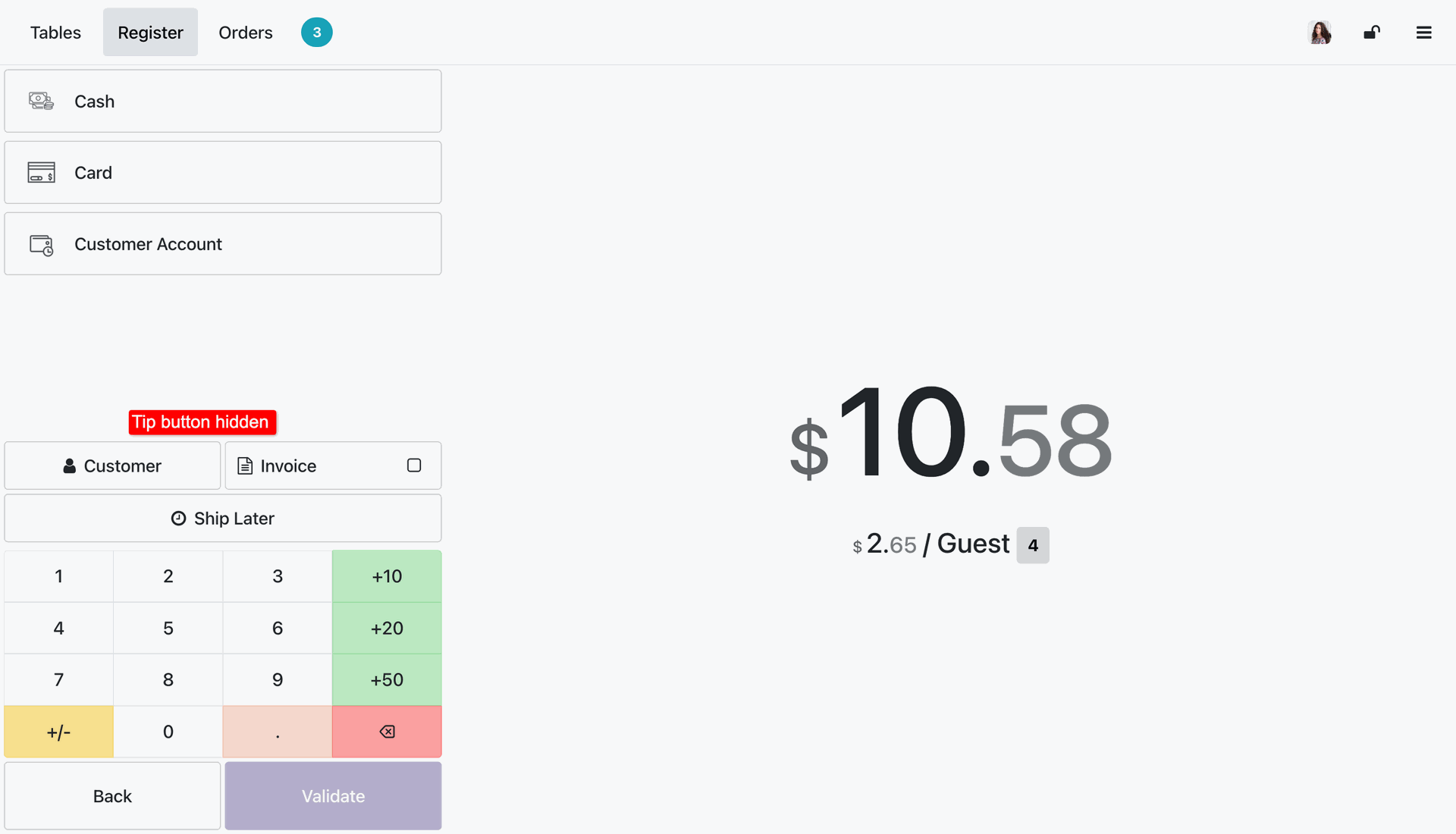
The Tip button is now hidden from the payment wizard in the POS interface.
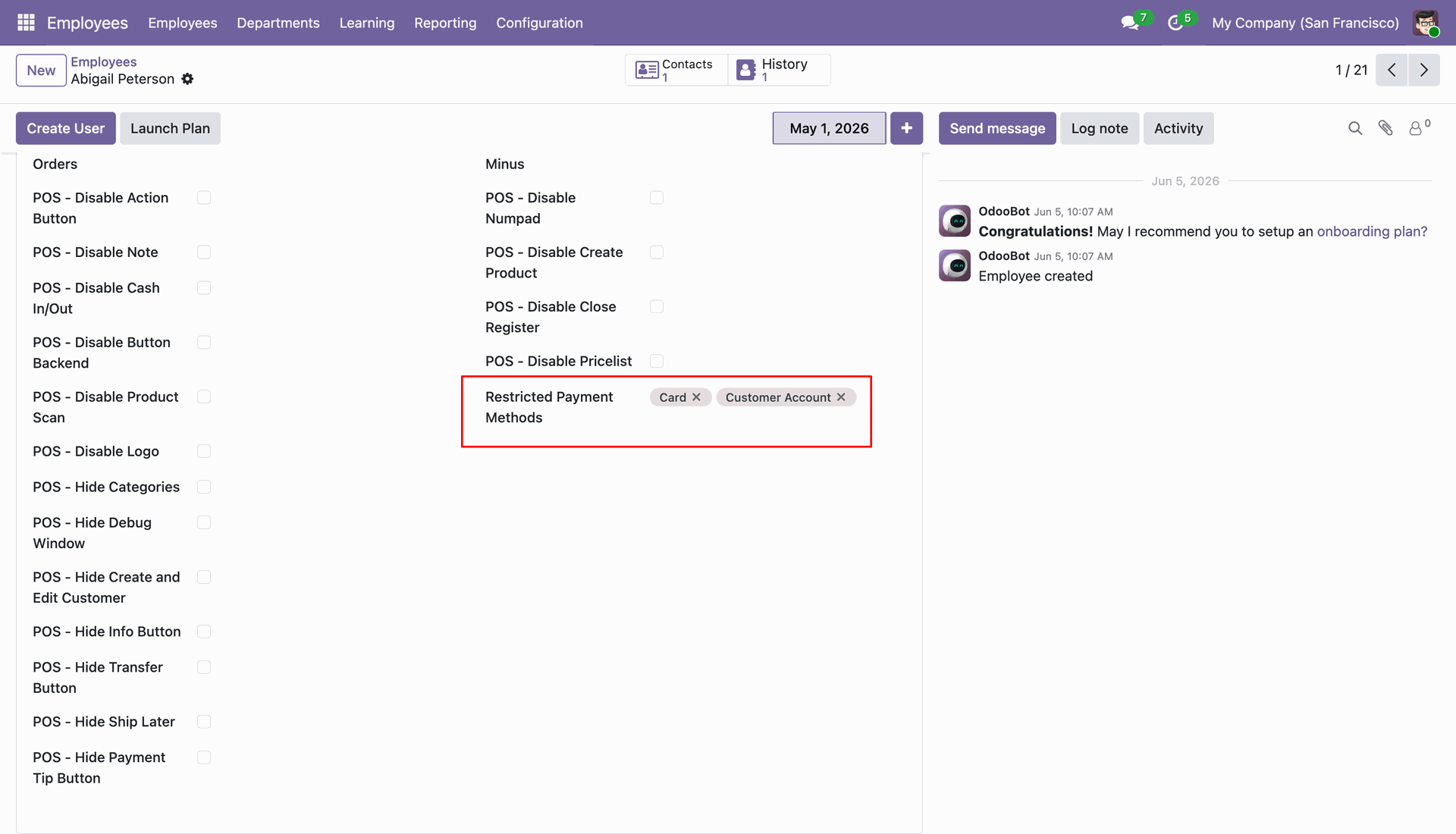
Select Restricted Payment Methods.
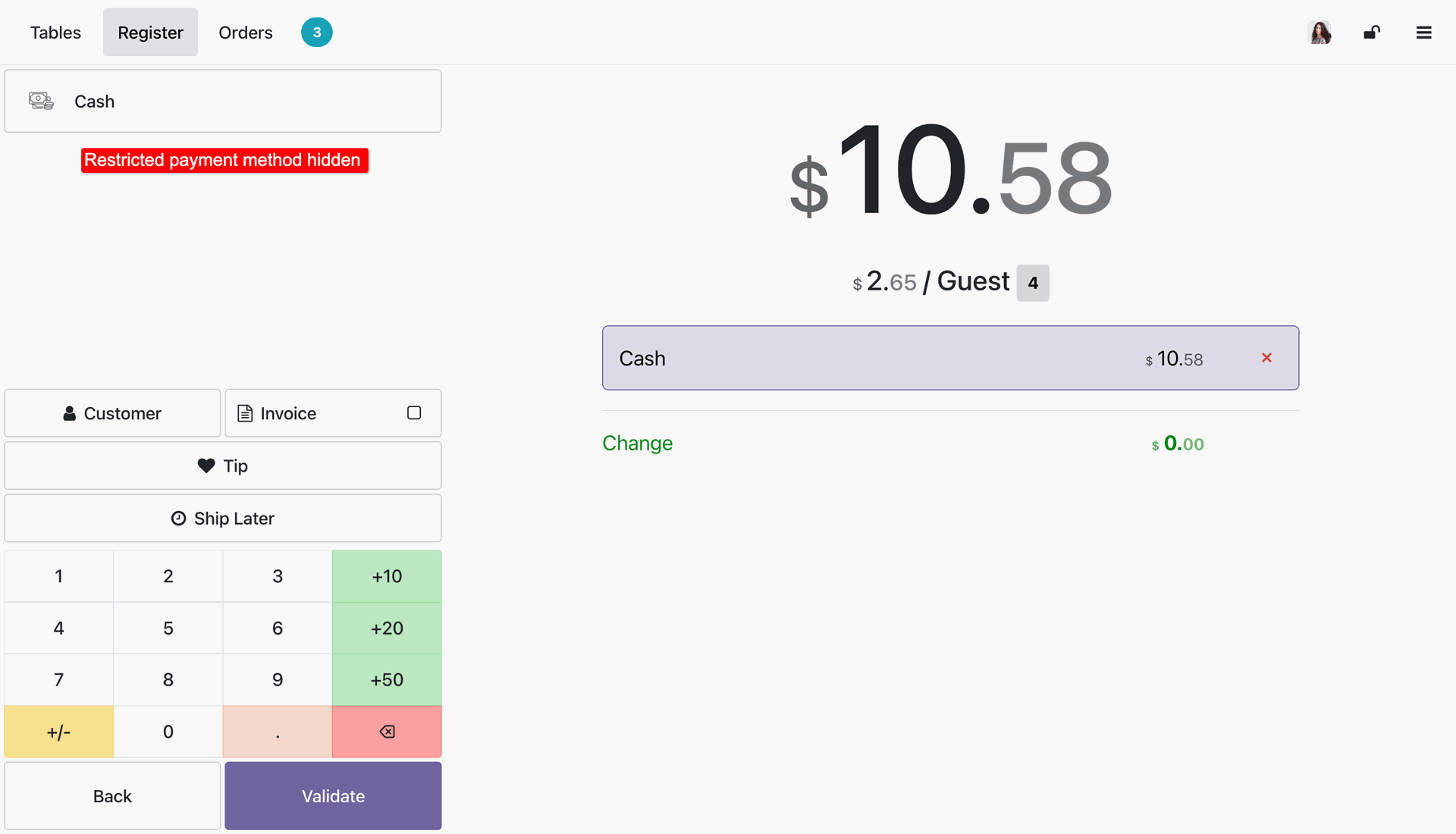
The Restricted Payment Methods are hidden from the payment wizard in the POS interface.
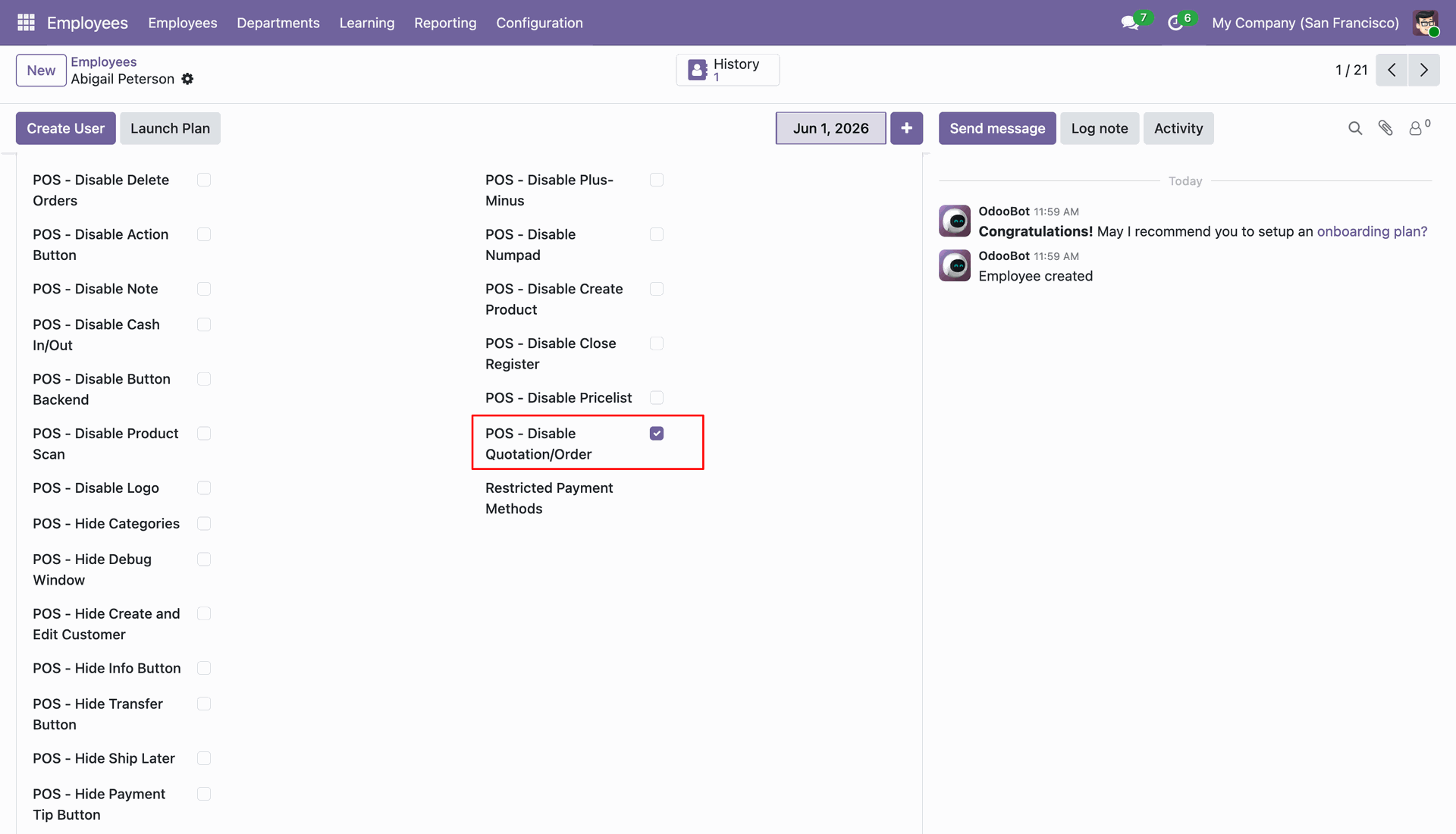
Tick the 'POS - Disable Quotation/Order' option.
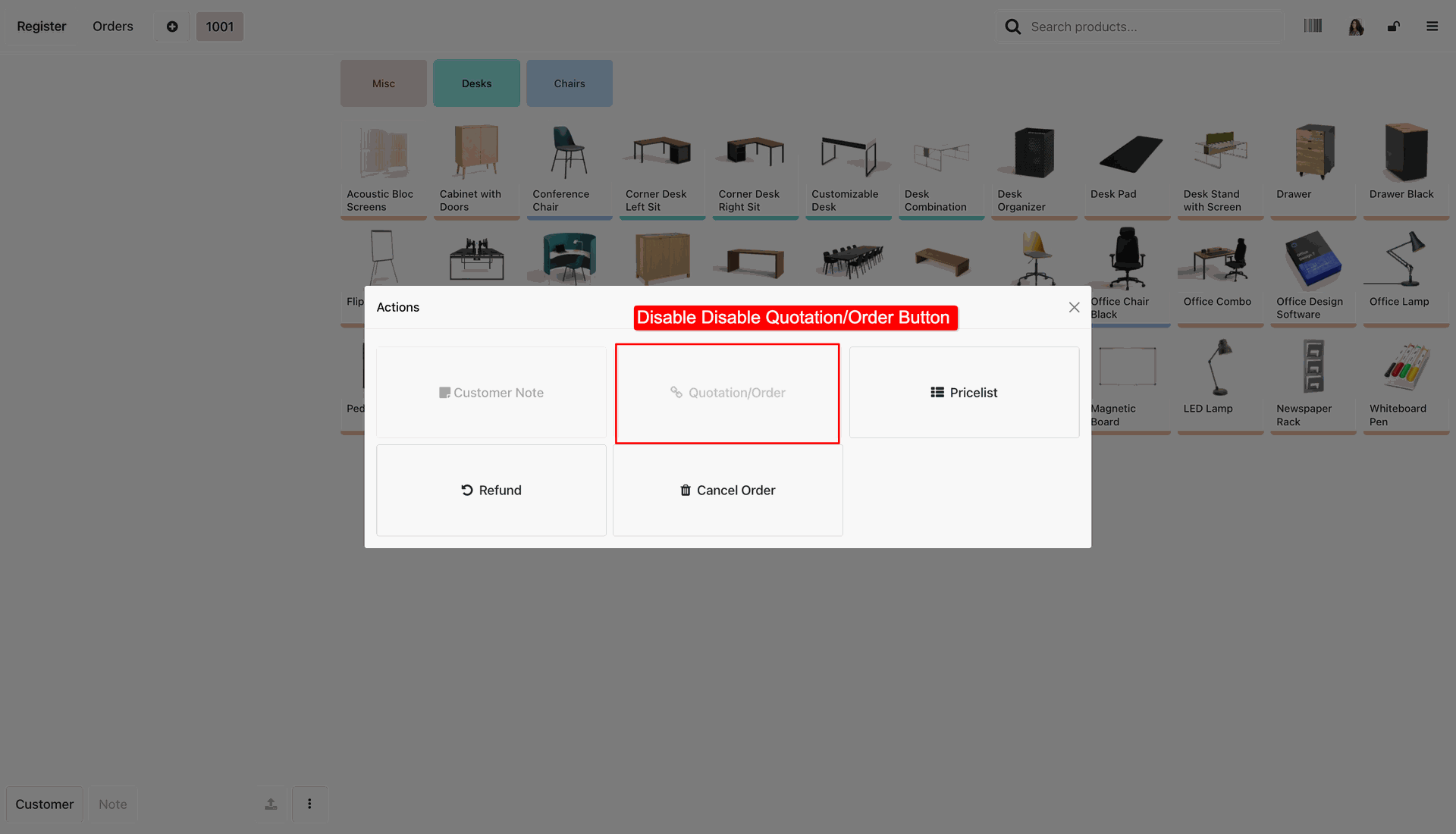
The Quotation/Order button is now disable in the POS interface.
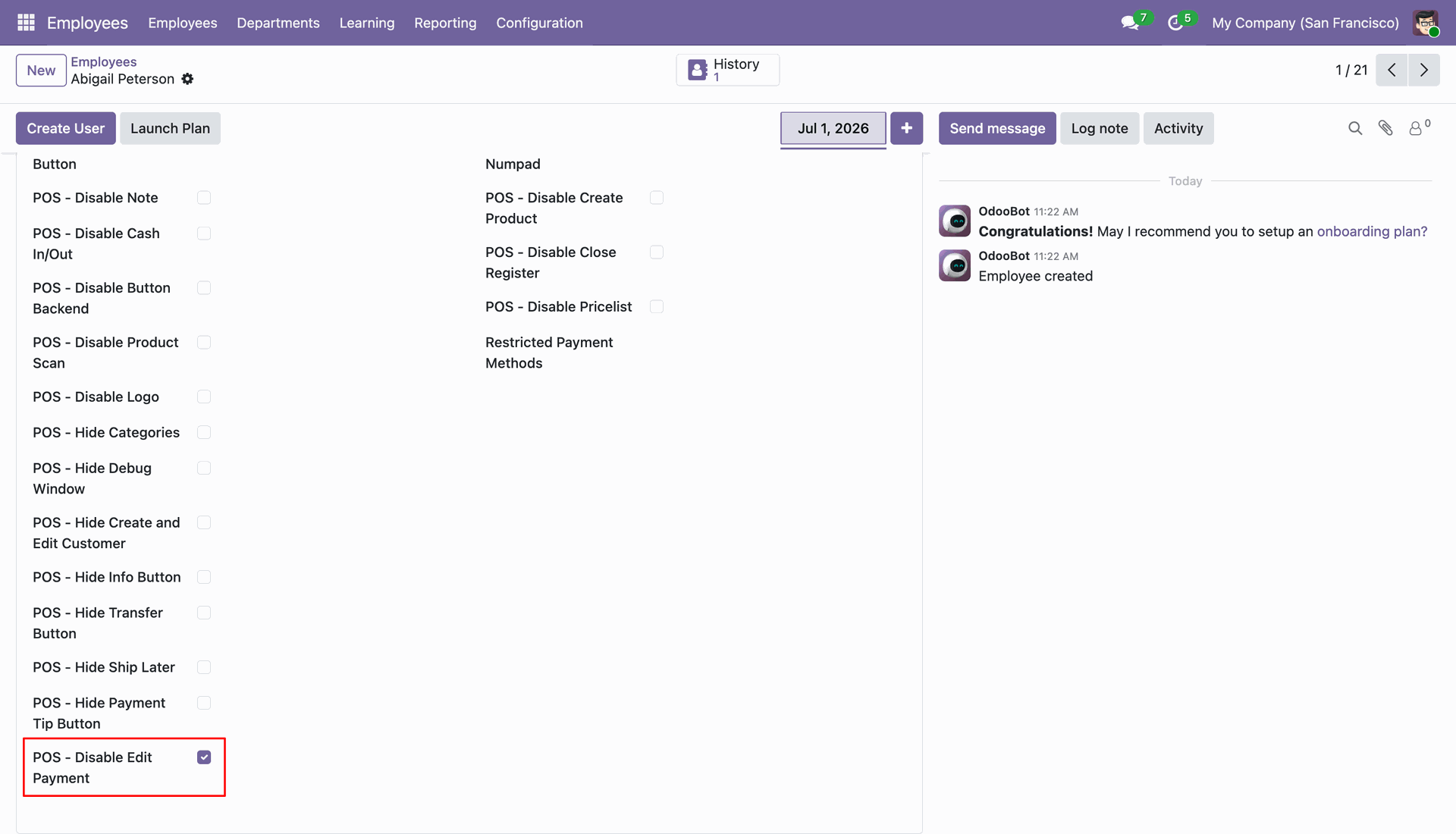
Tick the 'POS - Disable Edit Payment' option.
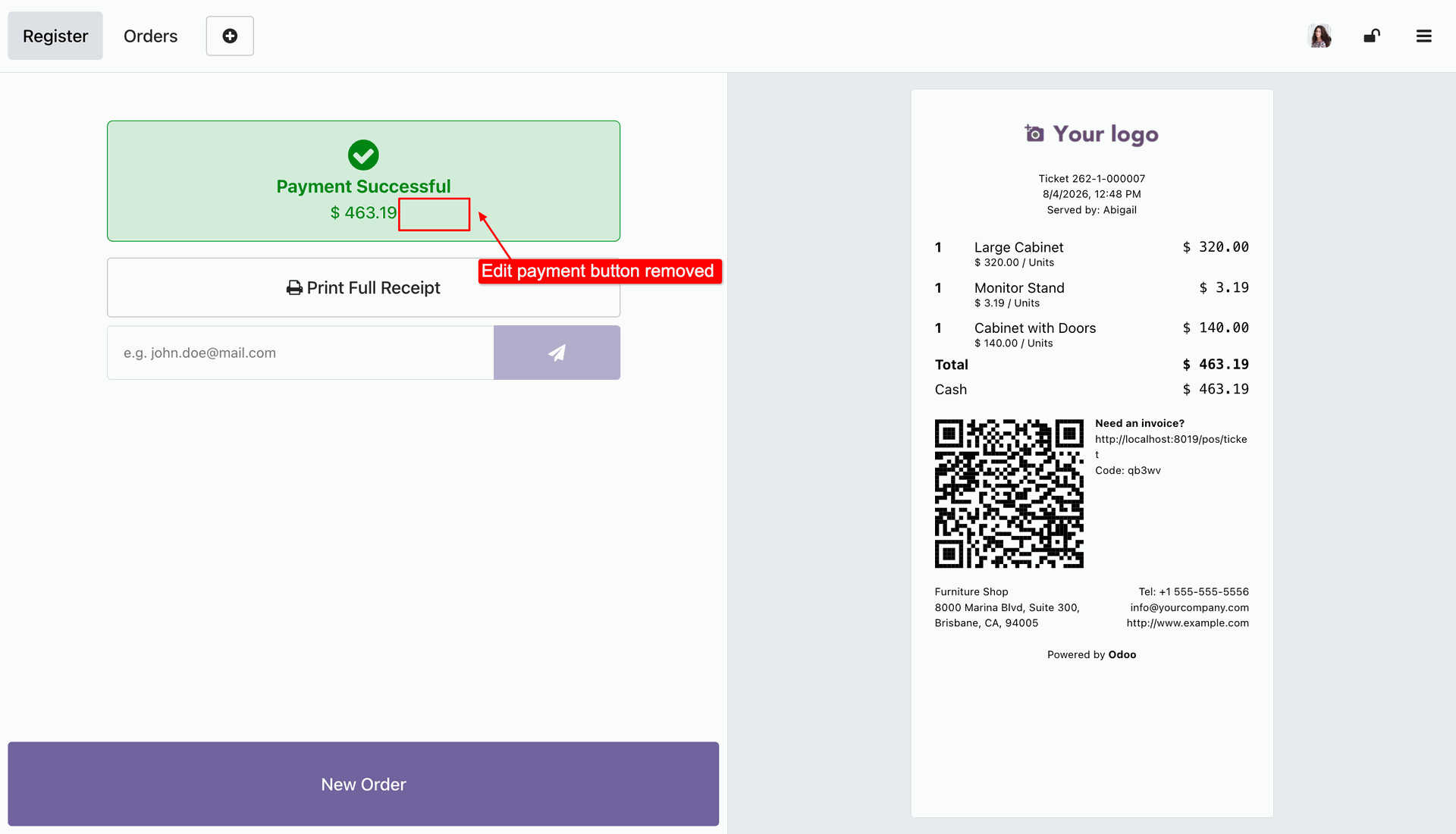
The Edit Payment button is disabled in the payment view.
Version 18.0.12.0.0 | Released on : 26th August 2026
Version 18.0.11.0.0 | Released on : 31st July 2026
Version 18.0.10.0.0 | Released on : 01st July 2026
Version 18.0.9.0.0 | Released on : 26th January 2025
Version 18.0.8.0.0 | Released on : 14th July 2025
Version 18.0.7.0.0 | Released on : 10th July 2025
Version 18.0.6.0.0 | Released on : 07th July 2025
Version 18.0.5.0.0 | Released on : 04th July 2025
Version 18.0.4.0.0 | Released on : 02nd July 2025
Version 18.0.3.0.0 | Released on : 01st July 2025
Version 18.0.2.0.0 | Released on : 04th December 2024
Version 18.0.1.0.0 | Released on : 28th September 2024
- Yes, this app works perfectly with Odoo Enterprise (Odoo.sh & Premise) as well as Community.
- No, this application is not compatible with odoo.com(odoo saas/Odoo Online)
- Yes, to test this module, please contact us at sales@softhealer.com.
- Please contact us at sales@softhealer.comto request customization.
- Yes, we provide free lifetime support for the version you purchased.
- Yes, you will receive lifetime free updates for the version of the module you purchased.
- No, there is no need to install any additional libraries.
- Yes, for version 12 and above, you need to purchase the module separately for each version you intend to use.
- No, exchanges or refunds are not allowed. Please make sure to select the correct version before purchasing.
- You can contact us at support@softhealer.com for language translation support. We use Google Translator tools to provide translations in multiple languages, so the accuracy may vary. We welcome your suggestions to help improve translations.
Discover Our Latest Apps