












Pipedrive Odoo Connector

The Pipedrive Odoo Connector enables seamless bi-directional synchronization between Pipedrive and Odoo. Easily connect your Pipedrive account, synchronize opportunities/deals, leads, organizations, contacts, and products, and manage all integration activities from a centralized dashboard. The module also provides synchronization queues and detailed logs to ensure accurate data transfer across both platforms.

Features

Configuration Setup
Configure and authenticate the Pipedrive connection in Odoo with flexible synchronization settings.

Pipedrive Dashboard
Monitor synchronization status record counts and integration activities from a centralized dashboard.

Opportunities / Deals Sync
Import and export opportunities and deals between Pipedrive and Odoo with stage synchronization.

Leads Sync
Synchronize leads between Pipedrive and Odoo through seamless import and export operations.

Organizations Sync
Import and export organization records to keep company information synchronized across platforms.

Contacts Sync
Synchronize contacts between Pipedrive and Odoo to maintain accurate customer records.
Products Sync
Import and export products between Pipedrive and Odoo for consistent product management.

Synchronization Queue
Manage pending synchronization jobs through a dedicated queue for reliable processing.

Integration Logs
Track synchronization history with detailed logs including status timestamps and errors.
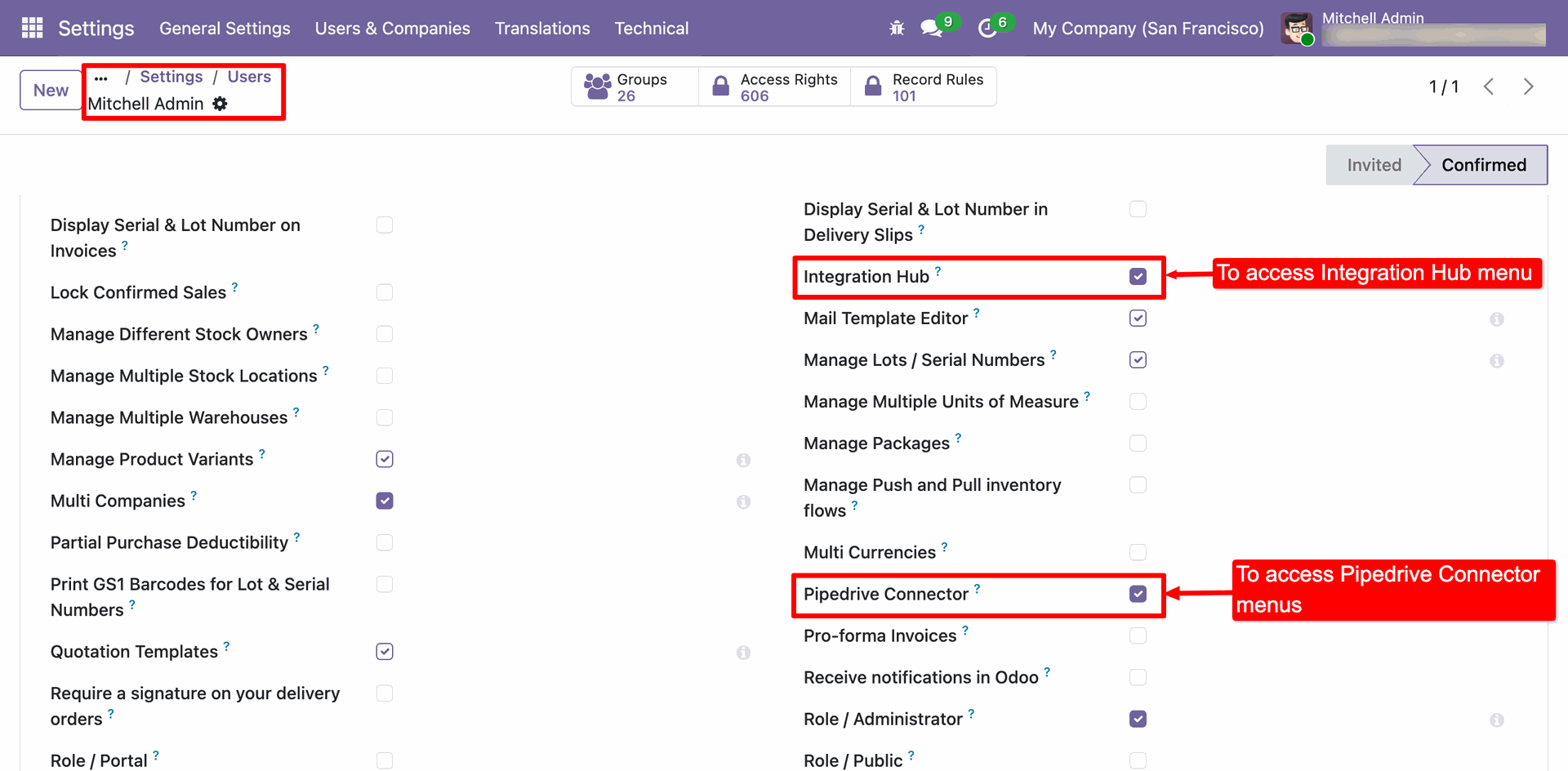
Access Rights configuration in Odoo Users settings, showing the checkboxes to grant access for Integration Hub and Pipedrive Connector.
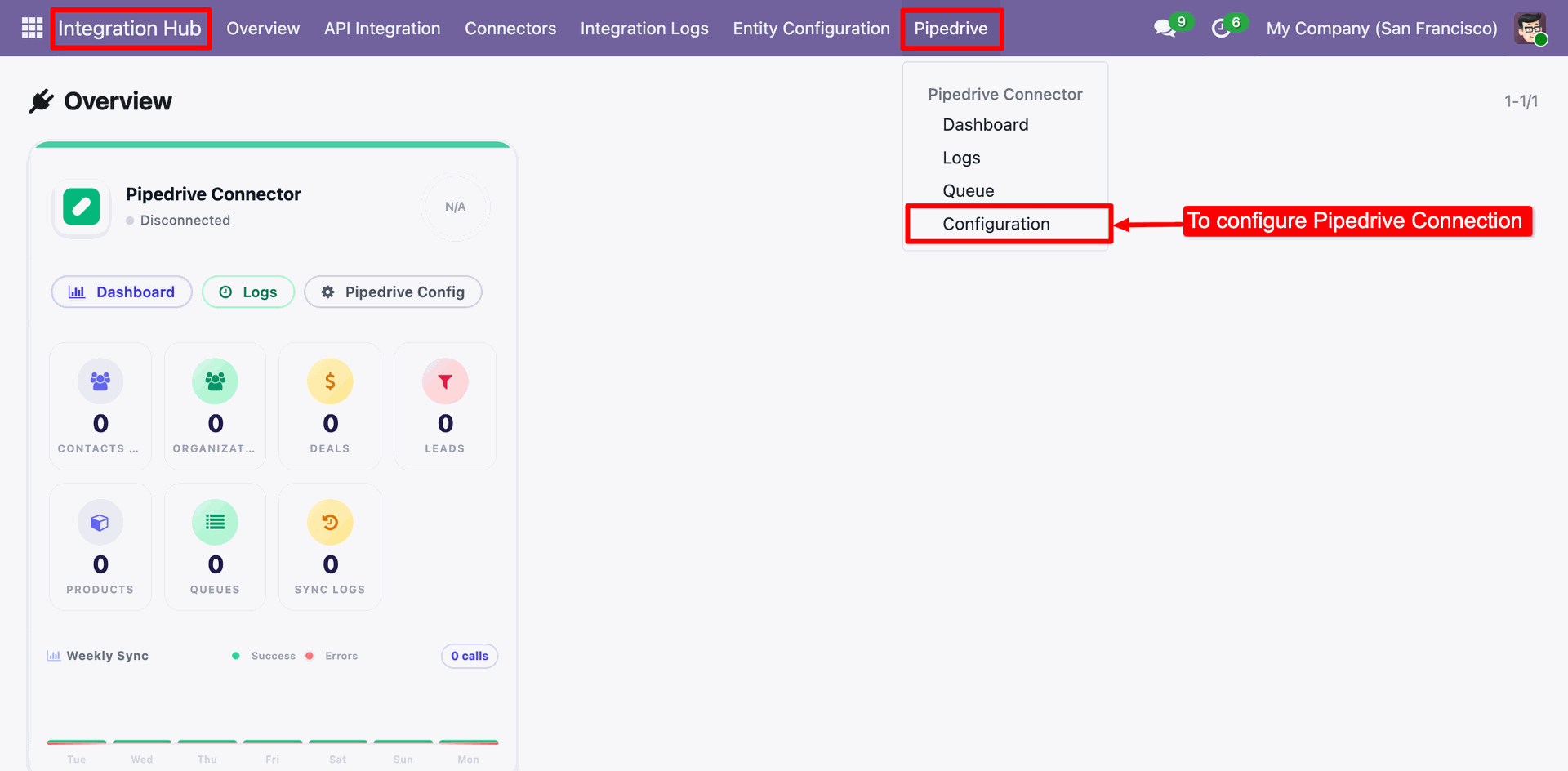
Integration Hub dropdown menu in Odoo, highlighting the 'Configuration' menu option under the Pipedrive submenu.
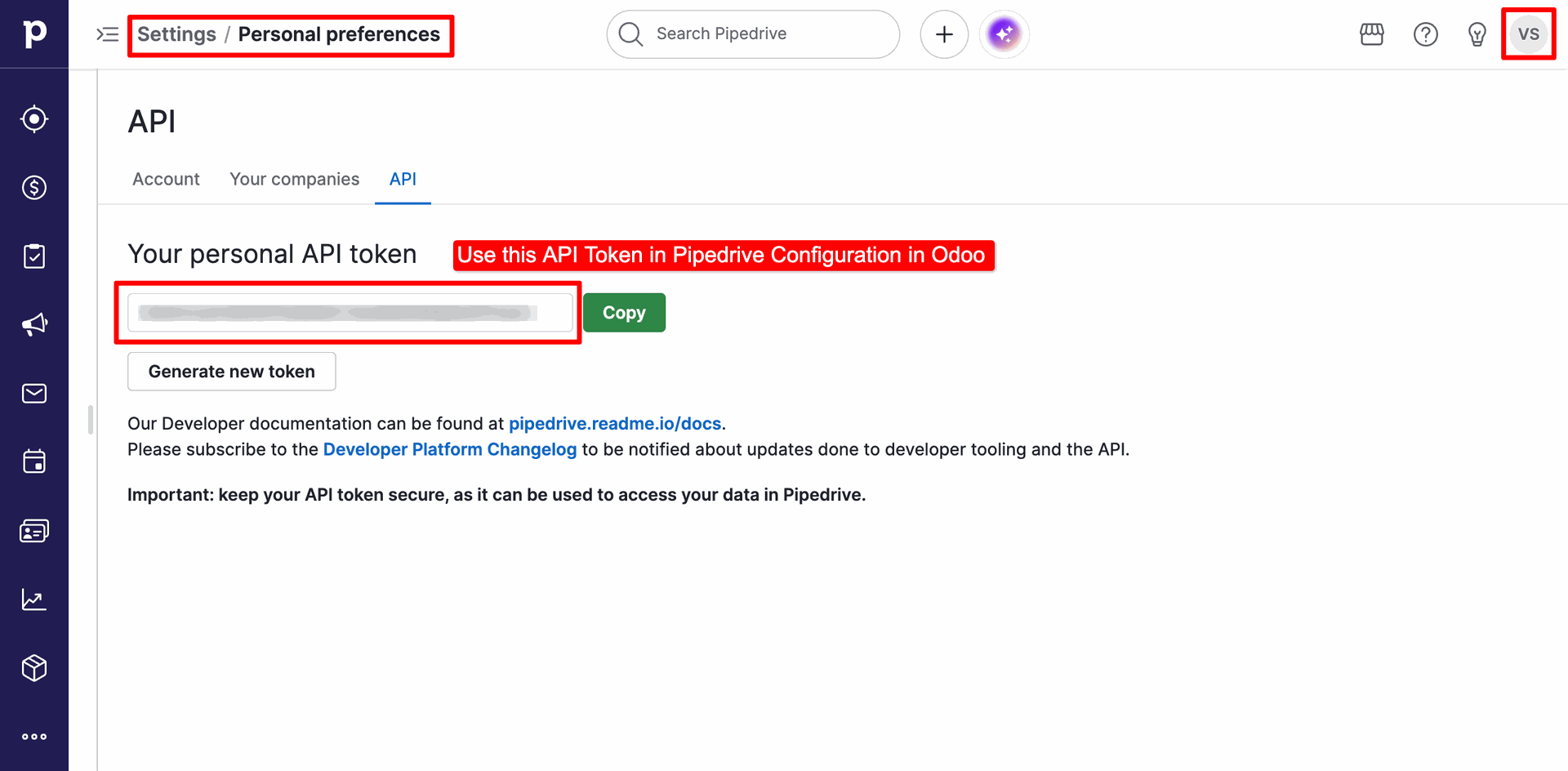
API Token settings page in Pipedrive's Personal Preferences, showing the API Token to copy for connection setup.
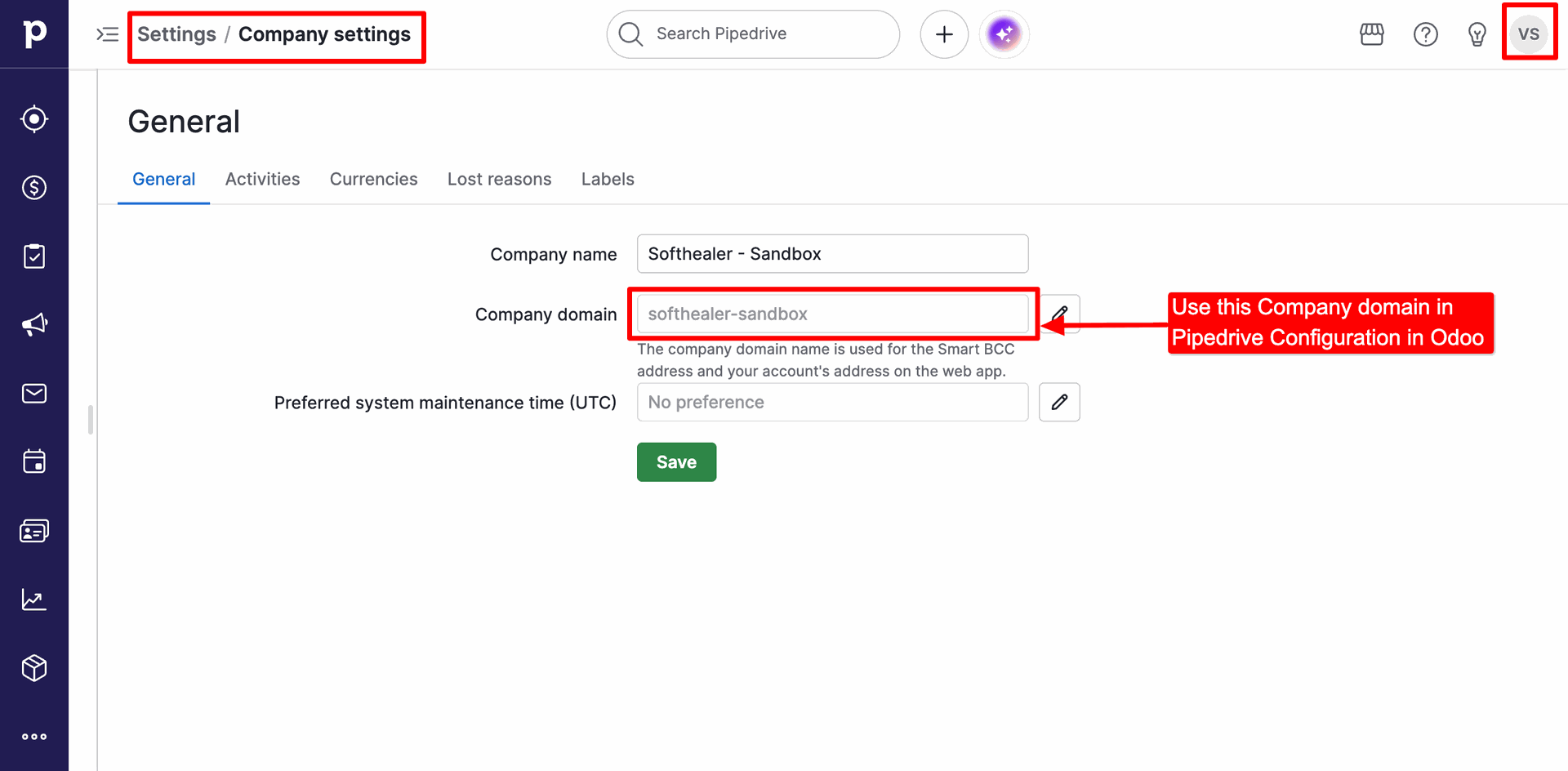
Company Settings under Pipedrive's General Preferences, showing the Company domain to copy for Odoo configuration.
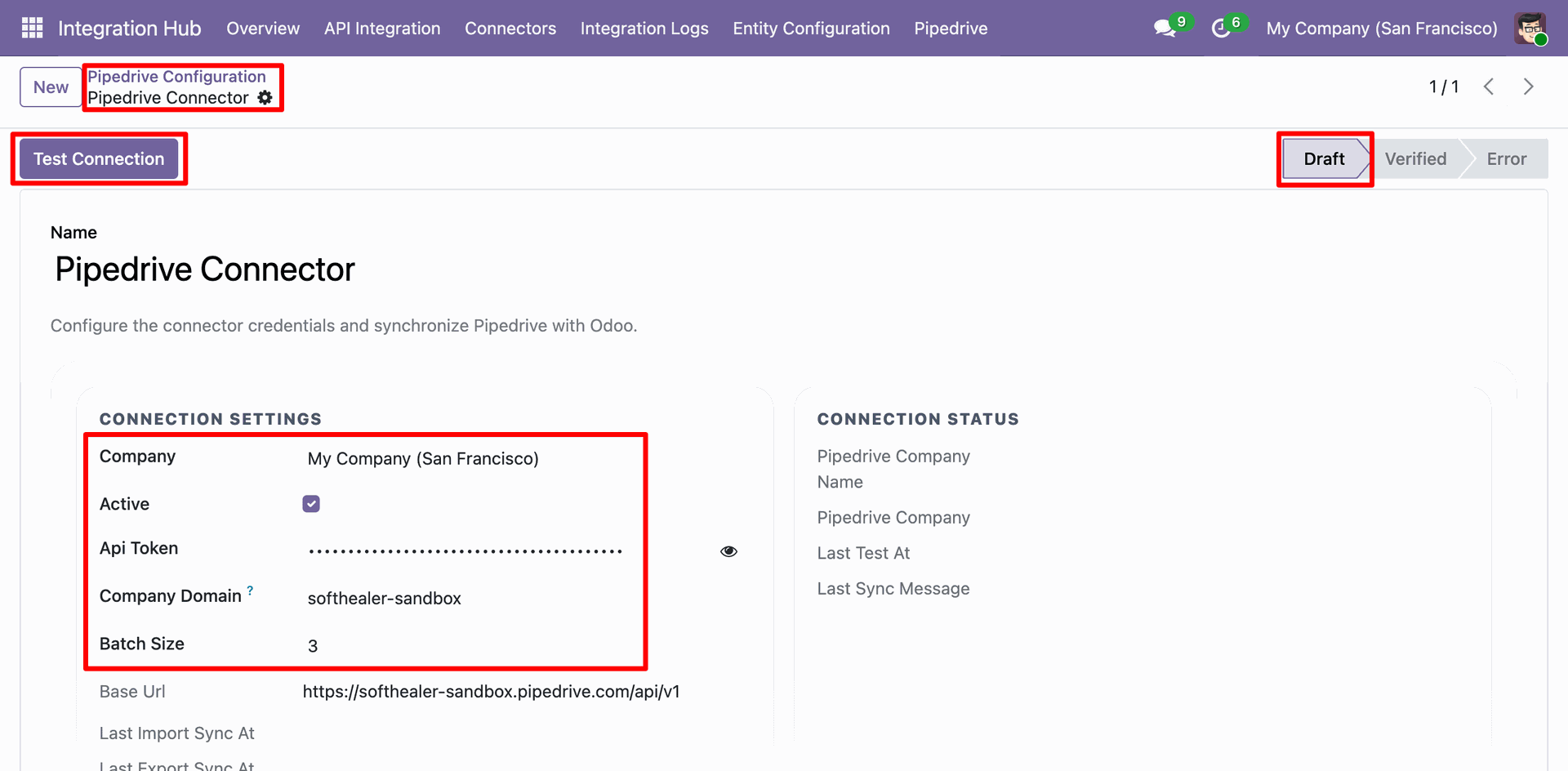
Odoo Pipedrive Configuration form displaying Draft state, showing fields to enter Company Domain, API Token, and batch limits.
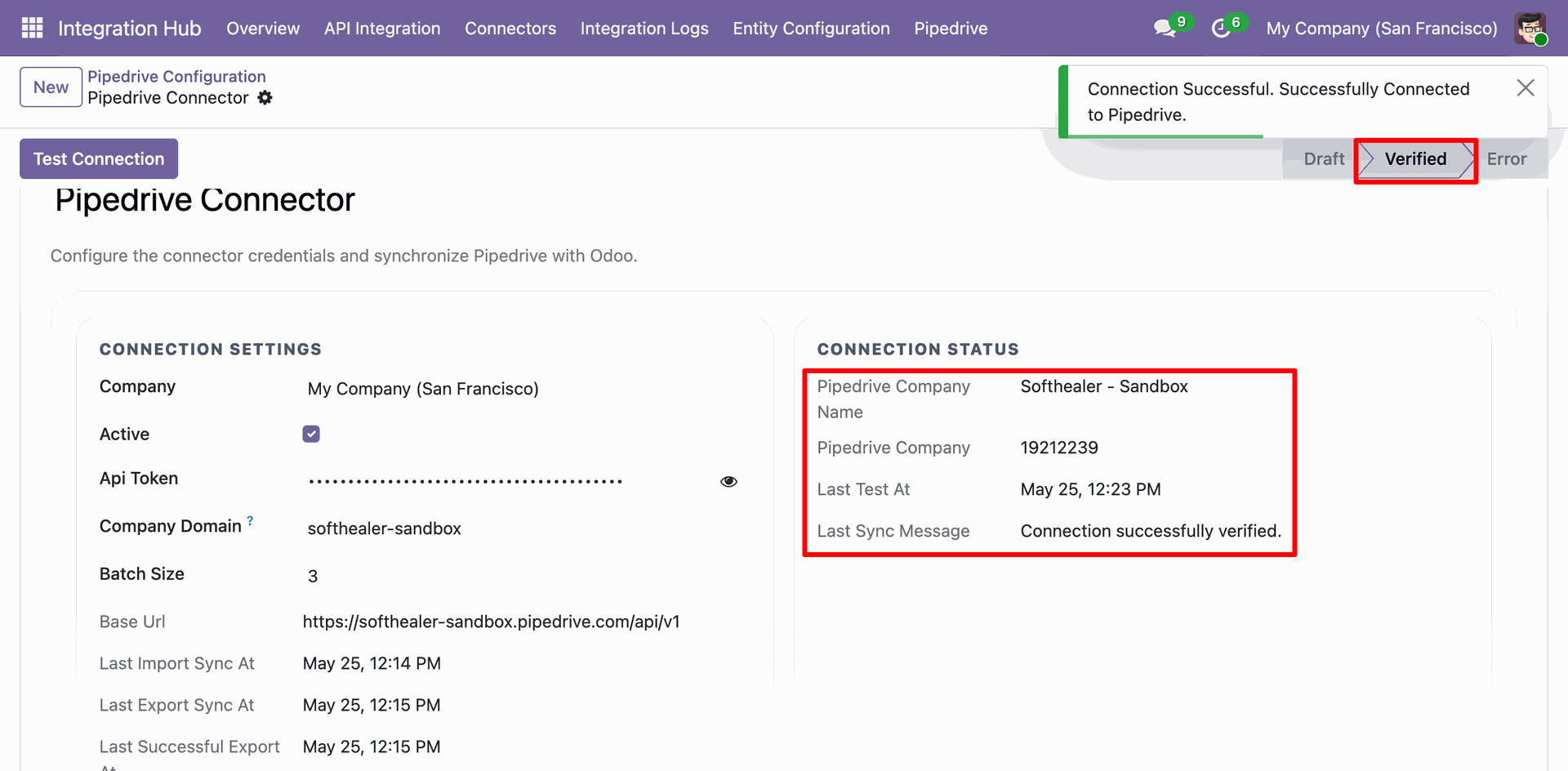
Odoo Pipedrive Configuration showing Connection Settings tested successfully with a 'Connection Successful' alert and state updated to Verified.
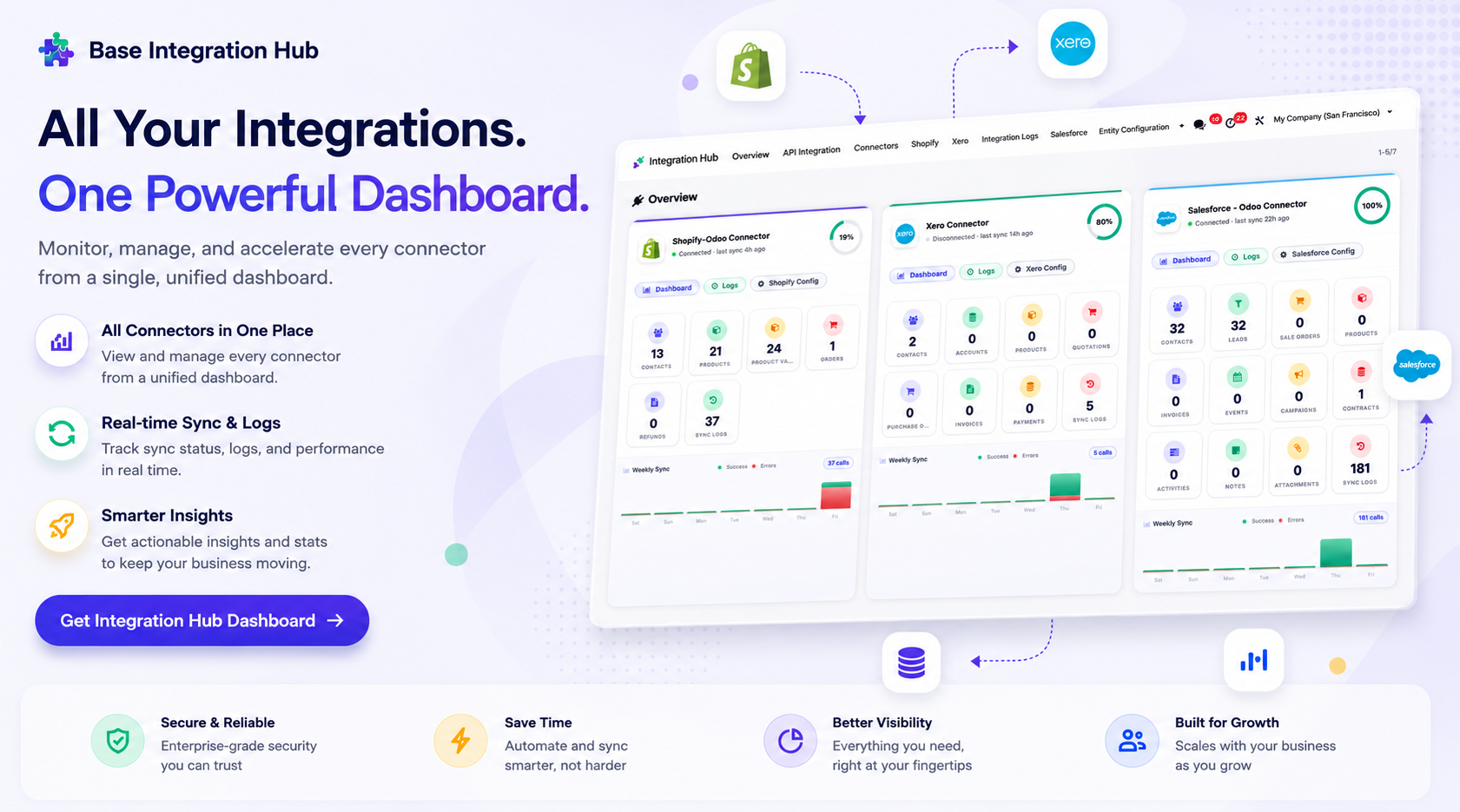
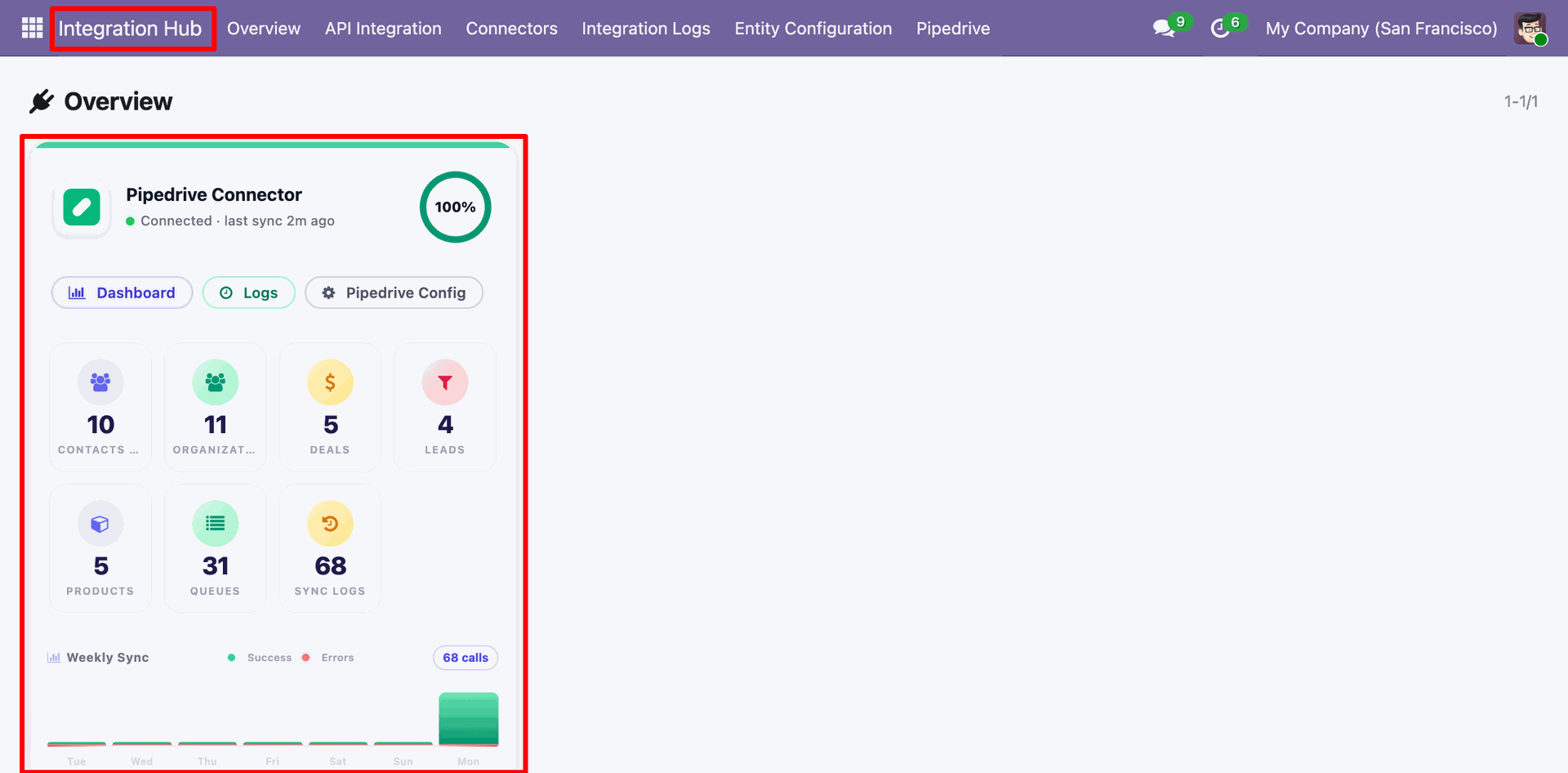
Centralized dashboard to manage and monitor all connectors from one place. Quickly access sync summary, activity logs, and configuration controls with improved visibility.
Integration Hub Overview dashboard showing the Pipedrive Connector status card with synchronization metrics and success rate.
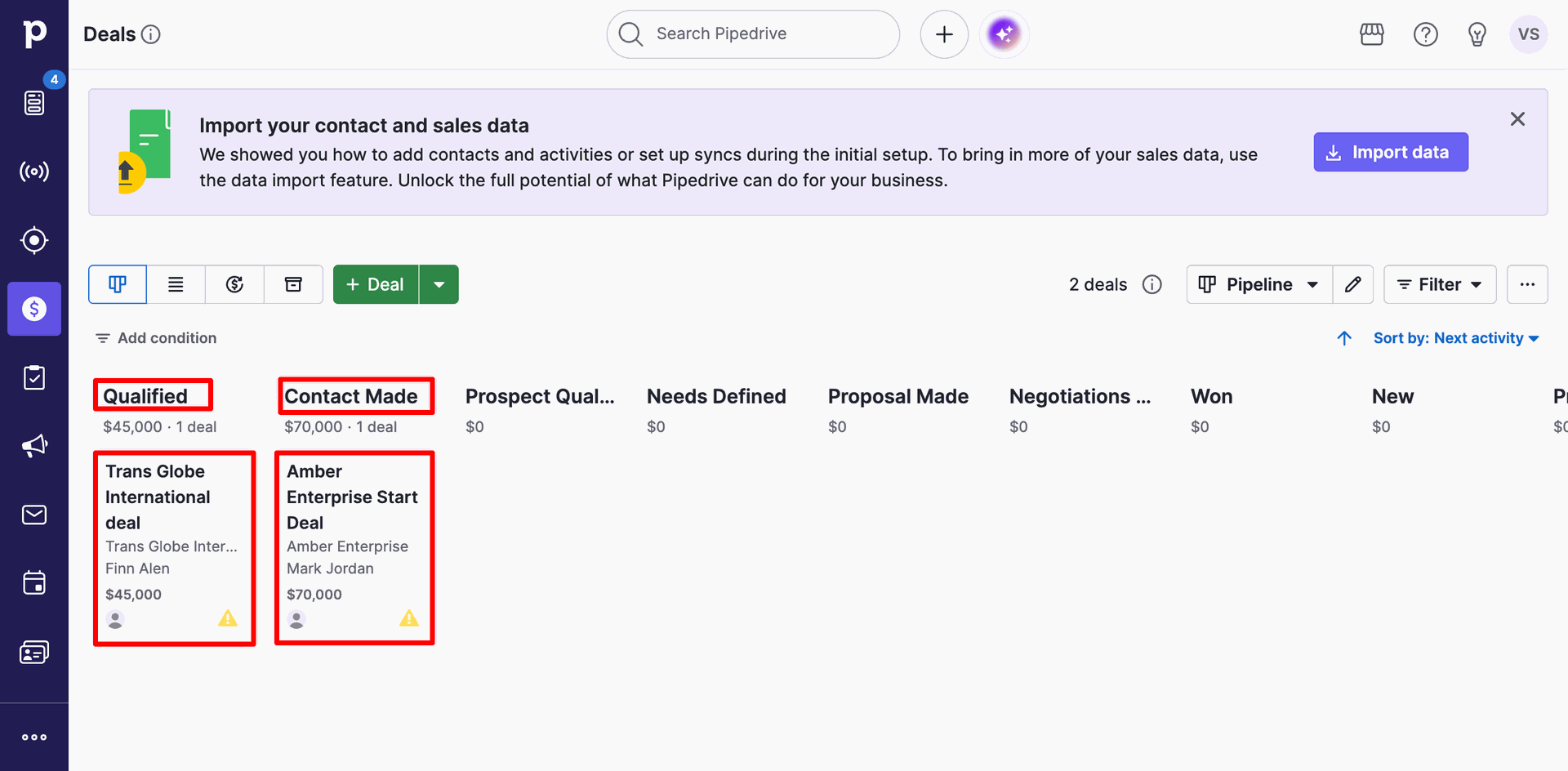
Pipedrive CRM Deals pipeline kanban view containing two active deals under the 'Qualified' and 'Contact Made' stages.
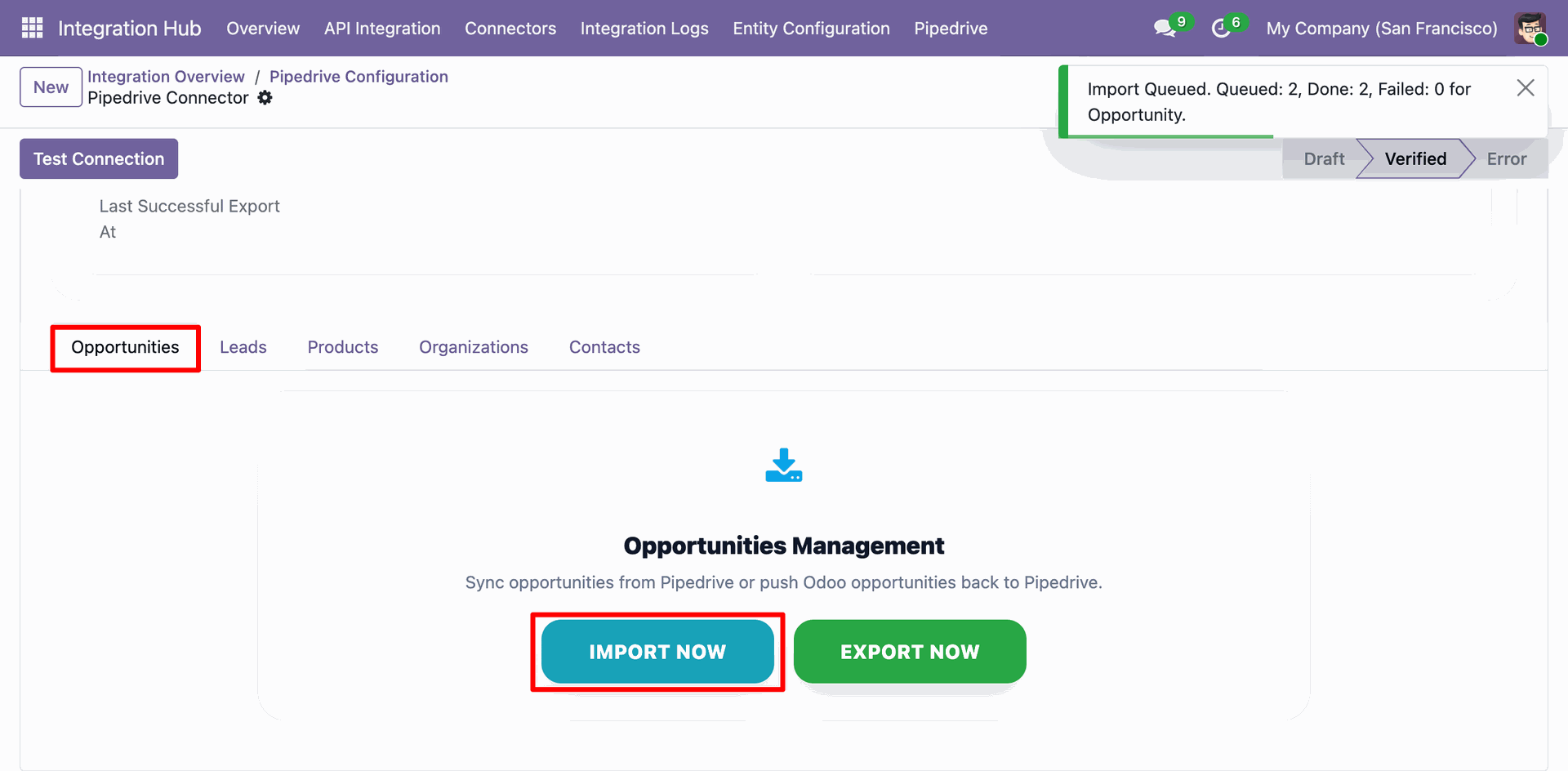
Odoo Pipedrive Configuration - Opportunities tab, displaying the 'IMPORT NOW' action execution result showing 2 deals queued and successfully imported.
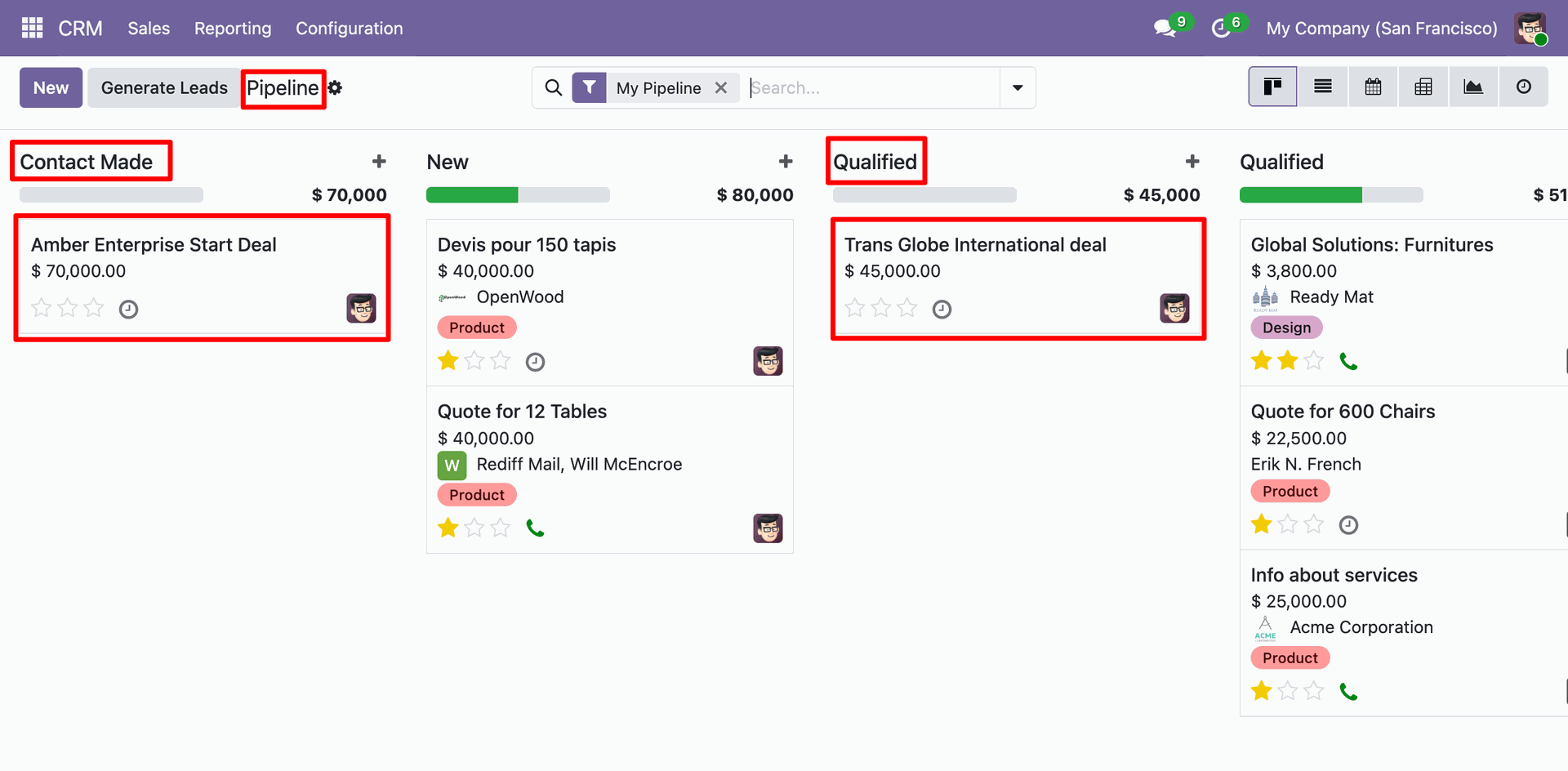
Odoo CRM pipeline kanban view showing the two successfully imported deals from Pipedrive.
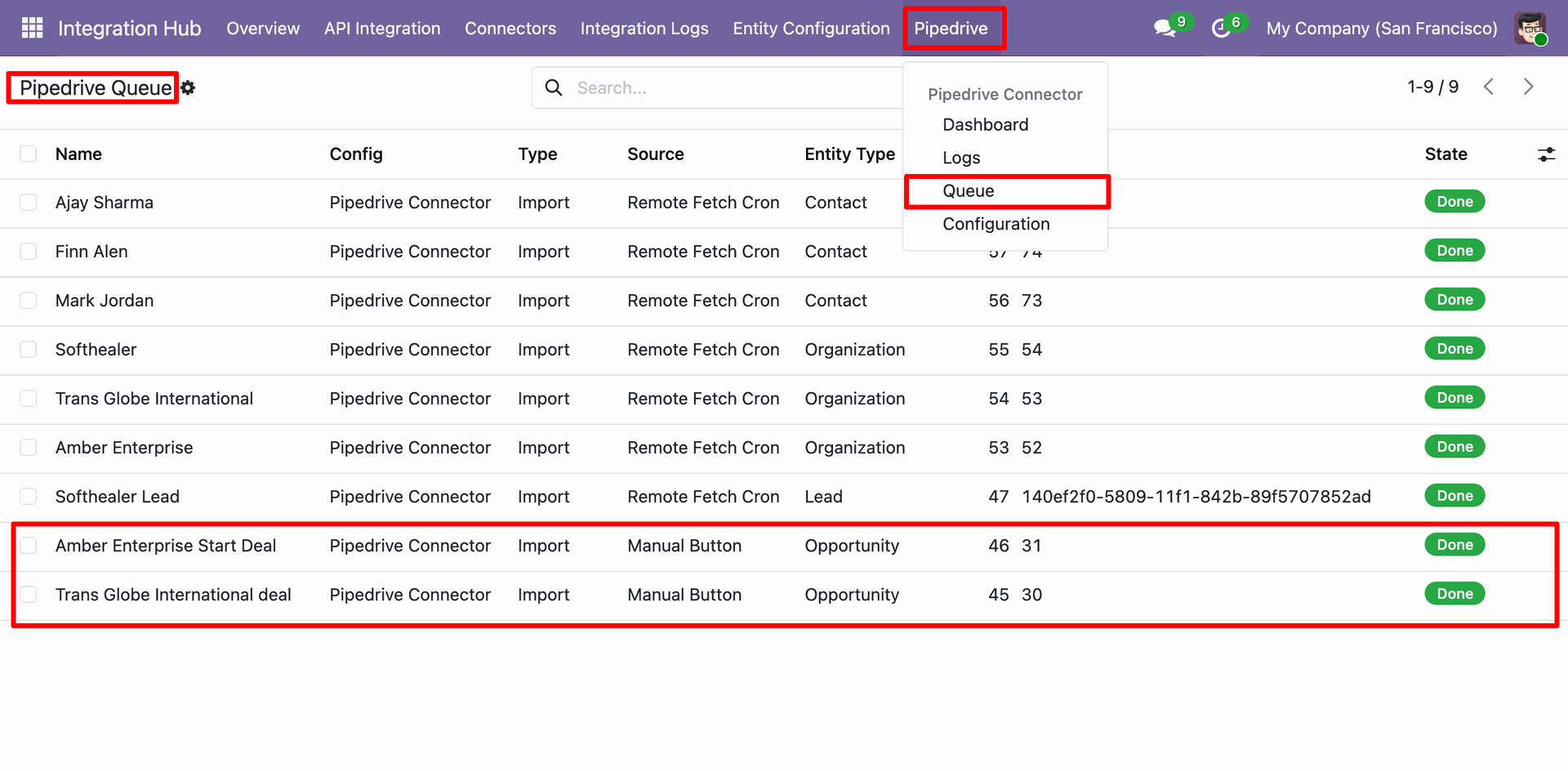
Odoo Pipedrive Queues view with details.
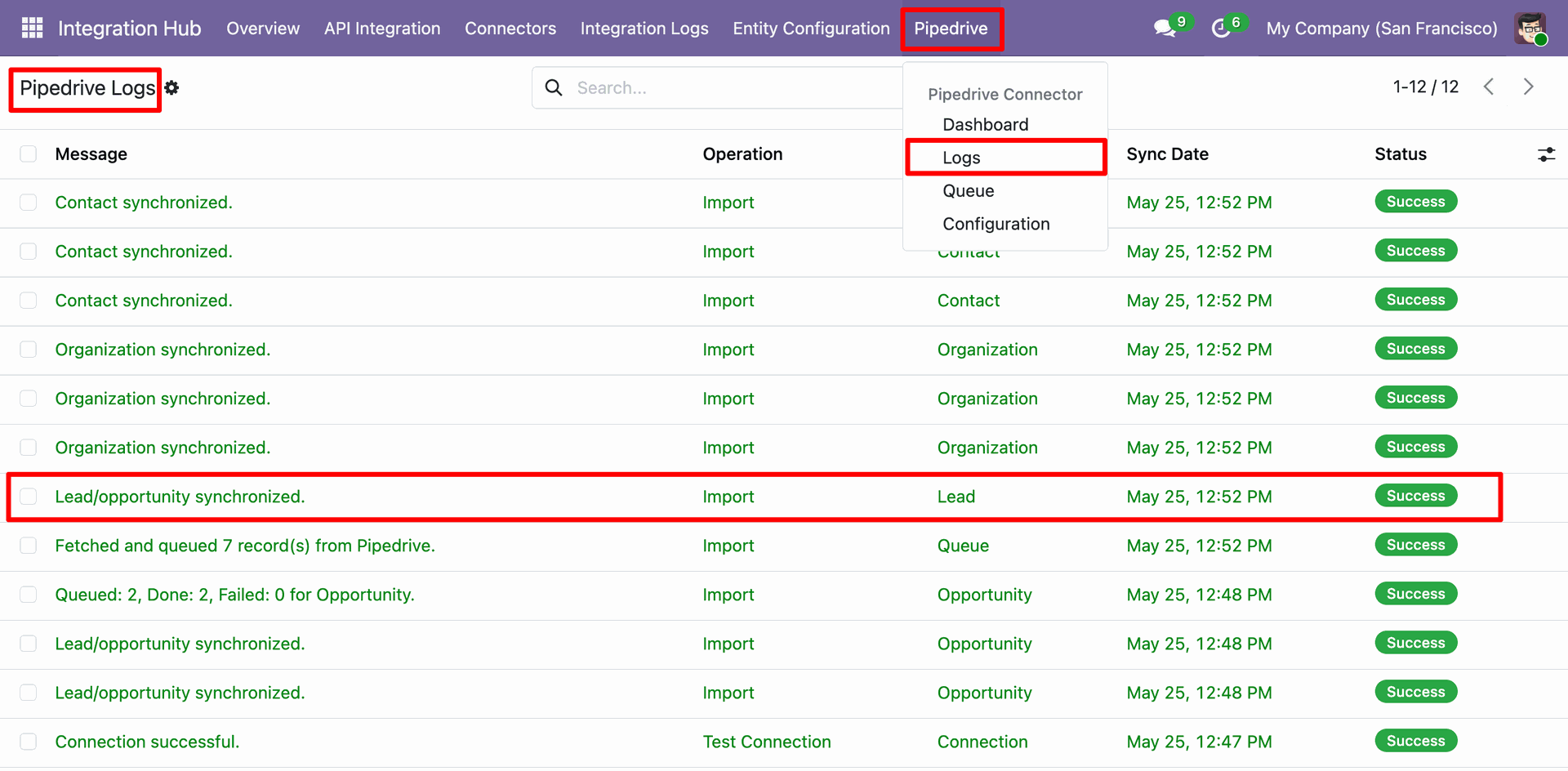
Odoo Pipedrive Logs list view detailing the synchronization logs.
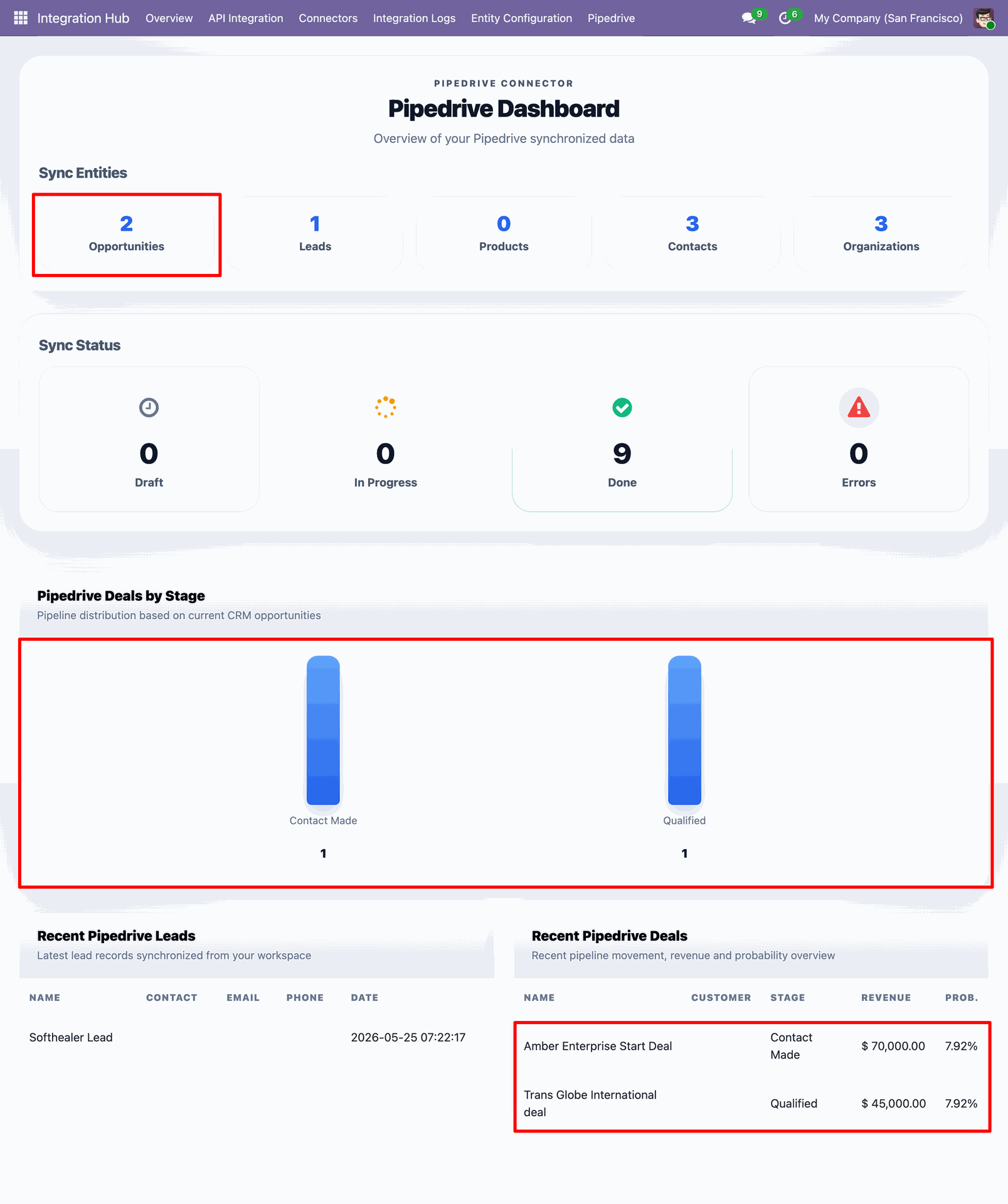
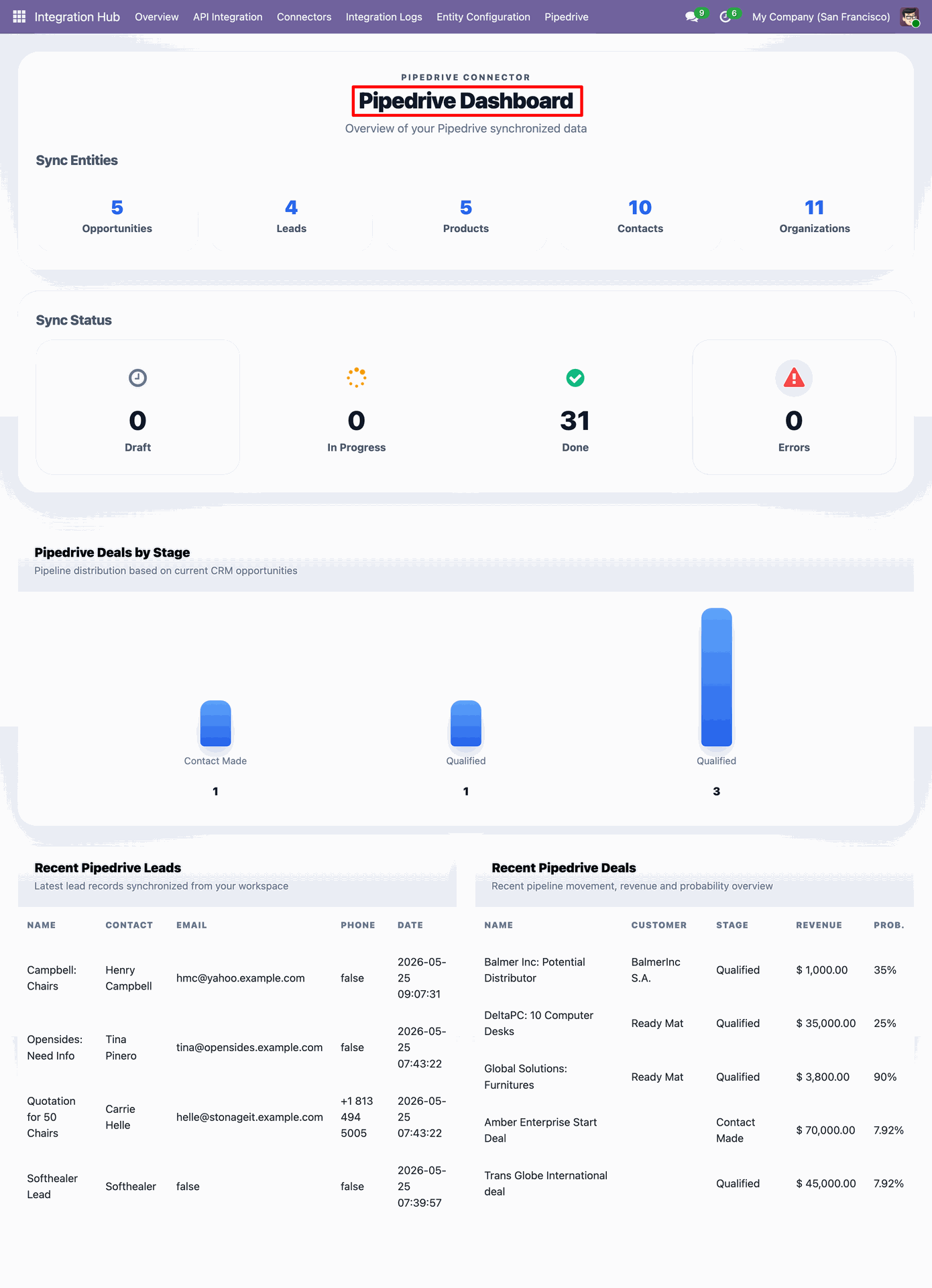
Odoo Pipedrive Dashboard displaying synchronization metrics, stage distributions, and recent records.
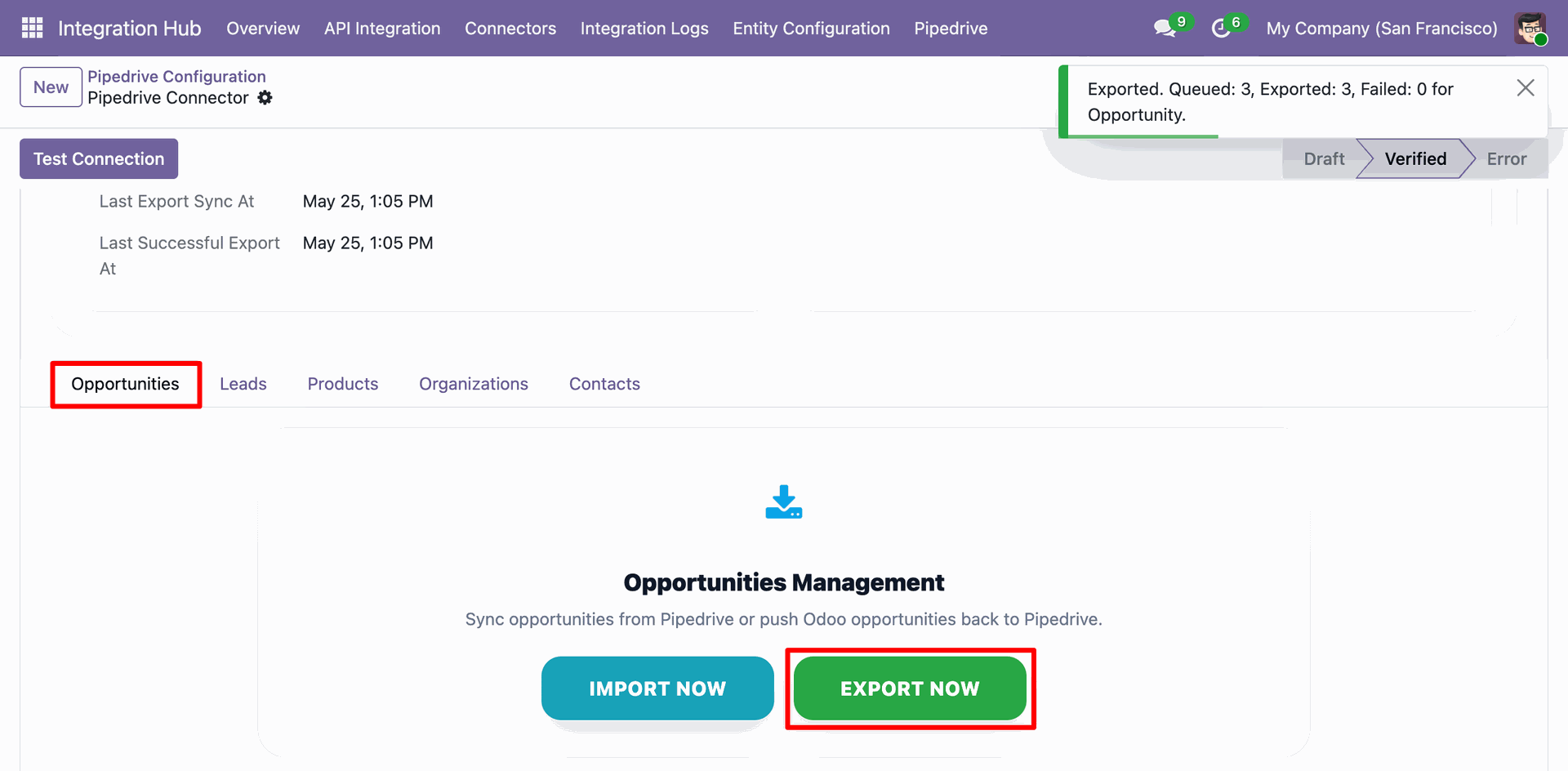
Odoo Pipedrive Configuration - Opportunities tab, displaying the 'EXPORT NOW' action execution result showing 3 deals queued and exported.
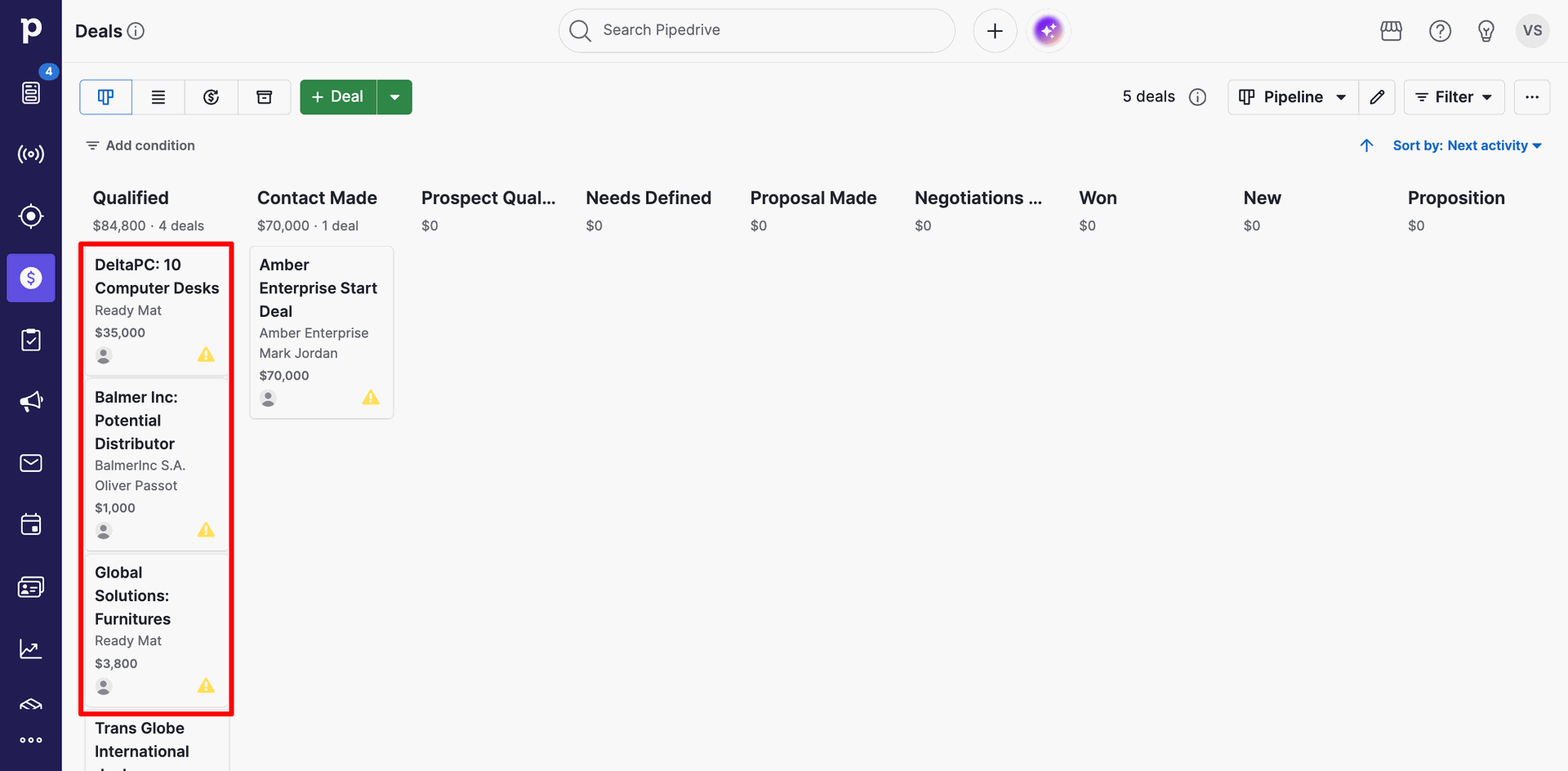
Pipedrive Deals pipeline board displaying the three newly exported deals ('DeltaPC: 10 Computer Desks', 'Balmer Inc: Potential Distributor', and 'Global Solutions: Furnitures') under the 'Qualified' stage.
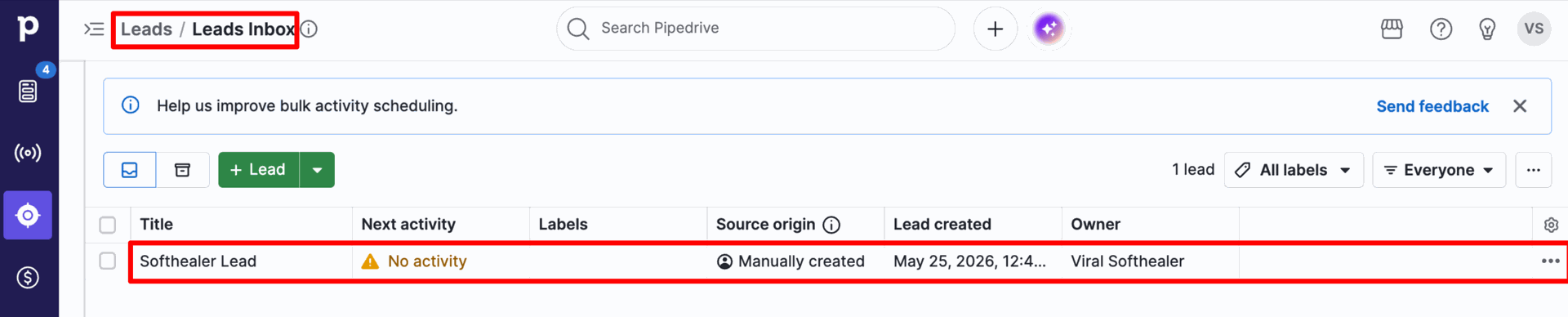
Leads Inbox in Pipedrive displaying a manually created lead before import.
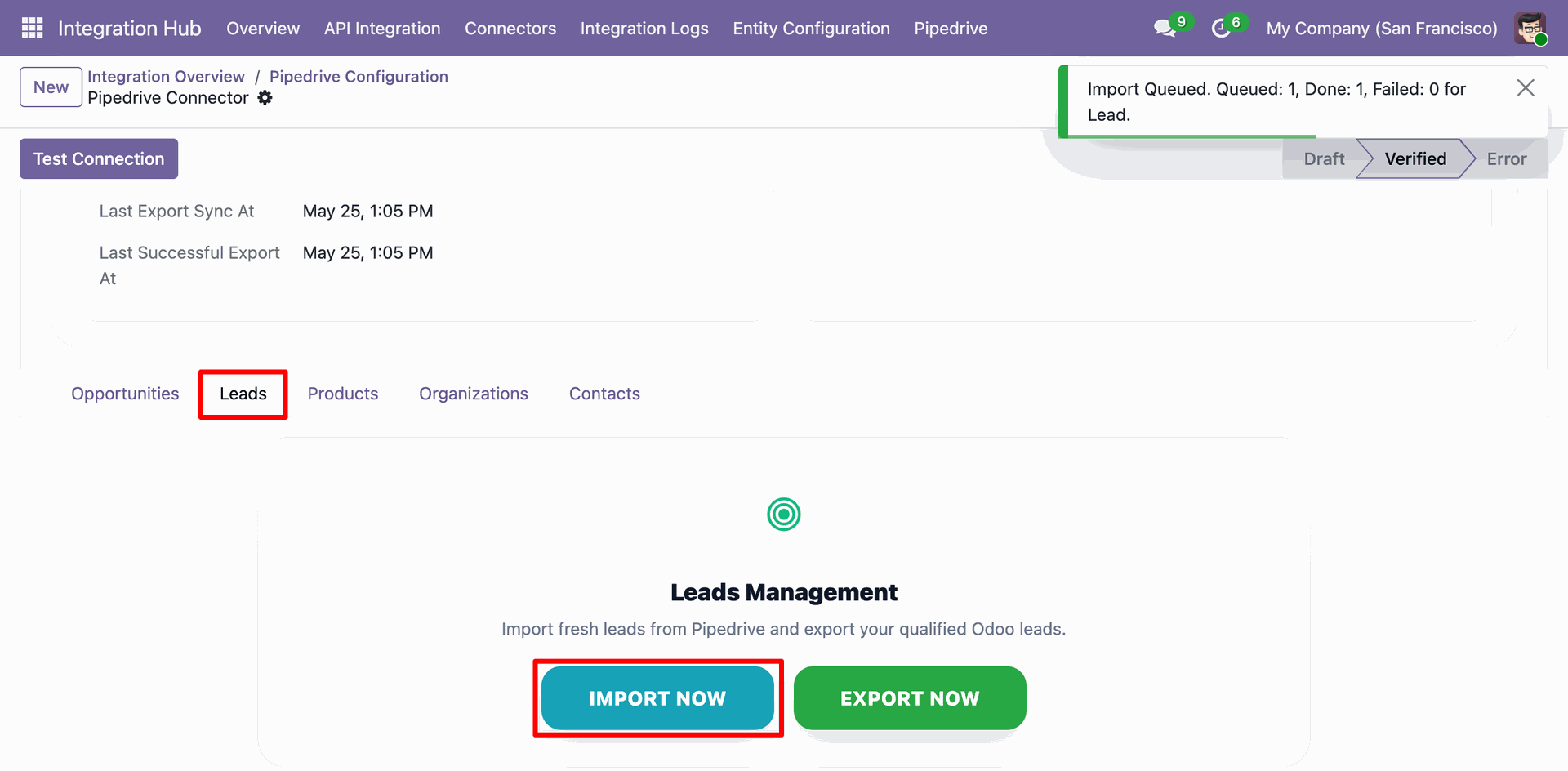
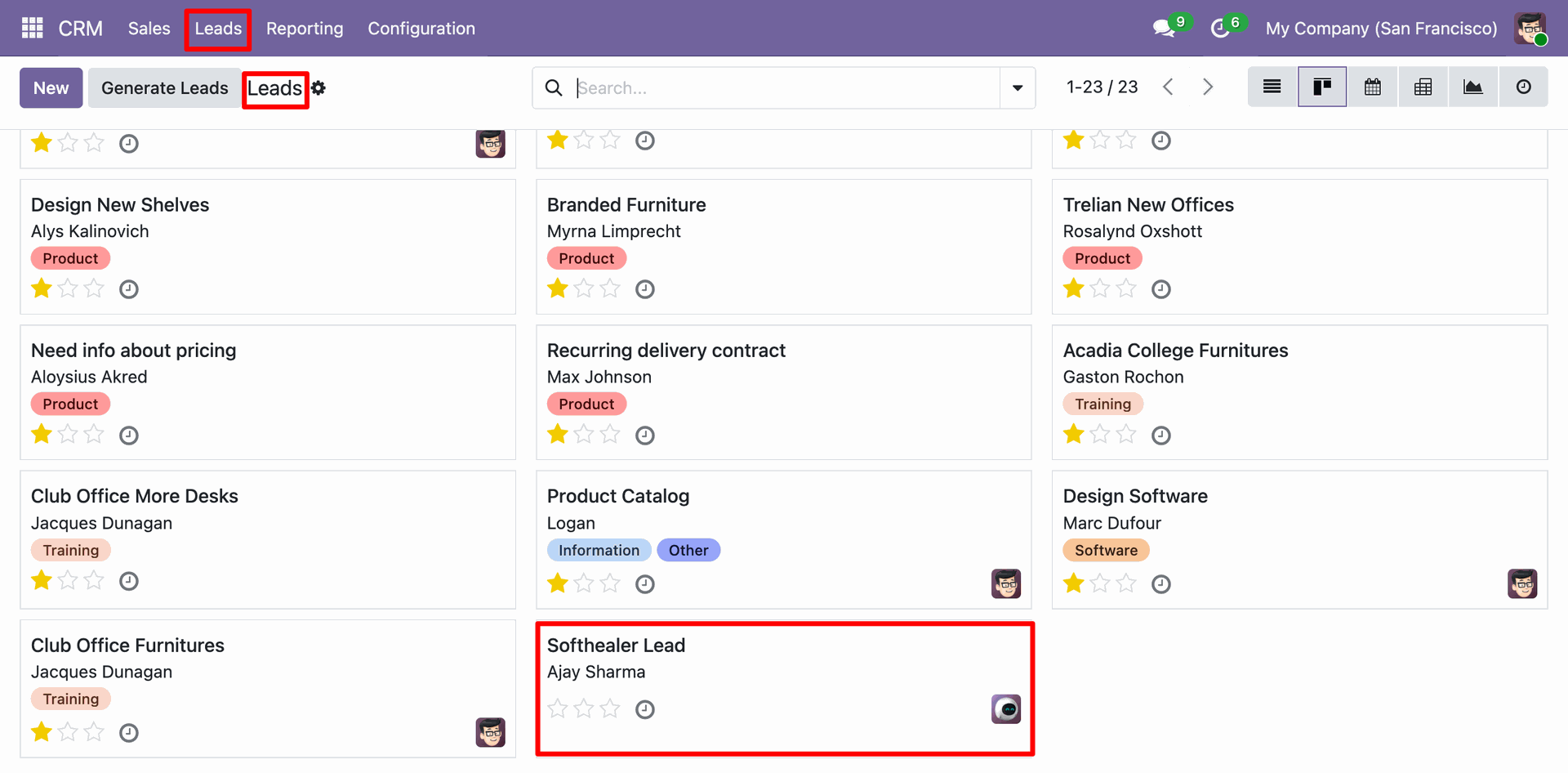
Odoo Pipedrive Configuration - Leads tab, displaying the 'IMPORT NOW' action execution result showing 1 lead queued and imported.
Odoo CRM Leads kanban view showing the successfully imported Pipedrive Lead.
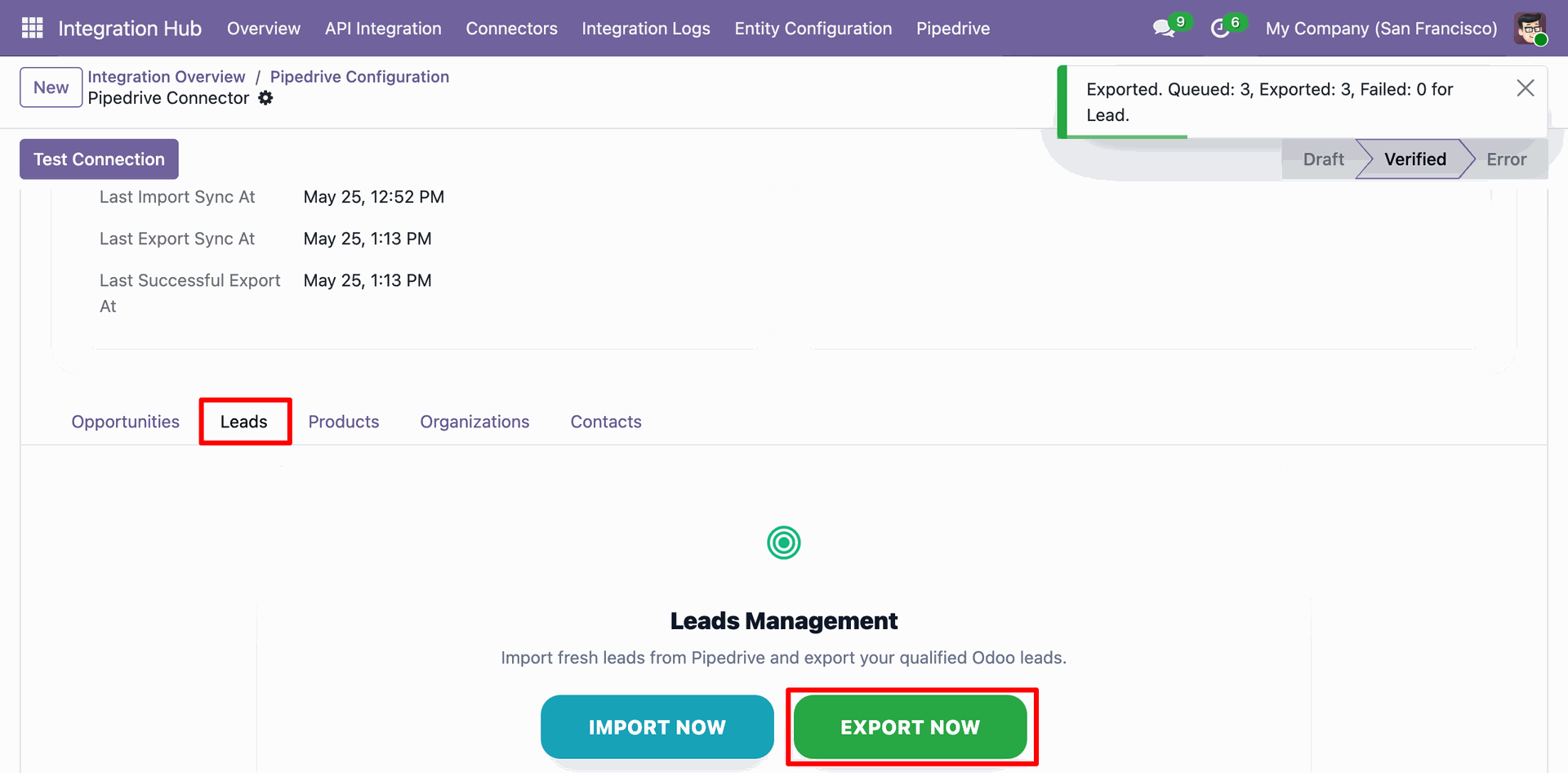
Odoo Pipedrive Configuration - Leads tab, displaying the 'EXPORT NOW' action execution result showing 3 leads queued and exported.
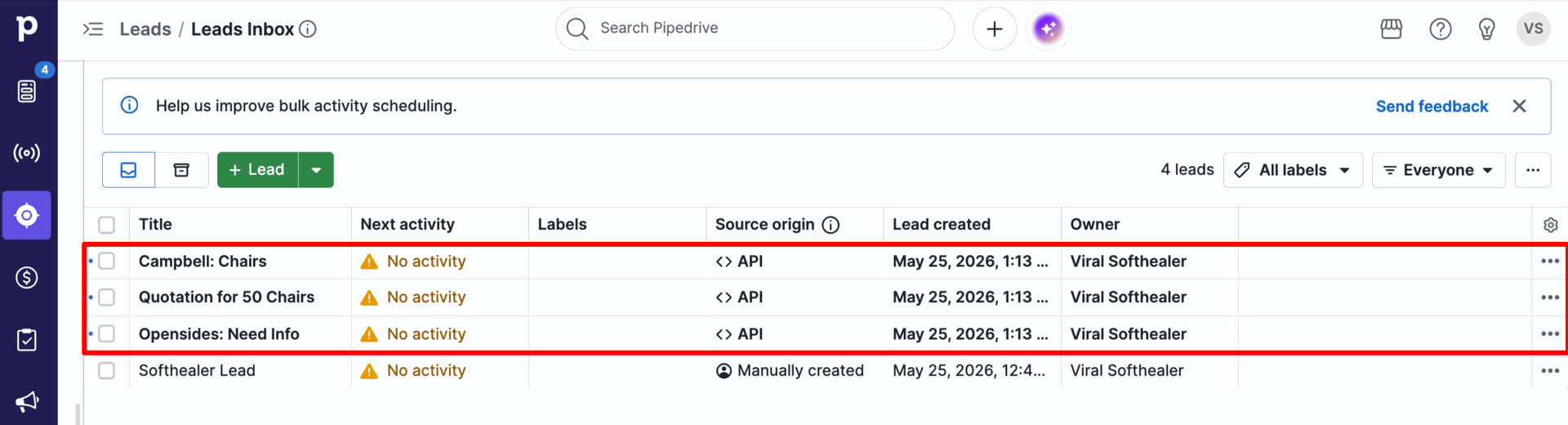
Leads Inbox in Pipedrive displaying the three newly exported Odoo leads synchronized successfully.
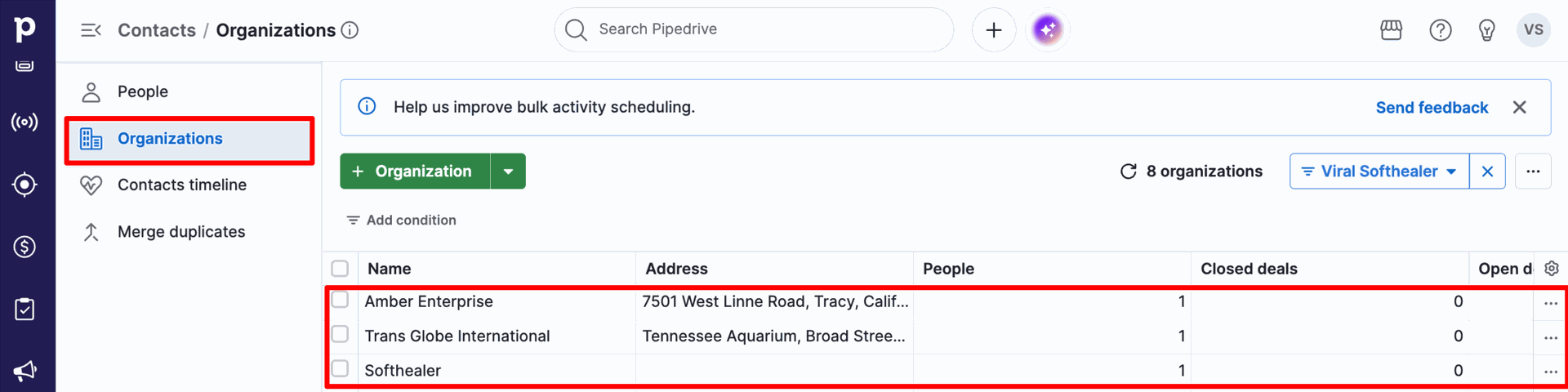
Pipedrive Contacts / Organizations list view showing companies (such as 'Amber Enterprise', 'Trans Globe International', 'Softhealer').
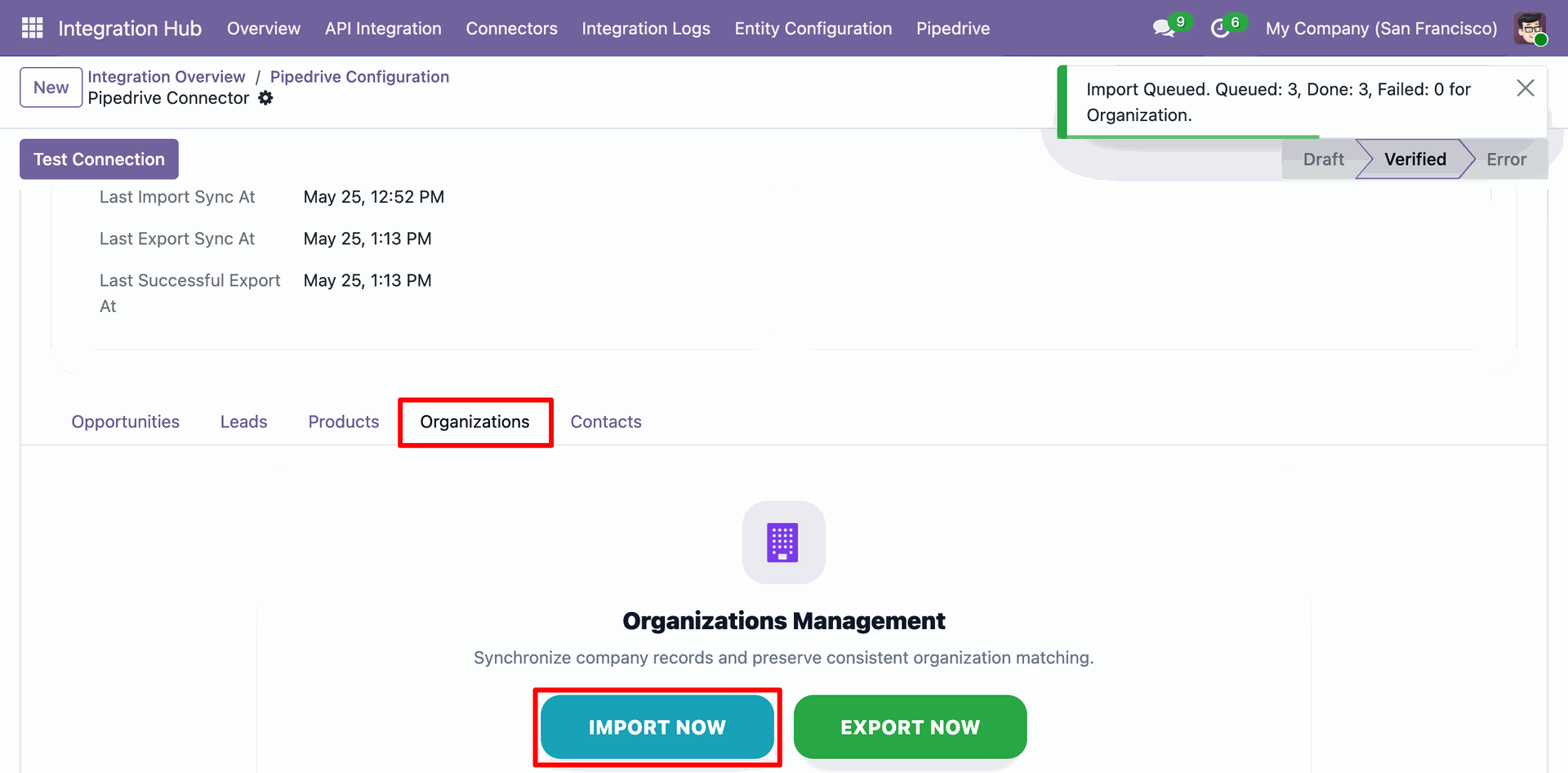
Odoo Pipedrive Configuration - Organizations tab, displaying the 'IMPORT NOW' action execution result showing 3 organizations queued and imported.
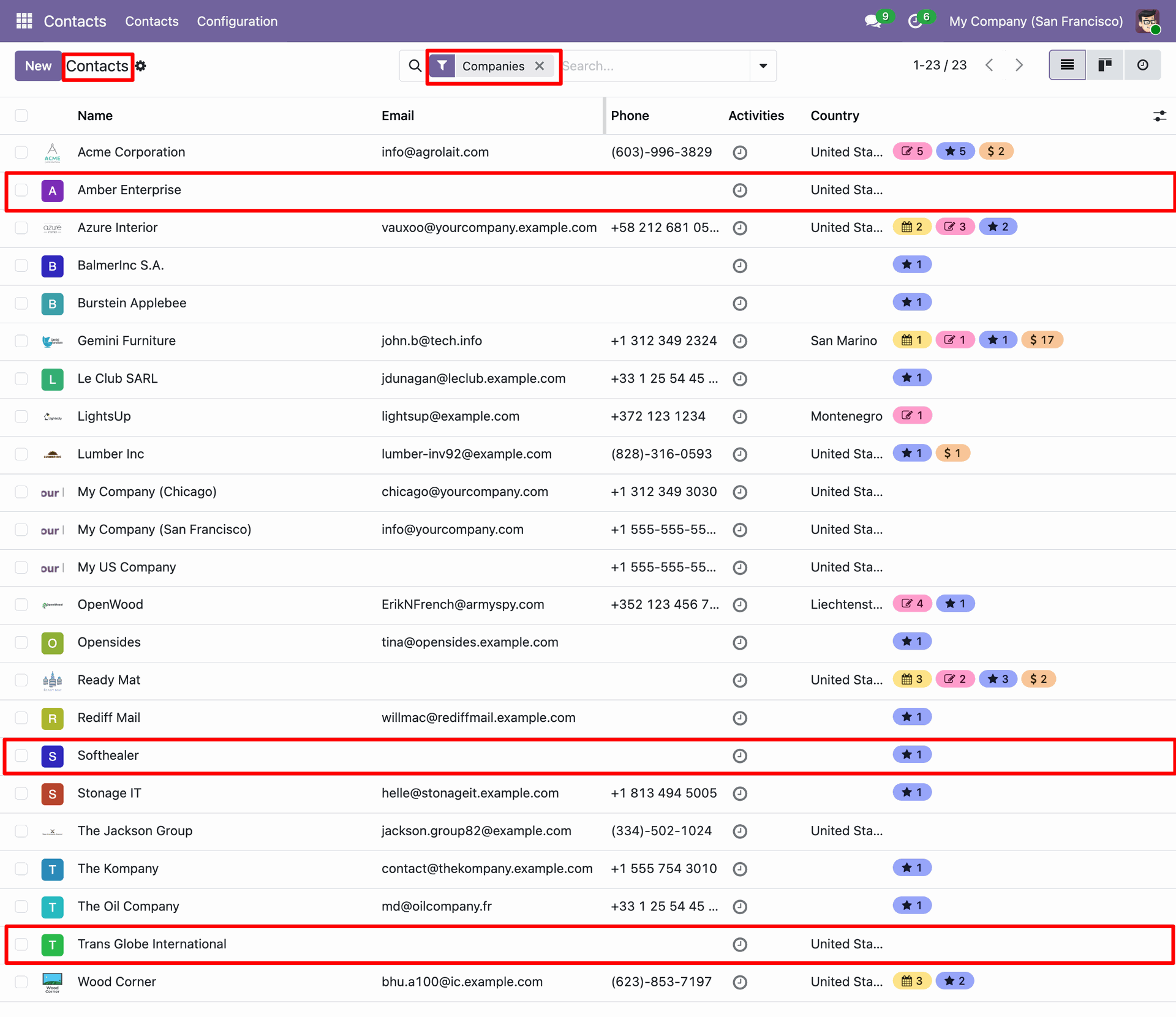
Odoo Contacts list view filtered by 'Companies', displaying the three successfully imported organizations.
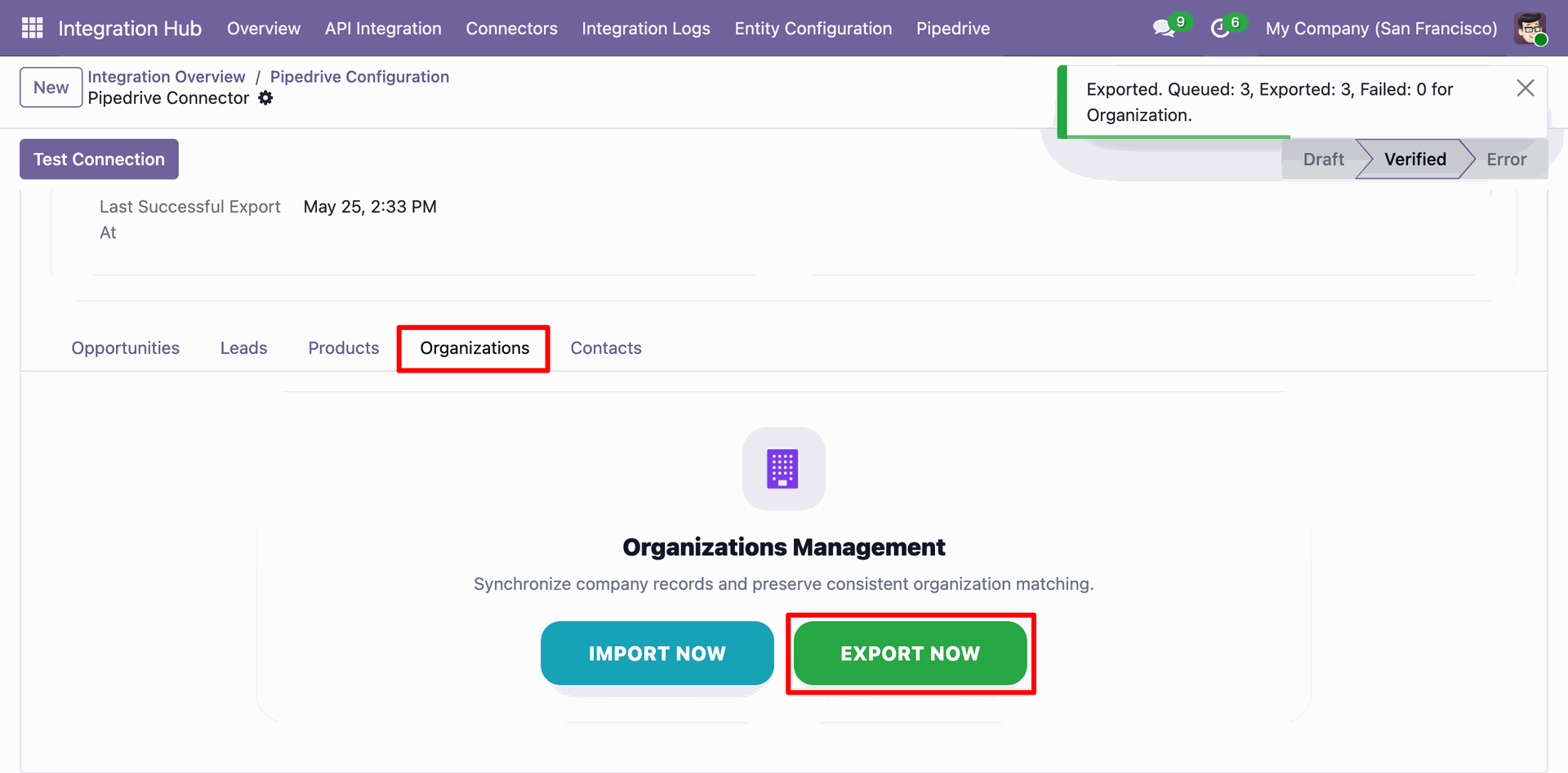
Odoo Pipedrive Configuration - Organizations tab, displaying the 'EXPORT NOW' action execution result showing 3 organizations queued and exported.
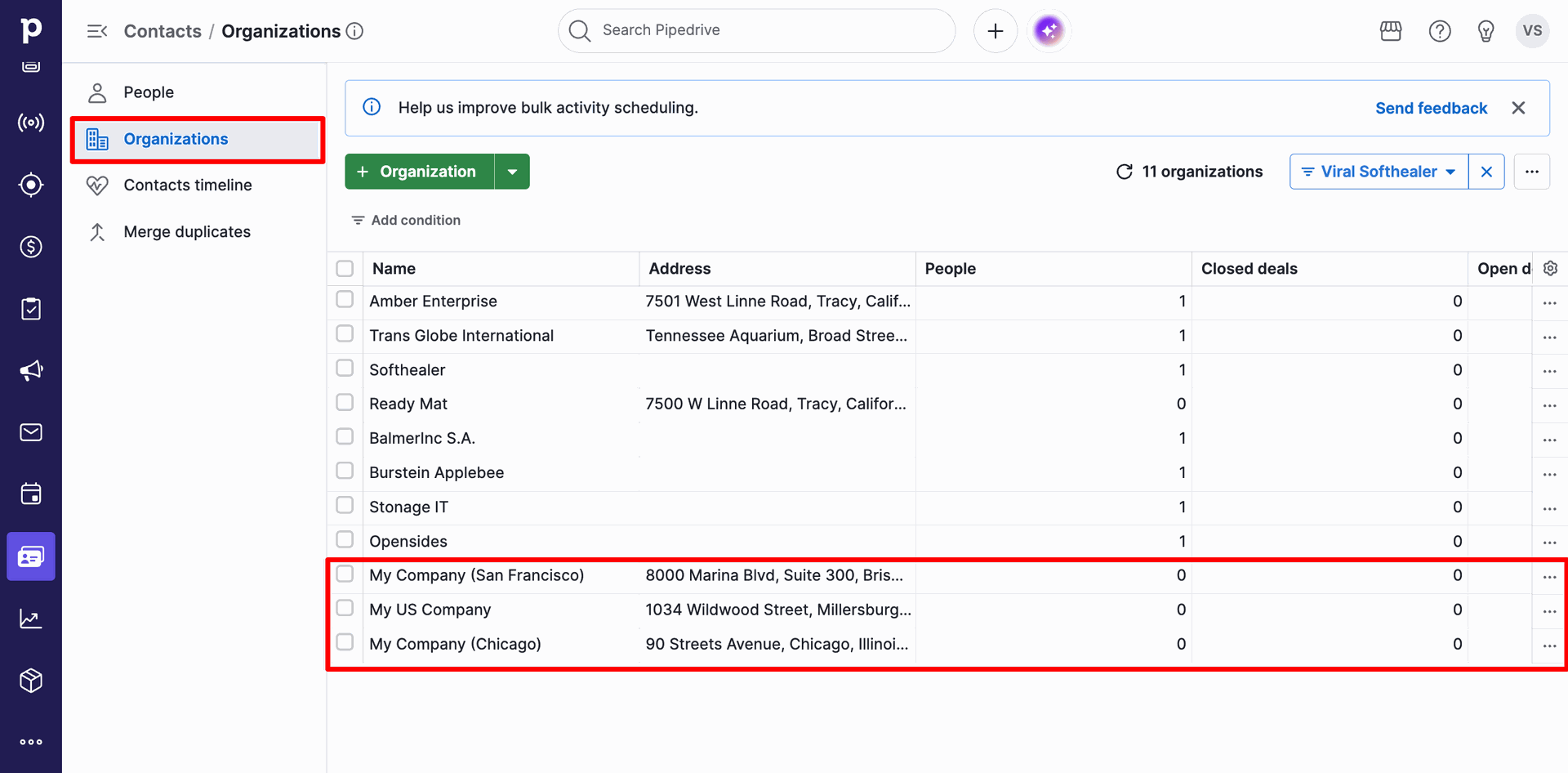
Pipedrive Contacts / Organizations list view displaying the three exported organizations ('My Company (San Francisco)', 'My US Company', and 'My Company (Chicago)') successfully synchronized.
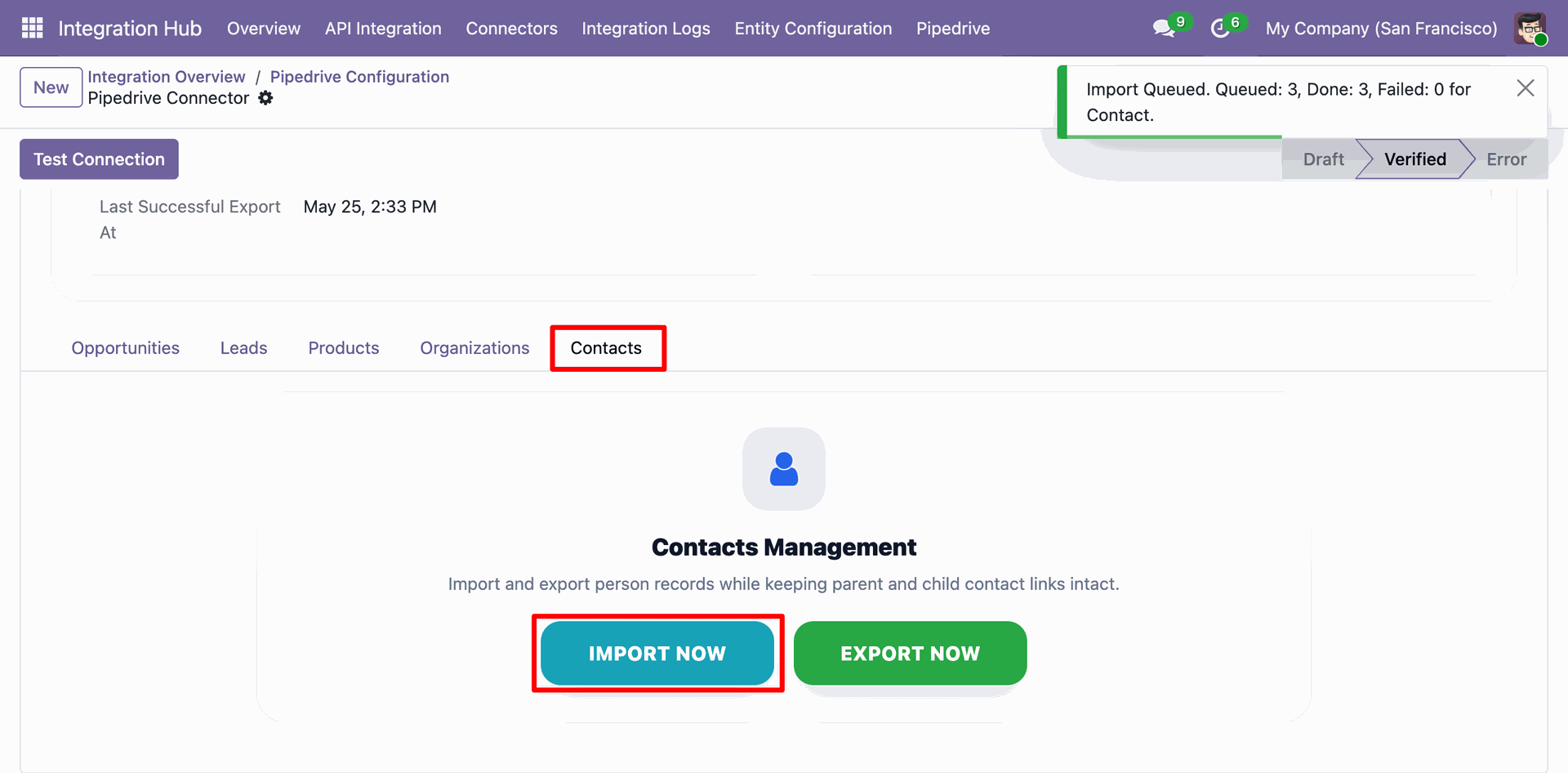
Odoo Pipedrive Configuration - Contacts tab, displaying the 'IMPORT NOW' action execution result showing 3 contacts queued and imported.
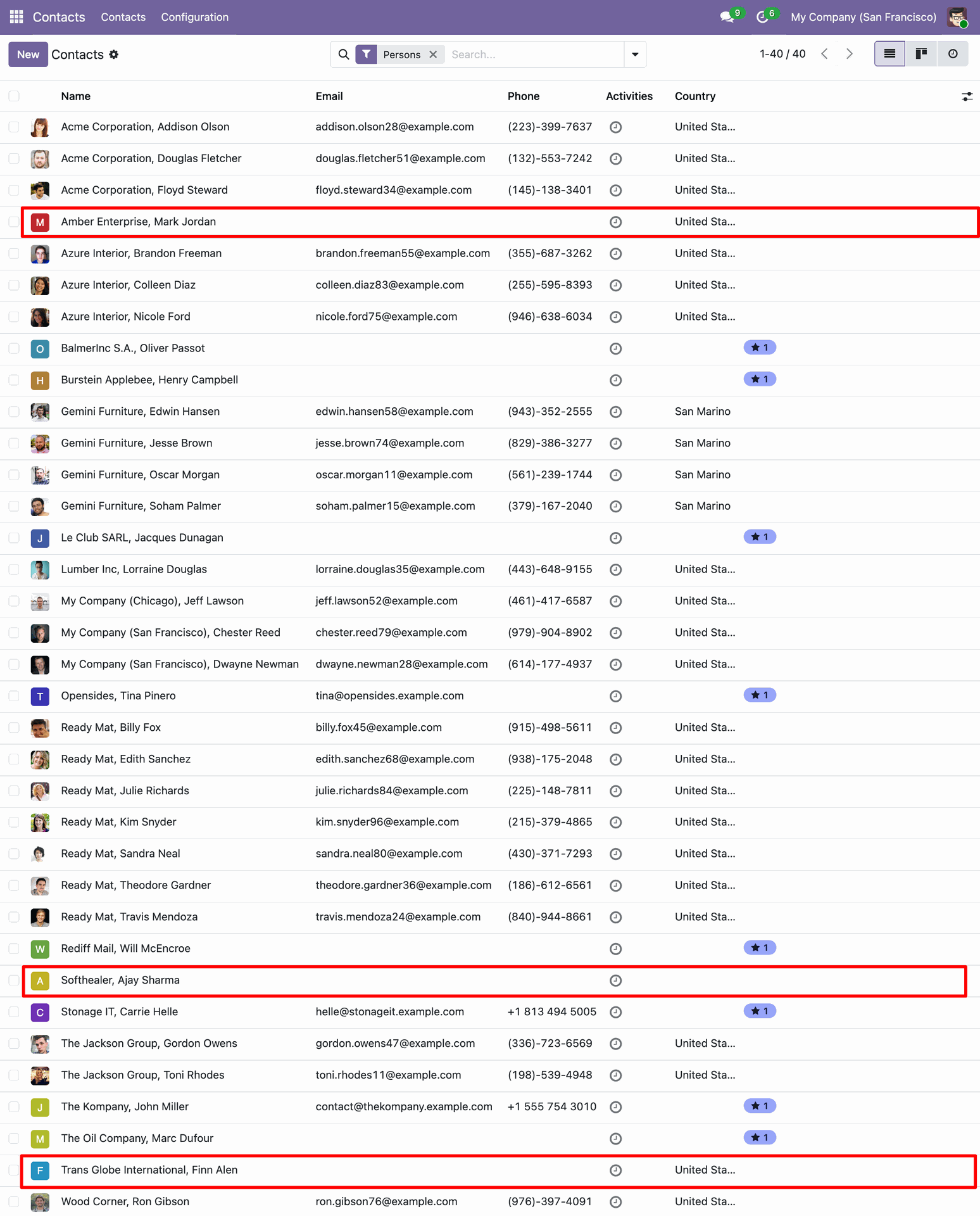
Odoo Contacts list view filtered by 'Persons', displaying the successfully imported Pipedrive contacts.
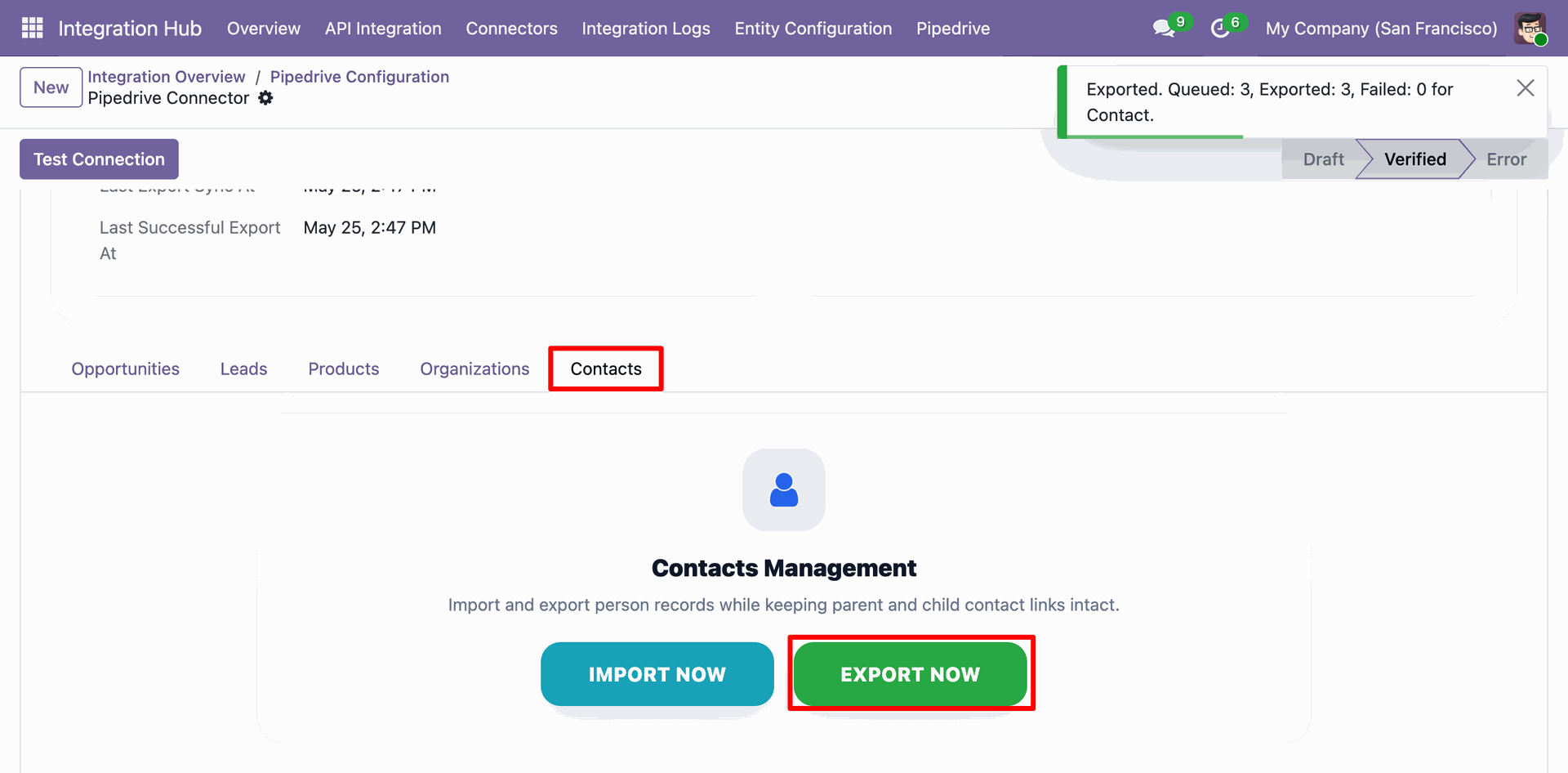
Odoo Pipedrive Configuration - Contacts tab, displaying the 'EXPORT NOW' action execution result showing 3 contacts queued and exported.
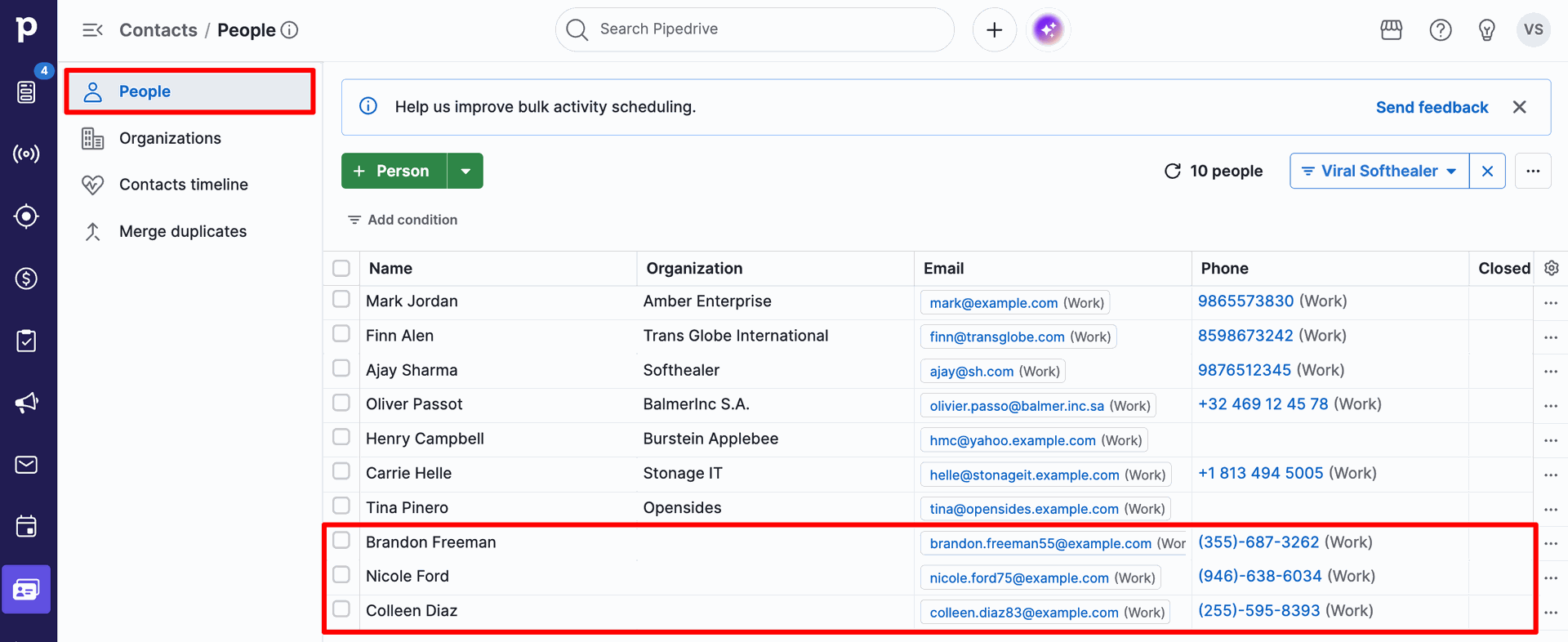
Pipedrive Contacts / People list view displaying the three exported contacts ('Brandon Freeman', 'Nicole Ford', and 'Colleen Diaz') successfully synchronized.
Products list view in Pipedrive displaying the catalog items ('Smart LED TV' and 'iPhone 17 Pro Max') before importing.

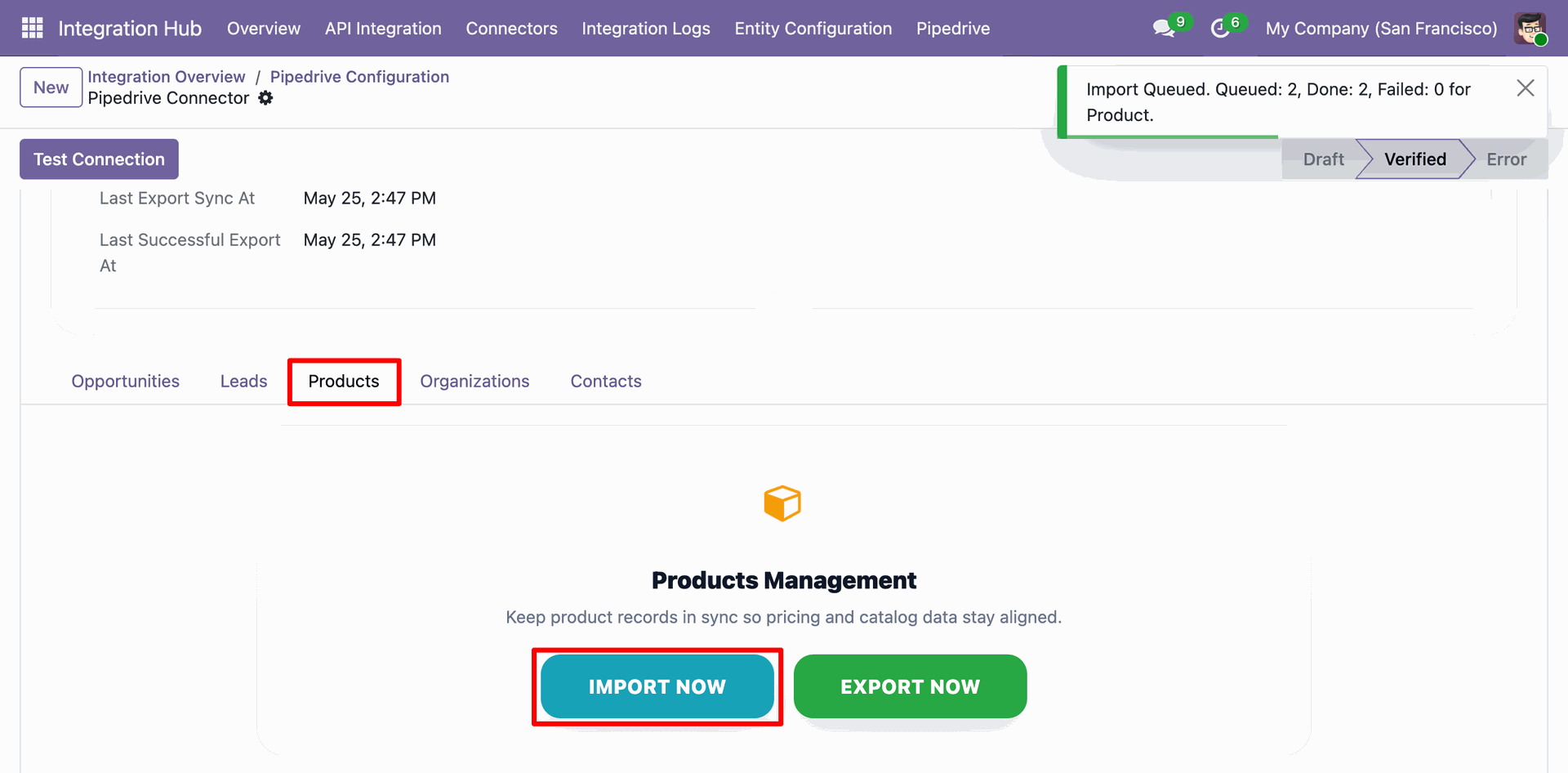
Odoo Pipedrive Configuration - Products tab, displaying the 'IMPORT NOW' action execution result showing 2 products queued and imported.
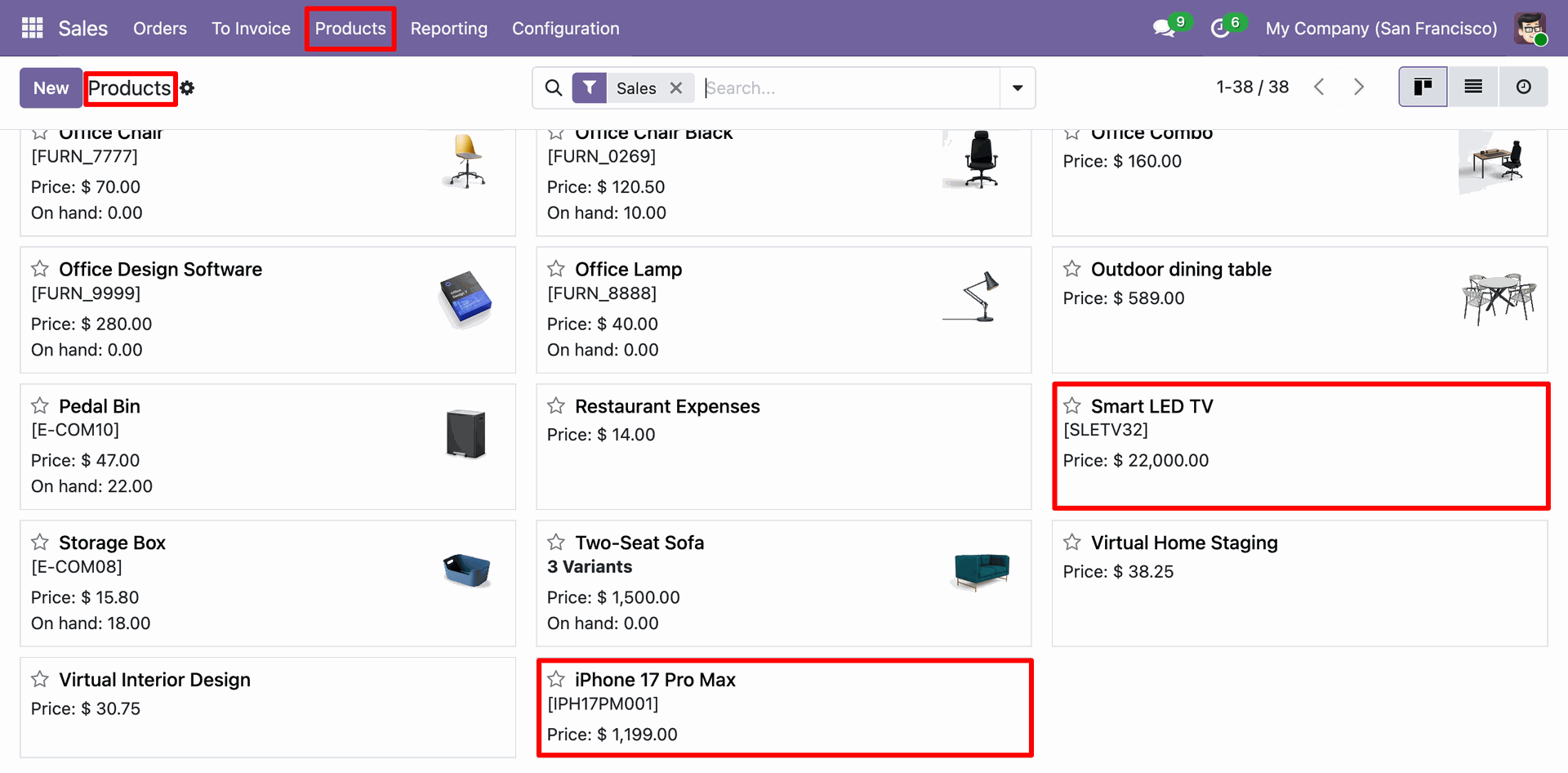
Odoo Sales Products kanban view showing the successfully imported products ('Smart LED TV' and 'iPhone 17 Pro Max') with their prices.
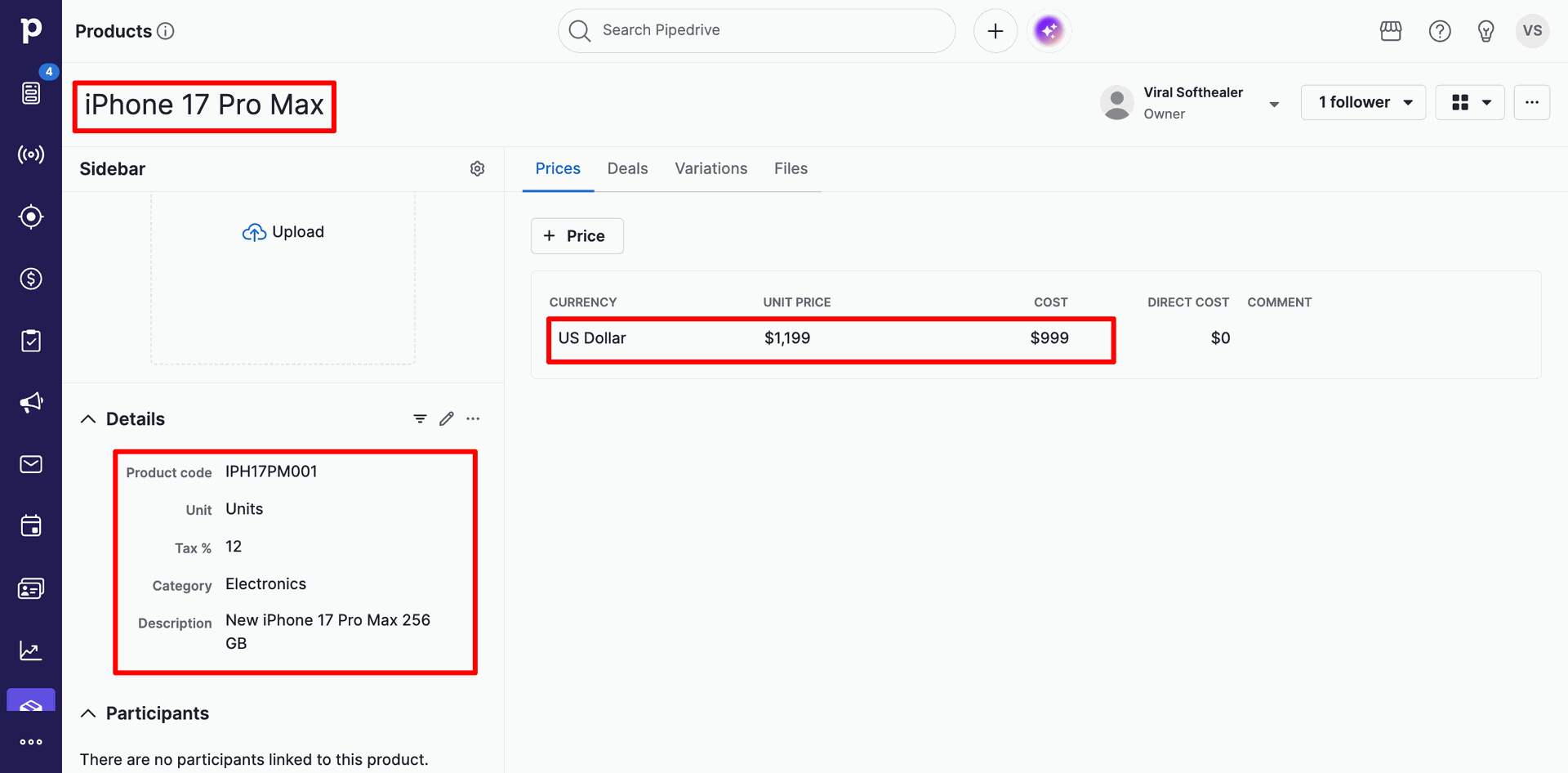
Product details page in Pipedrive displaying the product 'iPhone 17 Pro Max' with specific attributes such as price, cost, description, and tax details.
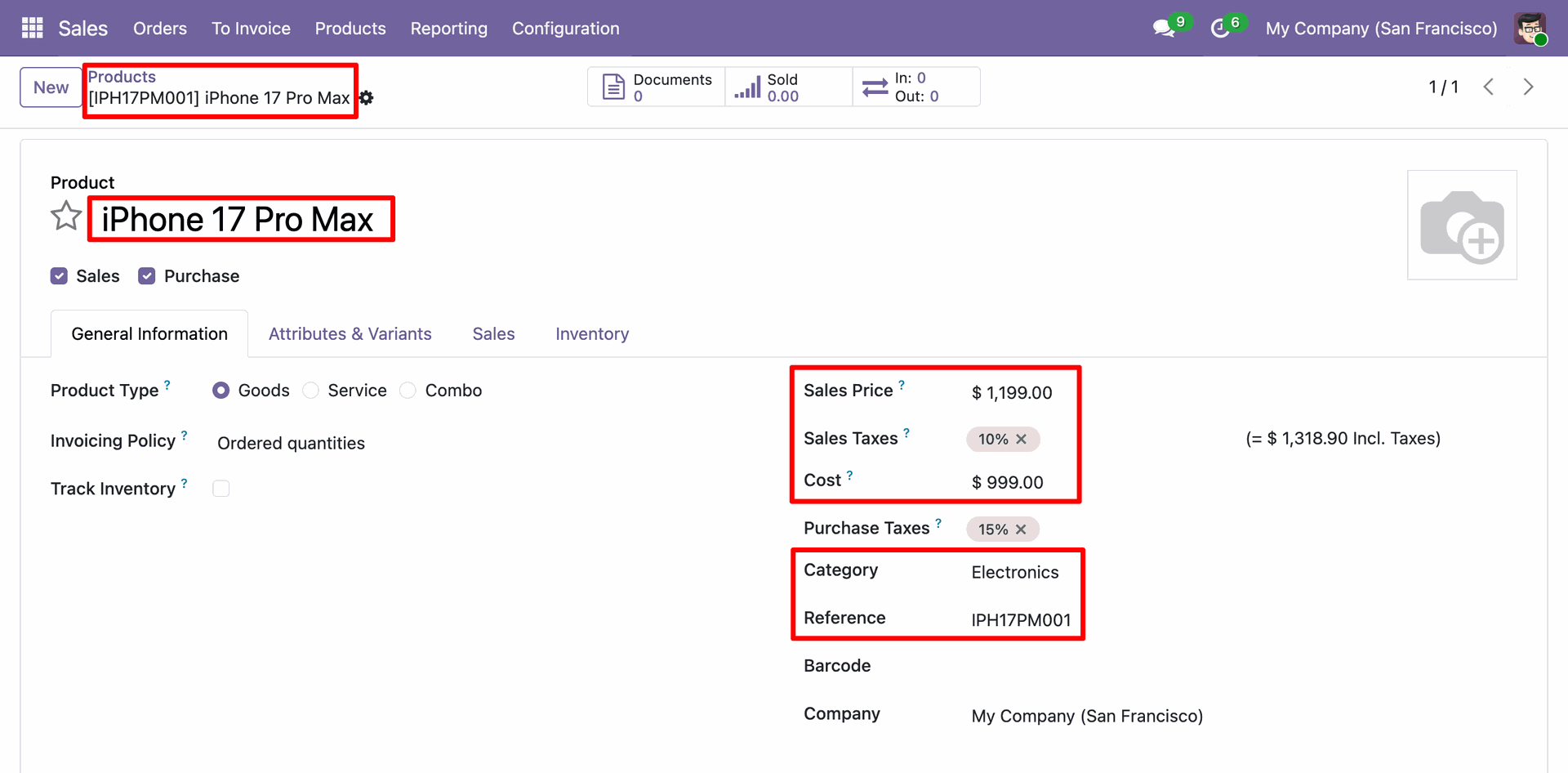
Odoo Product Template form view for the successfully imported product 'iPhone 17 Pro Max', displaying synchronized fields like Sales Price, Cost, Category, and Internal Reference.
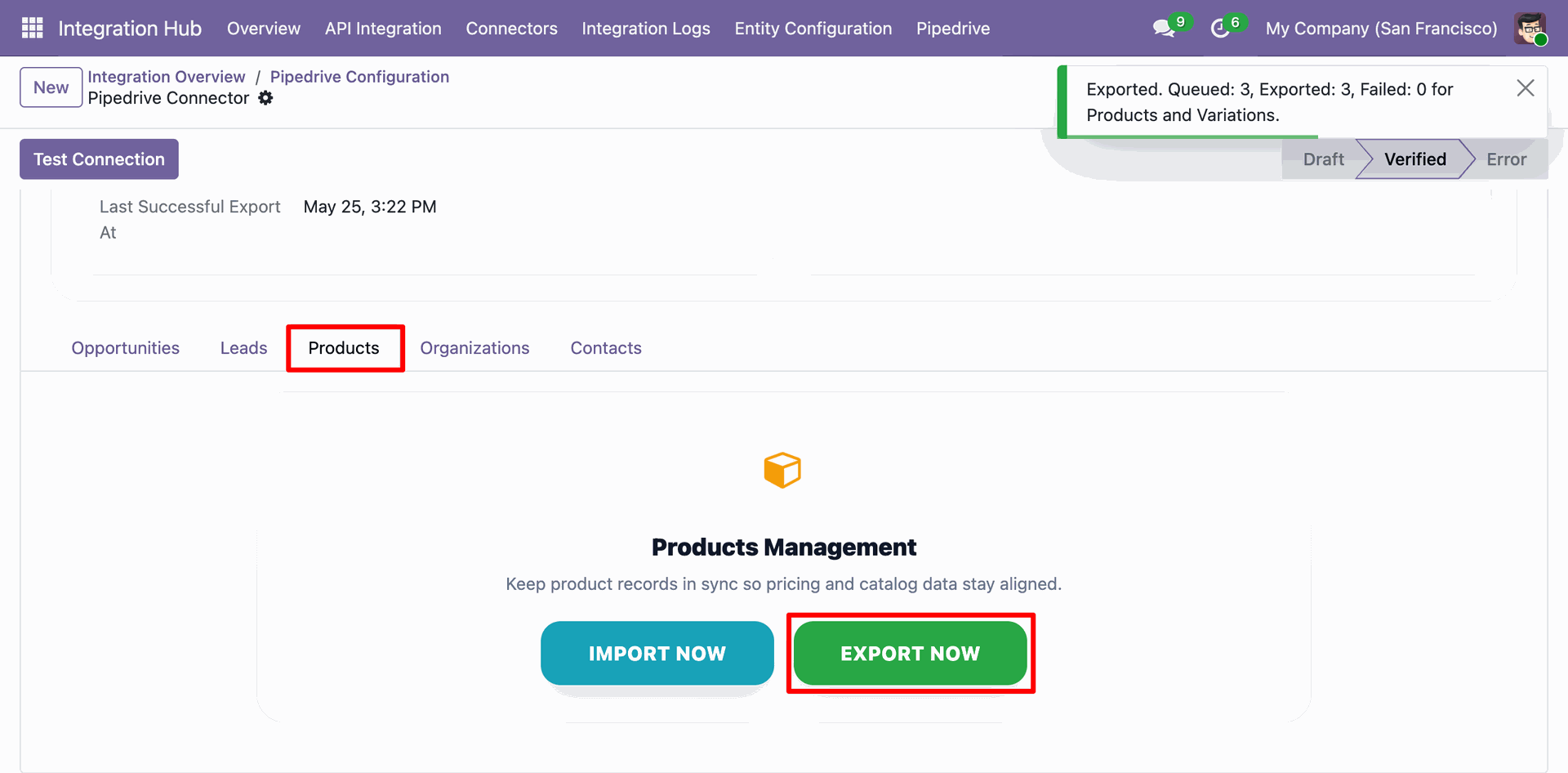
Odoo Pipedrive Configuration - Products tab, displaying the 'EXPORT NOW' action execution result showing 3 products queued and exported.
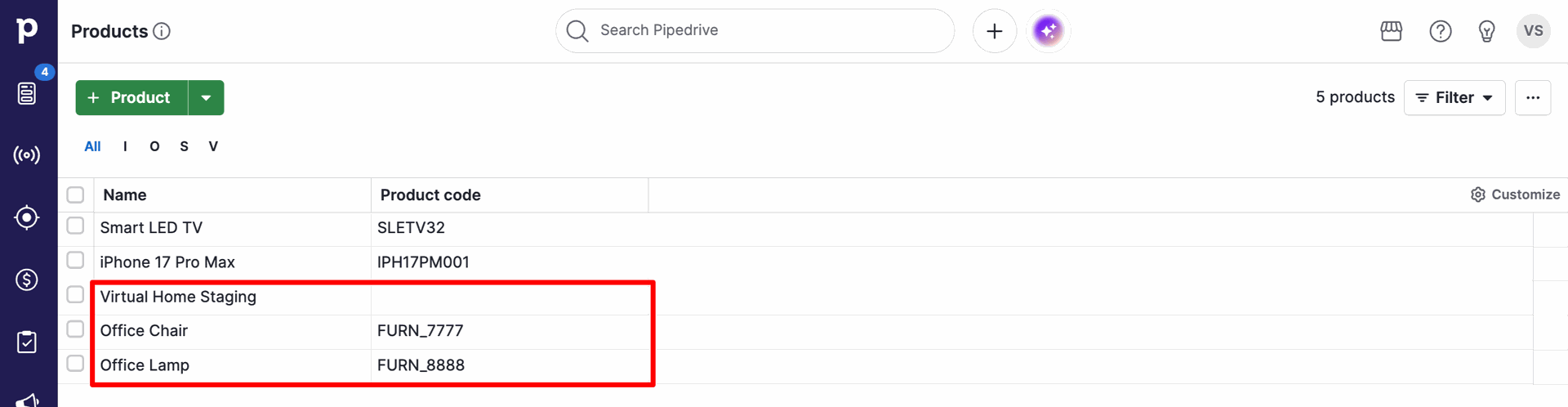
Products list view in Pipedrive displaying the newly exported products ('Virtual Home Staging', 'Office Chair', and 'Office Lamp') successfully synchronized.
Odoo Pipedrive Dashboard displaying key metrics for synchronized entities, real-time queue status, stage-wise deal distribution, and lists of recent leads and deals.
Version 19.0.1.0.0 | Released on : 08th July 2026
- Yes, this app works perfectly with Odoo Enterprise (Odoo.sh & Premise) as well as Community.
- No, this application is not compatible with odoo.com(odoo saas/Odoo Online)
- Yes, to test this module, please contact us at sales@softhealer.com.
- Please contact us at sales@softhealer.com to request customization.
- Yes, we provide free support for 365 days from the date of purchase.
- Yes, you will receive lifetime free updates for the version of the module you purchased.
- No, there is no need to install any additional libraries.
- Yes, for version 12 and above, you need to purchase the module separately for each version you intend to use.
- No, exchanges or refunds are not allowed. Please make sure to select the correct version before purchasing.
- You can contact us at support@softhealer.com for language translation support. We use Google Translator tools to provide translations in multiple languages, so the accuracy may vary. We welcome your suggestions to help improve translations.
Discover Our Latest Apps