












Petty Cash Management

Manage petty cash operations efficiently with a complete solution that helps businesses control daily cash expenses. The module provides features for managing petty cash funds, vouchers, replenishments, policies, reconciliations, and reports while ensuring better visibility and control over petty cash transactions.

Features

Role-Based User Access
Manage petty cash operations with dedicated user roles, including Cash User, Cashier, and Manager.

Interactive Dashboard
Get a complete overview of petty cash activities with real-time insights, including active funds, draft vouchers, critical funds & many more.

Petty Cash Funds
Easily set up and maintain multiple cash funds, manage their vouchers, and streamline funding replenishments.

Petty Cash Vouchers
Generate petty cash vouchers with expense details, receipts, and complete approval records.

Petty Cash Replenishments
Replenish petty cash funds via a dedicated workflow that includes approval and journal entry.

Multi-Level Approval Workflow
Manage petty cash vouchers and replenishments with multiple approval levels, ensuring proper authorization.

Petty Cash Policies
Configure petty cash policies with spending limits, receipt requirements, receipt-required thresholds, and active/inactive controls.

Approval Matrix
Create flexible approval workflows based on min-max amount, company, and policy violation option.

Comprehensive Reporting
Generate detailed petty cash reports, including Petty Cash Aging Analysis and Petty Cash Aging Summary reports.

Petty Cash Voucher Reconciliation
Reconcile paid petty cash vouchers to maintain accurate cash records and ensure proper financial tracking.
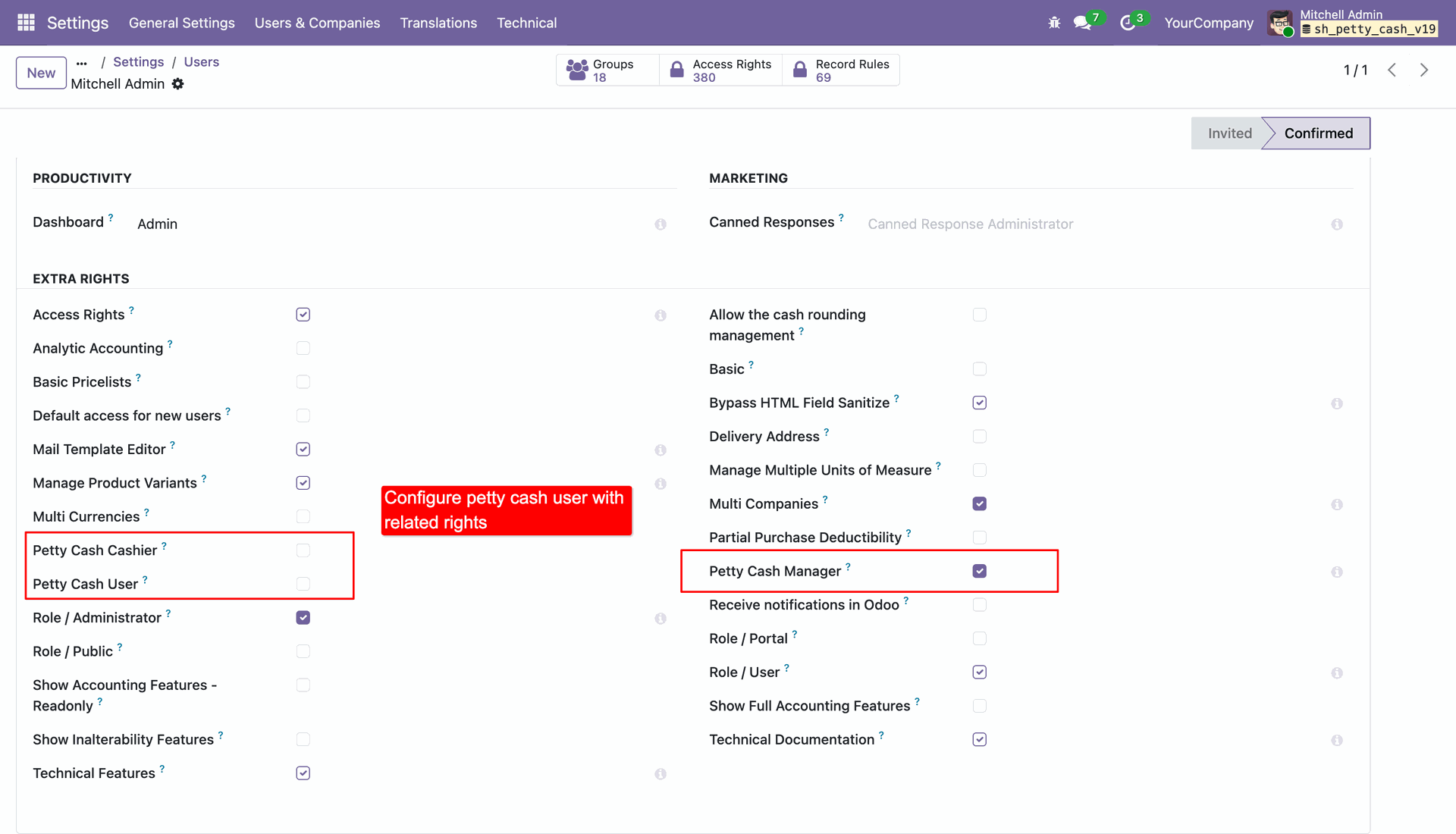
Configure petty cash user with related rights.
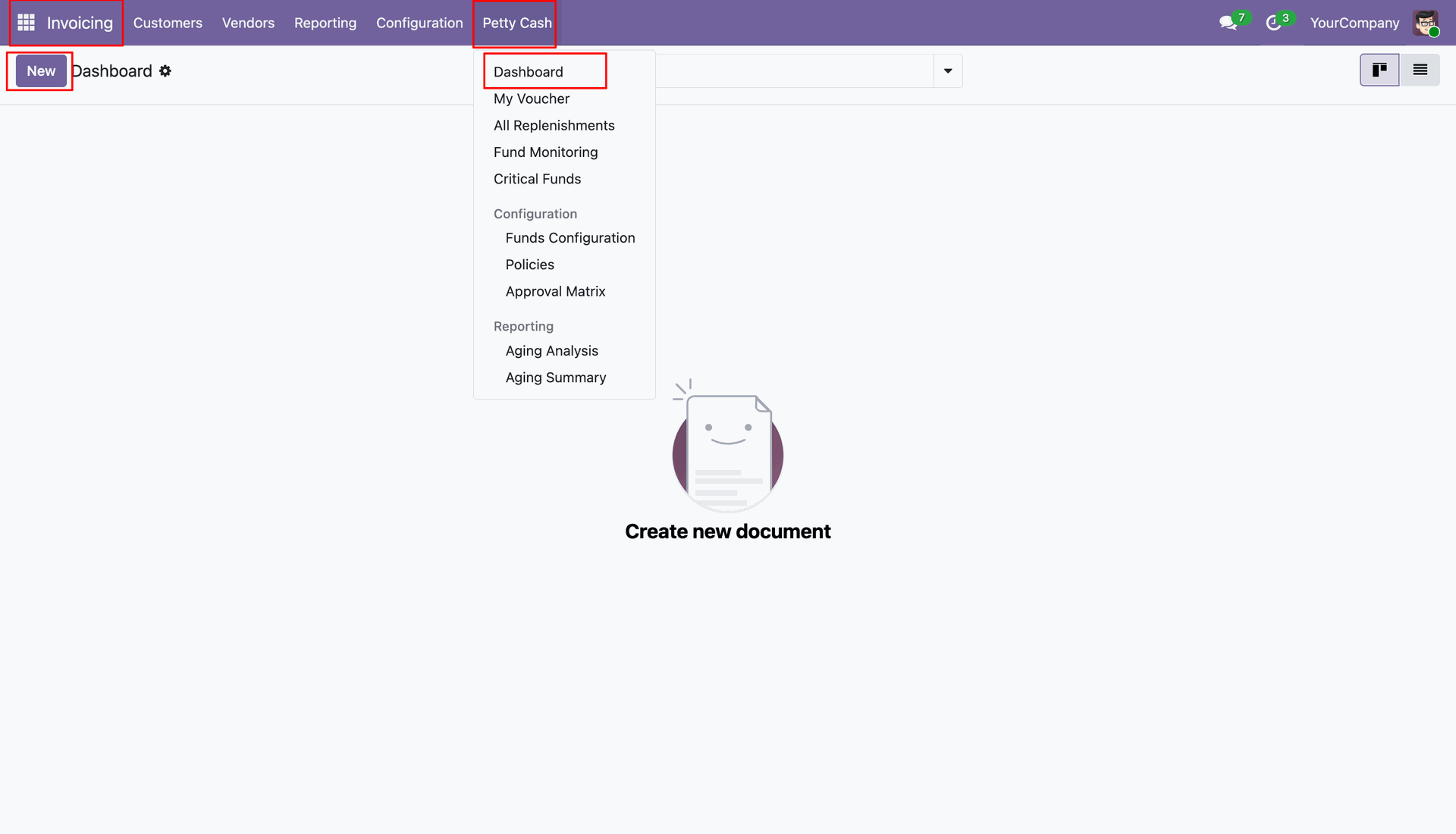
Access the Petty Cash application and view the Dashboard.
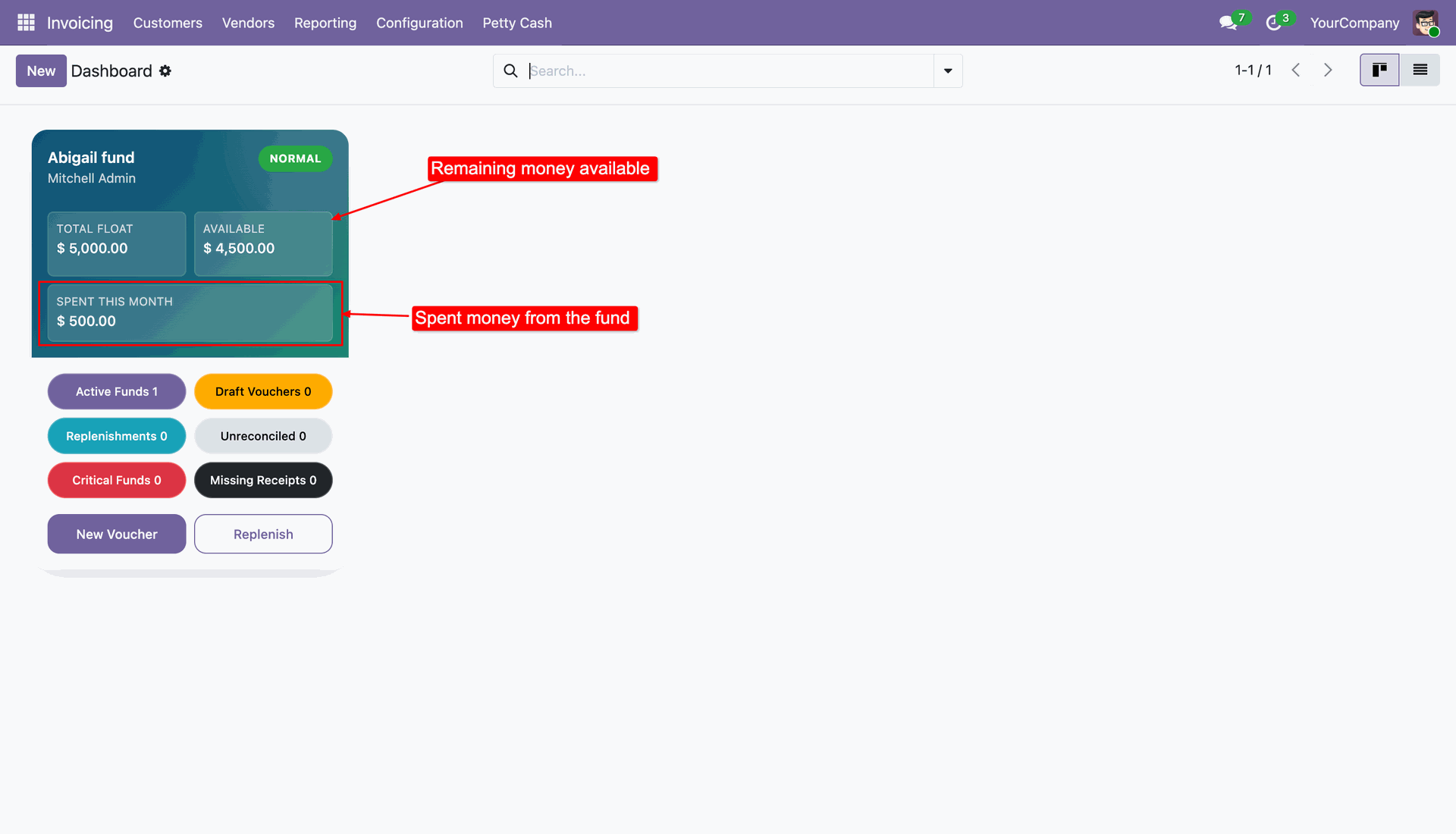
Dashboard showing remaining money available and spent money from the fund.
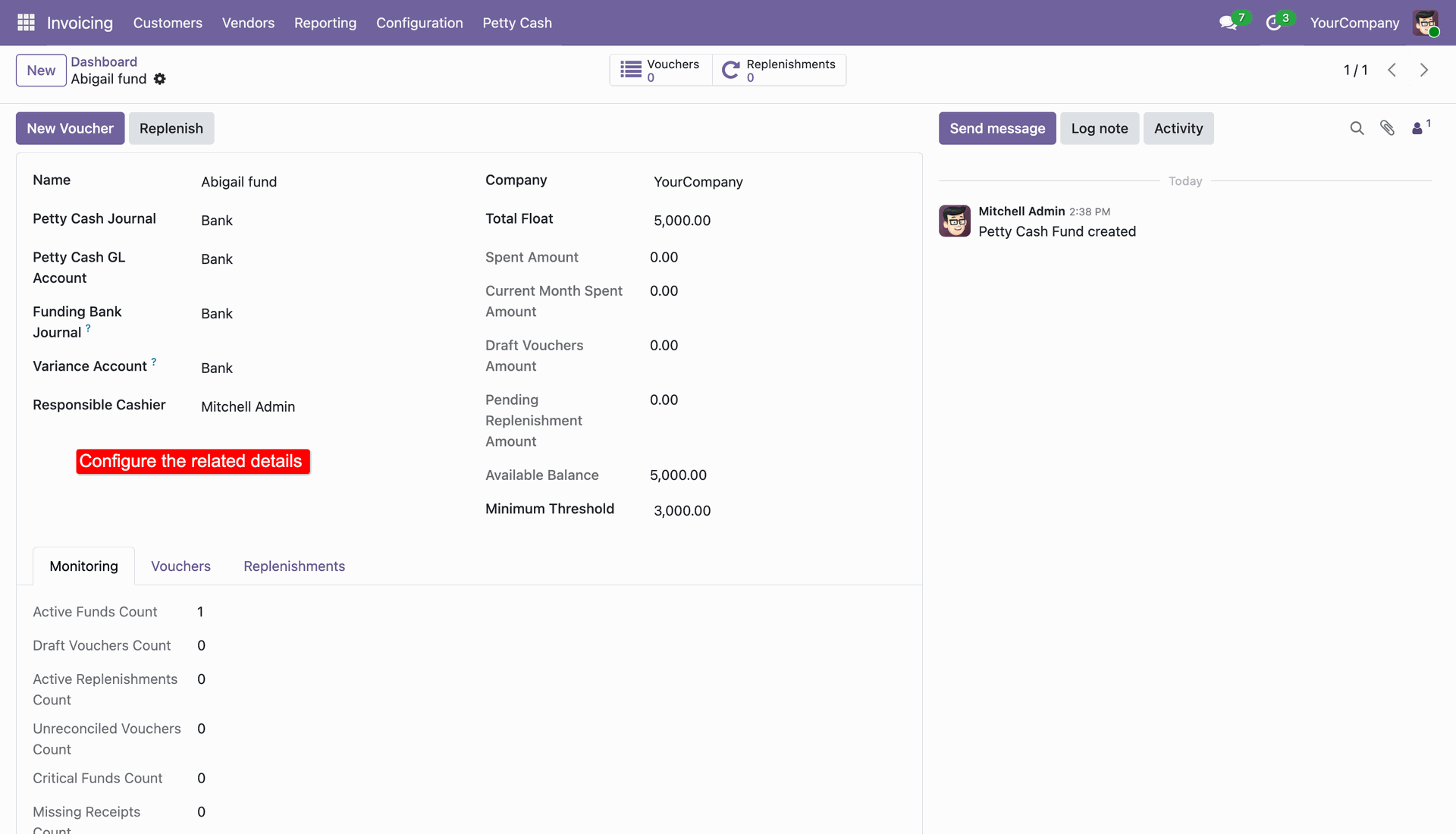
Create a new Petty Cash Fund and configure the related details.
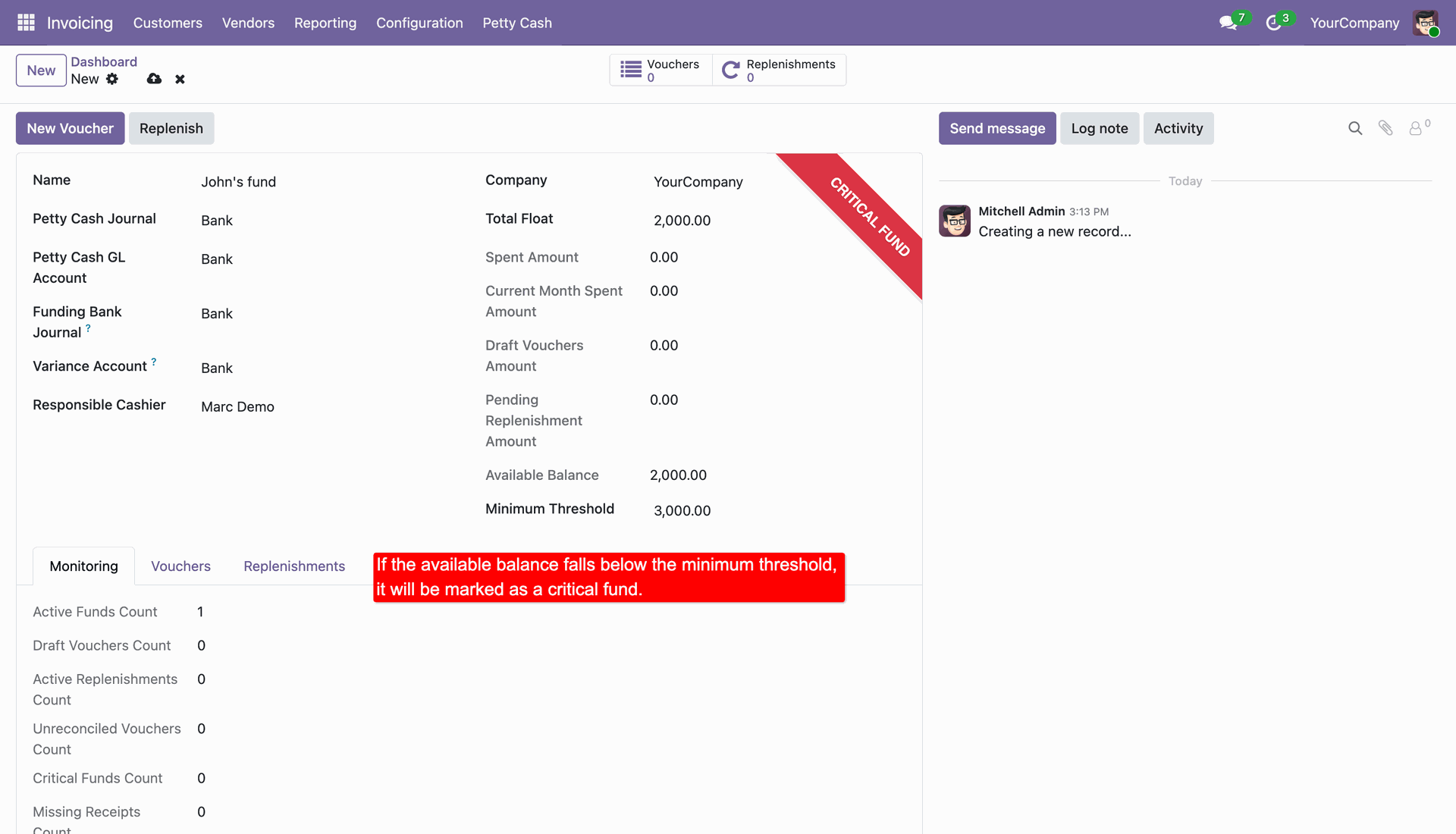
If the available balance falls below the minimum threshold, it will be marked as a critical fund.
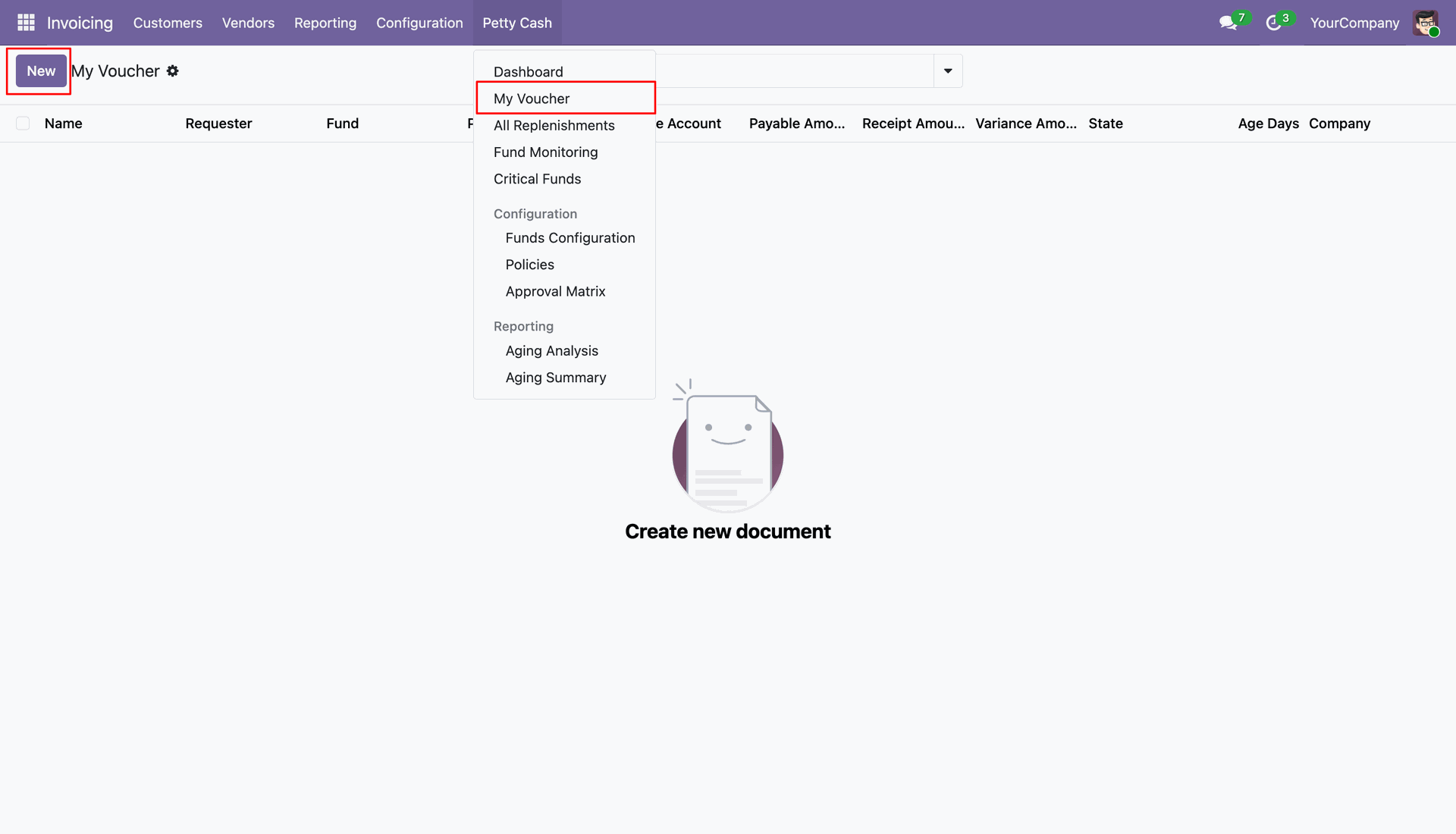
Access the My Voucher menu to create or view petty cash vouchers.
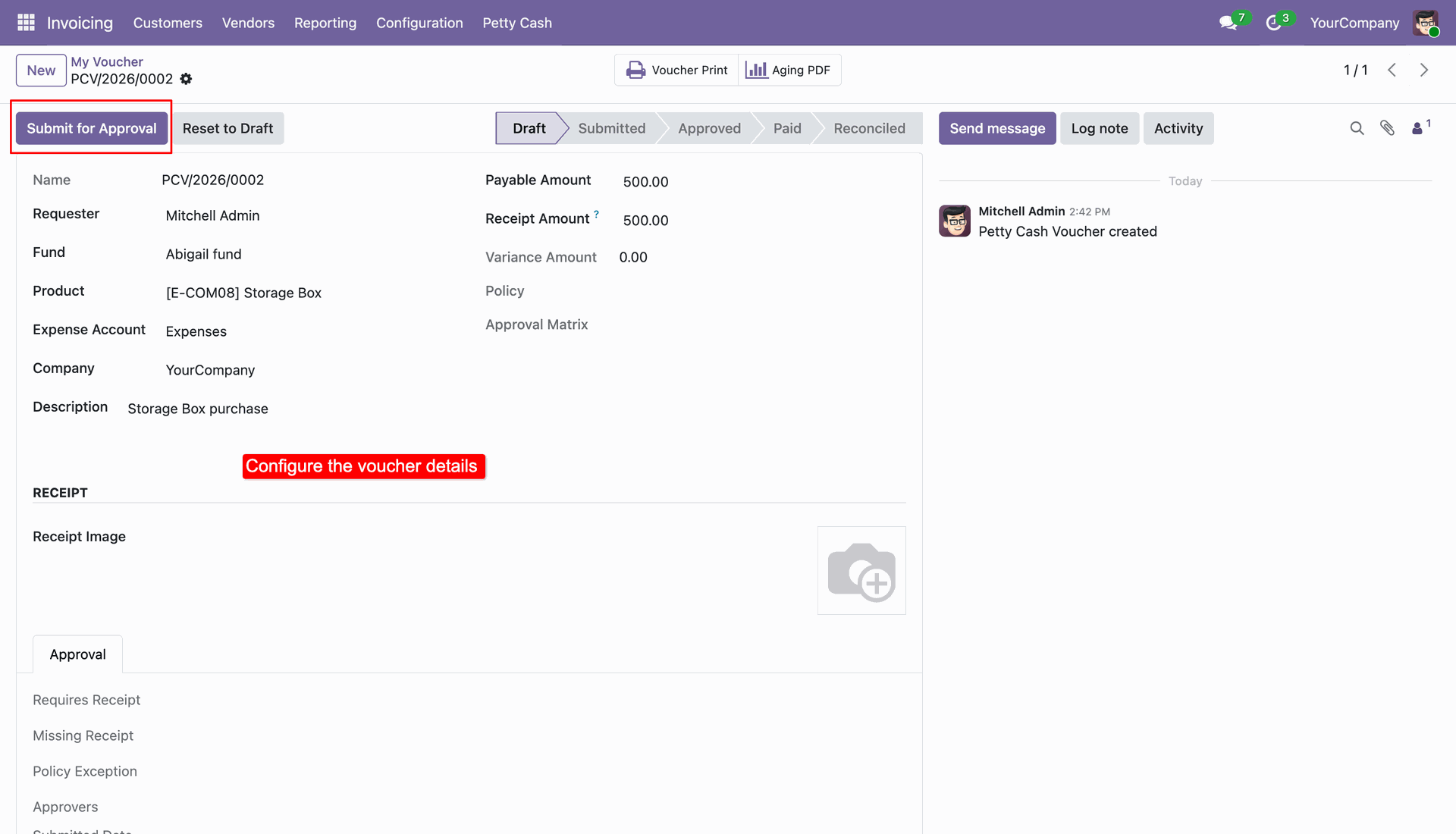
Create a new Petty Cash Voucher and configure the voucher details.
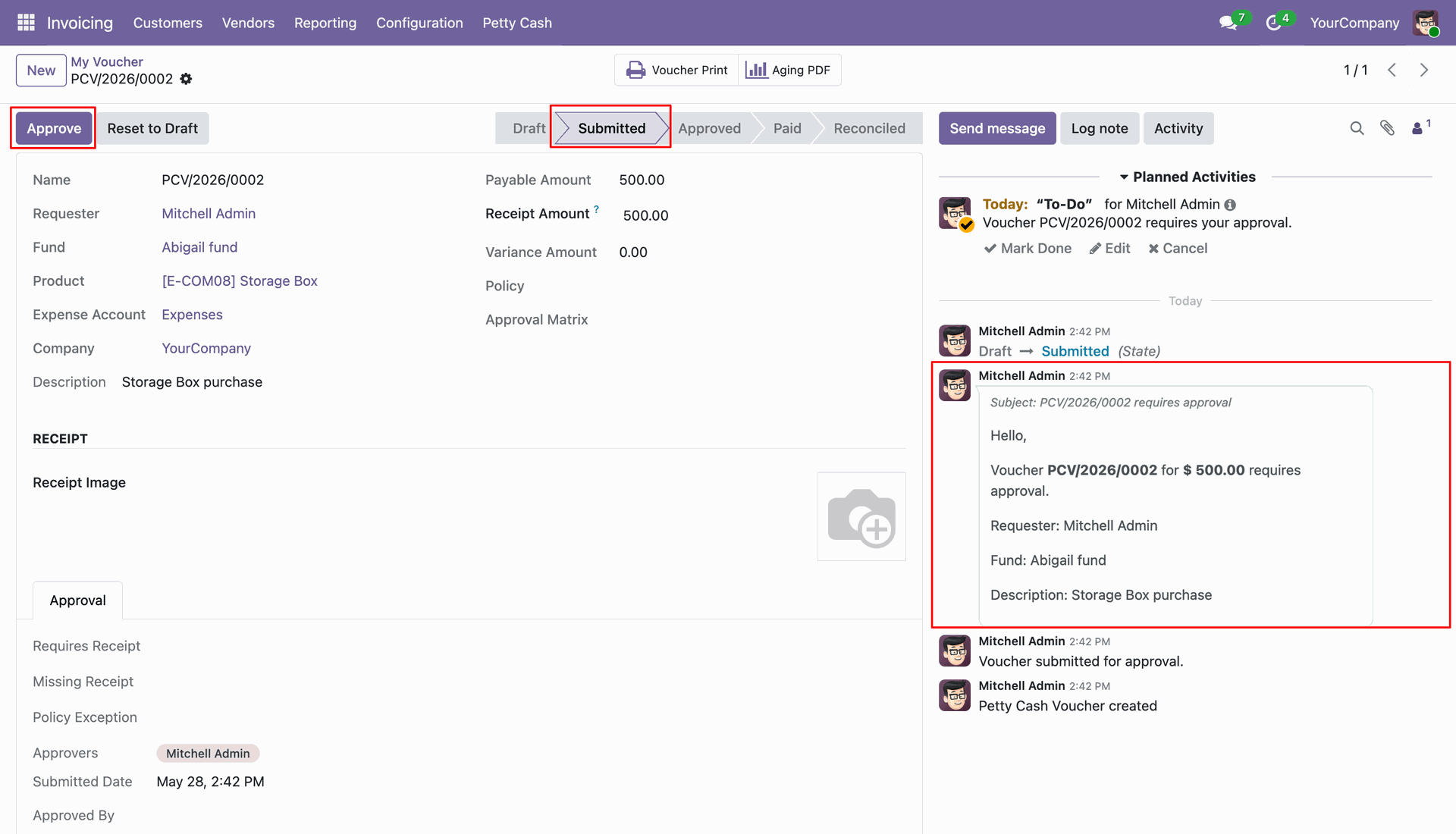
Approve the submitted Petty Cash Voucher.
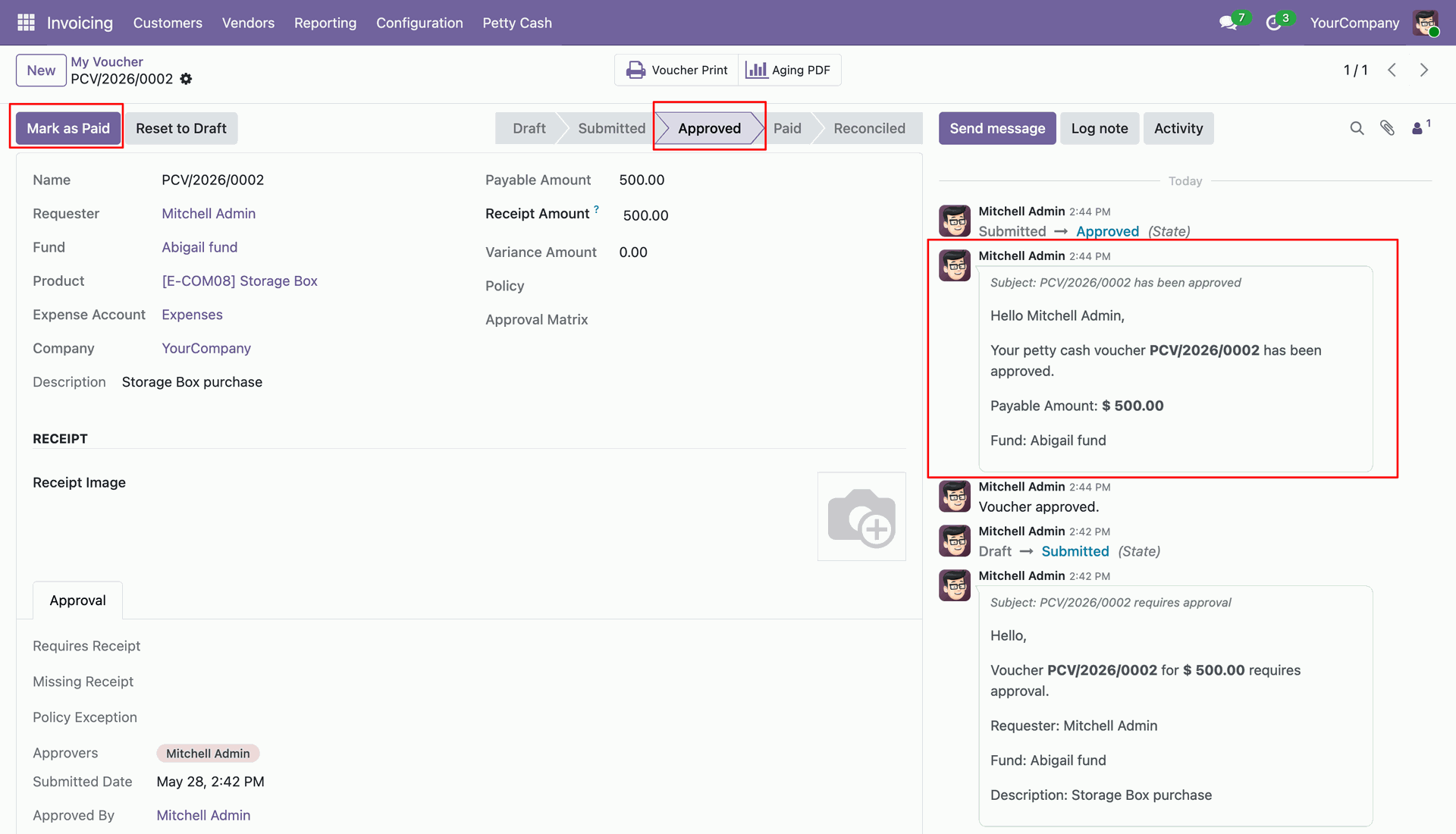
Mark the approved Petty Cash Voucher as Paid.
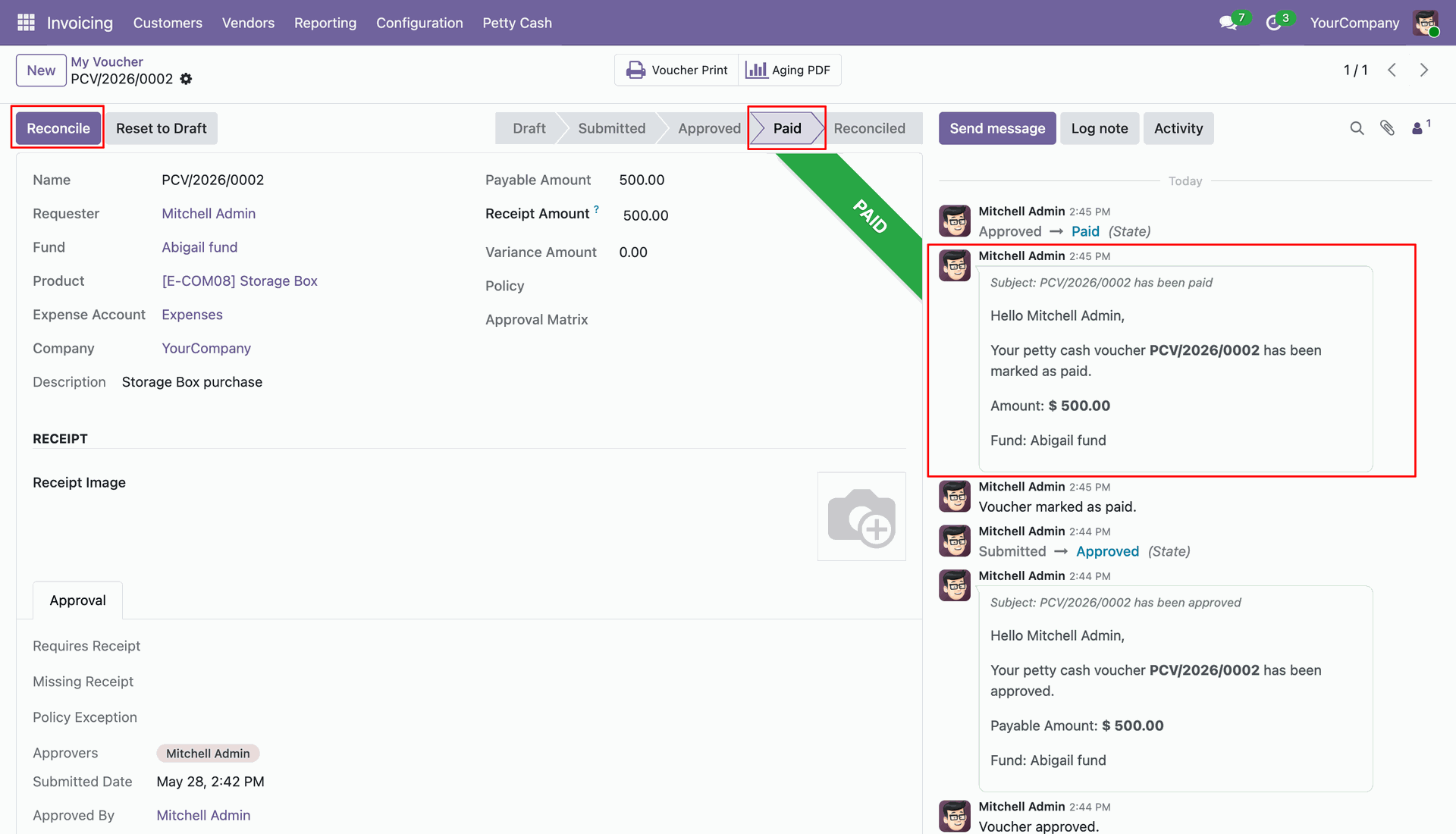
Reconcile the paid Petty Cash Voucher.
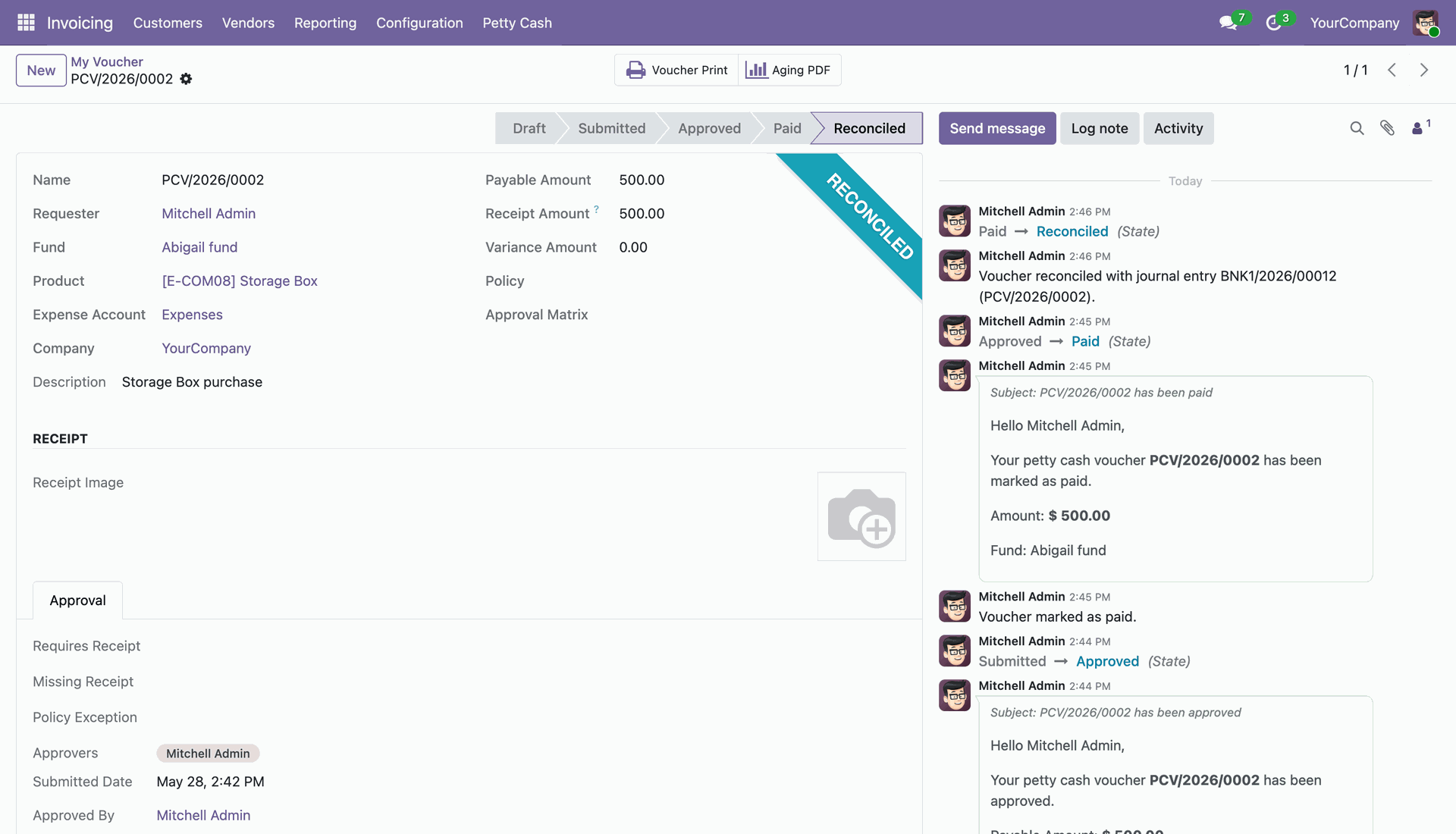
The Petty Cash Voucher is successfully processed and moves to the Reconciled state.
Create a new Petty Cash Replenishment to restore fund balance.
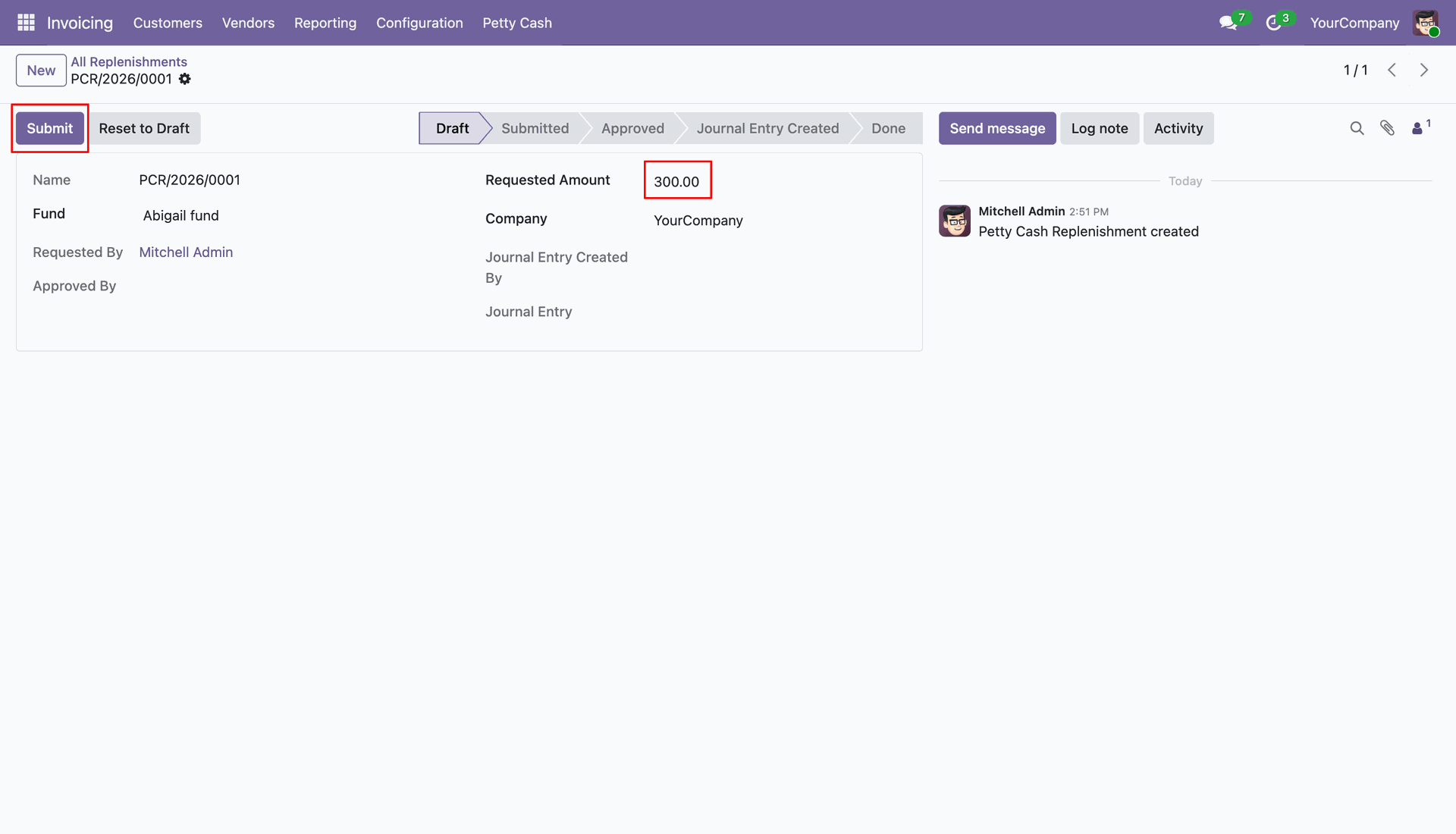
Approve the Petty Cash Replenishment request.
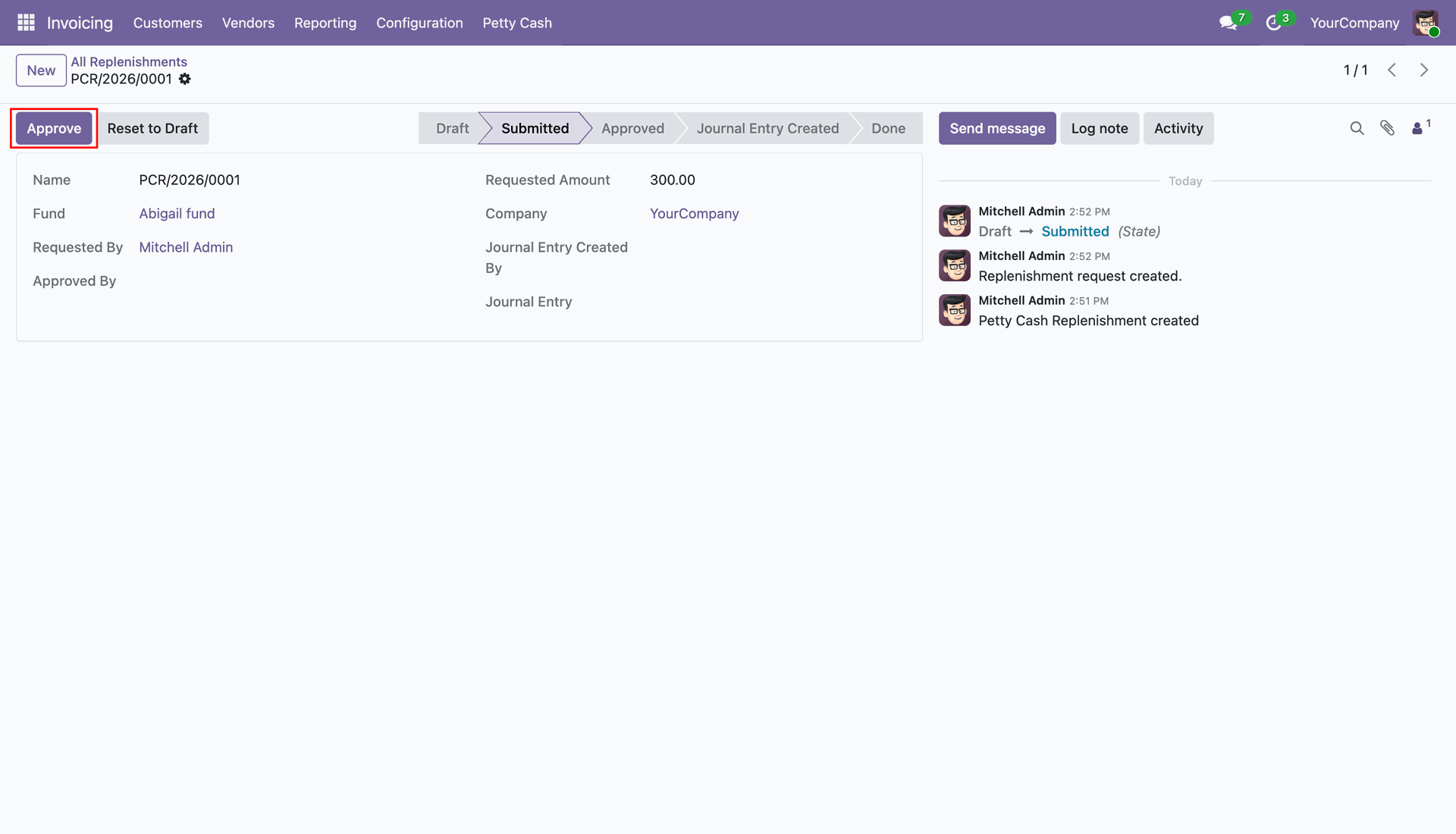
Create a Journal Entry for the approved Replenishment.
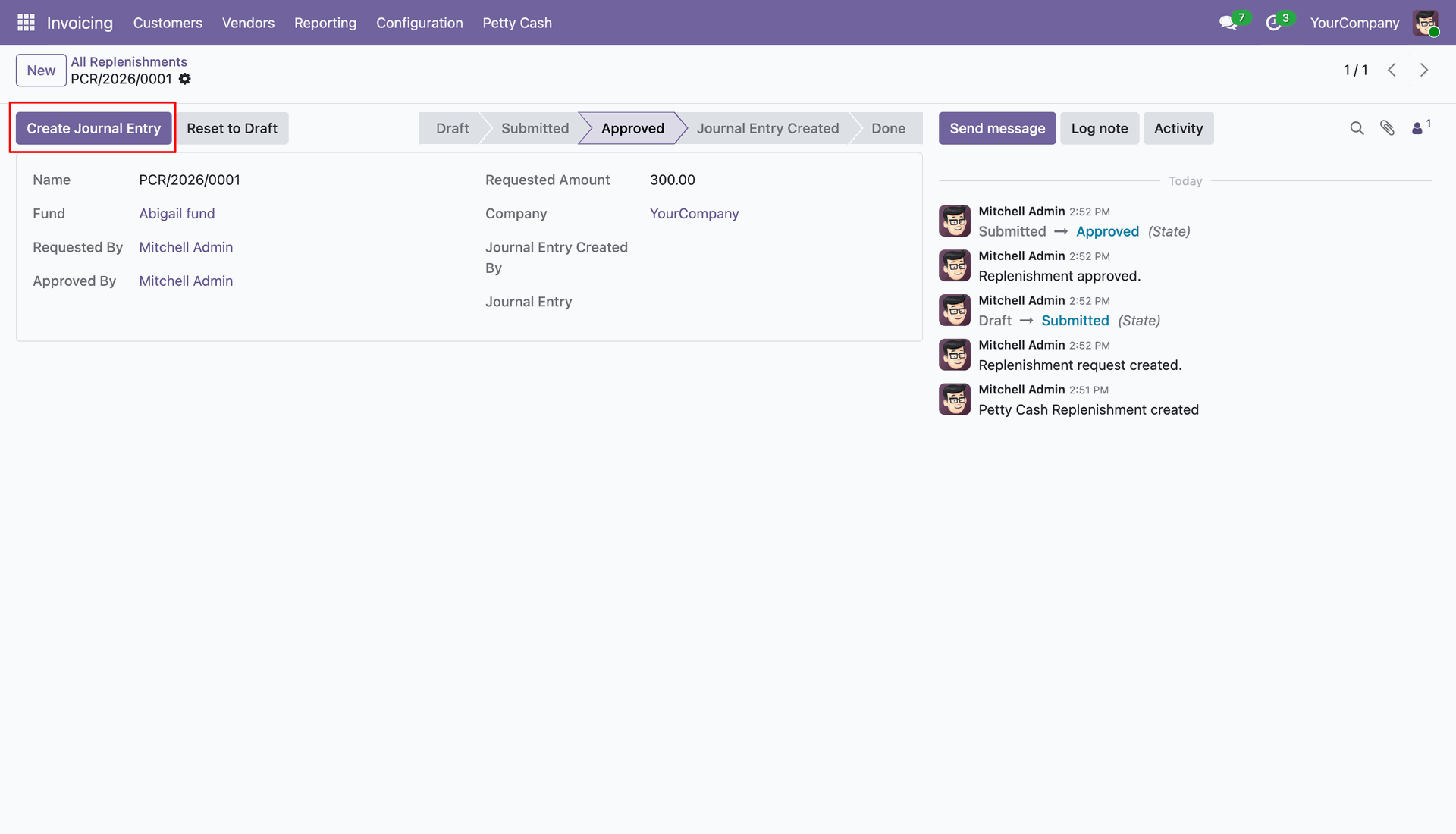
A journal entry is created for the Petty Cash Replenishment.
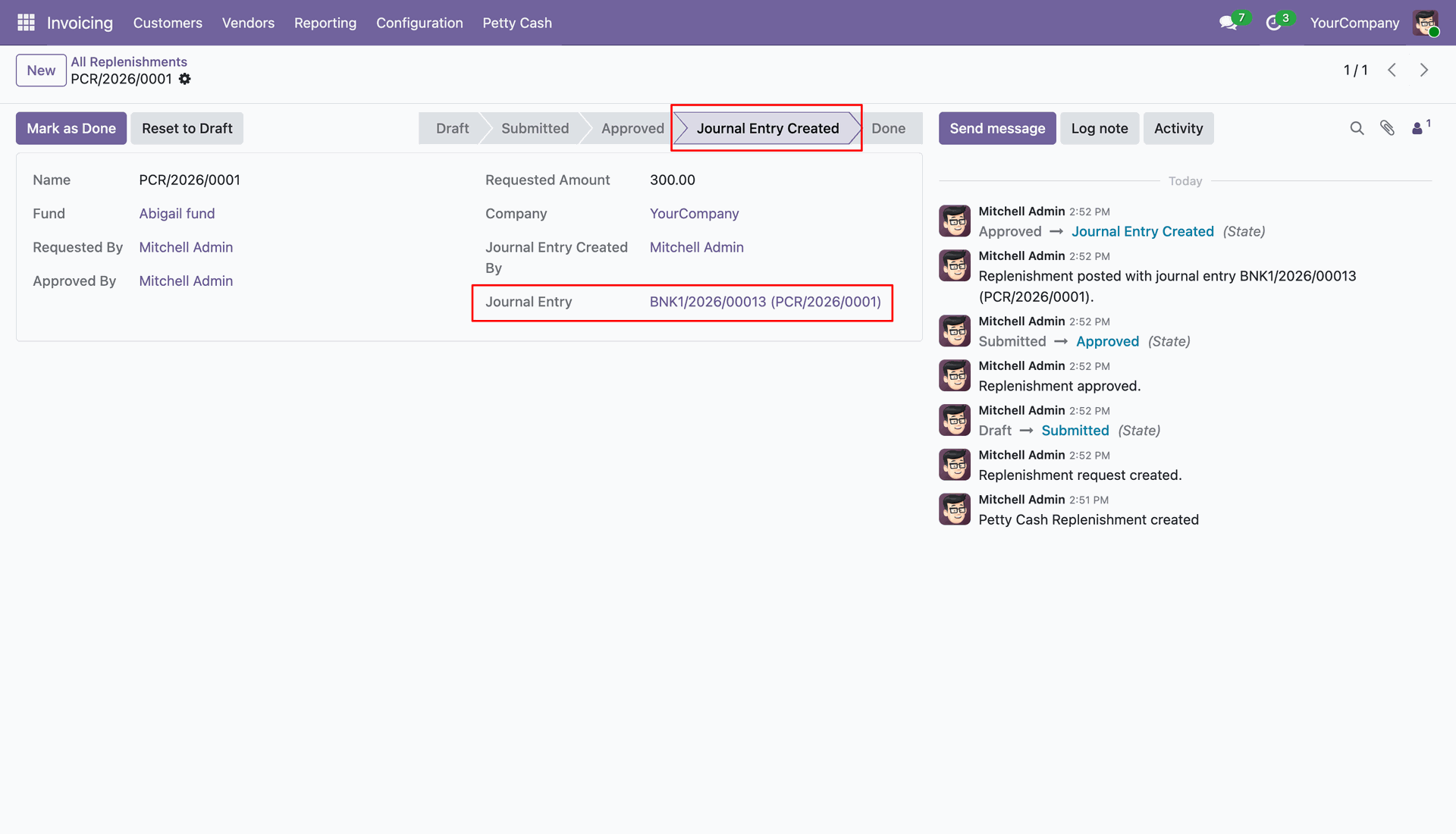
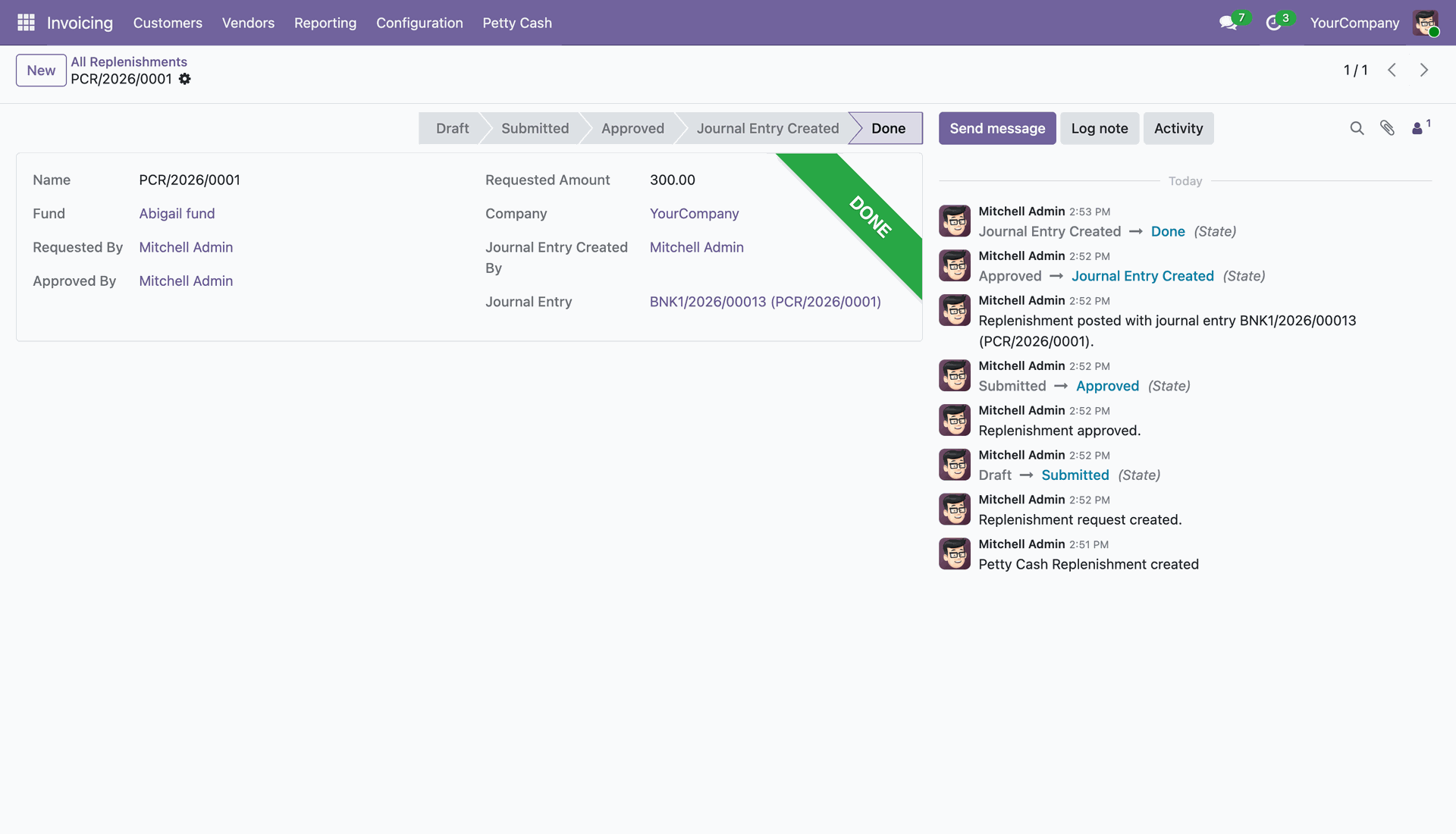
The Petty Cash Replenishment is completed and marked as Done.
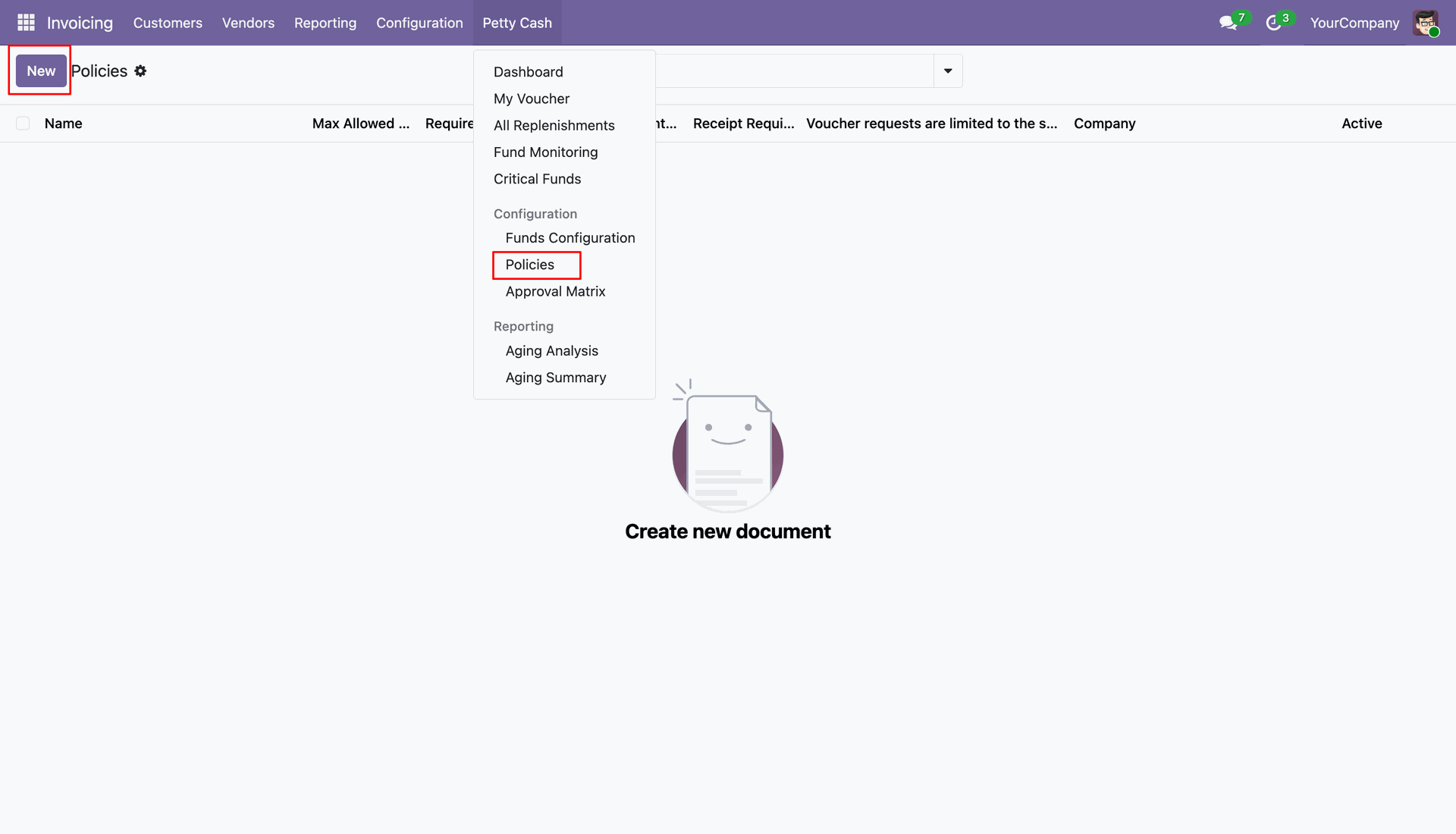
Create a new Petty Cash Policy from the Configuration menu.
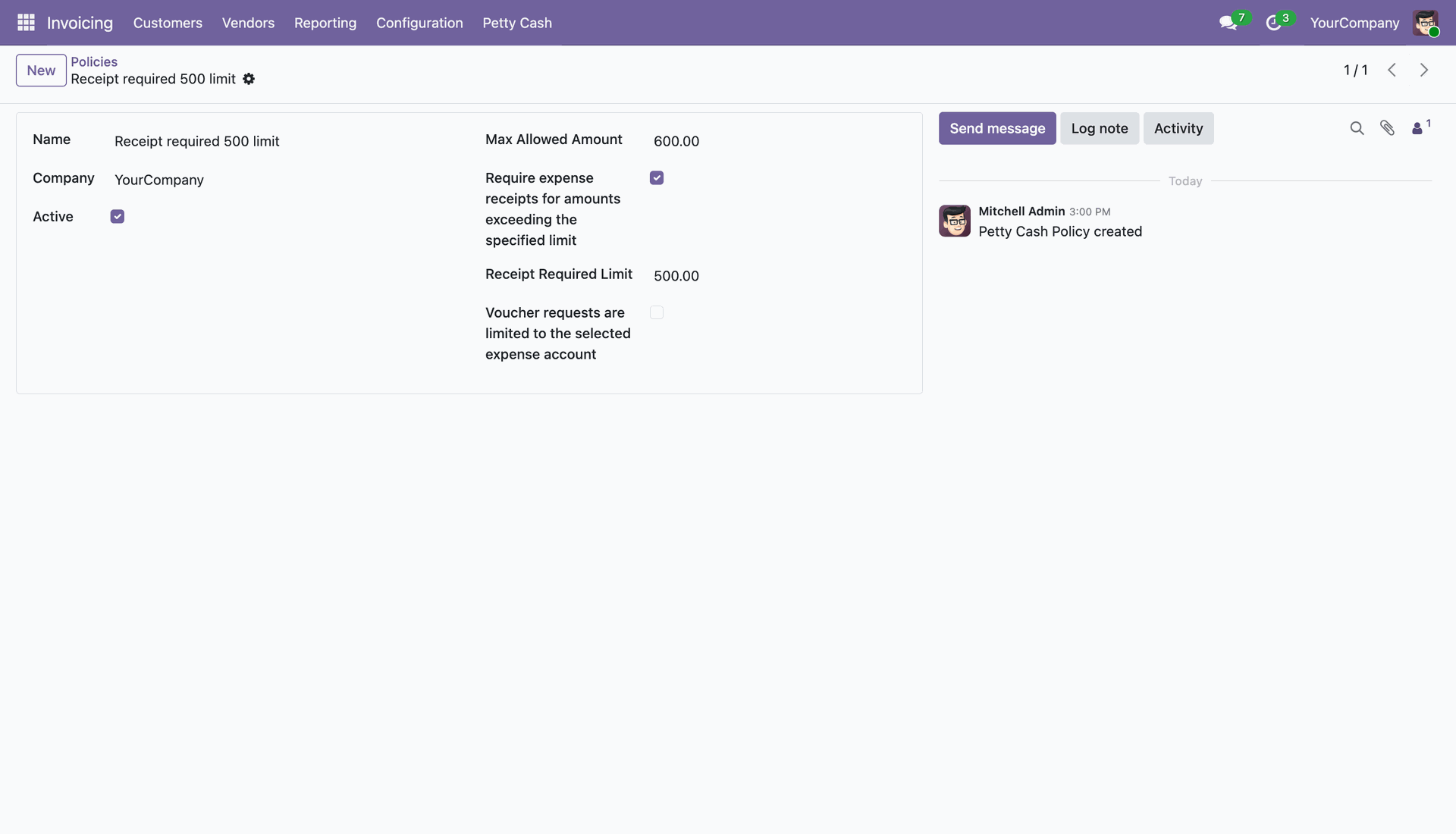
Configure a Petty Cash Policy, setting expense limits and receipt requirements.
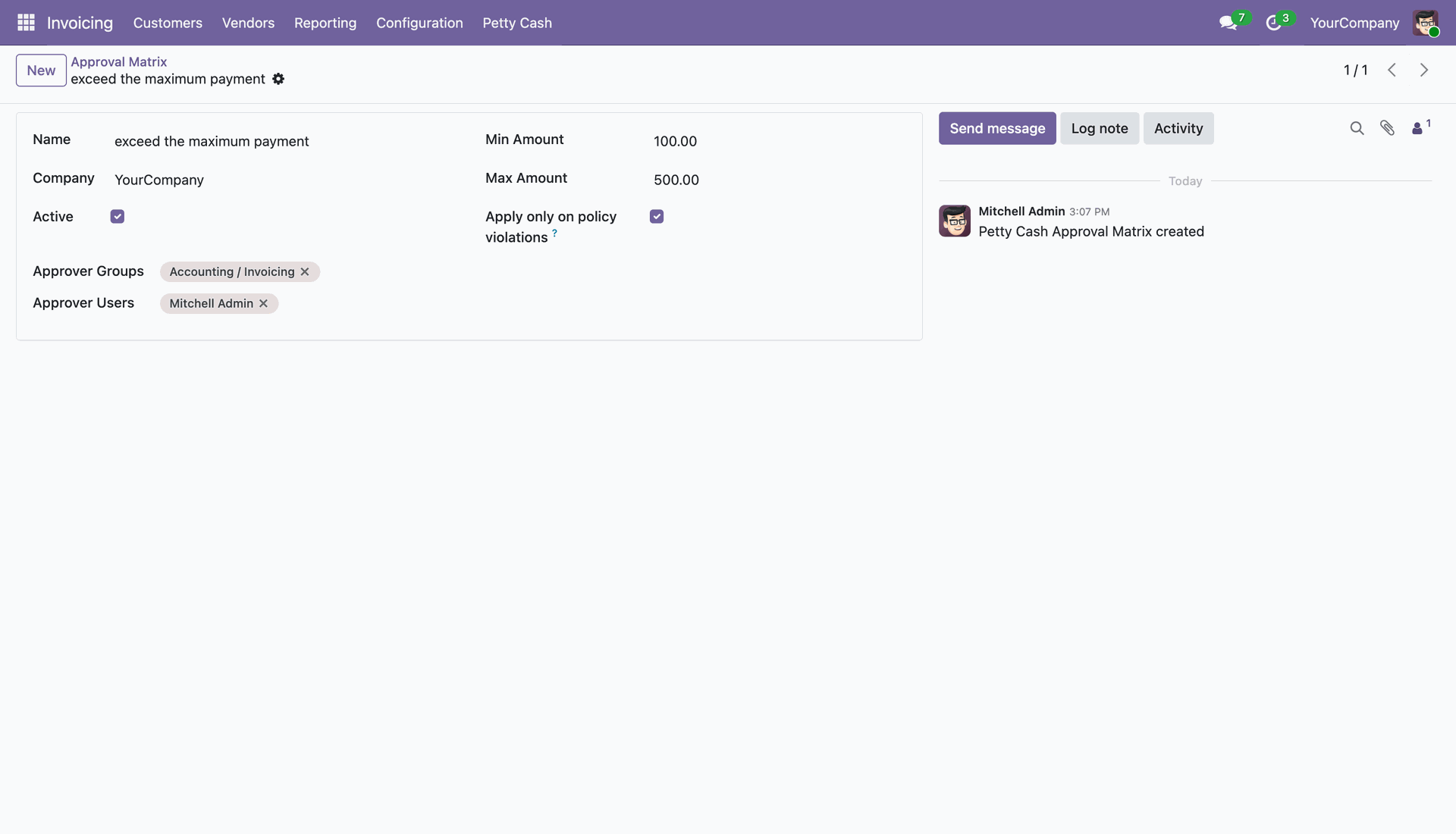
Configure the Petty Cash Approval Matrix for policy violations.
Create a new Petty Cash Approval Matrix from the Configuration menu.
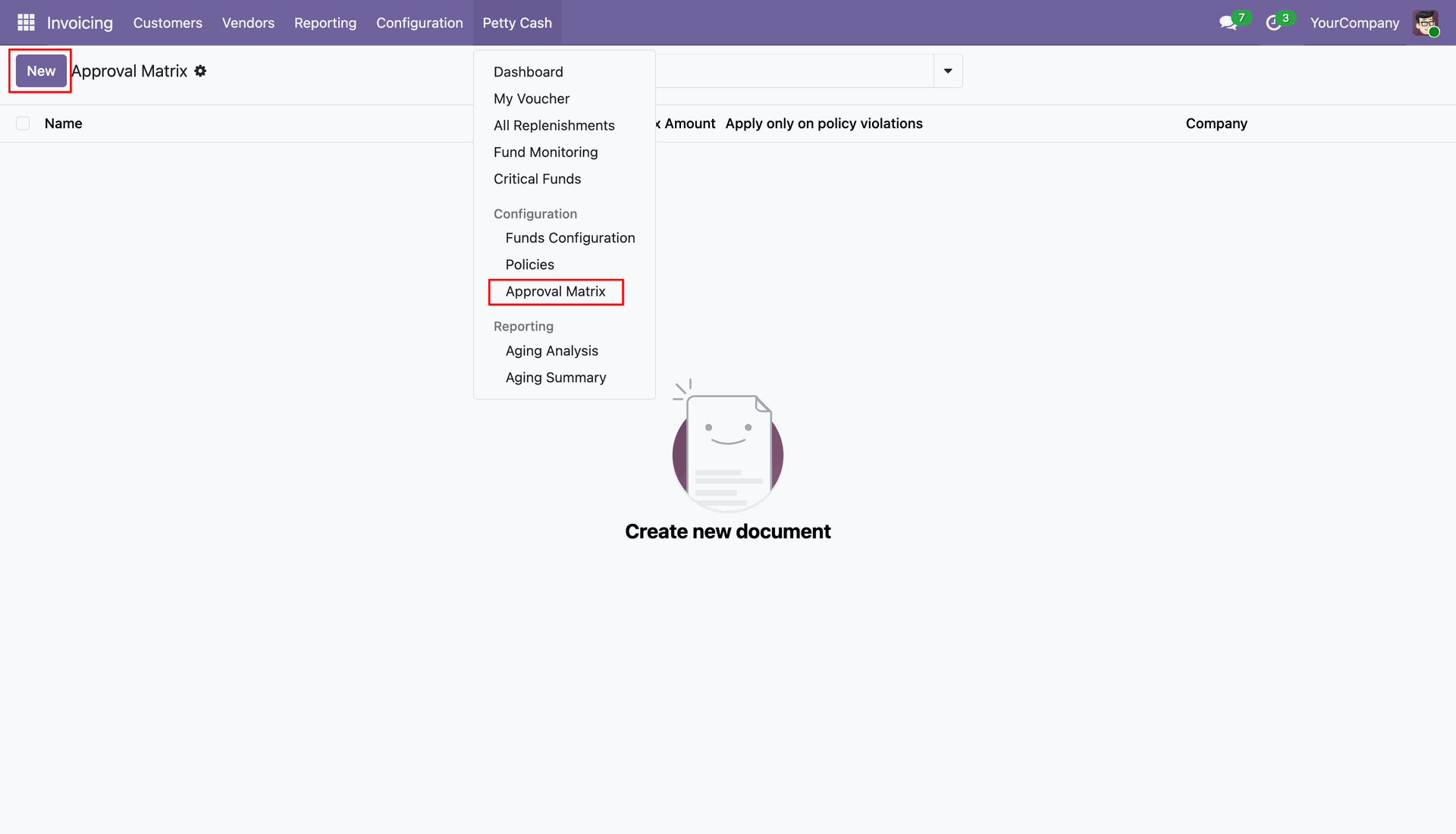
Set minimum and maximum amount limits and apply them to policy violations in the Approval Matrix.
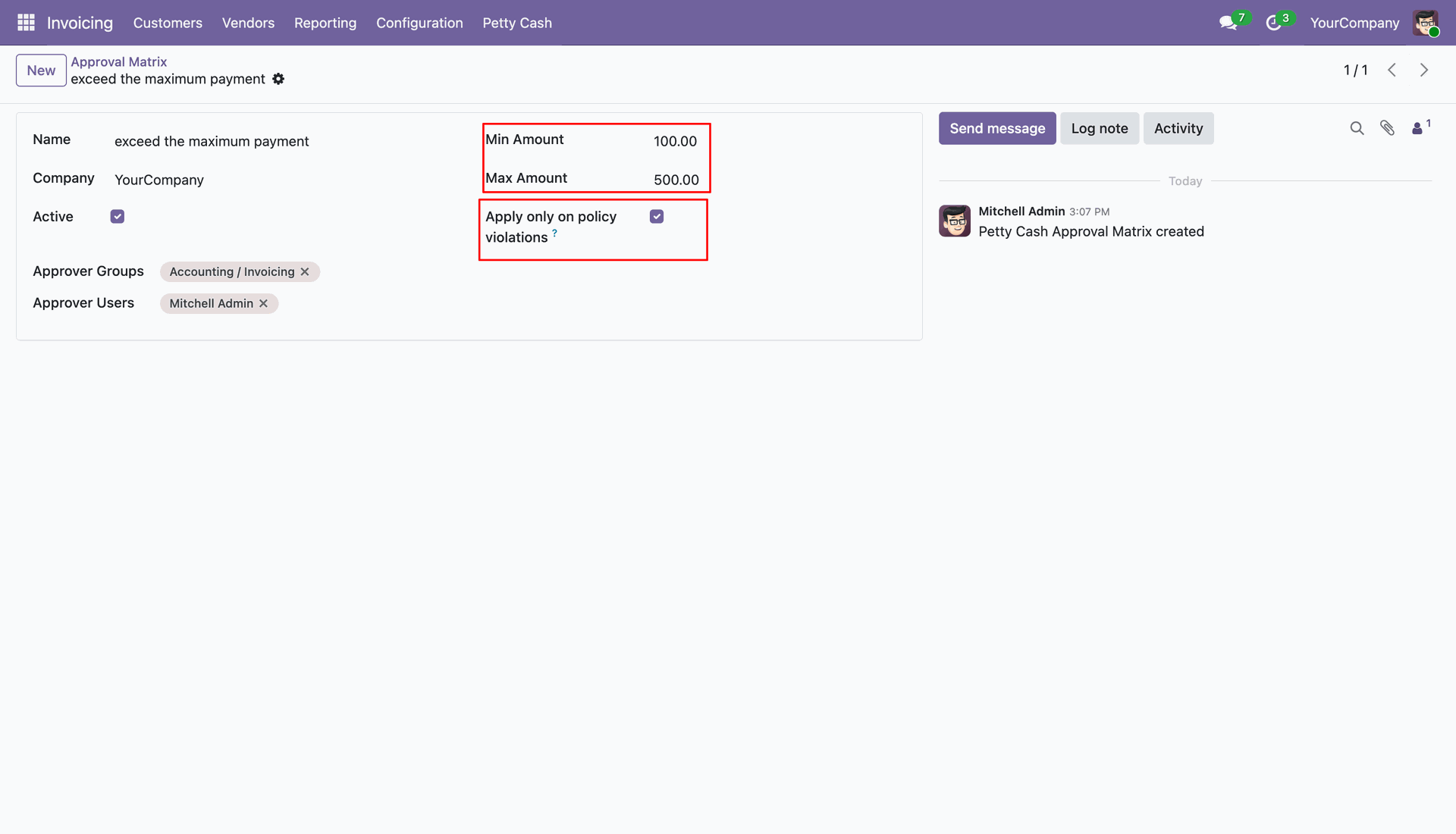
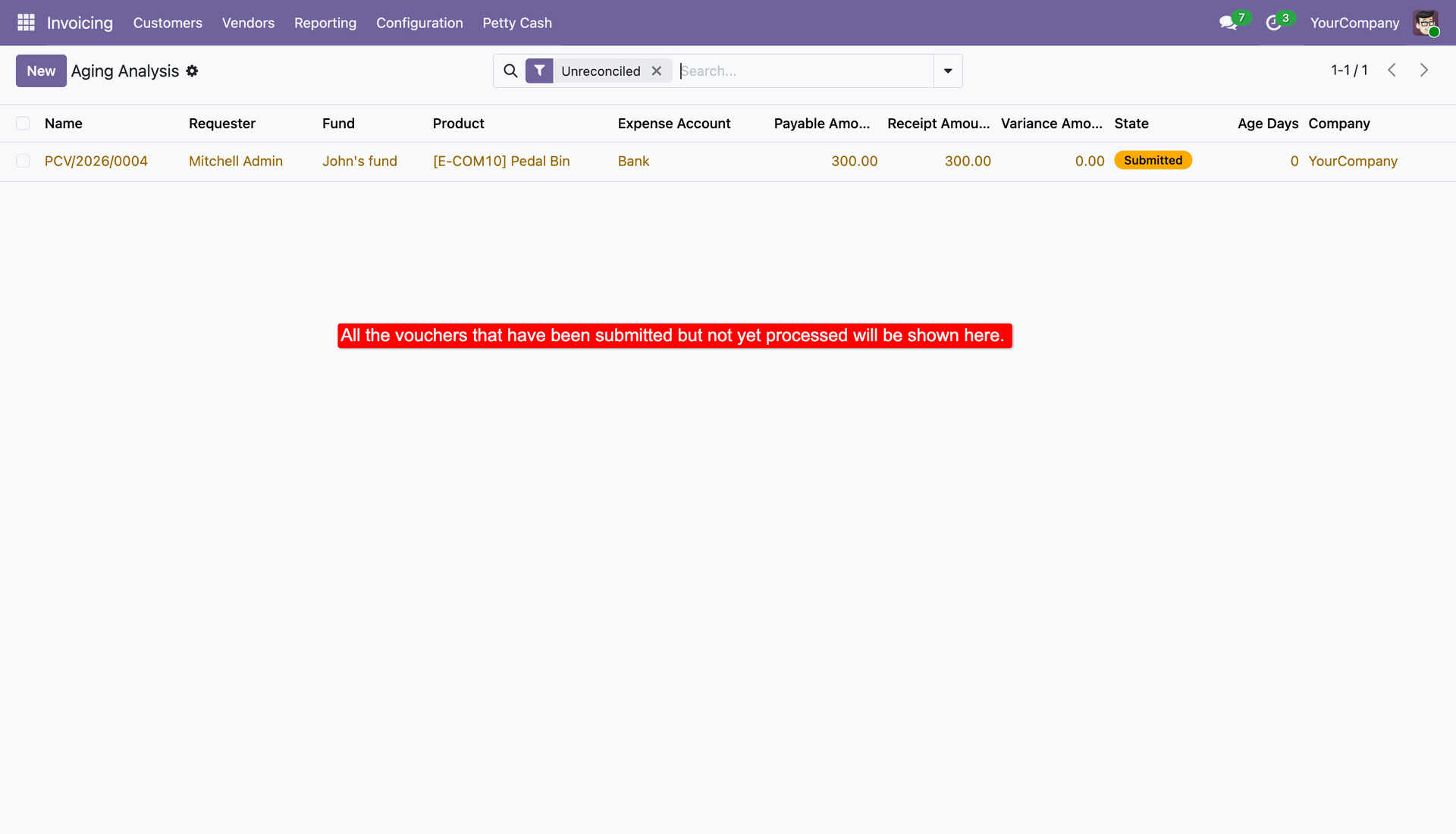
Navigate to the Petty Cash Aging Analysis report.
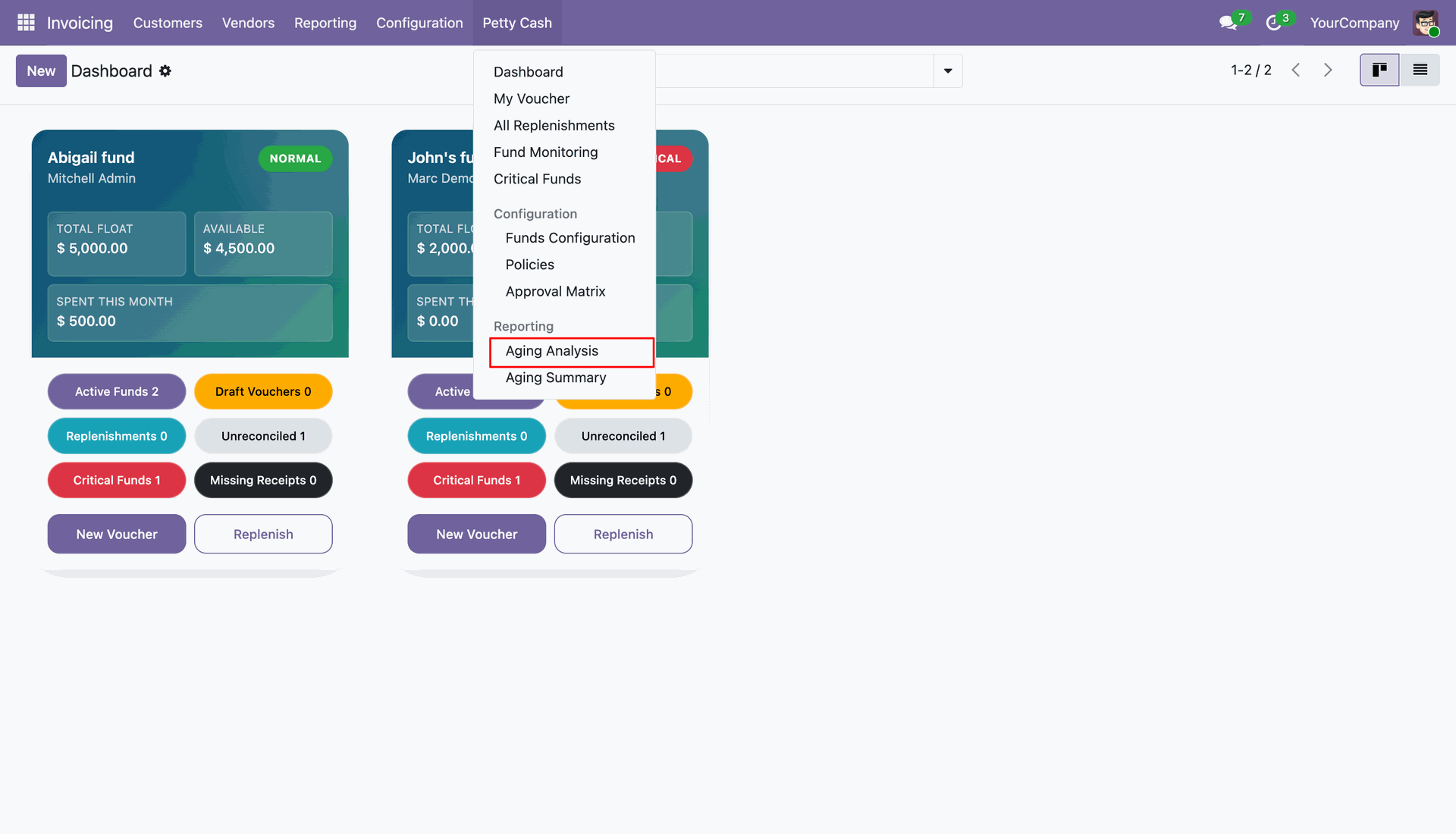
Access the Aging Summary report from the Reporting menu.
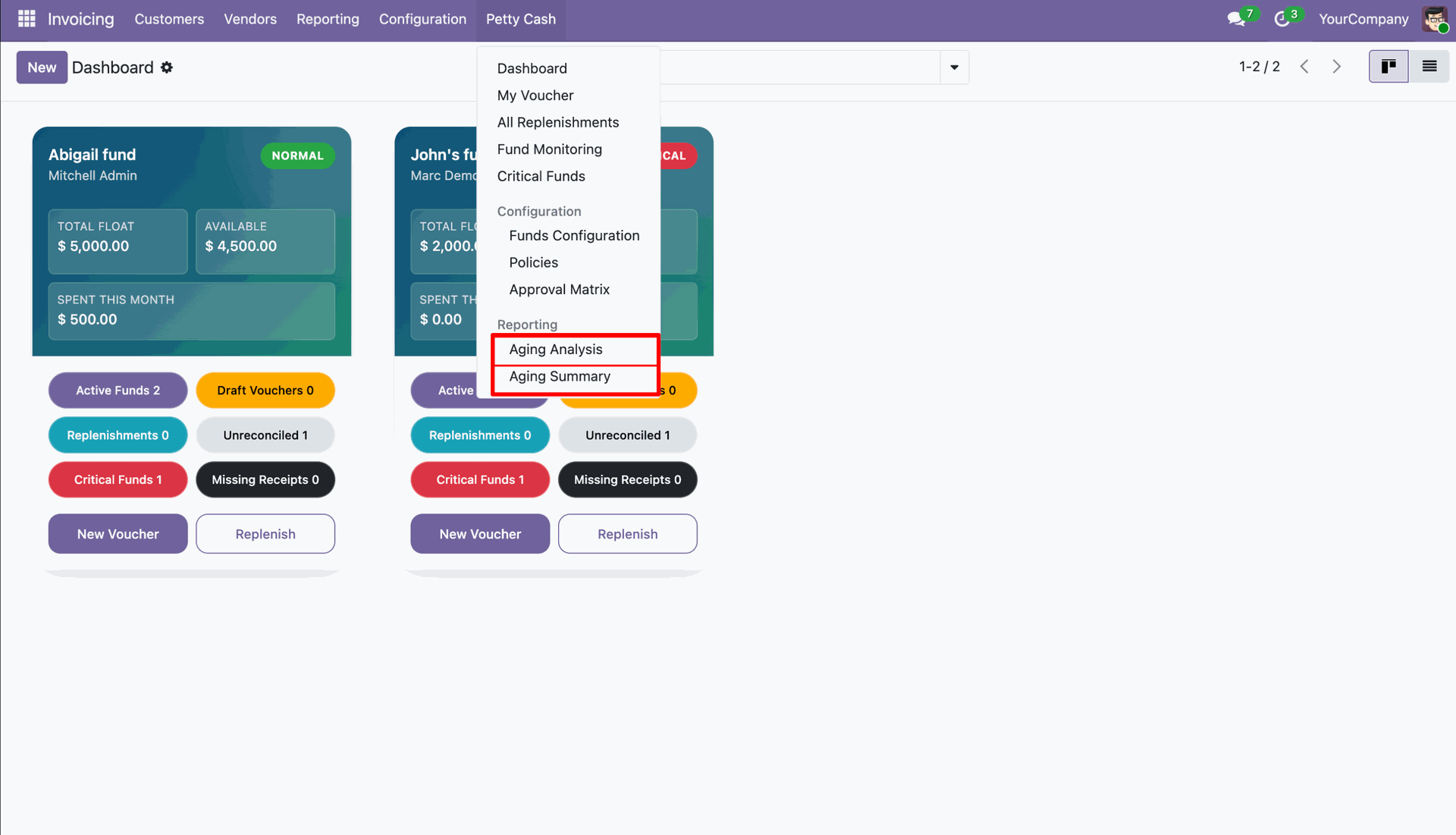
Aging Analysis report showing vouchers that have been submitted but not processed.
Version 18.0.1.0.0 | Released on : 30th July 2026
- Yes, this app works perfectly with Odoo Enterprise (Odoo.sh & Premise) as well as Community.
- No, this application is not compatible with odoo.com(odoo saas/Odoo Online)
- Yes, to test this module, please contact us at sales@softhealer.com.
- Please contact us at sales@softhealer.com to request customization.
- Yes, we provide free support for 365 days from the date of purchase.
- Yes, you will receive lifetime free updates for the version of the module you purchased.
- No, there is no need to install any additional libraries.
- Yes, for version 12 and above, you need to purchase the module separately for each version you intend to use.
- No, exchanges or refunds are not allowed. Please make sure to select the correct version before purchasing.
- You can contact us at support@softhealer.com for language translation support. We use Google Translator tools to provide translations in multiple languages, so the accuracy may vary. We welcome your suggestions to help improve translations.
Discover Our Latest Apps