













Period Lock - Community Edition

"Period Lock" module blocks respective journals like customer invoices, vendor bills. of selected journals so you can lock transactions for the given date range. We provide unlock option to revert the lock when required. It prevents users from posting journals on a date after the defined period.

Related Modules
Hot Features
Features
- You can give access rights to specific users for unlock period.
- You can lock journals for certain period of time.
- By locking the date you can prevent users from posting wrong transactions.
- When necessary, the 'Unlock' option is provided to revert the lock.
-
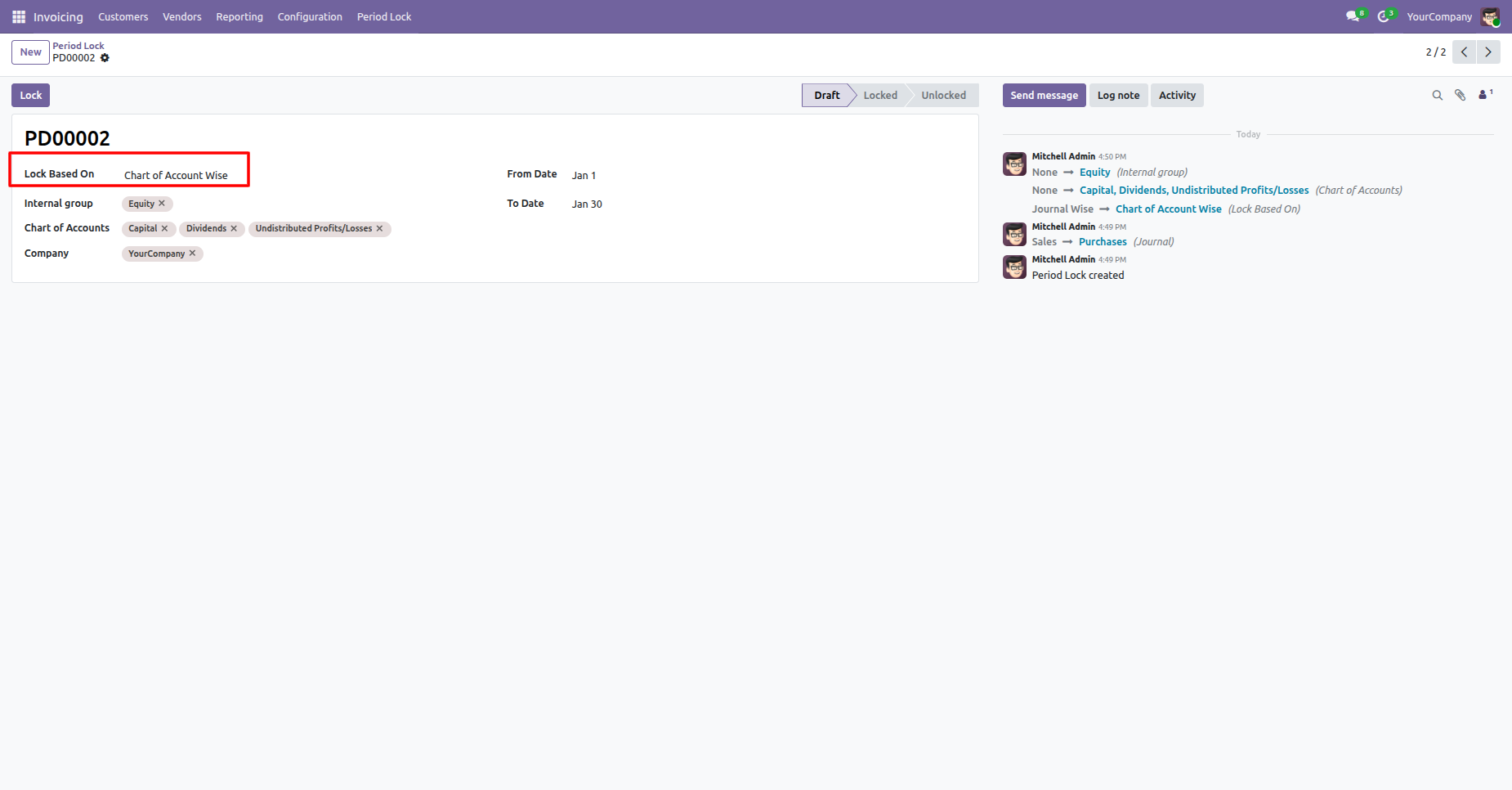
You can lock journal entries for the selected chart of accounts.

-
Easily define lock dates to restrict any changes after a specific period.
-
Maintain better control over accounting periods and data security.
-
Easily set a lock date to prevent the creation of invoices, bills, credit notes, and refunds.
-
You can restrict expense approvals once the specified lock date.

Go to the "Period Lock" menu.
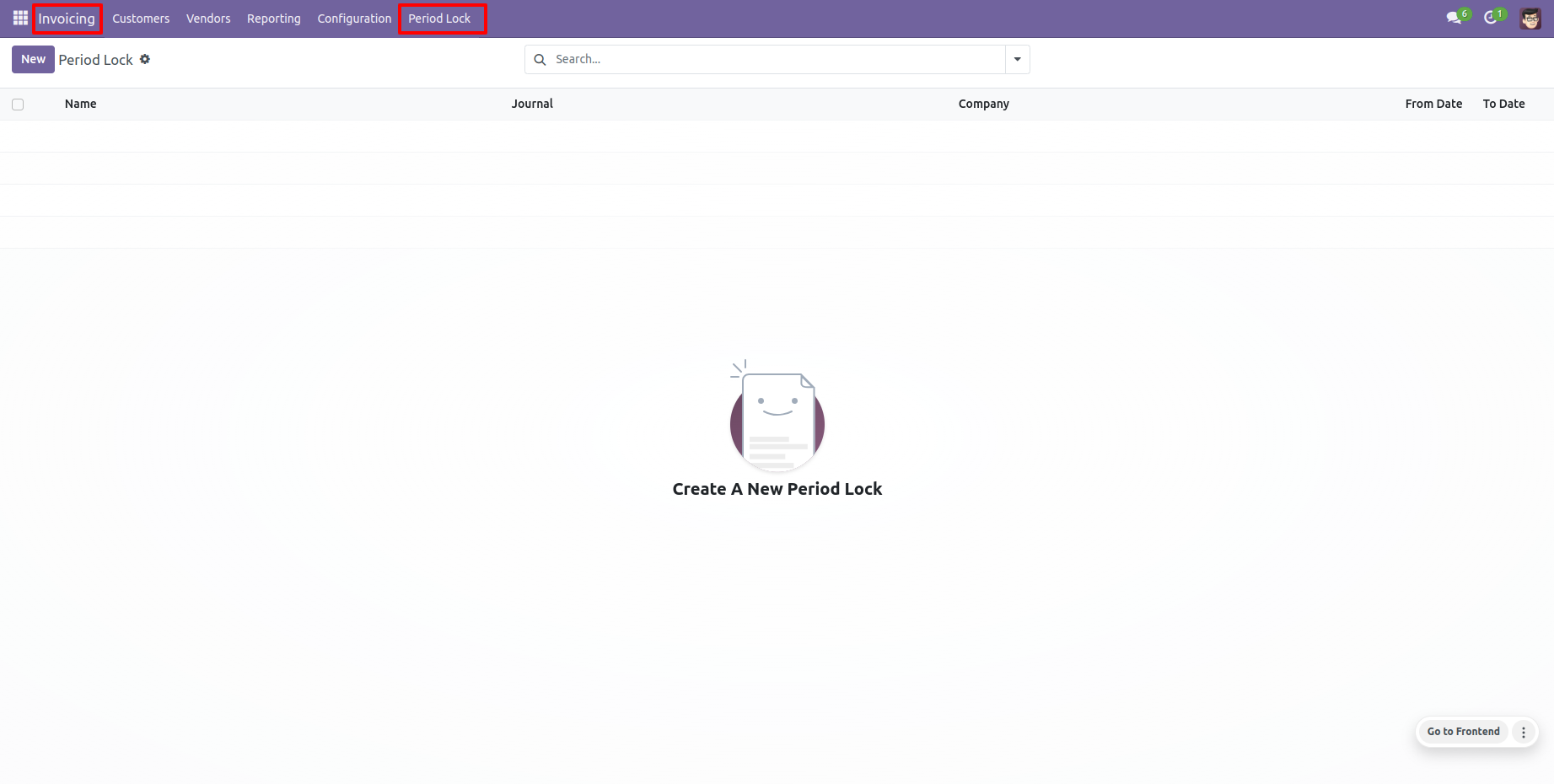
Period lock form view looks like this, Enter details and lock it.
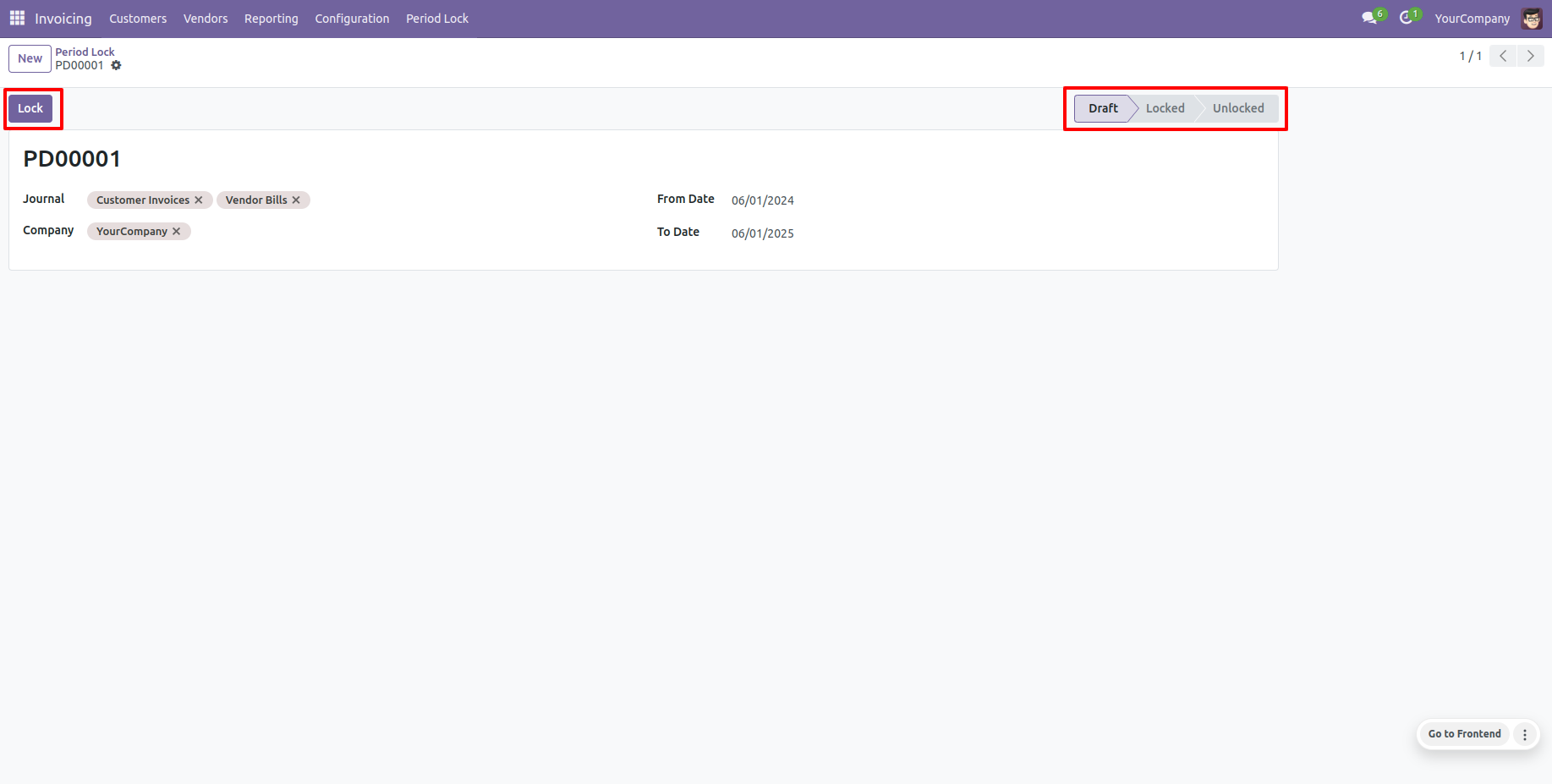
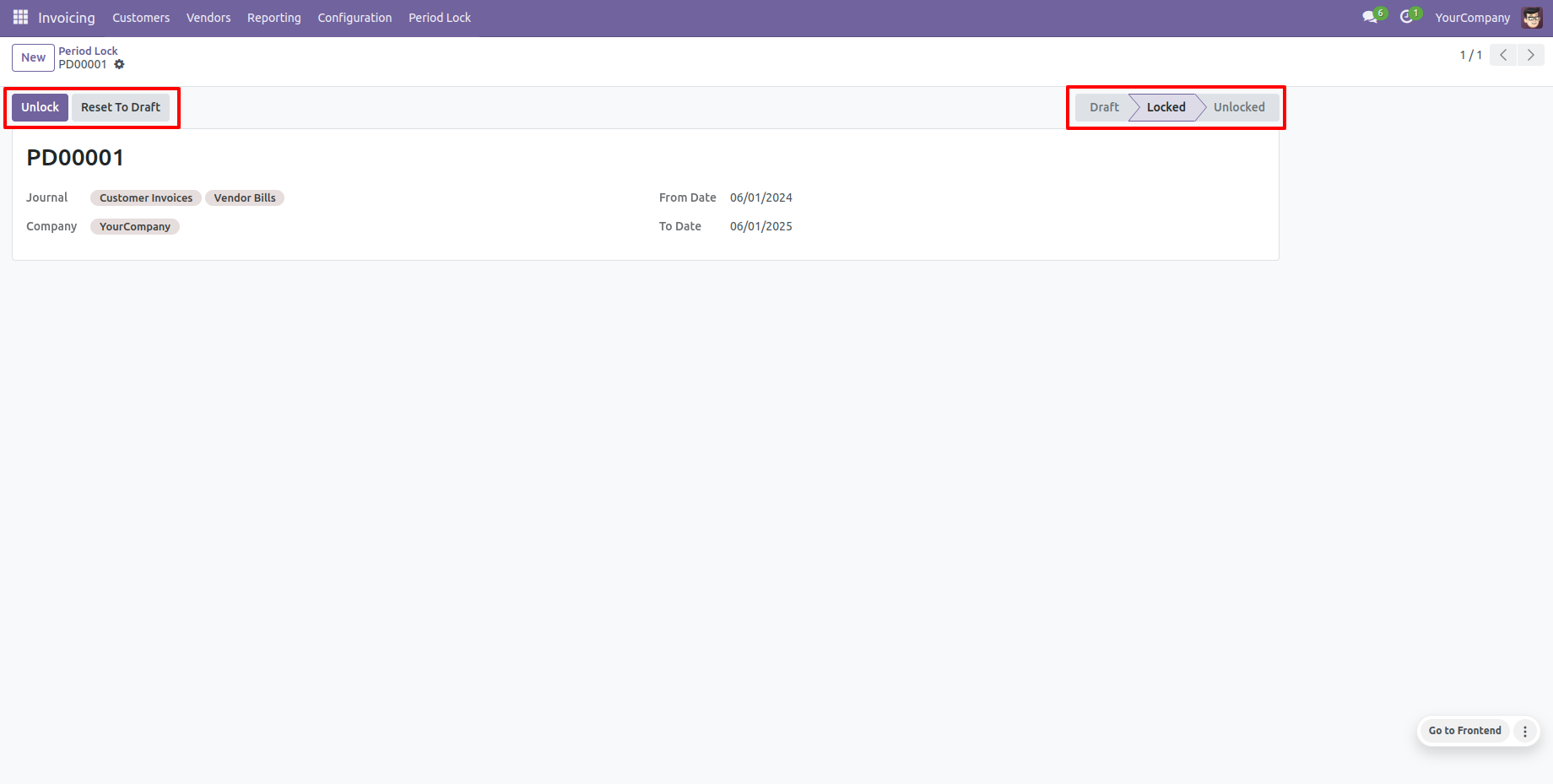
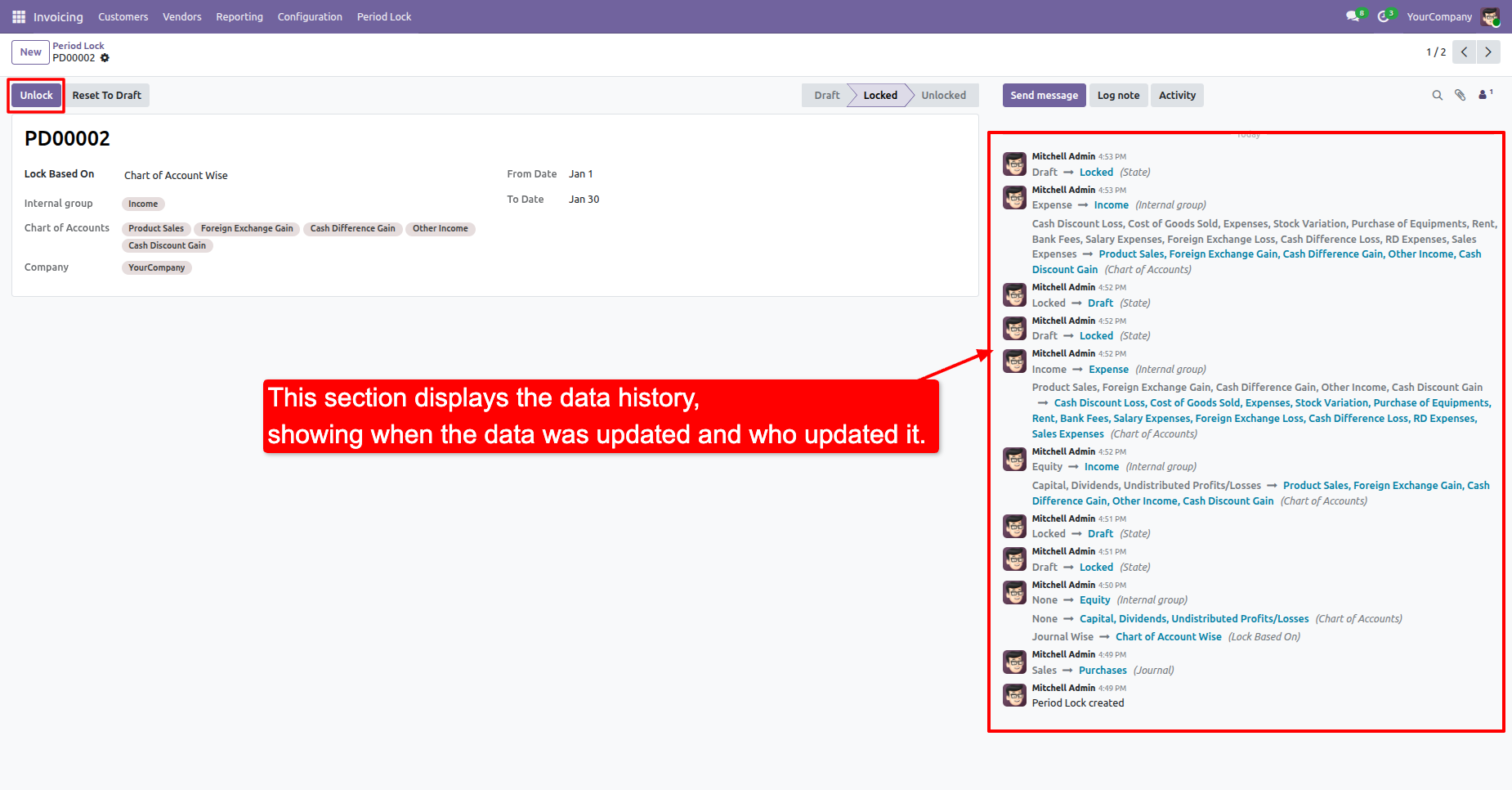
We provide unlock option to revert the lock when required.
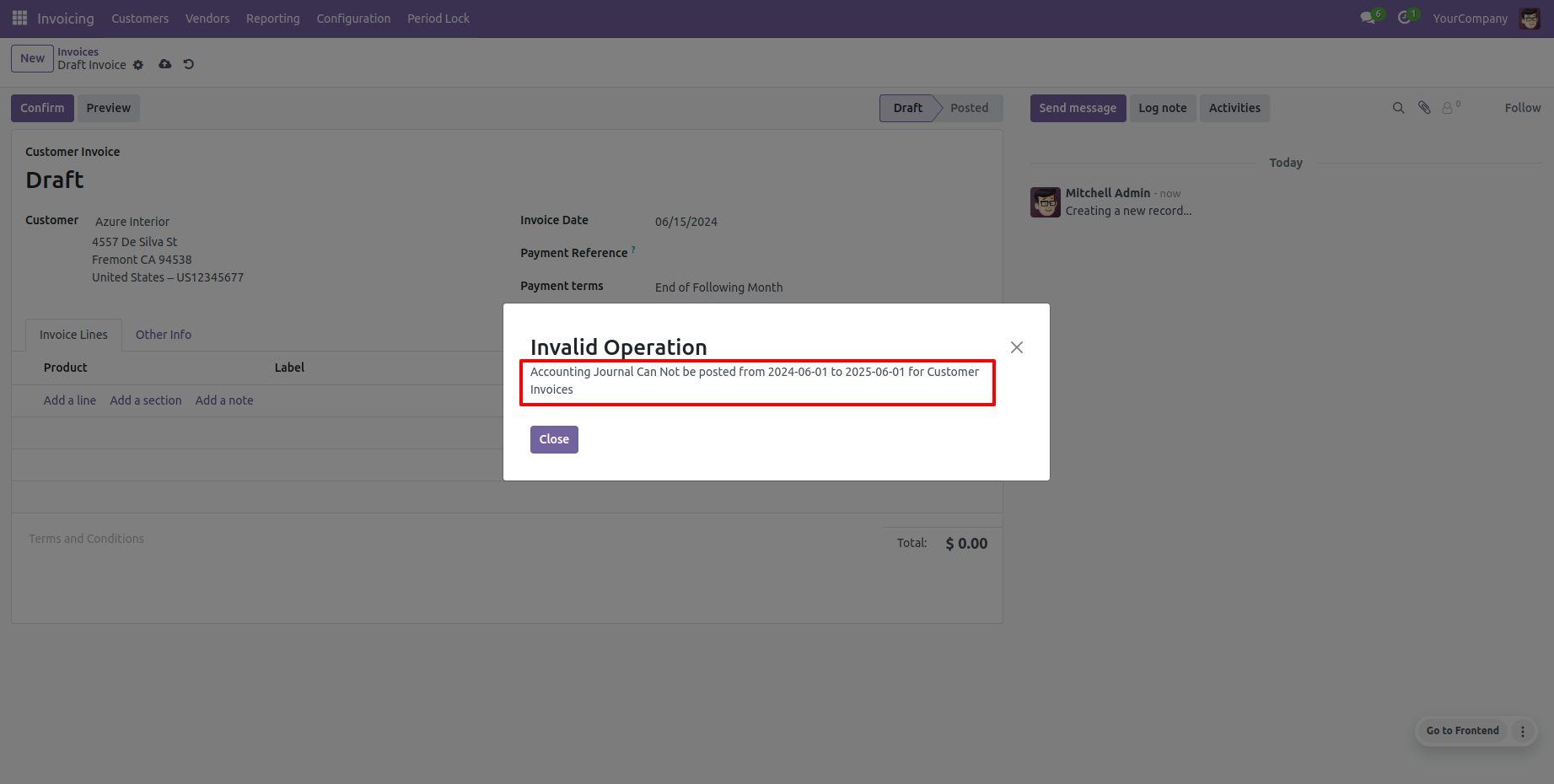
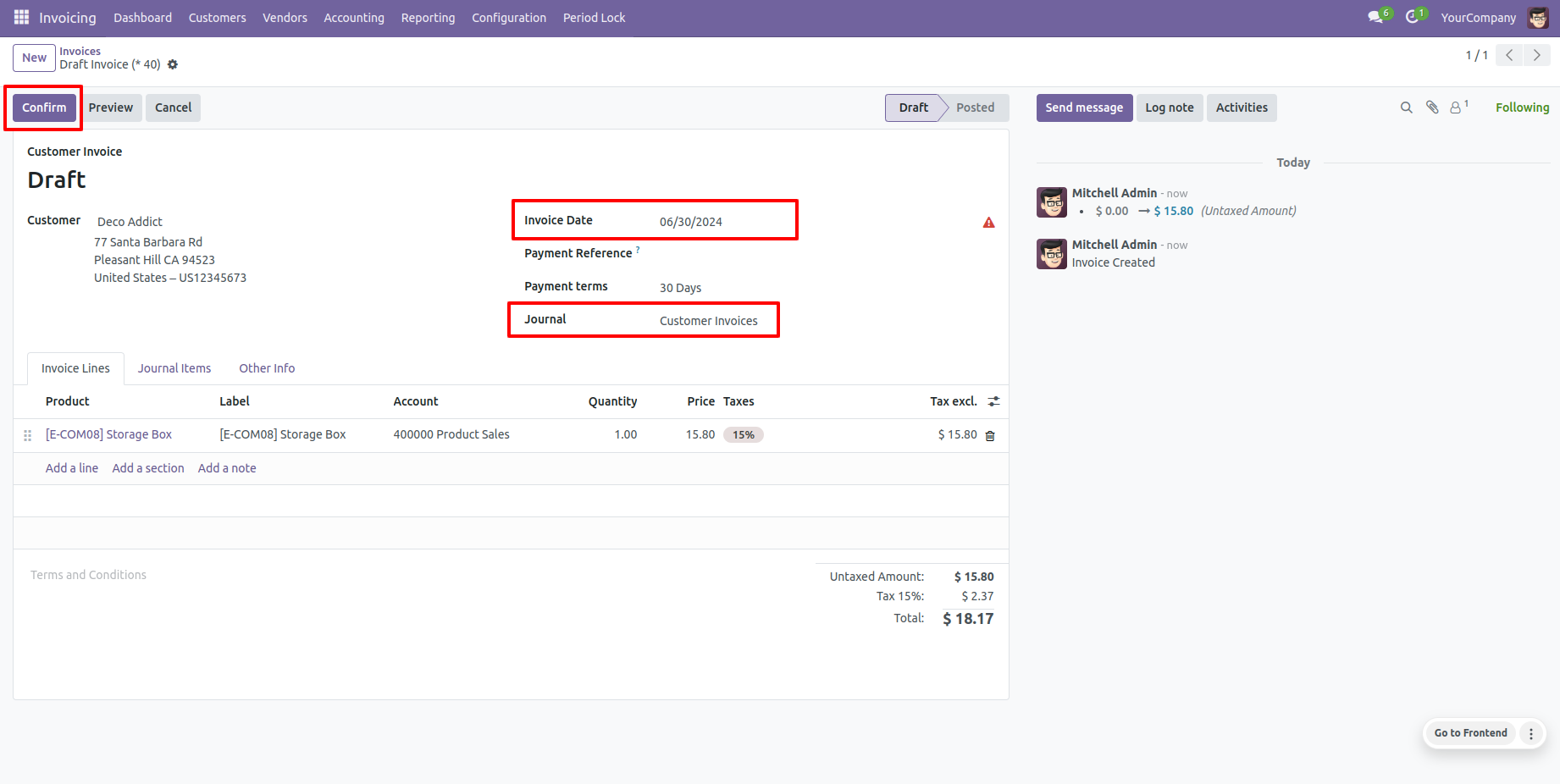
Now we make an invoice which period is locked.
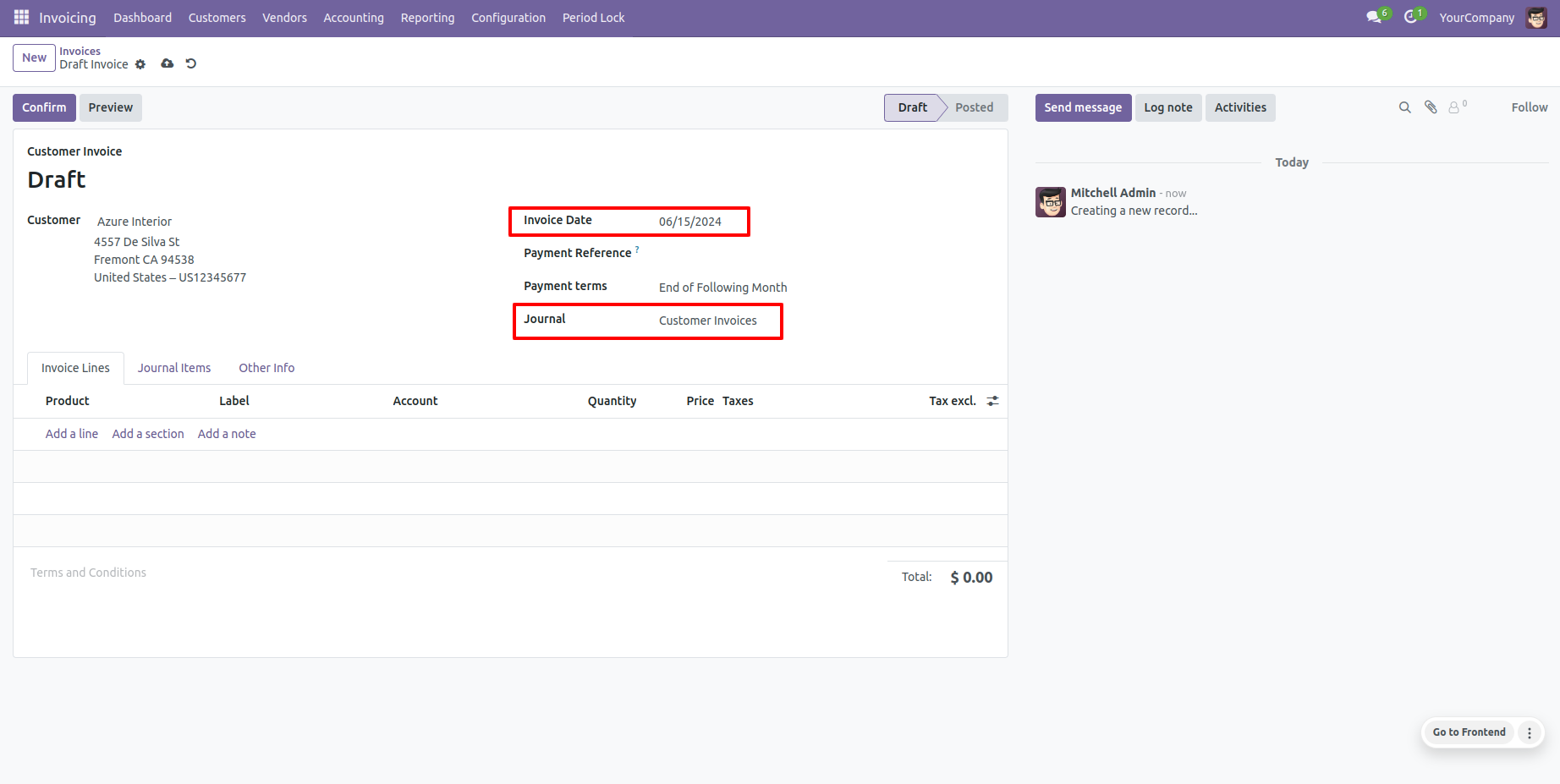
So it generates an alert for that.
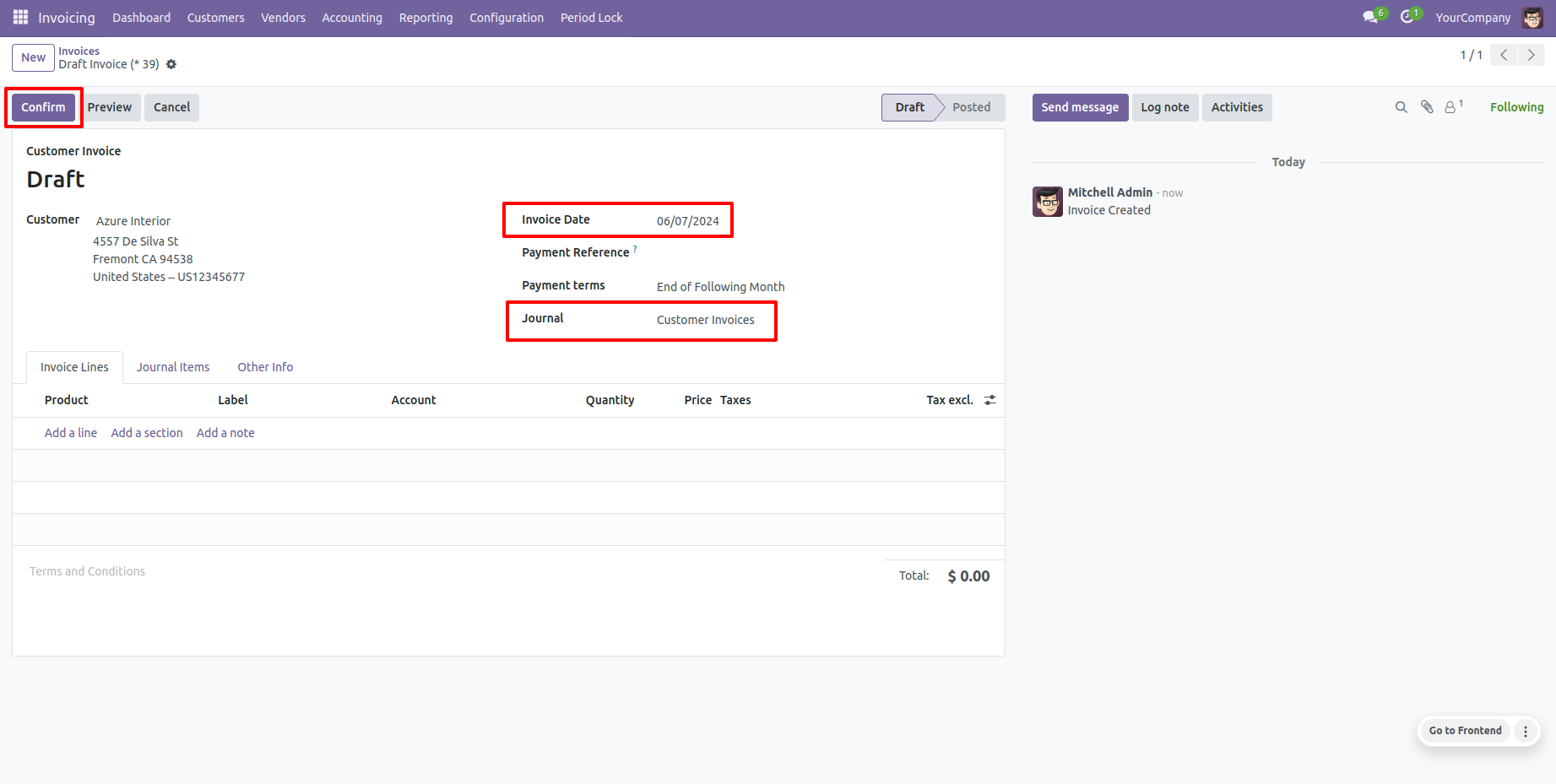
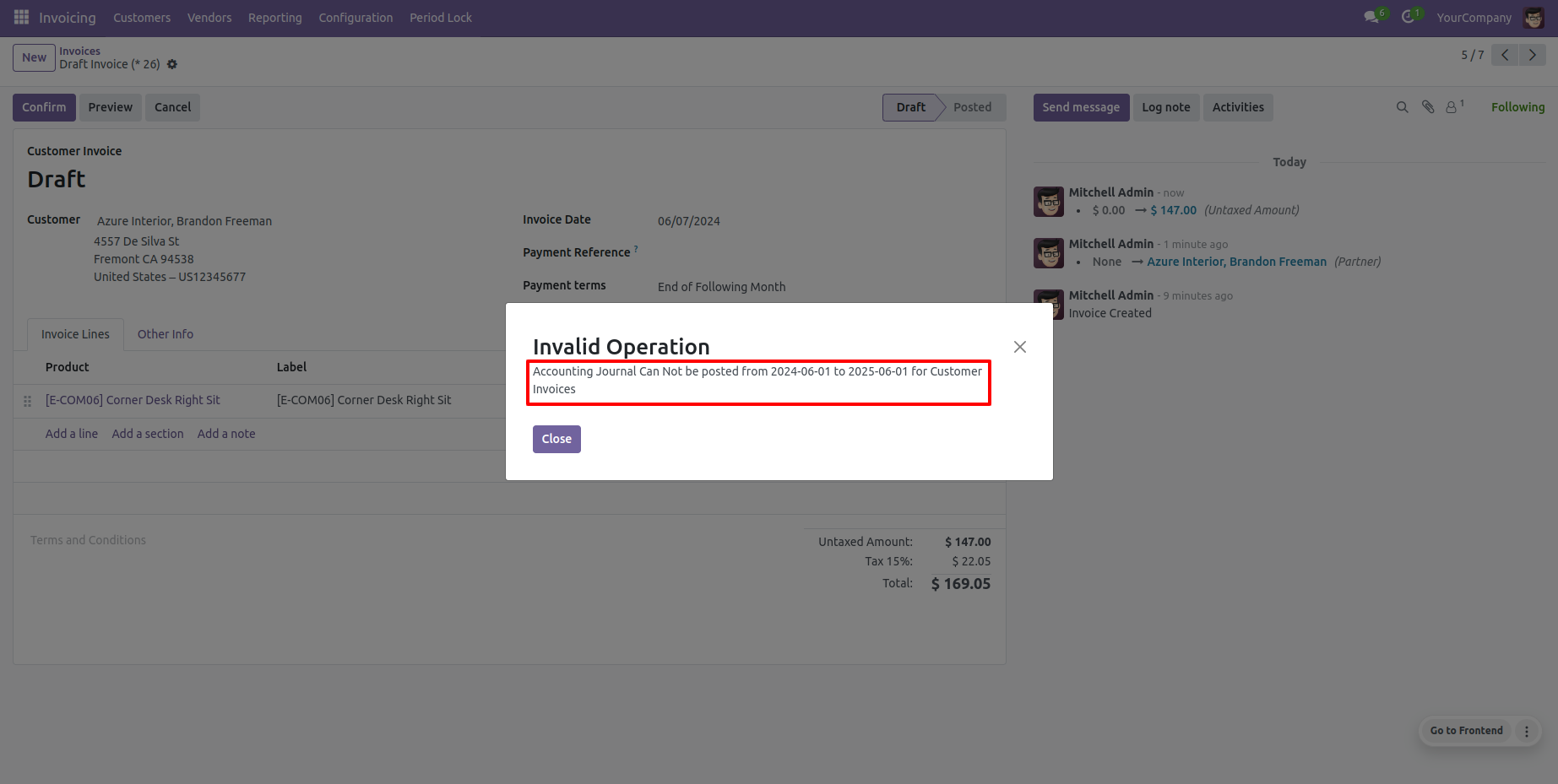
Now we confirm an invoice which period is locked.
So it generates an alert for that.
Now we create a new period lock.
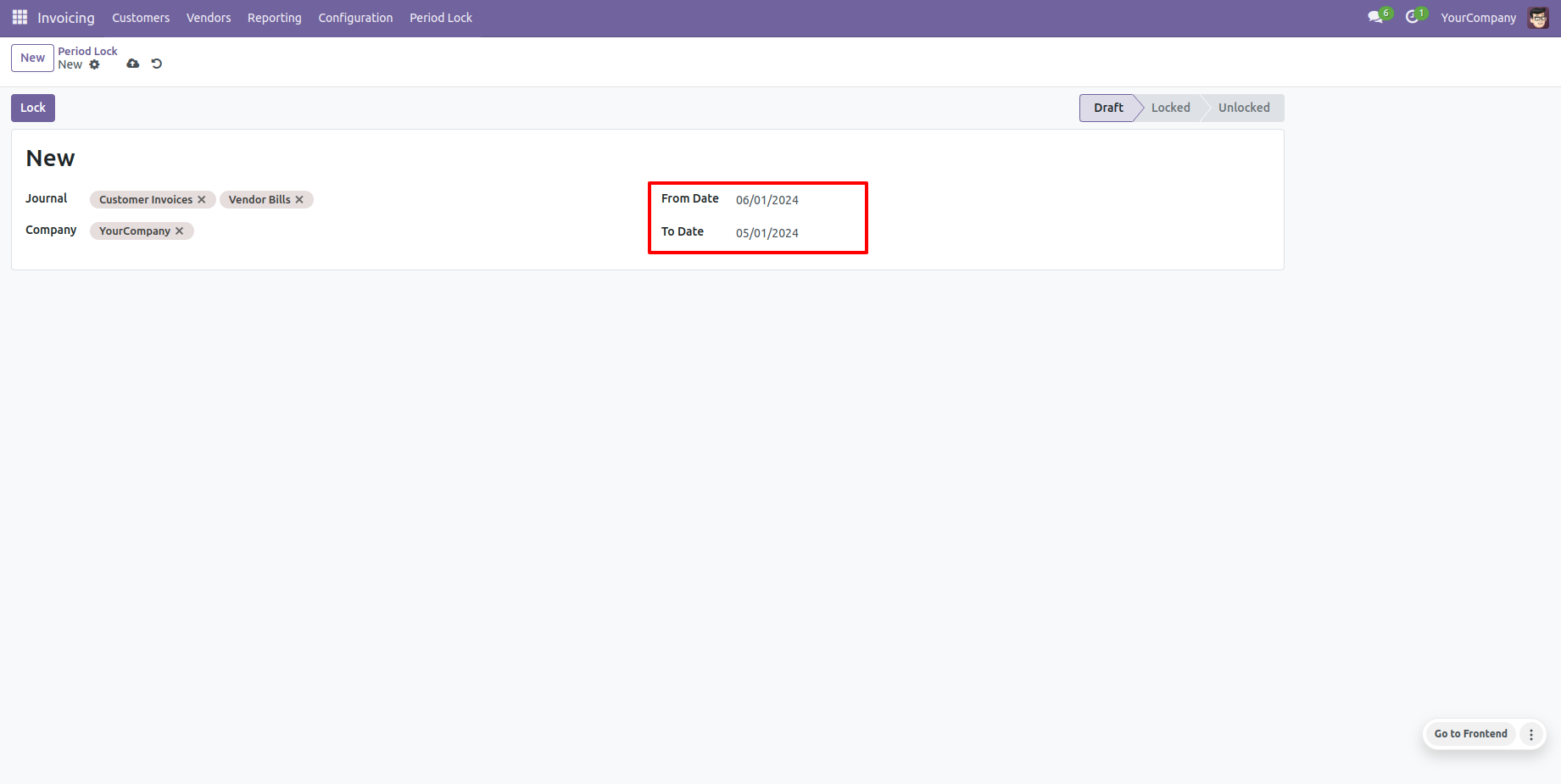
It generates an alert if your "From Date" & "To Date" are not proper.
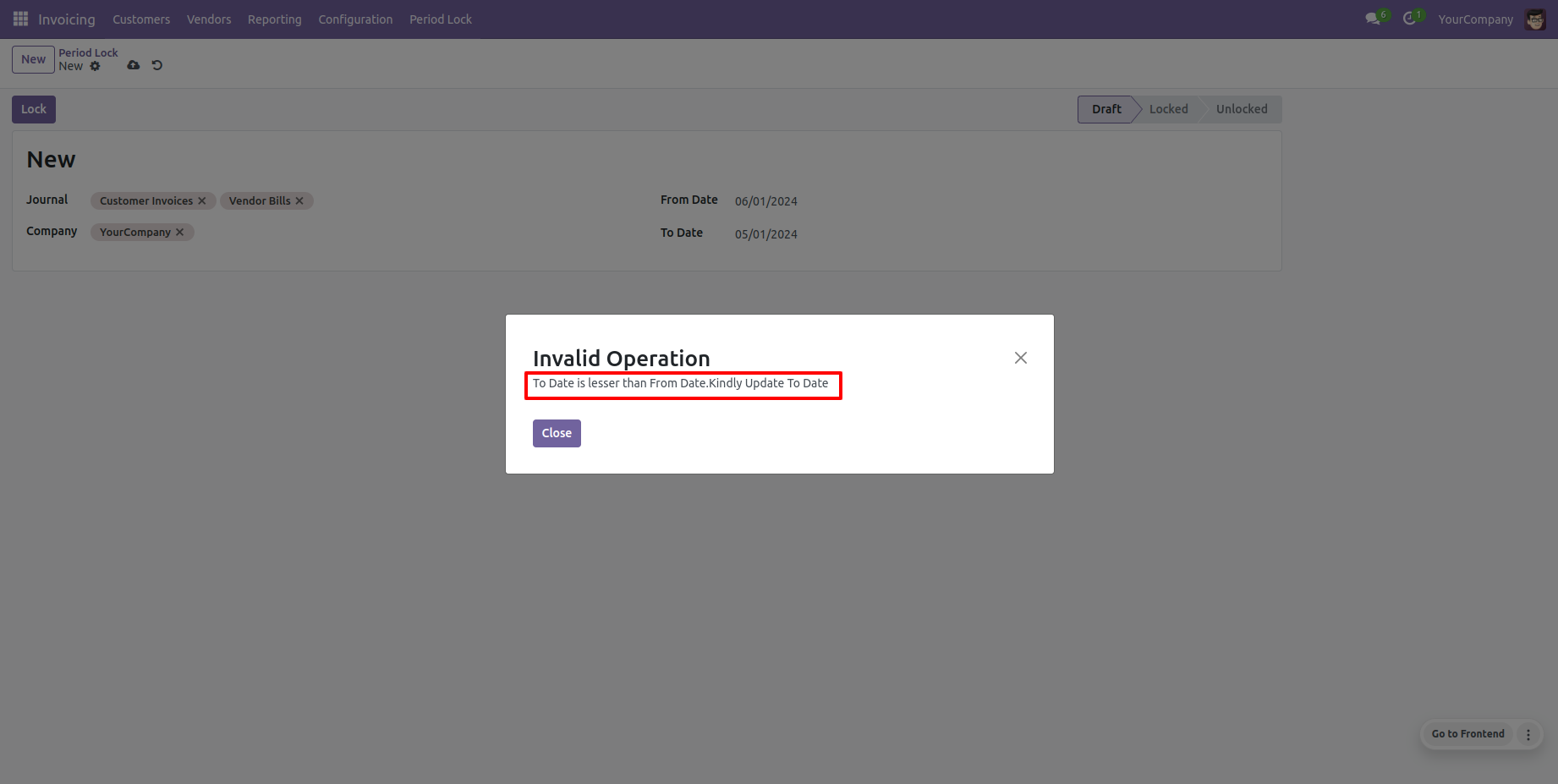
Now we create a new period lock.
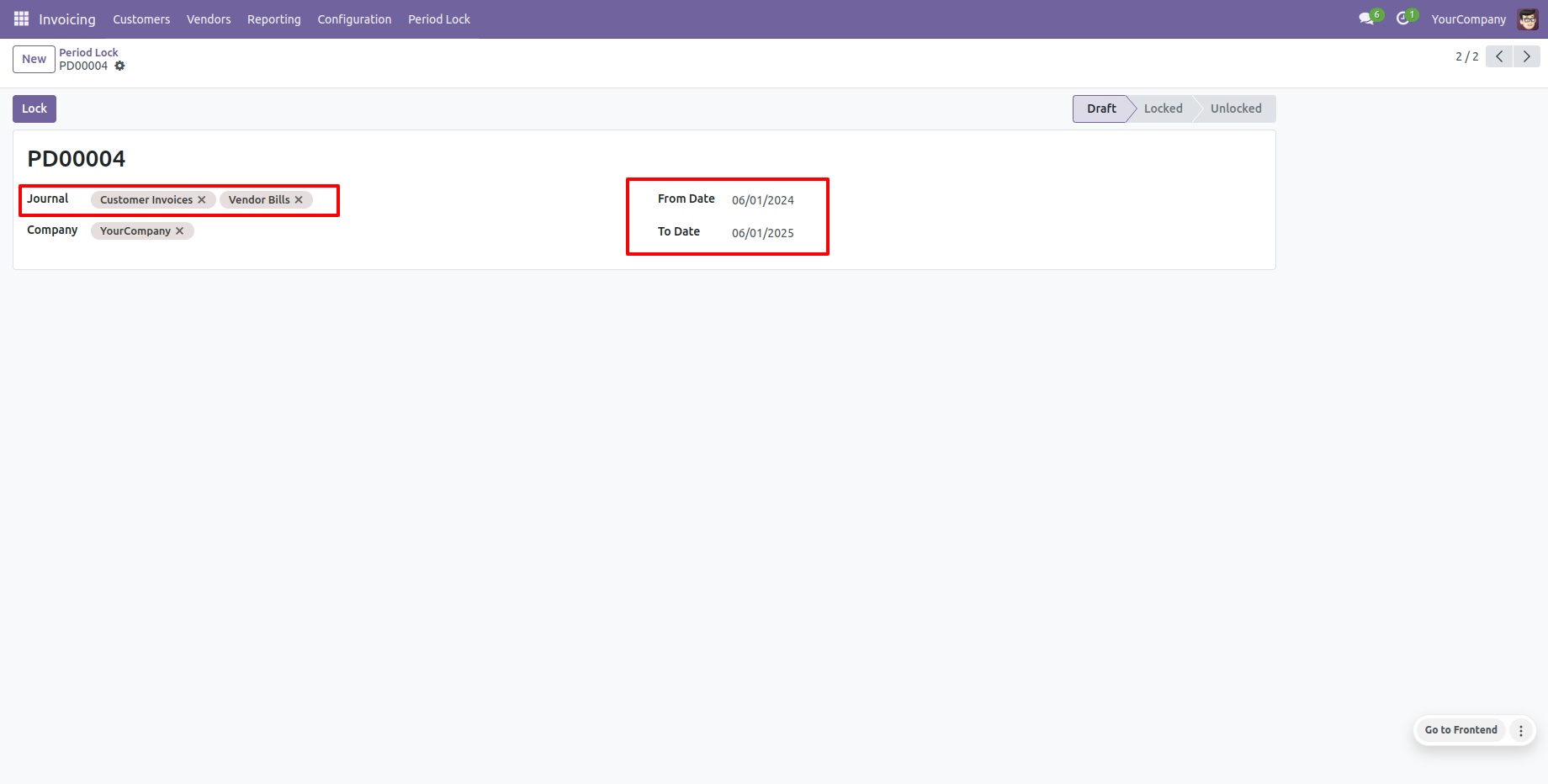
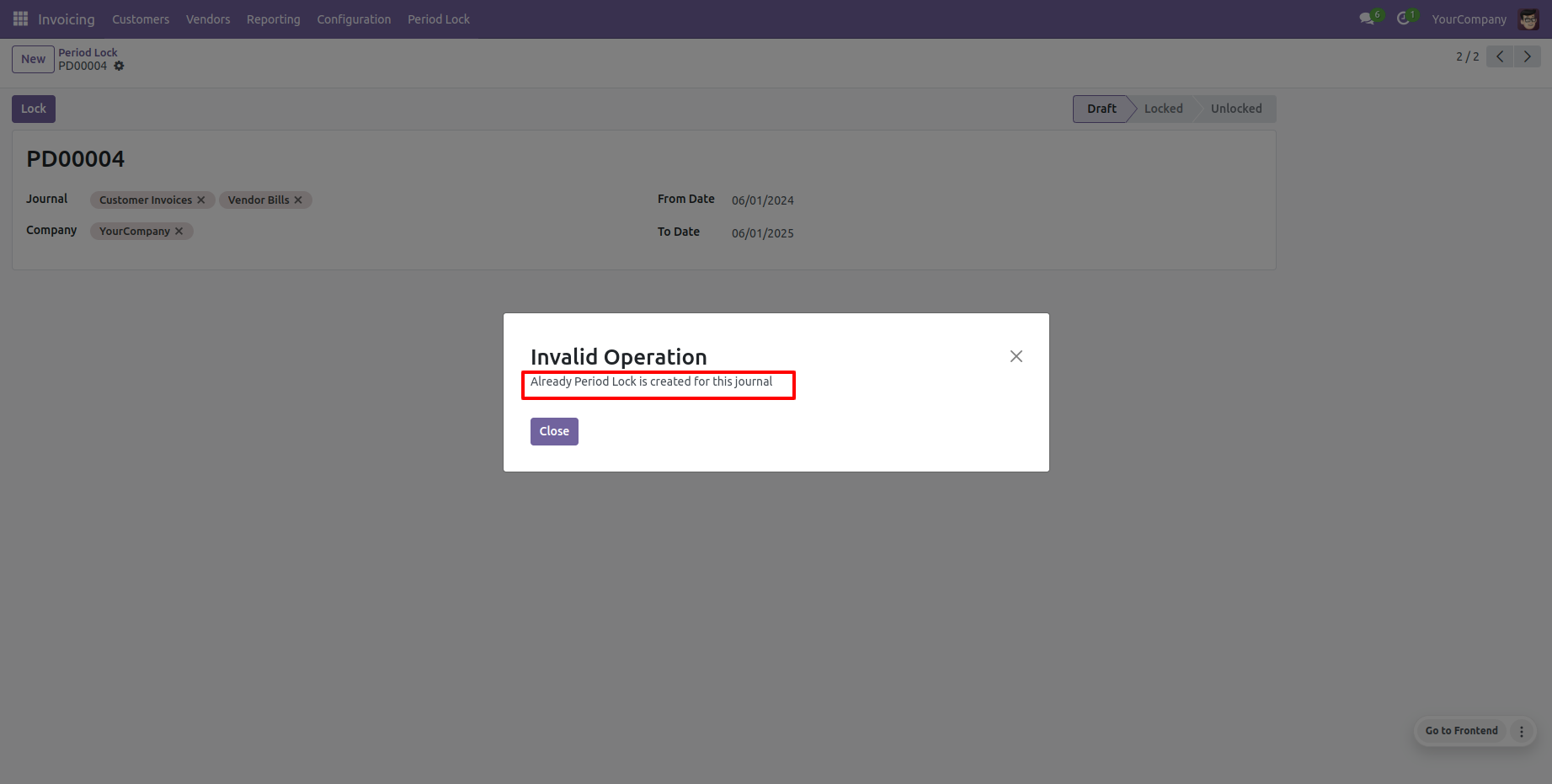
It generates an alert if you try to make a period lock which is already created.
Enable group "Special Permission For Period Lock".
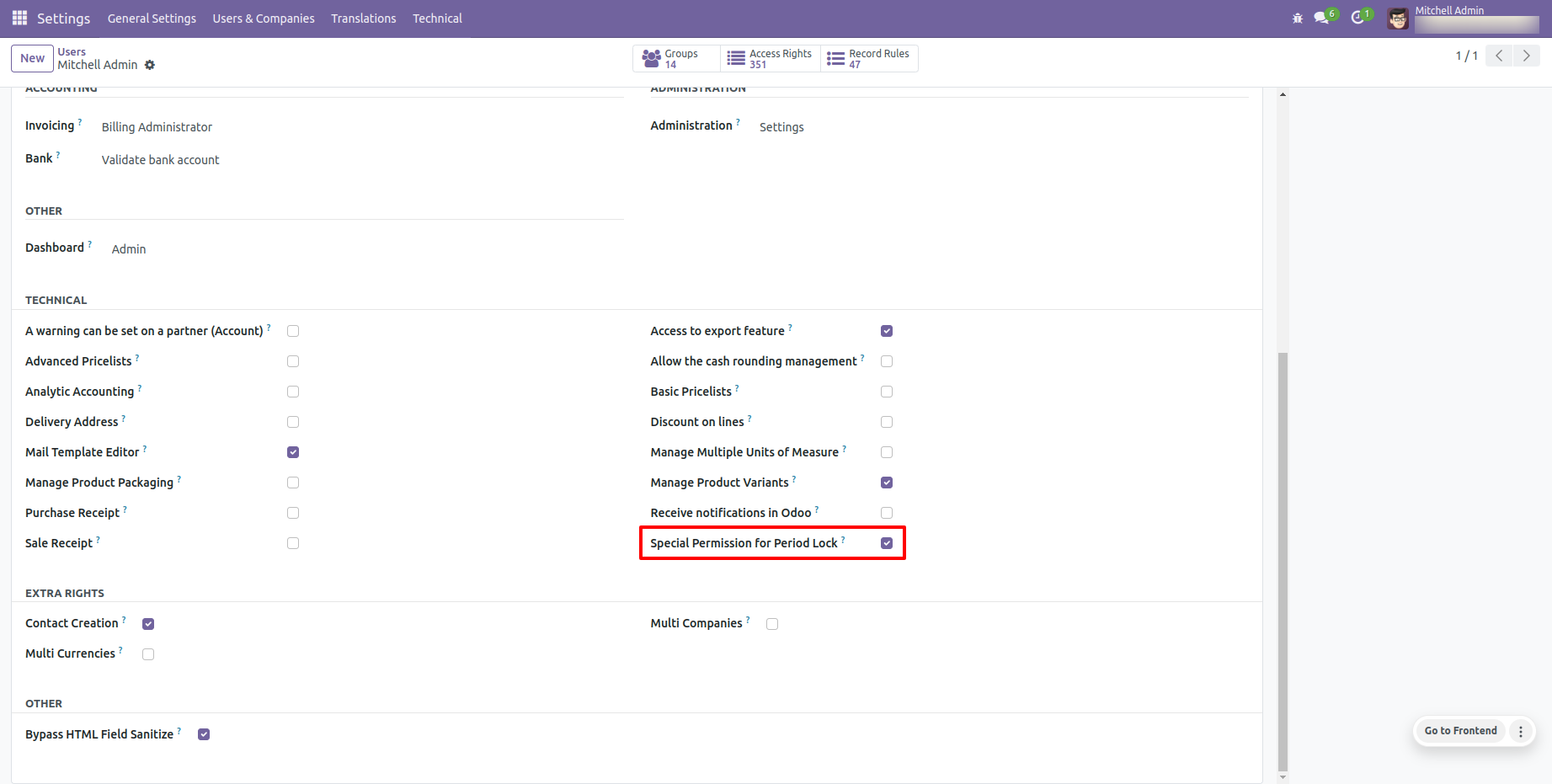
Specific users can unlock periods when required.
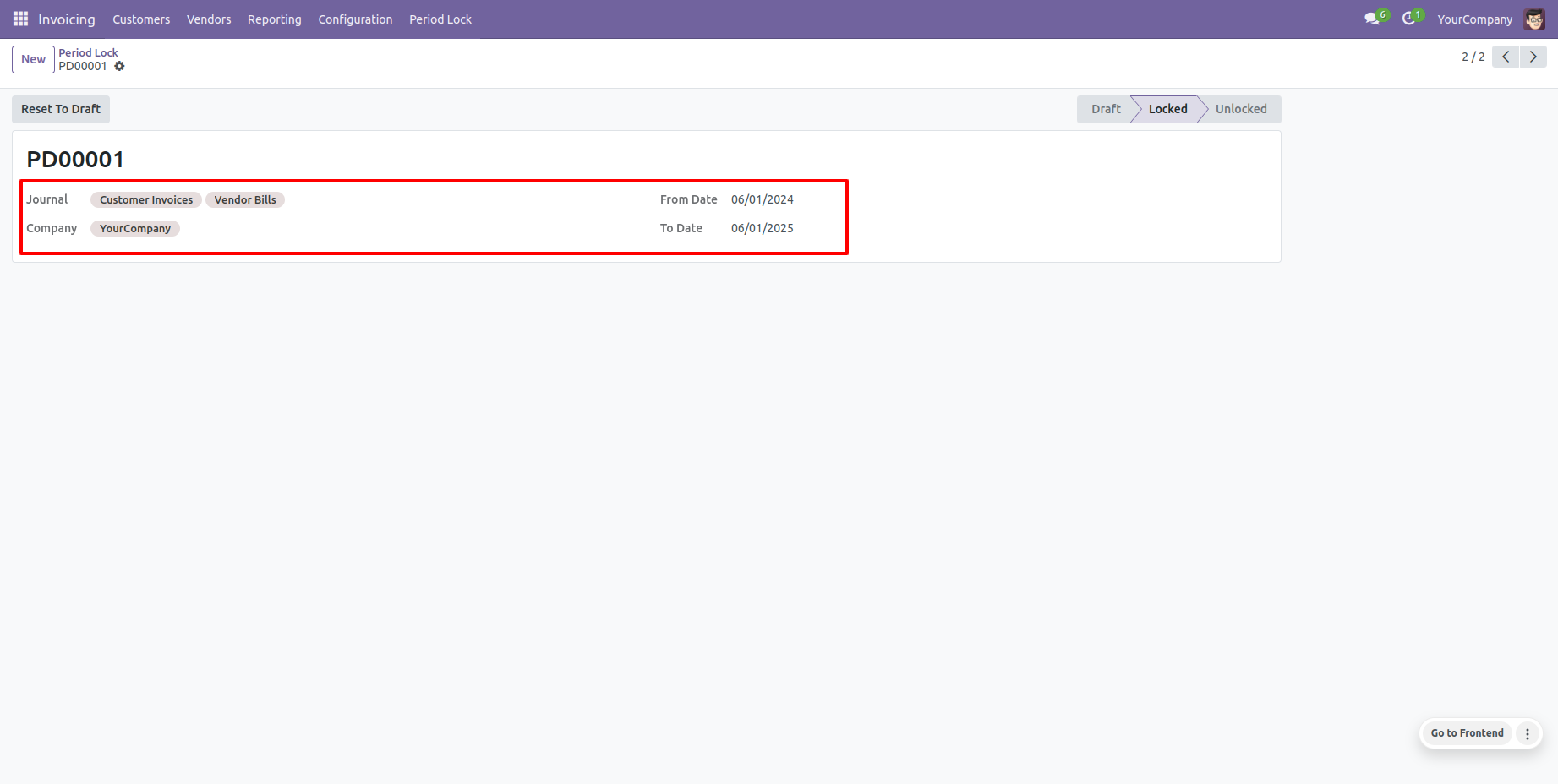
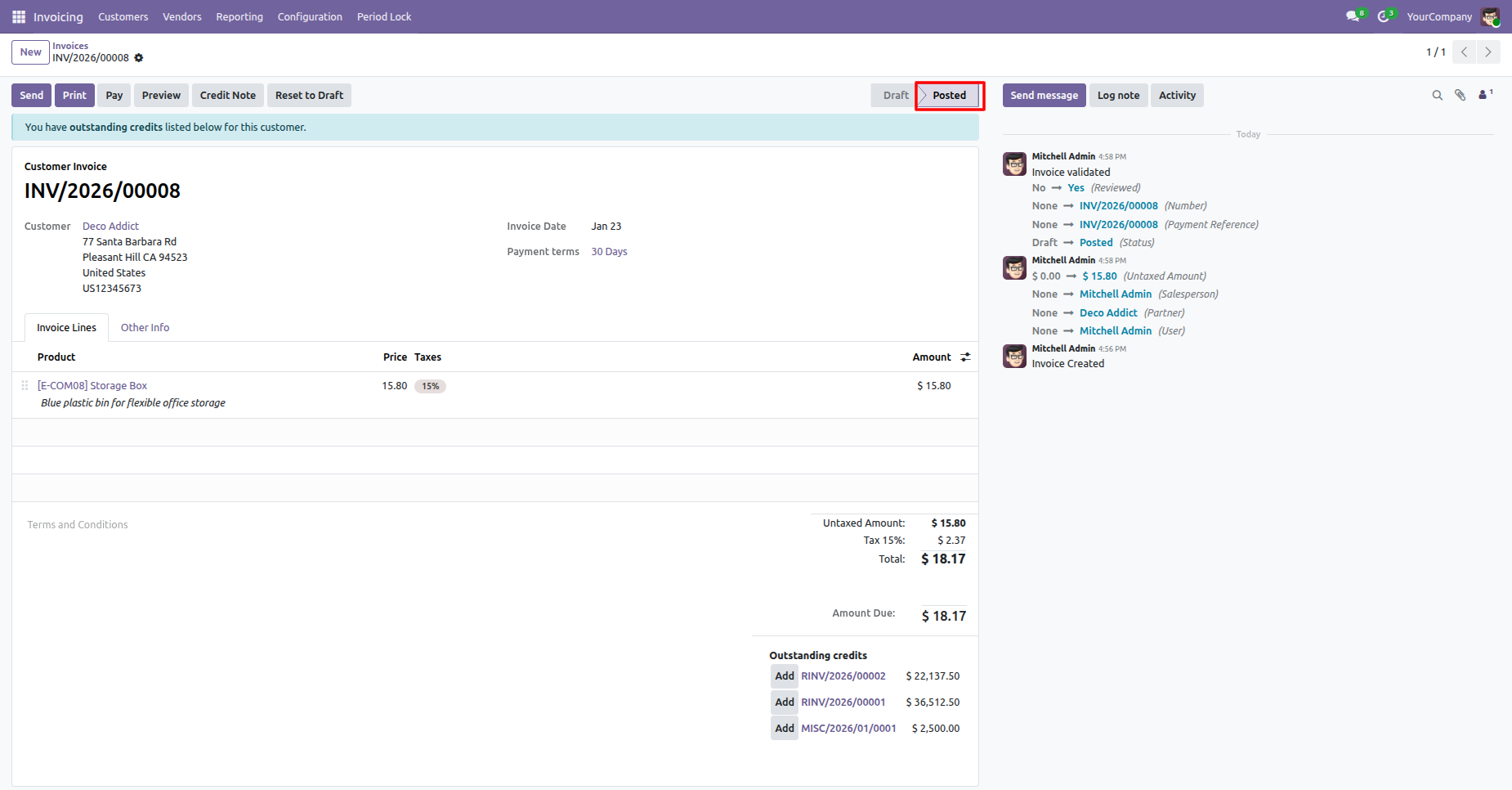
Now we make an invoice and confirm which period is locked.
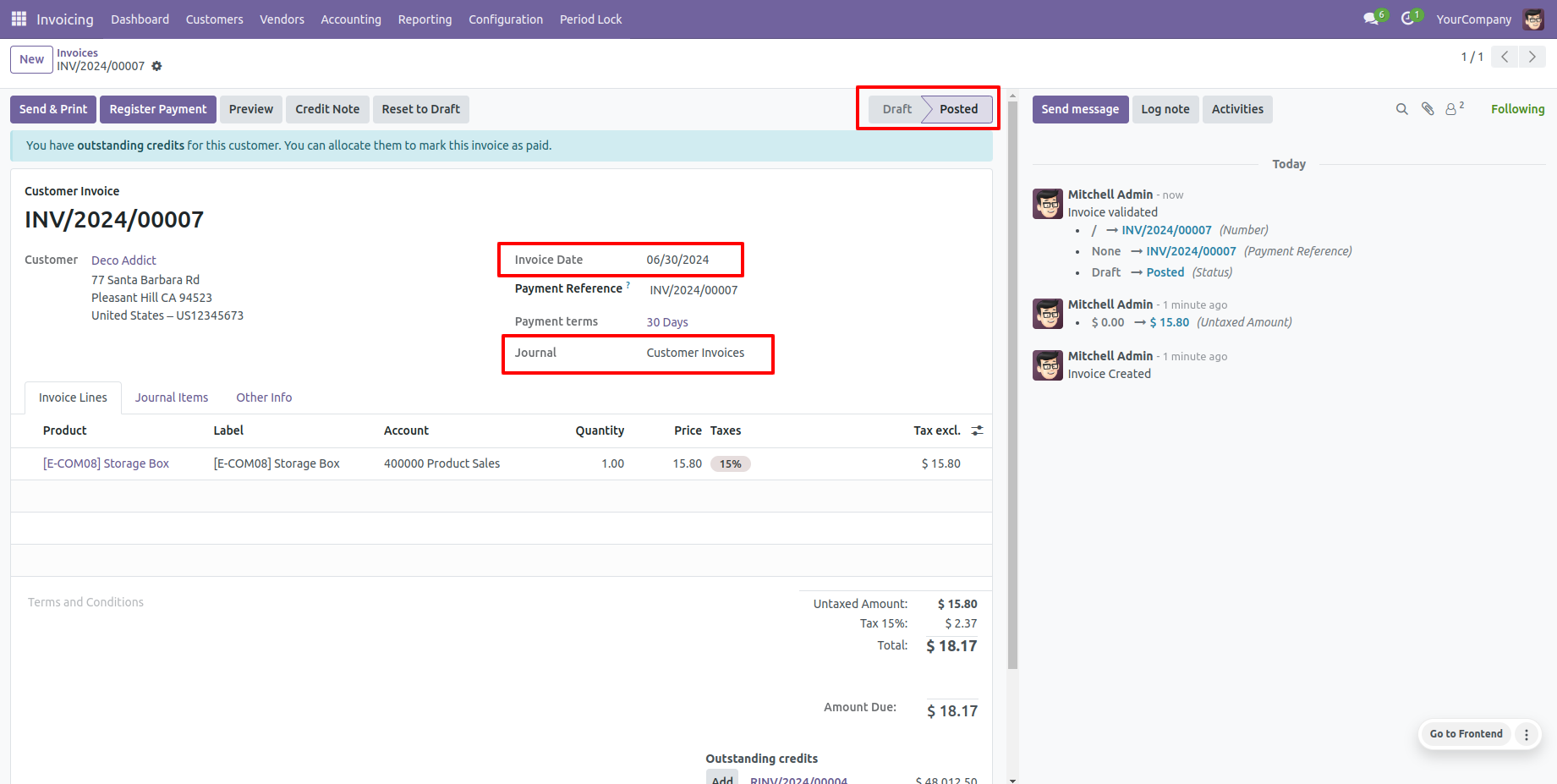
So the invoice is posted.
Select Lock Based On: Chart of Account wise, enter the required details, and lock it.
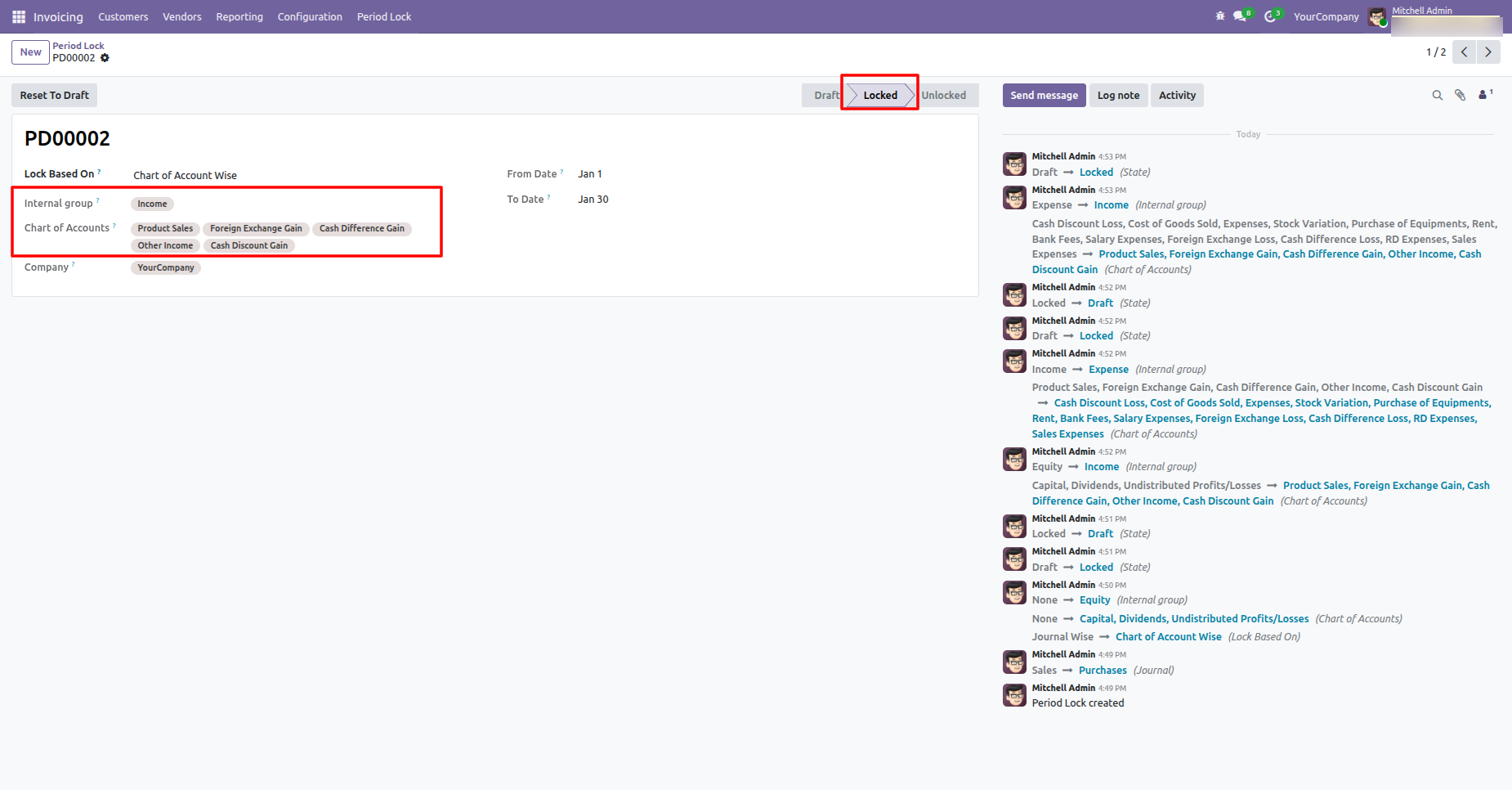
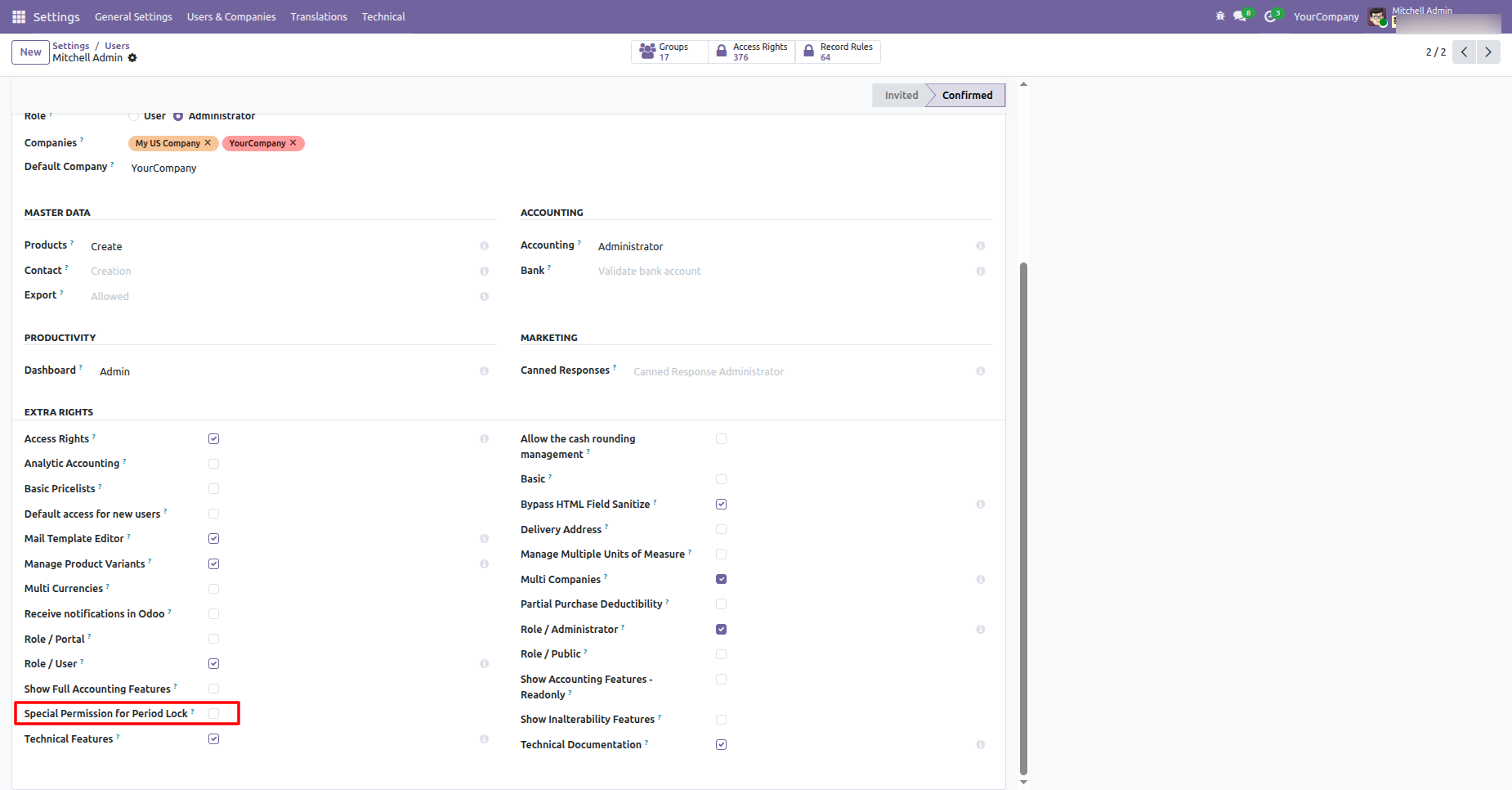
Go to the User settings and disable the "Special Permission For Lock Accounts" option.
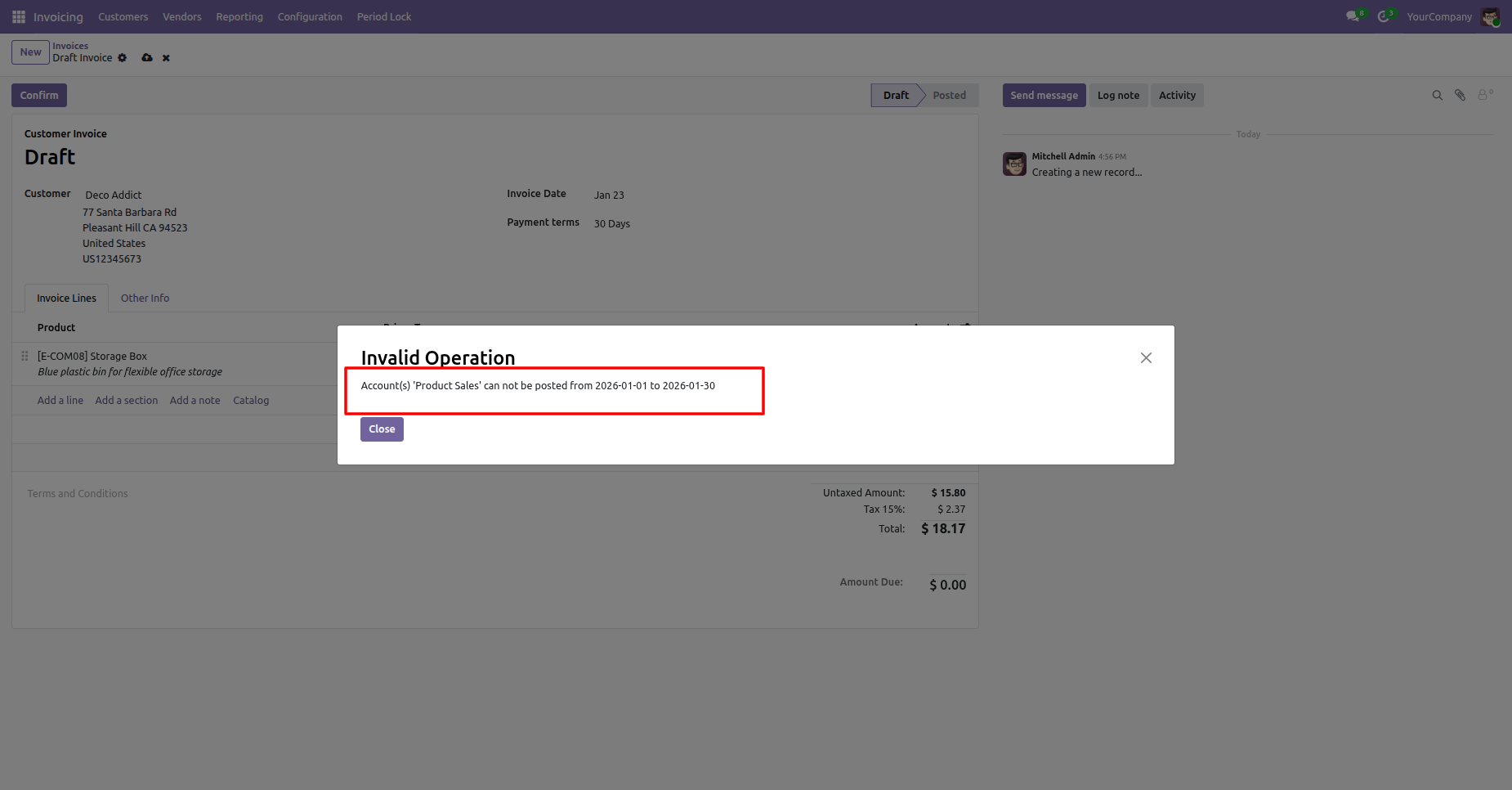
When you create an invoice, a warning pop-up will appear if the account is locked.
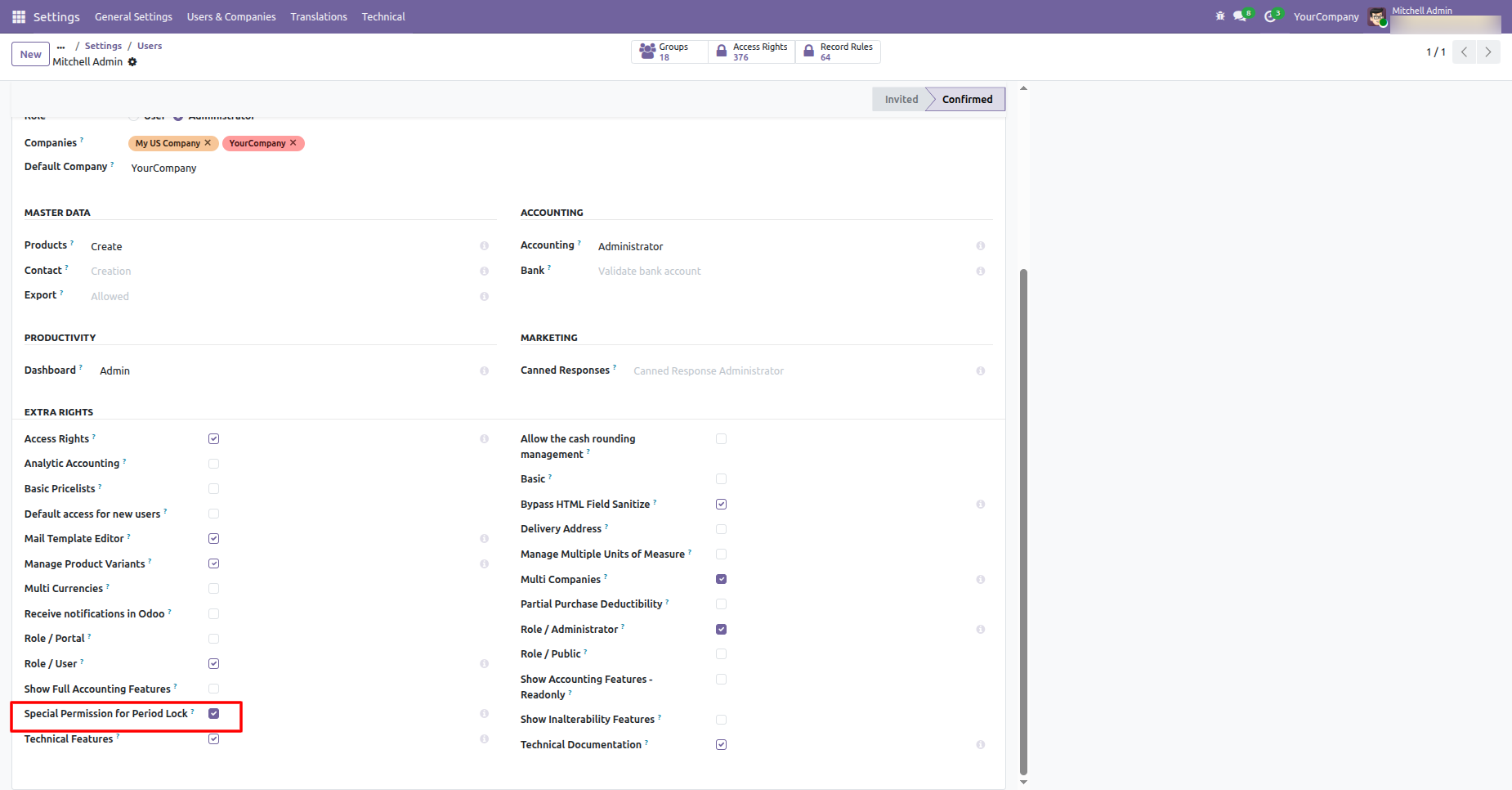
Enable group "Special Permission For Period Lock".
The invoice is posted.
We provide unlock option to revert the lock when required.
In the chatter, you can view the data history, including when each
update
was made and by whom.
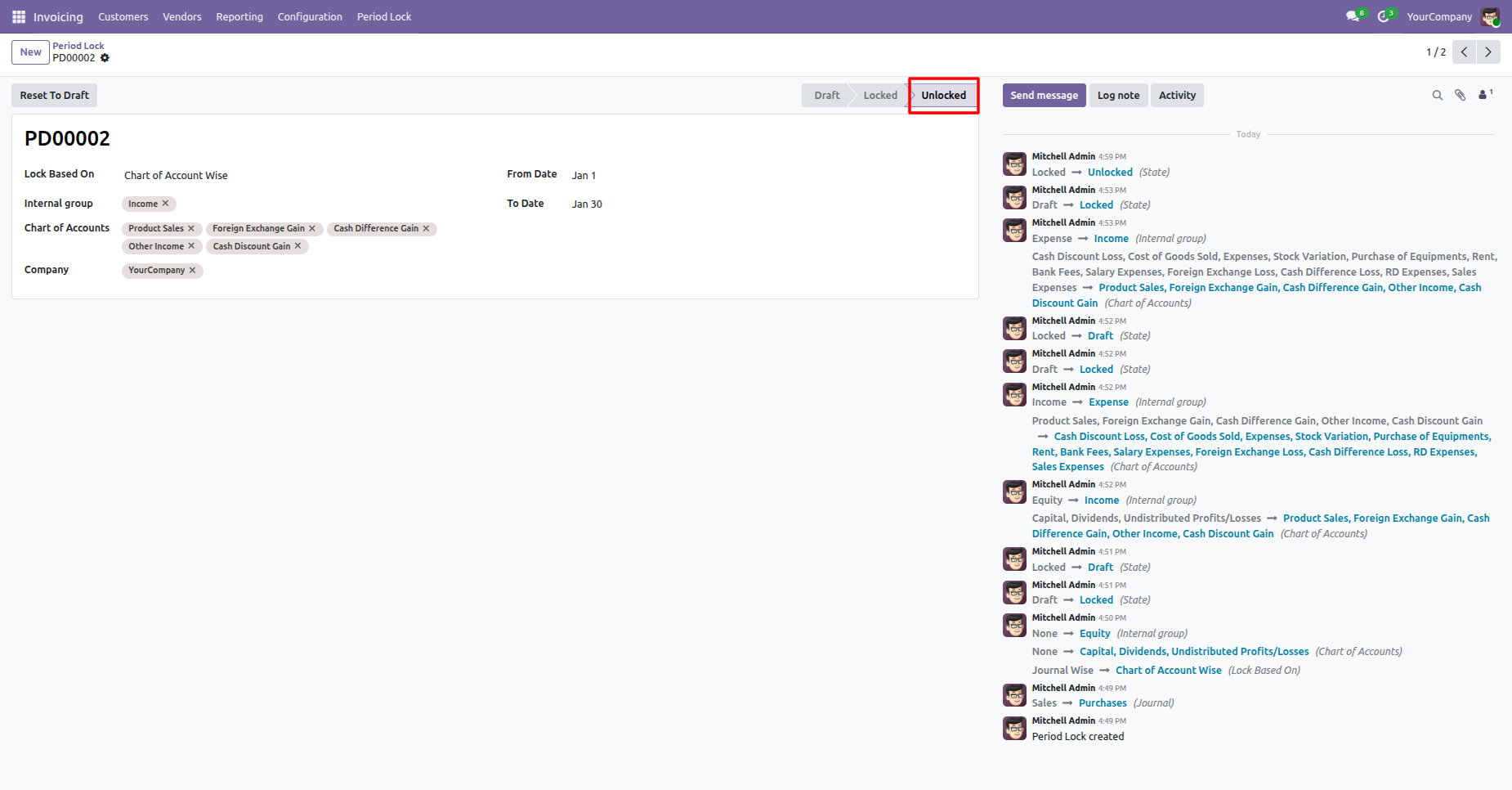
The period lock has now been unlocked.
Version 18.0.3.0.0 | Released on : 13th April 2026
Version 18.0.2.0.0 | Released on : 6th November 2024
Version 18.0.1.0.0 | Released on : 14th September 2024
- No, this app works perfectly with Odoo Community only.
- Please Contact Us at sales@softhealer.comto request customization.
- Yes, we provide free support for 365 days.
- Yes, you will get free update for lifetime.
- No, you don't need to install additional libraries.
- For version 12 or upper, you will need to purchase the module for each version that you want to use.
- No, We do not provide any kind of exchange.
- No, this application is not compatible with odoo.com(odoo saas).
