












PDF Preview

Are you tired of staring at downloaded PDFs for viewing? We have the perfect solution to save you from unnecessary downloads and boredom! With our PDF preview module, you can preview and manage PDF documents within the system. Users can easily access this module to view PDFs before printing, enjoy full-screen viewing for detailed analysis and readability, and directly print PDFs from the preview interface. Additionally, the module supports simultaneous preview of multiple PDFs, enhancing efficiency in document handling. Overall, the PDF Preview module enhances productivity and user experience.


Related Modules
Features
Instant PDF Preview in Odoo
Preview any PDF file inside the Odoo interface without downloading it first.
Preview PDF Attachments in Records
View PDF attachments linked to records like invoices, reports, and documents directly from the record view.

Embedded Viewer for All PDF Fields
Render every PDF field inline using an embedded PDF viewer without switching screens.

One-Click Preview from Many2many Attachments
Click any PDF from many2many or attachment lists to instantly display it in the preview window.
Responsive Viewer UI
The preview interface resizes and adapts to different screen sizes for a smooth user experience.
Print PDF from Preview Screen
Print PDF documents directly from the preview interface using the standard browser print dialog.

File Preview & Download

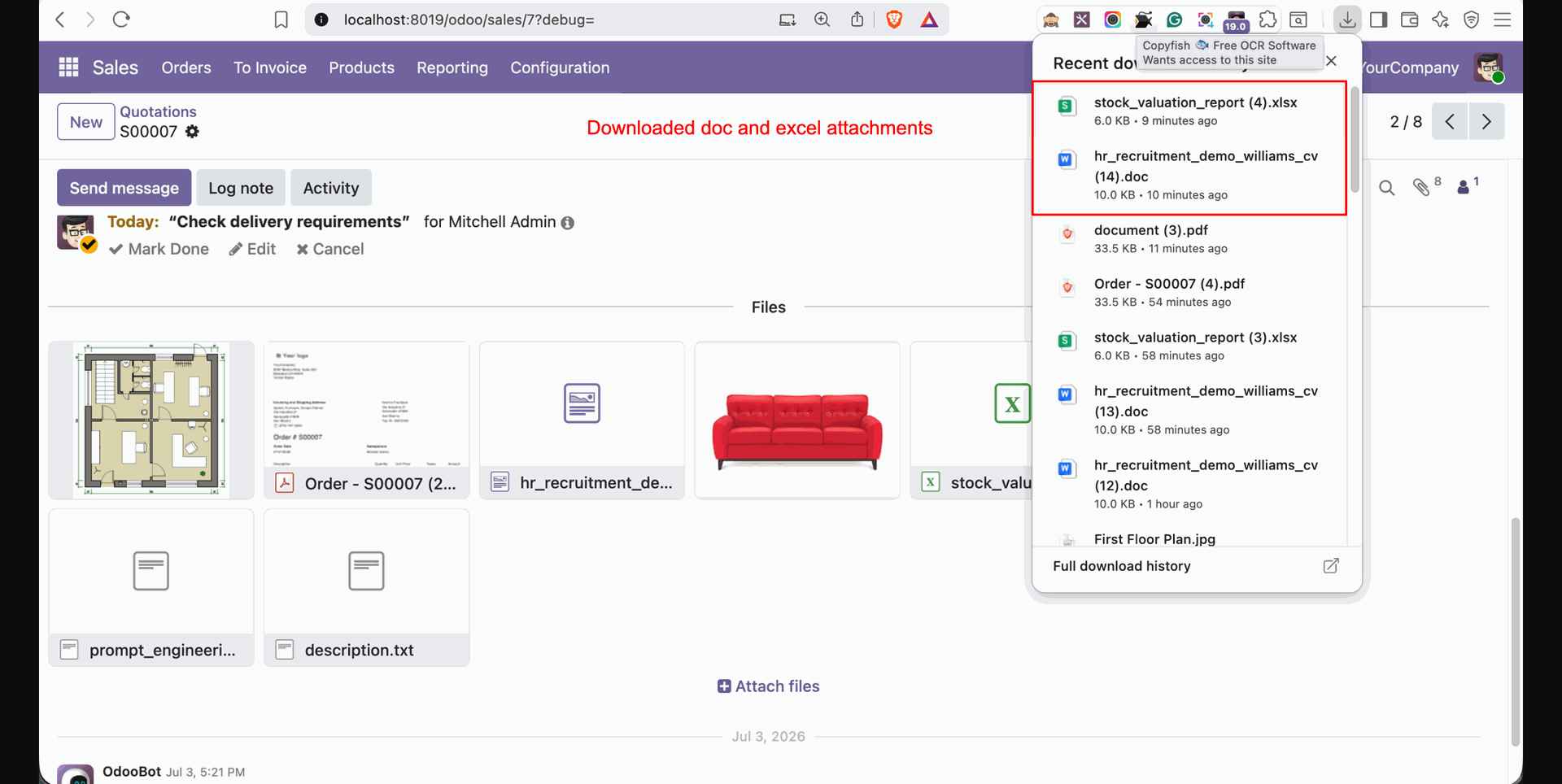
Open PDF, image, and text files in a new browser window, while Word and Excel files are downloaded automatically.
Open Files in New Window
Open PDF, image, and text files directly in a new browser window.

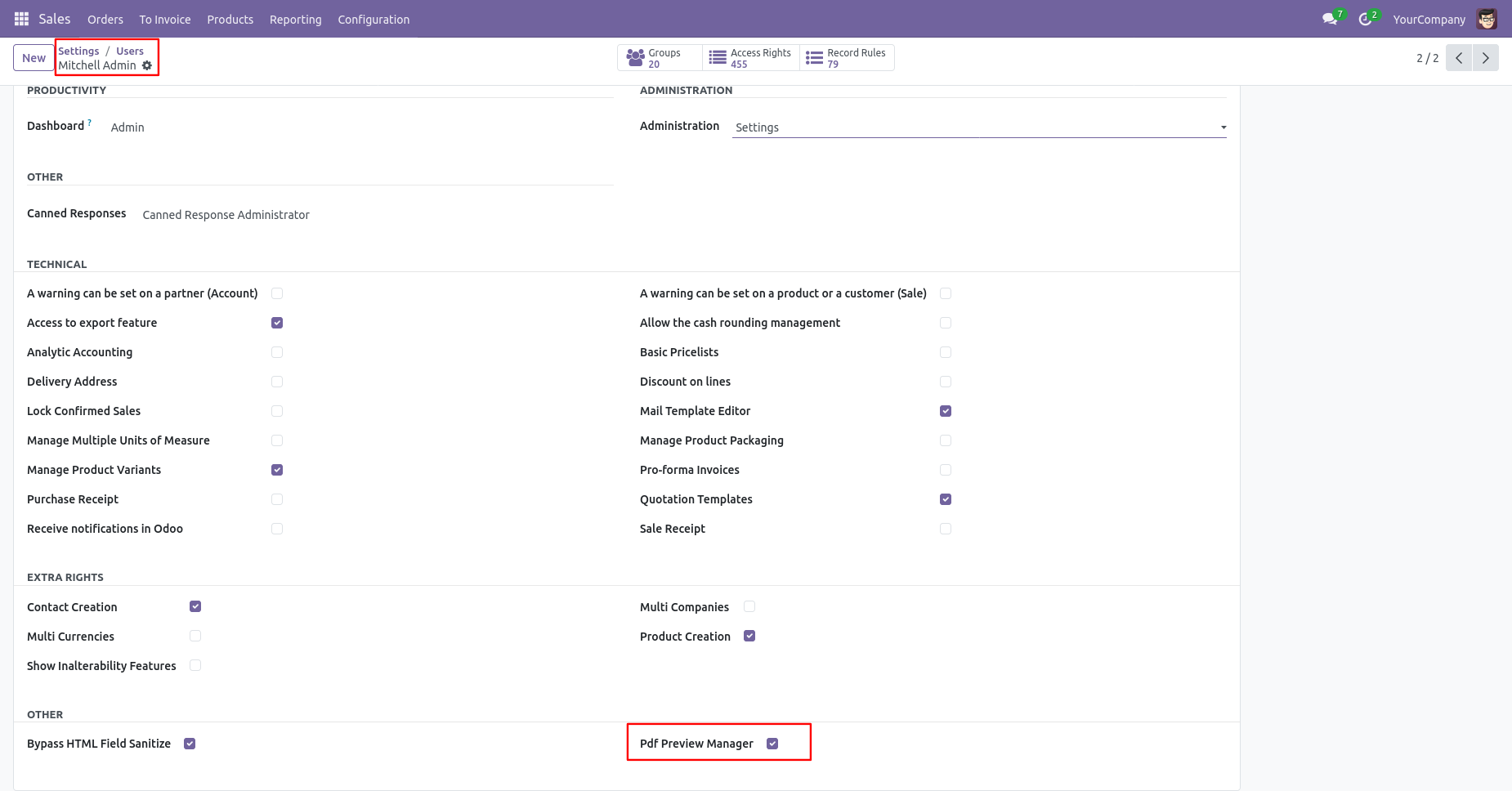
PDF Preview Manager Access
Allow users to preview supported files based on their PDF Preview Manager access rights.

Go to the user's settings and tick 'PDF Preview Manager'.
Select the Sales Order you wish to print, then click on the 'Quotation/Order' option from the print.
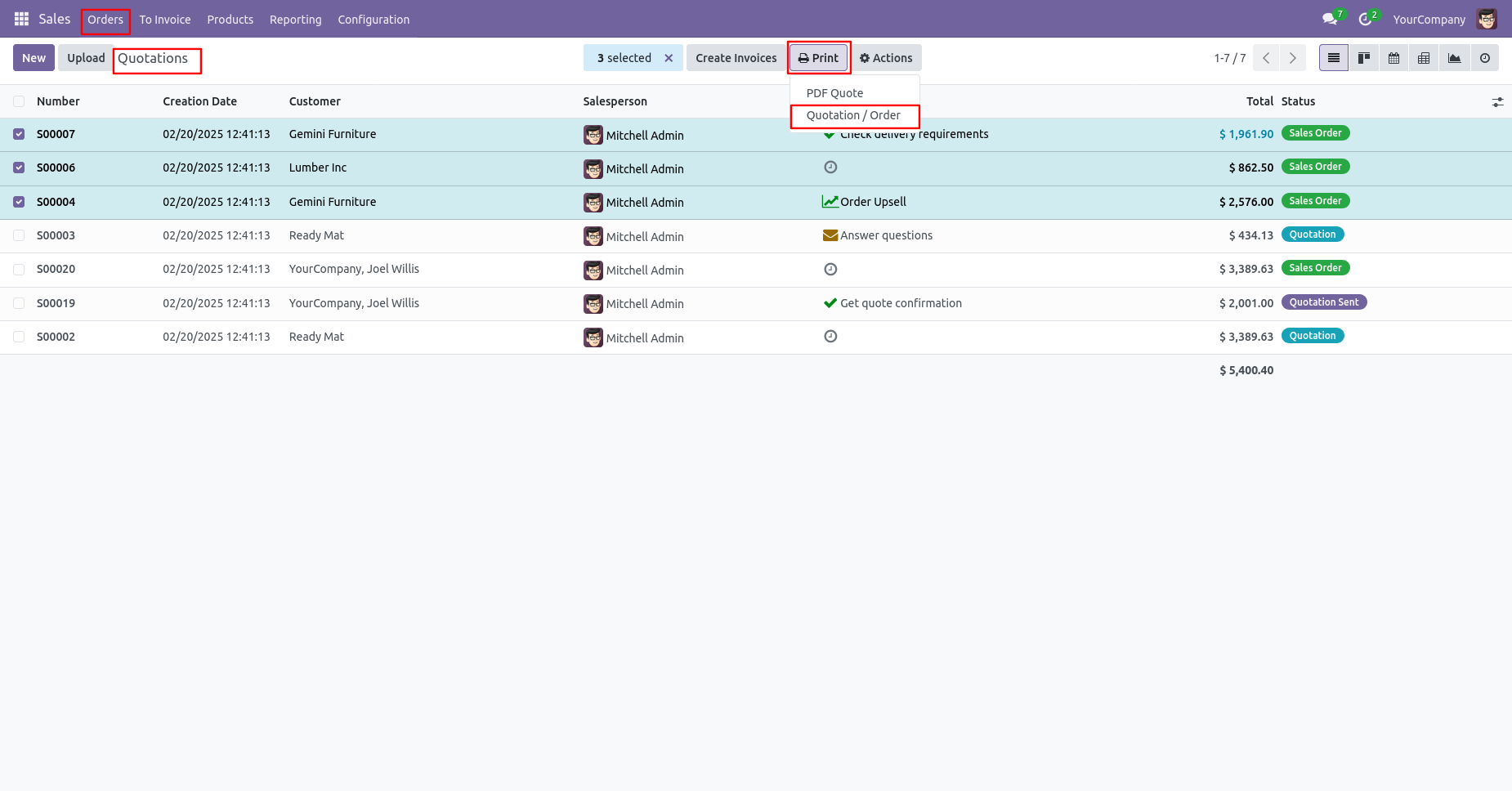
After that, the PDF Preview wizard will appear.
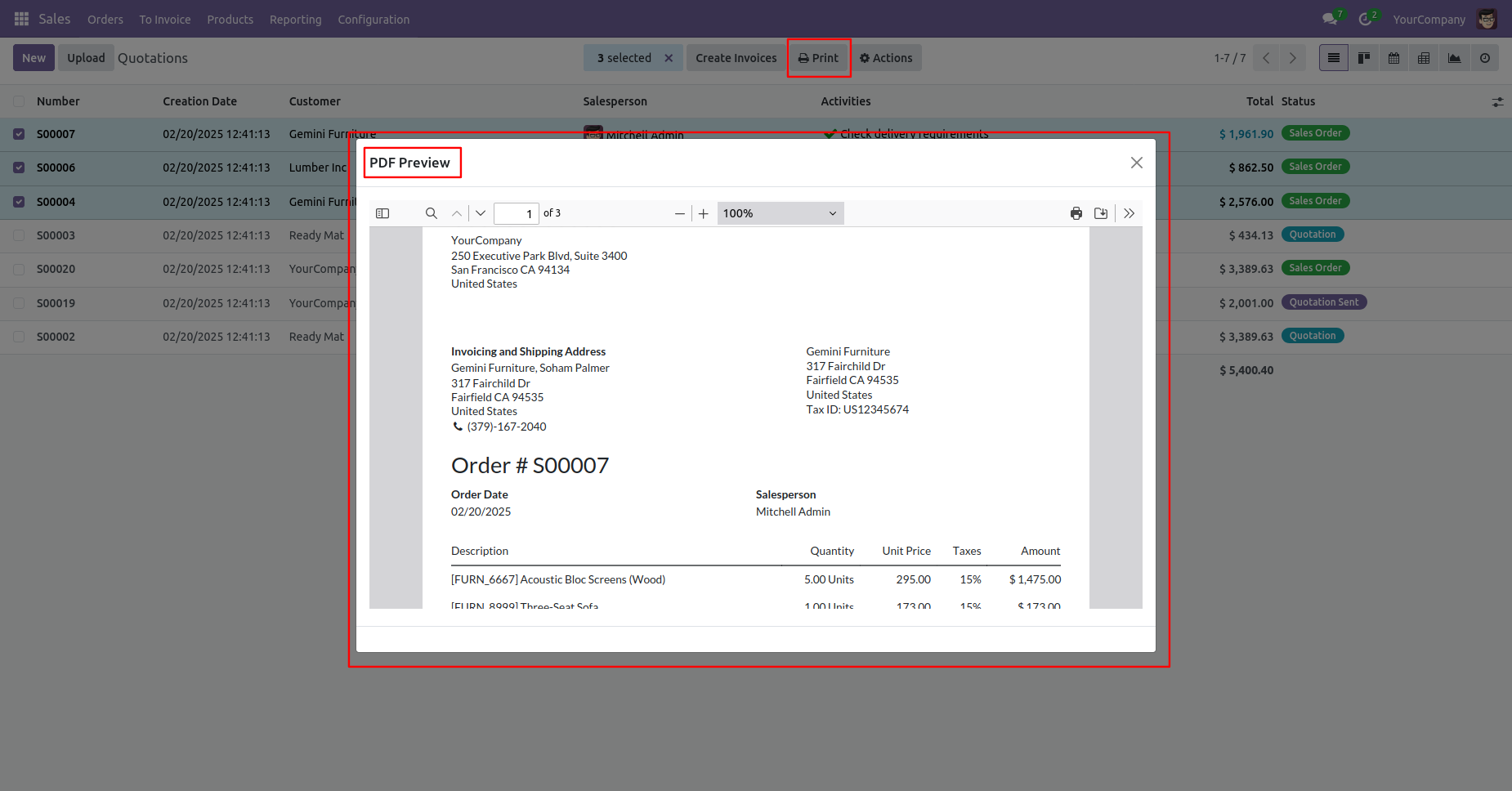
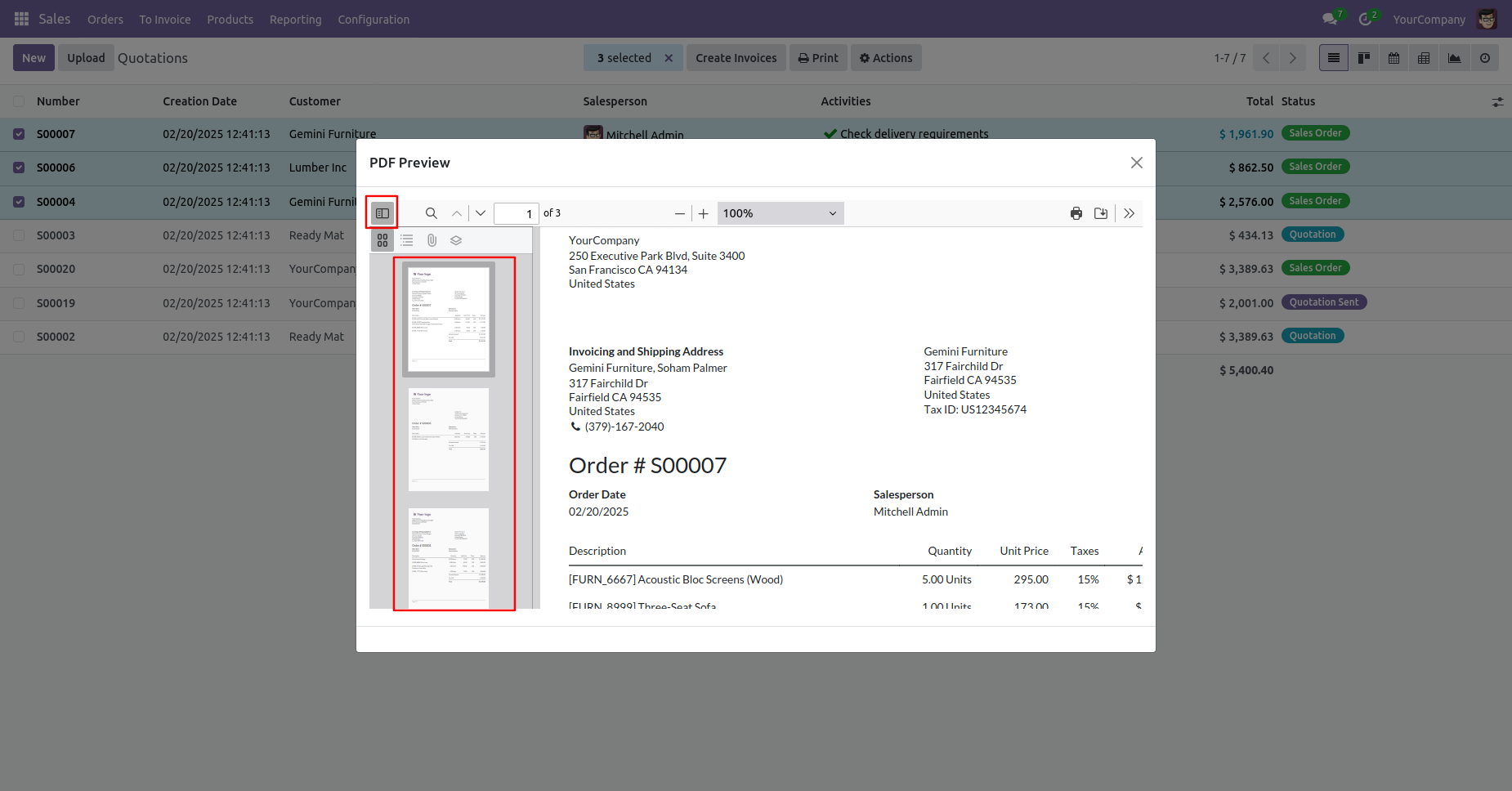
To print the PDF from the PDF Preview wizard, click on the print icon within the wizard.
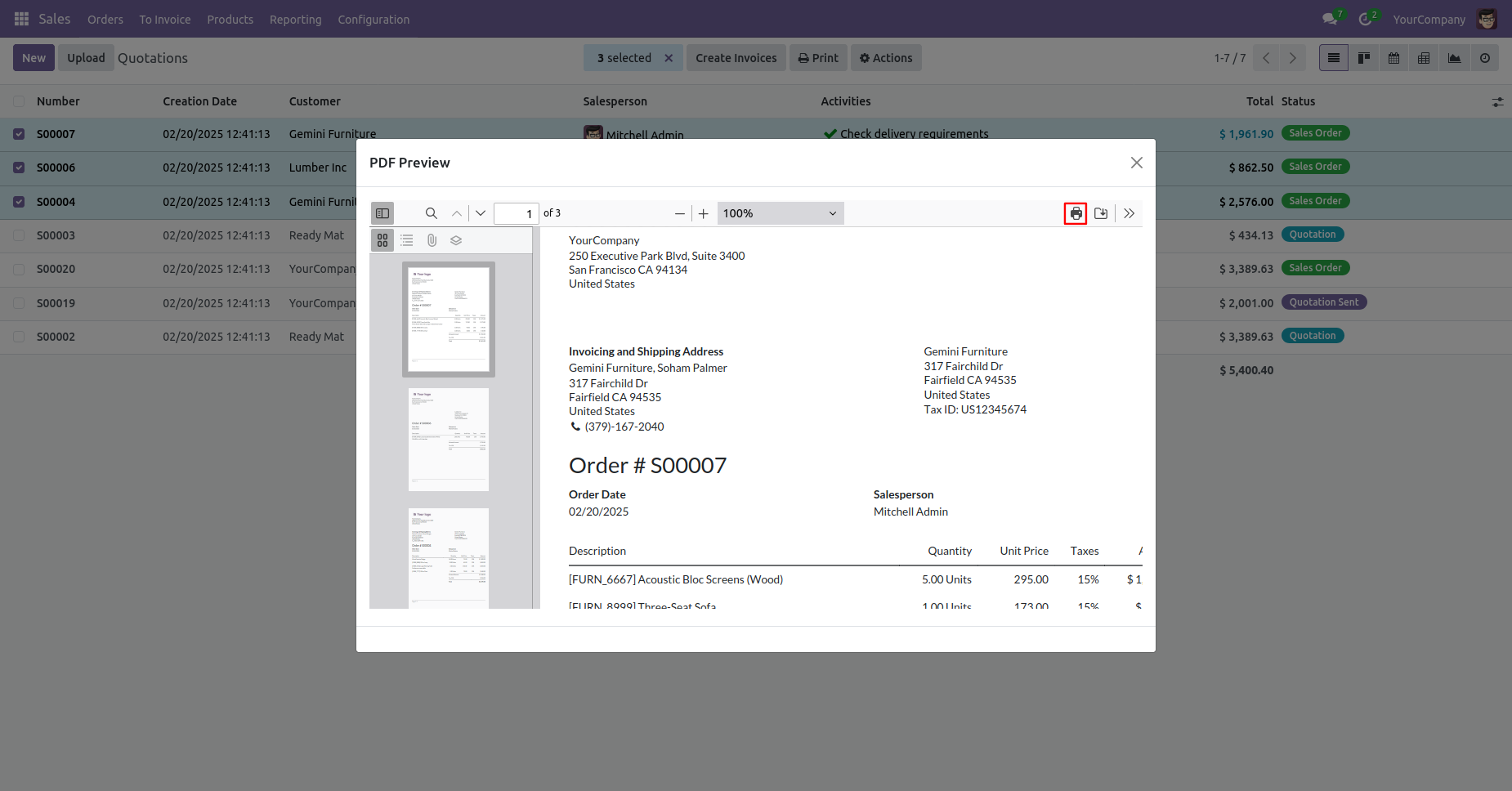
Fill details and click on the 'Save' button.
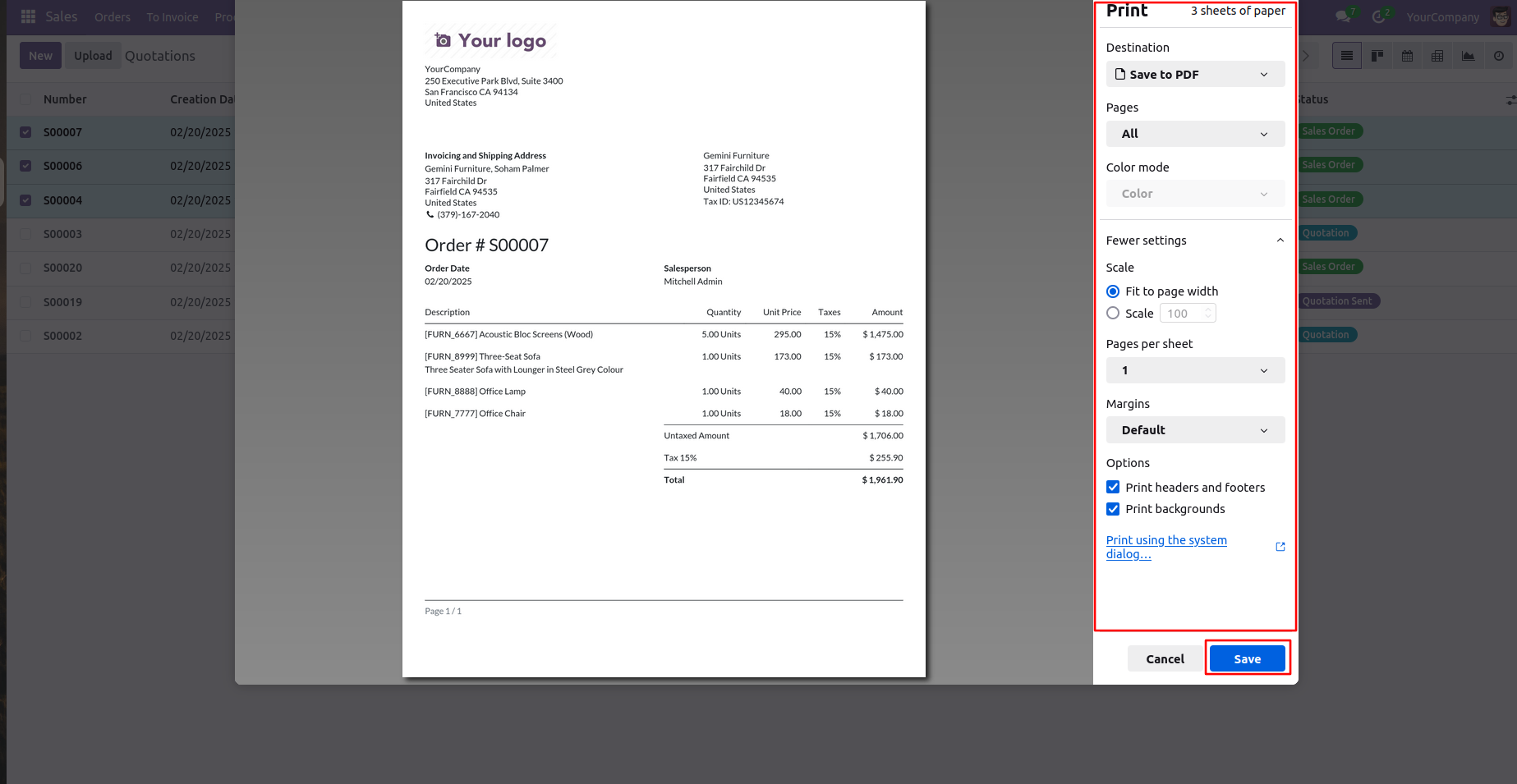
Click on the 'Download' icon to download the PDF.
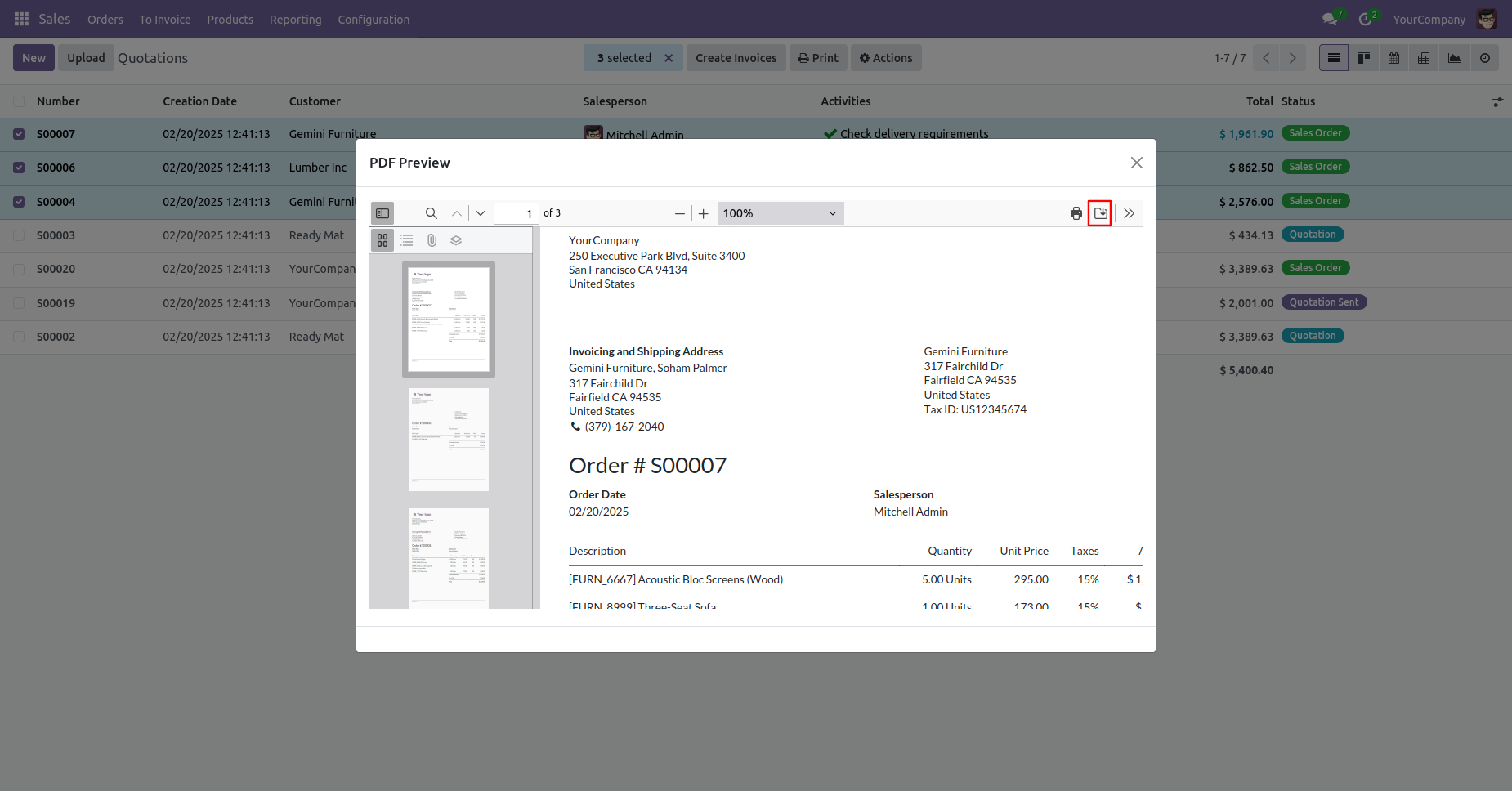
PDF looks like below.
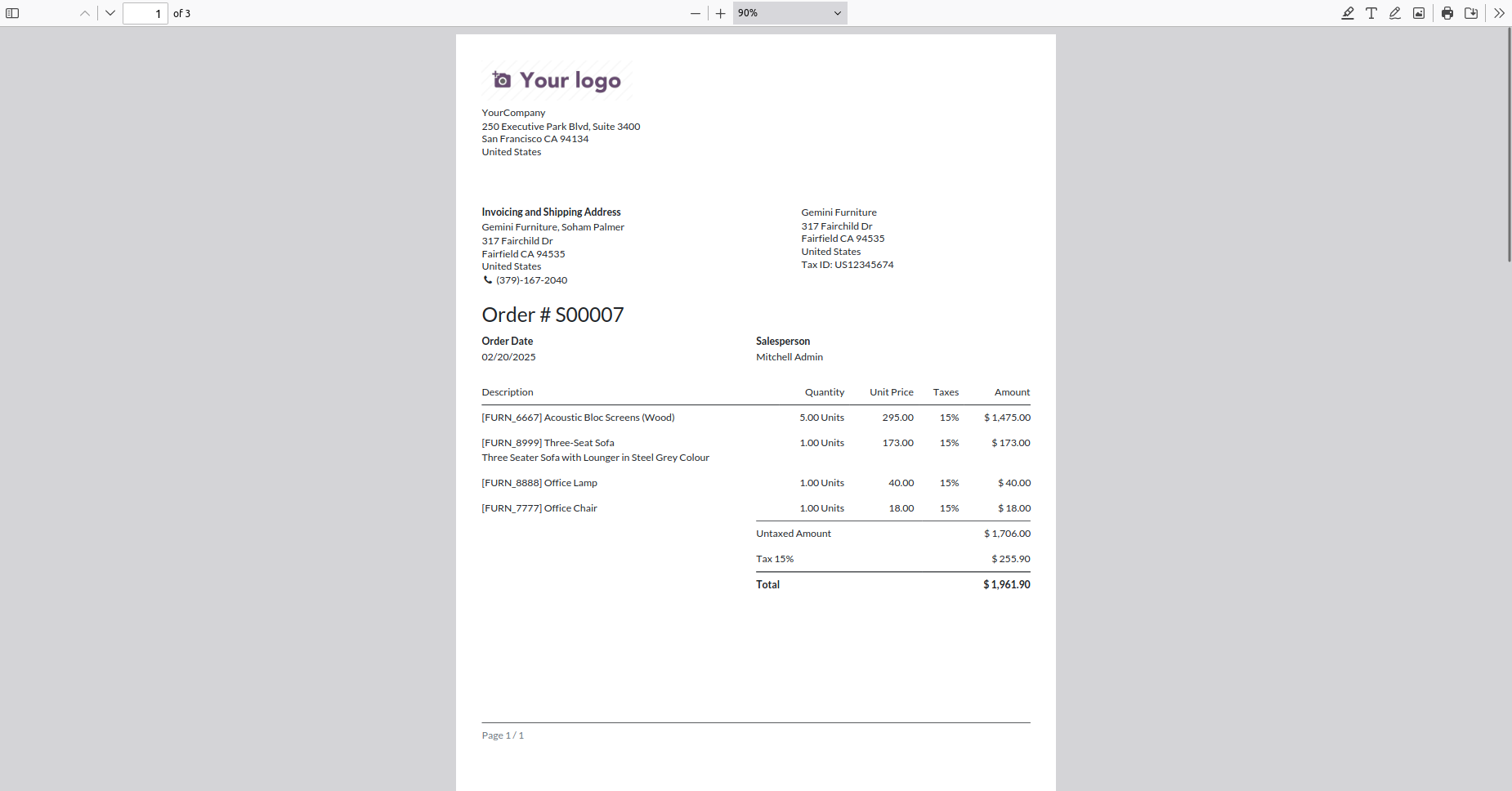
Go to the Sales Order form view and click Print → Quotation Order to generate the quotation report.
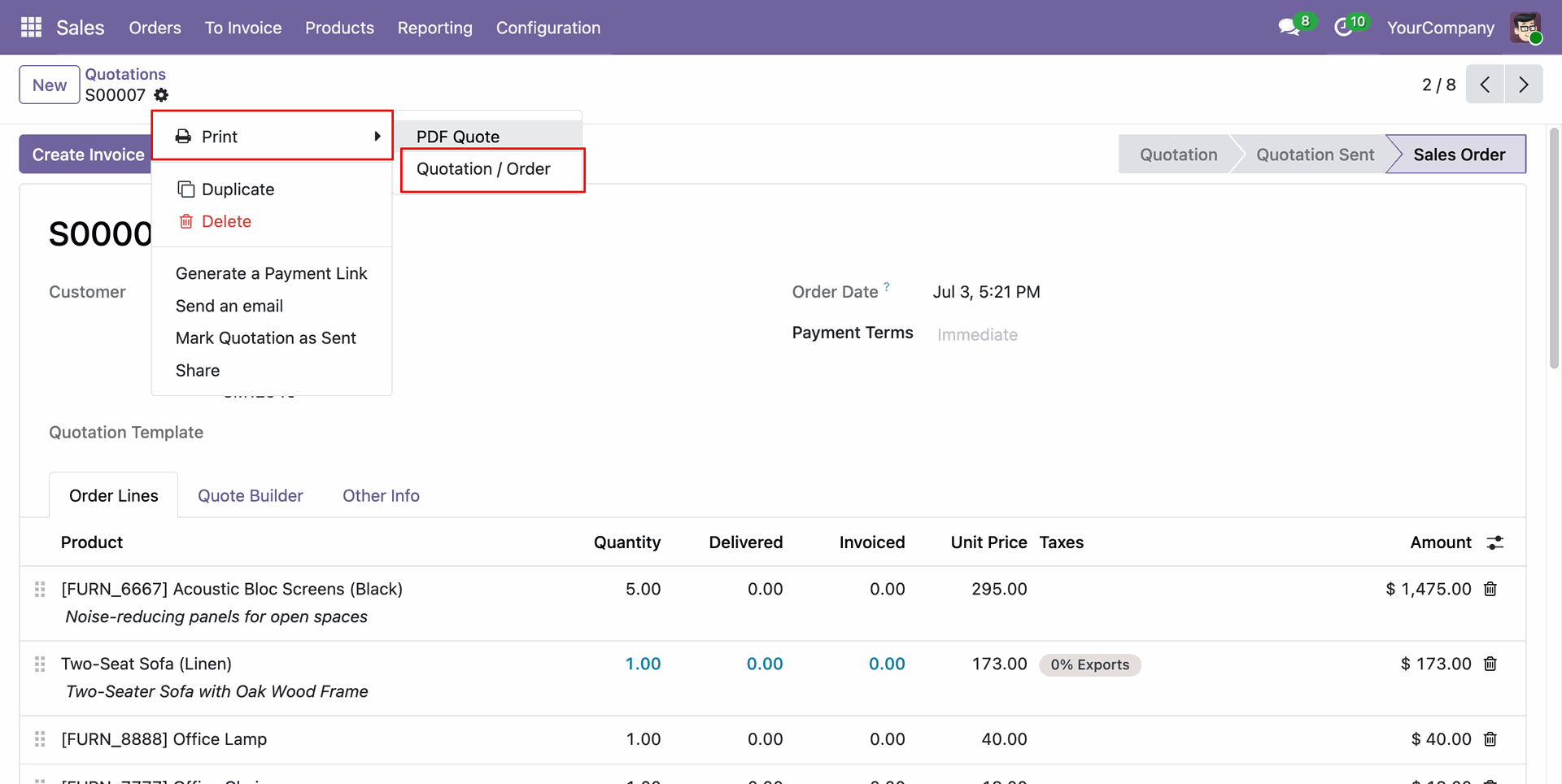
The generated PDF report will open in a new window for viewing or printing.
Attach a text file, image, or PDF file to the record using the Attachments option.
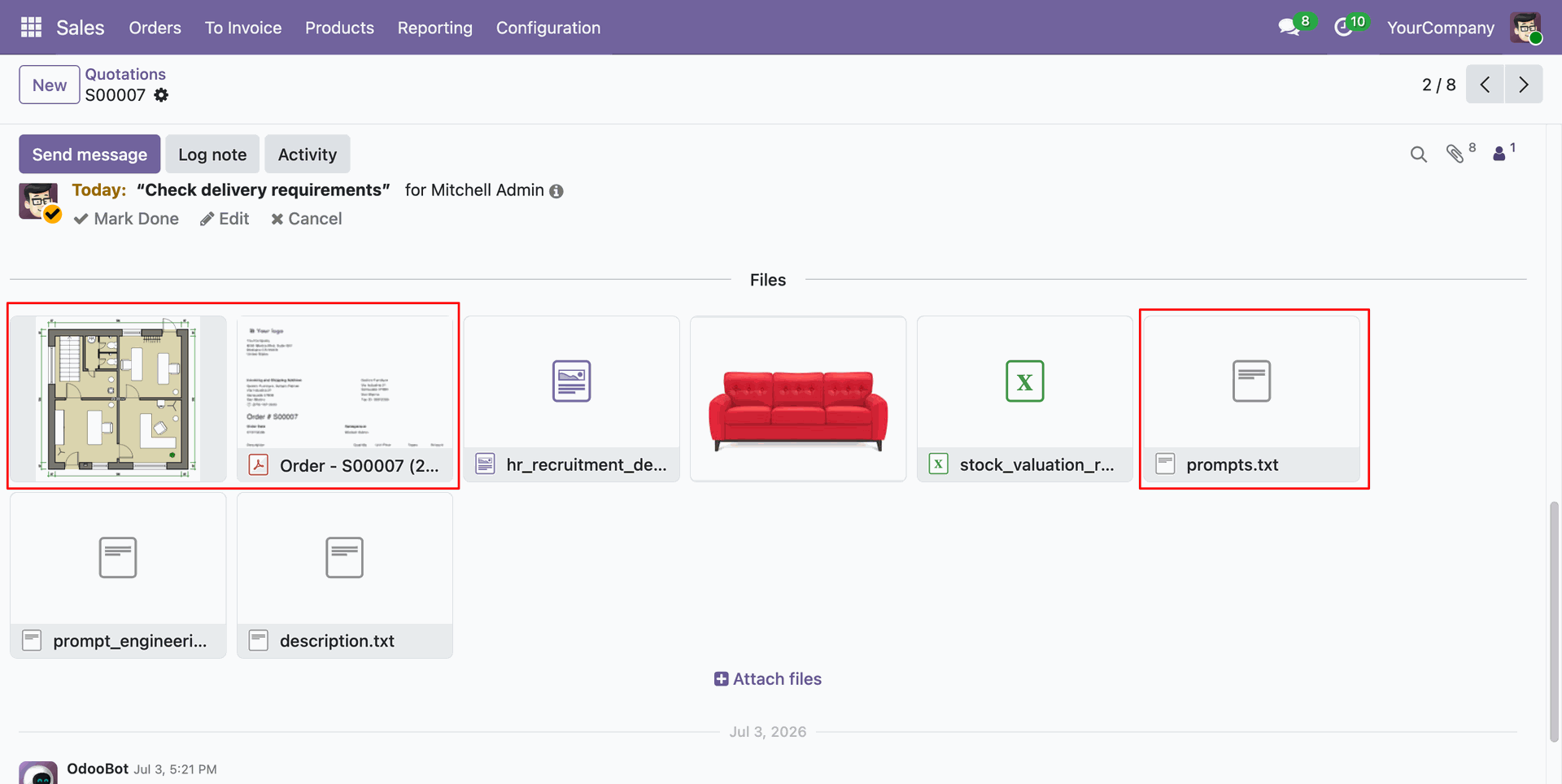
To preview the attachment, click on the attached file. The PDF, image, or text file will open in a new window.
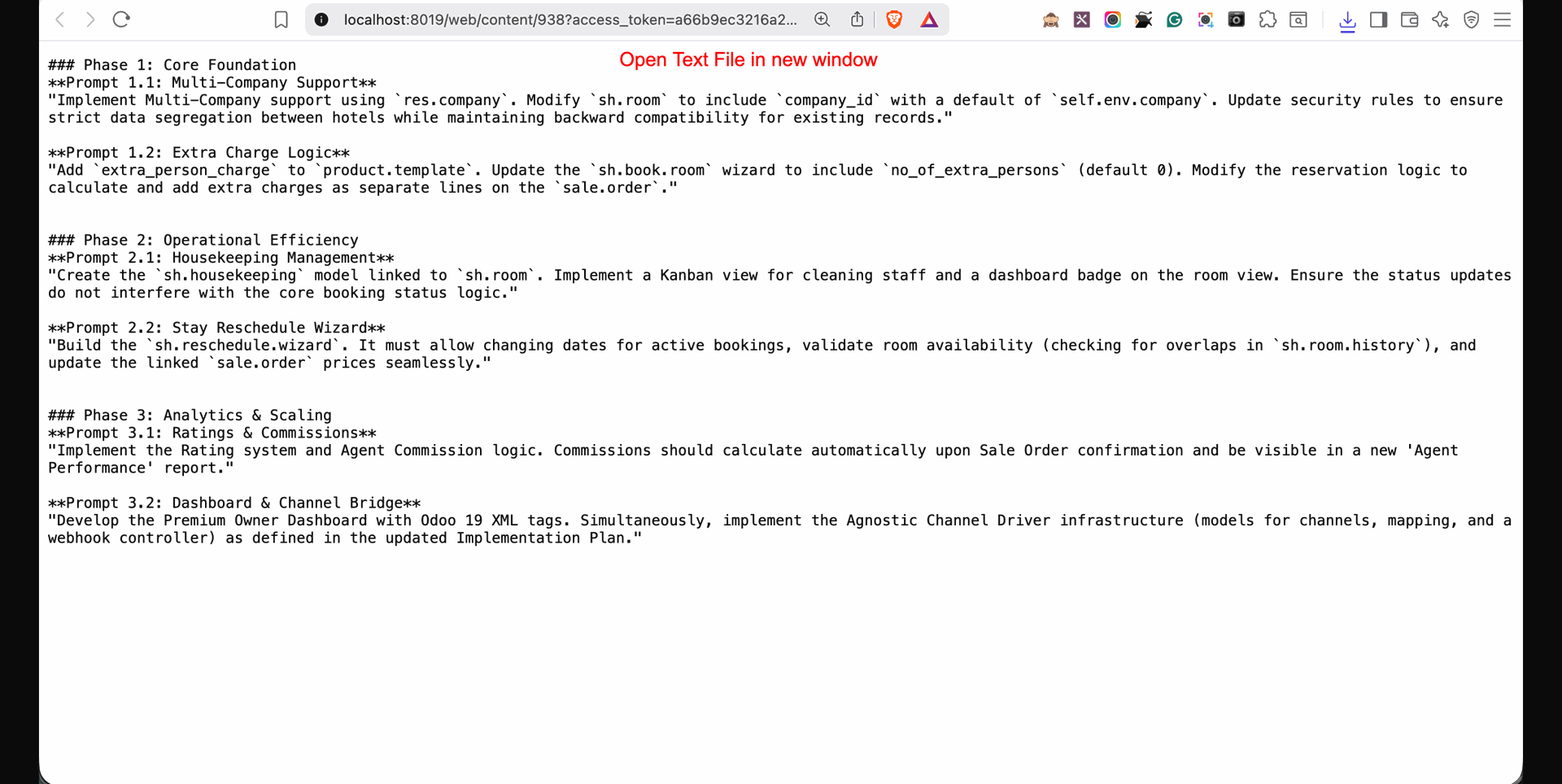
Attach the Word document and Excel file using the Attachments option.
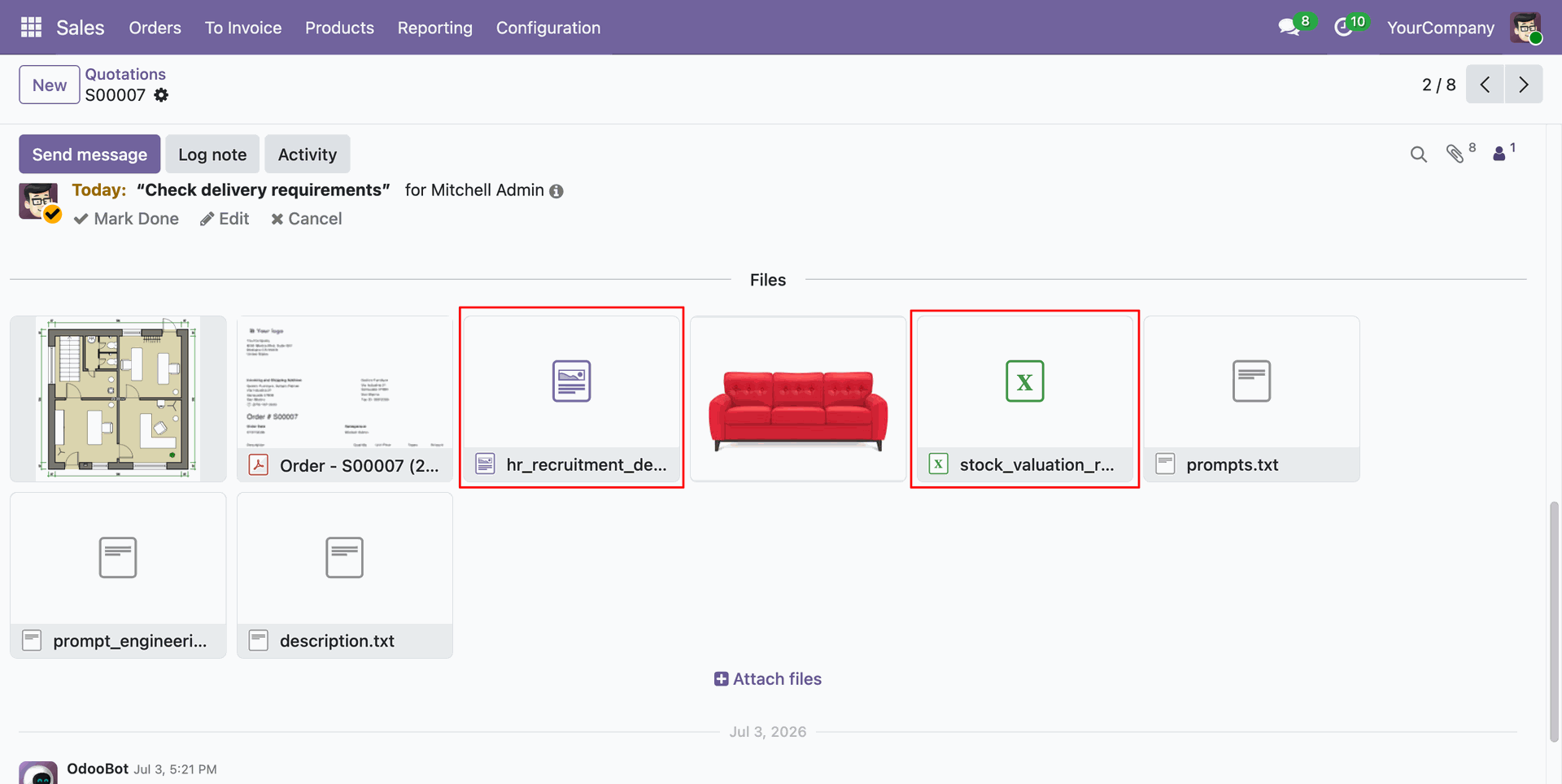
Clicking the attached Word document or Excel file will automatically download the file to your device.
Version 18.0.2.0.0 | Released on : 12th August 2026
Version 18.0.1.0.0 | Released on : 17th February 2025
- Yes, this app works perfectly with Odoo Enterprise (Odoo.sh & Premise) as well as Community.
- No, this application is not compatible with odoo.com(odoo saas/Odoo Online)
- Yes, to test this module, please contact us at sales@softhealer.com.
- Please contact us at sales@softhealer.comto request customization.
- Yes, we provide free lifetime support for the version you purchased.
- Yes, you will receive lifetime free updates for the version of the module you purchased.
- No, there is no need to install any additional libraries.
- Yes, for version 12 and above, you need to purchase the module separately for each version you intend to use.
- No, exchanges or refunds are not allowed. Please make sure to select the correct version before purchasing.
- You can contact us at support@softhealer.com for language translation support. We use Google Translator tools to provide translations in multiple languages, so the accuracy may vary. We welcome your suggestions to help improve translations.
Discover Our Latest Apps