












Payslip Whatsapp Integrations - Enterprise Edition

Nowadays many communications take place on WhatsApp. Currently, in odoo, there is no feature where you can send employee payslip direct to WhatsApp. Here you can manage payroll in the WhatsApp. You can also change an employee contact number at that time when you send payslip by WhatsApp. You can send payroll information, report URL & signature to employee WhatsApp.

Hot Features
Features
- You can send the WhatsApp message in multi-language.
- You can send multiple attachments by URLs in the WhatsApp messages.
- You can make the customize whatsapp message template.
-
We have 3 ways
to show message content.
A) Payroll information in the message - It will display only payroll information in the message.
B) Report URL in the message - It will send the payslip report URL in the message.
C) Signature - It will display the signature at last in the message. -
We have given
2 buttons in each form.
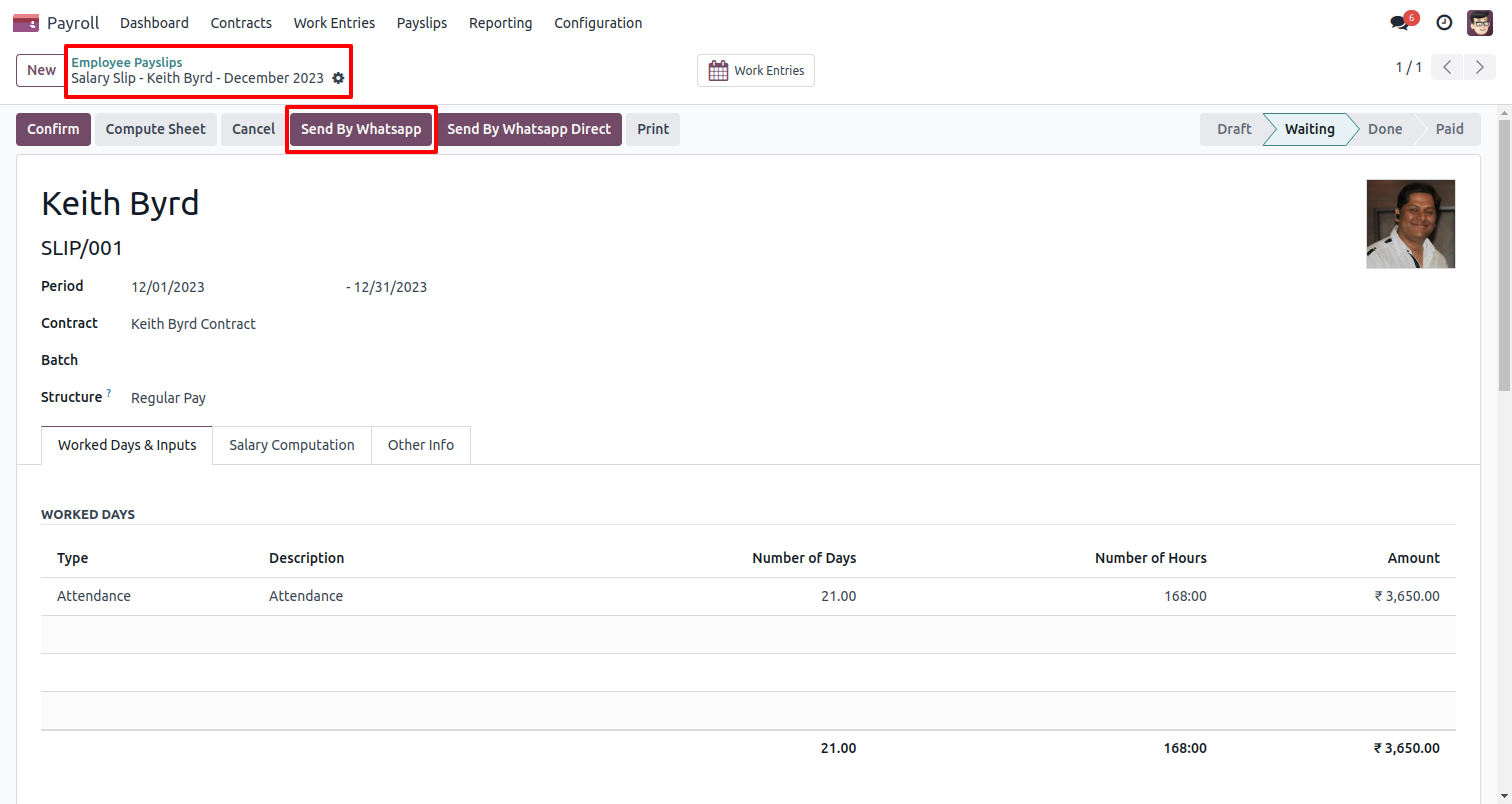
A) Send By WhatsApp - If you want to change anything including the contact number in the message, also you can select more than one employee.
B) Send By WhatsApp Direct - If you don't want to change anything in the message. (For only one employee).
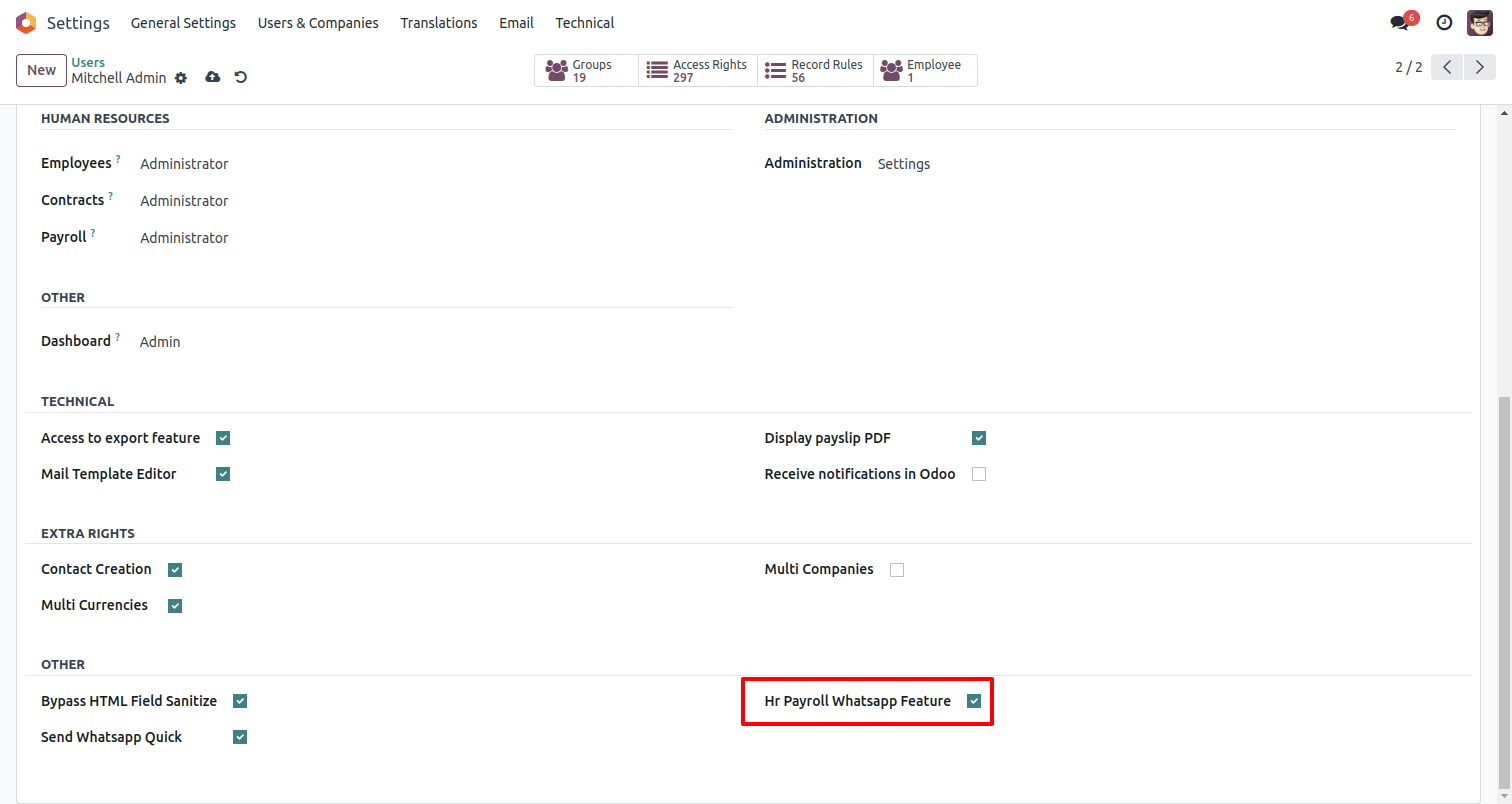
In 'User', enable the 'Hr Payroll Whatsapp Feature' option. Users can easily send a message to anyone using that menu. This menu will be visible when the user has the SWQ group enabled.
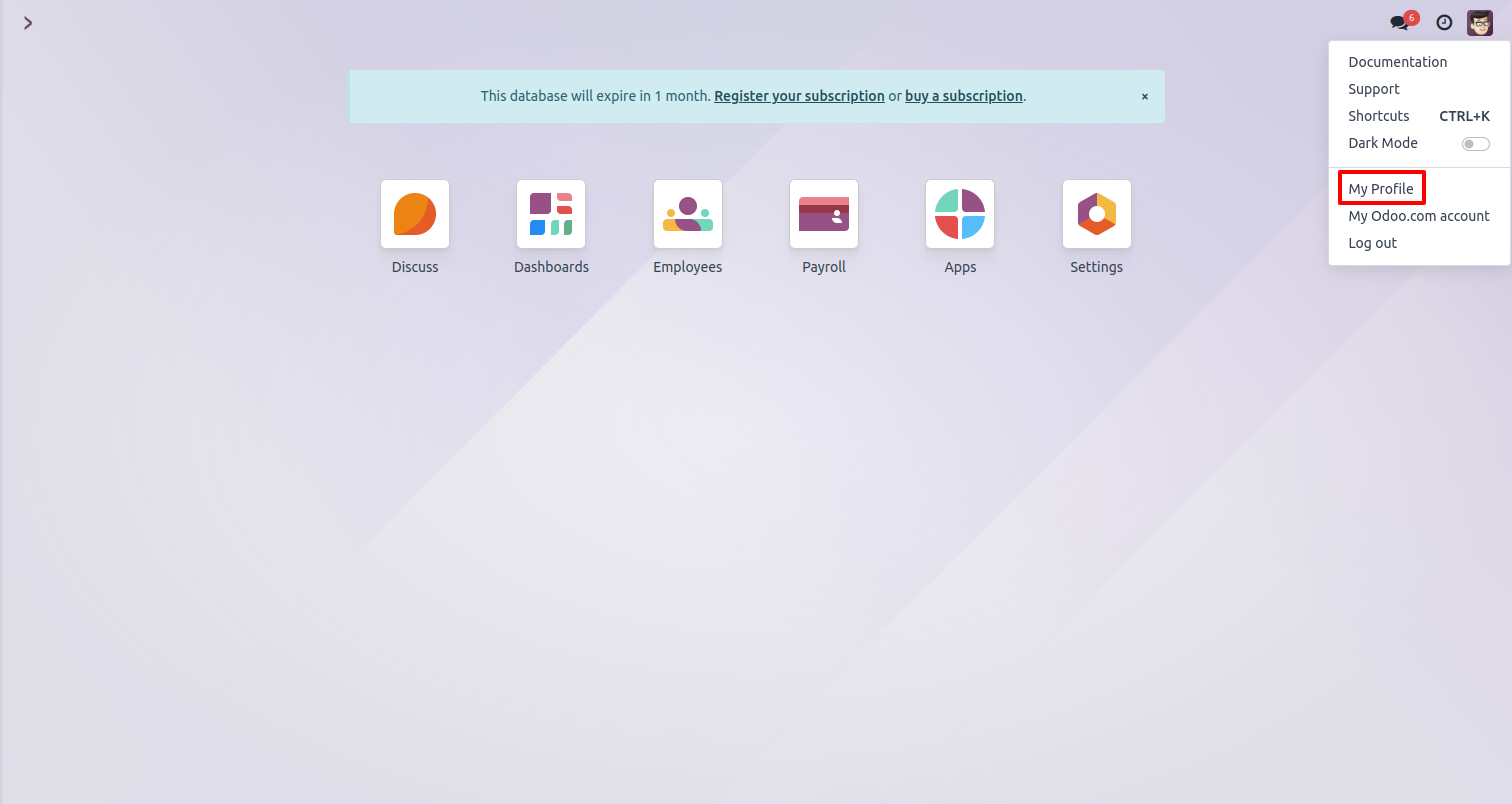
Set the signature in the message, 1) Go to 'My profile'.
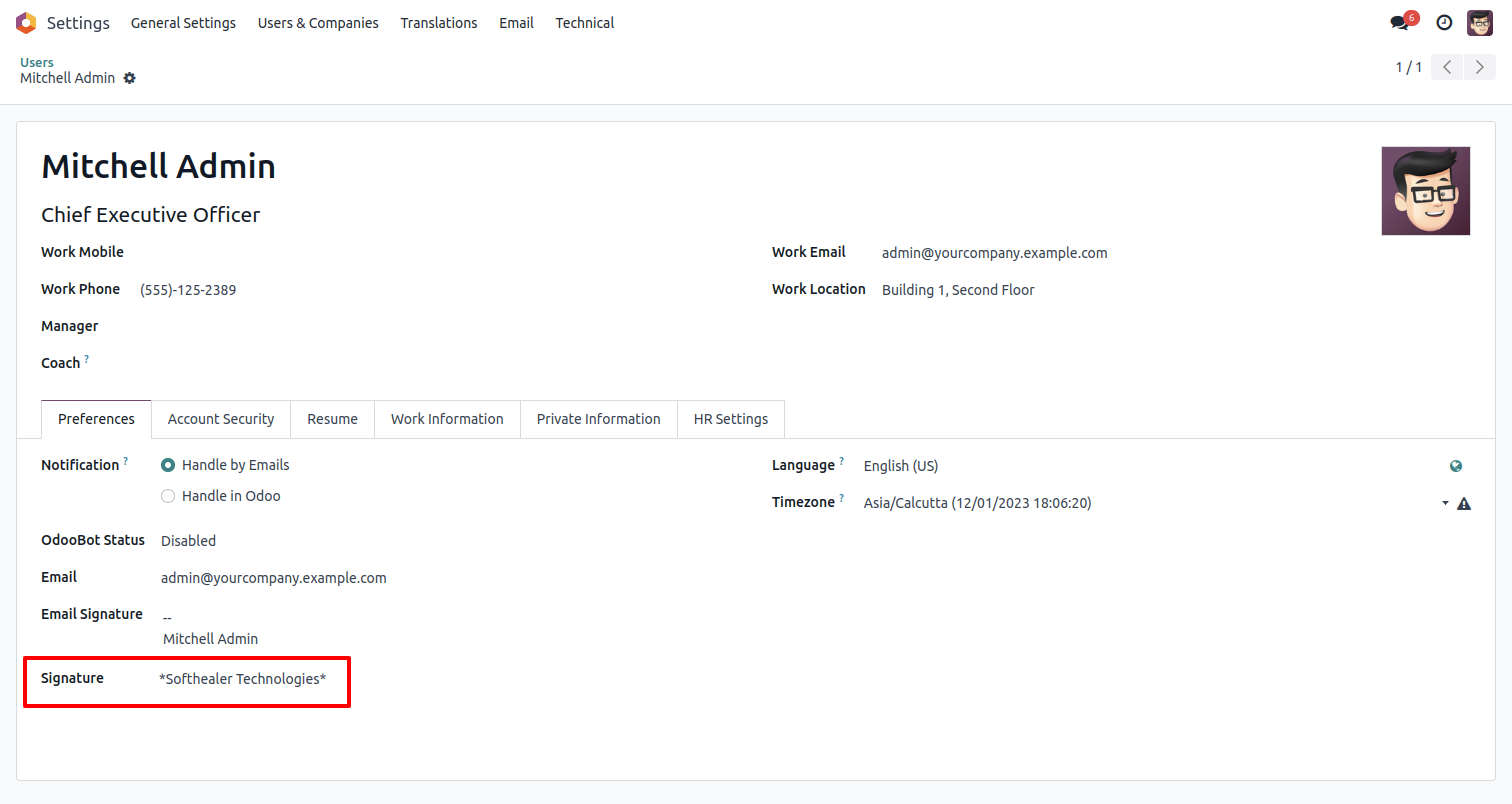
Configure your signature in the preferences section.
Payroll Whatsapp configuration setting, Here we enable payroll information & report URL in the message.
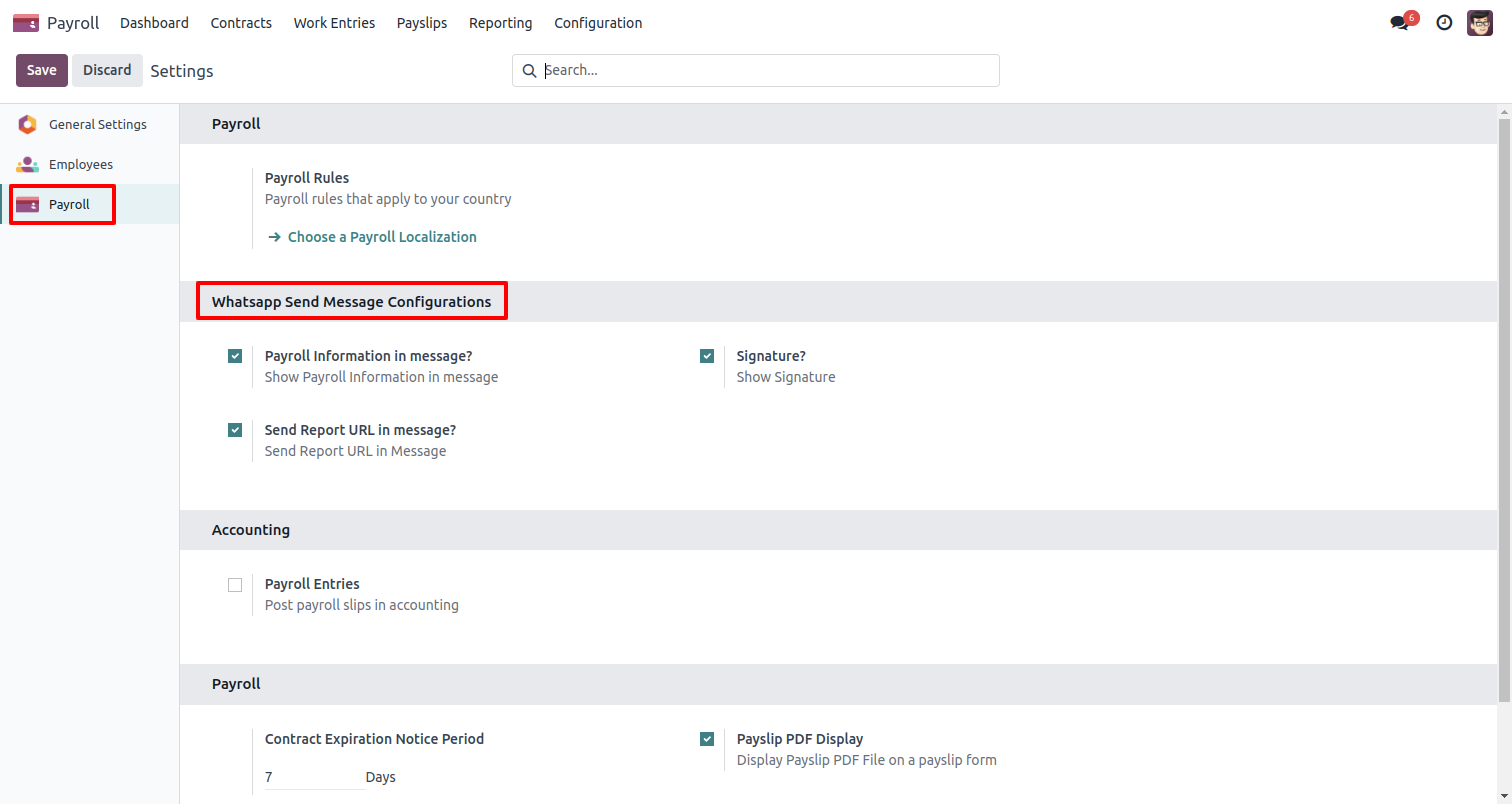
Send payslip in WhatsApp to the employee.
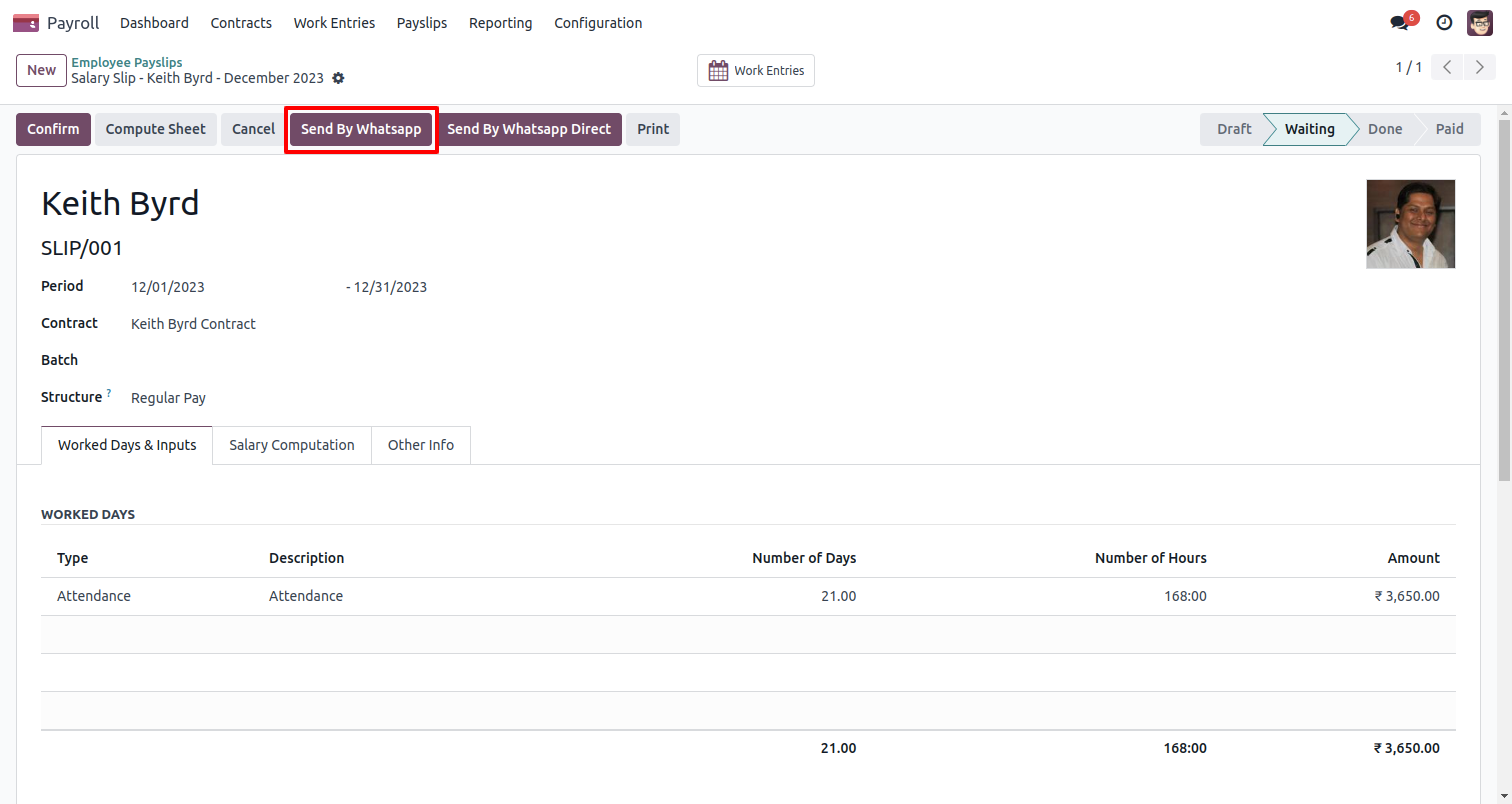
If the mobile number of the employee is not found in the payslip, this popup will appear.
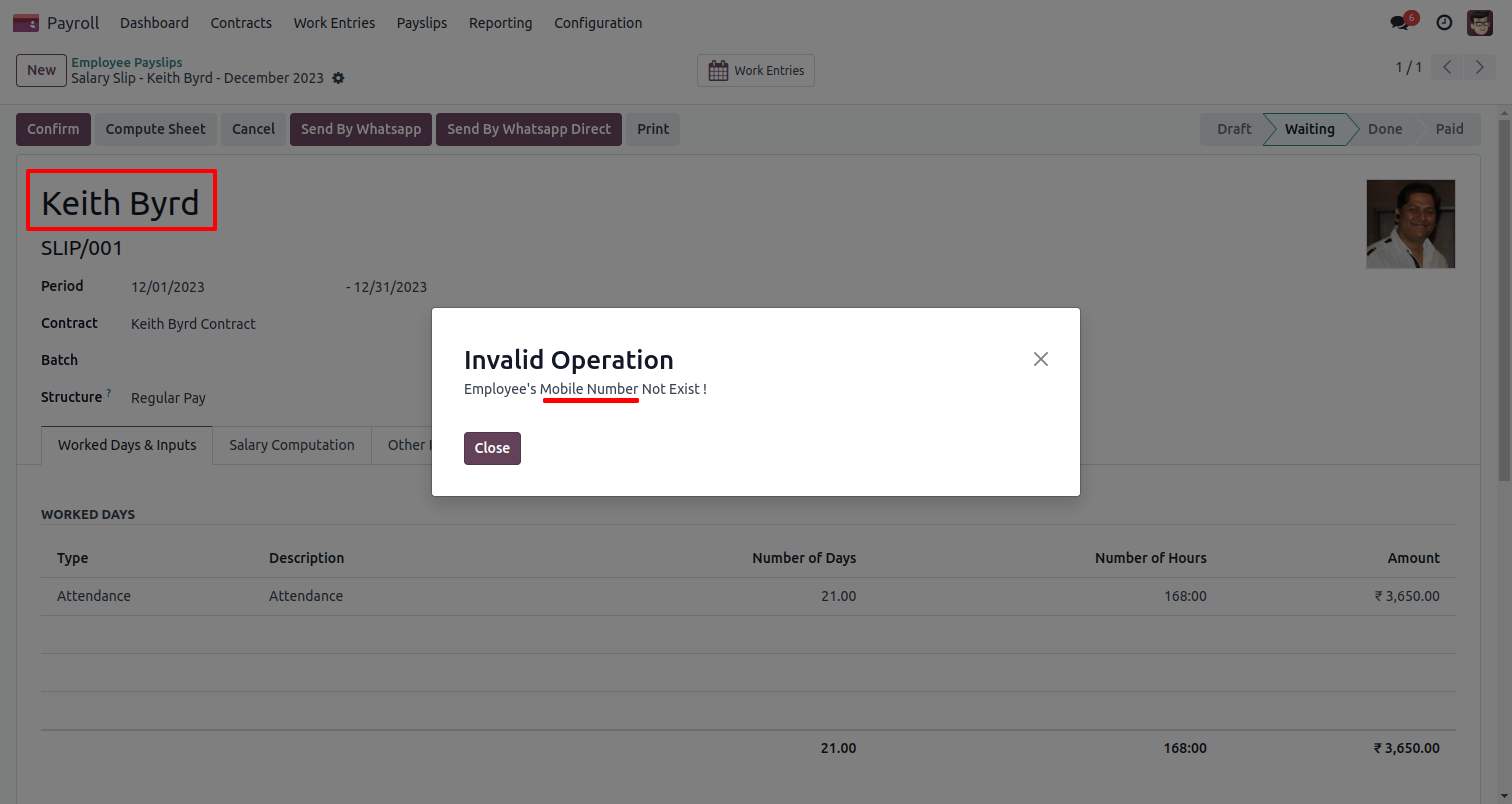
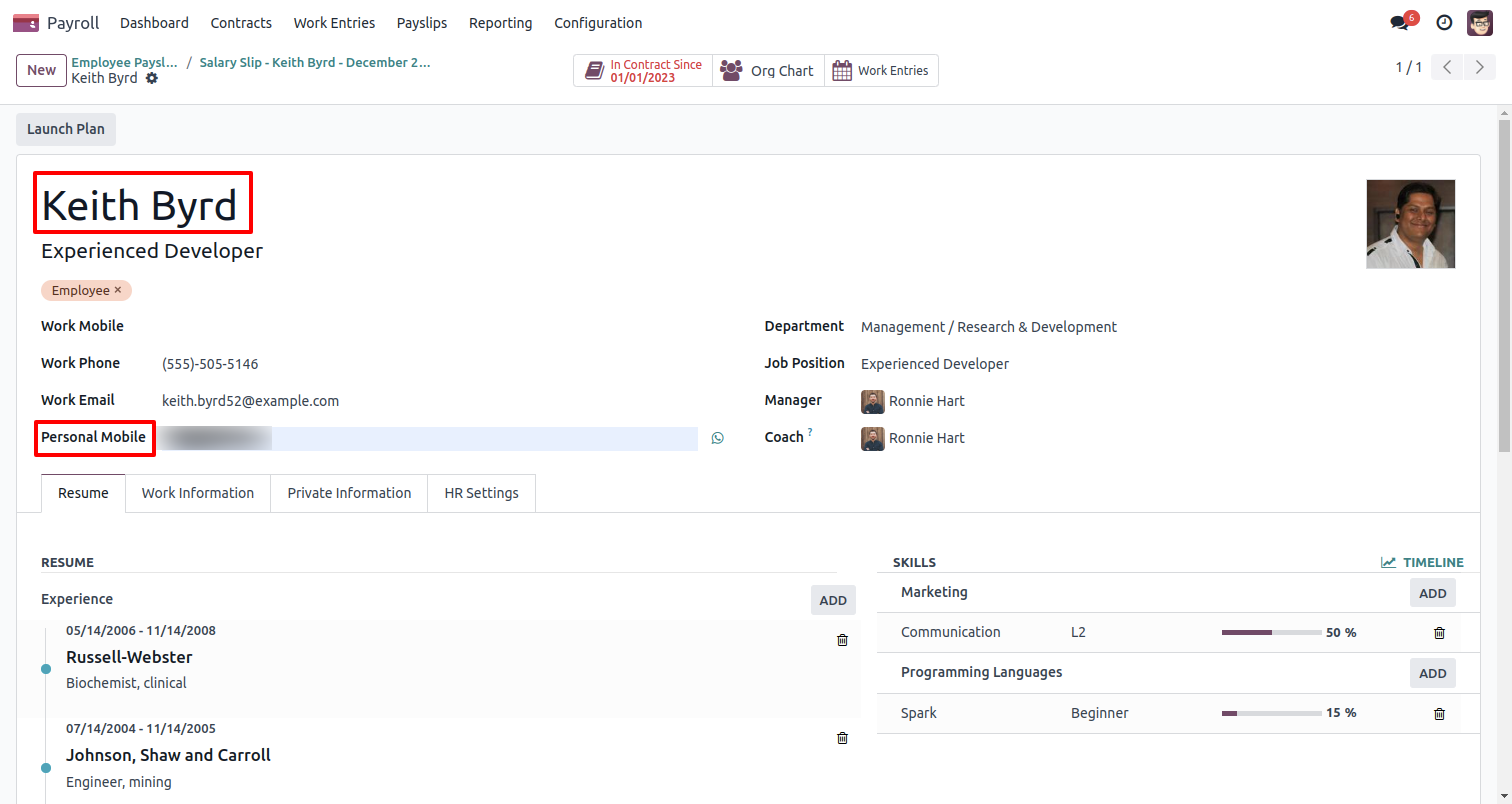
Update the payslip form view to include the employee's mobile number.
Click on the 'Send By WhatsApp' button. After that 'Odoo' wiazard will be
appear.
Customize the message according to your needs and then click on the 'Send by
WhatsApp'.
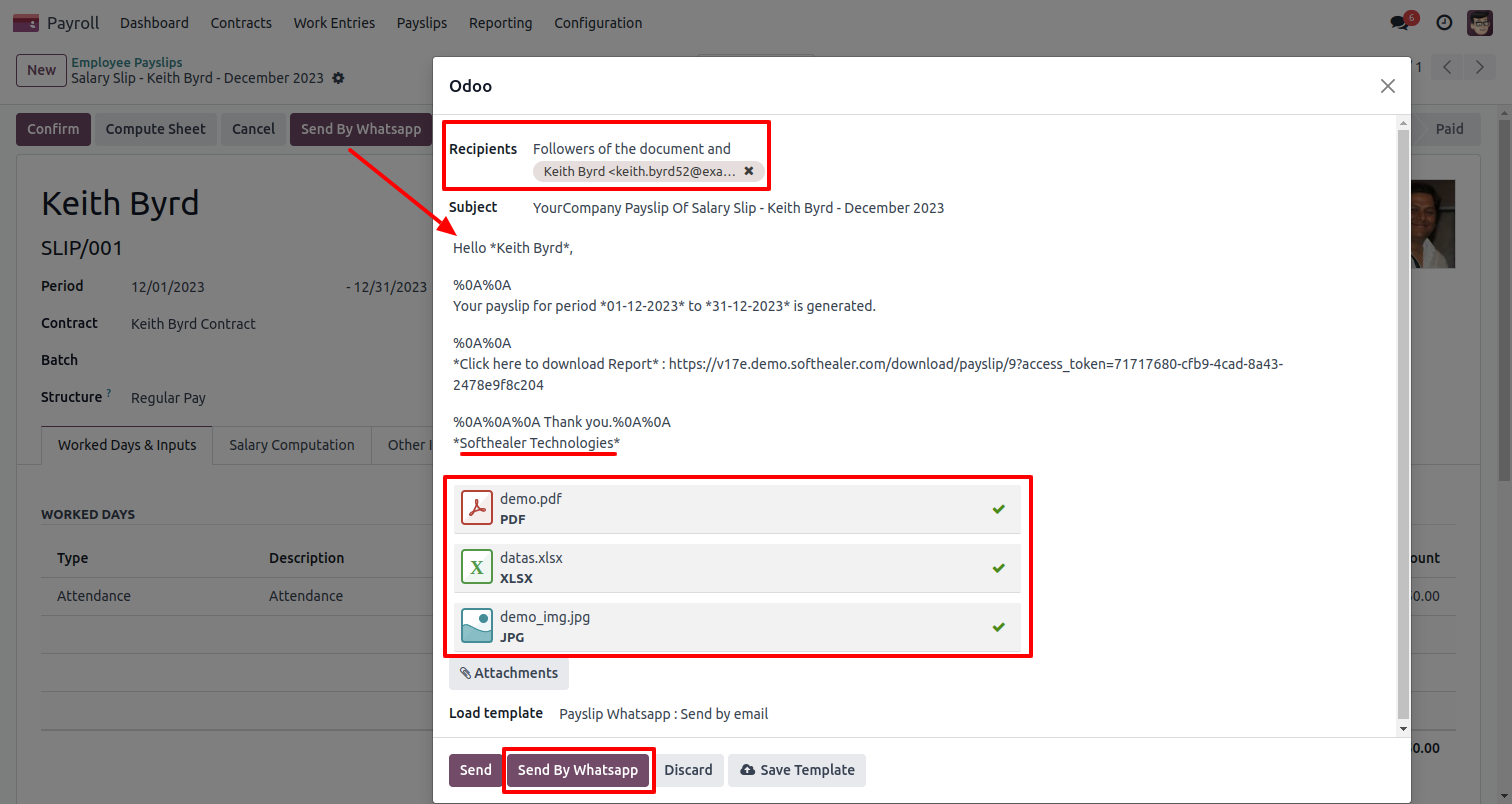
The payroll WhatsApp message looks like this.
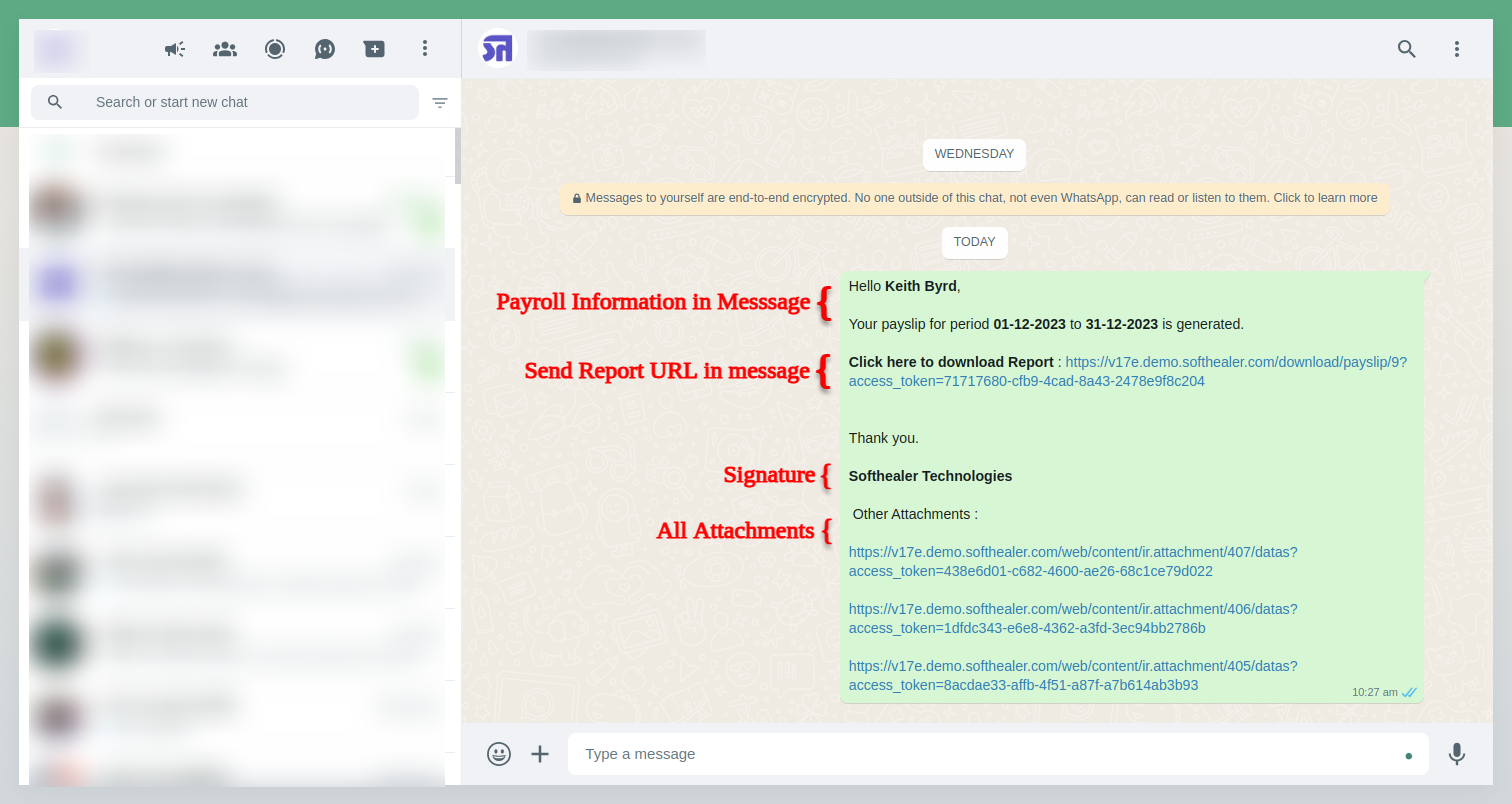
The payslip PDF appears as follows.
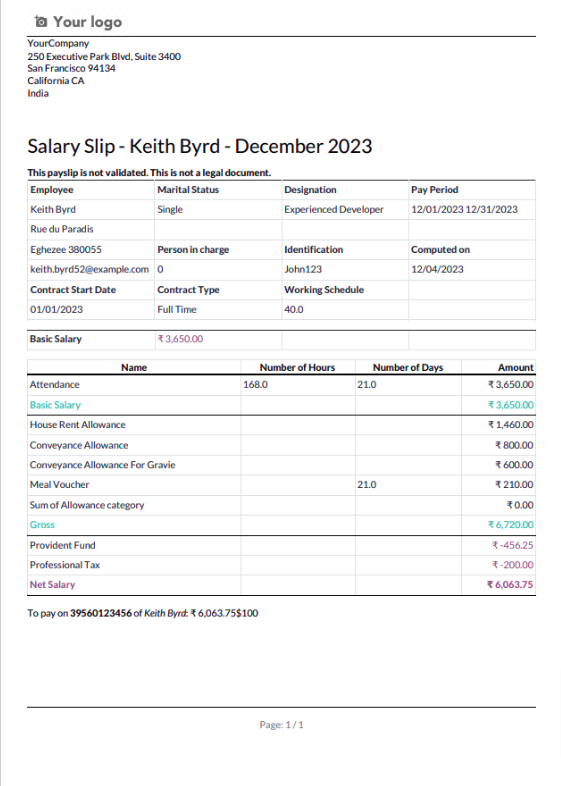
The sent message is visible in the chat.
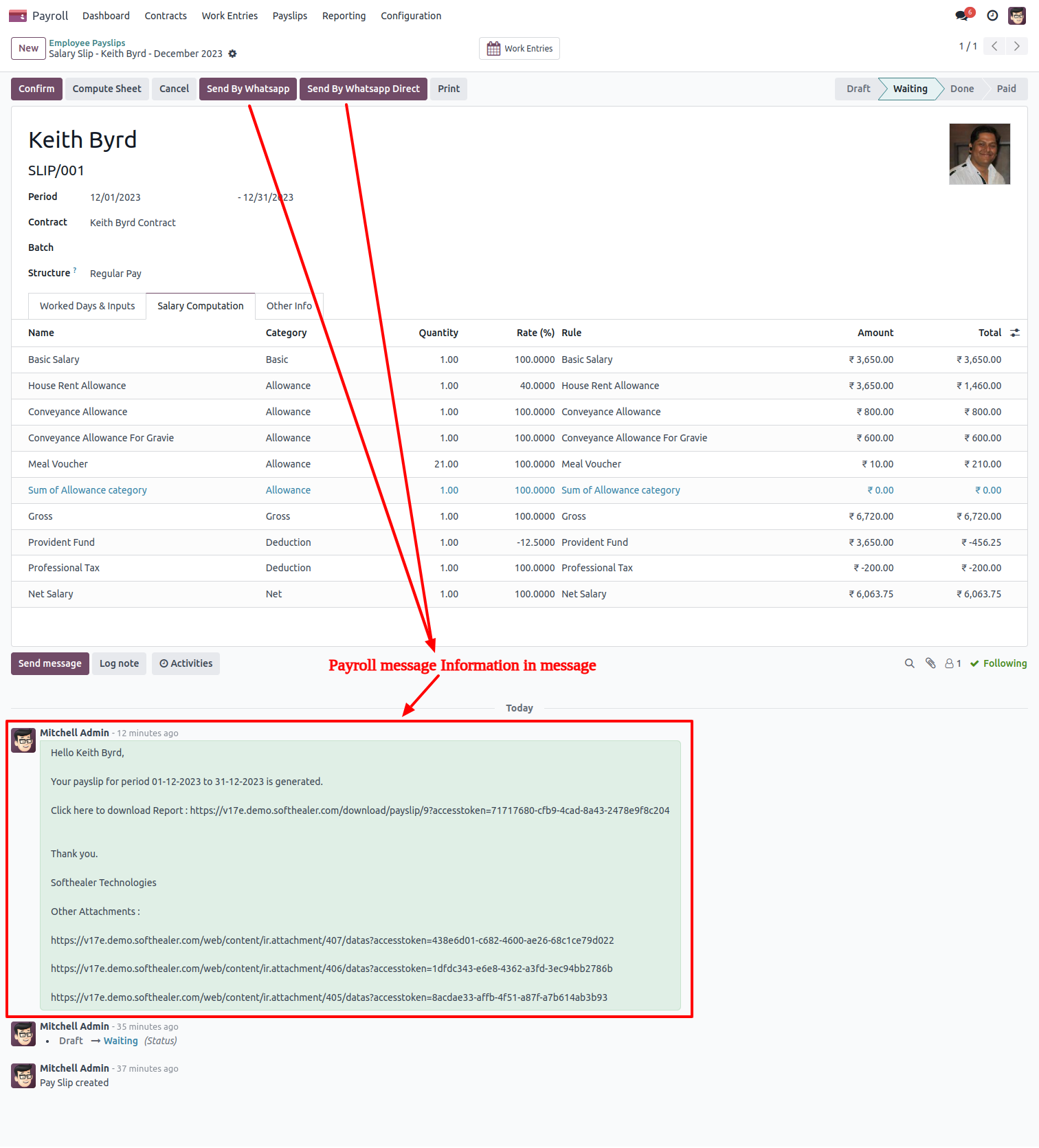
Send payslip in WhatsApp to the employee.
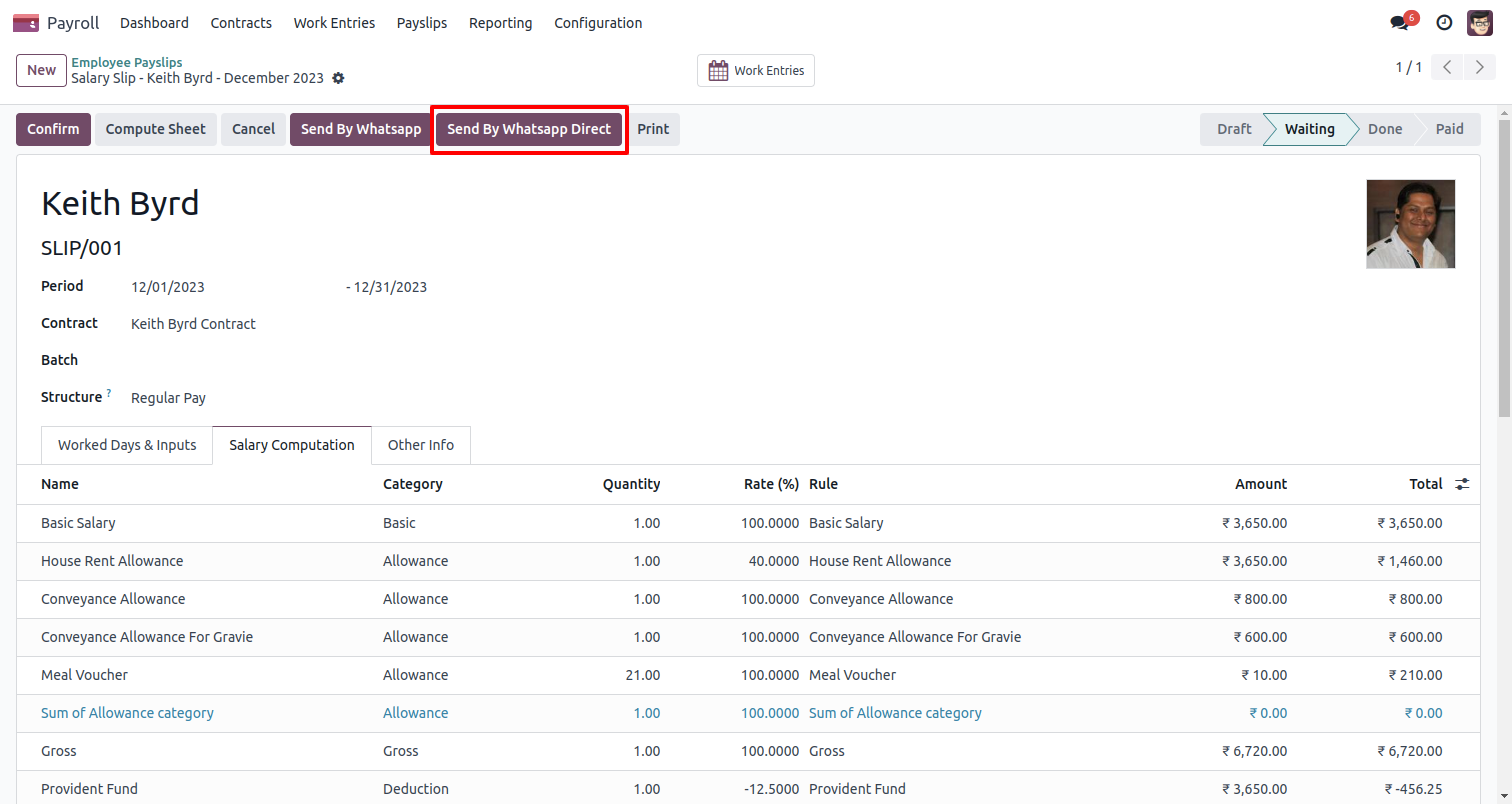
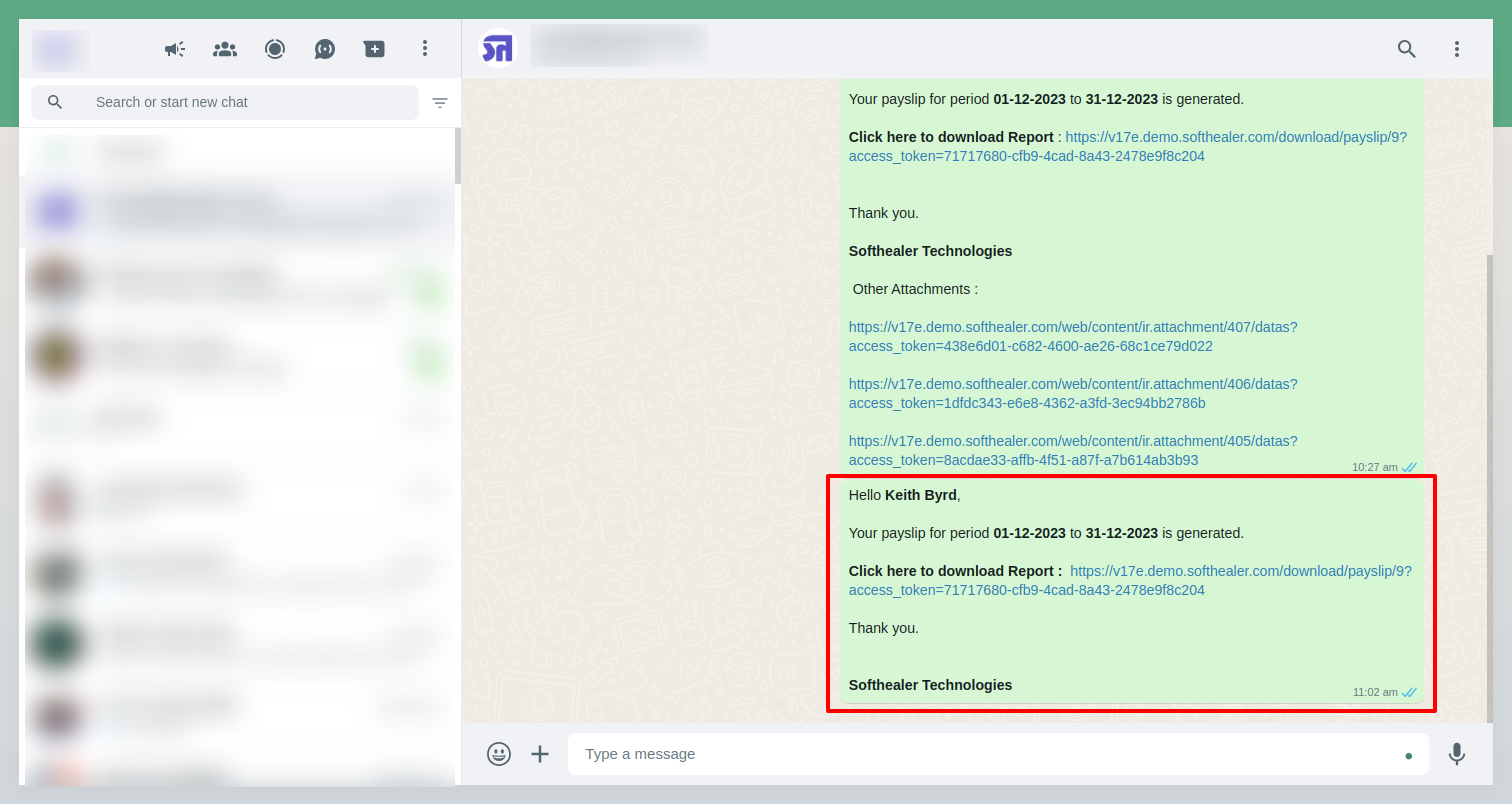
The payroll WhatsApp message looks like this.
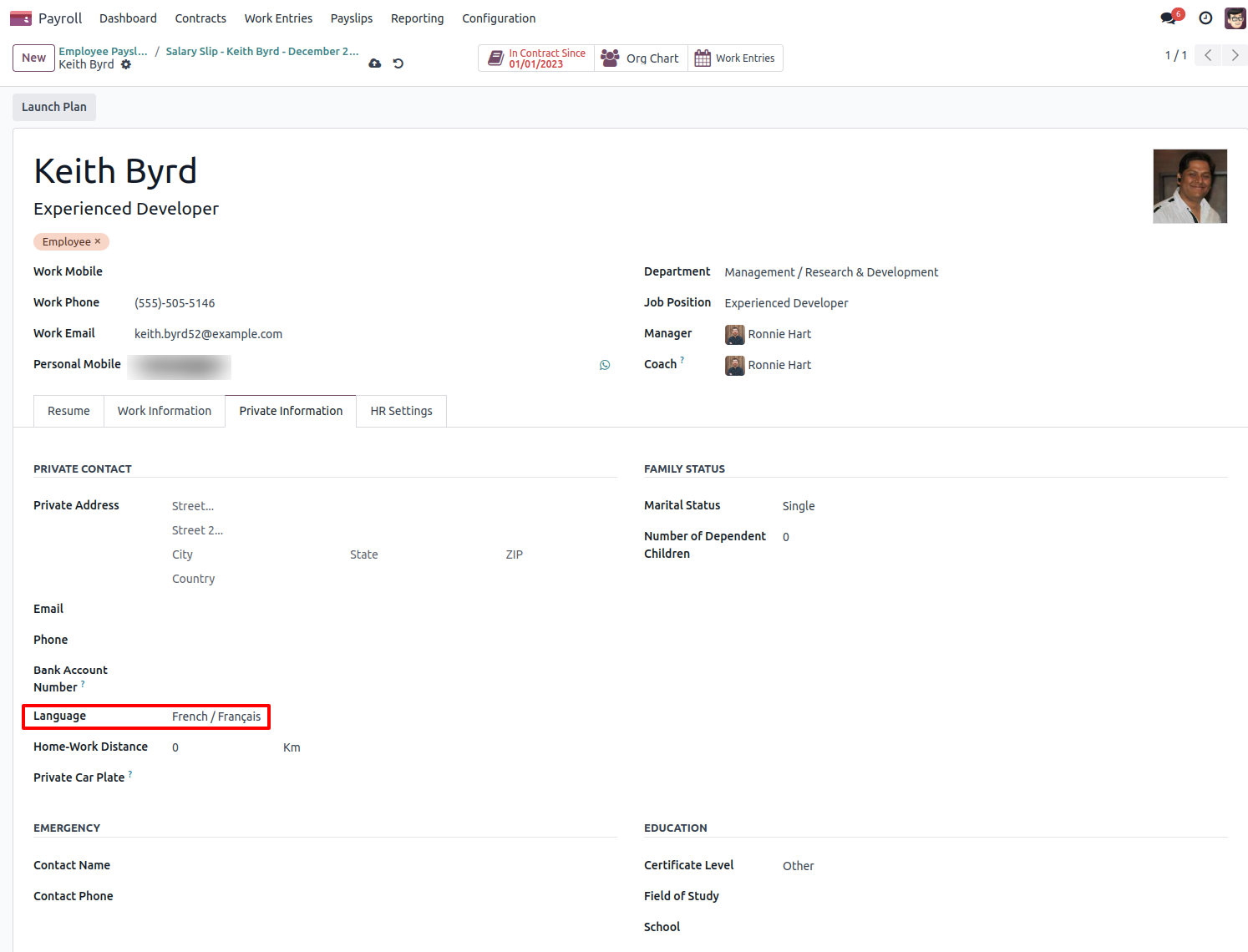
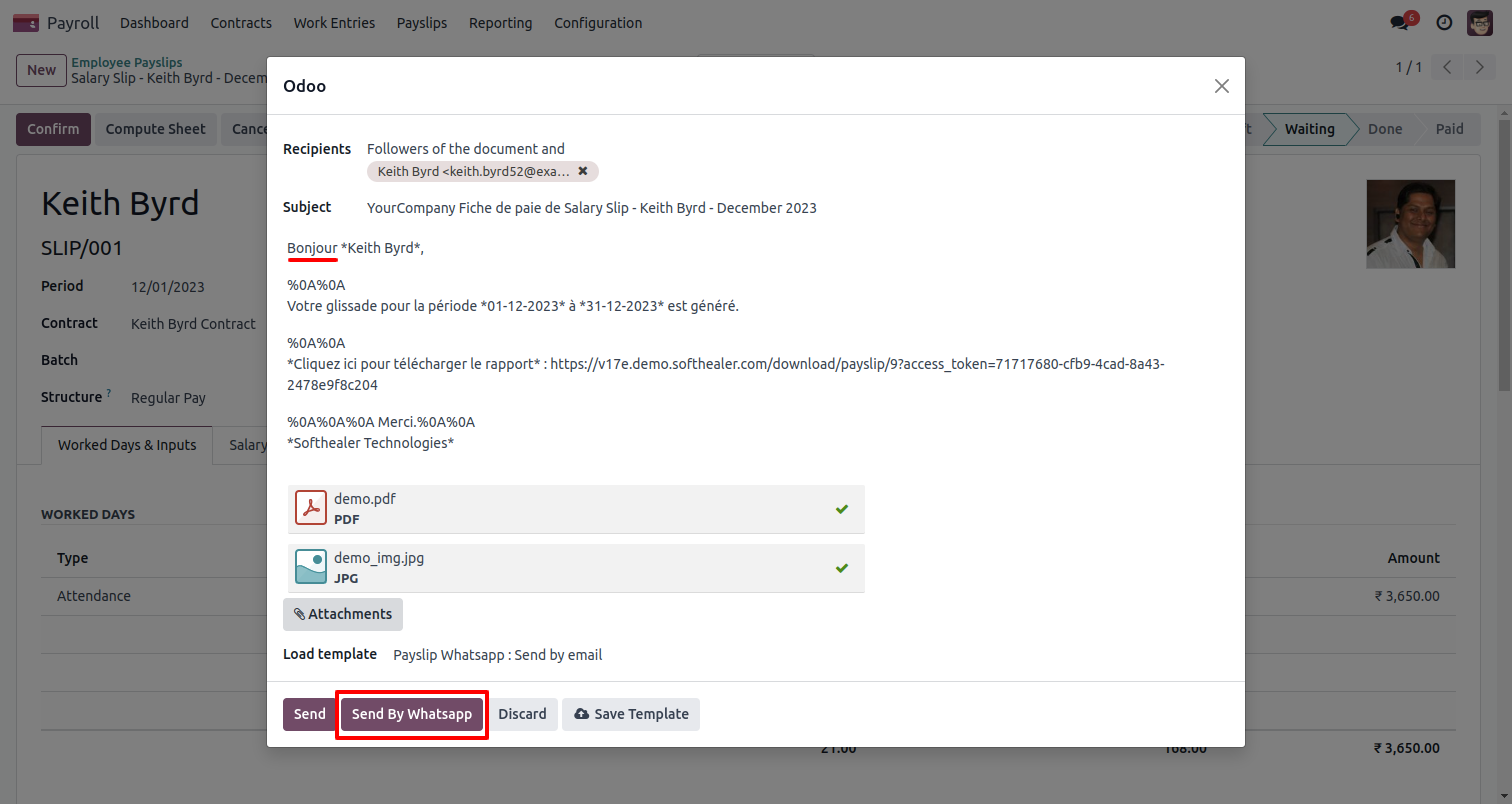
Here we set the language for this customer.
Click Send By WhatsApp Button.
Recipient, subject, and edit message as required and click send by WhatsApp.
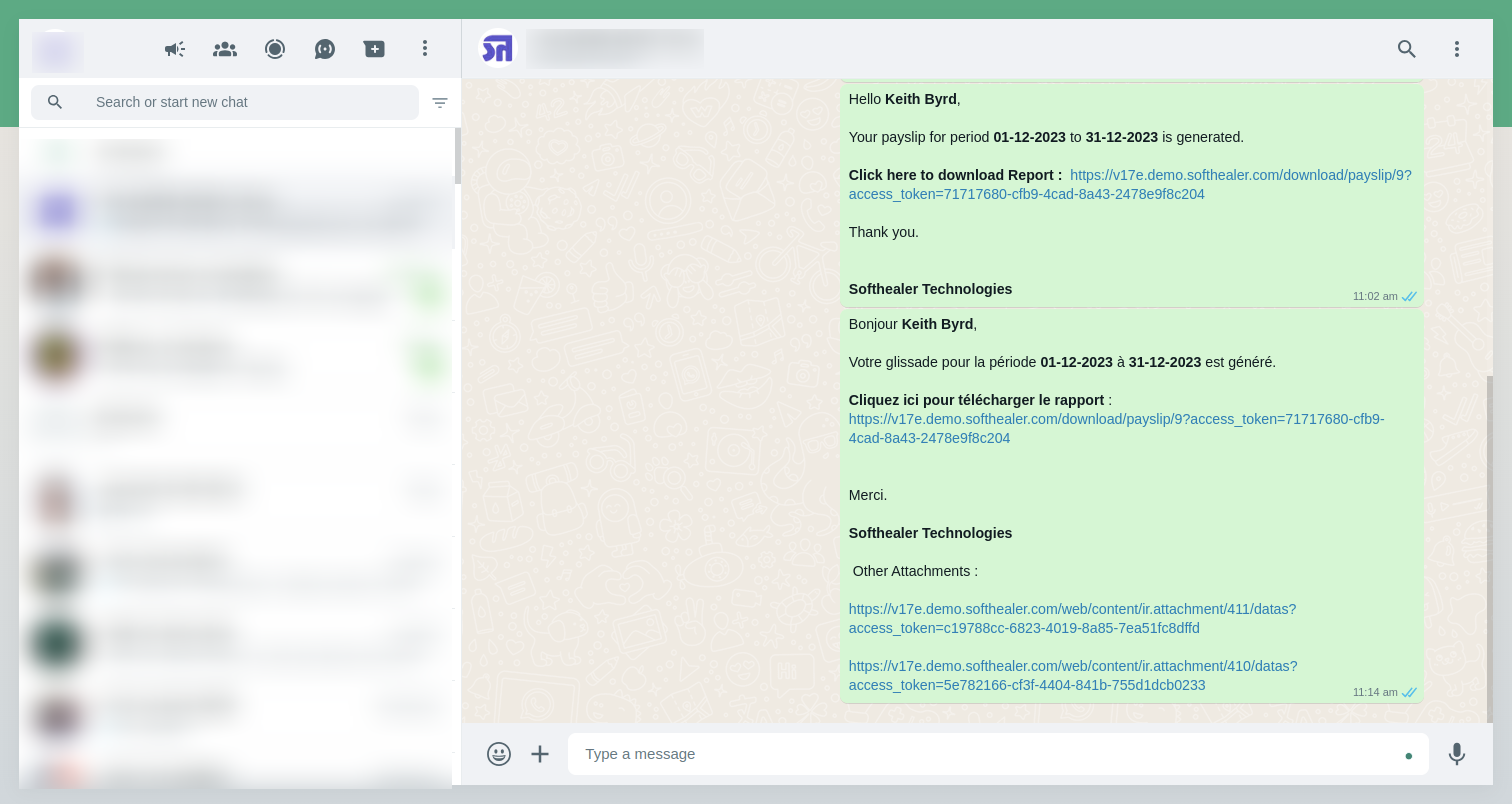
This is the output after the click sends button.
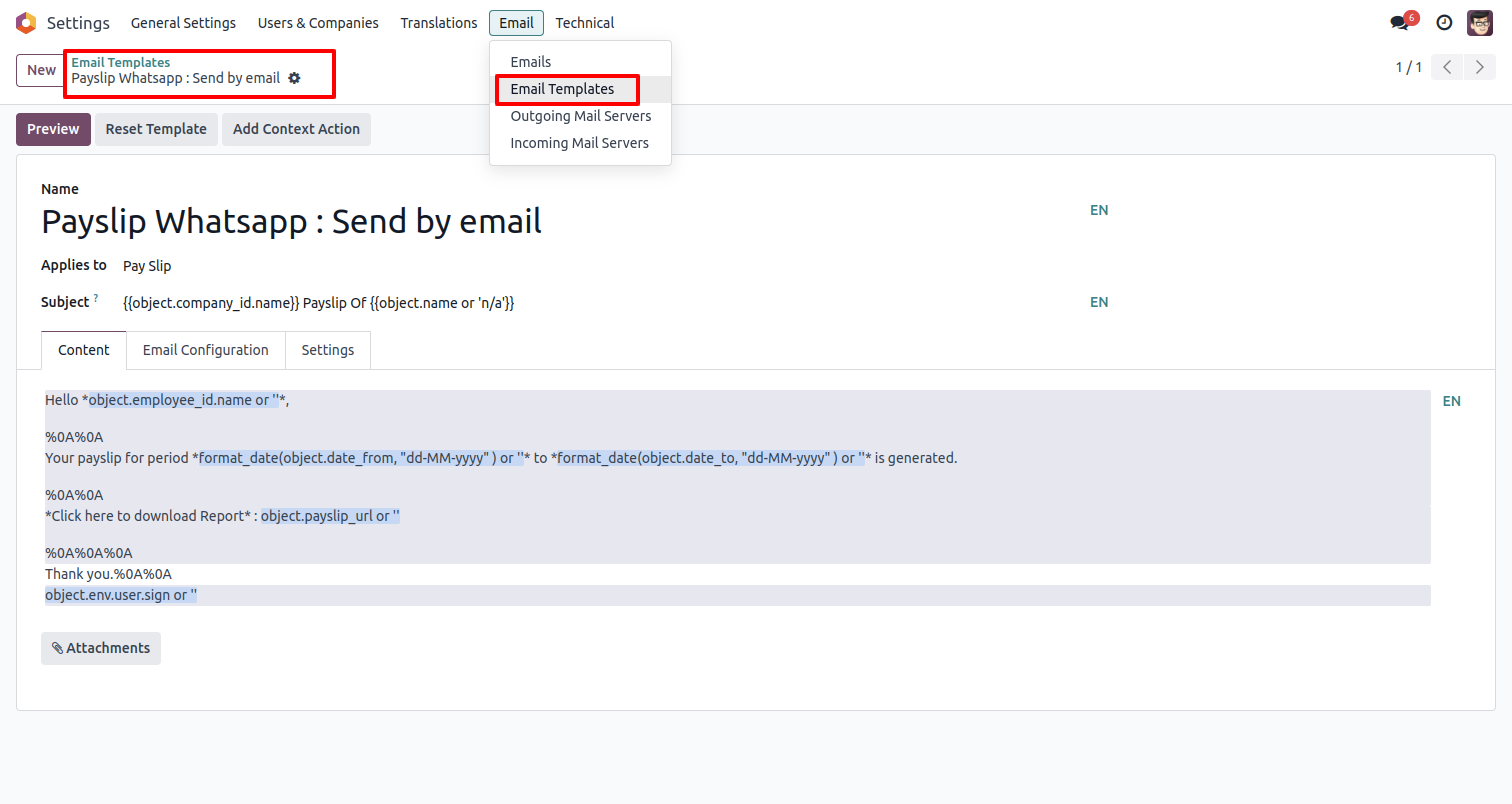
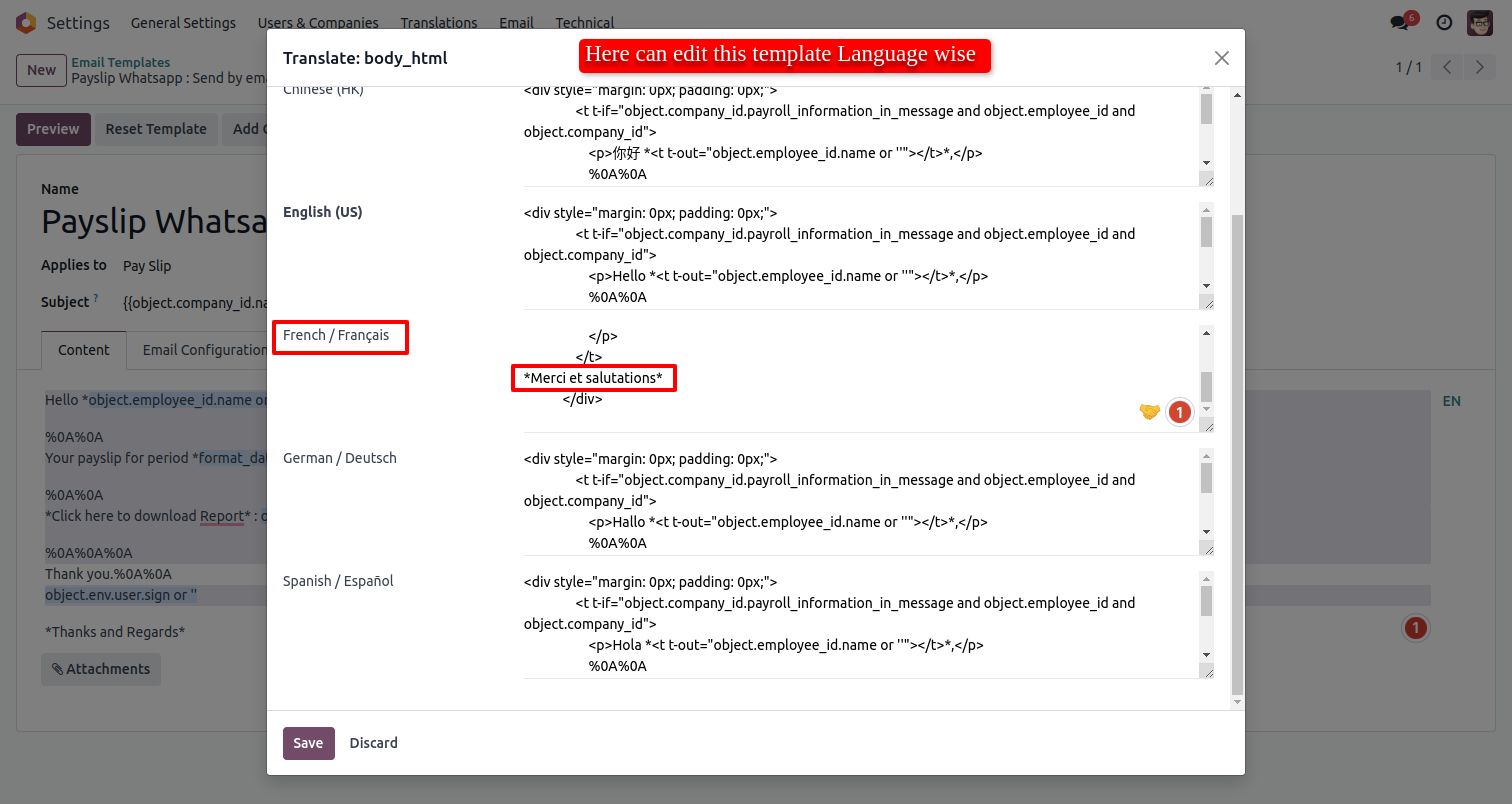
Go to the settings => Templates.
You can edit the template as per choice, If you make changes in the template then you have to translate those changes in the selected language so press the 'EN' button.
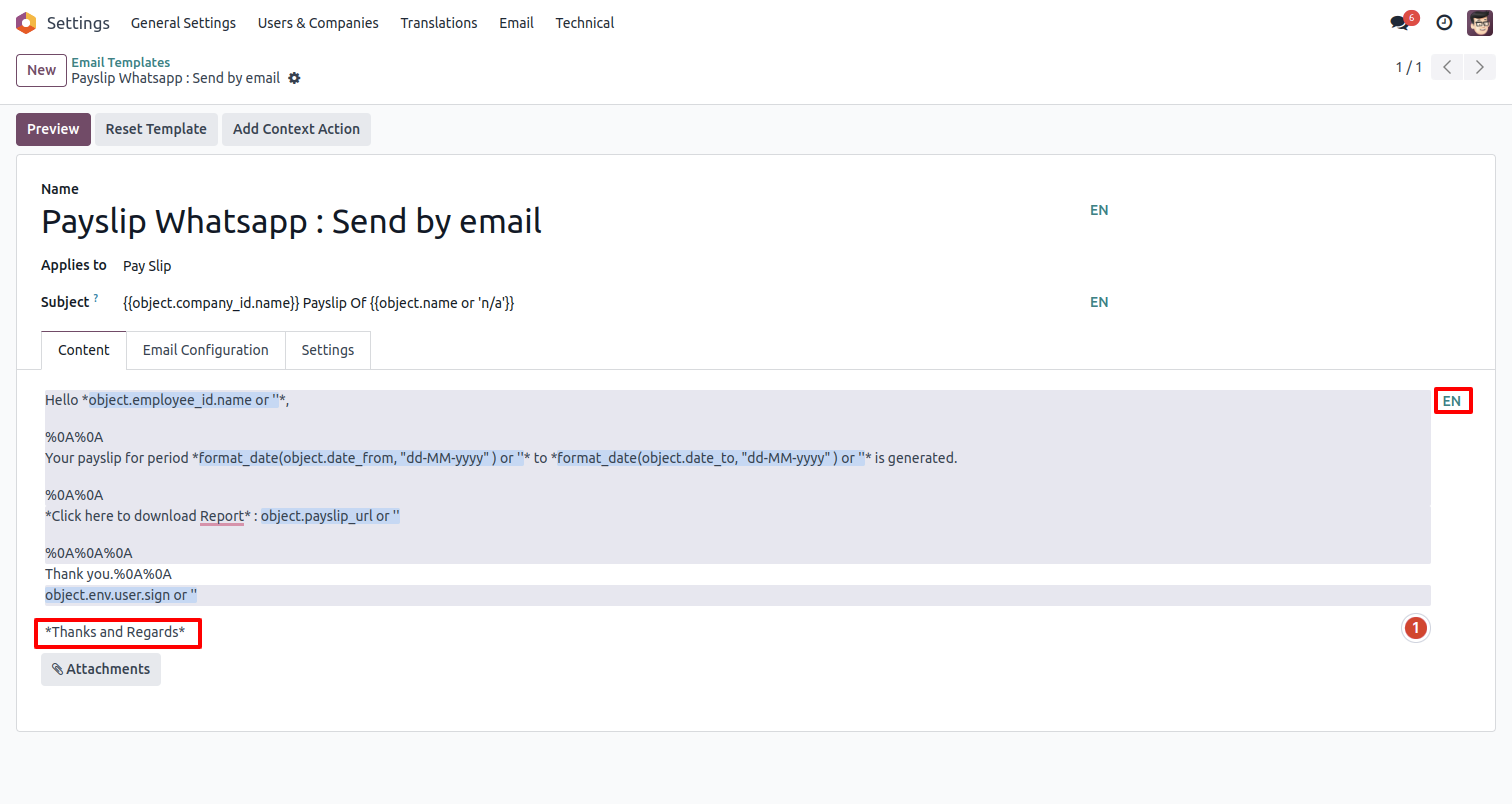
After that one popup opens, You can edit the template from there as well you have to translate that changes in a particular language from the google translation and save it.
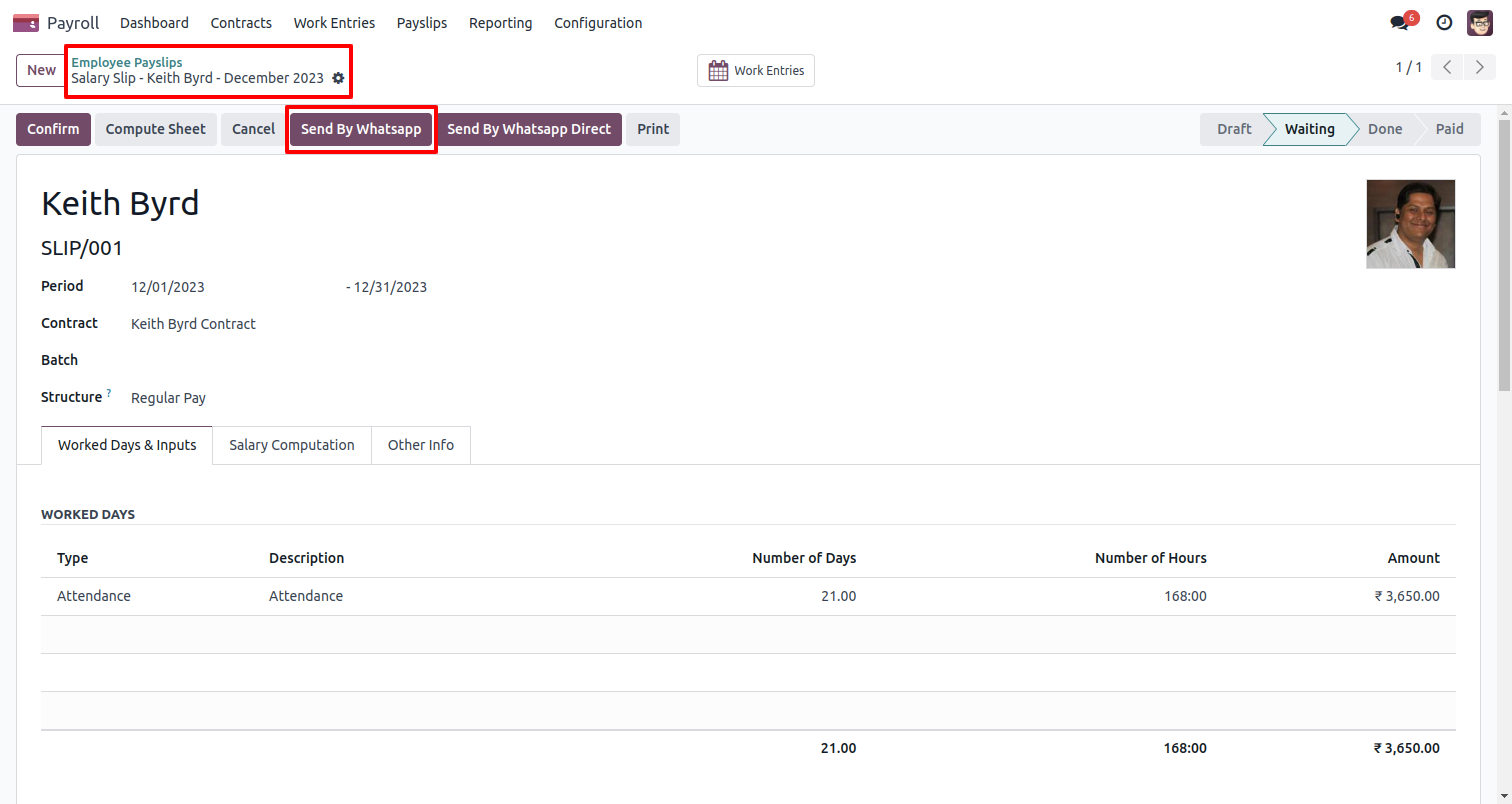
Now click the 'Send By WhatsApp' button.
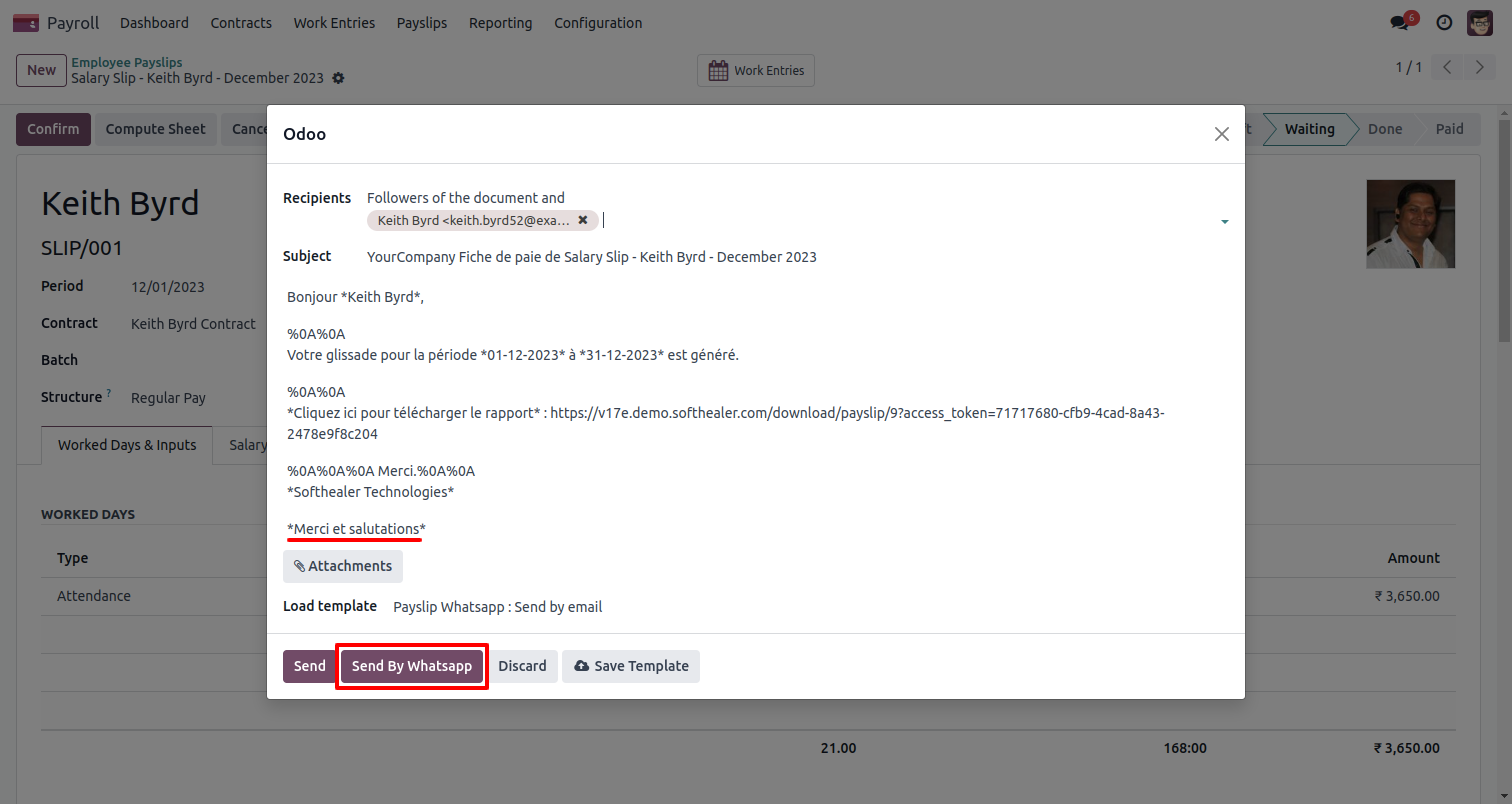
After clicking the 'Send By WhatsApp' button this wizard will appear you can edit the message also and then press 'Send By WhatsApp'.
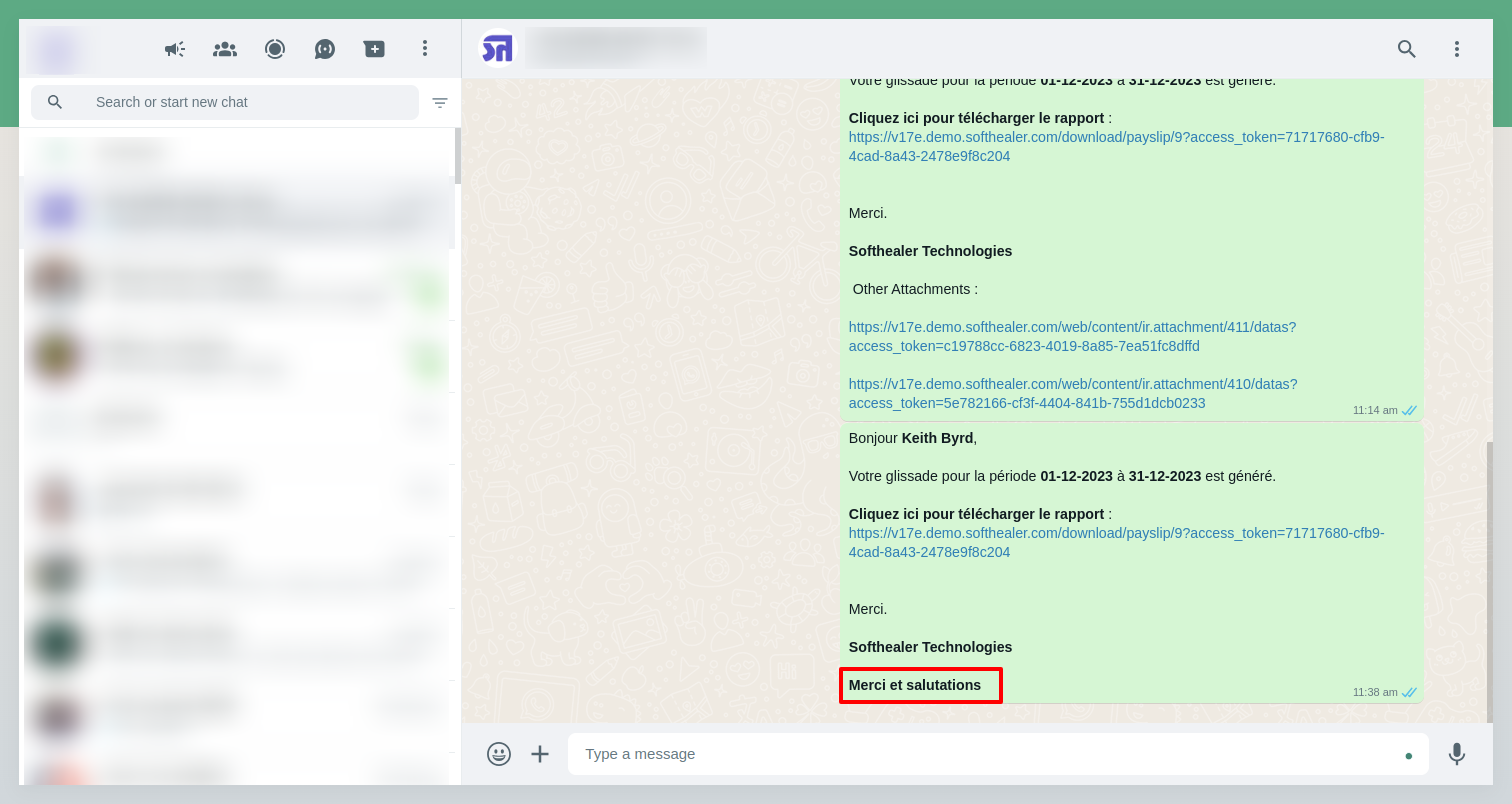
The output looks like this.
Payroll Whatsapp configuration setting, Here we enable payroll information & report URL in the message.
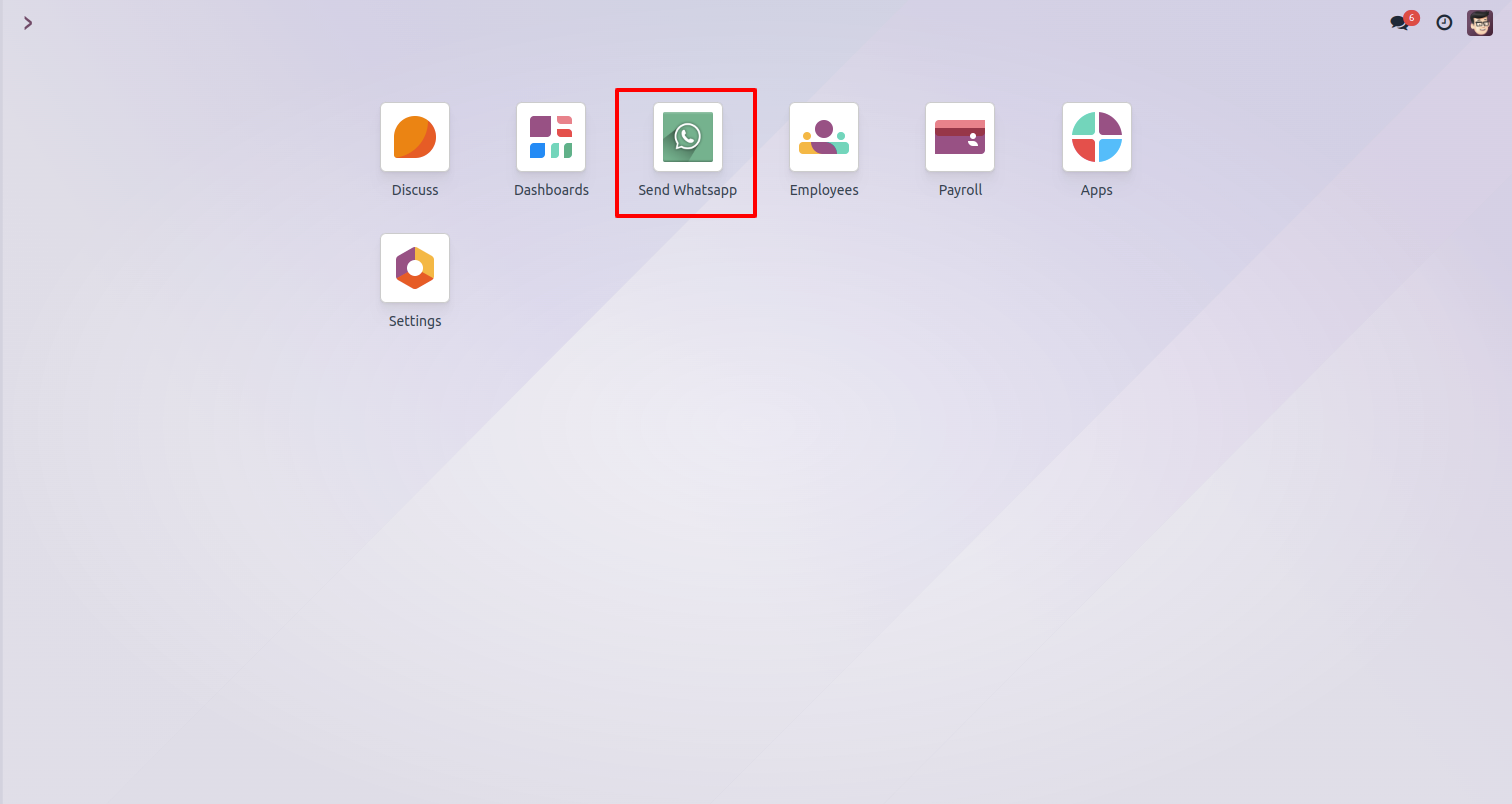
Click on the 'Send whatsapp'.
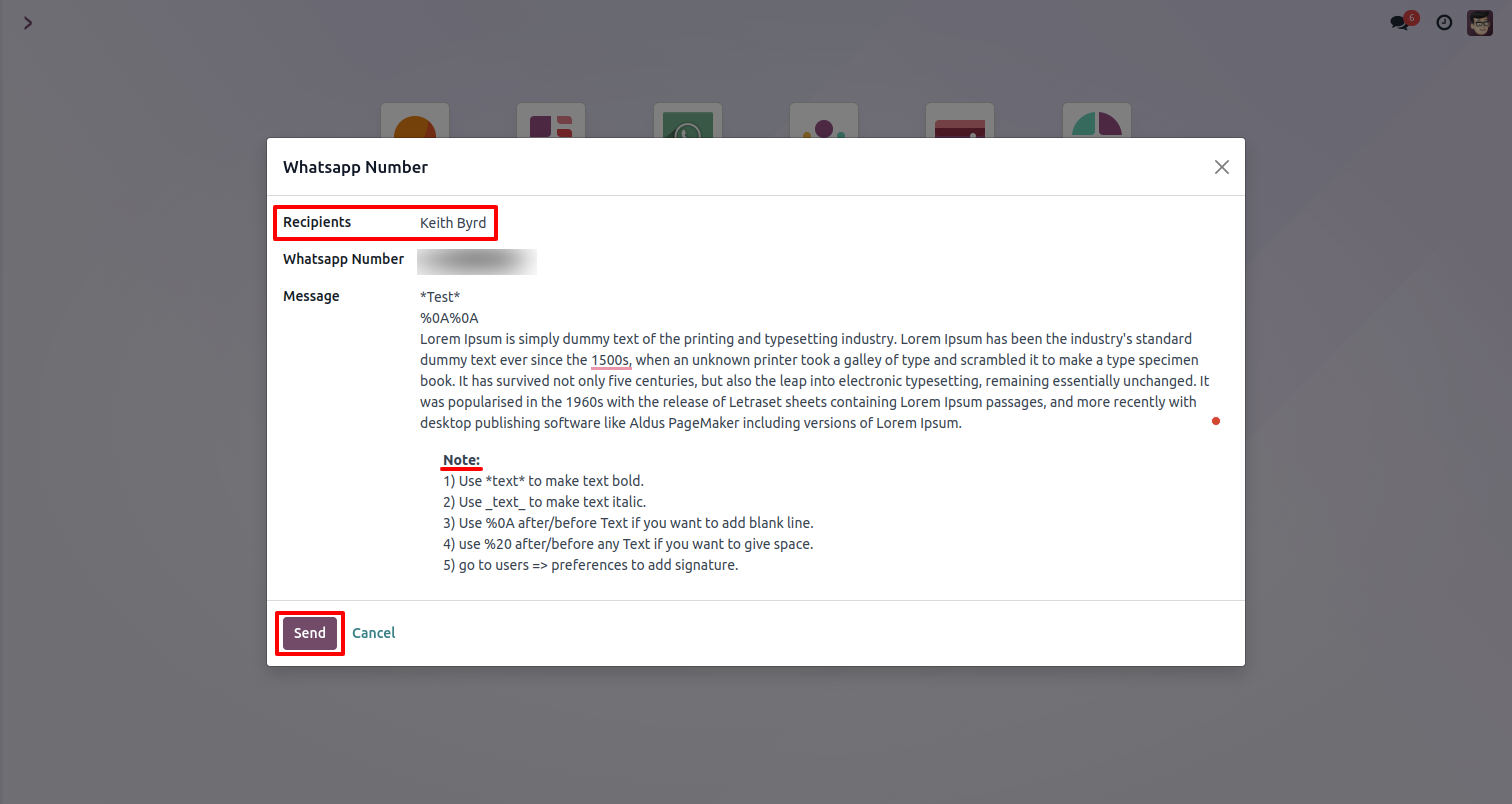
Add a Recipients in the 'Whatsapp Number' wizard and click on the 'Send' button.
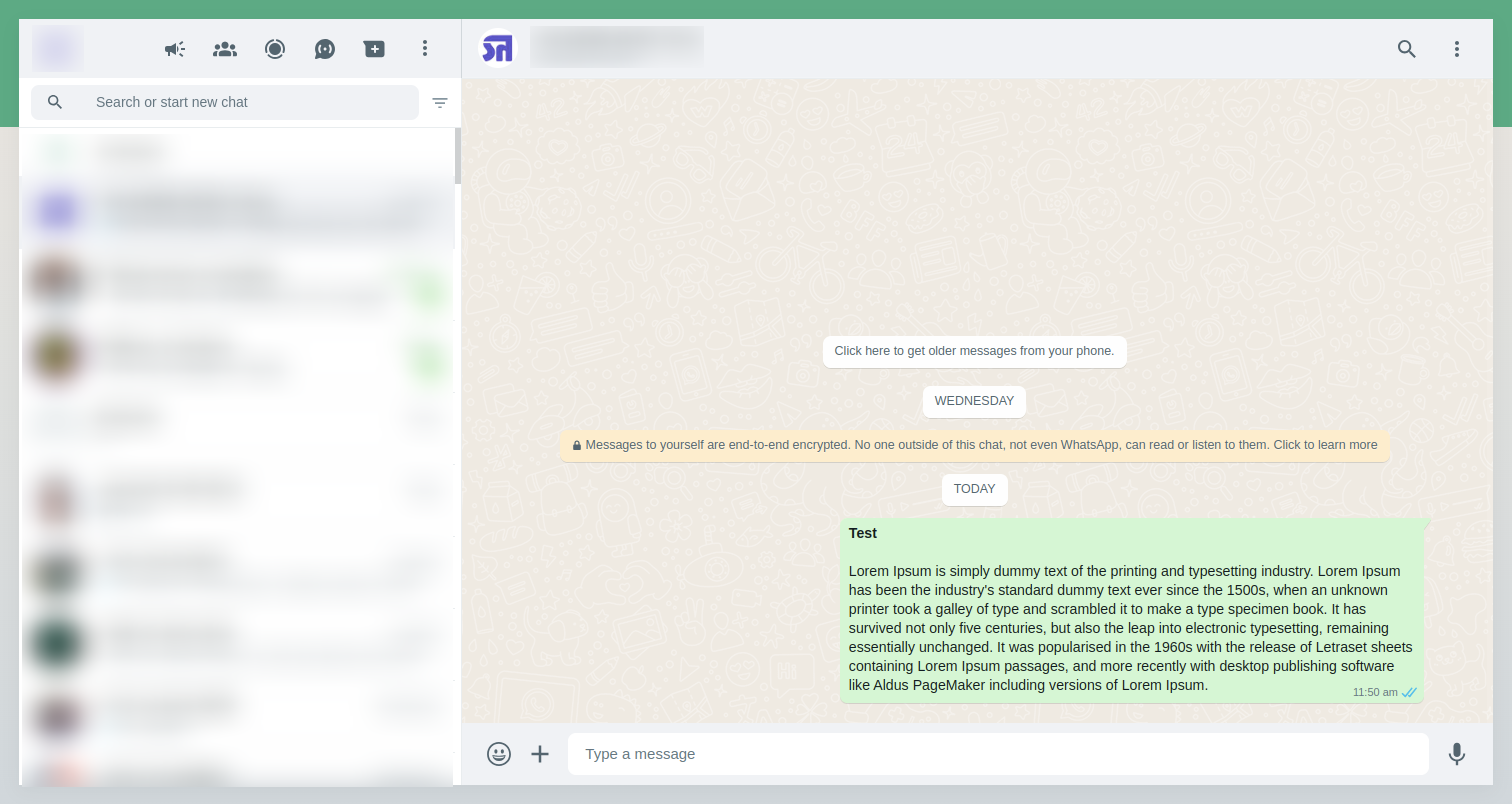
The output looks like this.
Version 19.0.1 | Released on : 10th October 2025
- No, this app works perfectly with Odoo Enterprise (Odoo.sh & On-Premise) only.
- No, this application is not compatible with odoo.com(odoo saas/Odoo Online)
- Yes, to test this module, please contact us at sales@softhealer.com.
- Please contact us at sales@softhealer.com to request customization.
- Yes, we provide free support for 365 days from the date of purchase.
- Yes, you will receive lifetime free updates for the version of the module you purchased.
- No, there is no need to install any additional libraries.
- Yes, for version 12 and above, you need to purchase the module separately for each version you intend to use.
- No, exchanges or refunds are not allowed. Please make sure to select the correct version before purchasing.
- You can contact us at support@softhealer.com for language translation support. We use Google Translator tools to provide translations in multiple languages, so the accuracy may vary. We welcome your suggestions to help improve translations.
Discover Our Latest Apps