












Payslip Dynamic Approval - Enterprise Edition

This module allows you to set dynamic and multi-level approvals in the payslip so each payslip can be approved by many levels. Payslip is approved by particular users or groups they get emails notification about payslip that waiting for approval. When a payslip approves or rejects user gets a notification about it.

Hot Features
Features
- You can set dynamic approvals on payslips.
- You can set different approvals on the different payslips.
- Payslips can be approved by a particular user or group.
- User gets a notification when the payslip approves or rejects.
- You can create a flexible approval process.
Approval configuration menu.
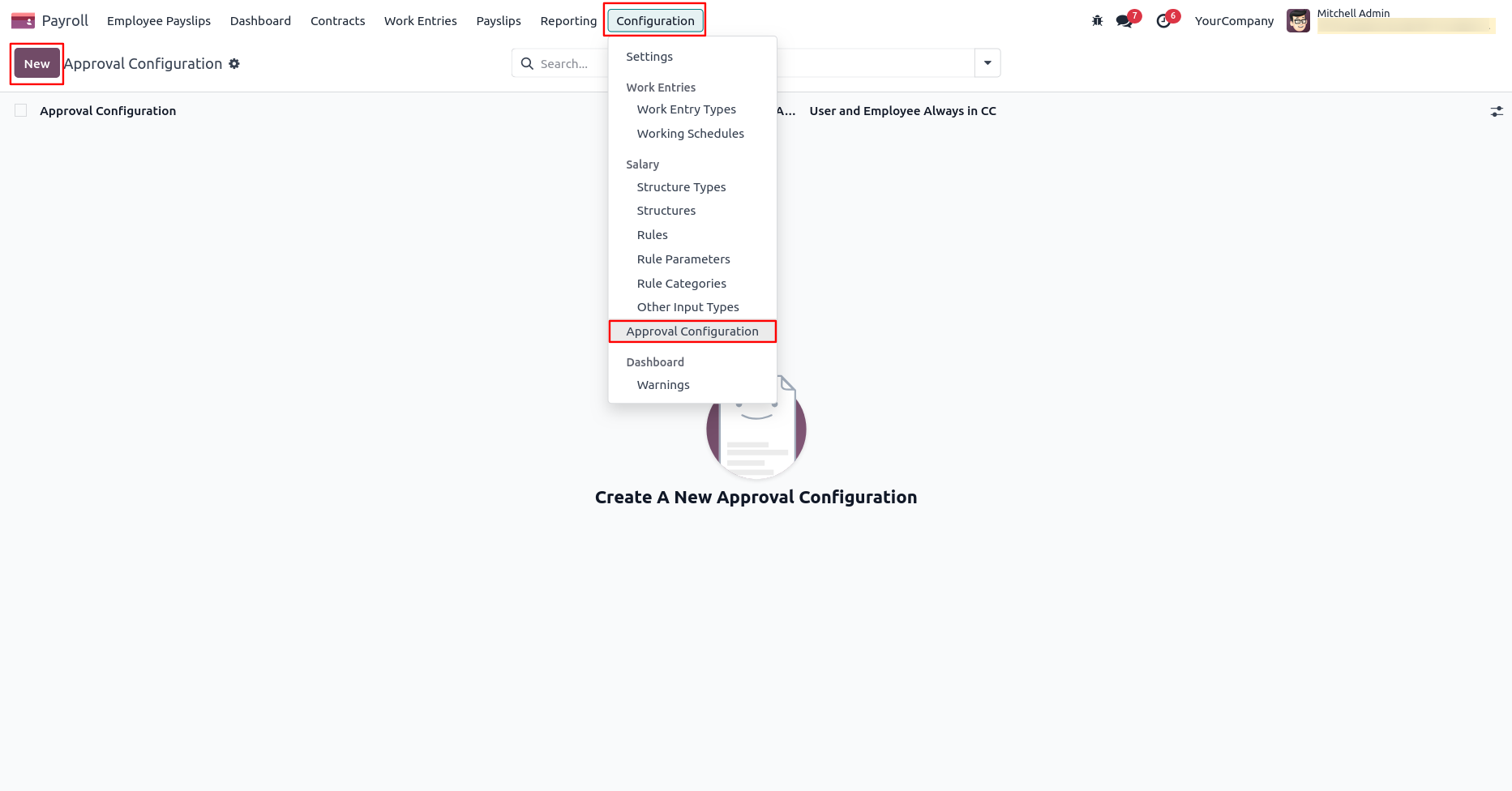
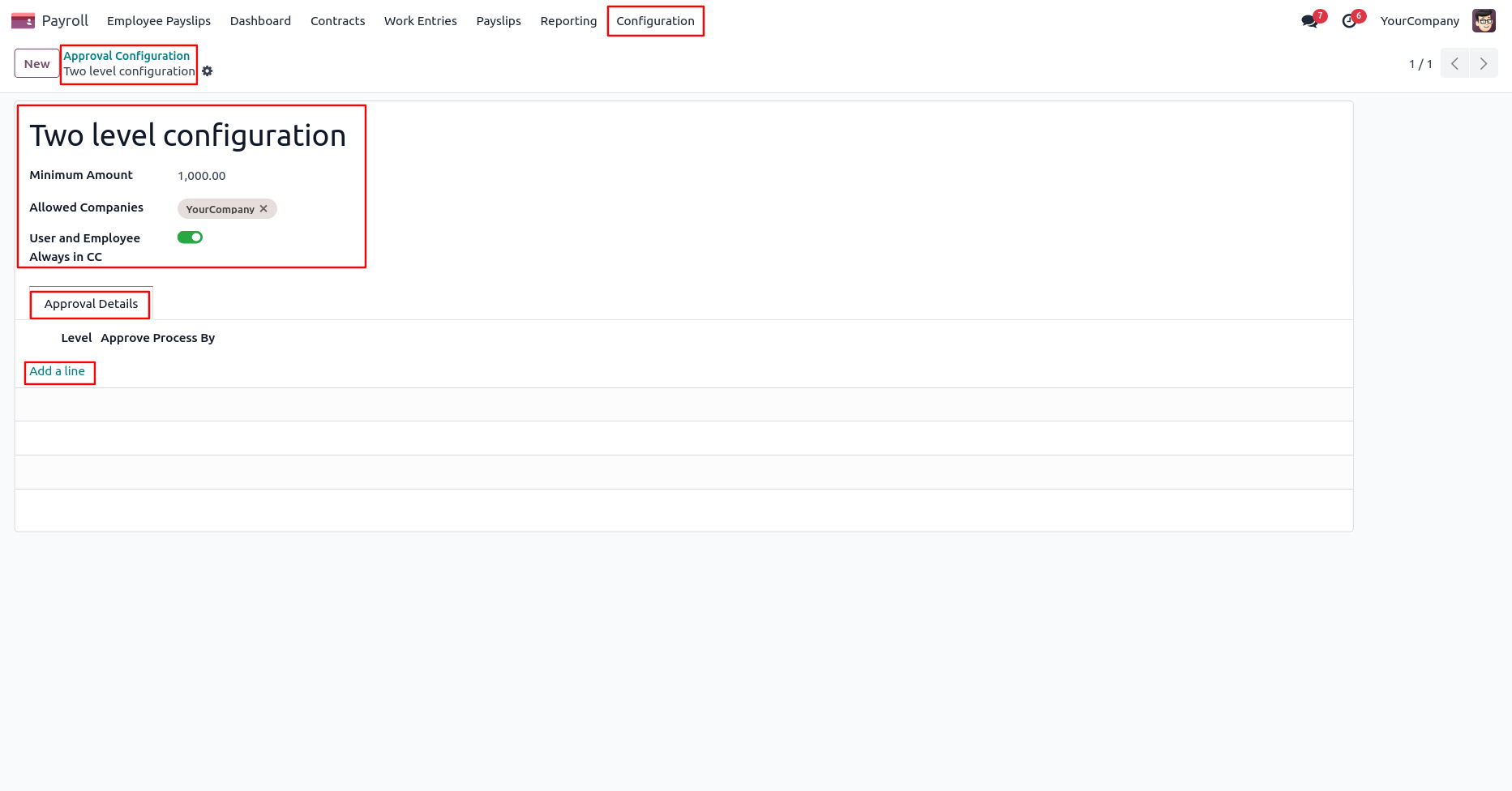
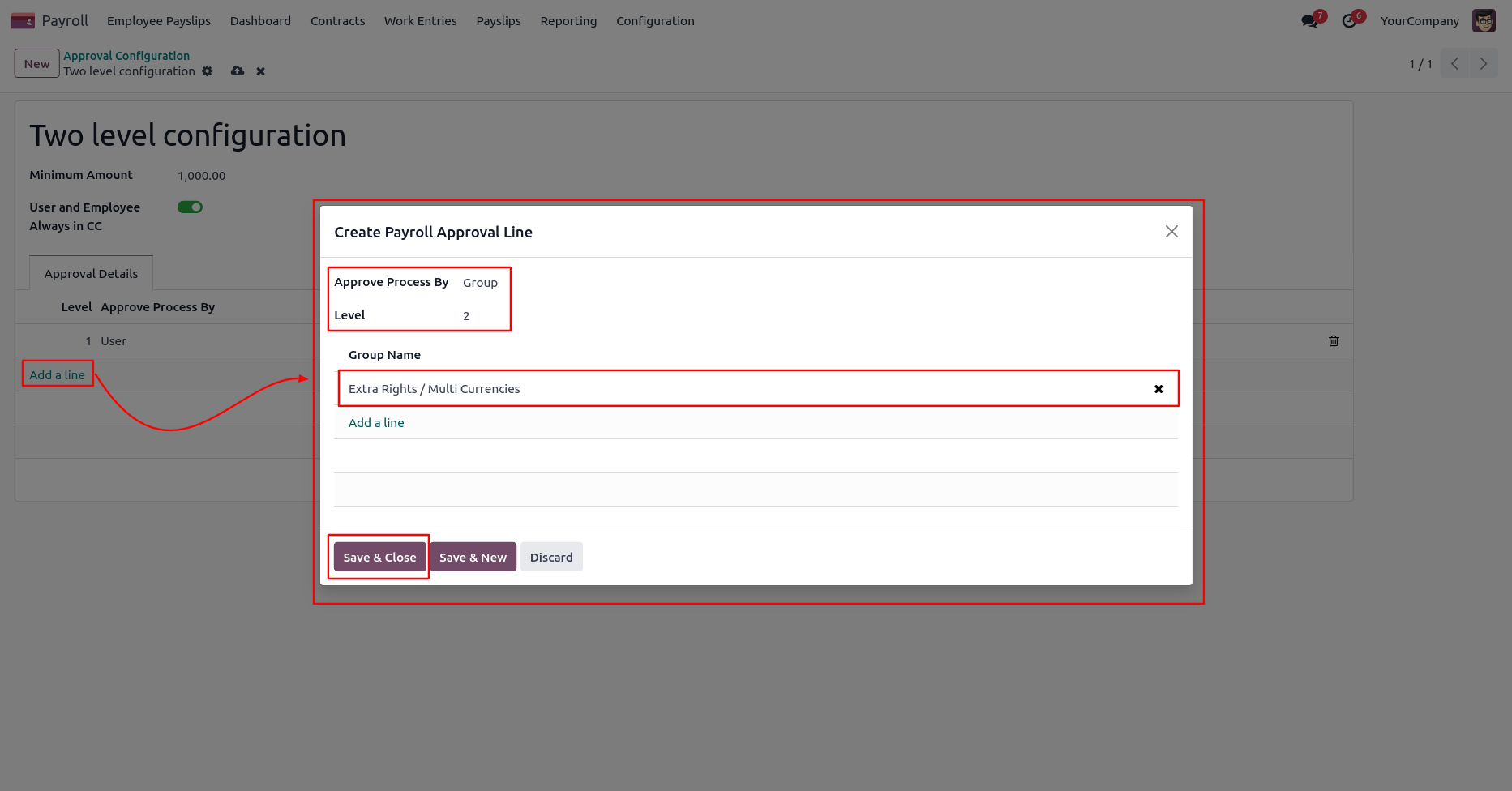
Approval Configuration: Setup approval levels based on minimum amount and users level. Also select companies.
Approved Process By, there are two types 1. User , 2. Group. Userwise means to define that person who approved the payslips, in this wizard select the user.
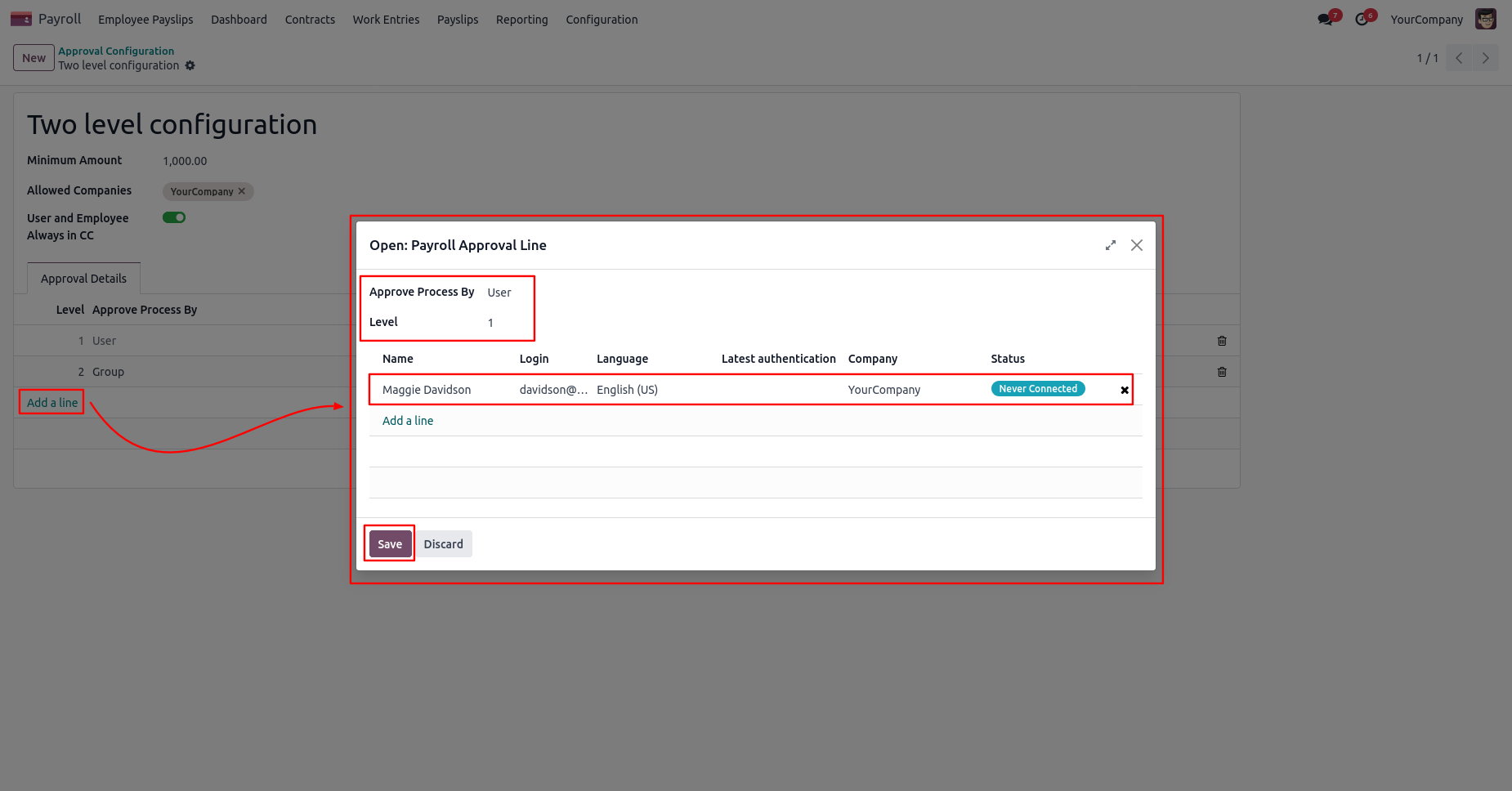
Approve type 2. Group that means only specific groups users will give approval.
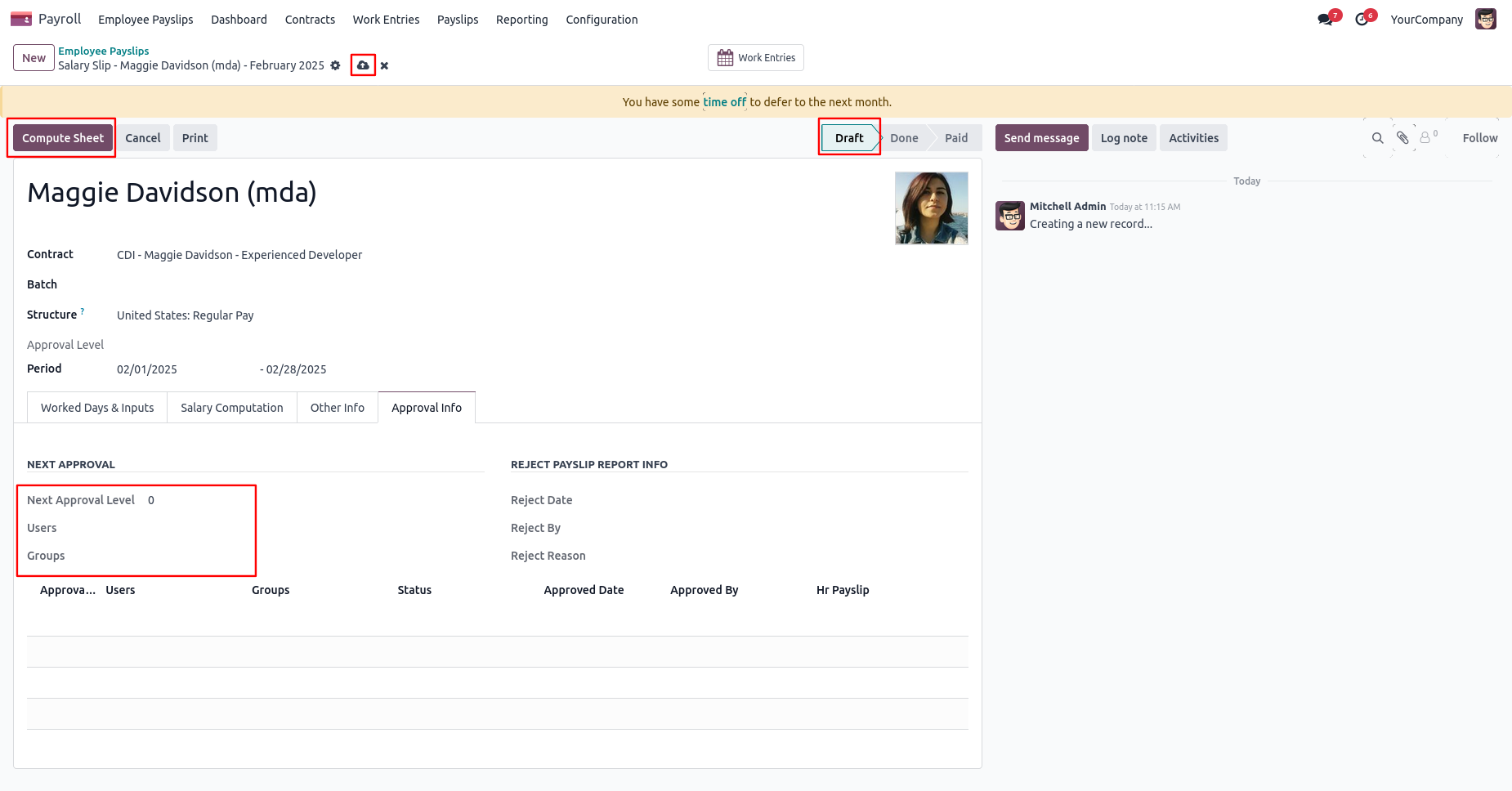
User submits payslip for approval by pressing the 'Compute Sheet' button.
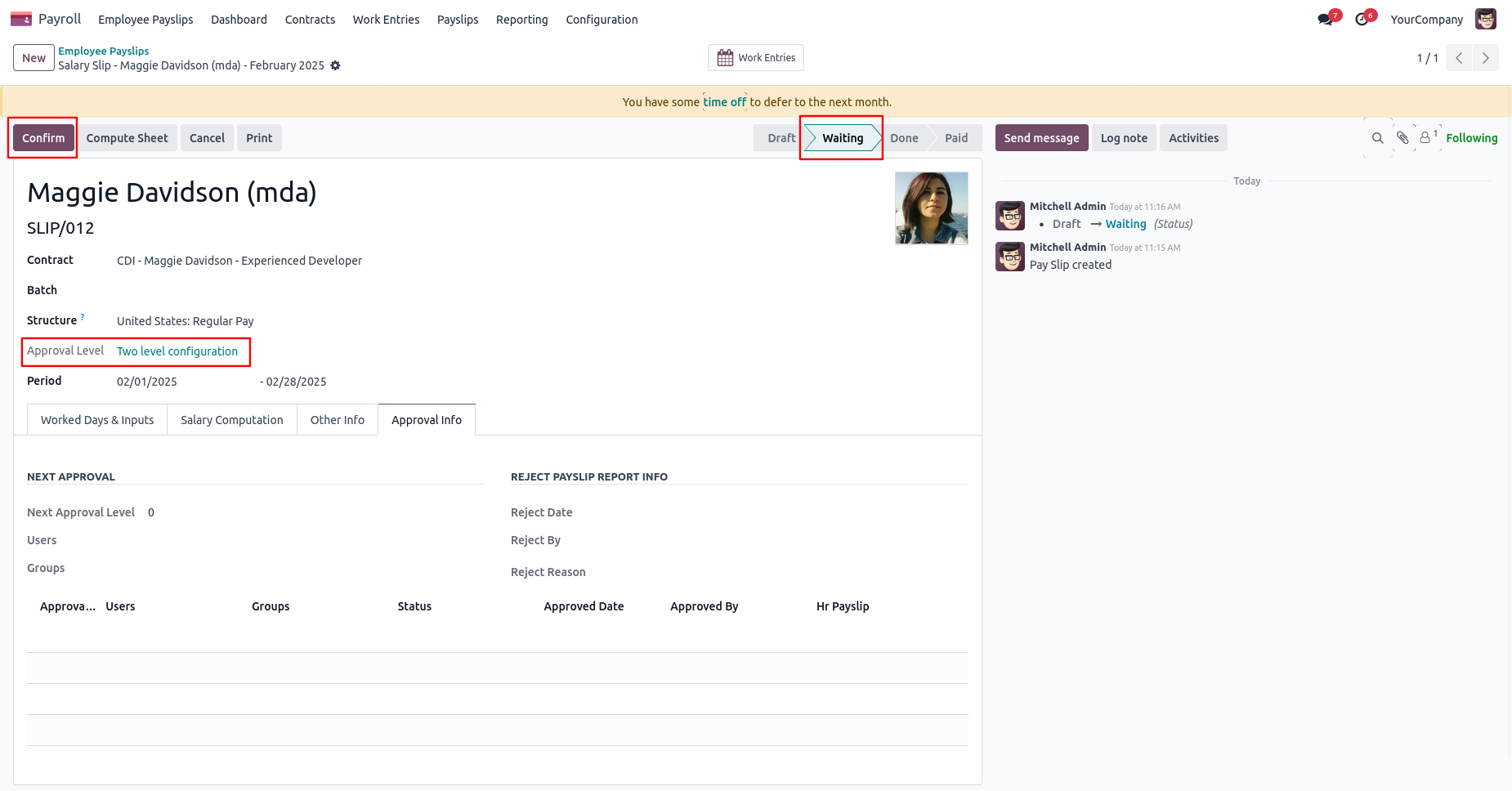
After pressing the 'Compute Sheet' button, the payslip will automatically set the 'Waiting' stage. Auto fetch Approval Level based on configured approvals setup and minimum limit.
After confirmed by the user, Auto set next level approvers in the Approval Info tab. If next approval is required.
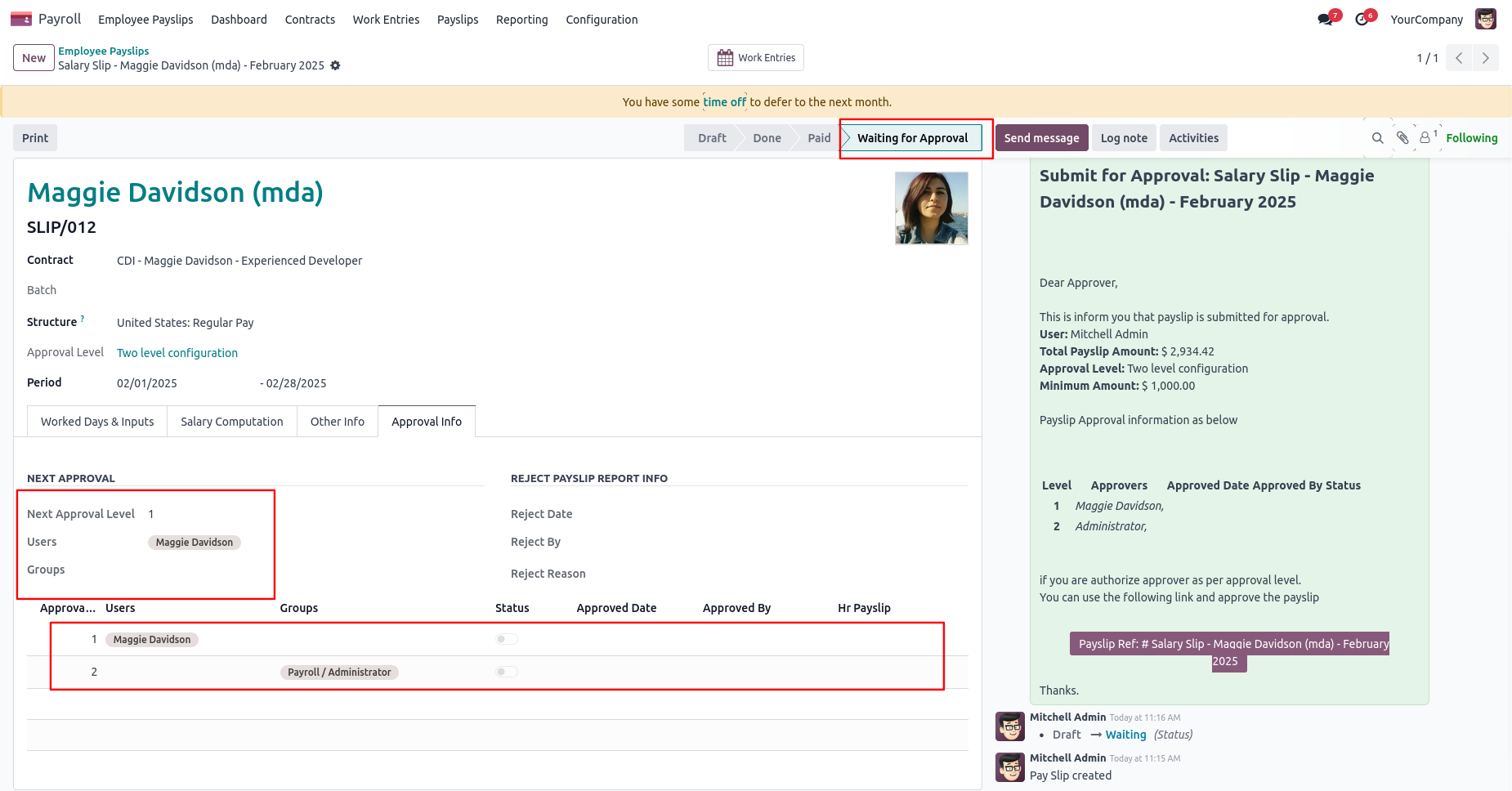
Email notification sent to approvers for approval payslip.
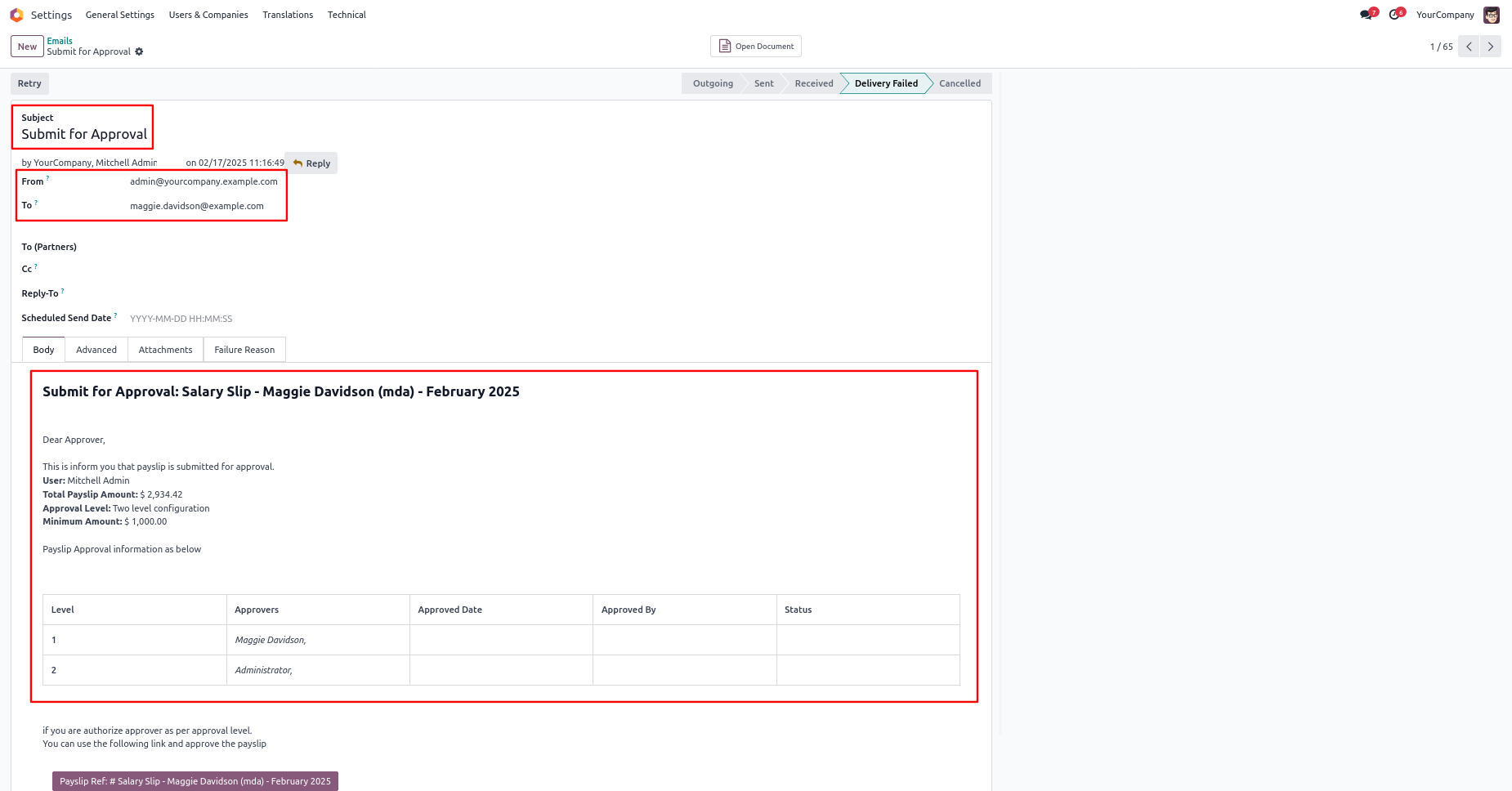
Approval Flow
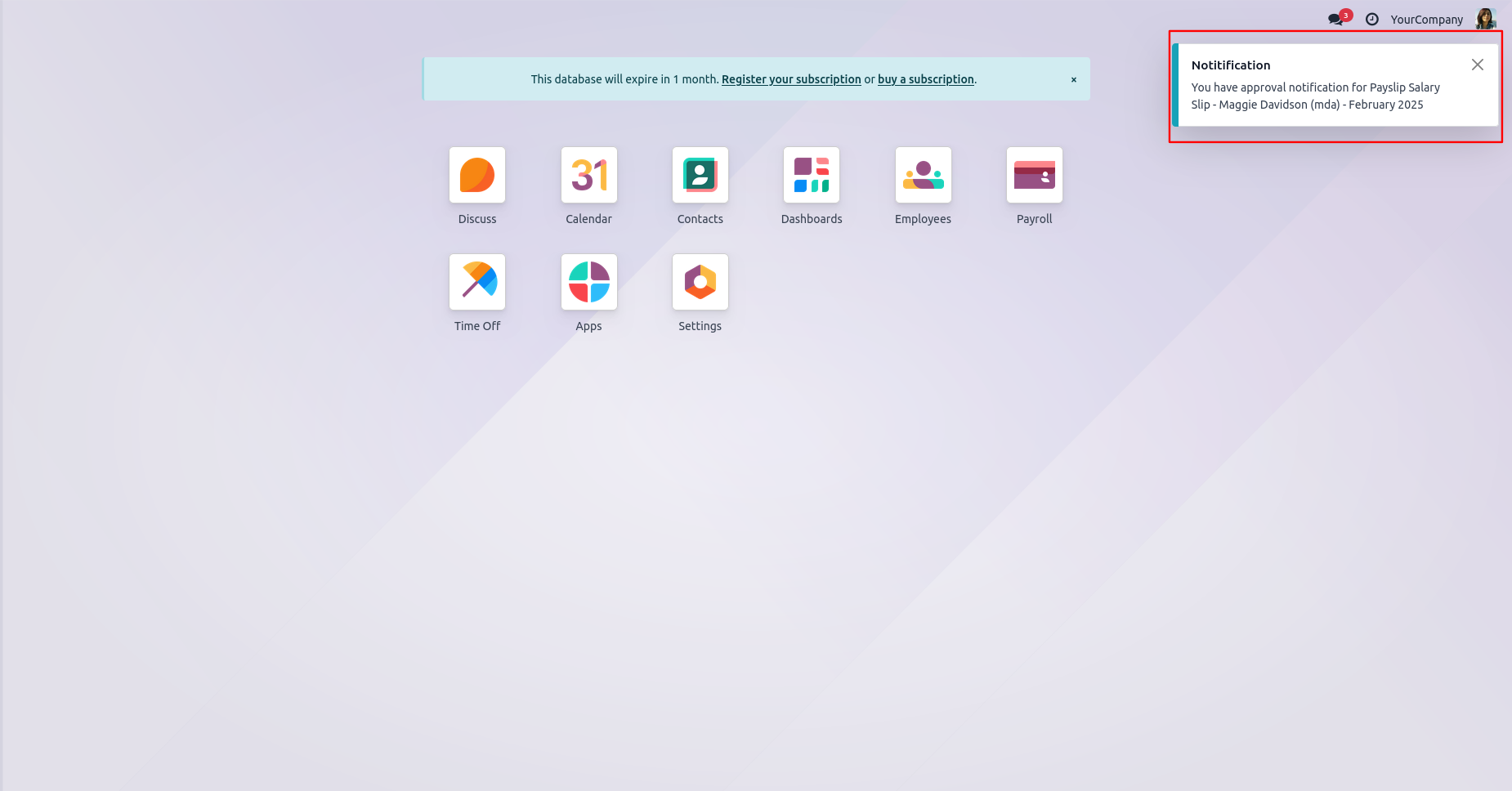
User gets a approval notification popup when a payslip is confirm.
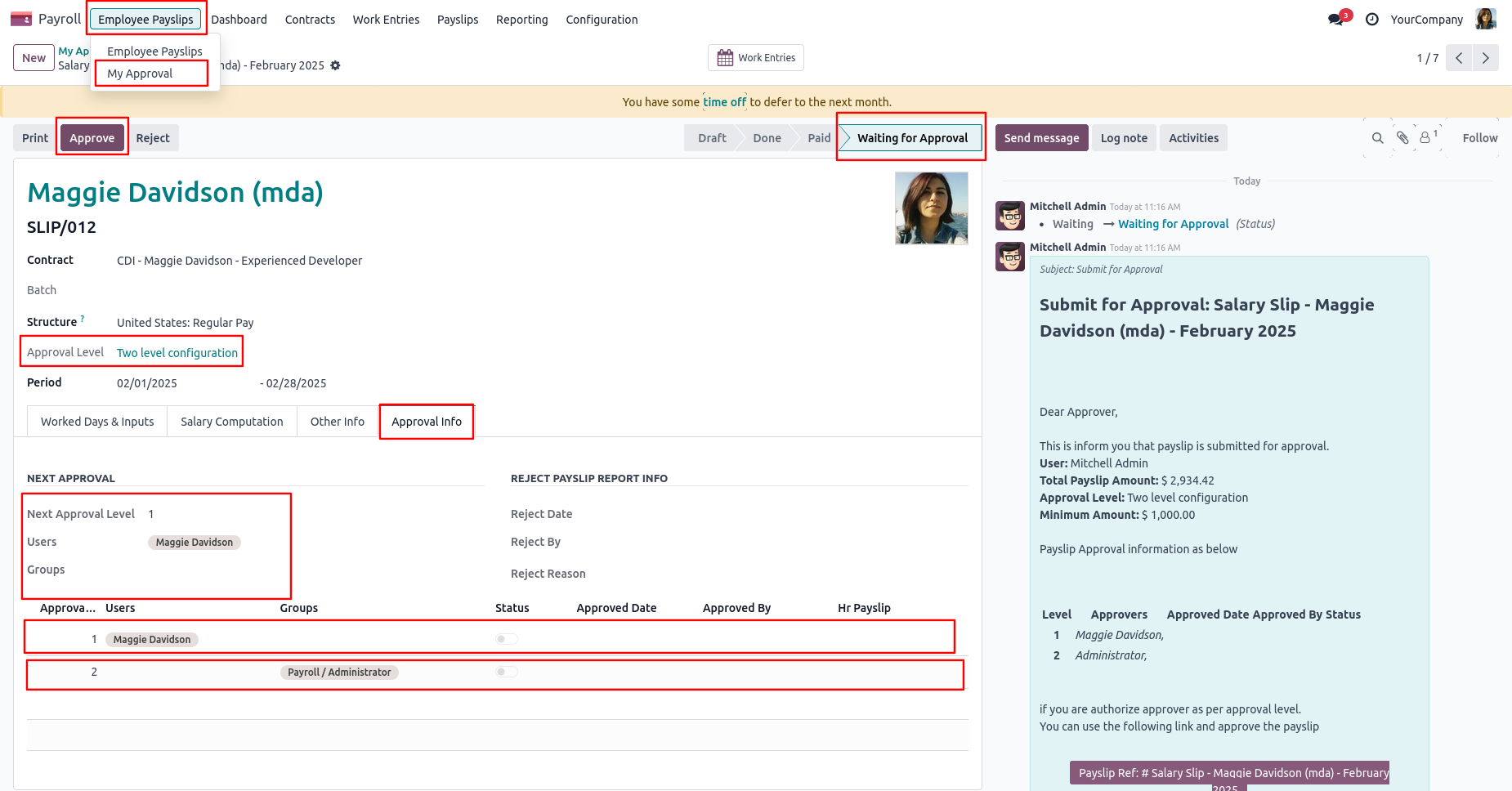
The "My Approval" menu shows payslip only those payslips are assigned to him.
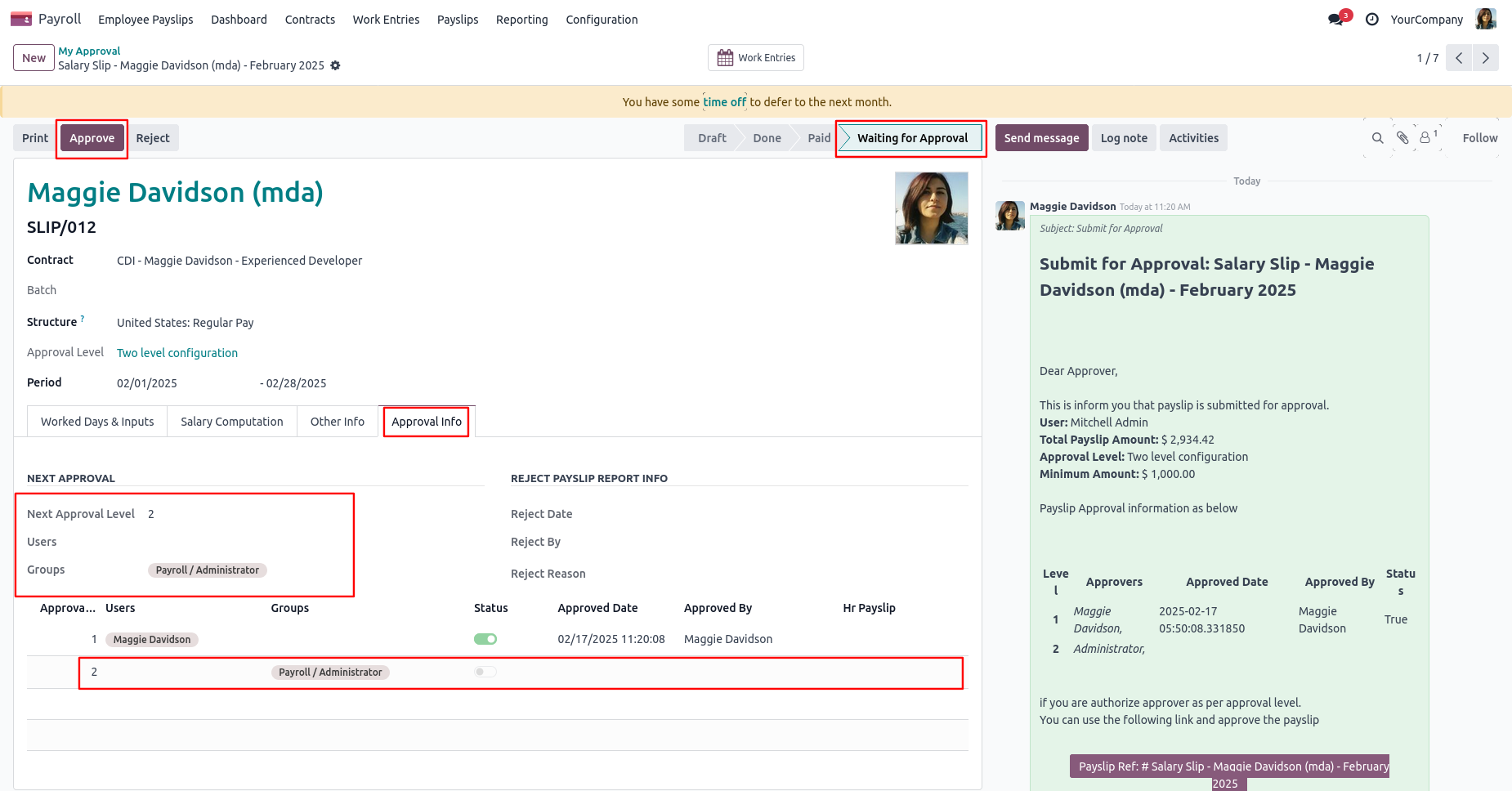
There are 2 approvers the first approver approves the payslip.
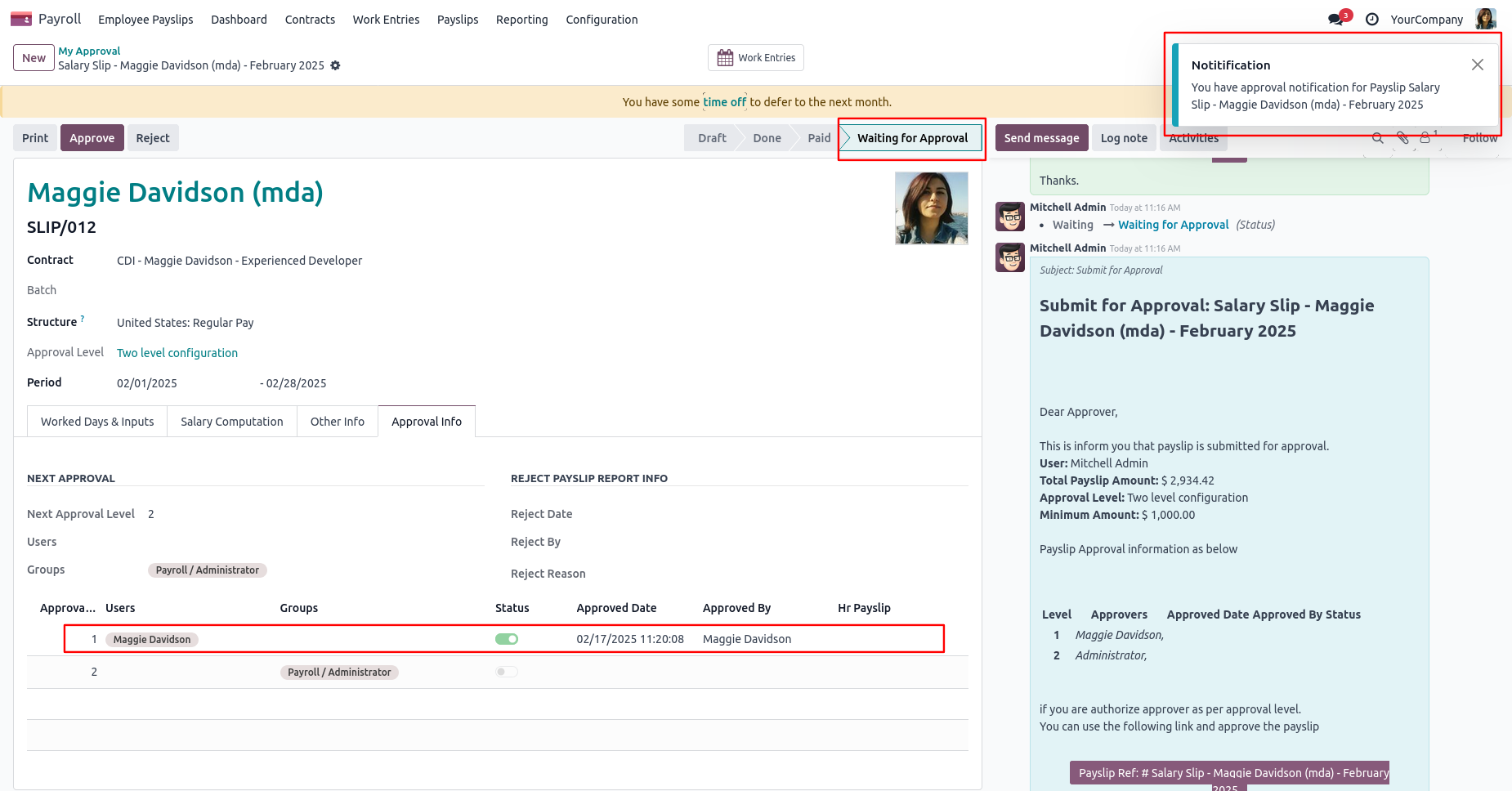
After approved by the approved person, Auto set the next level approvers in the Approval Info tab. If next approval is required.
Email notification sent to approvers for approval payslip.
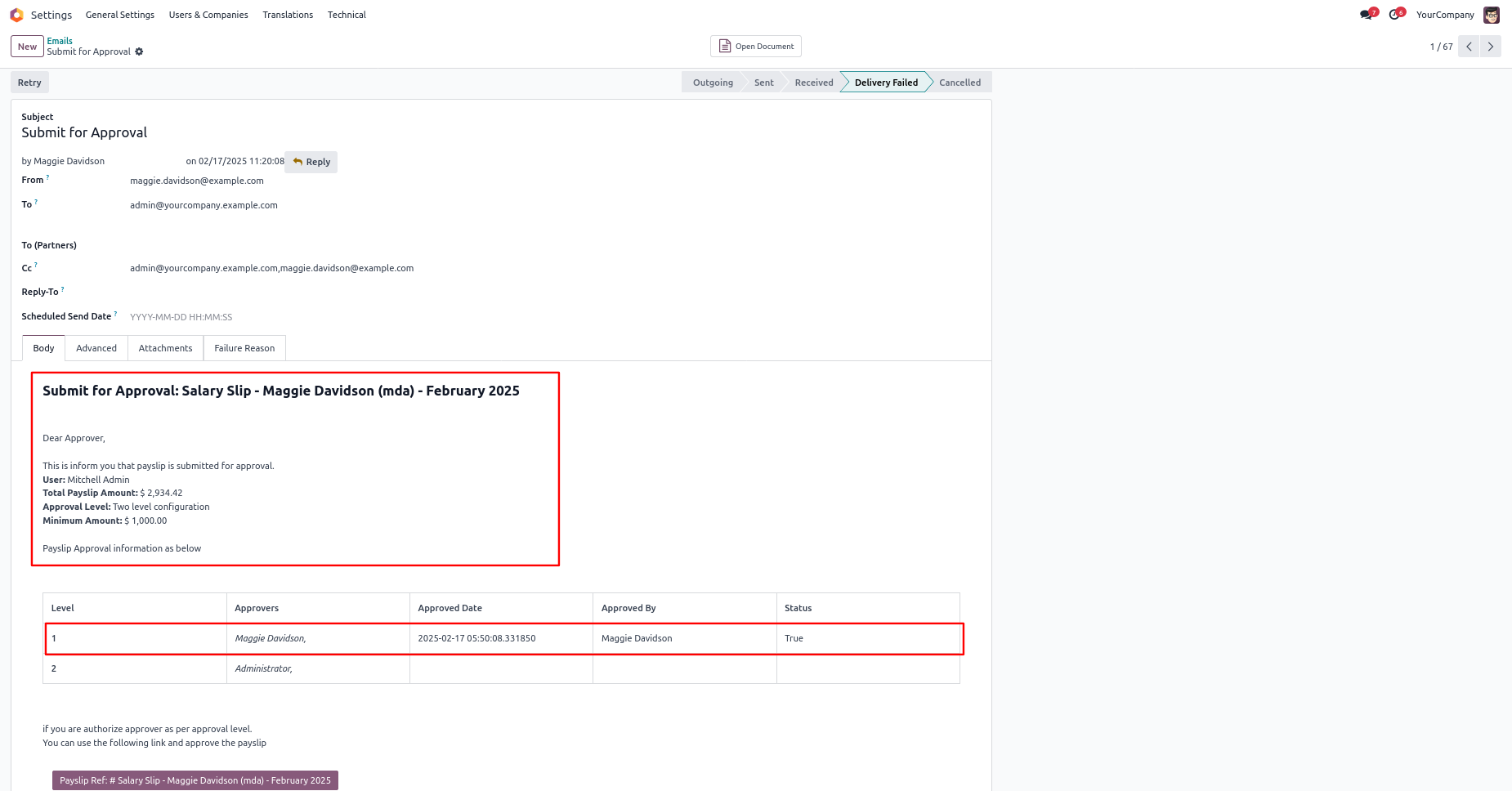
Now the second approver approves the payslip.
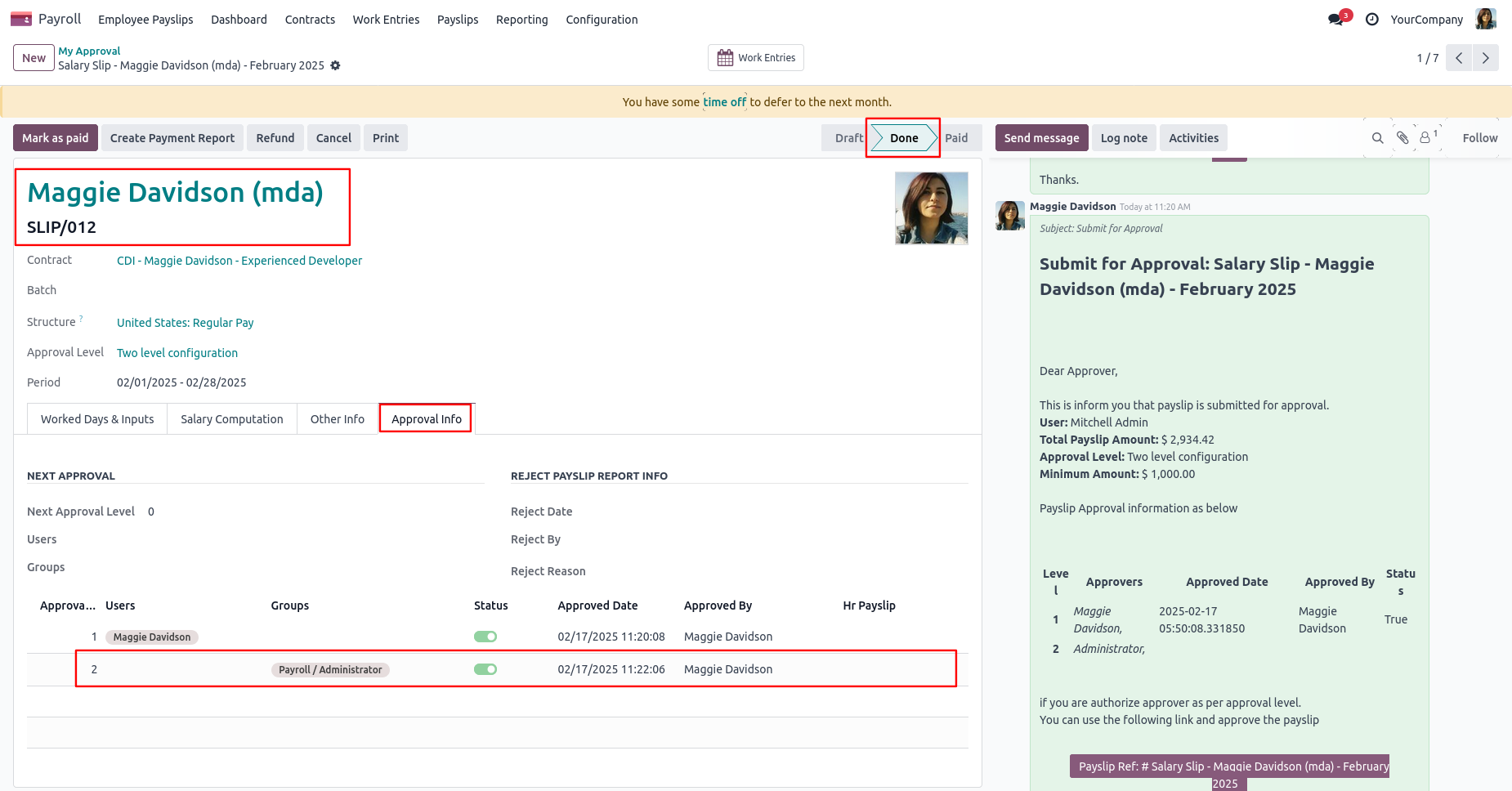
So payslip is done.
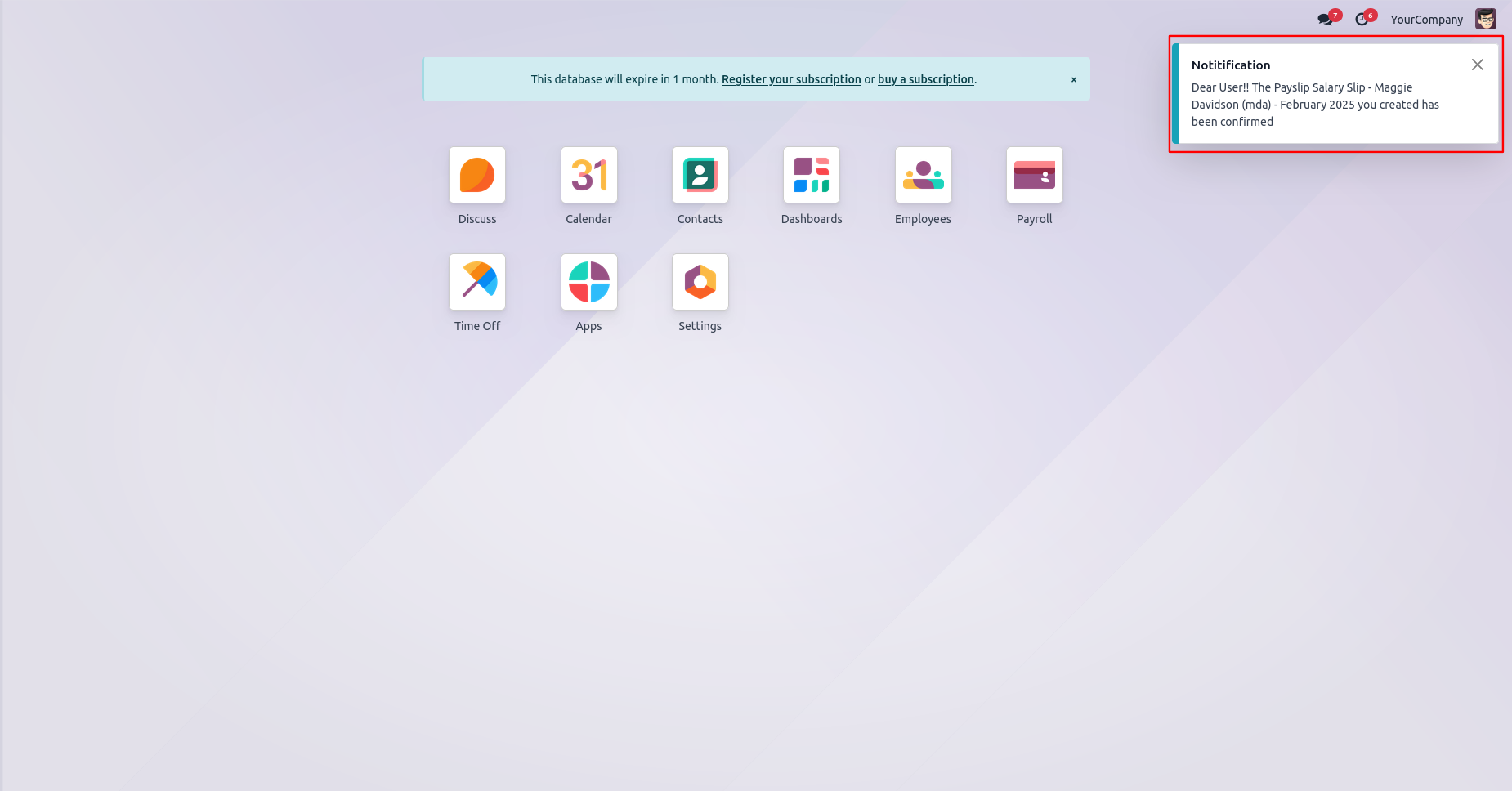
User gets a notification popup when a payslip approves.
Email notification sent to approvers for approval payslip.
Rejection Flow
There are 2 approvers If the first approver rejects the payslip that means that payslip will be canceled no more second approver is needed.
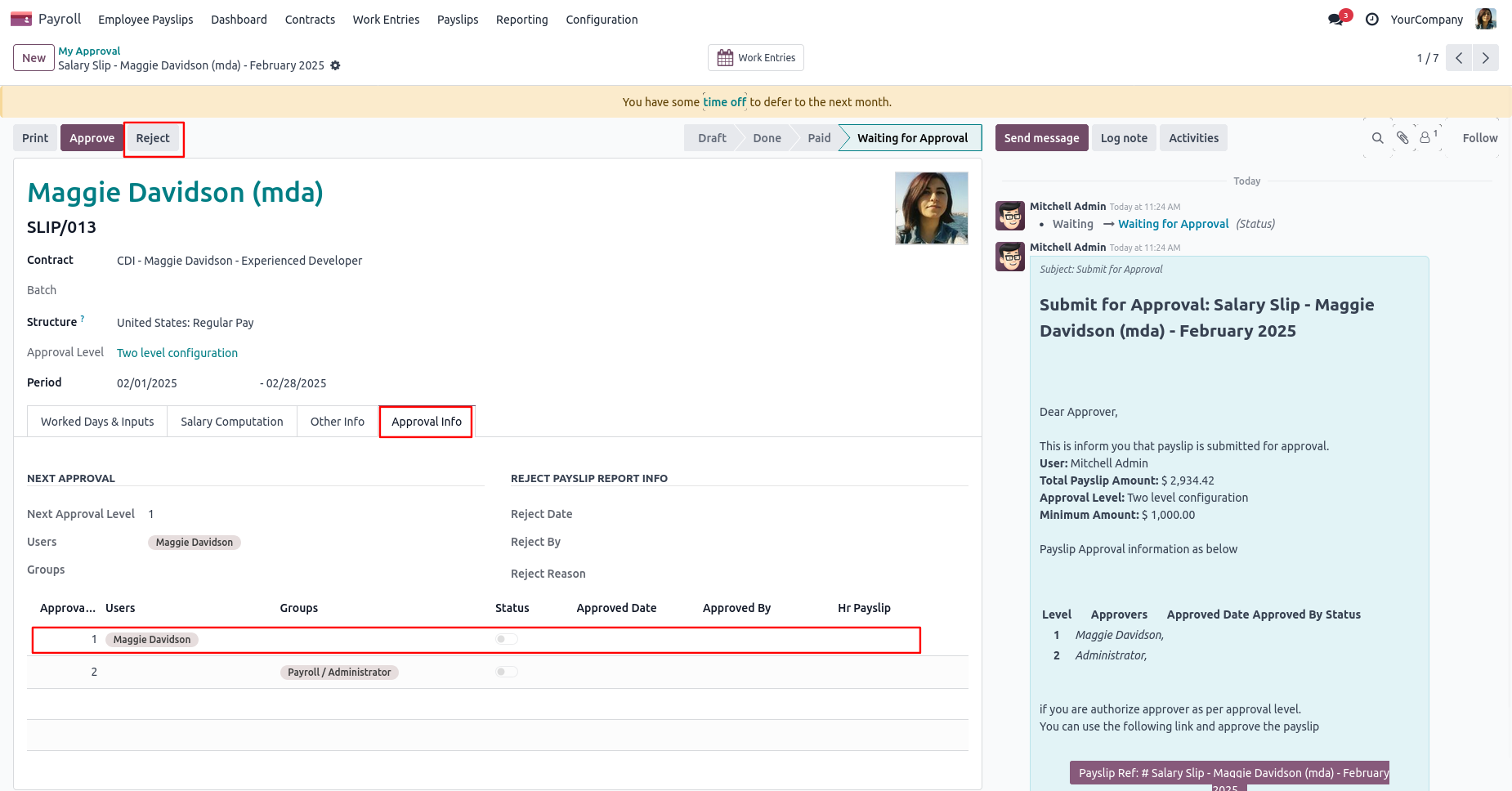
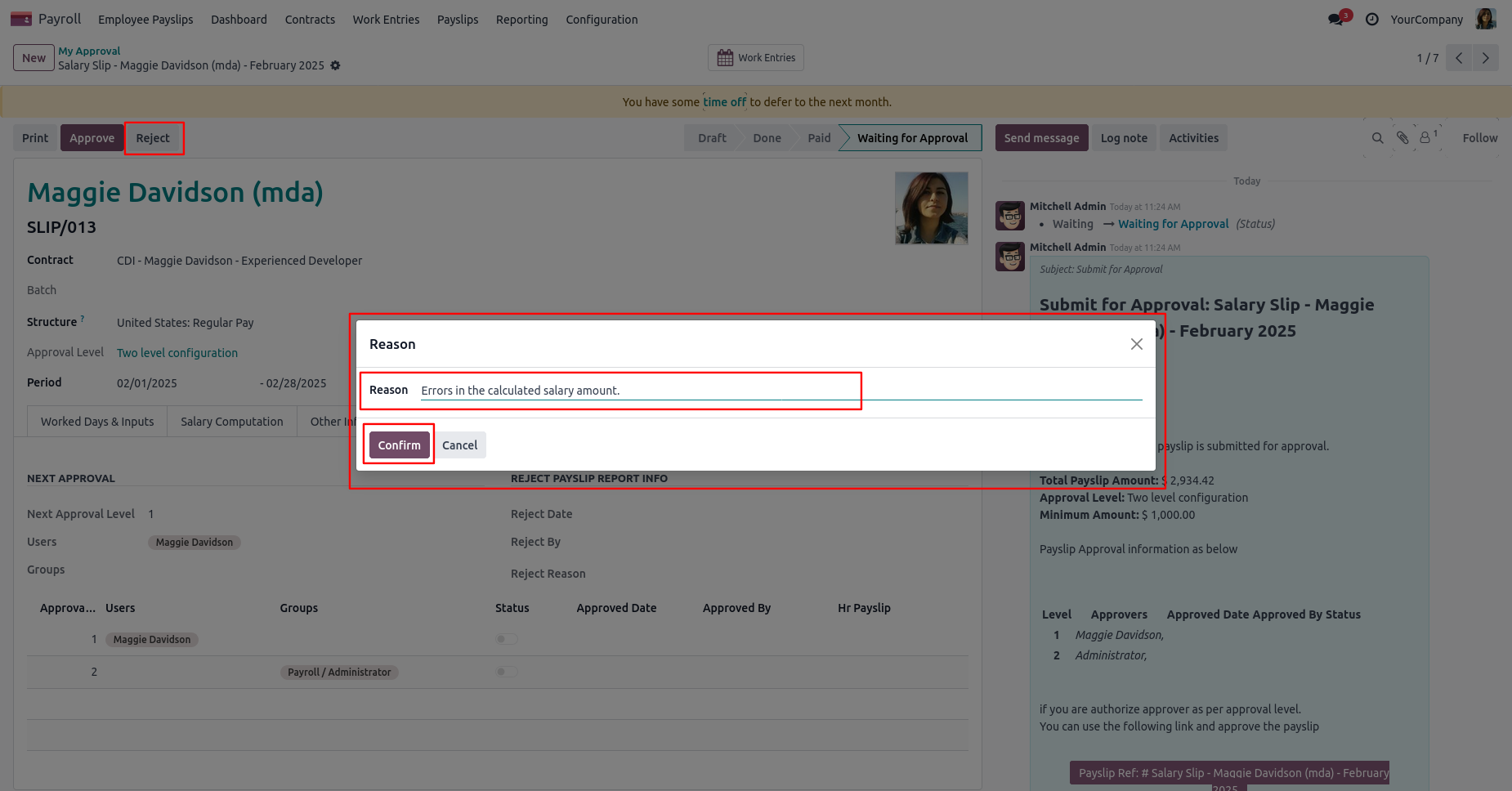
After click on the 'Reject' button, this wizard will pop up, here the approver has to add a reason for rejecting the payslip.
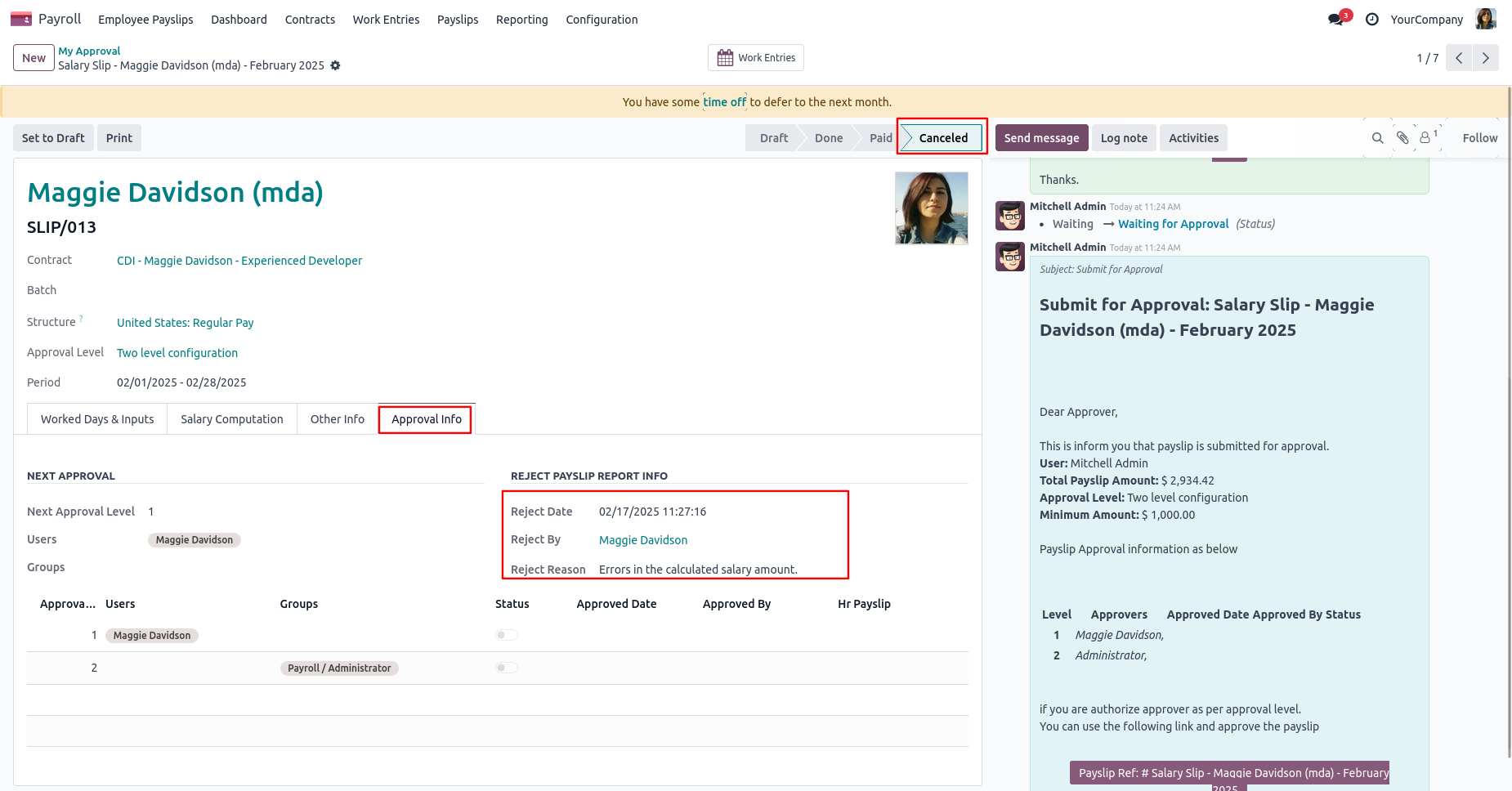
After rejection, it auto set the rejection information in the "Reject Order Info".
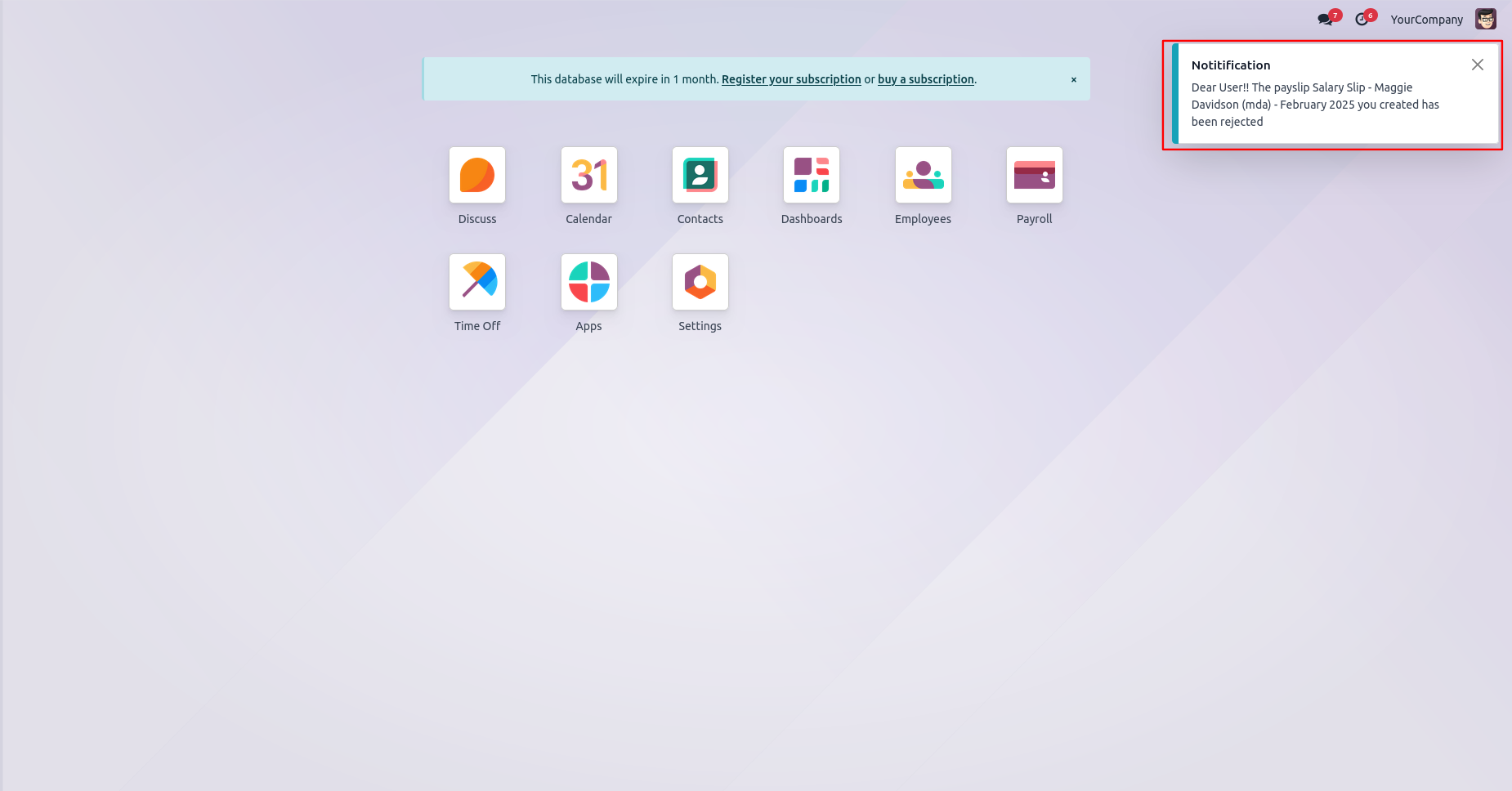
User gets a notification popup when a payslip approves or rejects.
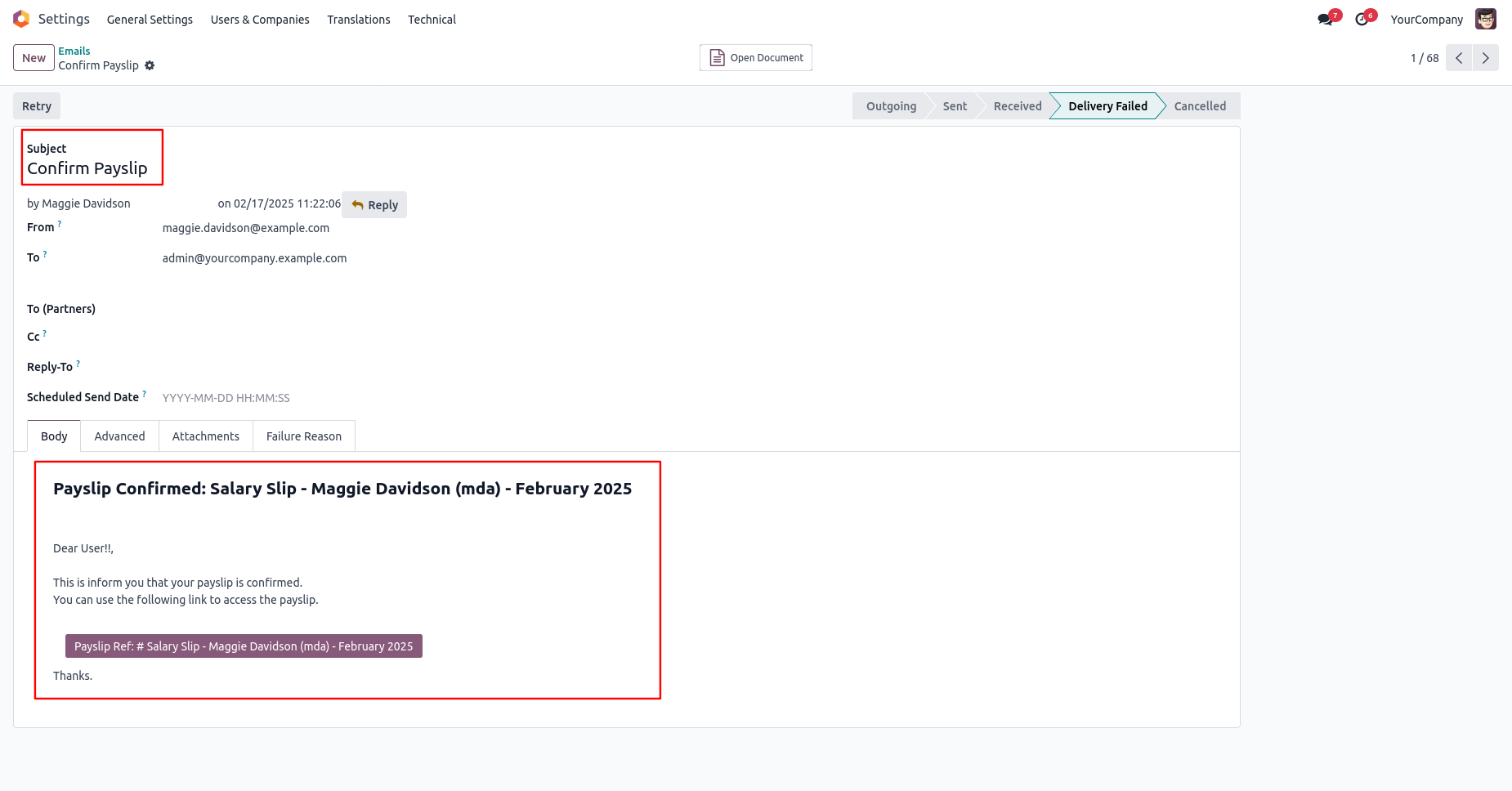
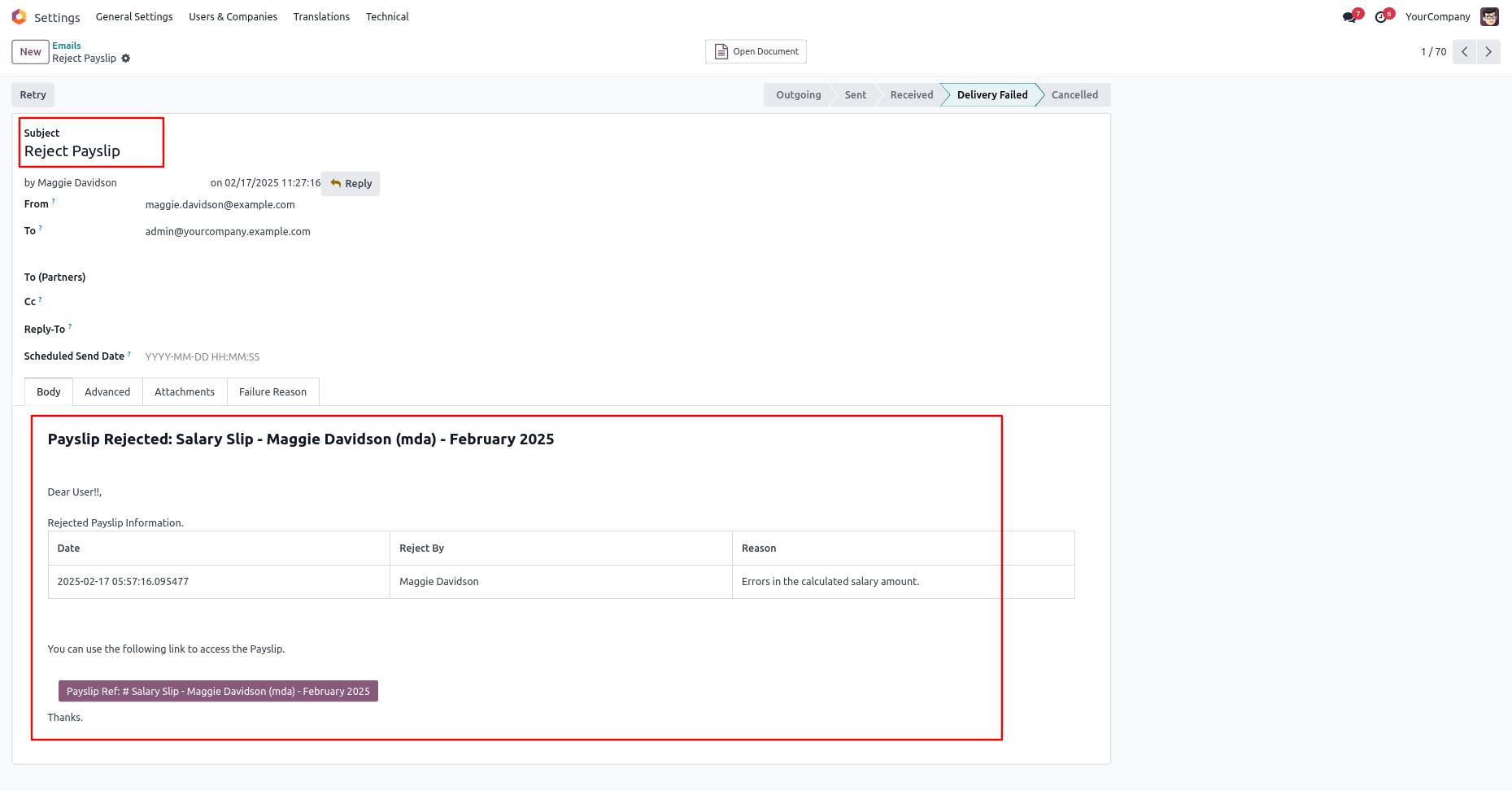
Email notification of rejection looks like this.
Version 20.0.1.0.0 | Released on : 15th September 2026
- No, this app works perfectly with Odoo Enterprise (Odoo.sh & Premise) Only.
- No, this application is not compatible with odoo.com(odoo saas/Odoo Online)
- Yes, to test this module, please contact us at sales@softhealer.com.
- Please contact us at sales@softhealer.comto request customization.
- Yes, we provide free support for 365 days from the date of purchase.
- Yes, you will receive lifetime free updates for the version of the module you purchased.
- No, there is no need to install any additional libraries.
- Yes, for version 12 and above, you need to purchase the module separately for each version you intend to use.
- No, exchanges or refunds are not allowed. Please make sure to select the correct version before purchasing.
- You can contact us at support@softhealer.com for language translation support. We use Google Translator tools to provide translations in multiple languages, so the accuracy may vary. We welcome your suggestions to help improve translations.
Discover Our Latest Apps