












Payment Token Management In Backend

This module allows businesses to securely save and manage payment tokens directly in the Odoo backend. Easily store, view, and use saved payment tokens for faster and more convenient repeat payments without re-entering payment details.

Features

Granular Access Rights Control
Ensures that only authorized internal users can trigger payment tokenization.

Save Payment Token in Back-end
Securely store payment tokens in the Odoo backend for future payments.

Token-Based Payments
Select saved customer tokens when registering invoice payments for quick and efficient billing processing.
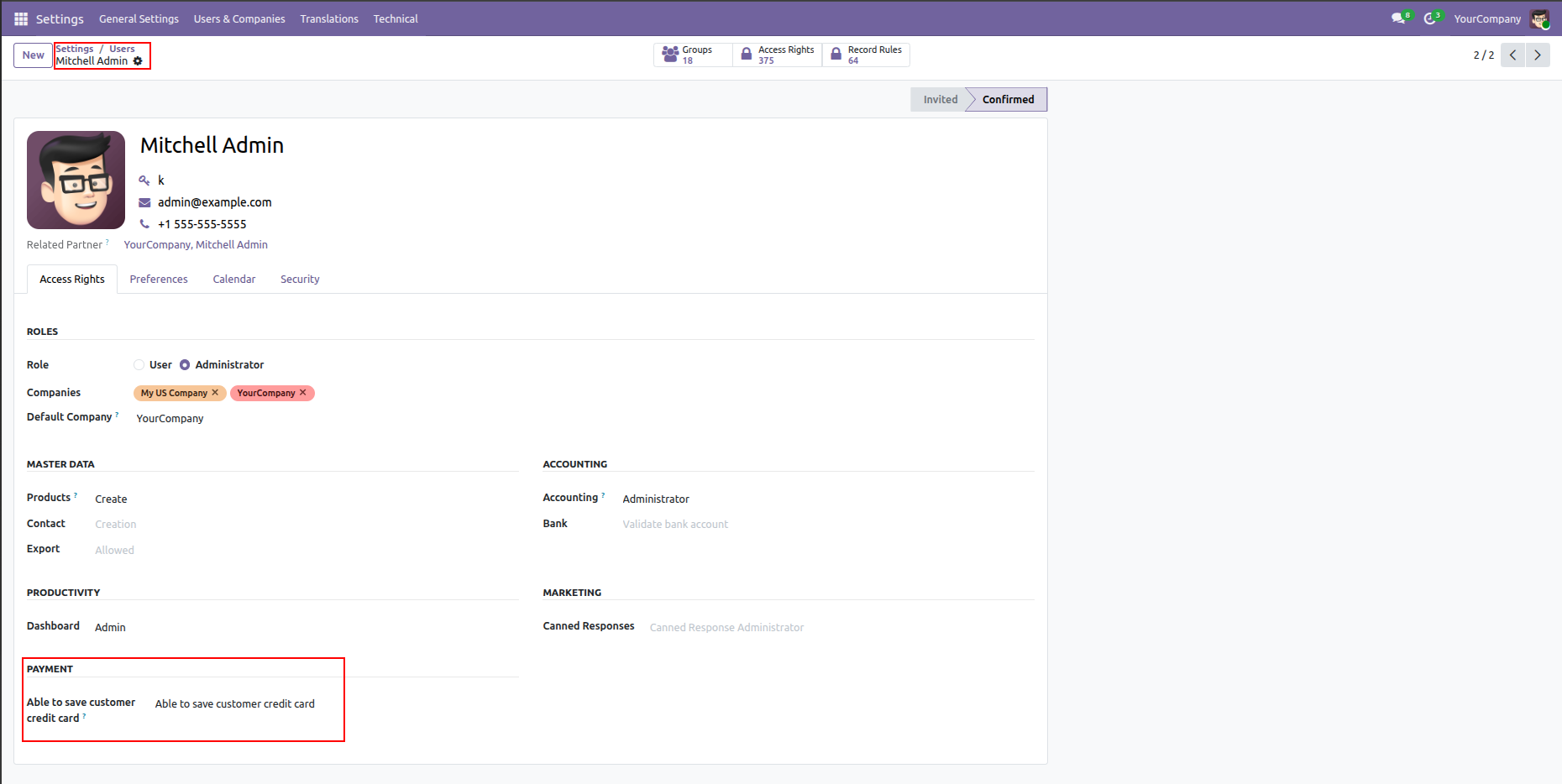
Configure user access rights under Settings > Users to allow authorized internal users to save customer credit cards.
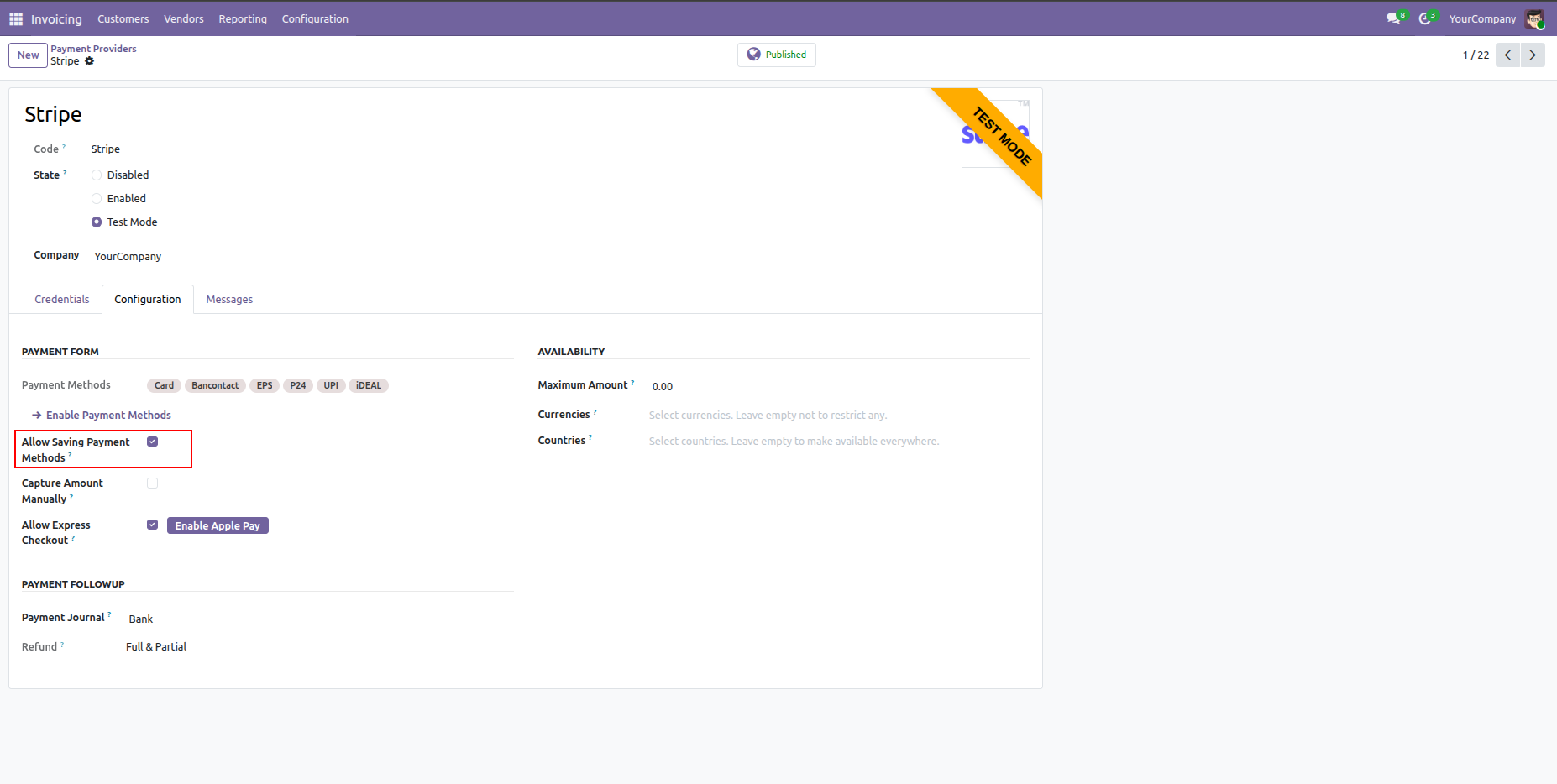
Enable "Allow Saving Payment Methods" option in the Payment Provider configuration.
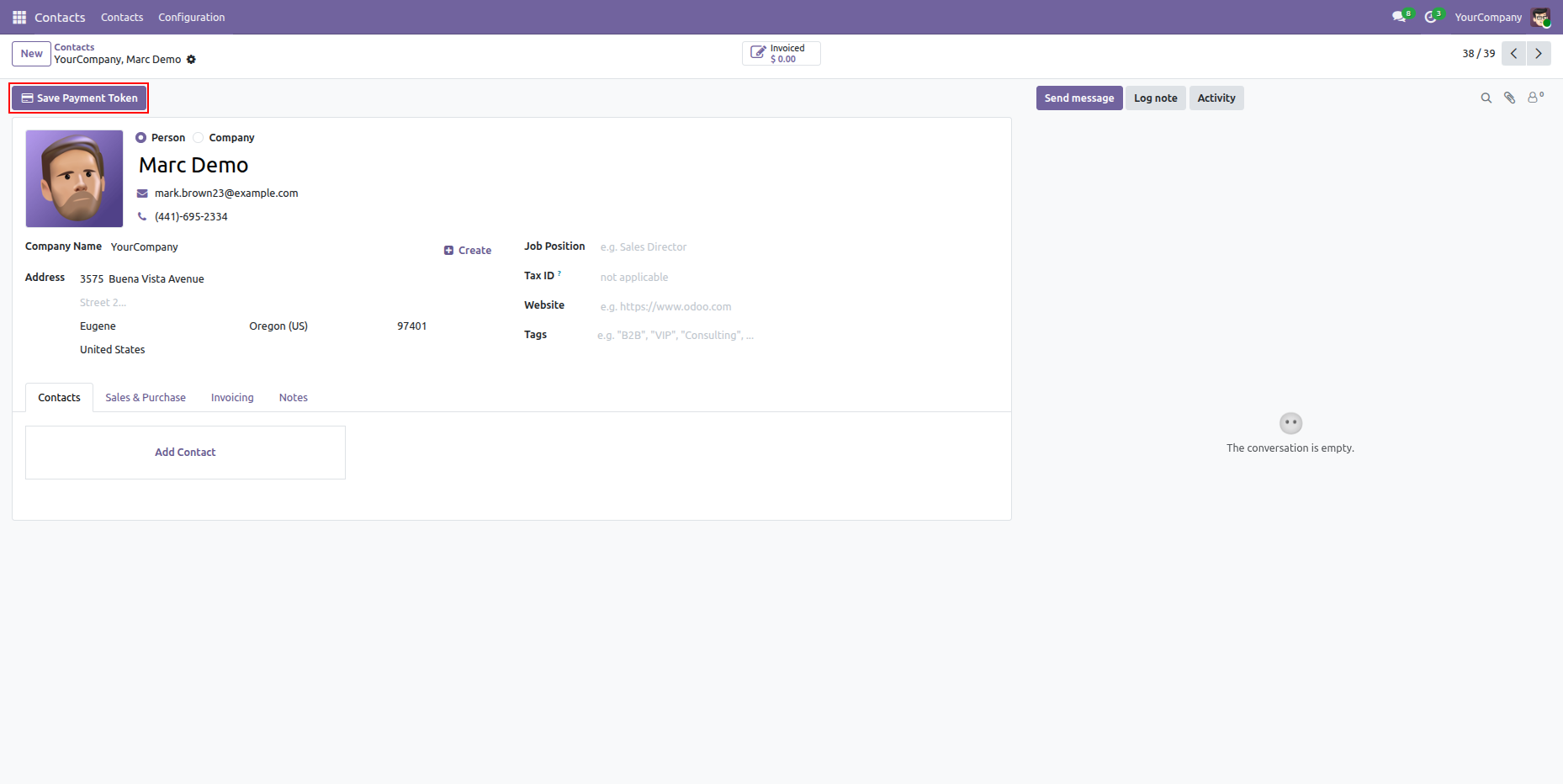
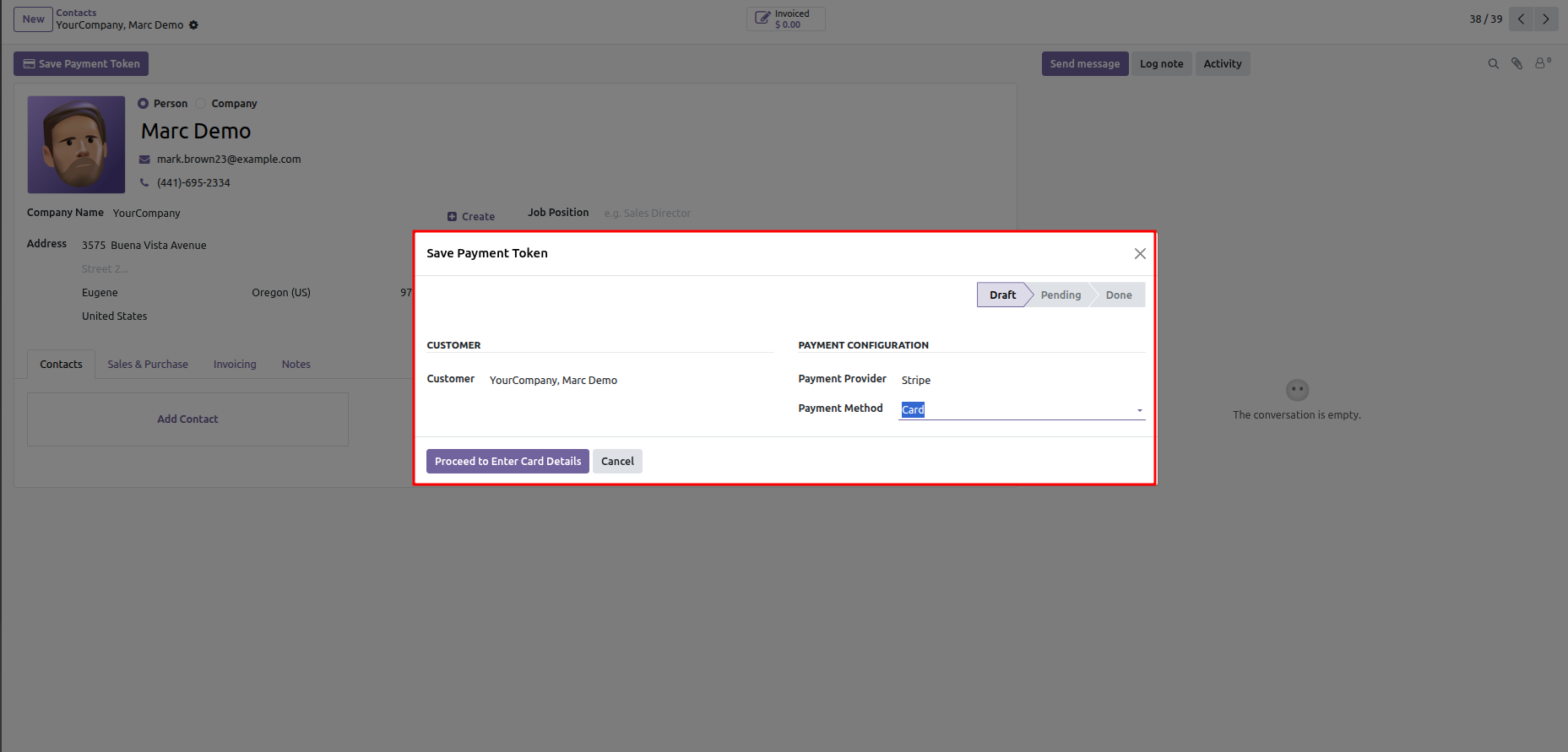
Click the "Save Payment Token" button directly from the Customer Contact form view in backend.
Select the desired Payment Provider and Payment Method in the Save Payment Token wizard.
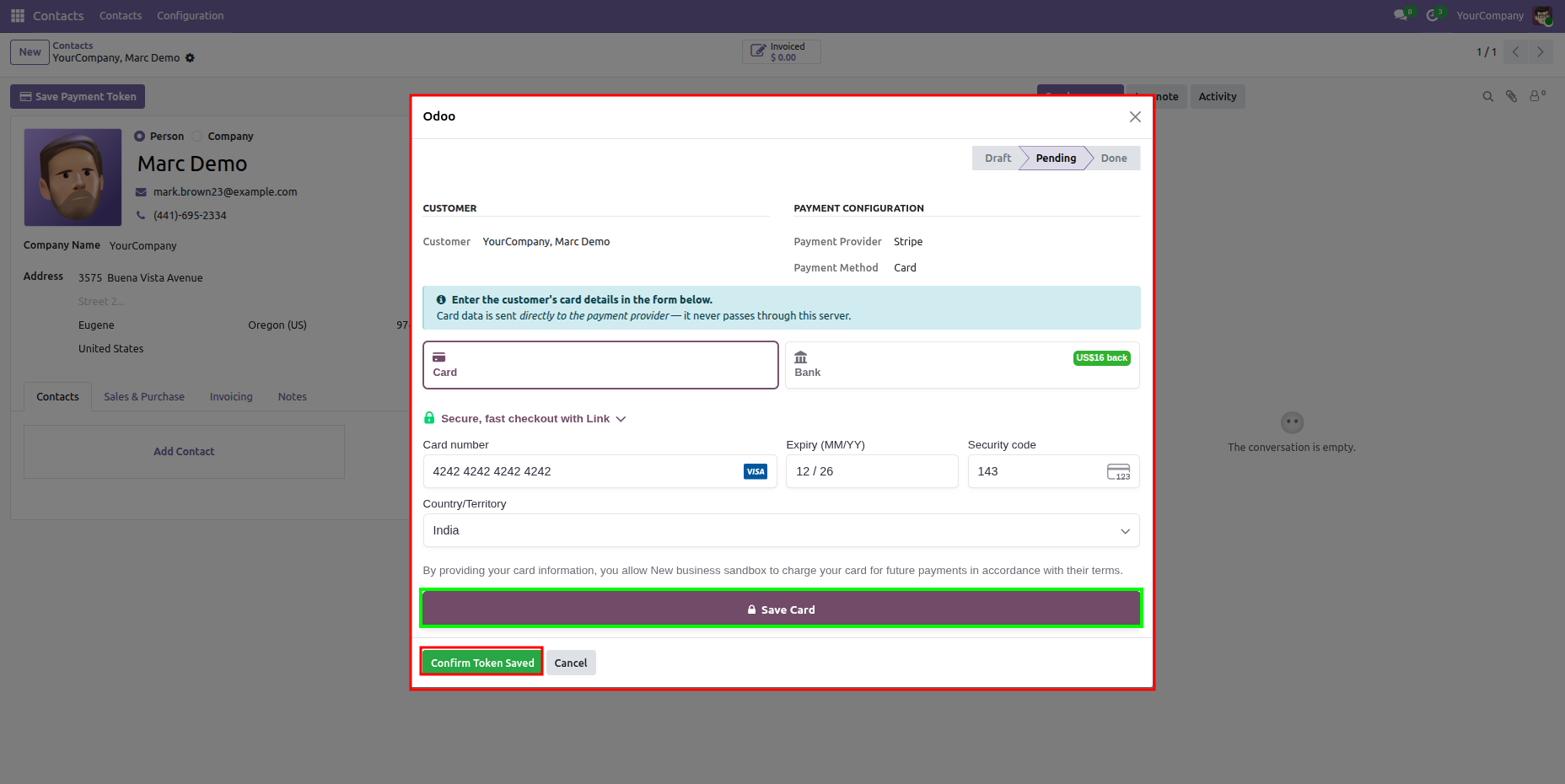
Enter customer card details.
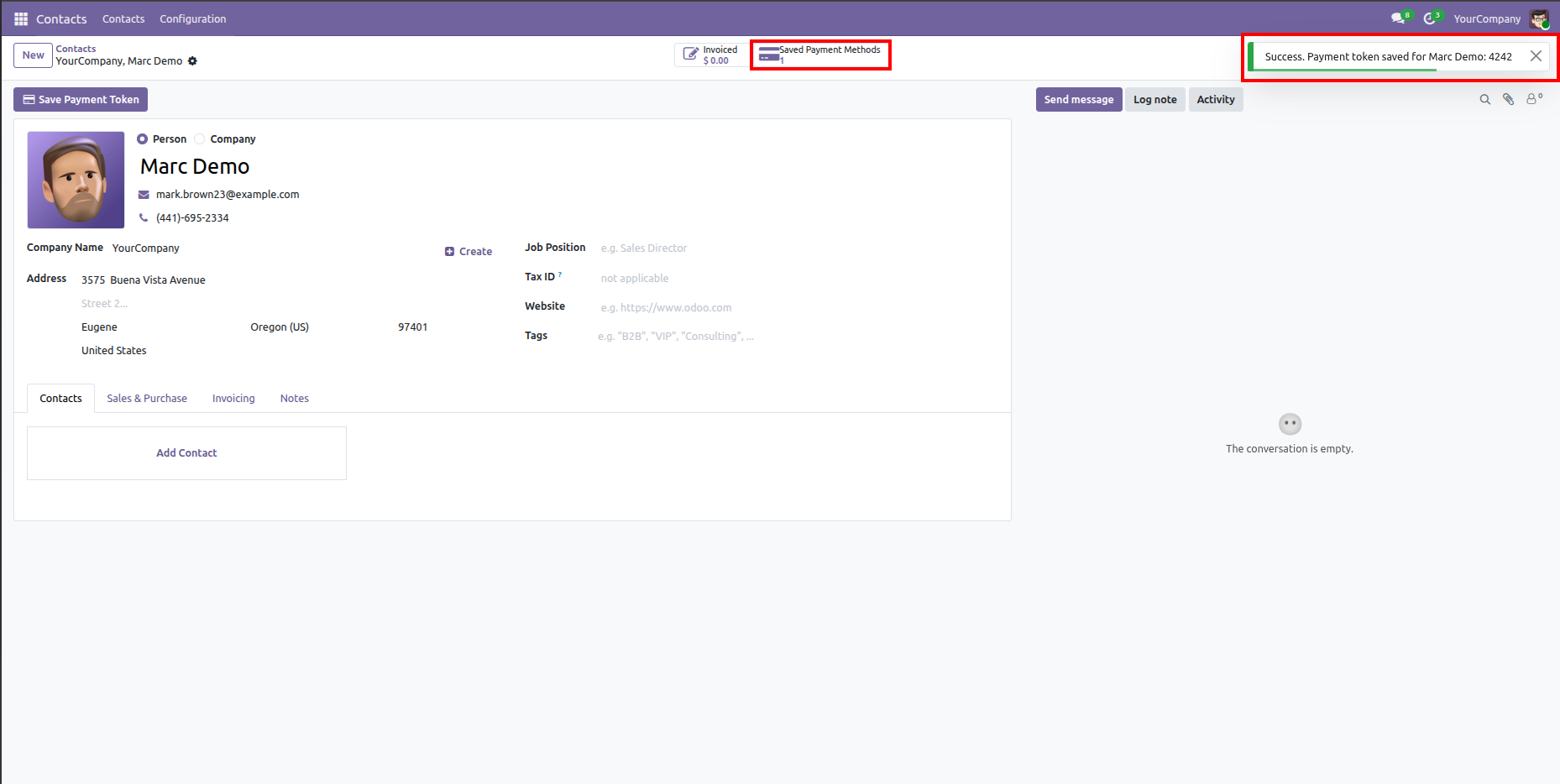
View success notification upon token creation and inspect updated "Saved Payment Methods" smart button.
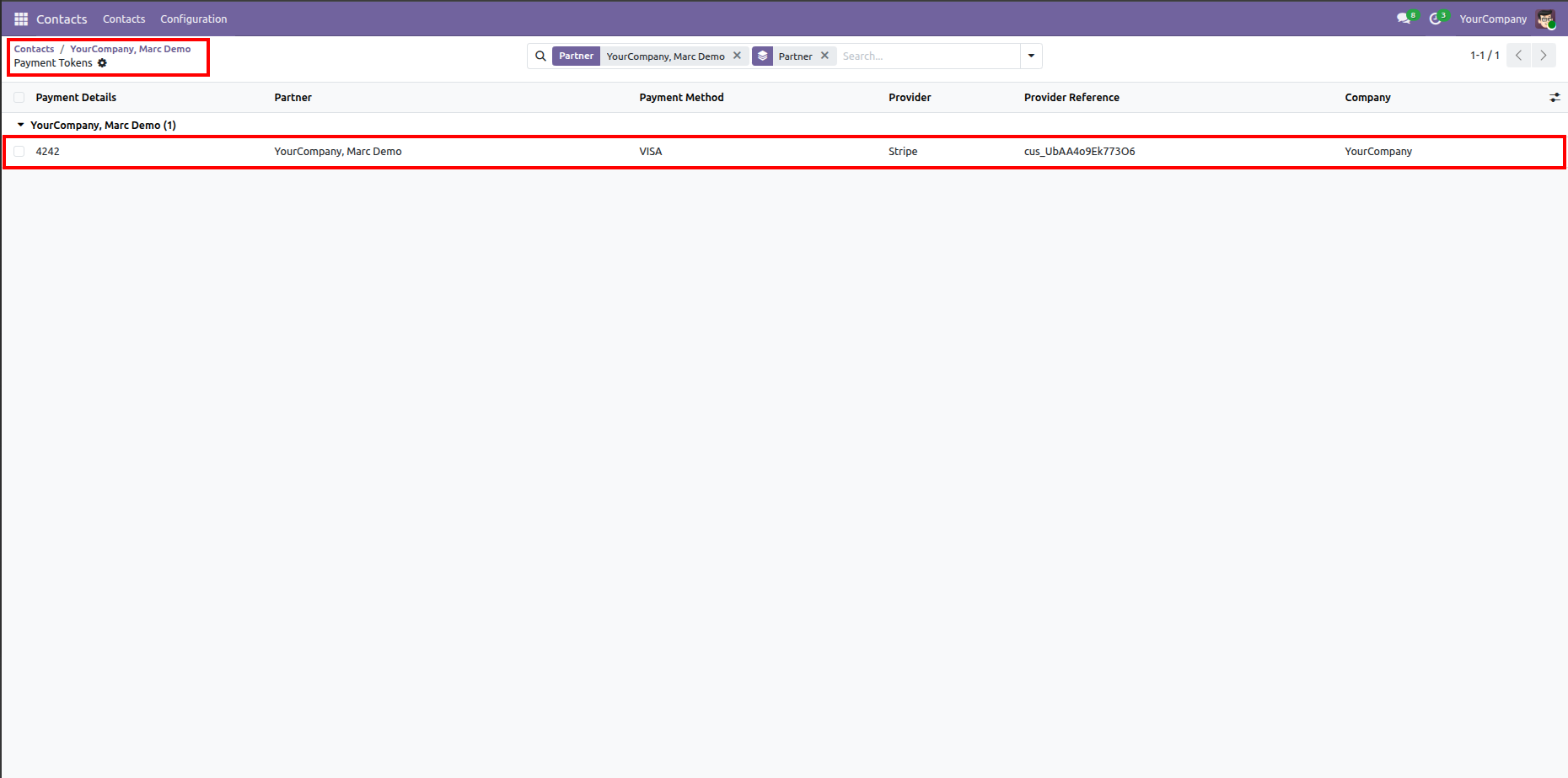
View and manage all stored customer payment tokens in the Payment Tokens list view.
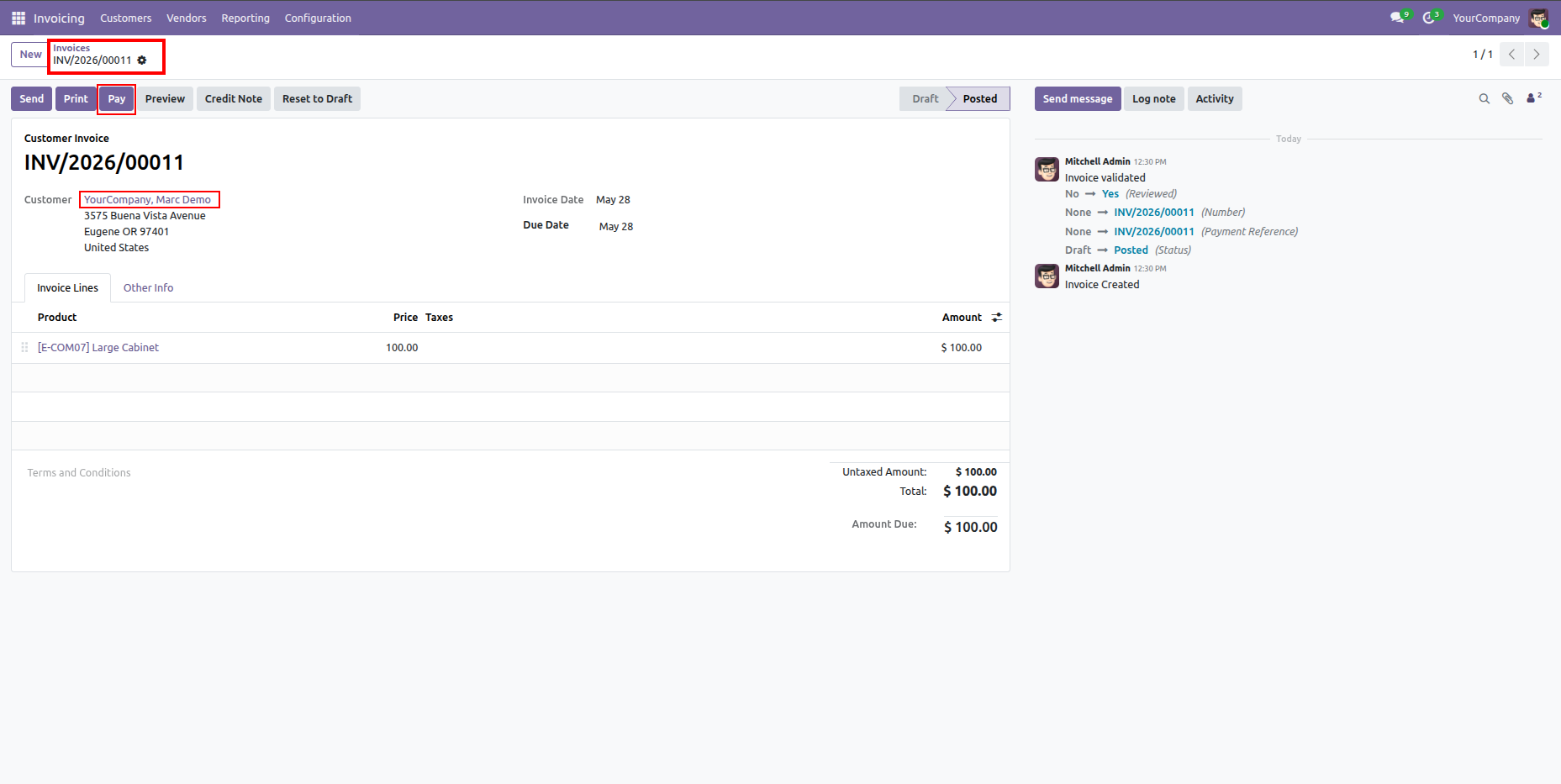
Click the "Pay" button on a posted customer invoice to initiate backend payment using a saved token.
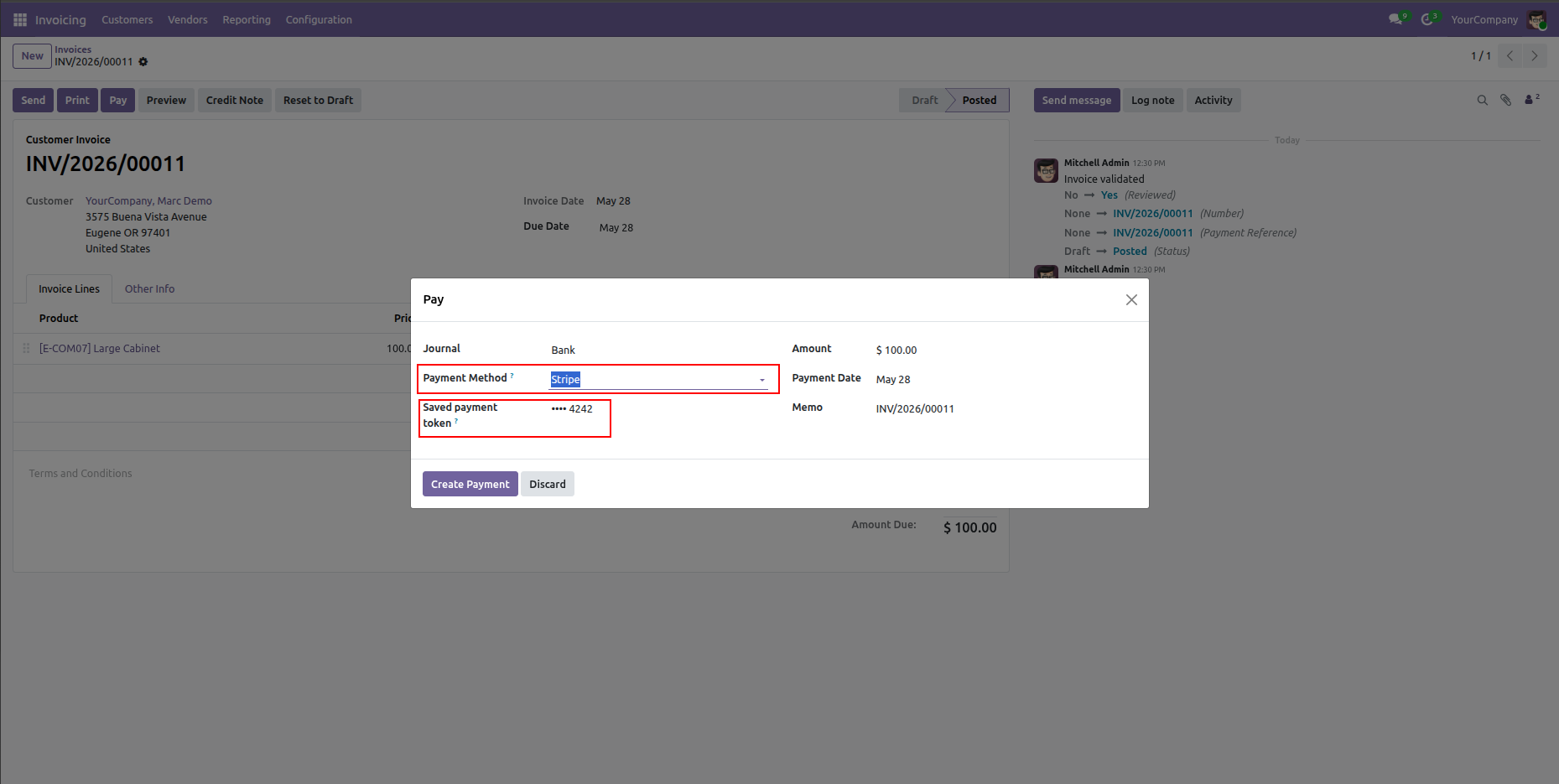
Select the customer's saved payment token in the Register Payment wizard to process payment.
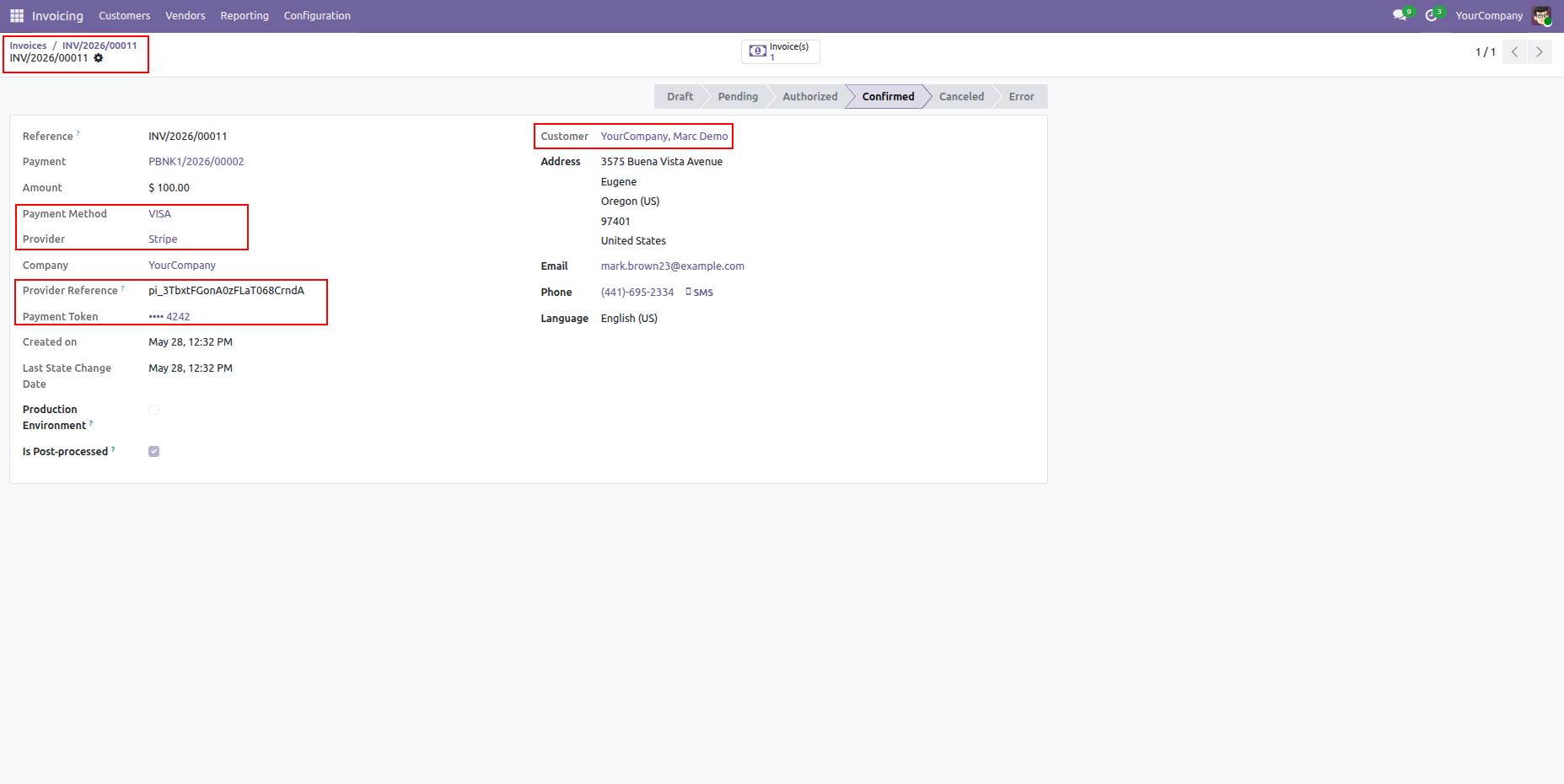
View transaction details with confirmed status, provider reference, and linked payment token.
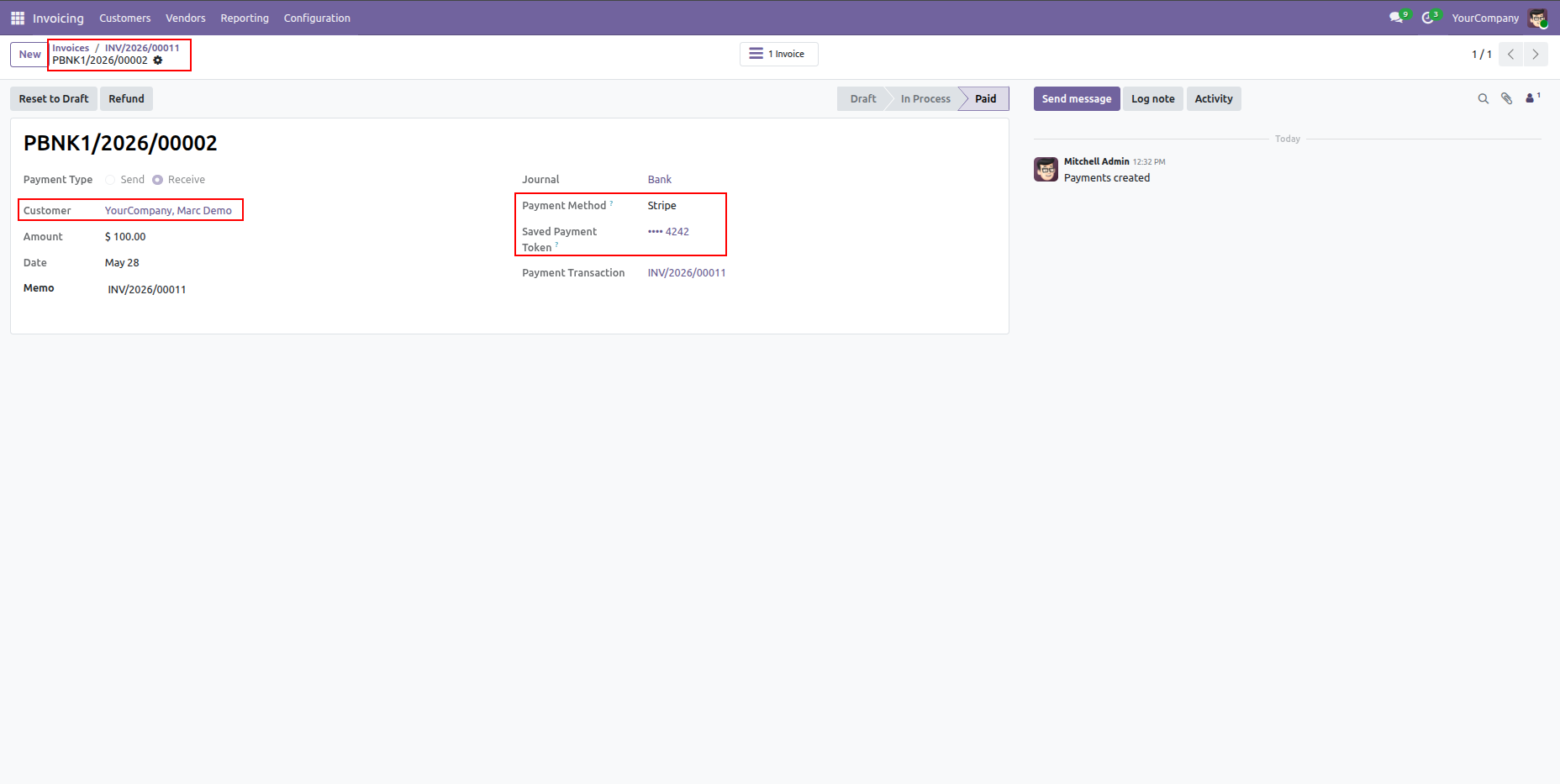
Review completed payment details showing payment method, saved token, and linked invoice.
Version 19.0.1.0.0 | Released on : 31st August 2026
- Yes, this app works perfectly with Odoo Enterprise (Odoo.sh & Premise) as well as Community.
- No, this application is not compatible with odoo.com(odoo saas/Odoo Online)
- Yes, to test this module, please contact us at sales@softhealer.com.
- Please contact us at sales@softhealer.com to request customization.
- Yes, we provide free support for 365 days from the date of purchase.
- Yes, you will receive lifetime free updates for the version of the module you purchased.
- No, there is no need to install any additional libraries.
- Yes, for version 12 and above, you need to purchase the module separately for each version you intend to use.
- No, exchanges or refunds are not allowed. Please make sure to select the correct version before purchasing.
- You can contact us at support@softhealer.com for language translation support. We use Google Translator tools to provide translations in multiple languages, so the accuracy may vary. We welcome your suggestions to help improve translations.
Discover Our Latest Apps