












Password Manager

Secure your team's data with 'Password Manager', a robust Odoo security solution. It offers a safe vault for credentials. Highlights include a 3-panel Kanban interface for navigation and portal sharing for external access. With duplicate detection and strength estimation, managing passwords is now effortless and secure. It is the ultimate tool for team password management.

Related Modules
Features
Role-Based Access Security
Assign Administrator, Manager, or User privileges to control access rights.

Interactive Dashboard
Navigate credentials smoothly with a modern three-column dashboard layout.

Password Vault Management
Organize credentials into departmental or personal vaults like IT, Team Shared, or Personal.

Custom Types & Color-Coded Tags
Classify credentials using custom types (Website, Server) and color tags.
Built-in Password Generator
Generate strong, random passwords with custom lengths and strength checks.

Quick Export & Clipboard Copy
Instantly export or copy credential details to clipboard for convenient usage.
Favorite Passwords Bookmark
Bookmark frequently accessed passwords to prioritize them at the top of your view.

Archive & Restore Passwords
Safely archive unused credentials without deleting data and restore when needed.
Credential Duplication & Detection
Duplicate existing entries effortlessly and set duplicate matching criteria.

Password History & Version Restore
Audit previous password modifications and restore past credential versions anytime.
External Portal Vault Sharing
Share password bundles securely with portal partners with session duration limits.

Audit Access Logging
Log every credential view, access, and copy action for security auditing.

Advanced Search & Smart Filters
Quickly locate credentials using custom search parameters and predefined filters.
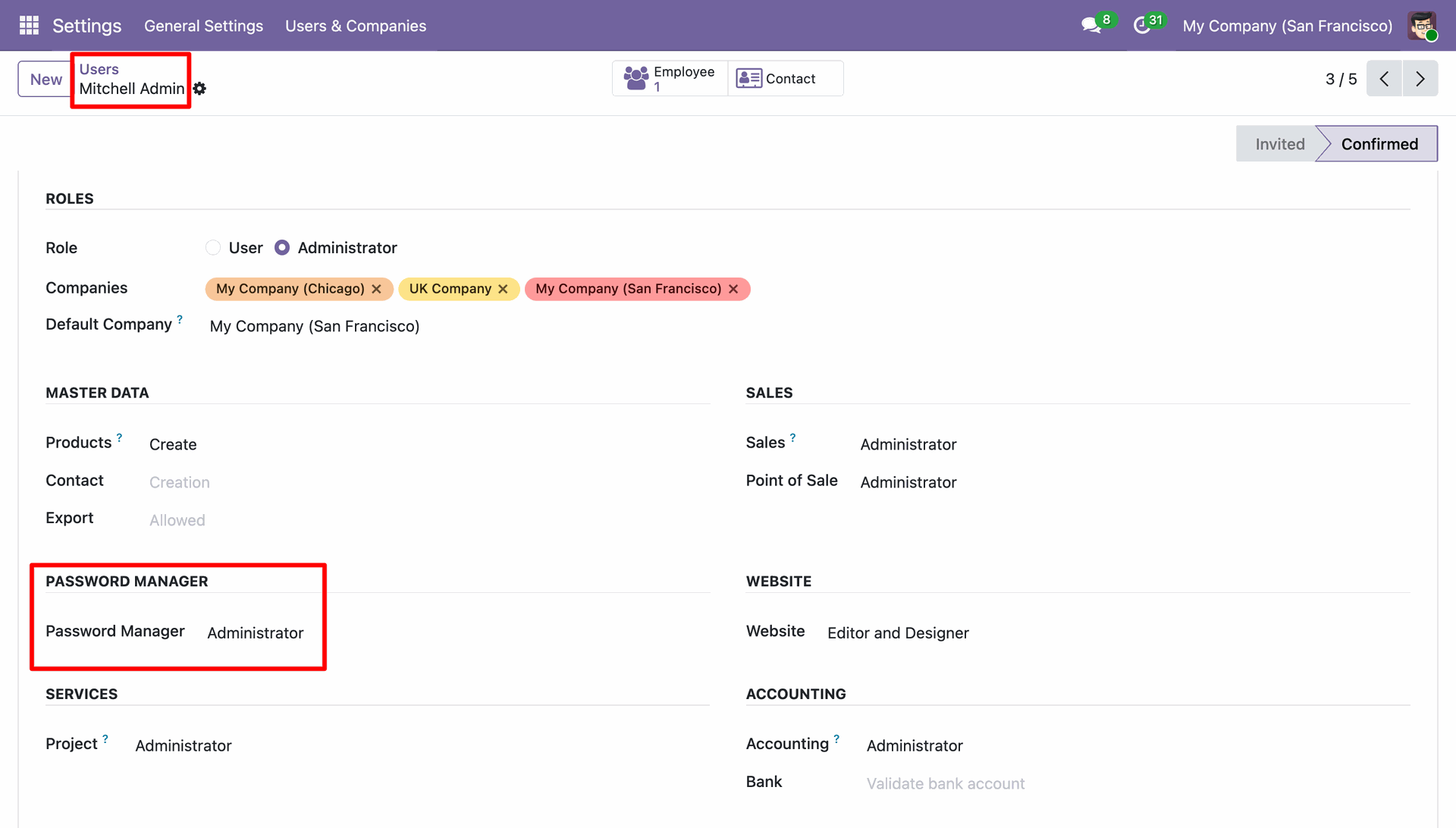
Assigning Administrator privileges to Mitchell Admin within the Password Manager section of the user settings.
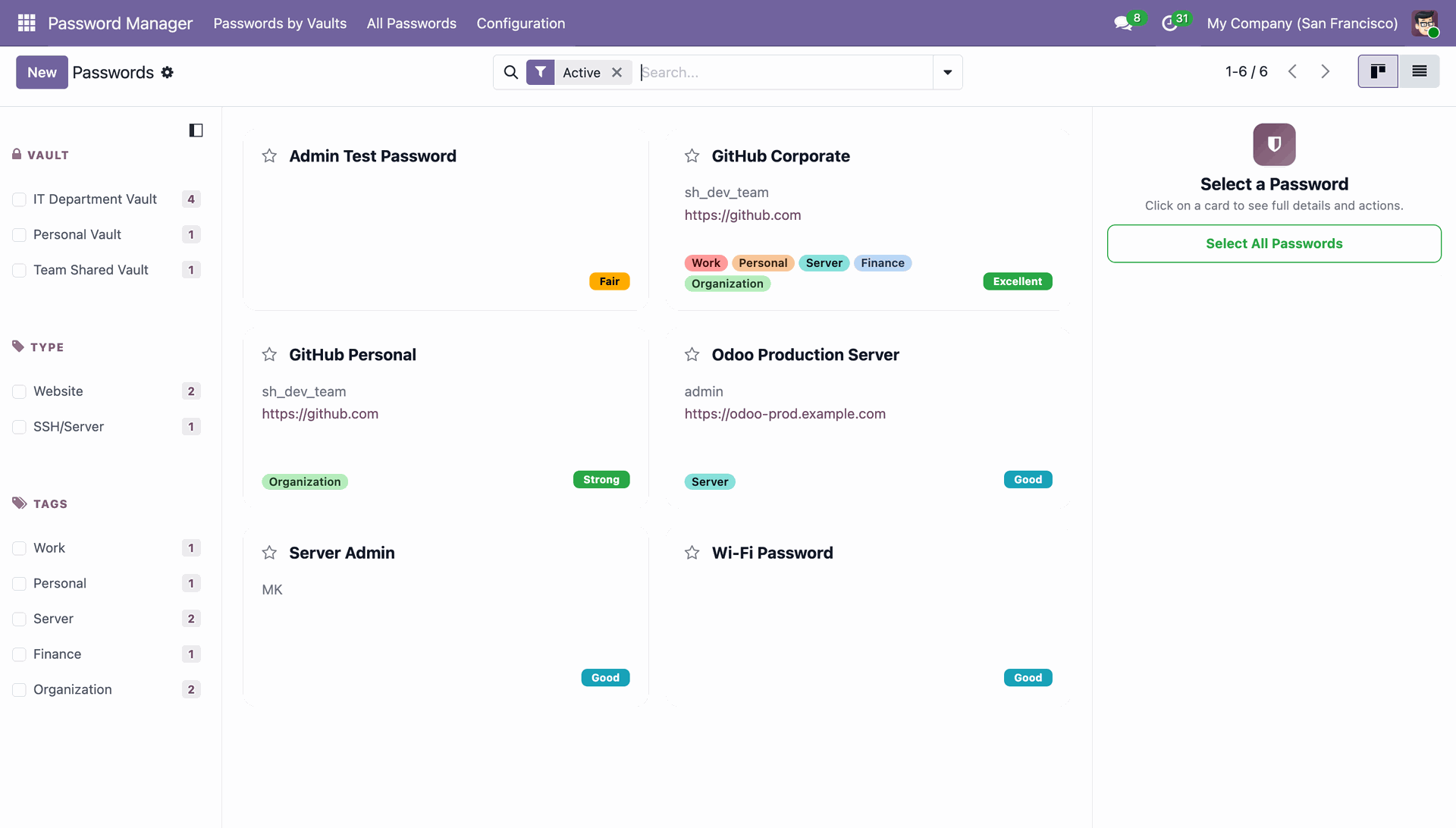
Navigating the Password Manager dashboard to view stored credentials, organized by vaults such as IT Department, Personal, and Team Shared.
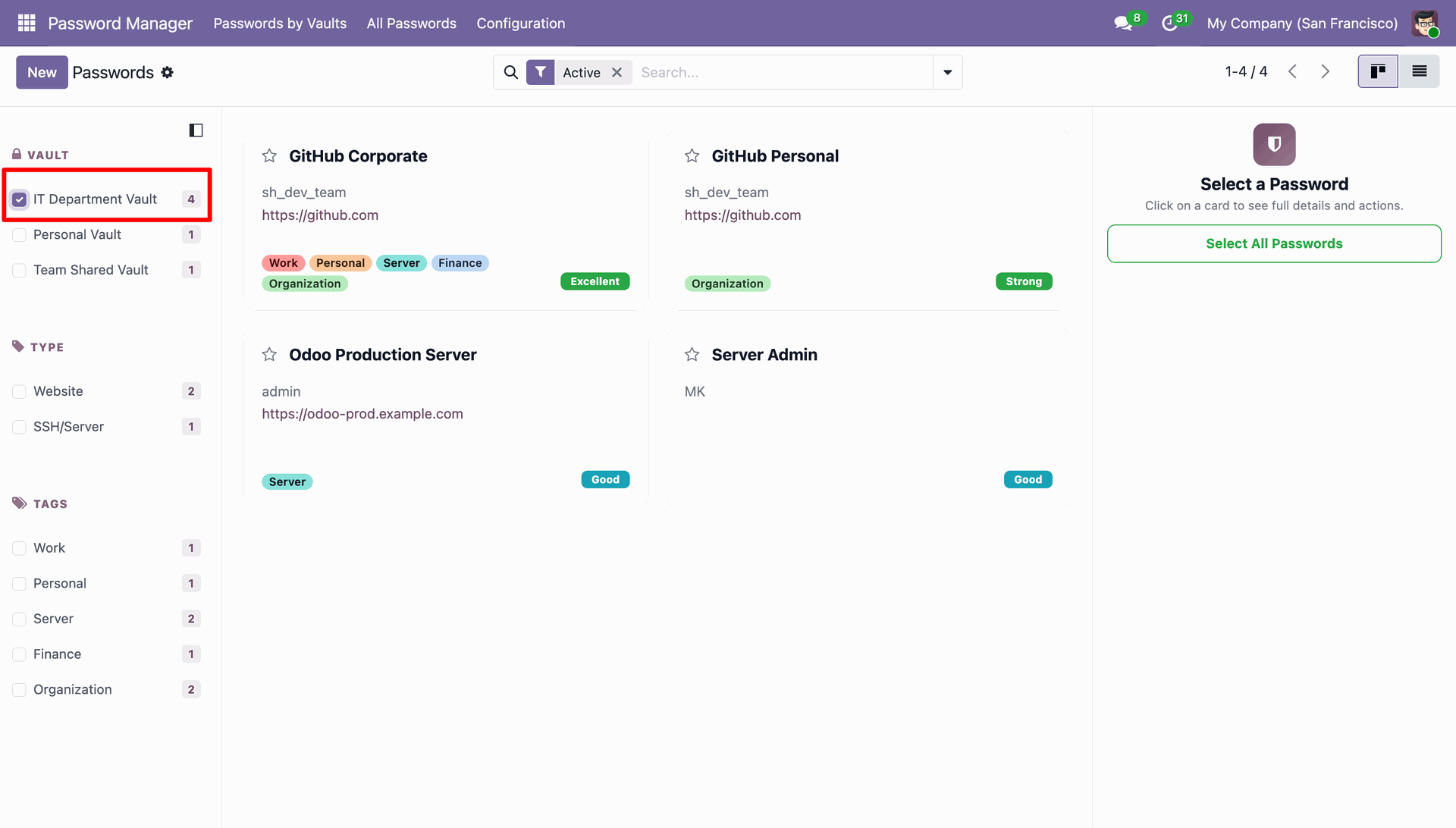
Filtering the dashboard to display only the credentials stored within the IT Department Vault, narrowing the view to four specific technical records.
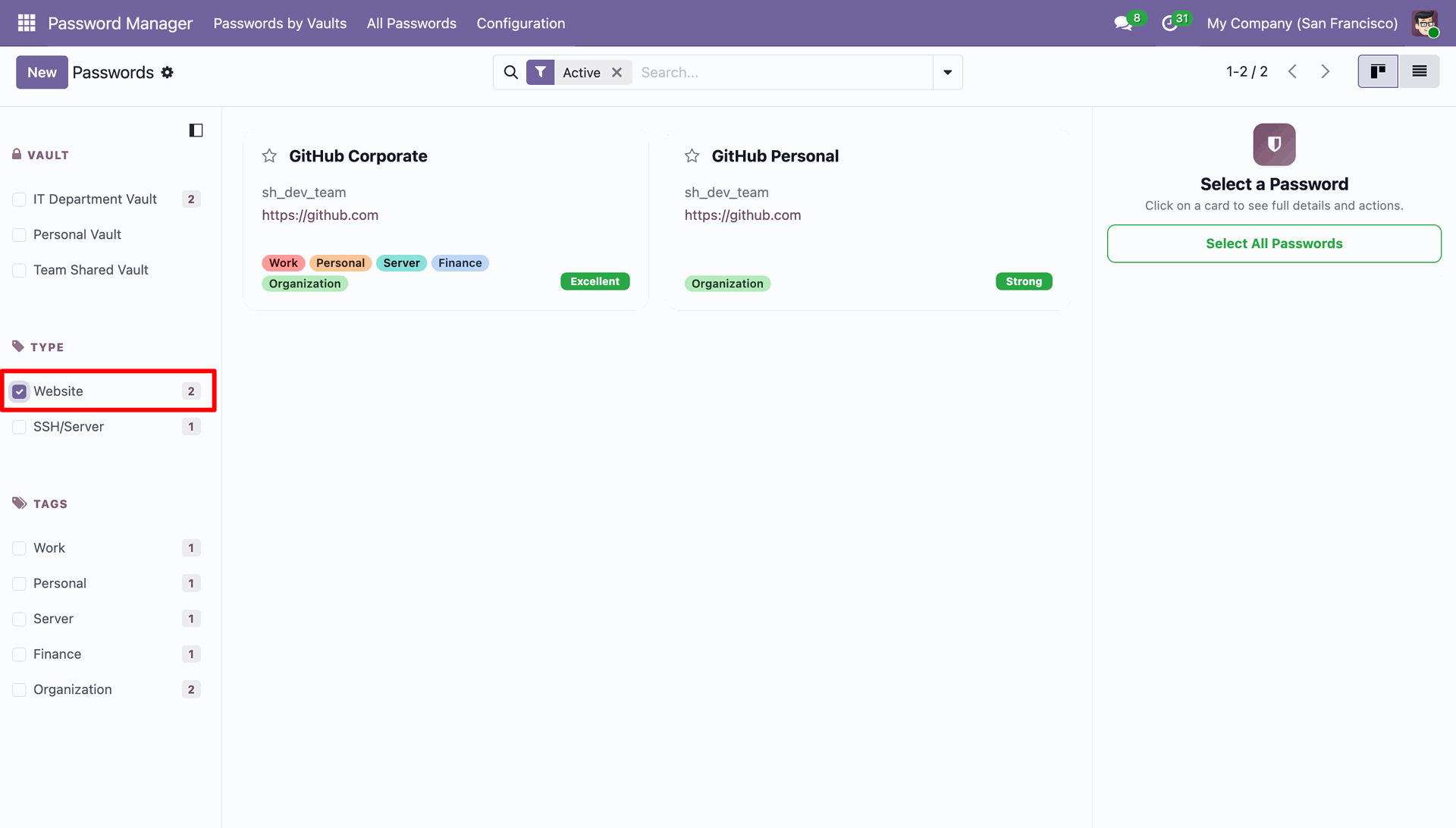
Refining the password list by selecting the Website type filter, displaying only the corporate and personal GitHub credentials.
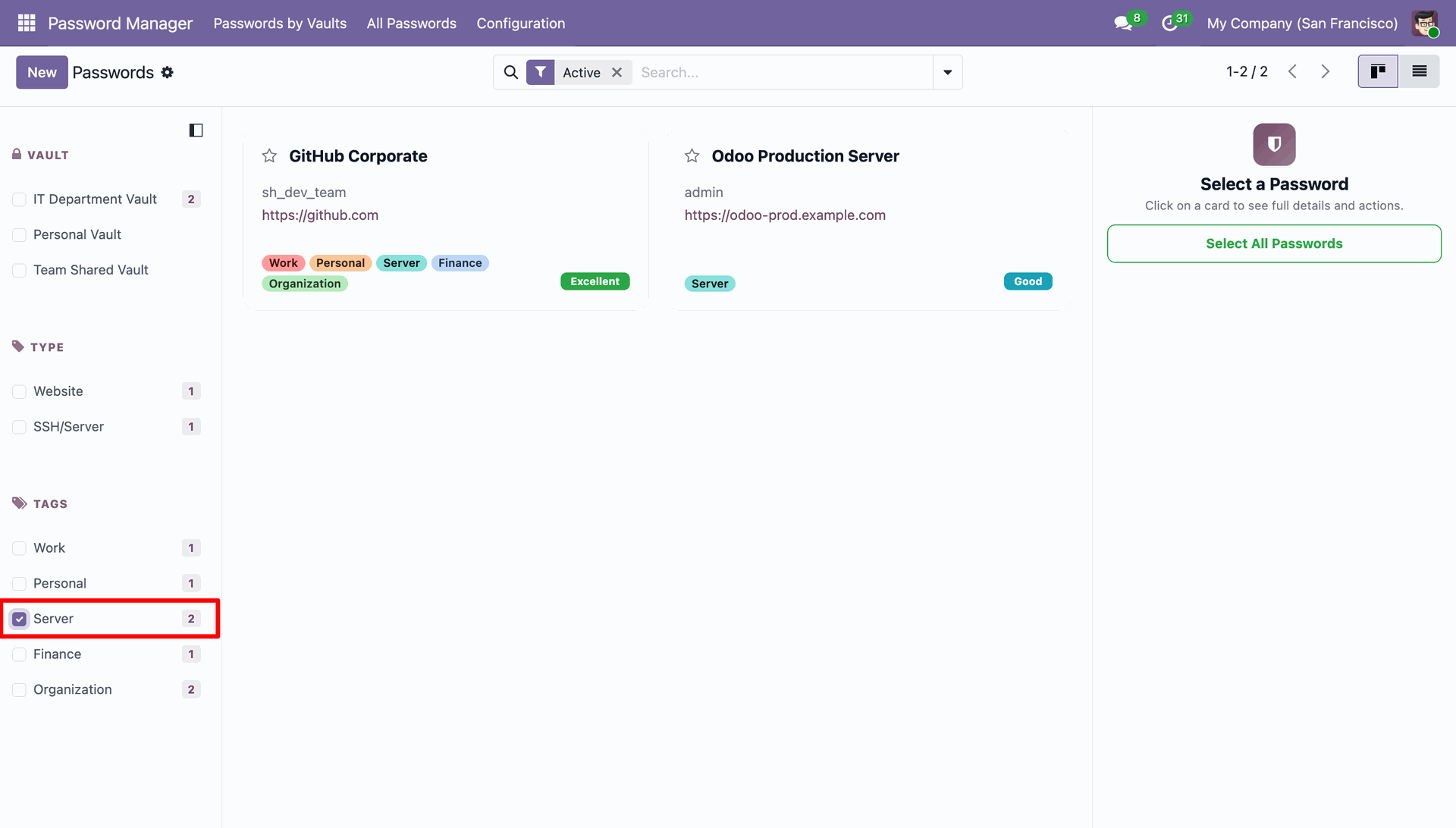
Using the Server tag filter to quickly locate infrastructure-related credentials, such as the Odoo Production Server login.
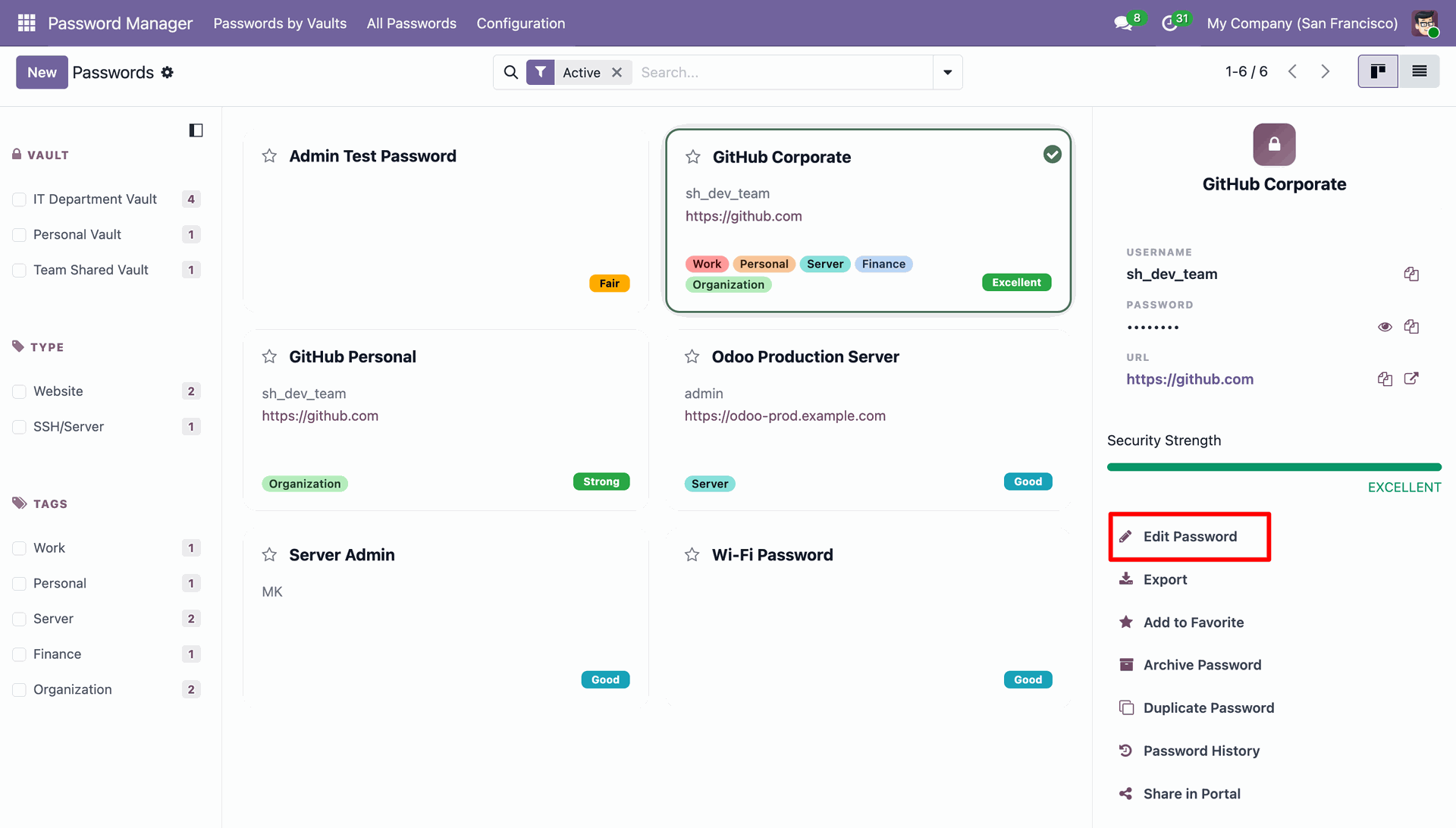
Selecting a credential card to open the detail pane, where users can click Edit Password to update login info or manage security settings.
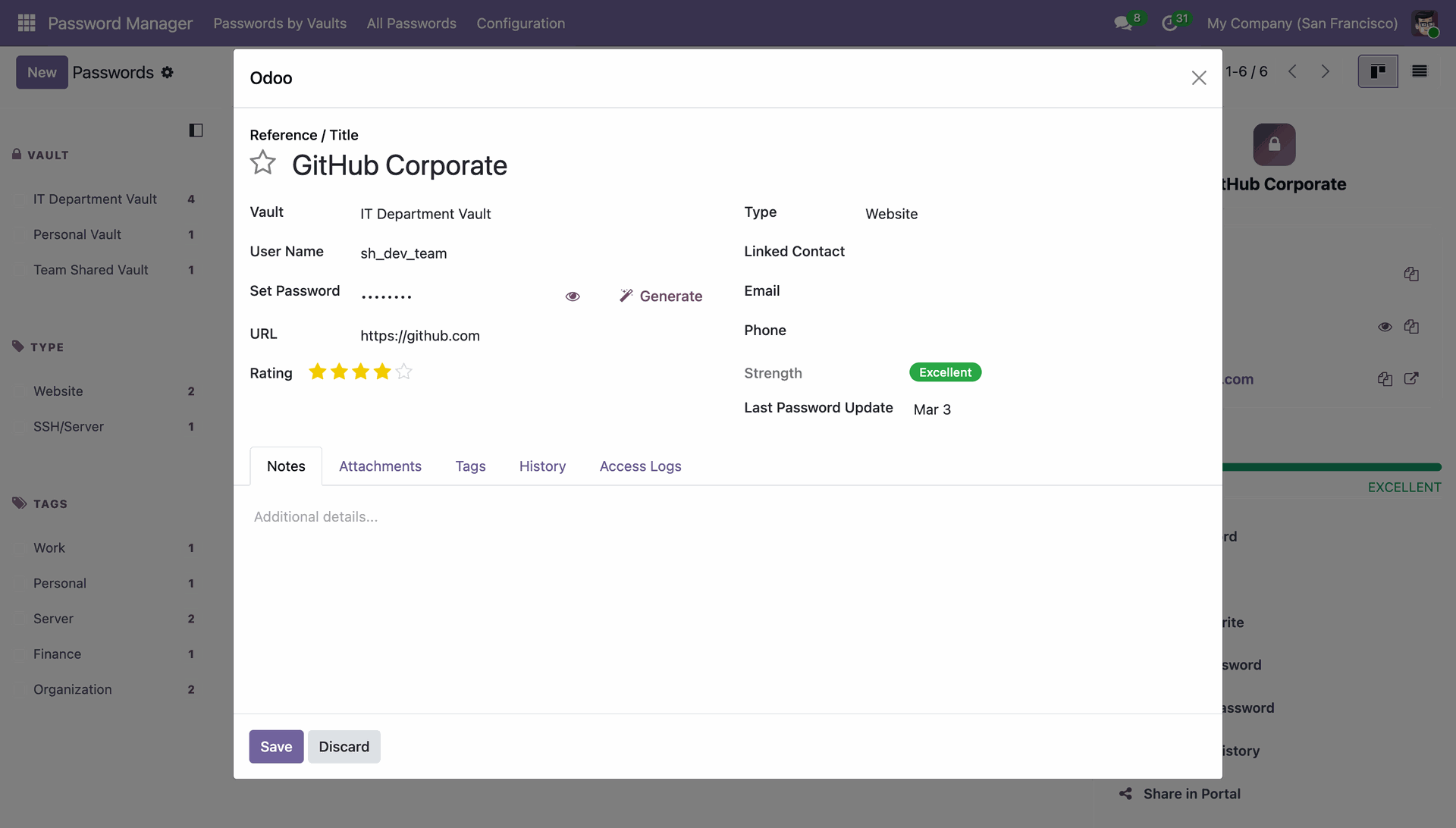
Using the Edit modal to update the GitHub Corporate credentials, with options to manually set or Generate a new secure password.
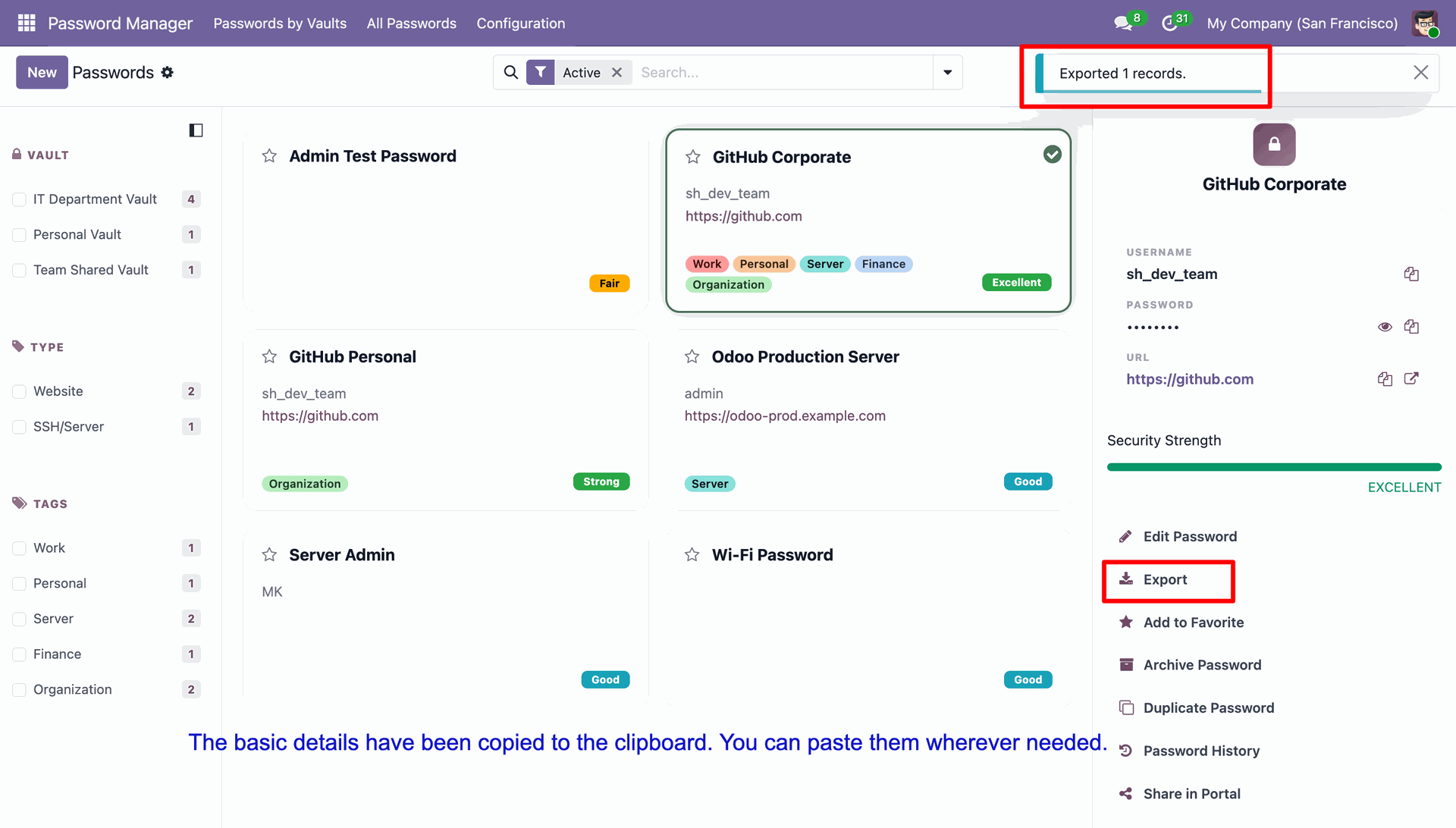
Selecting the Export option for the GitHub Corporate record, which copies the basic account details to the clipboard for external use.
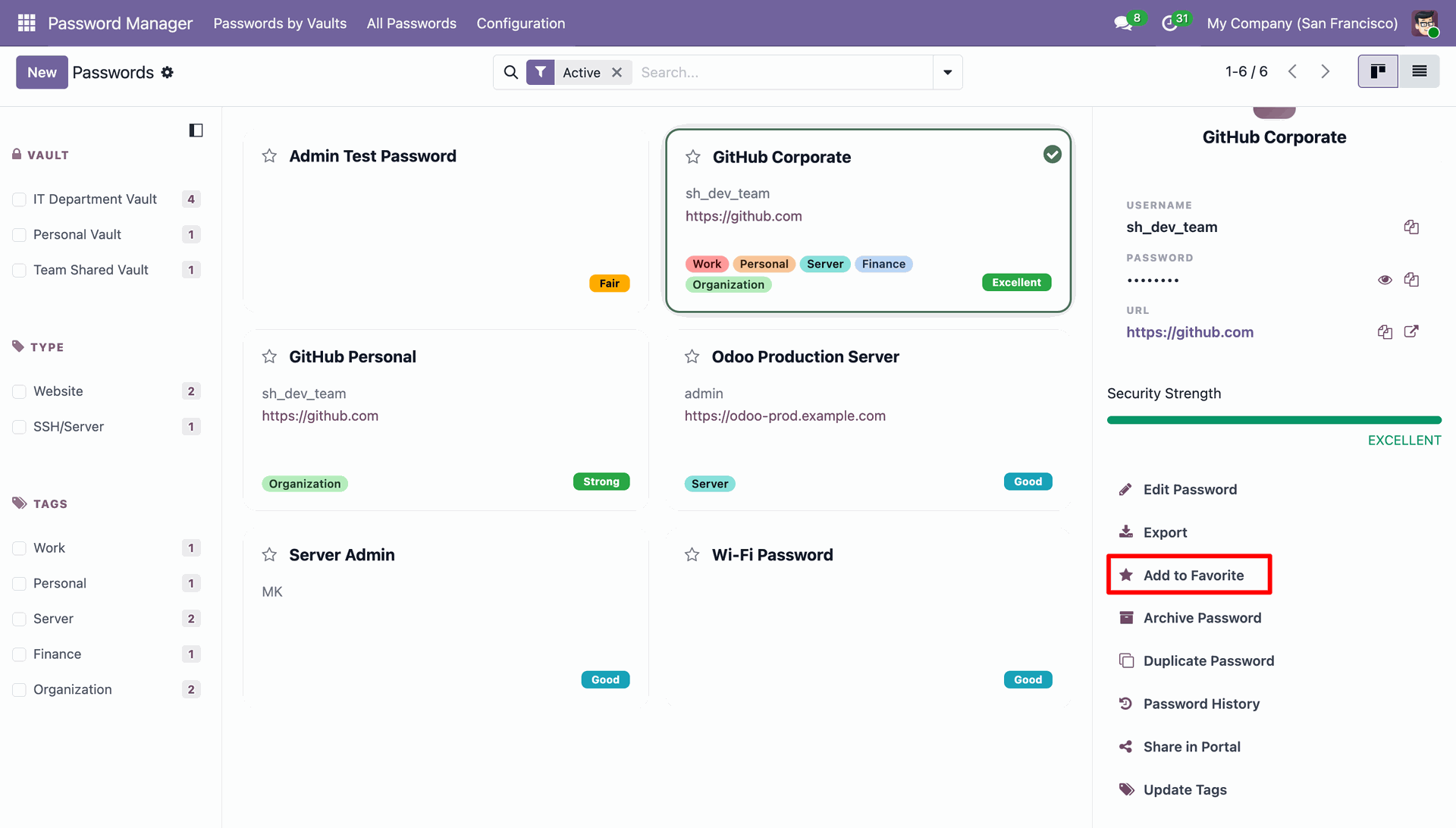
Clicking the Add to Favorite option in the sidebar to bookmark the GitHub Corporate credential for quicker access from the dashboard.
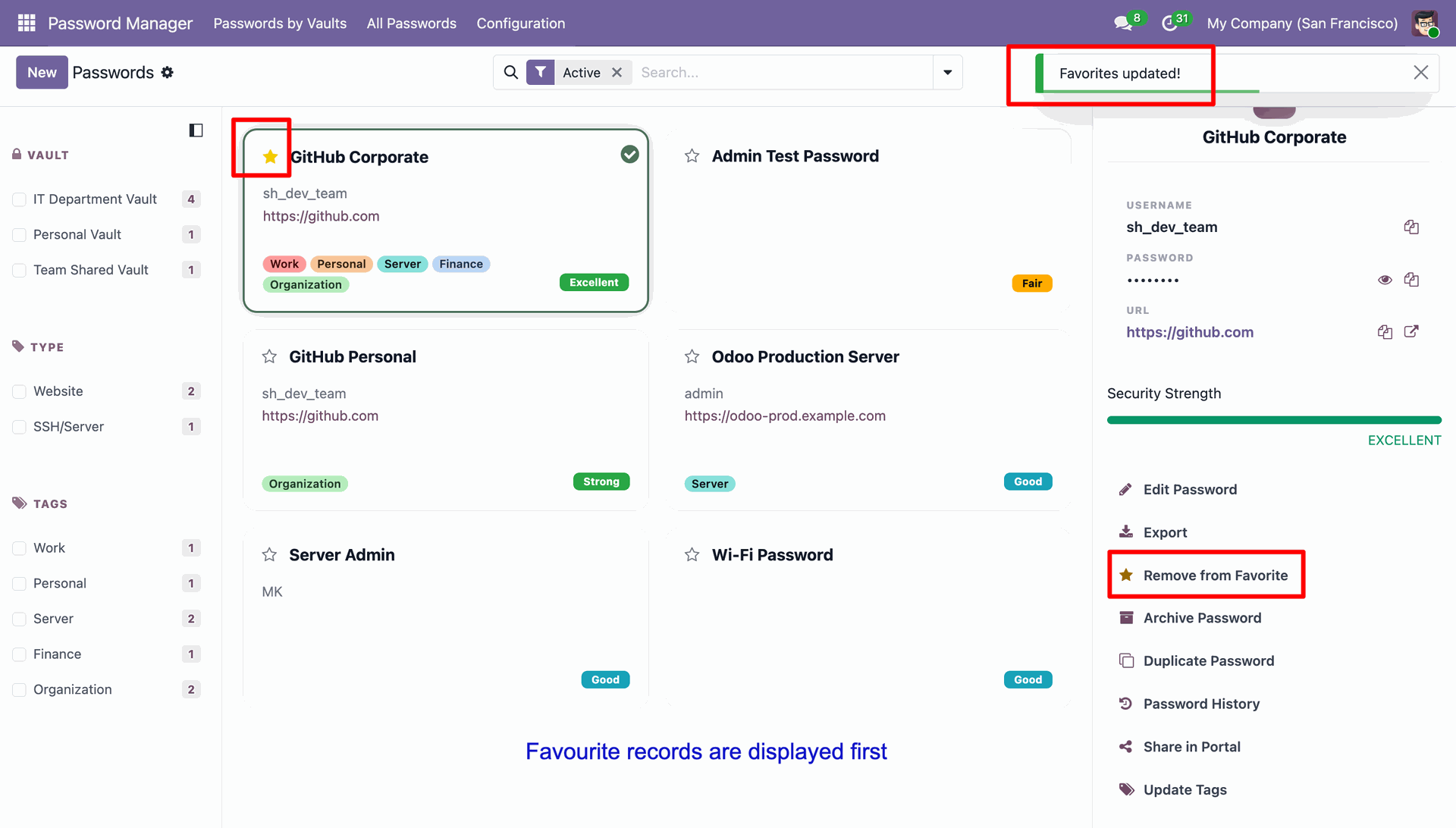
Monitoring the dashboard as GitHub Corporate moves to the top of the list, confirmed by the "Favorites updated!" alert and the highlighted star icon.
Selecting the Archive Password option in the sidebar to remove the Wi-Fi credential from the active dashboard without permanently deleting the data.
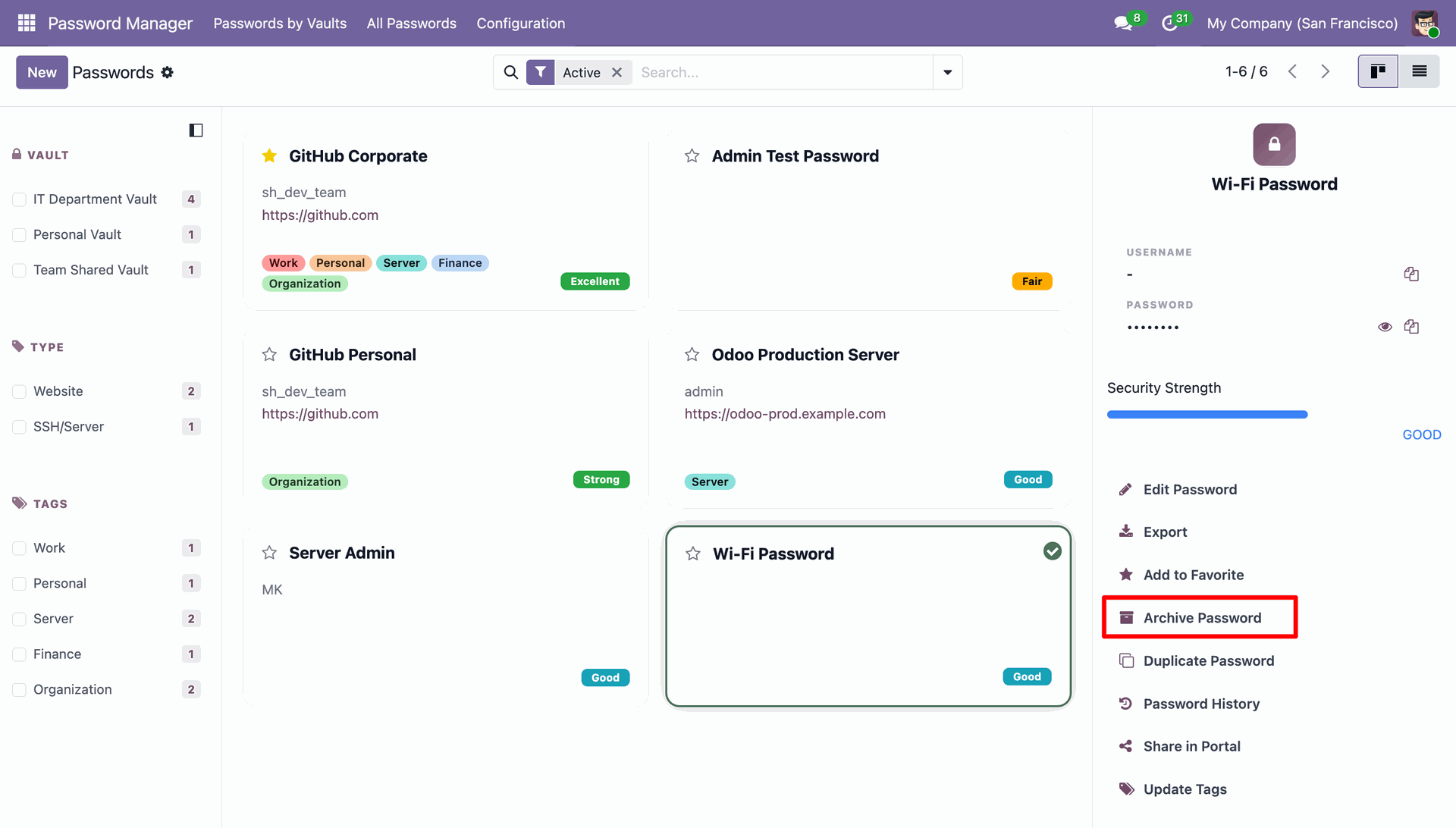
Successfully moving a record out of the active list, confirmed by the Records archived system notification in the upper right corner.
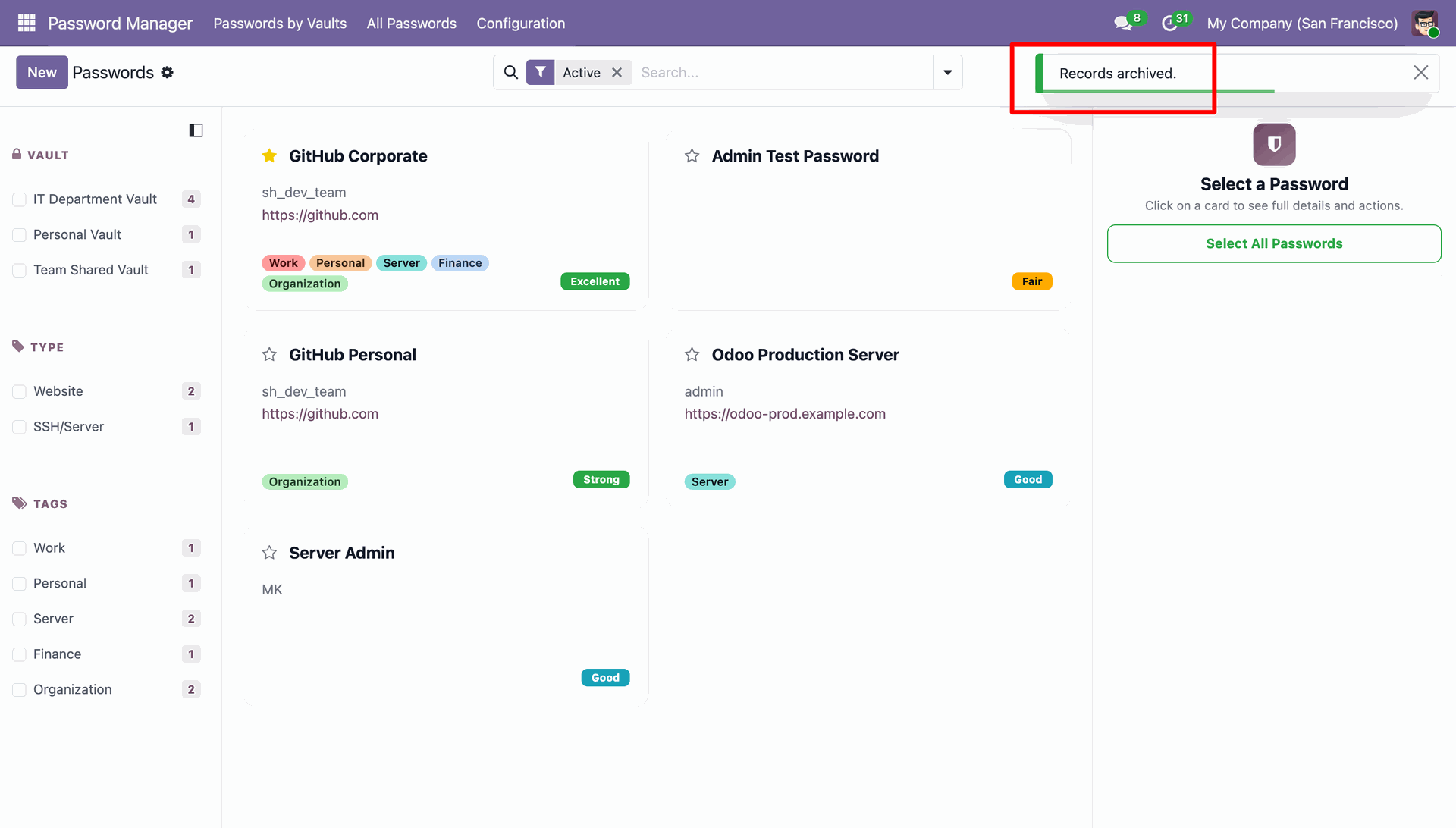
Creating a copy of the GitHub Corporate credential using the Duplicate Password feature, resulting in a new entry labeled as a "copy" for easy identification.
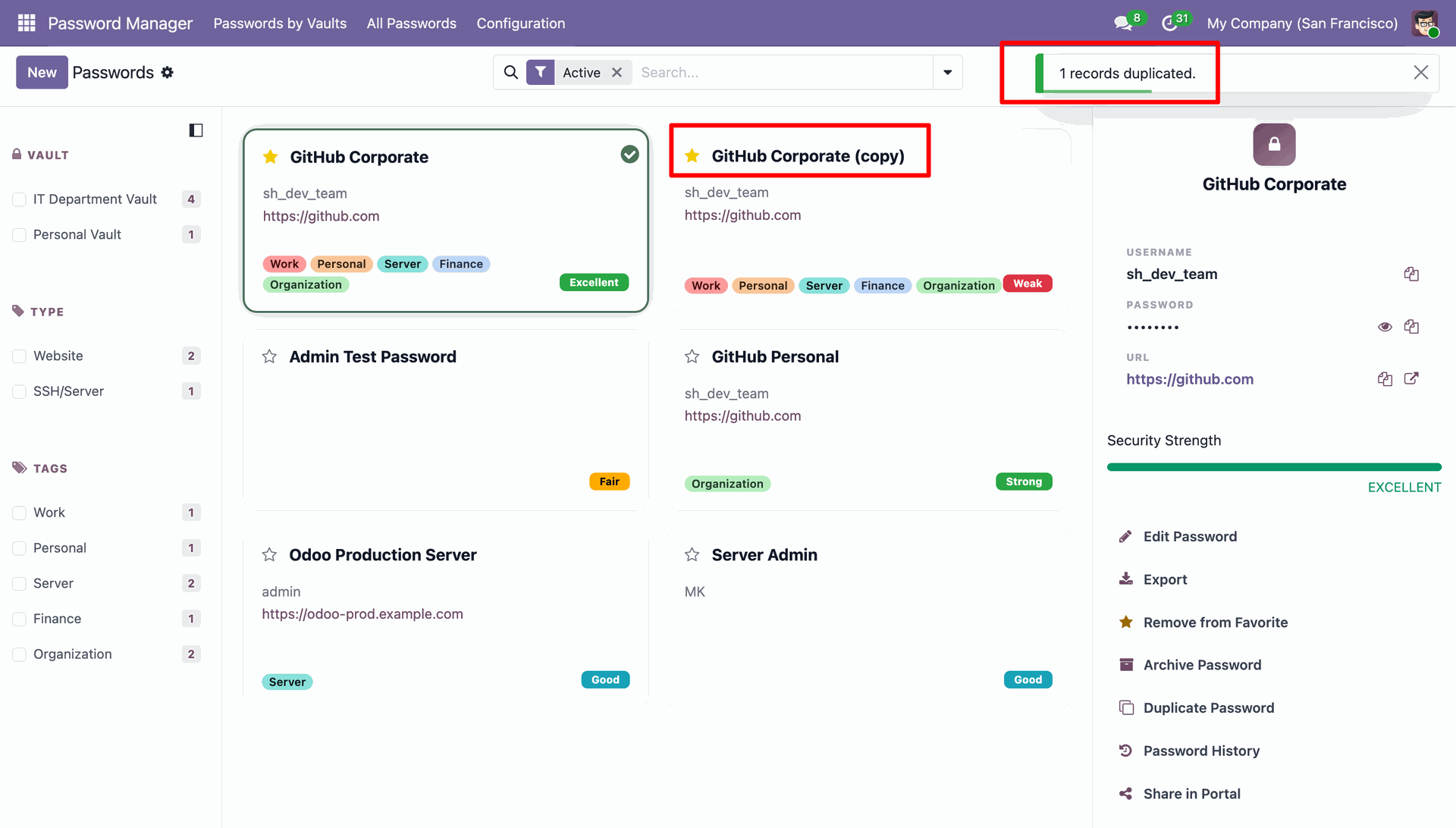
Accessing the Password History modal to audit previous changes and utilizing the Restore button to revert to a specific version of the GitHub Corporate credentials.
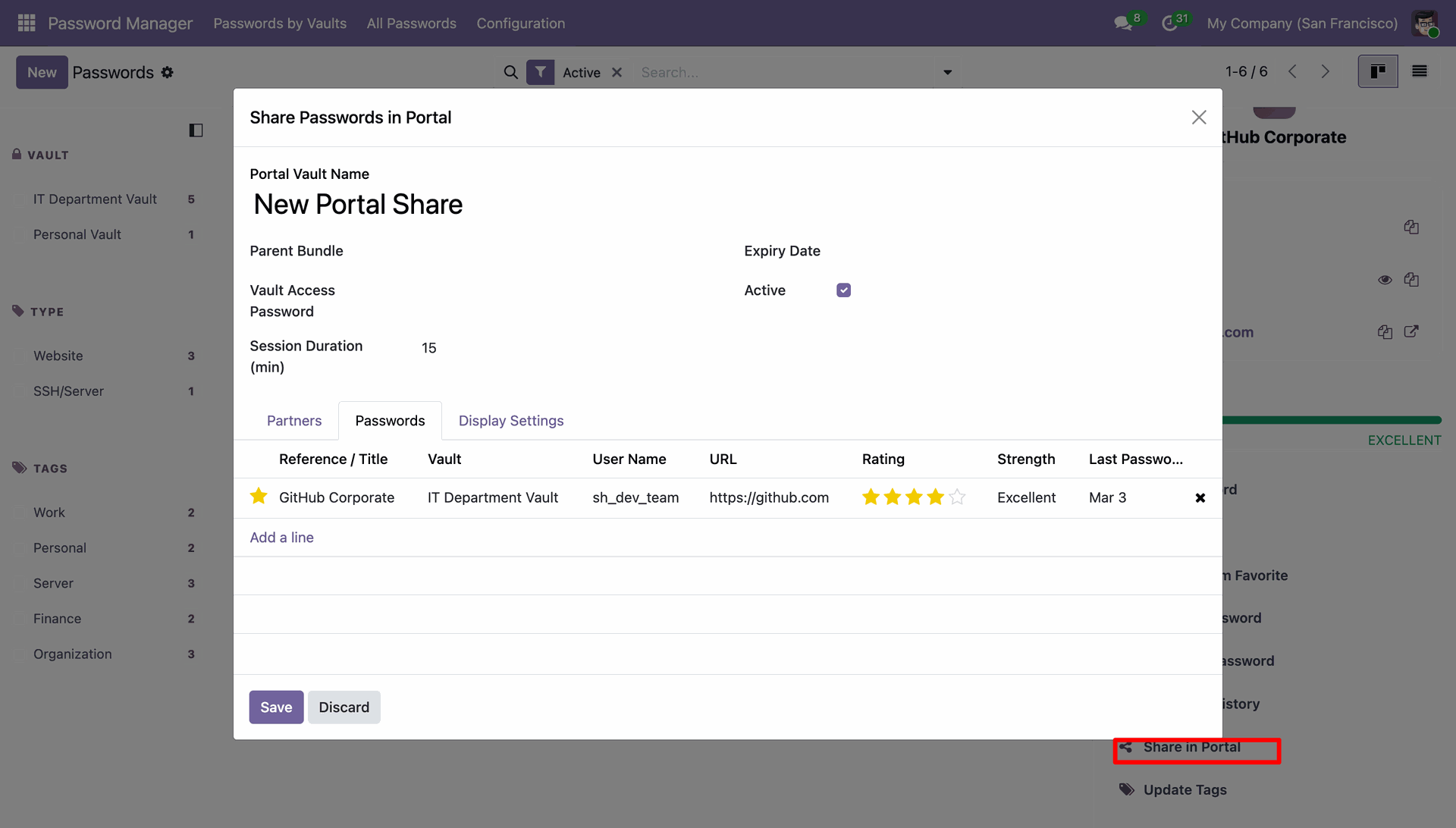
Configuring a New Portal Share to securely grant external access to the GitHub Corporate credentials, including settings for session duration and expiry.
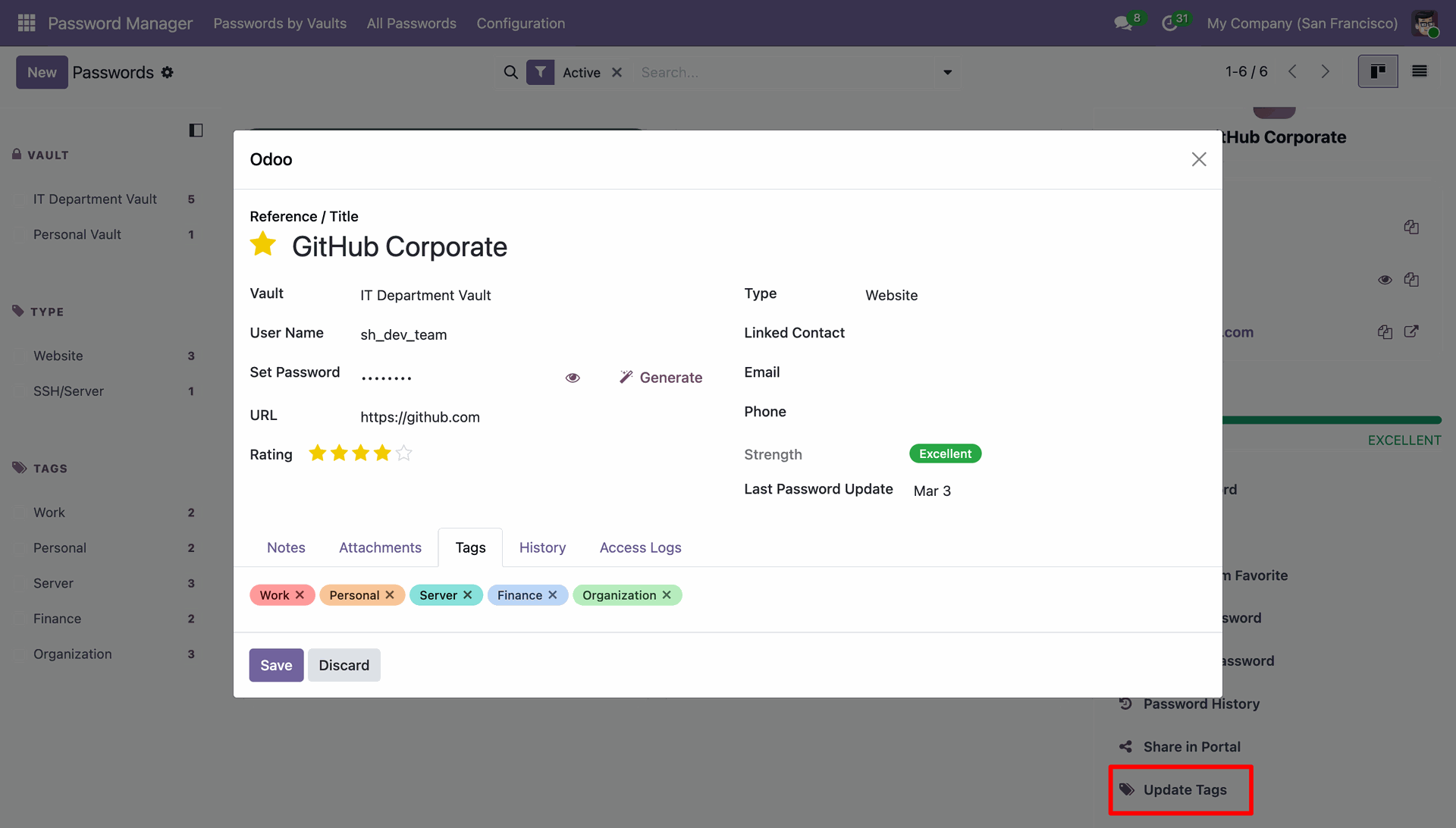
Accessing the Tags tab within the credential modal to Update Tags, allowing for better categorization and filtering of the GitHub Corporate record.
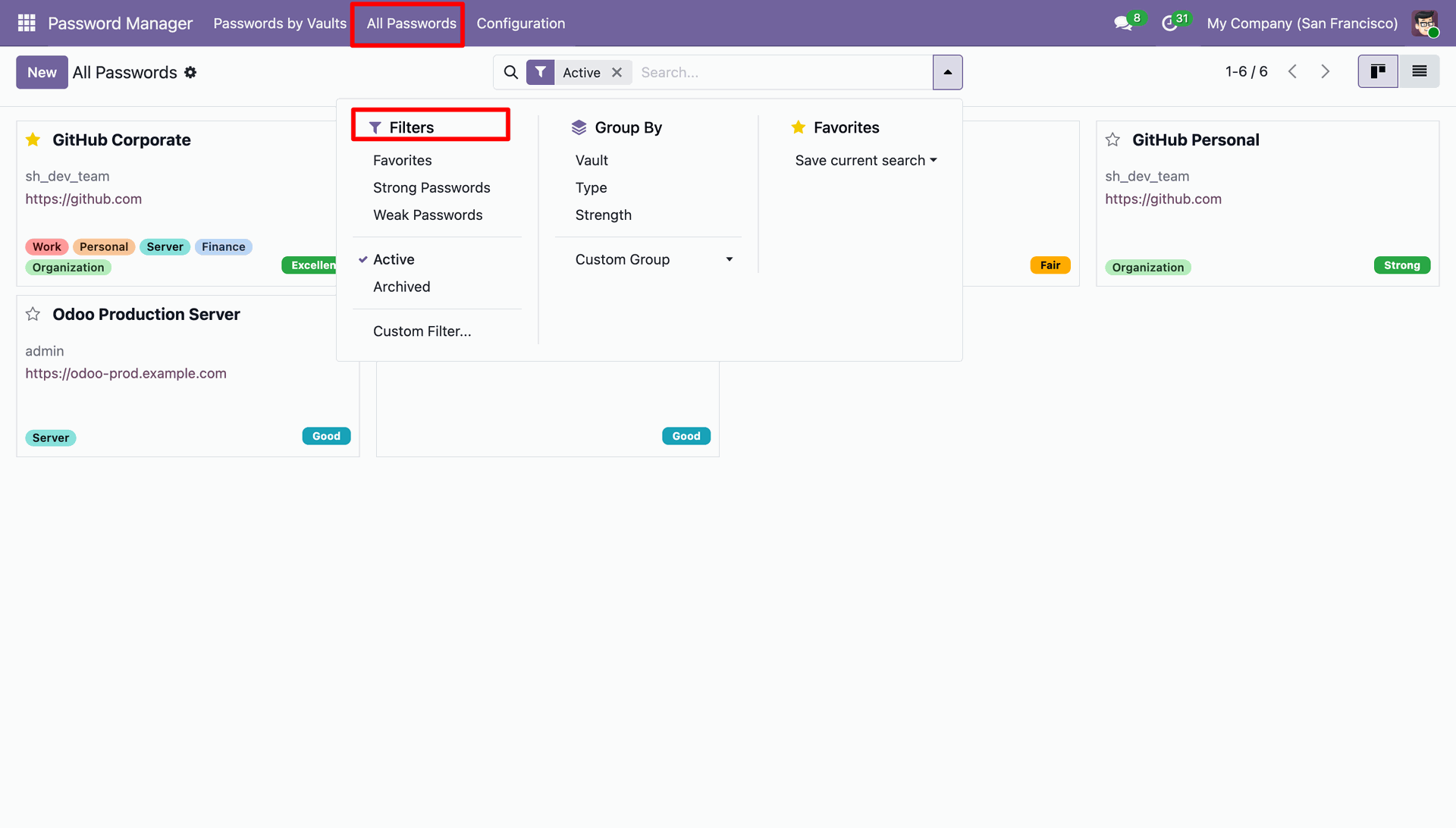
Accessing the search dropdown to apply Filters, such as "Strong Passwords" or "Favorites," to the All Passwords dashboard.
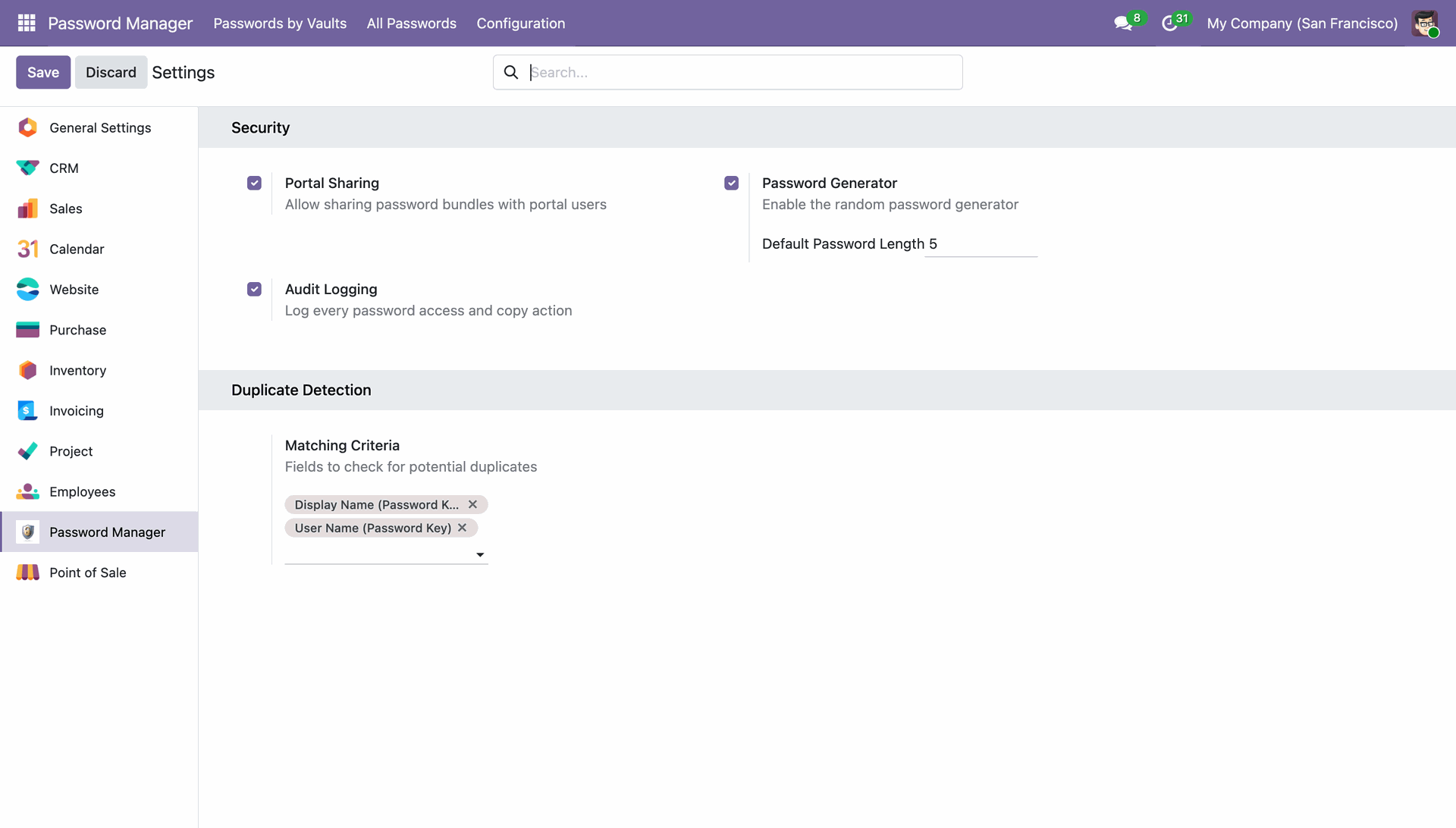
Configuring global Security settings to enable portal sharing, audit logging, and the automated password generator with a defined default length.
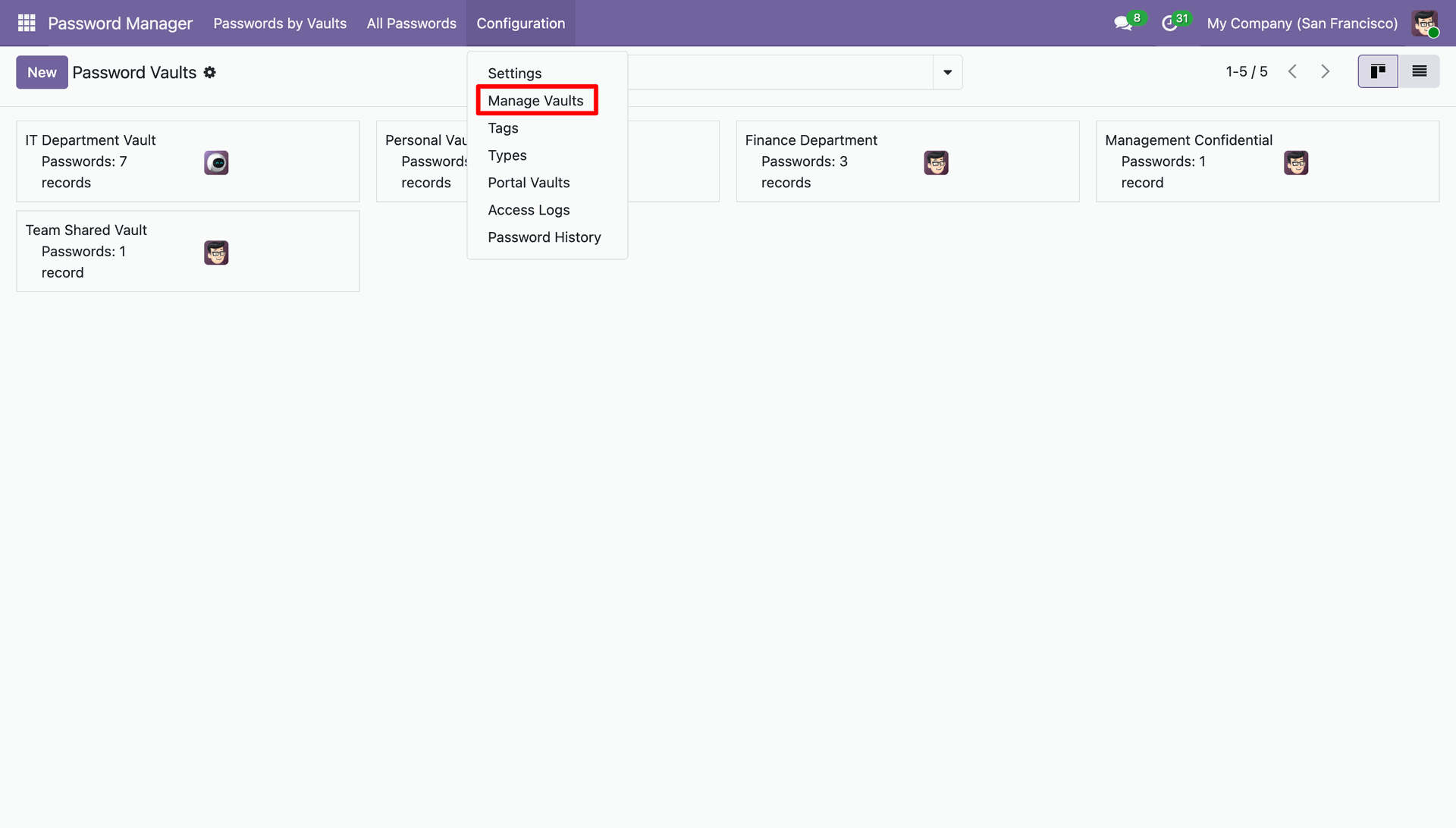
Navigating to the Configuration menu to view and manage Password Vaults, allowing administrators to organize vaults such as IT Department, Personal, Finance, and Management.
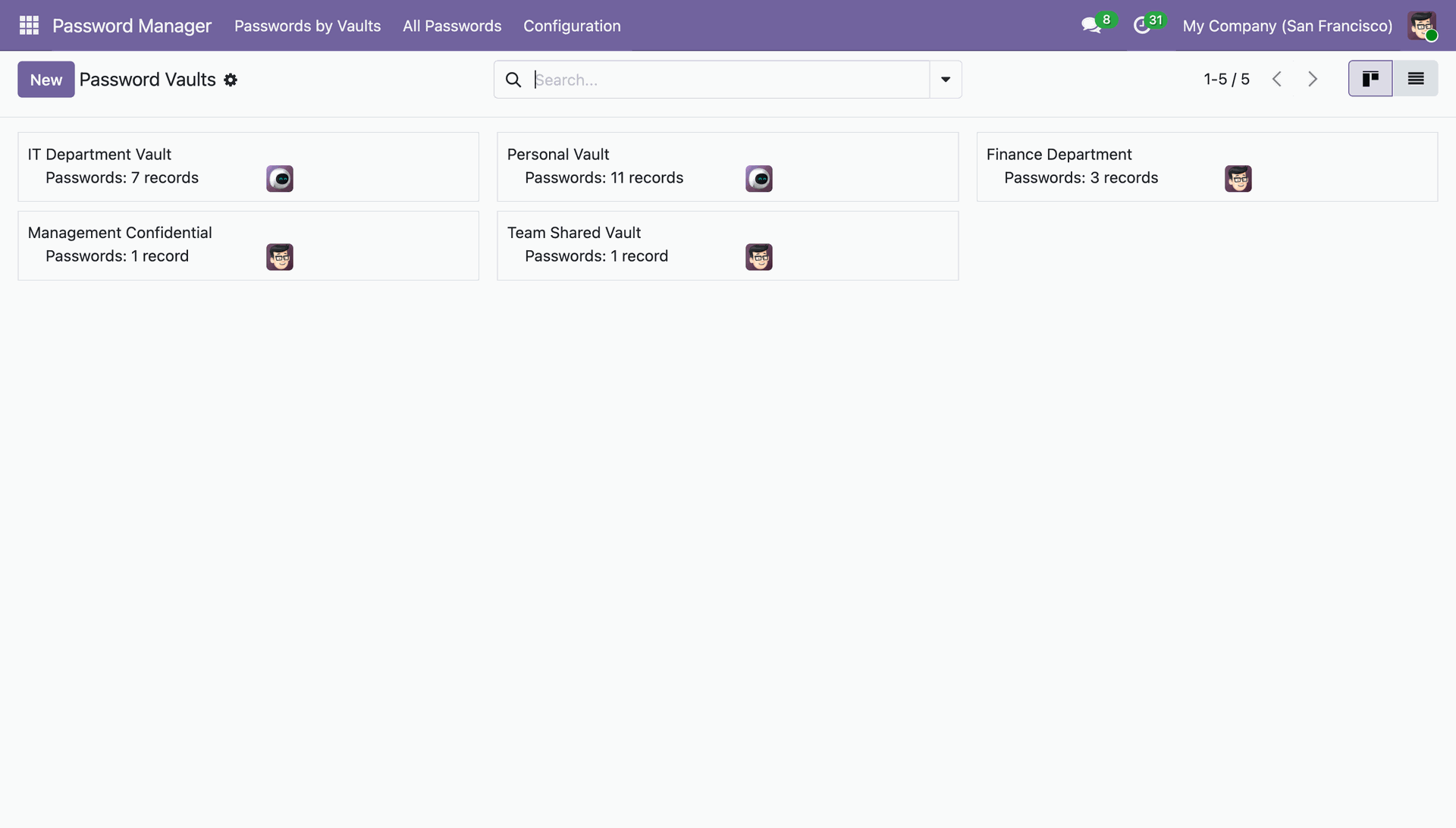
Monitoring the distribution of secure credentials across various containers, including the IT Department, Finance, and Personal vaults.
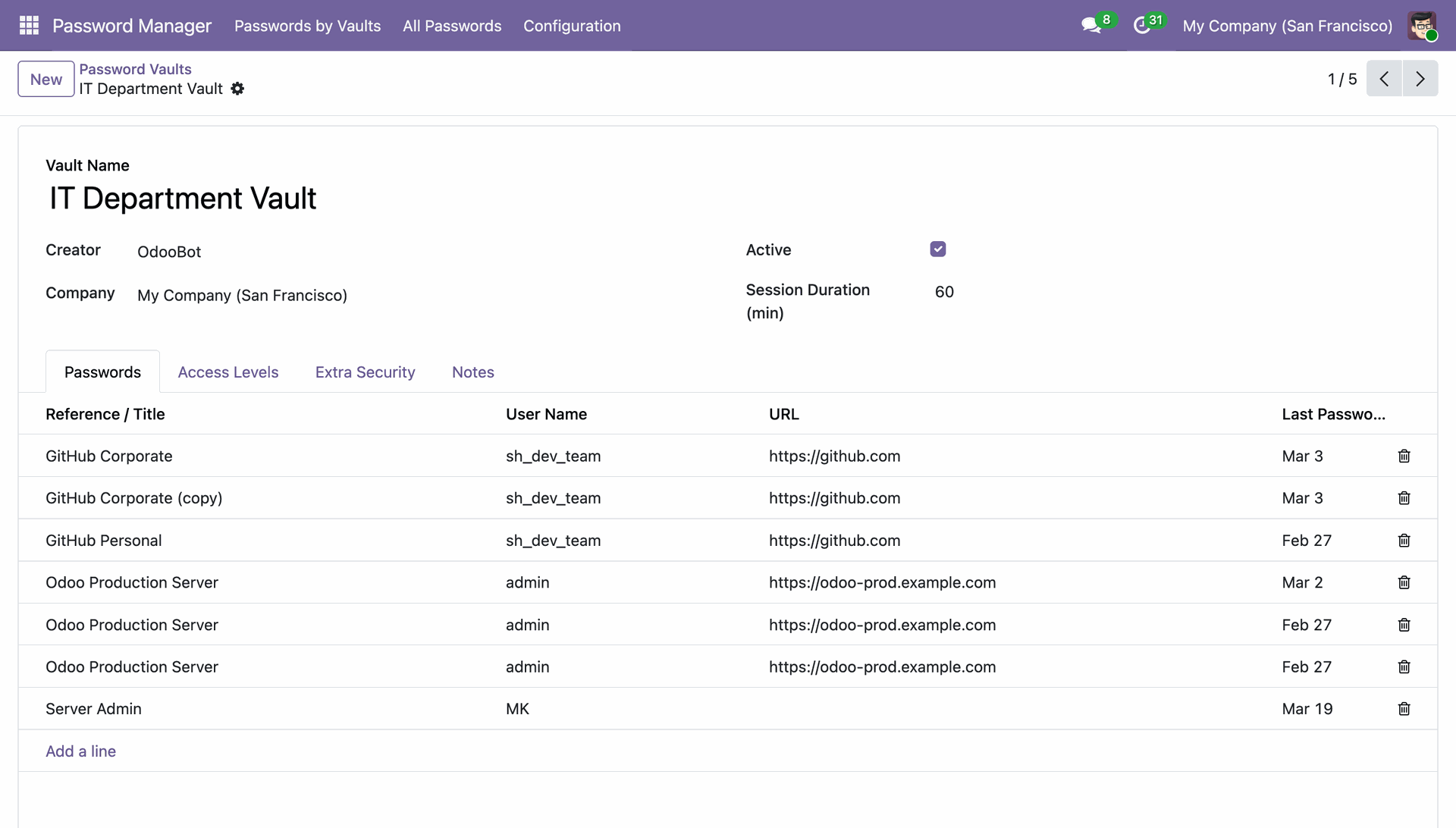
Reviewing the IT Department Vault configuration, which lists all associated GitHub and Server credentials along with their respective session durations.
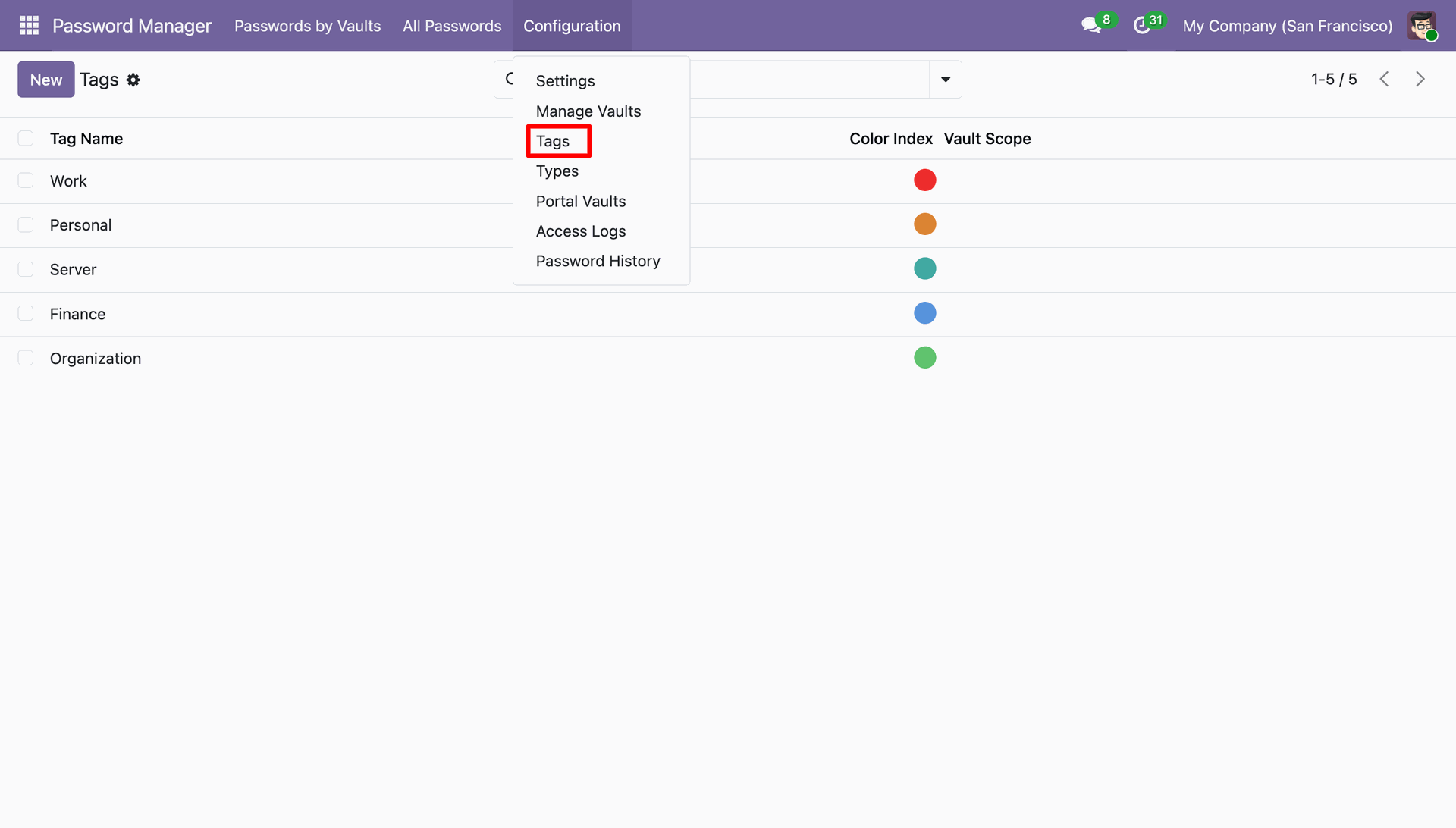
Accessing the Configuration menu to manage global Tags, allowing for the customization of color-coded labels used across all password vaults.
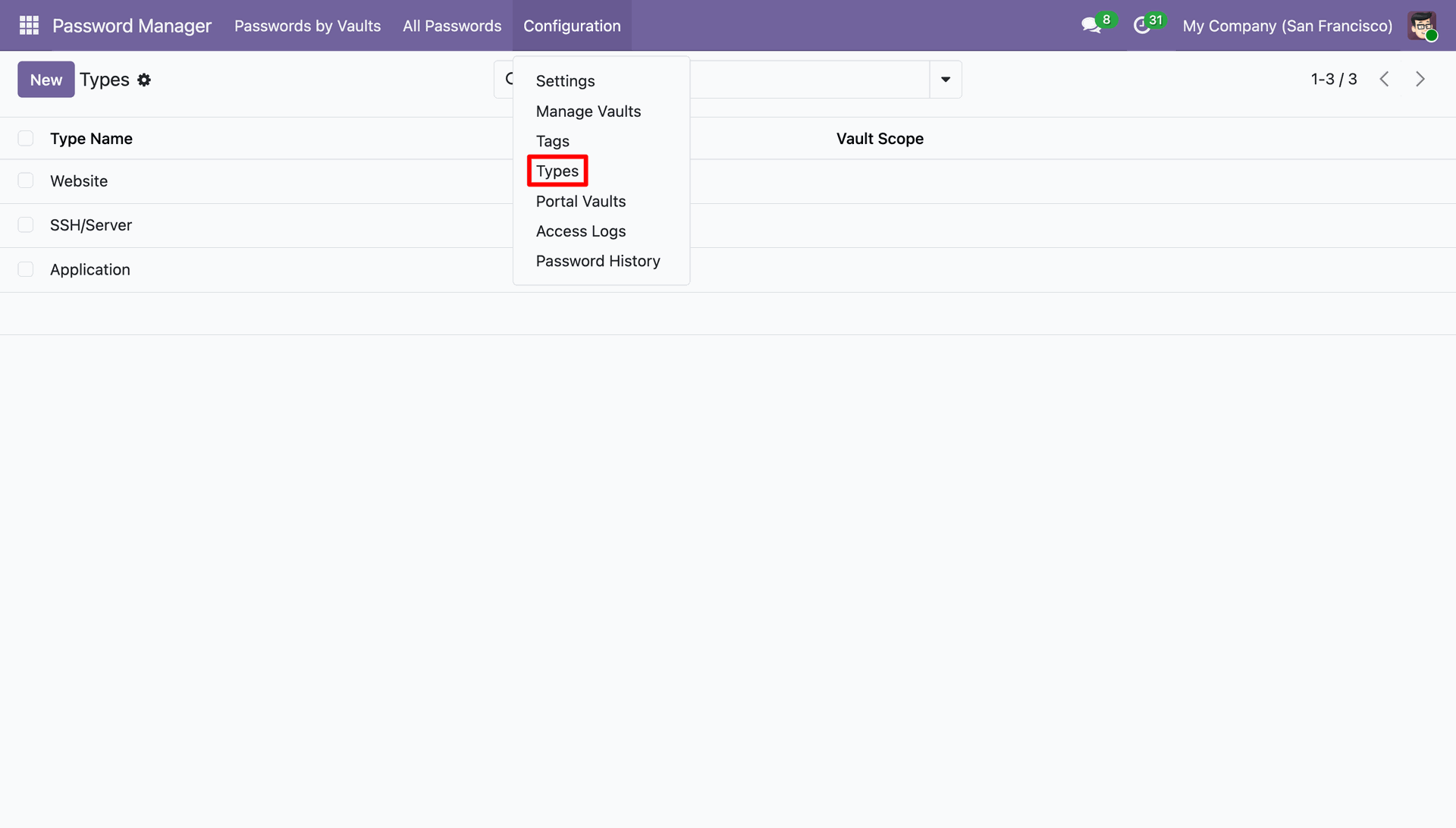
Navigating to the Configuration menu to define specific credential Types, such as Website, SSH/Server, and Application, for consistent data entry.
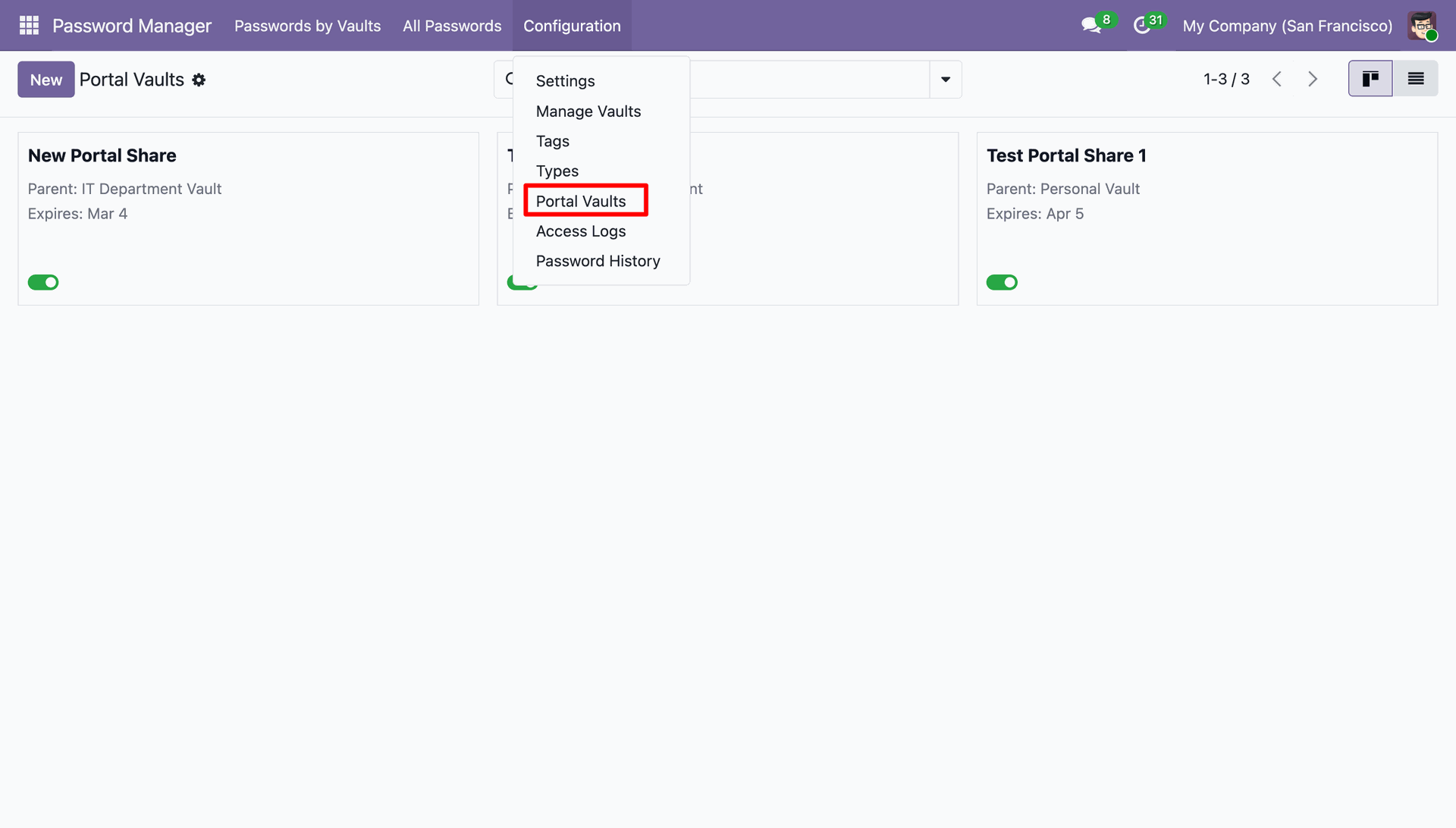
Accessing the Configuration menu to manage Portal Vaults, providing a high-level view of active external shares and their expiration dates.
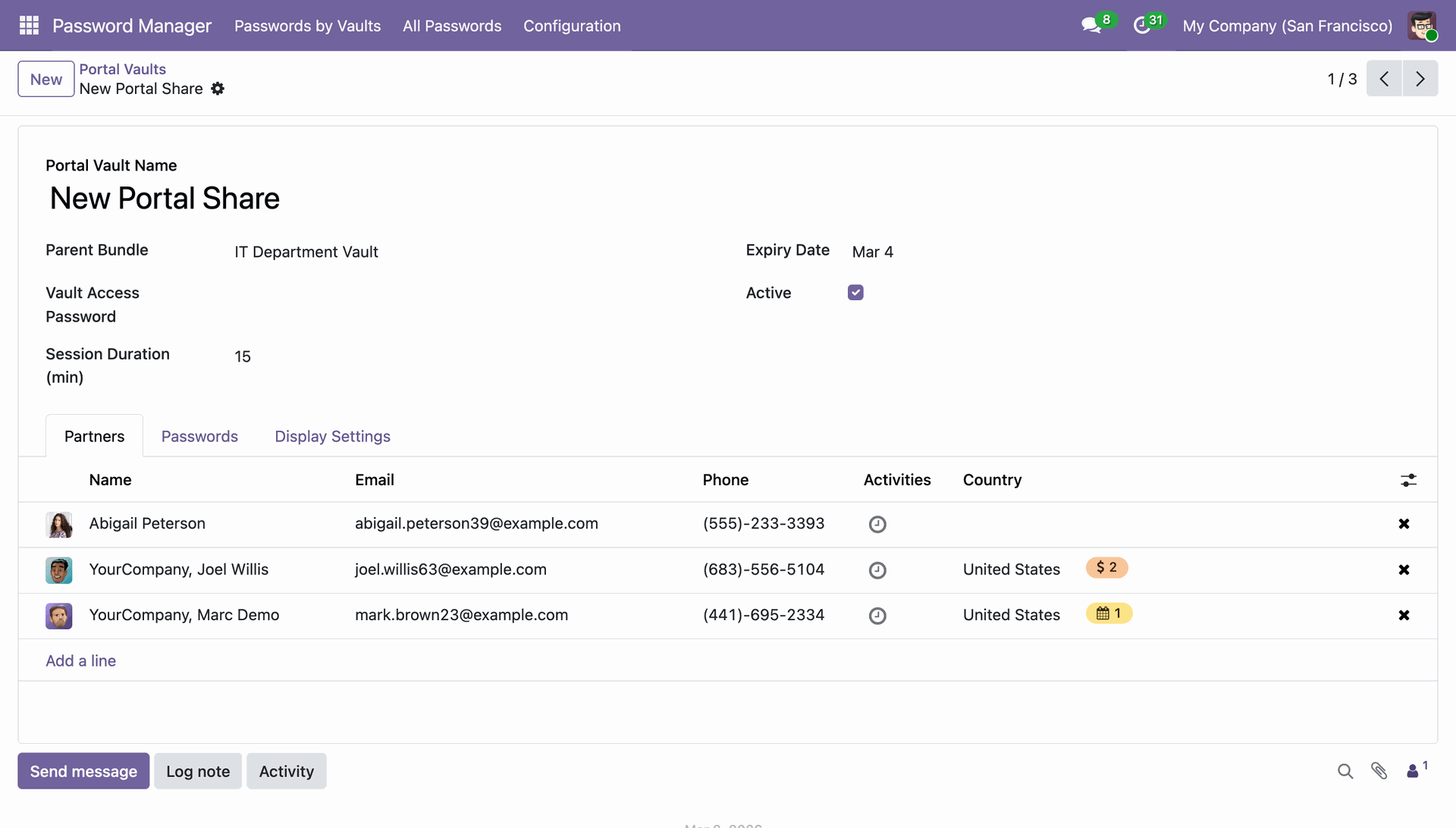
Managing the list of Partners assigned to the "New Portal Share," ensuring specific external contacts have secure access to the bundled credentials.
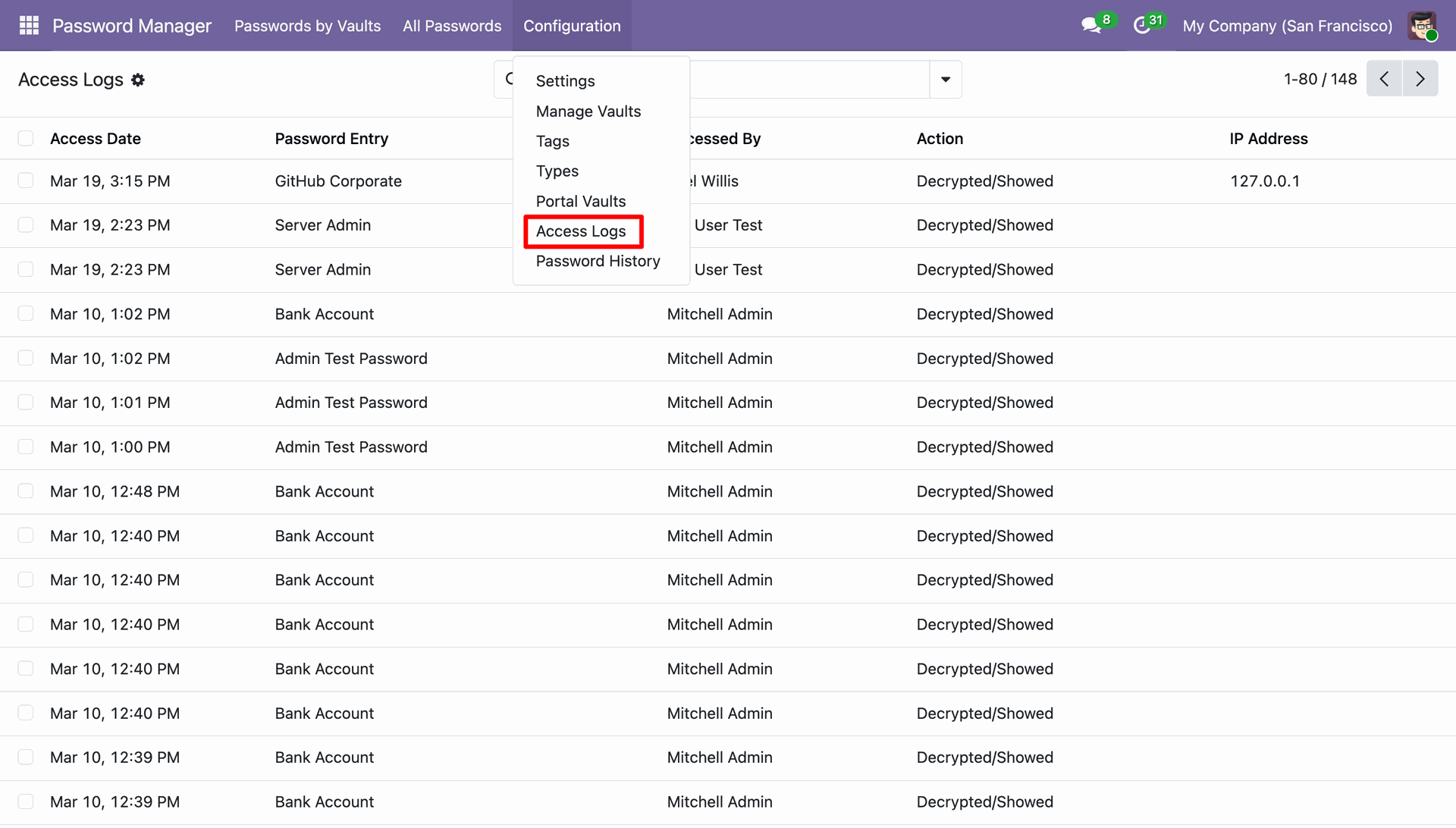
Navigating to the Configuration menu to review Access Logs, providing a real-time audit of which users have decrypted or viewed specific credentials.
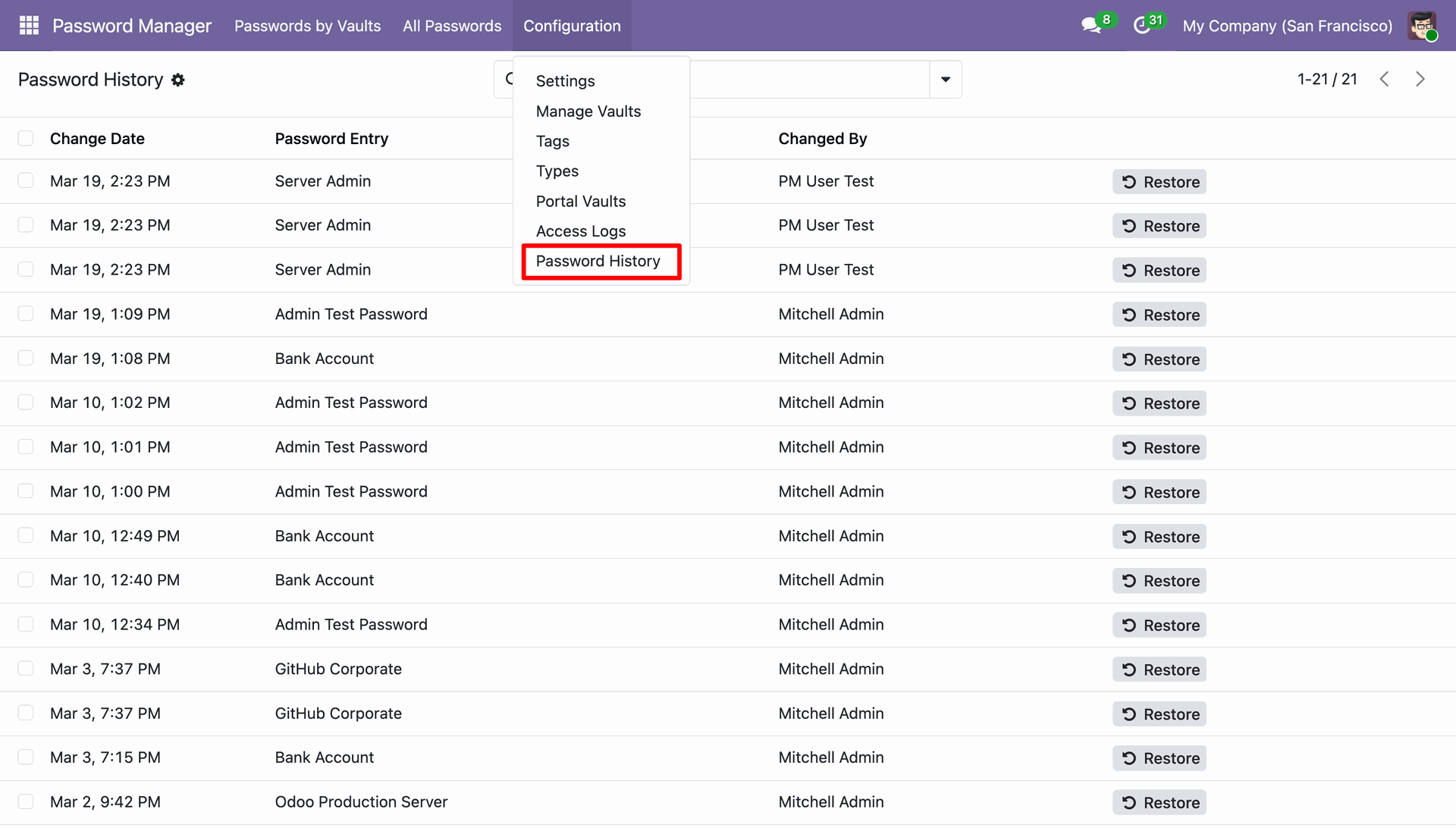
Accessing the Configuration menu to review the master Password History, allowing administrators to audit changes across all entries and Restore previous versions as needed.
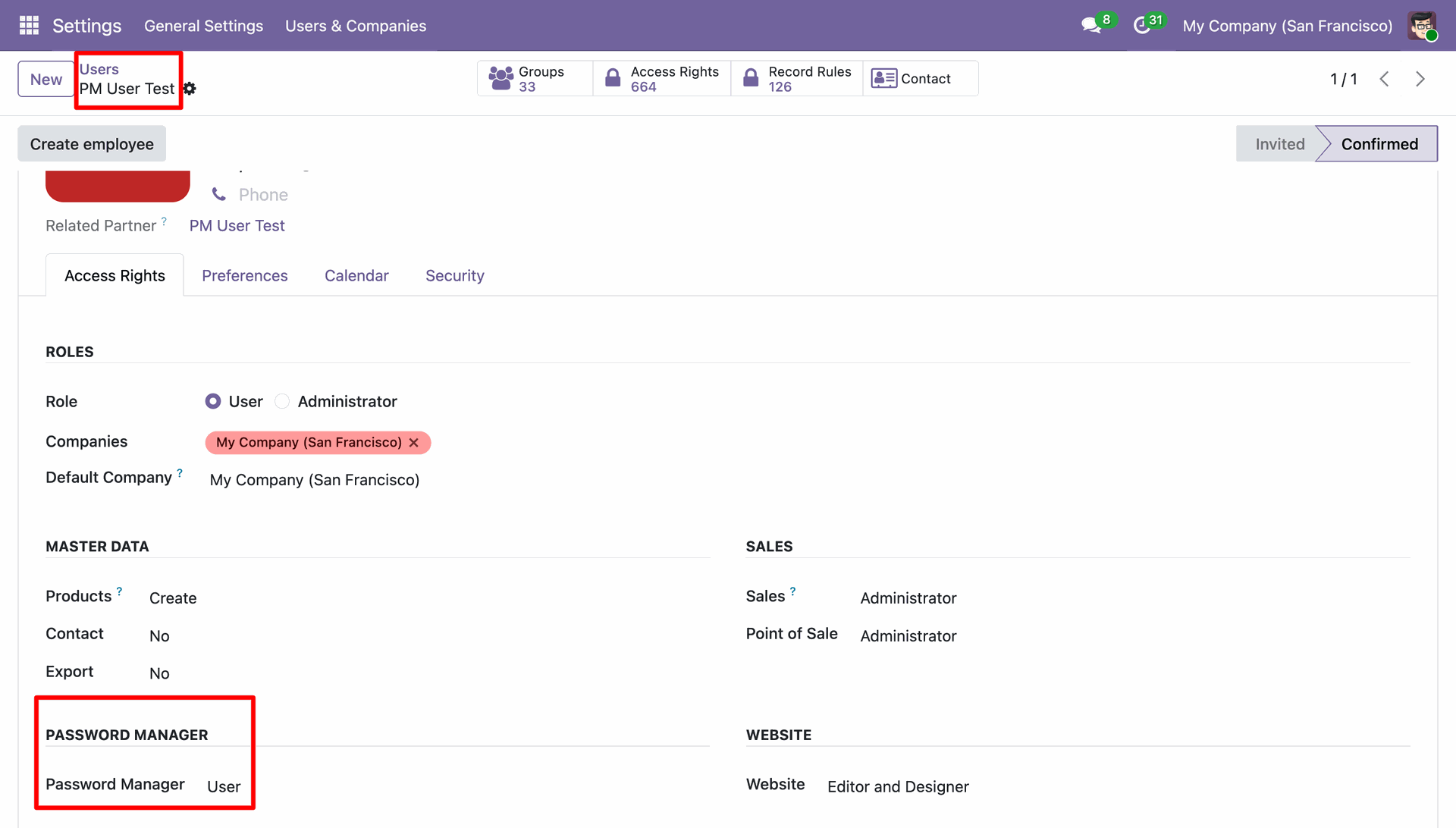
Assigning User level access to PM User Test within the Password Manager section of the Odoo user configuration.
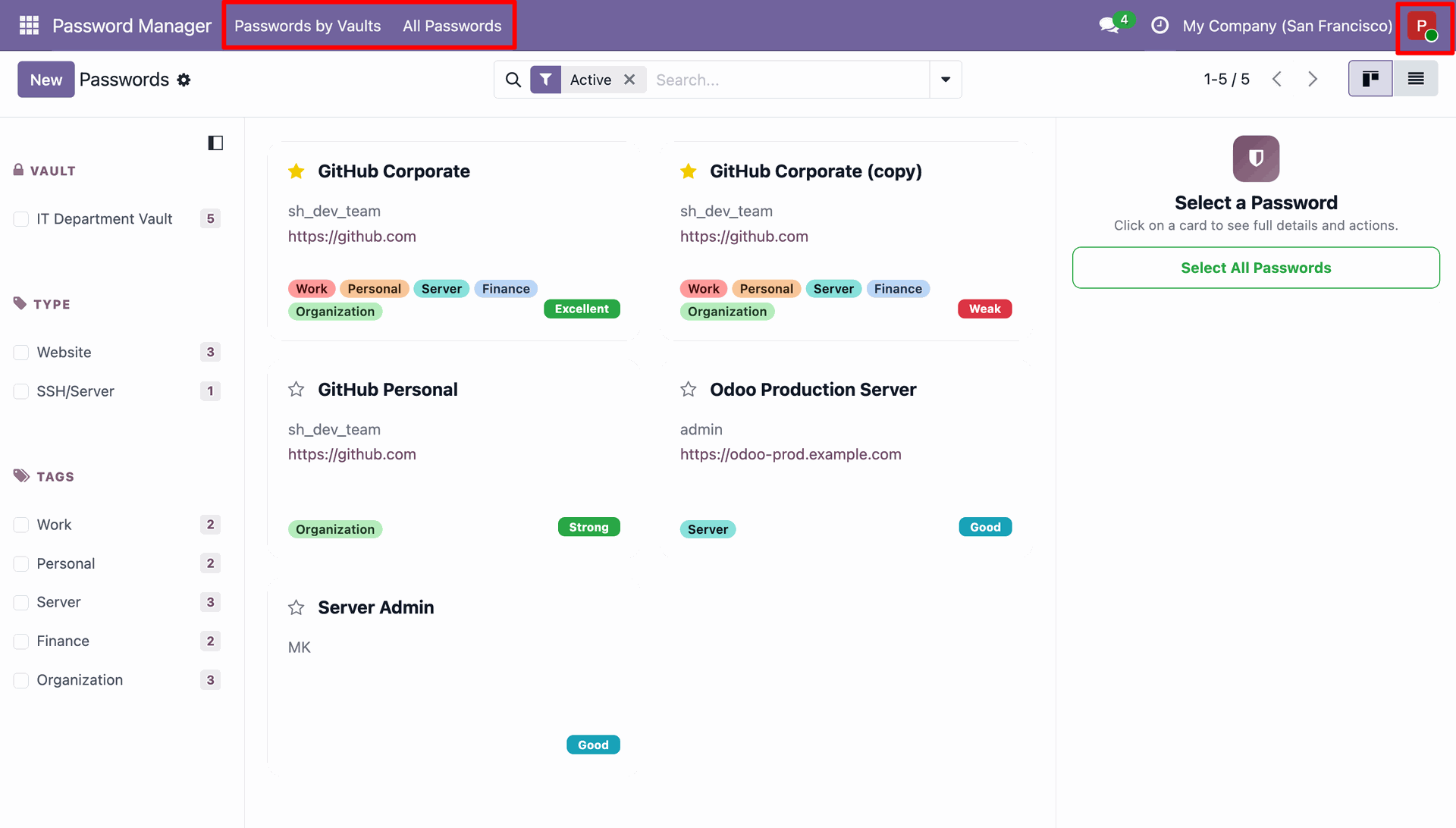
Navigating the Passwords dashboard as a standard user, with access to functional tabs like Passwords by Vaults and All Passwords.
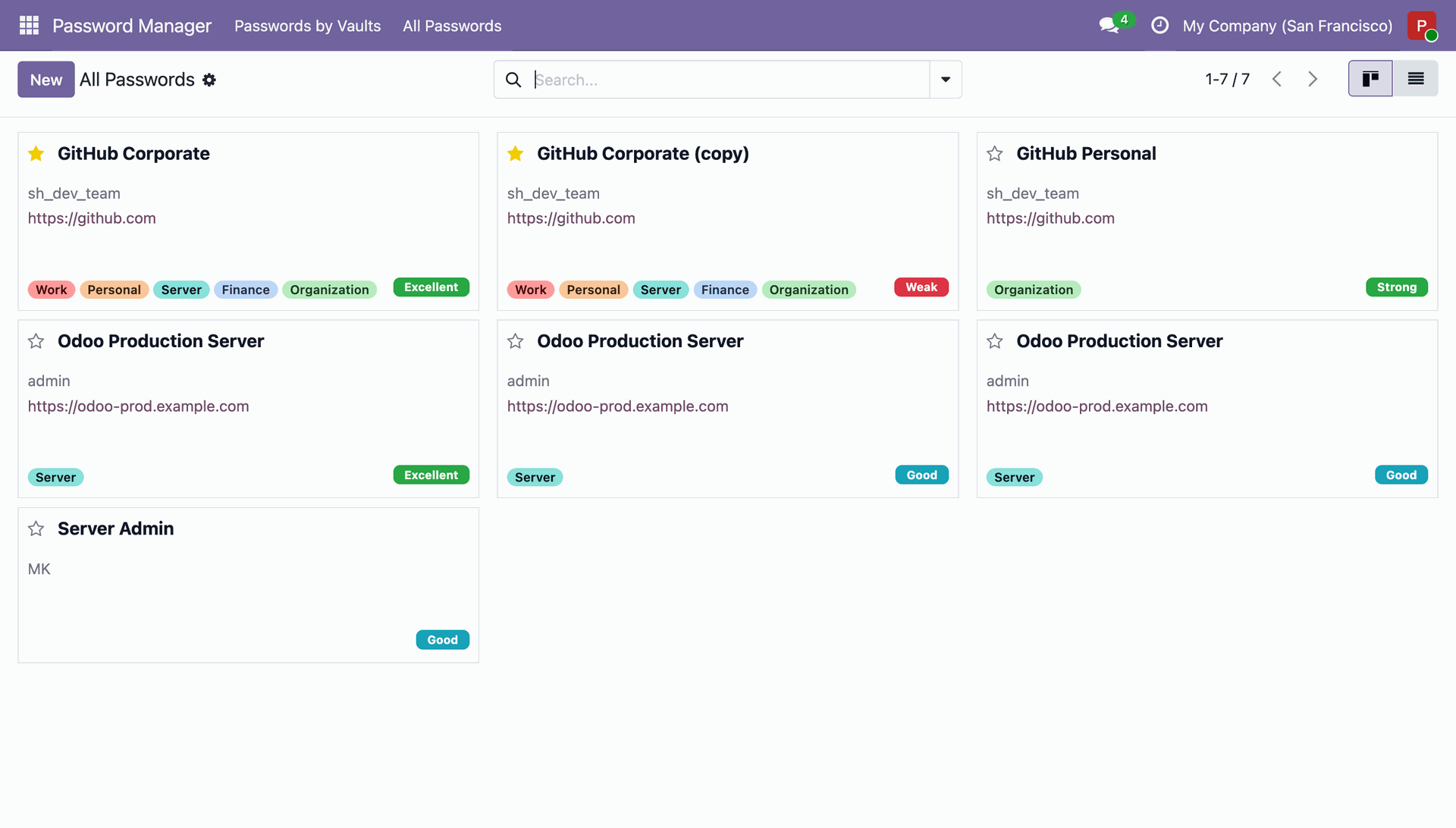
Browsing the All Passwords tab to see a complete list of accessible credentials, from GitHub accounts to various Odoo Production Servers.
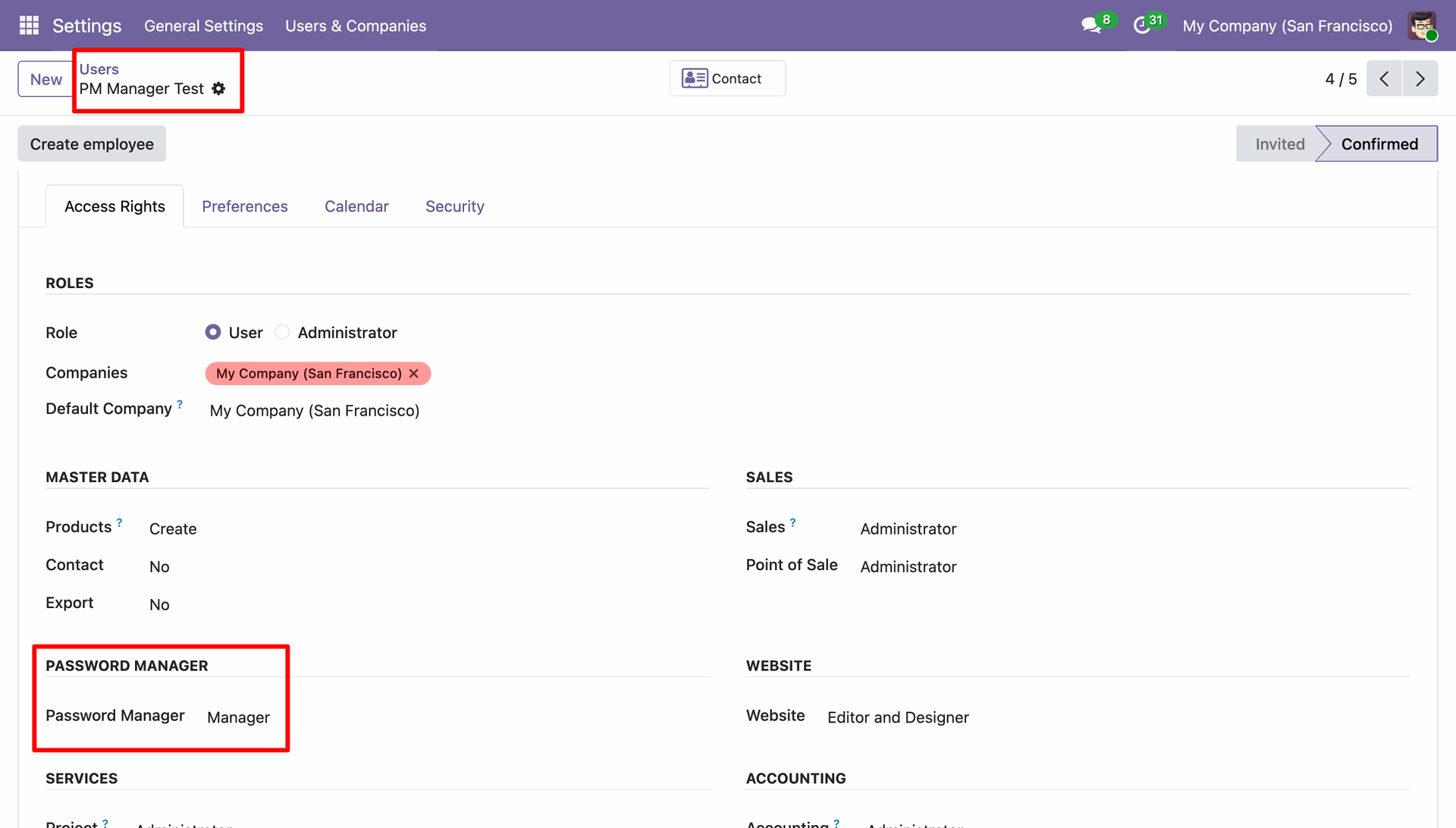
Assigning Manager level permissions to the PM Manager Test user profile within the Odoo Password Manager configuration.
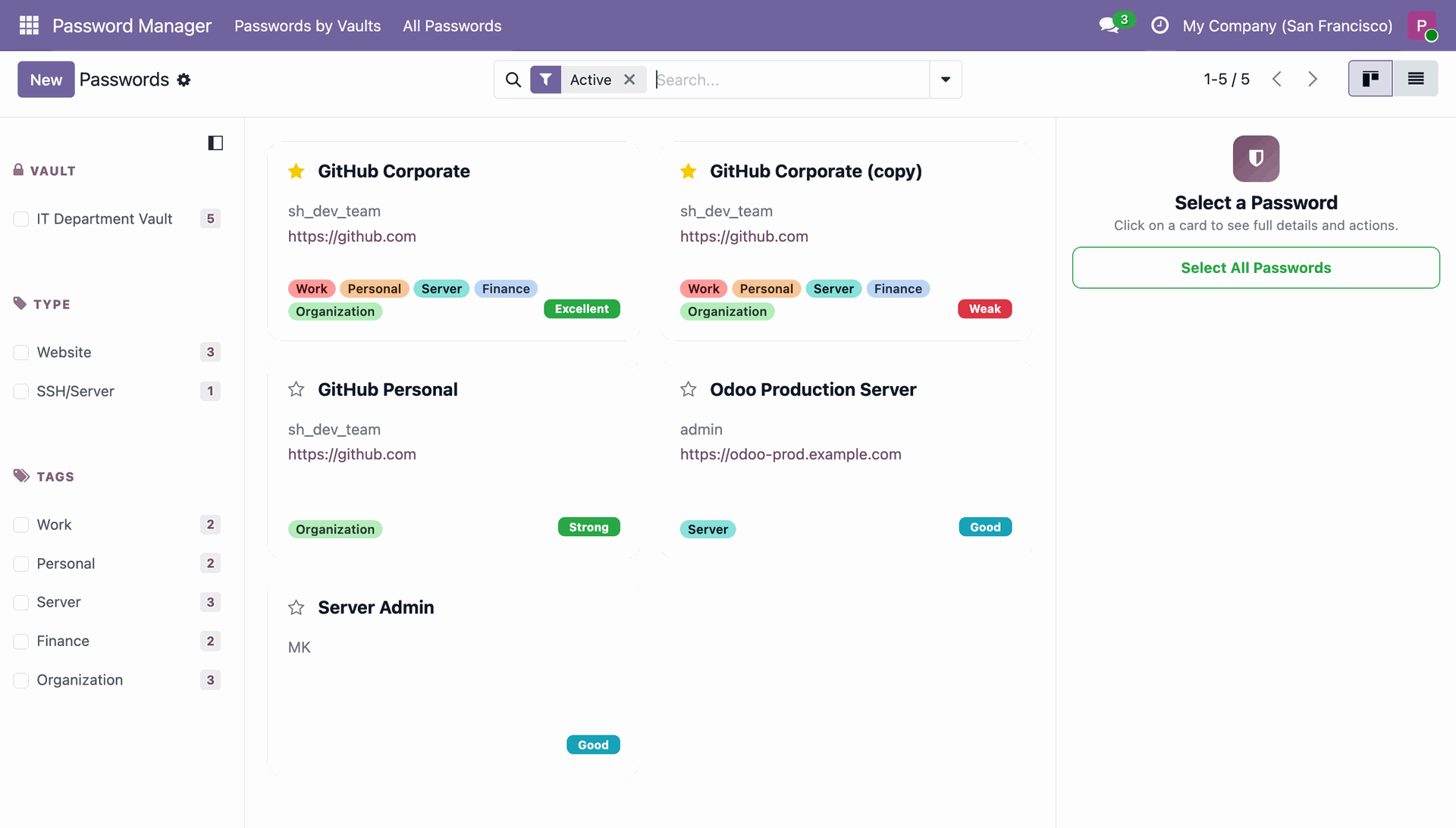
Accessing the Odoo Password Manager as a user with Manager permissions, providing a streamlined interface for viewing and organizing departmental credentials.
Version 19.0.1.0.0 | Released on : 27th August 2026
- Yes, this app works perfectly with Odoo Enterprise (Odoo.sh & Premise) as well as Community.
- No, this application is not compatible with odoo.com(odoo saas/Odoo Online)
- Yes, to test this module, please contact us at sales@softhealer.com.
- Please contact us at sales@softhealer.com to request customization.
- Yes, we provide free support for 365 days from the date of purchase.
- Yes, you will receive lifetime free updates for the version of the module you purchased.
- No, there is no need to install any additional libraries.
- Yes, for version 12 and above, you need to purchase the module separately for each version you intend to use.
- No, exchanges or refunds are not allowed. Please make sure to select the correct version before purchasing.
- You can contact us at support@softhealer.com for language translation support. We use Google Translator tools to provide translations in multiple languages, so the accuracy may vary. We welcome your suggestions to help improve translations.
Discover Our Latest Apps