












Password Generator

This module is used to generate a password that can be used for any purpose like demo servers, test servers, etc. It's very difficult to manage different passwords of multiple projects/servers/customers. Here we giving a tool that helps to manage different passwords with security in one place. you can easily make a new password with your password patterns and length, You can easily track expired passwords. We have made two security groups manager and user, managers have access to do everything and the user can only read. you can easily copy the password, URL, username, etc on a single click. High-level encryption added at the database level so it will help passwords to protect from SQL injection. you can also have different filter options like partner wise, IP wise, created on, etc. Also, you can set a pattern for generating passwords like only in Uppercase, Lowercase, Digits, Special symbols or all of them.

Hot Features
Features
- Easy Generate password for a particular customer/user/server.
- Easy to set IP address of Particular Servers, URL(Particular Projects URL/Demo Server URL) for a particular partner.
- Easy create password patterns like Uppercase, Lowercase, Symbols, Digits or all of them.
- Easy to set password length.
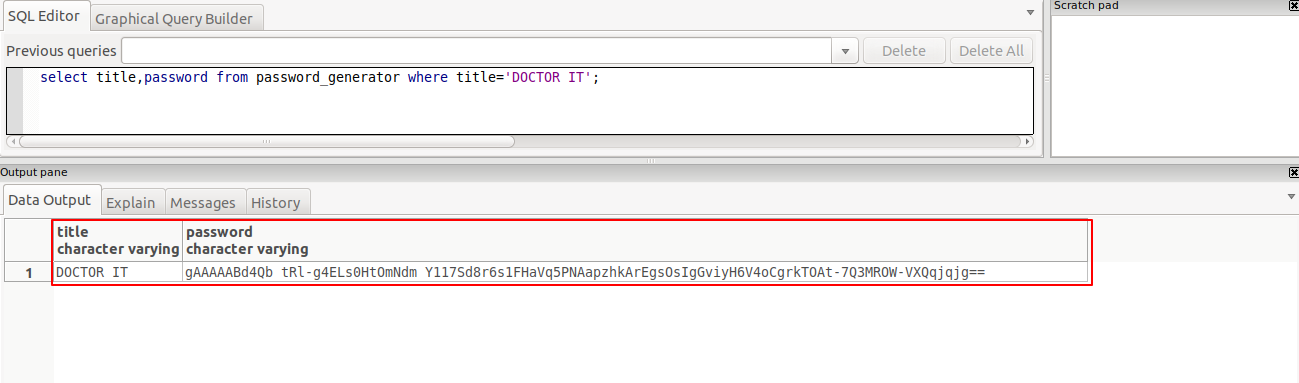
- Generated password is store in databese as encrypted.
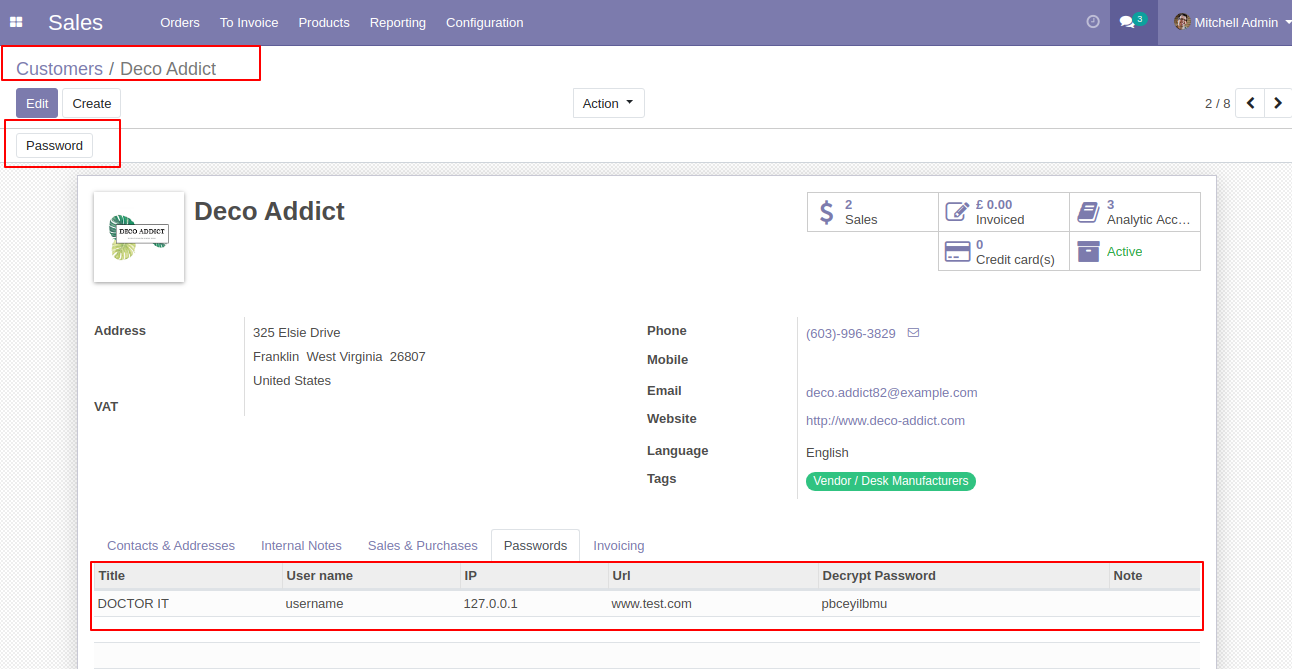
- Admin can see the password in the 'Decrypt Password' field, which is not stored in the database.
- The customer/user will only see the password that has been assigned to him in the customer form view.
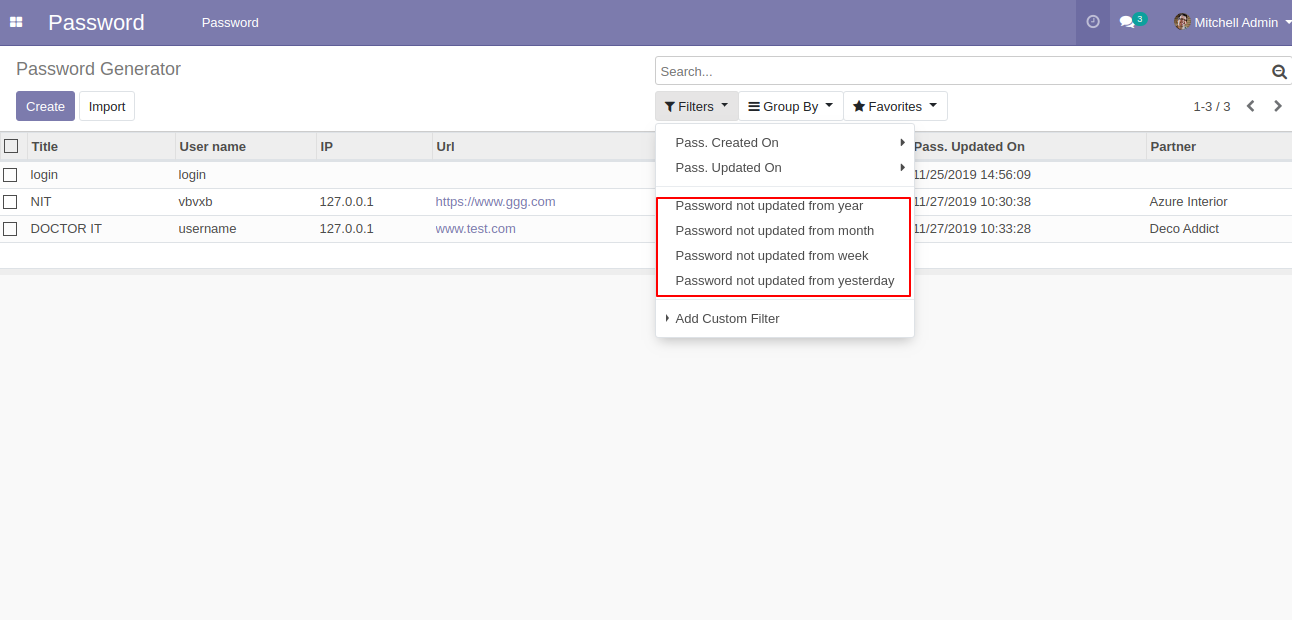
- Easy to see password expire using a filter like a password not update from Yesterday/Week/Month/Year.
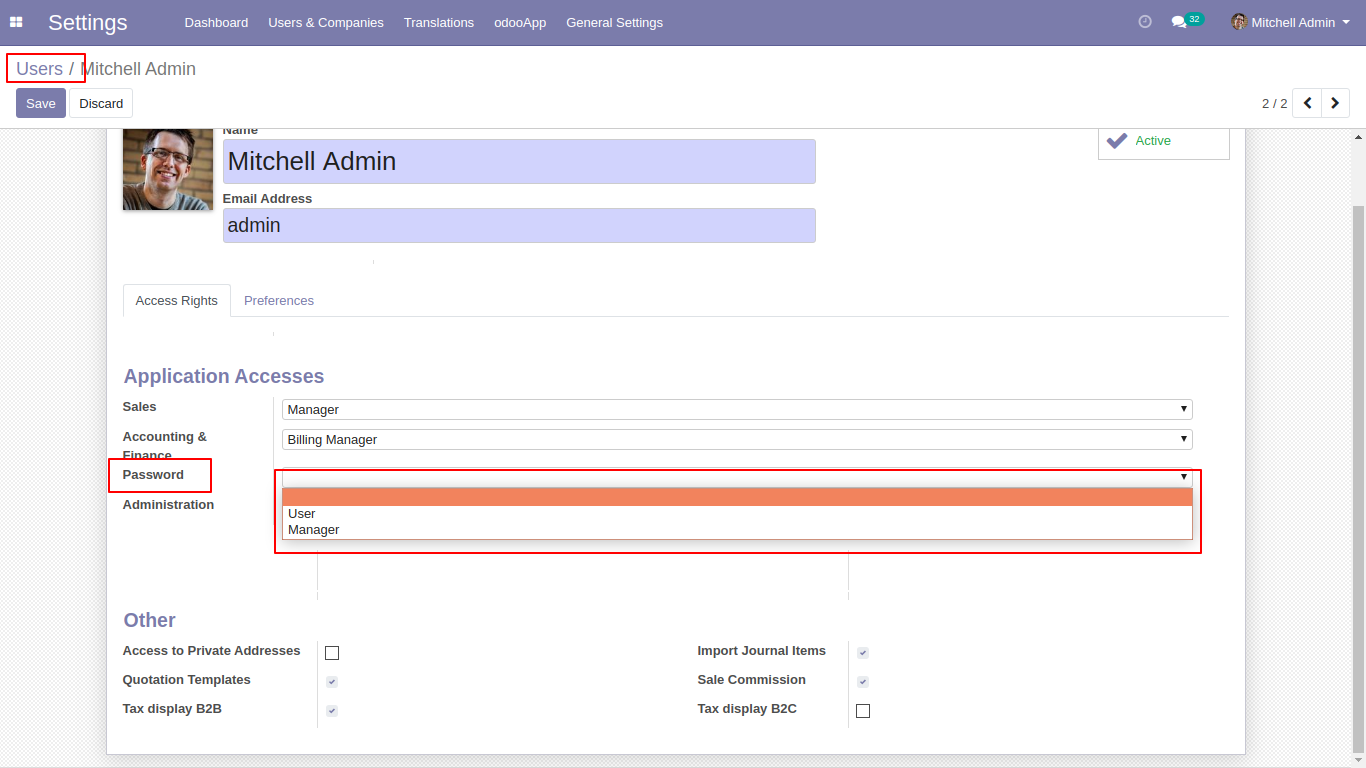
There are two groups 1)User 2)Manager.
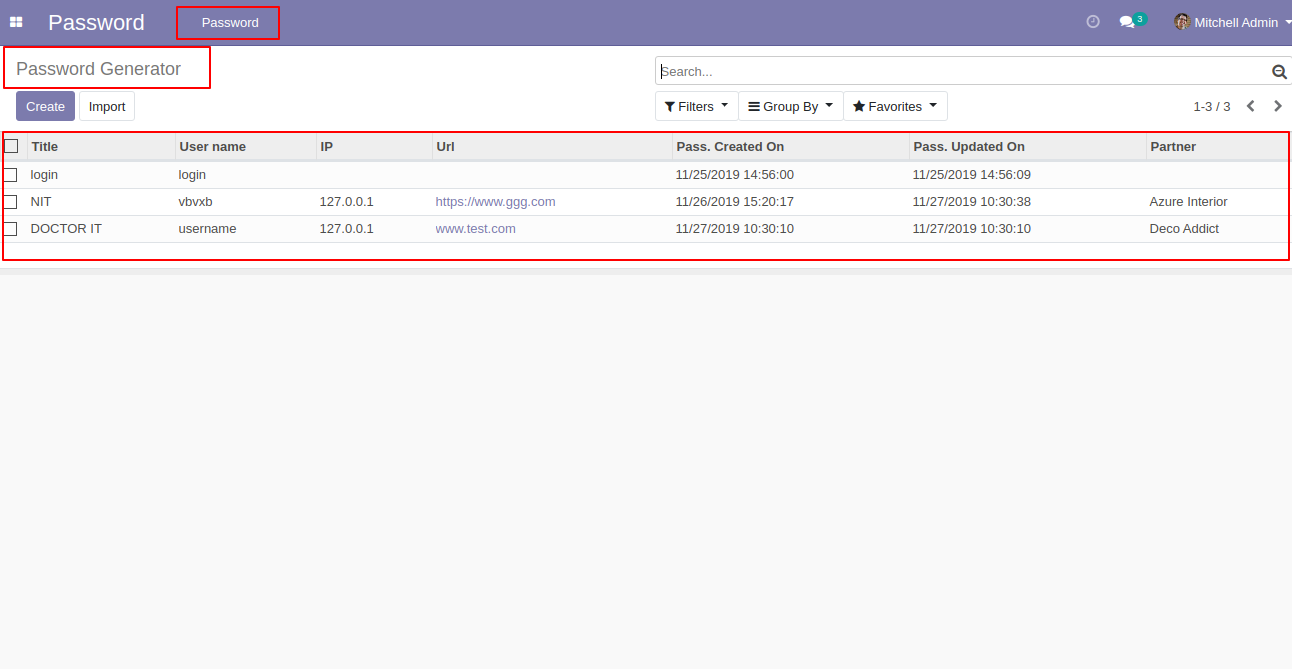
Password Menu and tree view.
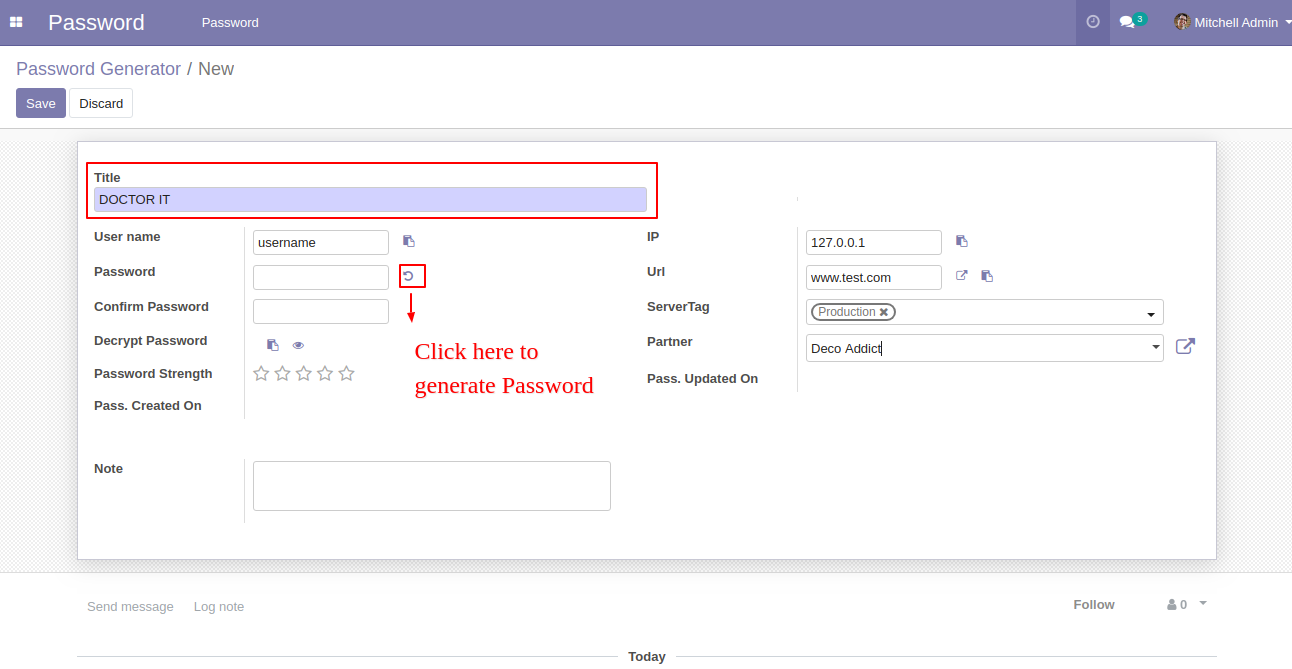
Password Generator form view.
After click on generate 'Password Generator,' this wizard will popup, select a password pattern or create the pattern and click 'Generate Password'.
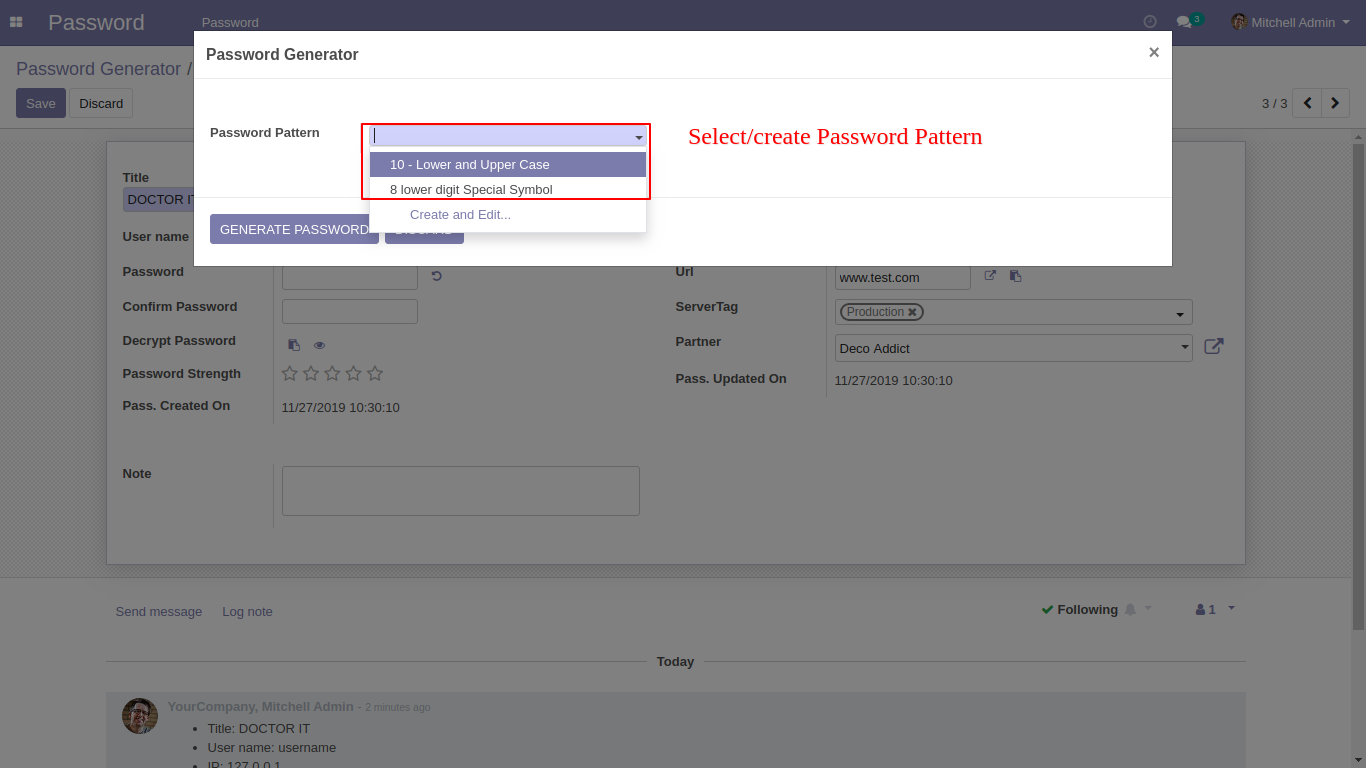
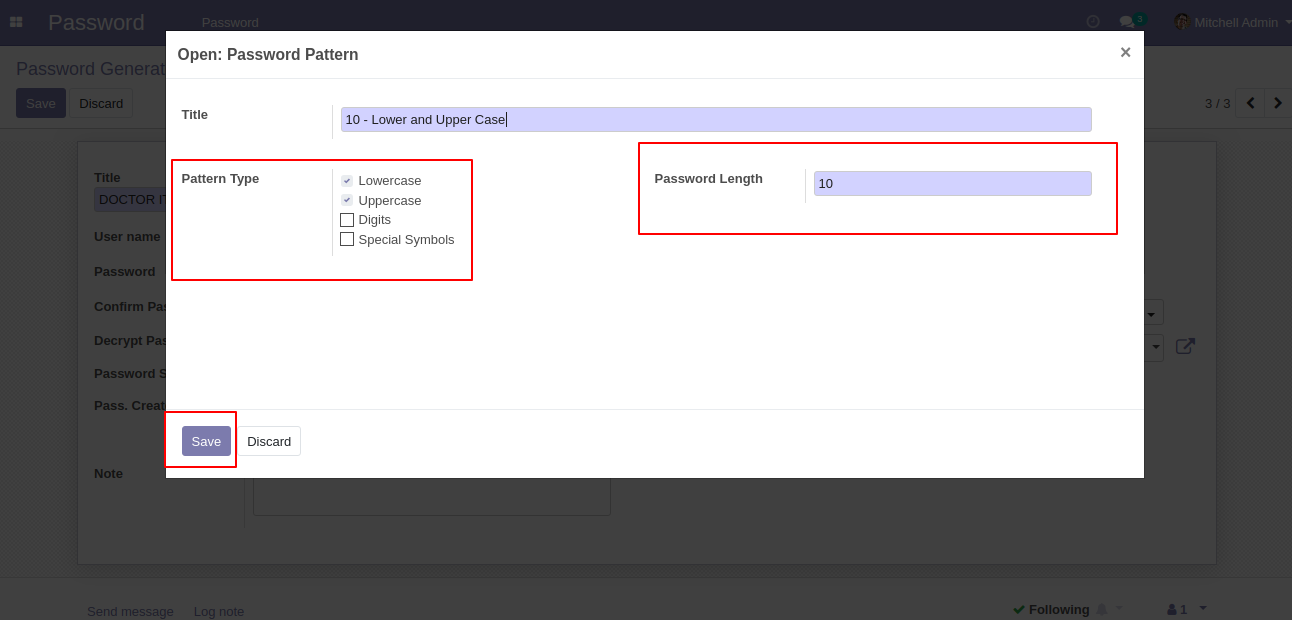
After clicking 'create and edit' one other wizard 'Password Pattern' will popup. Set password pattern name and select Password type and set password length.
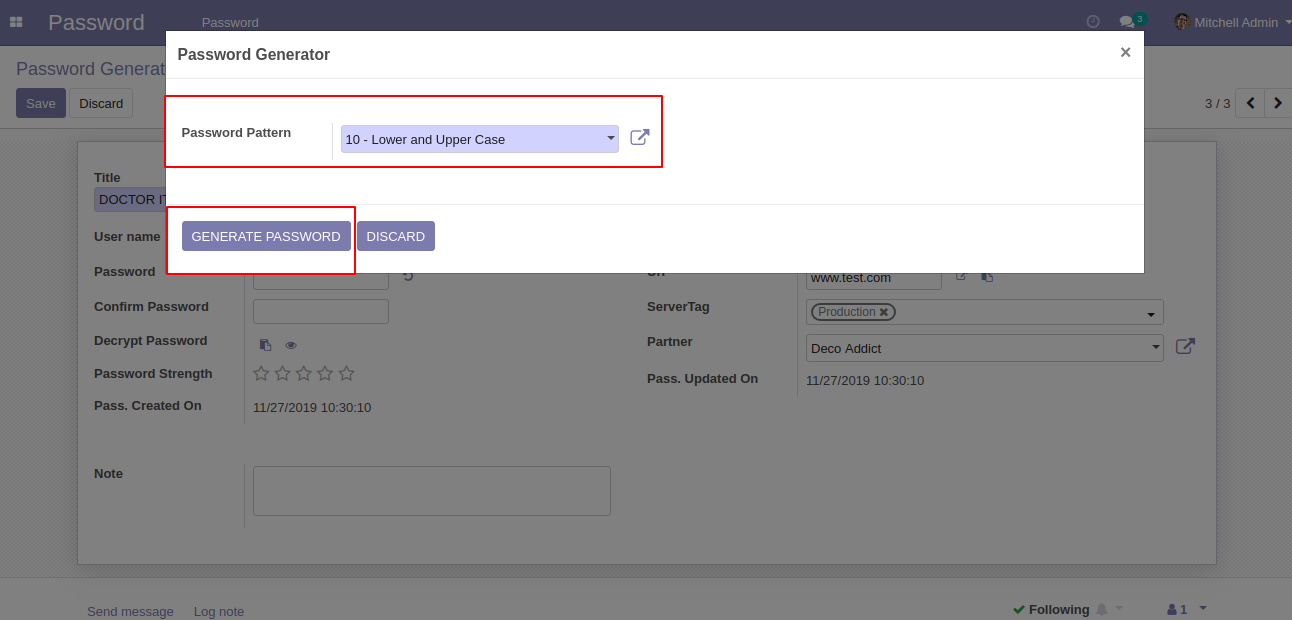
After selecting a password pattern click 'Generate Password'.
After click 'Generate Password' you can see the password automatically generate also decrypt it and see the strength. Also, the track password generates with the created and updated date.
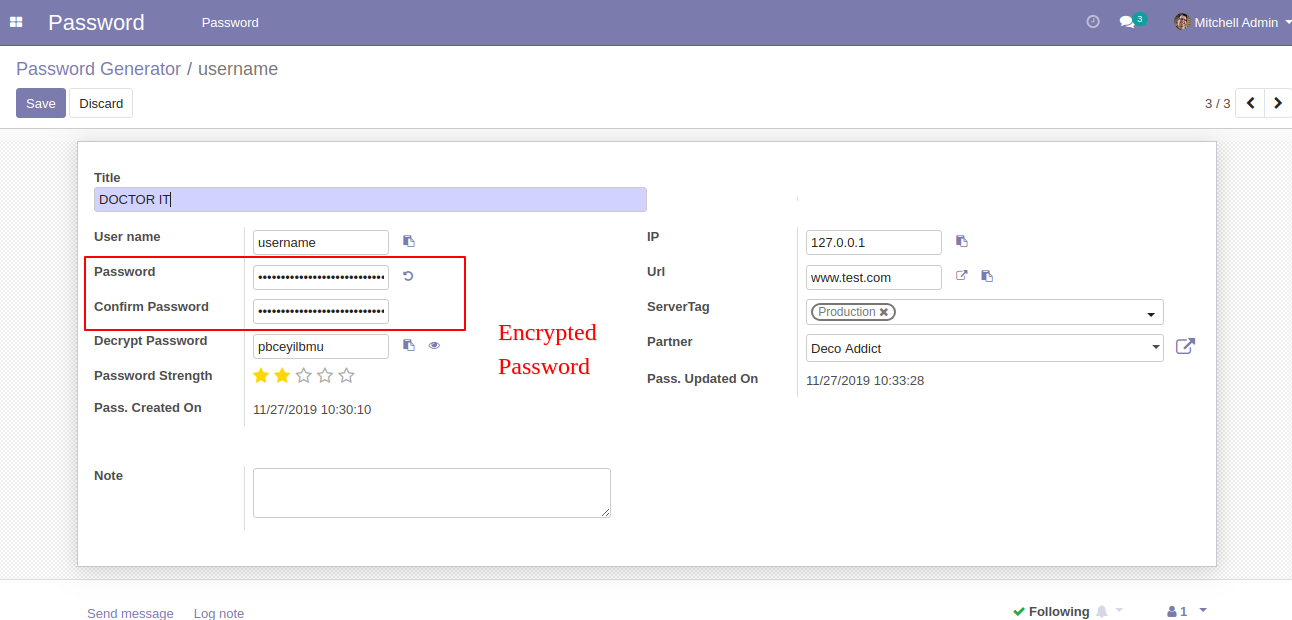
Generated Password will store in the database as highly encrypted.
Filter by on Not update from Year/Month/Week/Yesterday.
See the password in the customers 'Password' tab. You can create a password using the 'Password' button.
Version 19.0.1 | Released on : 29th September 2025
- Yes, this app works perfectly with Odoo Enterprise (Odoo.sh & Premise) as well as Community.
- No, this application is not compatible with odoo.com(odoo saas/Odoo Online)
- Yes, to test this module, please contact us at sales@softhealer.com.
- Please contact us at sales@softhealer.com to request customization.
- Yes, we provide free support for 365 days from the date of purchase.
- Yes, you will receive lifetime free updates for the version of the module you purchased.
- Yes, you need to install 'python: password_strength' library.
- Yes, for version 12 and above, you need to purchase the module separately for each version you intend to use.
- No, exchanges or refunds are not allowed. Please make sure to select the correct version before purchasing.
- You can contact us at support@softhealer.com for language translation support. We use Google Translator tools to provide translations in multiple languages, so the accuracy may vary. We welcome your suggestions to help improve translations.
Discover Our Latest Apps