


 Easy to Manage
 Dedicated Support
















 Scan to email sales






Partner Mass Update

This module is useful for updating mass partner important fields such as pricelist, terms, salespersons, etc. It will update all partners in a single shot.

Features
- Easy to quickly update multiple partners.
- You can update the tags, language, salesperson, payment terms, pricelists, and partner types for multiple partners at once.
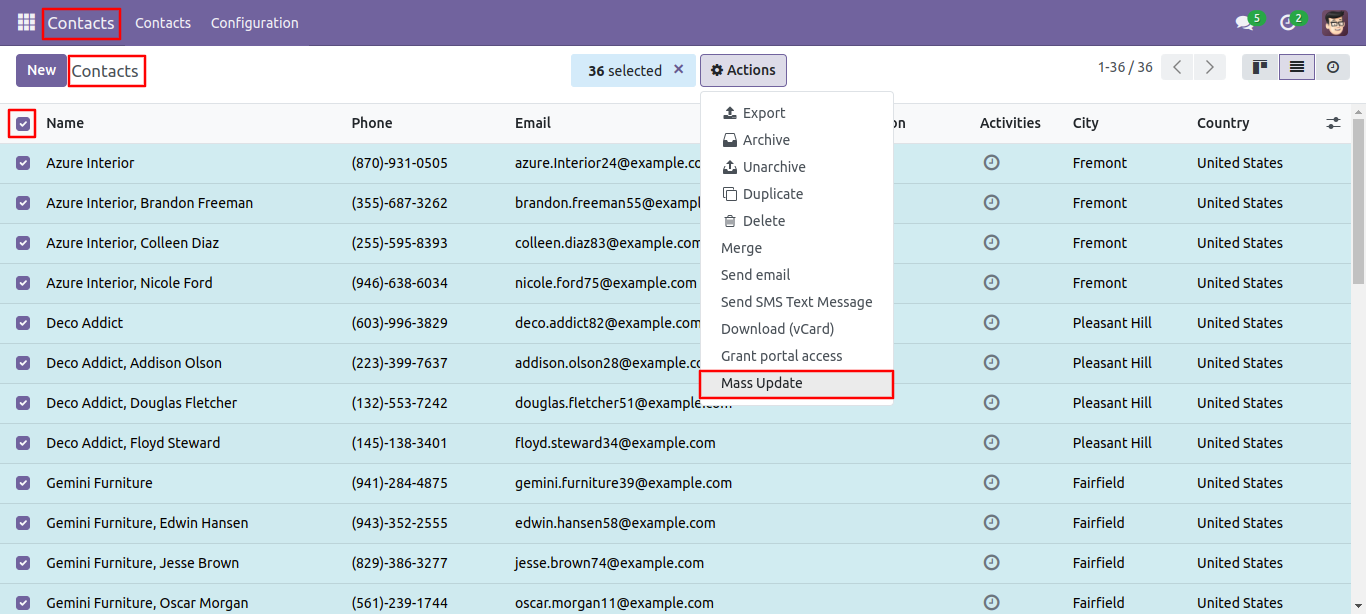
Select partners from the list view, and then choose 'Mass Update' from the 'Action' menu.
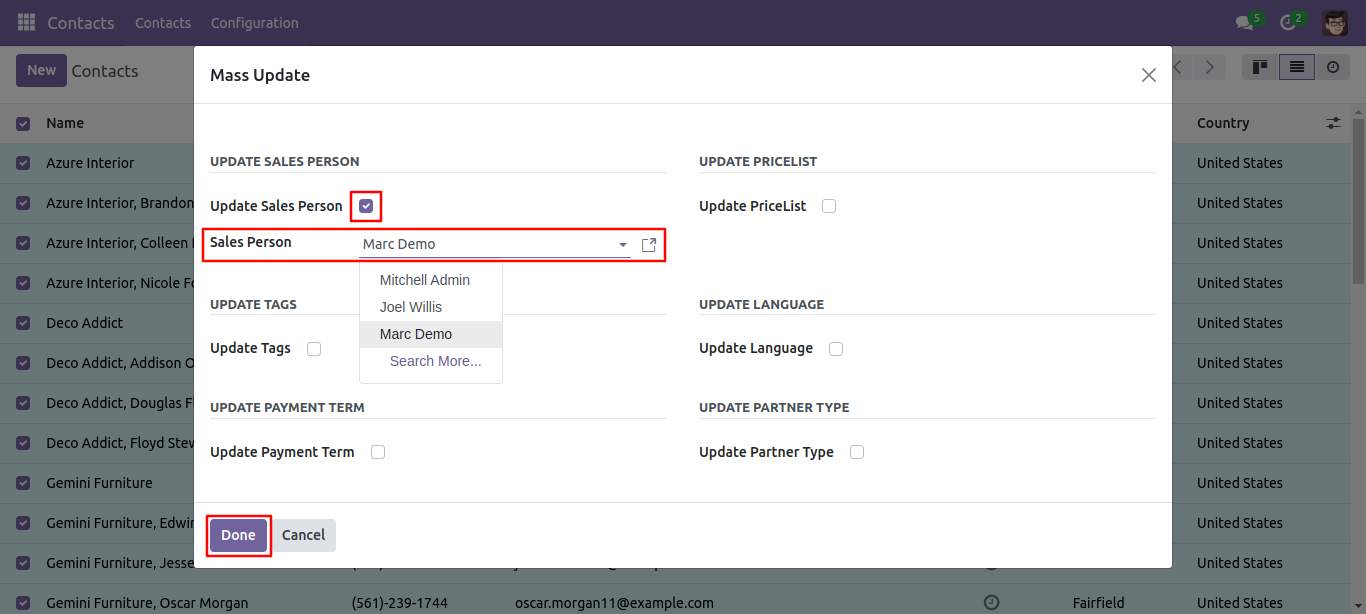
After opening the wizard, you can update the salesperson for multiple partners from here.
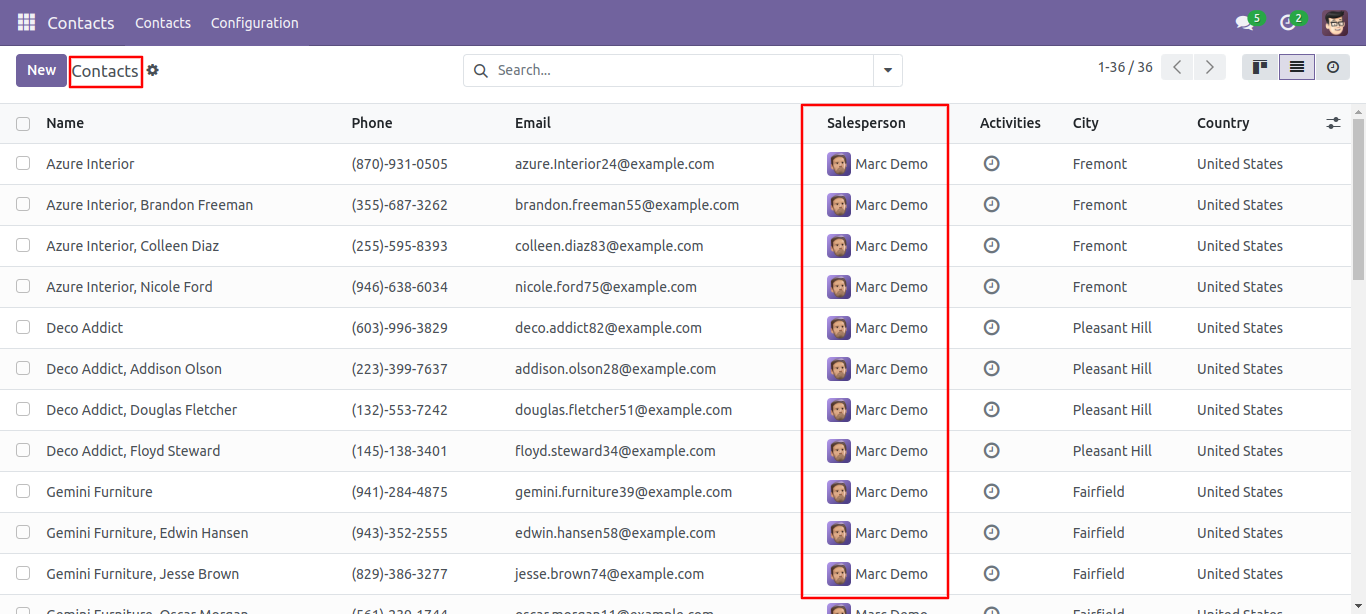
Mass salesperson updated.
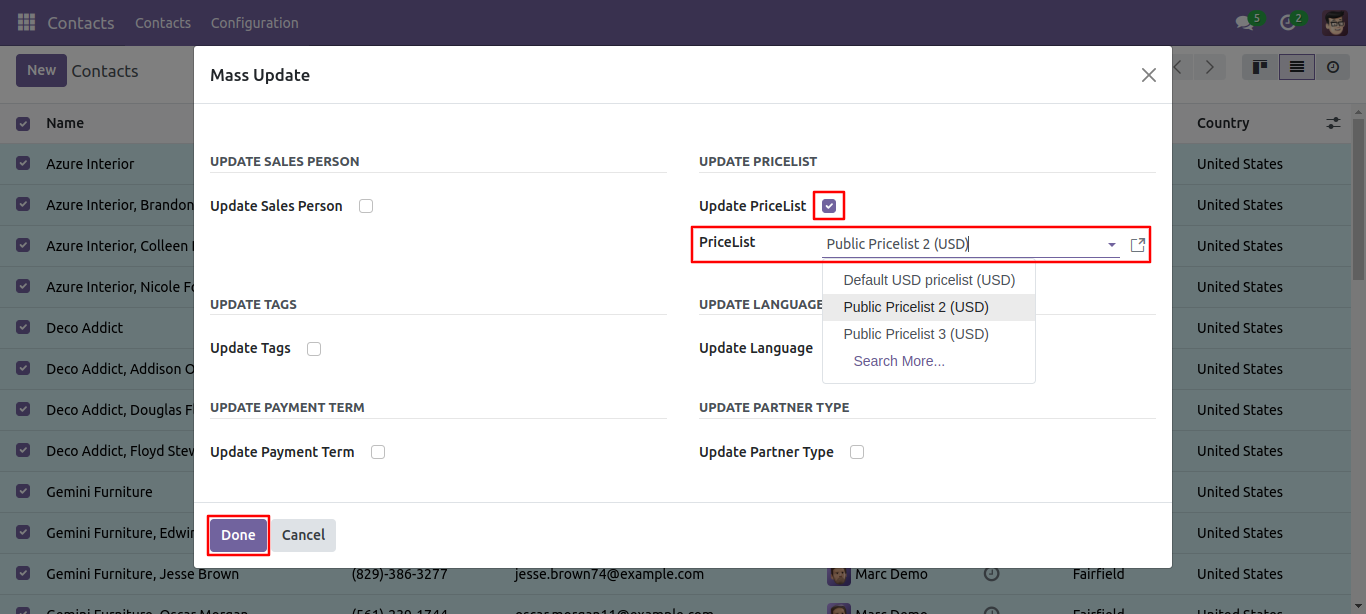
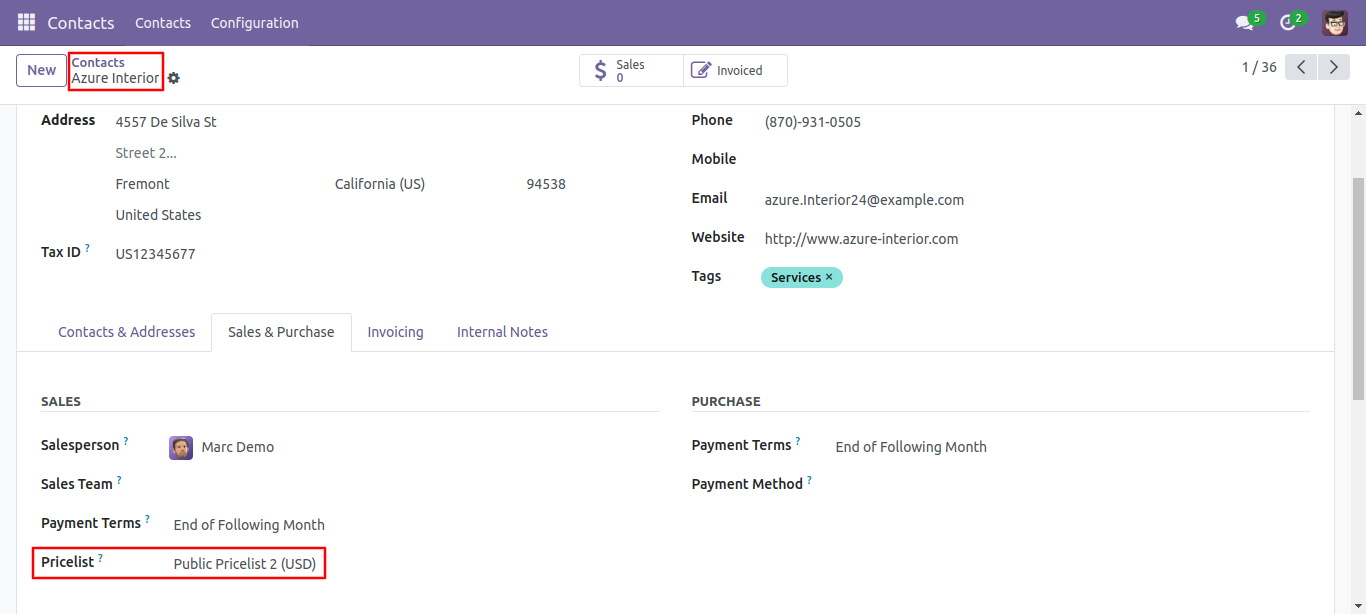
Now from the wizard, we update multiple partner's pricelists.
Mass partner's pricelists updated.
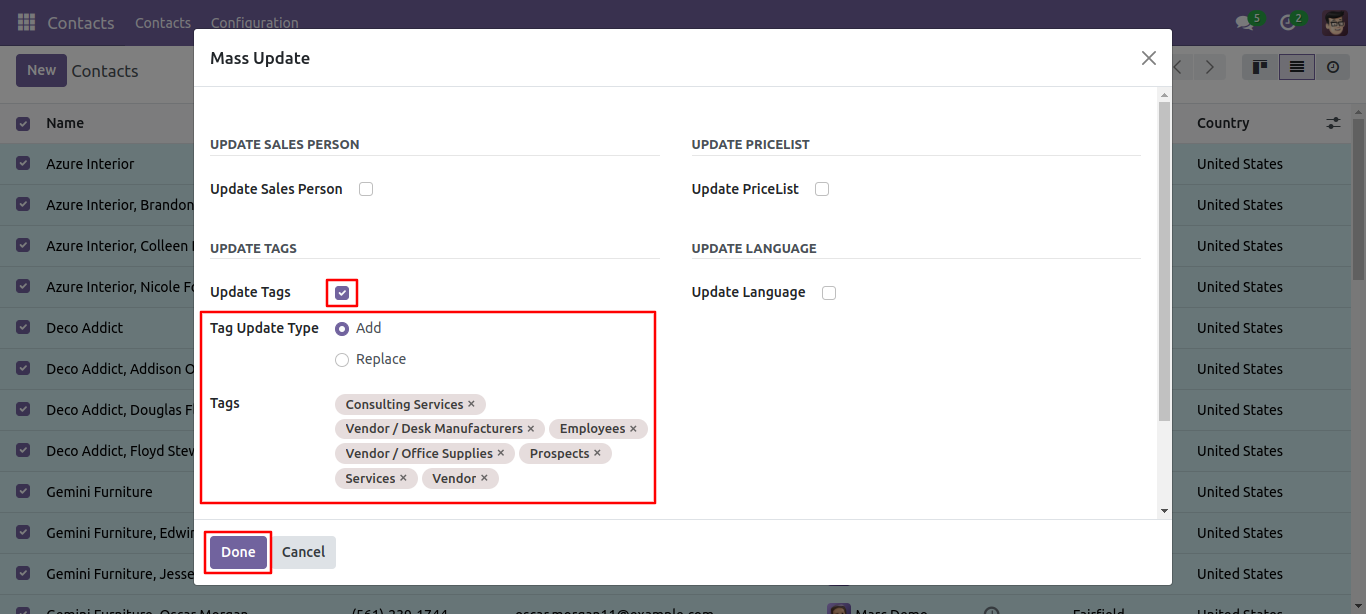
Now, let's update the tags. You can update tags using two methods: 'Add' and 'Replace.'
'Add': This method adds new tags to the existing ones.
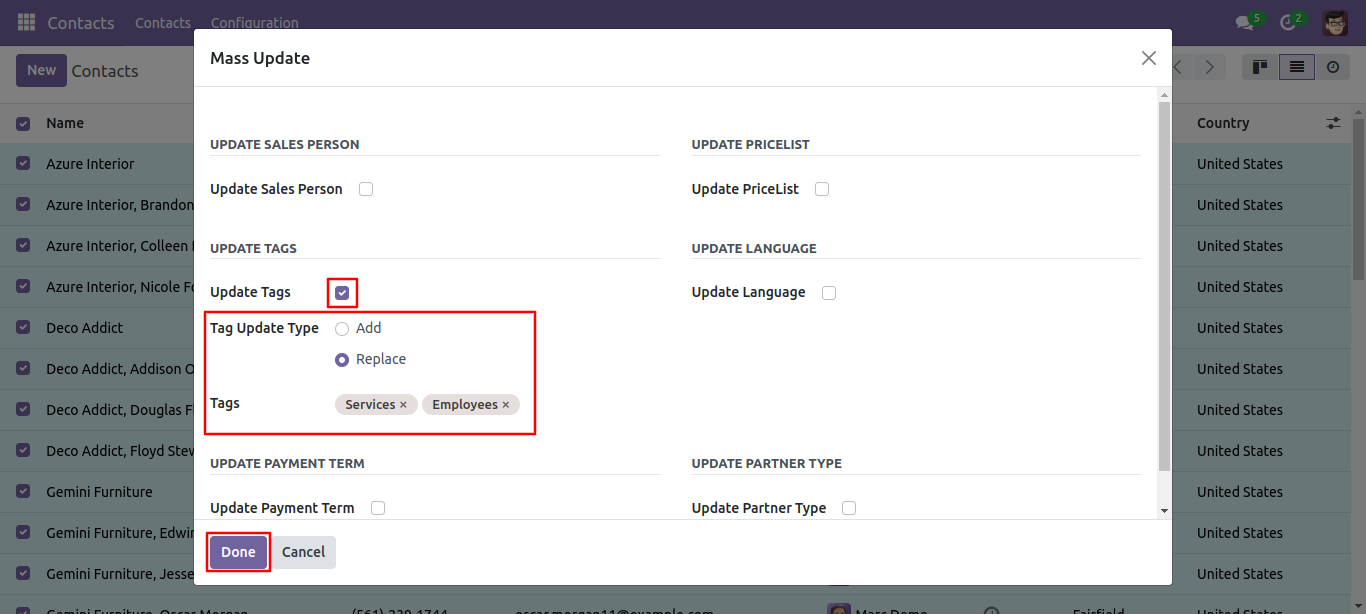
'Replace': This method replaces old tags with new ones, effectively removing the old tags. In
this example, we have update the partner's tags using the 'Add' method.
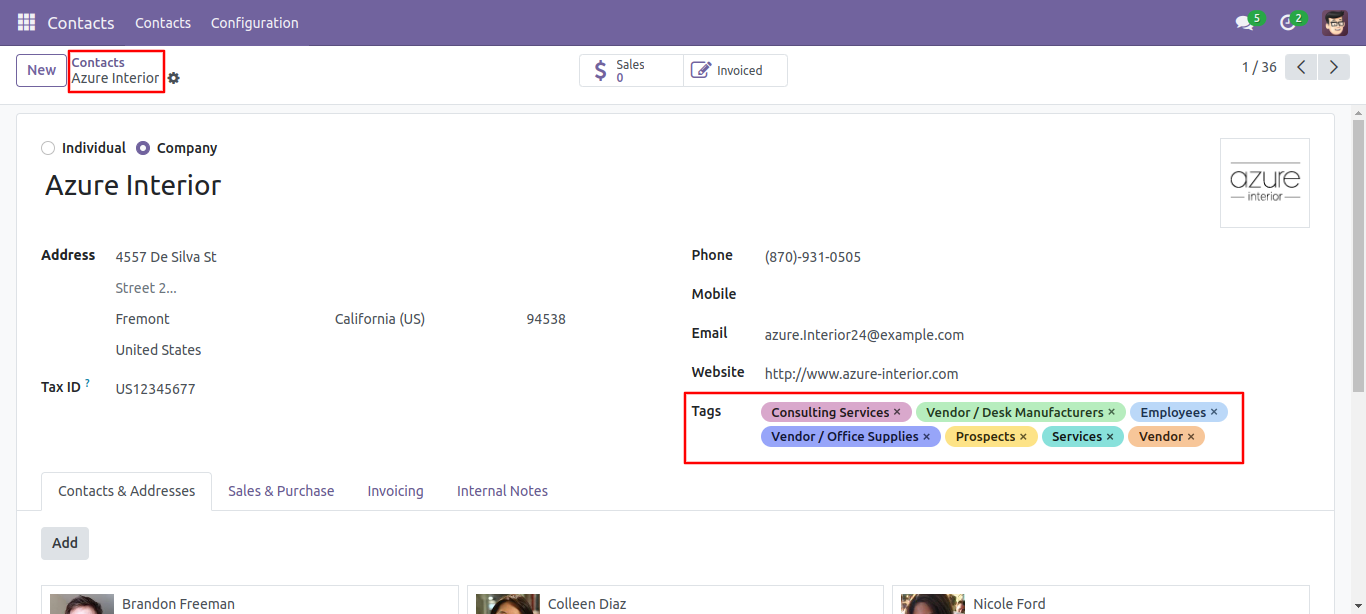
Mass partners updated with the tags.
Now, we update partners' tags using the 'Replace' method.
Mass partners updated with the tags.
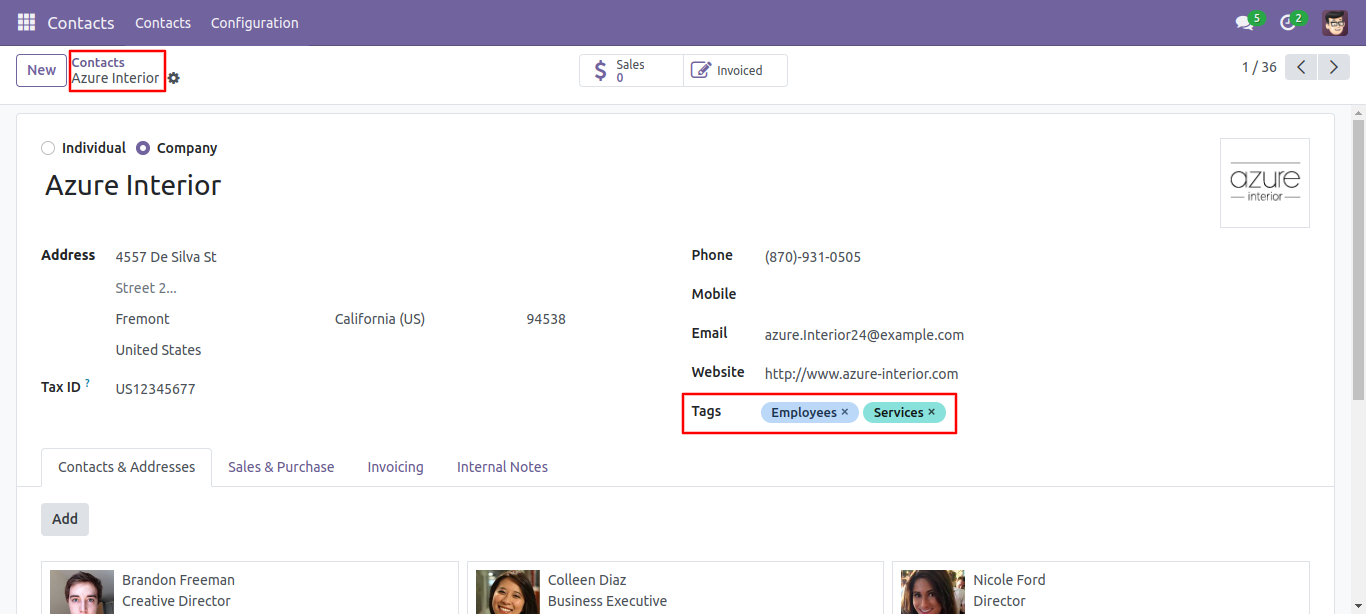
Now we have update the language for multiple partners.
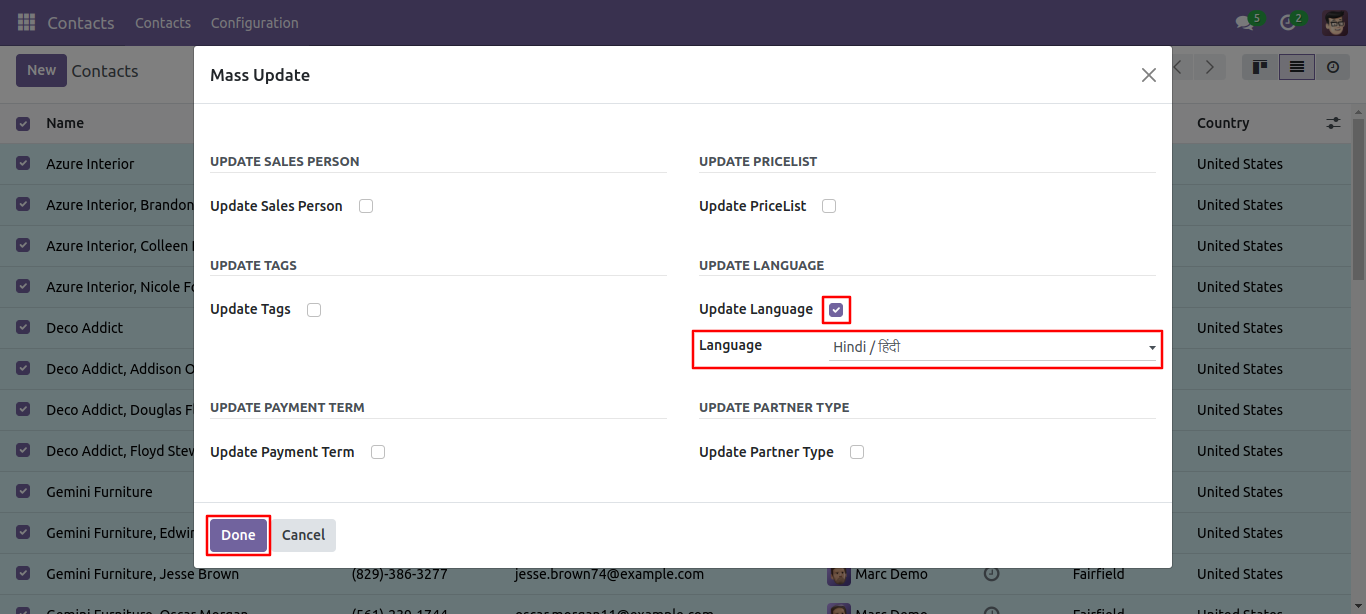
Mass partners updated with the language.
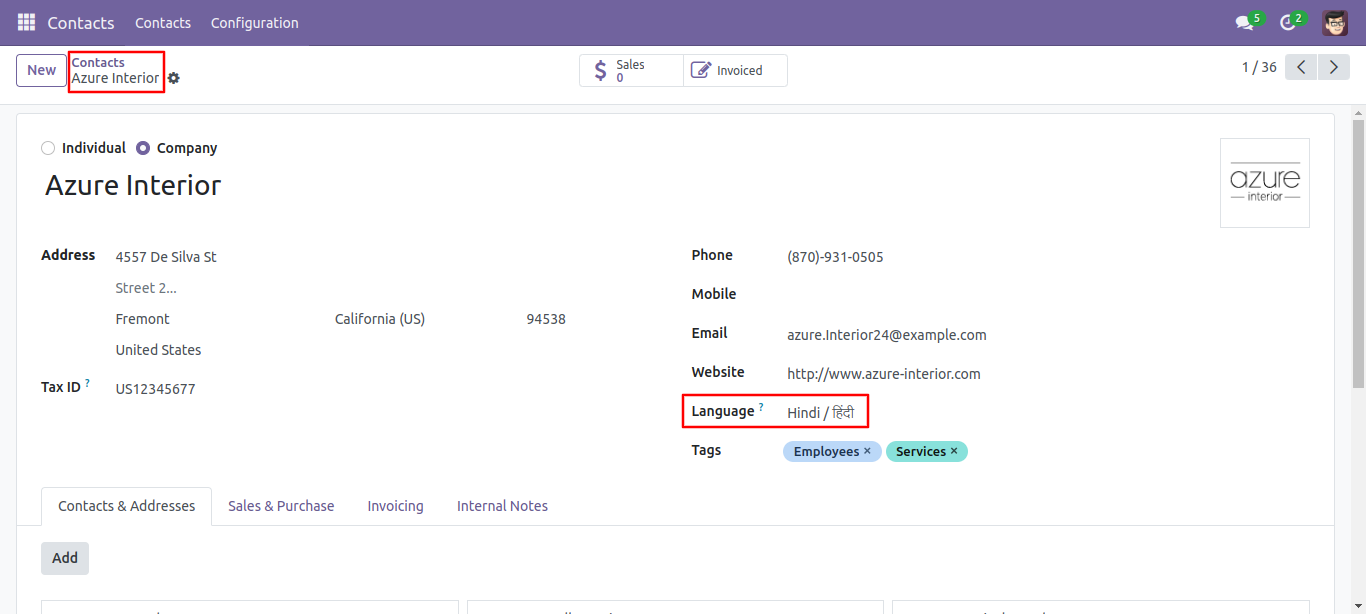
Now we have update the payment term of the multiple partners.
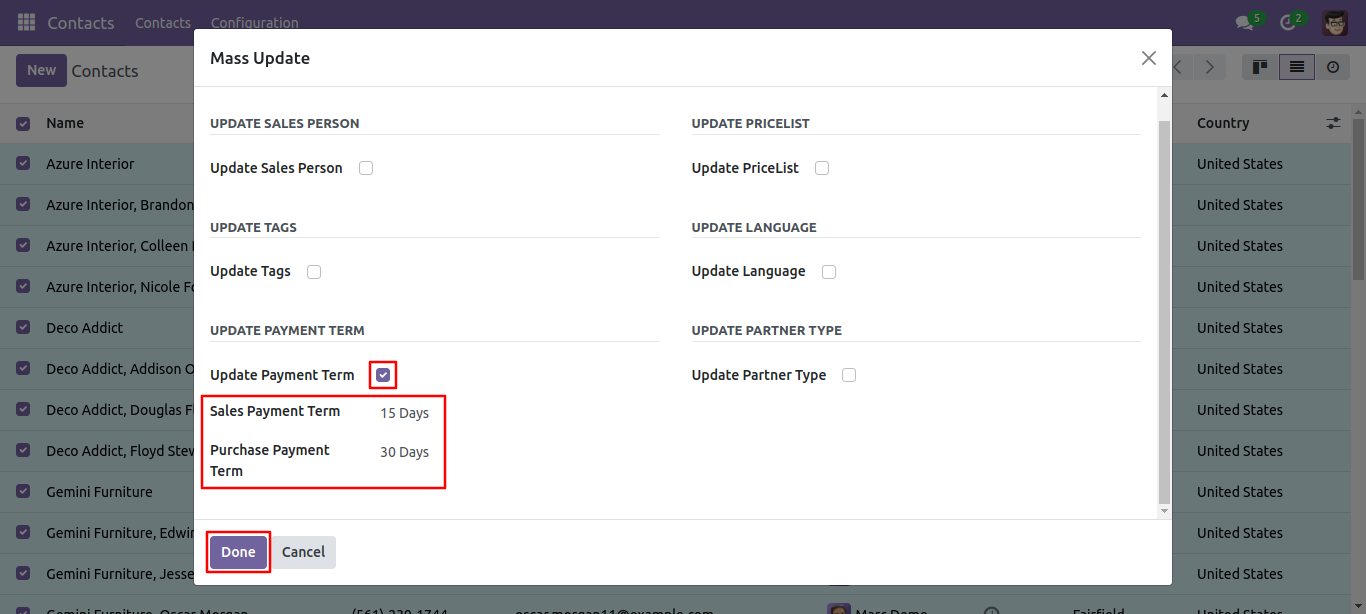
We are now updating the payment terms for multiple partners.
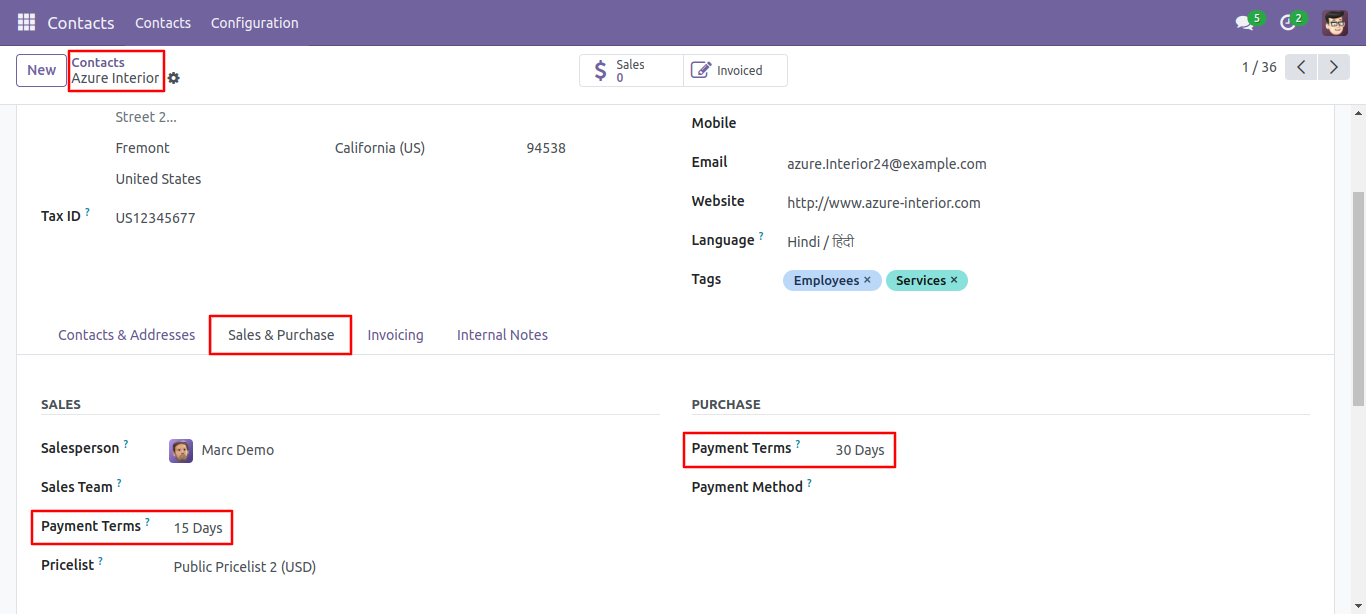
Now, we have update the partner type. You can update the partner type 'Is a Customer'
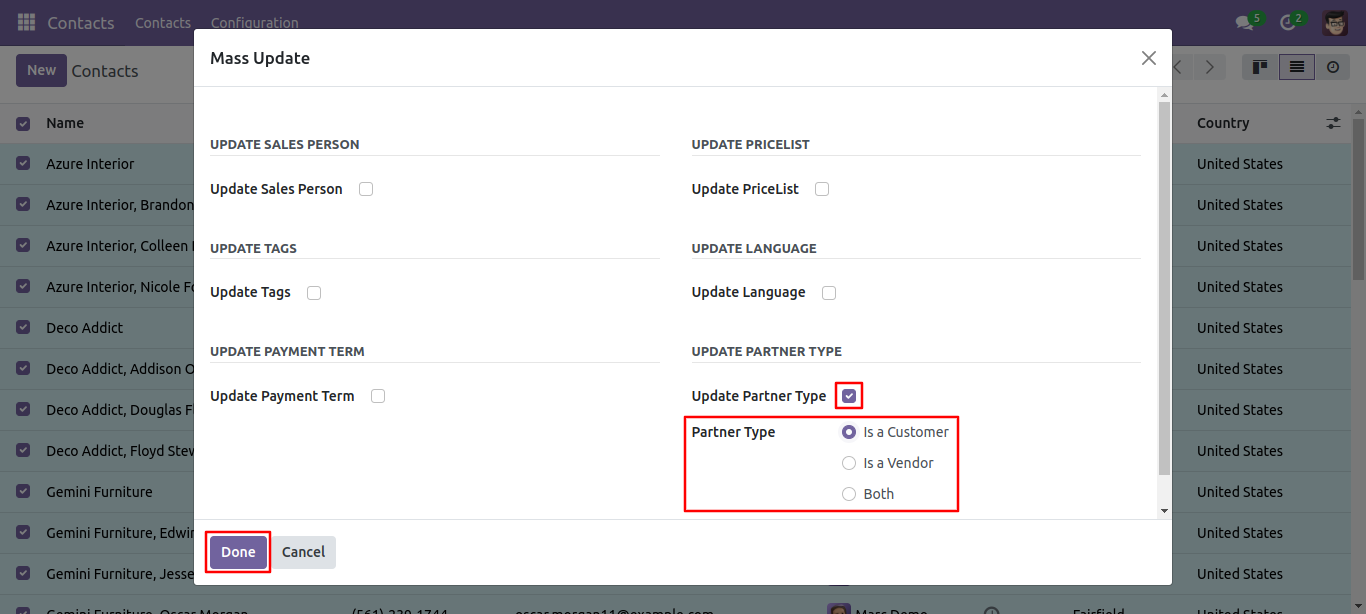
Partner type updated.
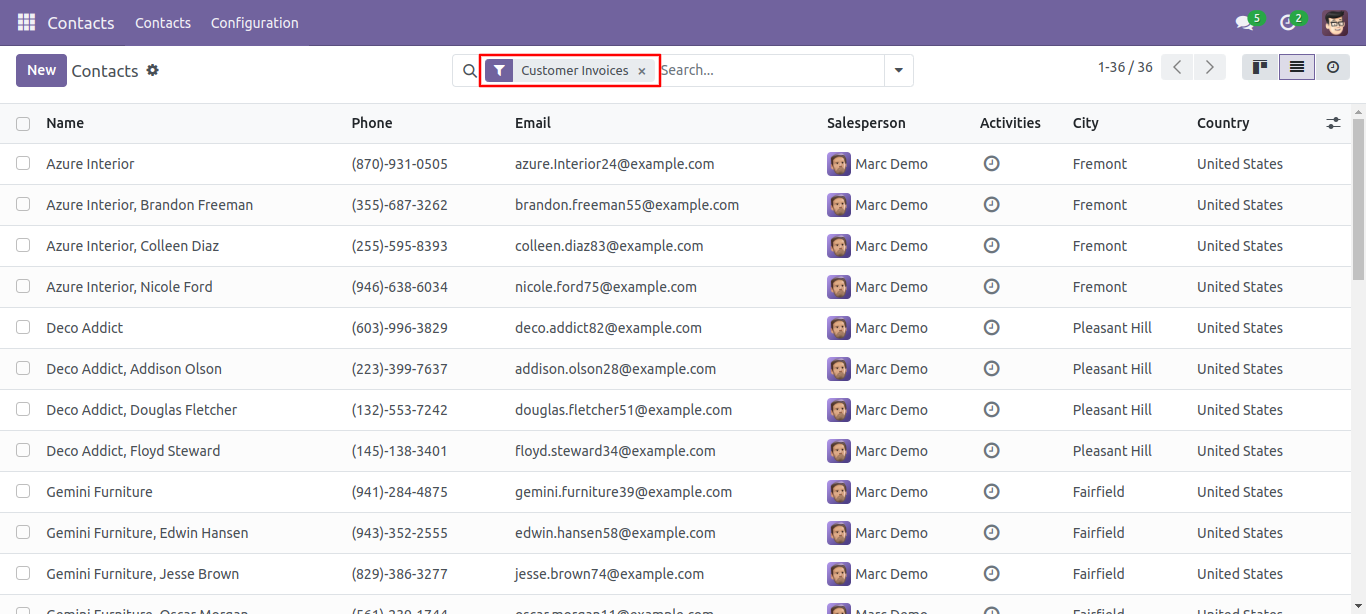
Now, we have update the partner type. You can update the partner type 'Is a Vendor'
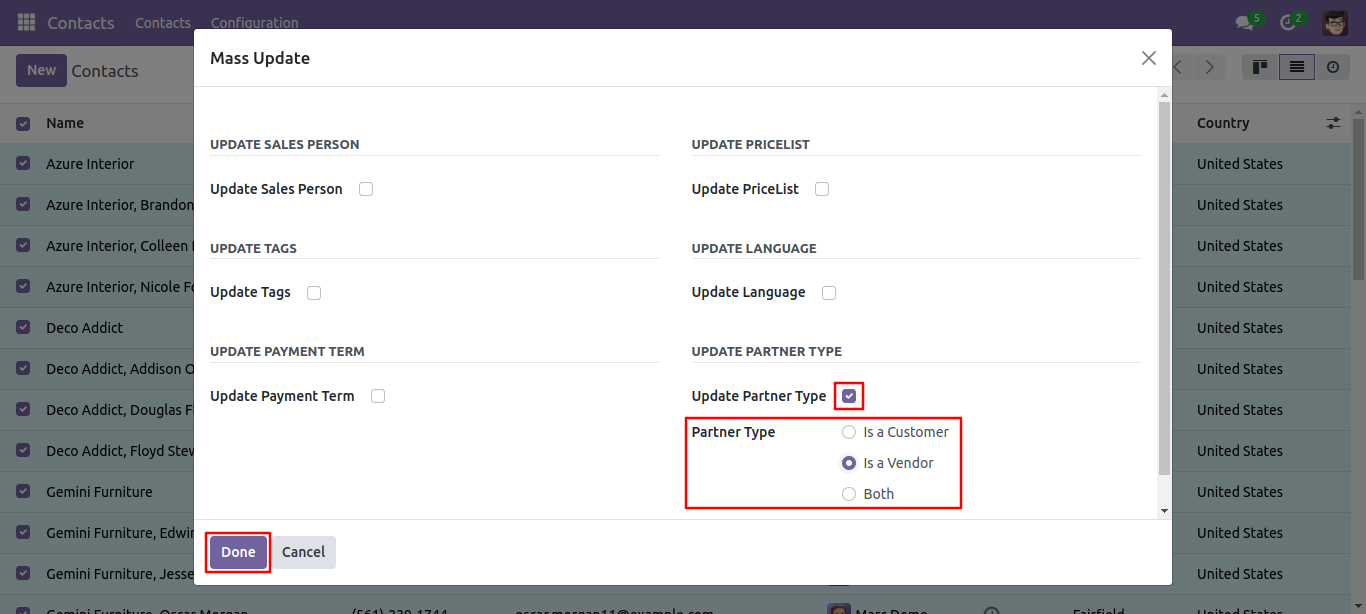
Partner type updated.
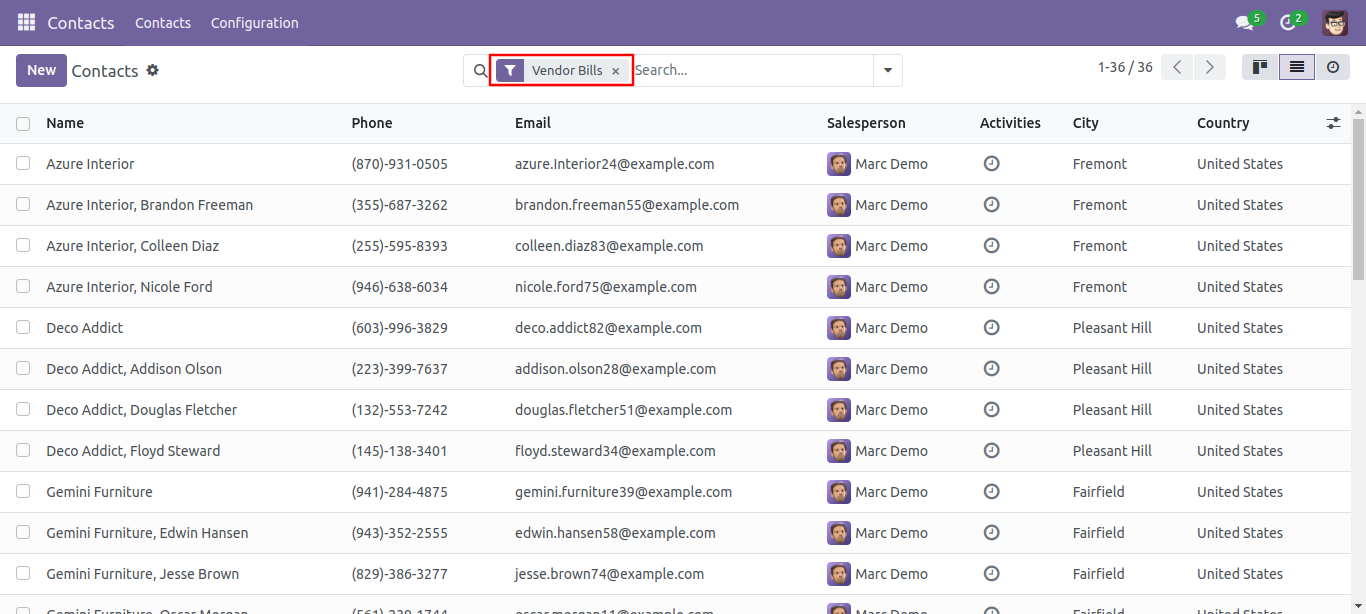
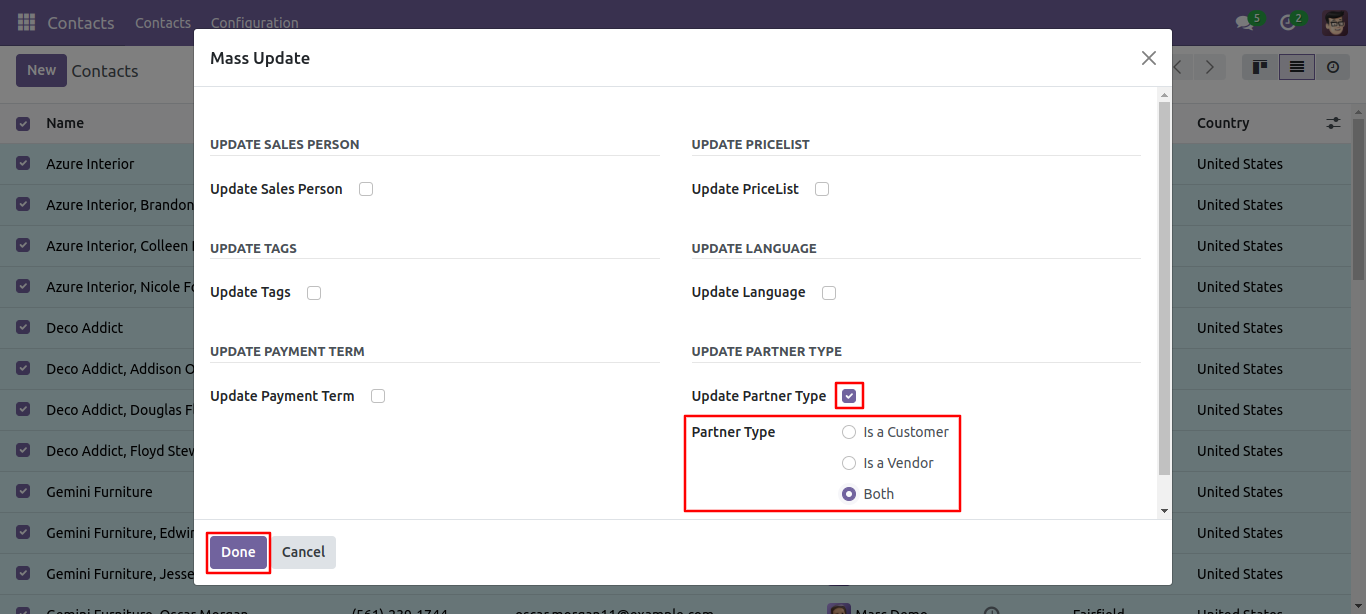
Now, we have update the partner type. You can update the partner type 'Both'
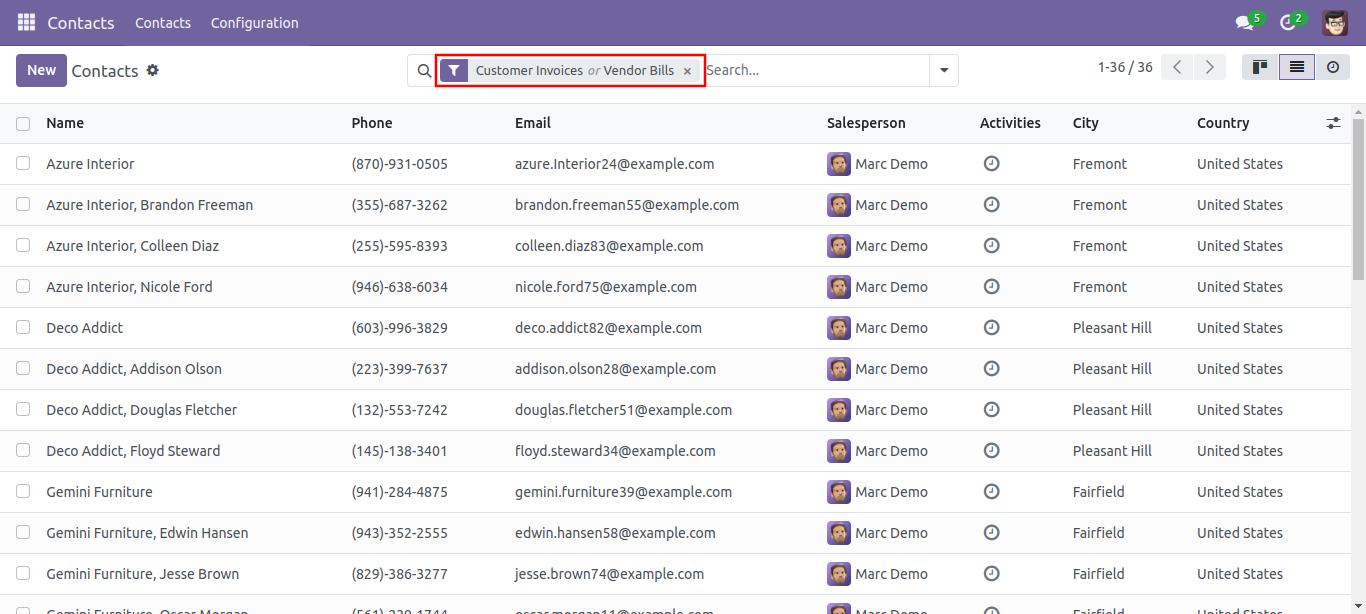
Partner type updated.
Version 18.0.1 | Released on : 26th September 2024
- Yes, this app works perfectly with Odoo Enterprise (Odoo.sh & On-Premise) as well as Community.
- No, this application is not compatible with odoo.com(odoo saas/Odoo Online).
- Please Contact Us at sales@softhealer.com to request customization.
- Yes, you will get free update for lifetime.
- No, you don't need to install addition libraries.
- For version 12 or upper, you will need to purchase the module for each version that you want to use.
- Yes, we provide free support for 100 days.
- No, We do not provide any kind of exchange.
