












Pandora UAE Pass OAuth & 2FA Login

This module provides secure UAE Pass authentication and two-factor verification in Odoo. Configure the appropriate environment and choose from multiple 2FA methods, including TOTP authenticator apps, Email OTP, and SMS OTP. Monitor user access with detailed activity logs for enhanced security and control.

Features

UAE Pass Authentication Integration
Integrate UAE Pass authentication with Odoo for secure user login and identity verification.
Multi-method 2FA
Two-factor authentication options, including TOTP (authenticator apps), Email OTP, and SMS OTP.

OTP Expiry Control
Configure the validity period of OTP codes for enhanced authentication security.

User-Level 2FA Management
Enable or disable specific 2FA methods directly from individual Odoo user profiles.

Direct UAE Pass Login
Allow users to sign in to Odoo directly using their UAE Pass credentials.

Sandbox & Production Environment
Configure separate UAE Pass environments for testing and live authentication.

Activity Logs
Maintain detailed logs of connection tests, authentication events, results, users, IP addresses, and error messages.
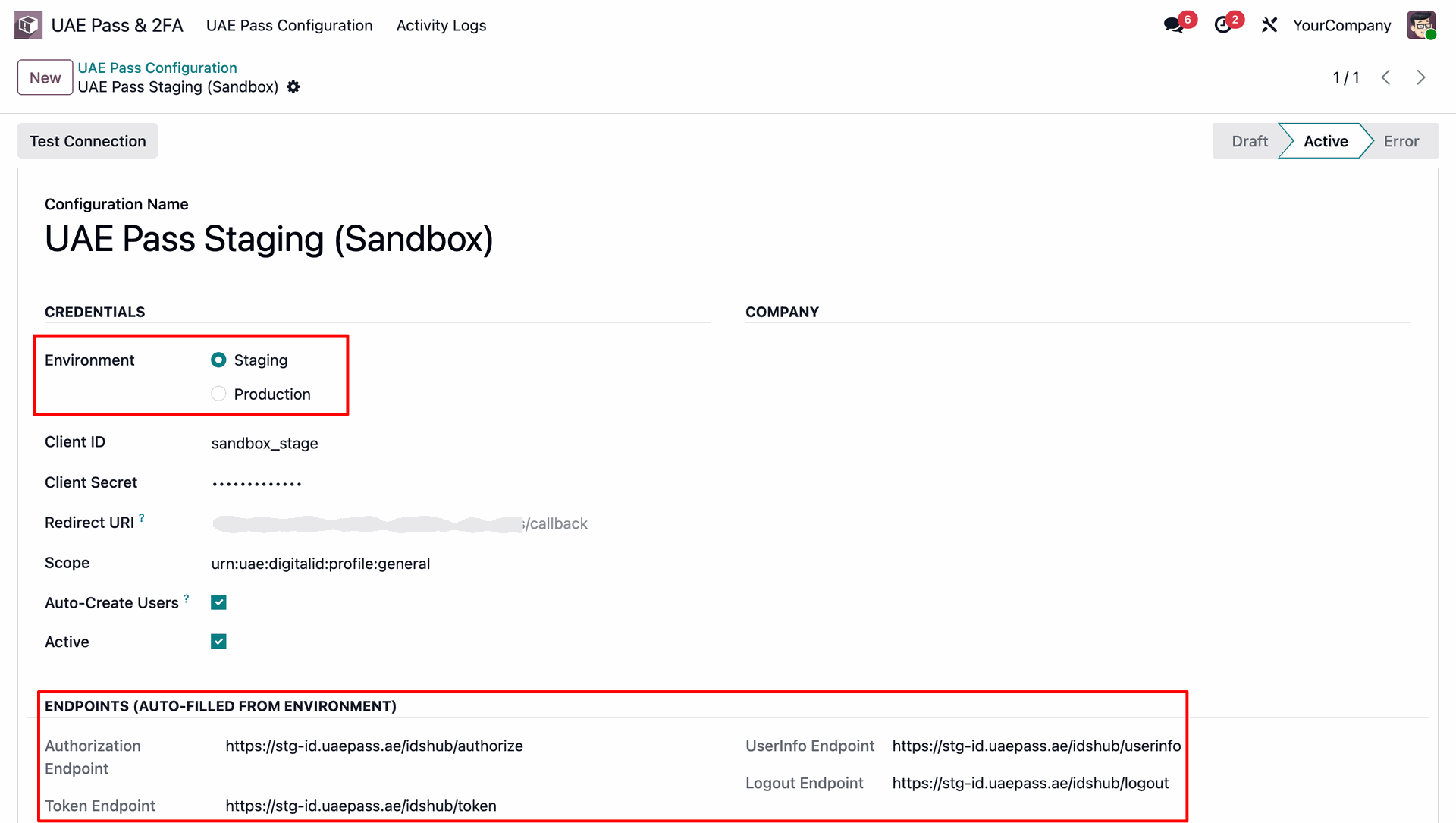
First, configure the UAE Pass OAuth connection credentials, choosing between the staging and production environments.
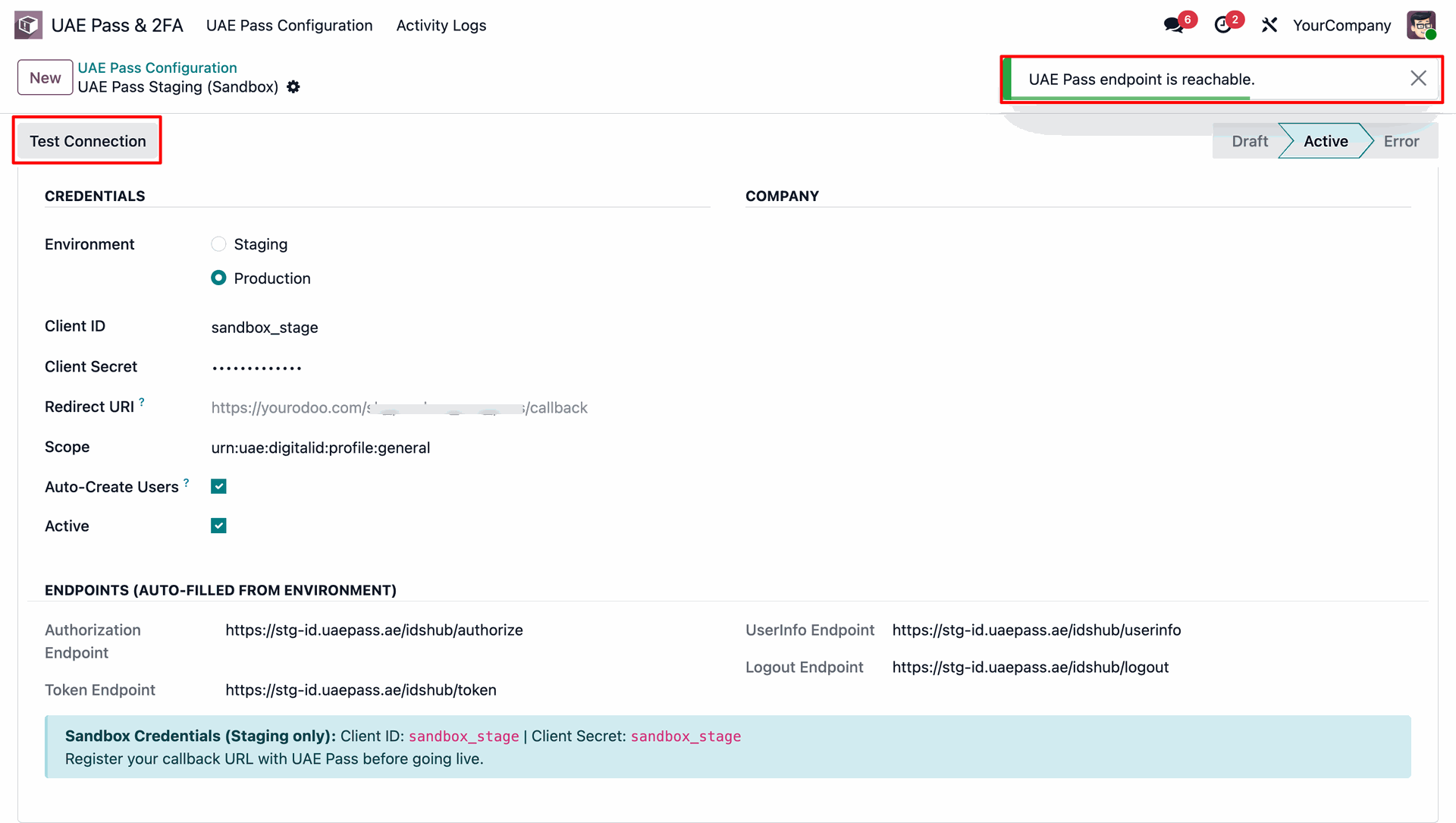
Test the connection directly from the form. Clicking the 'Test Connection' button triggers a connection test and displays a success notification.
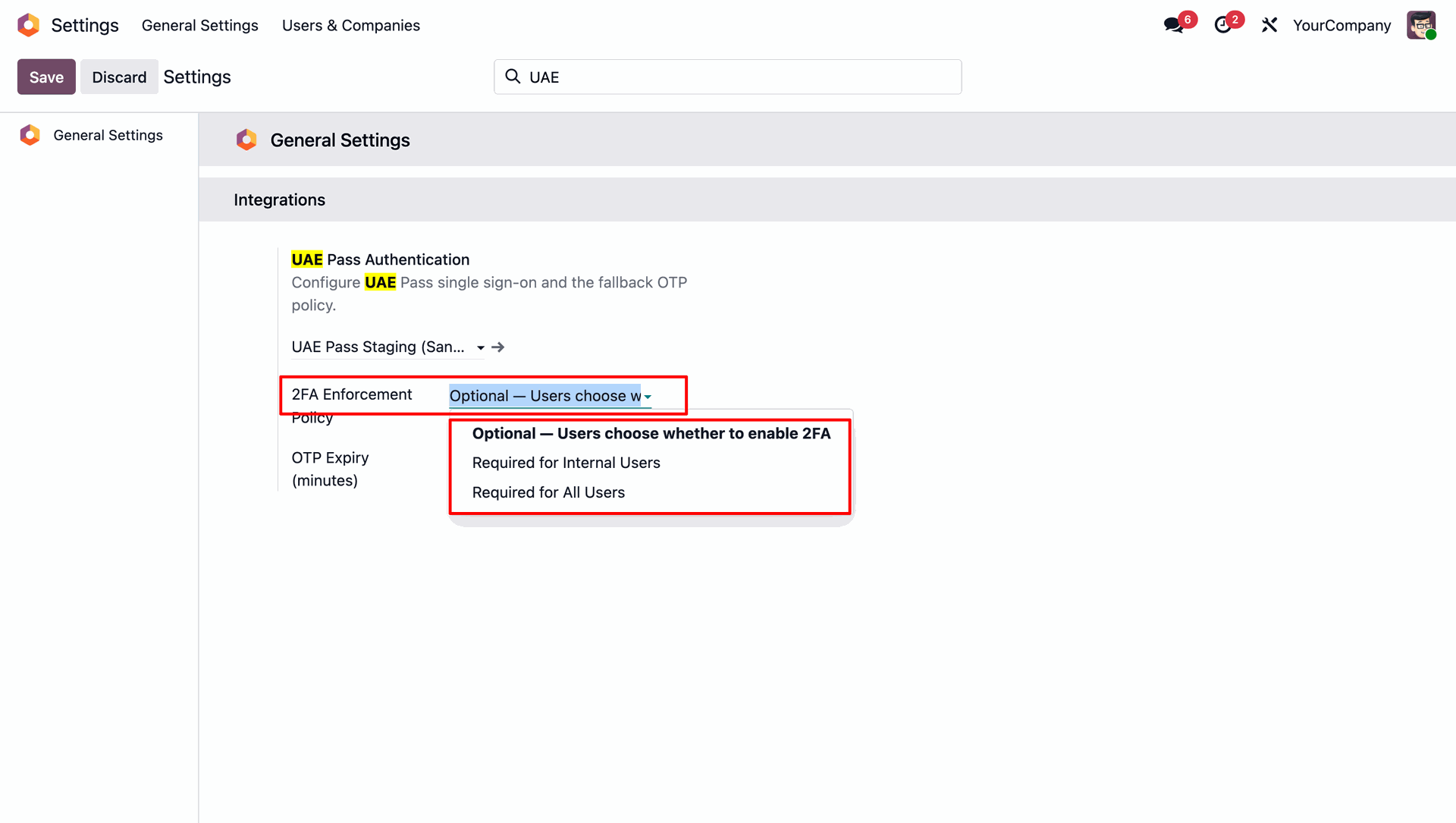
In Odoo General Settings, set the Two-Factor Authentication (2FA) enforcement policy to Optional, Required for Internal Users, or Required for All Users.
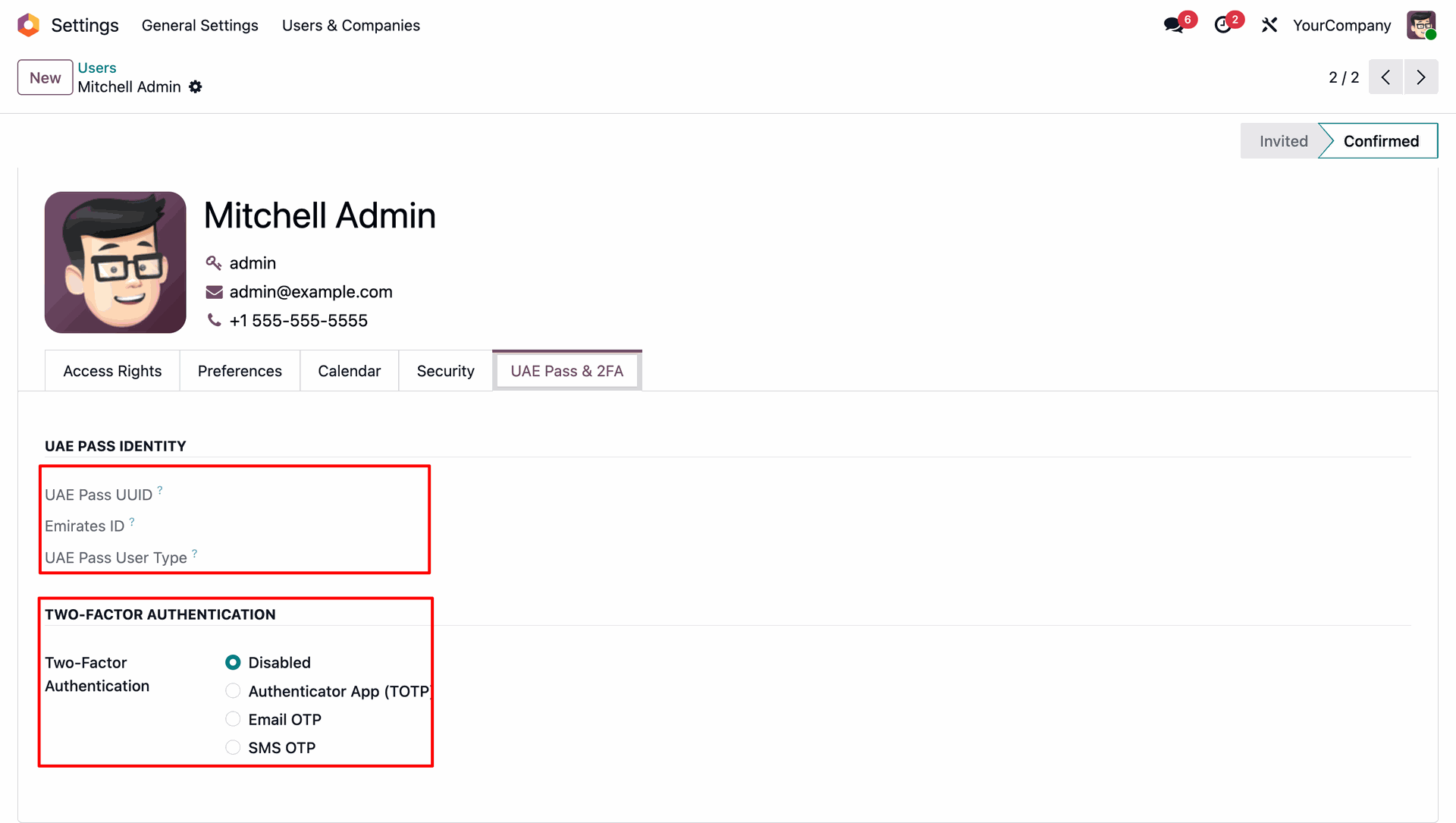
In the user profile preferences form, a dedicated 'UAE Pass & 2FA' tab allows individual users to select their preferred Two-Factor Authentication method: Authenticator App (TOTP), Email OTP, or SMS OTP.
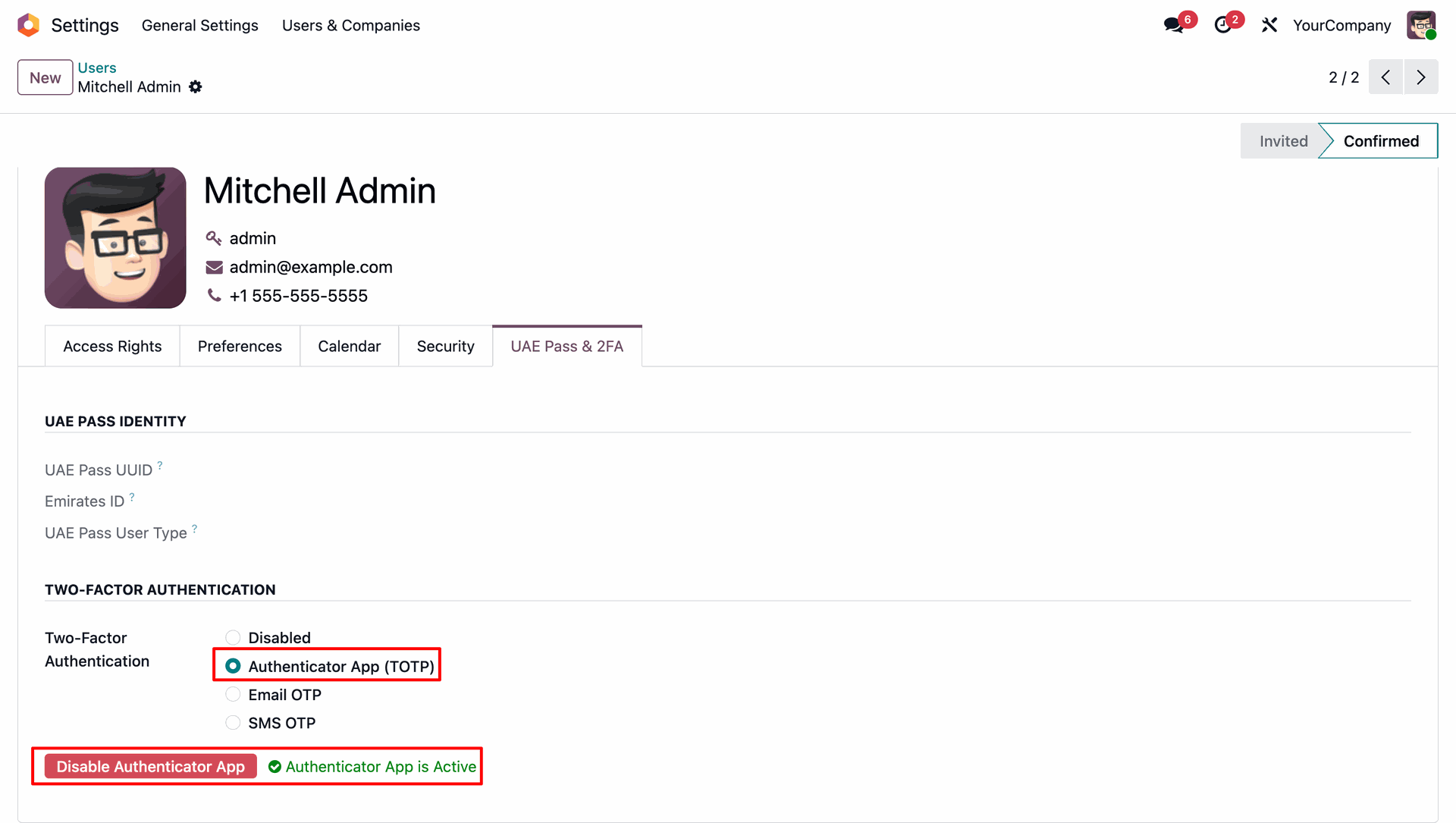
When Authenticator App (TOTP) is selected, users can activate it, showing a green confirmation badge once the app links successfully.
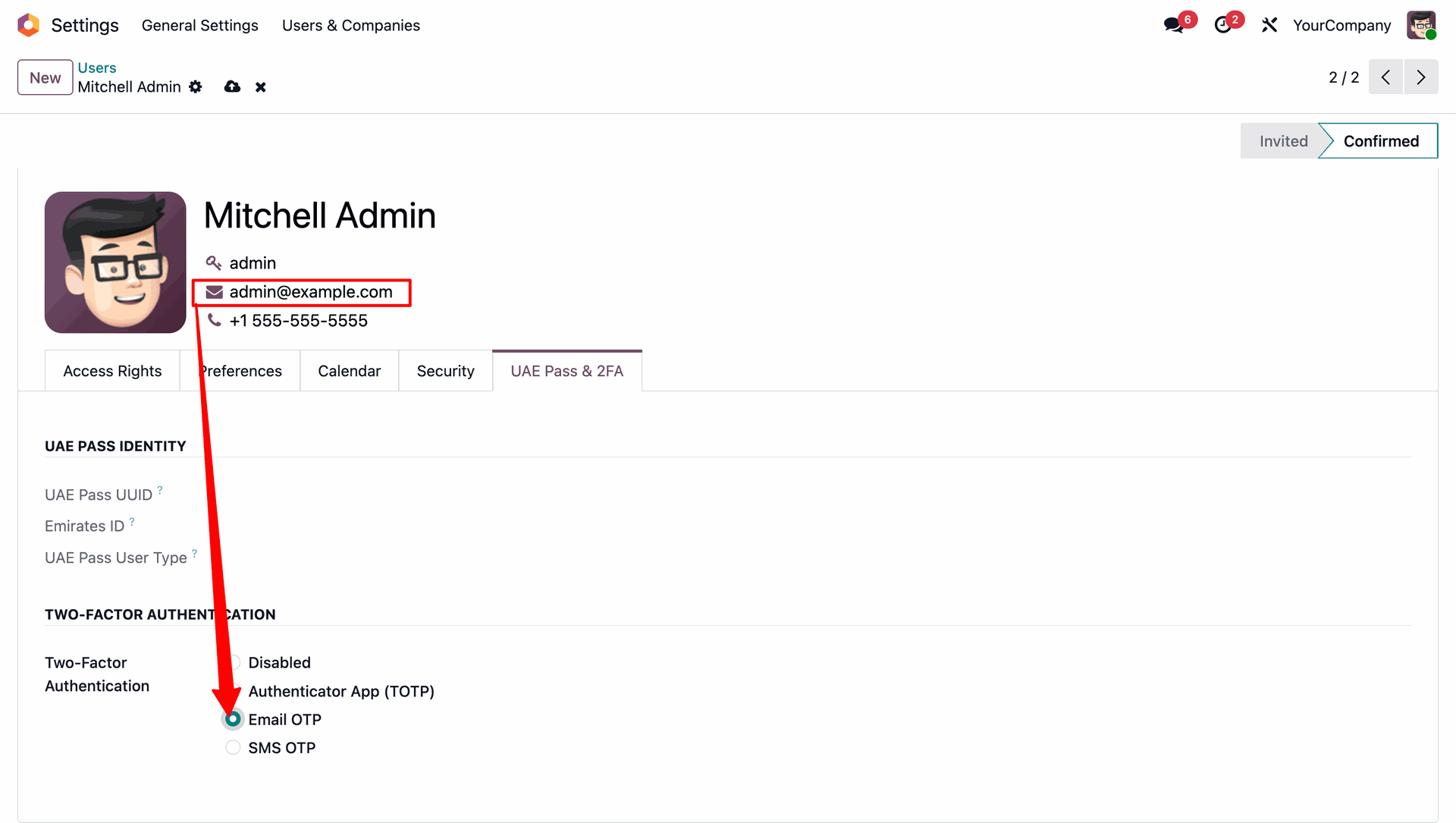
Selecting the Email OTP method configures the system to route the login verification code directly to the user's registered email address.
Selecting the SMS OTP method displays the phone number configuration field, where users enter their mobile phone number to receive verification SMS texts.
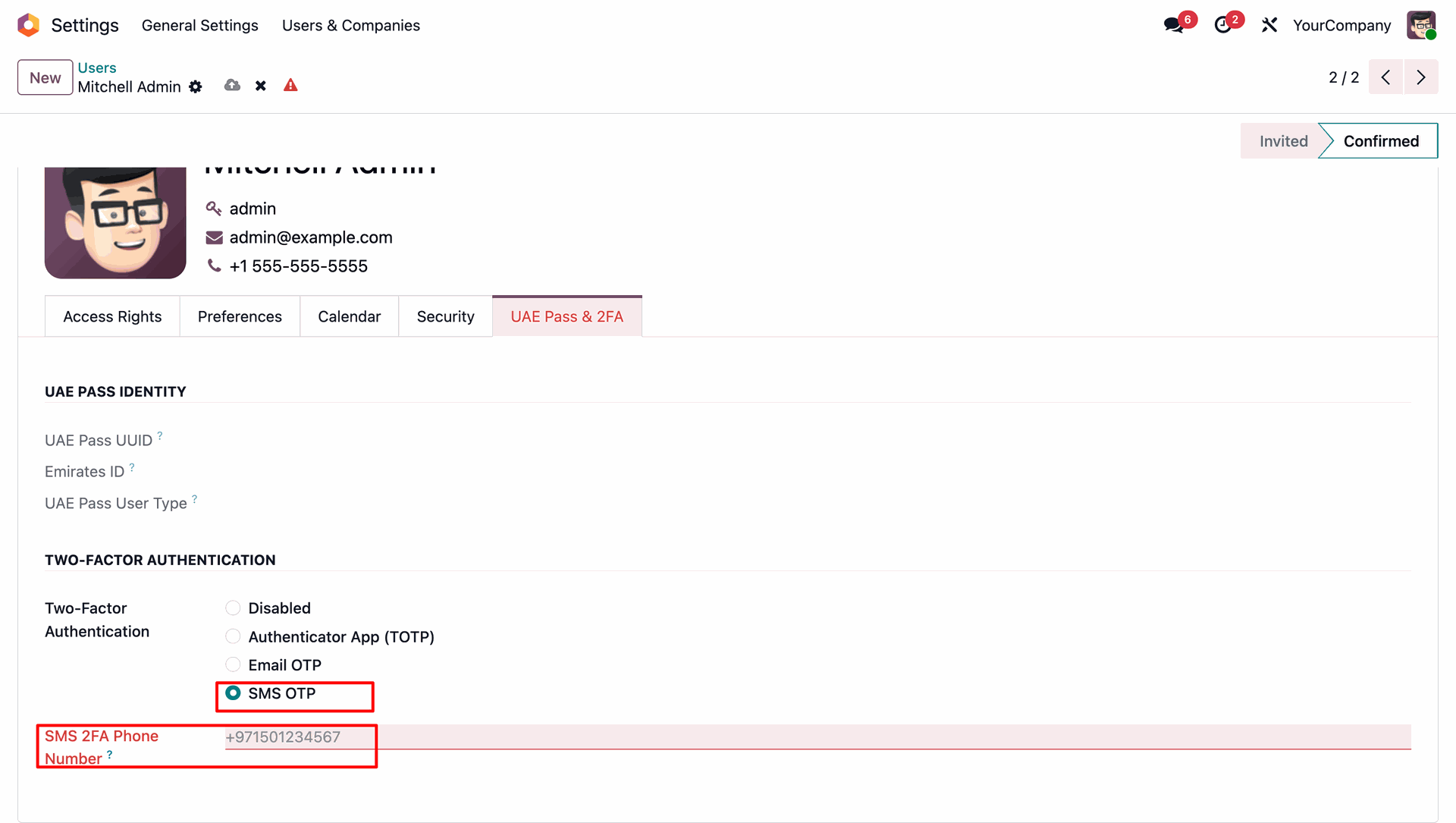
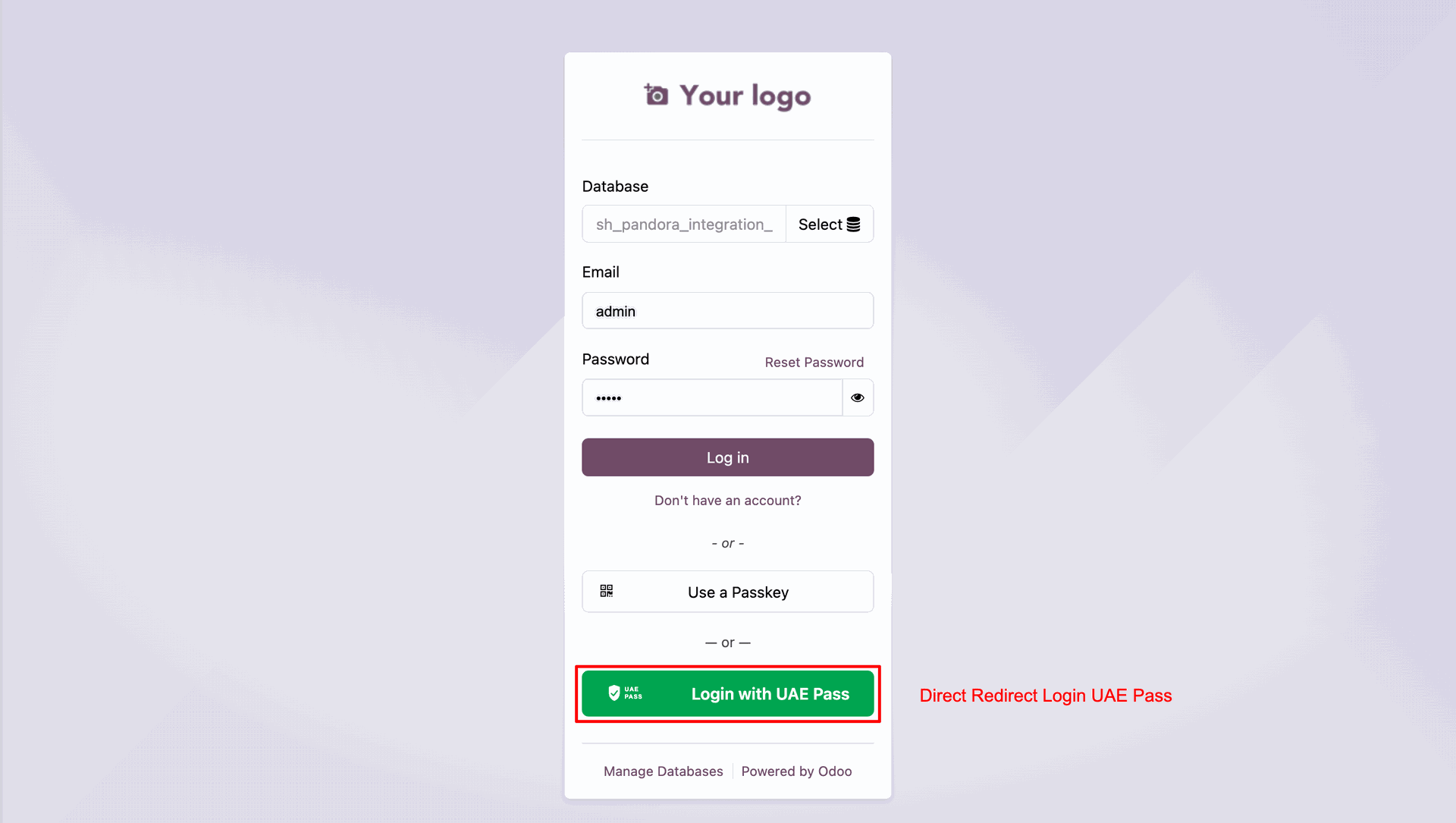
Once configuration is complete, a 'Login with UAE Pass' button is added on Odoo's login portal, enabling users to log in directly via the UAE national digital identity portal.
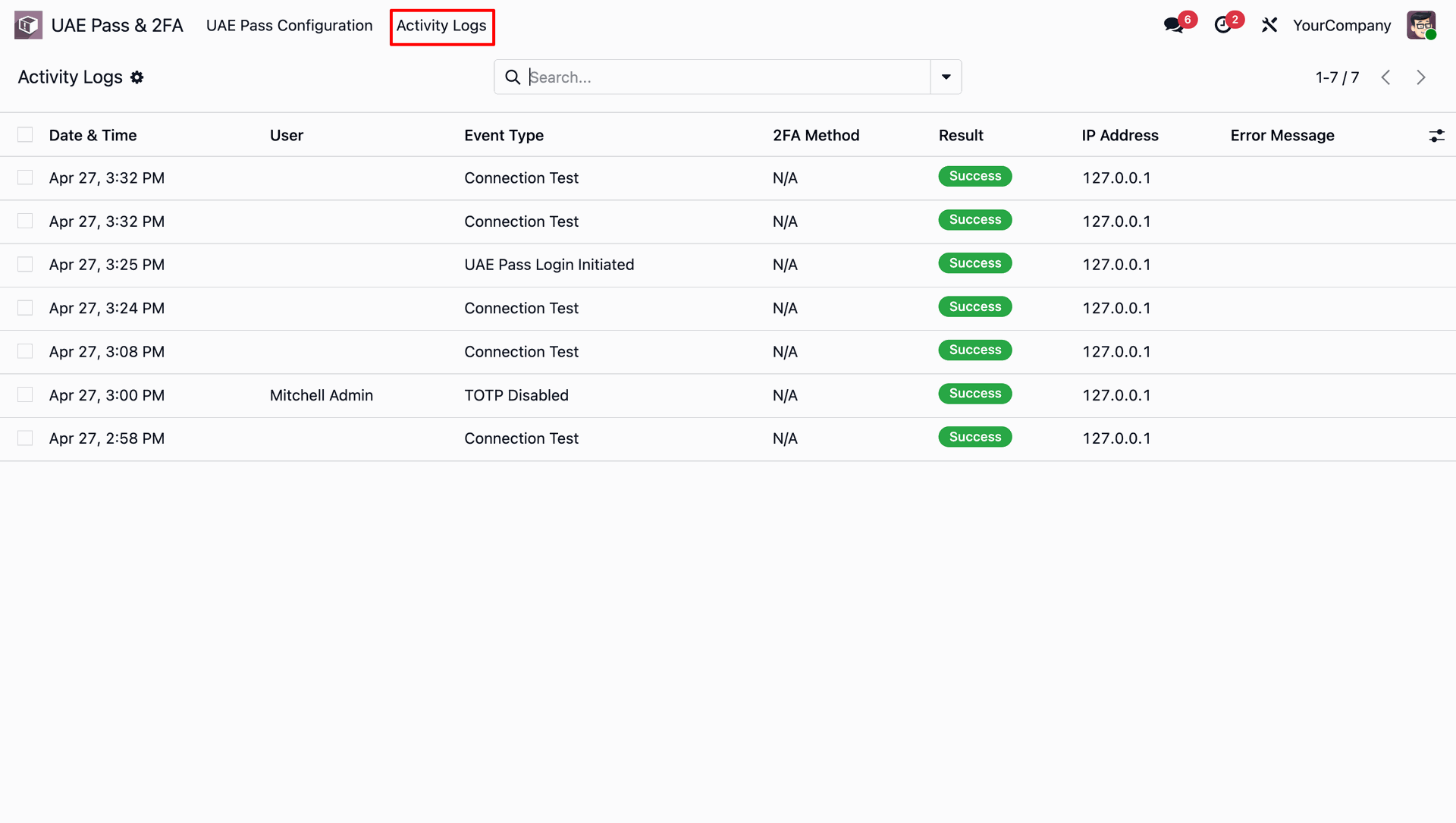
Monitor all login events, event types, 2FA methods, and connection test results in the central Activity Logs list view.
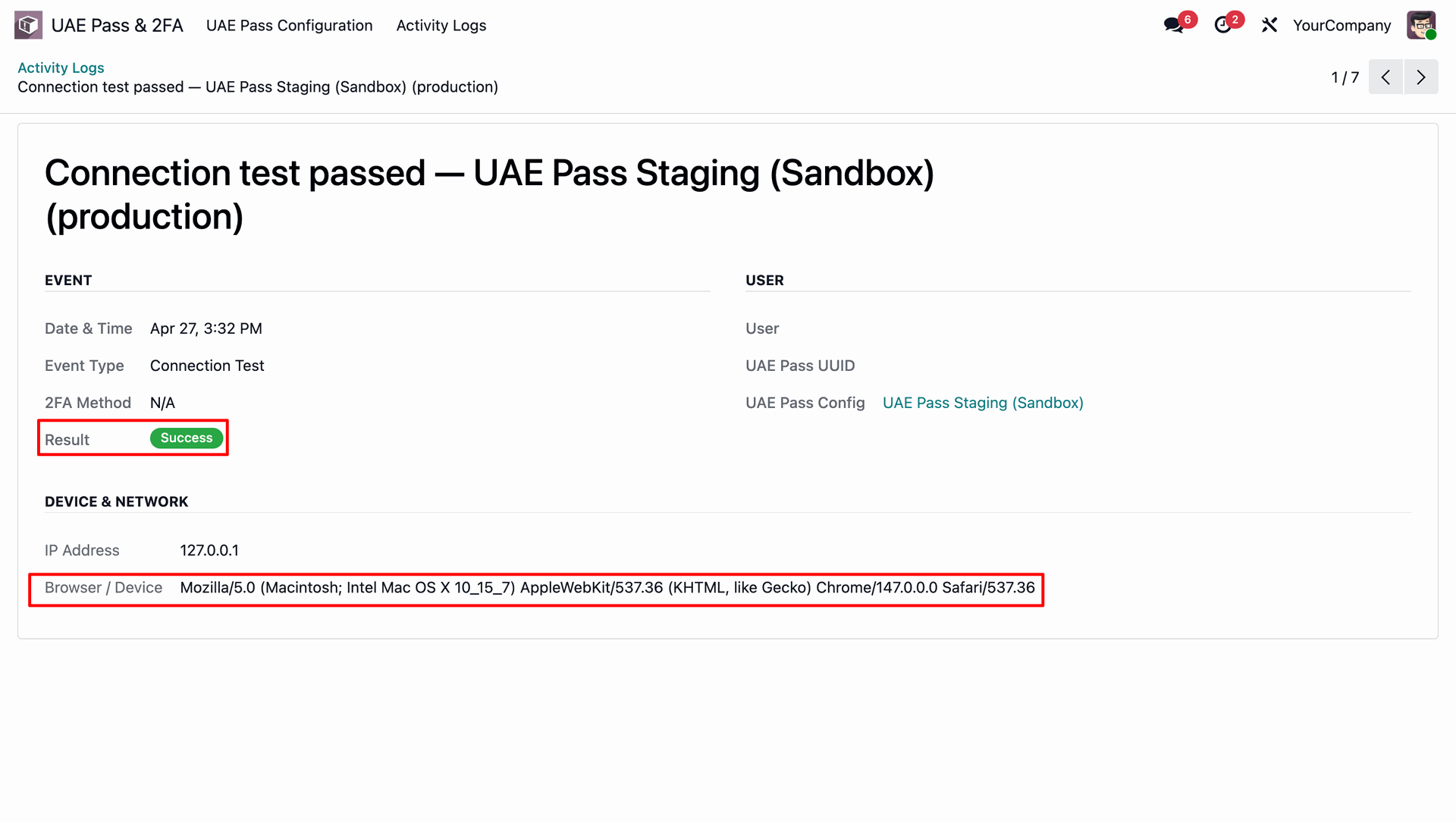
Click into any Activity Log entry to audit.
Version 19.0.1.0.0 | Released on : 24th August 2026
- Yes, this app works perfectly with Odoo Enterprise (Odoo.sh & Premise) as well as Community.
- No, this application is not compatible with odoo.com(odoo saas/Odoo Online)
- Yes, to test this module, please contact us at sales@softhealer.com.
- Please contact us at sales@softhealer.com to request customization.
- Yes, we provide free support for 365 days from the date of purchase.
- Yes, you will receive lifetime free updates for the version of the module you purchased.
- No, there is no need to install any additional libraries.
- Yes, for version 12 and above, you need to purchase the module separately for each version you intend to use.
- No, exchanges or refunds are not allowed. Please make sure to select the correct version before purchasing.
- You can contact us at support@softhealer.com for language translation support. We use Google Translator tools to provide translations in multiple languages, so the accuracy may vary. We welcome your suggestions to help improve translations.
Discover Our Latest Apps