










Overdue Sales Order Risk Monitor & Salesperson Follow-Up

The Sale Order Overdue Risk & Follow-up module helps sales teams monitor and manage unpaid customer orders efficiently. It automatically calculates the overdue days for each sale order and assigns a risk level — Low, Medium, or High — based on configurable thresholds. Users can see the collection and communication status directly on the Sale Order form and list view, including whether a customer has been contacted, is unreachable, or requires follow-up. The system also sends automatic email notifications to the assigned salesperson whenever the risk level changes, ensuring that all stakeholders stay updated.

Features
Overdue Risk Calculation
Automatically calculates overdue days and assigns risk levels (Low, Medium, High) to sale orders daily.

Automated Email Notifications
Sends alerts to assigned salespersons when risk levels change, keeping everyone updated automatically.
Daily Status Update
Cron job updates collection status and overdue risk for all sale orders each day automatically.
Risk Level Tracking
Automatically monitors and updates risk levels for all unpaid sale orders based on configured thresholds.
Manual Status Refresh
Allows users to refresh overdue risk and collection status manually on any sale order.

Collection Remark Tracking
Salespersons can add notes about customer communication or collection efforts directly on the sale order.
Communication Status Update
Users can manually mark customers as Contacted, Not Contacted, or Not Reachable for accurate tracking.
Visual Indicators in Form & List View
Displays risk levels and communication status as clear visual indicators for quick understanding.
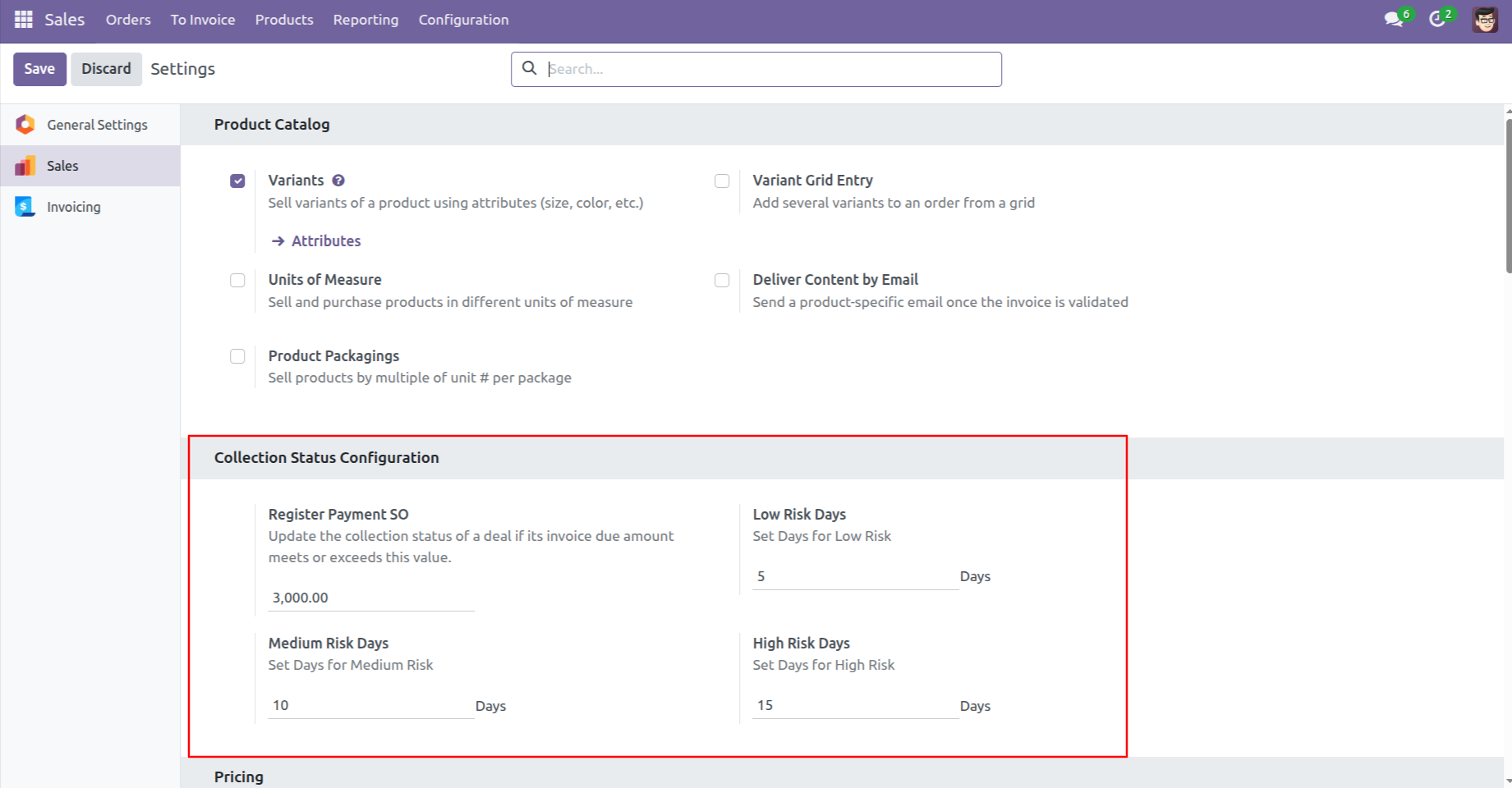
Configure collection thresholds by defining invoice amount limits and risk days (Low, Medium, High) from Sales → Settings to automatically evaluate payment risk for sales orders.
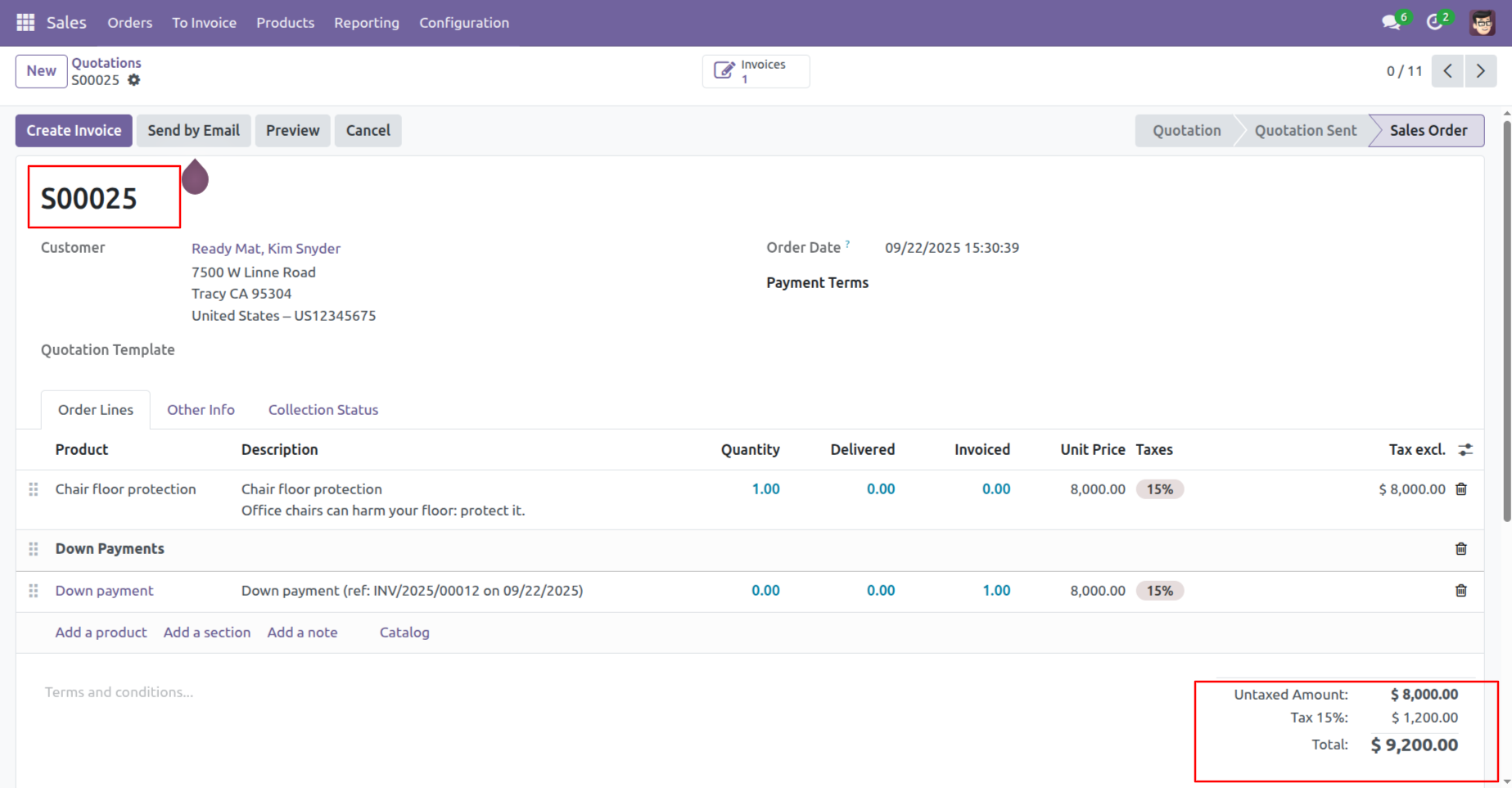
The system calculates the total invoice amount from the sales order and uses it to determine the applicable collection risk category.
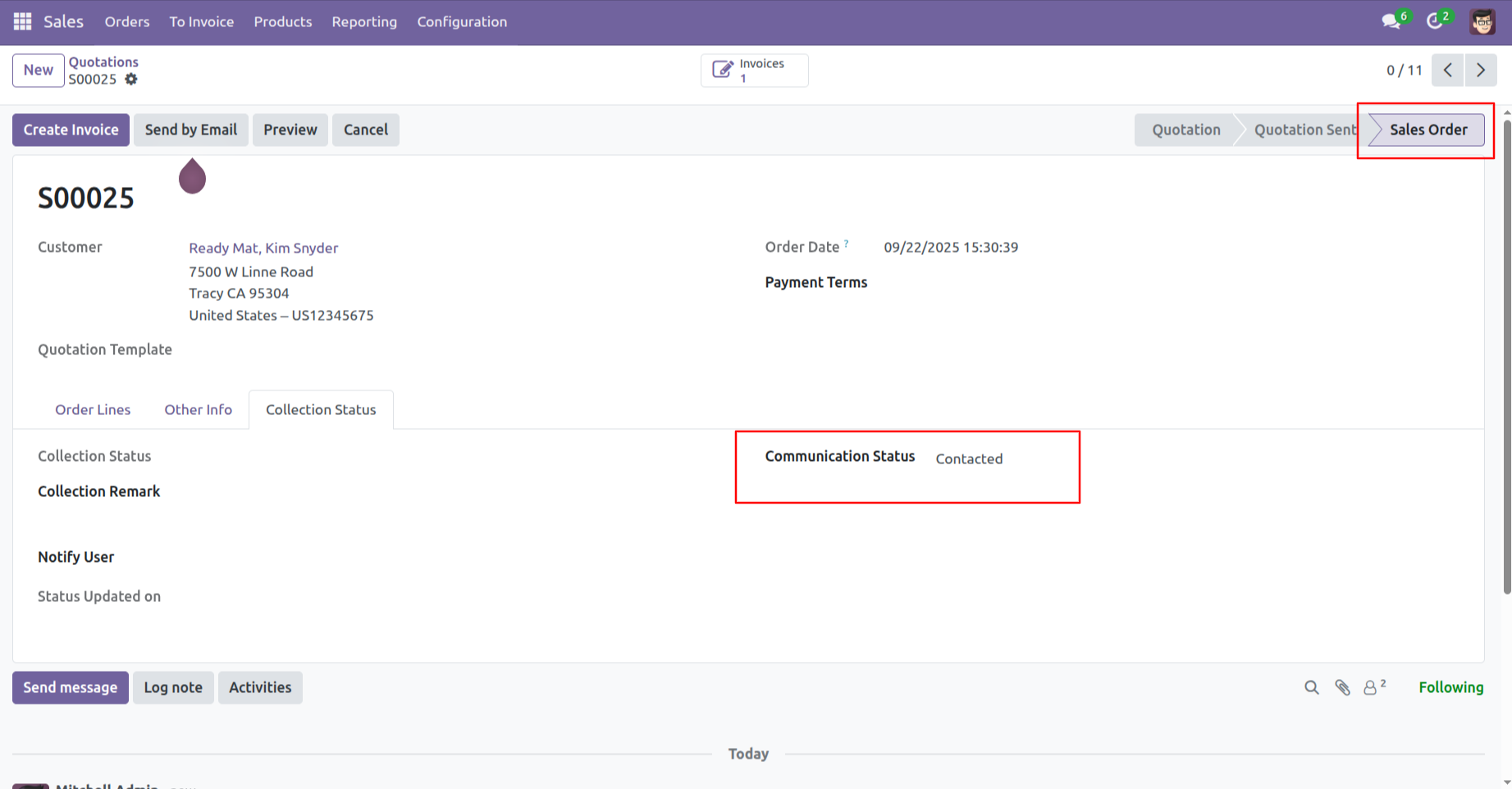
In the Sales Order stage, the Collection Status tab displays the current Communication Status (e.g., Contacted) for easy tracking.
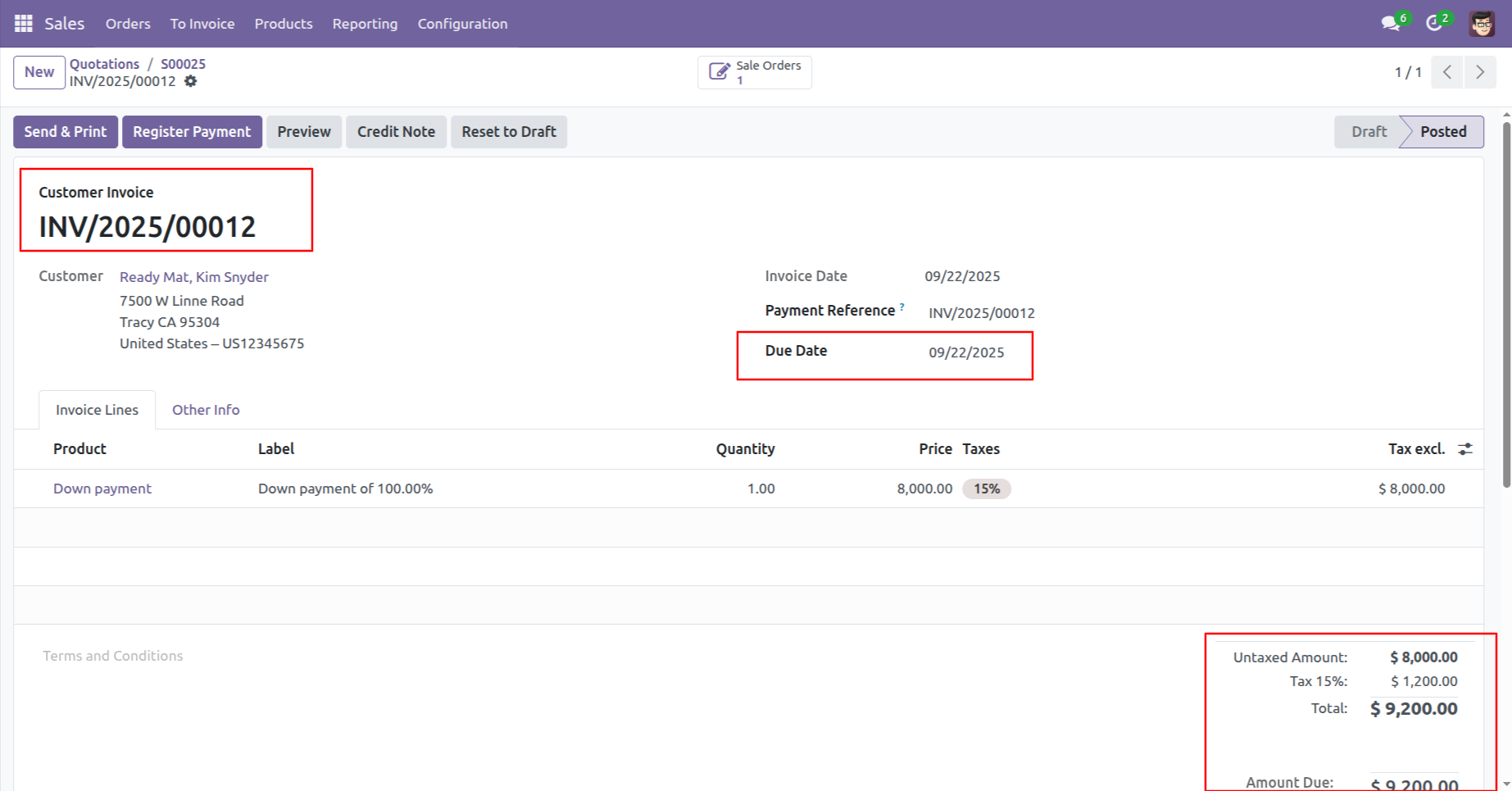
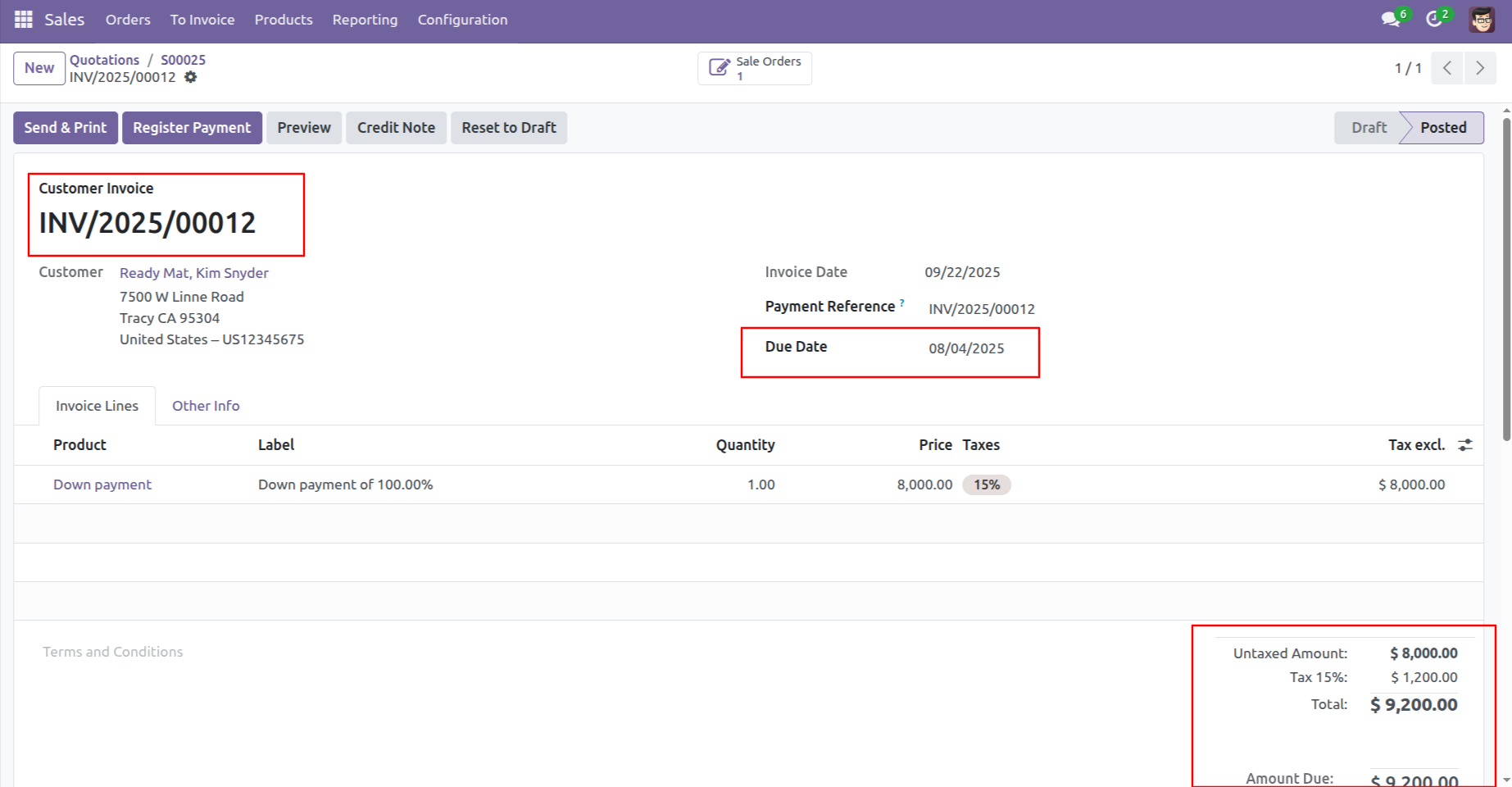
The Customer Invoice displays the Due Date and Total Amount, which are used by the system to calculate risk levels and trigger collection alerts.
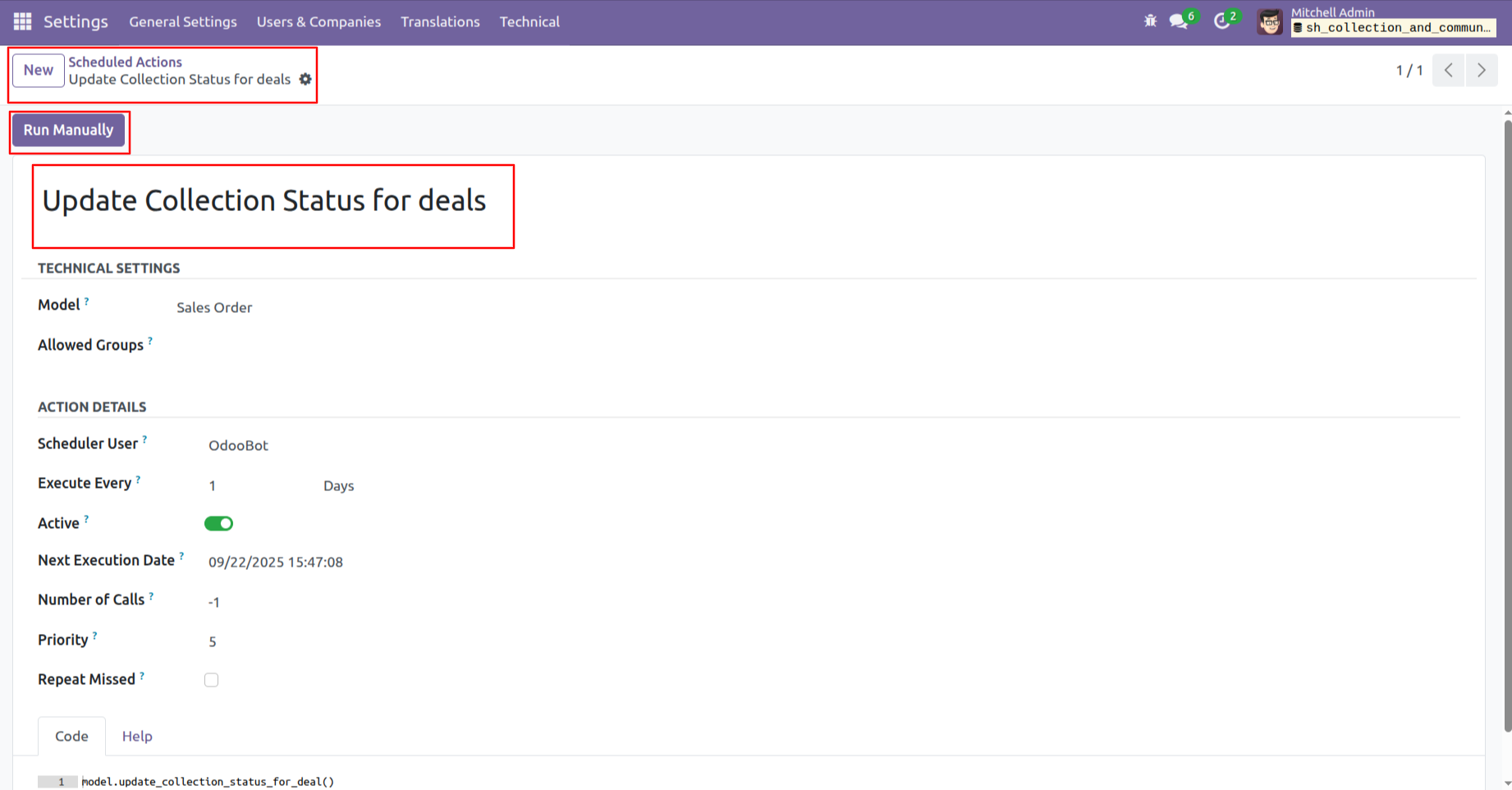
The system automatically updates deal statuses daily, but you can trigger an immediate refresh by clicking the Run Manually button.
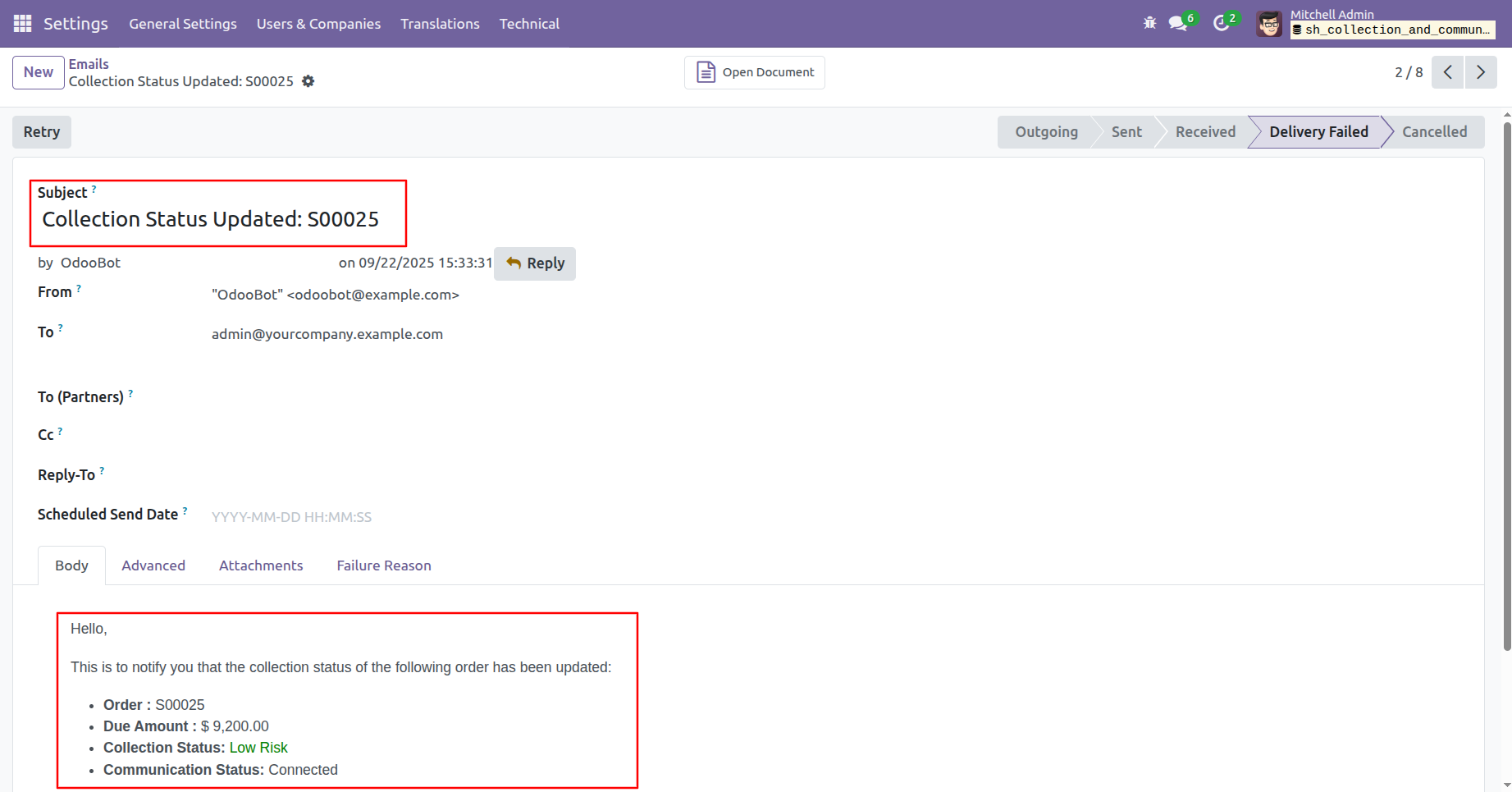
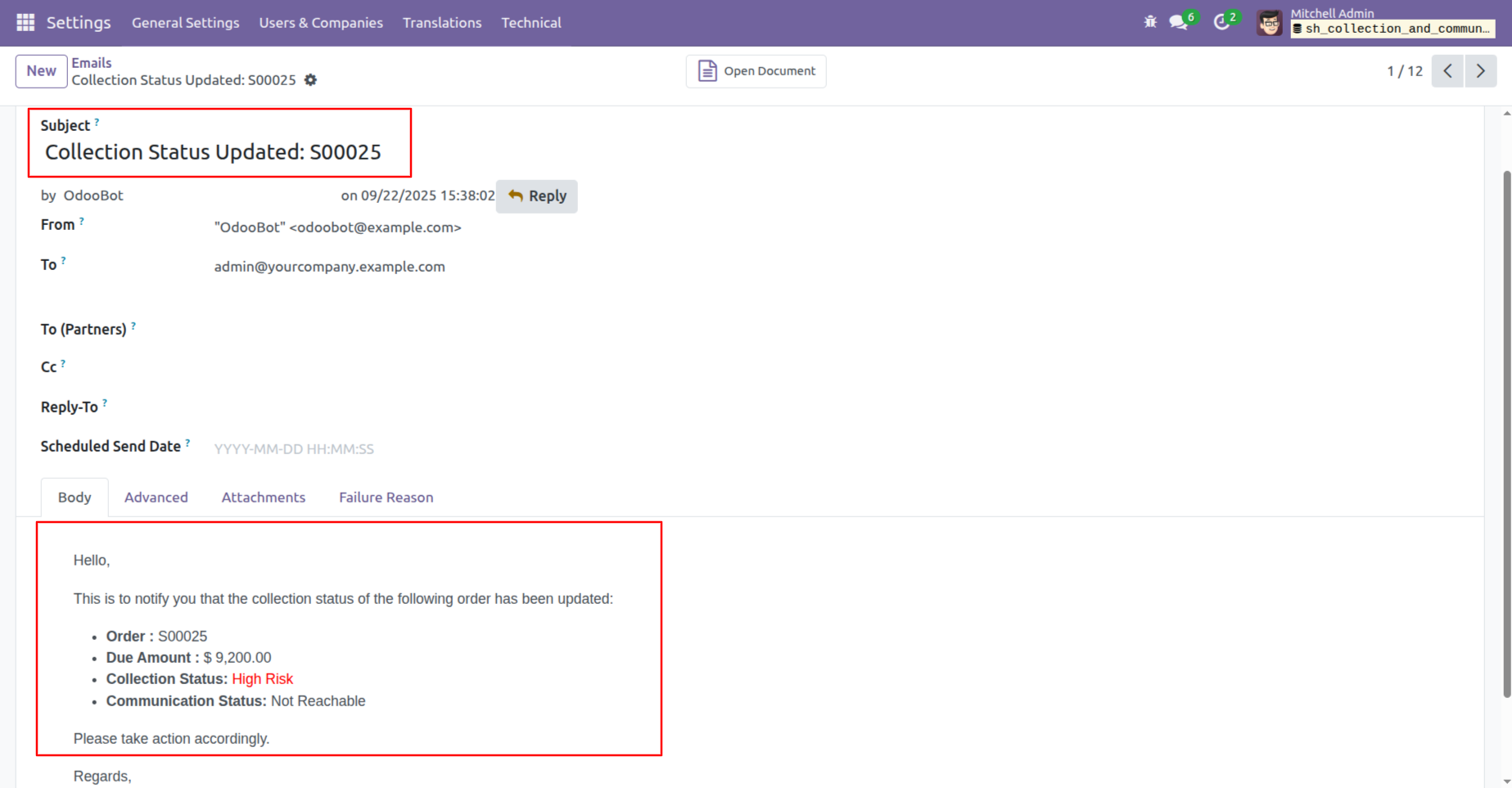
The system sends an email alert detailing the order's new collection and communication status, ensuring users remain informed of risk updates.
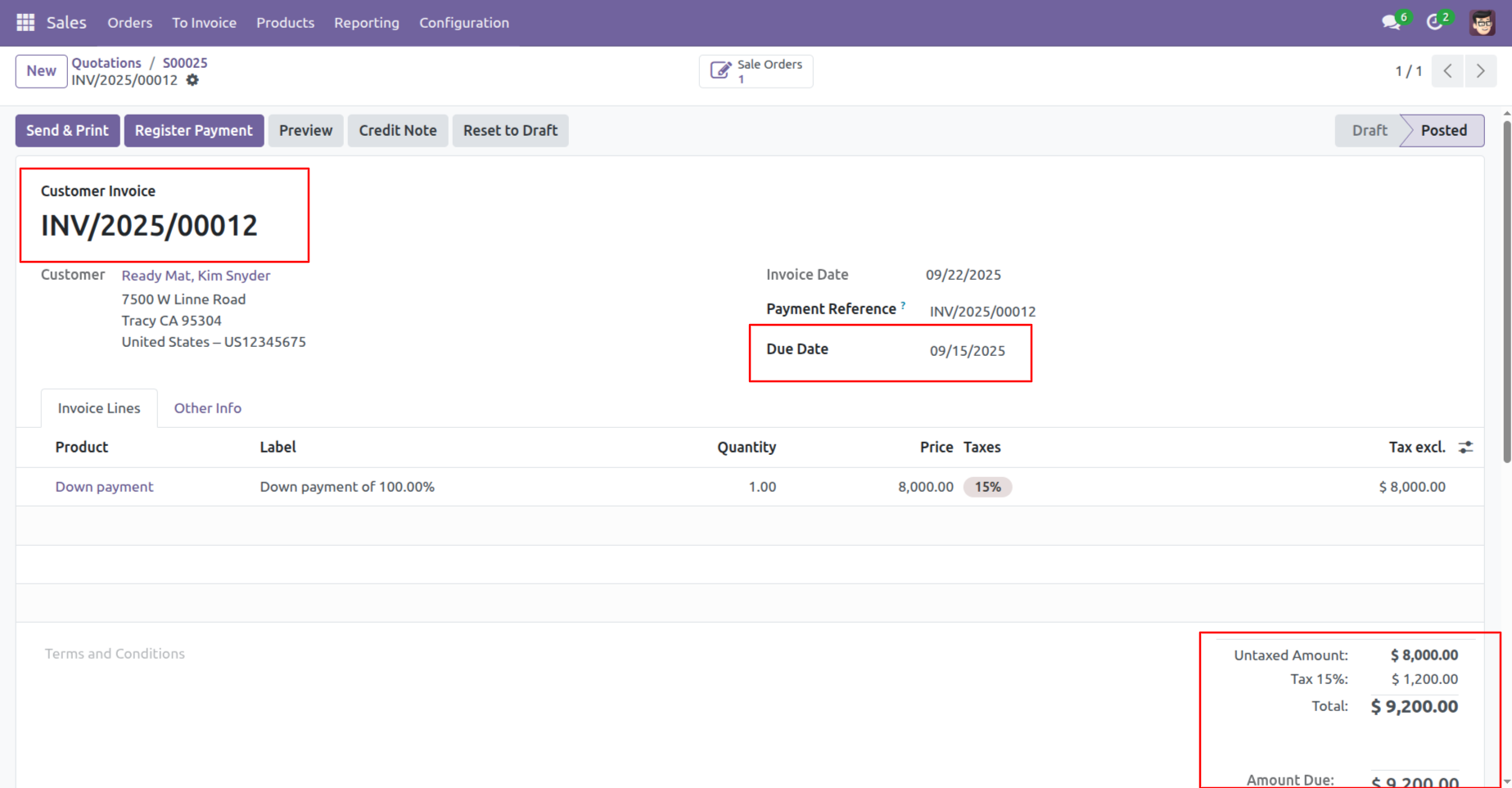
The system tracks the Due Date and Total Amount to automatically calculate the collection risk level.
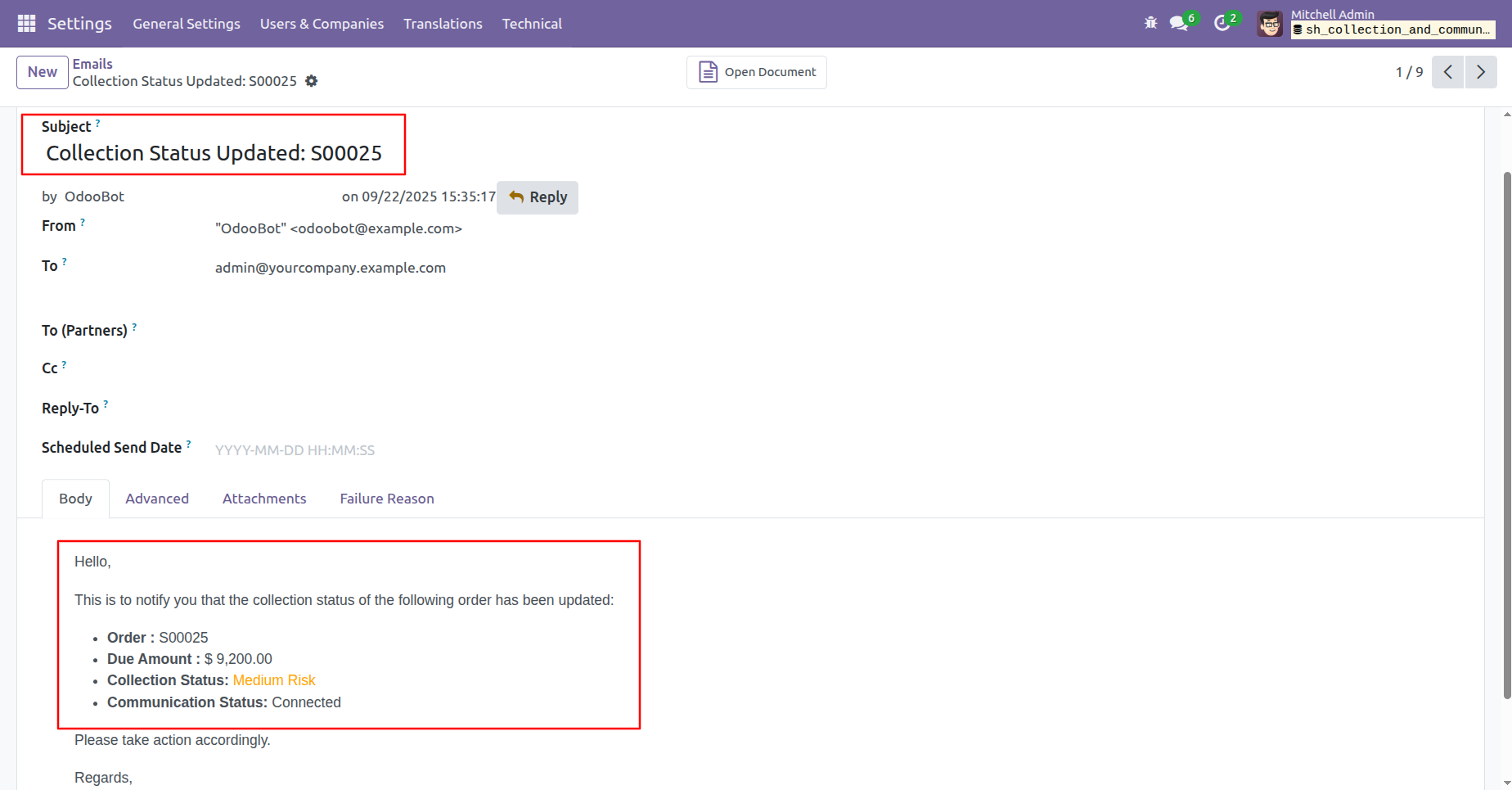
The system sends an updated email notification alerting the user that the deal has escalated to Medium Risk due to continued non-payment.
The invoice displays a Due Date and a Total Amount, identifying it as a high-risk account due to the significant delay in payment.
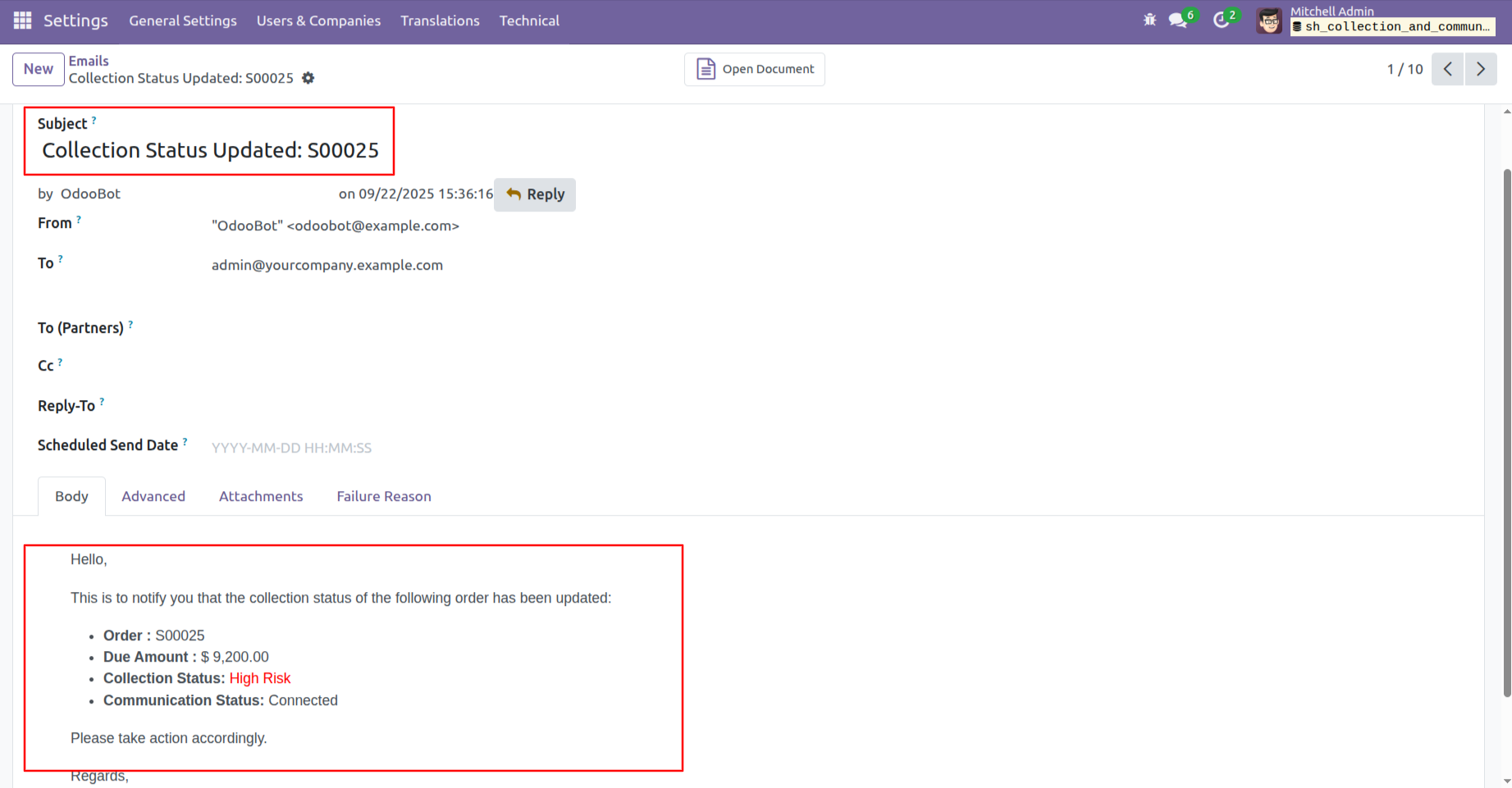
The system sends a critical email alert notifying the user that the deal has escalated to High Risk, requiring immediate attention.
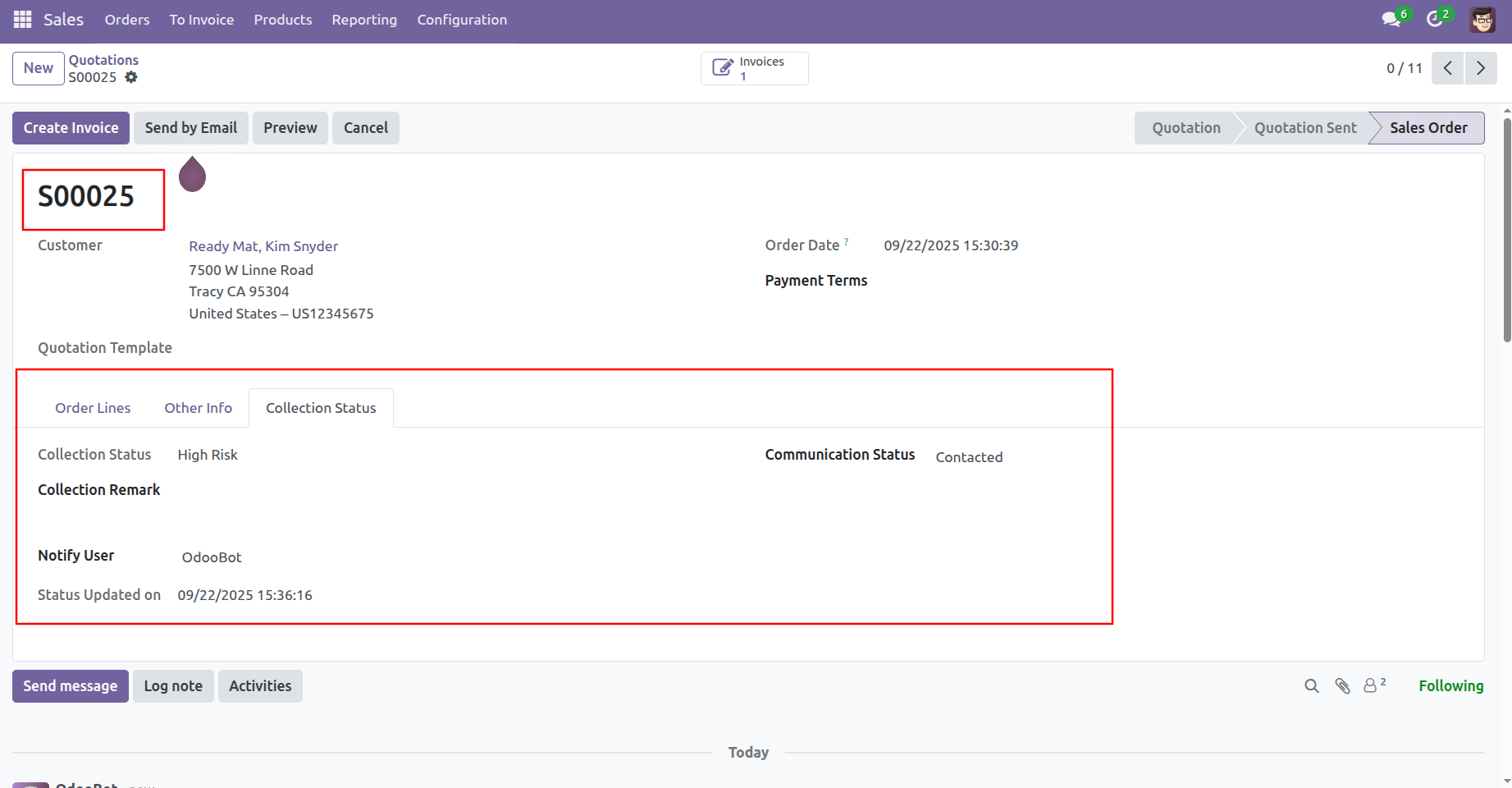
In the Sales Order view, the Collection Status tab confirms the deal is now classified as High Risk, complete with the update timestamp.
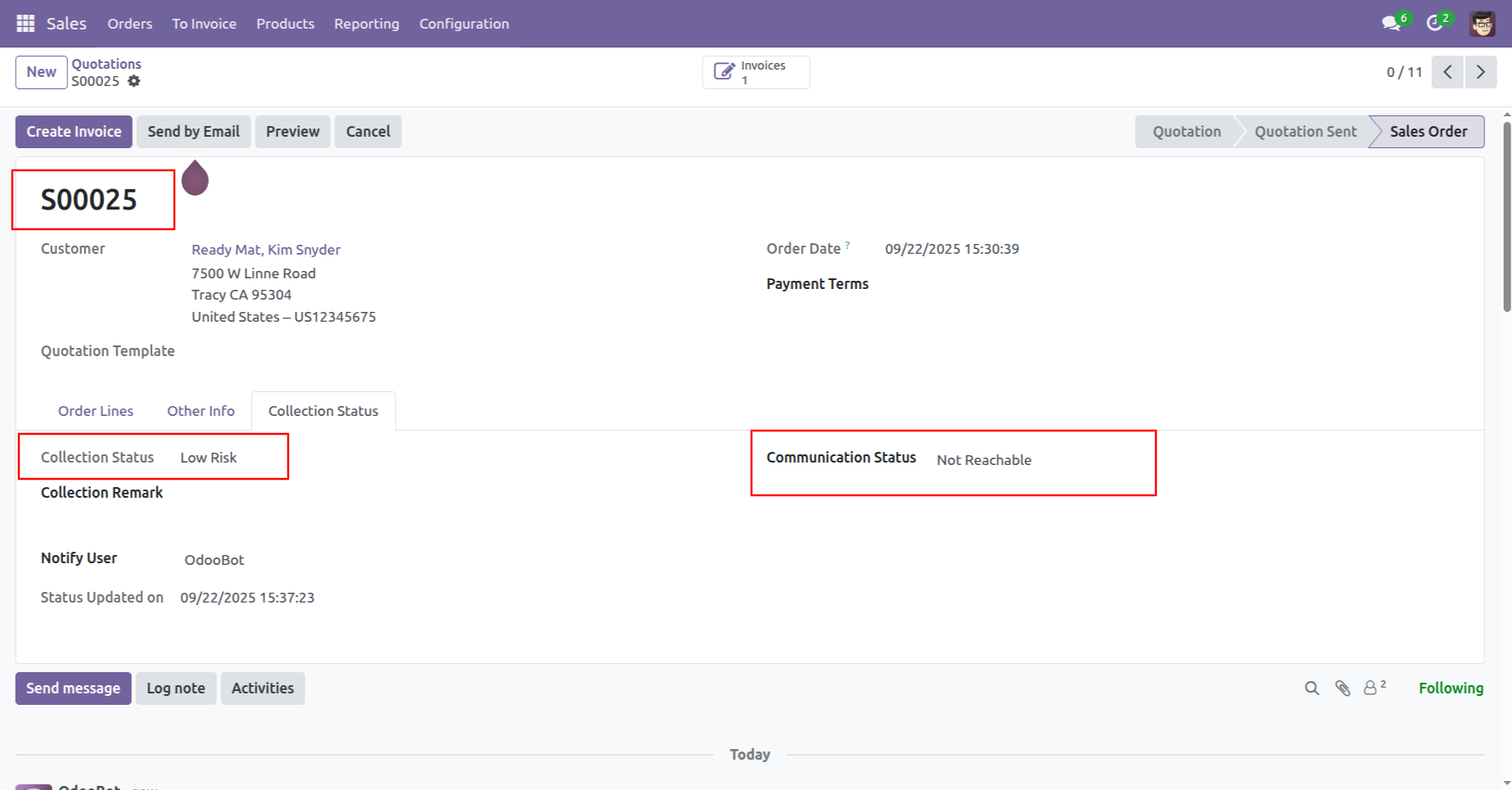
The Collection Status tab displays the deal as Low Risk, but notes that the customer is currently Not Reachable.
The email notification alerts the user that the deal is now High Risk and the client is Not Reachable, signaling an urgent need for intervention.
Version 17.0.1 | Released on : 8th January 2026
- Yes, this app works perfectly with Odoo Enterprise (Odoo.sh & Premise) as well as Community.
- No, this application is not compatible with odoo.com(odoo saas/Odoo Online)
- Yes, to test this module, please contact us at sales@softhealer.com.
- Please contact us at sales@softhealer.comto request customization.
- Yes, we provide free support for 365 days from the date of purchase.
- Yes, you will receive lifetime free updates for the version of the module you purchased.
- No, there is no need to install any additional libraries.
- Yes, for version 12 and above, you need to purchase the module separately for each version you intend to use.
- No, exchanges or refunds are not allowed. Please make sure to select the correct version before purchasing.
- You can contact us at support@softhealer.com for language translation support. We use Google Translator tools to provide translations in multiple languages, so the accuracy may vary. We welcome your suggestions to help improve translations.
Discover Our Latest Apps