












Outgoing Mail Server For Multi-Company

This module empowers you to efficiently manage and configure dedicated outgoing mail servers for each of your specific companies. This powerful tool ensures that all your business communications remain highly organized and distinct, simplifying the monitoring of communication channels across your entire multi-company environment with absolute ease. Also, it automatically checks for email delivery failures within your Odoo system and sends periodic notifications.

Features
Multi-Company Mail-Server Configuration
Configure outgoing mail servers and assign them to multiple companies for flexible email setup.
Company-Based Email Routing
Automatically route emails based on selected multi-company configuration to ensure correct delivery.

Hourly Cron Job
Automatically checks for failed emails every hour using scheduled actions.

Email Notifications
Sends an automated email to administrators when an email fails to deliver.
Logs & Tracking
Keeps a detailed log of all failed emails for future reference and auditing.
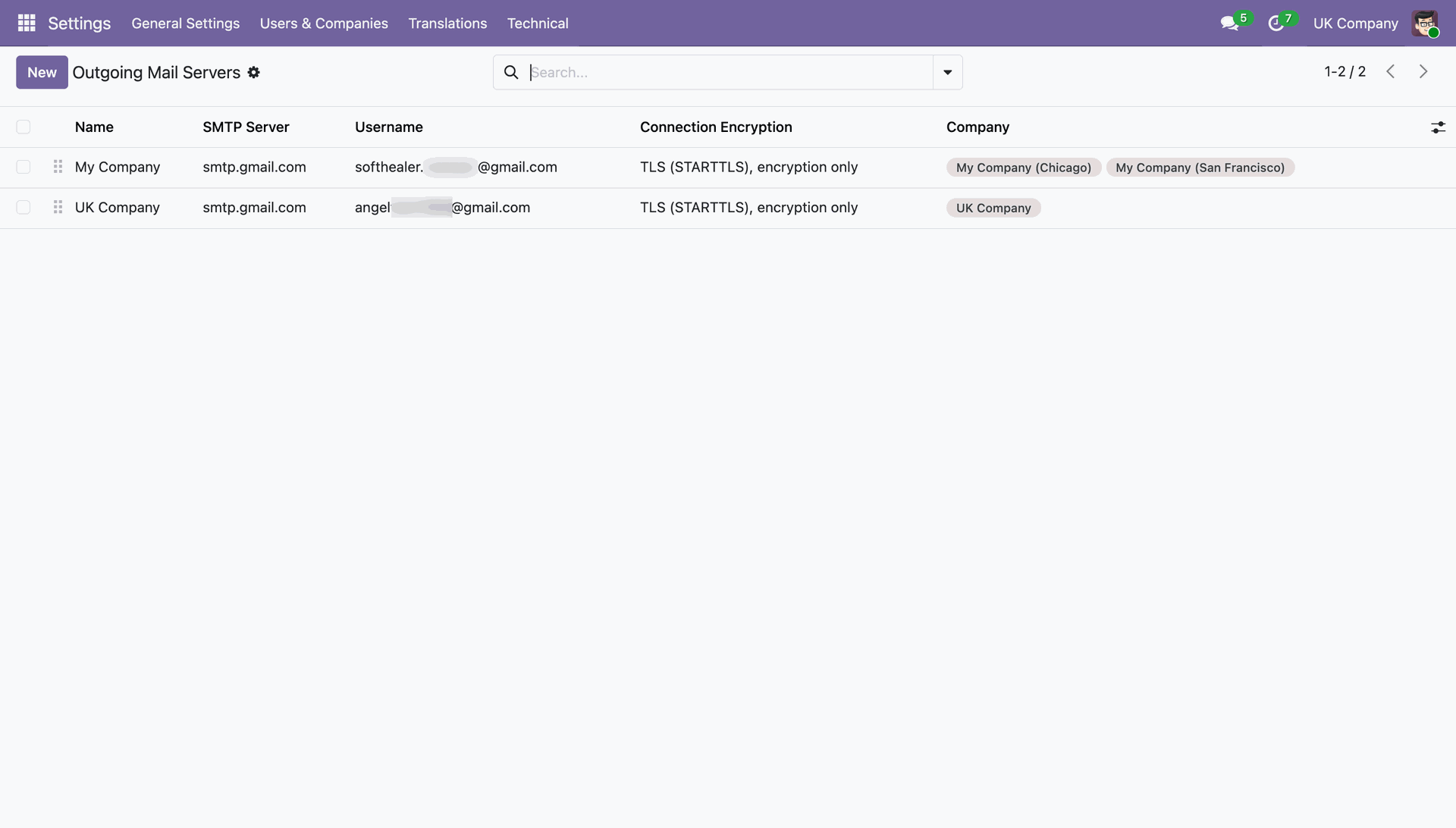
Reviewing and managing the configured "Outgoing Mail Servers" in Odoo settings.
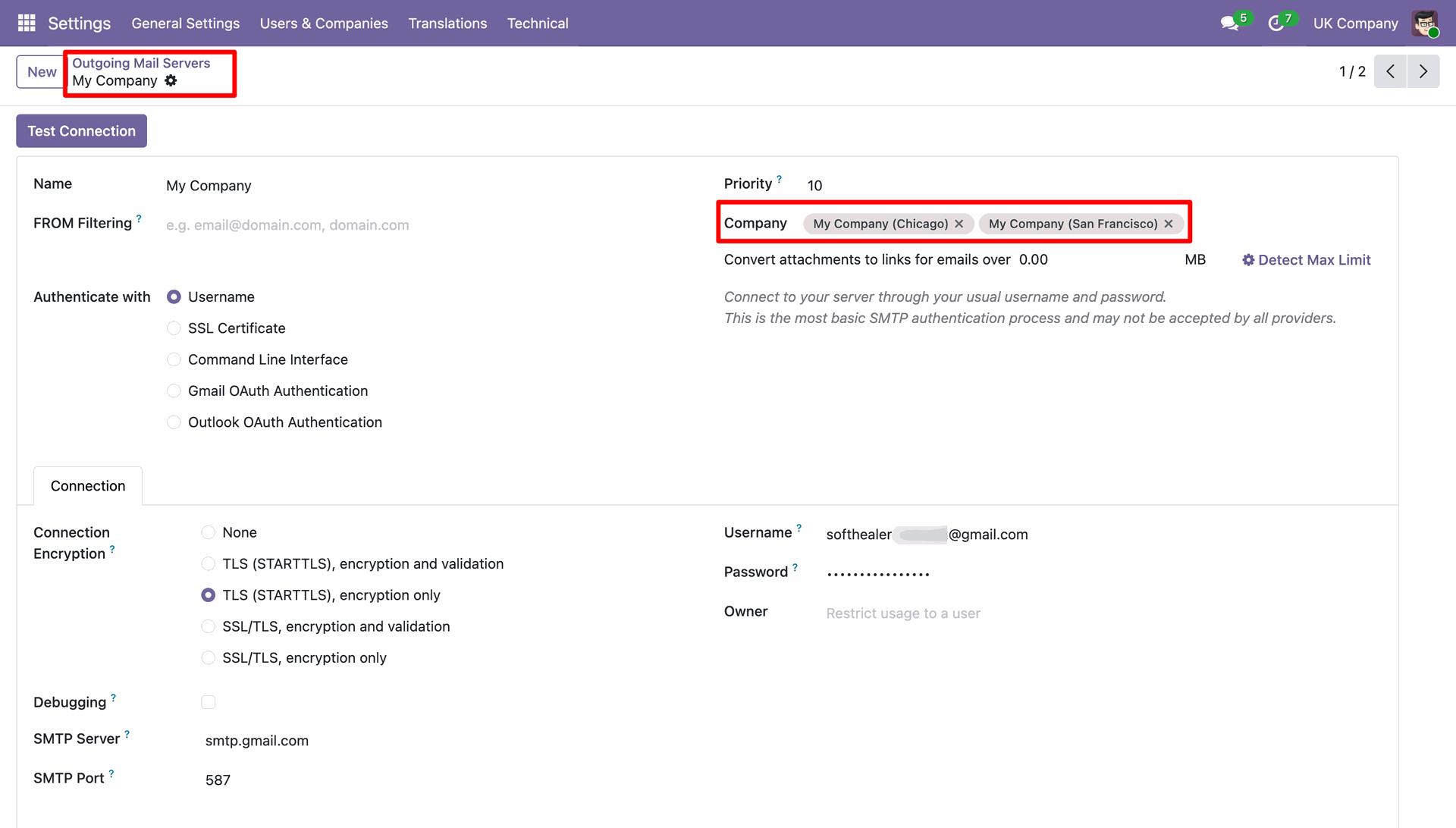
Configuring an Odoo outgoing mail server.
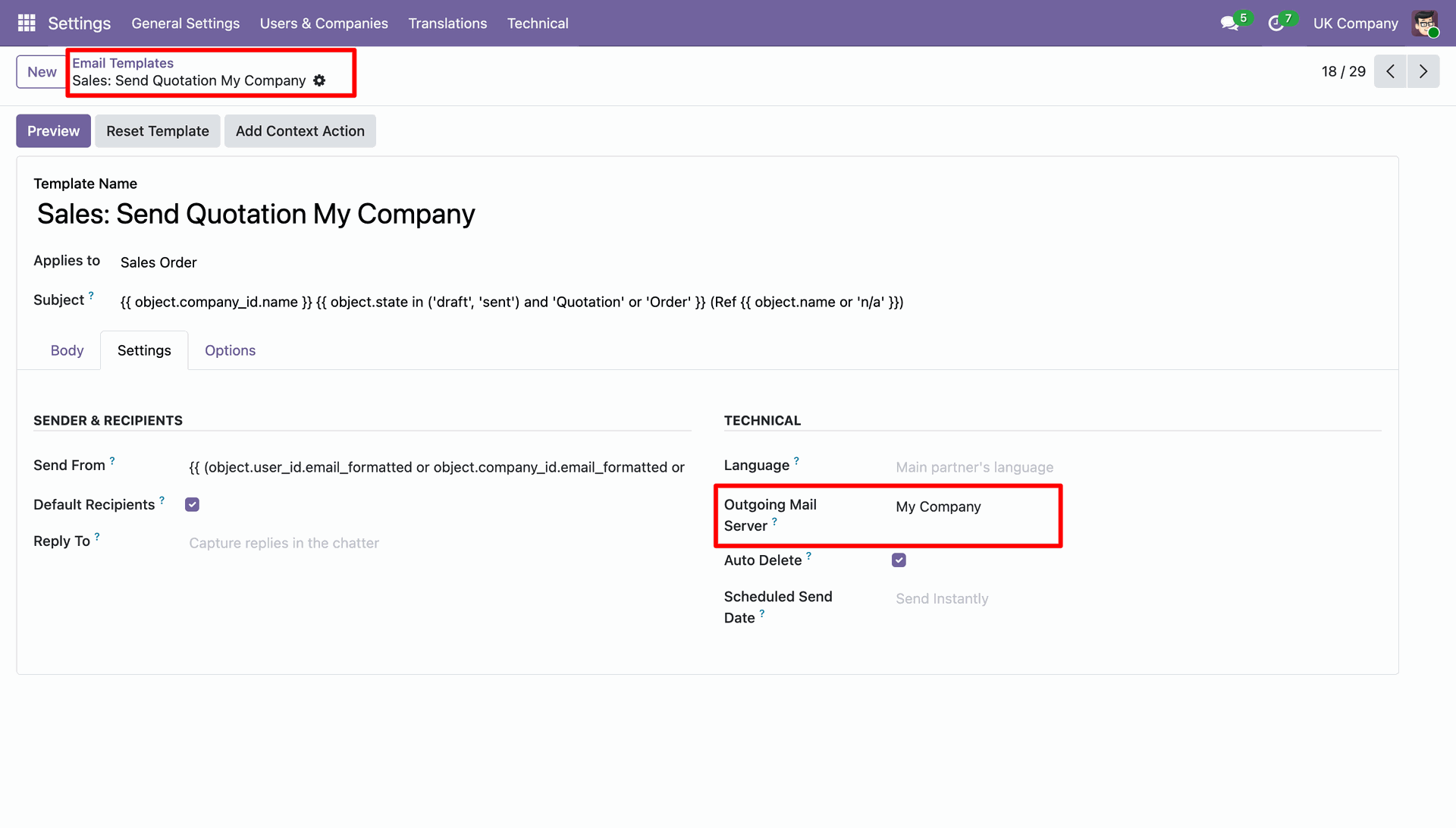
Linking the "My Company" outgoing mail server to the specific sales quotation template for email delivery.
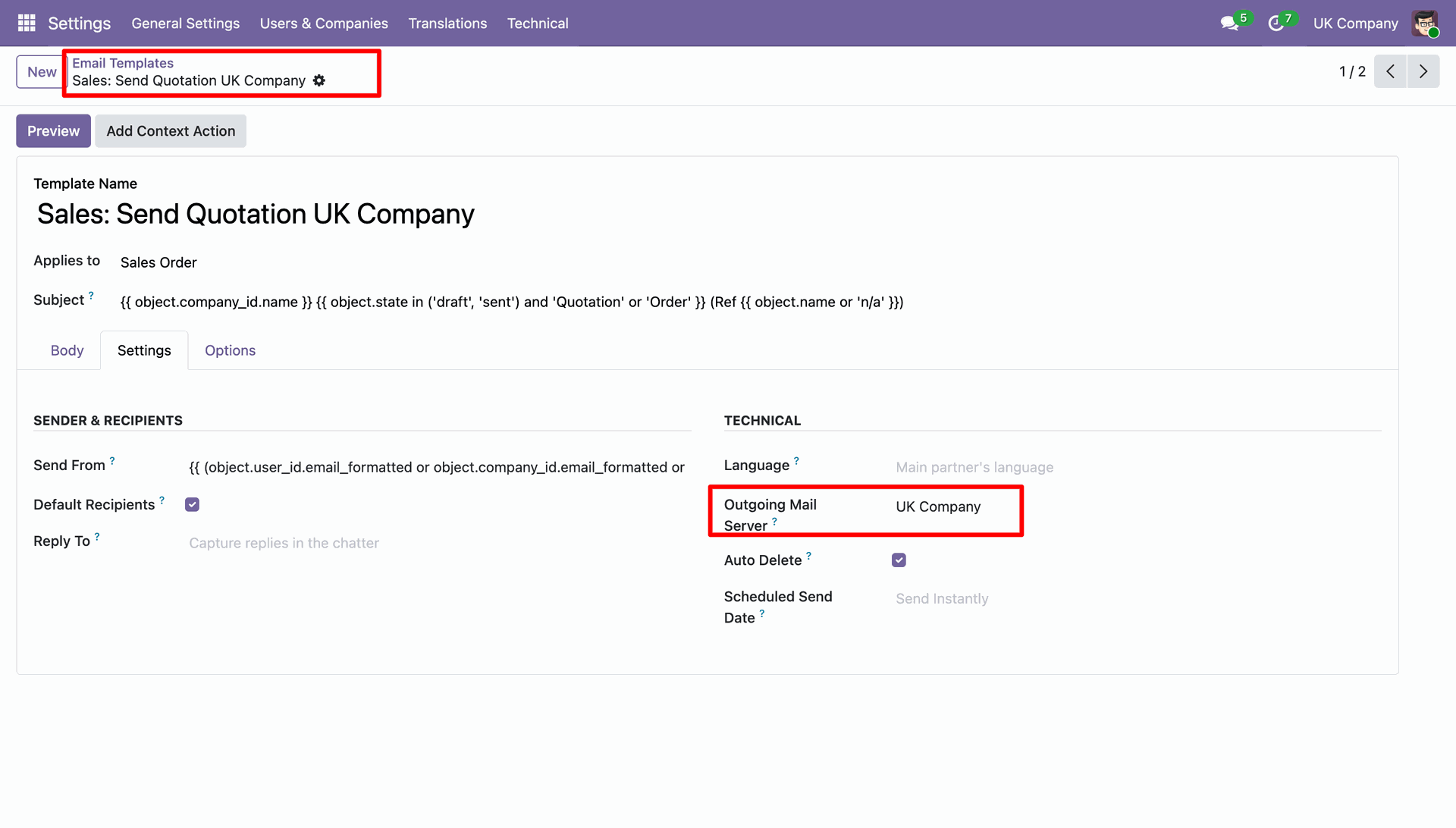
Linking the "UK Company" outgoing mail server to the specific sales quotation template for email delivery.
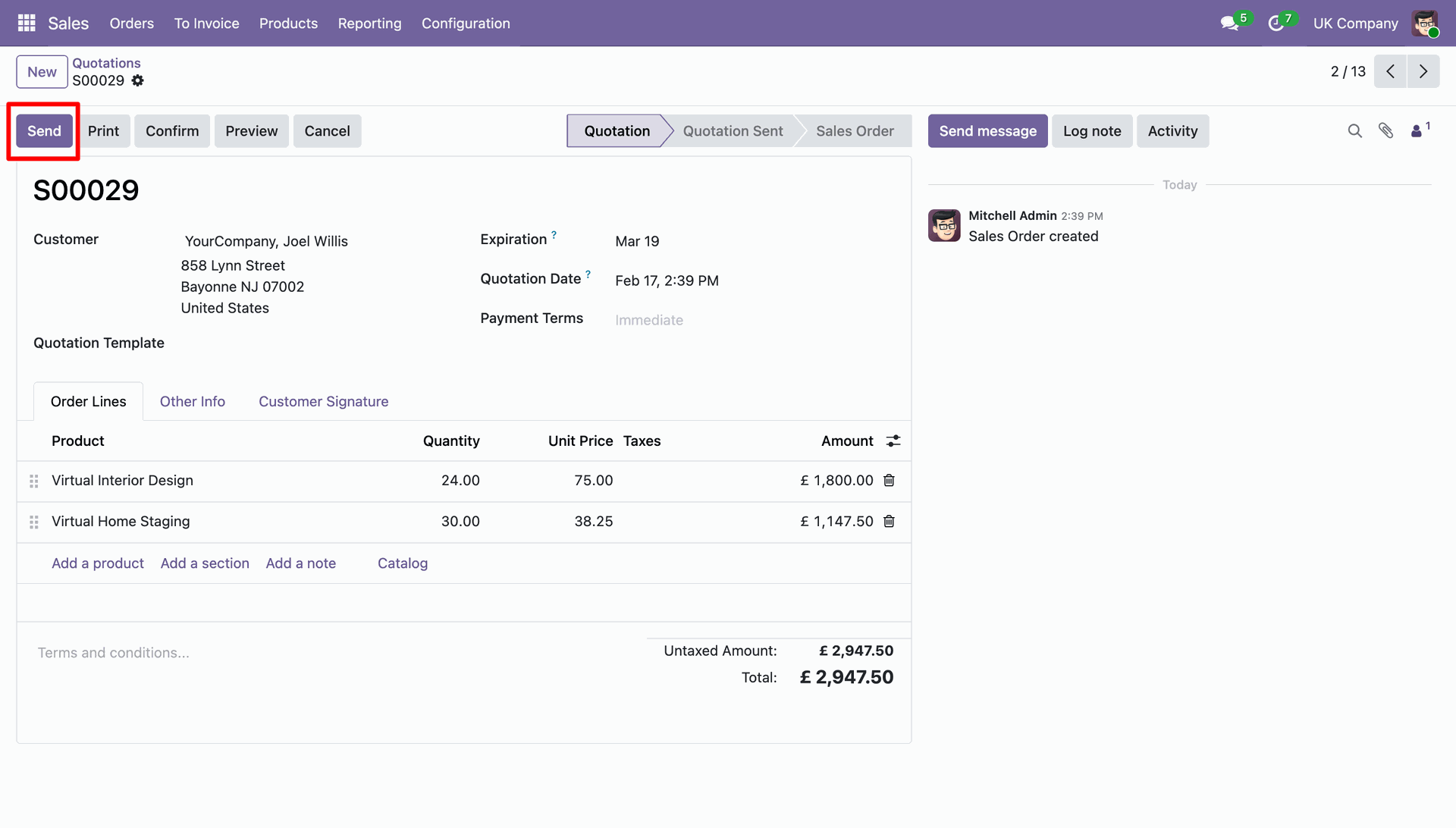
Preparing to email quotation to the customer by clicking the "Send" button in the Odoo Sales module.
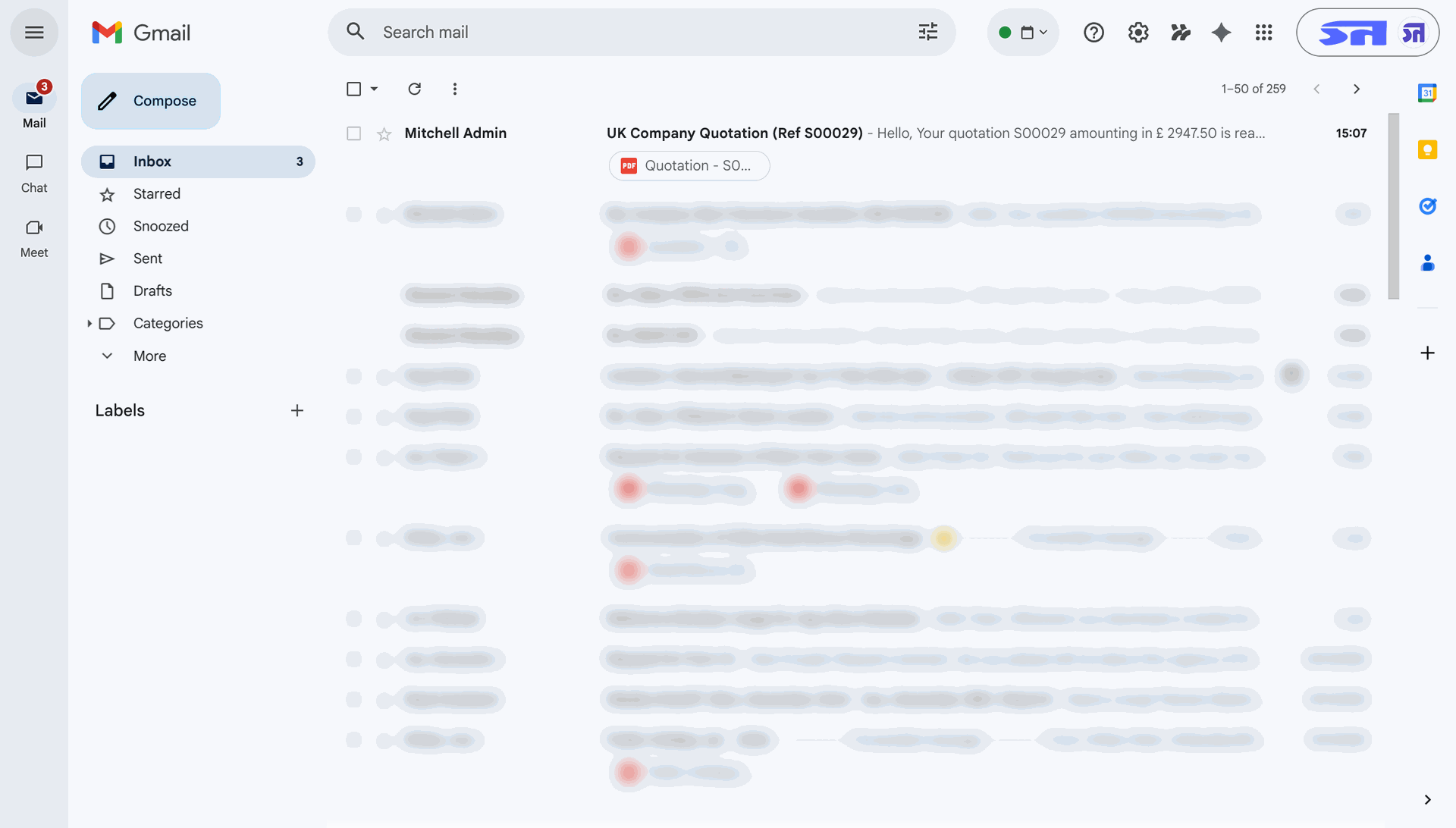
Reviewing the sent "UK Company Quotation" in Gmail to verify the delivery of the PDF attachment.
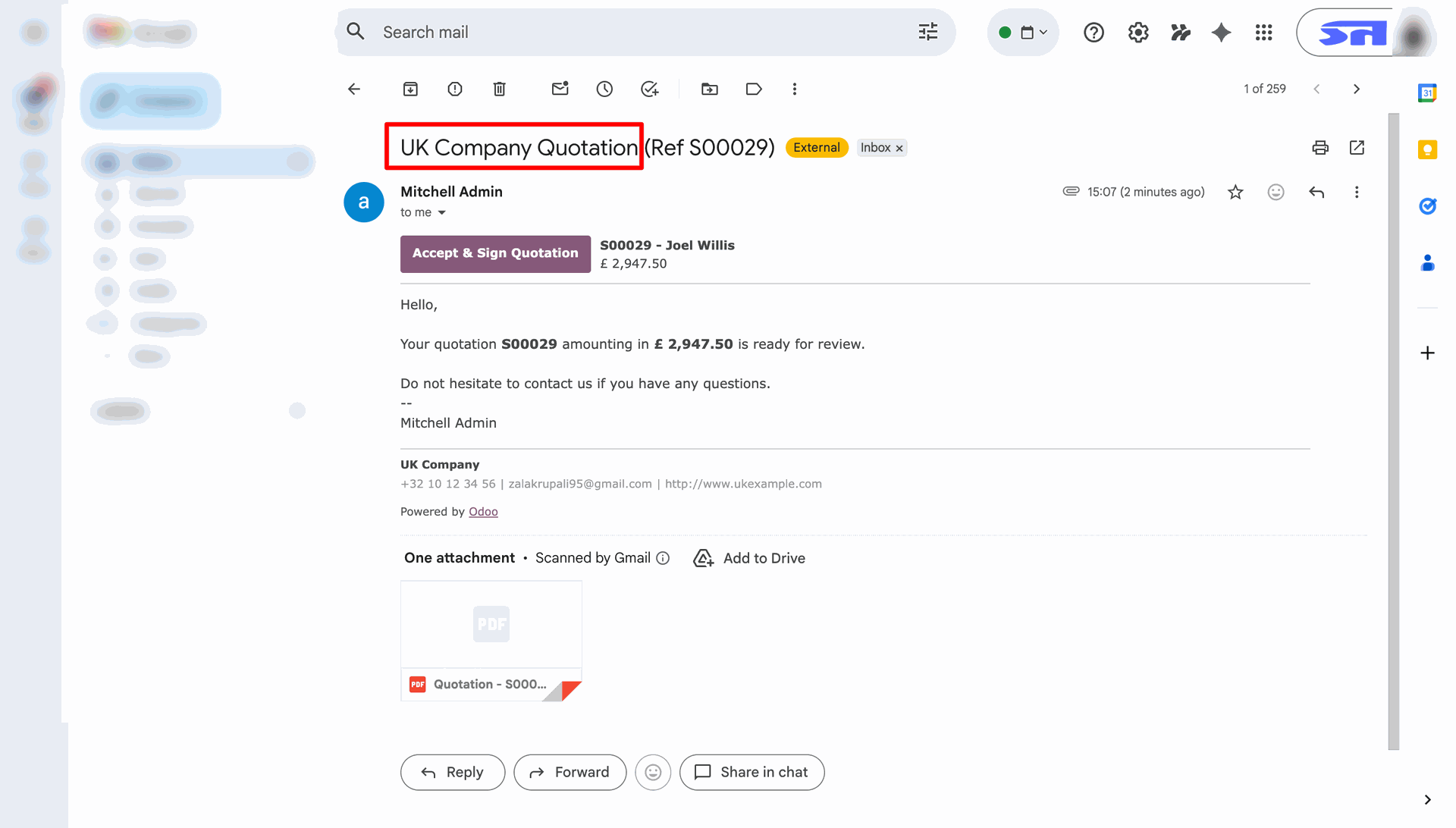
Reviewing the customer-facing email for quotation, featuring an "Accept & Sign" call-to-action button.
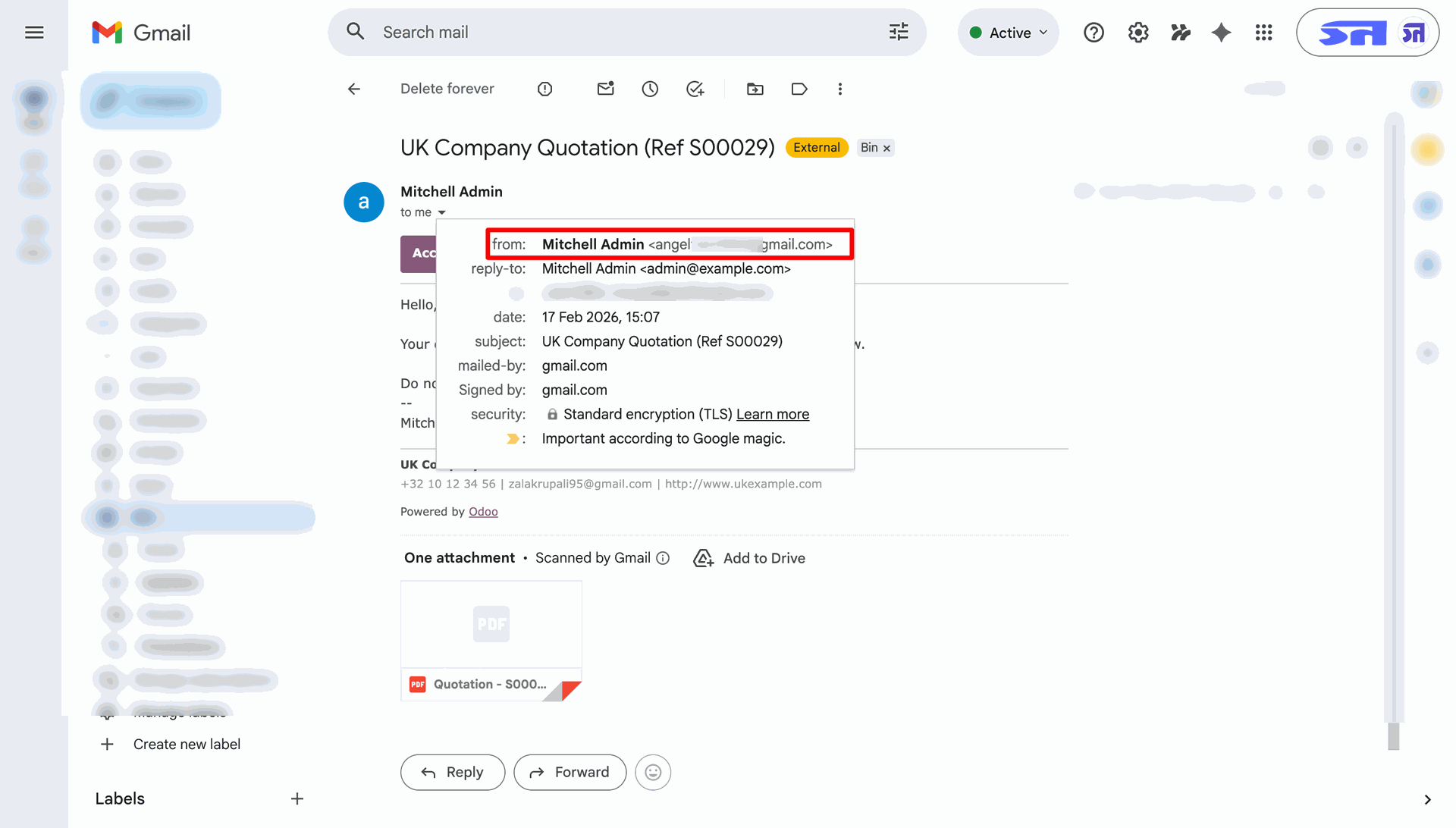
Inspecting the "from" and "reply-to" headers in Gmail to verify that the quotation was sent via the correct UK Company mail server.
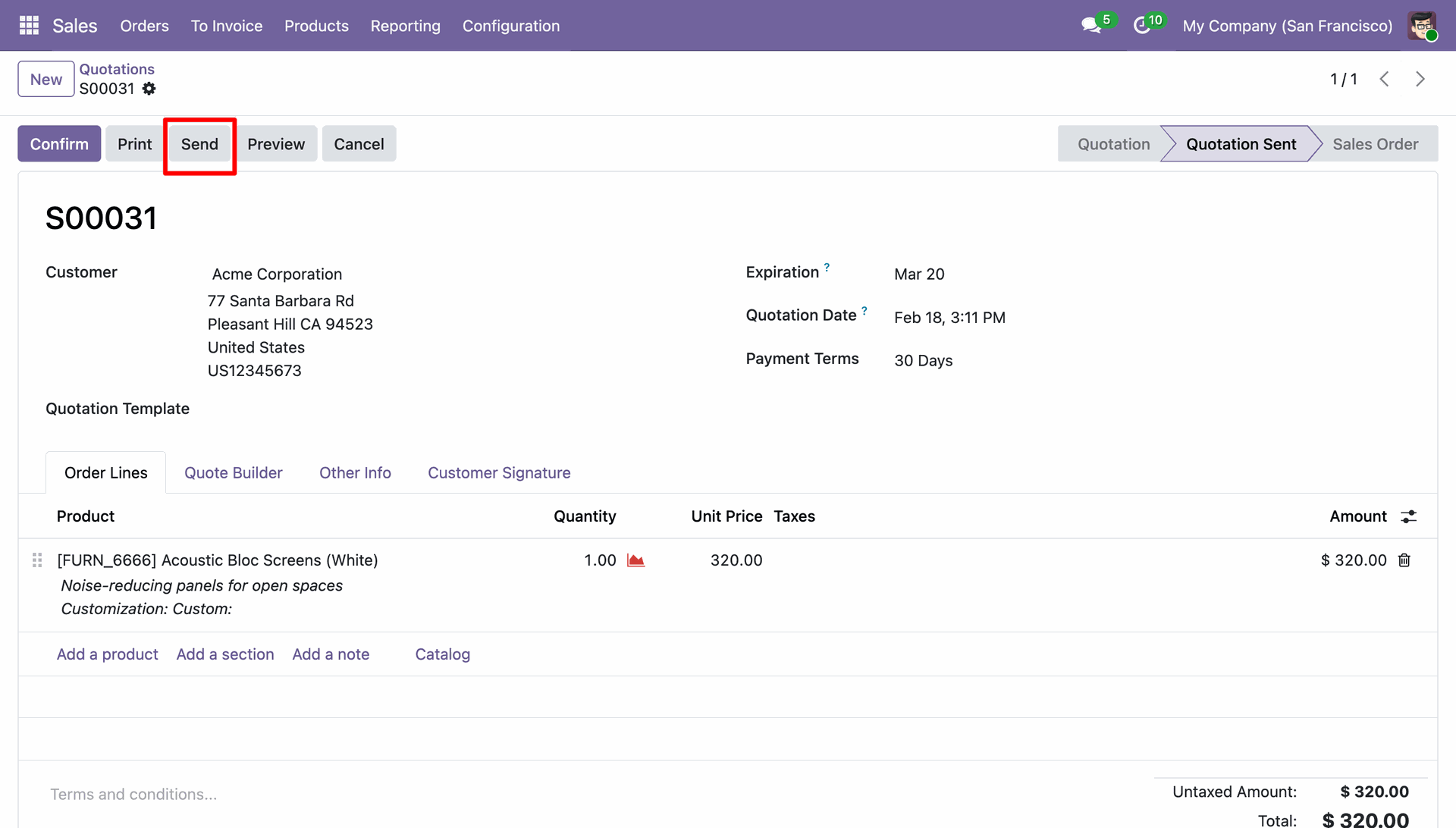
Preparing to email quotation to Acme Corporation by clicking the "Send" button in the Odoo Sales module.
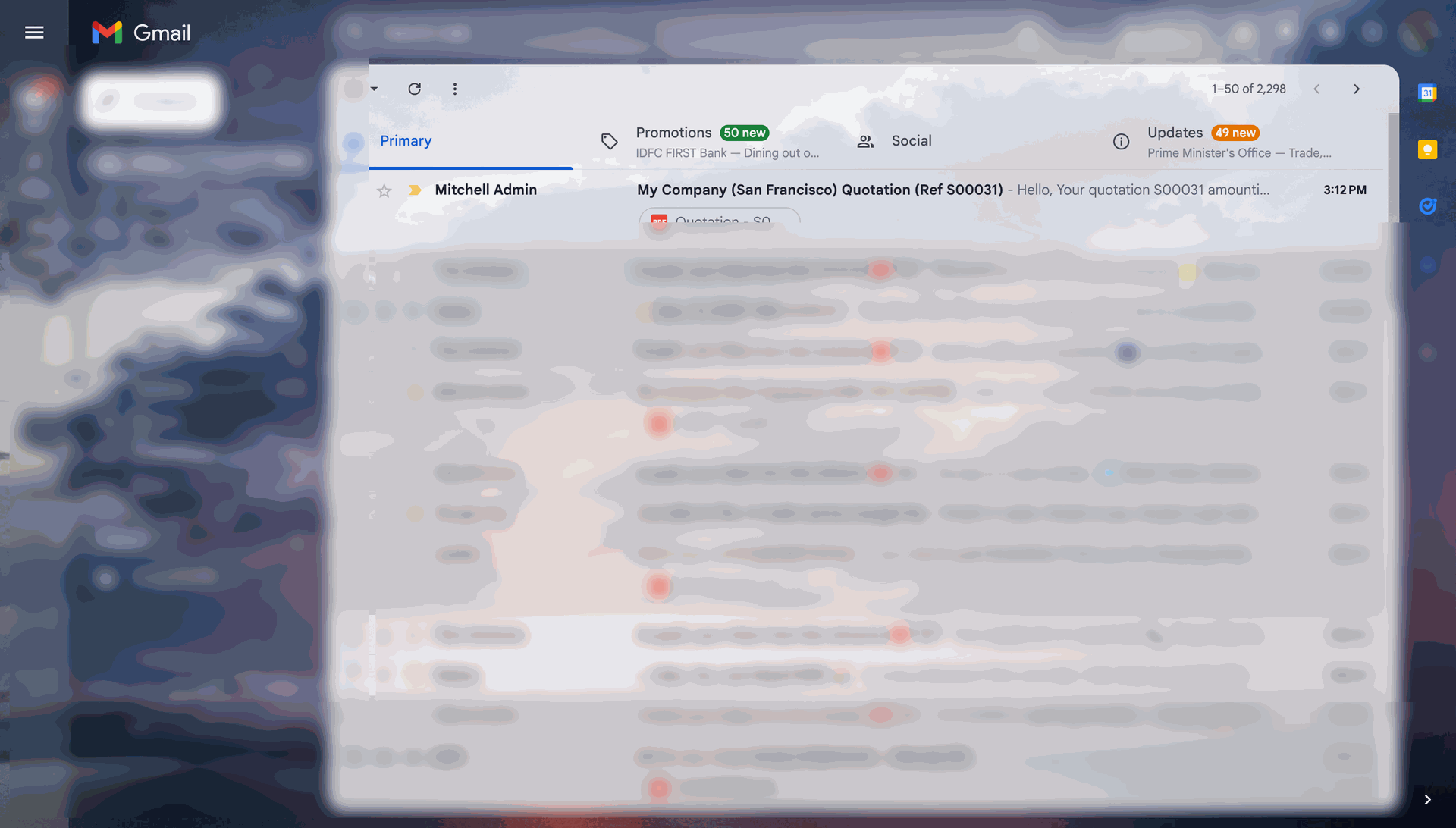
Verifying the delivery of the "My Company (San Francisco) Quotation" in Gmail to ensure the customer received the PDF attachment.
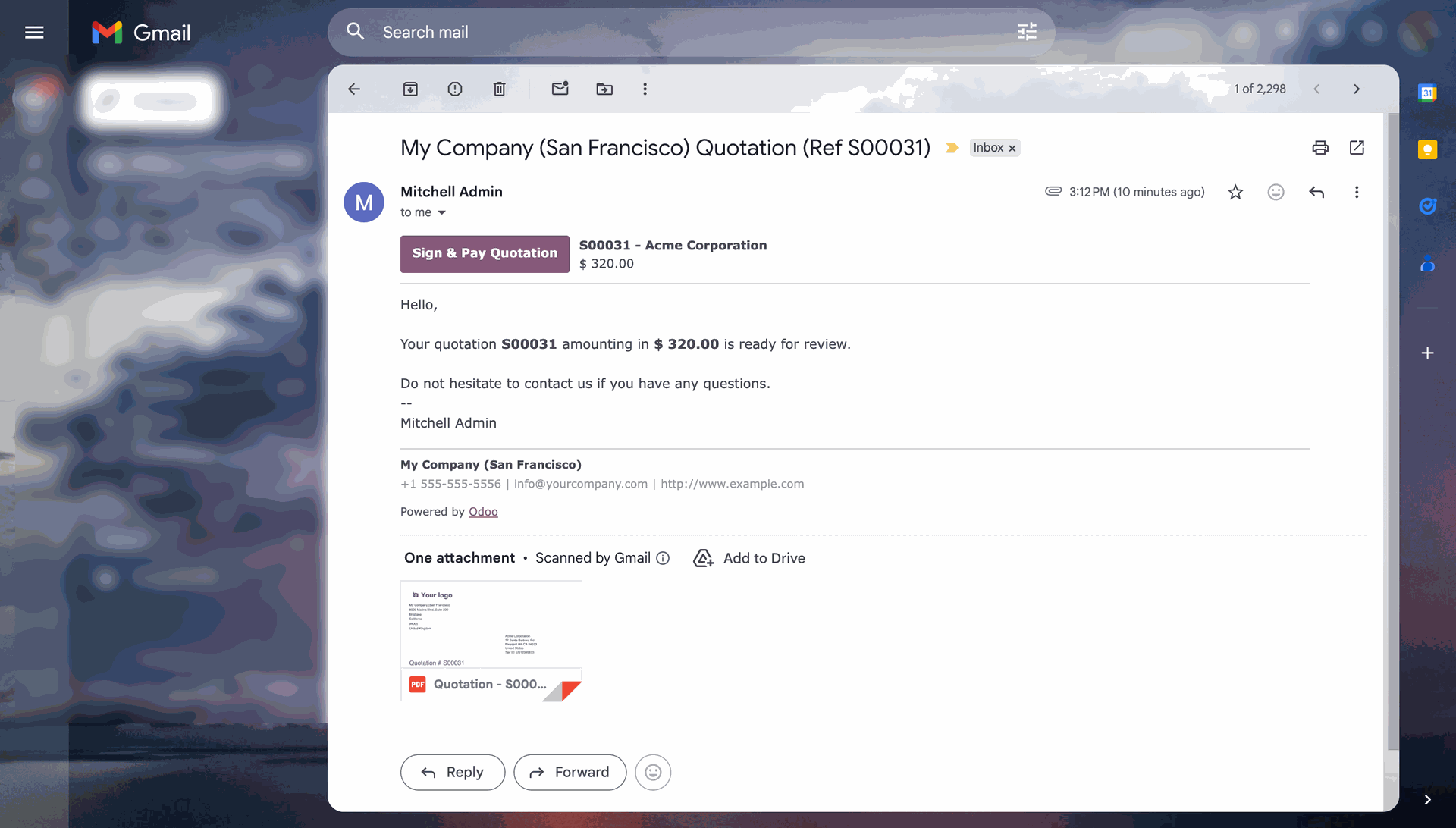
Reviewing the automated email for quotation sent to Acme Corporation, featuring the "Sign & Pay" call-to-action.
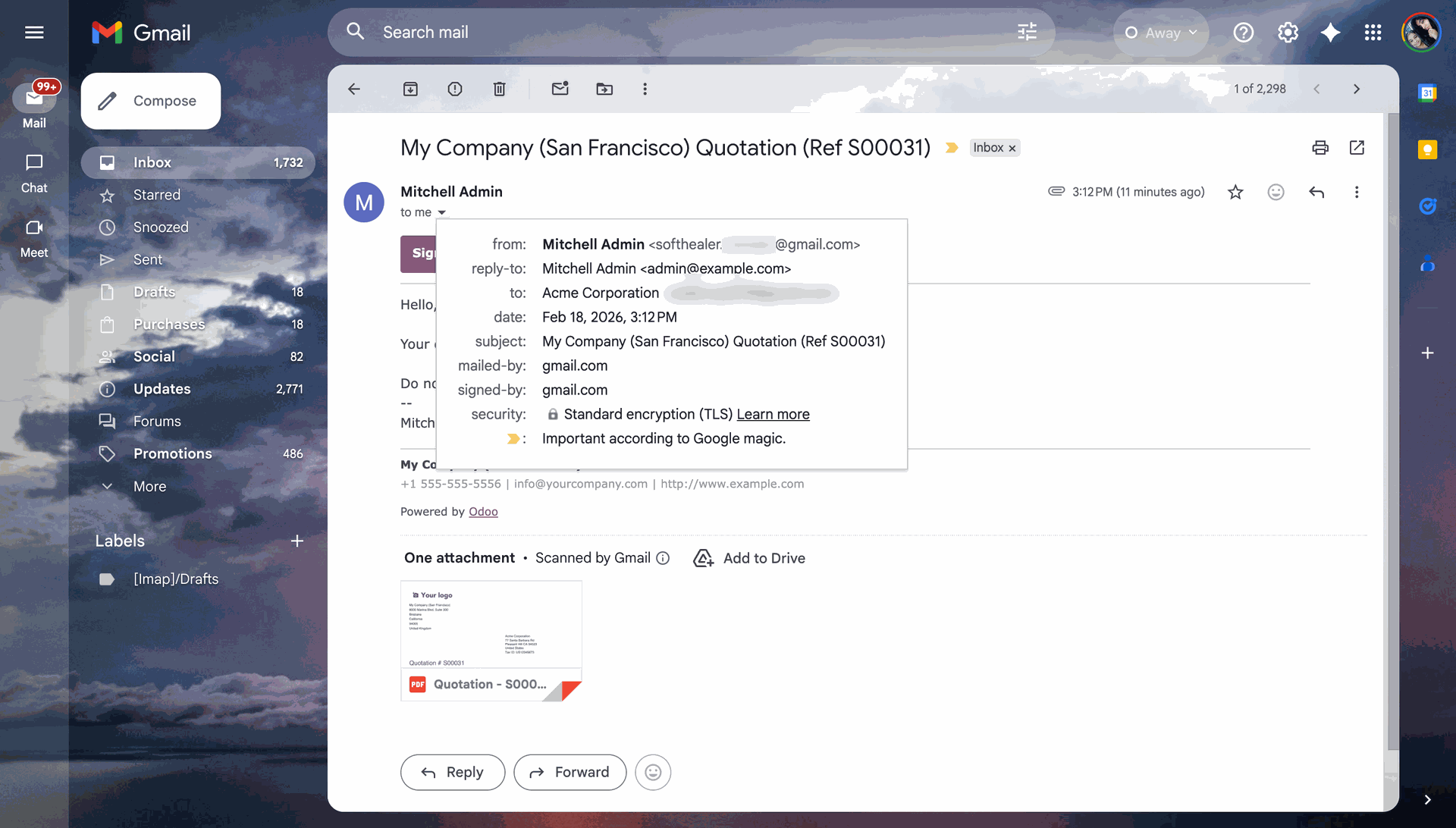
Checking email header information for a San Francisco quotation.
View all outgoing emails and easily identify the ones with 'Delivery Failed' status.

The module uses a Scheduled Action (cron job) to automatically check for failed emails at regular intervals.

Enable the 'Notify Email failed' option in the user access rights to specify which users will receive the failure notification reports.

The system automatically generates and sends an 'Hourly Email Failure Report' to the configured users.

The notification email contains a clear, tabular report showing the count of failed emails grouped by company.

Version 19.0.1.0.0 | Released on : 01st July 2026
- Yes, this app works perfectly with Odoo Enterprise (Odoo.sh & Premise) as well as Community.
- No, this application is not compatible with odoo.com(odoo saas/Odoo Online)
- Yes, to test this module, please contact us at sales@softhealer.com.
- Please contact us at sales@softhealer.com to request customization.
- Yes, we provide free support for 365 days from the date of purchase.
- Yes, you will receive lifetime free updates for the version of the module you purchased.
- No, there is no need to install any additional libraries.
- Yes, for version 12 and above, you need to purchase the module separately for each version you intend to use.
- No, exchanges or refunds are not allowed. Please make sure to select the correct version before purchasing.
- You can contact us at support@softhealer.com for language translation support. We use Google Translator tools to provide translations in multiple languages, so the accuracy may vary. We welcome your suggestions to help improve translations.
Discover Our Latest Apps