












Office 365 - Odoo Mail

Nowadays, Office 365 is a widely used cloud-based application. Here in odoo there are no options to sync your office-365 mails. Using this application you can sync your office-365 mails with odoo in just one click.

Related Modules
Features
- Easy to sync mails.
- Just Config your office-365 Key with odoo and go for it.
- No more configuration required, just install it and cheers!
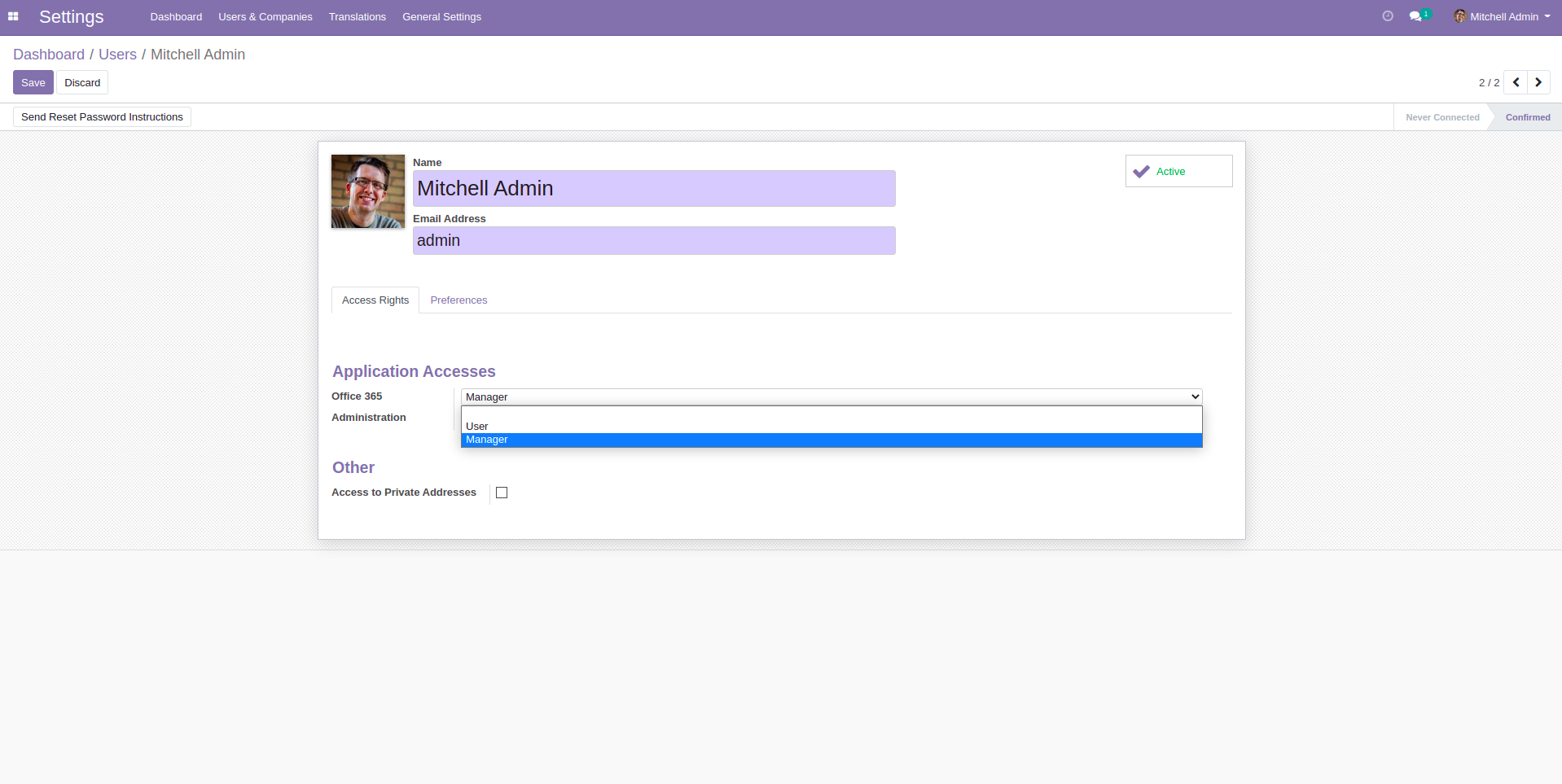
Allow User access right as per requirements There are two groups 1. Manager, 2. User.
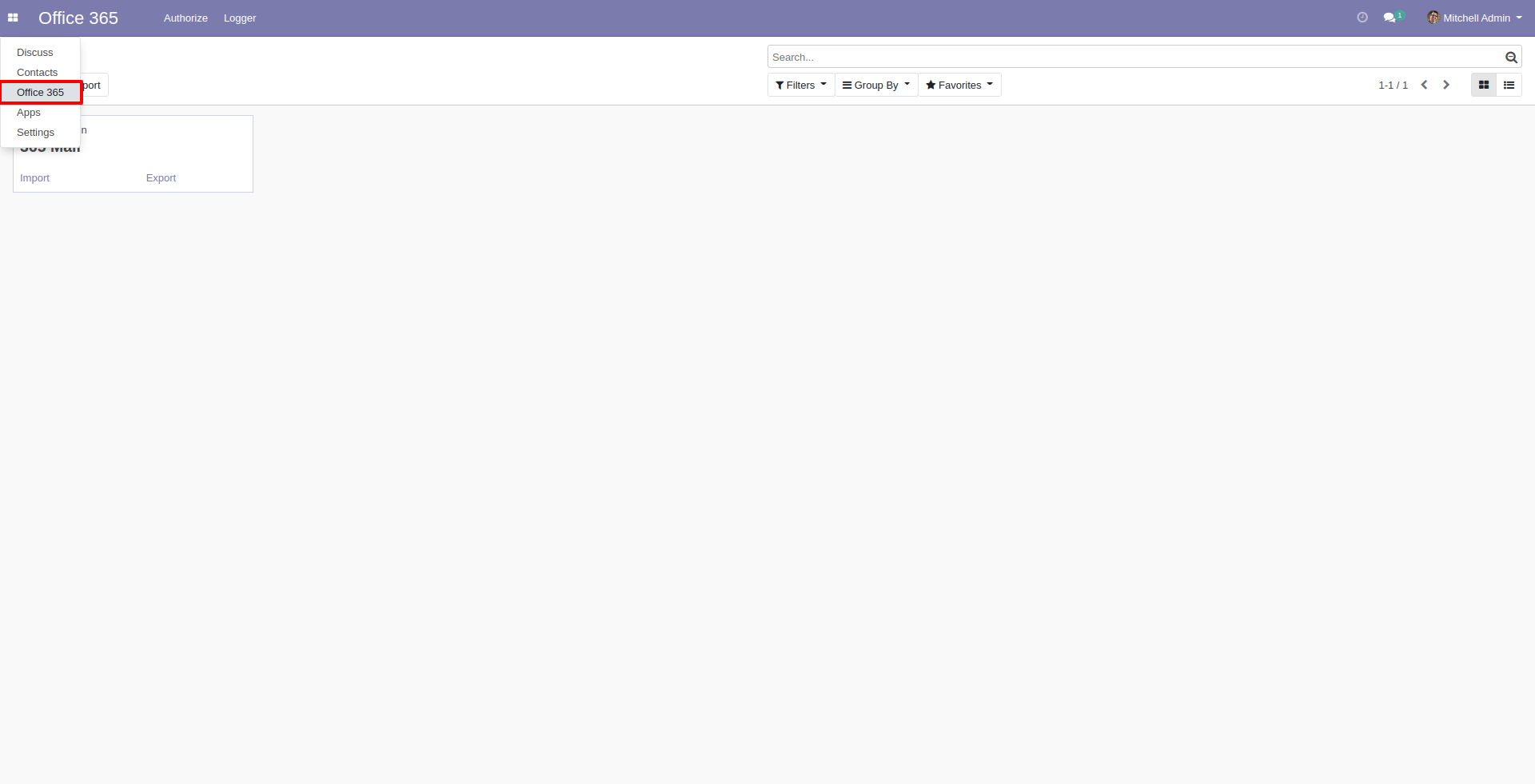
Office 365 Menu and Tree View.
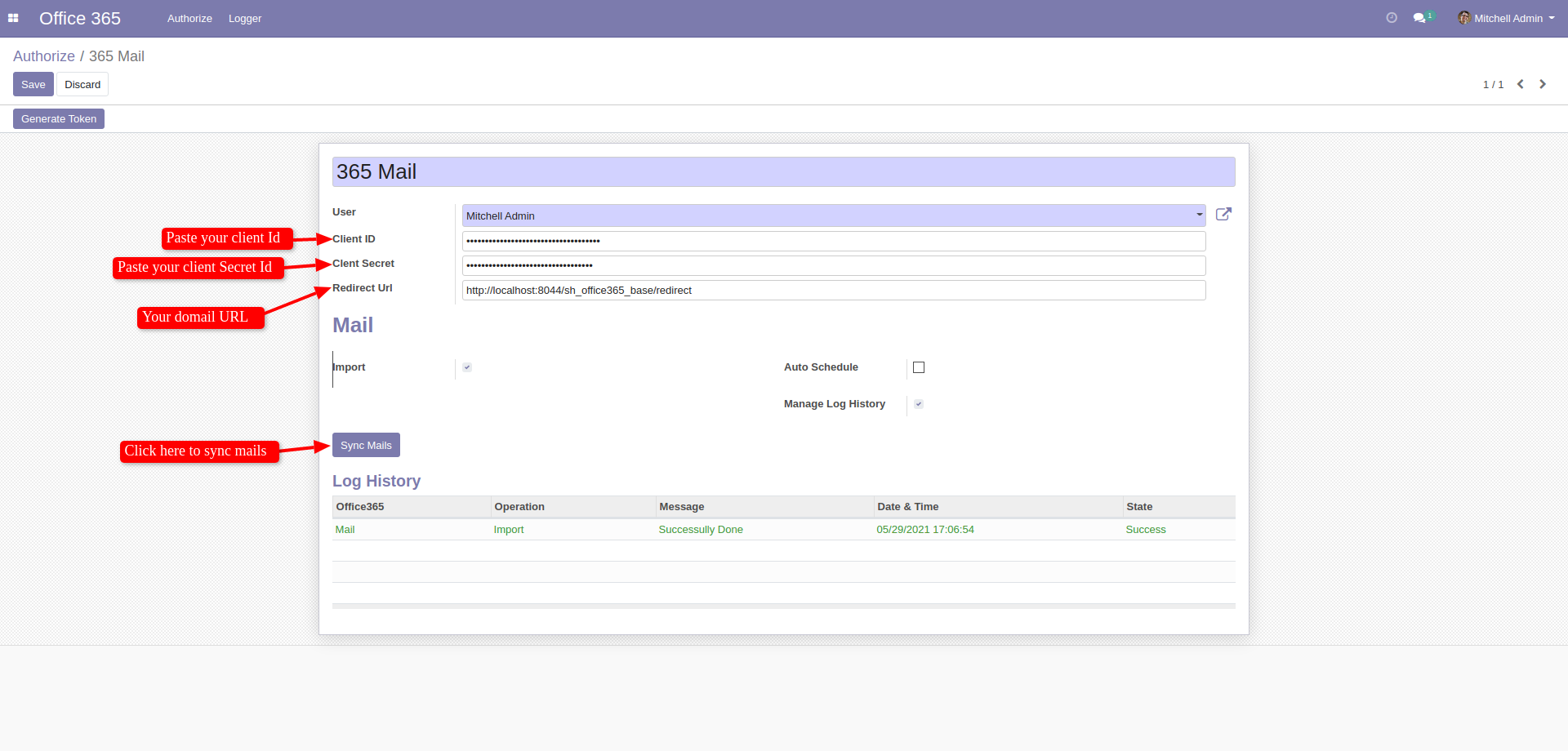
Create your office-365 credential. After create credential first generate token and then sync mails.
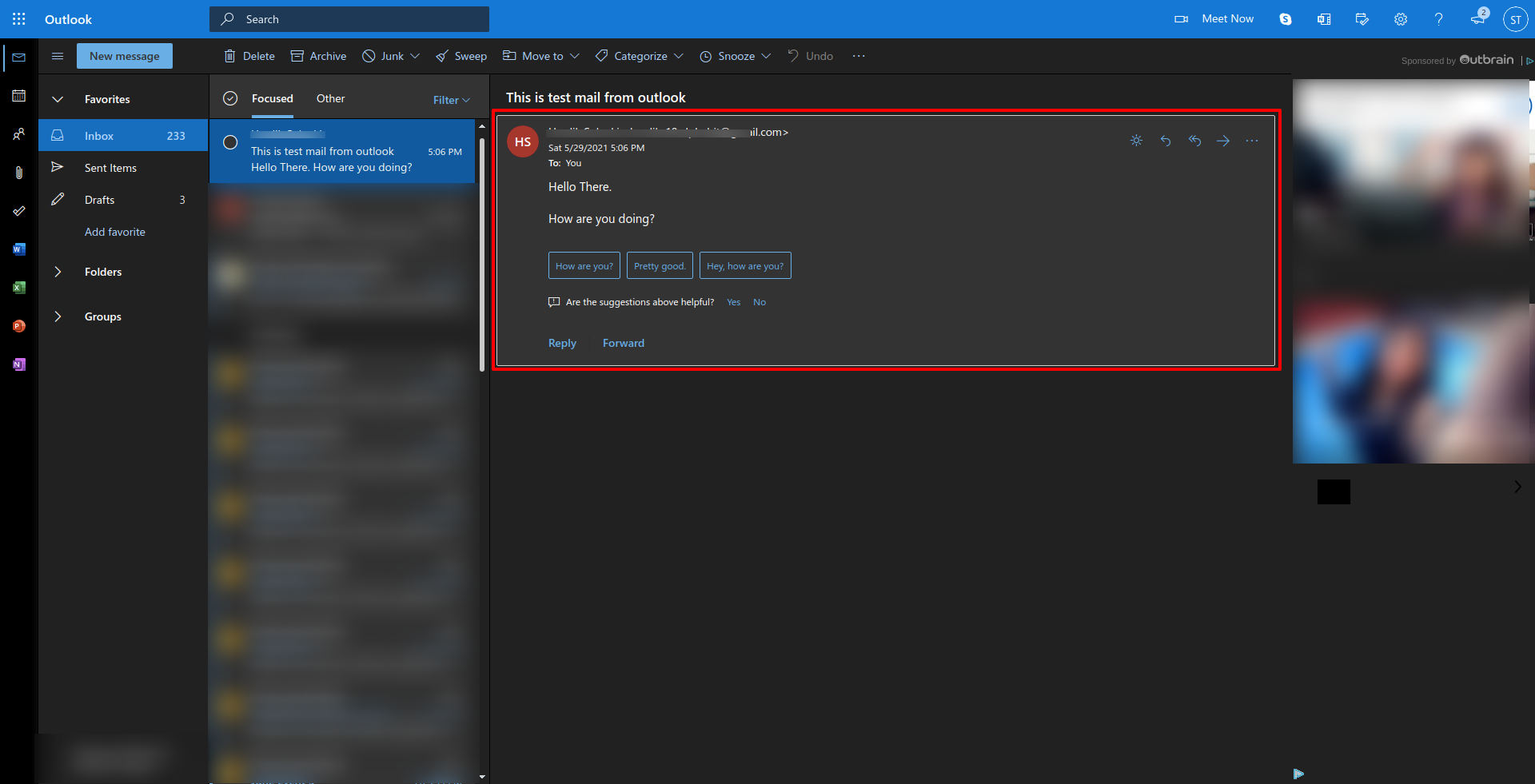
Office 365 inbox, this is received mail from customer.
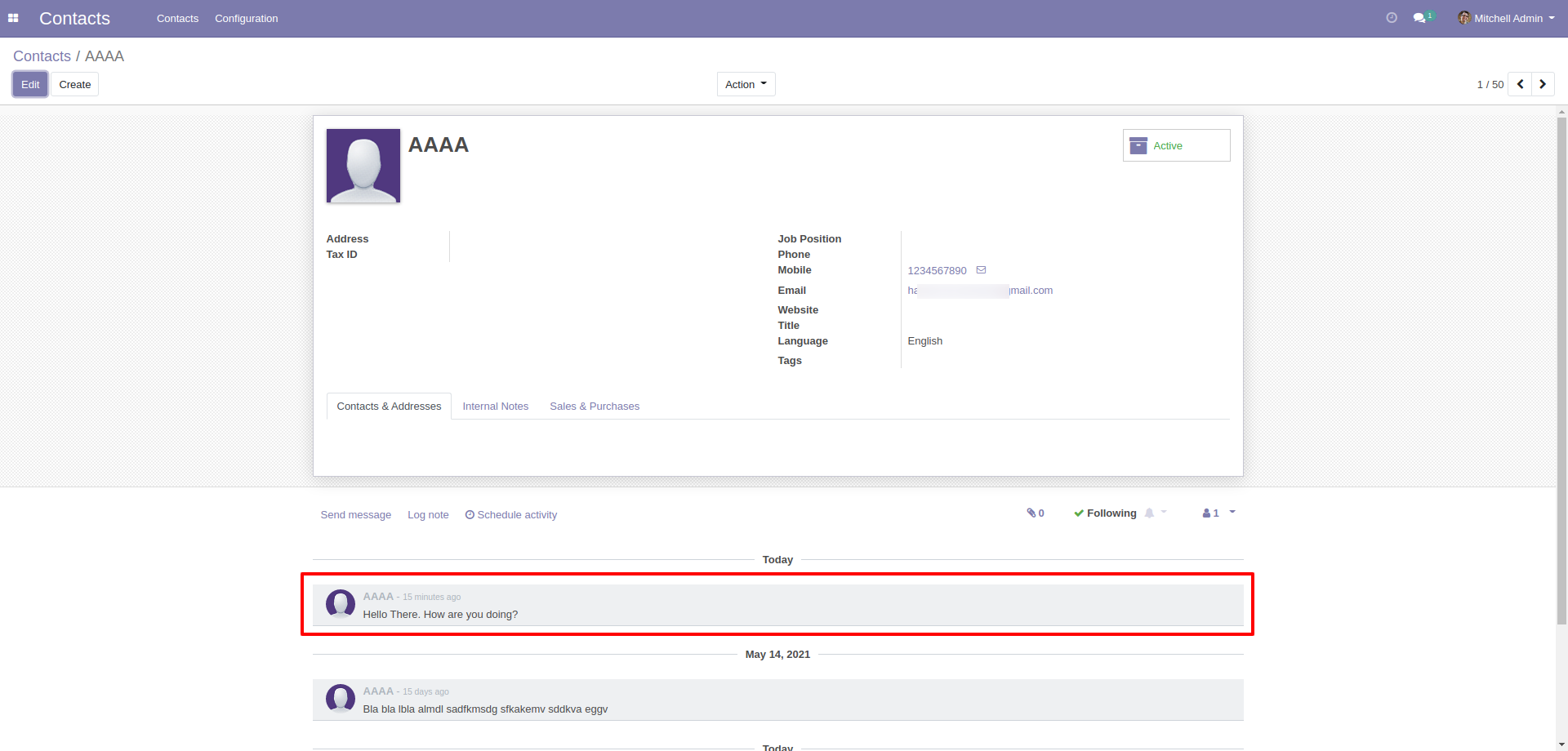
After sync, Here you can see the mail is successfully displayed in that particular customers chatter.
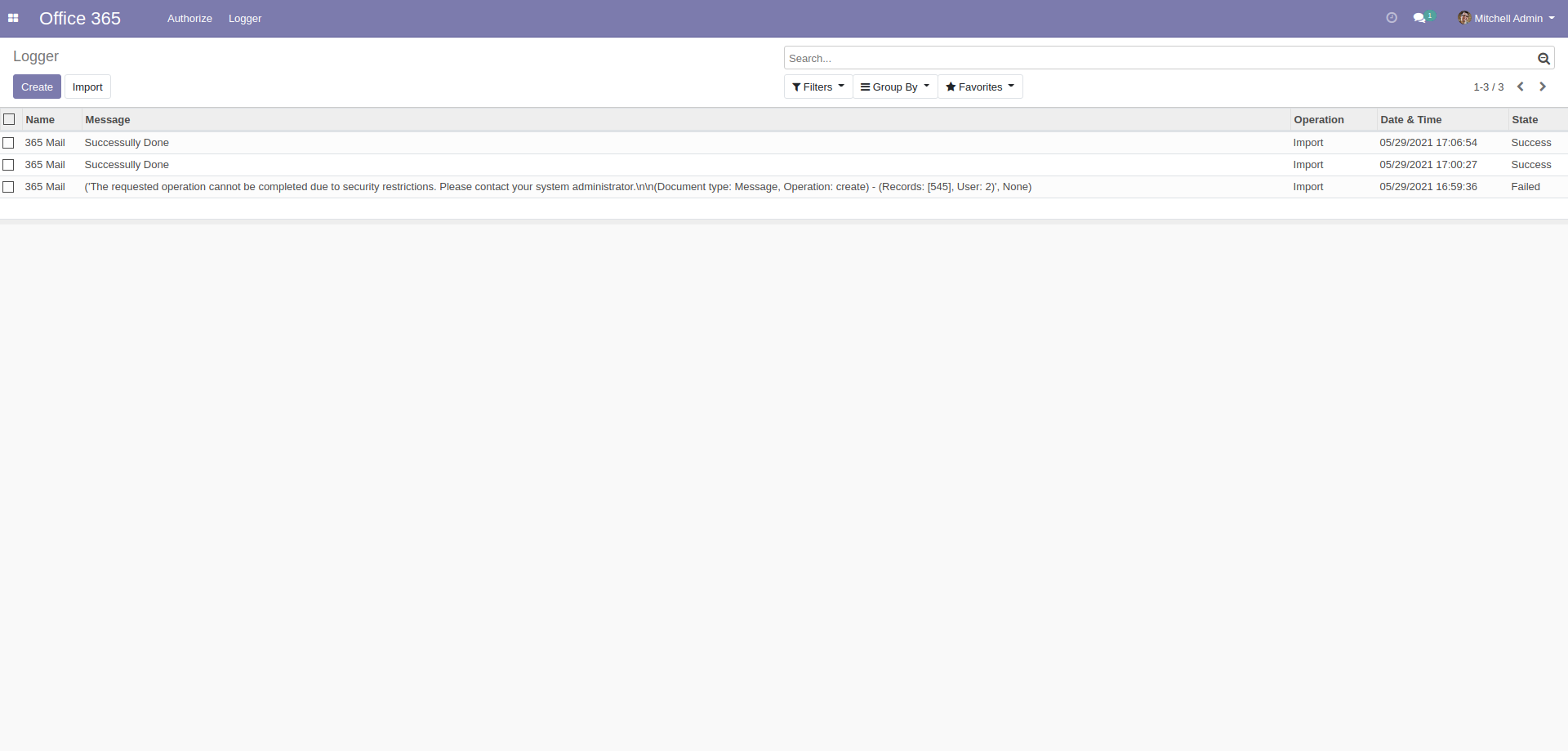
In 'Logged' you can see the log of all sync with details.
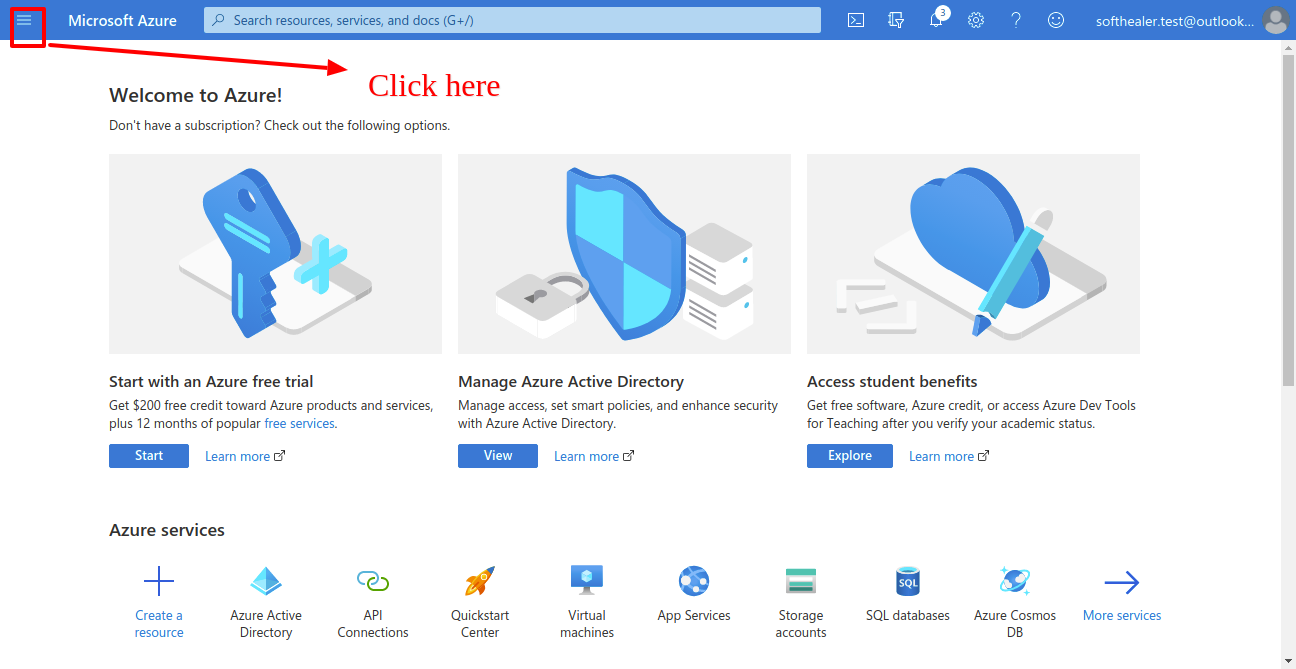
Goto microsoft azure dashboard and click on drawer.
Now click 'Azure Active Directory'.
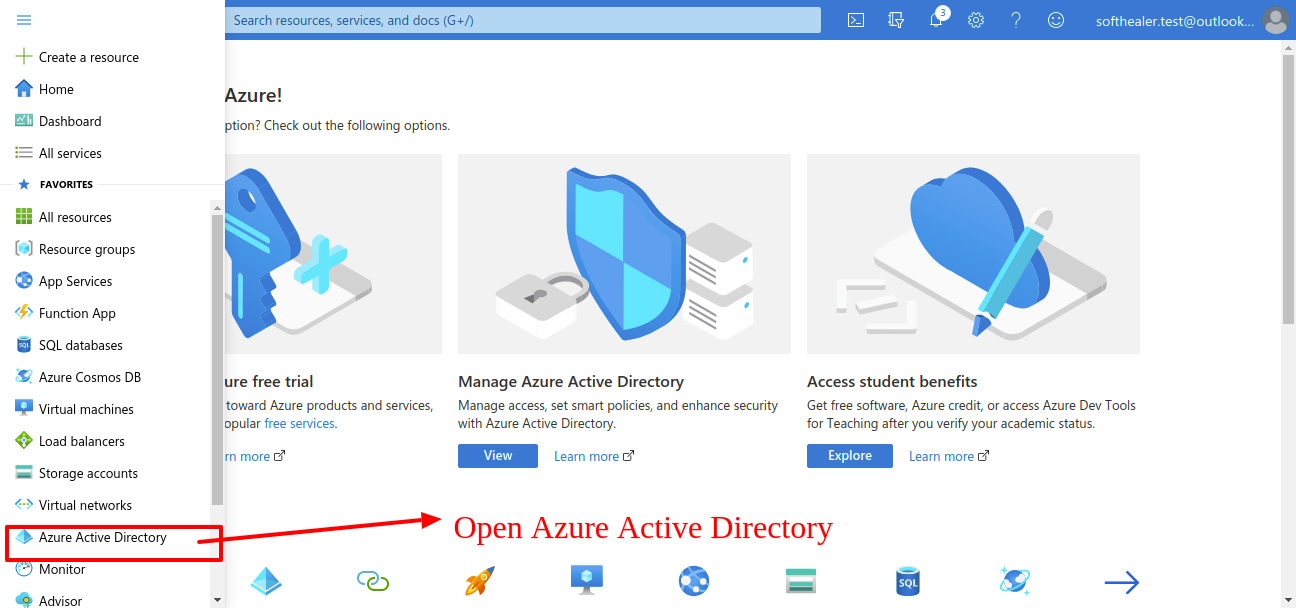
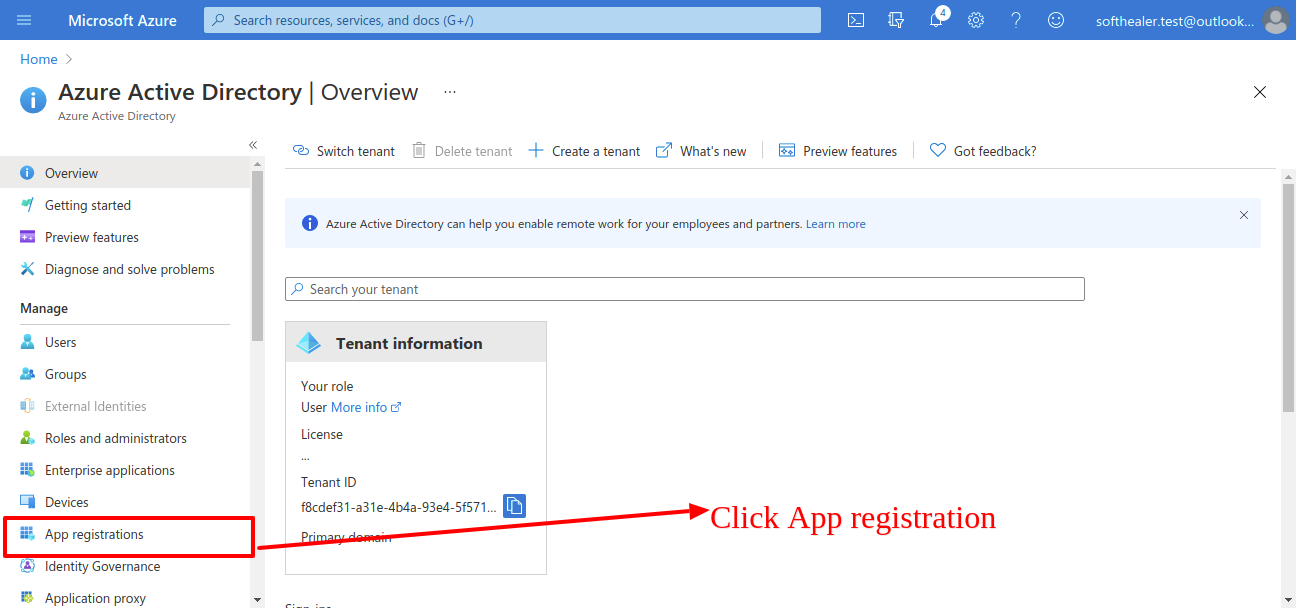
After that you will see this list, and click on 'App Registration'.
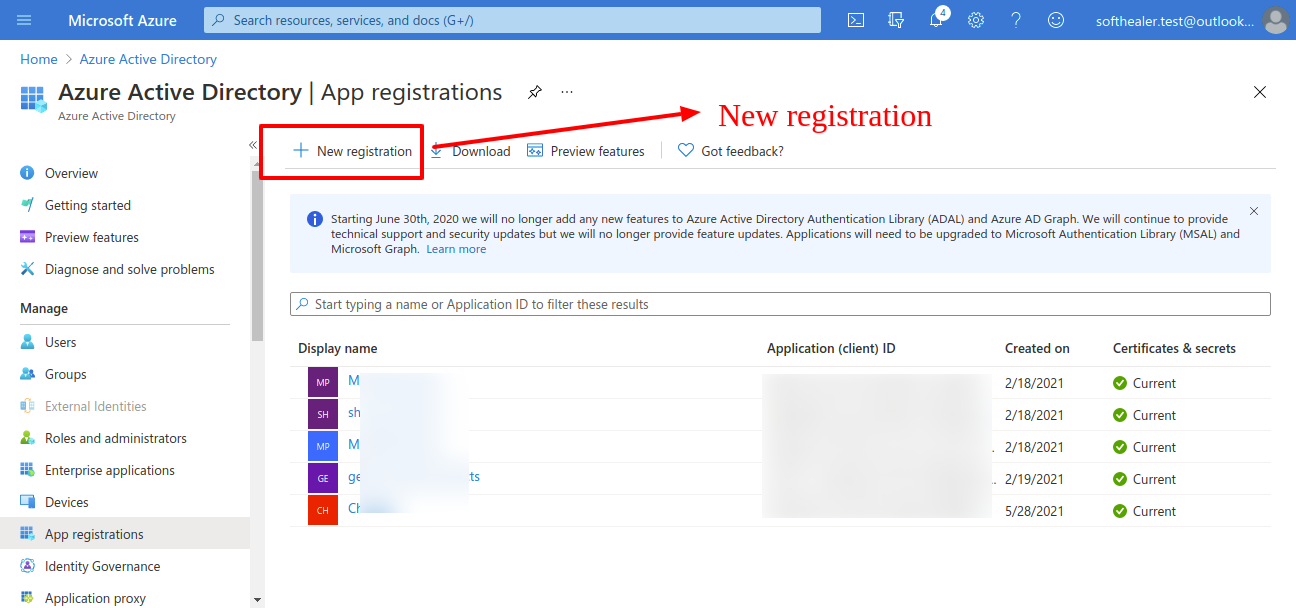
Now click on 'New Registration'.
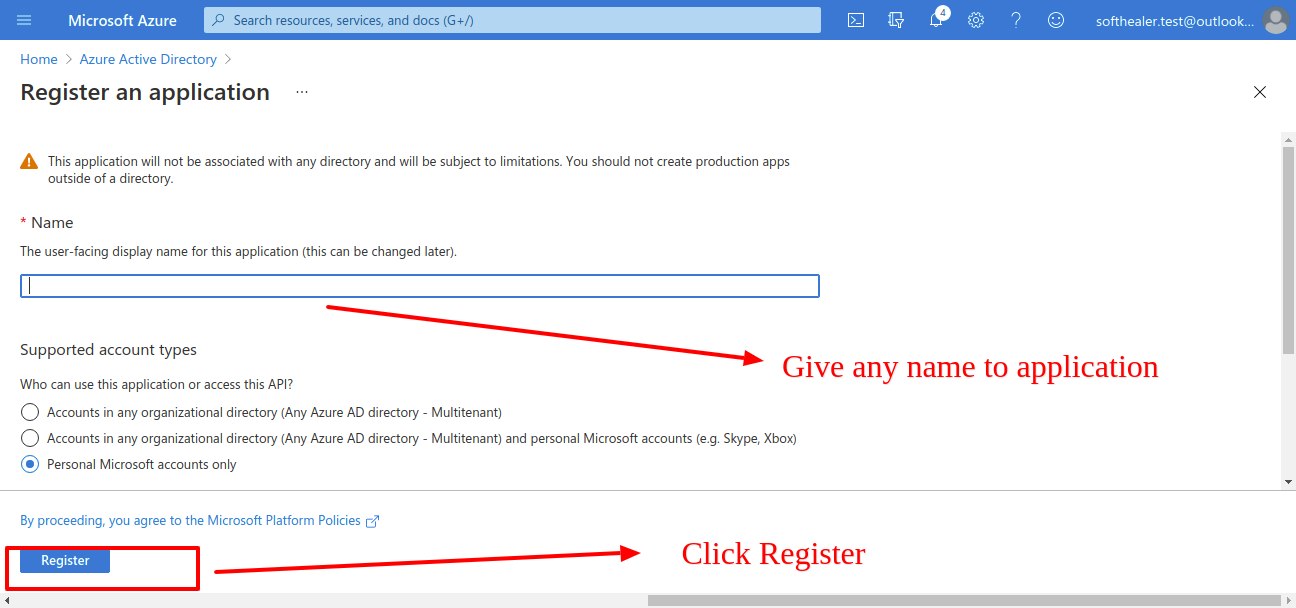
Enter the application name as per your choice. and click 'Register'.
After that it will display your client id copy that and past in odoo credential.
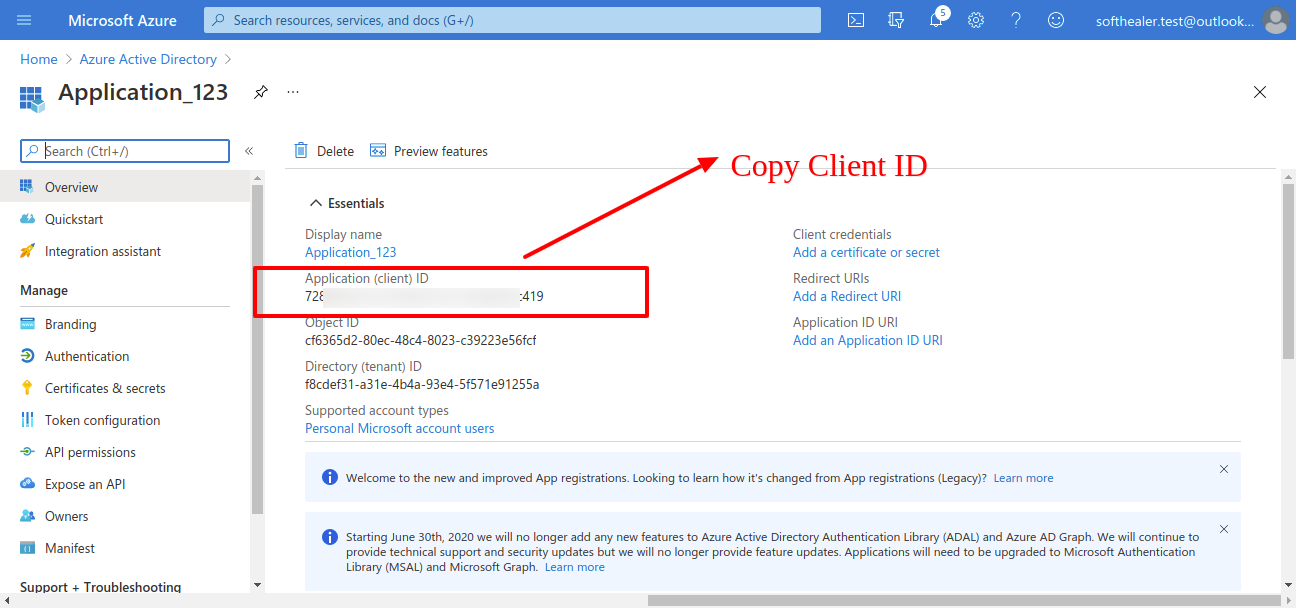
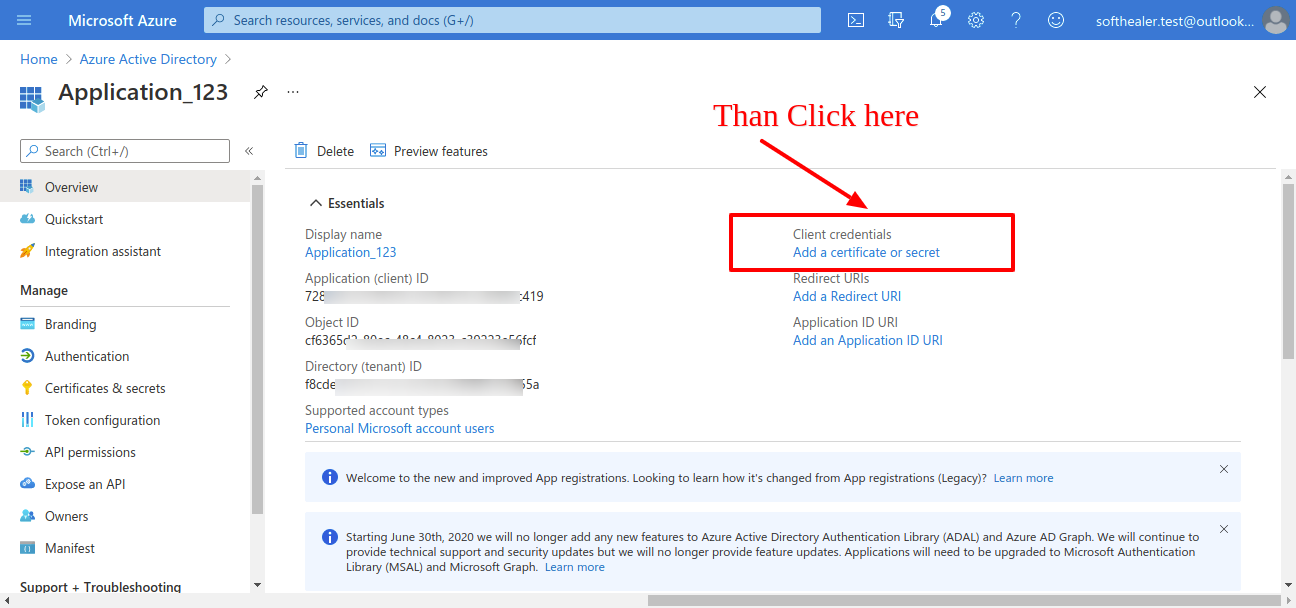
Now click 'Add certificate or secret'in same page.
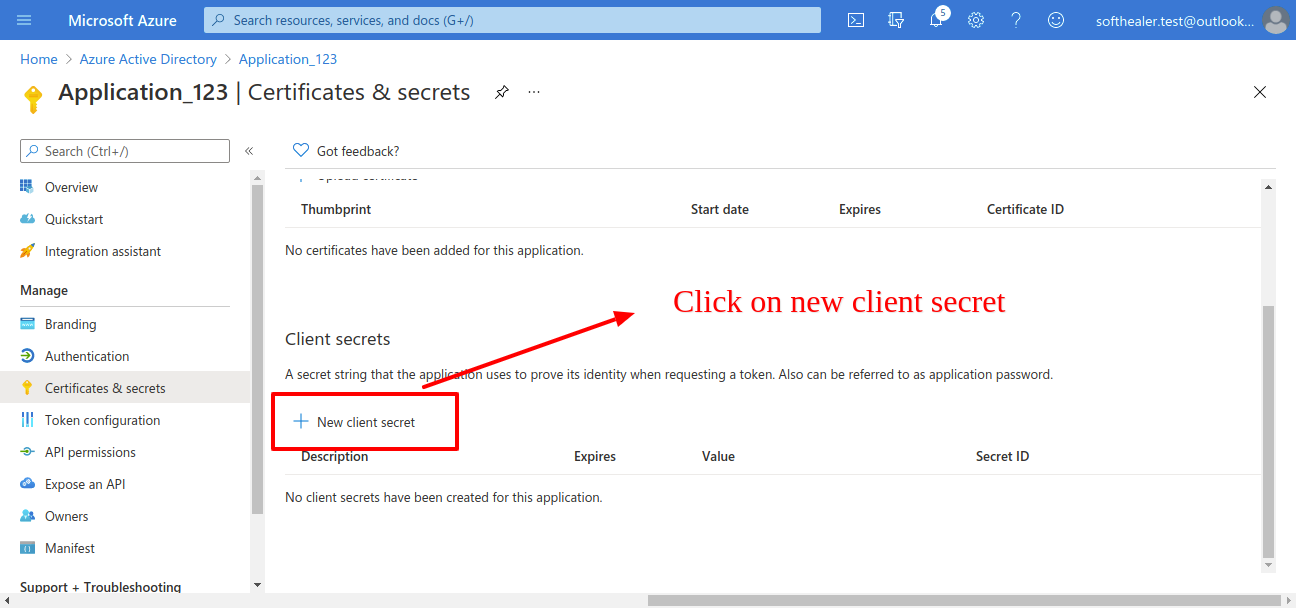
After that click on 'New client secret'.
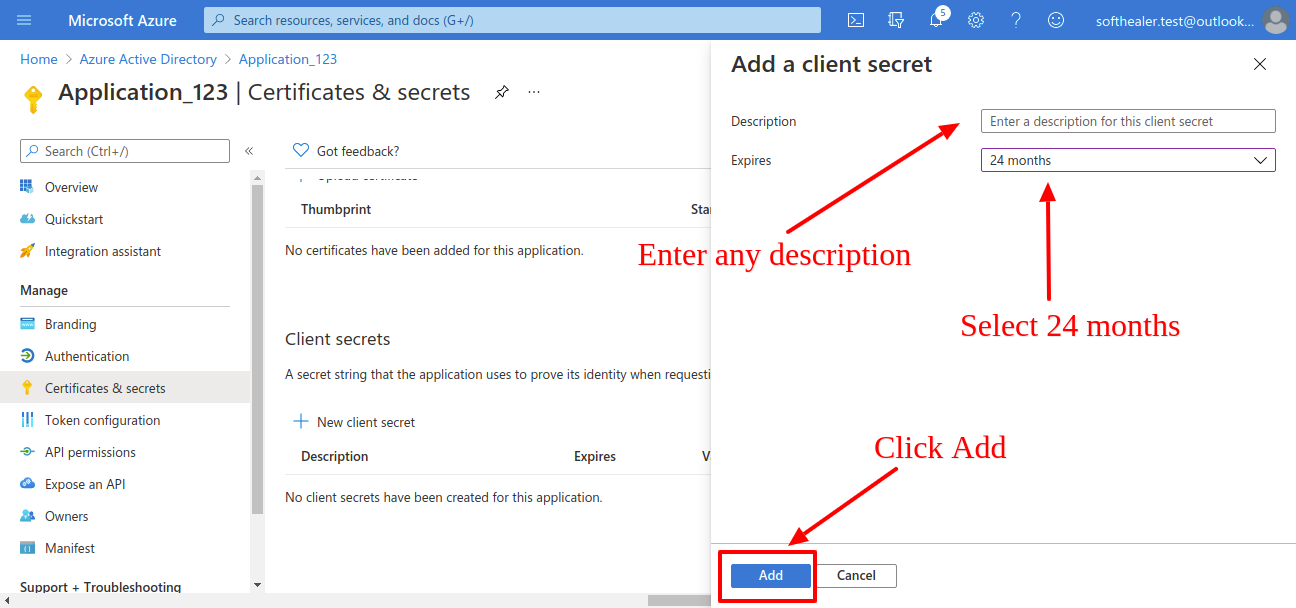
After that it will display box where you have to add descriptions and expiry then click on 'Add'.
Now copy this 'secret key' and paste it in odoo credential.
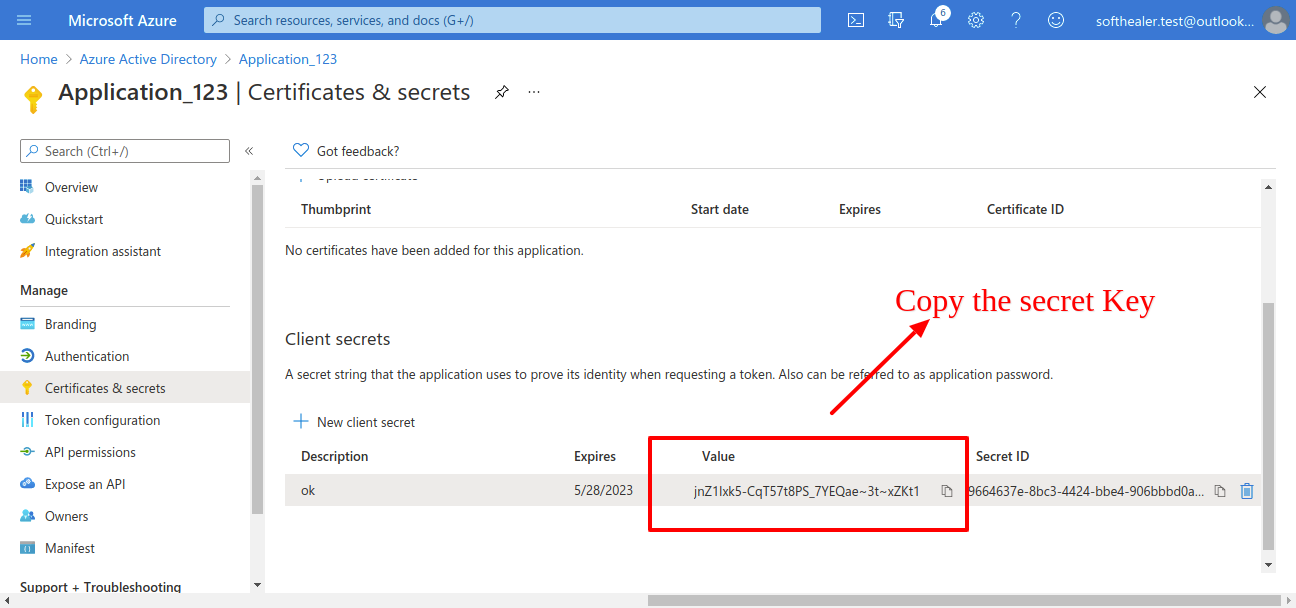
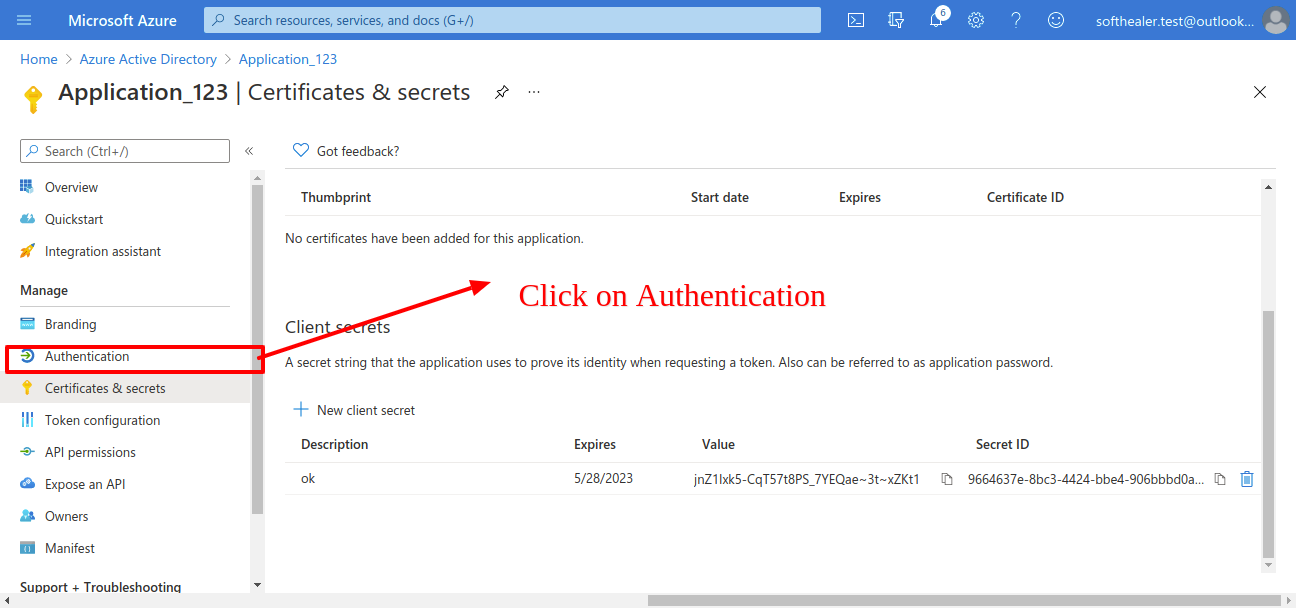
Now click on 'Authentication' in same page.
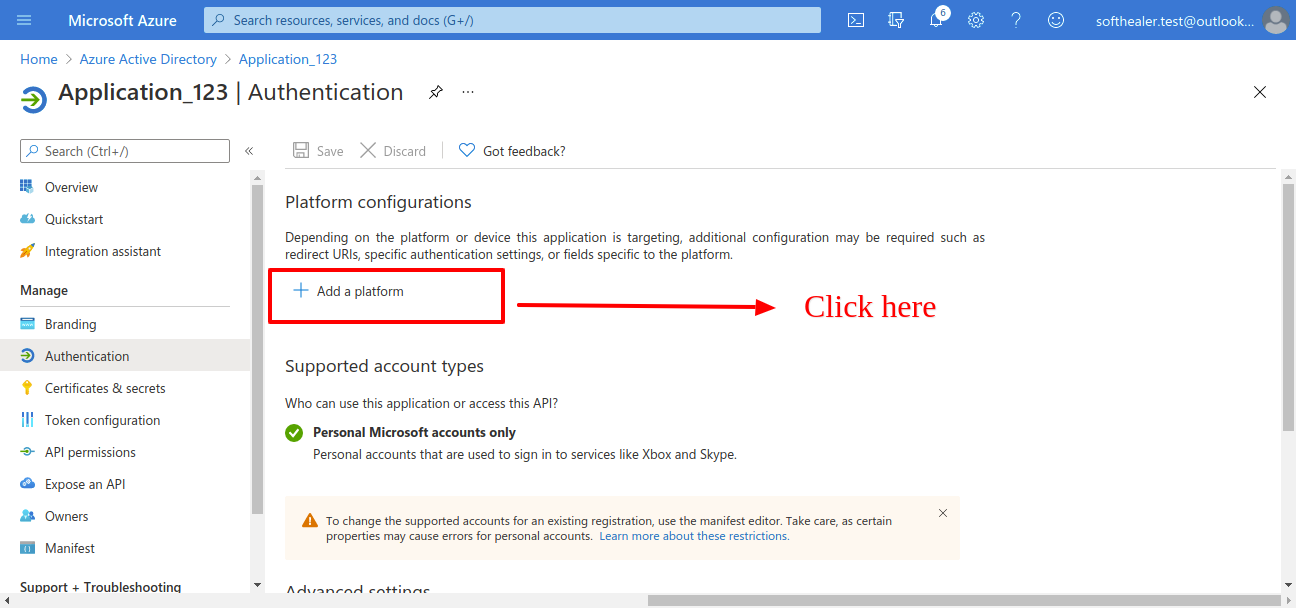
Now clcik on 'Add Plateform'.
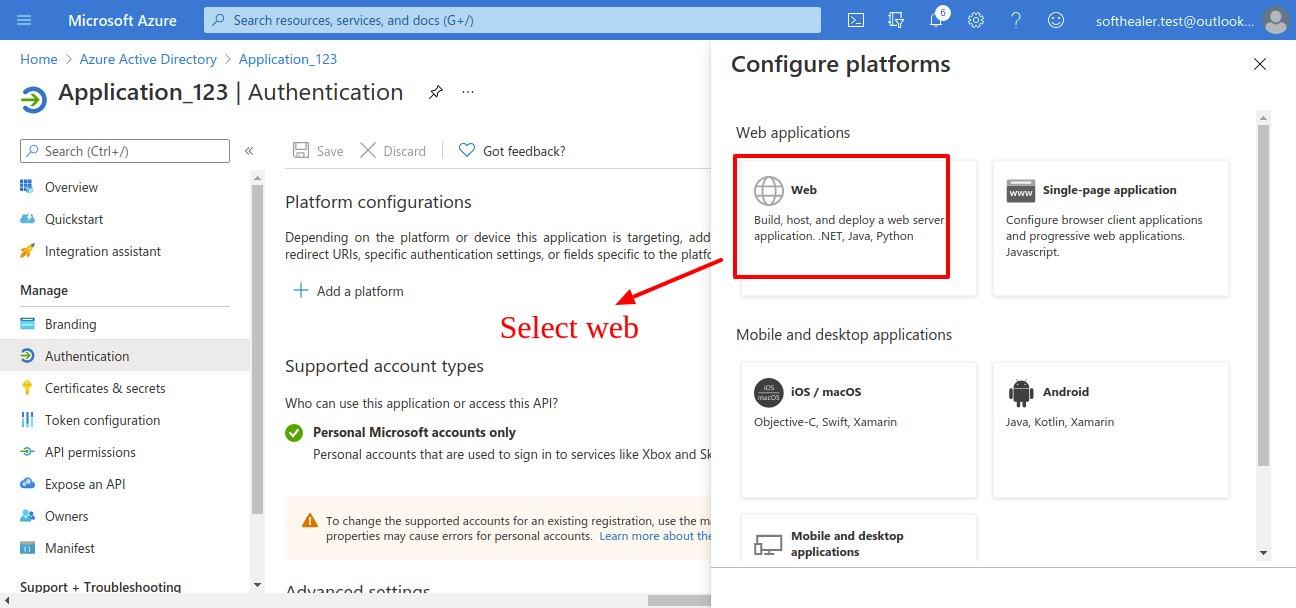
Select 'Web'.
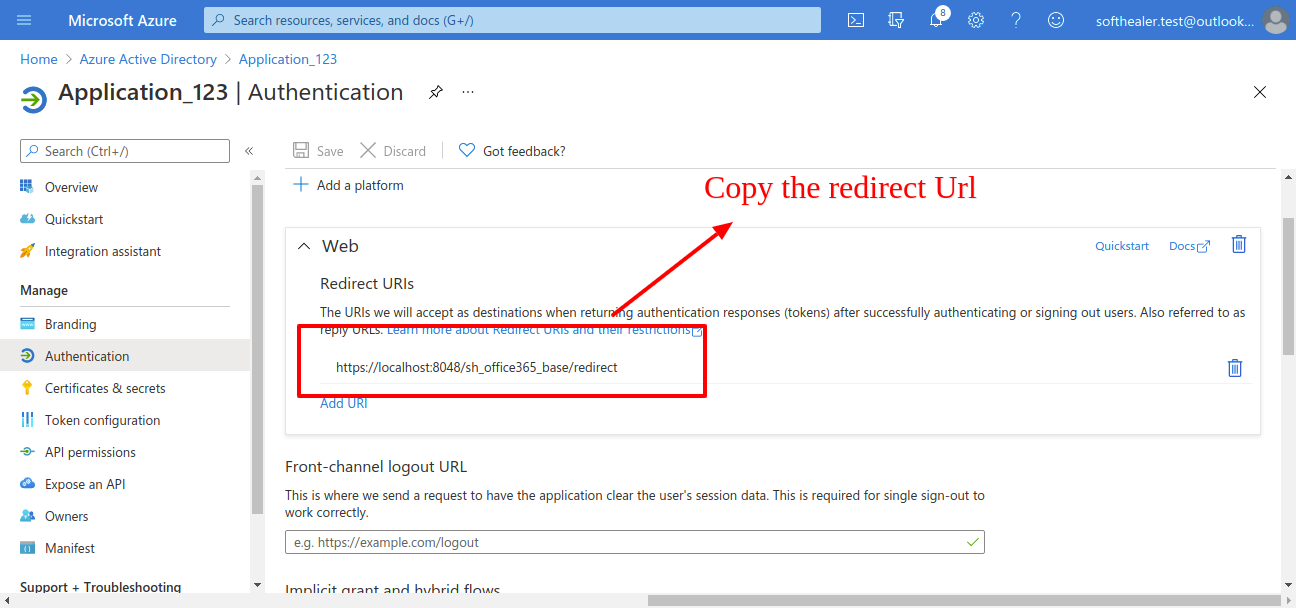
Here configure your redirect url, here 'https://localhost:8044' = 'your domain'. Make sure domain is correct. else it throws an error when you generating a token.
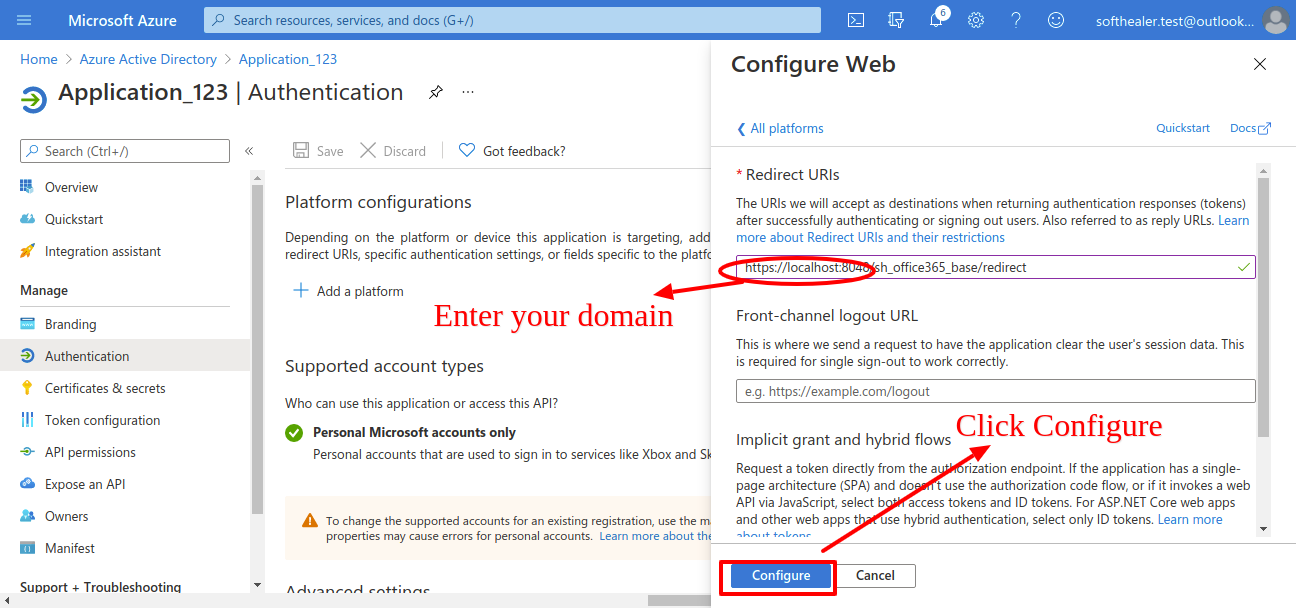
Now copy this redirect url and past it in odoo credential.
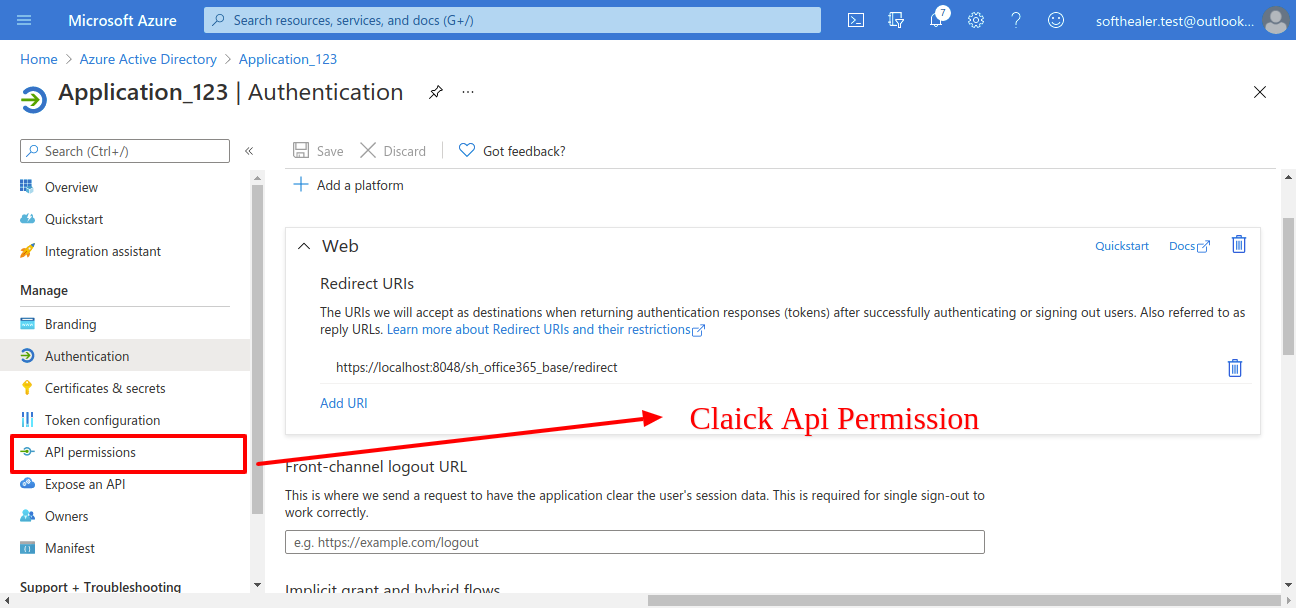
Now click on 'Api Permission'.
Now click on 'Microsoft Graph'.
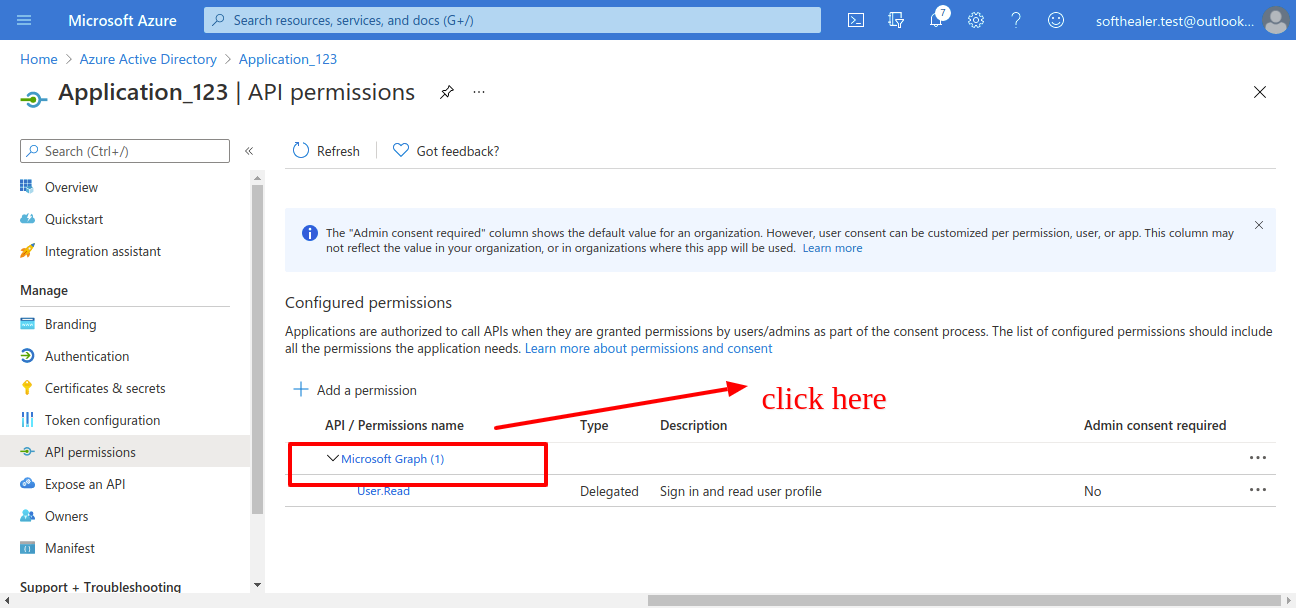
Now click on 'Deligated Permission' and scroll down it will shows permissions list.
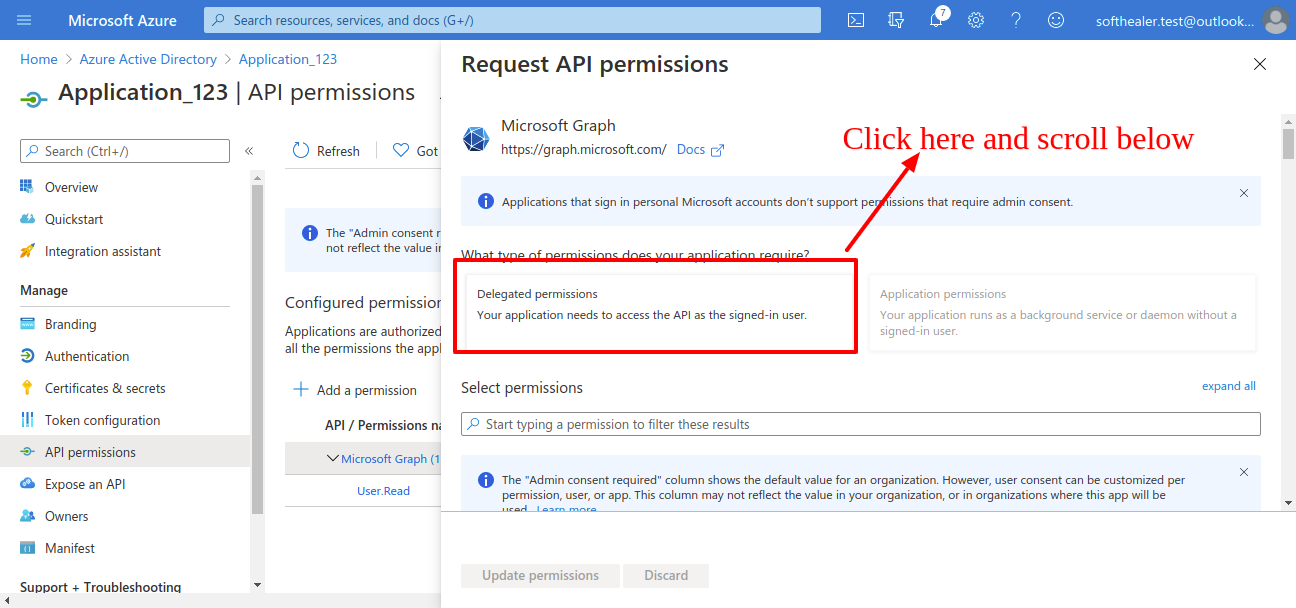
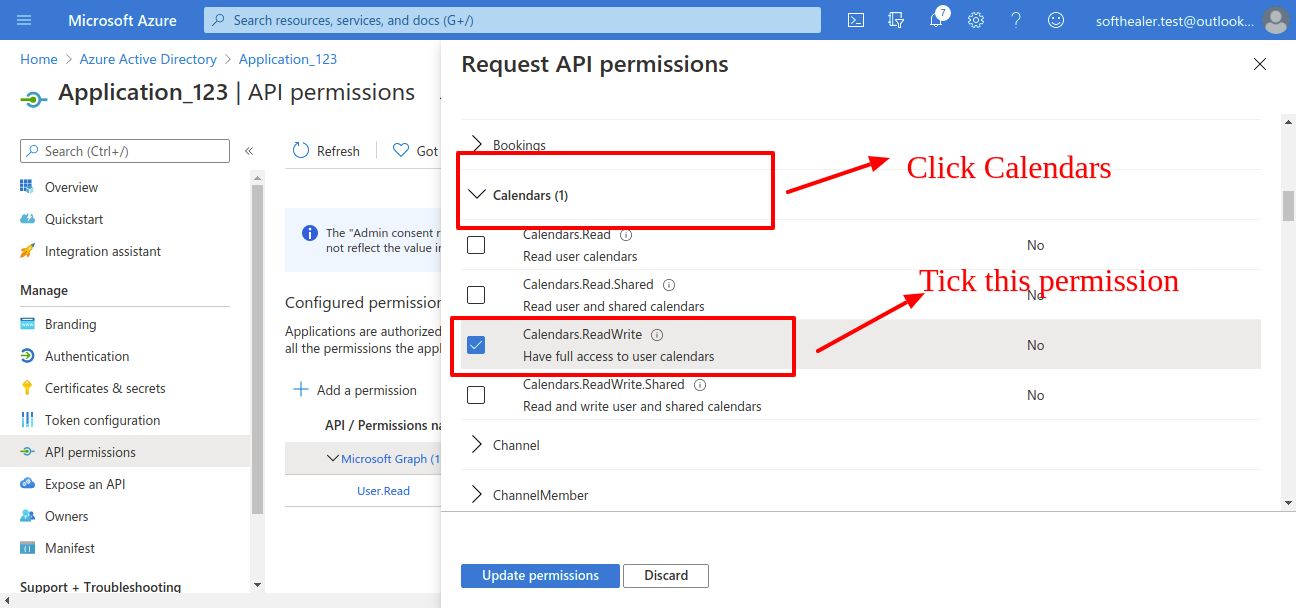
Click on Calendar for calendar applications permissions. and select full access to user calendar. (That user can read, write, update and delete in calendar)
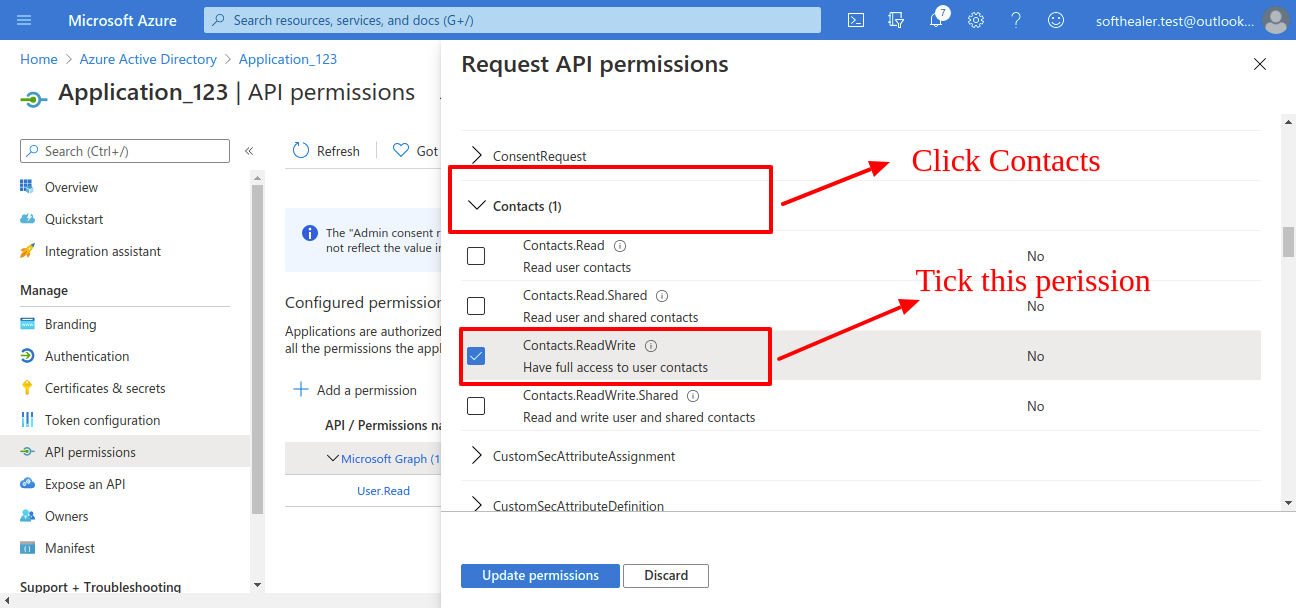
Click on Contacts for contacts applications permissions. and select full access to user contacts. (That user can read, write, update and delete in contacts)
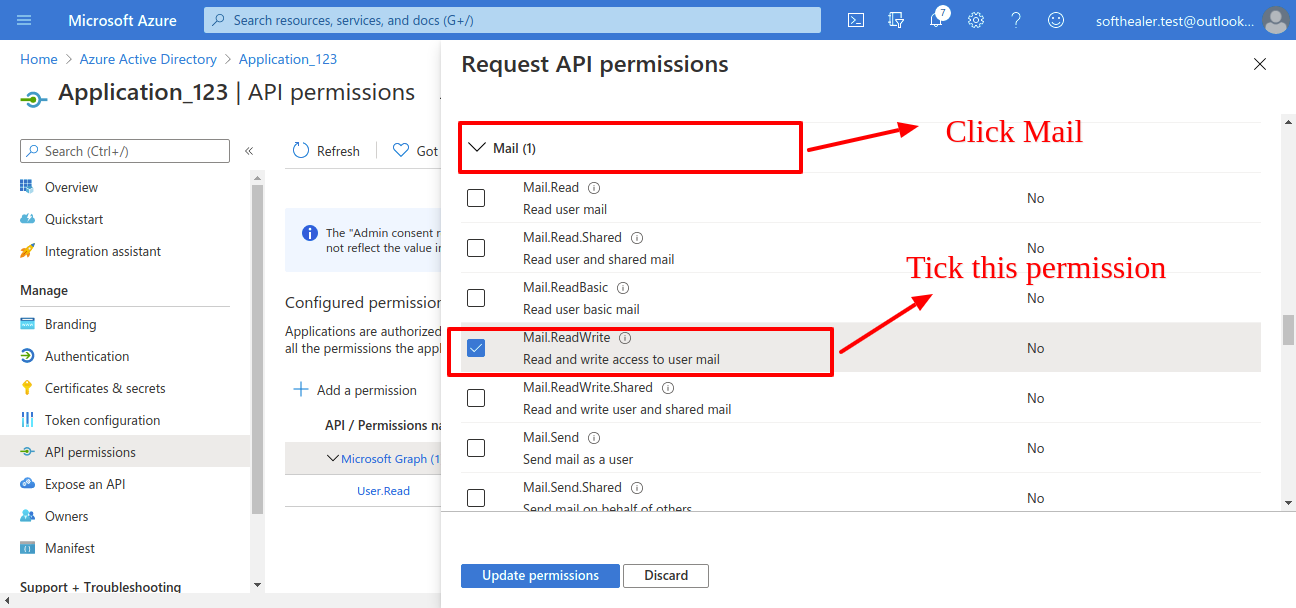
Click on Maill for mail applications permissions. and select full access to user mail. (That user can read, write, update and delete in mails)
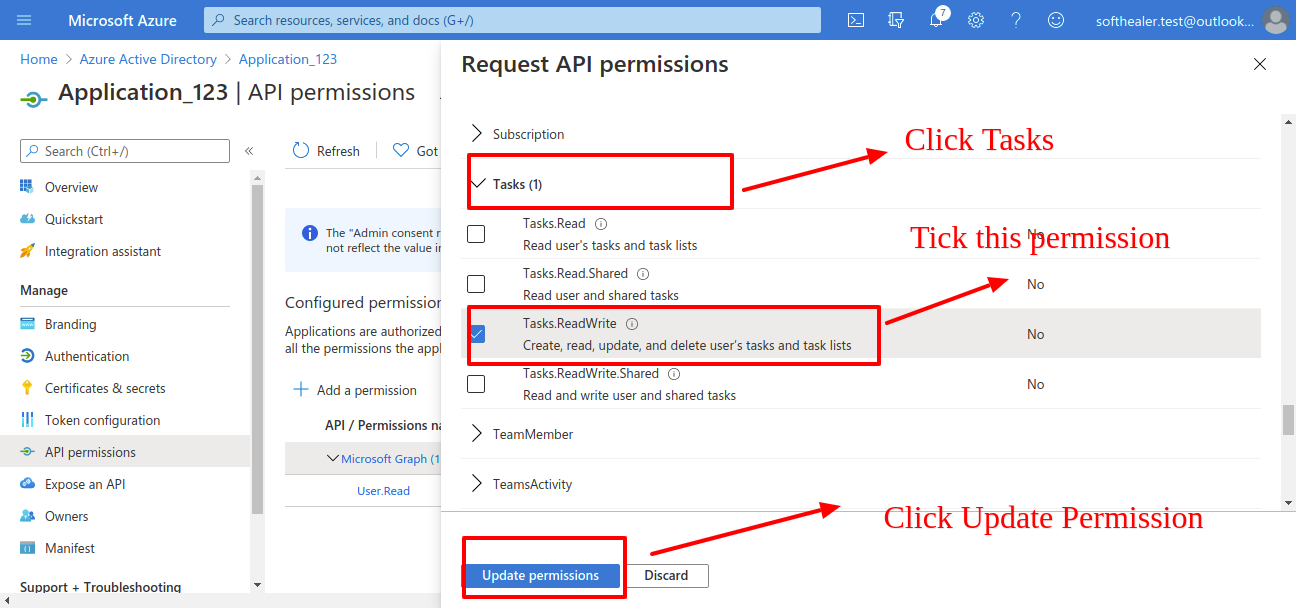
Click on Tasks for task applications permissions. and select full access to user task. (That user can read, write, update and delete in task).
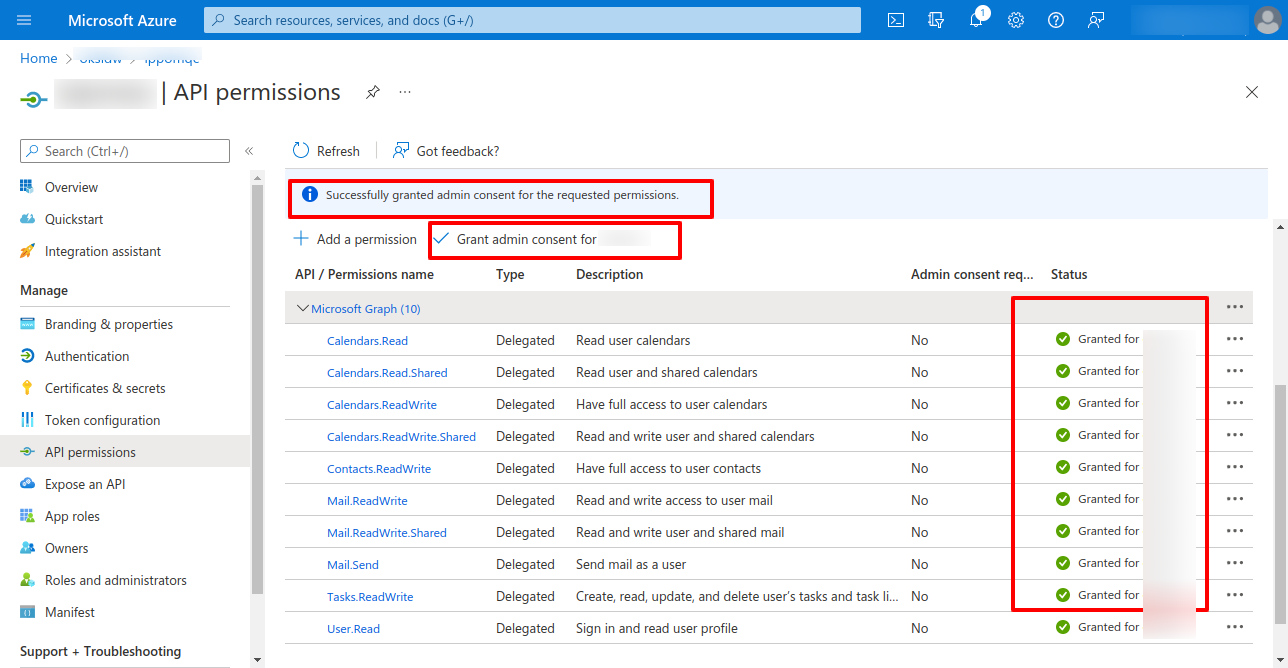
From your organisation admin account you will need to grant permission.
Version 19.0.1 | Released on : 5th September 2025
- Yes, this app works perfectly with Odoo Enterprise (Odoo.sh & Premise) as well as Community.
- No, this application is not compatible with odoo.com(odoo saas/Odoo Online)
- Yes, to test this module, please contact us at sales@softhealer.com.
- Please contact us at sales@softhealer.comto request customization.
- Yes, we provide free support for 365 days from the date of purchase.
- Yes, you will receive lifetime free updates for the version of the module you purchased.
- No, there is no need to install any additional libraries.
- Yes, for version 12 and above, you need to purchase the module separately for each version you intend to use.
- No, exchanges or refunds are not allowed. Please make sure to select the correct version before purchasing.
- You can contact us at support@softhealer.com for language translation support. We use Google Translator tools to provide translations in multiple languages, so the accuracy may vary. We welcome your suggestions to help improve translations.
Discover Our Latest Apps