












Odoo Linkly POS Terminal Connection

Payment terminal allows you to offer a fluid payment flow to your customers and ease the work of your cashiers.
Go to POS configuration ===> Tick 'Linkly Payment'. Click on the linkly instance.
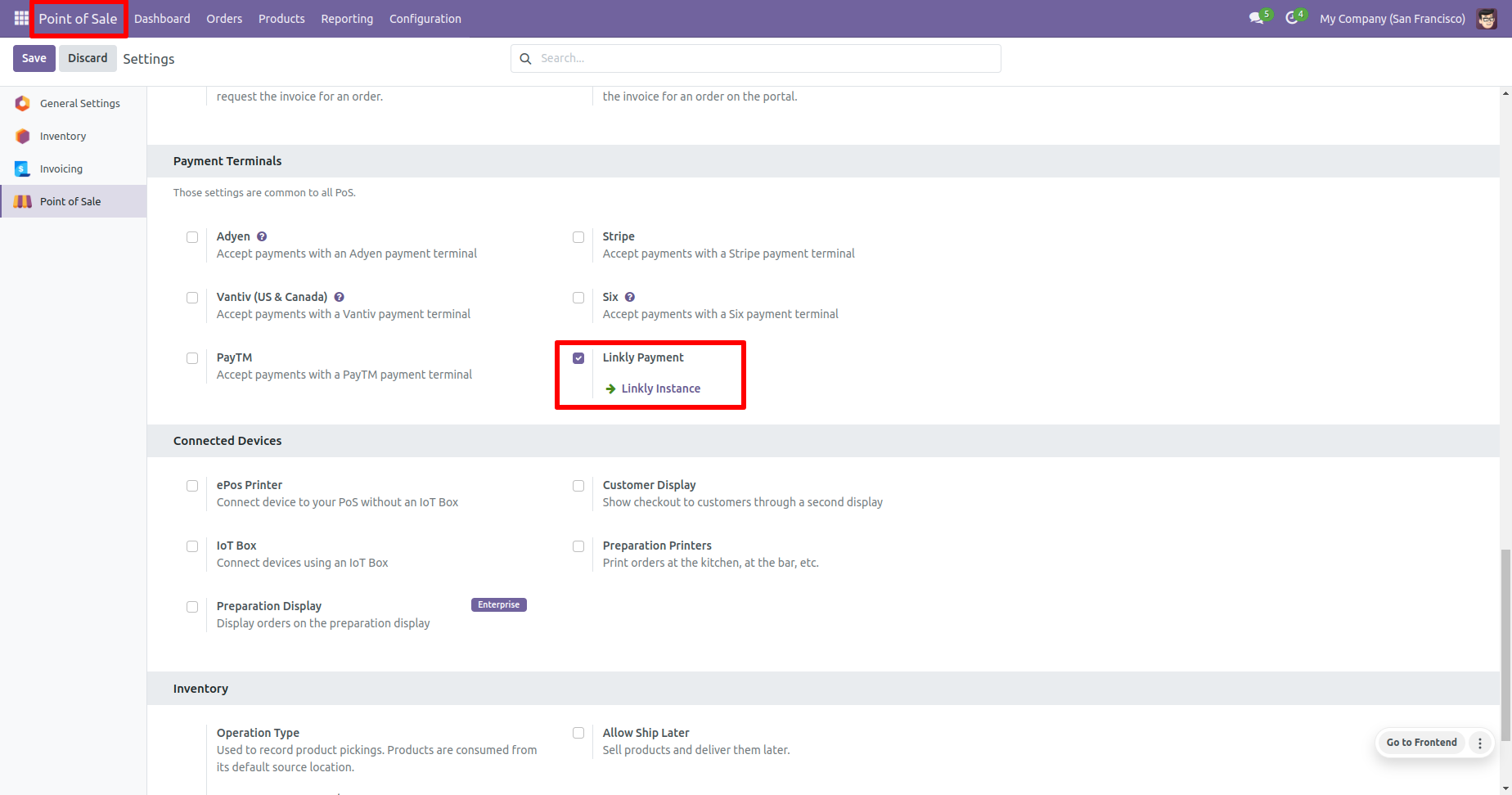
After that, you will redirect to the linkly instance list view. Open any one linkly instance.
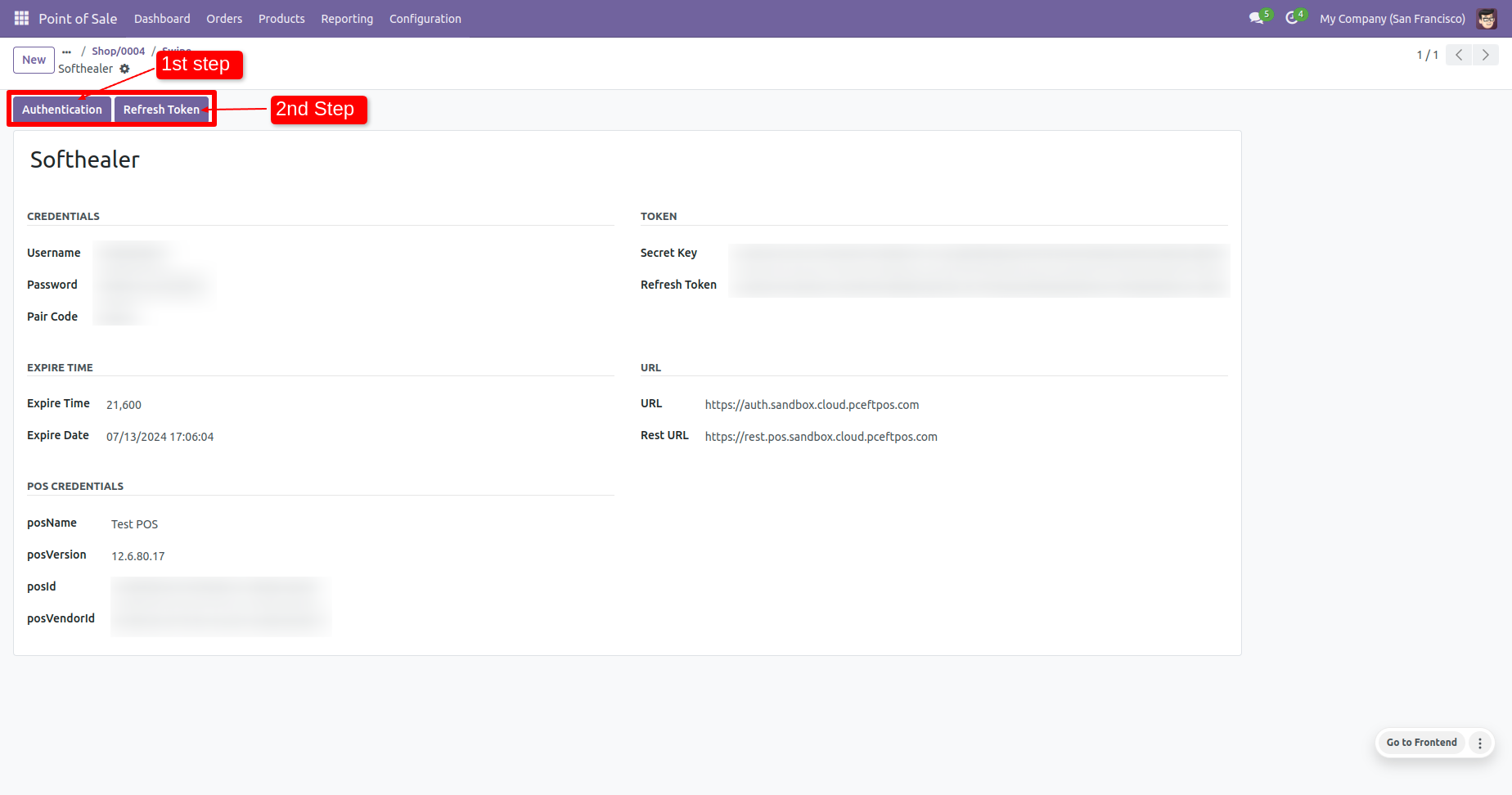
In the linkly instance form veiw, 1st click on the 'Authentication' button to fill the
details automatically.
To reset the refresh token, click on the 'Refresh Token' button.
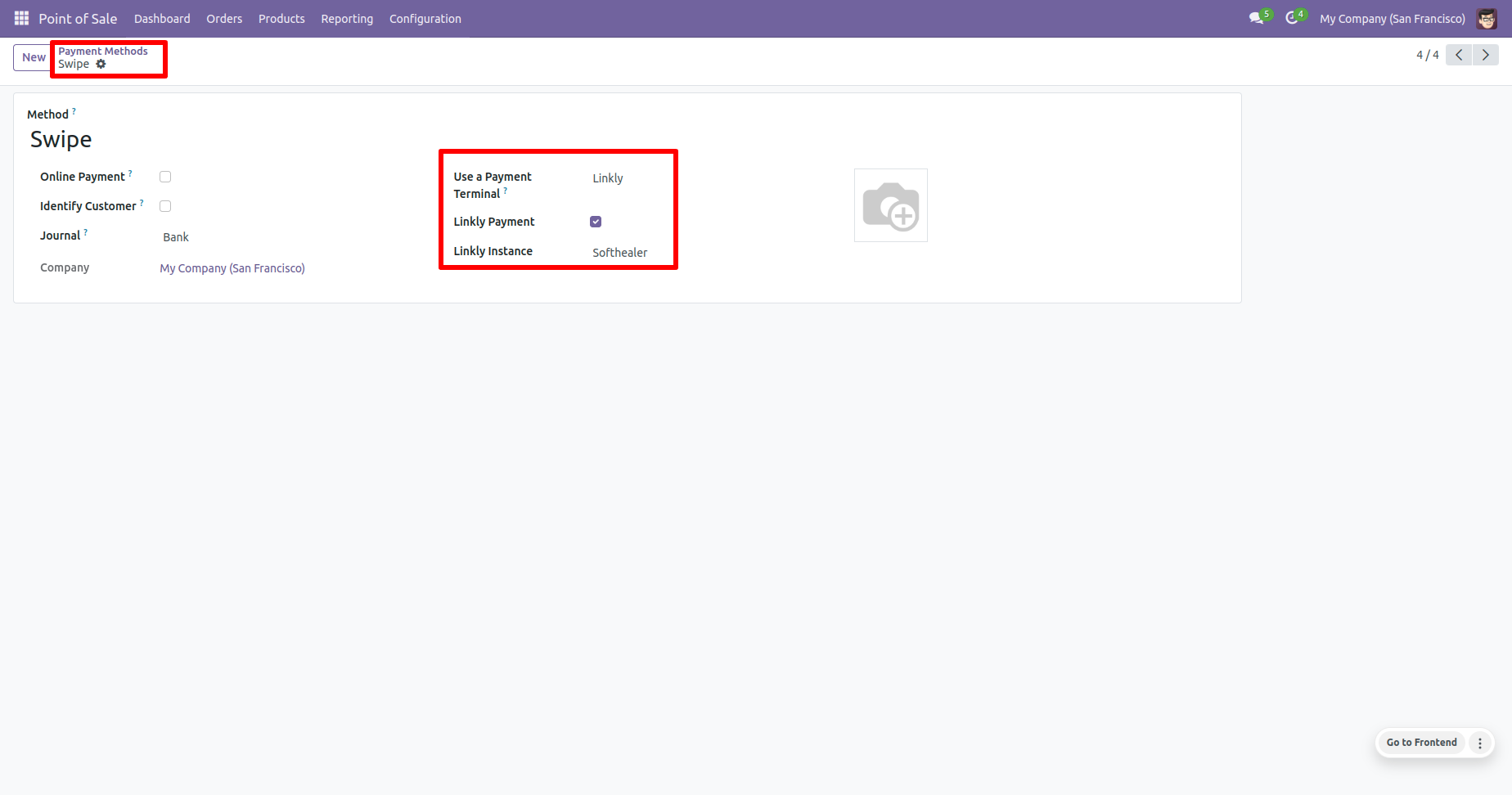
In the payment methods form view, set the linkly details.
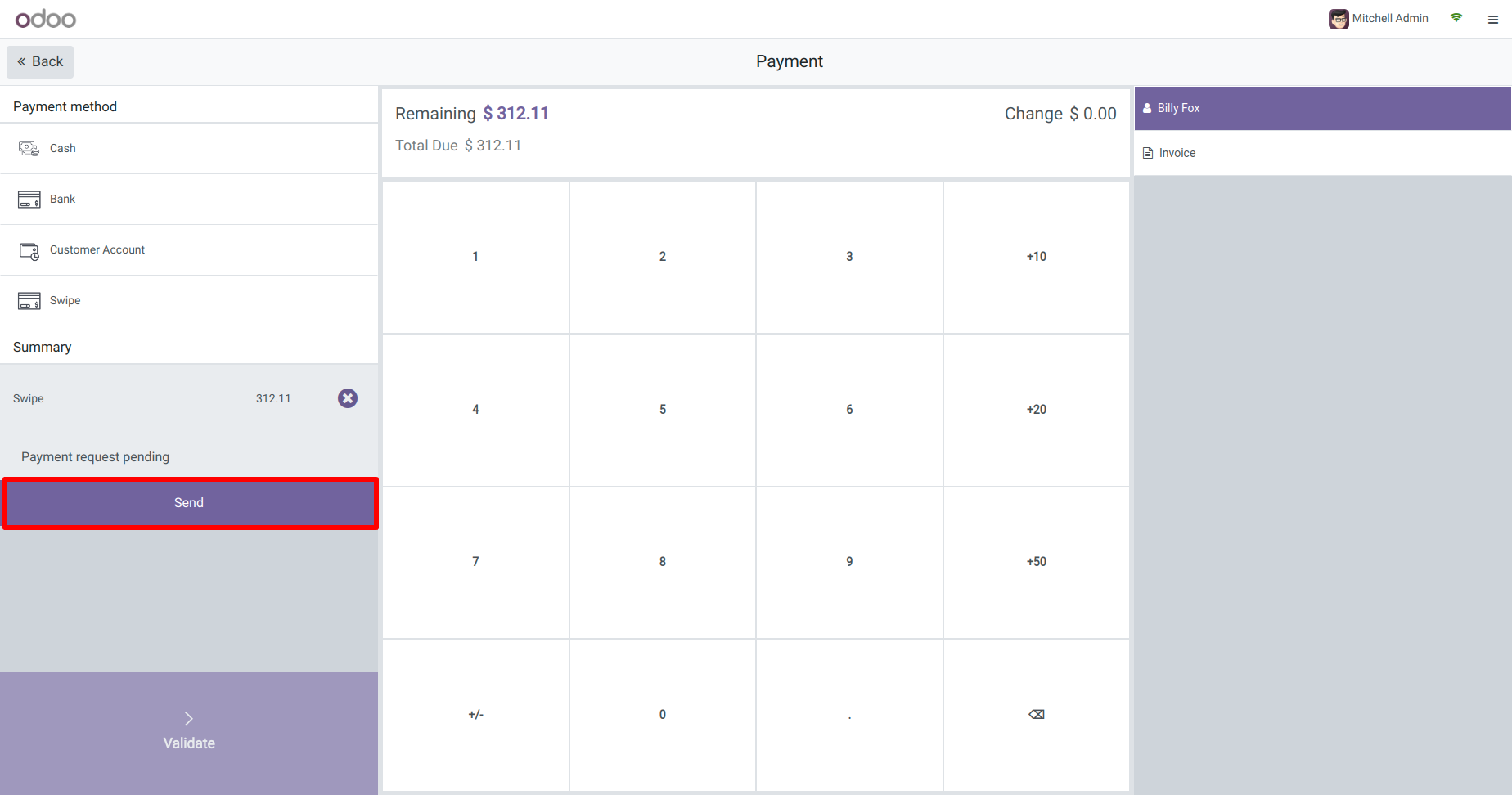
Click on the 'Send' button.
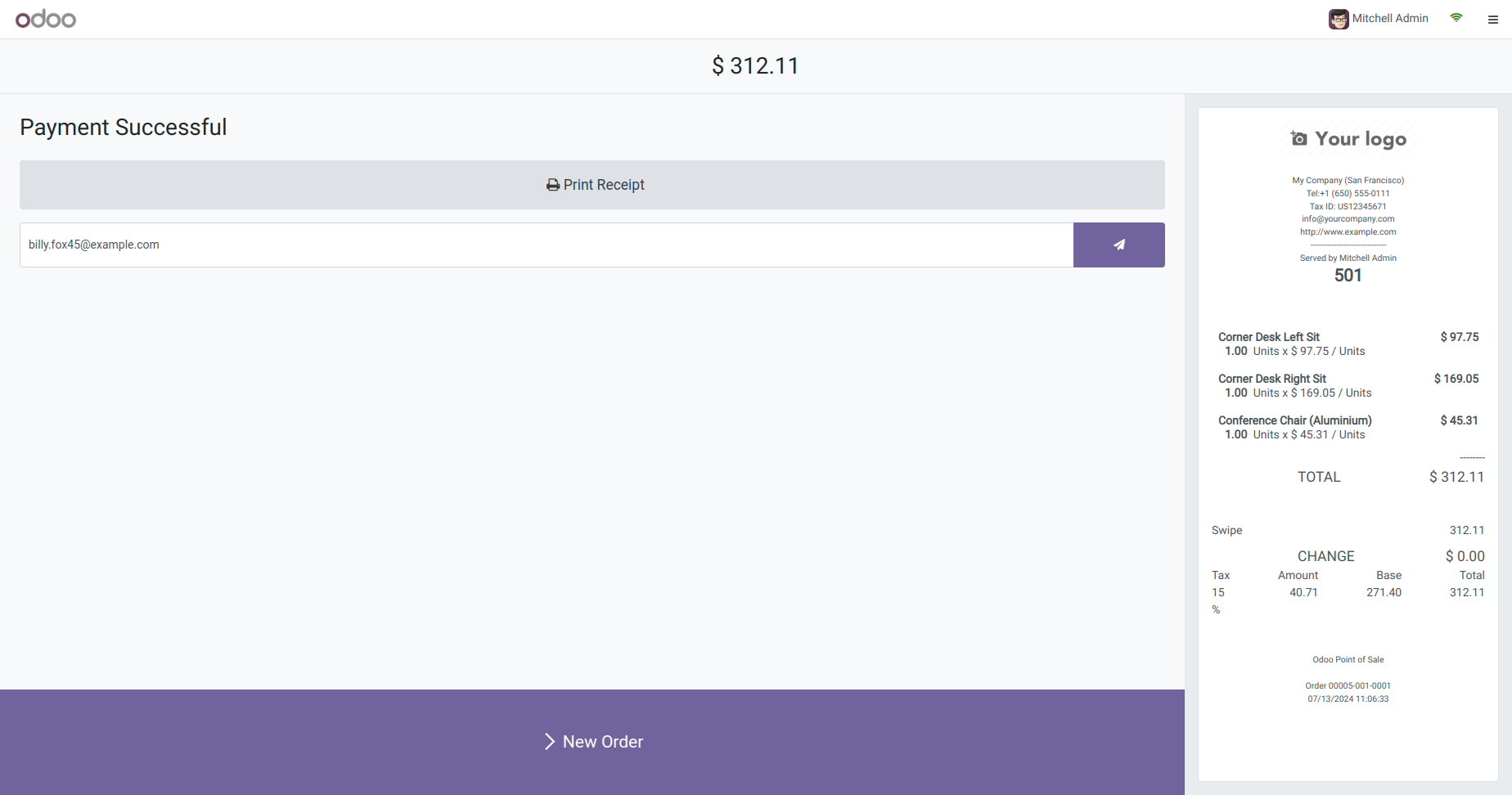
Generated receipt looks like this.
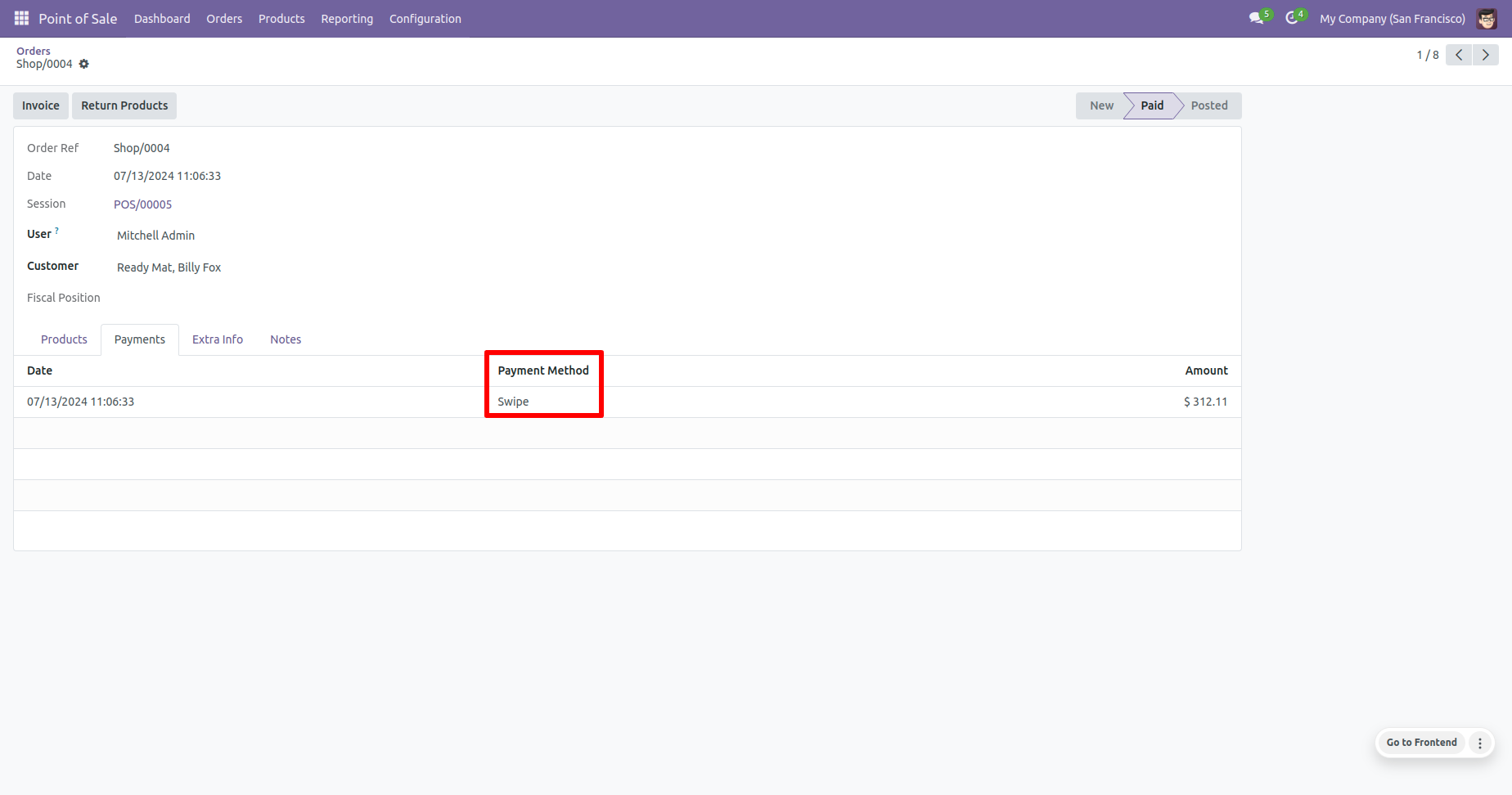
In the orders form view, you can see the Payment method in payments tab.
Version 19.0.1 | Released on : 17th November 2025
- Yes, this app works perfectly with Odoo Enterprise (Odoo.sh & Premise) as well as Community.
- No, this application is not compatible with odoo.com(odoo saas).
- Please Contact Us at sales@softhealer.comto request customization.
- Yes, we provide free support for 100 days.
- Yes, you will get free update for lifetime.
- No, you don't need to install addition libraries.
- Yes, You have to download module for each version (13,14,15) except in version 12 or lower.
- No, We do not provide any kind of exchange.
Discover Our Latest Apps