












Multiple Worksheets for Field Service Tasks

This module allows you to attach multiple worksheet templates to any field service task. You can design custom worksheets using Odoo Studio and easily print a consolidated PDF report containing all your worksheet data, streamlining your field operations and reports.

Features
Attach Multiple Worksheets
Add and manage multiple worksheet templates from the dropdown for a single task.

Allowed Multi-Worksheet per Project
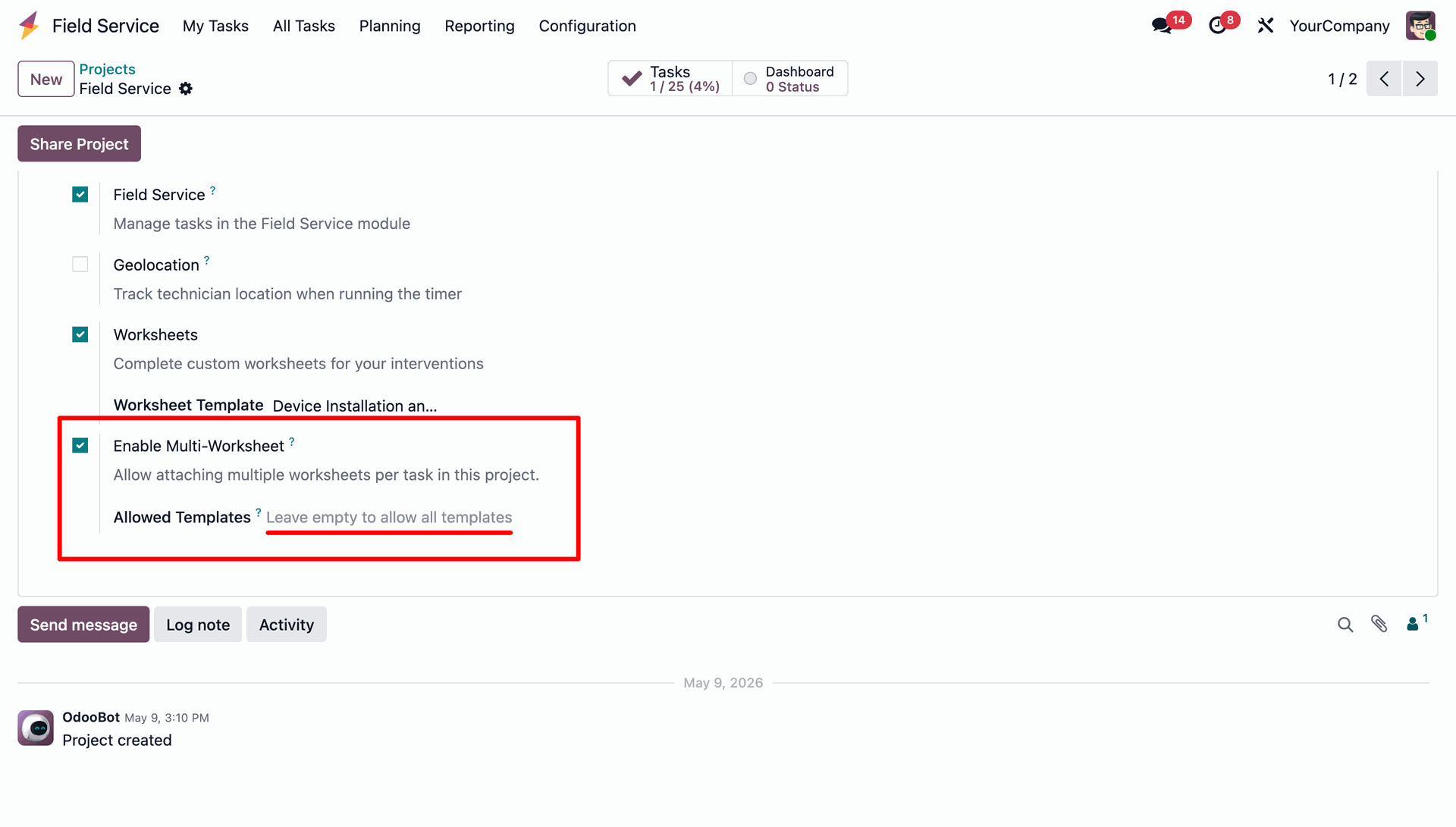
Select allowed templates for tasks under a project, or leave blank to allow all active templates.
Required Worksheets on Close
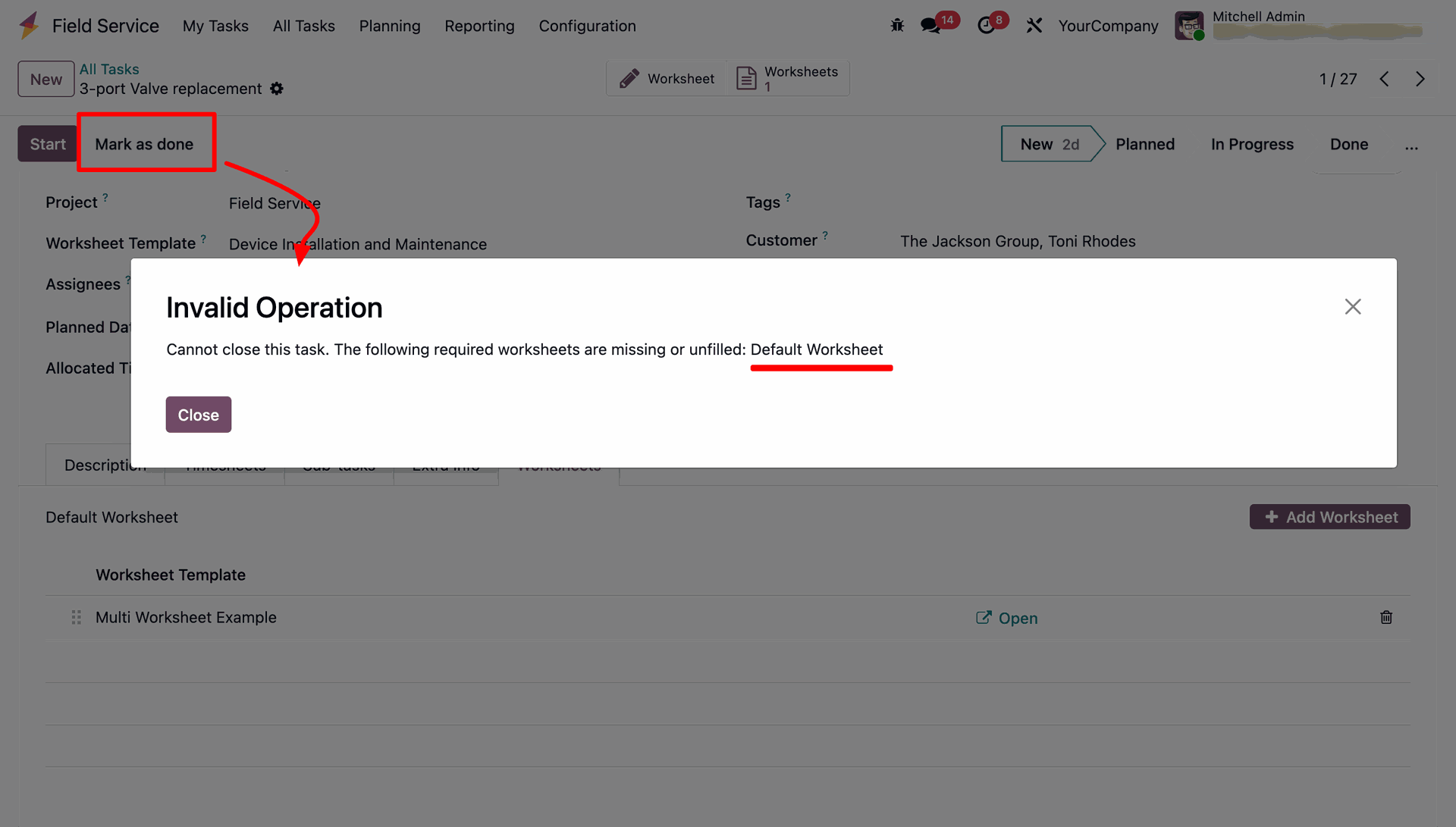
Block closure of tasks if the required worksheets are empty or missing in the task.

Control Duplicate Entries
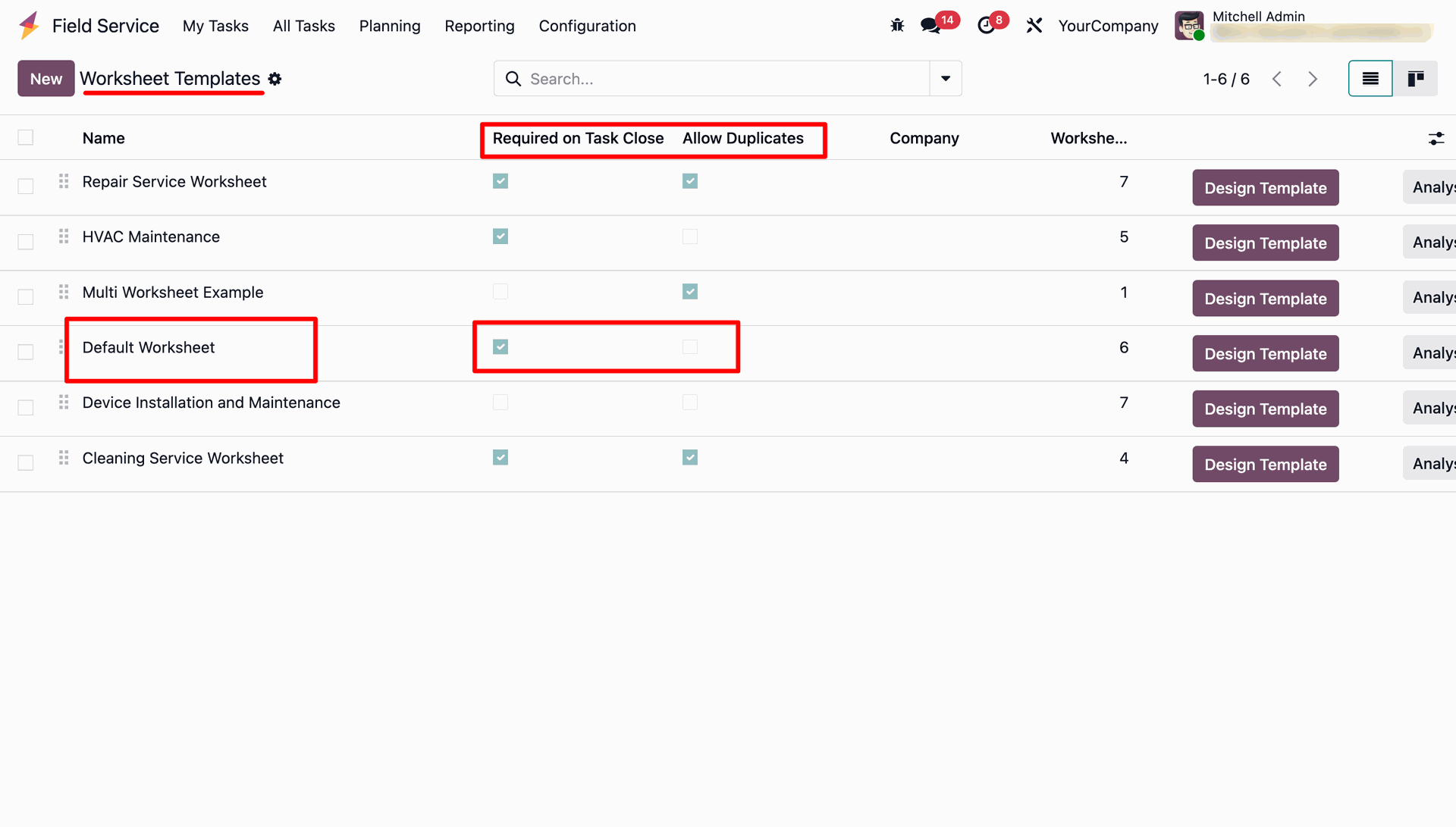
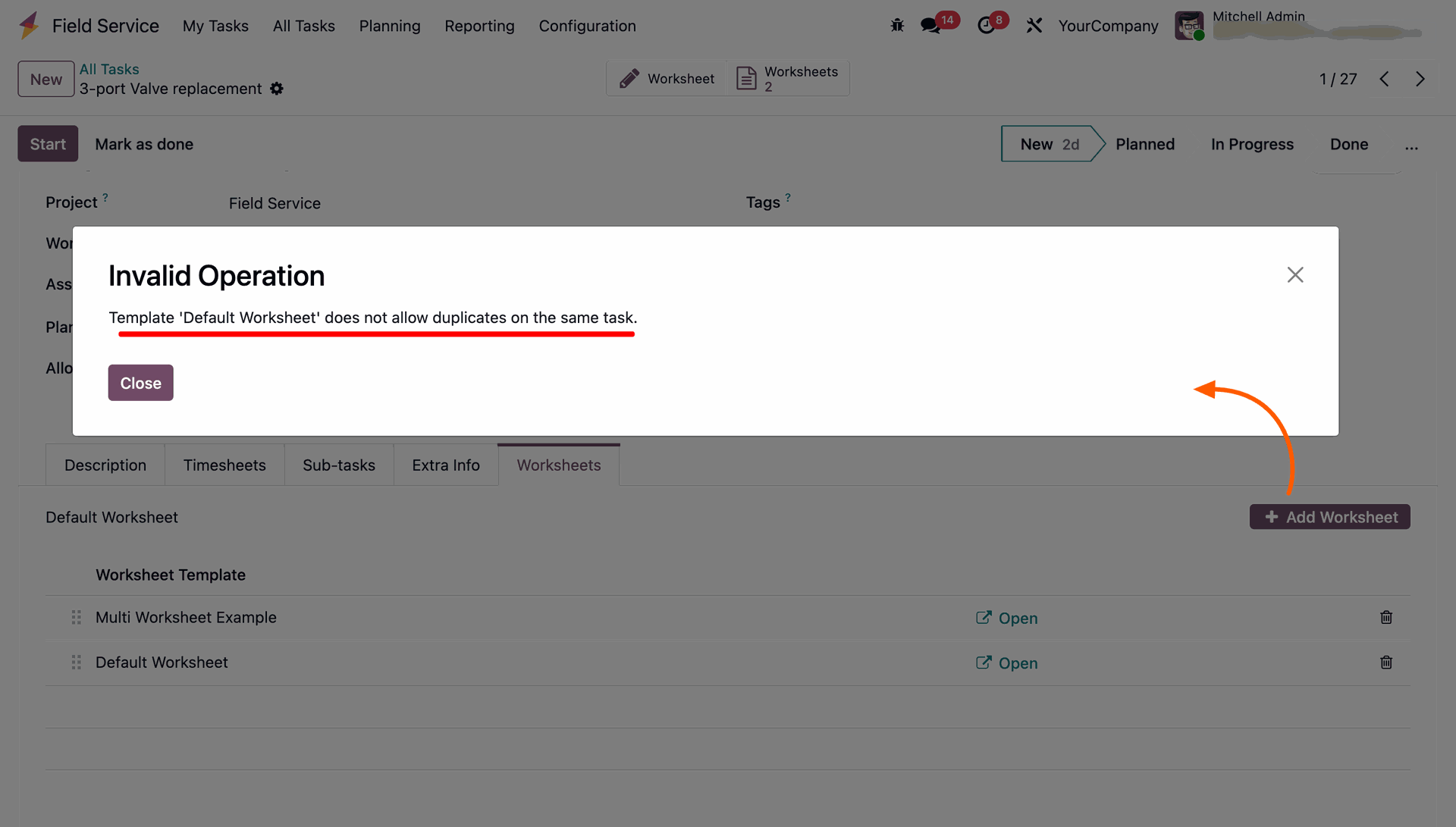
Allow or restrict adding the same worksheet template more than once on the same task.
Interactive Chatter Logs
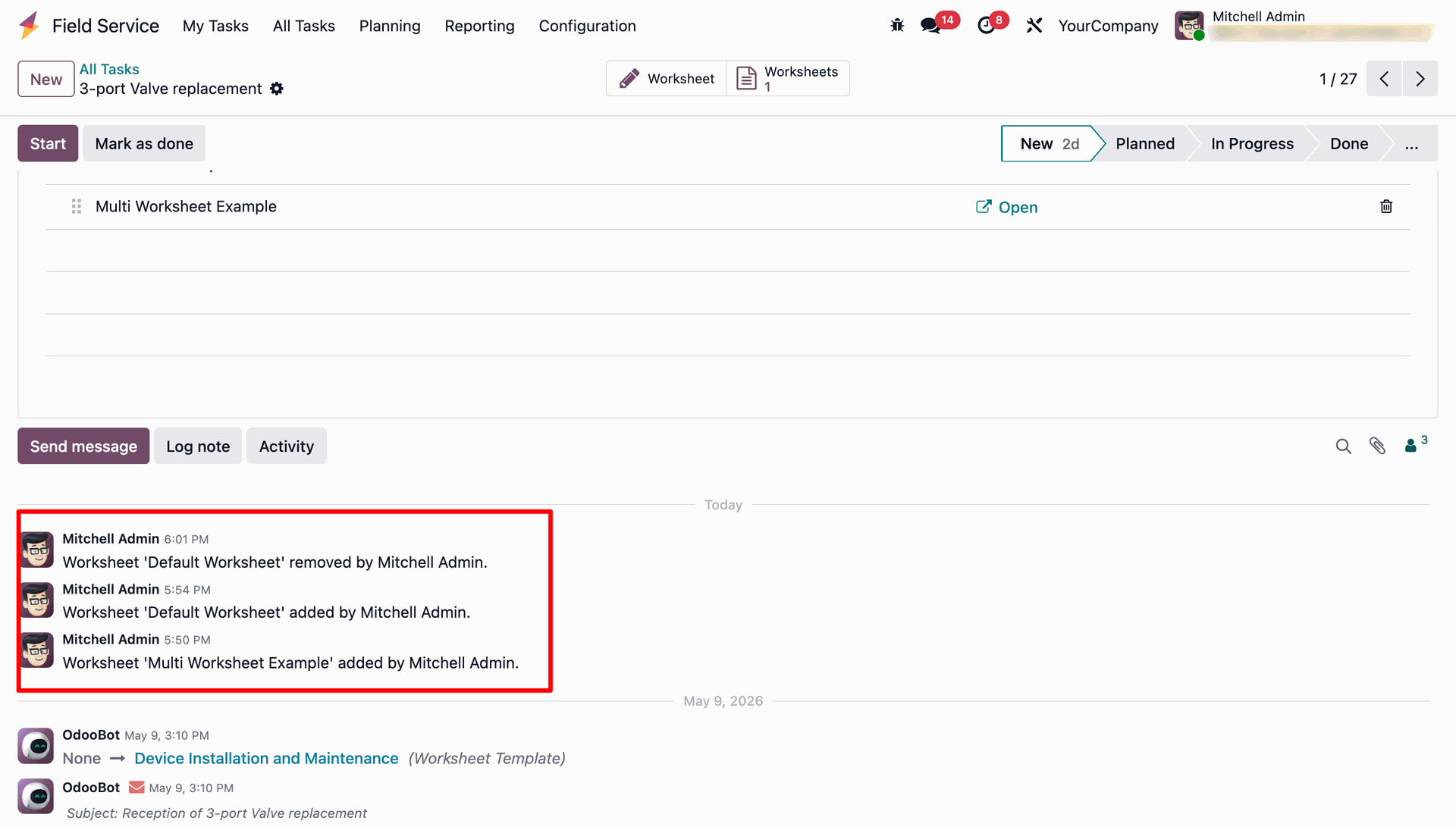
Keep history of worksheet additions and removals with automatic updates in chatter.
Track Worksheet Count at a Glance
See the total number of worksheets attached to a task directly from the smart button on the task form.
Worksheet PDF Report
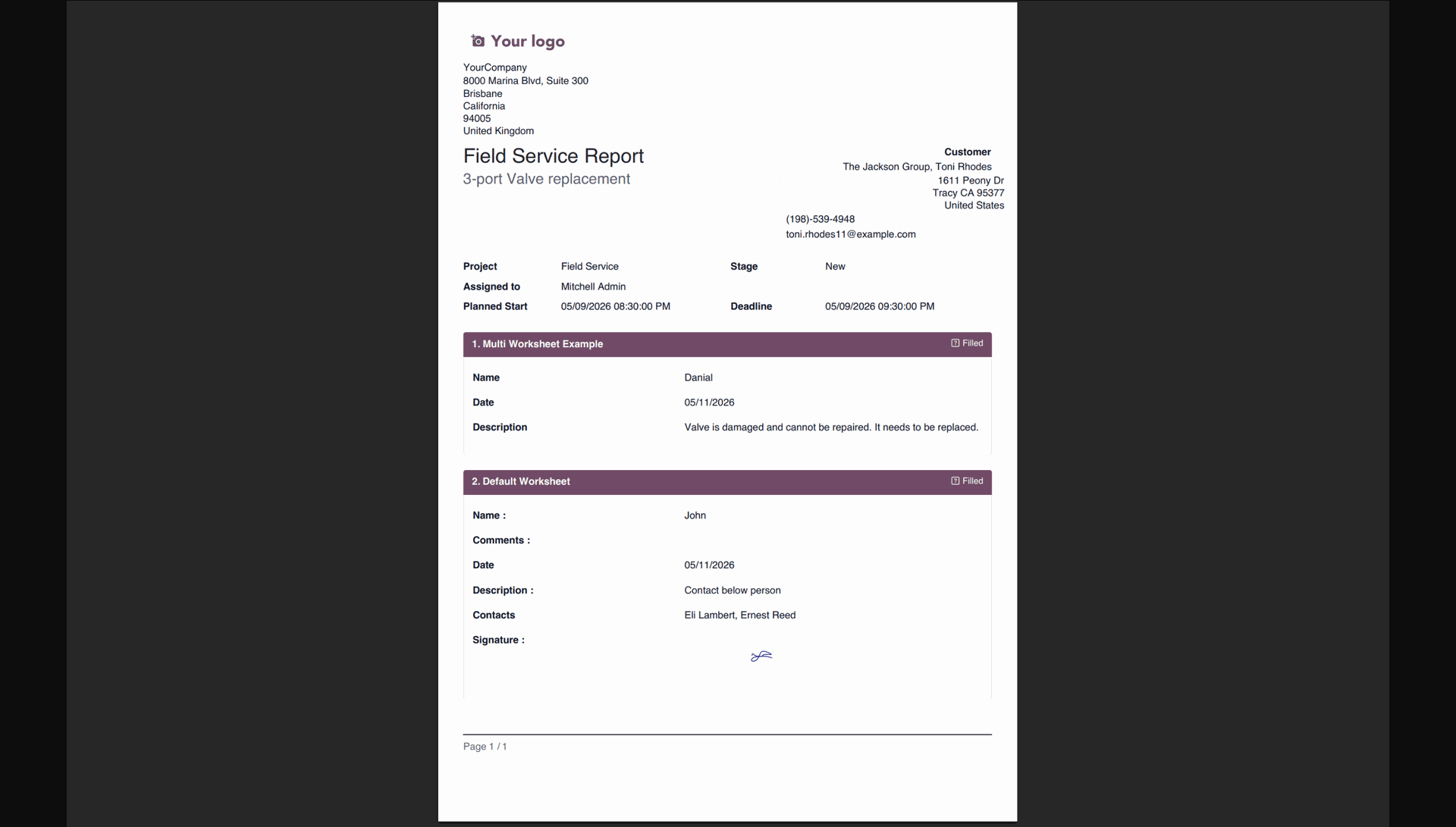
Print a single unified PDF containing all attached worksheet reports and data.
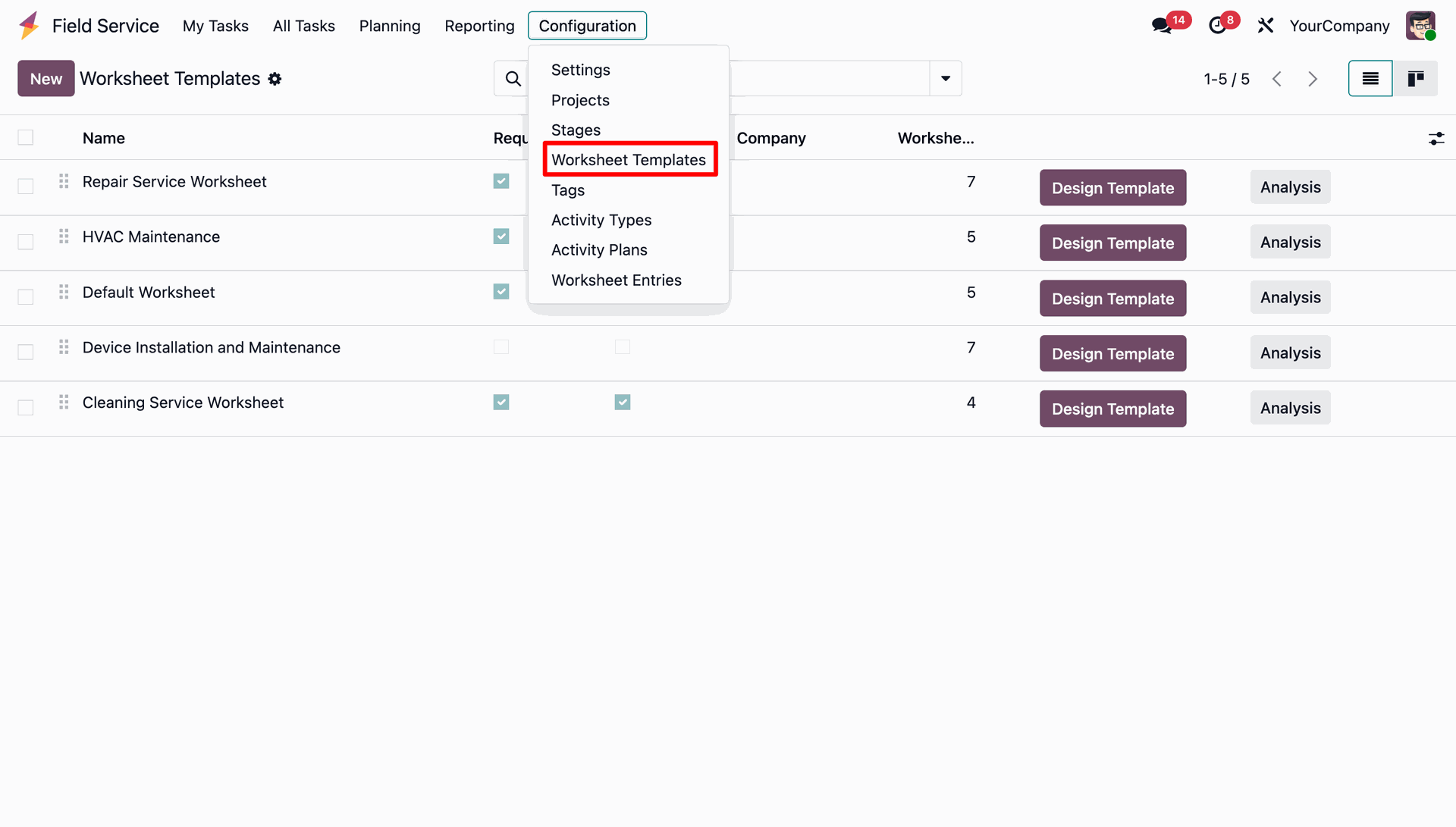
Go to the Field Service application, then navigate to Configuration and select the 'Worksheet Templates' menu to manage all worksheet layouts.
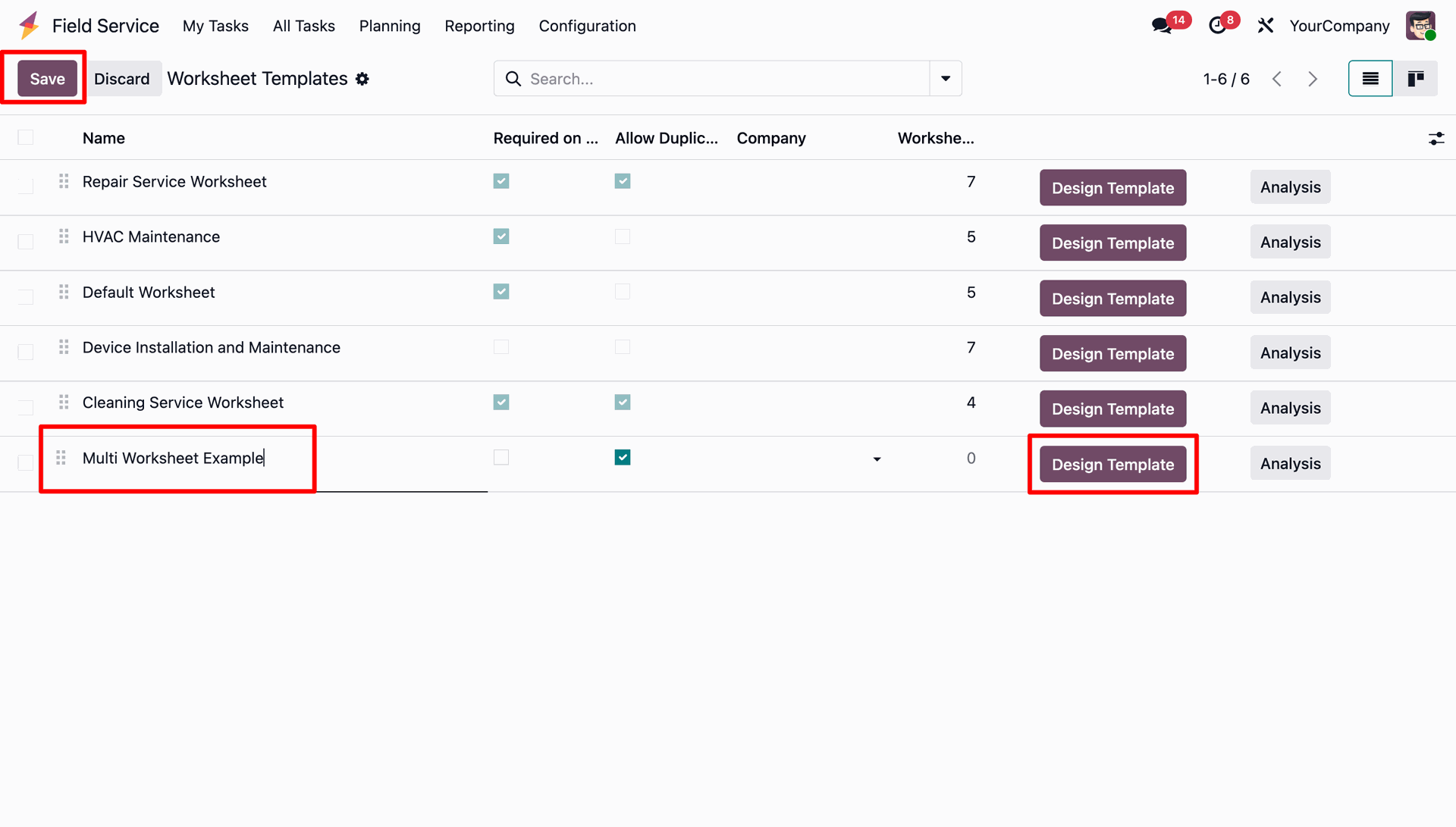
Create or edit a Worksheet Template, specify features like 'Allow Duplicates', and click 'Design Template' to customize form fields.
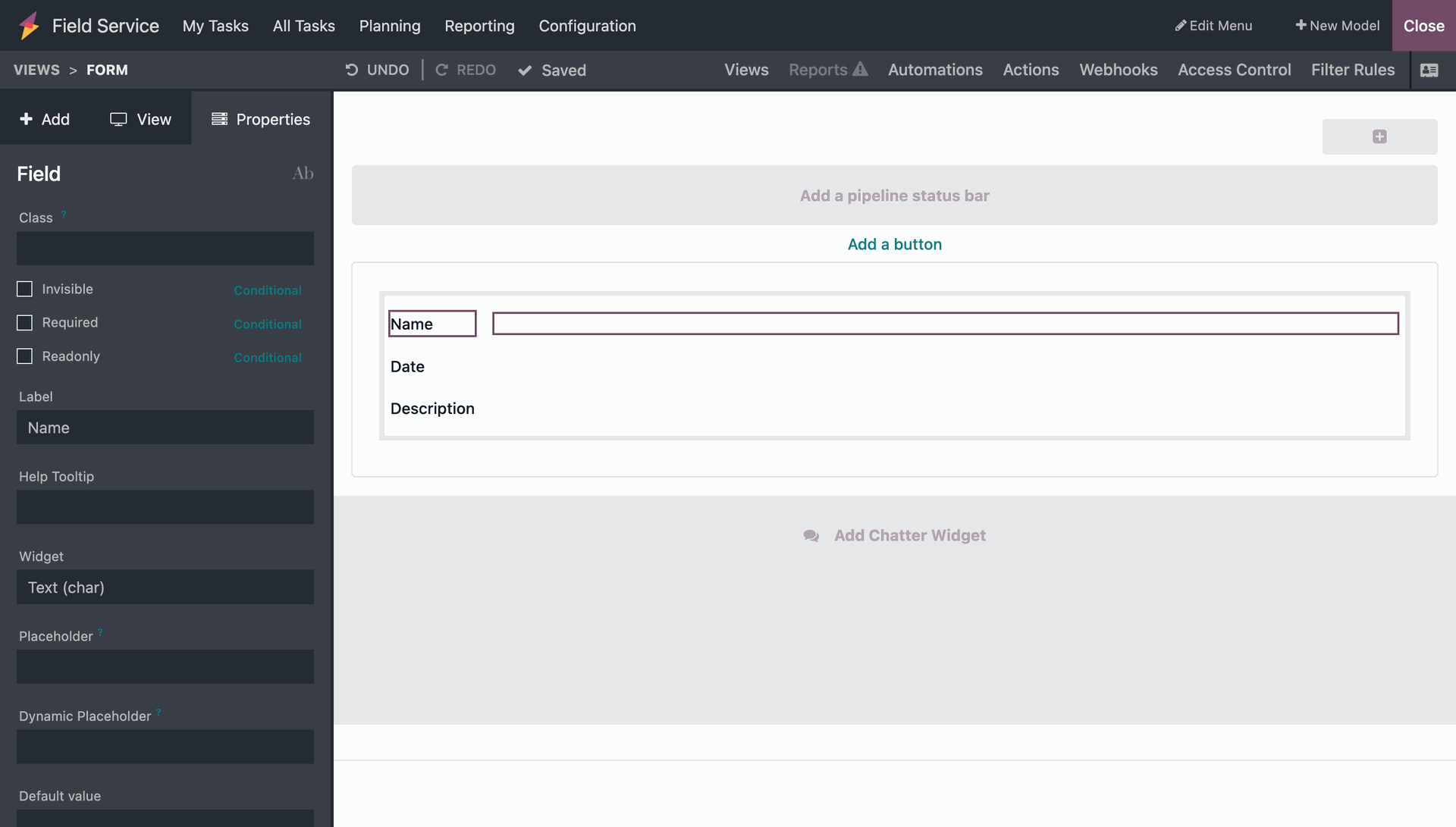
Use the Odoo Studio interface to design the worksheet form layout by adding custom fields like Name, Date, and Description.
Access the Field Service Project settings, toggle the 'Enable Multi-Worksheet' option, and configure the 'Allowed Templates' field to specify which worksheet templates can be used.
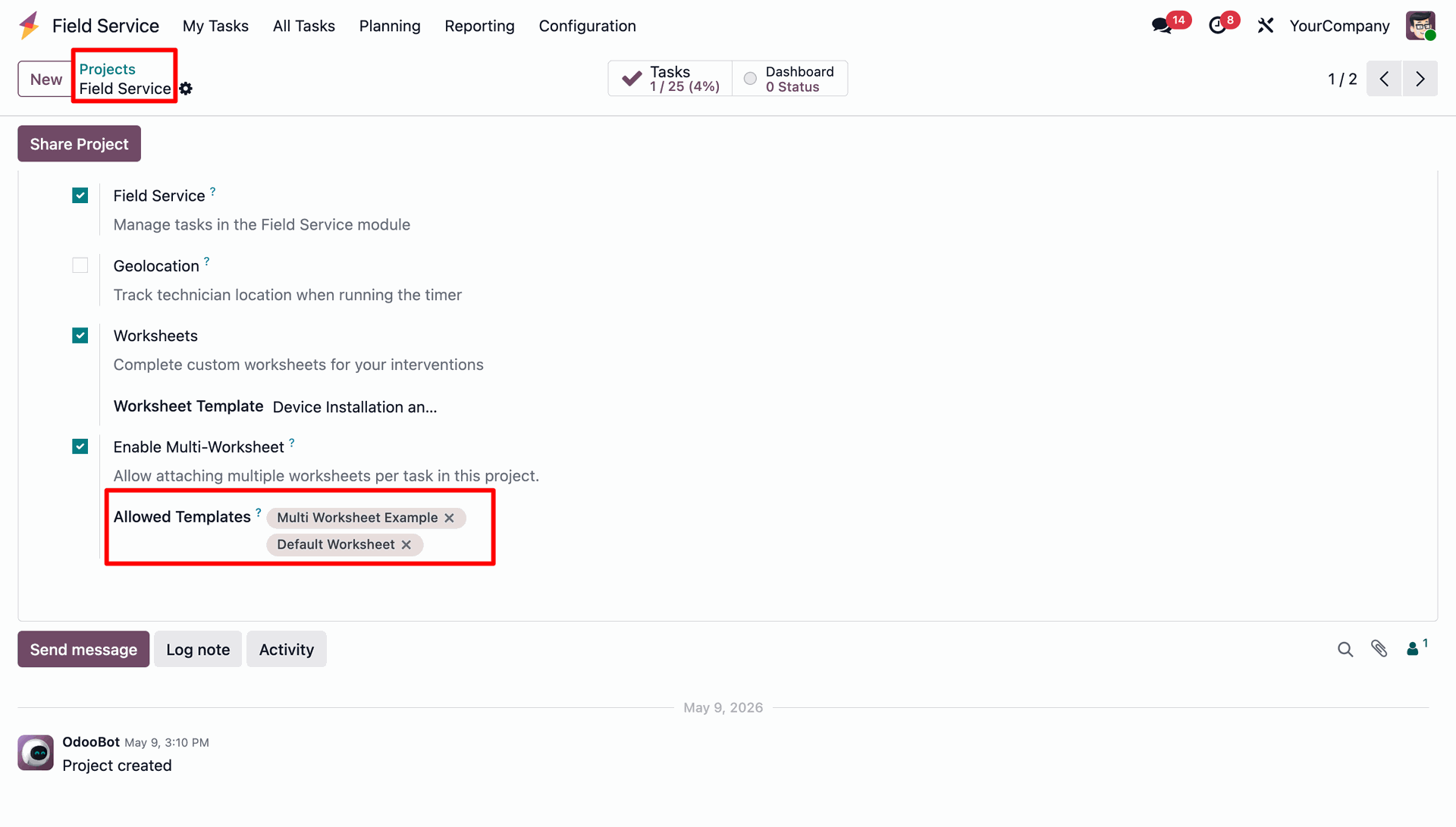
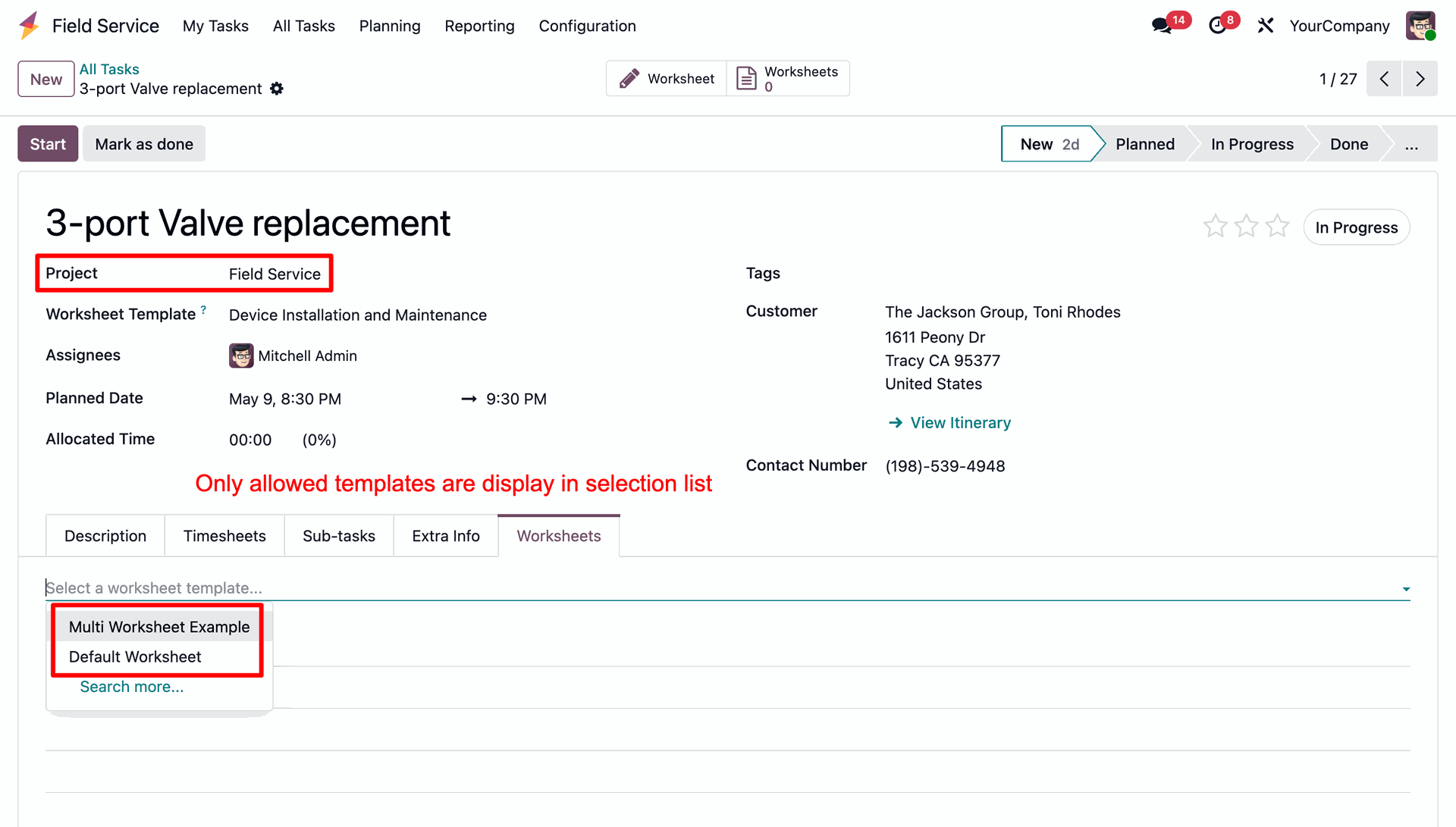
Specify the allowed worksheet templates.
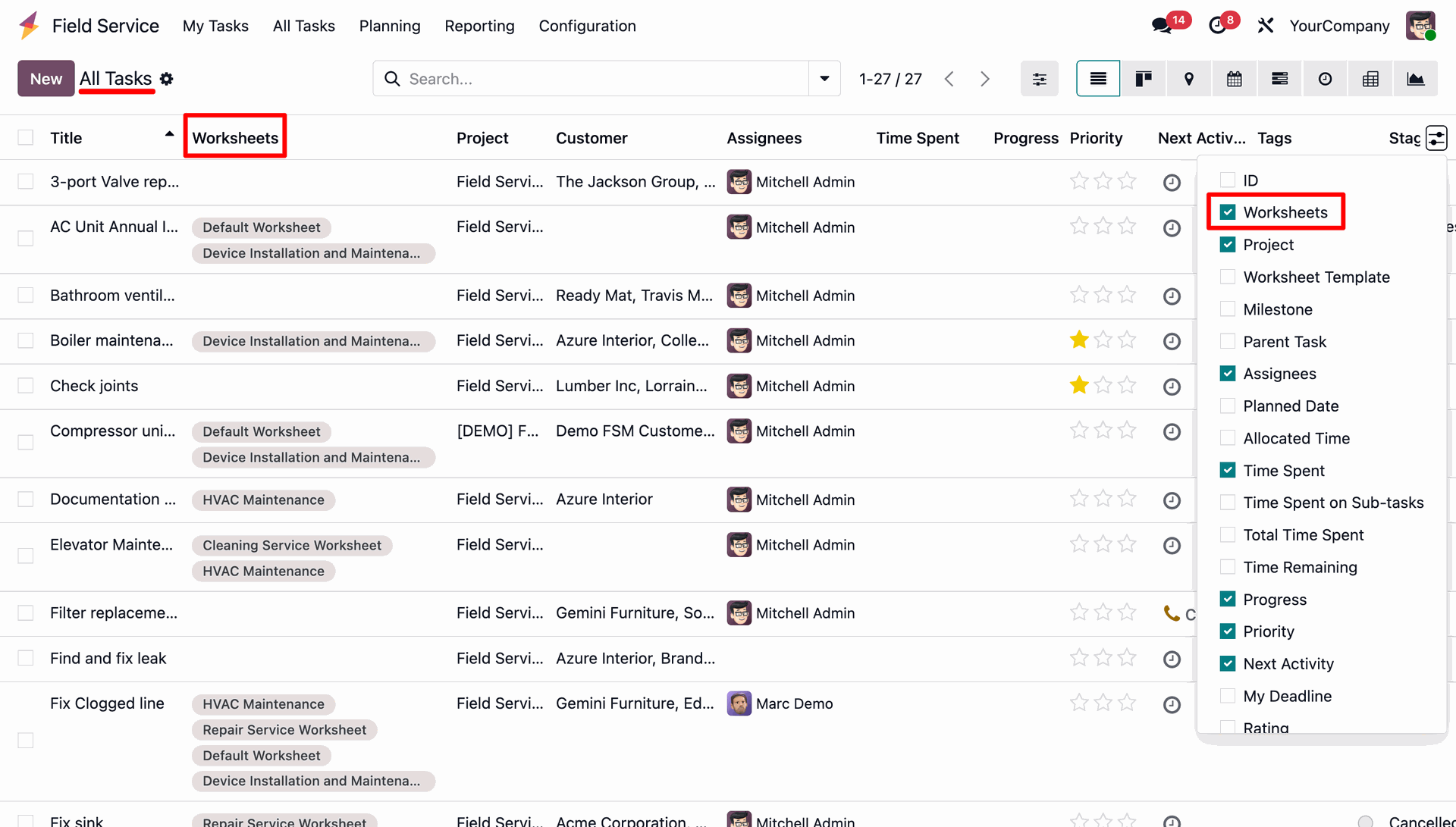
Enable the 'Worksheets' column in the task list view to see all worksheets associated with each task at a glance.
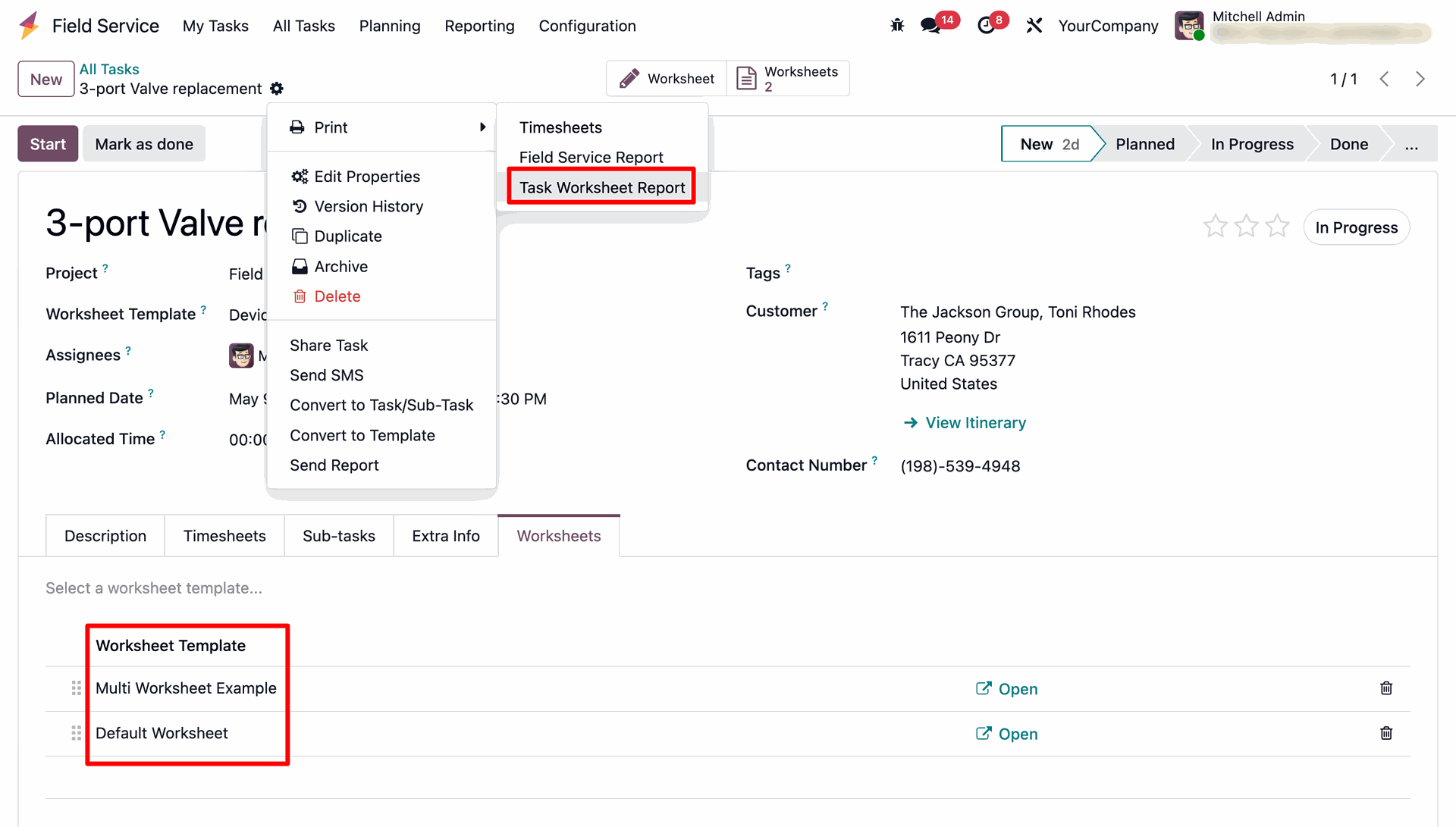
Open any task and navigate to the dedicated 'Worksheets' tab, where the template dropdown list is filtered to display only the allowed templates for the project.
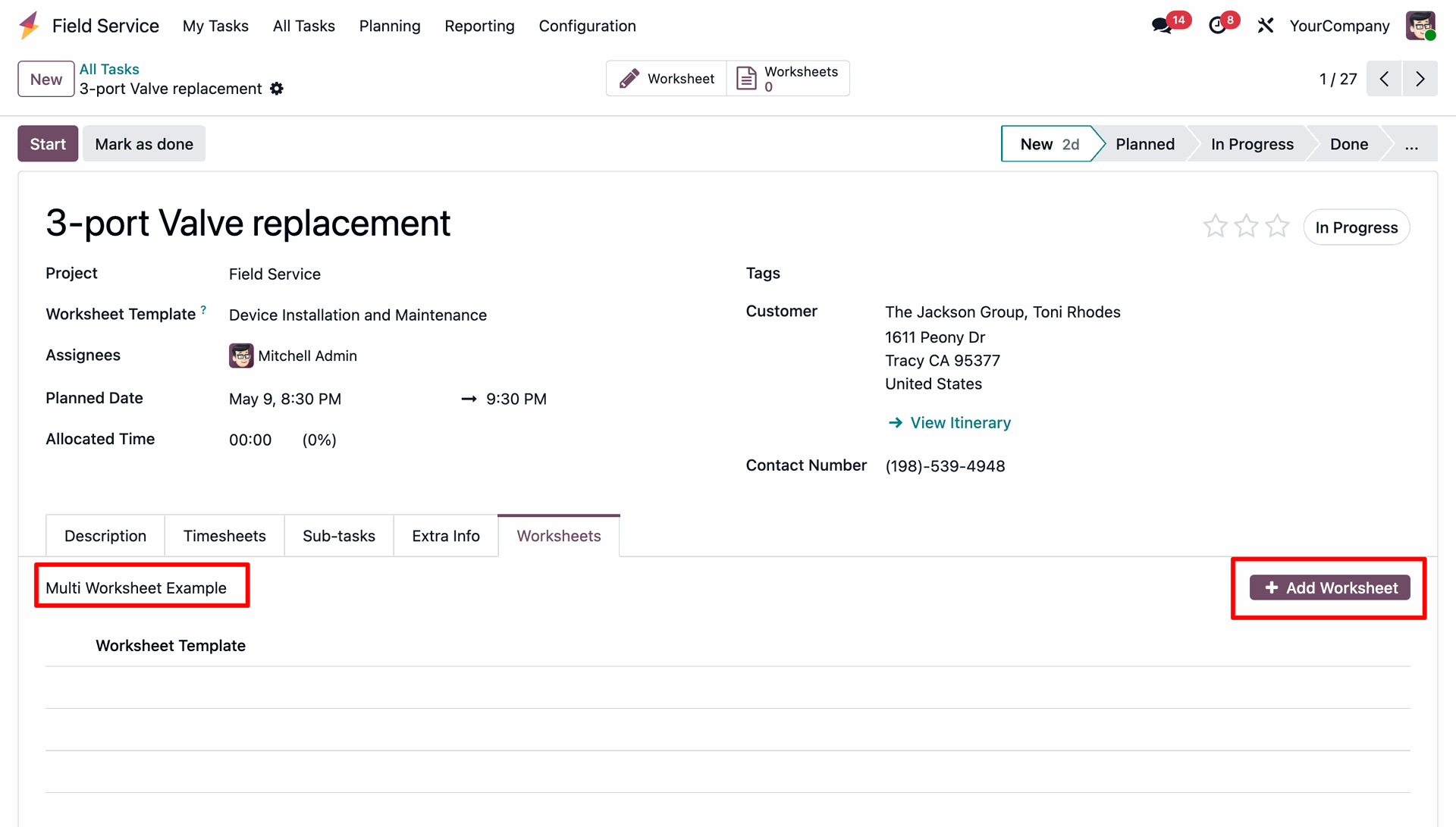
Select a template from the dropdown list and click the 'Add Worksheet' button to instantiate a new worksheet for the task.
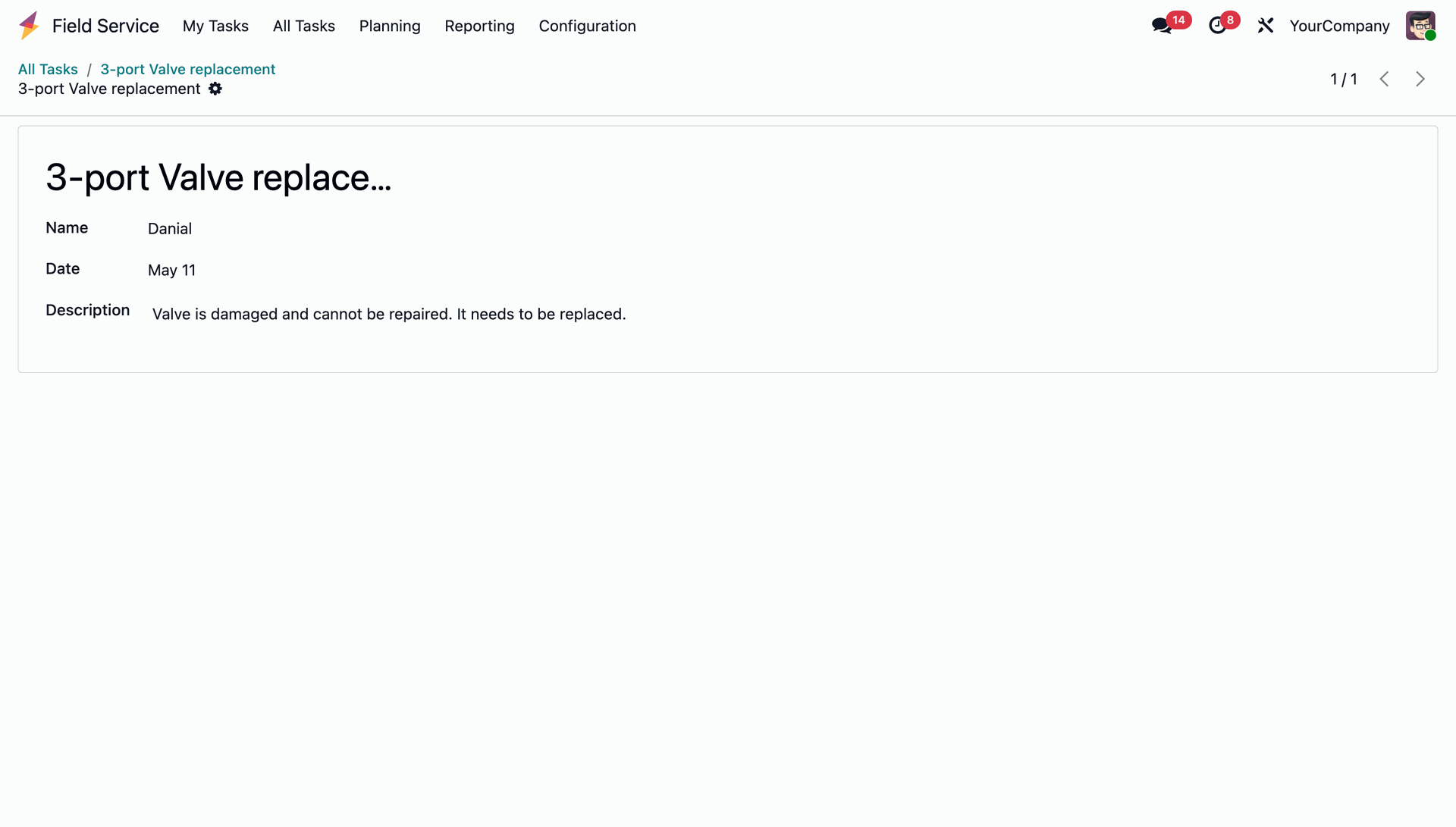
Fill out the fields in the custom worksheet form (such as Name, Date, and Description) and click save to record the information.
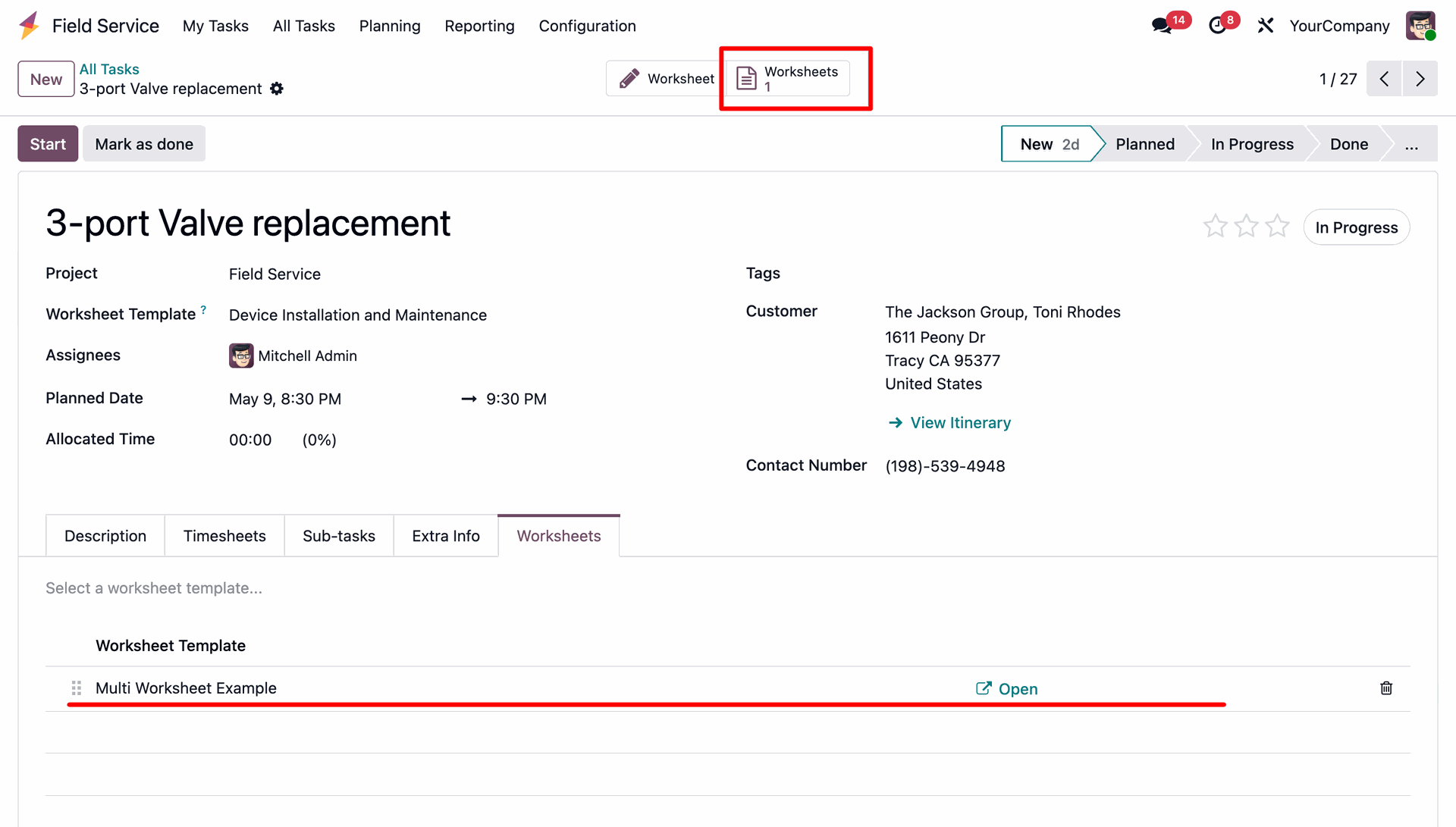
Track all active worksheet records from the task view, which shows a total count in the Worksheets smart button and a list of filled worksheets with options to open or delete them.
Configure specific controls like checking 'Required on Task Close' or unchecking 'Allow Duplicates' on a worksheet template to enforce validation rules.
Receive a validation warning window blocking duplicate worksheet additions.
Prevent closing the task ('Mark as done') with a warning popup if a required worksheet is missing or has not been filled out.
Keep track of history and audit logs through automated chatter notifications posted whenever worksheets are added or removed from a task.
Click on the Print dropdown menu on the task page to select and generate the consolidated 'Task Worksheet Report'.
Generate a unified, consolidated PDF report containing all completed worksheets with their corresponding data displayed sequentially.
Version 19.0.1.0.0 | Released on : 25th August 2026
- No, this app works perfectly with Odoo Enterprise (Odoo.sh & Premise) only.
- No, this application is not compatible with odoo.com(odoo saas/Odoo Online)
- Yes, to test this module, please contact us at sales@softhealer.com.
- Please contact us at sales@softhealer.com to request customization.
- Yes, we provide free support for 365 days from the date of purchase.
- Yes, you will receive lifetime free updates for the version of the module you purchased.
- No, there is no need to install any additional libraries.
- Yes, for version 12 and above, you need to purchase the module separately for each version you intend to use.
- No, exchanges or refunds are not allowed. Please make sure to select the correct version before purchasing.
- You can contact us at support@softhealer.com for language translation support. We use Google Translator tools to provide translations in multiple languages, so the accuracy may vary. We welcome your suggestions to help improve translations.
Discover Our Latest Apps