












Multiple Quantity Based Quality Checks (Pass/Fail) - Enterprise Edition

Improve inspection accuracy and gain better control over your quality checks with the Multiple Quantity
Pass/Fail module for Odoo. This smart solution allows you to record partial inspection results by
specifying exactly how many units passed and how many failed a quality check. Instead of marking an
entire batch as fully passed or failed, the system automatically updates the passed quantity and creates
a separate quality check for the failed items. This ensures precise tracking, complete traceability, and
accurate quality records for every unit, helping you maintain higher quality standards and better
operational control.

Related Modules
Features

Partial Quantity Validation
Allows users to specify exact "Passed" and "Failed" quantities within a single quality check operation, rather than marking the entire batch as a simple pass or fail.

Enhanced Quality Wizard
Upgrades the standard Quality Control wizard with precise input fields for "Passed Quantity" and "Failed Quantity" and a confirmation action.

Validations & Integrity
Includes controls to prevent negative quantities and ensures the sum of passed and failed items matches the total received quantity.

Detailed Quantity Tracking
Provides dedicated fields on Quality Check views to display the specific Checked Qty, Passed Qty, and Failed Qty for easy analysis.
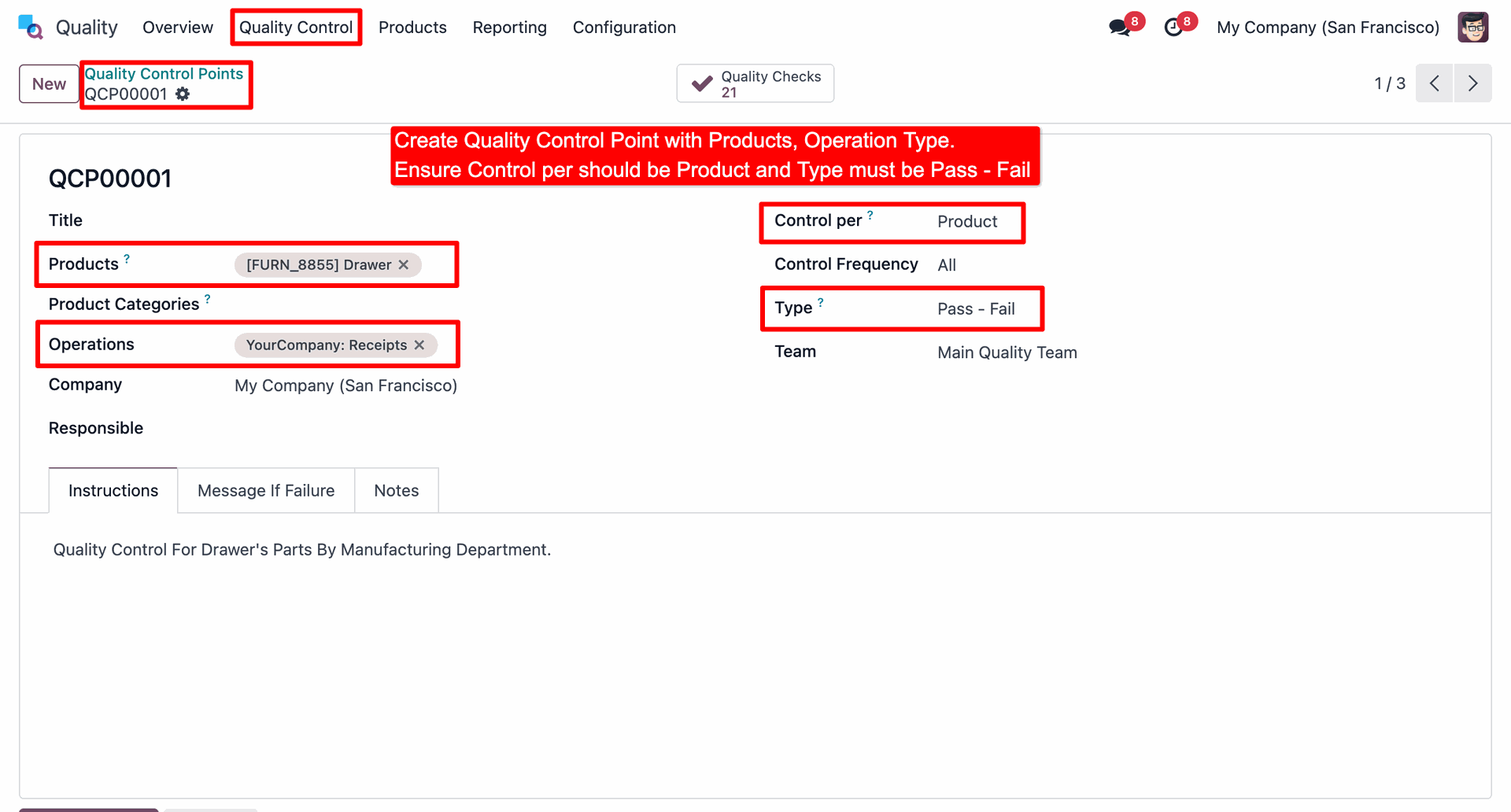
The user configures Quality Control Point QCP00001 for the Drawer product on Receipts, explicitly setting the Control per to Product and the Type to Pass - Fail.
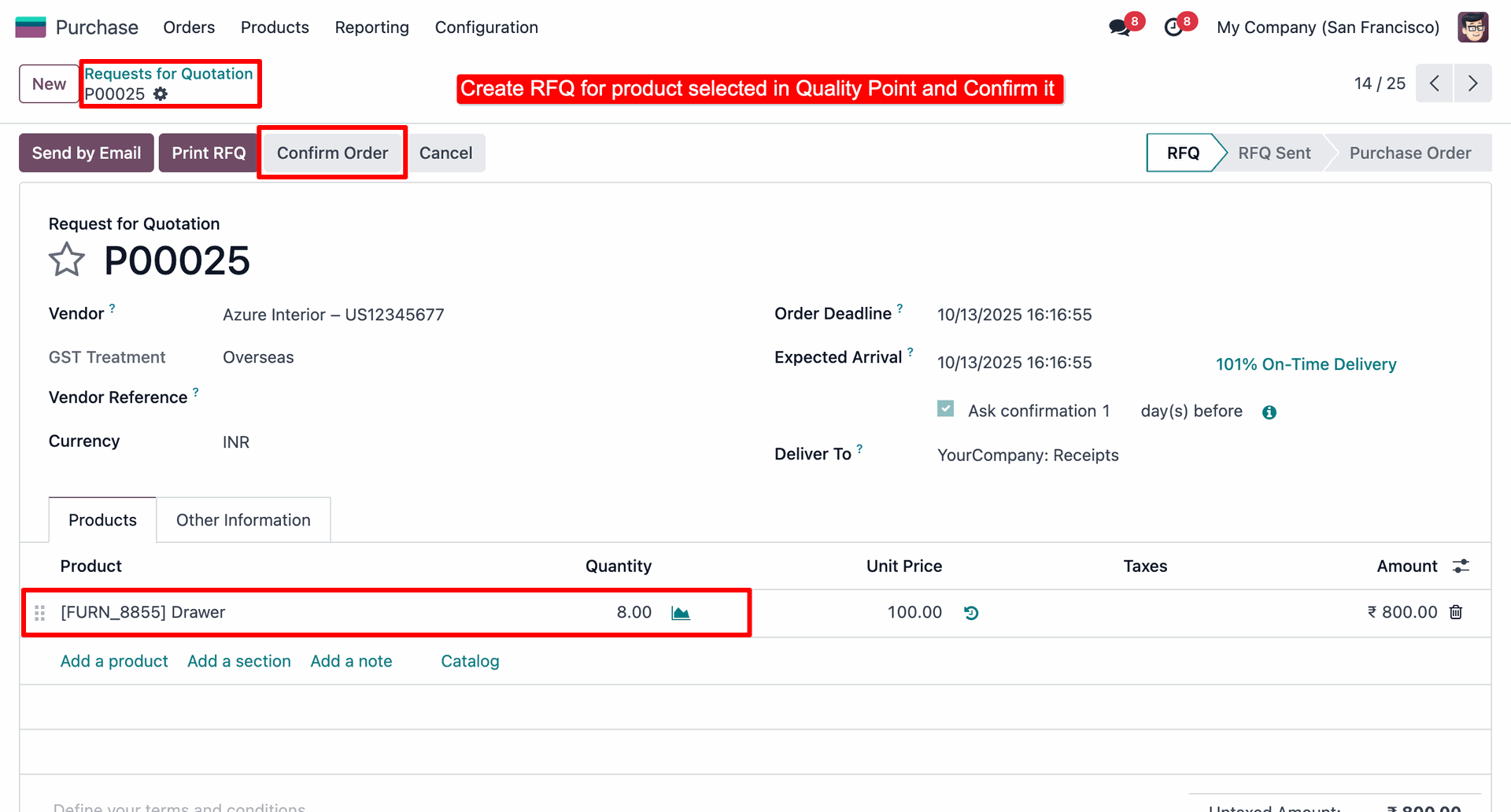
The user creates Request for Quotation P00025 for 8 units of the Drawer product and clicks Confirm Order to finalize the transaction.
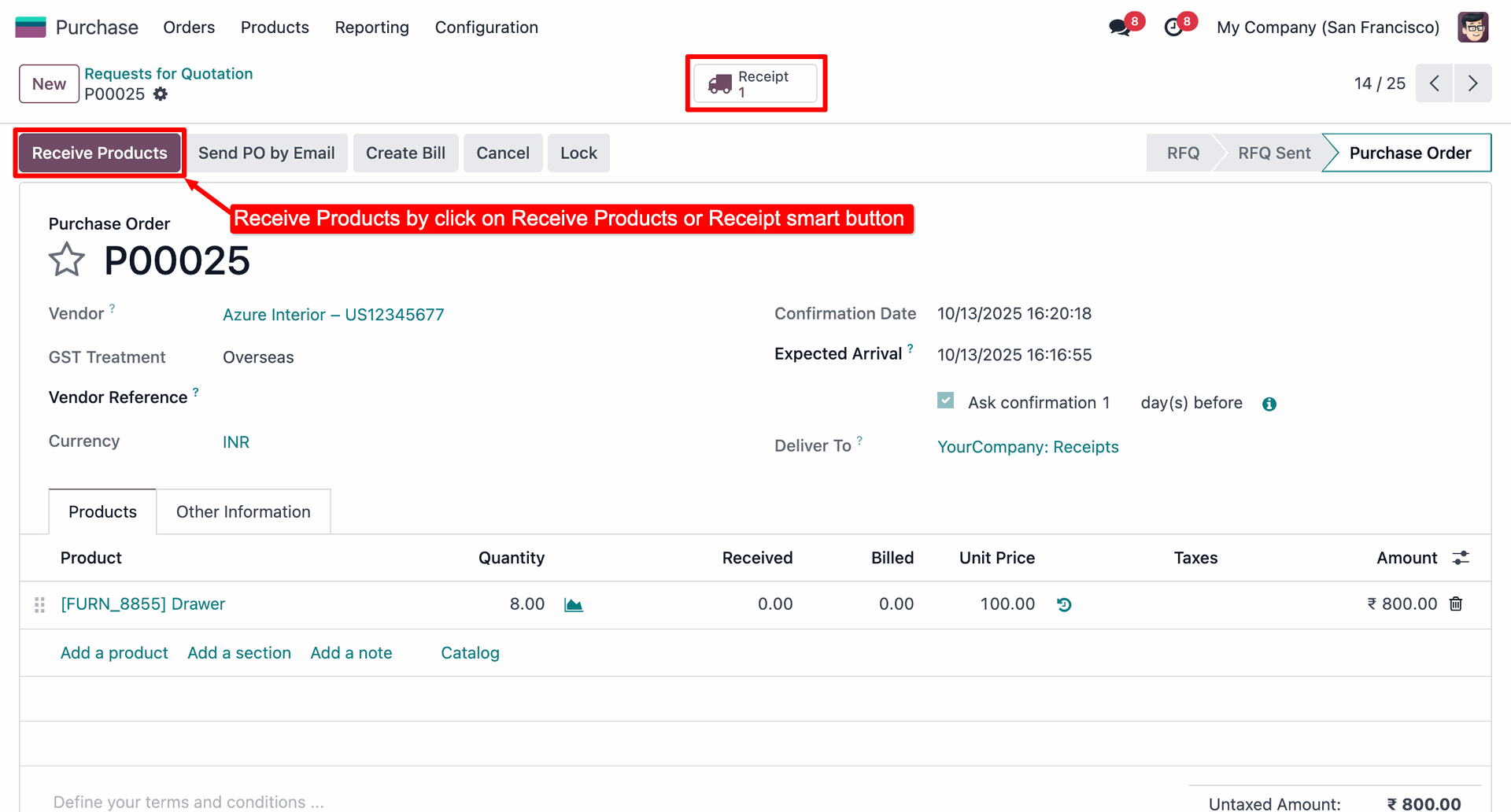
The user initiates the receipt of goods for Purchase Order P00025 by clicking either the Receive Products button or the Receipt smart button, as highlighted by the red boxes.
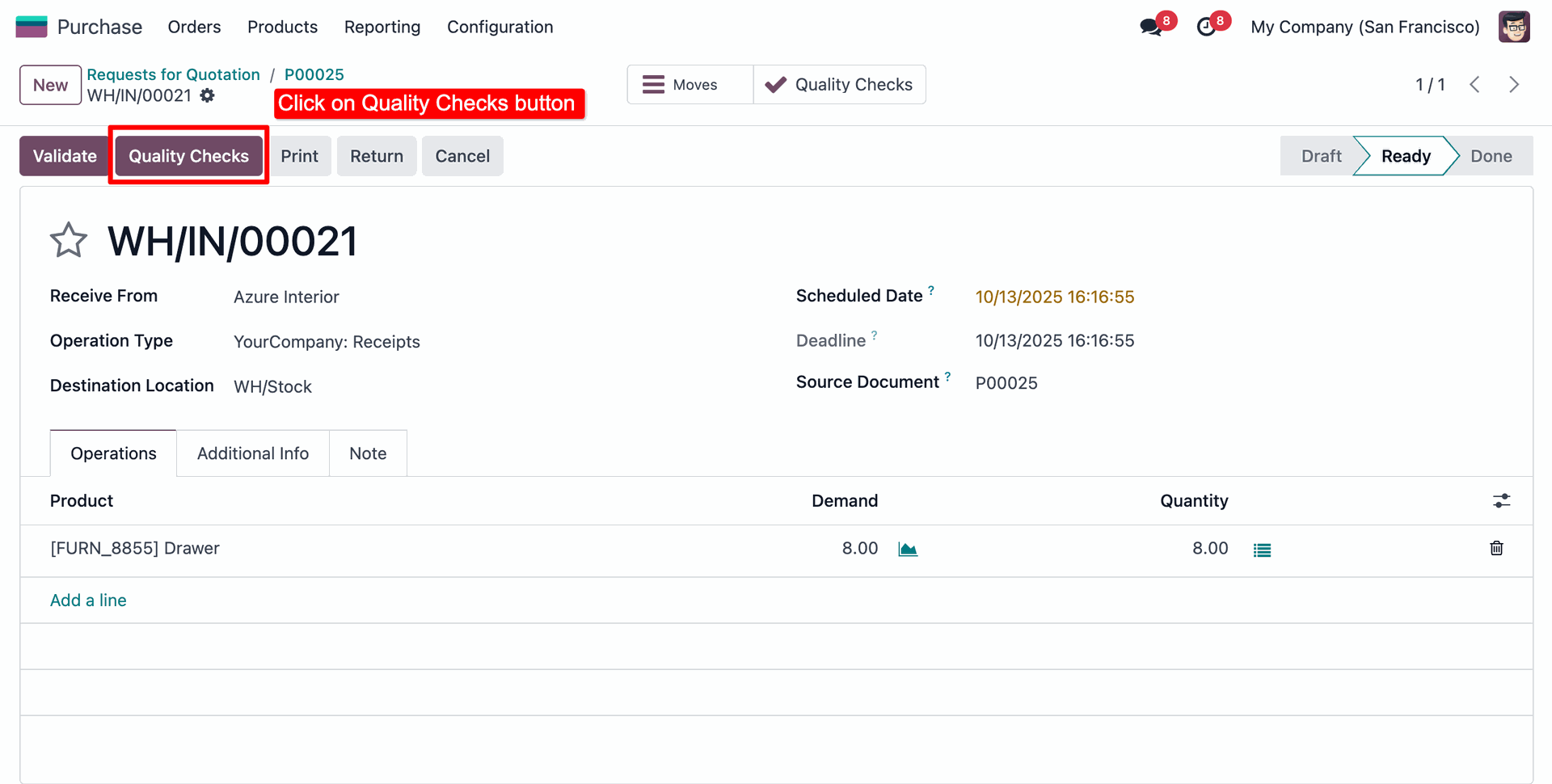
The user clicks the Quality Checks button on receipt WH/IN/00021, as highlighted by the red box, to start the inspection of the incoming Drawer units.
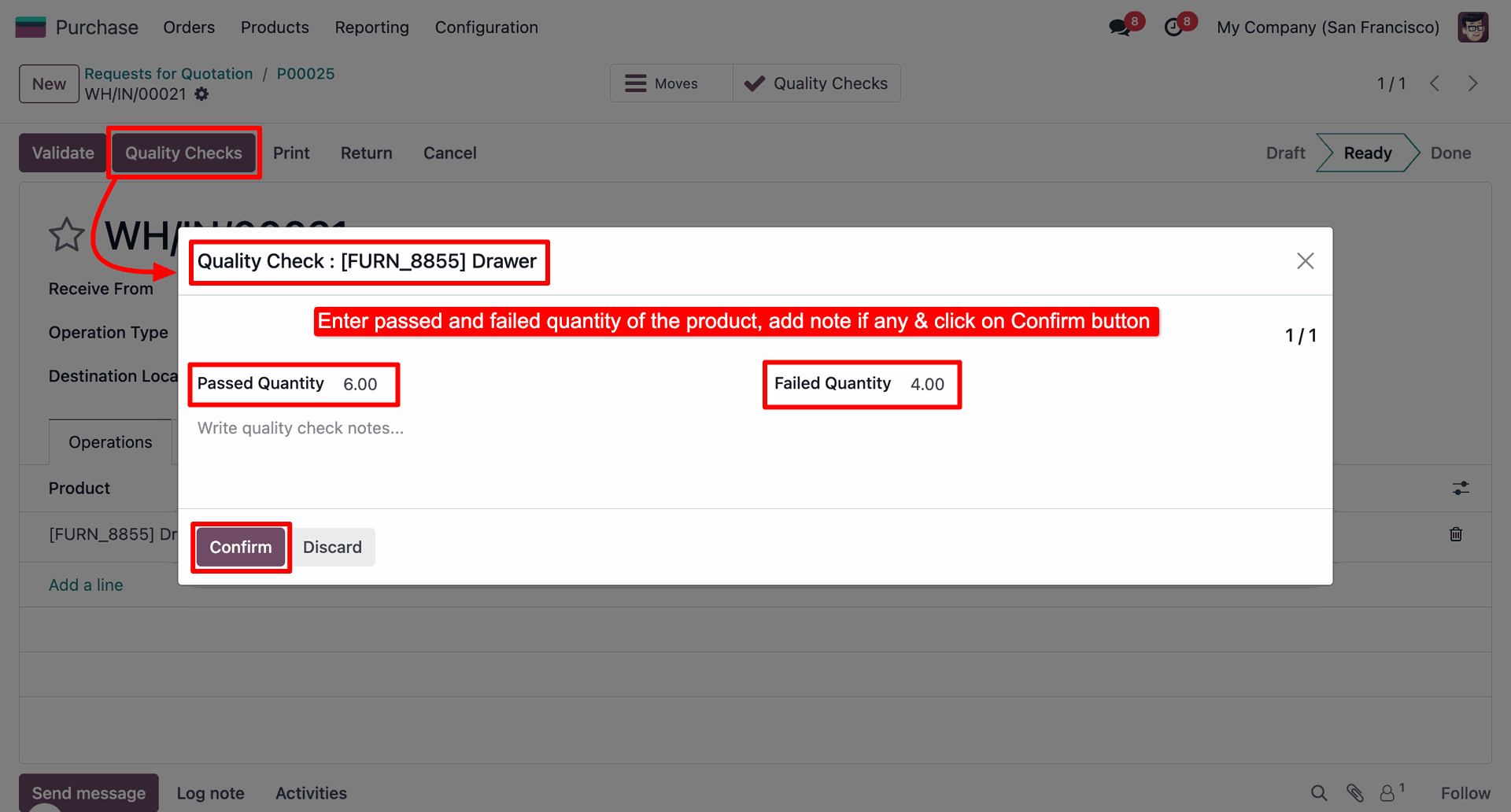
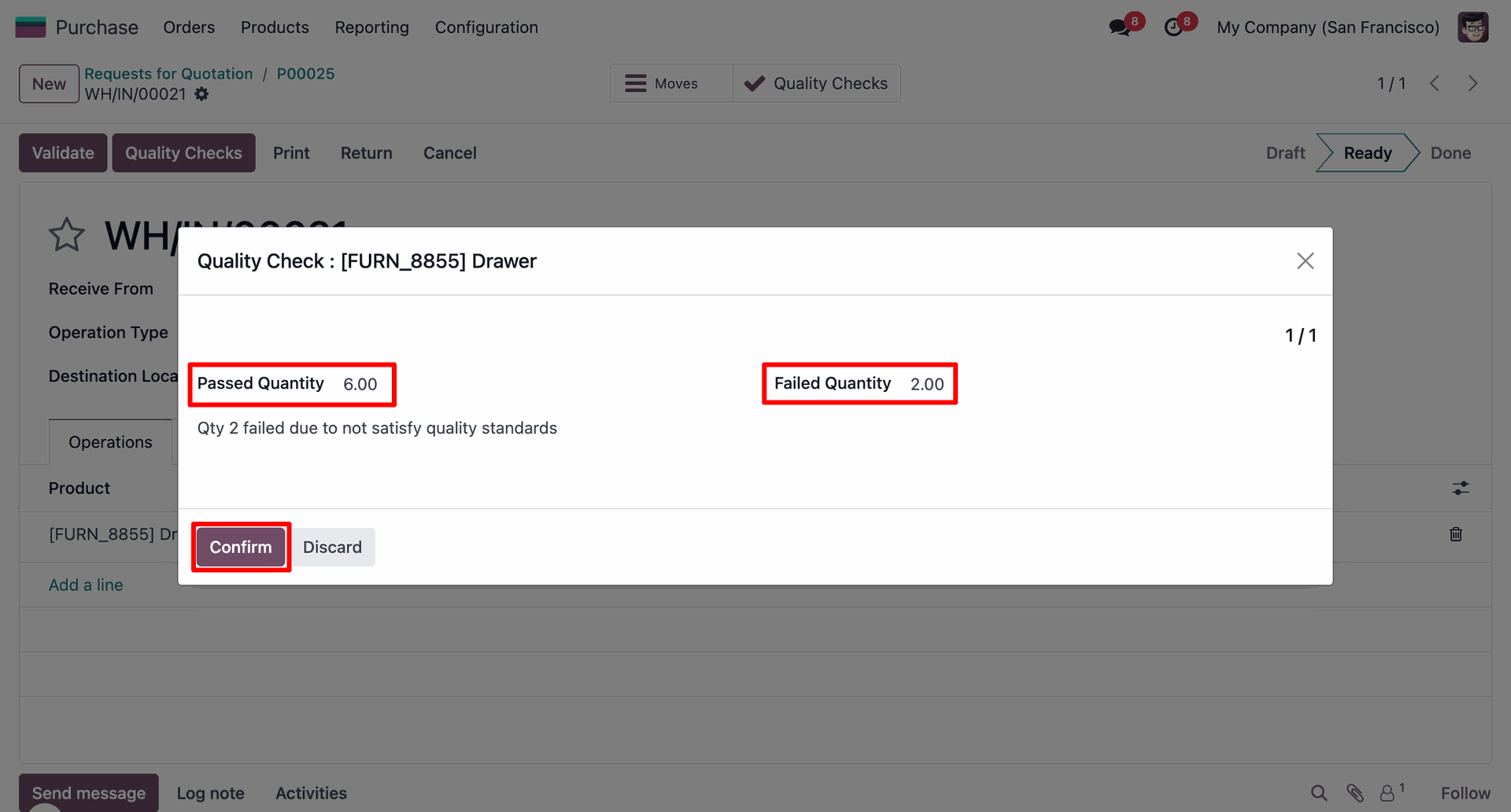
The user inputs 6.00 for Passed Quantity and 4.00 for Failed Quantity within the quality check modal, then clicks Confirm to save the results.
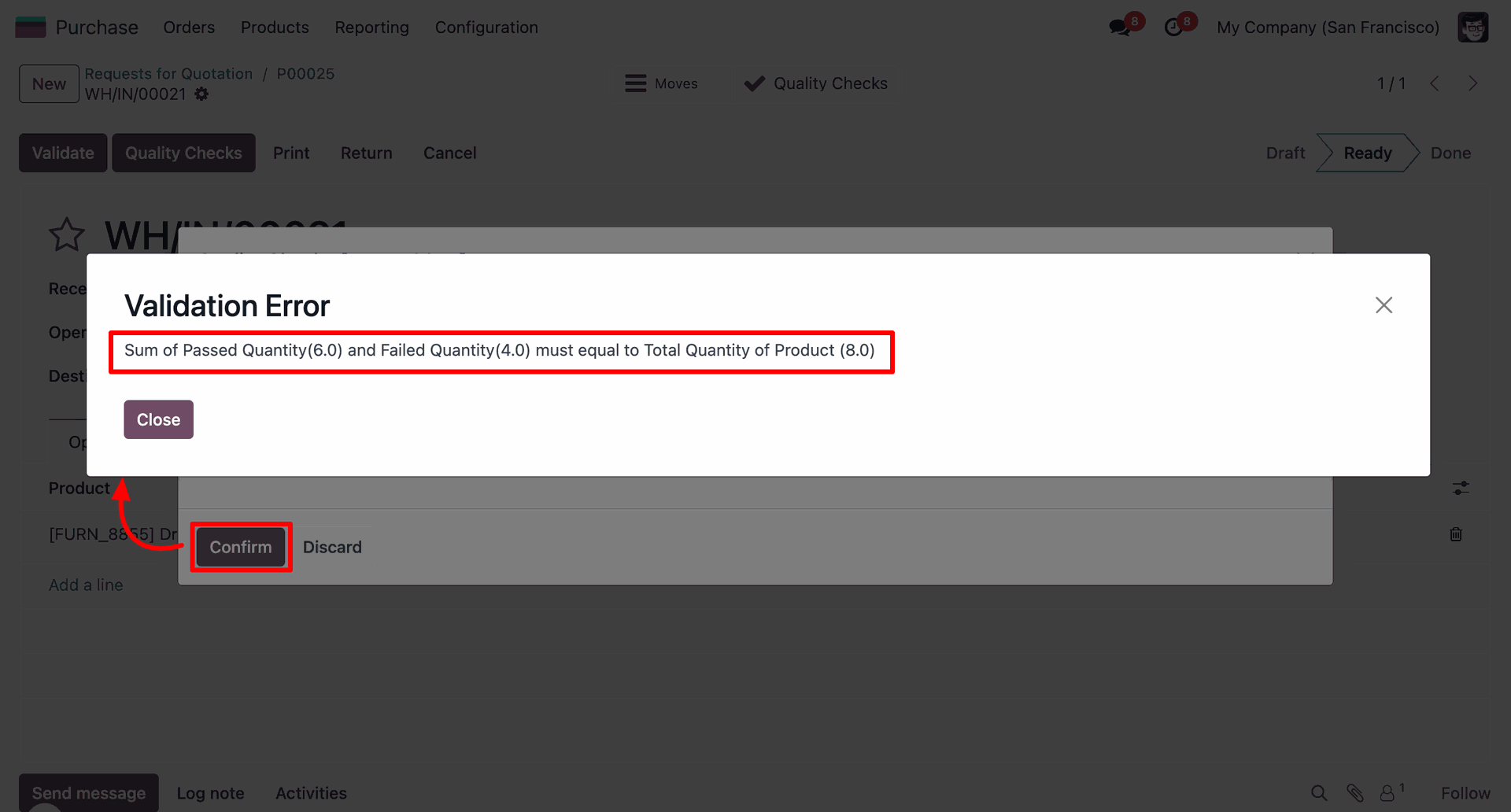
The system displays a Validation Error after the user clicks Confirm, alerting that the sum of passed (6.0) and failed (4.0) quantities does not match the total product quantity of 8.0.
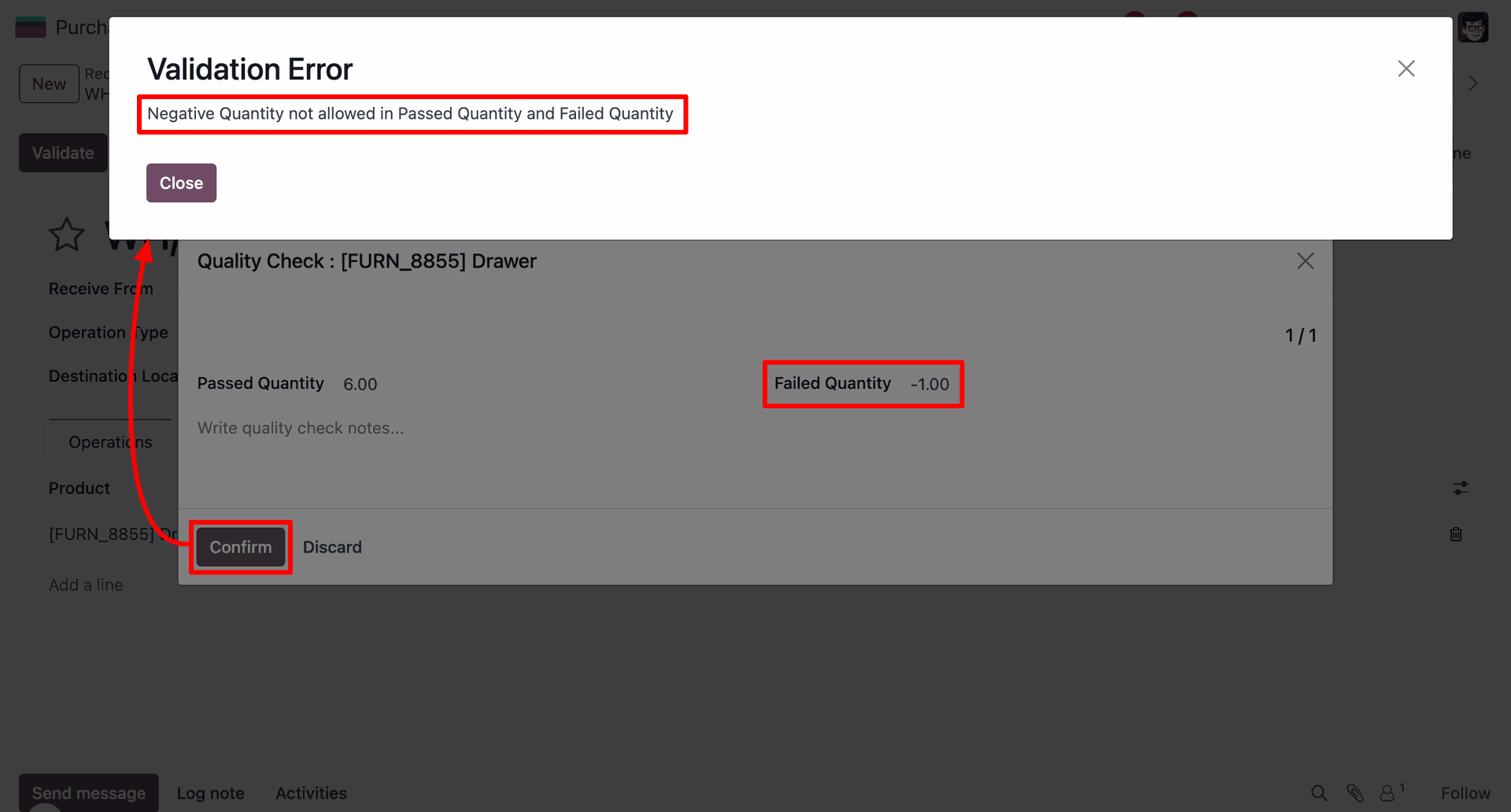
The system triggers a Validation Error when the user attempts to confirm the quality check with a Failed Quantity of -1.00, enforcing the rule that negative quantities are not allowed.
The user enters valid data—6.00 passed and 2.00 failed—and adds a note explaining the defects before clicking Confirm to successfully submit the quality check.
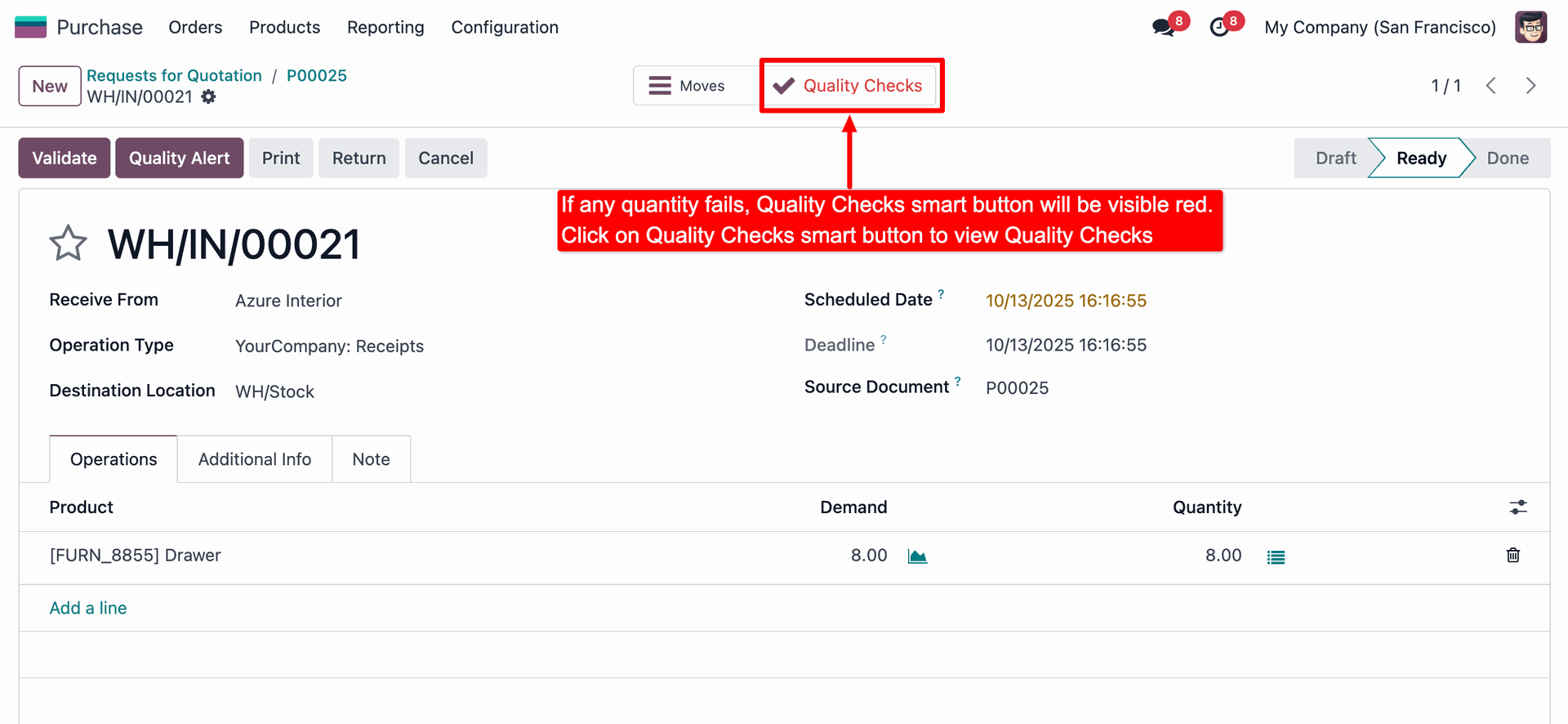
The user identifies the red Quality Checks smart button at the top of the form, which indicates a failure, and clicks it to review the detailed inspection results.
The Quality Checks list displays the split results: 2.00 units are recorded as Failed and 6.00 units as Passed, as highlighted by the red boxes.

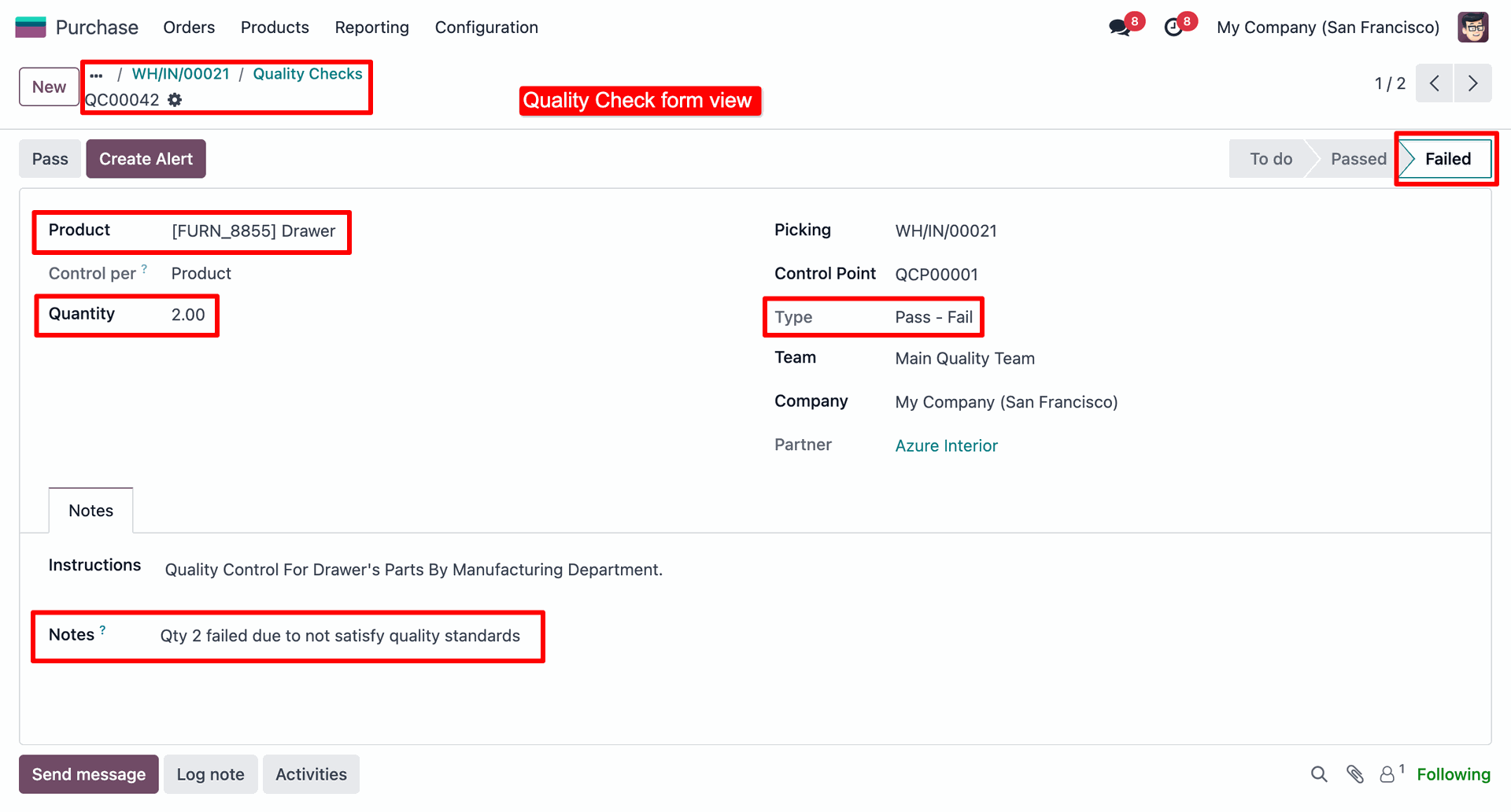
The user reviews the detailed record for QC00042, where red boxes highlight the Failed status, the quantity of 2.00, and the explanatory Notes regarding the quality standards.
Version 18.0.1 | Released on : 2nd February 2026
- No, this app works perfectly only with Odoo Enterprise (Odoo.sh & Premise) edition.
- No, this application is not compatible with odoo.com(odoo saas/Odoo Online)
- Yes, to test this module, please contact us at sales@softhealer.com.
- Please contact us at sales@softhealer.comto request customization.
- Yes, we provide free support for 365 days from the date of purchase.
- Yes, you will receive lifetime free updates for the version of the module you purchased.
- No, there is no need to install any additional libraries.
- Yes, for version 12 and above, you need to purchase the module separately for each version you intend to use.
- No, exchanges or refunds are not allowed. Please make sure to select the correct version before purchasing.
- You can contact us at support@softhealer.com for language translation support. We use Google Translator tools to provide translations in multiple languages, so the accuracy may vary. We welcome your suggestions to help improve translations.
Discover Our Latest Apps