












Multi Vendor Marketplace Management

Transform your Odoo store into a multi-vendor marketplace platform. Empower independent sellers to register profiles, complete KYC verification, manage products, launch coupon promotions, and track order fulfillment. Calculate commissions, manage payout requests, and collect customer product reviews.
Features

Seller Registration
Enable new vendors to submit marketplace registration applications directly through the website portal.
Seller Approval Workflow
Review incoming seller applications, verify vendor details, and approve or reject marketplace registrations.

Seller Profile Management
Maintain comprehensive vendor profiles including store branding, seller details, and commission configurations.

Seller Portal Access
Provide vendors with a dedicated portal dashboard to manage inventory, track orders, and view sales performance.
KYC Document Verification
Verify vendor identity documents with custom KYC verification steps to ensure marketplace compliance.
Product Submission Workflow
Allow vendors to submit new product listings with complete details for marketplace review.
Product Approval Workflow
Inspect vendor product submissions and approve or reject listings before public publication.

Bulk Product Import
Enable vendors to upload multiple product listings at once using standardized spreadsheet templates.

Seller Coupons Management
Allow vendors to create and manage promotional discount coupons for their store products.
Marketplace Logistics Settlement
Manage marketplace logistics costs, shipping revenue, and seller payouts with a clear settlement status.
Seller Commission Ledger
Record every sales commission transaction in a dedicated vendor account balance ledger.

Seller Payout Requests
Manage vendor payout requests and process disbursement payments directly from account balances.
Website Marketplace Storefront
Display vendor profile pages and dedicated seller store listings directly on the public website.

Product Customer Reviews
Enable customers to submit star ratings and detailed review feedback for marketplace products.

Interactive Dashboard
View real-time marketplace metrics, sales performance, and recent orders from one central dashboard.

Workflow
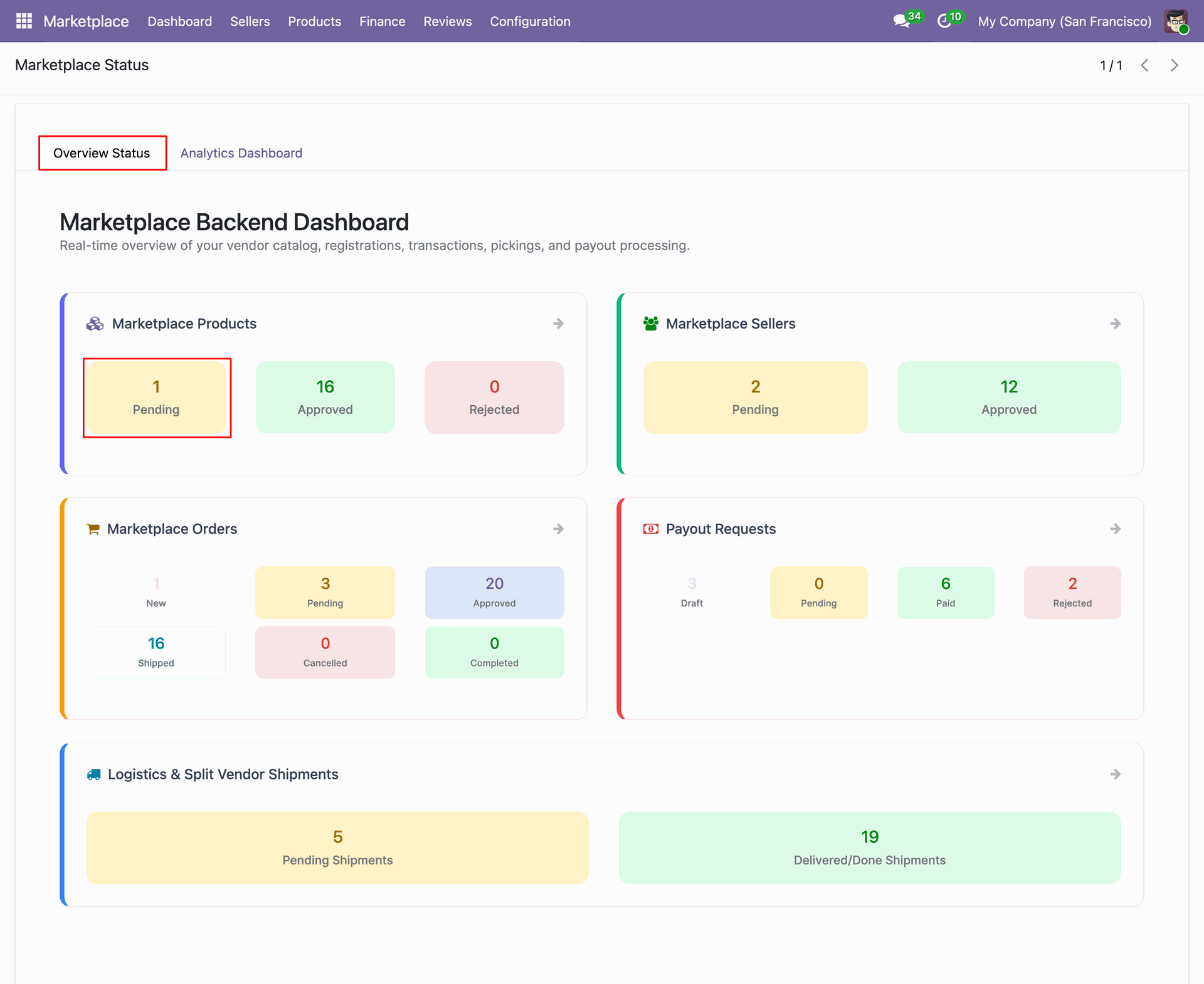
Click Overview Status tab to view pending marketplace products and real-time dashboard analytics.
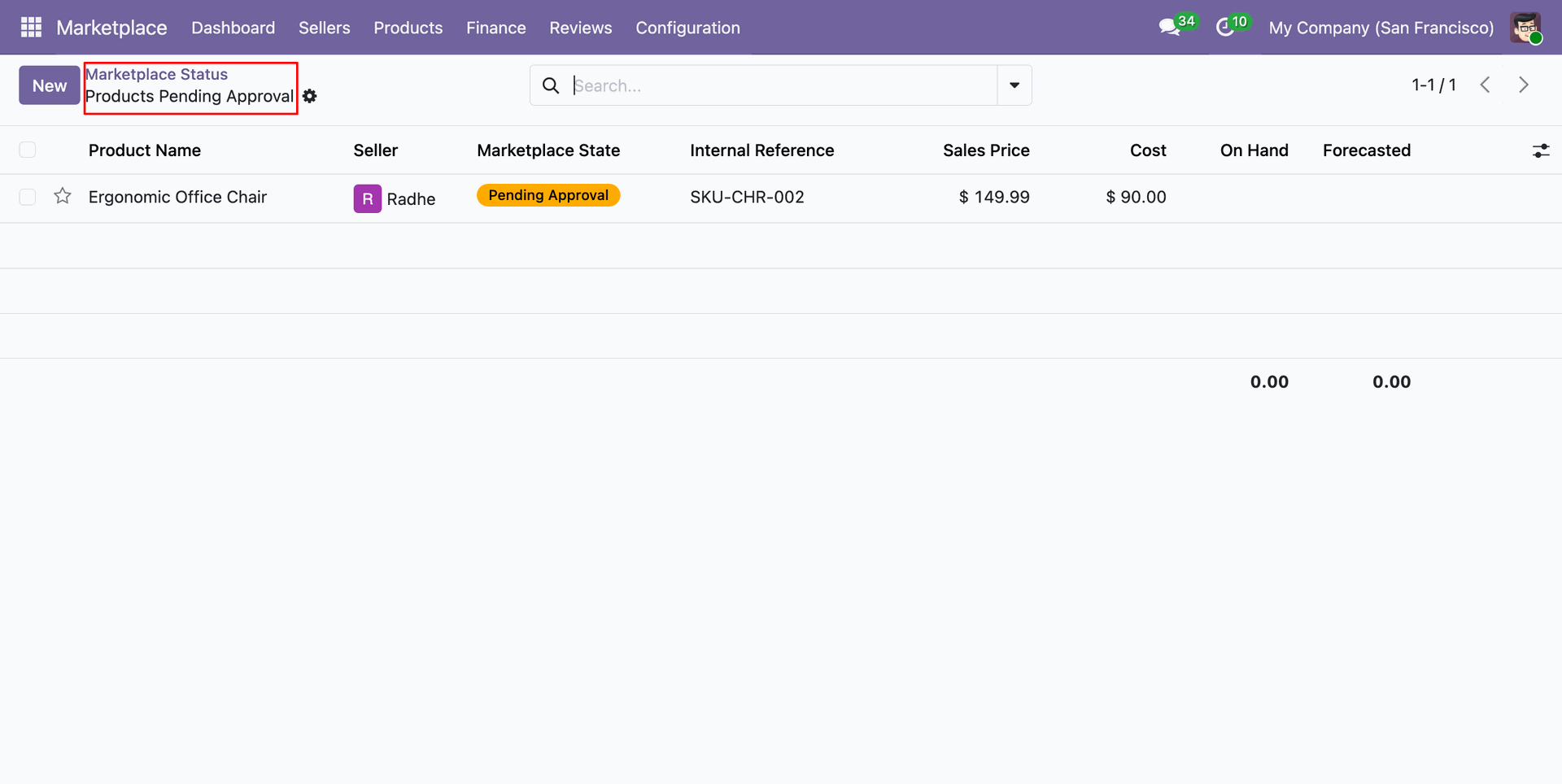
Filter products by pending approval status to review marketplace listings awaiting admin verification.
Workflow
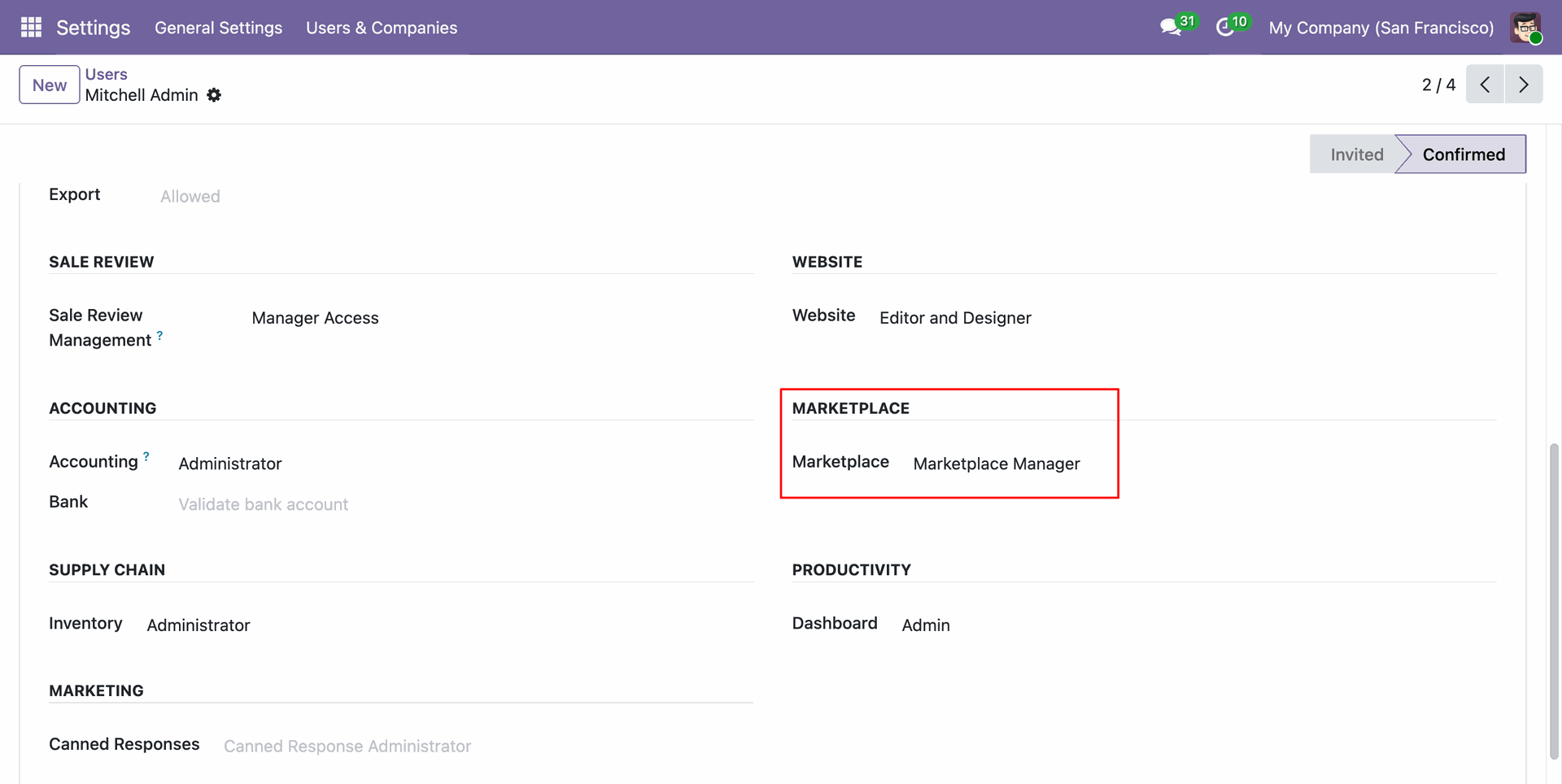
Assign Marketplace Manager access level under user settings to grant administrative marketplace permissions.
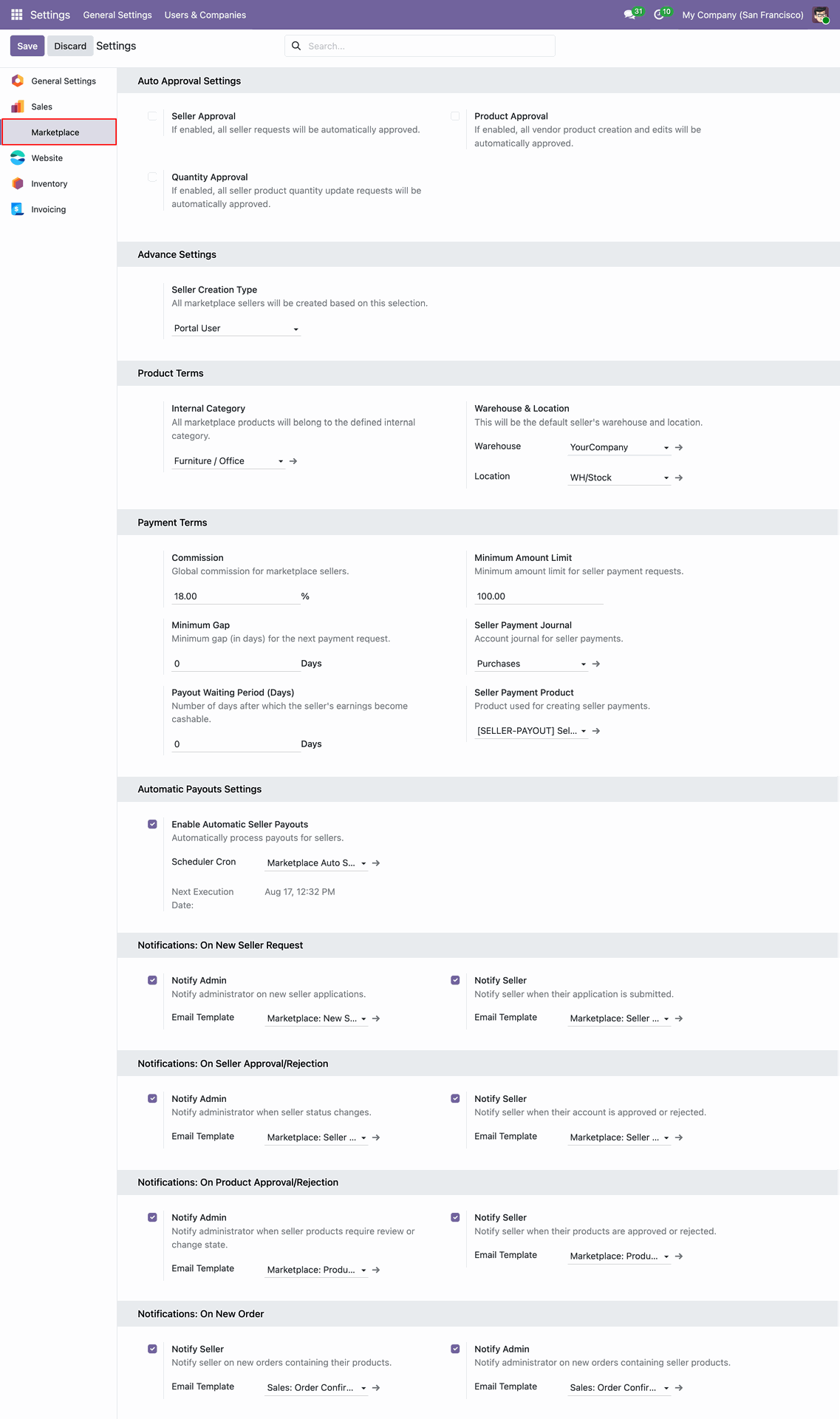
Select Marketplace settings menu to configure auto approvals, payment terms, and notifications.
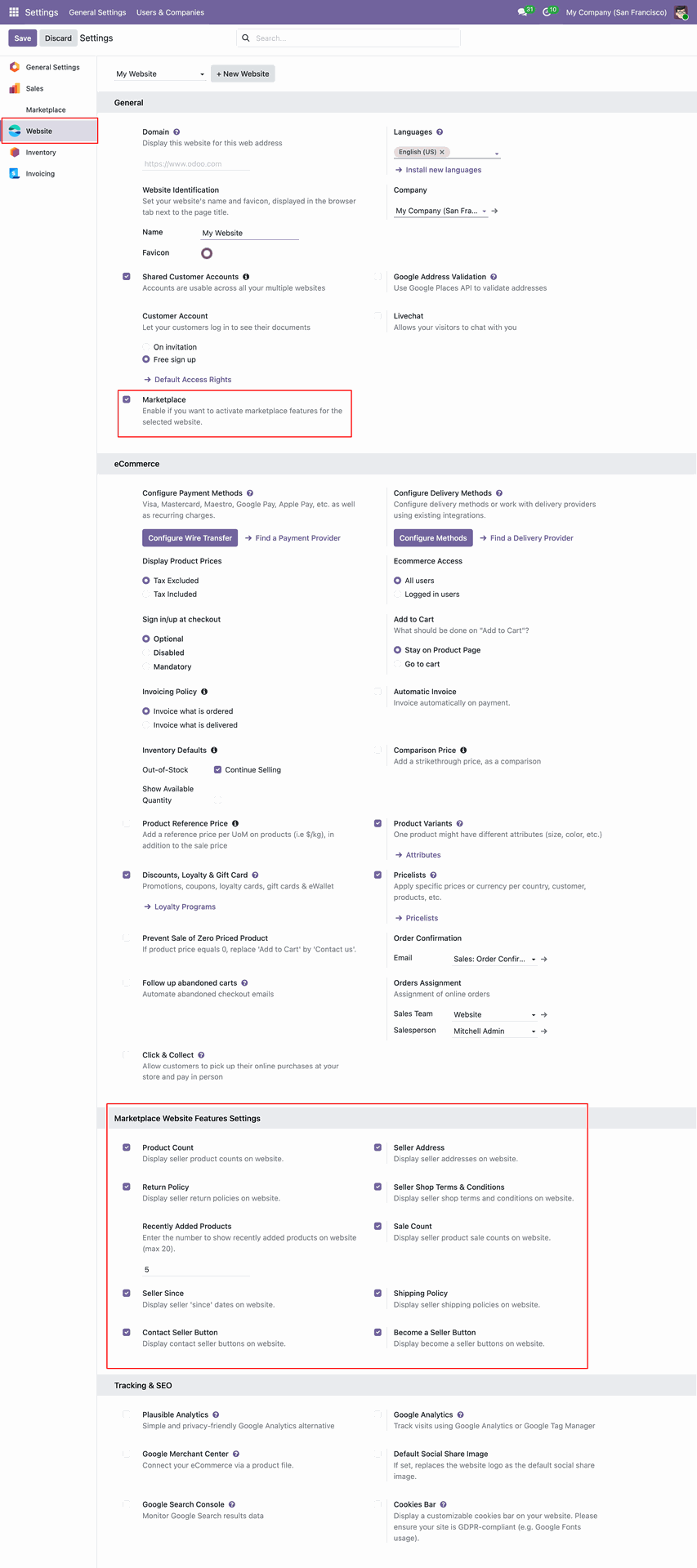
Enable Marketplace under website settings to configure seller storefront options and display features.
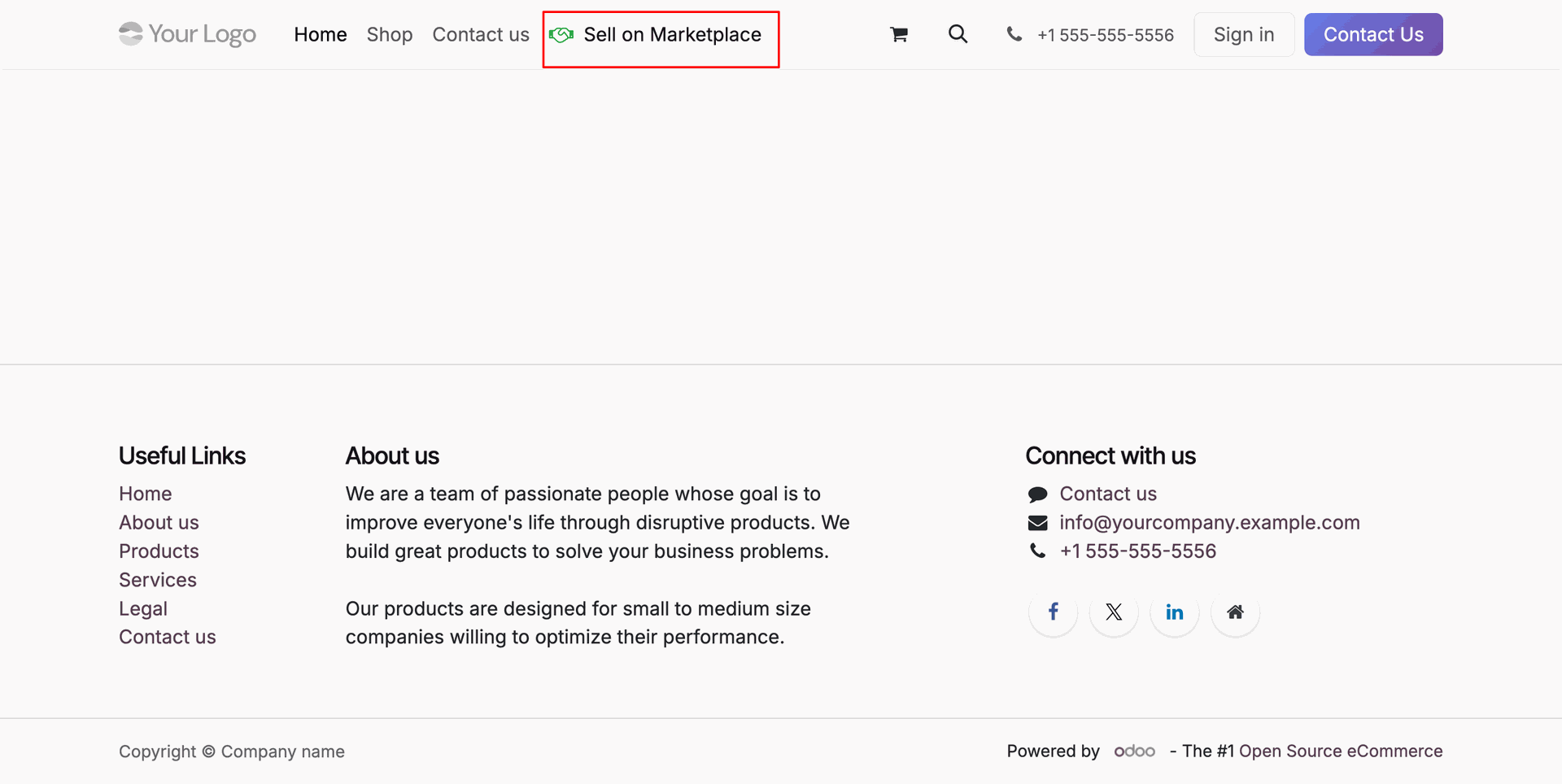
Click Sell on Marketplace menu item on website header to open seller registration page.
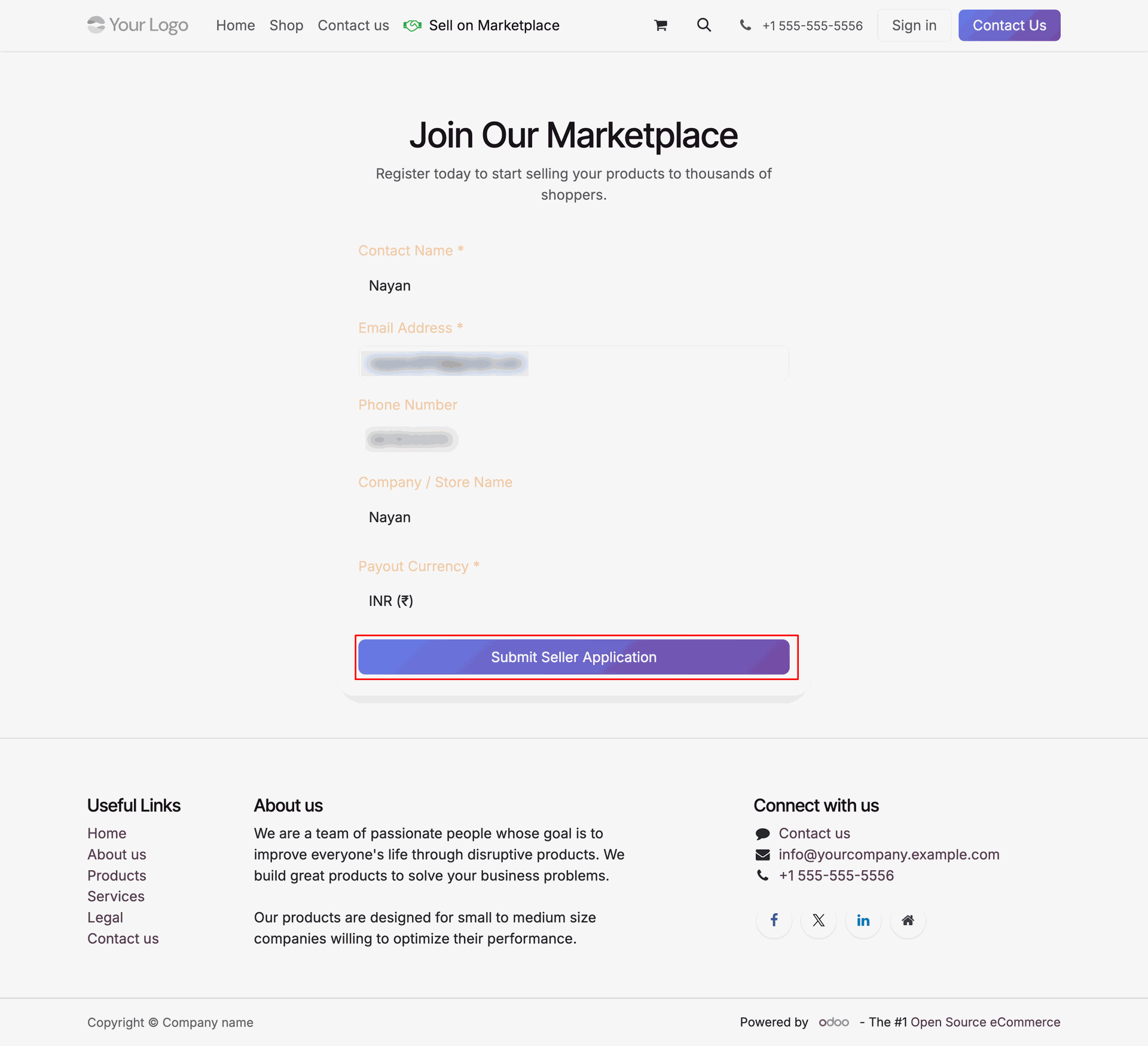
Fill in vendor registration details and press Submit Seller Application to submit onboarding request.
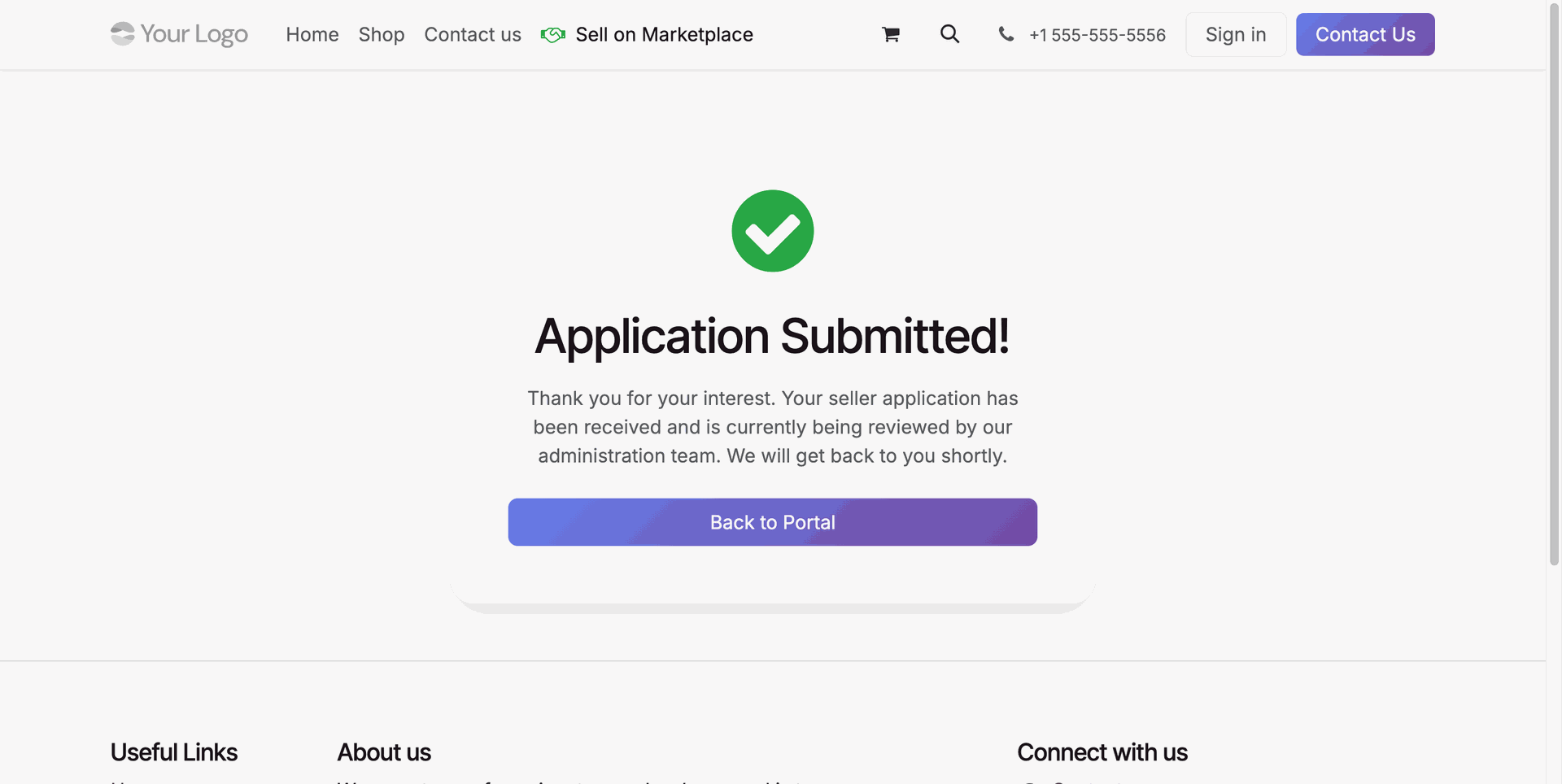
Review the confirmation page confirming seller application submission for administrative review.
Select Pending Approval under Sellers menu to view vendor registration applications awaiting approval.
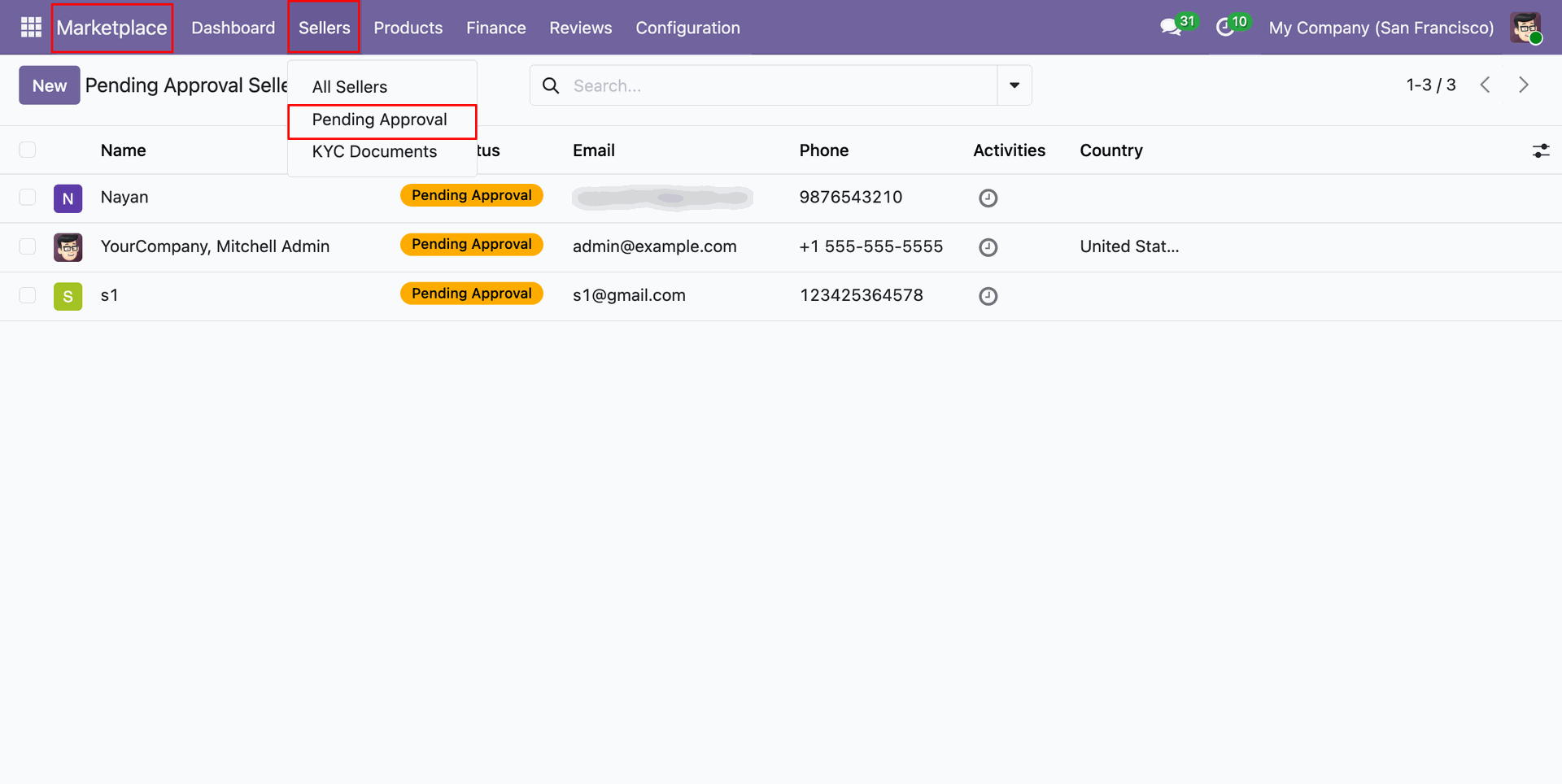
Click Approve Seller or Reject Seller button to process incoming marketplace vendor registration request.
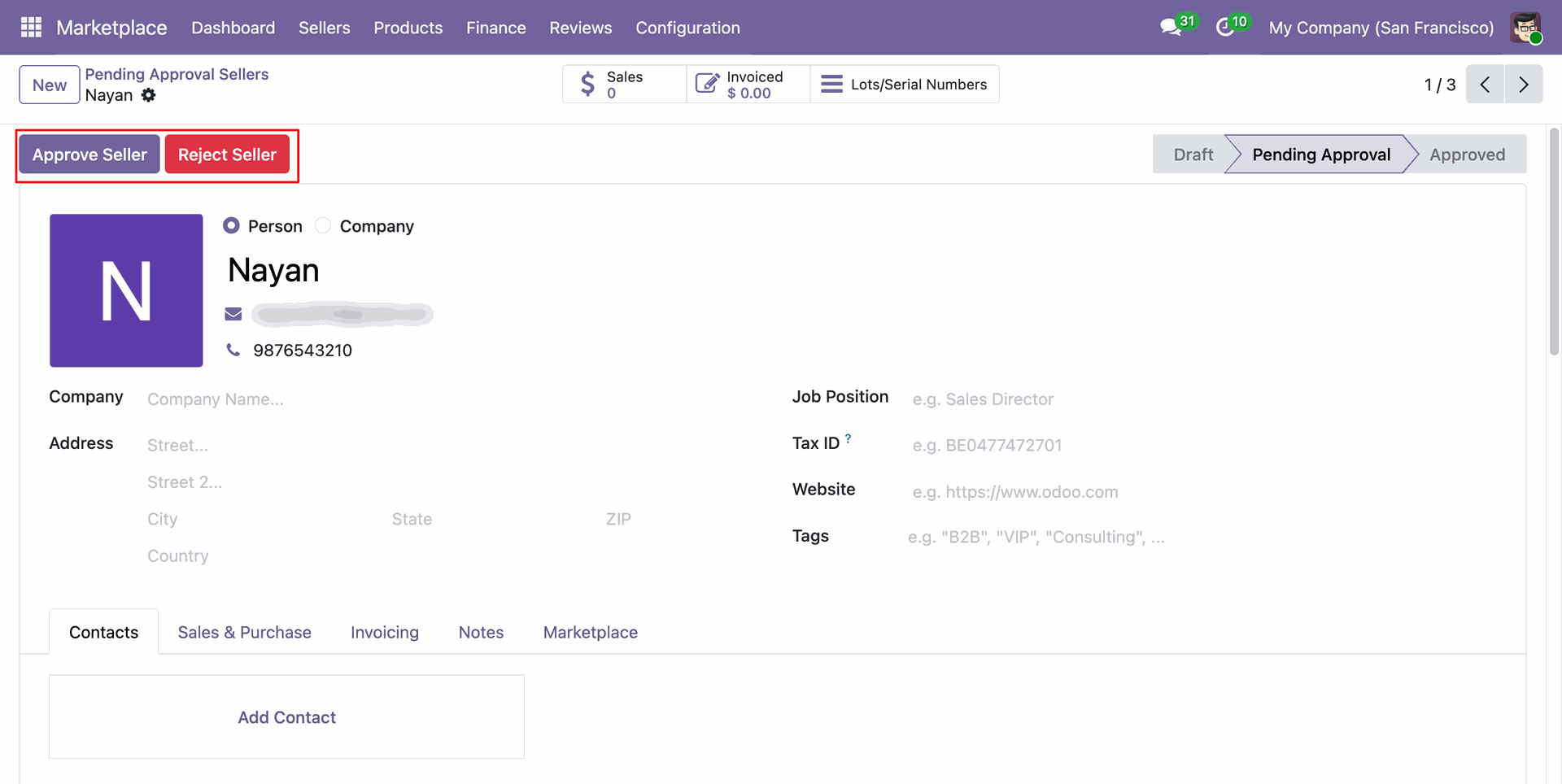
Review approved seller profile status, assigned commission rates, and seller tier configurations.
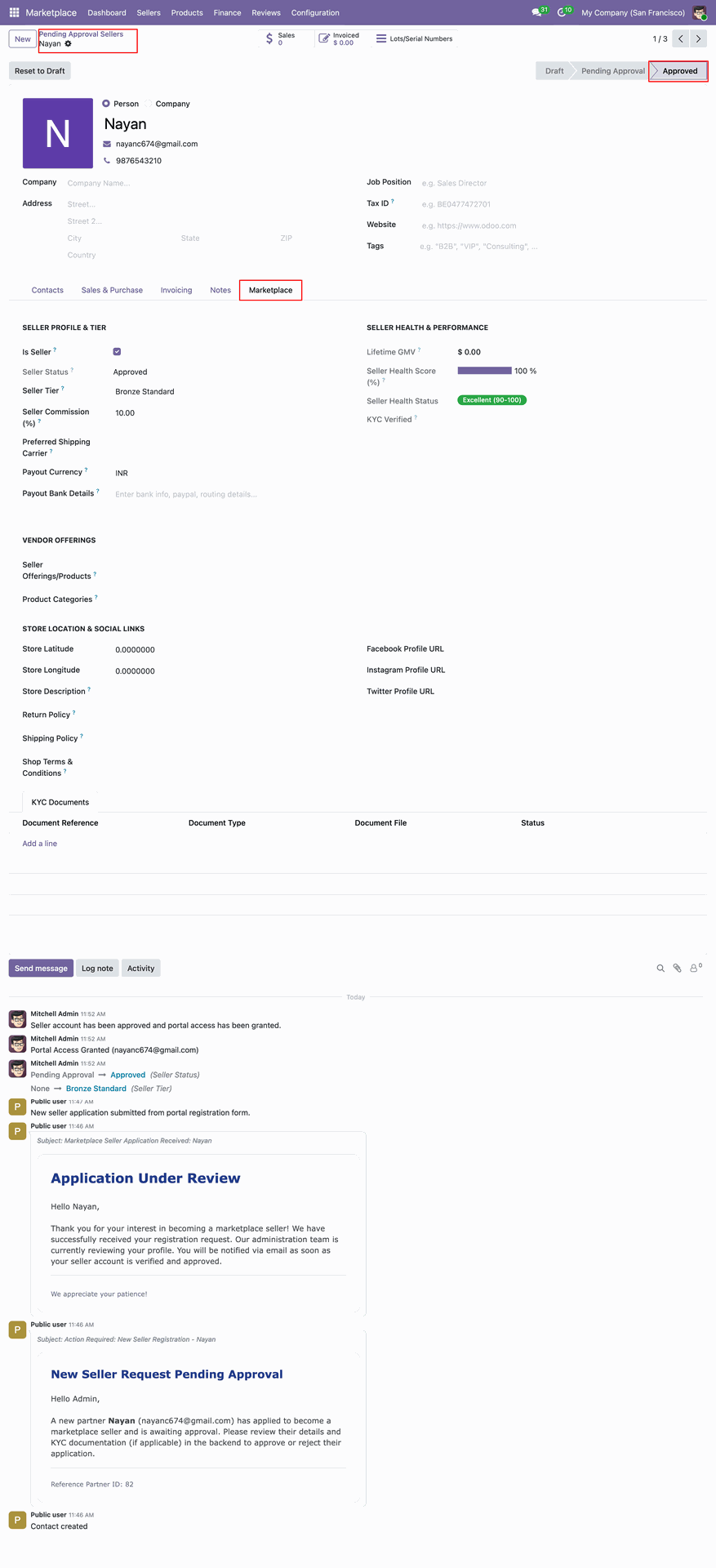
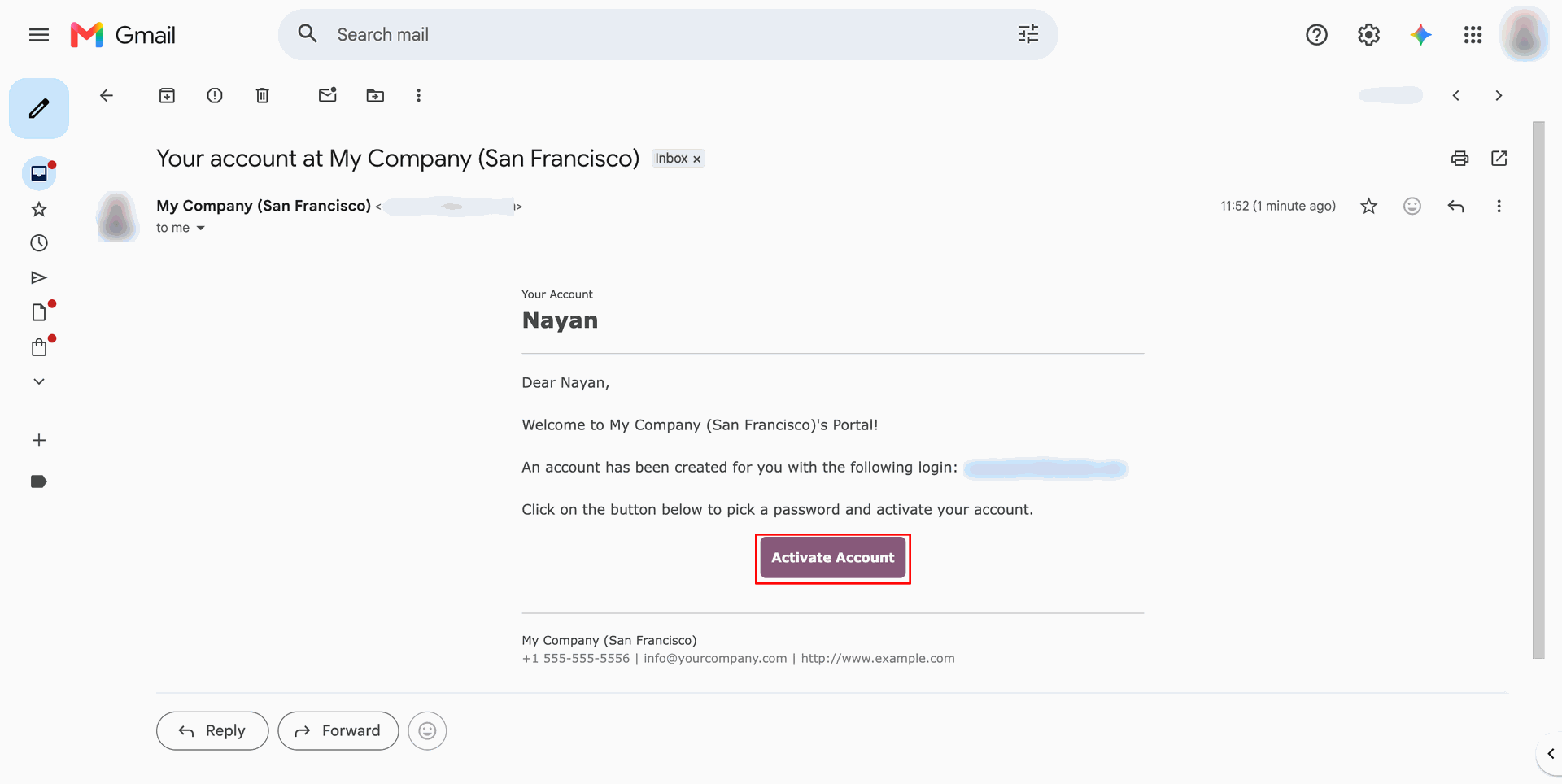
Click Activate Account button inside welcome email to set up vendor login credentials.
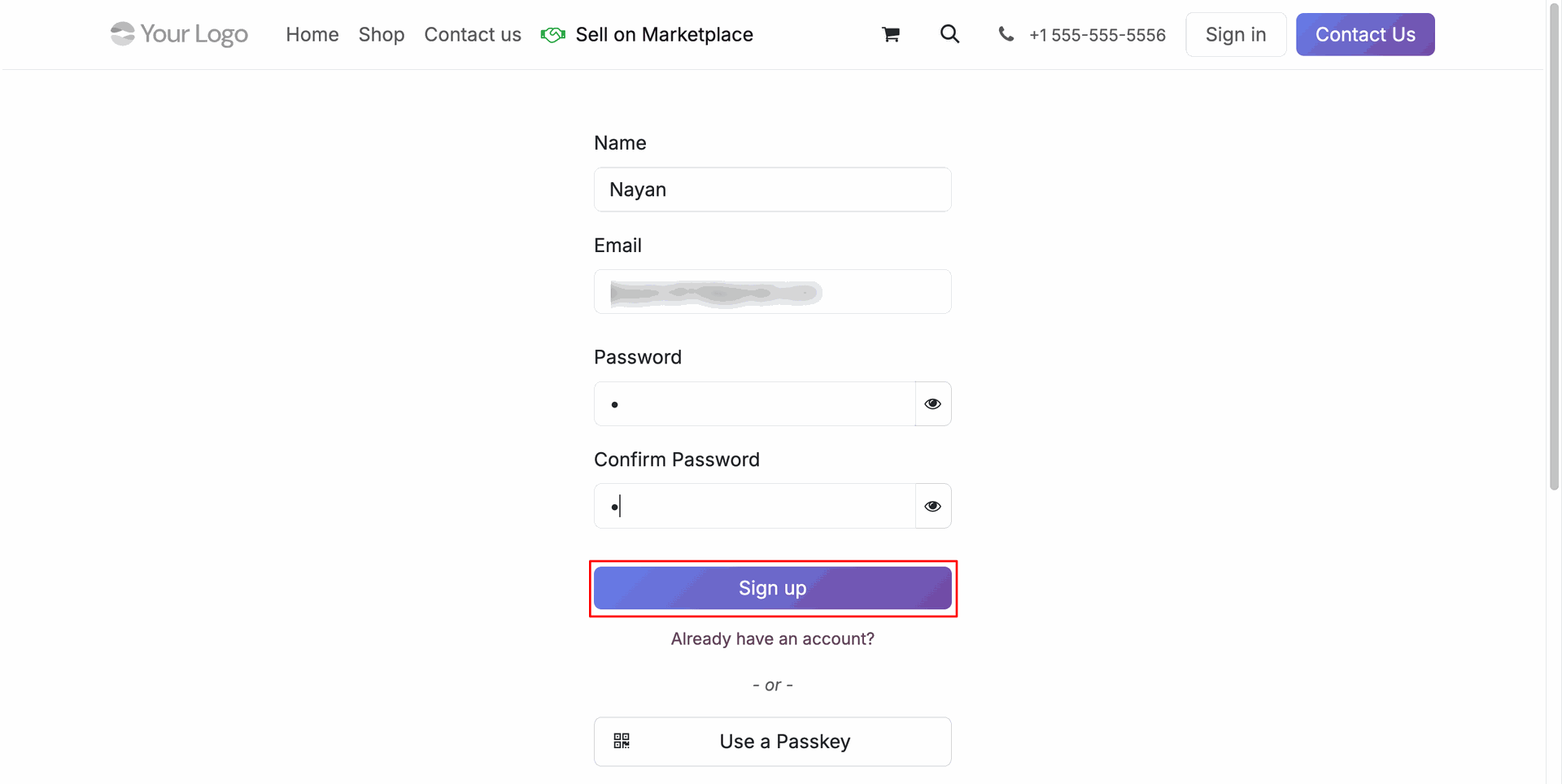
Enter account password and press Sign up button to complete seller portal account activation.
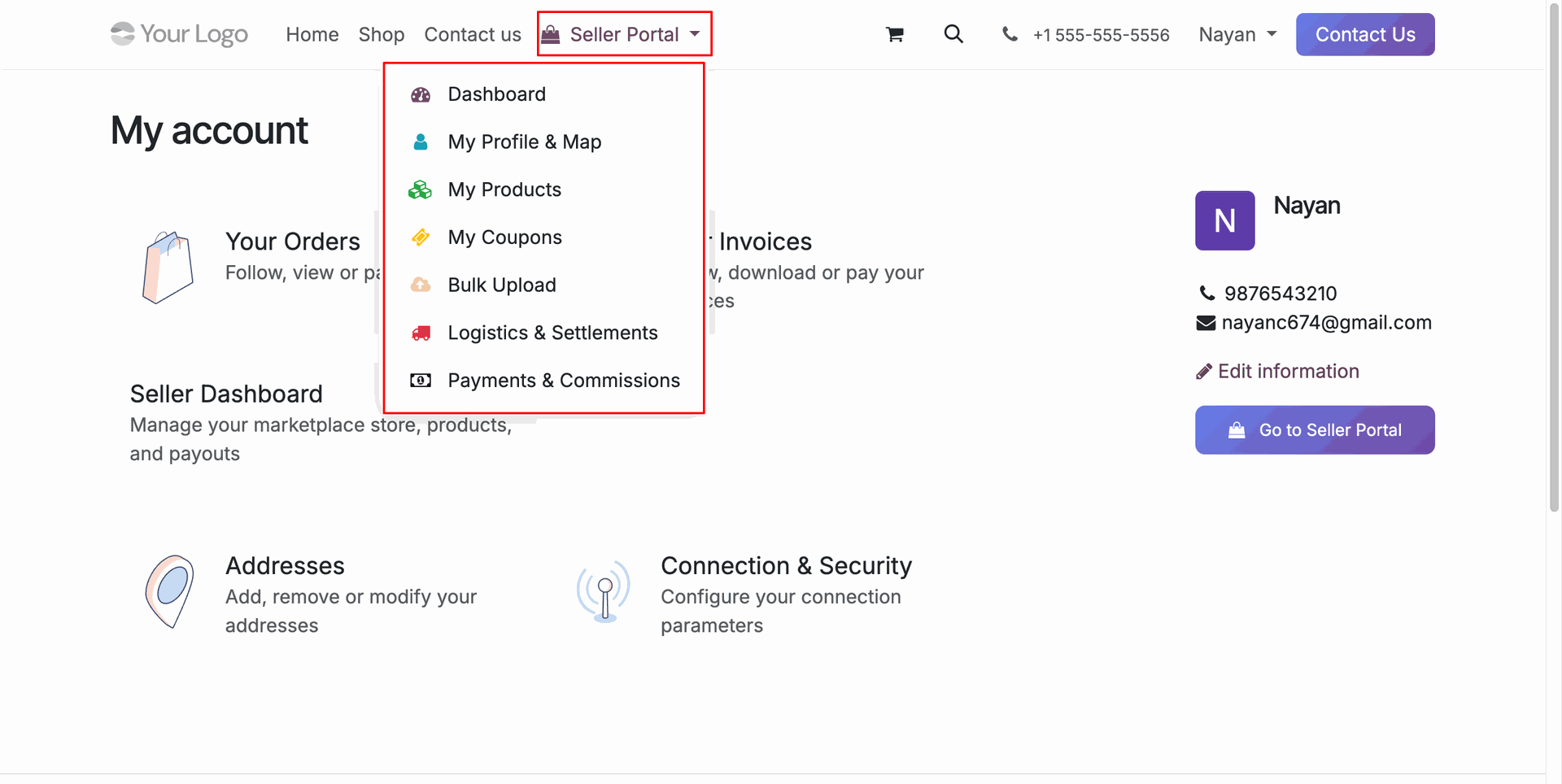
Click Seller Portal menu on header to access vendor dashboard, products, coupons, and payments.
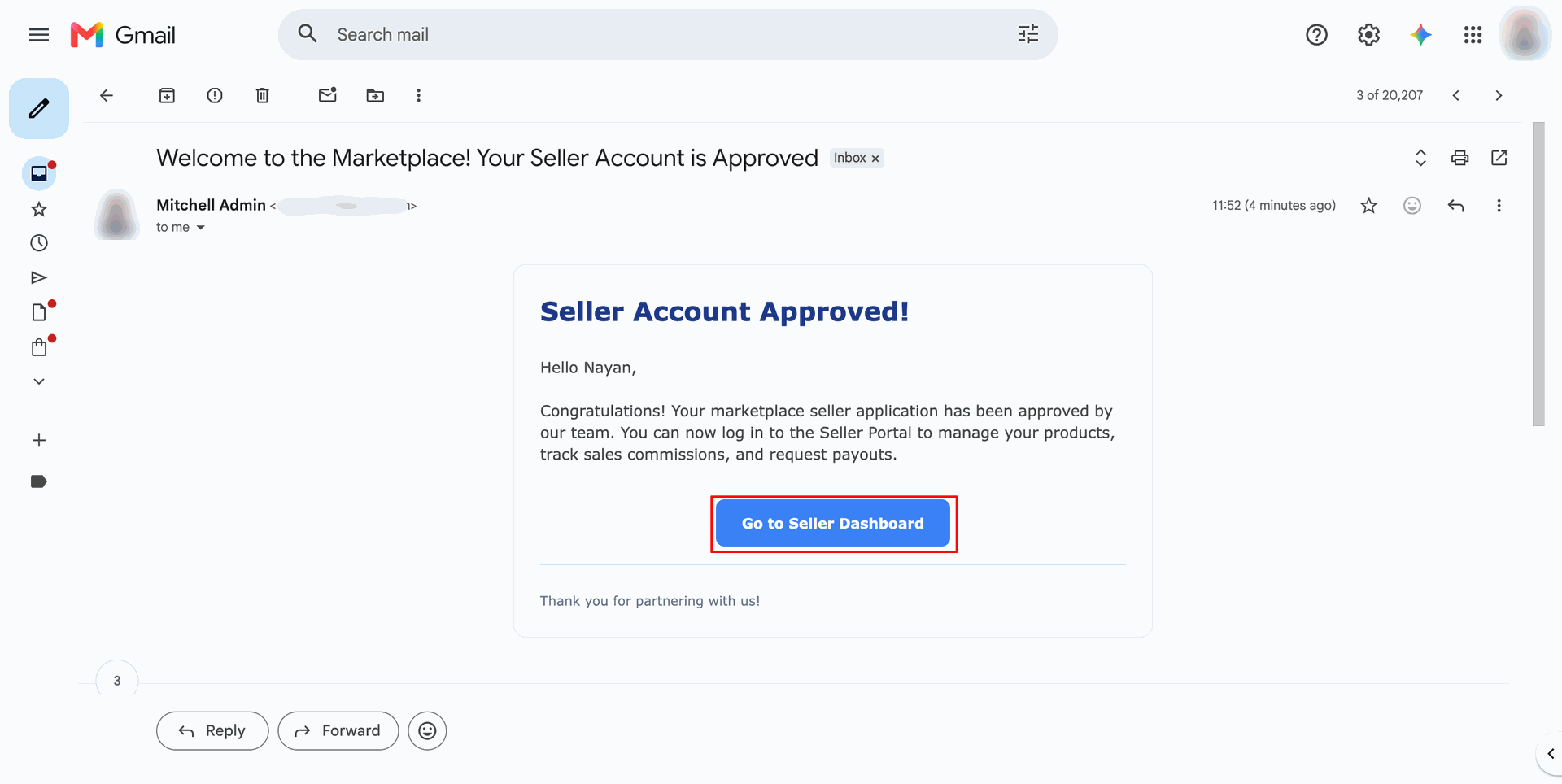
Click Go to Seller Dashboard button in approval email to access vendor portal workspace.
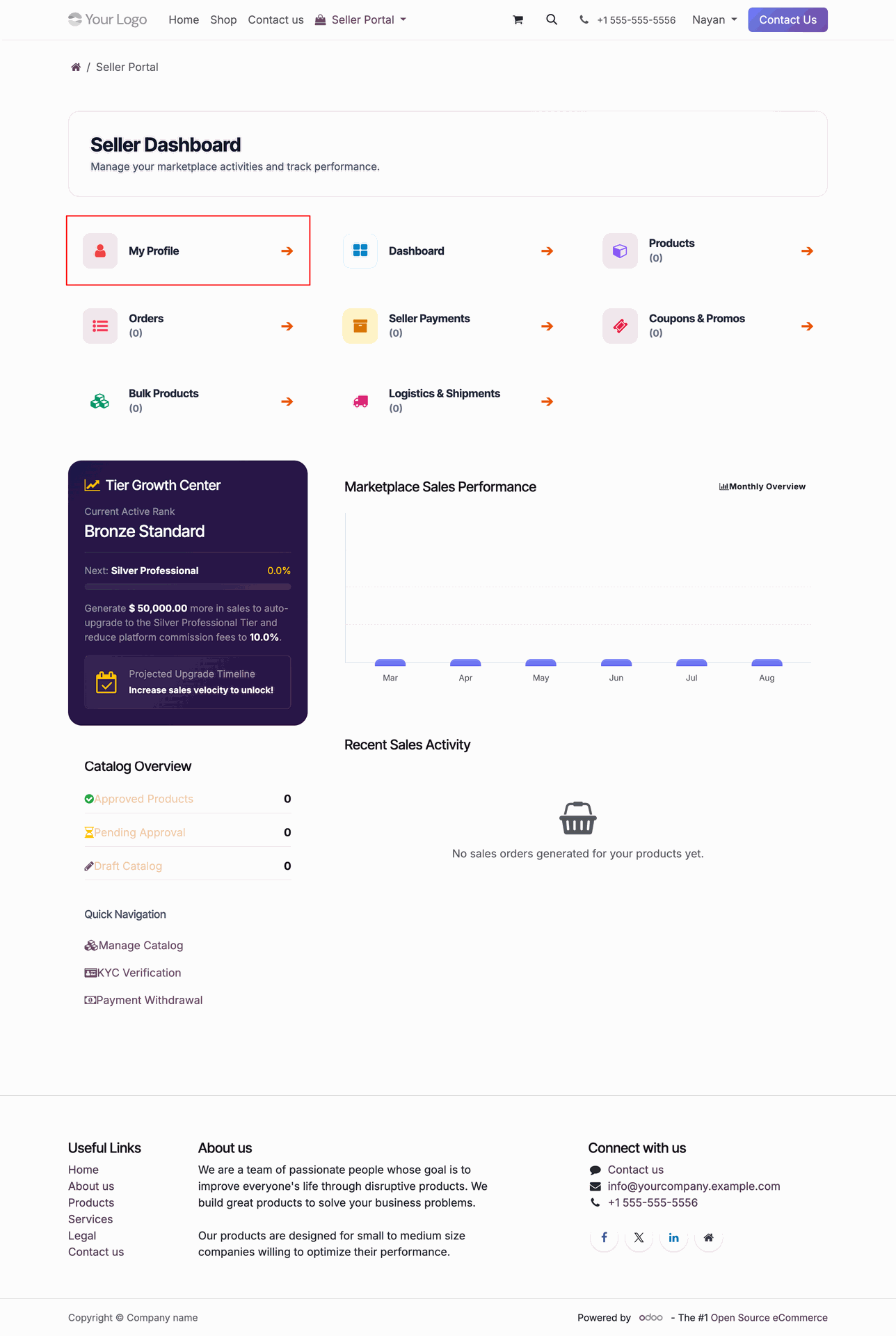
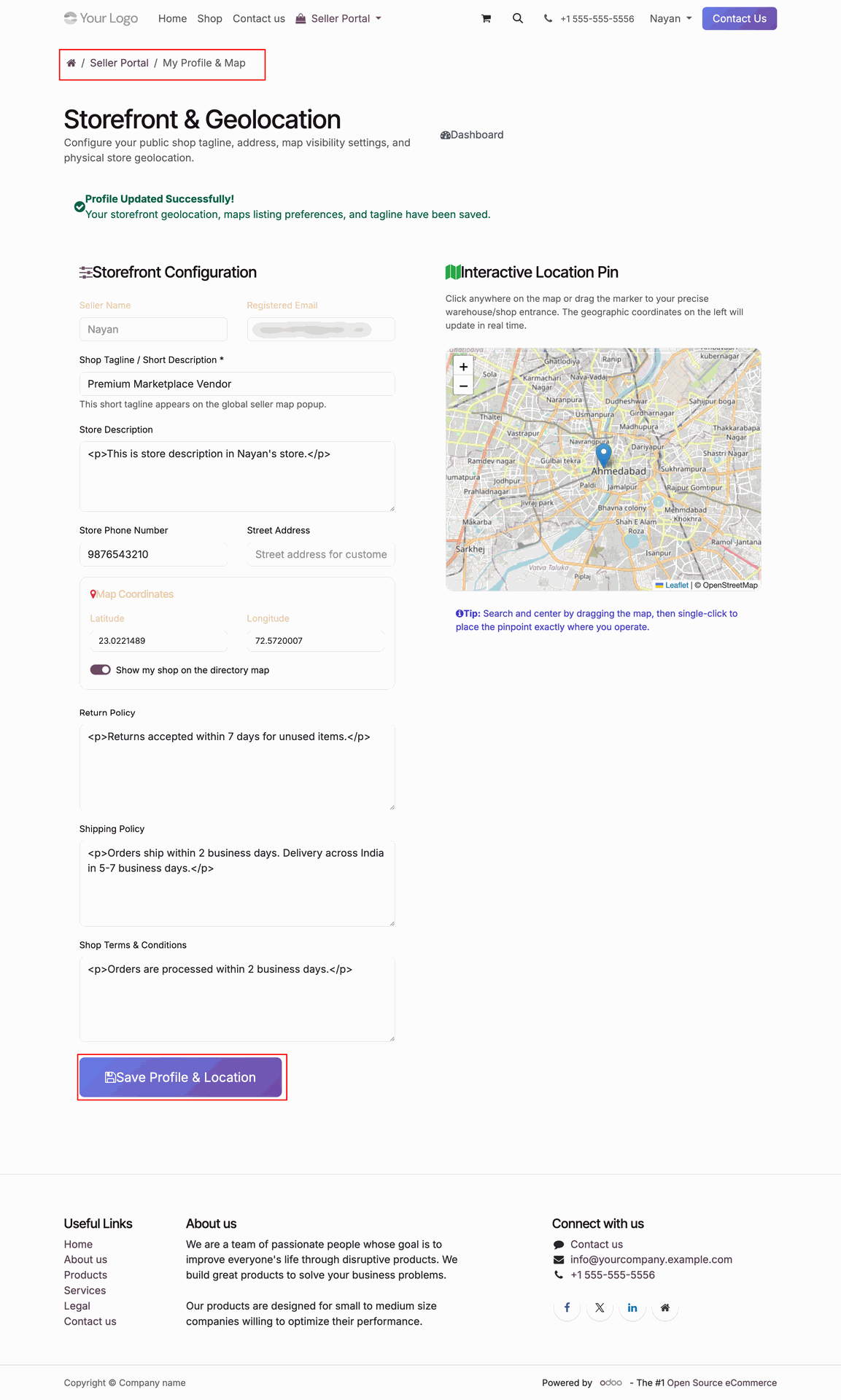
Select My Profile card on seller portal dashboard to edit vendor store configurations.
Fill store description and geolocation coordinates then press Save Profile & Location to update.
Workflow
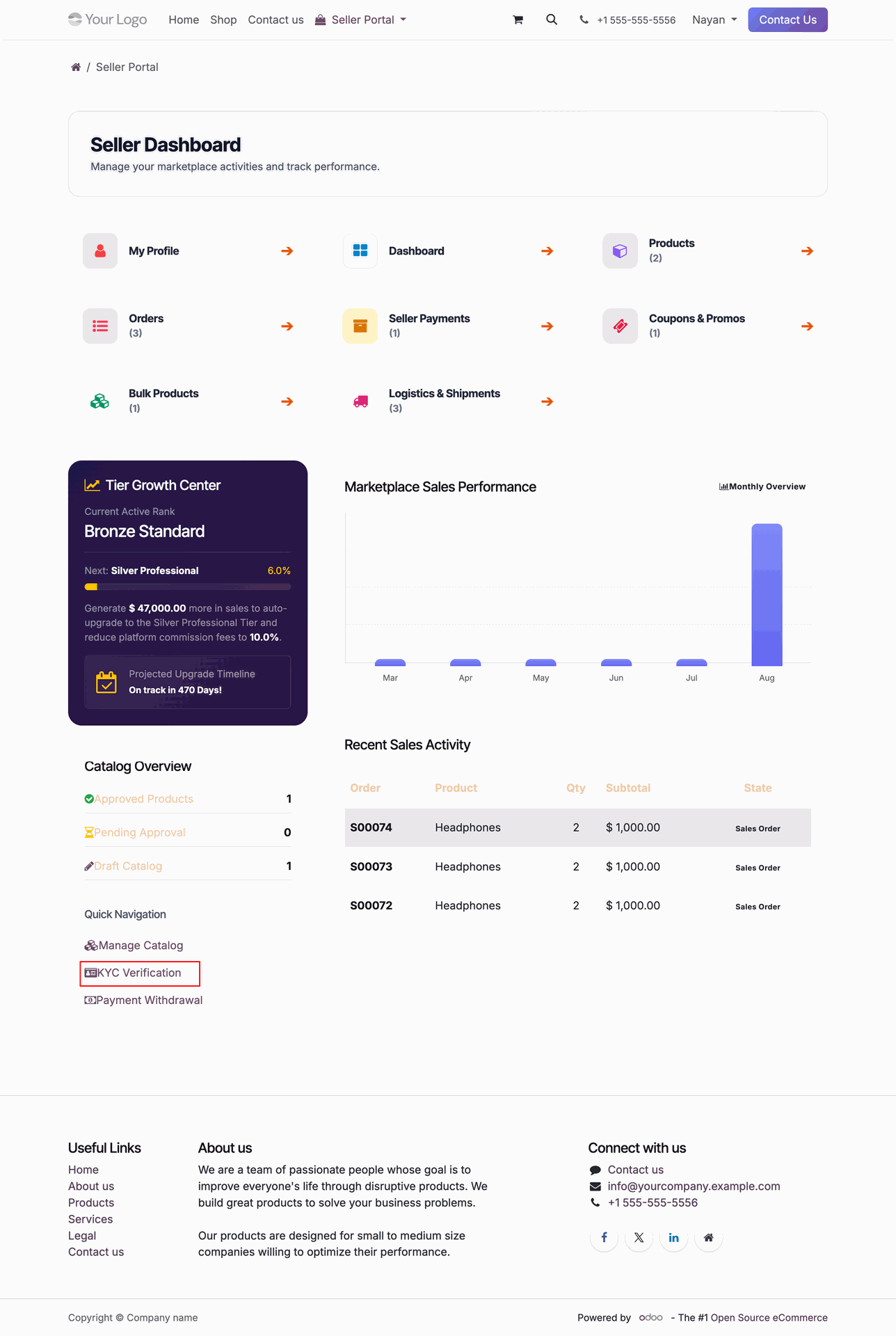
Click KYC Verification under Quick Navigation menu to view vendor document verification status.
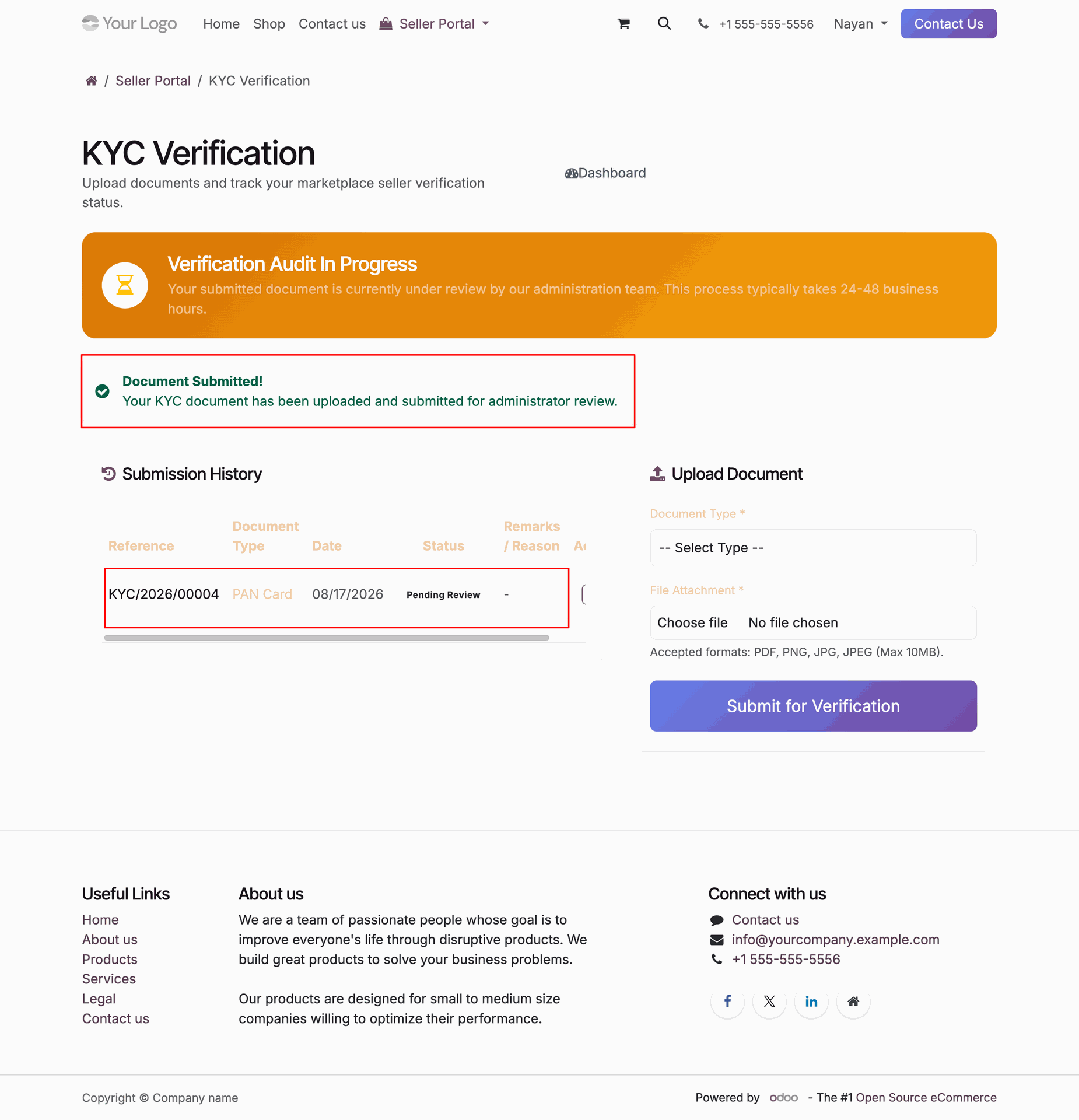
Select Document Type, attach file, and press Submit for Verification to upload KYC documents.
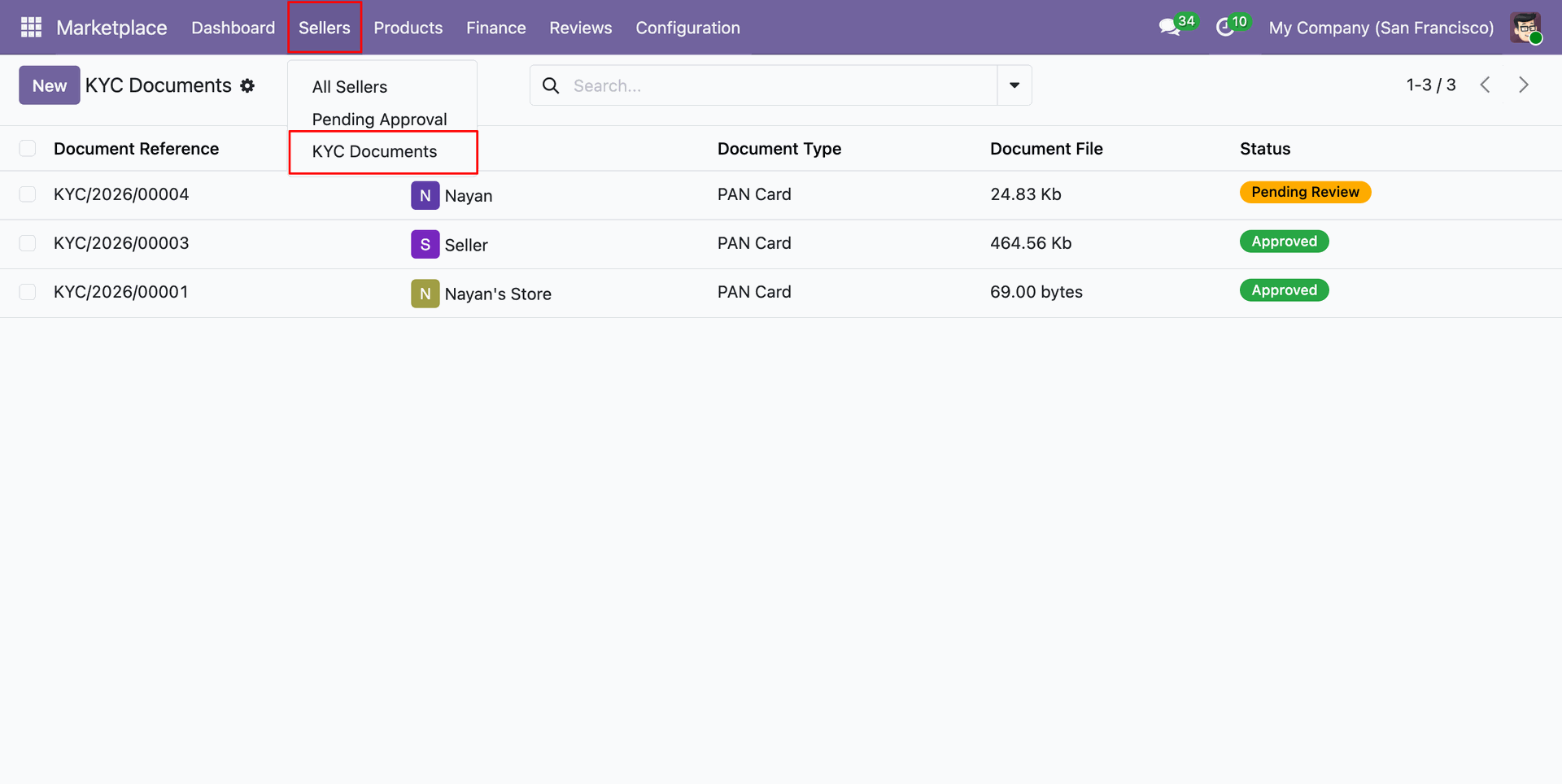
Select KYC Documents under Sellers menu to inspect submitted vendor identity verification records.
Click Approve KYC or Reject KYC button to validate submitted vendor identity documents.
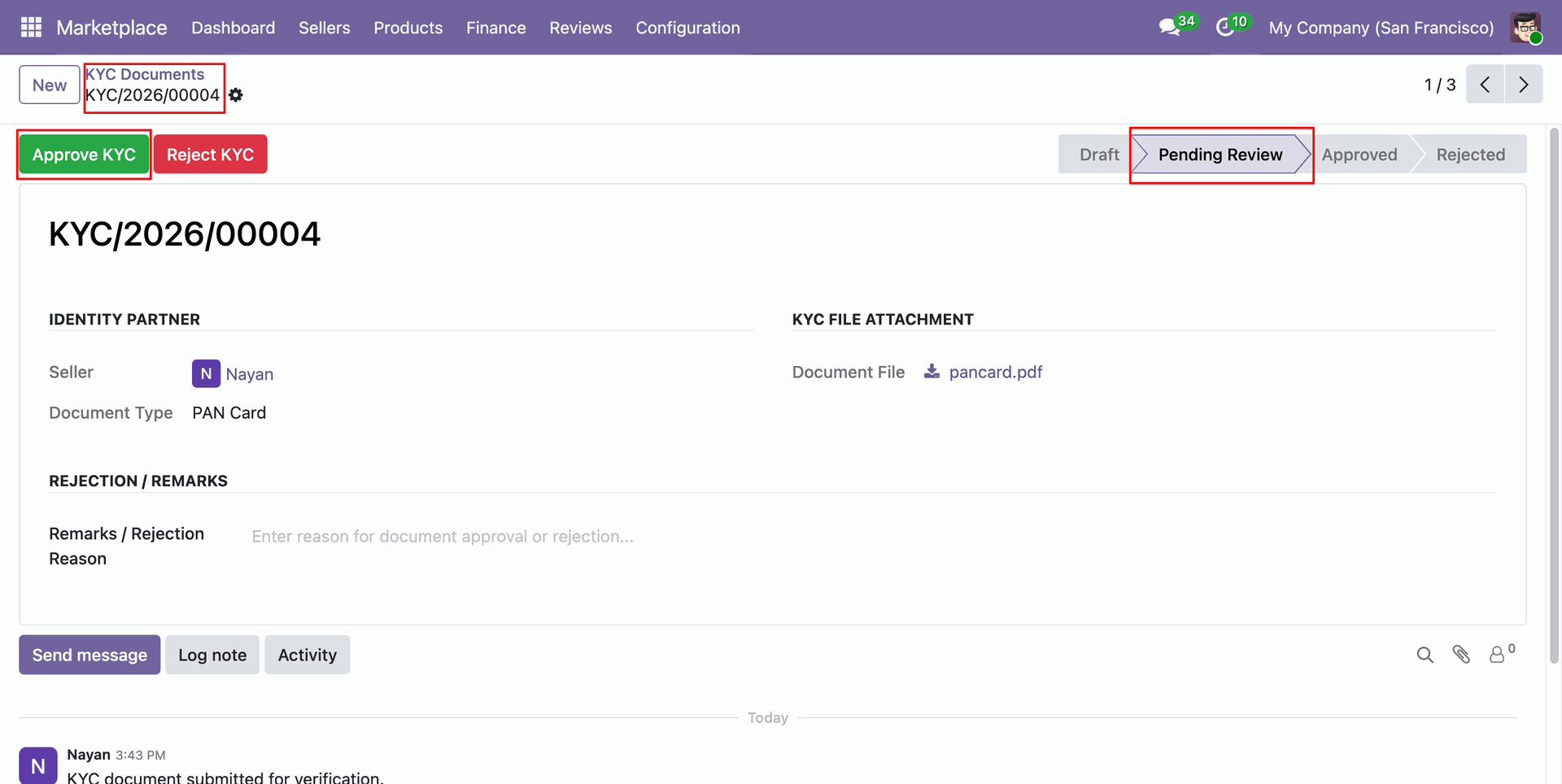
Review approved status on KYC record confirming administrative verification of submitted partner identity.
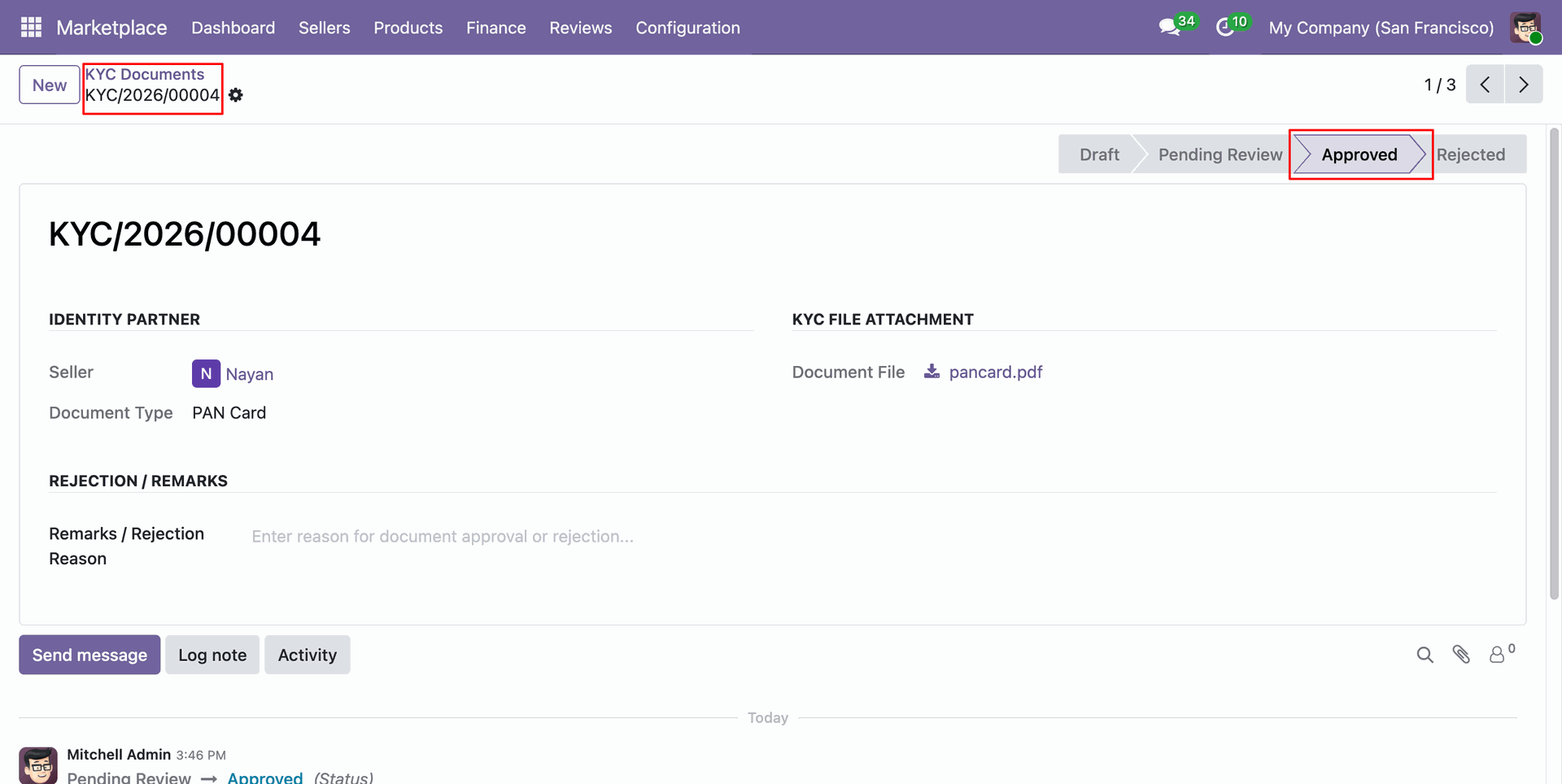
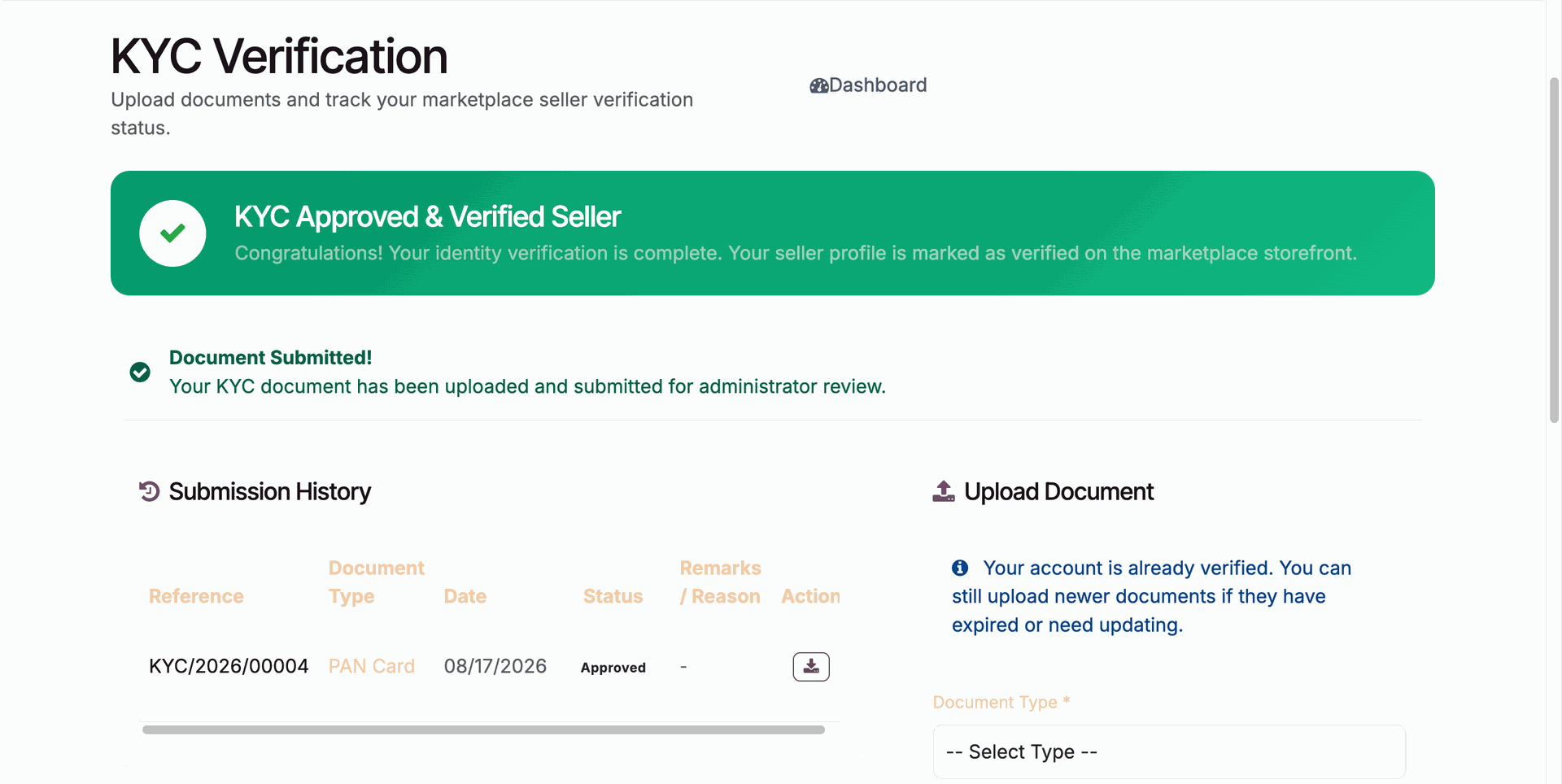
View KYC Approved & Verified Seller status banner displayed on the seller portal dashboard.
Workflow
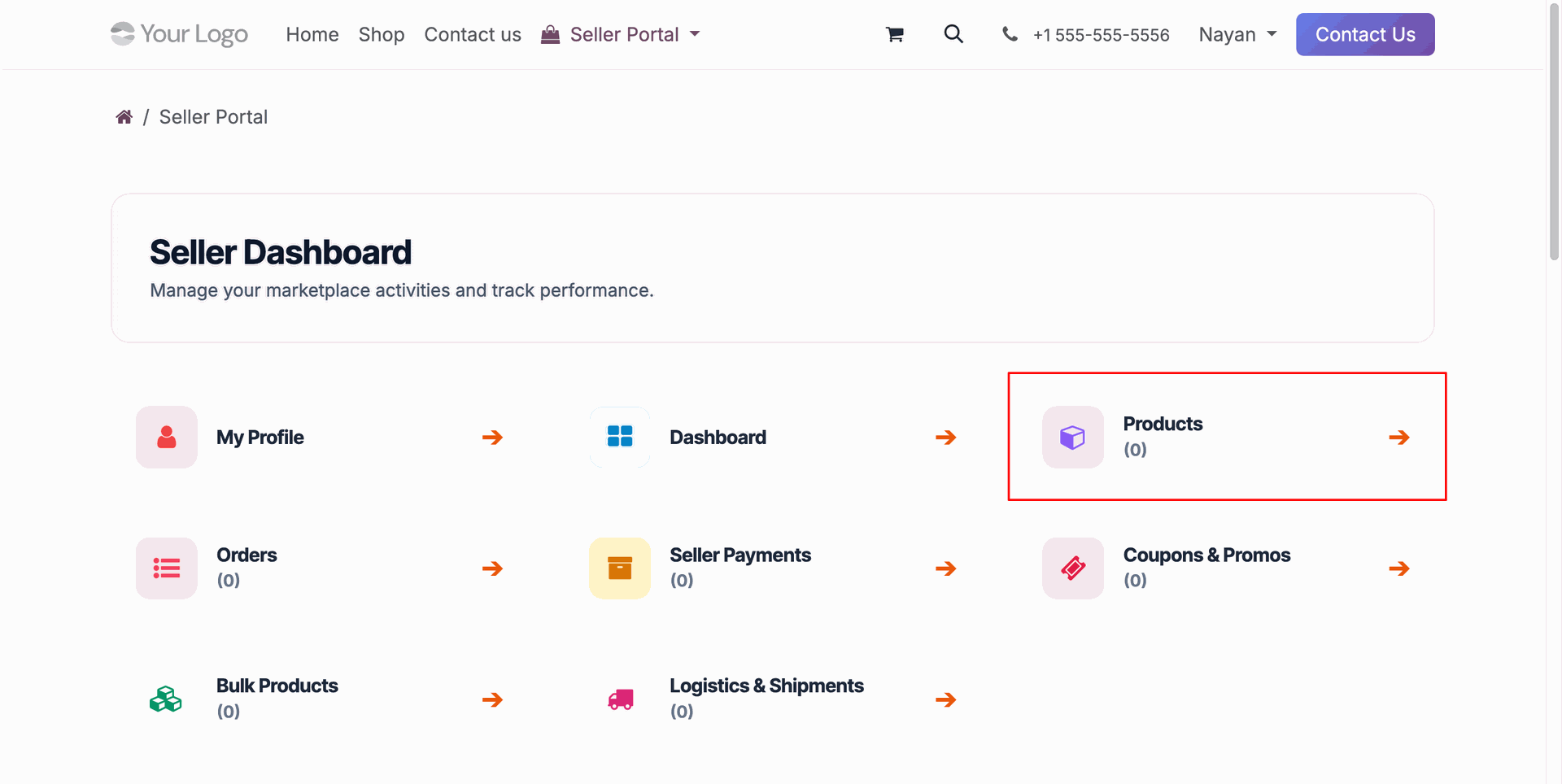
Select Products card on seller portal dashboard to access vendor product management options.
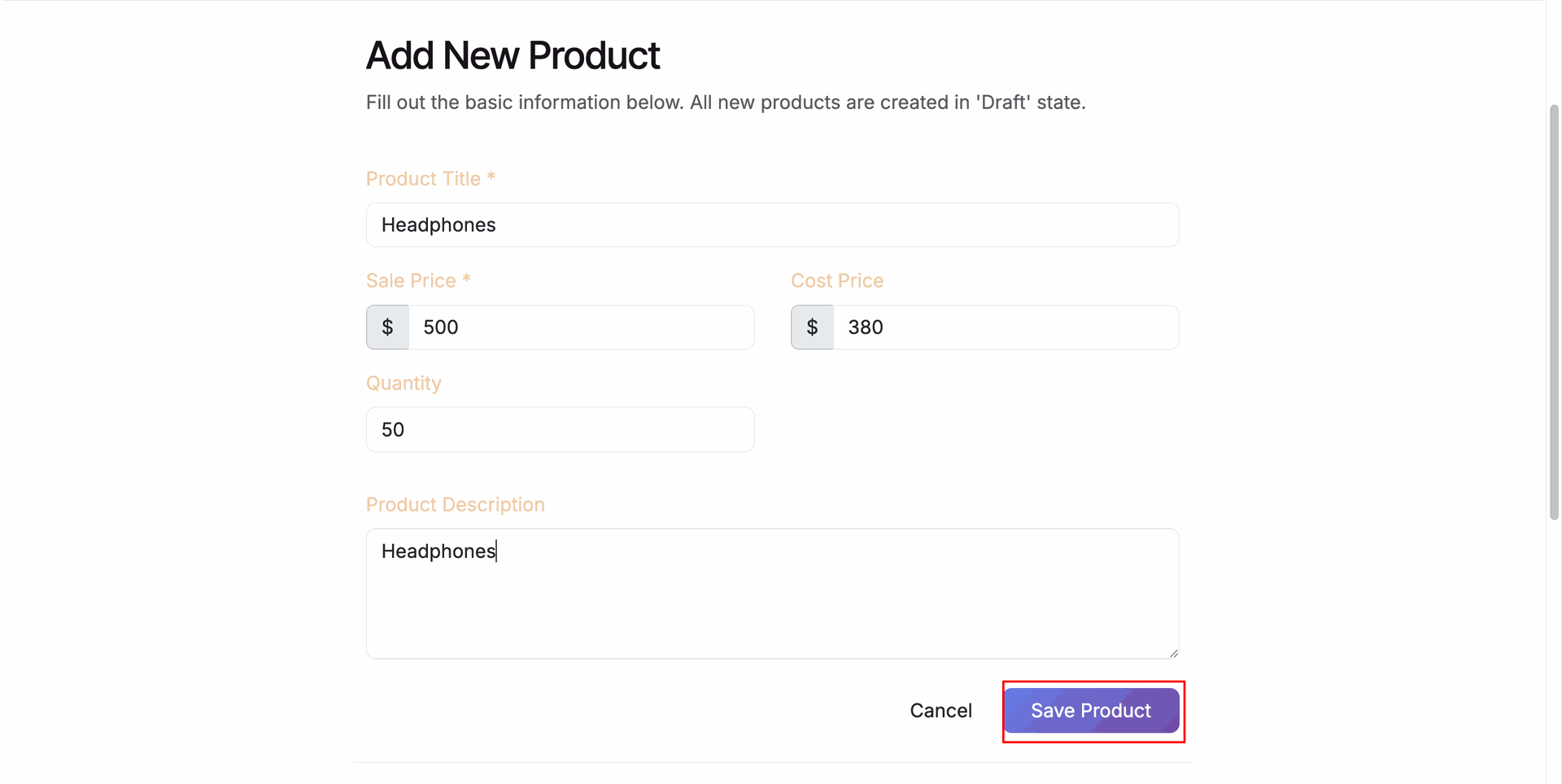
Fill out product details and press Save Product to create a new draft listing.
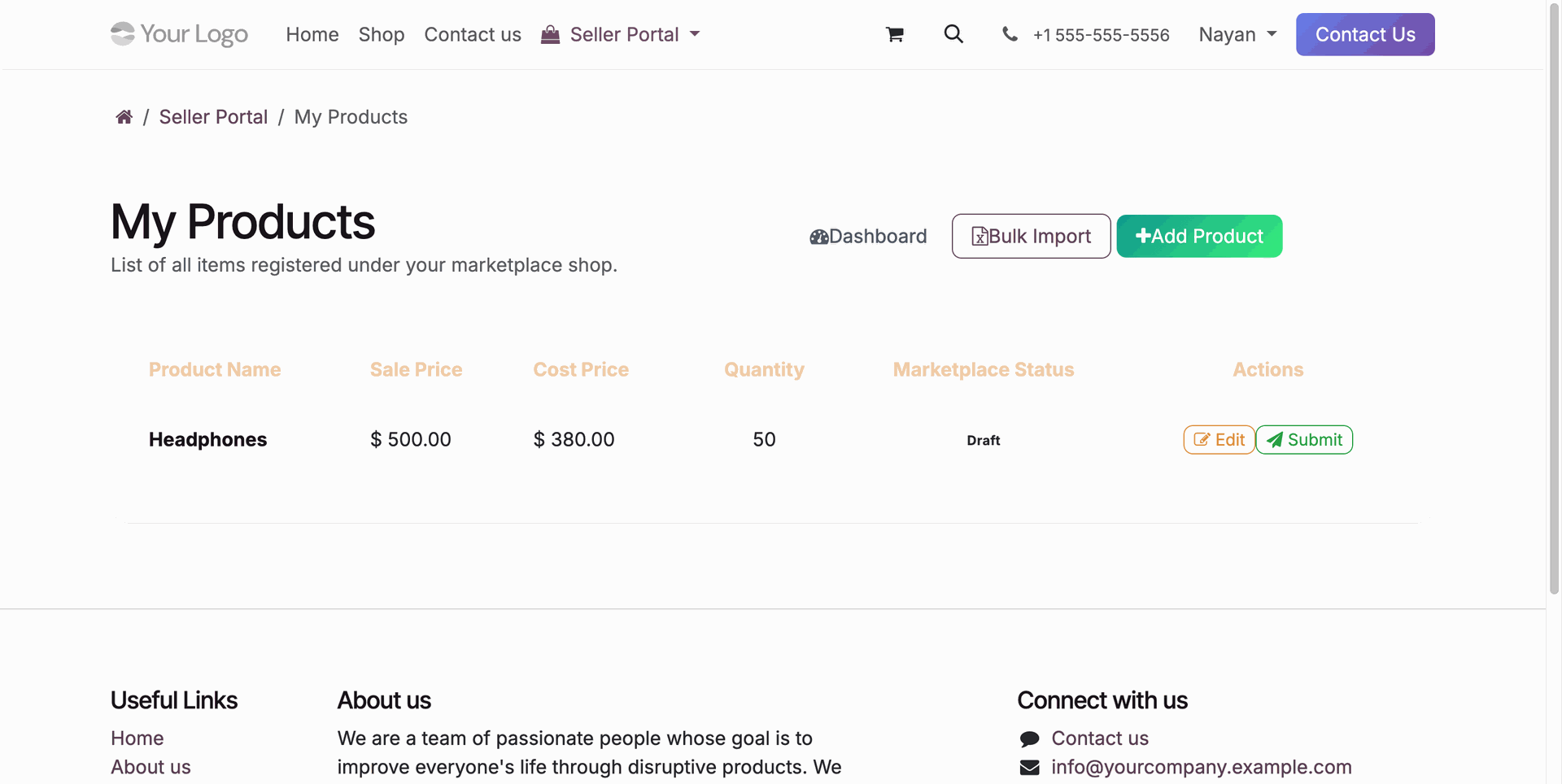
Click Submit button on seller portal product list to request administrative listing approval.
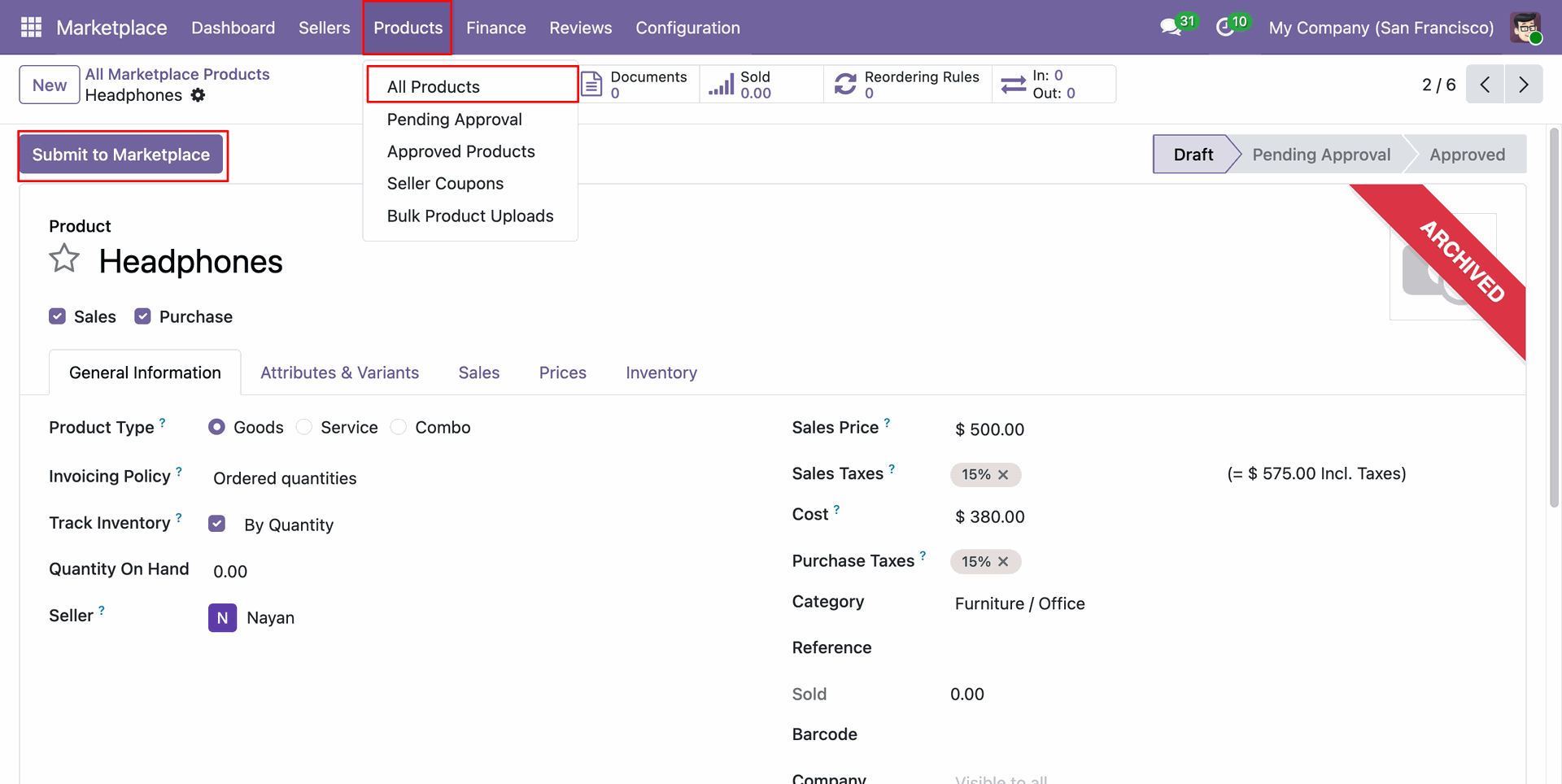
Click Submit to Marketplace button on backend product form to send item for review.
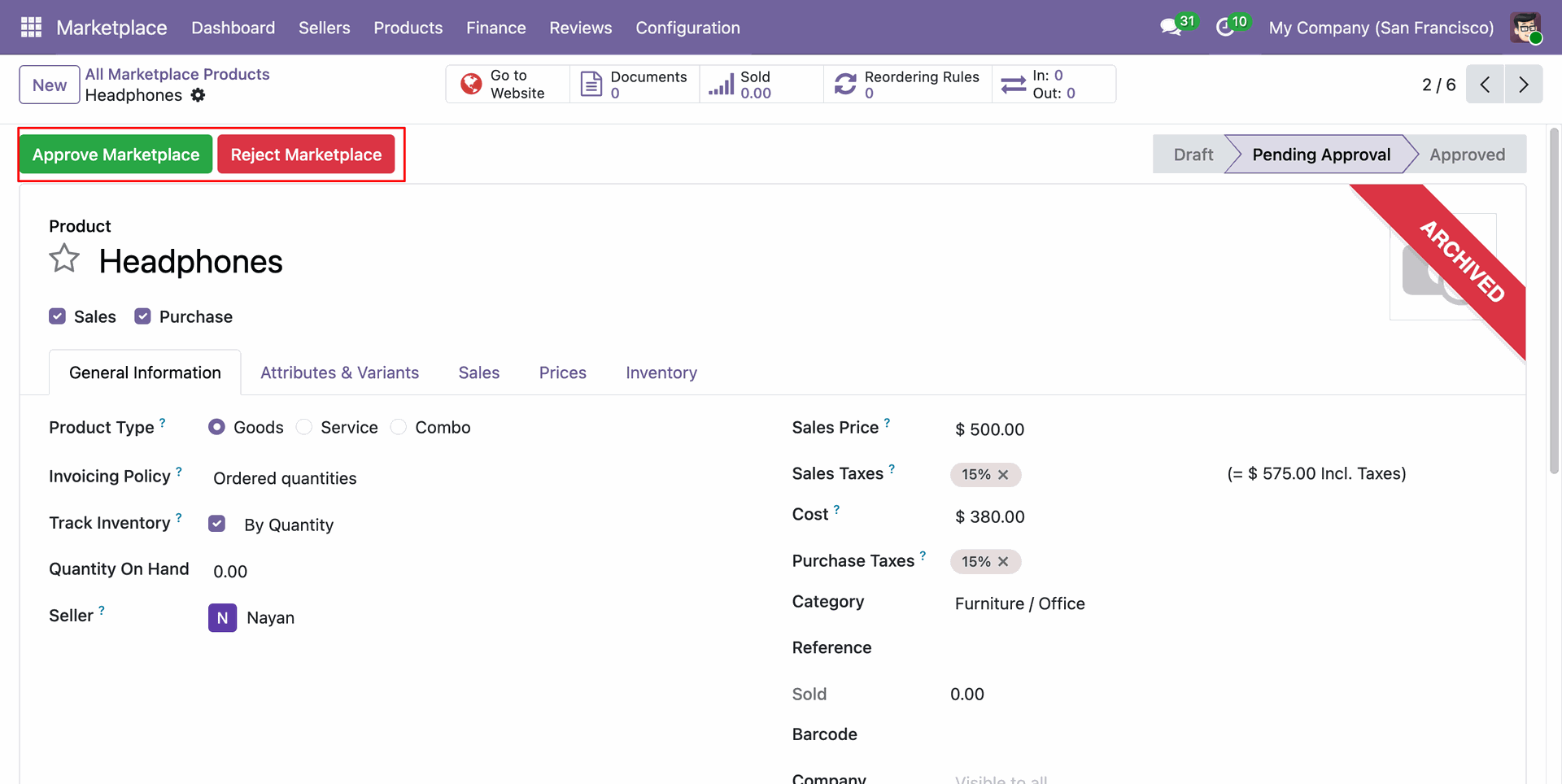
Click Approve Marketplace or Reject Marketplace button to process vendor product listing request.
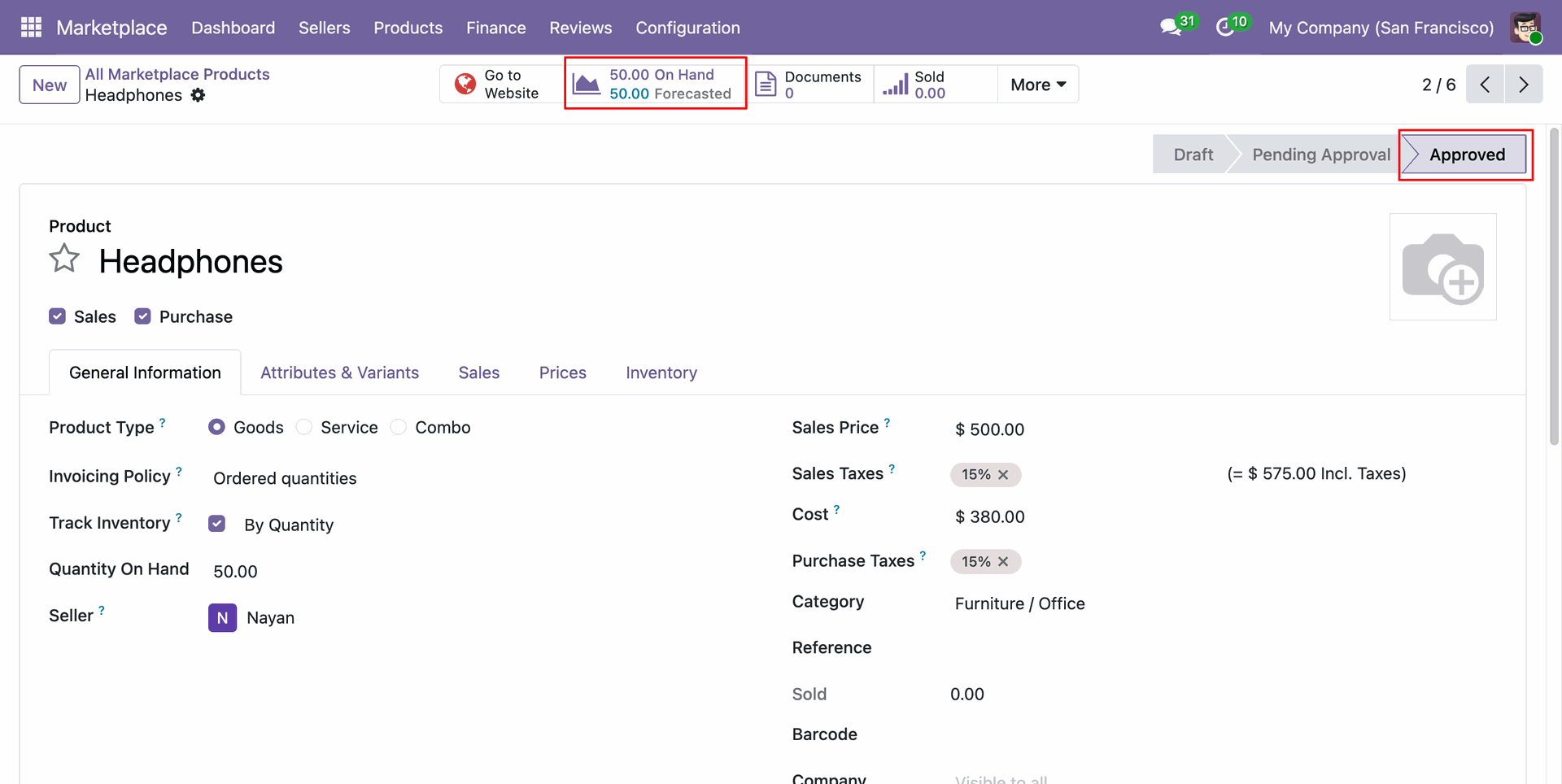
Review approved vendor product status with updated on-hand inventory levels on the backend form.
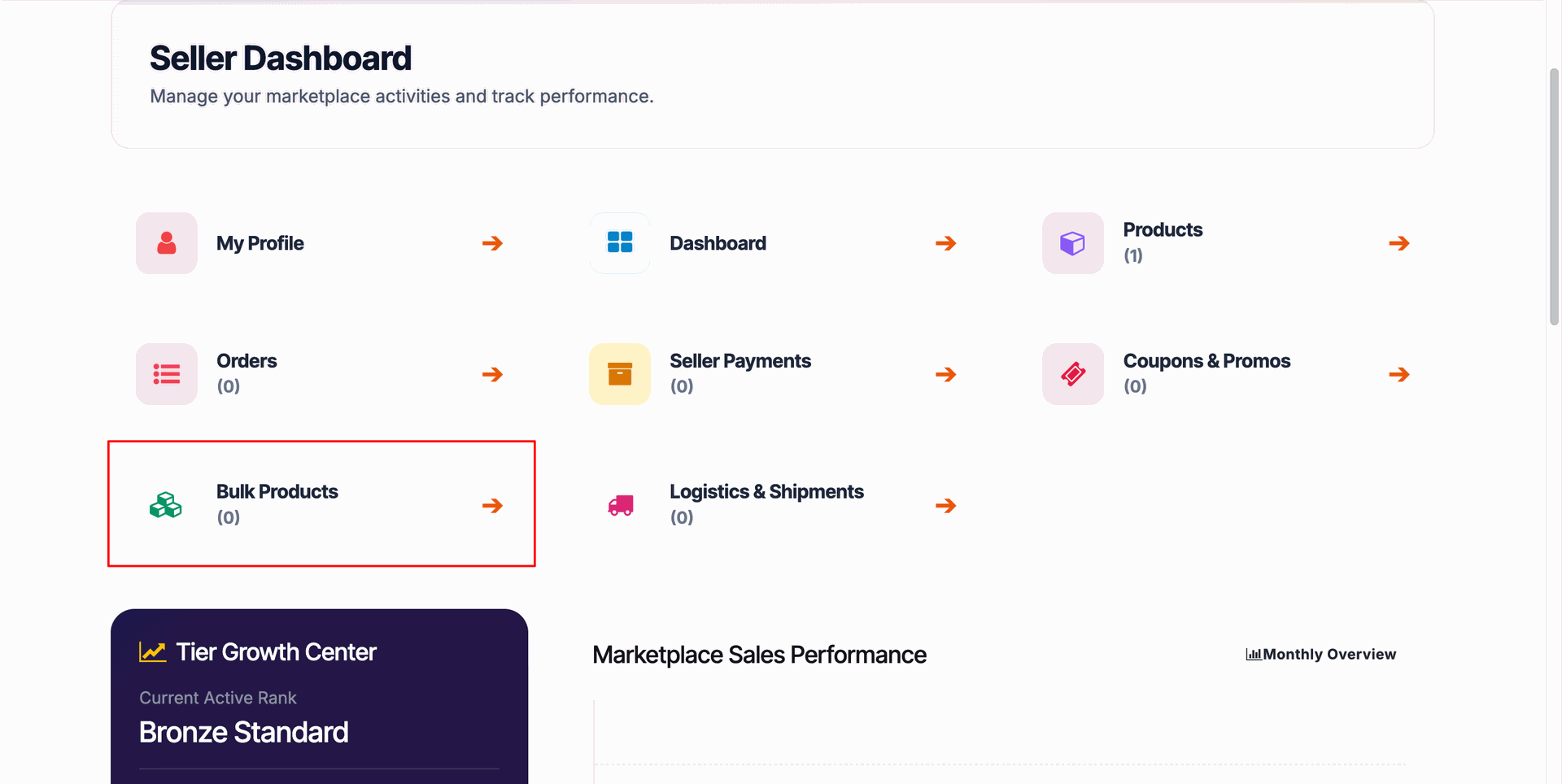
Click Bulk Products card on seller portal dashboard to open bulk import management page.
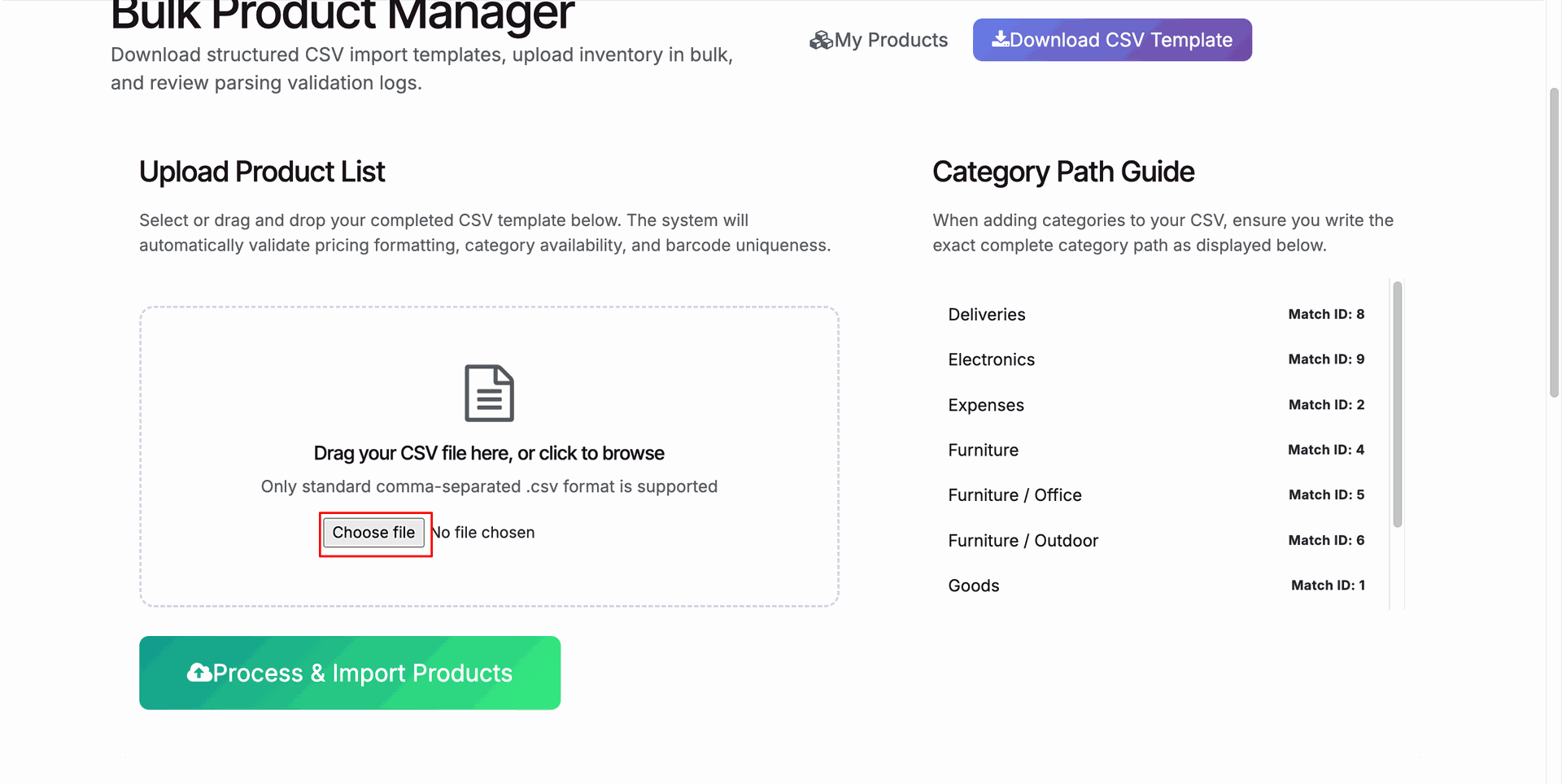
Click Choose file button to select prepared bulk product CSV spreadsheet for import.
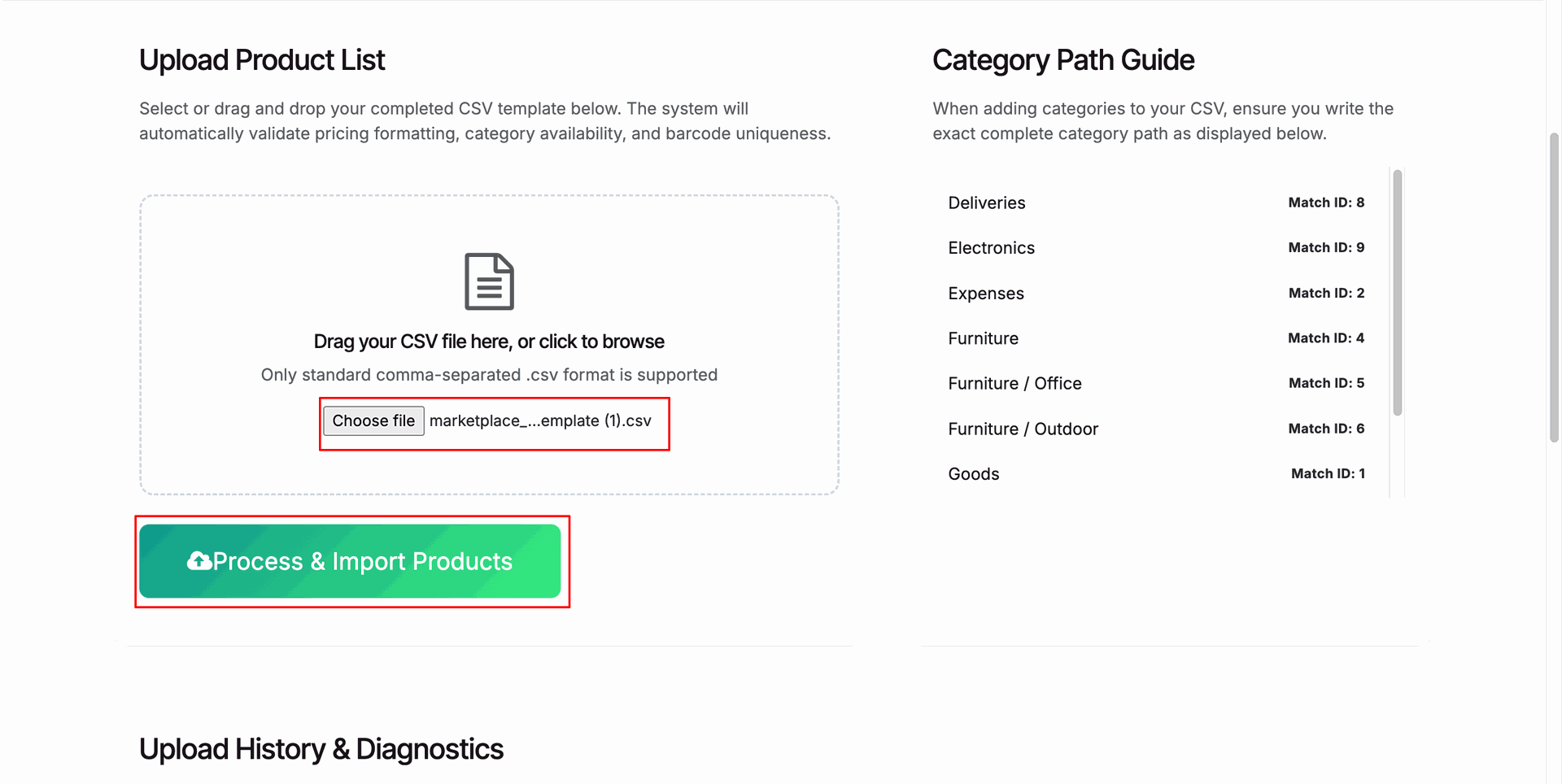
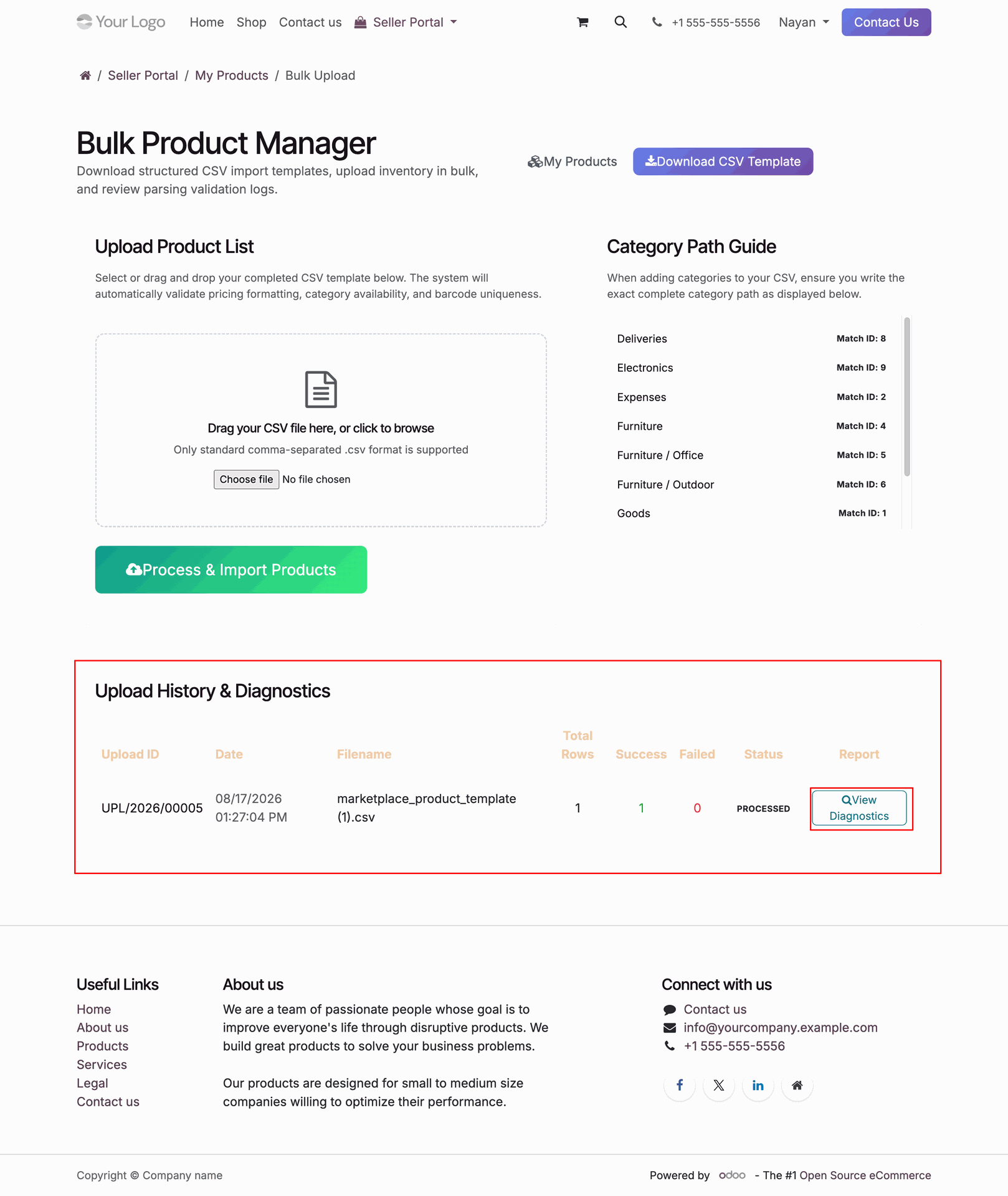
Press Process & Import Products button to execute bulk vendor product file upload.
Review upload history table and click View Diagnostics button to verify import results.
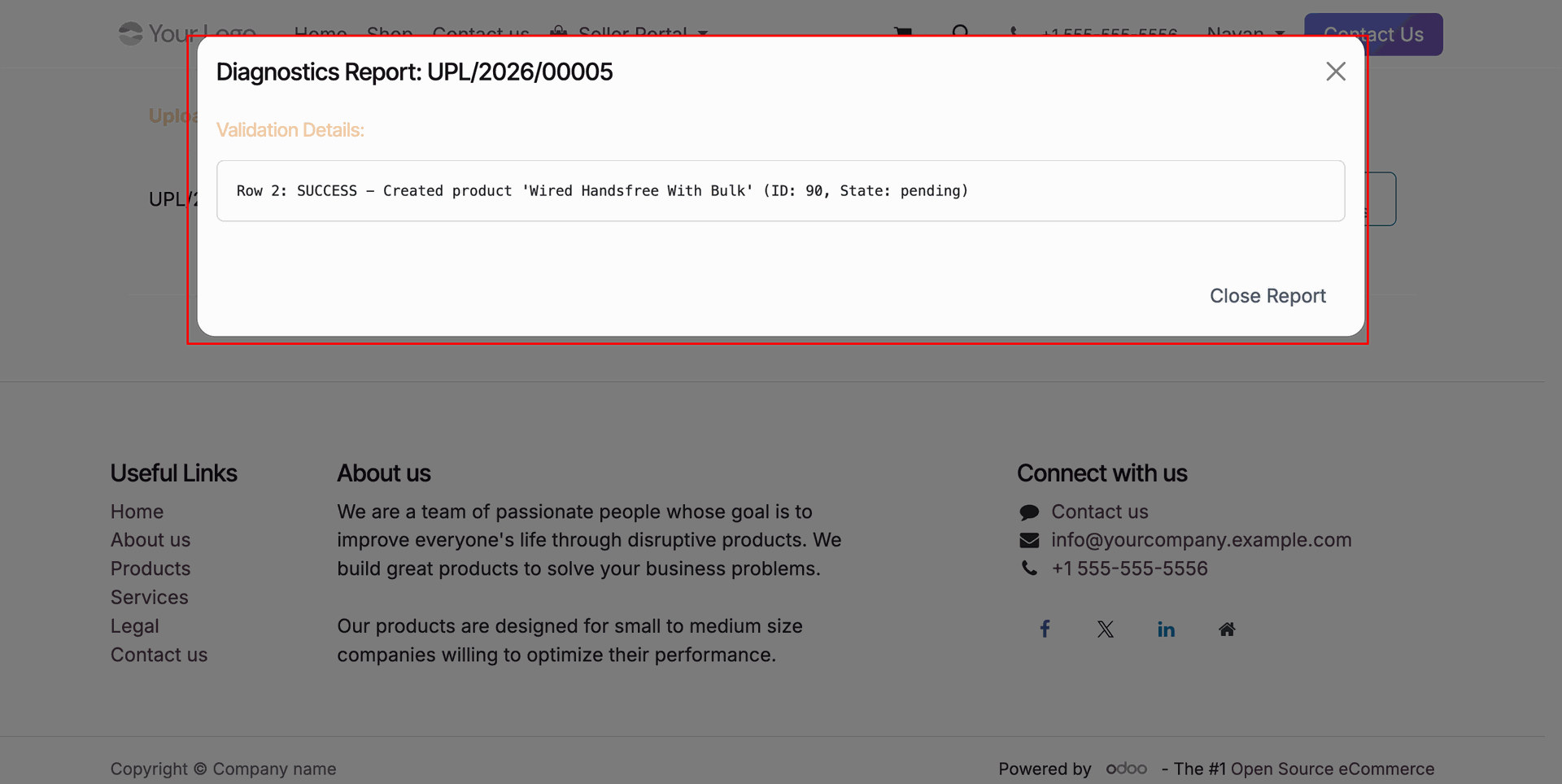
Review bulk upload validation details popup confirming successful product creation record.
Workflow
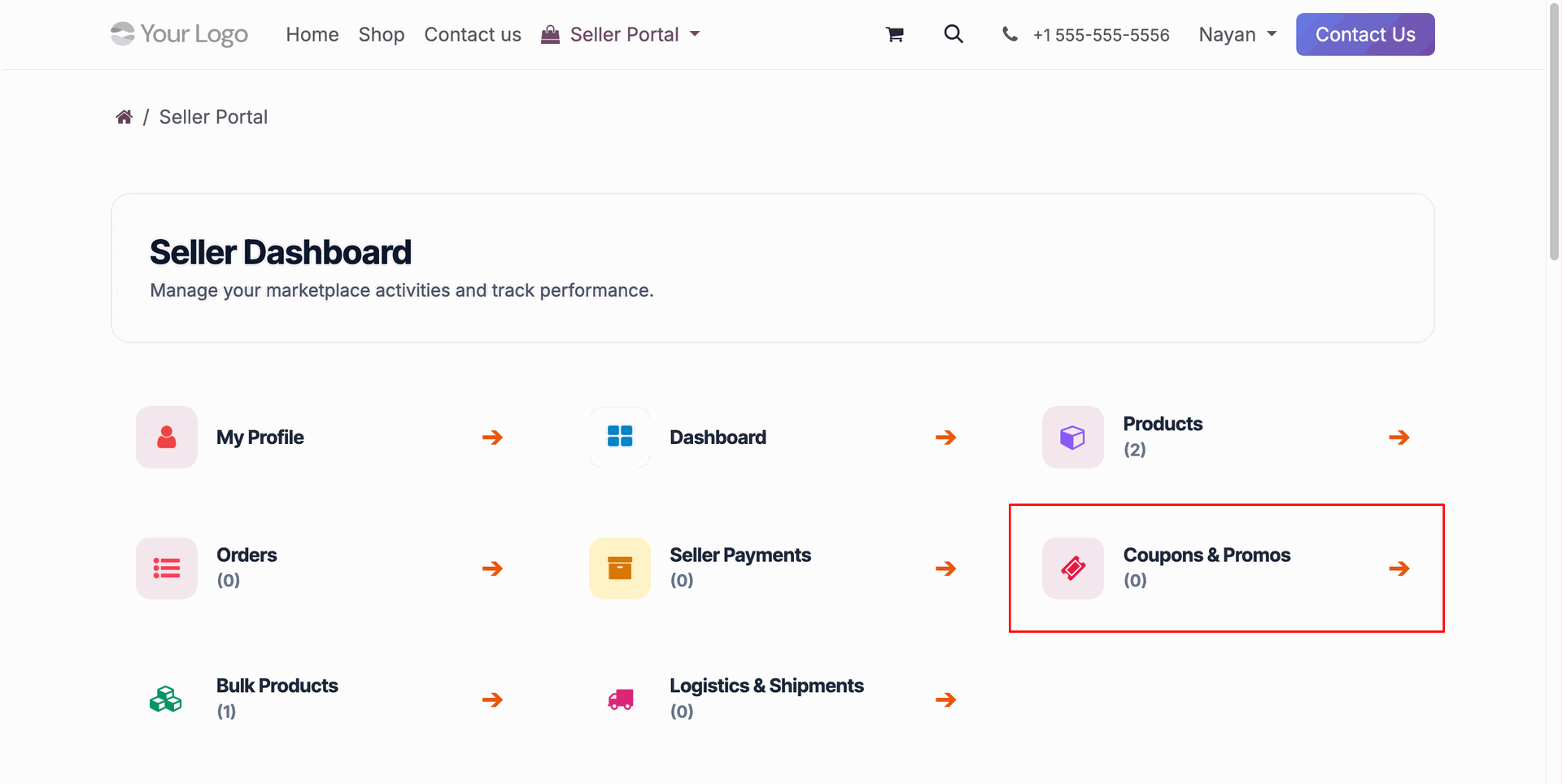
Select Coupons & Promos card on seller portal dashboard to manage promotional vendor discount campaigns.
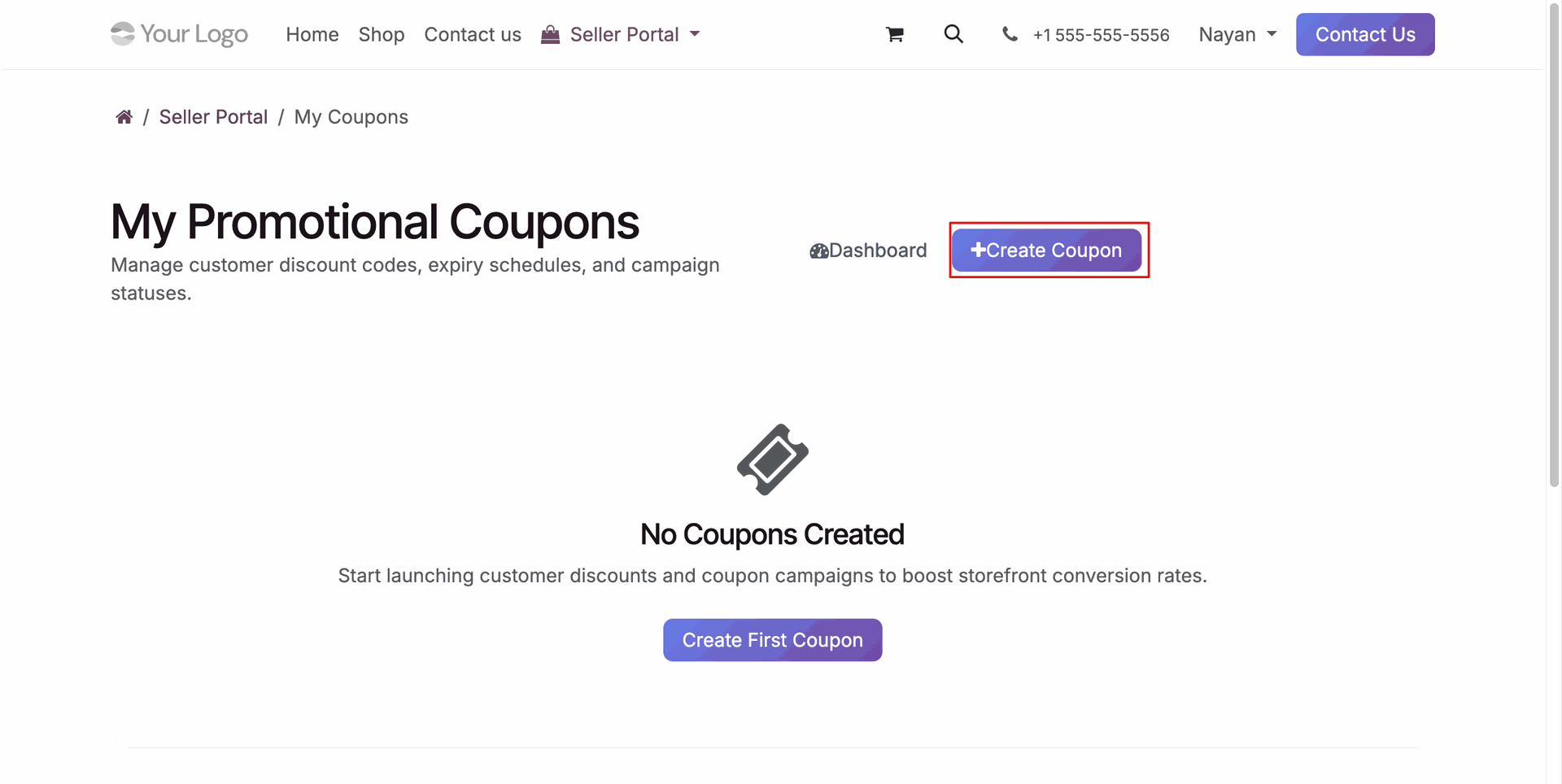
Click Create Coupon button on seller portal to open coupon campaign creation wizard.
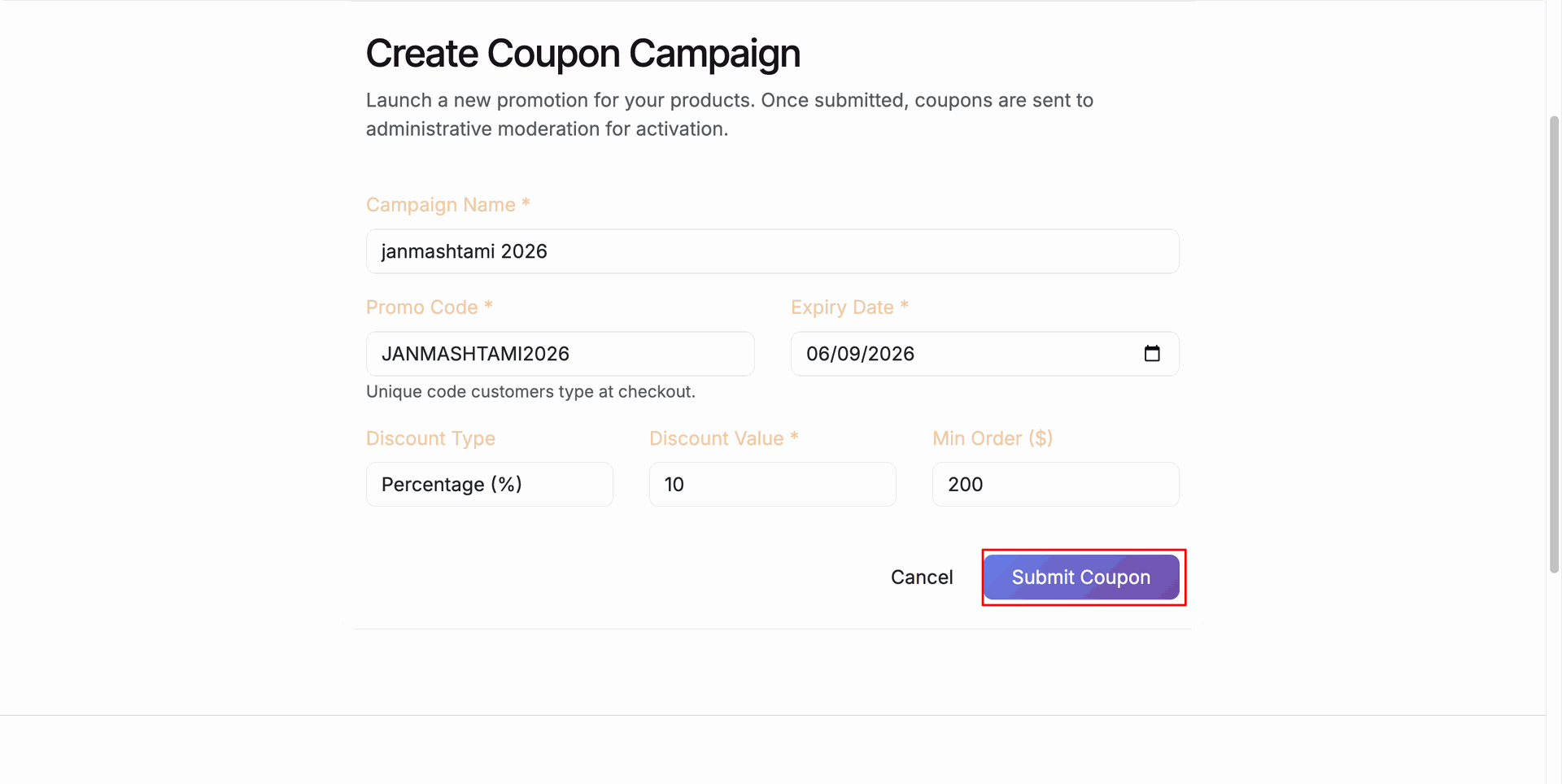
Fill in campaign details and promo code, then press Submit Coupon to request campaign approval.
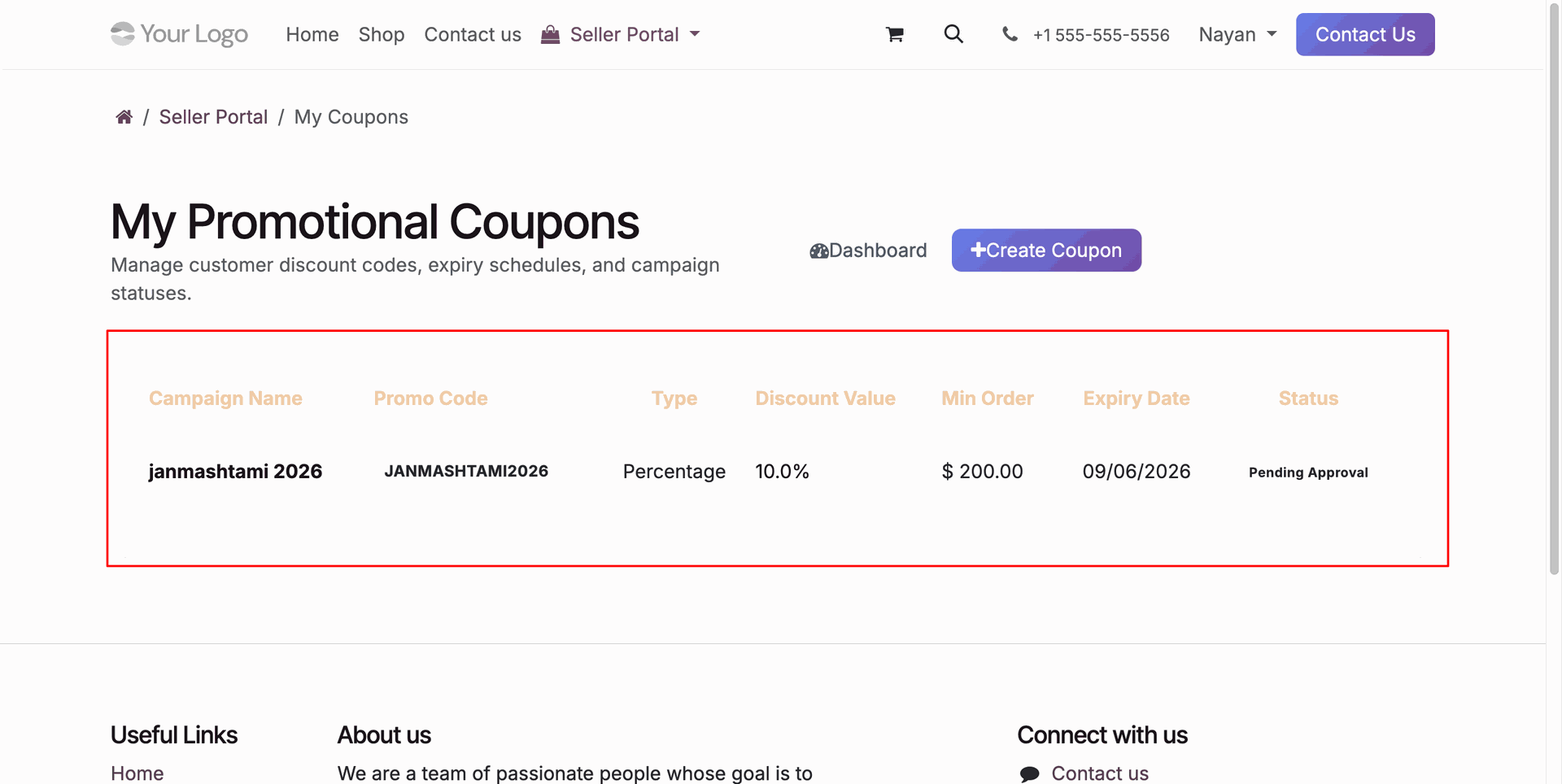
Review submitted seller promotional campaign record displaying pending administrative approval status.
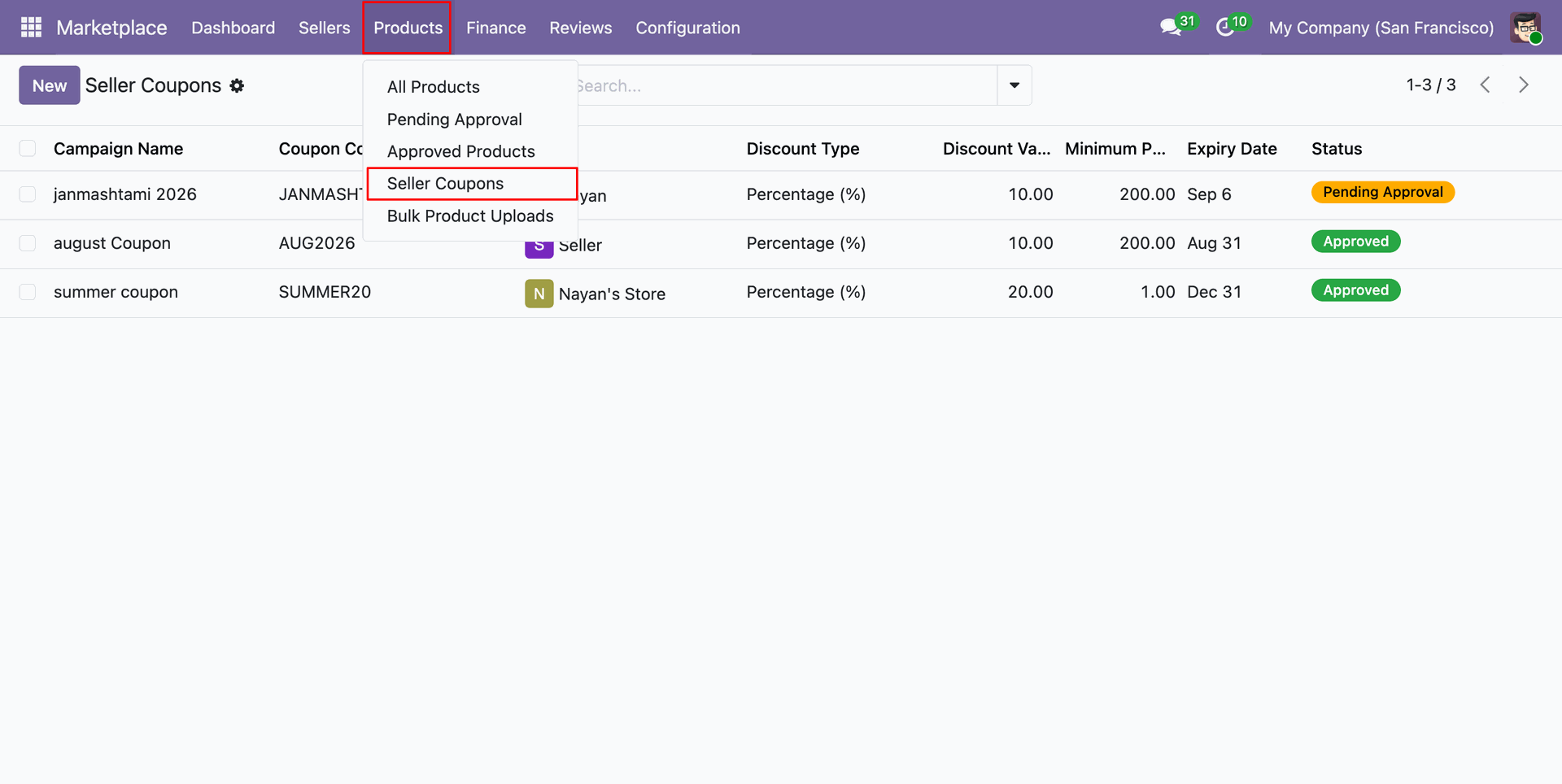
Select Seller Coupons under Products menu to manage submitted vendor discount campaign records.
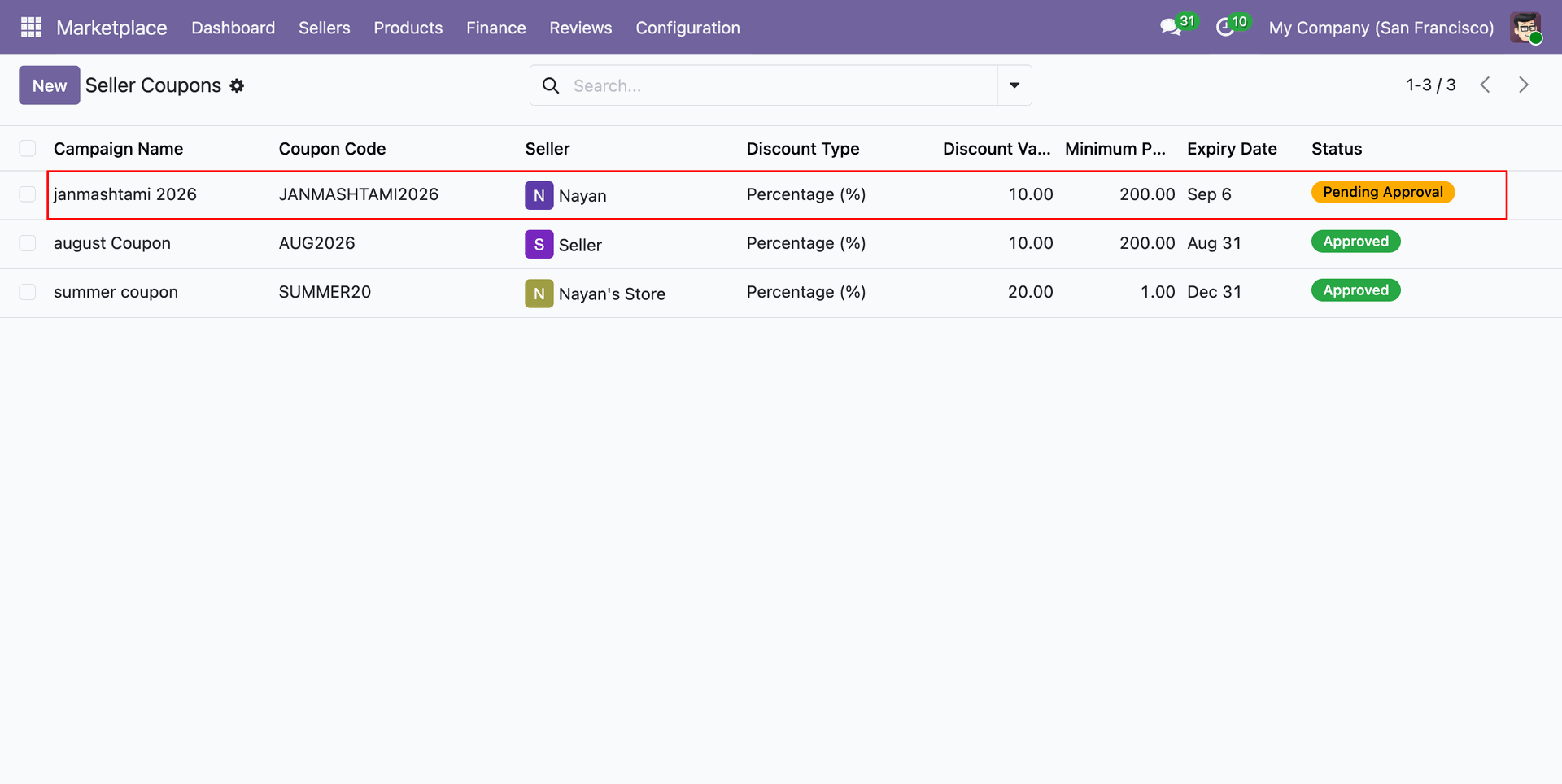
Click pending seller coupon record in backend list view to inspect campaign configuration.
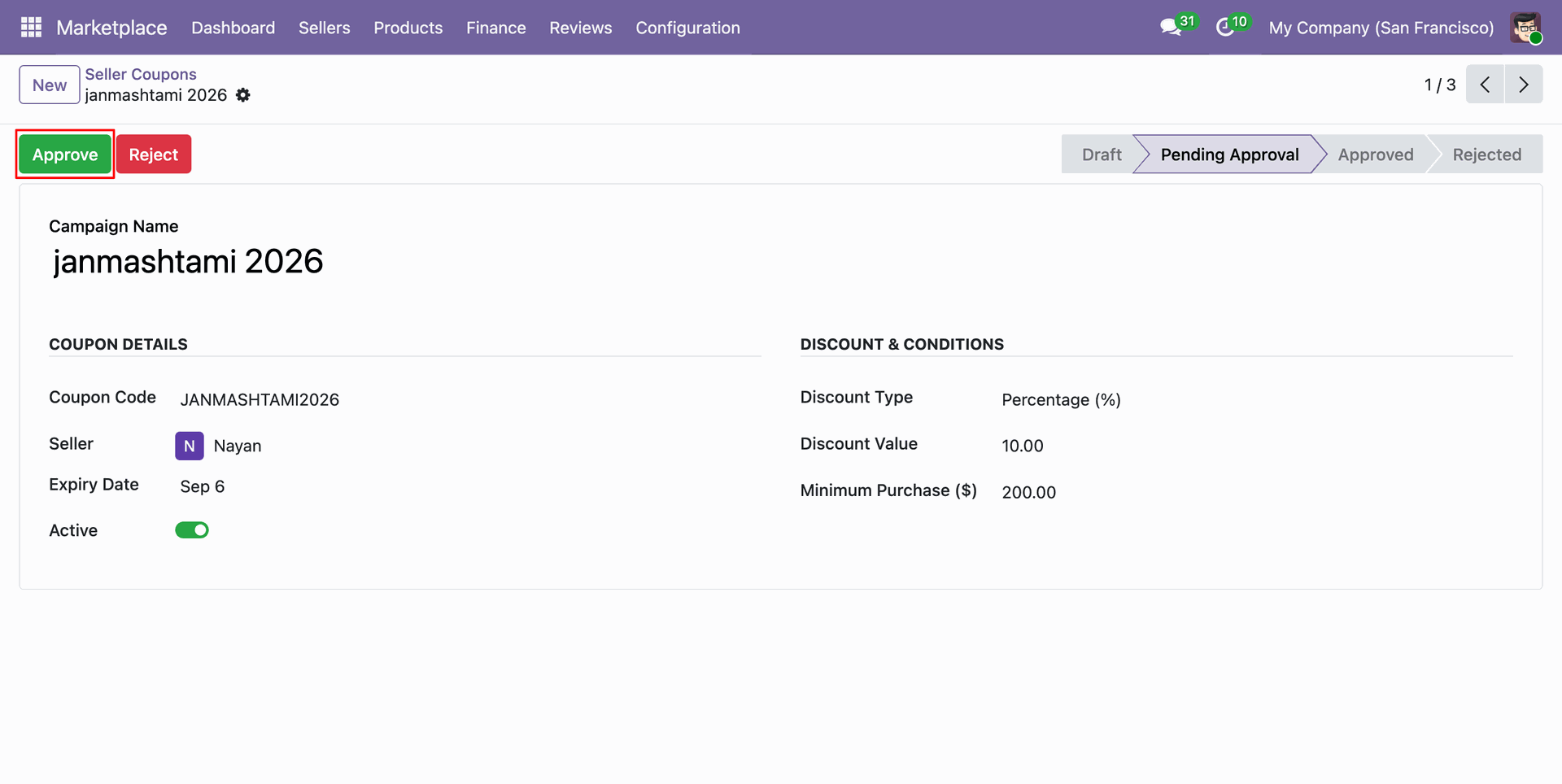
Click Approve button on backend seller coupon form to validate vendor promotional discount offer.
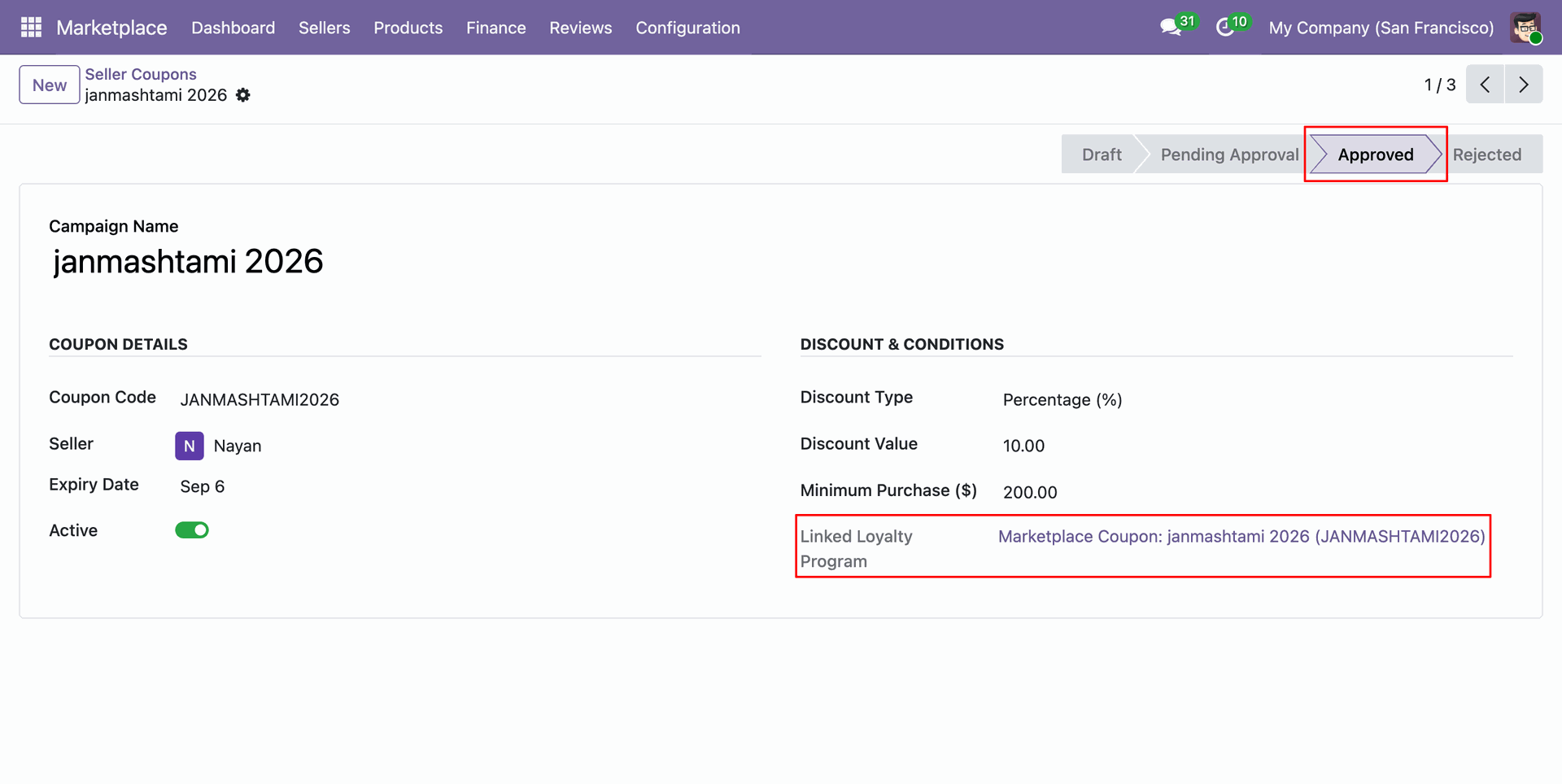
Review approved campaign status and automatically created linked loyalty program details on coupon record.
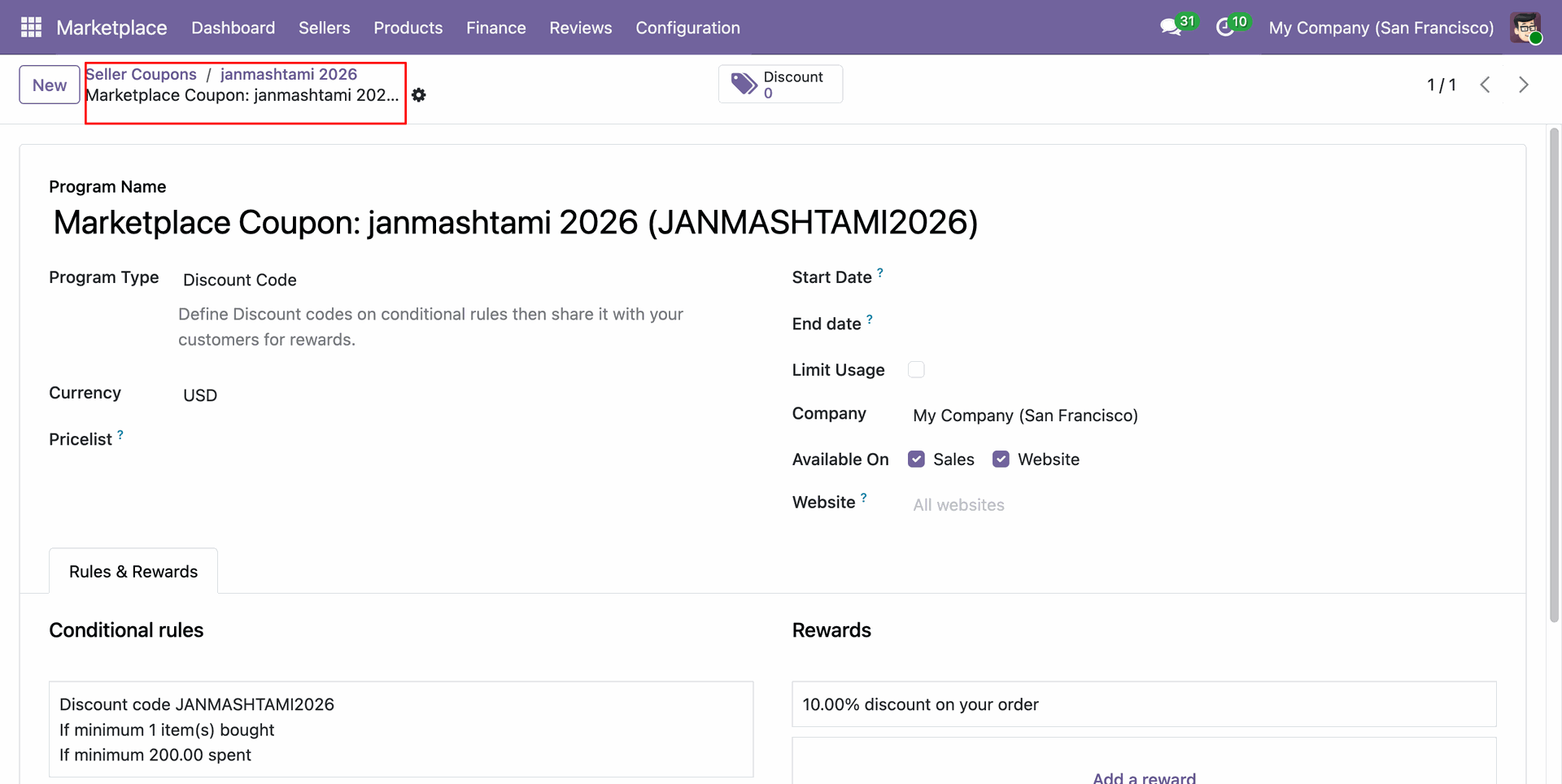
Inspect generated backend loyalty program rule details including discount conditions and reward percentages.
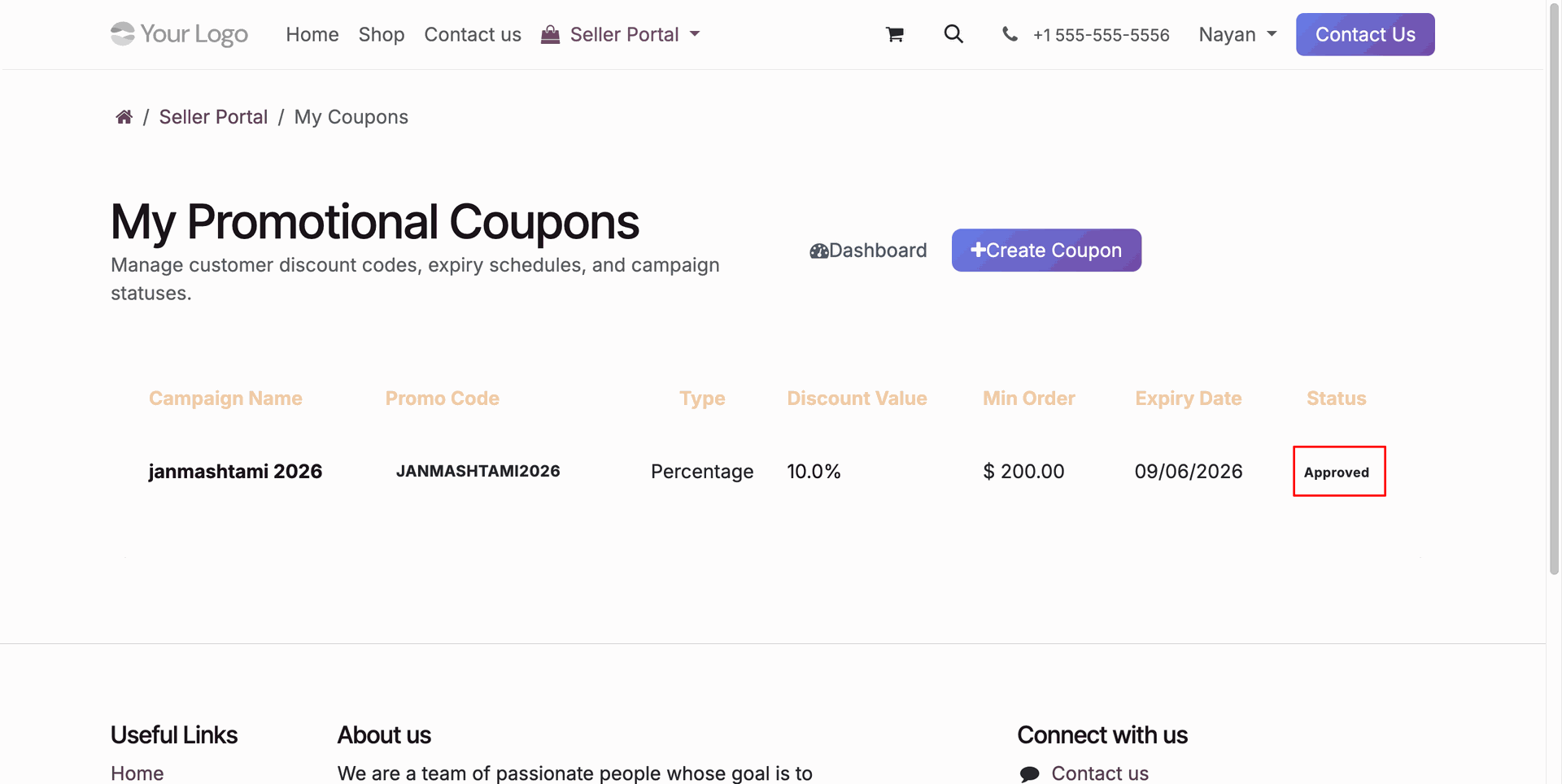
Verify active approved campaign status displayed in seller portal promotional coupons overview table.
Workflow
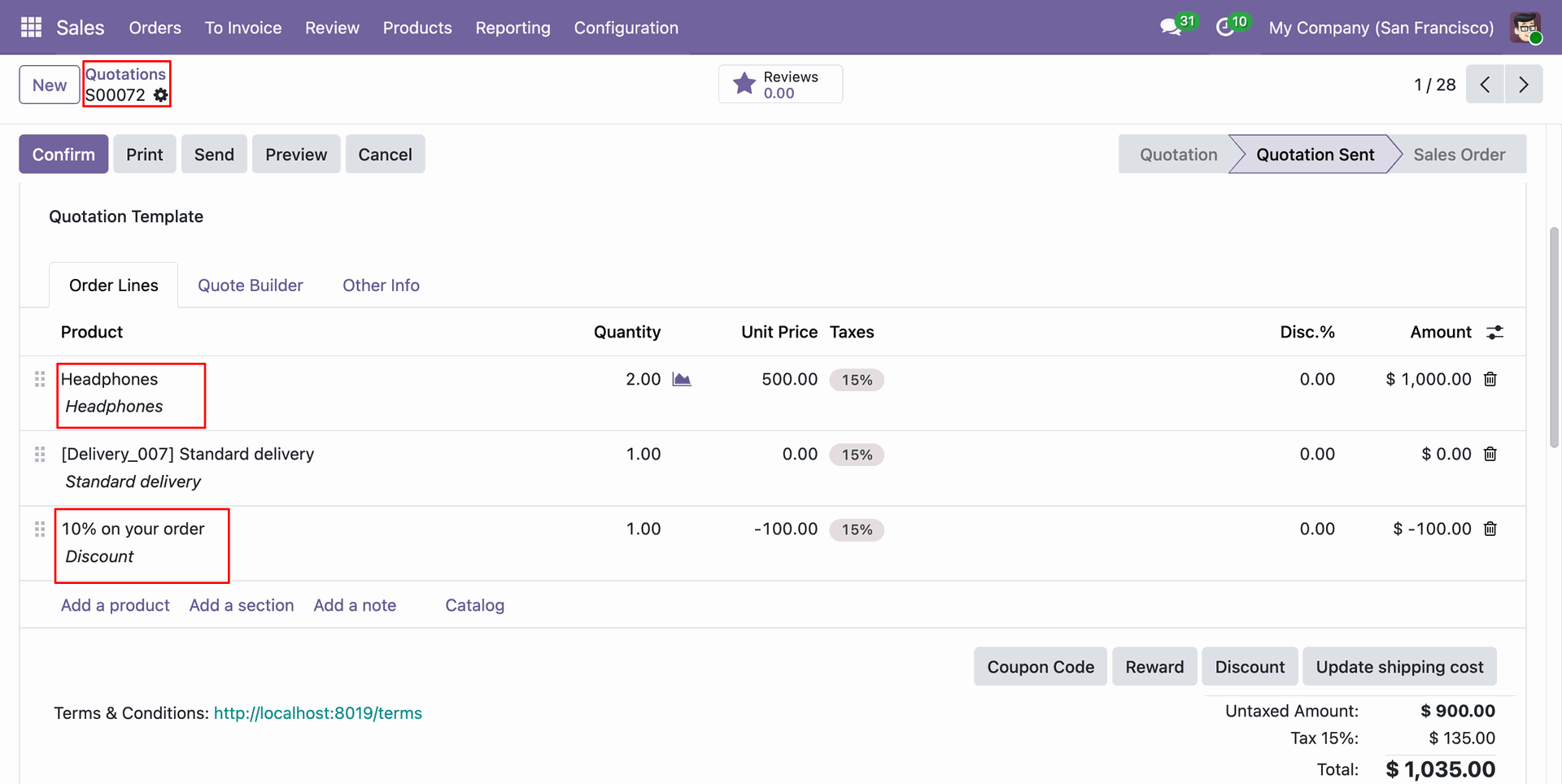
Review customer quotation lines including ordered products, quantities, unit prices, and applied promotional discount.
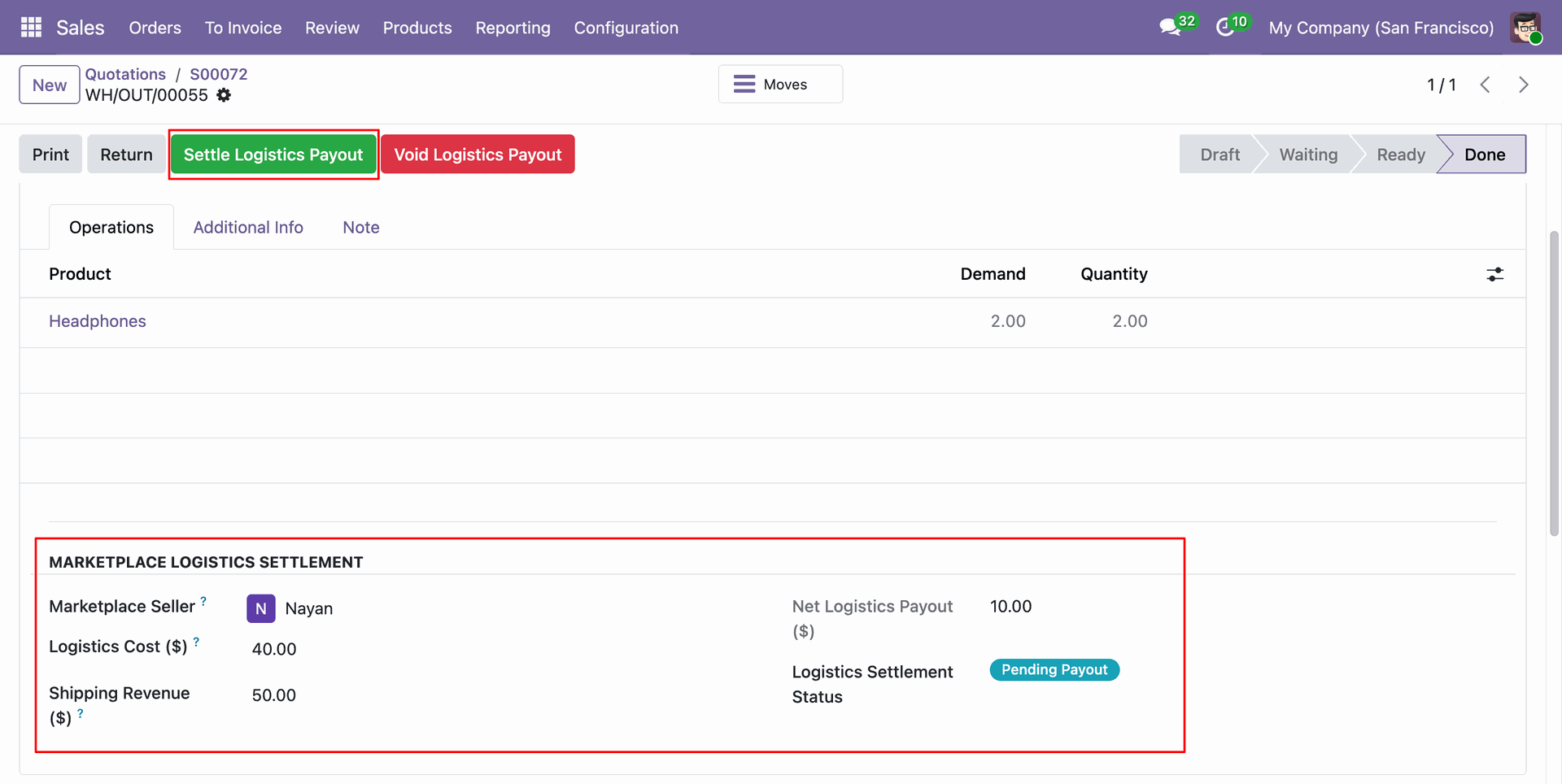
Click Settle Logistics Payout button on delivery transfer to calculate vendor shipping revenue settlement.
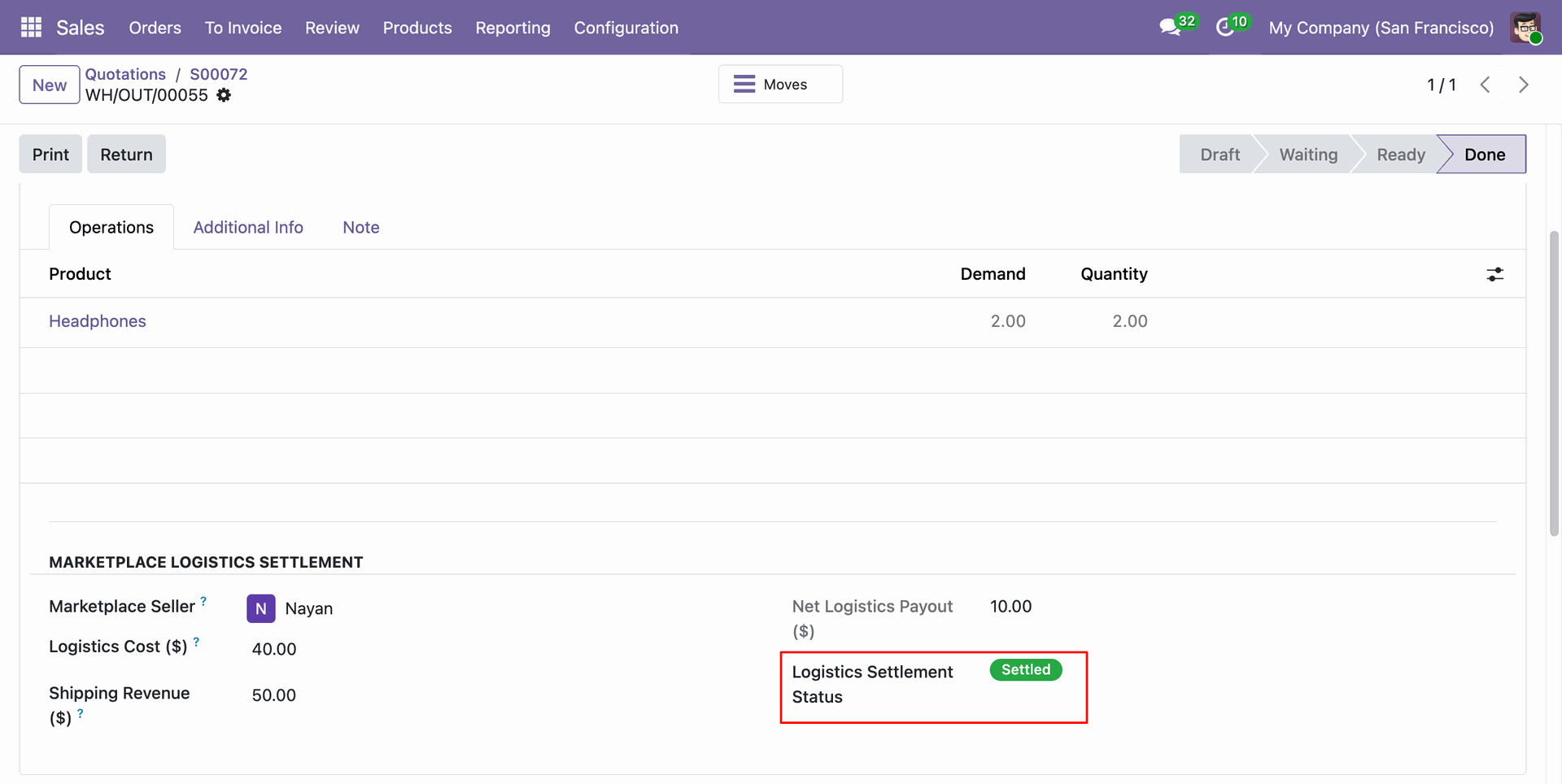
Verify updated settled logistics status on backend stock transfer form following payout calculation.
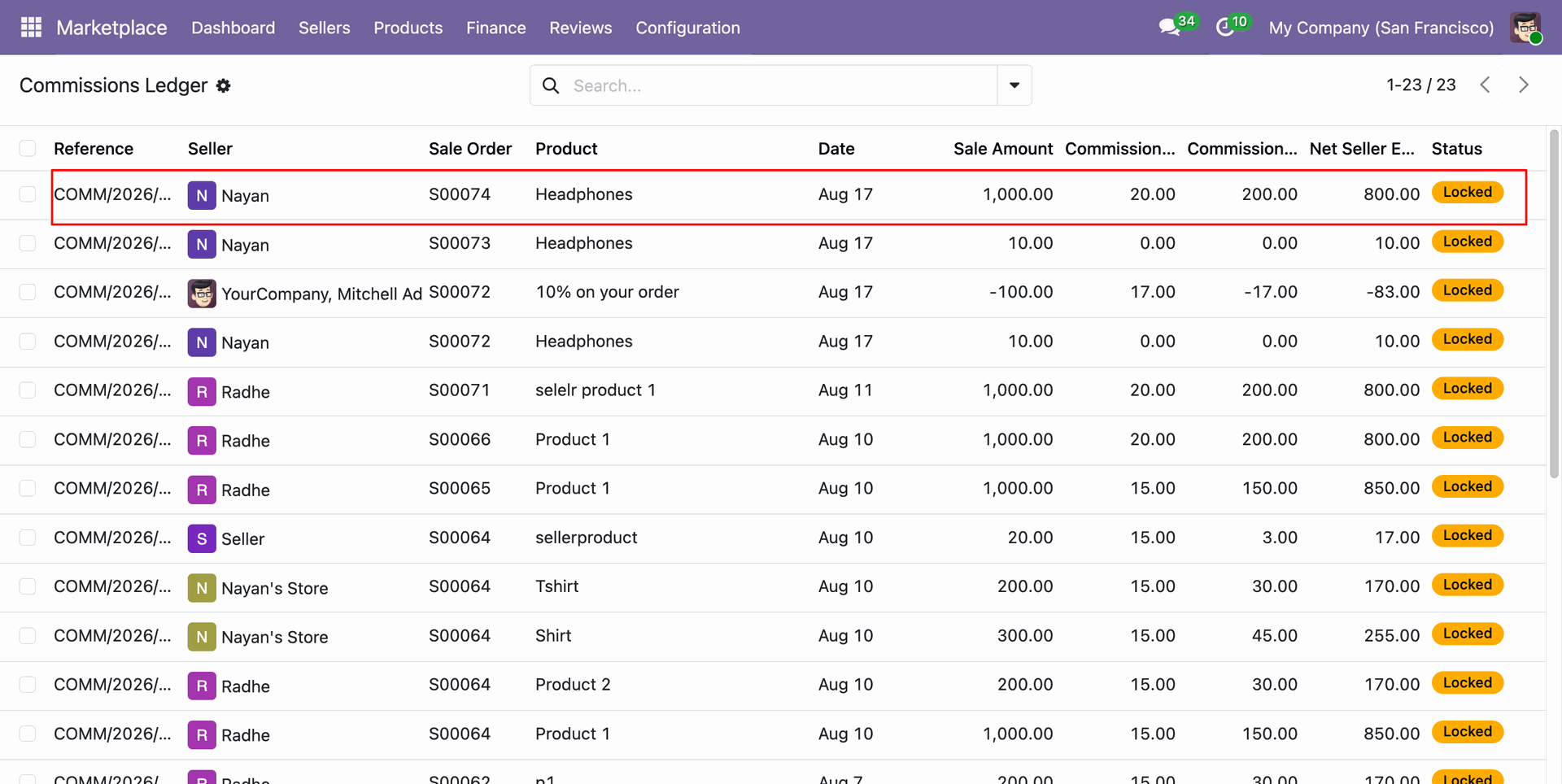
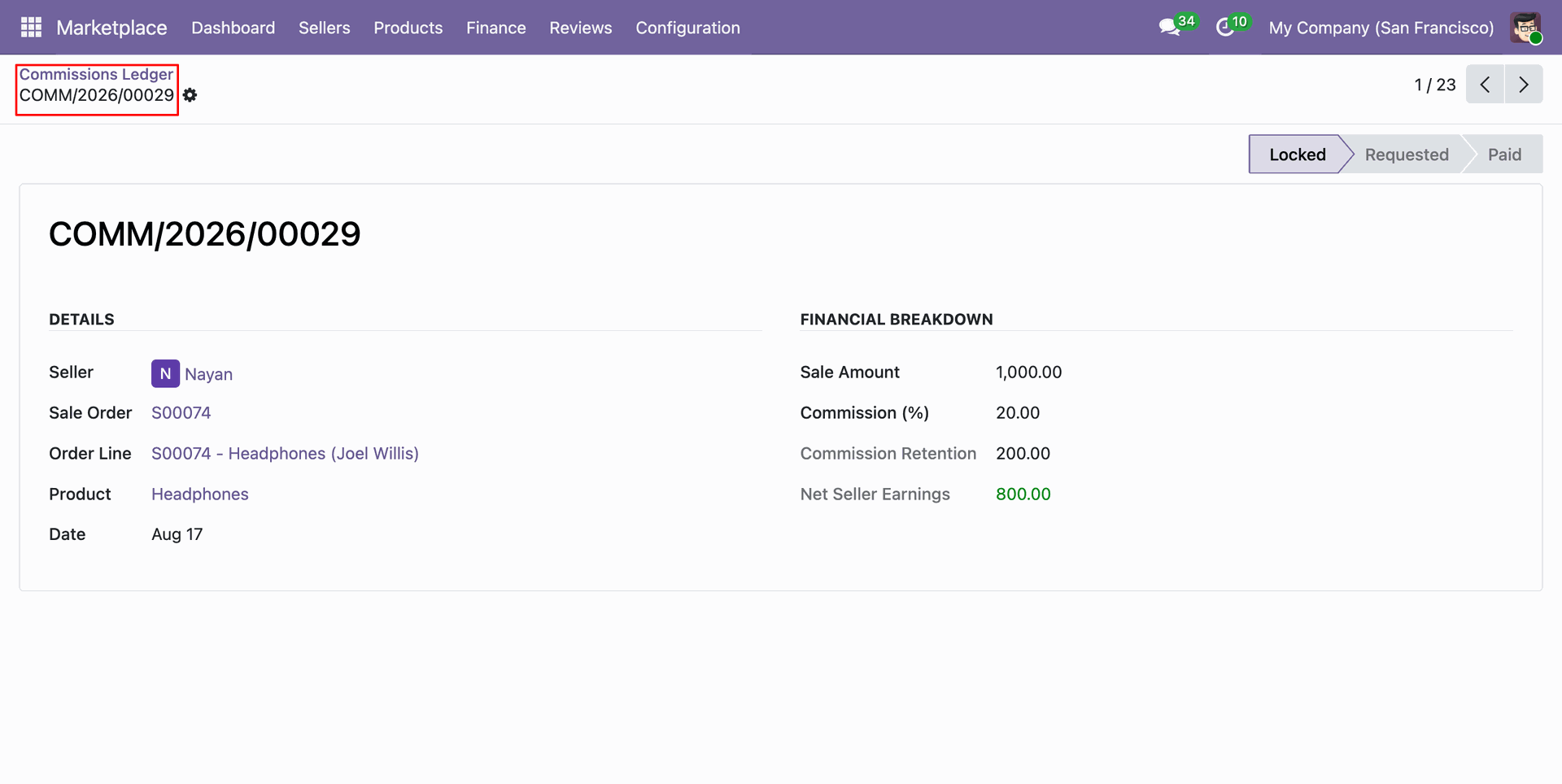
Review backend commissions ledger entries.
Open individual commission record to inspect sale breakdown, commission percentage, and net seller earnings.
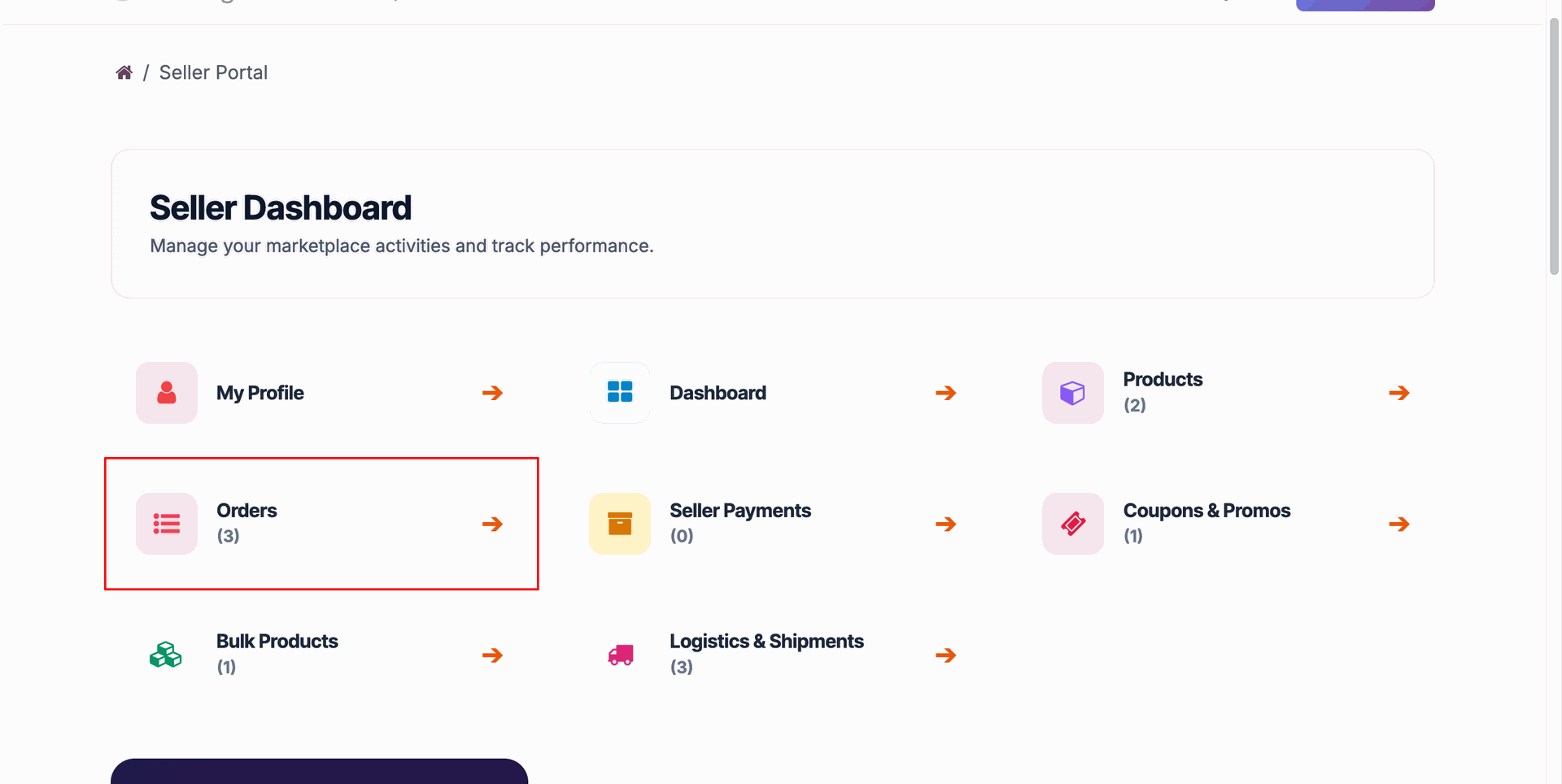
Click Orders card on seller portal dashboard to open vendor sales orders directory.
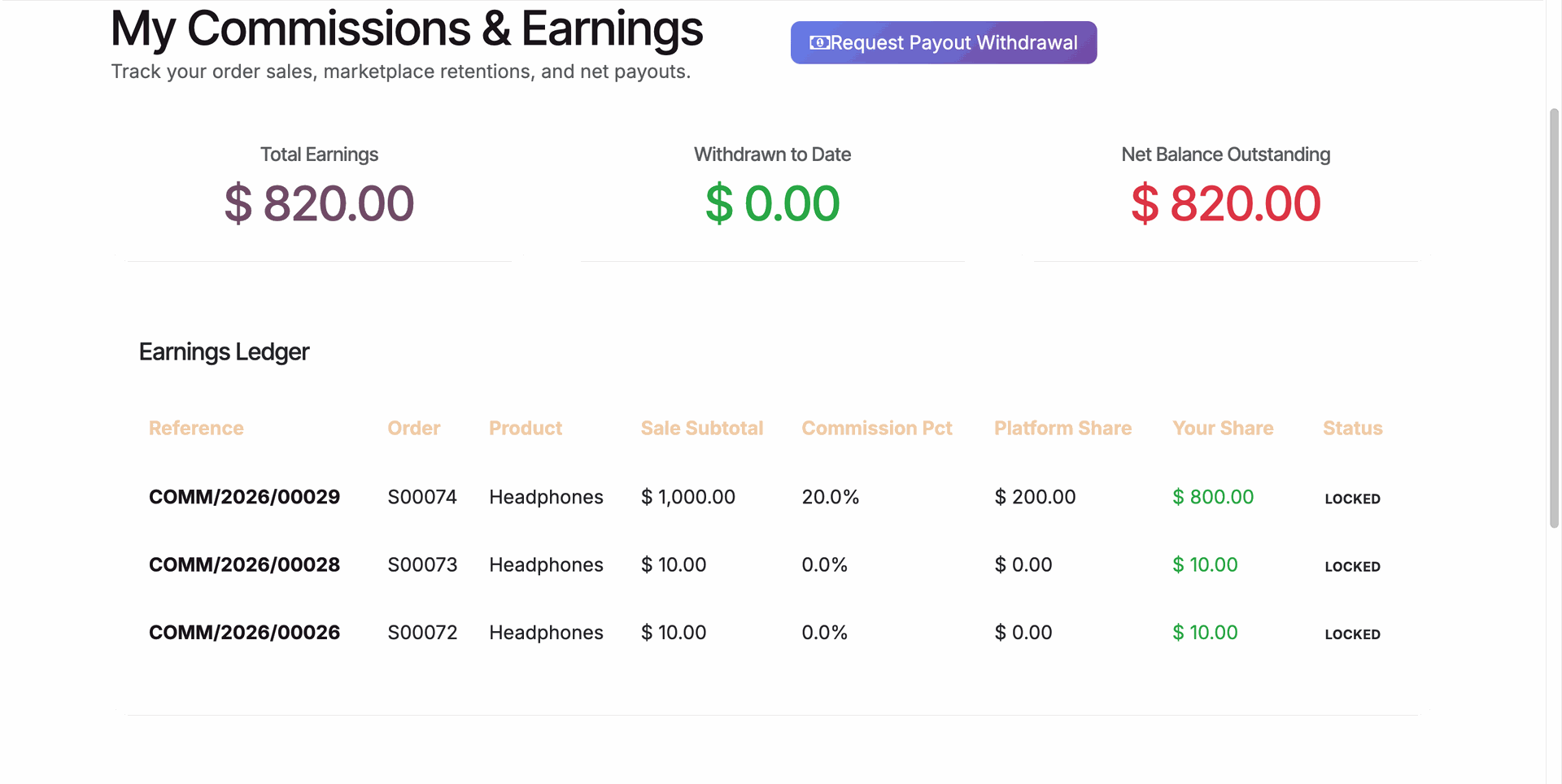
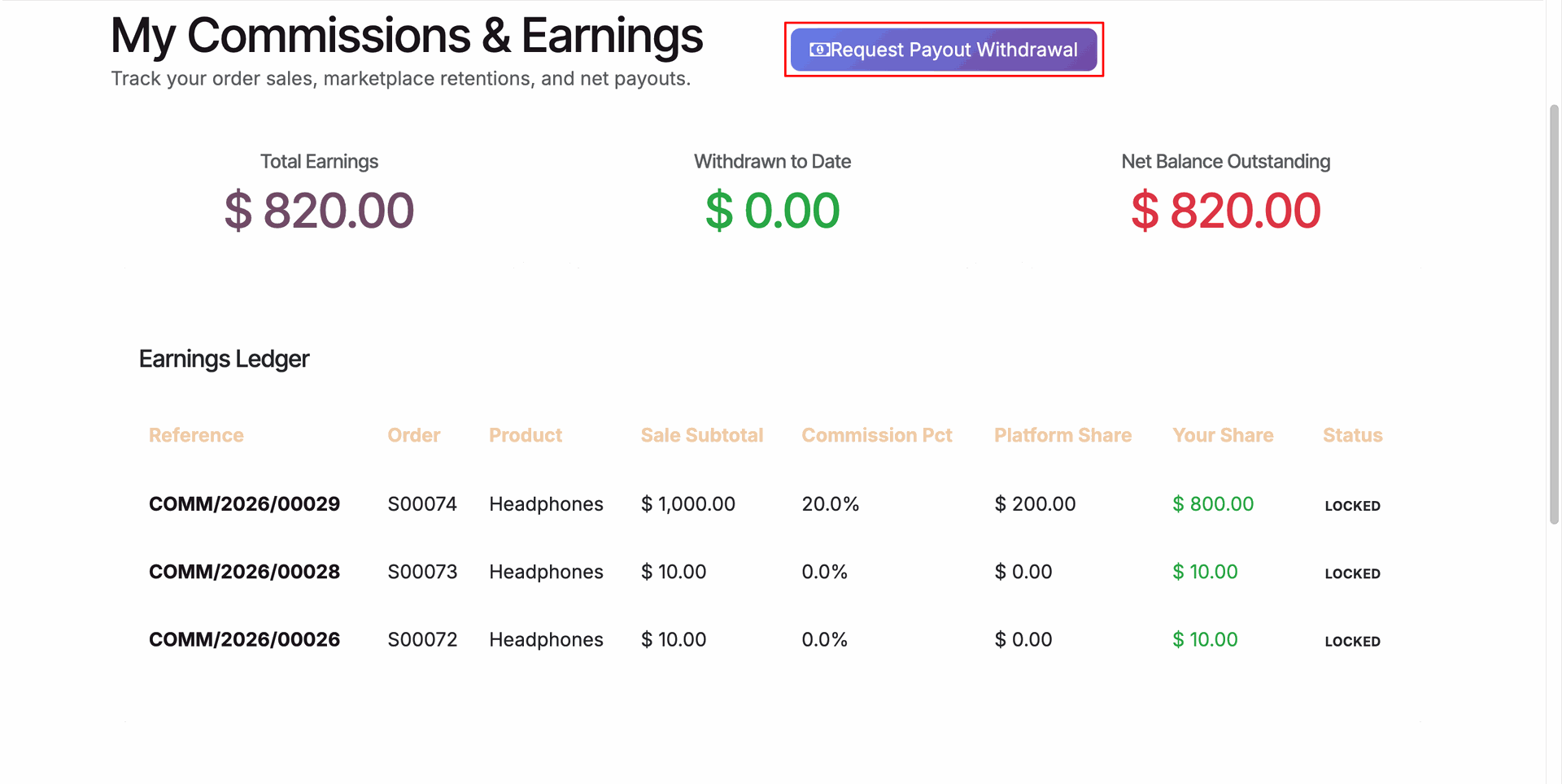
View seller portal commissions ledger showing total earnings, withdrawn amounts, and outstanding net balance.
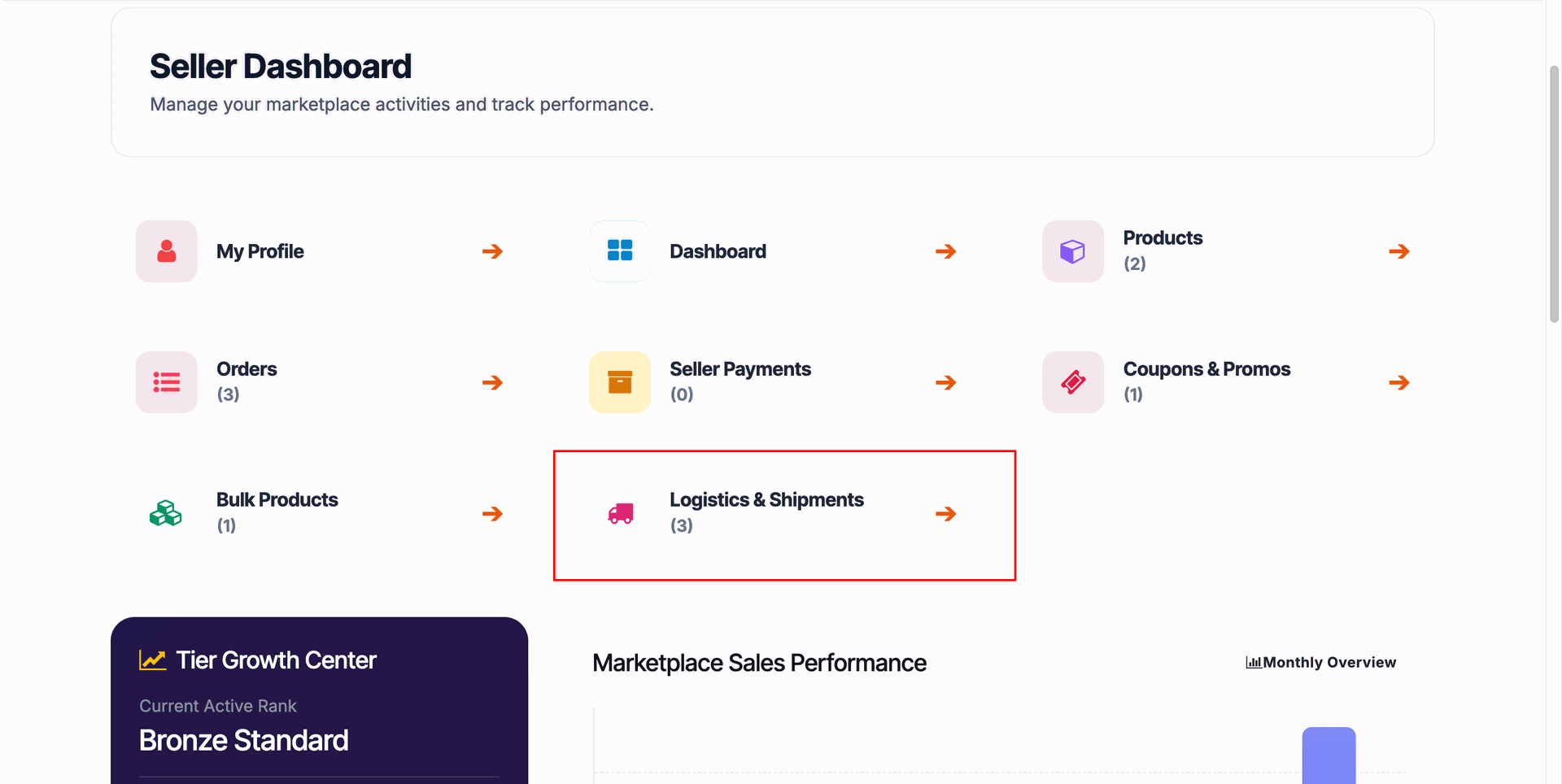
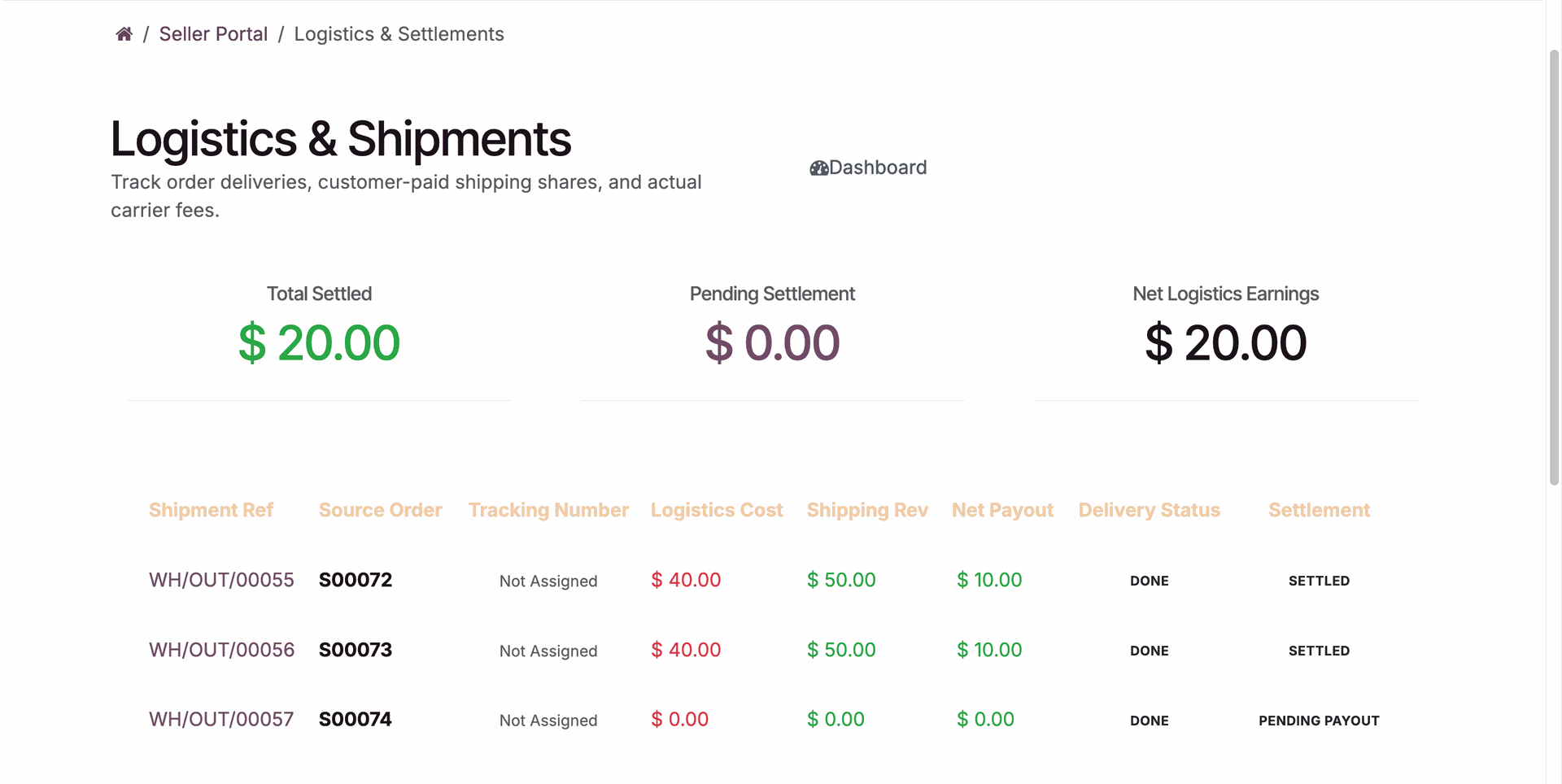
Select Logistics & Shipments card on seller portal dashboard to track vendor delivery orders.
Track shipment fulfillment progress, carrier tracking numbers, and logistics payout settlement statuses on portal.
Workflow
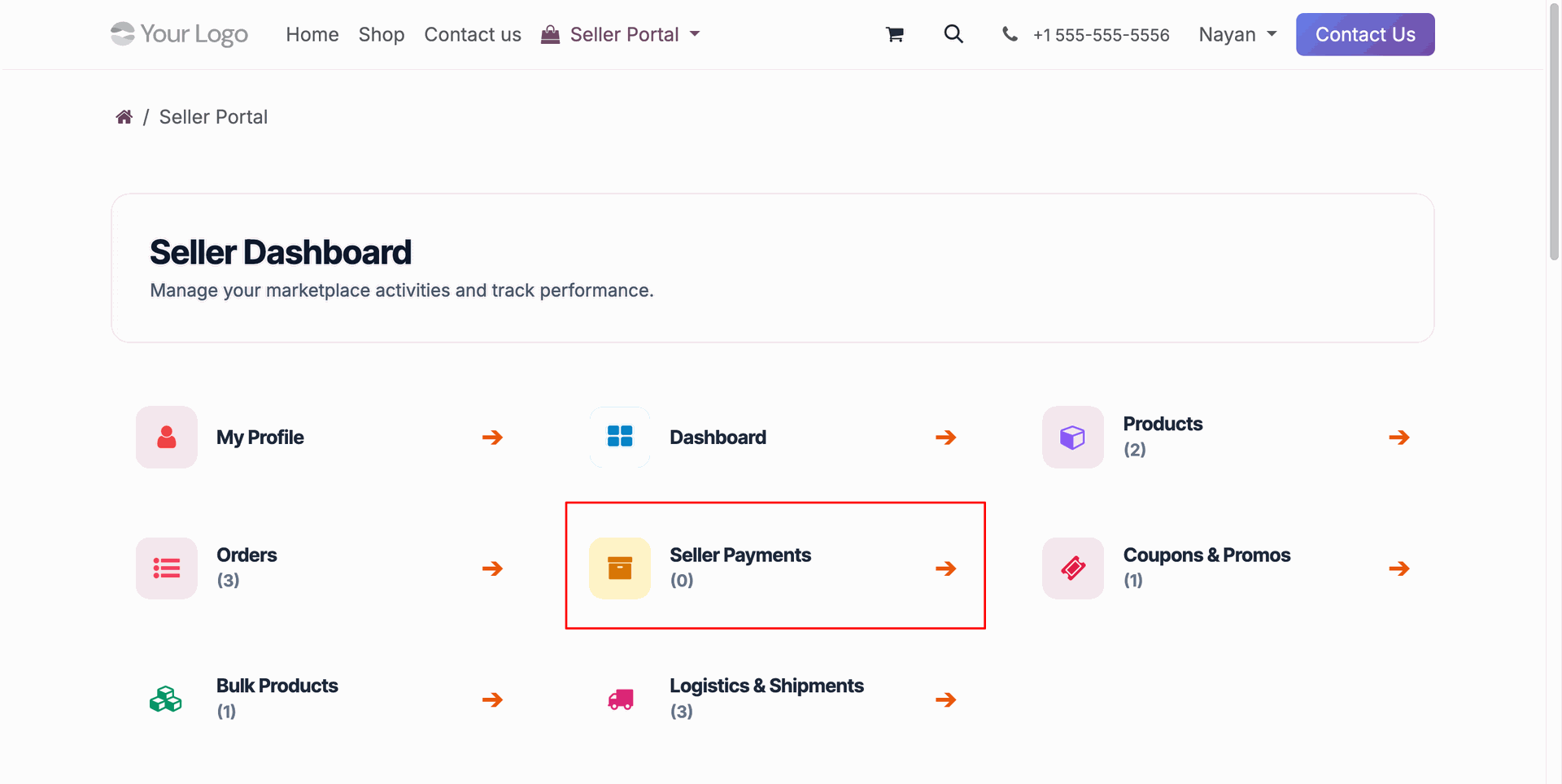
Select Seller Payments card on seller portal dashboard to manage vendor earnings and payout requests.
Click Request Payout Withdrawal button on seller portal earnings ledger to initiate withdrawal.
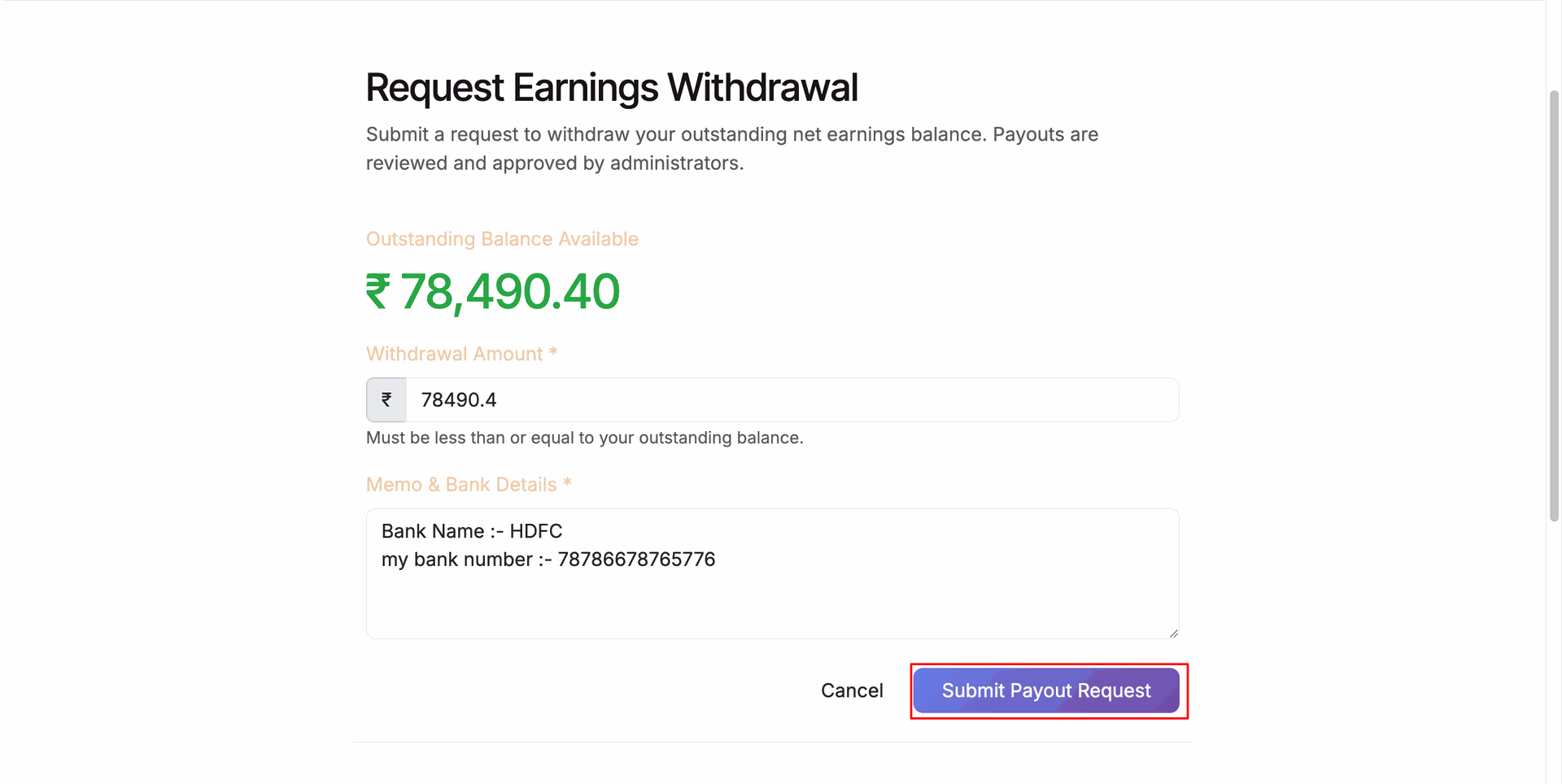
Enter withdrawal amount and bank details, then press Submit Payout Request to request disbursement.
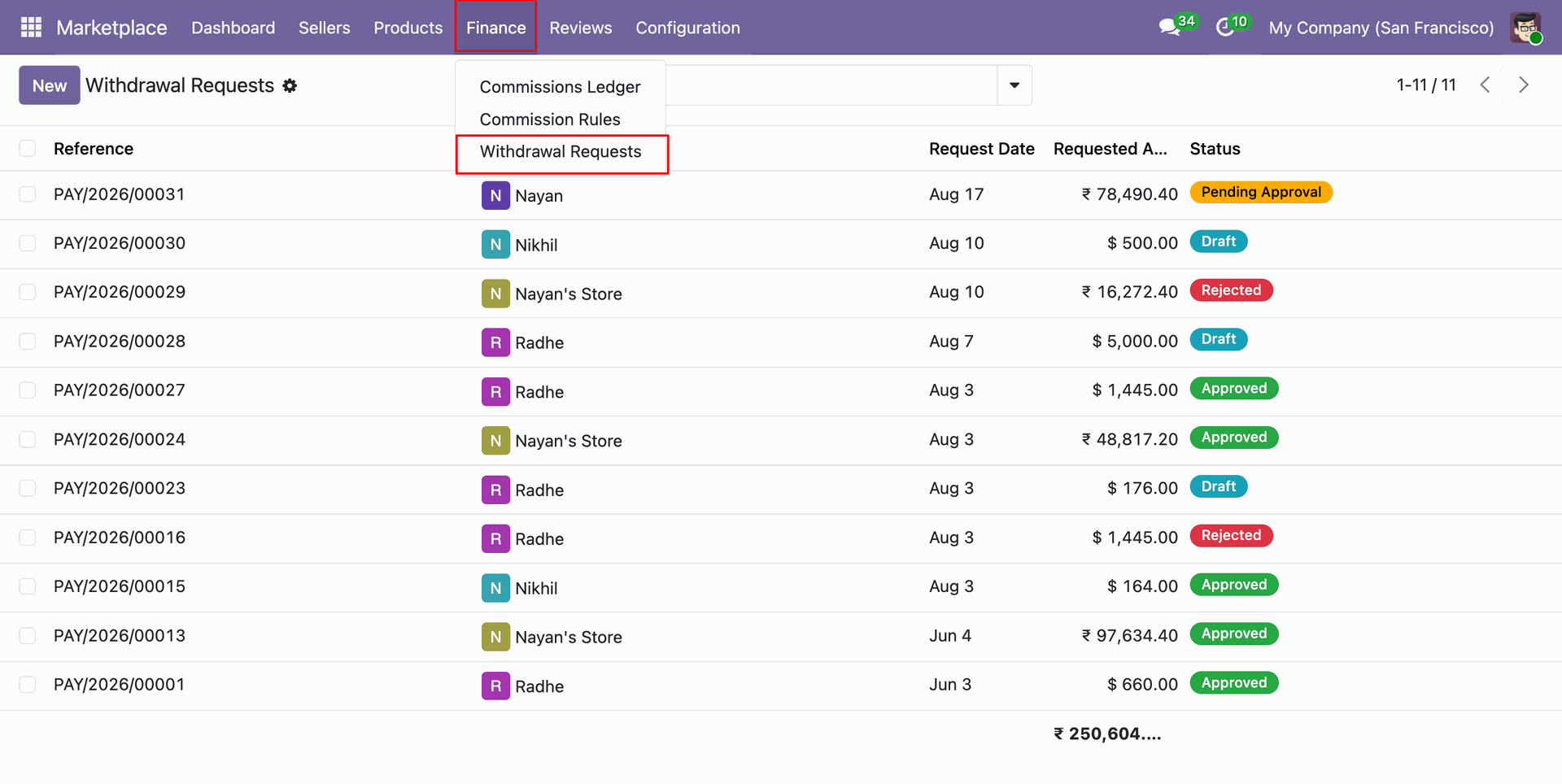
Select Withdrawal Requests under Finance menu to inspect pending vendor payout requests.
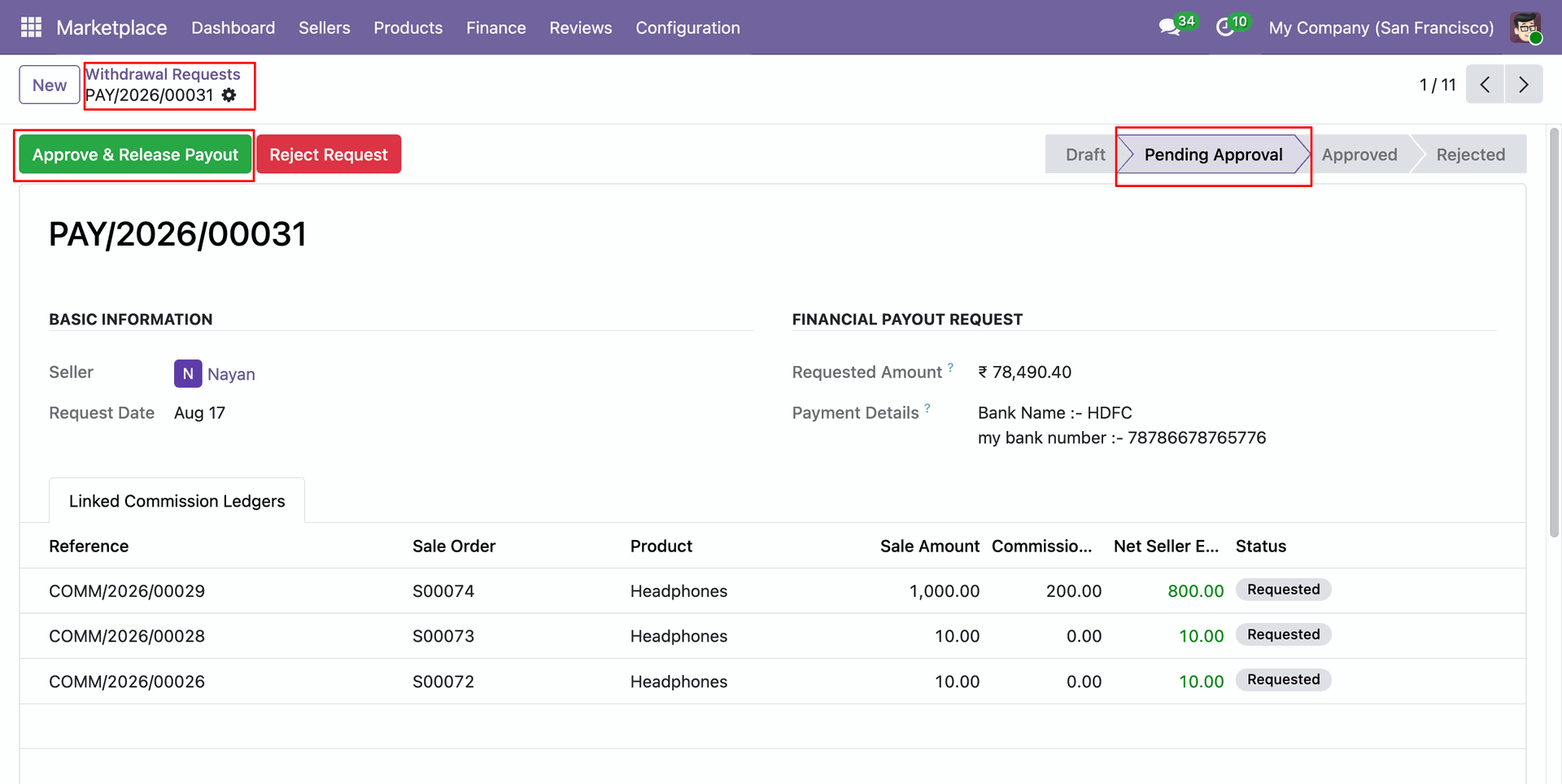
Click Approve & Release Payout button on withdrawal request form to authorize vendor payment.
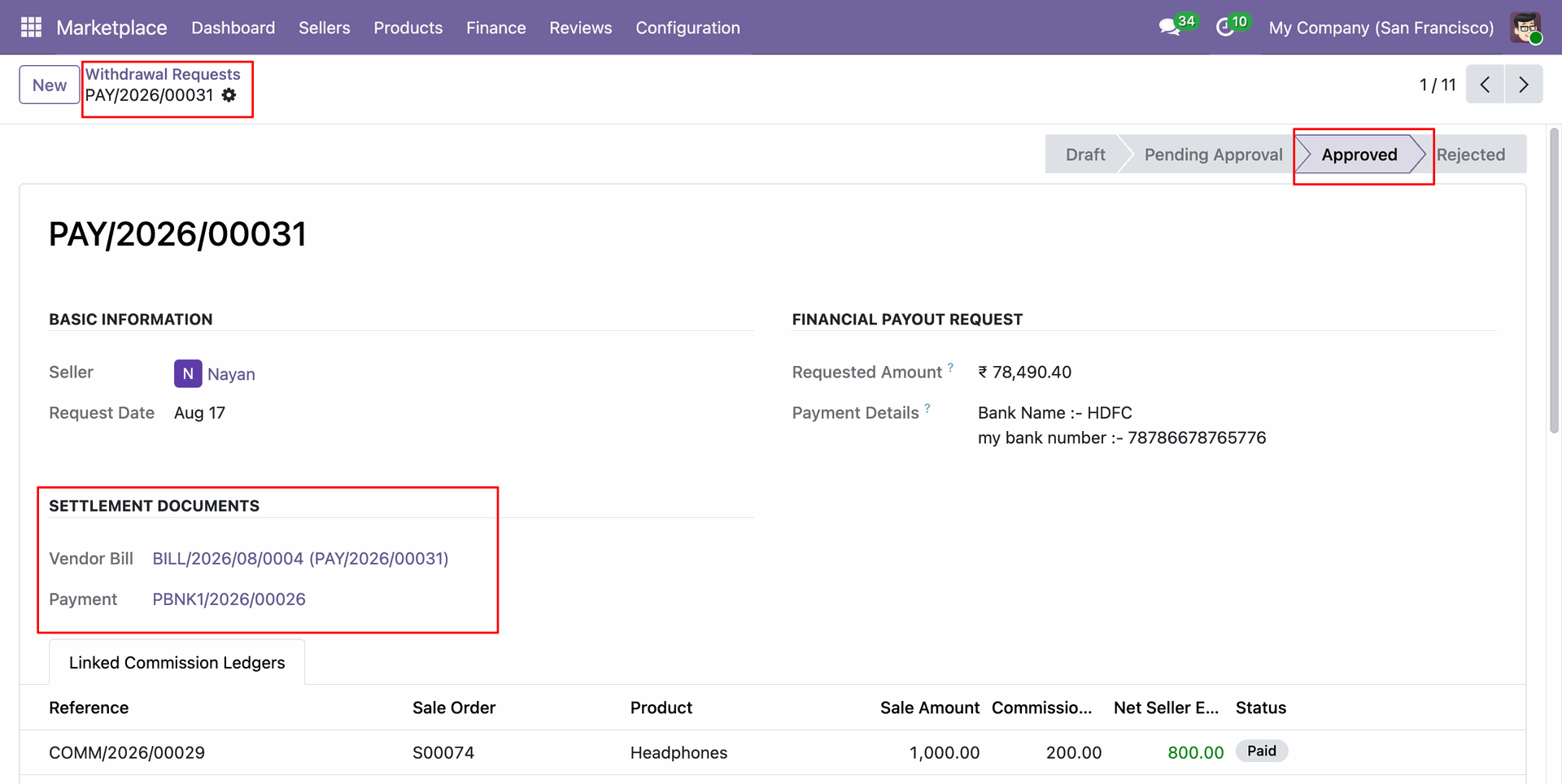
Review approved withdrawal request status showing linked settlement documents including generated vendor bill and payment record.
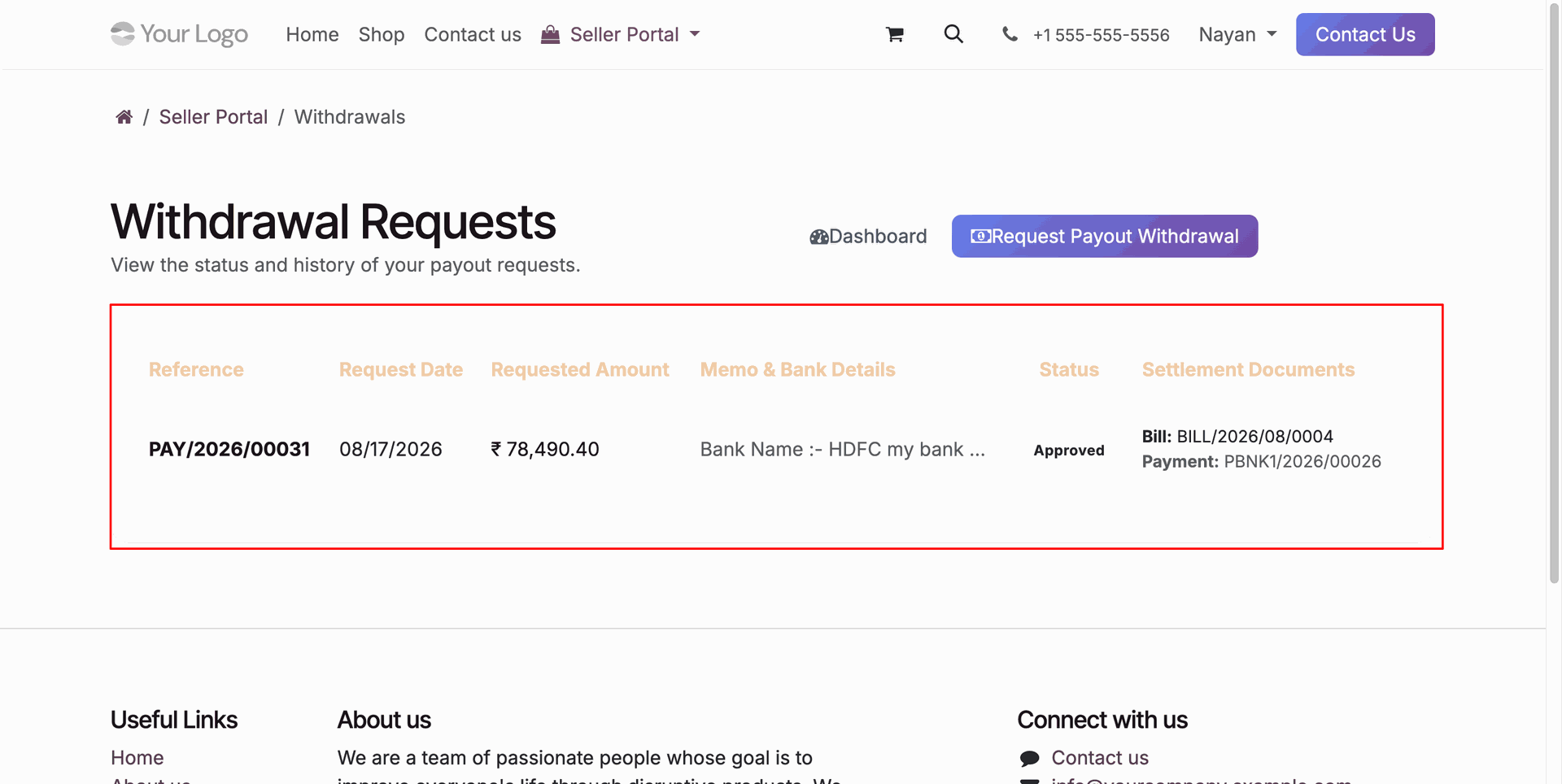
Track approved withdrawal request status and linked settlement bills directly on the seller portal history table.
Workflow
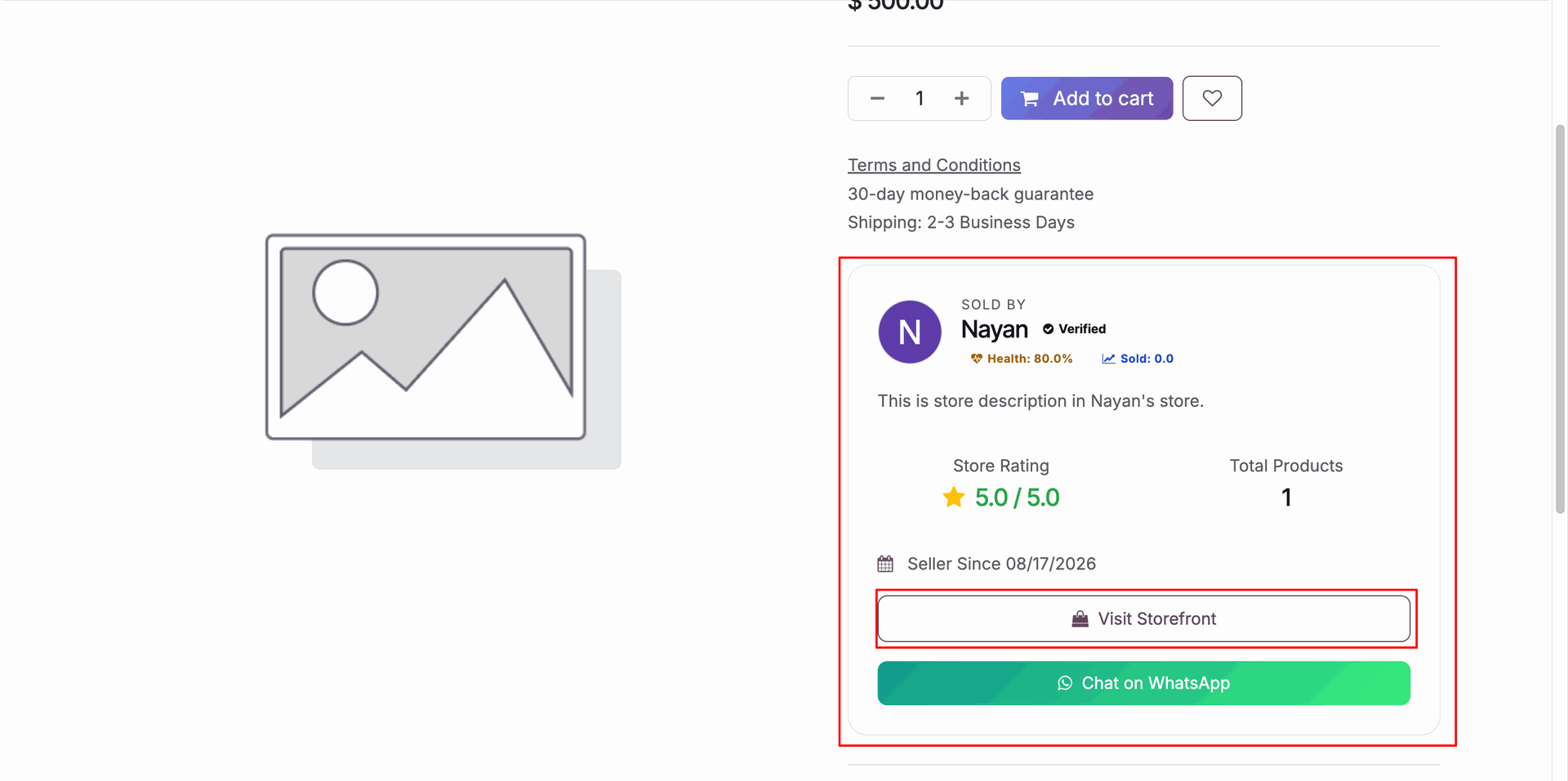
Click Visit Storefront button on website product page to navigate to the seller dedicated storefront profile.
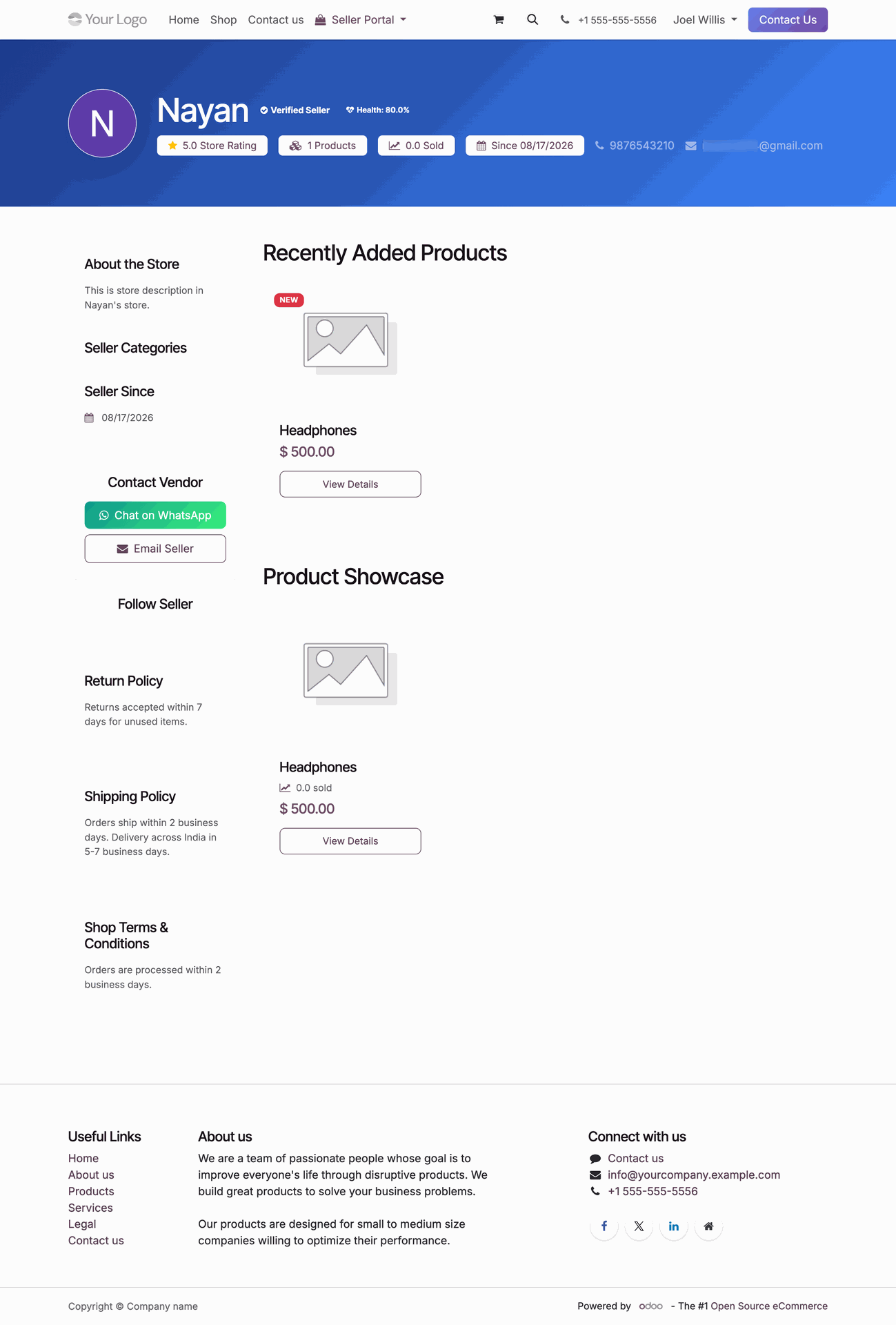
Explore vendor storefront displaying store banner, rated products, seller policies, and direct communication contact options.
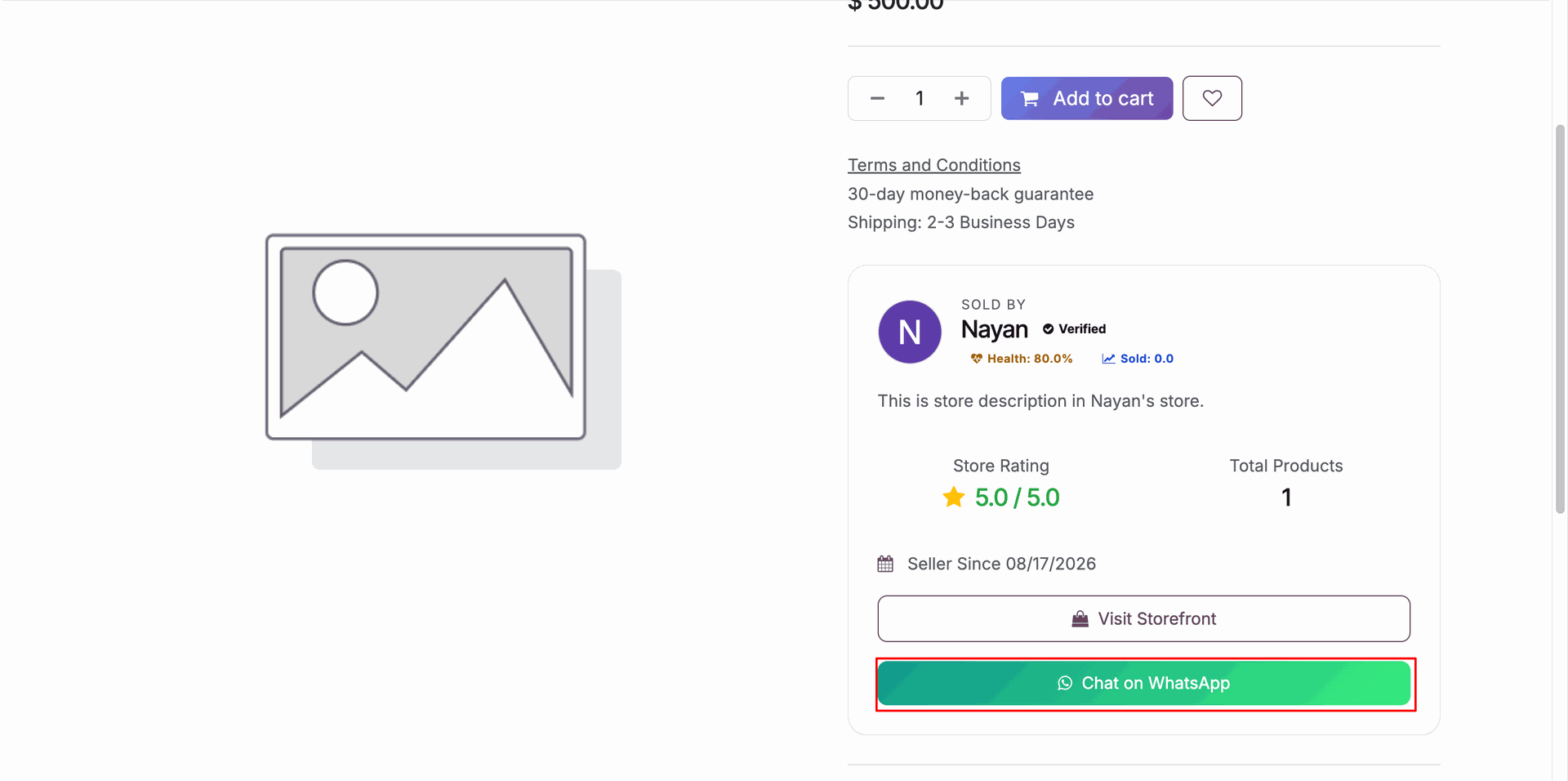
Click Chat on WhatsApp button on website product page to start instant message communication with vendor.
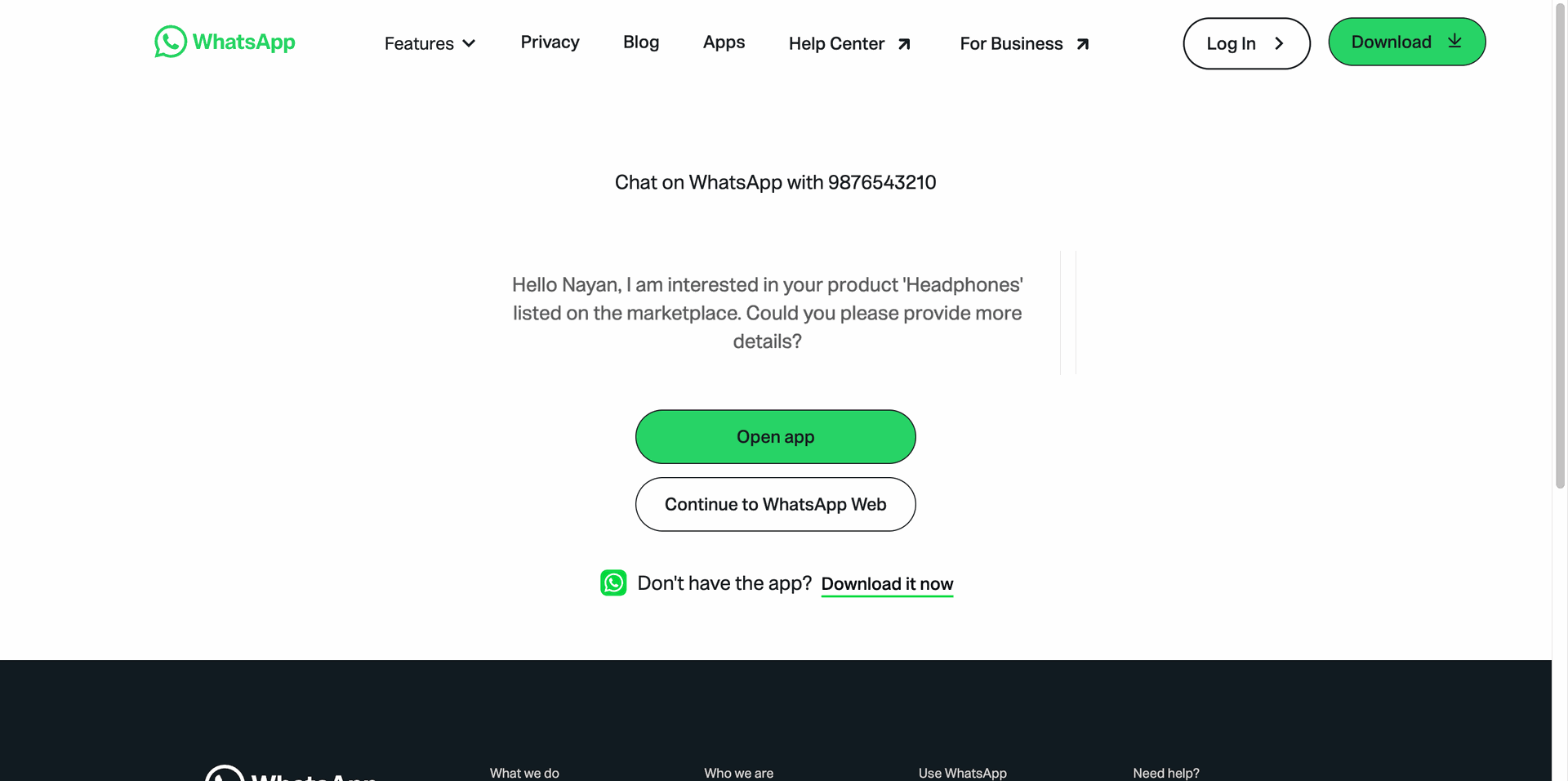
Review automatically generated pre-filled WhatsApp product inquiry message before continuing to chat with vendor.
Workflow
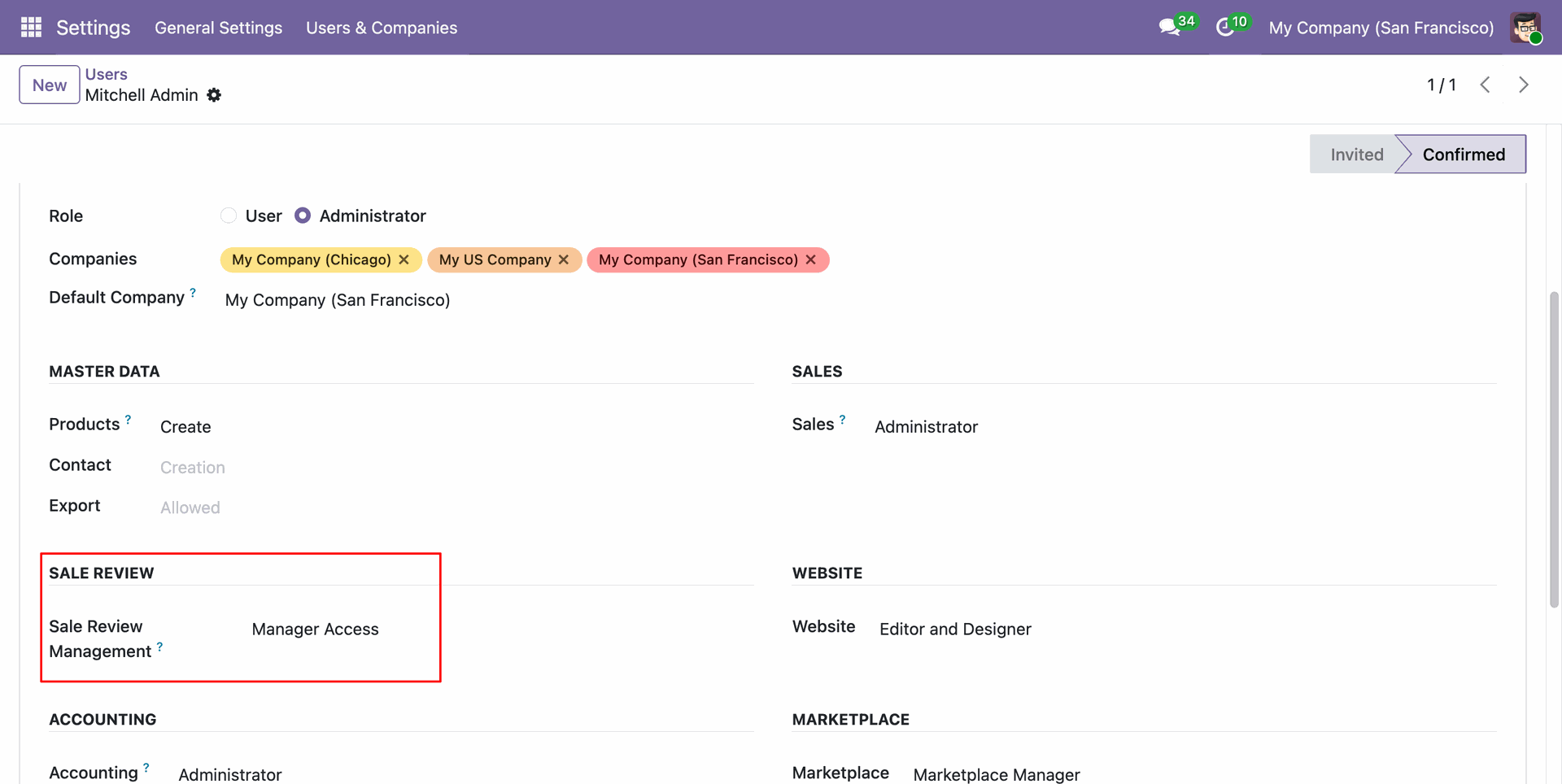
Assign Sale Review Management access rights under user settings to grant review management permissions.
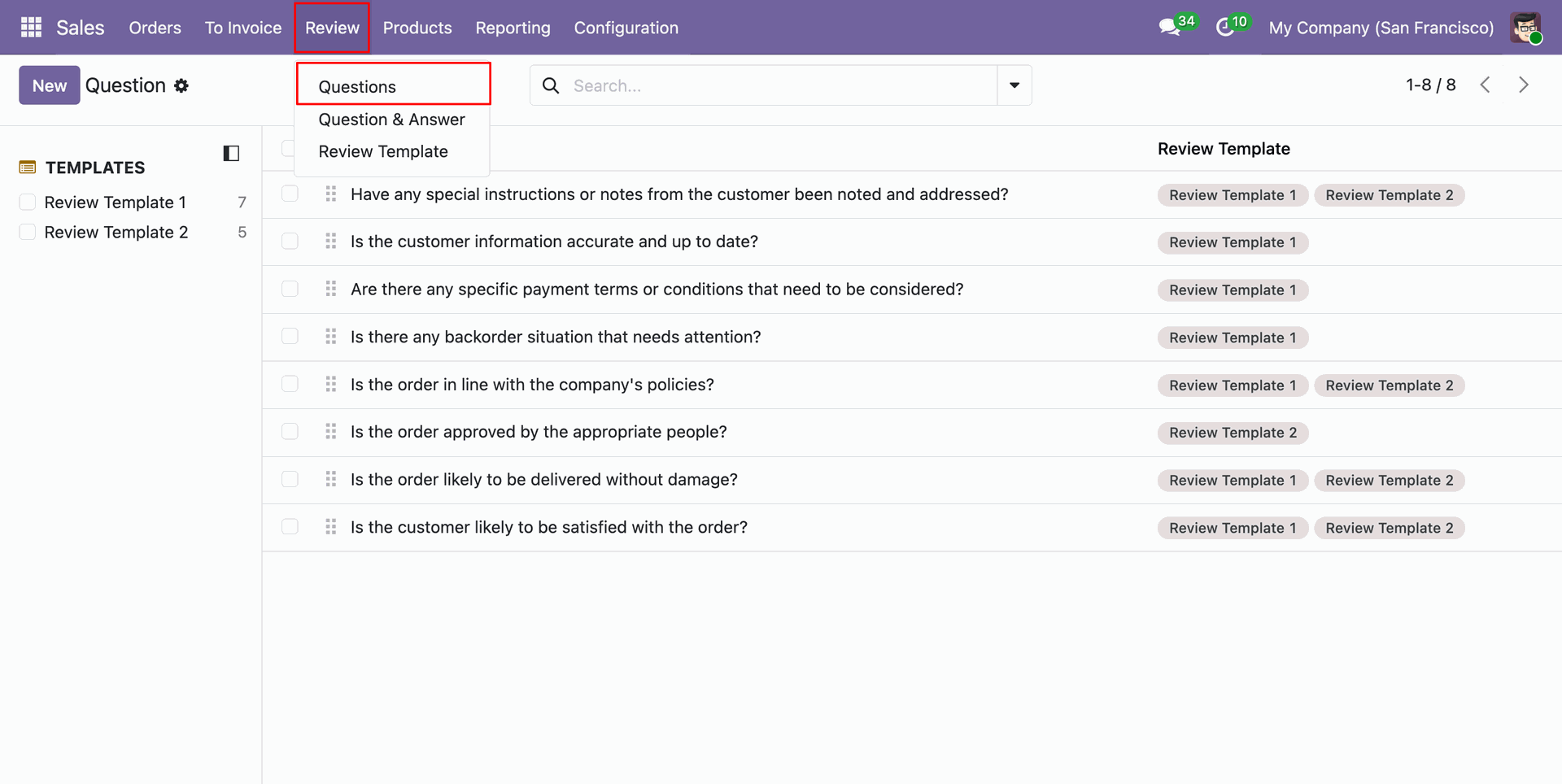
Select Questions under the Review menu to configure evaluation criteria and checklist templates.
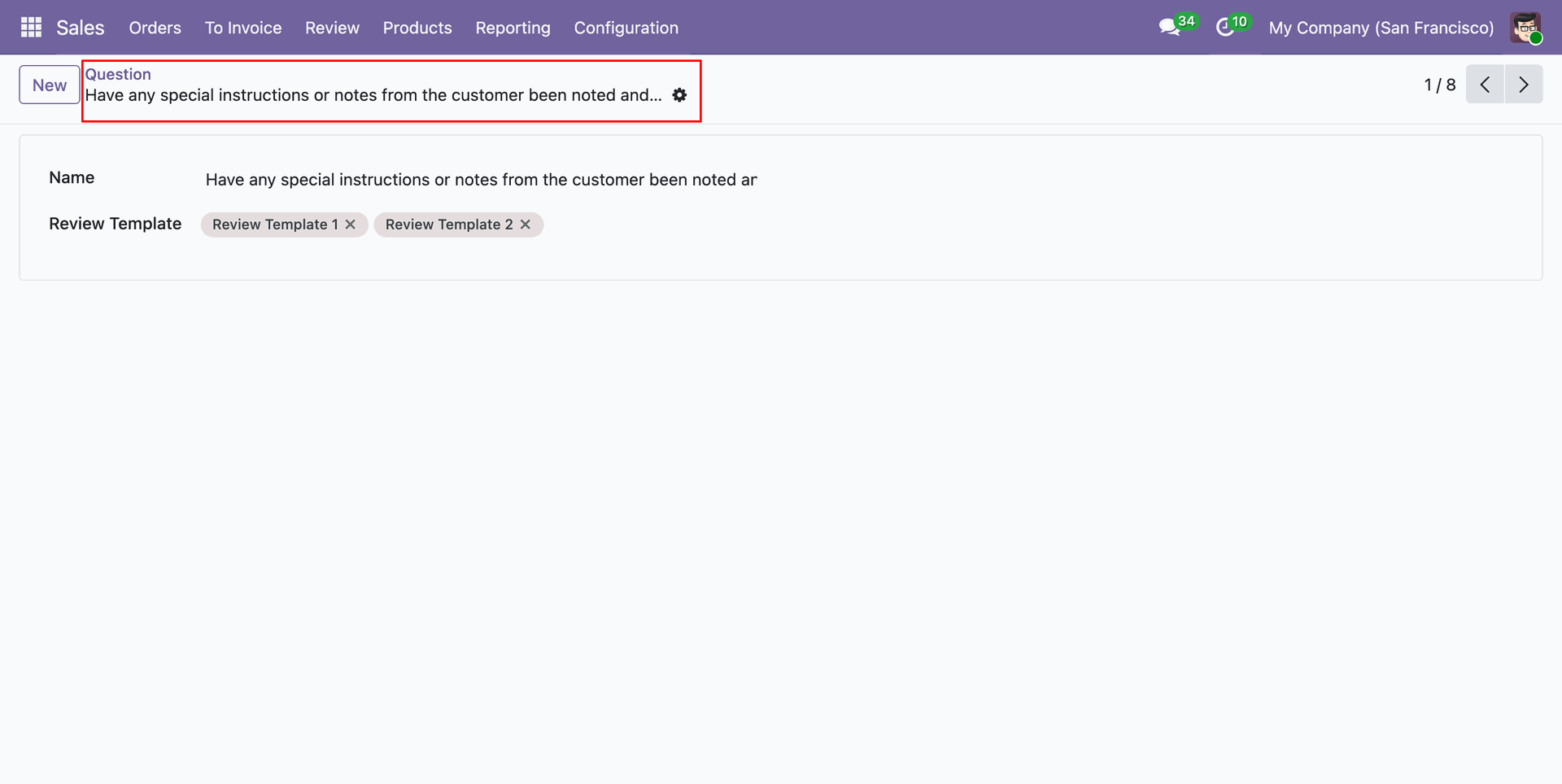
Configure individual review question details and assign associated review templates to the question.
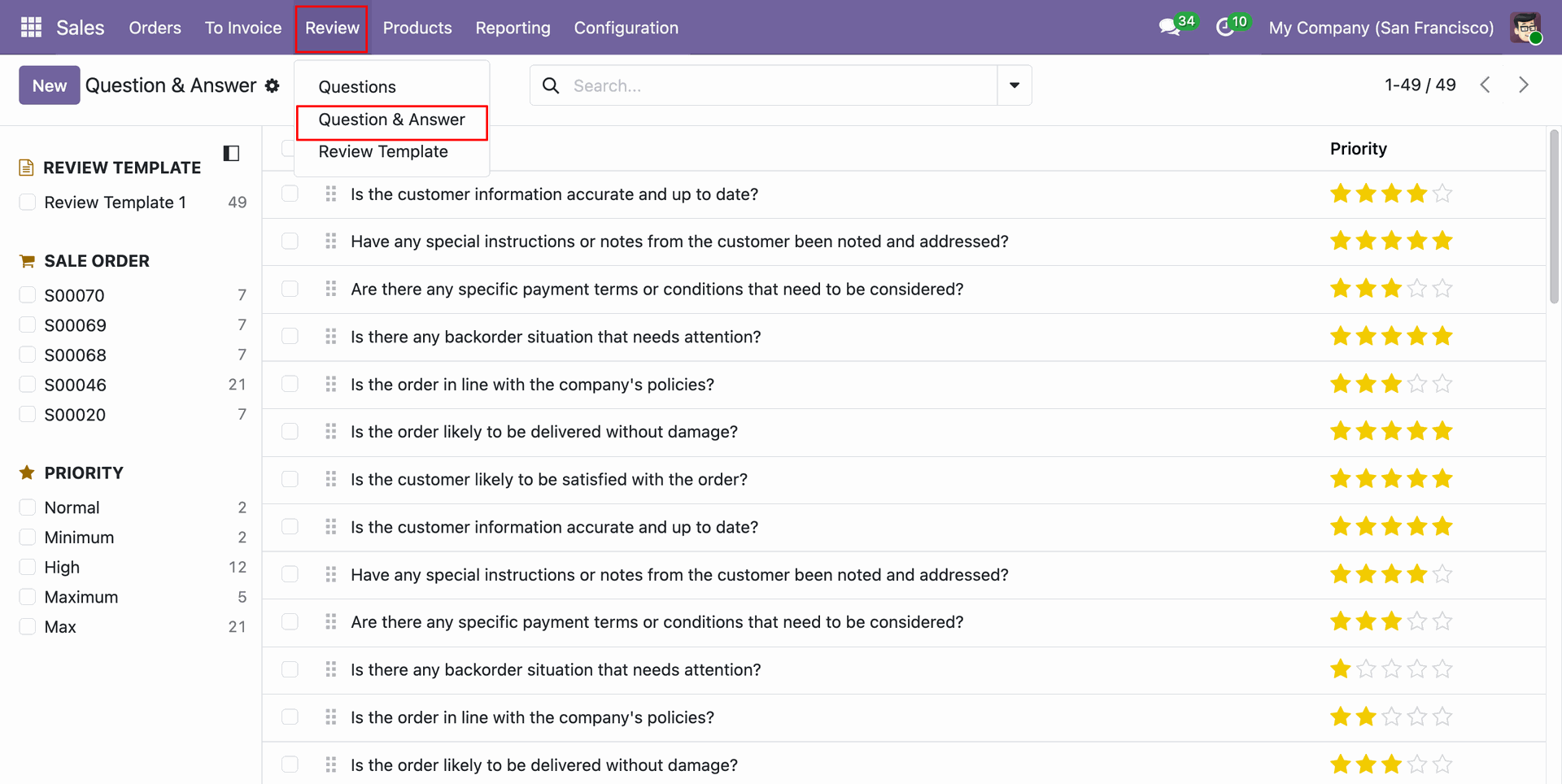
Select Question & Answer menu to view answered checklist responses and star ratings across sale orders.
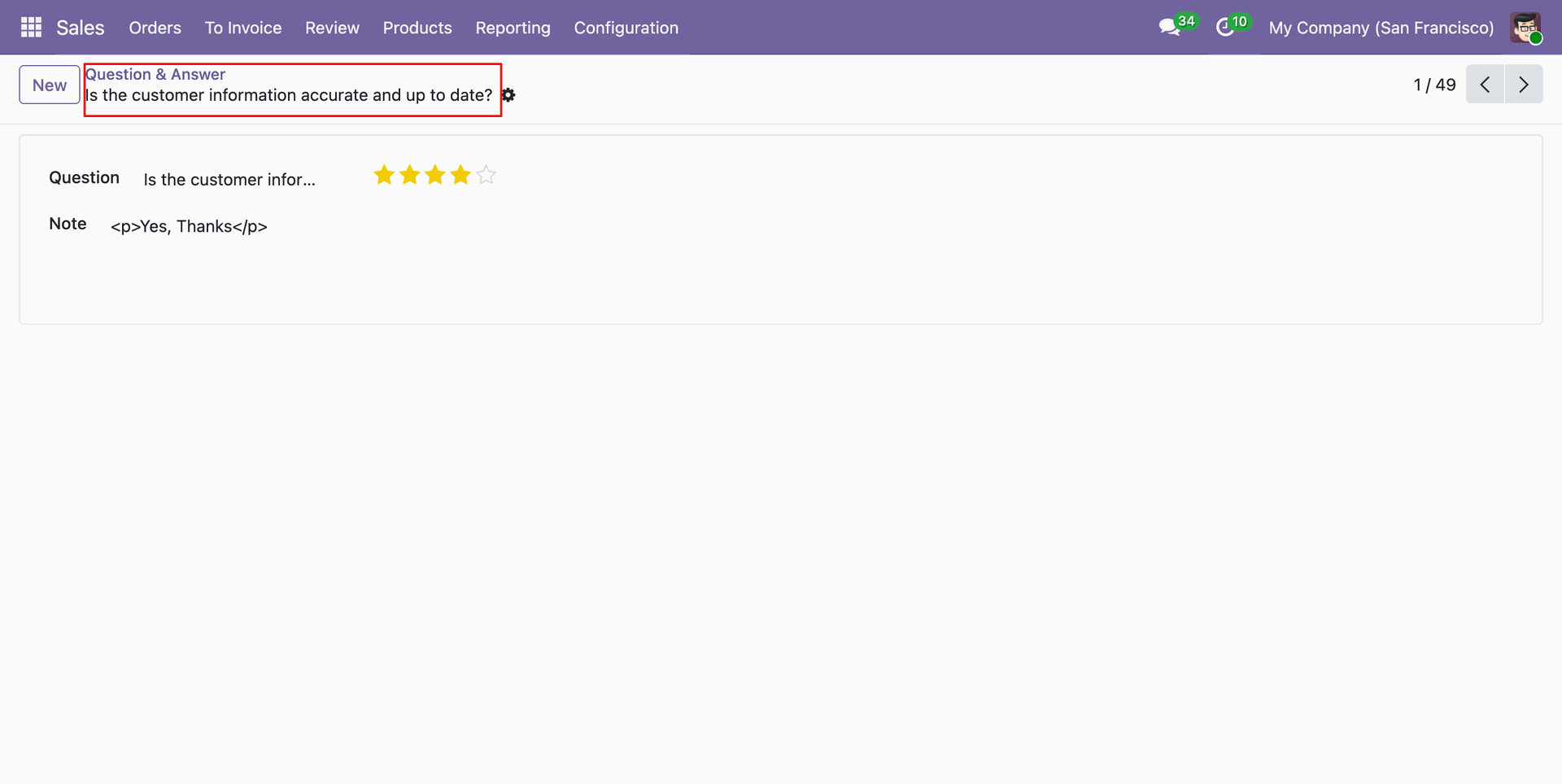
Inspect submitted question answer entry displaying given star rating score and additional reviewer notes.
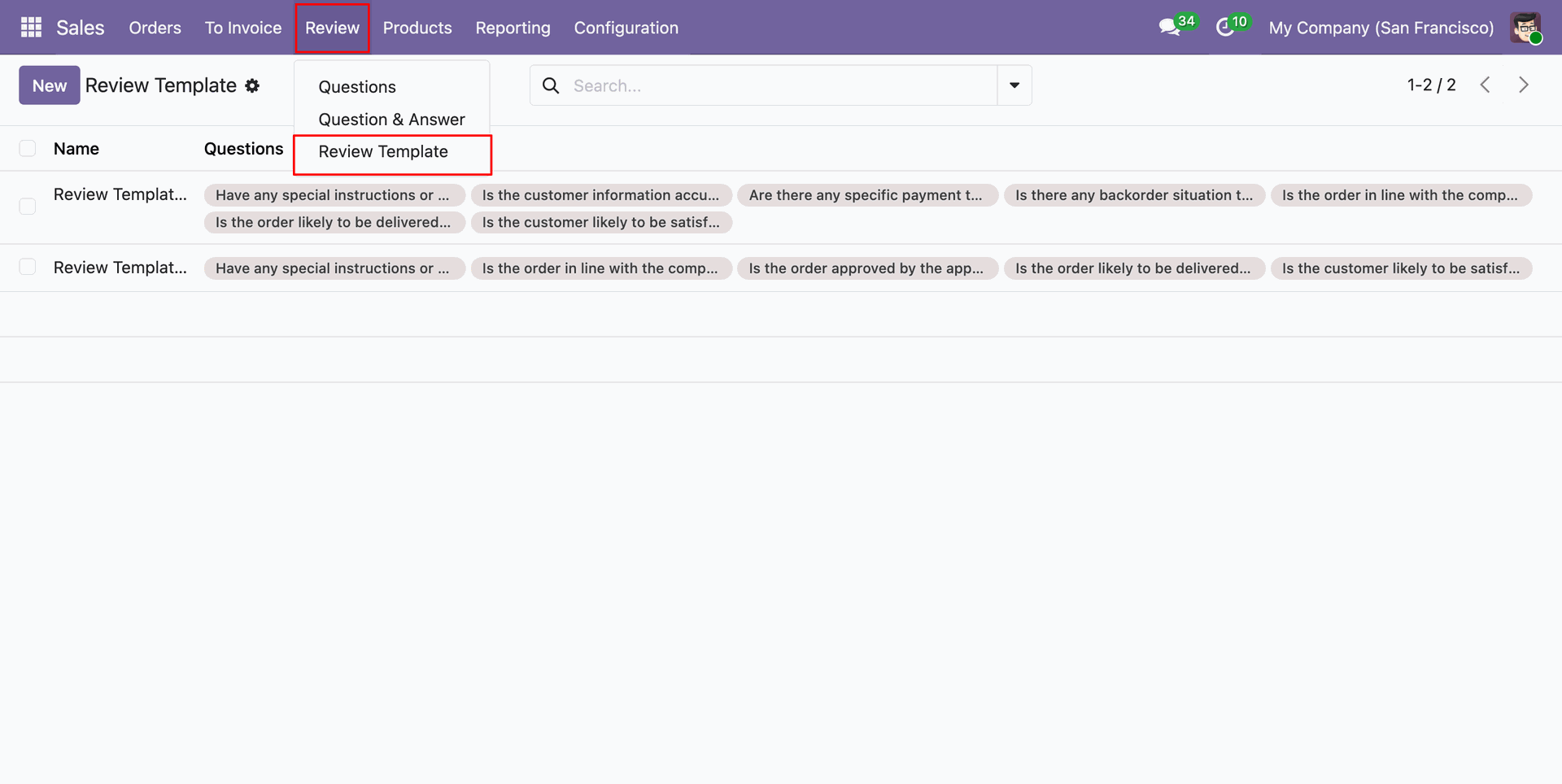
Select Review Template menu item to open list view of configured order review templates.
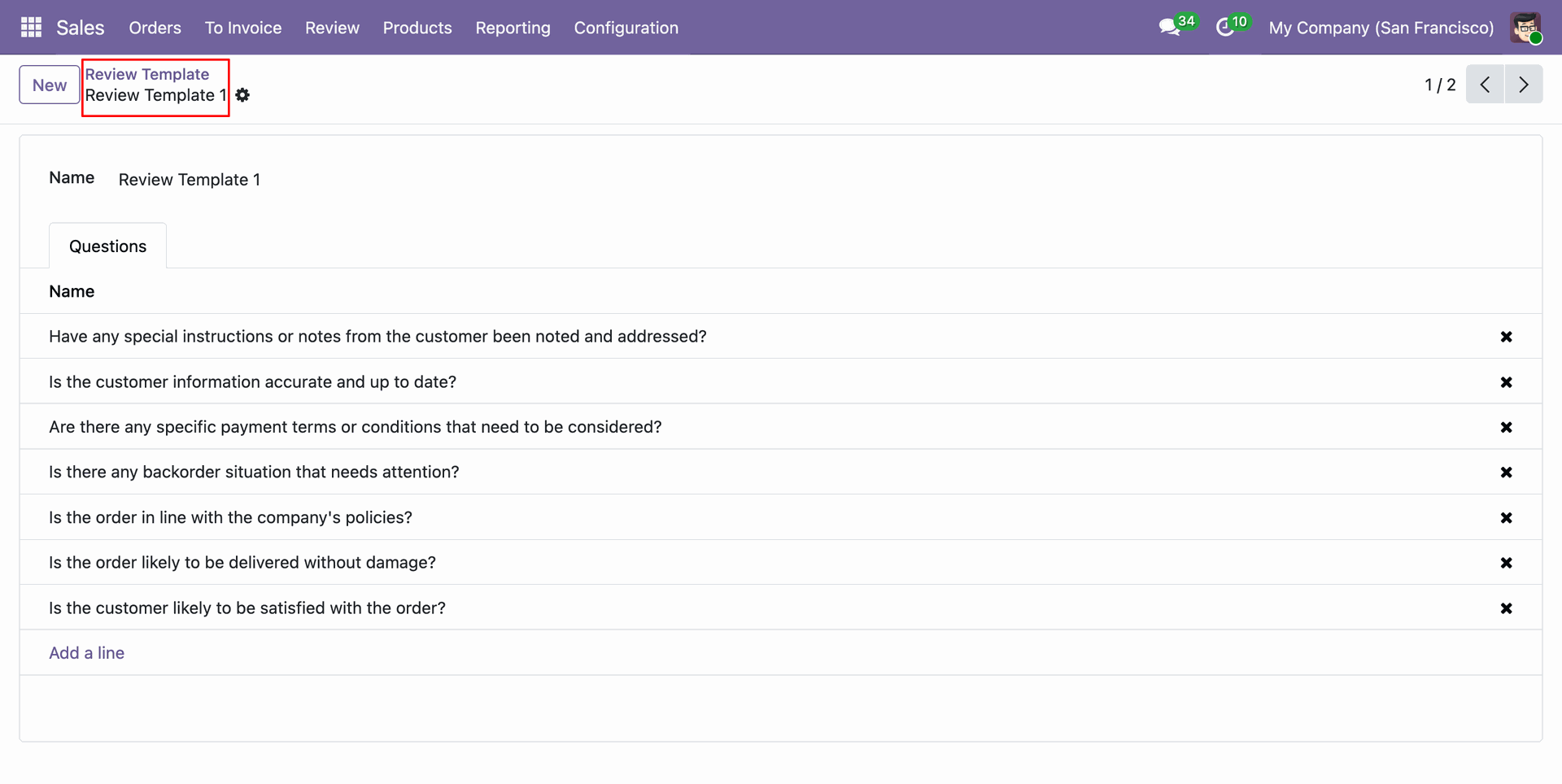
Open review template form to add, edit, or organize specific checklist evaluation questions.
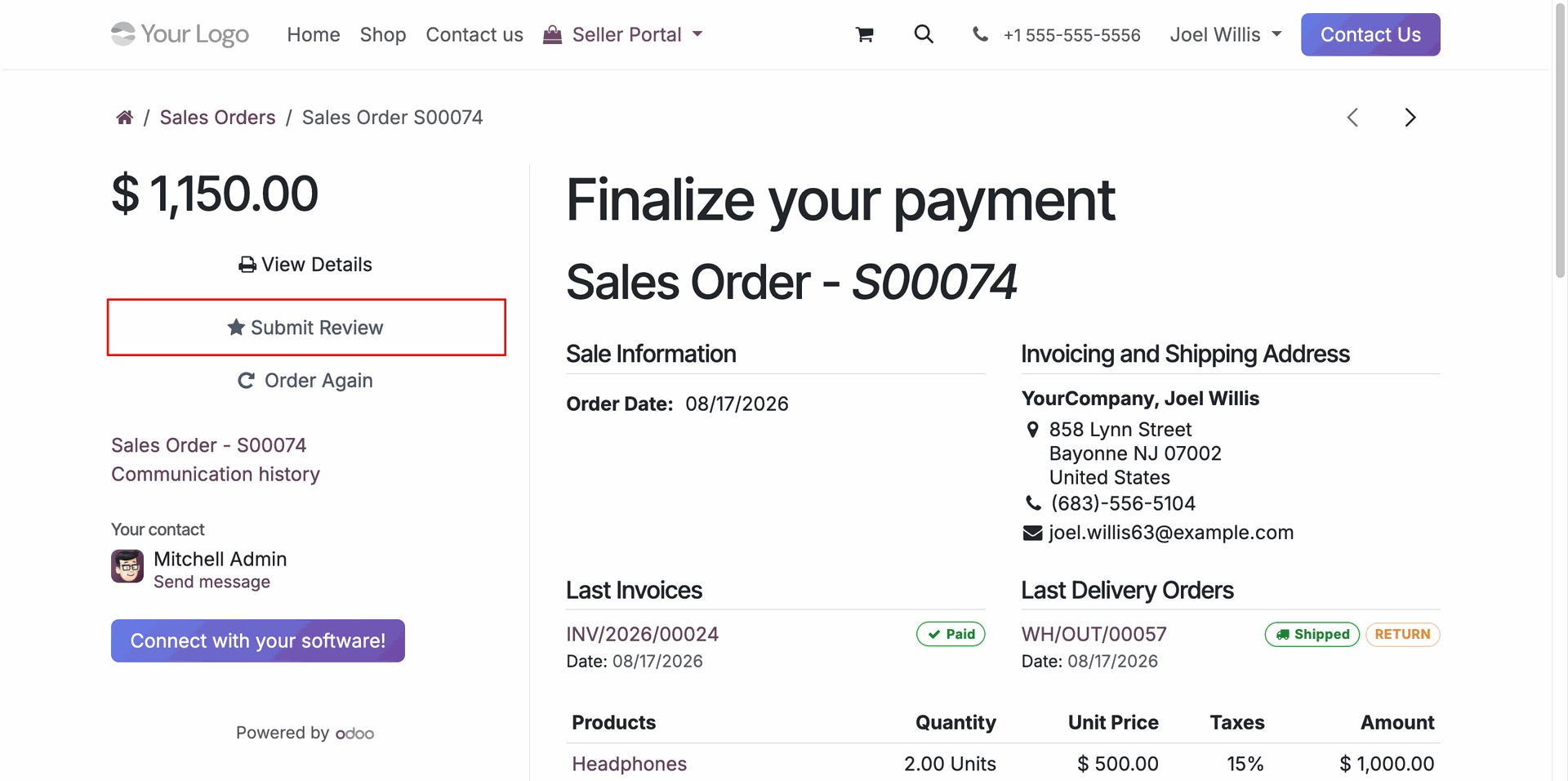
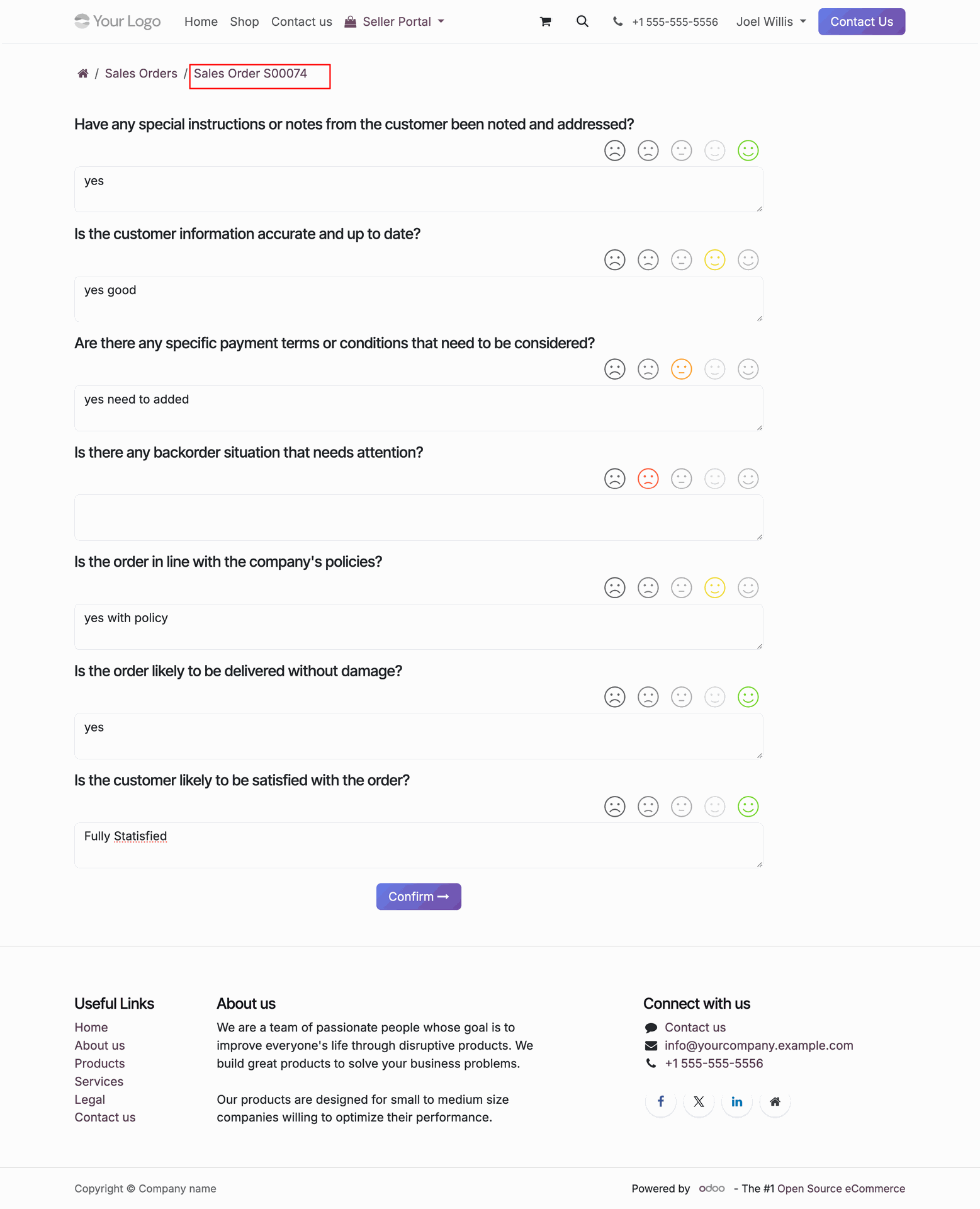
Click Submit Review button on customer portal sales order page to provide order feedback.
Rate review questions with emojis, enter text responses, and press Confirm to submit order review.
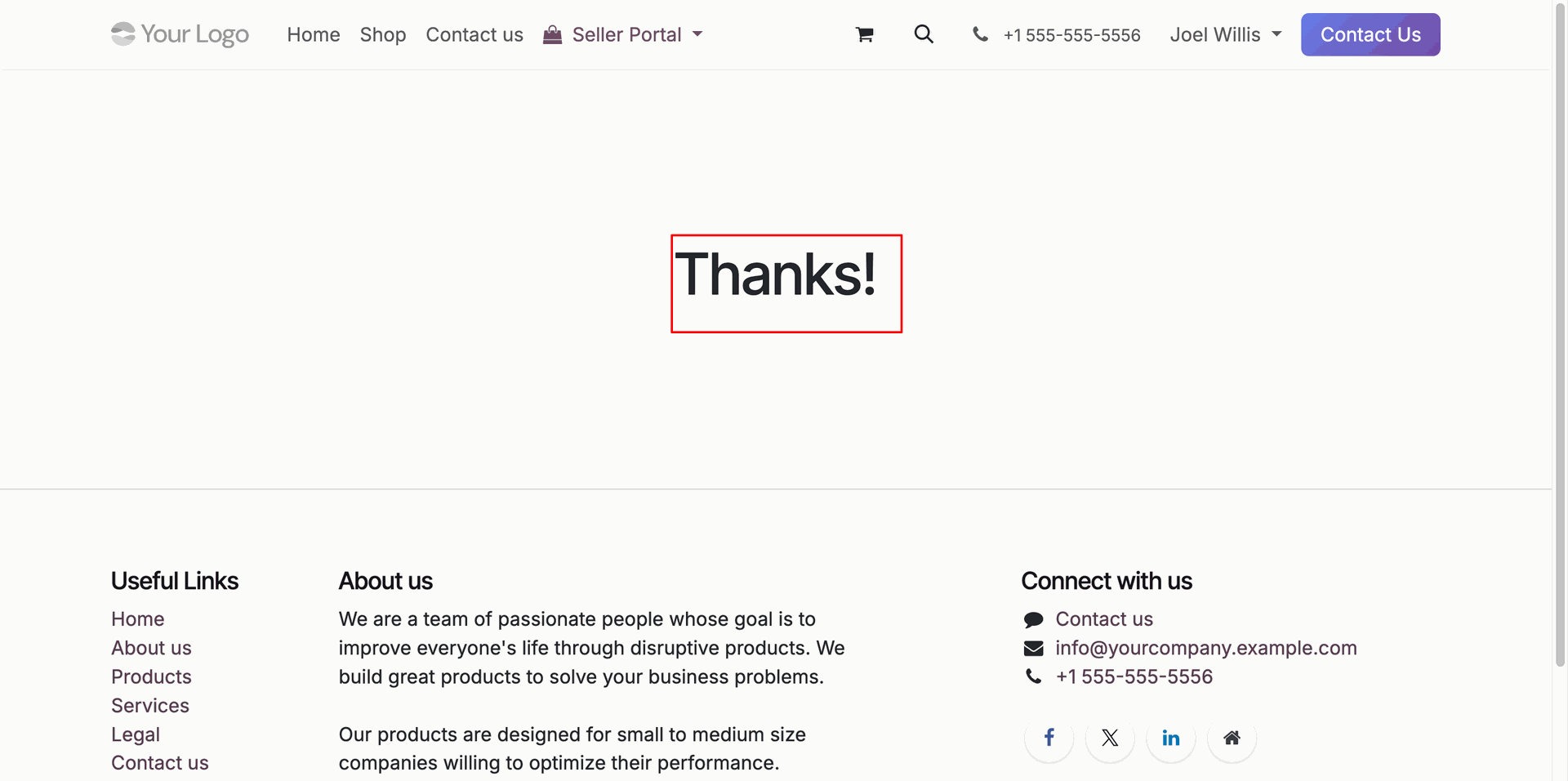
Review submission confirmation message displayed on customer portal after successfully completing the review questionnaire.
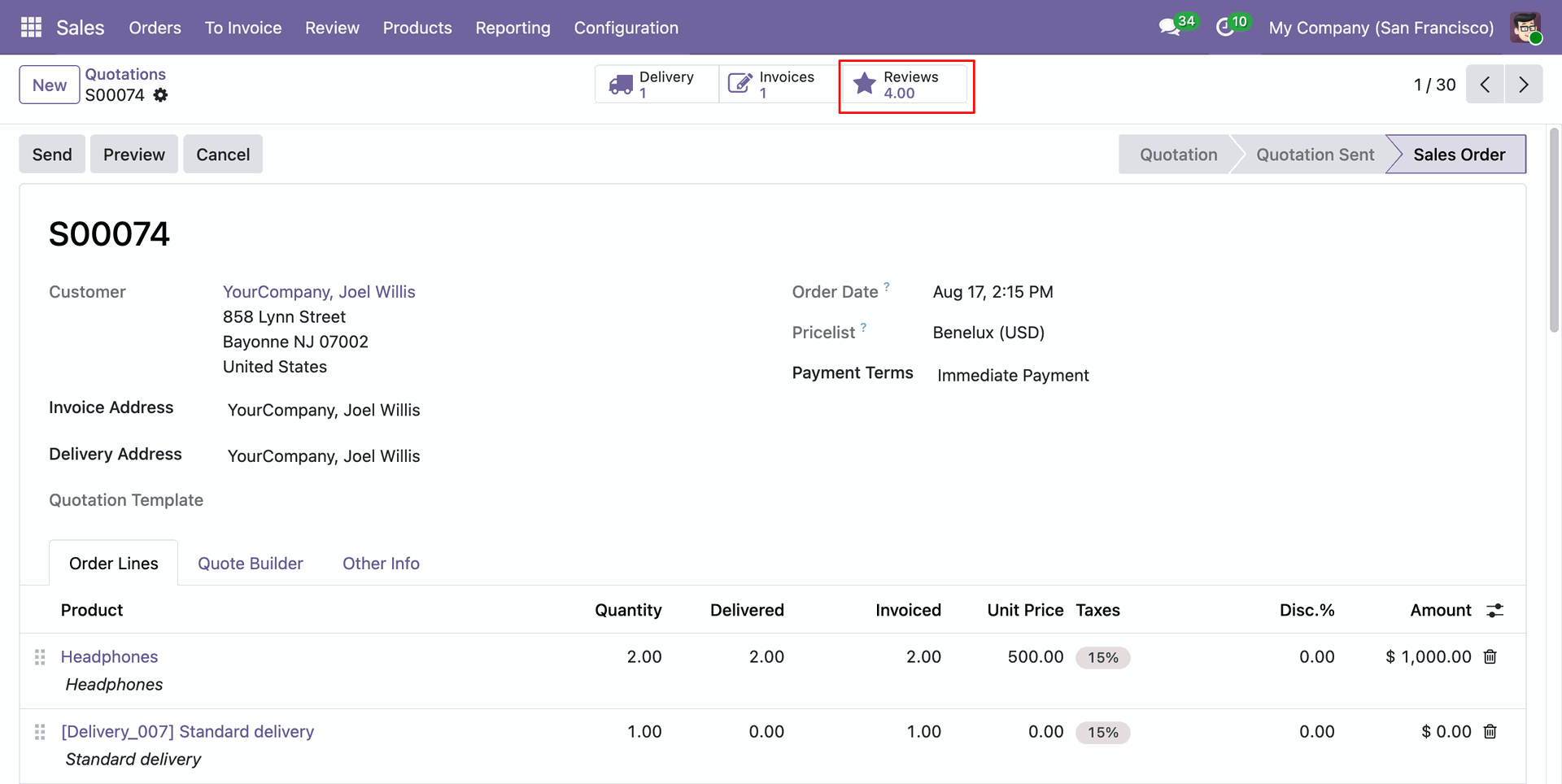
Click Reviews stat button on backend sale order form to access submitted customer review ratings.
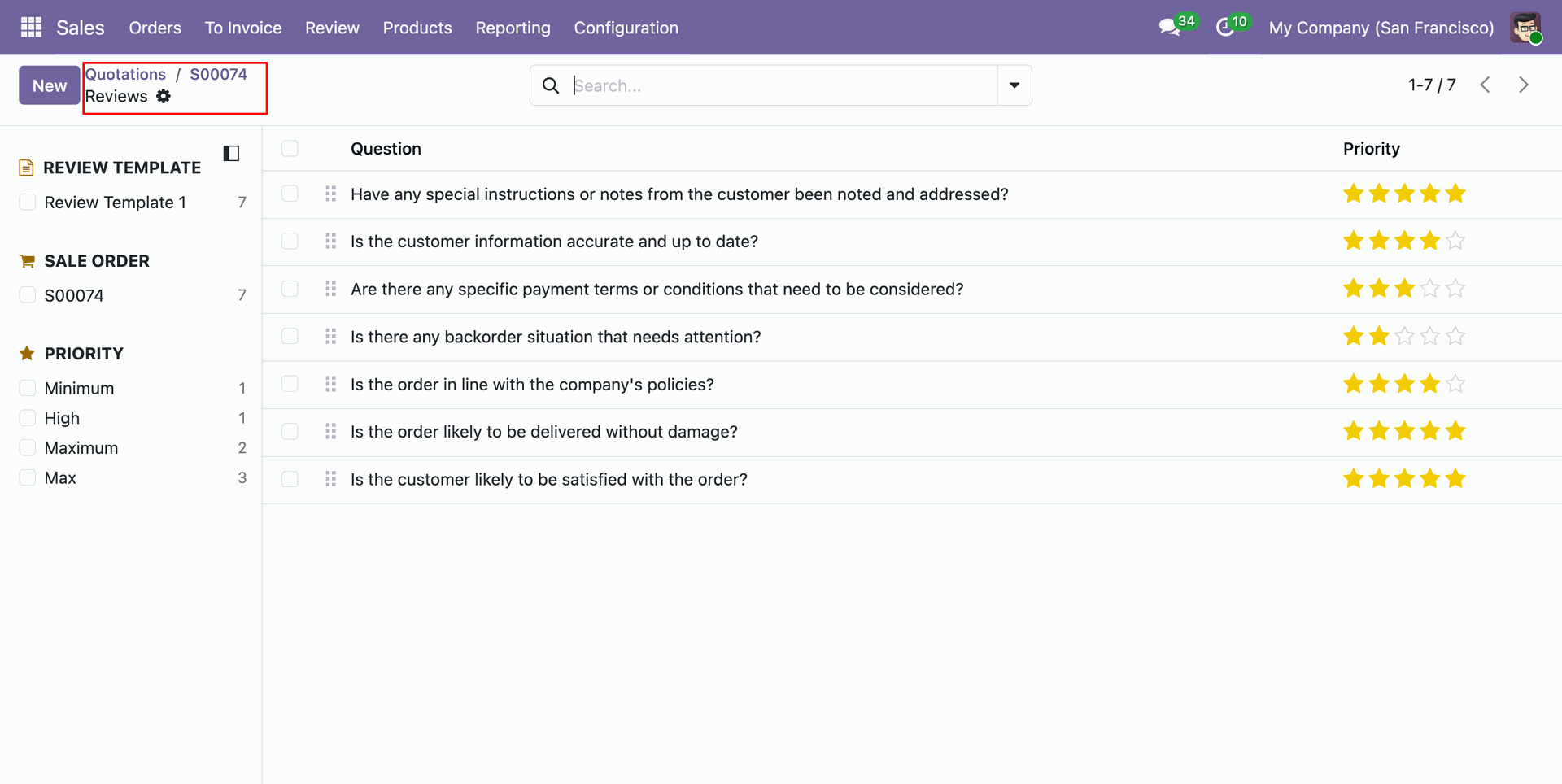
Review detailed questionnaire responses and assigned star rating scores for the selected sale order.
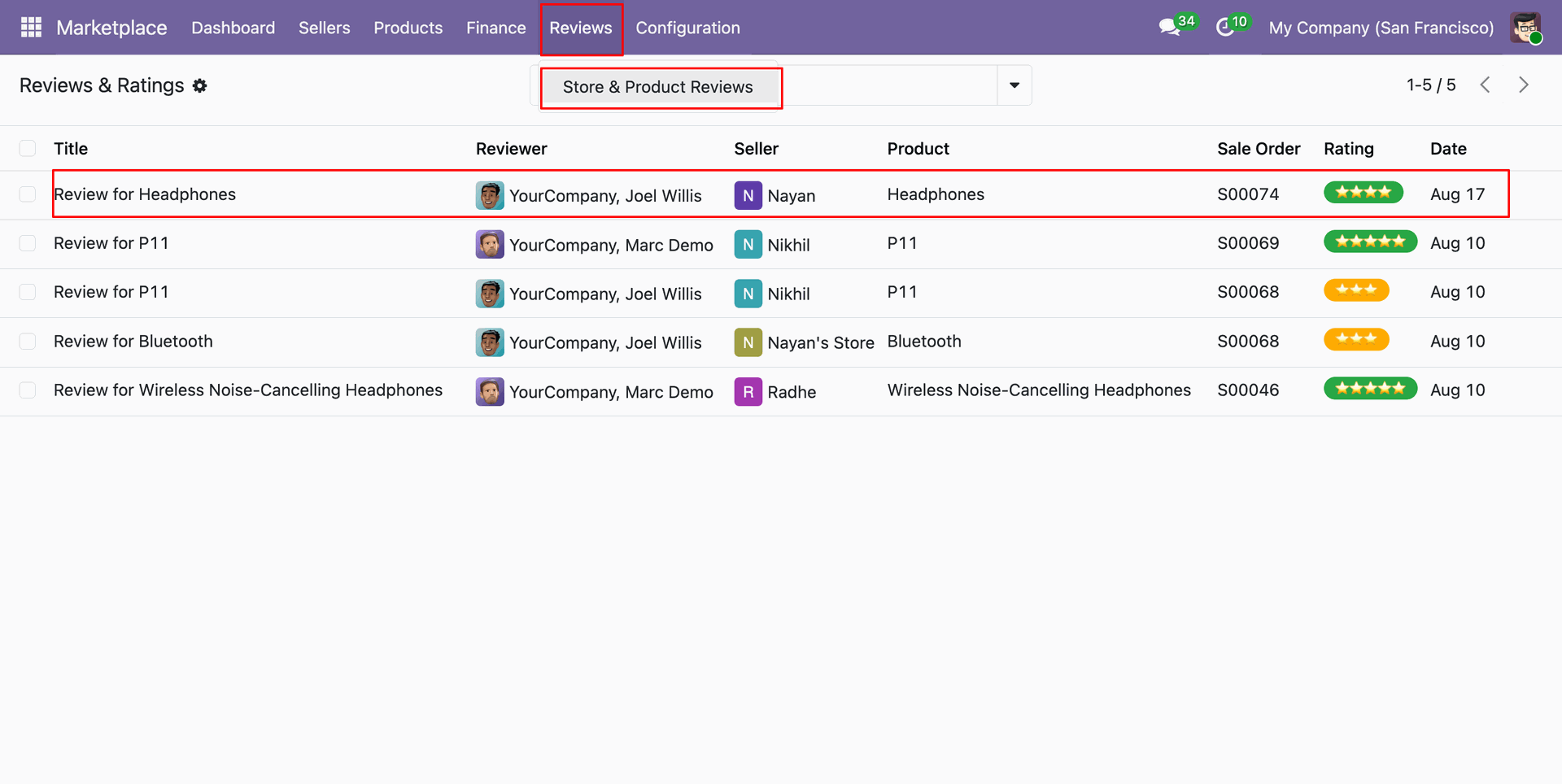
Select Reviews menu to view overall store and product review ratings submitted by marketplace buyers.
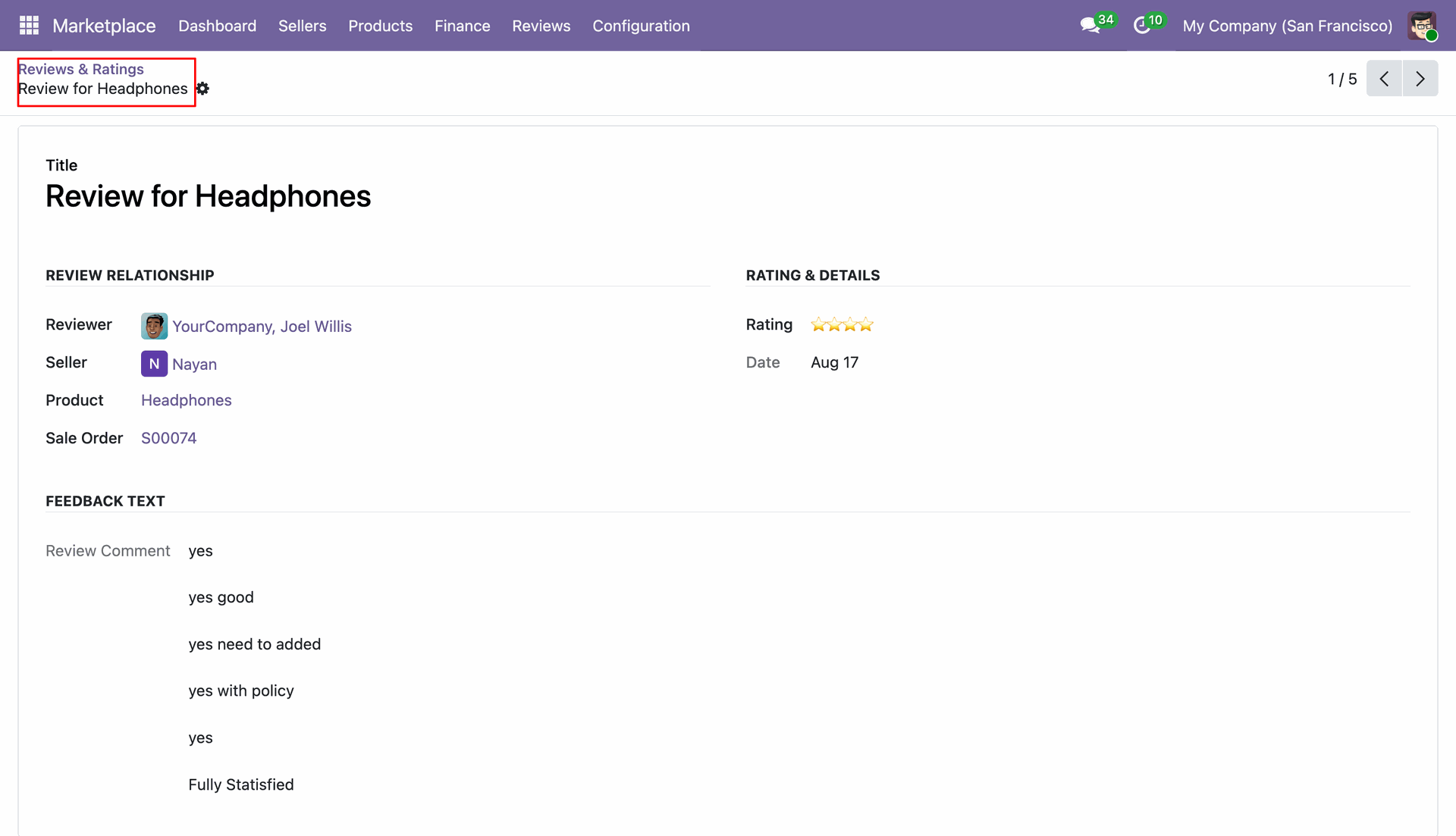
Open individual review form to inspect buyer feedback text, star ratings, and seller product relationships.
Version 19.0.1.0.0 | Released on : 20th October 2026
- Yes, this app works perfectly with Odoo Enterprise (Odoo.sh & Premise) as well as Community.
- No, this application is not compatible with odoo.com(odoo saas/Odoo Online)
- Yes, to test this module, please contact us at sales@softhealer.com.
- Please contact us at sales@softhealer.com to request customization.
- Yes, we provide free support for 365 days from the date of purchase.
- Yes, you will receive lifetime free updates for the version of the module you purchased.
- No, there is no need to install any additional libraries.
- Yes, for version 12 and above, you need to purchase the module separately for each version you intend to use.
- No, exchanges or refunds are not allowed. Please make sure to select the correct version before purchasing.
- You can contact us at support@softhealer.com for language translation support. We use Google Translator tools to provide translations in multiple languages, so the accuracy may vary. We welcome your suggestions to help improve translations.
Discover Our Latest Apps