










Multi Company Selection In Products & Product Variants

This module makes it easy to manage products and their variants across multiple companies in Odoo. It adds an Update Multi Companies option that lets users quickly add or replace allowed companies for several products at once. When you create a new product, the system automatically sets the active company, saving time and reducing errors. Its perfect for businesses with multiple branches that need to keep product data consistent across all companies.

Features
- Manage multi-company visibility in product and product variants.
- For bulk products, we have the option to add or replace companies for flexible control.
- Automatically set and sync the active company for product creation.
At the time of product creation, the active company is automatically set.
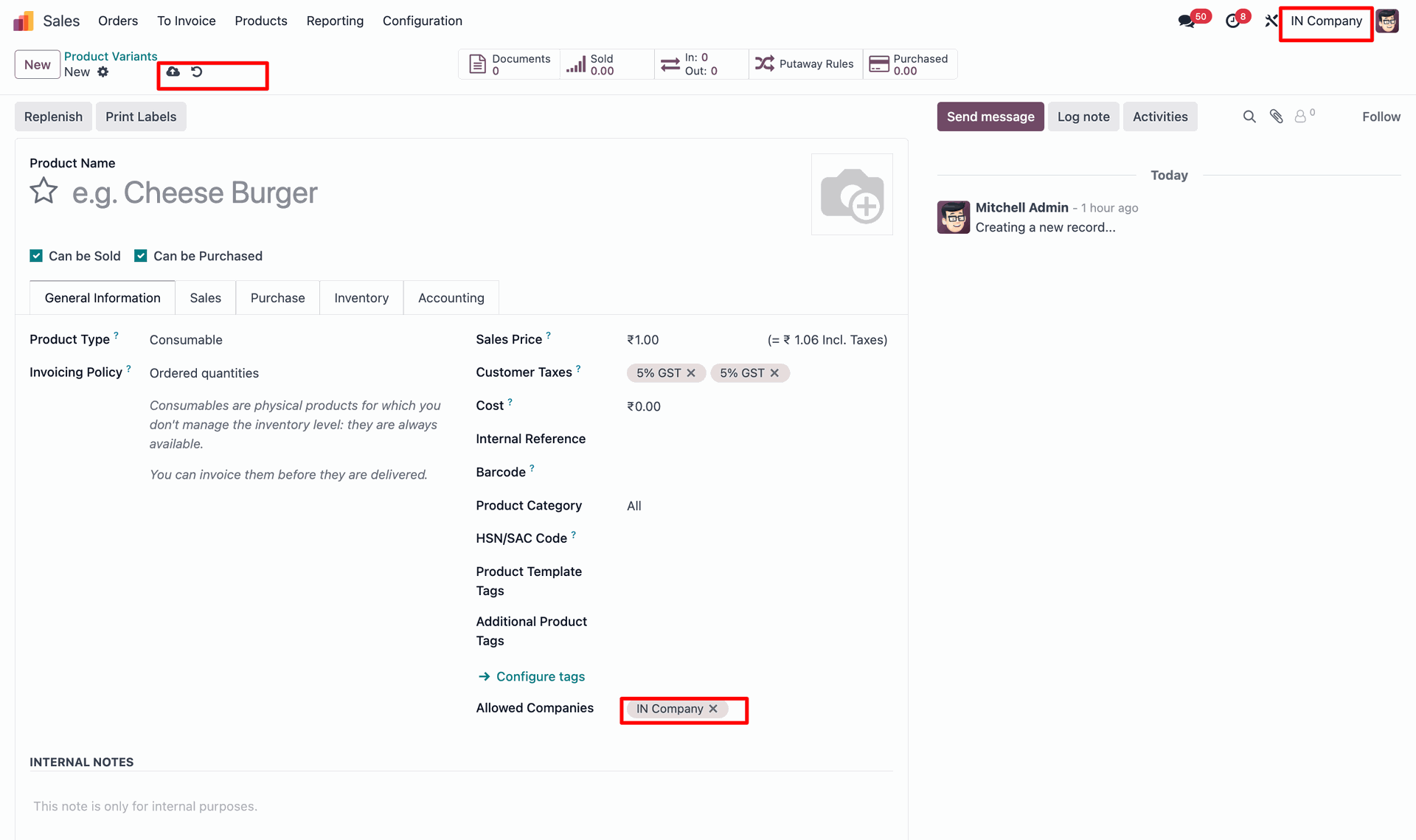
Product linked to multiple companies. Users can easily manage products across multiple companies.
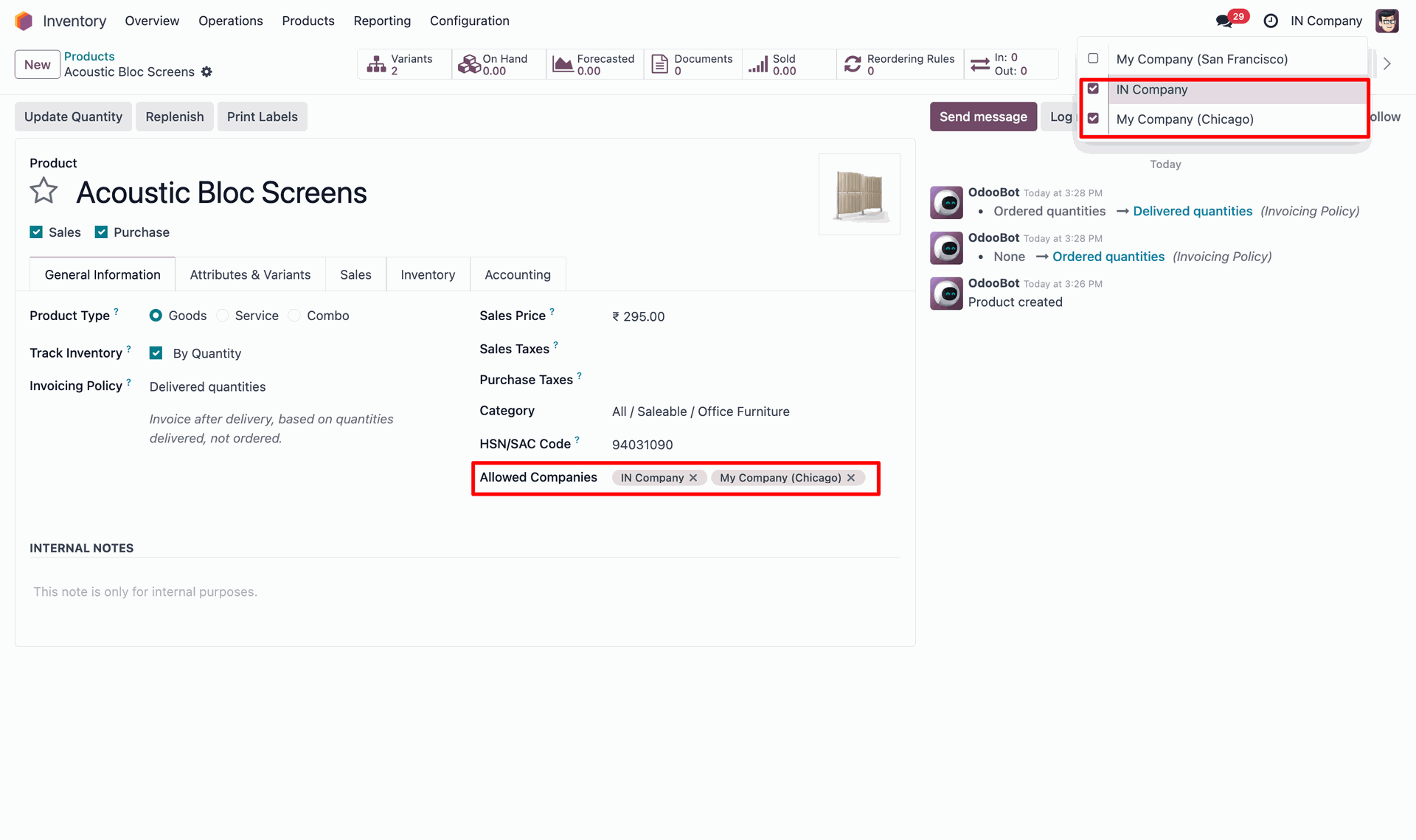
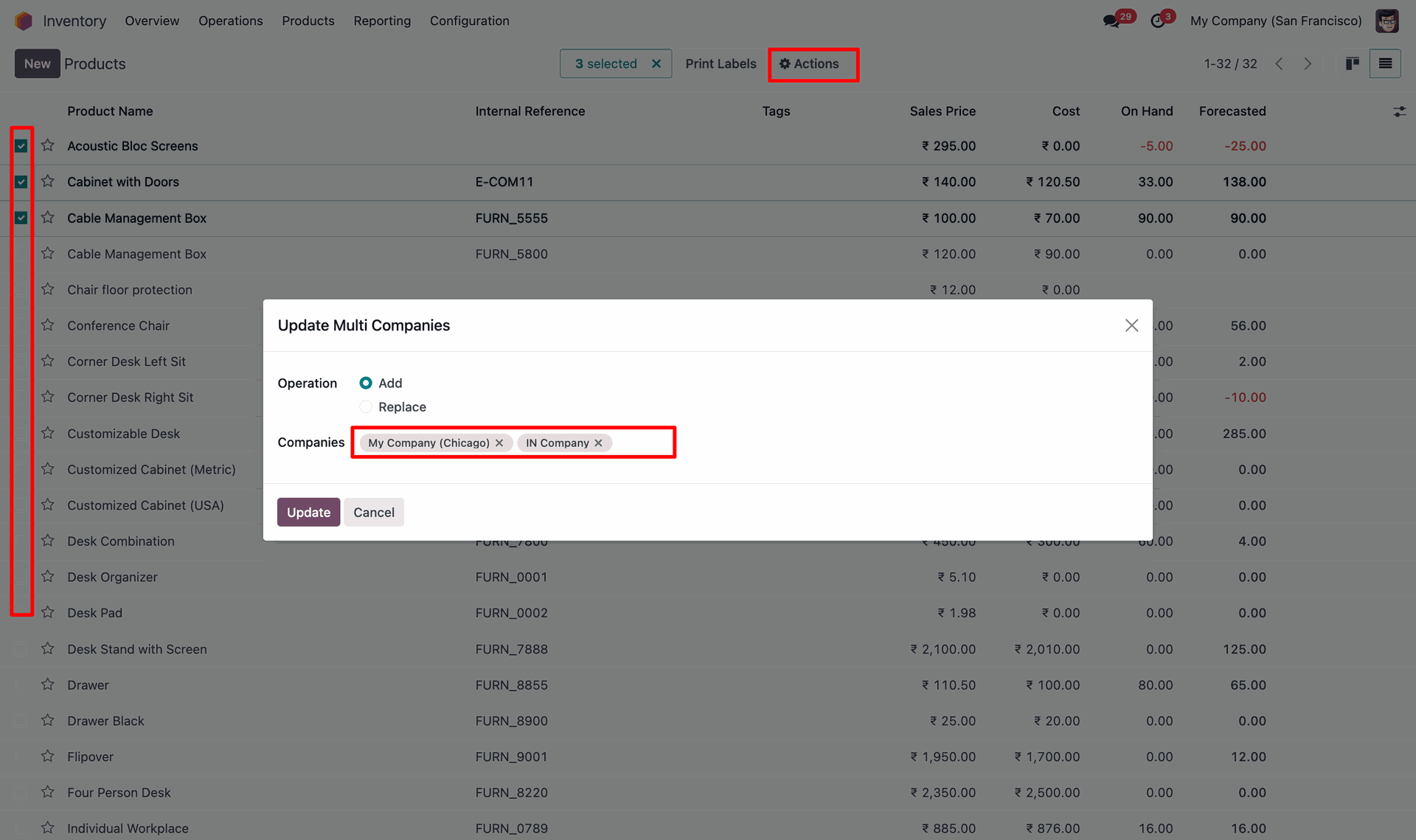
Product variant list view with a Update Multi Companies option under Actions. Allows quick bulk updates for multiple product variants at once.
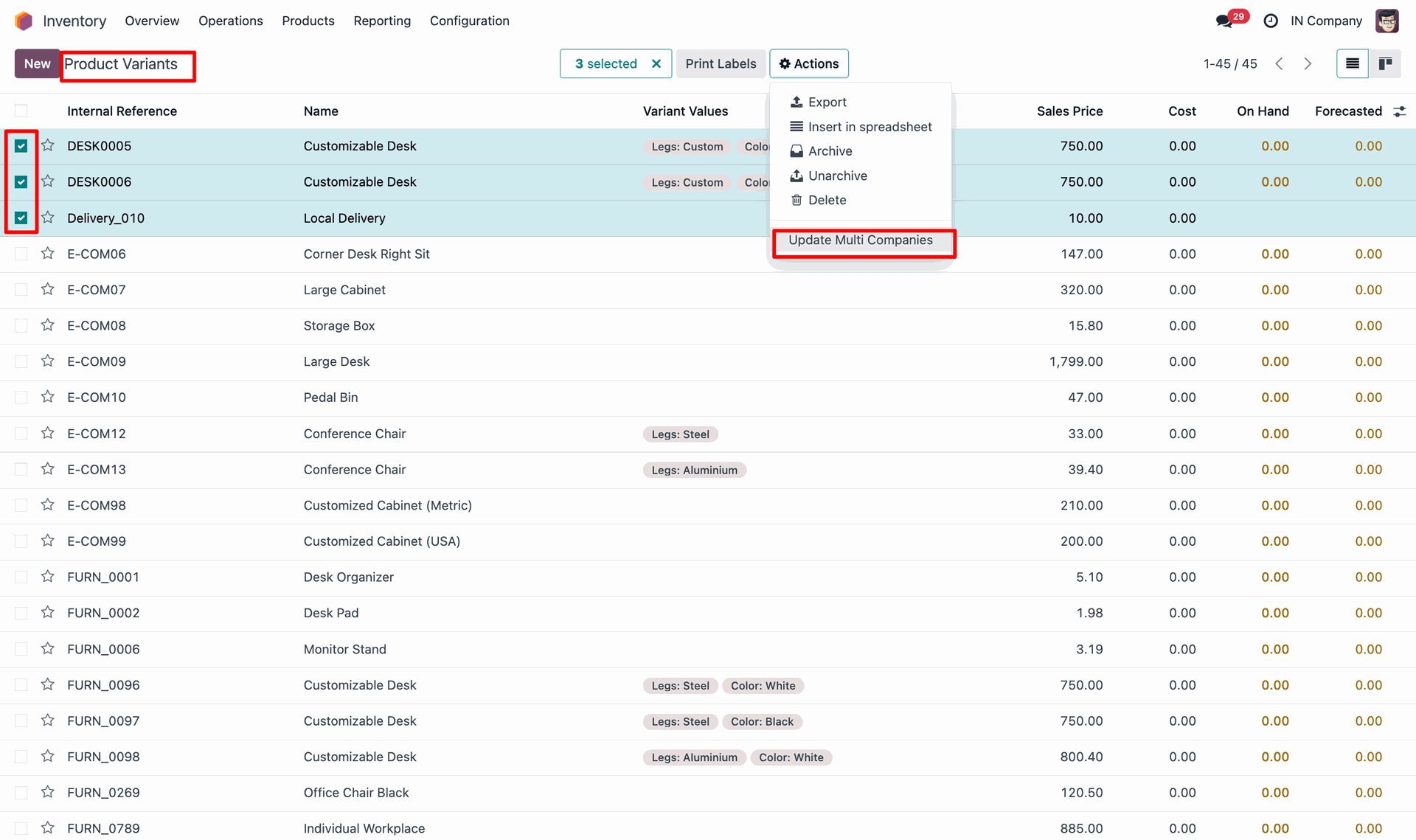
Shows the popup for Update Multi Companies where users can select companies to add or replace. Makes mass company assignment simple and time-saving for product management.
Version 17.0.1 | Released on : 04th November 2025
- Yes, this app works perfectly with Odoo Enterprise (Odoo.sh & Premise) as well as Community.
- No, this application is not compatible with odoo.com(odoo saas/Odoo Online)
- Yes, to test this module, please contact us at sales@softhealer.com.
- Please contact us at sales@softhealer.comto request customization.
- Yes, we provide free support for 365 days from the date of purchase.
- Yes, you will receive lifetime free updates for the version of the module you purchased.
- No, there is no need to install any additional libraries.
- Yes, for version 12 and above, you need to purchase the module separately for each version you intend to use.
- No, exchanges or refunds are not allowed. Please make sure to select the correct version before purchasing.
- You can contact us at support@softhealer.com for language translation support. We use Google Translator tools to provide translations in multiple languages, so the accuracy may vary. We welcome your suggestions to help improve translations.
