











Multi Company Access Rights

Are you looking to manage access across multiple companies? Then we have the perfect solution for you. Using this module, you can simplify company-wise user permission management by allowing administrators to assign and control access rights separately for each company. It ensures automatic permission updates when switching companies, improves security, and provides flexible, efficient access control for multi-company operations.

Related Modules
Features
Flexible Permission Update Options
You can modify user access by either overwriting current permissions or adding new ones.

Company-Based Group Assignment
Assign different user groups (Sales, Invoicing, Inventory, etc.) separately for each company based on requirements.
Multi-Company Role Management
Enables users to access across multiple companies with different access levels, providing secure, company-specific permission control.

Automatic Permission Adjustment
User access rights are updated automatically according to the selected company
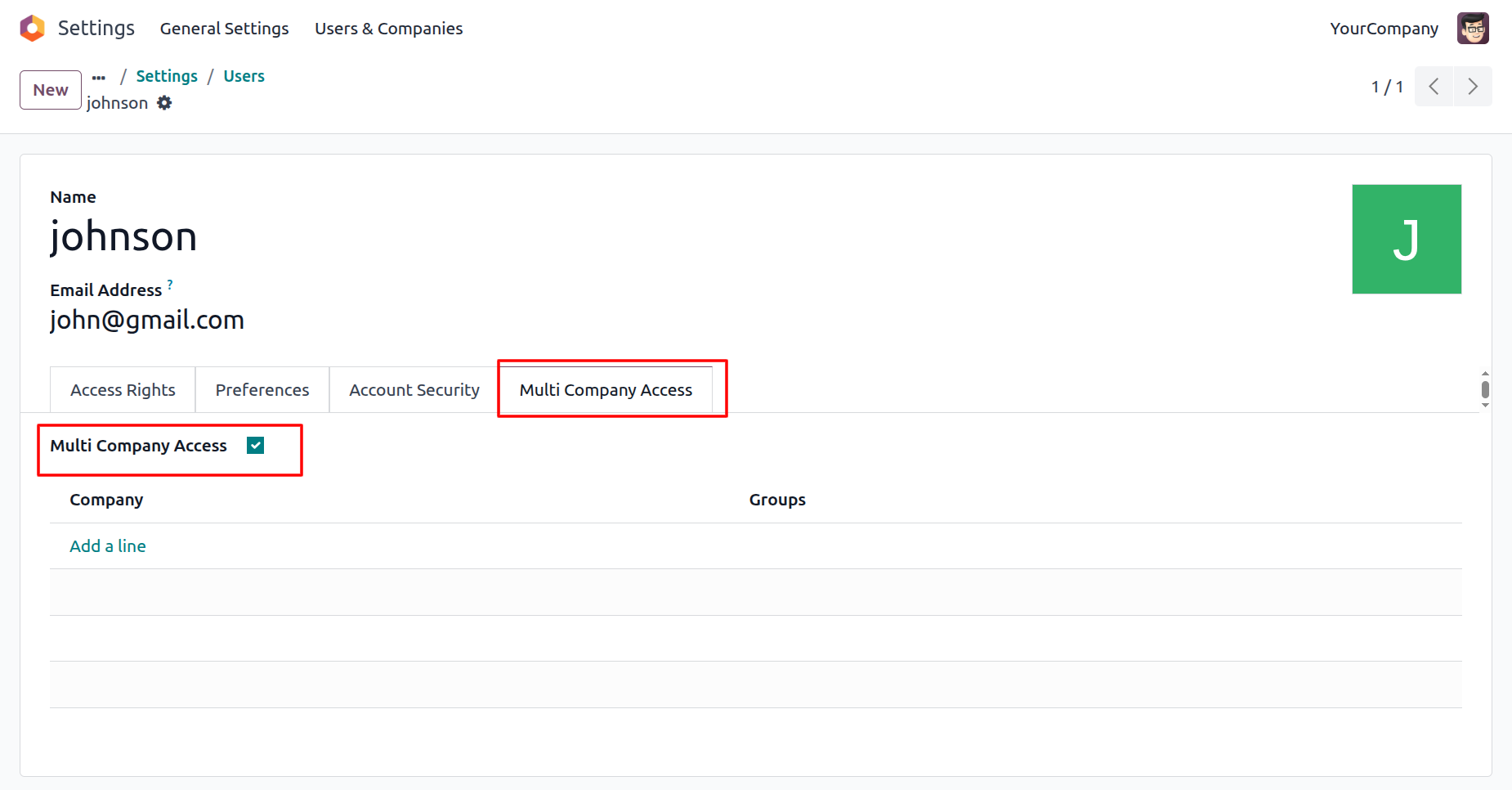
Go to the Users and tick the “Multi Company Access” boolean under the Multi Company Access tab.
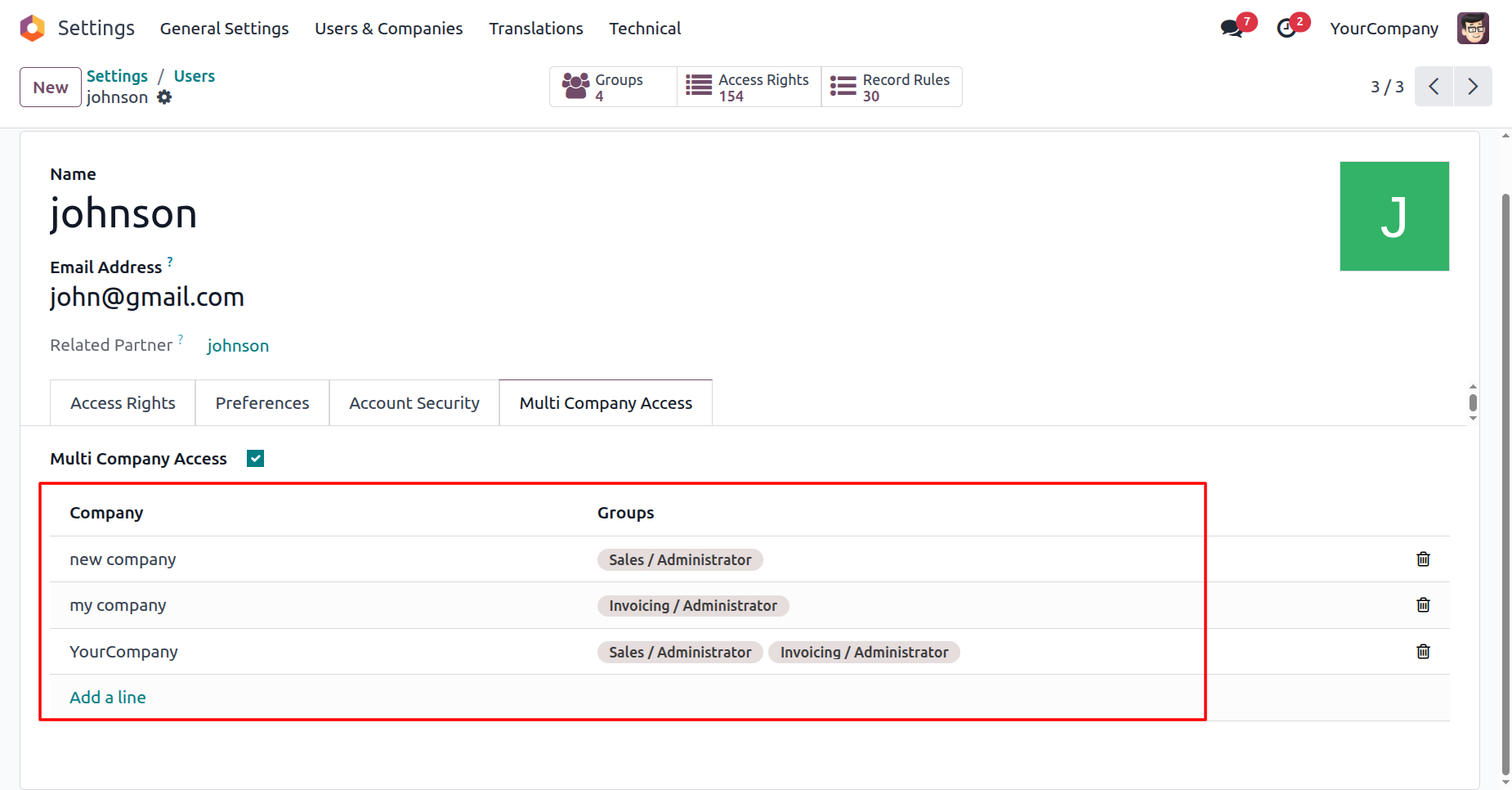
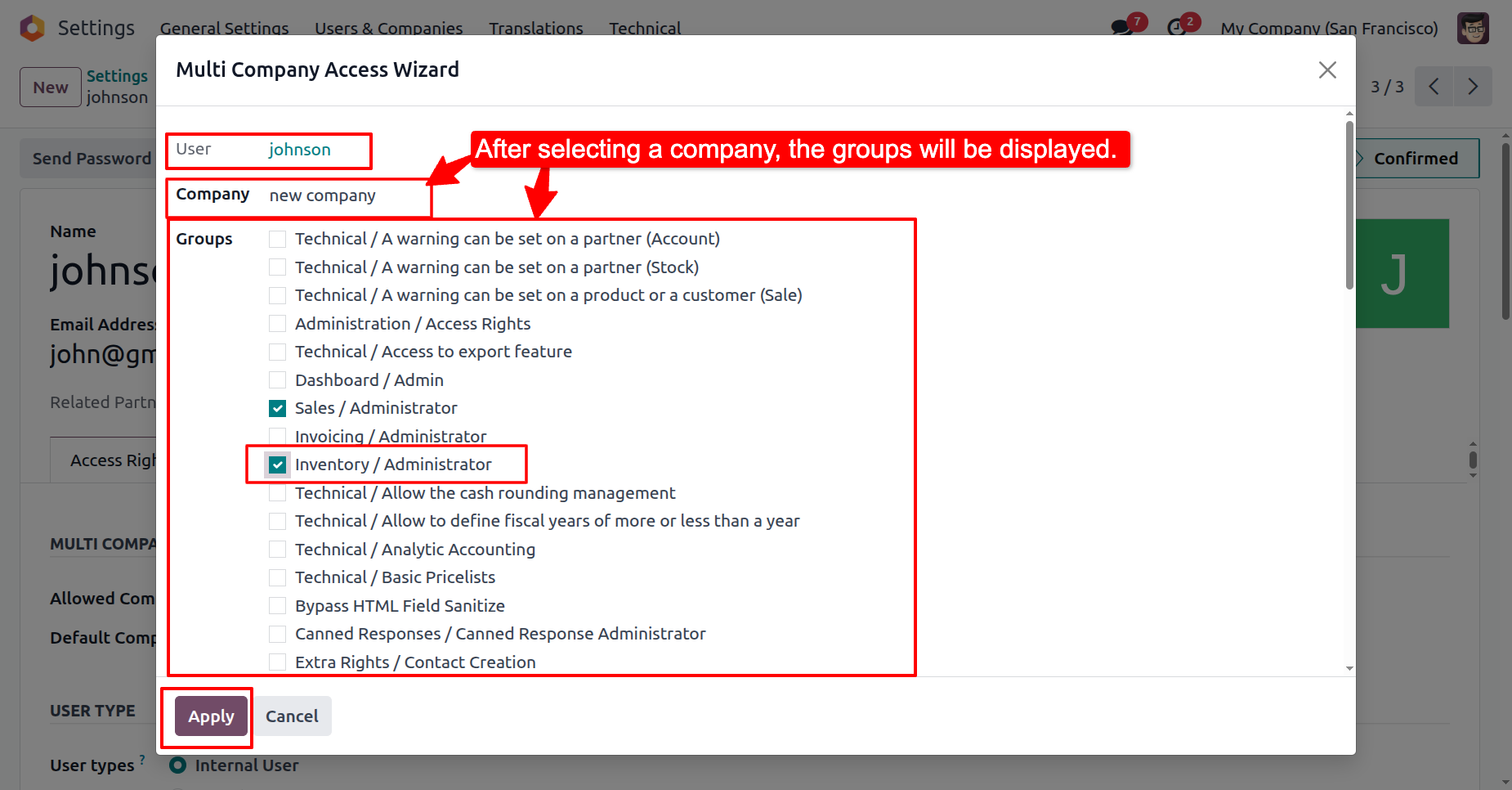
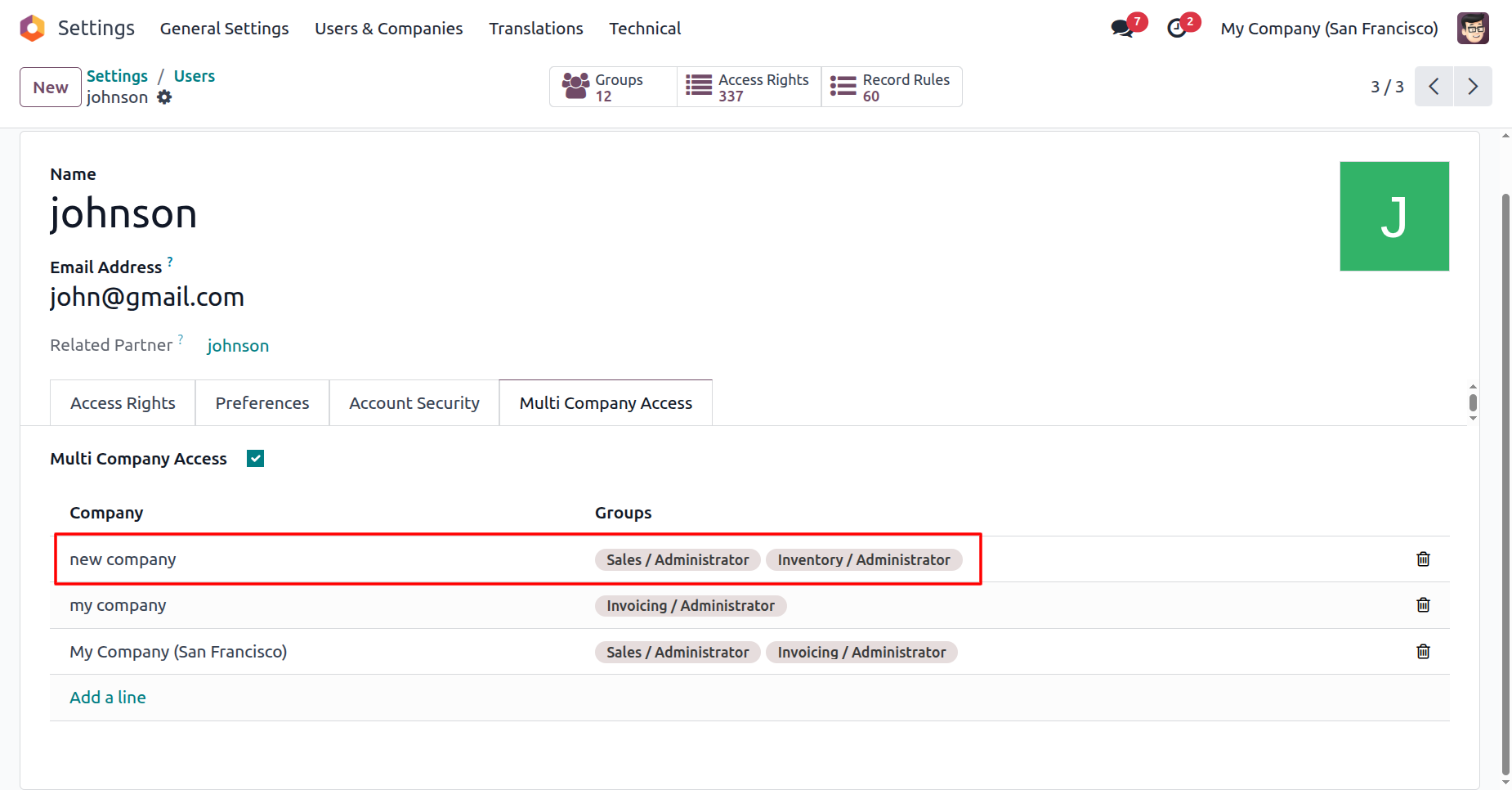
Add a Company and groups deatils.
Note: We set the detail for the Johnson user.
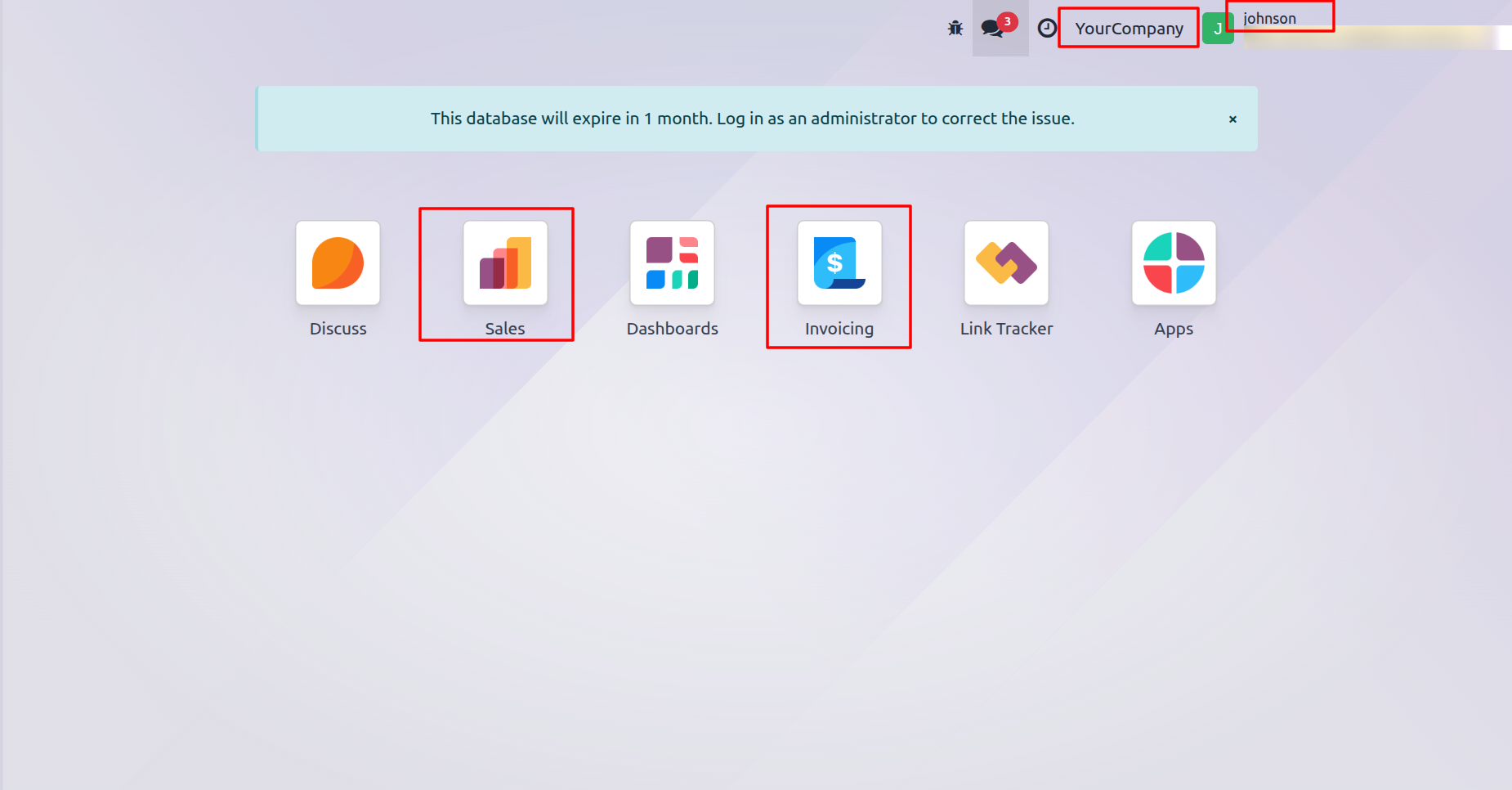
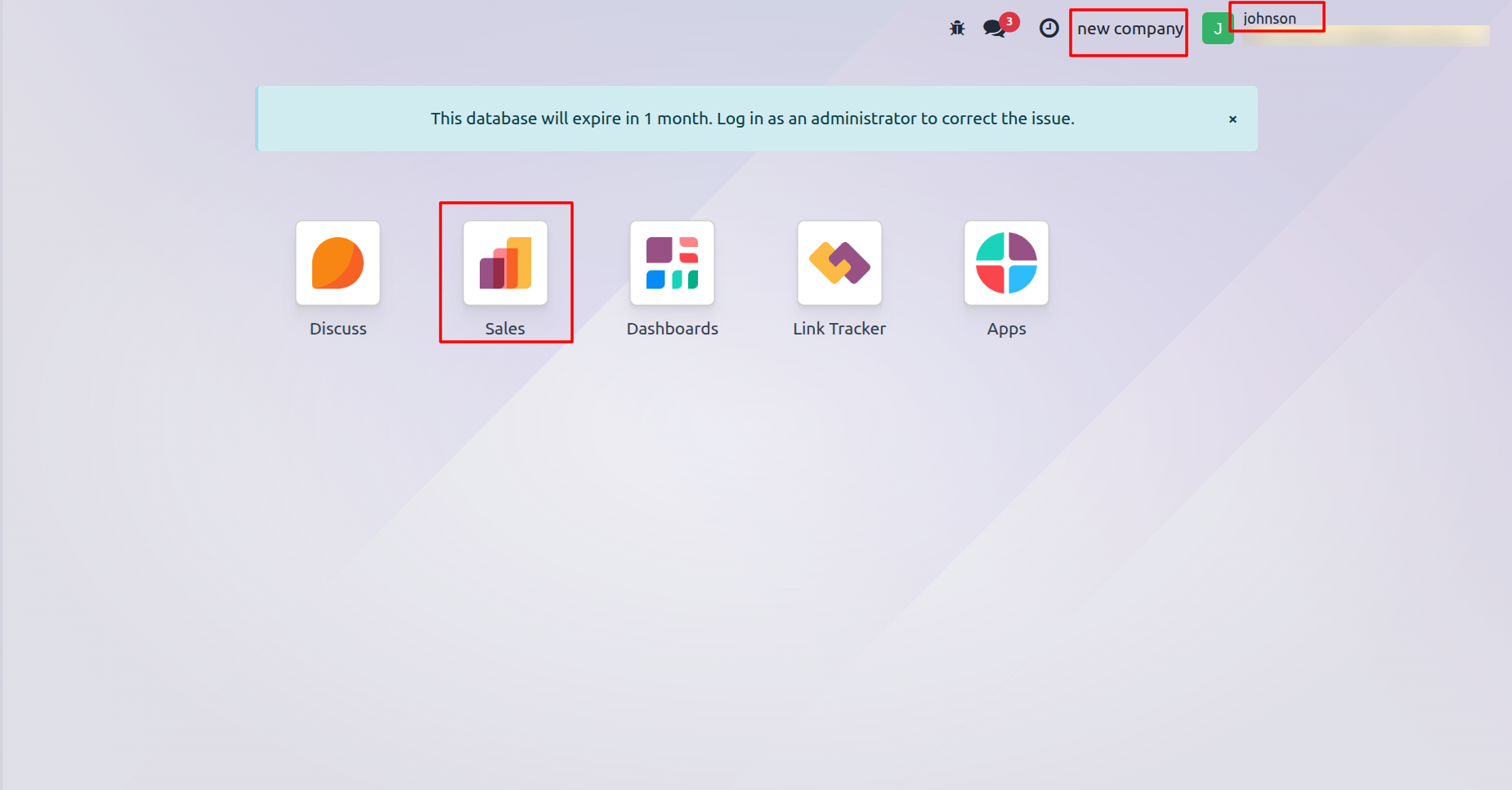
Log in as the Johnson user. Here, you can see that Johnson can access Sales and Invoicing in Your Company, as configured.
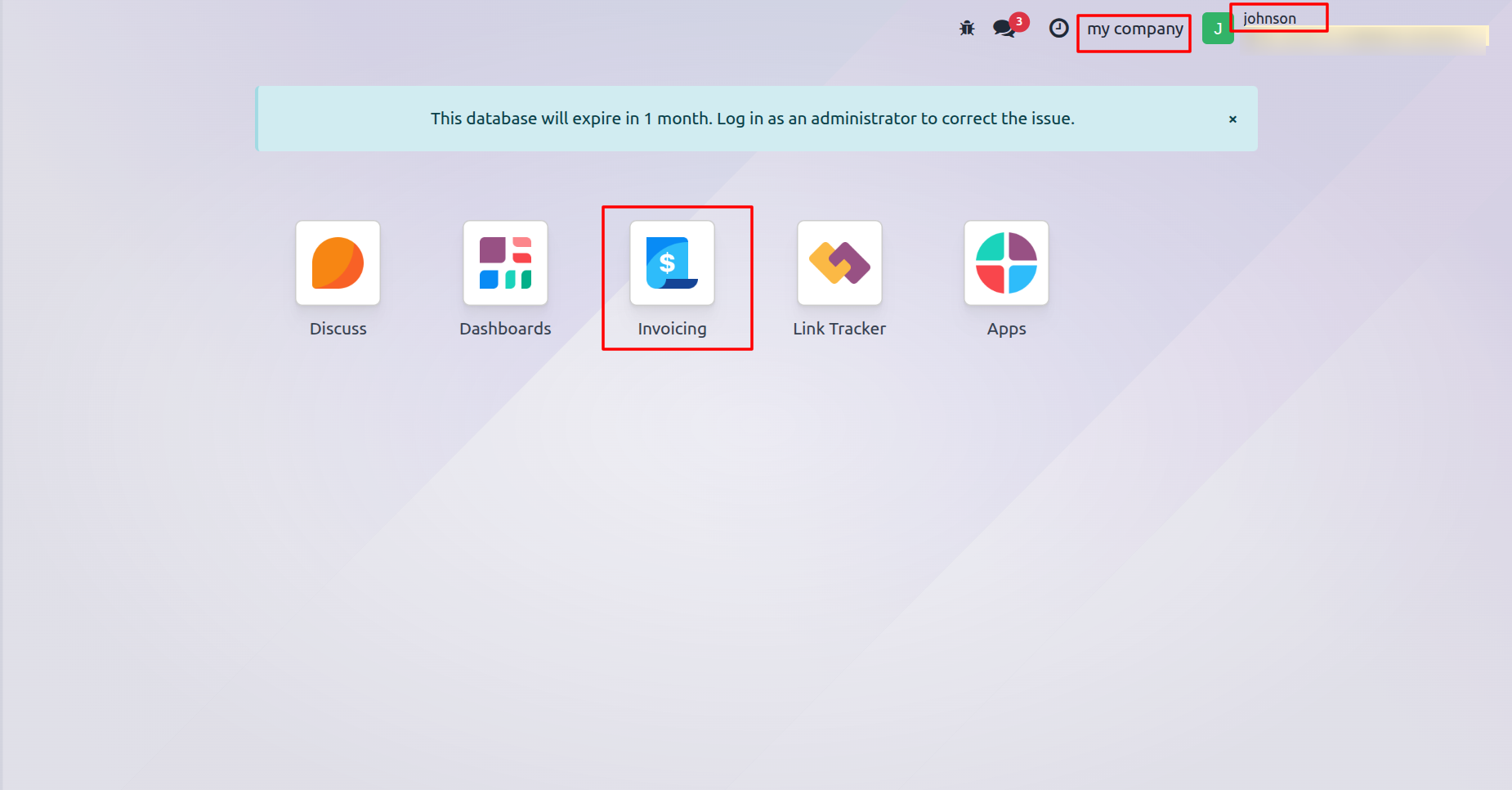
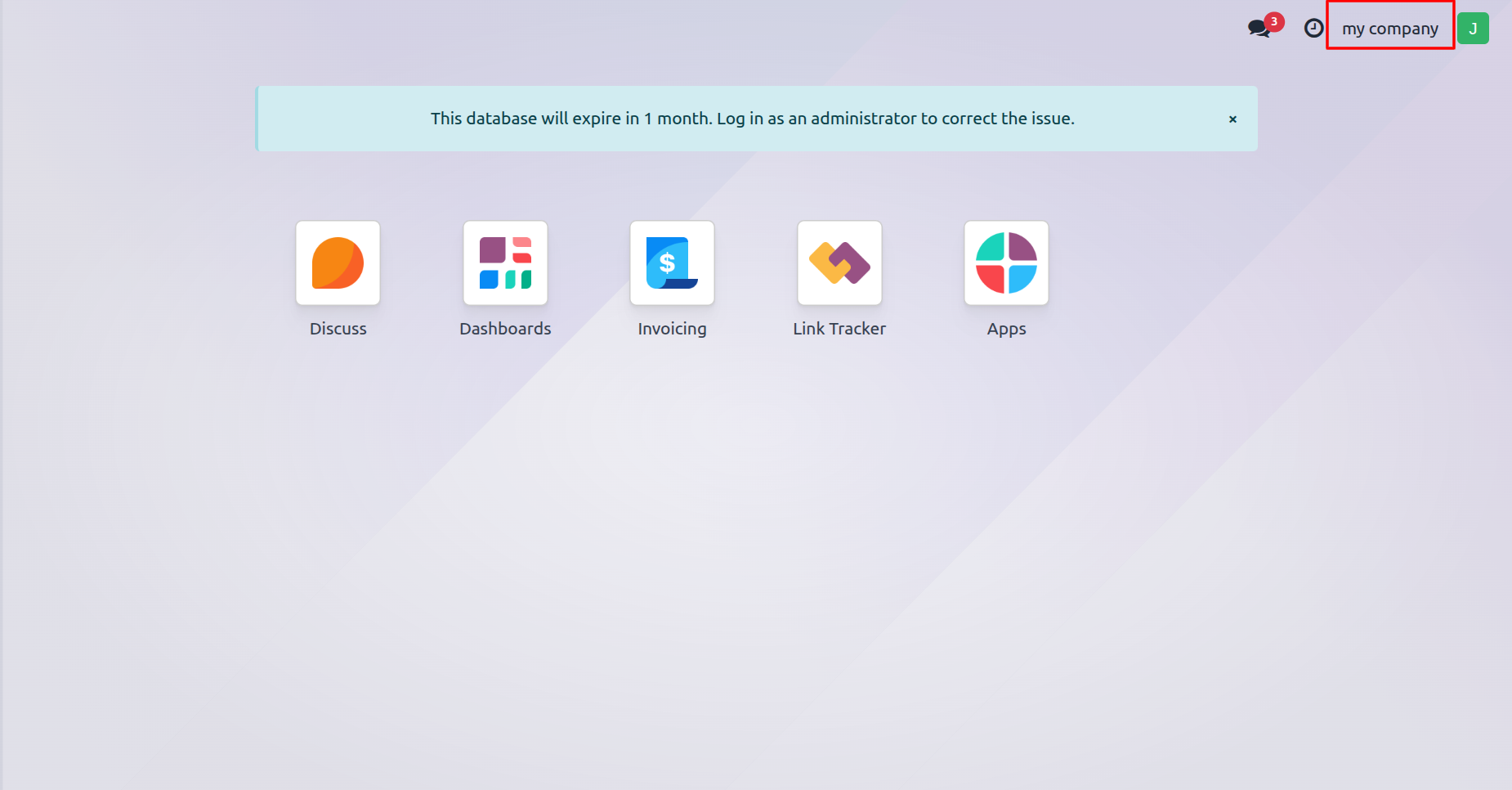
Johnson can access Invoicing in My Company, as configured.
Johnson can access Sales in new company, as configured.
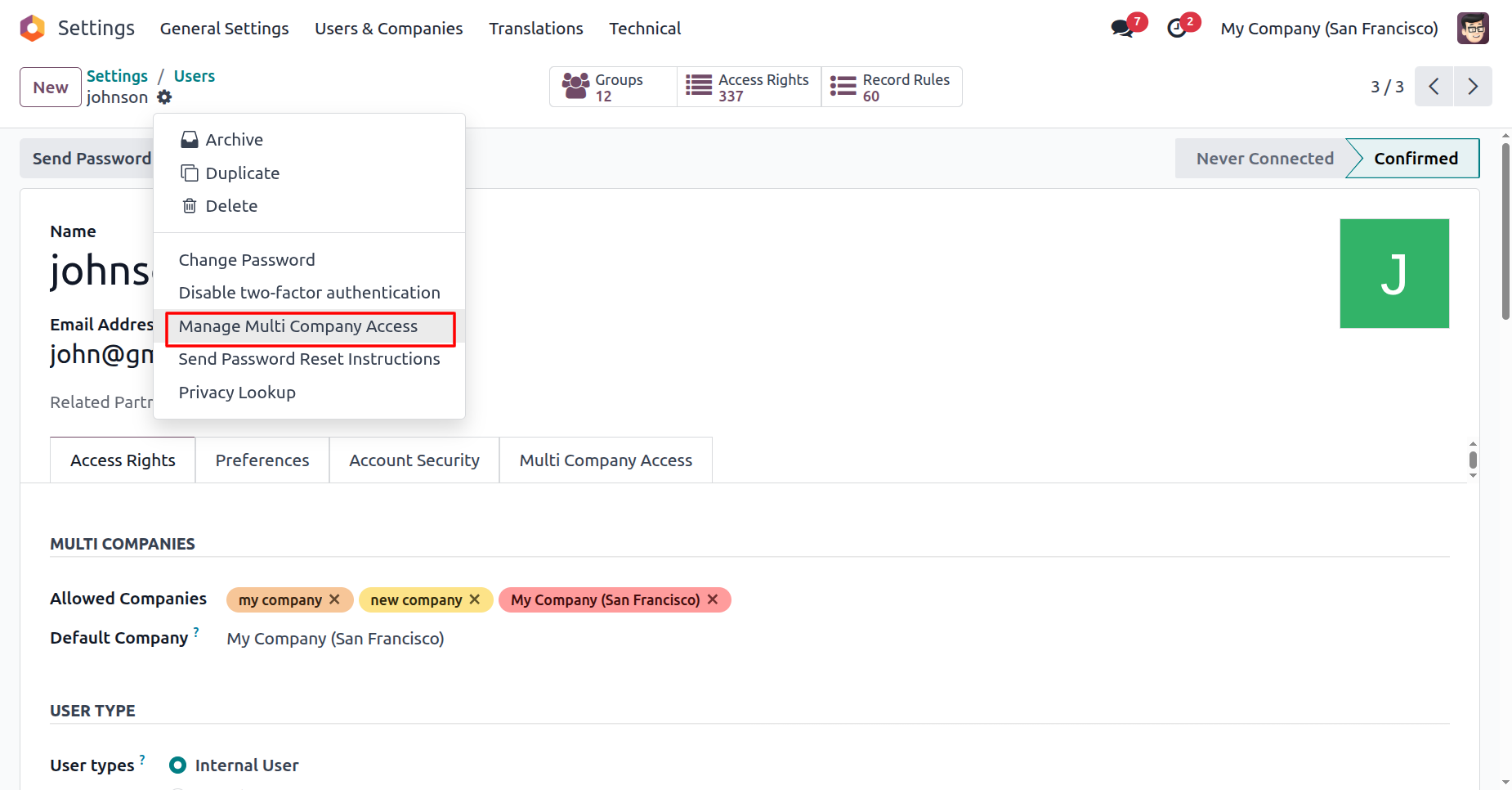
Click on the "Manage Multi Company Access" from the action.
Enable both groups in order to create an invoice when validating the delivery order and send an invoice email on picking validation.
Here, you can see the newly added group access.
Johnson can access Sales and Inventory in new company, as configured.
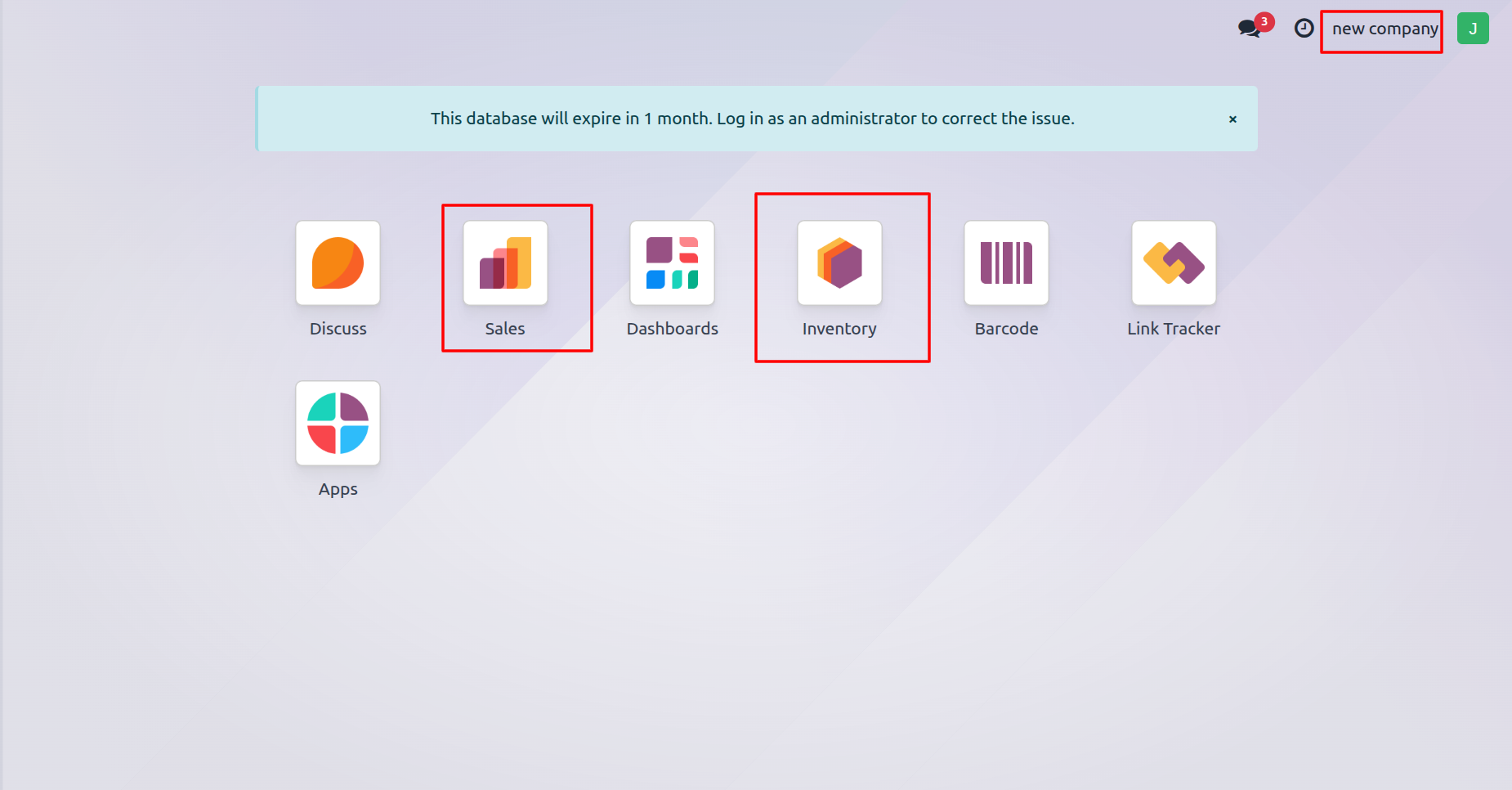
Johnson cannot access Sales and Inventory in my company because the admin assigned these permissions only in the new company, not in my company.
Version 19.0.1.0.0 | Released on : 21st January 2026
- Yes, this app works perfectly with Odoo Enterprise (Odoo.sh & Premise) as well as Community.
- No, this application is not compatible with odoo.com(odoo saas/Odoo Online)
- Yes, to test this module, please contact us at sales@softhealer.com.
- Please contact us at sales@softhealer.com to request customization.
- Yes, we provide free support for 365 days from the date of purchase.
- Yes, you will receive lifetime free updates for the version of the module you purchased.
- No, there is no need to install any additional libraries.
- Yes, for version 12 and above, you need to purchase the module separately for each version you intend to use.
- No, exchanges or refunds are not allowed. Please make sure to select the correct version before purchasing.
- You can contact us at support@softhealer.com for language translation support. We use Google Translator tools to provide translations in multiple languages, so the accuracy may vary. We welcome your suggestions to help improve translations.
