


Complete AI Automation Suite
FLAT 30% OFF
AI Insight Assistant
Talk to your data. Get instant answers
AI Live Chatbot
24/7 customer support, always on
AI Dashboard Studio
 Beautiful dashboards, zero effort
MCP Integration
Seamless multi-channel connections
And Many More Features
Complete AI Automation Suite — FLAT 30% OFF

Blog Post

logo
Free Support
Life Time
Counter box img
Custom Apps
1500+
counter box img
top seller of odoo marketplace
counter box img
Happy Customer
10K+
counter box img
Year Of Experience
11+
counter box img
countries
100+
counter box img
Talented healers
150+
counter box img
Industries Served
45+
counter box img
Odoo Community Implementation
350+
counter box img
Odoo Enterprise Implementation
150+
counter box img
Best partner Nominee
2024
counter box img
Global Presence
counter box img

Free Demo
Email: sales@softhealer.com
Lifetime Free Support
Contact: support@softhealer.com
Customization
Sales: sales@softhealer.com
logo
Community Enterprise Odoo.sh

Monday.com Odoo Connector

heading

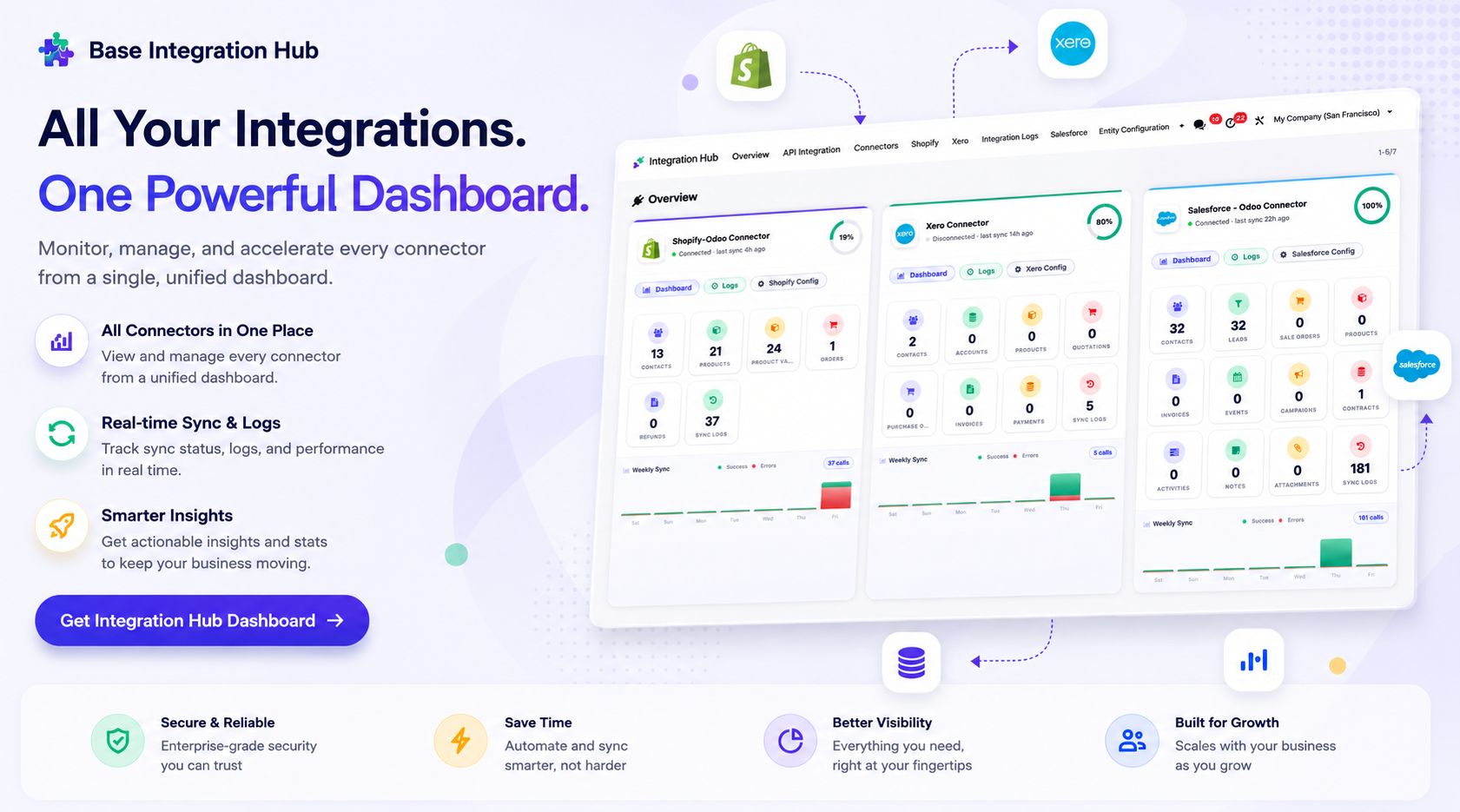
The Monday.com Odoo Connector enables seamless integration between Odoo and Monday.com, allowing you to synchronize boards, groups, items, and users from Monday.com into Odoo. Securely connect both platforms using API authentication, manage data synchronization through manual or scheduled processes, and track every operation with detailed logs and history for better monitoring and control.

Features

heading
Monday.com Connector

Connect Odoo with Monday.com securely using the API token to synchronize data from Monday.com to Odoo.

Board Synchronization

Import Monday.com boards into Odoo while maintaining their structure for seamless project organization.
Group Synchronization

Synchronize Monday.com board groups into Odoo to organize imported records efficiently.
Item Synchronization

Import Monday.com items into Odoo with related details for accurate record management.

User Synchronization

Synchronize Monday.com users and map them with Odoo users for proper assignment and collaboration.

Synchronization Logs

Track every synchronization process with detailed success and failure logs for monitoring and troubleshooting.
Manual Synchronization

Run synchronization manually whenever required to import the latest Monday.com data into Odoo.
Scheduled Synchronization

Schedule automatic synchronization using cron jobs to keep Monday.com and Odoo data updated.

Grant access permissions for Monday.com Integration on Odoo settings.
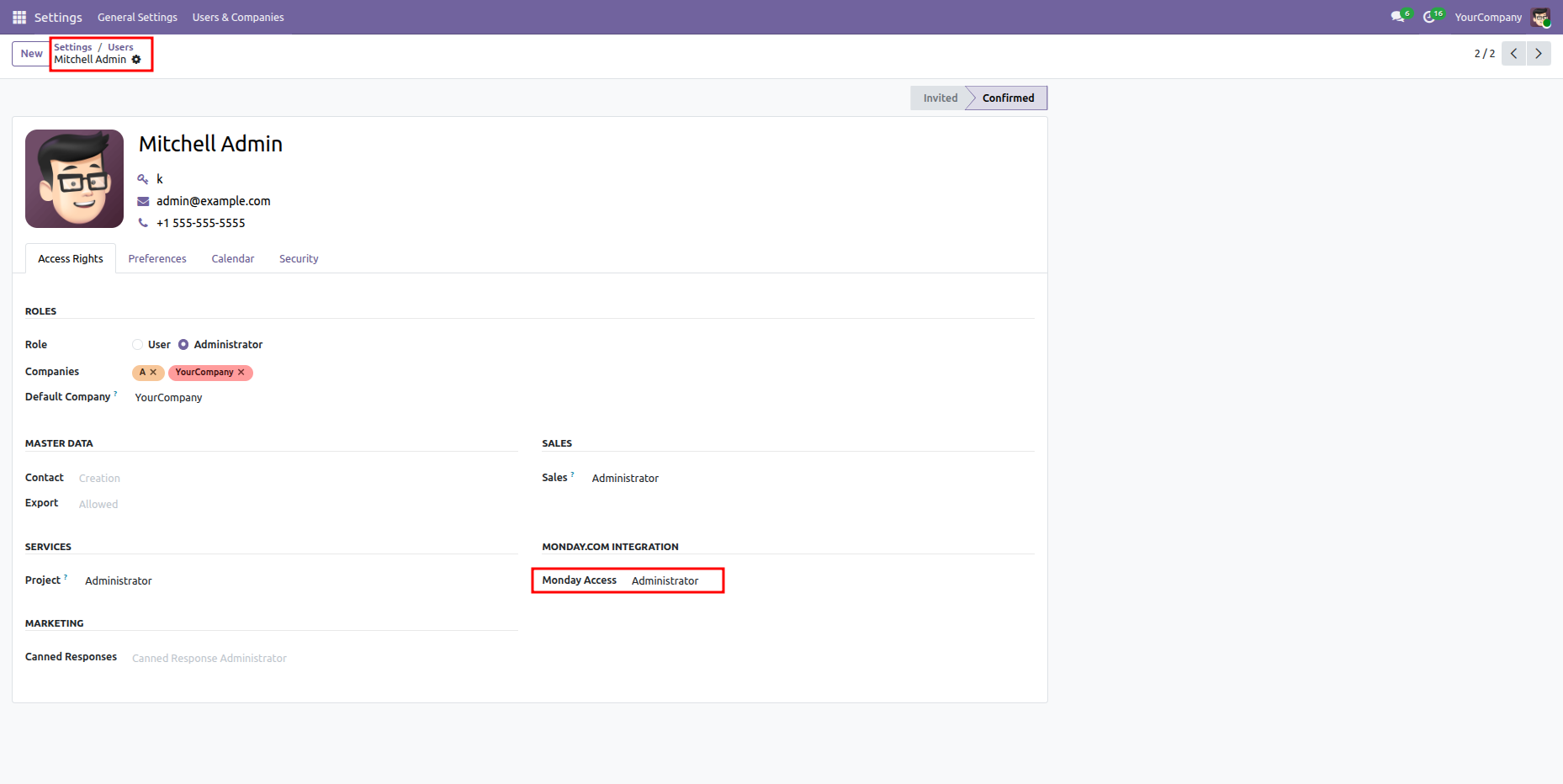
Odoo Settings > Users form view for Mitchell Admin in Confirmed status, highlighting Monday Access set to Administrator under the Monday.com Integration section.

Access Monday.com submenus and configuration options.
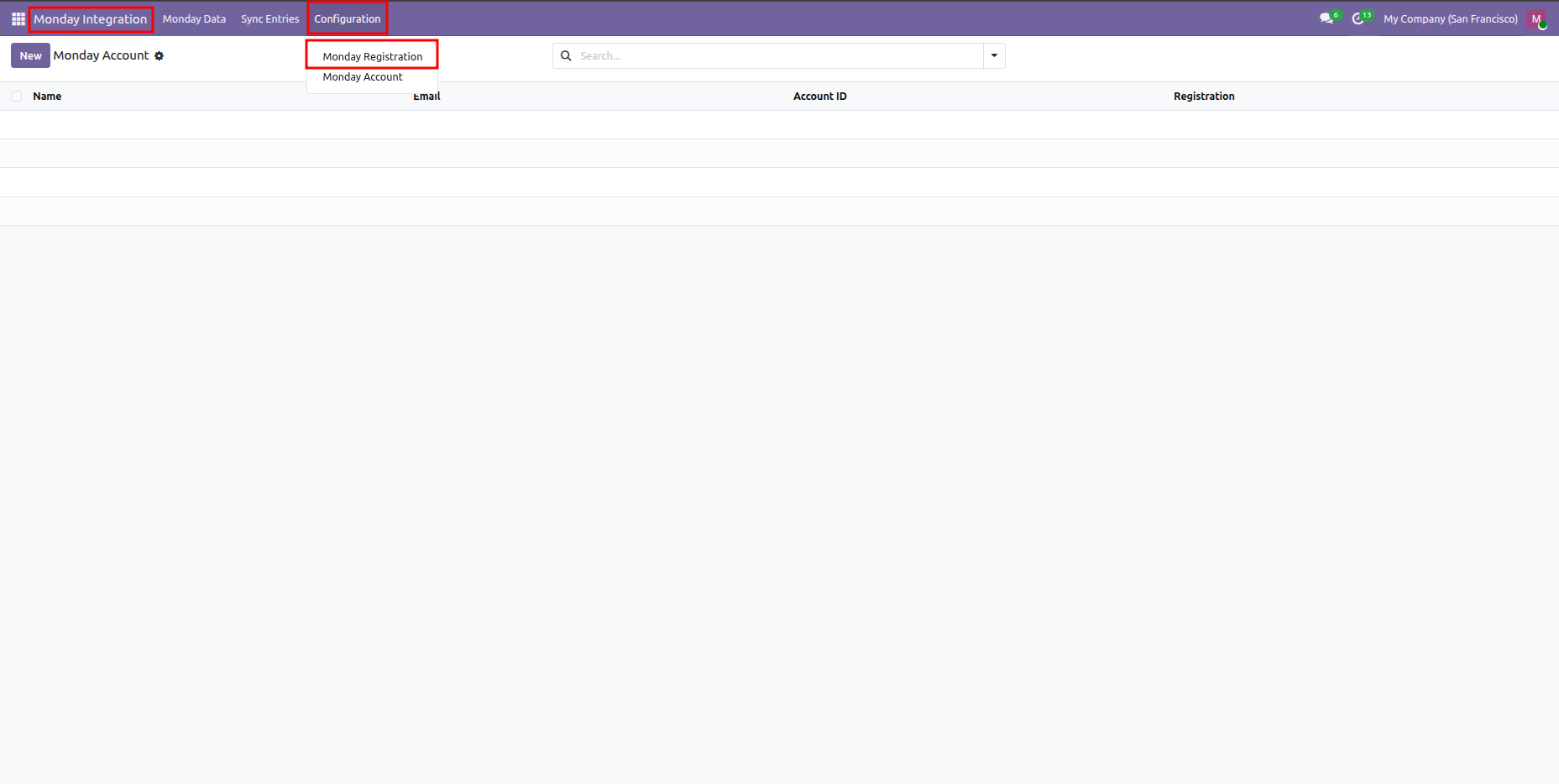
Odoo Monday Integration module interface showing Configuration menu expanded with Monday Registration and Monday Account options.

Establish connection with Monday.com API.
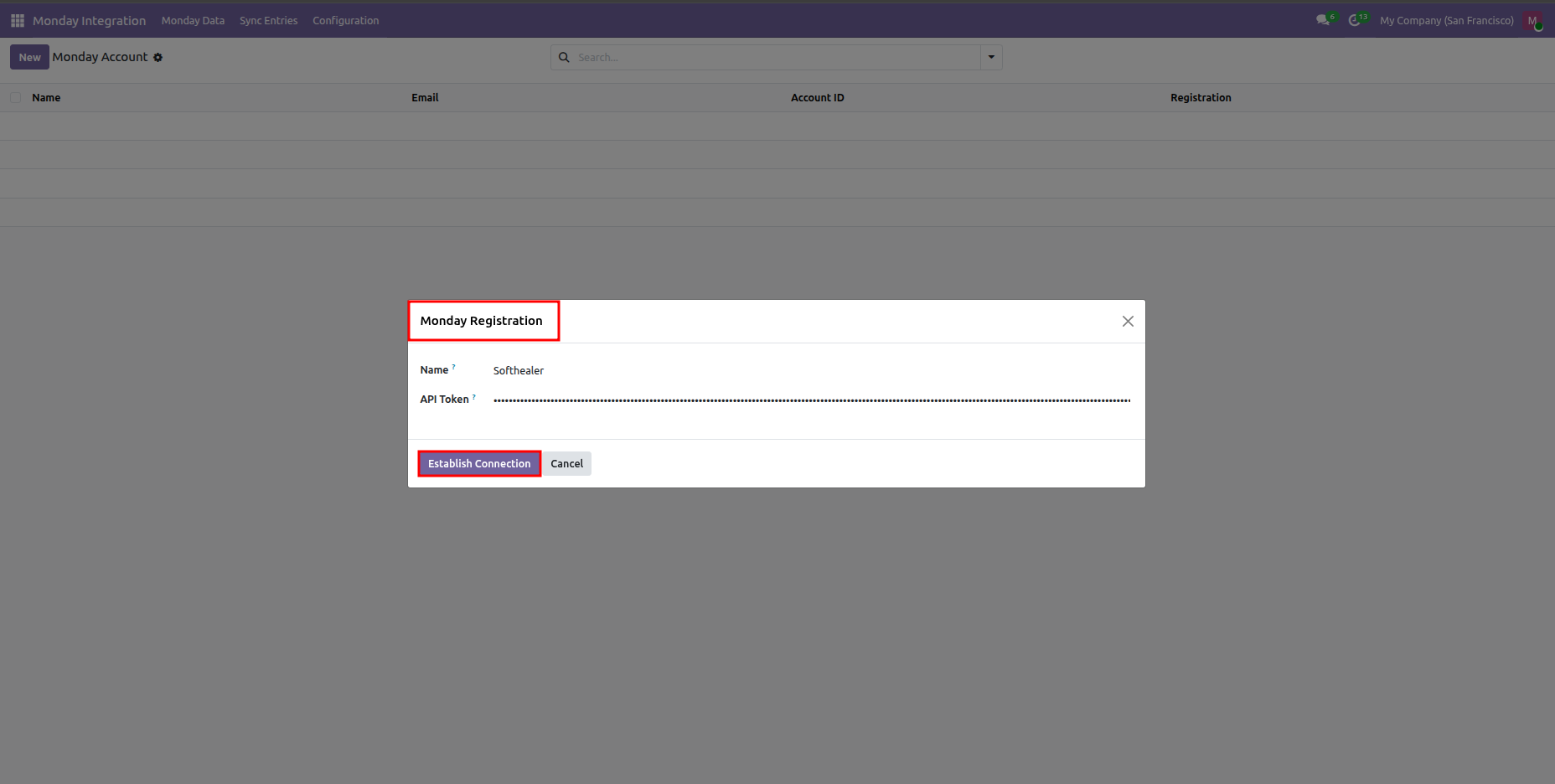
Monday Registration wizard dialog prompting for Name and API Token to connect with Monday.com.

View active and connected Monday.com accounts.
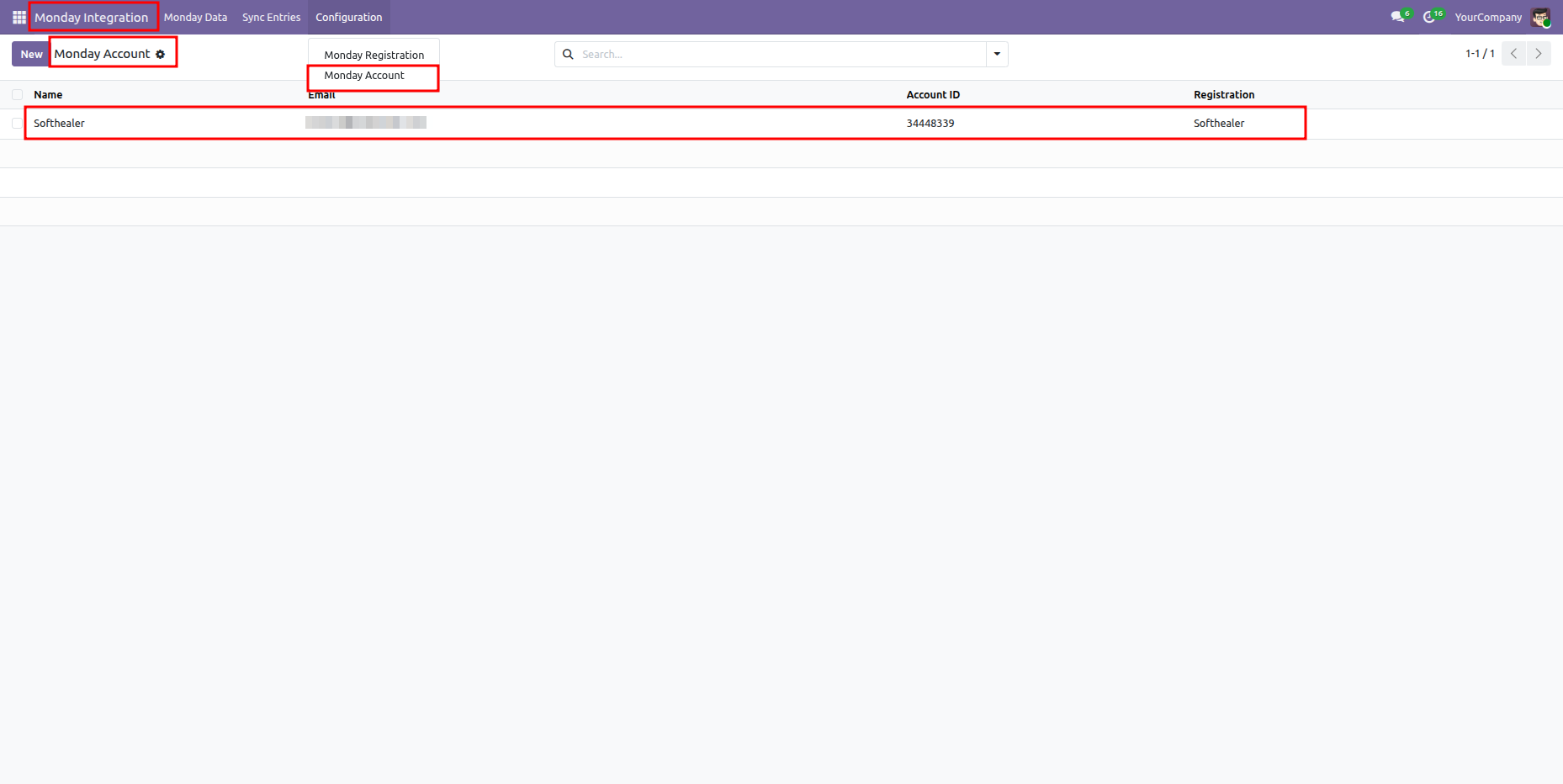
Odoo Monday Account list showing a successfully registered account record for Softhealer.

Configure registered account settings and import parameters.
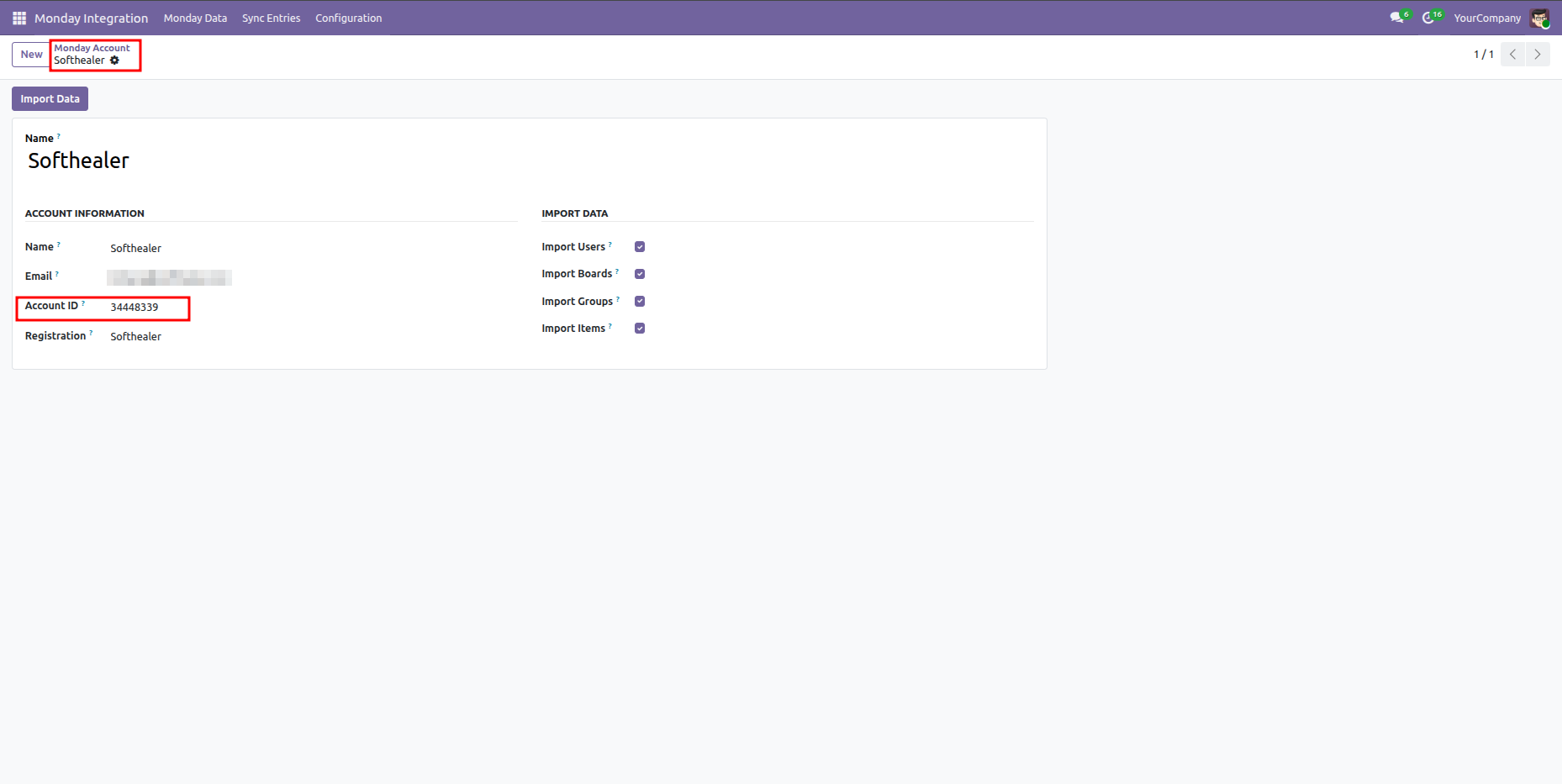
Odoo Monday Account form view showing Softhealer account information, account ID, and checked import parameters.

Centralized dashboard to manage and monitor all connectors from one place. Quickly access sync summary, activity logs, and configuration controls with improved visibility.


Navigate and manage boards in workspaces.
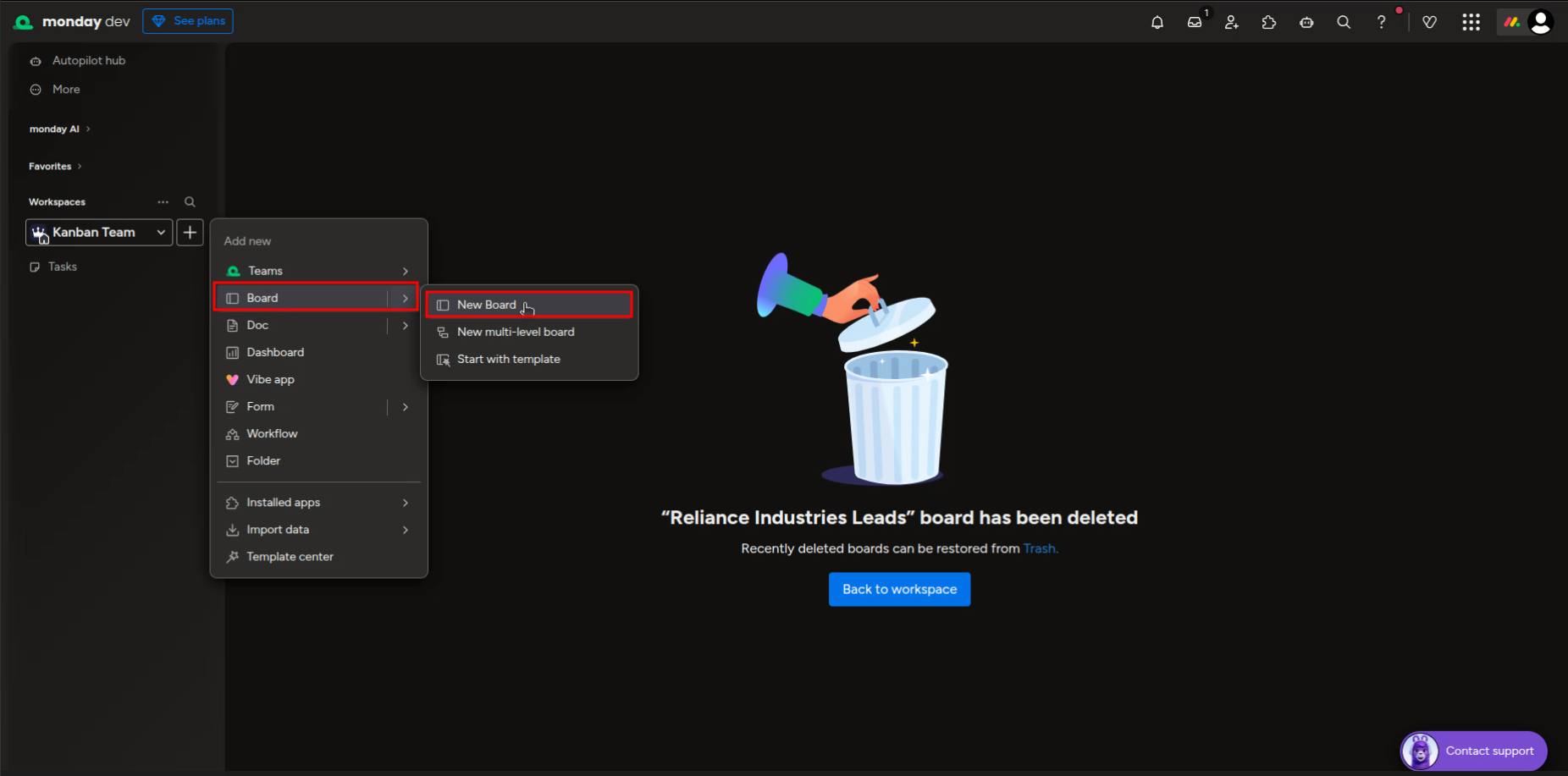
Monday.com dev workspace interface in dark theme showing the Board creation options in the sidebar.

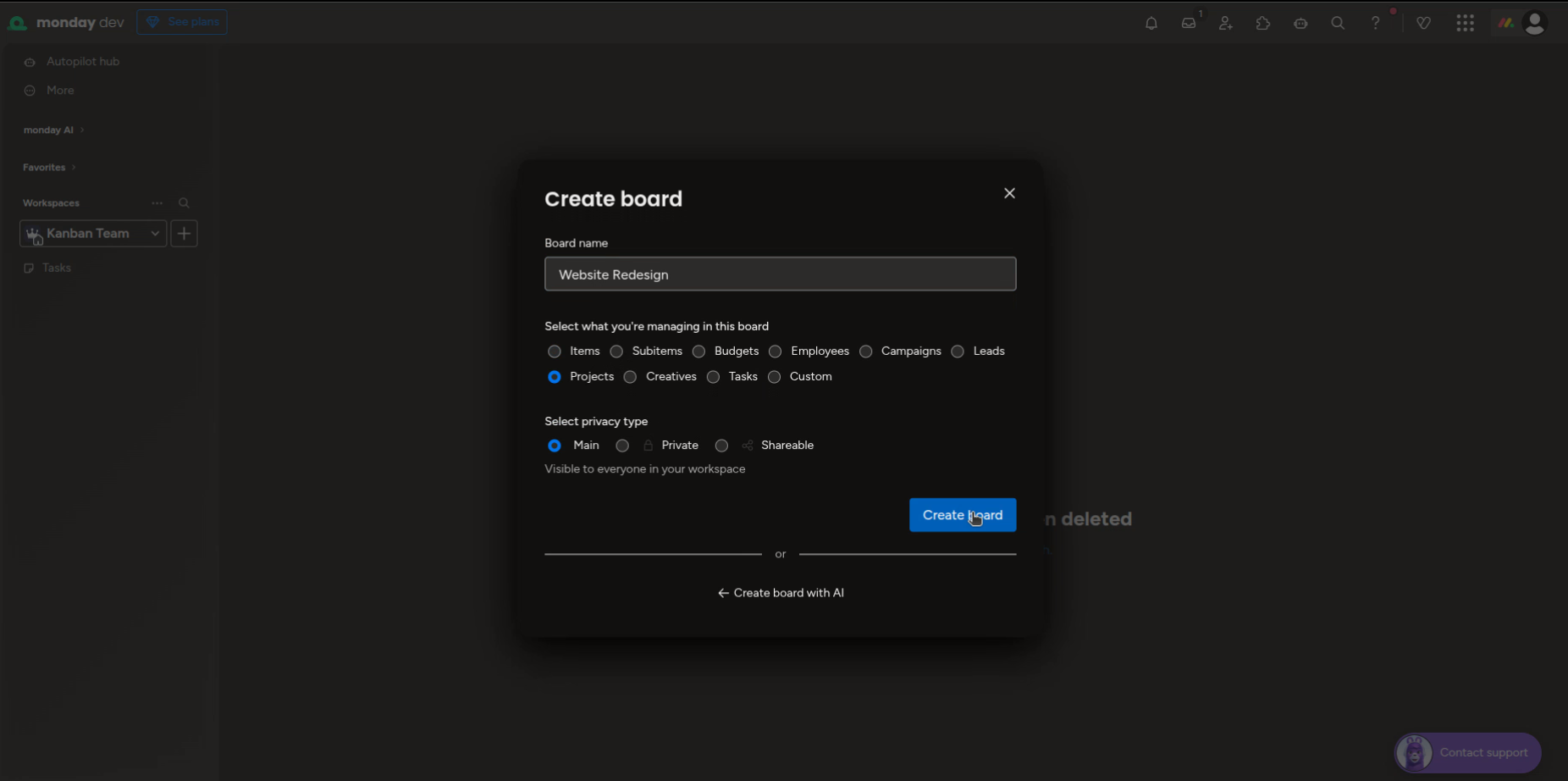
Set up a new board name and type.

Monday.com Create Board dialog in dark theme setting up a Website Redesign board managing Projects.

View tasks organized under custom groups.
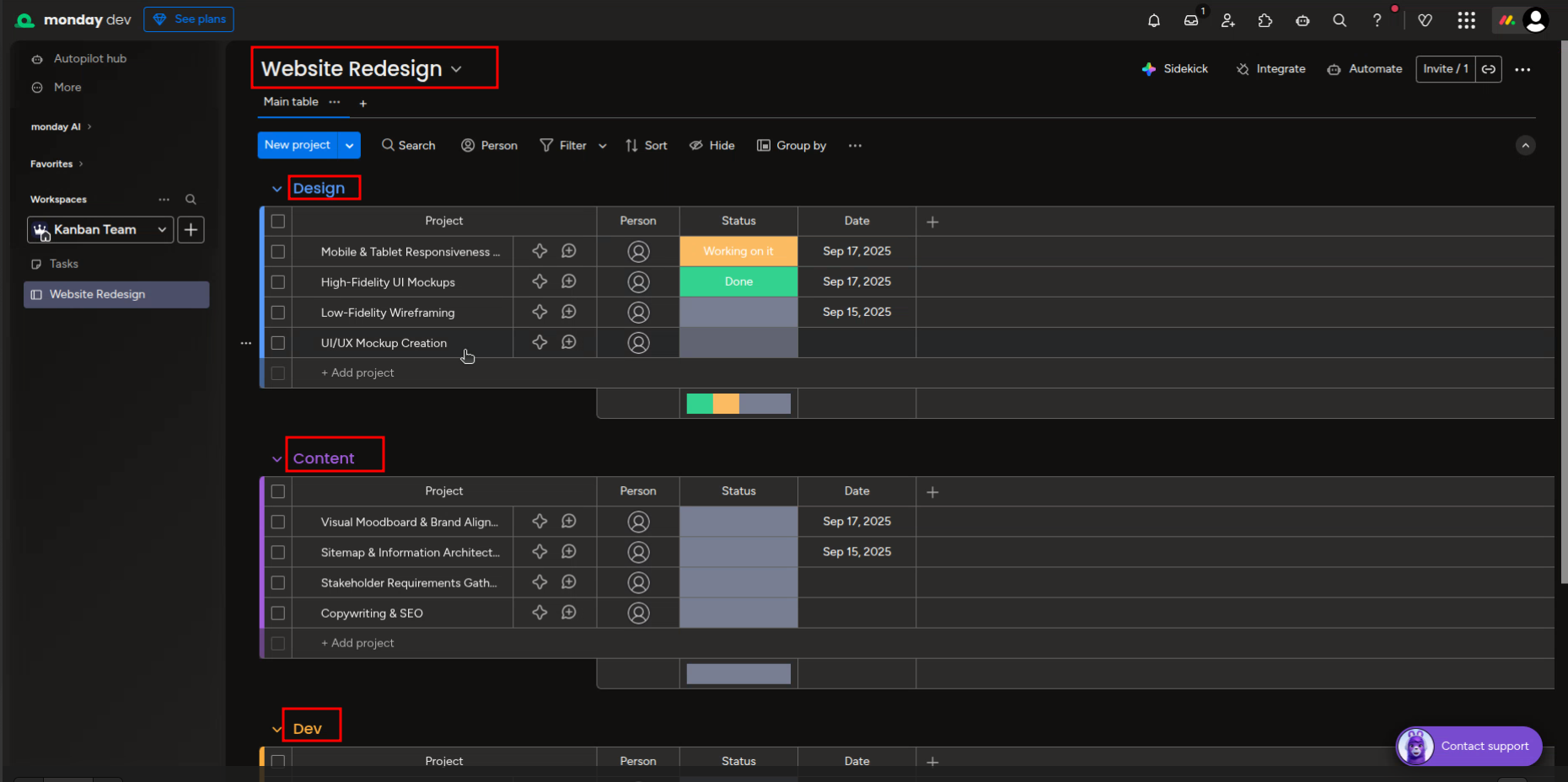
Monday.com Website Redesign board view in dark theme with Design, Content, and Dev task groups.

View synced Monday boards in Odoo.
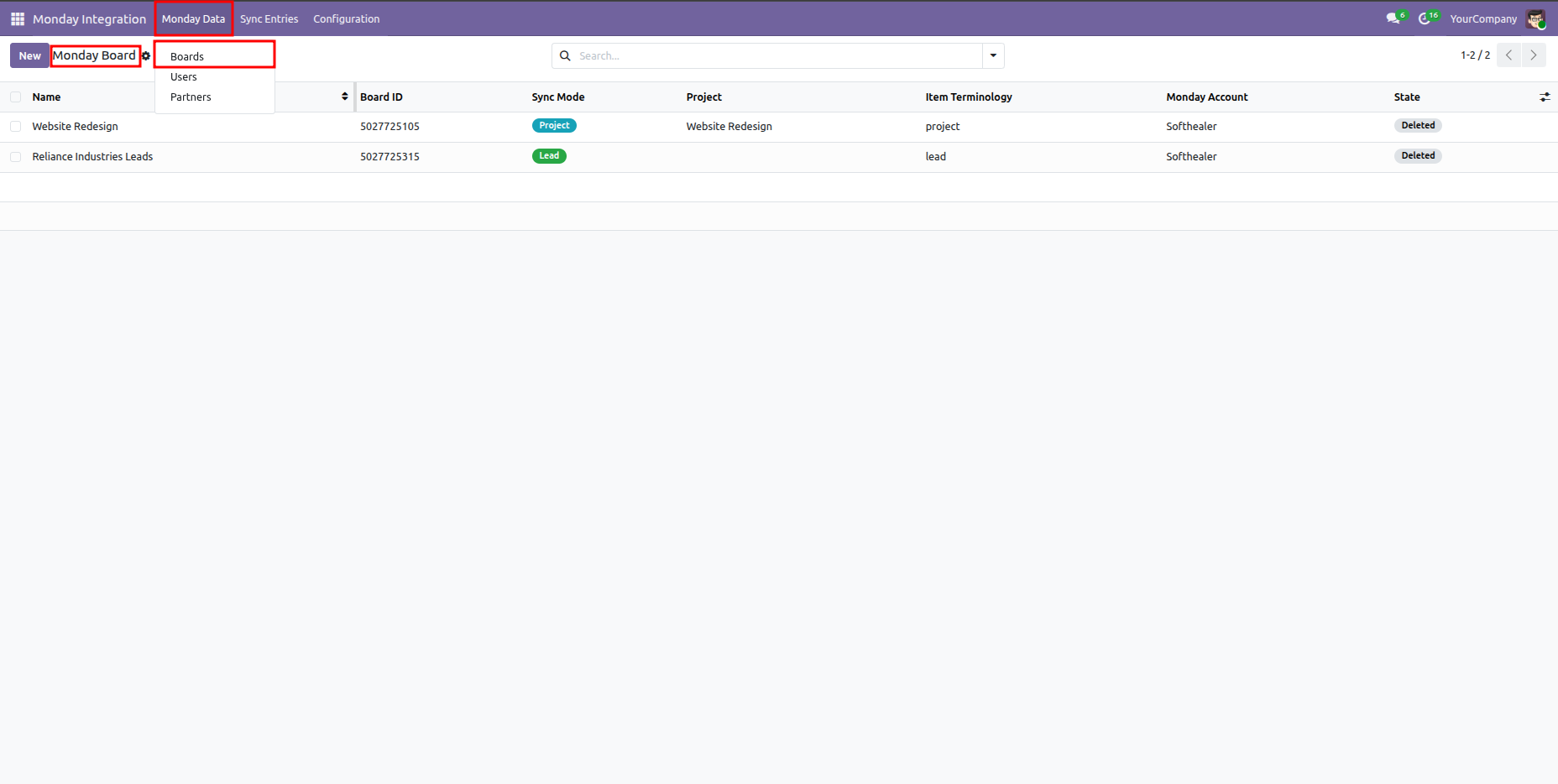
Odoo Monday Board list view showing Website Redesign and Reliance Industries Leads records with their sync modes.

Map Monday board groups to Odoo project stages.
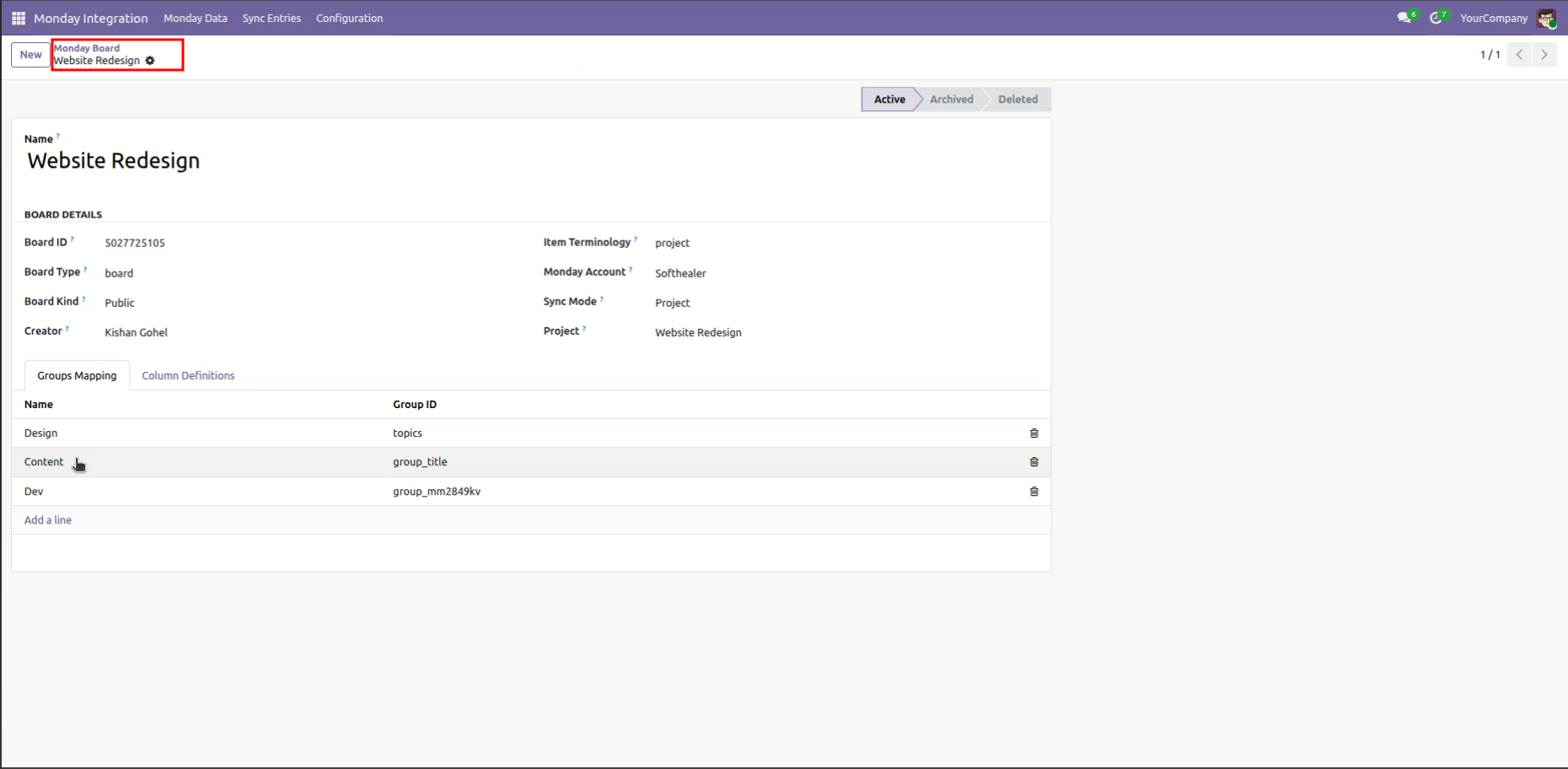
Odoo Monday Board form view for Website Redesign showing active Groups Mapping tab mapping Design, Content, and Dev.

Sync projects directly from Monday.com boards.
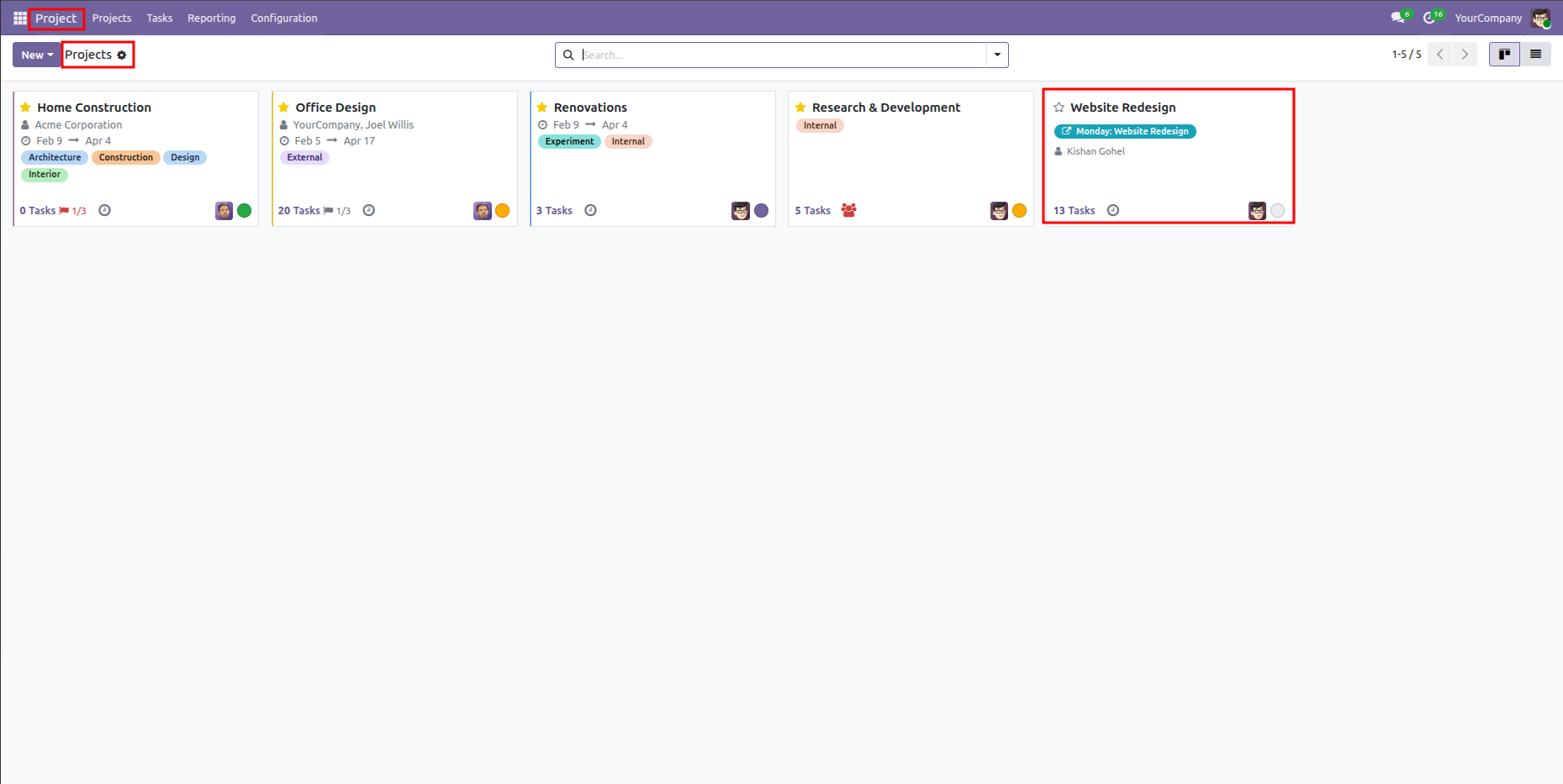
Odoo Projects Kanban dashboard highlighting the Website Redesign card with a Monday badge.

View synchronized tasks under respective stages.
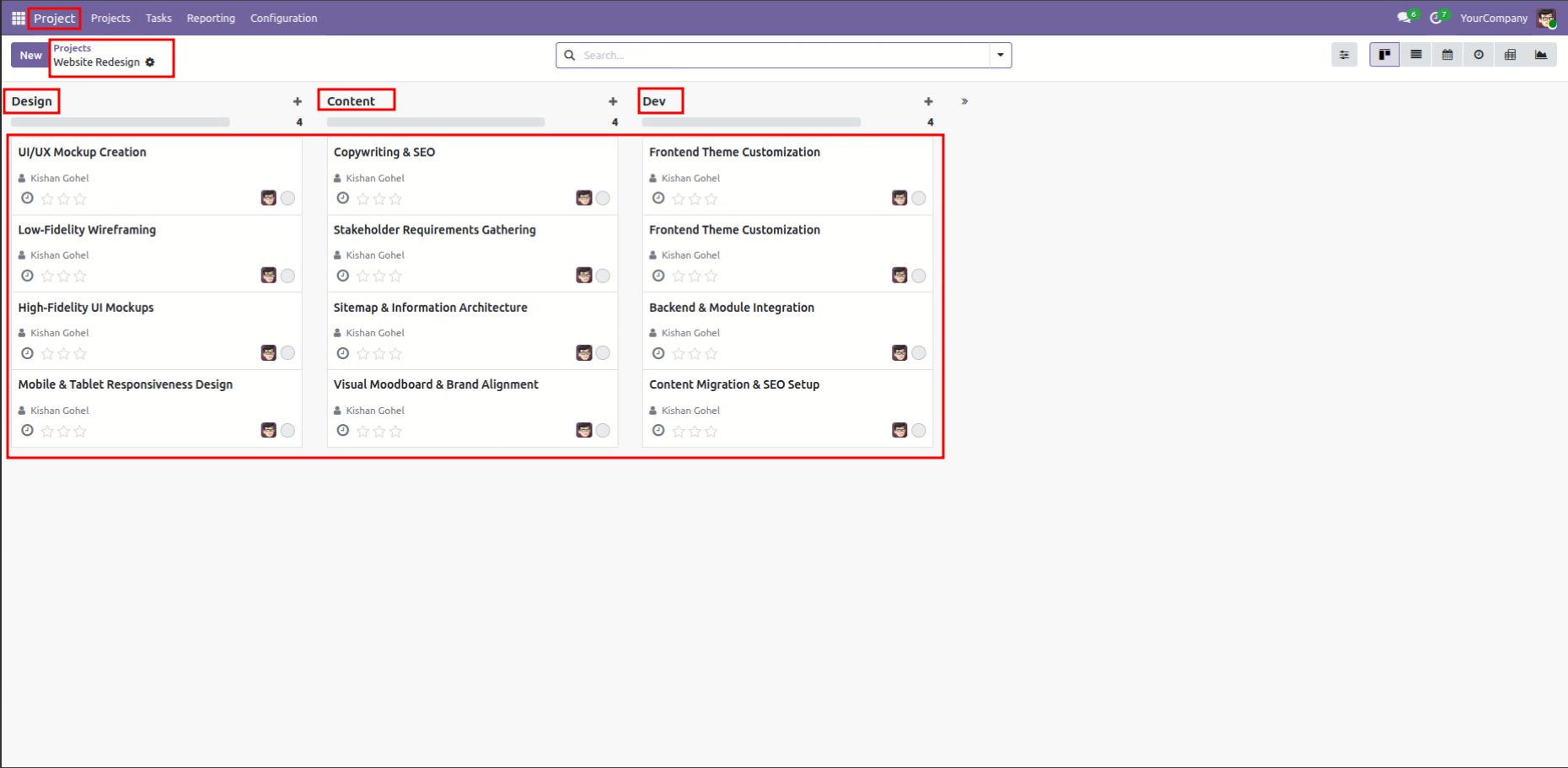
Odoo Project tasks view for Website Redesign displaying columns for Design, Content, and Dev stages.

View all task stages configured for project sync.
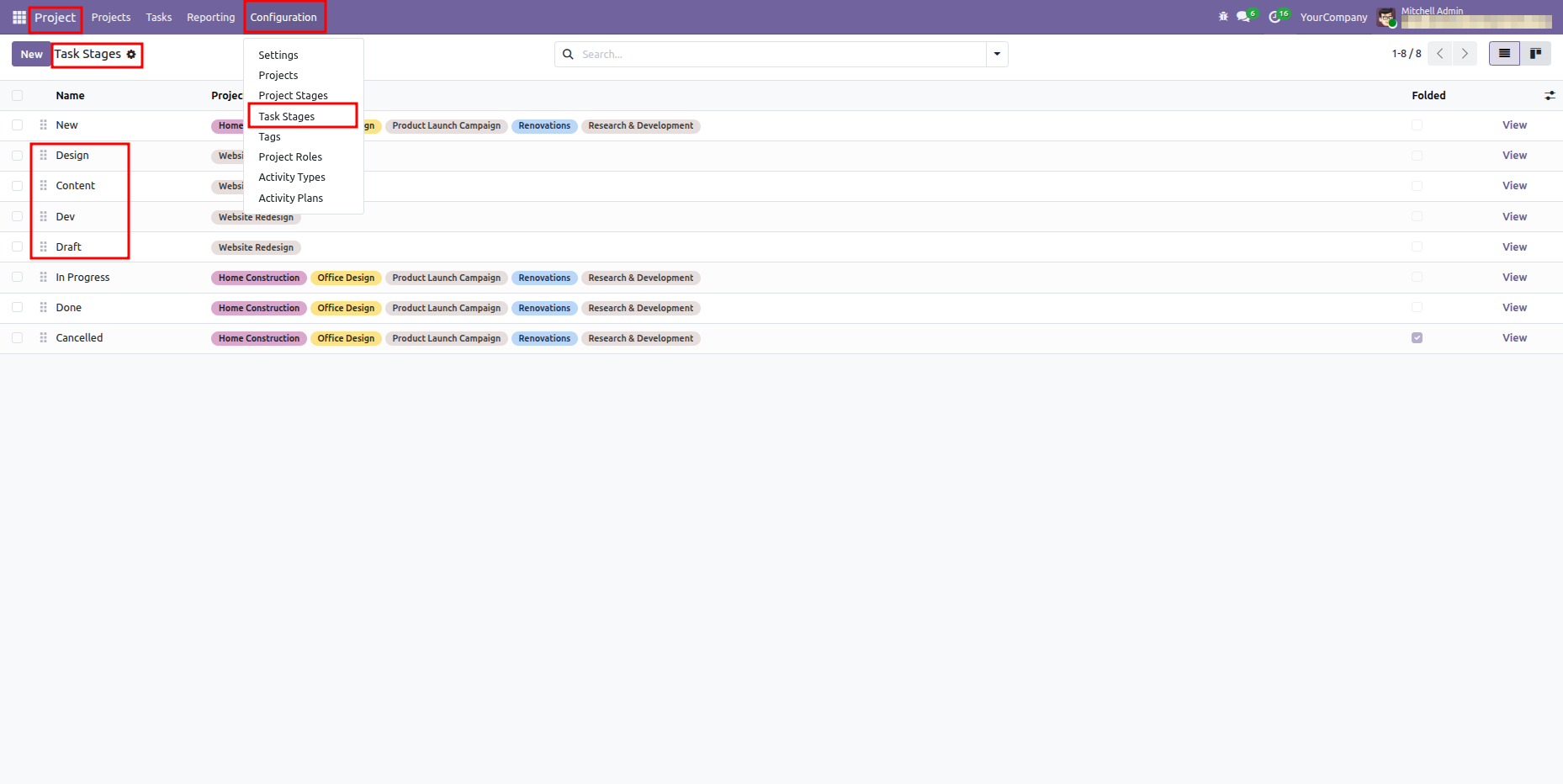
Odoo Task Stages list view showing mapped stages associated with the Website Redesign project.

Configure specific stage mappings to Monday groups.
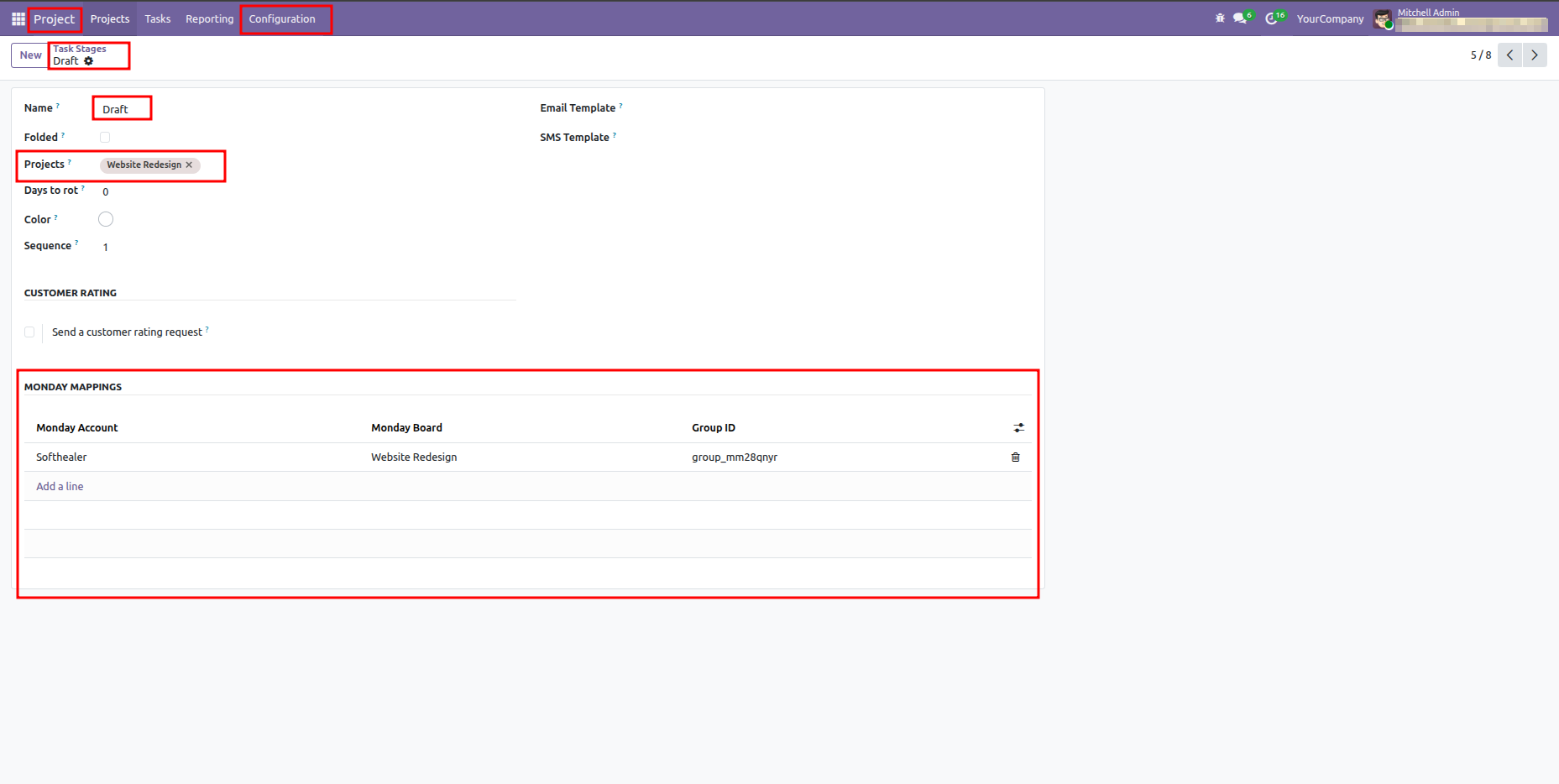
Odoo Task Stage form view for Draft highlighting the Monday Mappings mapping table.

Group and view synced project tasks.
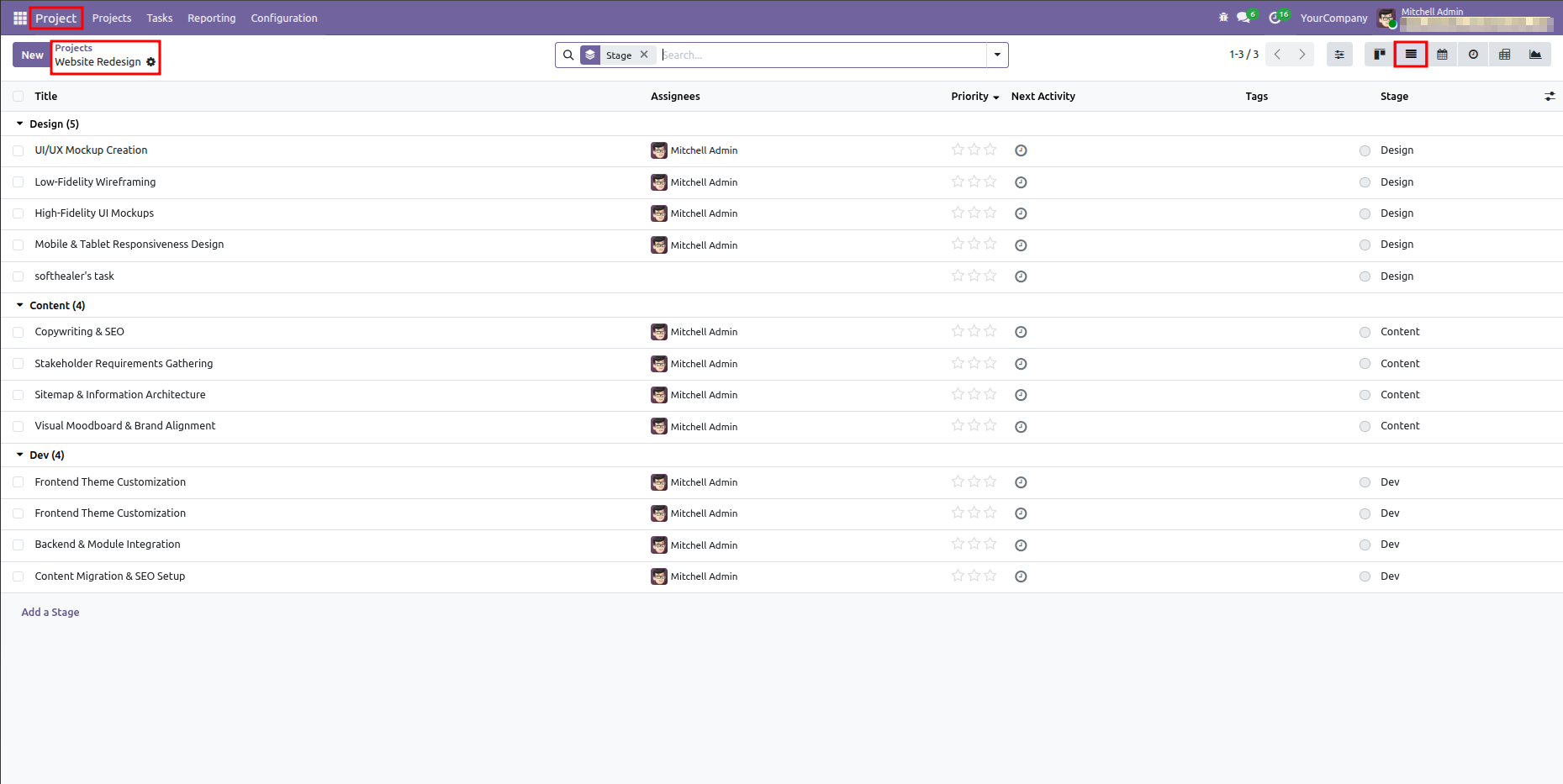
Odoo Project task list view grouped by Stage showing columns for title, assignee, and stage.

Check Monday Account and item ID maps.
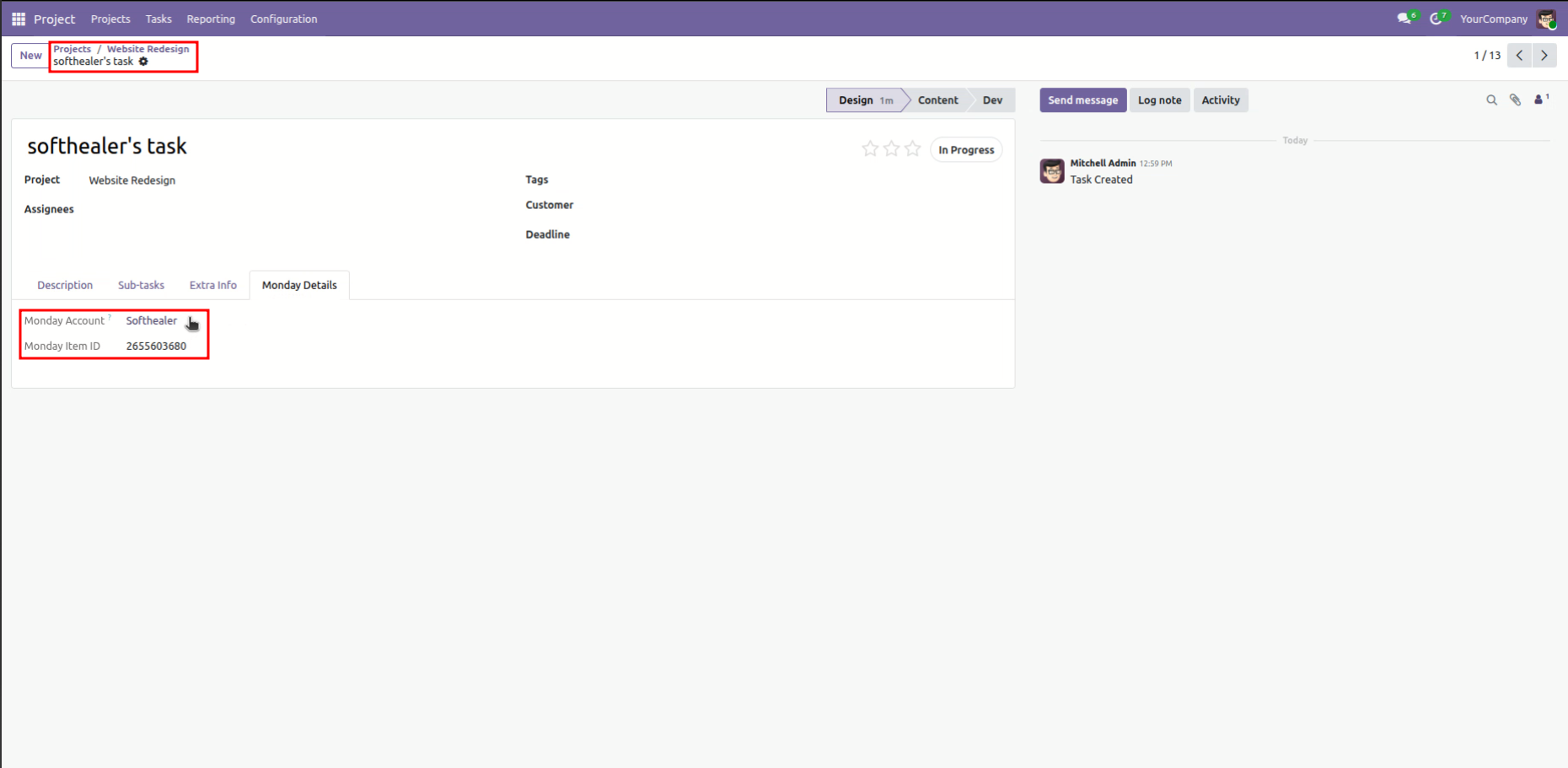
Odoo Task form view for softhealer's task showing active Monday Details tab with Item ID.

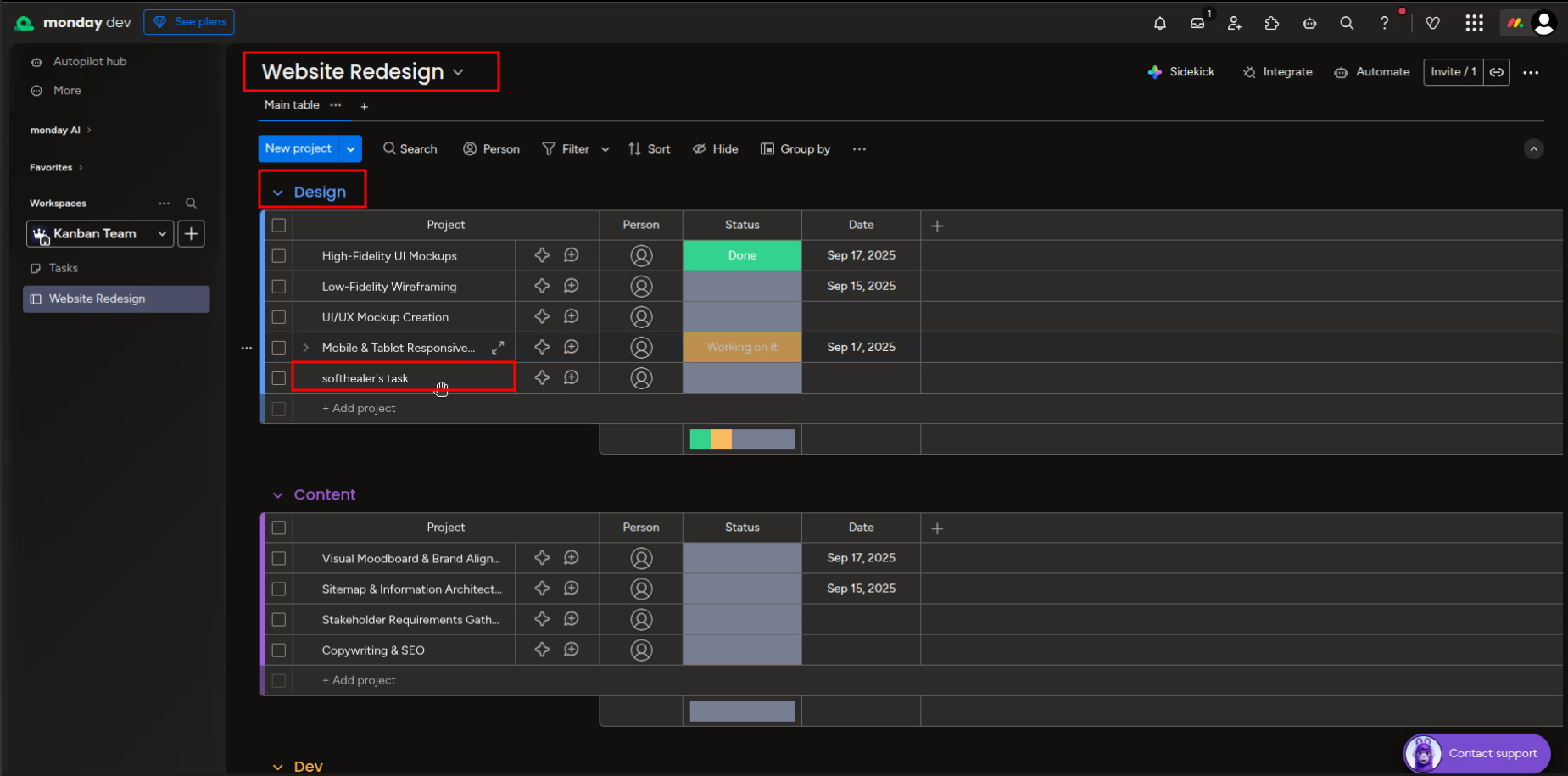
Track task.

Monday.com board view in dark theme displaying synced task in the Design group.

Tasks reflect new stage sync from Monday.com.
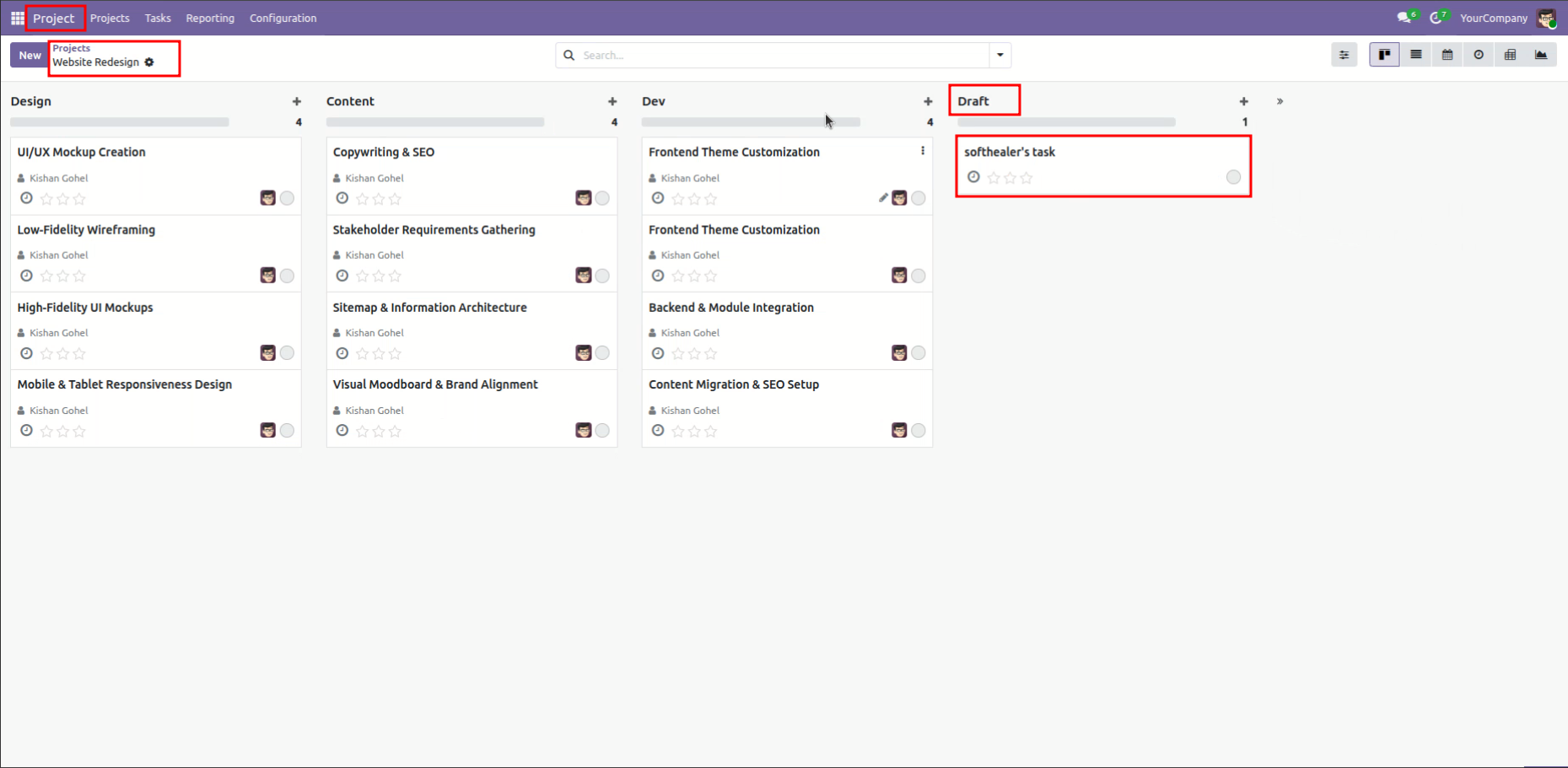
Odoo Project tasks Kanban view showing softhealer's task under the newly synced Draft stage.

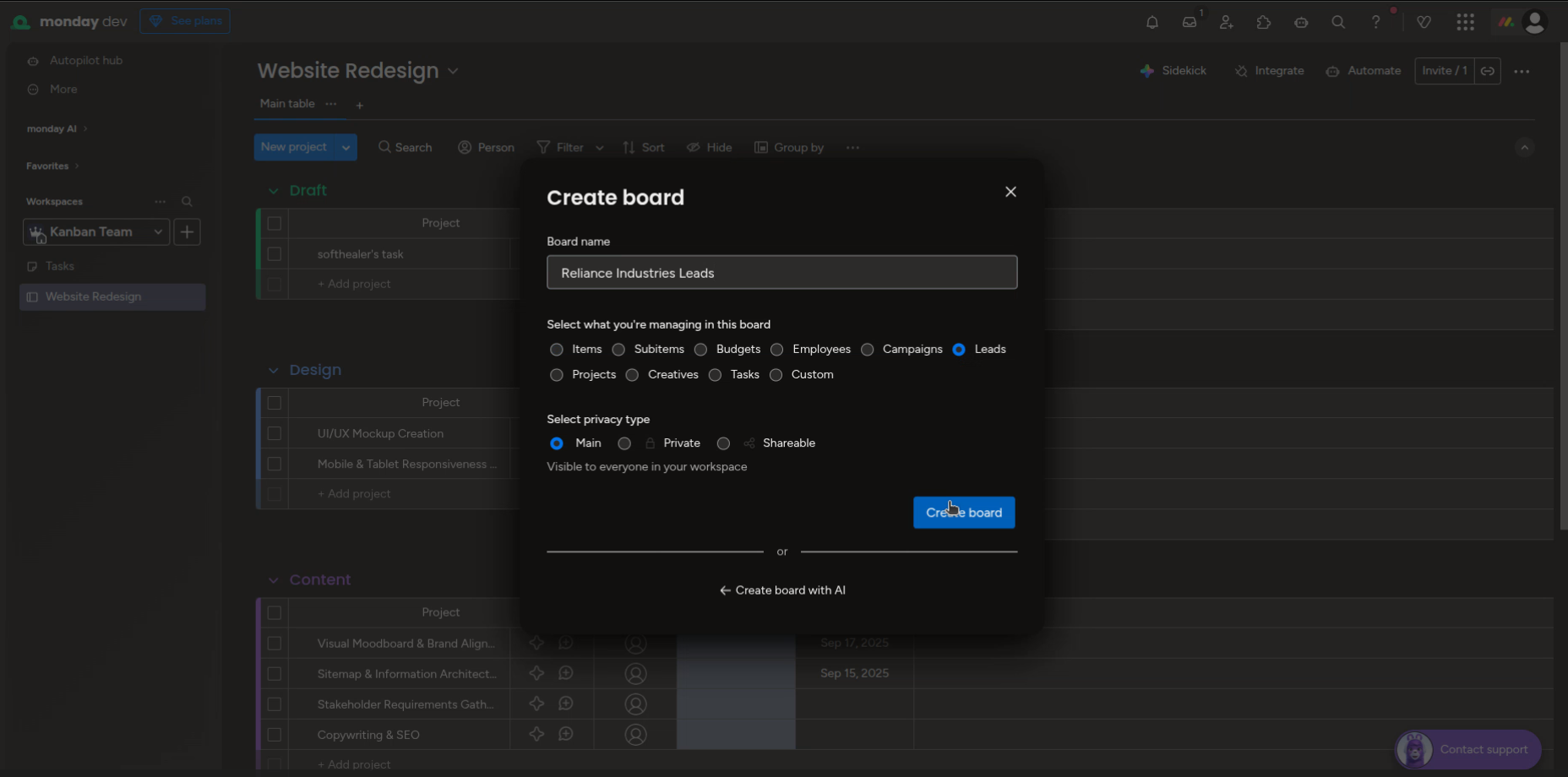
Set up new boards for CRM.

Monday.com Create Board dialog for a new leads board named Reliance Industries Leads.

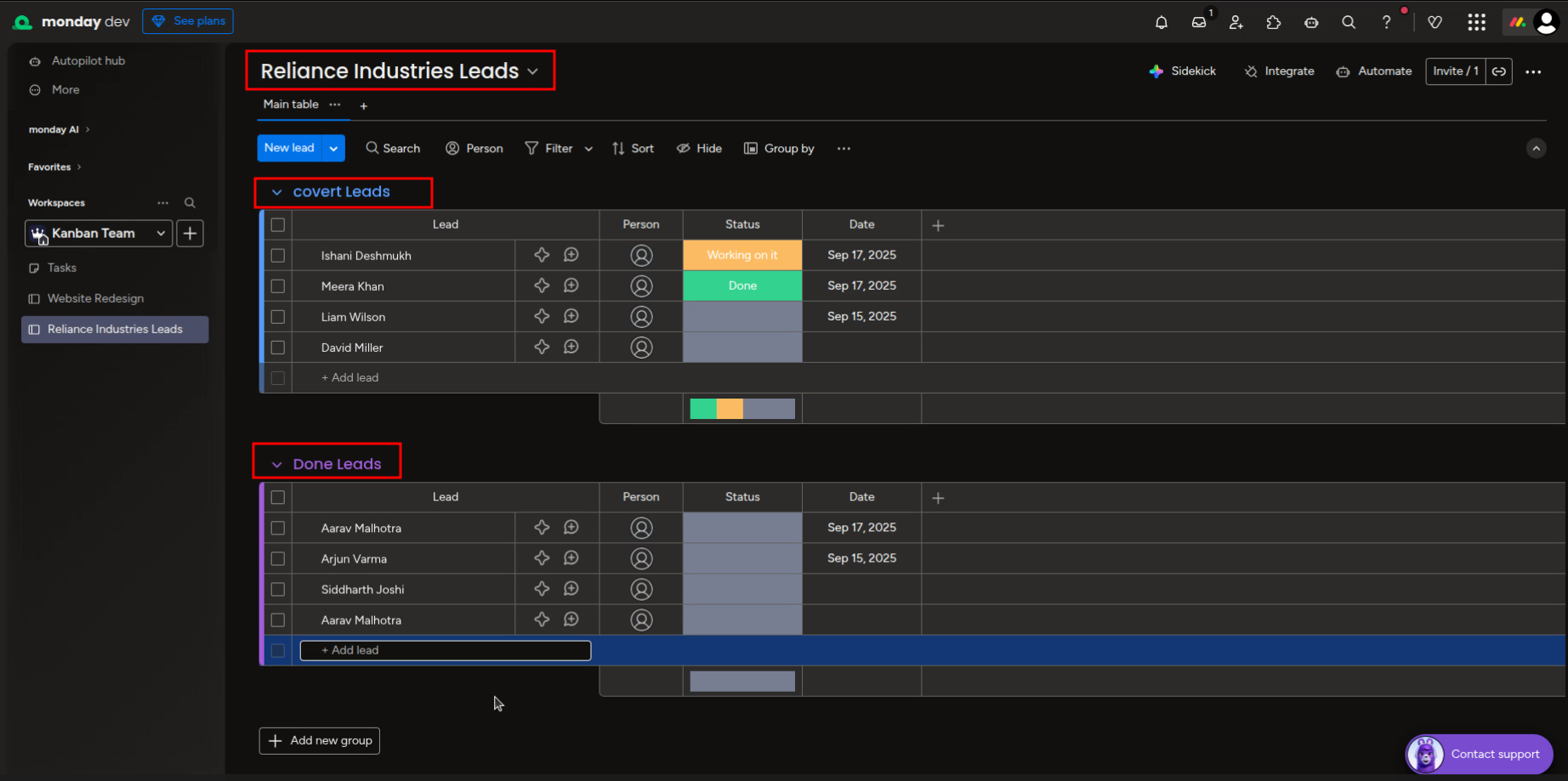
Group CRM leads on Monday.com.

Monday.com board for Reliance Industries Leads showing groups like covert Leads and Done Leads.

Trigger data synchronization manually via the Import Data button.
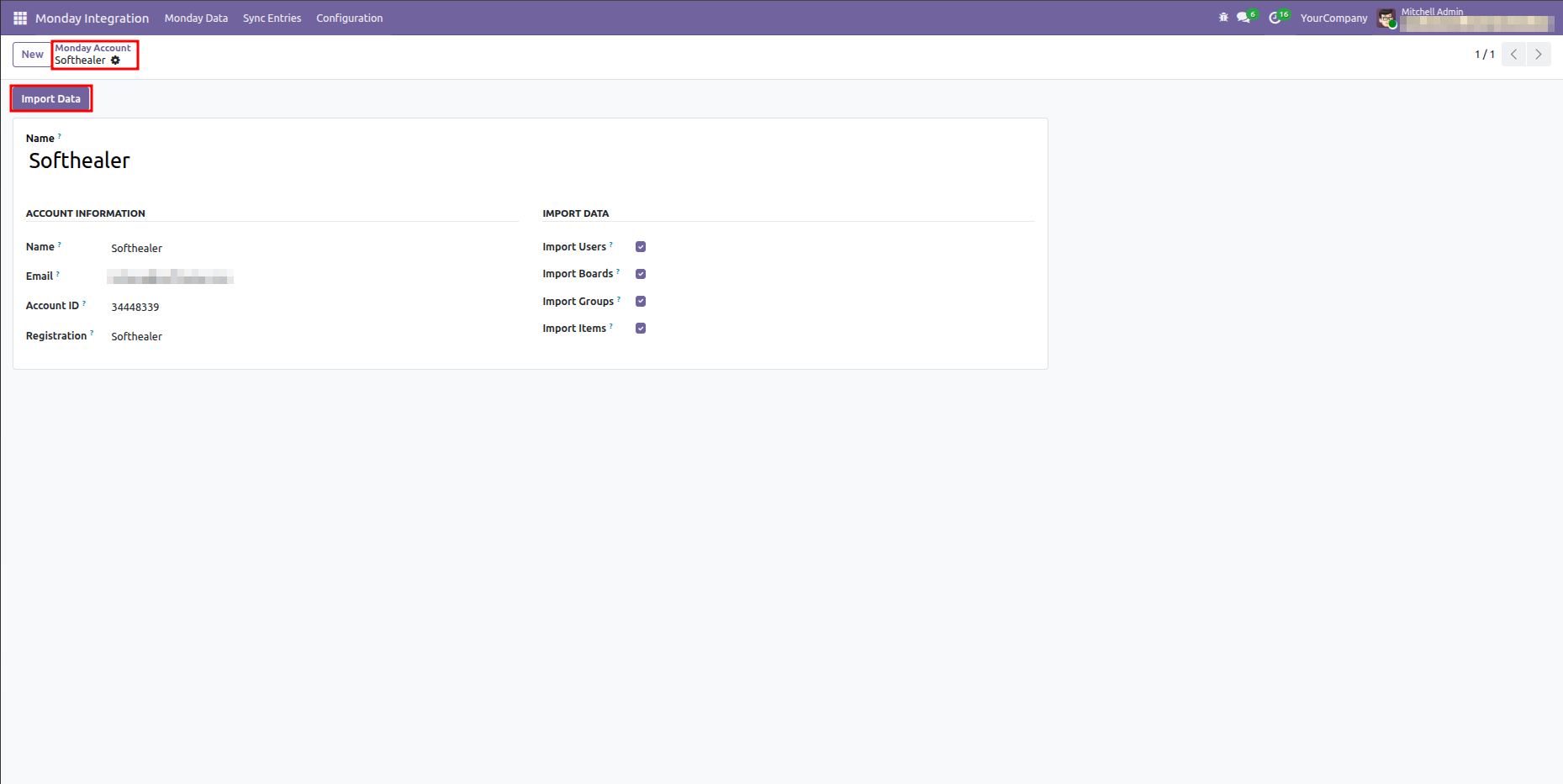
Odoo Monday Account form view highlighting the Import Data button to trigger manual sync.

Map Monday leads board and groups to Odoo CRM.
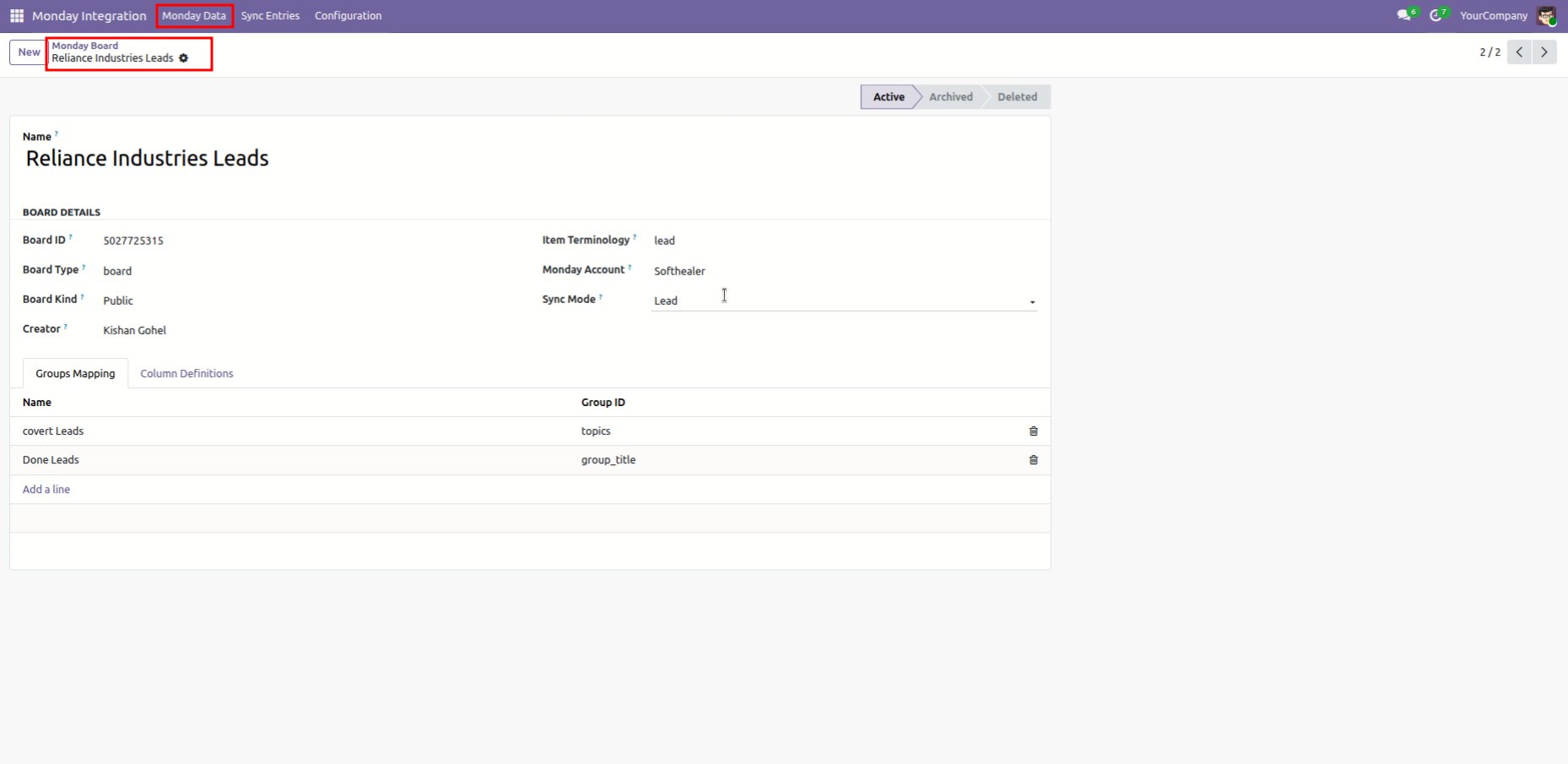
Odoo Monday Board form view for Reliance Industries Leads with Sync Mode set to Lead and mapped groups.

View CRM pipeline stages mapped to Monday groups.
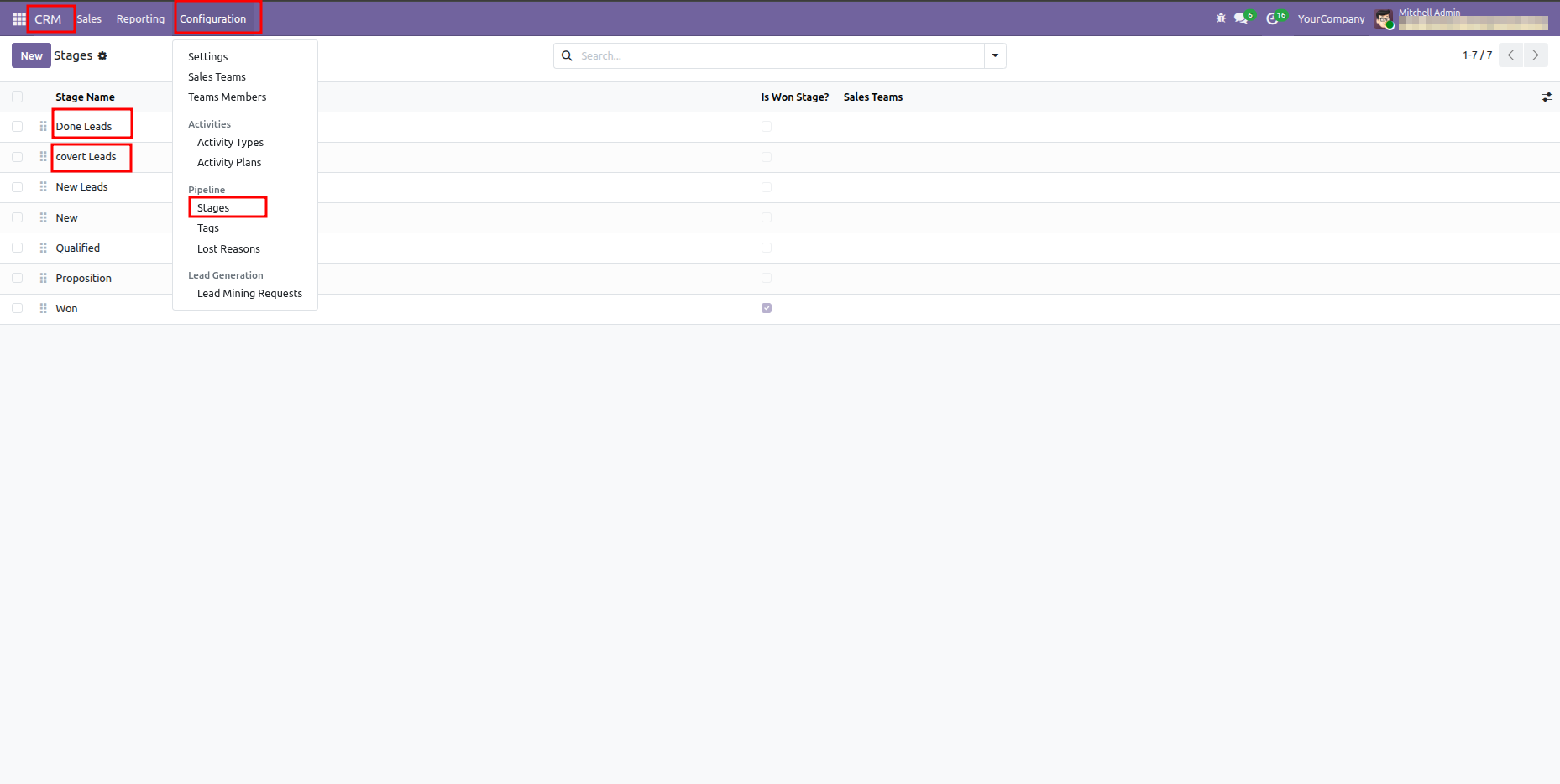
Odoo CRM stages list view displaying the mapped stages for Monday Leads.

View stage on Monday.com leads board.
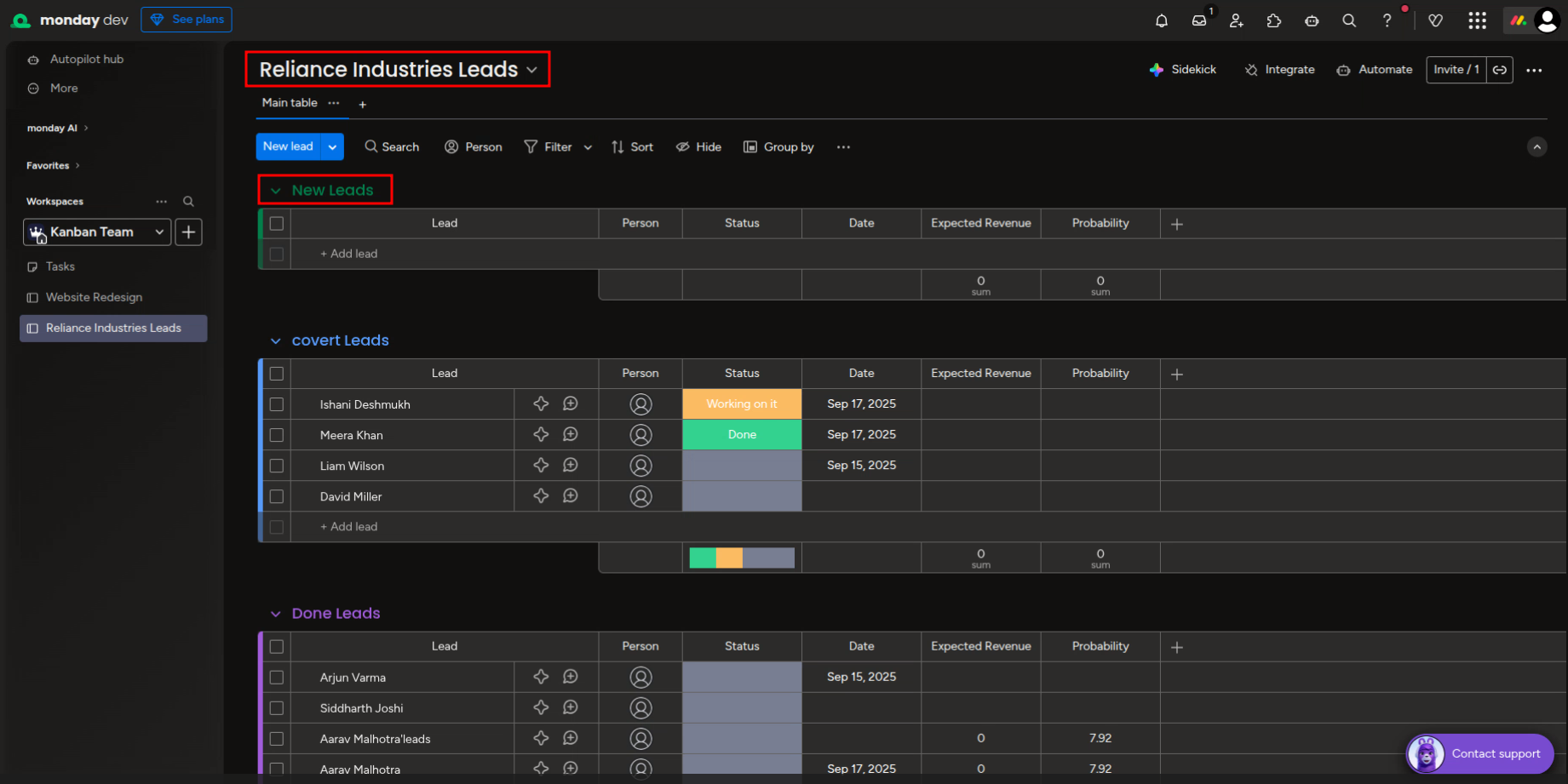
Monday.com leads board showing synced stages and custom fields like expected revenue.

Link specific CRM stages to Monday groups.
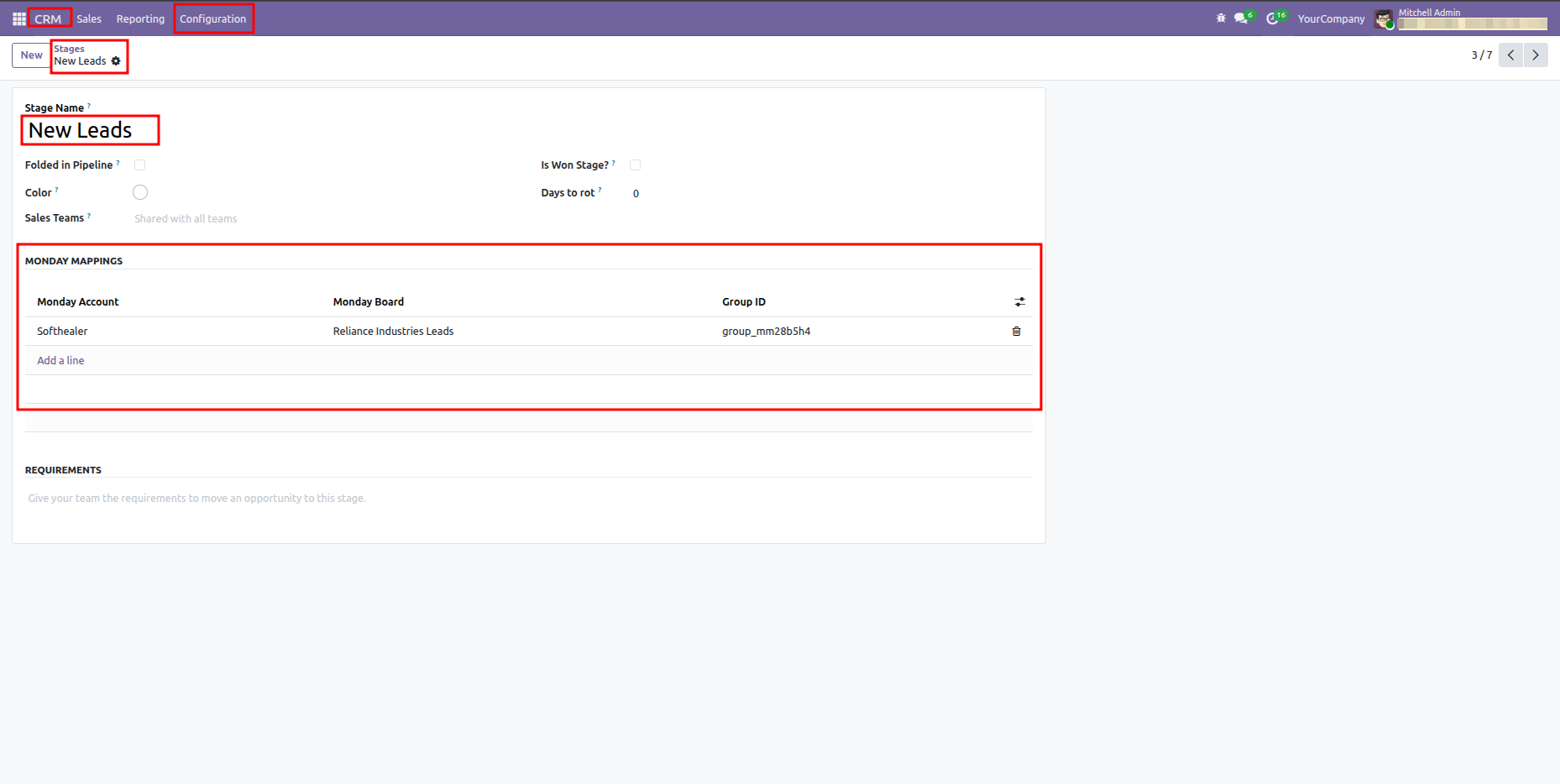
Odoo CRM stage form view for New Leads highlighting the Monday Mappings table.

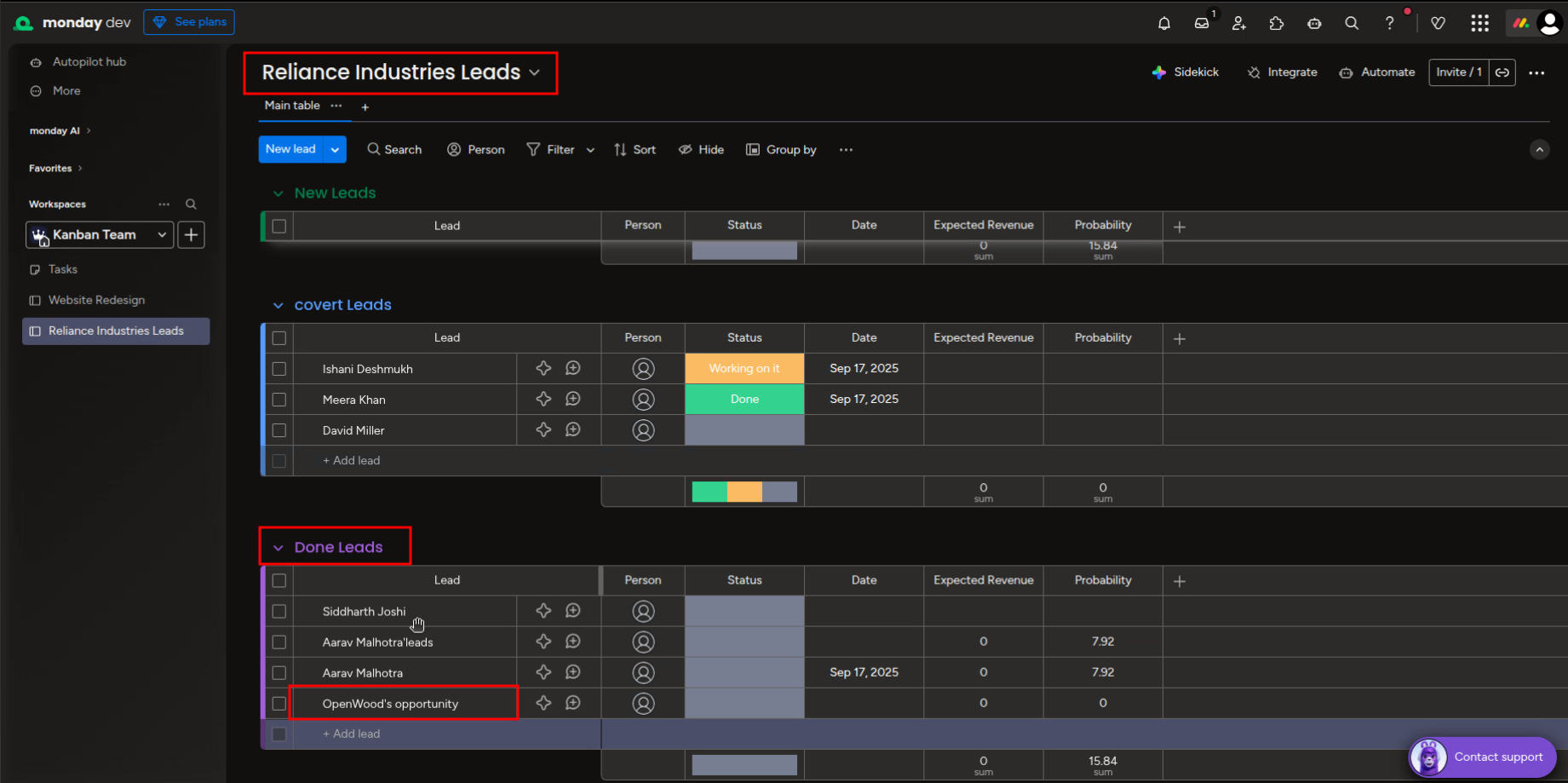
Lead record in monday.

Monday.com Reliance Industries Leads board showing final synced records after updates.

View synced Monday details directly on lead form.
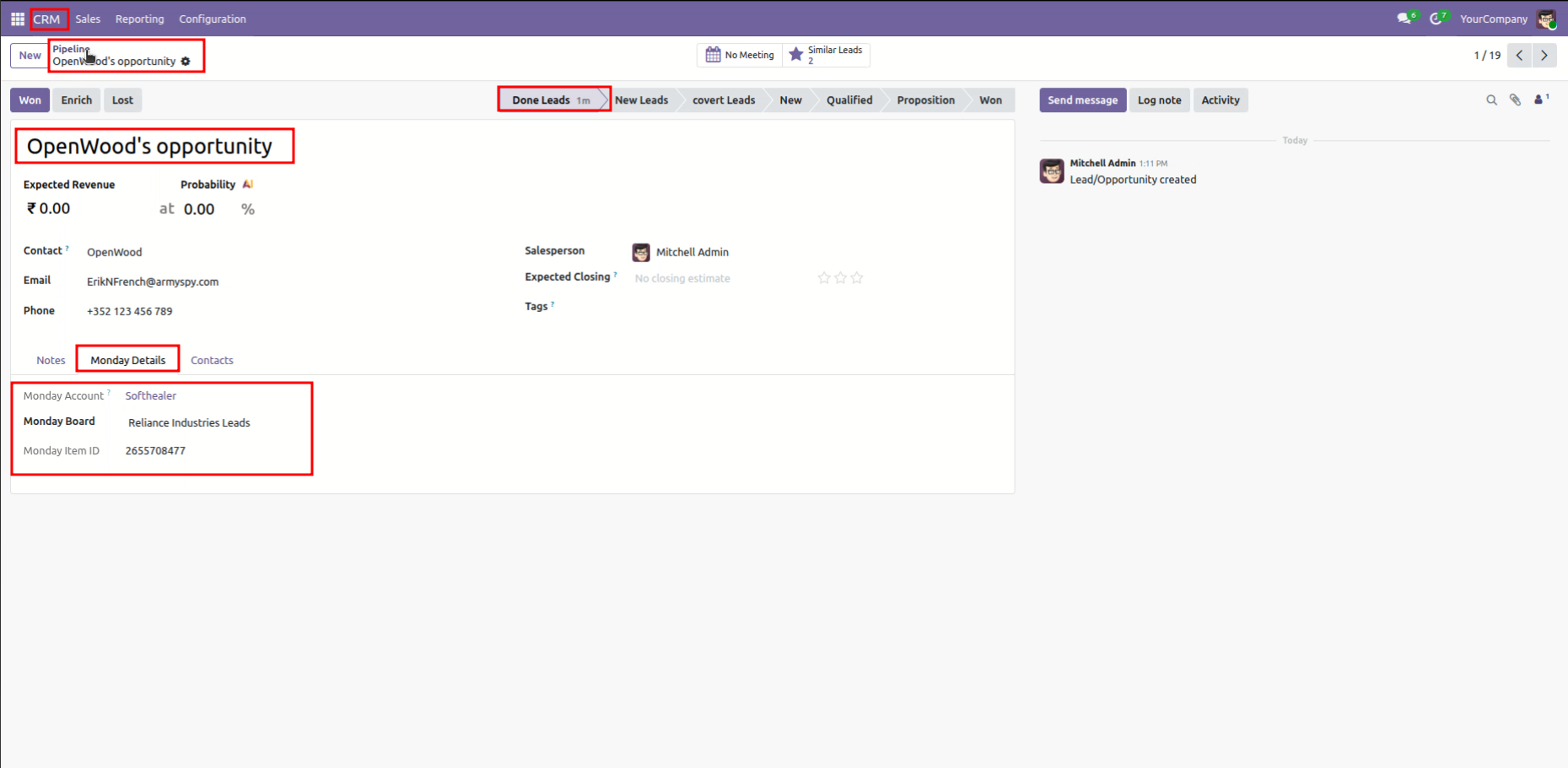
Odoo CRM Lead form view showing active Monday Details tab with mapped account and item ID.

Synced leads arranged across pipeline stages.
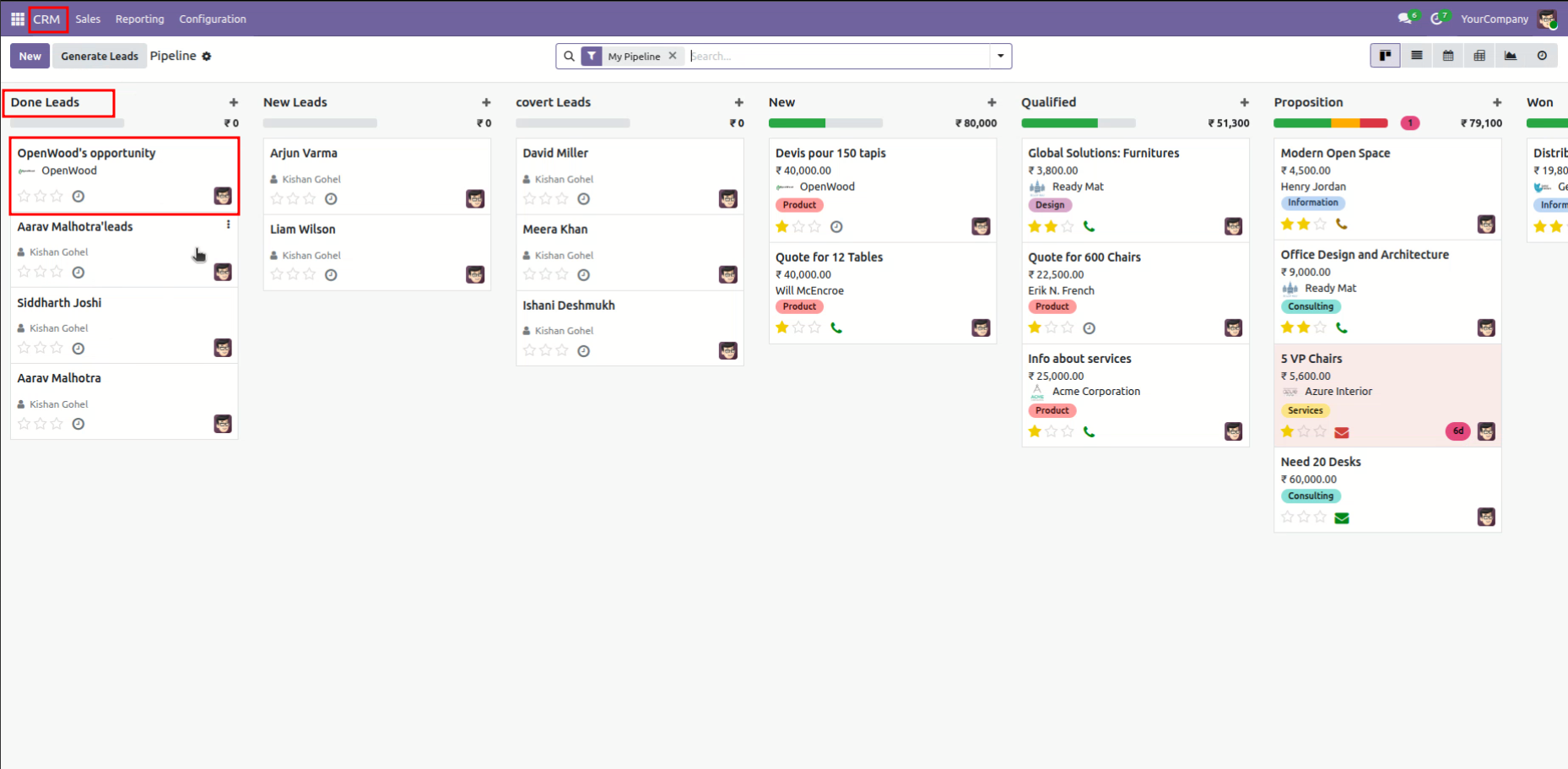
Odoo CRM Pipeline view displaying lead cards under synced Monday stages.

Audit trail listing all synchronization records and operations.
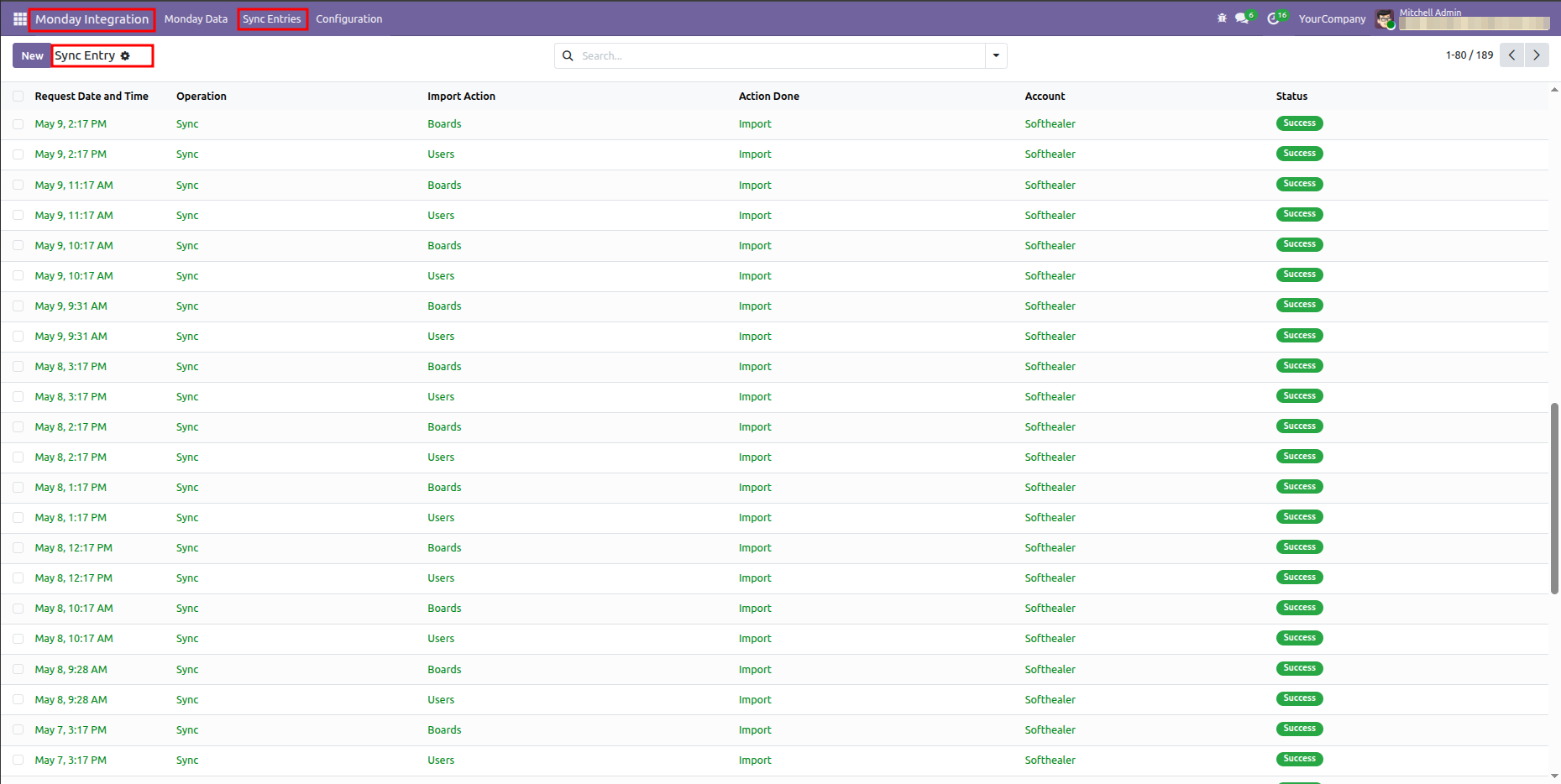
Odoo Sync Entries list view showing the operation logs of successful imports.

Configure Scheduled Actions for automated import.
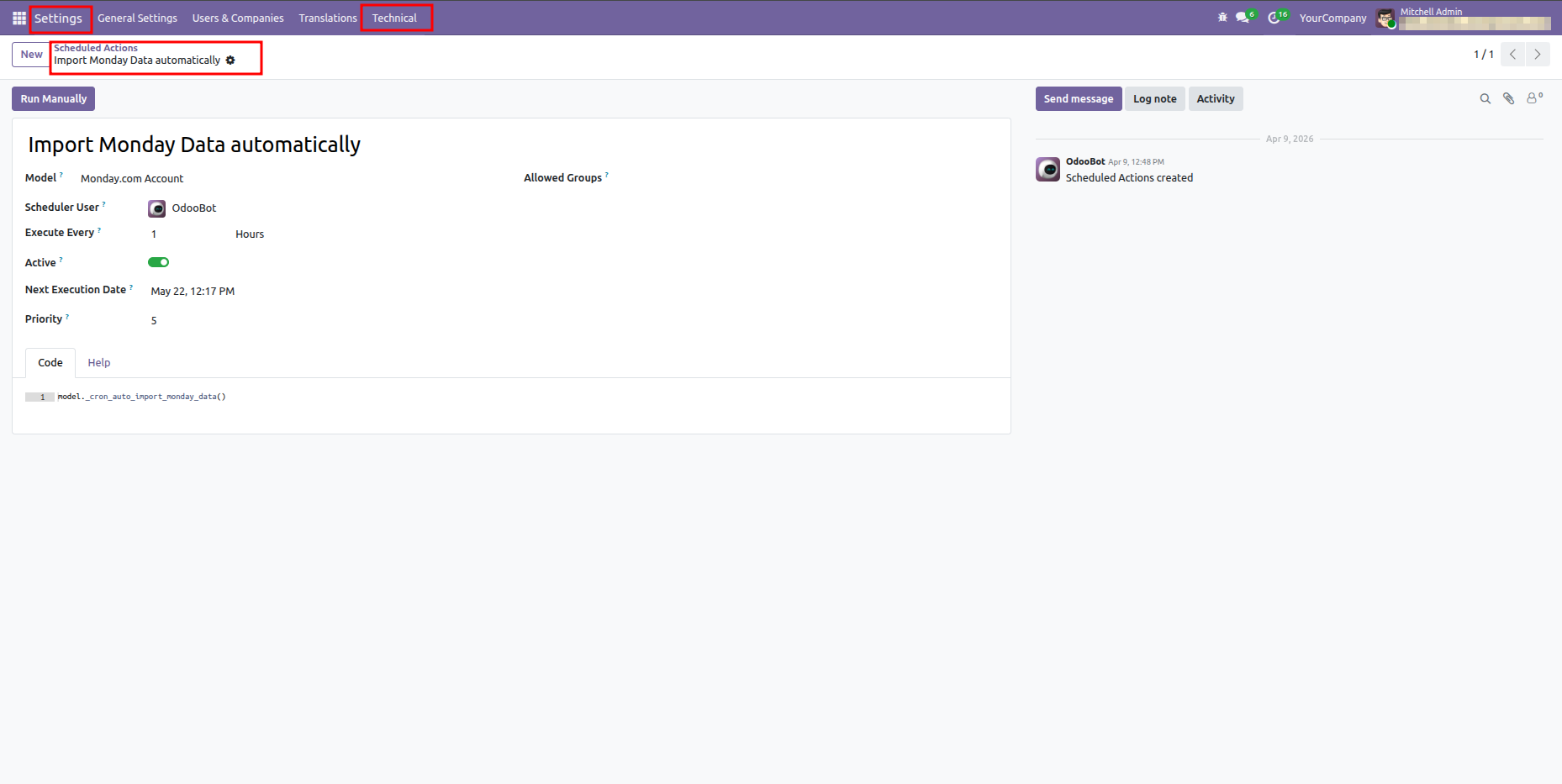
Odoo Scheduled Actions form view showing the cron job setup for automated Monday data import.

View synchronized Monday.com user list in Odoo.
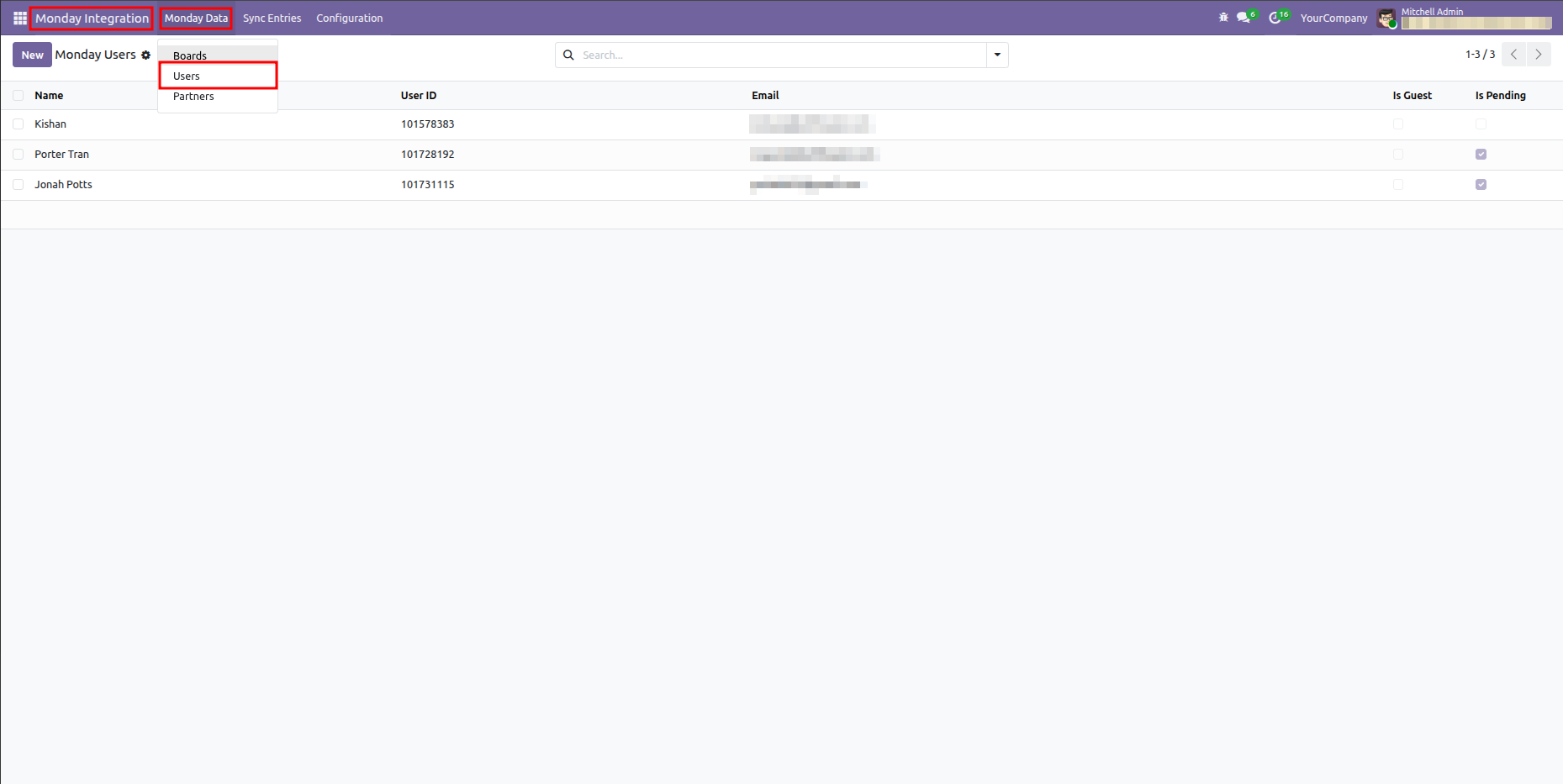
Odoo Monday Users list showing imported and mapped users from Monday.com.

View specific Monday user account details and status.
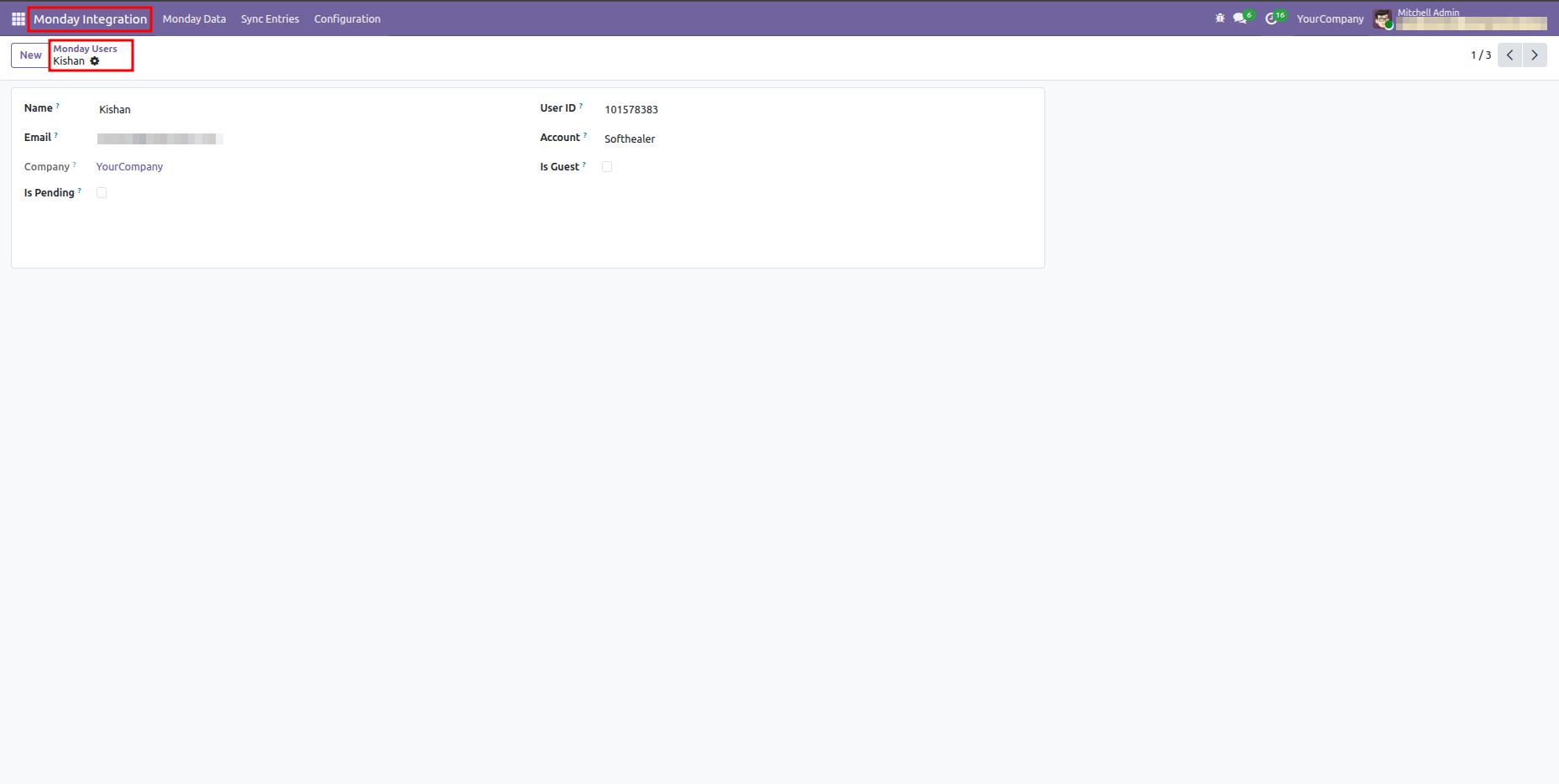
Odoo Monday Users form view showing detailed configuration for a specific synced user.

Version 19.0.1.0.0 | Released on : 25th July 2026

Initial Initial Release.
  • Yes, this app works perfectly with Odoo Enterprise (Odoo.sh & Premise) as well as Community.
  • No, this application is not compatible with odoo.com(odoo saas/Odoo Online)
  • Yes, we provide free support for 365 days from the date of purchase.
  • Yes, you will receive lifetime free updates for the version of the module you purchased.
  • No, there is no need to install any additional libraries.
  • Yes, for version 12 and above, you need to purchase the module separately for each version you intend to use.
  • No, exchanges or refunds are not allowed. Please make sure to select the correct version before purchasing.
  • You can contact us at support@softhealer.com for language translation support. We use Google Translator tools to provide translations in multiple languages, so the accuracy may vary. We welcome your suggestions to help improve translations.

Discover Our Latest Apps
heading
NEW

Odoo Direct Print

  • Print Any Odoo PDF
  • Access From Anywhere
  • No IoT Required
And many more powerful features..

NEW

AI Insight Assistant

  • Dedicated AI Chat Interface
  • Instant Response Engine
  • Intelligent Data Understanding
And many more powerful features..

NEW

Knowledge Base System

  • Smart Dashboard
  • User & Manager Roles
  • Portal View
And many more powerful features..

Monday.com Odoo Connector v18

Transforming Businesses with Next-Gen Solutions

Our next-generation solutions are built to transform businesses and drive growth in the digital era.

Find Us

530, West Gate 2,
Ayodhya Chowk, 150 Feet Ring Road Rajkot, Gujarat 360006.

Find Us

131 South End, Croydon CRO 1BJ,
United Kingdom

Contact No.

HR : +91 90232 46069
Sales : +91 93288 25451
Support : +91 63571 93747

Contact No.

Sales : +44 7562 893296

Reach Us Read Blog Contact Us Submit Support Ticket Watch Video Tutorial
whatsapp-support-store whatsapp-support-store
Click to Chat