










Microsoft Fabric Odoo Connector

The Odoo Microsoft Fabric Connector enables seamless integration between Odoo and Microsoft Fabric, allowing businesses to securely synchronize their operational data for advanced analytics and reporting. With an easy setup process, users can authenticate the connection, select Fabric workspaces and Lakehouse destinations, and configure model-level data synchronization without any complex development.
The module supports flexible data access, scheduled synchronization, and detailed logging to ensure reliable and controlled data movement. By sending Odoo data directly to Fabric storage, it helps organizations centralize information and keep it ready for analytics, reporting, and insights through Power BI and other Fabric tools.

Features
Easy Data Connection
Quickly connect Odoo with Microsoft Fabric using a simple configuration process without requiring complex development.
Bearer Token Authentication
Securely establish the connection using token-based authentication to ensure protected and reliable data synchronization.
Token Expiry Control
Define token validity duration to manage access securely and maintain controlled authentication.
Fabric Copy Job Workflow Support
Enable structured data movement using Fabric copy workflows to manage and organize synchronization processes efficiently.
Configurable Model Access
Select and control which Odoo models are included in synchronization to ensure flexible and secure data sharing.

Request Logging and Monitoring
Track synchronization activities with detailed logs, including request time, model name, and sync status for better visibility.
Lakehouse Integration
Synchronize Odoo data directly into Fabric Lakehouse for centralized storage and analytics readiness.
Direct Data Synchronization
Seamlessly sync selected Odoo models to Fabric tables through an intuitive configuration interface.
Full Odoo Data Access
Access both standard and custom fields from any Odoo module to ensure complete data availability for analytics.
Scheduled Synchronization
Configure automated sync intervals to keep Fabric data updated regularly without manual intervention.
Fabric Destinations
Store raw data in the Lakehouse, such as Delta or Parquet formats, manage structured data in the Warehouse for reporting, and keep it ready for seamless connectivity with Power BI for advanced analytics and visualization.
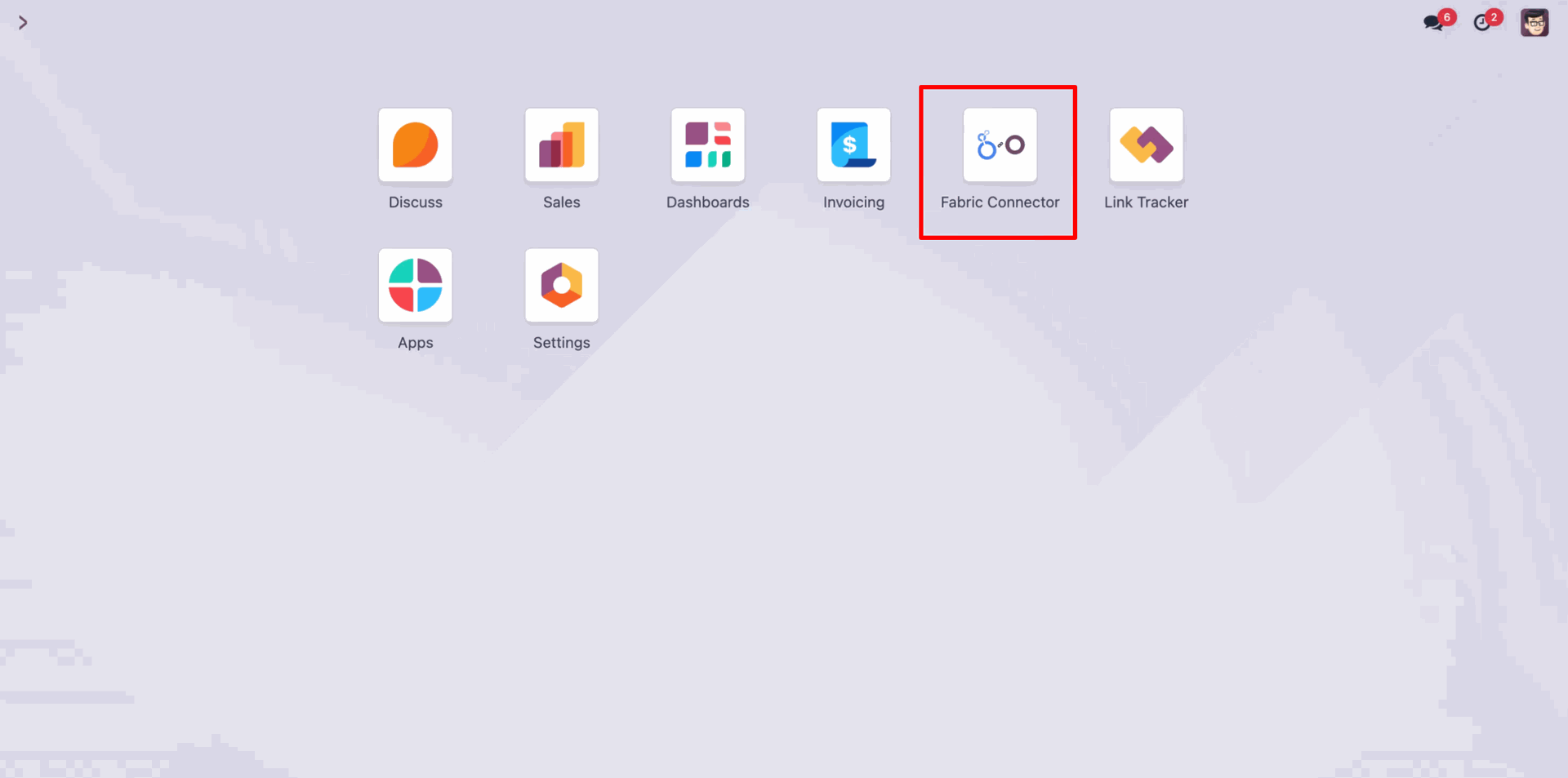
Go to 'Fabric Connector'.
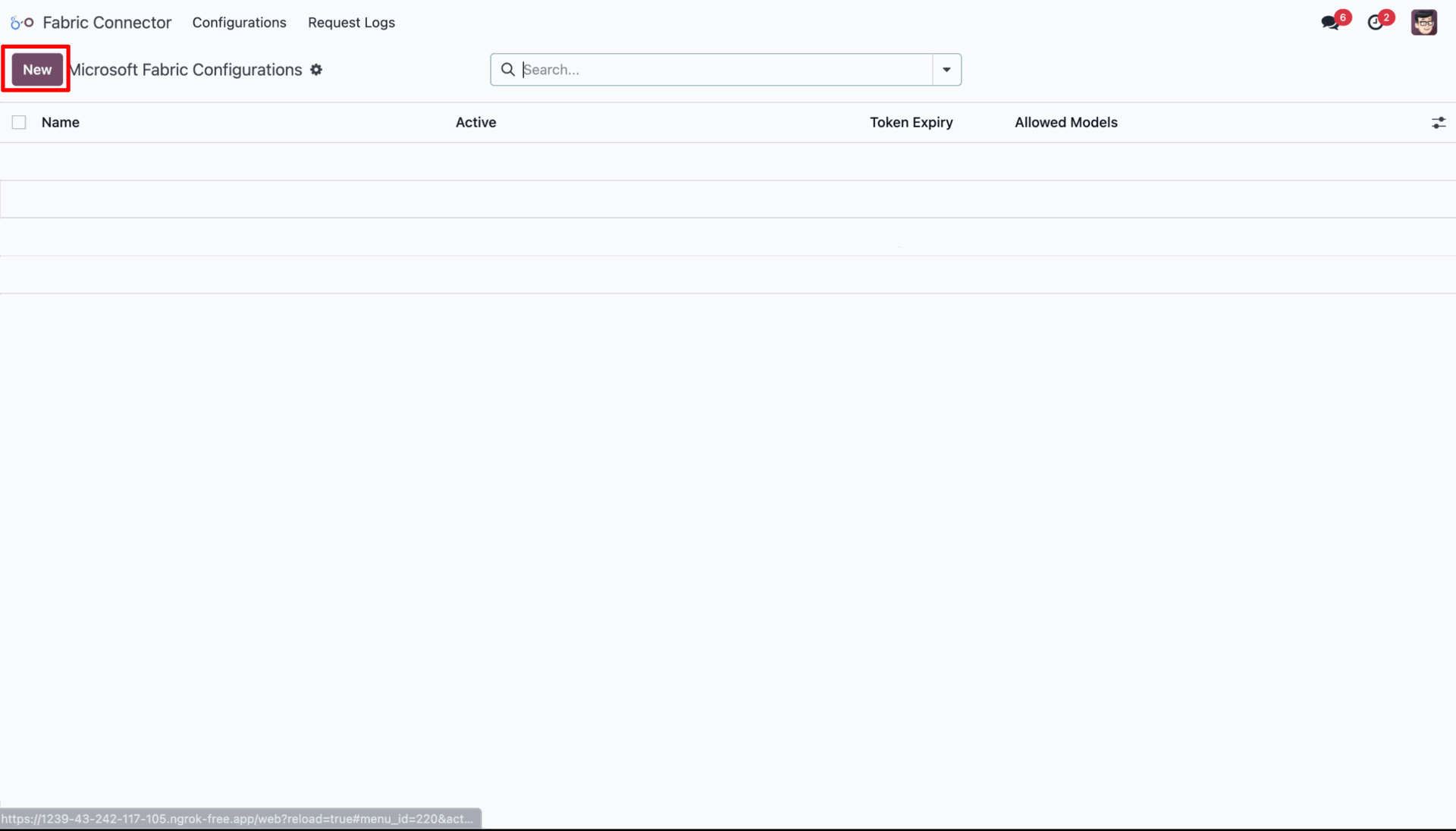
Create a new Microsoft Fabric Configuration.
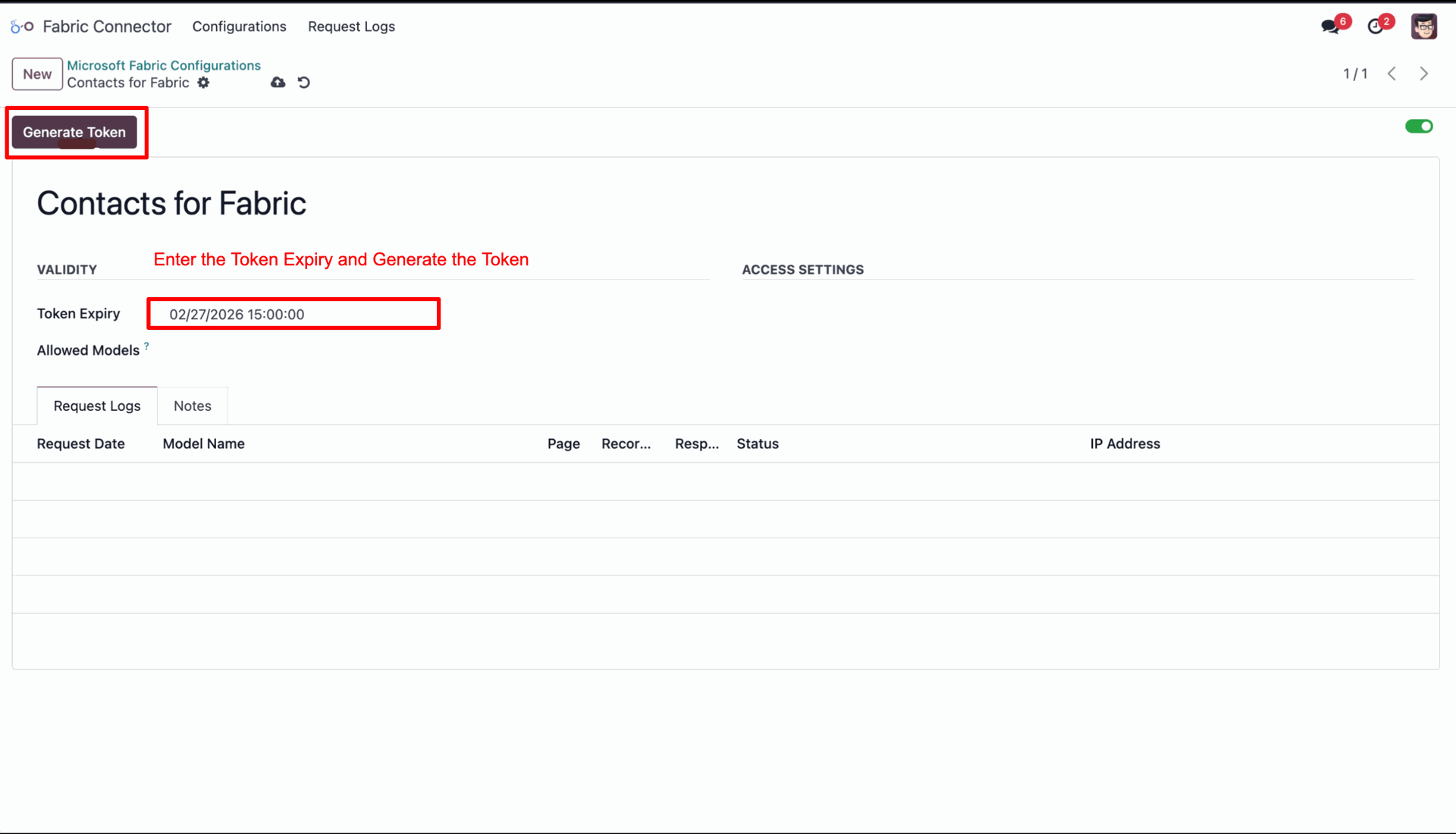
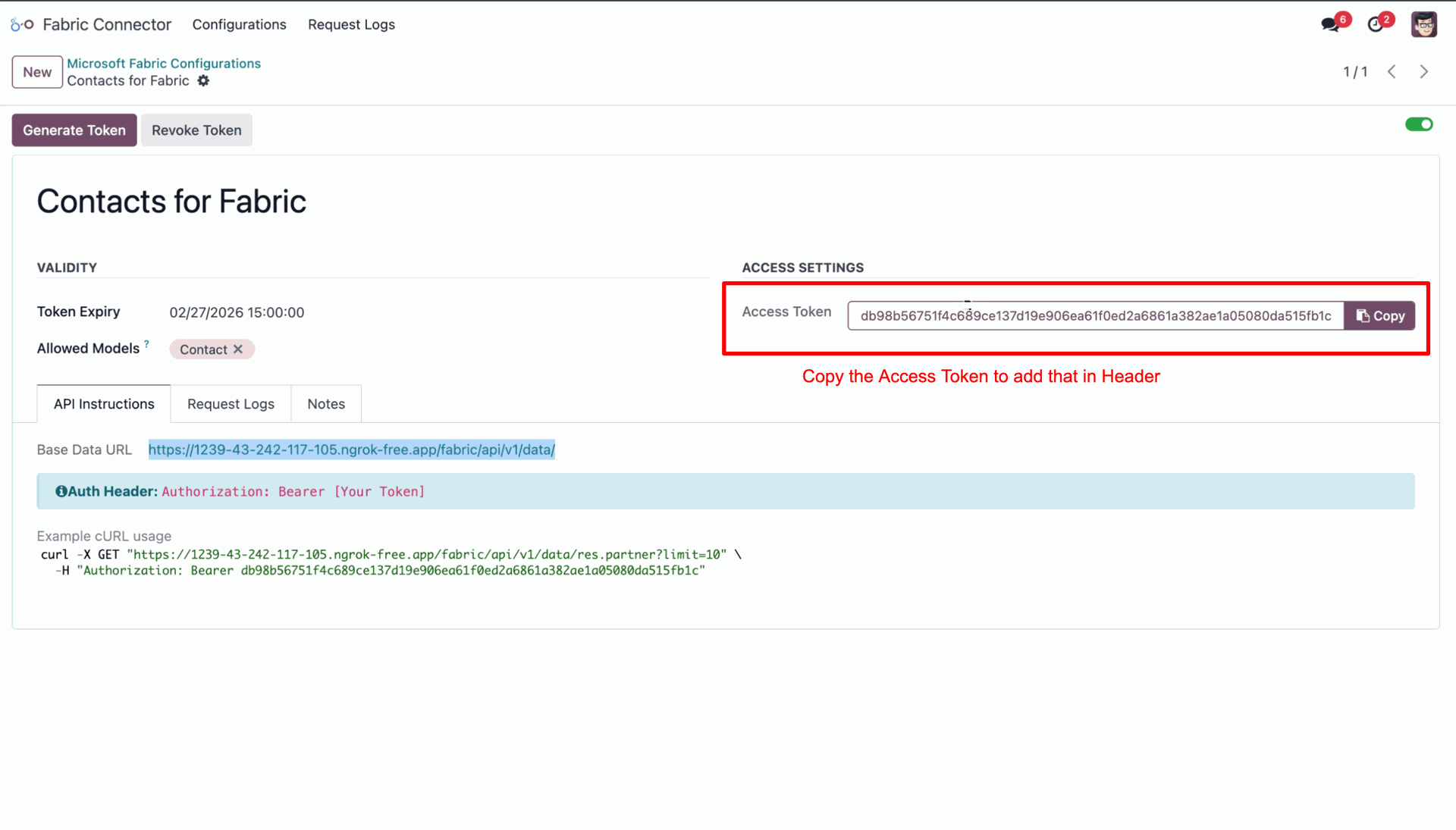
Enter the token expiry date, then click on the 'Generate Token' button.
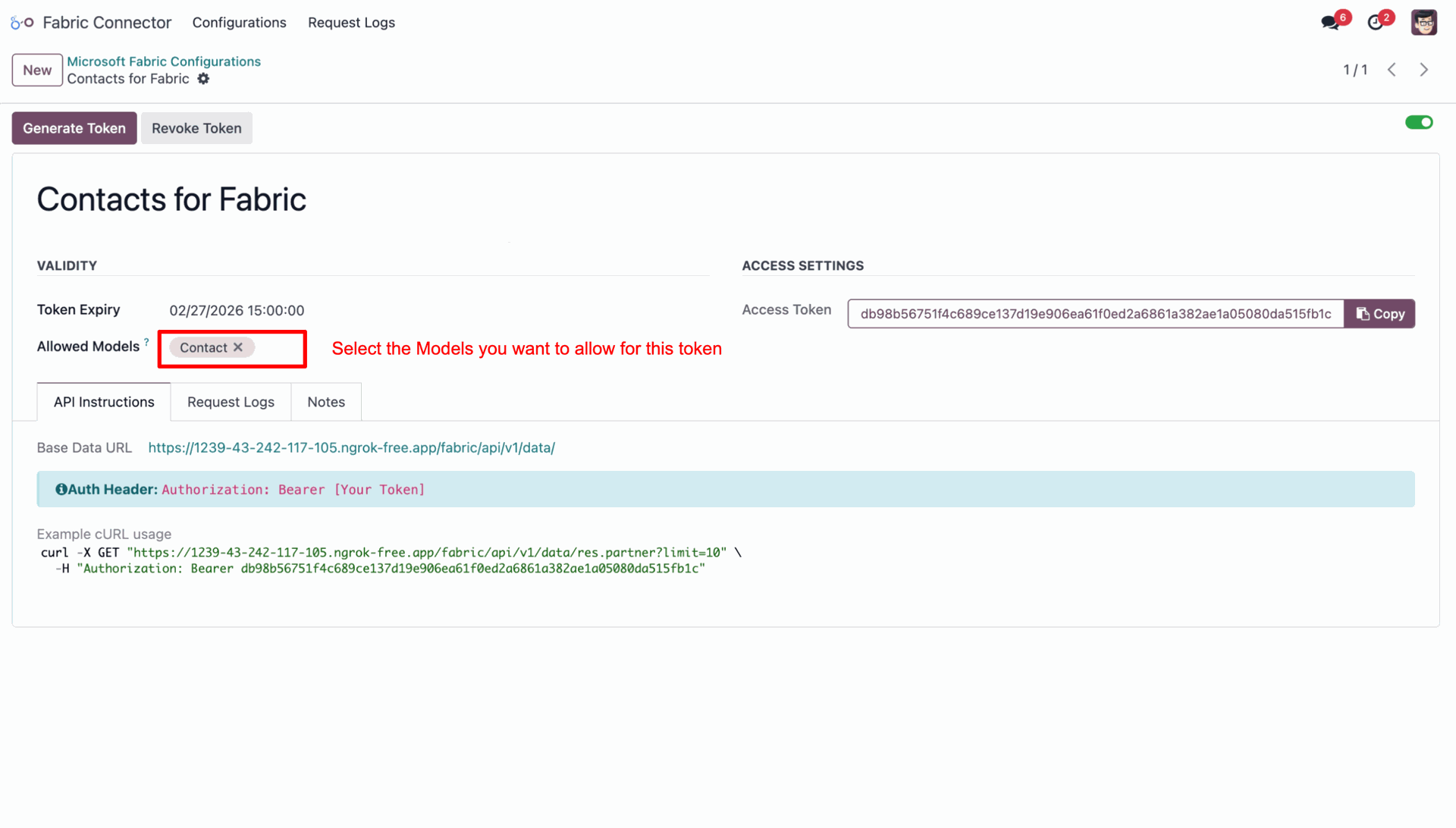
Choose the models you want to grant access to this token.
Go to your workspace in Fabric and click on 'Create New Item' to create an item.
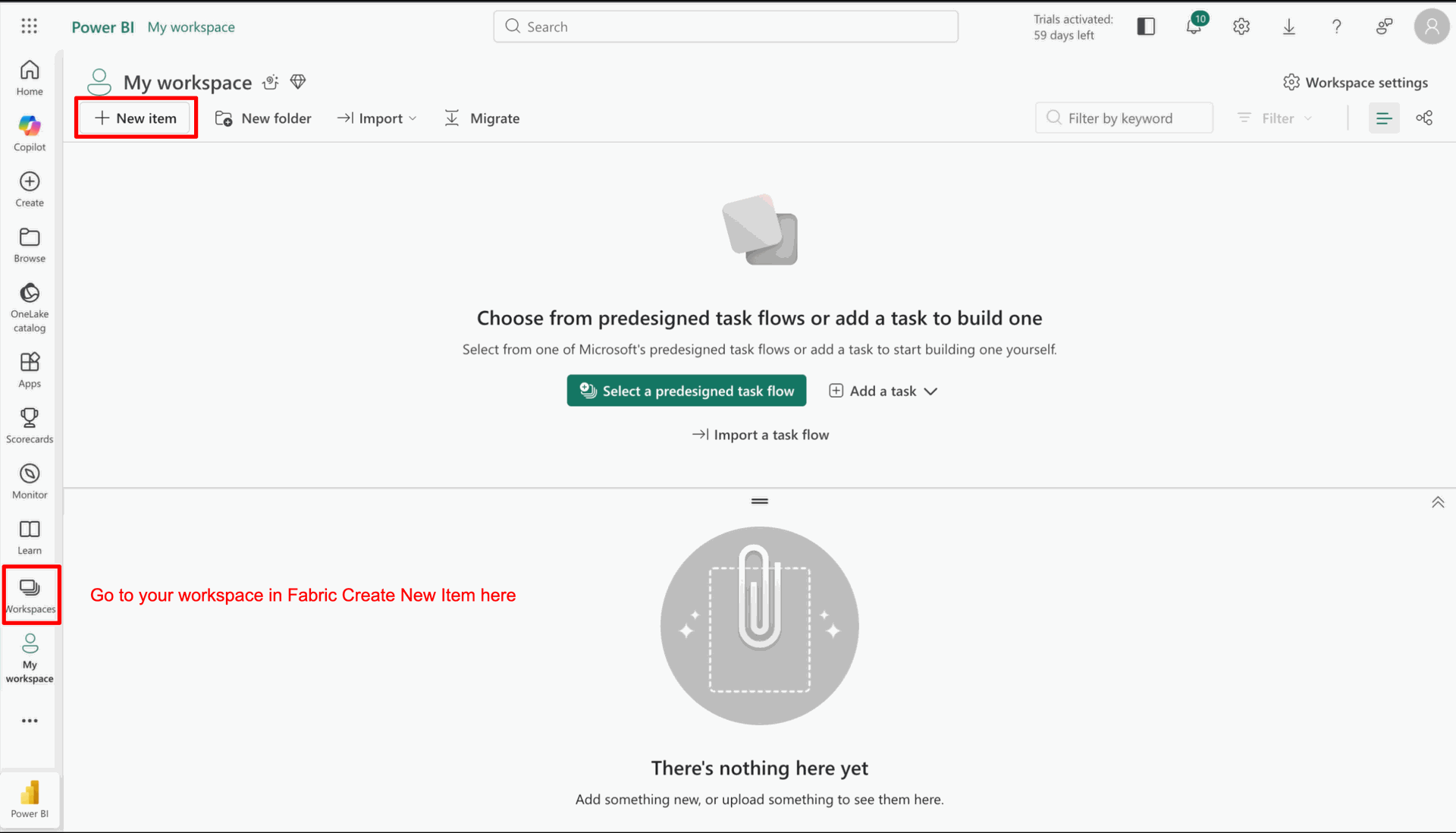
Click on the 'Copy Job' for data fetching.
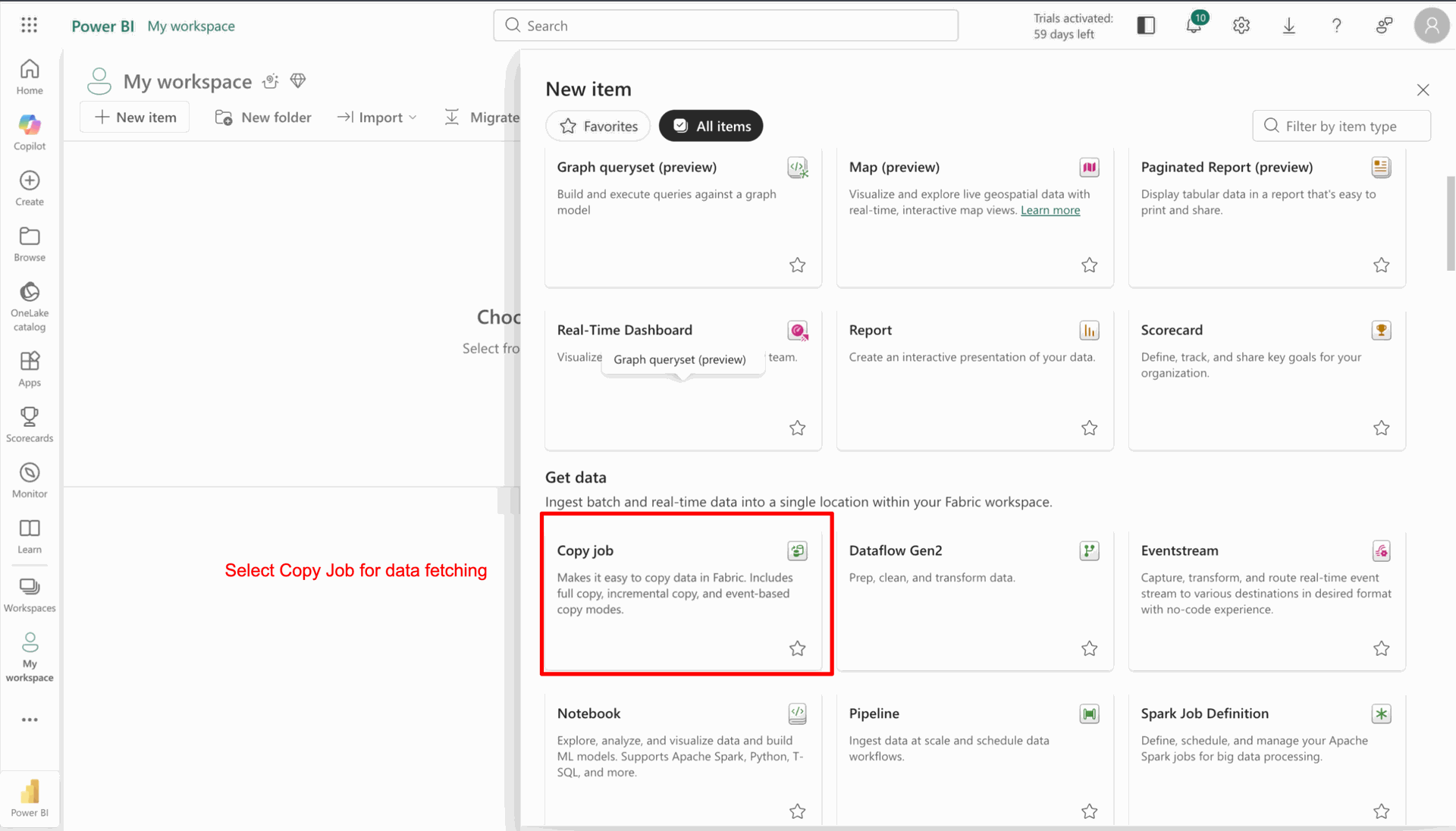
Add name and click on the 'Create' button.
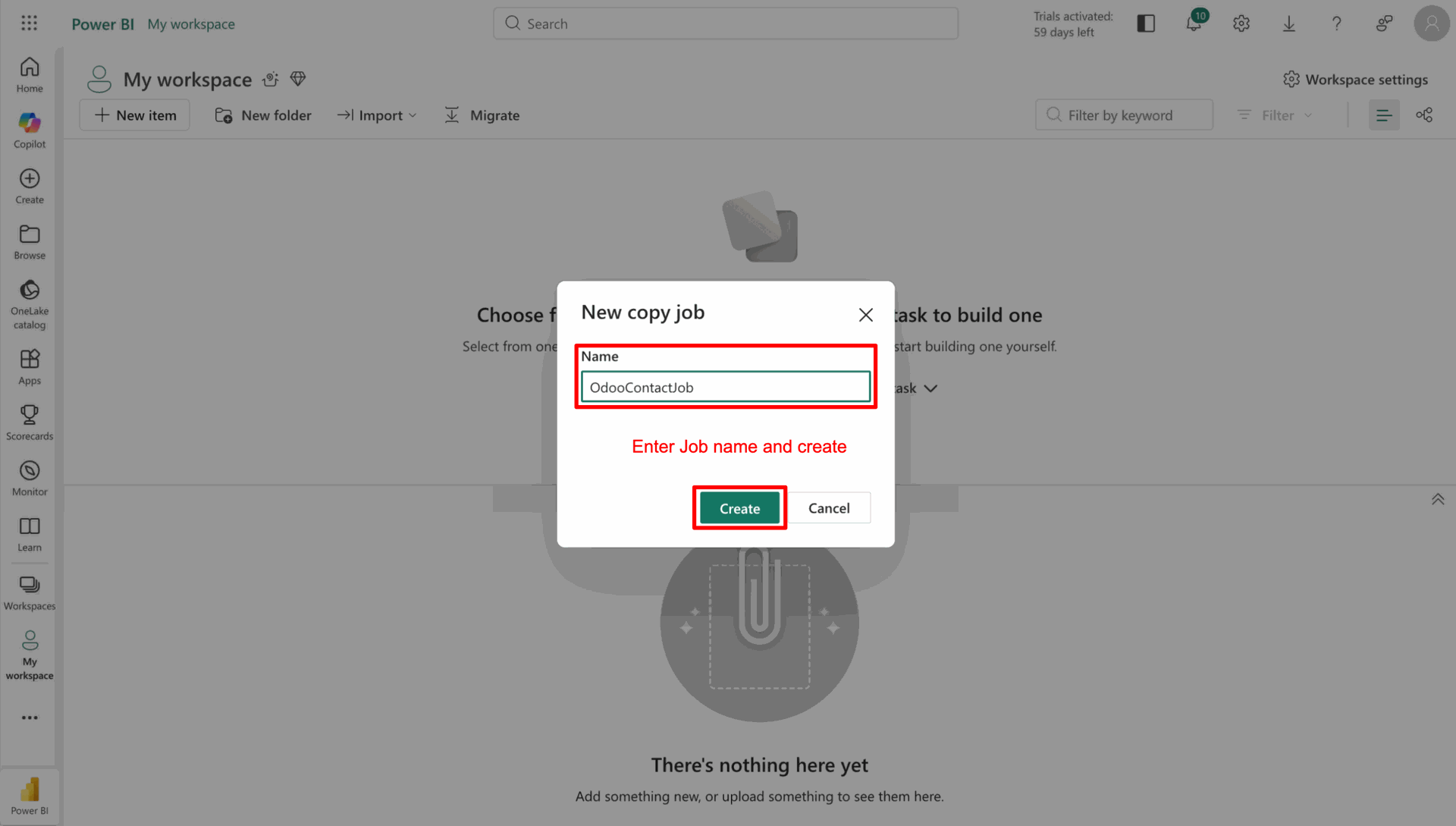
Search for the source. Here, we are searching for 'REST'.
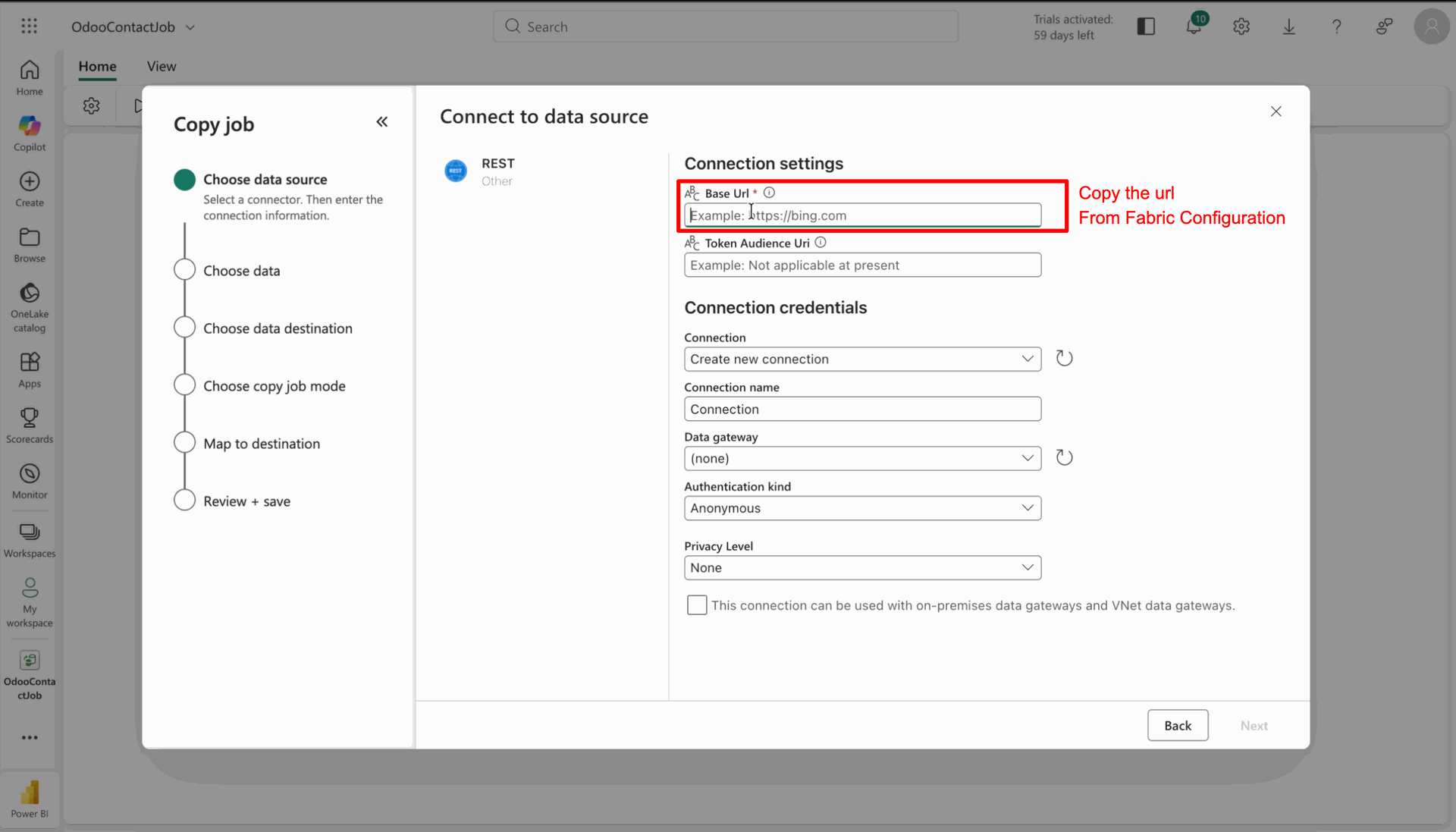
Click on the 'REST' source.
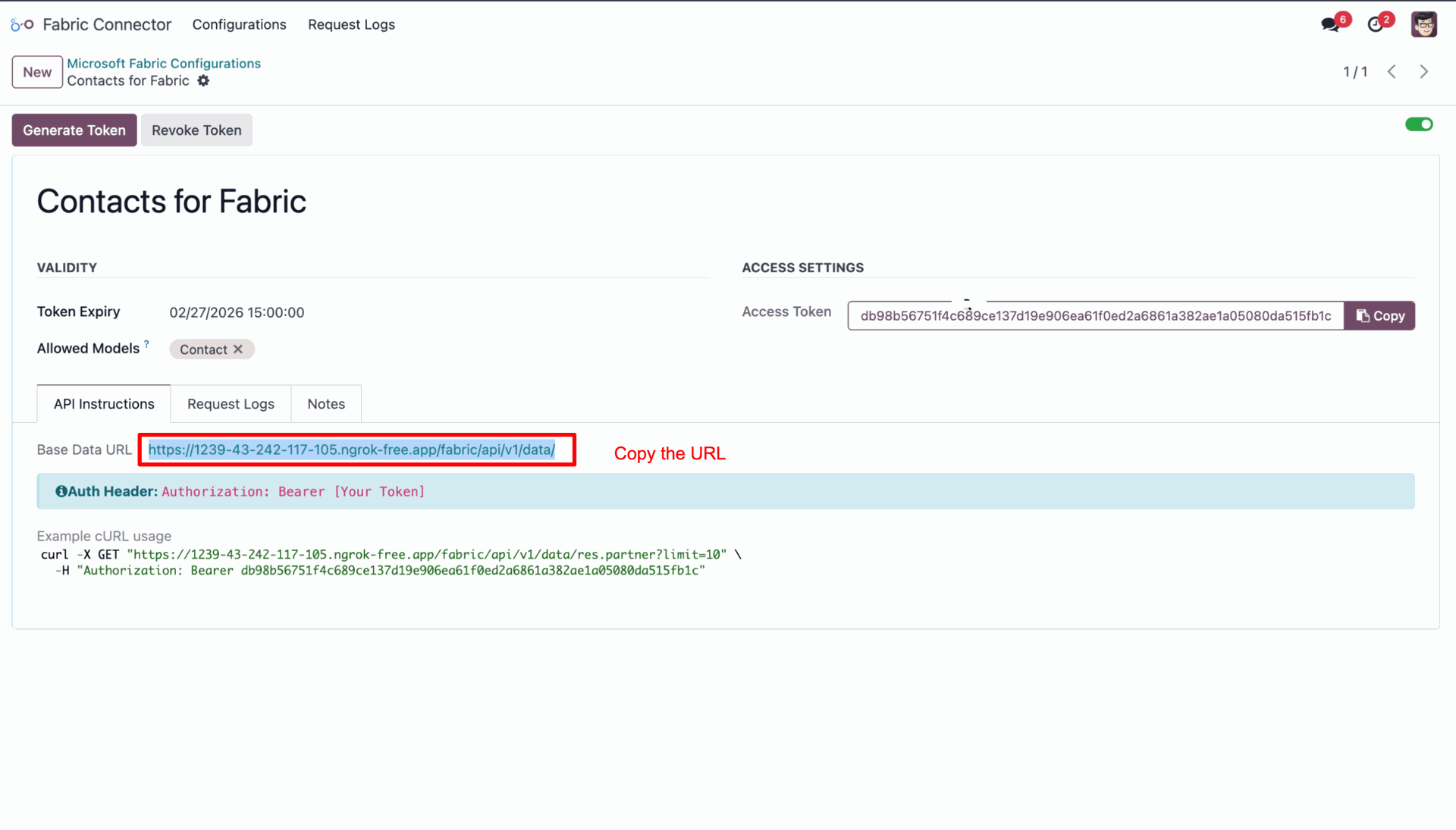
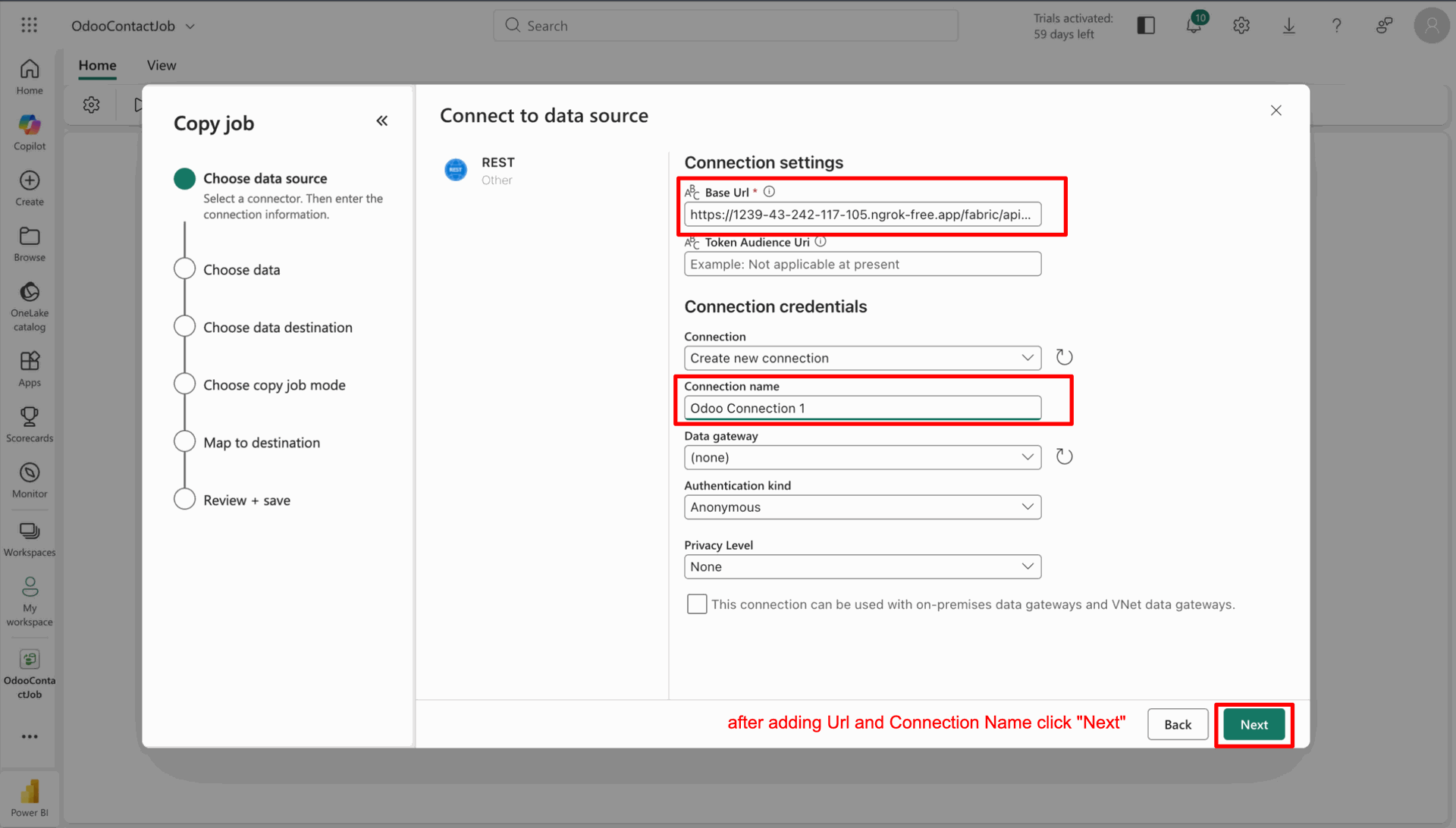
Add the Base URL from Fabric Configuration and click on the 'Next' button.
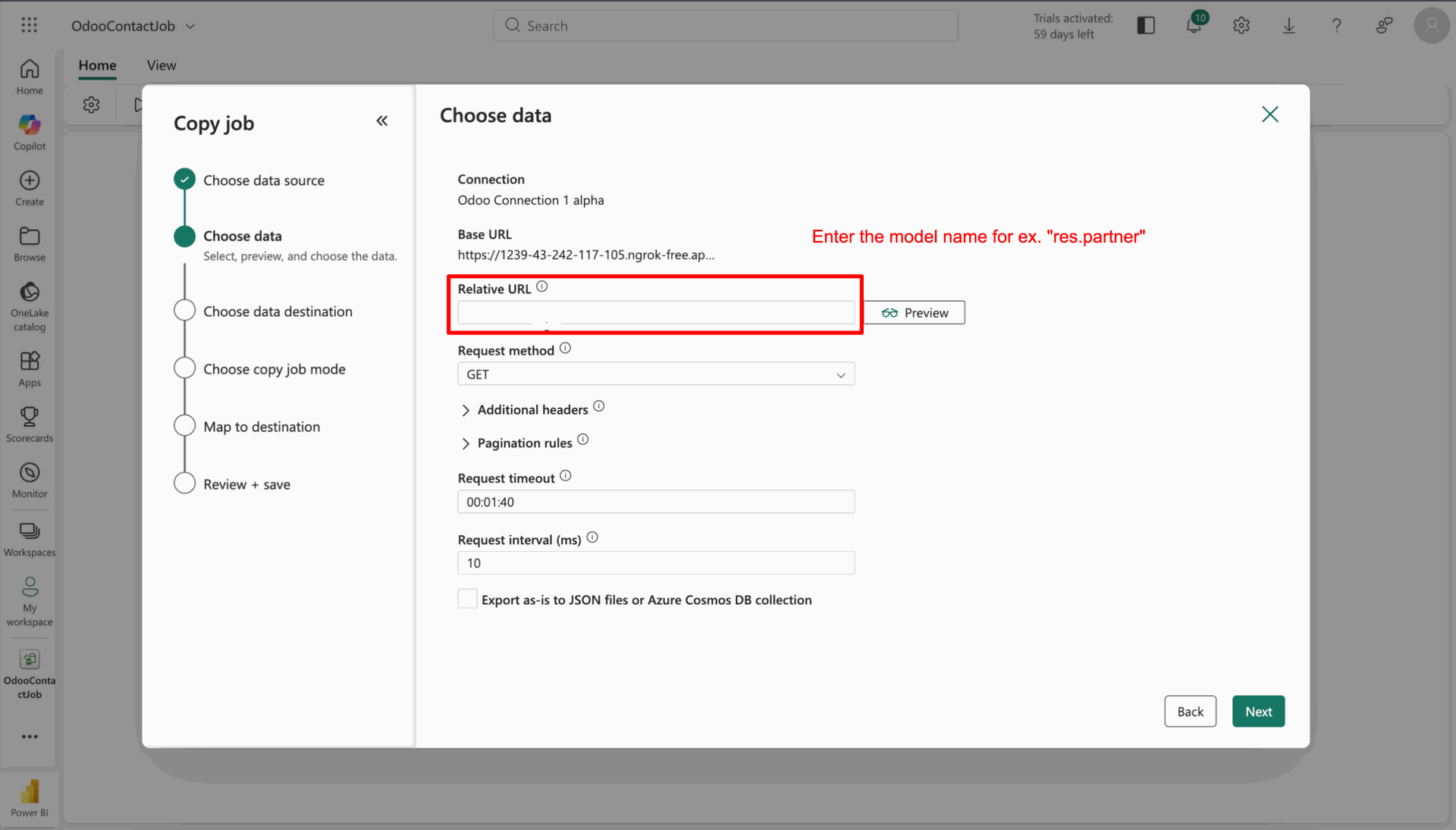
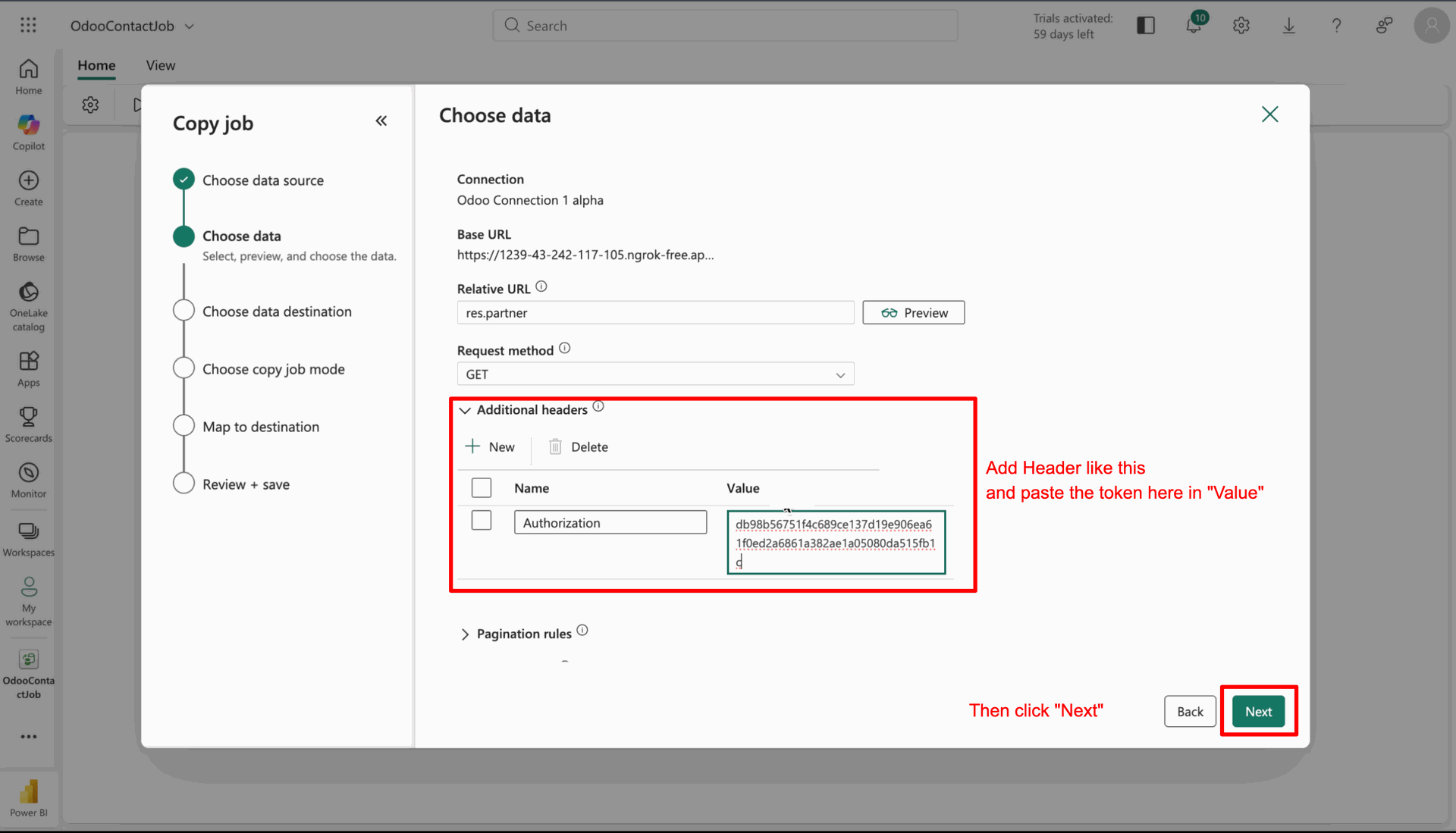
Add the model name under the Relative URL field.
Copy the access token and paste it into the header, and click on the 'Next' button.
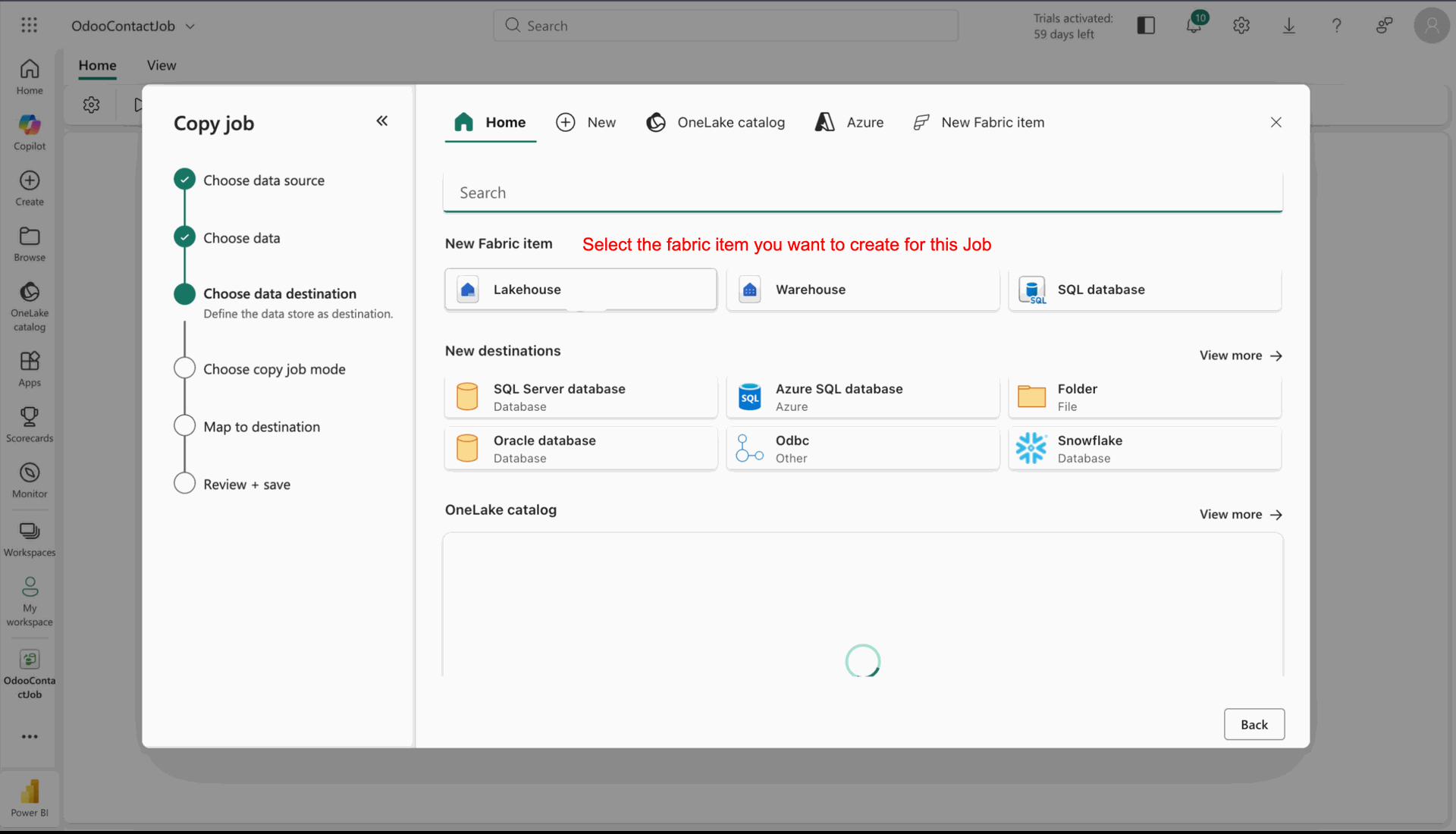
Select the Fabric item you want to create for this job.
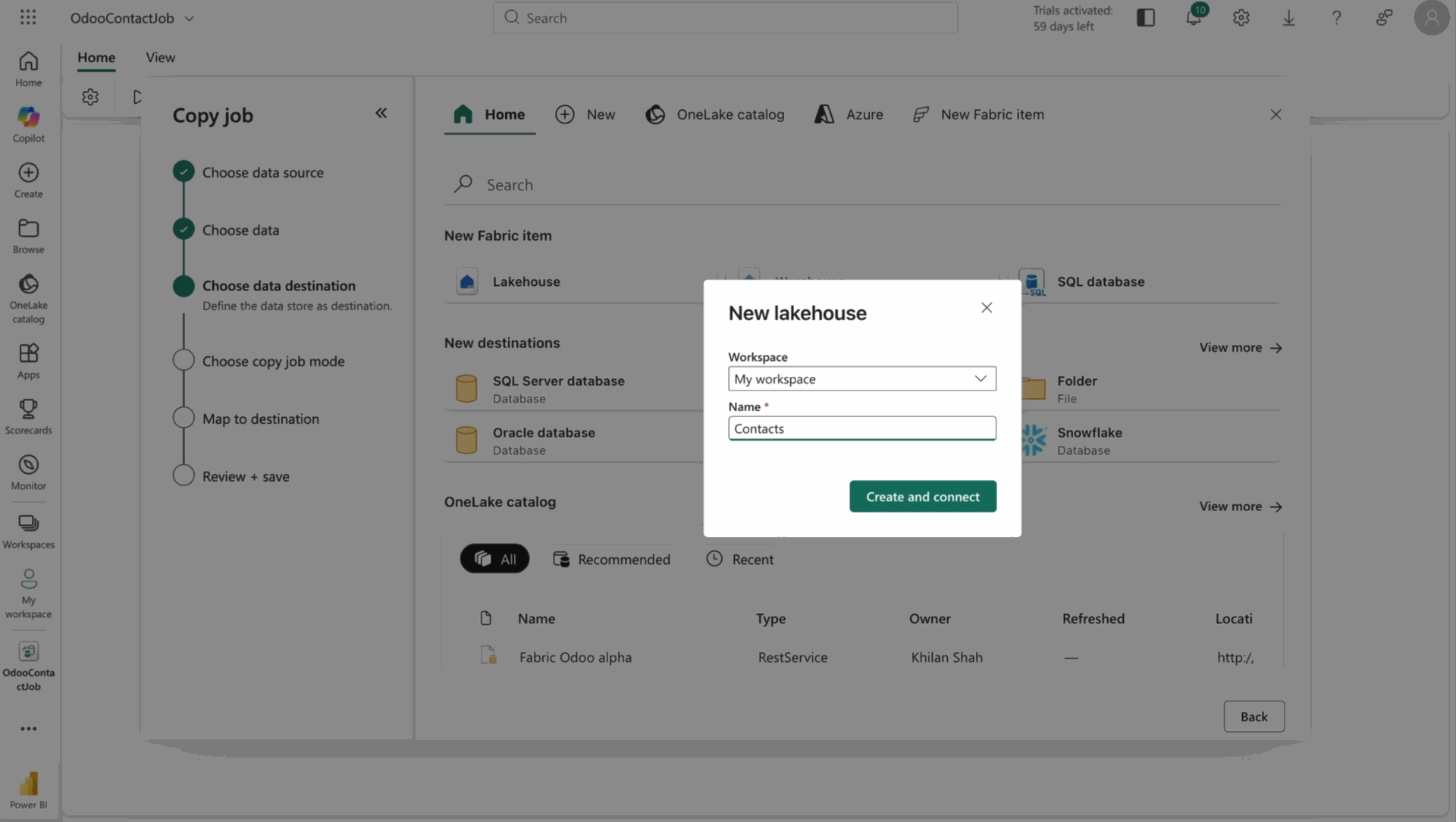
Add details and click on the 'Create and Connect' button.
Click on the 'Next' button.
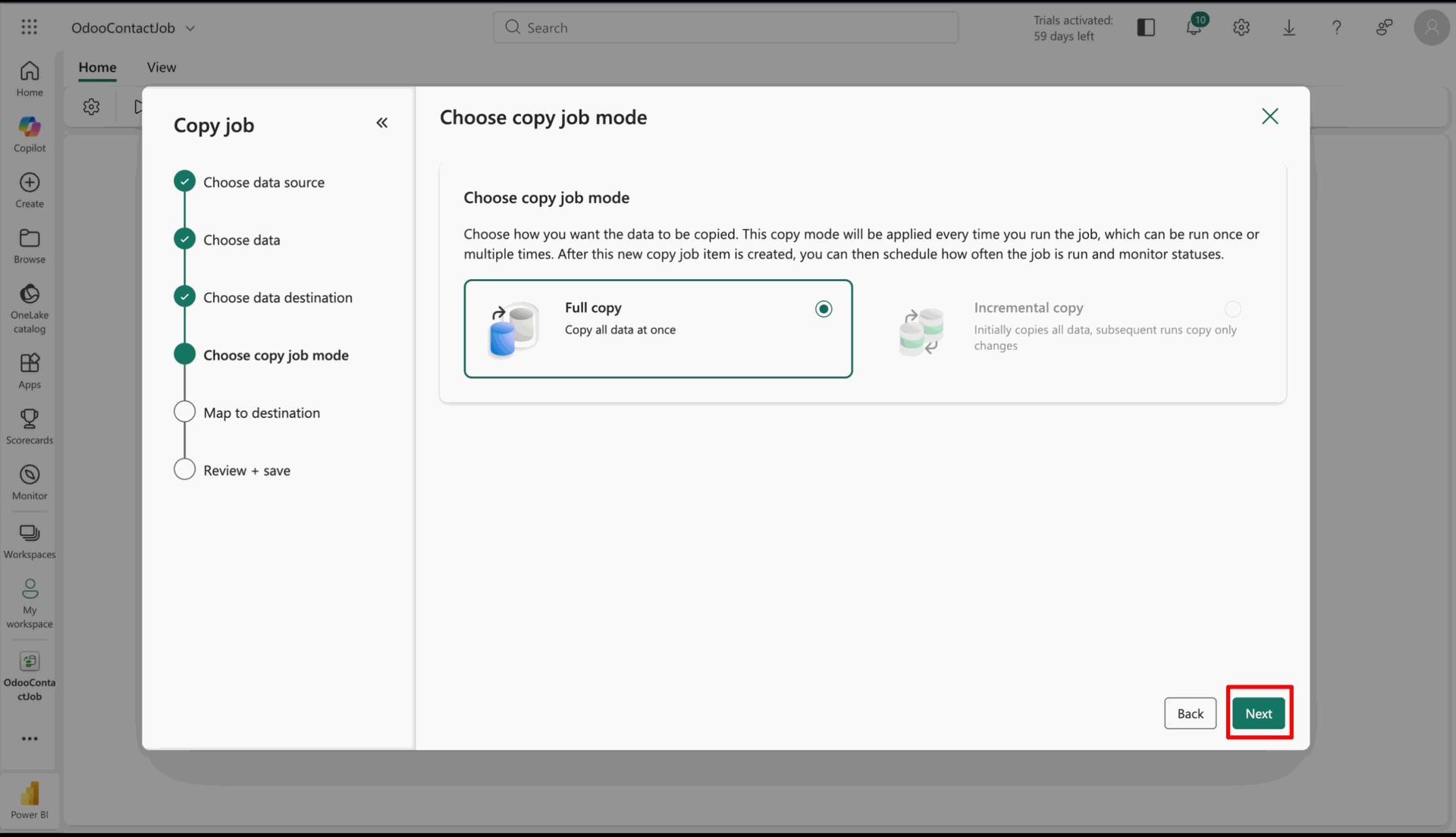
Edit table mapping details and click on the 'Next' button.
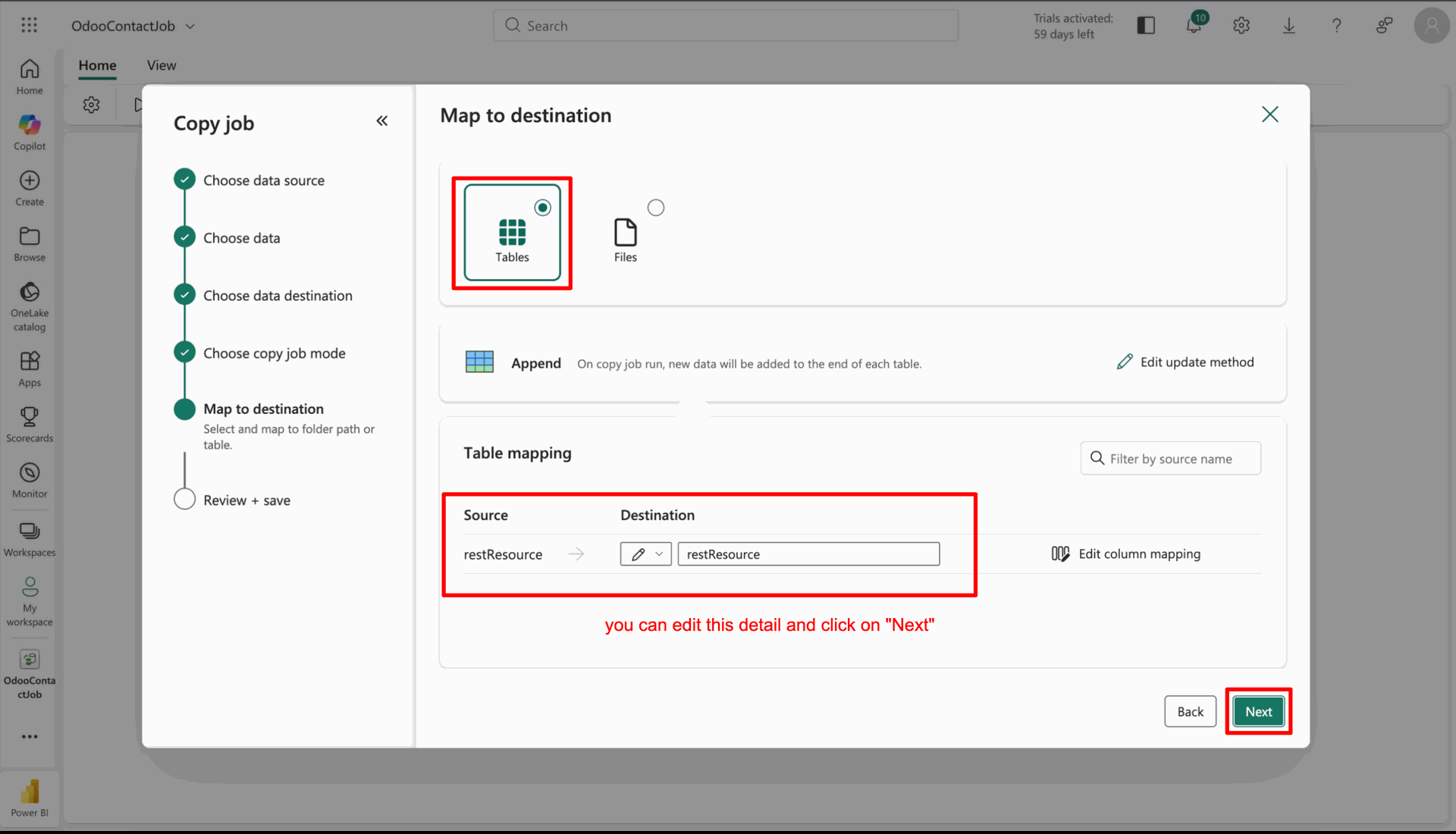
Click on the 'Save + Run' button.
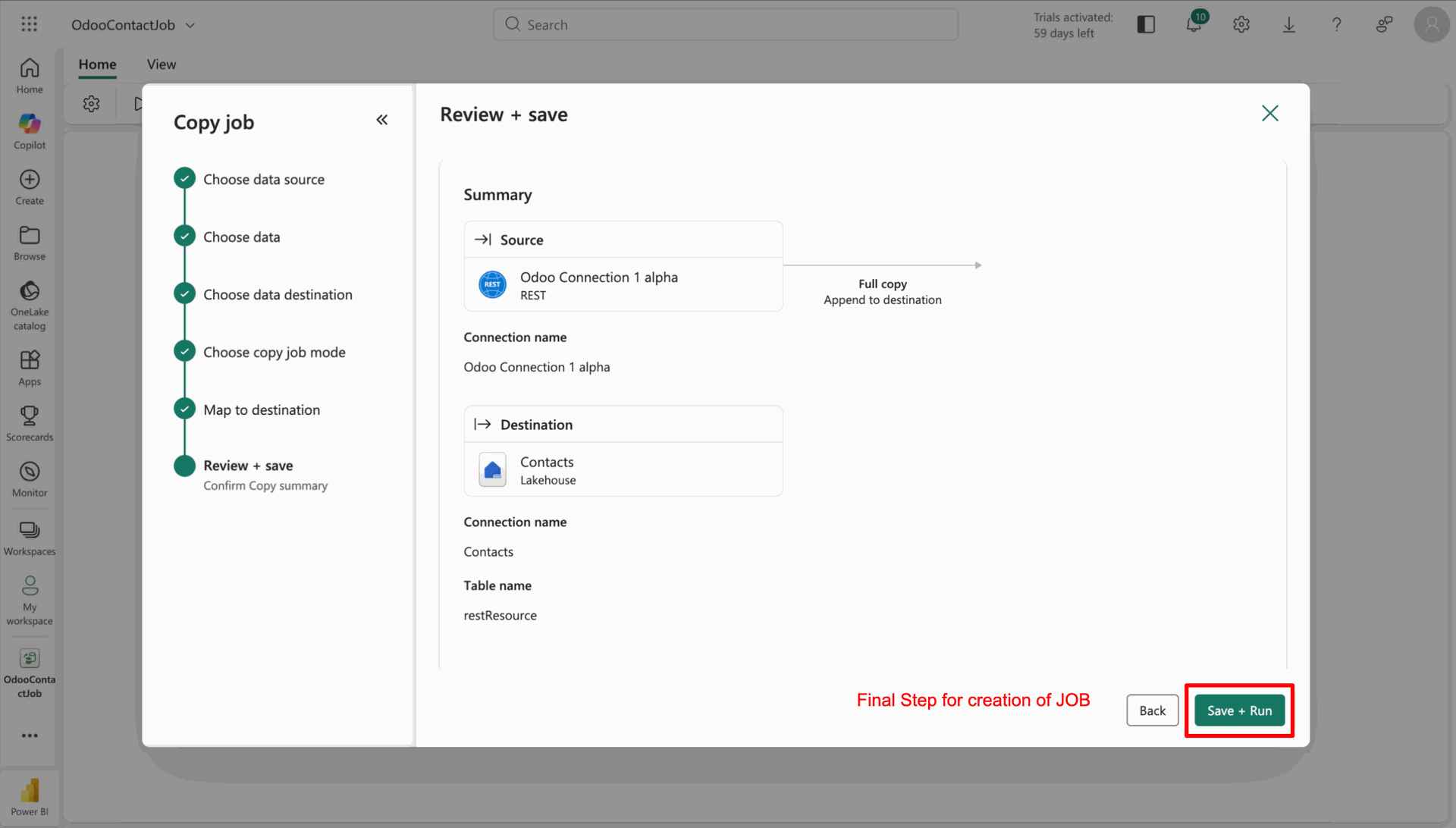
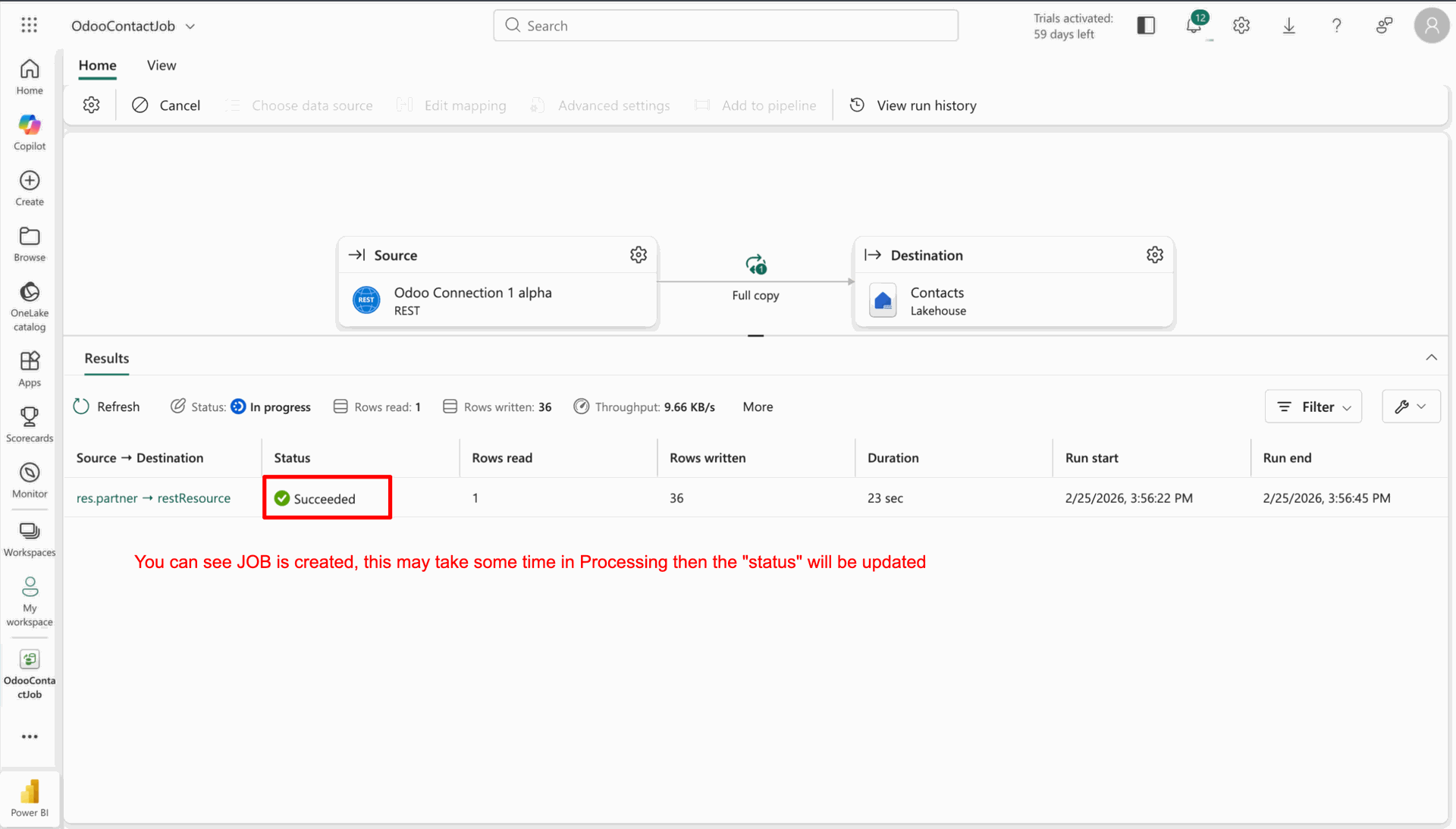
You can see that the job has been created.
Note: It may take some time to process, after that the Status will be updated to 'Succeeded'.
To view the data, go to your workspace and click on the Fabric item you created.
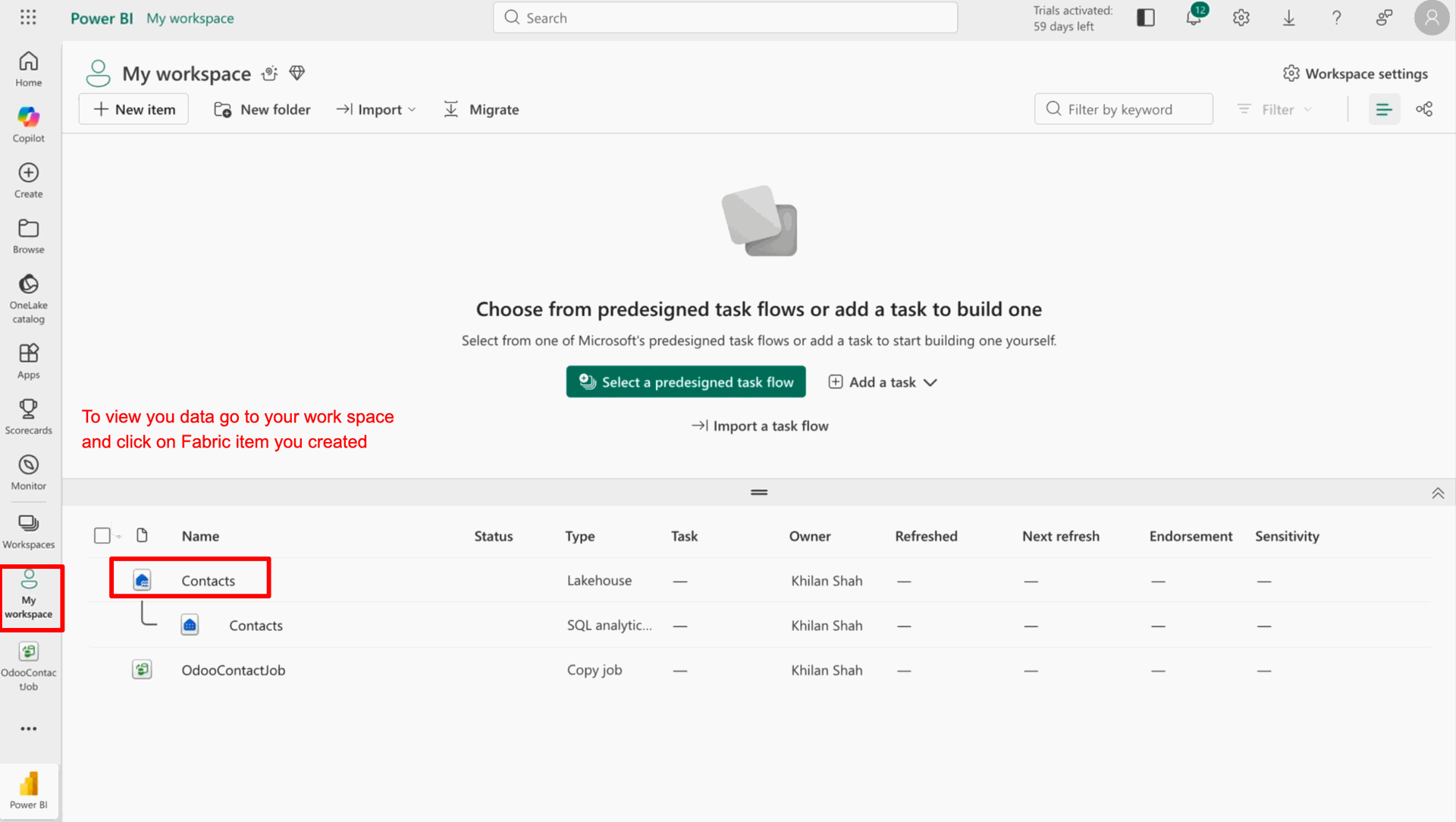
Here you view all the Odoo data in Fabric.
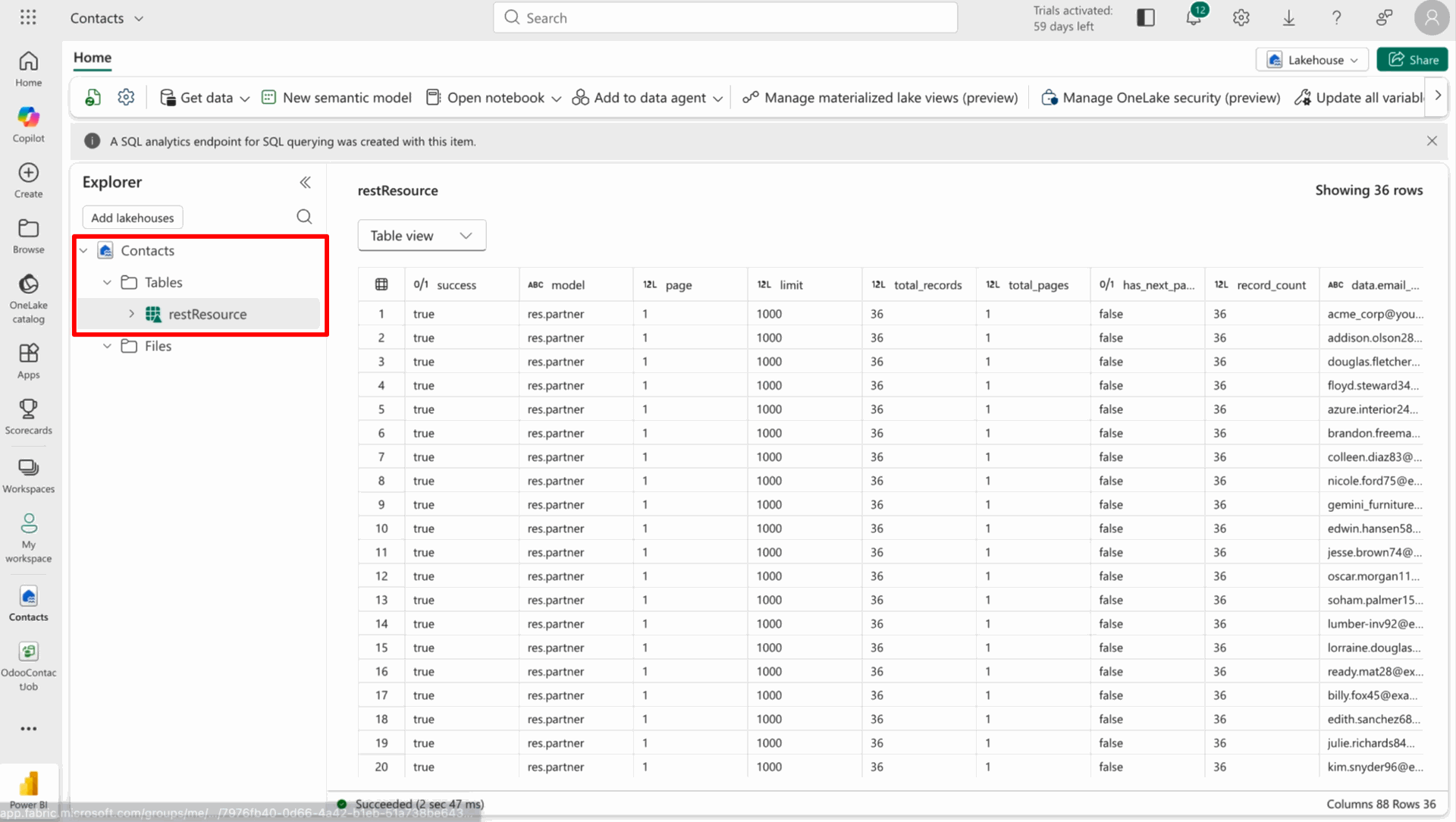
You can view the logs under the 'Request Logs' tab in the Microsoft Fabric configuration.
Version 19.0.1.0.0 | Released on : 27th February 2026
- Yes, this app works perfectly with Odoo Enterprise (Odoo.sh & Premise) as well as Community.
- No, this application is not compatible with odoo.com(odoo saas/Odoo Online)
- Yes, to test this module, please contact us at sales@softhealer.com.
- Please contact us at sales@softhealer.com to request customization.
- Yes, we provide free support for 365 days from the date of purchase.
- Yes, you will receive lifetime free updates for the version of the module you purchased.
- No, there is no need to install any additional libraries.
- Yes, for version 12 and above, you need to purchase the module separately for each version you intend to use.
- No, exchanges or refunds are not allowed. Please make sure to select the correct version before purchasing.
- You can contact us at support@softhealer.com for language translation support. We use Google Translator tools to provide translations in multiple languages, so the accuracy may vary. We welcome your suggestions to help improve translations.
Discover Our Latest Apps