












Merge Picking Orders

This module useful to merge picking orders. Some times required to make a single order from the multiple picking orders. You can merge picking orders which are only in the draft/ waiting/ ready state. Your picking orders must have the same operation type (incoming order/delivery order) for merge orders. You can merge picking orders with many options. Merge picking orders notification comes into the chatter!

Related Modules
Features
- It shows on-hand quantity in wizard.
- You can subtract selected record's line quantity in wizard.
- Easy to merge picking orders.
- Only draft/ waiting/ ready state orders will merge.
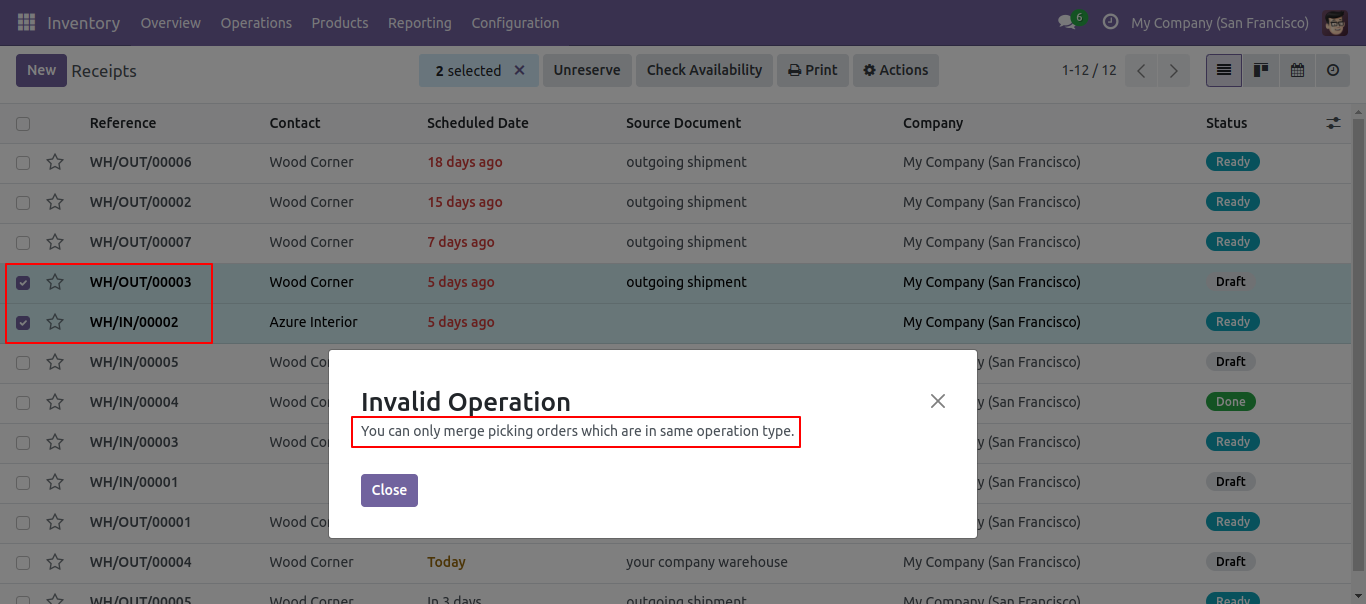
- Picking orders must have the same operation type to merge them.
- Merged orders notification comes into the chatter.
-
Various
options provided in merge picking orders,
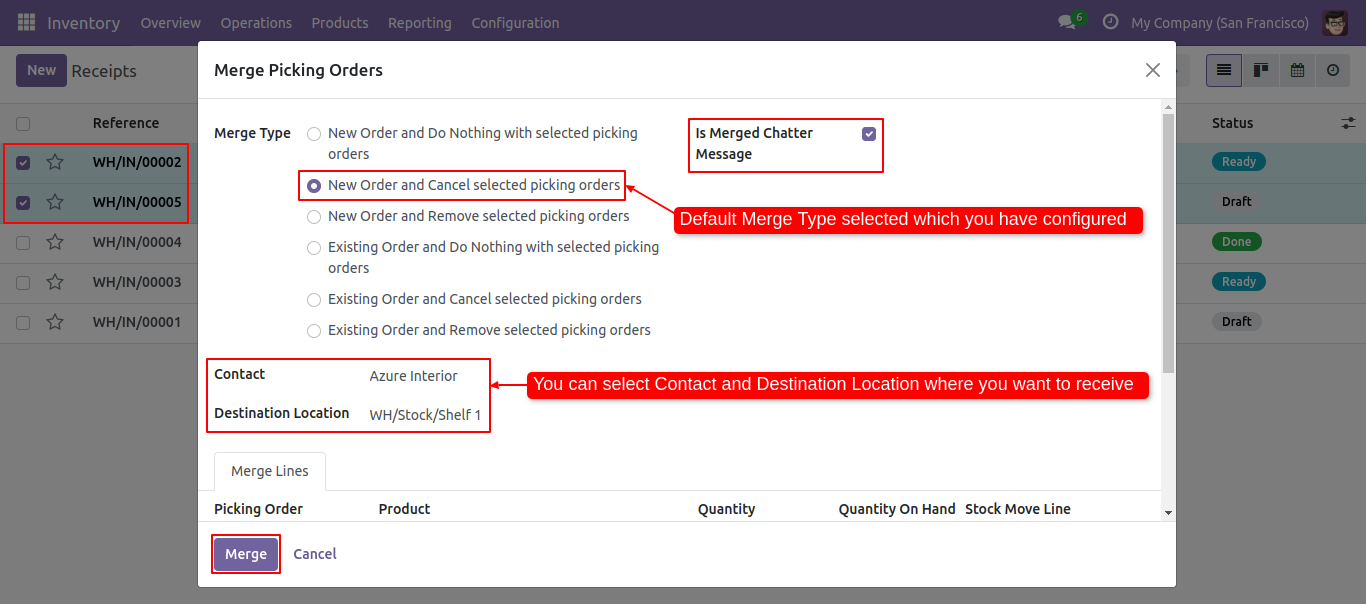
A) New order and do nothing with selected picking orders: Create a new order and do nothing with selected orders.
B) New order and cancel selected picking orders: Create a new order and cancel selected orders.
C) New order and remove selected picking orders: Create a new order and remove selected orders.
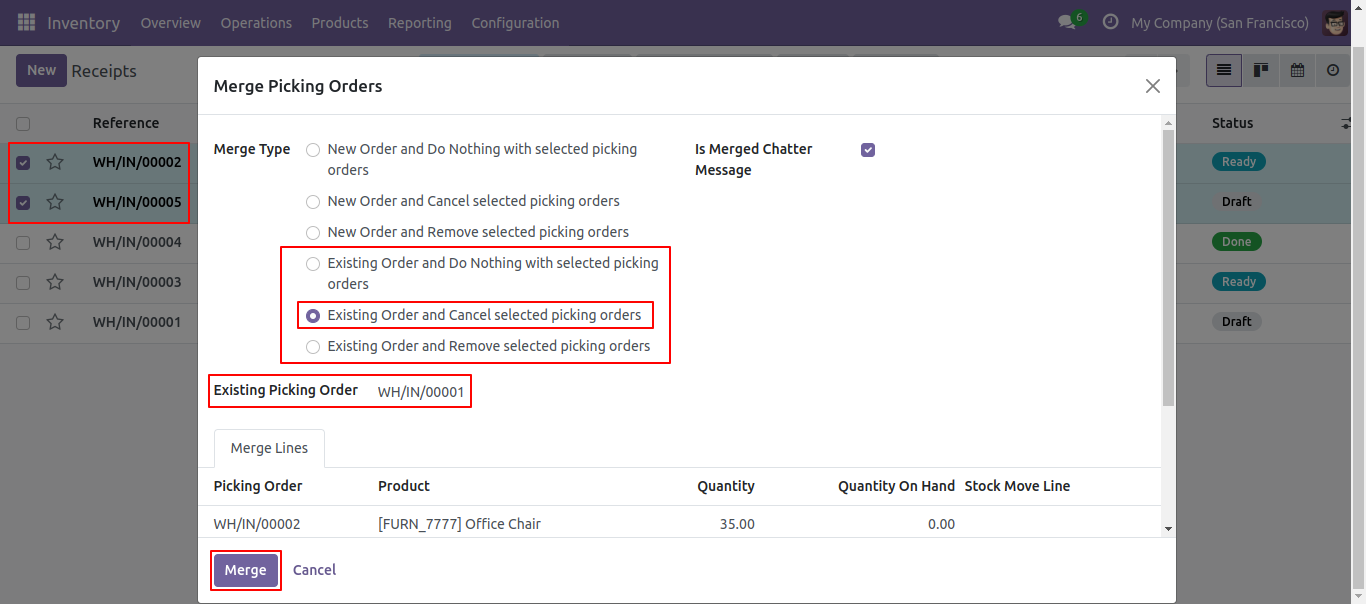
D) Existing order and do nothing with selected picking orders: Do not create a new order, merge orders in existing order and do nothing with selected orders.
E) Existing order and cancel selected picking orders: Do not create a new order, merge orders in existing order and cancel selected orders.
F) Existing order and remove selected picking orders: Do not create a new order, merge orders in existing order and remove selected orders. -
We provide the
below configurations,
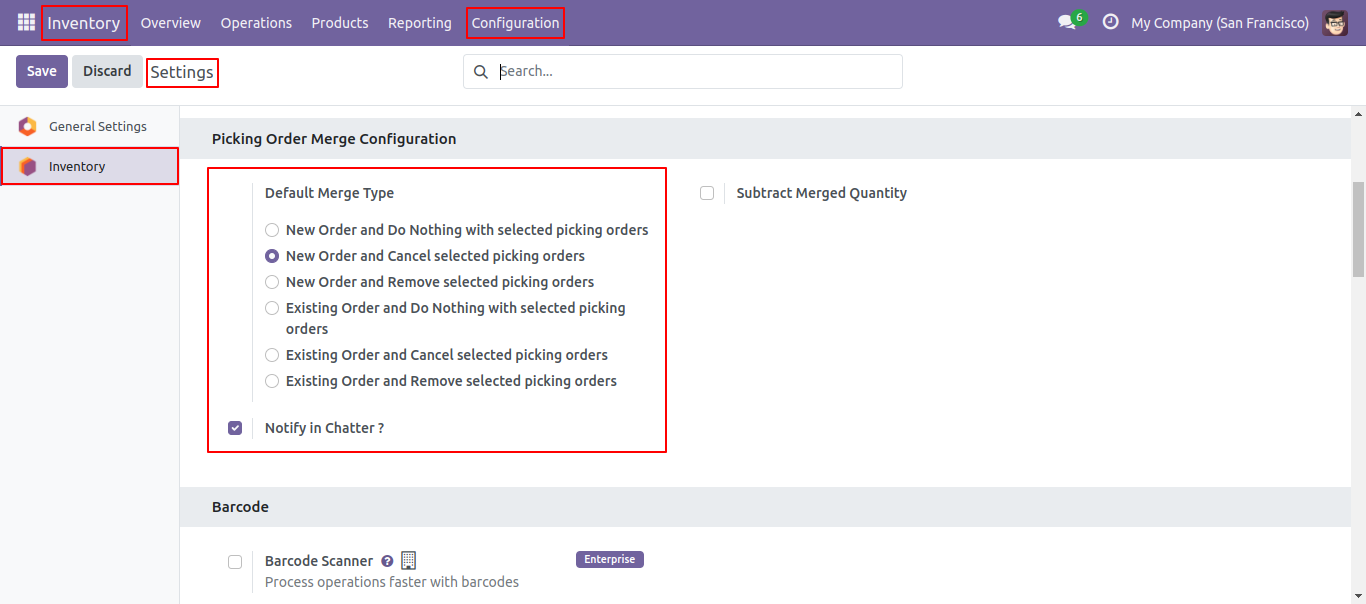
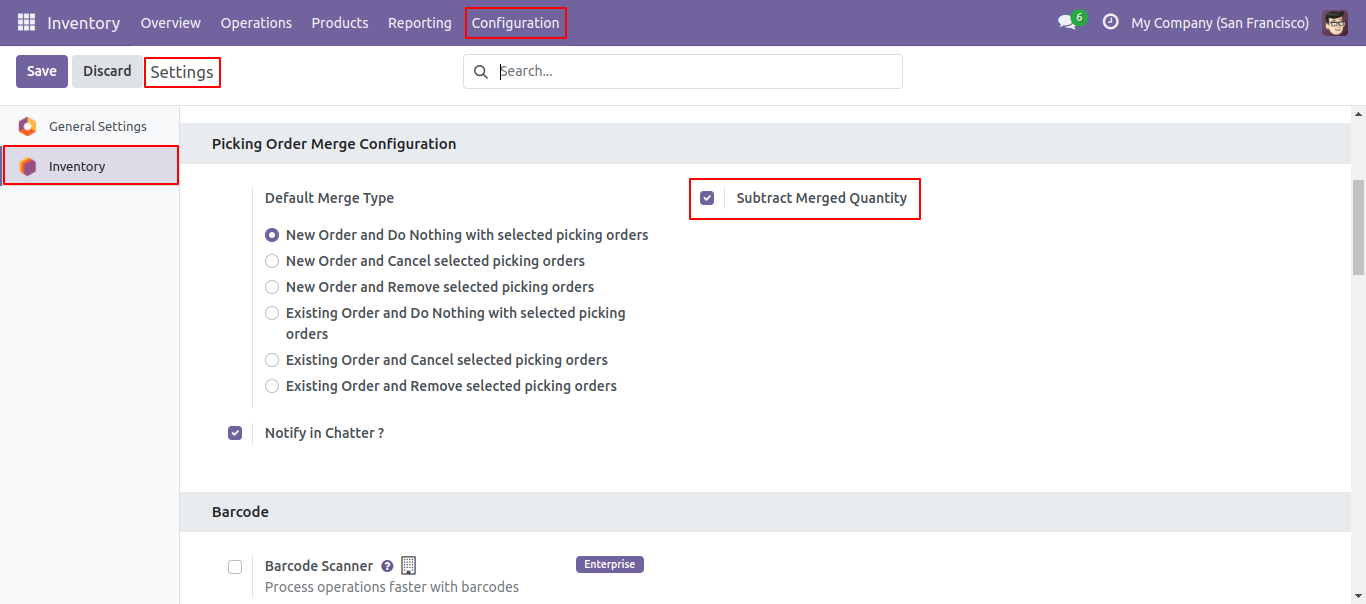
A) Notify in Chatter: If this option is ticked then it gives notification of merged orders into the chatter. If this option is unticked then it does not gives notification of merged orders into the chatter.
B) Default Merge Type: Here you can choose the default type for merge picking orders that will apply in every merge order. - When merging picking orders, you can merge chatter as well.
Configuration for merge picking orders, here you can choose merge type and if you tick the 'Notify in Chatter' option then it gives notification of merged orders into the chatter.
'Merge Picking Orders' menu and tree view.
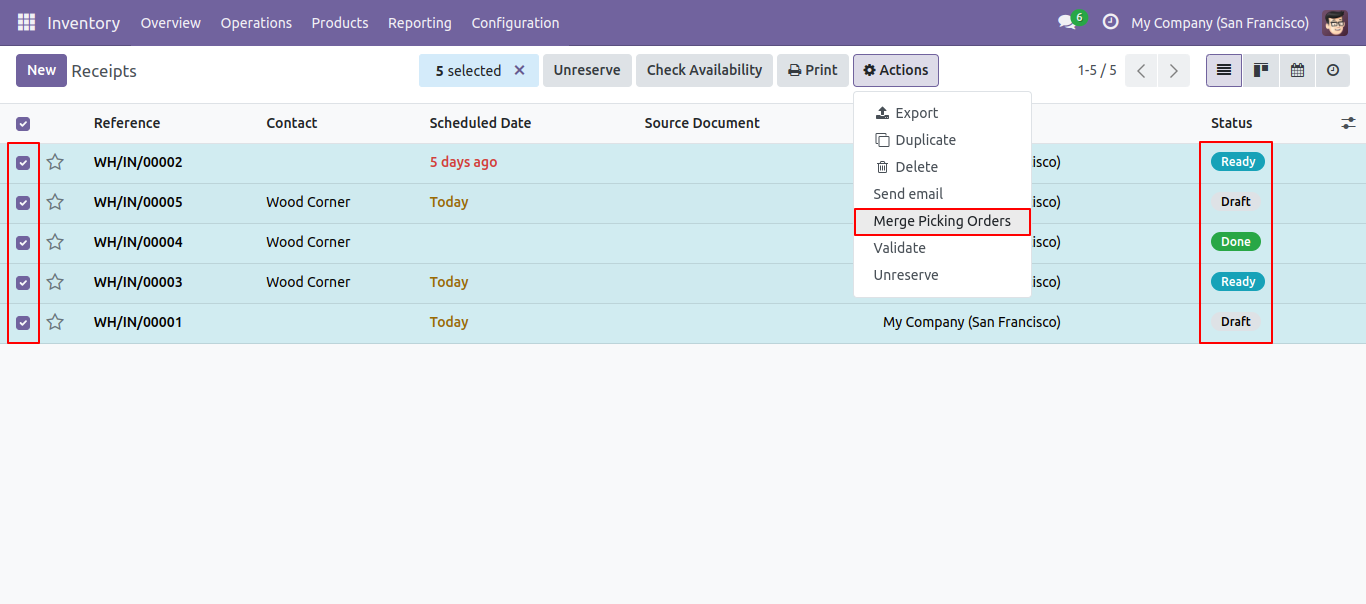
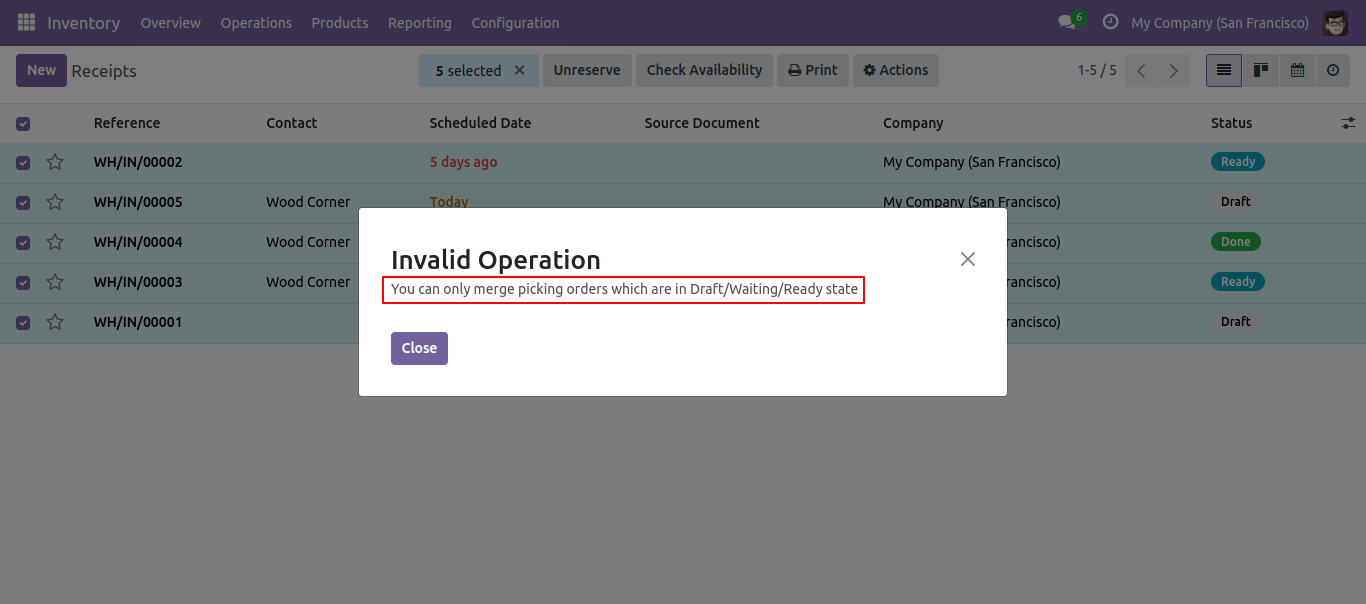
You can merge only draft/ waiting/ ready state orders.
To merge picking orders you have to select more then one operation.
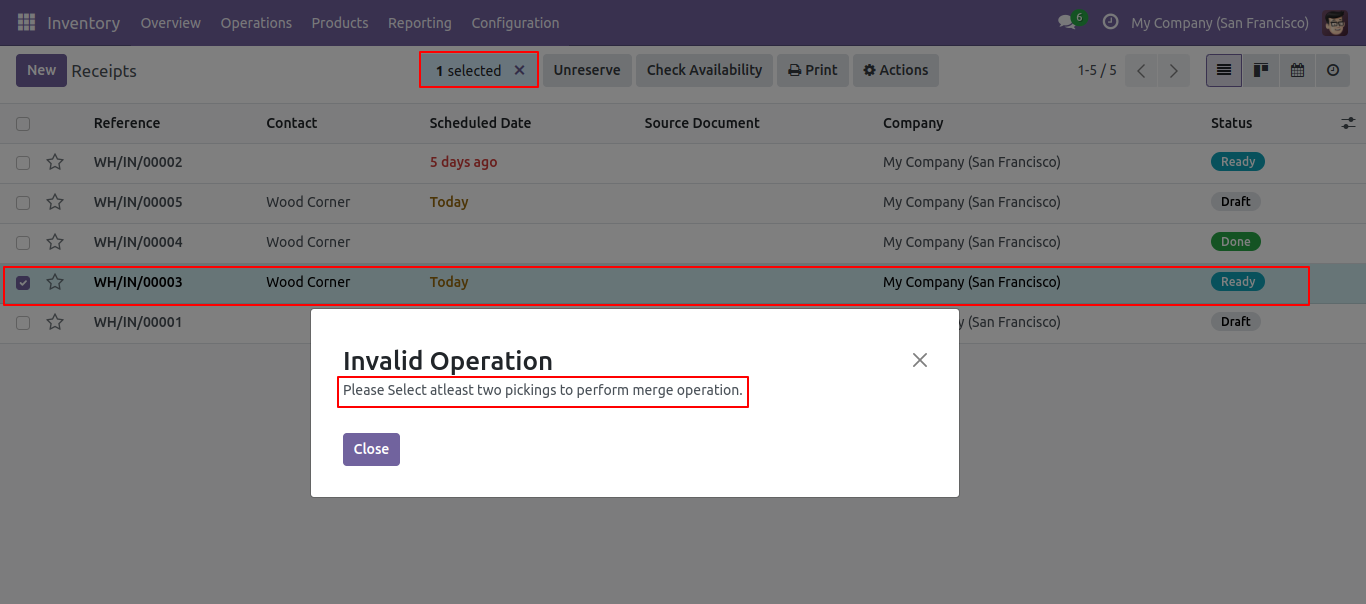
You can merge picking orders which have the same operation type.
Merge picking orders wizard with the default selected merge type.
Merge picking orders wizard with the existing order type.
We merge the picking orders with the default selected merge type.
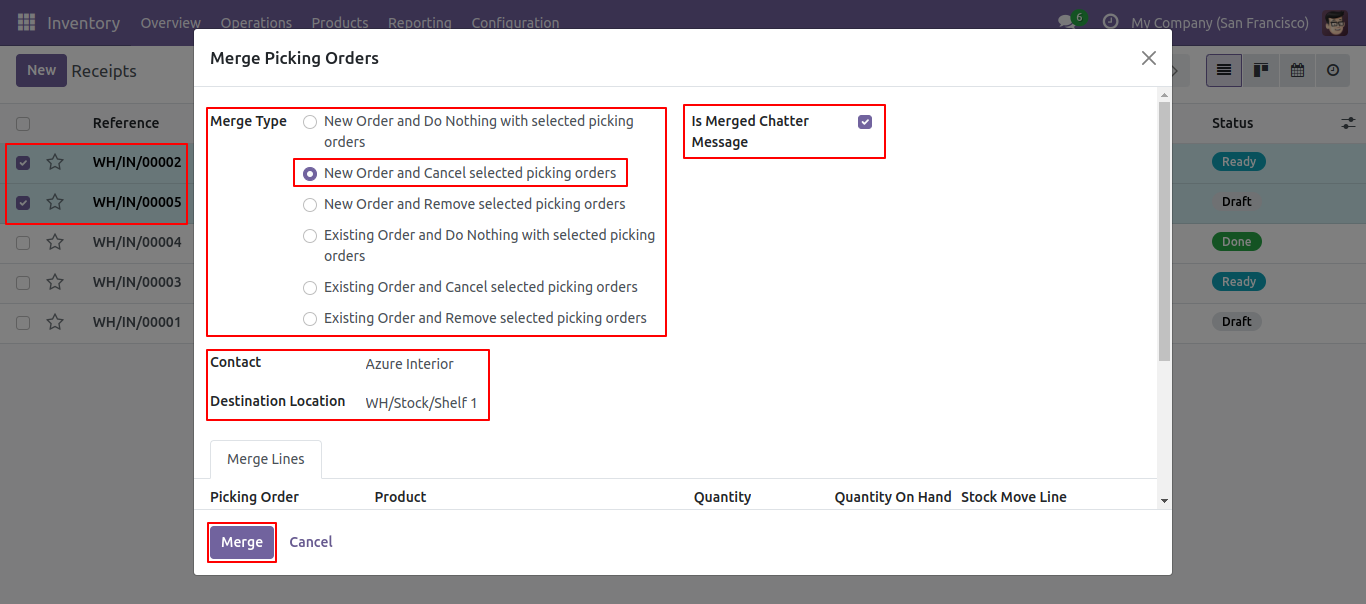
Here it creates a new order and cancels selected order
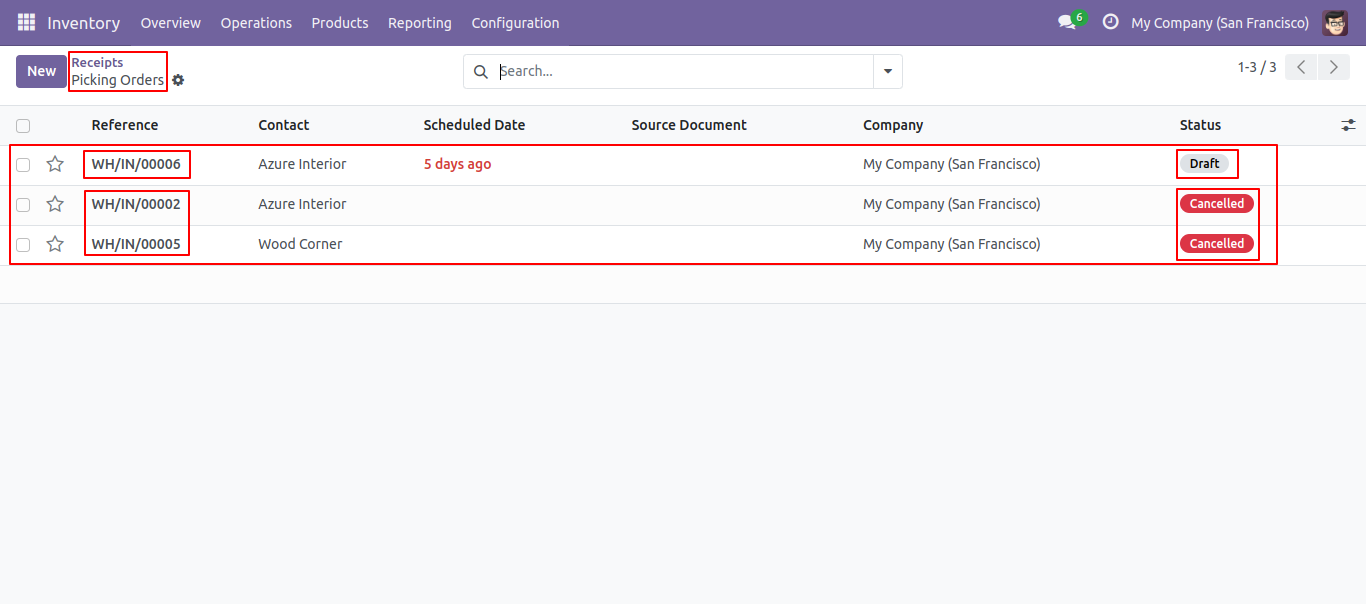
The merged picking order form view.
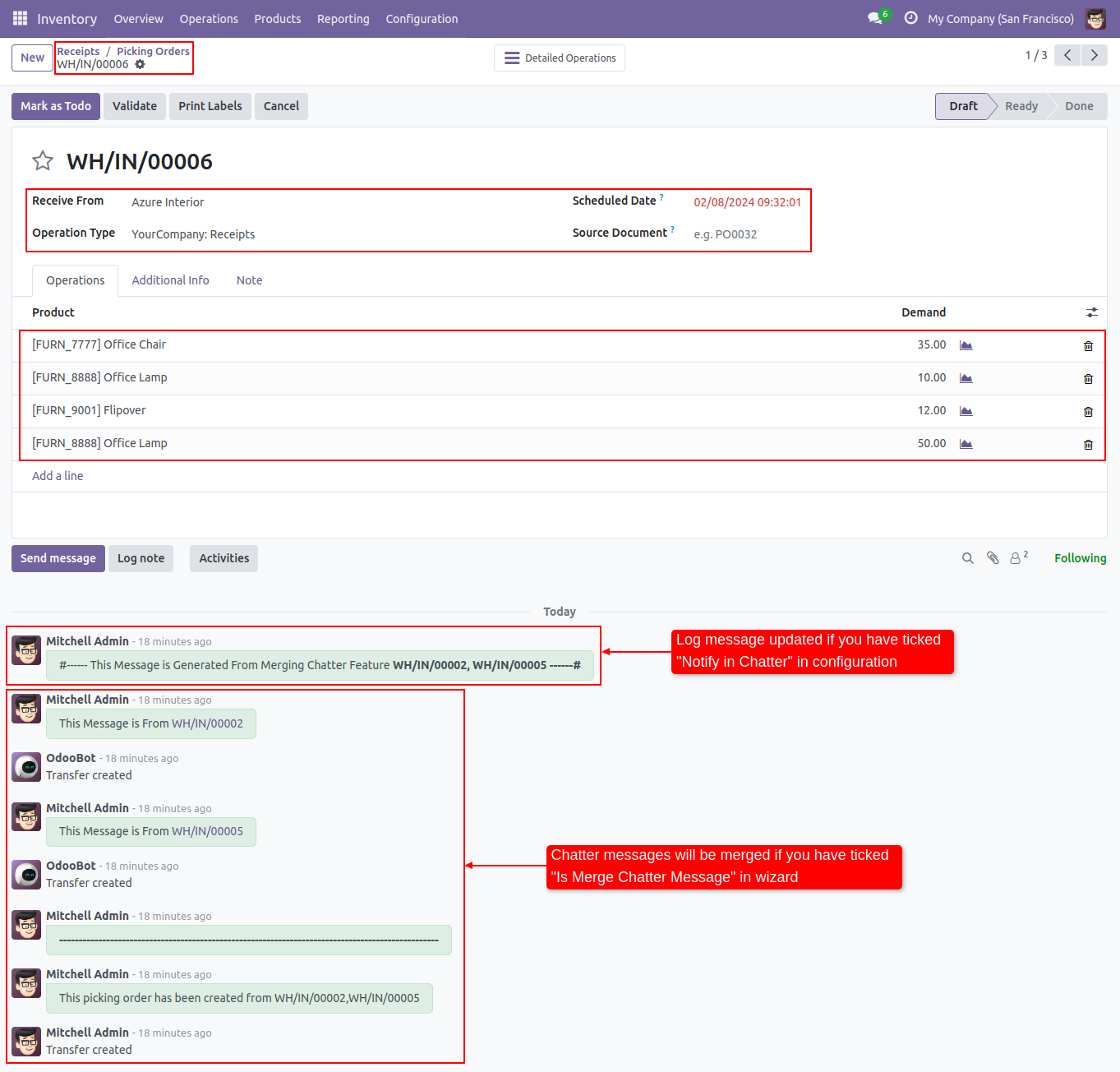
Merged orders notification comes into the chatter.
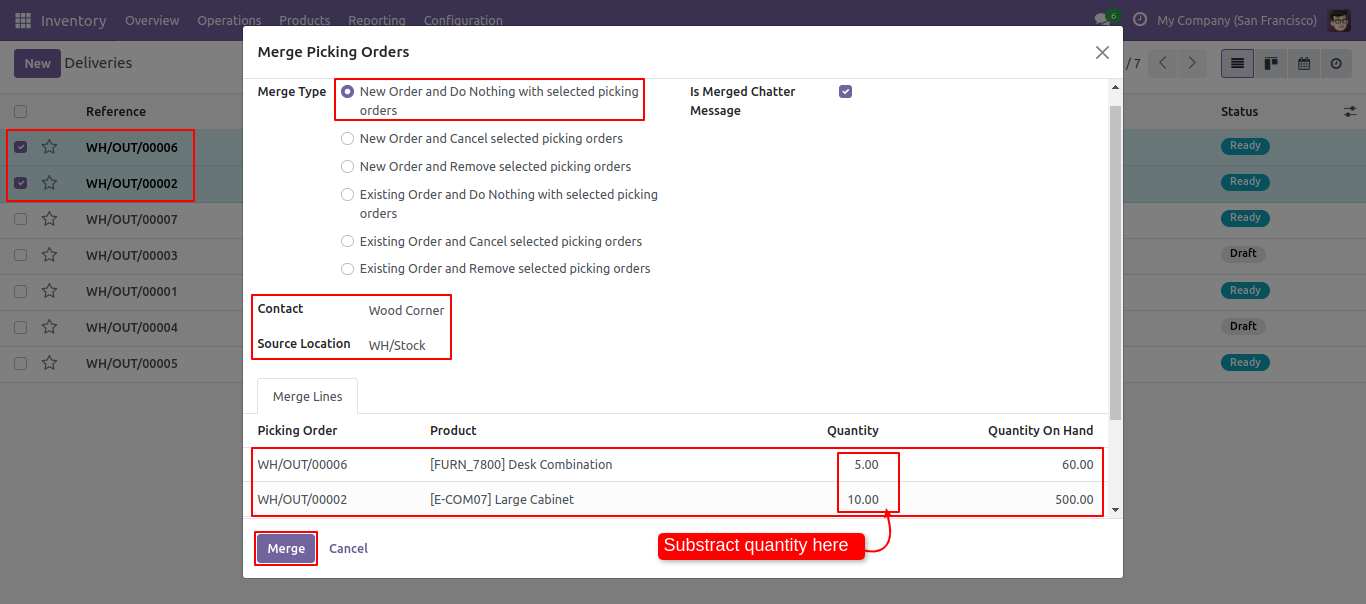
Enable 'Subtract Merged Quantity'.
Form view of the picking order.
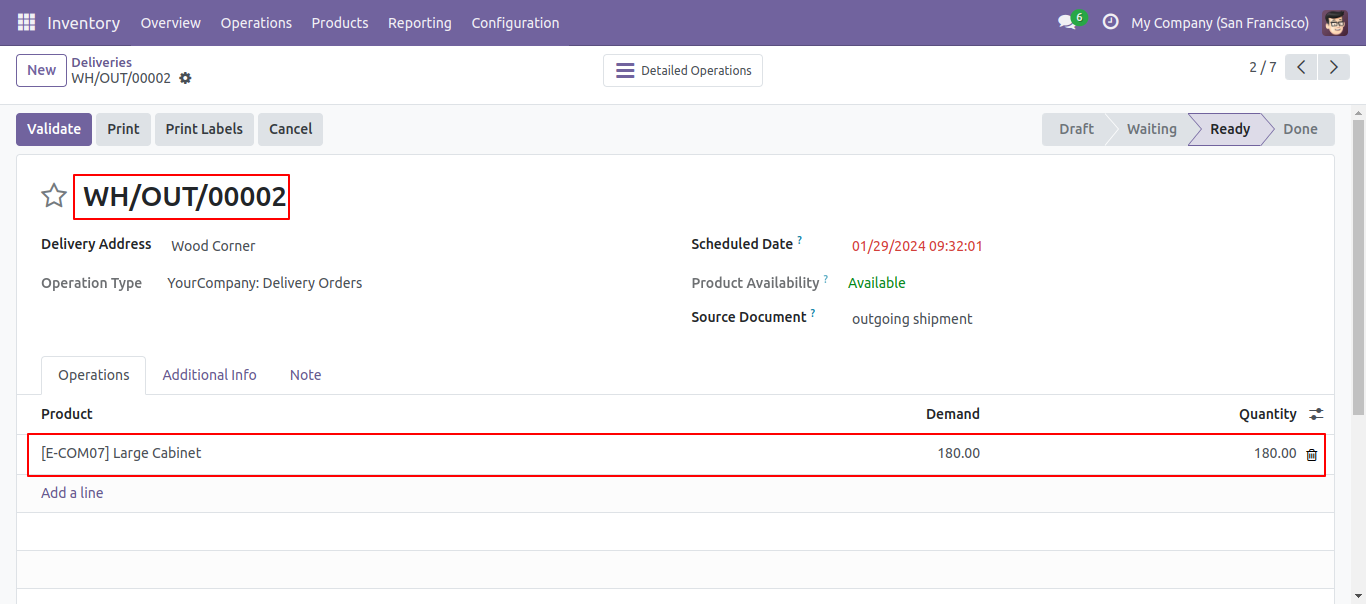
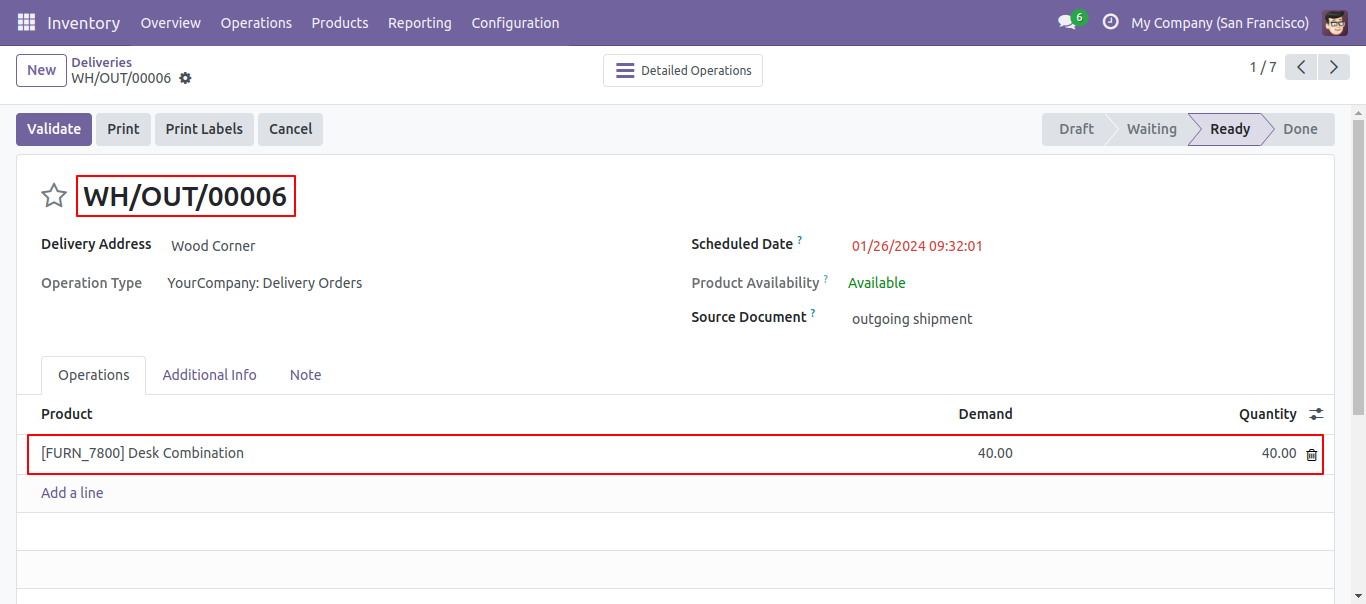
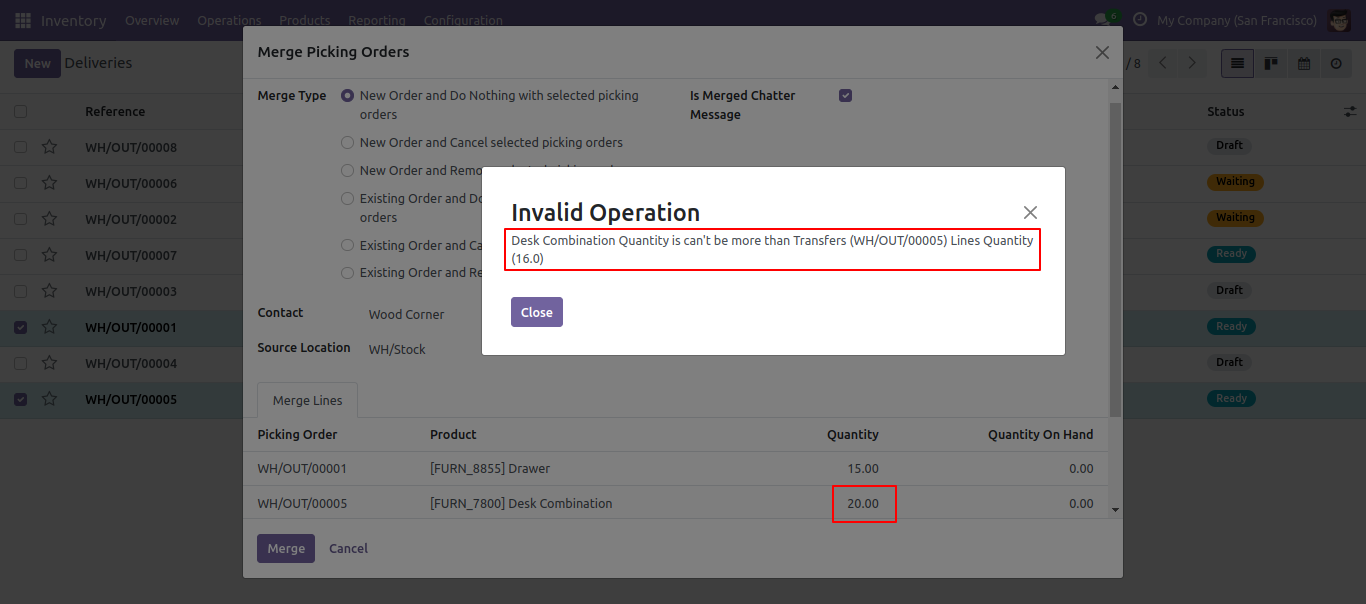
So it opens merge picking order wizard with all records quantity & On-hand qty. You can subtract qty from this wizard.
Created order list view.
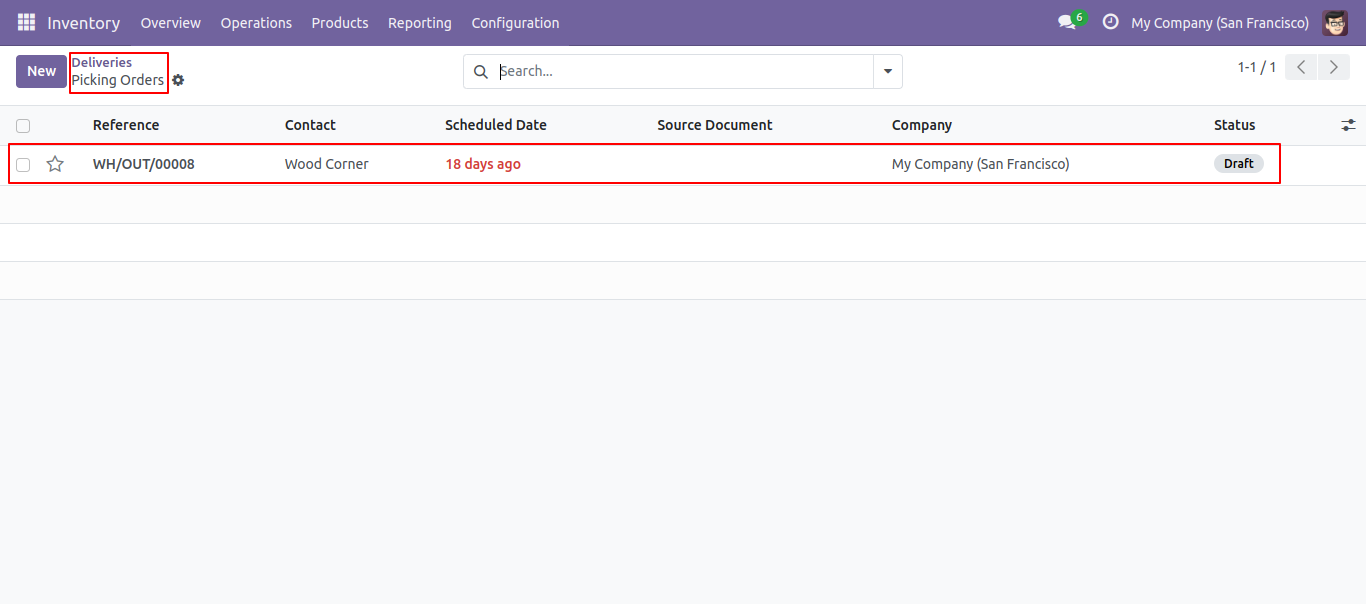
New generated picking order looks like below.
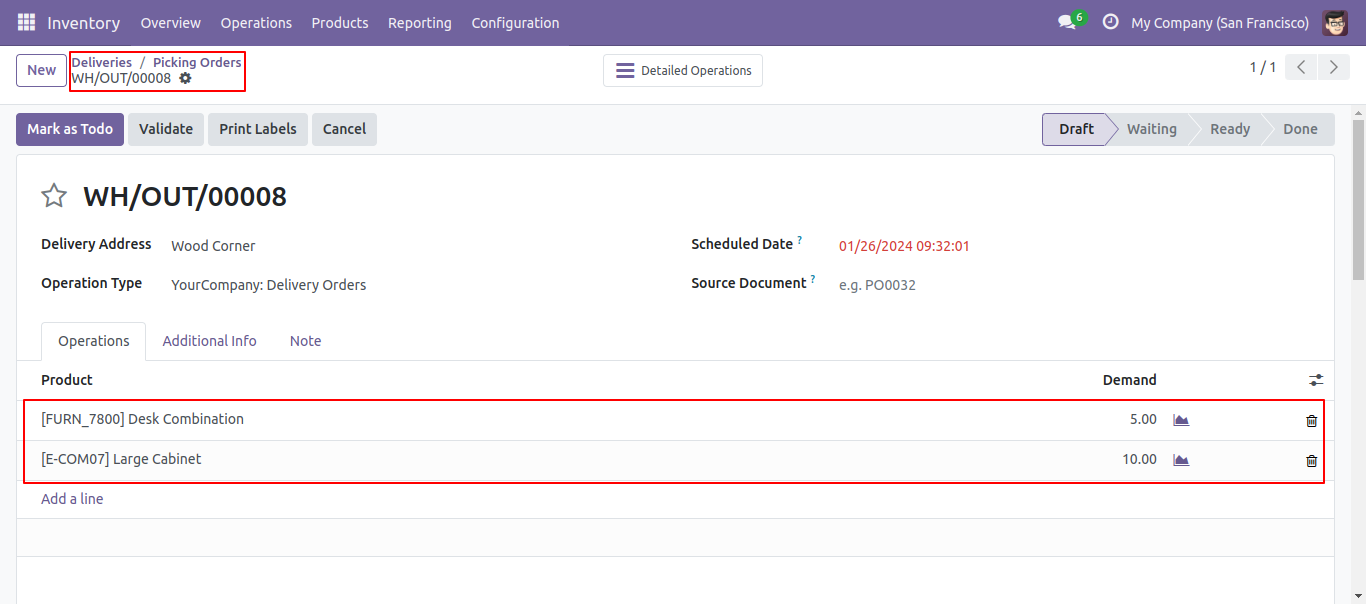
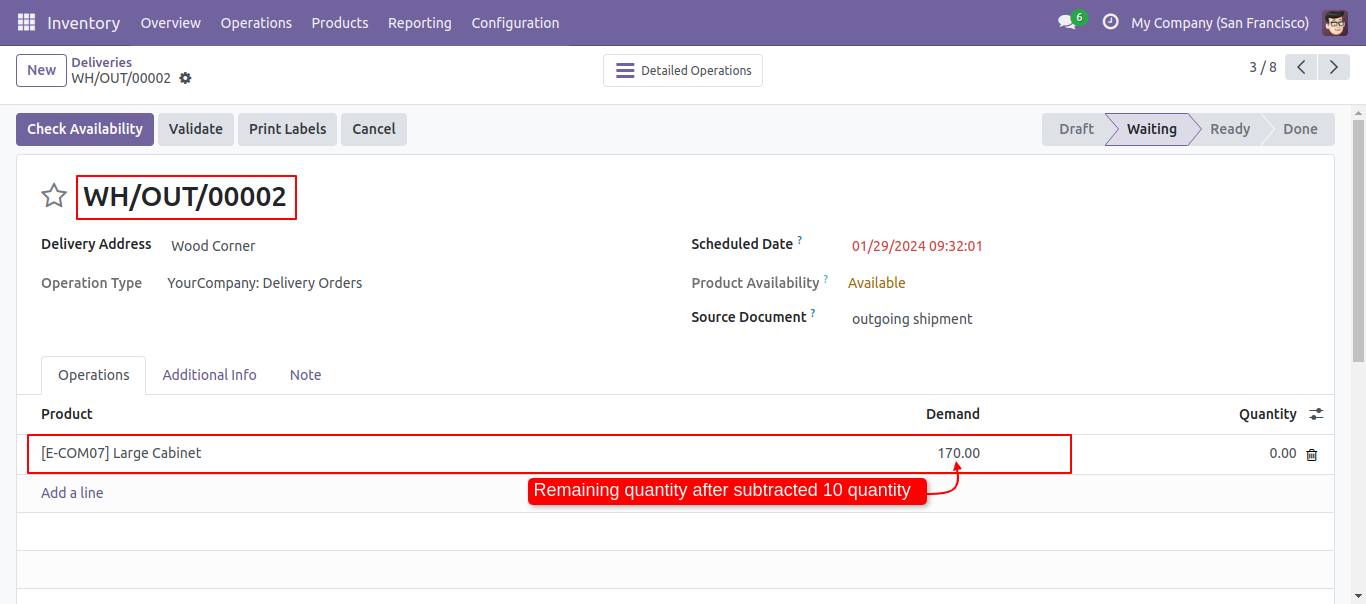
Old picking with remaining quantity.
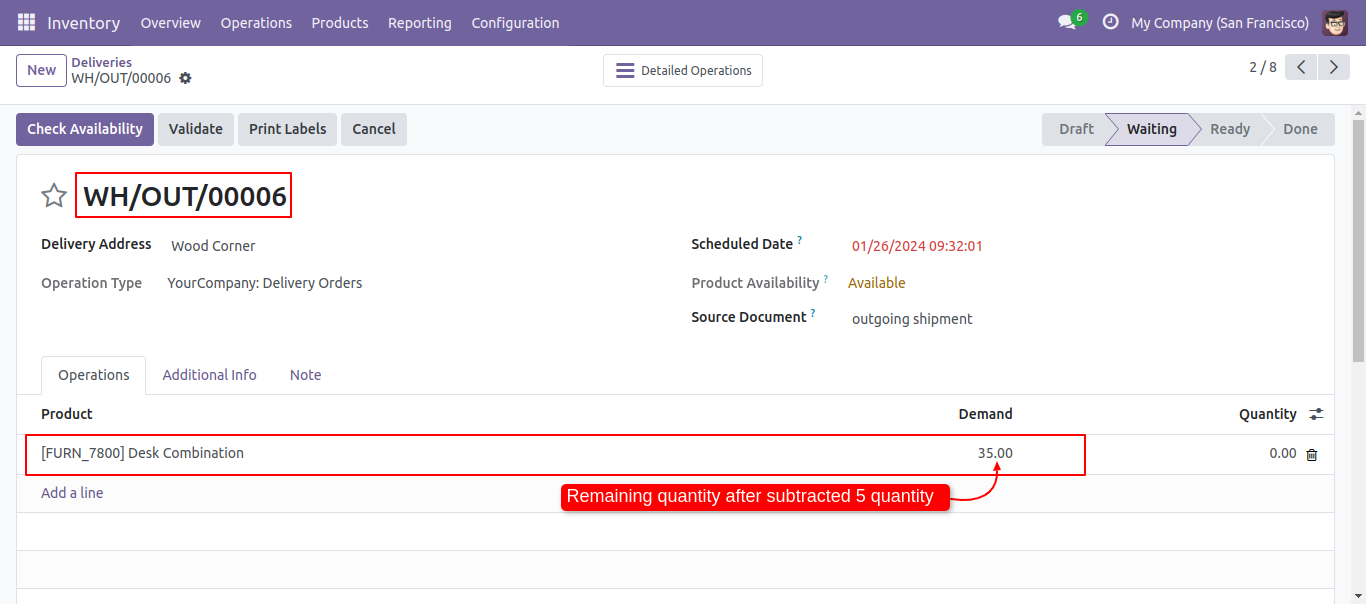
Old picking with remaining quantity.
If you try to add qty more than order line qty then alert occurs.
Version 19.0.2.0.1 | Released on : 25th November 2025
Version 19.0.2.0.0 | Released on : 12th November 2025
Version 19.0.1.0.0 | Released on : 30th September 2025
- Yes, this app works perfectly with Odoo Enterprise (Odoo.sh & Premise) as well as Community.
- No, this application is not compatible with odoo.com(odoo saas/Odoo Online)
- Yes, to test this module, please contact us at sales@softhealer.com.
- Please contact us at sales@softhealer.com to request customization.
- Yes, we provide free support for 365 days from the date of purchase.
- Yes, you will receive lifetime free updates for the version of the module you purchased.
- No, there is no need to install any additional libraries.
- Yes, for version 12 and above, you need to purchase the module separately for each version you intend to use.
- No, exchanges or refunds are not allowed. Please make sure to select the correct version before purchasing.
- You can contact us at support@softhealer.com for language translation support. We use Google Translator tools to provide translations in multiple languages, so the accuracy may vary. We welcome your suggestions to help improve translations.
Discover Our Latest Apps