












Max/Min Discount Sales Person Dynamic Approval

This module allows you to define minimum and maximum discount percentages per salesperson and requires a designated approver if limits are exceeded. When a salesperson applies a discount out of bounds on a quotation, it automatically changes to 'Waiting for Approval', logs an activity for the approver, and sends email notifications.

Related Modules
Features
Dynamic Discount Approval
Configure flexible discount limits per salesperson and trigger approval workflows when limits are exceeded.

Discount Limit
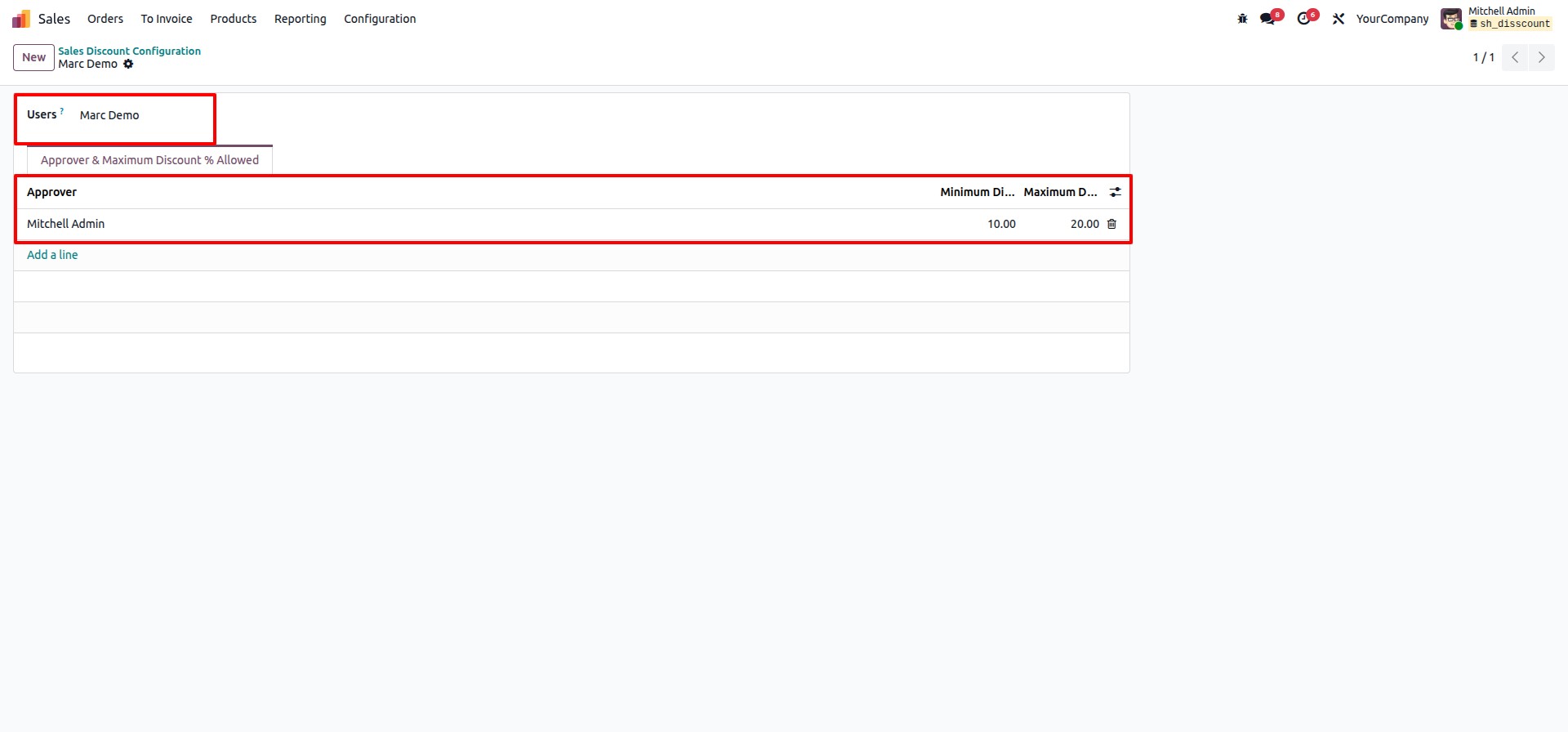
Set minimum and maximum discount percentages allowed for each salesperson to control pricing flexibility.
Approver Activity Alerts
Automatically generates planned activities for approvers when a discount requires their approval.

Approval Email Notifications
Sends automatic email alerts to salespersons when a discount is approved or rejected.
Discount Approval Workflow
Automatically sets the quotation to "Waiting for Approval" when discount limits are exceeded and enables one-click Approve or Reject actions.
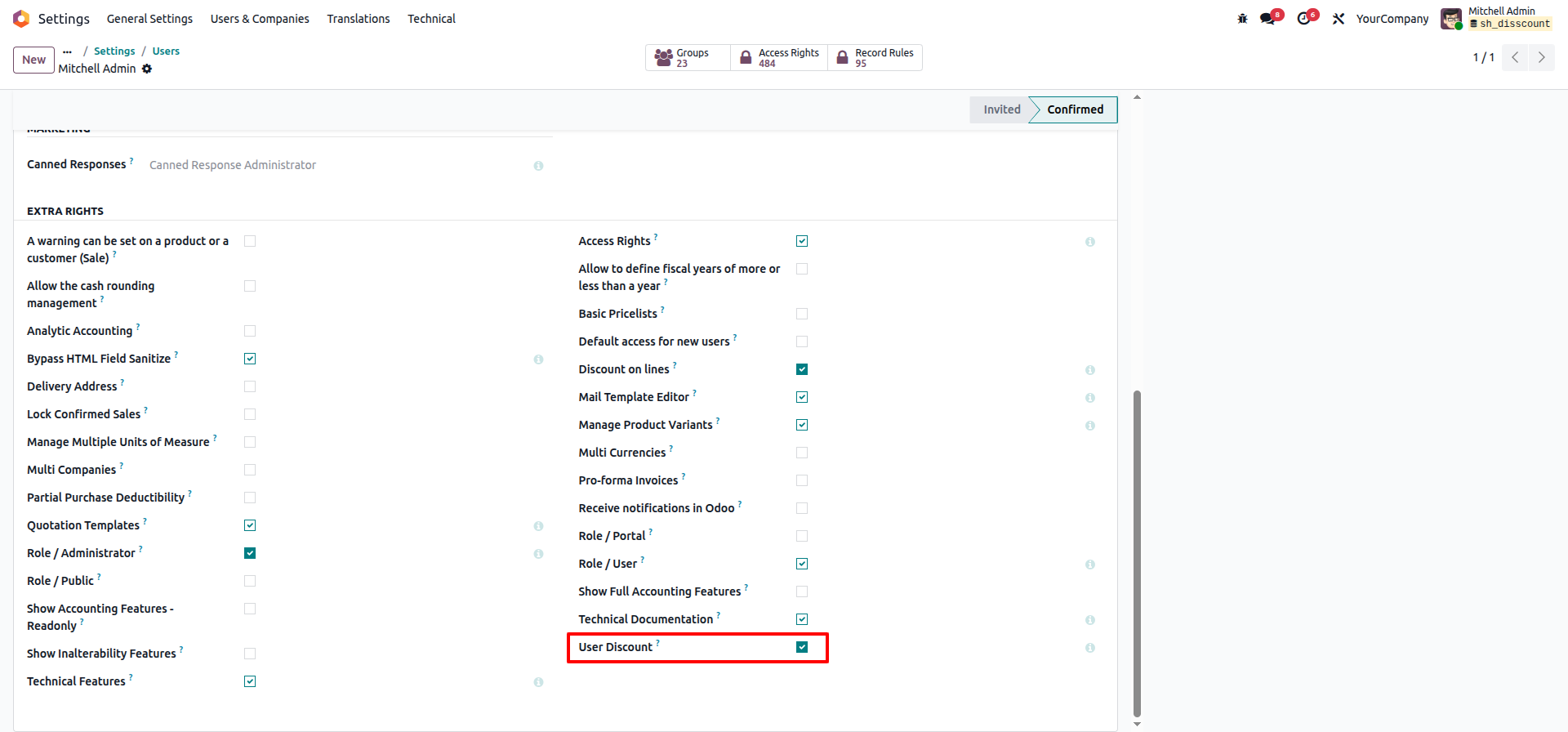
Go to the Users settings and enable 'User Discount' boolean.
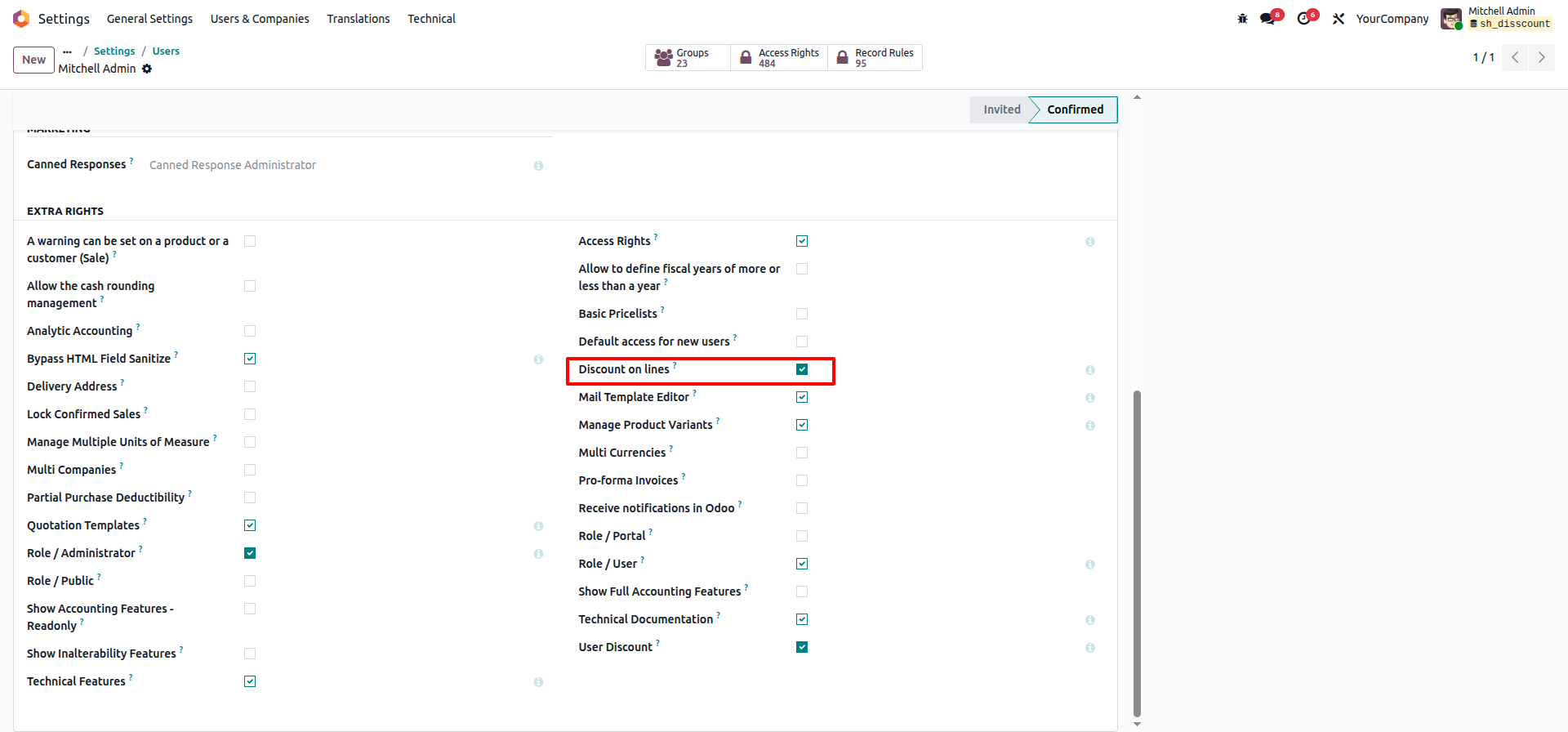
Enable 'Discount on lines' boolean.
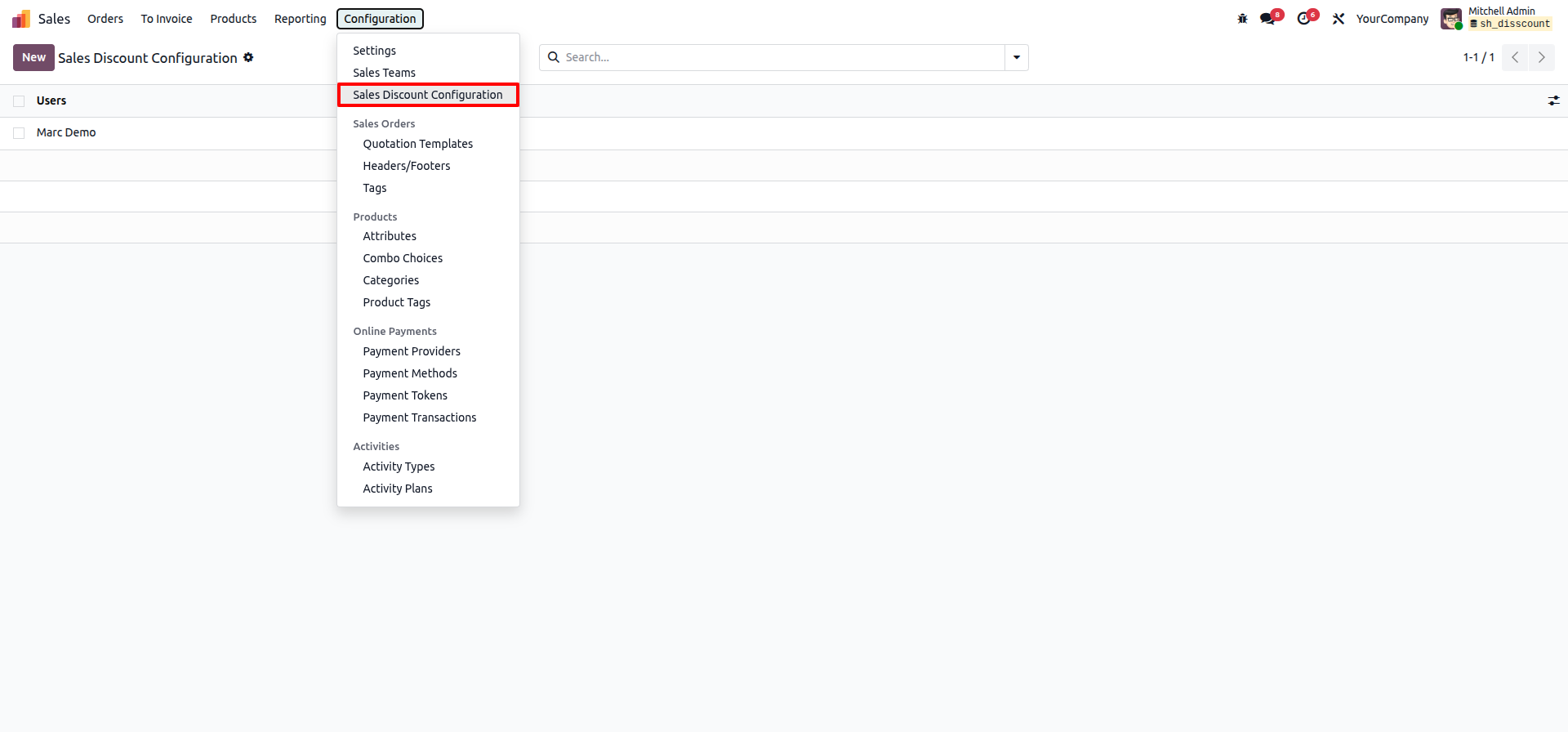
Go to Sales > Configuration > Sales Discount Configuration.
Configure minimum/maximum limit per user and set the approver.
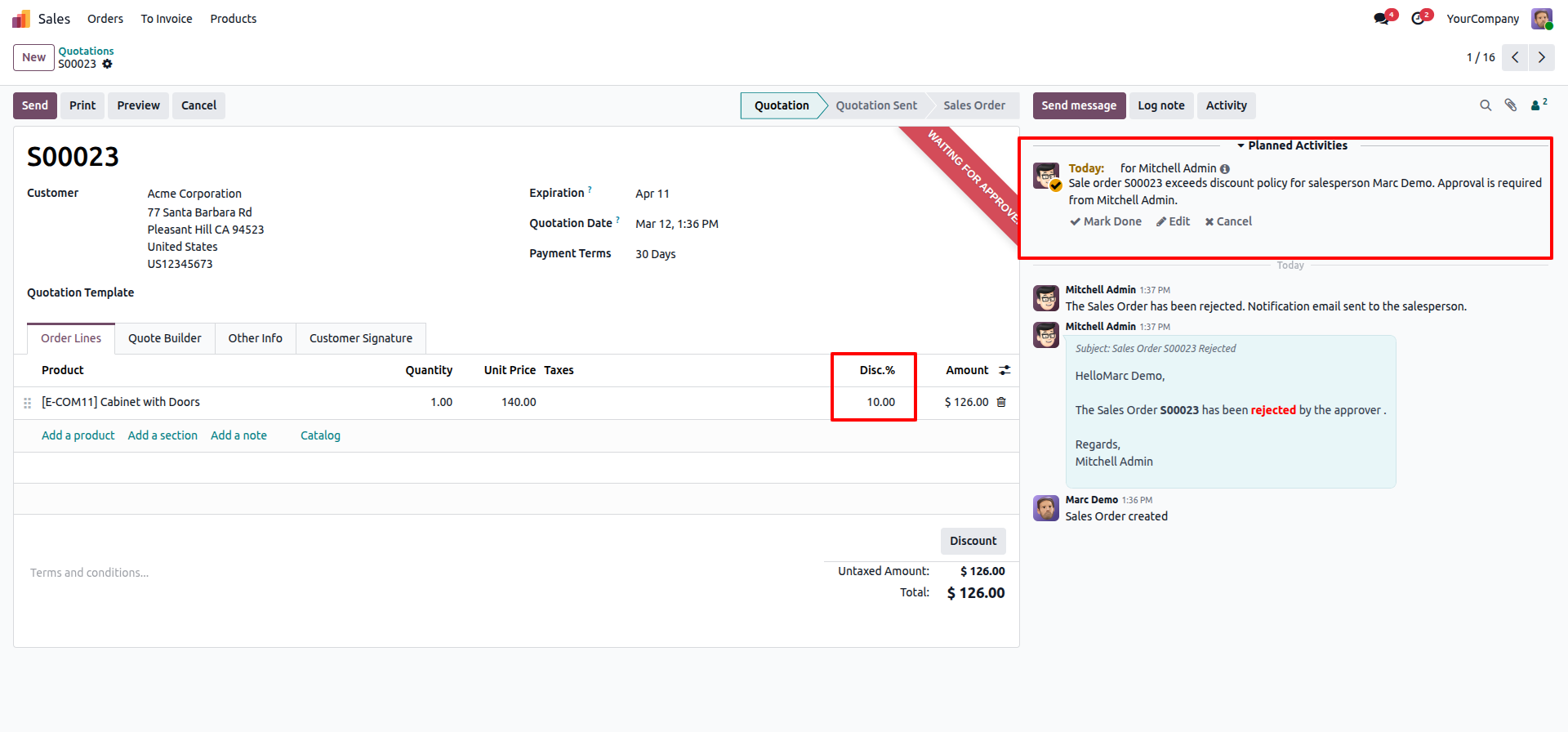
Quotation goes to 'Waiting for Approval' state and creates an activity if discount exceeds limits.
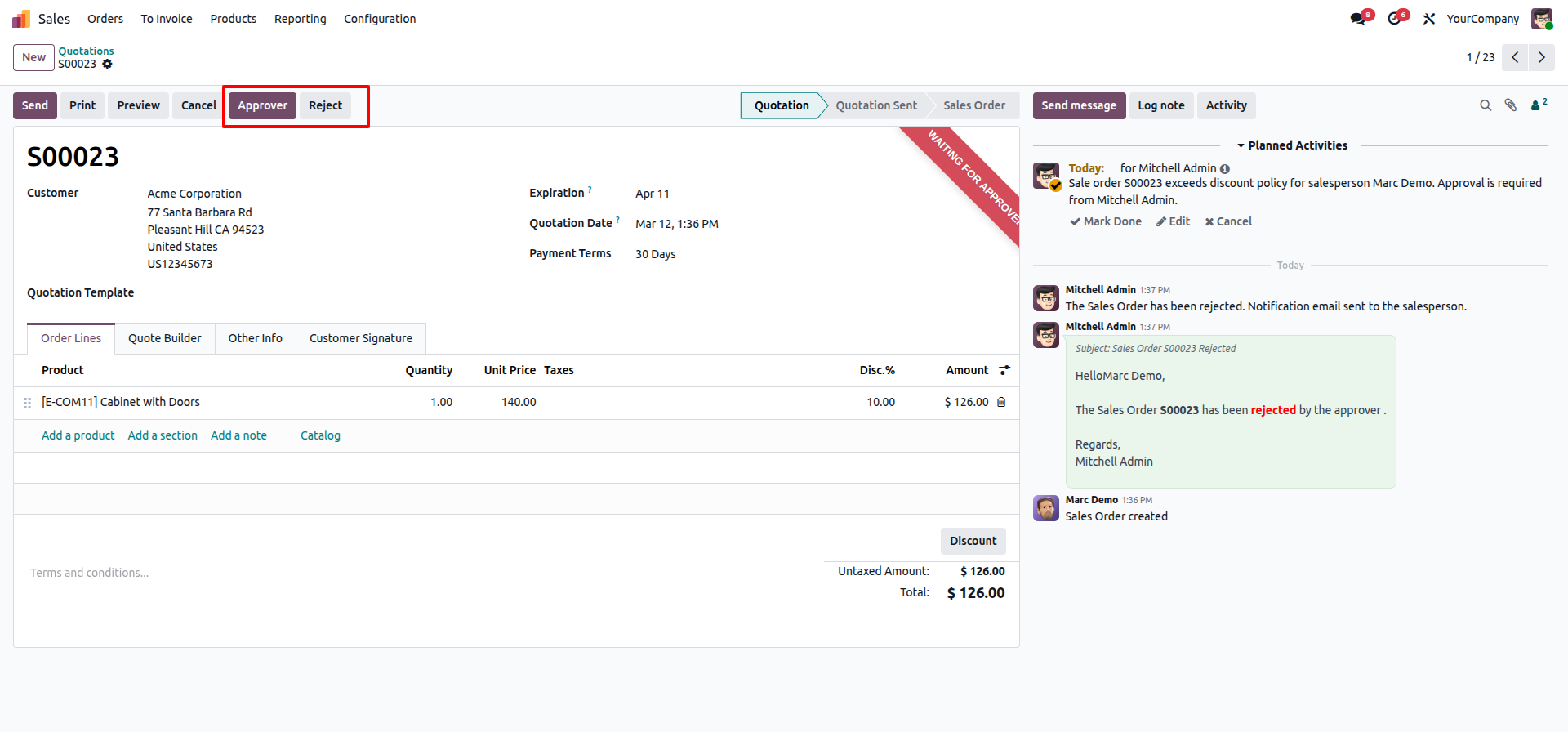
The approver can either approve or reject the quotation.
Go to the POS settings and enable the 'Display Stock Information' option.
Set the color in the 'Background Color Selection' and 'Font Color Selection'.

Here you can see that the stock background and font colors have been updated according to the configuration settings.

Here we select the stock possition: Top Left.

Here you can see that the stock position has been updated according to the configuration settings.

Version 19.0.1.0.0 | Released on : 7th April 2026
- Yes, this app works perfectly with Odoo Enterprise (Odoo.sh & Premise) as well as Community.
- No, this application is not compatible with odoo.com(odoo saas/Odoo Online)
- Yes, to test this module, please contact us at sales@softhealer.com.
- Please contact us at sales@softhealer.comto request customization.
- Yes, we provide free support for 365 days from the date of purchase.
- Yes, you will receive lifetime free updates for the version of the module you purchased.
- No, there is no need to install any additional libraries.
- Yes, for version 12 and above, you need to purchase the module separately for each version you intend to use.
- No, exchanges or refunds are not allowed. Please make sure to select the correct version before purchasing.
- You can contact us at support@softhealer.com for language translation support. We use Google Translator tools to provide translations in multiple languages, so the accuracy may vary. We welcome your suggestions to help improve translations.
Discover Our Latest Apps