


 Easy to Manage
 Dedicated Support
















 Scan to email sales






Mass Product Stock Updates

Currently, in Odoo, there is no feature to update the stock of multiple products with lot numbers and locations. You can accomplish this using this module. This module provides the capability to update the stock quantity and lot number for more than one product in a single click.

Features
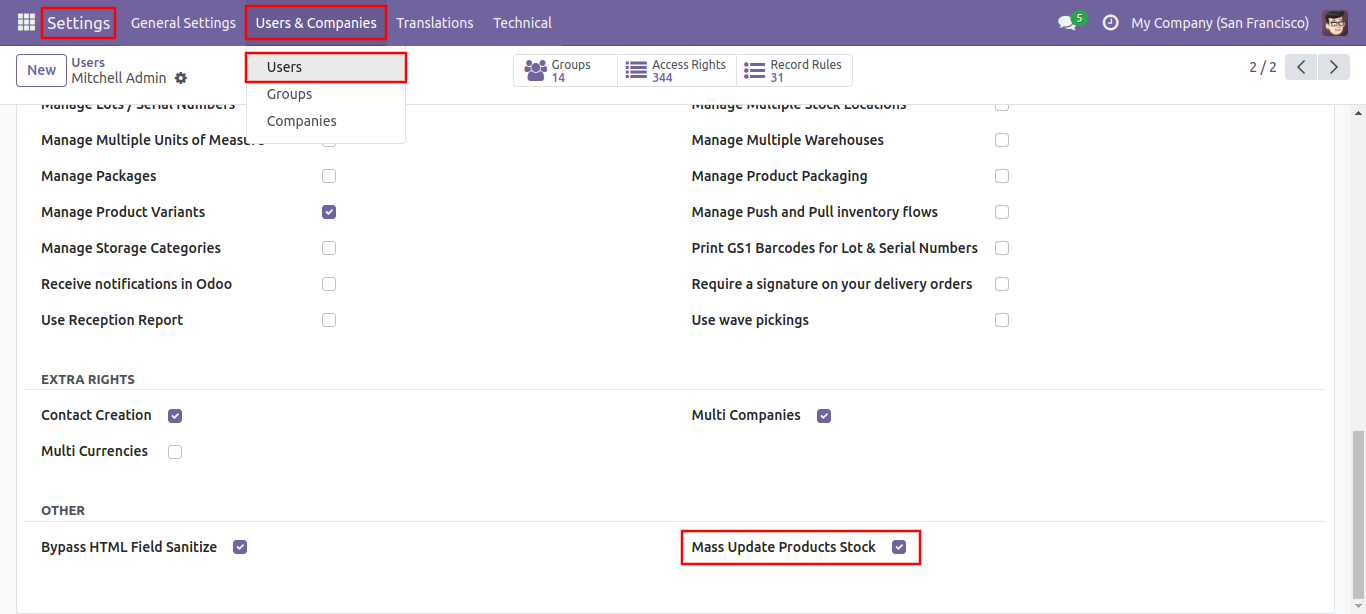
- User Setting: Simply check the 'Mass Update Products Stock' option.
- It's easy to update mass stock in a single click.
- You can also easily update lot serial numbers for more than one product in a single click (if traceability tracking is enabled by lots).
- Easy to change the location of multiple product stocks.
User Setting: > Just tick right 'Mass Update Products Stock'.
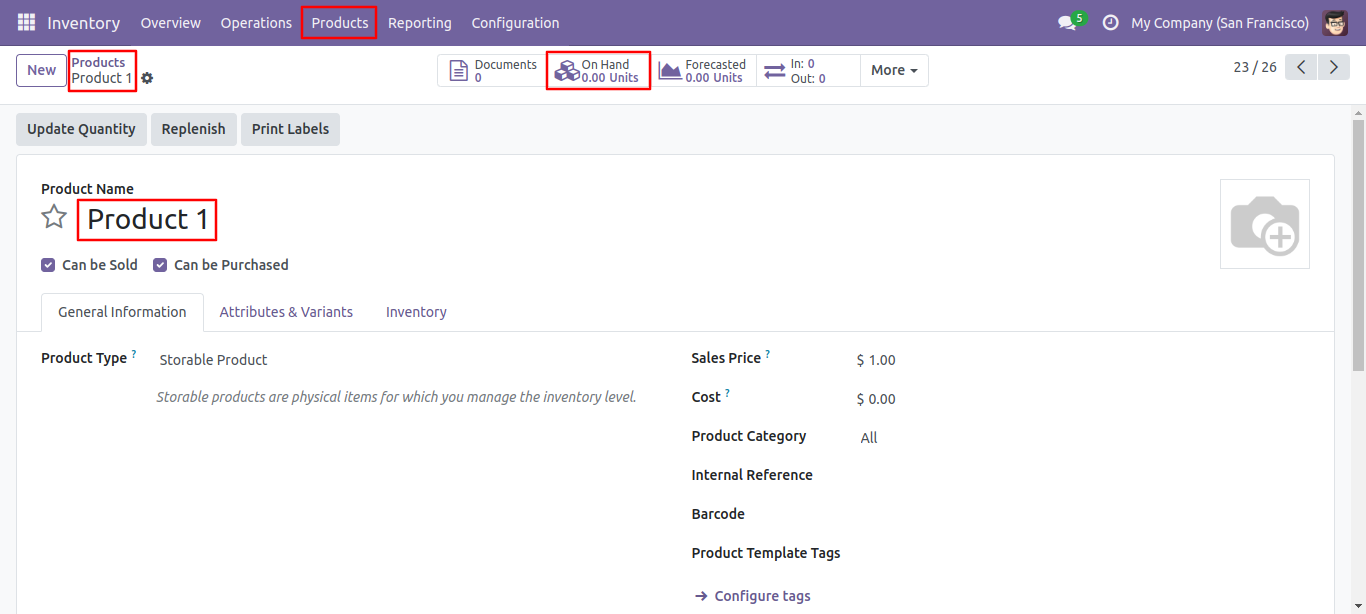
Product 1 on hand Qty is null.
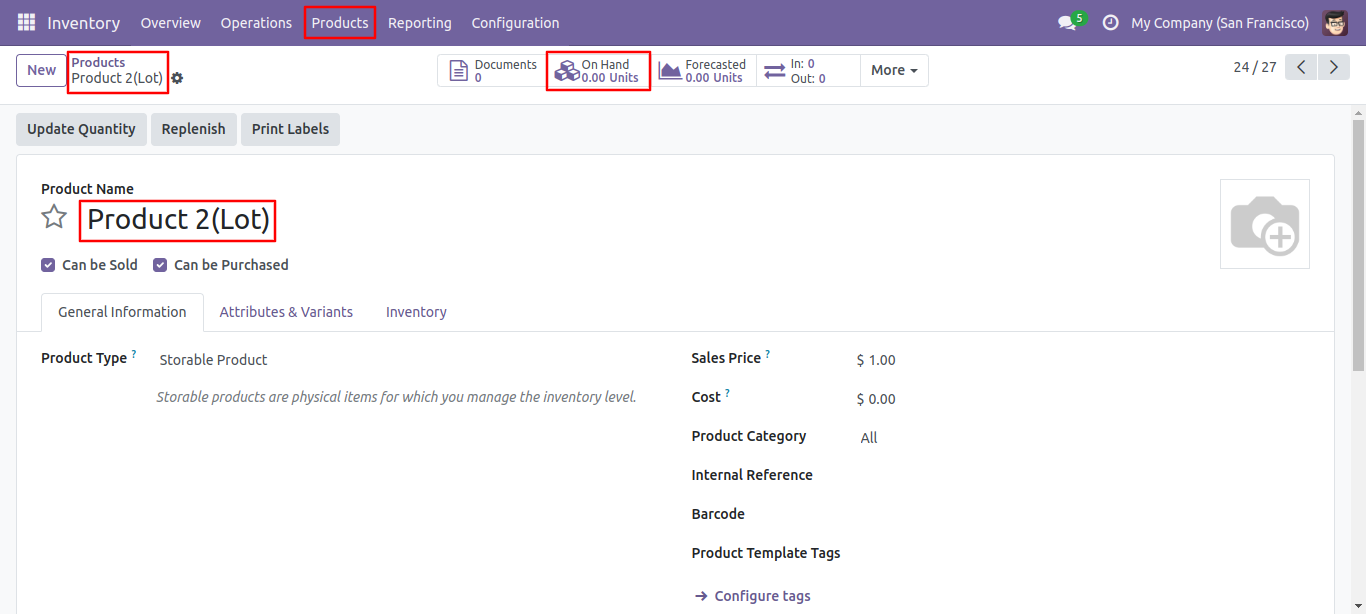
Product 2 on hand Qty is null.
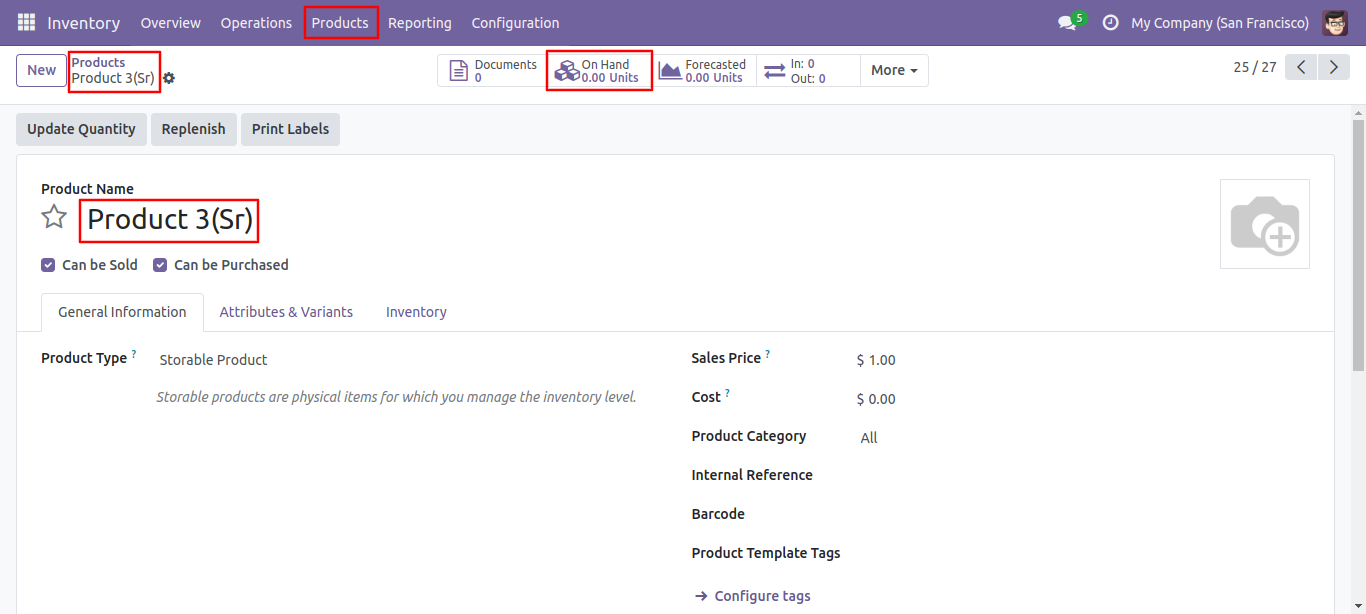
Product 3 on hand Qty is null.
You can update mass stock in the product template.
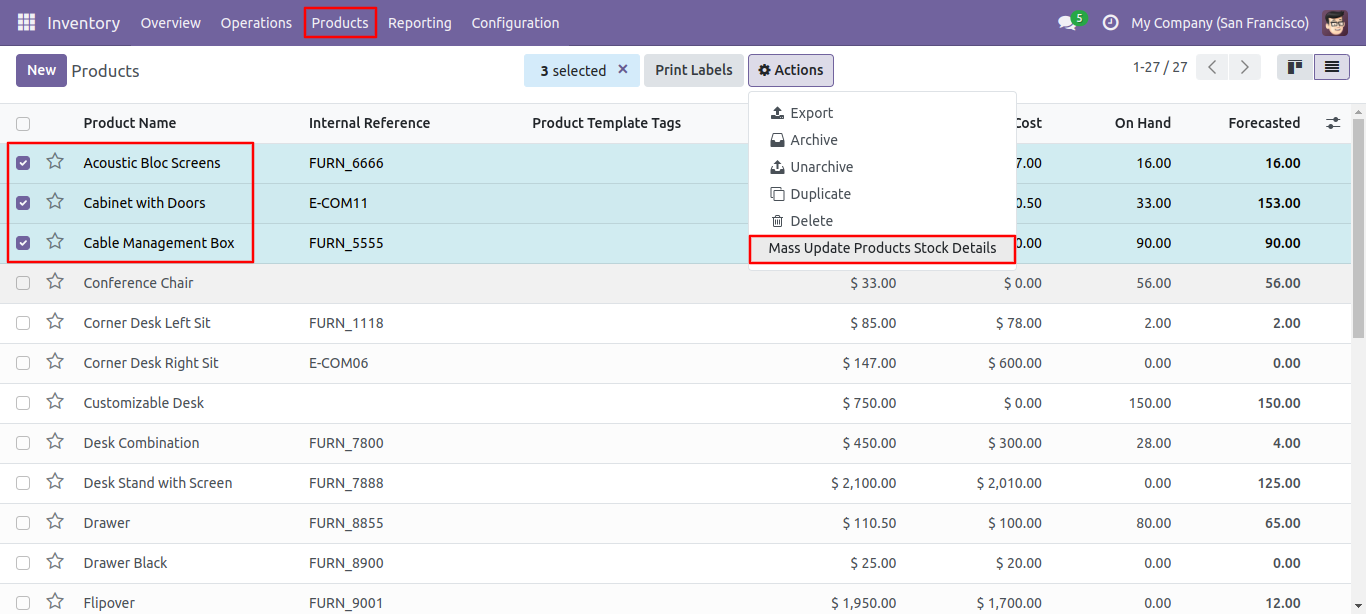
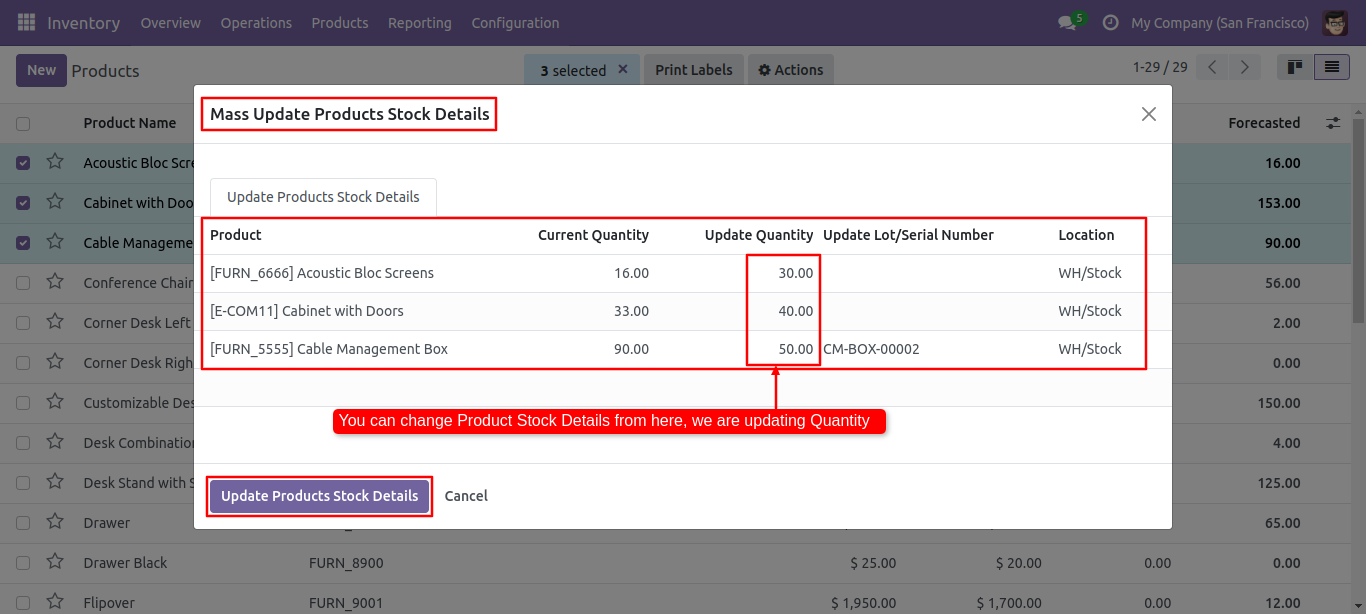
After that one wizard will popup, where you can see the details of the selected product and fill the value of 'Update Quantity'.
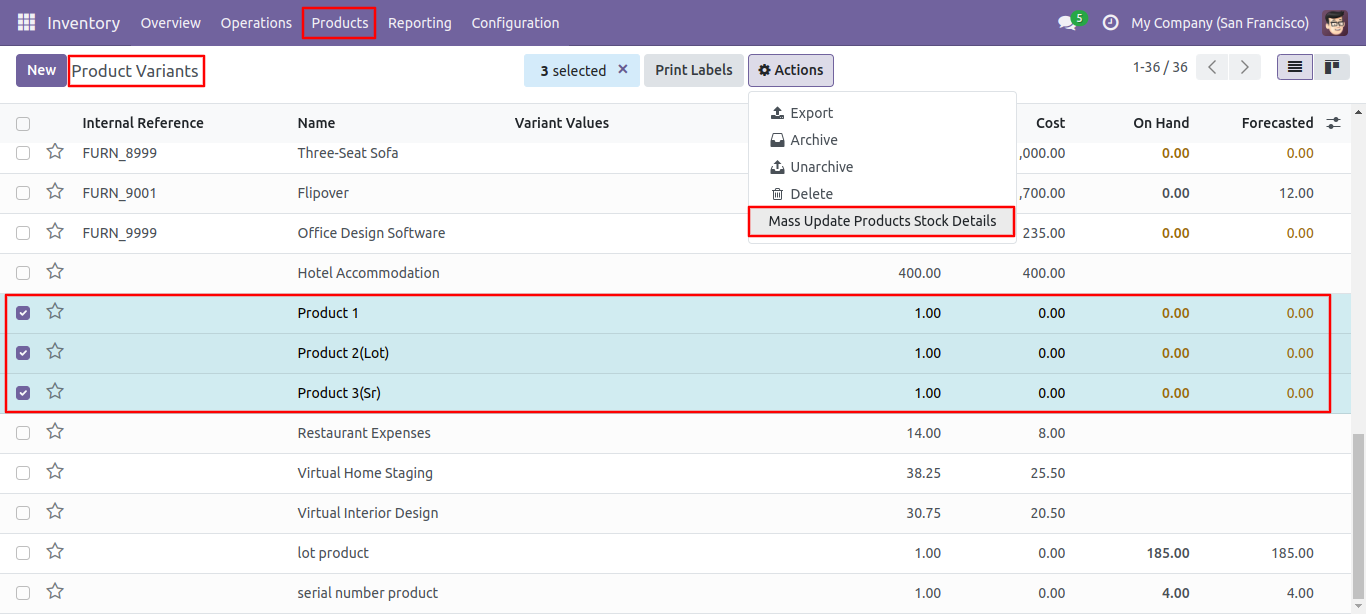
Select both products and click 'Mass Update Product Details' in action.
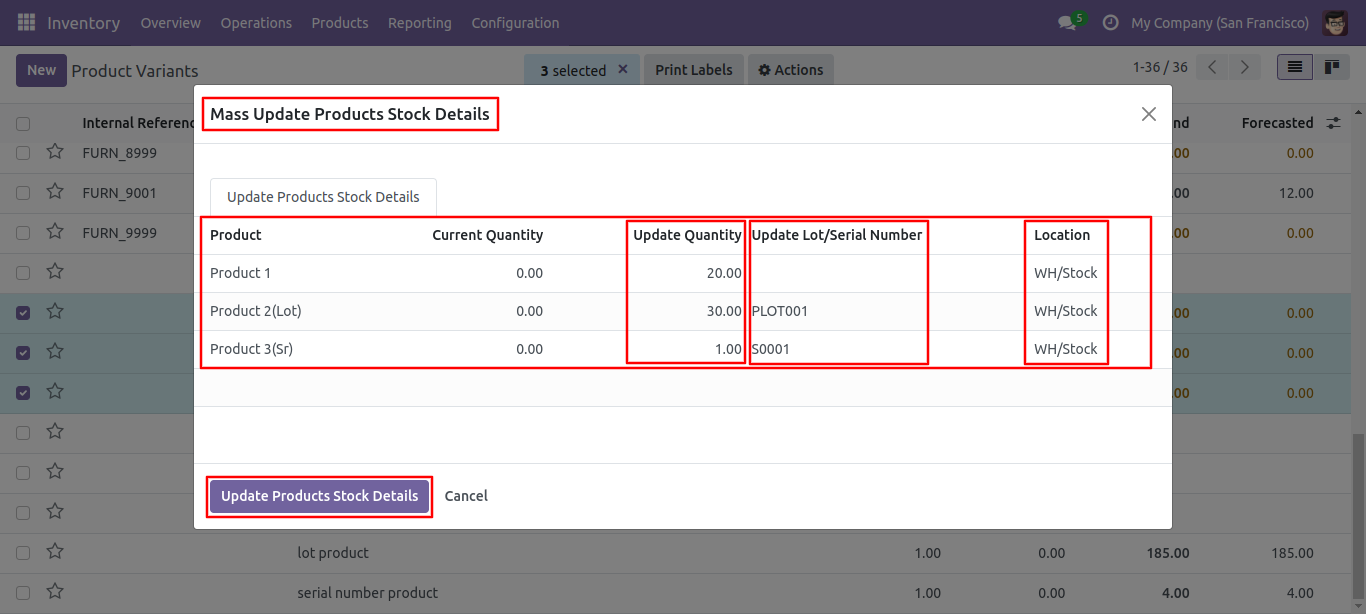
After that one wizard will popup, where you can see the details of the selected product and fill the value of 'Update Quantity'.
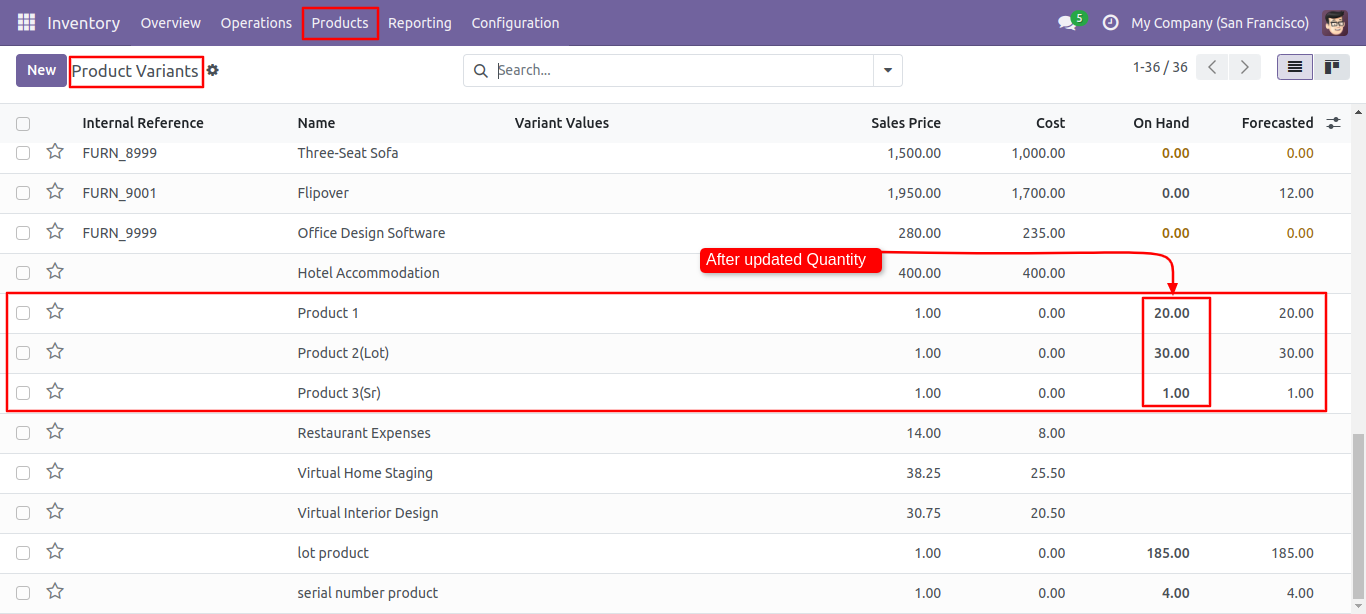
After click 'Update Product Detail' you can see the detail is update.
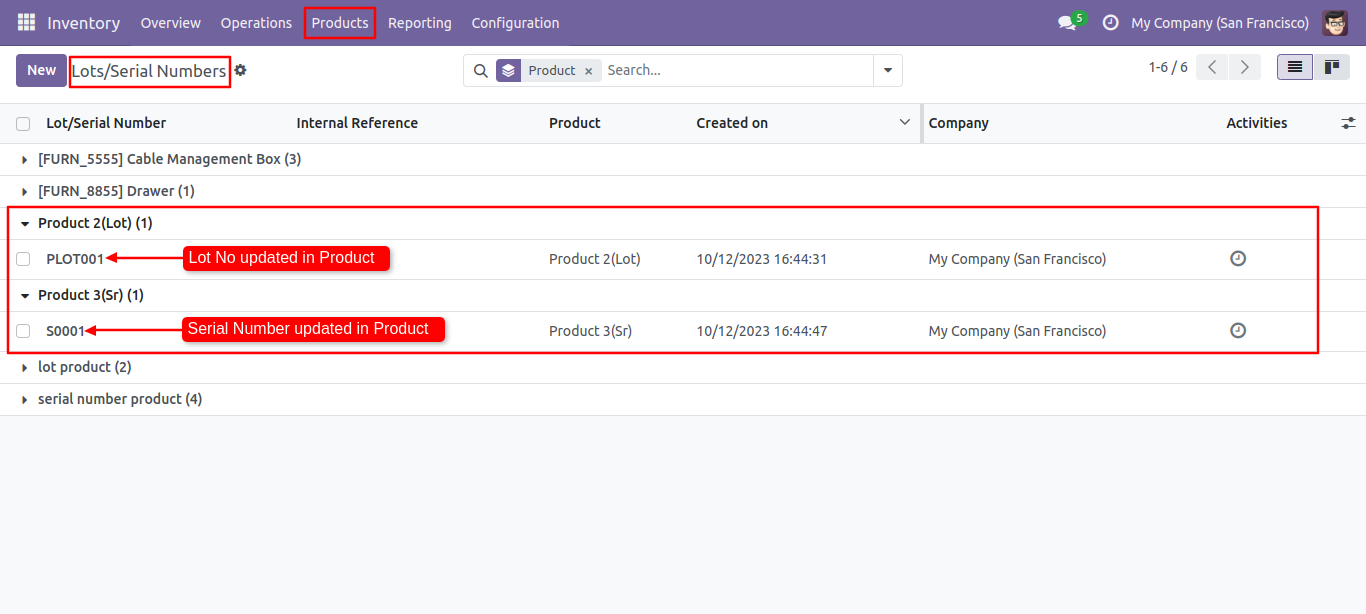
In lots of serial numbers as you can see the lot number is updated.
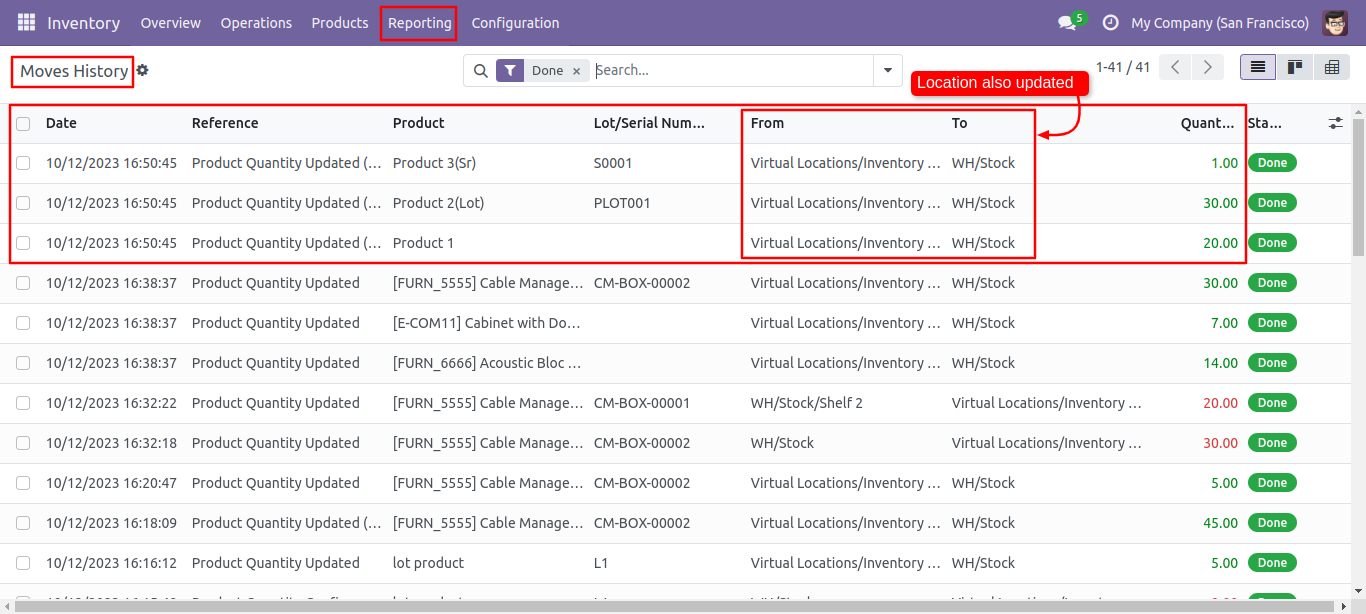
As you can see the location also update.
Version 18.0.1 | Released on : 8th October 2024
- Yes, this app works perfectly with Odoo Enterprise (Odoo.sh & On-Premise) as well as Community.
- No, this application is not compatible with odoo.com(odoo saas/Odoo Online).
- Please Contact Us at sales@softhealer.com to request customization.
- Yes, you will get free update for lifetime.
- No, you don't need to install addition libraries.
- For version 12 or upper, you will need to purchase the module for each version that you want to use.
- Yes, we provide free support for 100 days.
- No, We do not provide any kind of exchange.
