













Mass Activities

Currently, in odoo, you can create single activity at a time. So using this module you can create mass activities in a single click. for ex. you need to call 10 customers today so you can easily do that from using this module. You can make action for mass activities dynamically for any odoo model like sale order, purchase order, contacts, etc.

Related Modules
Hot Features
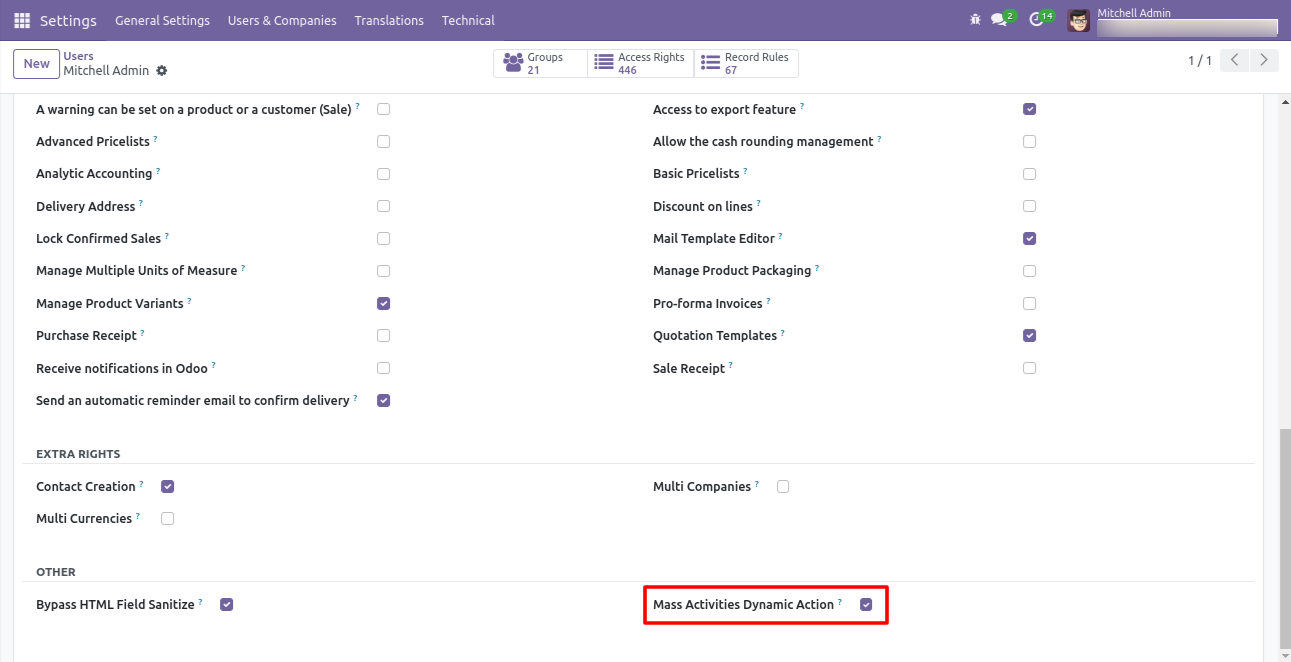
Go to users and tick 'Mass Activities Dynamic Action'.
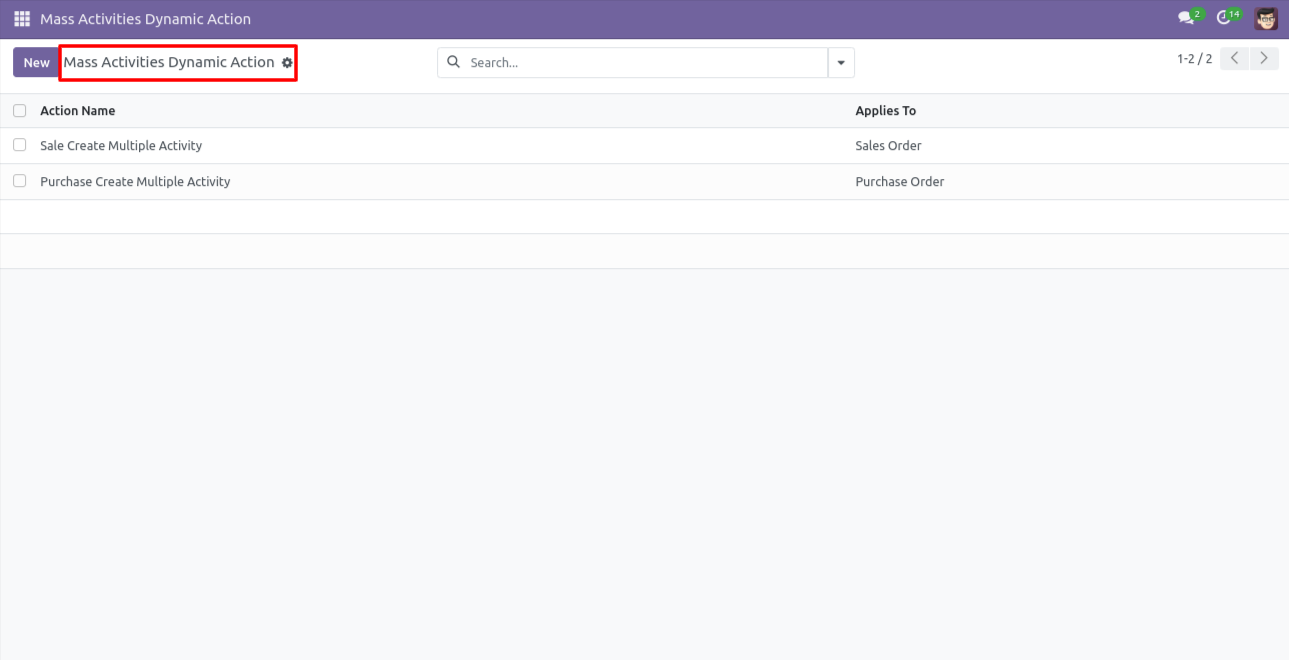
The 'Mass Activities Dynamic Action' list view.
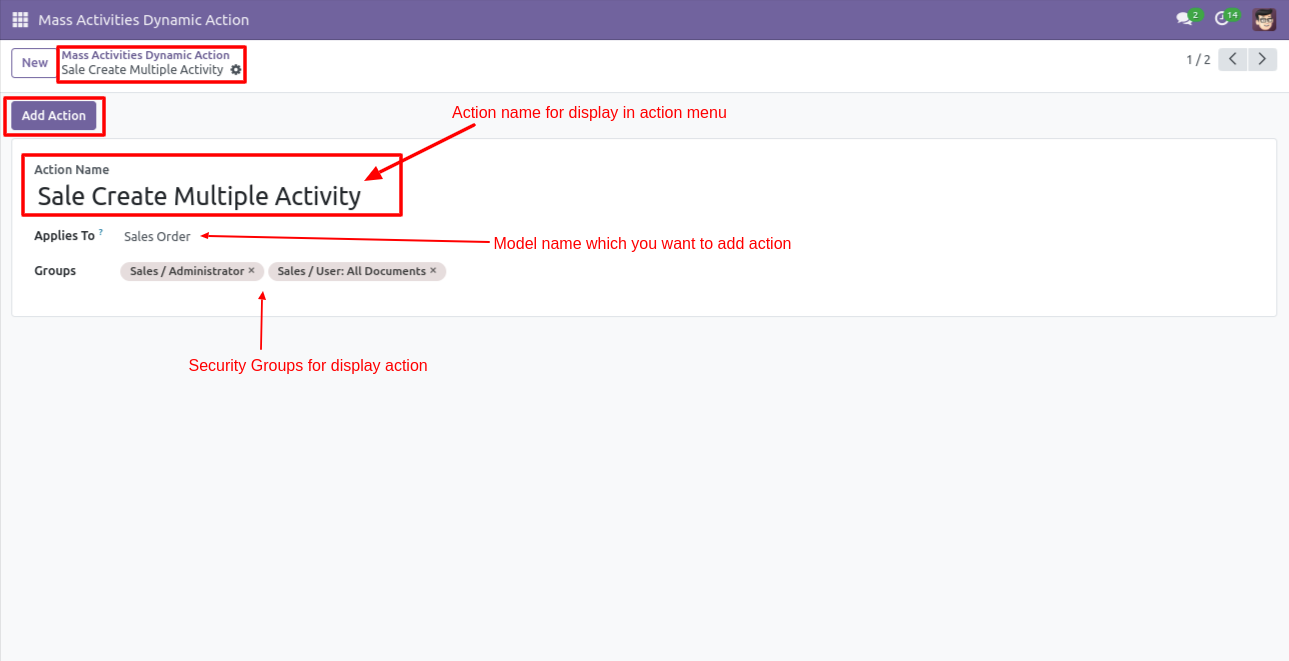
In the 'Mass Activities Dynamic Action' form view, define the action name and select applies
to & group for that action and click 'Add Action' to add that action in the selected model.
Note: This is only useful to main models not for an internal model like(sale order
line, purchase order line), etc. as in odoo standard separate views are not there for that
kind of models, if you have a separate view for that kind of model than you can use it we
don't have any restrictions for that.
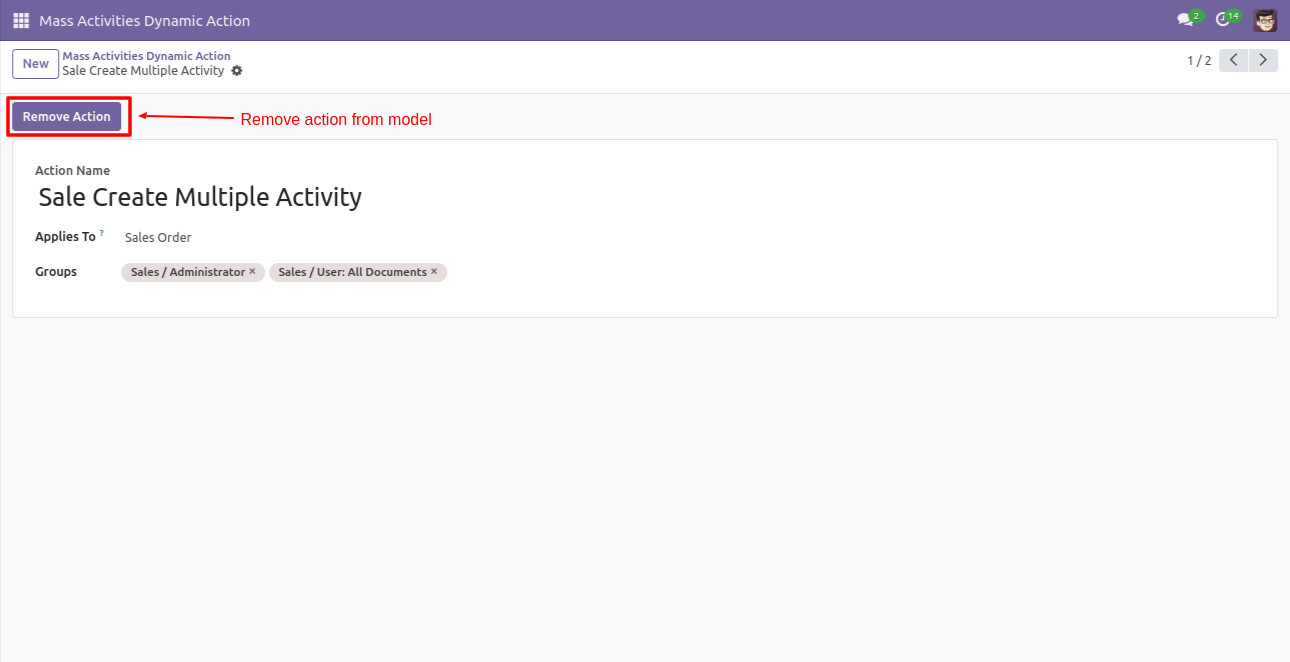
Click 'Remove Action' to remove that action from the selected model.
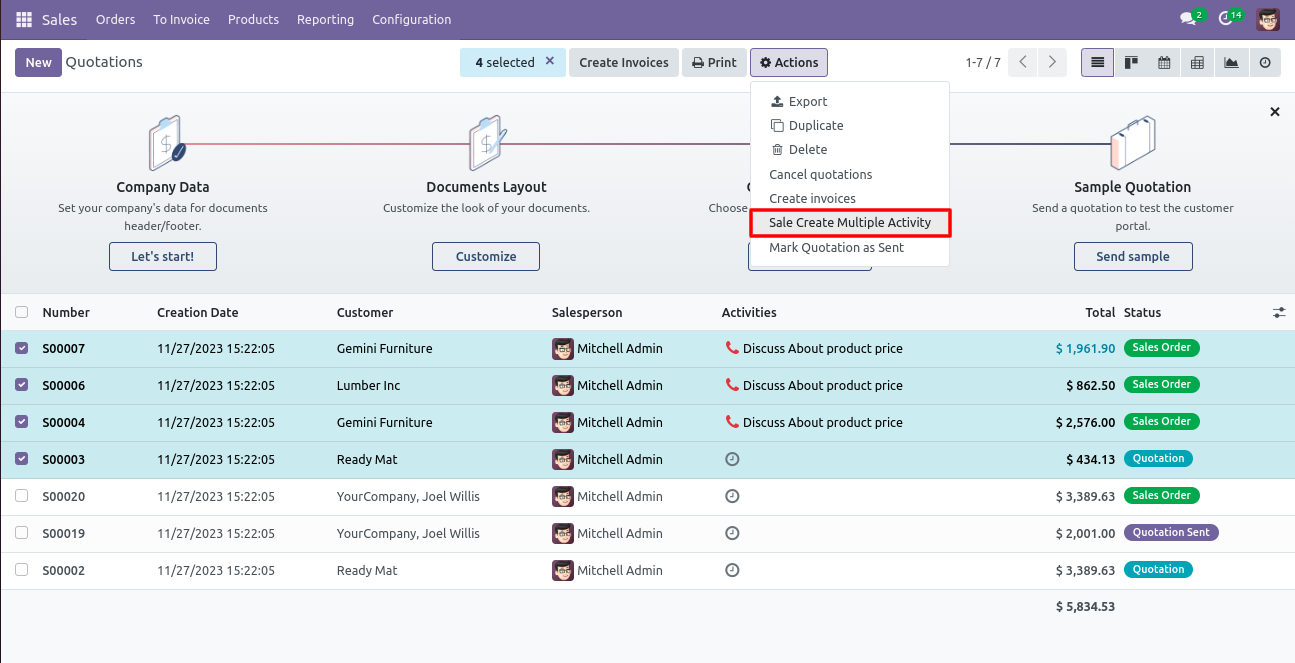
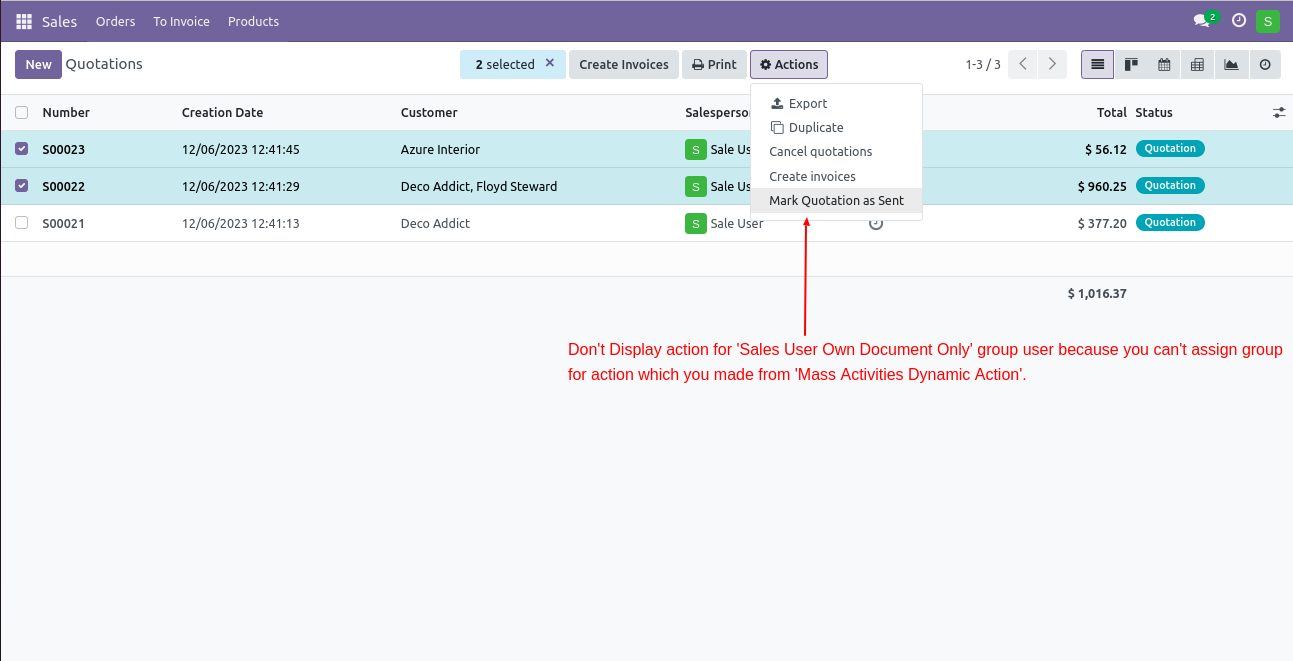
Select records from the list view in which you want to apply that action, and after that go to 'Action' and apply that action, It displays action in that group only which was configured.
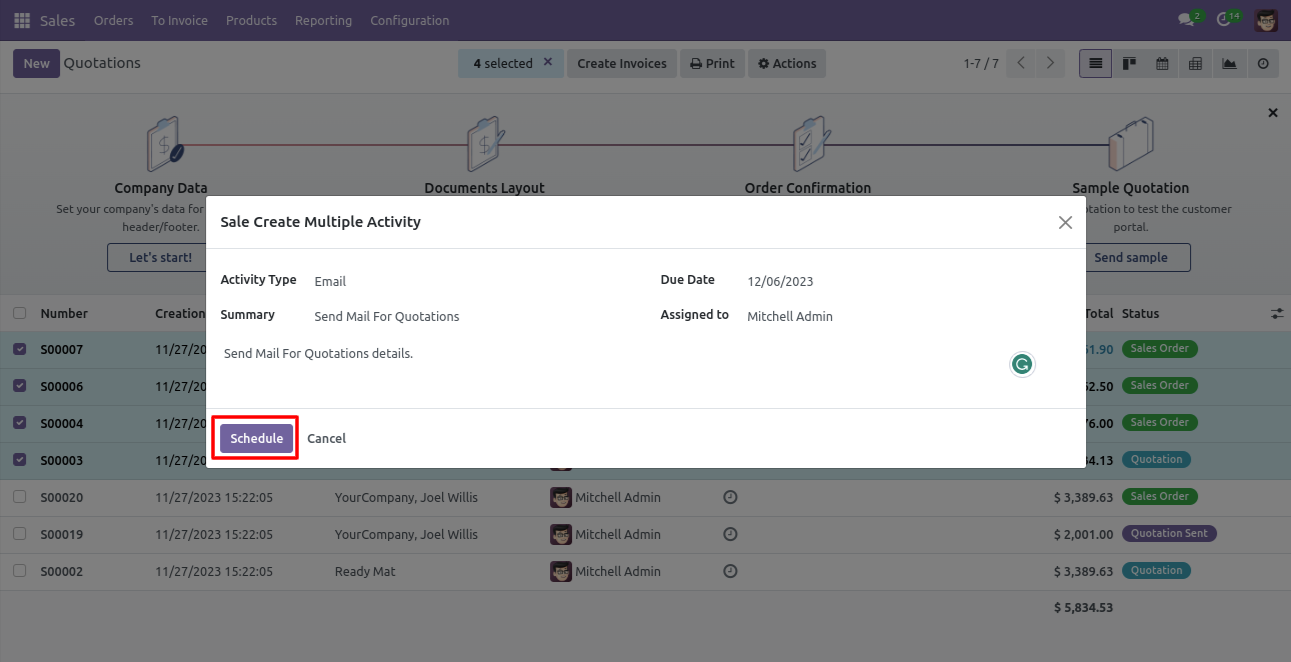
Enter details and press 'Schedule'.
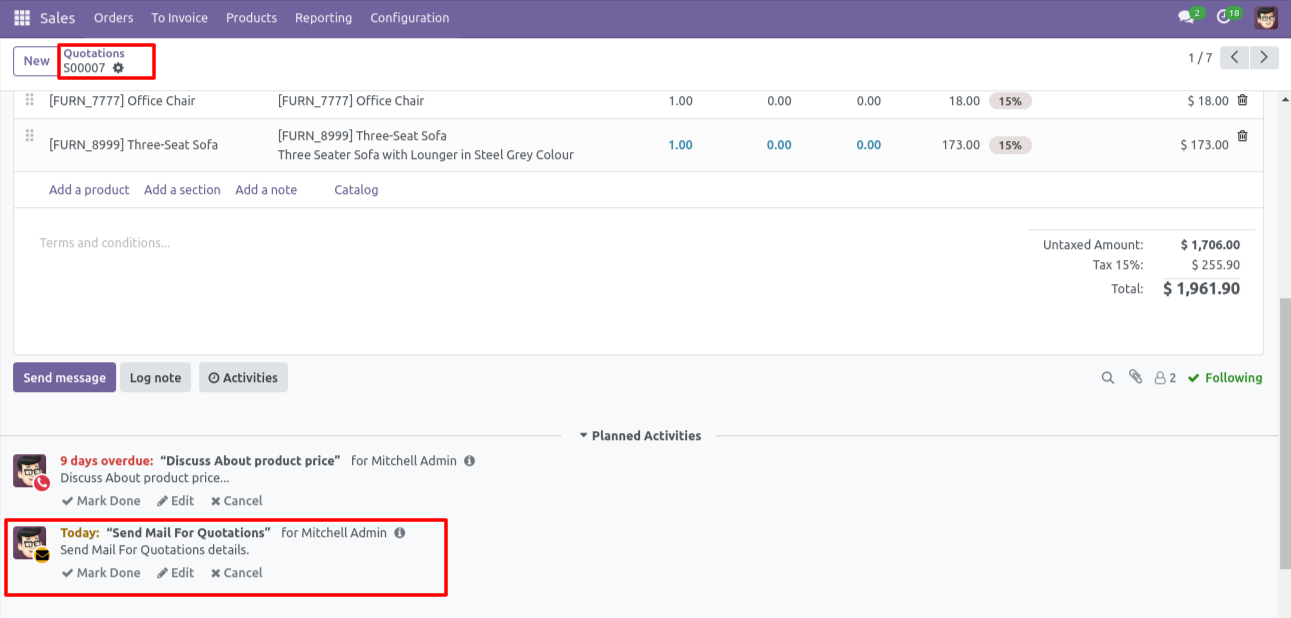
Action applied in all the selected records.
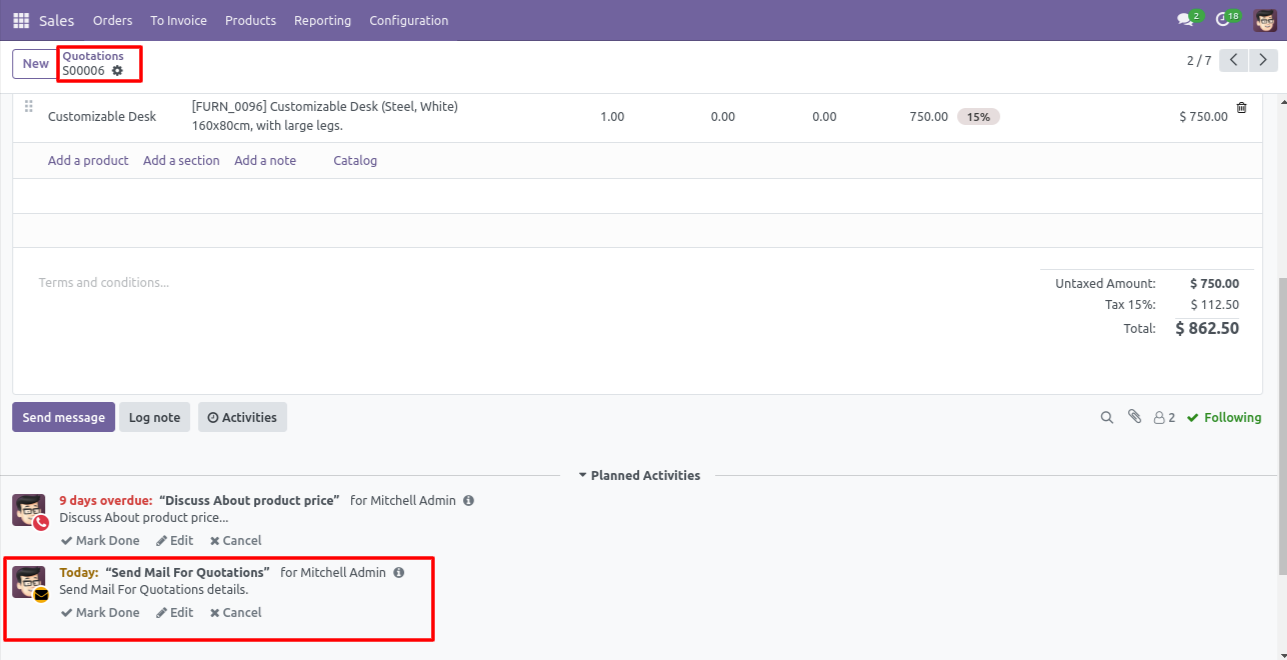
Action applied in all the selected records.
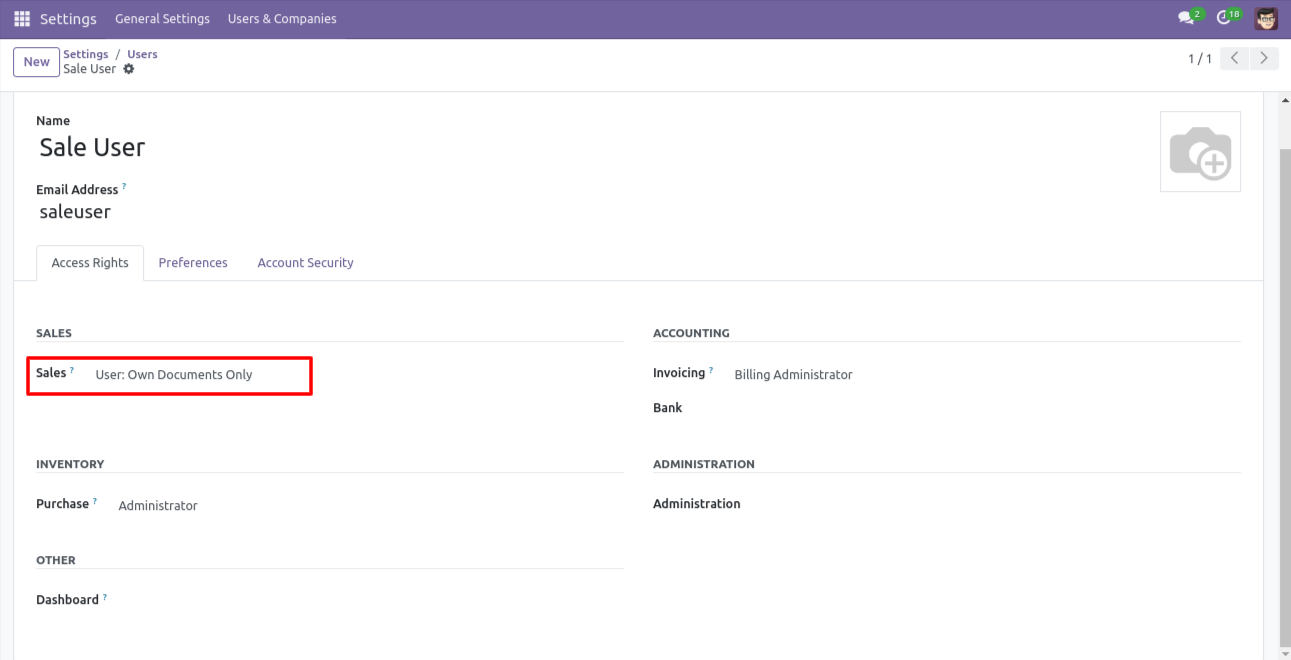
Go to the users and give access rights sales: 'Users: own document only'.
Action is not displayed in that group which was not assigned in the configuration.
Version 18.0.1 | Released on : 14th August 2024
- Yes, this app works perfectly with Odoo Enterprise (Odoo.sh & On-Premise) as well as Community.
- No, this application is not compatible with odoo.com(odoo saas/Odoo Online).
- Please Contact Us at sales@softhealer.com to request customization.
- Yes, you will get free update for lifetime.
- No, you don't need to install addition libraries.
- For version 12 or upper, you will need to purchase the module for each version that you want to use.
- Yes, we provide free support for 100 days.
- No, We do not provide any kind of exchange.
