












Manufacturing Tags

This module enables the feature to create a manufacturing tags. You can change the color of tags as per need. You can filter & search manufacturing records using particular tags. We provide feature to update mass MRP tags.

Related Modules
Features
- You can set default tags for workcenter & workorder.
- You can mass update workcenter & workorder tags.
- You can set default tags.
- You can create a manufacturing tags.
- You can change the tag color.
- You can find and filter manufacturing order records using tags.
- You can update mass MRP tags.
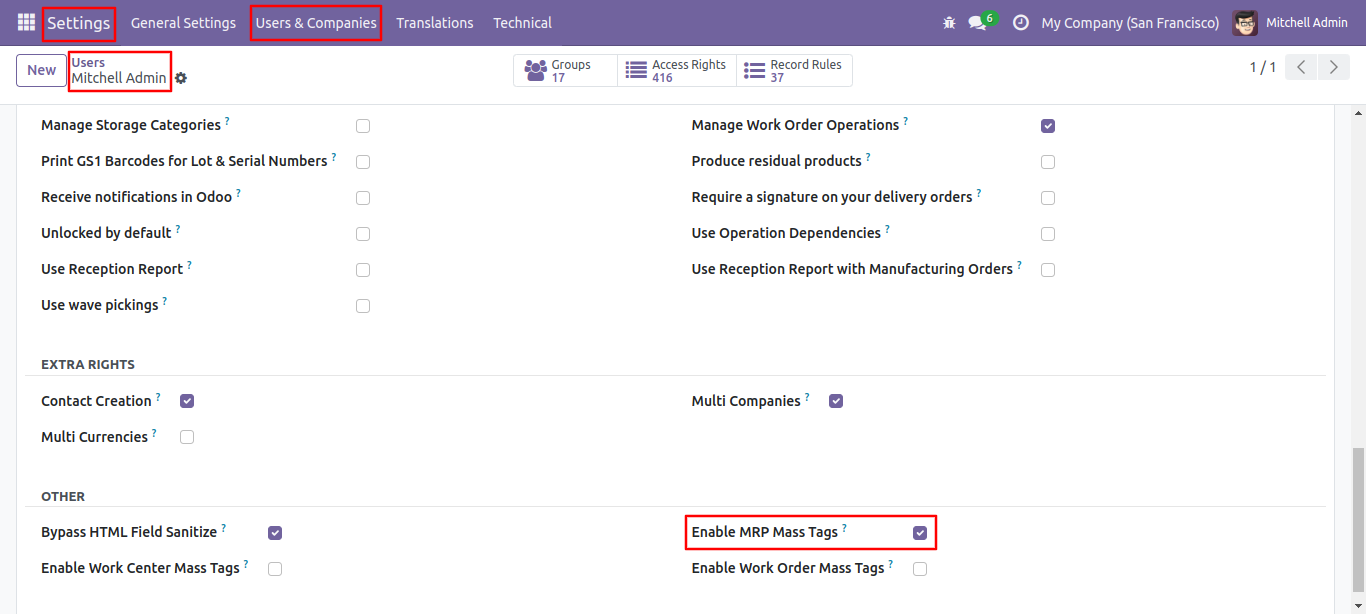
Go to the users and tick 'Enable MRP Mass Tags'.
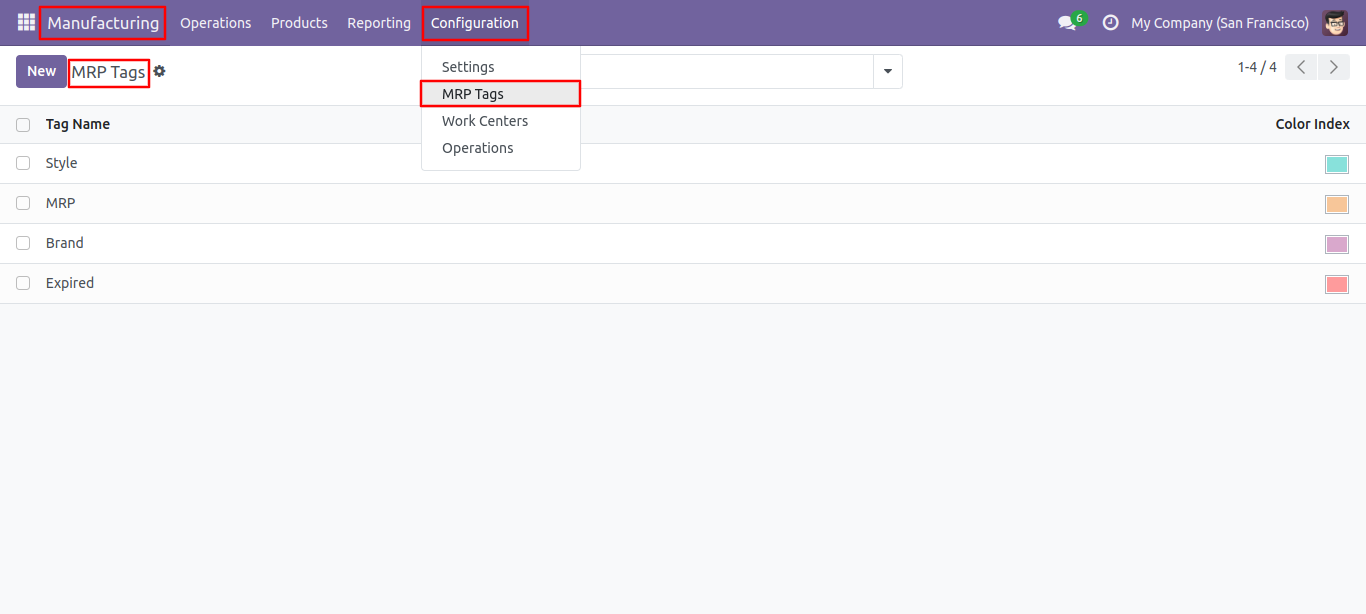
MRP tags list view, here you can create tags.
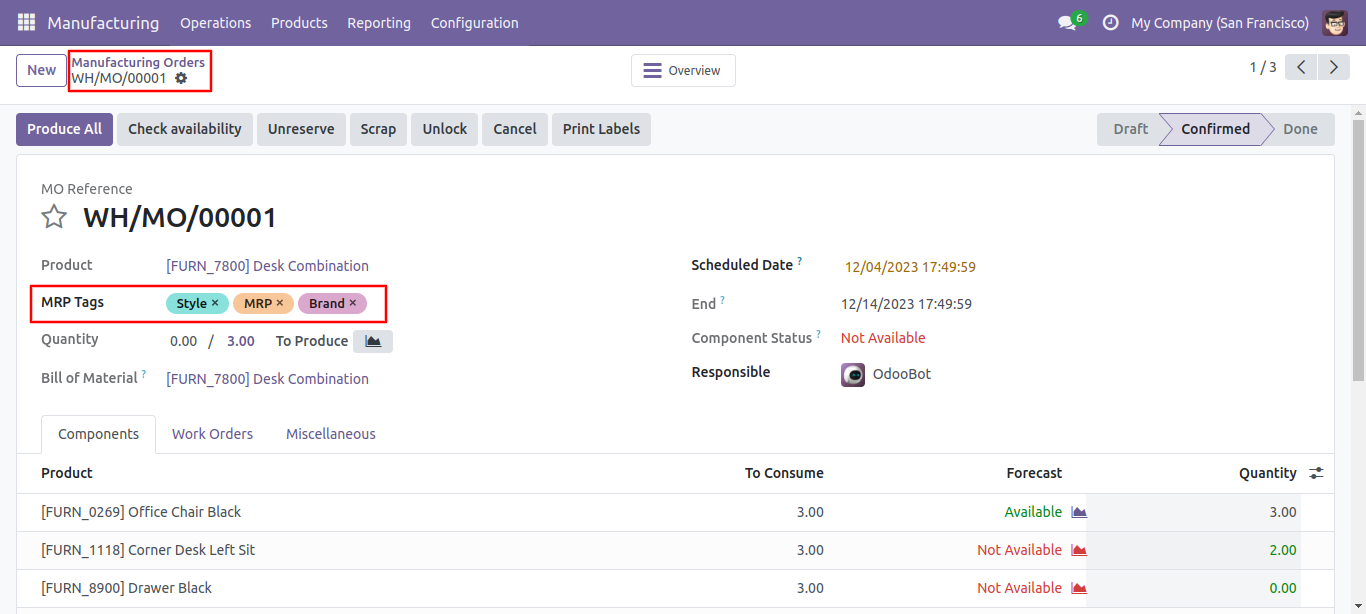
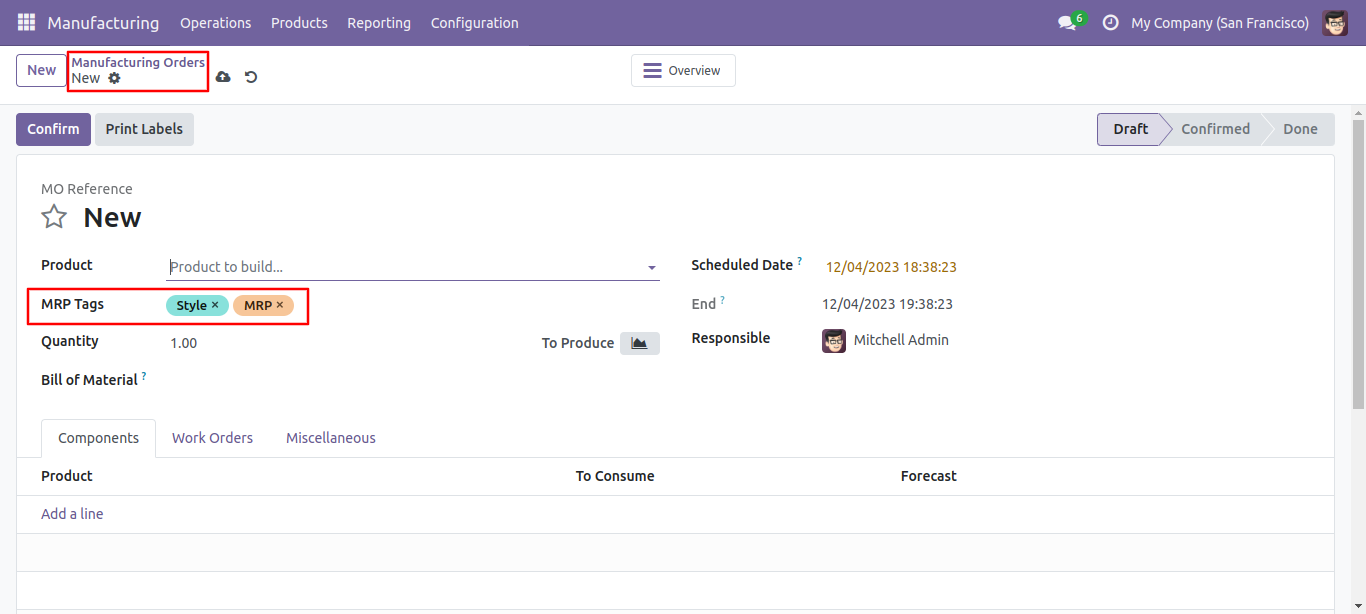
MRP form view with tags.
MRP list view with tags.
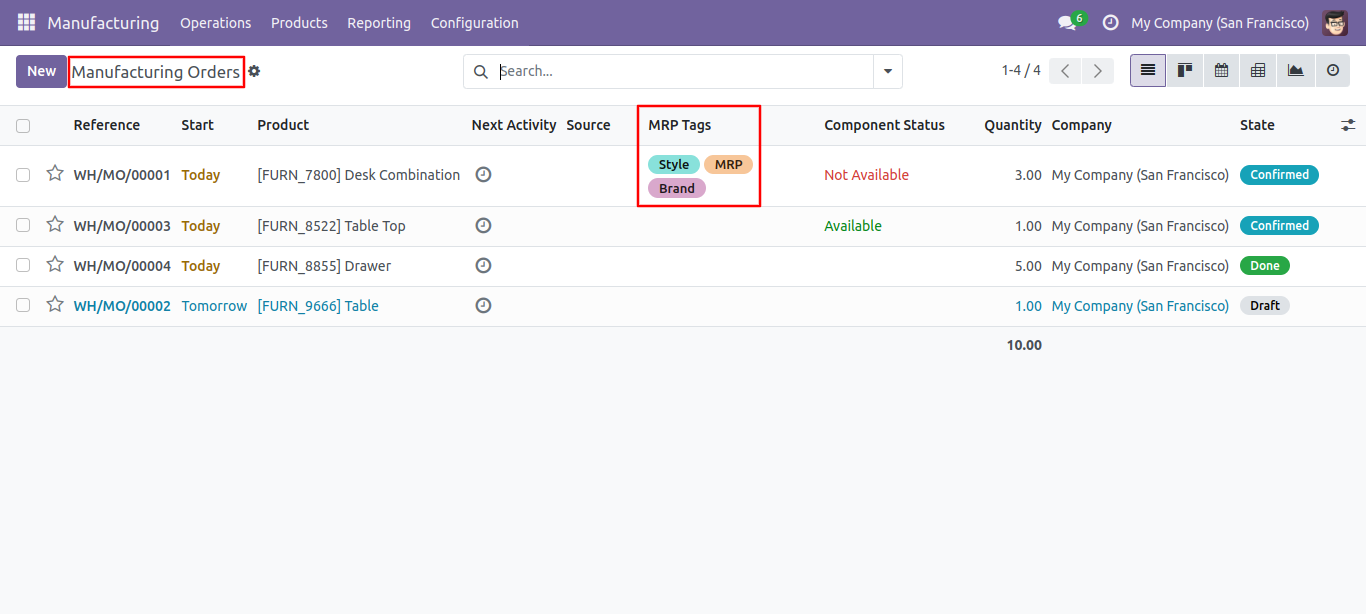
Select tags from the list view and click 'Update Mass Tag'.
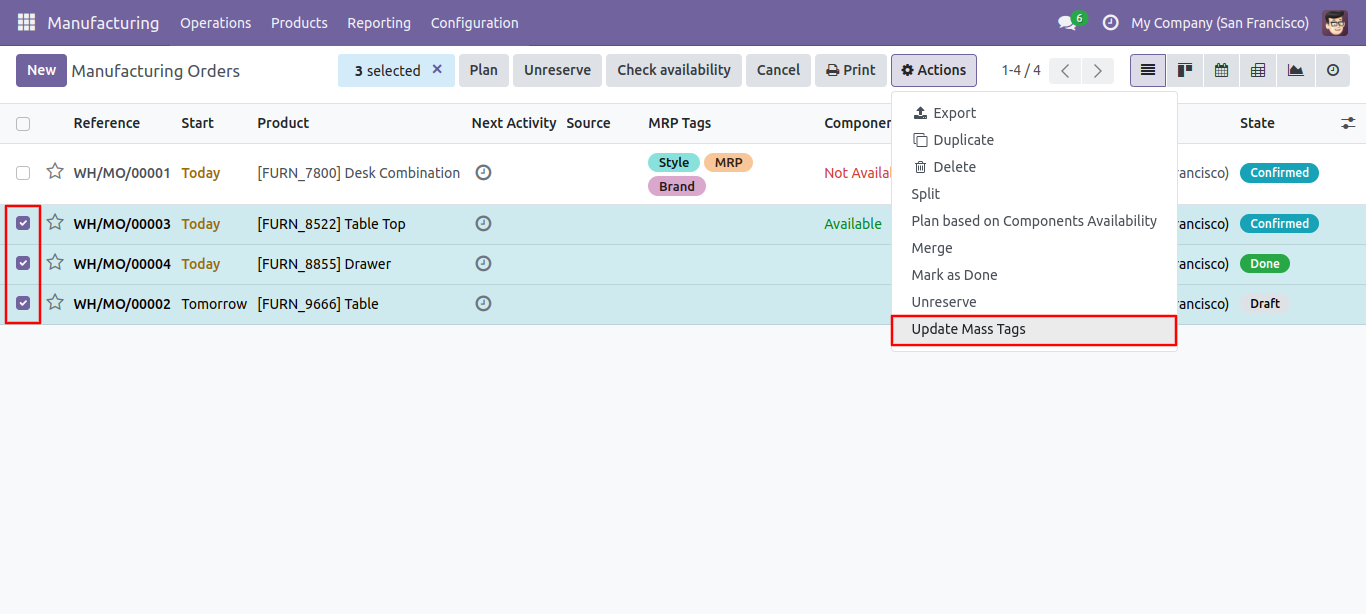
After that one wizard opens, select update method and tags then press the 'Done' button to update tags.
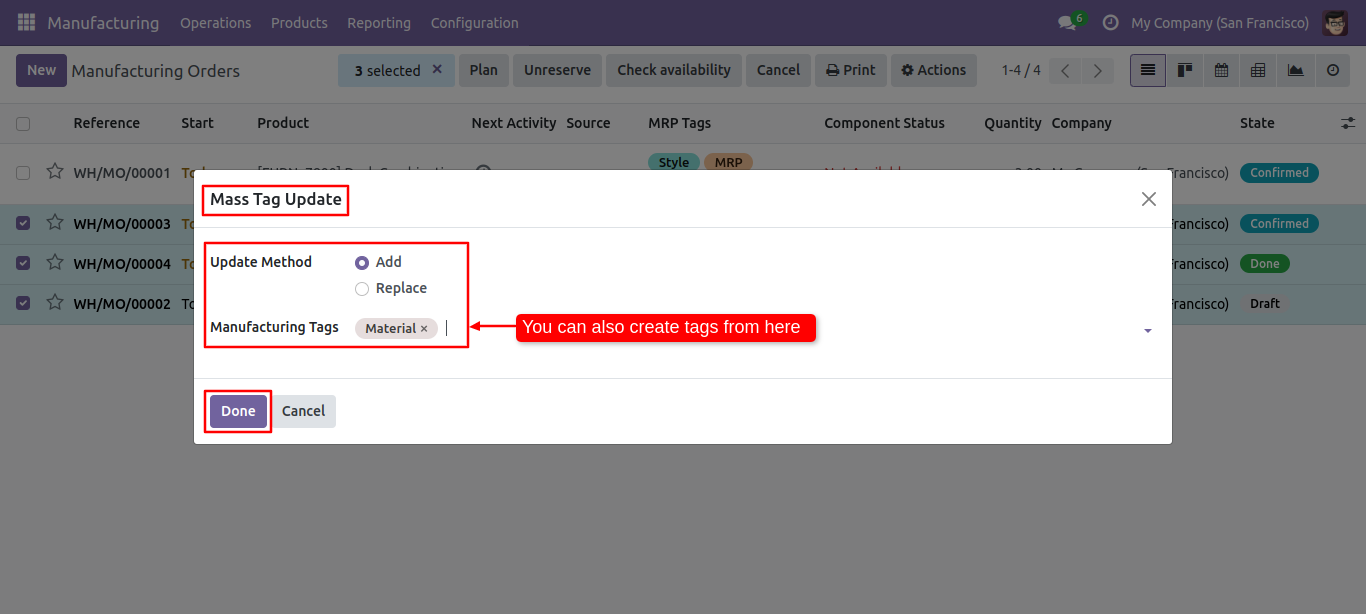
Tags updated.
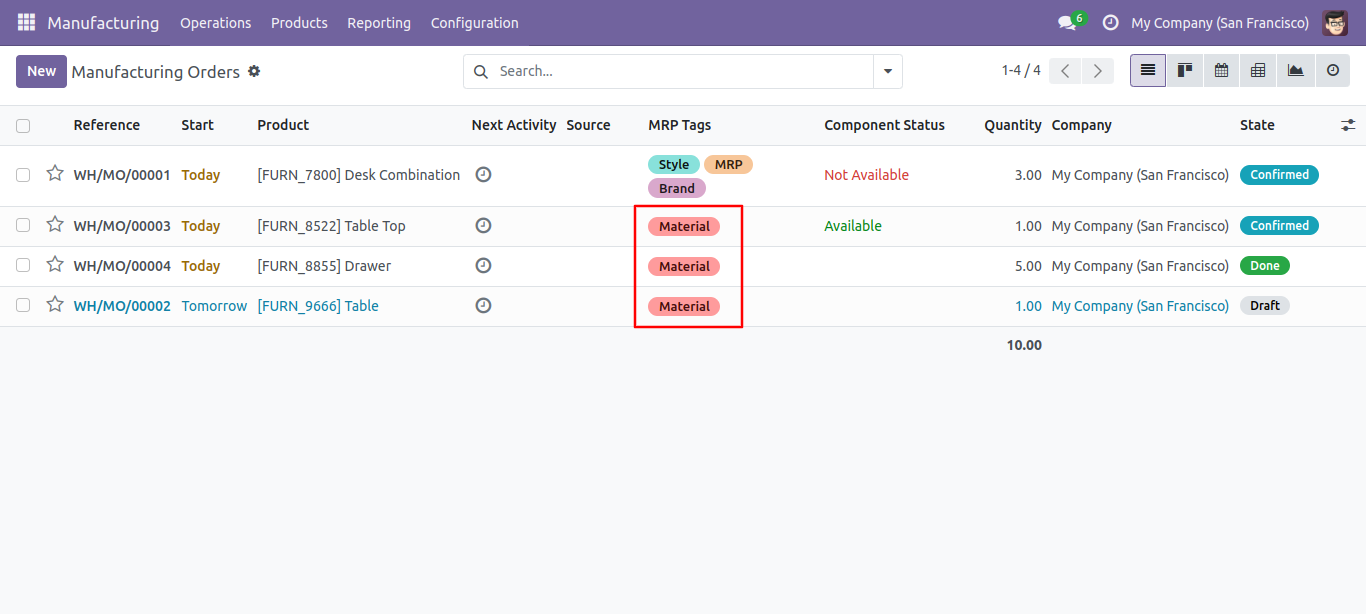
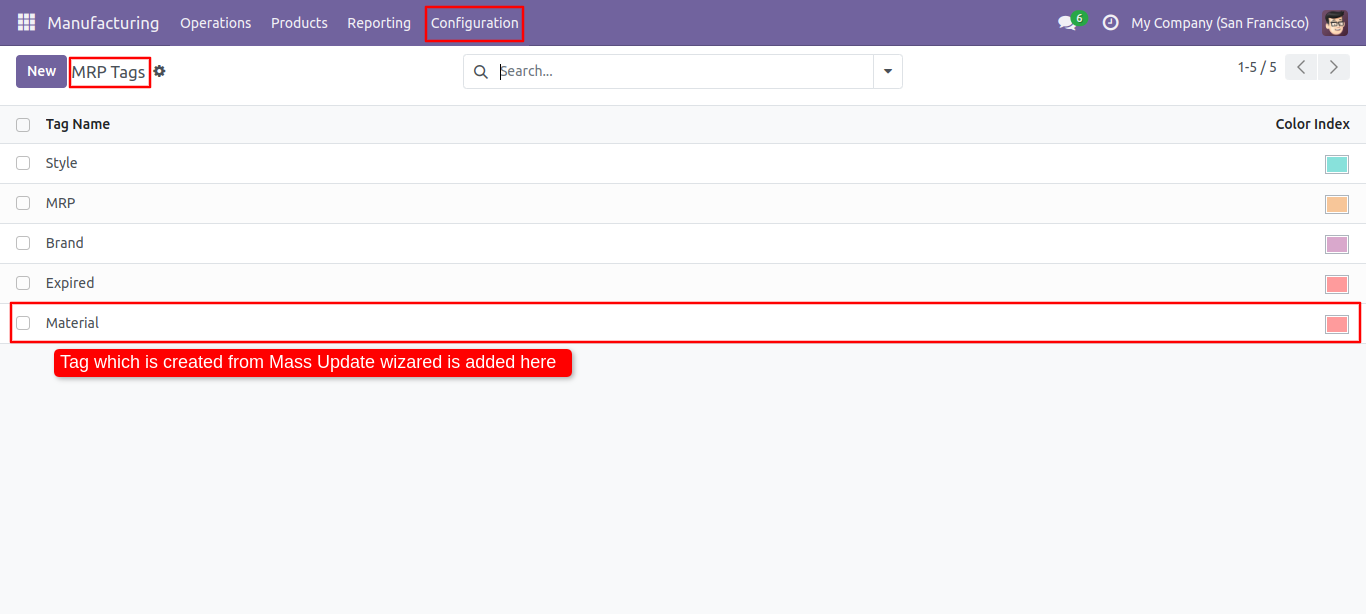
Newly created tag is shown here.
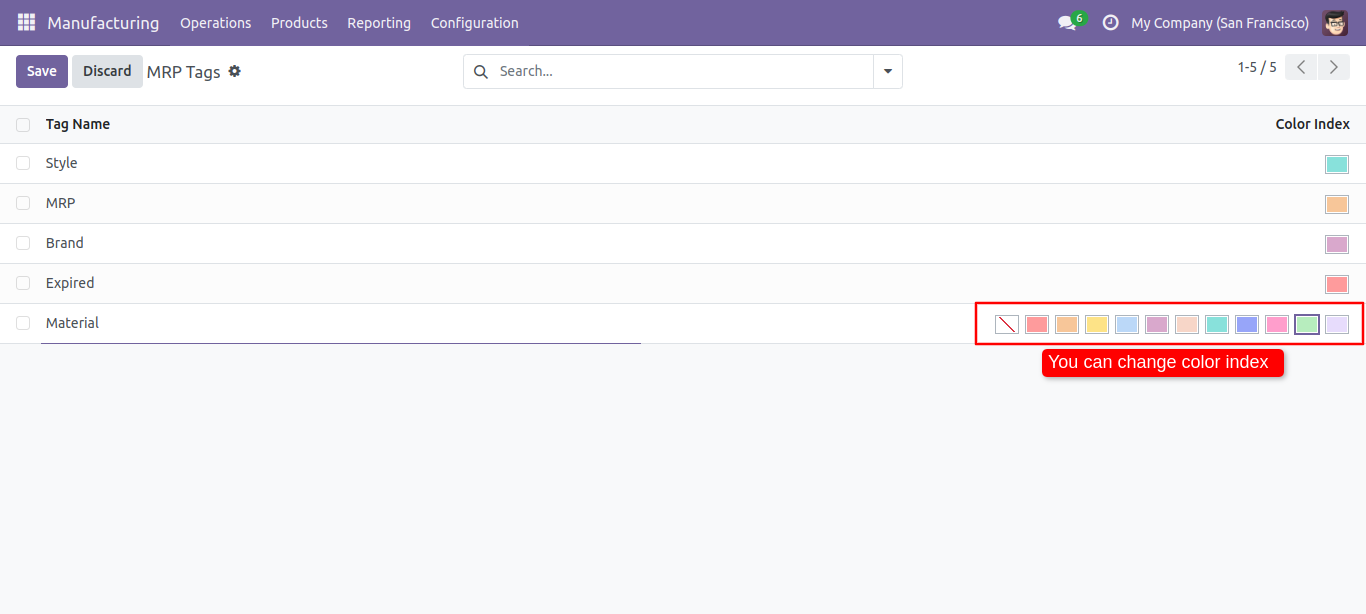
You can chnage color of the tag from here.
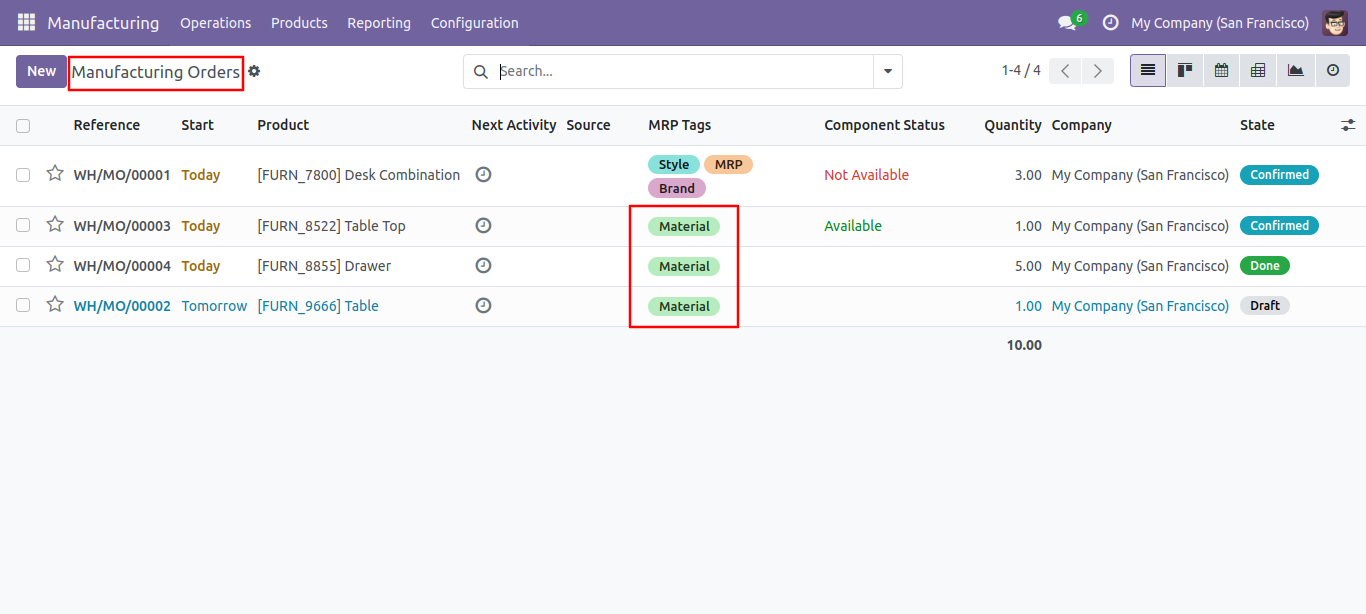
Chnaged color tag
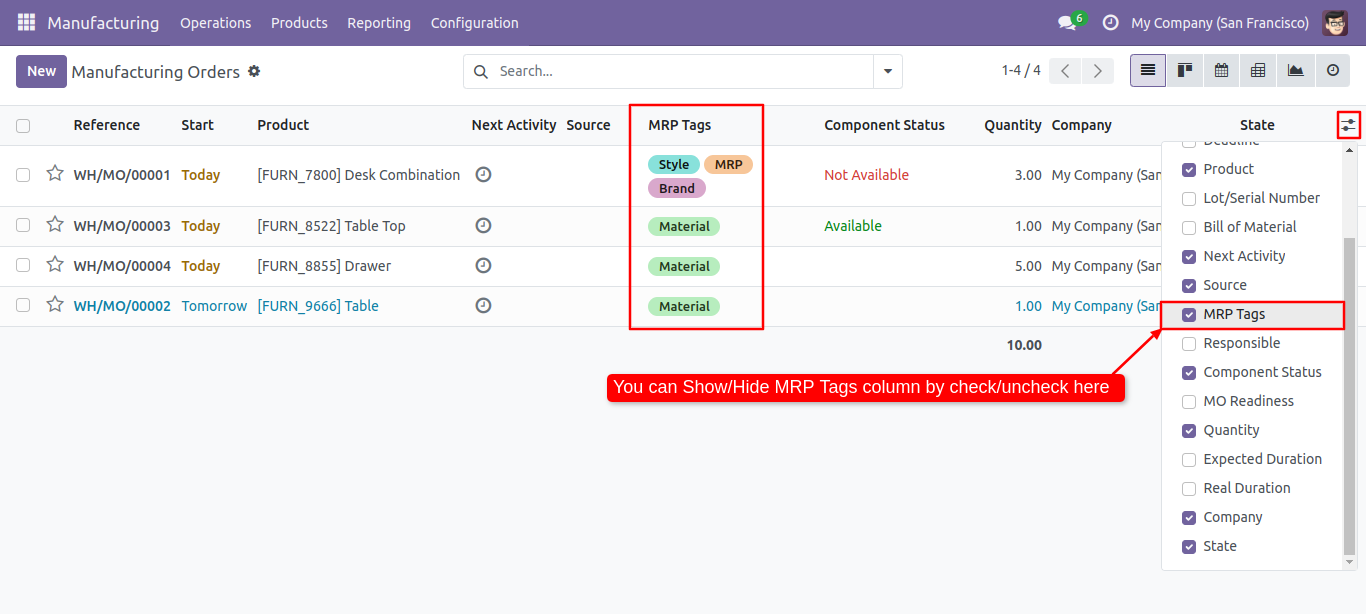
You can enable/disable tags fields in the MRP tree view.
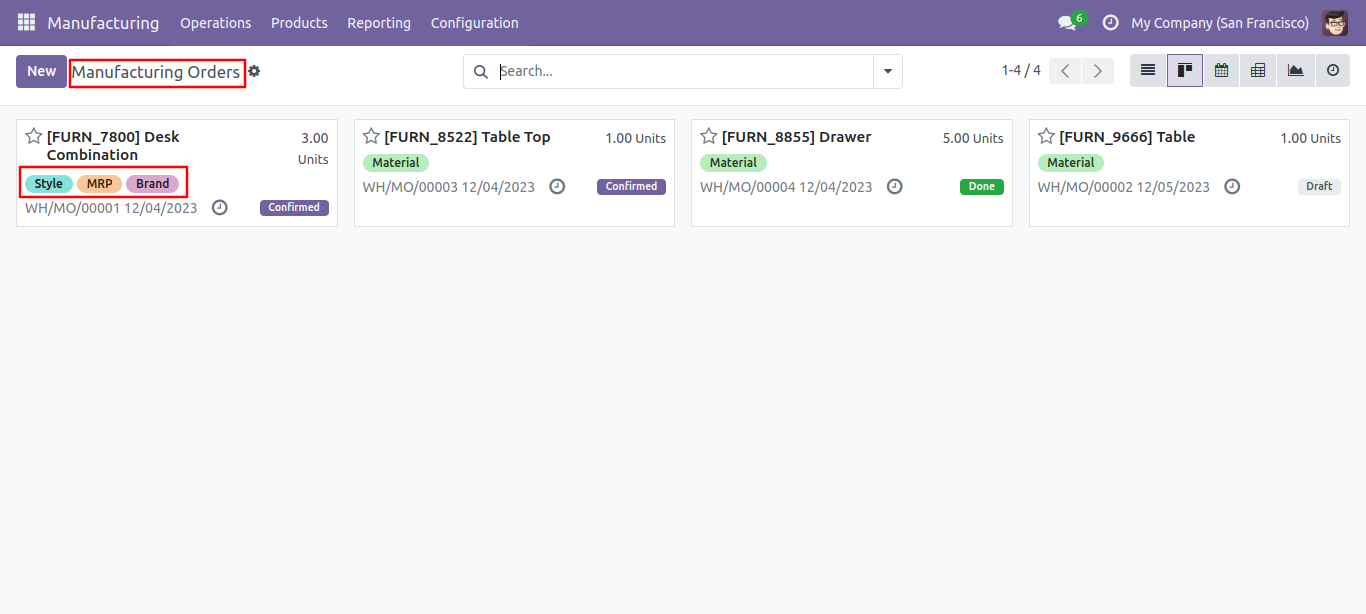
MRP order kanban view with tags.
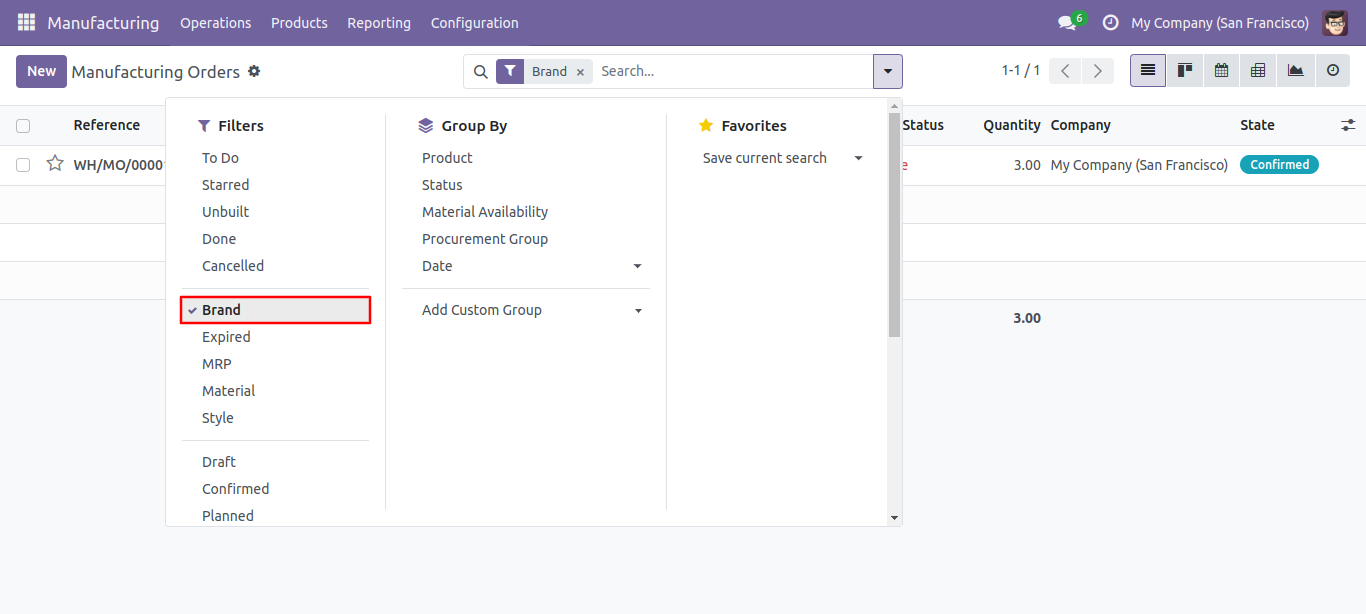
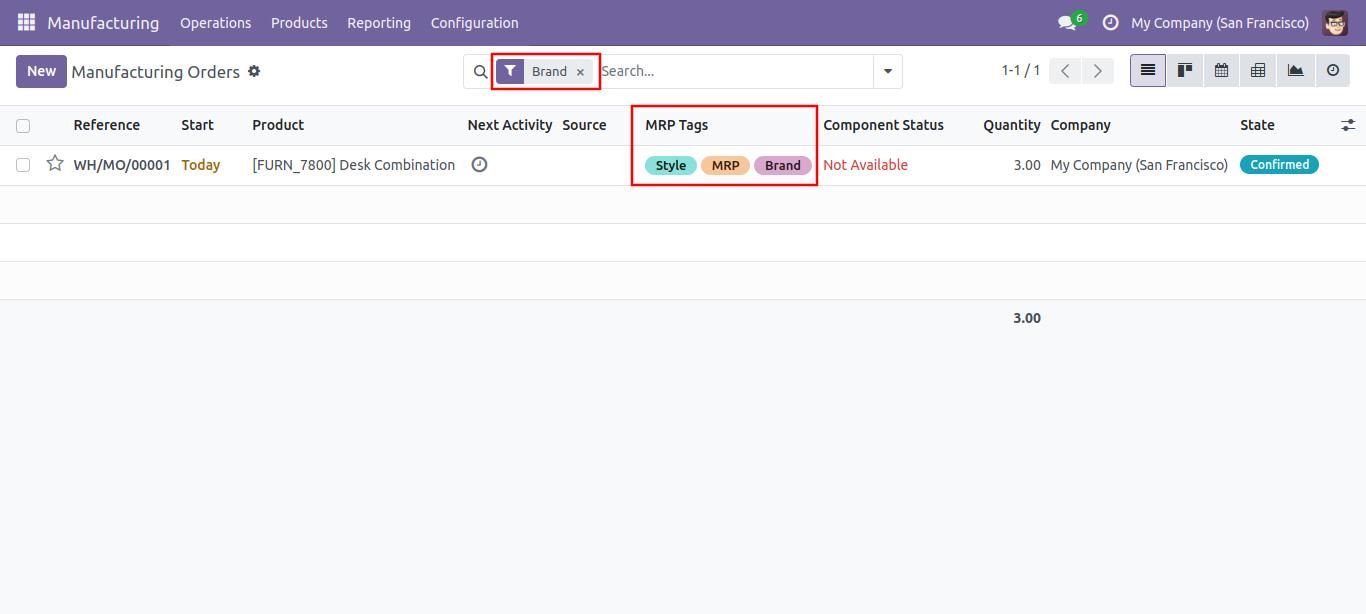
You can filter the MRP orders with tags.
You can search tags from the search view in the MRP.
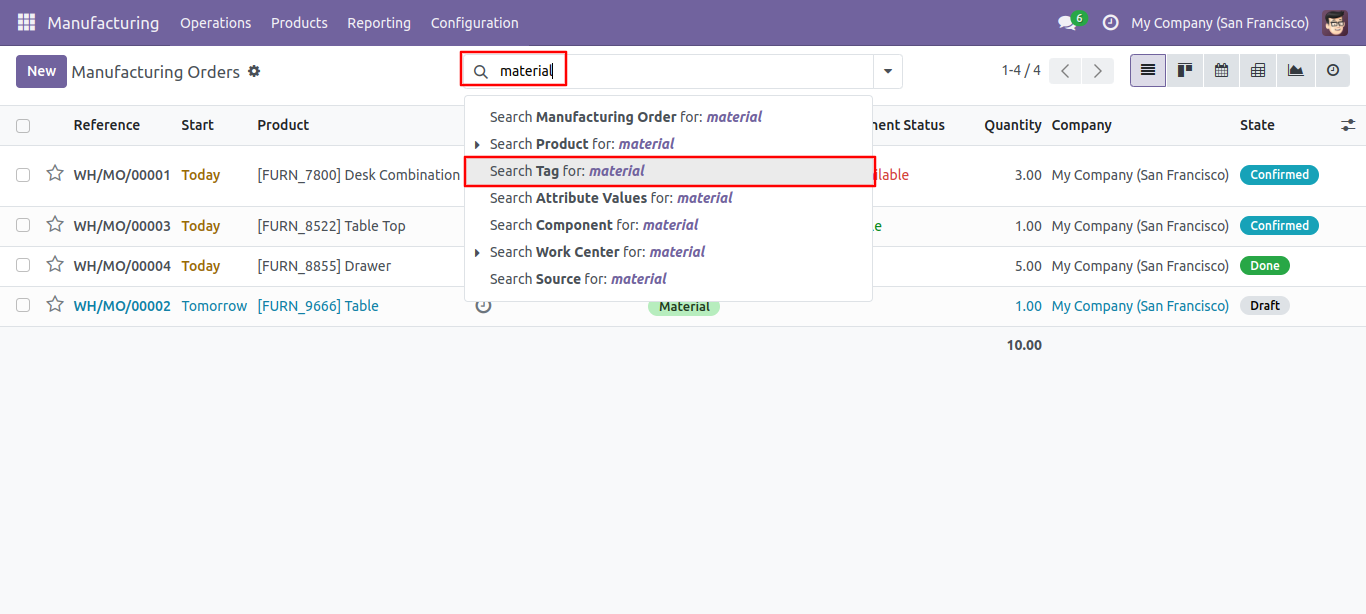
The search tags result in the MRP.
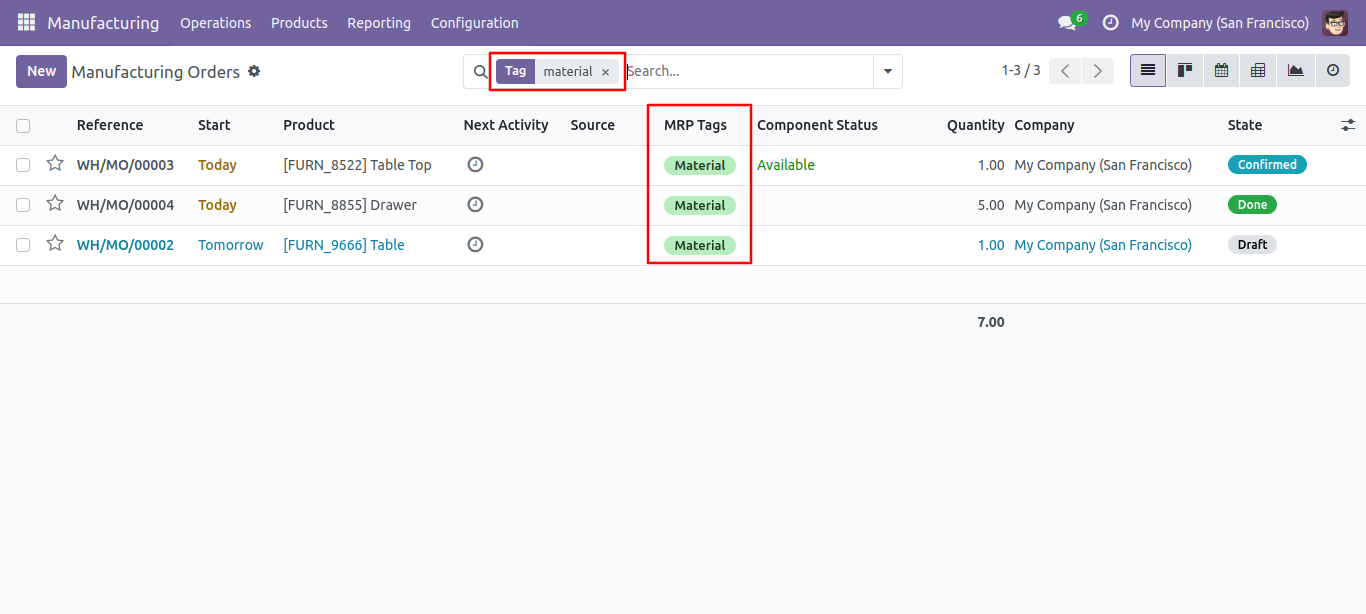
Select update method and tags then press the 'Done' button to update tags.
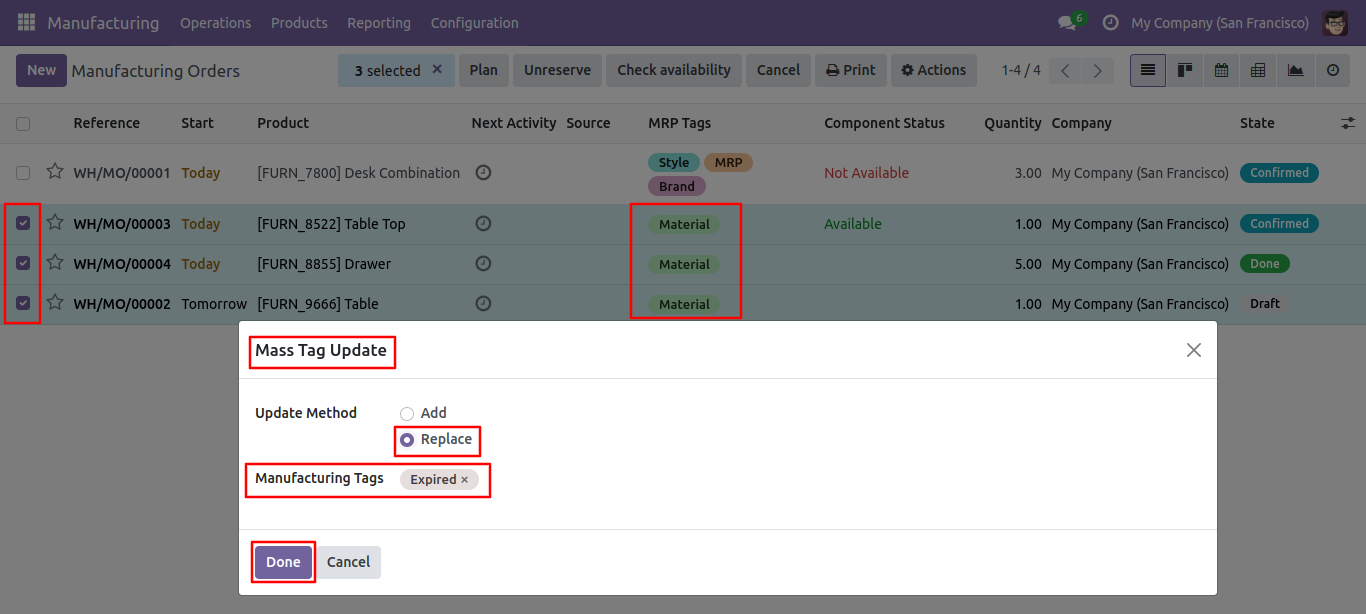
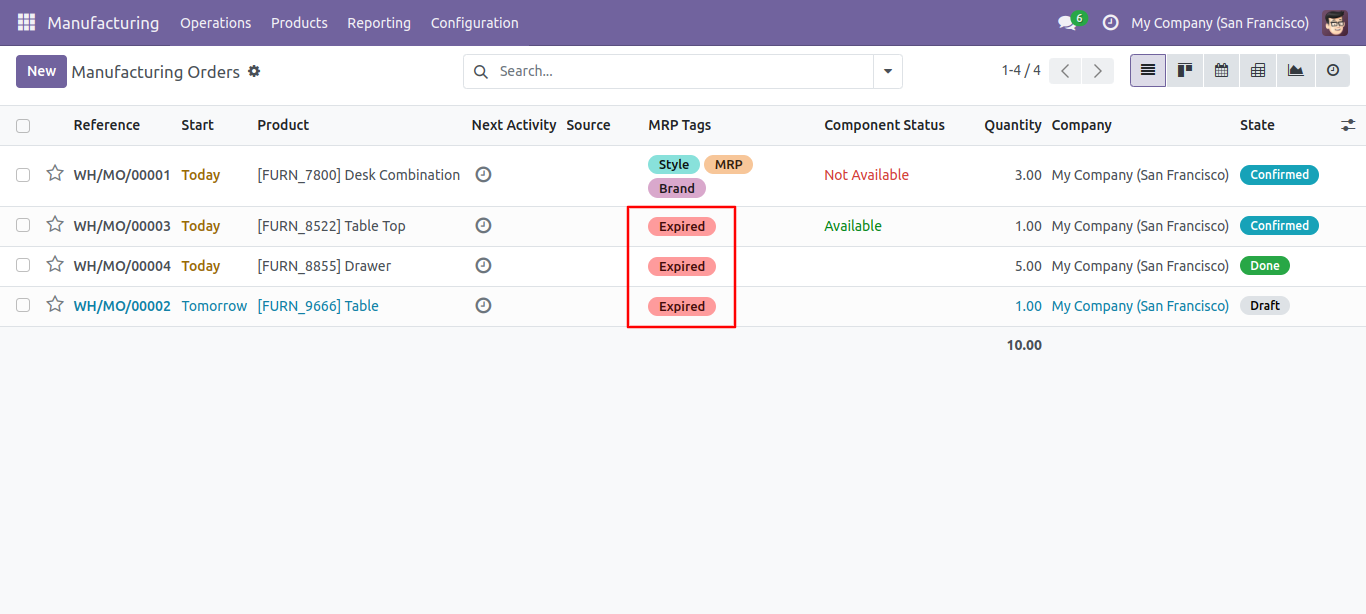
Tags replaced.
Default tags configuration.
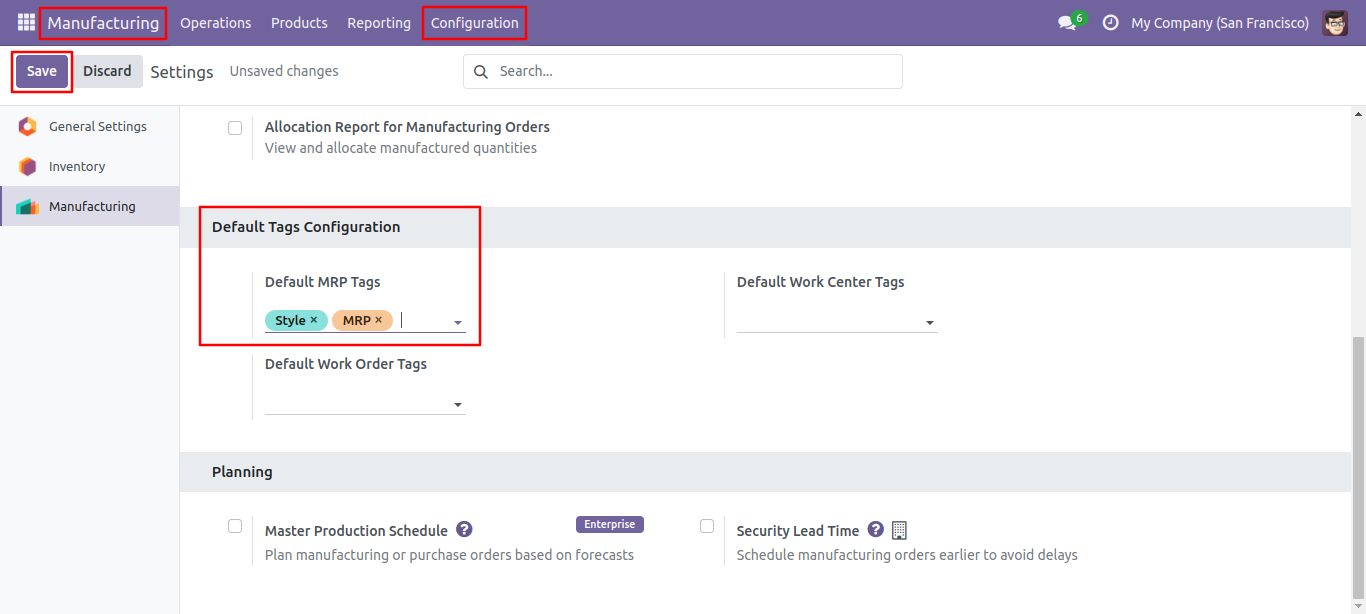
Default tags auto added in form view.
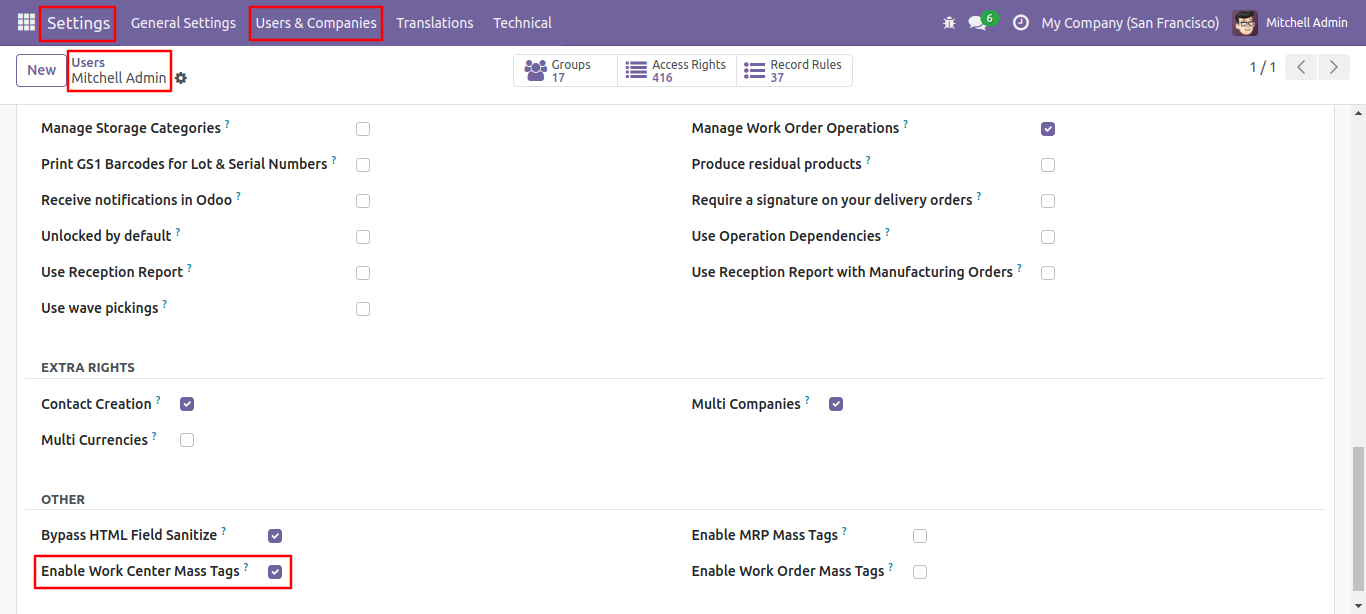
Access rights for the work center mass tags.
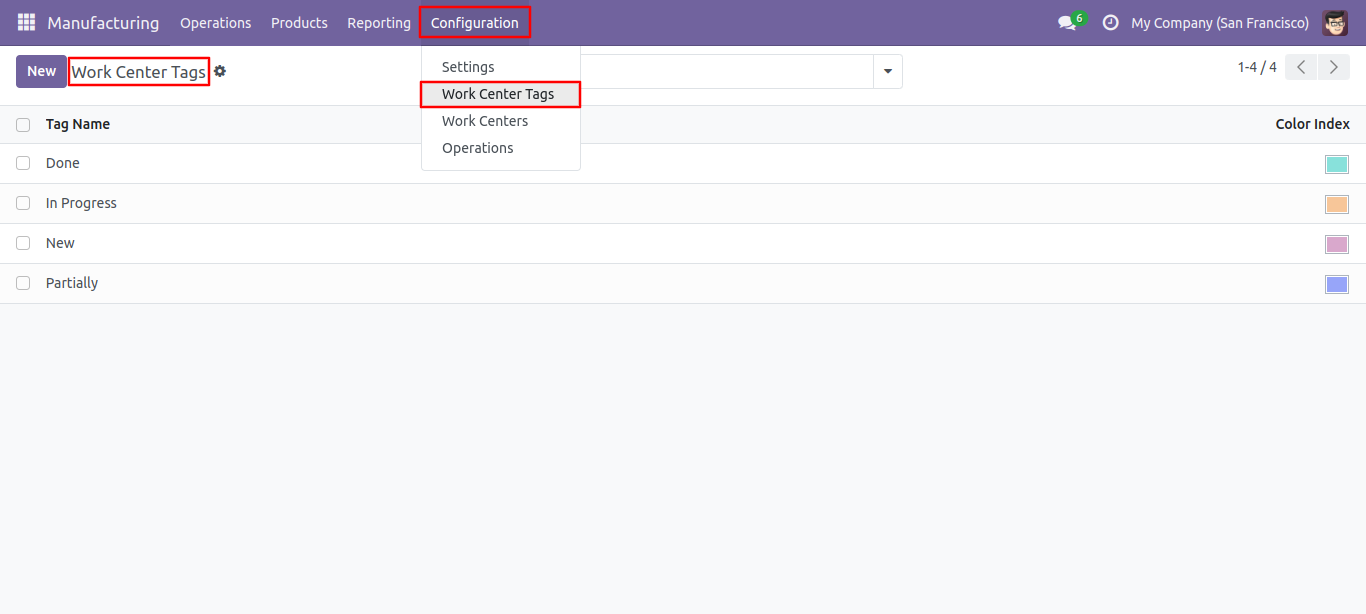
Work center tags tags list view, here you can create tags.
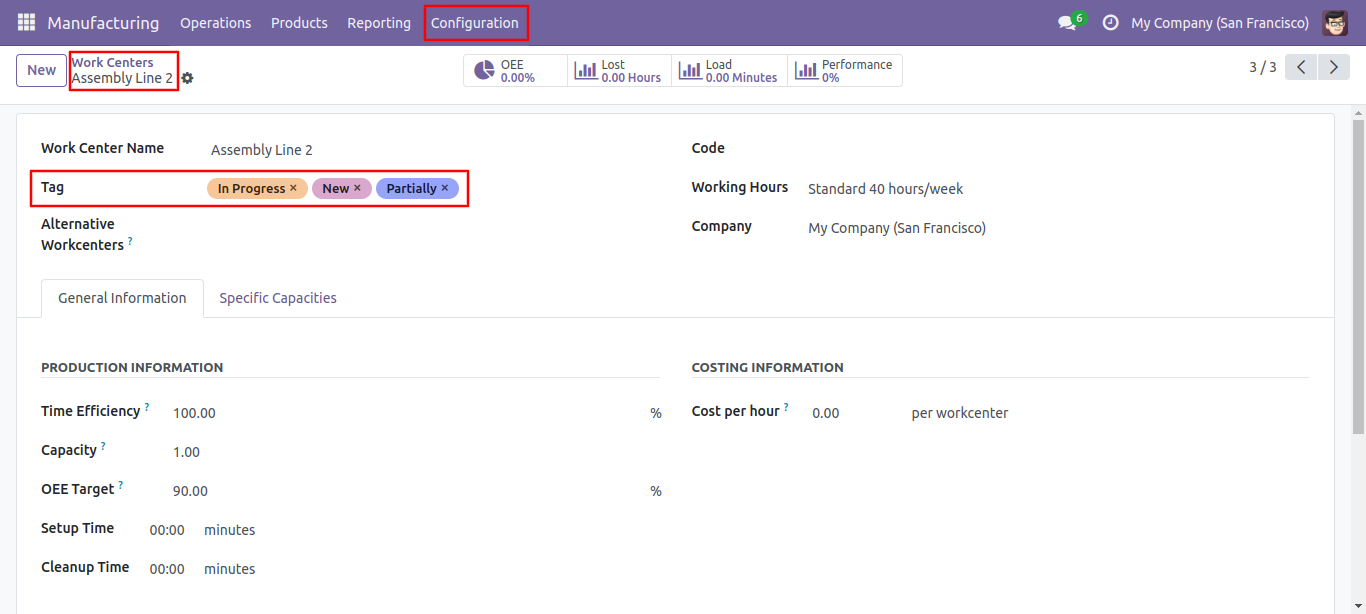
Work Center form view with tags.
Work Center list view with tags.
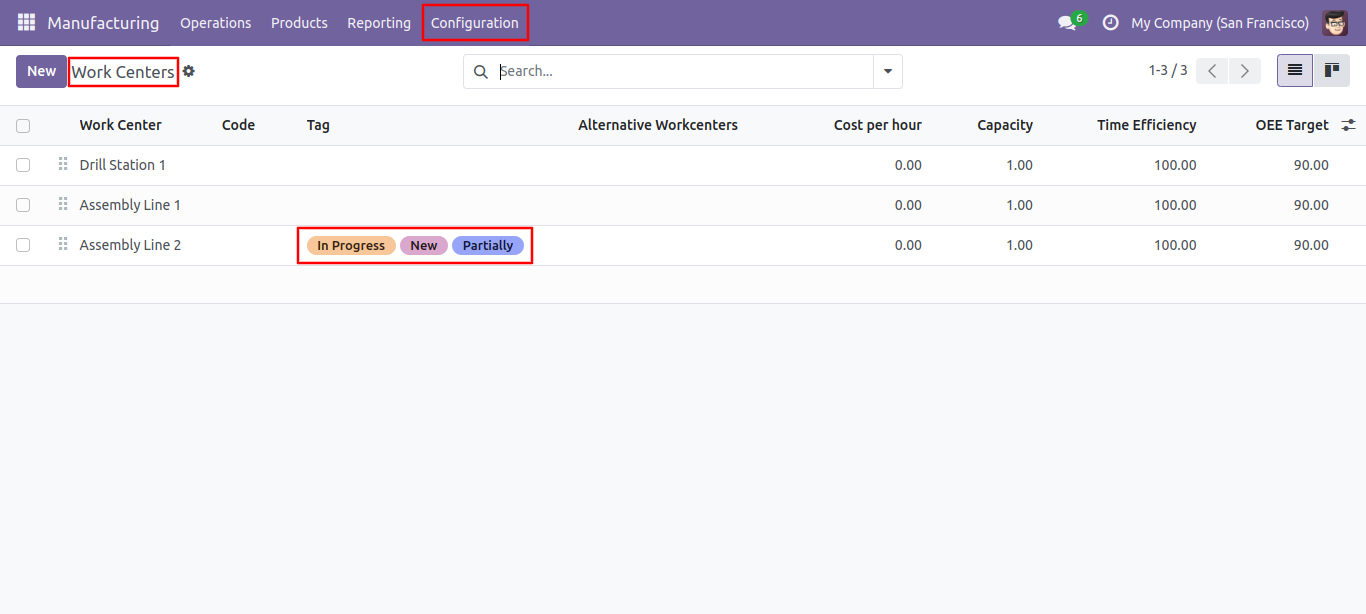
Select tags from the list view and click 'Update Mass Tag'.
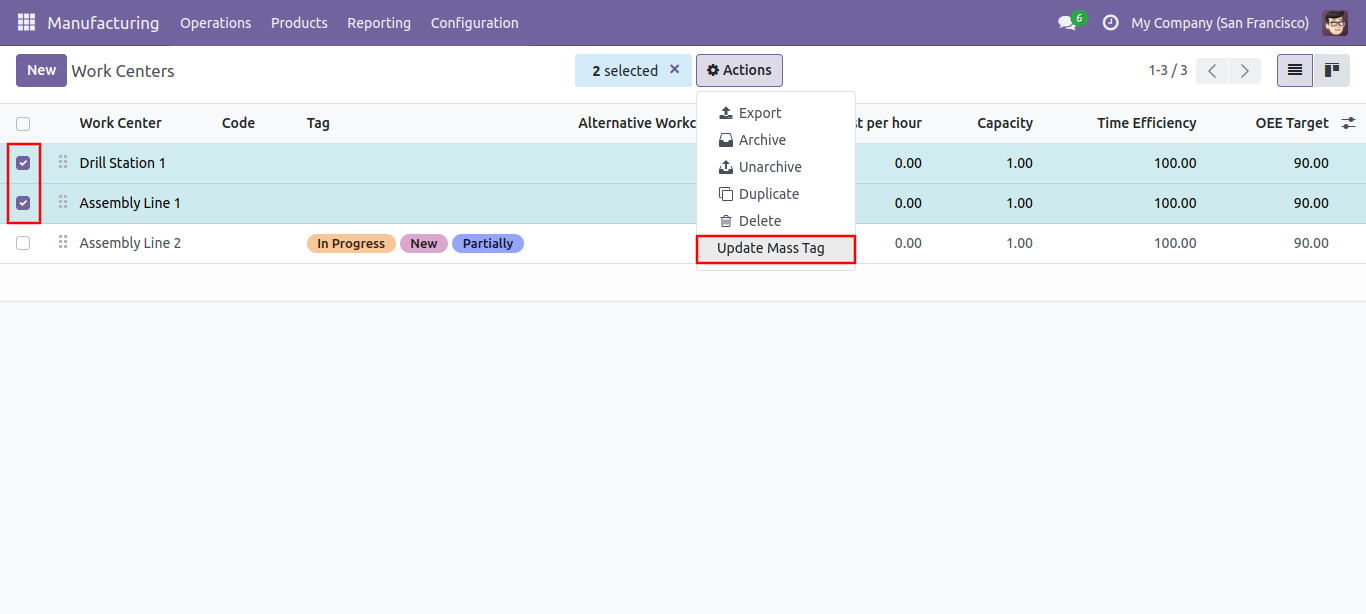
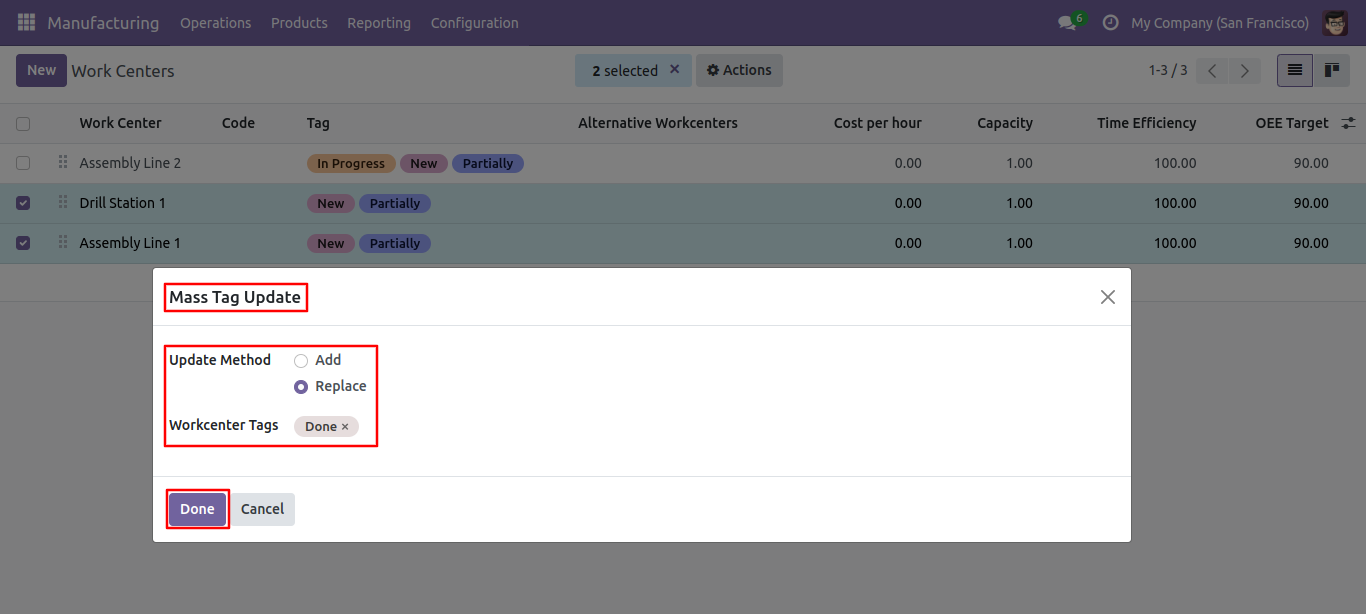
After that one wizard opens, select update method and tags then press the 'Done' button to update tags.
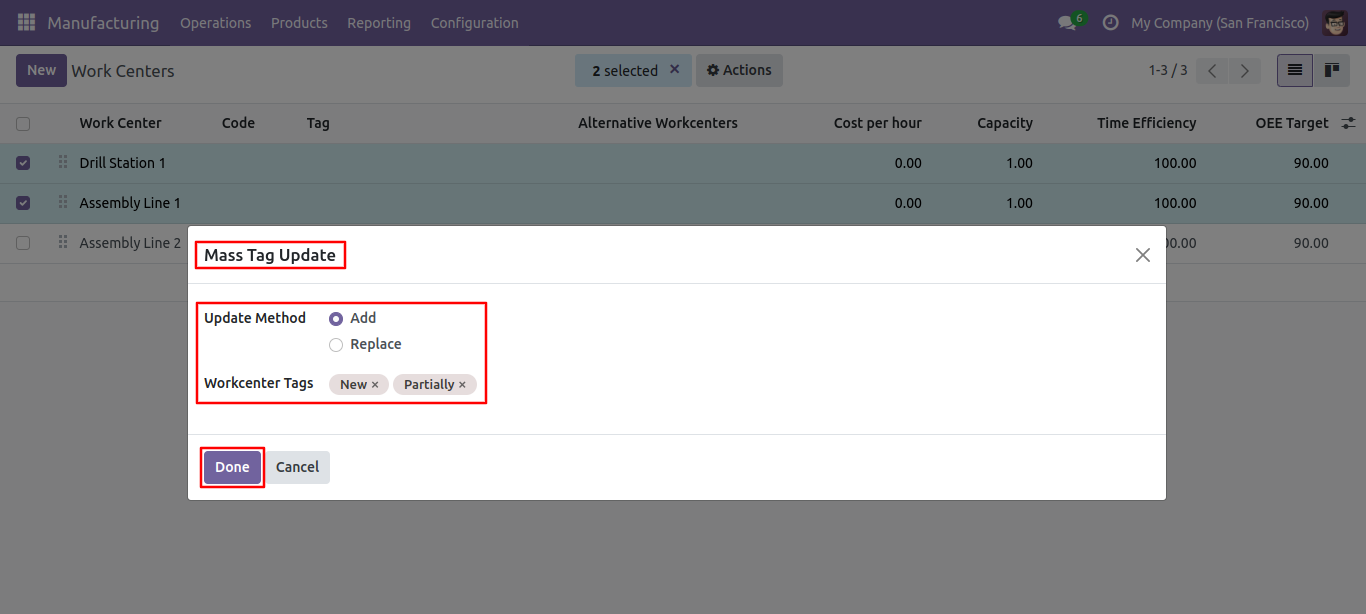
Tags updated.
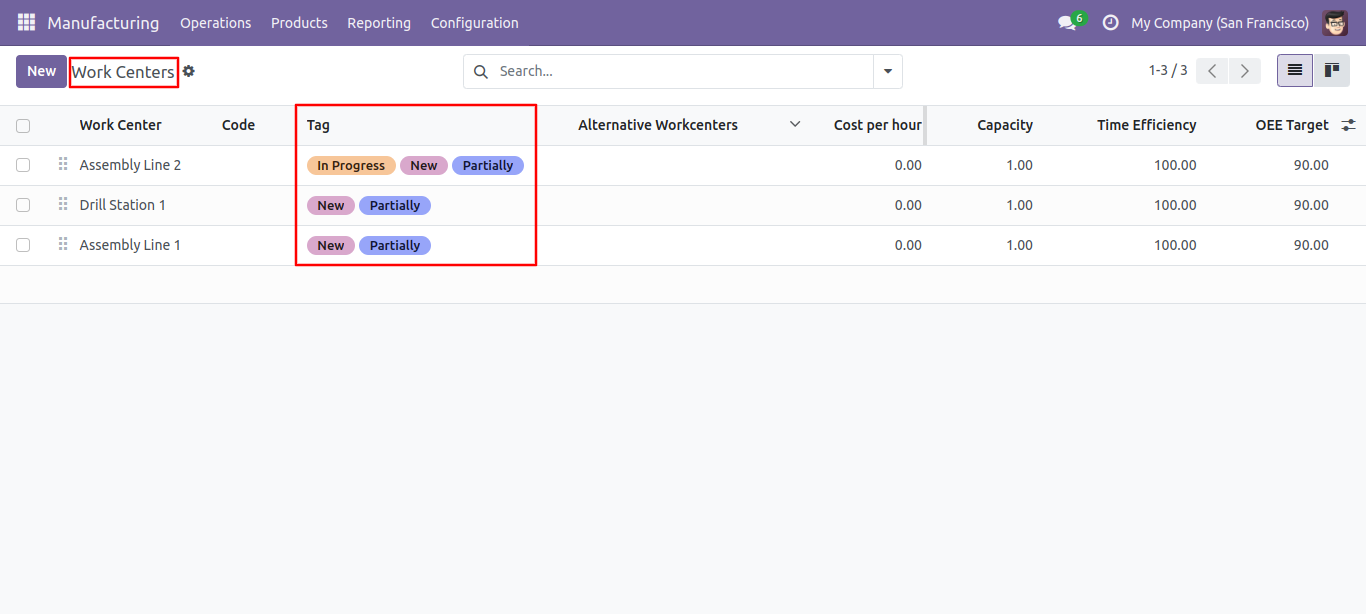
You can filter the Work Centers with tags.
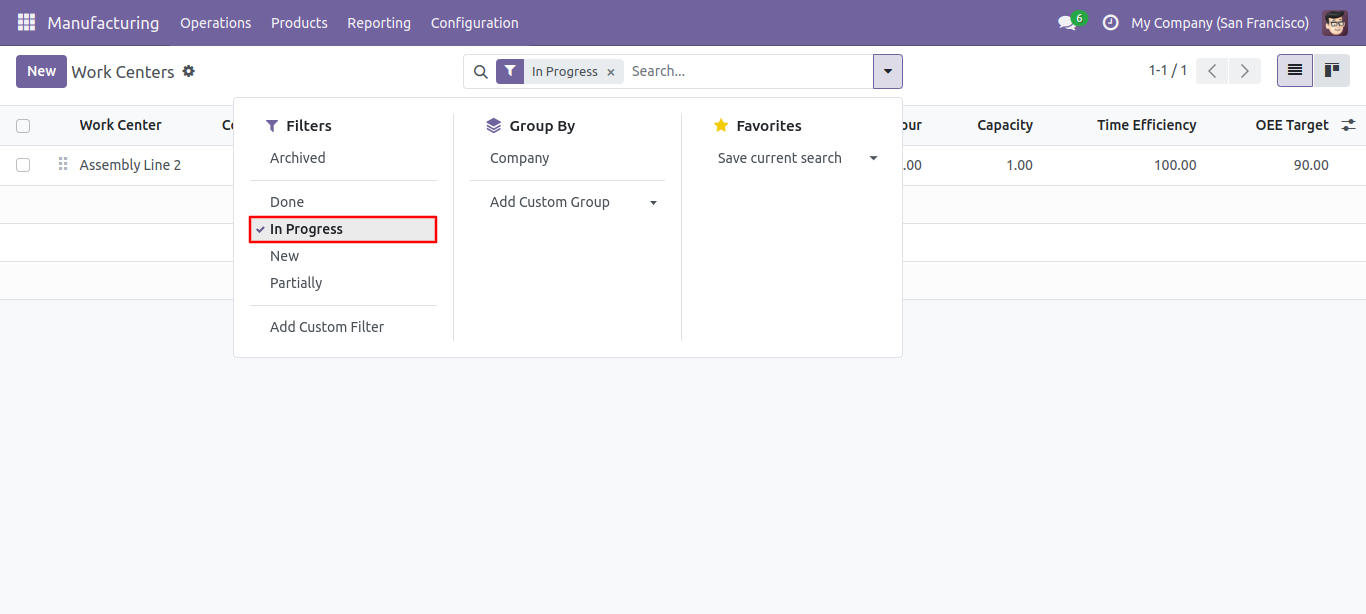
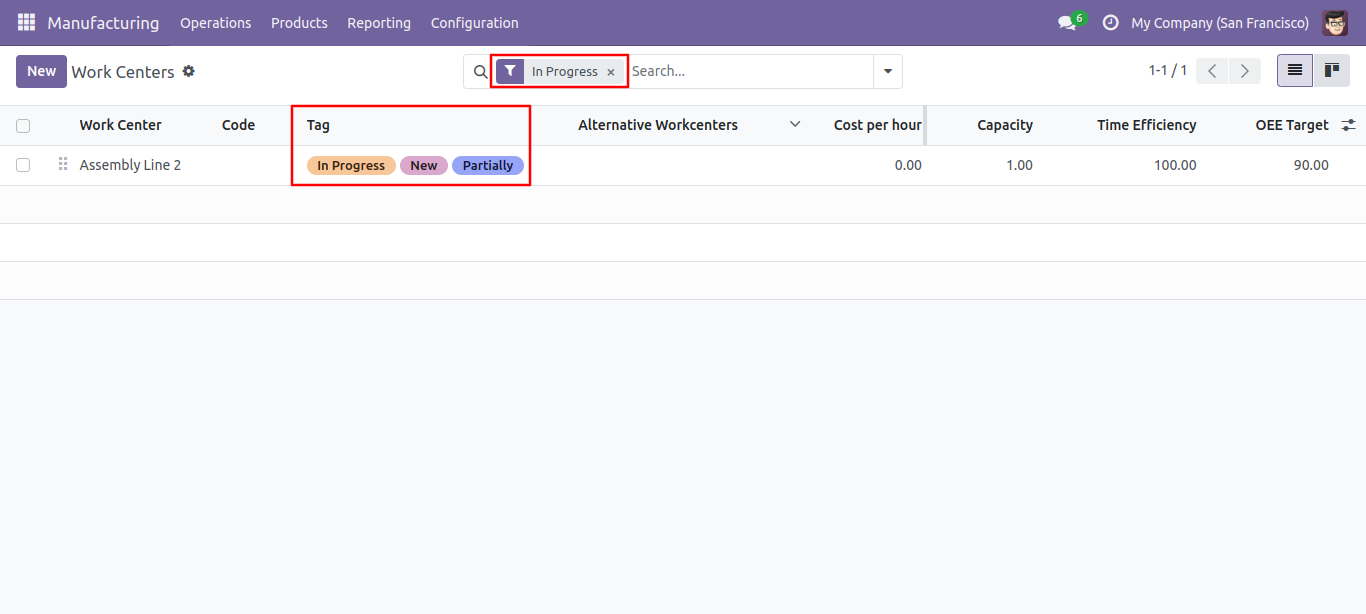
Select update method and tags then press the 'Done' button to update tags.
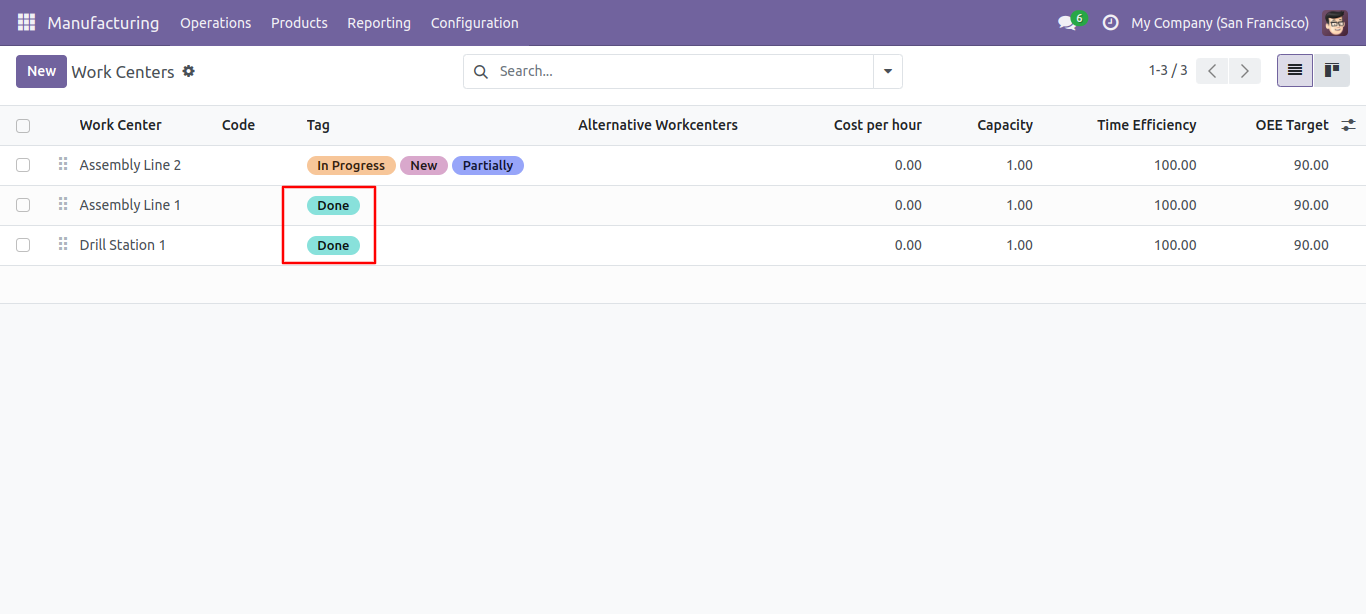
Tags replaced.
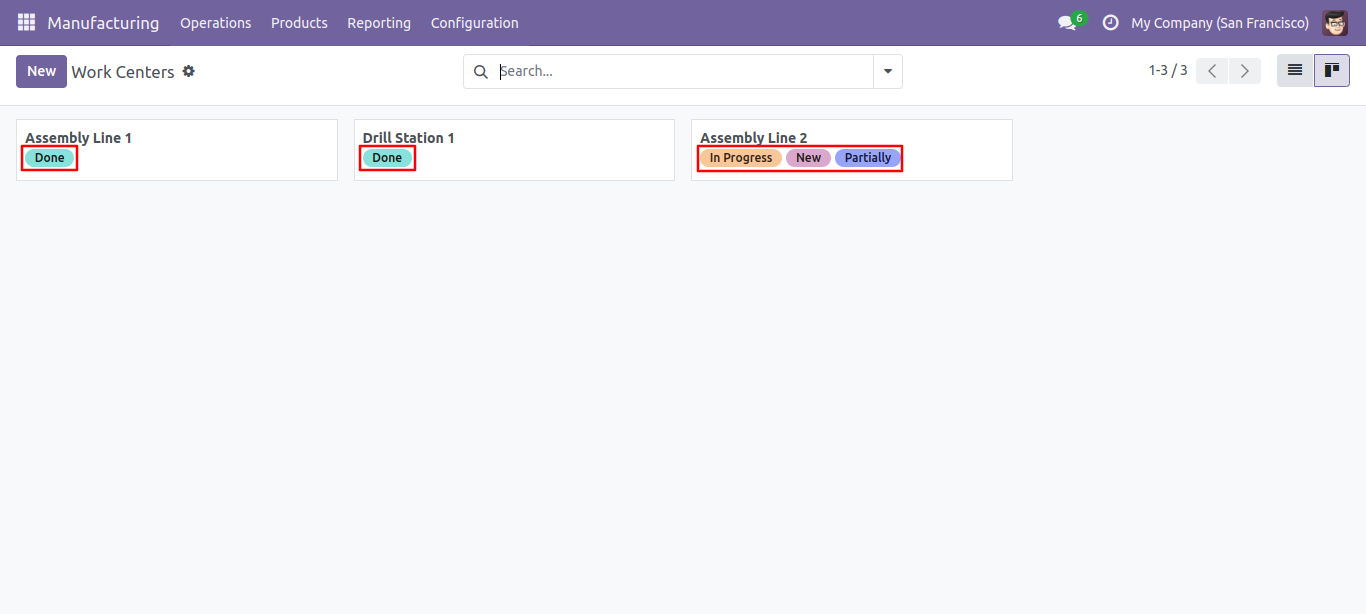
Work Center kanban view with tags.
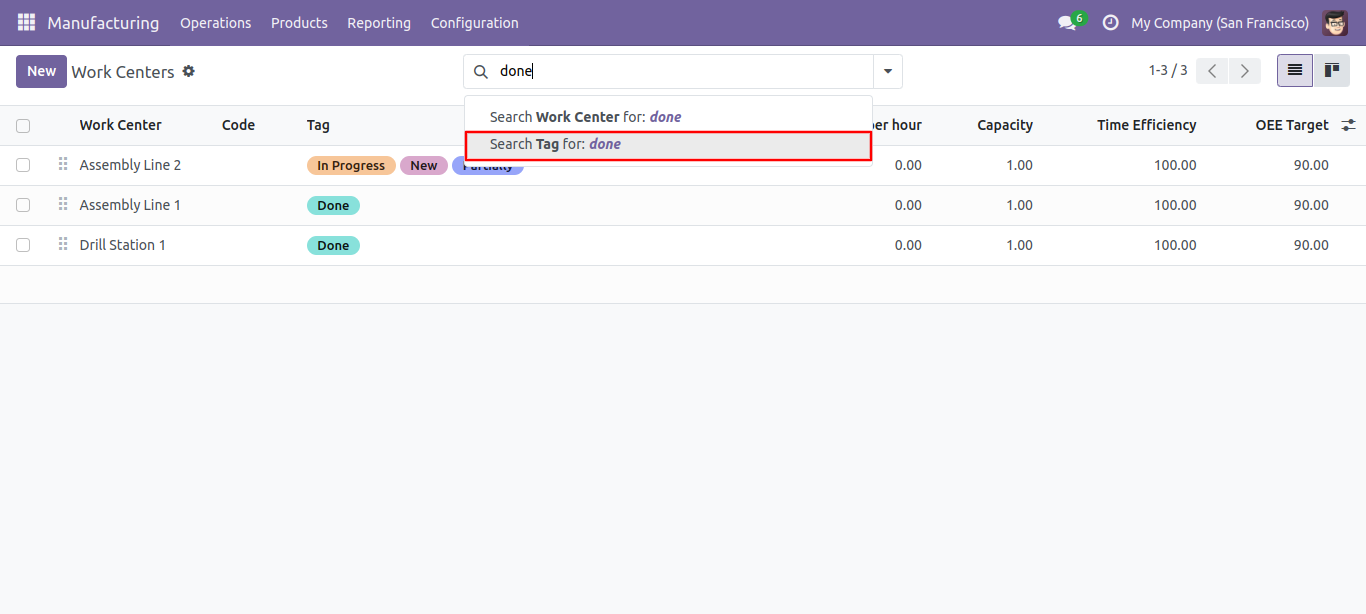
You can search tags from the search view in the Work Center.
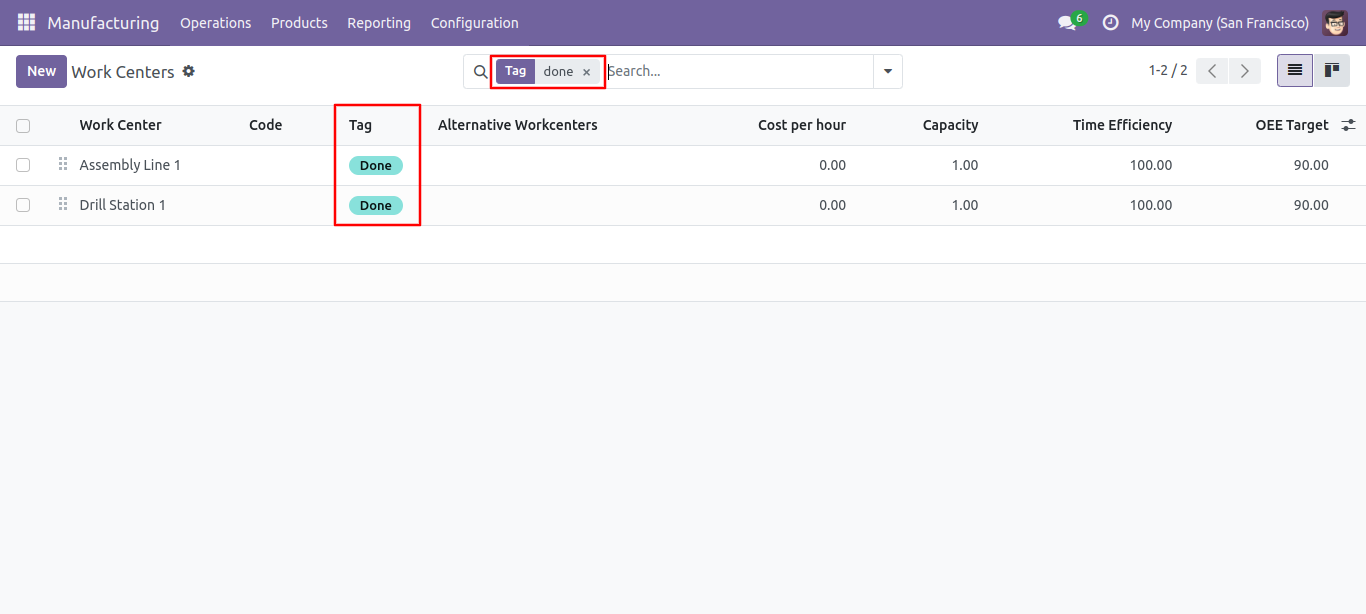
The search tags result in the Work Center.
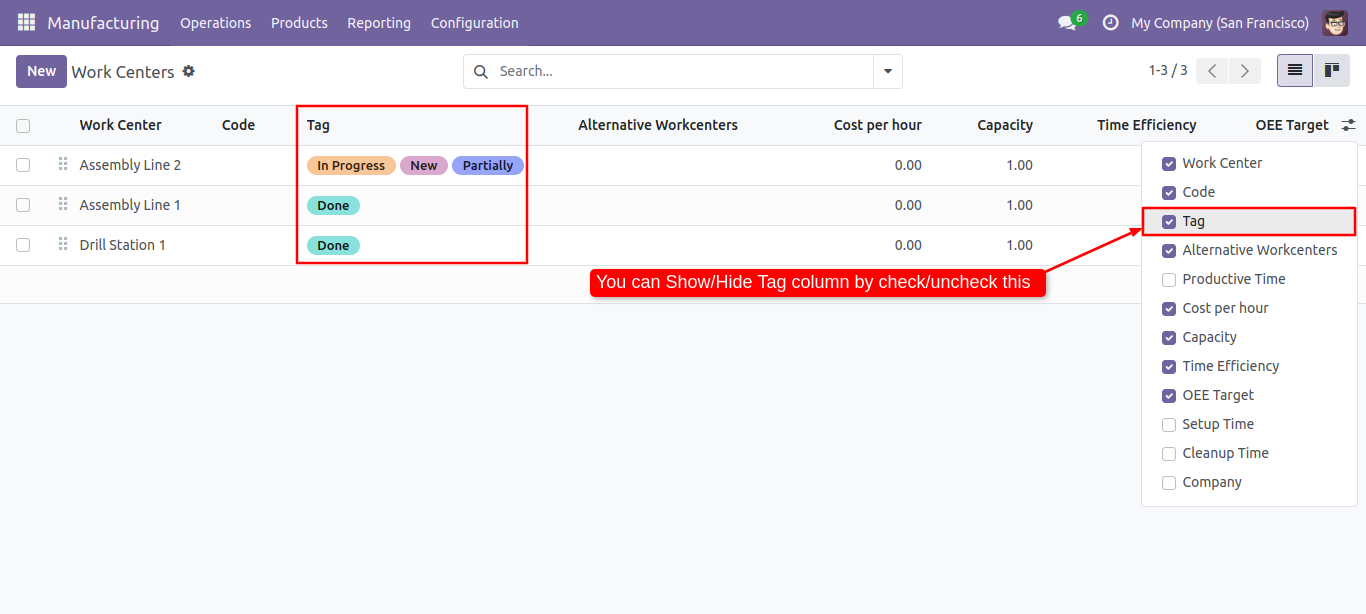
You can enable/disable tags fields in the Work Center tree view.
Default tags configuration.
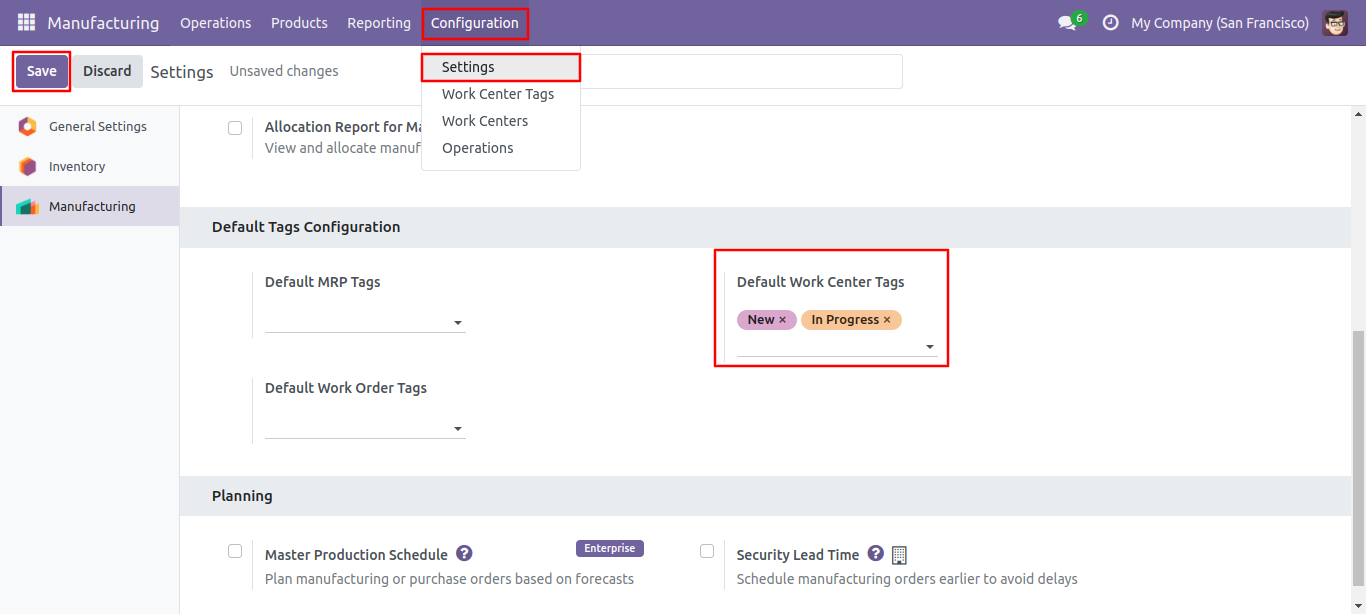
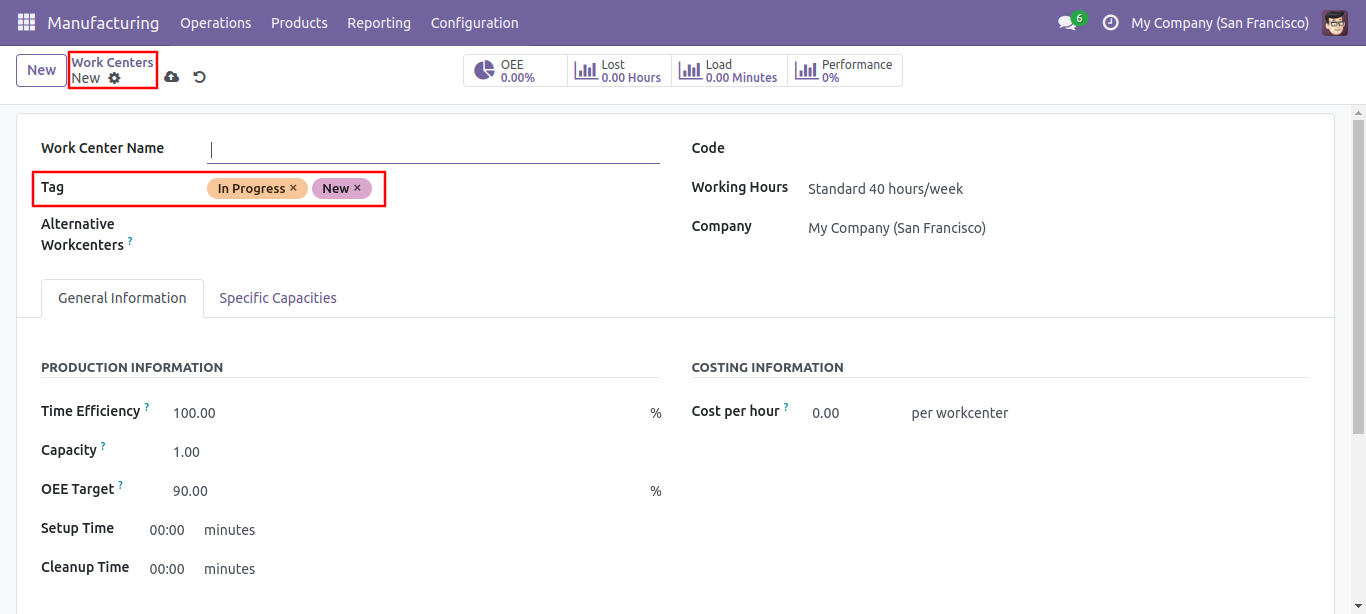
Default tags auto added in form view.
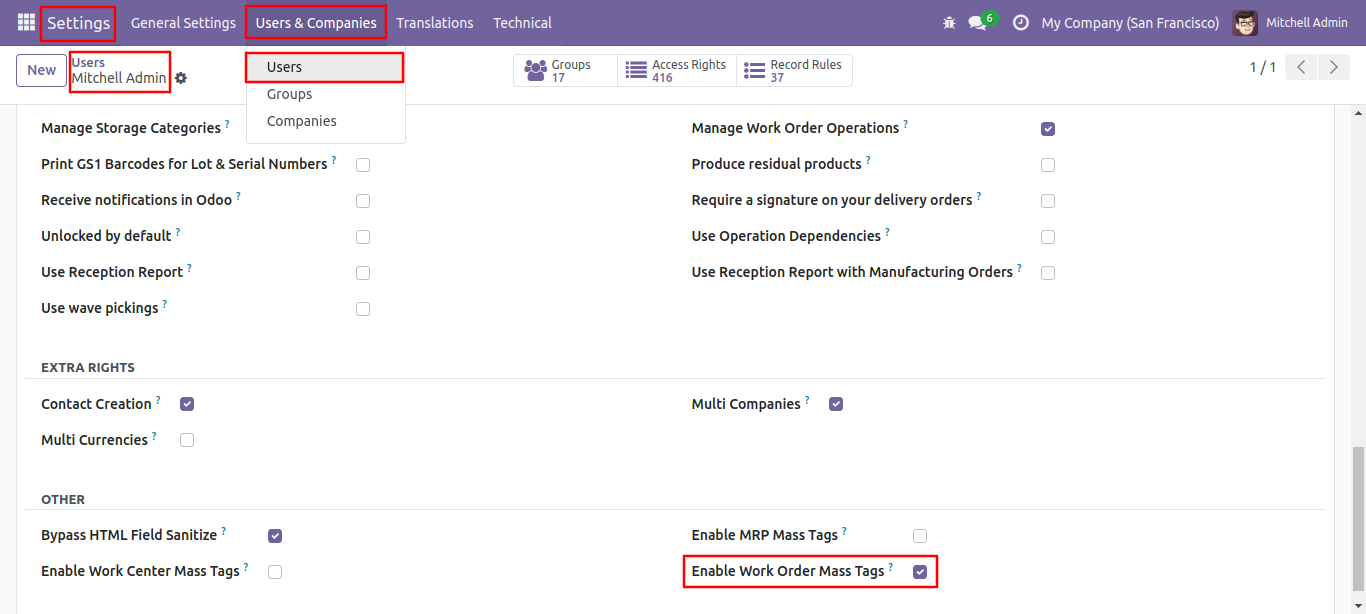
Access rights for the workorder mass tags.
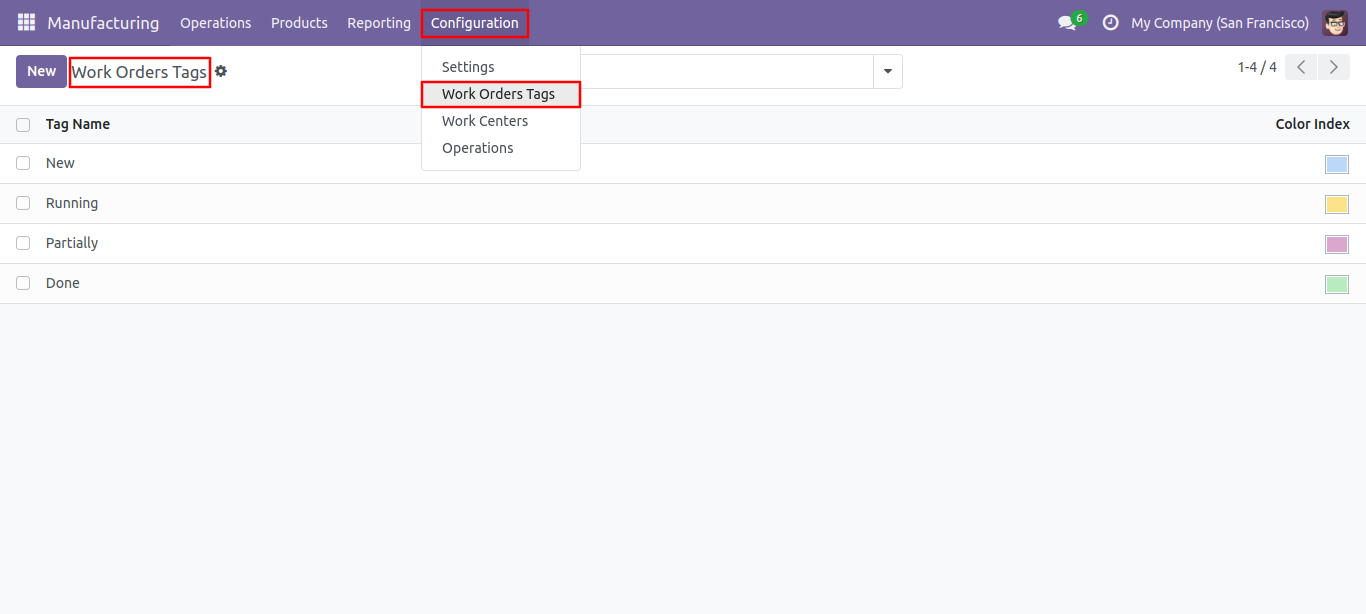
Work Order tags list view, here you can create tags.
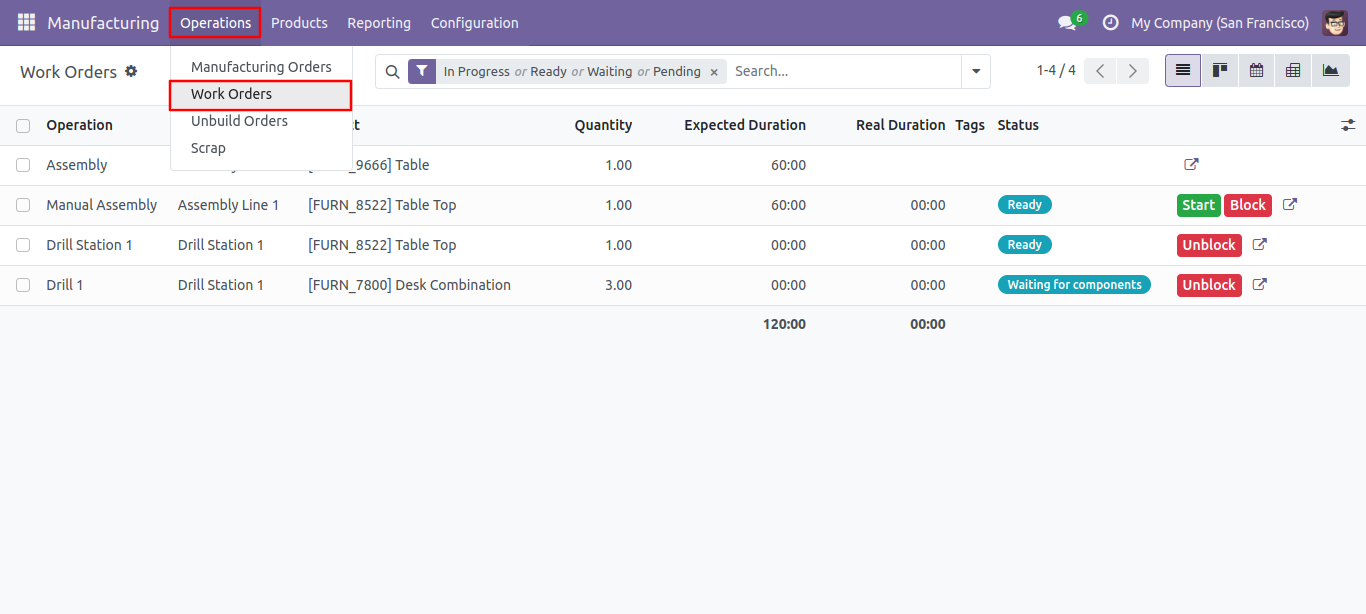
Work Orders list view.
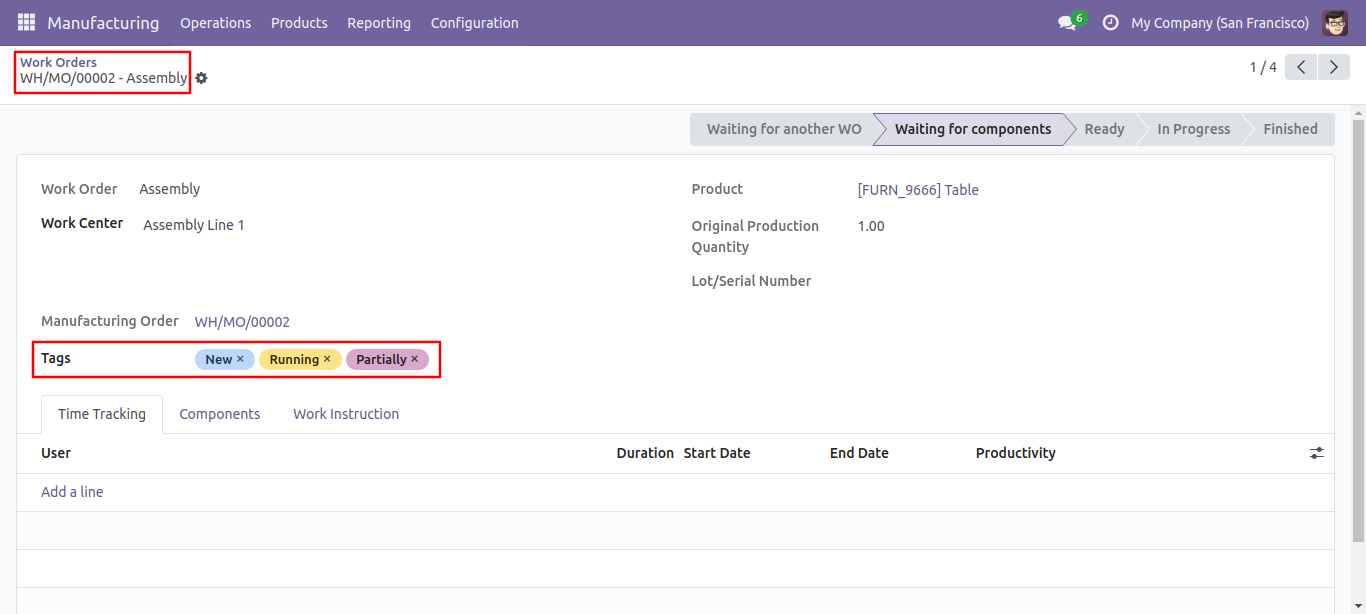
Work Order form view with tags.
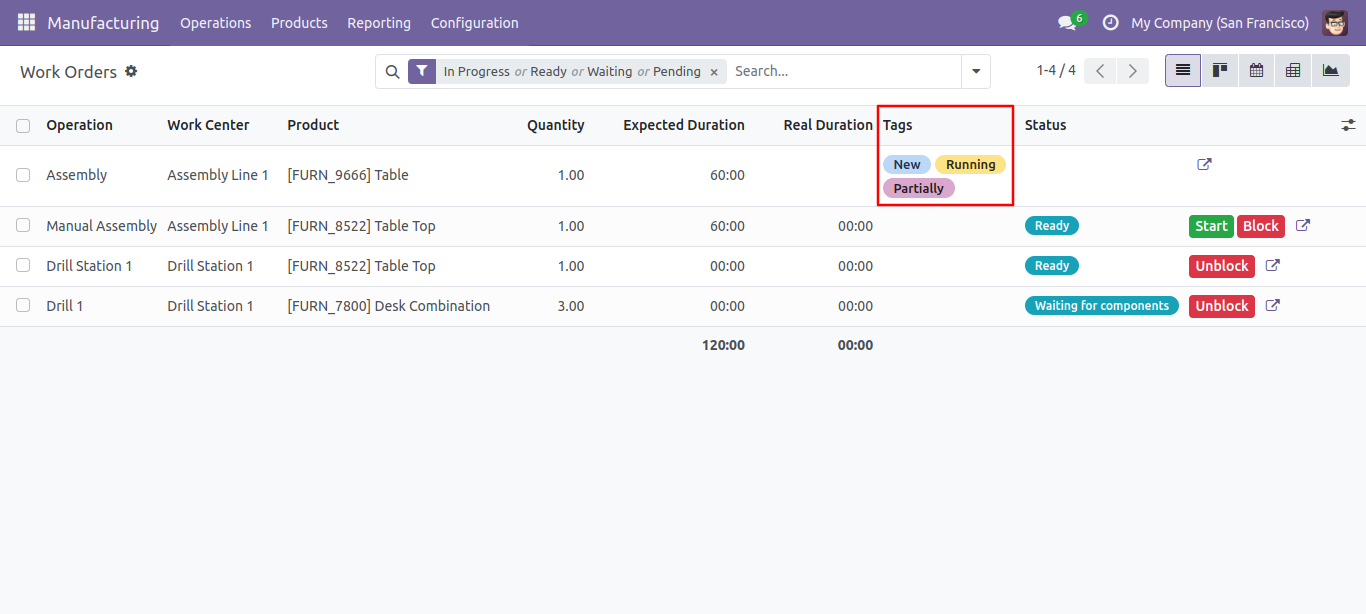
Work Order list view with tags.
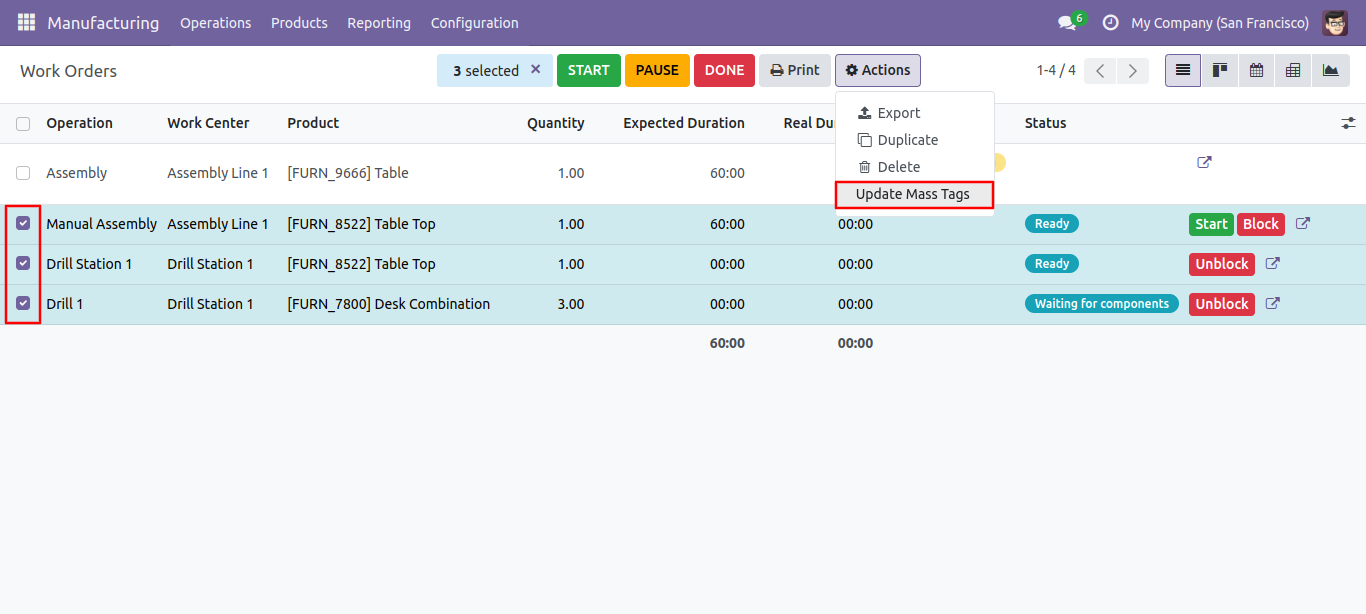
Select tags from the list view and click 'Update Mass Tag'.
After that one wizard opens, select update method and tags then press the "Done" button to update tags.
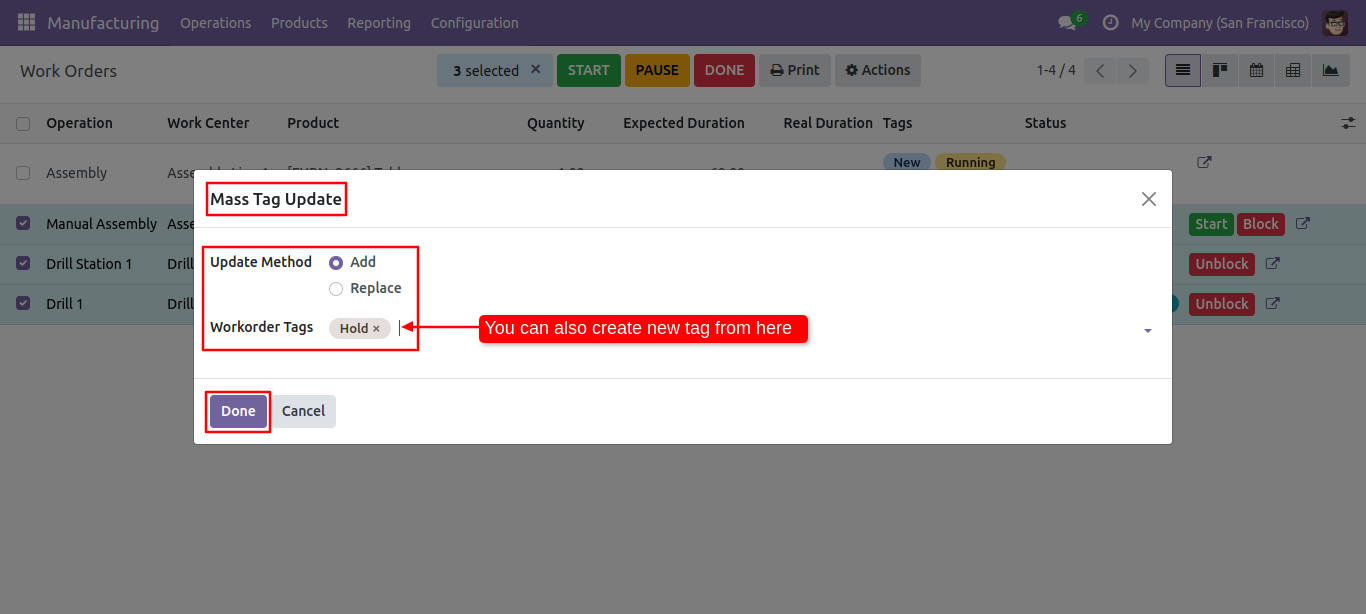
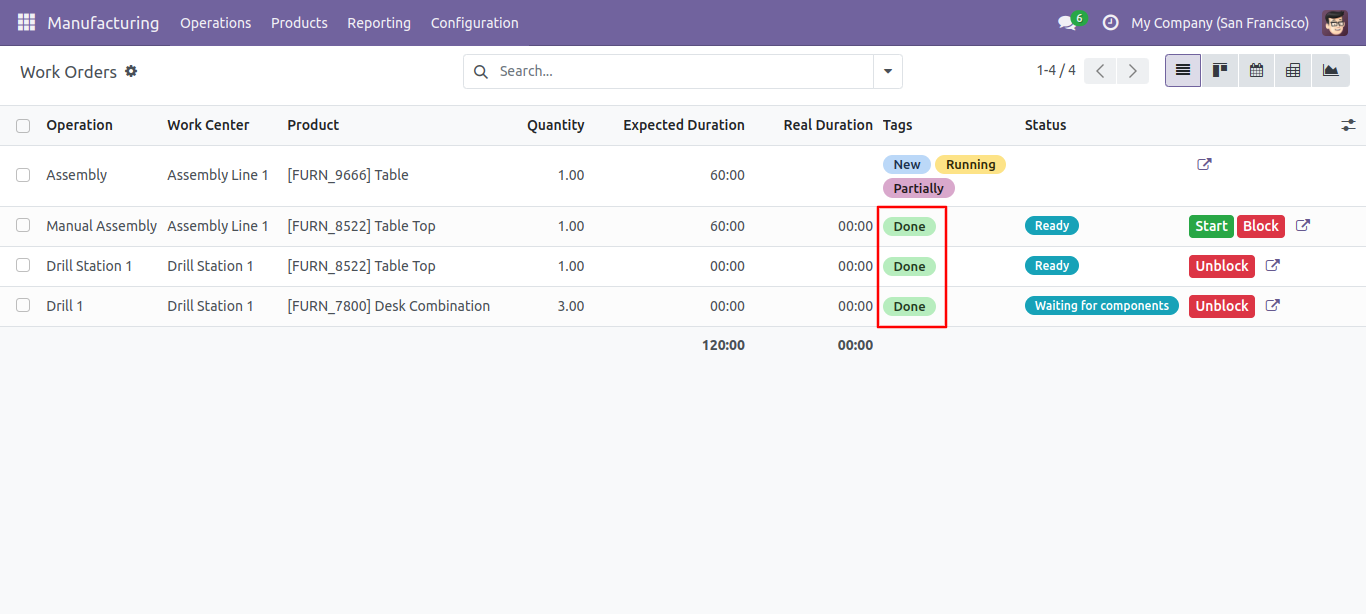
Tags updated.
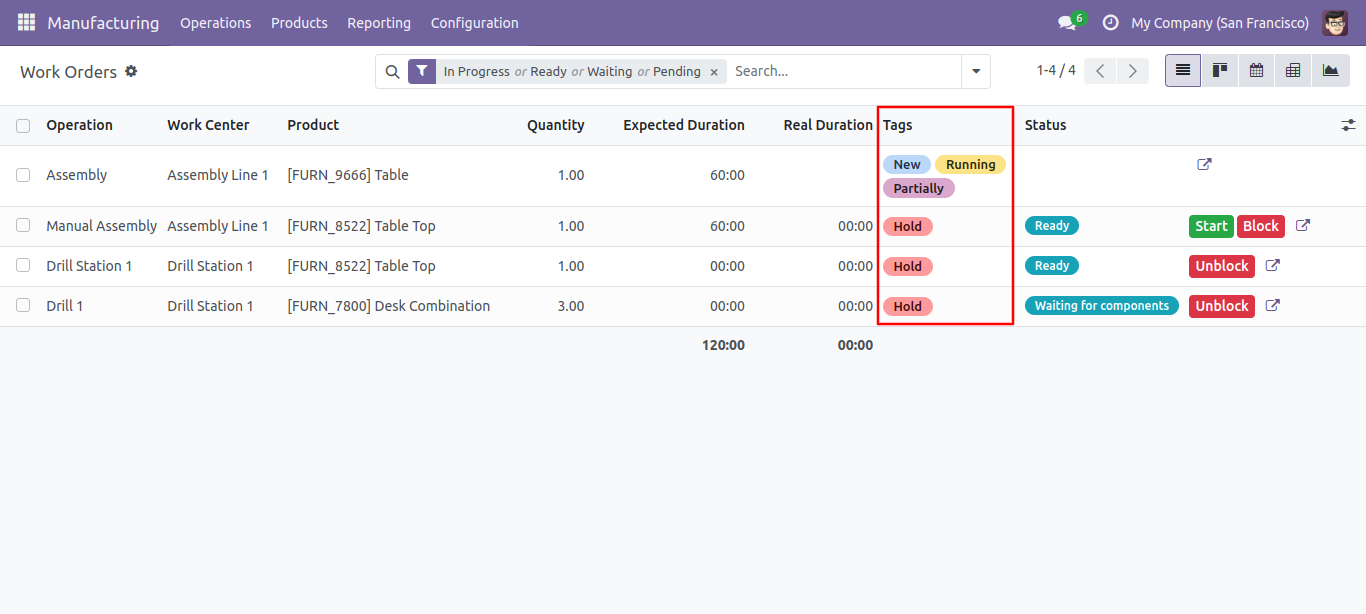
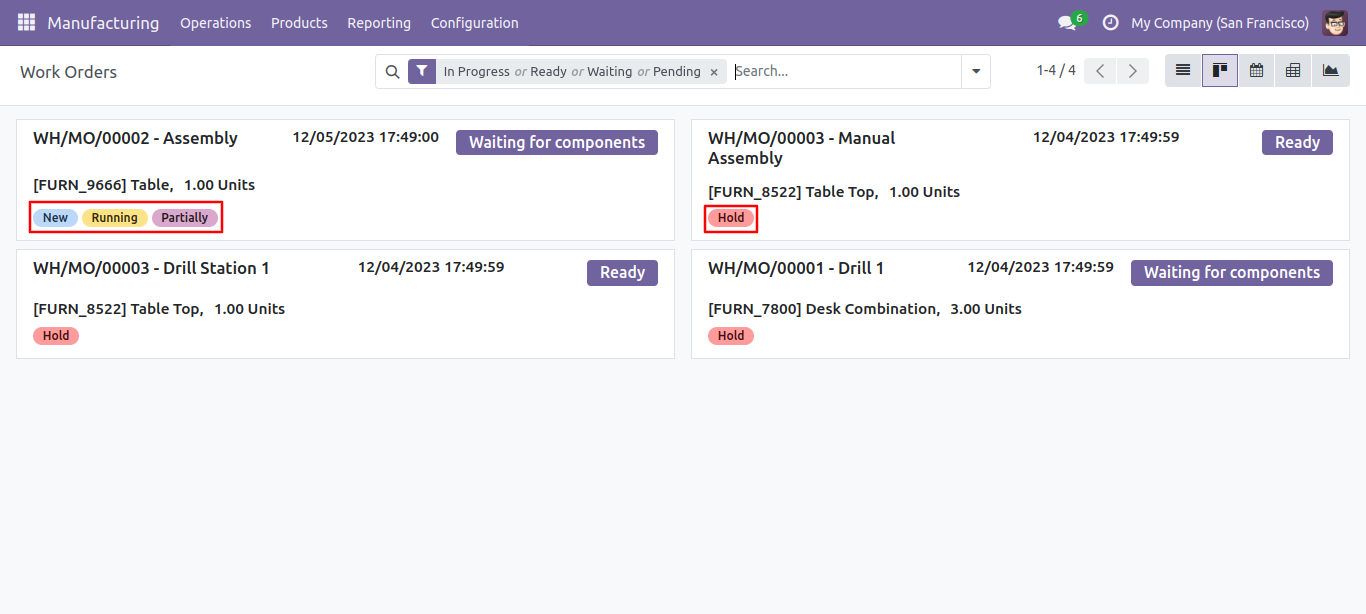
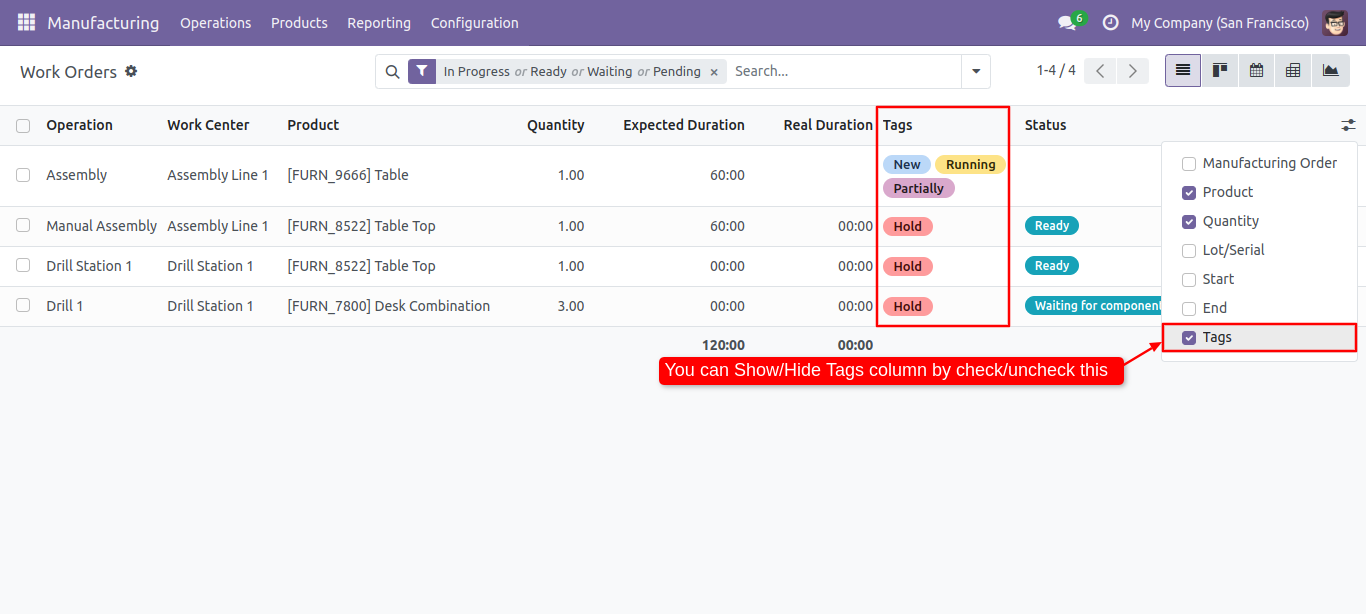
You can enable/disable tags fields in the Work Order tree view.
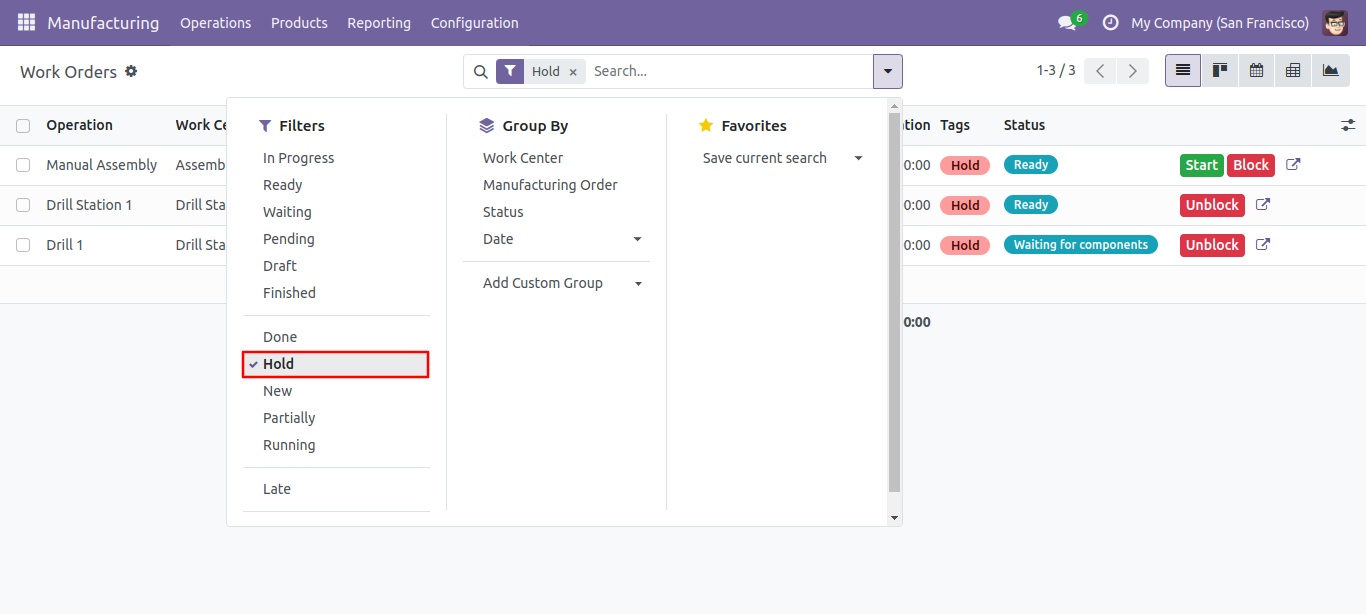
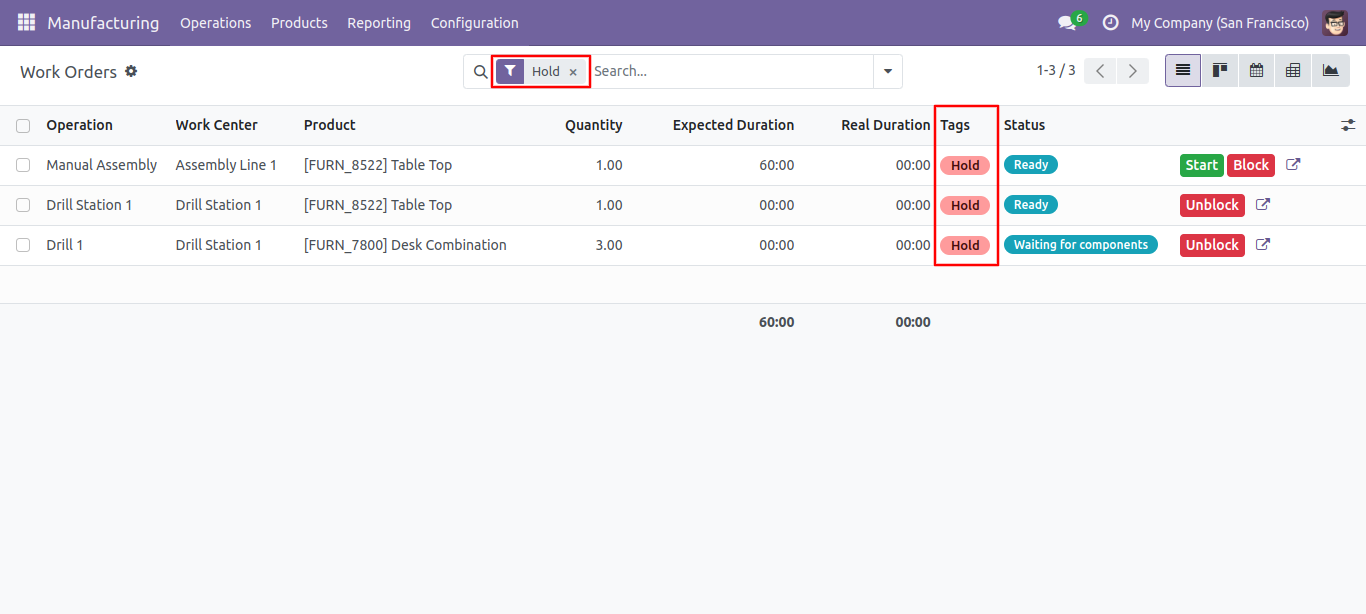
You can filter the Work Orders with tags.
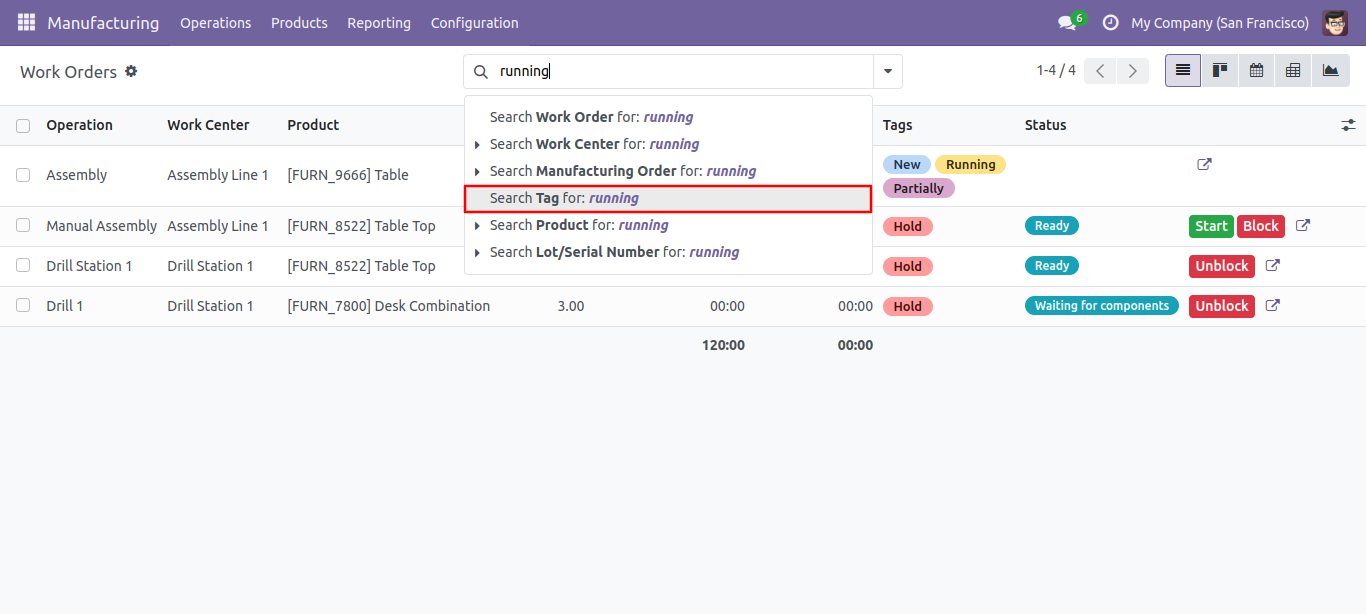
You can search tags from the search view in the Work Order.
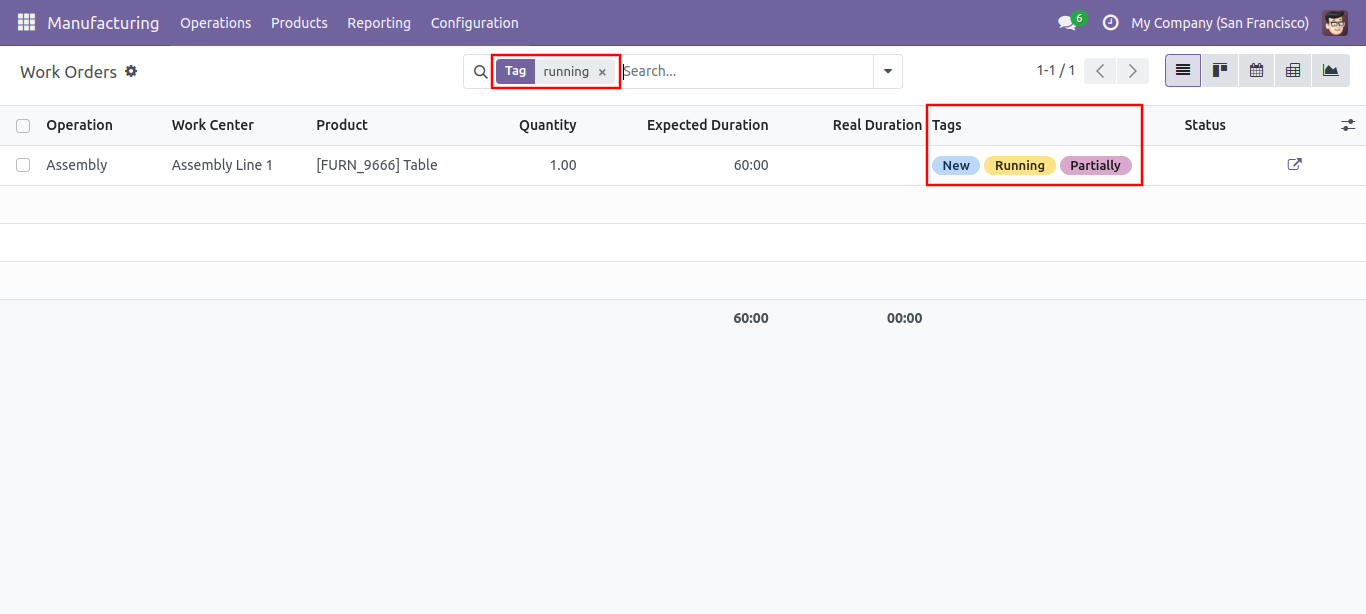
The search tags result in the Work Order.
Select update method and tags then press the 'Done' button to update tags.
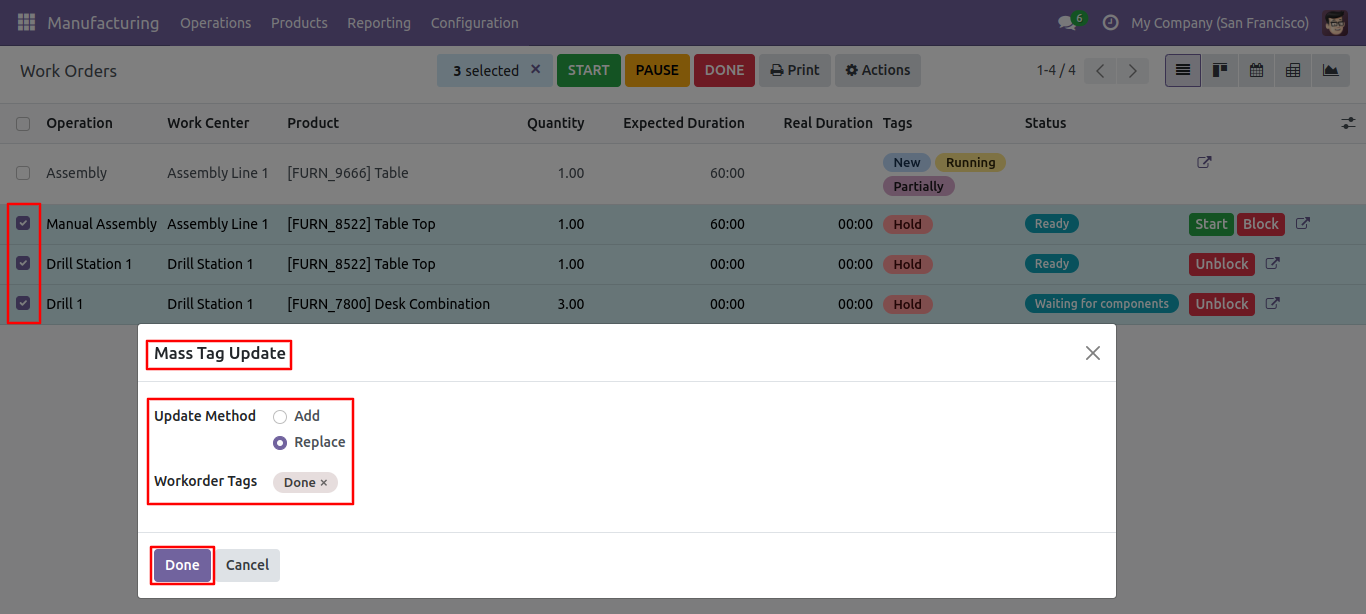
Tags replaced.
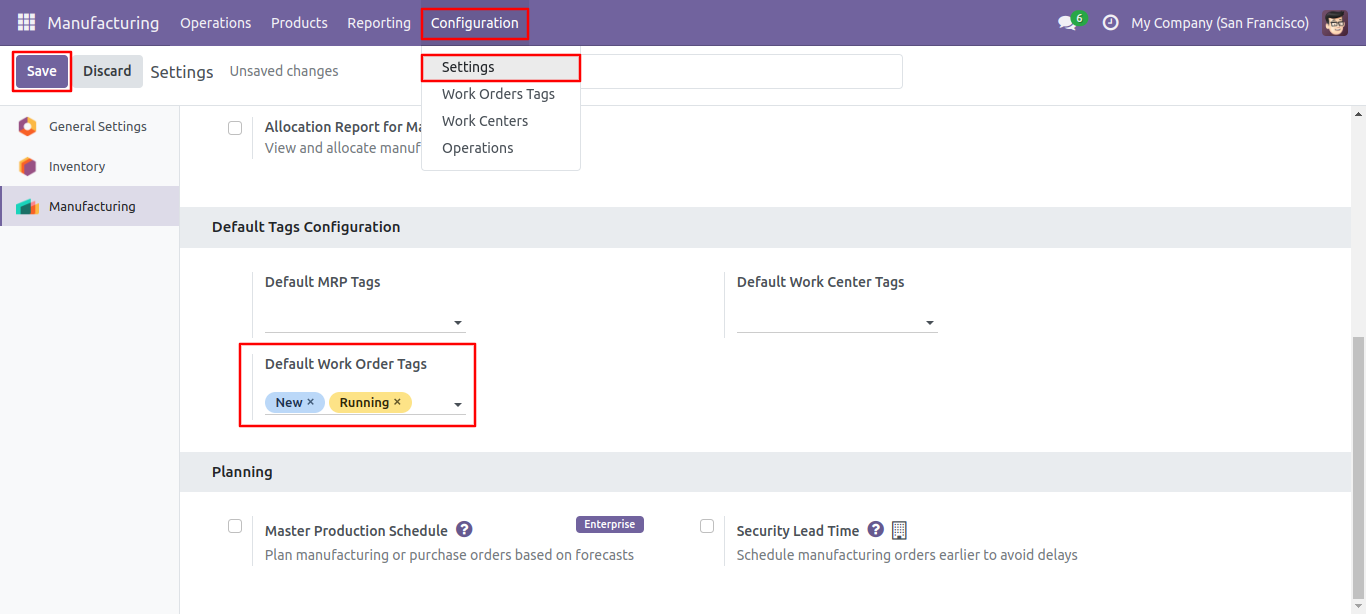
Default tags configuration.
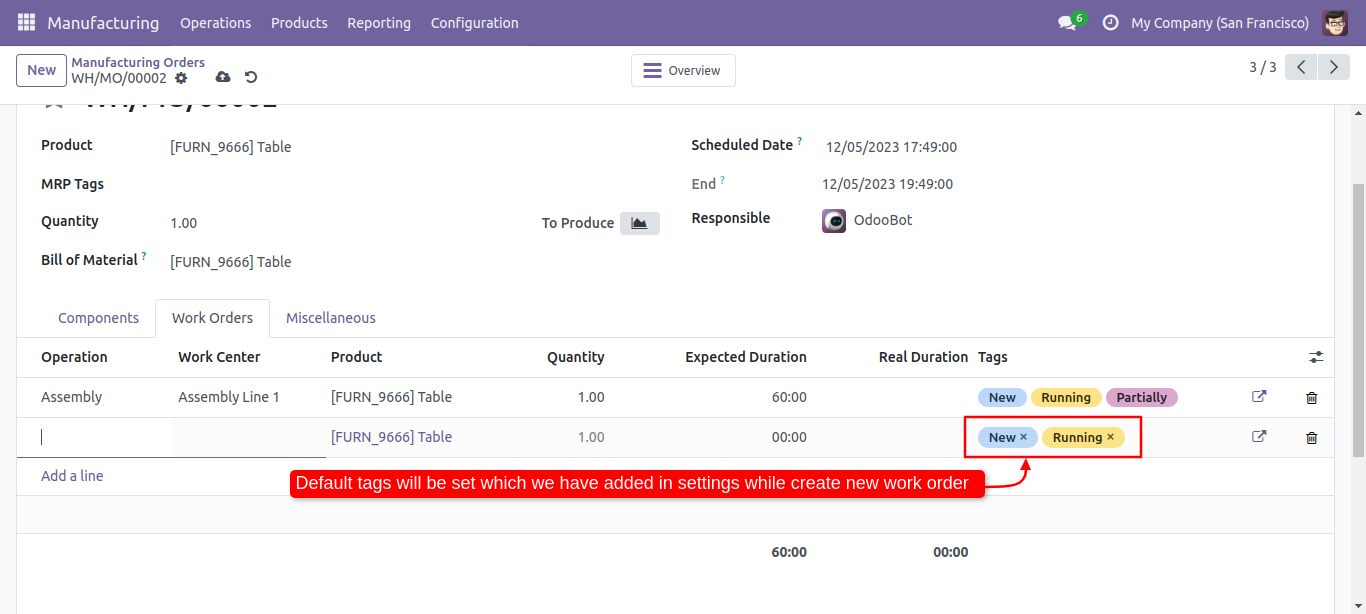
Default tags auto added.
Version 20.0.1.0.0 | Released on : 24th August 2026
- Yes, this app works perfectly with Odoo Enterprise (Odoo.sh & Premise) as well as Community.
- No, this application is not compatible with odoo.com(odoo saas/Odoo Online)
- Yes, to test this module, please contact us at sales@softhealer.com.
- Please contact us at sales@softhealer.comto request customization.
- Yes, we provide free support for 365 days from the date of purchase.
- Yes, you will receive lifetime free updates for the version of the module you purchased.
- No, there is no need to install any additional libraries.
- Yes, for version 12 and above, you need to purchase the module separately for each version you intend to use.
- No, exchanges or refunds are not allowed. Please make sure to select the correct version before purchasing.
- You can contact us at support@softhealer.com for language translation support. We use Google Translator tools to provide translations in multiple languages, so the accuracy may vary. We welcome your suggestions to help improve translations.
Discover Our Latest Apps