












Manual Currency Exchange Rate on Sale and Purchase

The Manual Currency Exchange Rate on Sale and Purchase module empowers Odoo users to gain full control over their financial transactions. By enabling a simple checkbox, you can manually set custom currency exchange rates for both sales and purchase orders. This is highly effective when default rates are unsuitable, ensuring precise multi-currency management and enhanced accuracy over multi-currency transactions in Odoo.

Related Modules
Features
Set Manual Exchange Rates on Sales Orders
Easily apply custom currency rates to your sales orders by checking a simple box, giving you flexibility over the transaction value.

Set Manual Exchange Rates on Purchase Orders
Control your purchase costs by manually defining the exchange rate for different currencies in the Purchase Orders.

Accurate Multi-Currency Management
Ensure your financial records reflect the actual rates used in your business deals, improving the accuracy of your accounting.
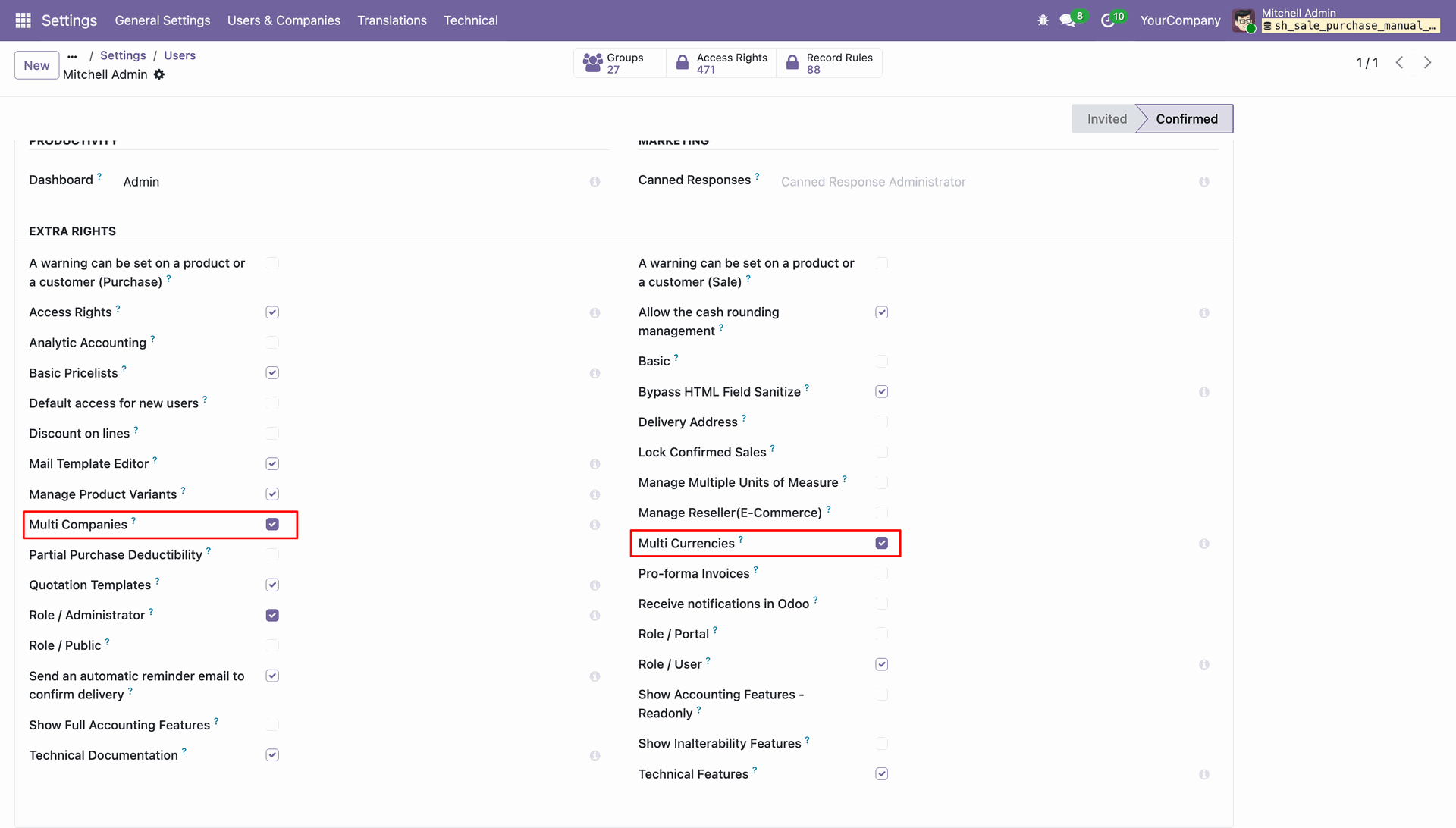
Enable the Multi Companies and Multi Currency in the user settings.
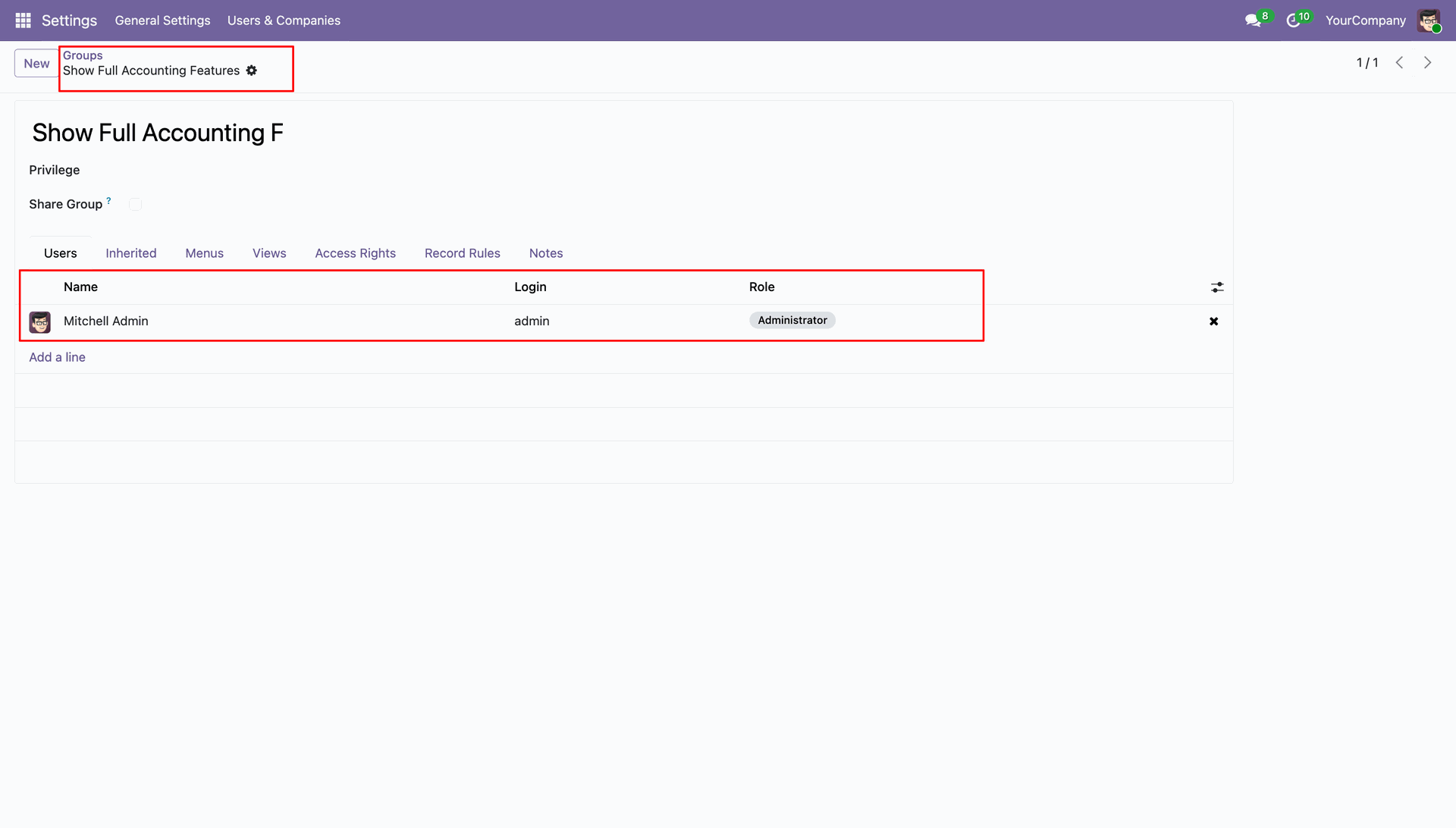
Add the user to the Show Full Accounting Features user group.
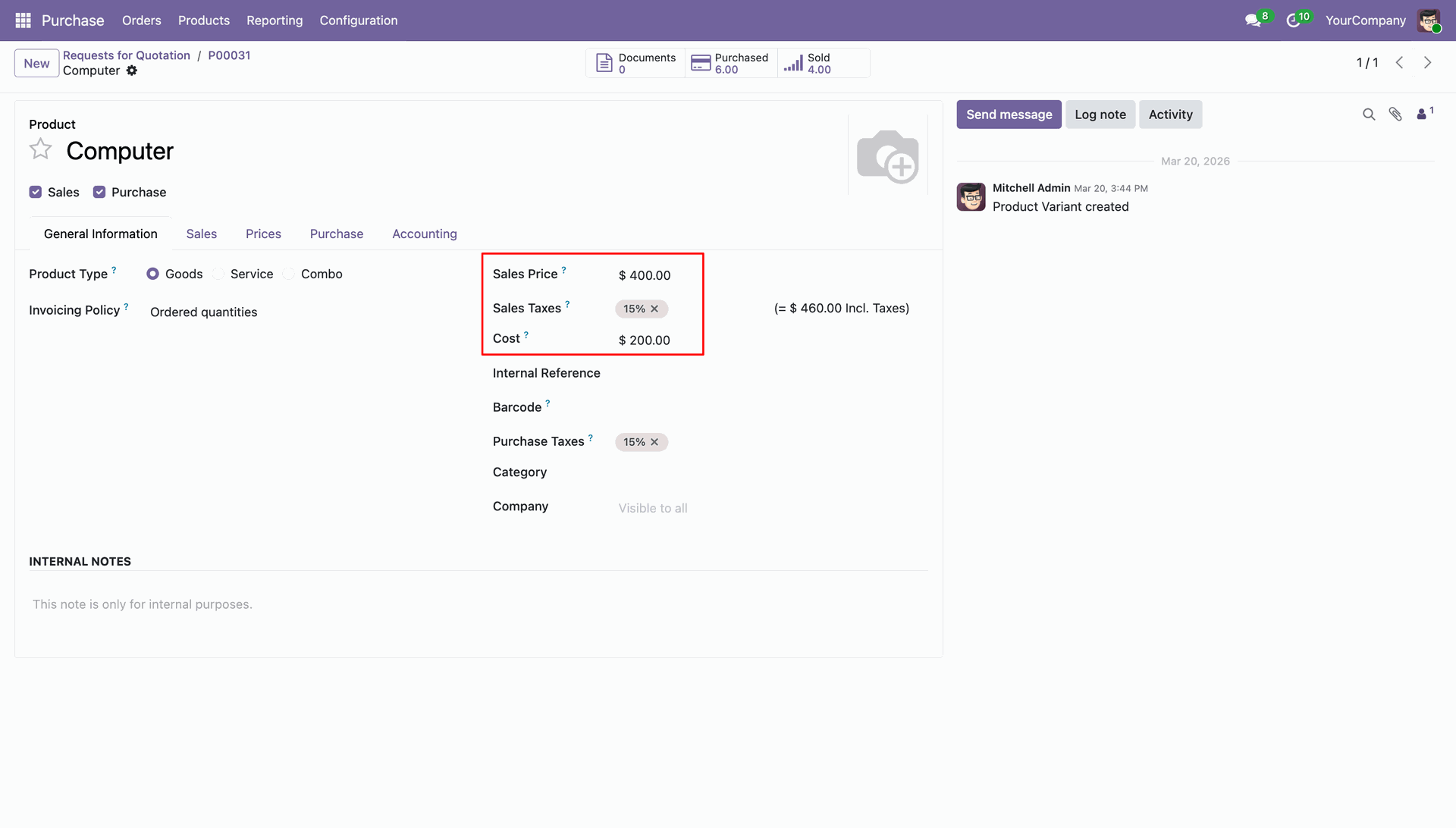
Enter the Cost Price and Sales price in the product.
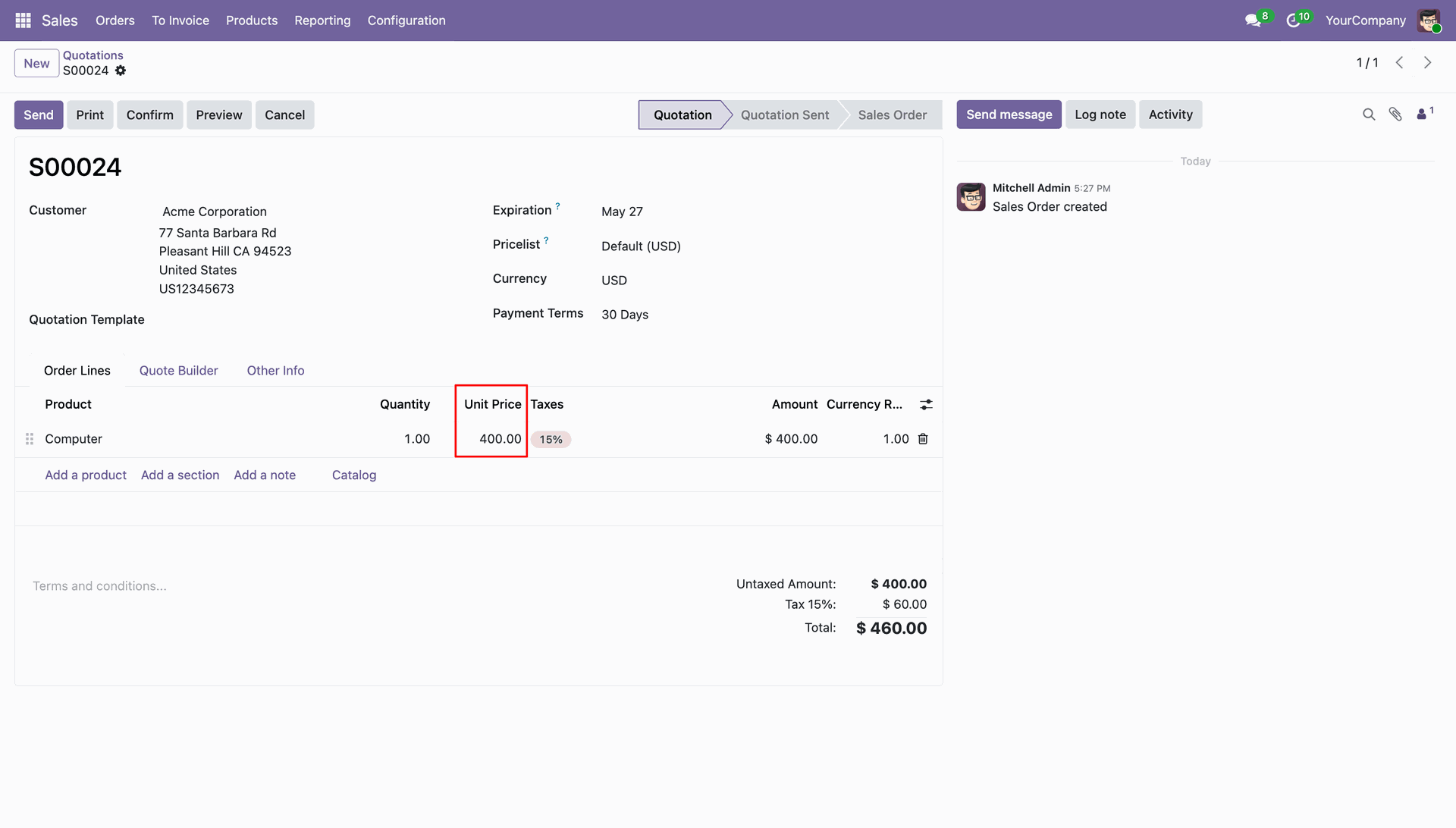
Create a new Sales Order and it displays the price in one currency.
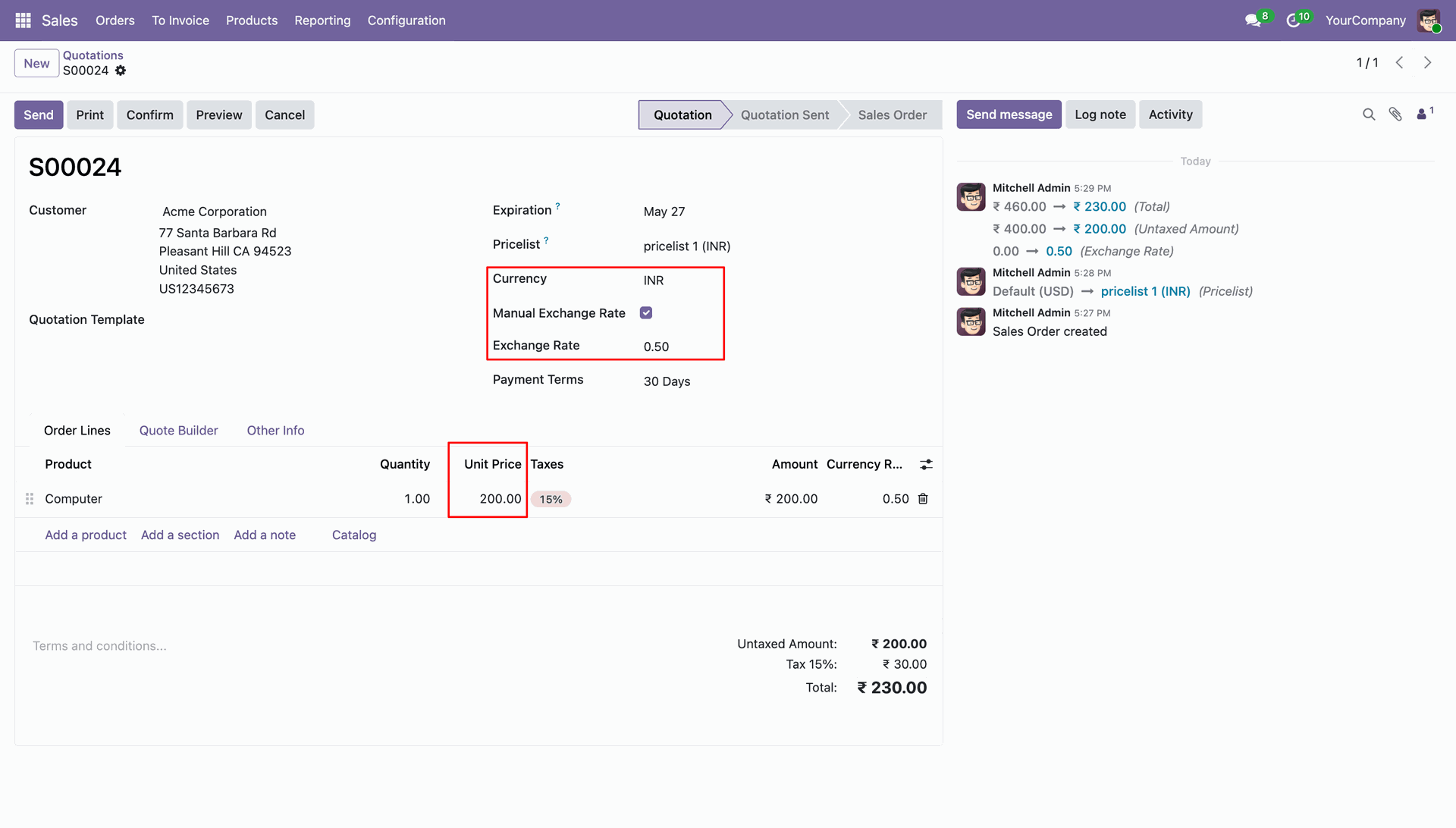
Change to another currency, Enable the Manual Exchange Rate and enter the Exchange Rate on the Sales Order to manage the exchange rate.
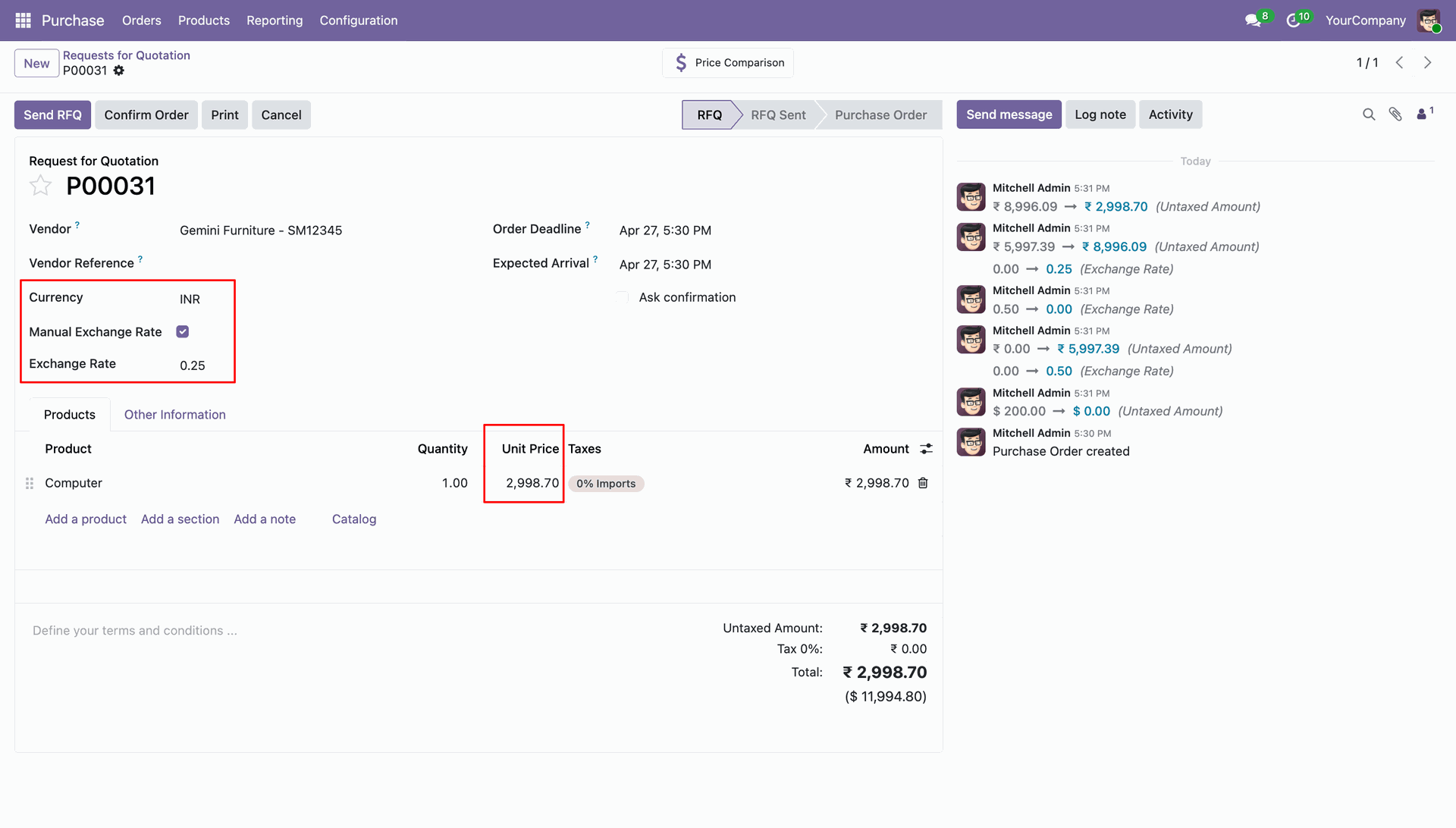
Create a new Purchase Order and it displays the price in one currency.
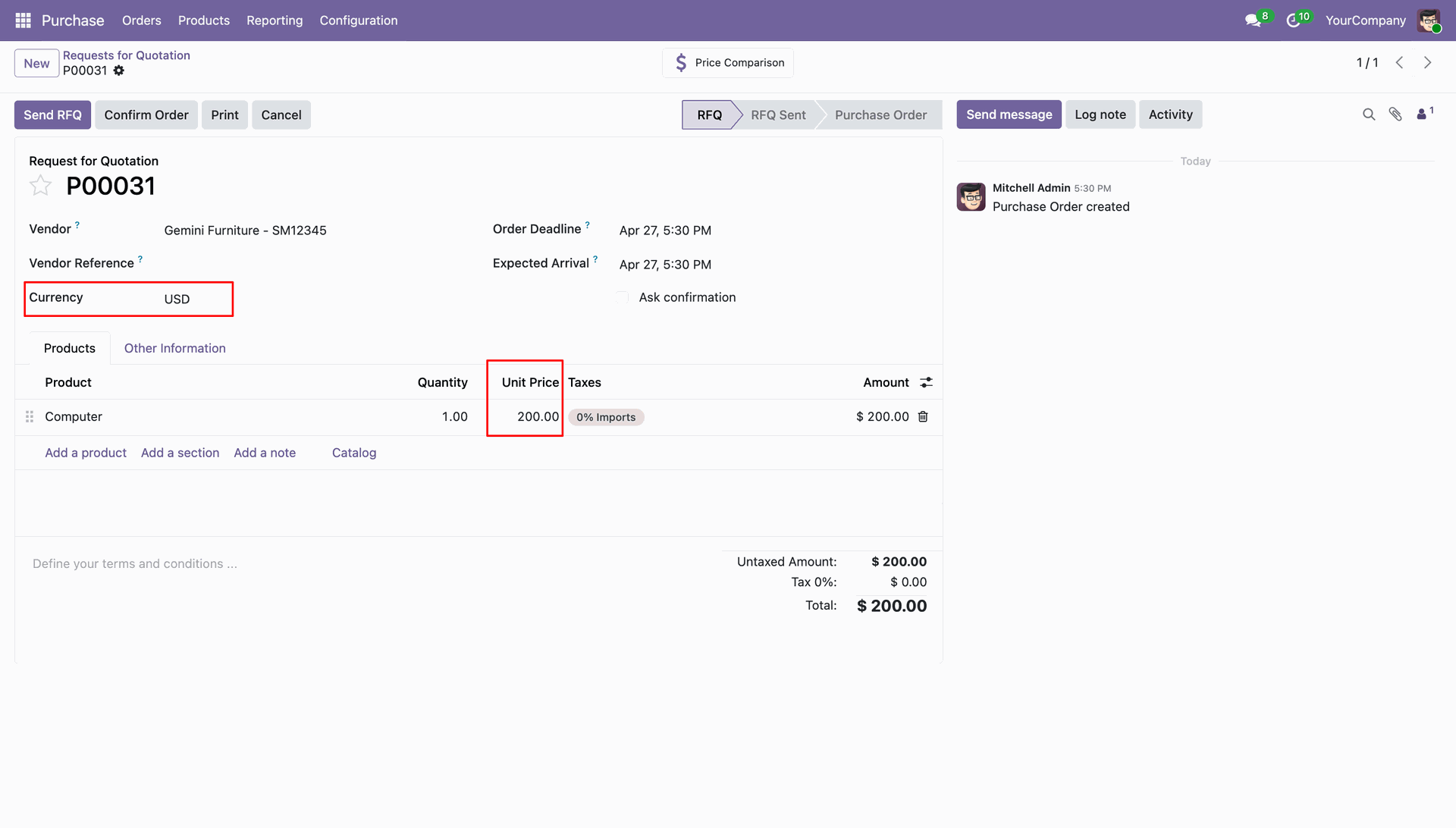
Change to another currency, Enable the Manual Exchange Rate and enter the Exchange Rate on the Purchase Order to manage the exchange rate.
Version 19.0.1.0.0 | Released on : 02nd June 2026
- Yes, this app works perfectly with Odoo Enterprise (Odoo.sh & Premise) as well as Community.
- No, this application is not compatible with odoo.com(odoo saas/Odoo Online)
- Yes, to test this module, please contact us at sales@softhealer.com.
- Please contact us at sales@softhealer.com to request customization.
- Yes, we provide free support for 365 days from the date of purchase.
- Yes, you will receive lifetime free updates for the version of the module you purchased.
- No, there is no need to install any additional libraries.
- Yes, for version 12 and above, you need to purchase the module separately for each version you intend to use.
- No, exchanges or refunds are not allowed. Please make sure to select the correct version before purchasing.
- You can contact us at support@softhealer.com for language translation support. We use Google Translator tools to provide translations in multiple languages, so the accuracy may vary. We welcome your suggestions to help improve translations.
Discover Our Latest Apps