











Manual Currency Exchange Rate on Invoice and Payment

Using this module, users can manually set currency exchange rates on invoices and payments by enabling a simple checkbox. It is especially useful when the default currency rate is not suitable, allowing you to apply a custom exchange value for specific transactions.

Features

Manual Exchange Rate on Invoice
Take full control of your invoicing by applying your own custom currency exchange rates.

Manual Exchange Rate on Payment
Take full control of your payments by applying your own custom currency exchange rates.

User Configurations
Quickly enable or disable the manual exchange rate with a simple checkbox.

Exchange Rate in Journal Entries
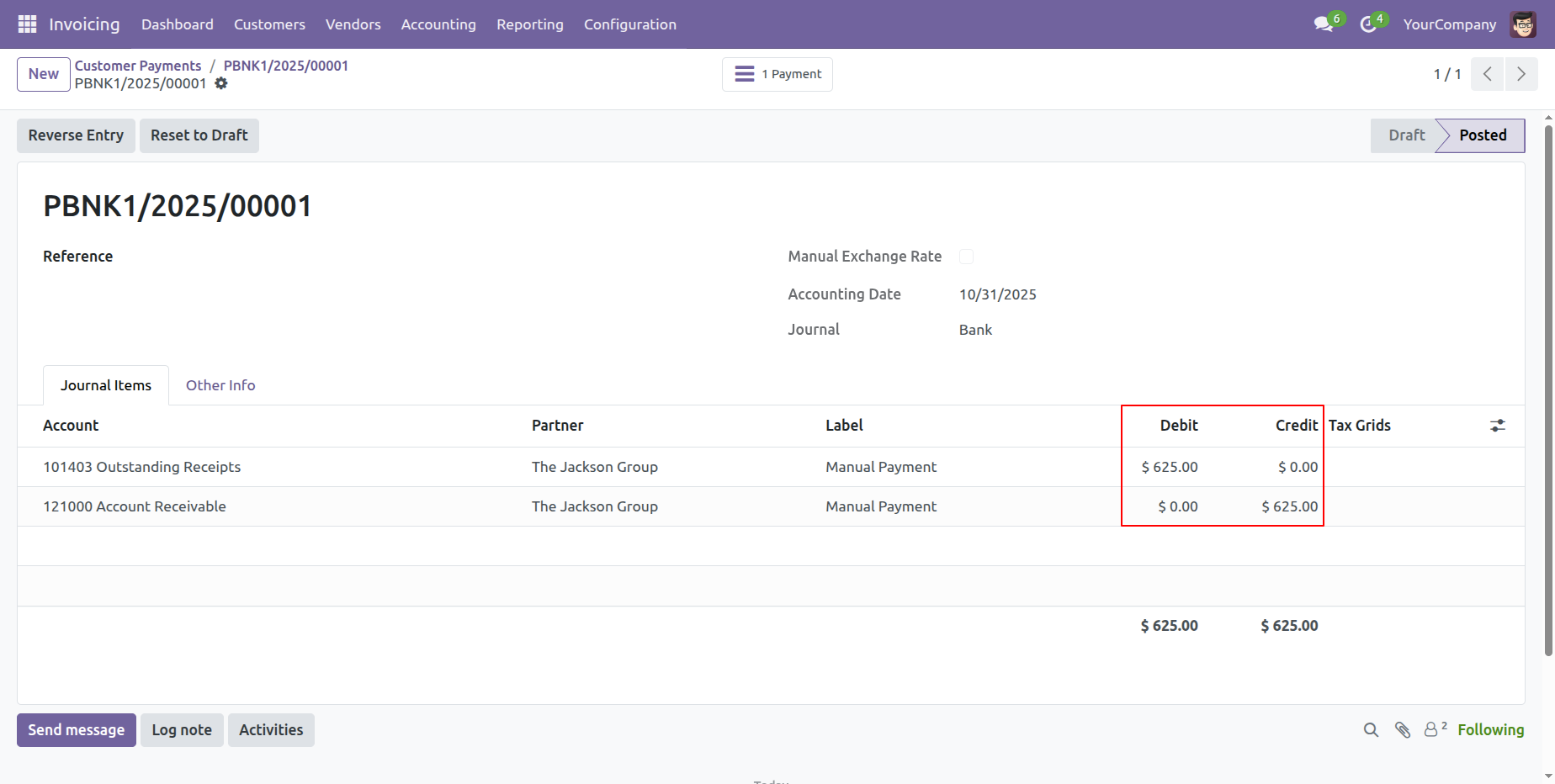
Journal entries created from invoices and bills reflect the selected exchange rate amount for accurate accounting.
Go to the users and tick the 'Multi Companies' and 'Multi Currencies' booleans.
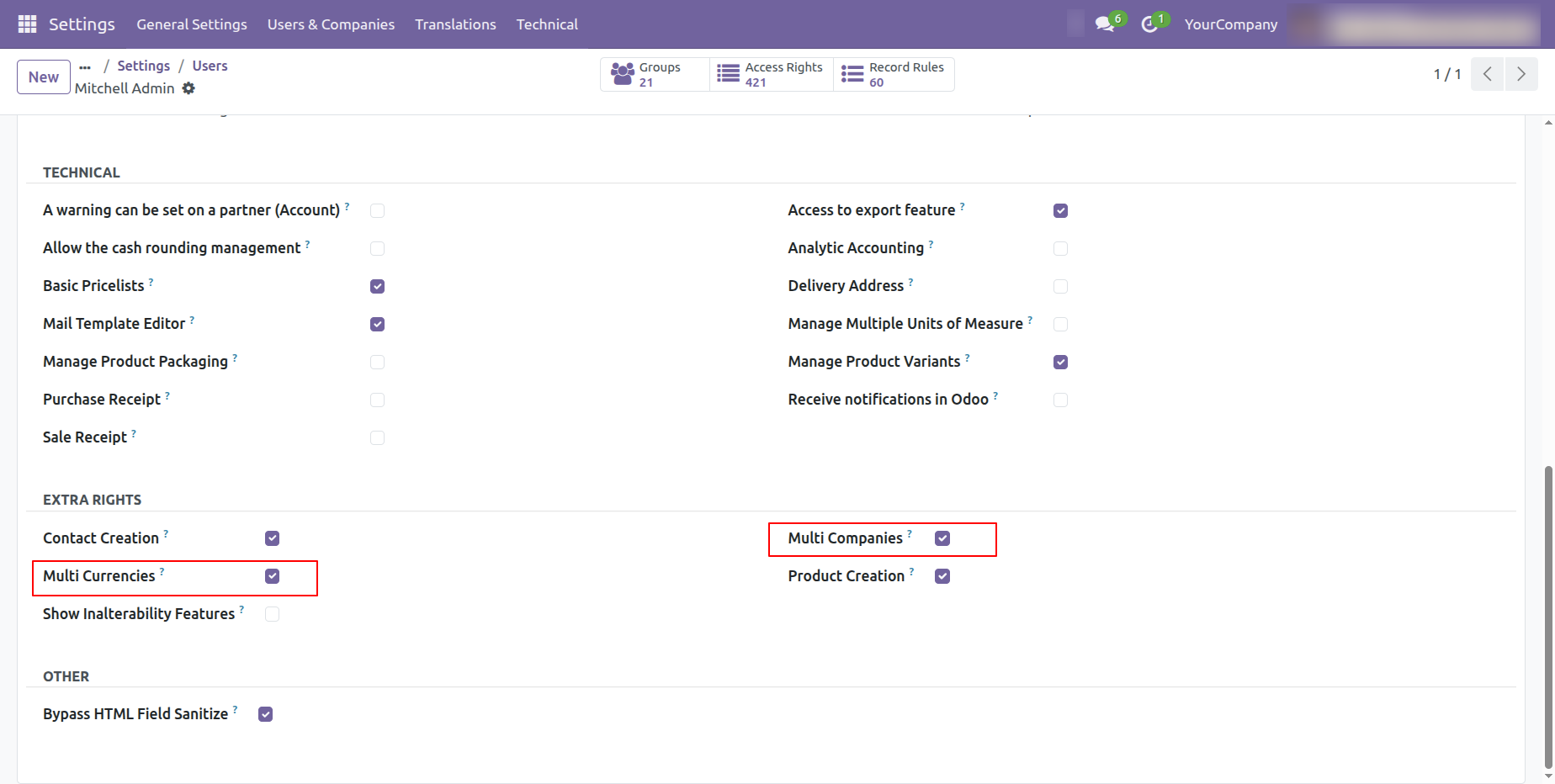
Grant the user full accounting access rights.
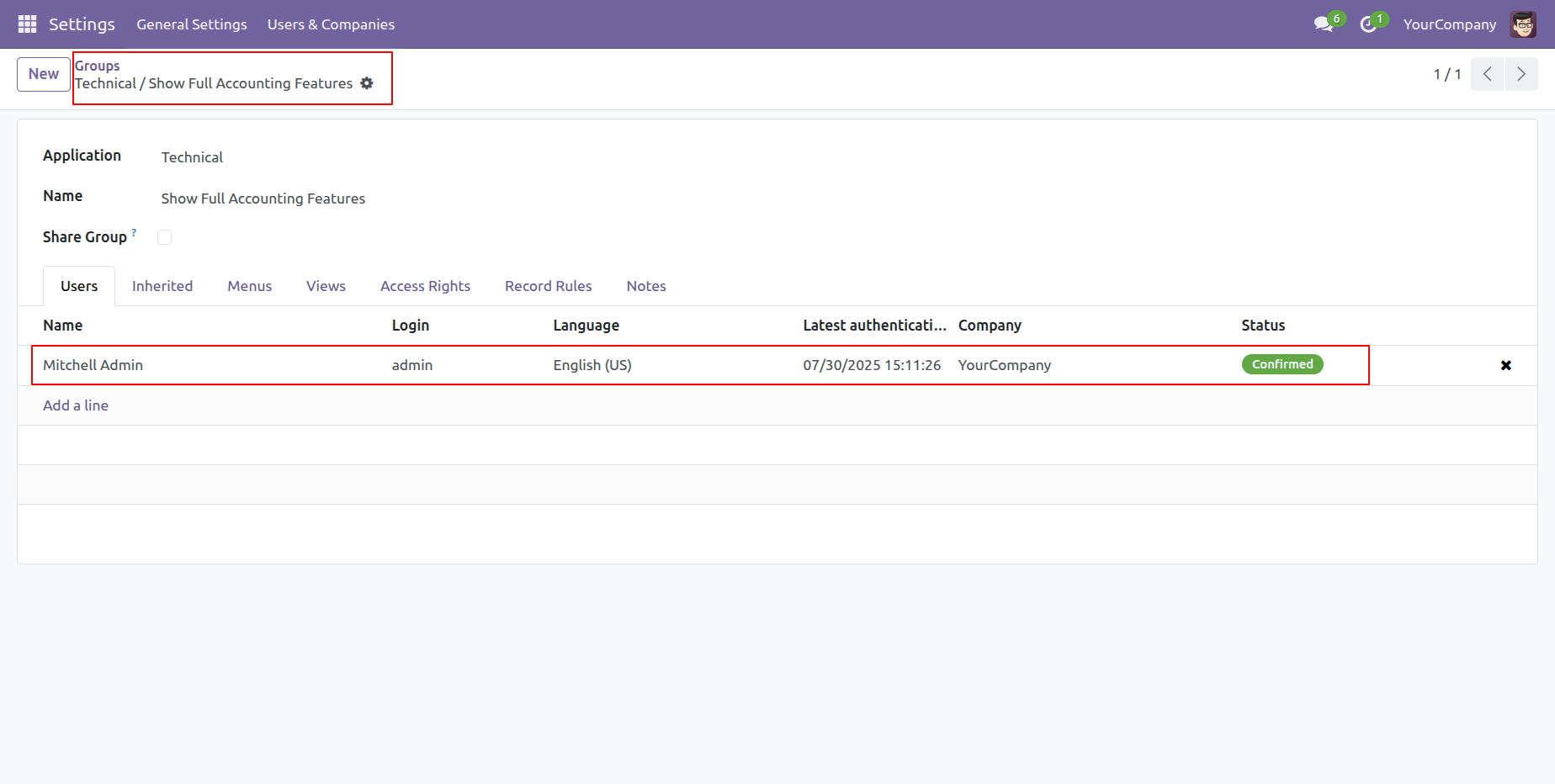
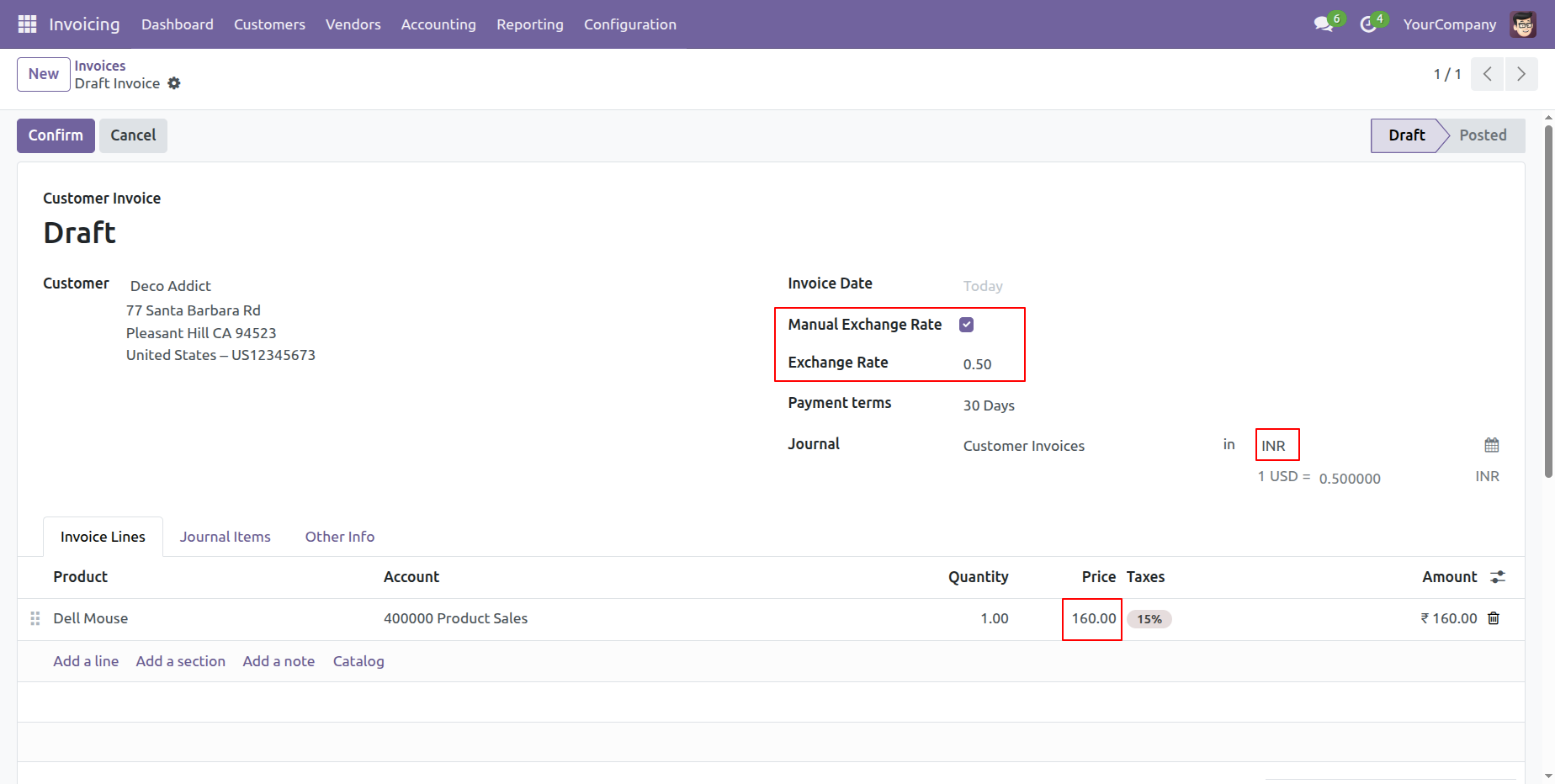
Create an invoice.
Select the currency and confirm the quotation.
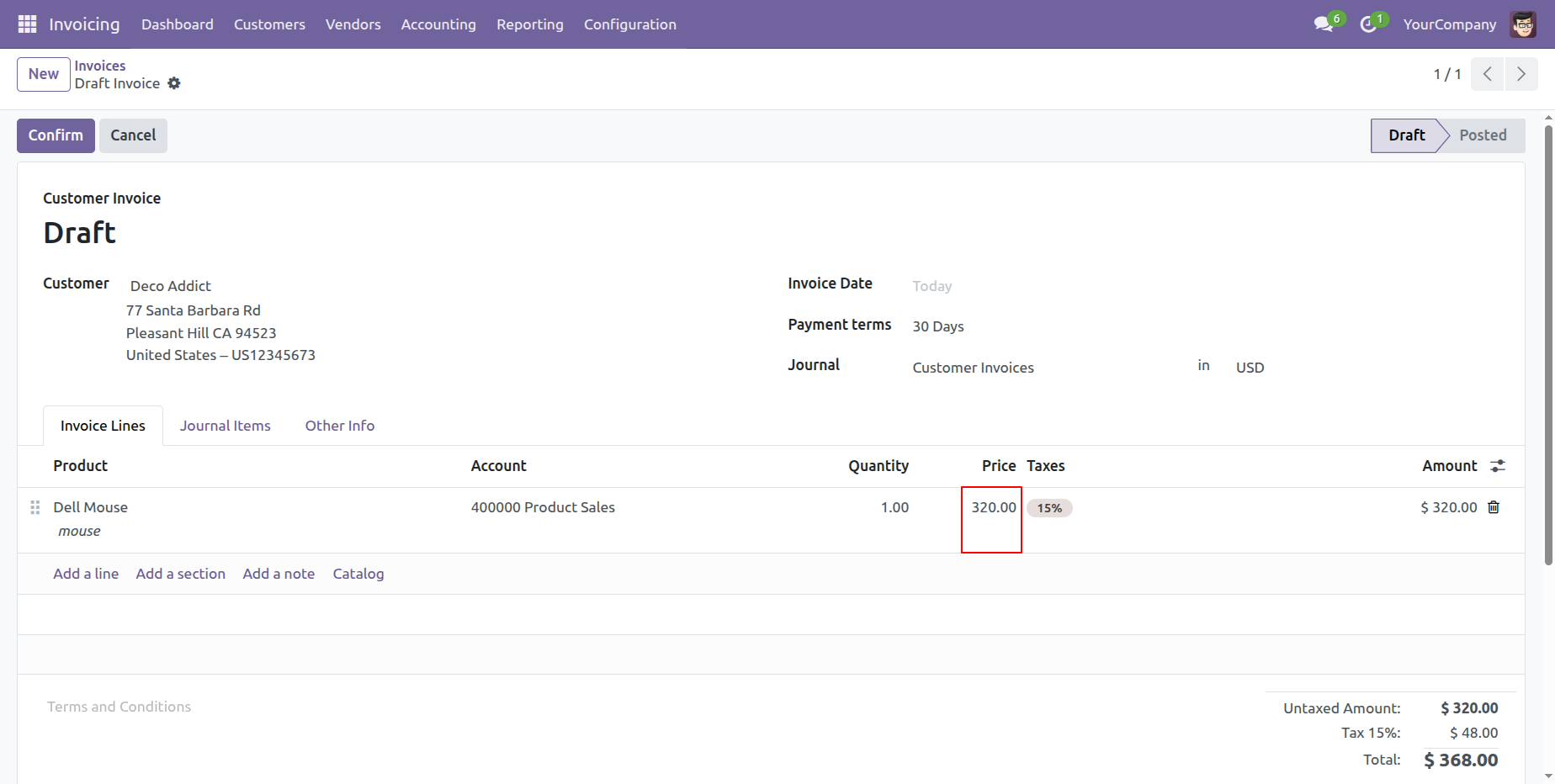
Enable the 'Manual Exchange Rate' option and set the exchange rate value.
Here, you can view the selected currency.
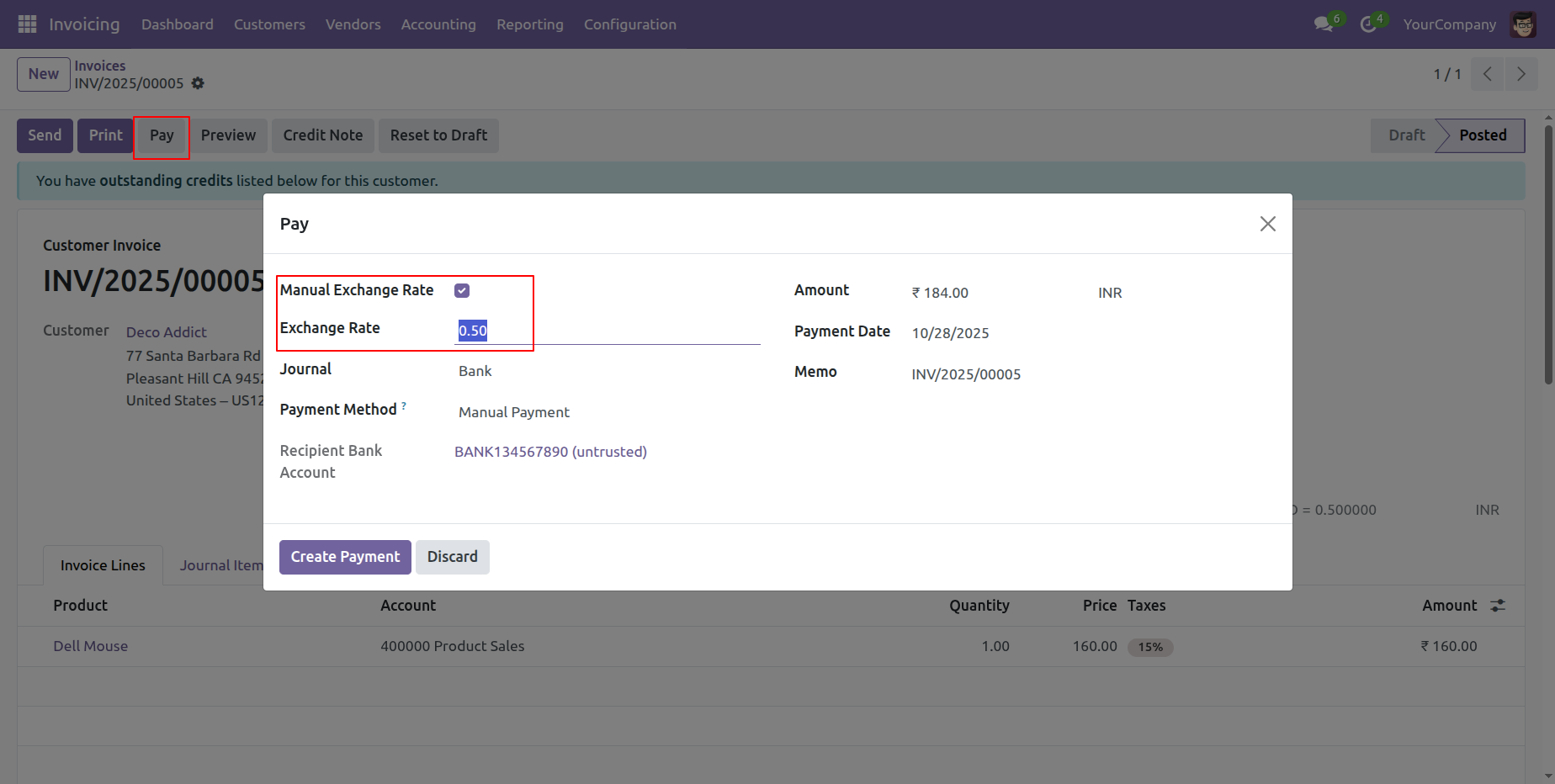
After that, this wizard will appears.
The exchange rate is automatically applied same as you set in the quotation.
Click on the 'Create Payment' button.
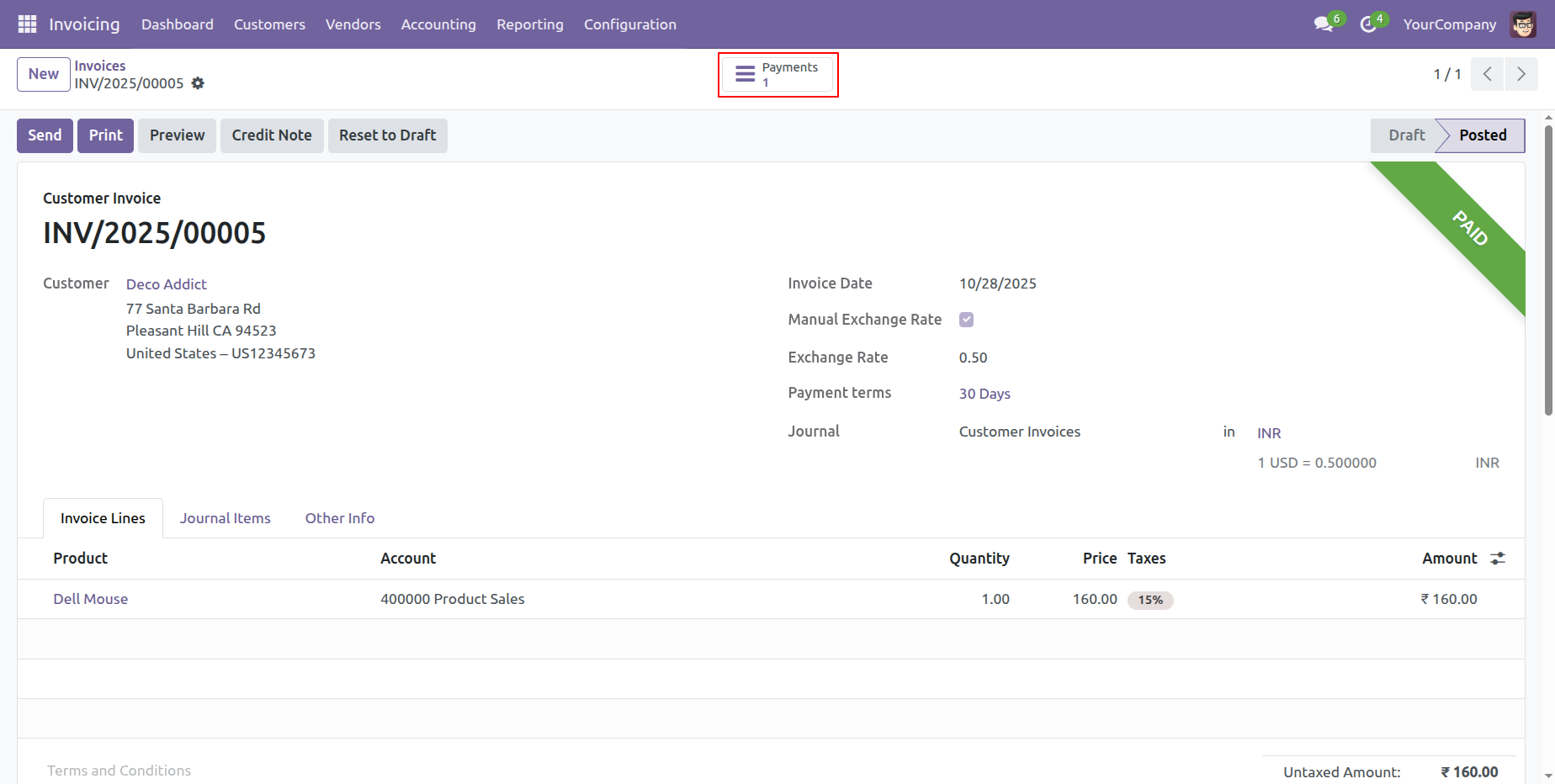
Click on the 'Payment' smart button.
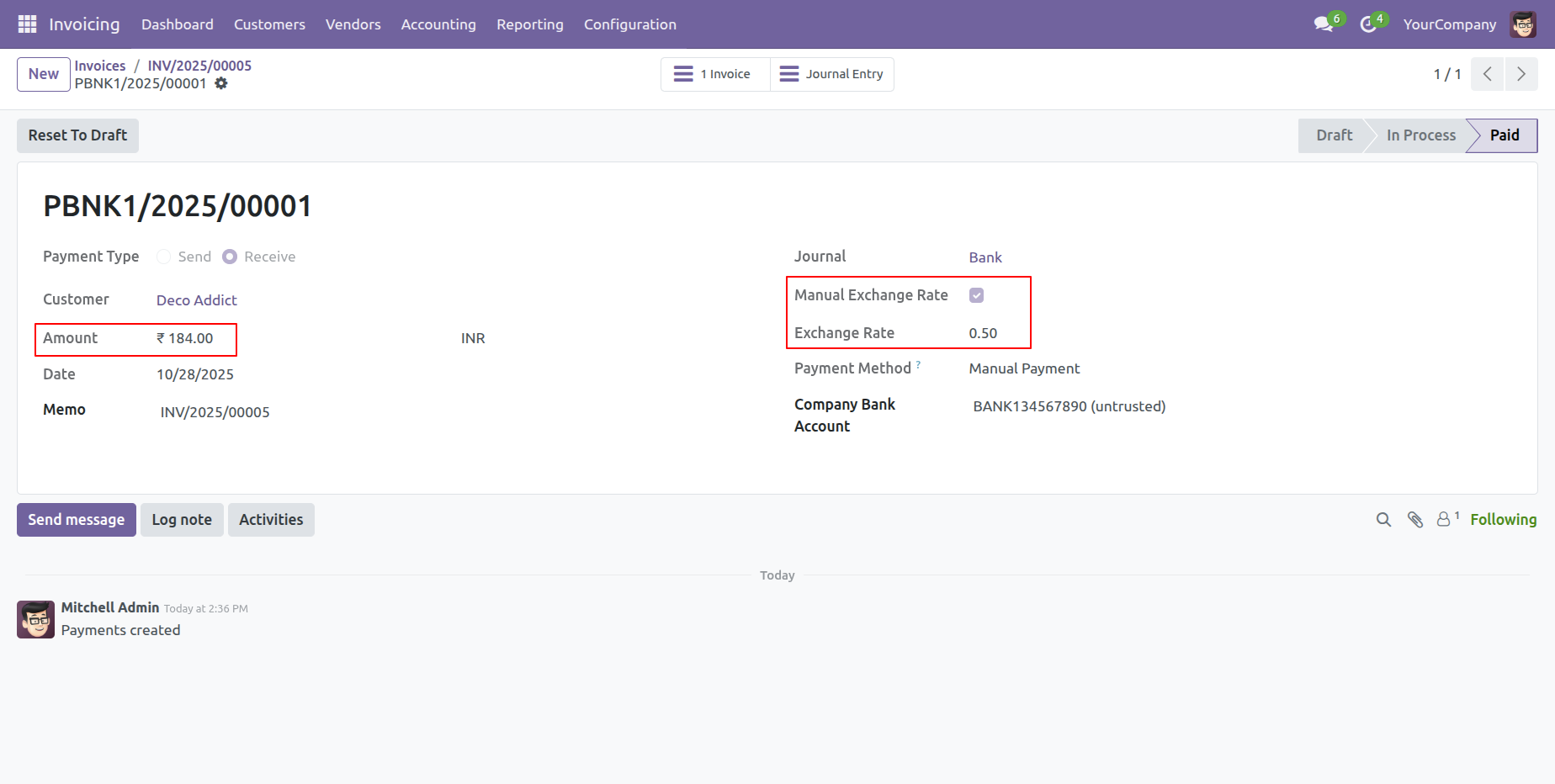
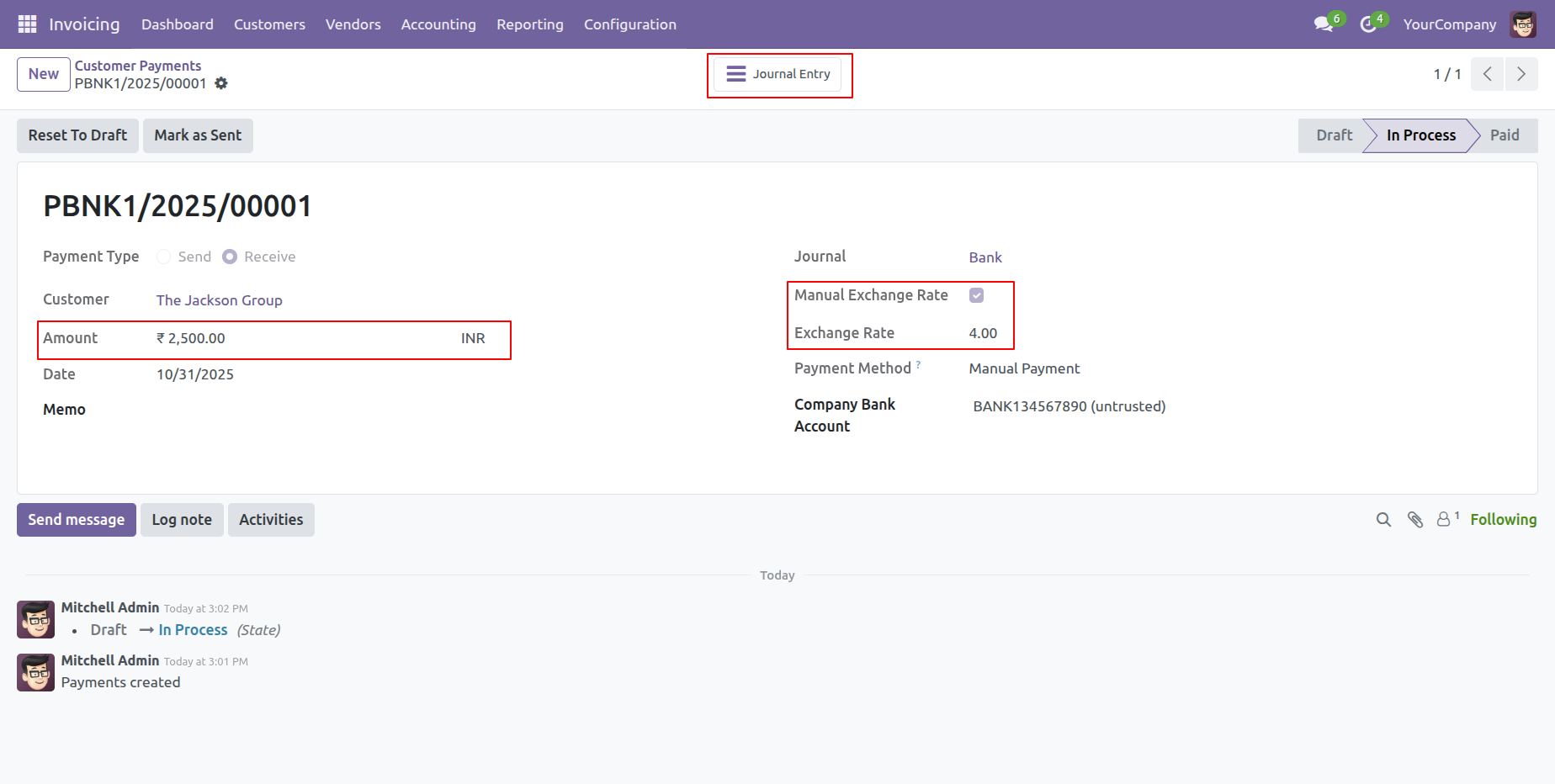
Here, you can view the payment amount and the exchange rate.
You can view the debit and credit history in the 'Journal Items' tab.
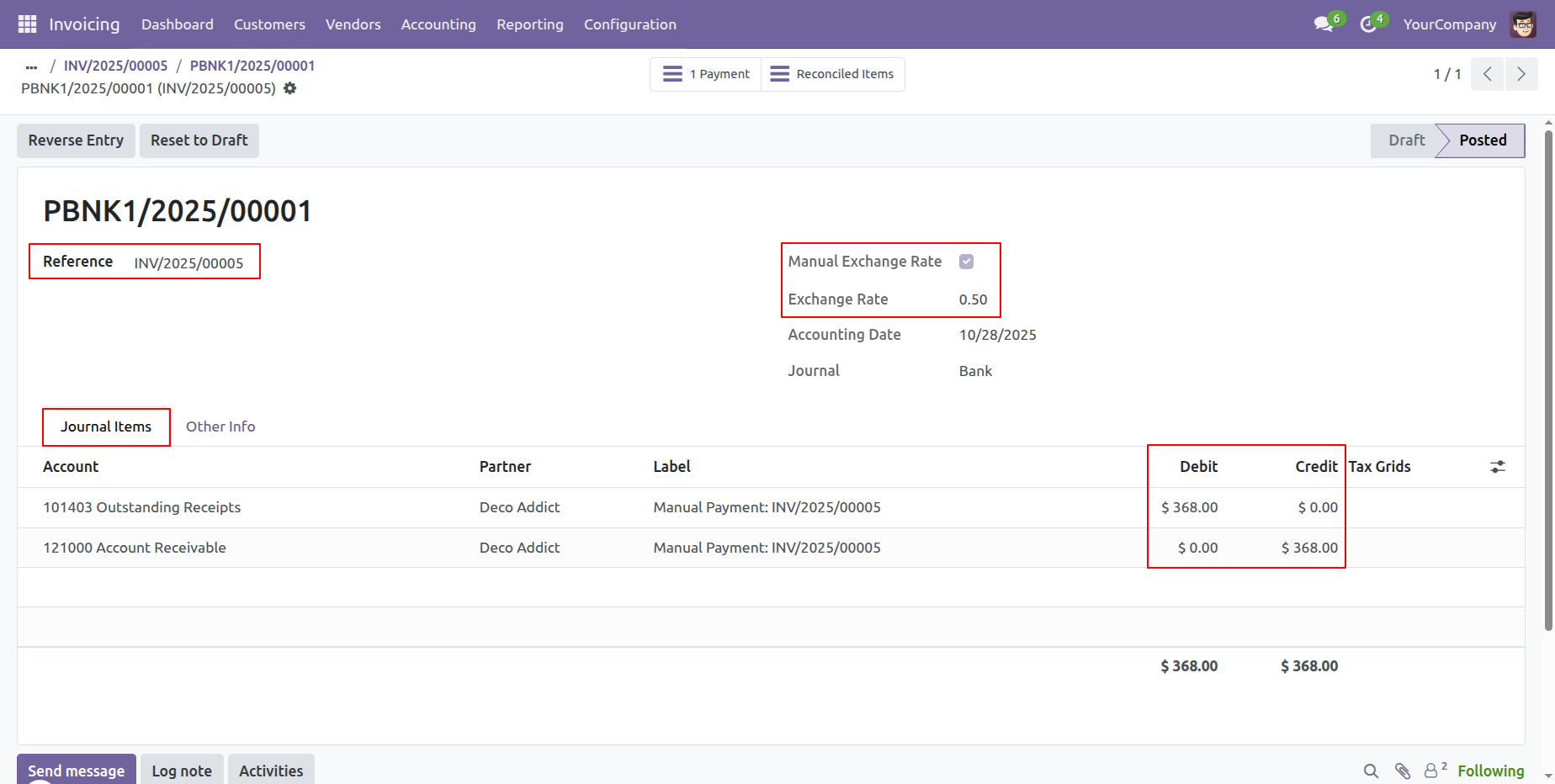
Click on the 'Journal Entry' smart button.
The journal entry is shown here.
Version 18.0.1.0.0 | Released on : 18th December 2025
- Yes, this app works perfectly with Odoo Enterprise (Odoo.sh & Premise) as well as Community.
- No, this application is not compatible with odoo.com(odoo saas/Odoo Online)
- Yes, to test this module, please contact us at sales@softhealer.com.
- Please contact us at sales@softhealer.comto request customization.
- Yes, we provide free support for 365 days from the date of purchase.
- Yes, you will receive lifetime free updates for the version of the module you purchased.
- No, there is no need to install any additional libraries.
- Yes, for version 12 and above, you need to purchase the module separately for each version you intend to use.
- No, exchanges or refunds are not allowed. Please make sure to select the correct version before purchasing.
- You can contact us at support@softhealer.com for language translation support. We use Google Translator tools to provide translations in multiple languages, so the accuracy may vary. We welcome your suggestions to help improve translations.
Discover Our Latest Apps