


 Easy to Manage
 Dedicated Support
















 Scan to email sales





Manage Disputed Supplier

This module is useful to Manage the Disputed Supplier. If any supplier supplies some damaged goods, late delivery, incomplete delivery that time you can create dispute and stop payment till not solve the problem using this module. This module provides one tab 'dispute' in vendor bill so you can create disputes directly. You can not make register payments until the dispute is not solved.

Features
- Easy to create Dispute in vendor bill.
- Stop payment till not solve the dispute.
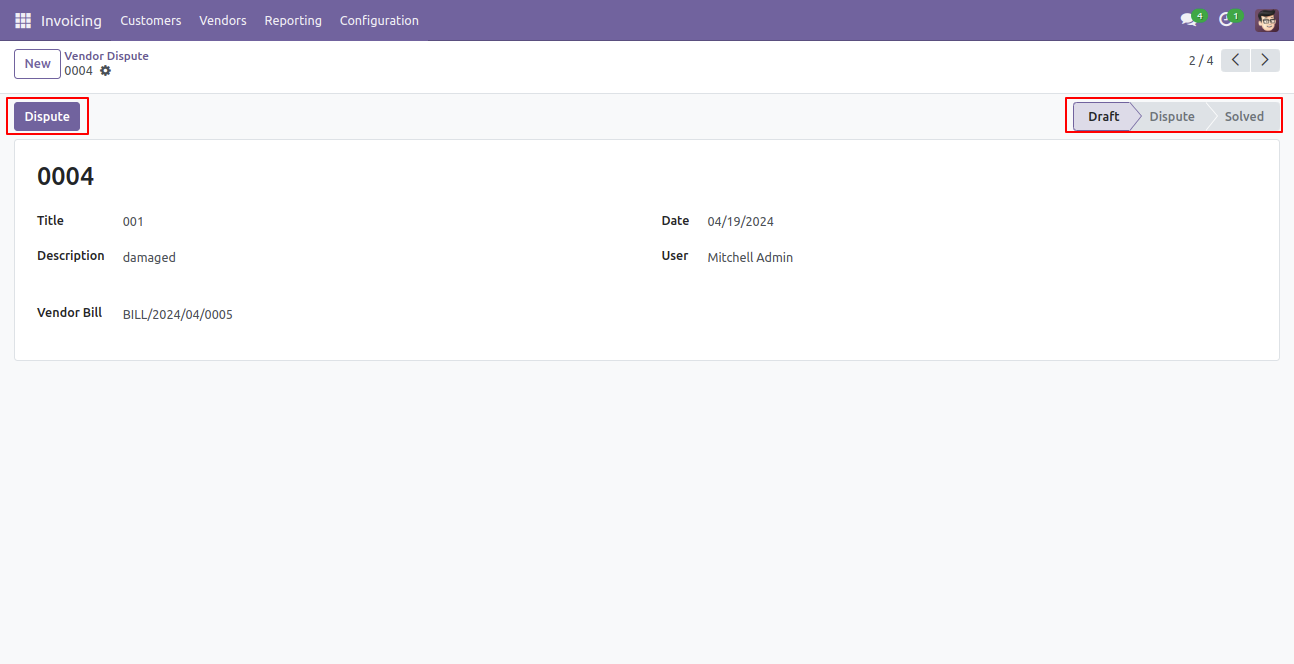
- Easy to Manage Disputes by the state like Draft, Dispute, Solved.
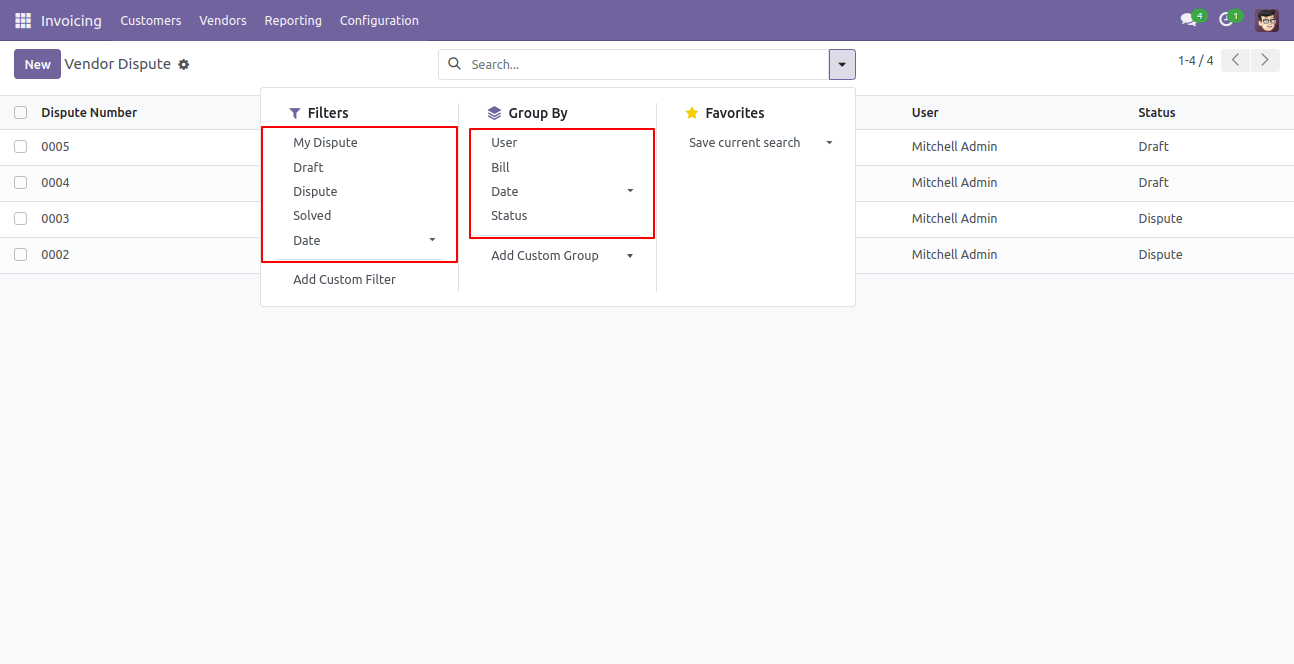
- Easy to filter dispute list by My Dispute, Draft, Dispute, Solve, Date.
- Easy to group by dispute list like the user, bill, status, date.
- Easy to Manage Disputed Supplier.
- No, any other configuration required to just install and use it.
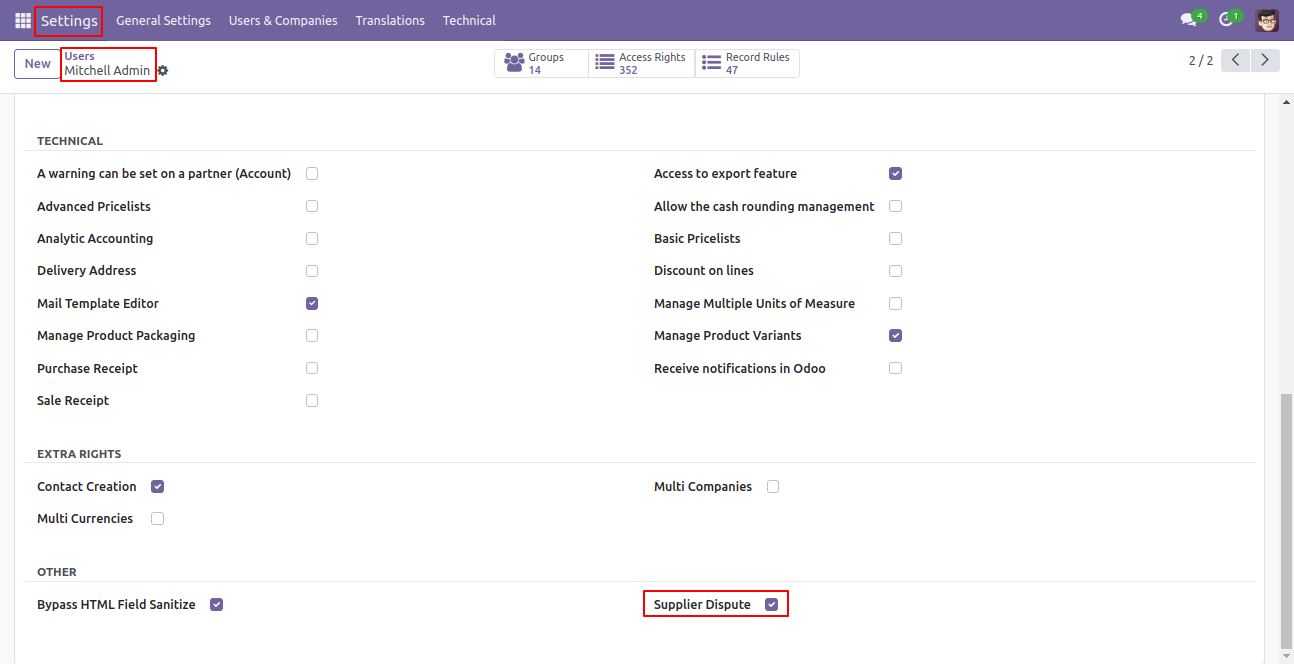
Enable "Supplier Dispute".
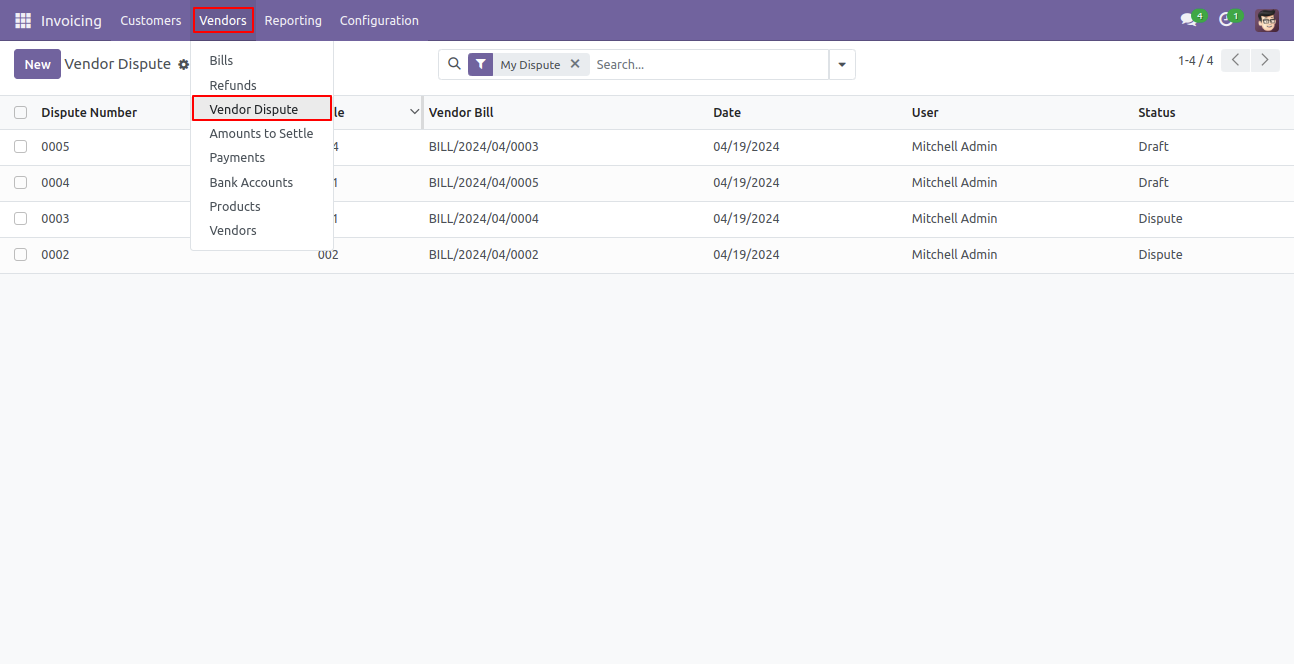
Vendor Dispute menu and tree view.
Vendor Dispute Filters & Group By.
Supplier Dispute Form View.
Dispute Lines.
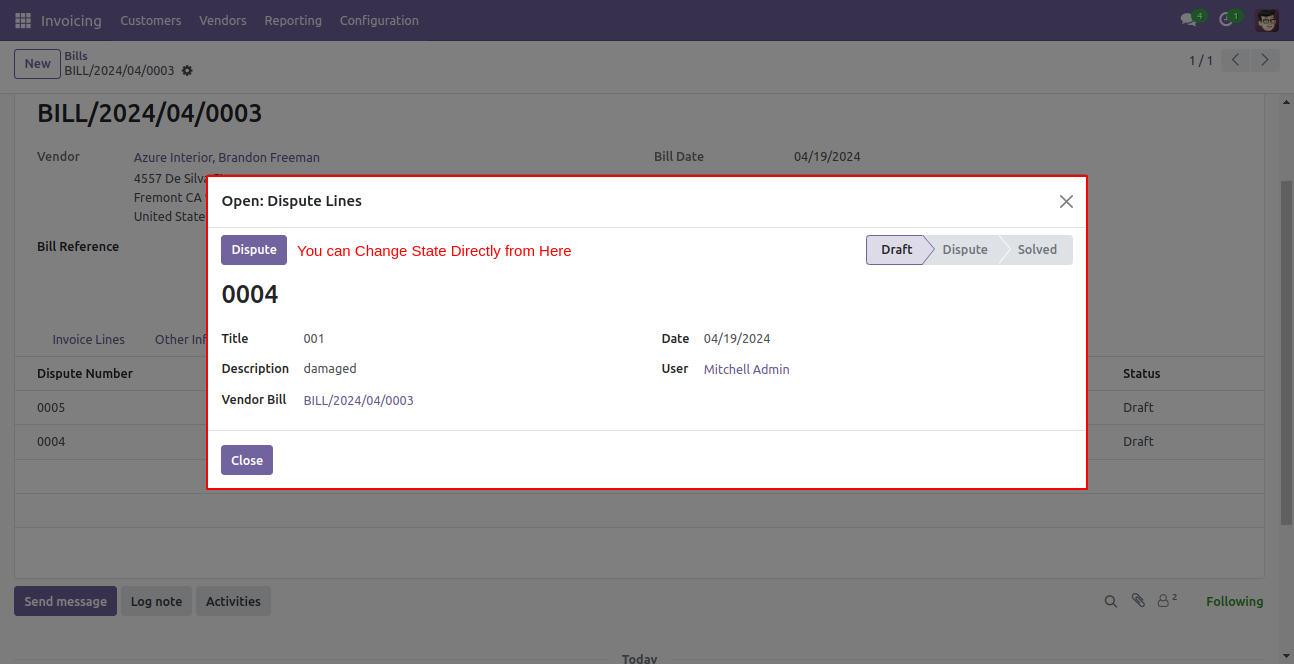
Dispute Line form view.
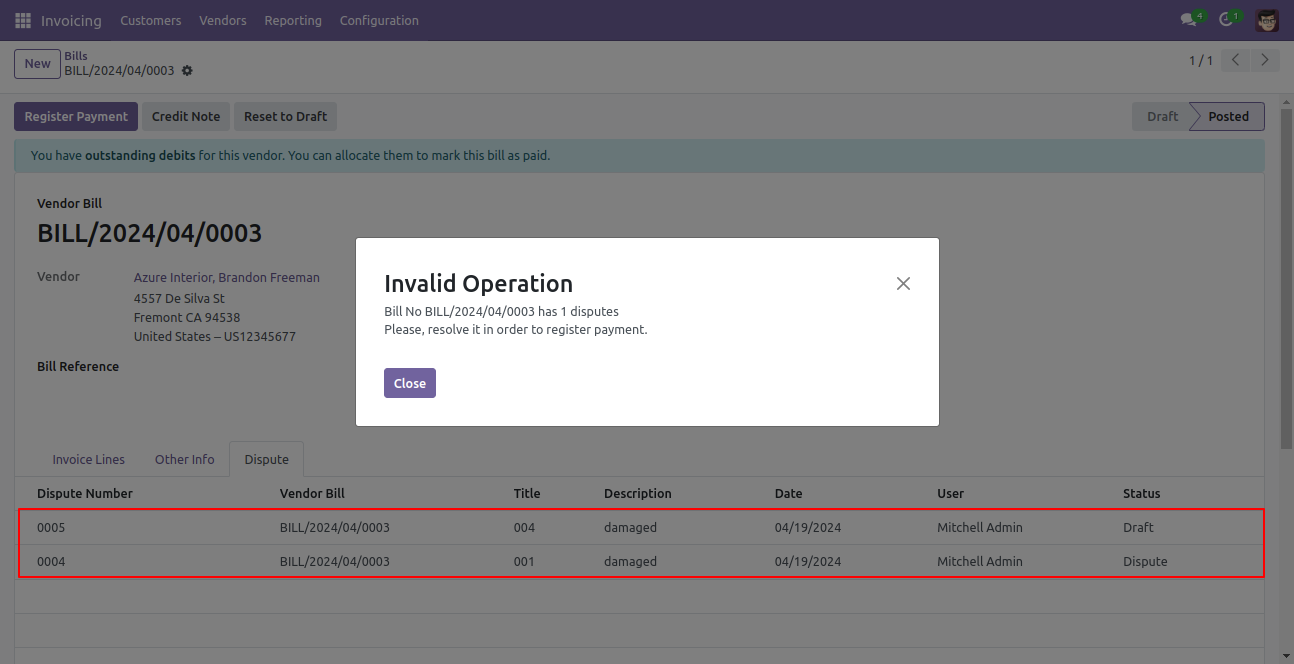
If bill has disputed vendor and you try to register payment at that time warning message will display.
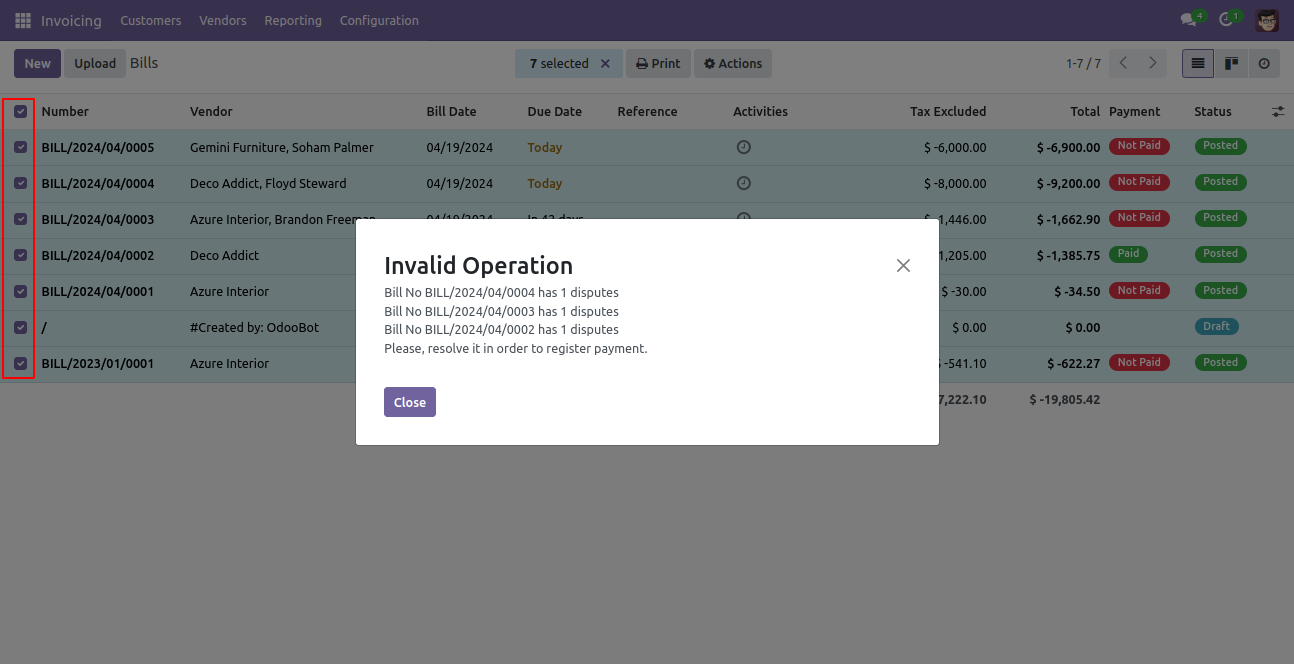
When some vendor bill has disputed vendor and you try to register payment from multi action at that time it's gived you warning message.
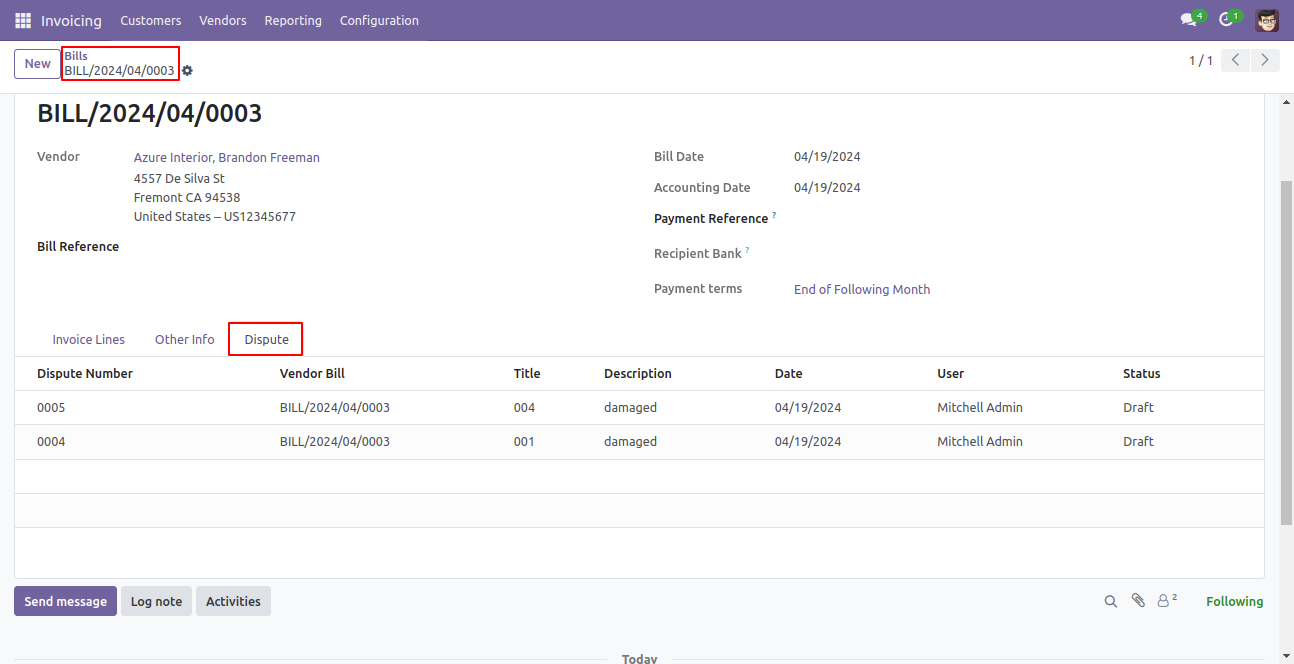
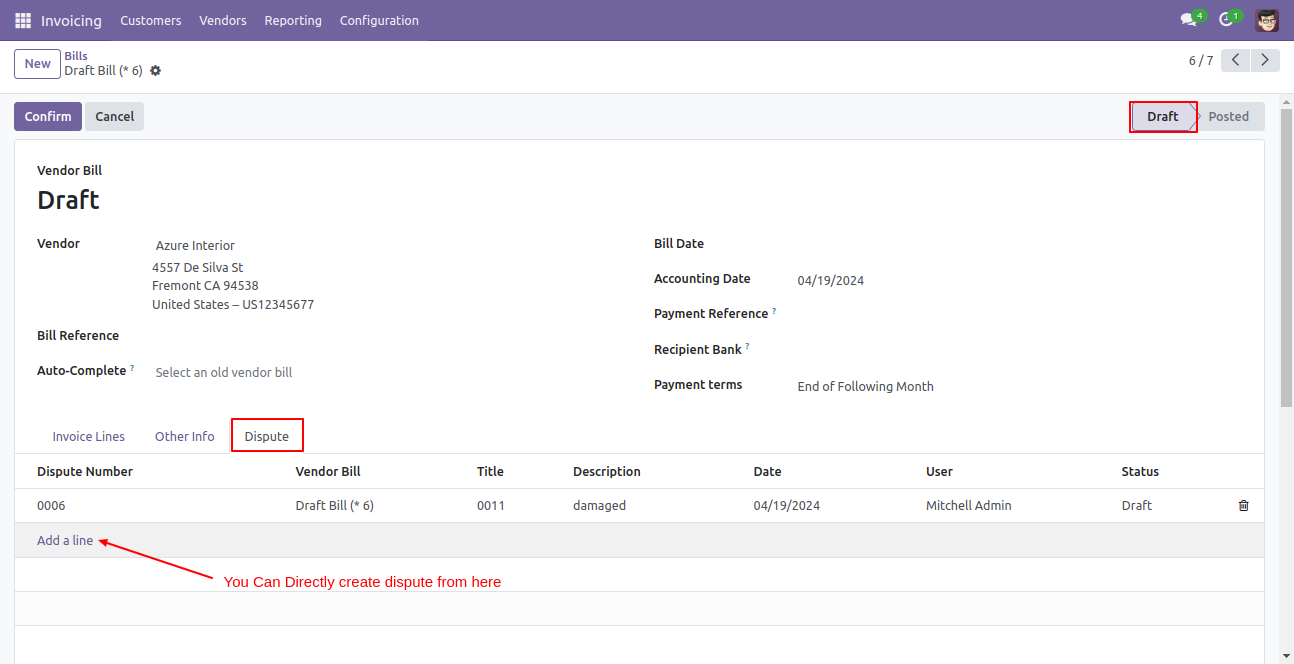
You can also create supplier dispute directly from here(dispute line in bill form view).
Version 19.0.1.0.0 | Released on : 14th February 2026
- Yes, this app works perfectly with Odoo Enterprise (Odoo.sh & Premise) as well as Community.
- No, this application is not compatible with odoo.com(odoo saas/Odoo Online)
- Yes, to test this module, please contact us at sales@softhealer.com.
- Please contact us at sales@softhealer.com to request customization.
- Yes, we provide free support for 365 days from the date of purchase.
- Yes, you will receive lifetime free updates for the version of the module you purchased.
- No, there is no need to install any additional libraries.
- Yes, for version 12 and above, you need to purchase the module separately for each version you intend to use.
- No, exchanges or refunds are not allowed. Please make sure to select the correct version before purchasing.
- You can contact us at support@softhealer.com for language translation support. We use Google Translator tools to provide translations in multiple languages, so the accuracy may vary. We welcome your suggestions to help improve translations.
