











Lost Messages Routing

Ensure no communication is ever lost with the help of our module. It captures incoming emails that fail to route to specific Odoo records, storing them in a centralized screen. Users can easily re-route them to the correct document for seamless communication management and improved operational efficiency.

Features
Lost Messages Routing
Fetch and manage unrouted incoming emails in a centralized screen to prevent missed business communications.
Manual Re-routing
Manually assign lost messages to any target Odoo record (Sales, Purchase, CRM, etc.).
Bulk Message Routing
Select multiple lost messages and route them to a single record simultaneously.
Attachment Preservation
All original email attachments are securely transferred to the target record upon routing.

Real-time Notifications
Receive real-time notifications for both successfully routed and lost incoming emails within Odoo.

Discussion Styling
Lost messages are styled as standard chatter discussions for a consistent user experience.
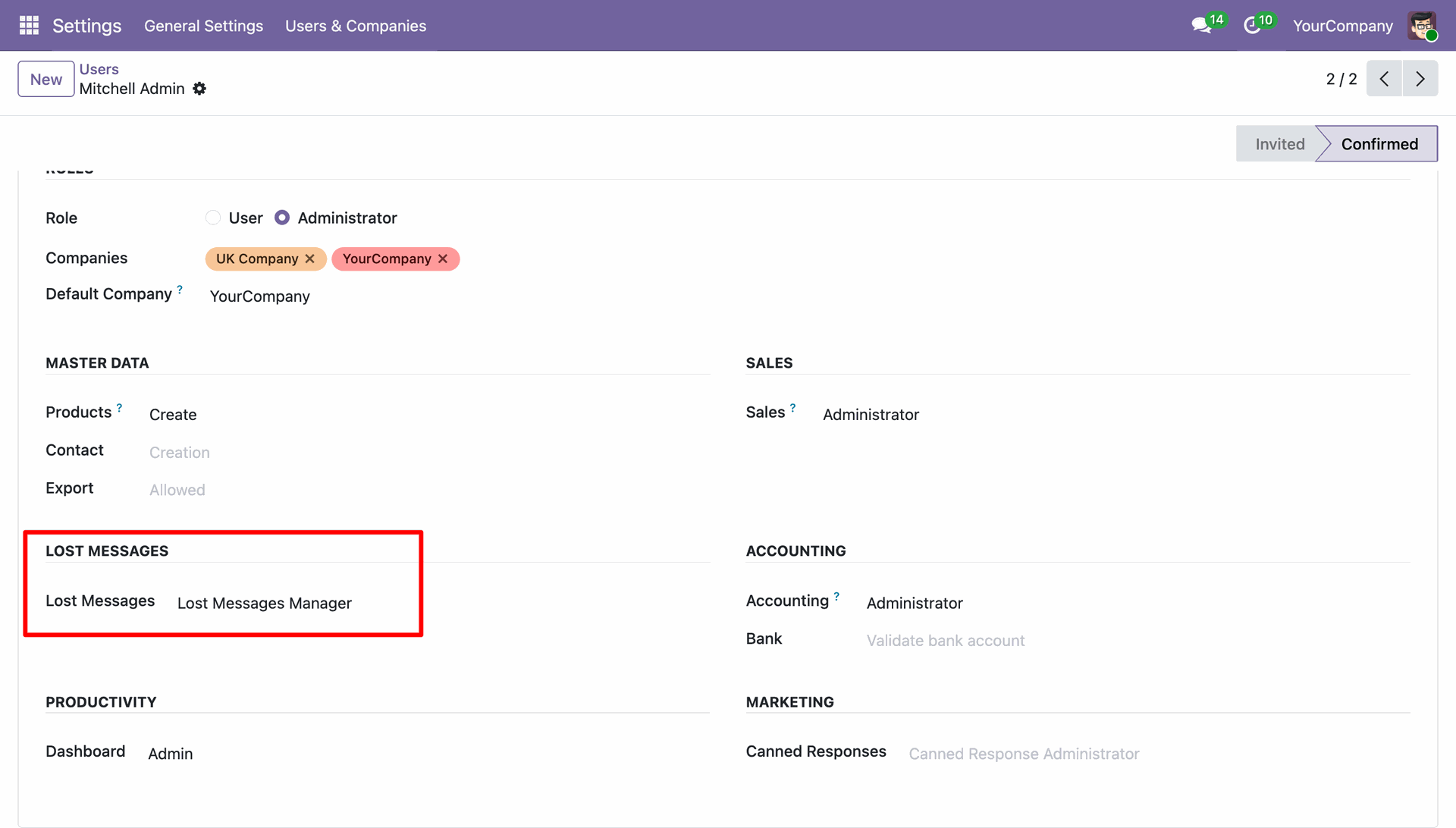
Assign the 'Lost Messages Manager' group to the authorized users to manage and route unattached emails.
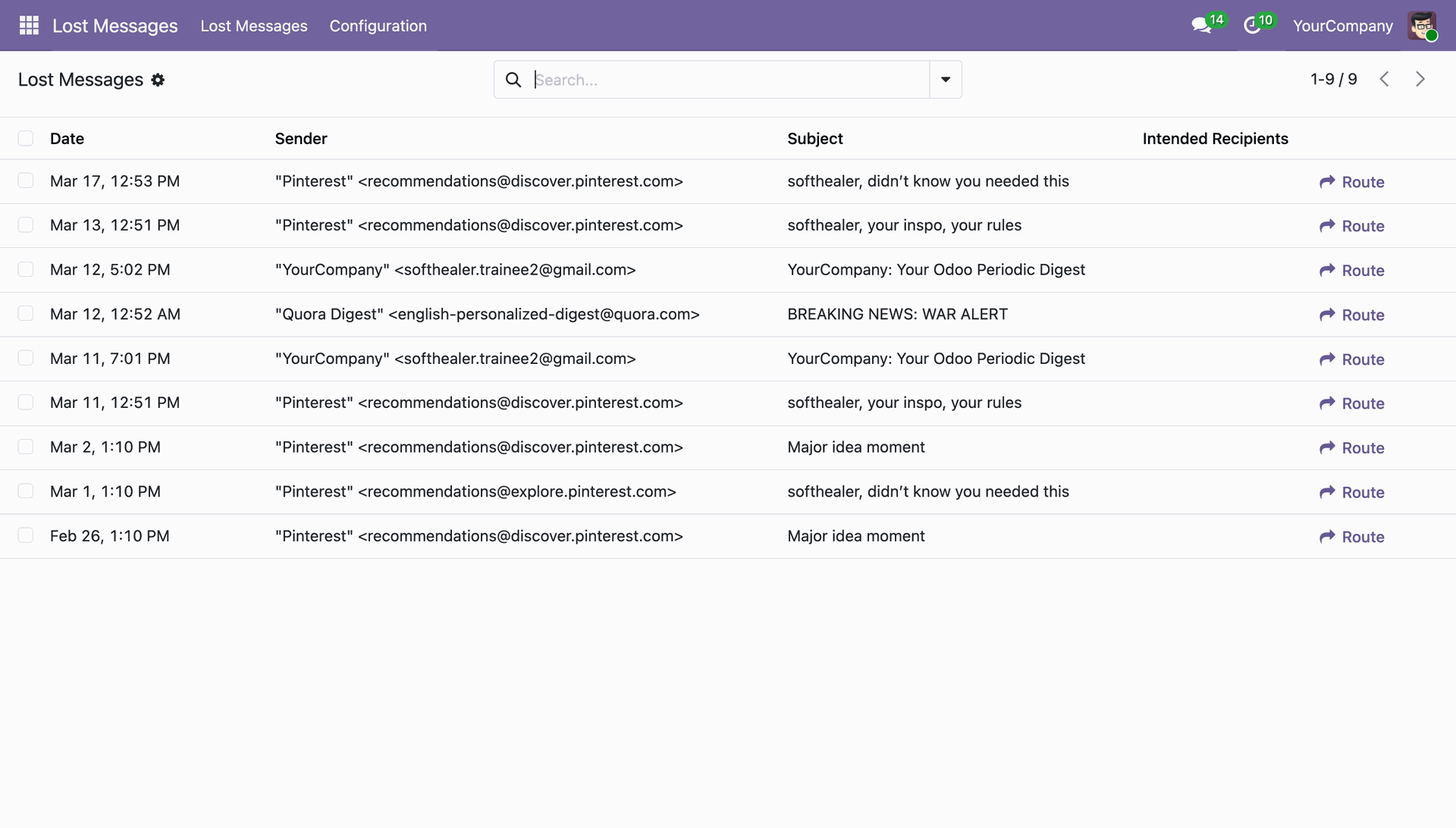
Access the 'Lost Messages' menu under the main Lost Messages app to see all unrouted emails.
Effortlessly configure allowed models for routing and select internal users to receive notifications for new lost messages.
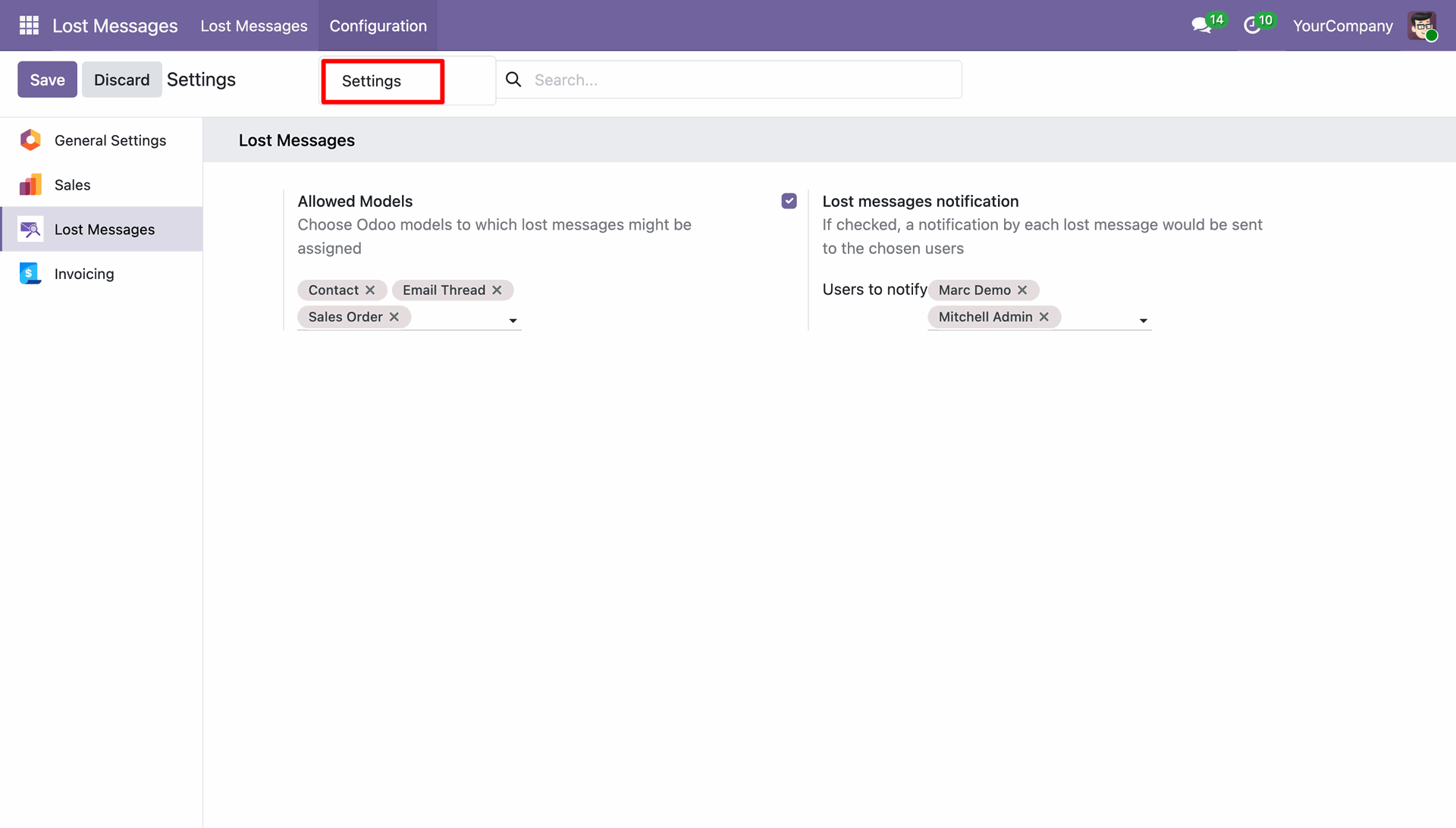
When an incoming email doesn't match any existing Odoo record, it is captured as a 'Lost Message'.
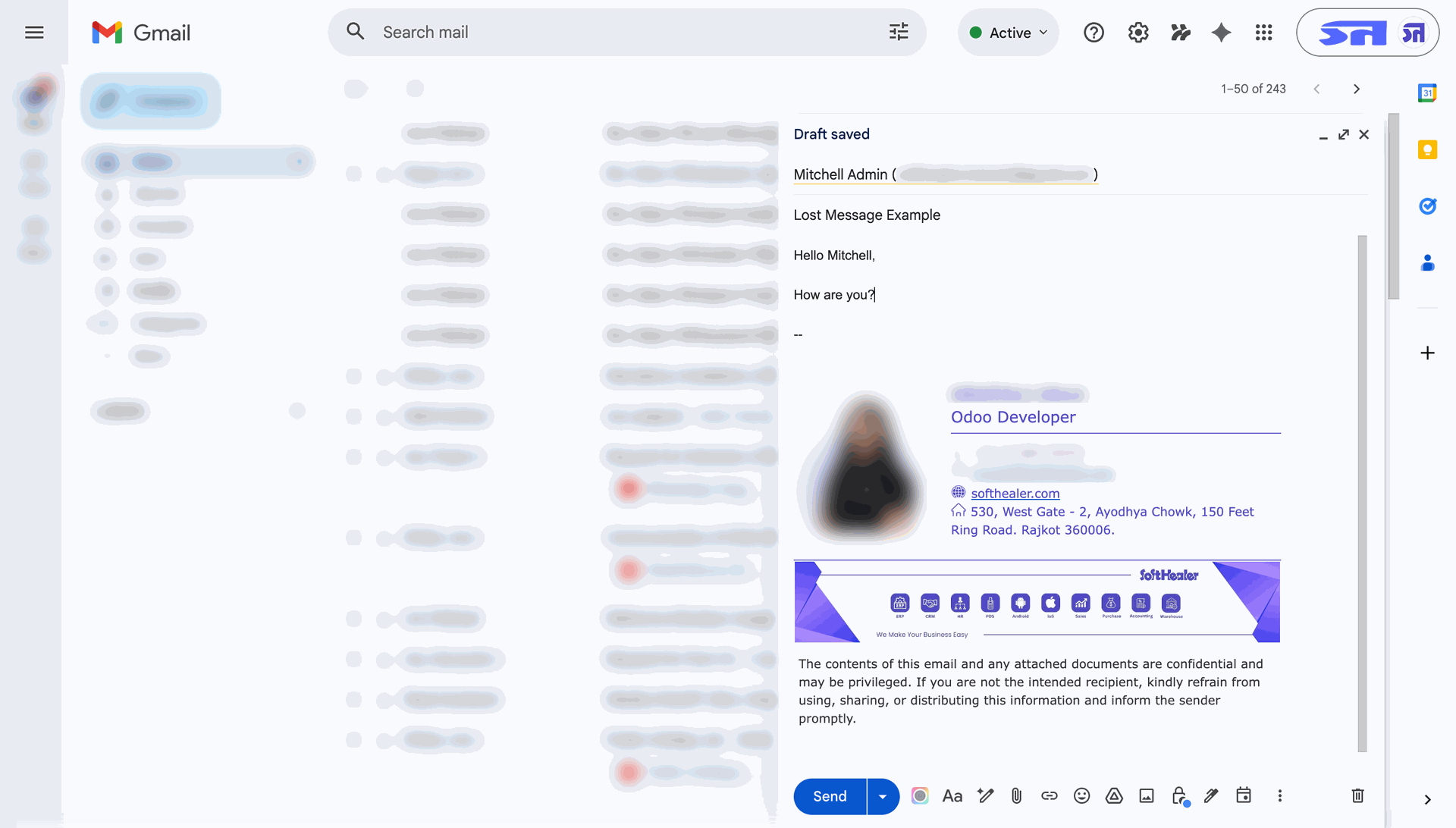
Manually fetch emails or wait for the scheduled action to process incoming communications.
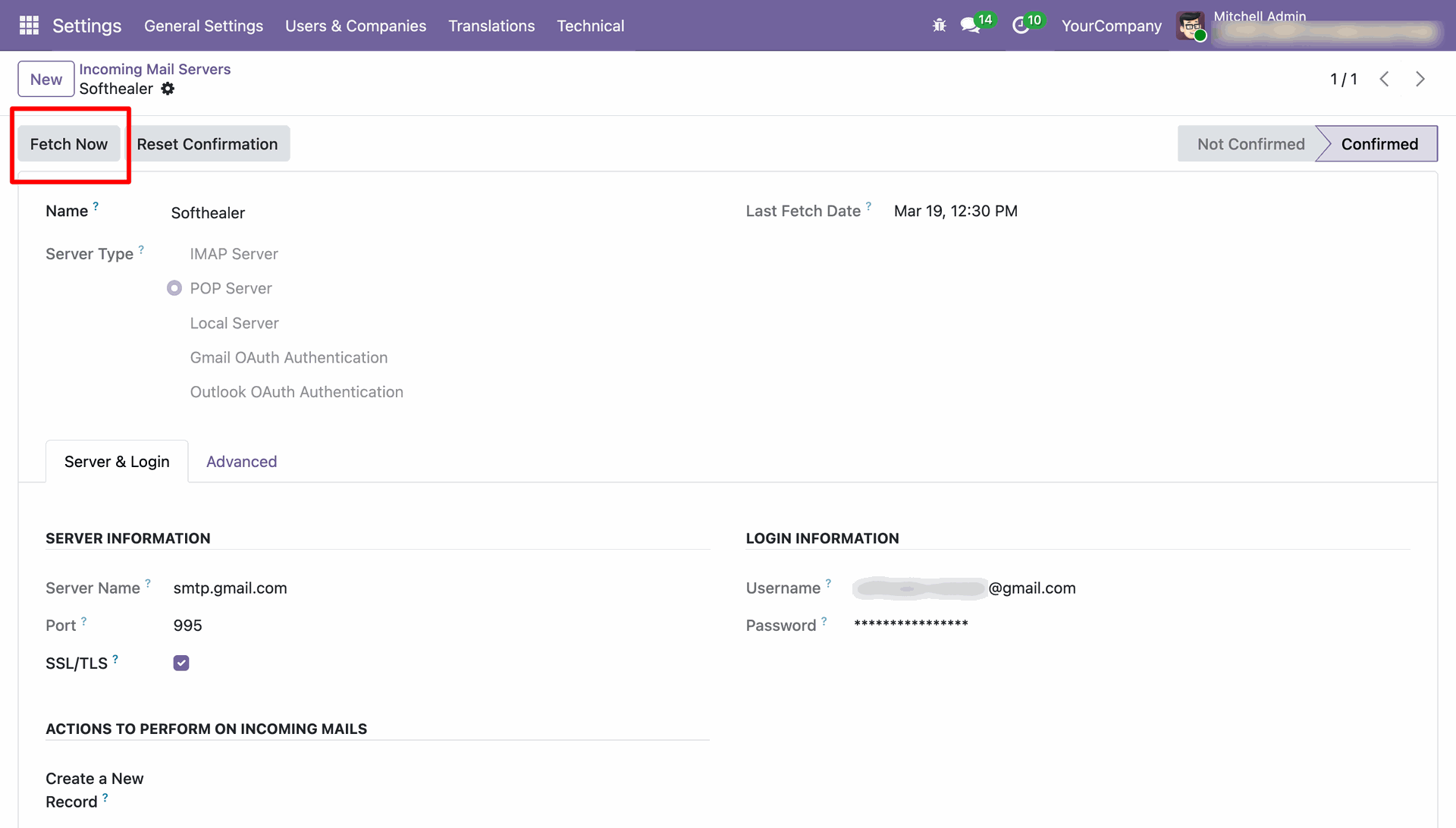
The captured lost email now appears in the Lost Messages list, ready for manual intervention.
Open any lost message to review its full content, attachments, and intended recipients before routing.
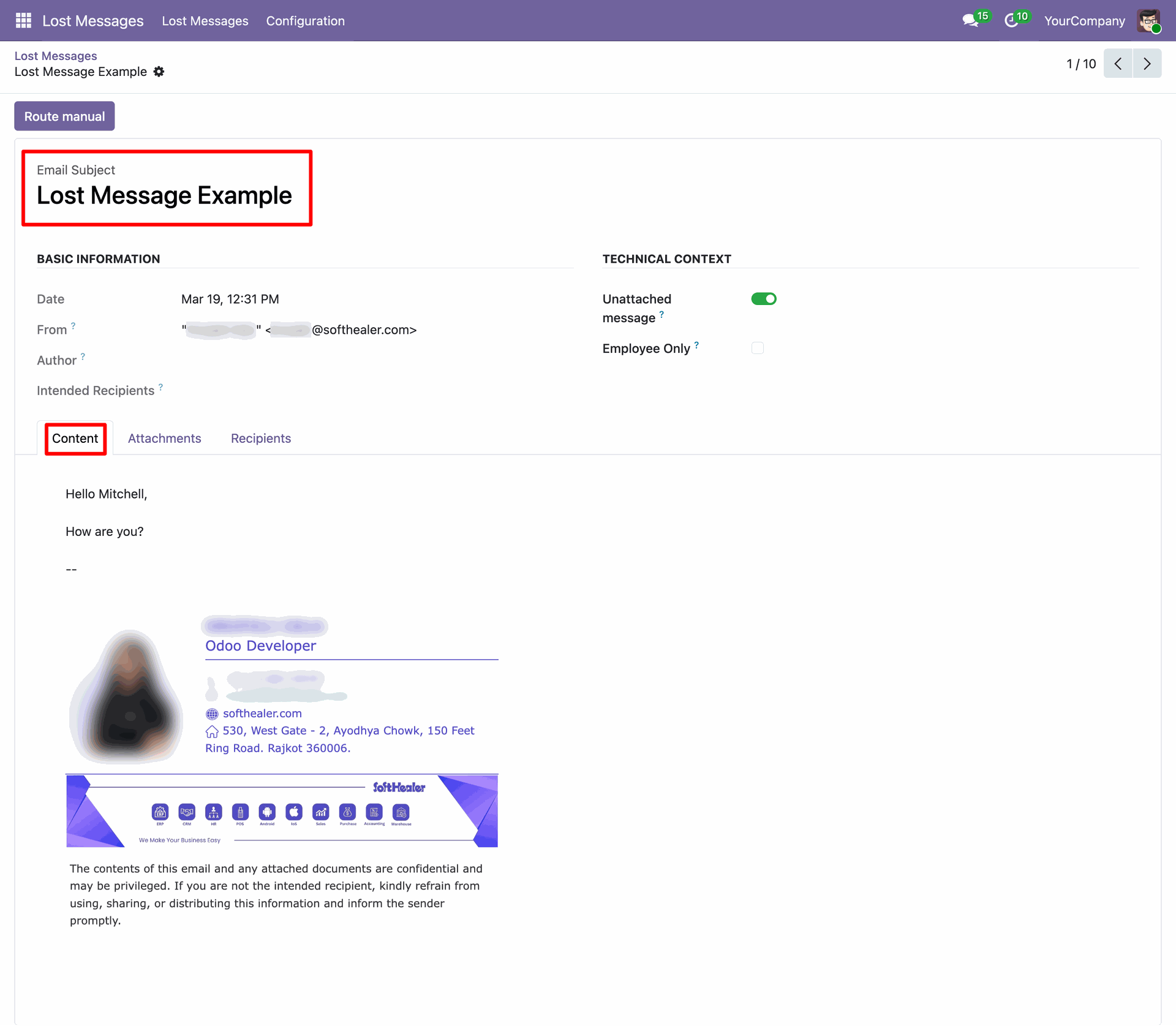
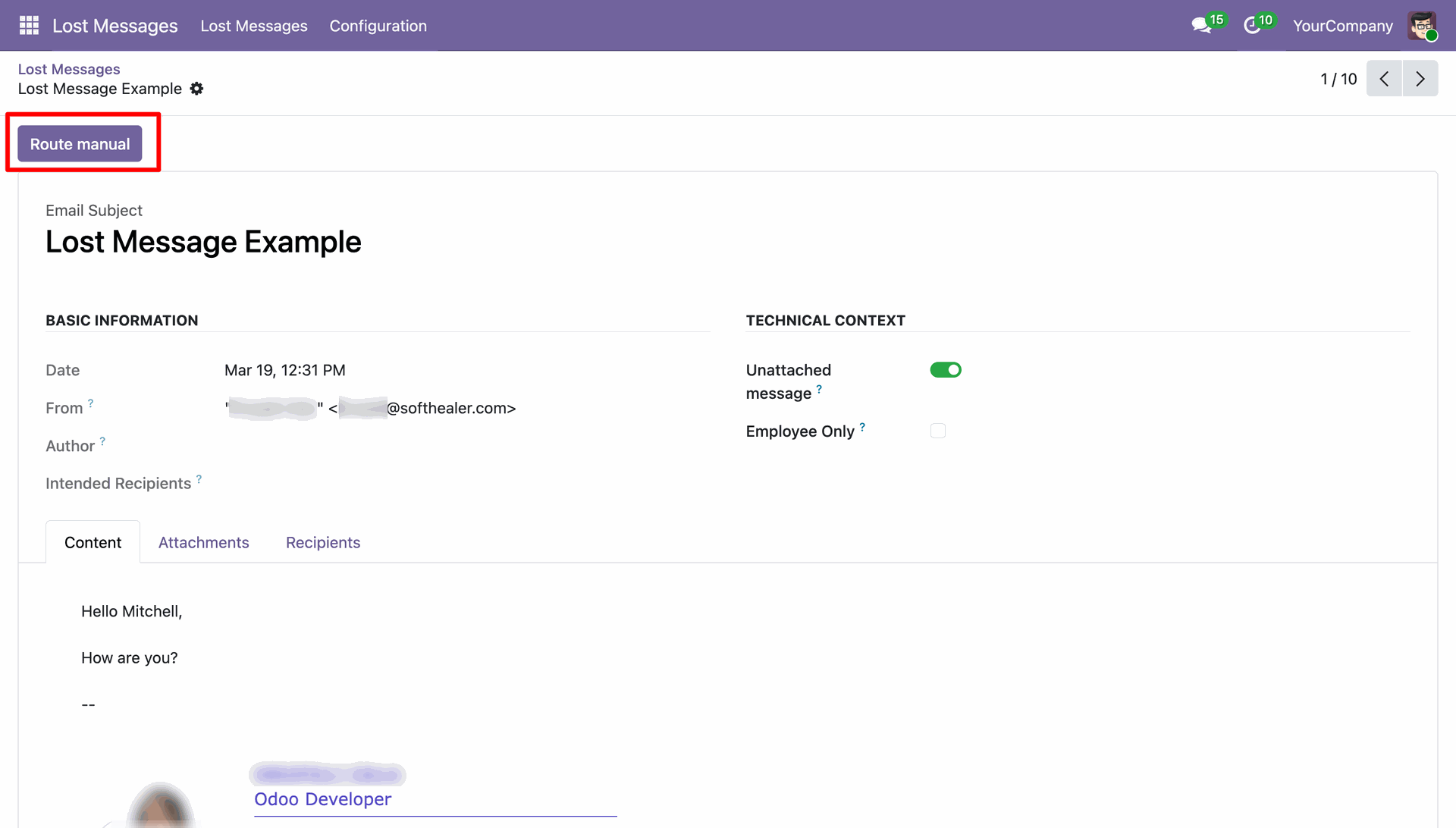
Click the 'Route manual' button to initiate the process of attaching the message to a specific Odoo record.
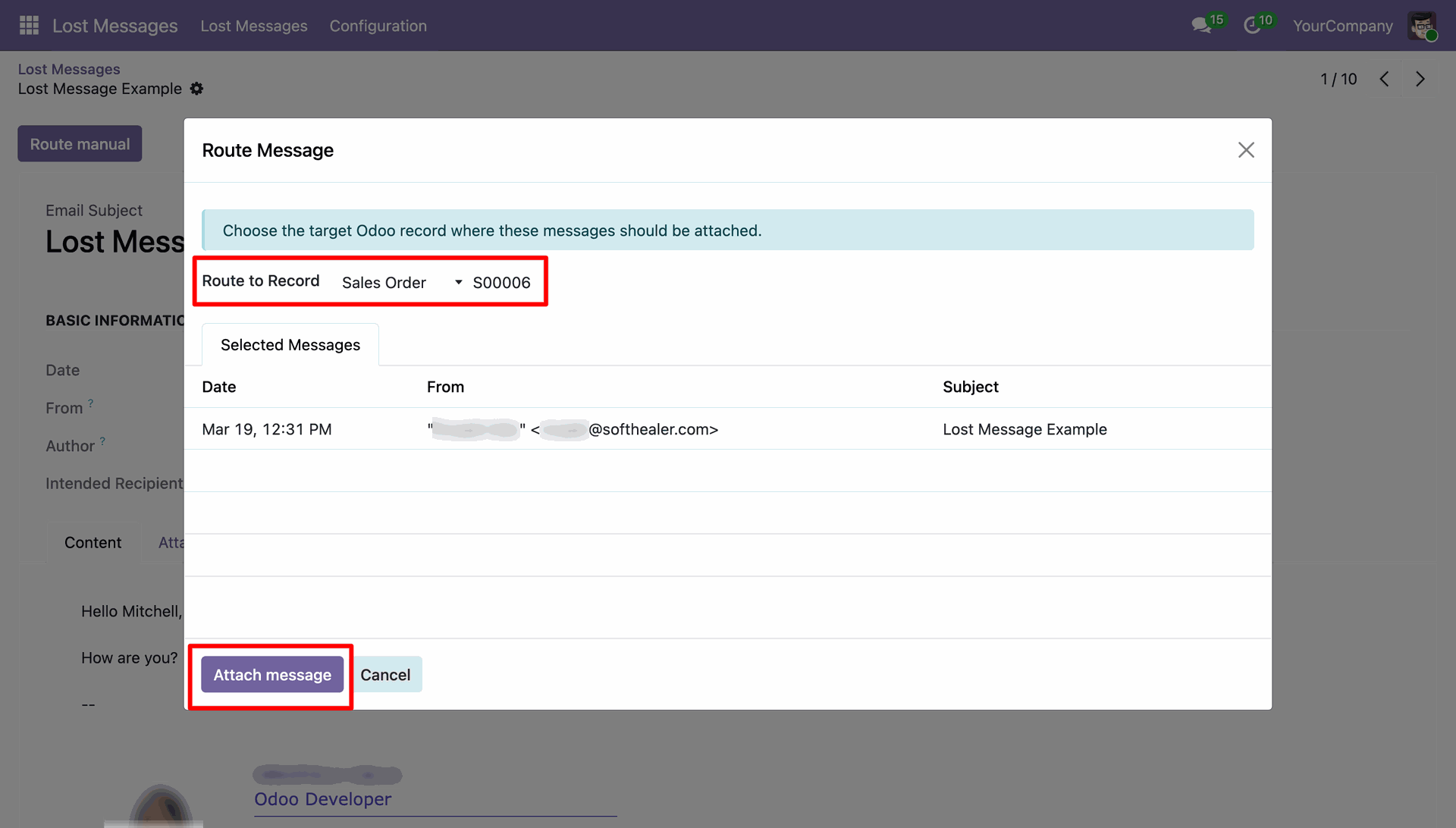
Select the target Odoo model (e.g., Sales Order) and the specific record where the message should be attached.
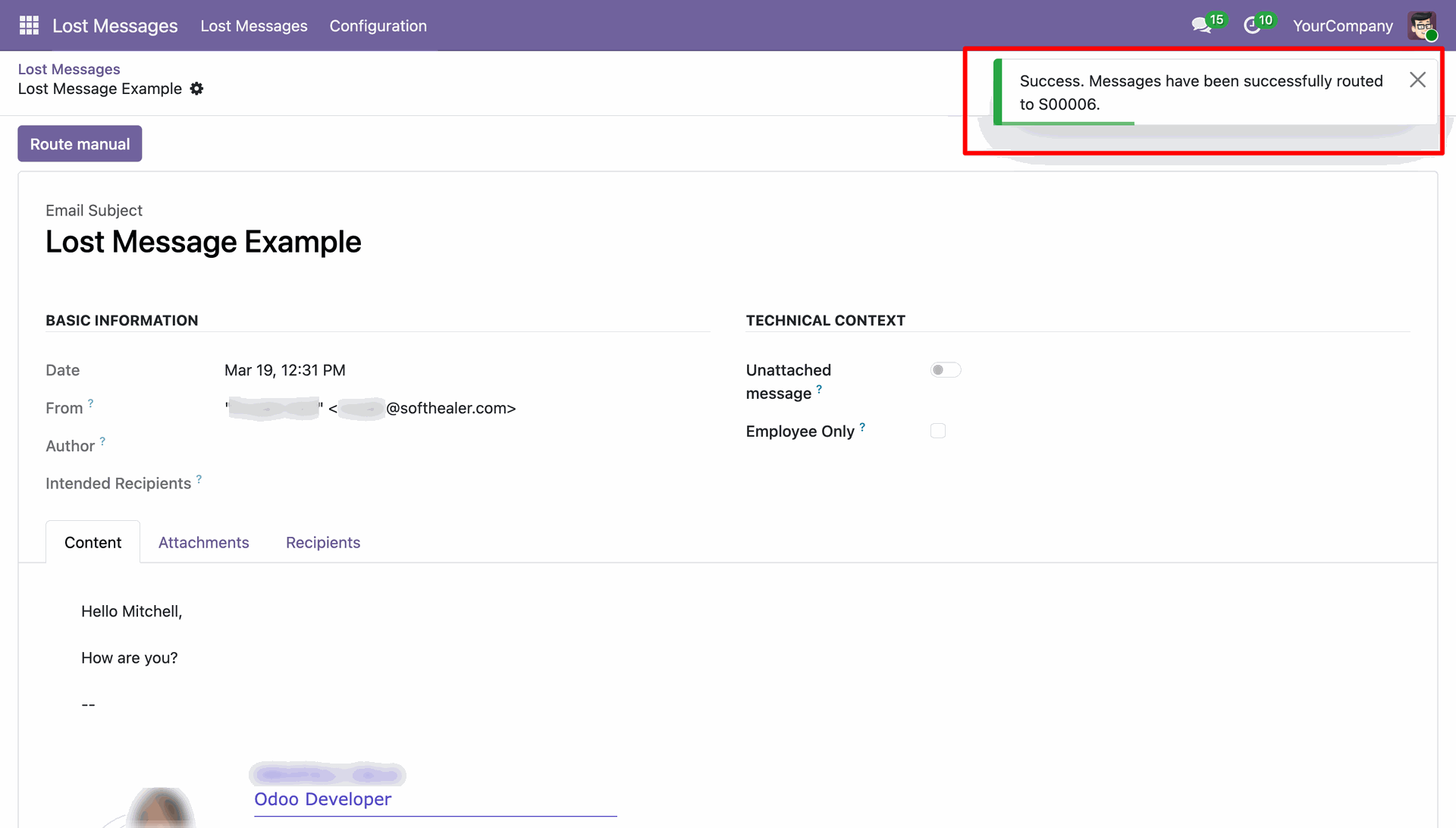
A success notification confirms that the message has been accurately routed to the selected record.
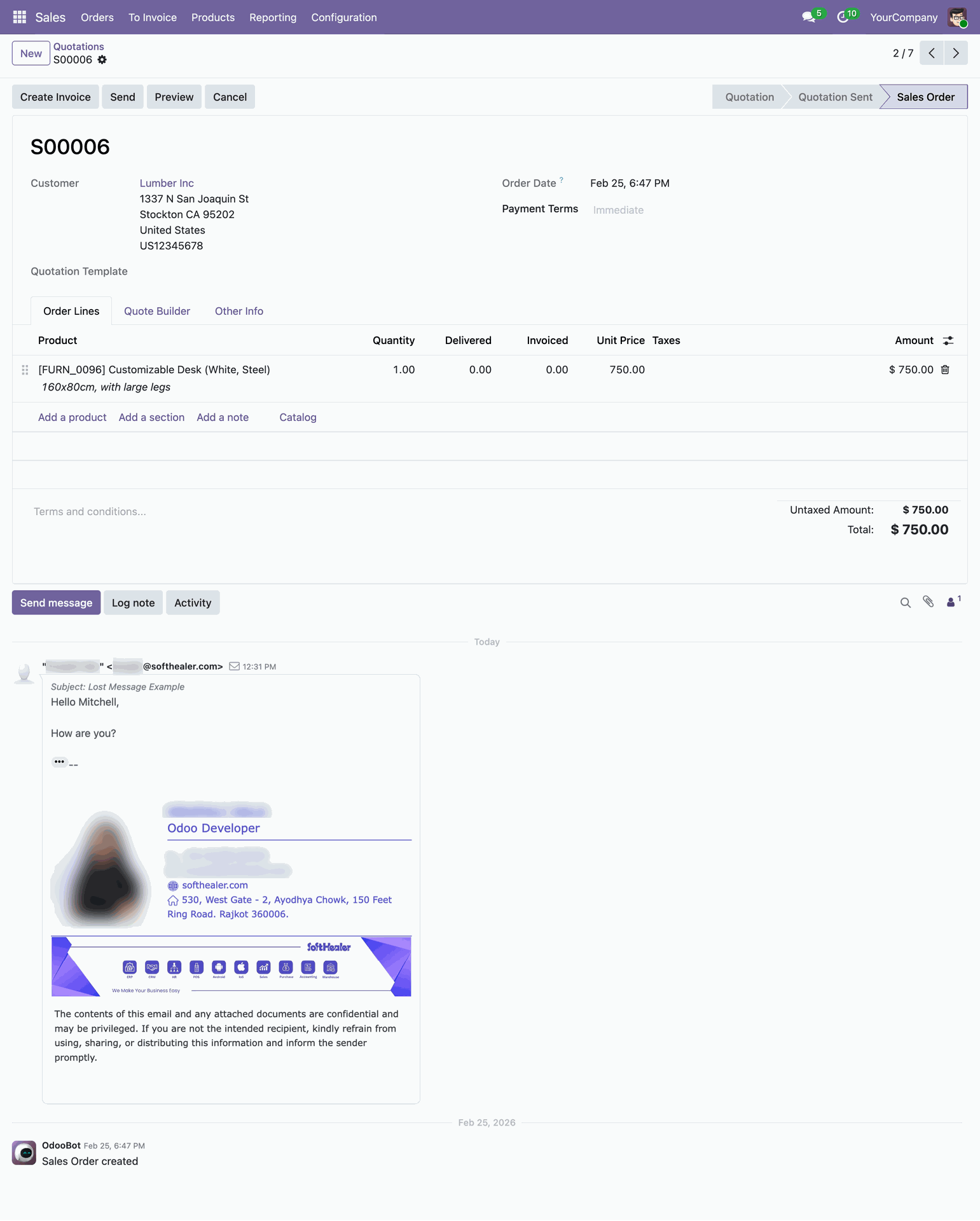
The message is now perfectly integrated into the chatter of the destination record for future reference.
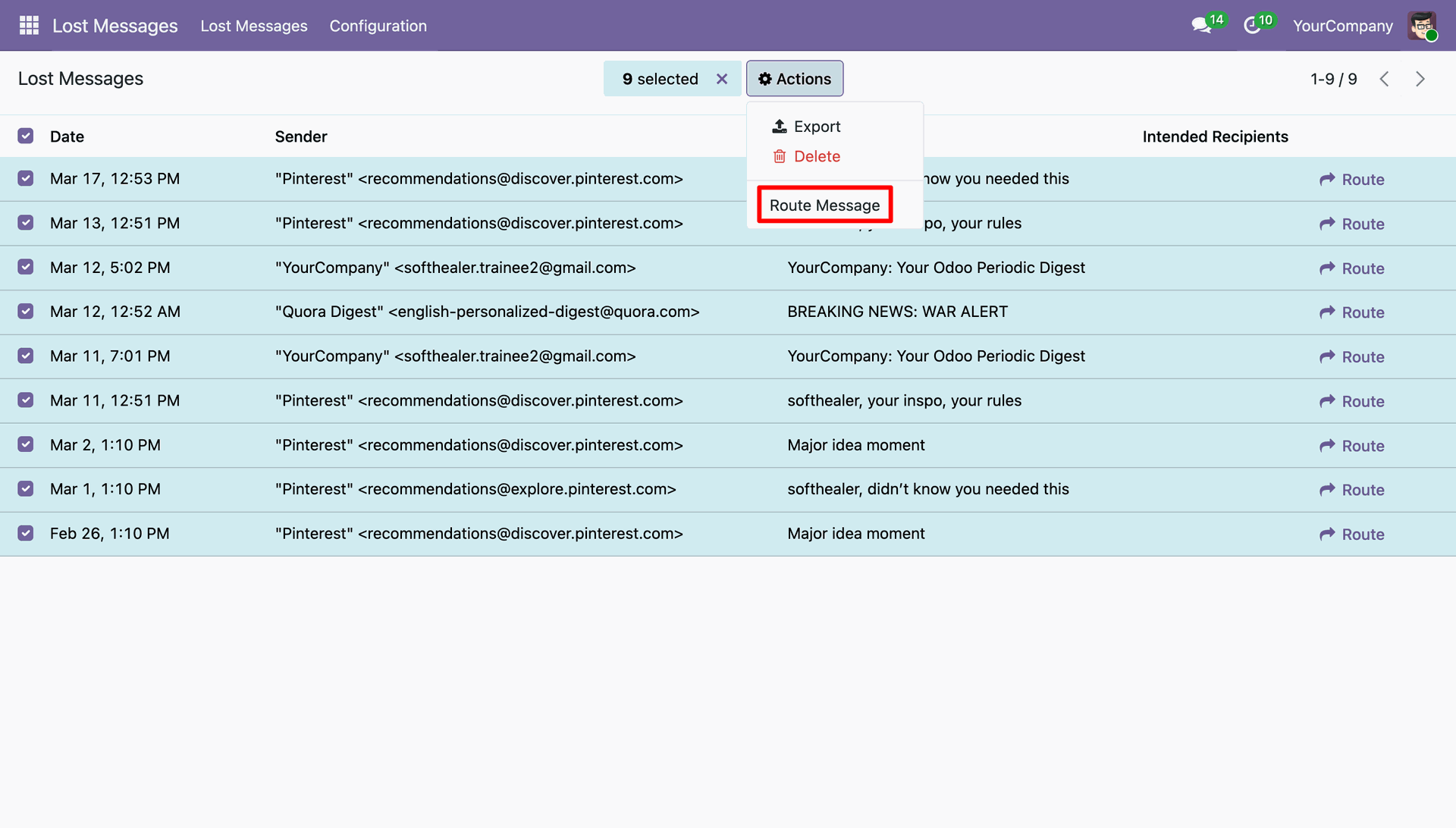
Scale your productivity by selecting multiple lost messages and using the 'Route Message' mass action.
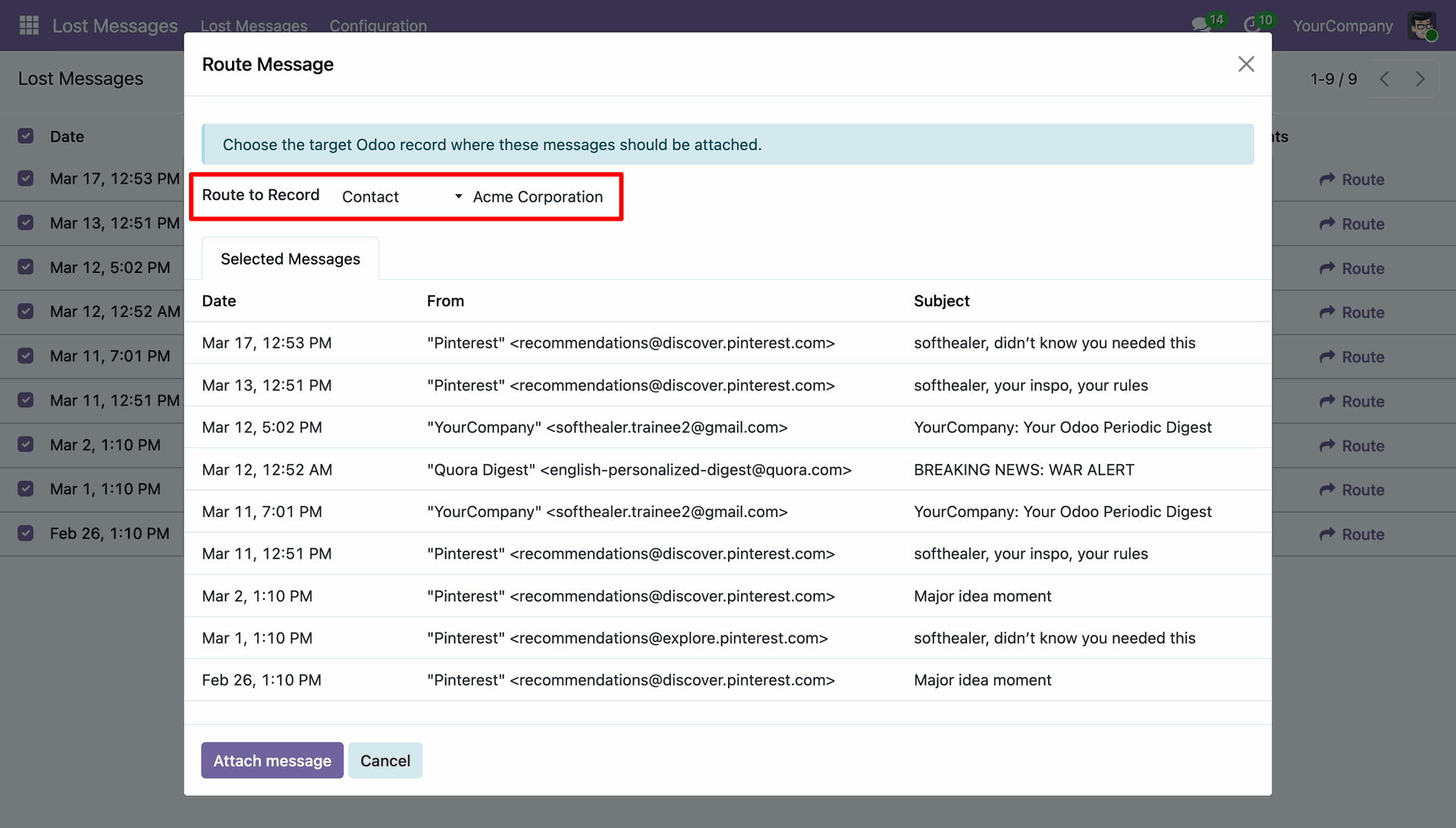
In the mass routing wizard, choose the target record where all selected messages will be attached simultaneously.
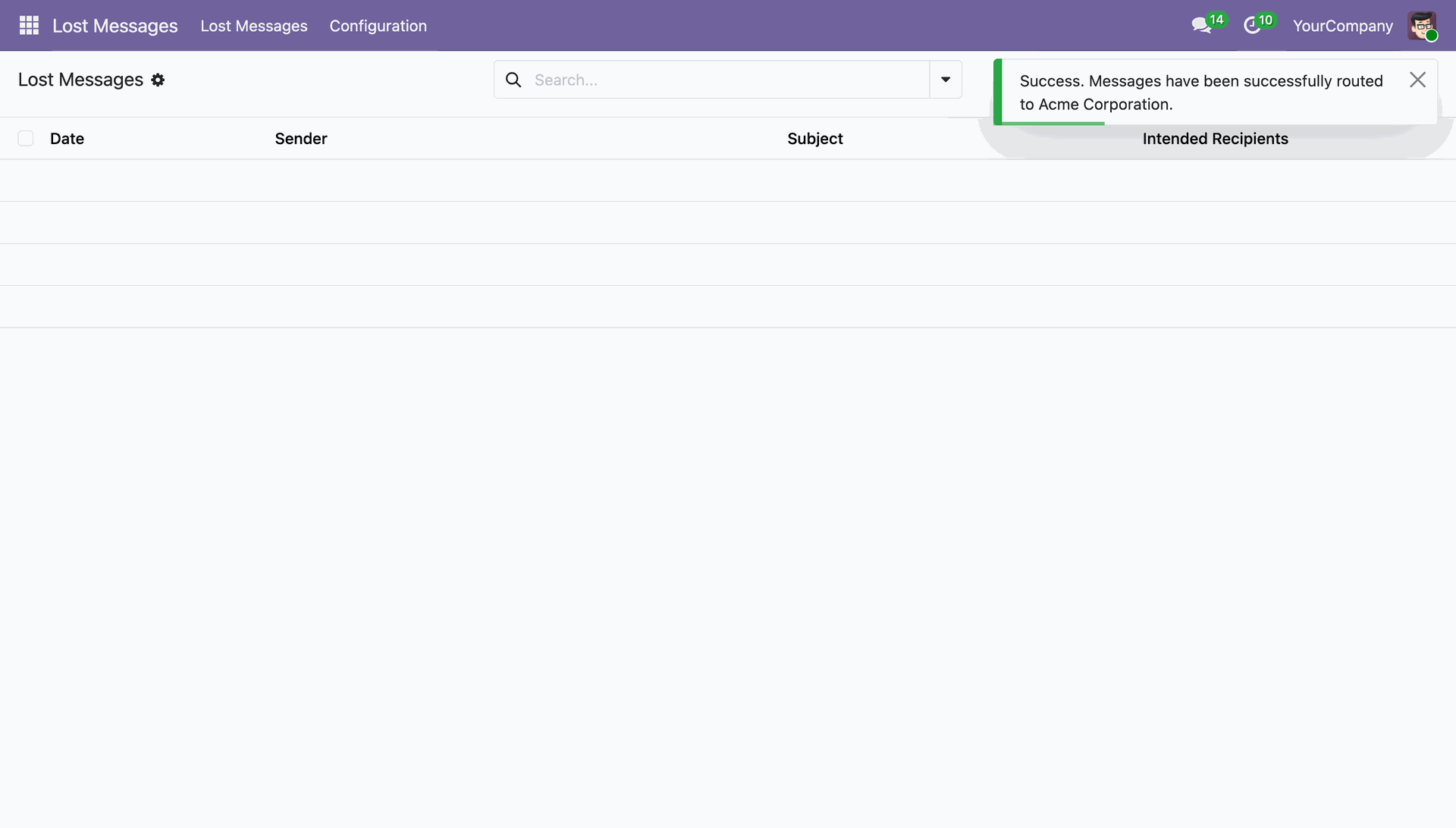
Receive instant confirmation as multiple lost messages are successfully routed in a single click.
Version 18.0.1.0.0 | Released on : 02nd June 2026
- Yes, this app works perfectly with Odoo Enterprise (Odoo.sh & Premise) as well as Community.
- No, this application is not compatible with odoo.com(odoo saas/Odoo Online)
- Yes, to test this module, please contact us at sales@softhealer.com.
- Please contact us at sales@softhealer.com to request customization.
- Yes, we provide free support for 365 days from the date of purchase.
- Yes, you will receive lifetime free updates for the version of the module you purchased.
- No, there is no need to install any additional libraries.
- Yes, for version 12 and above, you need to purchase the module separately for each version you intend to use.
- No, exchanges or refunds are not allowed. Please make sure to select the correct version before purchasing.
- You can contact us at support@softhealer.com for language translation support. We use Google Translator tools to provide translations in multiple languages, so the accuracy may vary. We welcome your suggestions to help improve translations.
Discover Our Latest Apps