












Login As Other User

This module allows special user to log in as other users and can access entire odoo same as other user accessing. Using this module you can switch to another user without login as well as help to switch in to the multiple users.

Features

Quick User Switching
Allow authorised users to quickly switch to other user accounts and access Odoo with the selected user's permissions.
No Password Access
Allow authorised administrators to log in as other users without requiring their passwords.
User Switch History
Maintain an audit trail of user switching activities, including login time, logout time, switched user, and reason.

User-Wise Switch History View Settings
Control which users can view user switching history and related details through user-specific settings.
Return to Origin
Switch between multiple user accounts and return to the previous user or the original account.
Double Switch Back
Quickly return to the previous user account with a double-switch action.

User Switch Reason Settings
Enable or disable the requirement to record a reason when switching between user accounts.

User Switch Log Settings
Enable or disable user switch log tracking for each company to maintain company-specific audit records.

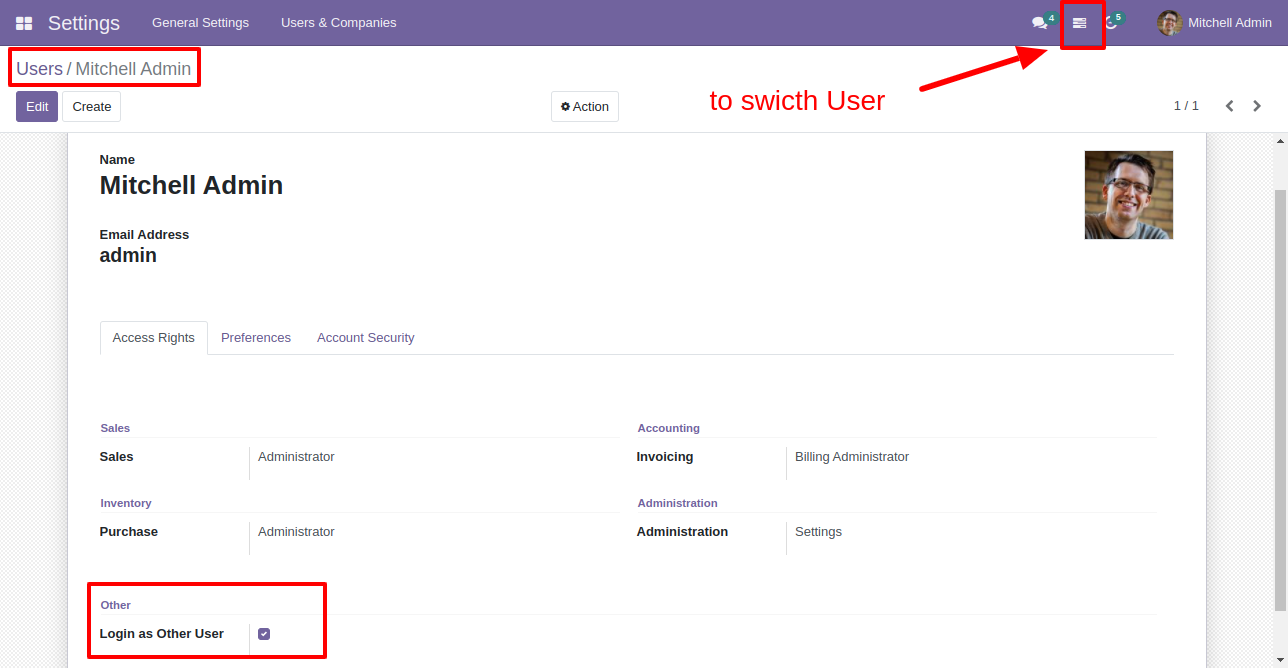
Enable "Login as Other User".
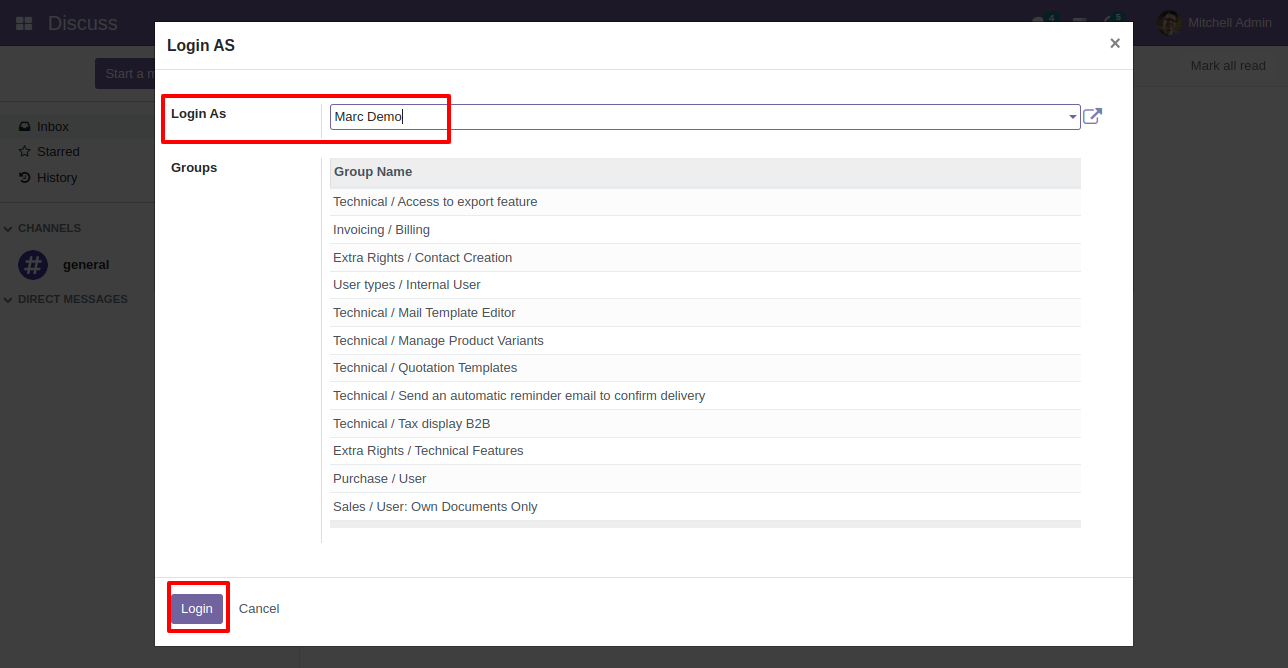
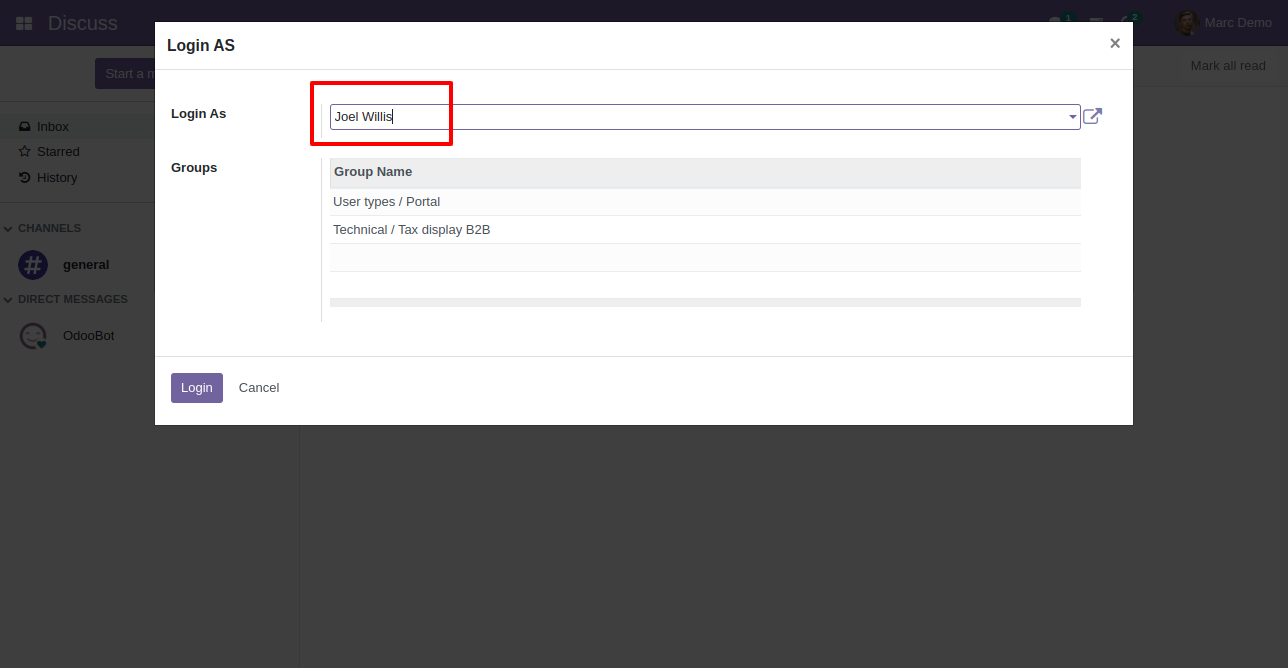
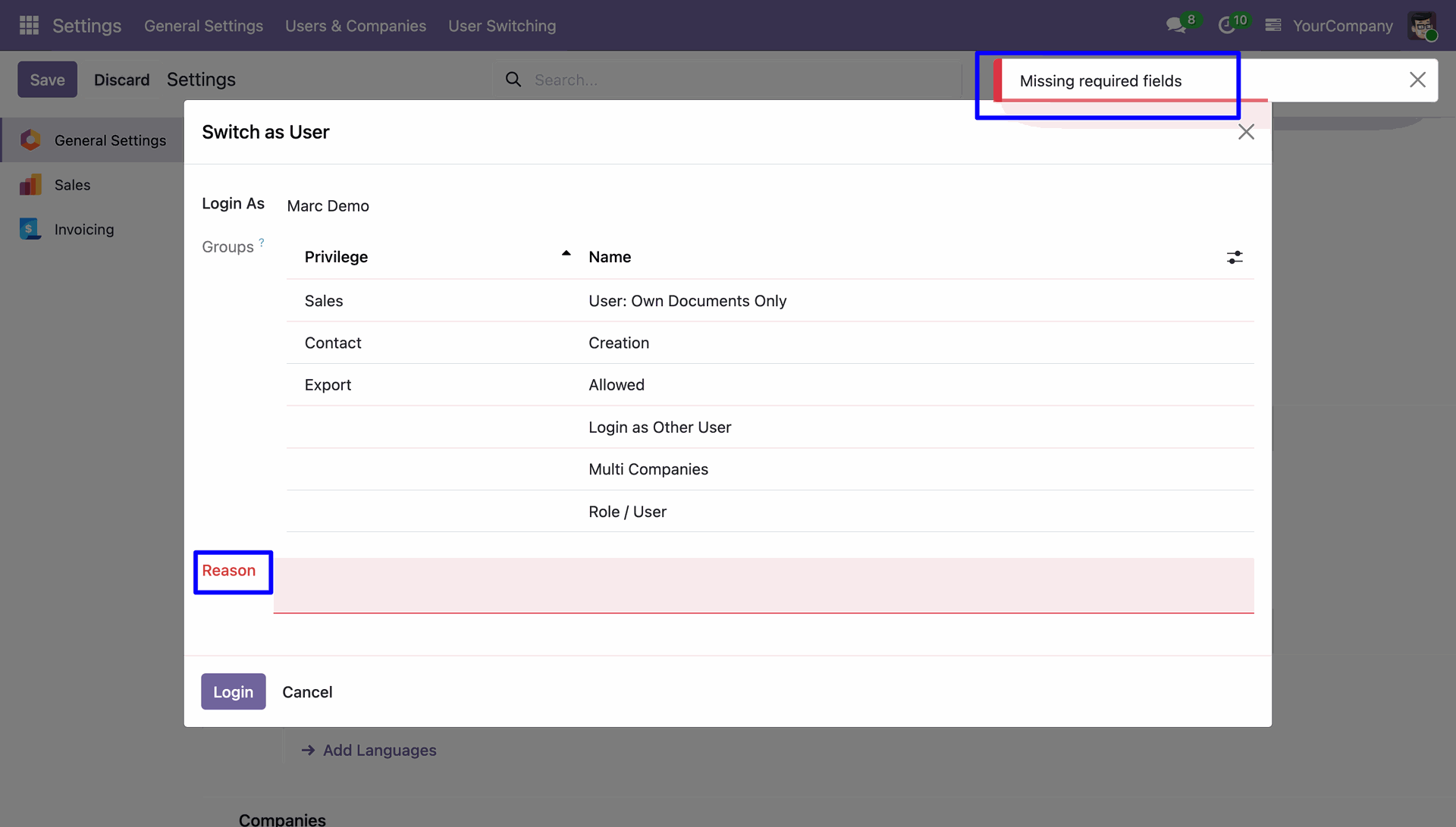
Select user name for switch, All related group of selected user shows here.
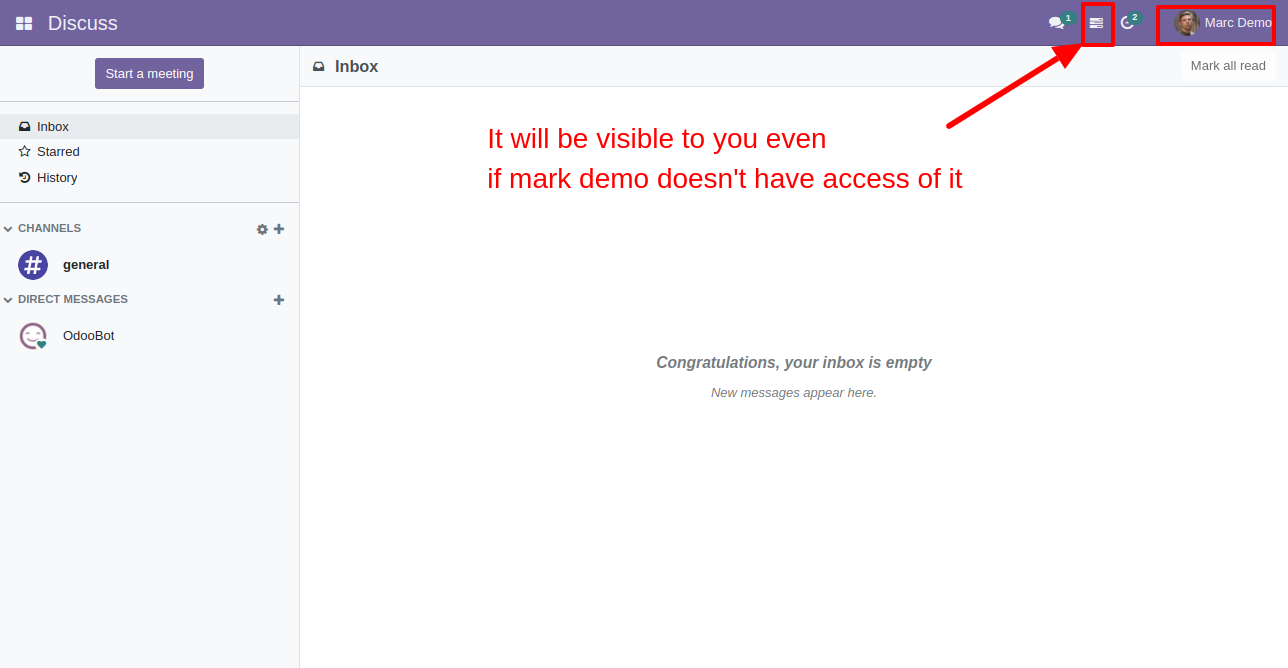
You can switch to multiple users using this icon.
Select user and login.
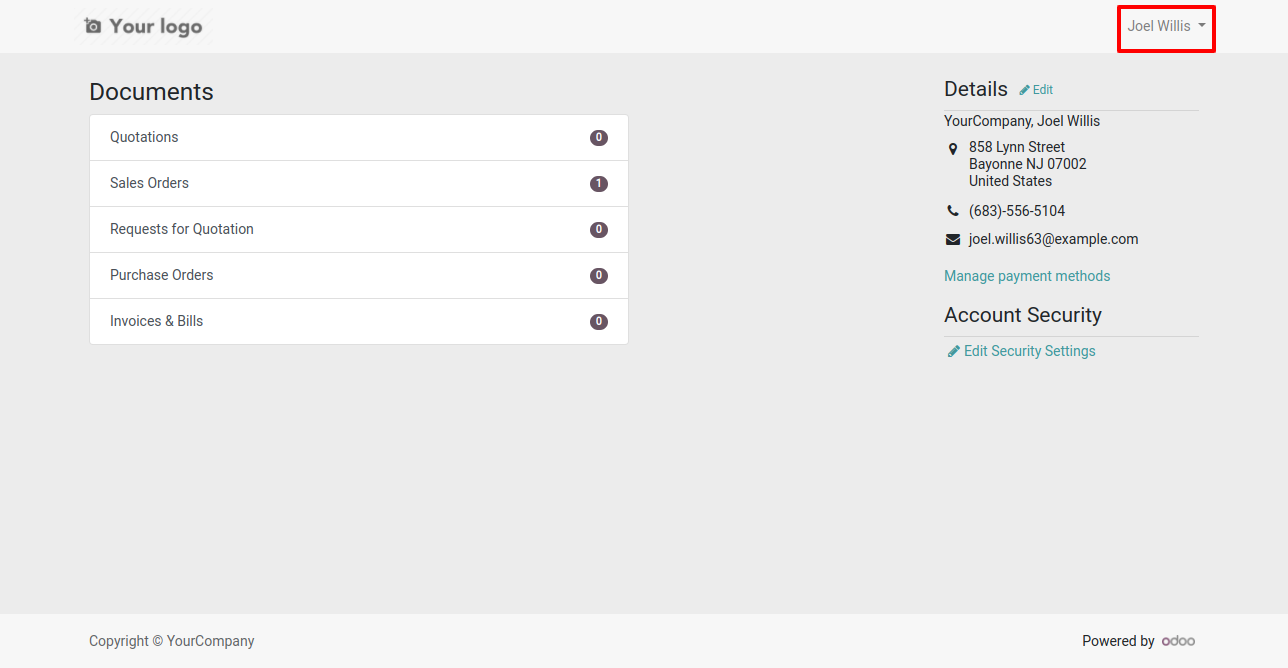
It will open odoo of that user.
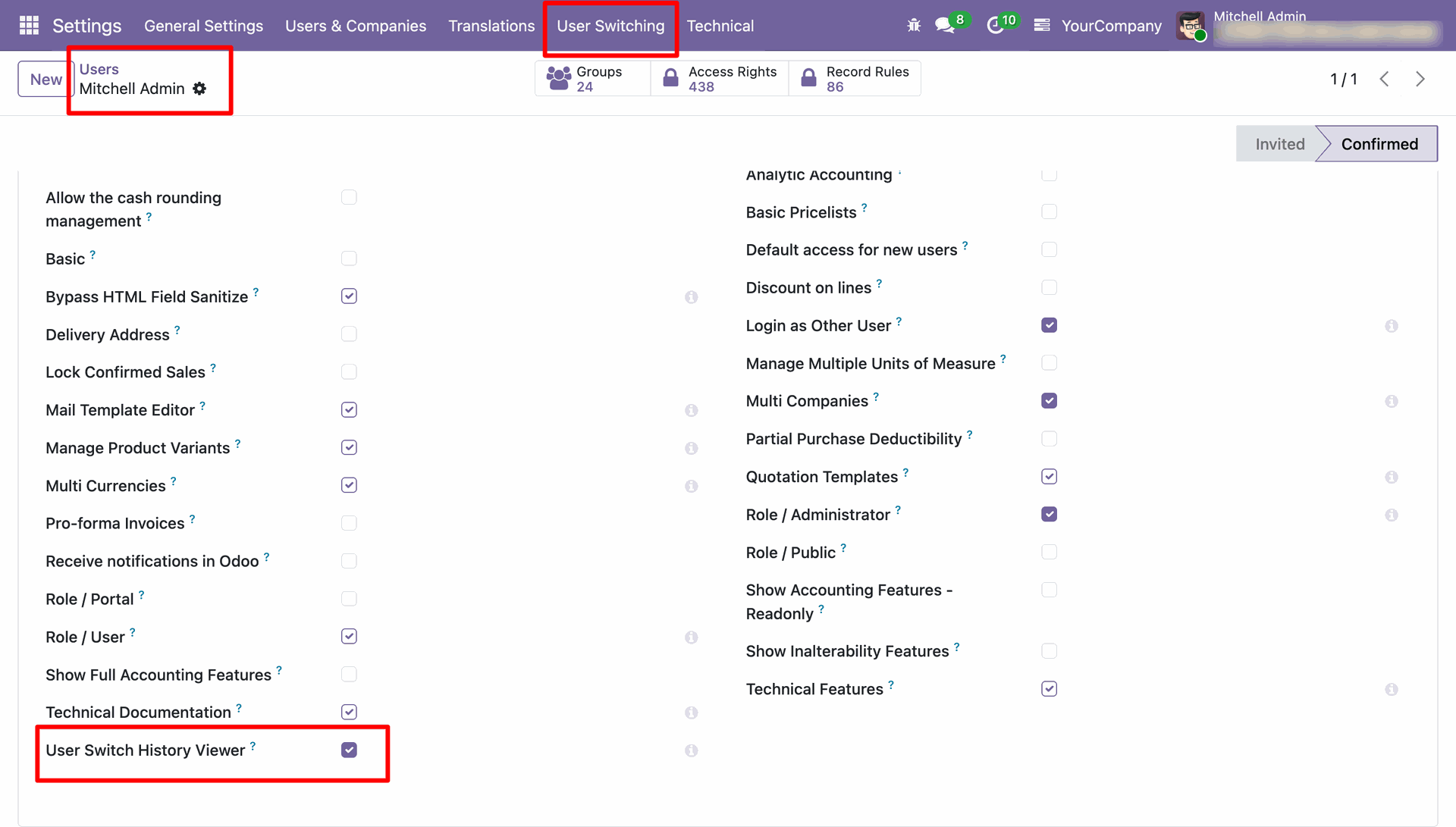
Enable User Switch History Viewer from user settings.
Go to the general settings and Enable User Log History option to add logs on User Switching.
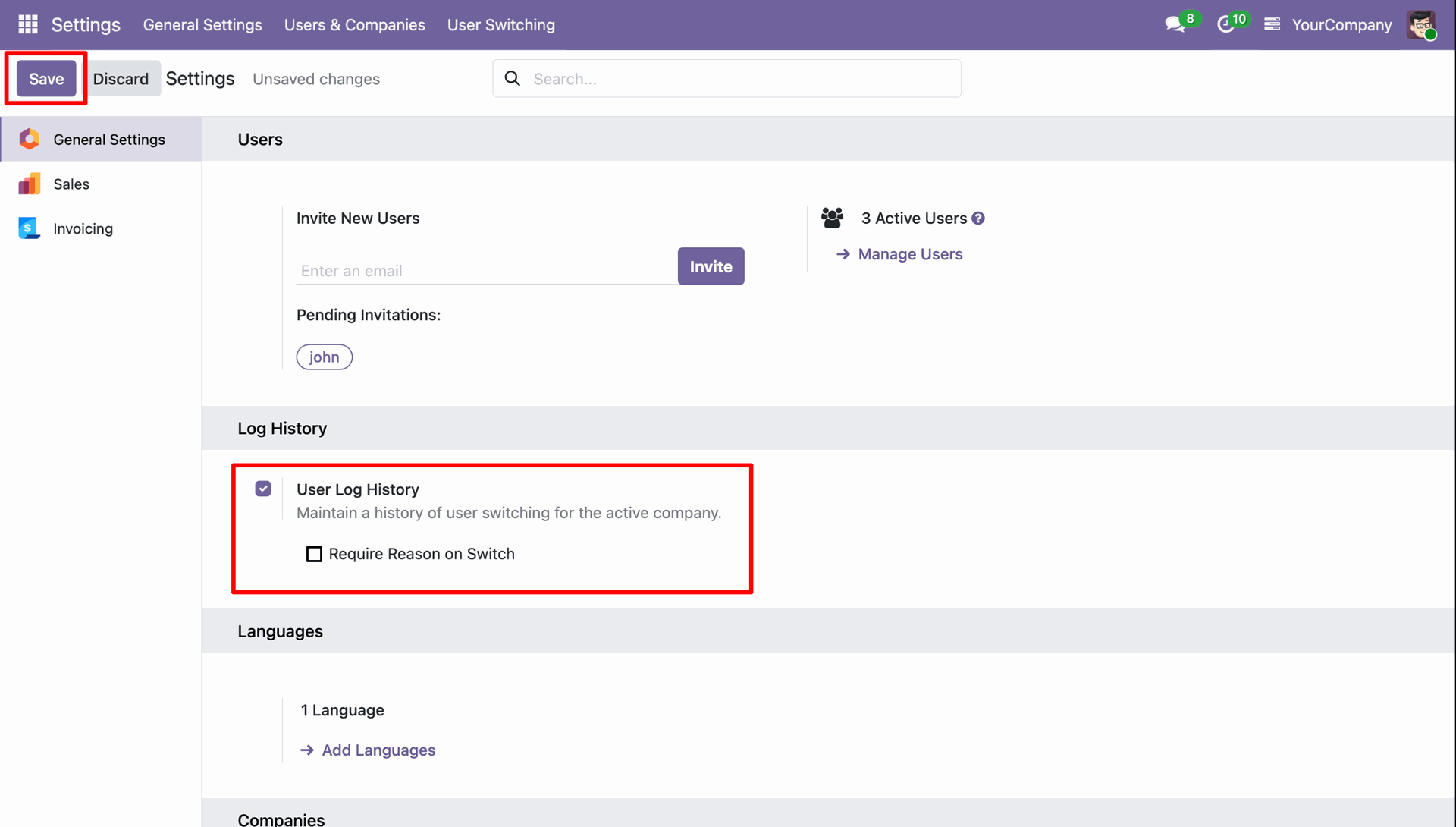
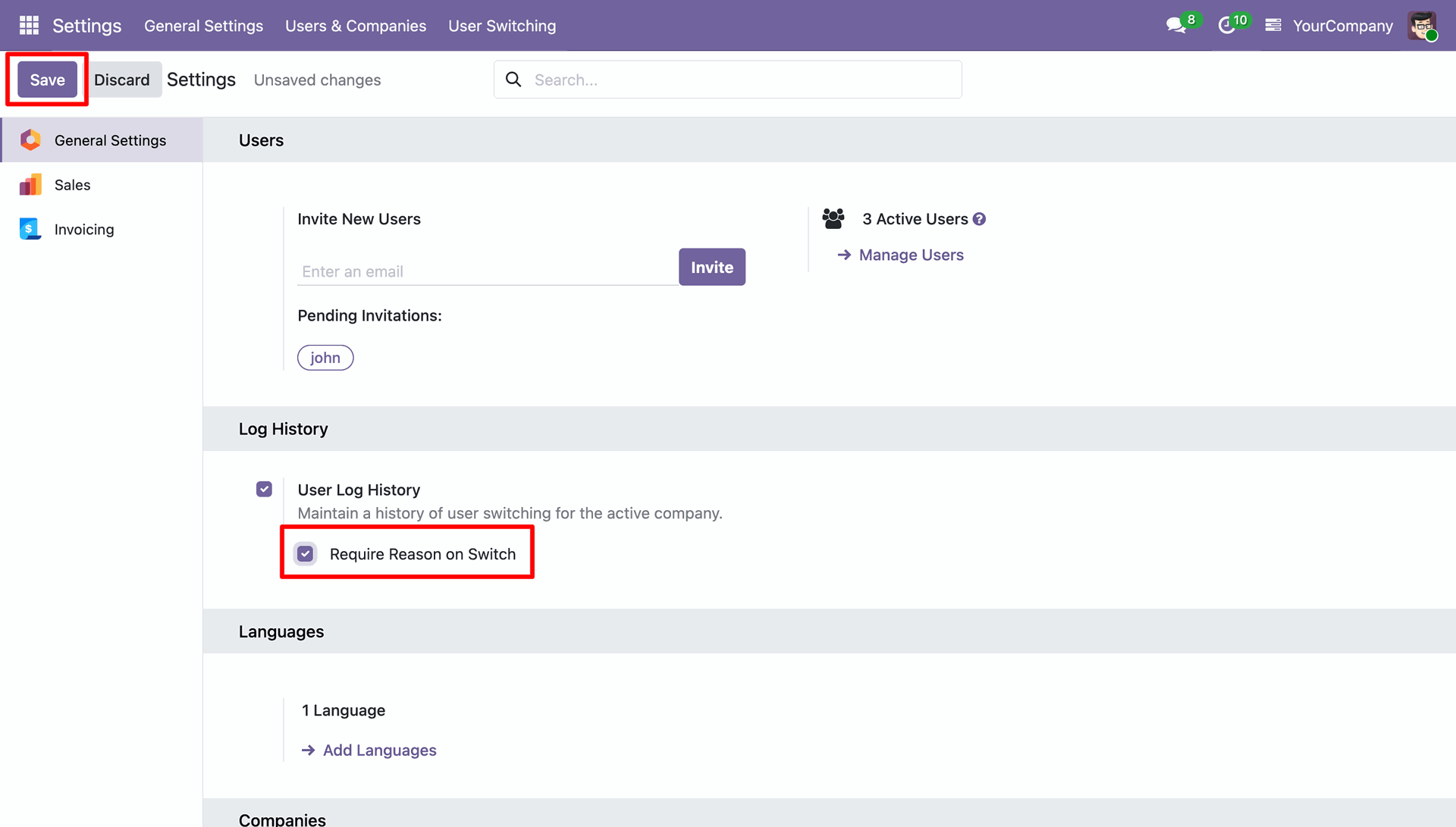
Go to the general settings and Enable User Log History option. Disabling the Require Reason on Switch option.
Navigate to the User Switching History list view.
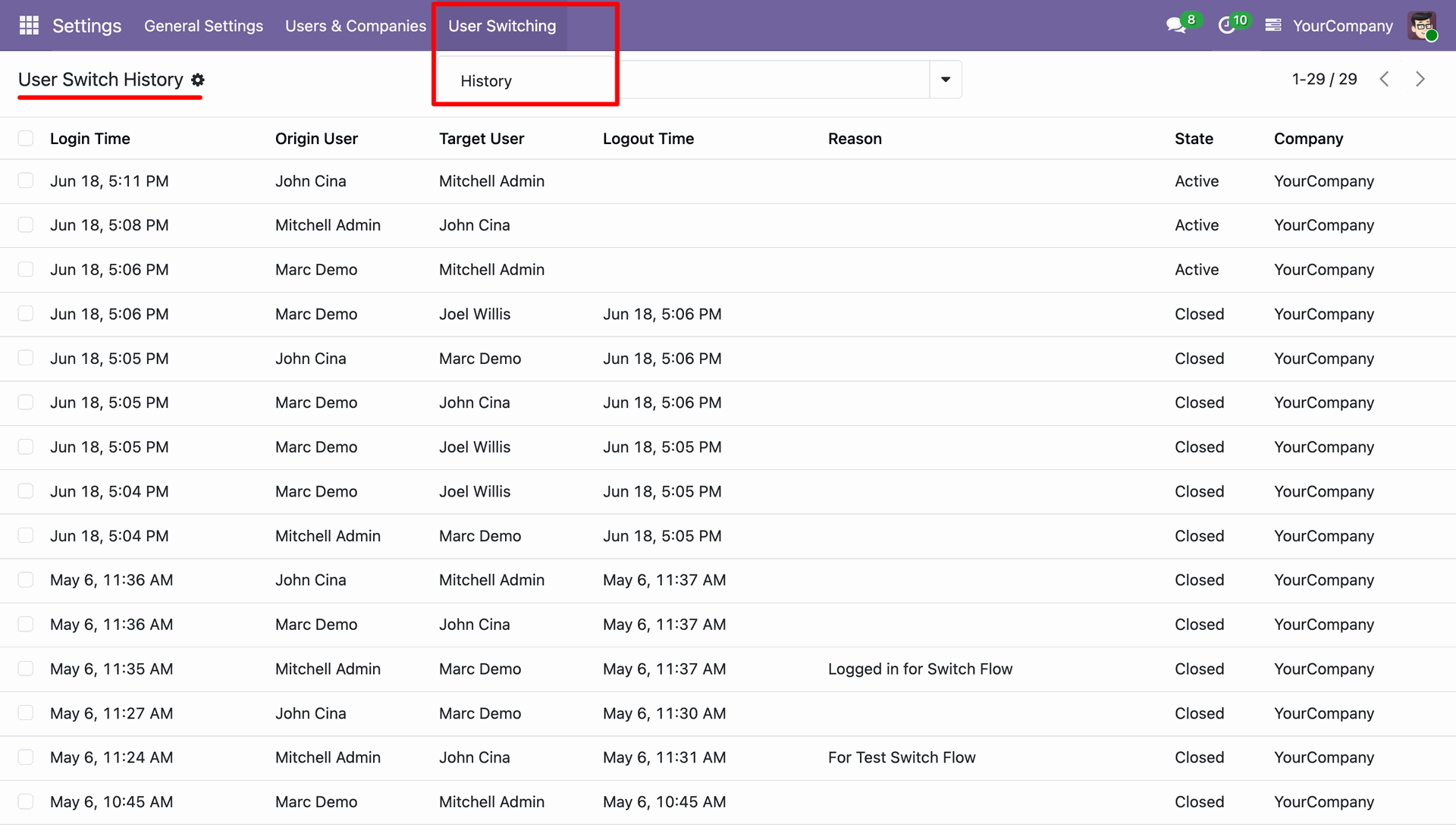
Click on Switch icon to switch the user, wizard will open select user name for switch without enering the reason, All related group of selected user shows here.
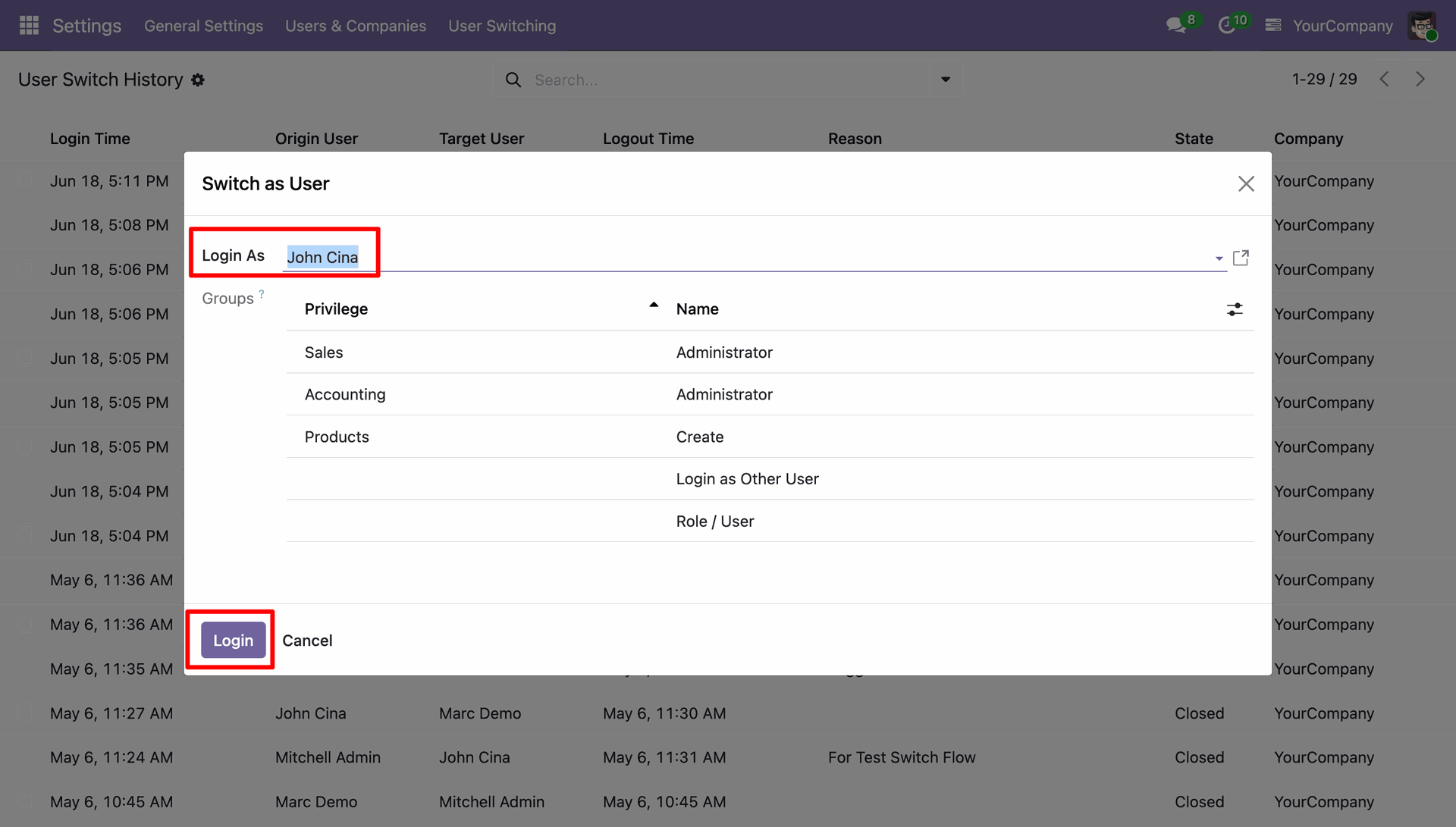
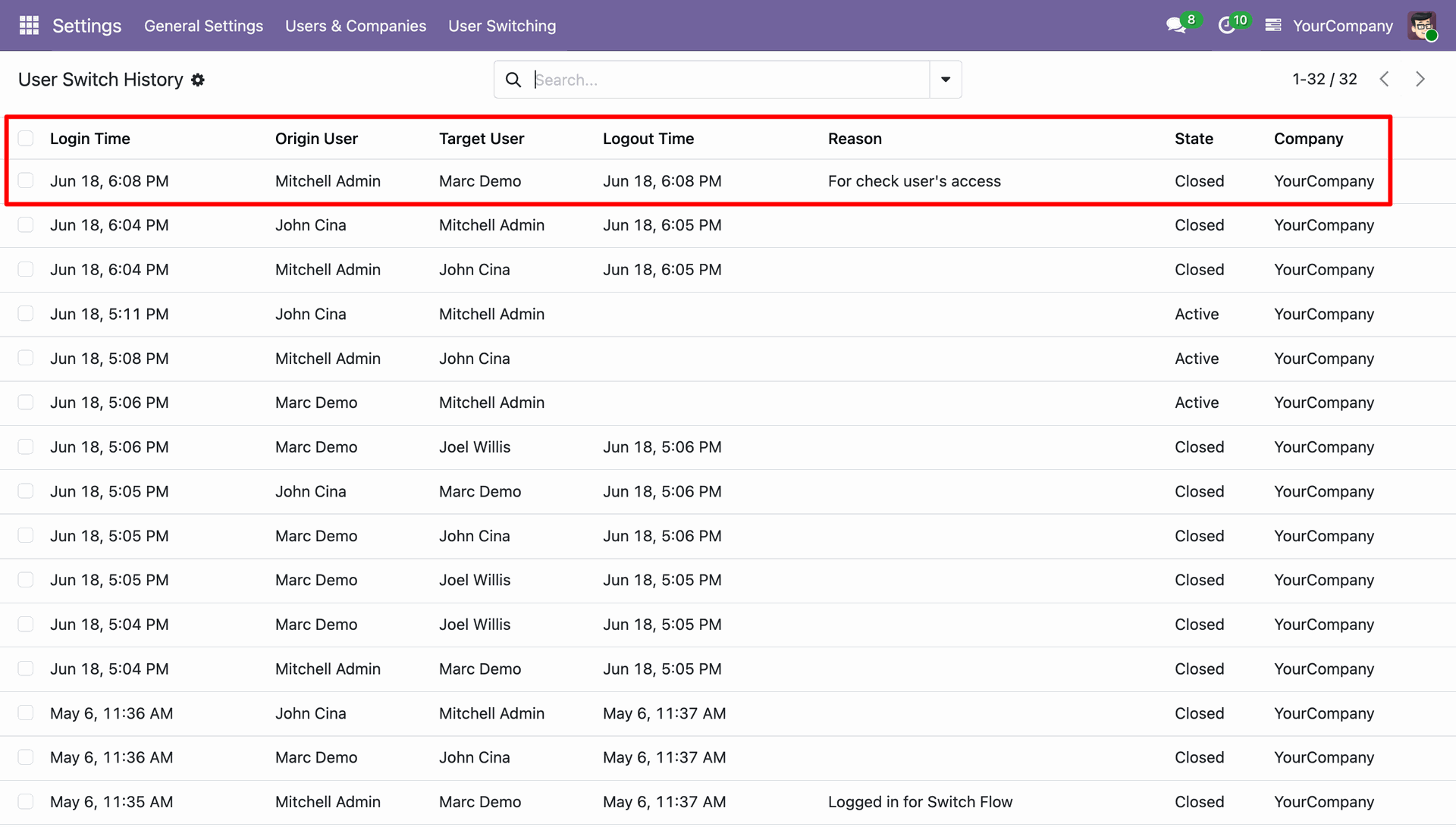
User Switch History added in the Switch History list view along with the login & logout time, target & origin user, and state without reason.
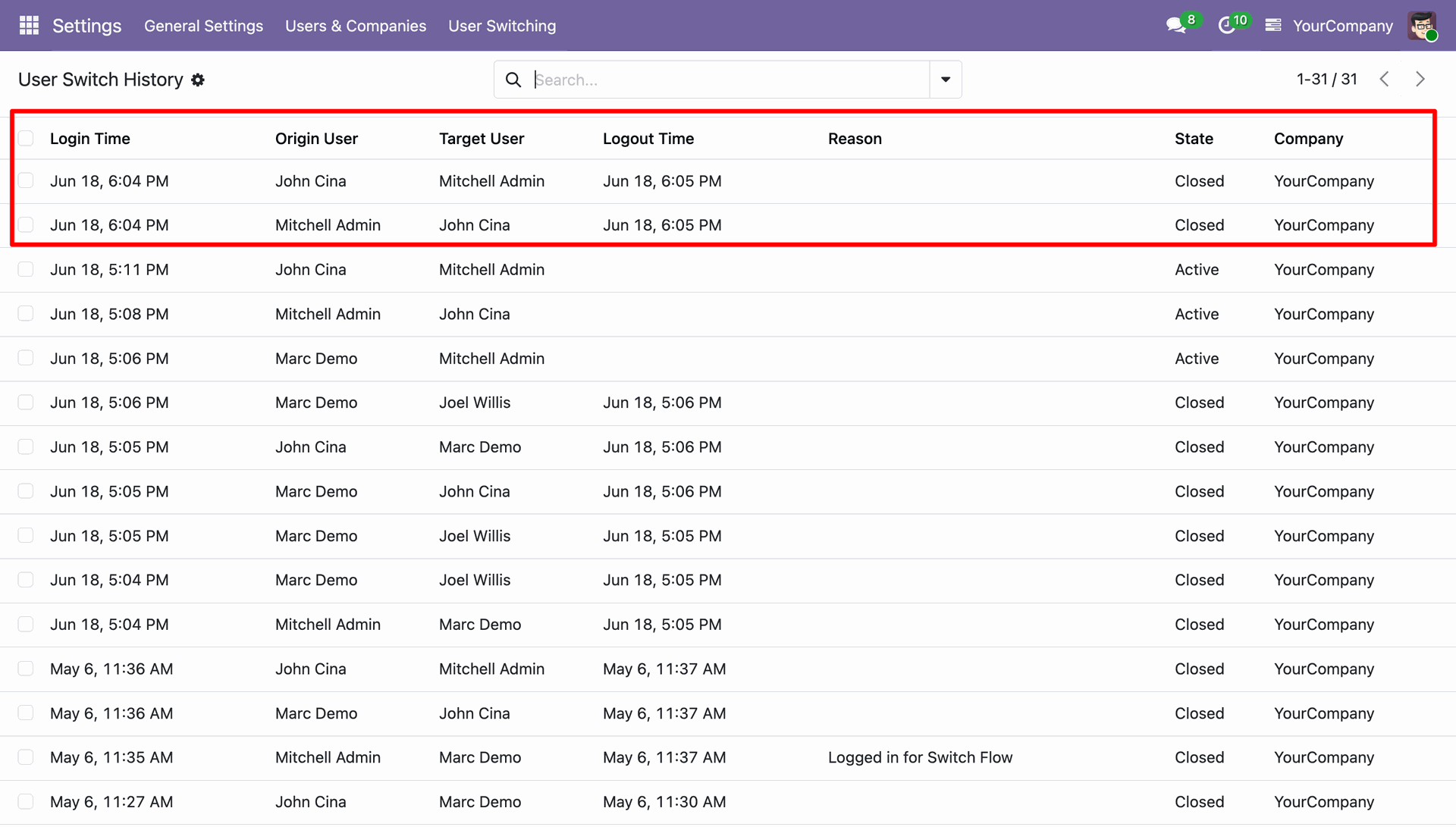
Go to the general settings and enable require reason on switch option.
Click on Switch icon to switch the user, wizard will open select user name for switch, and click on login button. System will show the warning for the reason.
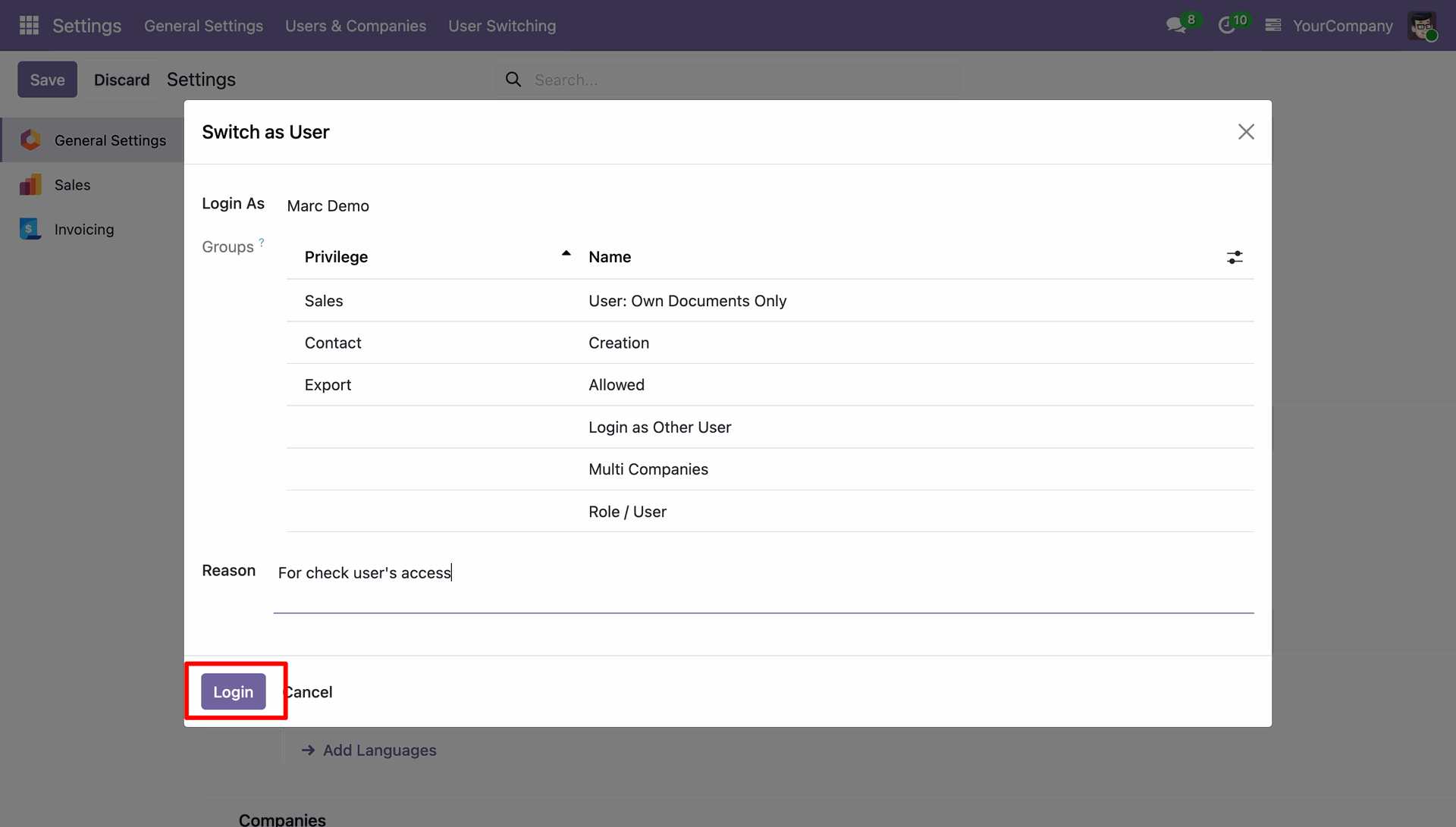
Add a switch reason and again click on login button from the wizard.
User Switch History shows the switched record with the reason.
Version 19.0.3.0.0 | Released on : 23rd October 2026
Version 19.0.2.0.0 | Released on : 5th November 2025
Version 19.0.1.0.0 | Released on : 13th August 2025
- Yes, this app works perfectly with Odoo Enterprise (Odoo.sh & Premise) as well as Community.
- No, this application is not compatible with odoo.com(odoo saas/Odoo Online)
- Yes, to test this module, please contact us at sales@softhealer.com.
- Please contact us at sales@softhealer.comto request customization.
- Yes, we provide free lifetime support for the version you purchased.
- Yes, you will receive lifetime free updates for the version of the module you purchased.
- No, there is no need to install any additional libraries.
- Yes, for version 12 and above, you need to purchase the module separately for each version you intend to use.
- No, exchanges or refunds are not allowed. Please make sure to select the correct version before purchasing.
- You can contact us at support@softhealer.com for language translation support. We use Google Translator tools to provide translations in multiple languages, so the accuracy may vary. We welcome your suggestions to help improve translations.
Discover Our Latest Apps