













Late Payment Penalty

This module automatically calculates and applies penalties for overdue invoices based on predefined rules, helping you manage late payments efficiently.

Features
Late Payment Penalty Calculations
Calculate late payment fees using various methods and configurable days.
Overdue Invoice Tracking
Easily detects and tracks all overdue invoices.
Automatic Penalty Calculation
Calculates penalty amounts automatically according to your configuration rules.

Linked Penalty Invoices
Penalty invoices are linked to the corresponding main invoice for easy reference.

Multiple Penalty Configuration
Supports calculating penalties : Percentage-based LPF and Fixed-amount LPF

Email & Customer Communication
Support sending quotations and LPF-related invoices directly to customers.
Go to sales configurations and enable the 'LPF Calculation' boolean and add tick boolean & Value "Based on particular (%) Method".
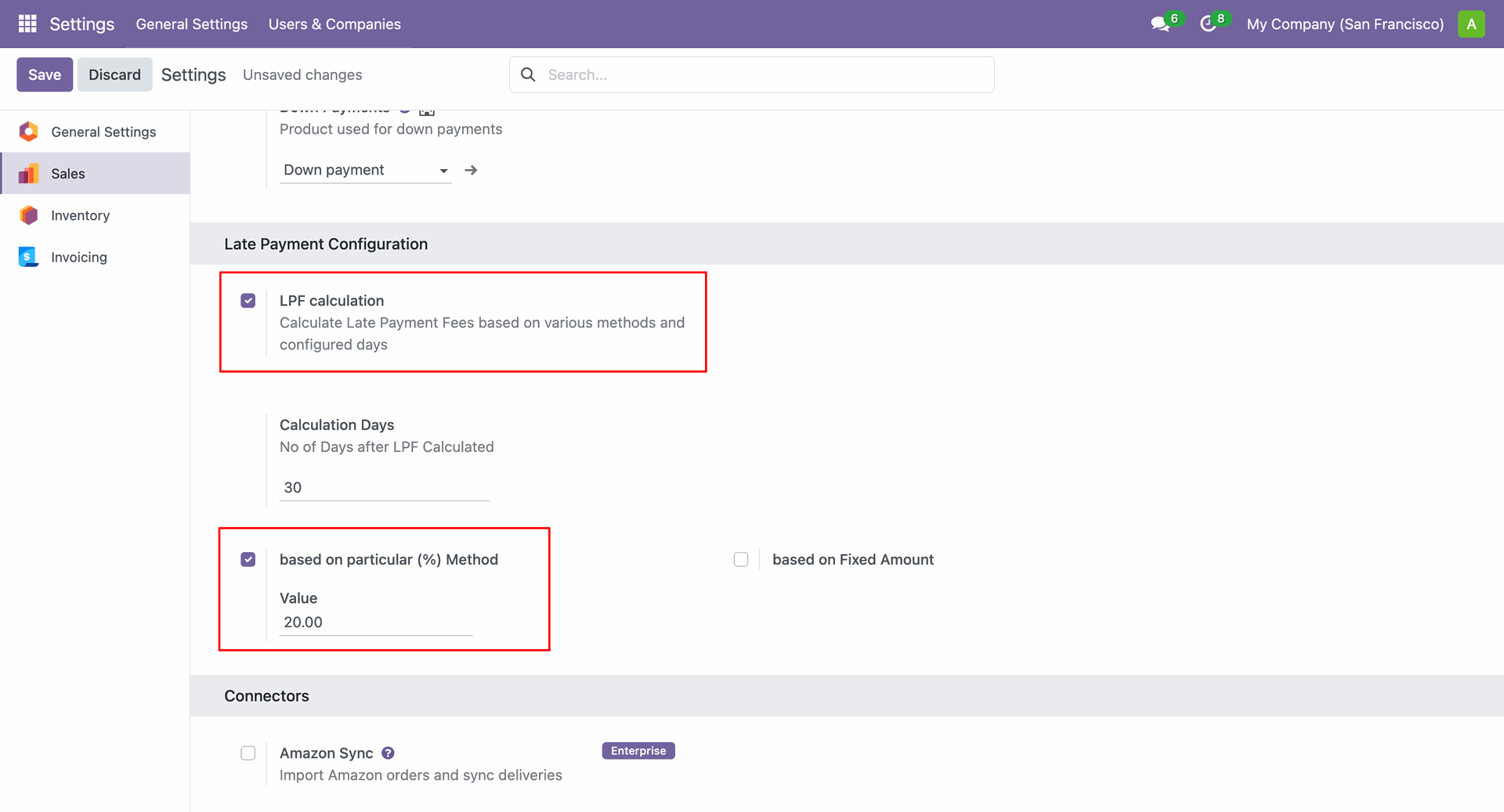
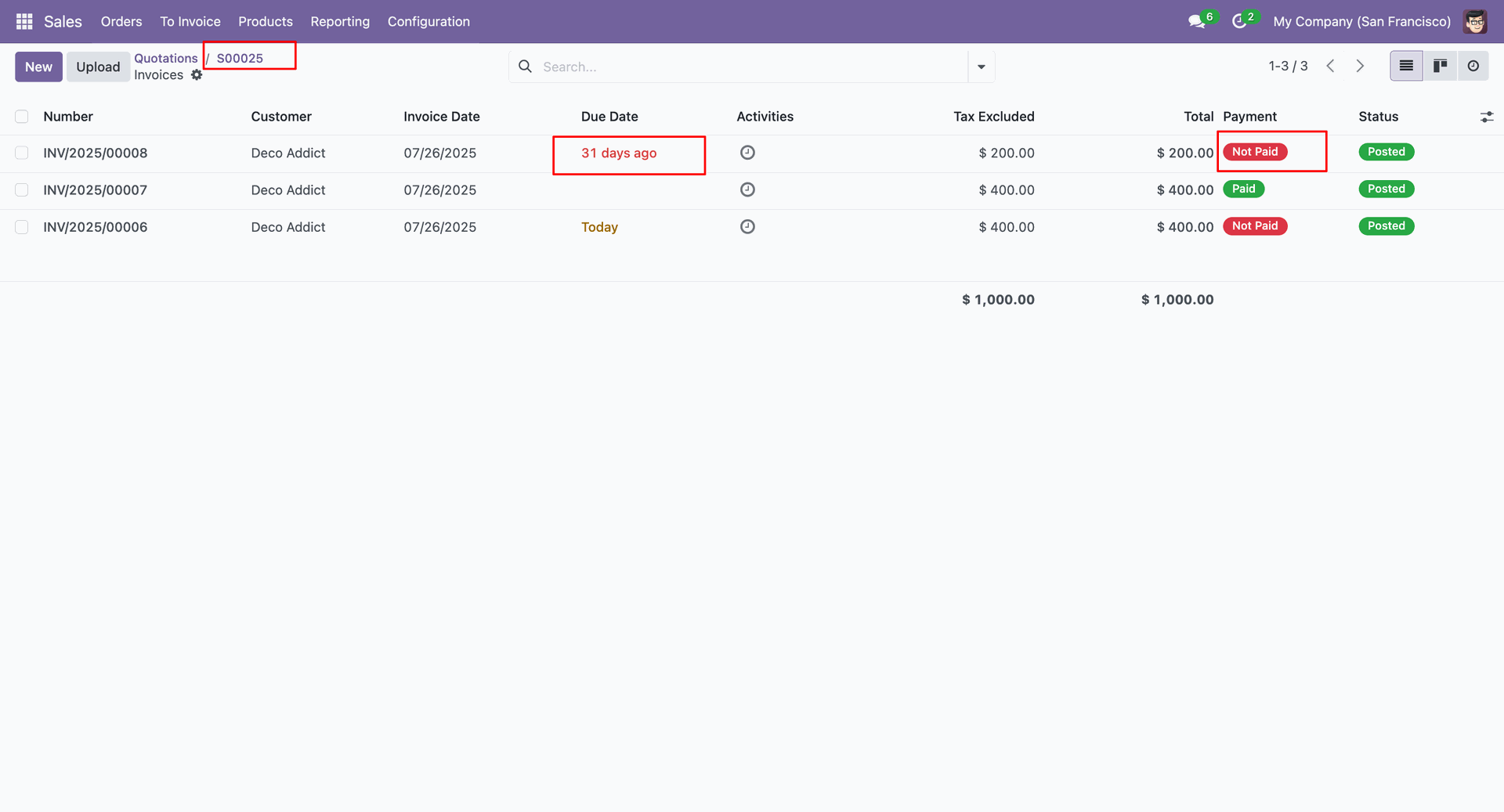
In the invoices generated from the Sales Order, you can view the due date calculation and payment details based on the due date configured in the LPF calculation settings.
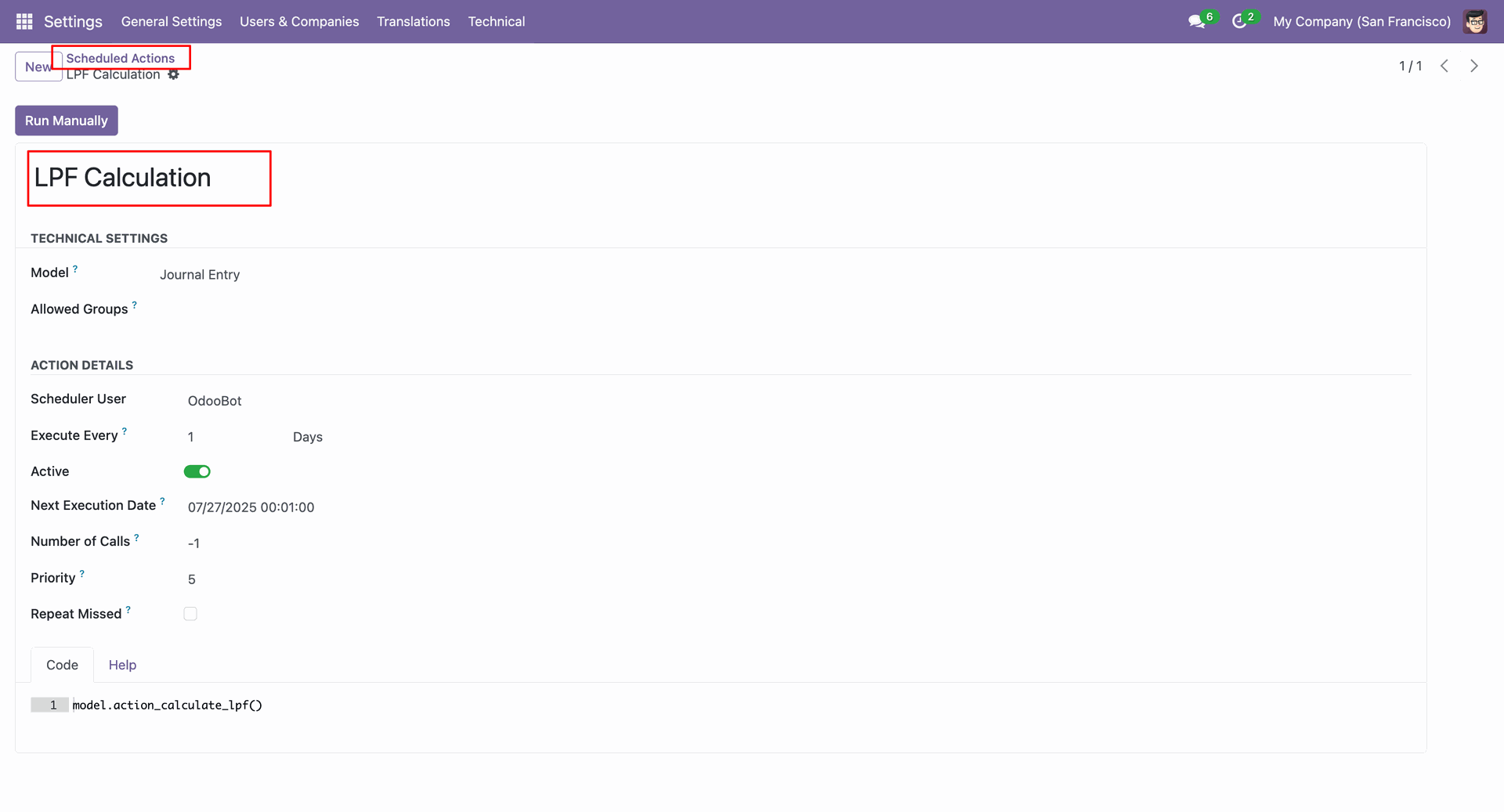
In the form view of the Scheduled Action, click on the "Run Manually" button.
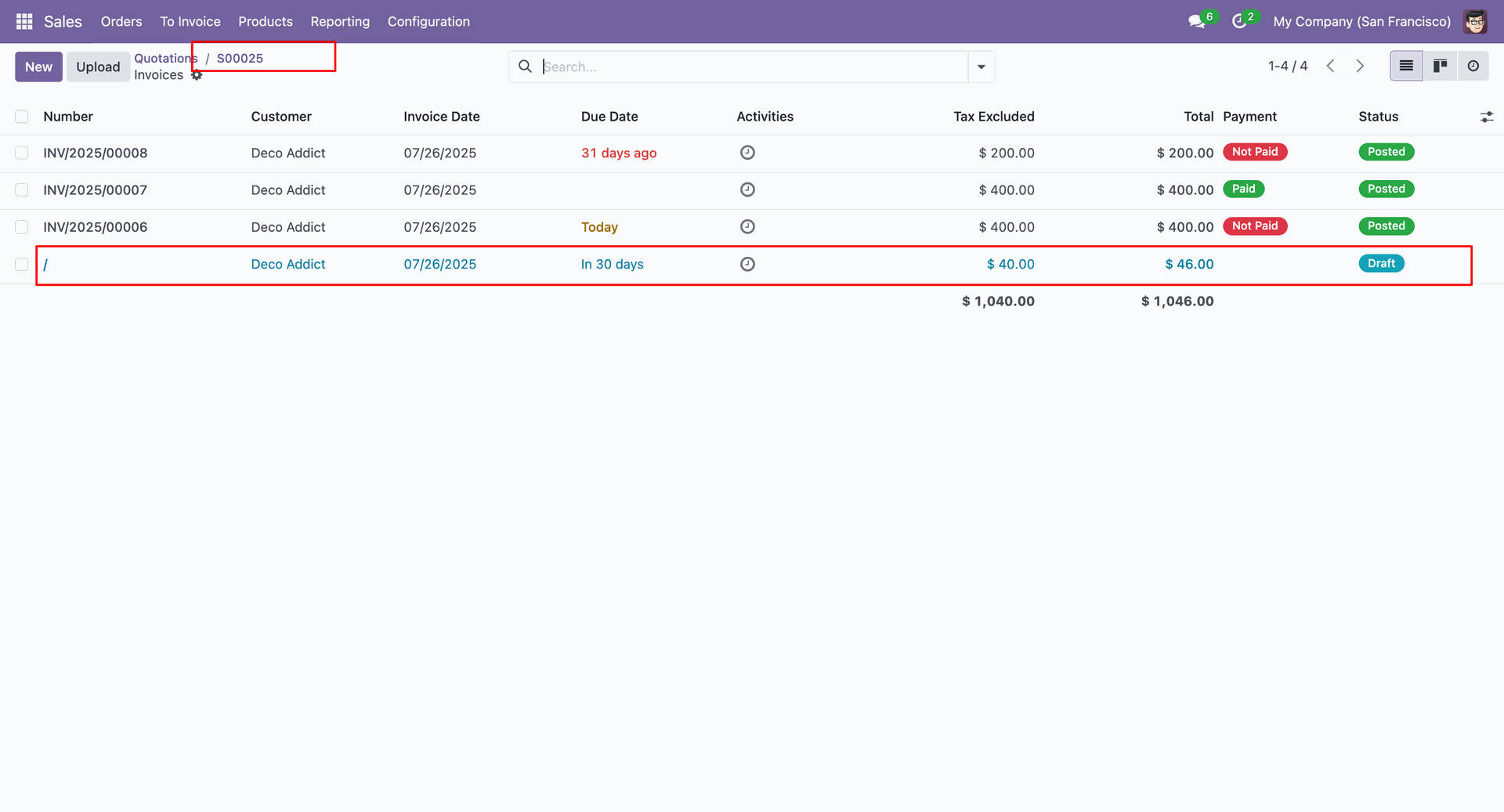
Here, you can see the fetched invoice. The invoice is due in 30 days.
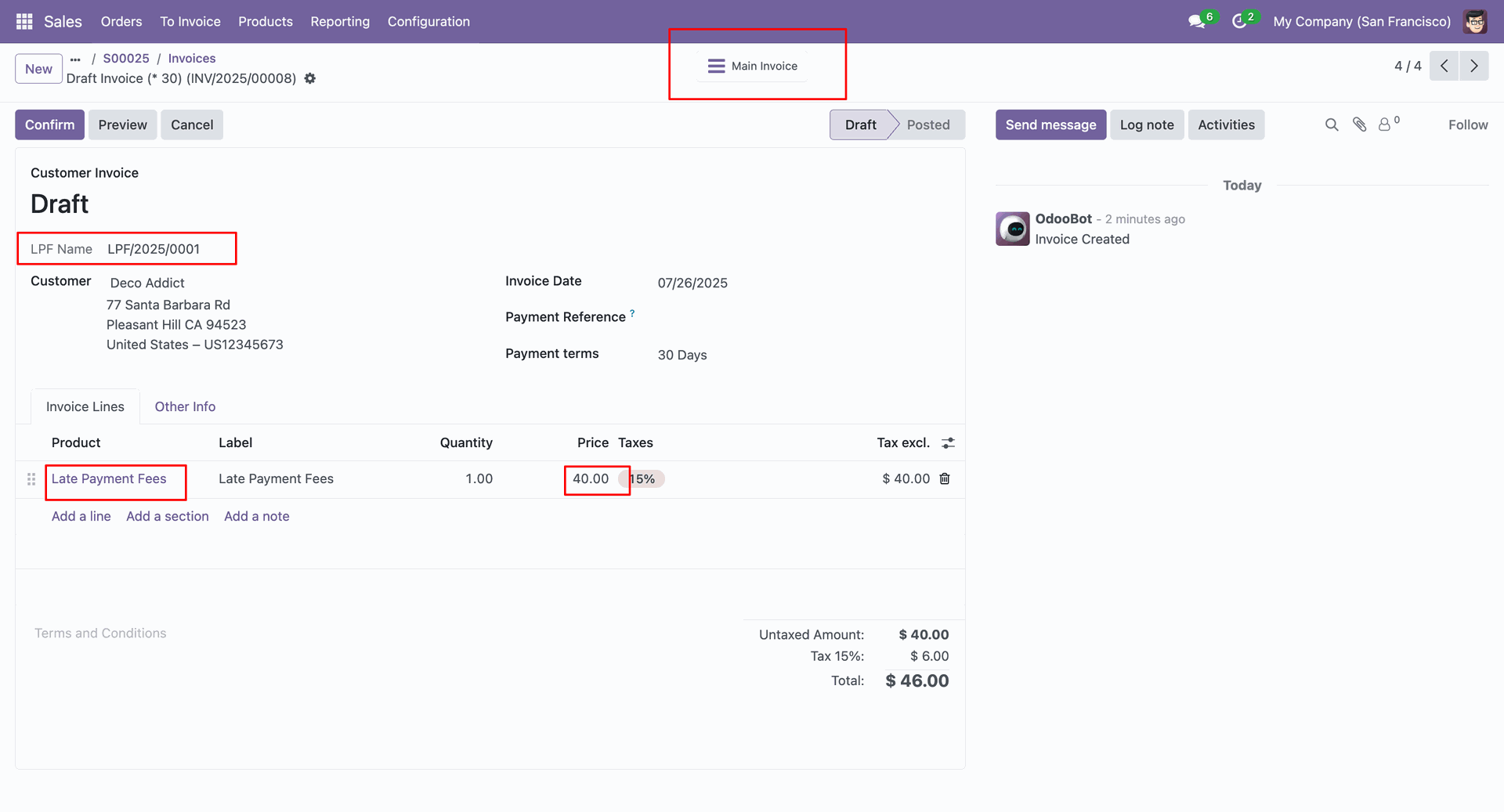
In the form view of the due invoice, you can see the late payment fee price.
Click on the "Main Invoice" smart button to view the main invoice.
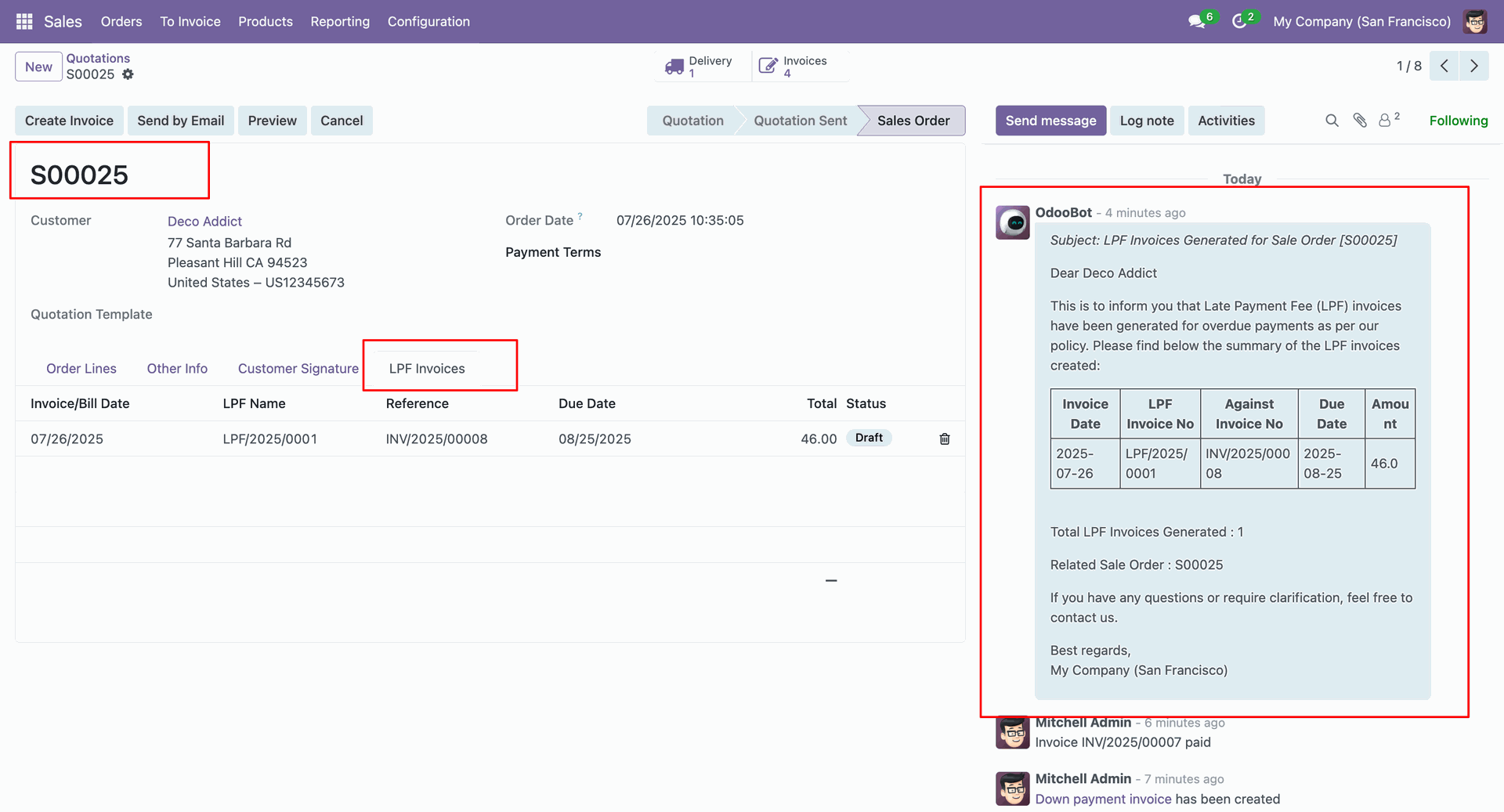
In the main invoice form view, you can see the LPF invoice details under the "LPF Invoices"
tab.
Send the quotation to customer.
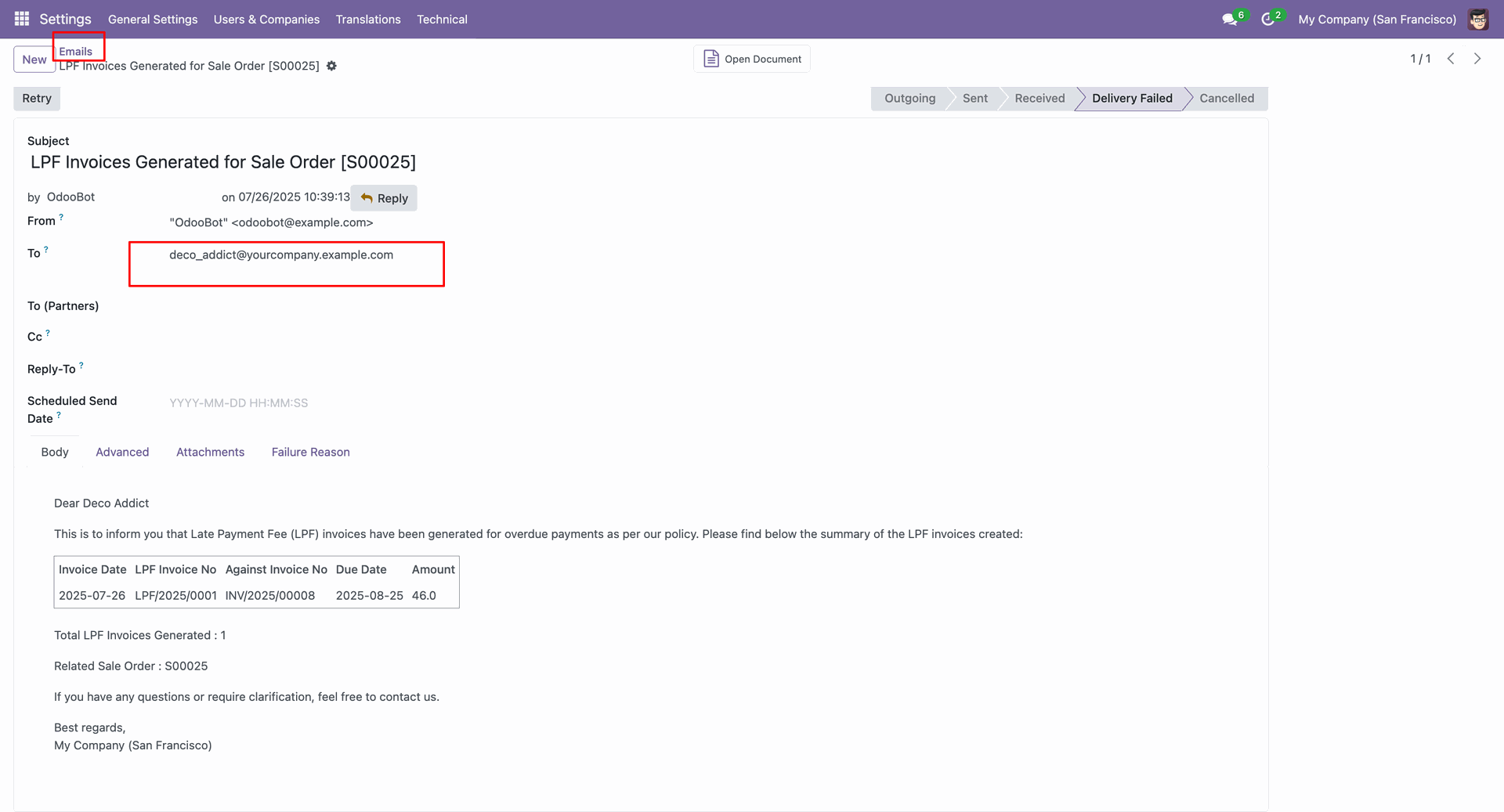
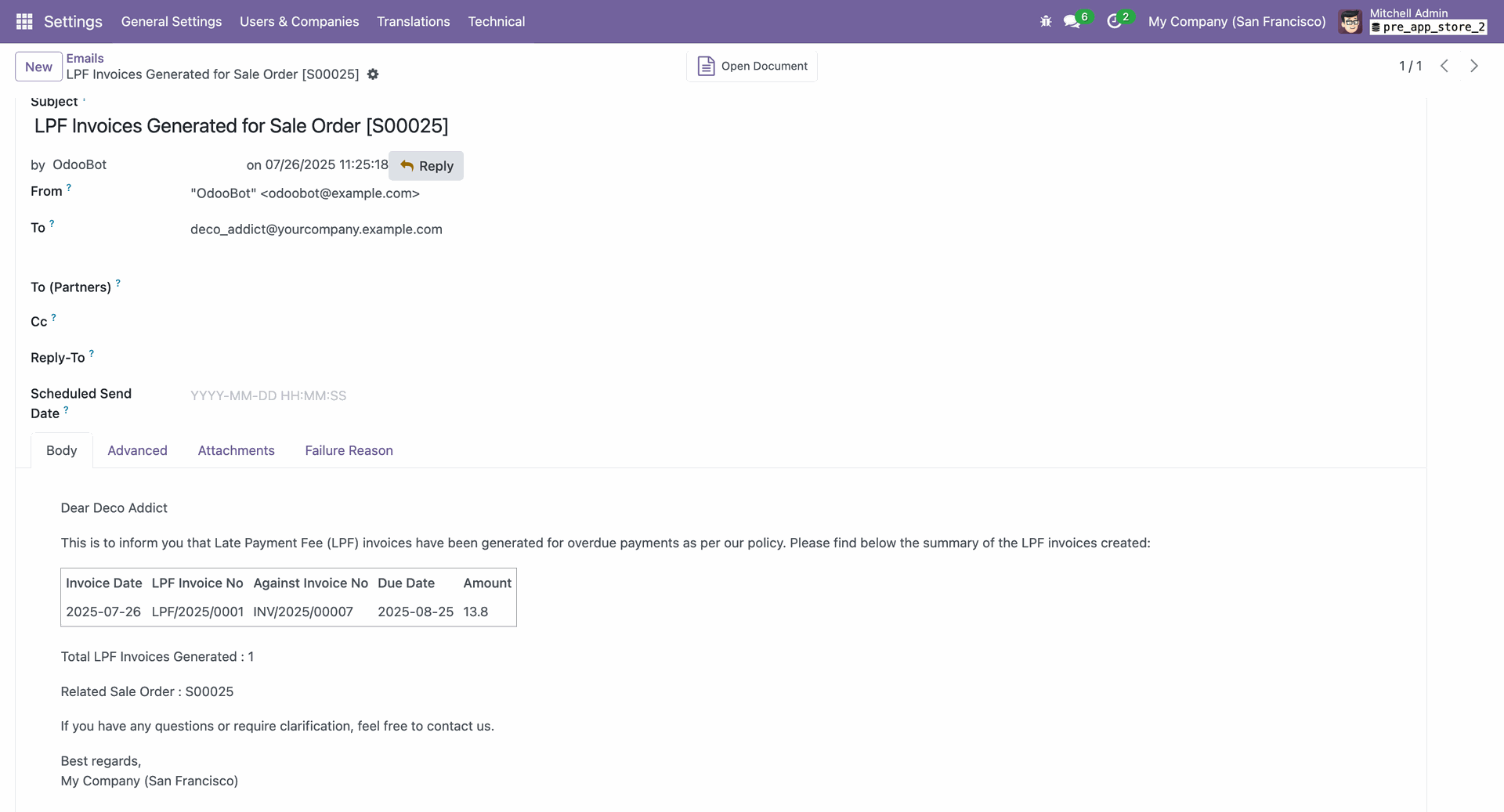
Form view of the email.
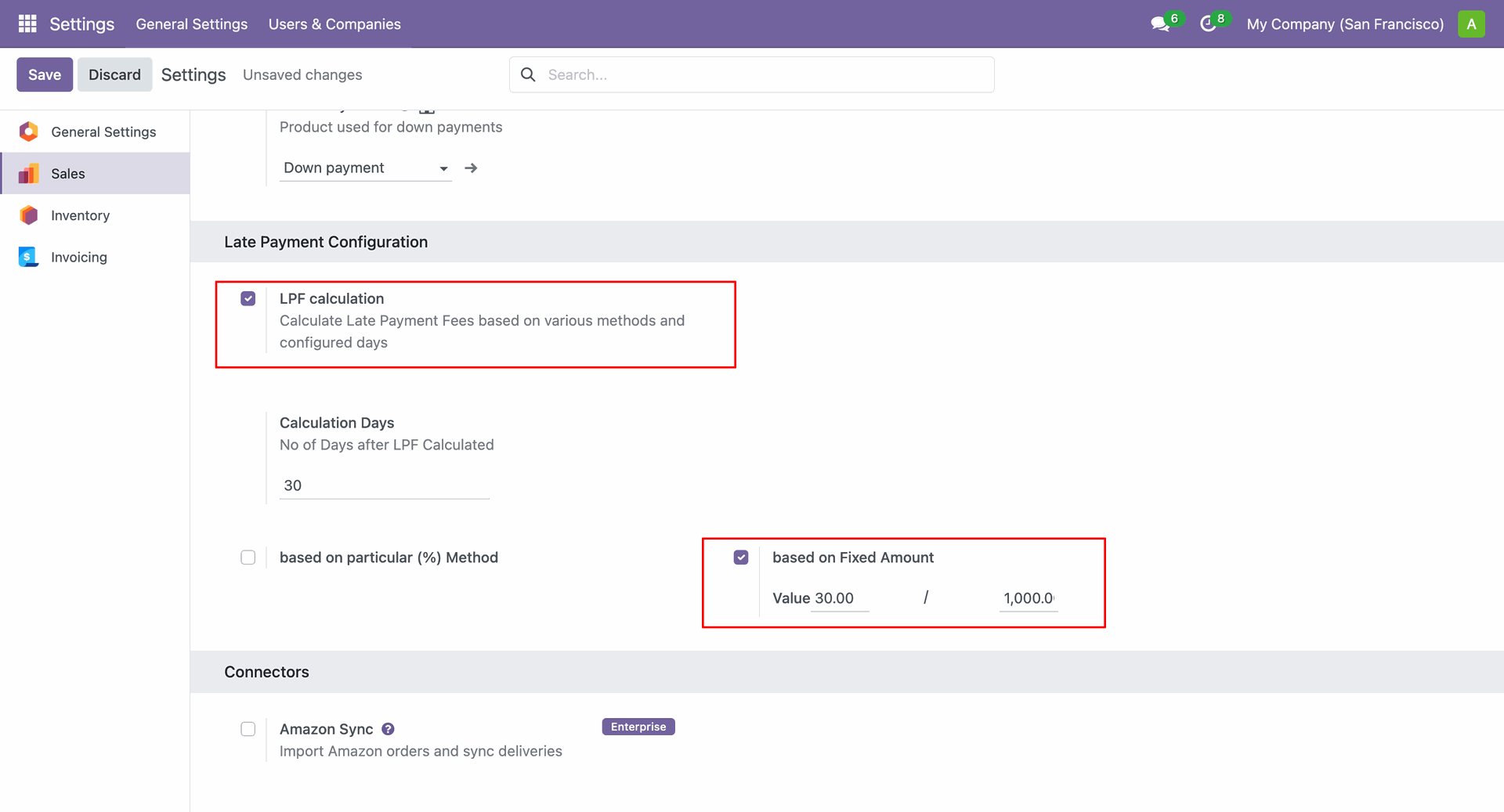
Go to sales configurations and enable the 'LPF Calculation' boolean and tick boolean & add Value "Based on Fixed Amount".
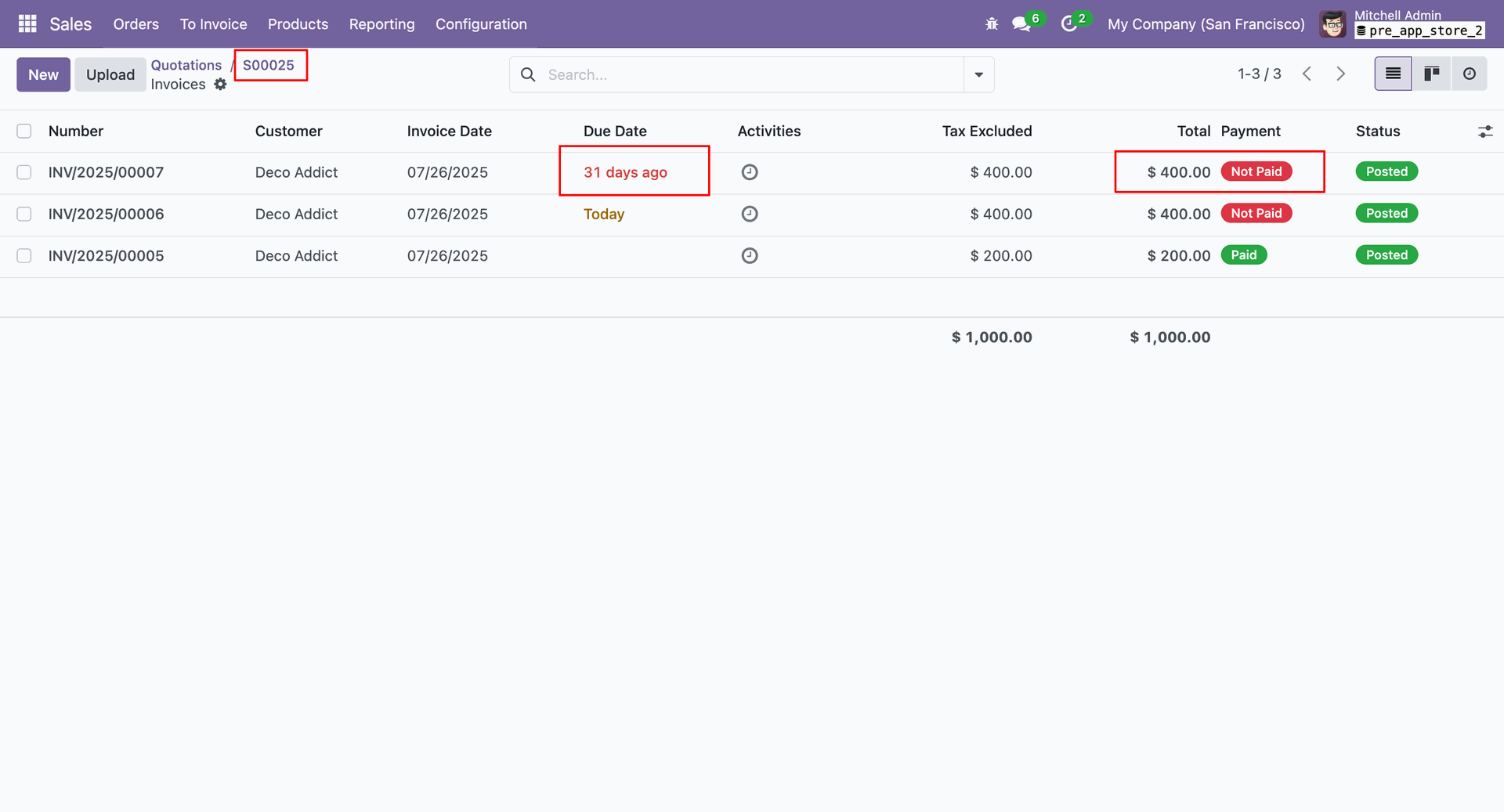
Here you can view the due date calculation and payment details based on the due date configured in the LPF calculation settings.
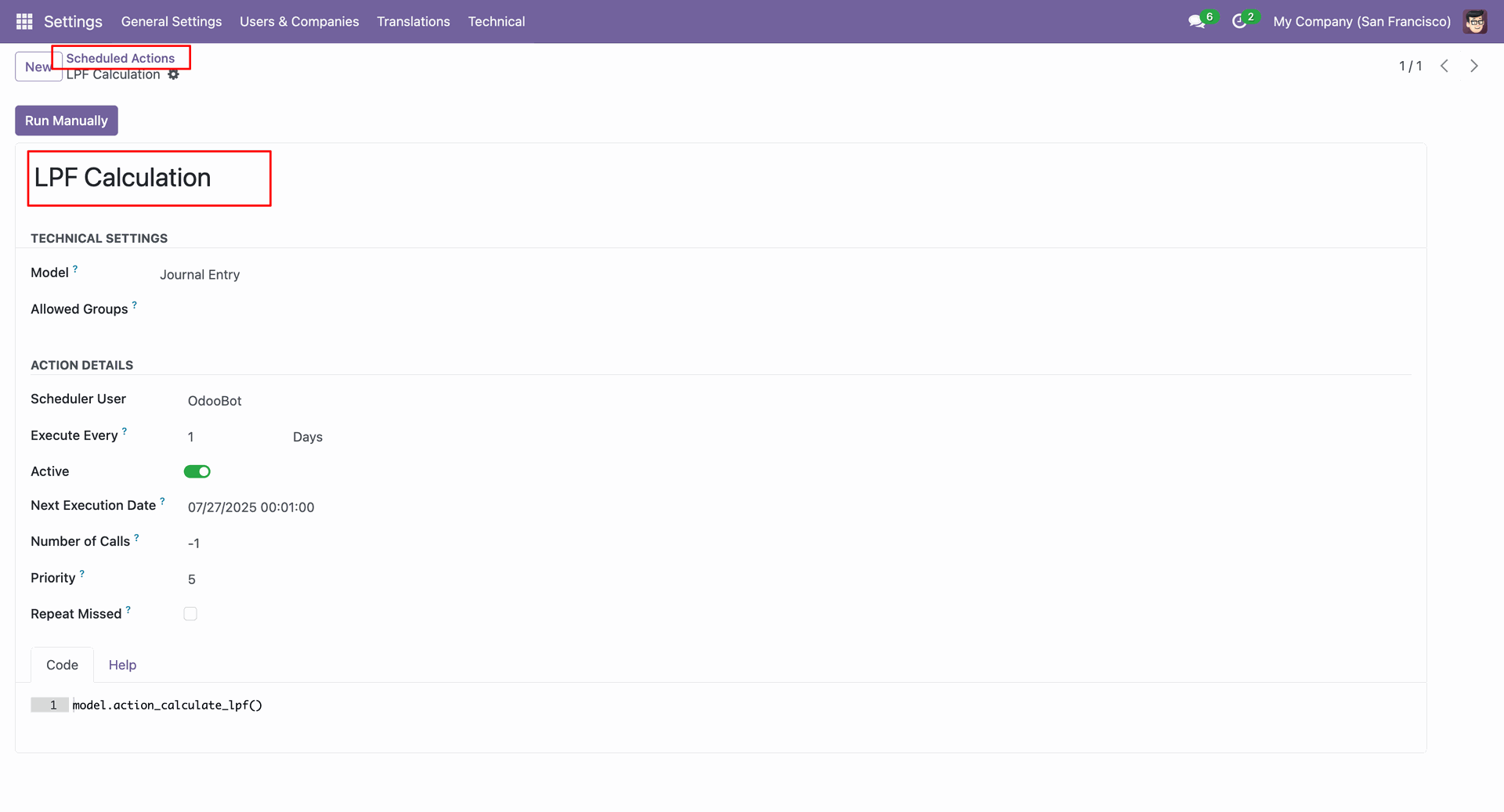
In the form view of the Scheduled Action, click on the "Run Manually" button.
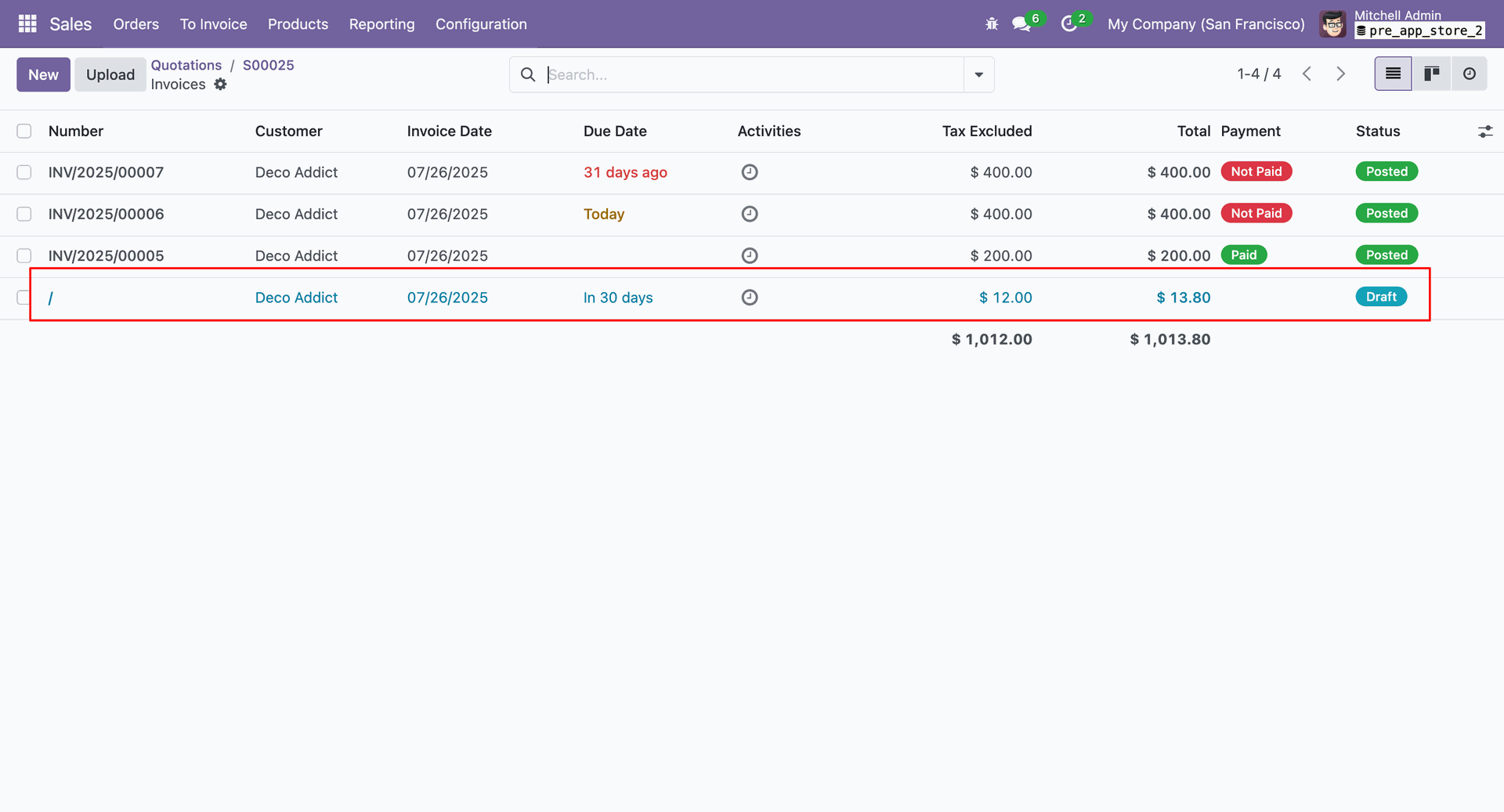
Here, you can see the fetched invoice. The invoice is due in 30 days.
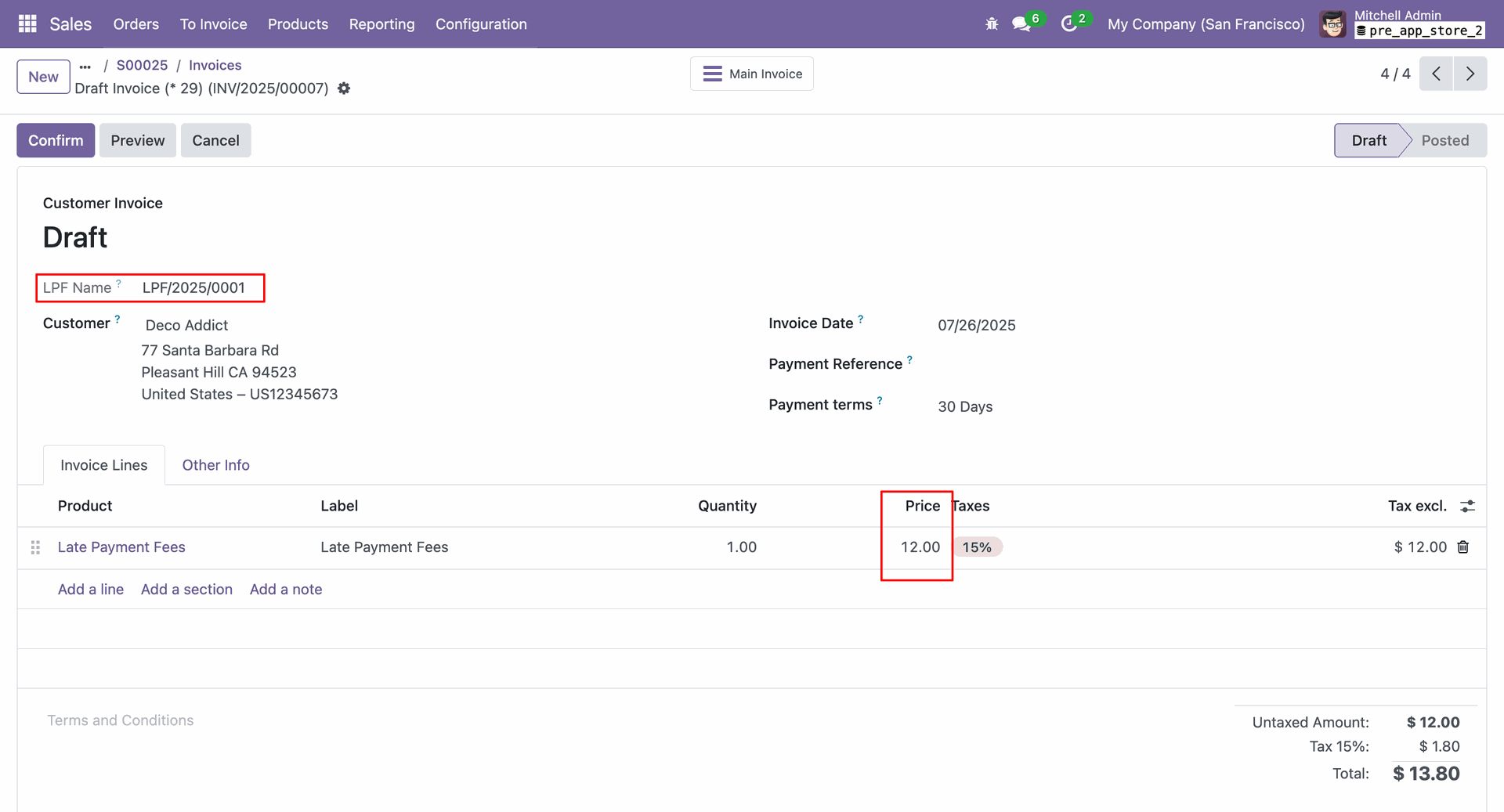
In the form view of the due invoice, you can see the late payment fee price.
In the main invoice form view, you can see the LPF invoice details under the "LPF Invoices" tab.
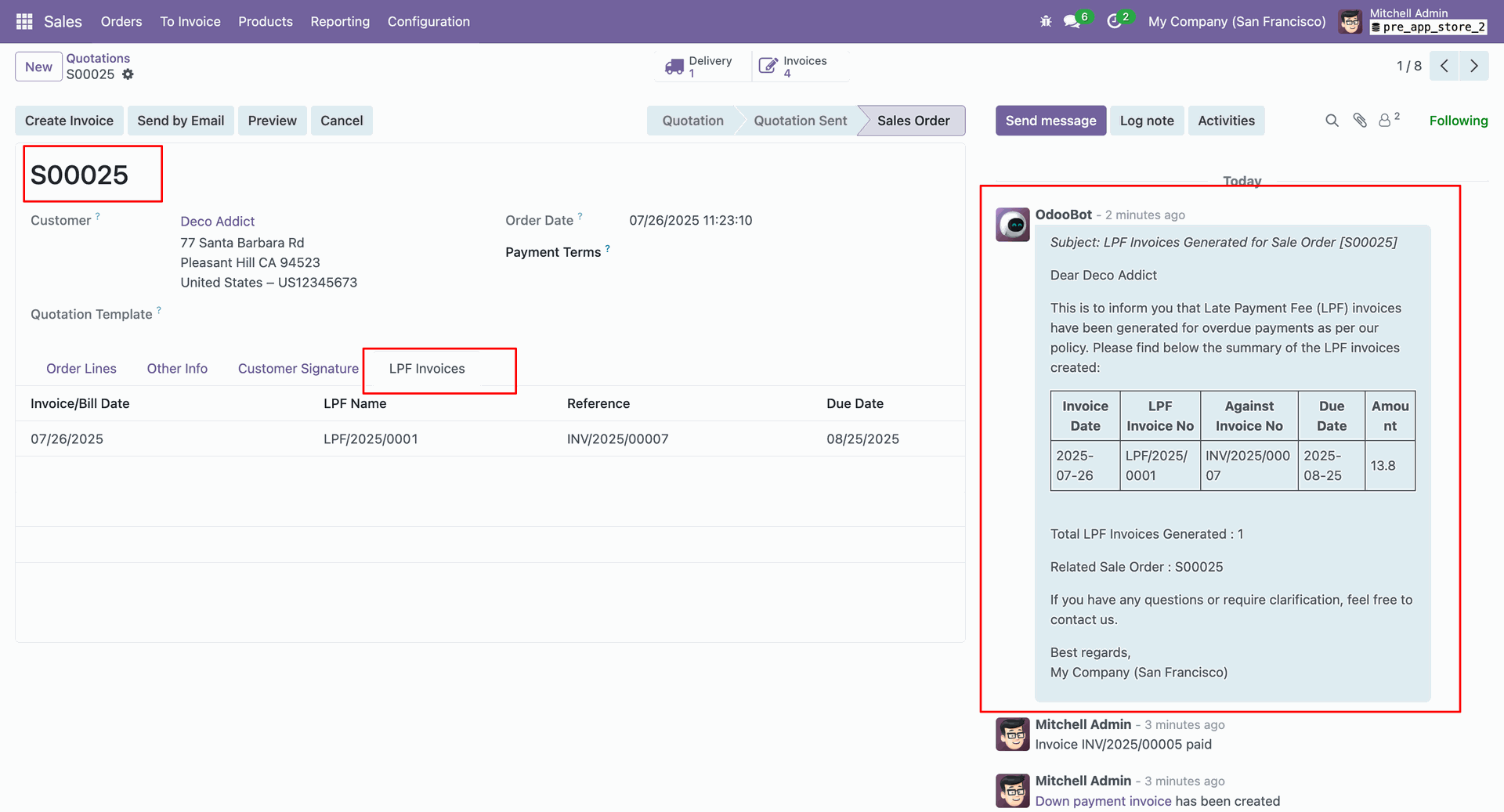
Form view of the email.
Version 19.0.1.0.0 | Released on : 22nd January 2026
- Yes, this app works perfectly with Odoo Enterprise (Odoo.sh & Premise) as well as Community.
- No, this application is not compatible with odoo.com(odoo saas/Odoo Online)
- Yes, to test this module, please contact us at sales@softhealer.com.
- Please contact us at sales@softhealer.com to request customization.
- Yes, we provide free support for 365 days from the date of purchase.
- Yes, you will receive lifetime free updates for the version of the module you purchased.
- No, there is no need to install any additional libraries.
- Yes, for version 12 and above, you need to purchase the module separately for each version you intend to use.
- No, exchanges or refunds are not allowed. Please make sure to select the correct version before purchasing.
- You can contact us at support@softhealer.com for language translation support. We use Google Translator tools to provide translations in multiple languages, so the accuracy may vary. We welcome your suggestions to help improve translations.
