













Invoice Summary Report | Bill Summary Report

This module helps to generate and print invoice summary reports of customers in PDF as well as excel format. You can generate reports between any date range. You can generate reports based on invoice status(draft/ posted/ cancel). You can generate report based on invoice type(invoice/ bill/ credit note/ debit note). We provide the option to print reports of more than one company.

Related Modules
Hot Features
Features
- You can generate and print invoice summary reports.
- You can generate reports between a specific date range.
- Report can be generated in PDF and XLS format.
- You can generate a report based on invoice status (draft/ posted/ cancel).
- You can generate a report based on invoice type(invoice/ bill/ credit note/ debit note).
- Easy to print a report of more than one company.
- You can view the report directly from the wizard.
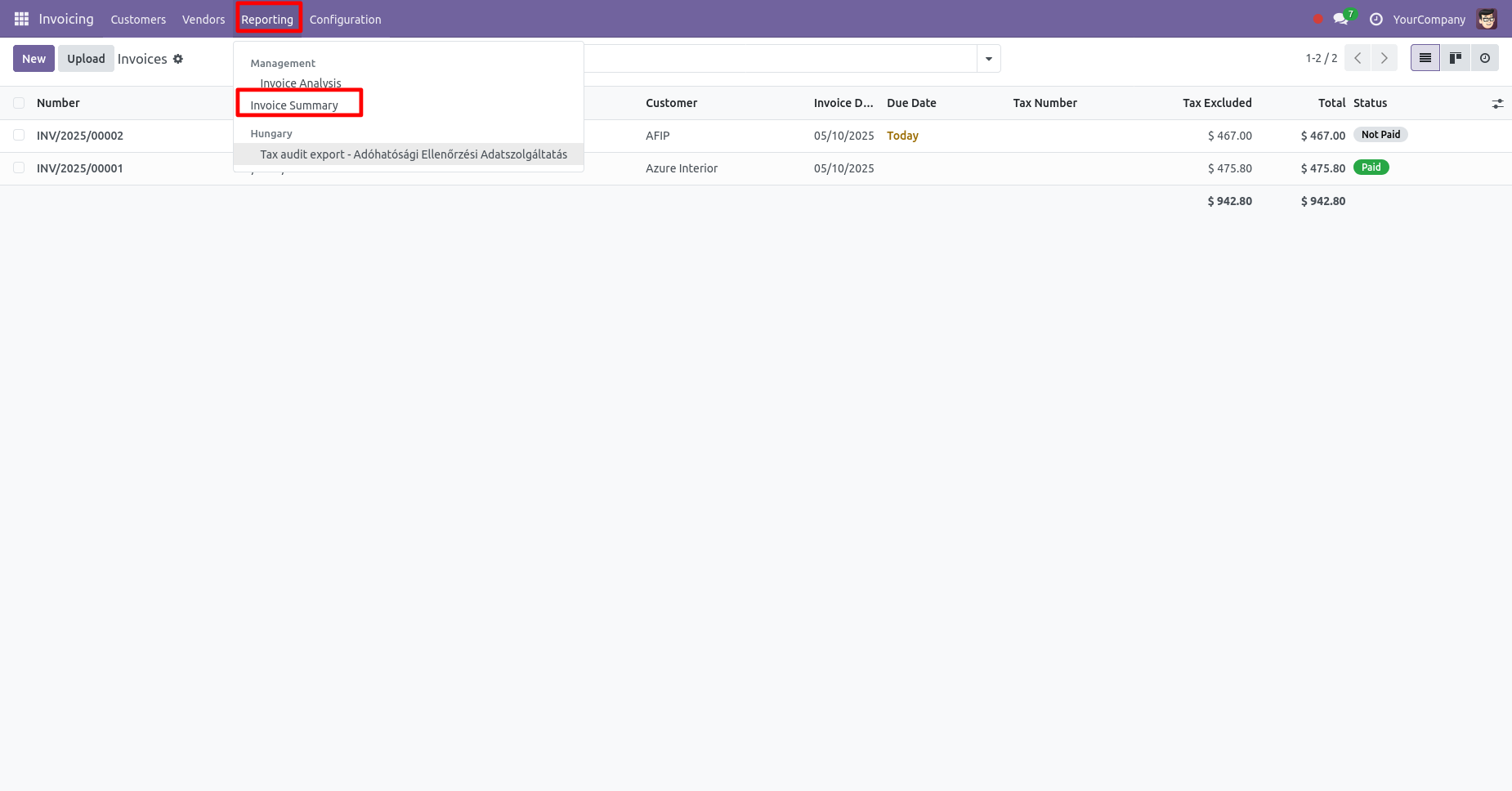
'Invoice Summary' menu.
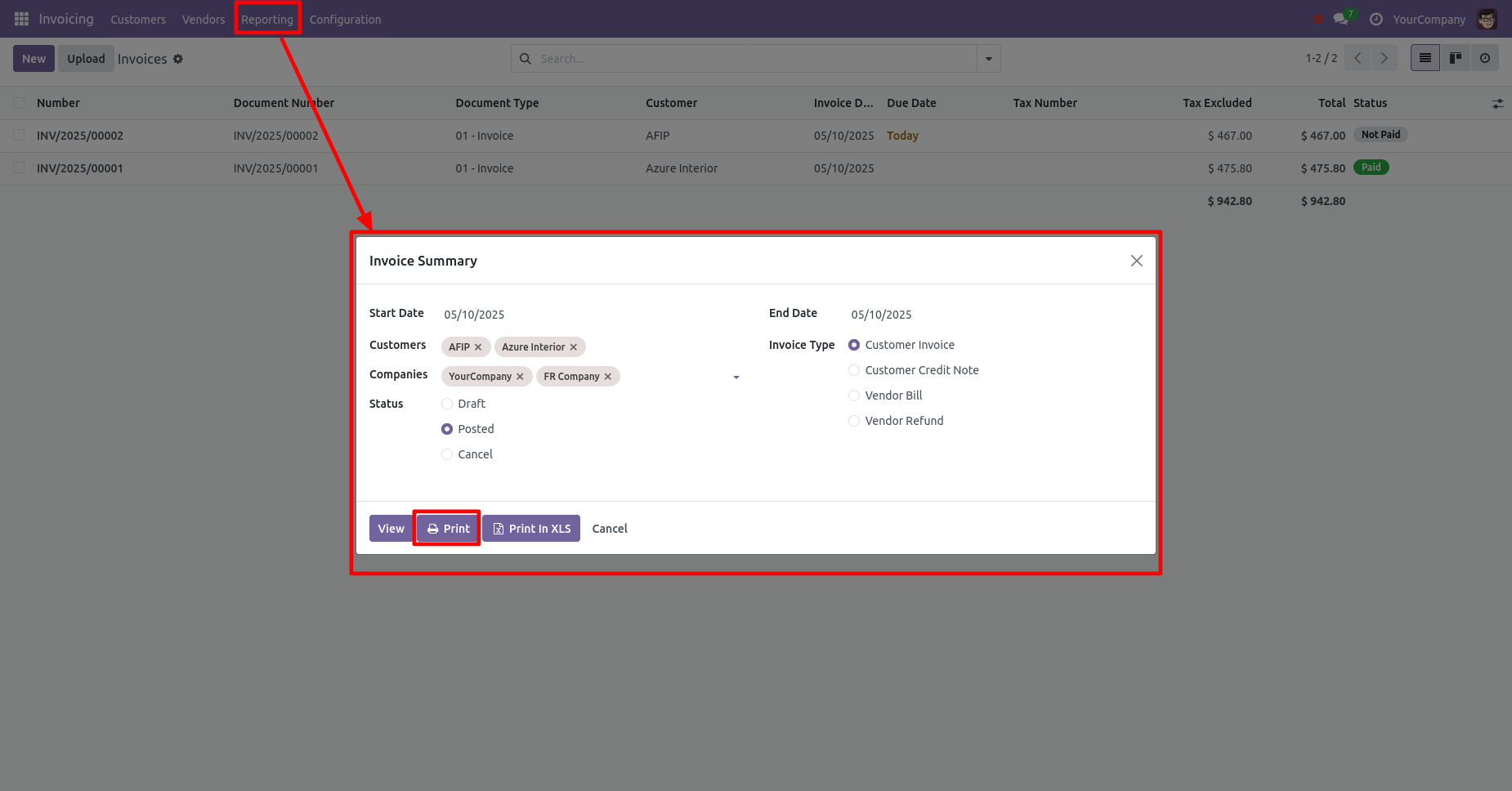
Invoice summary PDF/Excel report wizard.
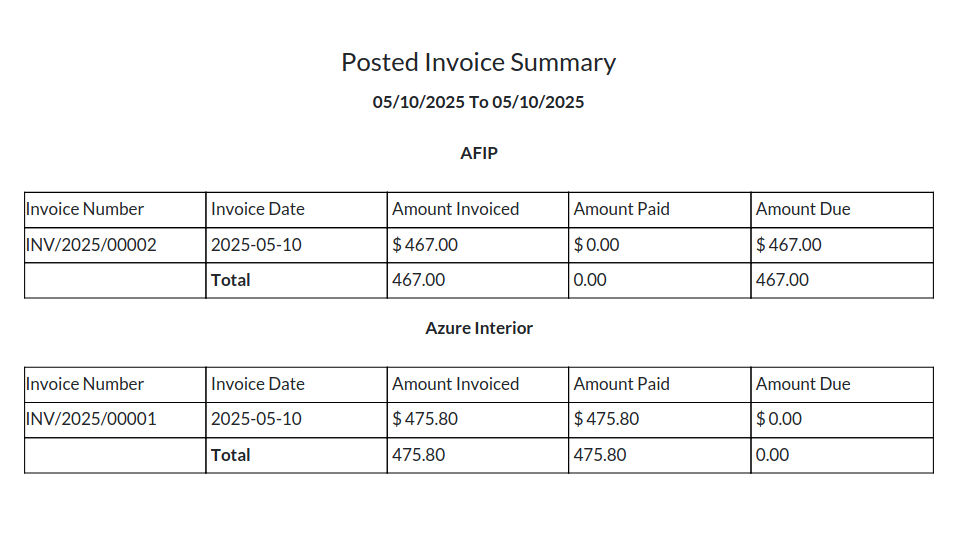
Invoice summary PDF report looks like below.
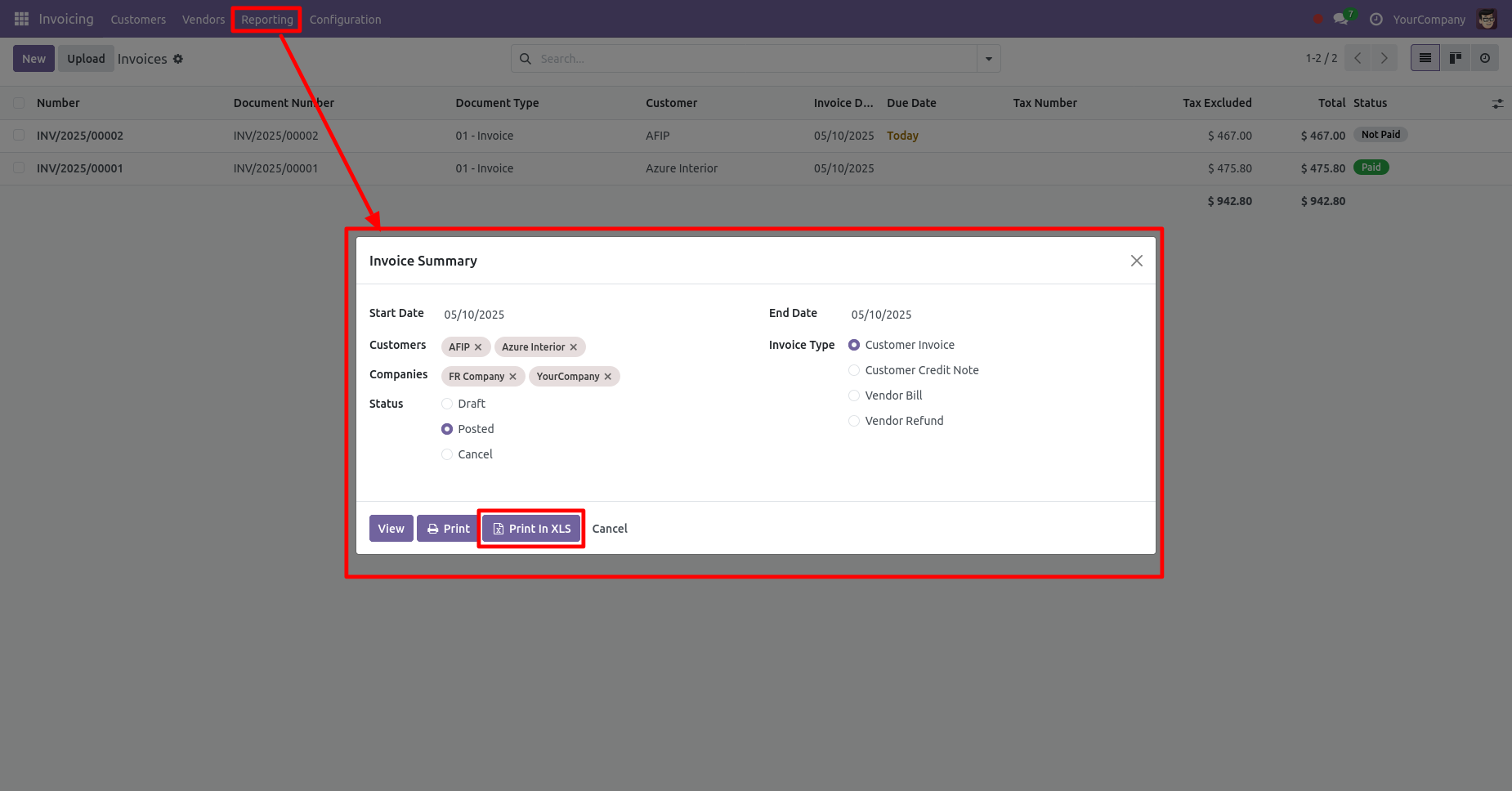
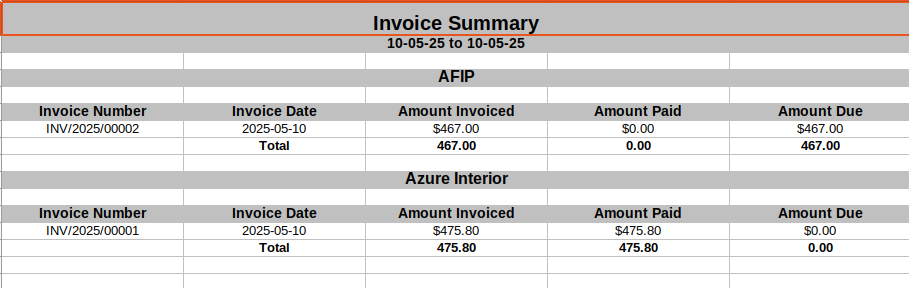
Now we print the 'Invoice Summary' excel report.
Invoice summary XLS report looks like below.
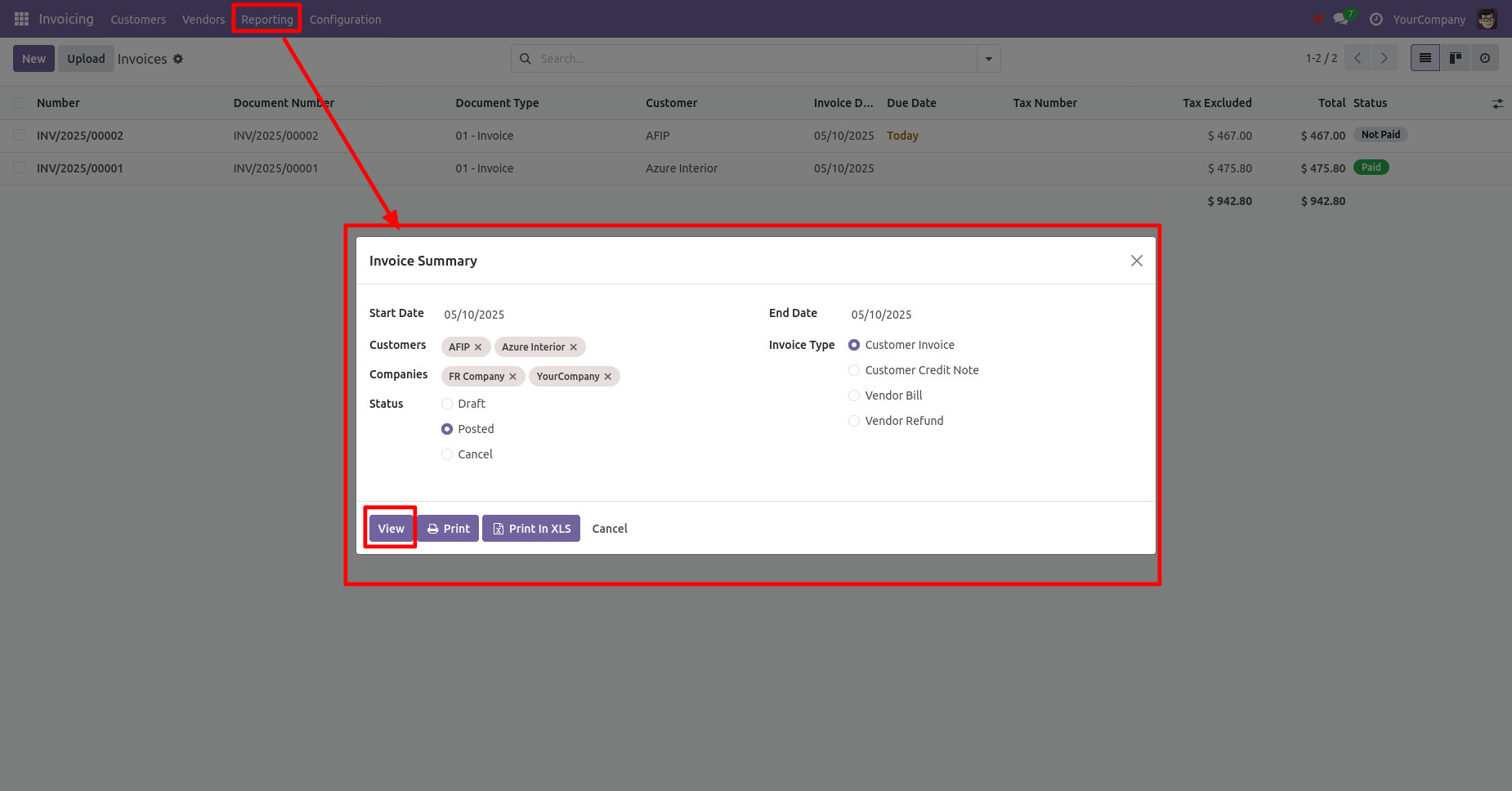
If you would like to review the report before printing, simply click on the 'View' button.
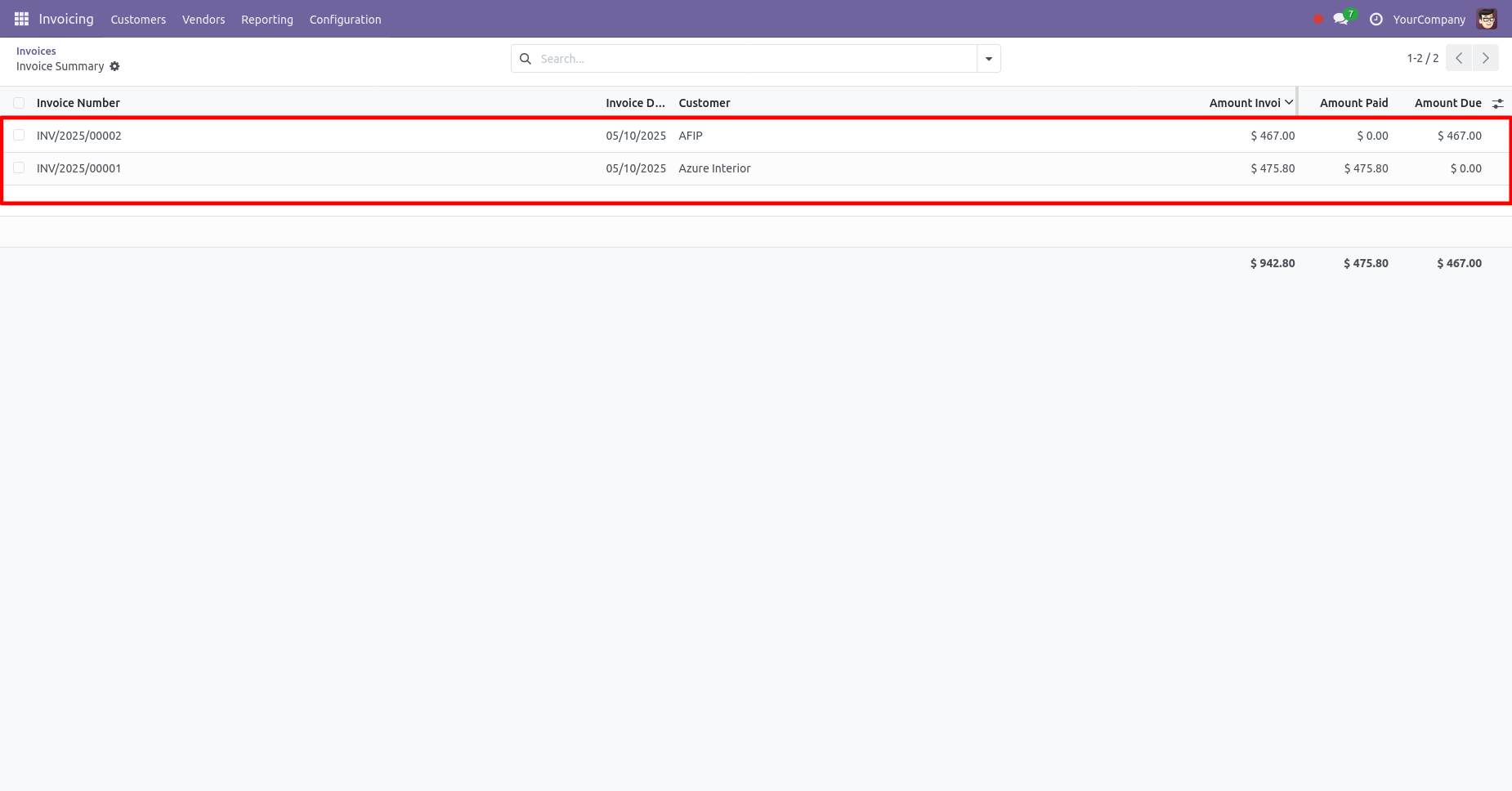
After clicking on the 'View' button, you will be redirected to the tree view of the invoice summary.
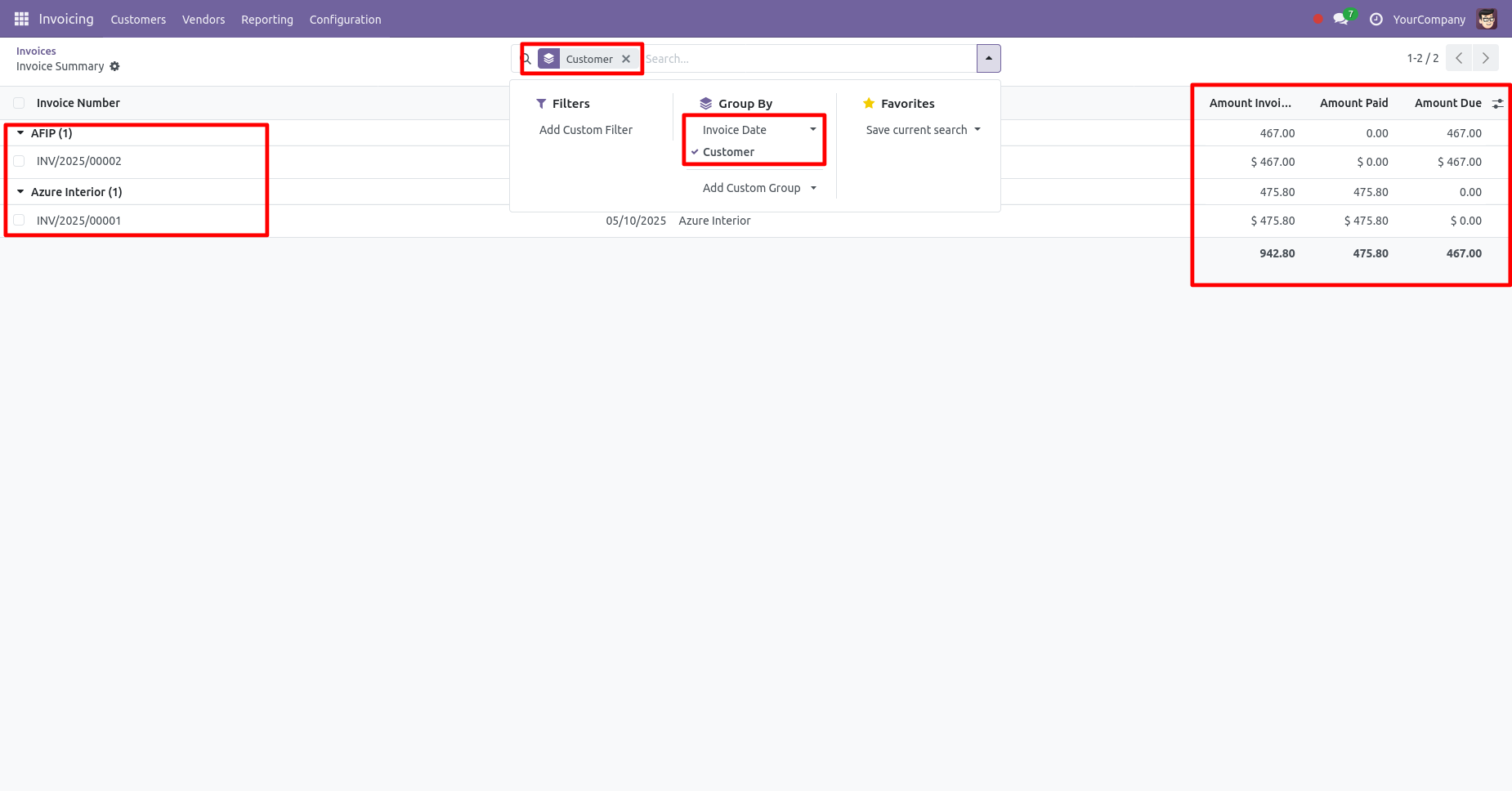
In this list, you have the option to group the reports by Invoice Date & Customer.
Version 18.0.1 | Released on : 23rd September 2024
- Yes, this app works perfectly with Odoo Enterprise (Odoo.sh & On-Premise) as well as Community.
- No, this application is not compatible with odoo.com(odoo saas/Odoo Online).
- Please Contact Us at sales@softhealer.com to request customization.
- Yes, you will get free update for lifetime.
- No, you don't need to install addition libraries.
- For version 12 or upper, you will need to purchase the module for each version that you want to use.
- Yes, we provide free support for 100 days.
- No, We do not provide any kind of exchange.
