













Invoice Quantity Pack

This module will allow you to assign the product quantity in bags and then when you put bag quantity it will default count total quantity based on bag quantity in invoice/bill/credit note/debit note/payments. If you are selling some products in bulk quantity in the package, pack, bags. For example, for a 25kg Sugar bag, so our module is useful for adding that bag quantity in line and it will auto-calculate the final quantity. i,e 5 bags of 25kg sugar bag then auto calculate 125kg in the quantity field. You can hide/show bag size in invoice/bill/credit note/debit note/payments as well as hide/show bag size in the reports.

Related Modules
Features
- You can assign the product quantity in bags.
- It will default count total quantity based on bag quantity in invoice/bill/credit note/debit note/payments.
- You can hide/show bag size in invoice/bill/credit note/debit note/payments.
- You can hide/show bag size in the reports.
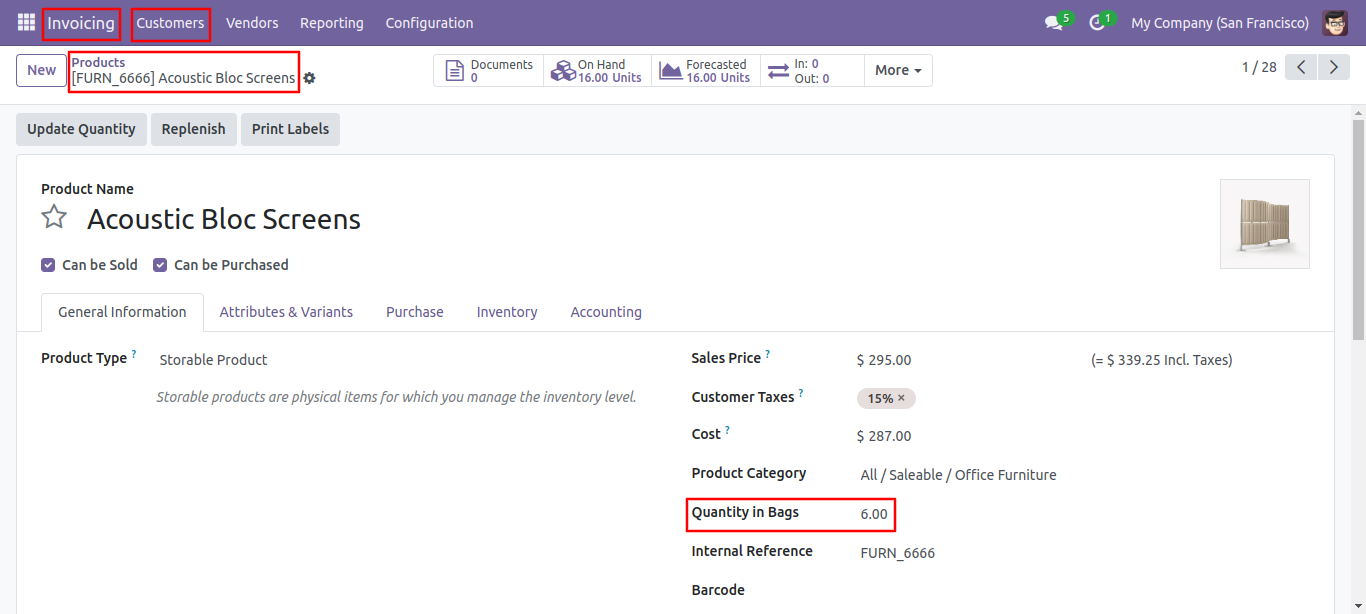
Go to the product, you can set here product quantity in bags.
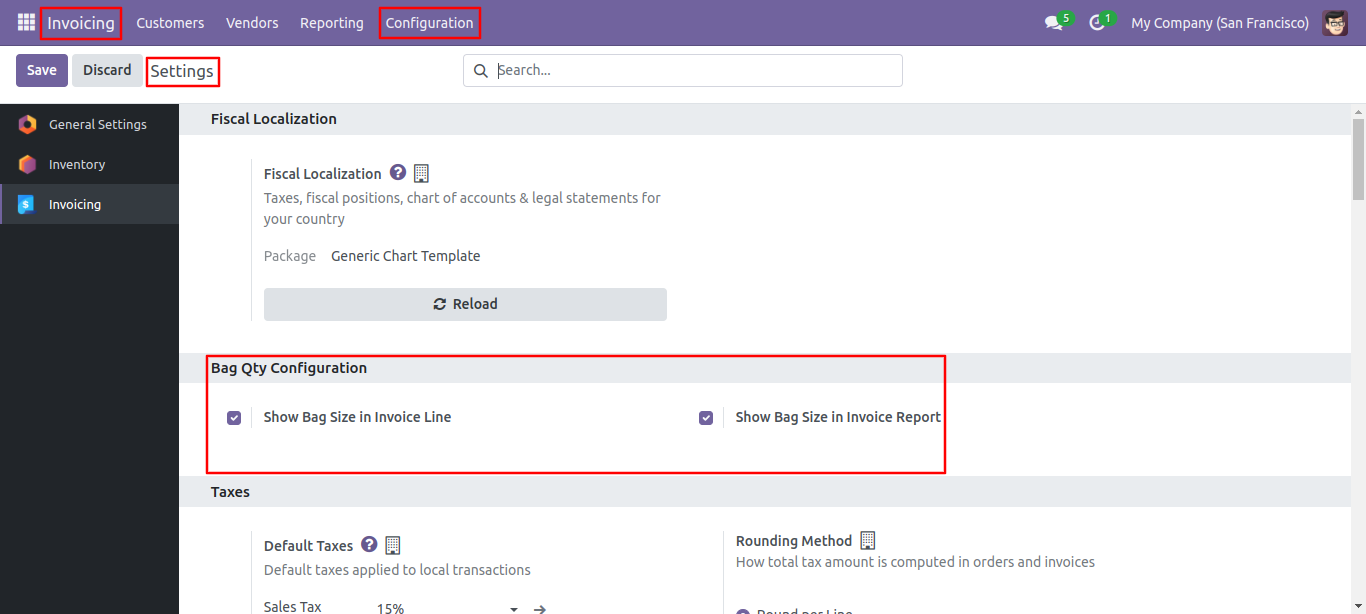
Go to the invoice to configure hide/show bag quantities.
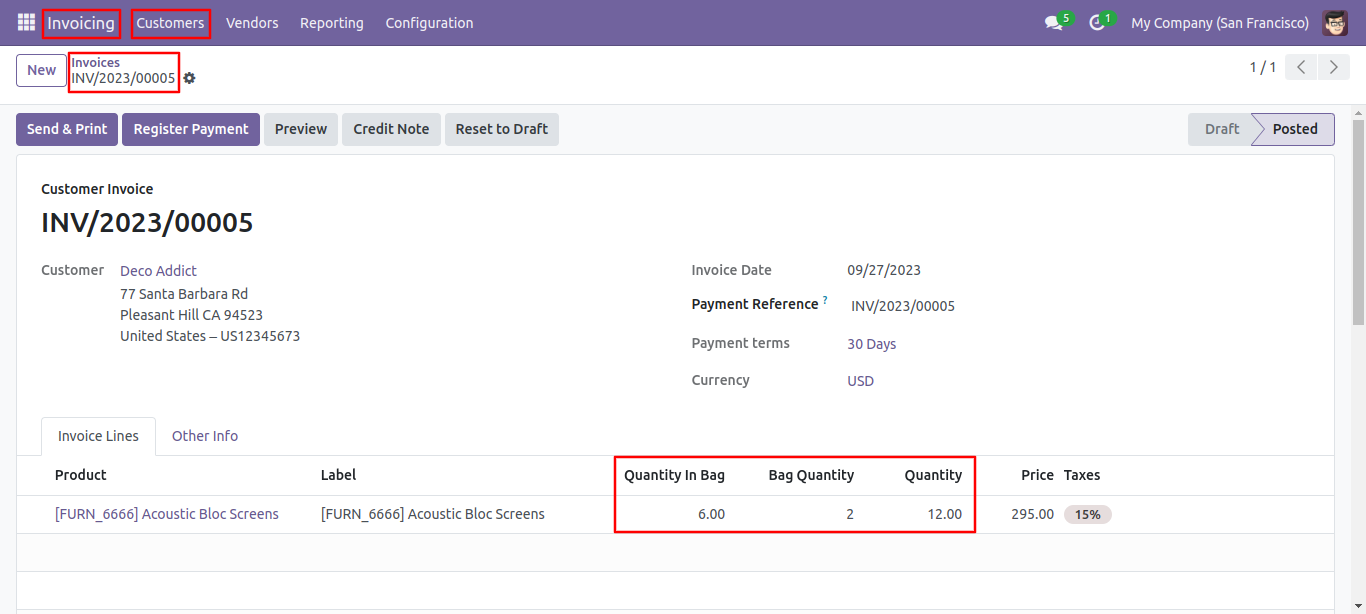
If you have enabled bag qty from the configuration then it shows bag size in order line with total quantity.
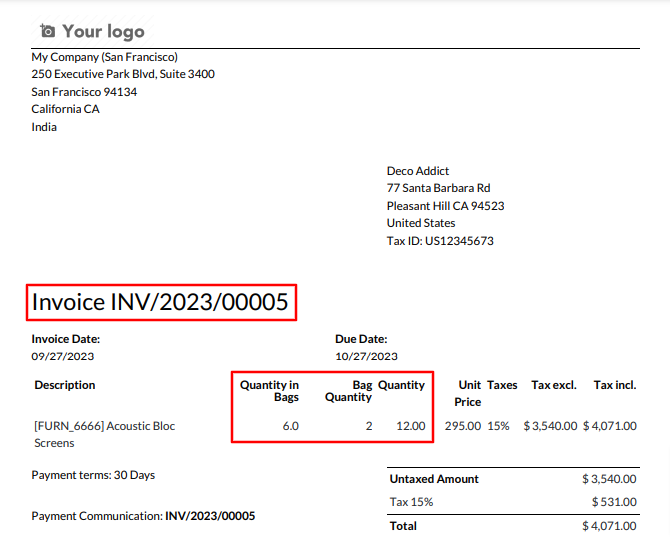
If you have enabled 'Show Bag Size In Report' from the configuration then it shows bag size in the report.
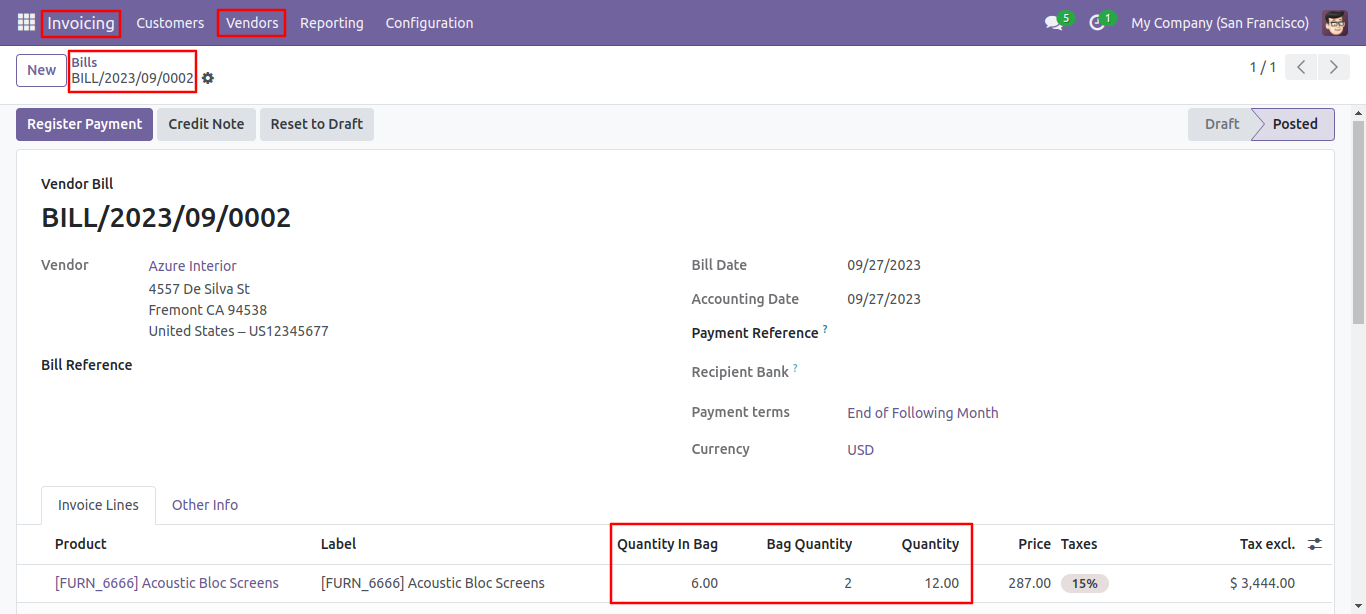
The quantity in bag, bag quantity, and quantity are visible in the Invoice Line tab of the bills.
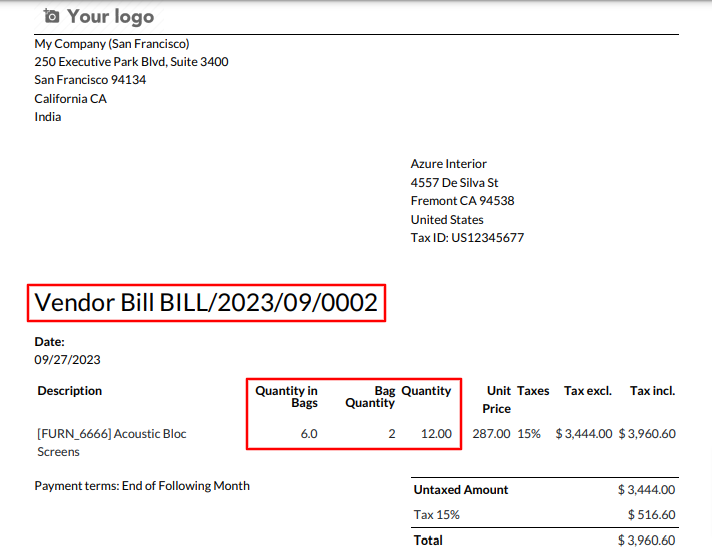
Bills PDF report looks like below.
Version 18.0.1 | Released on : 21st August 2024
- Yes, this app works perfectly with Odoo Enterprise (Odoo.sh & On-Premise) as well as Community.
- No, this application is not compatible with odoo.com(odoo saas/Odoo Online).
- No, currently it does not work if the product type is selected as a combo product. For more details, please contact our support team at support@softhealer.com.
- Please Contact Us at sales@softhealer.com to request customization.
- Yes, you will get free update for lifetime.
- No, you don't need to install addition libraries.
- For version 12 or upper, you will need to purchase the module for each version that you want to use.
- Yes, we provide free support for 365 days.
- No, We do not provide any kind of exchange.
