











Inventory Quantity Pack

This module allows you to assign the product quantity in bags. When you input the bag quantity, it will automatically calculate the total quantity based on the number of bags in incoming orders, outgoing orders, and internal transfers. If you sell some products in bulk quantities within packages, packs, or bags, this module comes in handy. For instance, consider a 25kg bag of sugar. Our module allows you to input the bag quantity, and it will automatically calculate the final quantity. For example, if you enter 5 bags of 25kg sugar, it will calculate the quantity as 125kg in the quantity field. You can also choose to hide or show the bag size in incoming orders, outgoing orders, and internal transfers, as well as in the reports.

Related Modules
Features
- You can assign the product quantity in bags.
- It will automatically calculate the total quantity based on the quantity of bags in incoming orders, outgoing orders, or internal transfers.
- You can hide/show the bag size in the incoming order, outgoing order, or internal transfer.
- You can hide/show bag size in the reports.
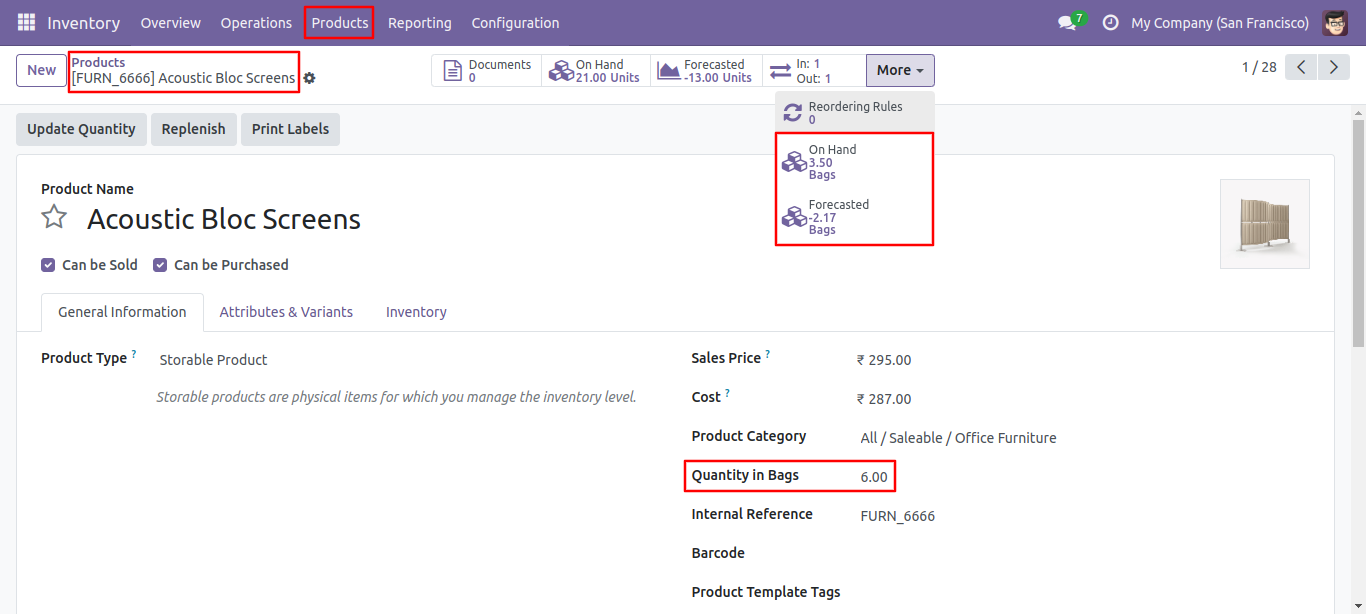
Go to the product page to set the quantity in bags.
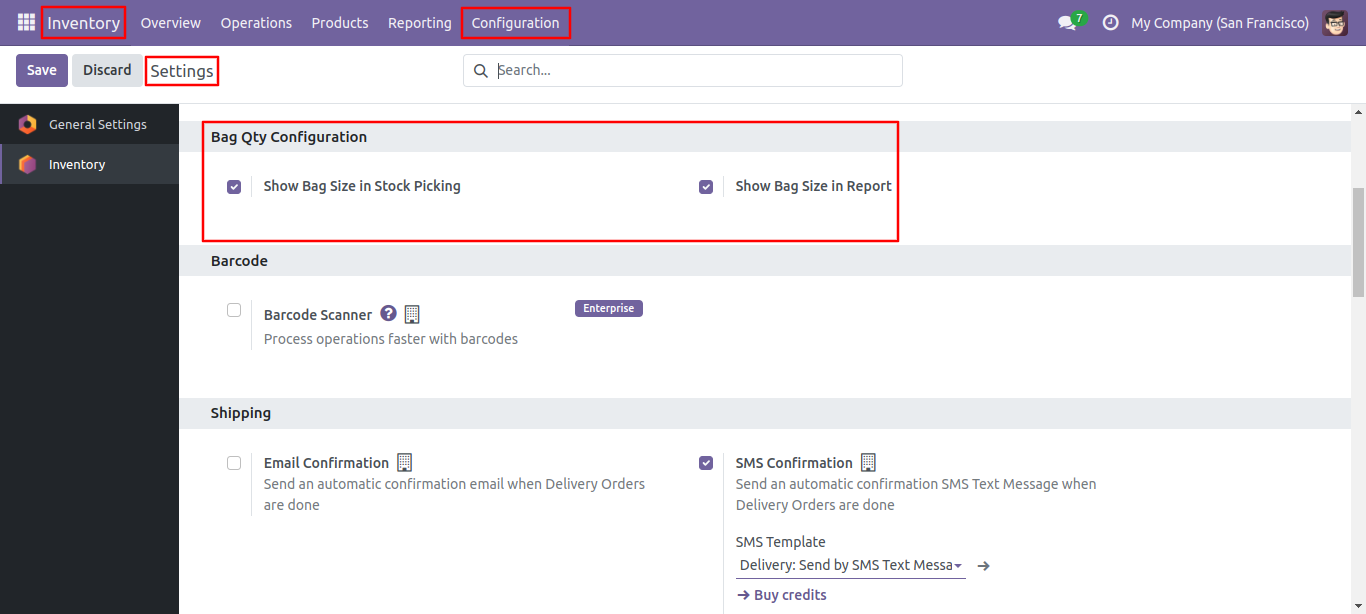
Go to the inventory to configure the hide/show of bag total quantities.
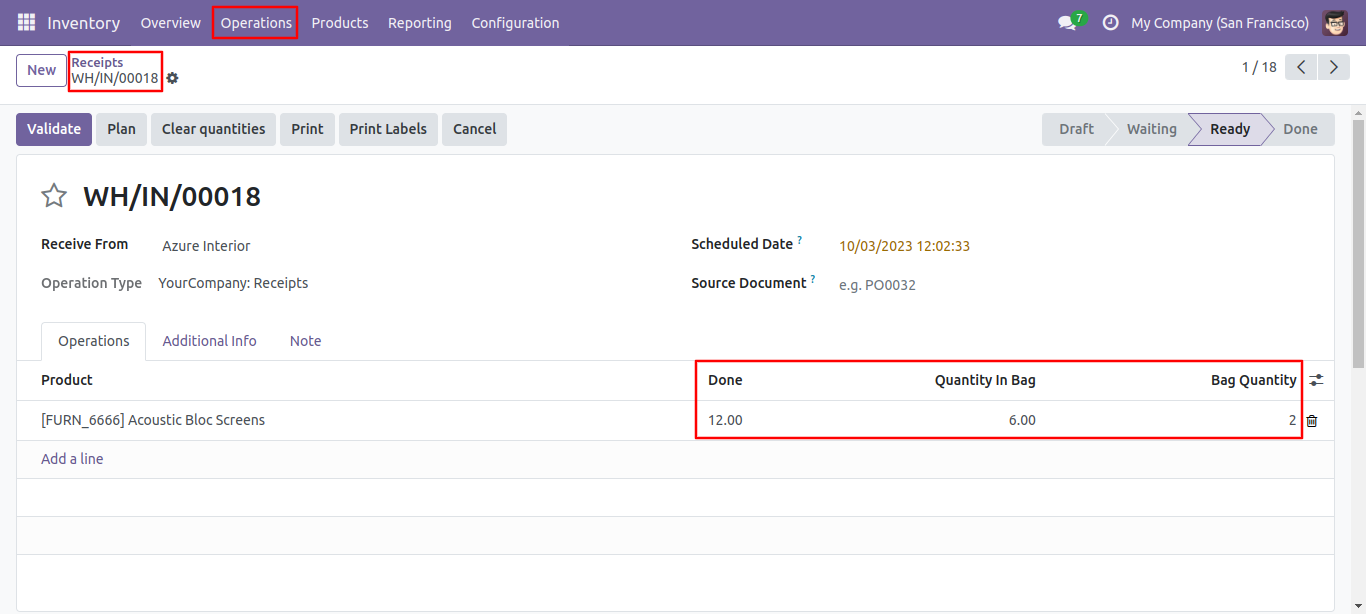
If you have enabled 'bag quantity' in the configuration, it will display the bag size in the order line along with the total quantity.
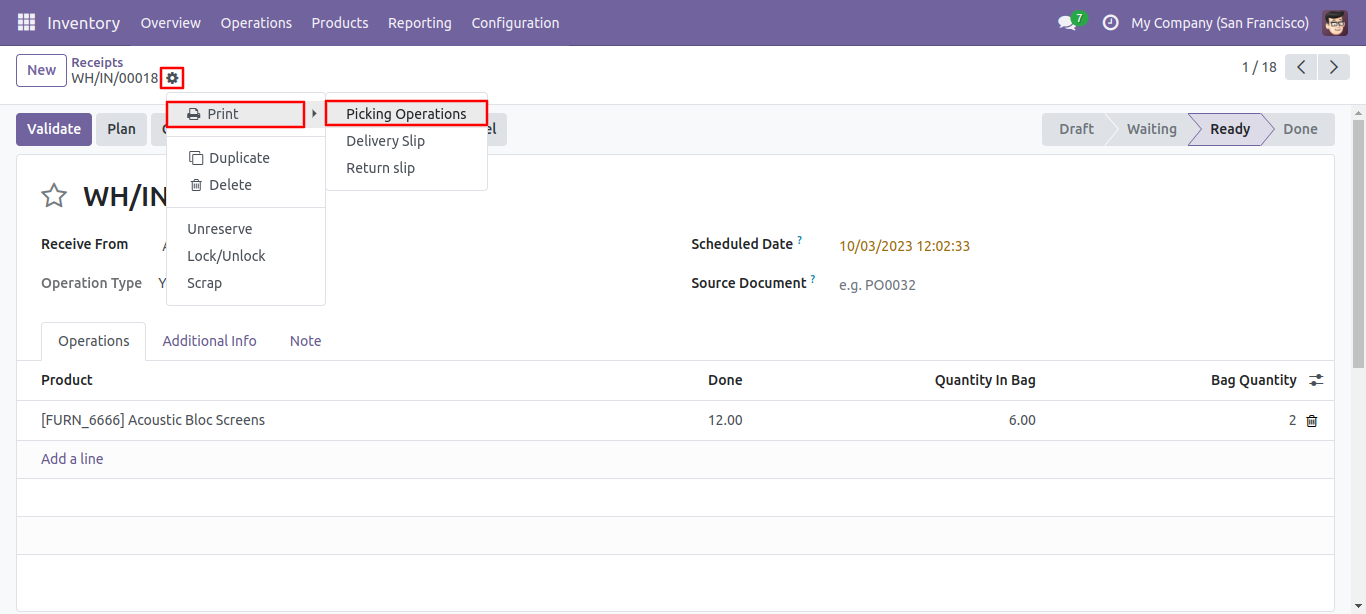
Print the 'Picking Oprations' report from the action menu.
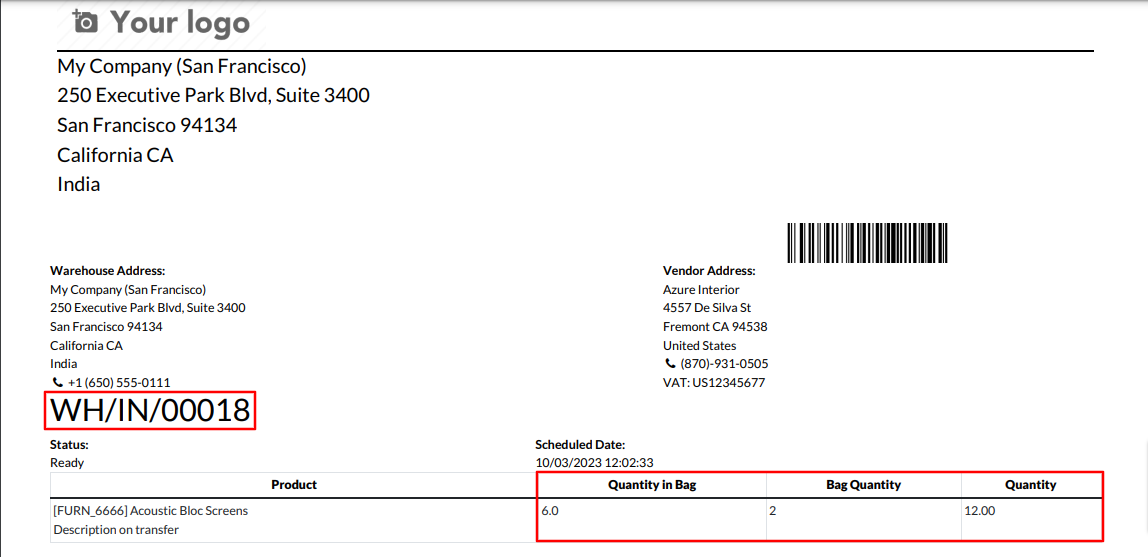
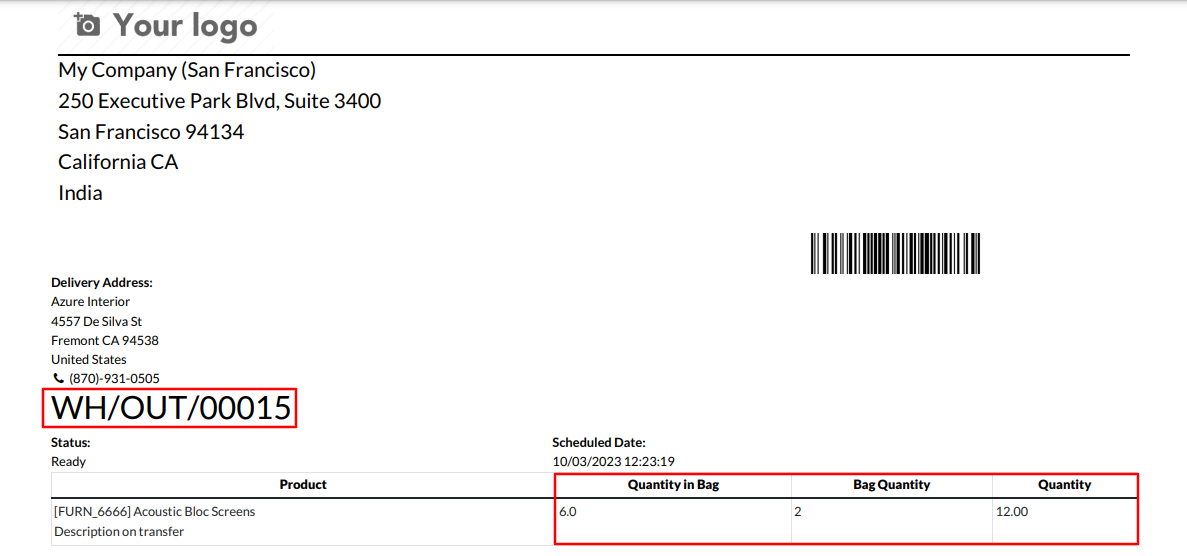
If you've enabled 'Show Bag Size In Report' in the configuration, it will display the bag size in the report.
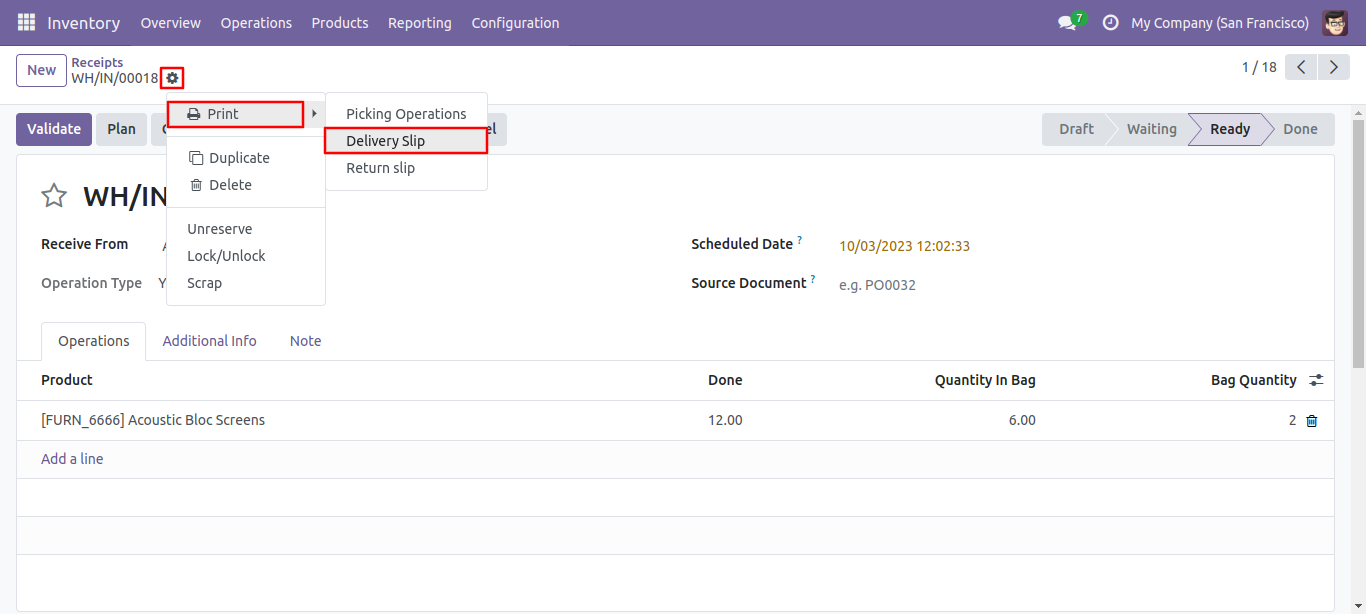
Form view of the receipts. Print the 'Delivery Slip' report from the action menu.
Delivery slip report pdf.
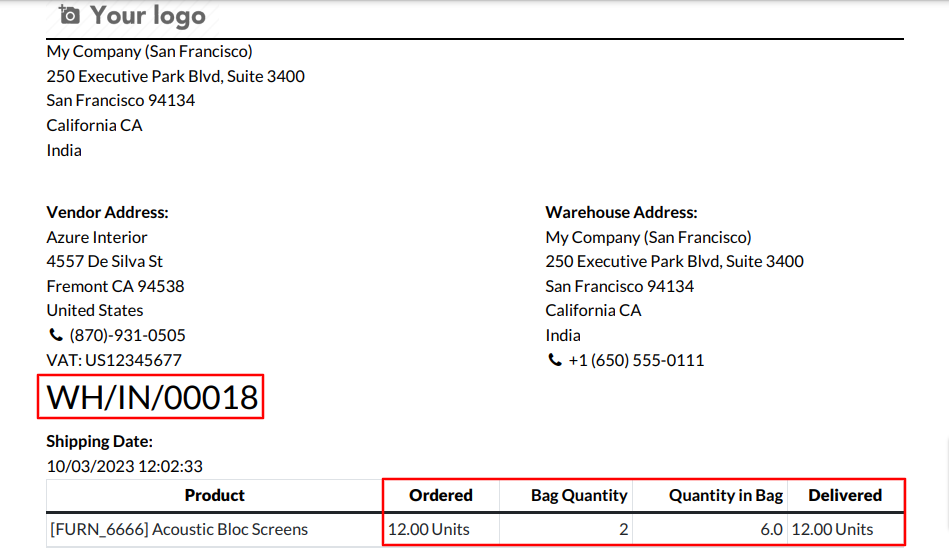
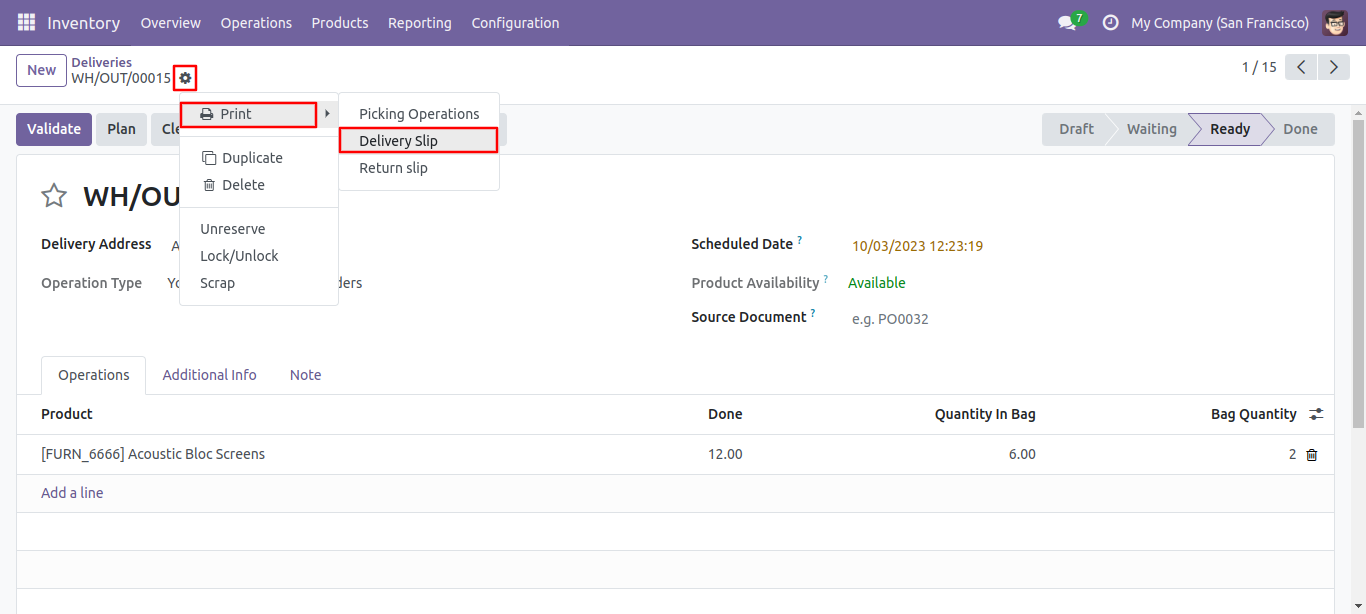
In the deliveries, you can also see the bag size in the order line along with the total quantity.
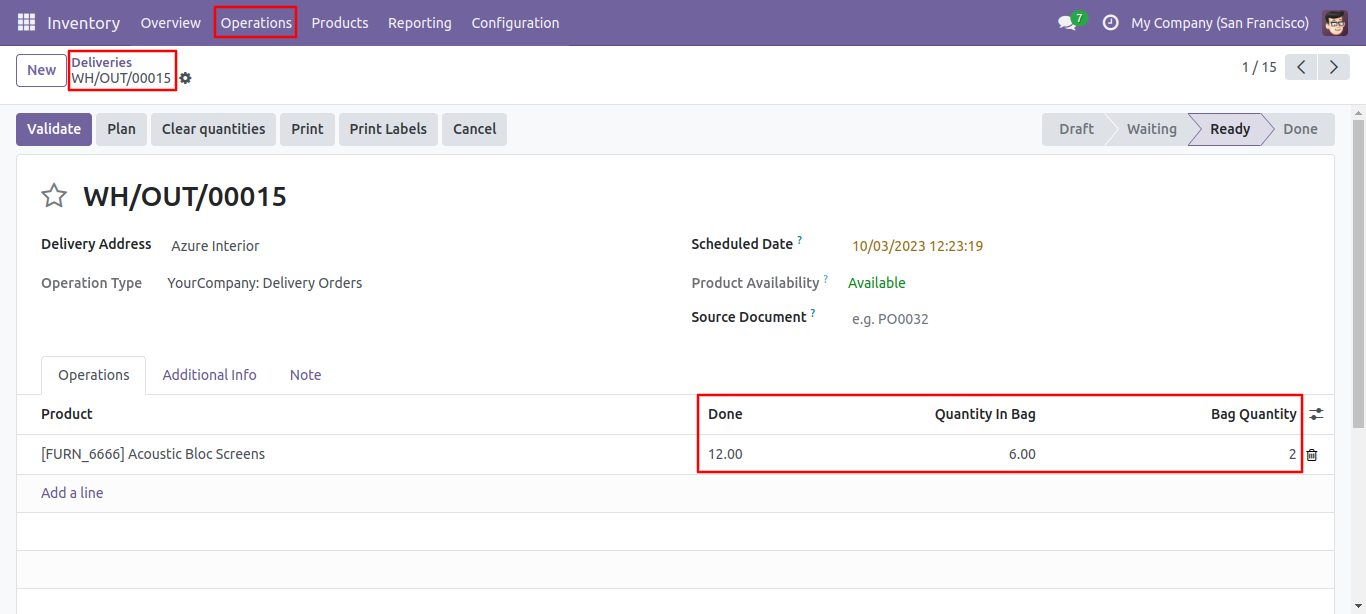
Print the 'Picking Operations' report from the action menu.
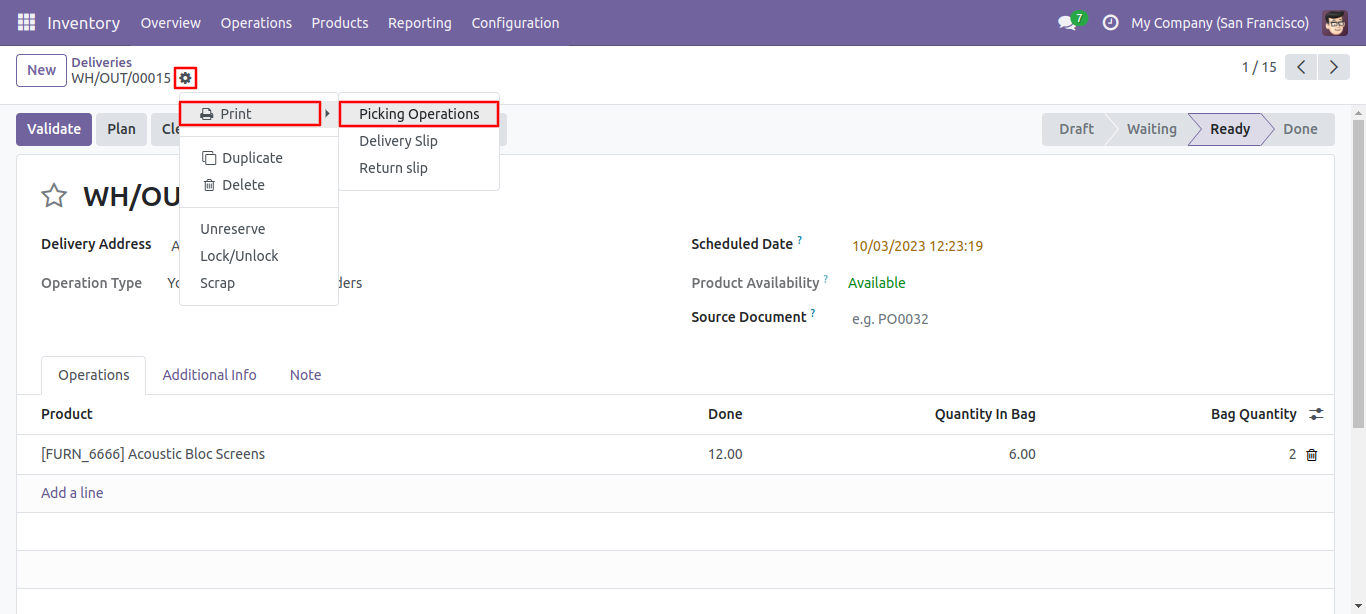
Picking operations report pdf.
Form view of the deliveries. Print the 'Delivery Slip' report from the action menu.
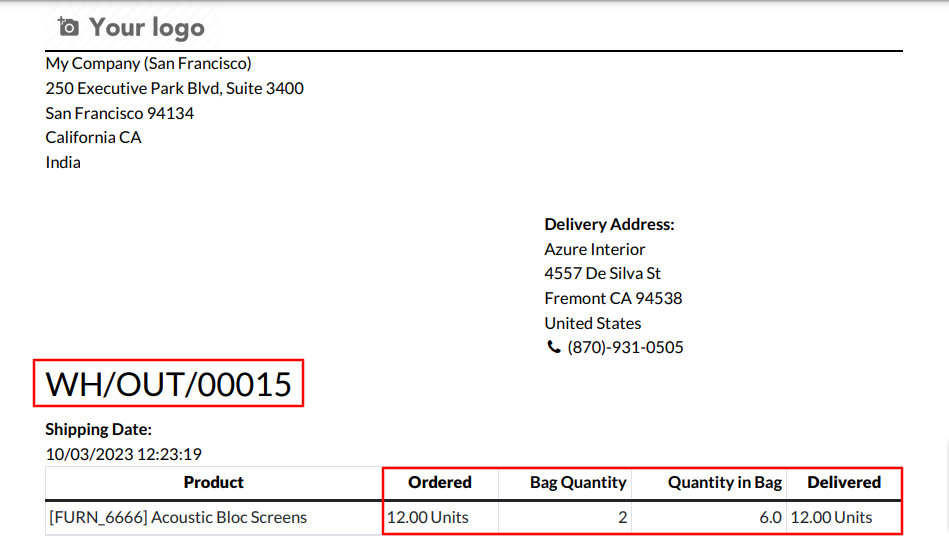
Delivery slip report pdf.
Version 19.0.1 | Released on : 30th September 2025
- Yes, this app works perfectly with Odoo Enterprise (Odoo.sh & Premise) as well as Community.
- No, this application is not compatible with odoo.com(odoo saas/Odoo Online)
- Yes, to test this module, please contact us at sales@softhealer.com.
- Please contact us at sales@softhealer.com to request customization.
- Yes, we provide free support for 365 days from the date of purchase.
- Yes, you will receive lifetime free updates for the version of the module you purchased.
- No, there is no need to install any additional libraries.
- Yes, for version 12 and above, you need to purchase the module separately for each version you intend to use.
- No, exchanges or refunds are not allowed. Please make sure to select the correct version before purchasing.
- You can contact us at support@softhealer.com for language translation support. We use Google Translator tools to provide translations in multiple languages, so the accuracy may vary. We welcome your suggestions to help improve translations.
Discover Our Latest Apps