












Inventory Analytic Account & Distribution

Inventory Analytic Account & Distribution extends Odoo Inventory by enabling users to assign analytic accounts or analytic distributions directly to inventory operations for accurate cost allocation and financial tracking. Apply analytic information at the picking or stock move level, distribute costs across multiple analytic accounts, and maintain consistent analytic tracking across receipts, delivery orders, internal transfers, and return operations, ensuring better visibility into inventory-related costs and improved analytic reporting.

Related Modules
Features

Analytic Account Support
Assign a dedicated analytic account to inventory transfers and stock operations.

Analytic Distribution Support
Distribute inventory costs across multiple analytic accounts using percentage allocations.
Flexible Application Method
Choose whether analytic information is applied by Picking, by Stock Move, or not applicable when not required.
Inventory Cost Allocation
Allocate inventory-related costs to the appropriate analytic accounts automatically.

Return Order Analytic Support
Maintain analytic accounts and analytic distributions on return transfers for consistent inventory cost tracking.
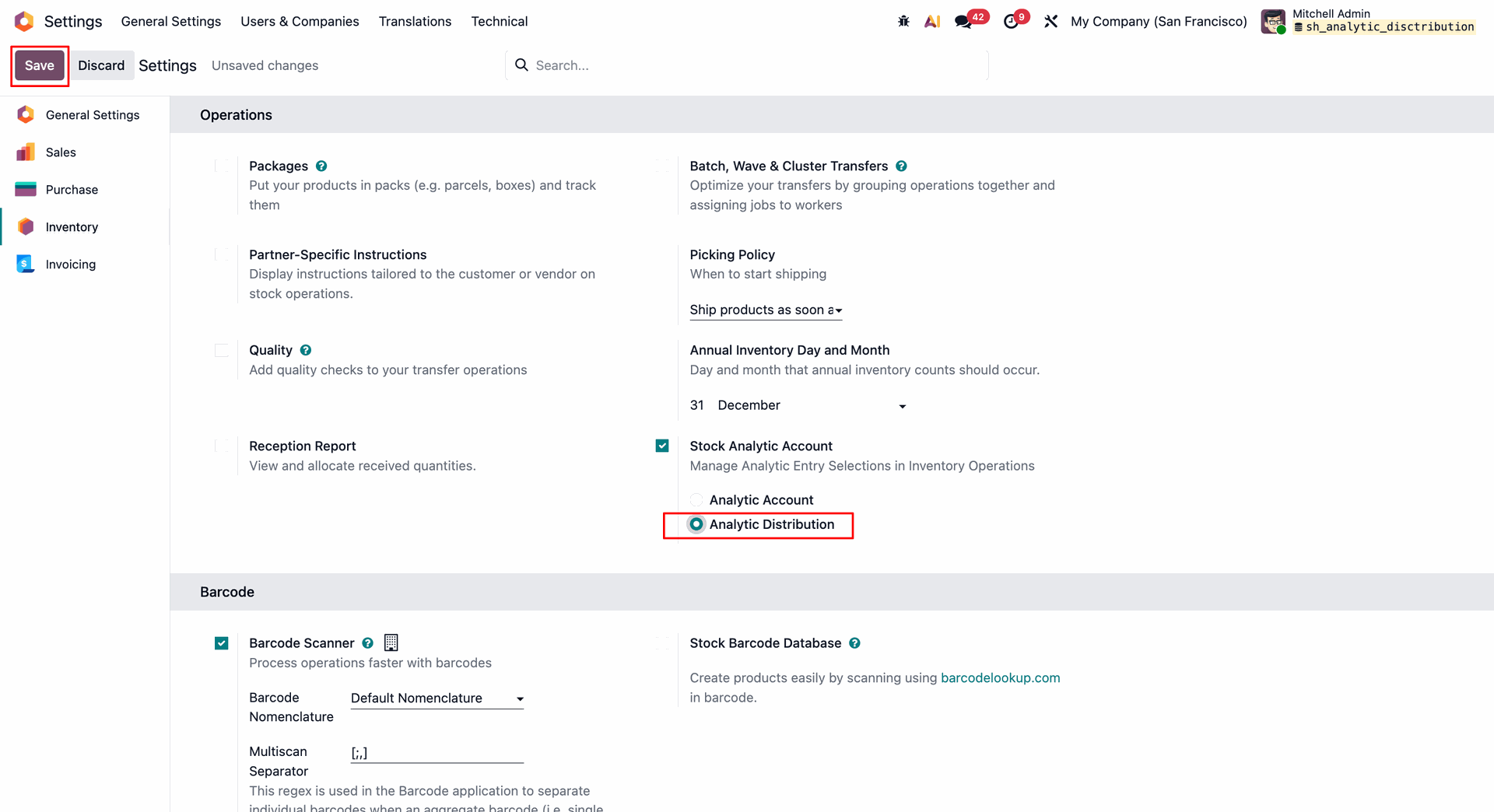
Enable and configure the Stock Analytic Account settings within the Inventory configuration menu.
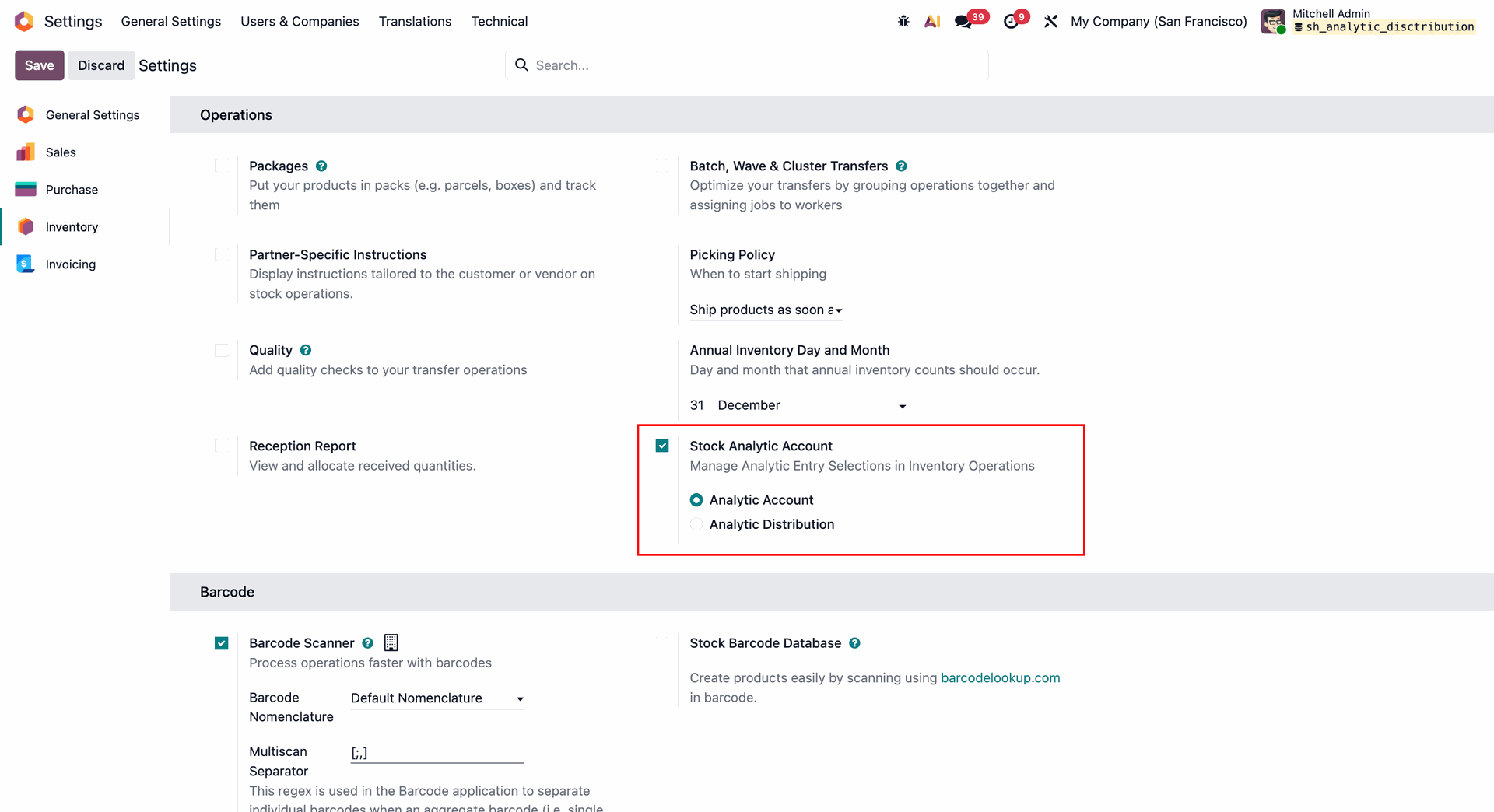
Choose how to apply analytic accounting (by picking or individual stock move) directly on the delivery order.
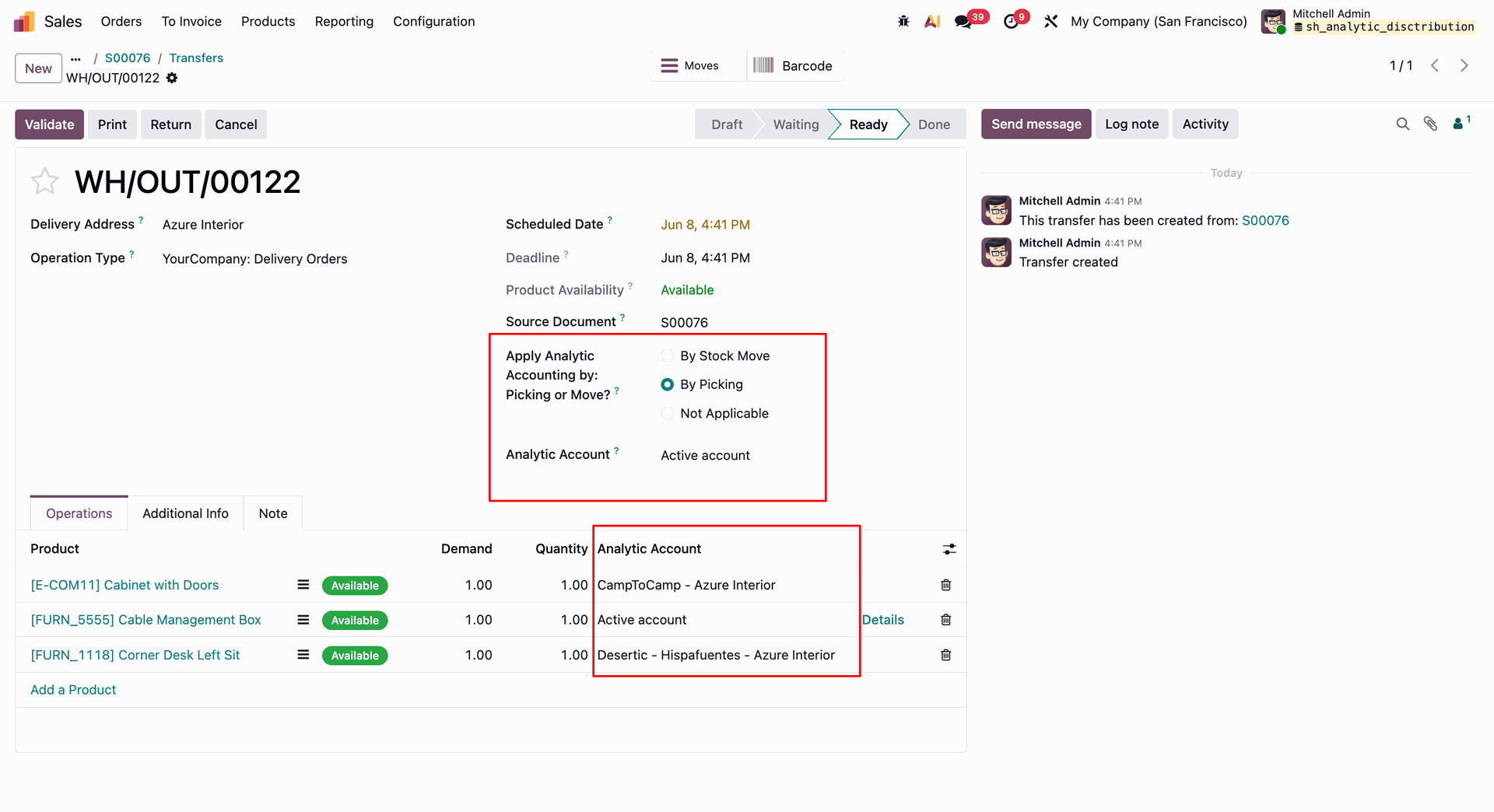
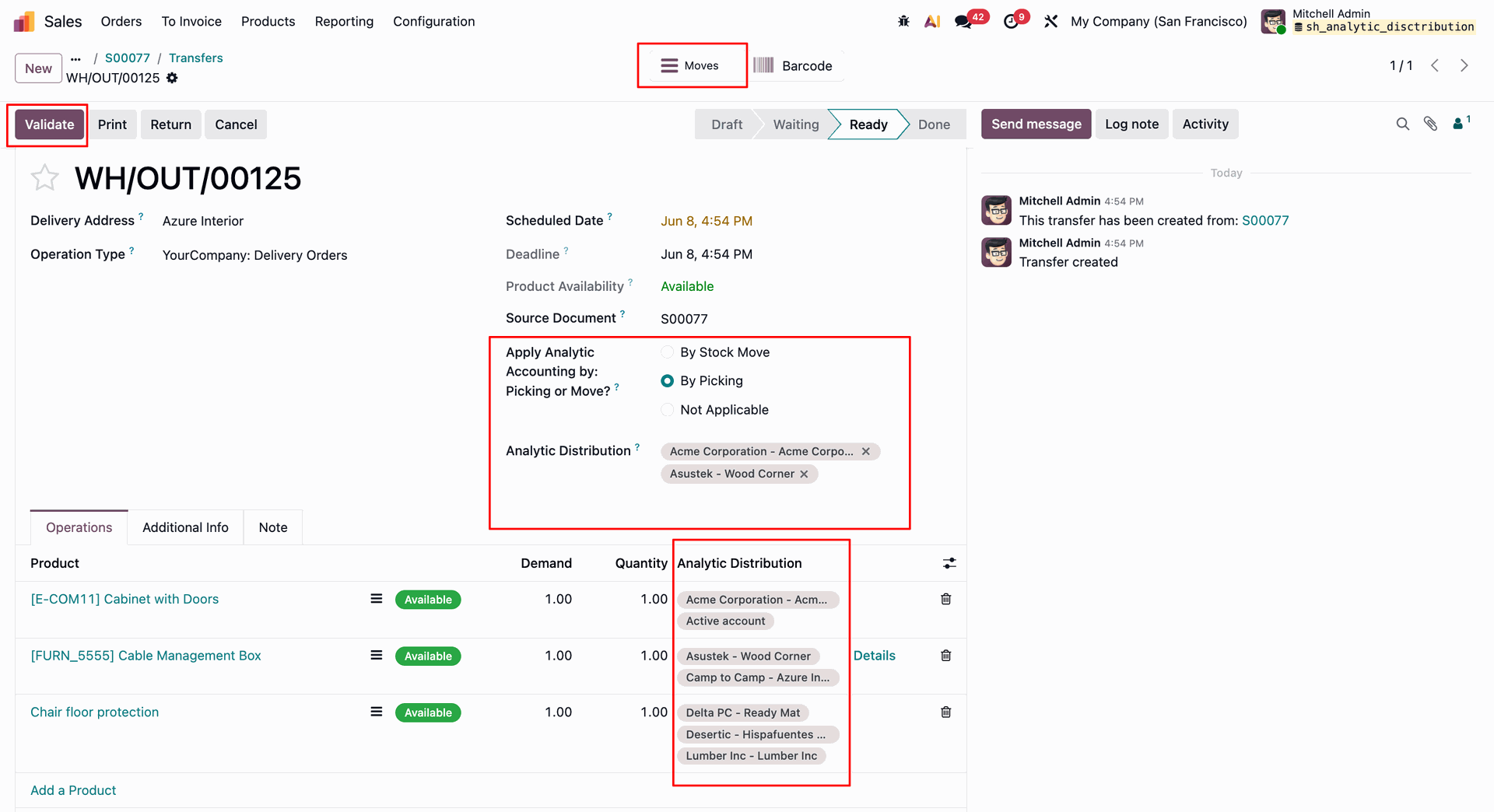
Select the analytic account 'By Picking', and click Validate to complete the stock transfer.
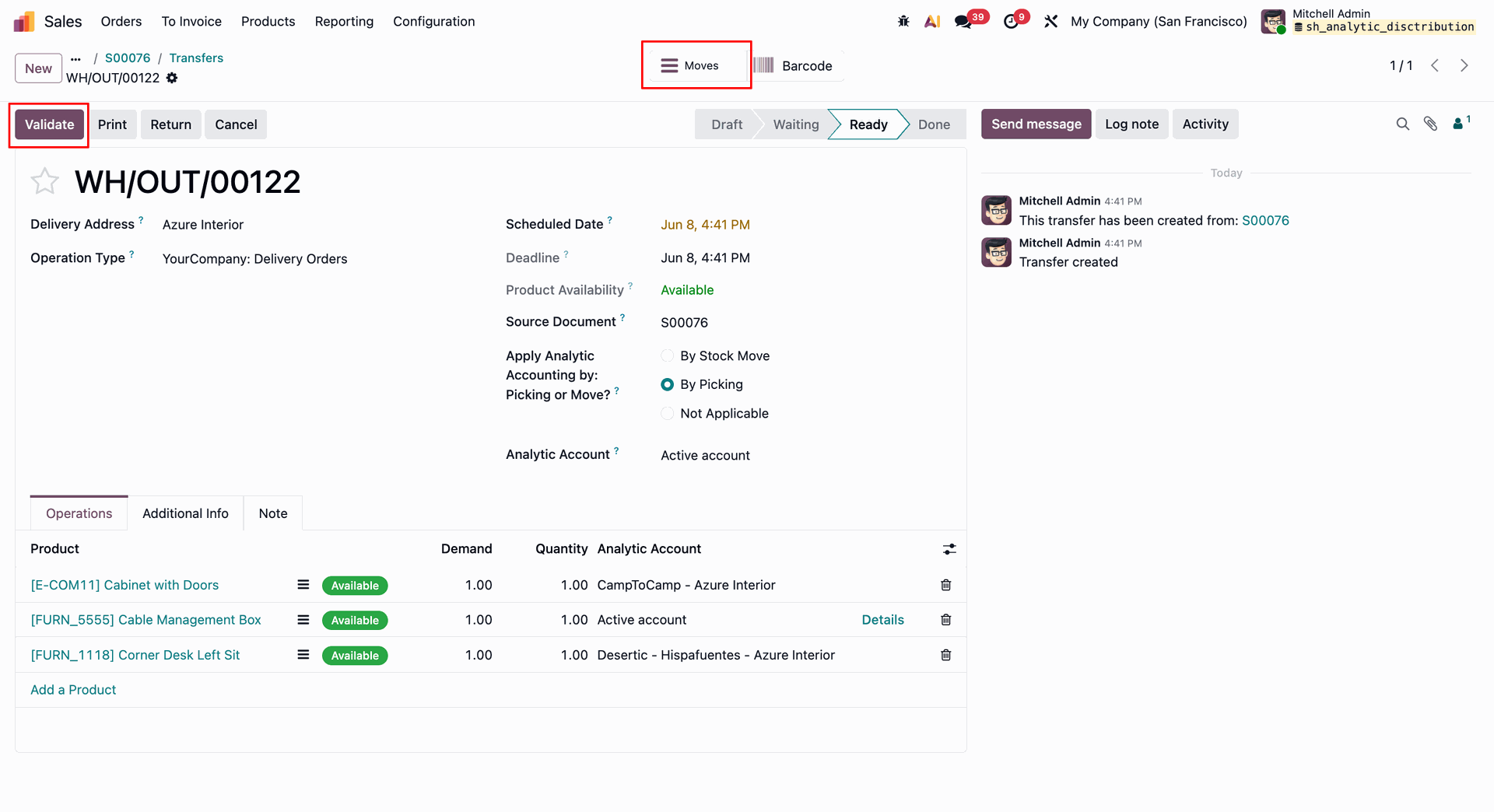
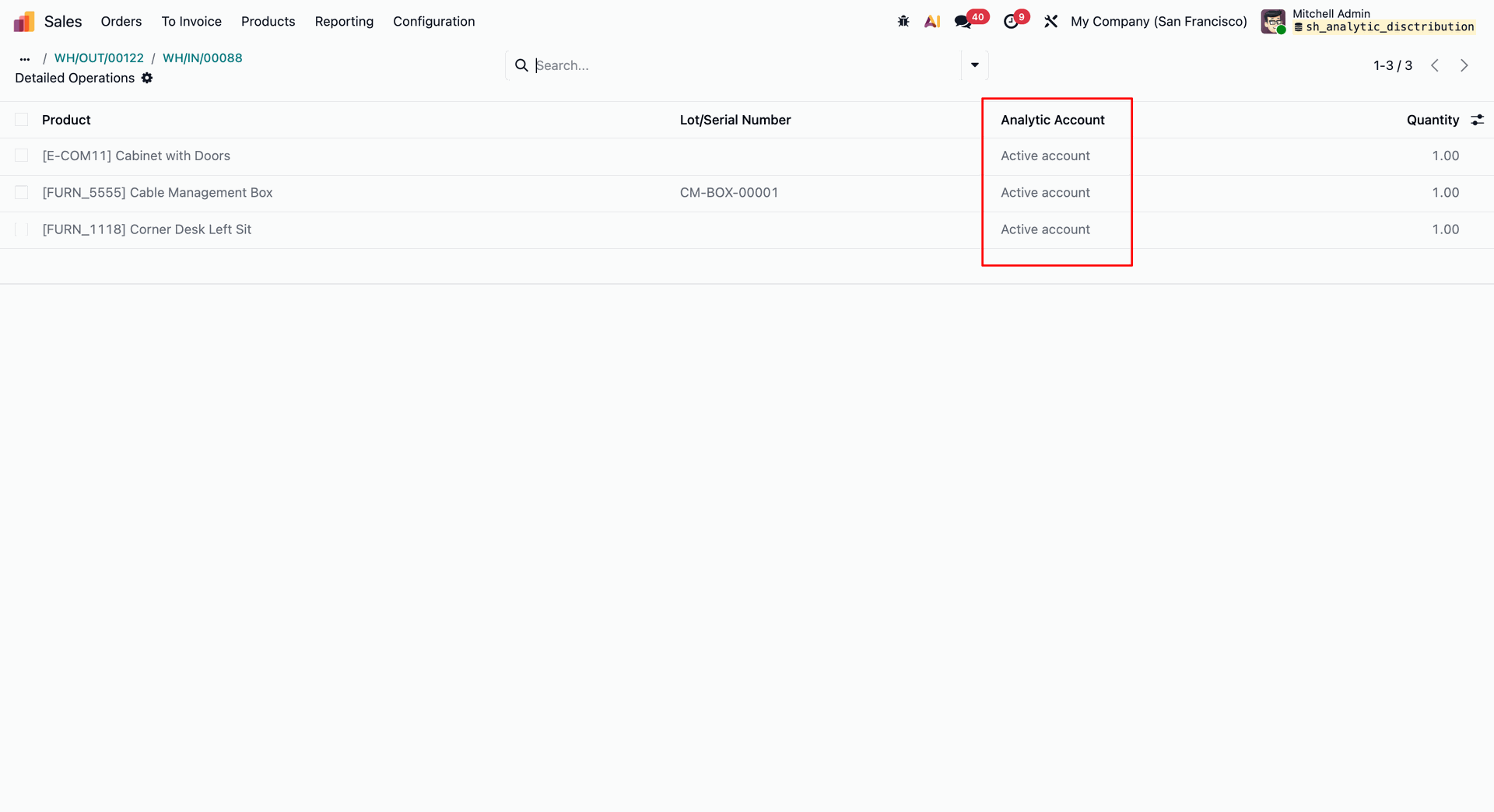
View or adjust assigned analytic accounts directly within the Detailed Operations interface for granular tracking.
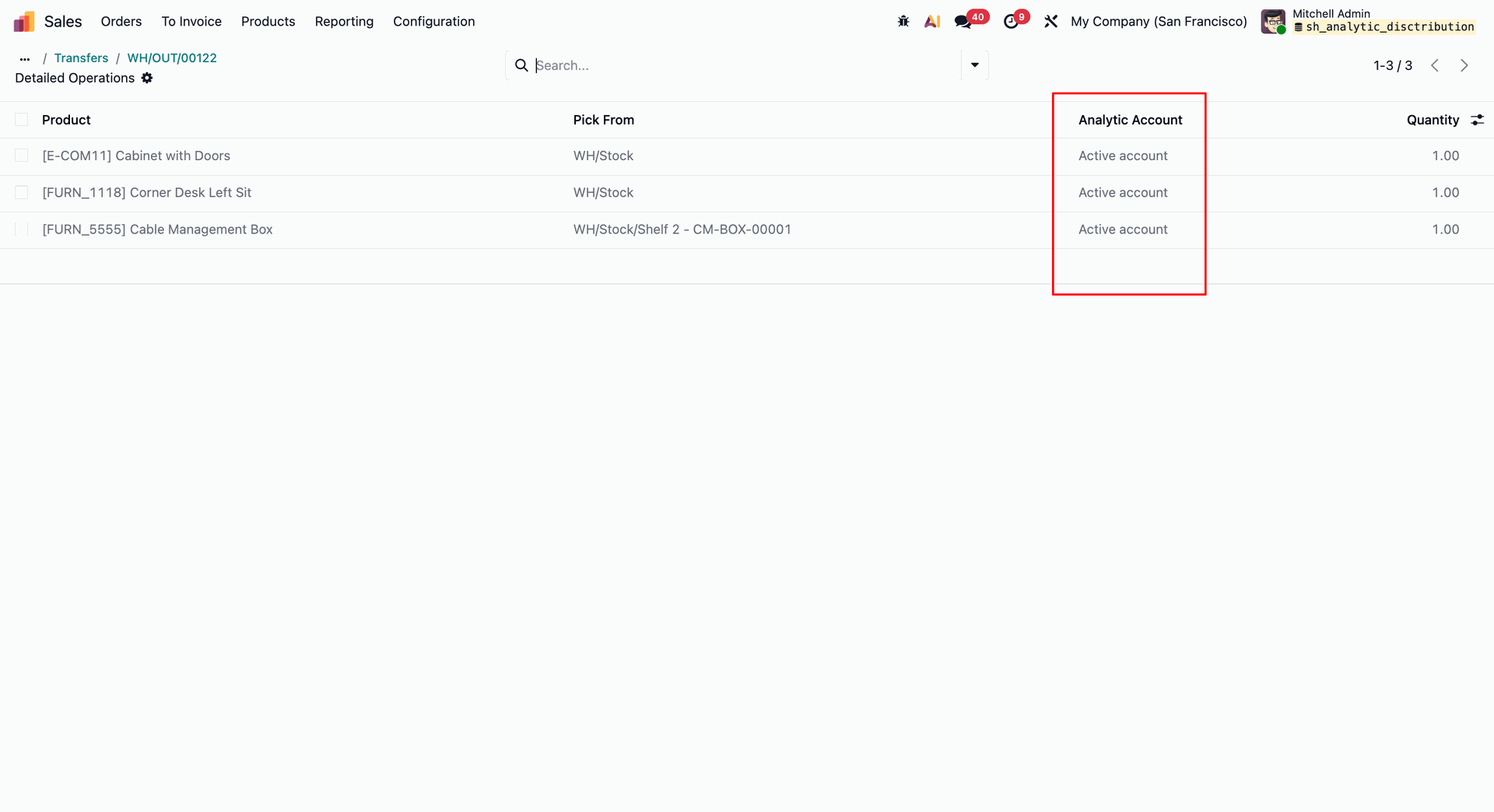
Now click 'Return'.
Select 'By picking' & click 'Validate'.
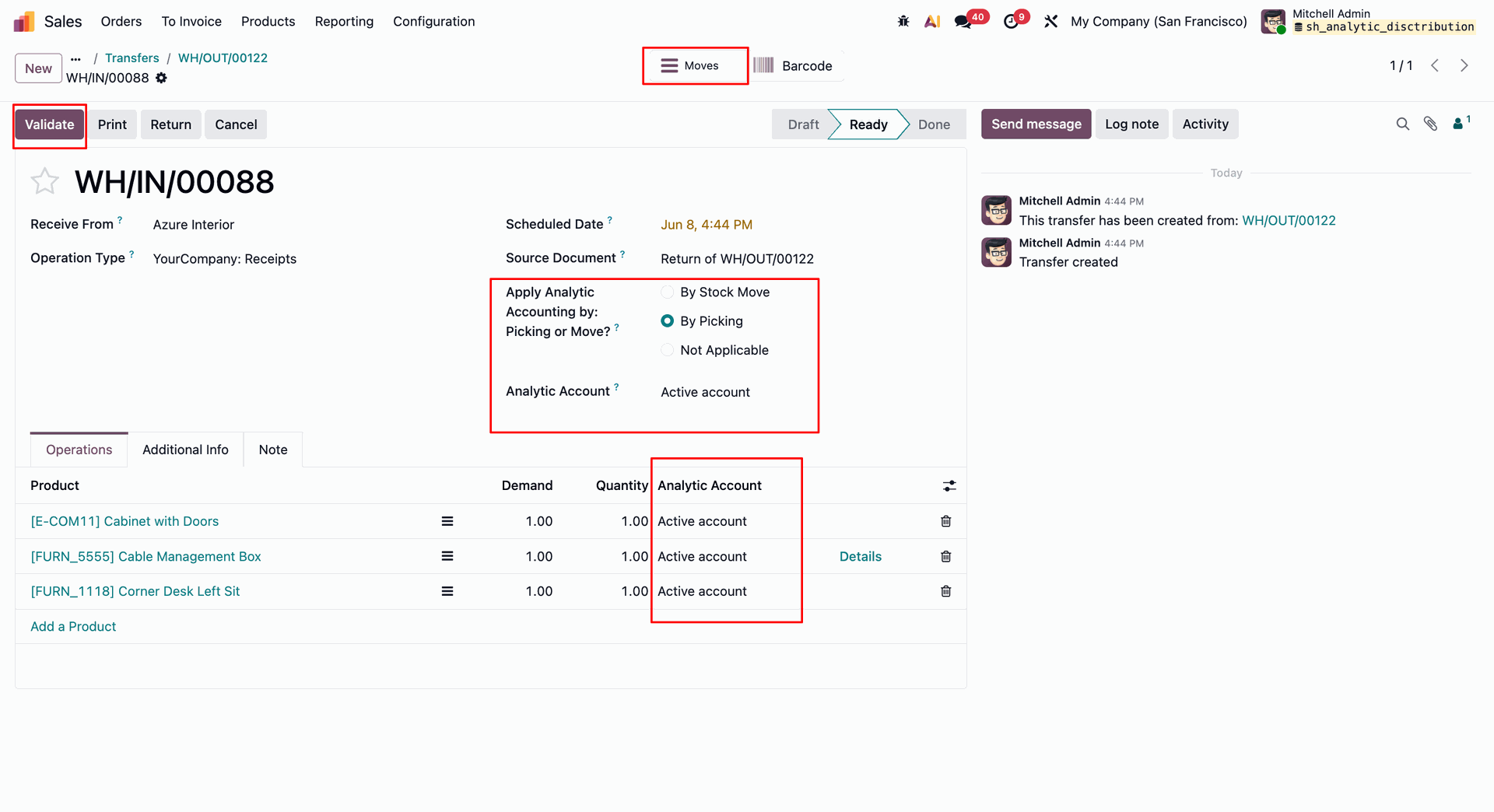
Track costs accurately by checking the assigned analytic accounts alongside product serial numbers in Detailed Operations.
Configure analytic accounting By Stock Move to assign distinct cost centers to different items.
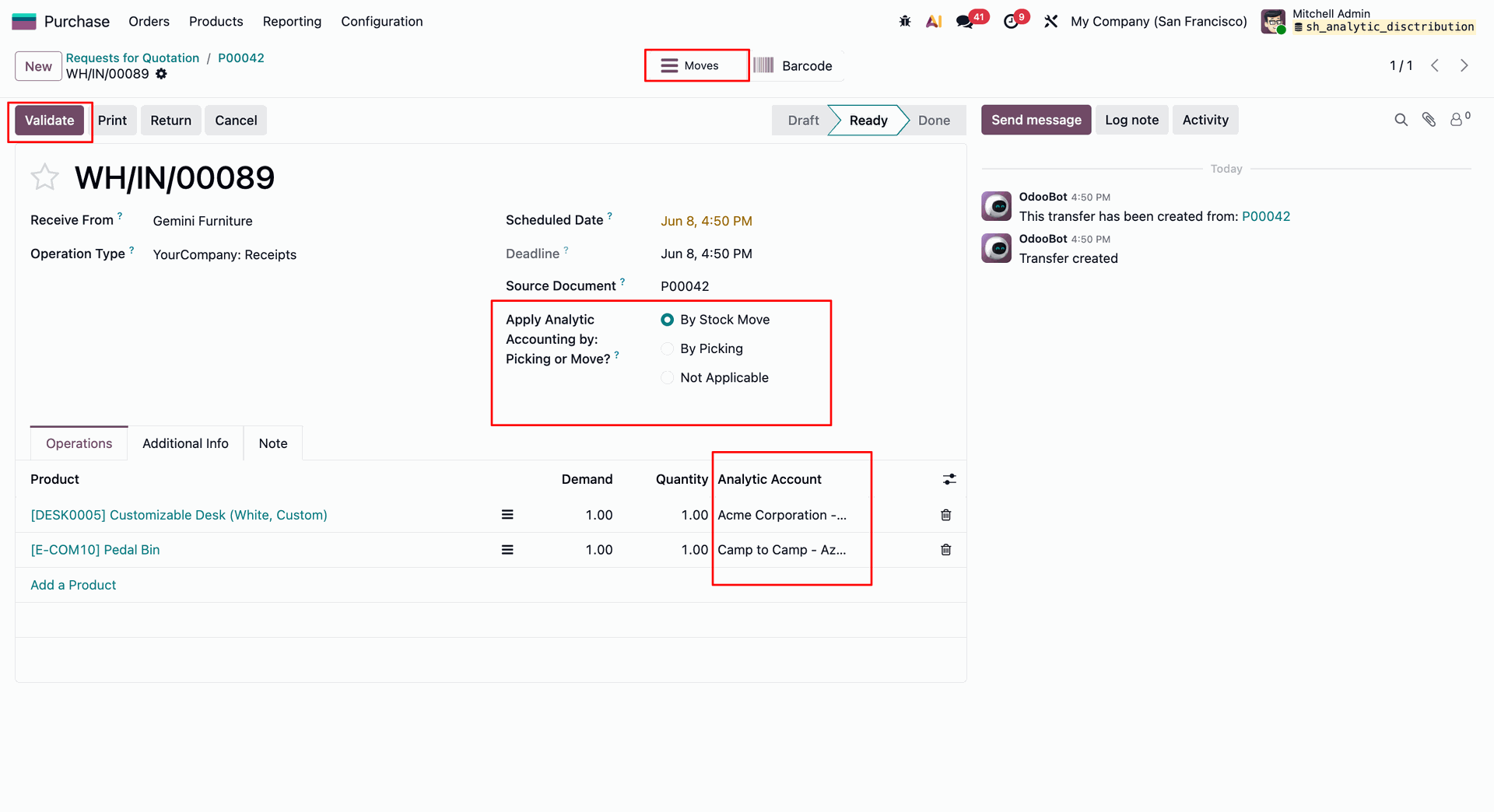
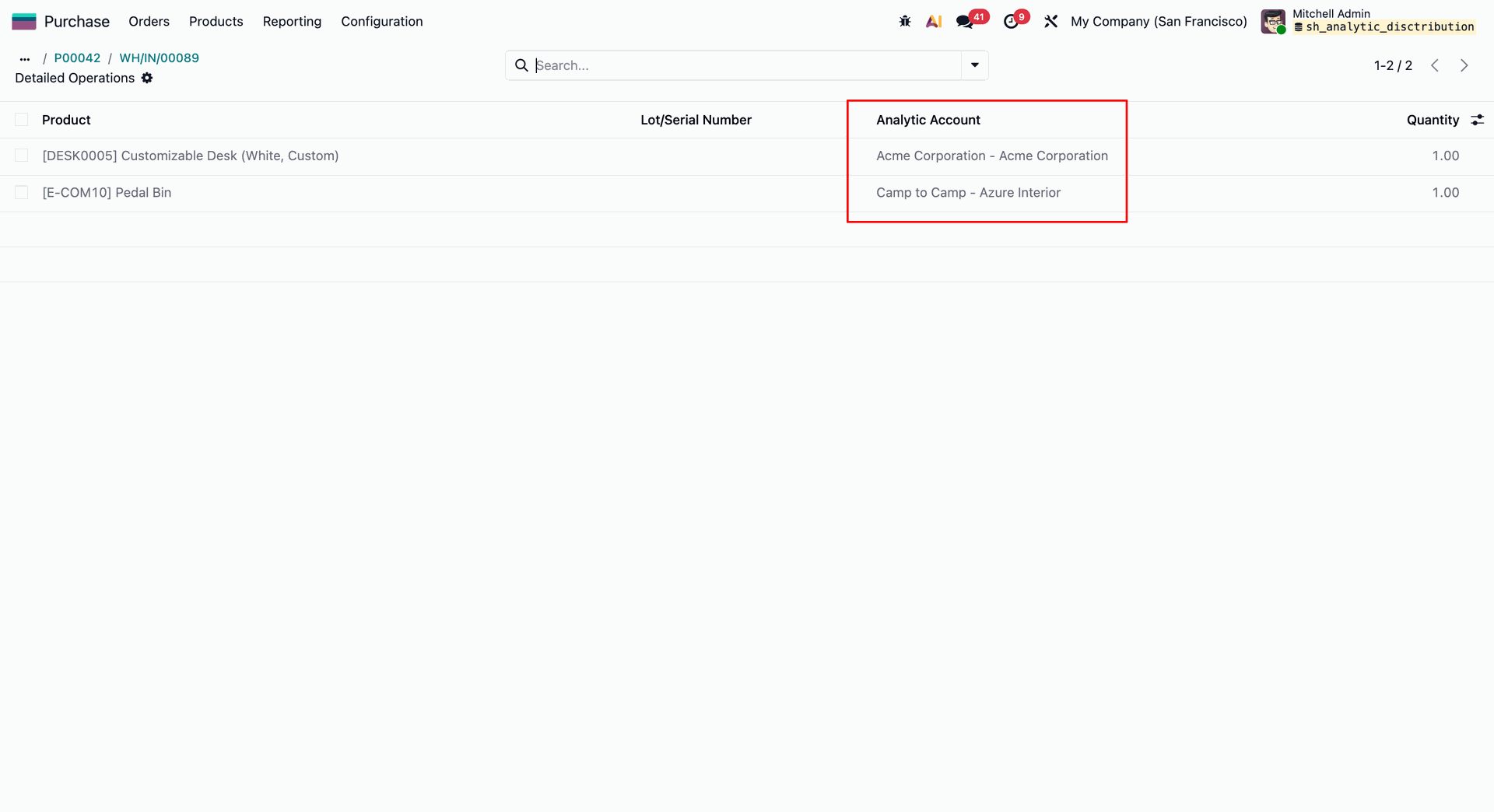
Detailed breakdown of specific analytic accounts assigned to individual purchased product lines.
Now click 'Return'.
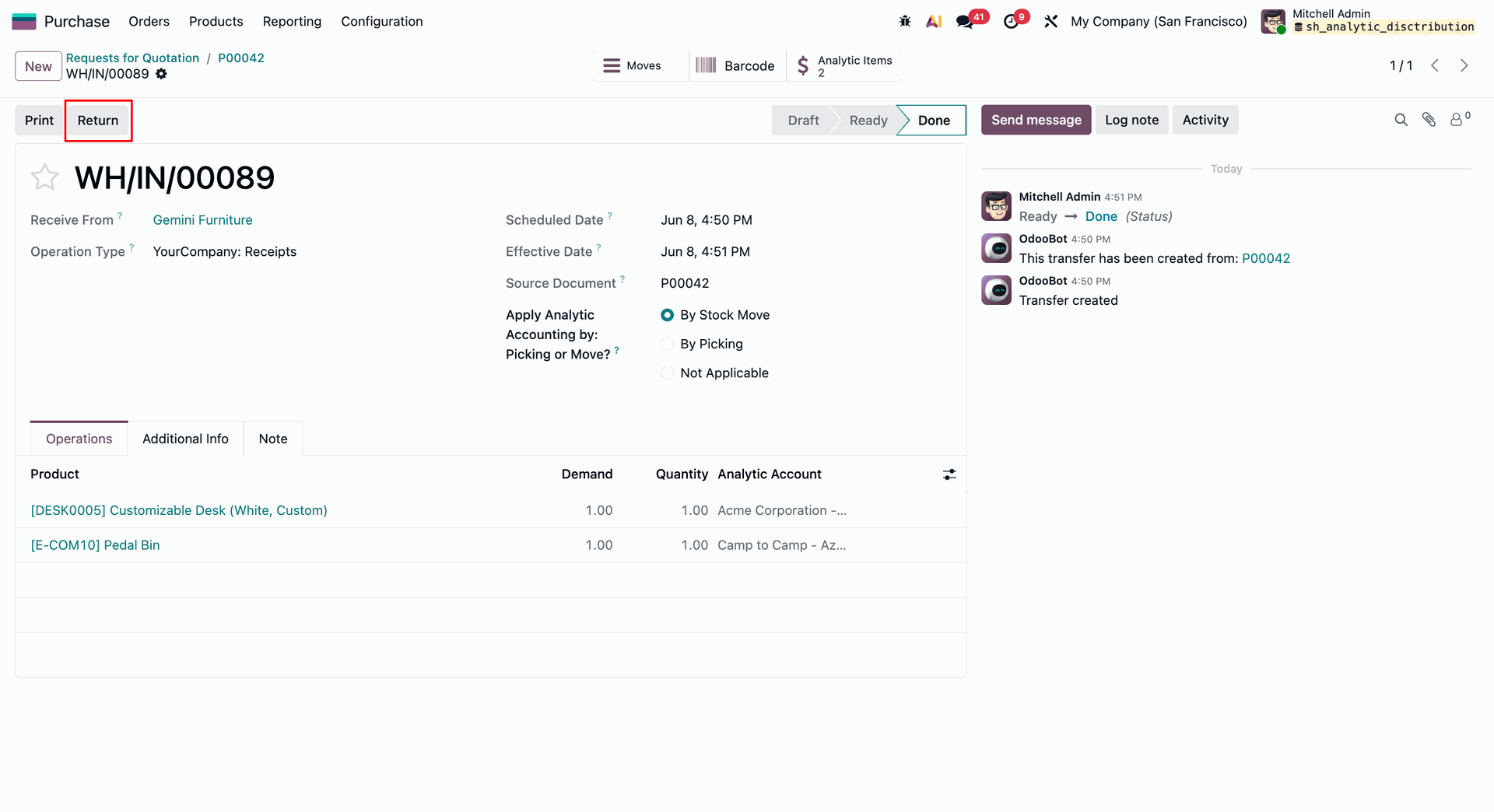
Select 'By Stock Move' & click 'Validate'.
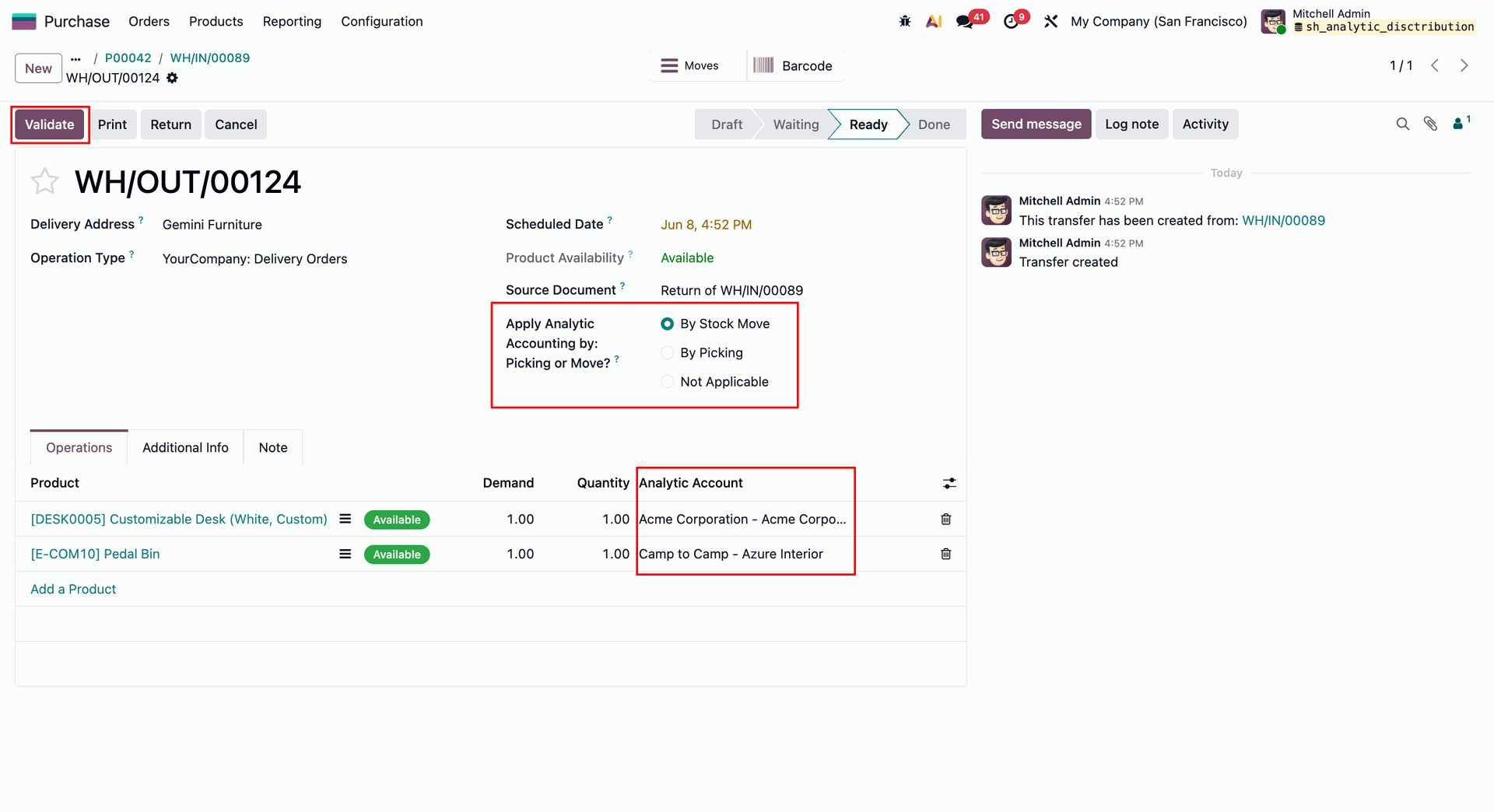
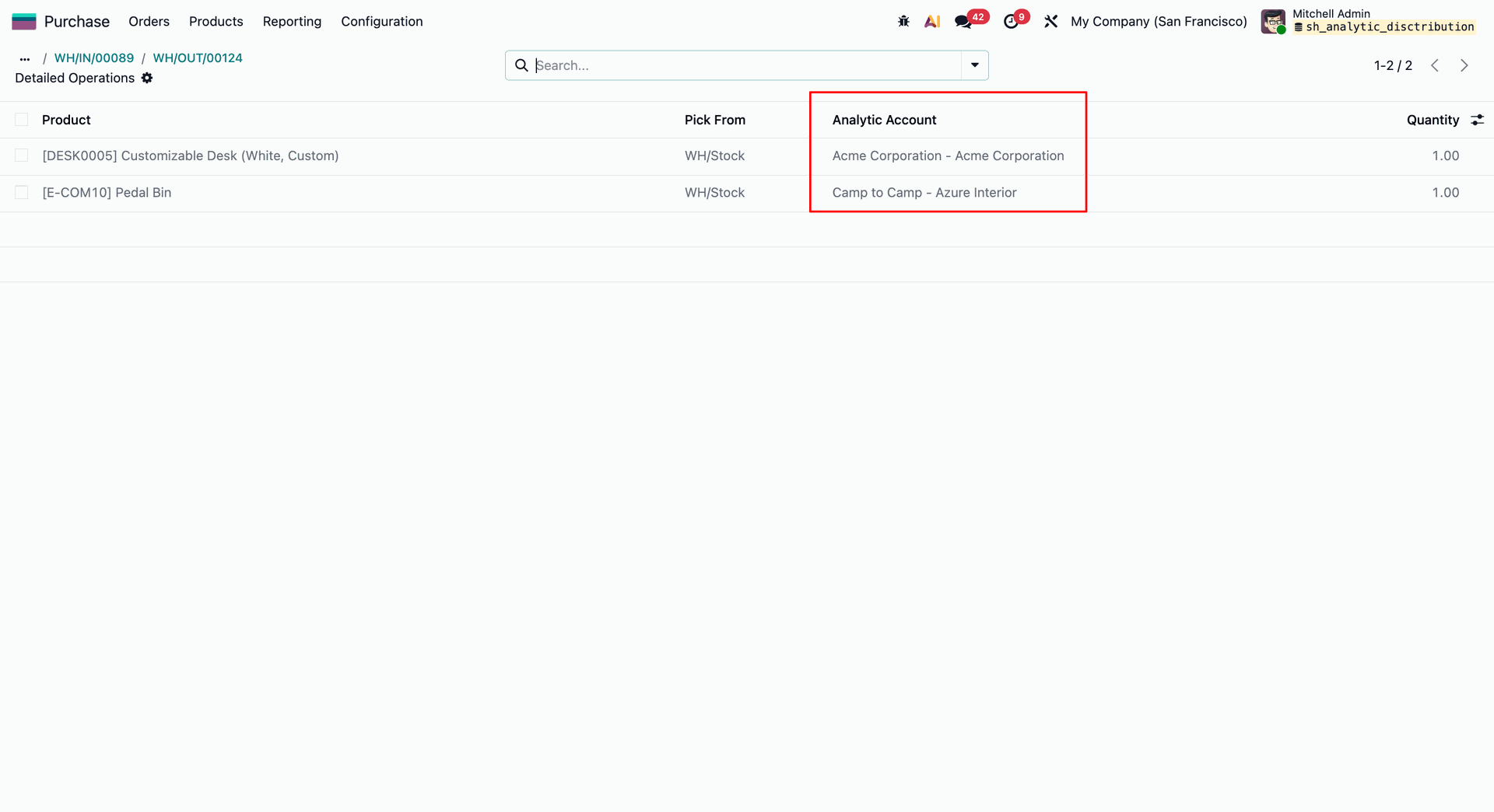
Verify source locations and assigned analytic accounts inside the Detailed Operations window for return shipments.
Switch settings to Analytic Distribution and click Save to enable advanced multi-account percentage tracking.
Apply multi-account Analytic Distribution tags at the picking level to split total delivery order costs.
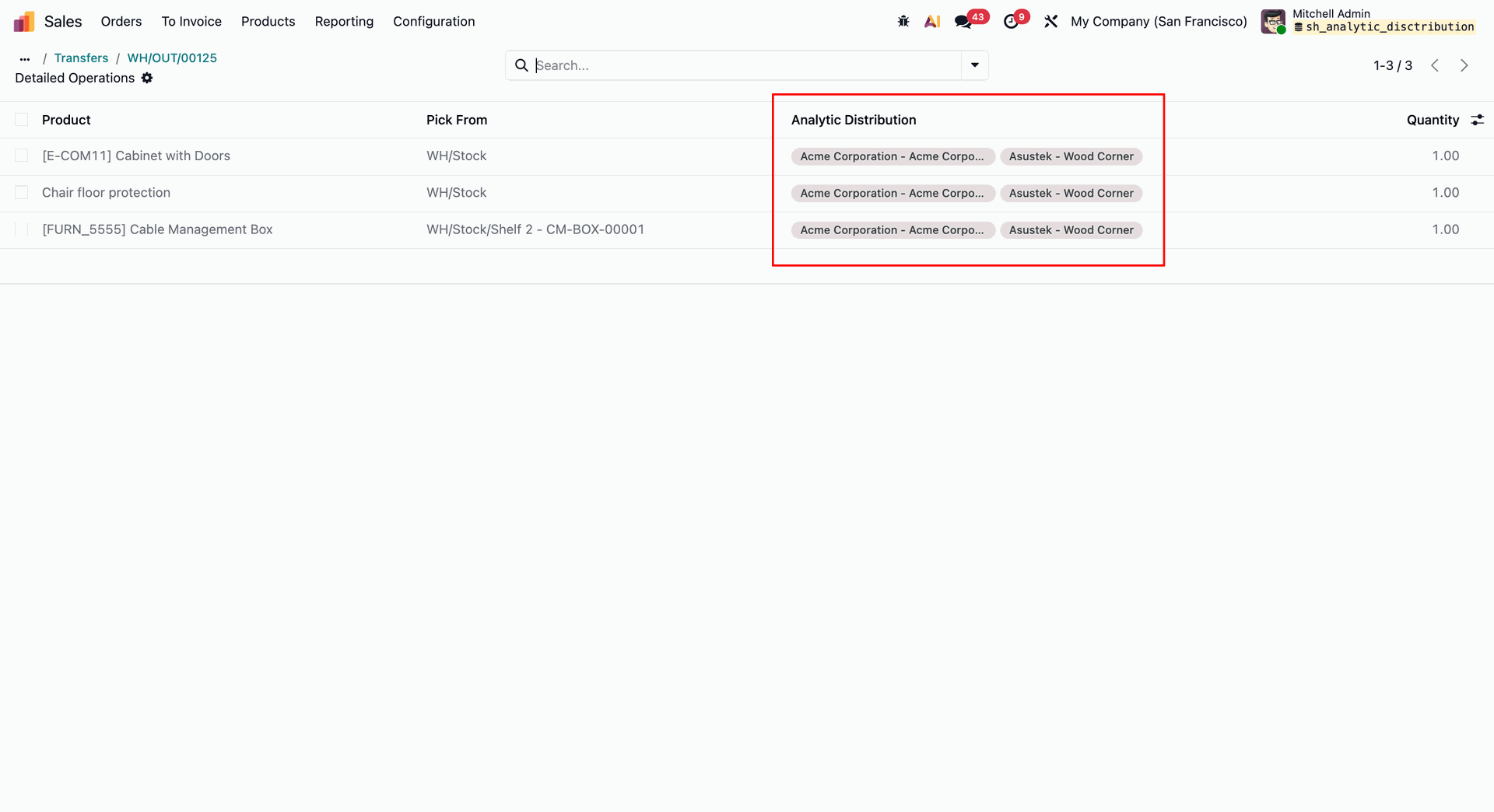
Review inherited multi-account cost allocations in Detailed Operations before concluding the transfer.
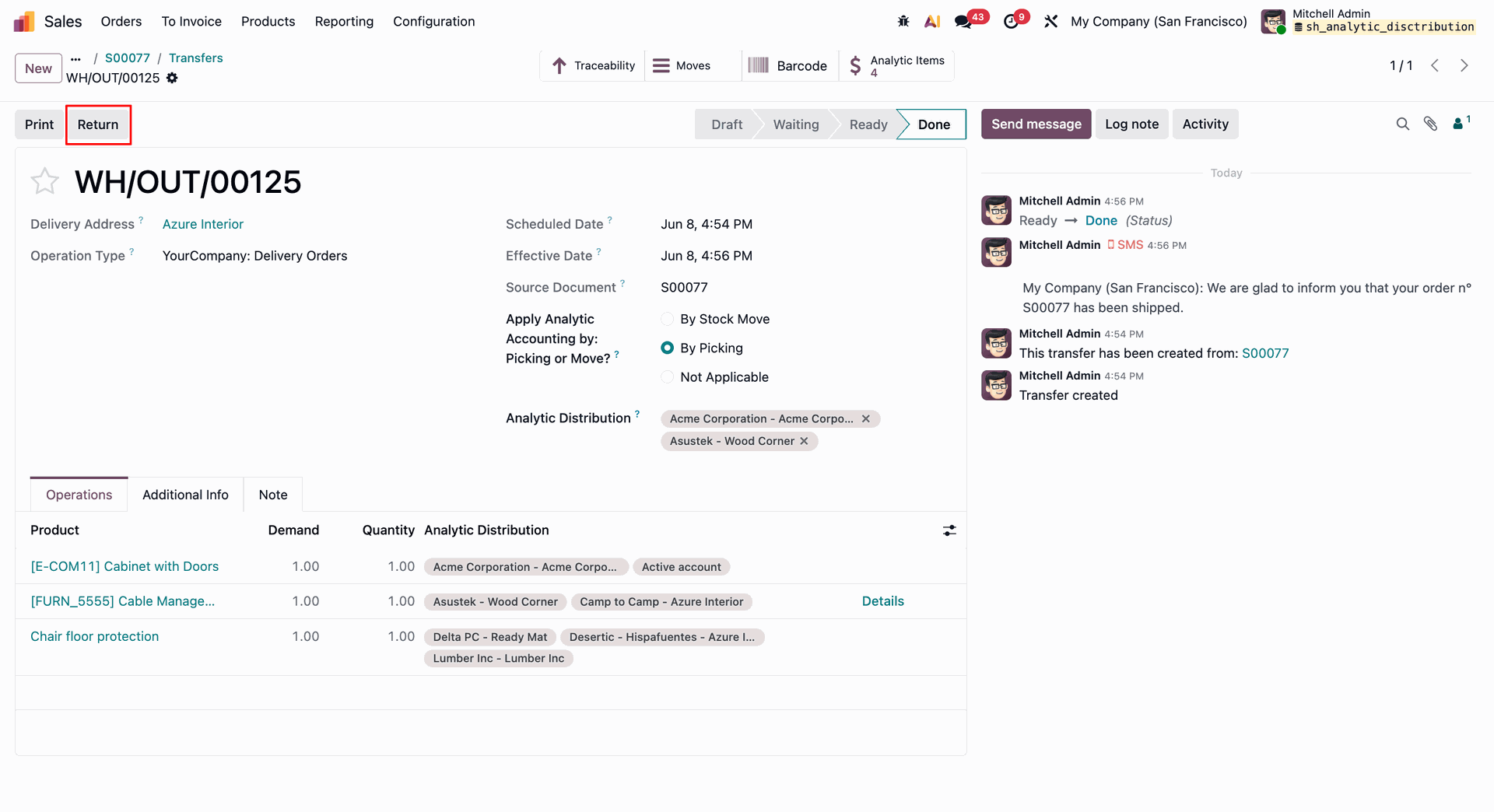
Click the Return button on a finalized multi-account shipment to automatically reverse inventory and mirror cost distribution mappings.
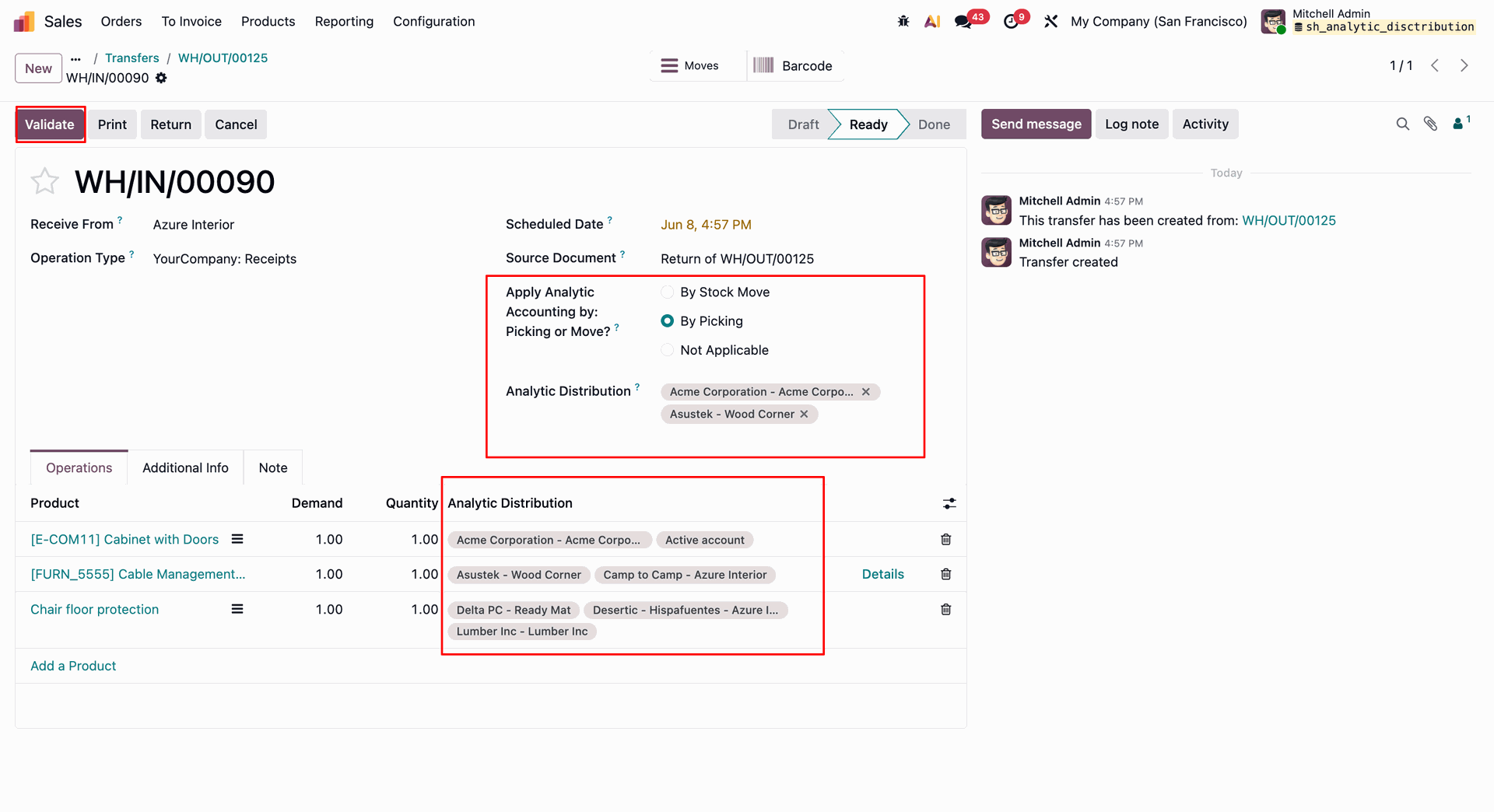
Click Validate on the incoming receipt to process the customer return and reverse the original multi-account distributions.
Verify multi-account analytic distributions down to individual line items within the Detailed Operations.
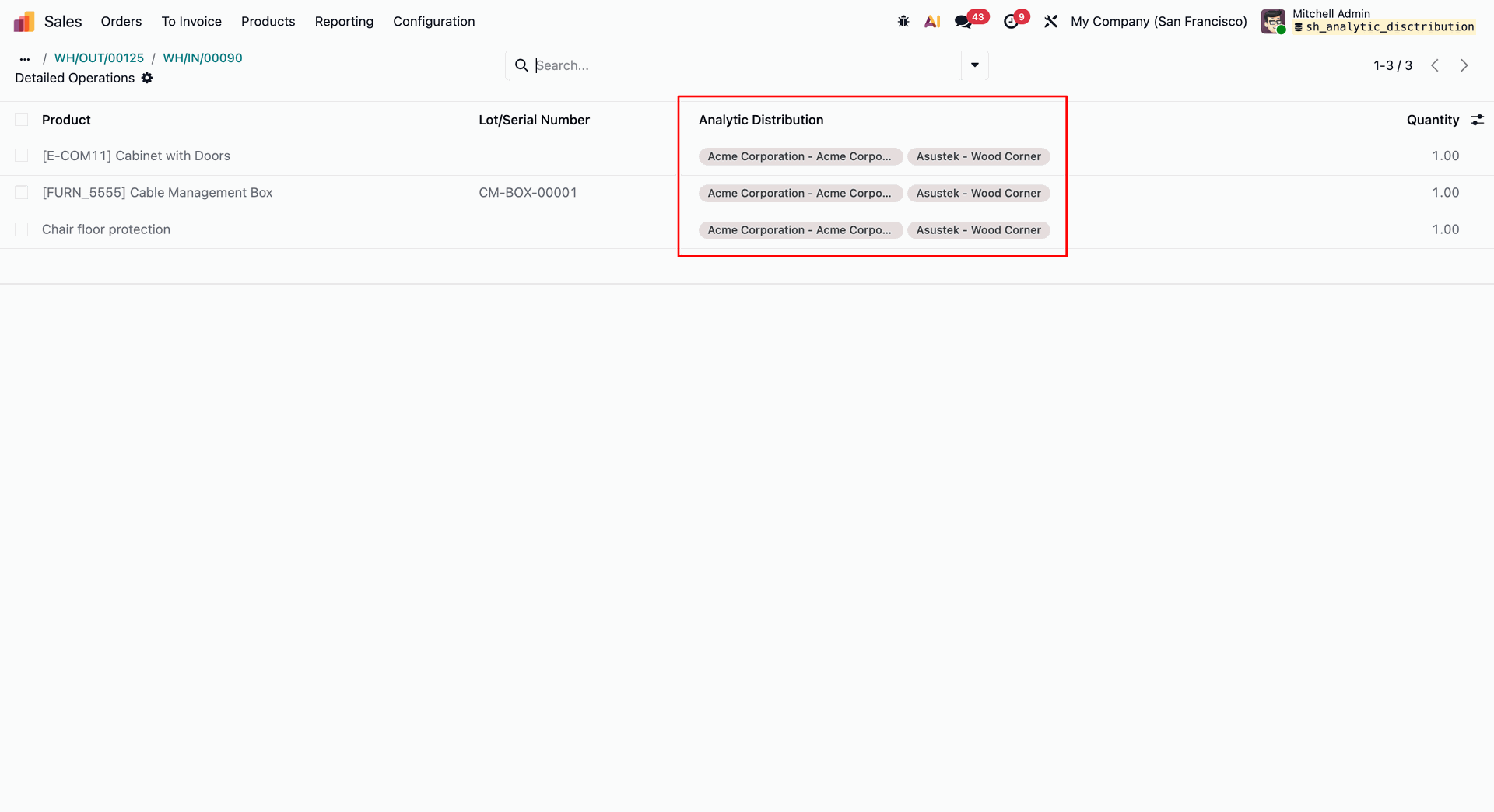
Choose By Stock Move on incoming purchase receipts to assign Analytic Distribution paths to individual product lines.
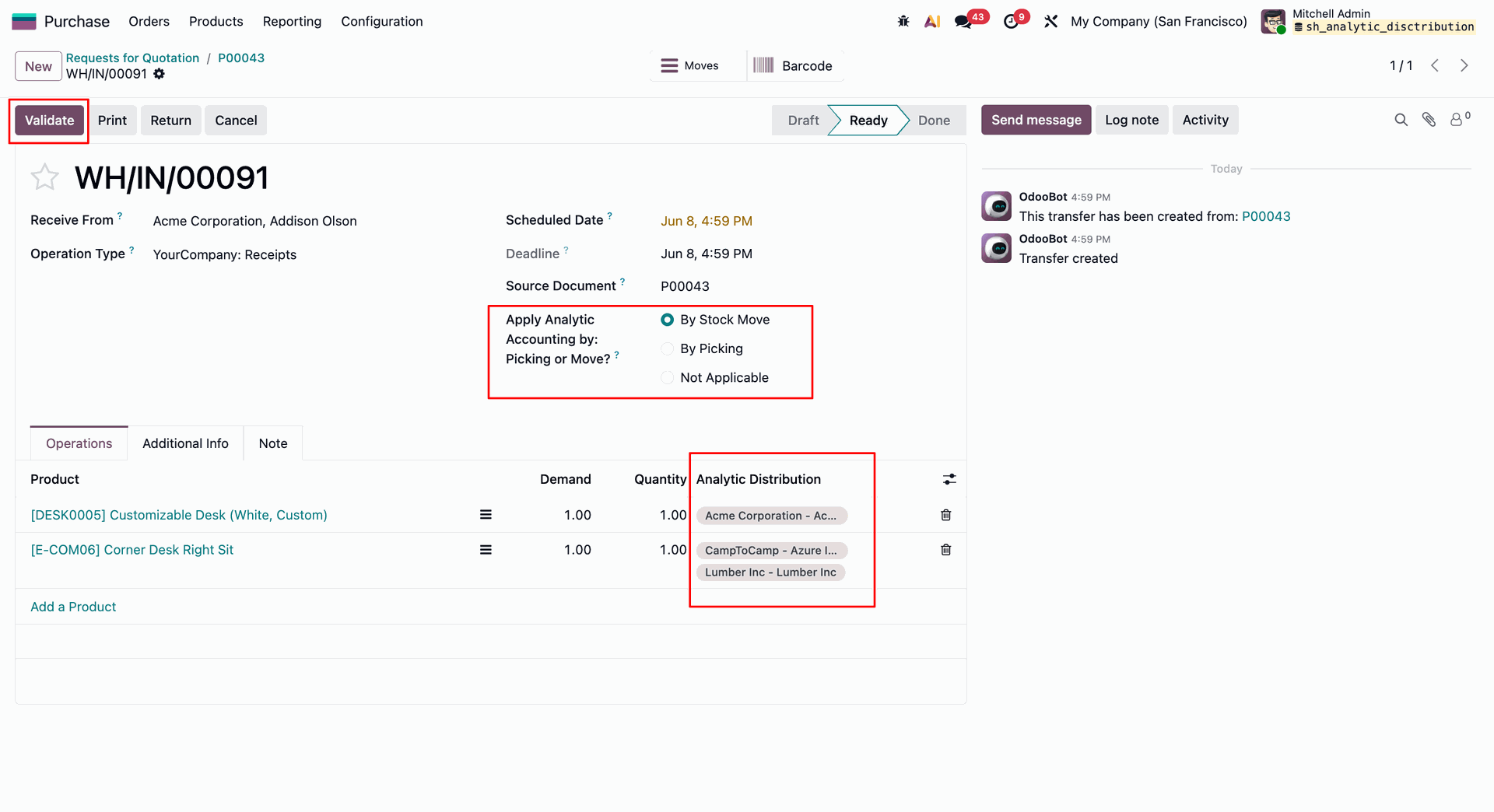
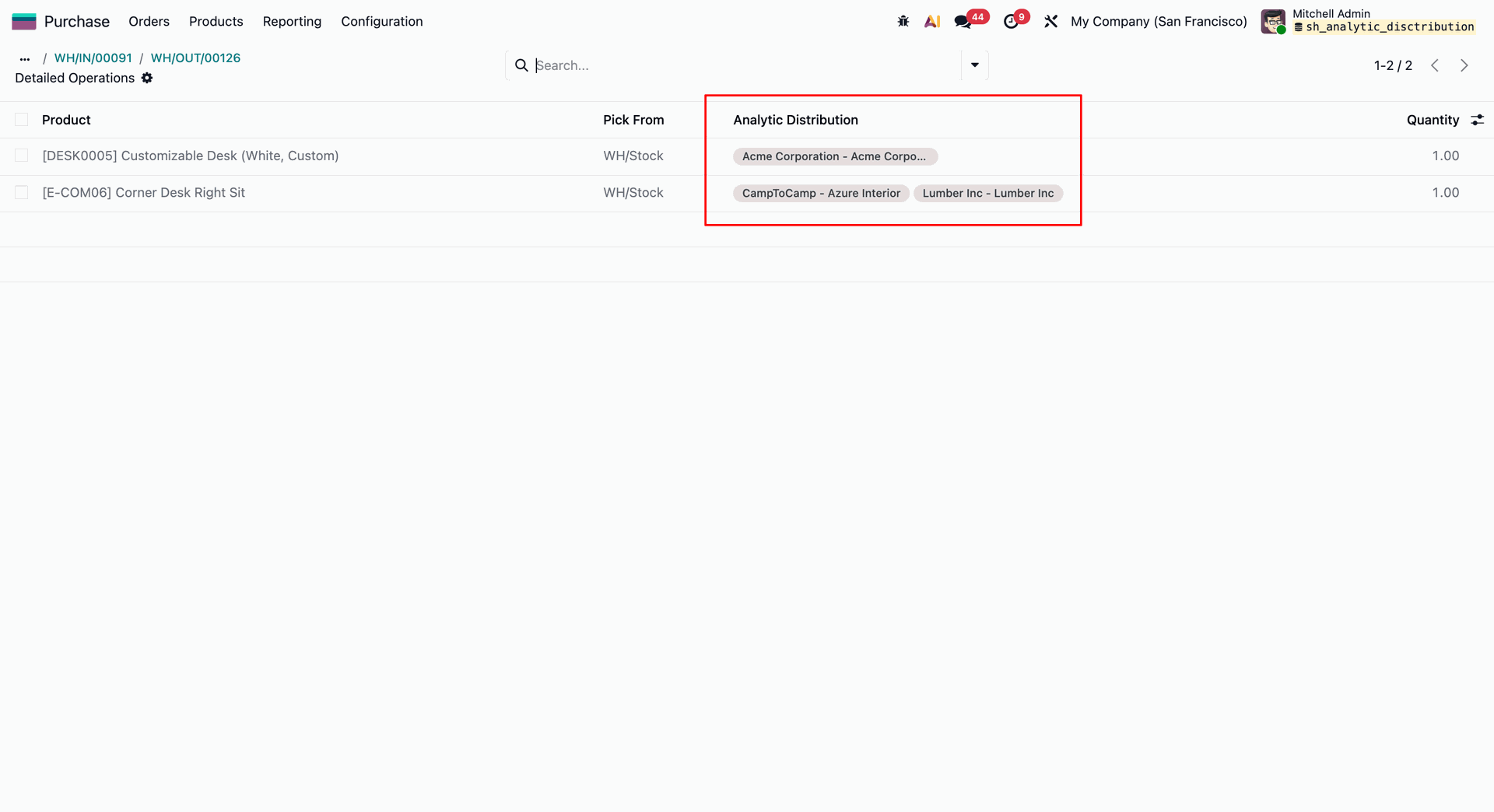
Inspect granular cost breakdown rules for individual lines within the Detailed Operations view before finalizing the incoming transfer.
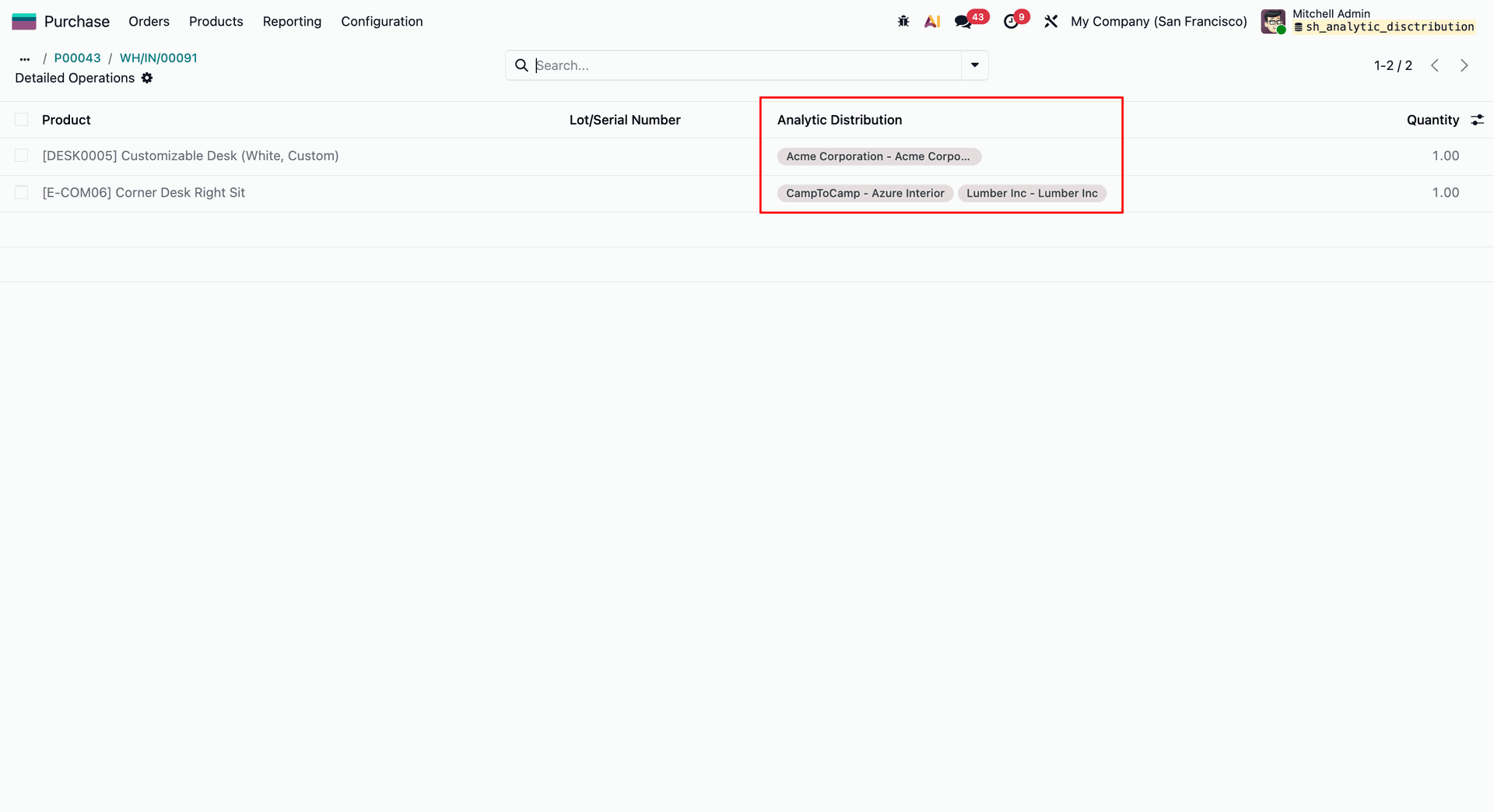
Now click 'Return'.
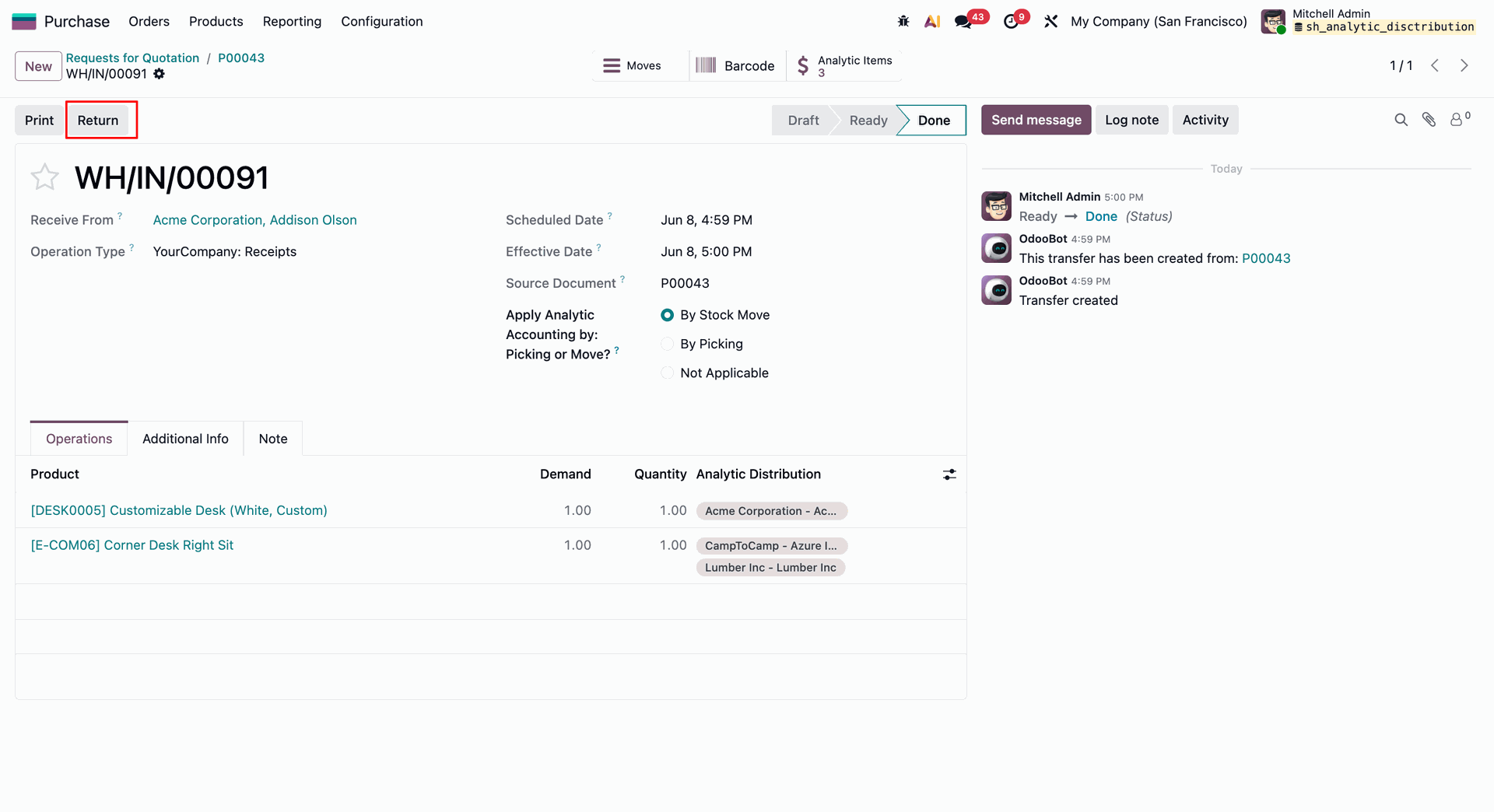
Click Validate on the outgoing vendor return to process the inventory reversal and seamlessly mirror the line-level cost distribution profiles.
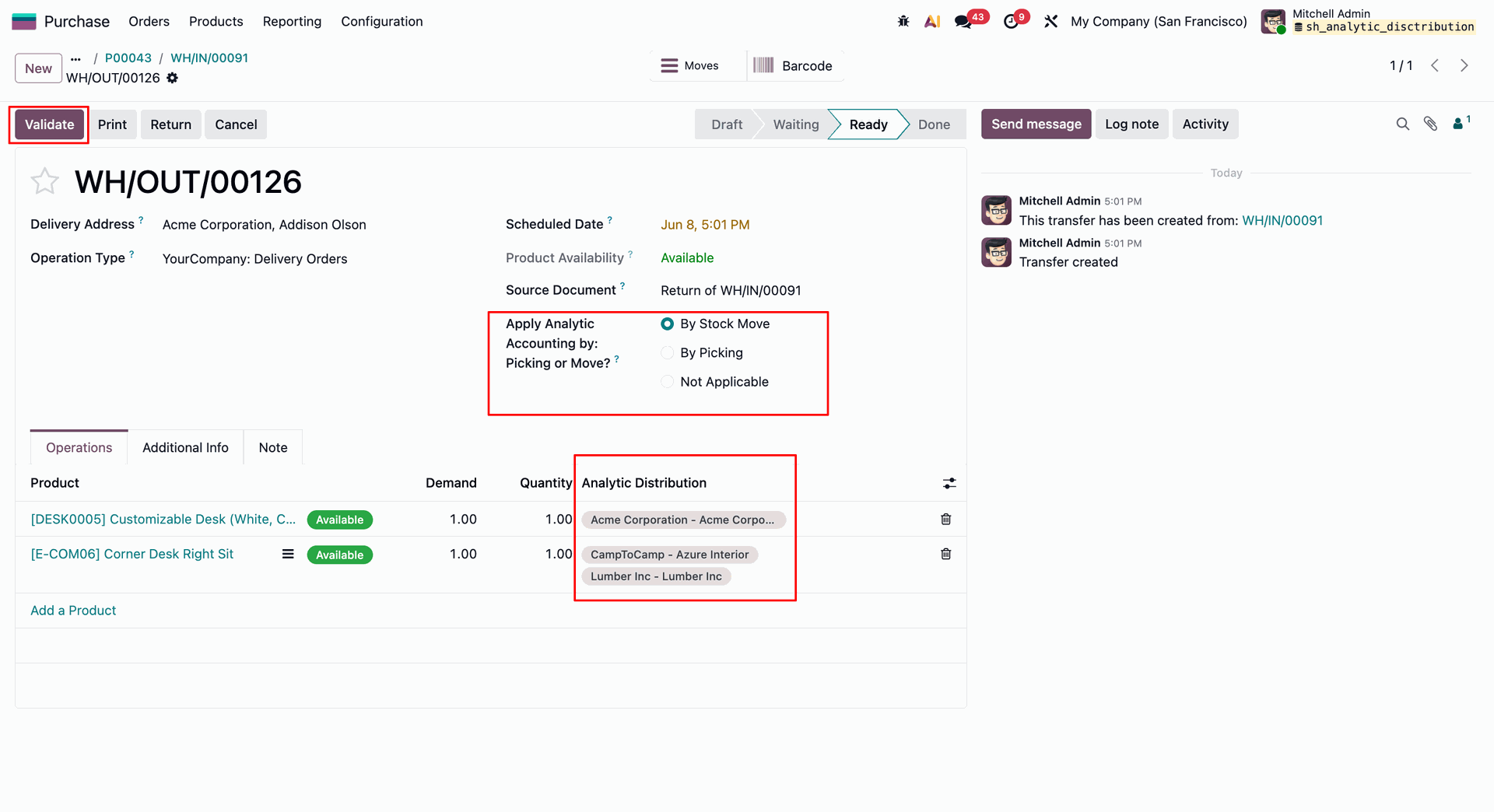
Verify line-by-line analytic distributions within the Detailed Operations view of an outgoing vendor return before final validation.
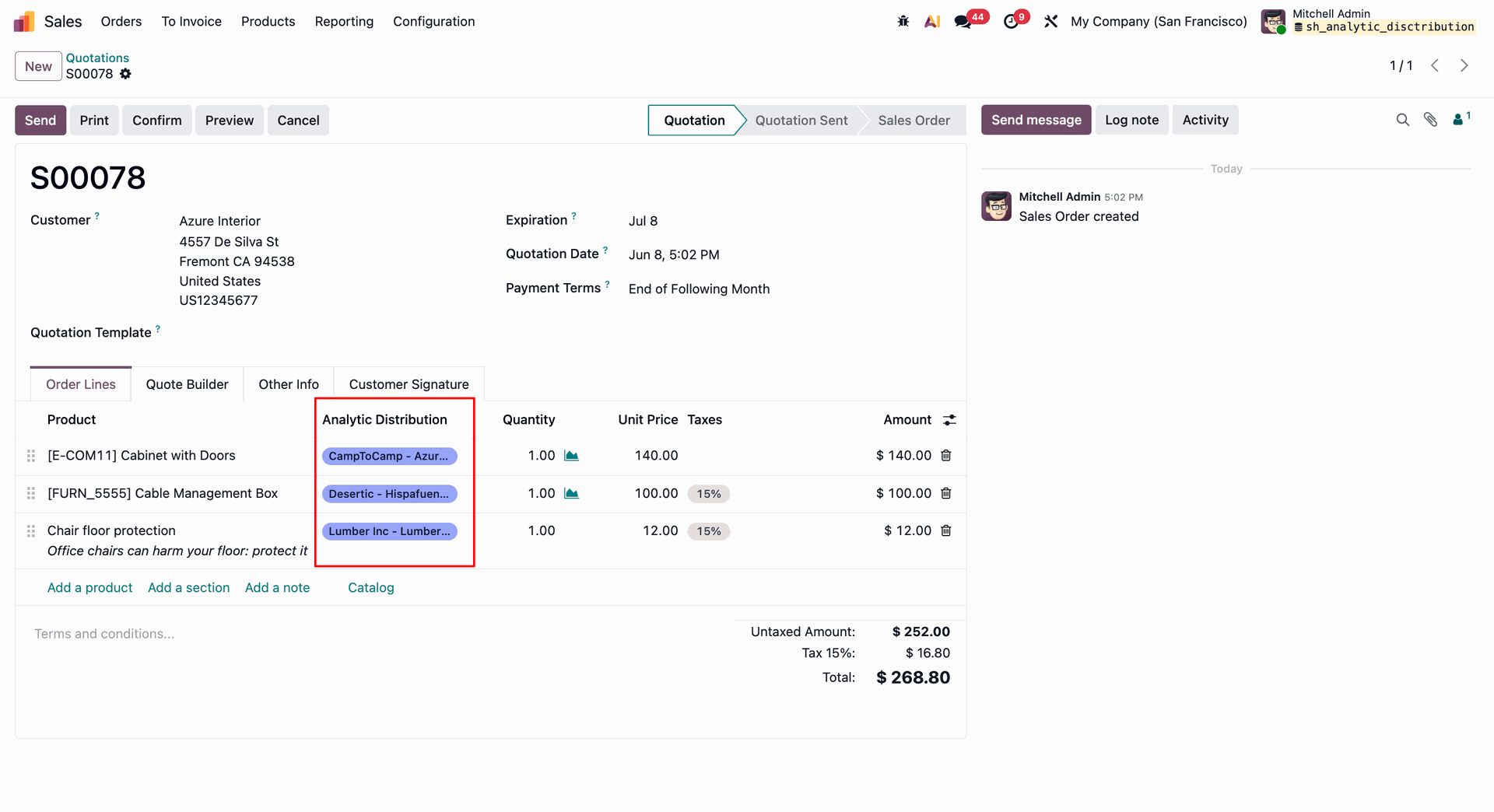
Assign multi-account Analytic Distribution tags directly to individual product lines while drafting a Sales Quotation.
Review the automatically inherited sales distribution rules on the delivery order before clicking Validate to finalize stock tracking.
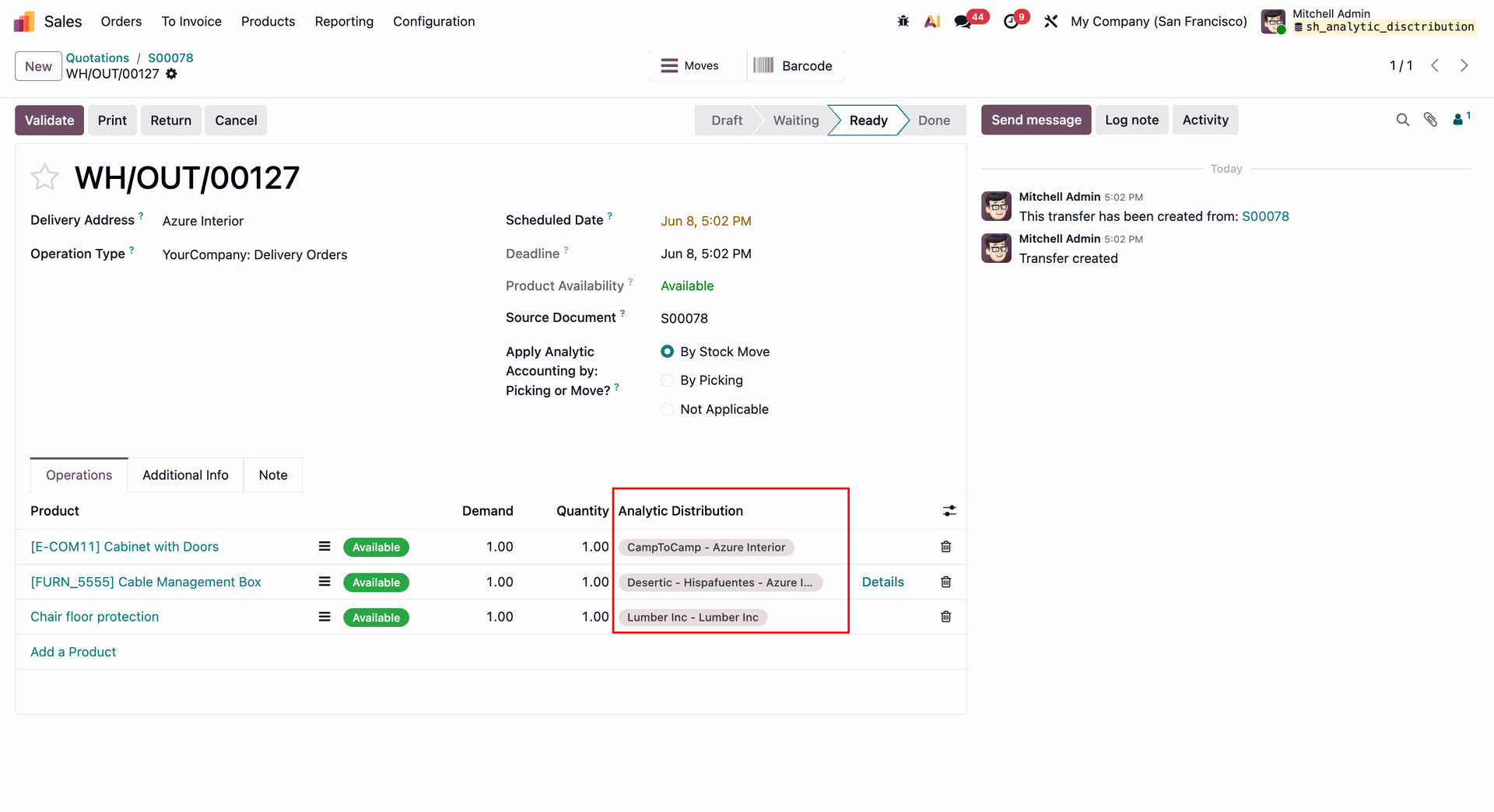
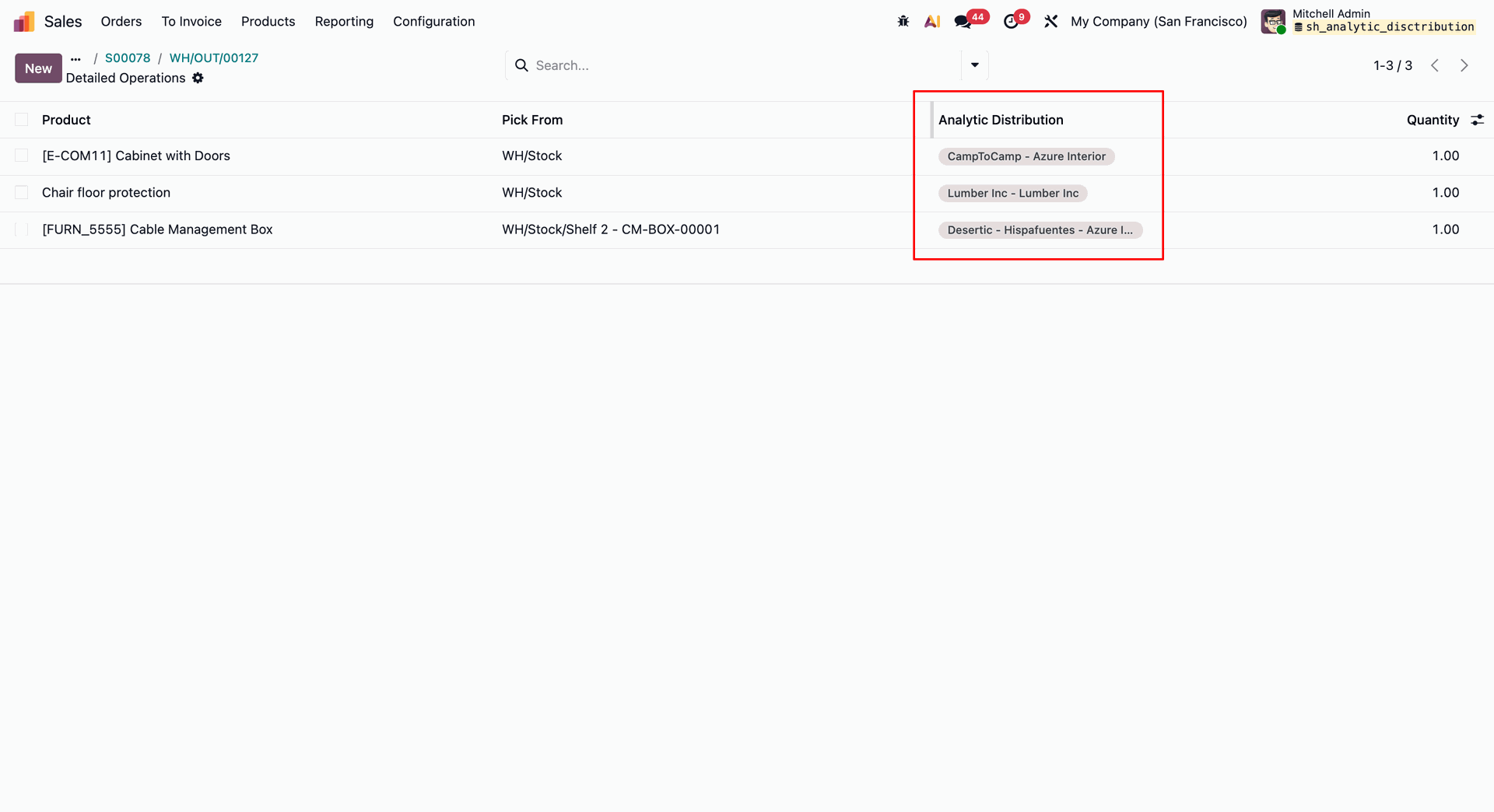
Detailed operations view highlighting distinct line-by-line analytic distribution tags on an outgoing shipment.
Version 18.0.1.0.0 | Released on : 17th June 2026
- No, this app works perfectly with Odoo Enterprise (Odoo.sh & Premise) as only.
- No, this application is not compatible with odoo.com(odoo saas/Odoo Online)
- Yes, to test this module, please contact us at sales@softhealer.com.
- Please contact us at sales@softhealer.comto request customization.
- Yes, we provide free support for 365 days from the date of purchase.
- Yes, you will receive lifetime free updates for the version of the module you purchased.
- No, there is no need to install any additional libraries.
- Yes, for version 12 and above, you need to purchase the module separately for each version you intend to use.
- No, exchanges or refunds are not allowed. Please make sure to select the correct version before purchasing.
- You can contact us at support@softhealer.com for language translation support. We use Google Translator tools to provide translations in multiple languages, so the accuracy may vary. We welcome your suggestions to help improve translations.
Discover Our Latest Apps