












Inventory Adjustment Approval

Inventory Adjustment Approval provides a flexible multi-level approval workflow for inventory adjustments. Easily configure custom approval rules based on quantity differences, requiring manager approval before inventory updates. Prevent unauthorized adjustments and track approval status with automated notifications.

Features

Configurable Approval Rules
Create inventory adjustment approval rules with minimum difference quantity, allowed companies, and other approval conditions.

User & Group Approvers
Assign specific users or user security groups at each approval level for flexible authorization control.

Approve & Reject Actions
Authorized approvers can approve or reject inventory adjustments directly from list or form views.

Rejection Reason Tracking
Prompt approvers for rejection reasons, automatically logging the reason, user, and rejection date.

Dedicated Approval Menus
Access dedicated menus for 'Waiting Approval' and 'My Approval' to streamline approval management.

Email & In-App Notifications
Send automatic email and system notifications to pending approvers and notify applicants upon approval.
Navigate to Inventory > Configuration > Approval Configuration menu.
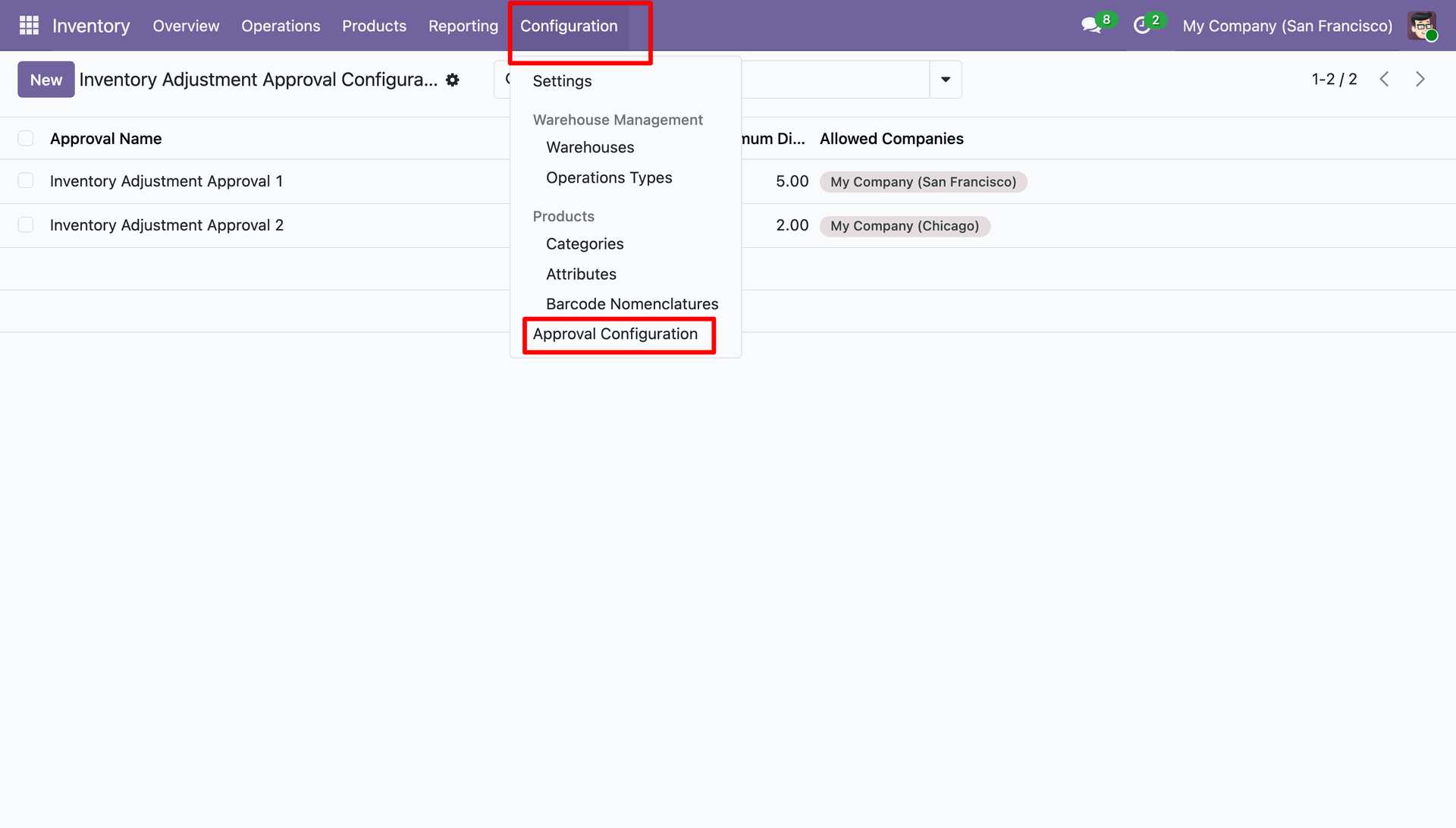
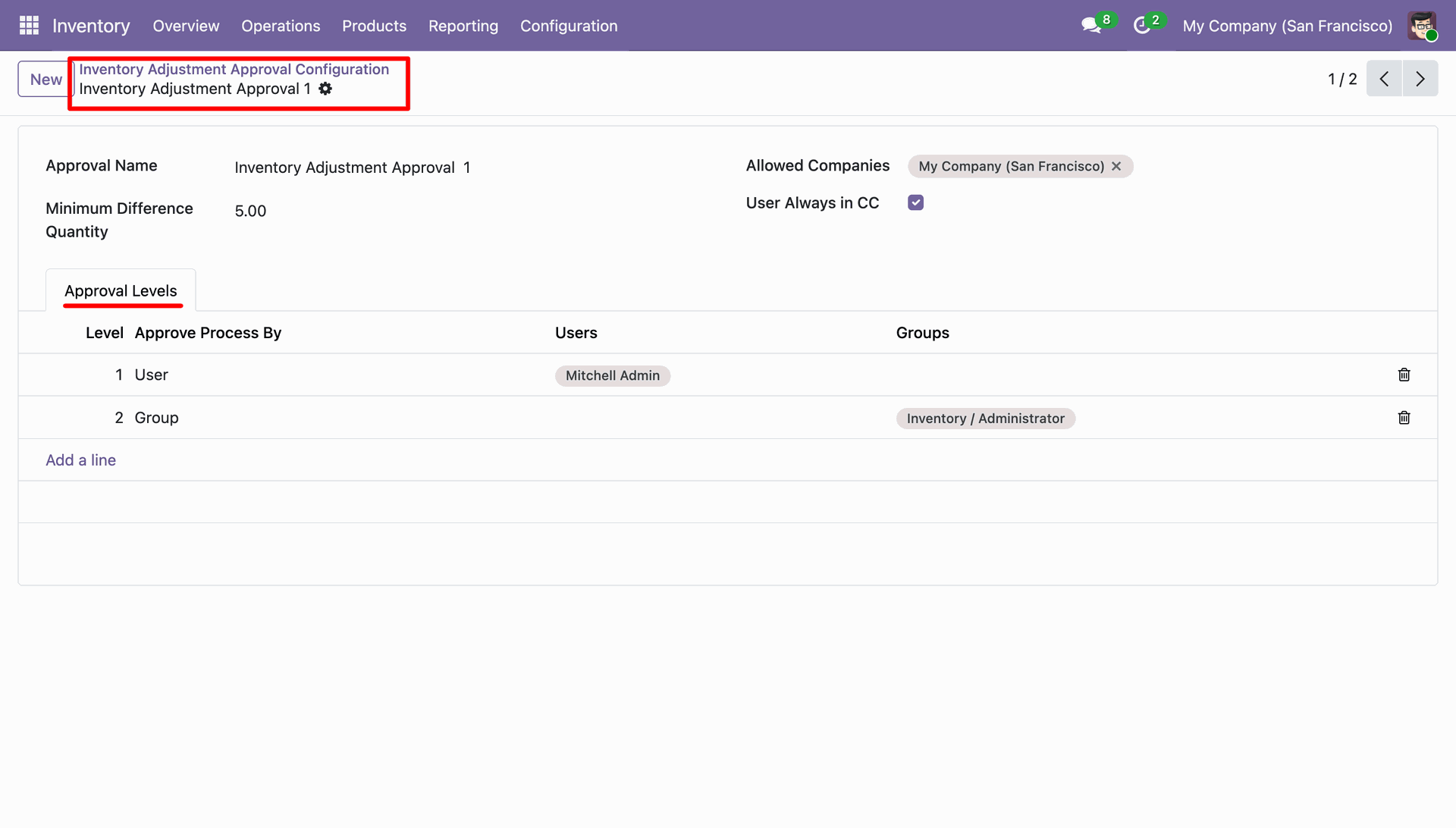
Configure multi-level approval rules with minimum difference quantity, allowed companies, and user/group approver lines.
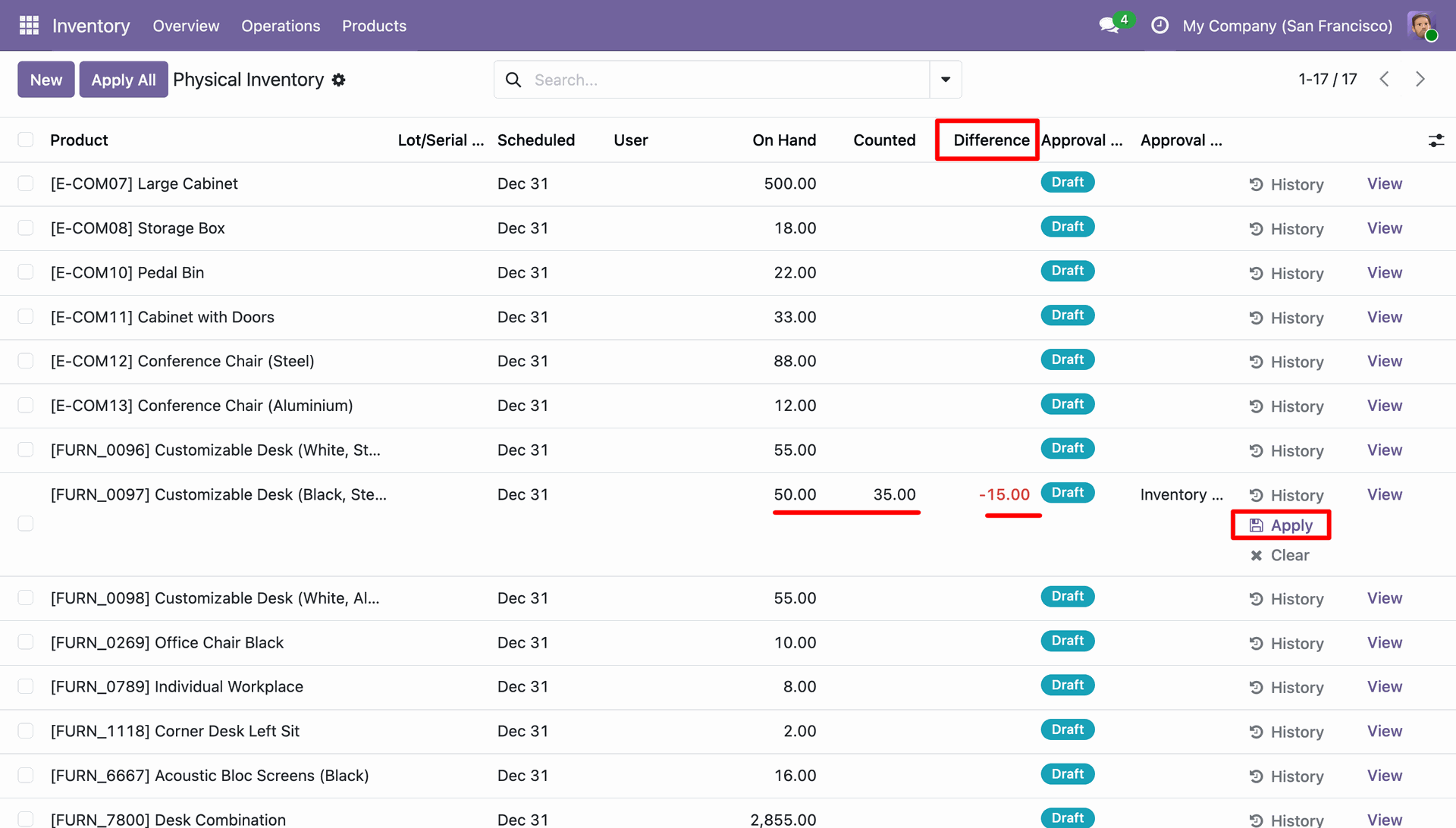
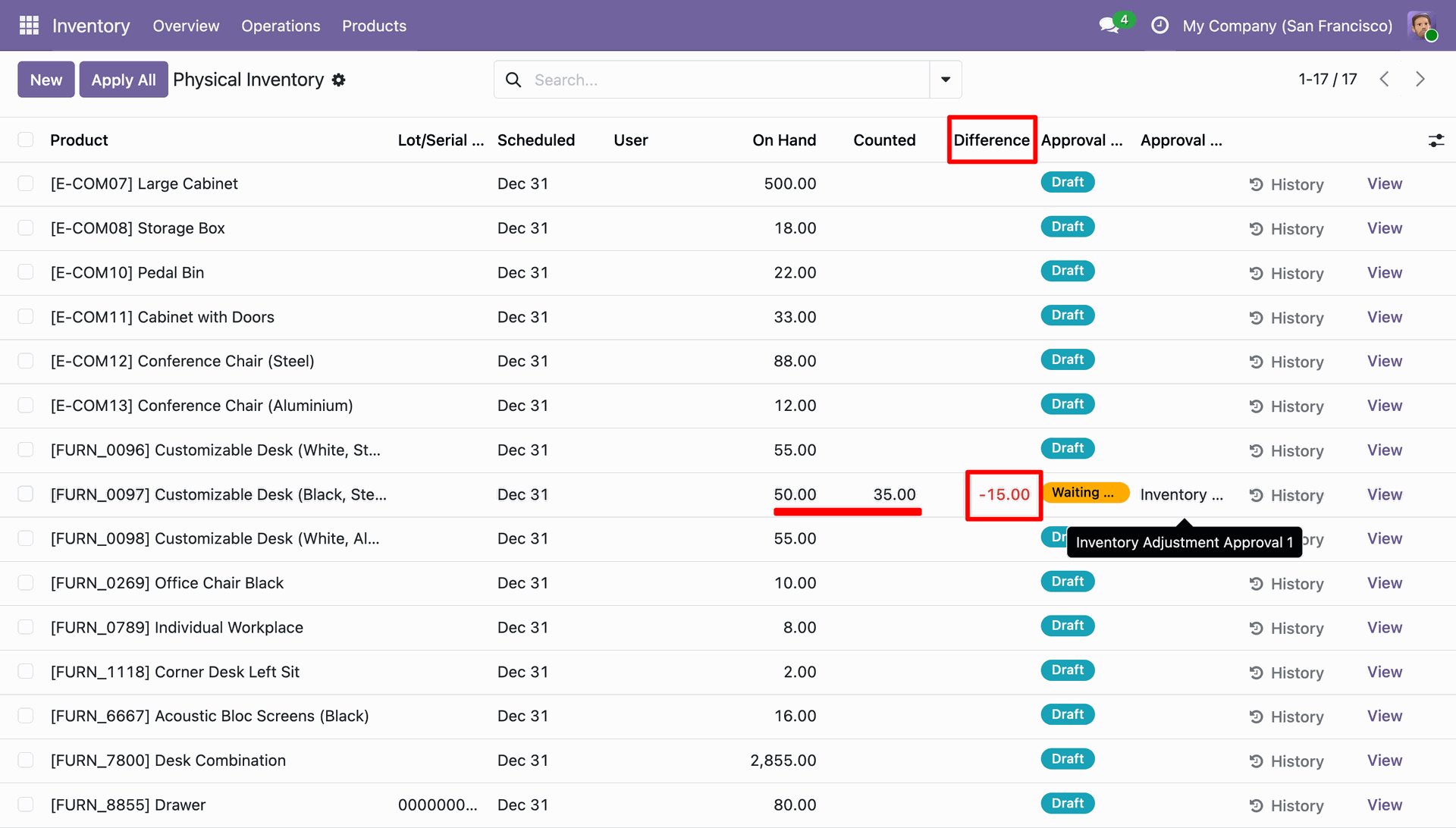
On Physical Inventory, when counted quantity is changed, click 'Apply' to initiate the approval process.
The inventory adjustment status changes to 'Waiting for Approval' based on configured approval rule.
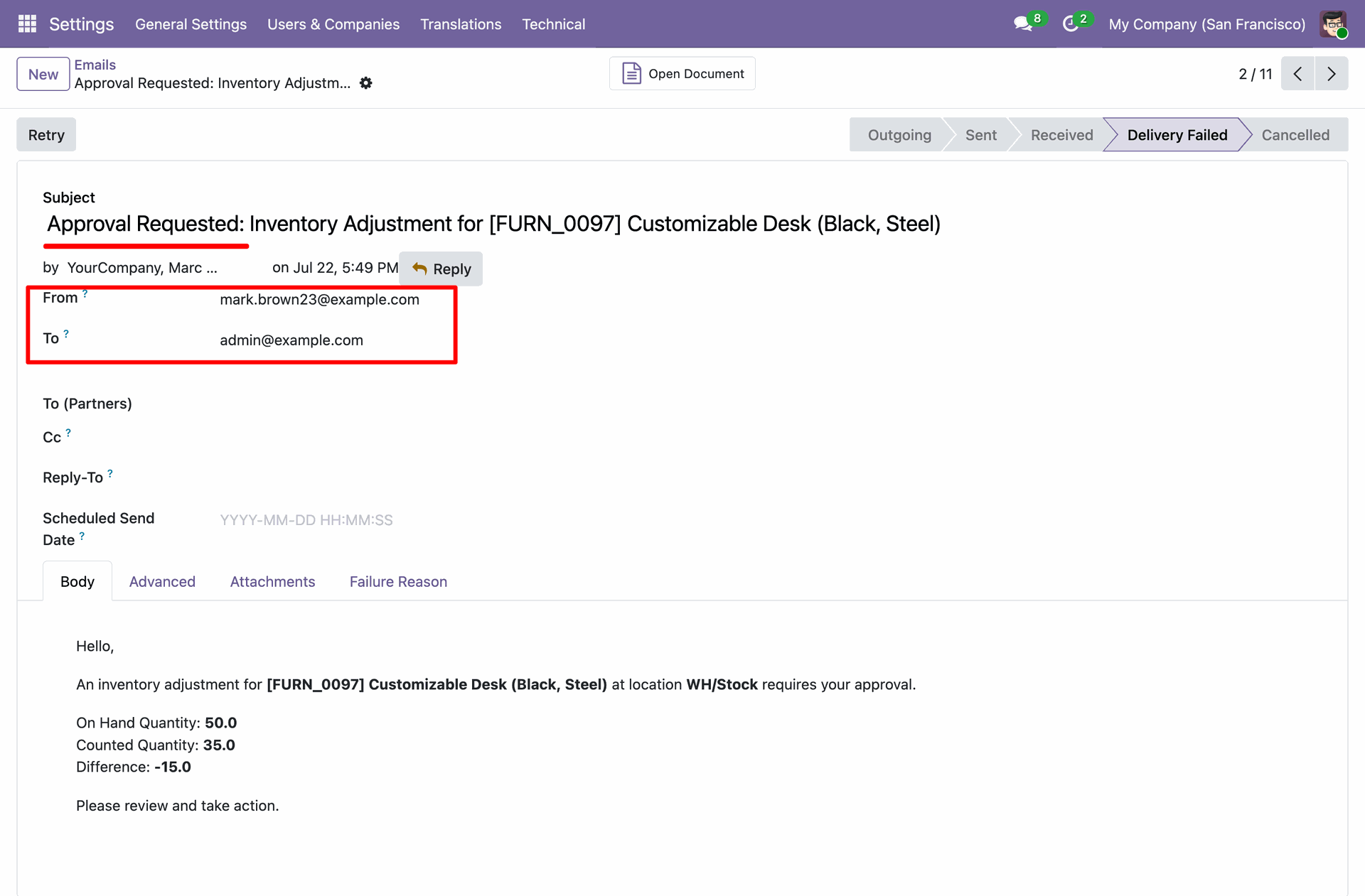
Email notification sent to designated approver with complete inventory adjustment details.
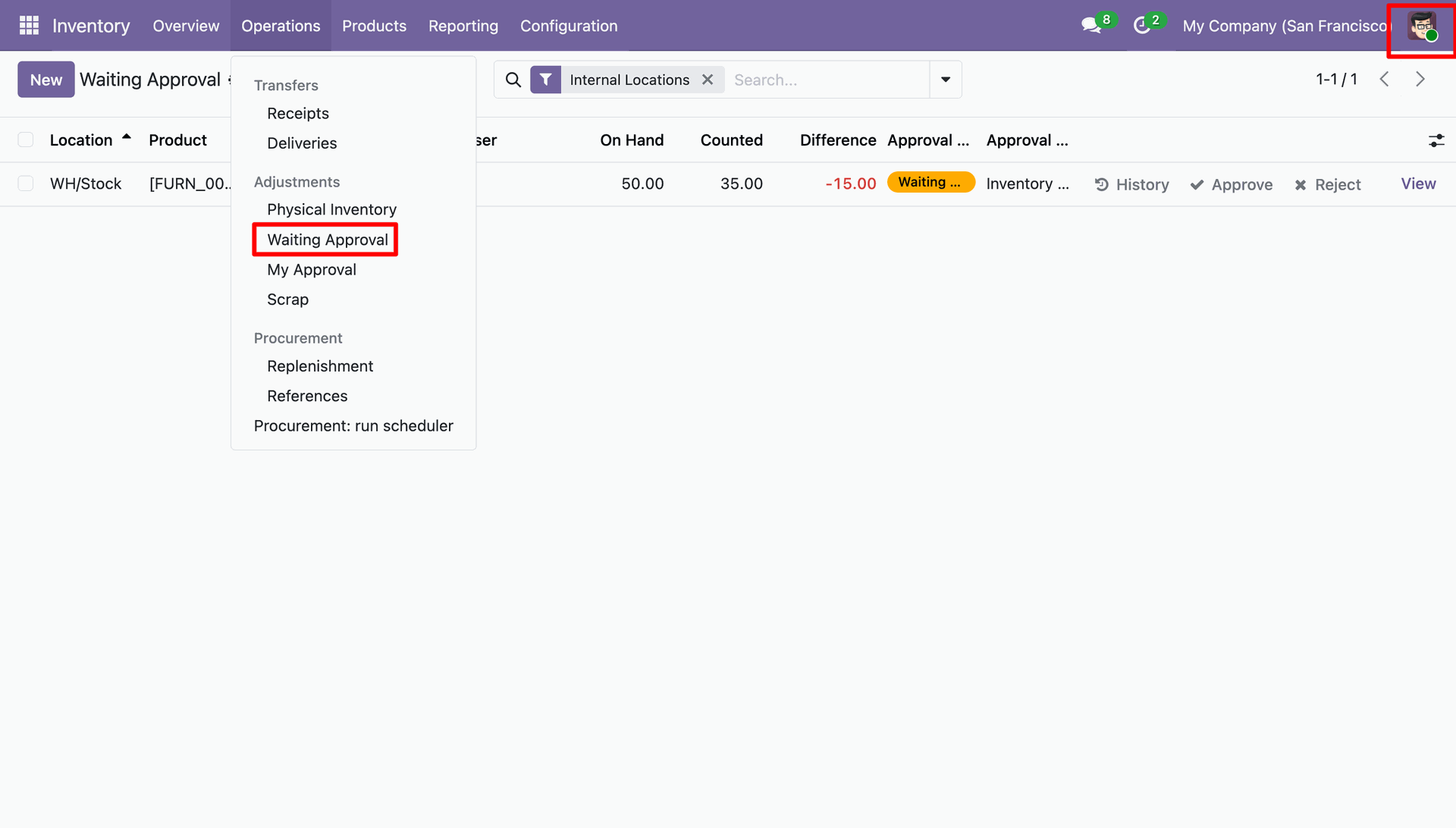
Authorized approvers can access pending requests under Operations > Adjustments > Waiting Approval menu.
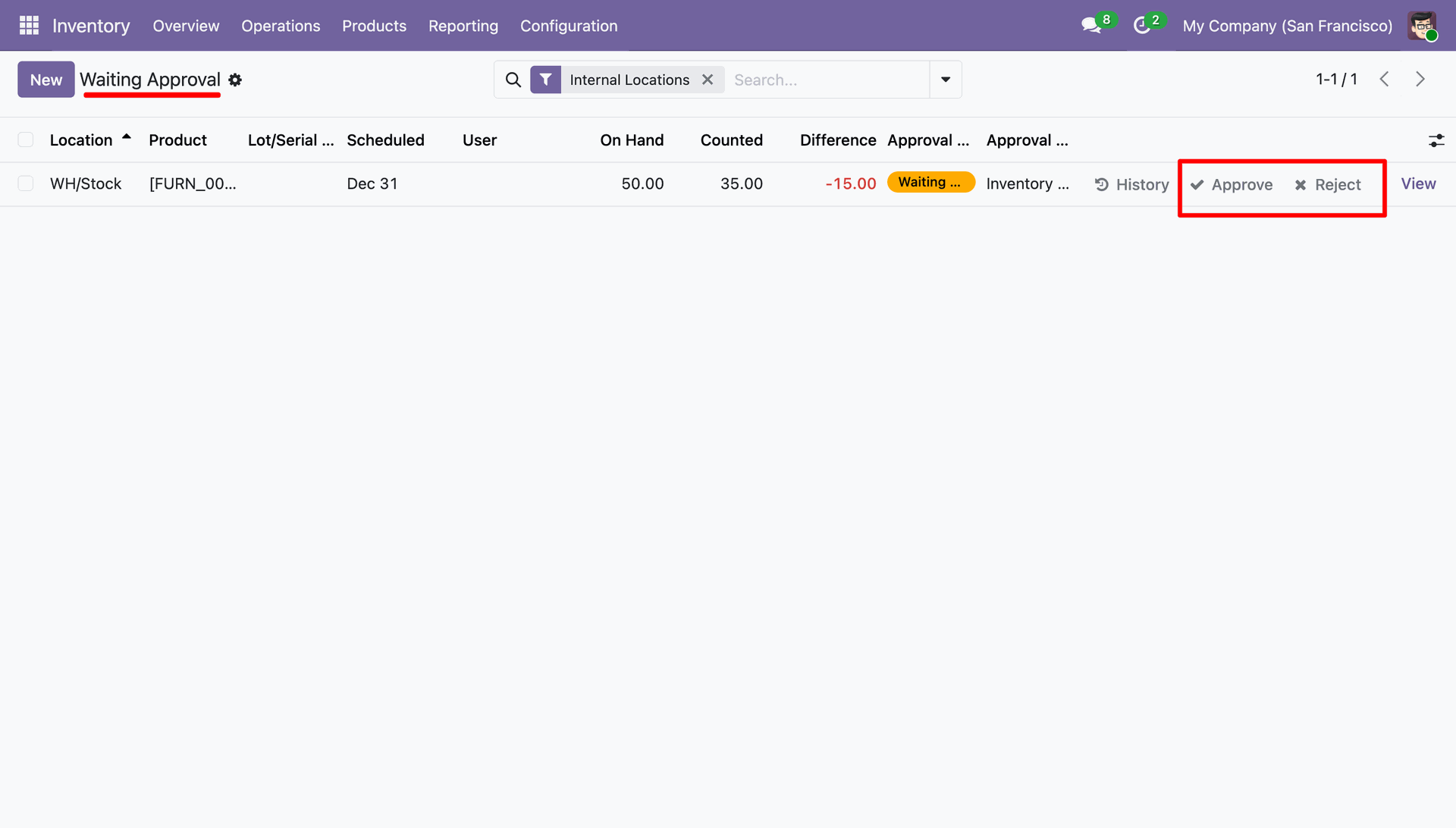
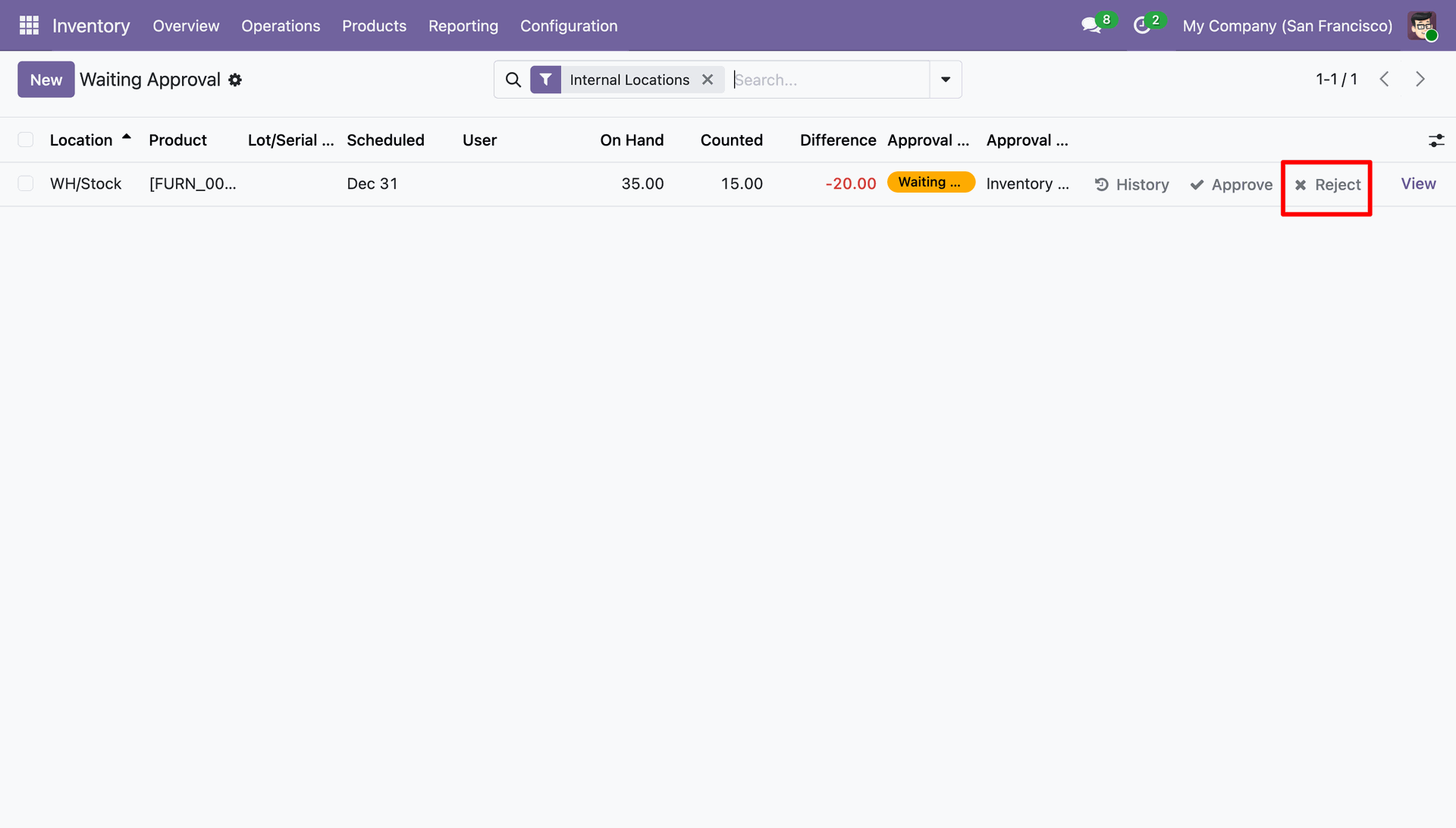
Approver can see 'Approve' and 'Reject' action buttons directly on the adjustment line.
Approver receives web notification and clicks 'Approve' to approve the adjustment.
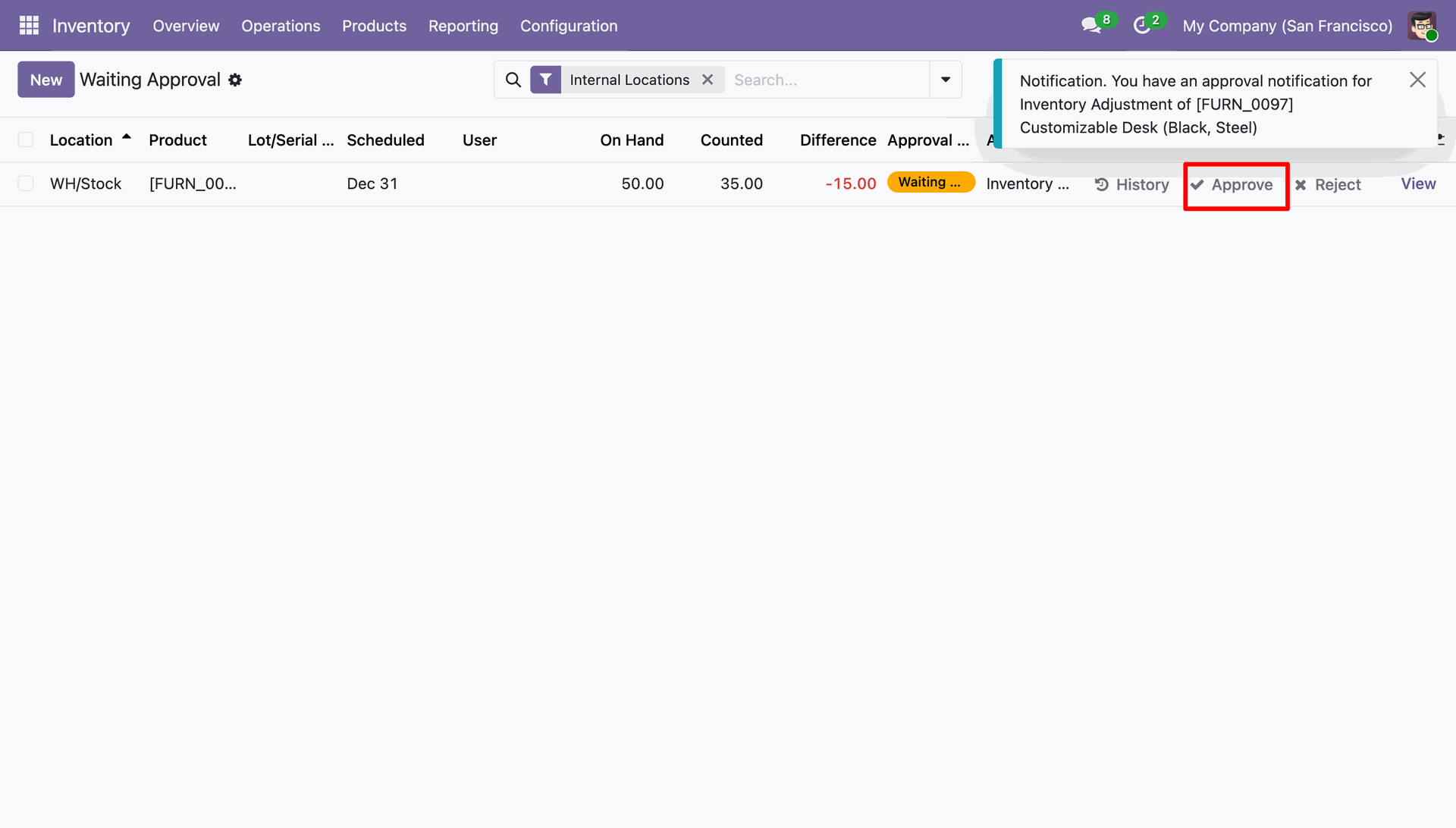
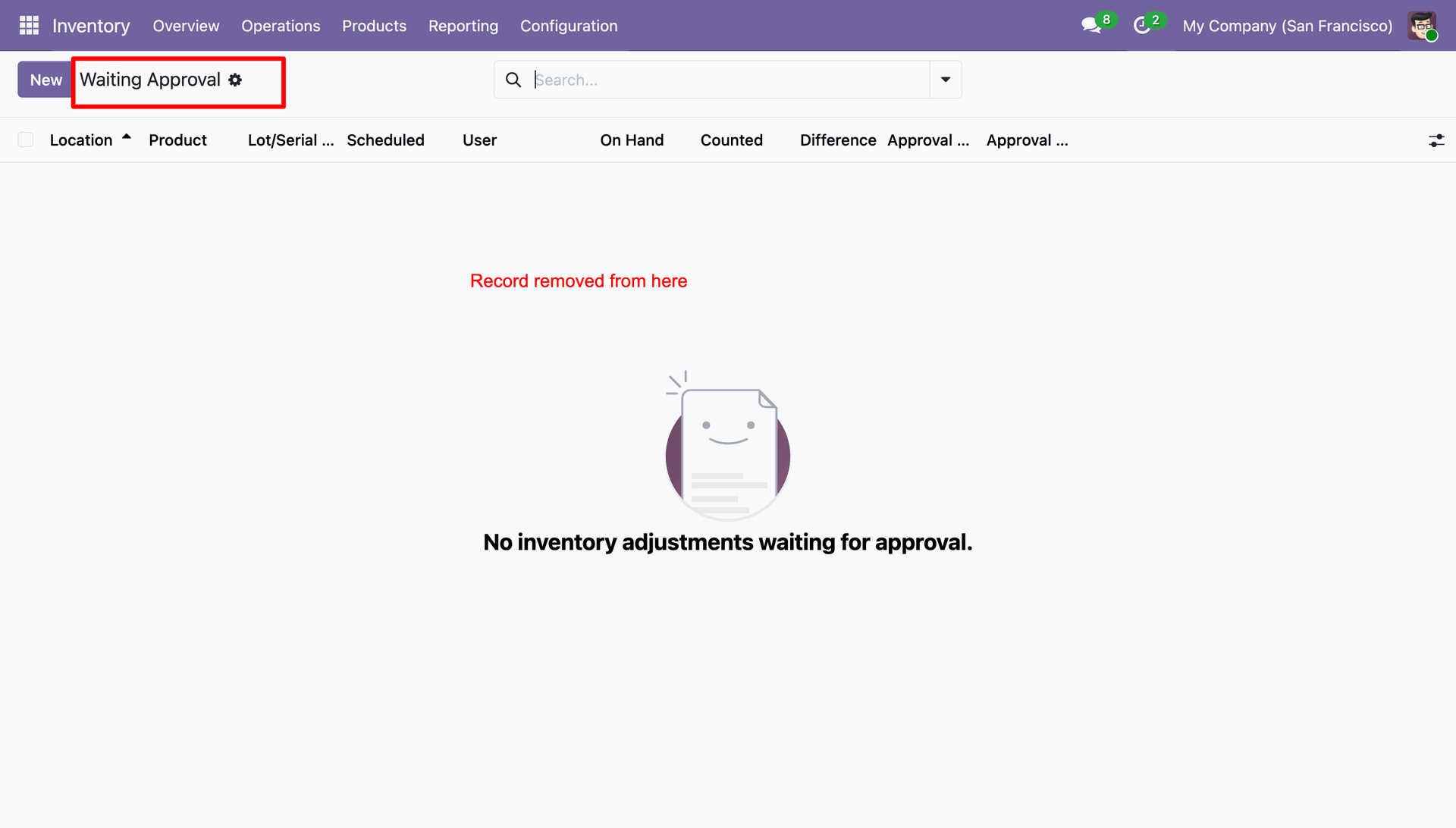
Record is processed and removed from the 'Waiting Approval' view once approved.
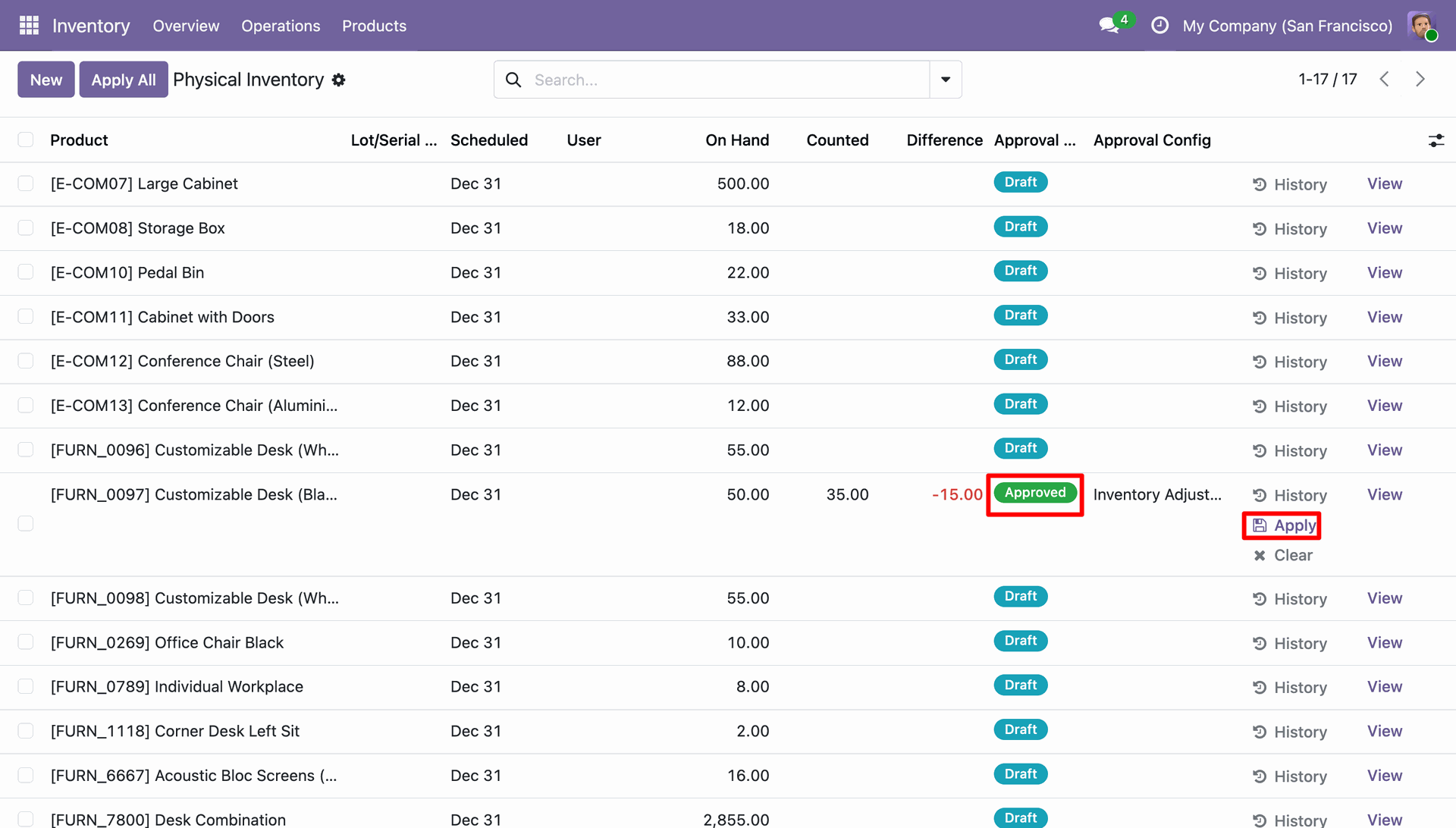
Approval status updates to 'Approved', allowing inventory quantity changes to be applied.
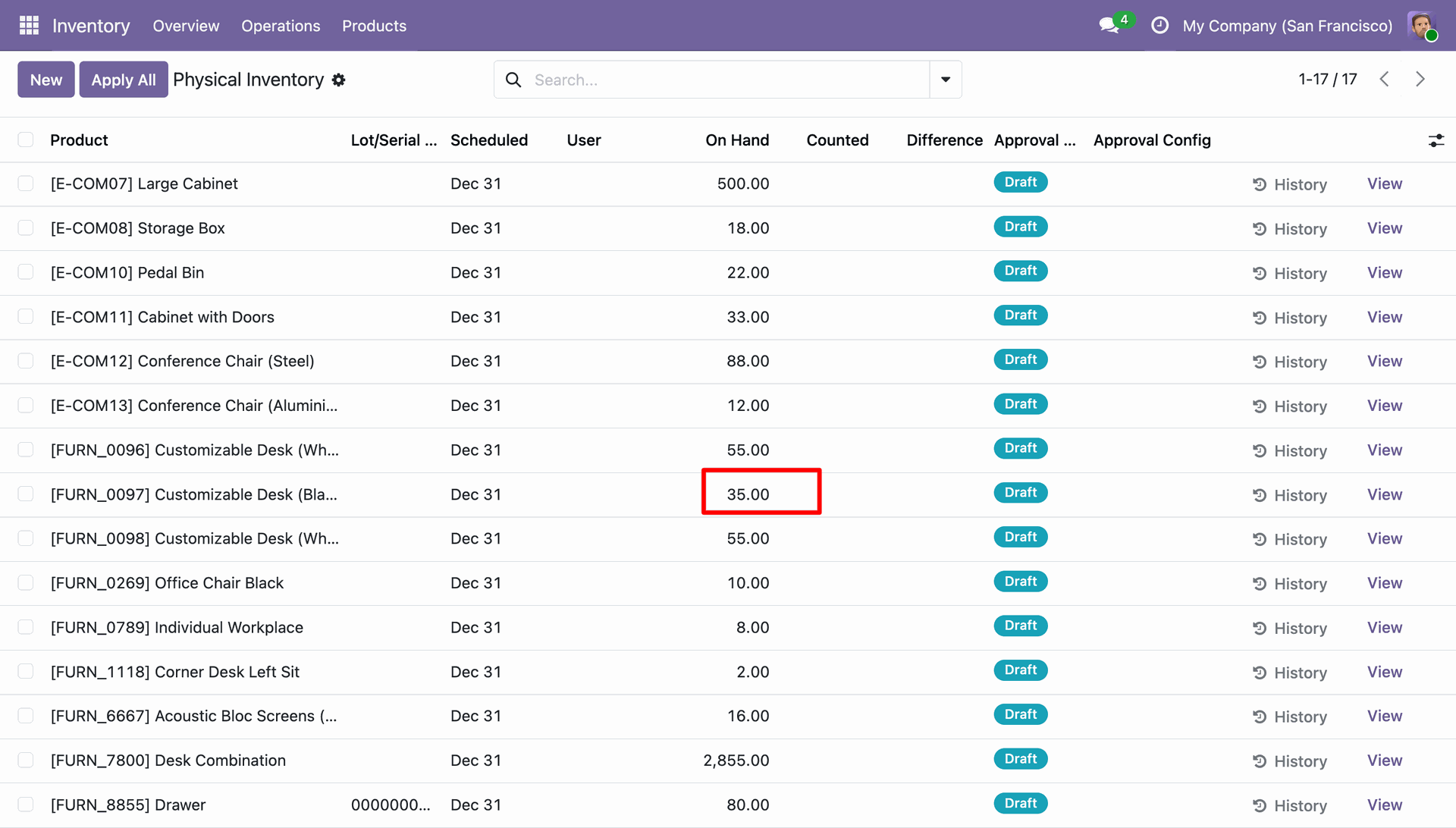
Inventory adjustment applied successfully, updating the On Hand quantity of the product.
Approver can click 'Reject' button to reject the inventory adjustment request.
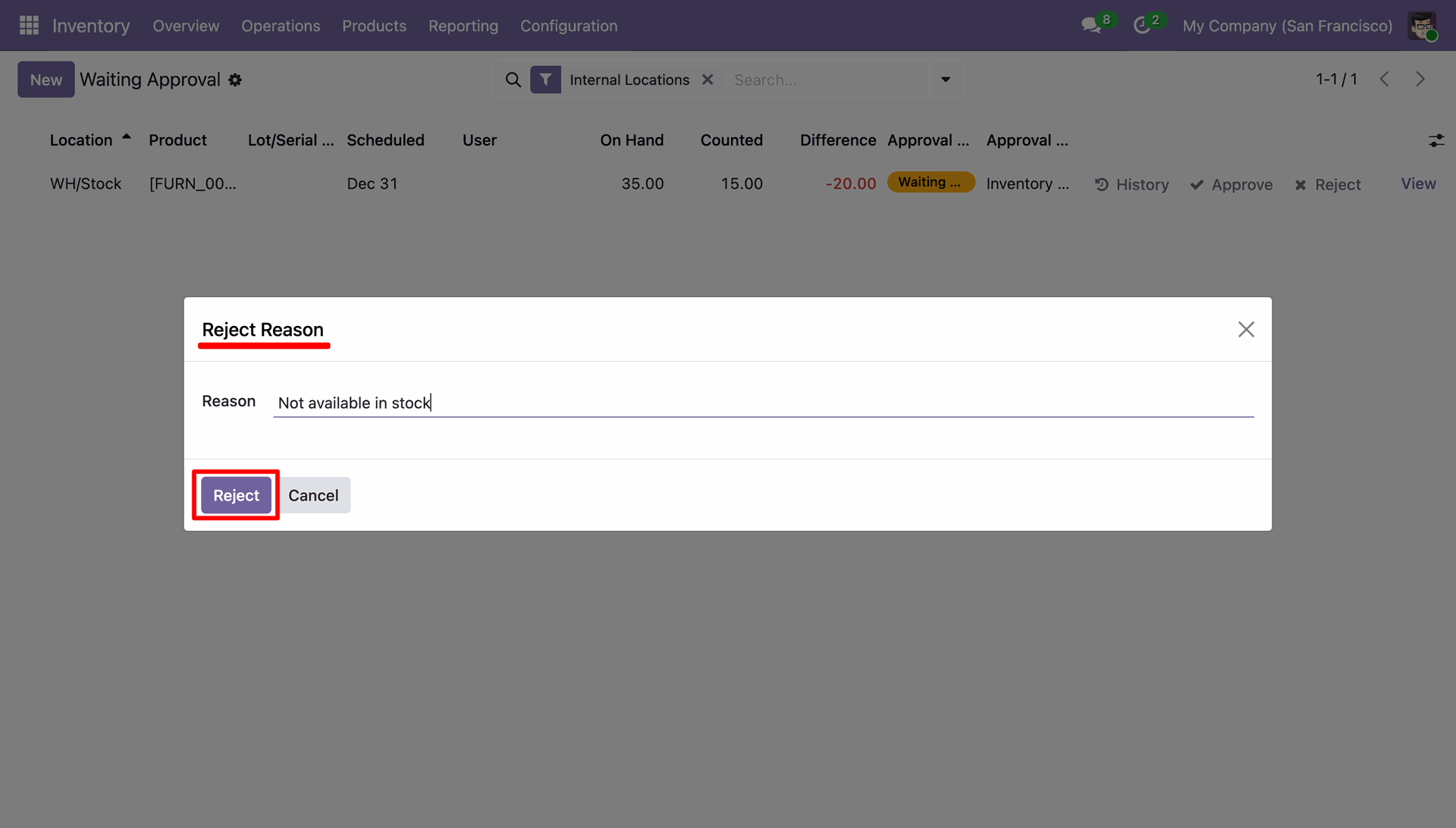
Wizard pop-up prompts approver to enter a detailed rejection reason.
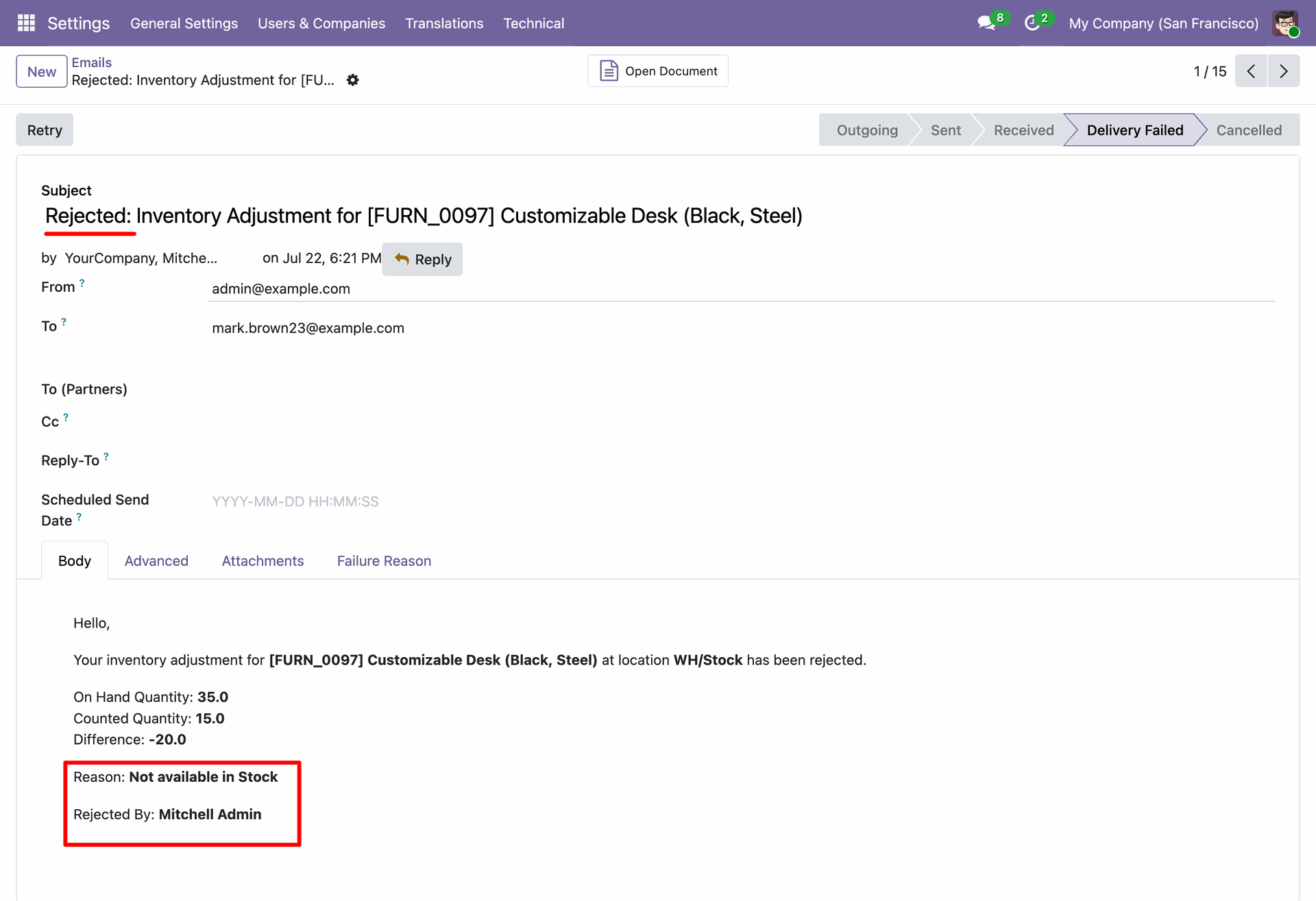
Automatic rejection email notification sent to applicant with rejection reason and rejector details.
Version 19.0.1.0.0 | Released on : 13th August 2026
- Yes, this app works perfectly with Odoo Enterprise (Odoo.sh & Premise) as well as Community.
- No, this application is not compatible with odoo.com(odoo saas/Odoo Online)
- Yes, to test this module, please contact us at sales@softhealer.com.
- Please contact us at sales@softhealer.com to request customization.
- Yes, we provide free support for 365 days from the date of purchase.
- Yes, you will receive lifetime free updates for the version of the module you purchased.
- No, there is no need to install any additional libraries.
- Yes, for version 12 and above, you need to purchase the module separately for each version you intend to use.
- No, exchanges or refunds are not allowed. Please make sure to select the correct version before purchasing.
- You can contact us at support@softhealer.com for language translation support. We use Google Translator tools to provide translations in multiple languages, so the accuracy may vary. We welcome your suggestions to help improve translations.
Discover Our Latest Apps