











Internal Transfer Payments

Easily manage internal transfers payments. Select the source and destination journals, create internal transfer payments, automatically generate the corresponding paired payment, and keep both payment records and journal entries linked for clear accounting tracking.

Features

Internal Transfer Payment
Create internal transfer payments directly from the Odoo payment form using the dedicated payment type.

Destination Journal
Select the destination journal when transferring funds between cash or bank.

Automatic Paired Payment
Automatically create a second payment when an internal transfer is confirmed.

Linked Payment Records
Keep the source and destination payments connected so users can navigate between both related payment records.

Journal Entry Creation
Generate the required journal entries for internal transfers and record the corresponding debit and credit amounts.

Payment List Tracking
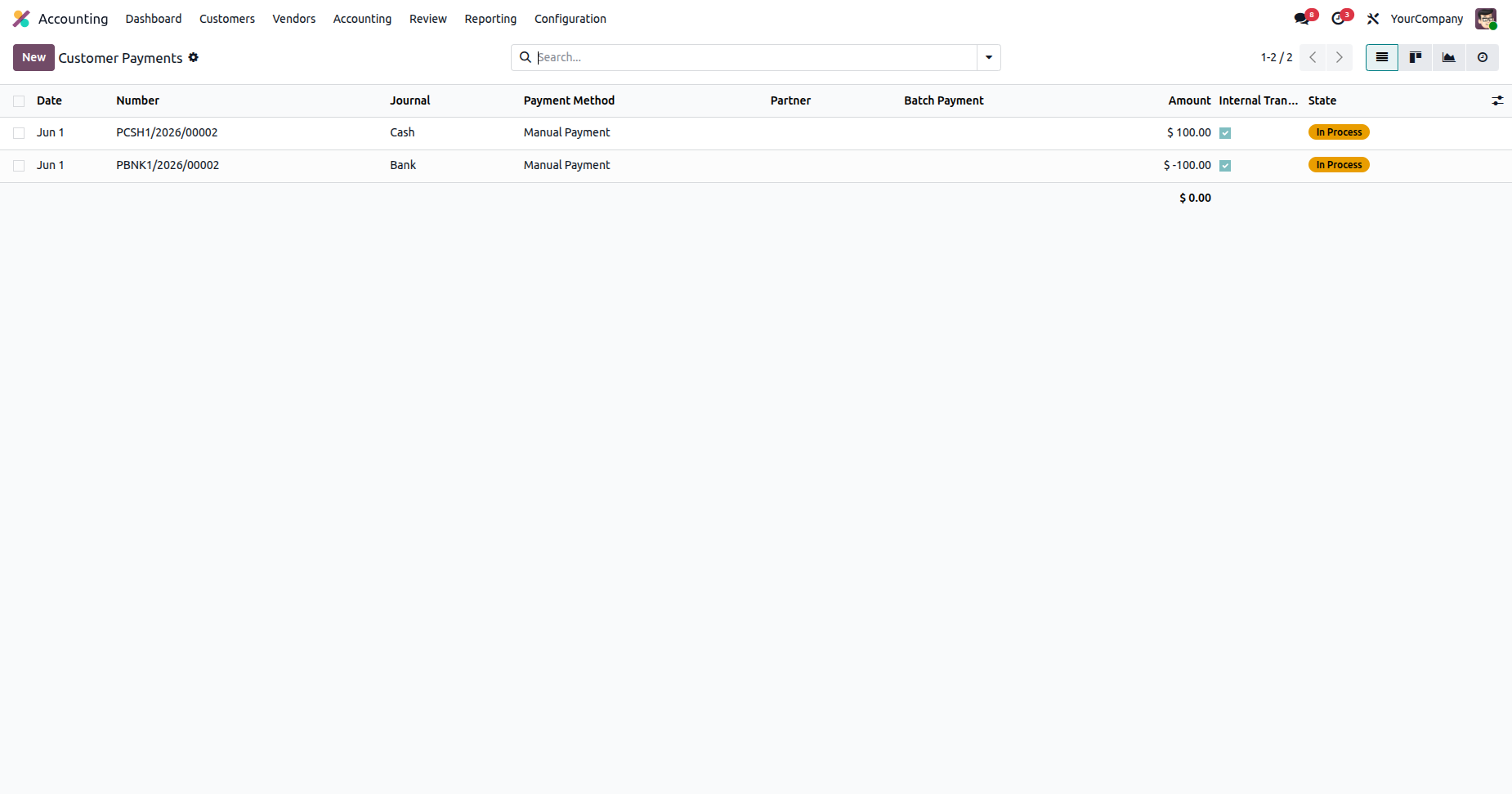
View internal transfer payments from the payment list along with their amount, journal, payment method, and current state.
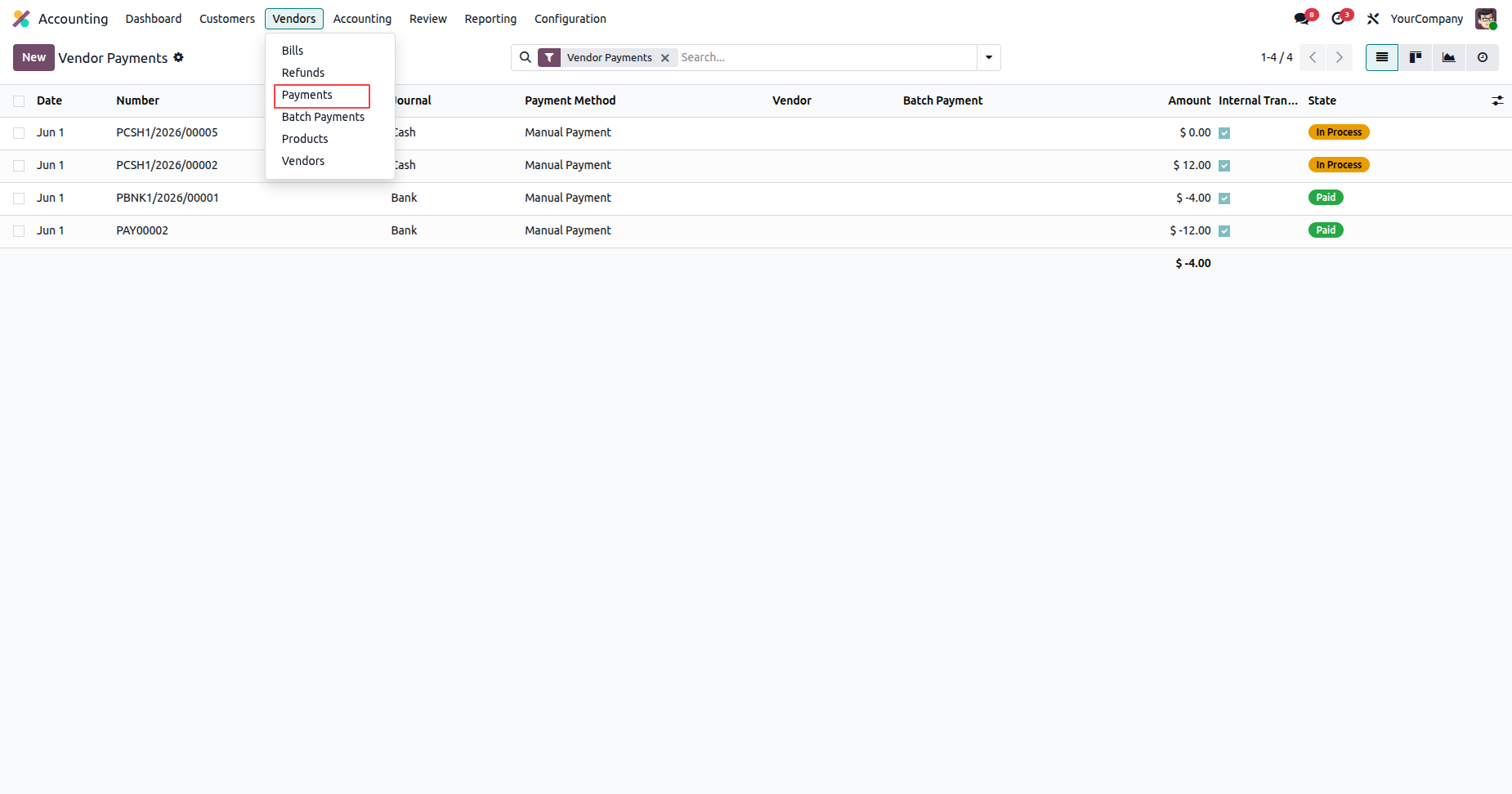
Navigate to Accounting -> Vendors -> Payments menu to view and manage all payments.
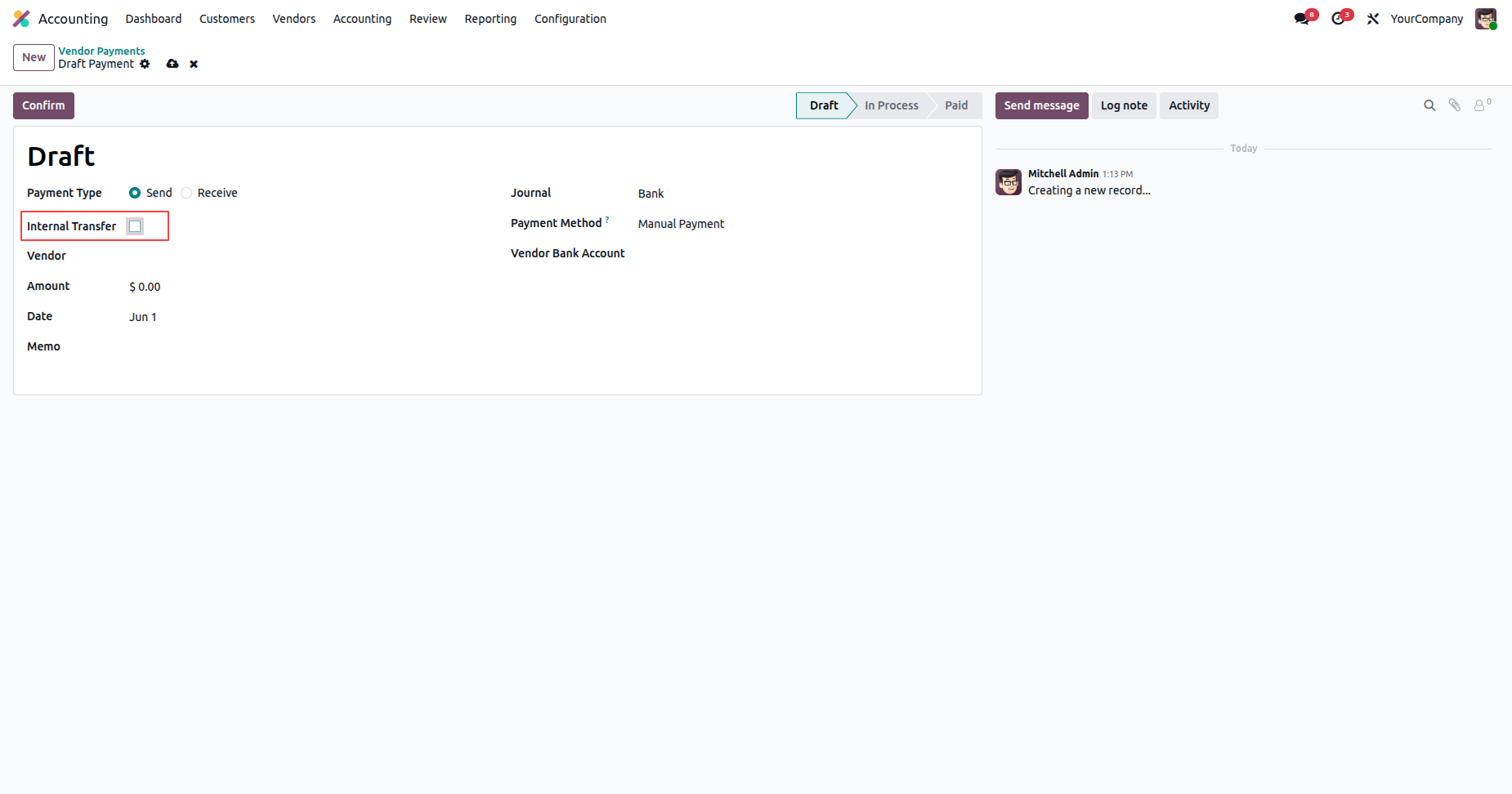
Create a new payment record and tick the 'Internal Transfer' checkbox to enable internal transfer mode.
Select the Destination Journal (e.g., Cash or Bank) for the transfer.
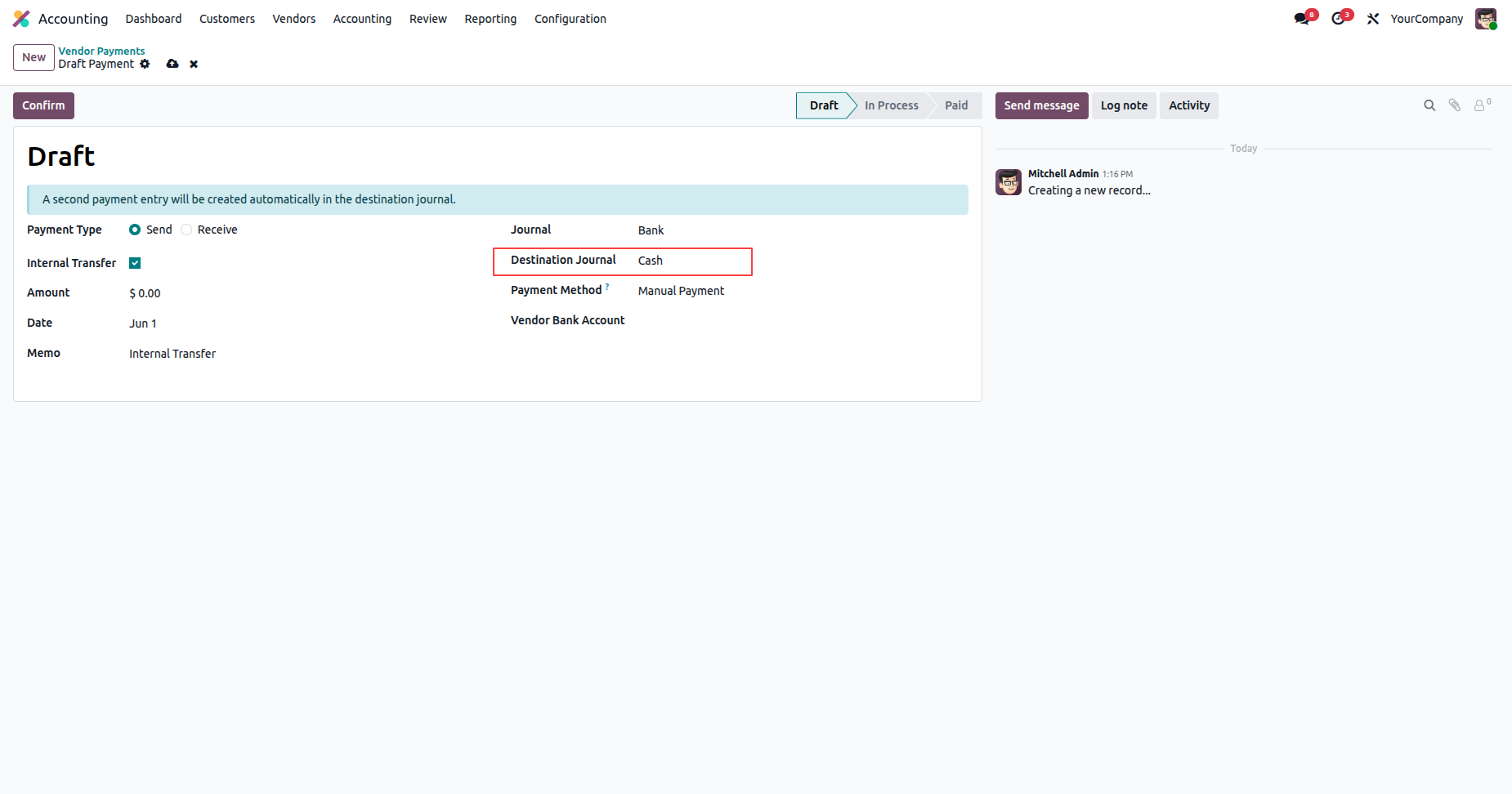
Confirm the payment to automatically generate the paired inbound payment entry.
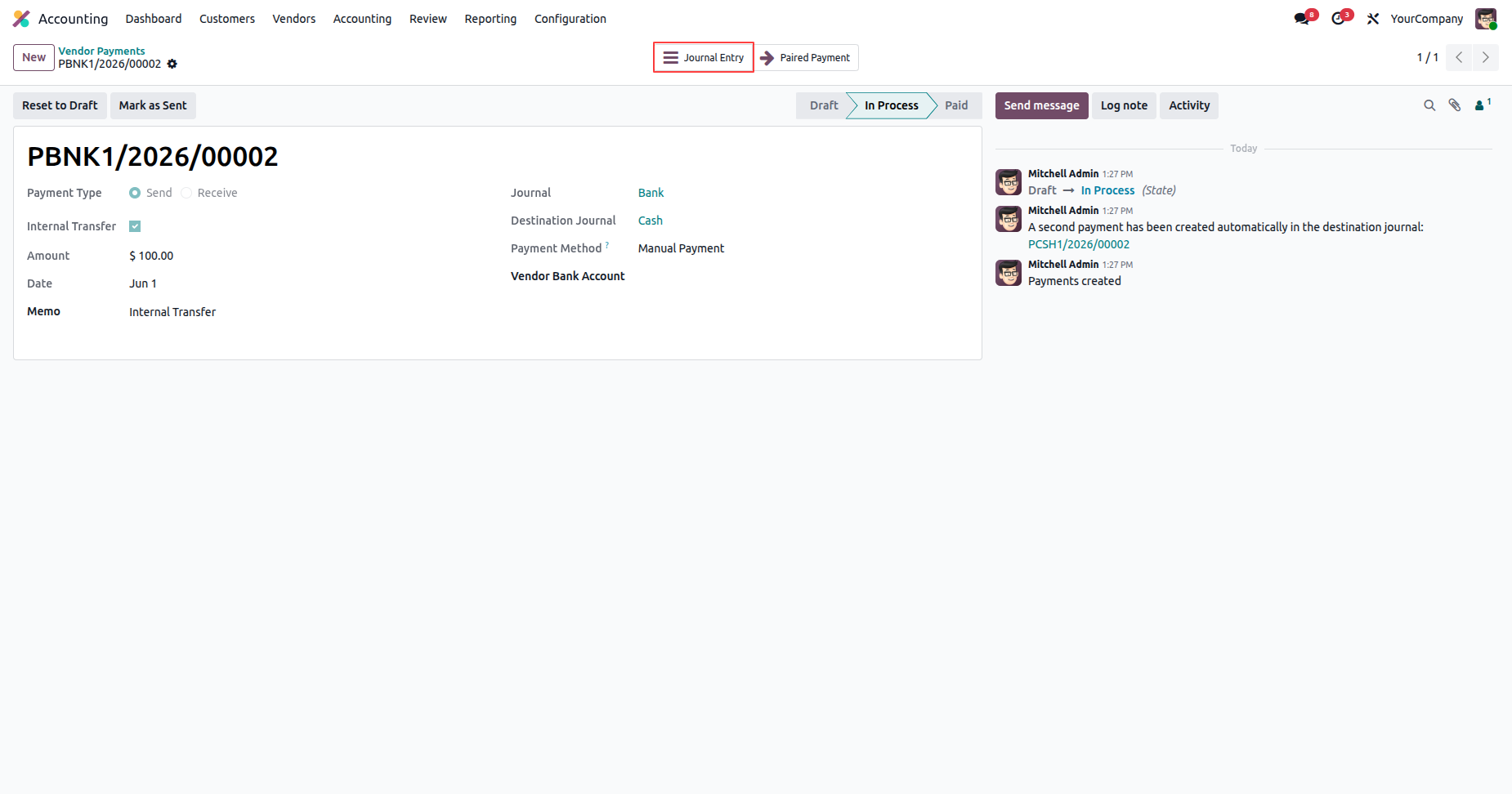
View the generated journal entries with automatic Liquidity Transfer account.
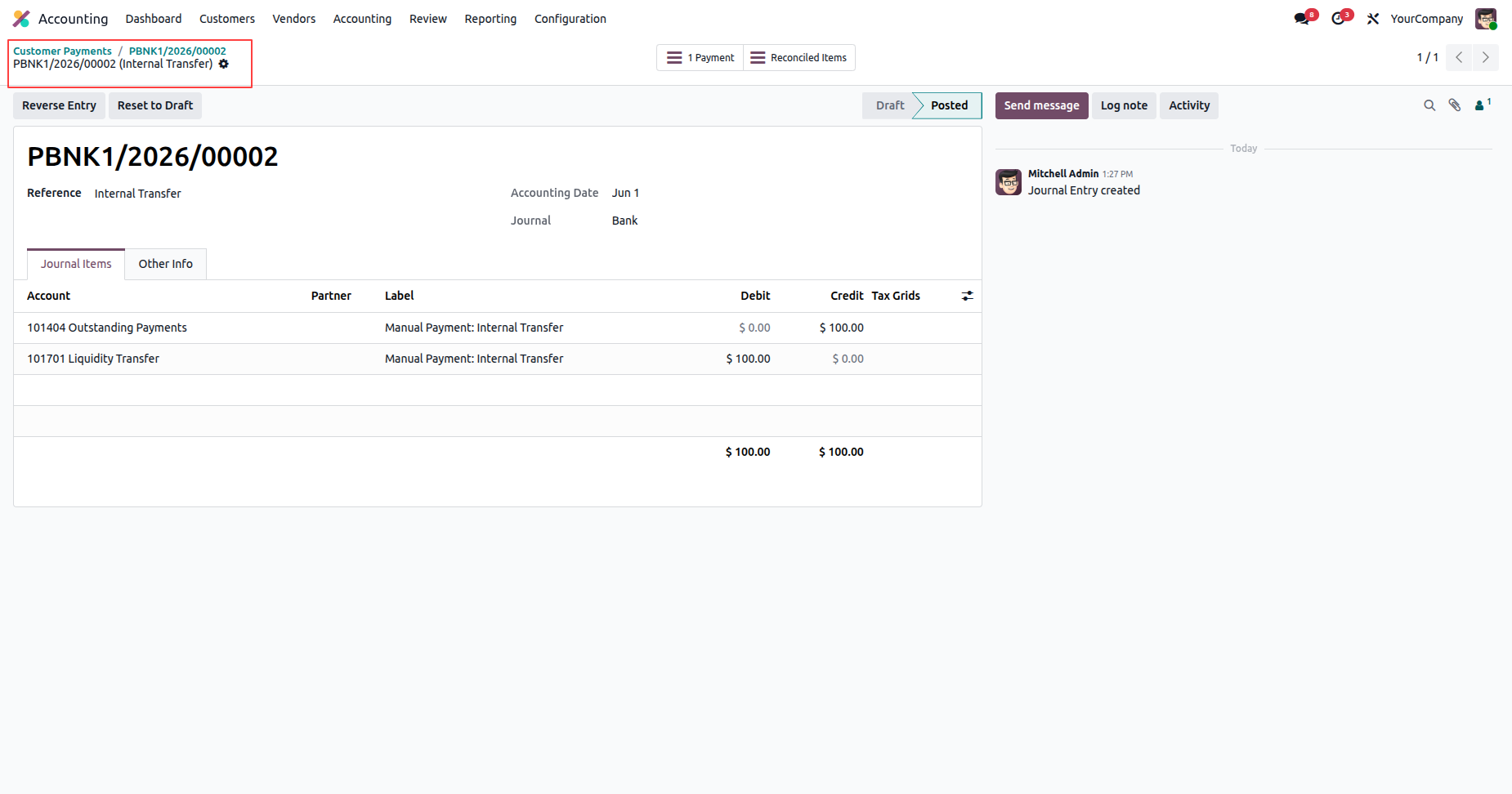
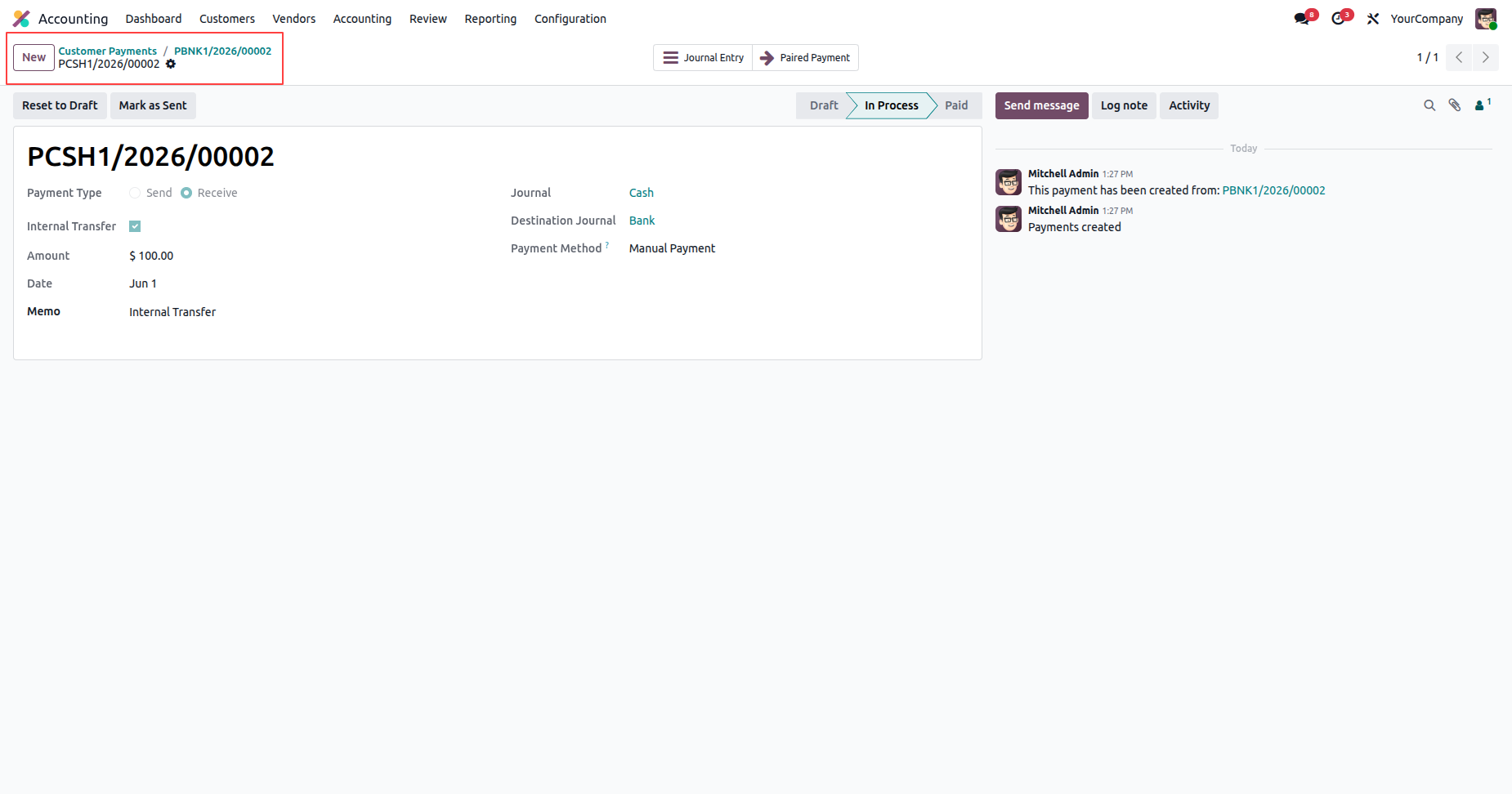
Easily navigate to the paired payment record using the dedicated 'Paired Payment' smart button.
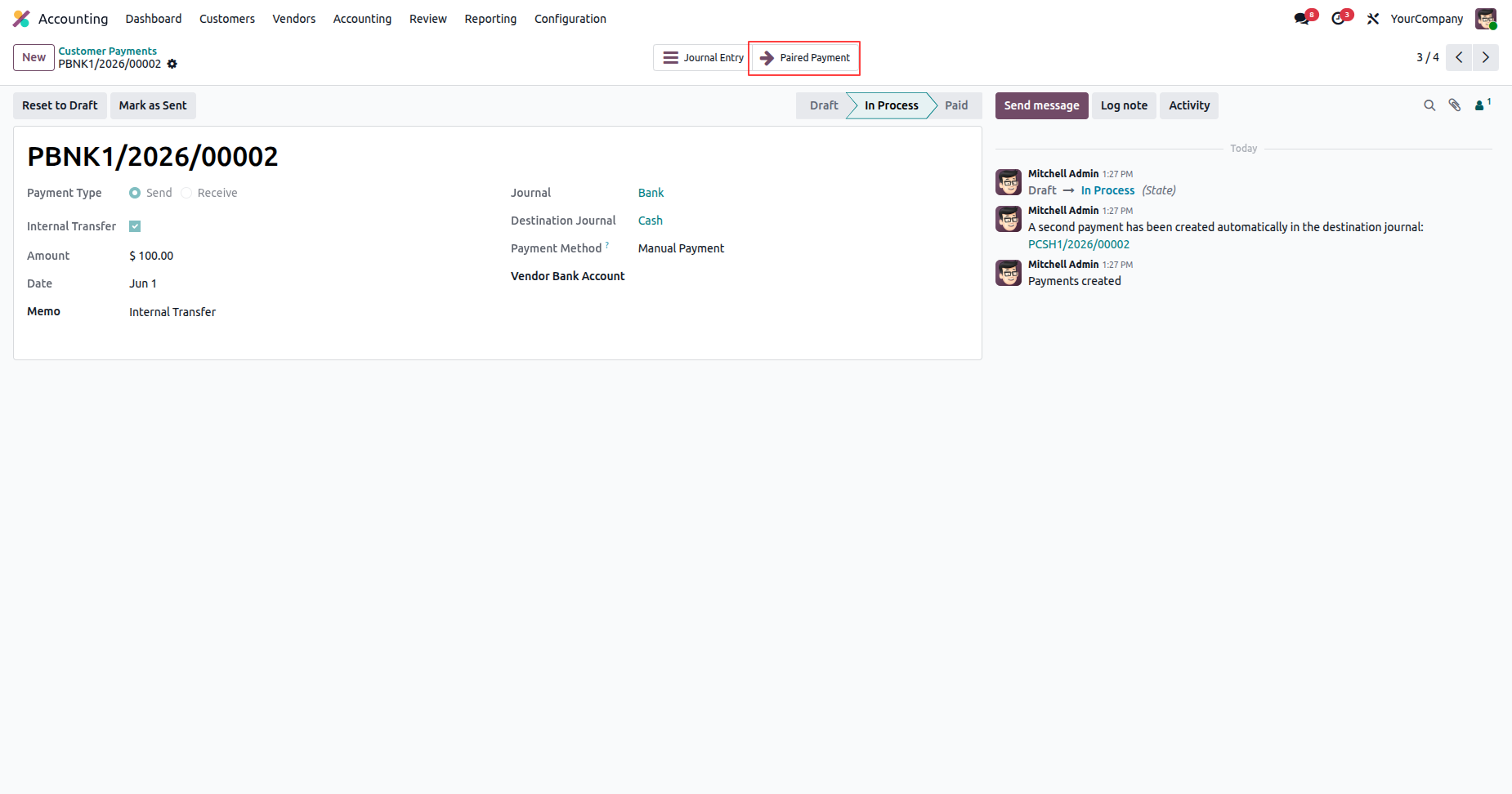
View the automatically created payment record with chatter cross-link to the source payment.
Monitor all internal transfer payments and their paired counterpart records cleanly in the payments list view.
Version 19.0.1.0.0 | Released on : 4th October 2026
- Yes, this app works perfectly with Odoo Enterprise (Odoo.sh & Premise) as well as Community.
- No, this application is not compatible with odoo.com(odoo saas/Odoo Online)
- Yes, to test this module, please contact us at sales@softhealer.com.
- Please contact us at sales@softhealer.com to request customization.
- Yes, we provide free support for 365 days from the date of purchase.
- Yes, you will receive lifetime free updates for the version of the module you purchased.
- No, there is no need to install any additional libraries.
- Yes, for version 12 and above, you need to purchase the module separately for each version you intend to use.
- No, exchanges or refunds are not allowed. Please make sure to select the correct version before purchasing.
- You can contact us at support@softhealer.com for language translation support. We use Google Translator tools to provide translations in multiple languages, so the accuracy may vary. We welcome your suggestions to help improve translations.
Discover Our Latest Apps