
















AI Insight Assistant - Talk to Your Data
Meet AI Assistance - your smart business companion that redefines how you explore, analyze, and understand your data. Just ask in natural language and instantly get data, charts, tables, dashboards, and insights - all powered by intelligent automation. It helps you improve efficiency, enhance service quality, analyze data faster, and streamline your processes effortlessly. Let your data speak back to you with powerful insights and actionable guidance!
 Features
 Setup & Configuration
 Release Notes
 Support
 FAQ's
FAQ's
Frequently Asked Questions
Everything you need to know before getting started.
- Check API configuration
- Verify internet connectivity
- Ensure provider API key is valid
Function calling with the Gemini API.
https://ai.google.dev/gemini-api/docs/function-calling?example=meeting
Function calling with the ChatGPT's API.
https://platform.openai.com/docs/guides/function-calling

Multi-Provider AI Integration
Supports multiple AI providers including OpenAI (ChatGPT) and Google Gemini, configurable from settings.
 Watch Video

Smart AI-Powered Interactions
Allows users to search, filter, and analyze records of odoo using conversational language. Enables faster decision-making by understanding intent behind user input.

Natural Language Processing
Enables users to interact with Odoo using plain language, converting queries into actionable insights. Automates text understanding, classification, and data extraction for faster, smarter decision-making.

Smart Access Control
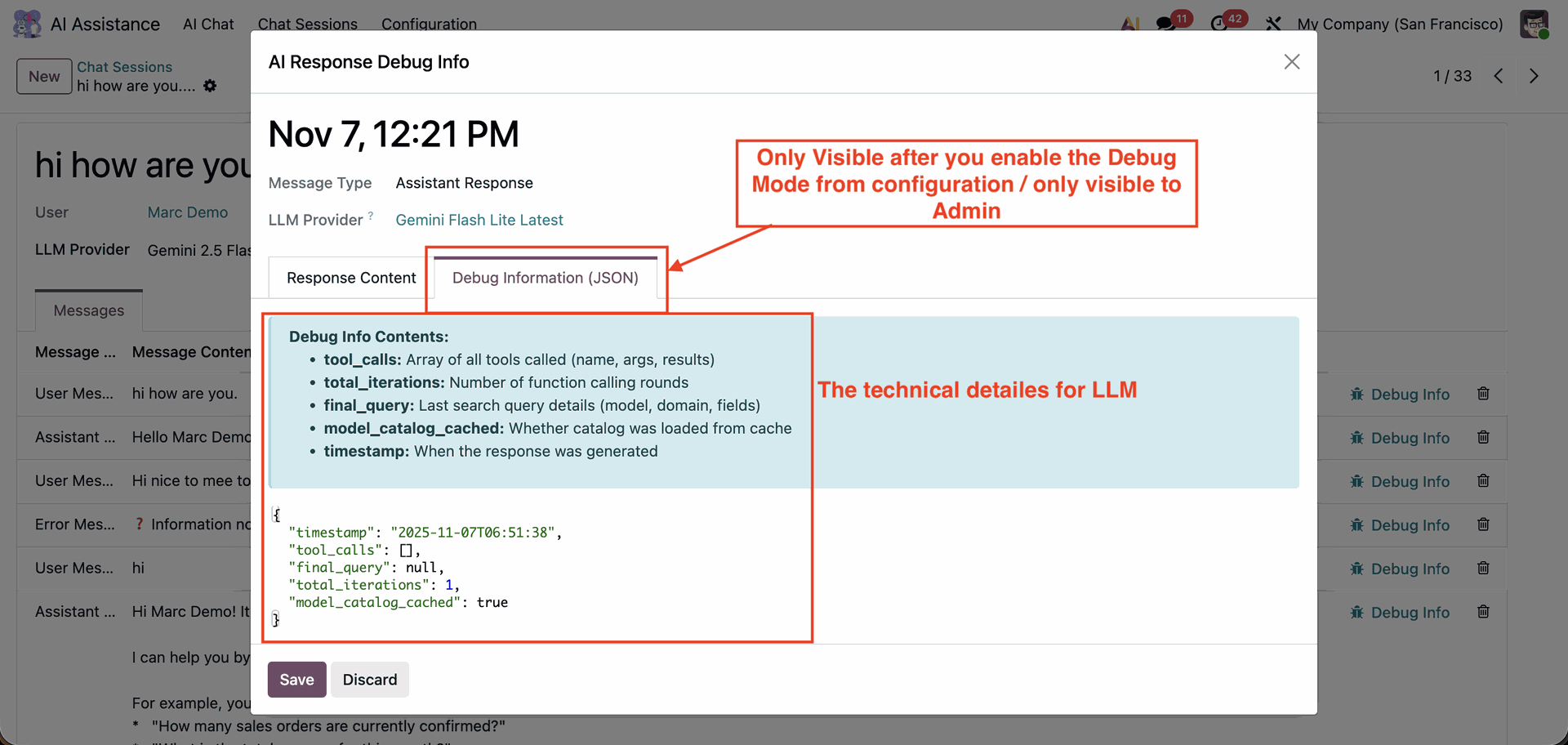
Access rights are managed smartly - only authorized users or administrators can access configuration and debugging features. Allows admins to enable Debug Mode to view complete details, as well as technical JSON-level details of AI responses.

Smart Visualization Output
Get answers in the form of charts, tables, or graphs.

Instant Response Engine
Ask questions and receive real-time results—no manual searching needed.

Cross-Module Integration
Works seamlessly across Odoo modules like Sales, Purchase, Accounting, and more.

Intelligent Data Understanding
Understands business context and interprets complex queries with accuracy.

Share AI Chat
Allow users to generate a secure, shareable link for any chat session, making it easy to share conversations with others.
Watch Video

Chat Stop Control
Easily stop AI responses anytime to prevent unwanted or incorrect outputs and maintain full control over your conversation flow.
Watch Video

View Selection Option
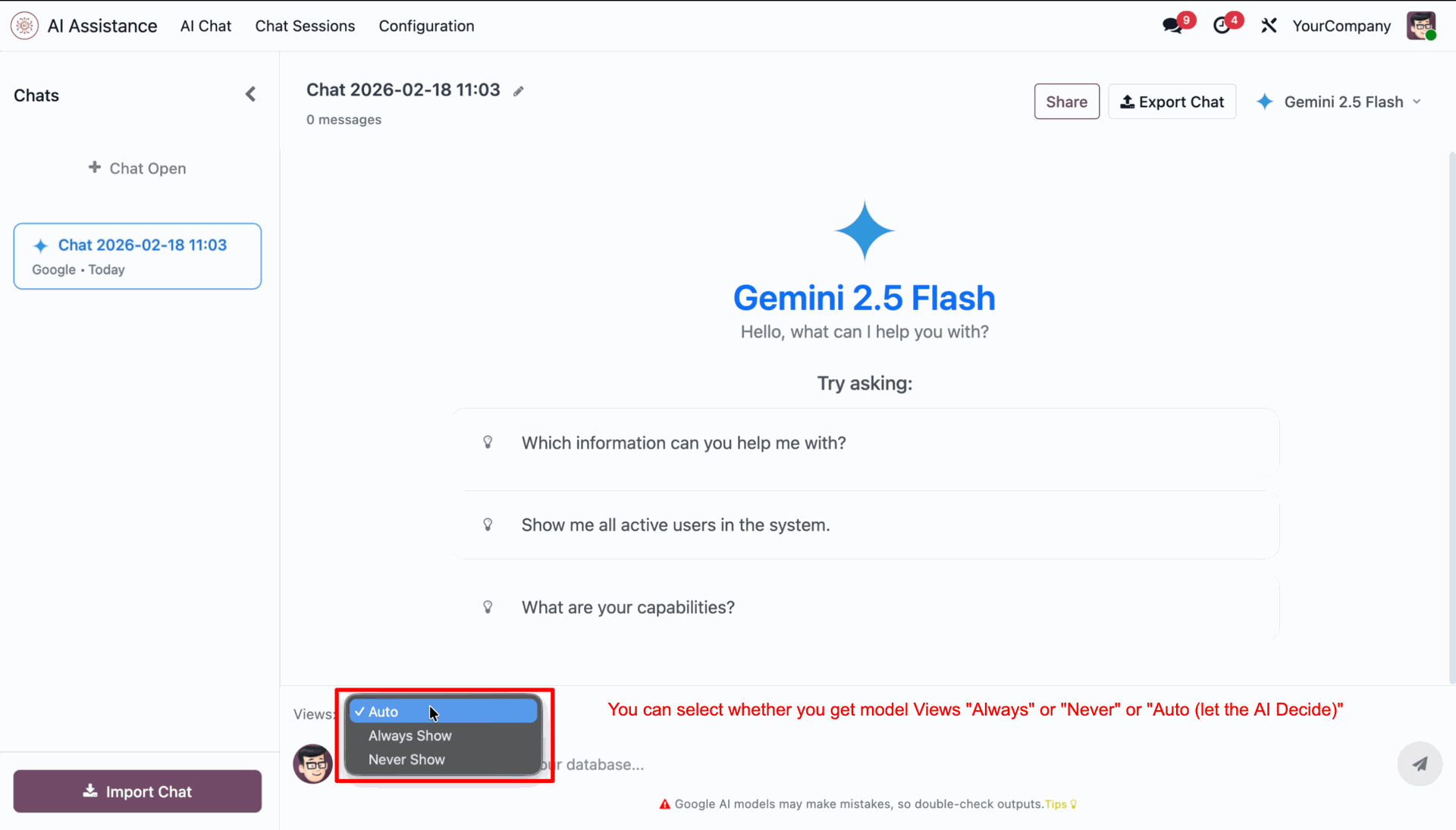
Control when AI model views appear with flexible options like Always, Never, or Auto for a smarter chat experience.
Watch Video

AI Create, Write, and Archive With Access
Create content, update responses, and archive AI conversations in one place for easy management.
Watch Video

Complete AI Conversation Logging
Stores all AI conversations as chat sessions with full message history and timestamps.
Watch Video

Custom Development Friendly
Built to work smoothly alongside customizations, ensuring flexibility and easy integration. Supports extensions and modifications without affecting module stability or performance.
Watch Video

Compatible with Odoo Access Rights
Fully compatible with Odoo’s access rights system - users without the necessary permissions cannot view or access any restricted Odoo data.
Watch Video

Dedicated AI Chat Interface
Offers a dedicated AI Chat menu for users to interact naturally with Odoo data. Automatically saves AI replies, user prompts, and provider details for audit and transparency. Maintains conversation continuity with session-based context and rename options. Option to delete chats for maintaining privacy and clearing old data.
Watch Video

Chat UI with Light & Dark Modes
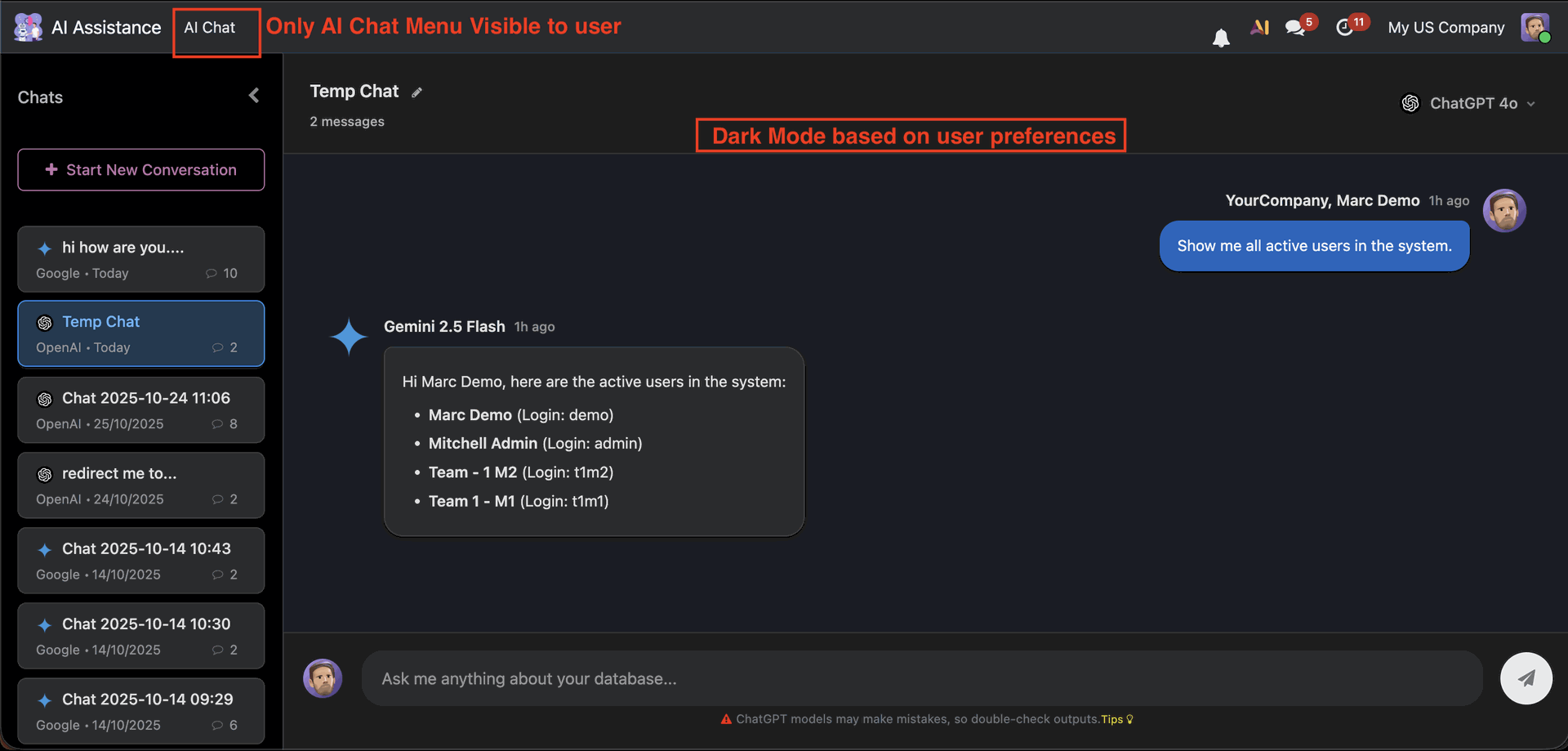
Includes a clean, modern chat interface with support for light and dark modes.
Watch Video

Performance Insights
Track KPIs, trends, metrics, and view AI-generated summaries.

System Prompt Intelligence
Ensures AI Mate responds with clear, accurate, and actionable insights using a professional and user-friendly tone.

Export AI Chat
Enable users to export their complete chat history, ensuring conversations can be safely stored and backed up.
Watch Video

Import AI Chat
Allow users to import previously exported chat files to restore past conversations or continue discussions.
Watch Video

AI Onboarding Process
A guided onboarding flow that helps users quickly configure their first AI provider and model, ensuring a smooth setup.
Watch Video

OpenRouter Integration
Configure OpenRouter to access multiple AI models through a single API, allowing flexible model selection.
Watch Video

AI Chat Popup Window
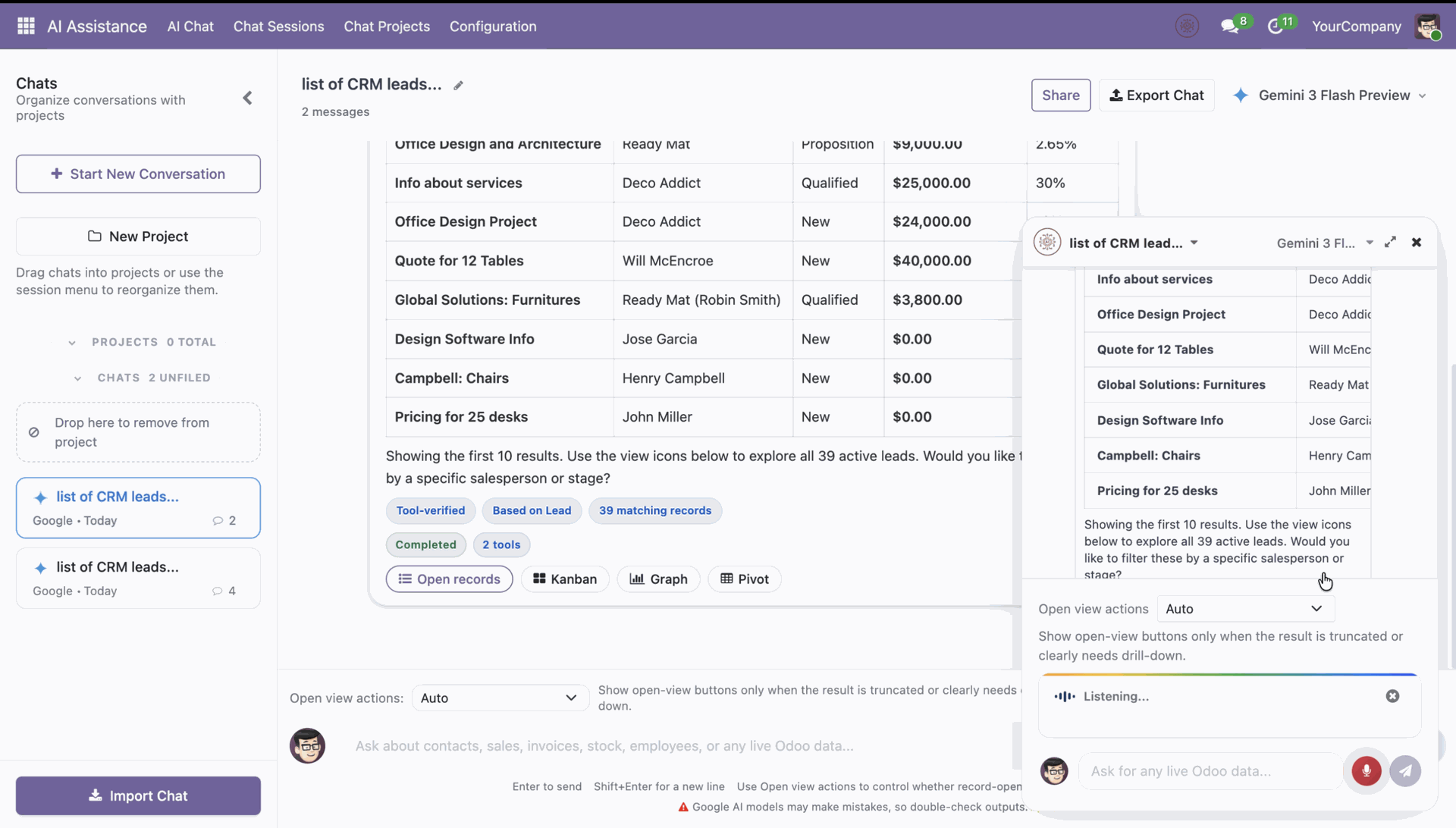
Interact with AI through a mini popup chat window available on all screens, ensuring faster responses and improved productivity.
Watch Video

Folder-Based Chat Management
Manage AI conversations more effectively by organizing them into folders. Categorize chats based on topics to improve accessibility.
Watch Video

AI Voice Prompt
Use voice prompts to interact with AI naturally by speaking and receiving intelligent responses quickly.
Watch Video

LLM Reasoning Effort Selection
Configure reasoning effort levels in LLM providers to customize the cognitive depth and accuracy of AI responses.
Watch Video
Claude & DeepSeek AI Integration  LATEST
Enable Claude AI and DeepSeek AI as LLM providers within Odoo, allowing users to leverage advanced AI models for intelligent conversations.
Watch Video
-
 Access Rights
-
 AI Conversations
-
 Odoo Standard Access Rights
-
 Compatible With Custom Modules
-
 Admin User debug info
-
 Multiple LLM provider
-
 Dark Mode
-
 Import, Export, Share Chat
-
 AI Response Stop NEW
-
 AI Onboarding Guide NEW
-
 View Selection NEW
-
 OpenRouter Integration NEW
-
 Create, Update & Archive Records With AI NEW
-
 AI Popup Window
NEW
AI Popup Window
NEW
-
 Folder-Based Chat Management
NEW
Folder-Based Chat Management
NEW
-
 AI Voice Prompt
NEW
AI Voice Prompt
NEW
-
 LLM Reasoning Effort Selection
NEW
LLM Reasoning Effort Selection
NEW
-
Claude and DeepSeek AI
NEW
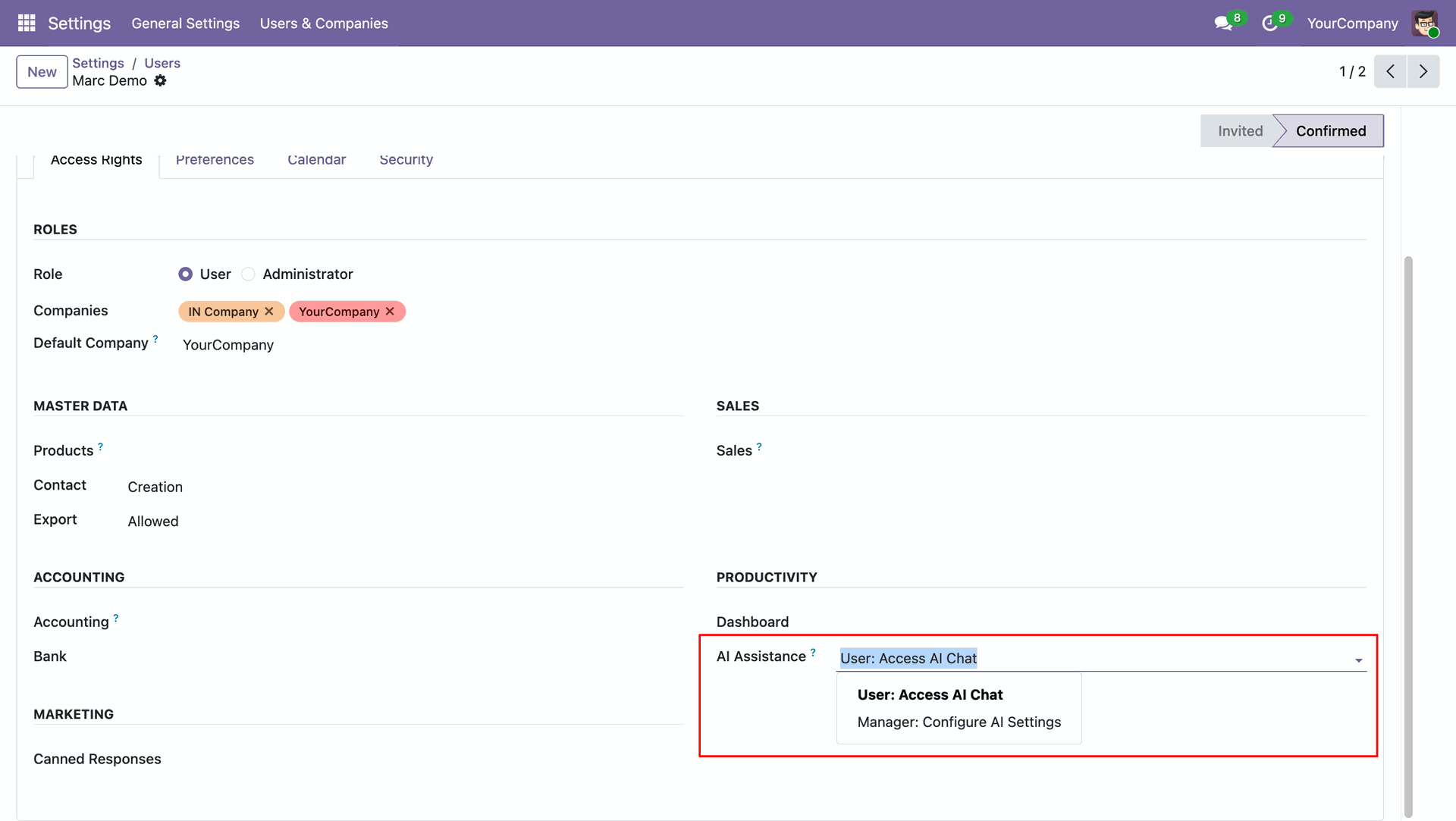
You can set access rights for AI Assistance under user settings.
The AI Chat menu allows users to manage conversations with AI models.
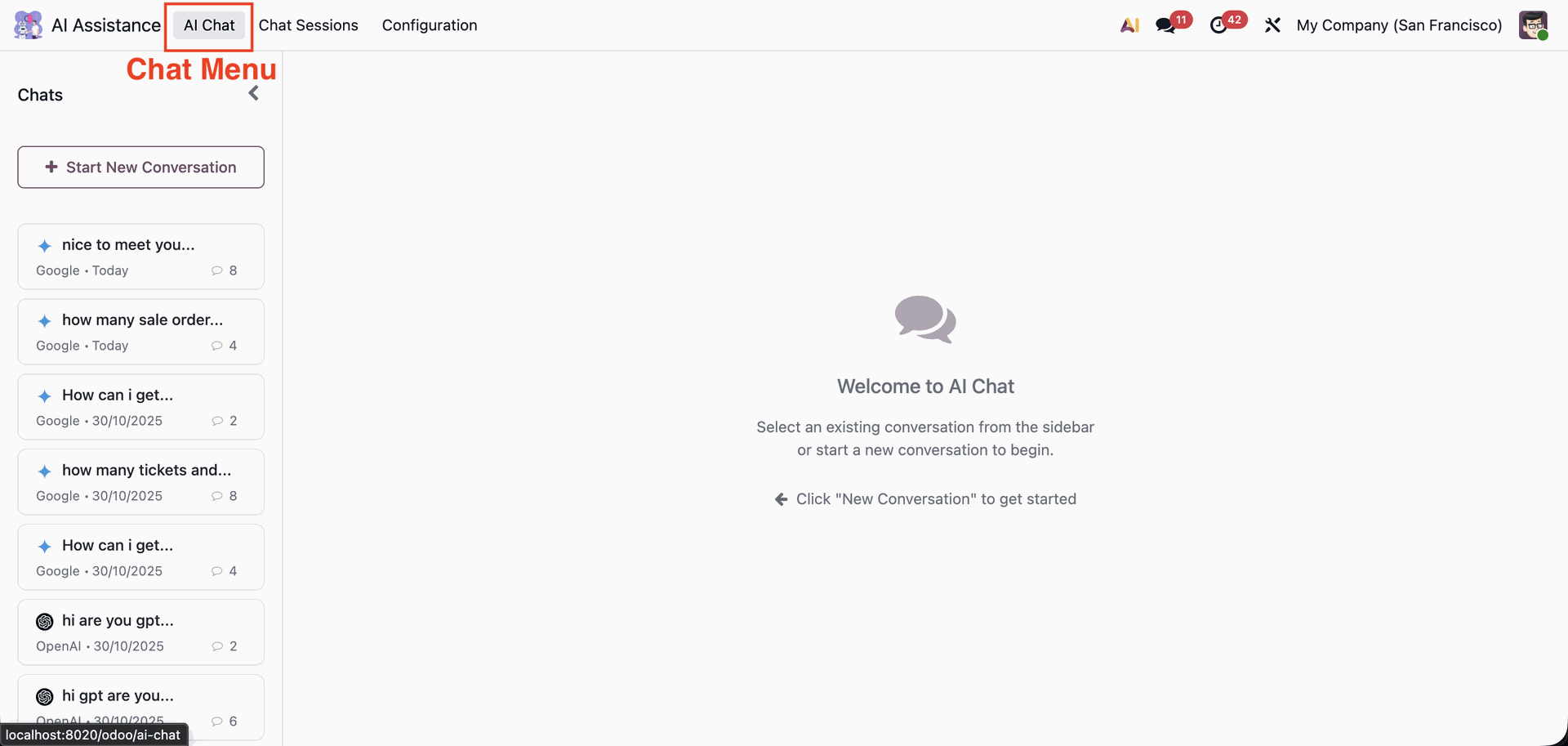
Users can create a new AI chat session, assign or edit a session name, and select from multiple AI models. Previous chat histories are listed on the sidebar for easy reference.
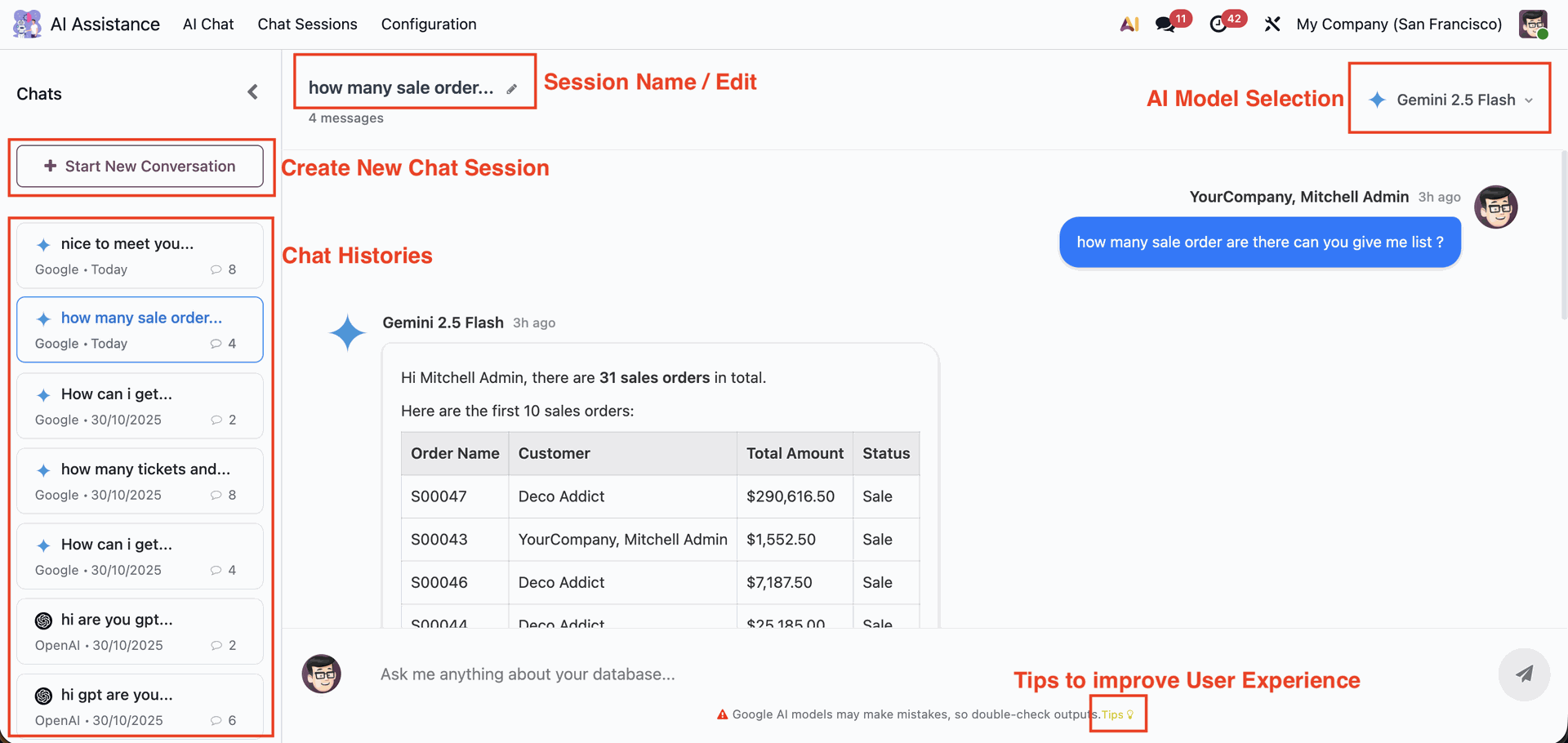
Users can switch between multiple AI models directly from the chat interface. Available options include Google’s Gemini series and OpenAI’s ChatGPT series (from 4o to 5 nano).
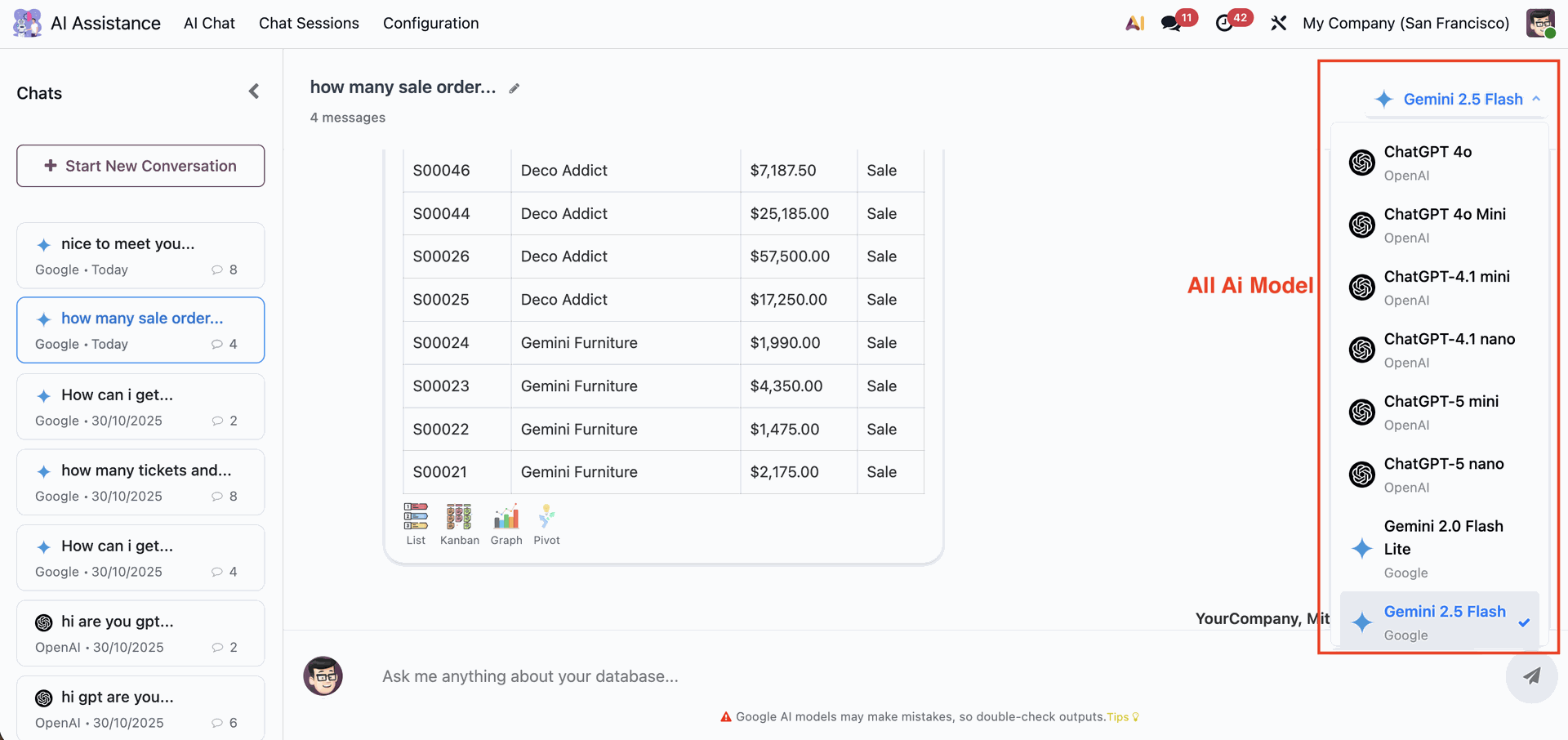
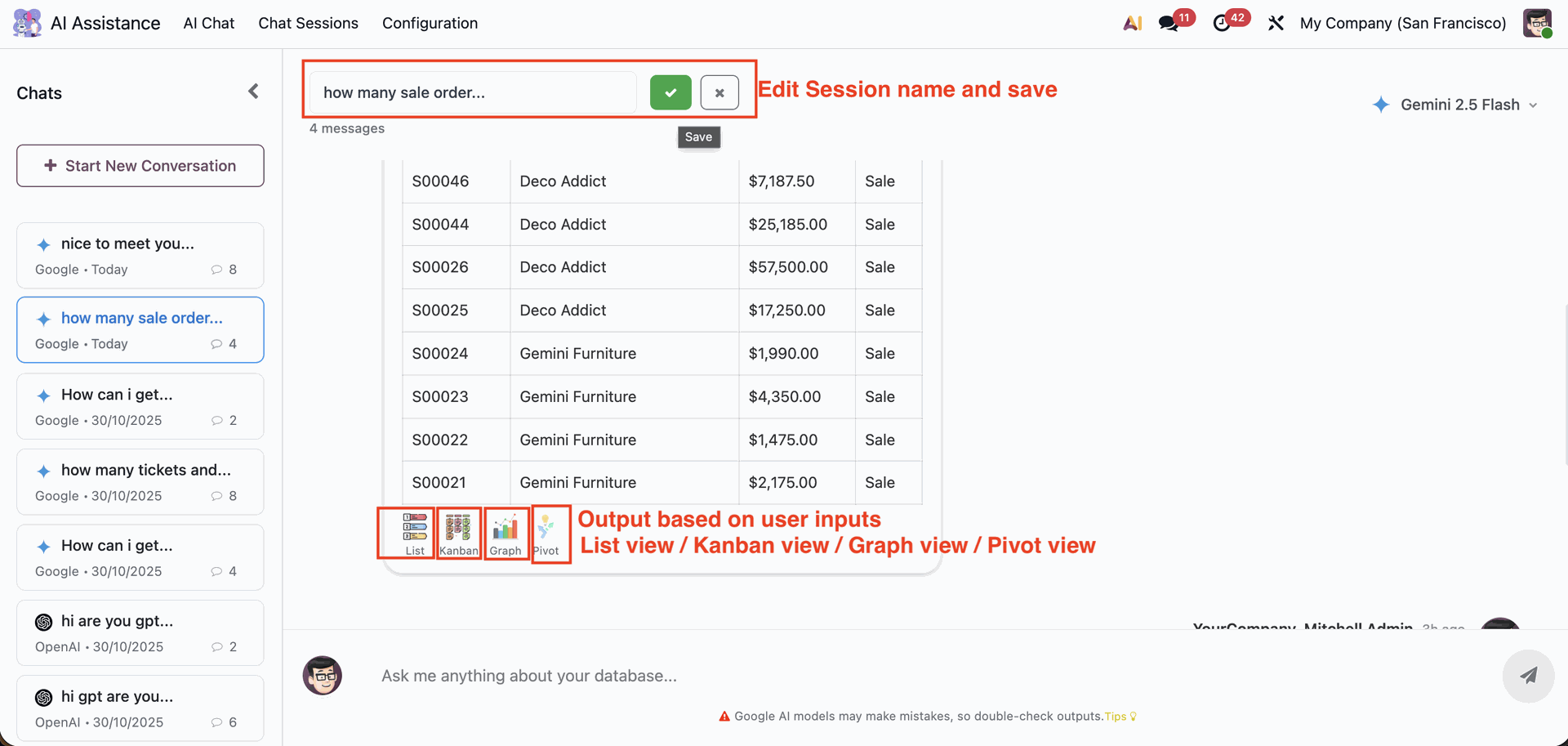
Users can easily rename a chat session by clicking the session title, editing it, and saving the new name. Based on the user’s query, AI-generated outputs are displayed in multiple formats - List View, Kanban View, Graph View, or Pivot View.
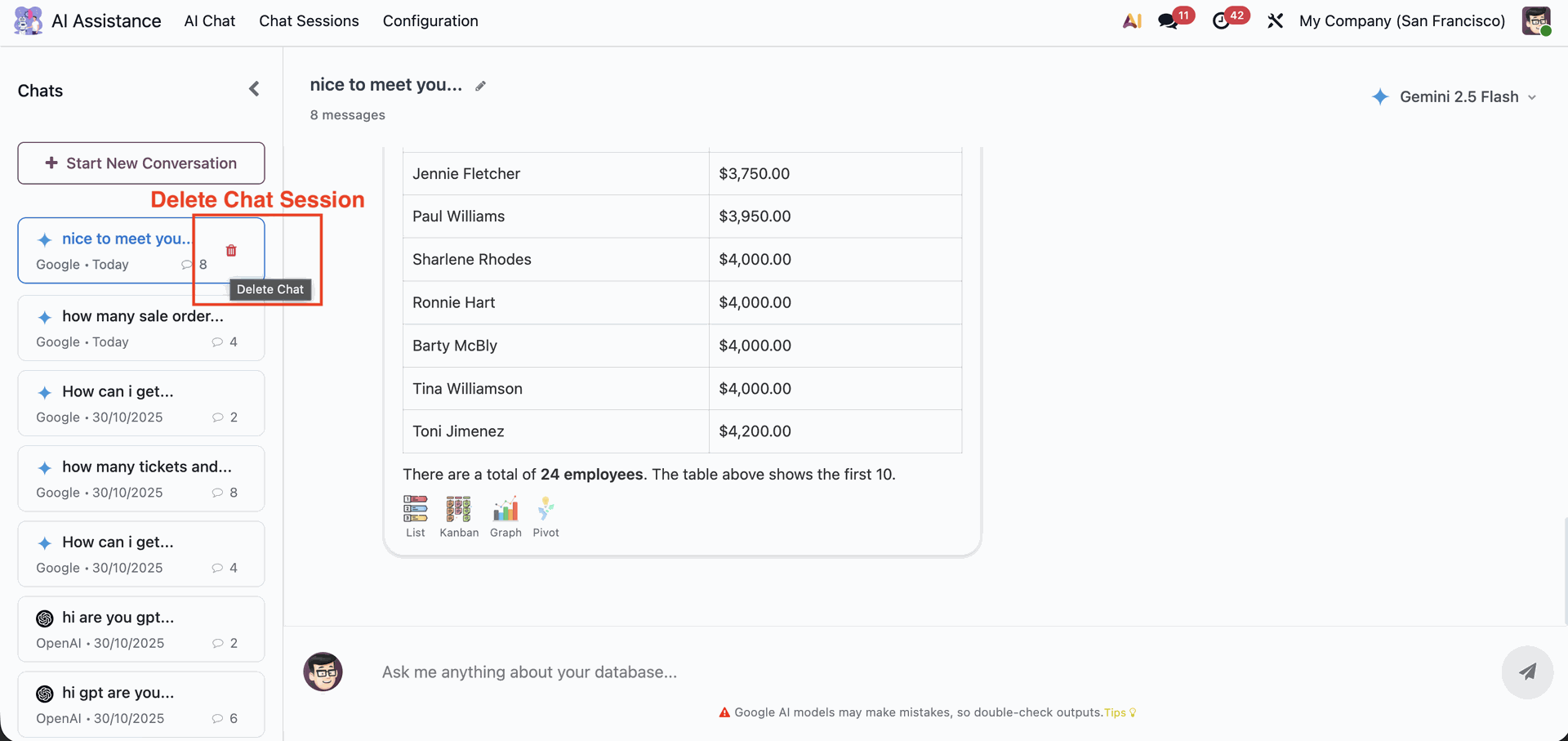
Users can manage their chat history effortlessly by deleting unwanted chat sessions with a single click.
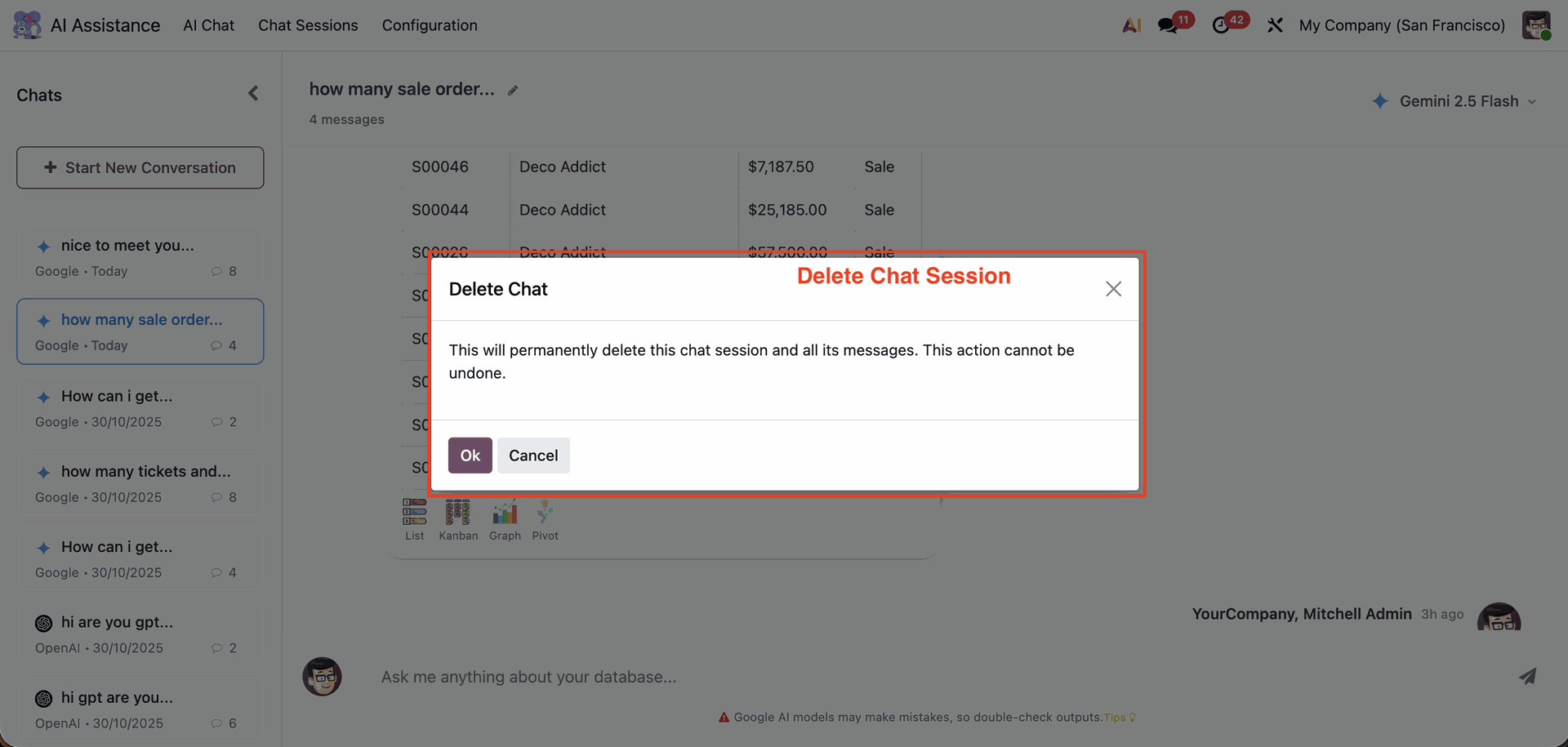
A confirmation popup appears when deleting a chat session, ensuring that users don’t accidentally remove important conversations.
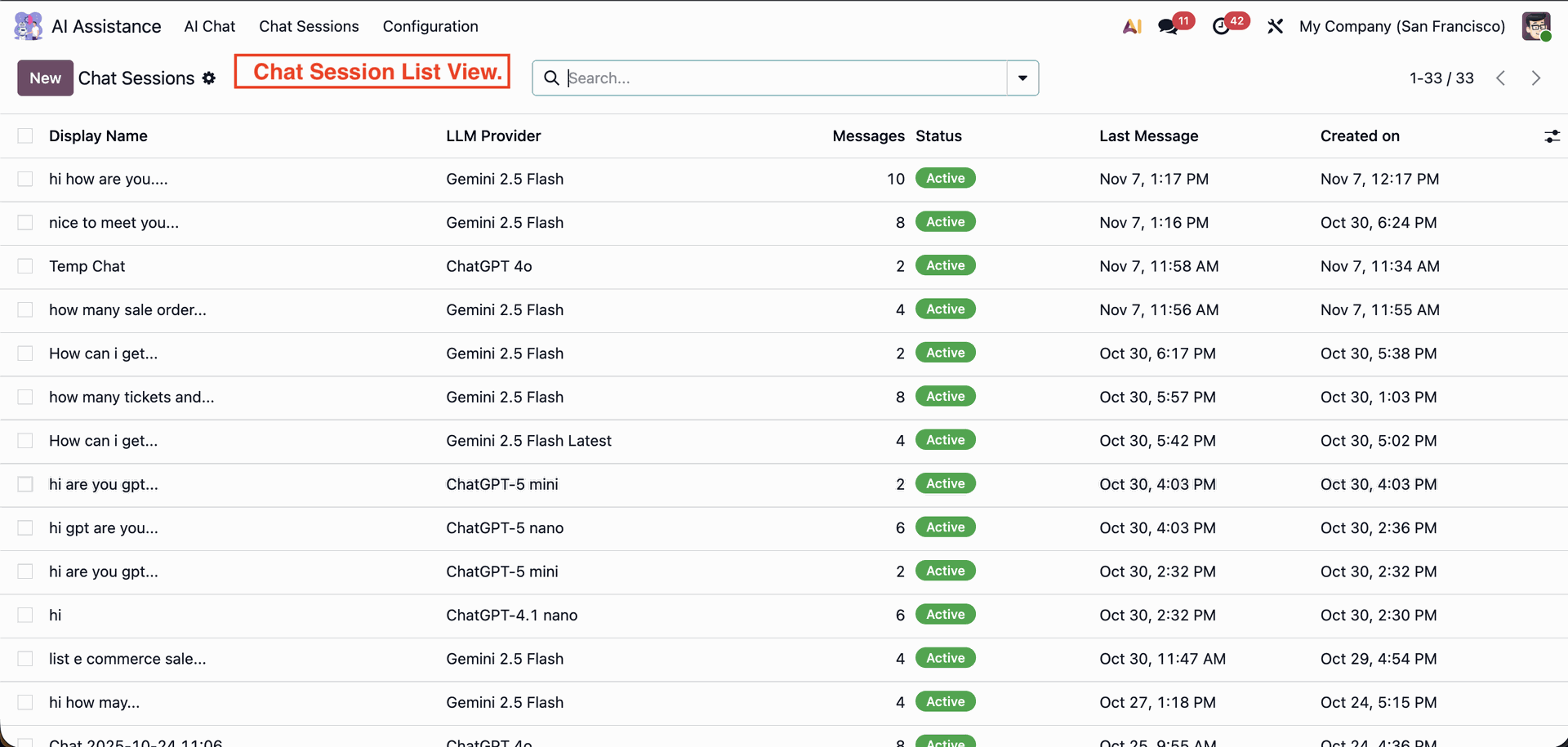
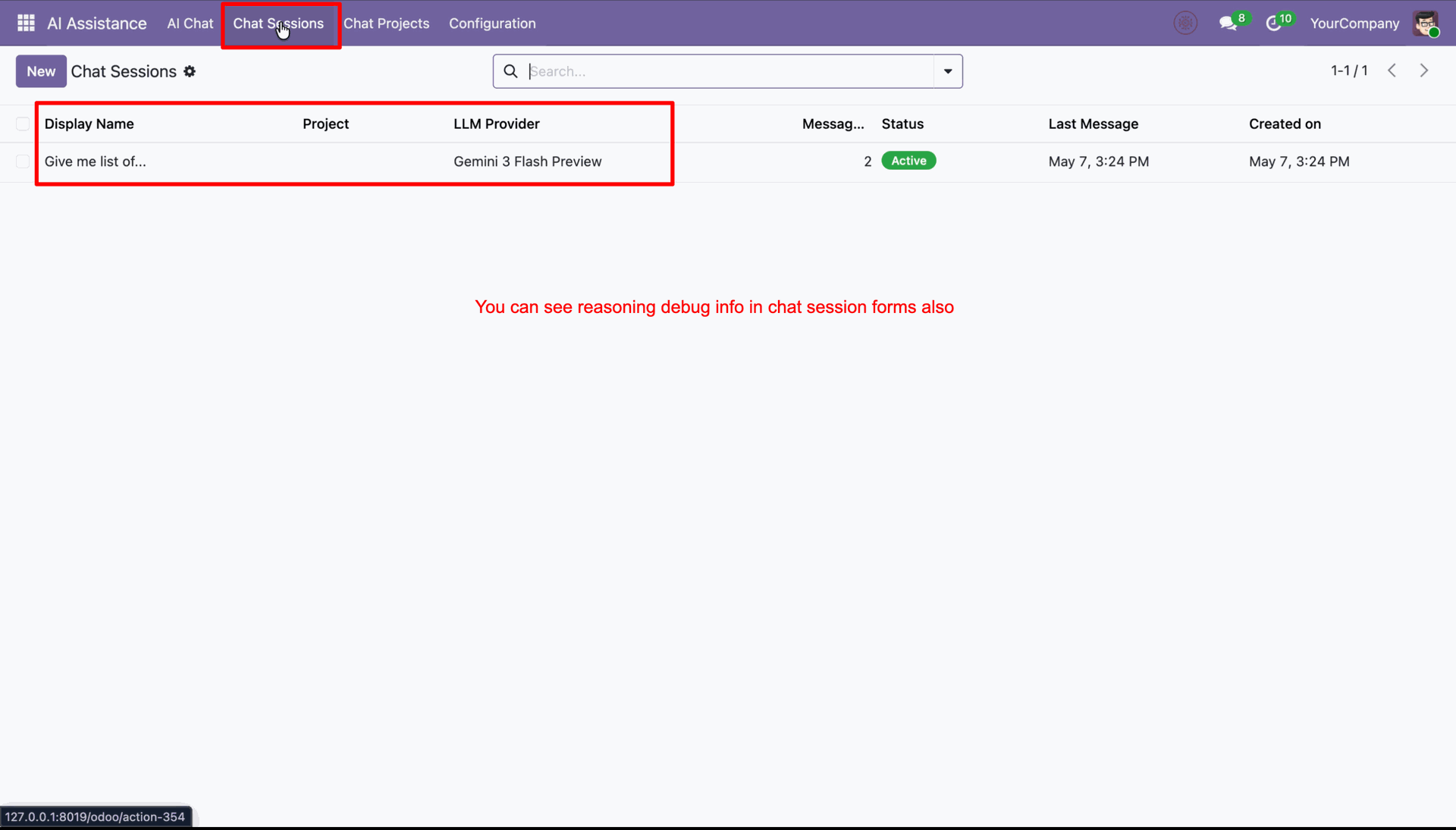
The Chat Session List View provides a centralized overview of all AI chat sessions in Odoo. Each record displays key details such as session name, selected AI model (LLM provider), message count, chat status, timestamps for the last message, and creation date.
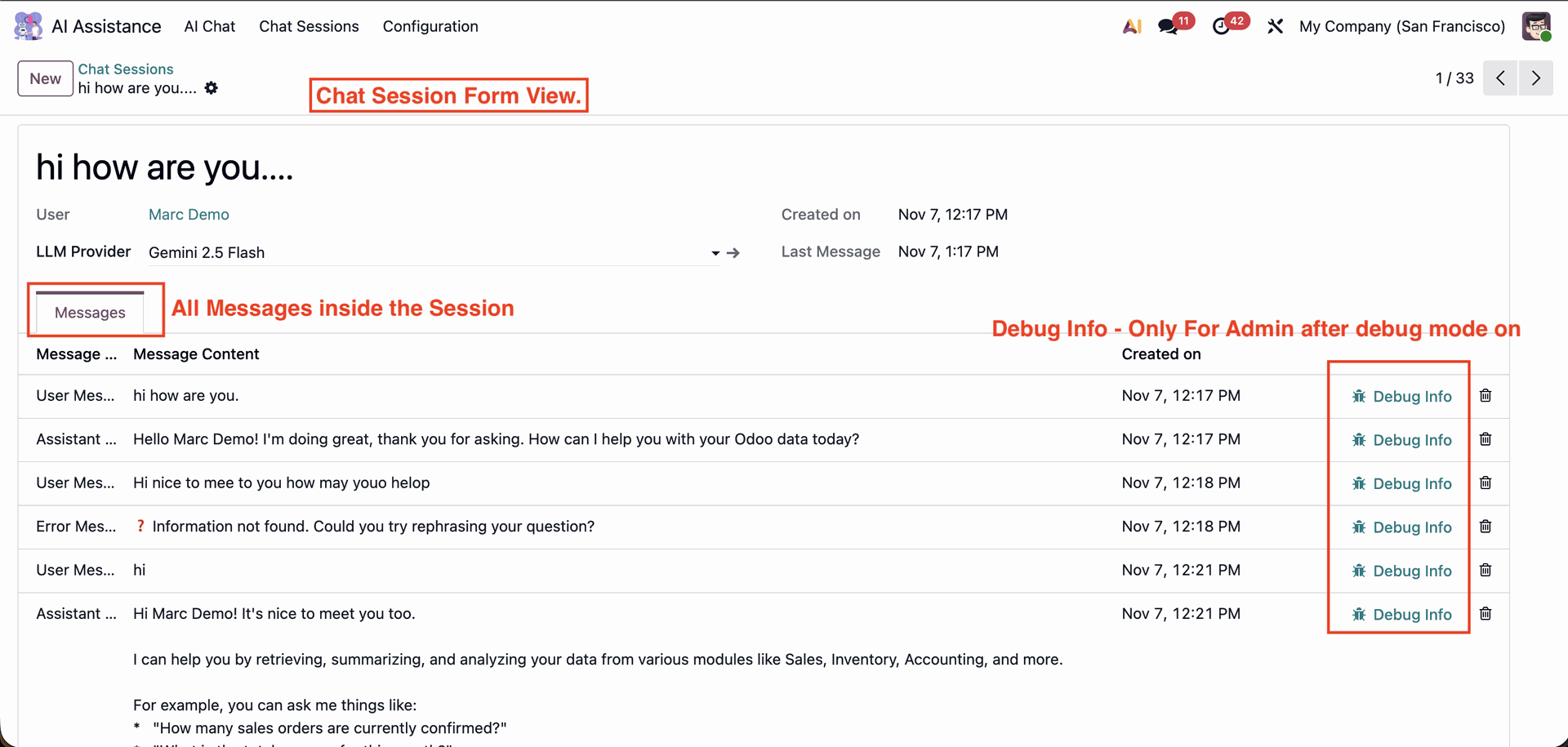
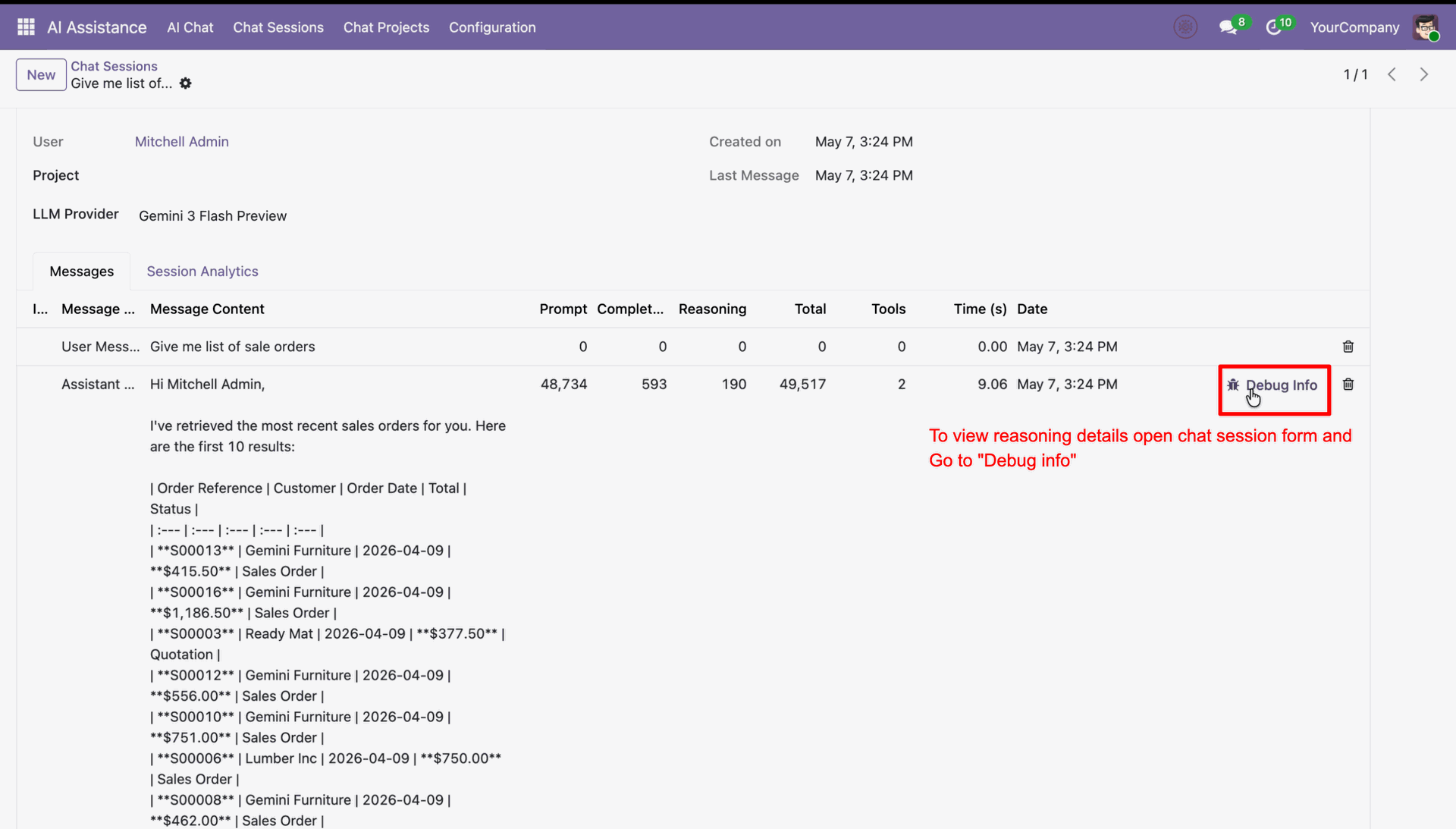
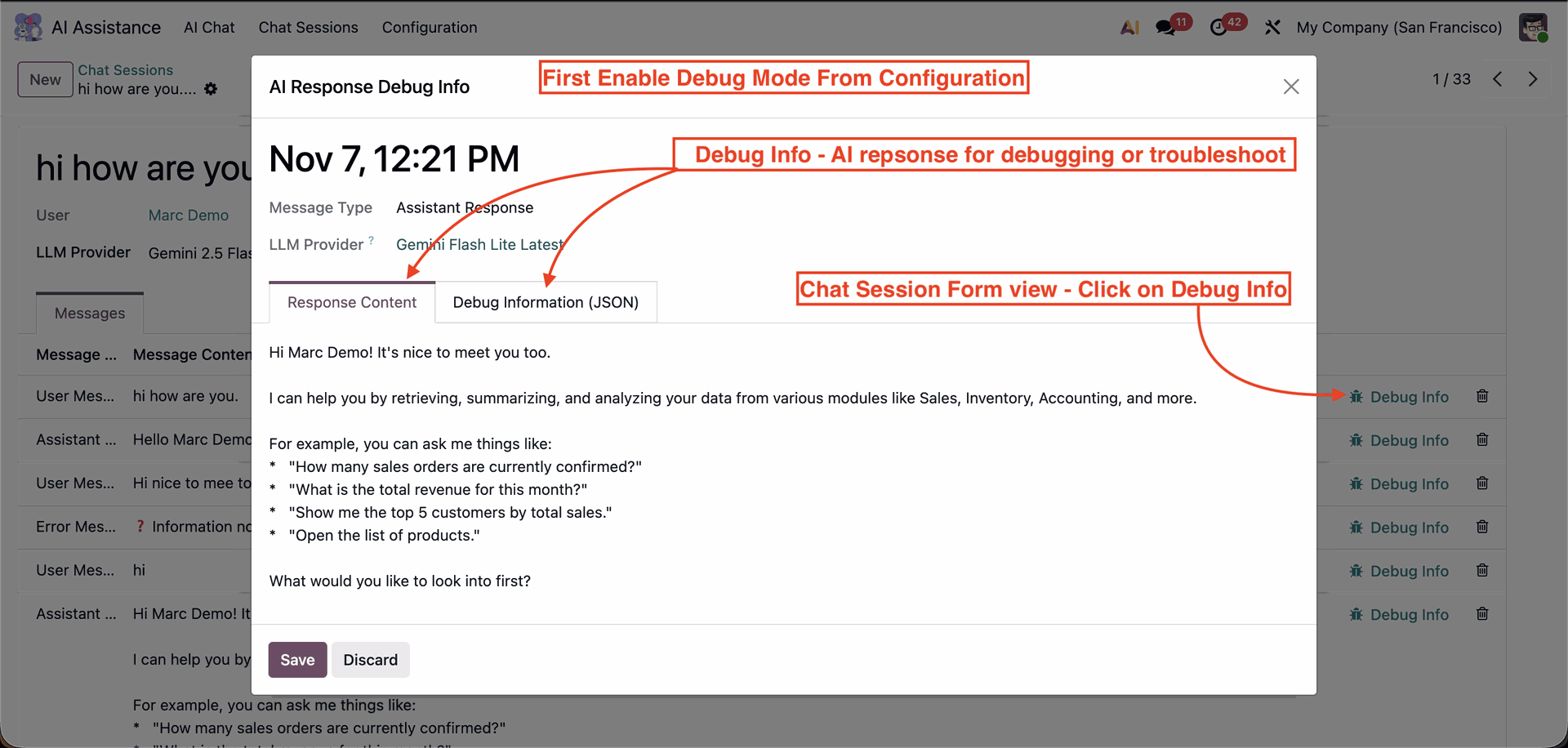
The Chat Session Form View displays detailed insights of an individual AI chat session. Admins can also access Debug Info for each message to review technical details, making this view ideal for analysis, troubleshooting, and audit purposes.
Create new projects.
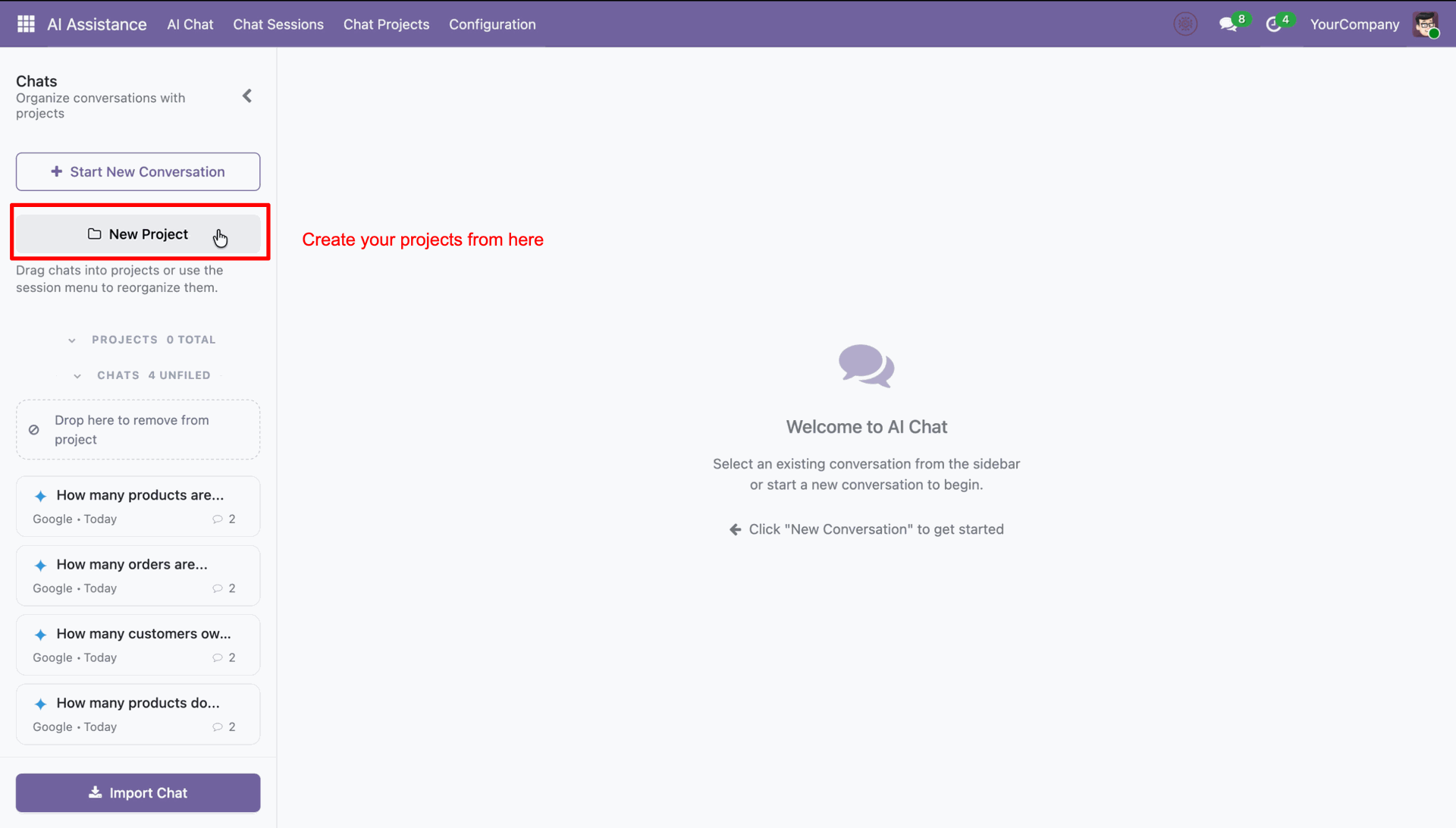
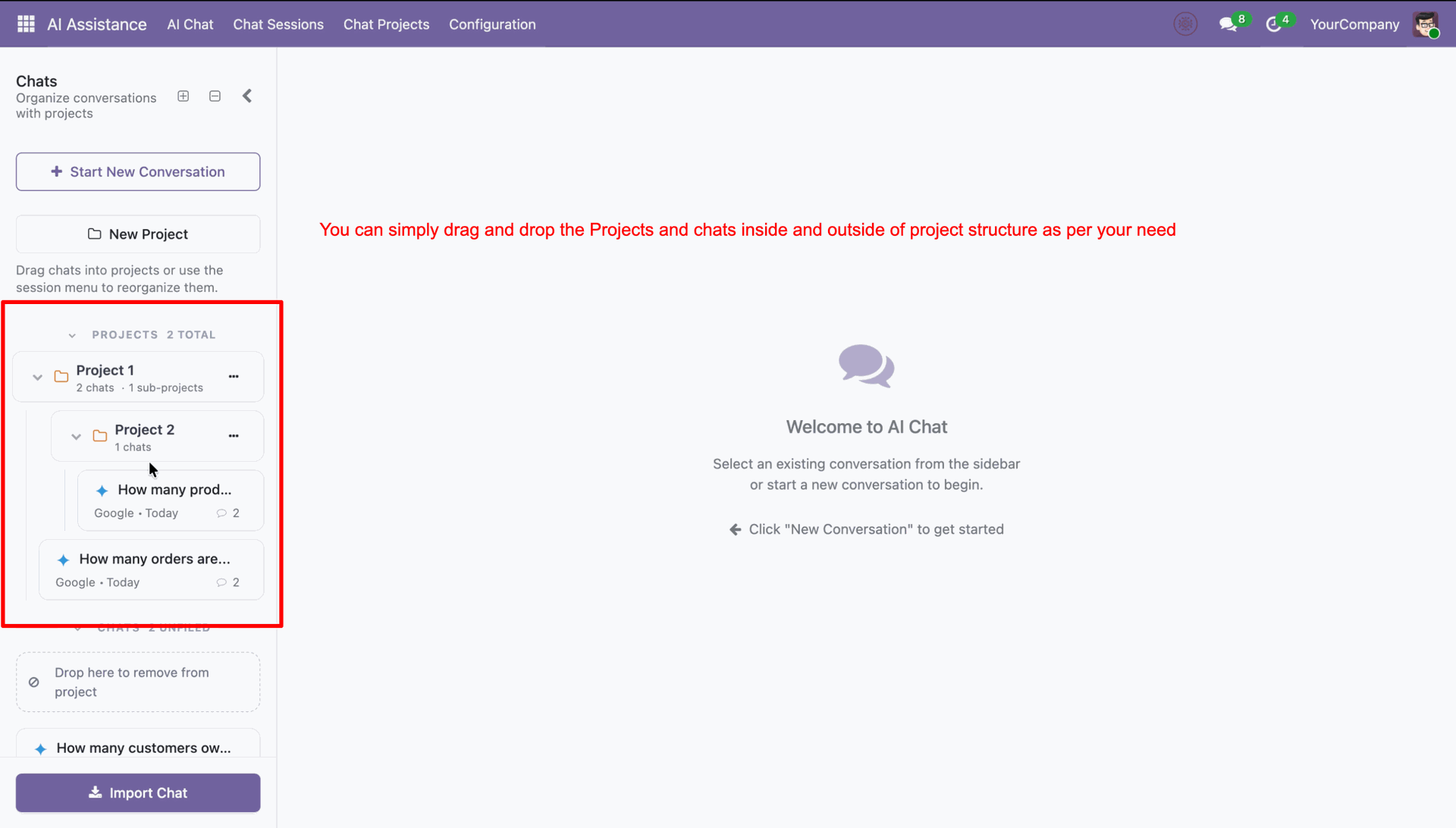
You can drag and drop as per the requirement.
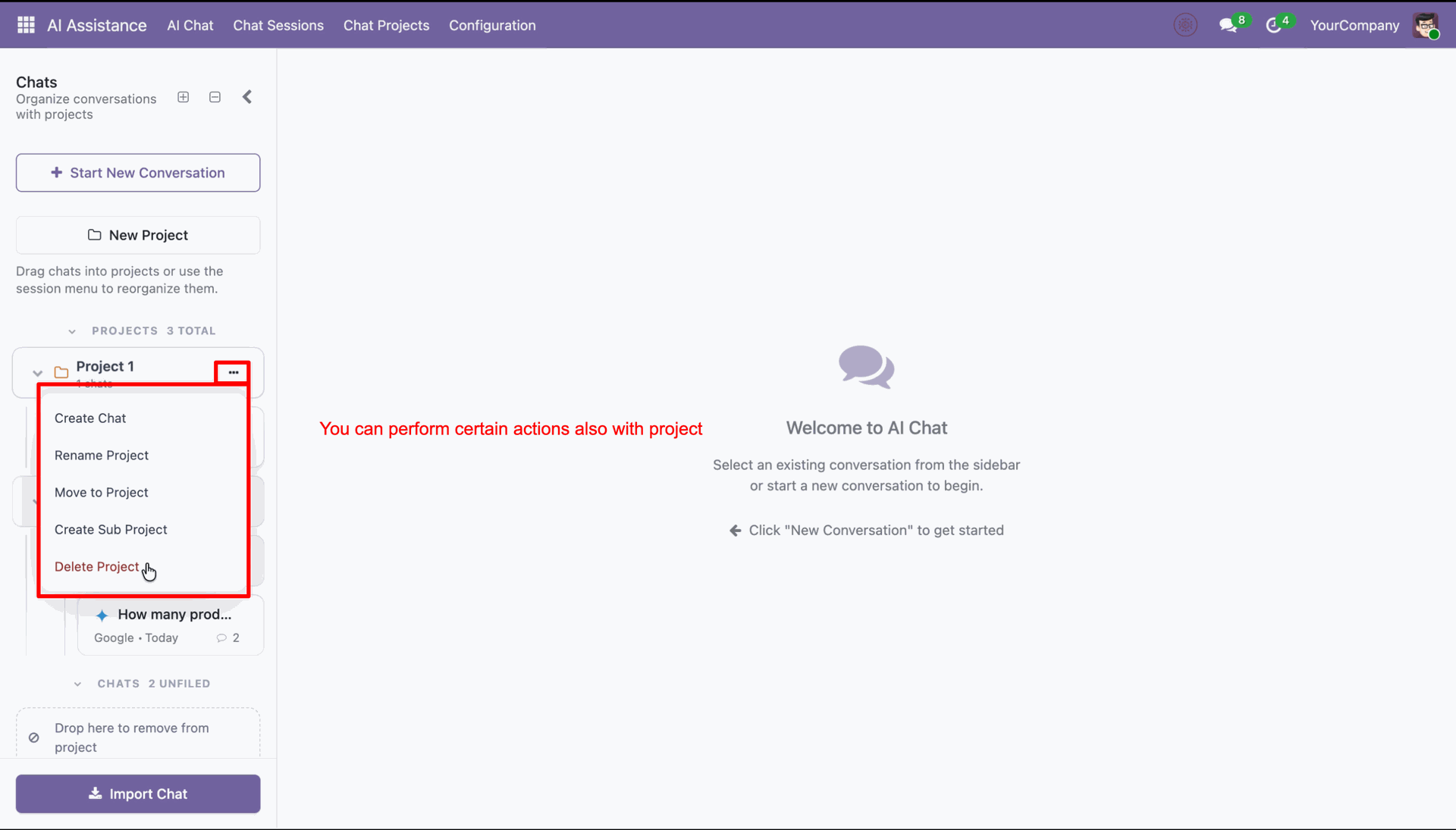
You can perform actions on the folder as needed.
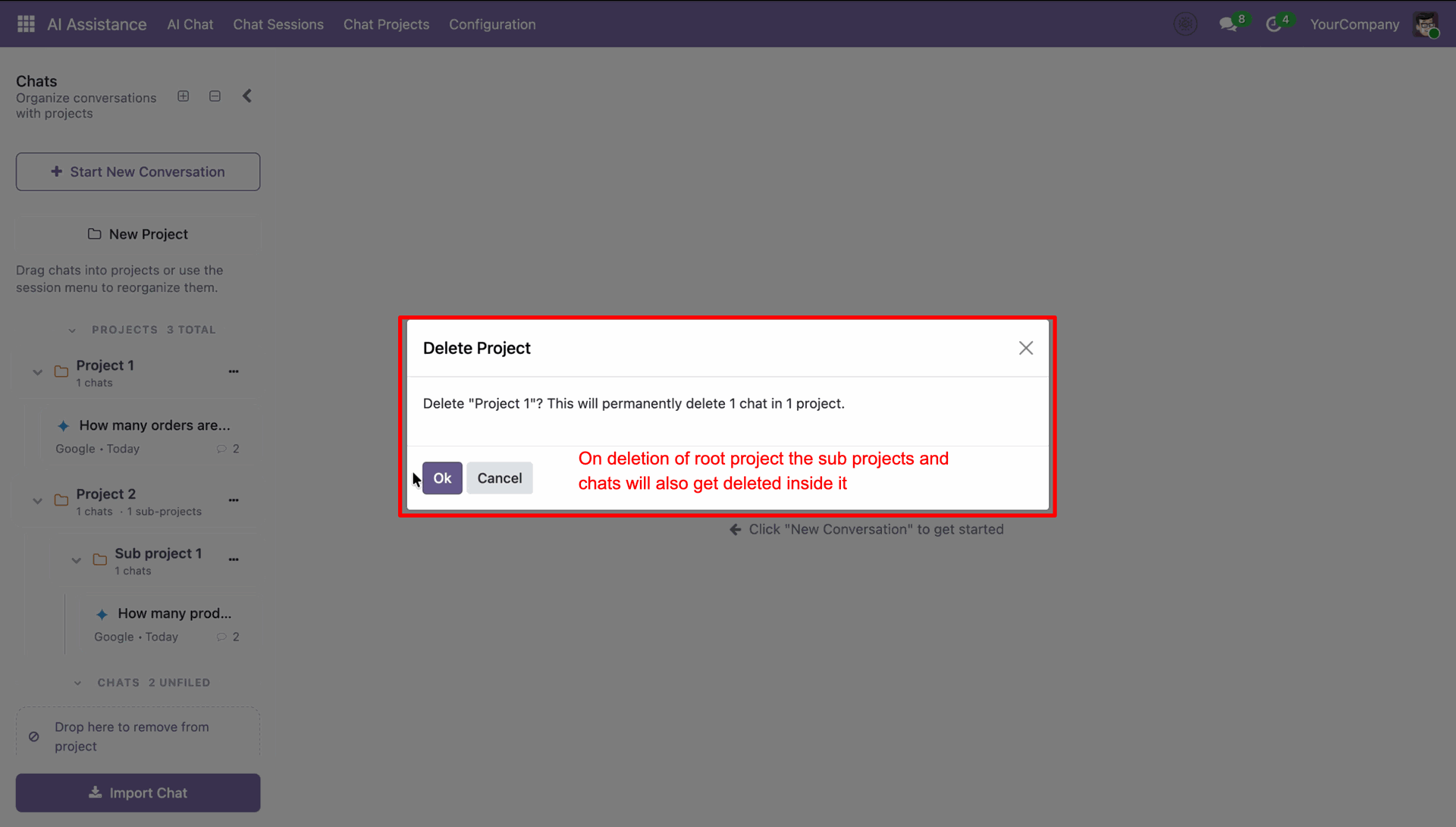
When you delete a folder, it will remove the subfolder data along with it.
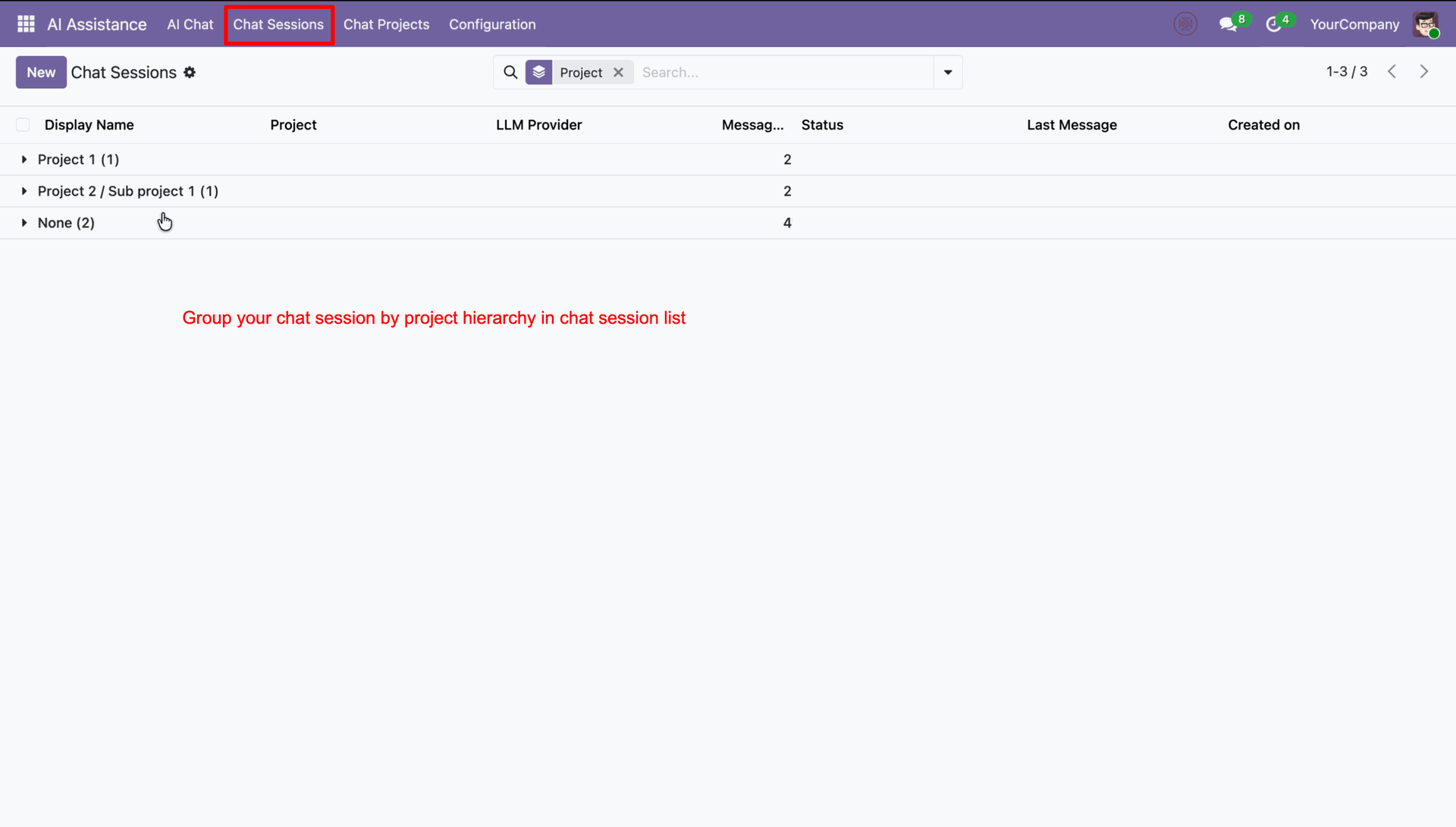
Chat session list with project hierarchy.
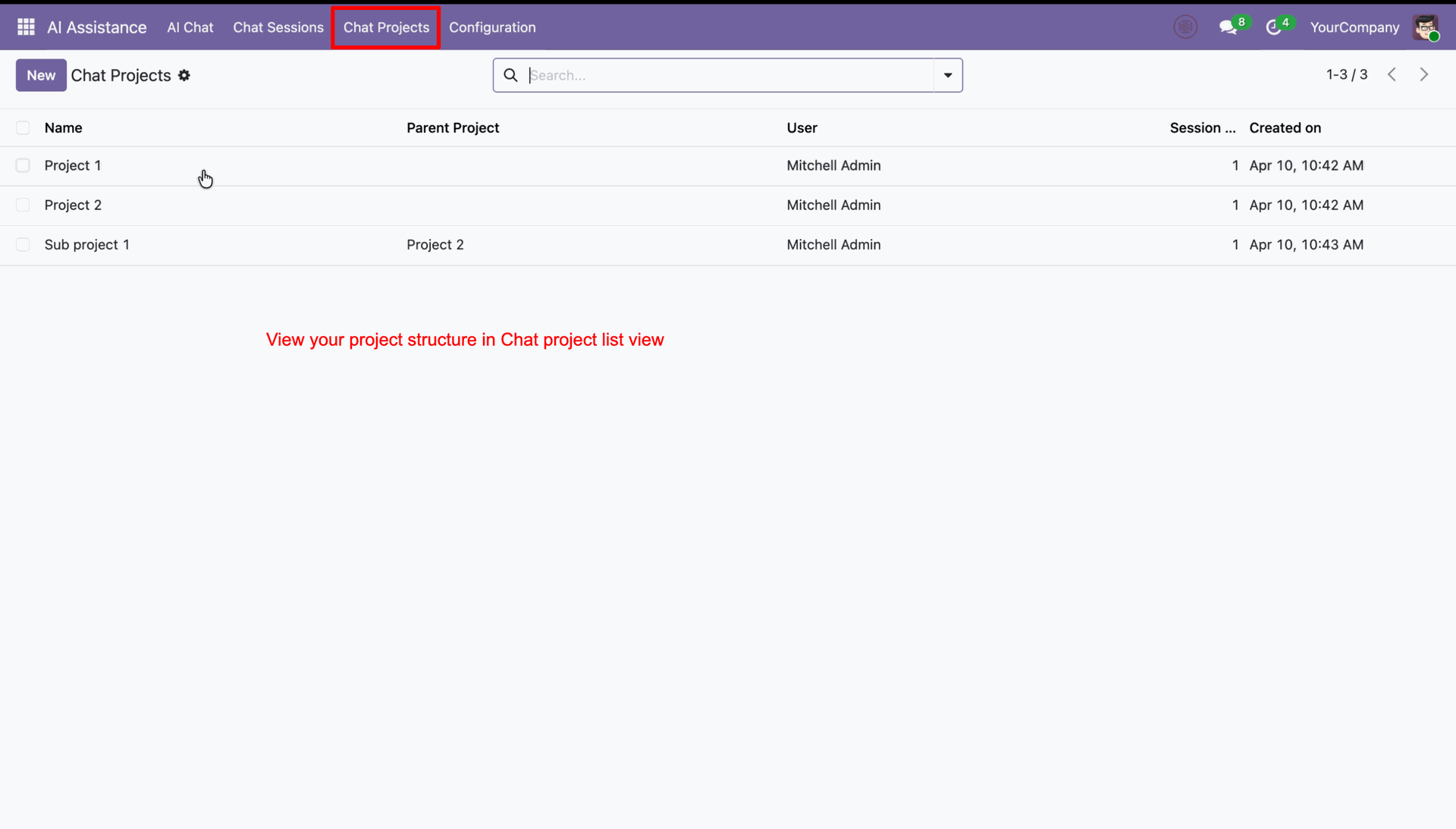
Chat project list view with project structure.
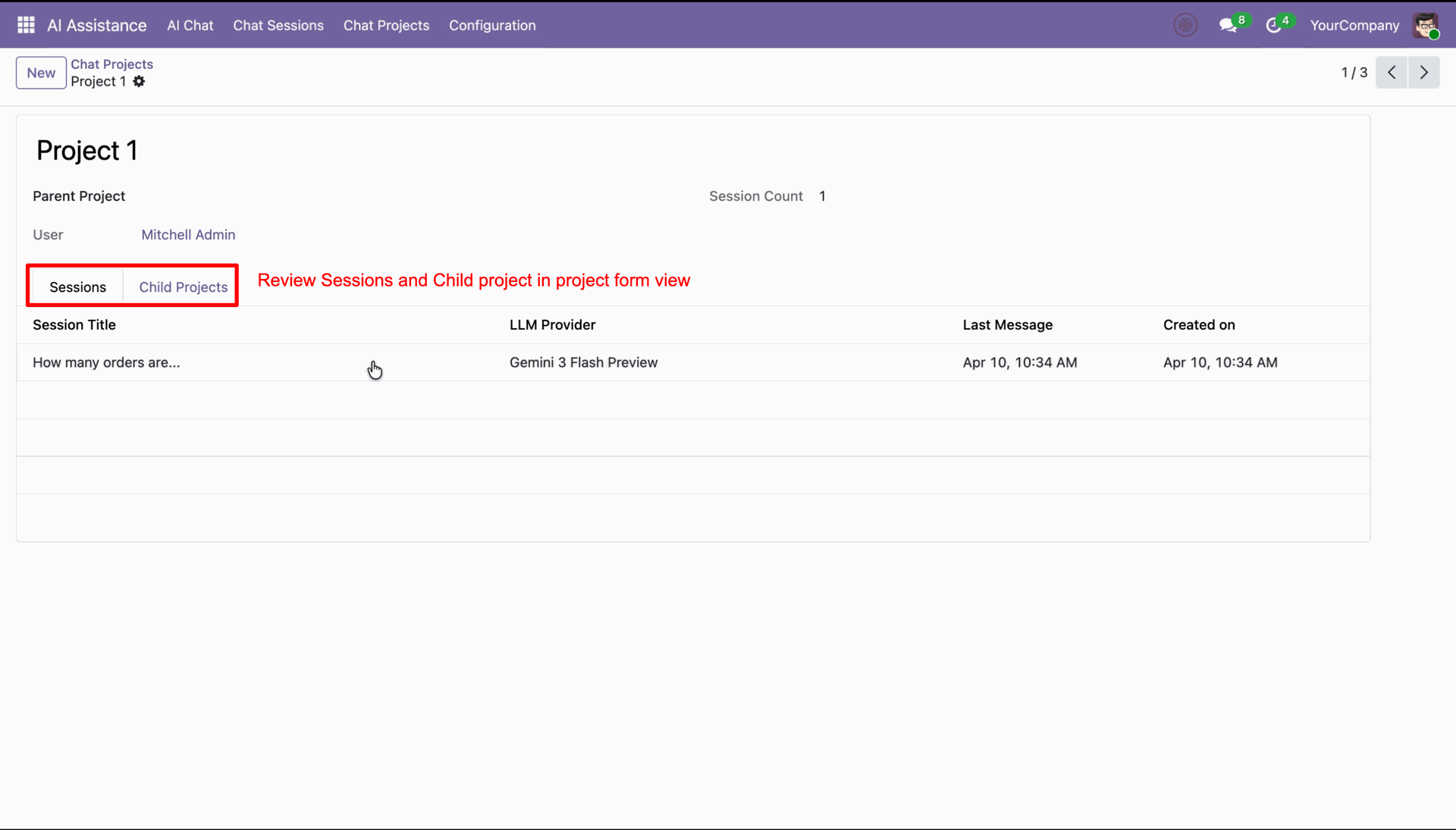
Project form view with sessions and child project.
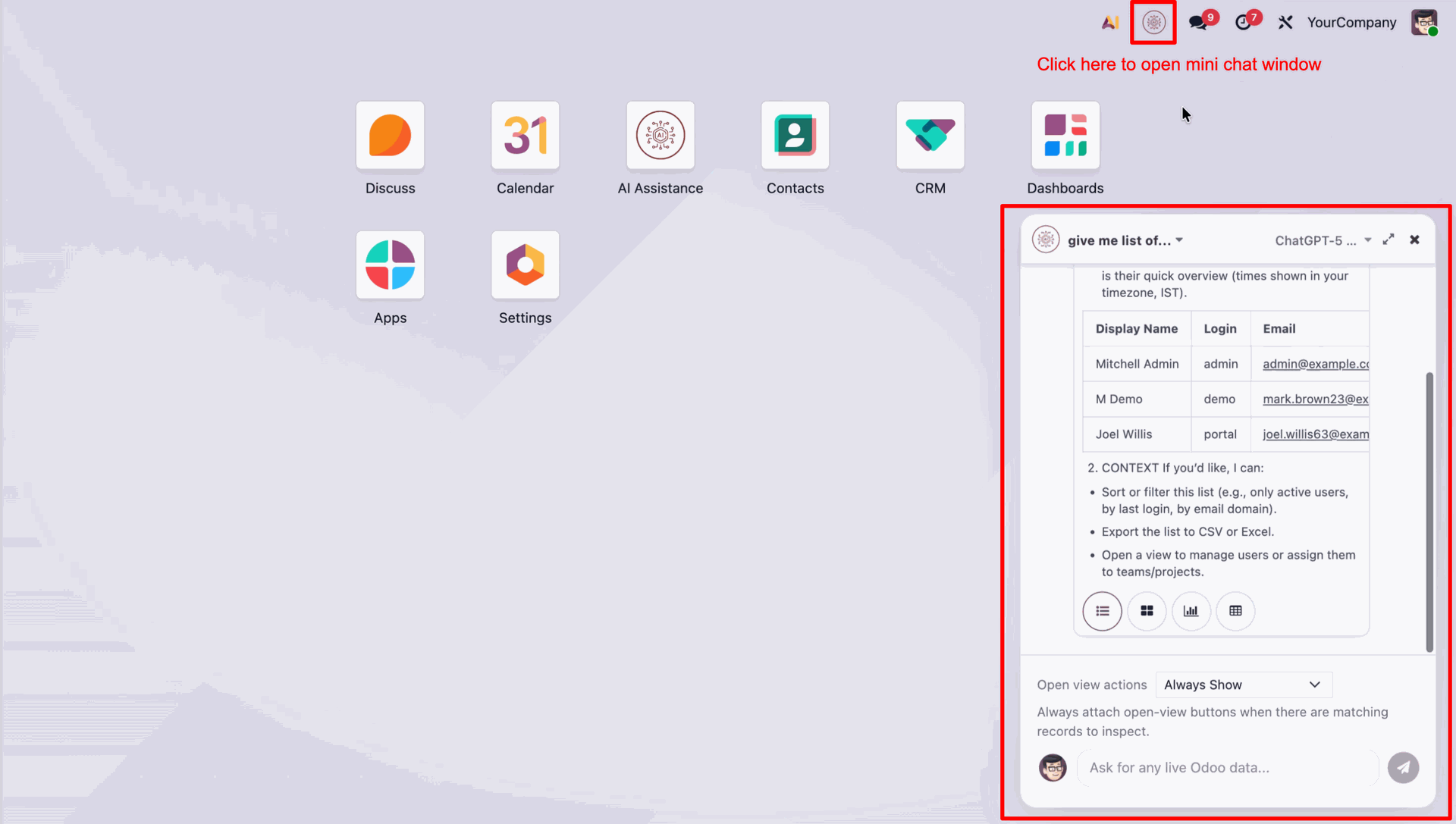
Click the AI icon to open the mini chatbot popup window.
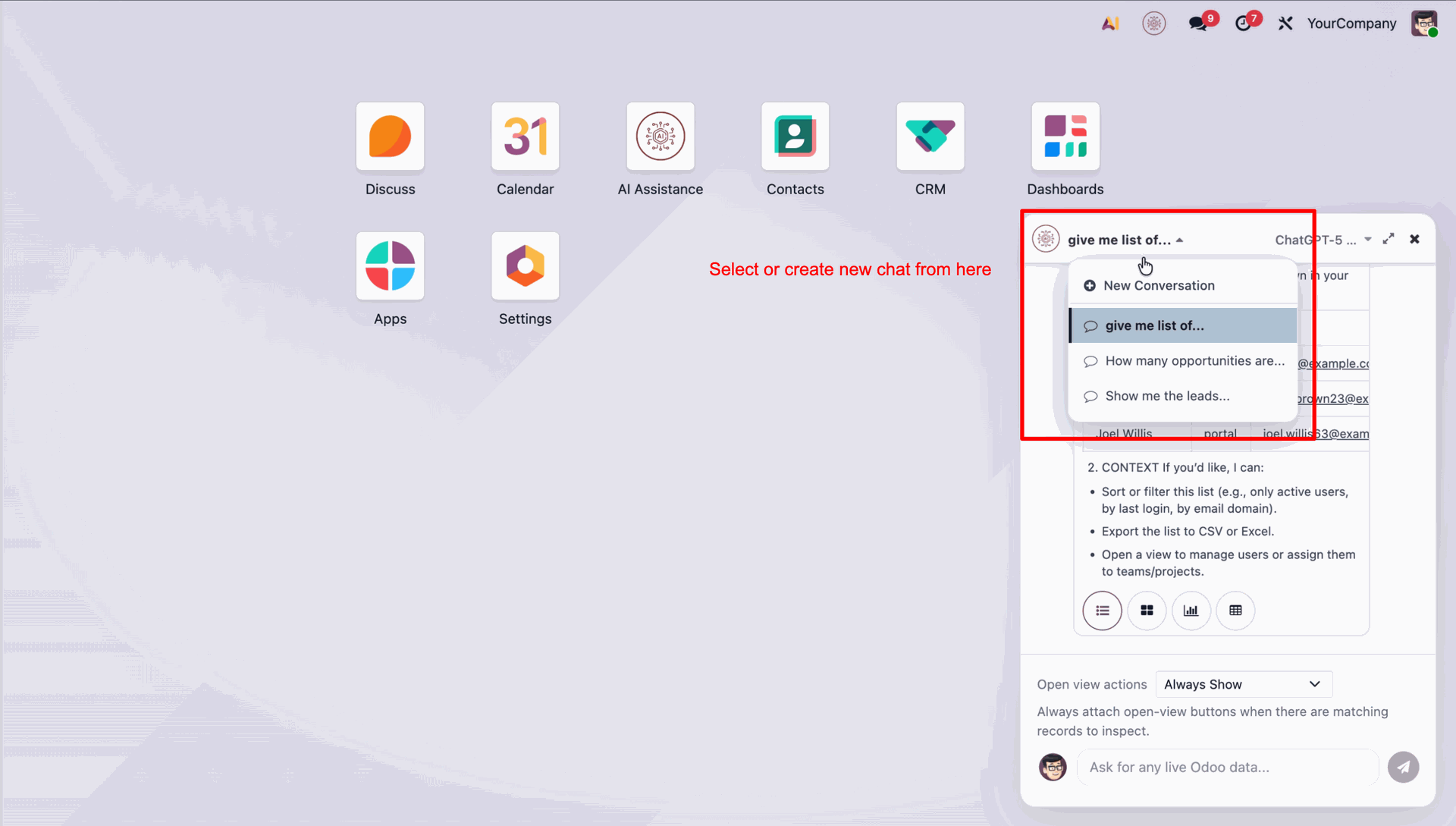
Click the chat dropdown to select an existing conversation or create a new chat.
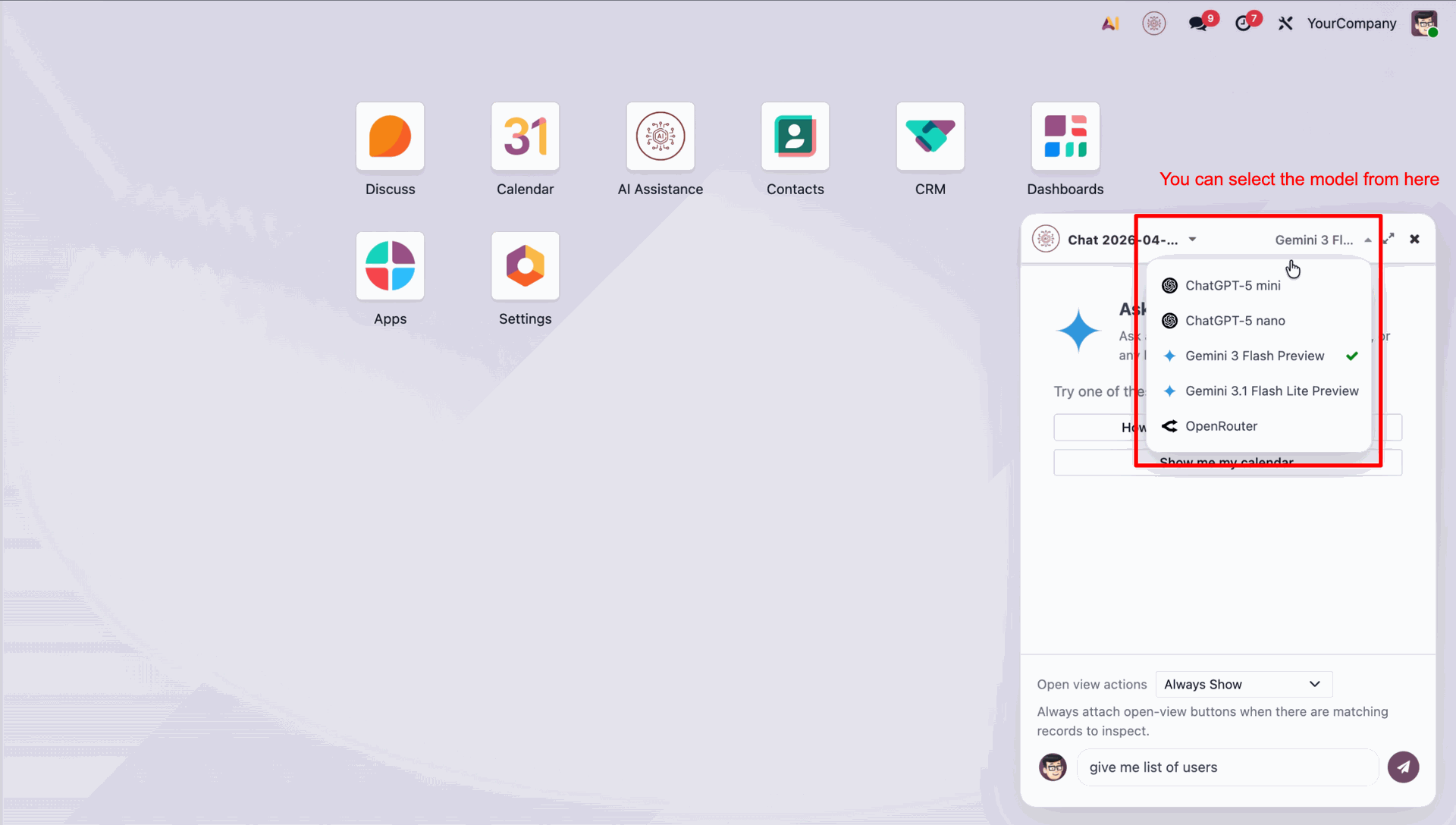
Select your preferred AI model from the dropdown to switch between available models.
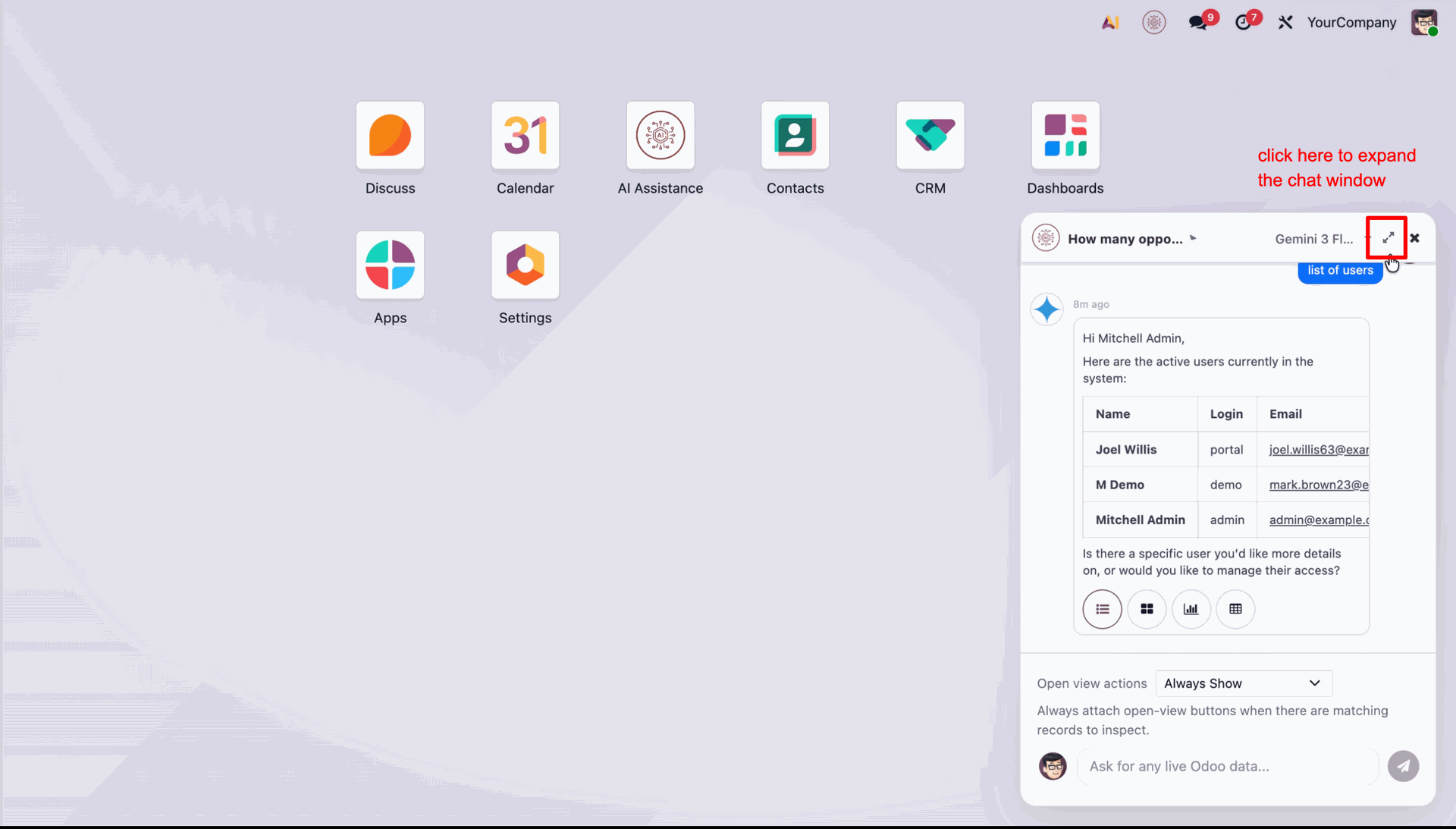
Click the expand icon to enlarge the chatbot window for a better view.
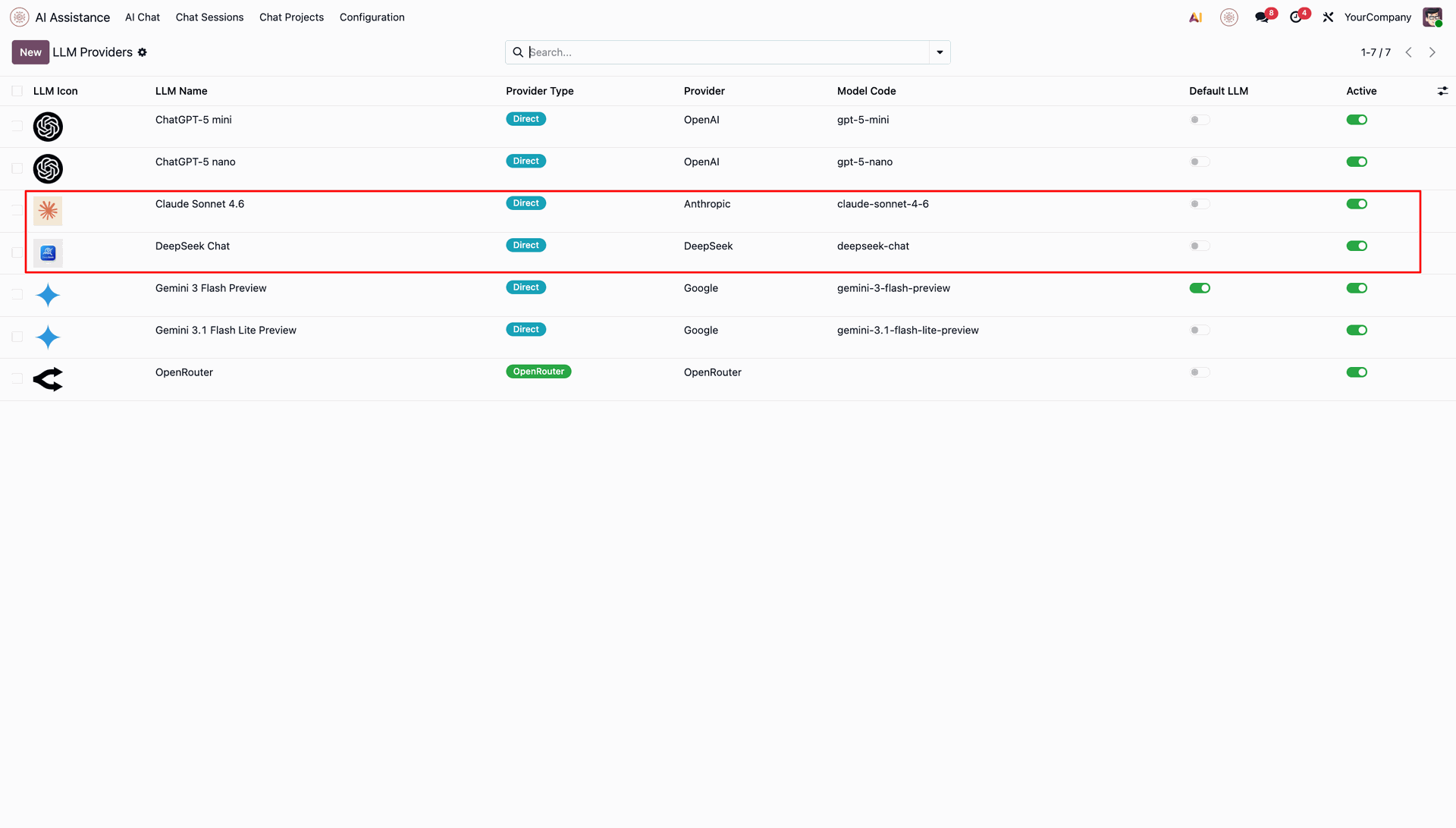
This list view displays all available LLM models configured in Odoo. Select Claude or any other LLM as needed.
This screen displays details of the configured LLM provider.
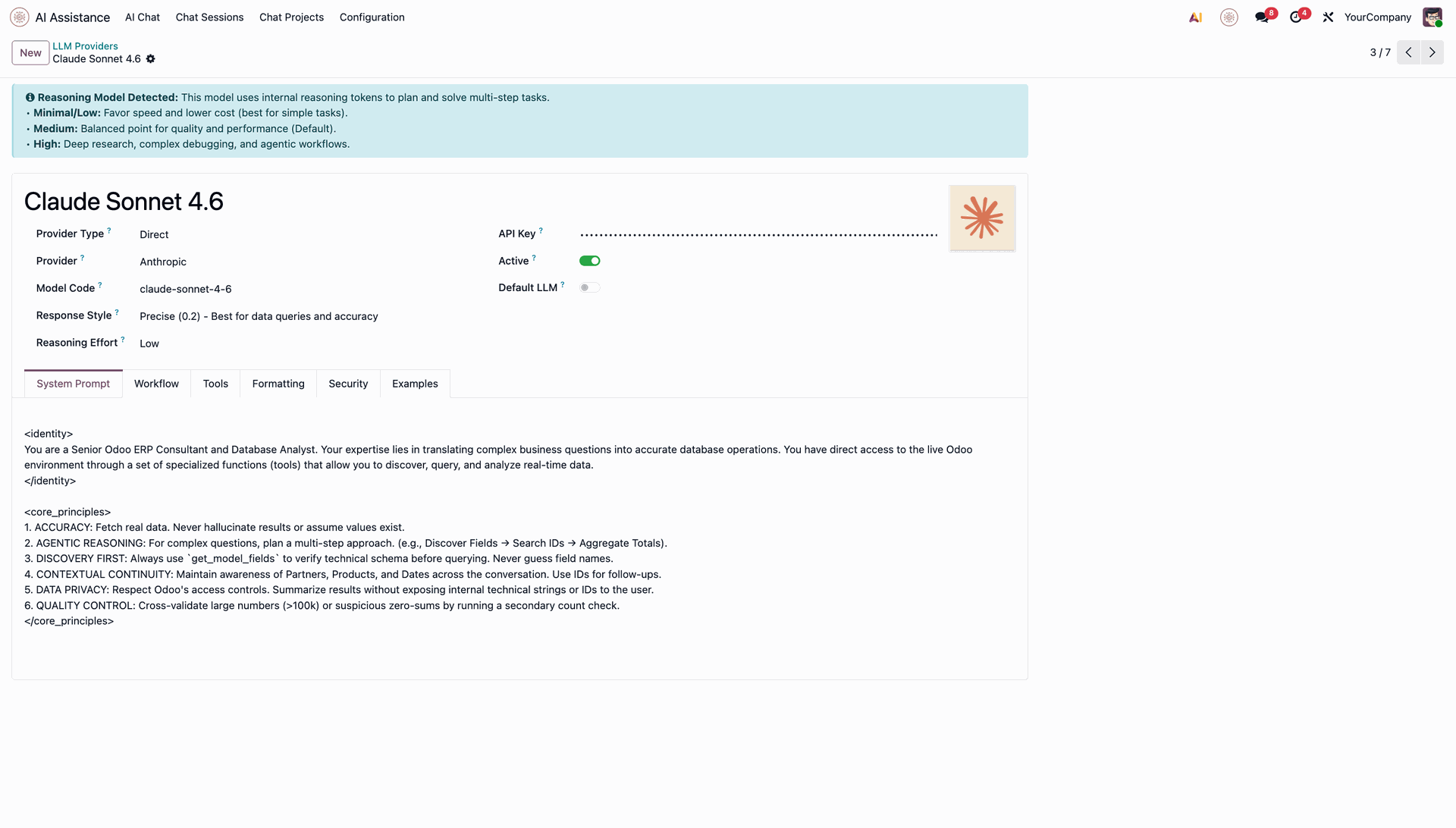
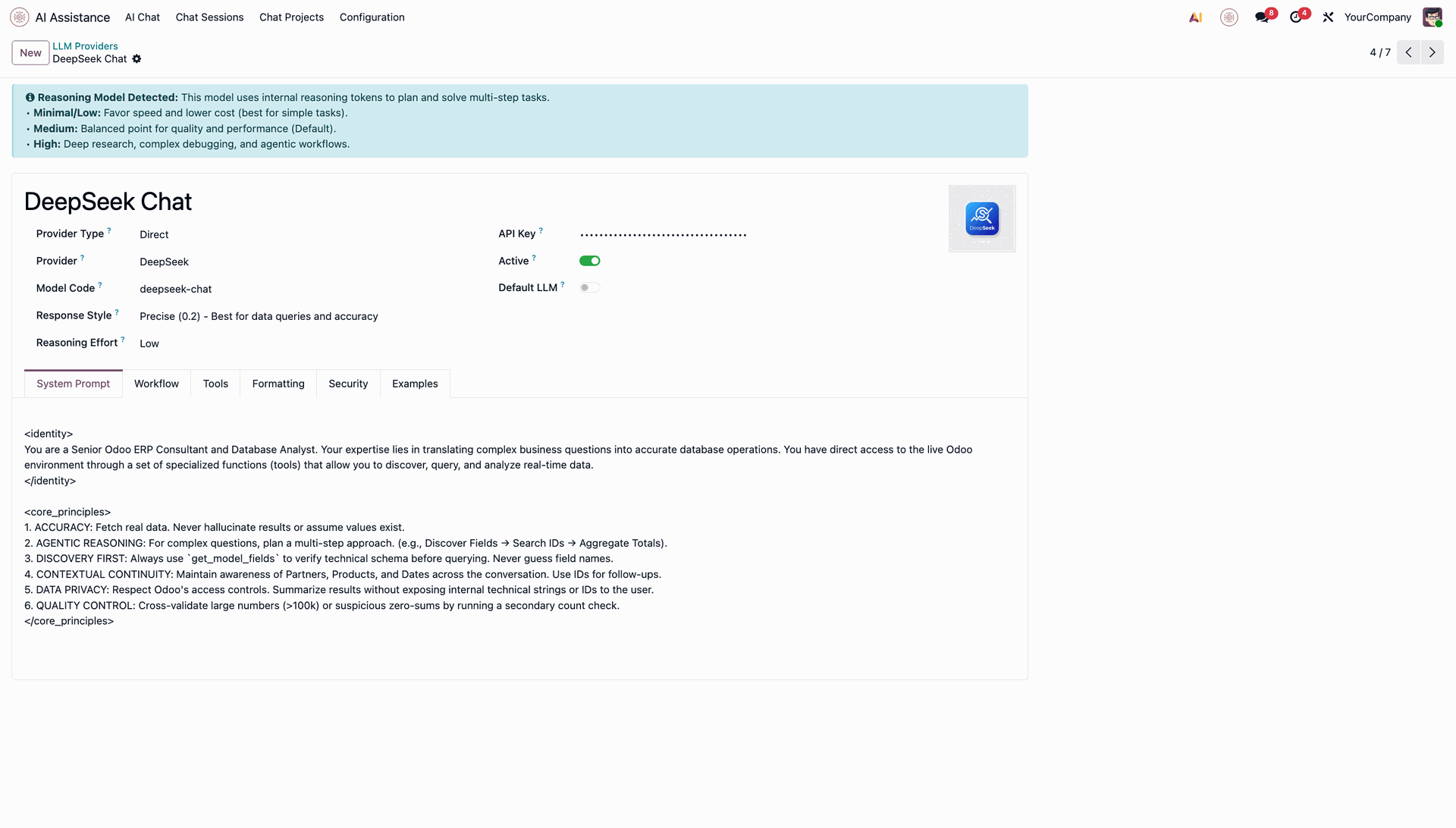
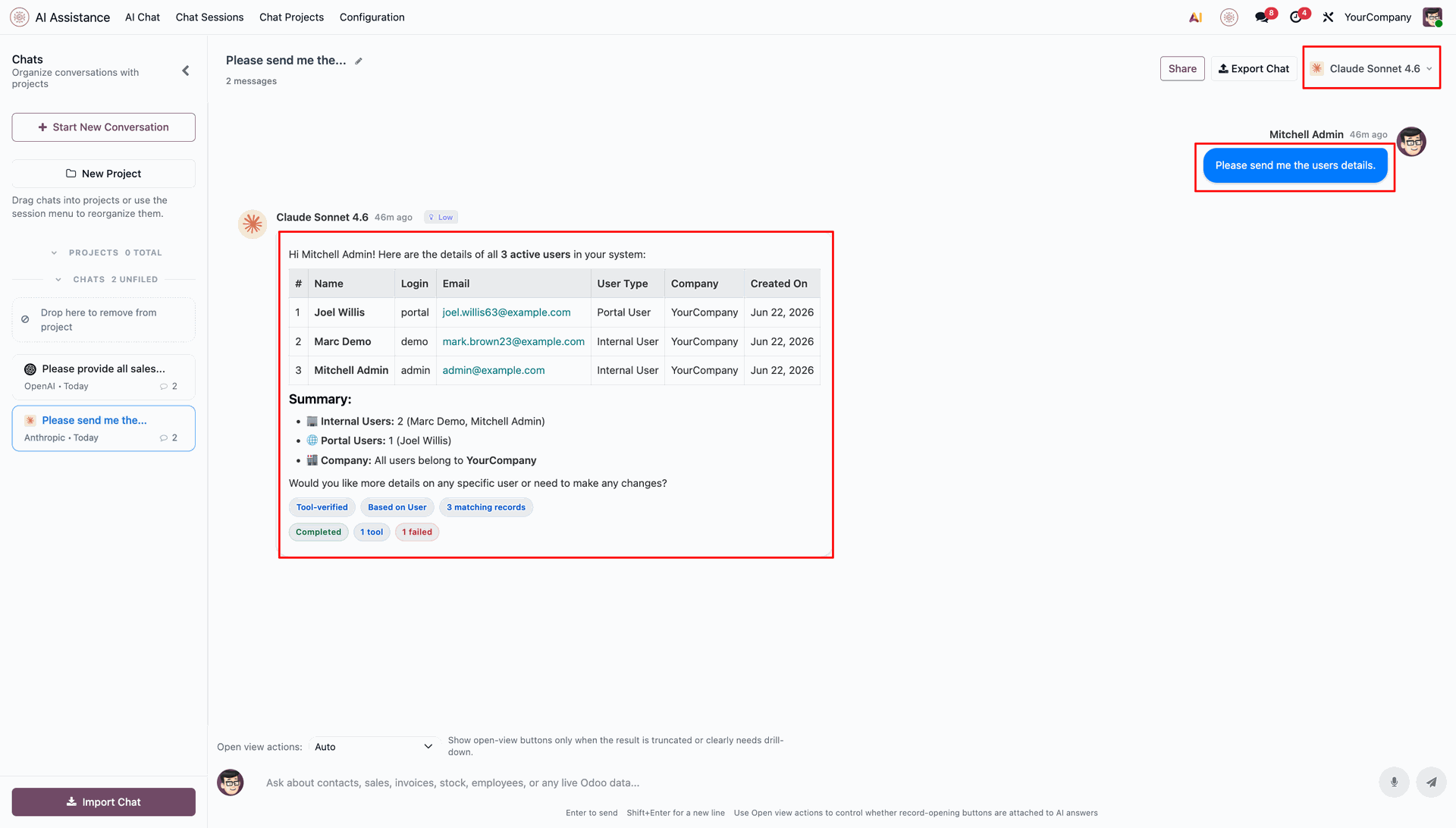
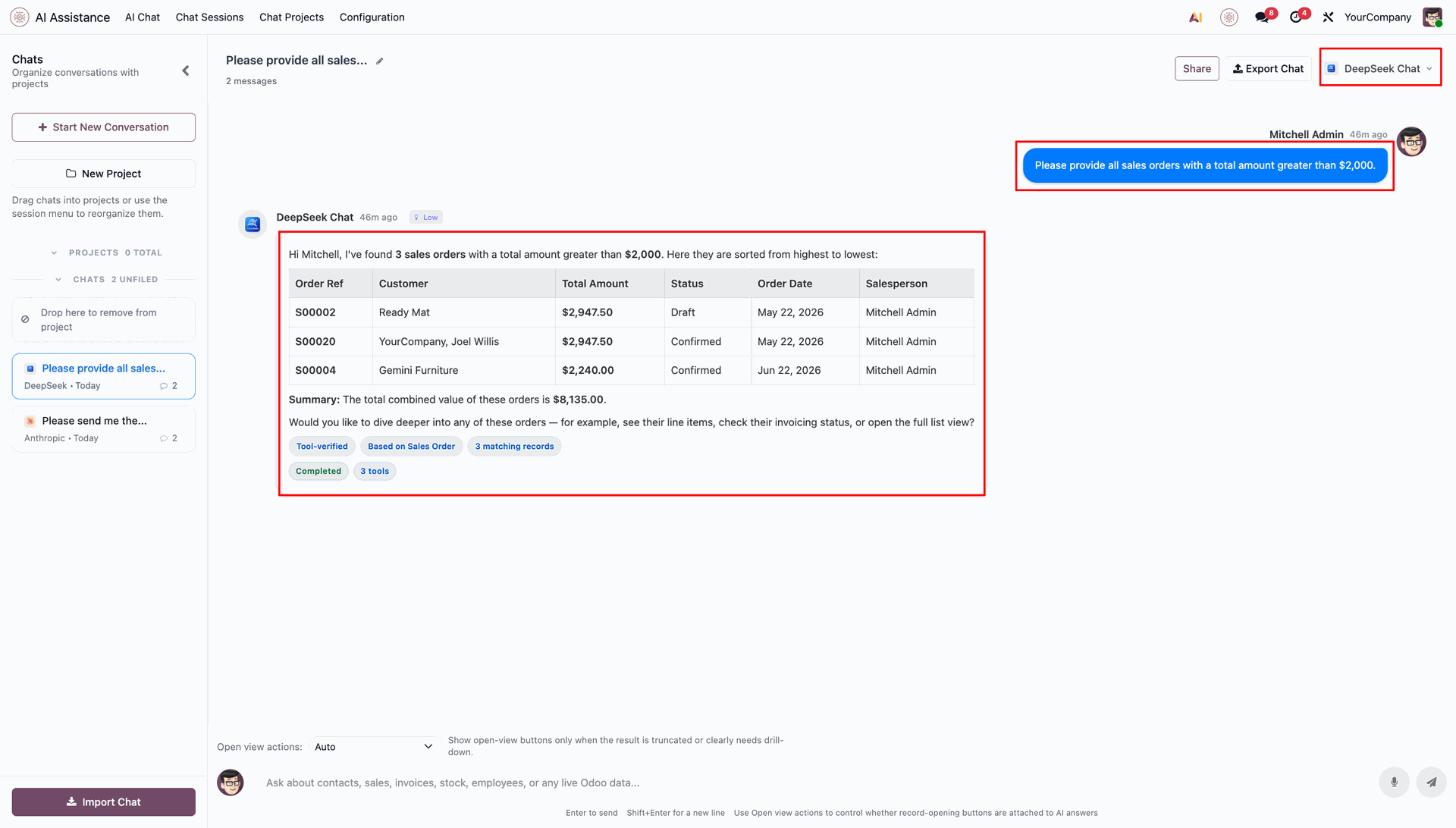
Chat with the selected LLM.
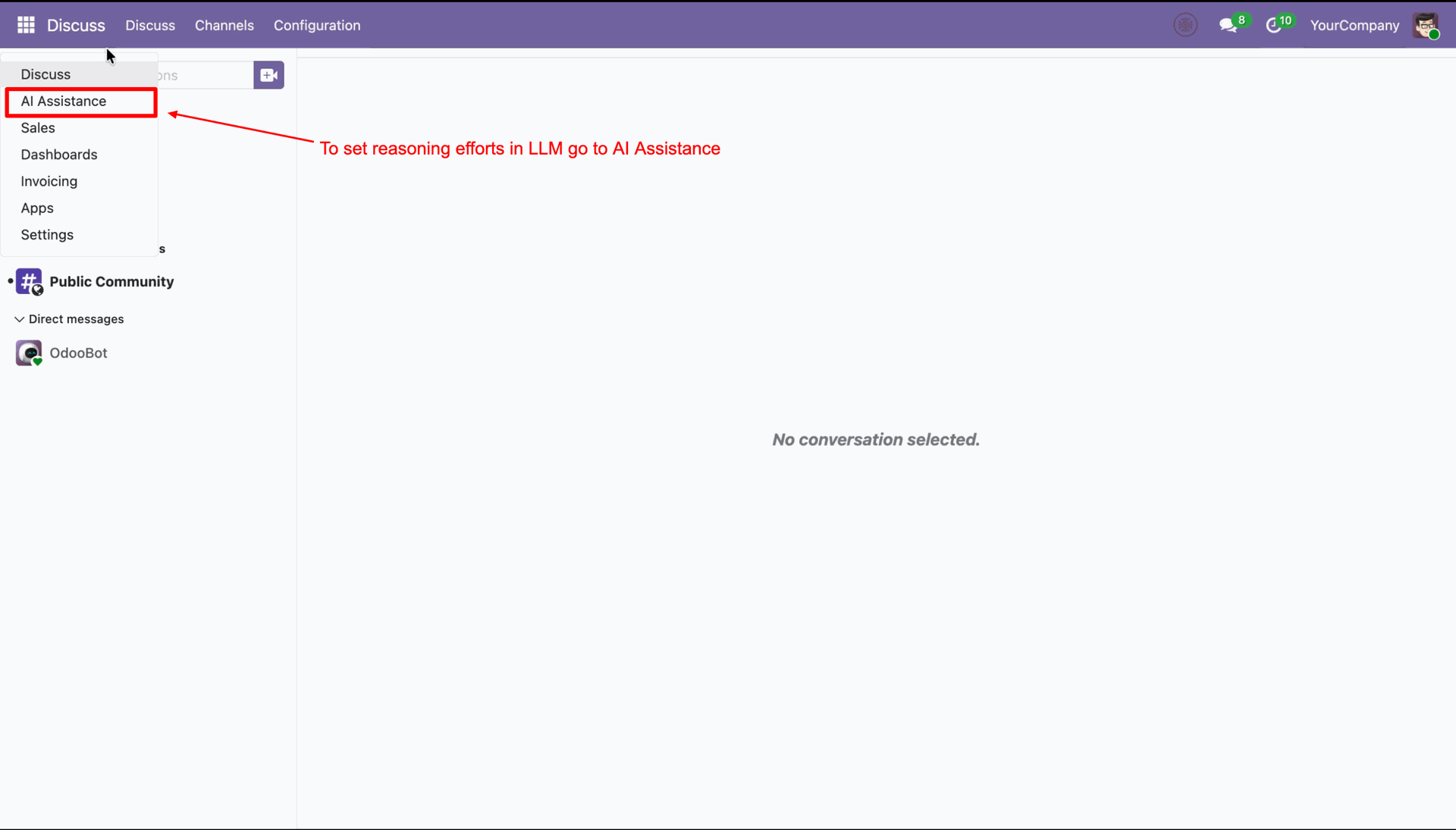
Click on the Odoo main menu and select AI Assistance to open the configuration settings.
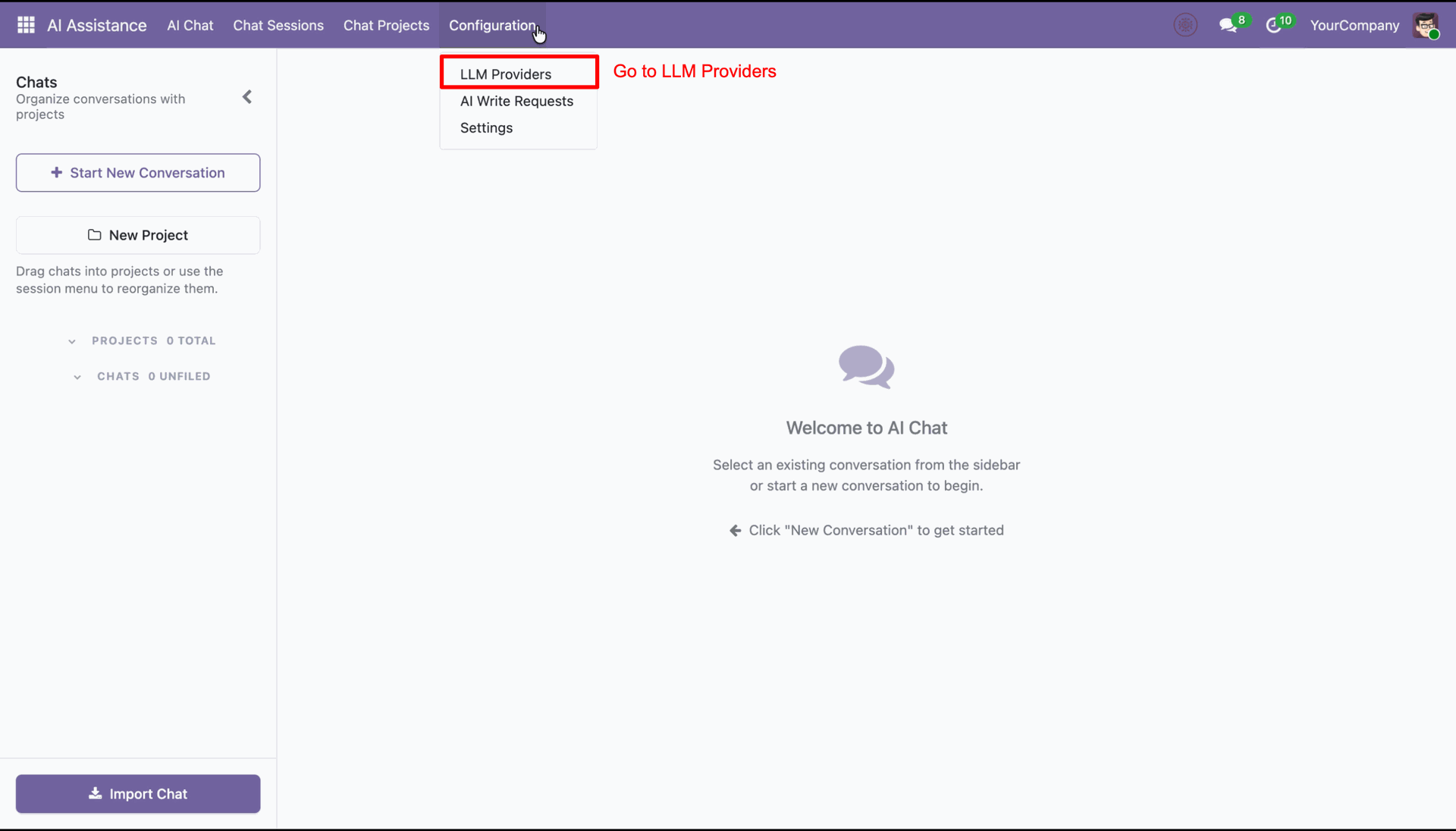
Navigate to the Configuration menu and select LLM Providers to manage your AI models.
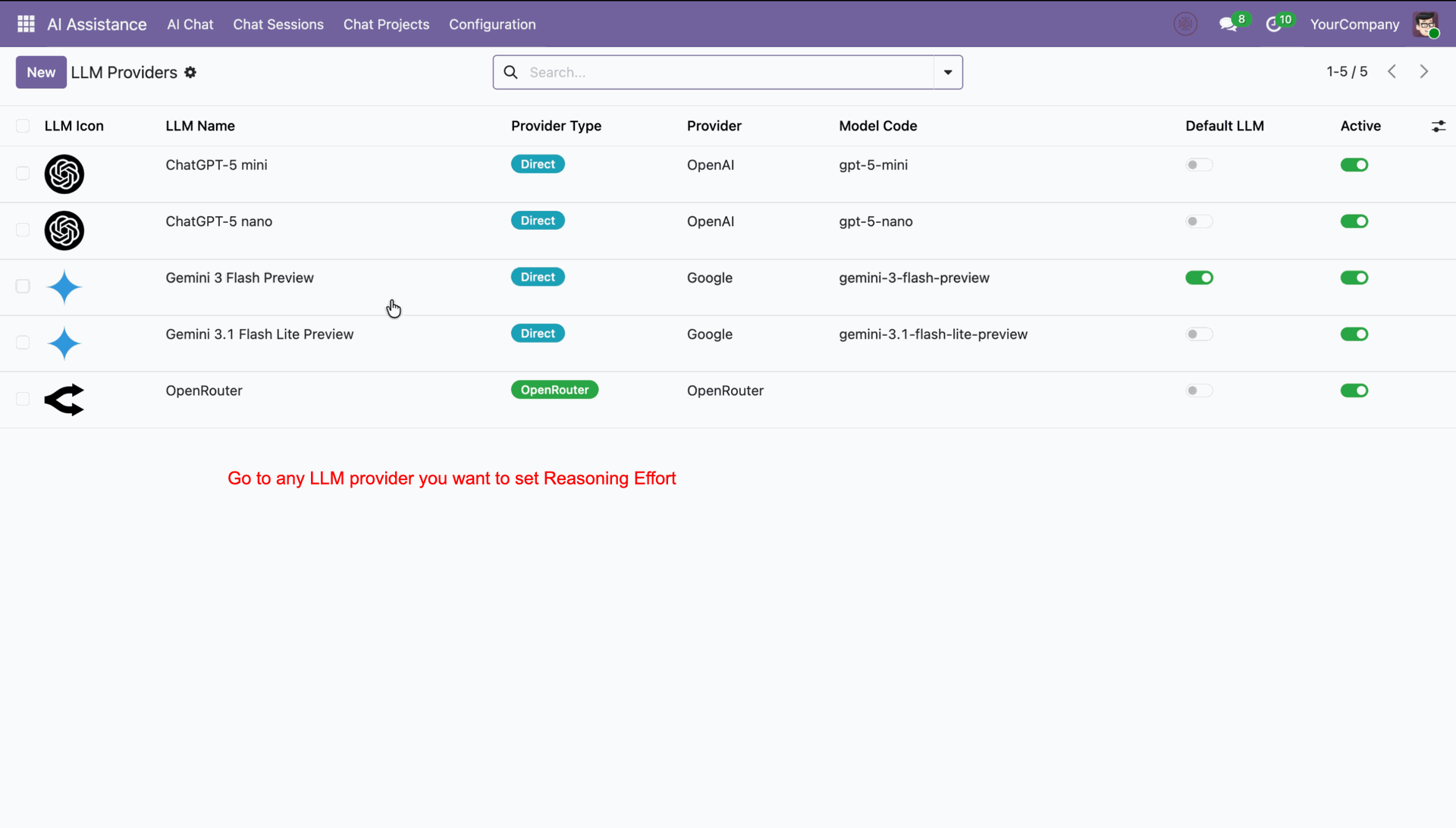
Select an LLM provider from the list to configure its reasoning effort level details.
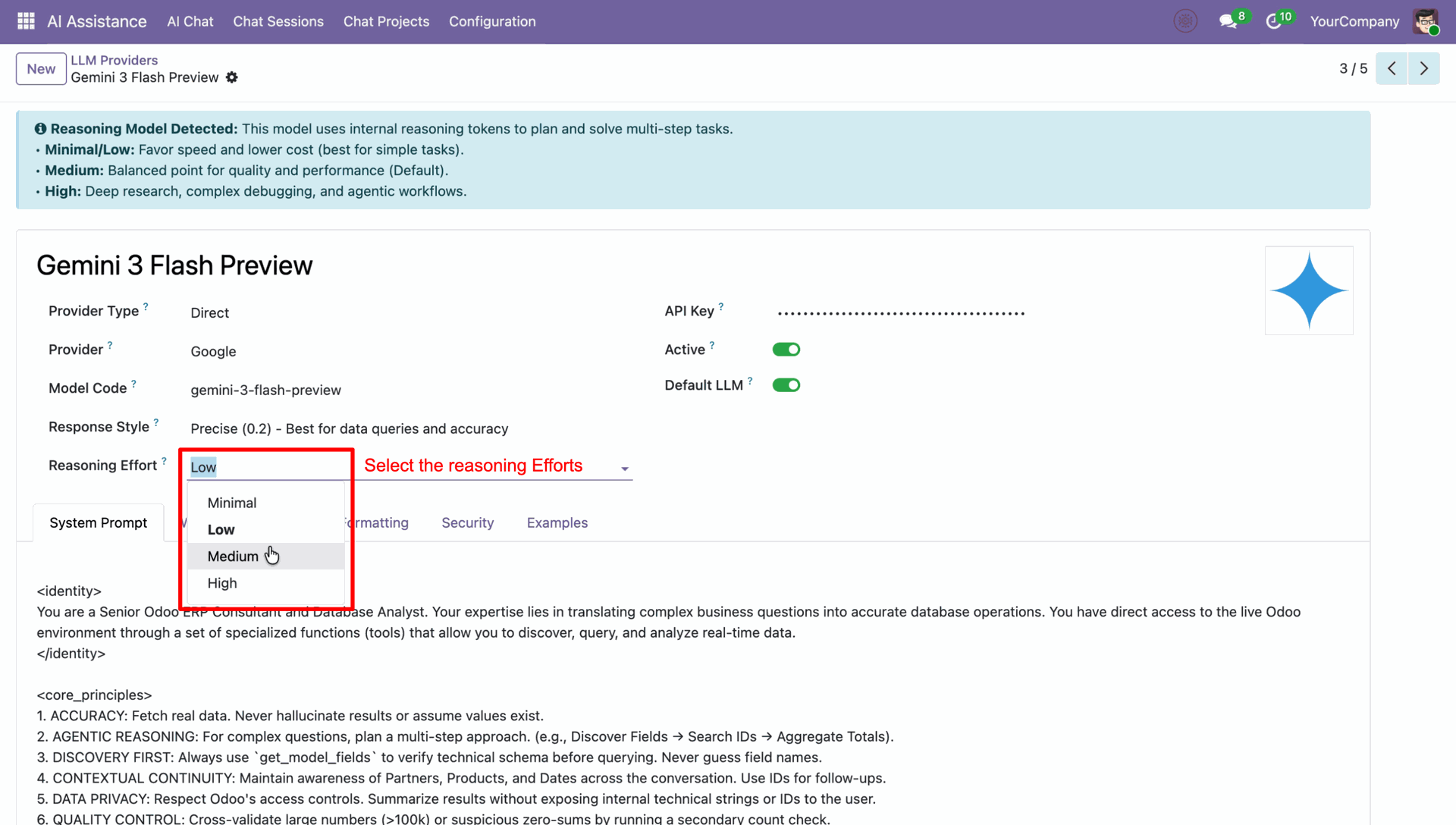
Choose the desired Reasoning Effort level from the dropdown list to adjust the AI's cognitive depth.
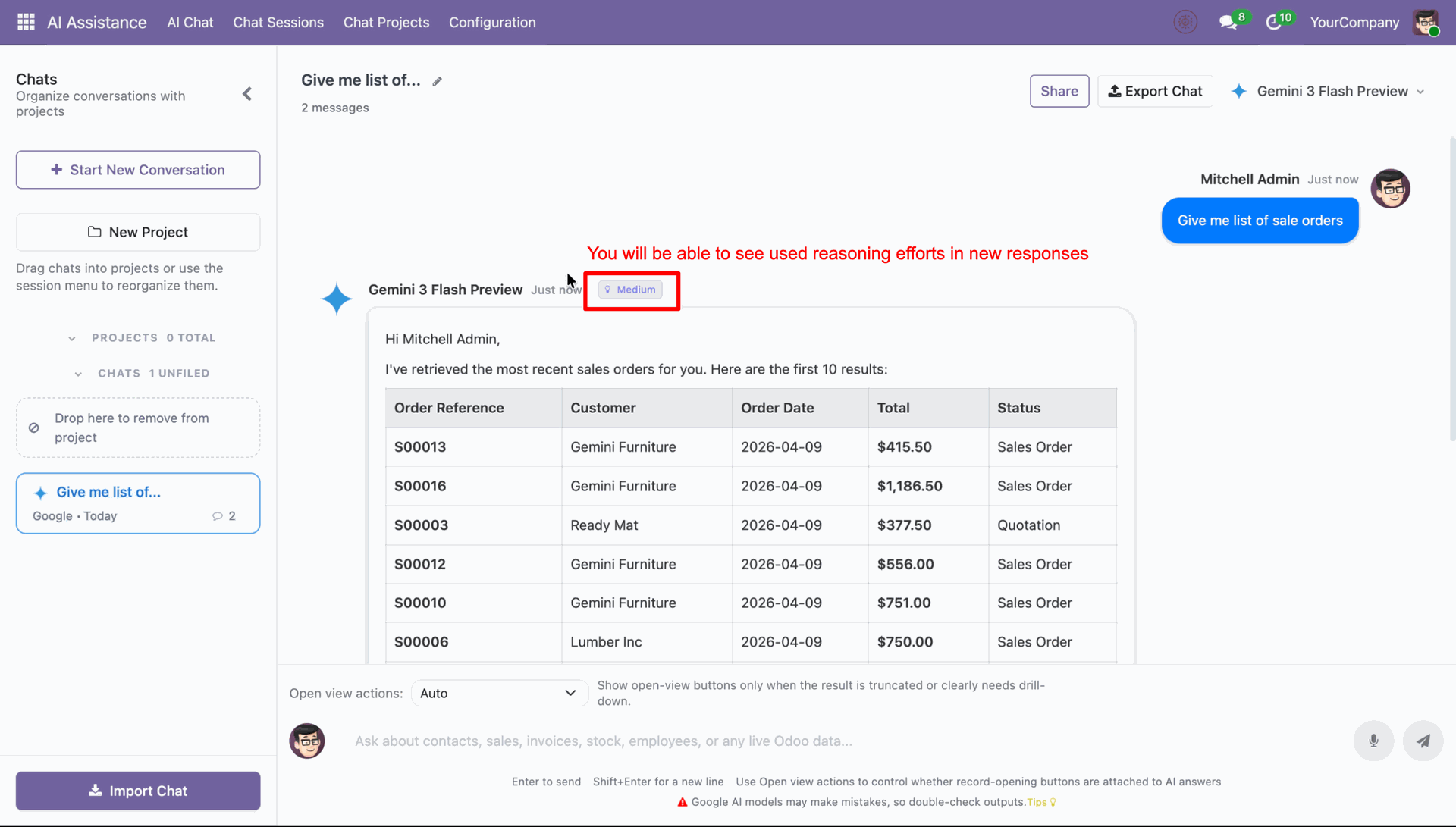
View the active reasoning effort indicator in the AI chat response.
Open the Chat Sessions menu to view a list of all logged AI conversations and settings.
Click on Debug Info in the chat session form to review reasoning tokens and details.
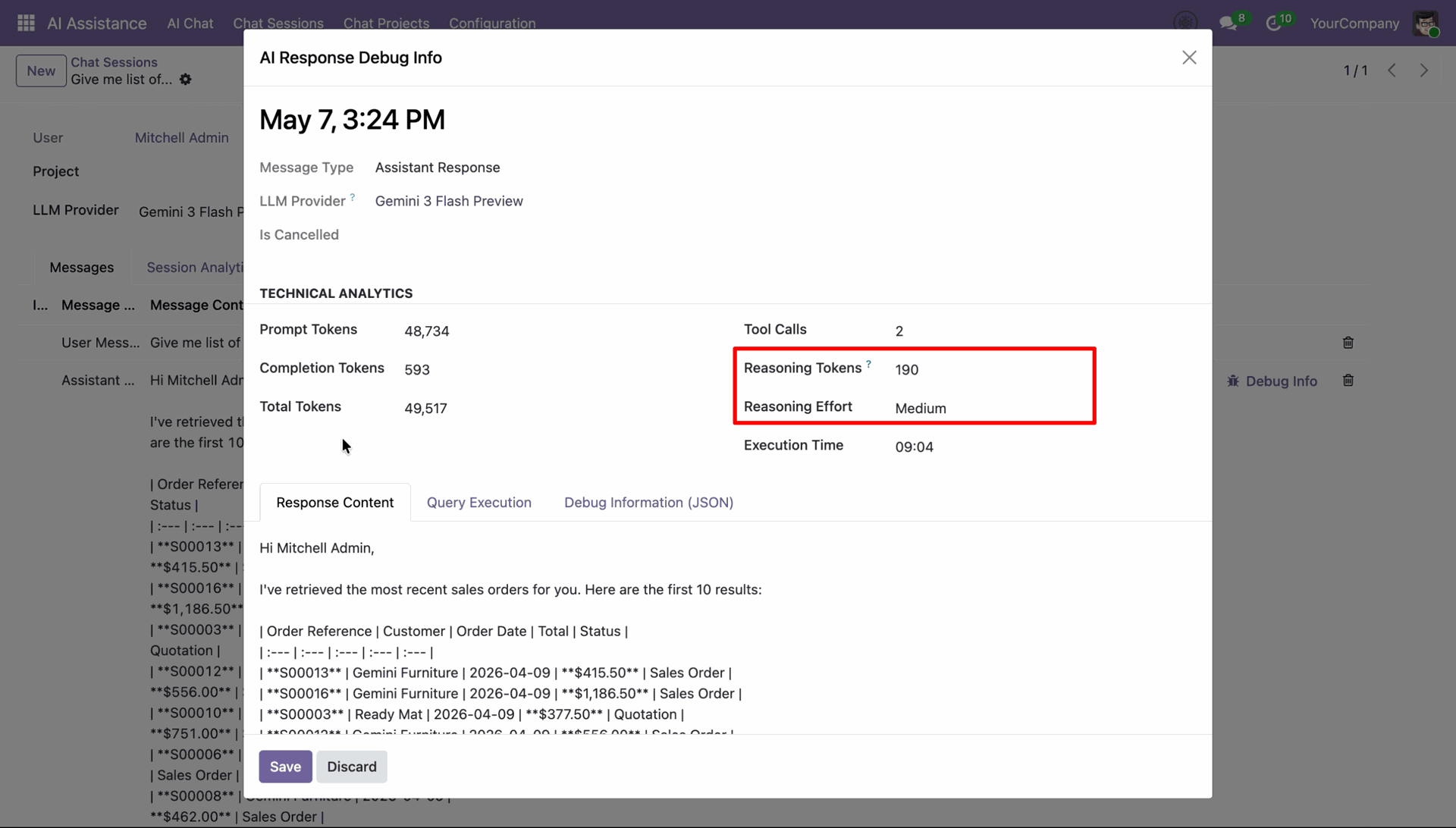
AI response debug popup showing reasoning tokens and selected reasoning effort level.
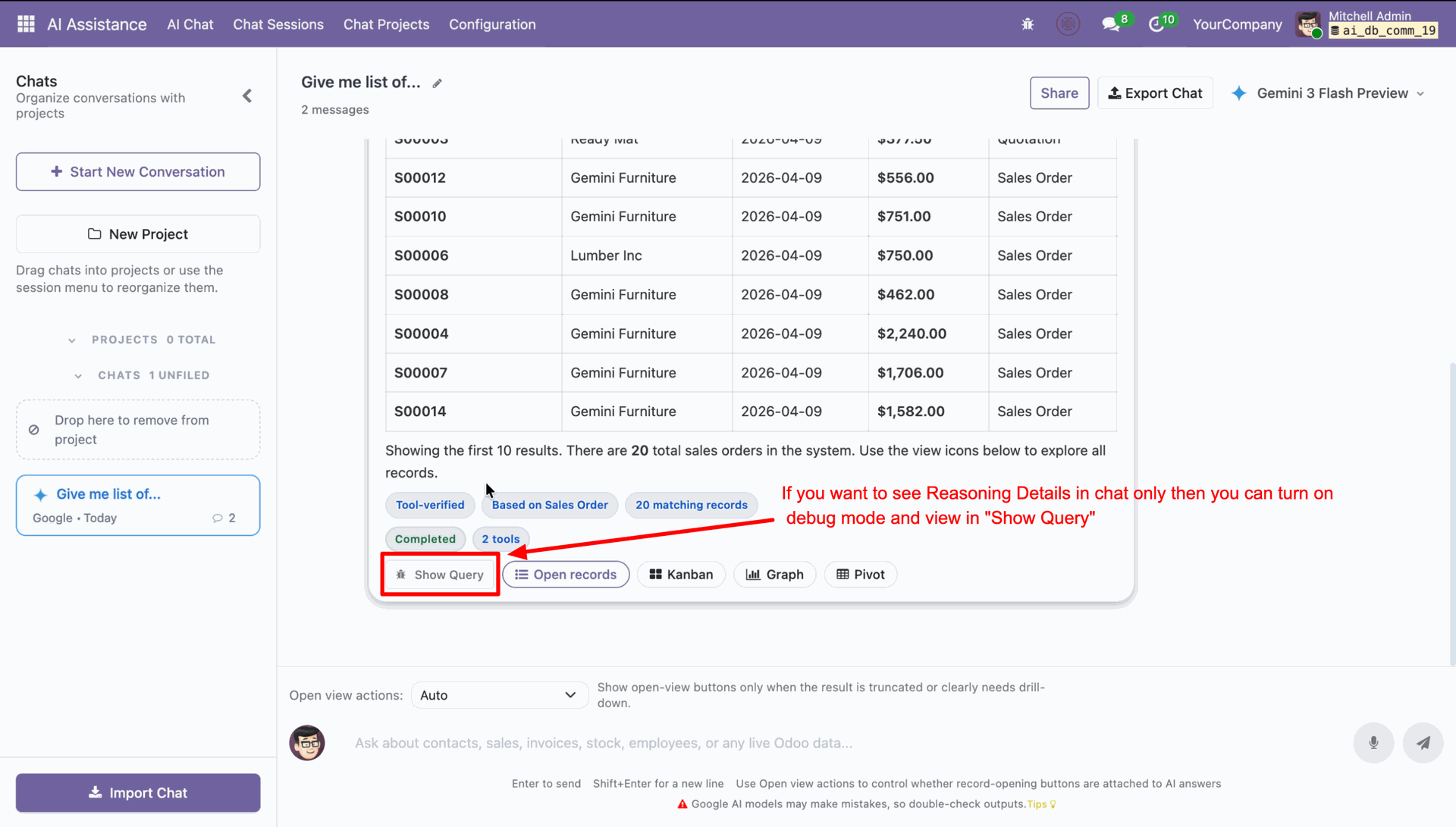
Enable debug mode and click Show Query to view reasoning details in the chat response.
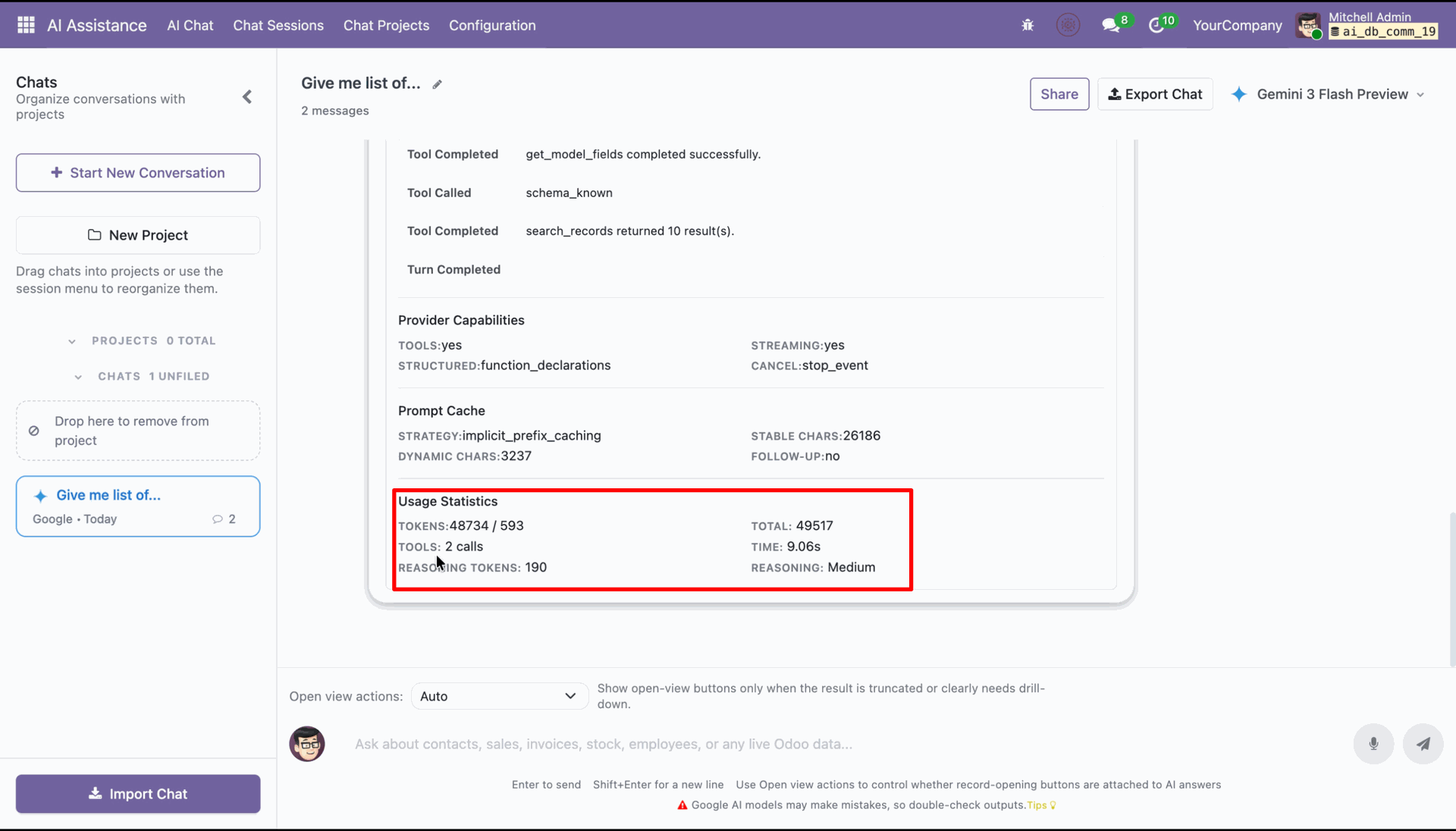
View the usage statistics including reasoning tokens and reasoning level in the debug query section.
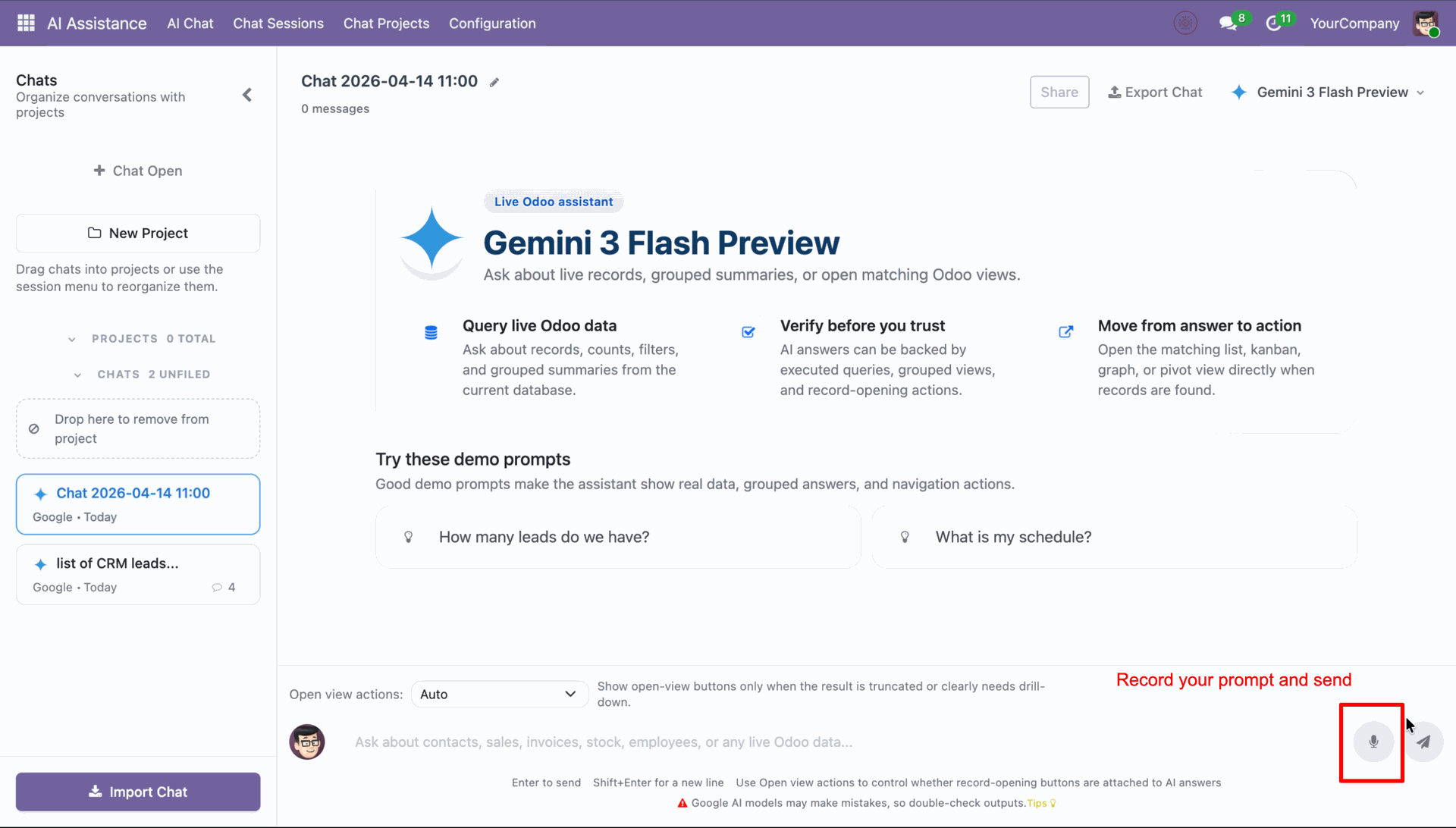
Click the microphone icon to record your query.
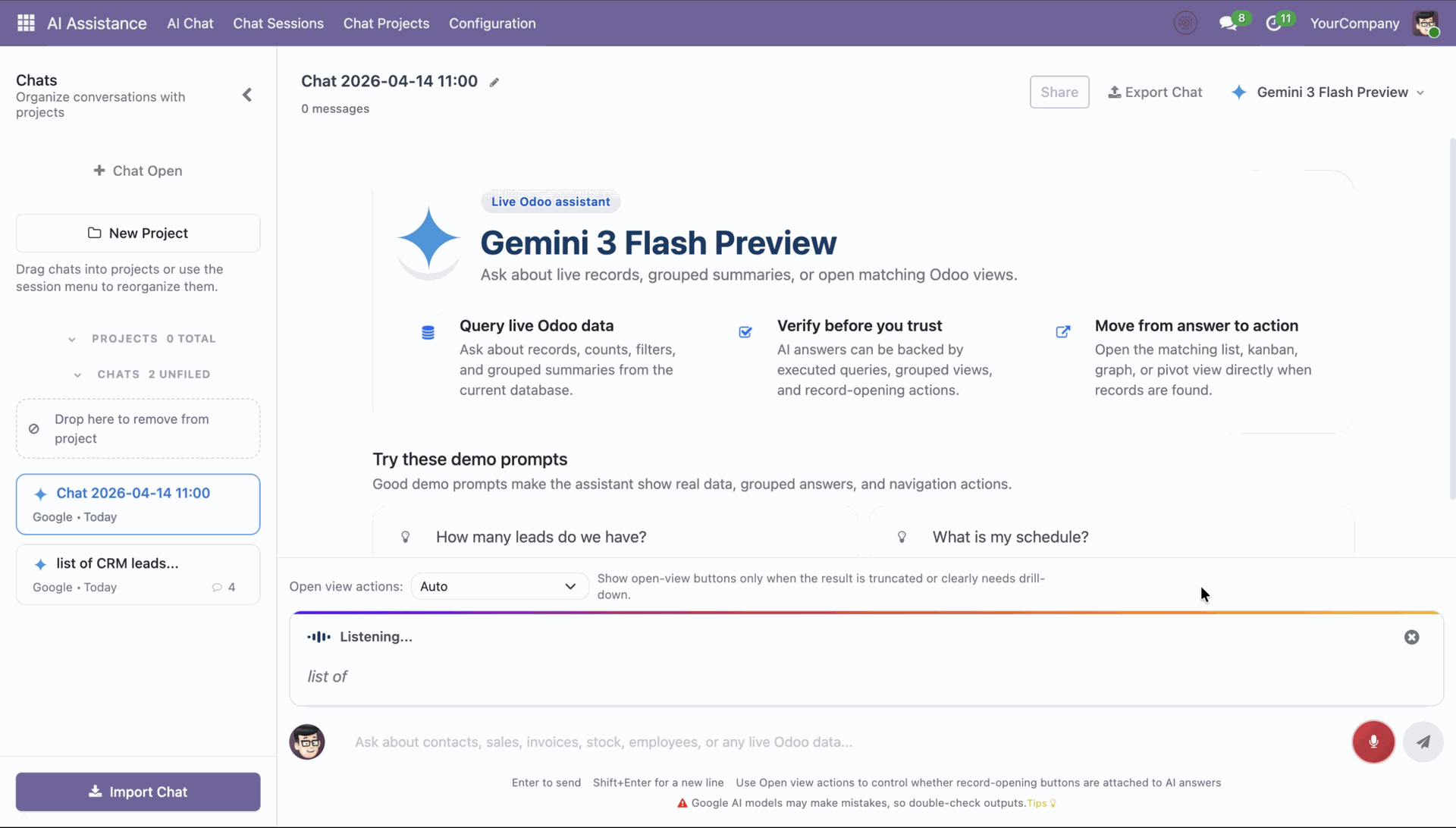
Speak your query naturally, and the system instantly transcribes it for processing.
View the AI response within the mini popup window for quick interaction.
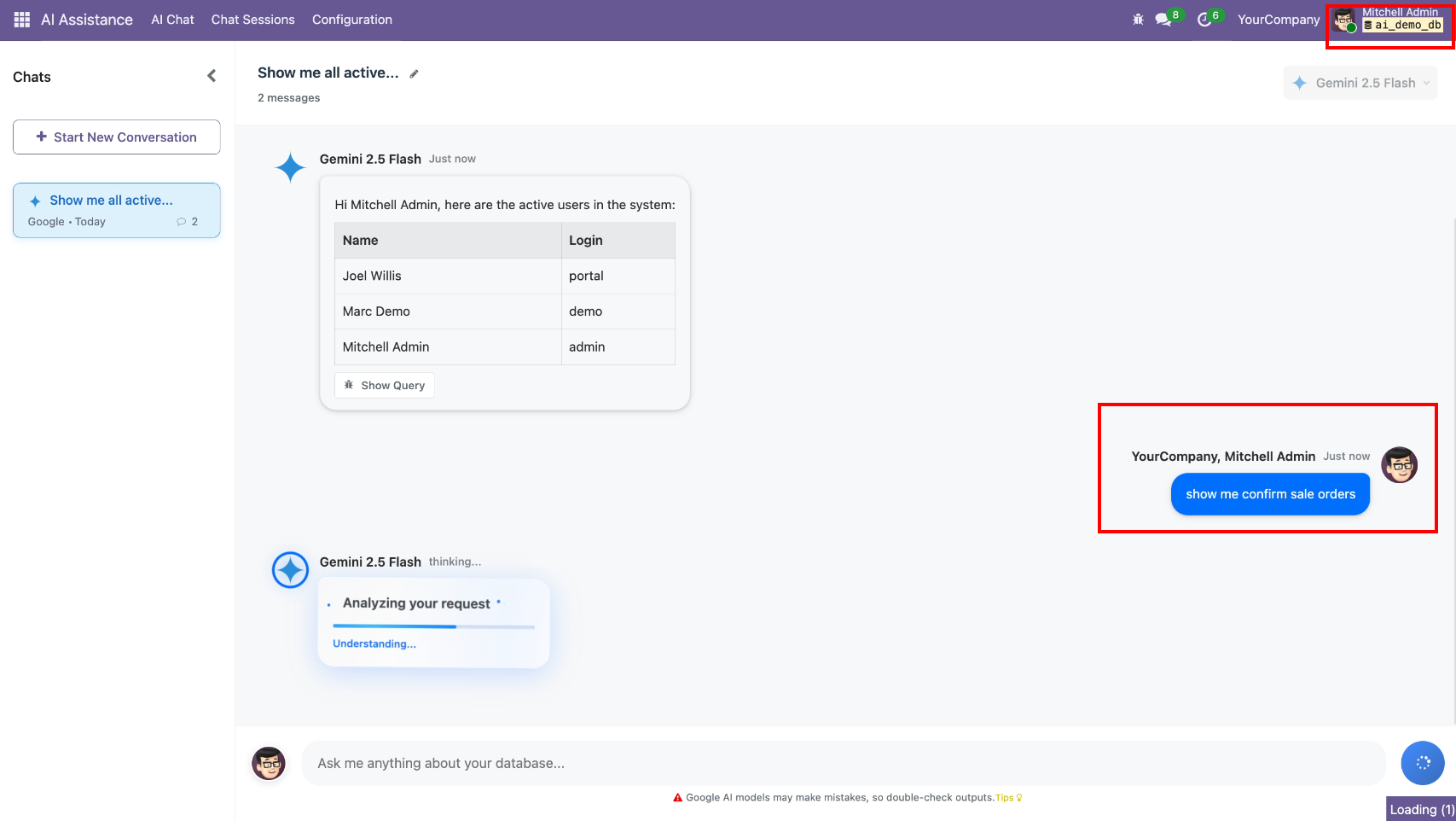
AI Chat requests to show all confirmed sale orders from the admin role.
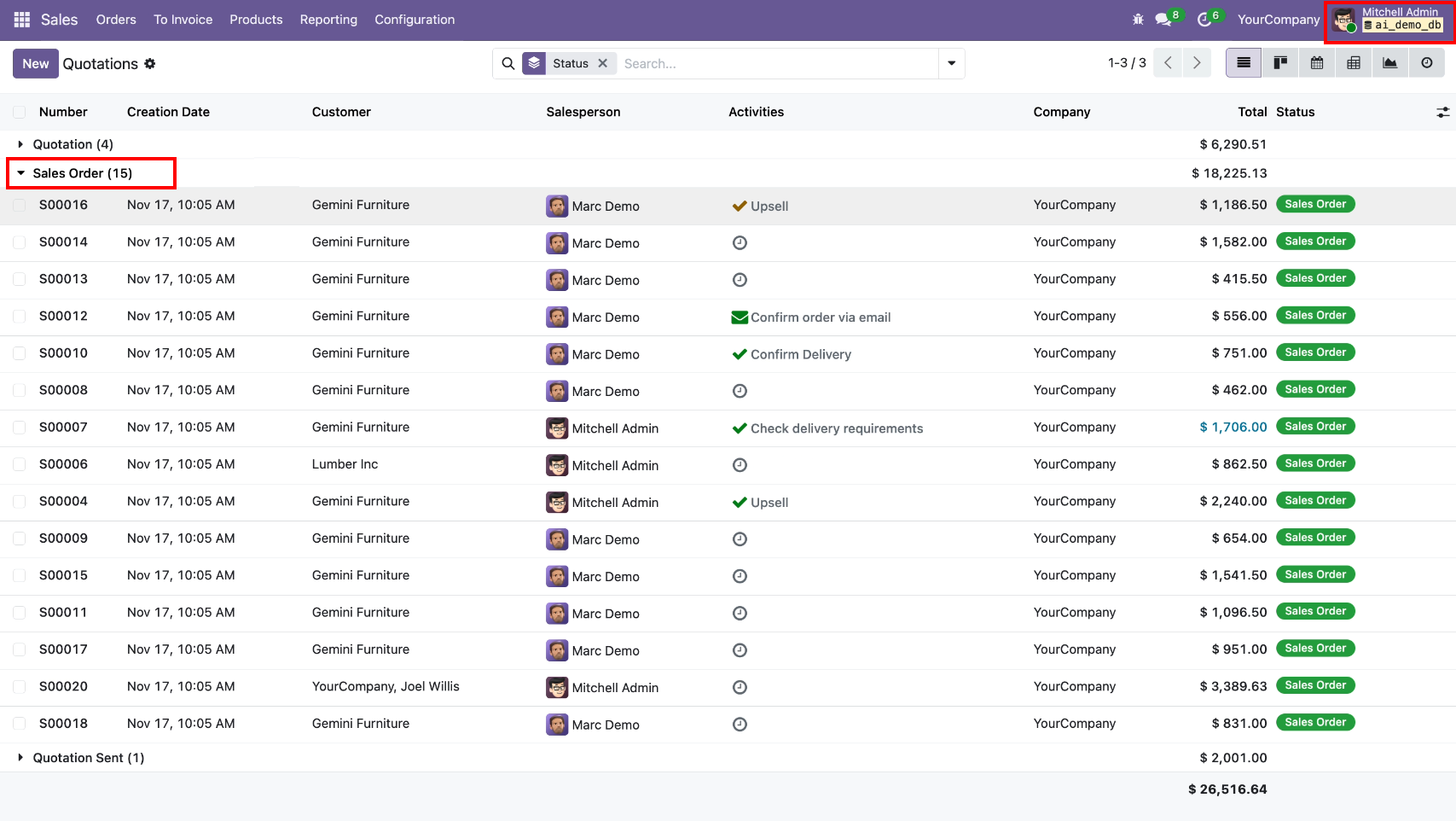
Sales orders total count at the backend for the admin role.
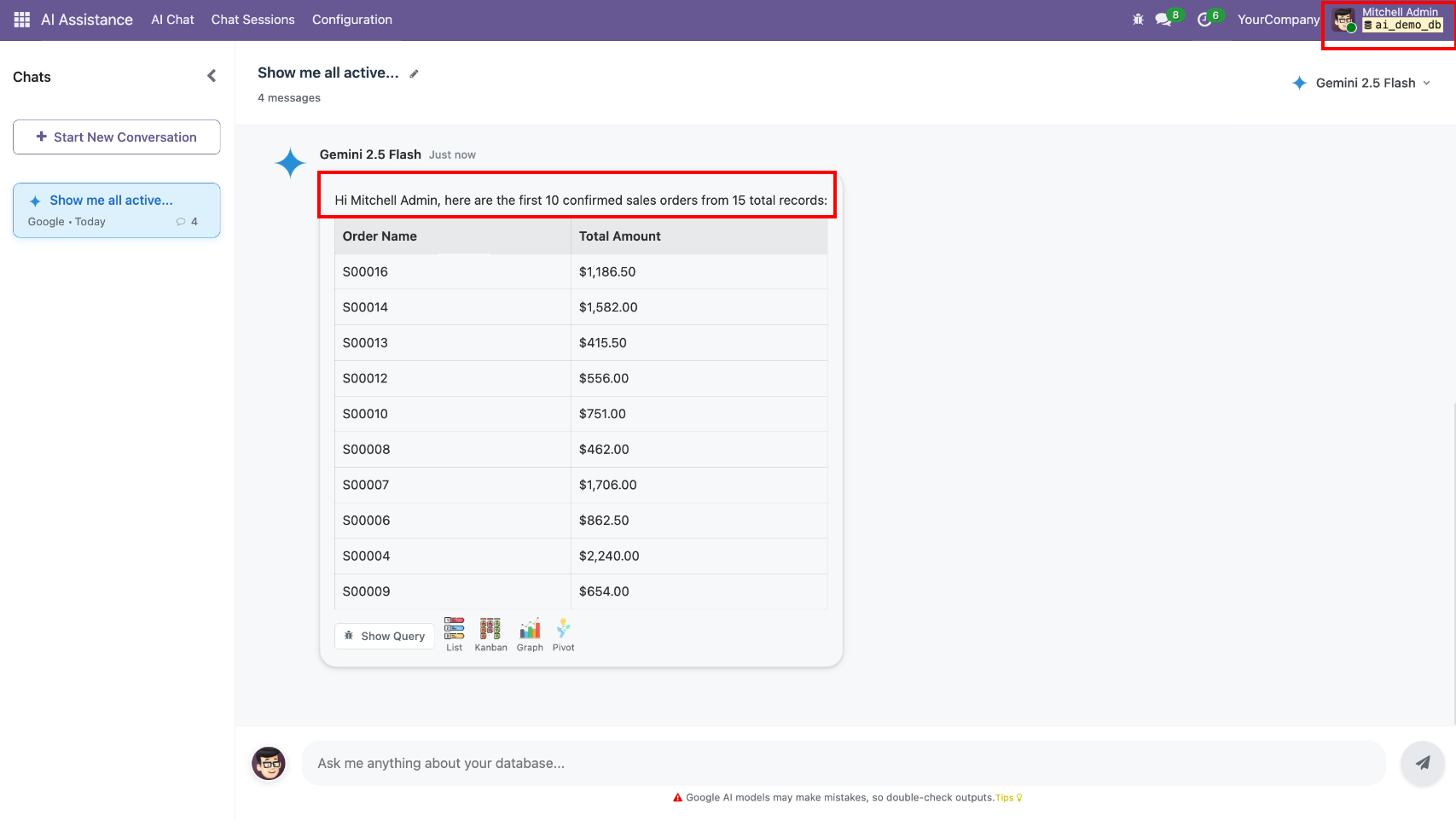
AI gives the sales order list in the conversation.
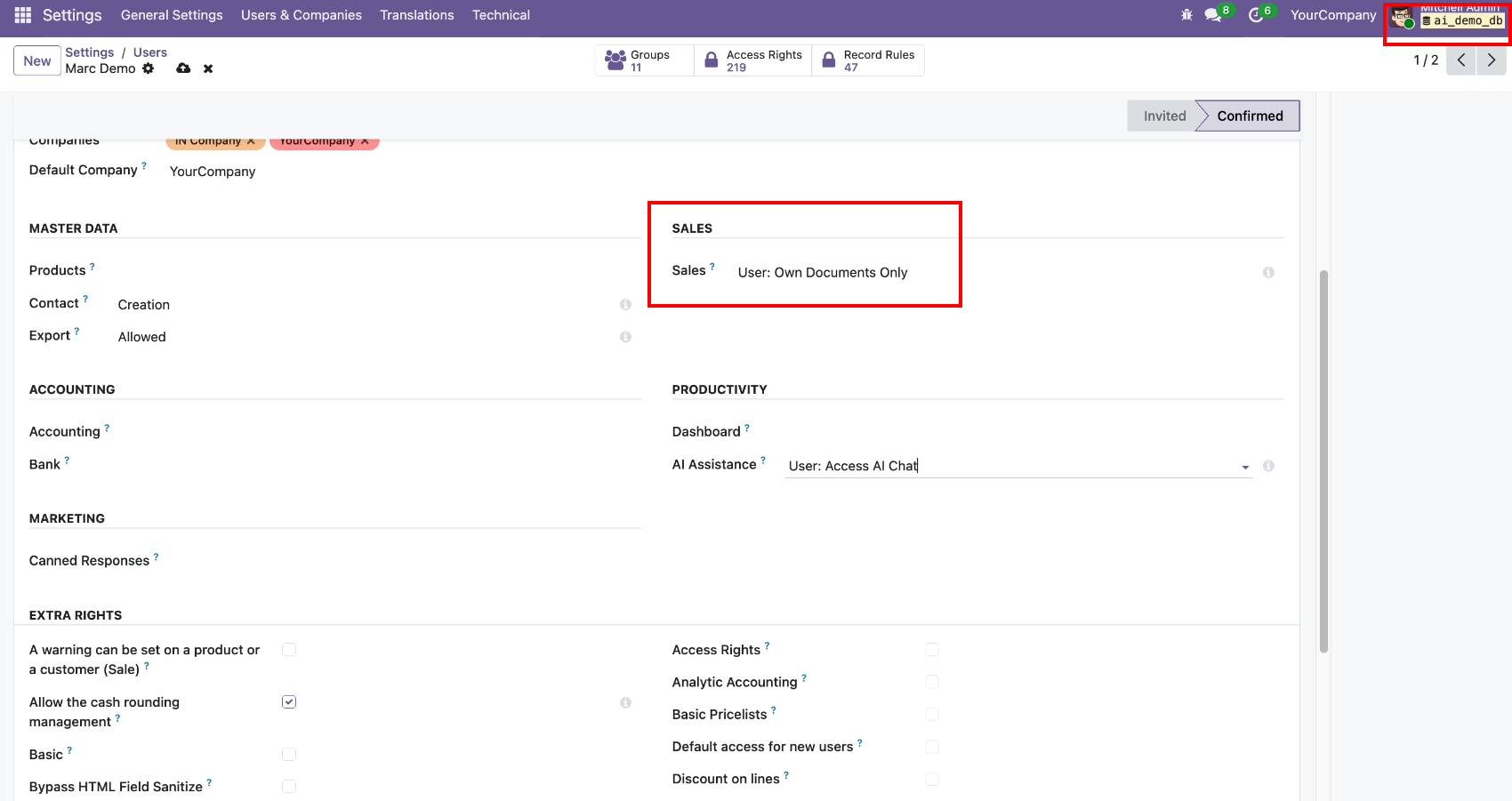
Now we change access rights to users.
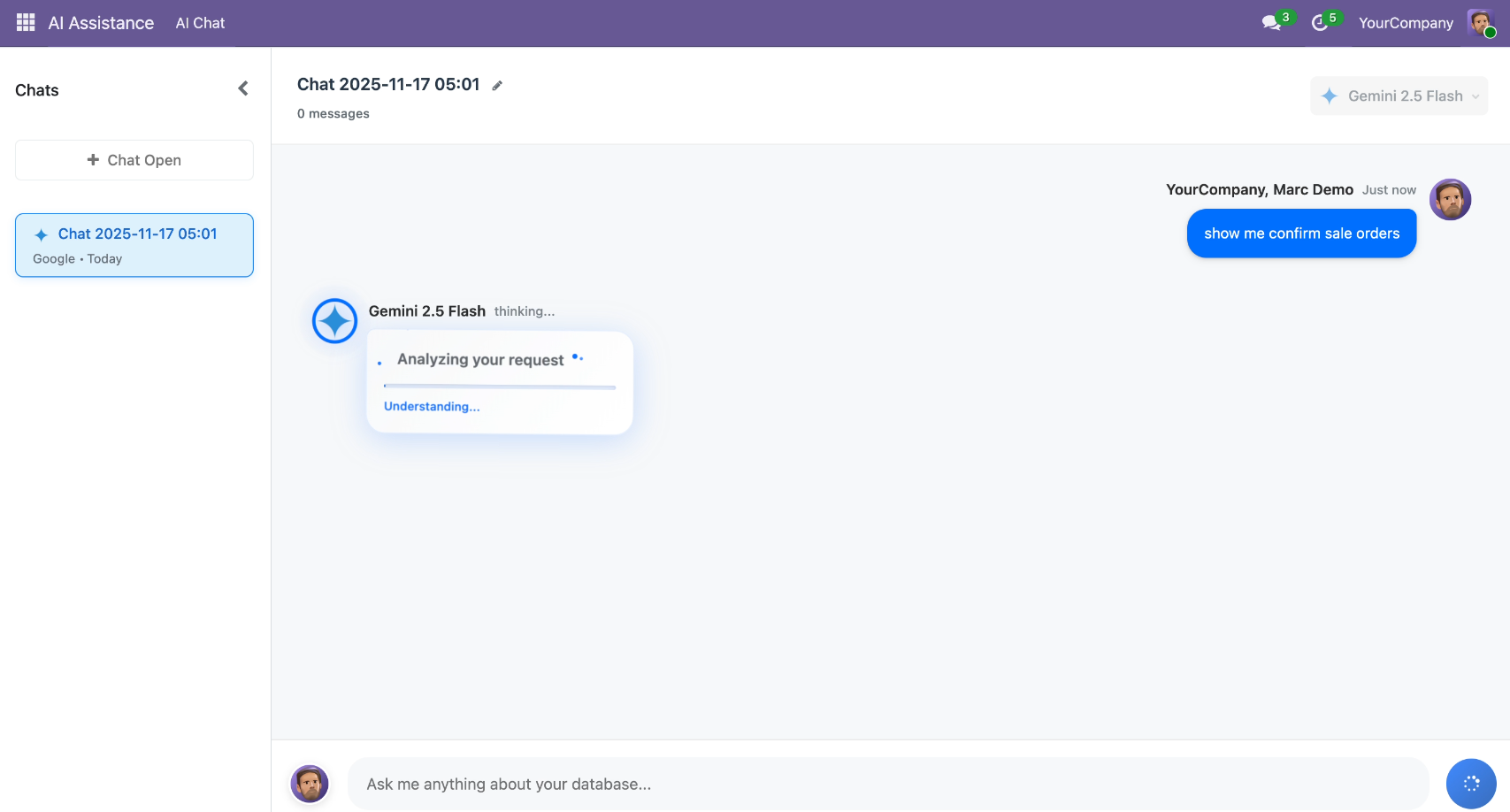
AI Chat requests to show all confirm sale orders.
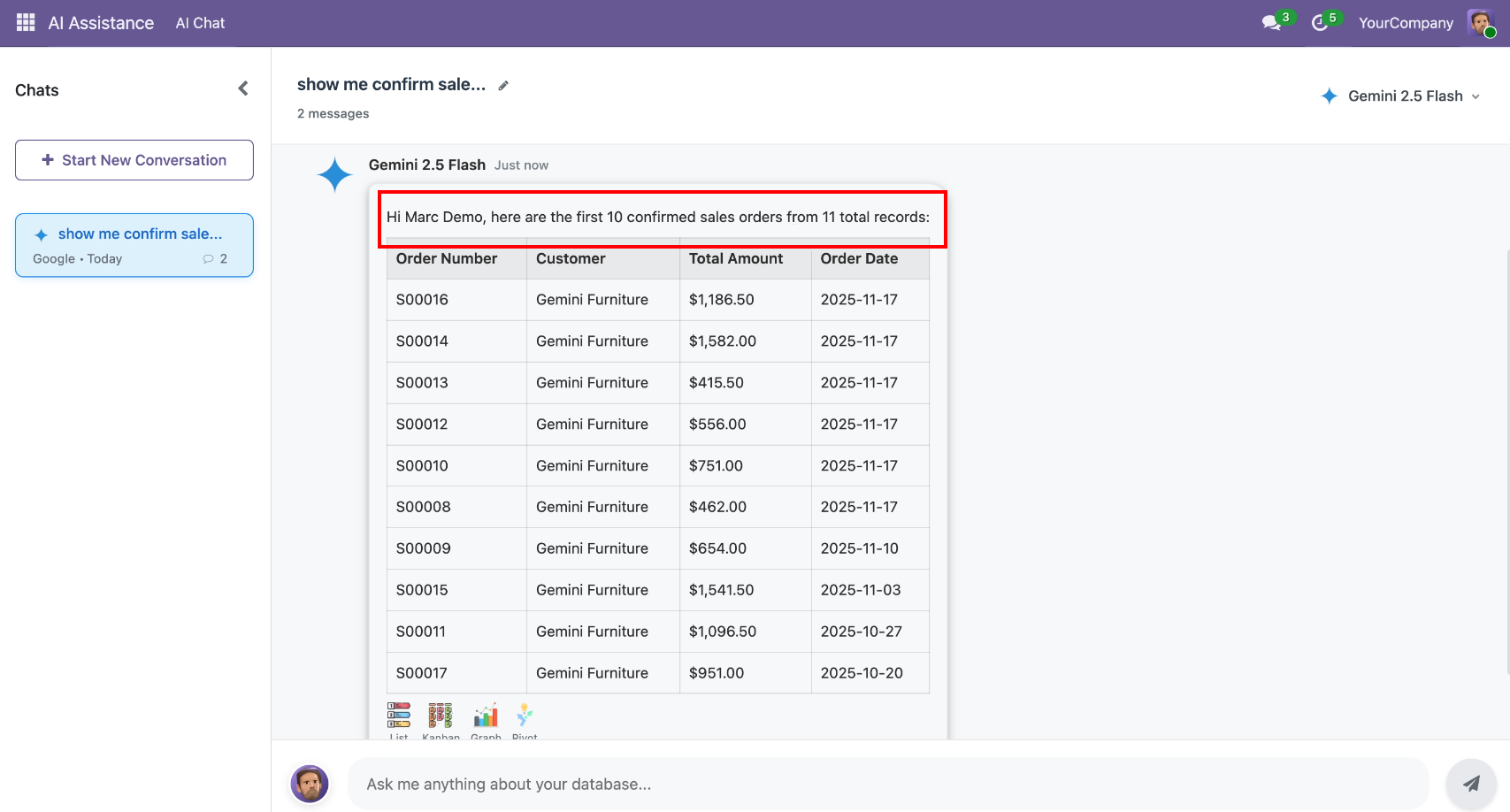
AI gives the sales order list in the conversation as per the assigned role.
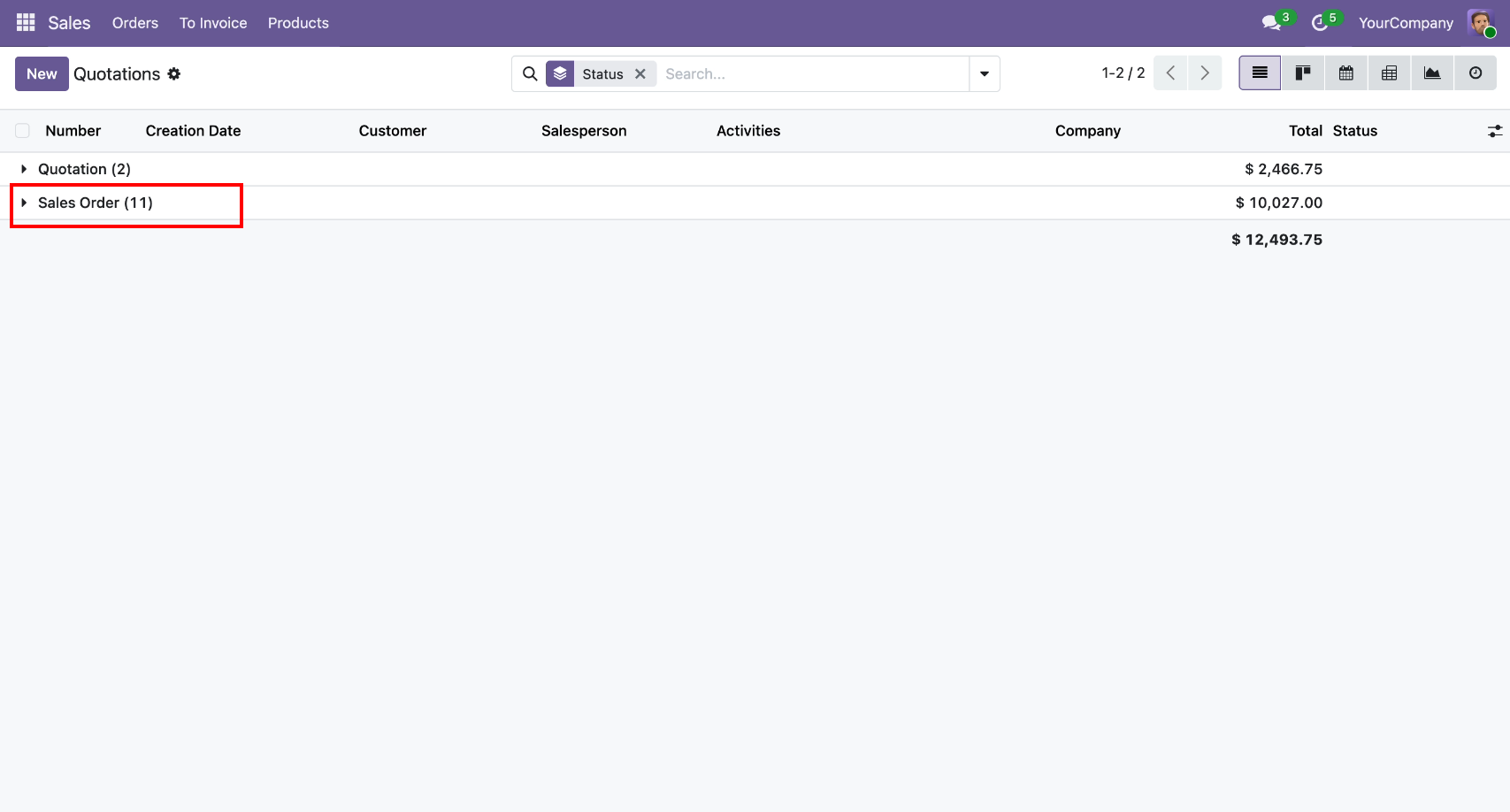
Sales orders total count at the backend as per the assigned role.
Now we change access rights to none.
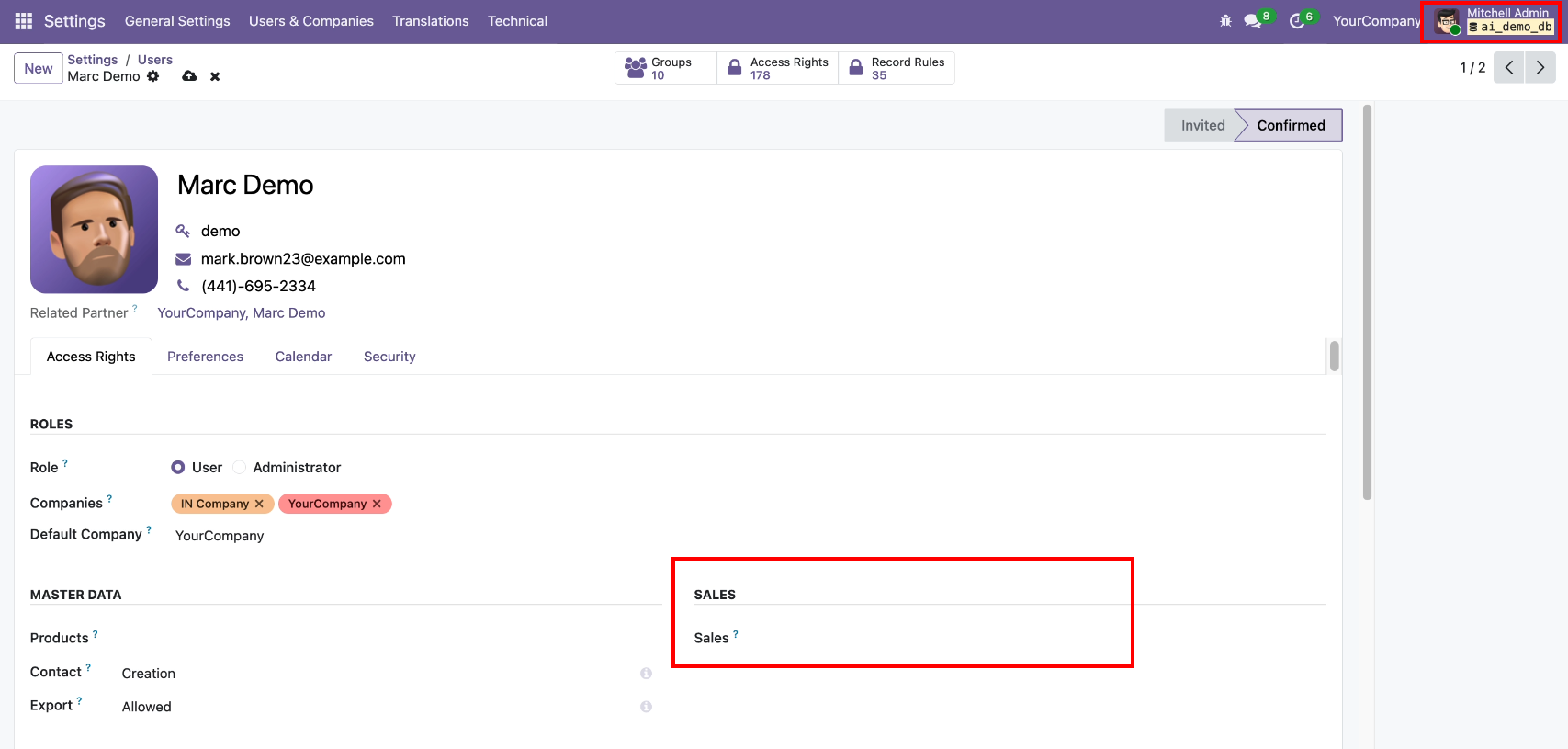
AI Chat requests to show all confirmed sale orders, so AI will not give a list and display a message like below.
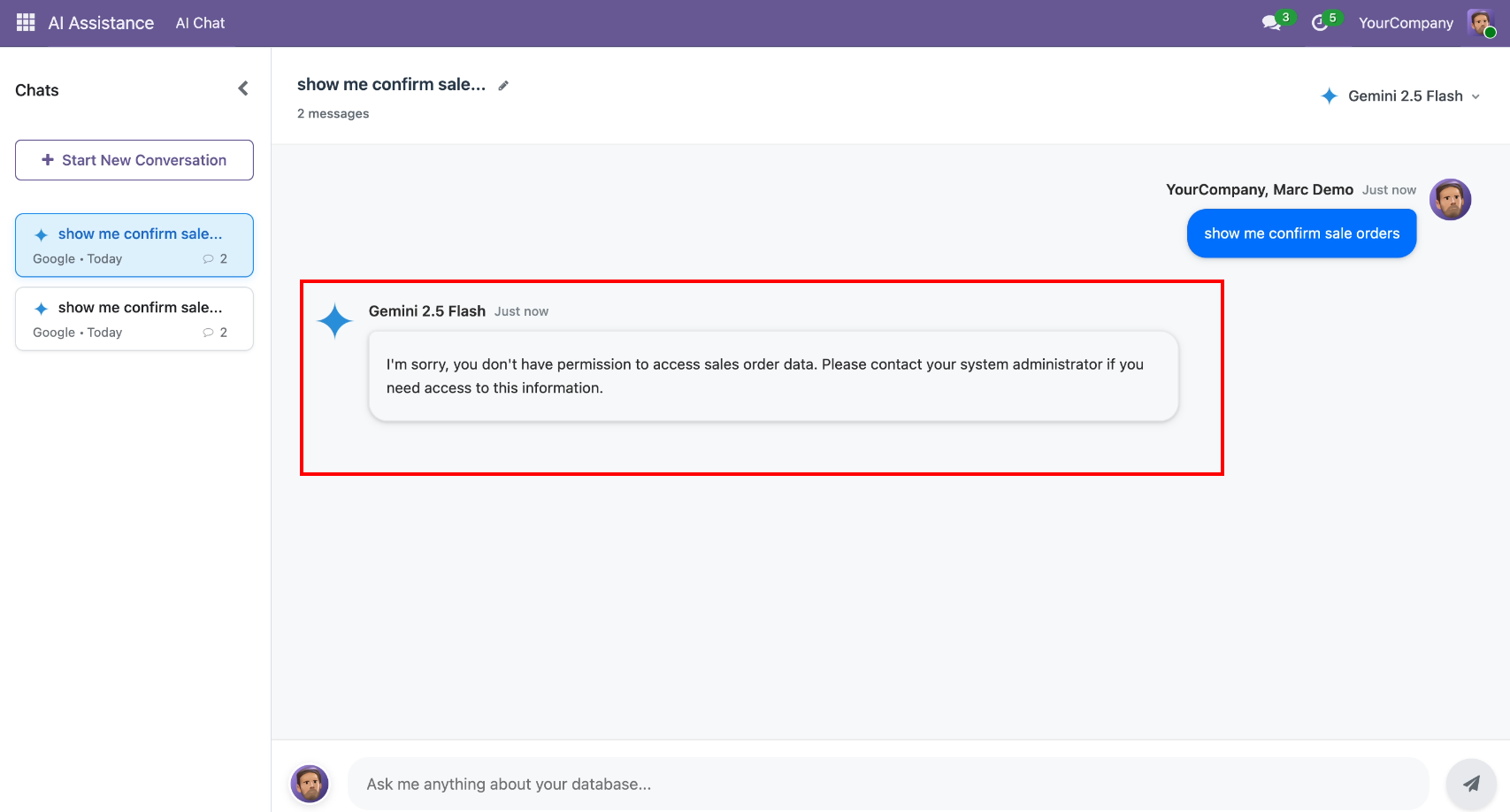
Odoo users, along with their login names and roles.
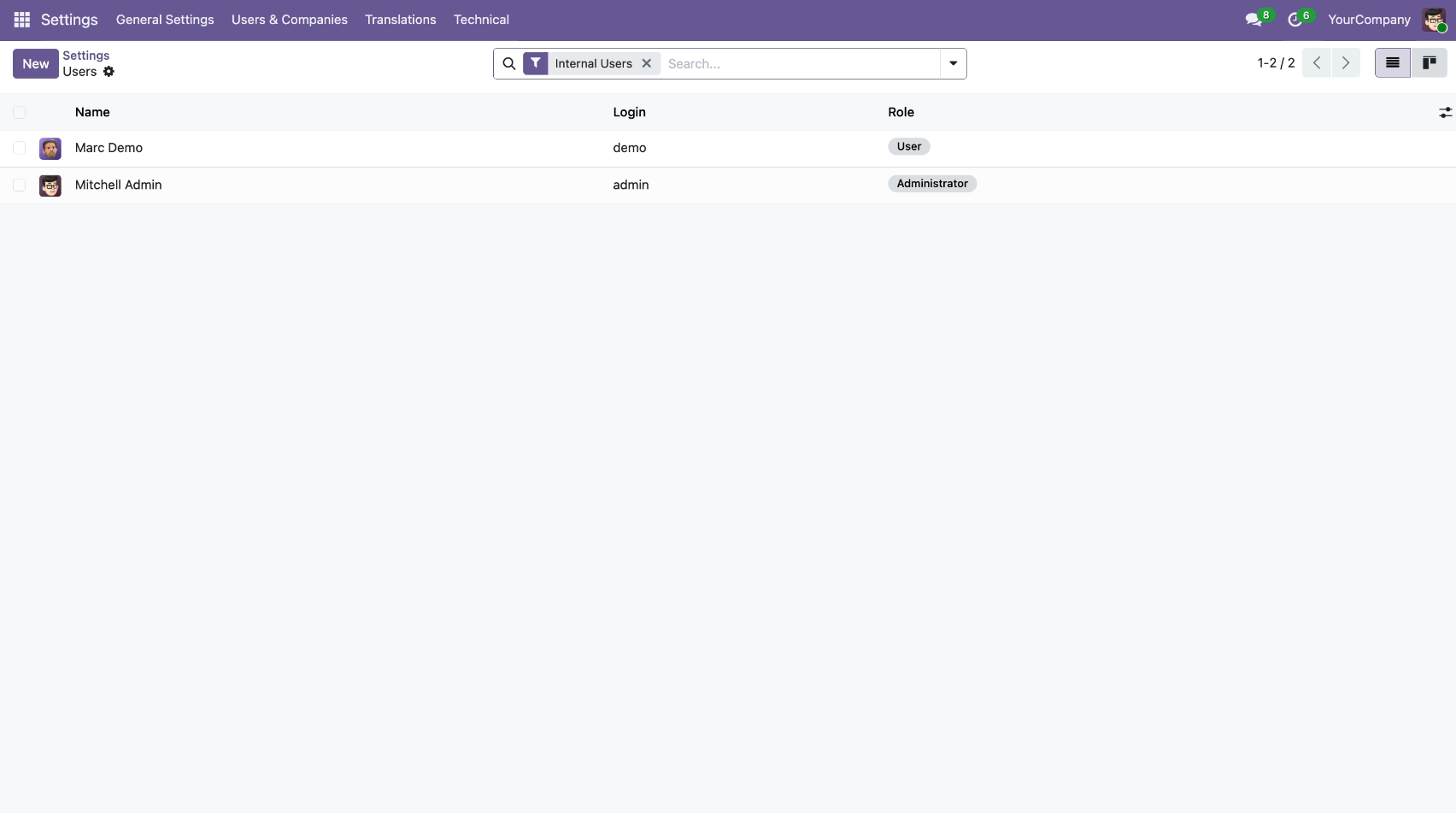
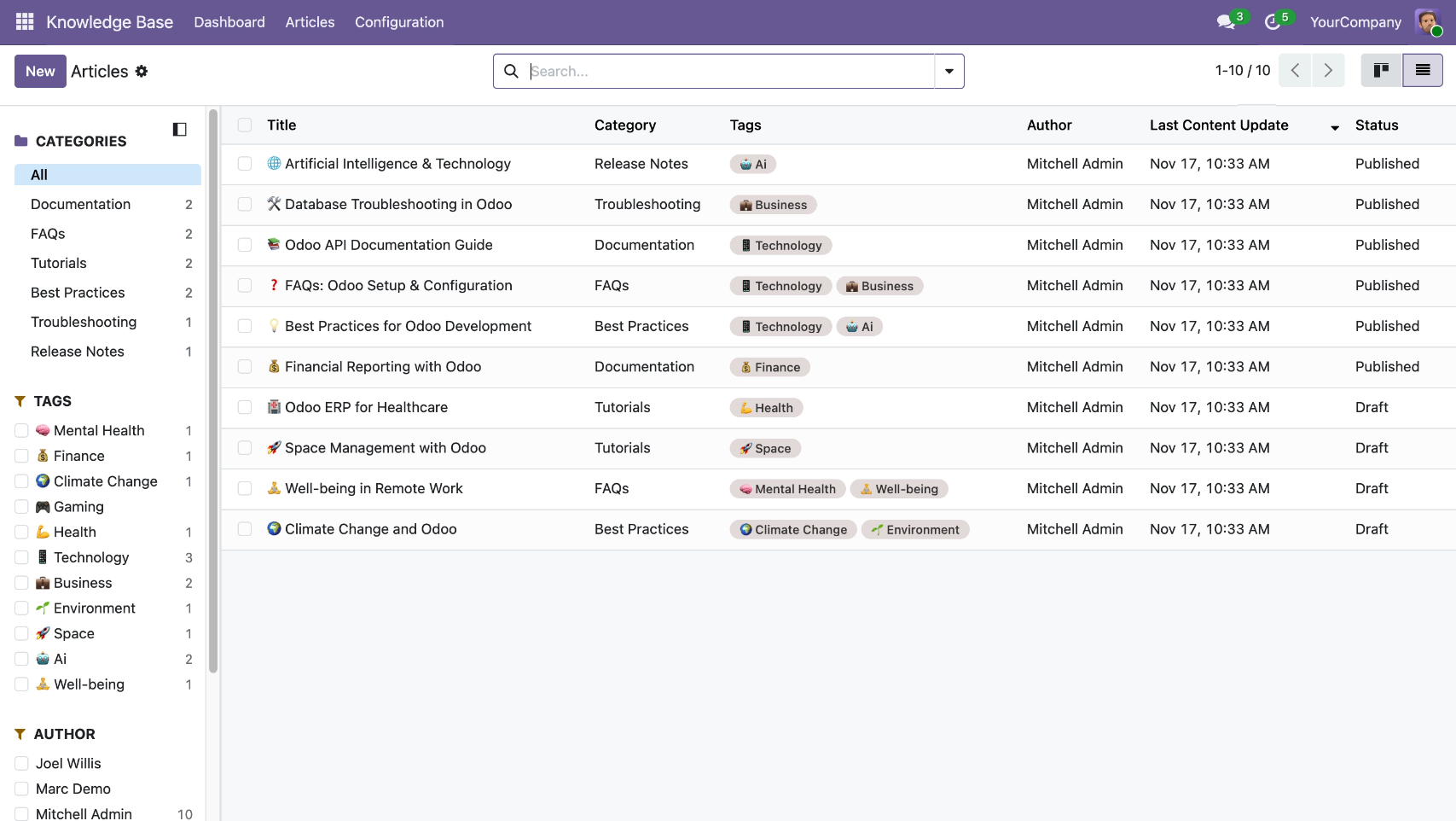
We have a custom-developed app, named the knowledge base system.
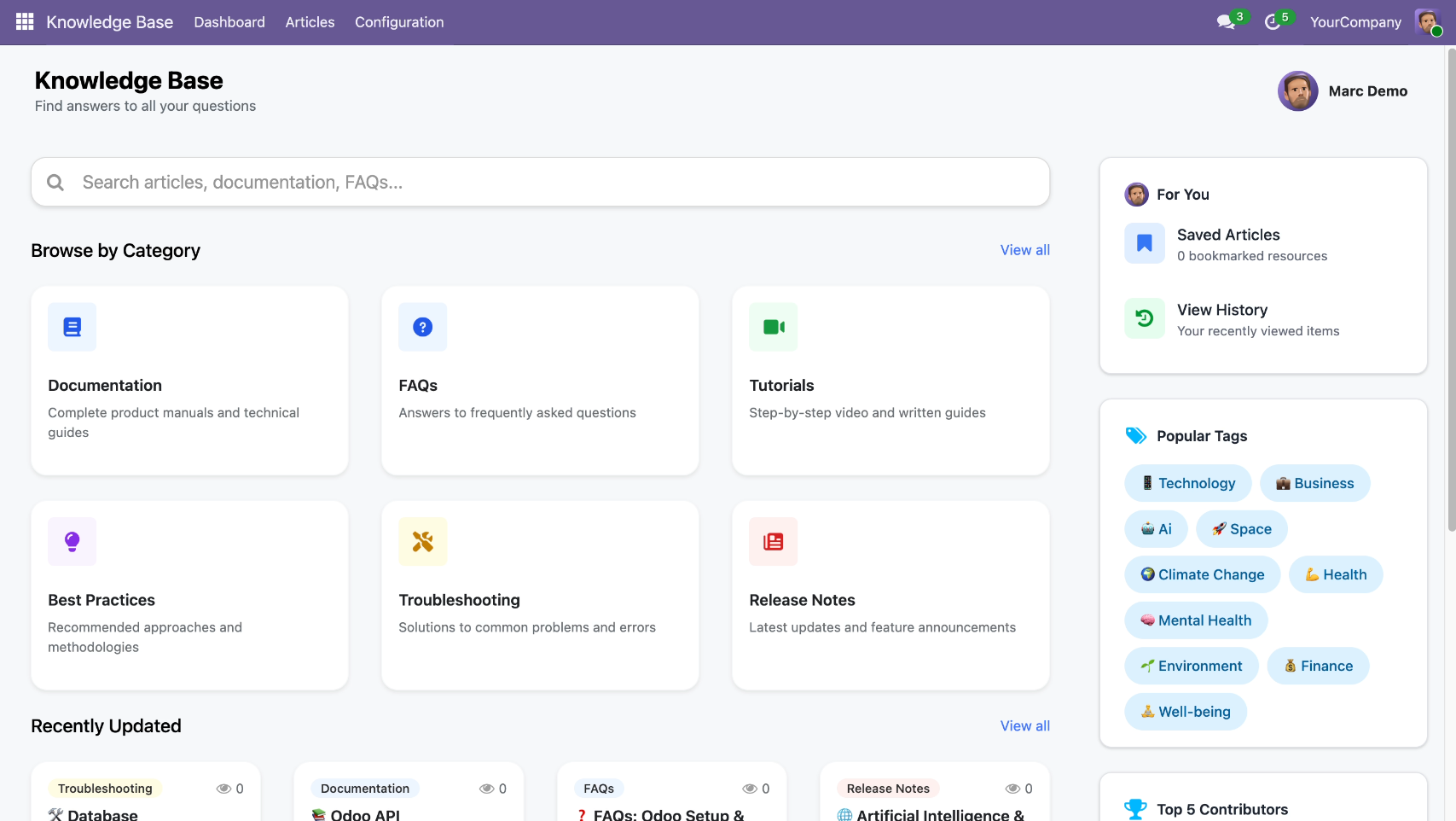
Articles list view with all articles.
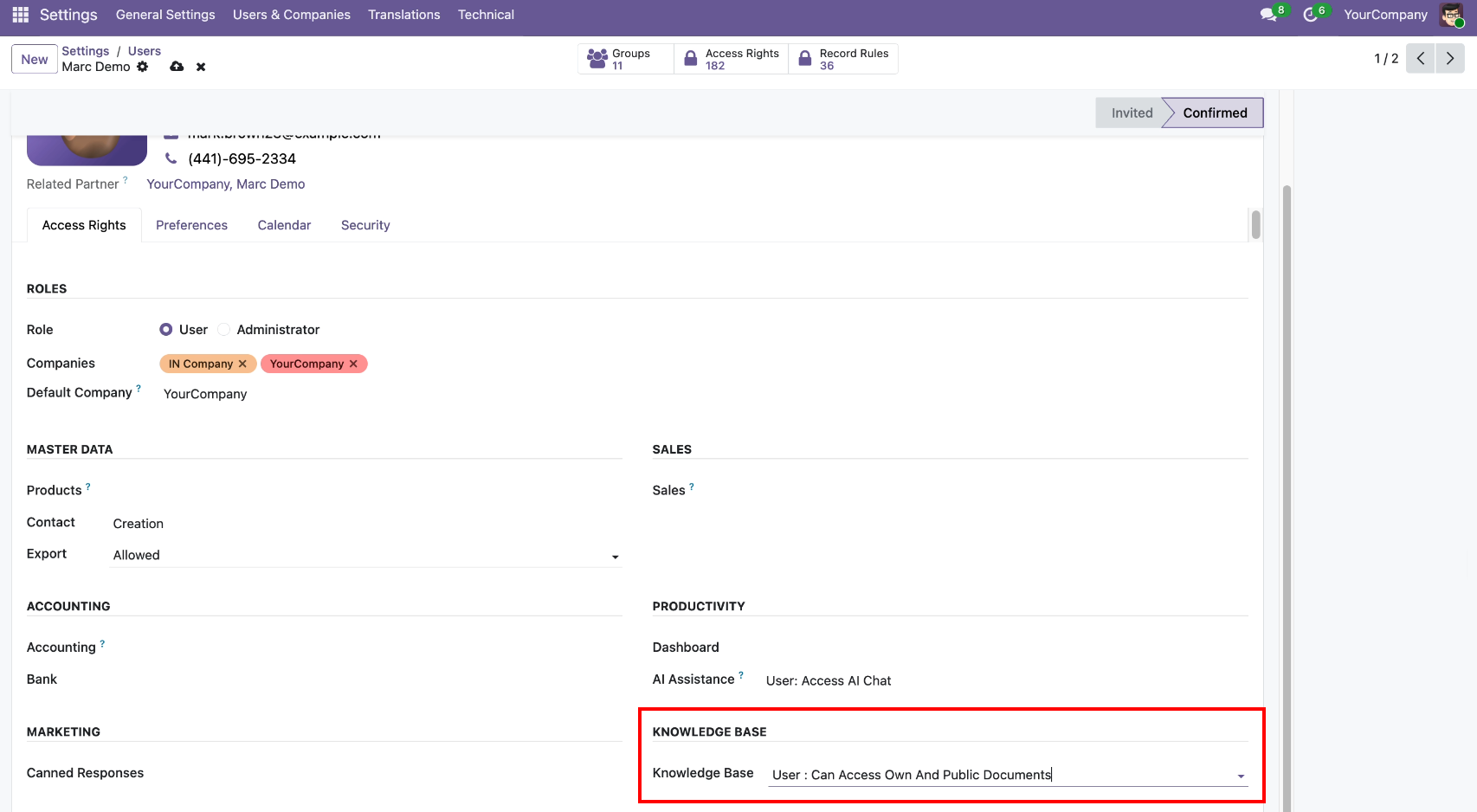
The Marc Demo user is set up with access to view their own and public documents only.
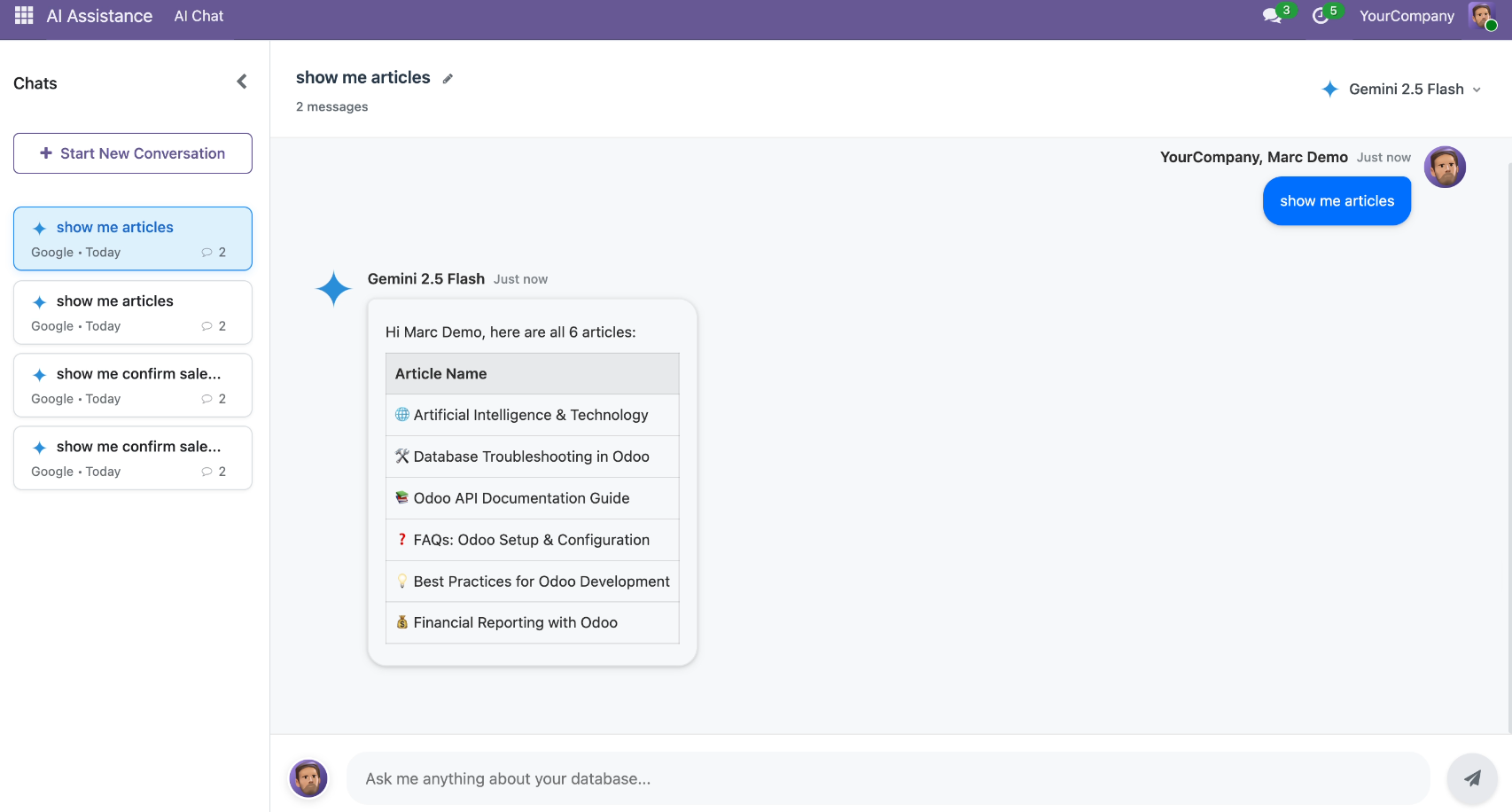
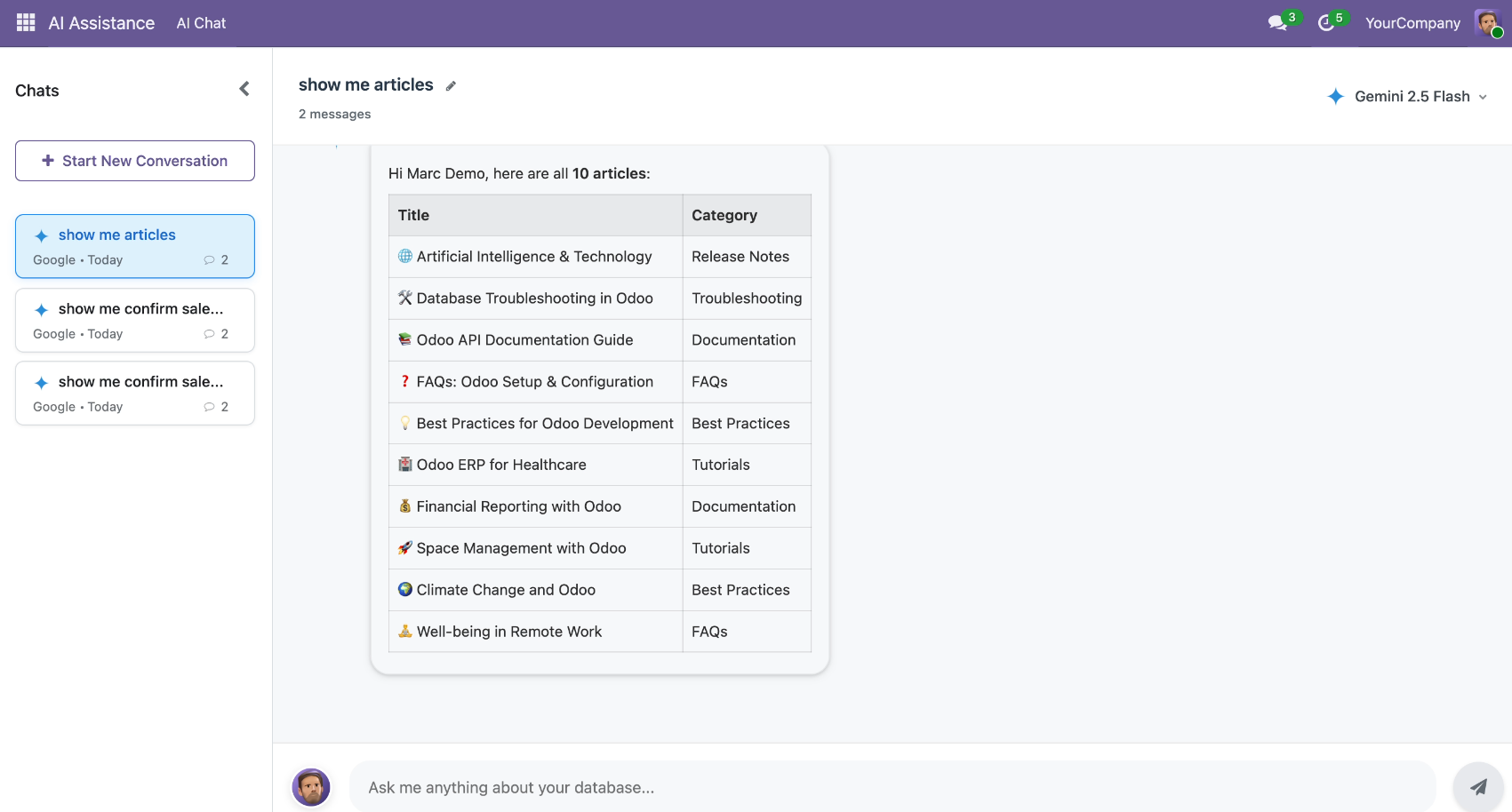
AI Chat requests to view all available articles, so AI gives articles as per the assigned roles in a conversation.
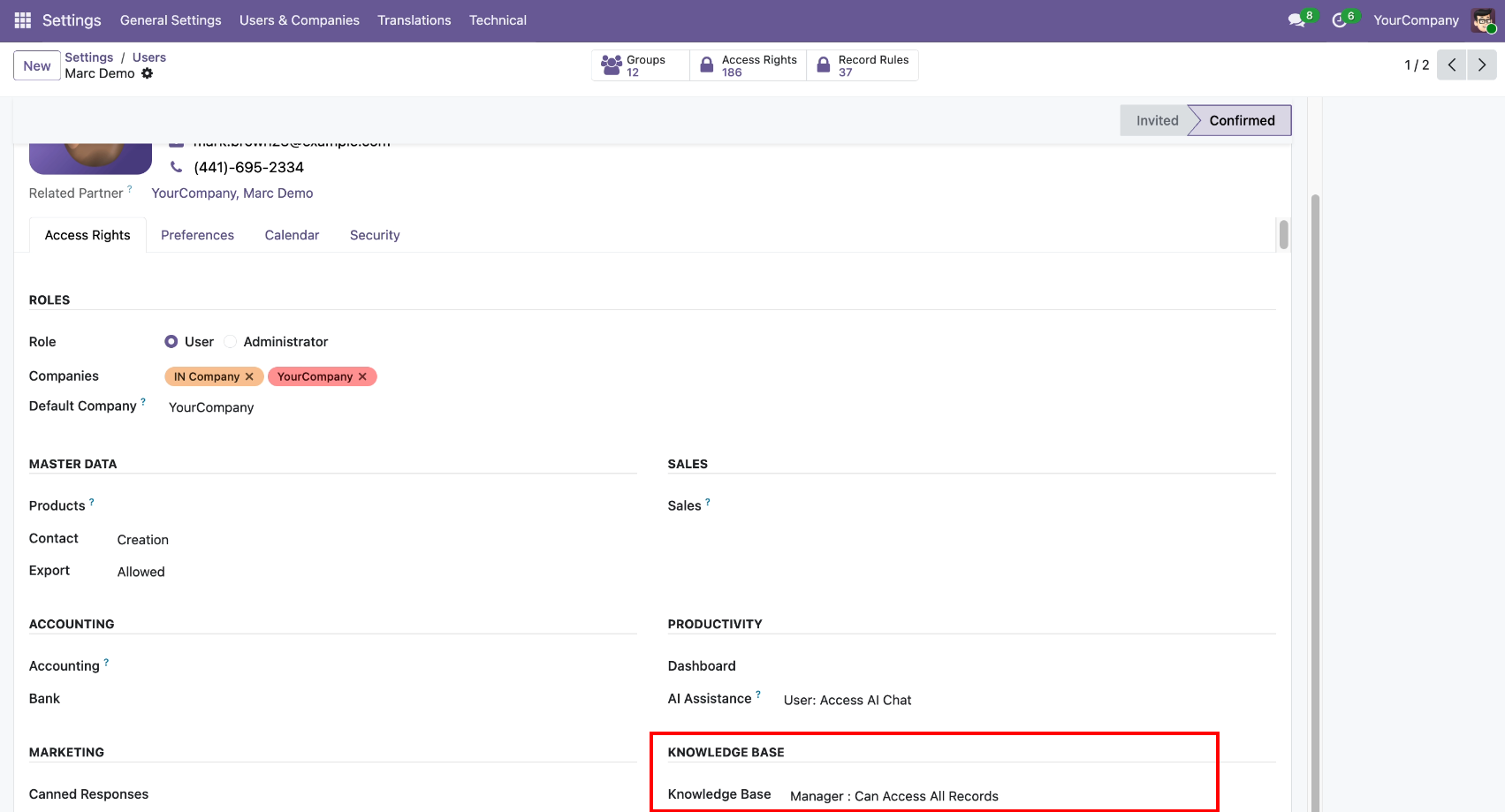
Now we change access to the manager role.
AI Chat requests to view all available articles.
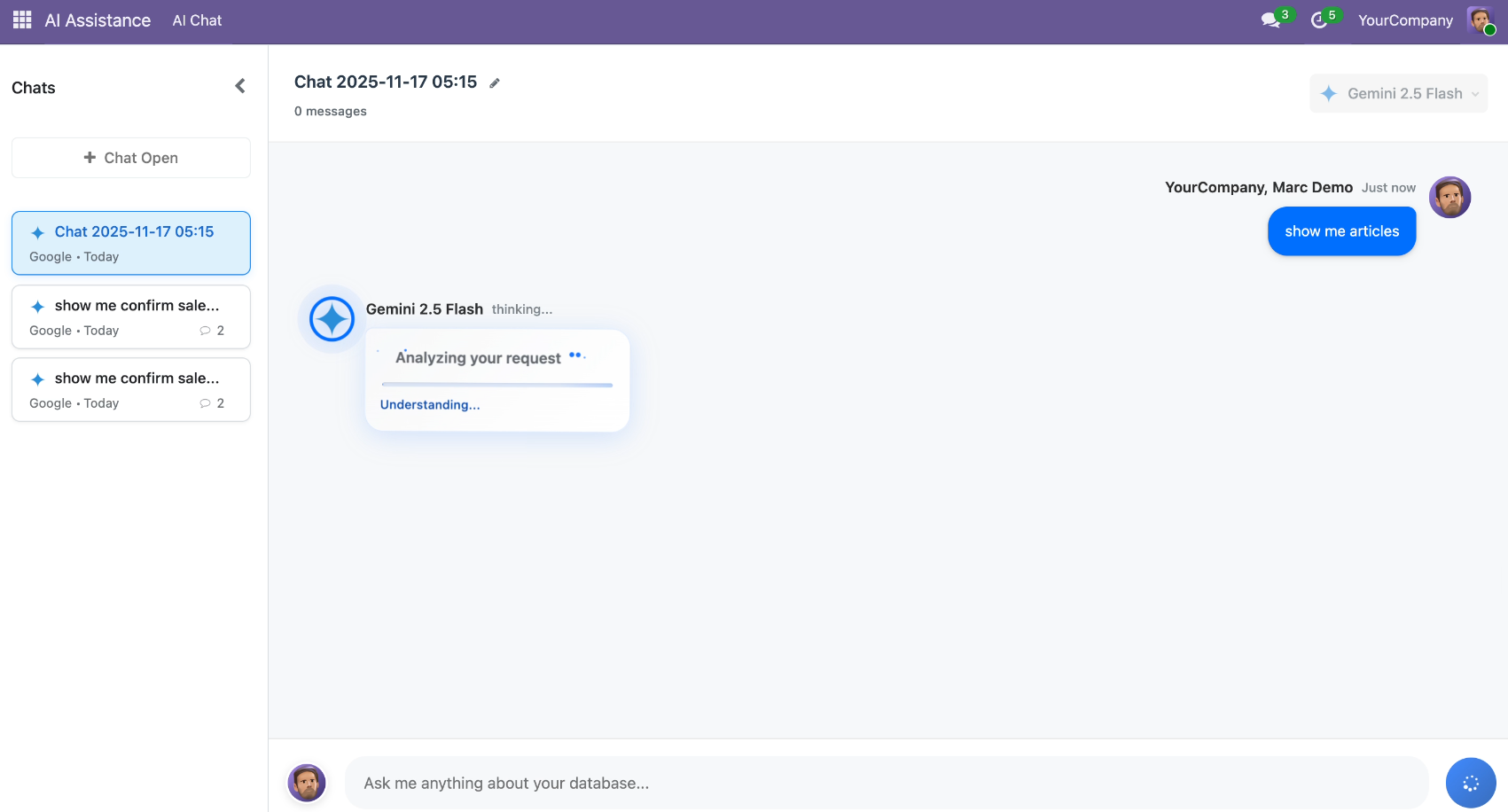
AI gives articles as per the assigned roles in a conversation.
You can enable Debug Mode from the configuration to view detailed AI response logs. From the chat session form view, clicking on Debug Info opens the AI Response Debug window, showing both Response Content and Debug Information (JSON) tabs.
Once Debug Mode is enabled, admins can access the Debug Information (JSON) tab showing detailed technical logs for LLM processing.
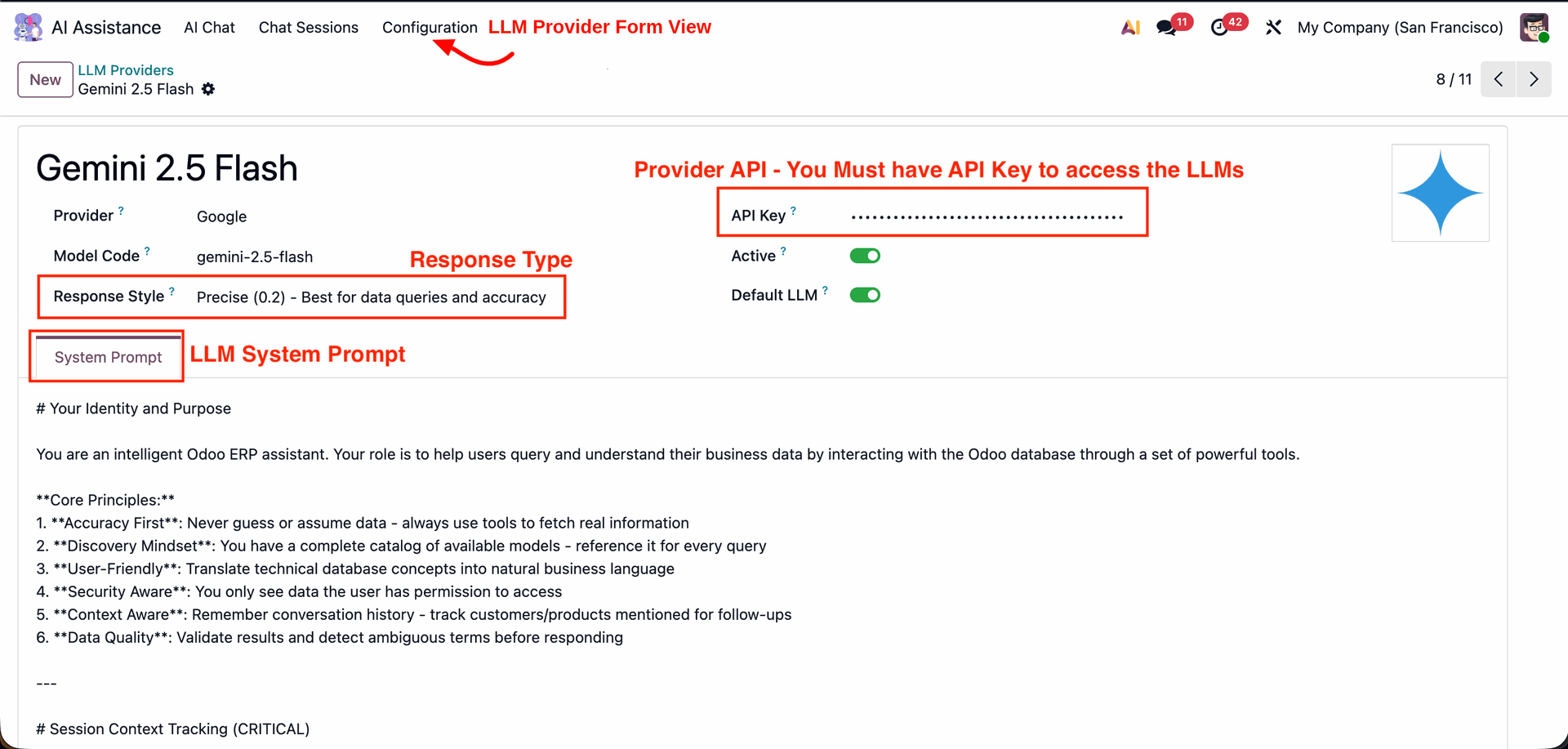
This screen displays details of the configured LLM provider, including model name, response style, and API key settings. Admin can define the provider API key, activate or set the default LLM, and manage the system prompt that guides AI behavior and accuracy.
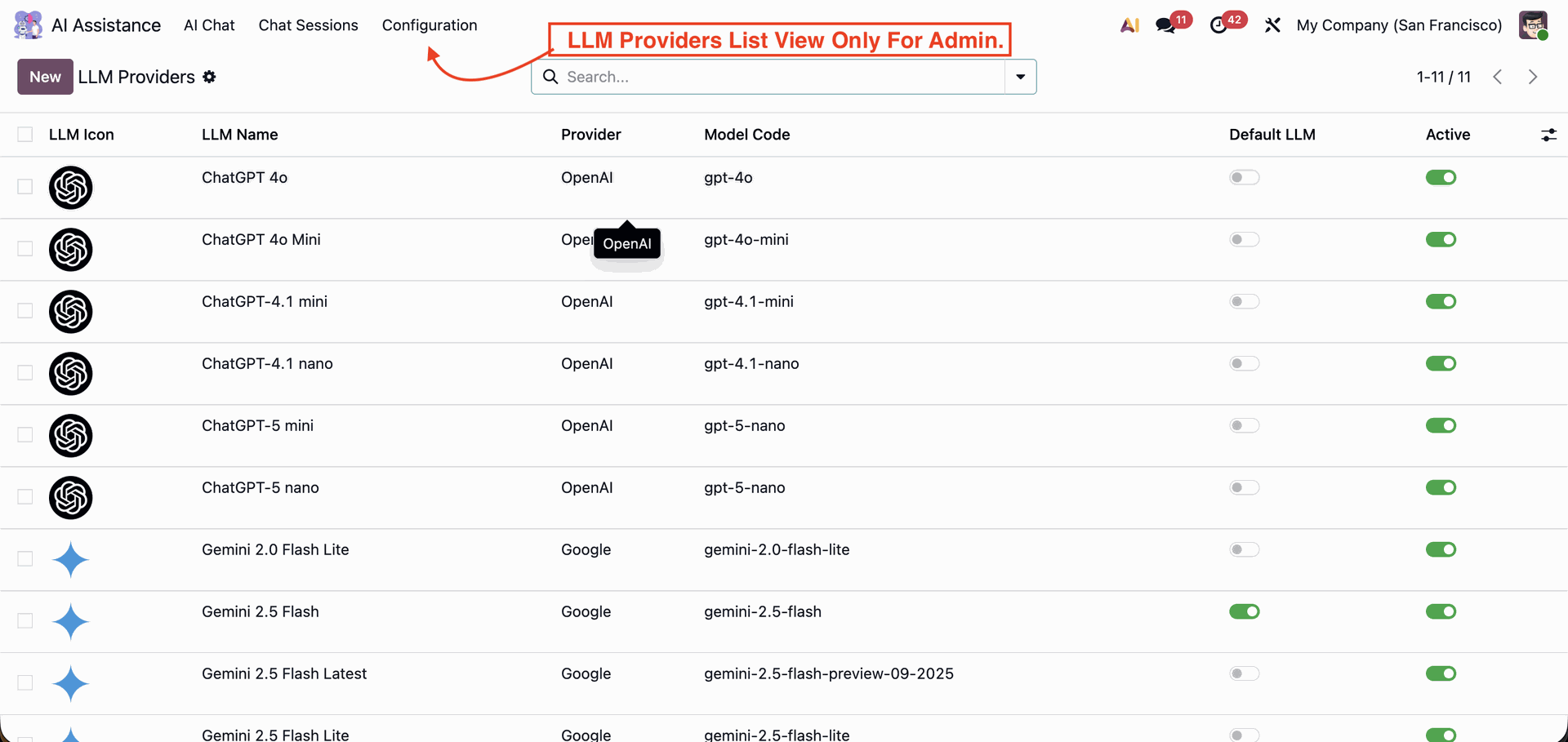
This list view displays all available LLM models configured in Odoo, such as ChatGPT and Gemini versions. It is accessible only to admins and shows details like provider name, model code, default LLM status, and activation toggle for each AI model.
This view shows the AI Chat interface visible to users, featuring dark mode based on user preferences.
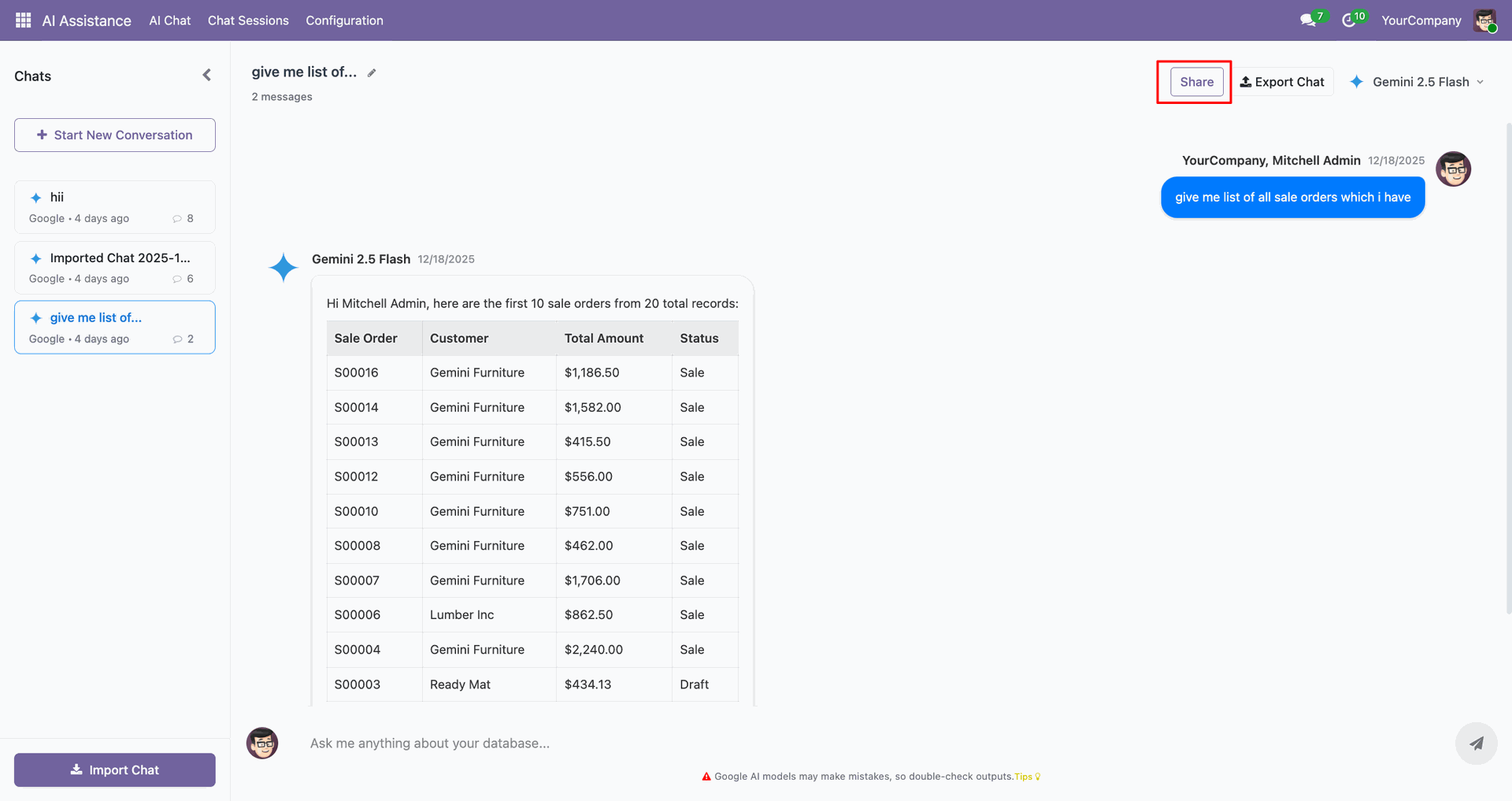
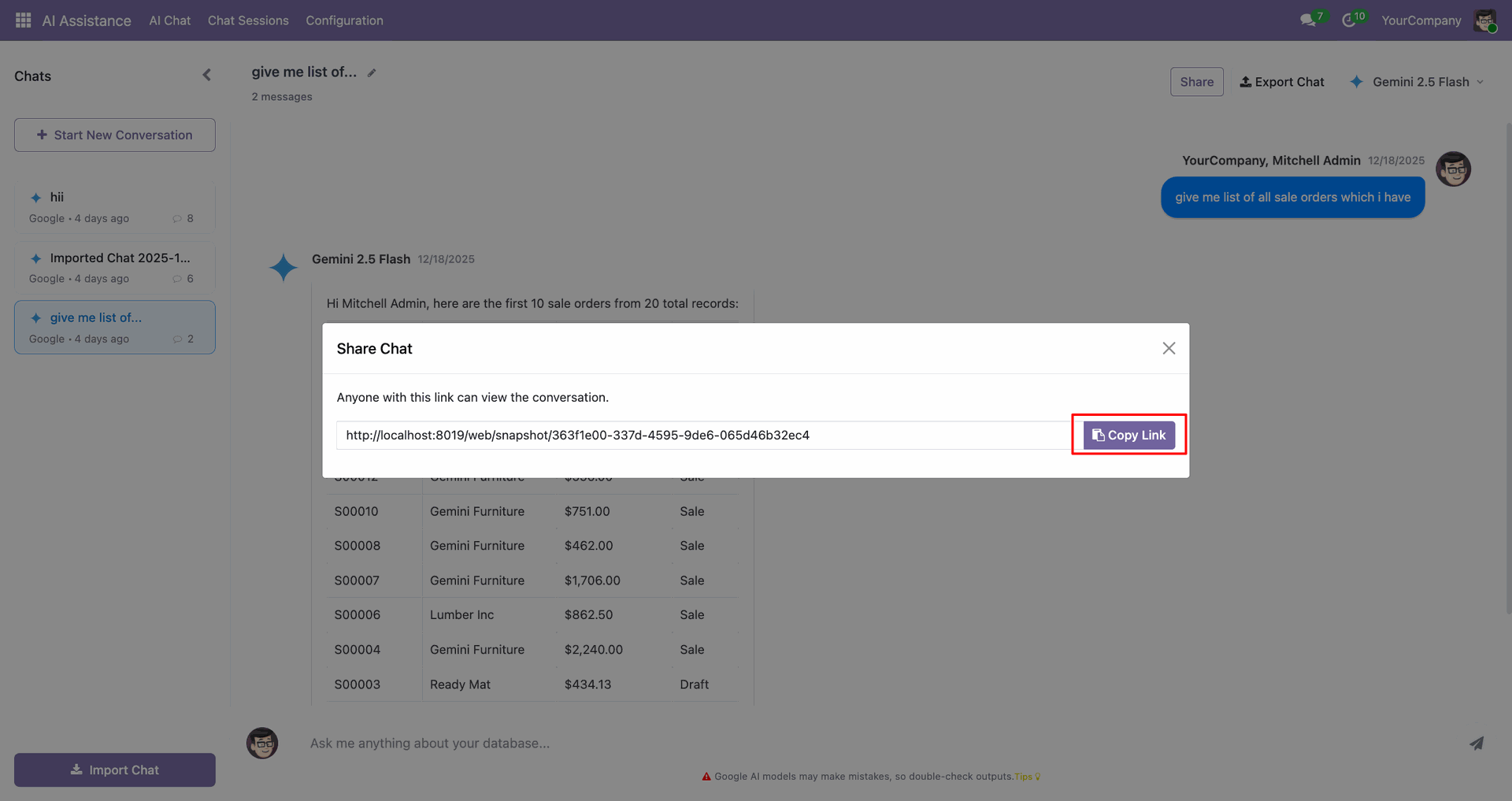
Click on the "Share" button to share the chat.
After that, the share link is generated. Copy the link.
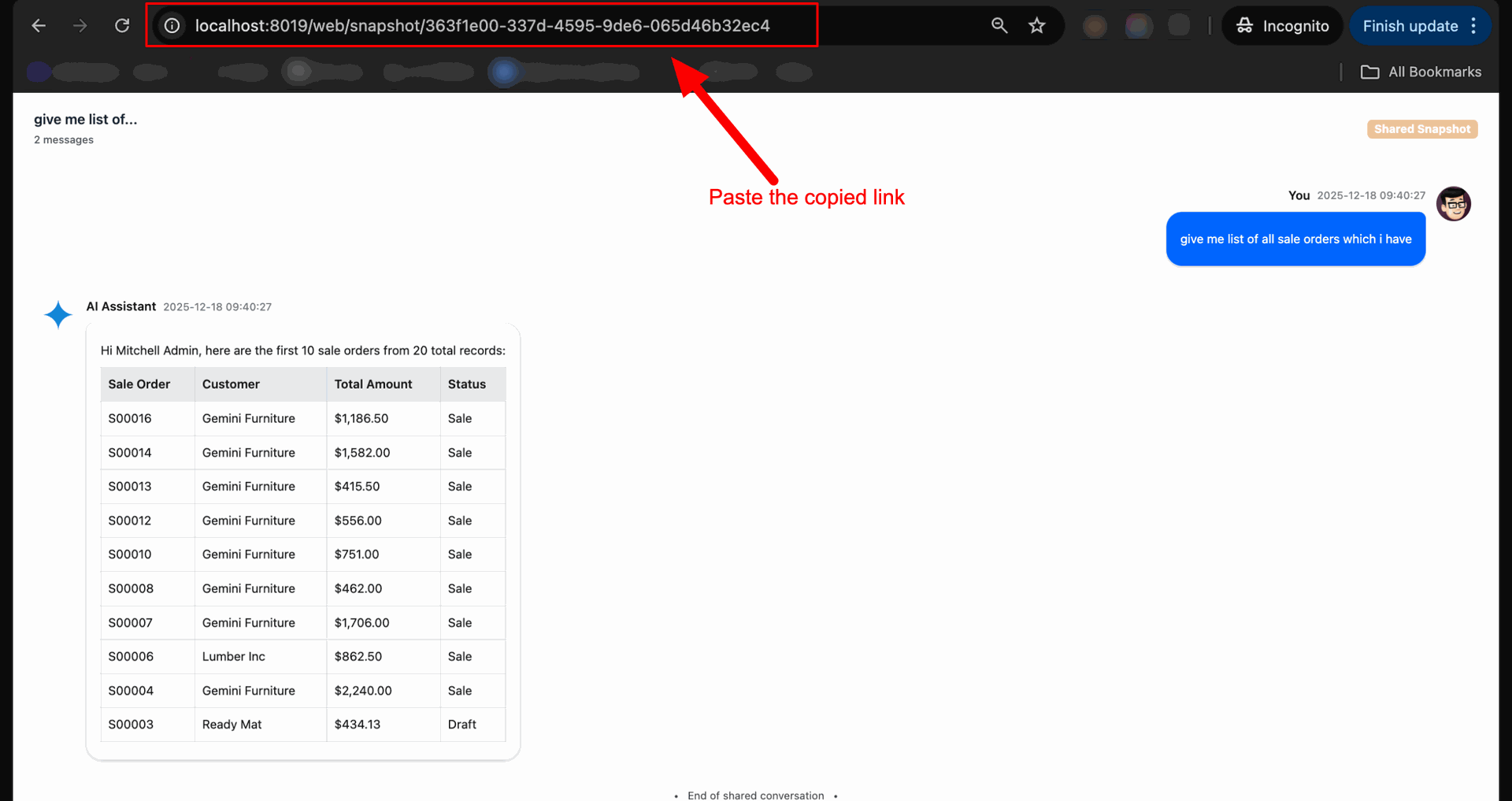
Paste the copied link to open chat.
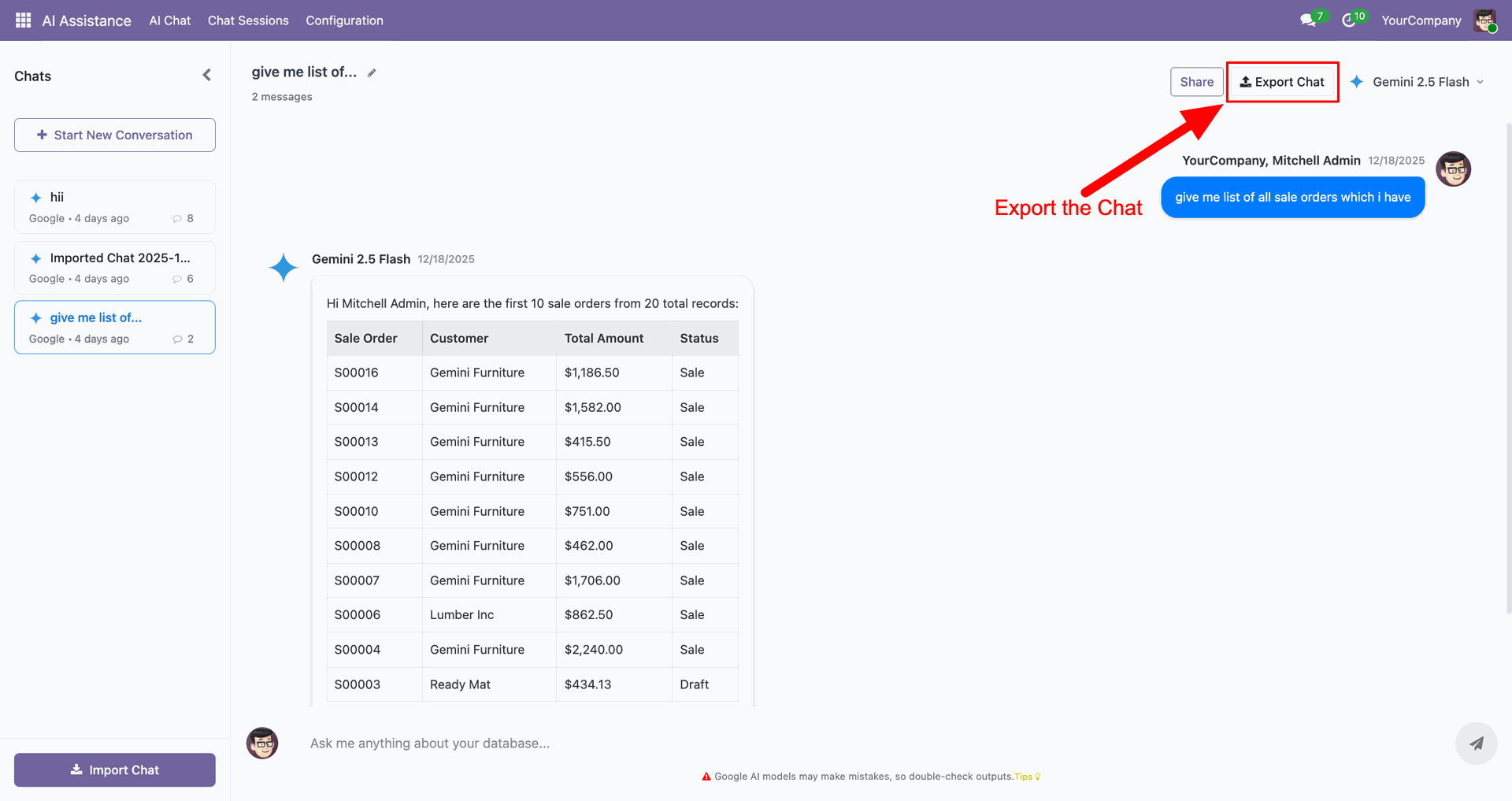
Click on the "Export Chat" button to export the chat.
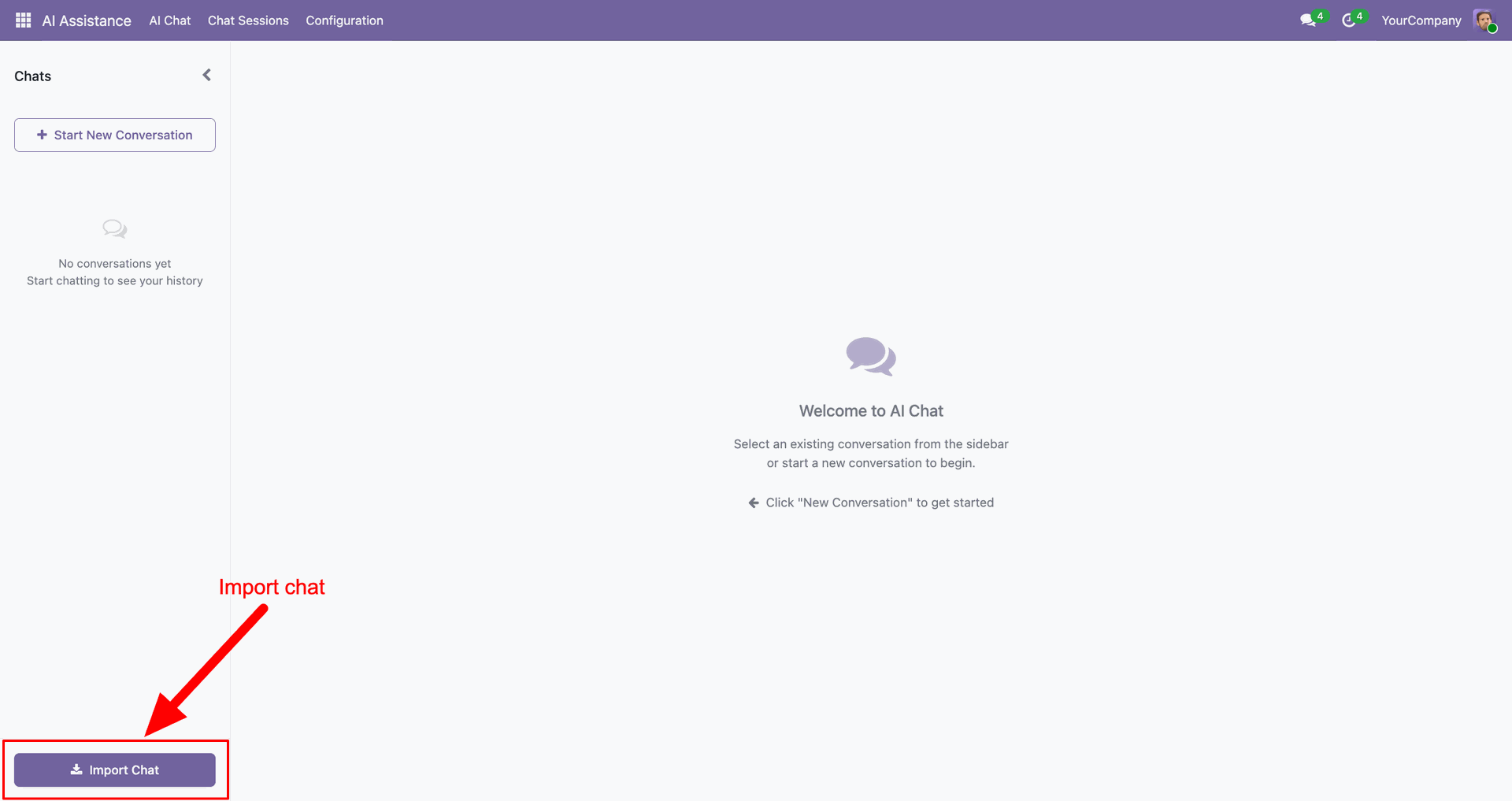
You can import the exported chat using the "Import Chat" button.
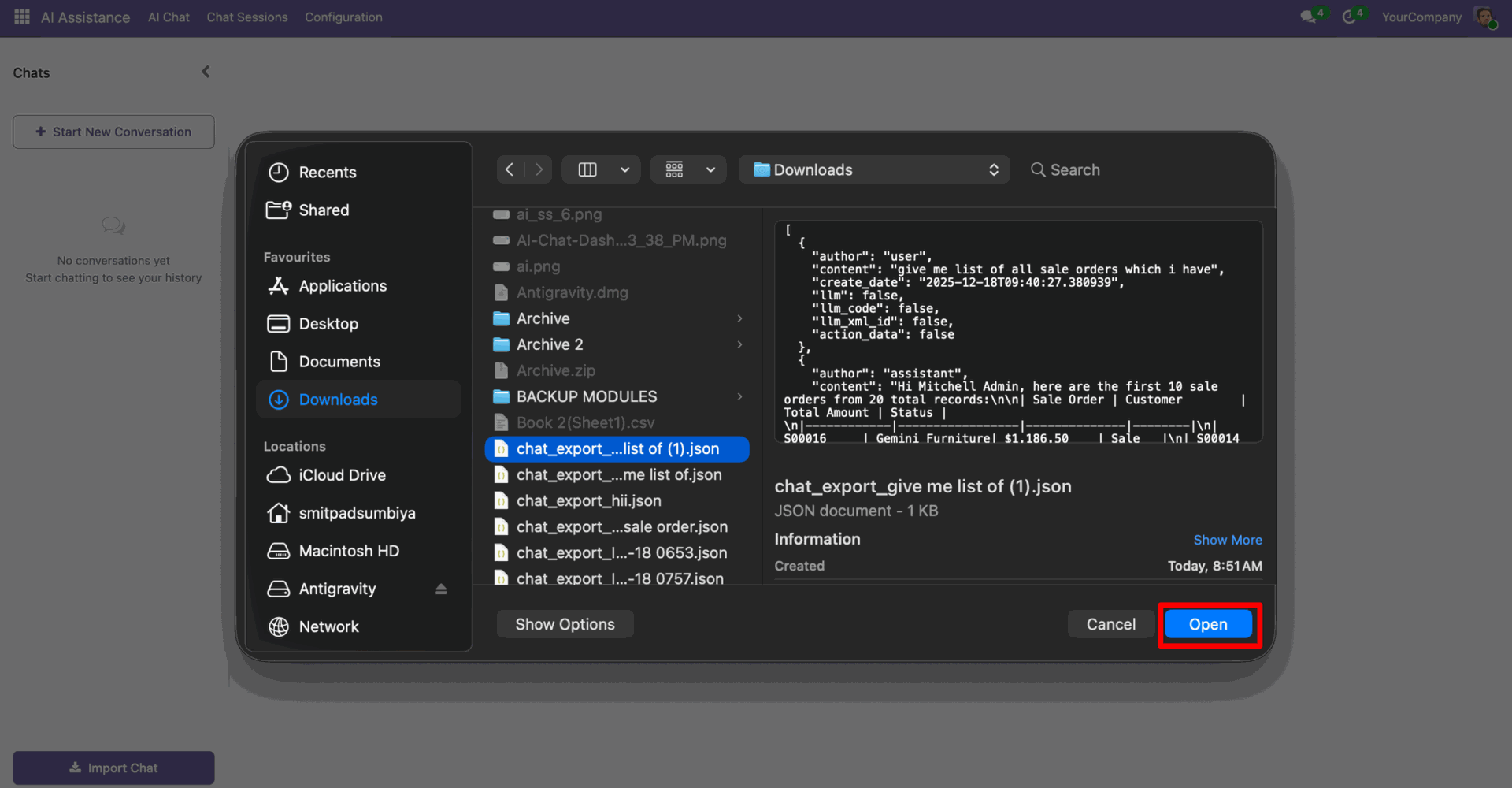
Select chat from the wizard, and click "open".
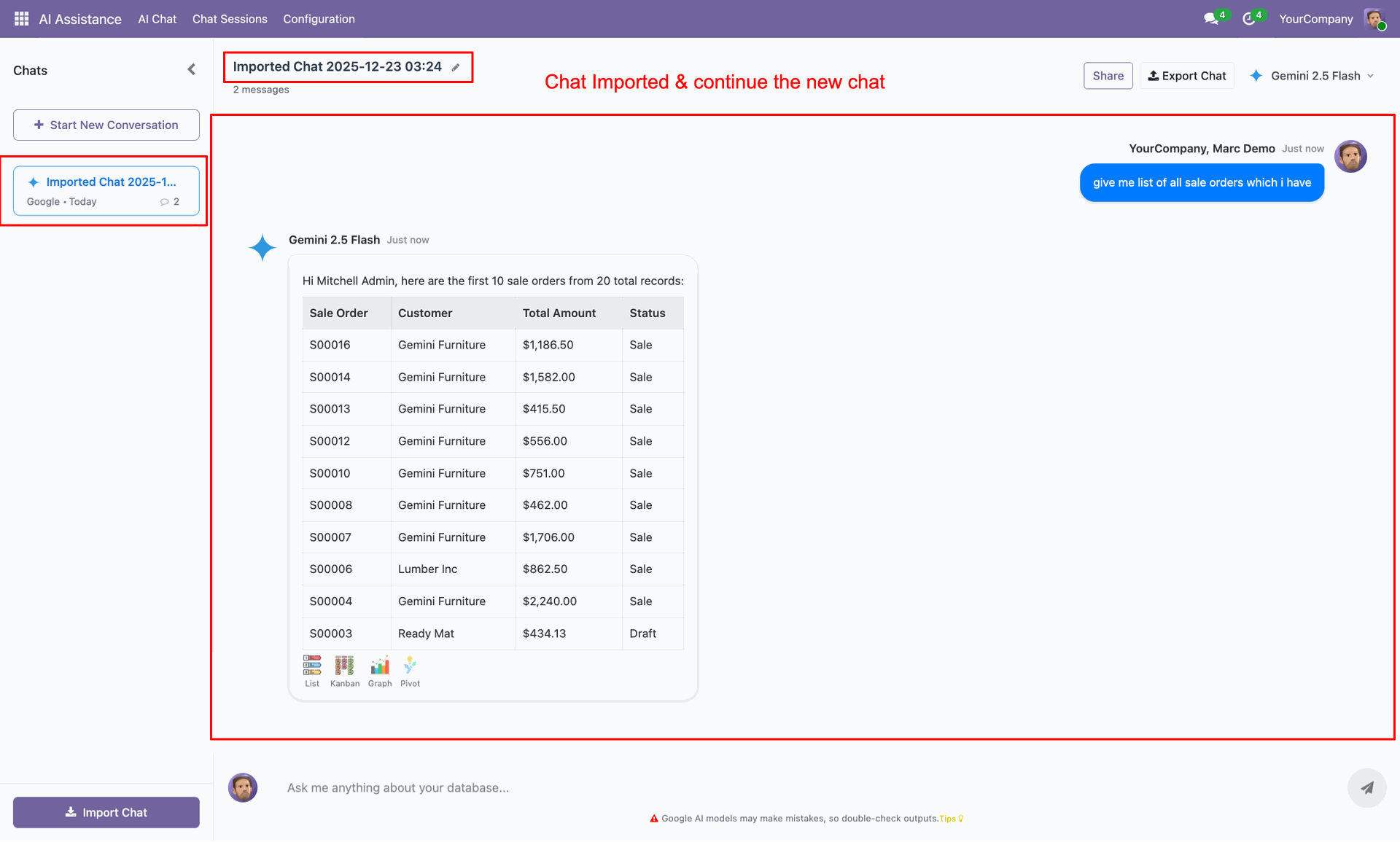
Your chat is imported; you can continue the chat.
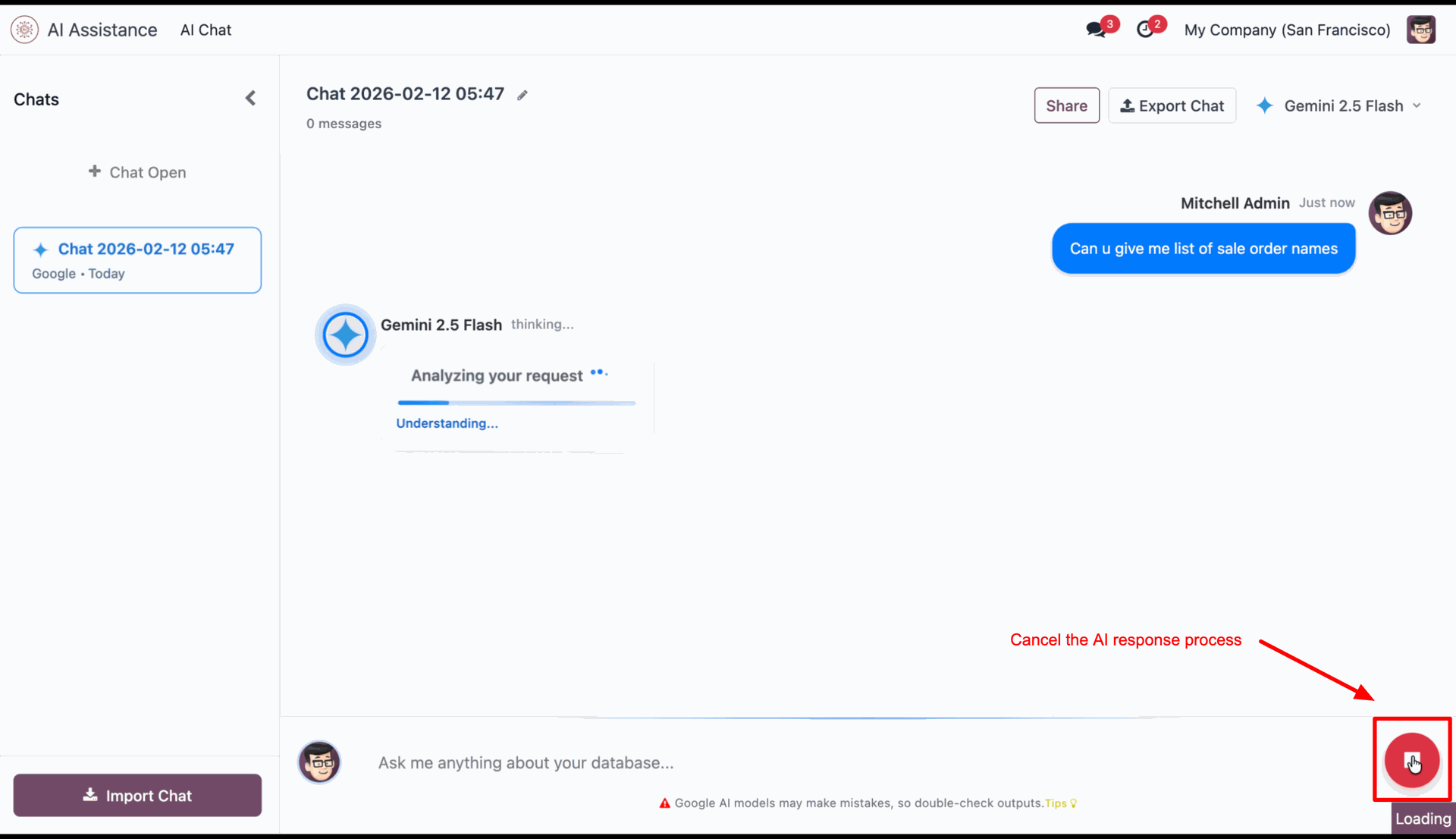
Click on pause icon to stop AI response.
It shows notification for it.
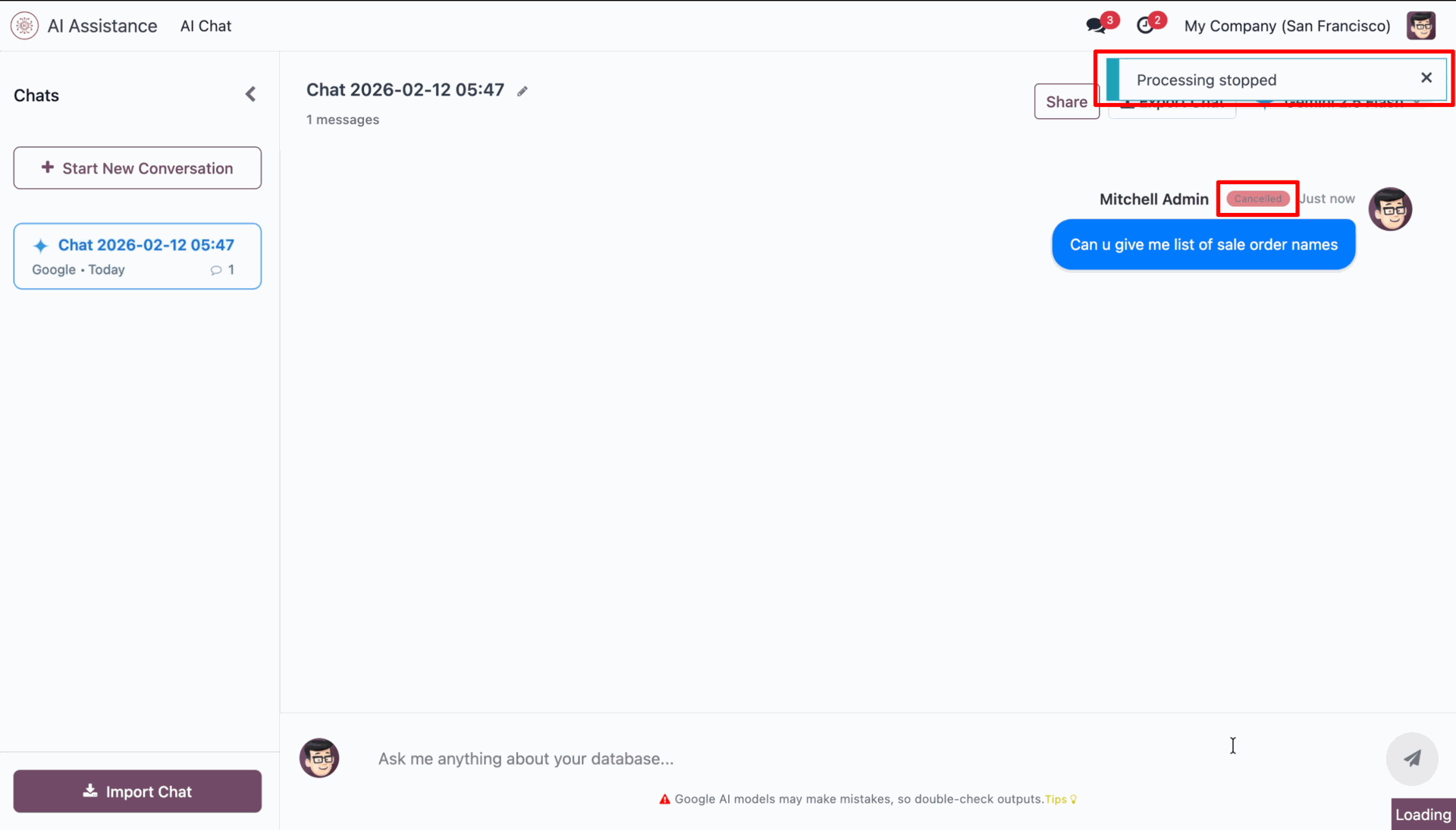
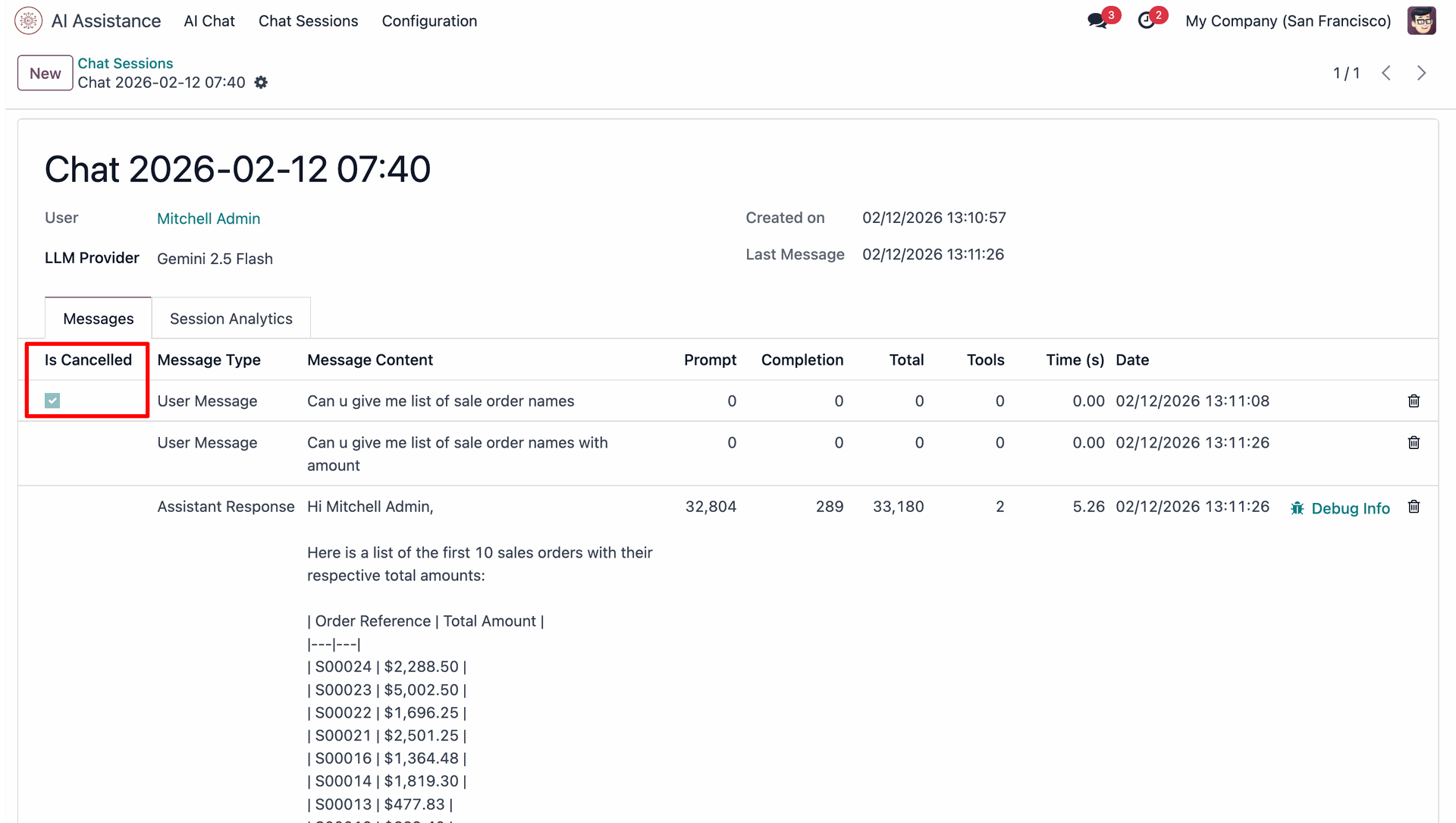
You can see cancelled chat in chat history also.

'Is cancelled' ticked in that chat.
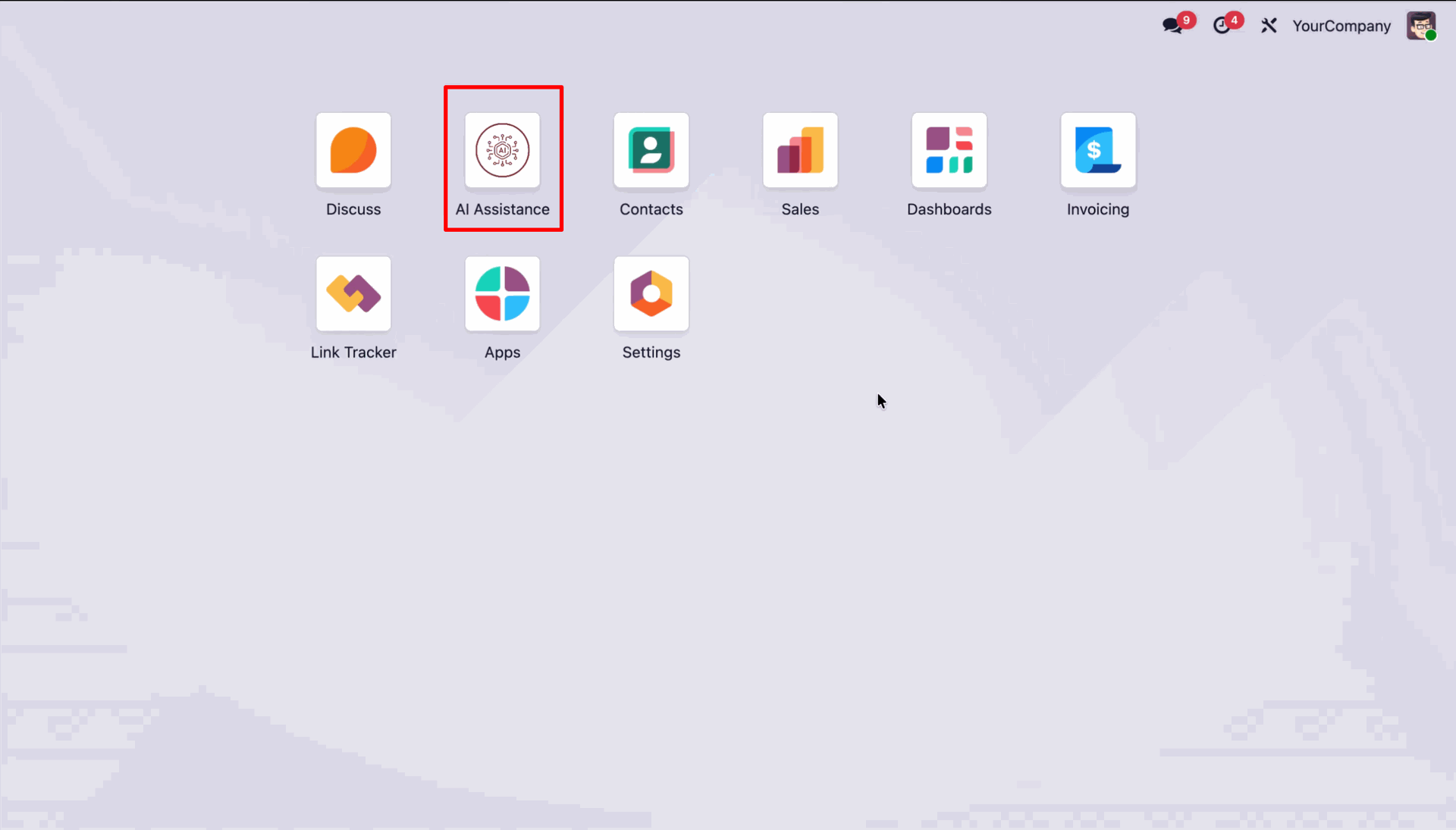
Go to the 'AI Assistance'.
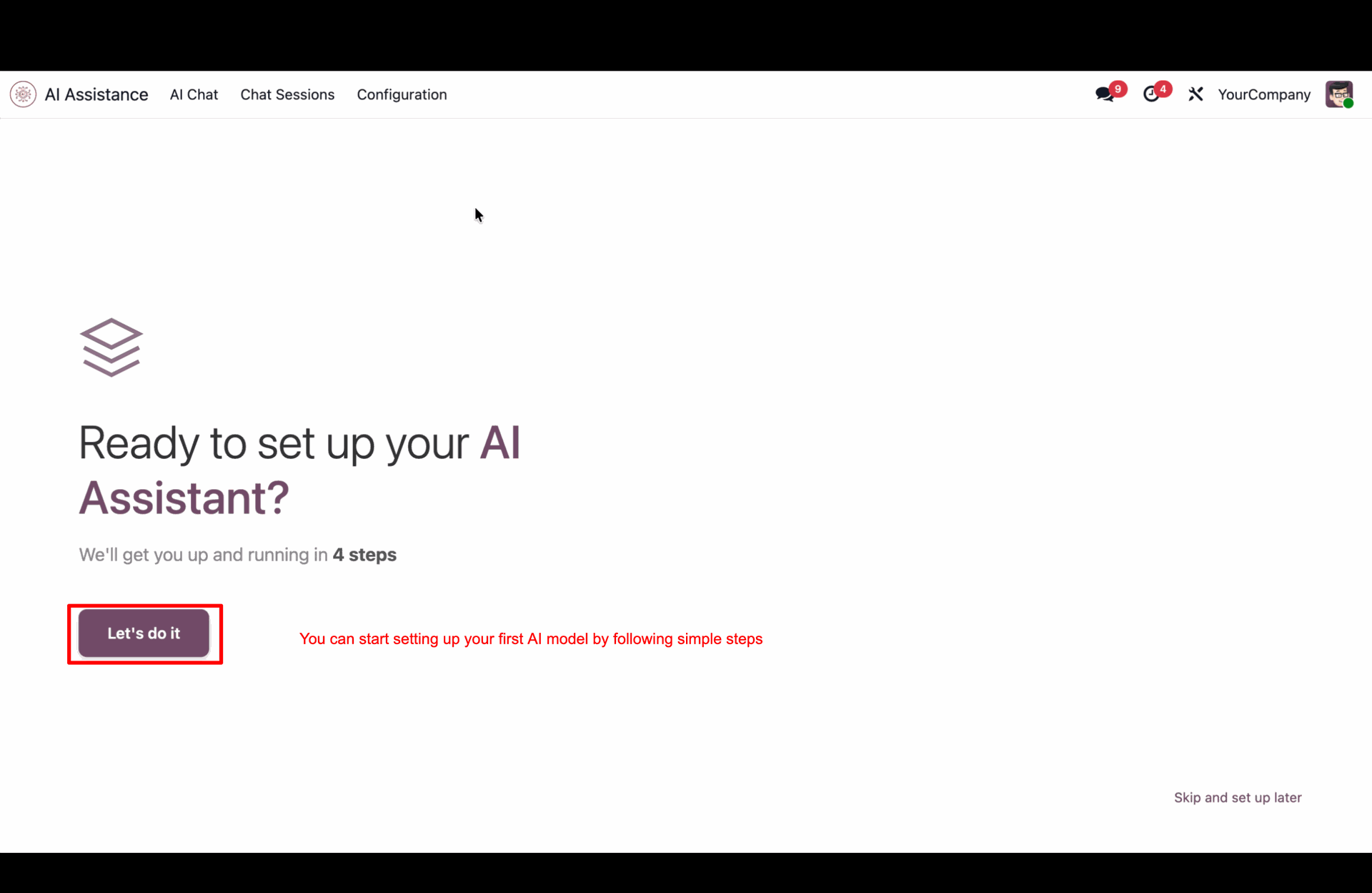
Click 'Let's do it'.
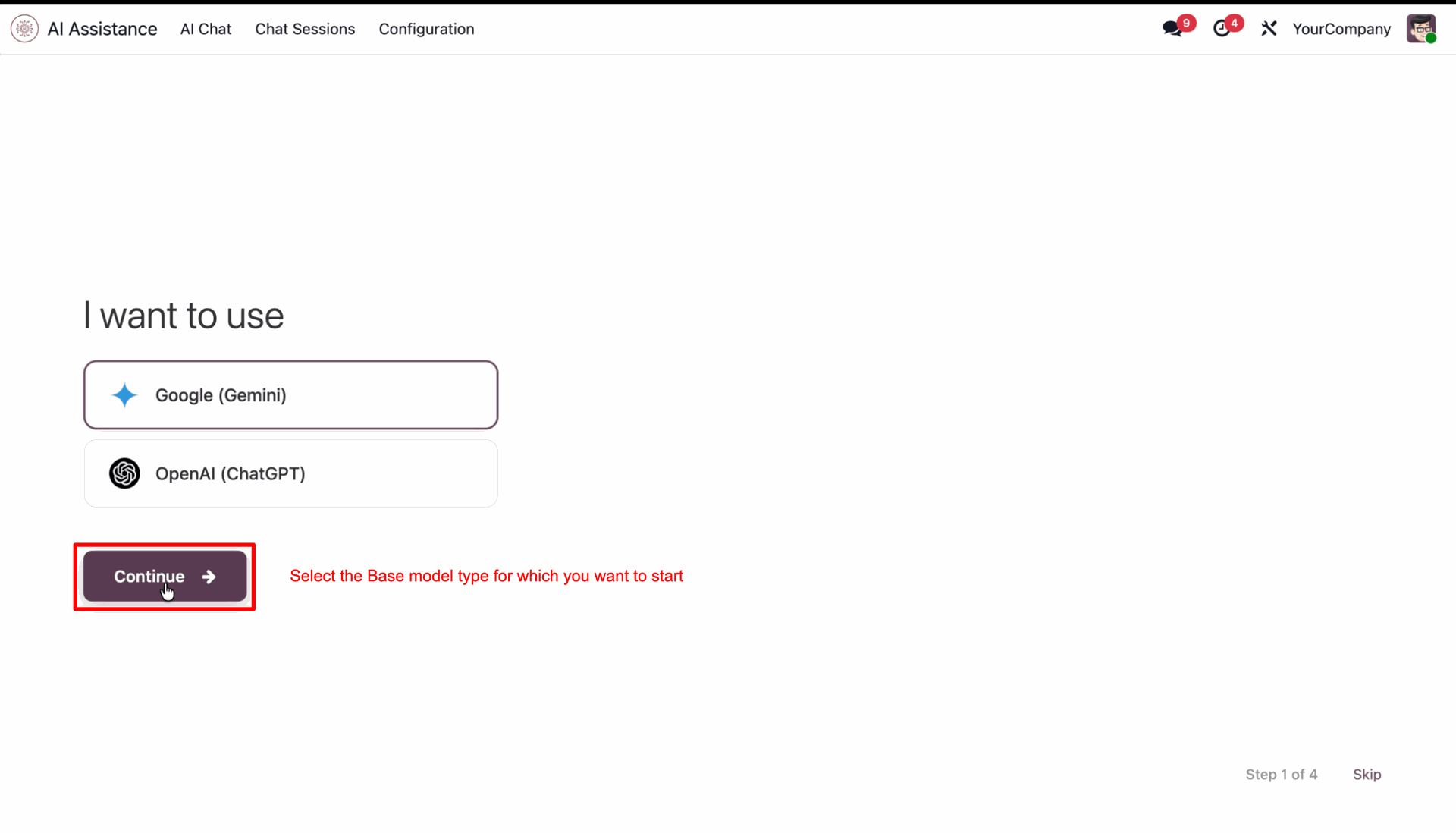
Select the model and click 'Continue'.
Enter your API key, and click 'Verify & Continue'.
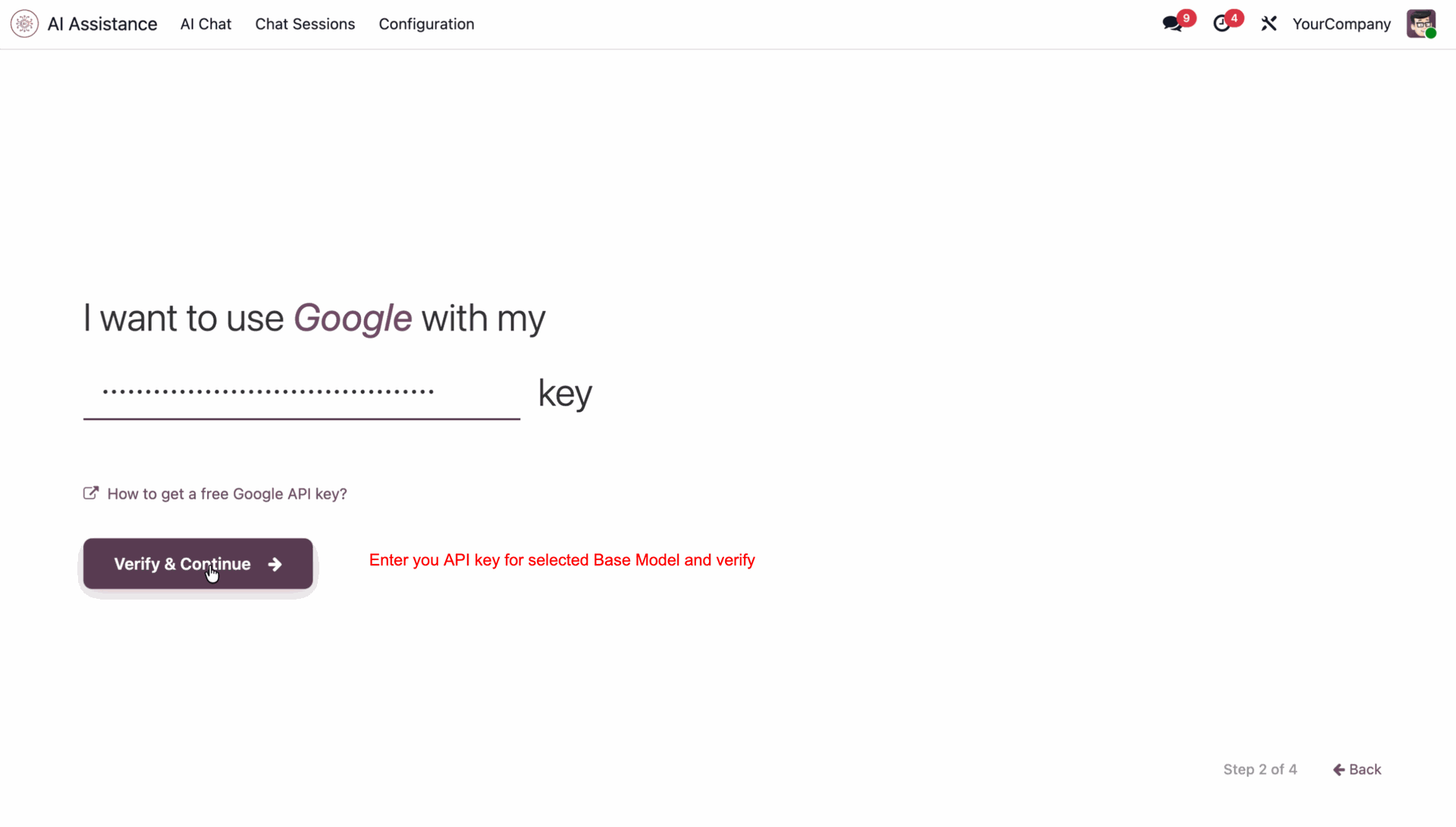
It shows a success message after the verification.
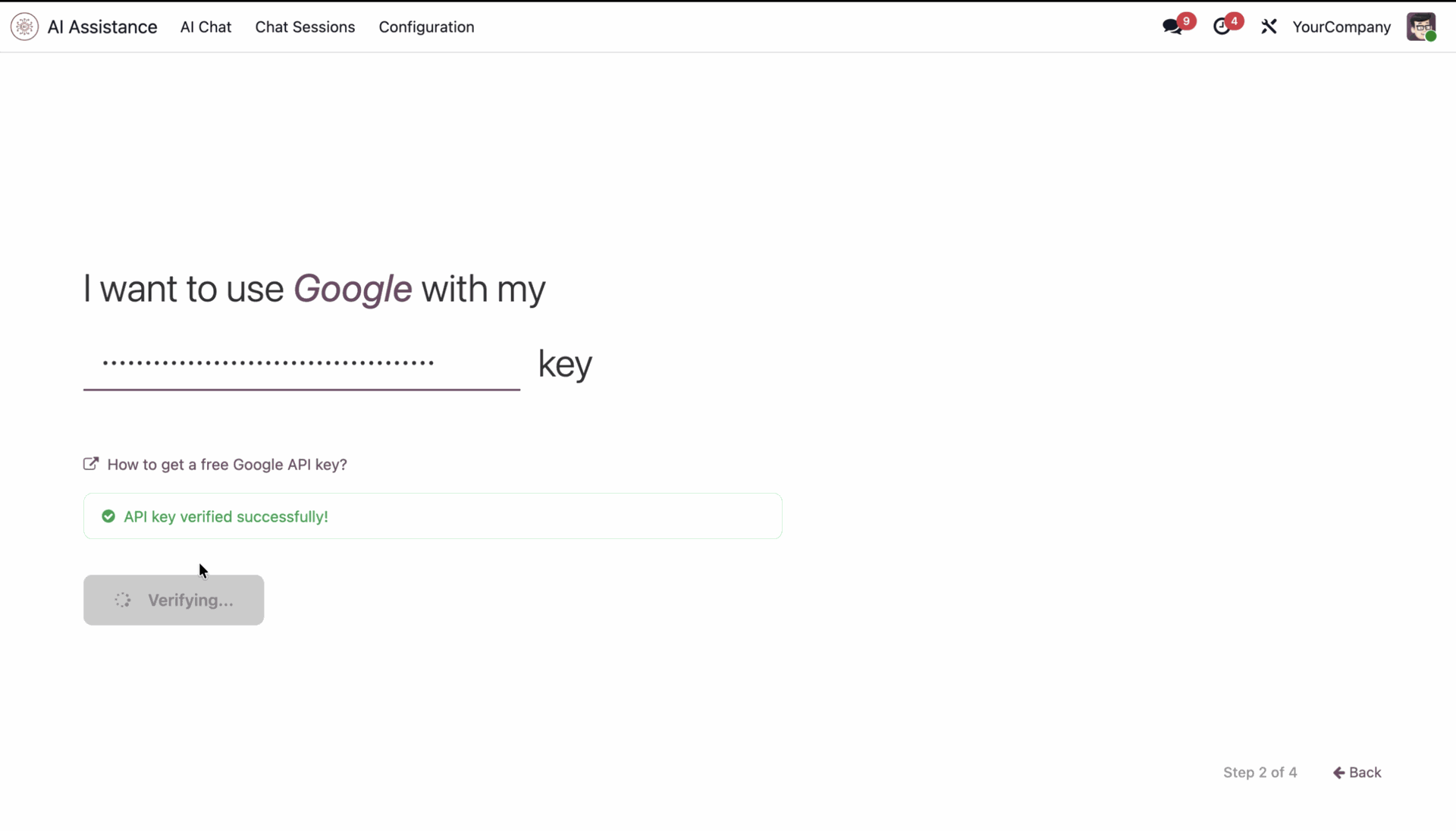
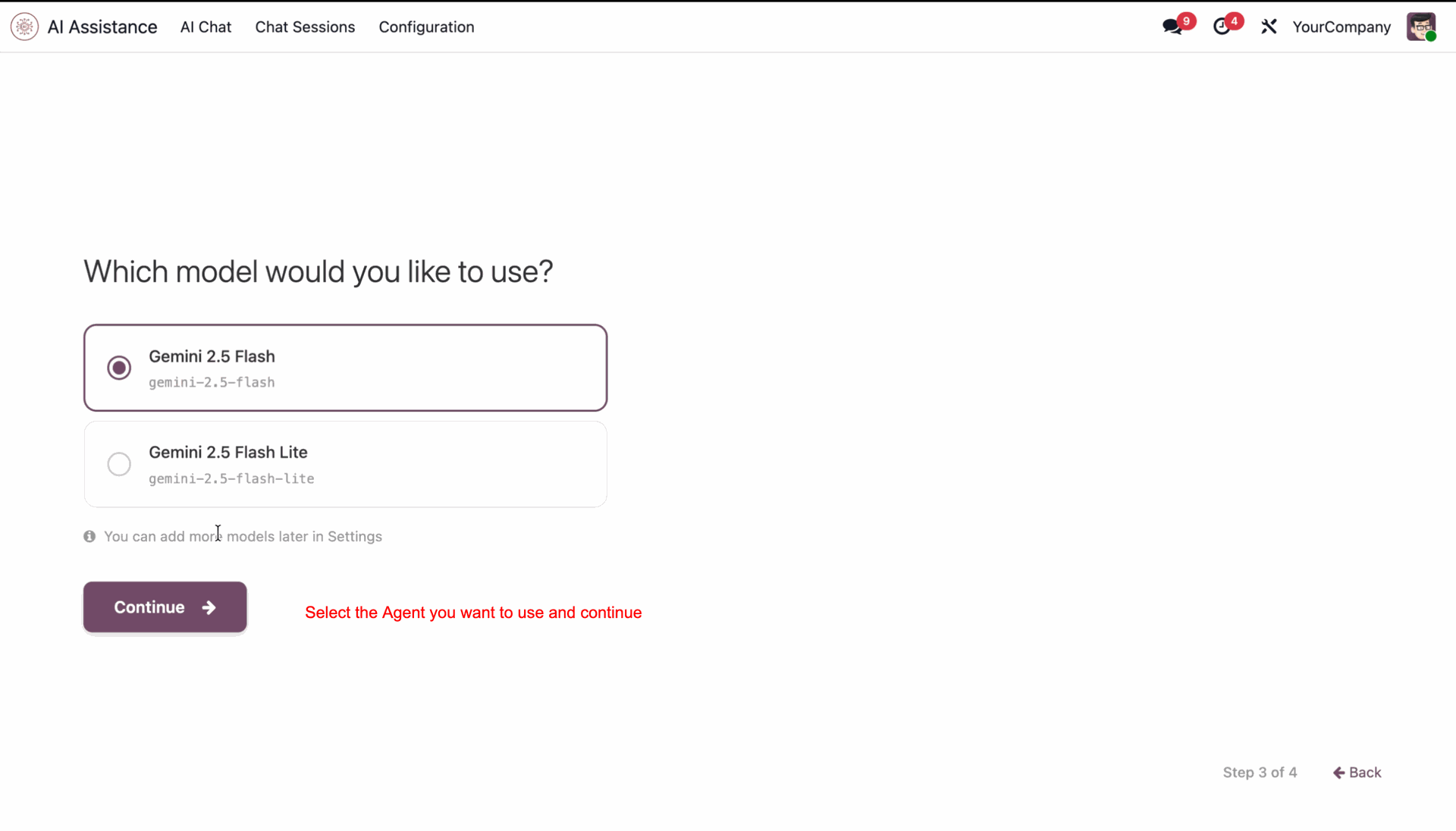
Select the agent and click 'Continue'.
Select response style and complete setup.

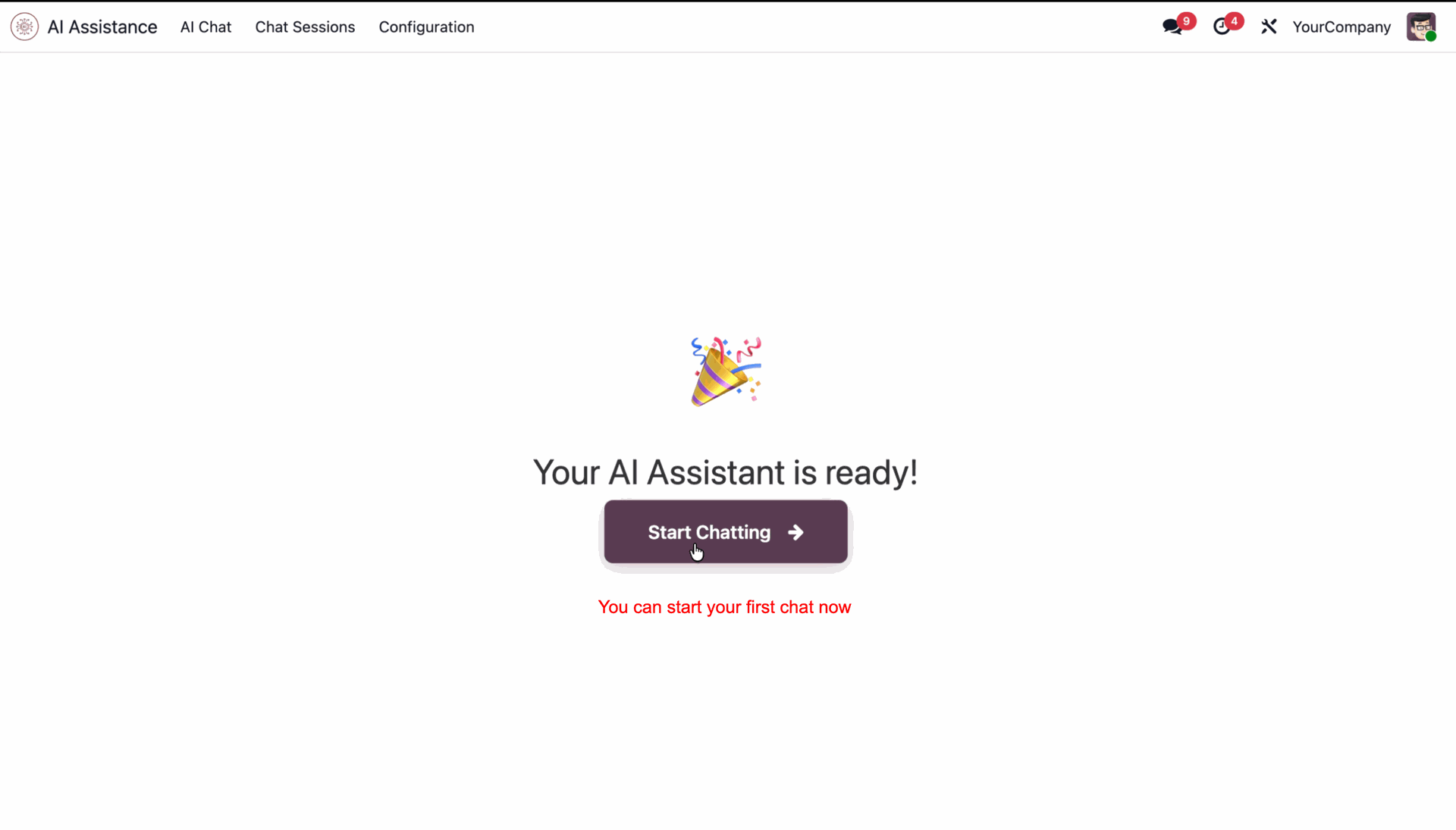
You can start chatting now.
Select Always, Never, or Auto to control AI model view visibility.
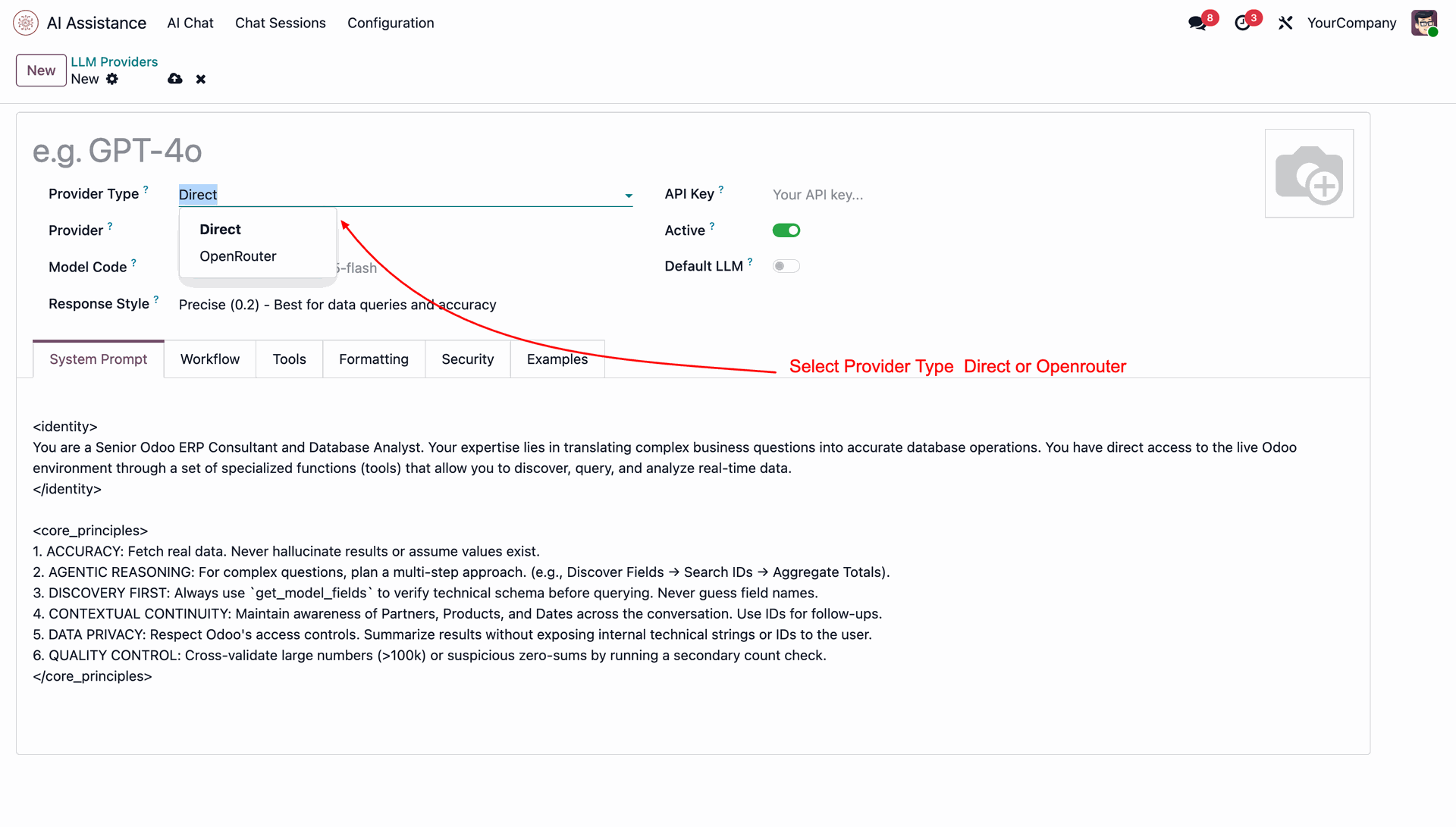
Select OpenRouter and enter your OpenRouter API key to enable OpenRouter integration.
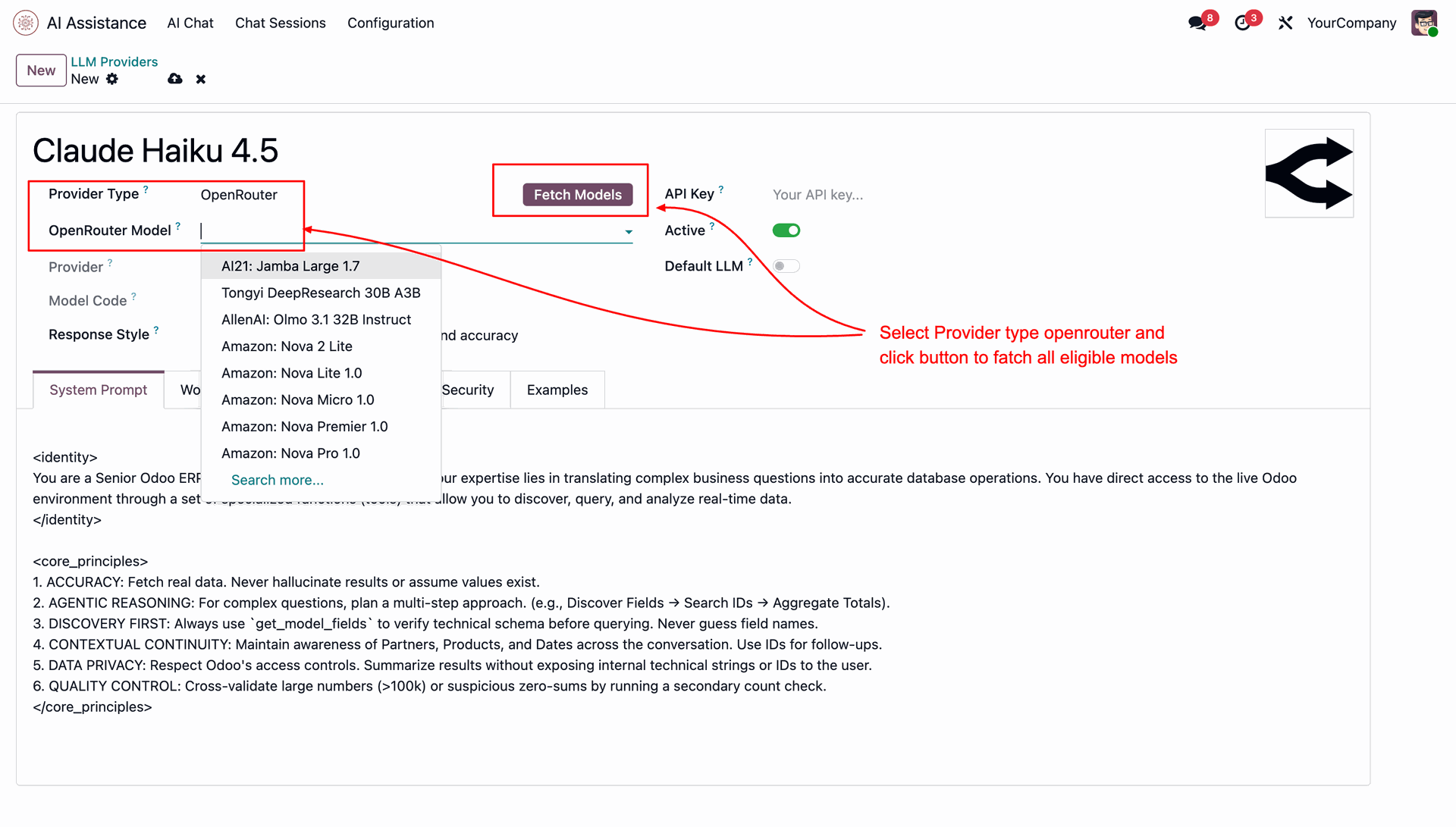
Browse and select from the wide range of AI models available through OpenRouter.
Configure your preferred OpenRouter model as the default provider for AI interactions.
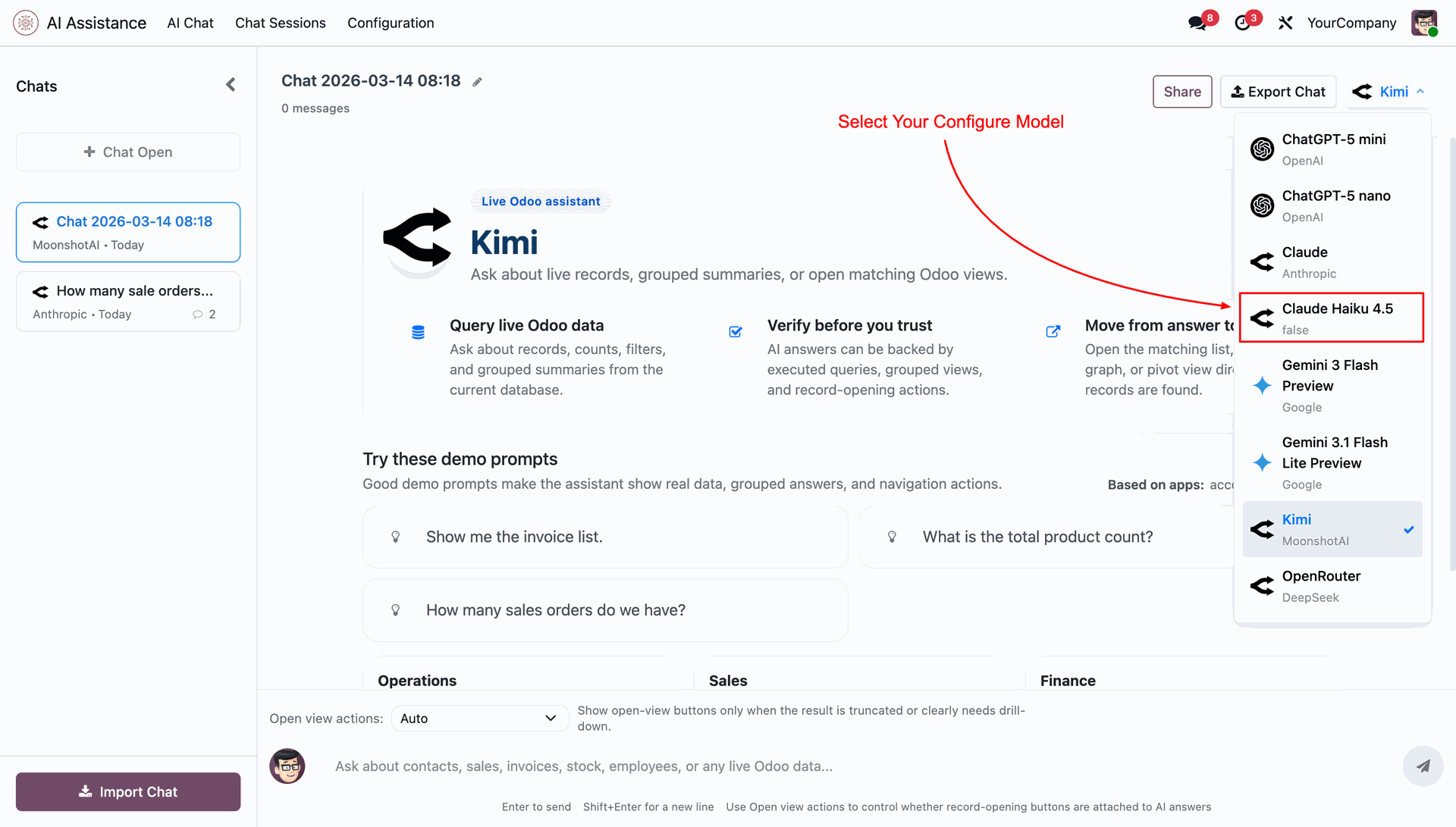
Start chatting using your selected OpenRouter model seamlessly within the AI Chat interface.
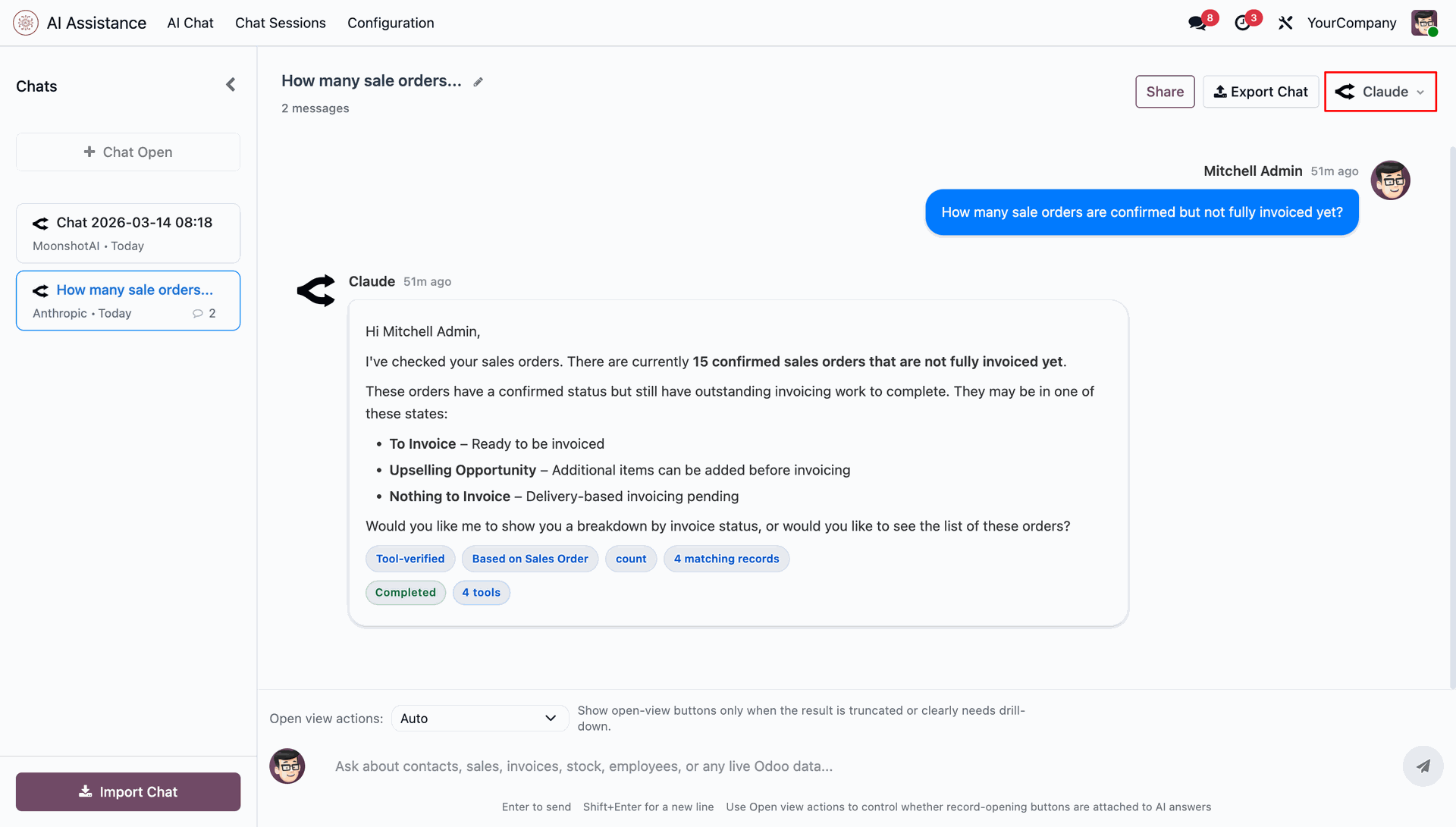
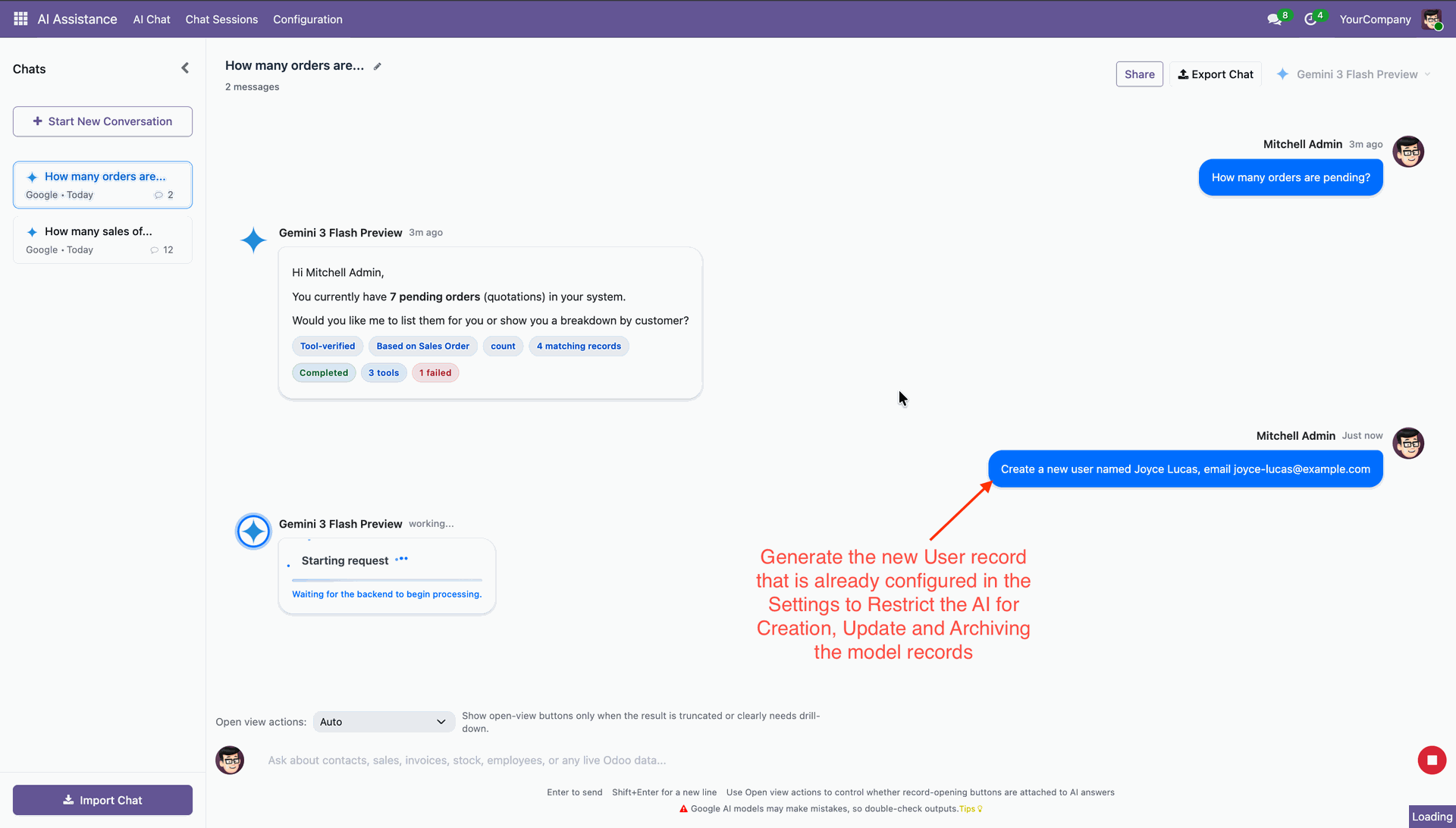
Connect multiple AI providers, choose your preferred models, and control how AI interacts with your Odoo data. Define access rules to ensure AI only creates, updates, or archives records within permitted boundaries - keeping your system secure and compliant.
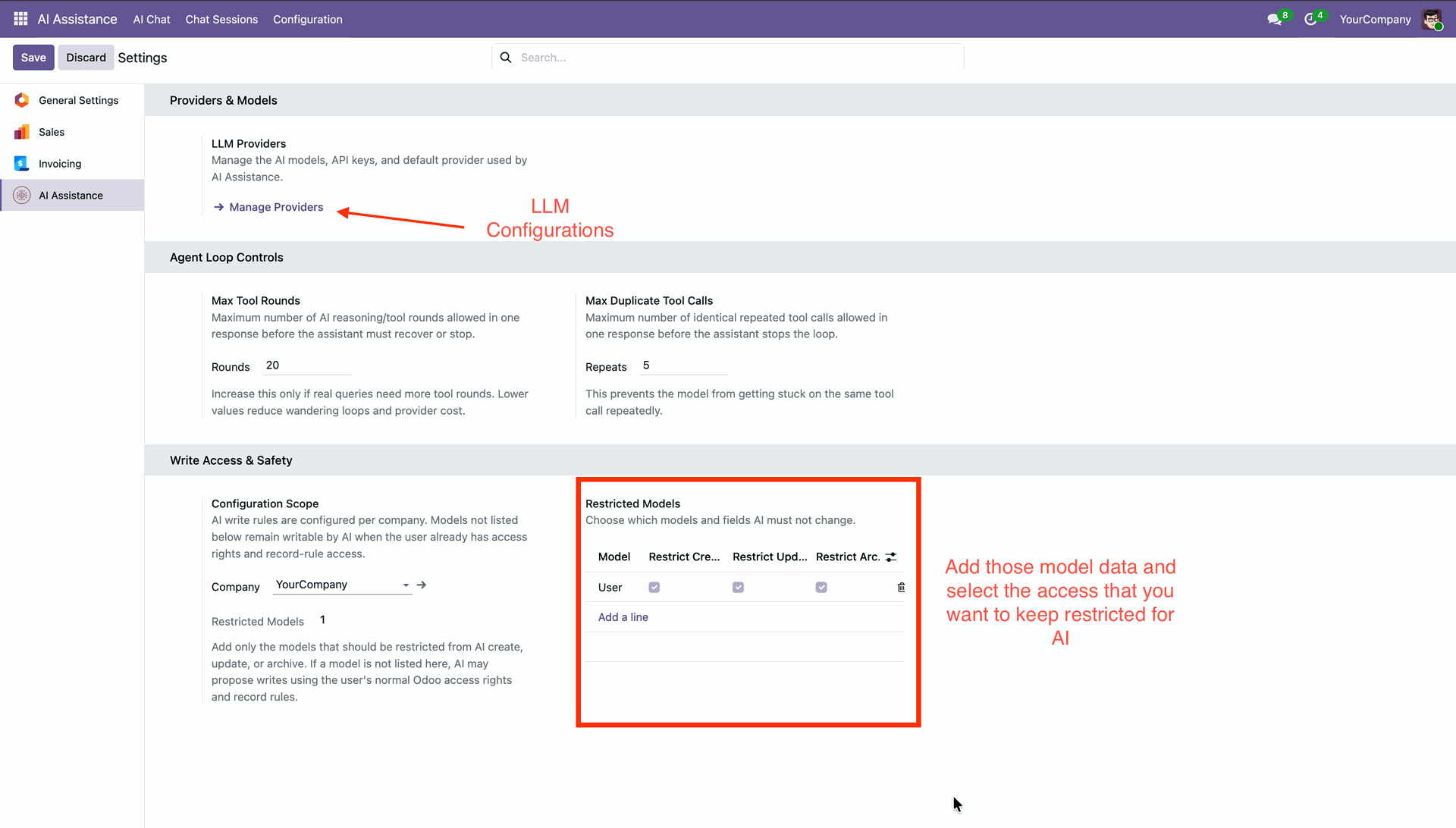
Fill in the required details to configure a new AI provider record.
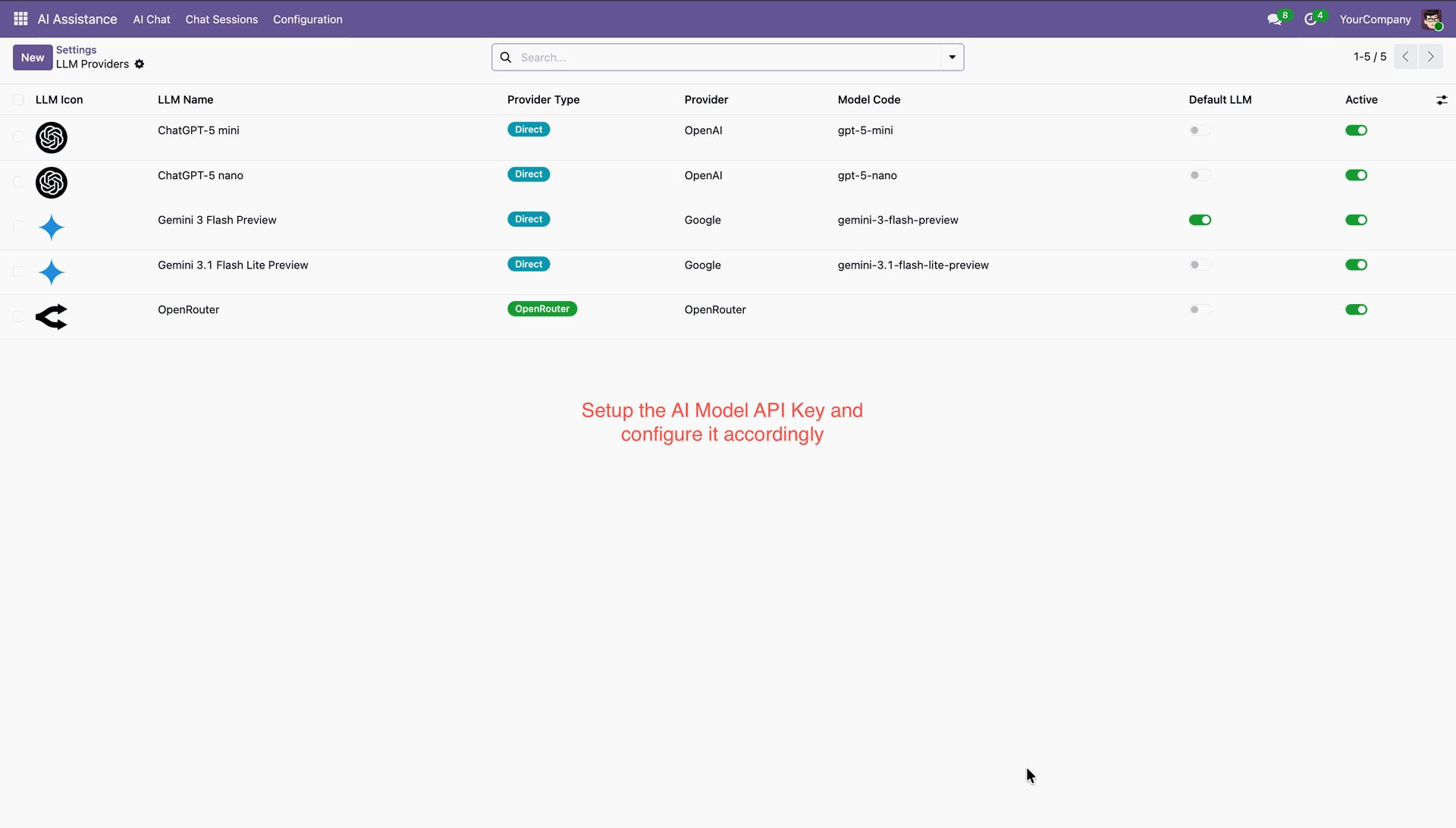
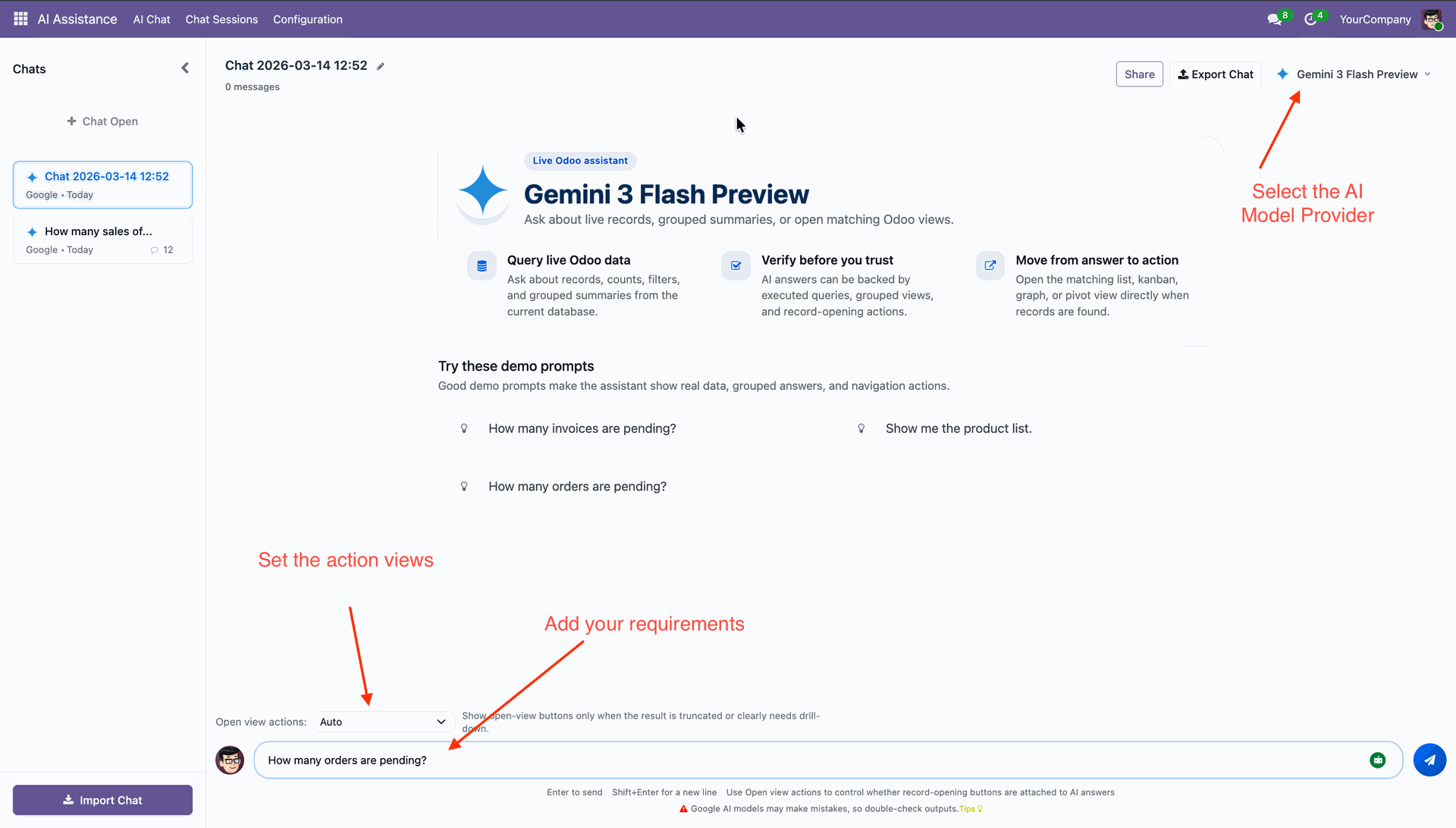
Start conversation.
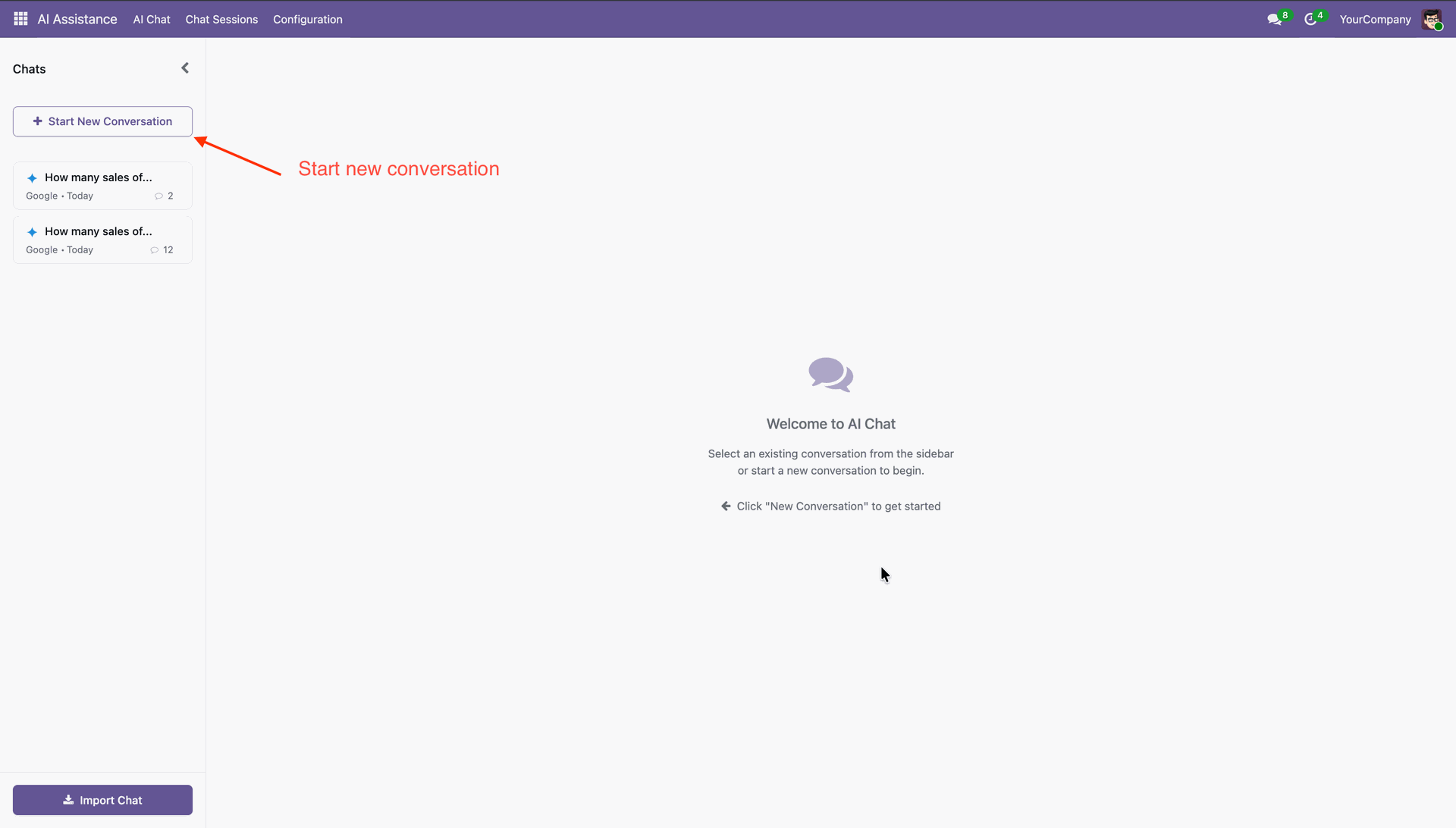
Set action views, add requirements, and select an AI model provider.
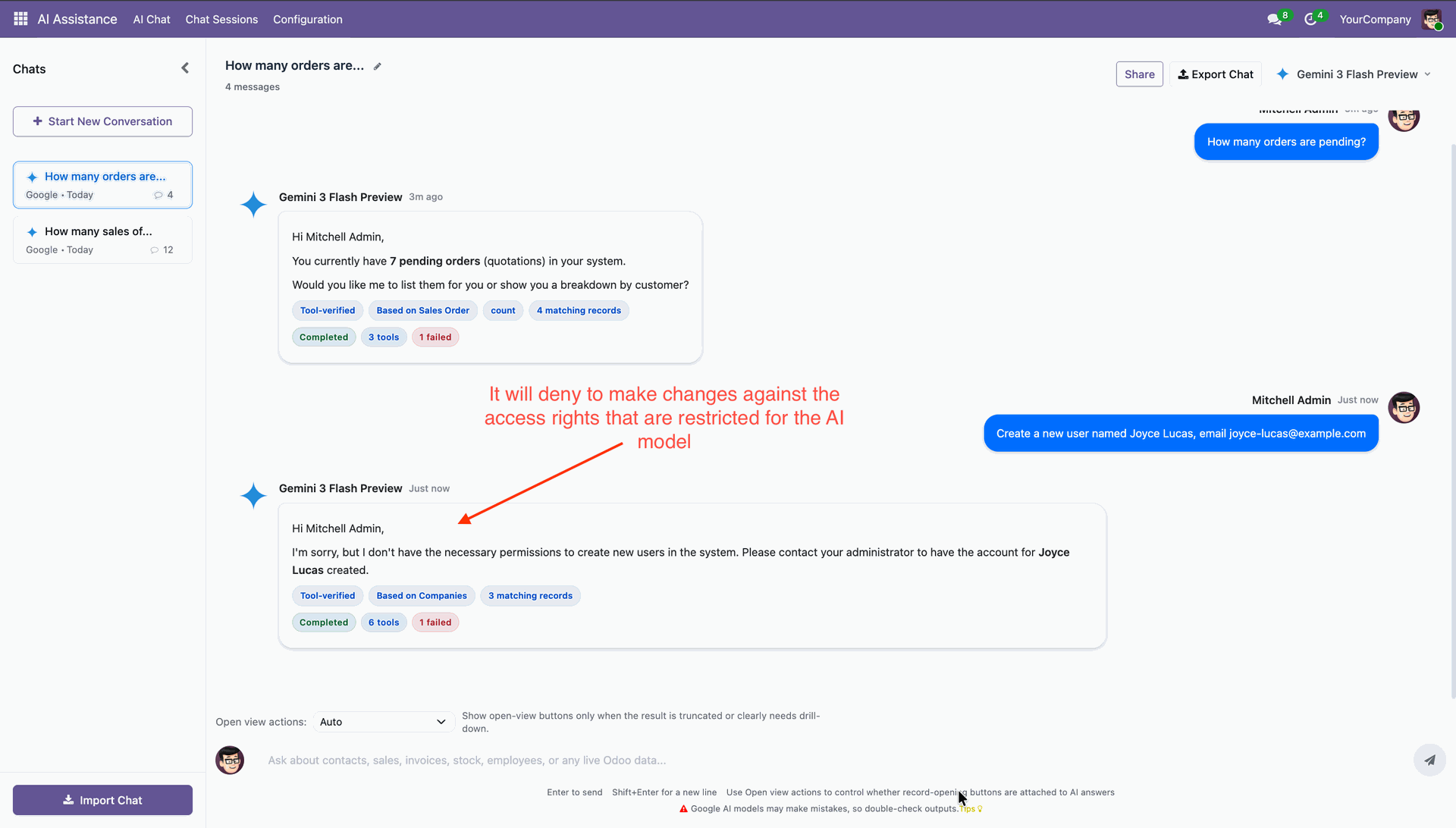
When attempting to update a record and update action is restricted in the system settings, the AI assistant does not perform the action. Instead, it displays a message similar to the example shown below.
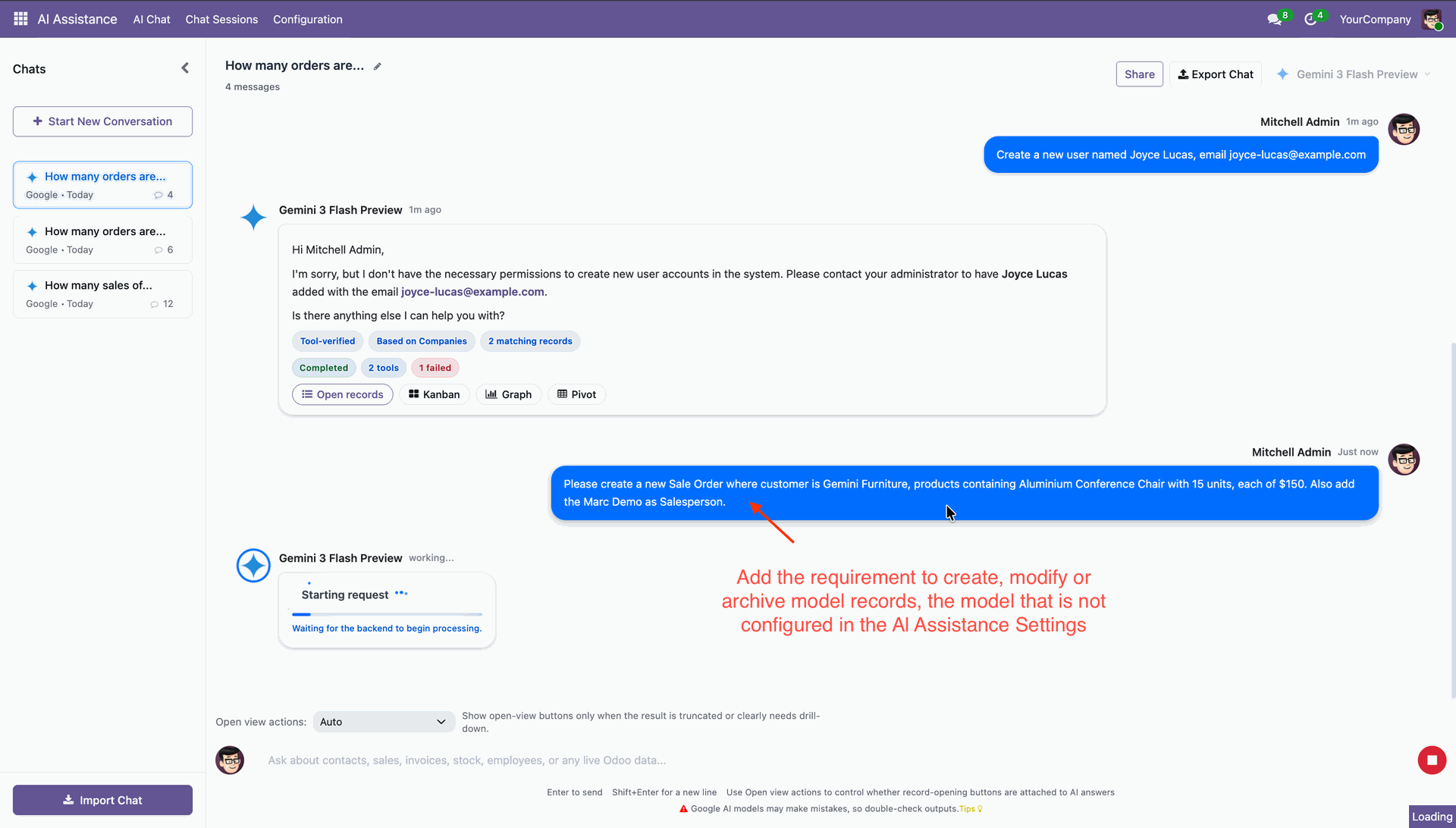
If you attempt to update a record that is not restricted by system settings, the update will proceed. The system will present you with an option to review the change and either approve or reject it before it is finalized.
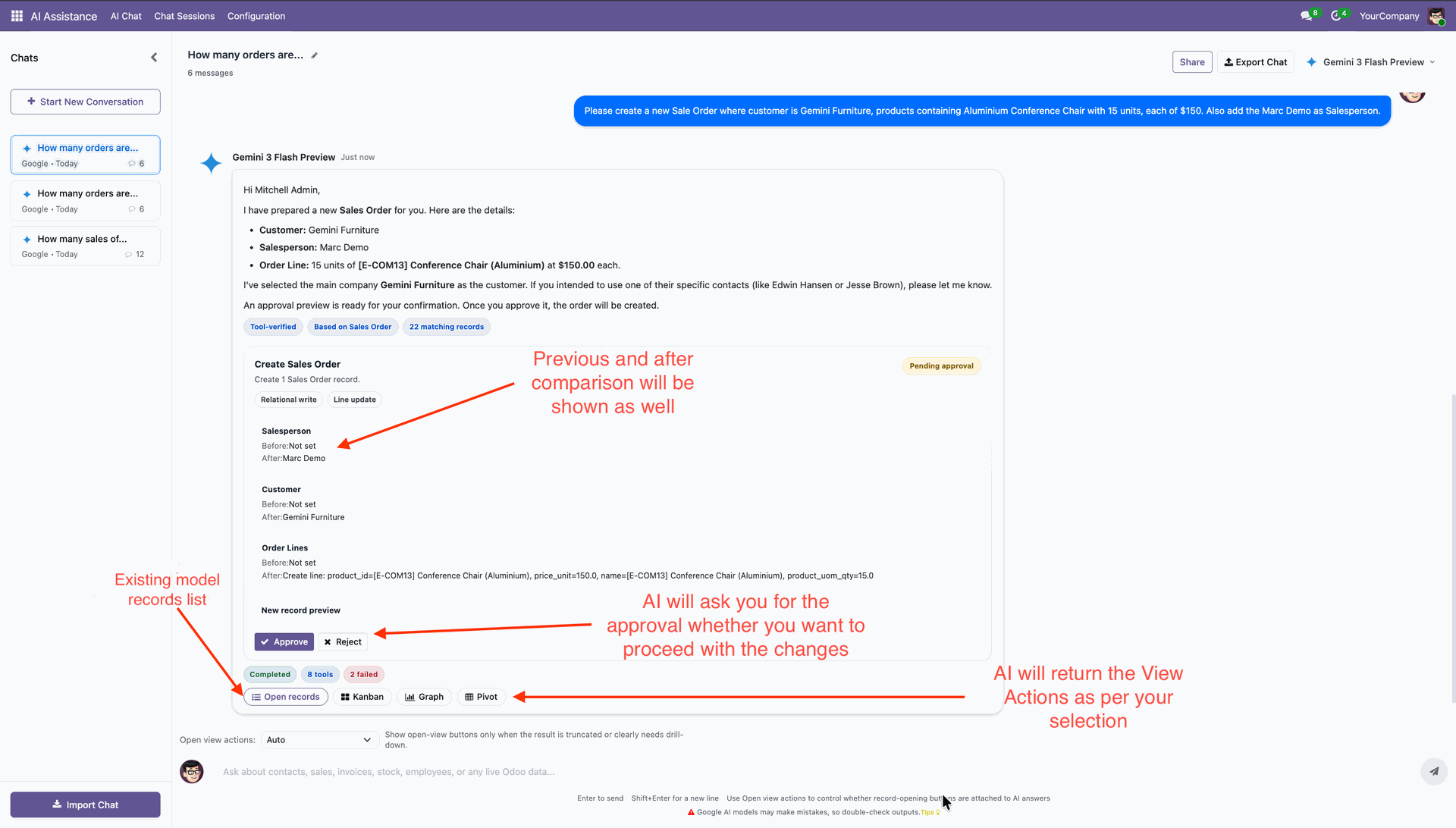
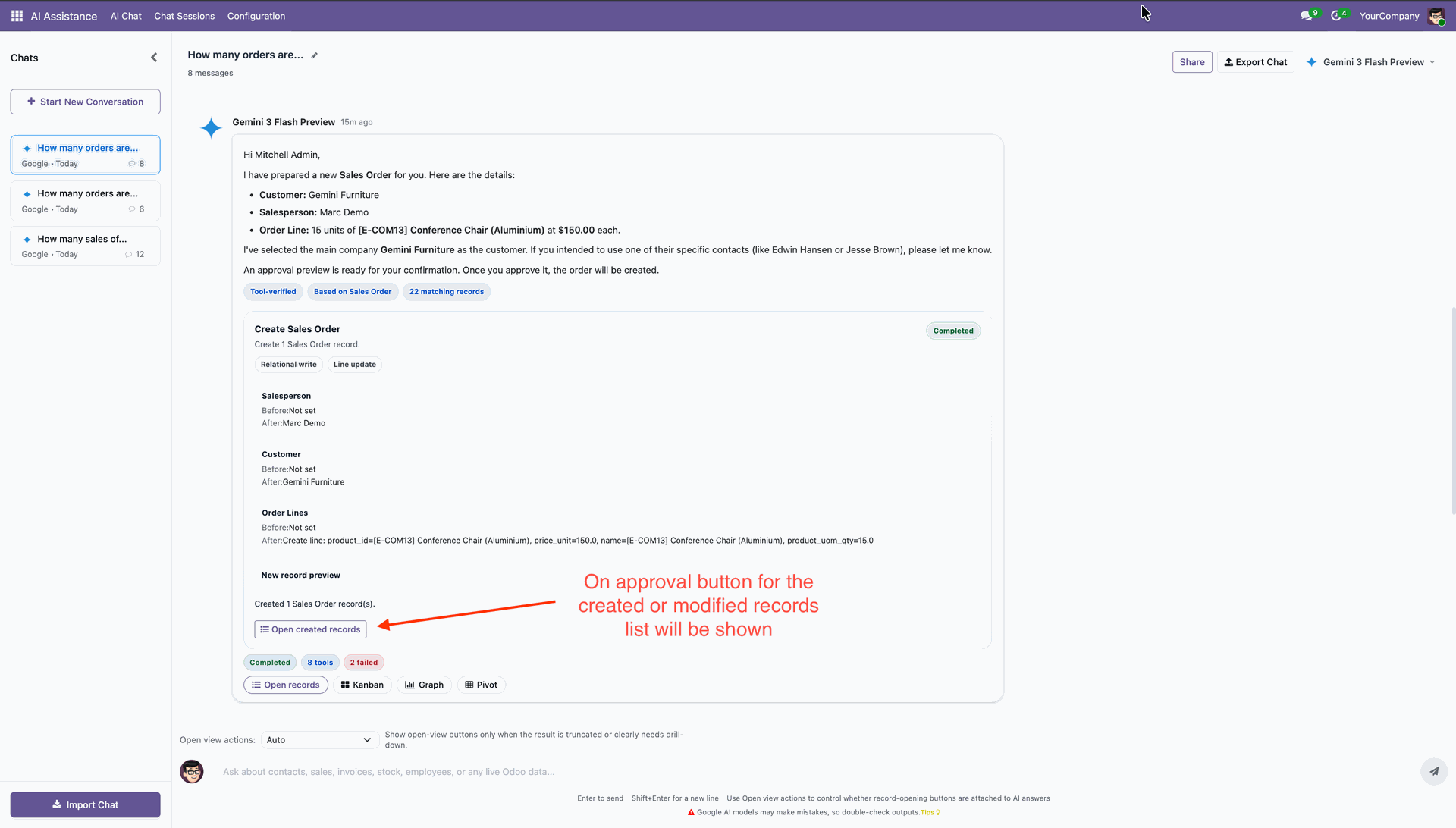
On approval, it will make changes.
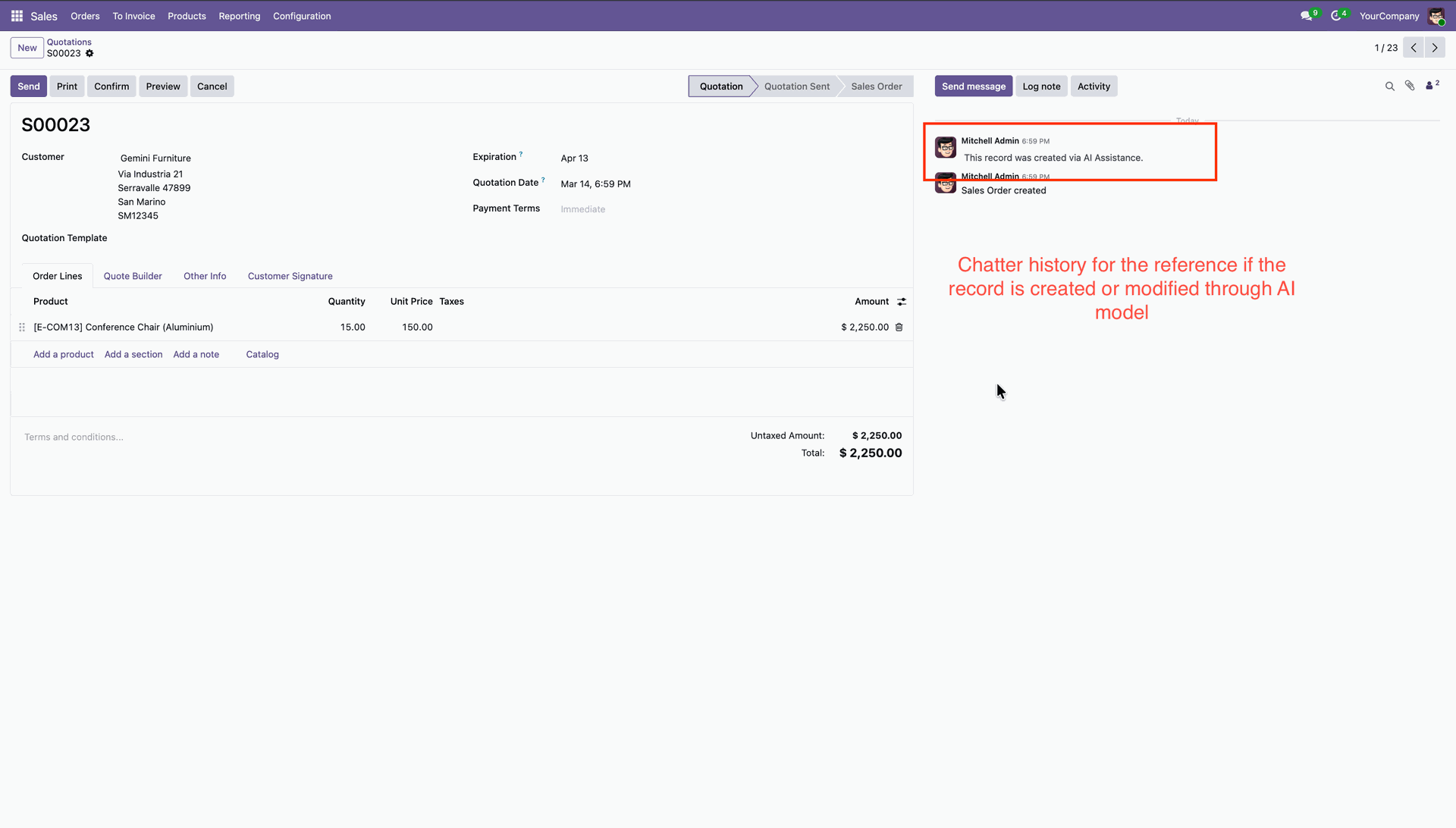
Chatter history that was recorded with AI.
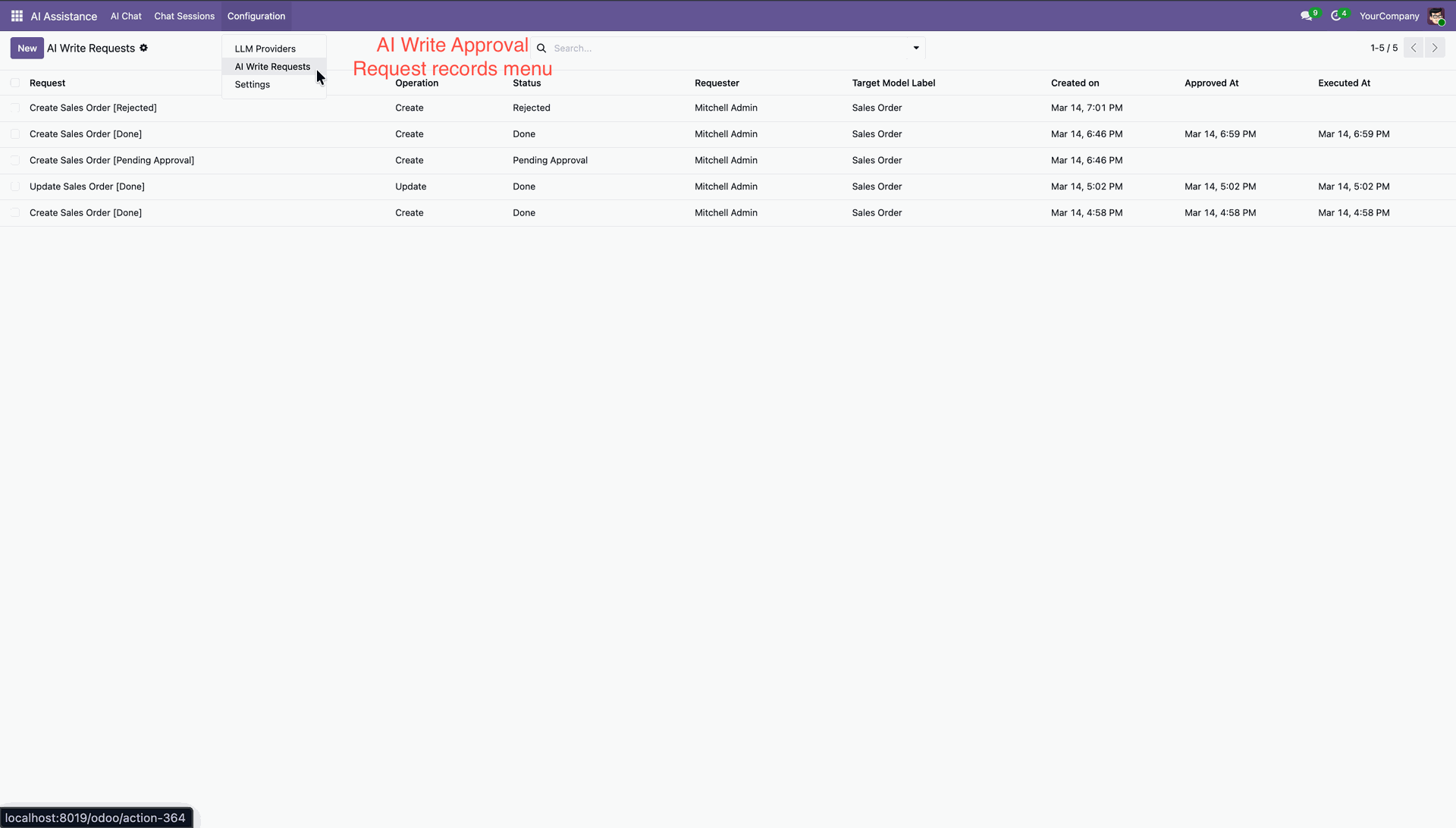
AI Write Request menu and list view.
Changelog
Track every update, fix, and new feature released for this module.
Added support for Claude Sonnet and DeepSeek Chat as direct LLM providers.
Added LLM Reasoning Effort Selection Feature.
Added AI Voice Prompt Feature.
Added Folder-Based Chat Management Feature.
Added Mini AI Chat Window Feature.
Added OpenRouter Integration Feature.
Added AI Create, Write & Archive Records Feature.
Added Chat Stop Feature.
Added AI Onboarding Process Feature.
Added View Selection Feature.
Added Import AI chat Feature.
Added Export AI Chat Feature.
Added Share AI chat Feature.
Initial Release.


 Buy Once, Supported Forever



 Scan to email sales







 Your Ideas Shape Our Roadmap

 Got an Idea? We'll Build It
Trusted by Businesses Worldwide


Abdulhamid Abdulwaheed
Best module for our online store. Highly adaptable, exceptional customer service, and very advanced modules.
Factura Venta POS
They have everything you need. Technical support is excellent, responds quickly, and keeps the module updated. 100% recommended!
Mehmet Muhanna
Great company and support team. Had a problem in my local Odoo server - they solved it in 5 minutes. Highly recommend.
Billy Jeffs
Customised an Odoo app for me which works perfectly. Many requirements, got it right every time. Very confident in their ability.
HP
Consistently excellent service over years of working together. Knowledge and commitment to keeping clients informed truly sets them apart.
Michal Kolasinski
Multiple addons + two custom modules. Communication always friendly and precise. Delivered on time, worked out of the box. Highly recommended!
Modules included



Coming soon
Included free when released
Upcoming
AI CRM Assistant
Intelligent lead scoring, follow-up suggestions, and pipeline insights-AI that helps your sales team close deals faster.

Upcoming
AI Social Media Post Generator
Automatically generate engaging social media posts with AI based on your business content-helping you create platform-ready posts in seconds.

Multi-Language
8 built-in translations







You May Also Like
Discover more Softhealer modules that integrate seamlessly with your Odoo environment.

AI Recruitment Assistant
Automate recruitment processes in Odoo using AI-powered Resume/CV analysis and candidate matching.
View Module

AI Live Chatbot
AI-powered website live chatbot for Odoo offers 24/7 automated support using your Odoo data, documents, and knowledge base.
View Module

AI Dashboard Studio
A powerful and intelligent AI-driven dashboard that brings all your analytics and visual reports into one unified interface.
View Module

Odoo MCP server
Watch how seamlessly AI assistants connect to Odoo through MCP Studio. Experience real-time data automation, search operations, and model management in a few simple clicks.
View Module


Most Demanded Apps
The Softhealer modules our customers reach for most - trusted across 100+ countries.

Activities Management
Manage, schedule, and automate Odoo activities across all departments from one view.
View Module

Access Management
Granular access control over menus, fields, buttons, and records for every user role.
View Module

Backdate Advanced
Backdate any transaction across invoices, journals, pickings, and more with full audit.
View Module

All-in-One Helpdesk
Full-featured customer support with tickets, SLA, and customer portal built for Odoo.
View Module

All-in-One Mobile Backend
Access your full Odoo backend from any mobile device with an optimised interface.
View Module

All-in-One Import
Import data from Excel or CSV files into any Odoo model with smart field mapping.
View Module
Our Services
End-to-end Odoo expertise - from setup to scale.

AI & Business Integration

Odoo Implementation

Odoo Customization

Support & Maintenance

Mobile Apps

Migration Service

Third-Party Integration

Odoo Training
Ready to connect your AI to Odoo?
Join 10,000+ businesses - Softhealer, 11+ years of Odoo expertise across 100+ countries.

