











Import Transfers From CSV/Excel File

The Import Transfers from CSV/Excel module for Odoo provides a powerful and efficient way to bulk import receipts, deliveries, and internal transfers. Users can select operation types and import multiple transfers from a single CSV or Excel file. It supports flexible product and partner identification methods, auto-confirmation, and auto-validation features.

Features

Import Transfers from CSV/Excel
Easily import stock transfers using CSV or Excel file formats.

Multiple Operation Types
Supports Receipts, Deliveries, and Internal Transfers in a single tool.
Batch Import Support
Import multiple pickings from a single file using unique Picking References.

Flexible Product Lookup
Identify products by Name, Internal Reference, or Barcode for seamless matching.

Smart Partner Matching
Find partners by Name, Reference, or ID, or auto-create them if missing.
Auto Process Pickings
Optionally auto-confirm and auto-validate transfers immediately after import.

Custom Scheduled Date
Set a specific scheduled date for all imported transfers from the wizard.
Detailed Error Logging
Get clear feedback on any skipped rows with specific reasons for failure.

Download Sample File (CSV/Excel)
Use the sample file as a template to quickly prepare and upload your data.
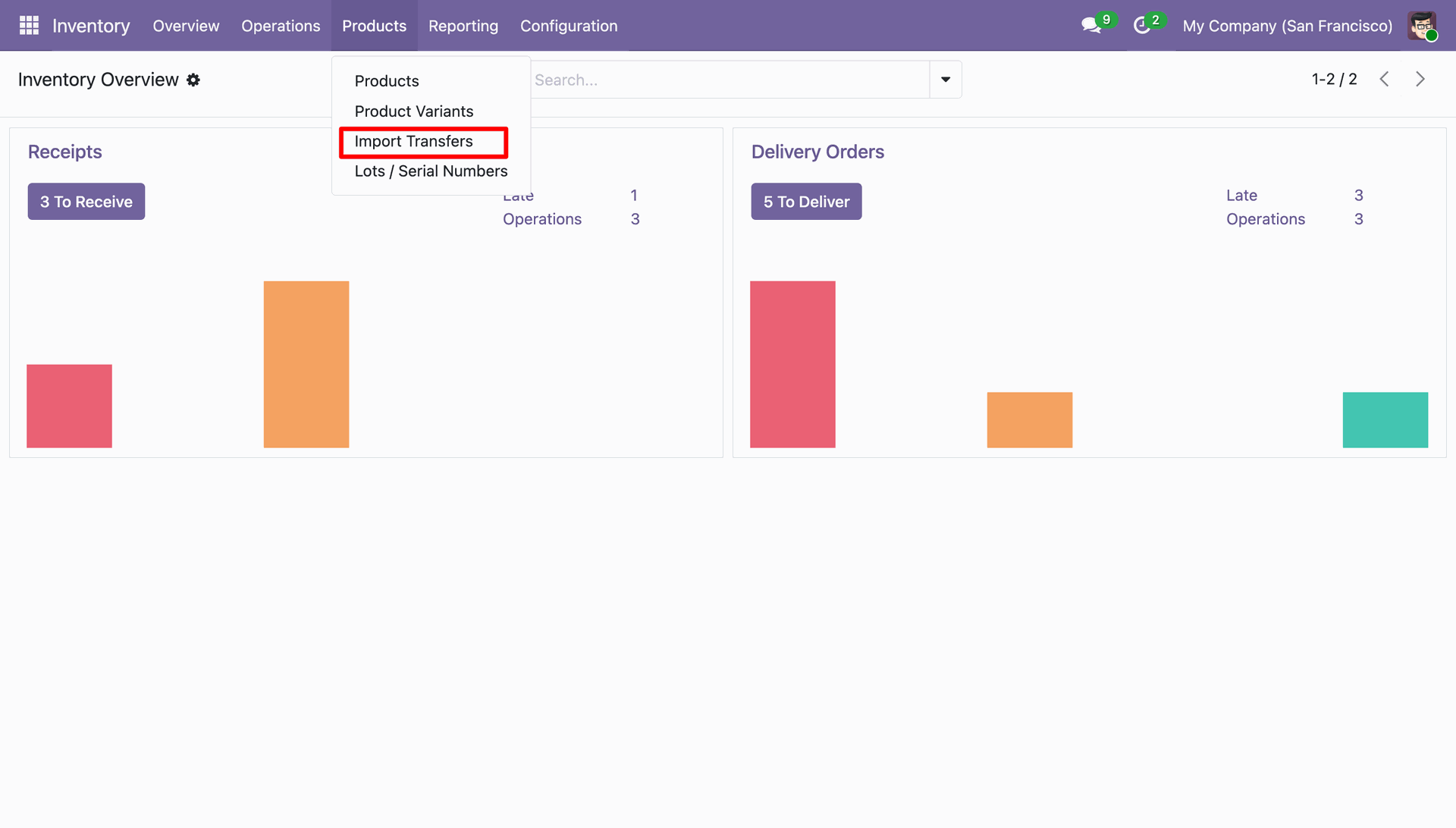
Navigating to the "Import Transfers" feature via the Products menu in the Odoo Inventory module.
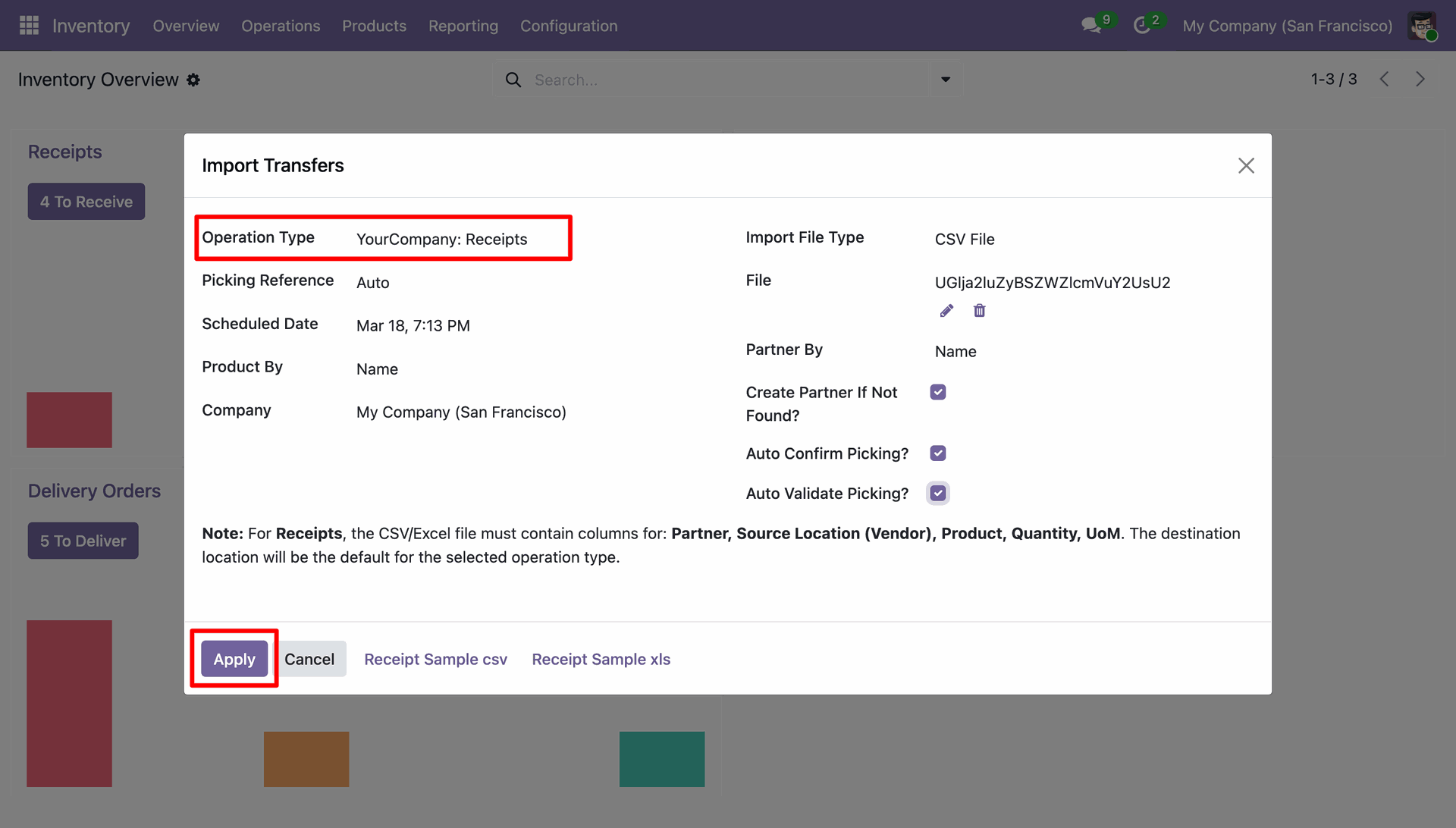
Finalizing the "Import Transfers" process by clicking Apply to upload a CSV file for incoming inventory receipts.
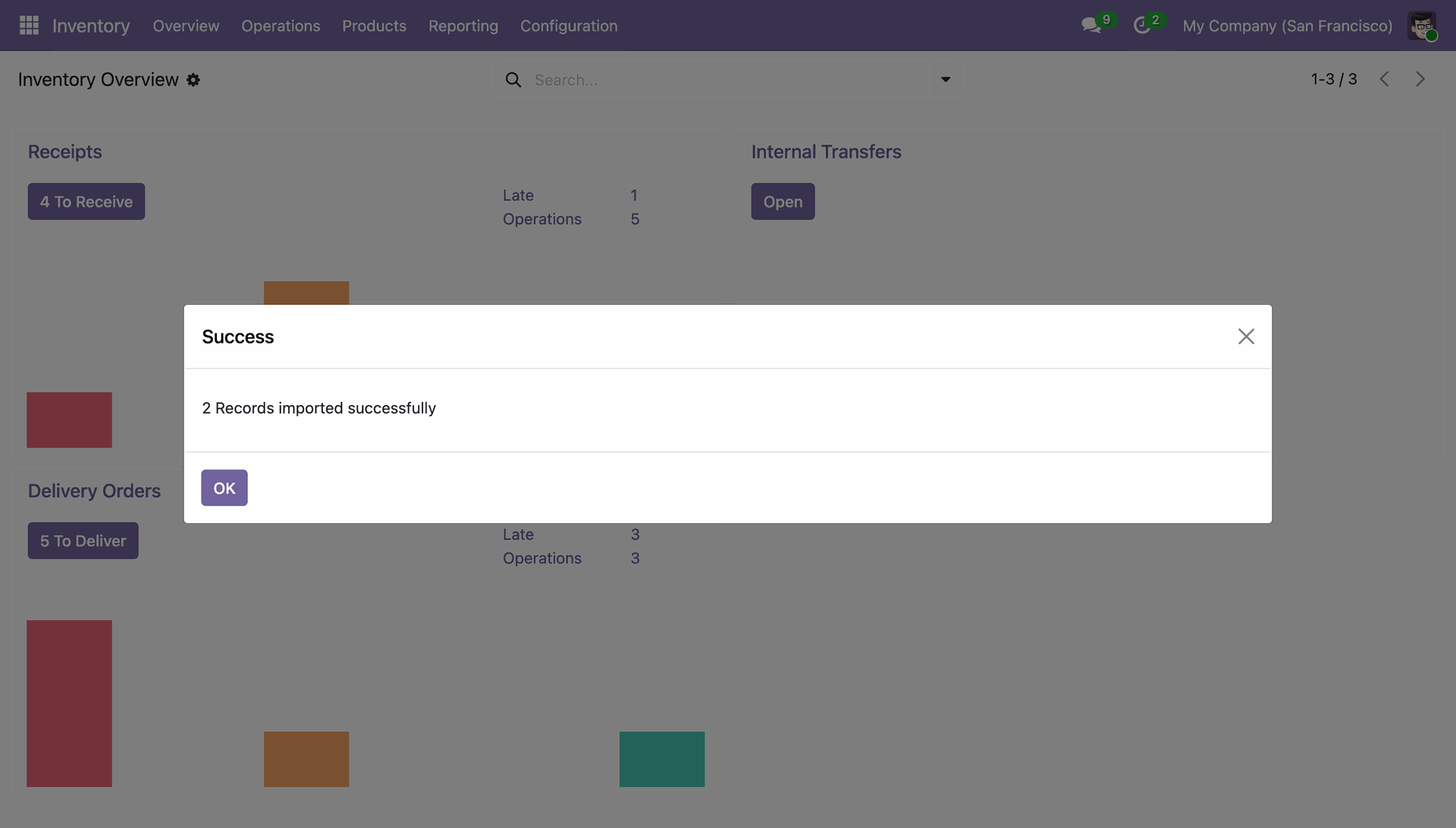
Successful inventory record import in Odoo.
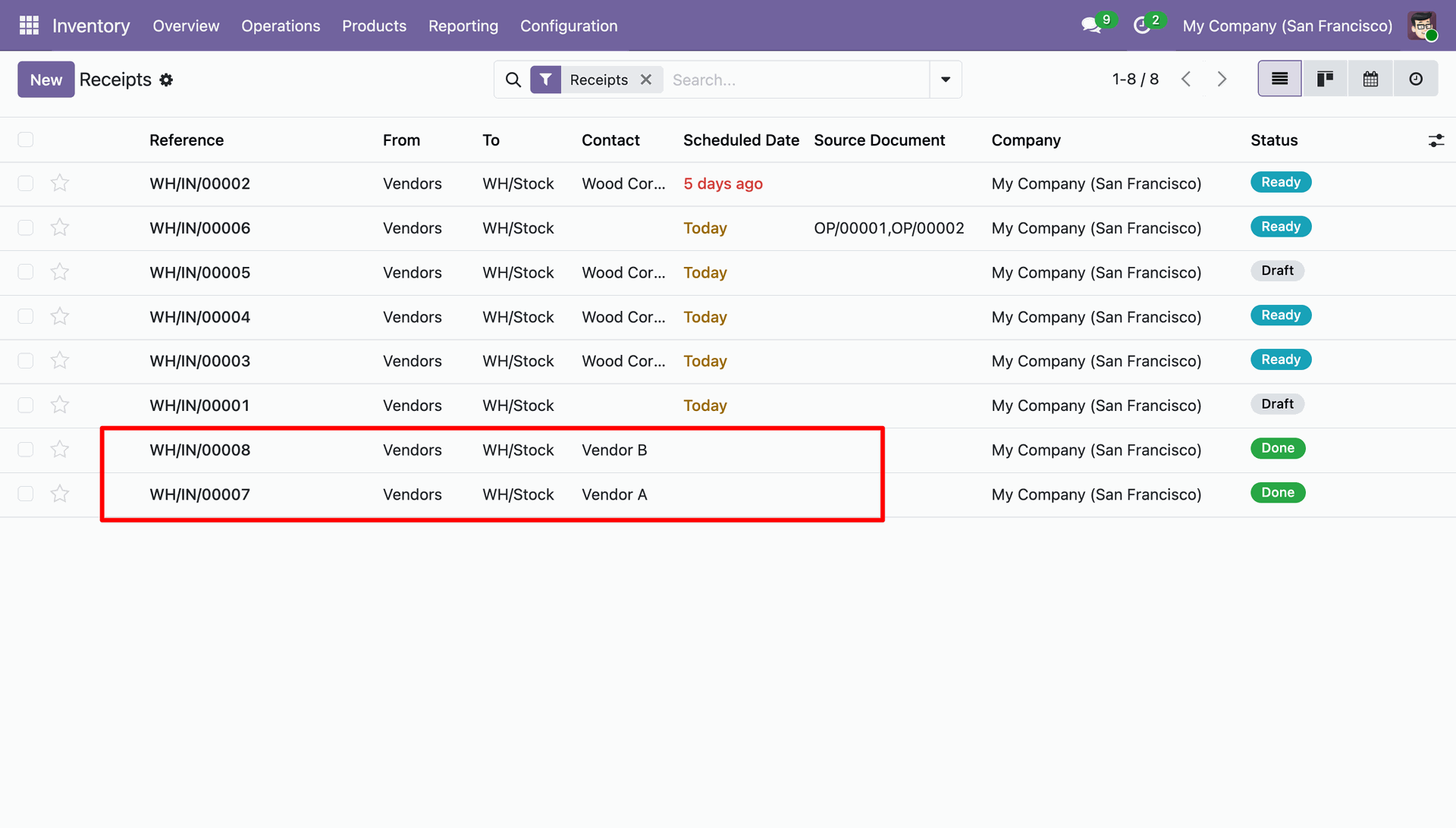
Verifying the successful import of warehouse receipts WH/IN/00007 and WH/IN/00008, now marked with a "Done" status.
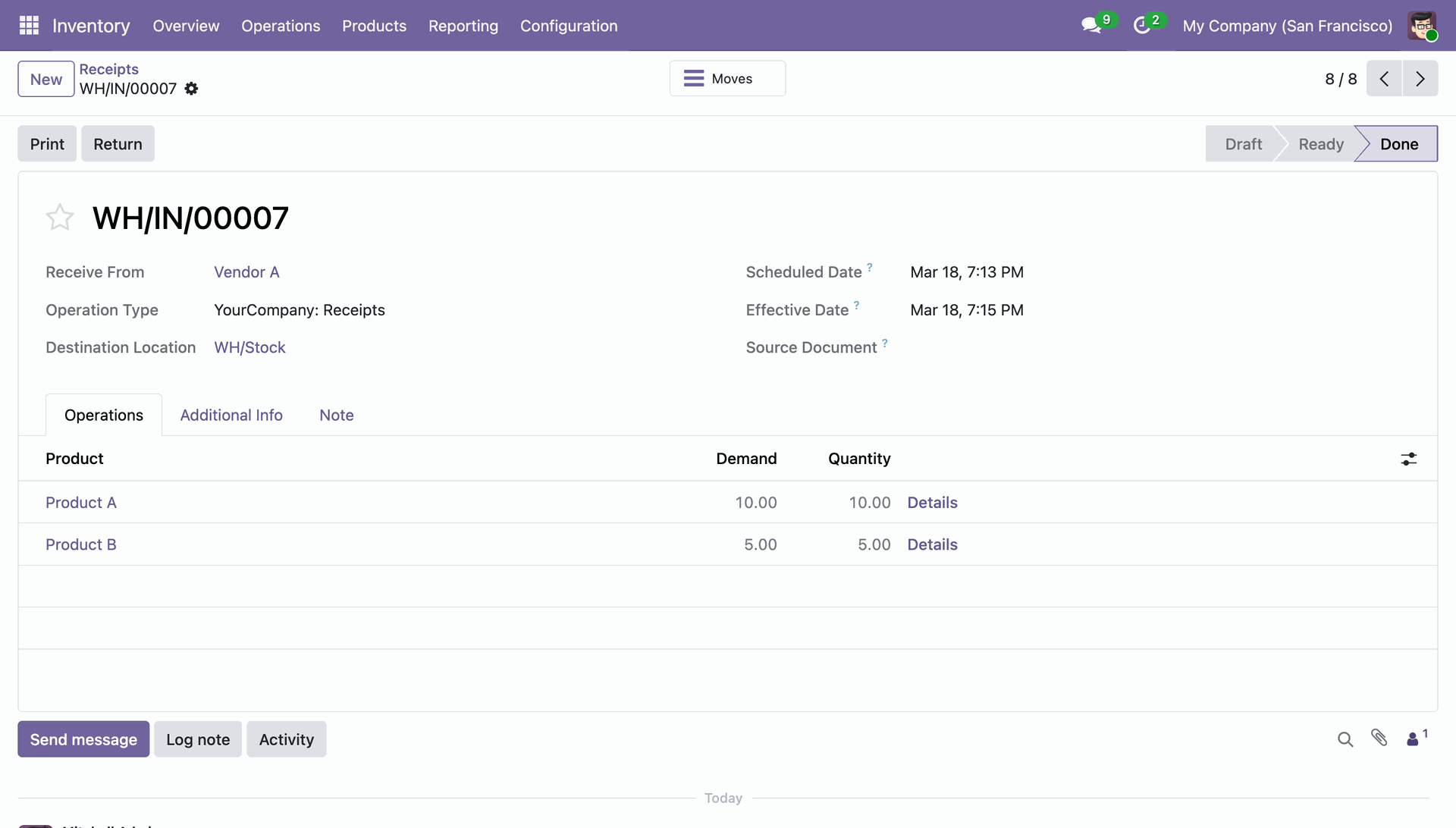
Reviewing the completed receipt WH/IN/00007 for Product A and Product B received from Vendor A.
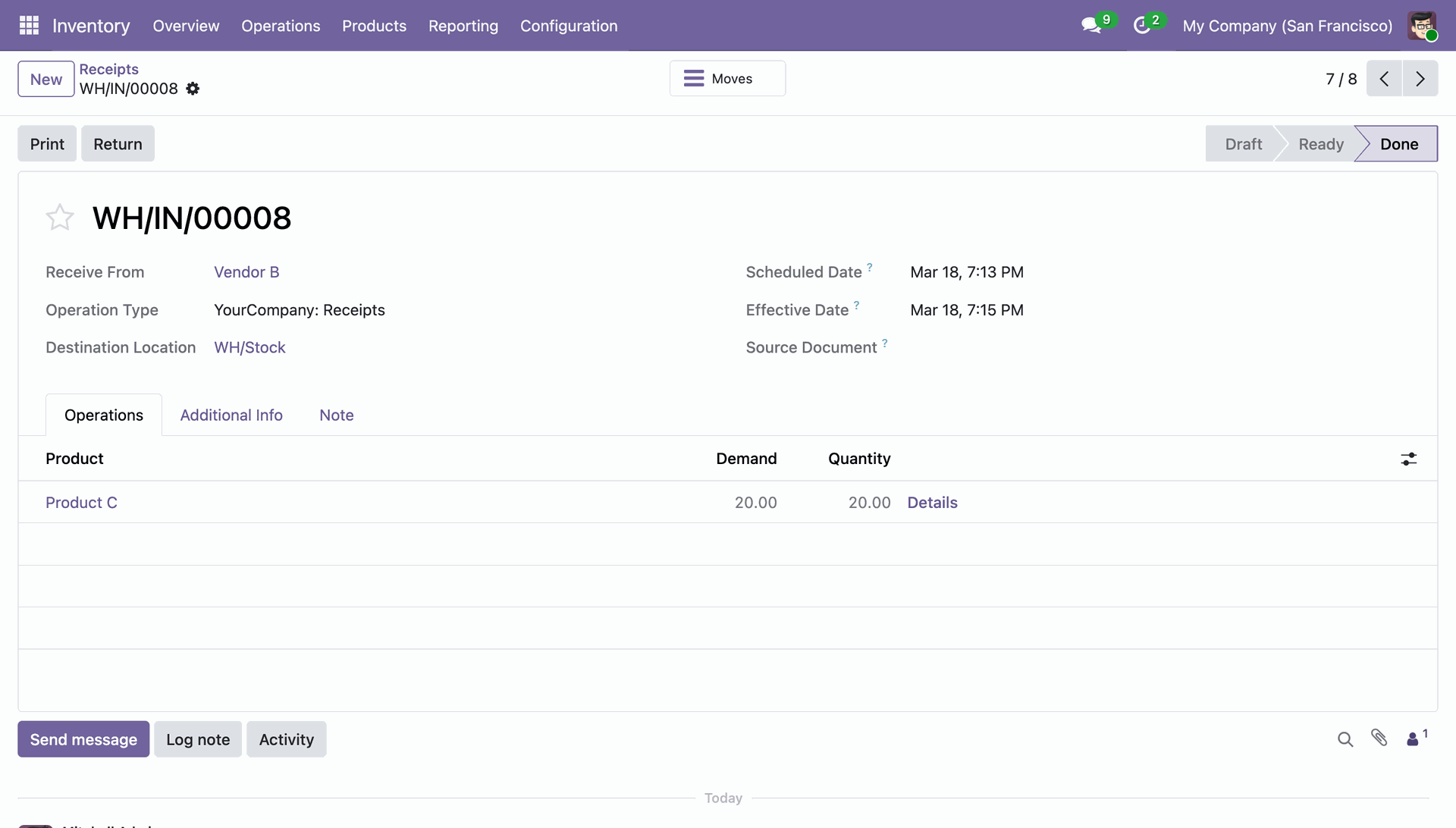
Verifying the completed receipt WH/IN/00008 for 20 units of Product C received from Vendor B.
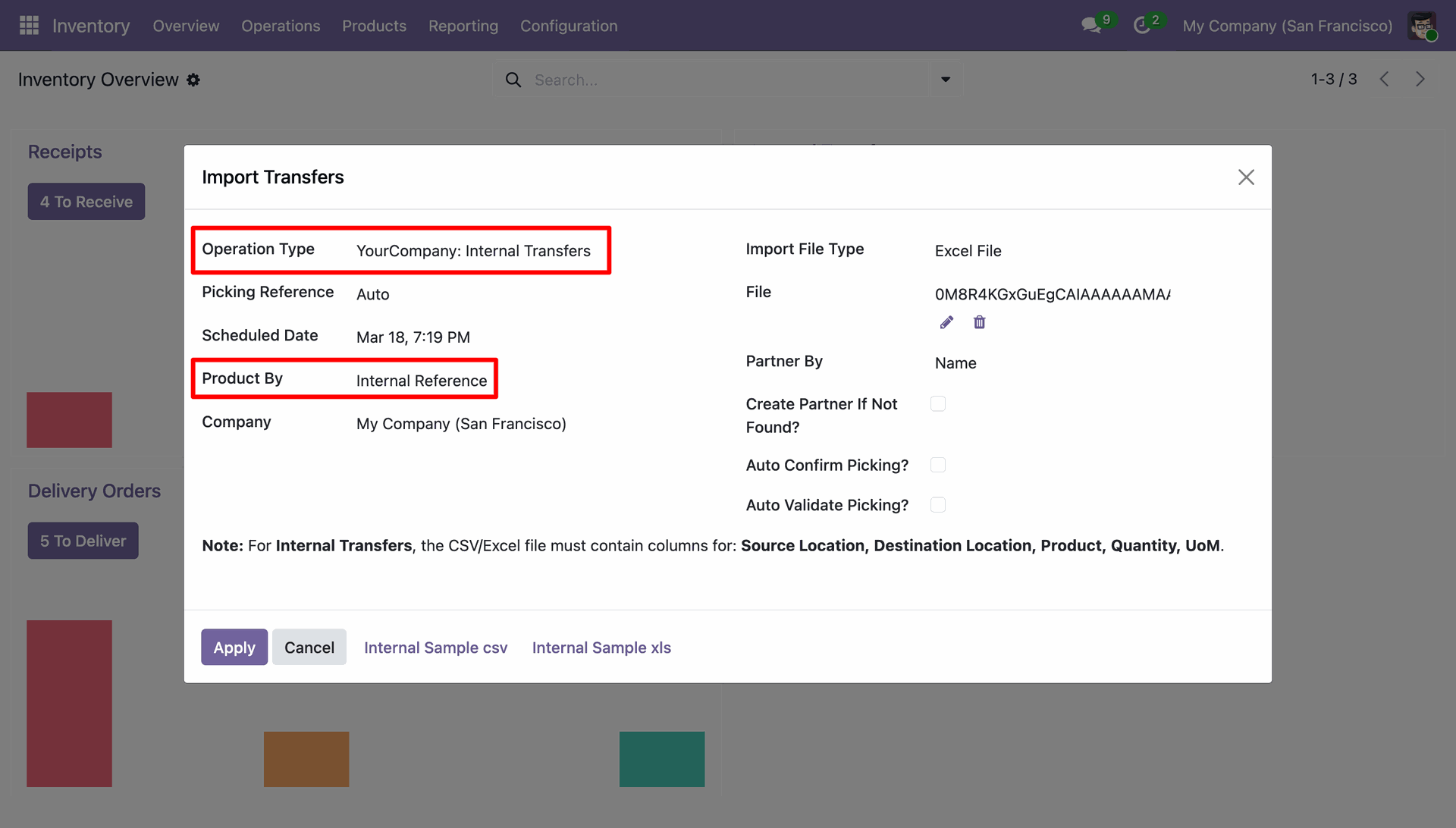
Preparing to bulk-upload stock moves by configuring the "Import Transfers" wizard for Internal Transfers using an Excel file.
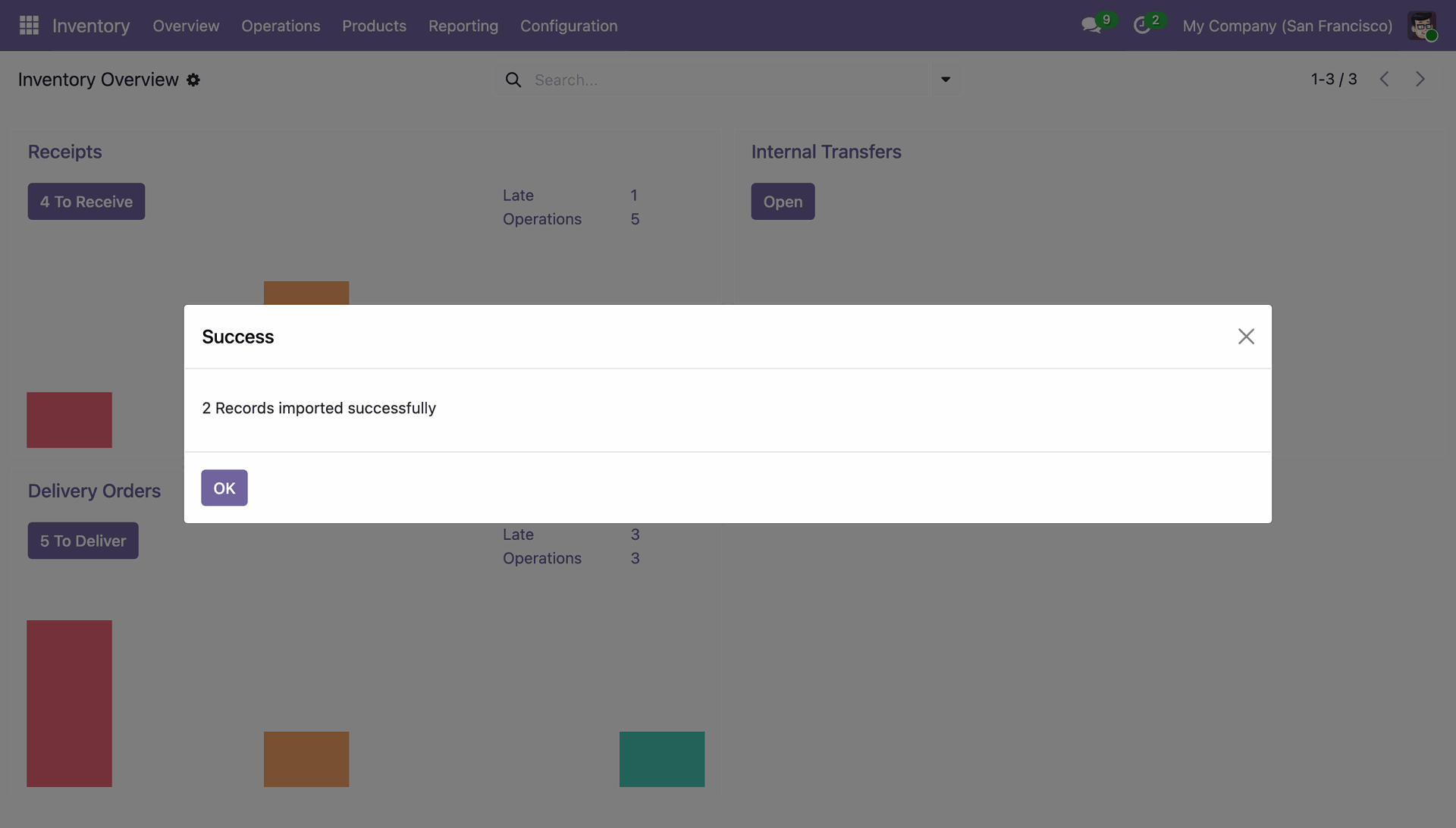
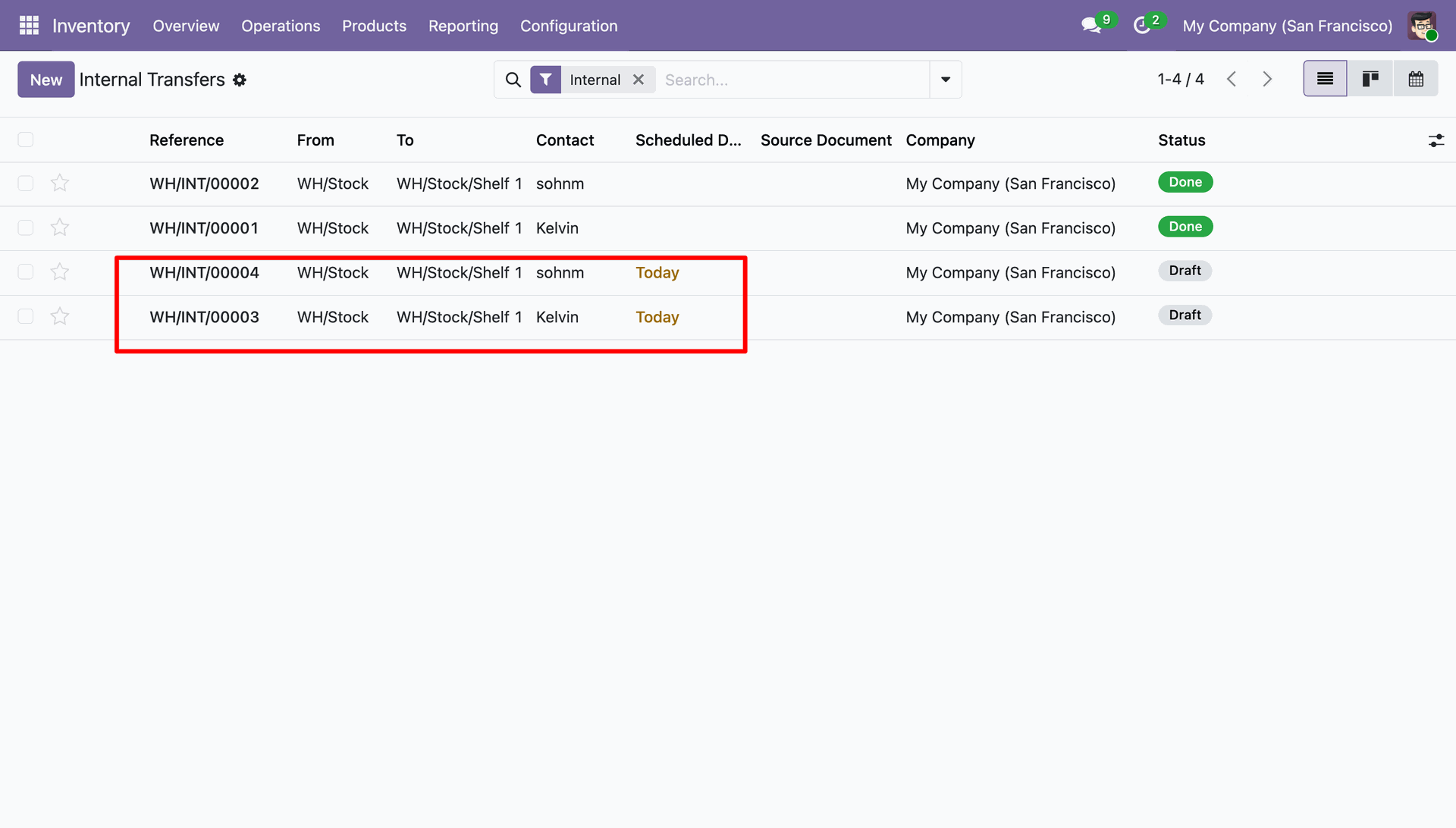
Confirming the successful import of two internal transfer records into the Odoo Inventory module.
Verifying the newly imported internal transfers WH/INT/00003 and WH/INT/00004, currently in "Draft" status for today's schedule.
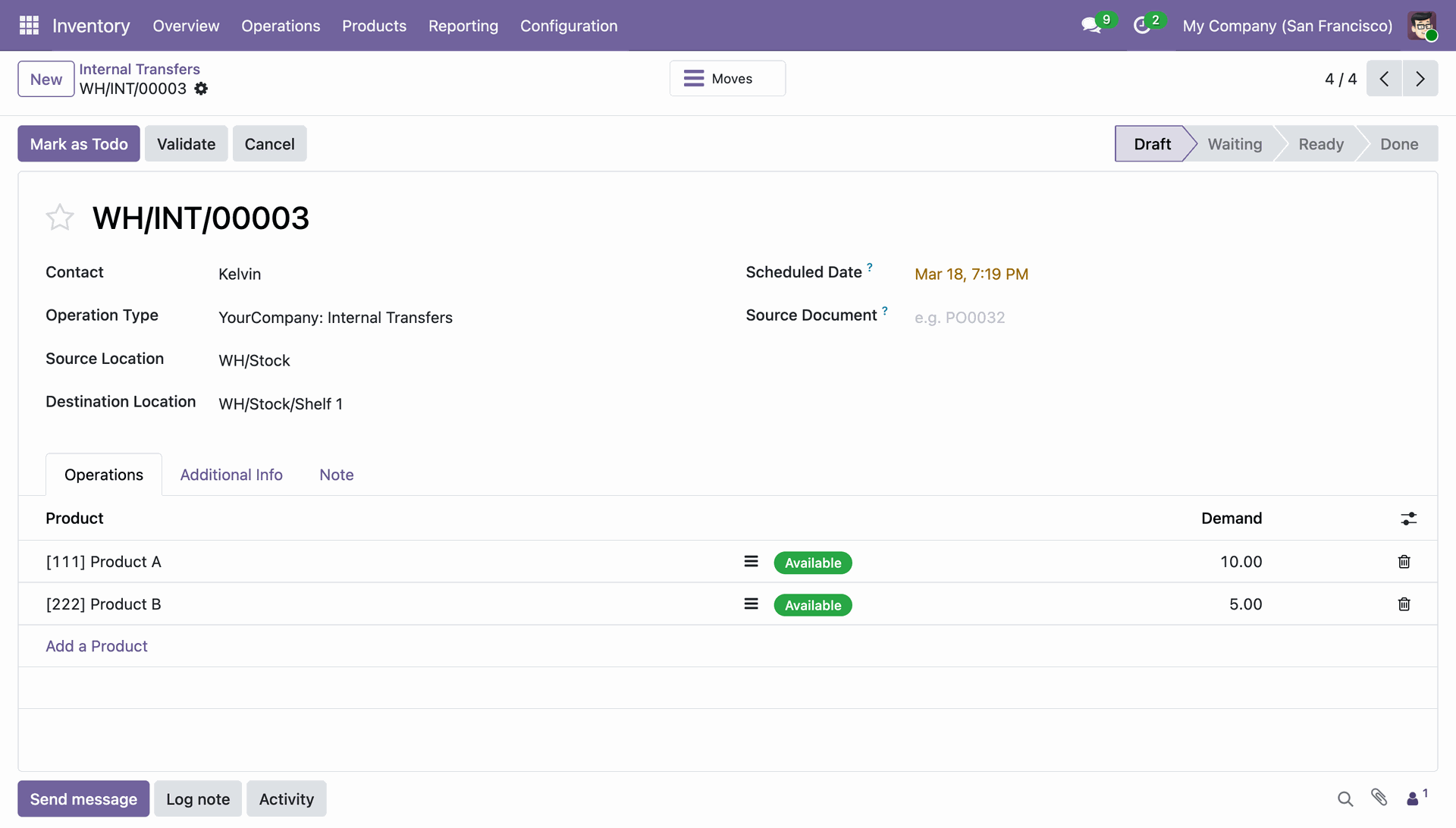
Reviewing draft transfer WH/INT/00003 to move Product A and Product B from main stock to Shelf 1.
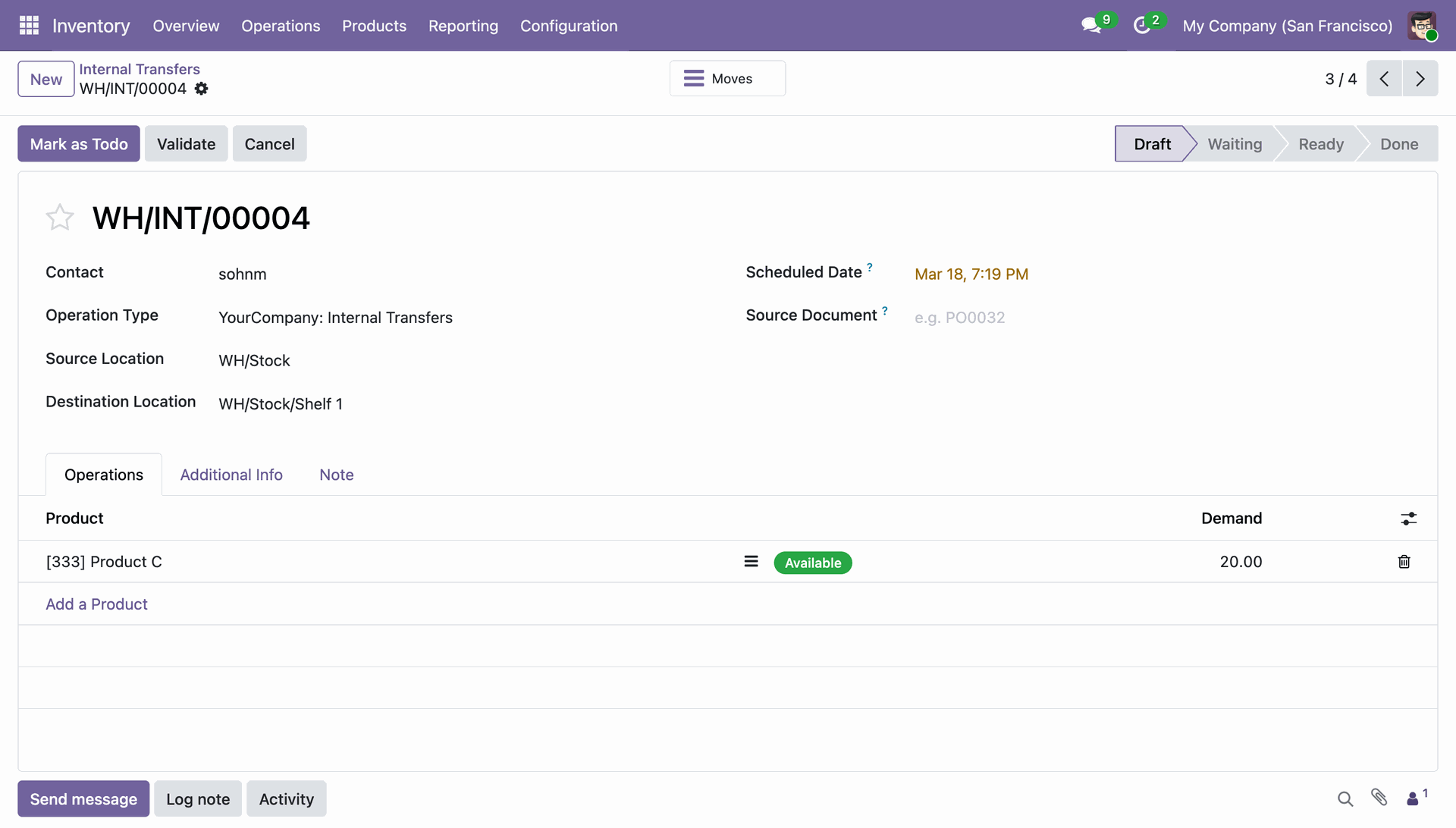
Reviewing draft transfer WH/INT/00004 to move 20 units of Product C from main stock to Shelf 1.
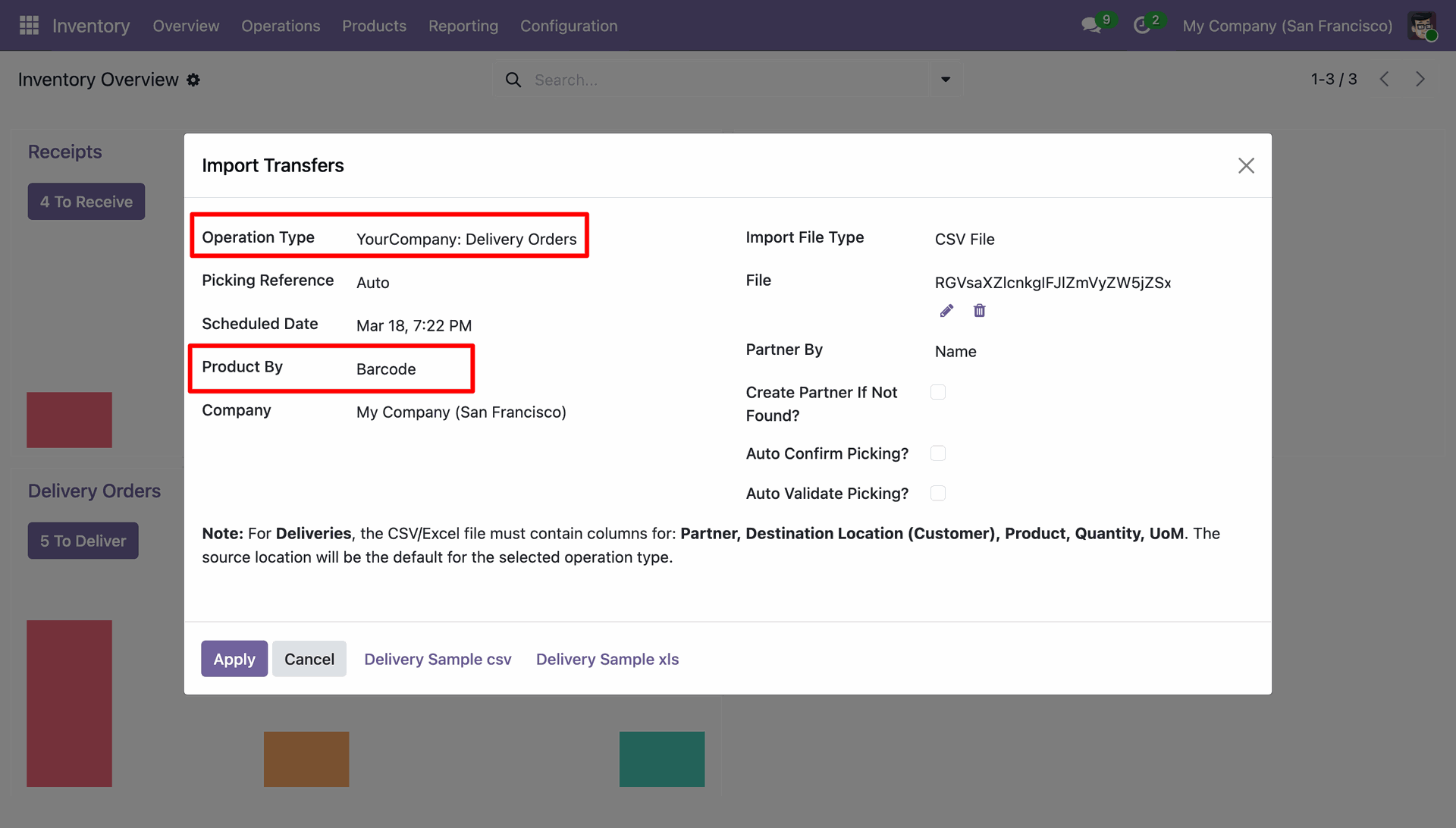
Setting up the "Import Transfers" wizard to upload delivery orders via CSV, using Barcode as the product identifier.
Confirming the successful import of two delivery order records into the Odoo Inventory module.
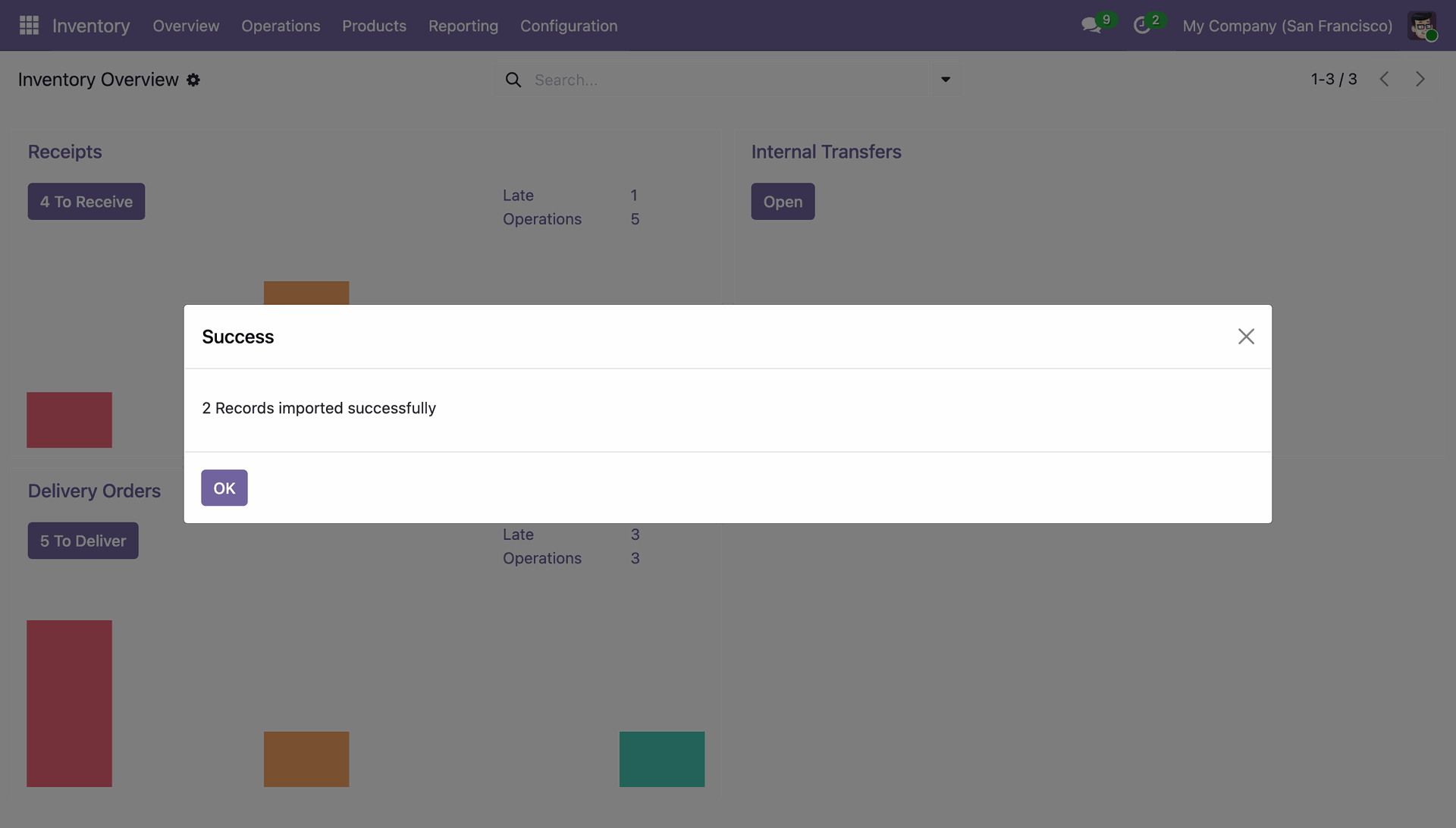
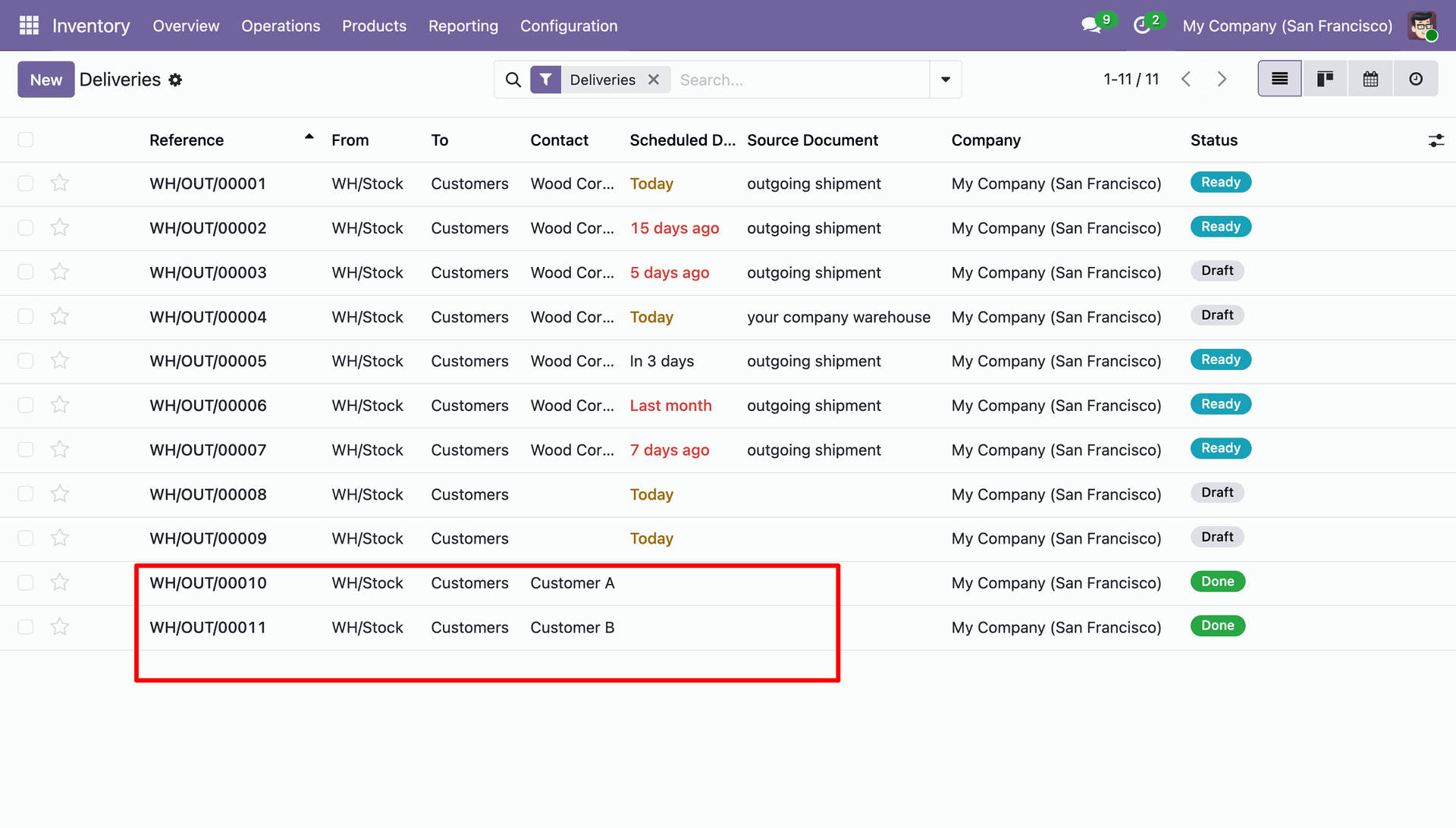
Verifying the successful import of delivery orders WH/OUT/00010 and WH/OUT/00011, now updated to "Done" status.
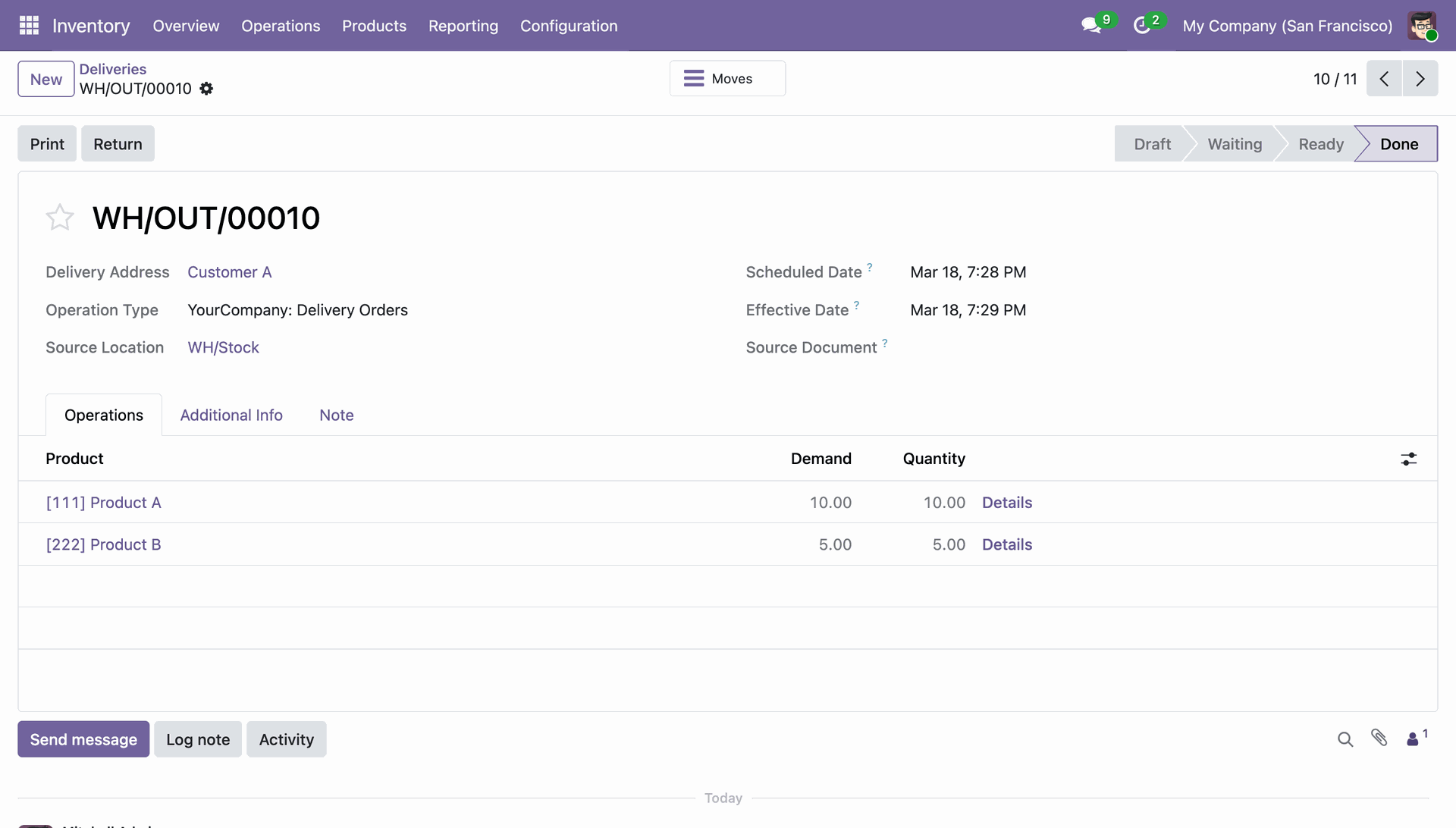
Reviewing the completed delivery order WH/OUT/00010 for Product A and Product B shipped to Customer A.
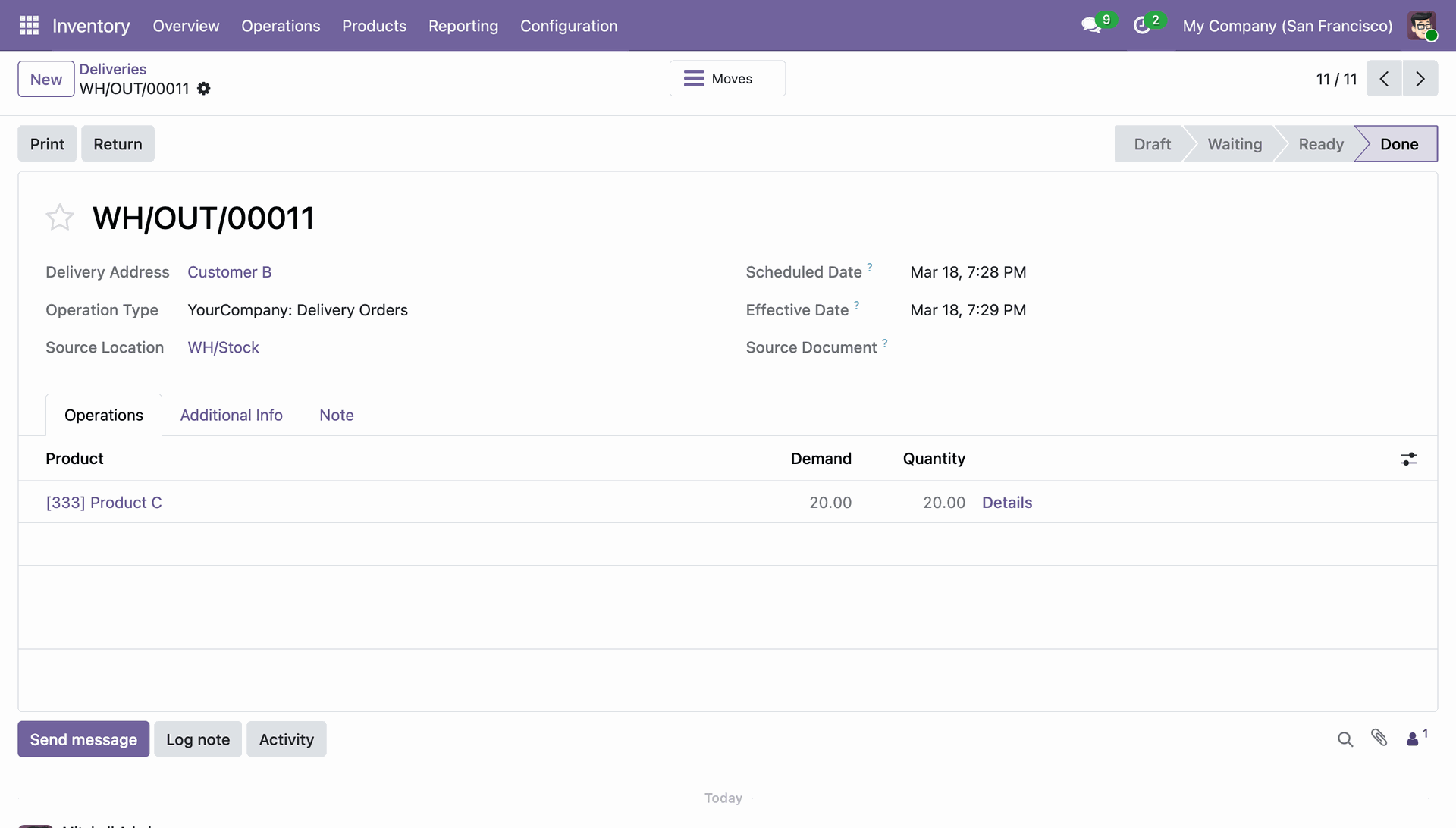
Confirming the fulfillment of delivery order WH/OUT/00011 for 20 units of Product C shipped to Customer B.
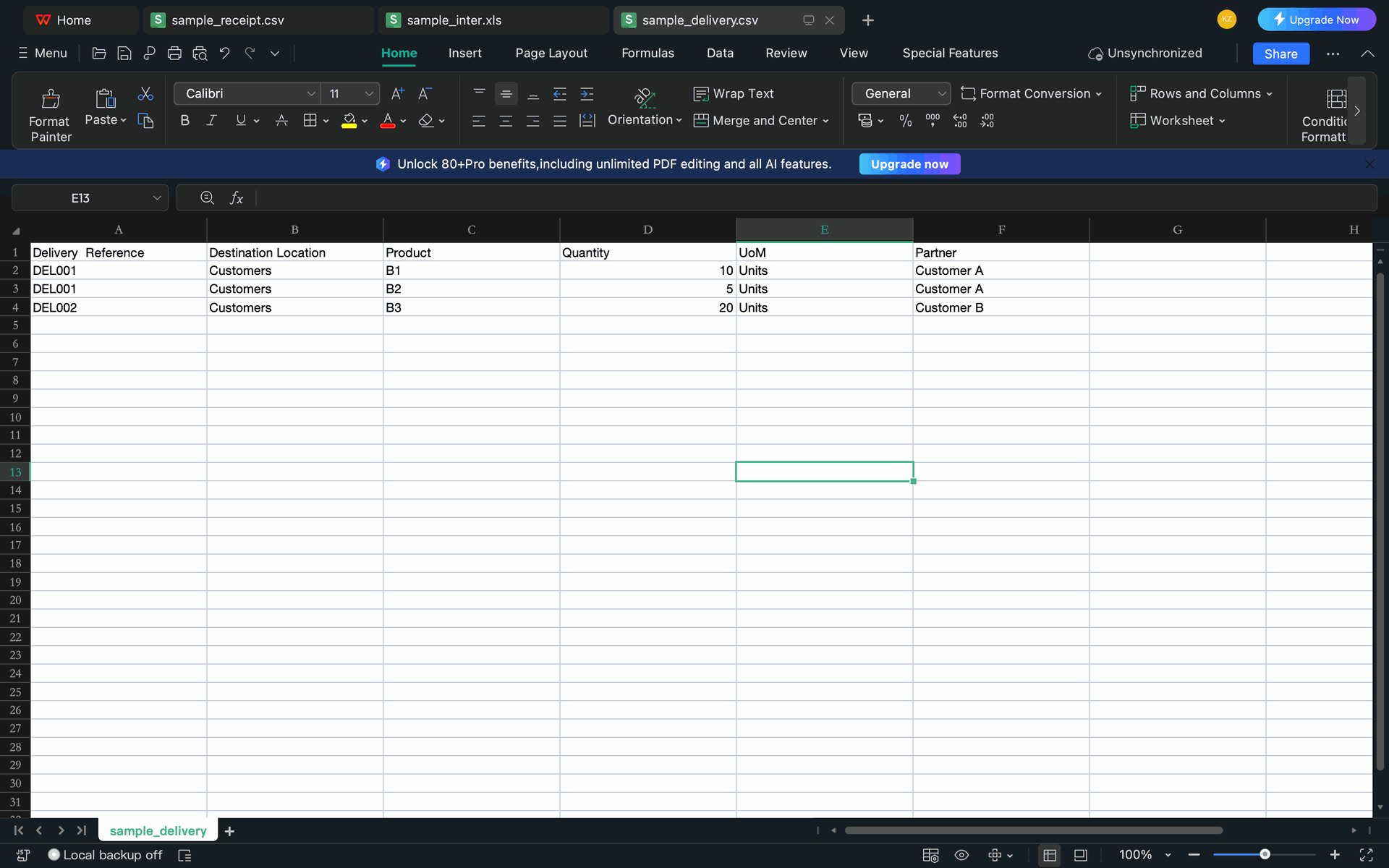
Preparing the sample_delivery.csv file with required columns for bulk-importing outbound shipments into the system.
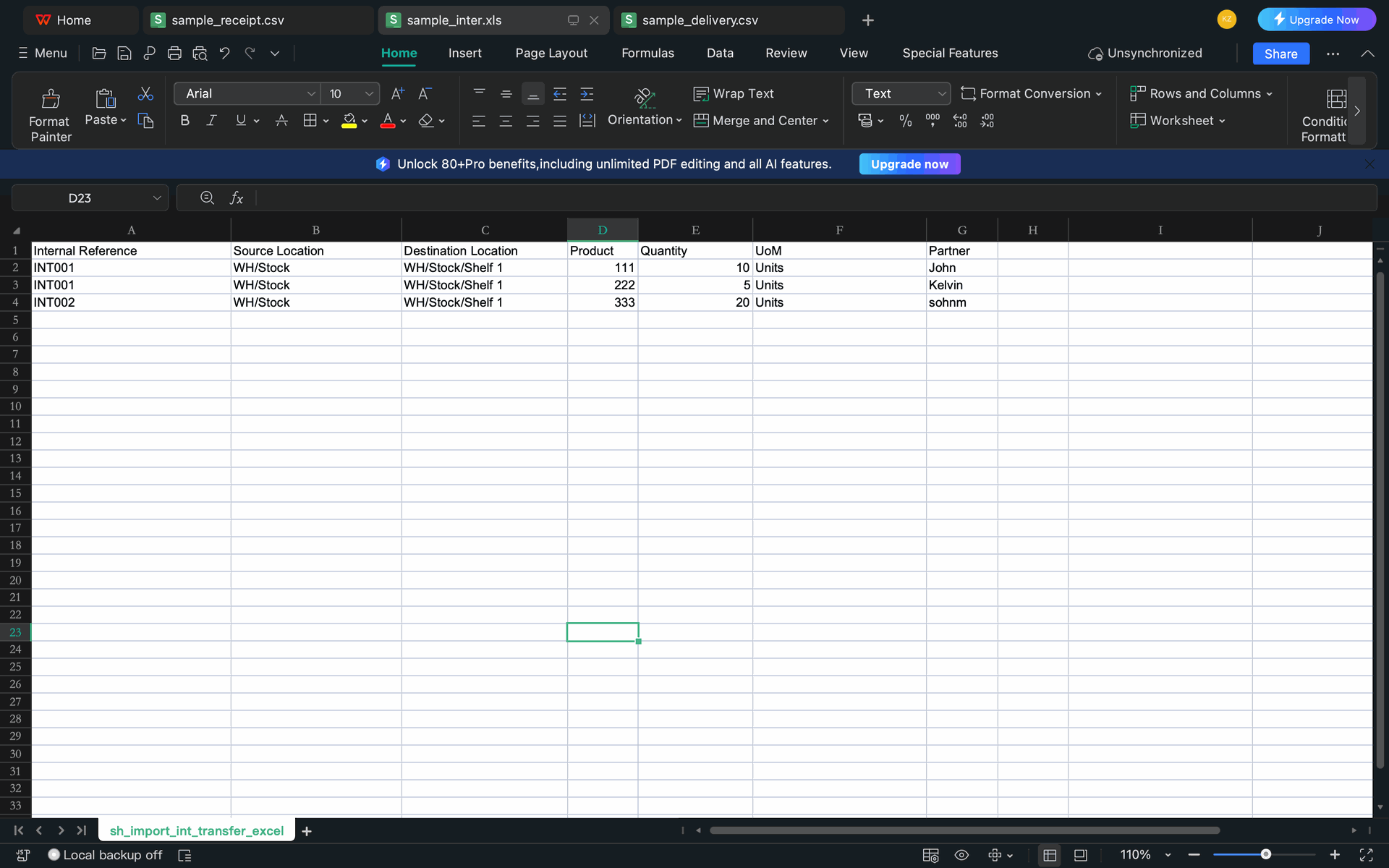
Formatting the sample_inter.xls file for bulk-uploading internal stock moves between warehouse locations and shelves.
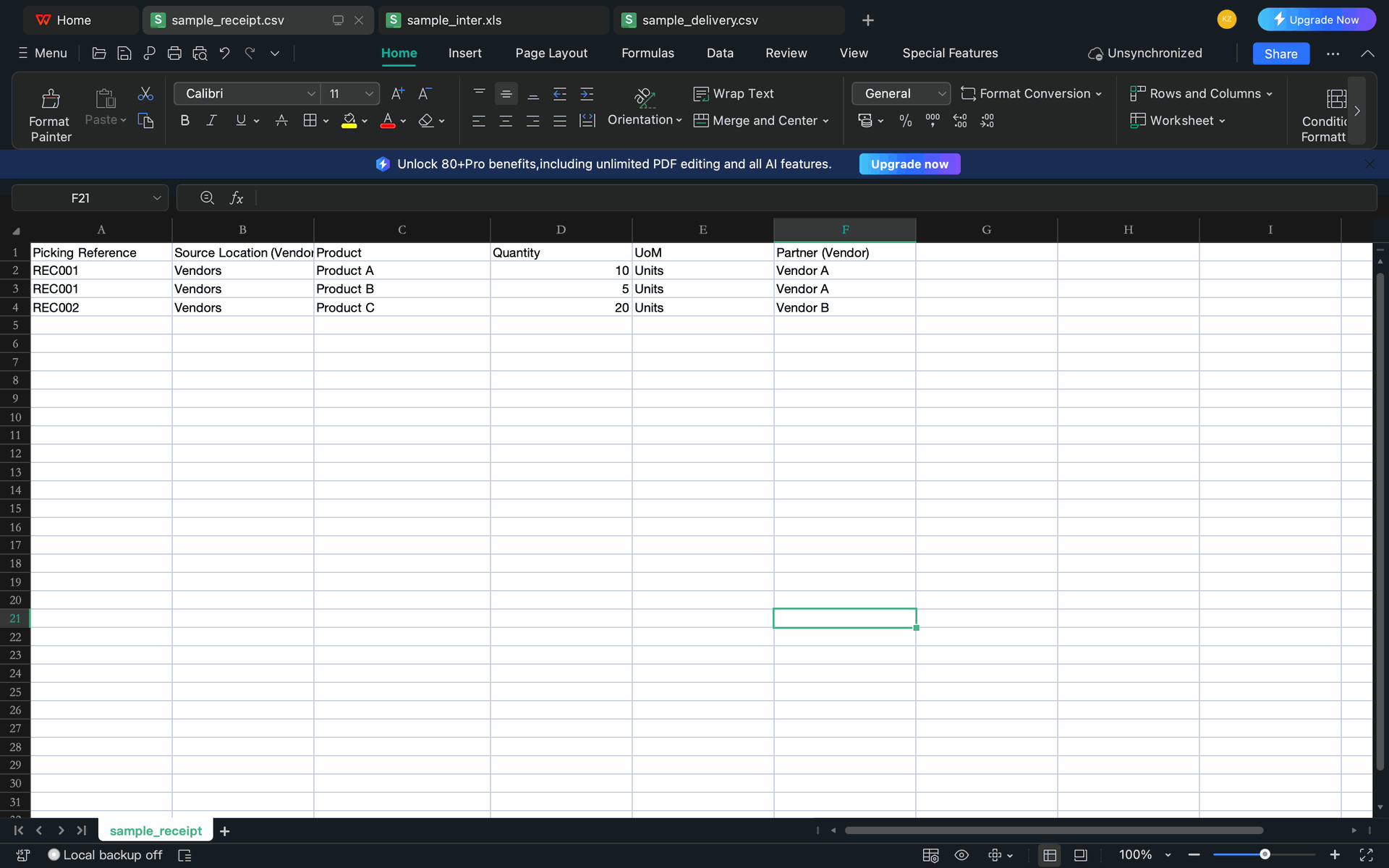
Preparing the sample_receipt.csv file to bulk-import incoming stock from Vendor A and Vendor B.
Version 19.0.1.0.0 | Released on : 15th May 2026
- Yes, this app works perfectly with Odoo Enterprise (Odoo.sh & Premise) as well as Community.
- No, this application is not compatible with odoo.com(odoo saas/Odoo Online)
- Yes, to test this module, please contact us at sales@softhealer.com.
- Please contact us at sales@softhealer.com to request customization.
- Yes, we provide free support for 365 days from the date of purchase.
- Yes, you will receive lifetime free updates for the version of the module you purchased.
- No, there is no need to install any additional libraries.
- Yes, for version 12 and above, you need to purchase the module separately for each version you intend to use.
- No, exchanges or refunds are not allowed. Please make sure to select the correct version before purchasing.
- You can contact us at support@softhealer.com for language translation support. We use Google Translator tools to provide translations in multiple languages, so the accuracy may vary. We welcome your suggestions to help improve translations.
Discover Our Latest Apps