












Import Batch Transfer from CSV/Excel file

Enhance your logistics workflow with our Import Batch Transfer module. Seamlessly import batch transfers from CSV or Excel files into Odoo. Create new batches or update existing ones effortlessly. This tool offers flexibility in identifying pickings and products, saving time and reducing manual entry errors.

Features
Import from CSV/Excel
Easily import batch transfer data from both CSV and Excel (XLS/XLSX) files.

Create or Update Batches
Flexibility to create new batch transfers or update existing ones based on the sheet data.

Link Existing Transfers
Seamlessly link existing picking transfers to your batch transfers using the wizard.

Create New Pickings
Automatically create new picking transfers within the batch if they don't exist.
Flexible Batch Numbering
Options to auto-generate batch numbers or use the numbers provided in your sheets.

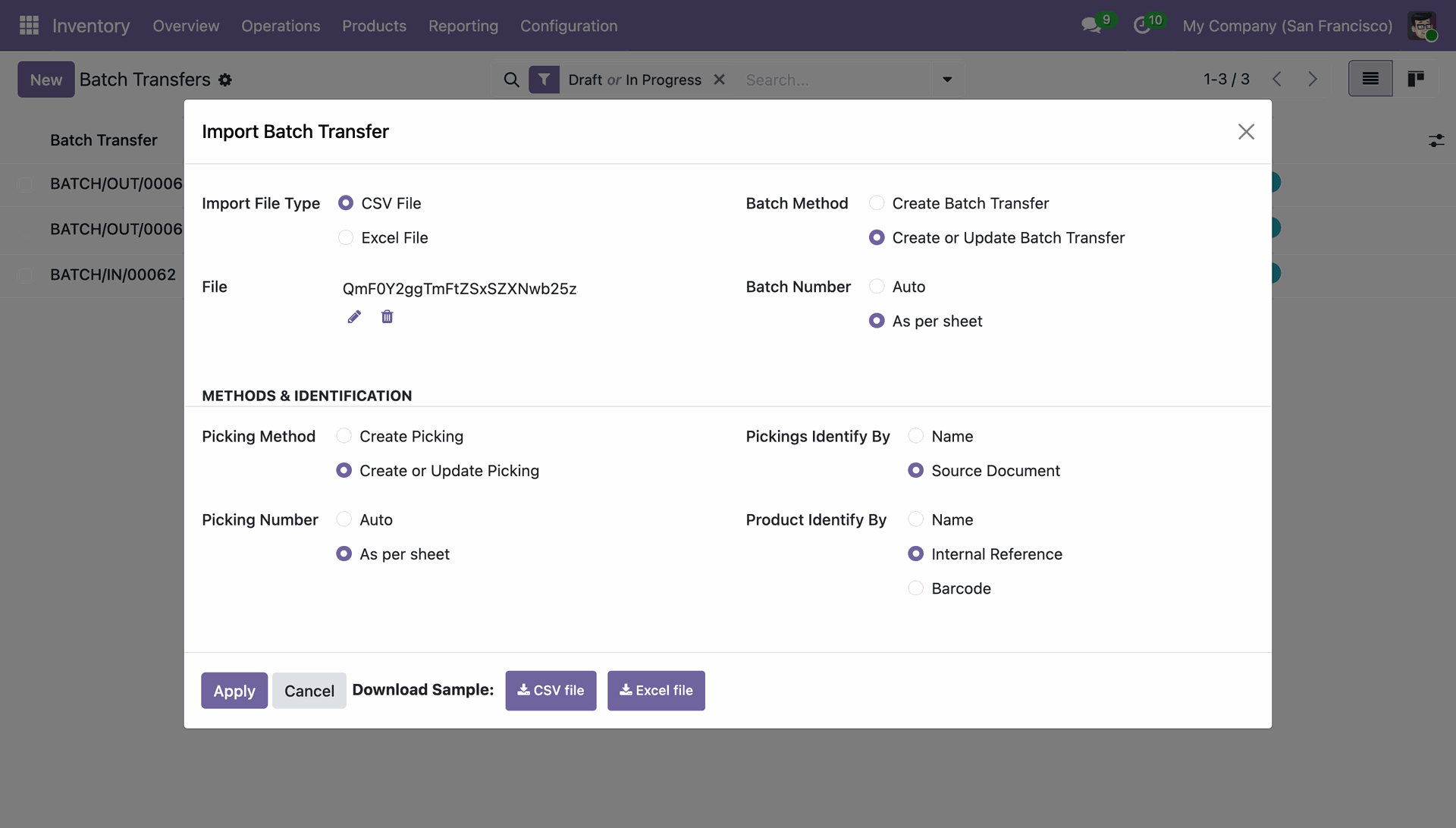
Pickings Identification
Identify pickings by Name or Source Document for maximum flexibility.

Product Identification
Map products using Name, Internal Reference, or Barcode during the import process.

Detailed Success Feedback
Receive a clear summary of imported records and details on any skipped lines for debugging.
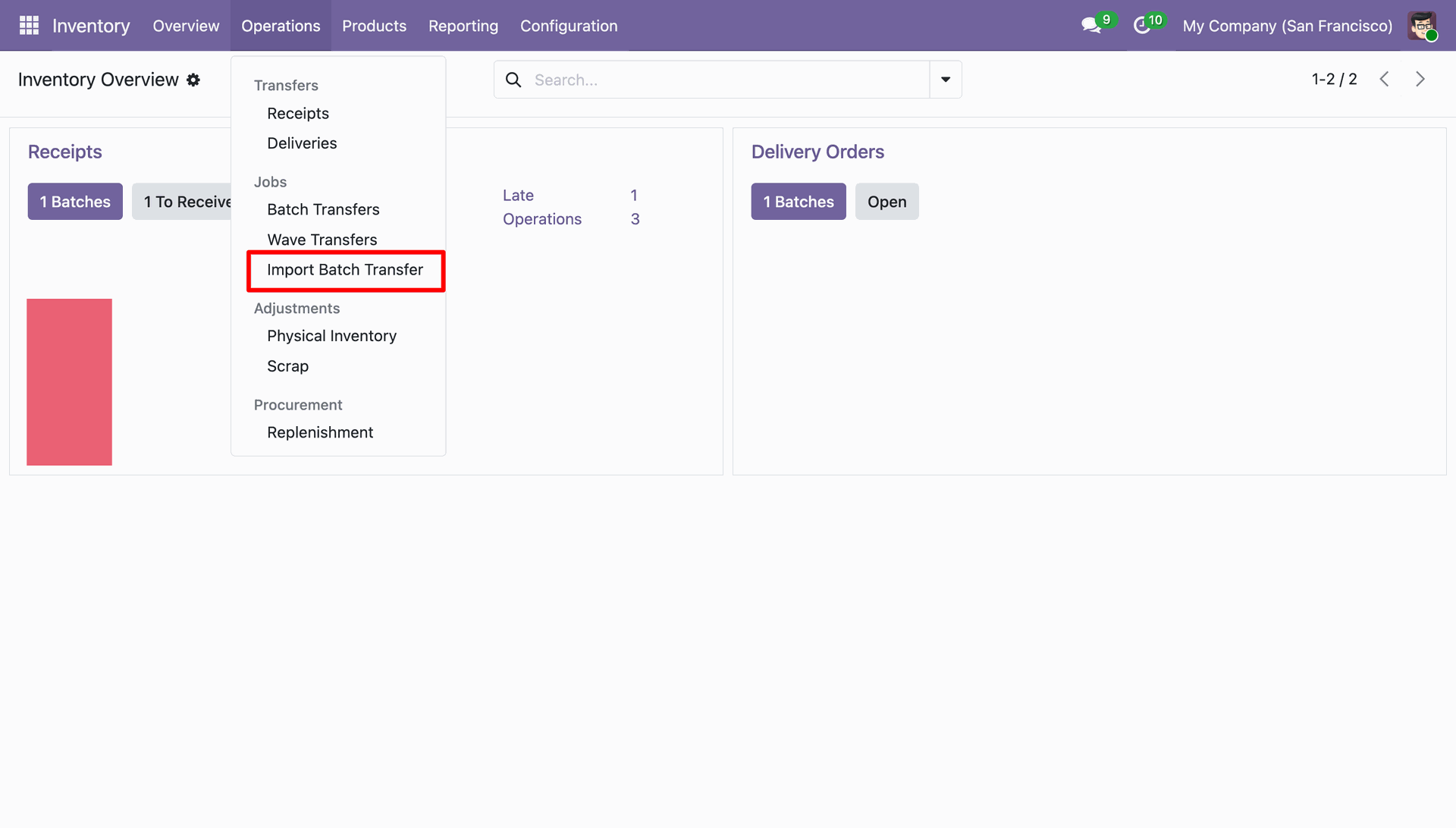
Navigating to the Import Batch Transfer tool via the Operations menu in the Odoo Inventory module.
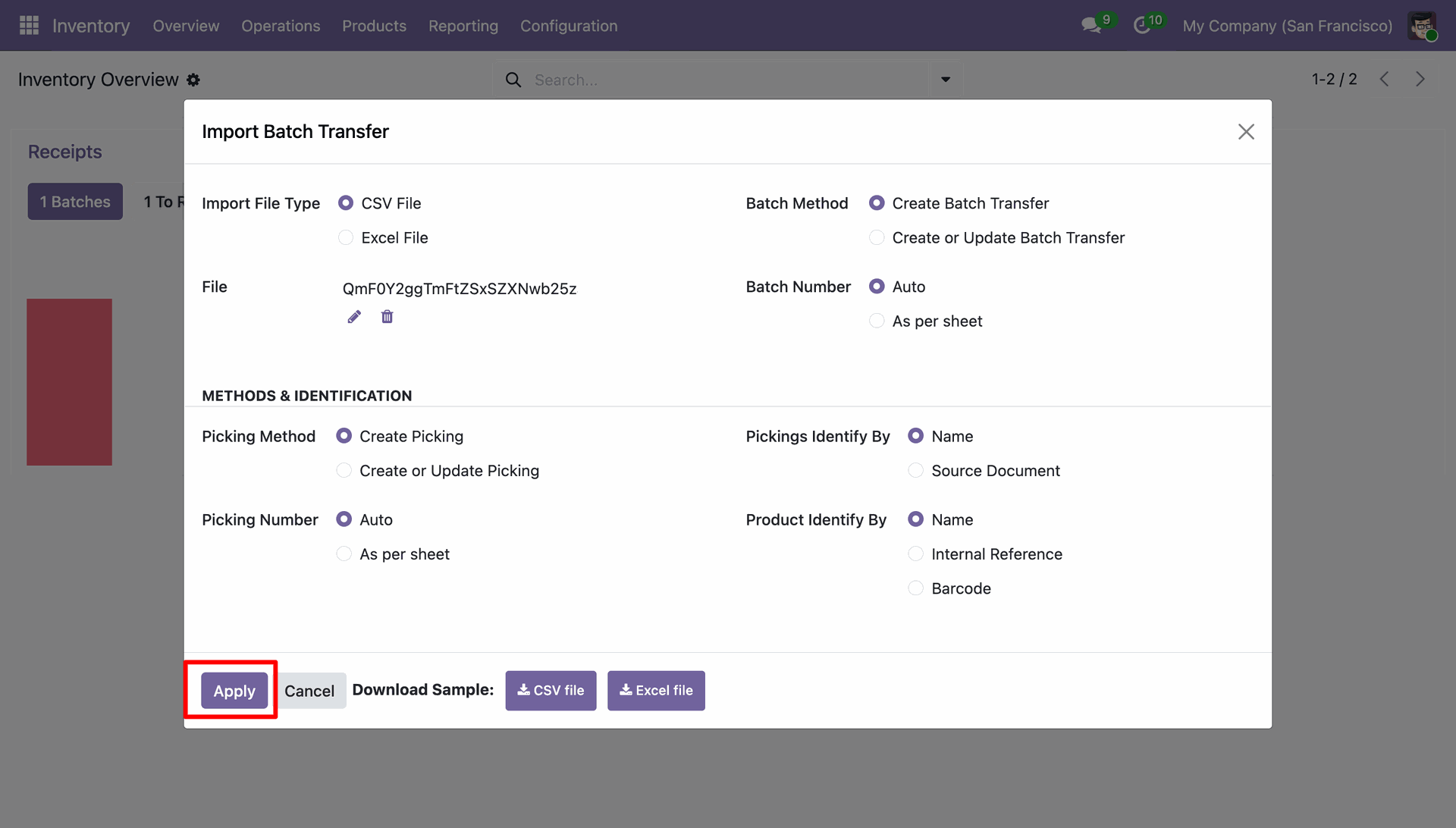
Finalizing the Import Batch Transfer configuration by clicking Apply to process the uploaded CSV file.
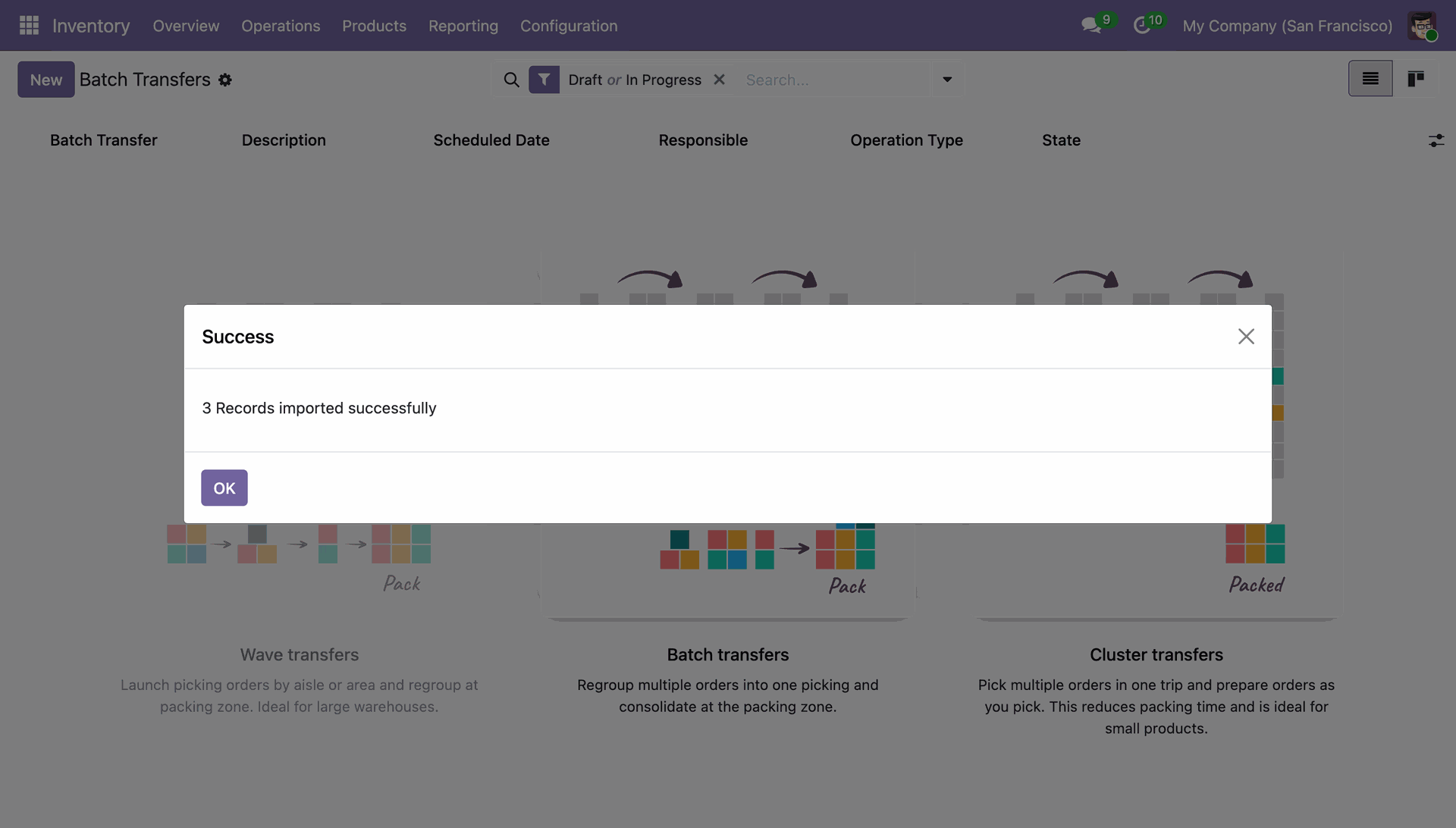
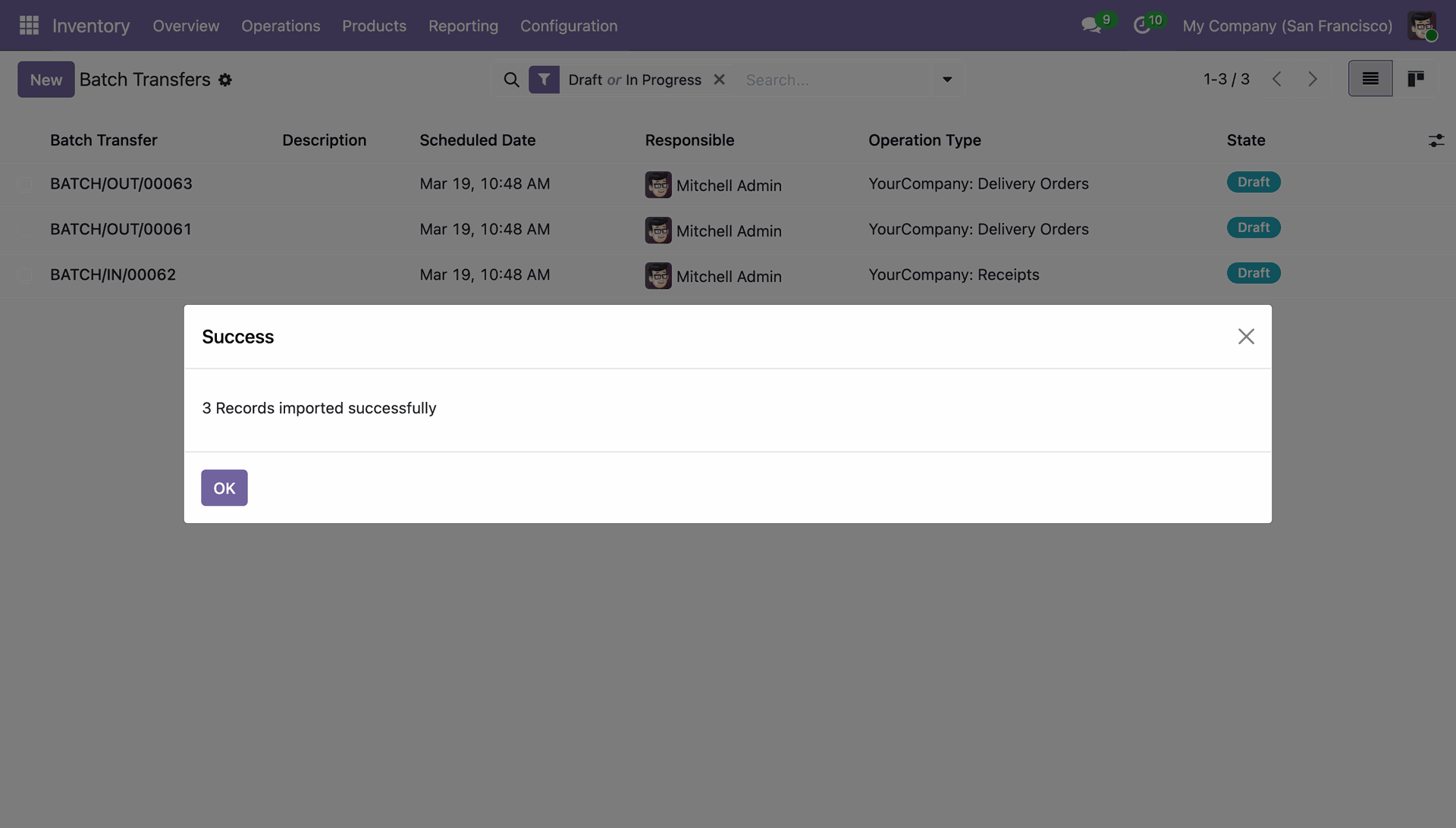
Confirming the successful import of three batch transfer records into the Odoo Inventory system.
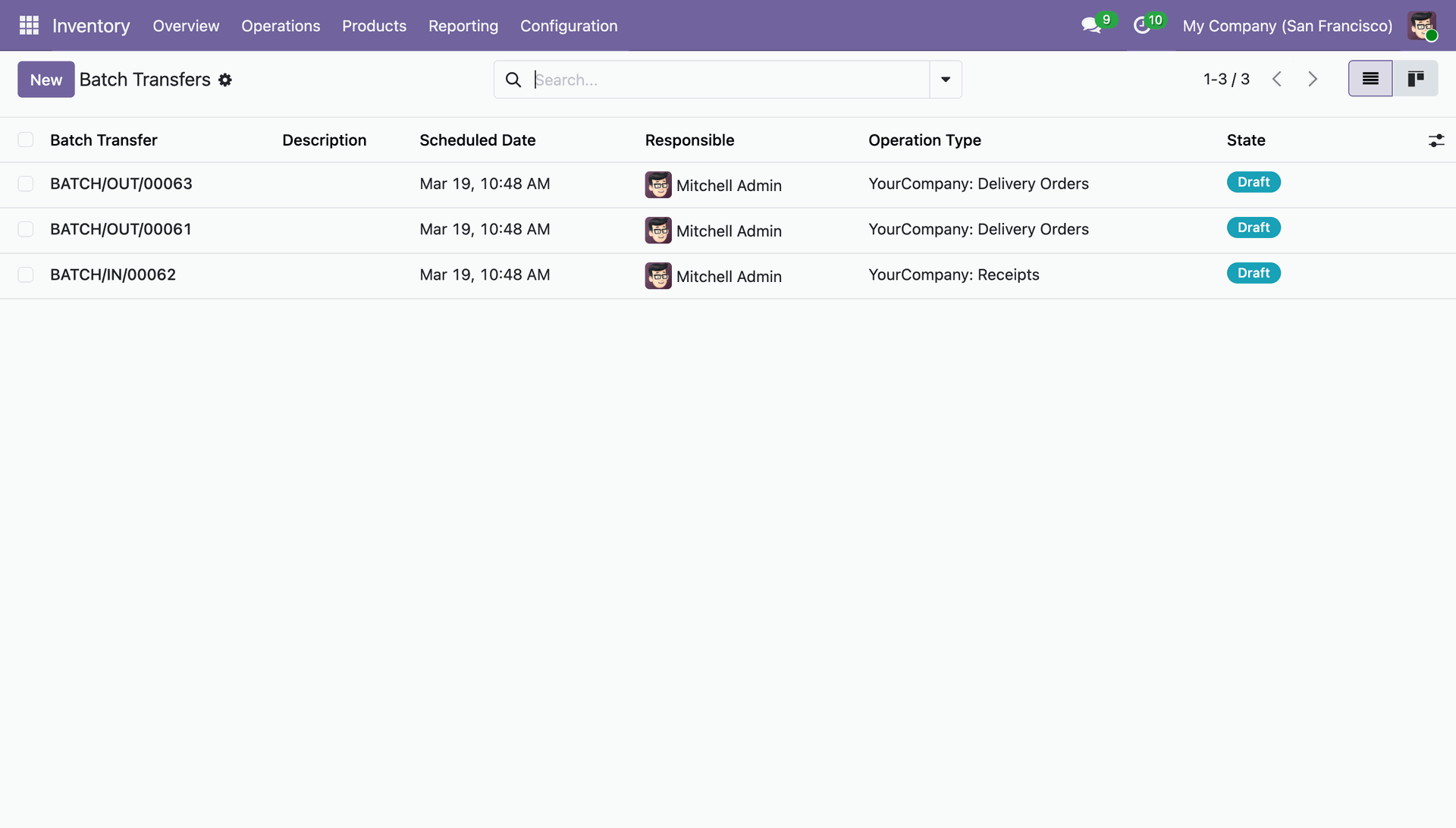
Reviewing the newly imported batch transfers BATCH/OUT/00061, BATCH/IN/00062, and BATCH/OUT/00063, all currently in "Draft" state.
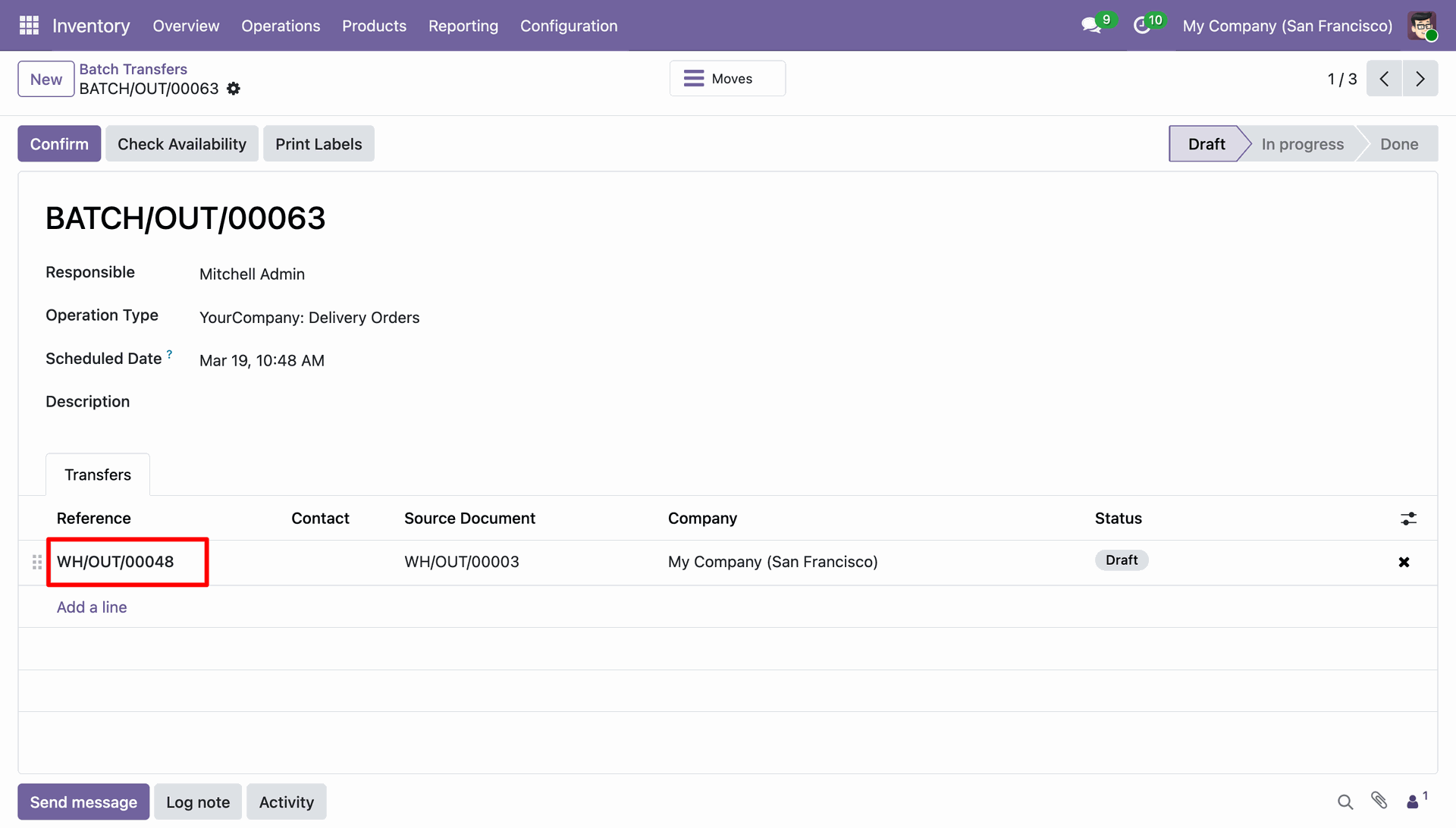
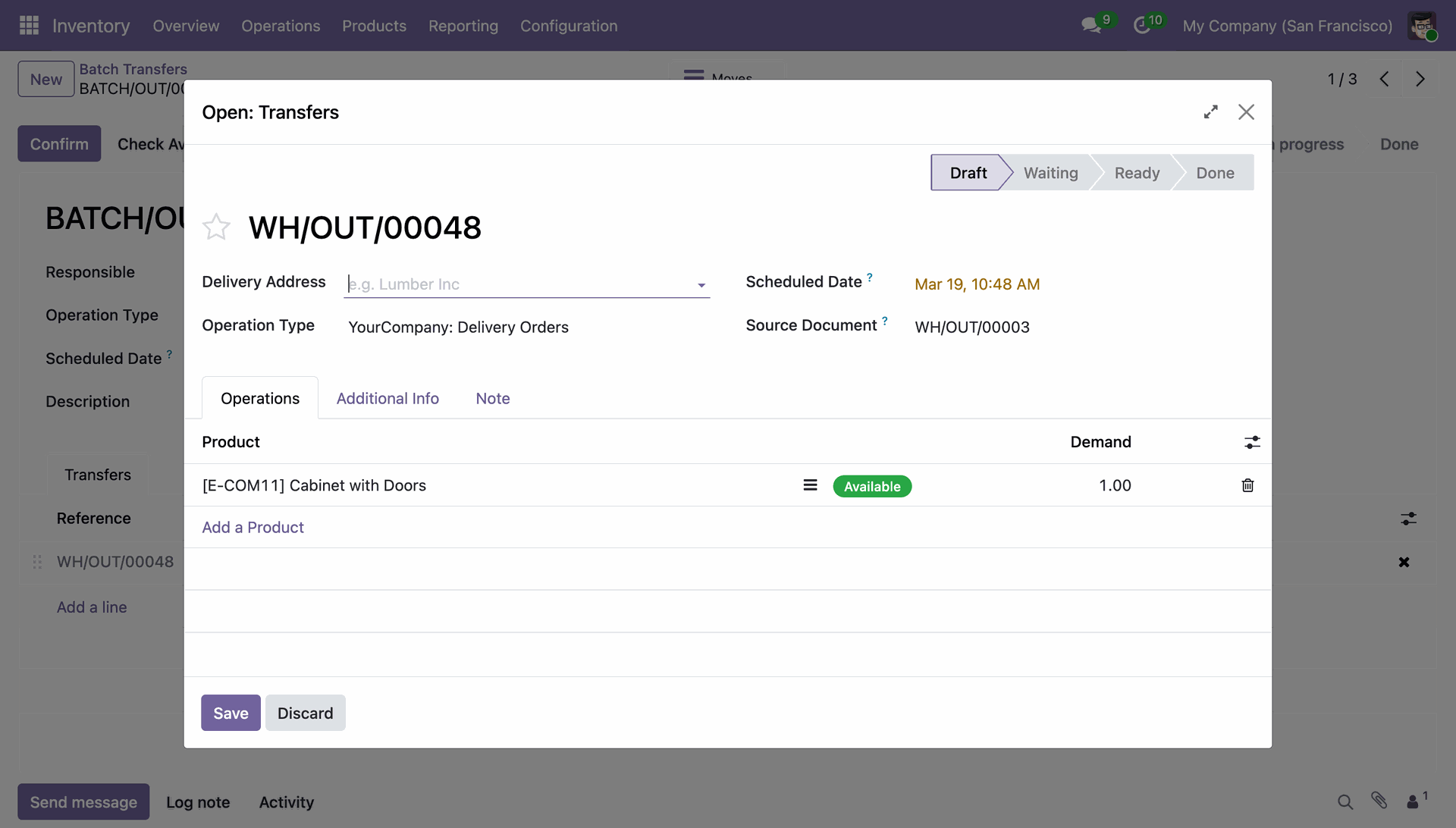
Reviewing the draft batch transfer BATCH/OUT/00063, which consolidates the delivery order WH/OUT/00048 for processing.
Reviewing the specific line items for delivery order WH/OUT/00048, confirming the availability of a "Cabinet with Doors."
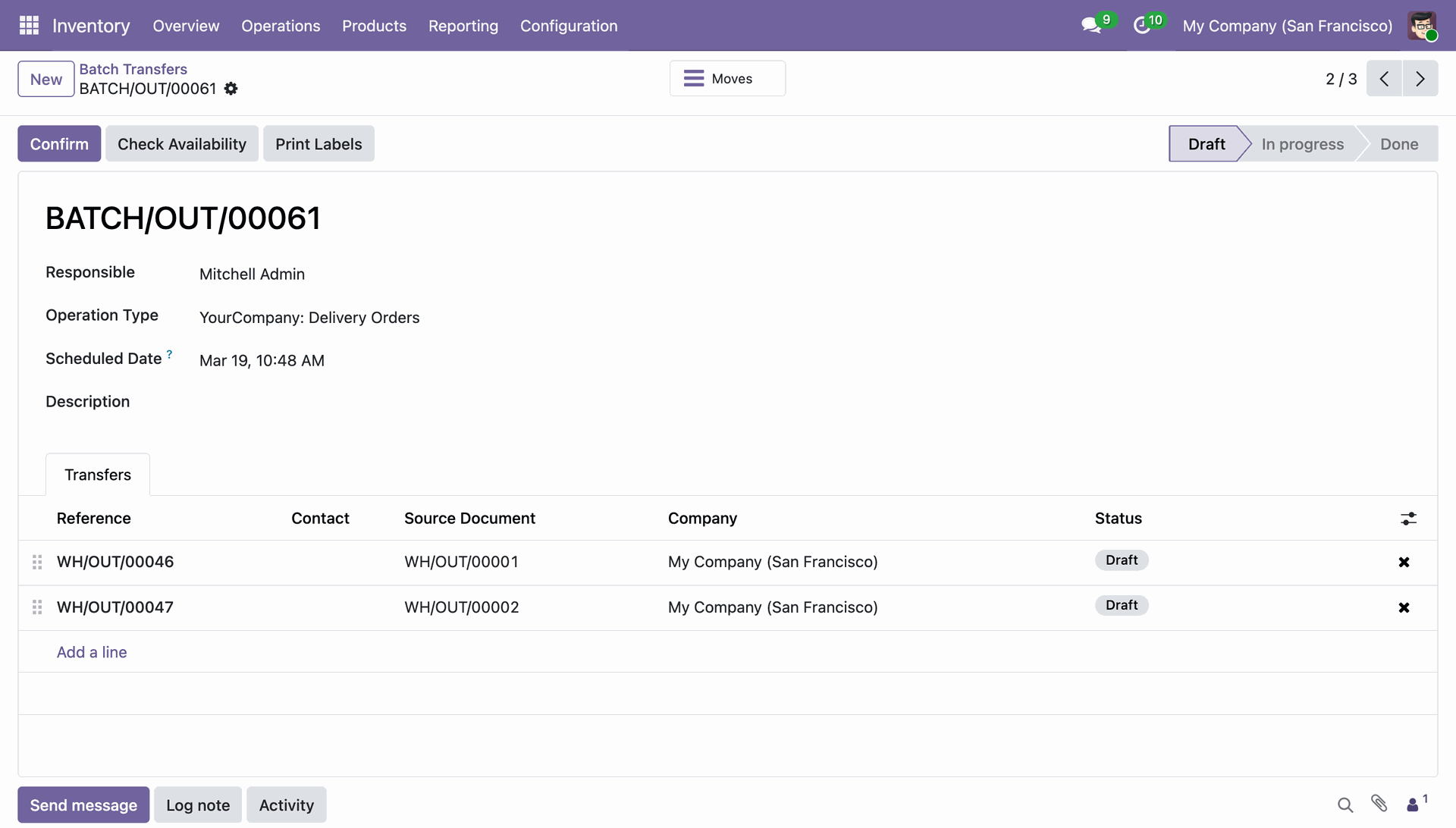
Reviewing draft batch transfer BATCH/OUT/00061, which consolidates delivery orders WH/OUT/00046 and WH/OUT/00047 for collective fulfillment.
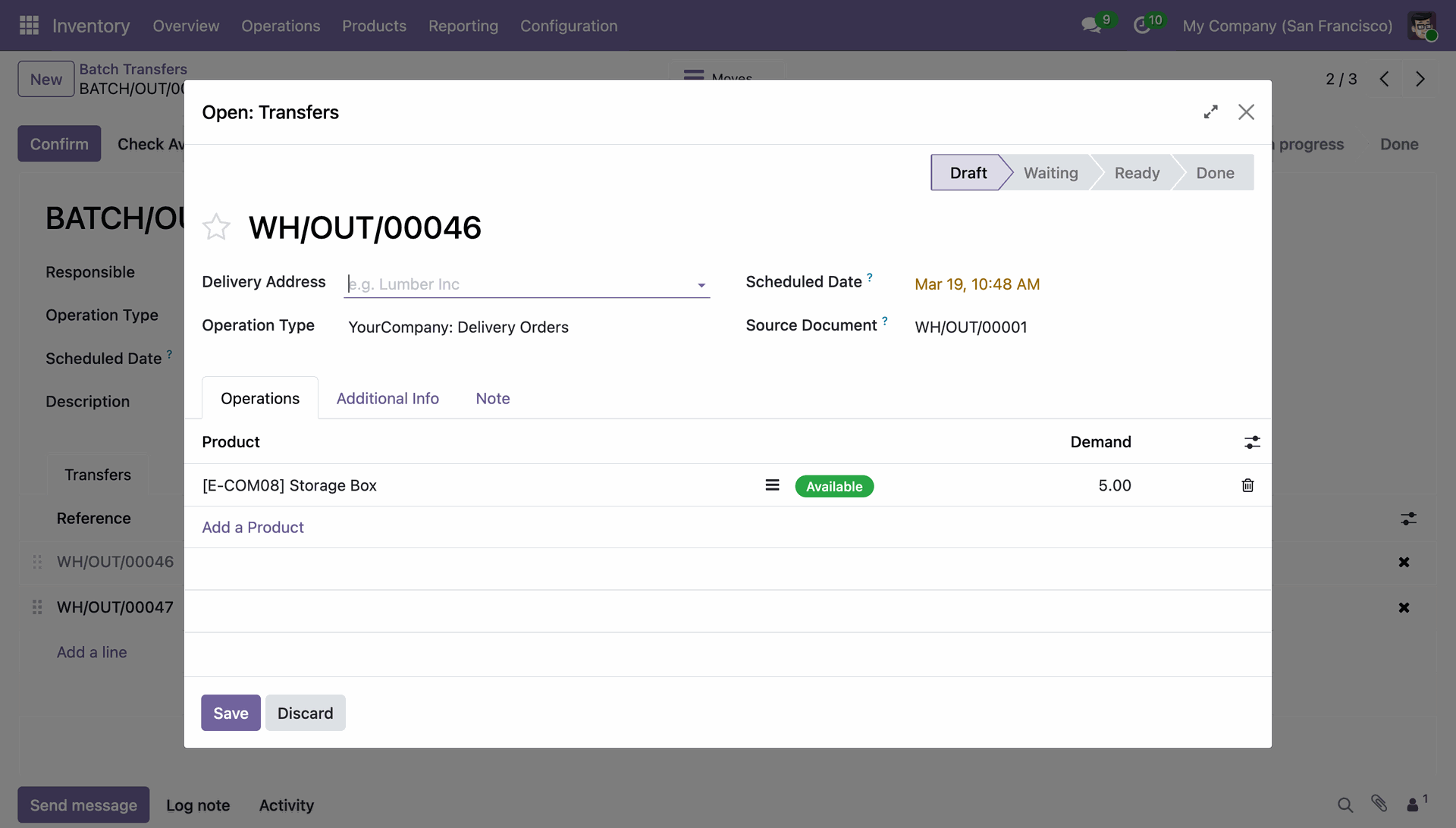
Reviewing the line items for delivery order WH/OUT/00046 within a batch, showing a demand for 5 Storage Boxes.
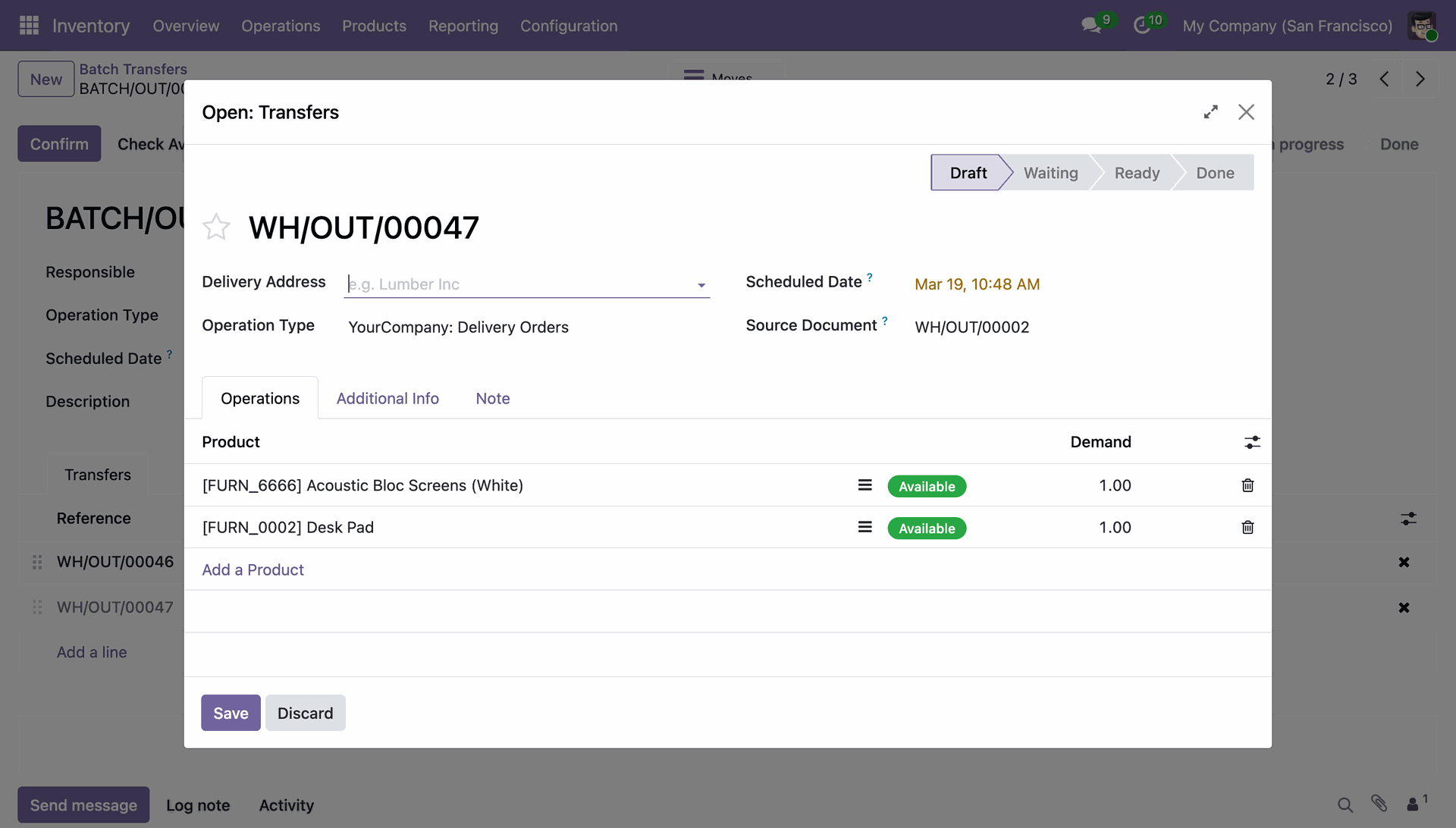
Reviewing the product availability for delivery order WH/OUT/00047 inside the batch transfer manager.
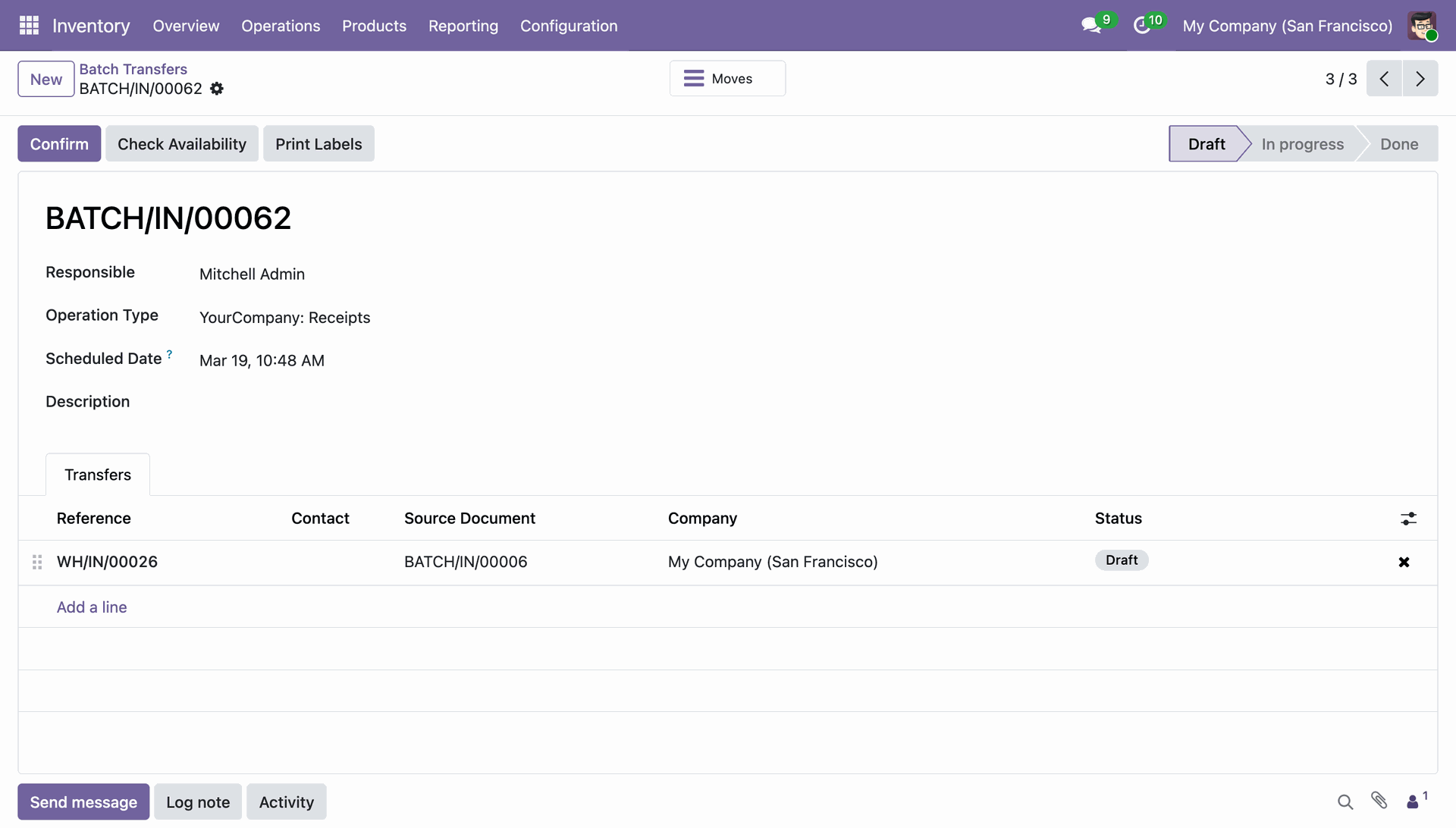
Reviewing the draft batch receipt BATCH/IN/00062, which groups the incoming transfer WH/IN/00026 for bulk processing.
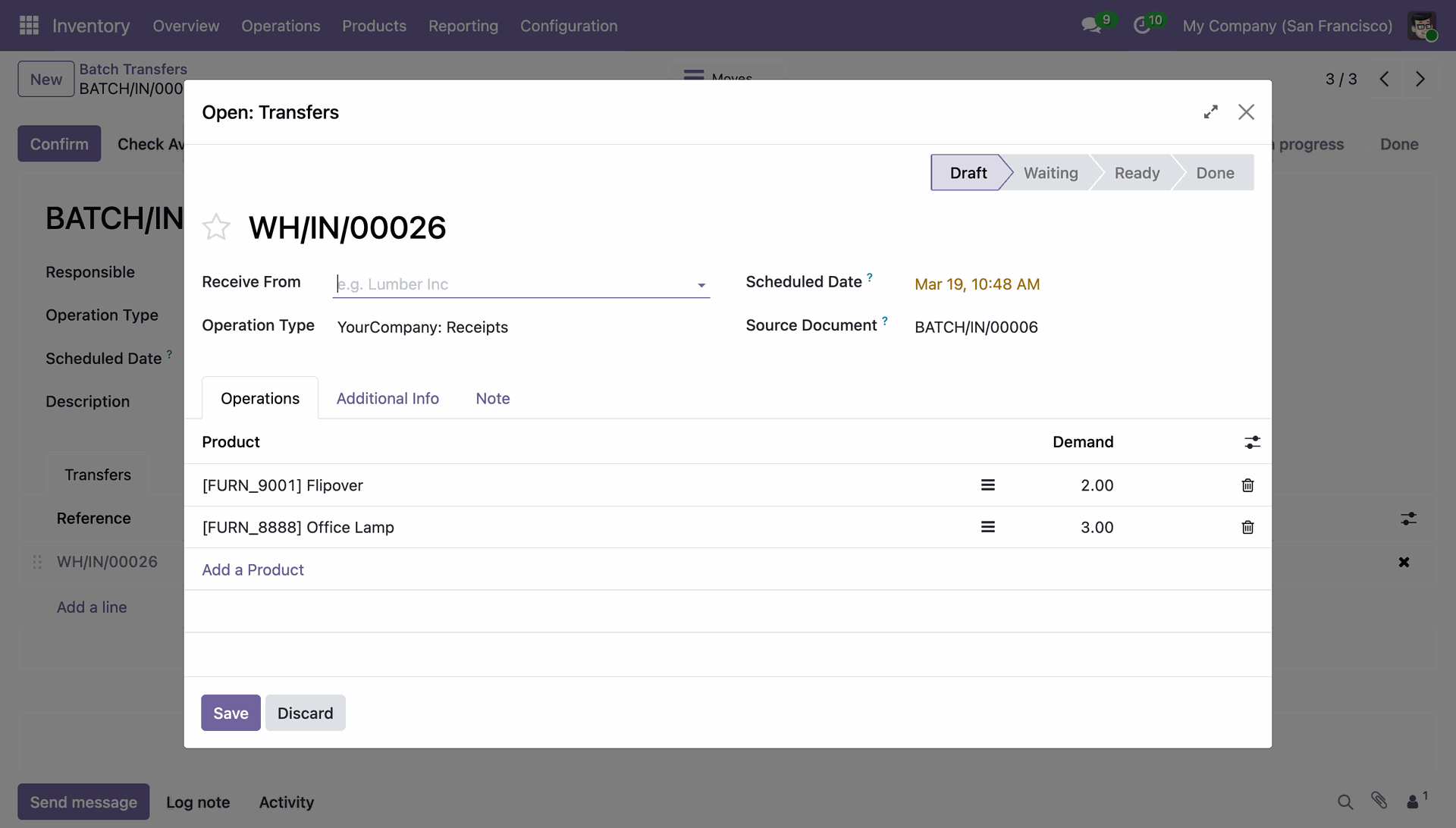
Reviewing the product quantities for receipt WH/IN/00026 within the batch manager, including Flipover units and Office Lamps.
Preparing to bulk-import inventory data by configuring the Import Batch Transfer wizard with specific picking and product identification methods.
Confirming the successful import of three batch transfer records after applying the CSV configuration.
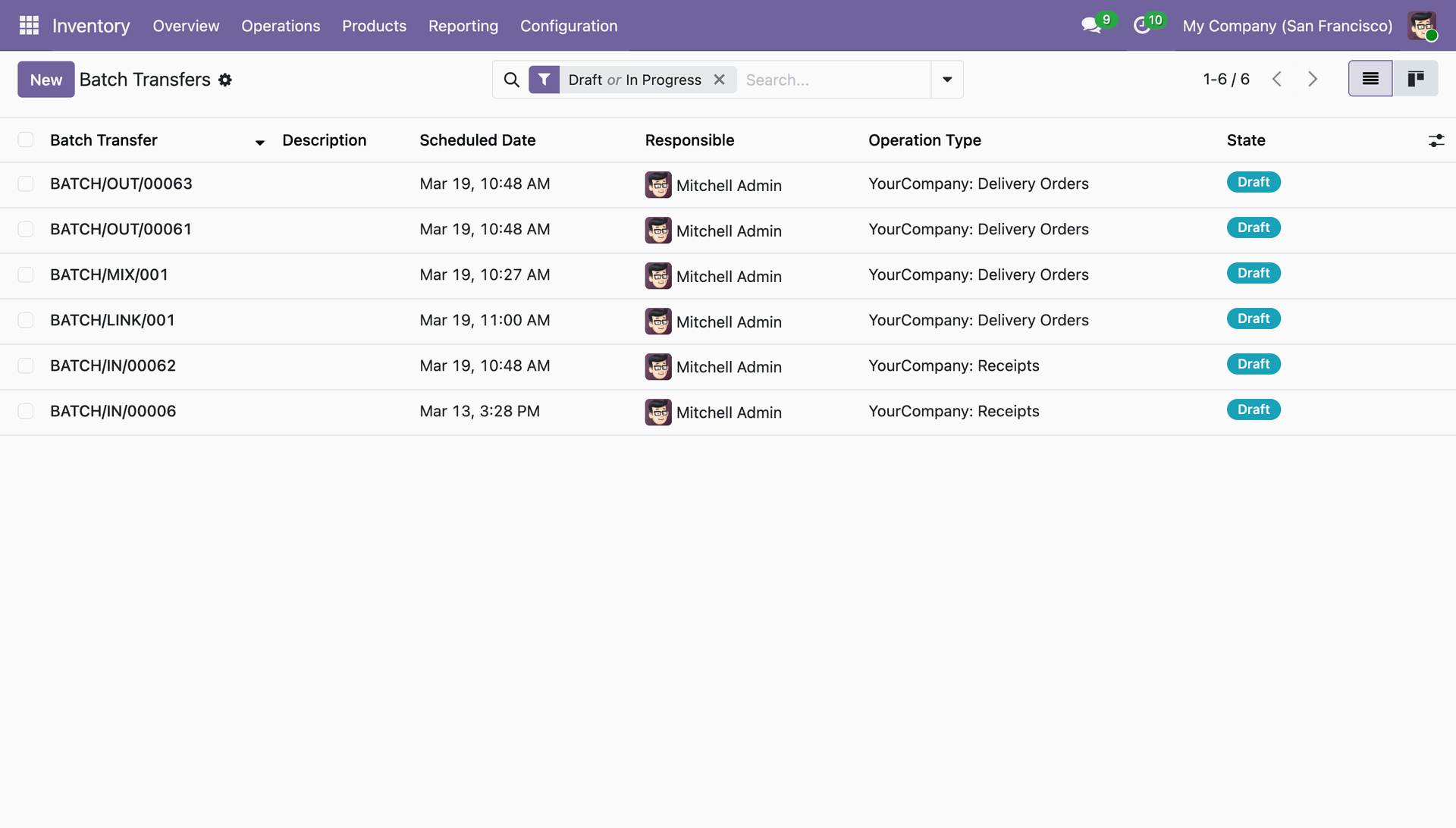
Reviewing the expanded list of batch transfers, including new entries like BATCH/MIX/001 and BATCH/LINK/001 in "Draft" state.
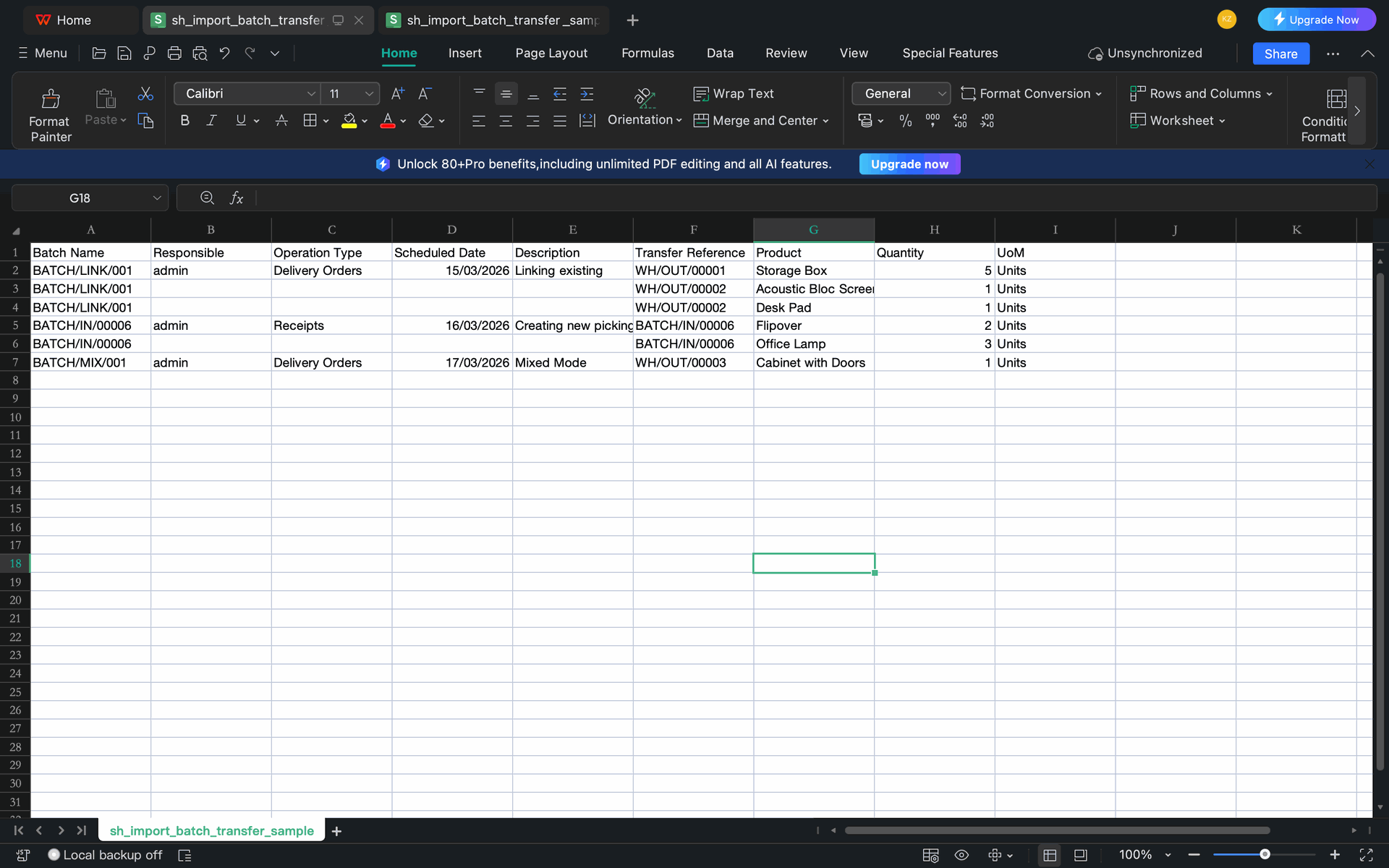
Organizing the sh_import_batch_transfer_sample file to bulk-upload consolidated delivery and receipt batches.
Version 18.0.1.0.0 | Released on : 16th June 2026
- Yes, this app works perfectly with Odoo Enterprise (Odoo.sh & Premise) as well as Community.
- No, this application is not compatible with odoo.com(odoo saas/Odoo Online)
- Yes, to test this module, please contact us at sales@softhealer.com.
- Please contact us at sales@softhealer.com to request customization.
- Yes, we provide free support for 365 days from the date of purchase.
- Yes, you will receive lifetime free updates for the version of the module you purchased.
- No, there is no need to install any additional libraries.
- Yes, for version 12 and above, you need to purchase the module separately for each version you intend to use.
- No, exchanges or refunds are not allowed. Please make sure to select the correct version before purchasing.
- You can contact us at support@softhealer.com for language translation support. We use Google Translator tools to provide translations in multiple languages, so the accuracy may vary. We welcome your suggestions to help improve translations.
Discover Our Latest Apps