










Image Attachment Compression

The Image Attachment Compression module automatically optimizes image storage in Odoo by compressing
images. It allows you to select the target Odoo model, such as Product, Employee, or Document, set image
quality percentage, and apply a minimum size filter. While supporting common formats like JPG, PNG, JPEG,
and BMP for Image document types, it runs fully in the background using a scheduled cron job every 5
minutes and provides a dedicated Compression Log menu with a separate log view for tracking.

Related Modules
Features

Model-Specific Configuration
Apply compression to specific Odoo models, such as Product, Employee, or Document, to control where optimization is required.

Image Document Type Support
Compress image-type documents while keeping other document types unaffected.

Adjustable Image Quality Control
Set the image quality in percentage to balance between file size reduction and visual clarity.

Minimum Image Size Filter
Define a minimum image size (KB) so only larger images are compressed, avoiding unnecessary processing.

Multiple Image Format Support
Supports commonly used image formats, including JPG, PNG, JPEG, and BMP.

Automated Image Compression Cron Job
Runs automatically via a scheduled cron job every 5 minutes without manual intervention.

Dedicated Compression Log Menu
Access a separate log menu under Document Compression to monitor all compression activities.

Detailed Success and Failure Logs
Each log entry shows compression status with failure reasons for better transparency and debugging.
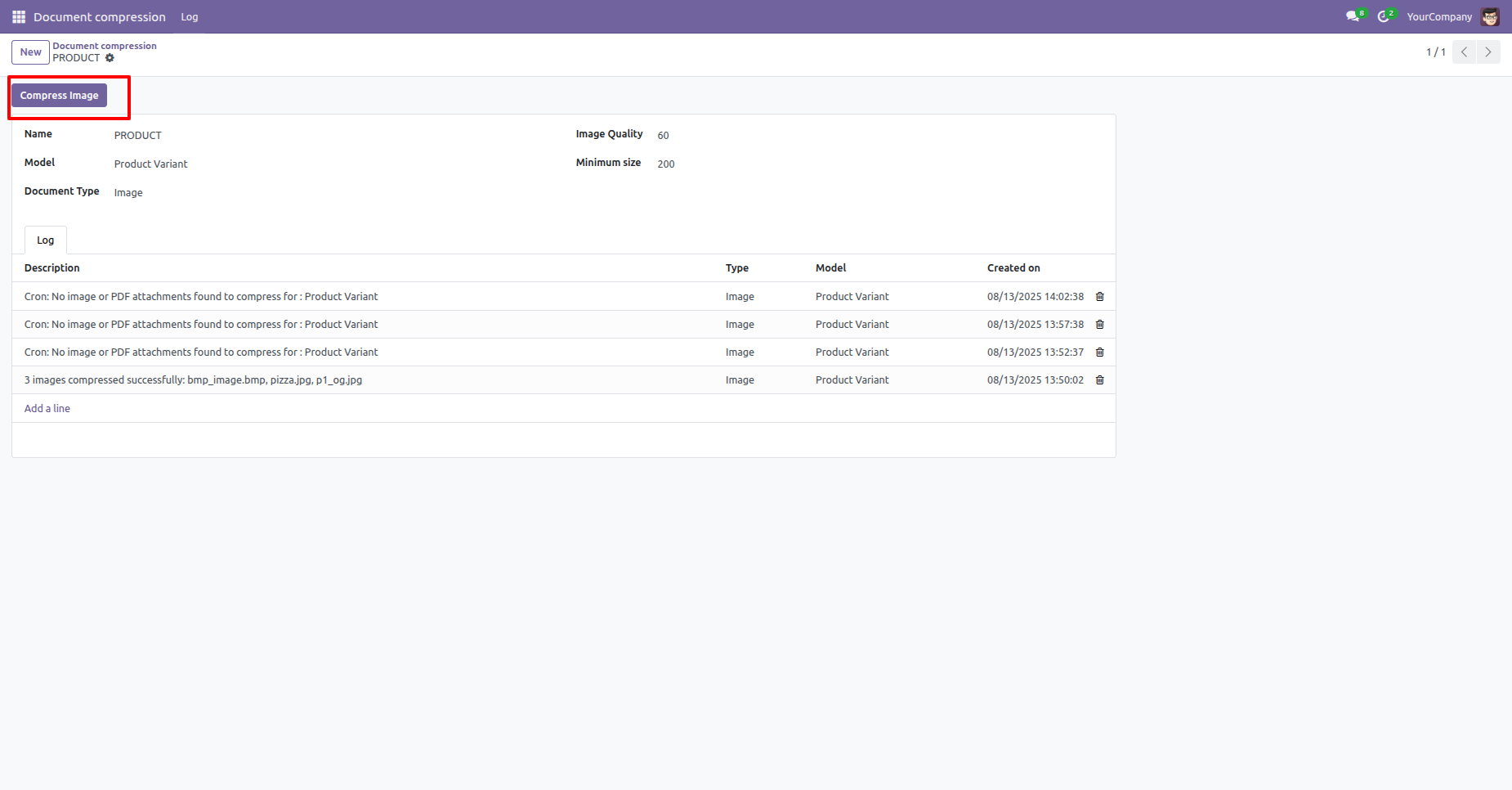
It allows you to configure specific rules, such as defining the target model, image quality, and minimum file size. You can trigger the process manually using the "Compress Image" button. The built-in log section at the bottom provides a detailed history of all successful compressions and automated system checks.
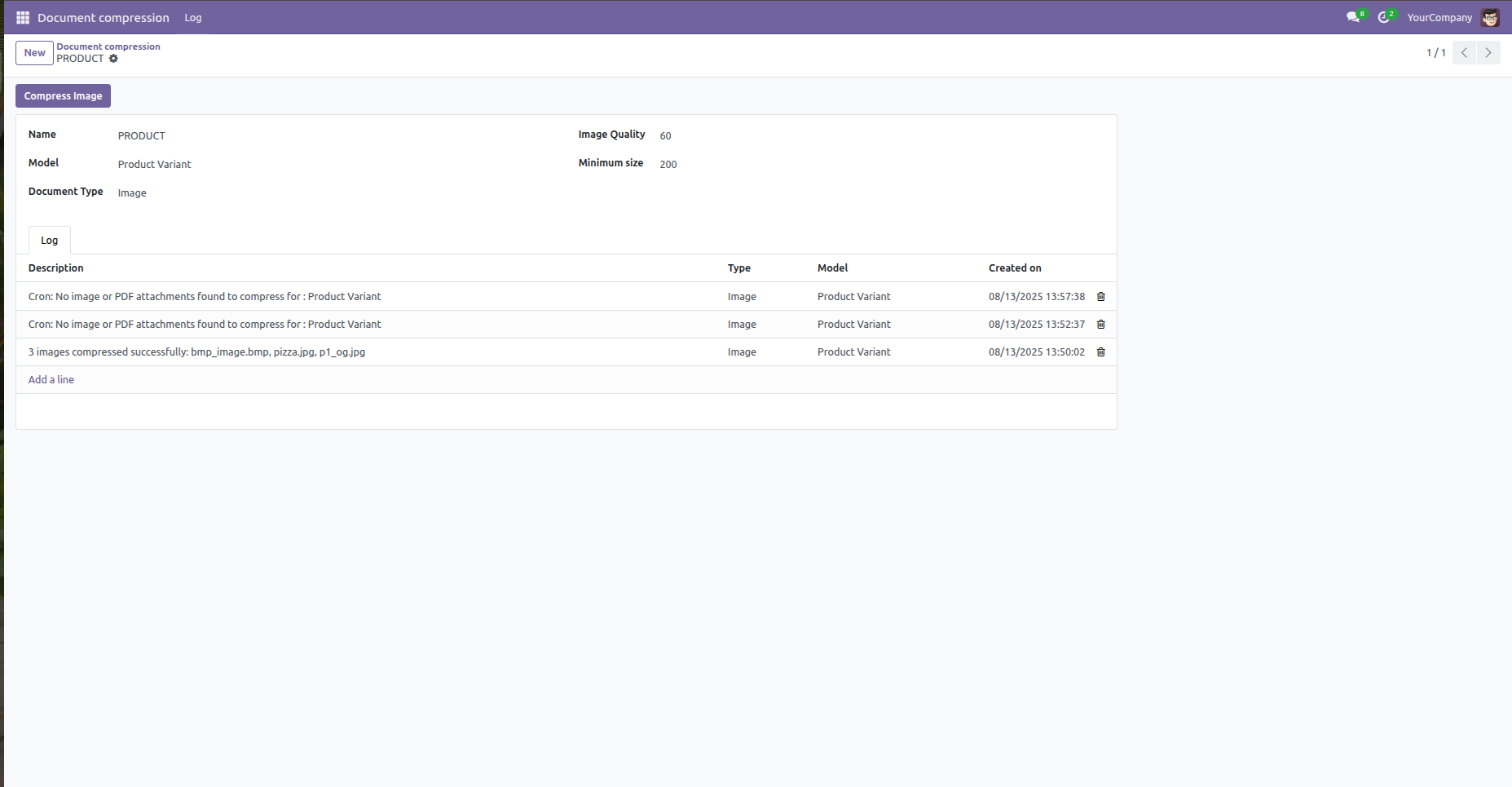
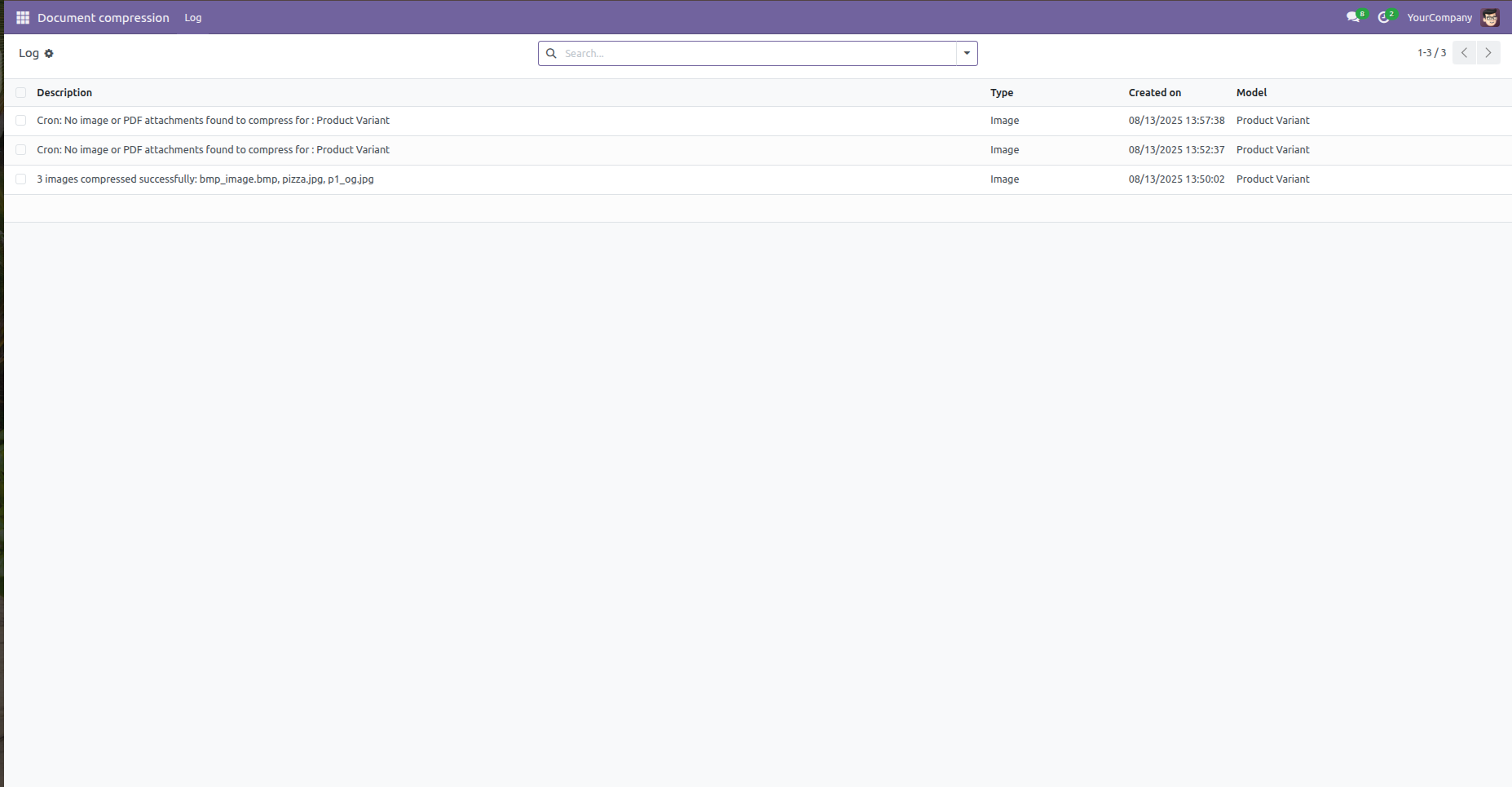
The Compression Log view displays a history of actions, including successfully compressed files and records of system checks when no files were found.
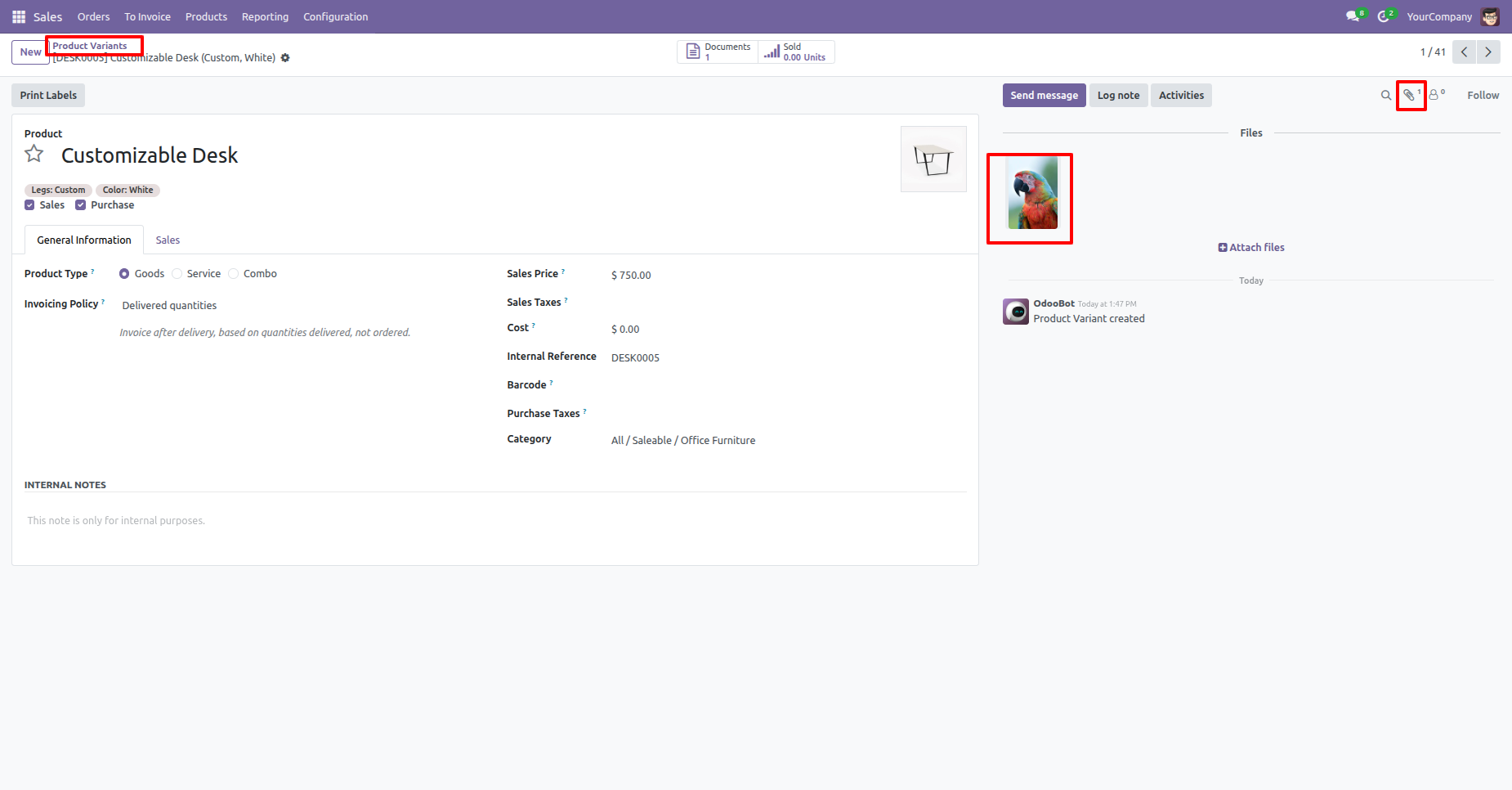
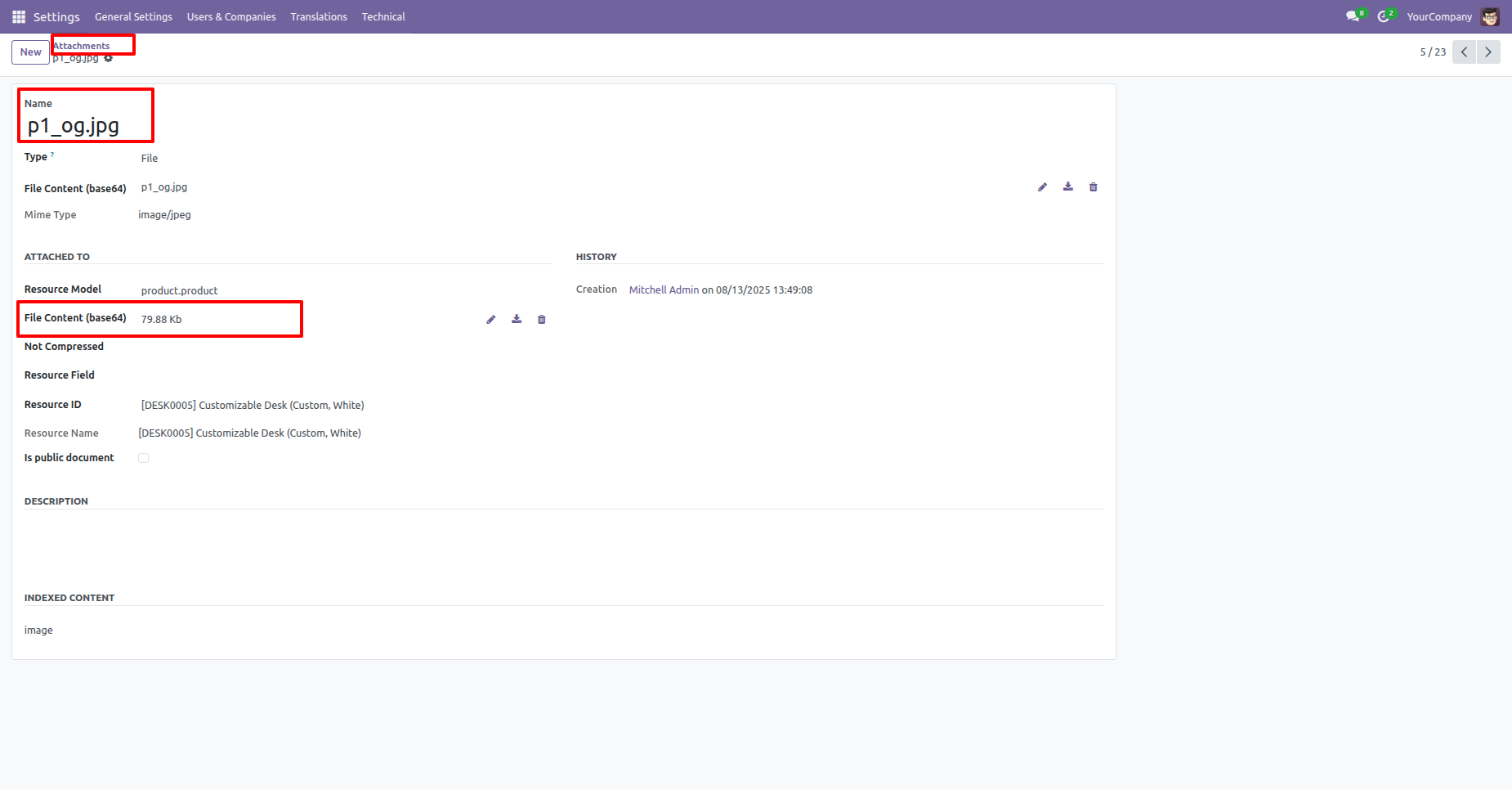
The image is attached to the product variant.
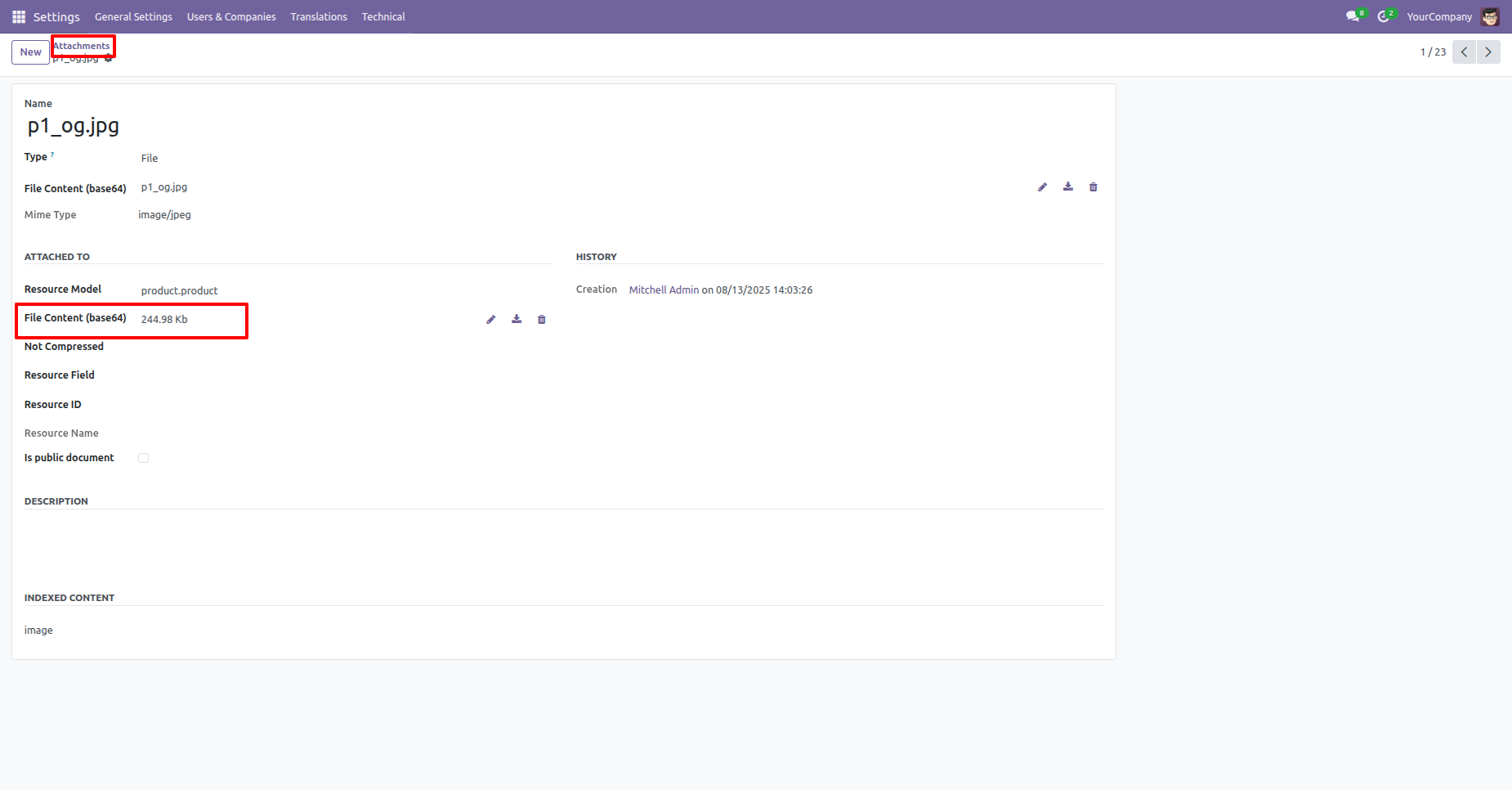
This is the Attachments view (with Developer Mode Activated) in Settings -> Technical -> Attachments, which displays detailed information about the uploaded file. The highlighted section shows the current file size.
Clicking the Compress Image button immediately starts compressing the selected model.
This is the Attachments view displaying the details of the compressed file.
Version 18.0.1 | Released on : 12th January 2026
- Yes, this app works perfectly with Odoo Enterprise (Odoo.sh & Premise) as well as Community.
- No, this application is not compatible with odoo.com(odoo saas/Odoo Online)
- Yes, to test this module, please contact us at sales@softhealer.com.
- Please contact us at sales@softhealer.comto request customization.
- Yes, we provide free support for 365 days from the date of purchase.
- Yes, you will receive lifetime free updates for the version of the module you purchased.
- No, there is no need to install any additional libraries.
- Yes, for version 12 and above, you need to purchase the module separately for each version you intend to use.
- No, exchanges or refunds are not allowed. Please make sure to select the correct version before purchasing.
- You can contact us at support@softhealer.com for language translation support. We use Google Translator tools to provide translations in multiple languages, so the accuracy may vary. We welcome your suggestions to help improve translations.
Discover Our Latest Apps