












HR Employee Performance Review

This module helps organizations manage and evaluate employee performance easily. HR managers and team leaders can create and set up reviews based on different criteria like review type, scores, and performance. It allows users to define review types, set access permissions, and generate reports based on review type, score, or top-performing employees. The module also provides automatic warnings for invalid scores, ensuring fair and efficient performance reviews.

Features

Multi Company Support
Manage performance reviews for employees across multiple companies with complete data isolation.

Employee Self-Assessment
Allow employees to complete their own evaluations and provide performance ratings.

Role Based Hierarchy
Evaluate through a 3-level hierarchy empowering heads, managers, and employees in the review process.
Record Level Access Rules
Securely control review visibility and access for every user based on their assigned roles.
Global Evaluation Cycles
Plan and schedule company-wide reviews easily through flexible, configurable evaluation cycles.
Evaluation Period Wizard
Generate evaluation periods quickly using the wizard with practical filters for date and type.

KPI & Competency Templates
Reuse preconfigured KPI and competency templates to create consistent, faster employee reviews.
Multi-Stage Evaluation Workflow
Manage evaluations through a five-stage workflow with protected fields at each stage.

Manager Assessment
Allow managers to evaluate team members and provide performance ratings.

Confidential HR Notes
Add private HR notes to evaluations and send automatic email notifications when required.

Employee Evaluation Portal
Allow employees to view and submit their self-ratings directly from the portal.

Manager Appraisal Portal
Allow managers to review and complete team member appraisals from the portal.
Batch Evaluation Creation
Create evaluations for multiple employees at once to save time and simplify management.
Automatic Period Lock
Automatically lock evaluation periods after their defined period to prevent unwanted changes.
KPI Performance Dashboard
Visualize performance through a premium dashboard with KPI charts, scores, and trends.
Open the Employee Performance Dashboard to review department summaries and employee performance cards.
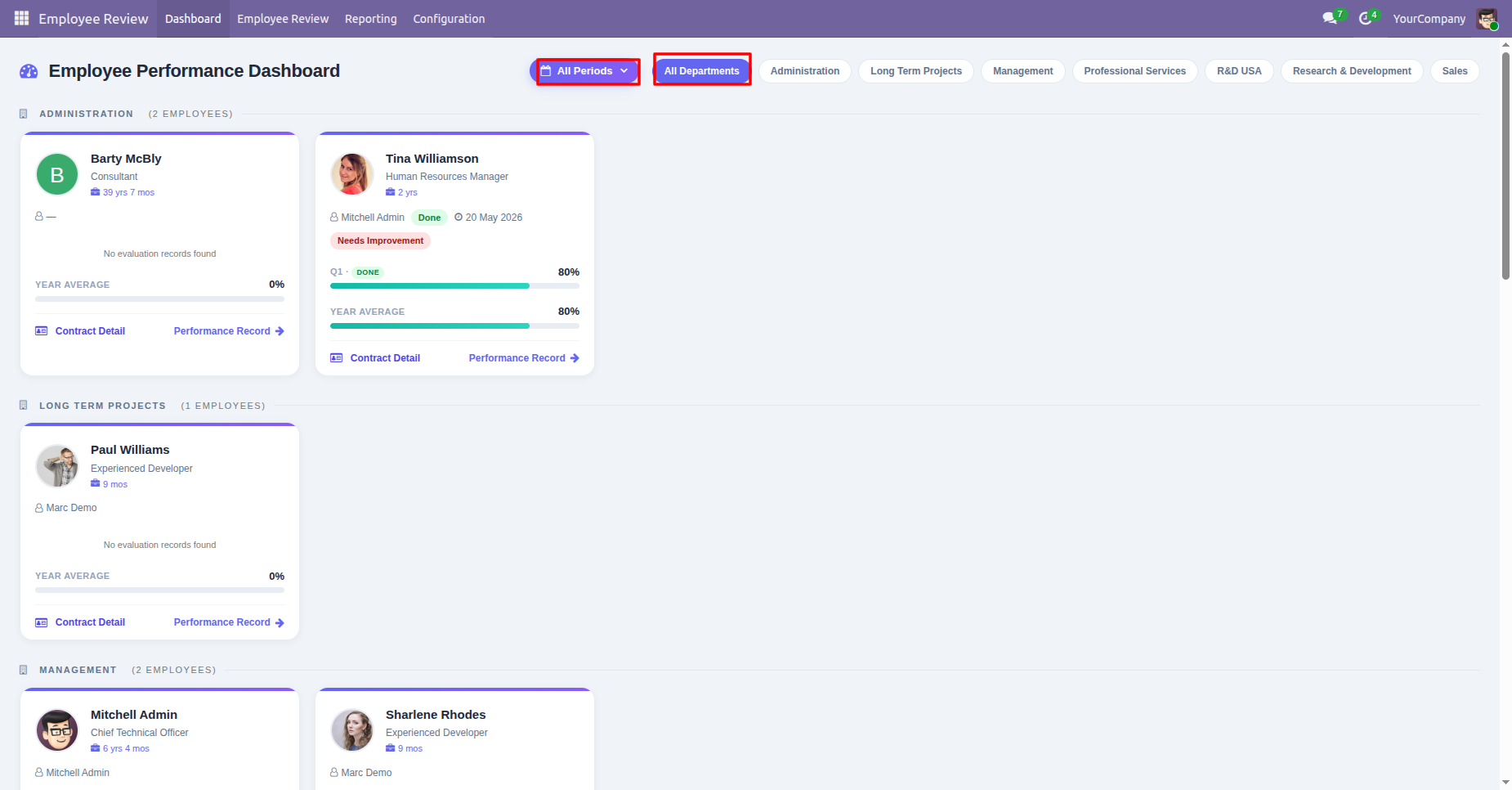
Filter the Employee Performance Dashboard by department and review individual employee performance information.
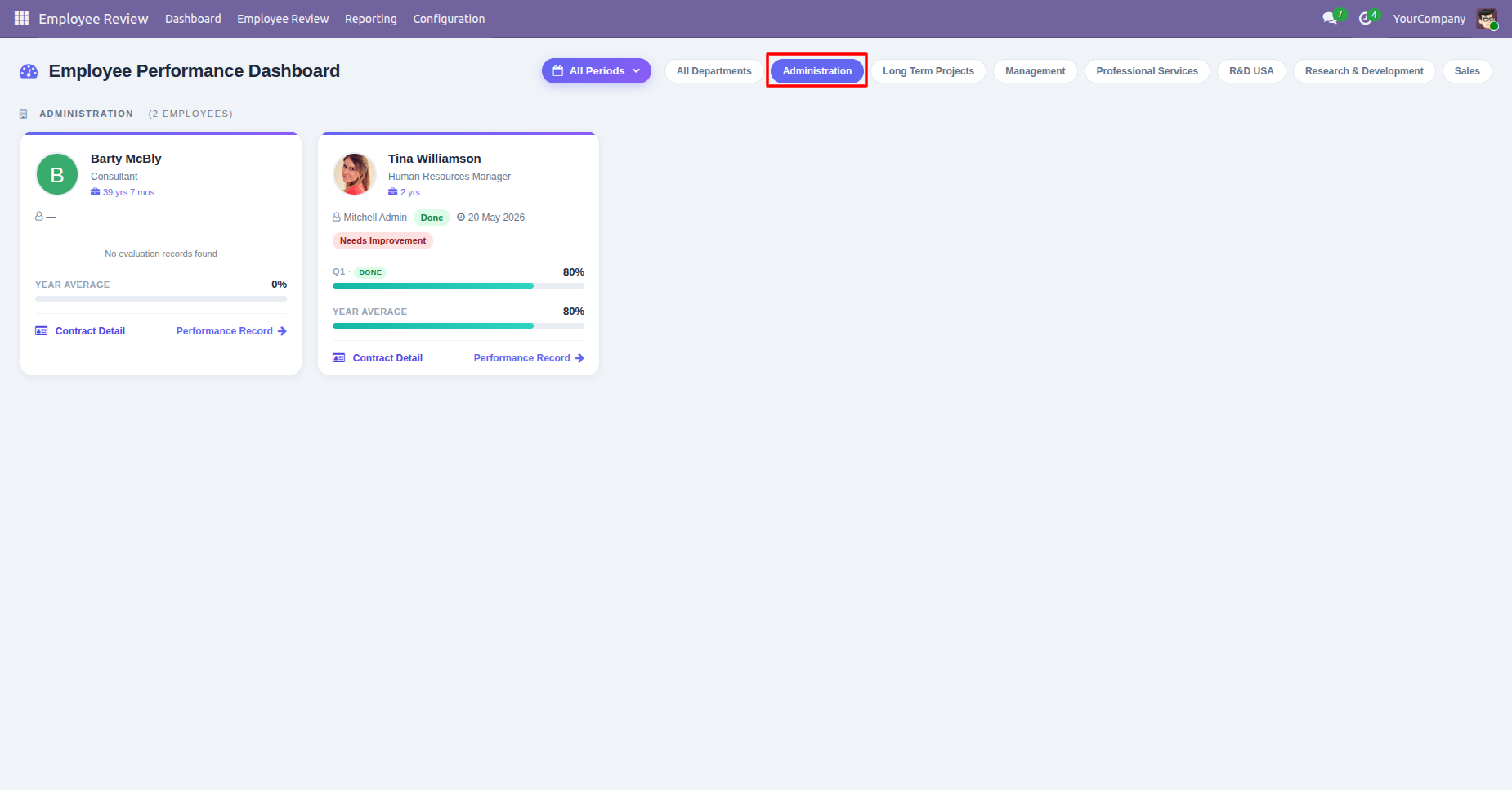
Review an employee dashboard card showing evaluation status, scores, and period performance information.
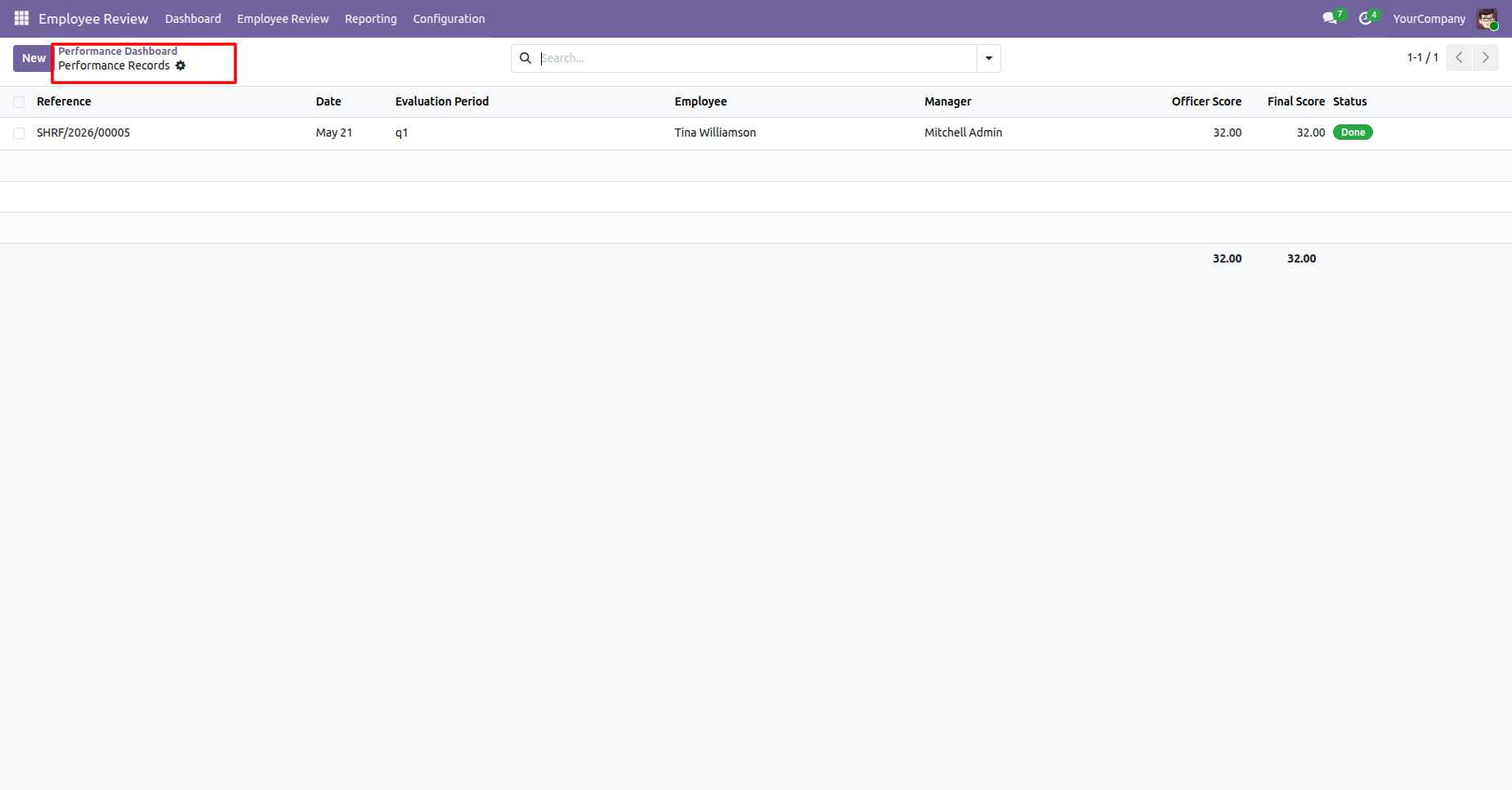
Open Performance Records to review evaluation entries with employee, manager, score, and status details.
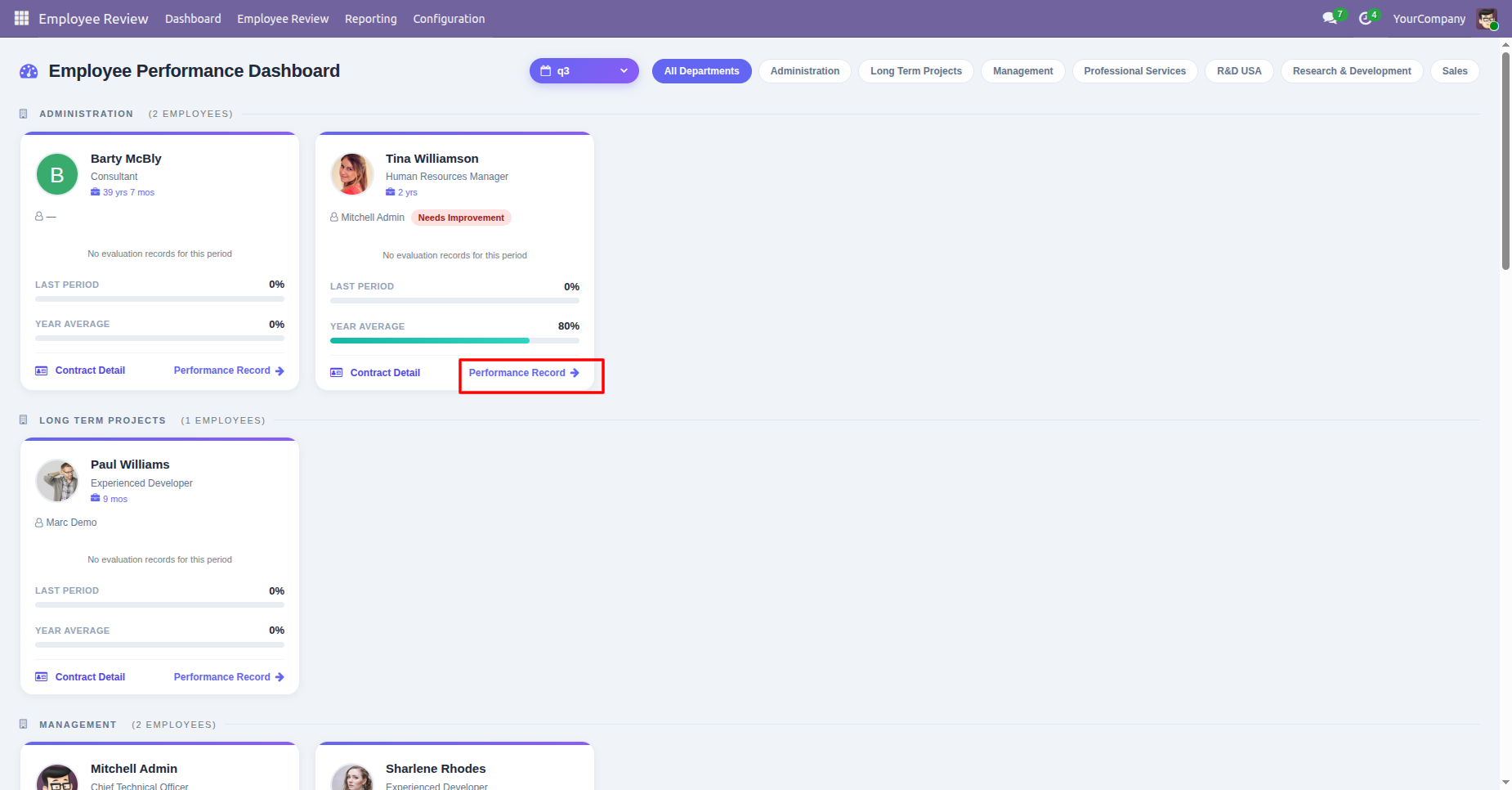
Review employee performance dashboard results with evaluation status and period-specific performance indicators.
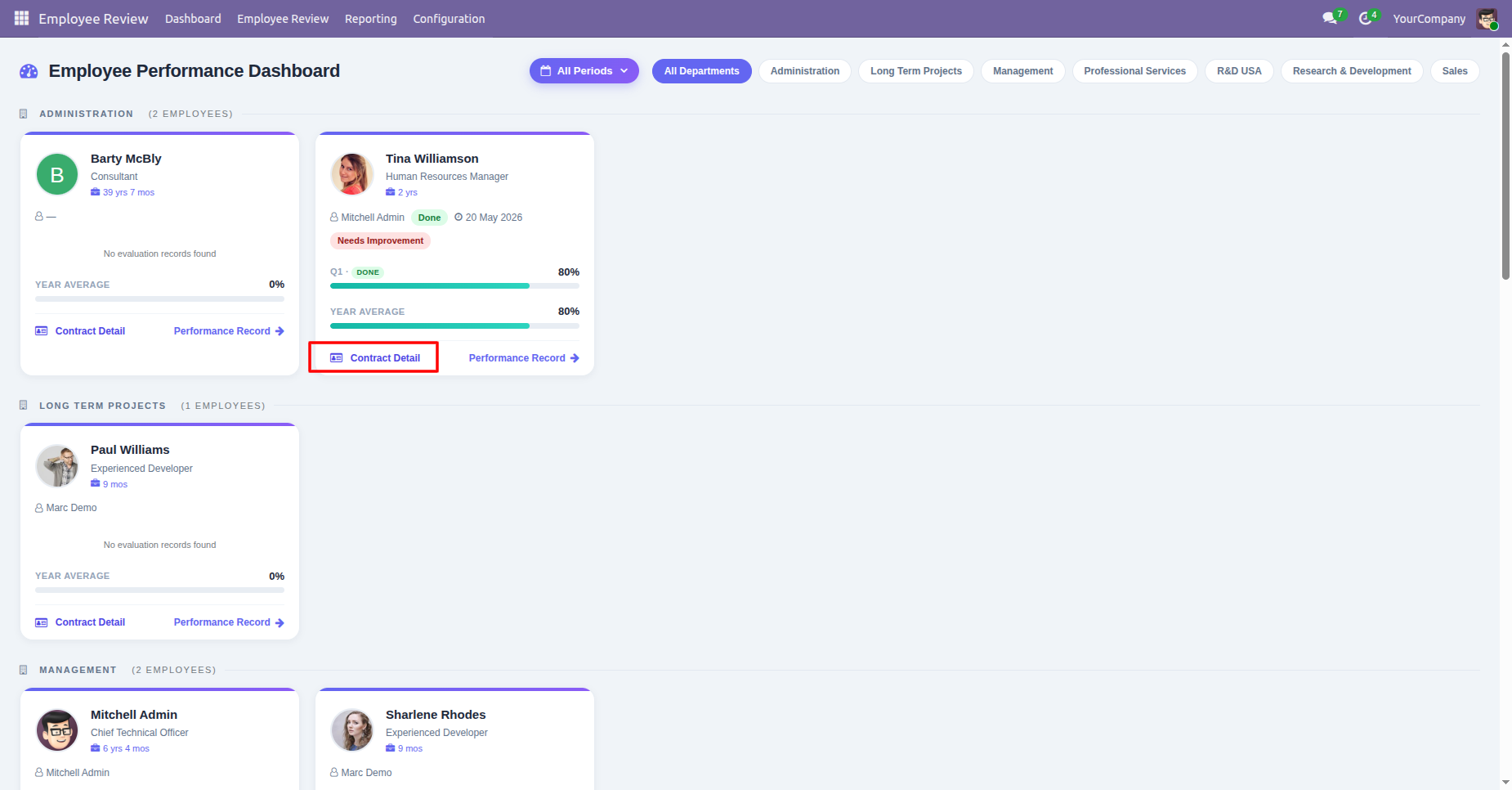
Review employee contract details including department, wage, contract type, salary structure, and working hours.
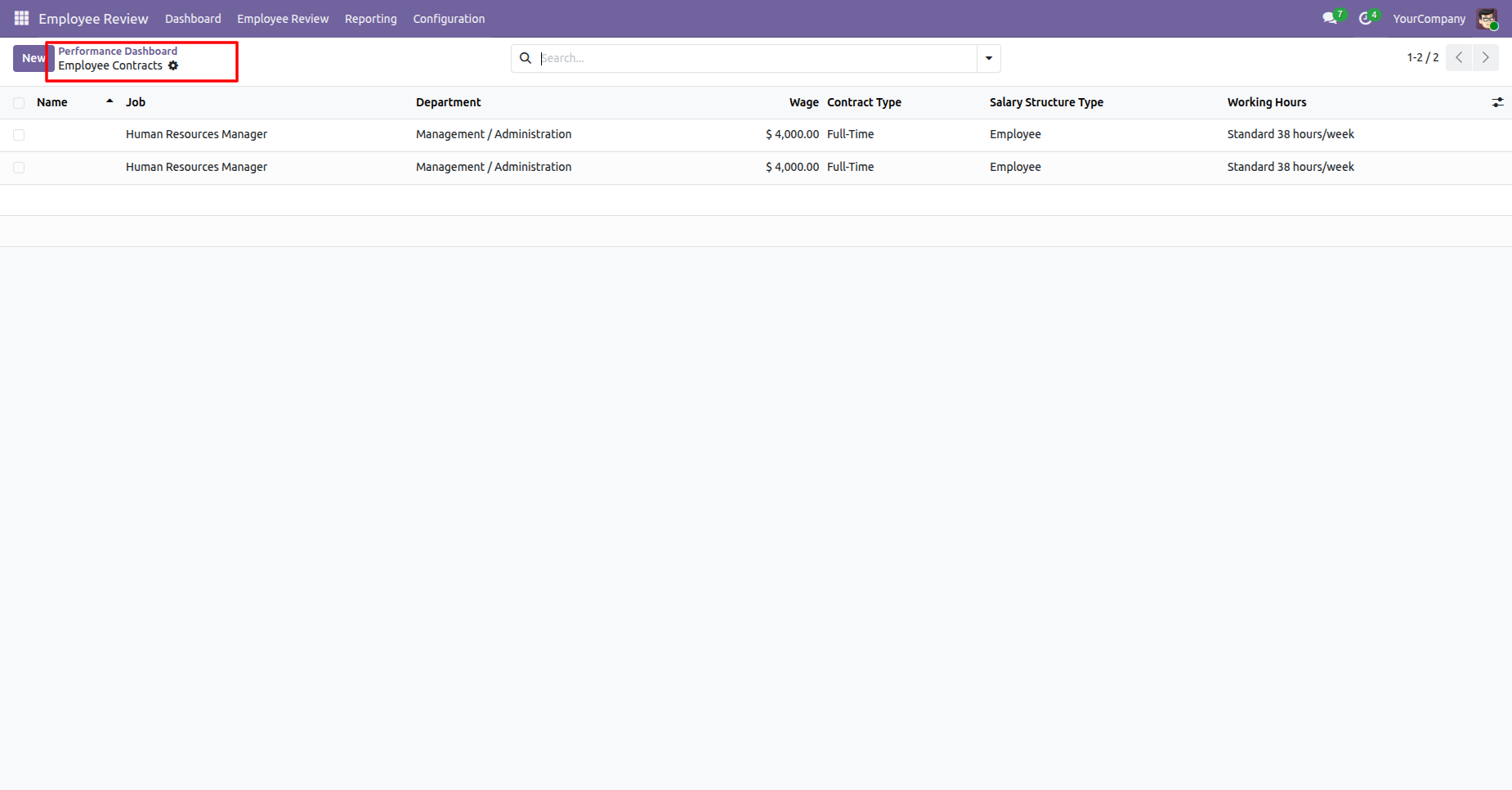
View the manager performance dashboard with employee cards, department filters, and evaluation indicators.
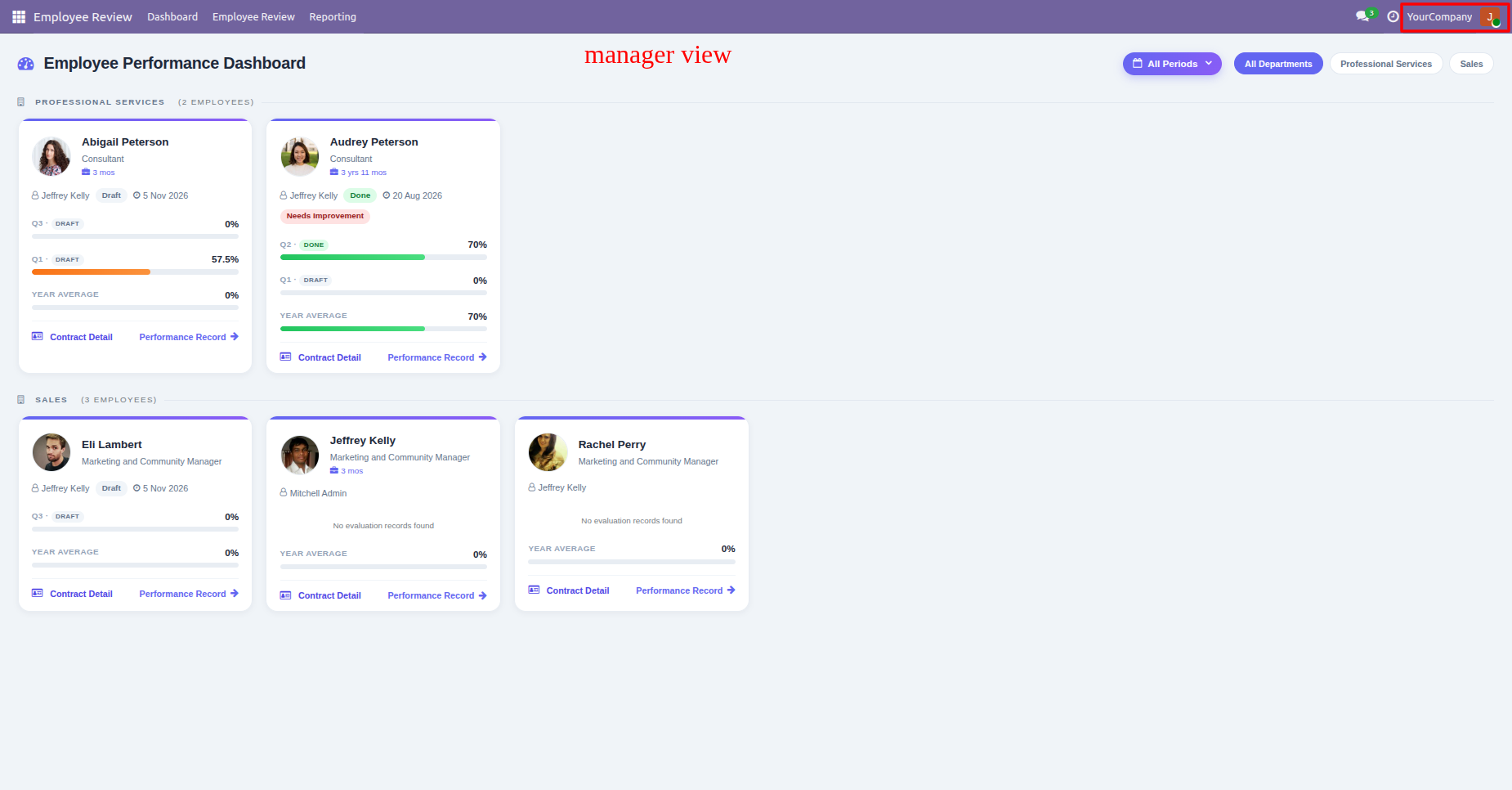
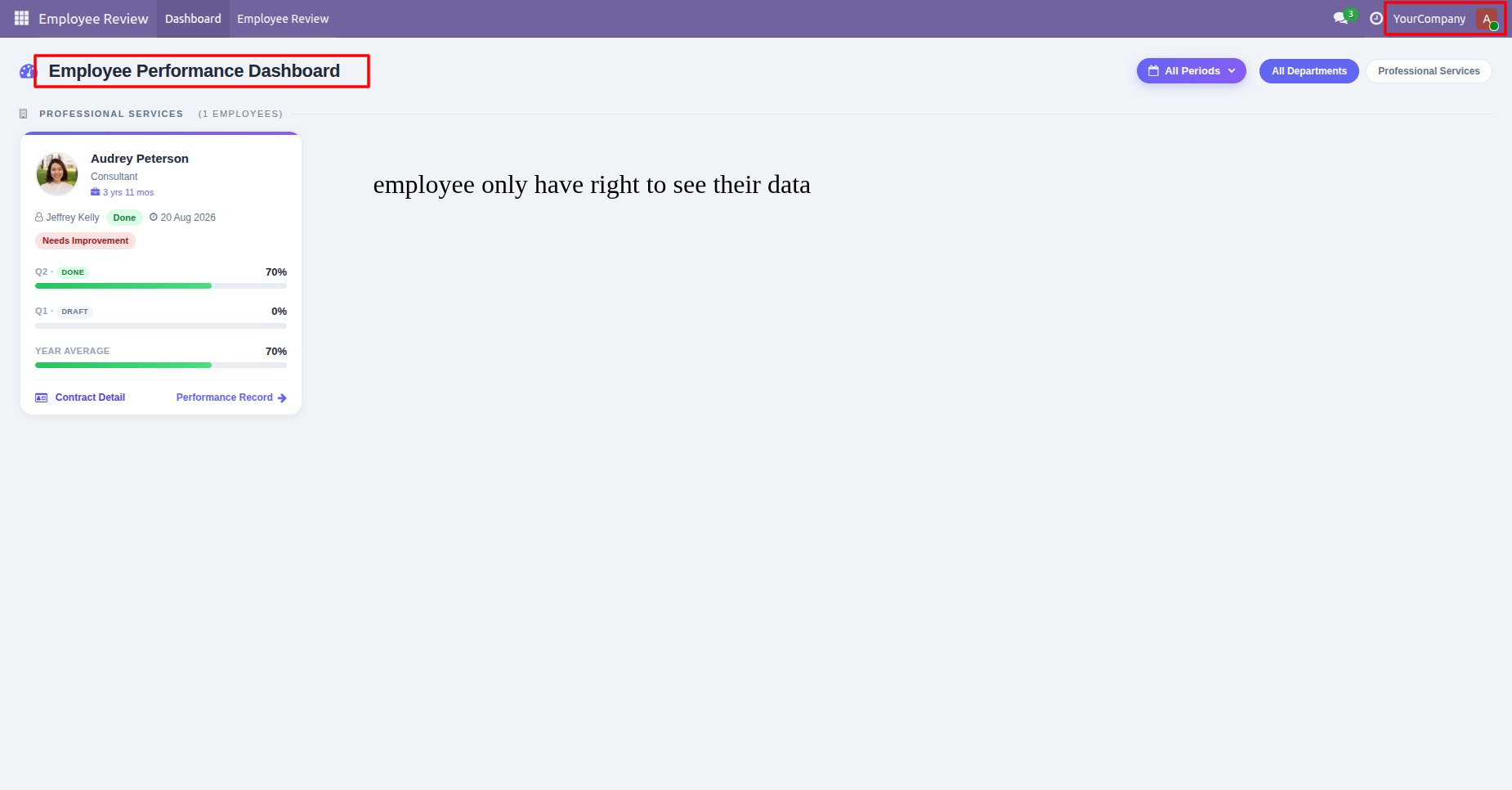
View the employee dashboard showing personal performance information and the employee-only data access message.
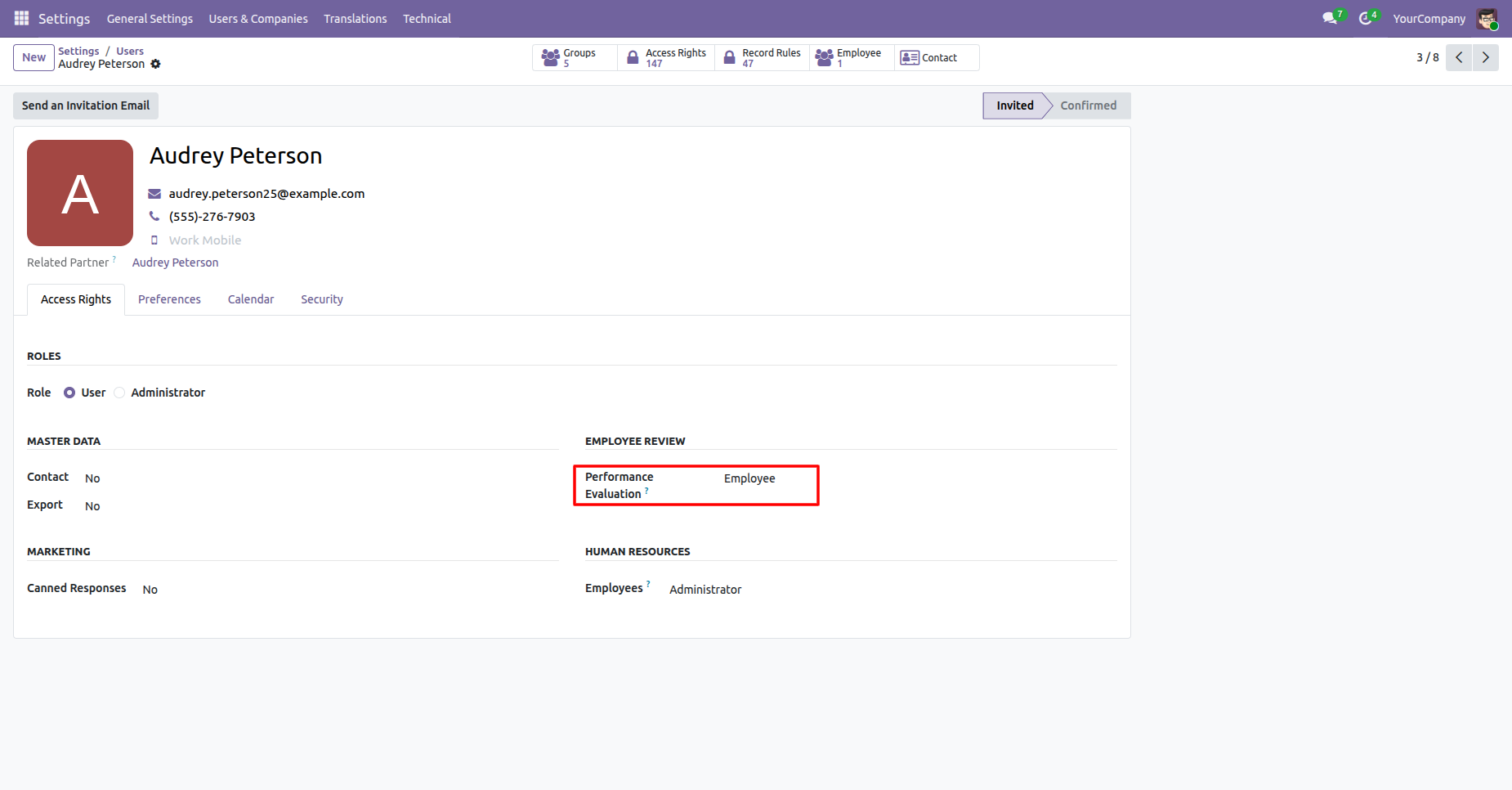
Open the user settings and select Performance Evaluation - Employee to grant the permission for the selected user.
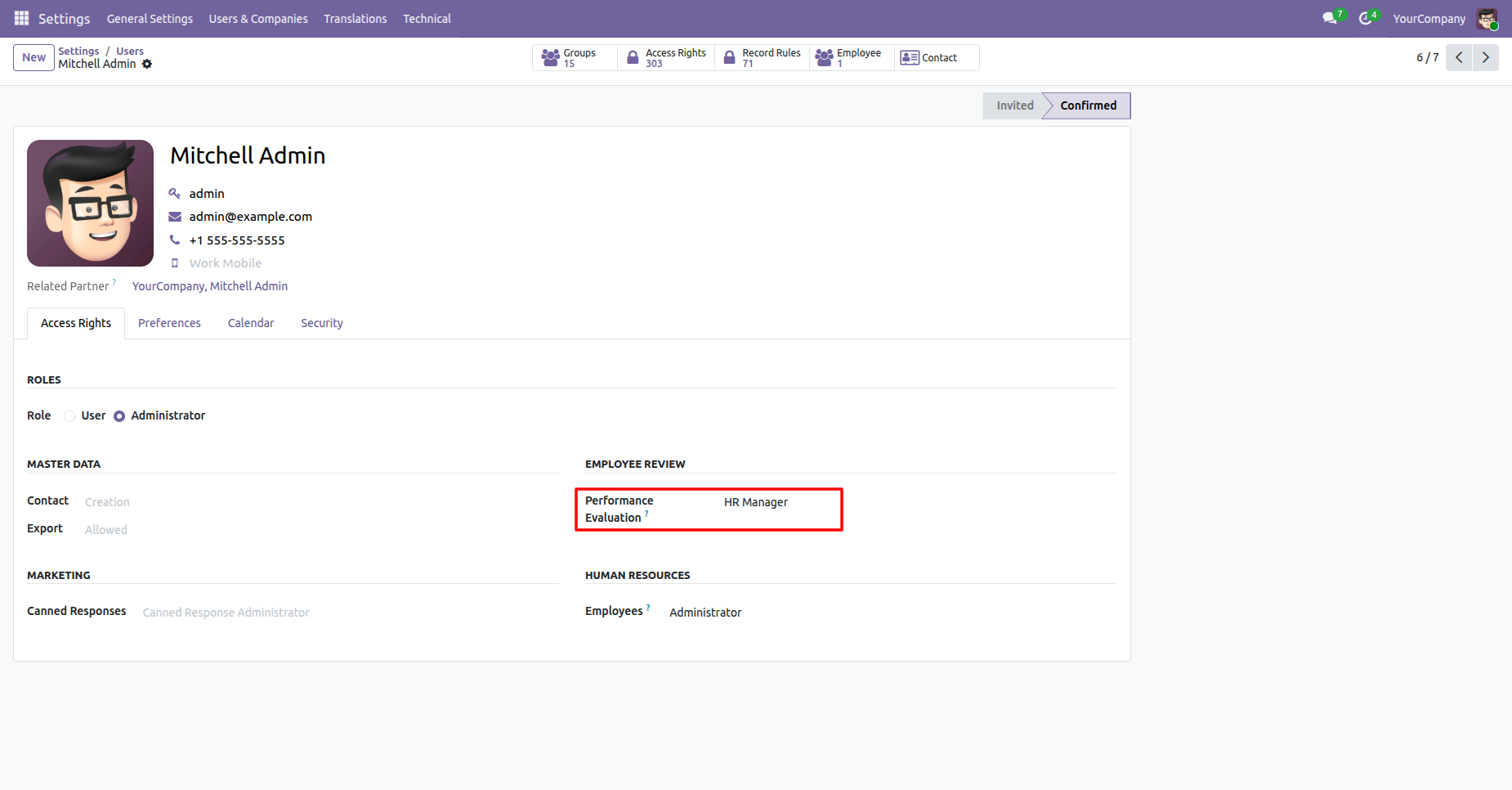
Review available KPI and competency templates from the Employee Review configuration menu.
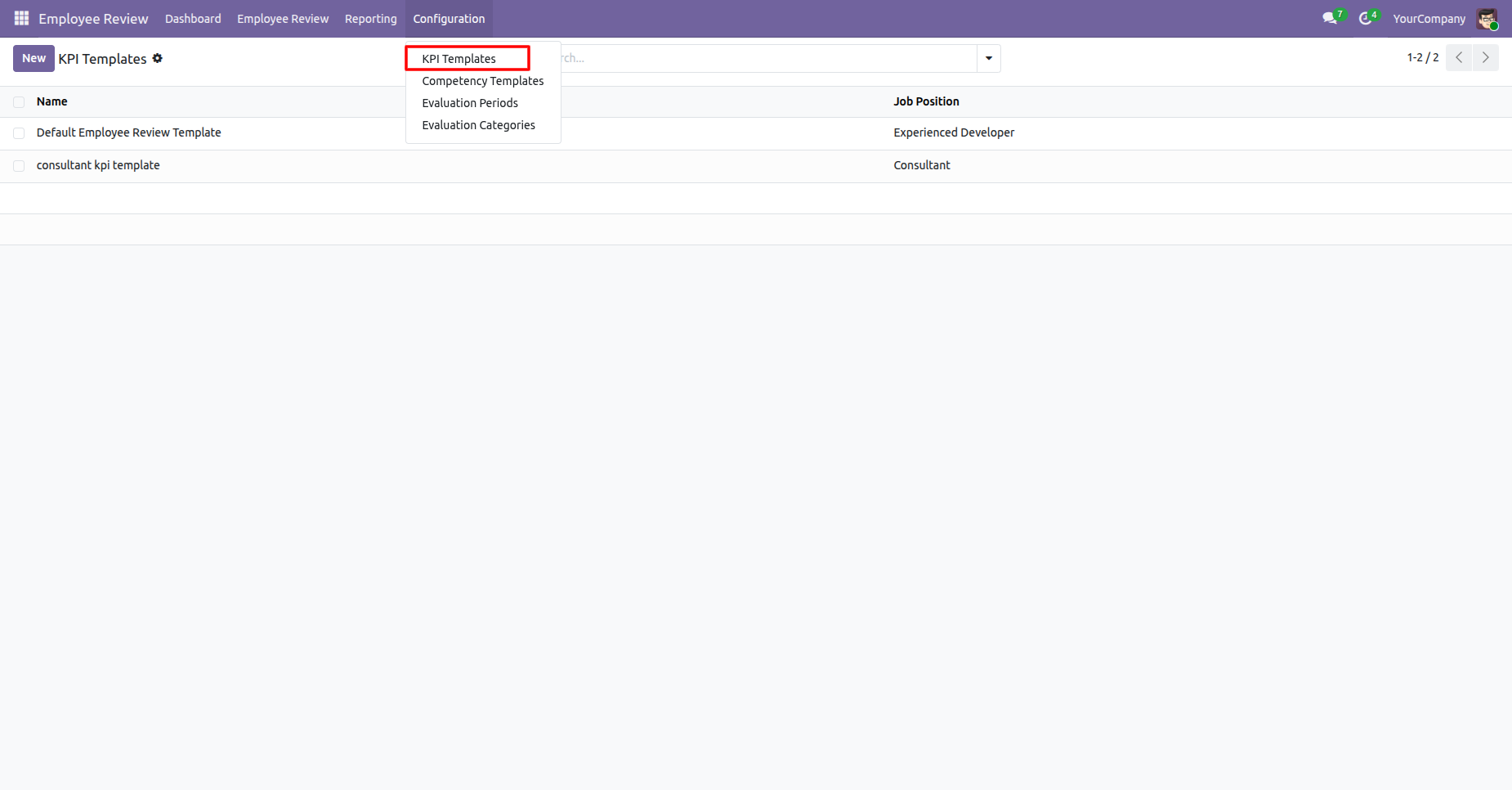
Configure KPI template lines with categories, descriptions, and maximum scores for employee evaluations.
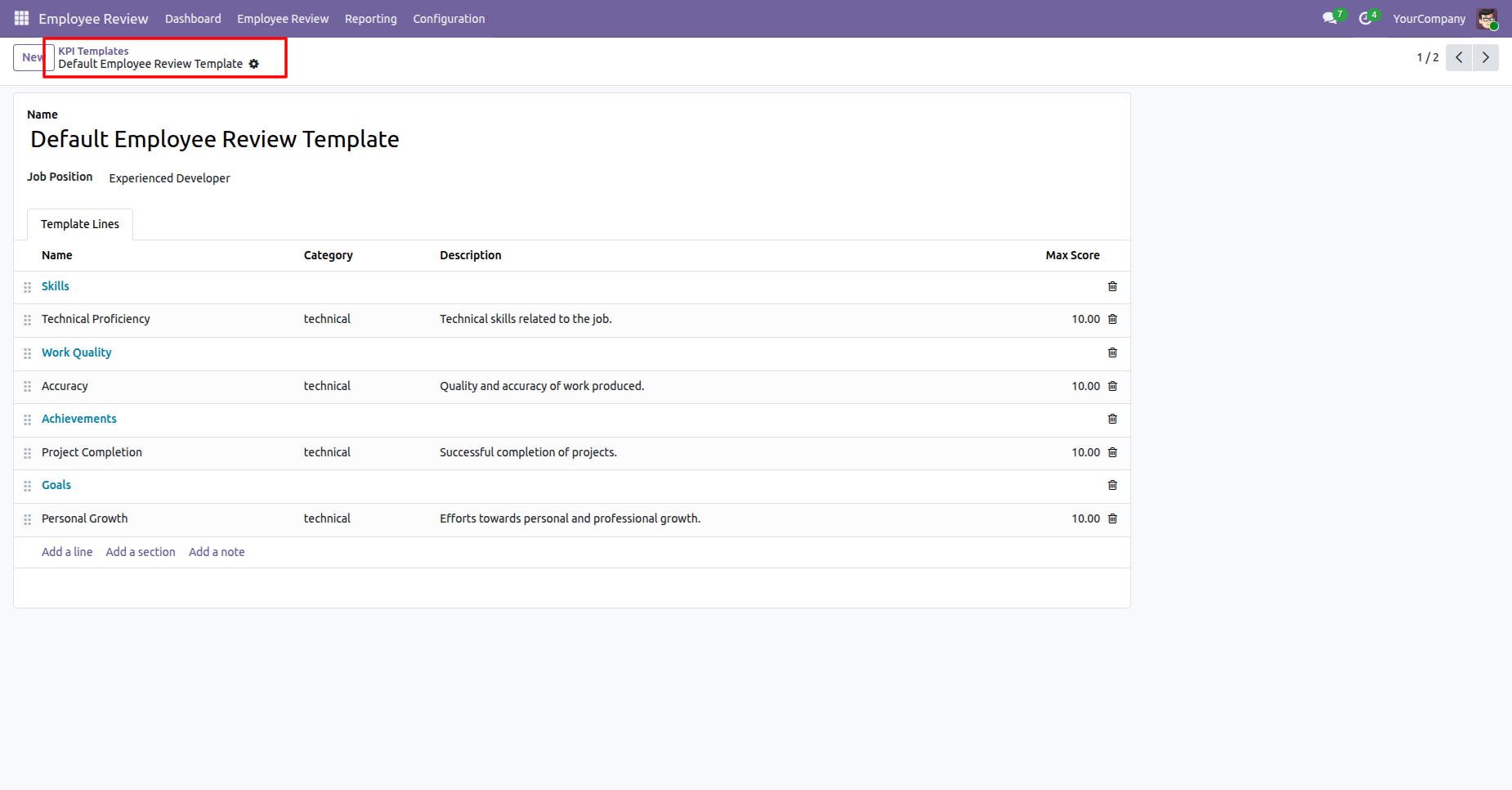
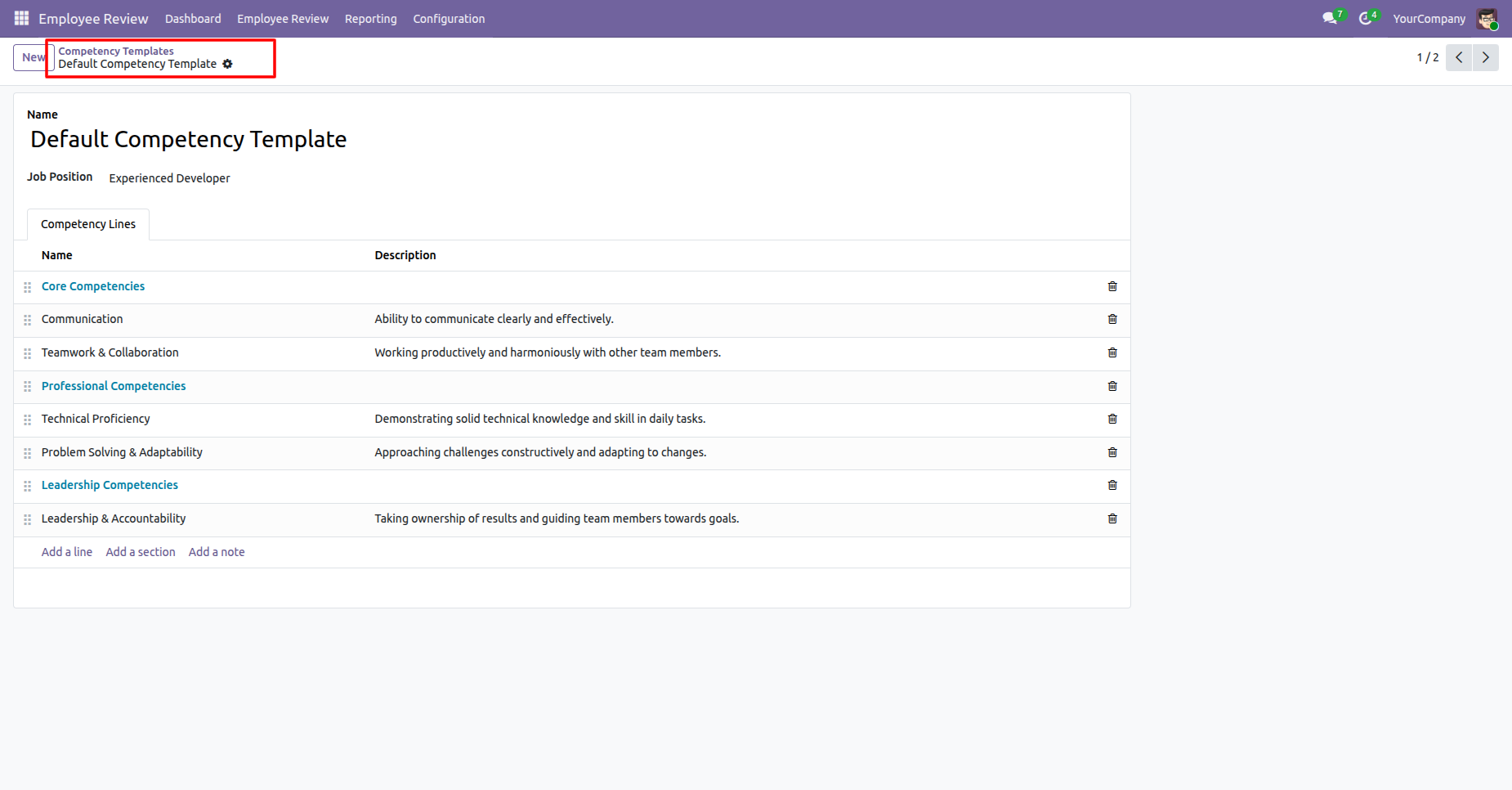
Open the Competency Templates list to review configured competency templates for employee assessments.
Configure competency template lines with descriptions for communication, teamwork, technical, and leadership skills.
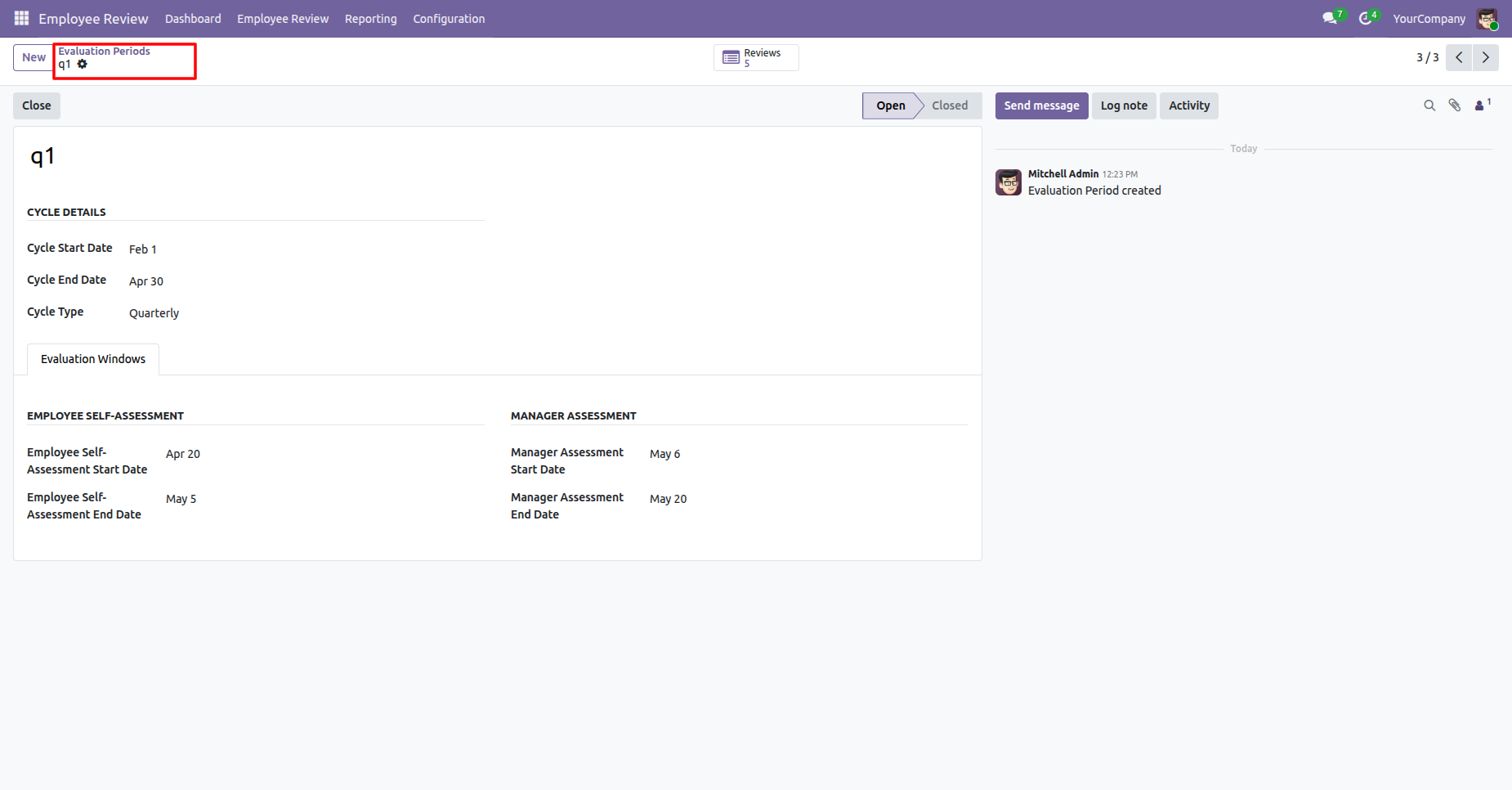
Review the evaluation cycle dates, type, and employee and manager assessment windows.
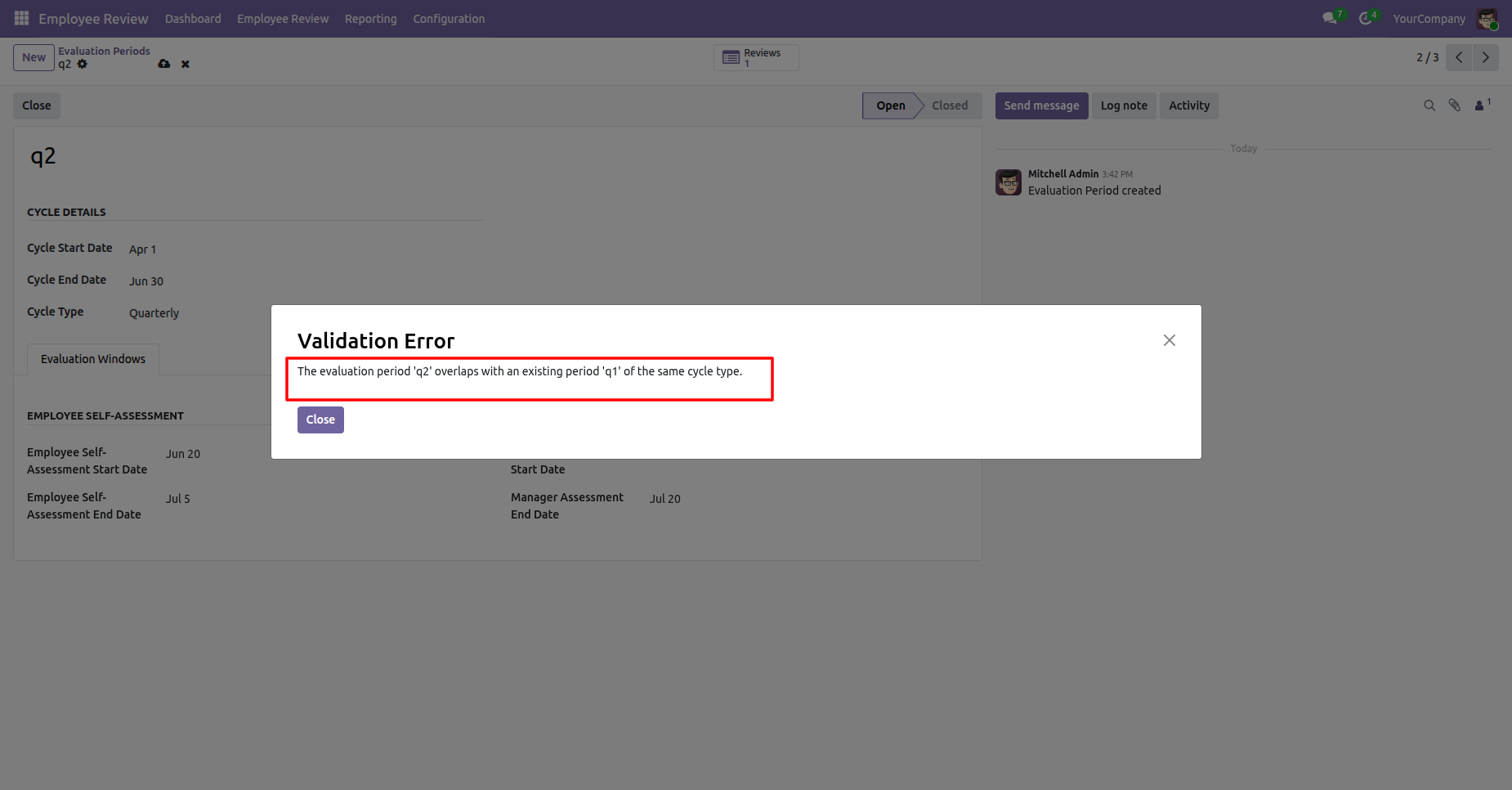
Review the validation message showing an overlapping evaluation period for the same cycle type.
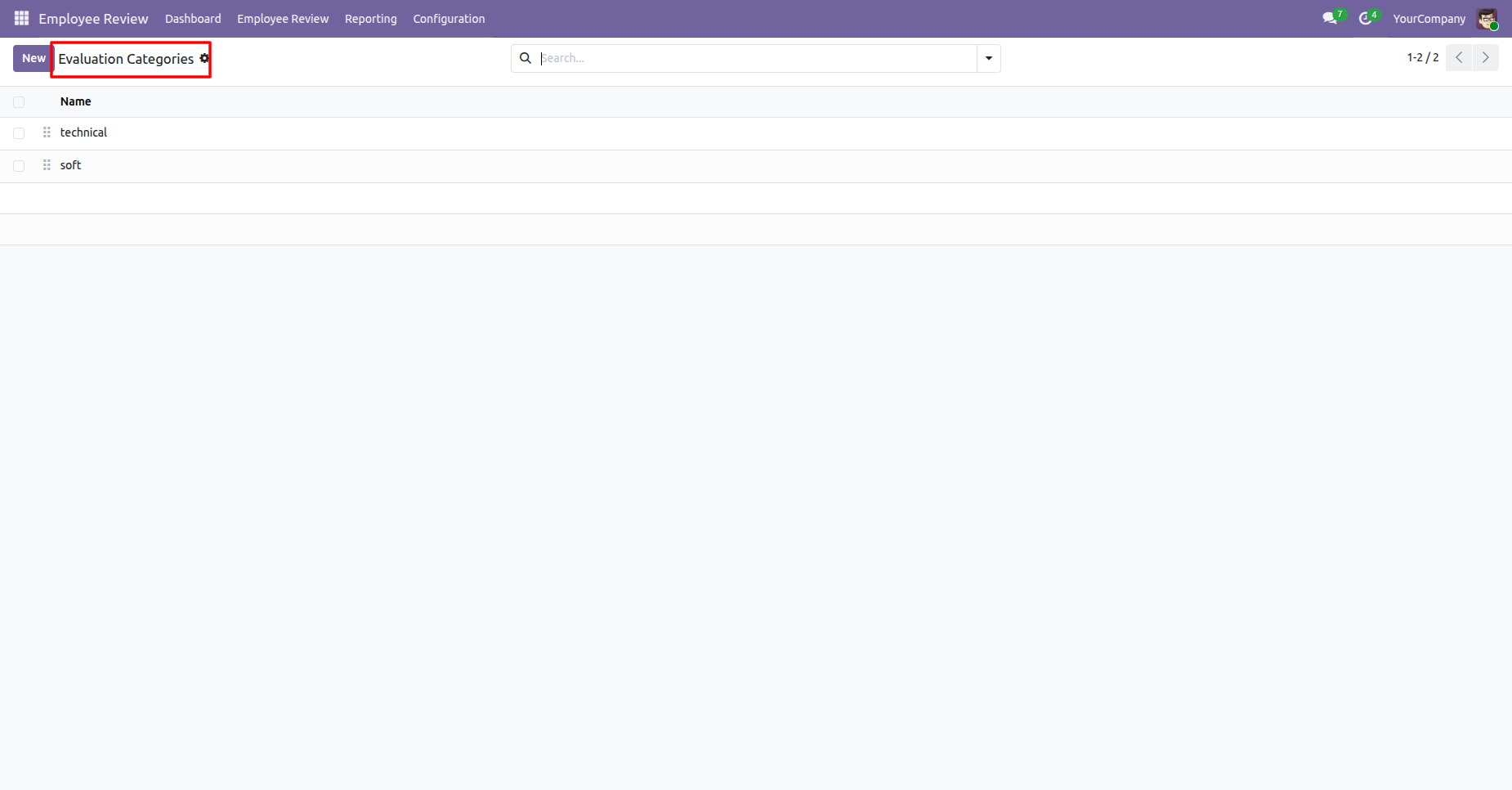
Open the Evaluation Categories menu to access and create evaluation category options.
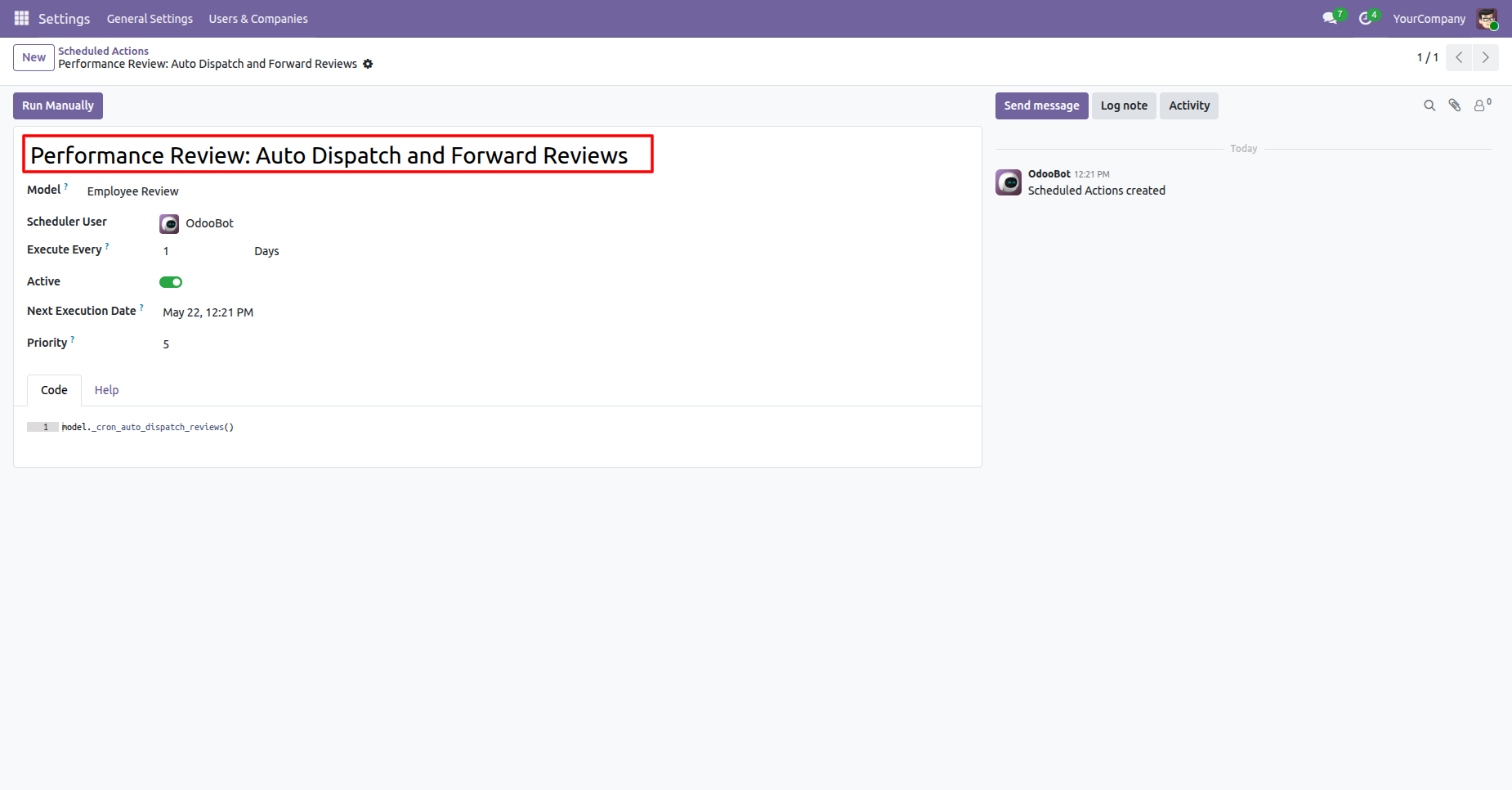
Review the scheduled action configured to automatically dispatch and forward performance reviews.
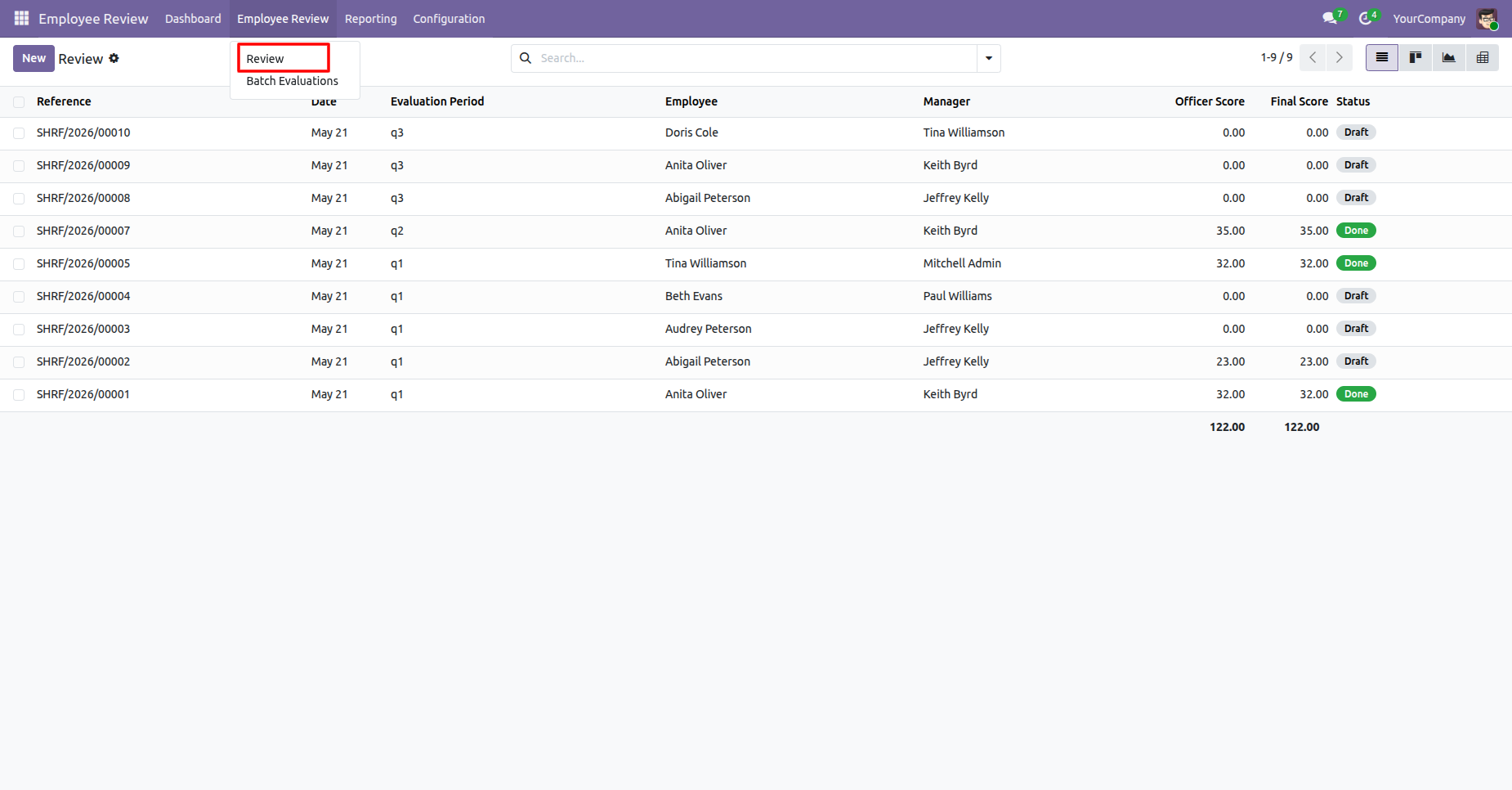
Open the Review menu from Employee Review main menu to access and create employee reviews.
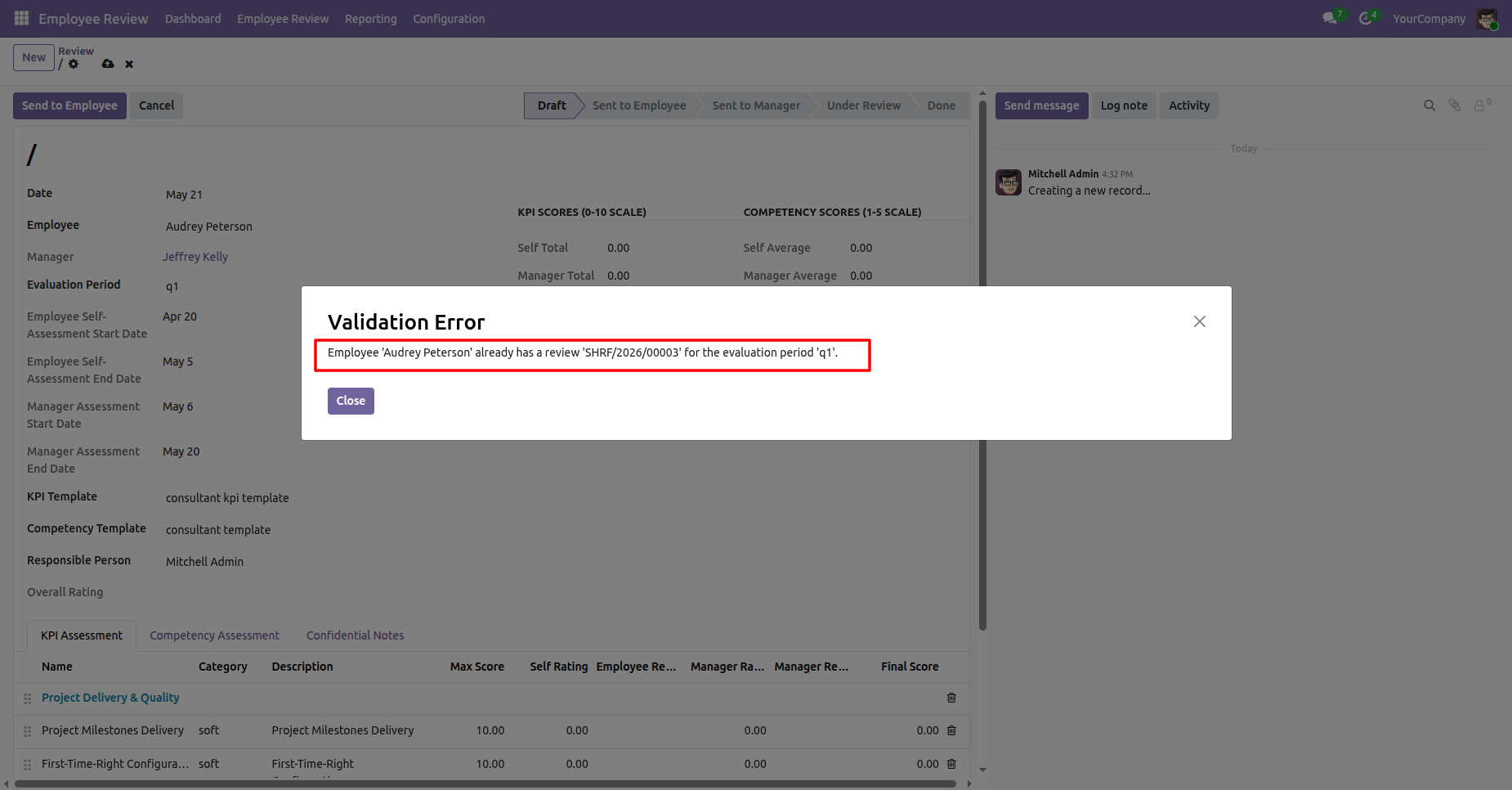
Create a review and click on save button. Review the validation message indicating an employee already has an evaluation for the selected period. Select the proper evaluation period.
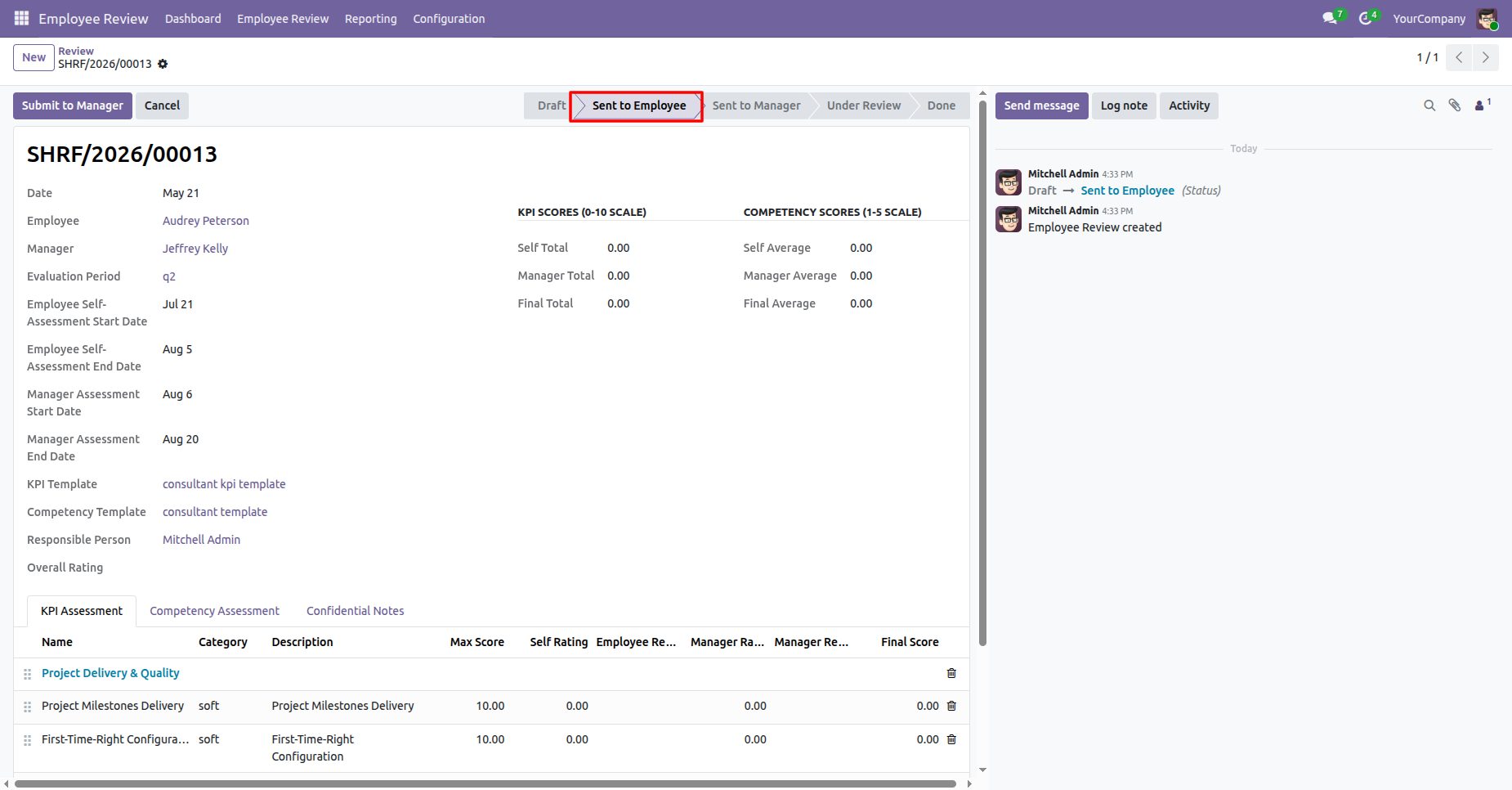
Review record will move to submit to employee stage.
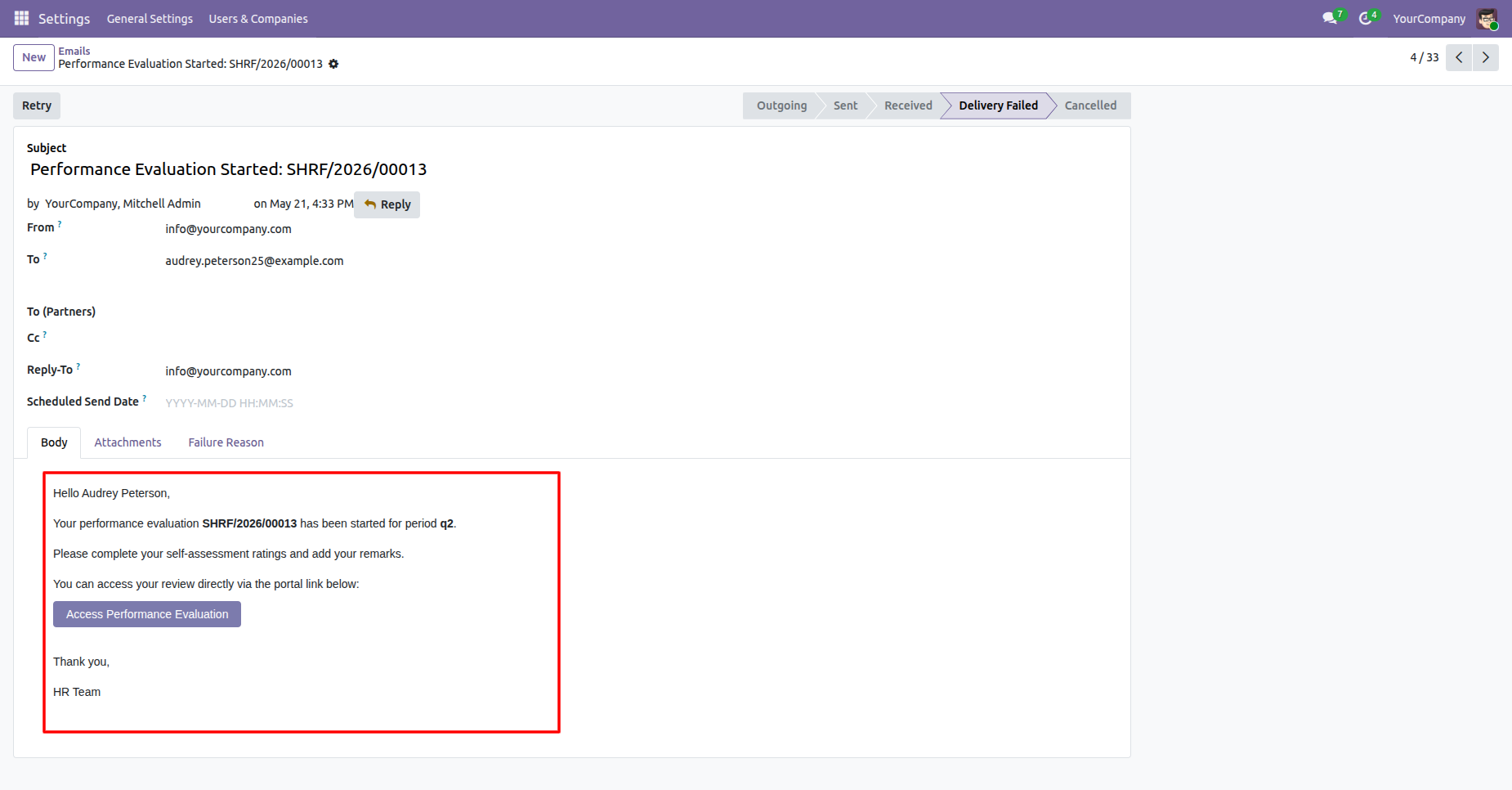
Review the email notification informing the employee that their performance evaluation has started.
Open the user settings and select Performance Evaluation - Employee to grant the permission for the selected user.
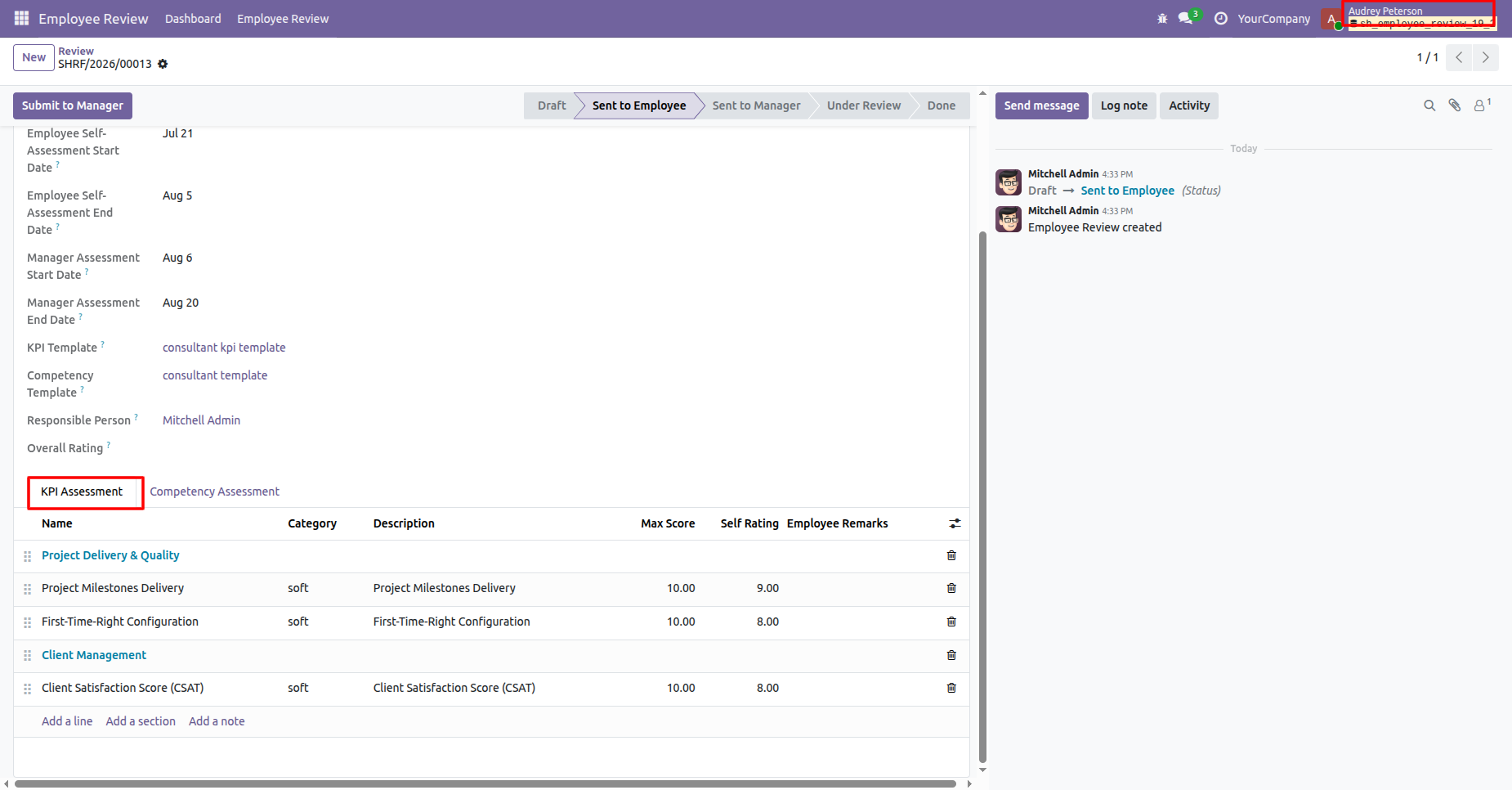
Complete the employee self-assessment by entering ratings and remarks for configured KPI lines.
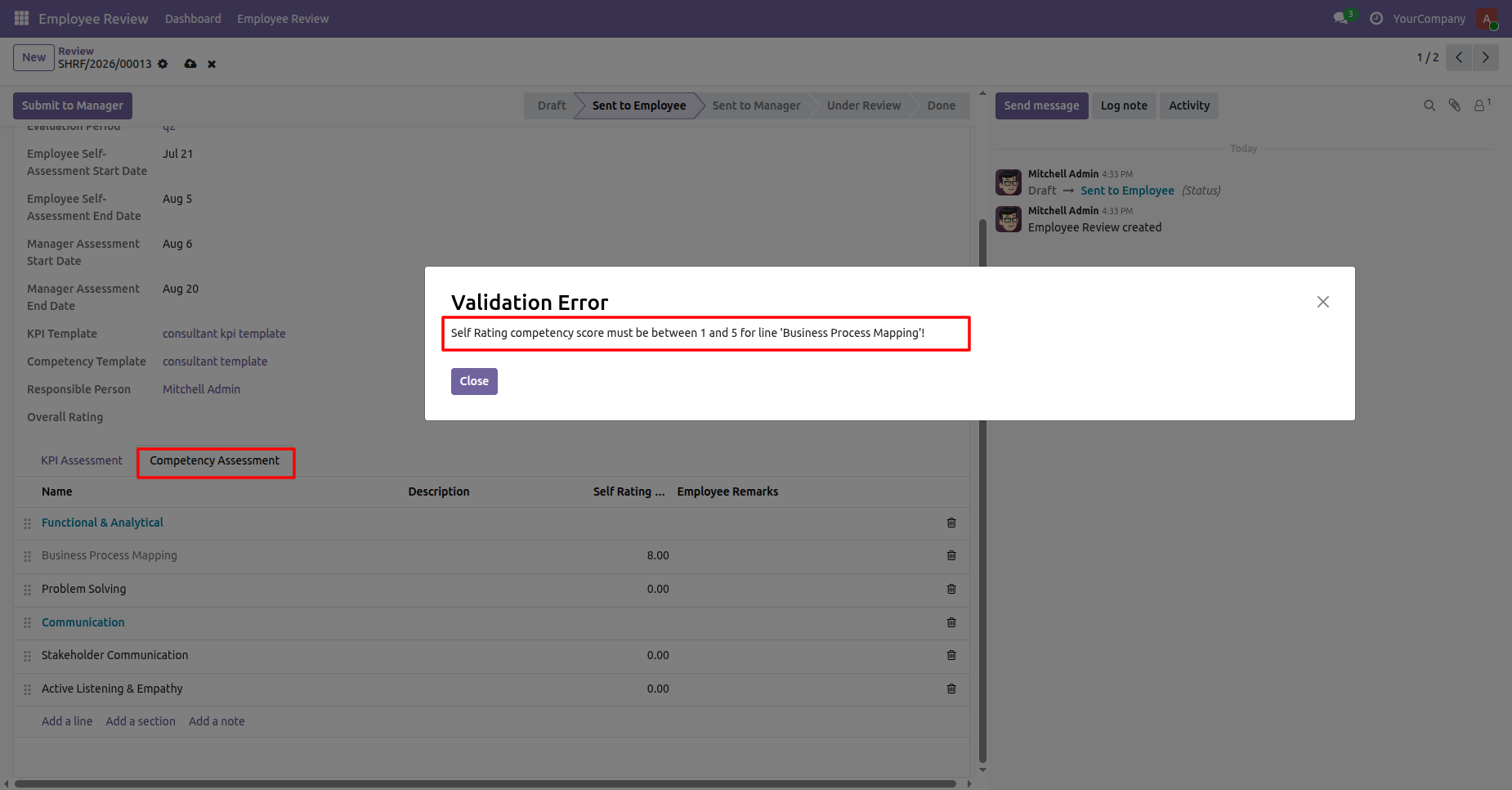
Review the validation message requiring competency ratings to remain within the allowed score range.
Complete the employee self-assessment by entering ratings and remarks for competency assessments. Click on submit to manager button.
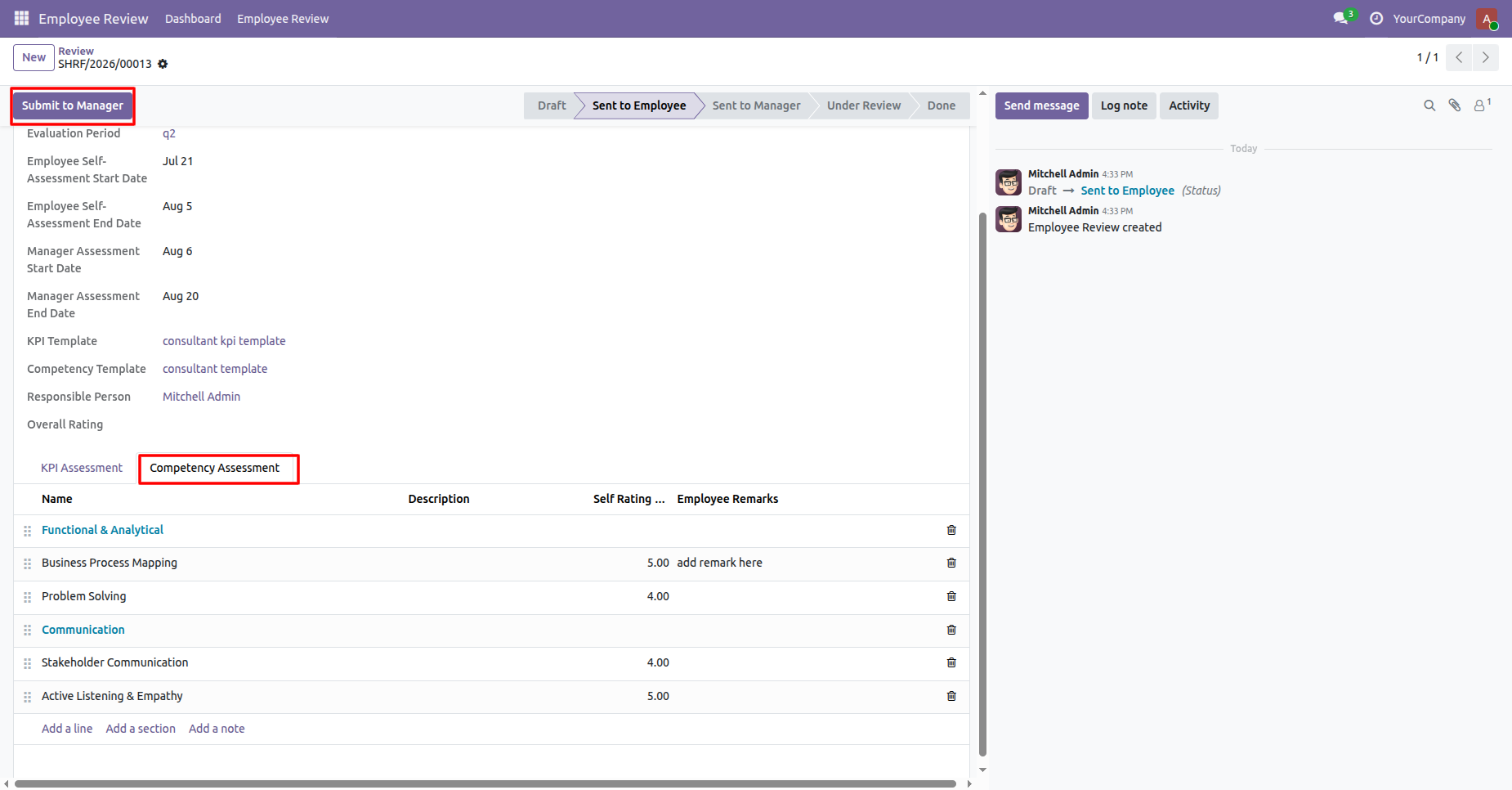
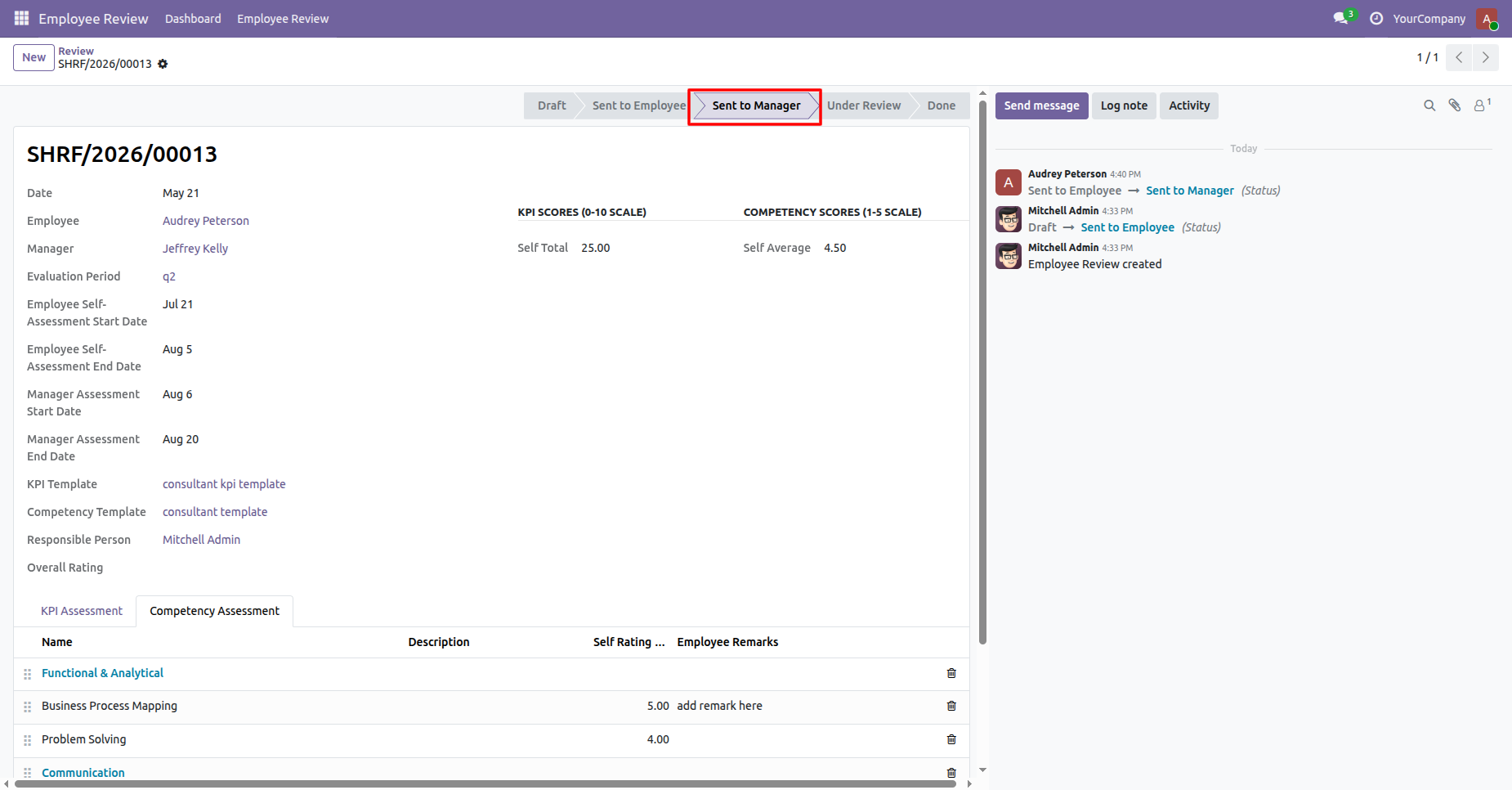
Review record will move to submit to manager stage.
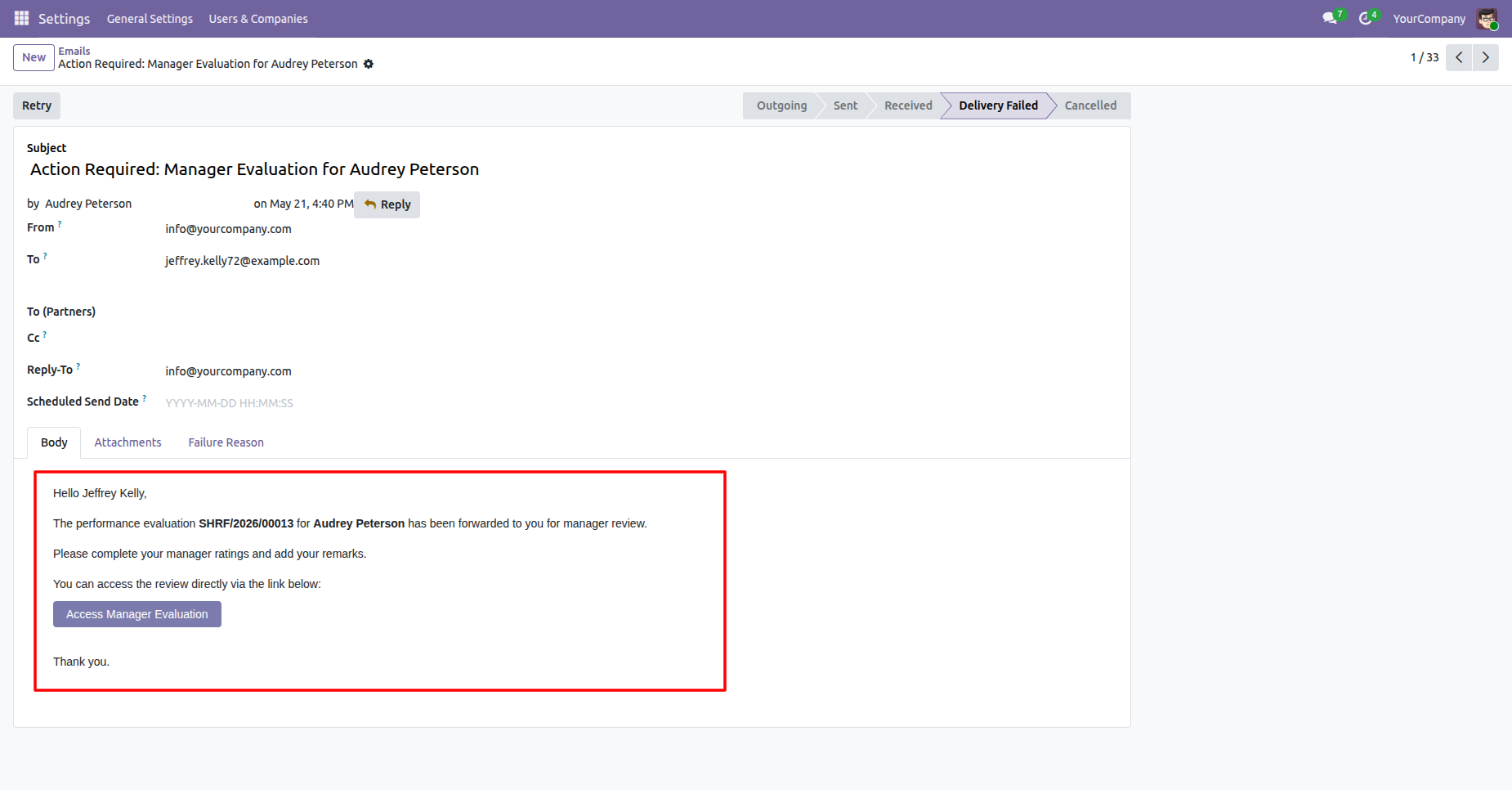
Review the manager notification email requesting completion of the employee performance evaluation.
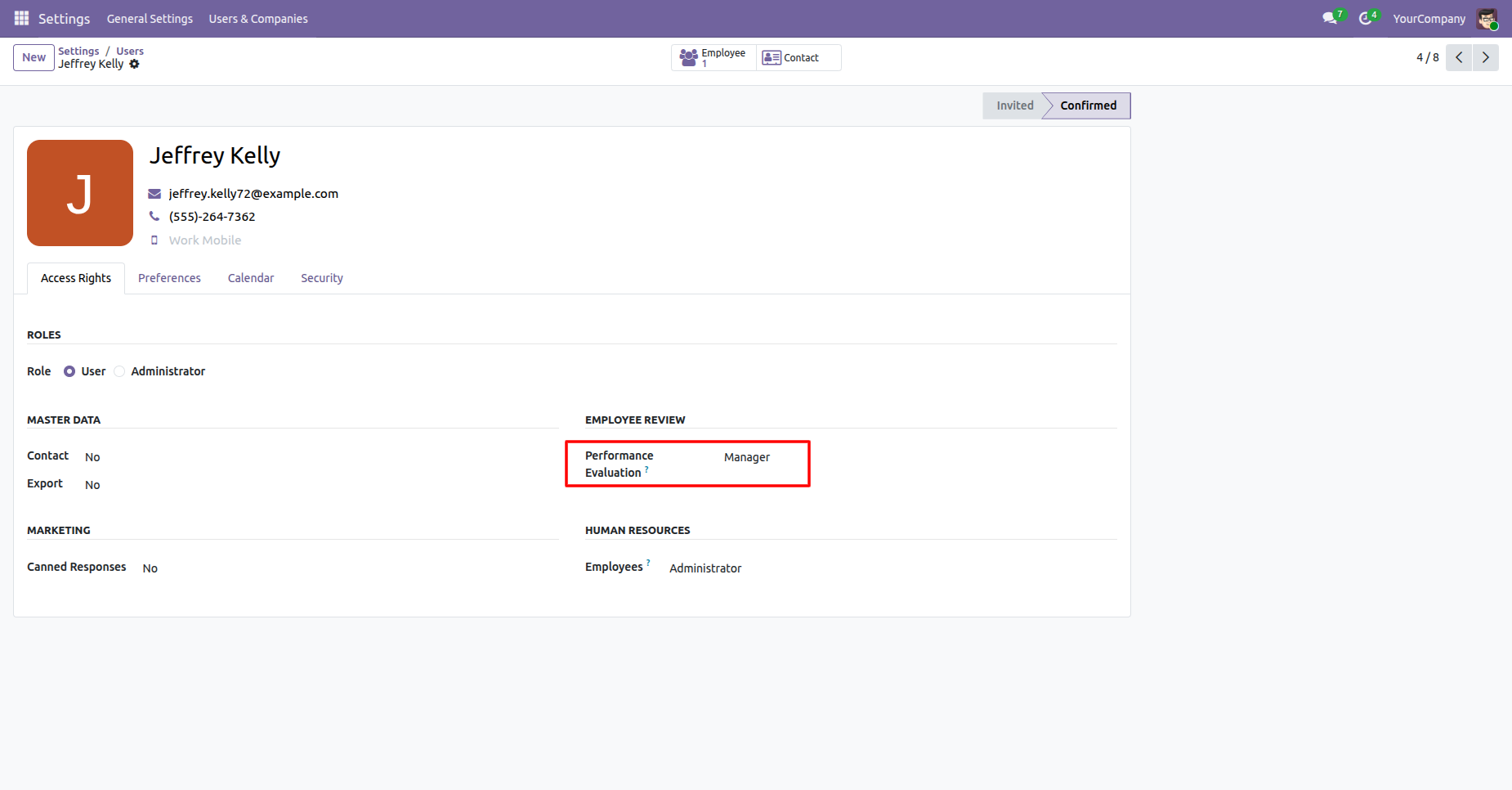
Open the user settings and select Performance Evaluation - Manager to grant the permission for the selected user.
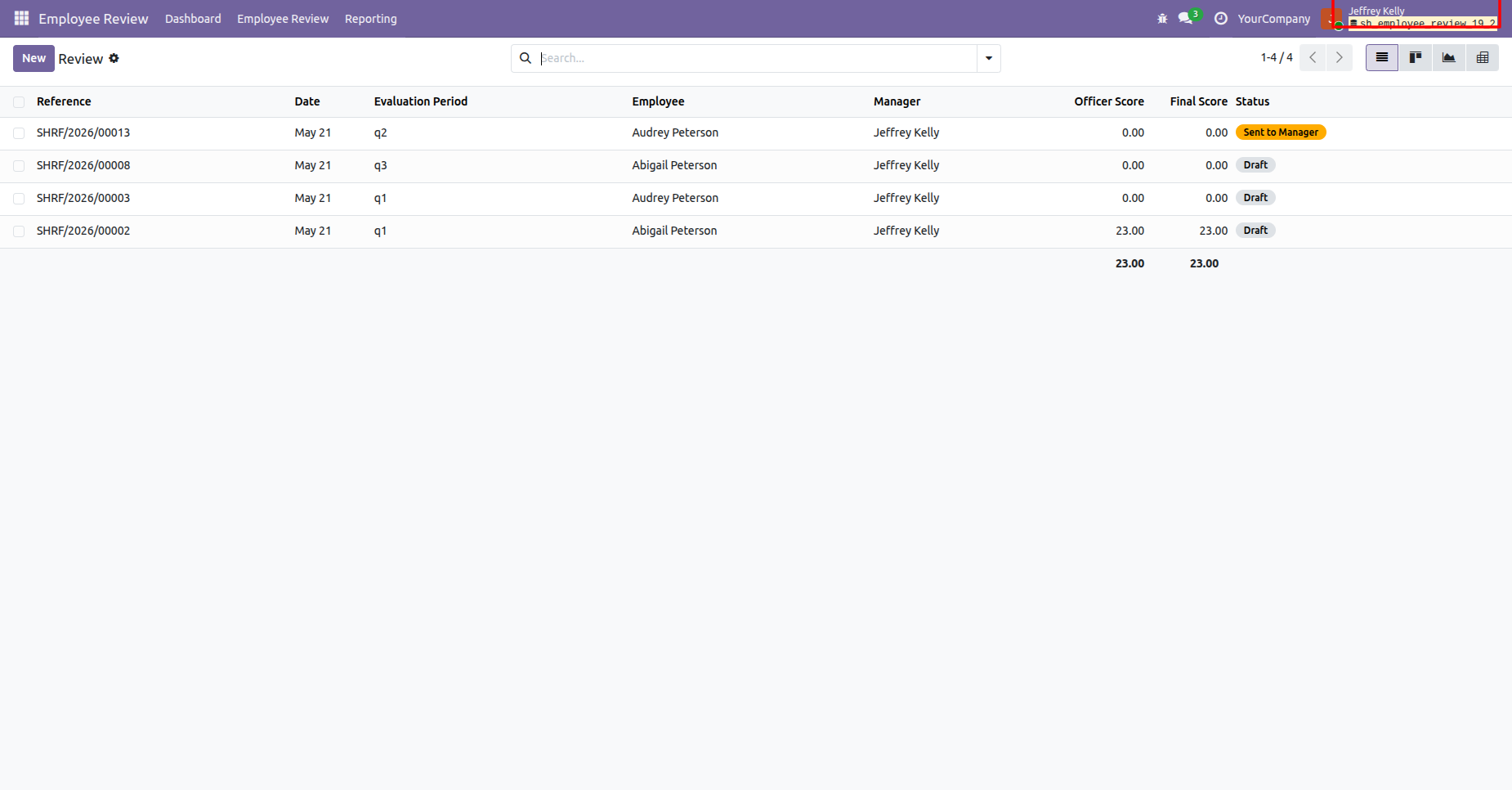
Login with the Manager account and review the Employee Review list showing evaluation periods, employees, managers, scores, and statuses.
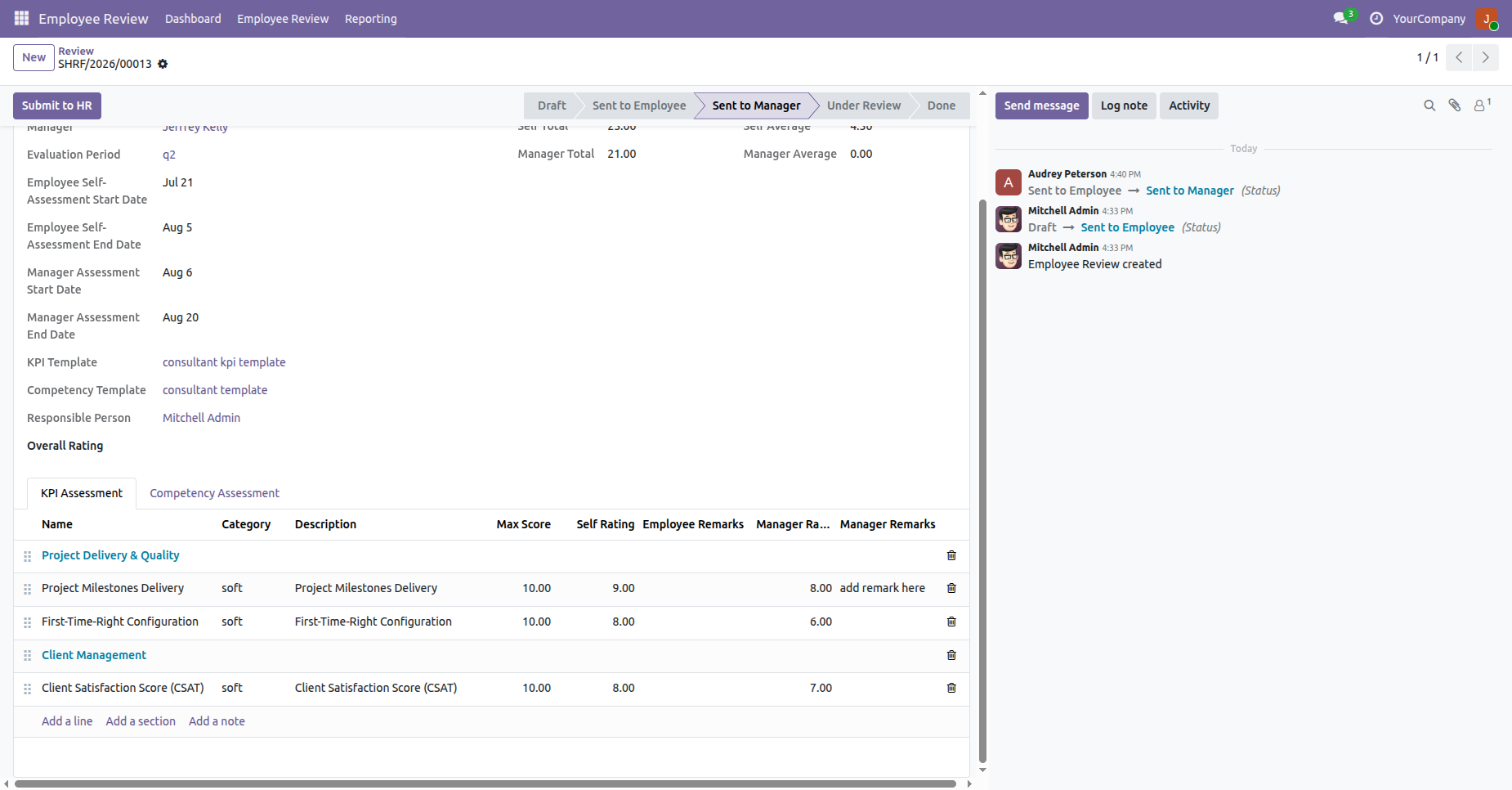
Complete the employee manager assessment by entering ratings and remarks for configured KPI lines.
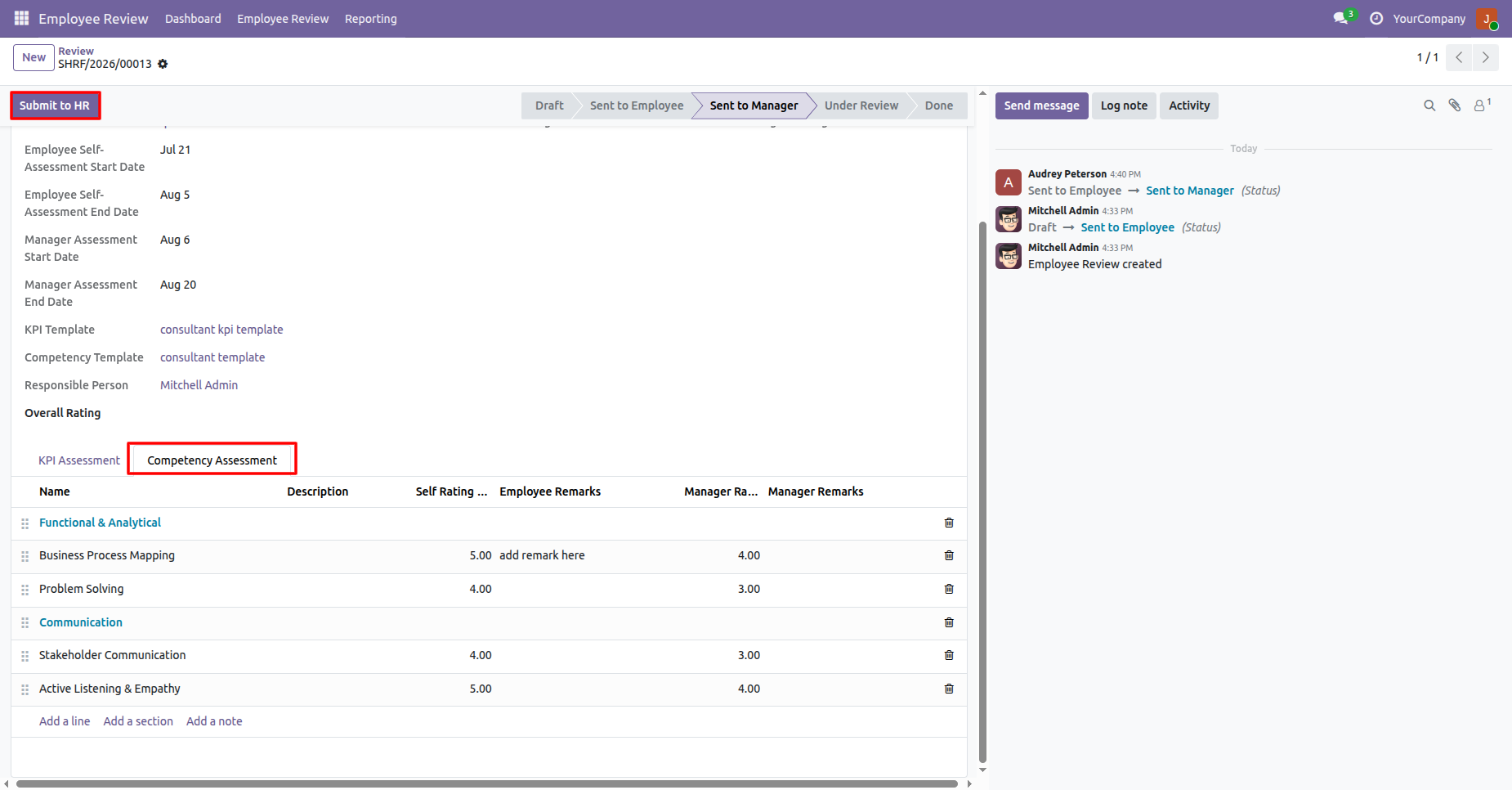
Complete the employee manager assessment by entering ratings and remarks for competency assessments. Click on submit to HR button.
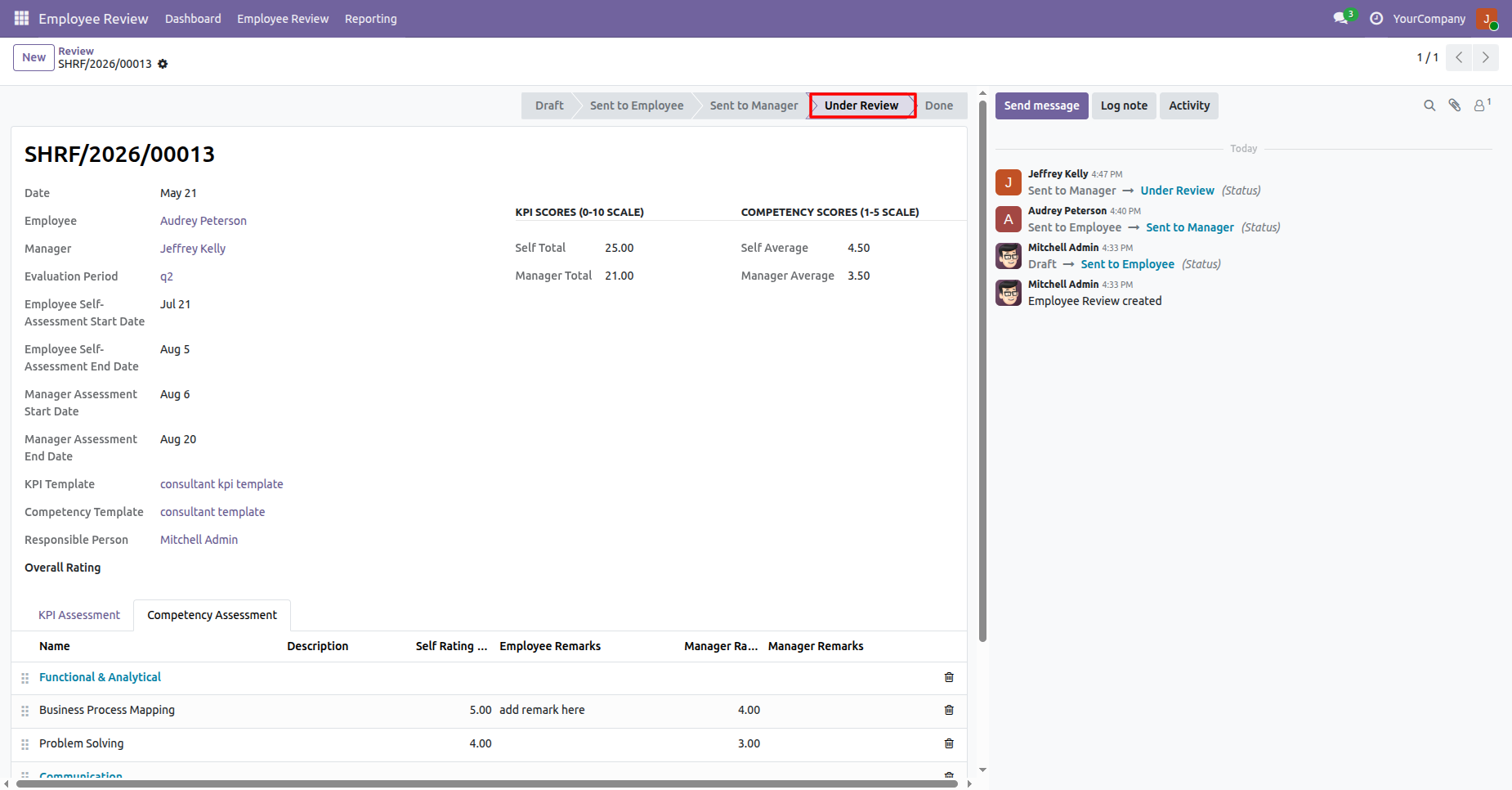
Review record will move to Under review stage.
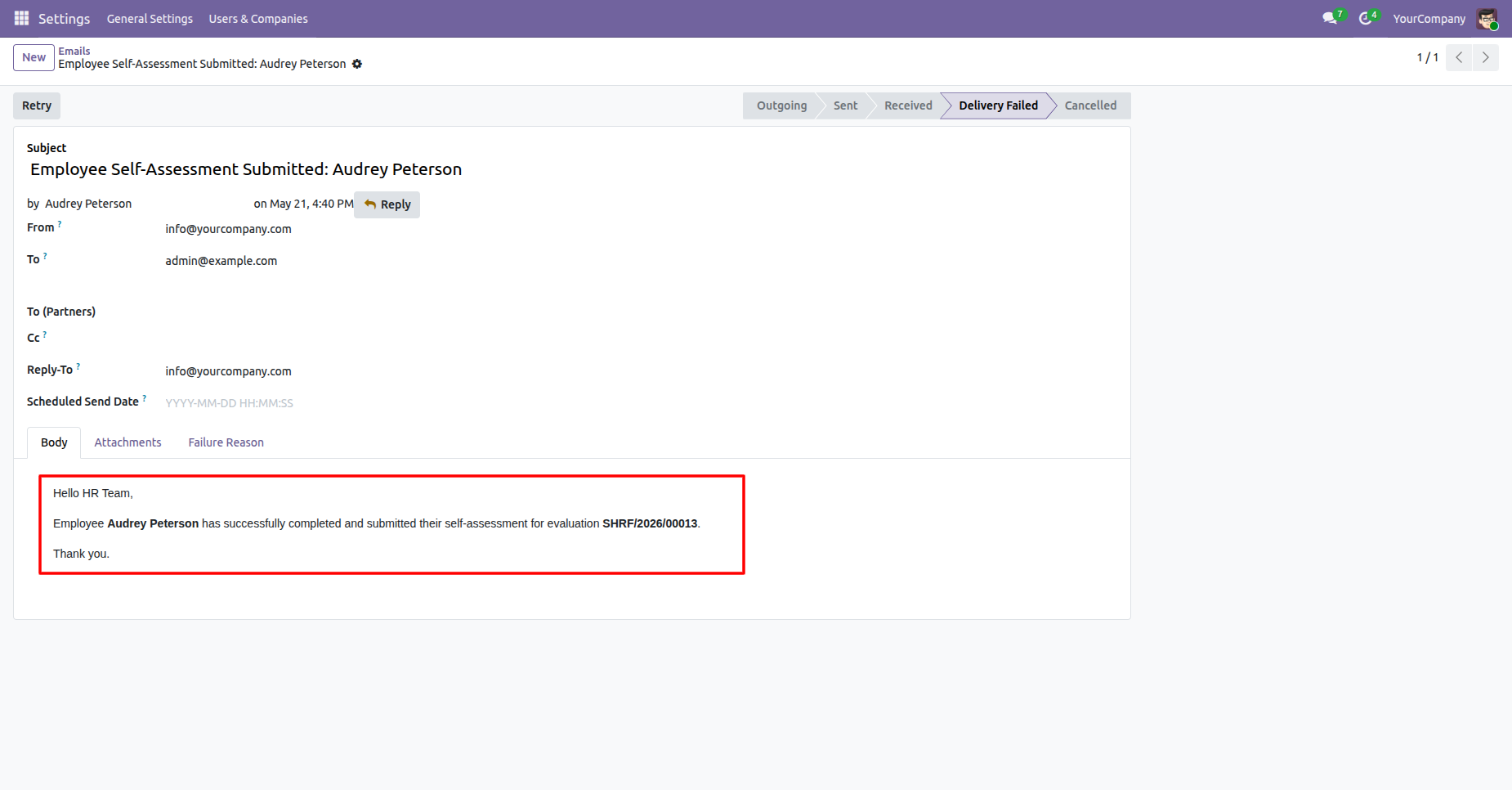
Review the email notification generated and sent to HR after the Manager submits the assessment.
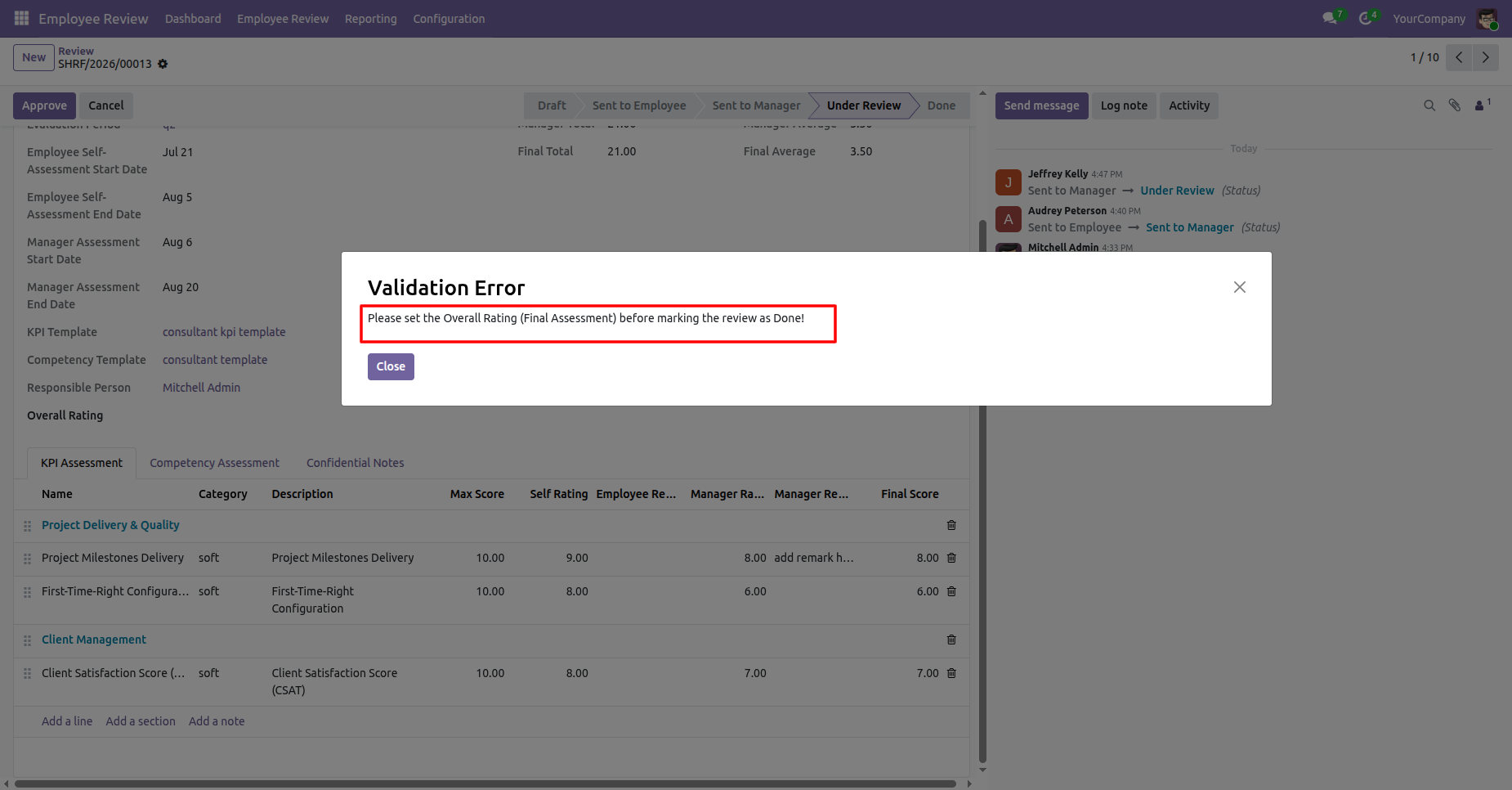
Click on Approve button. Validation error will be displayed if an Overall Rating is not provided.
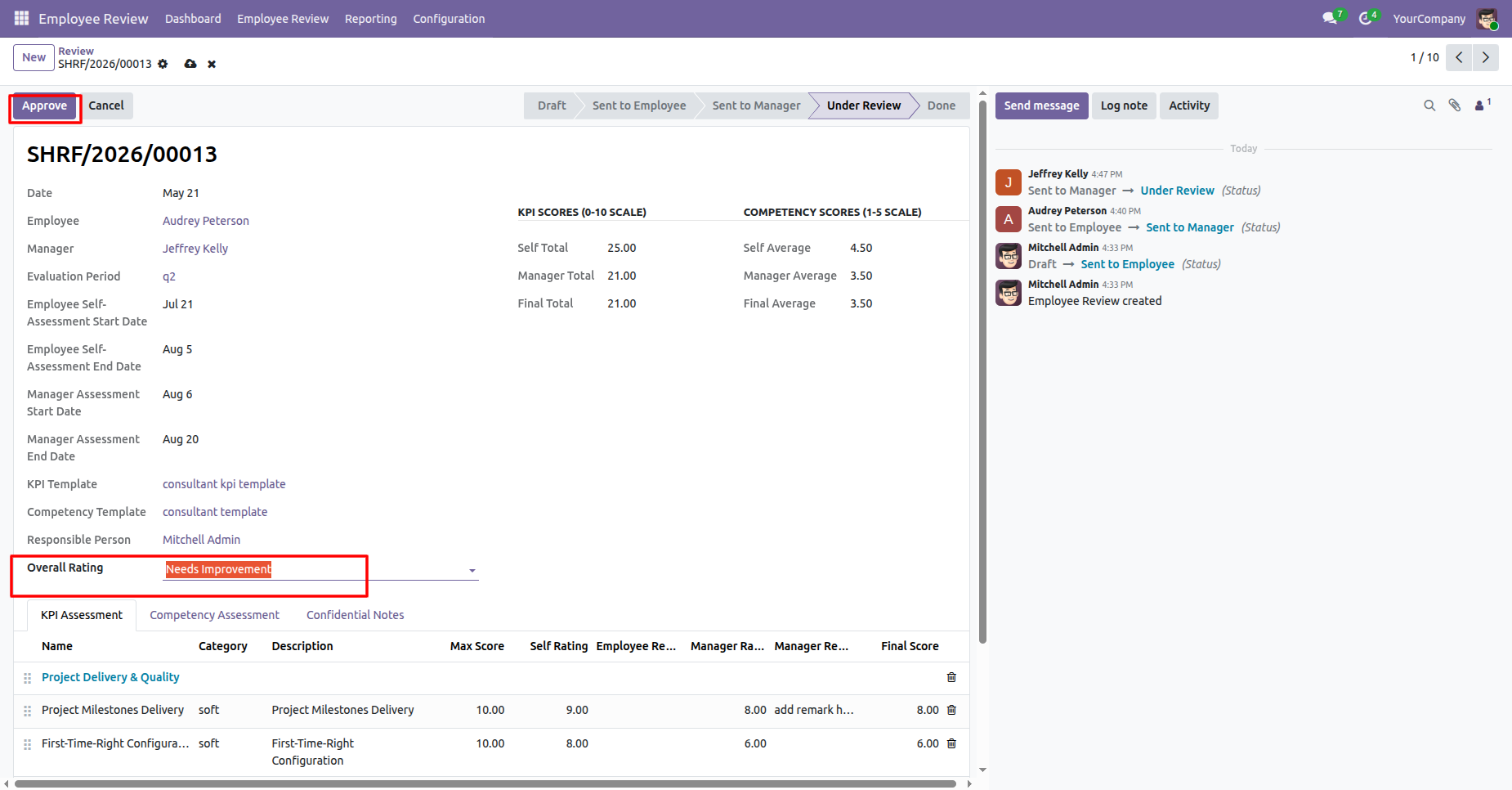
Review the employee evaluation record with self-assessment details, manager assessment details, and configured review information.
Click on Approve button to complete the evaluation workflow and finalize the employee performance review.
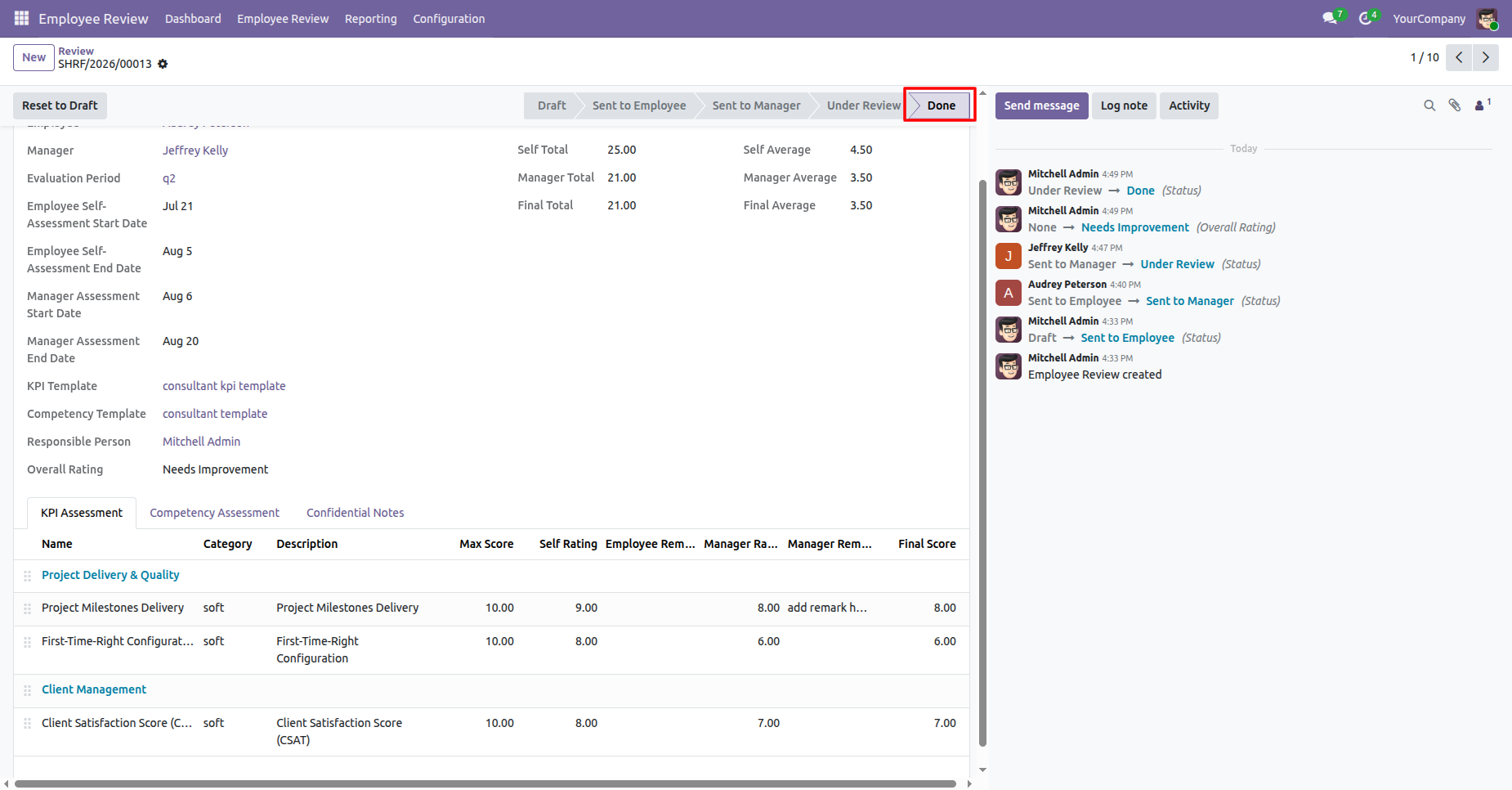
Review record will move to Done stage.
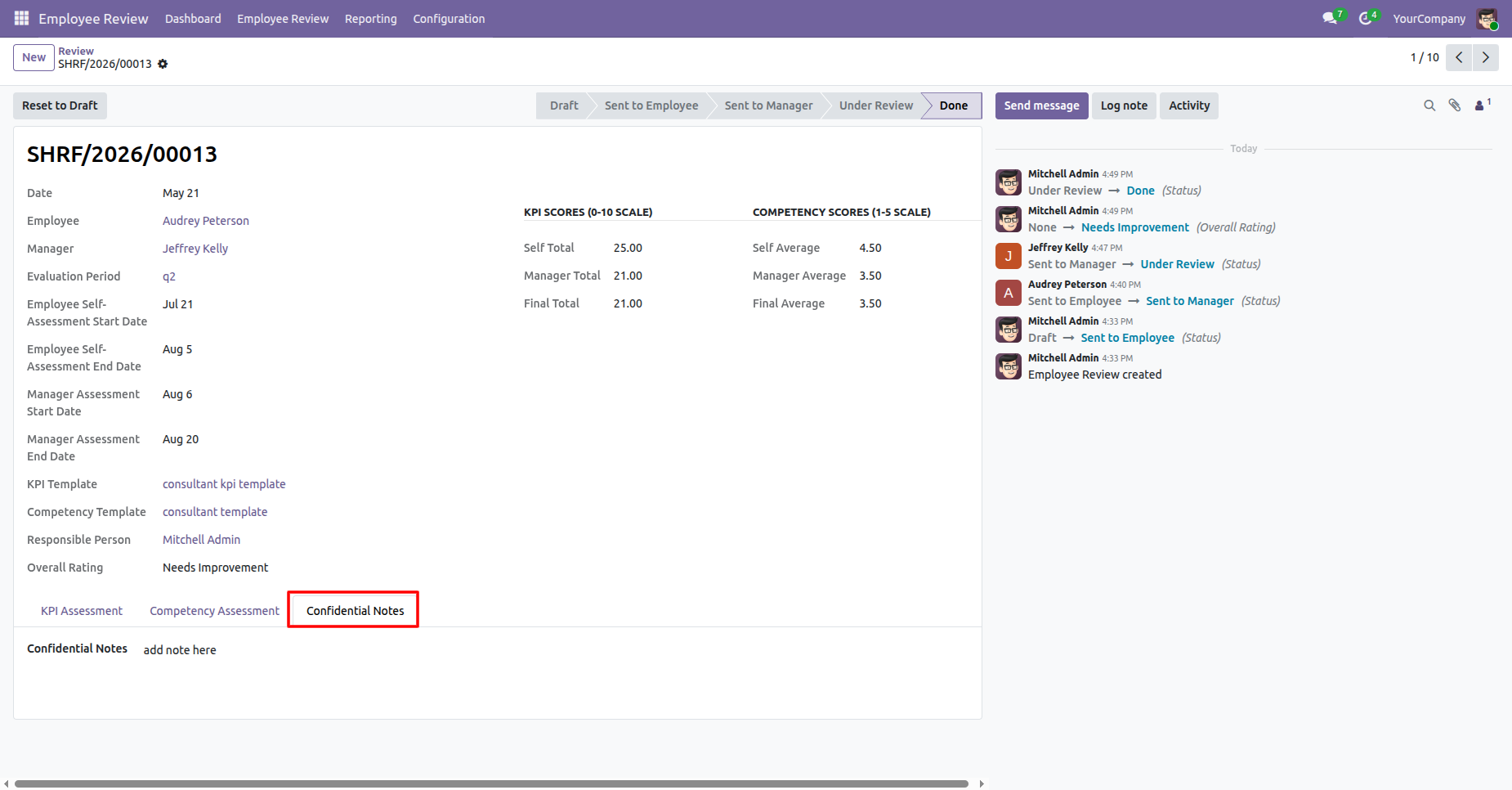
HR can add confidential Notes under confidential Notes tab.
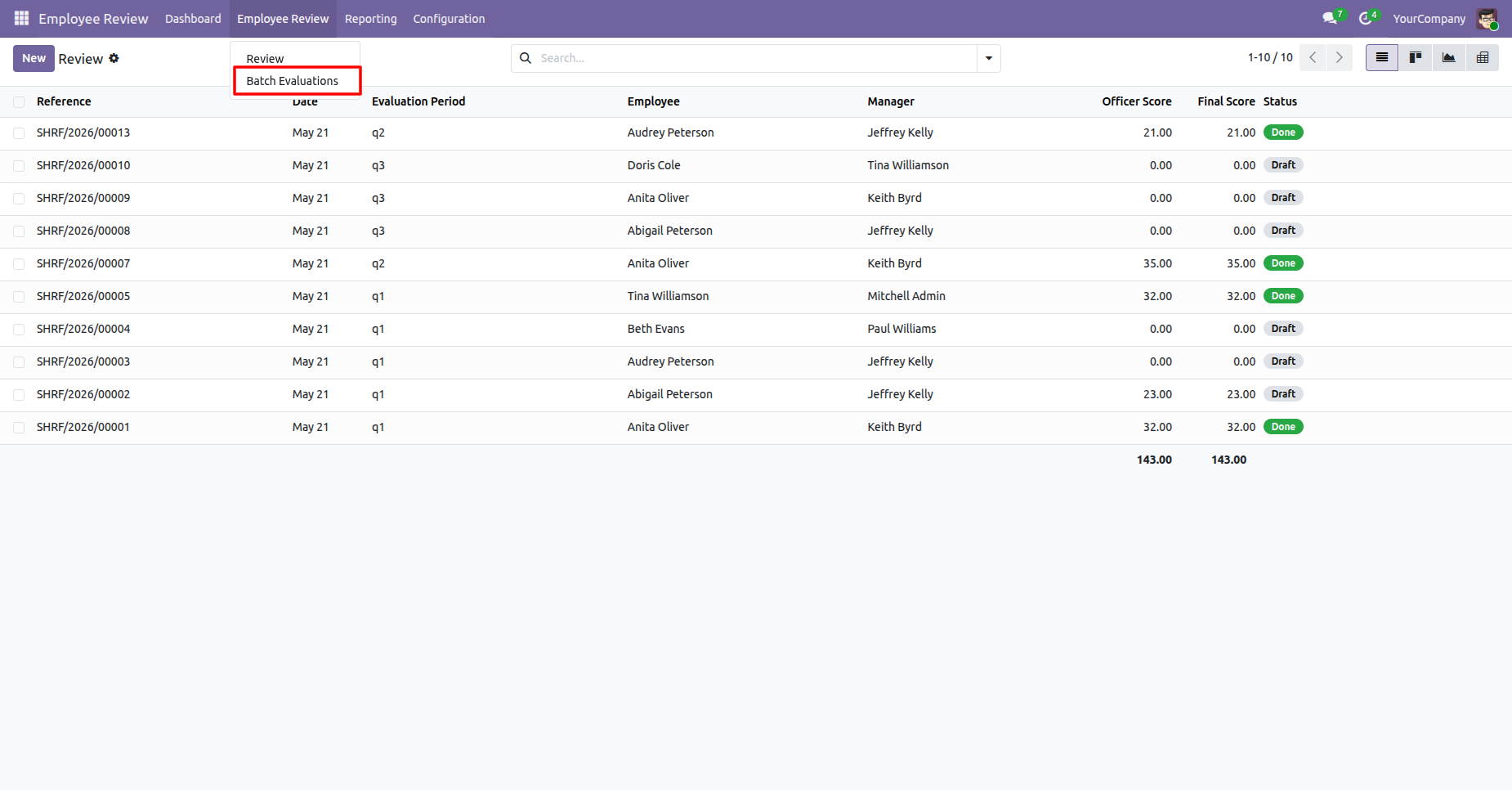
Open the Batch Evaluations menu from Employee Review main menu.
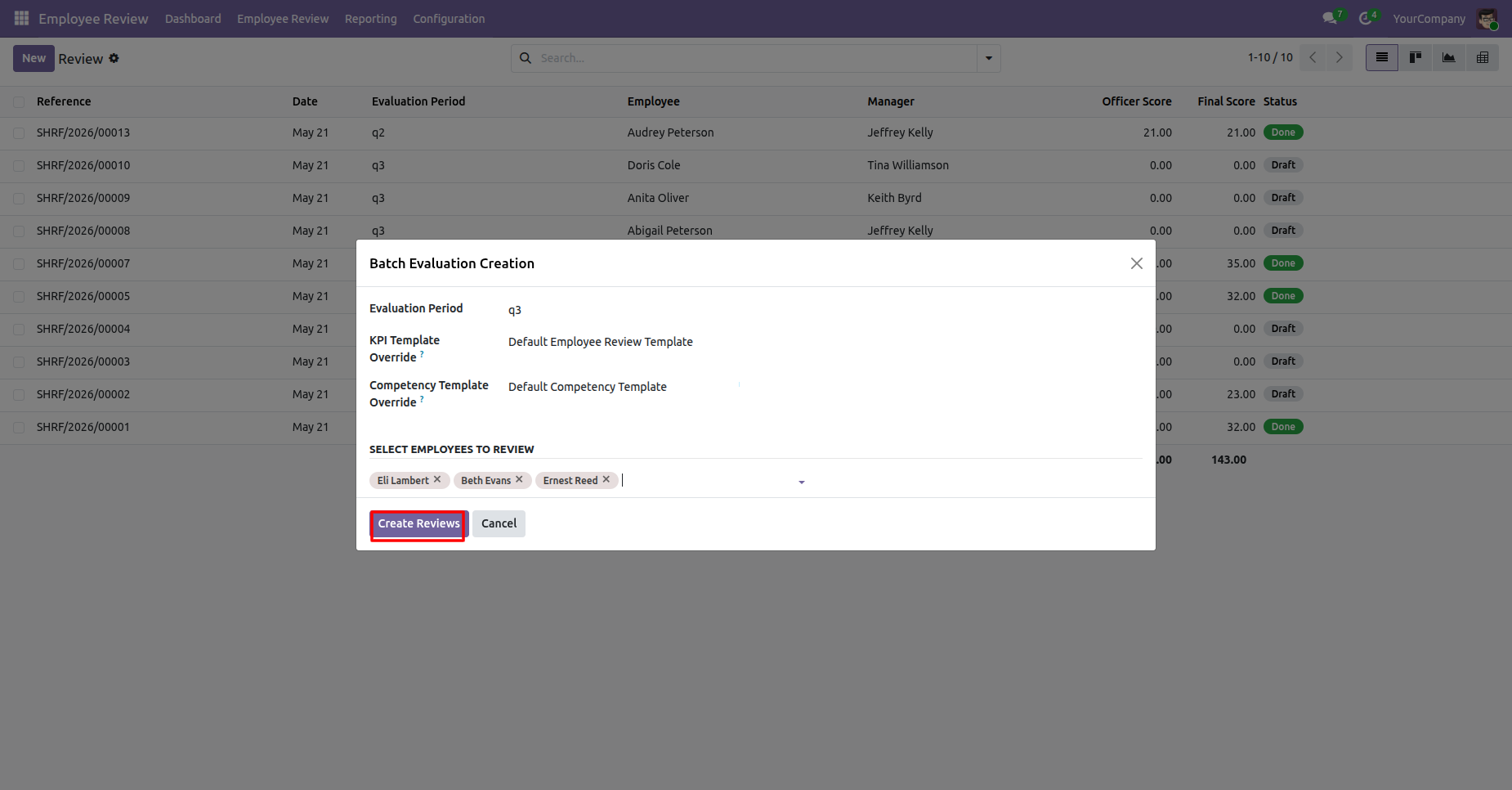
Open the Batch Evaluation Creation wizard to select an evaluation period, templates, and employees. Click on create review button to generate the reviews in a batch.
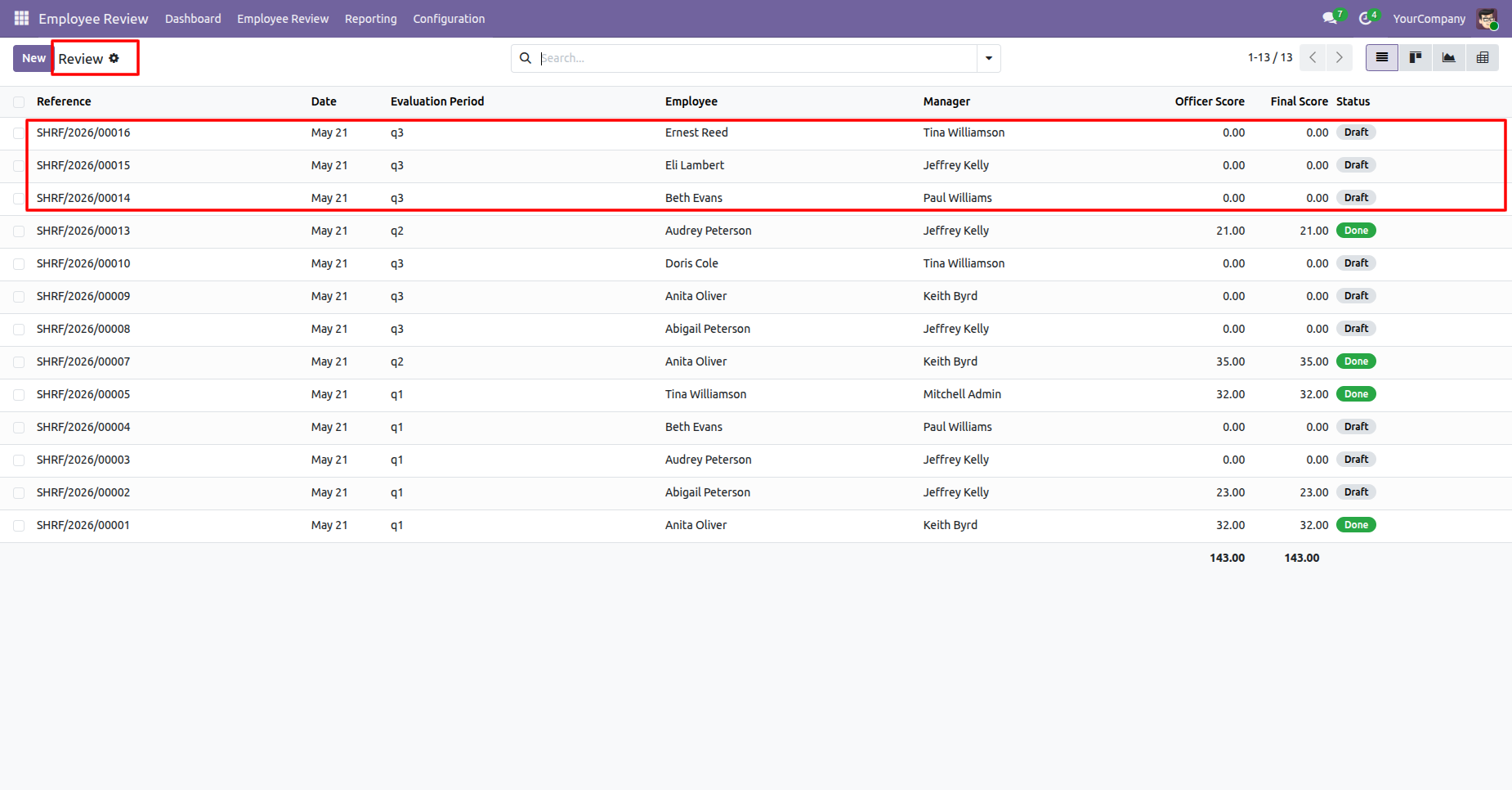
Review the complete evaluation list after batch creation, including existing and newly generated reviews.
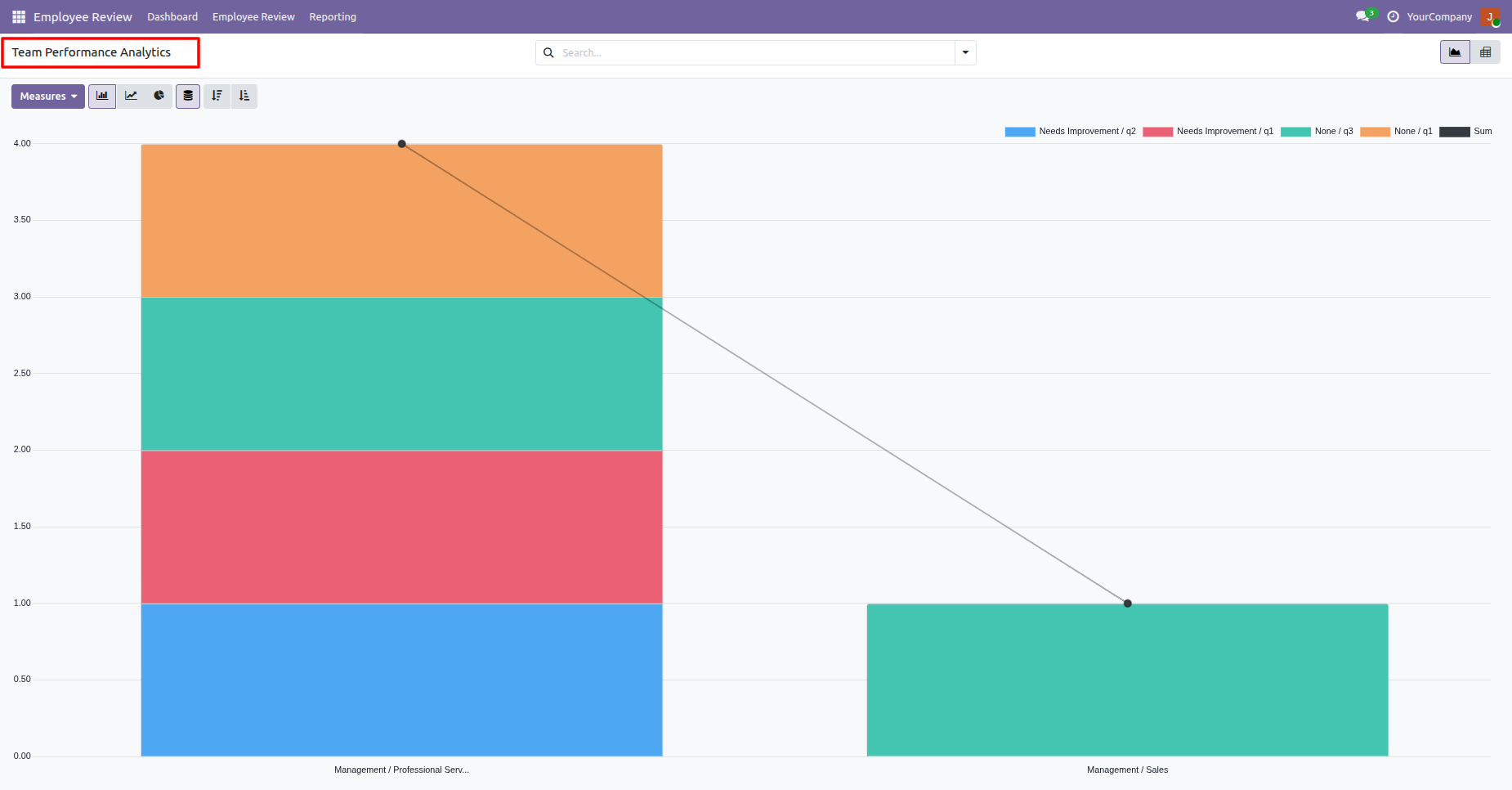
View Team Performance Analytics with performance trends and department-level evaluation results.
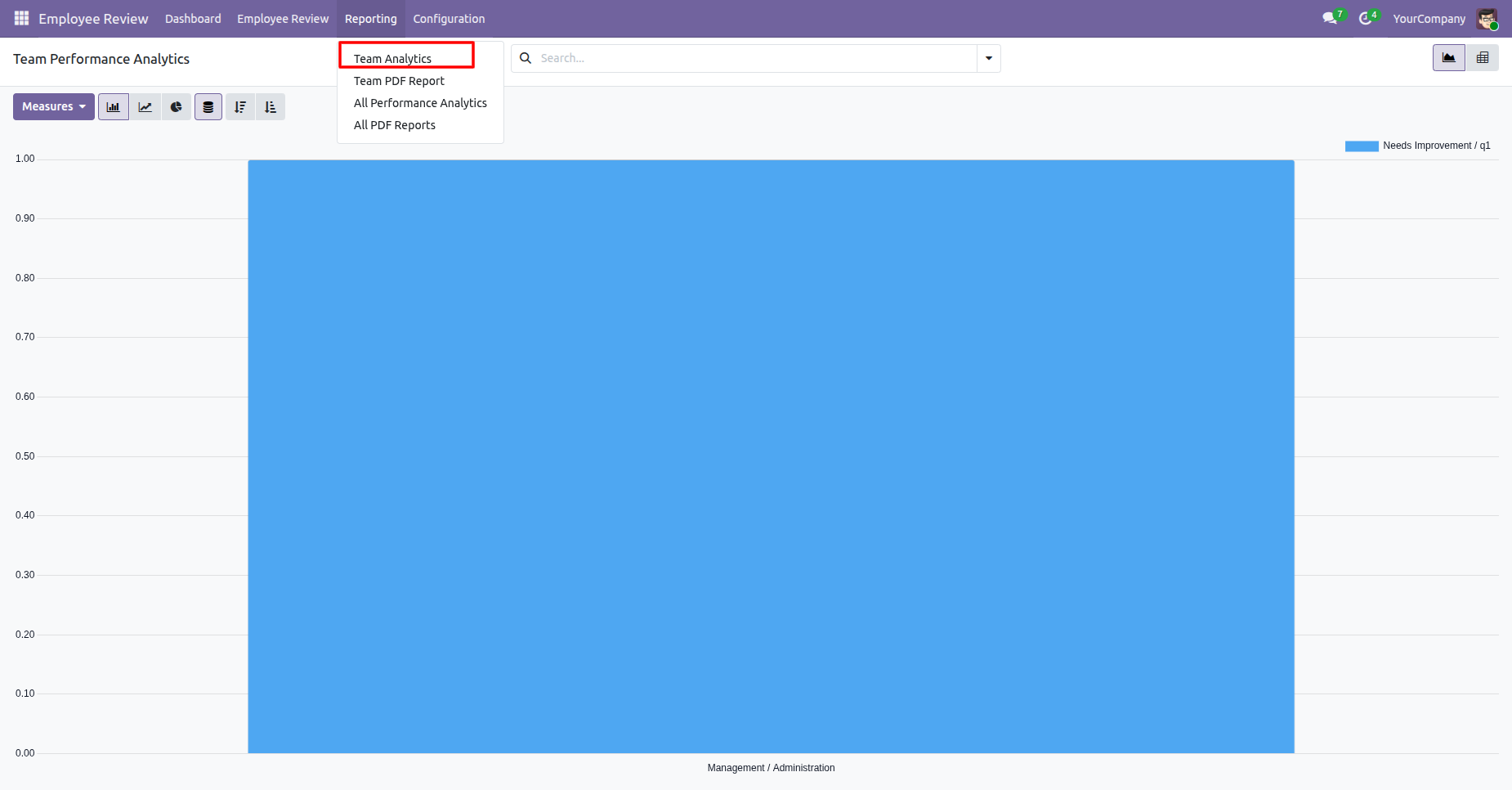
Click on All Performance Analytics report menu.
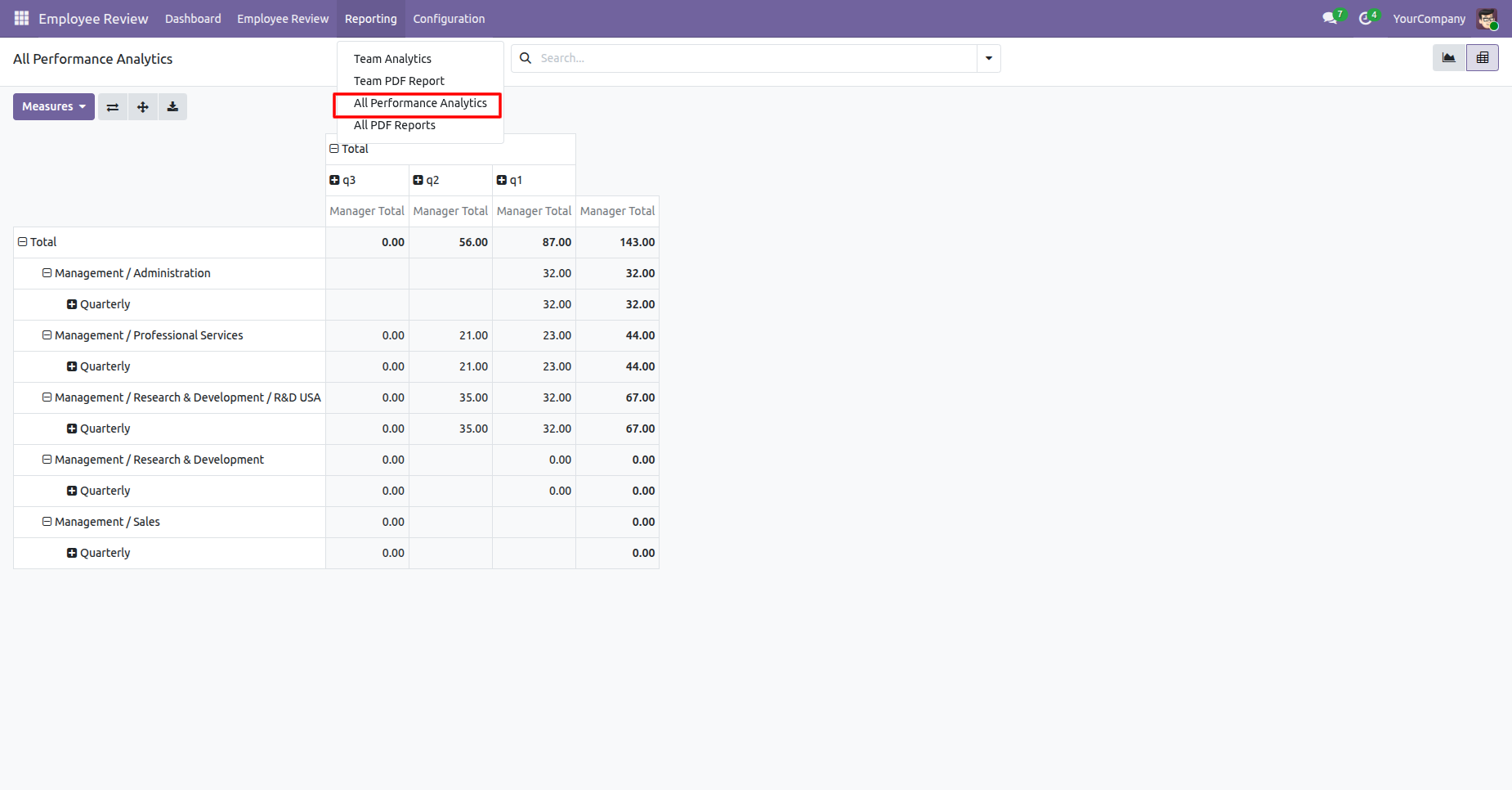
Analyze performance results by department and compare manager totals for the selected period.
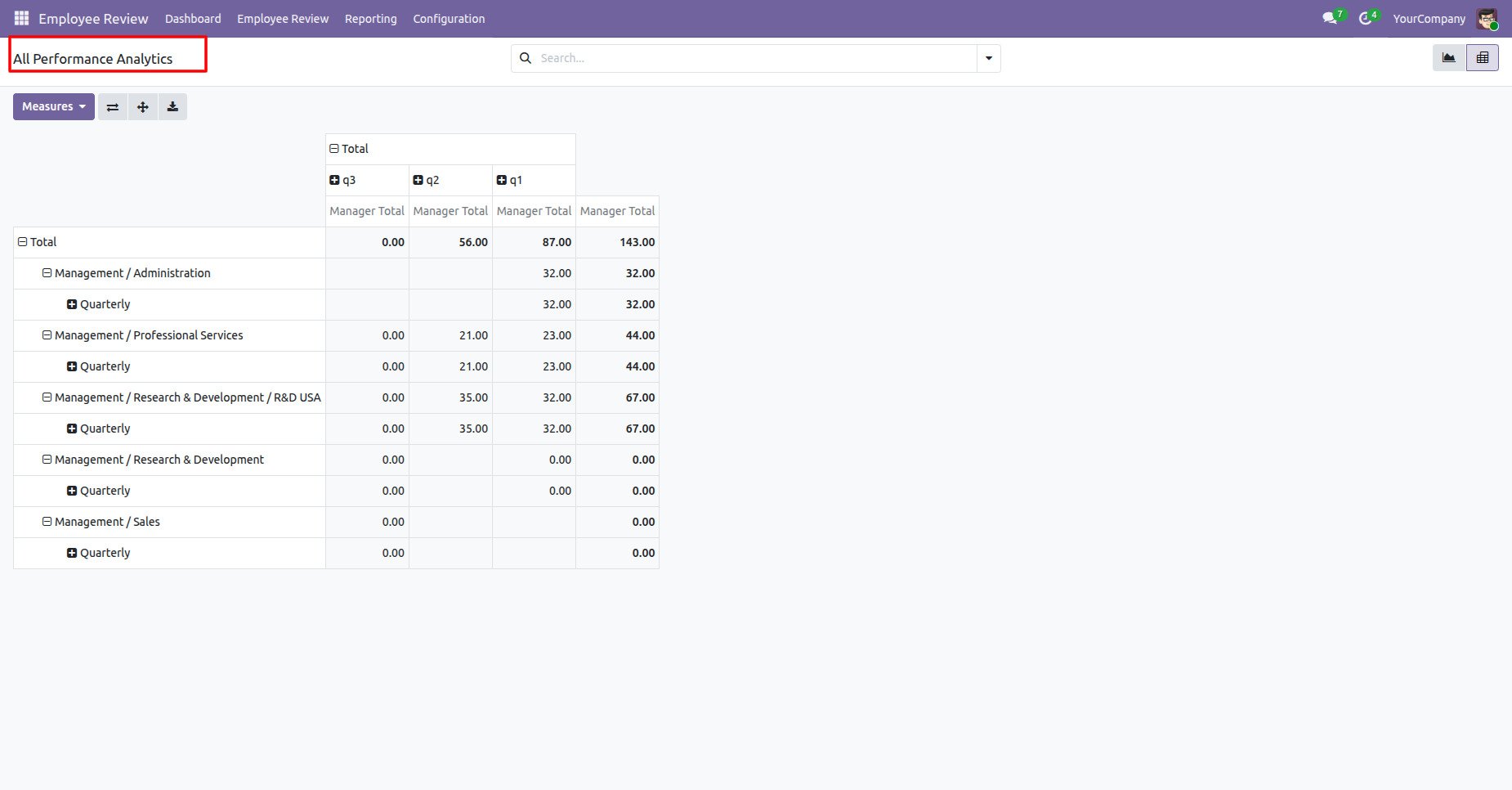
Click on All PDF Reports from report menu.
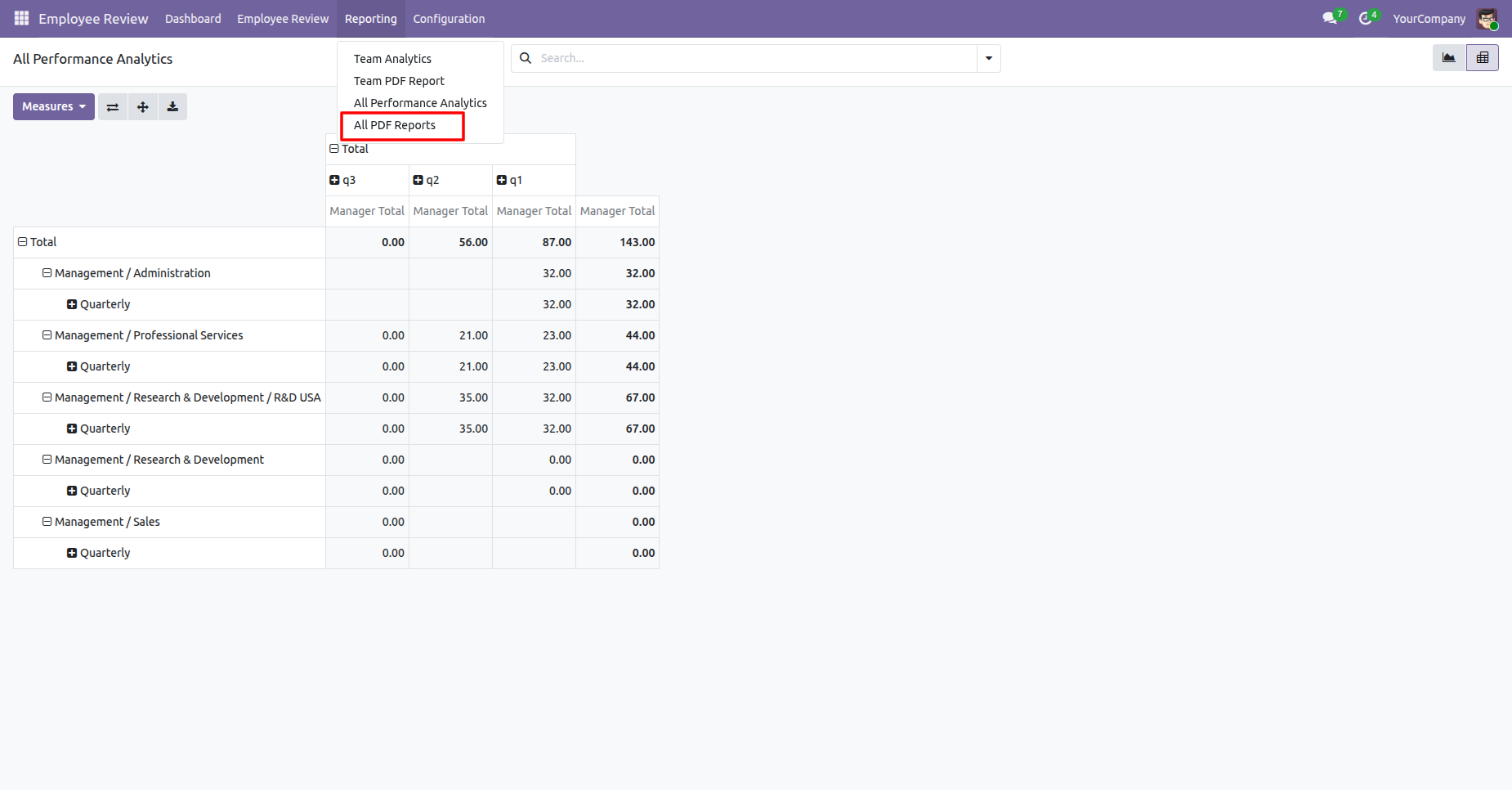
Filter Review Reports by employees, score, periods, and date range to analyze selected evaluations. Click on Print button
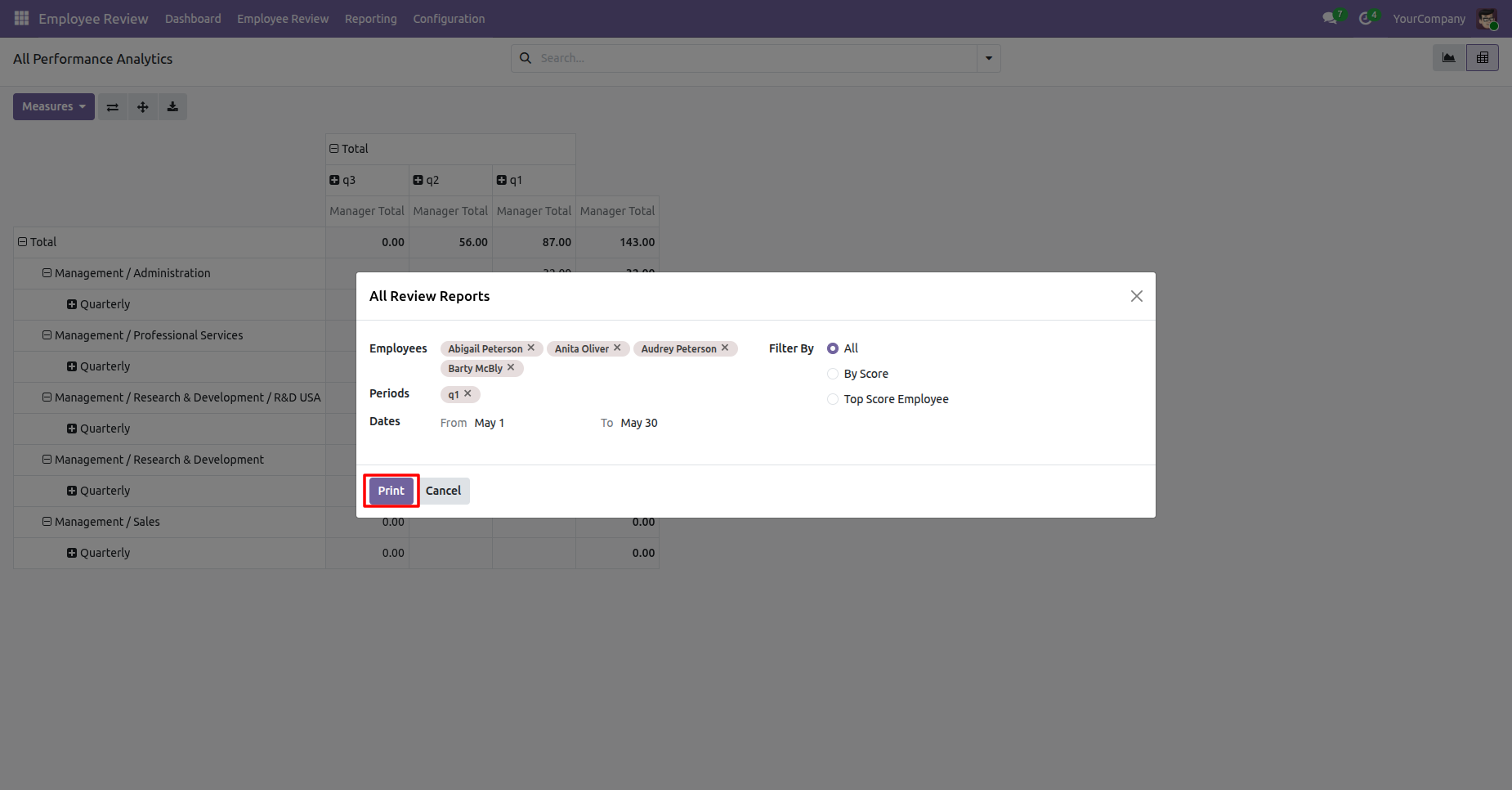
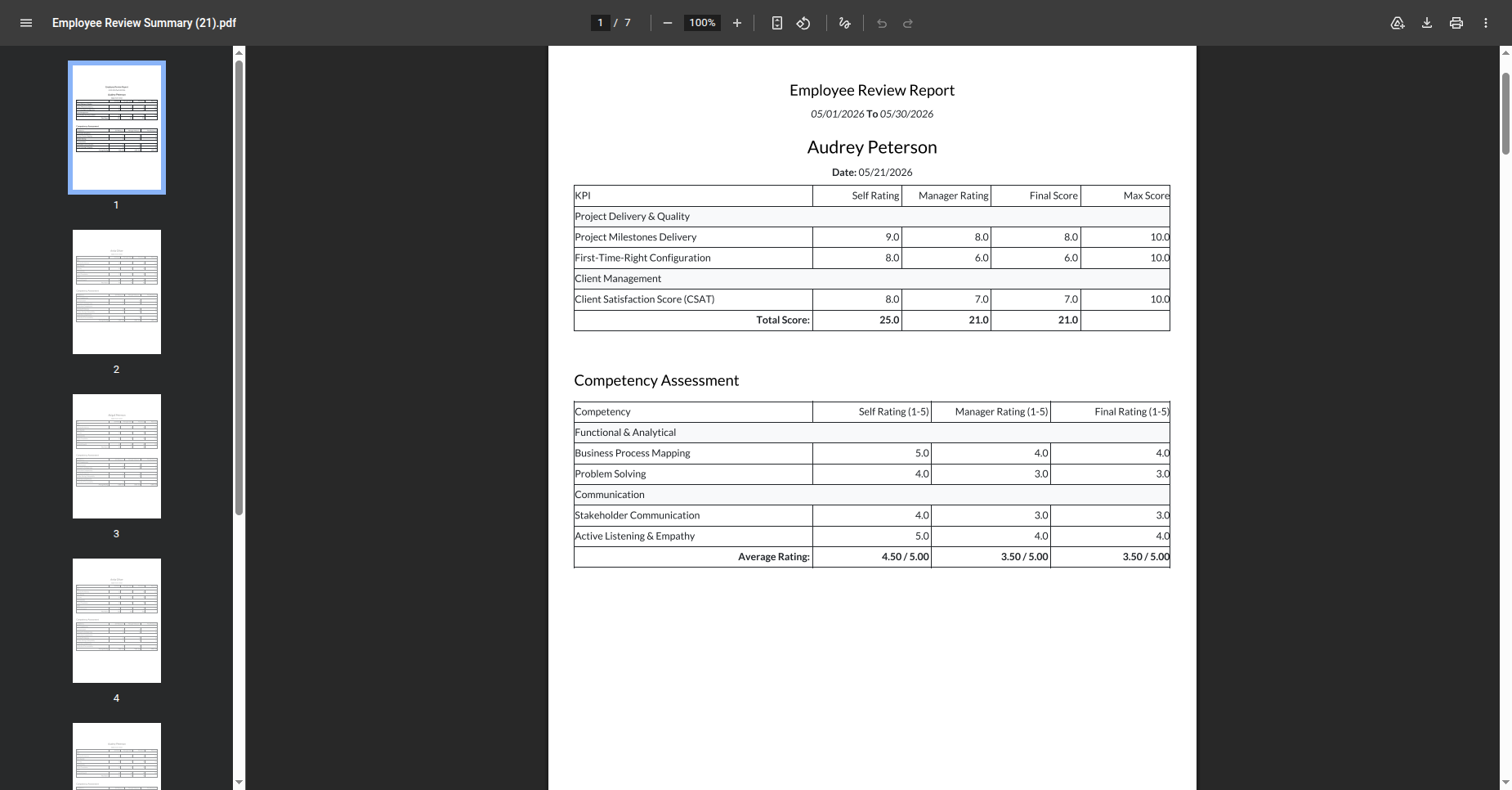
Review the generated Employee Review Summary PDF containing the completed competency assessment.
Manager can view the Team Performance Analytics report to analyze department-level evaluation results and performance trends.
View Team Performance Analytics charts comparing evaluation results across departments and performance categories.
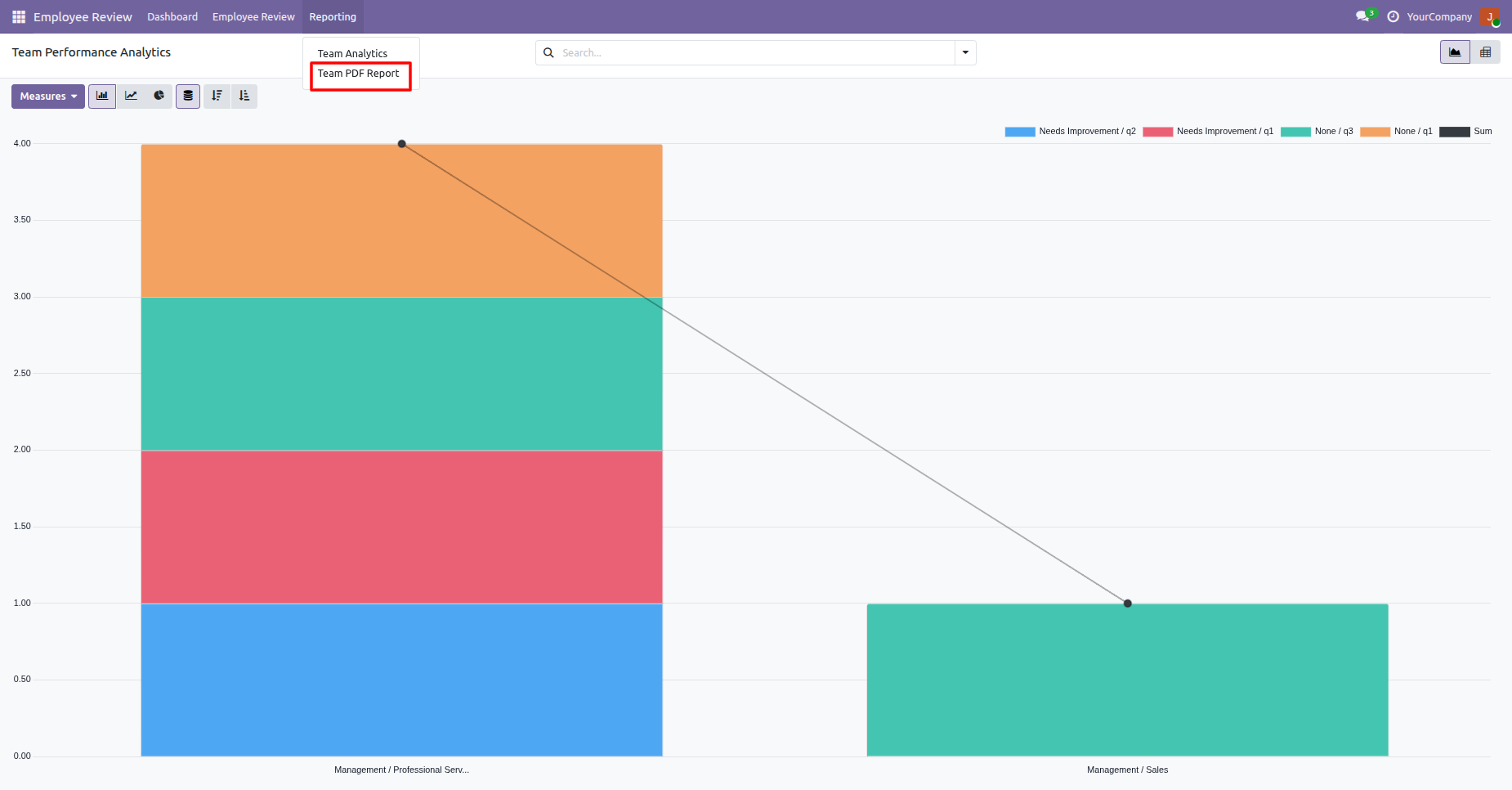
Manager can view the Team PDF Reports to analyze department-level evaluation results and performance trends.
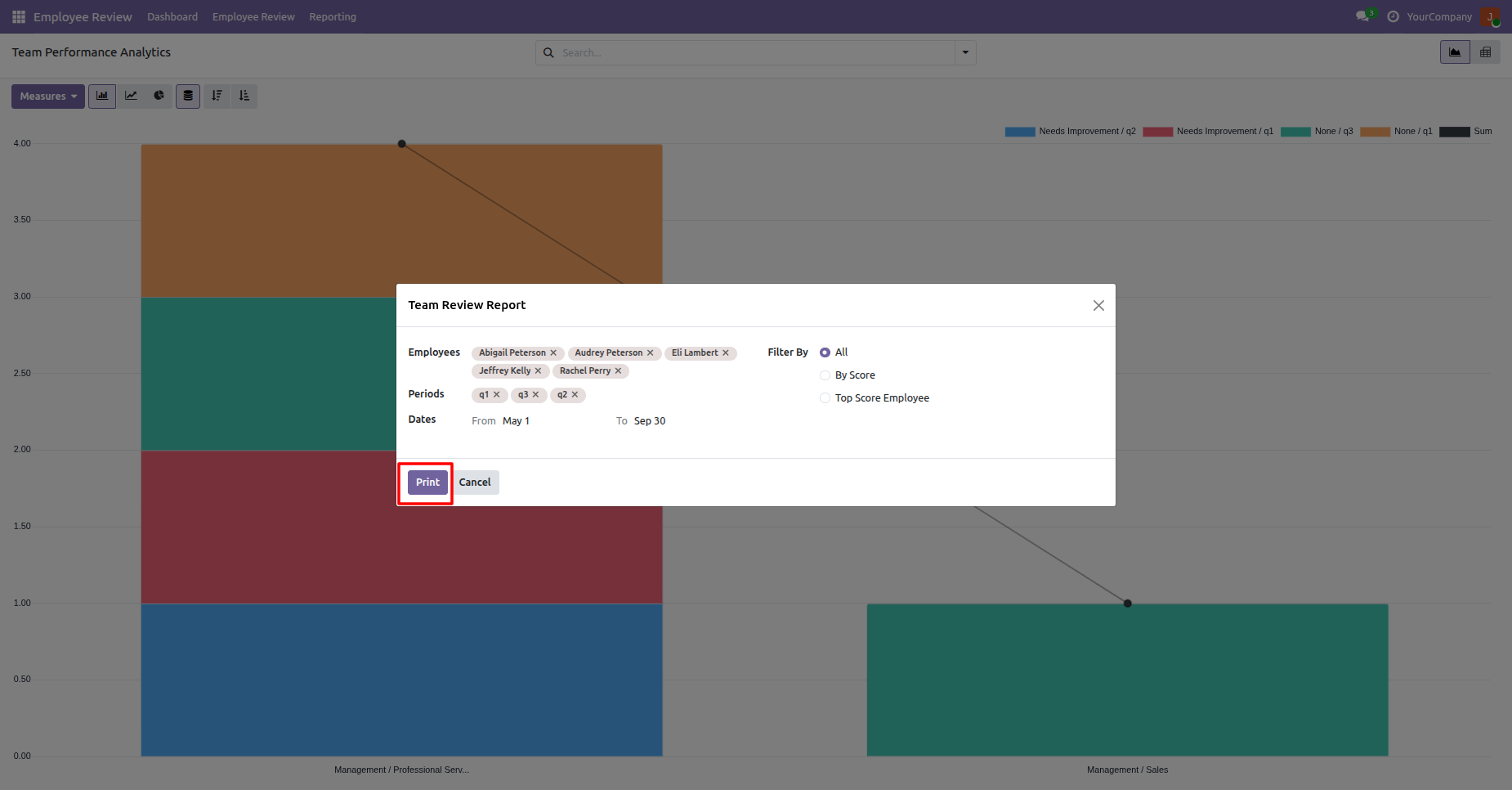
Filter the Team Review Report by selected employees, periods, scores, and evaluation dates.
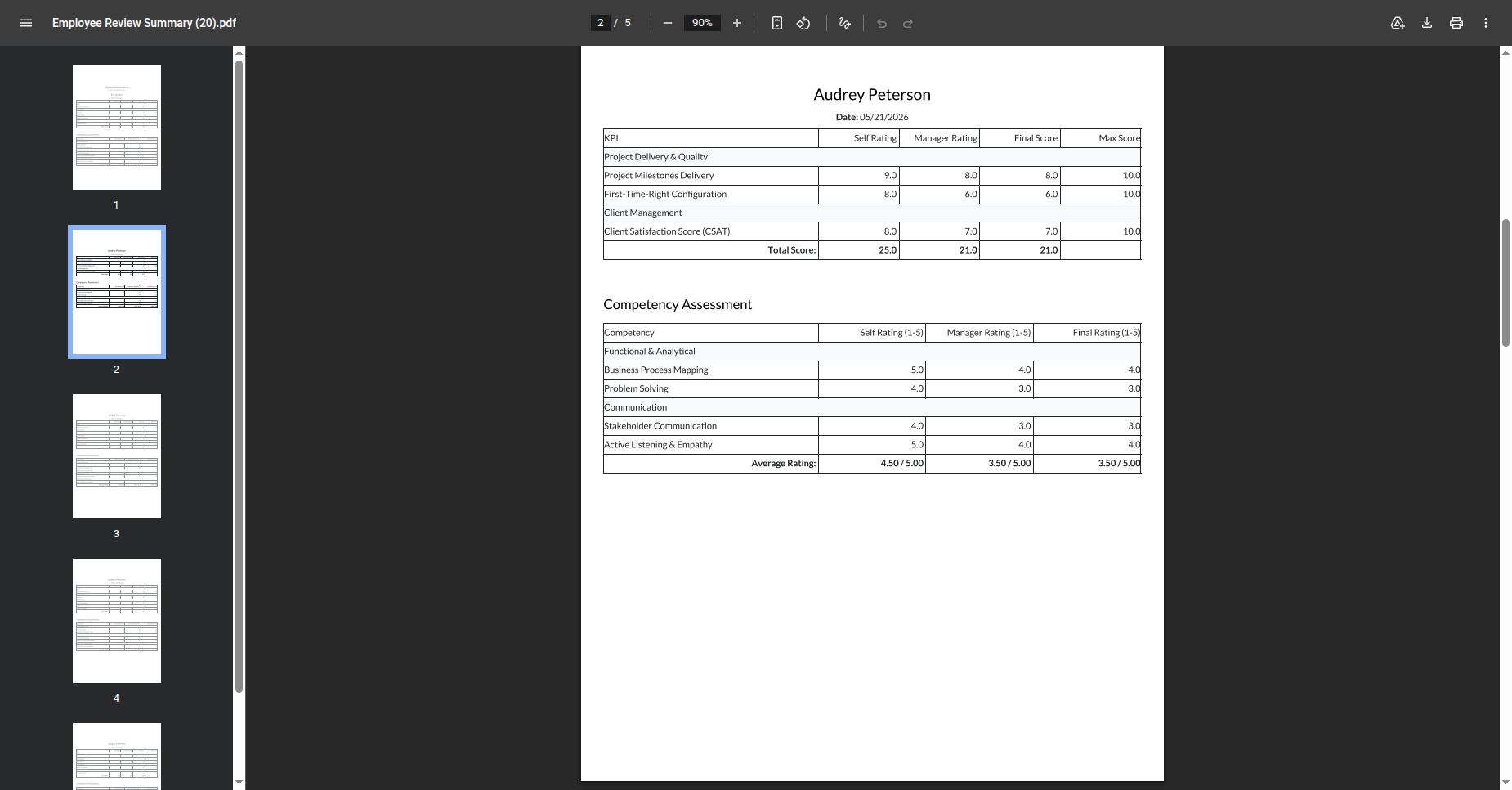
Review the generated Employee Review Summary PDF containing KPI and competency assessment results.
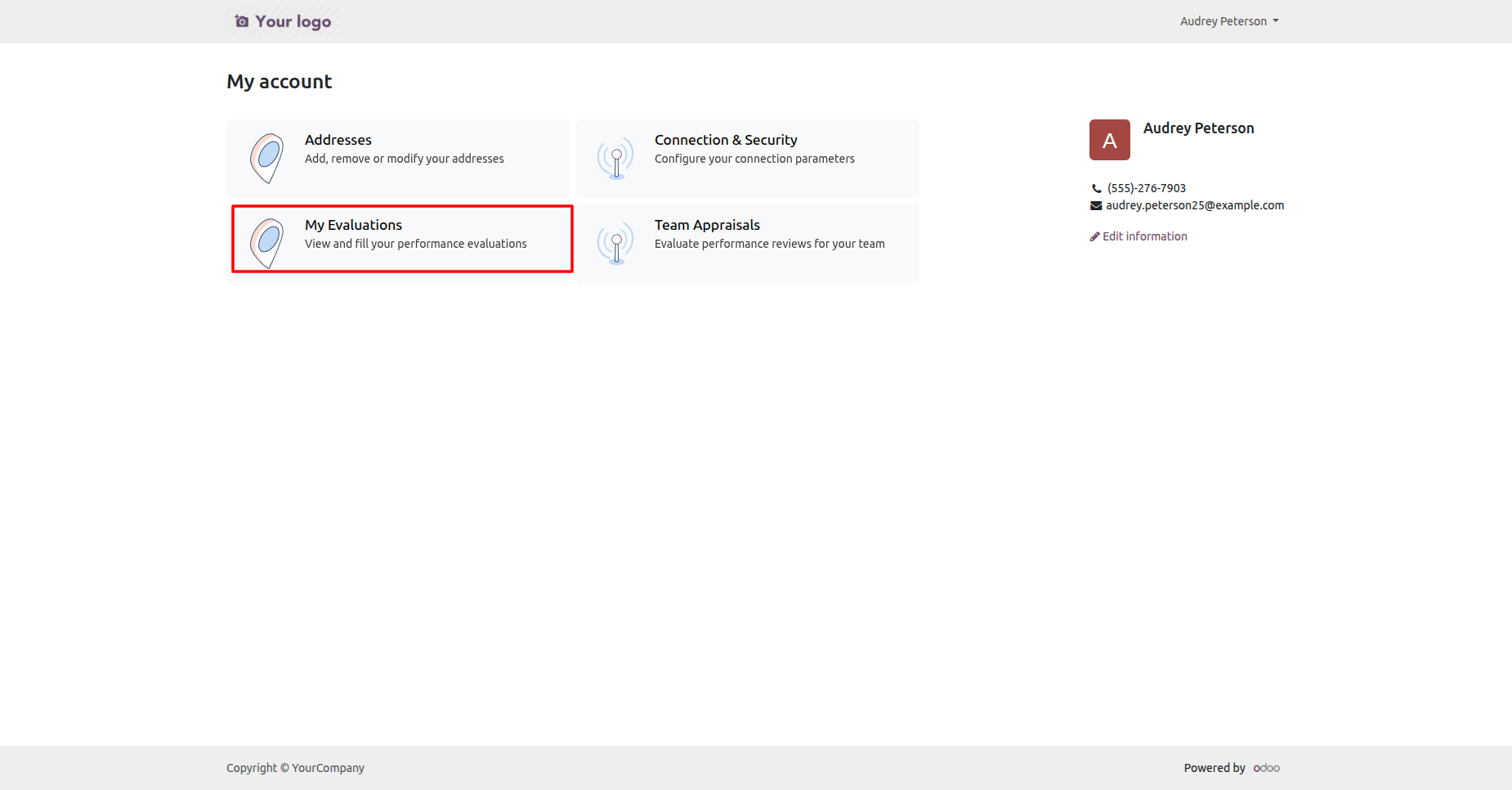
Open the employee portal account to access My Evaluations and Team Appraisals services.
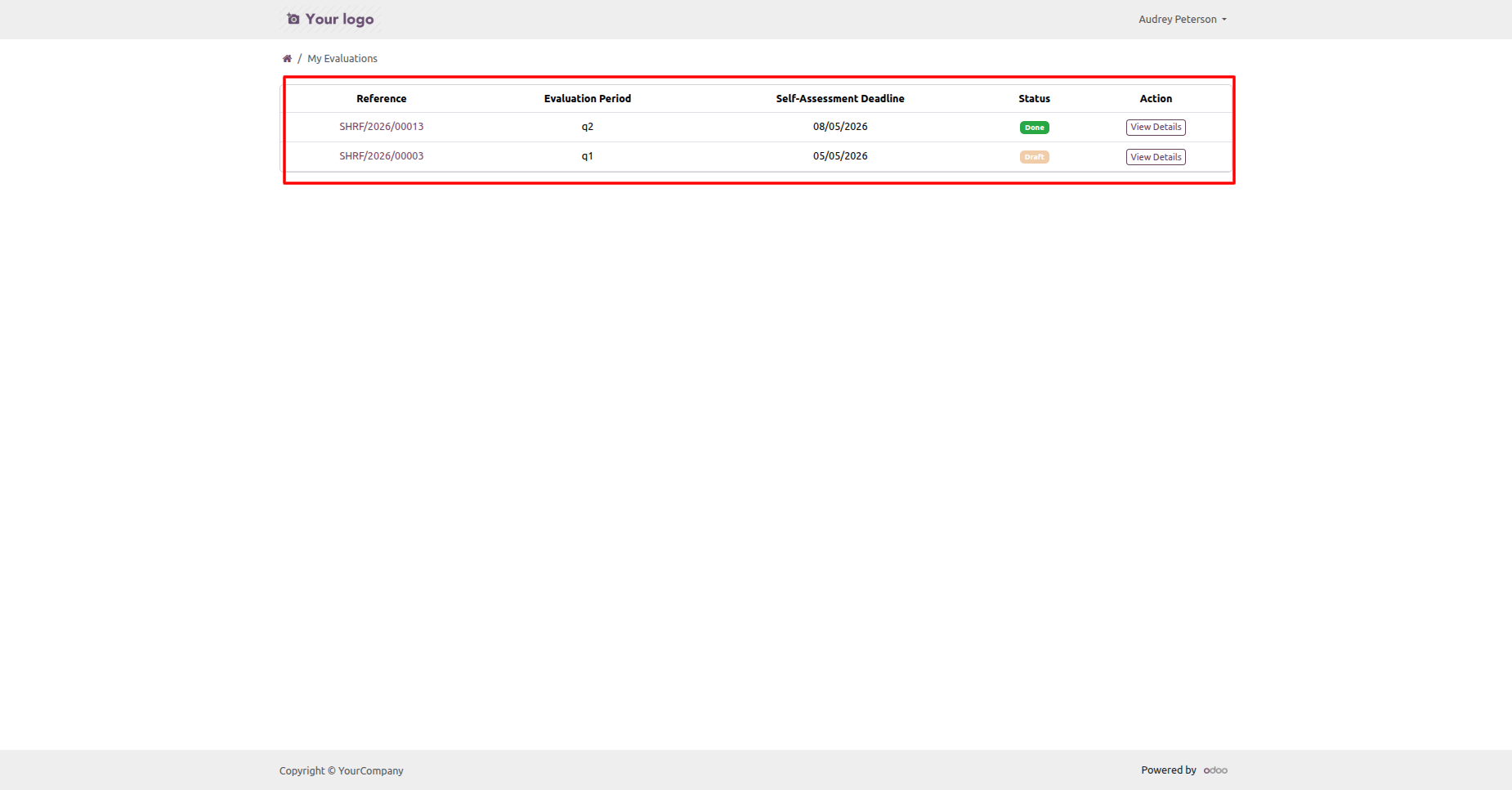
Review the My Evaluations portal list showing evaluation periods, deadlines, statuses, and available actions.
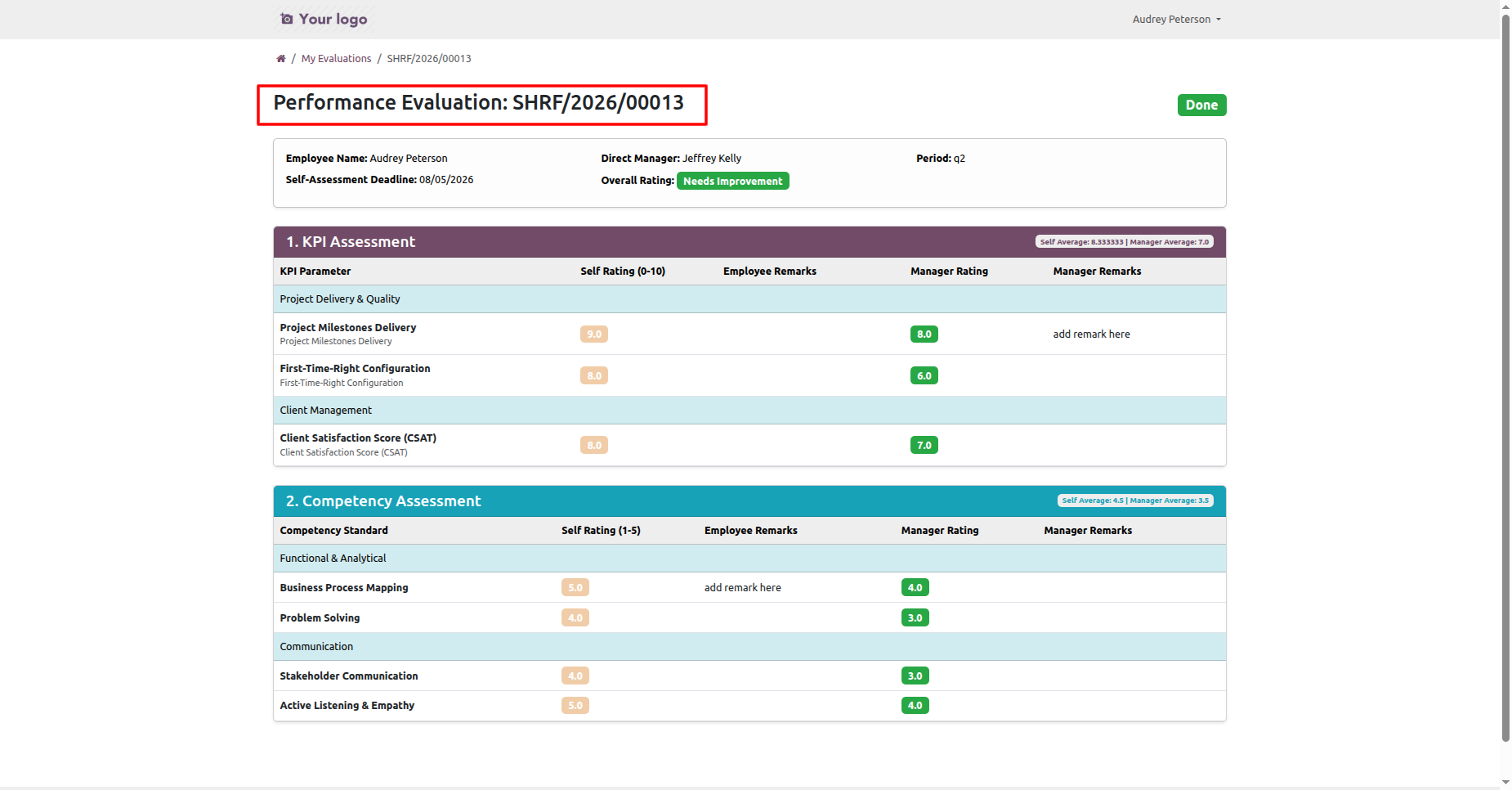
Open a portal evaluation to review employee details, KPI ratings, remarks, and overall evaluation results.
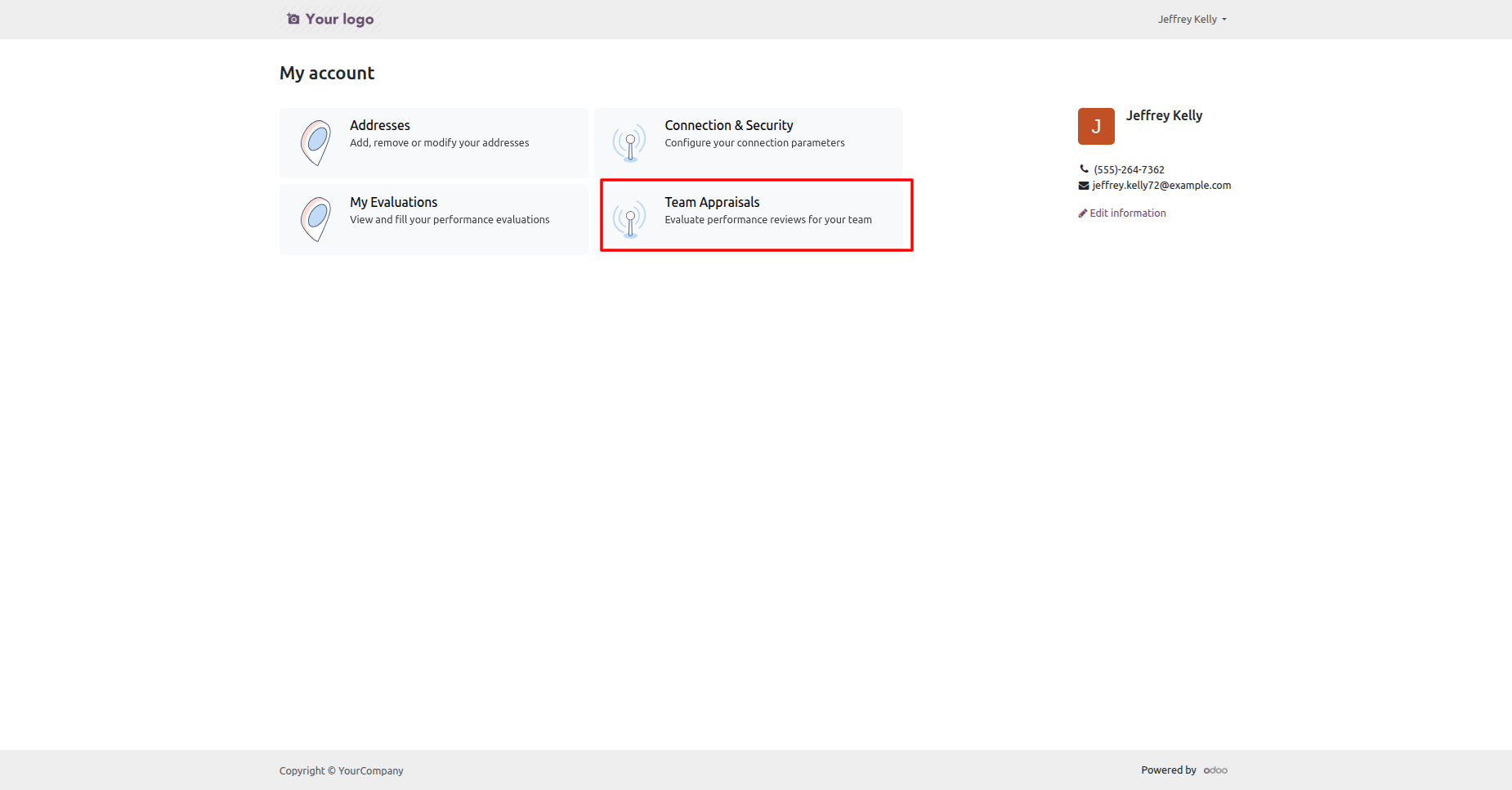
Open the manager portal account to access Team Appraisals and available evaluation services.
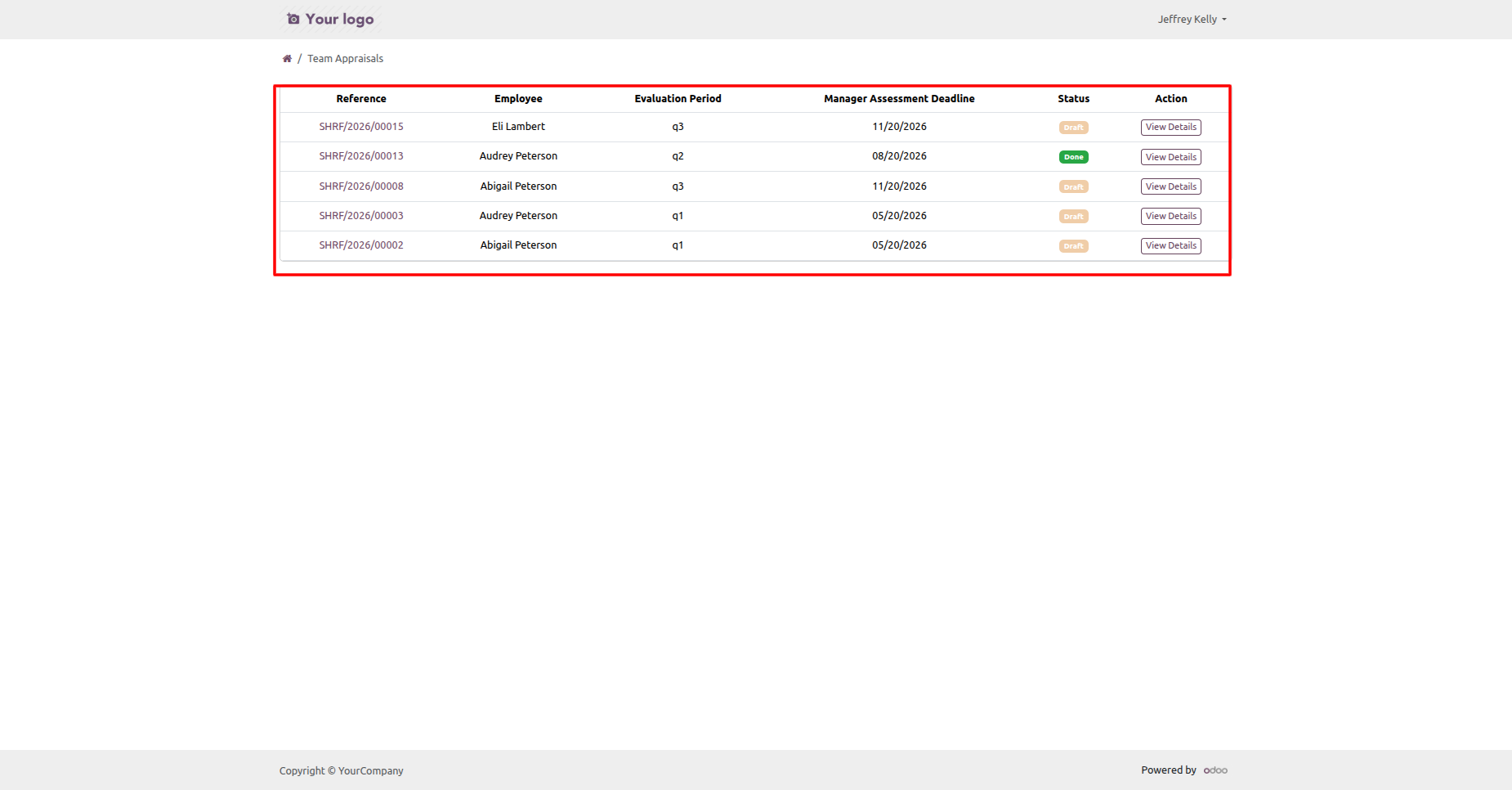
Review the Team Appraisals portal list showing employees, evaluation periods, deadlines, and appraisal statuses.
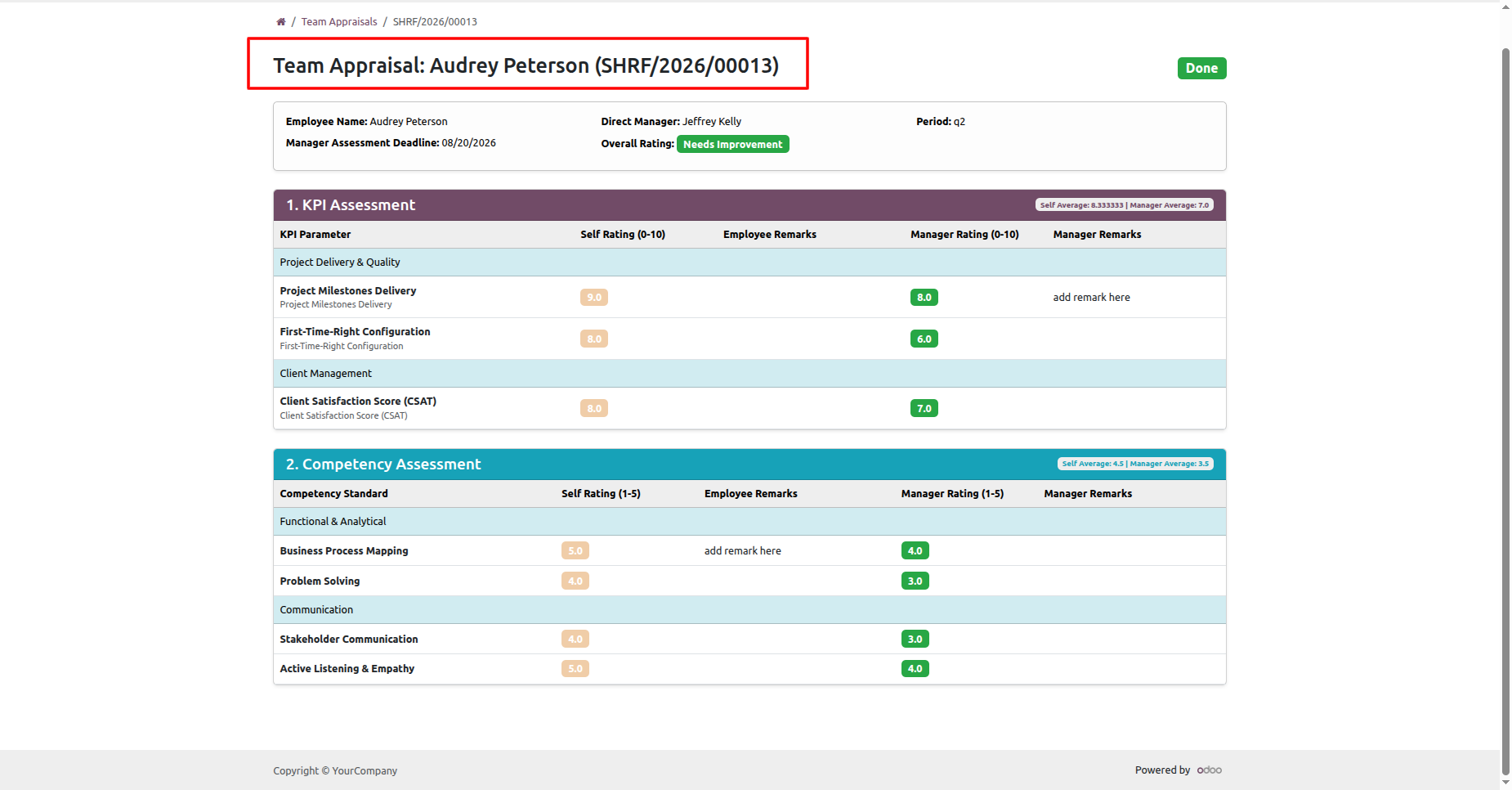
Open a team appraisal to review manager ratings, employee remarks, KPI details, and overall results.
Version 19.0.2.0.0 | Released on : 15th September 2026
Version 19.0.1.0.0 | Released on : 14th February 2026
- Yes, this app works perfectly with Odoo Enterprise (Odoo.sh & Premise) as well as Community.
- No, this application is not compatible with odoo.com(odoo saas/Odoo Online)
- Yes, to test this module, please contact us at sales@softhealer.com.
- Please contact us at sales@softhealer.com to request customization.
- Yes, we provide free lifetime support for the version you purchased.
- Yes, you will receive lifetime free updates for the version of the module you purchased.
- No, there is no need to install any additional libraries.
- Yes, for version 12 and above, you need to purchase the module separately for each version you intend to use.
- No, exchanges or refunds are not allowed. Please make sure to select the correct version before purchasing.
- You can contact us at support@softhealer.com for language translation support. We use Google Translator tools to provide translations in multiple languages, so the accuracy may vary. We welcome your suggestions to help improve translations.
Discover Our Latest Apps