











Gym Management System Website

The Gym Management System – Website is a user-friendly Odoo website module that provides members with a seamless online fitness experience. It allows users to register, purchase memberships, book fitness classes, view workout plans, track attendance, manage subscriptions, and access their fitness information directly from the website.
Related Modules
Key Features
Features
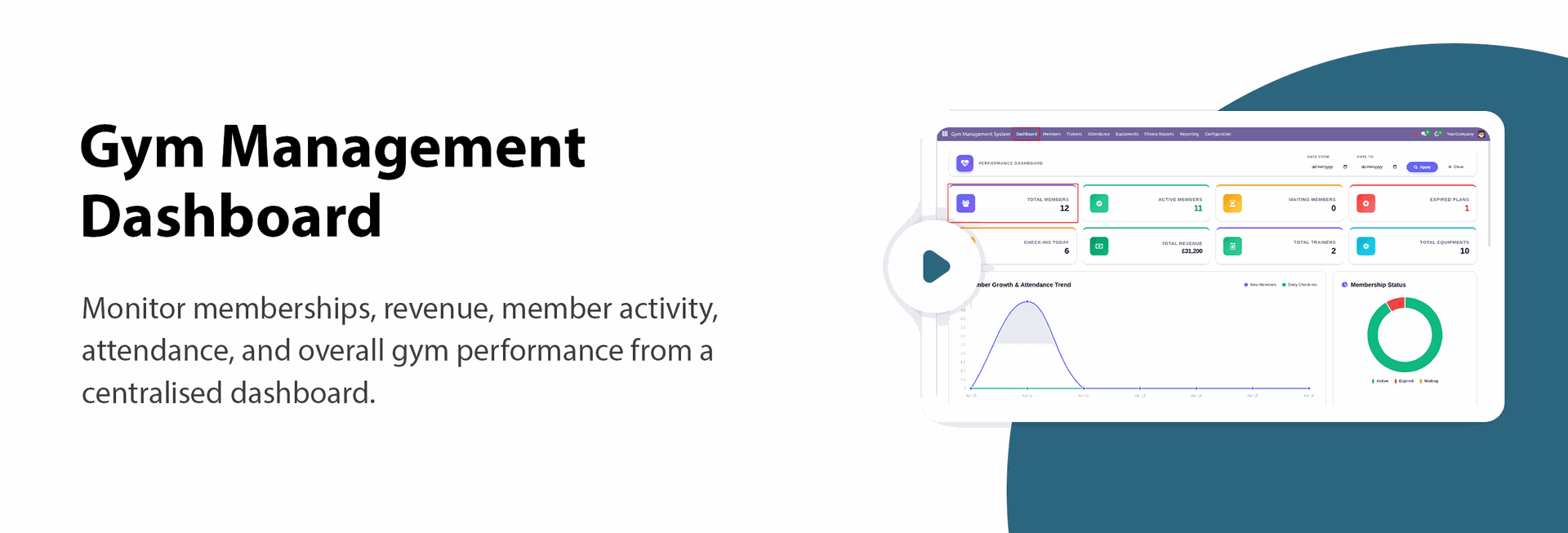
Gym Dashboard
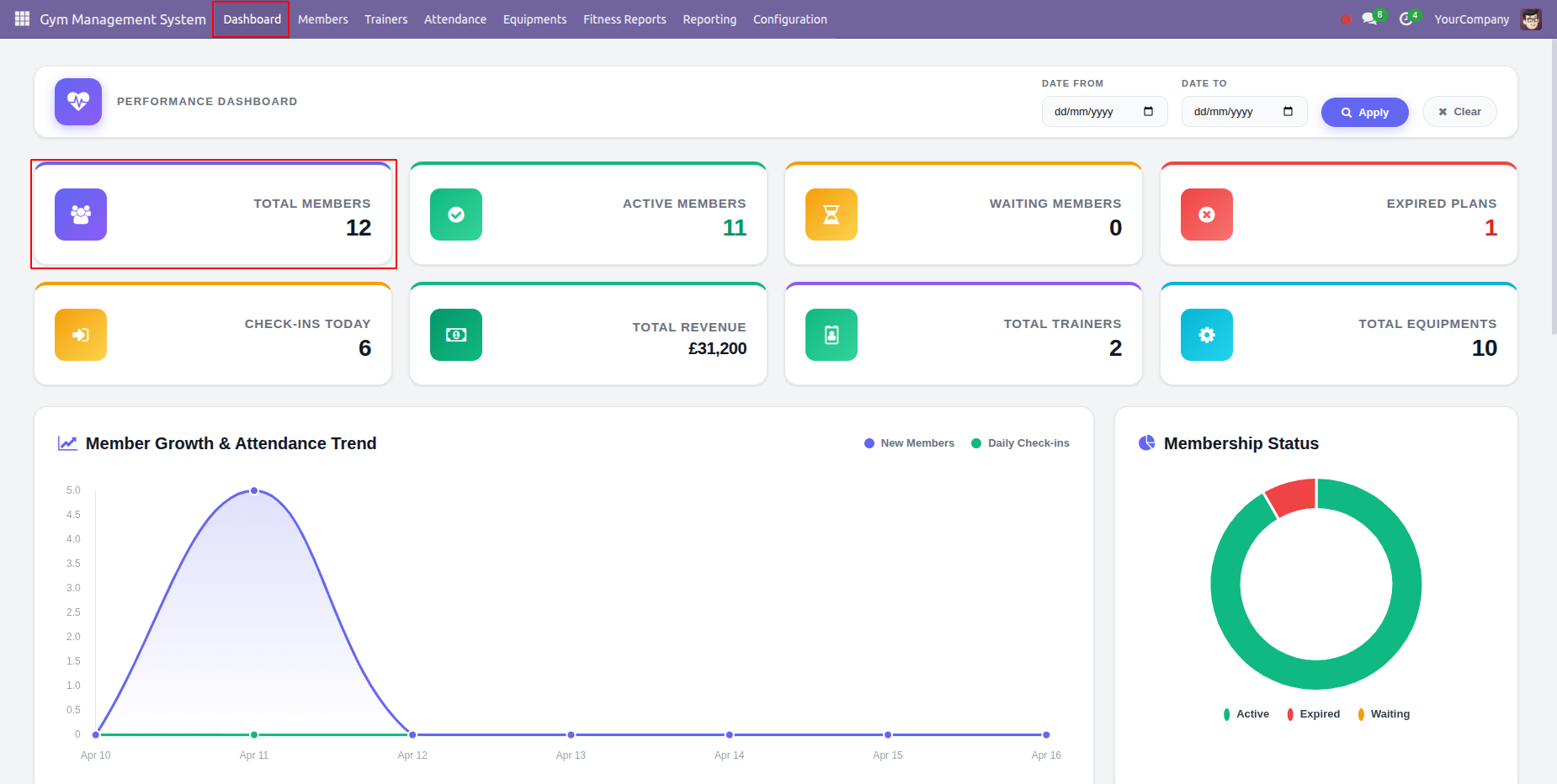
Get an interactive view of your gym's performance including total members, trainers, and active equipment.

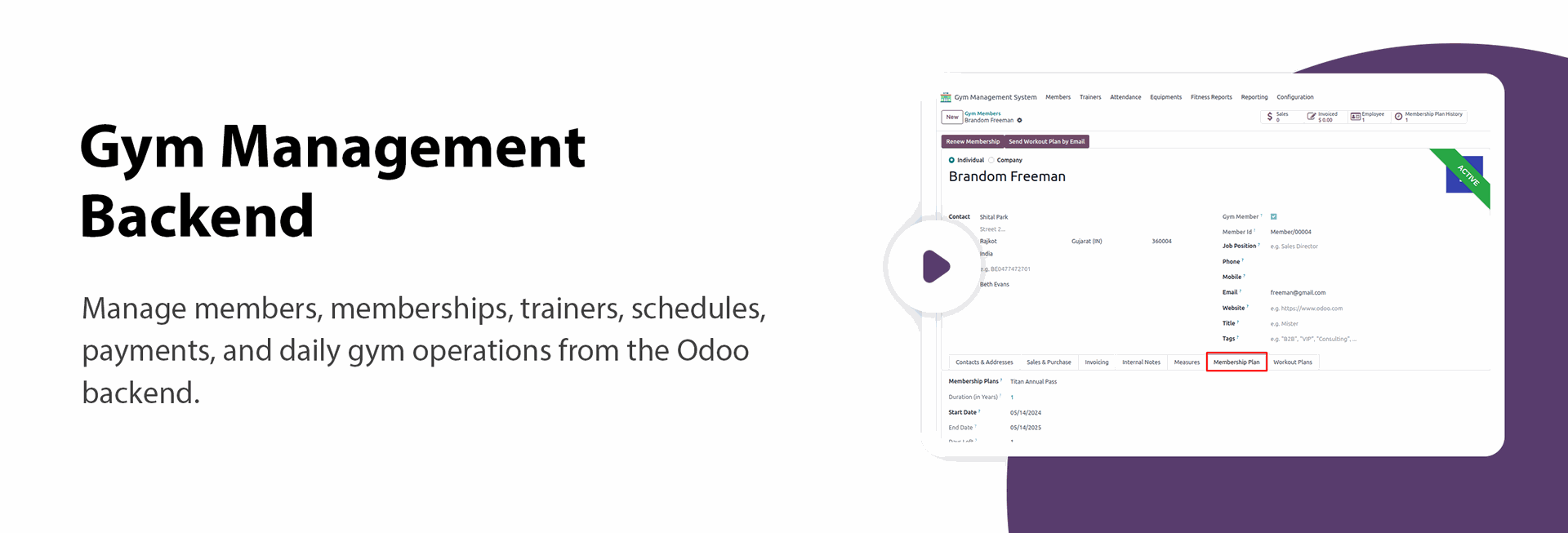
Member Management
Easily manage member profiles, contact information, and membership statuses with a user-friendly interface.
Trainer Management
Assign dedicated trainers to members and track their performance and schedules efficiently.

Attendance Tracking
Streamline check-ins and check-outs for both members and trainers using integrated Odoo attendance features.
Workout Plans
Design and assign personalized workout routines and exercise templates tailored to individual member goals.

Membership Plans
Create flexible membership tiers such as monthly, quarterly, or yearly plans with customized pricing and benefits.

Health Measurements
Record and track vital health statistics like BMI, weight, and other body measurements to monitor progress.
Fitness Reports
Generate comprehensive fitness progress reports to keep members motivated and informed about their achievements.
Equipment Management
Keep your gym equipment in top shape by tracking maintenance schedules and availability in real-time.
Exercises
Maintain a detailed list of exercises categorized by muscle groups and fitness purposes for better planning.
Automated Notifications
Automatically send reminders to members before their plan expiry date to ensure timely renewals and uninterrupted membership access.

Portal Integration
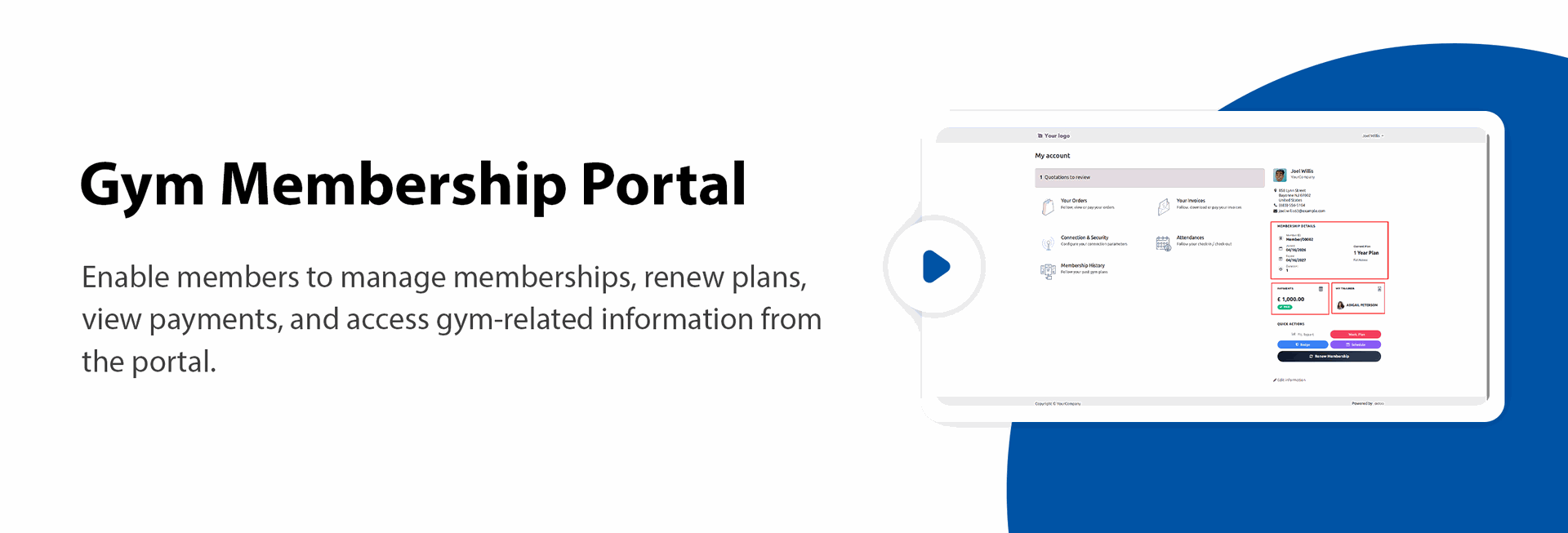
Provide members with a dedicated portal to view their attendance, workout plans, and membership history.

Membership Renewal Portal
Enable members to renew their gym membership plans easily through the customer portal.
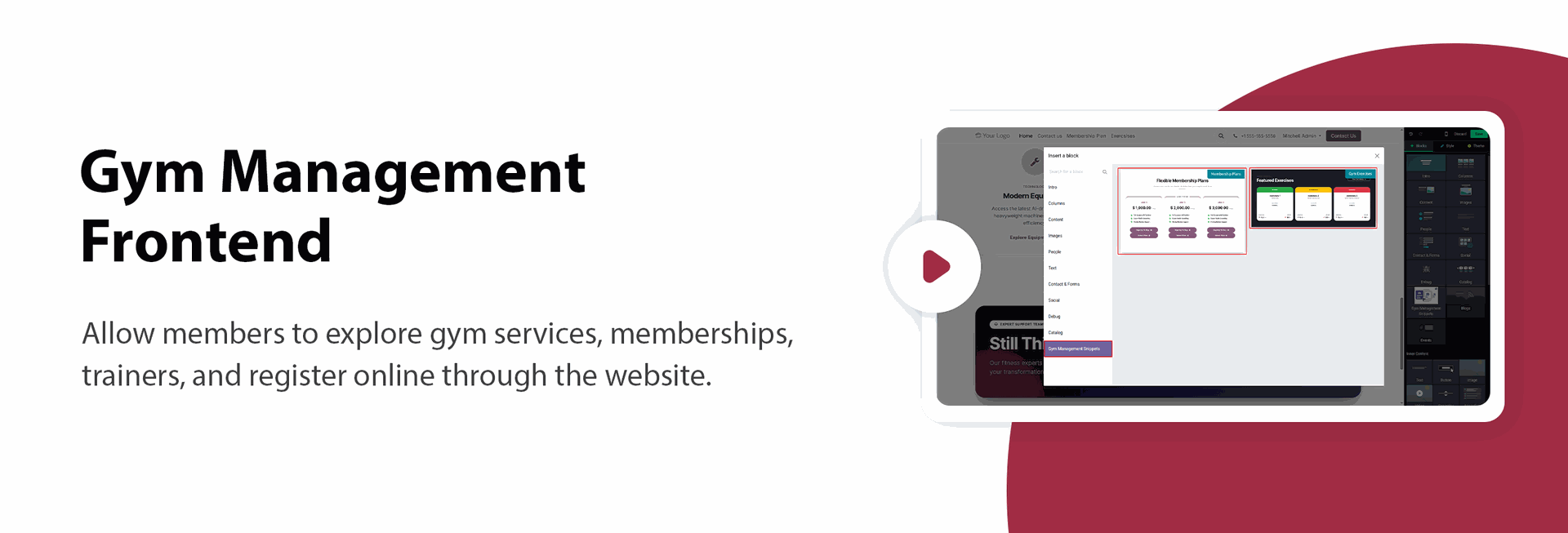
Gym Management Website Snippets
Showcase gym memberships, trainers, classes, facilities, and other content using customizable drag-and-drop website snippets.

Online Membership Plan Purchase
Allow customers to browse and purchase gym membership plans directly from the website.

Exercise Library Website
Showcase workout routines and exercise information on the website, allowing users to browse exercises by category and fitness goals.
Go to the Website Editor, open the Blocks panel, and drag the Gym Management snippet onto the desired page to showcase gym-related content and services on your website.
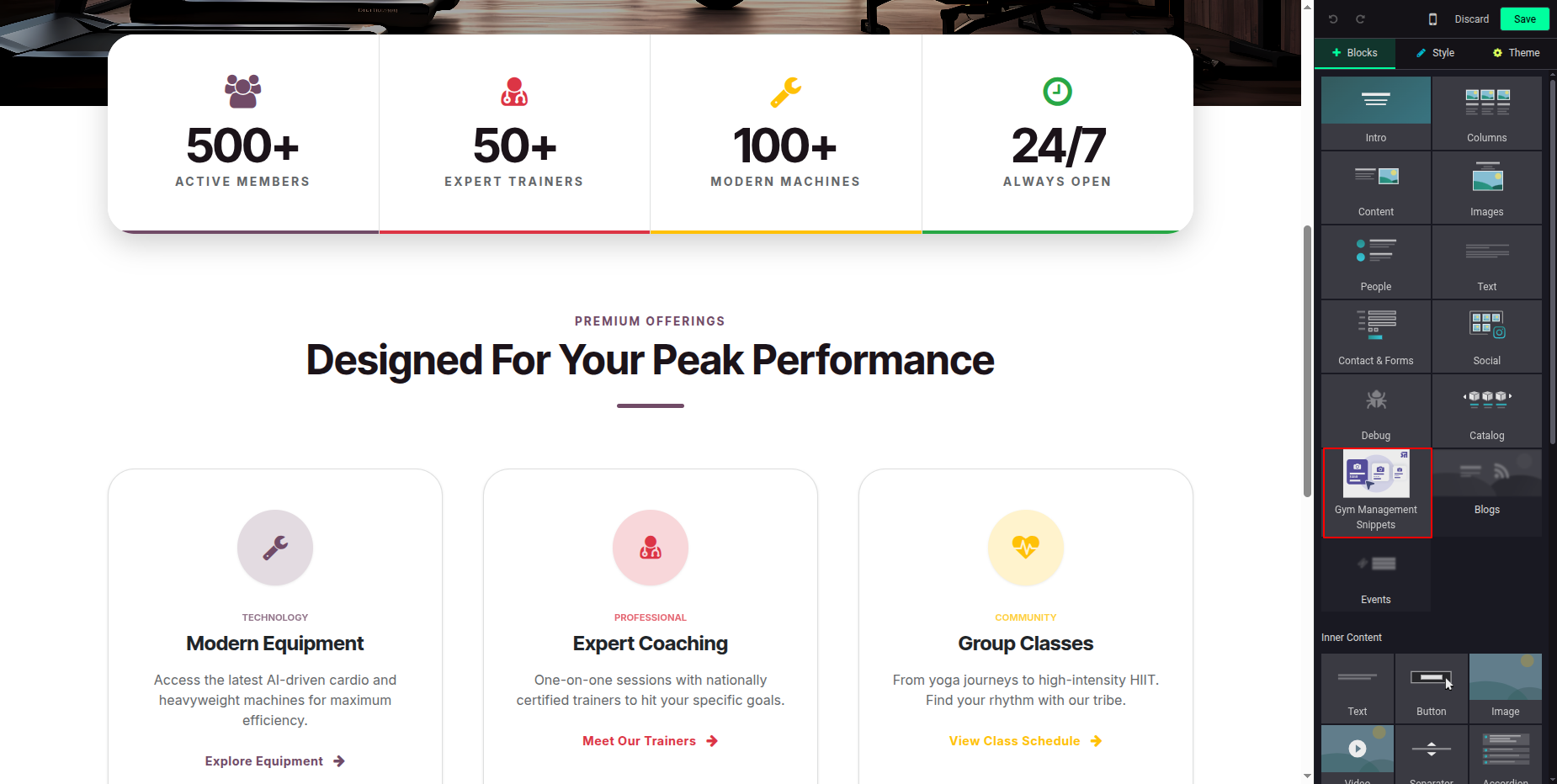
Configure the Gym Management snippet on the website page to display Membership Plans and Exercises.
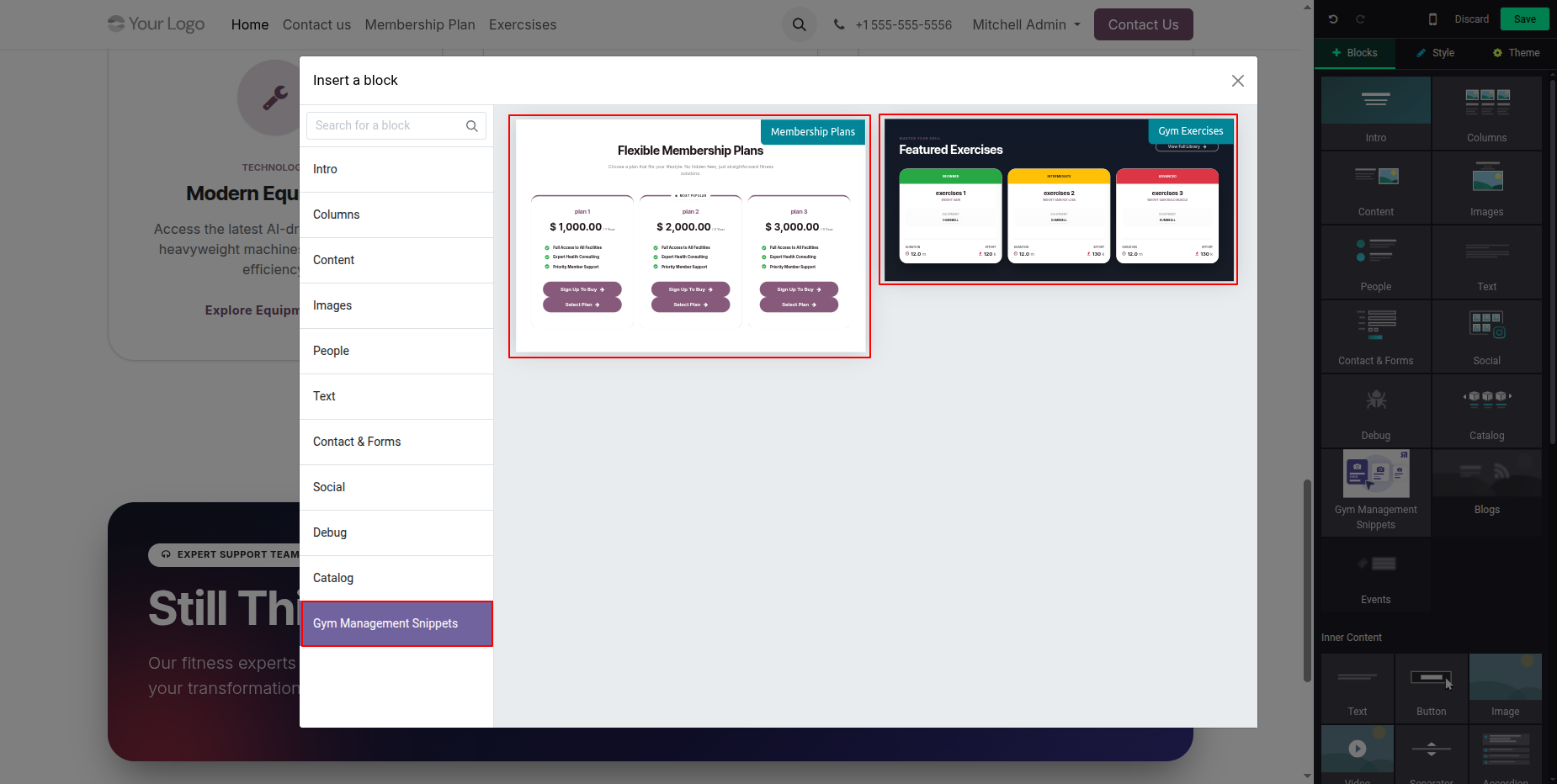
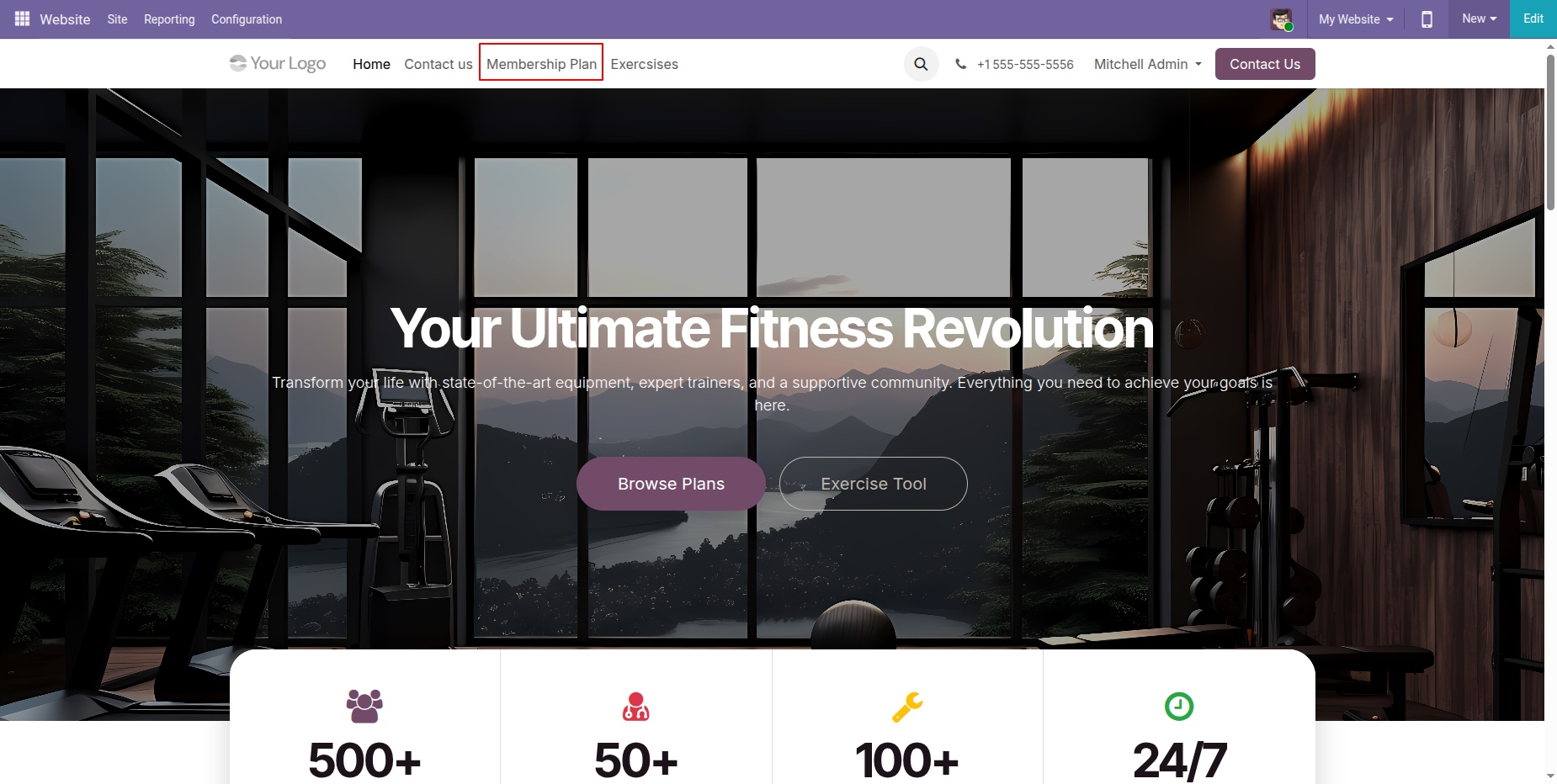
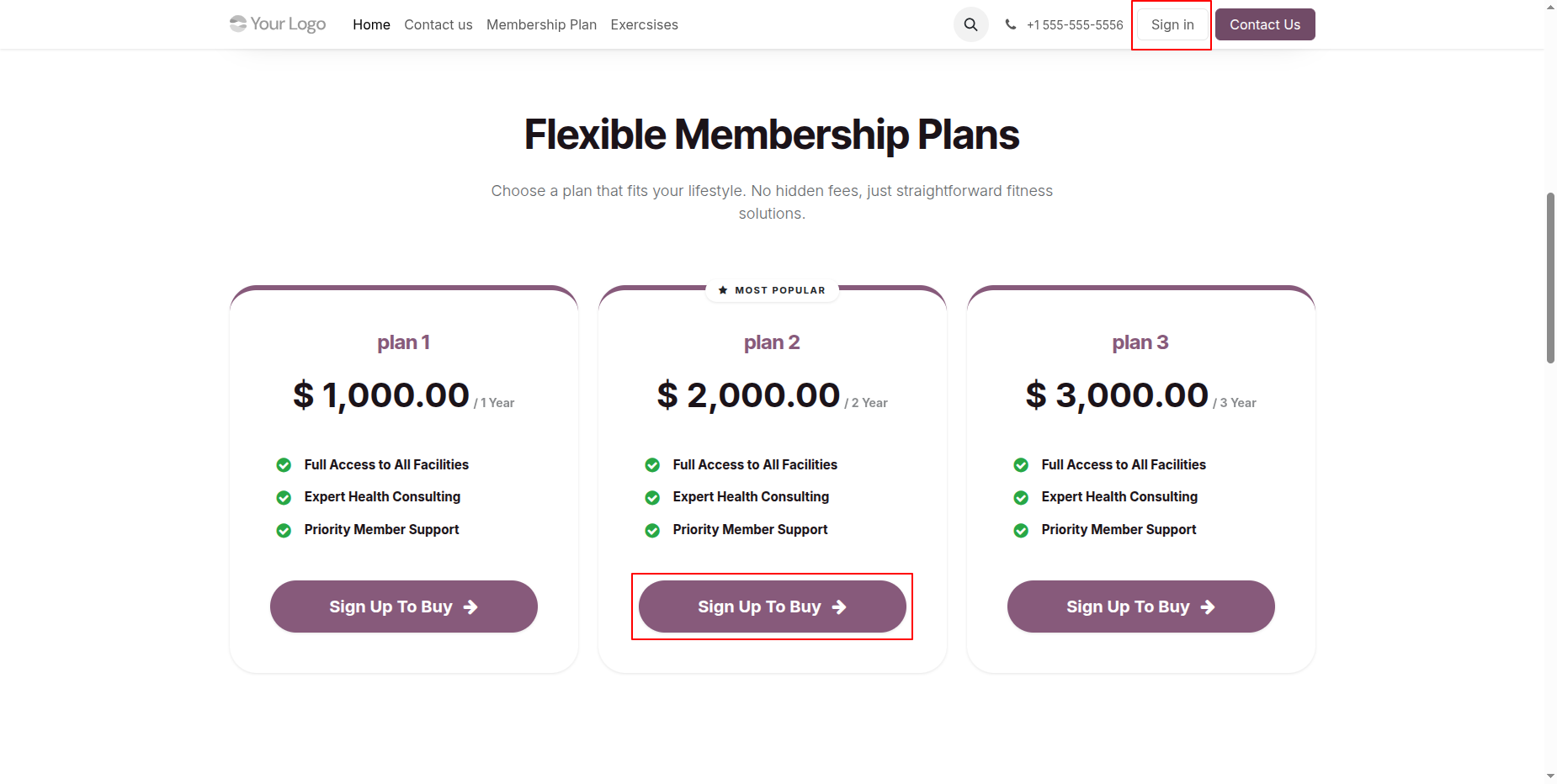
Go to the Membership page on the website to browse the available membership plans, view plan details, and choose the most suitable option.
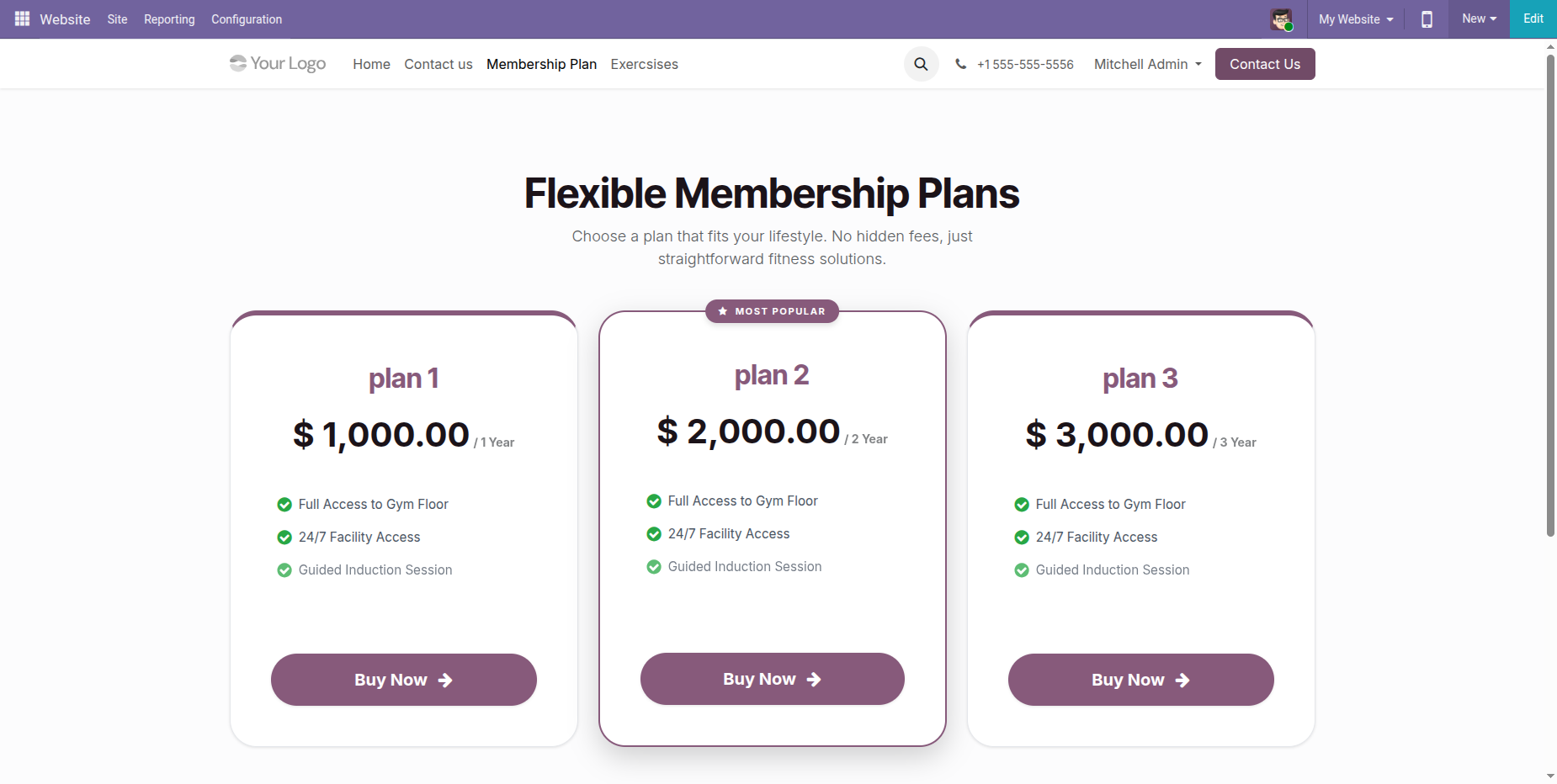
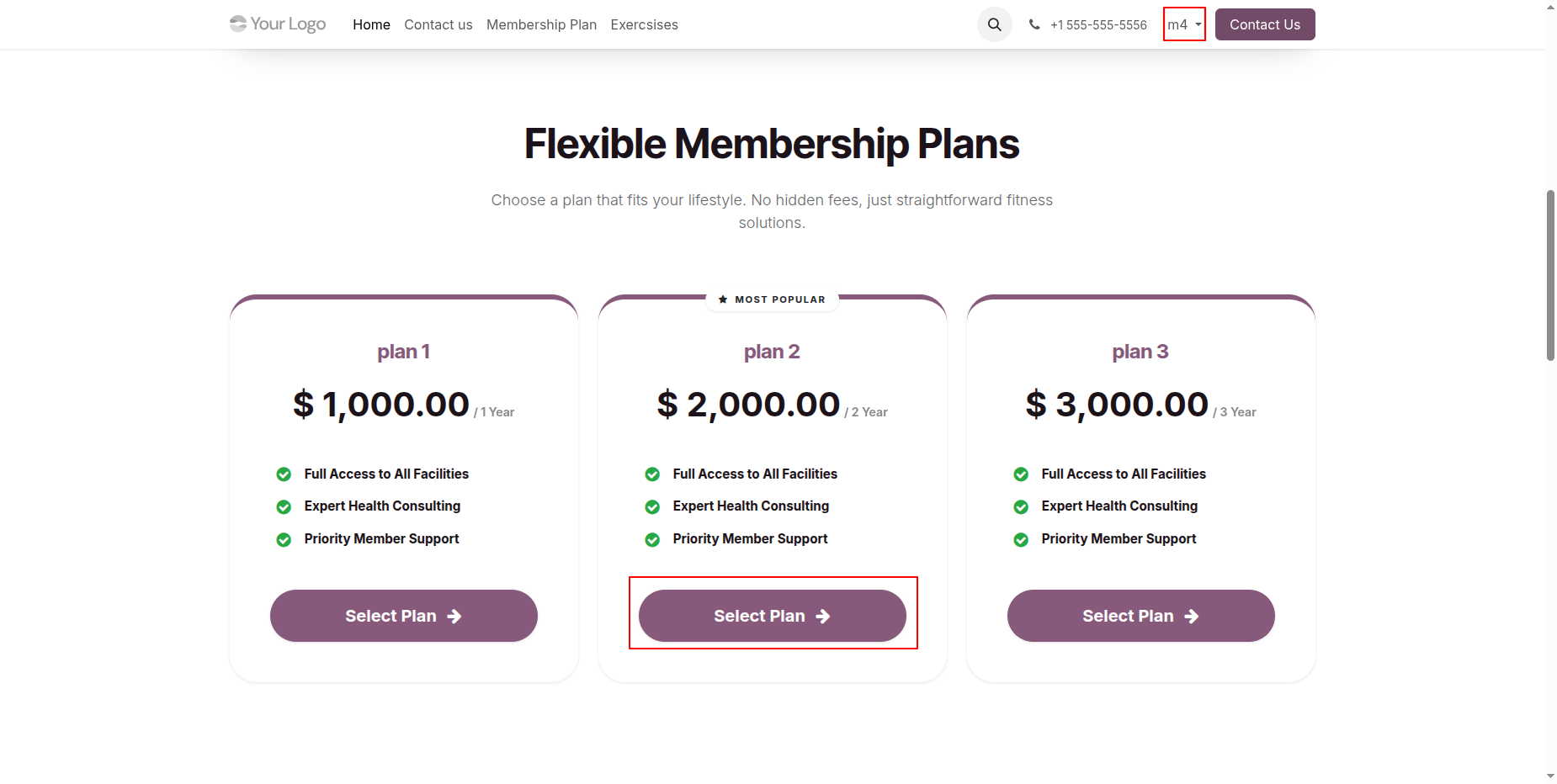
Users can view the available Membership Plans on the website, select their preferred plan, and click the Buy Now button to proceed with the membership purchase.
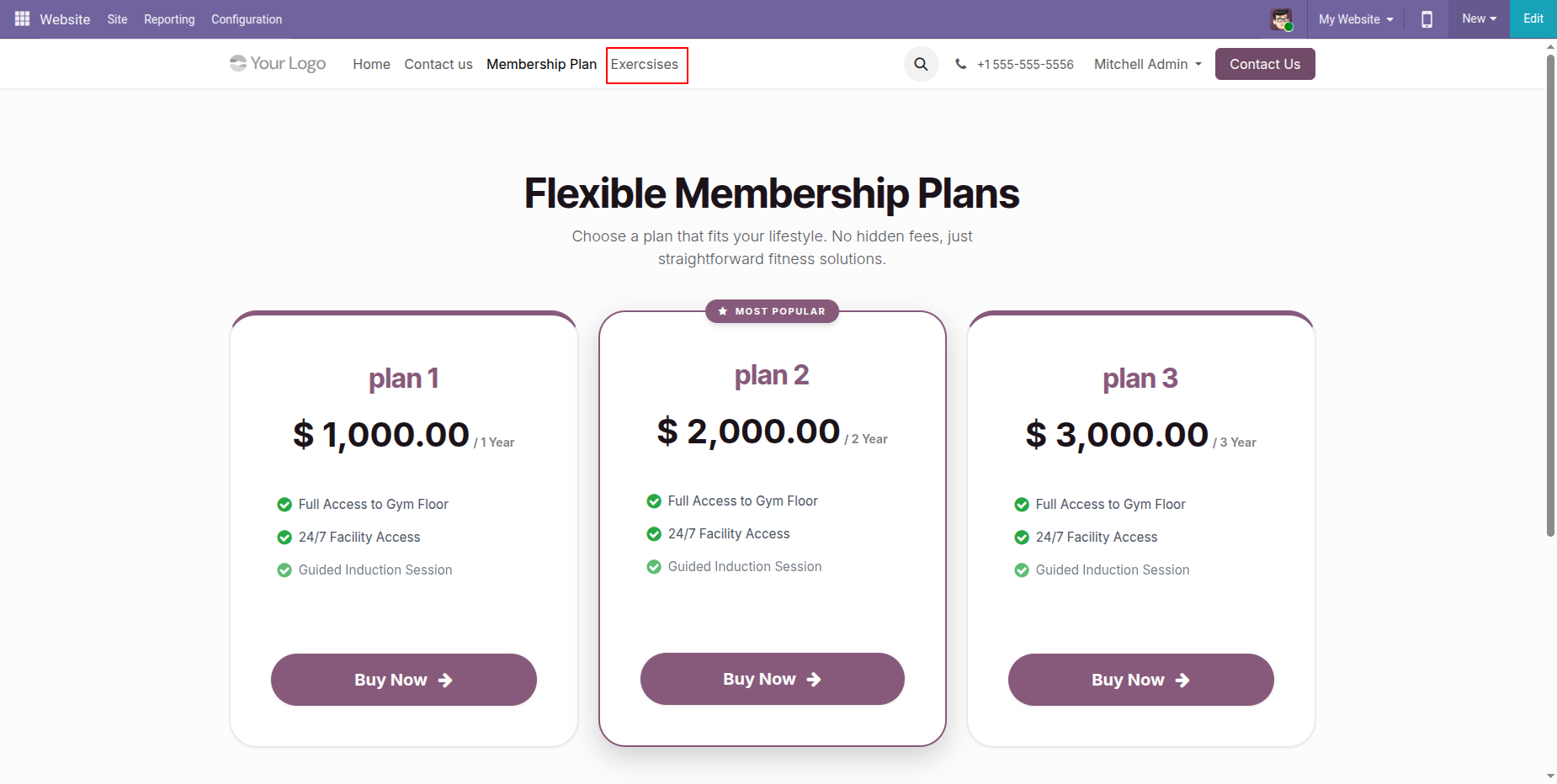
Go to the Exercises page on the website to browse the available workout programs and fitness exercises.
Users can browse the Exercise Library on the website to explore the available workout routines and fitness exercises.
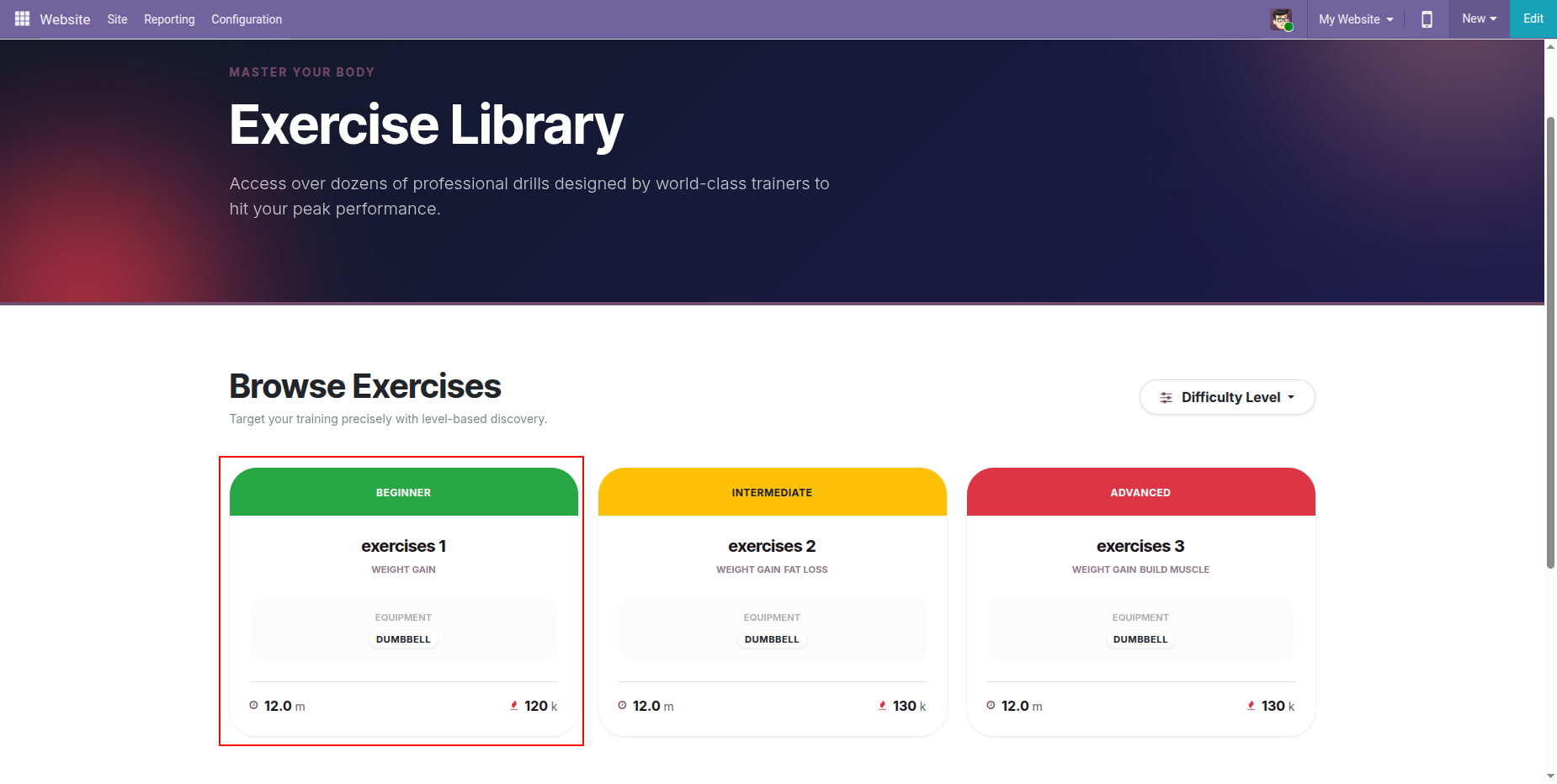
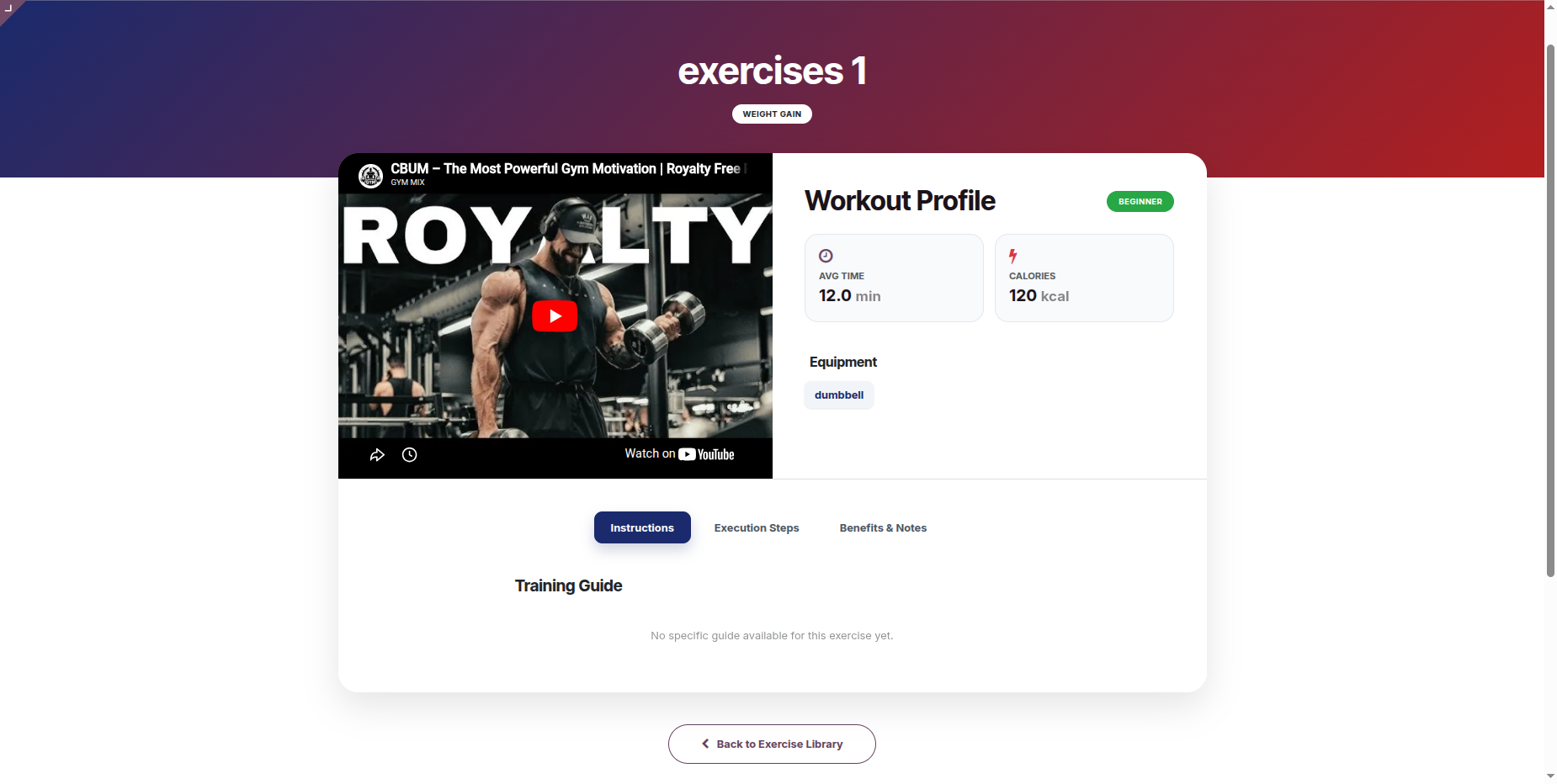
Clicking any exercise opens a detailed guide containing training duration, estimated calorie burn, required equipment lists, step-by-step execution steps, notes, and interactive video tutorials.
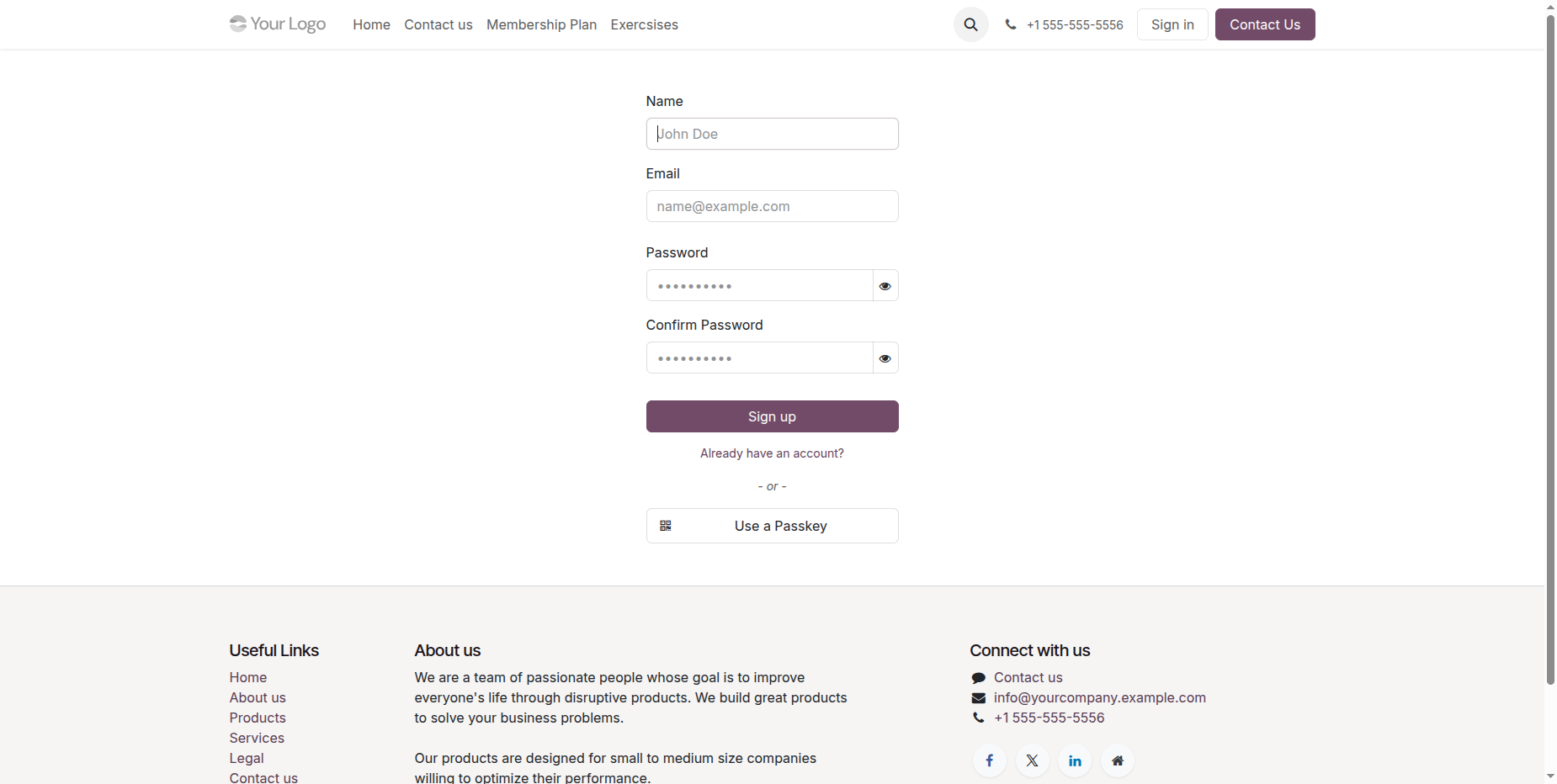
Public users are required to sign in before purchasing a membership plan. Click the Sign Up to Buy button on the selected plan to log in or create an account and continue with the purchase.
Enter the required user details and click the Sign Up button.
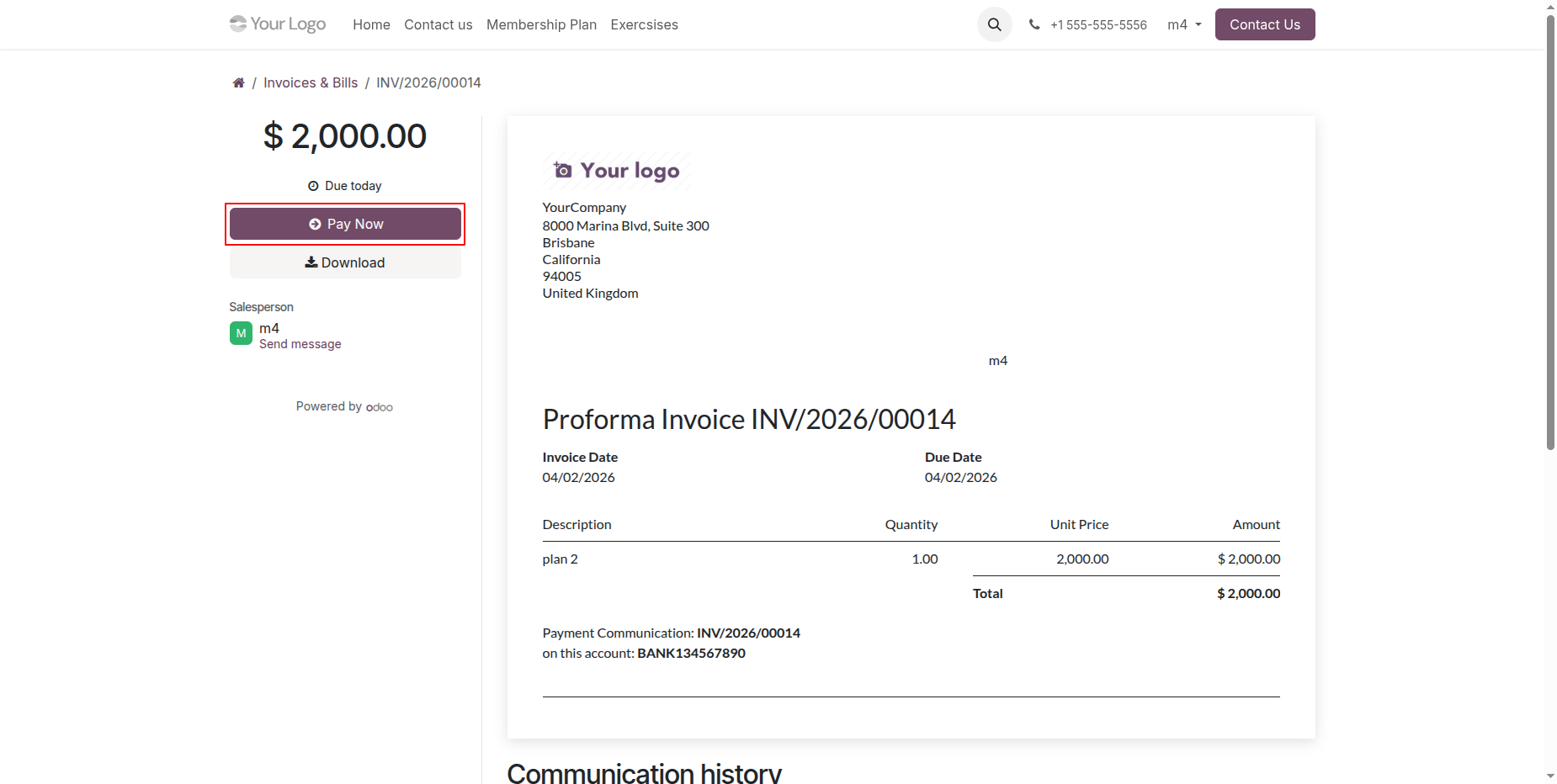
Clicking "Select Plan" triggers a seamless checkout process, generating a customer invoice automatically and redirecting the portal user directly to their secure invoice statement.
Click Pay Now to make the payment.
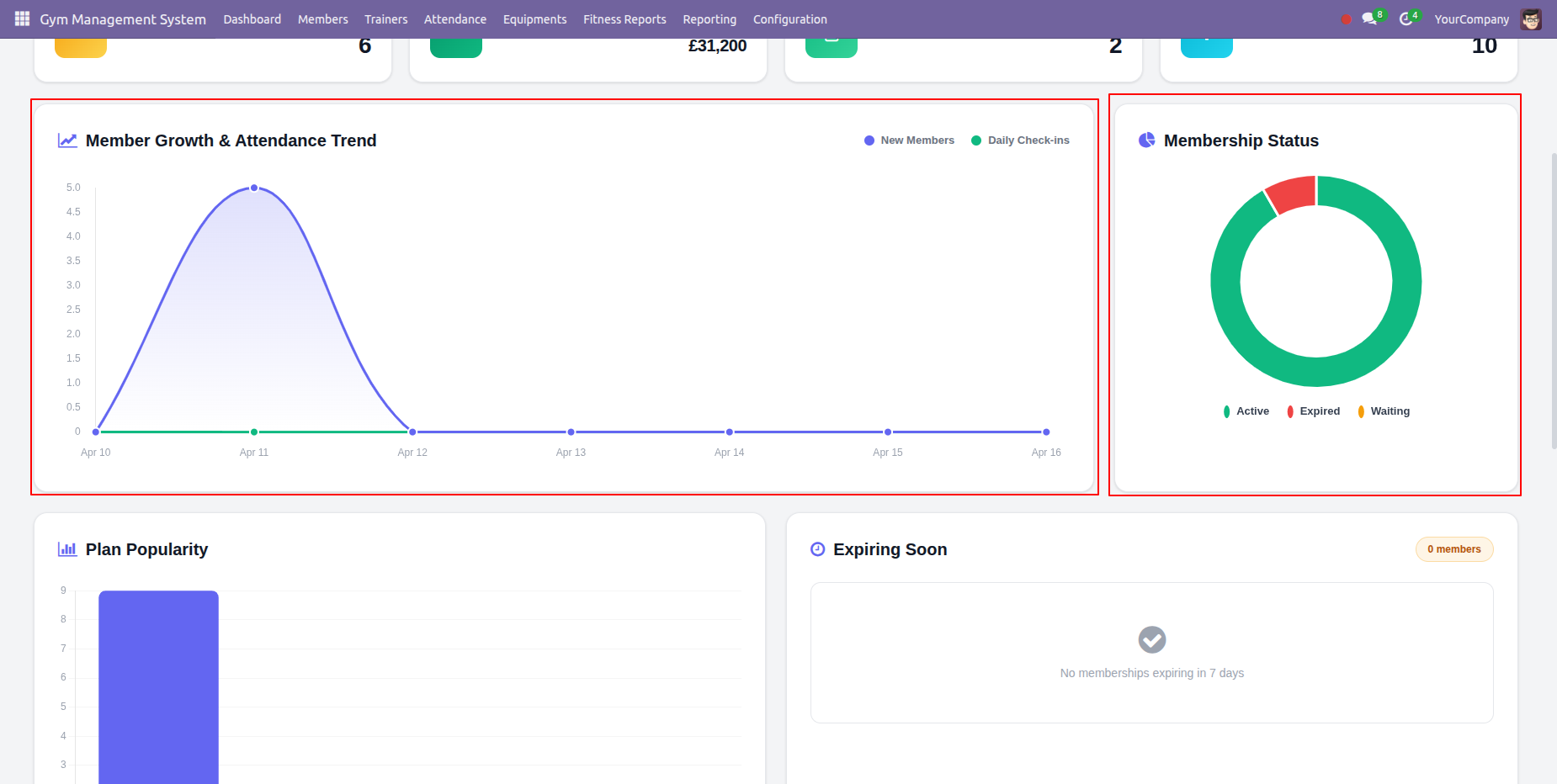
Gym Management Dashboard Overview.
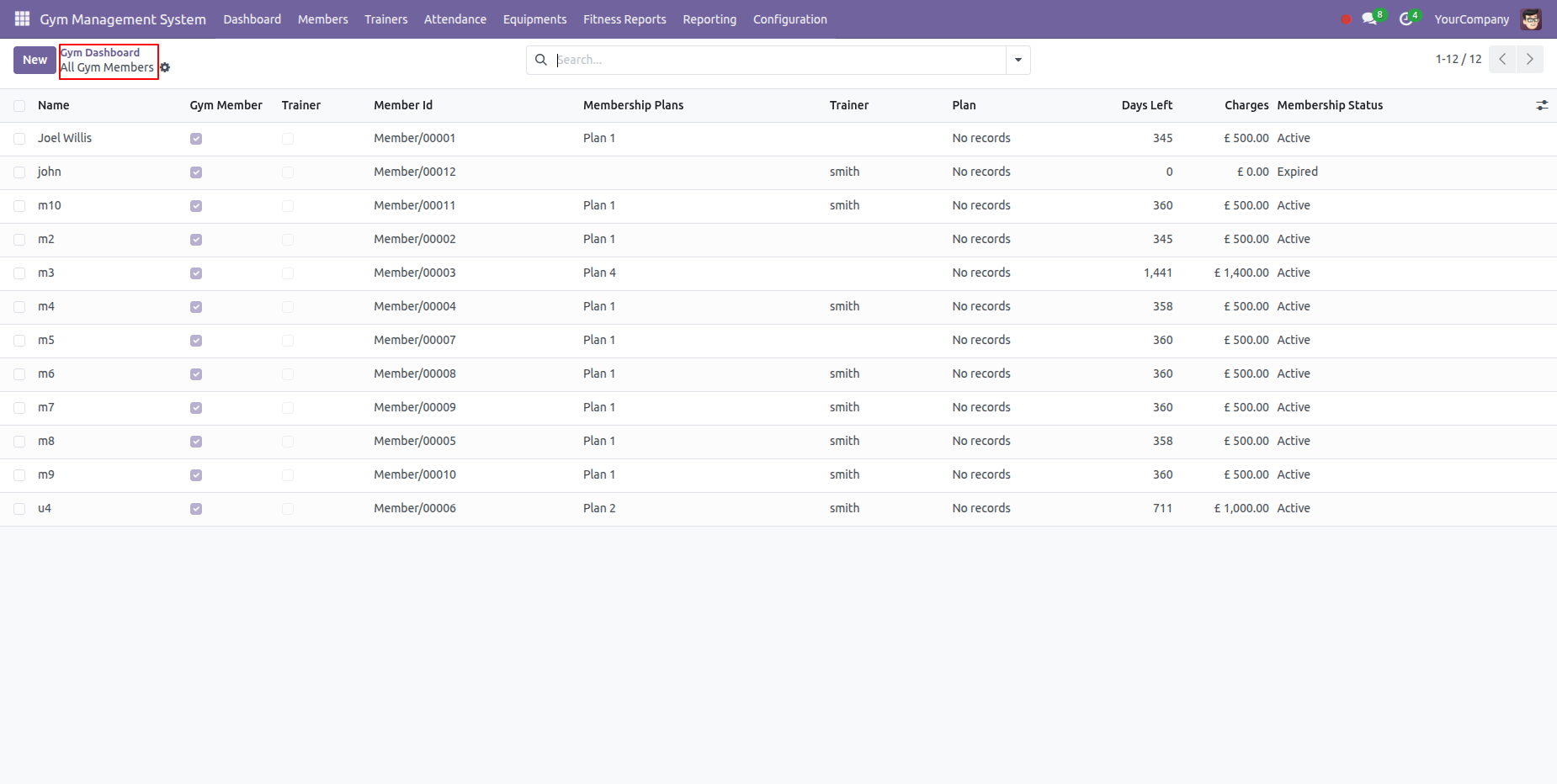
Navigated to the All the Gym members list view from the dashboard.
Memeber Growth & Attendance Trend graphs along with the Membership Status graphs use to monitor the memberships.
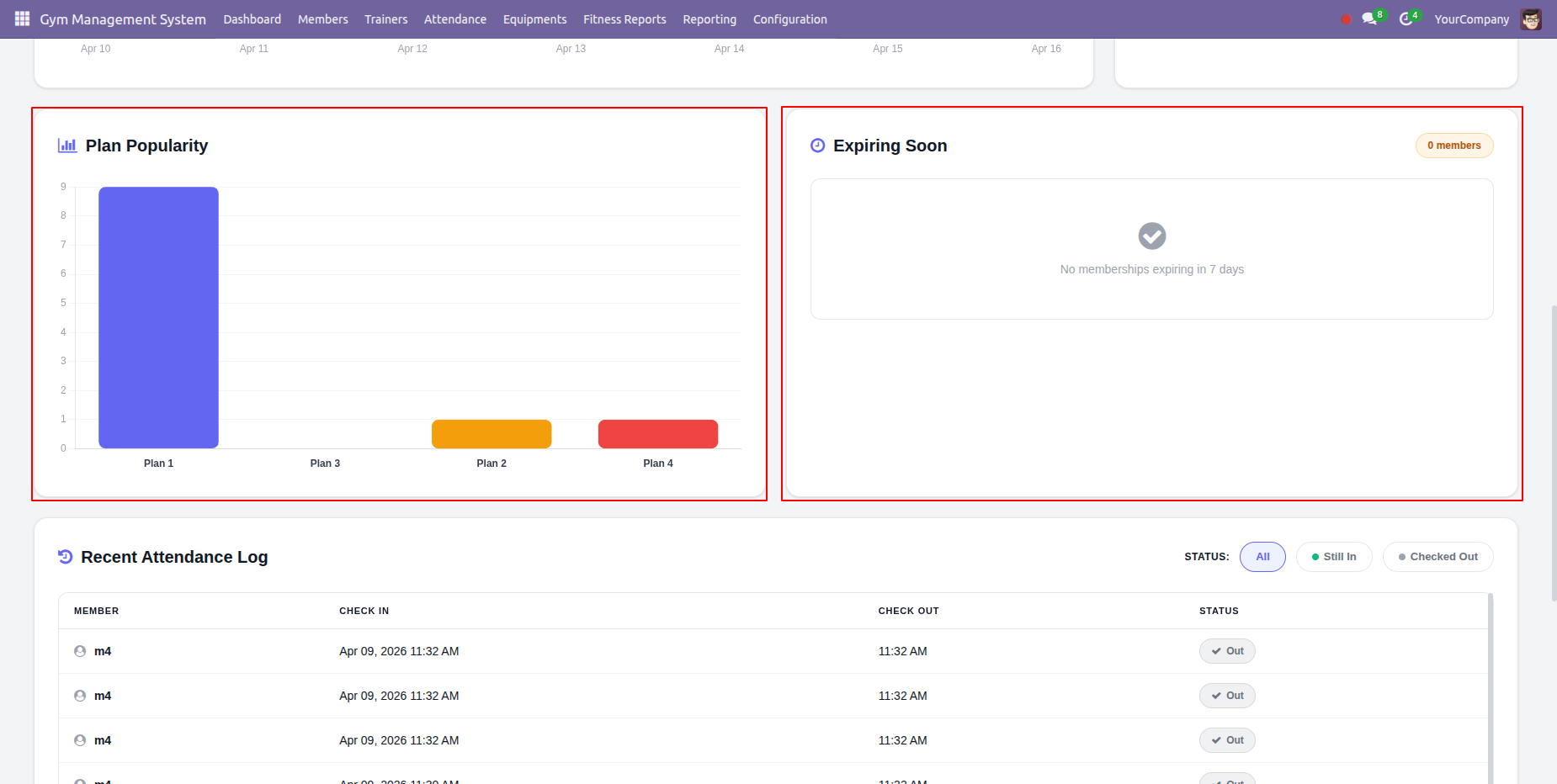
Plan popularity graphs demonstrating the popular plan along with list of members whose membership expiring soon in next 7 days.
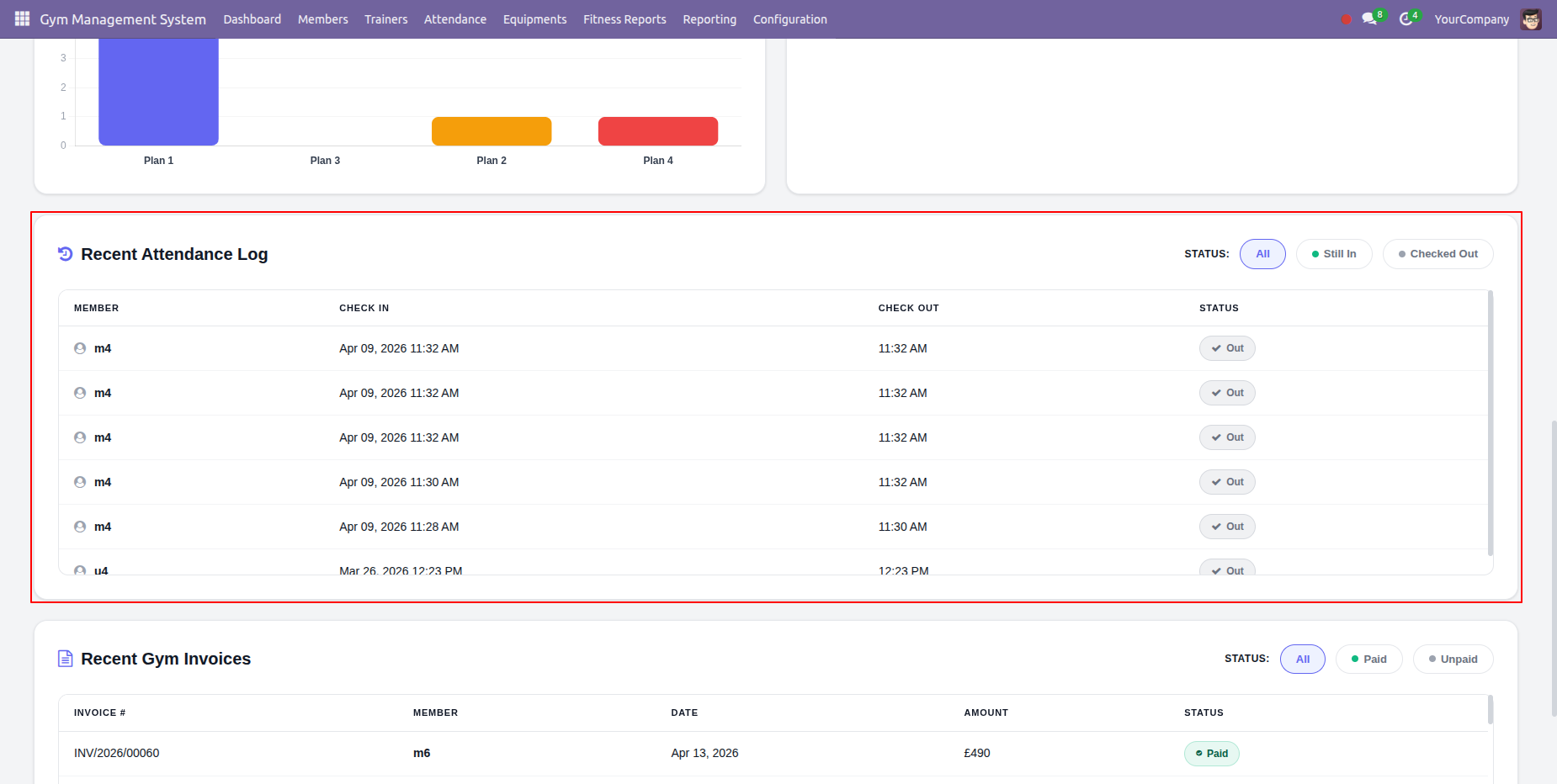
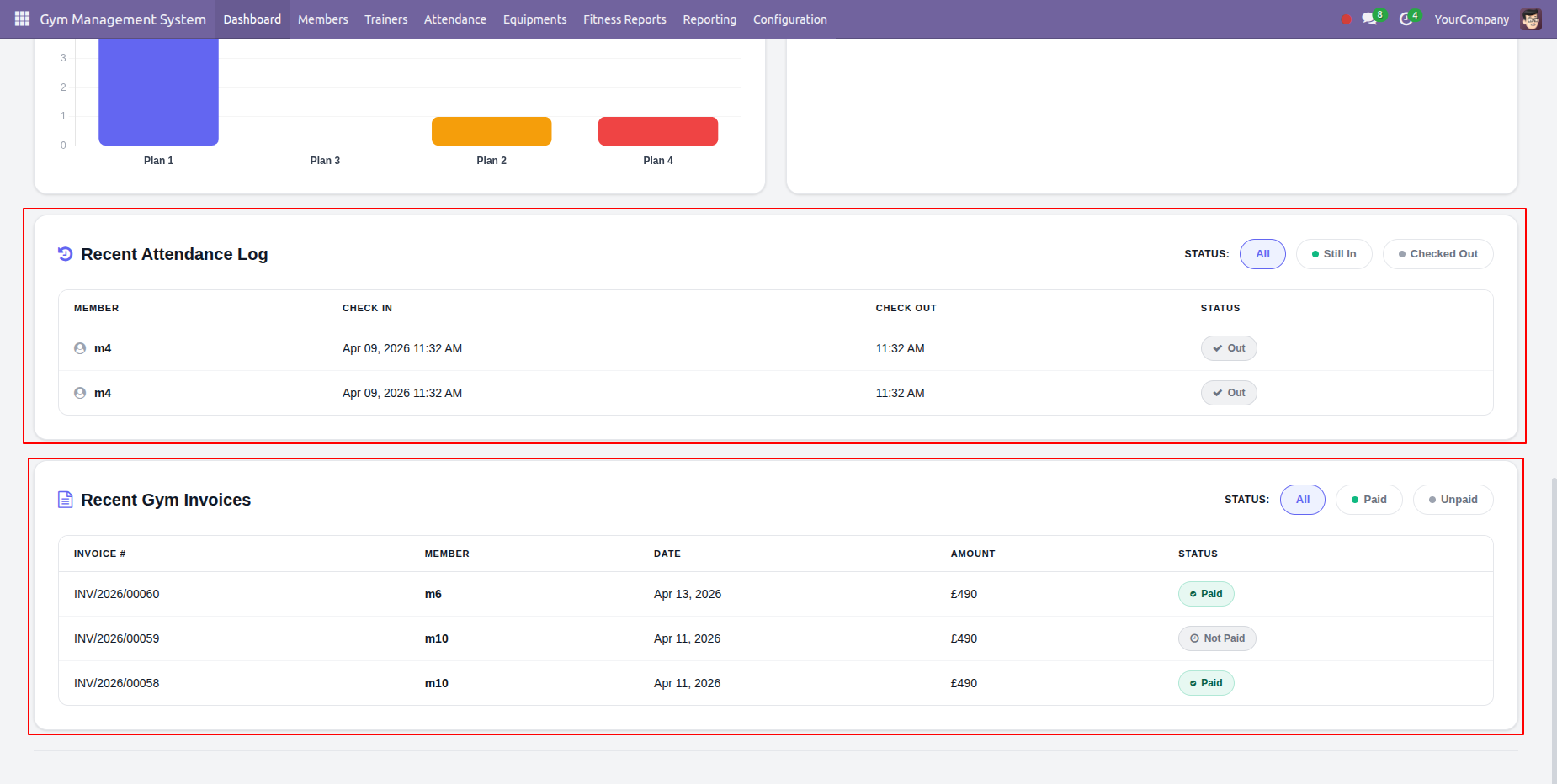
Recent Attendance Log tab used to check the recently marked attendance.
Recent Gym Invoices tab used to check recently generated invoices.
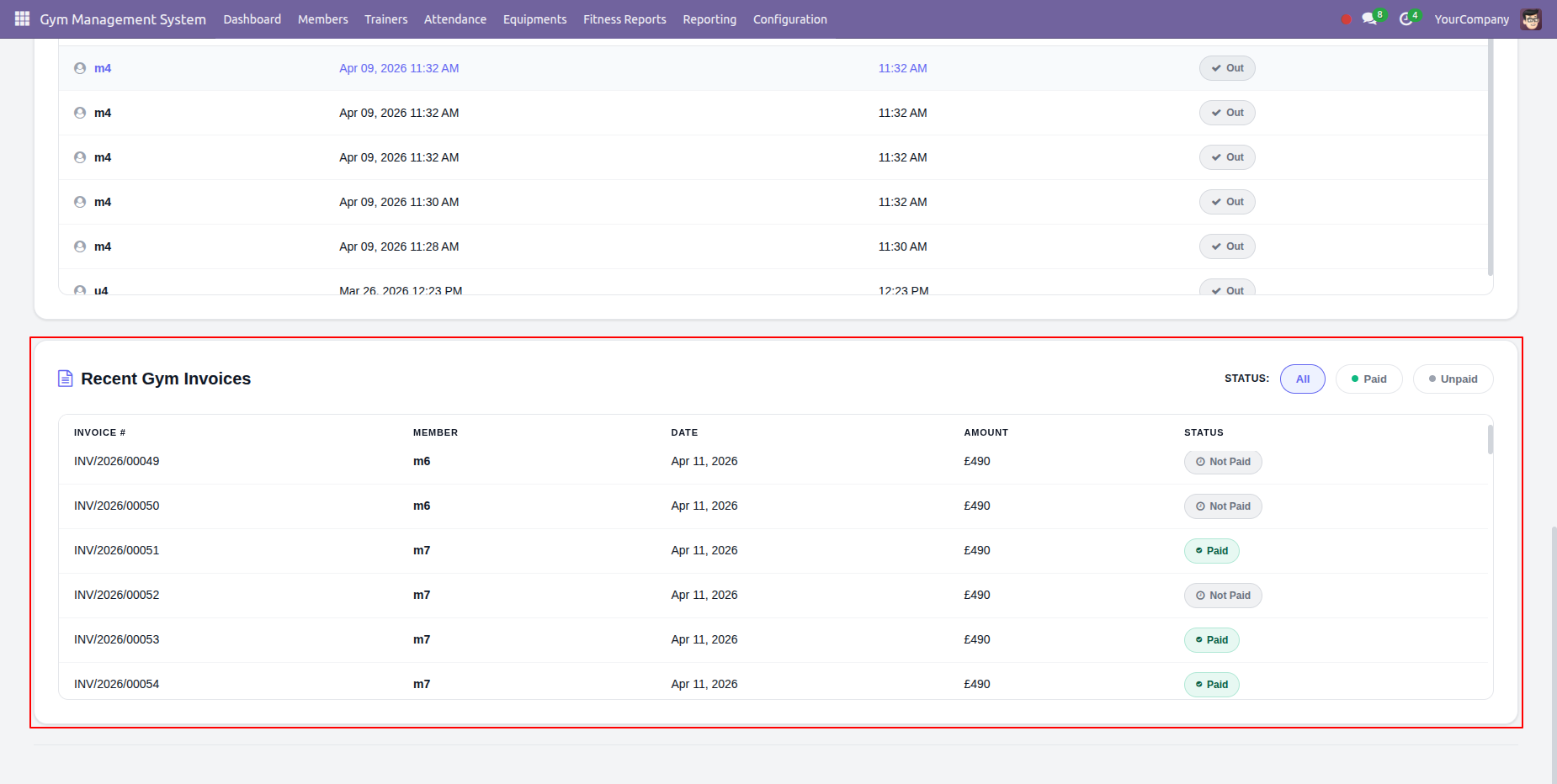
To customize your dashboard, enable the Attendance Logs and Recent Invoices sections. You may define the specific number of logs and invoices visible in each tab to suit your preference.
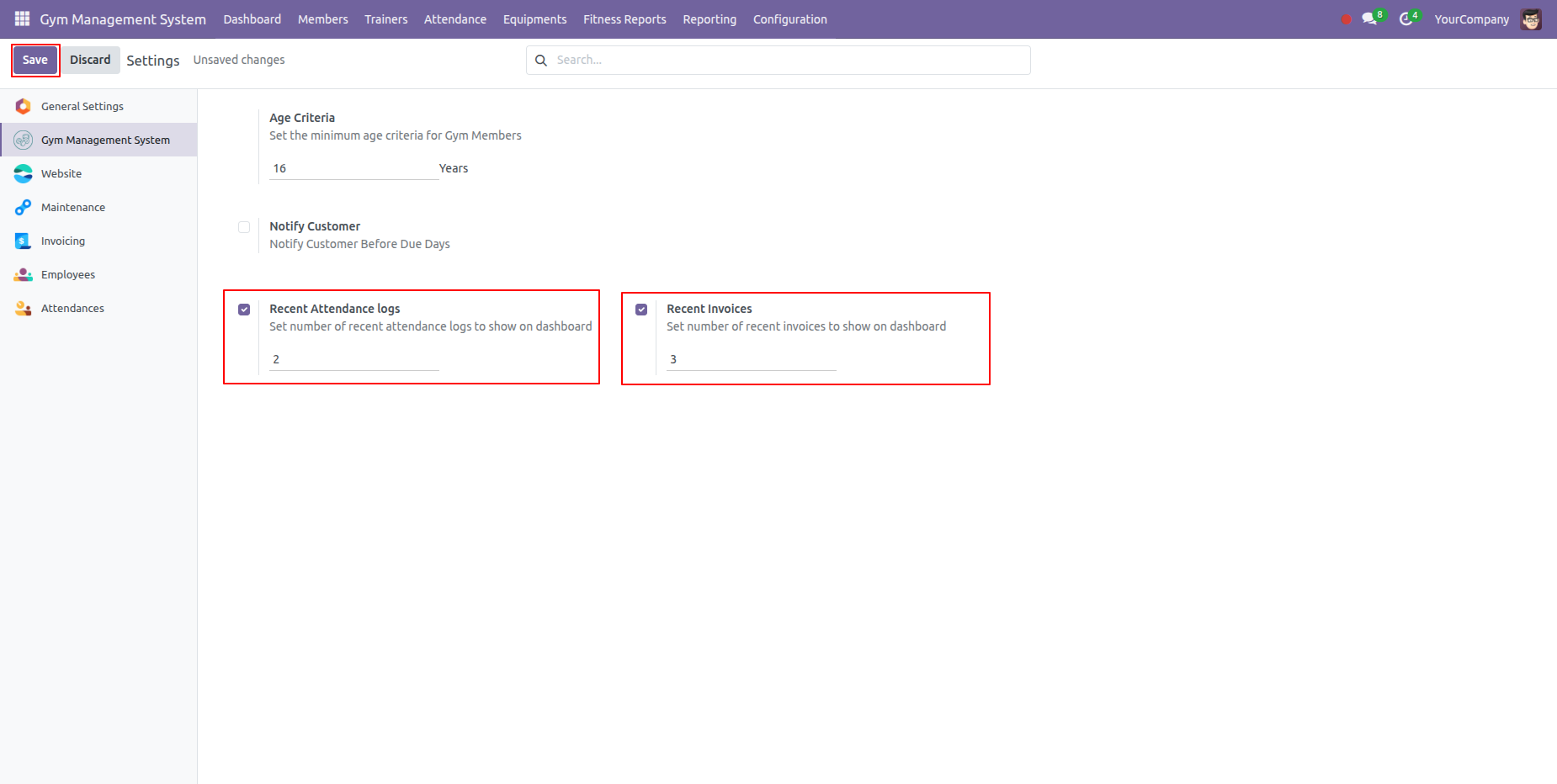
Attendance Logs and Recent Invoices are shown as per the configuration.
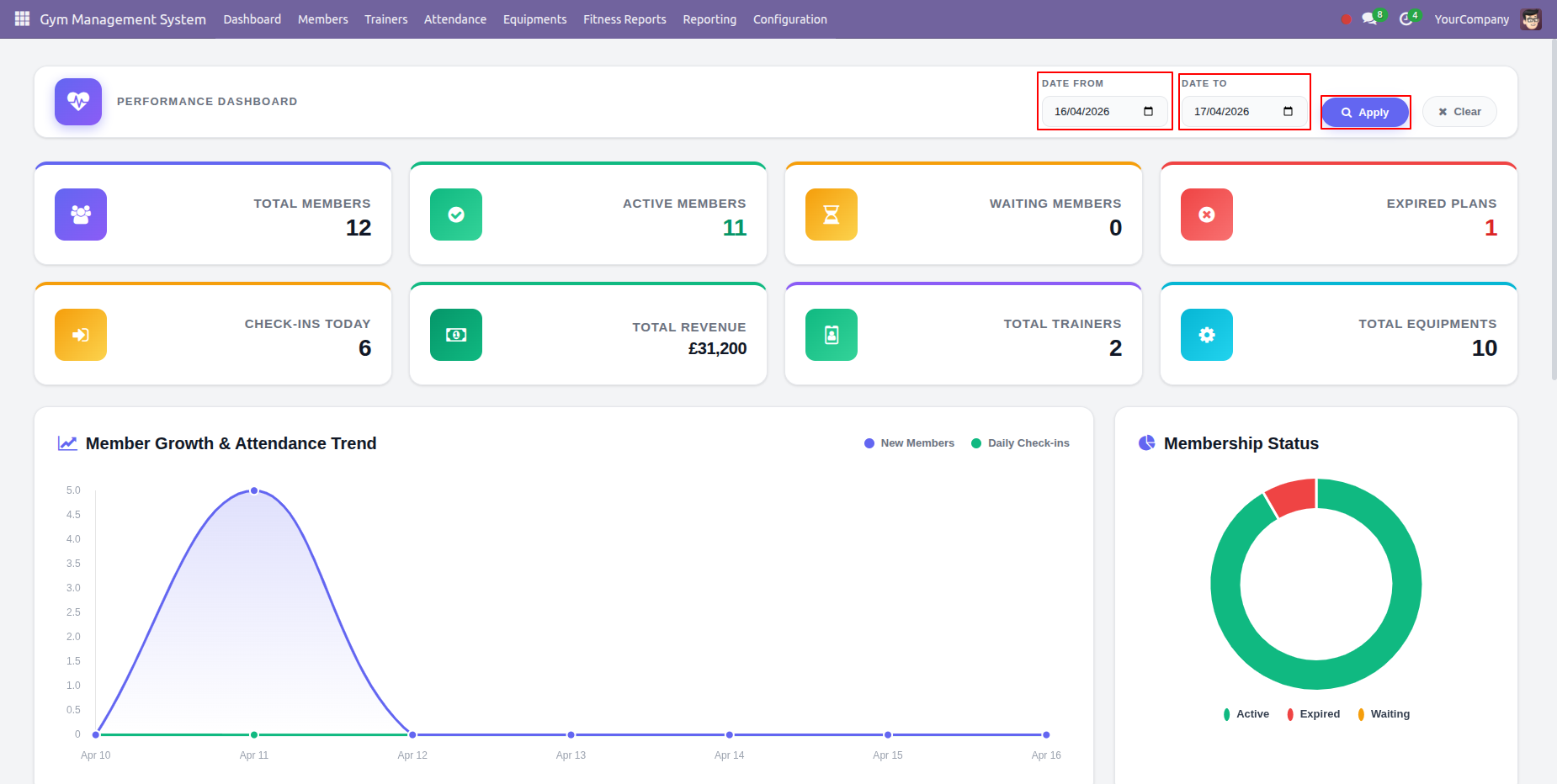
You can also set the date range to filter out data based on some particular dates.
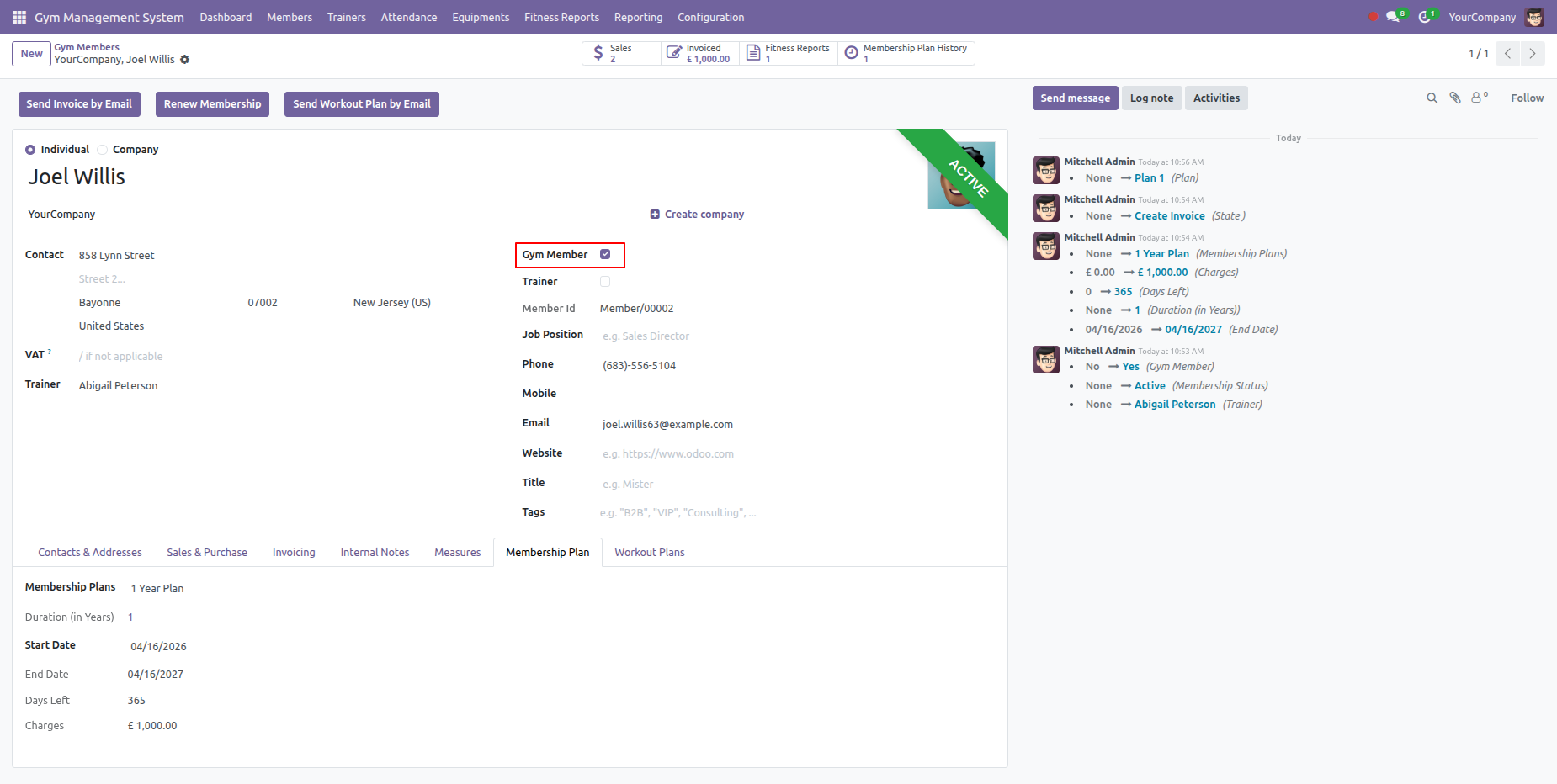
Enable the Gym member boolean.
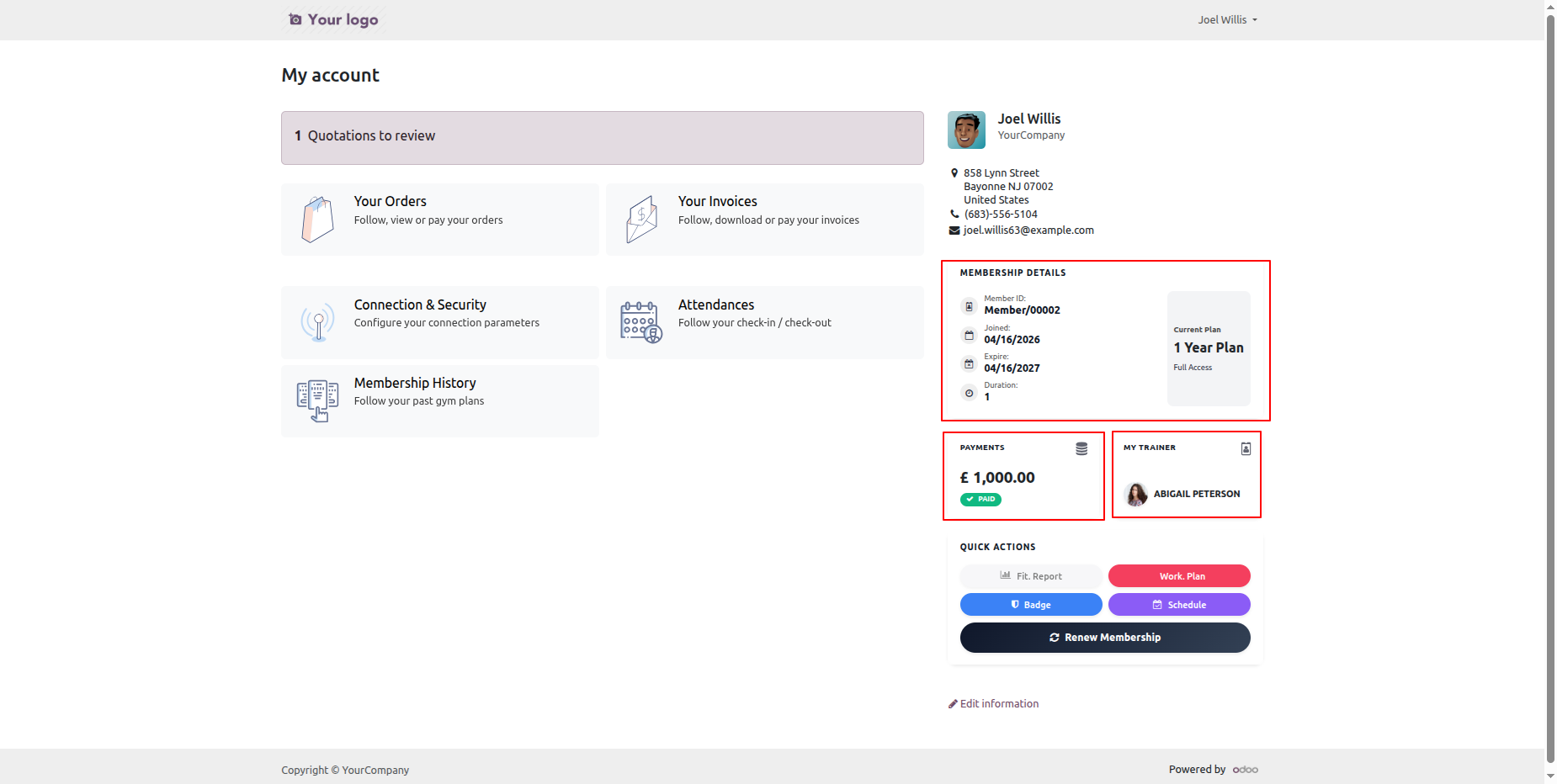
You can see the membership details, payments, trainer, fit report, work plan, badge, schedule, etc in the Portal.
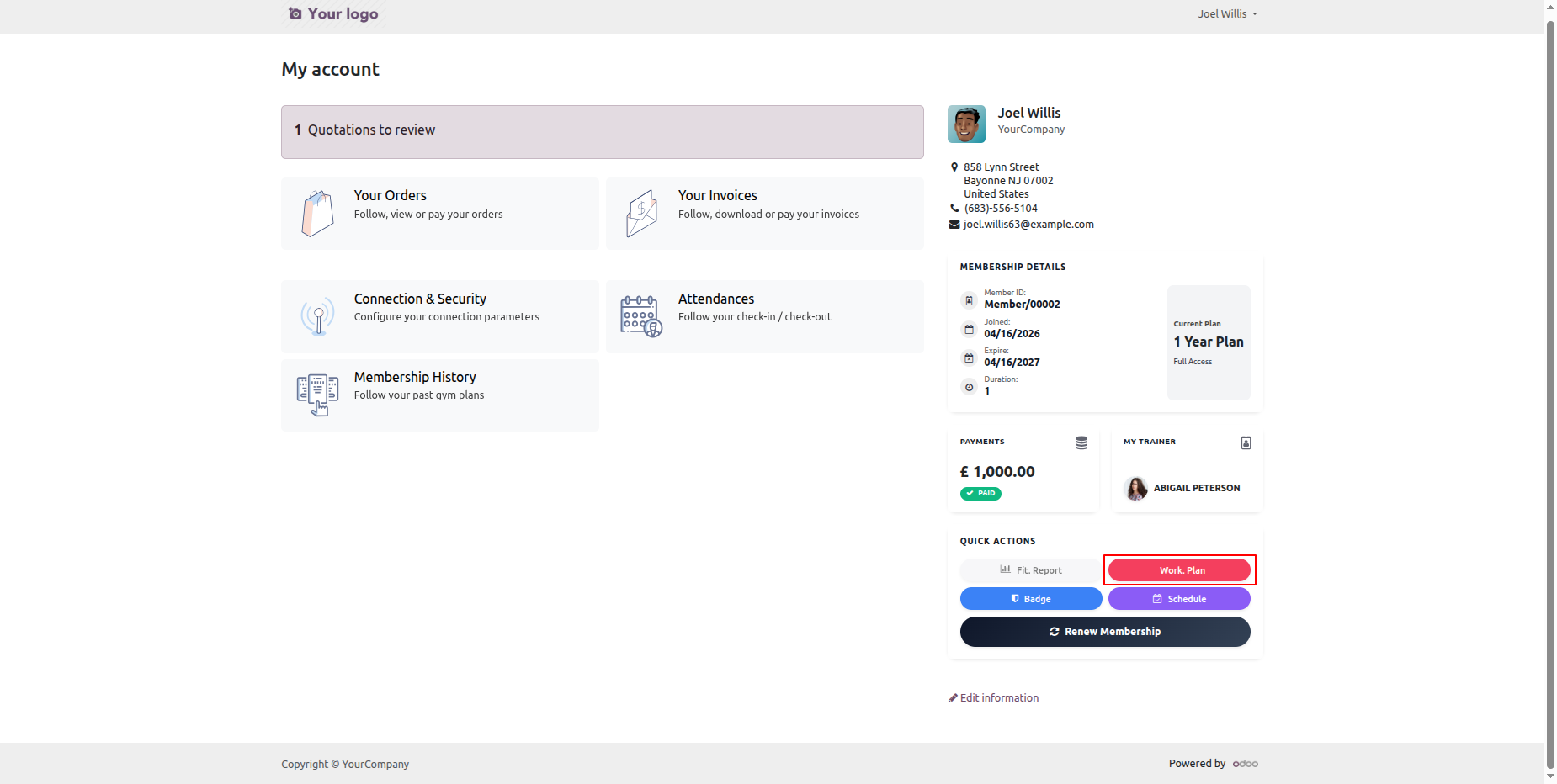
Click on the Work Plan to generate the workplan PDF.
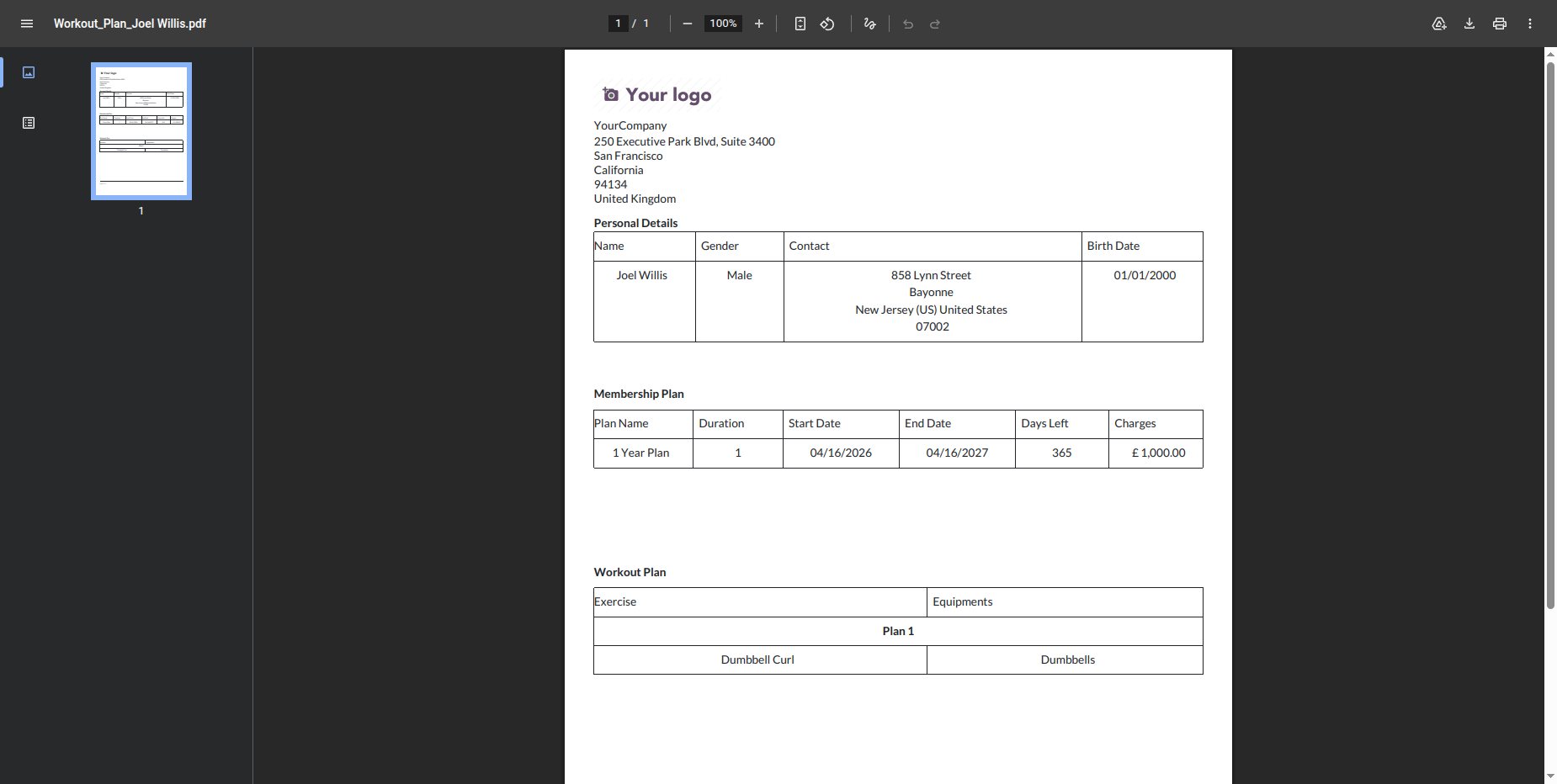
PDF view of the workplan of a gym member.
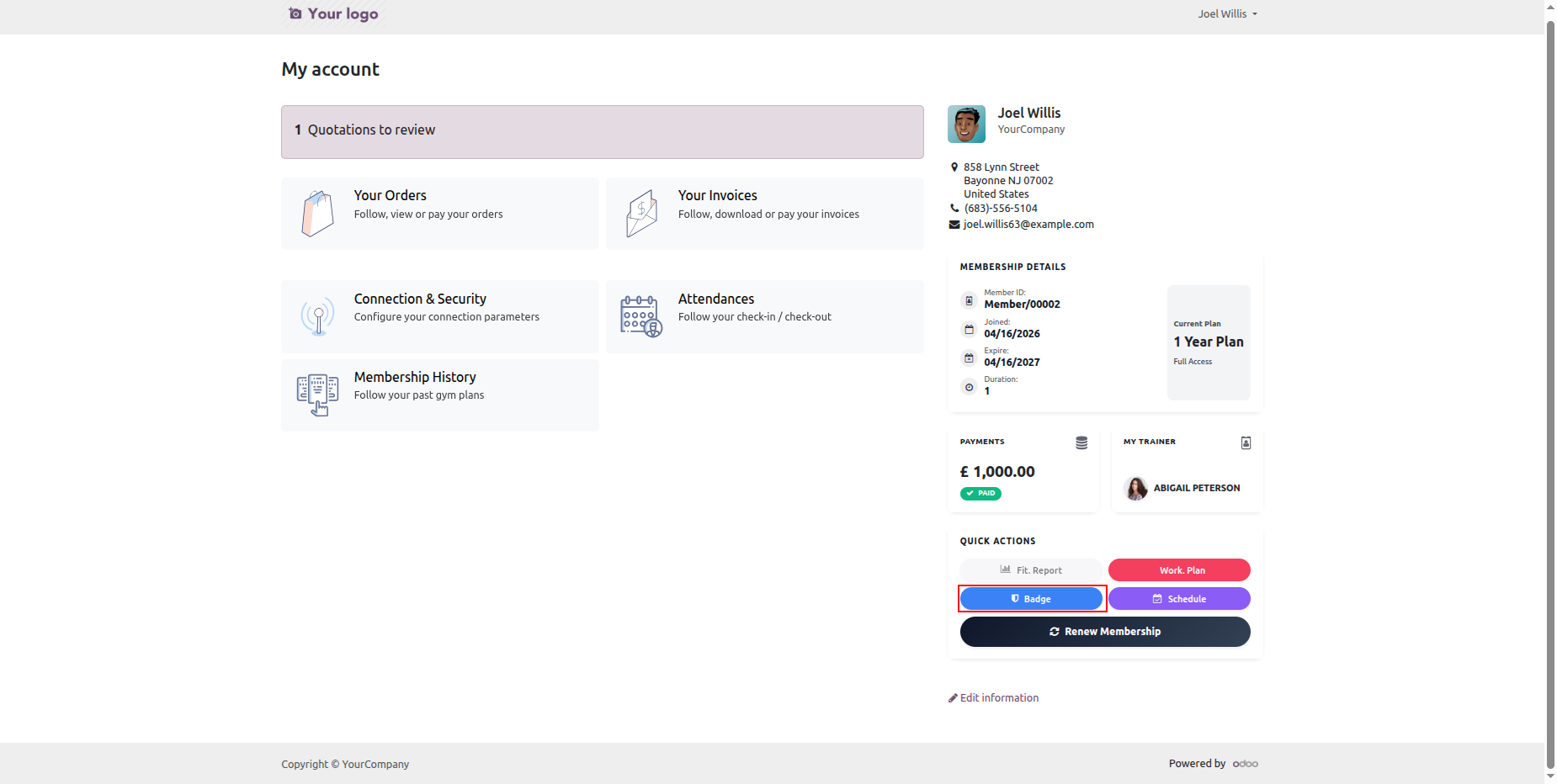
You can check the badge by clicking on the badge option.
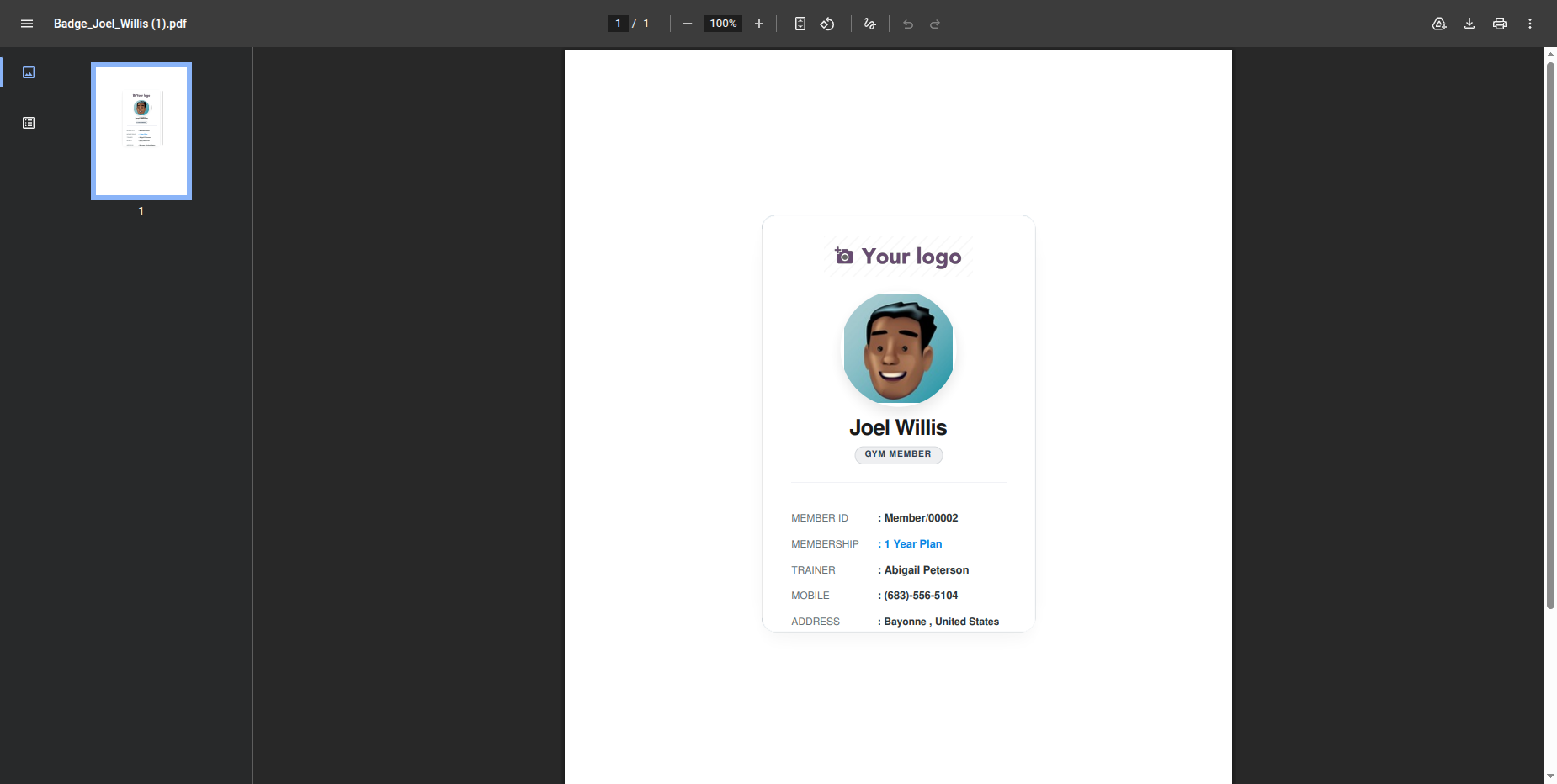
PDF view of the membership badge.
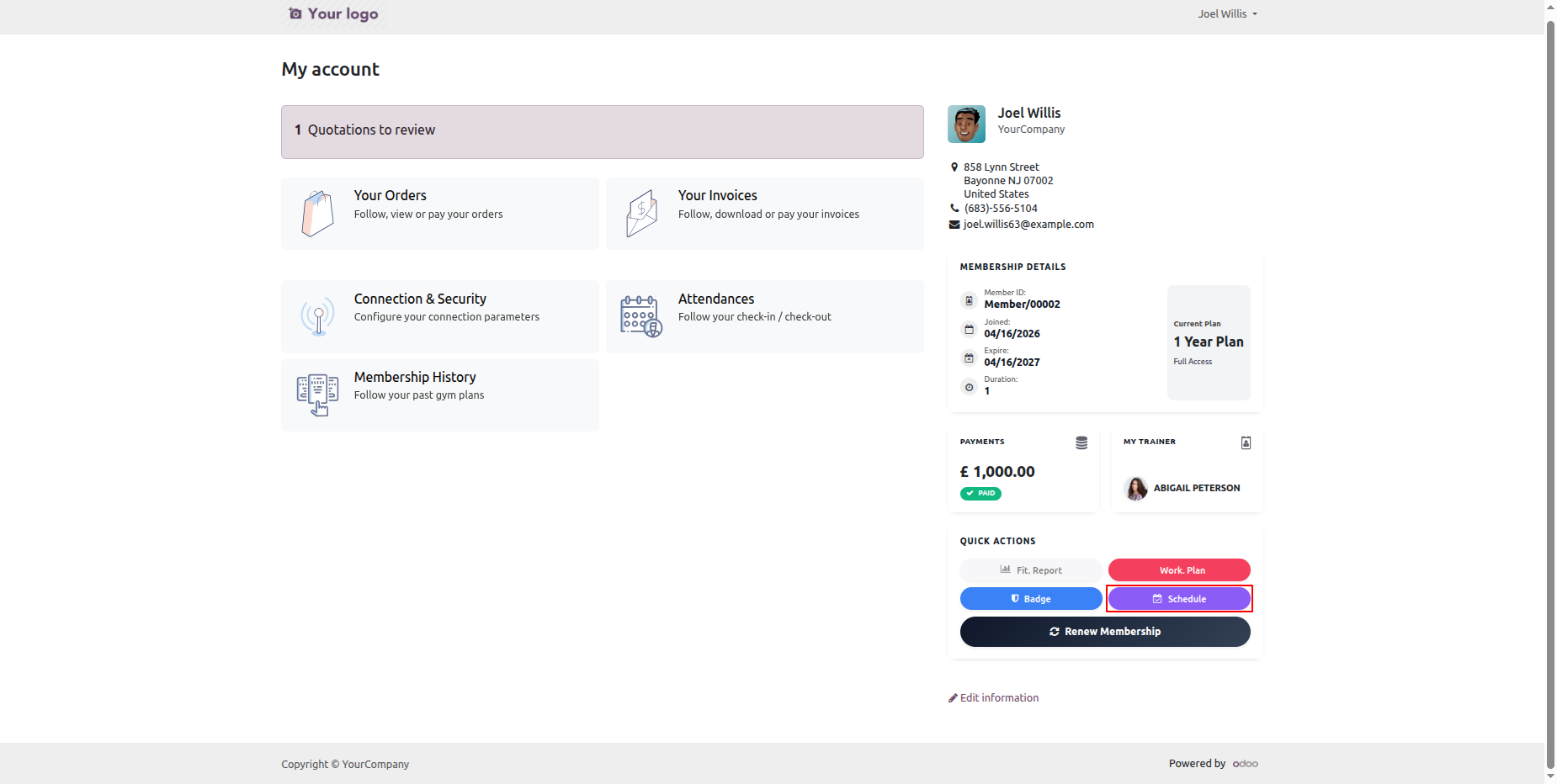
Click on the Schedule to track your workout schedule.
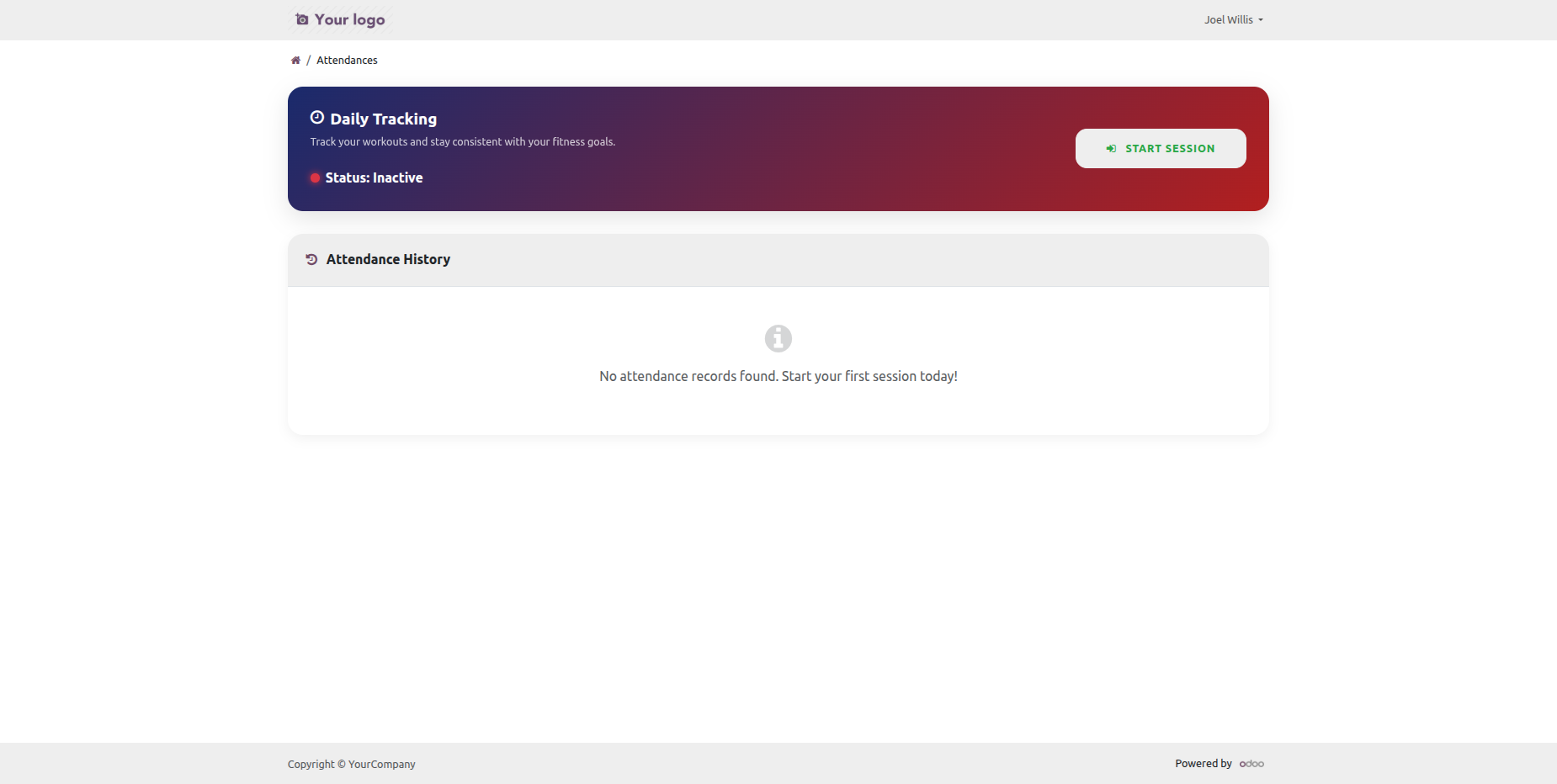
Attendance history in the portal.
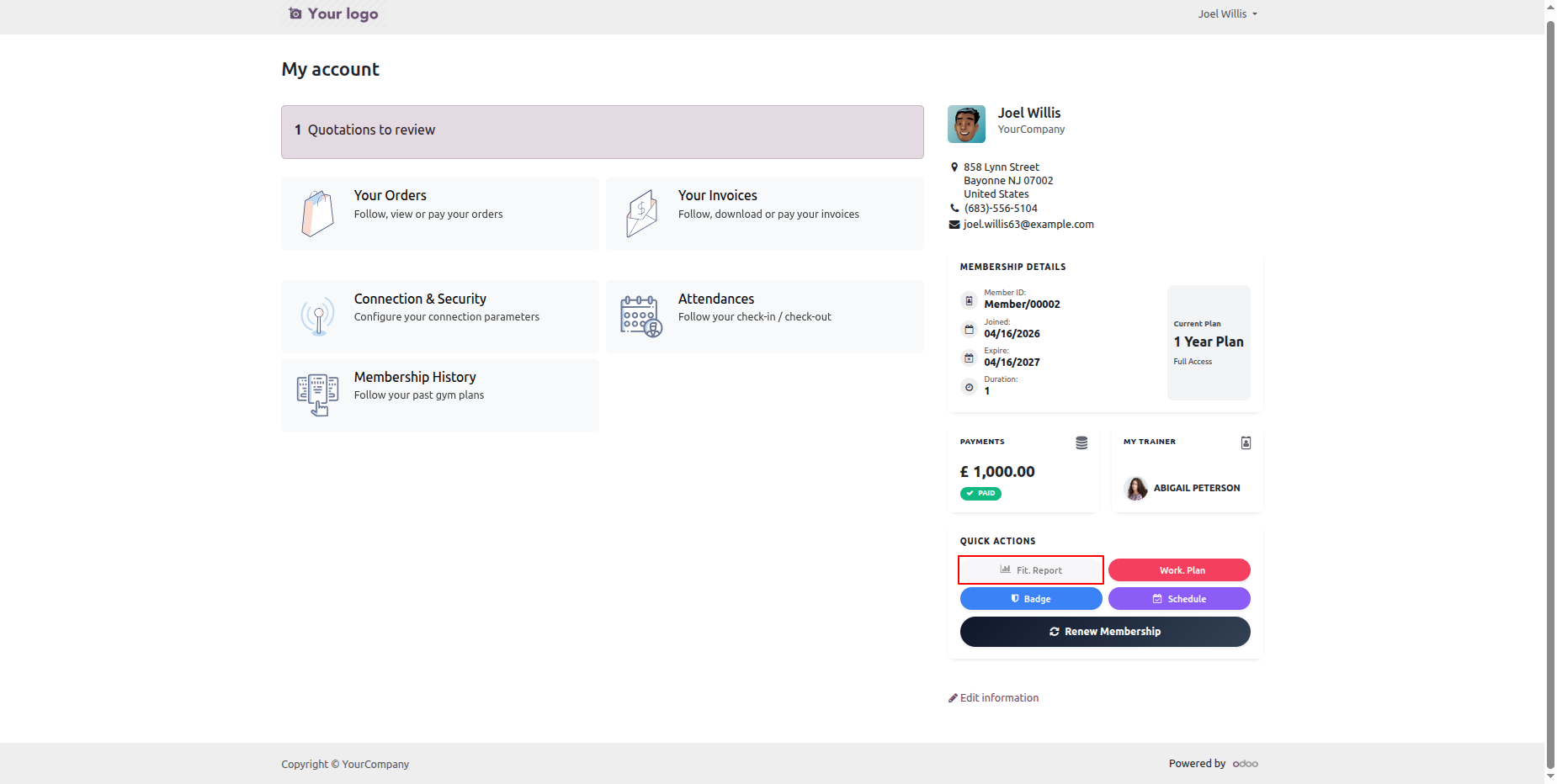
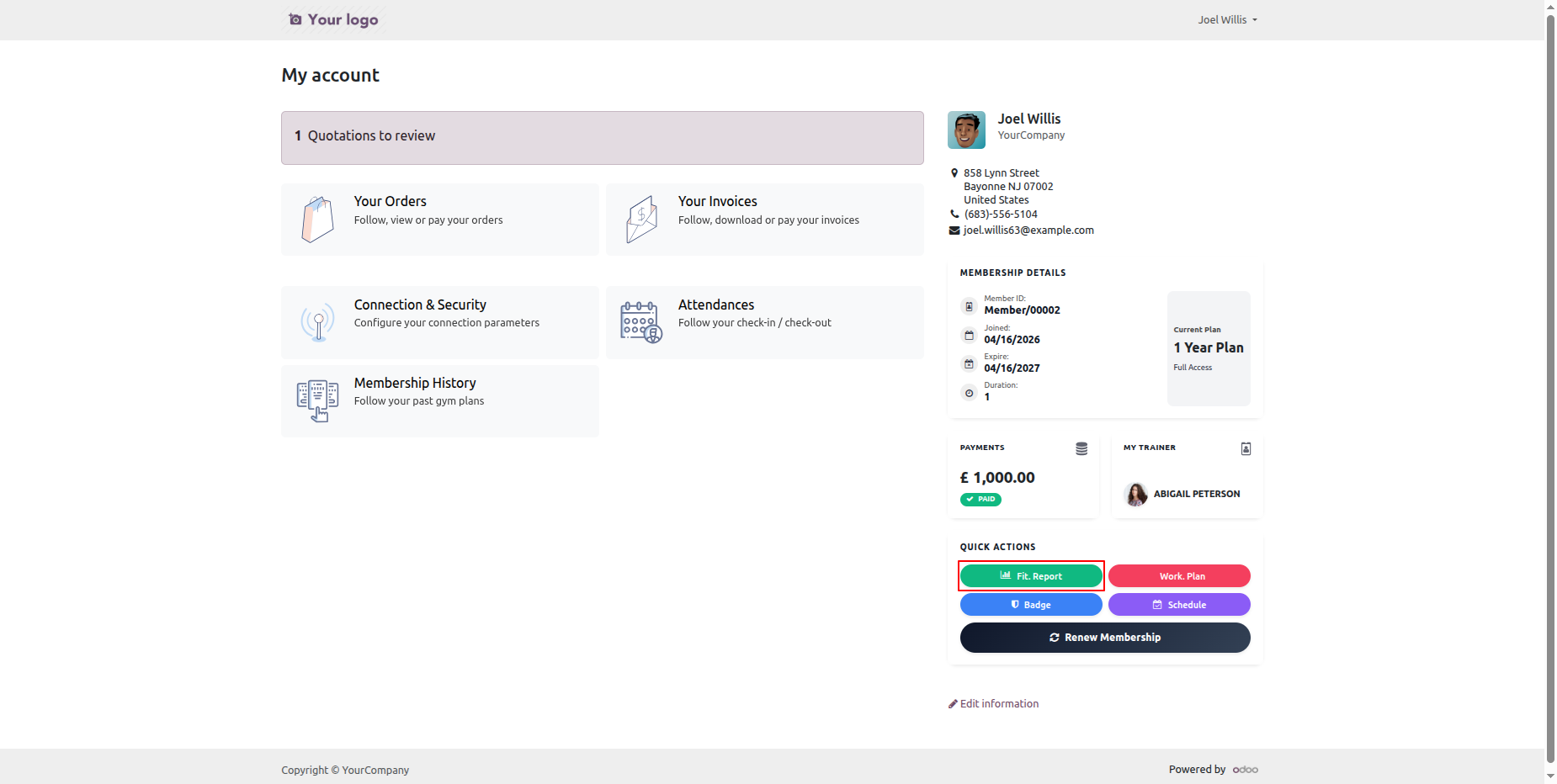
Click on the fit report to redirect you to the backed report.
Fitness report records in the backend.
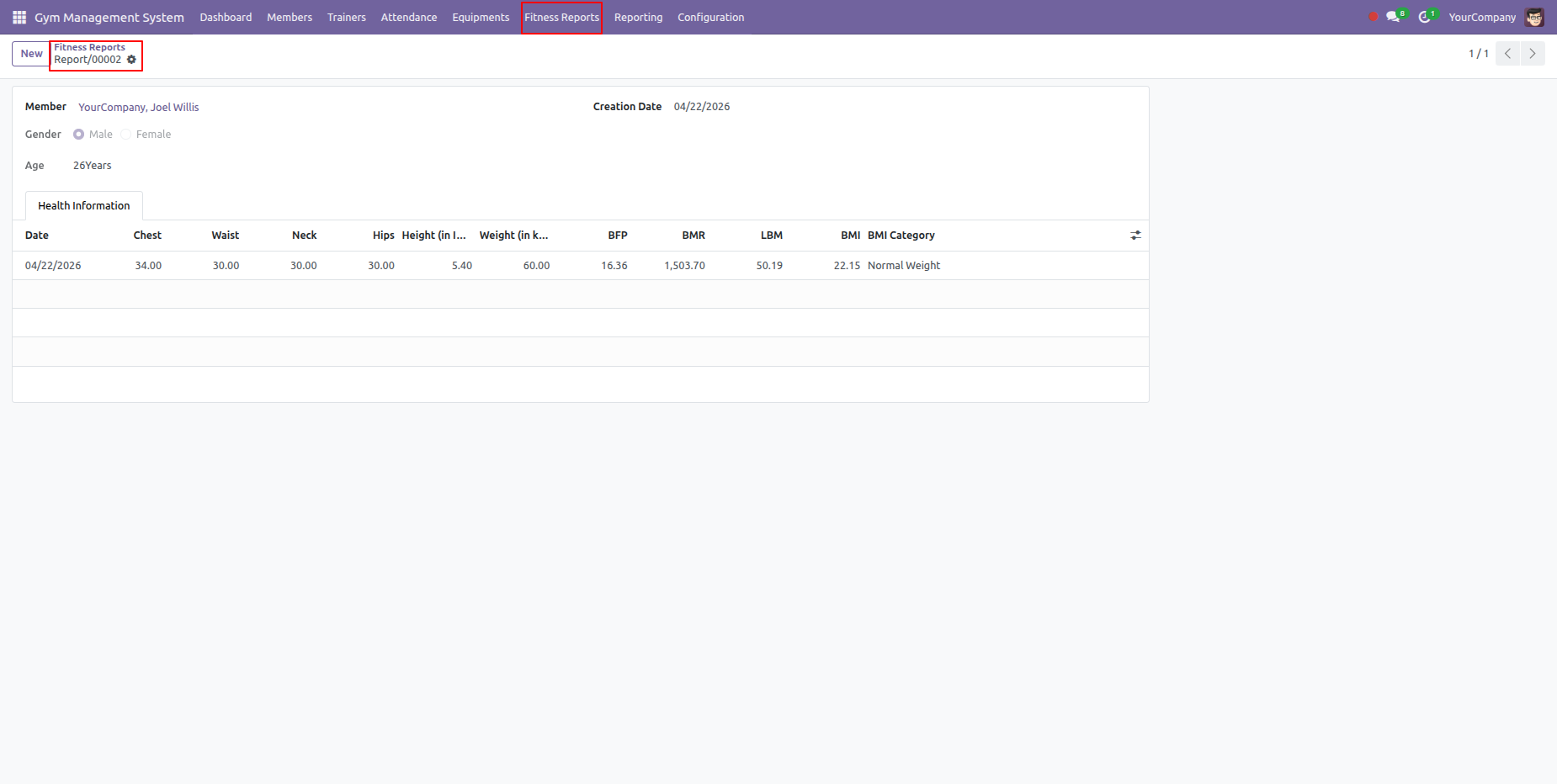
Click on the fitness reports to generate it.
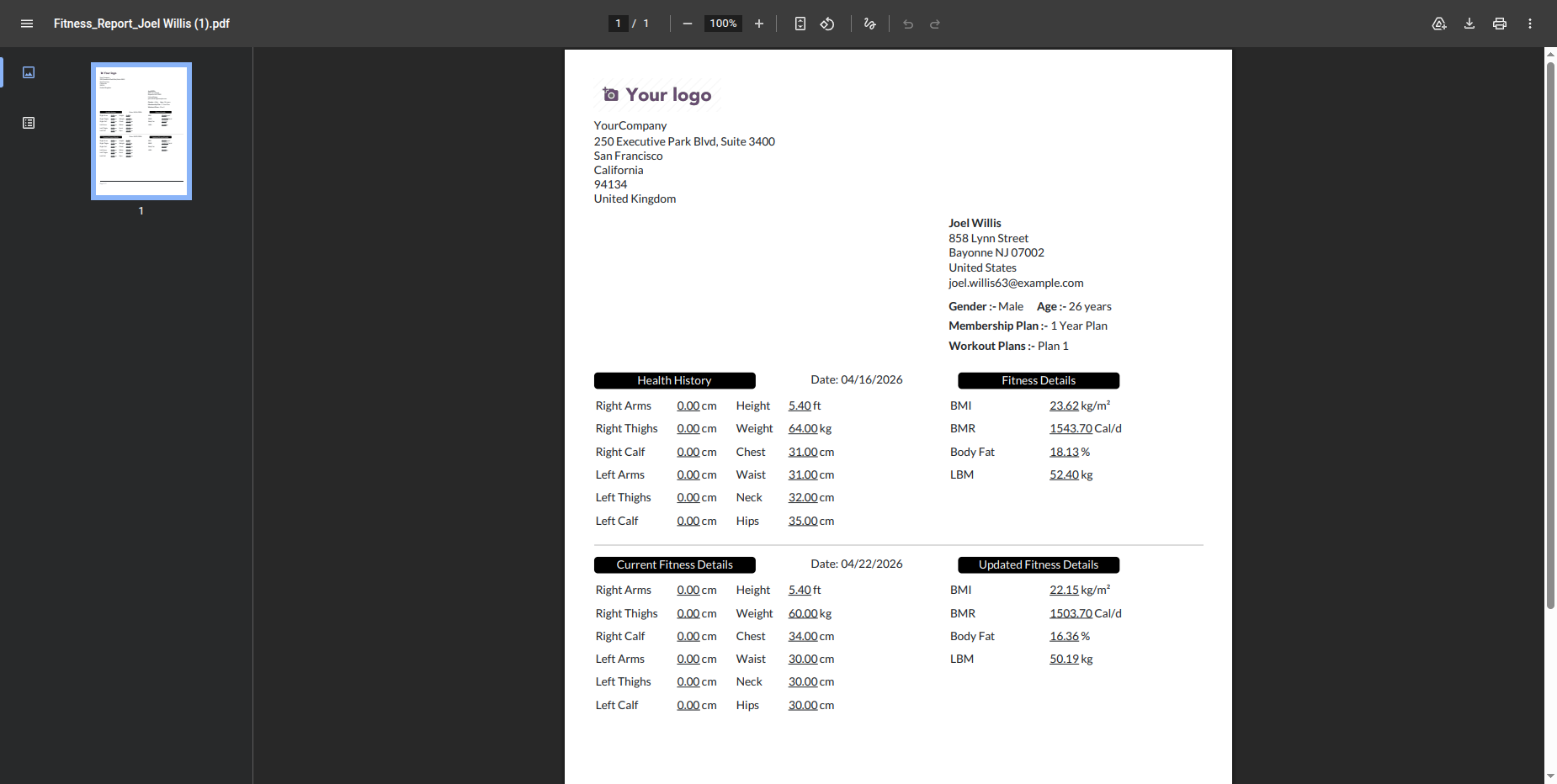
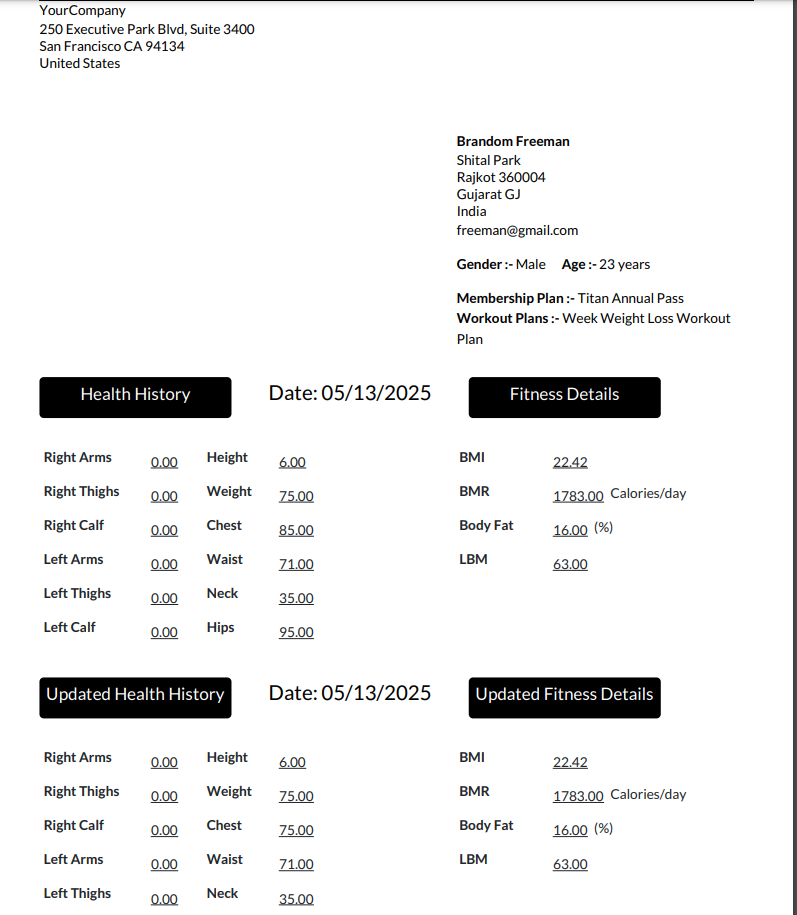
PDF view of the fitness report.
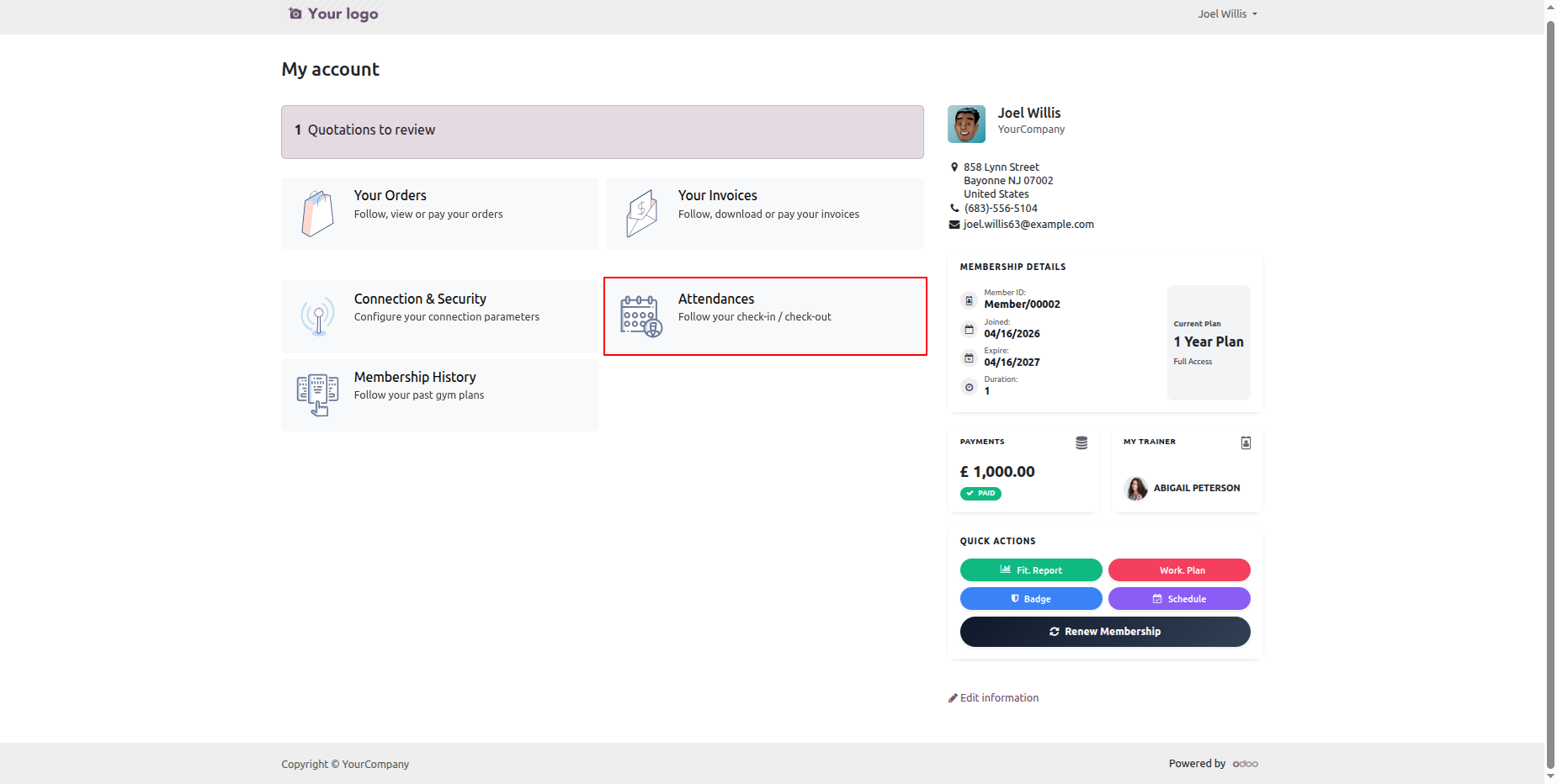
You can mark you attendance from the portal by clicking the Attendance tab.
Click Start Session to start the current session and mark your attendance.
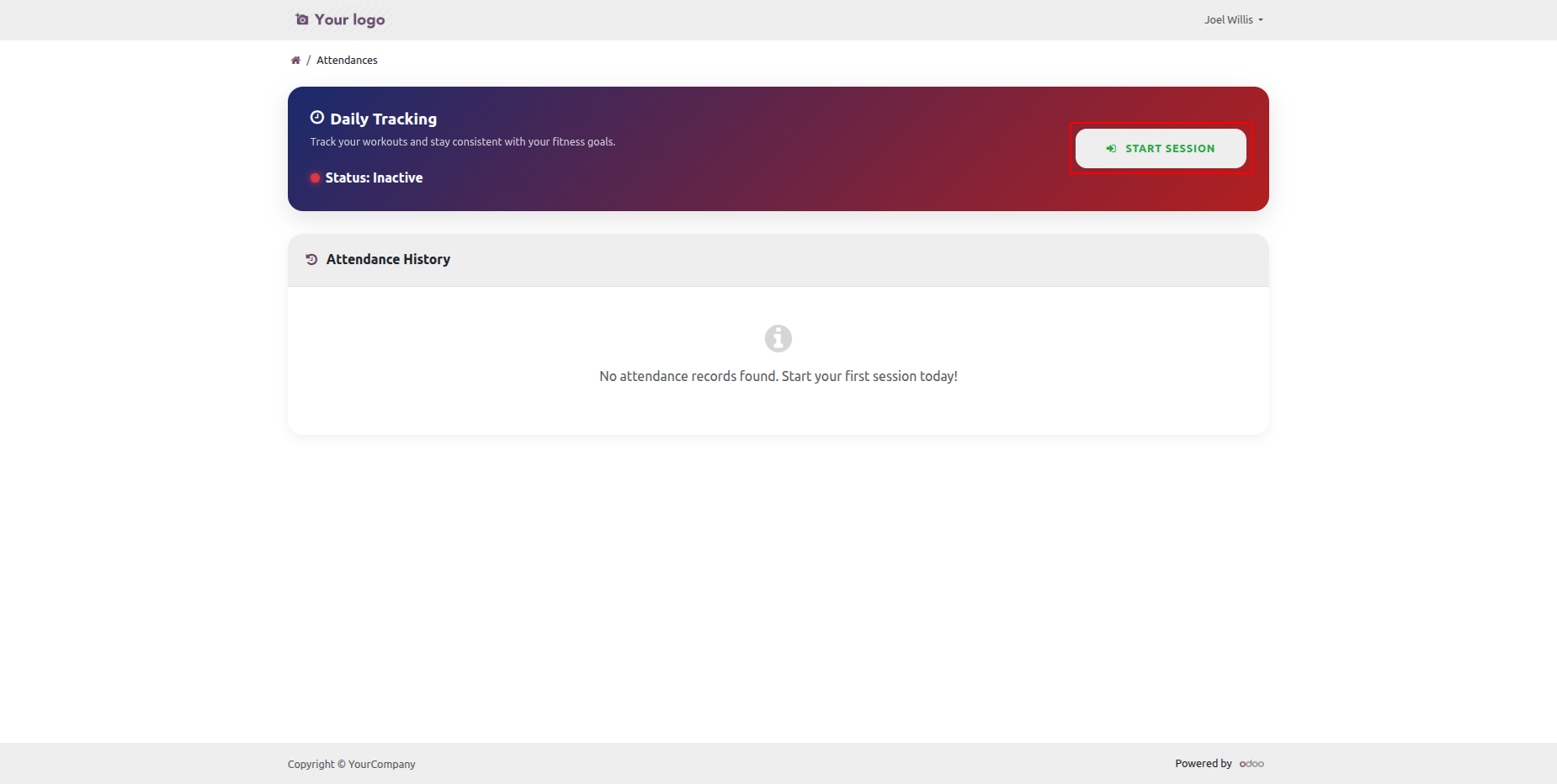
We can see the ongoing session once it had started.
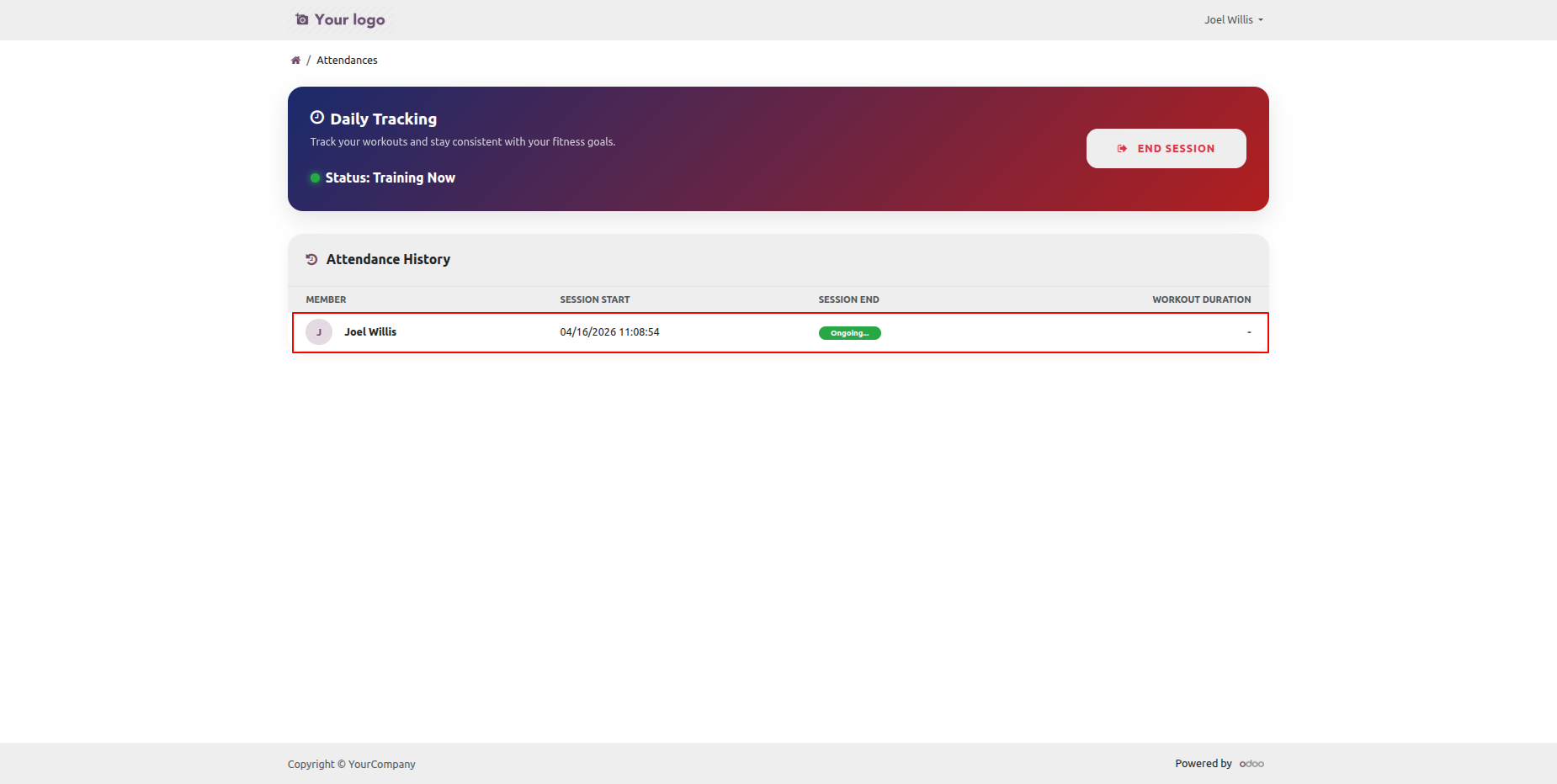
Click on the end session to end the seeeion.
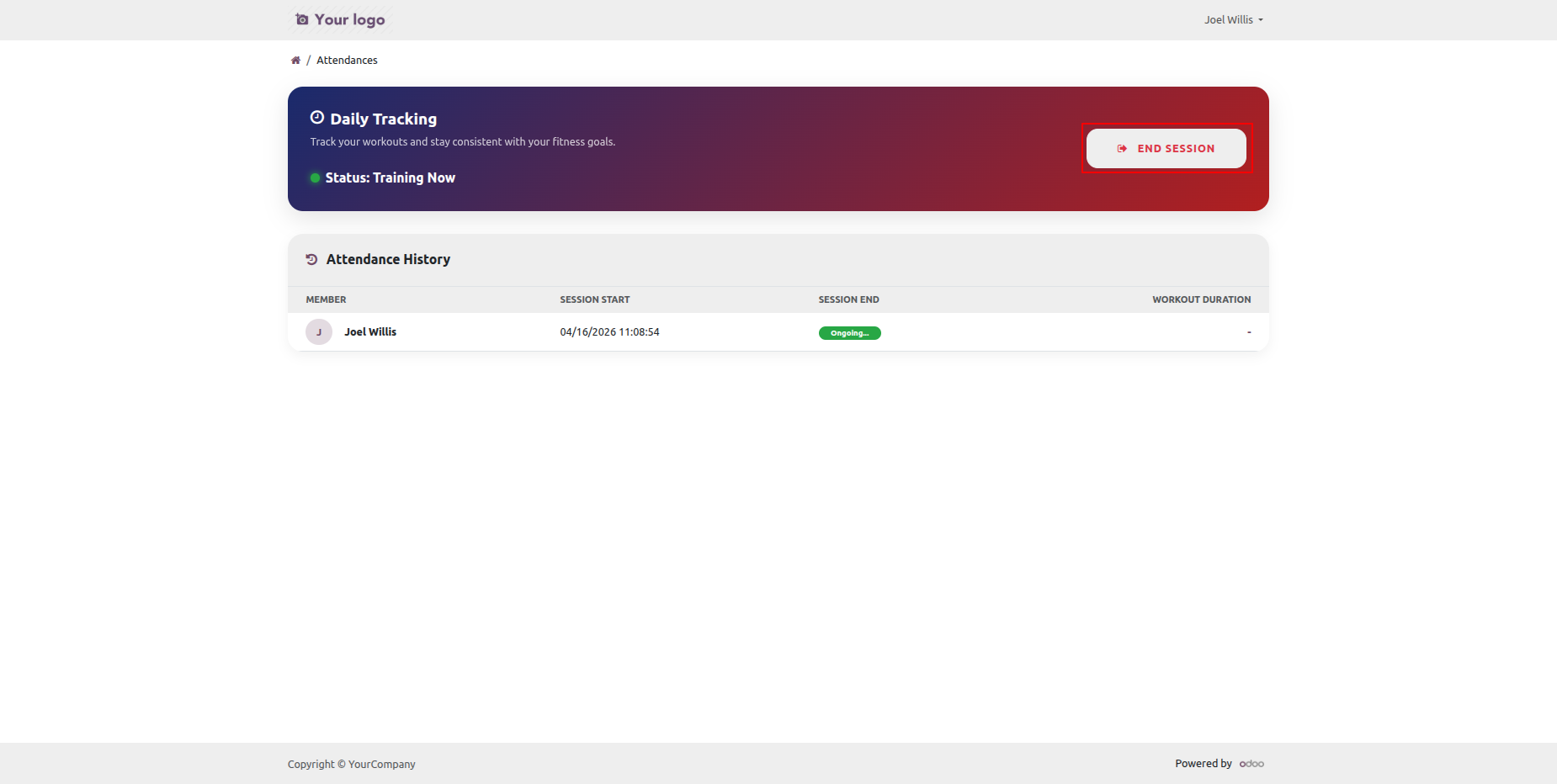
Session ended with the listed workout duration in the attendance record.
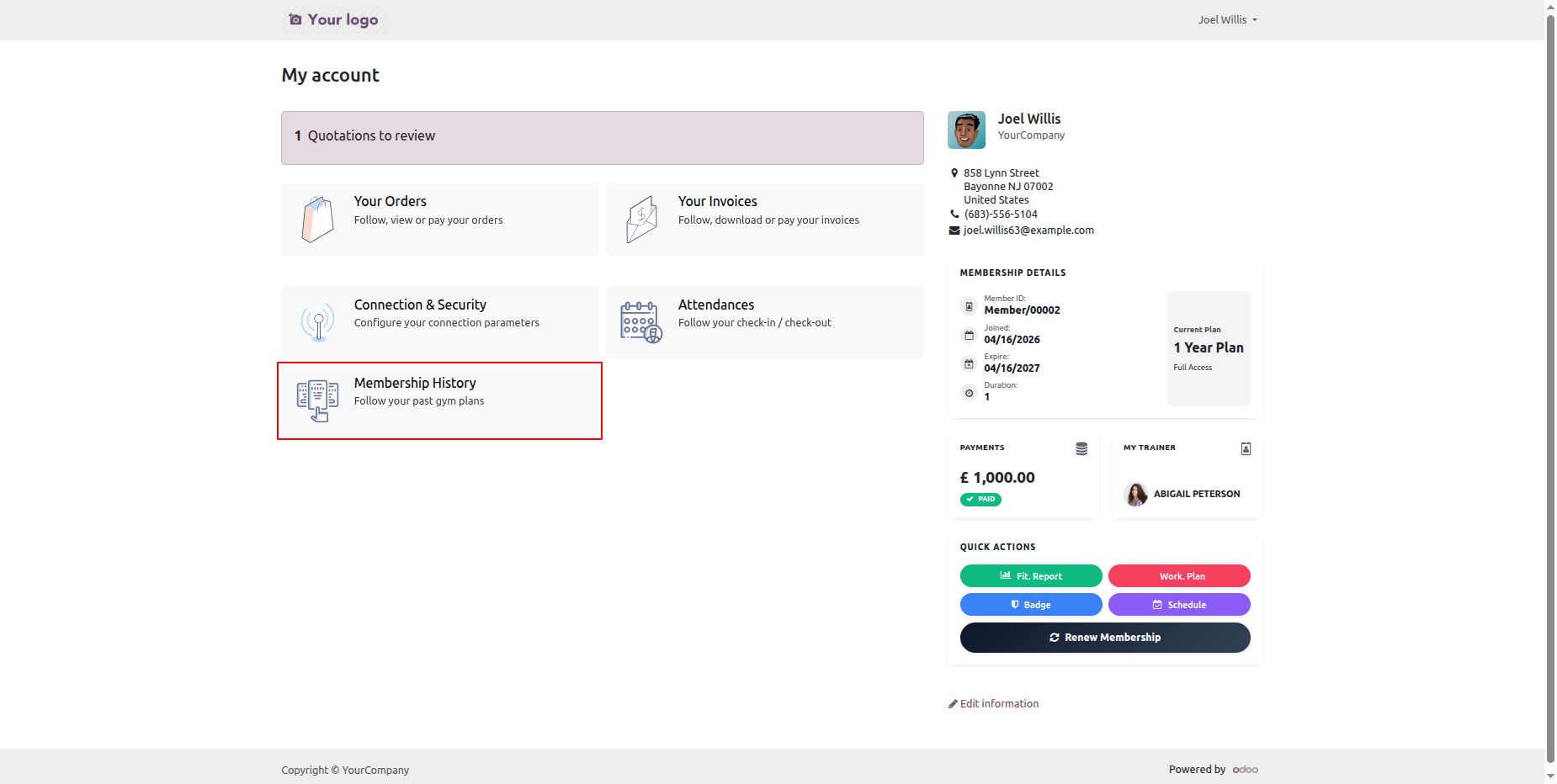
Click on the Membership History tab to check your active mamberships if any.
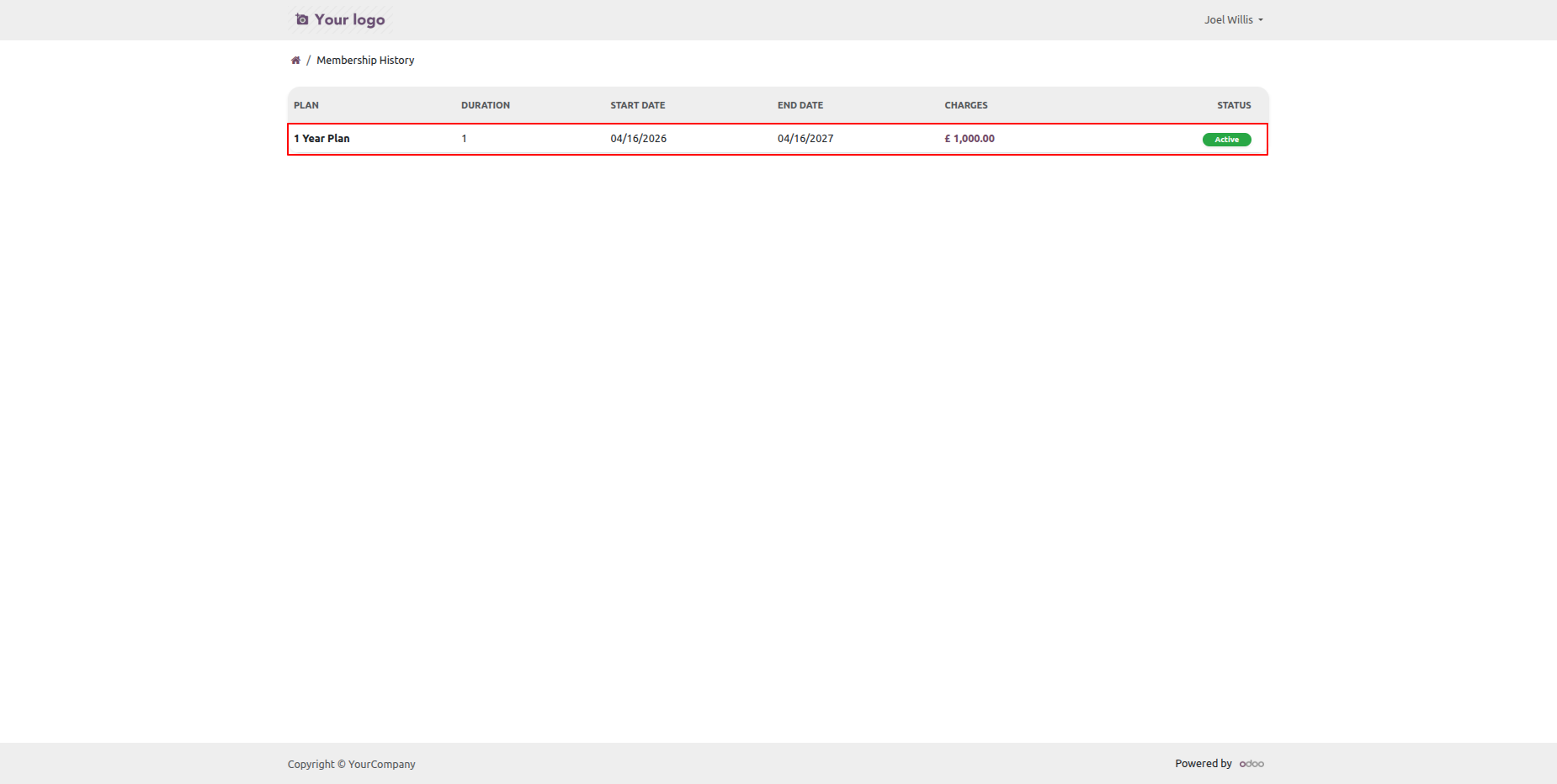
As we can see that there is currently an active membership of a year.
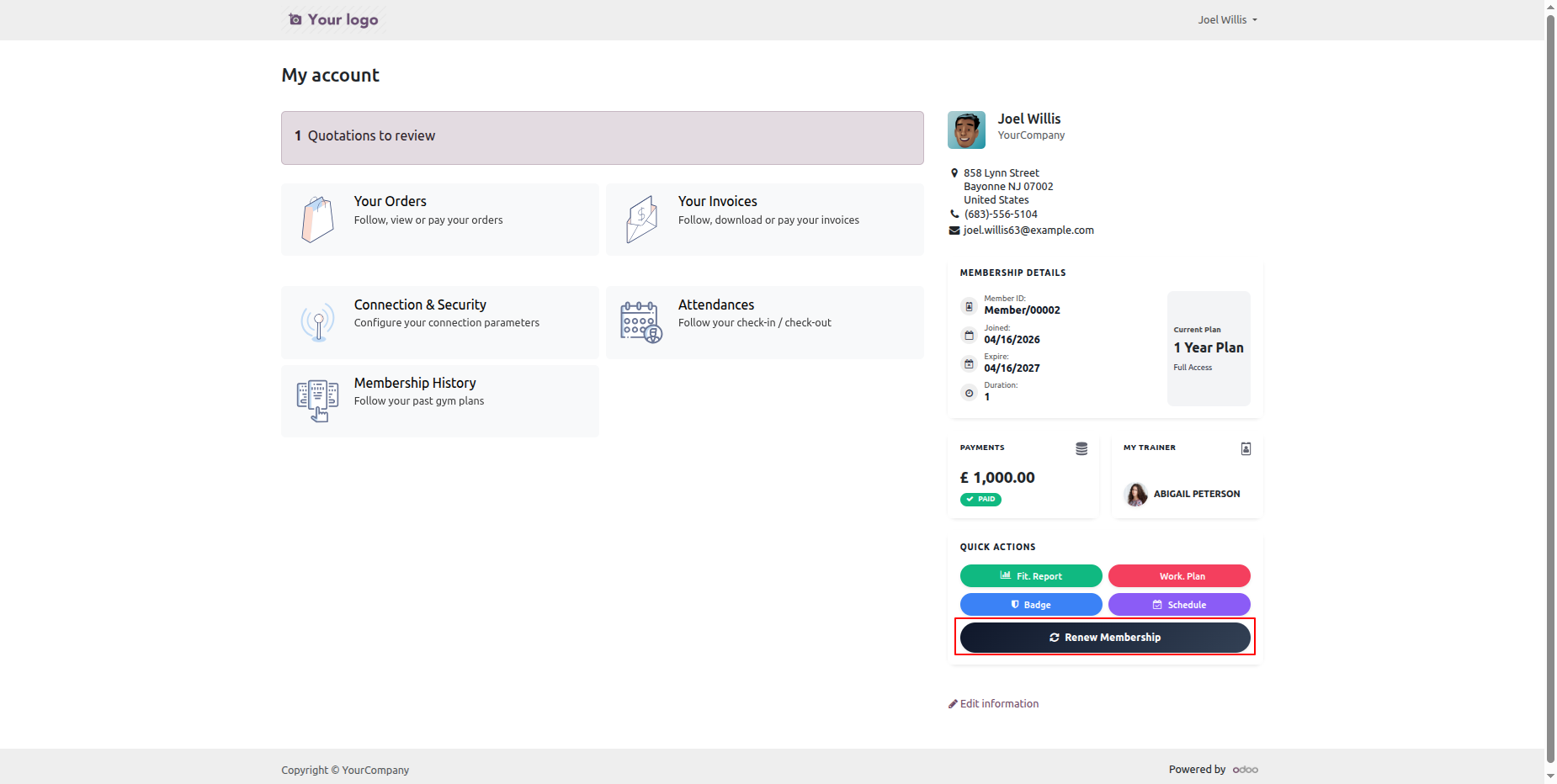
To renew the membership click the Renew Membership button in the portal.
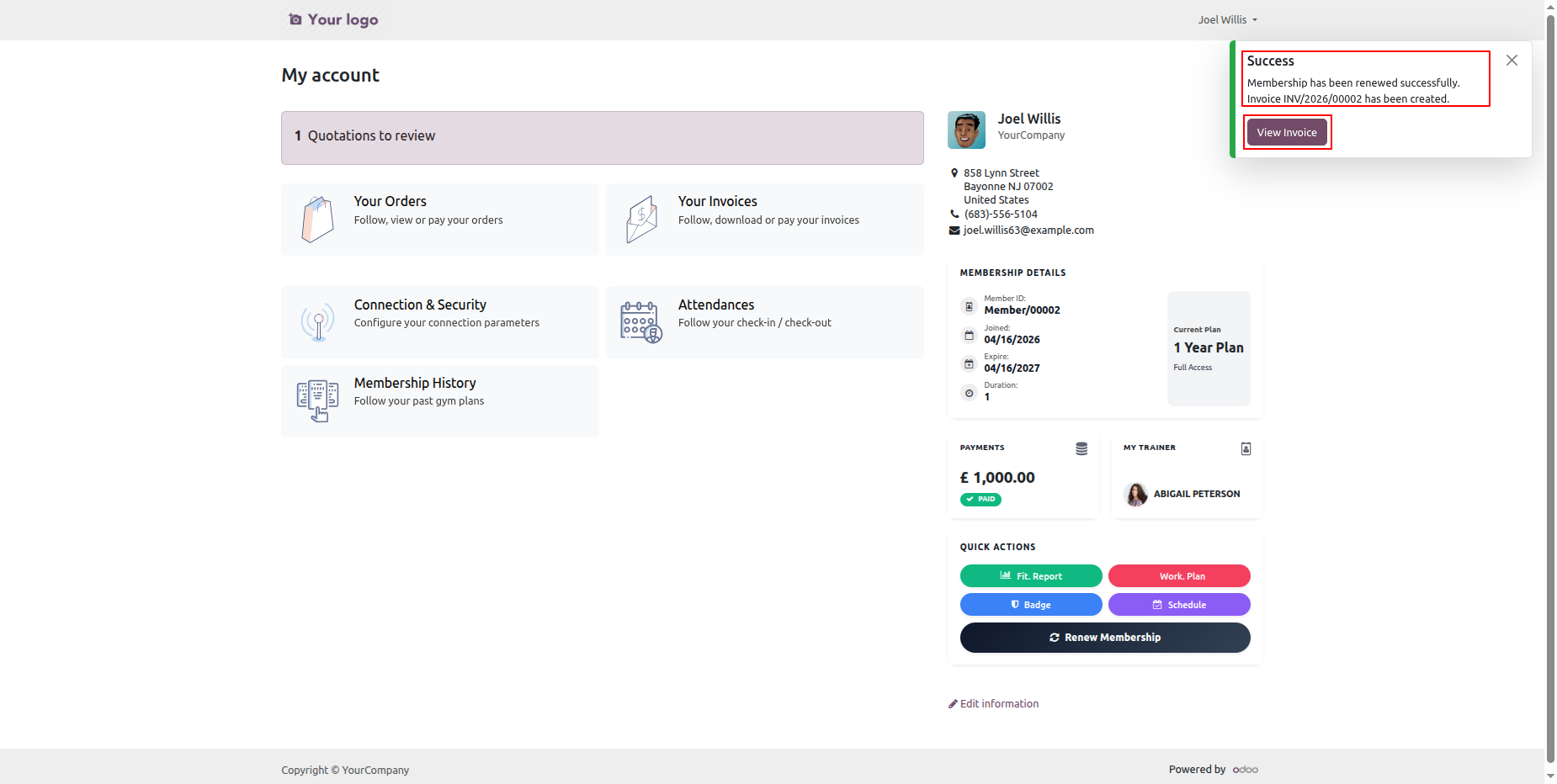
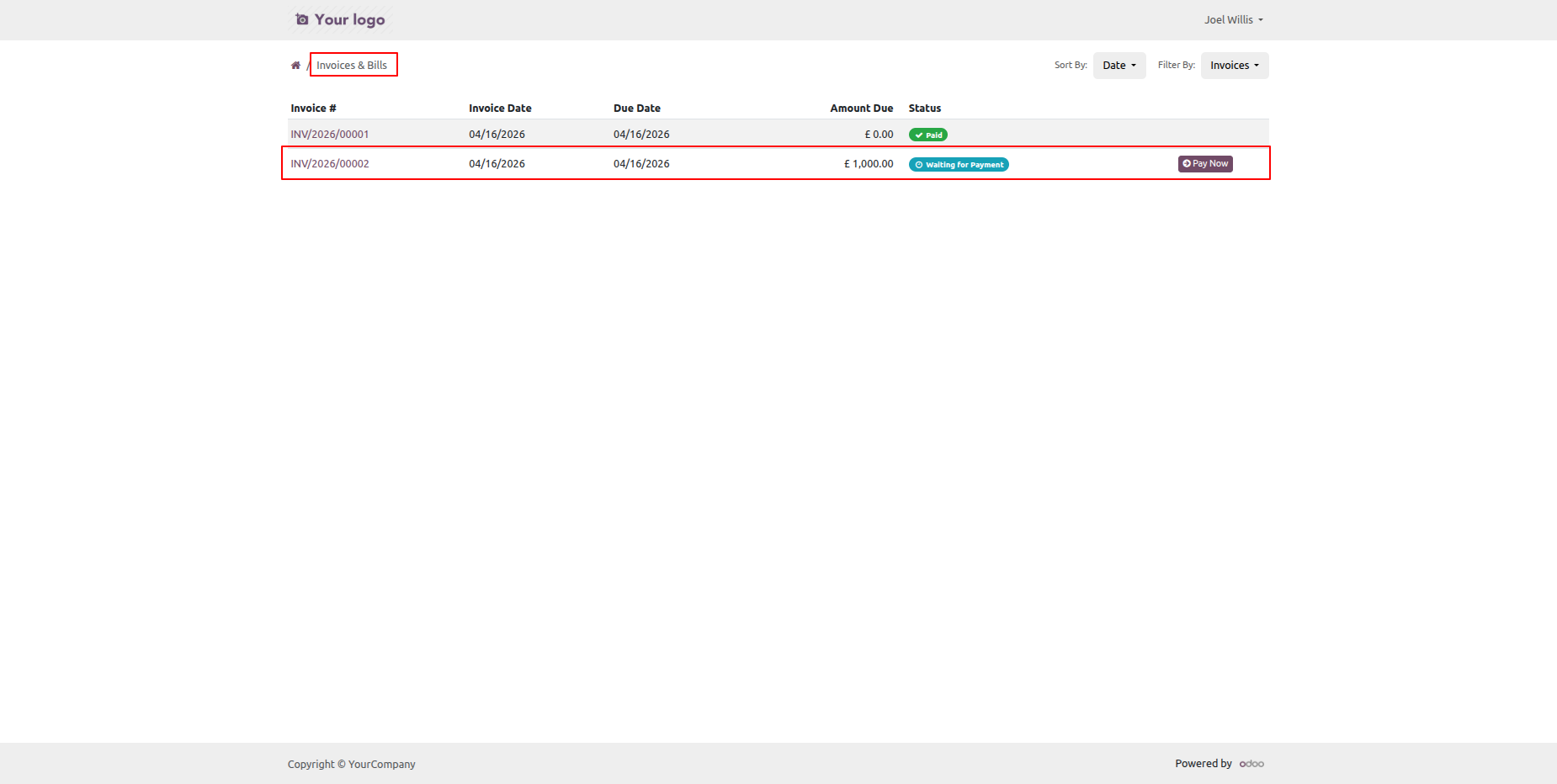
A success notification pos-up with invoice generated.
You can make payment of the invoice and activate your membership.
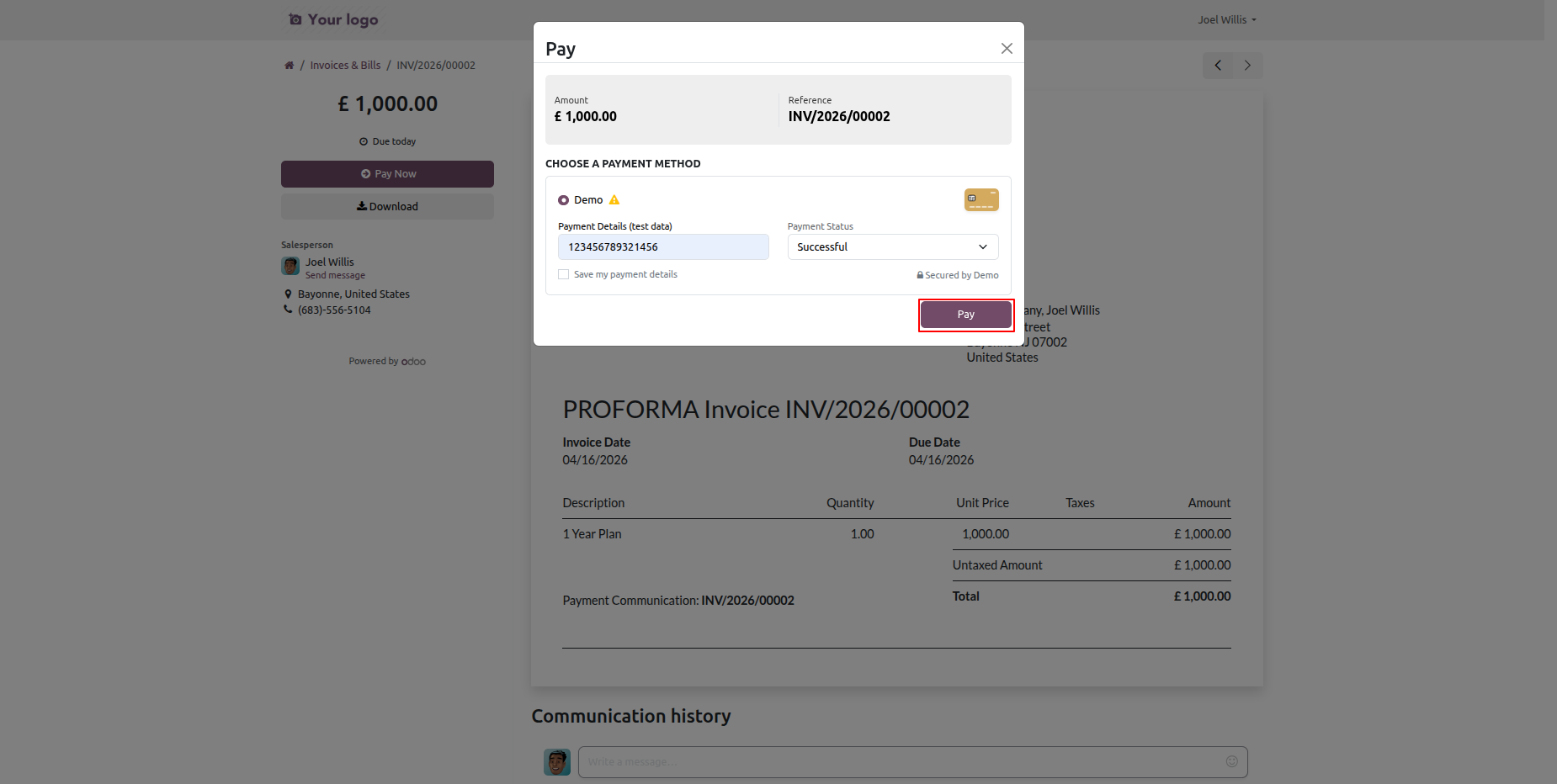
Enter your card details and click pay to make payments.
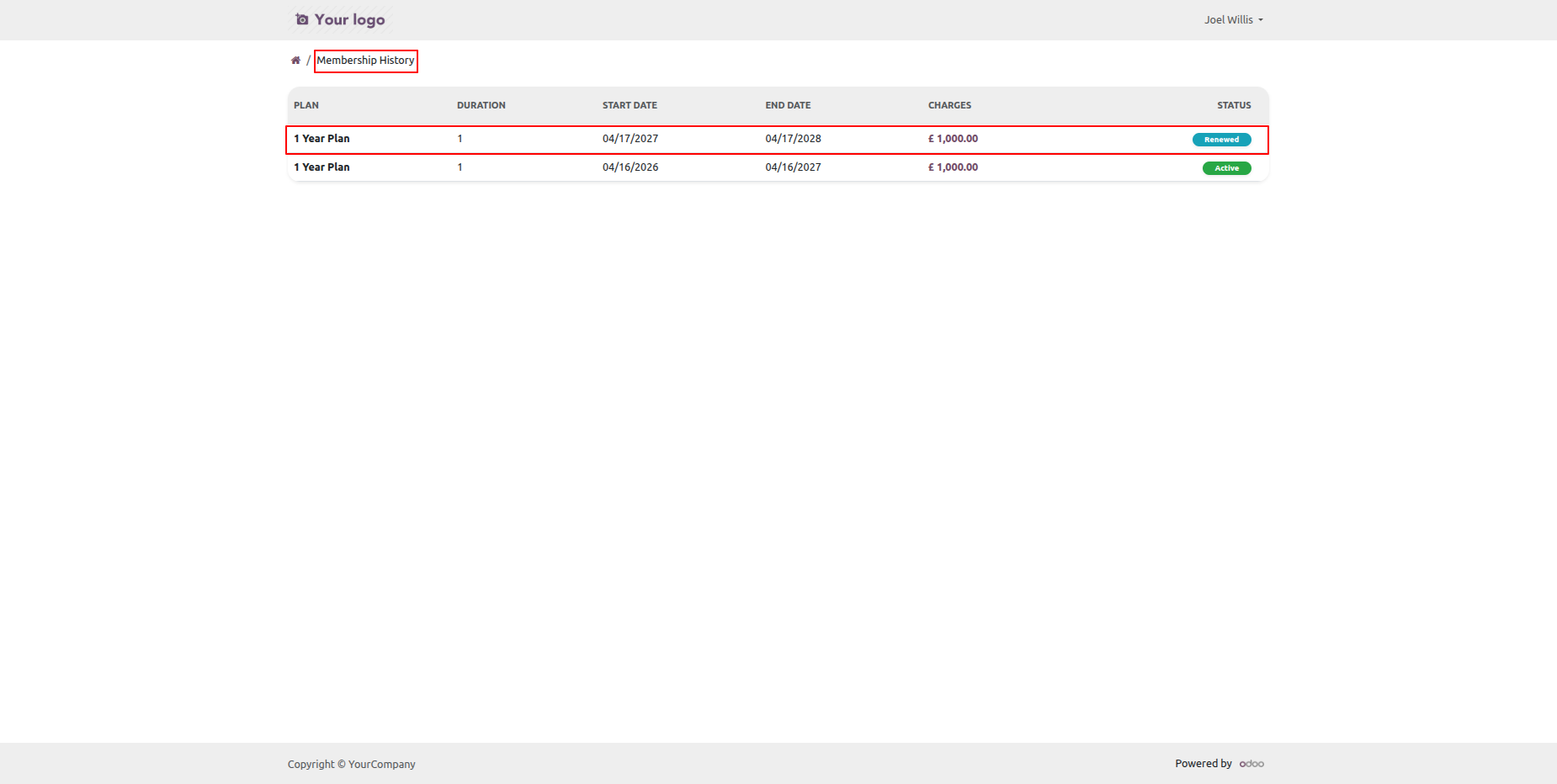
As you can see a new membership plan created with a renewed status.
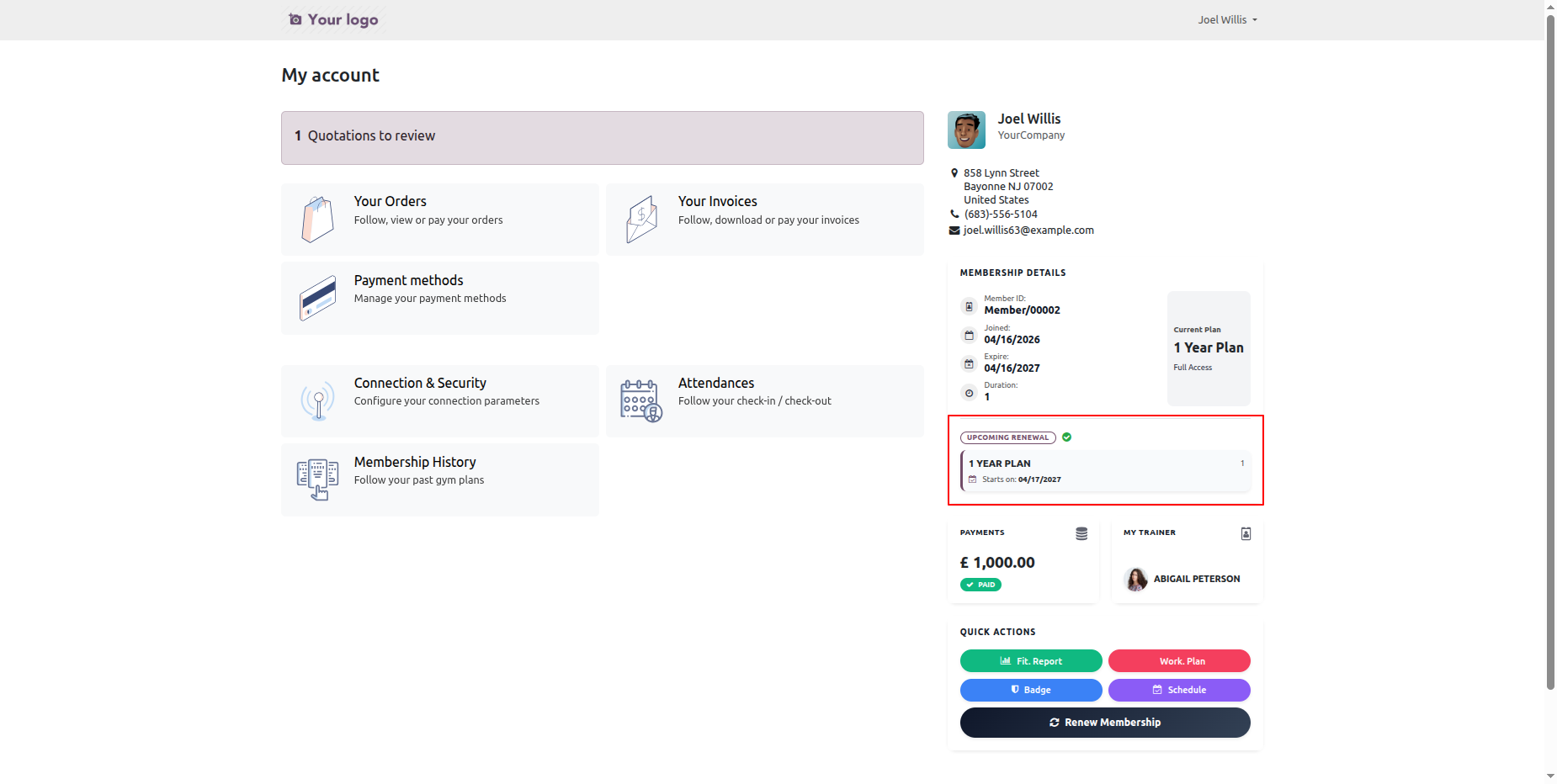
It displays an upcoming renewal in the portal to view the upcoming renewals.
When a ticket is created that time customer will notify via email.

When a ticket is created that time assigned users will notify via email.

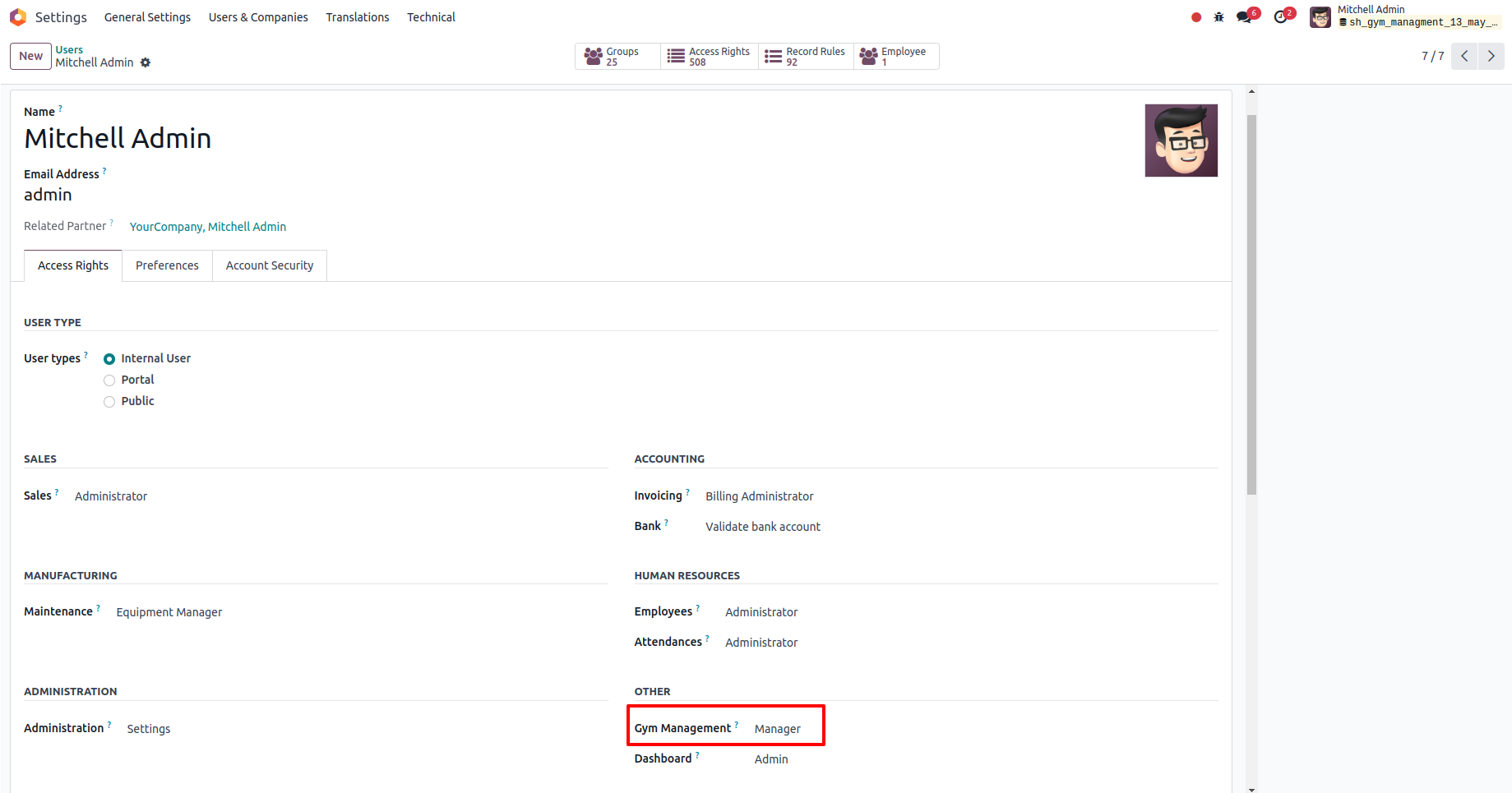
Go to User Settings and assign the role Gym Management: Manager.
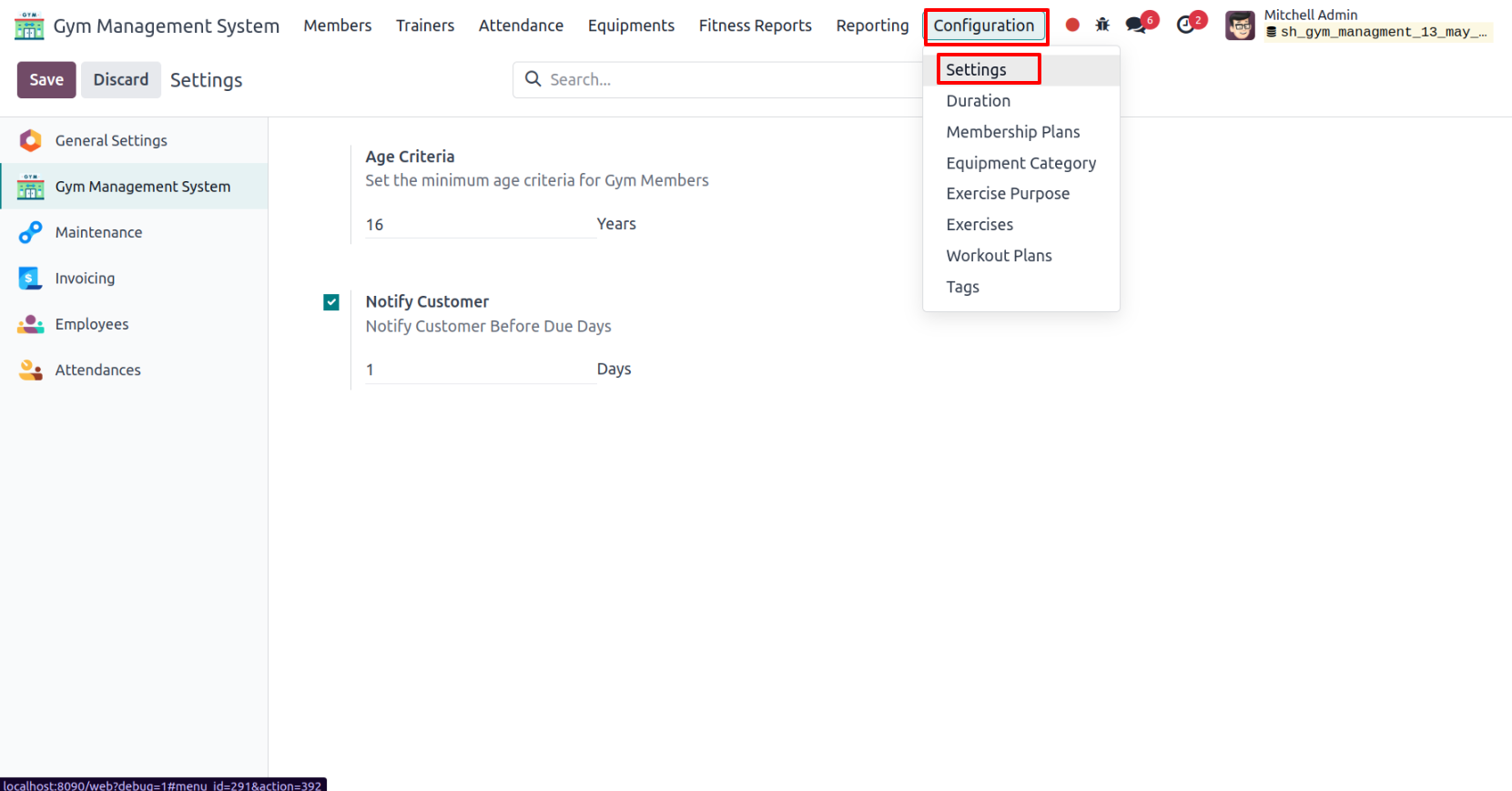
In the Gym Management System configuration, enable Notify Customer and set the number of notification days.
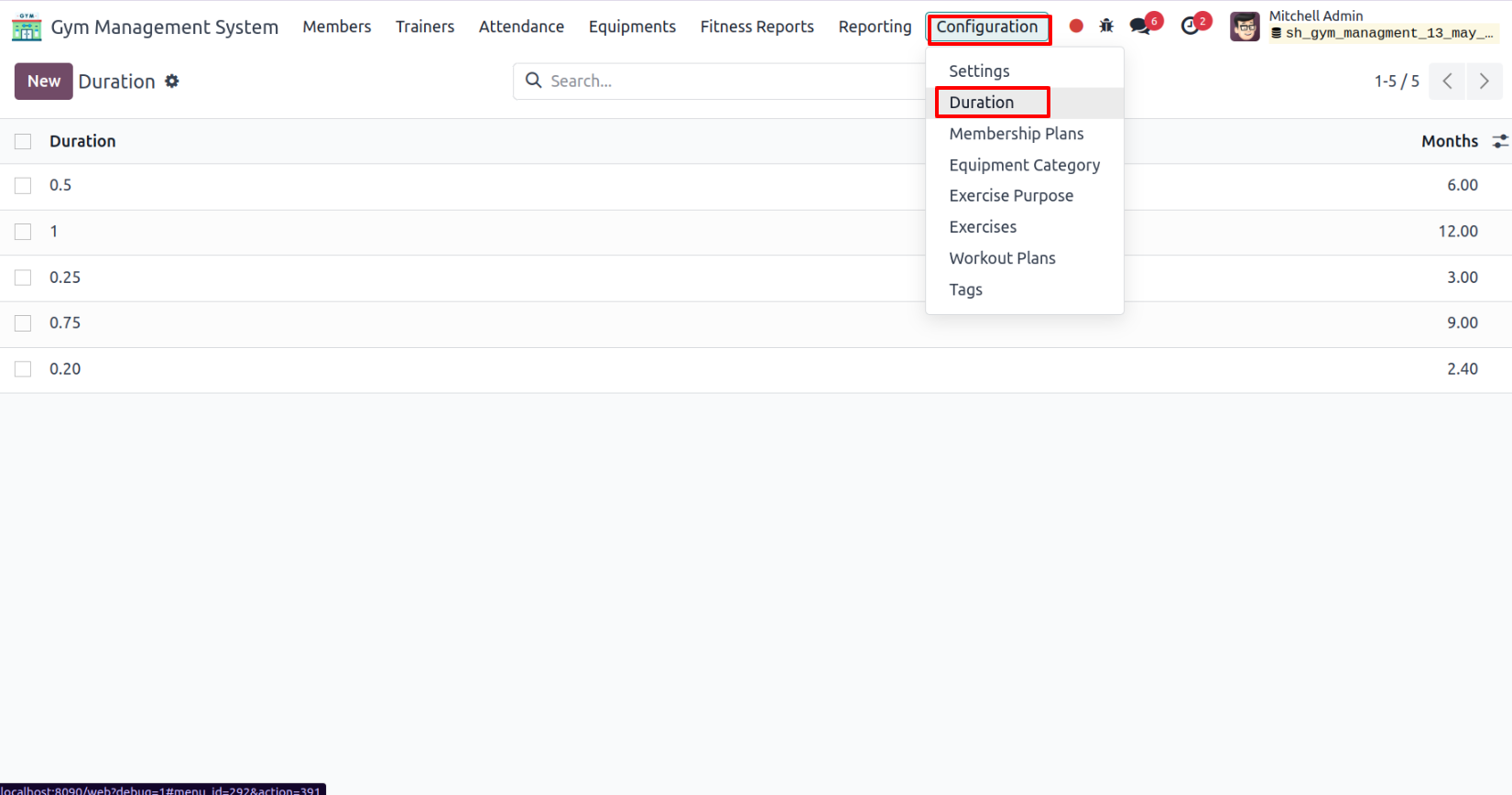
'Duration' menu and tree view.
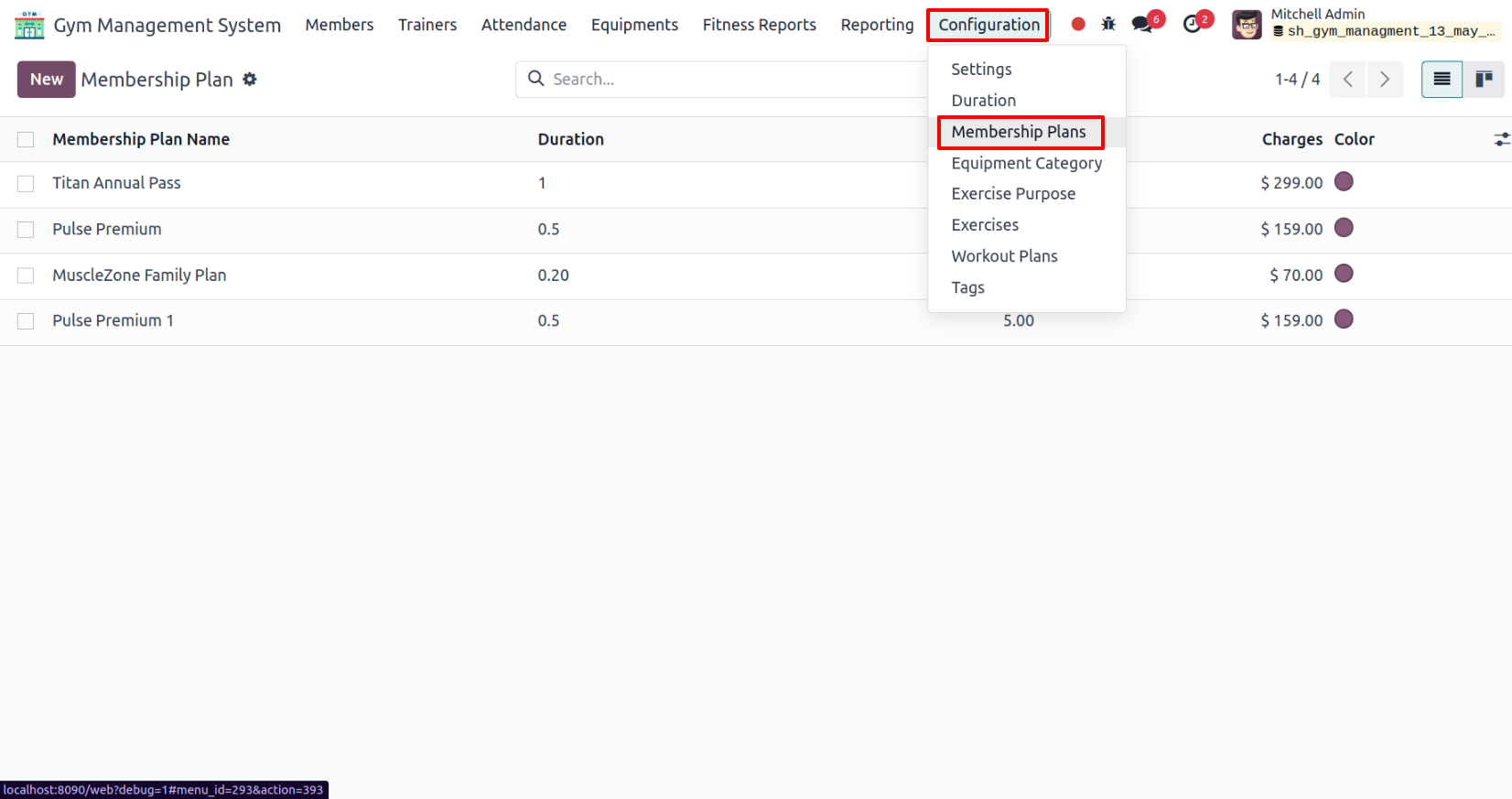
'Membership Plans' menu and tree view.
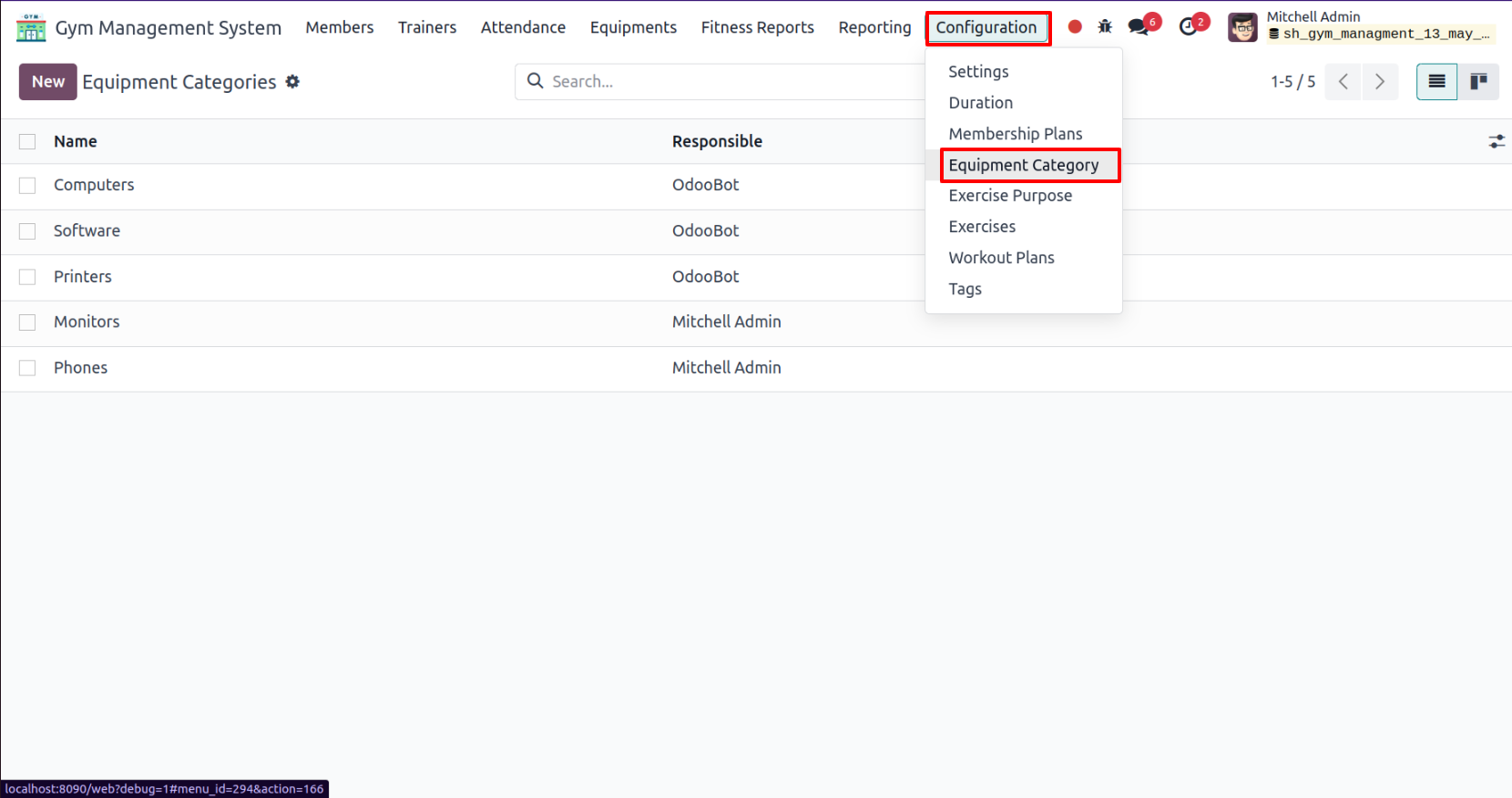
'Equipments Category' menu and tree view.
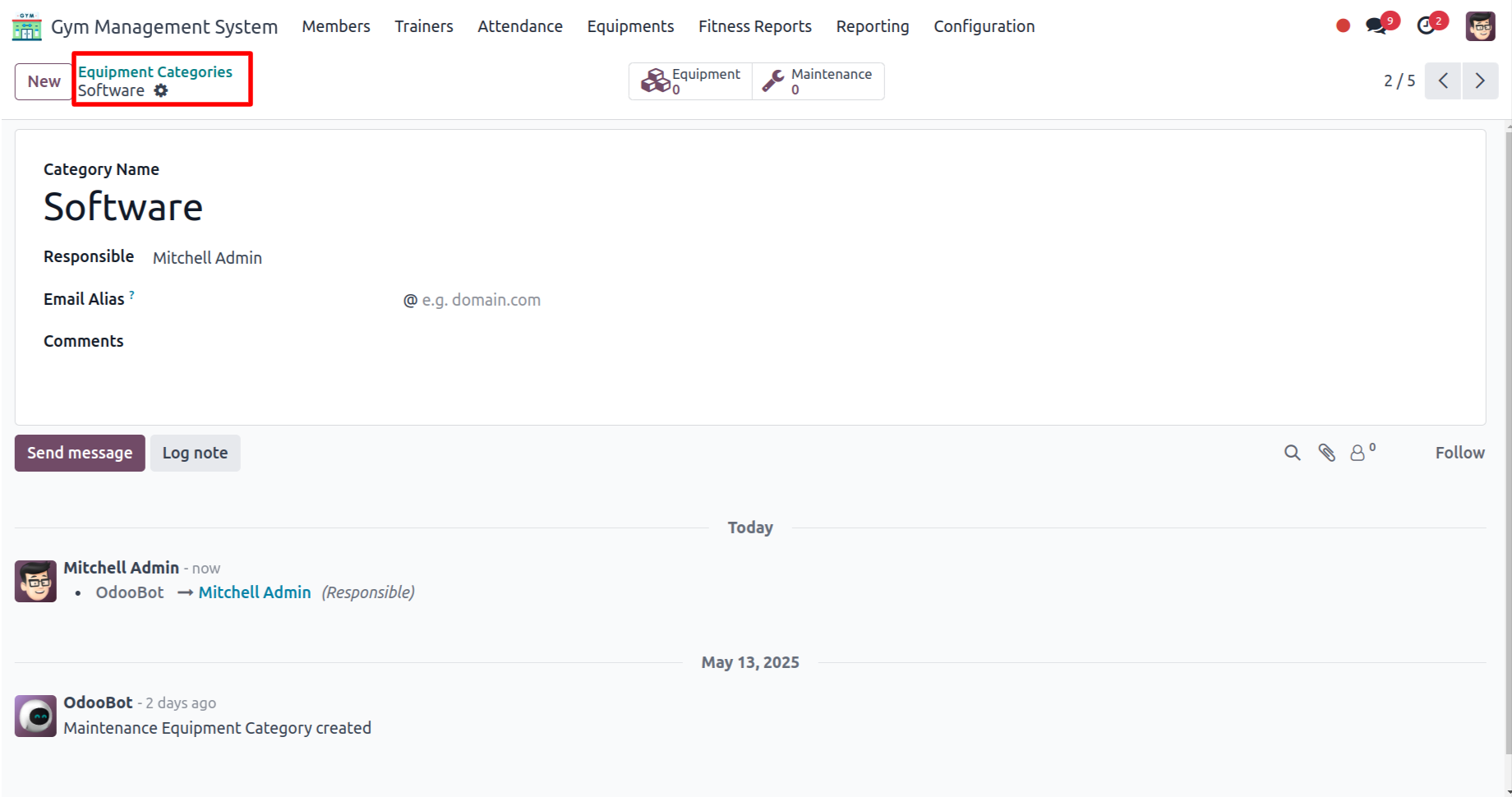
Form view of the 'Equipment Categories'.
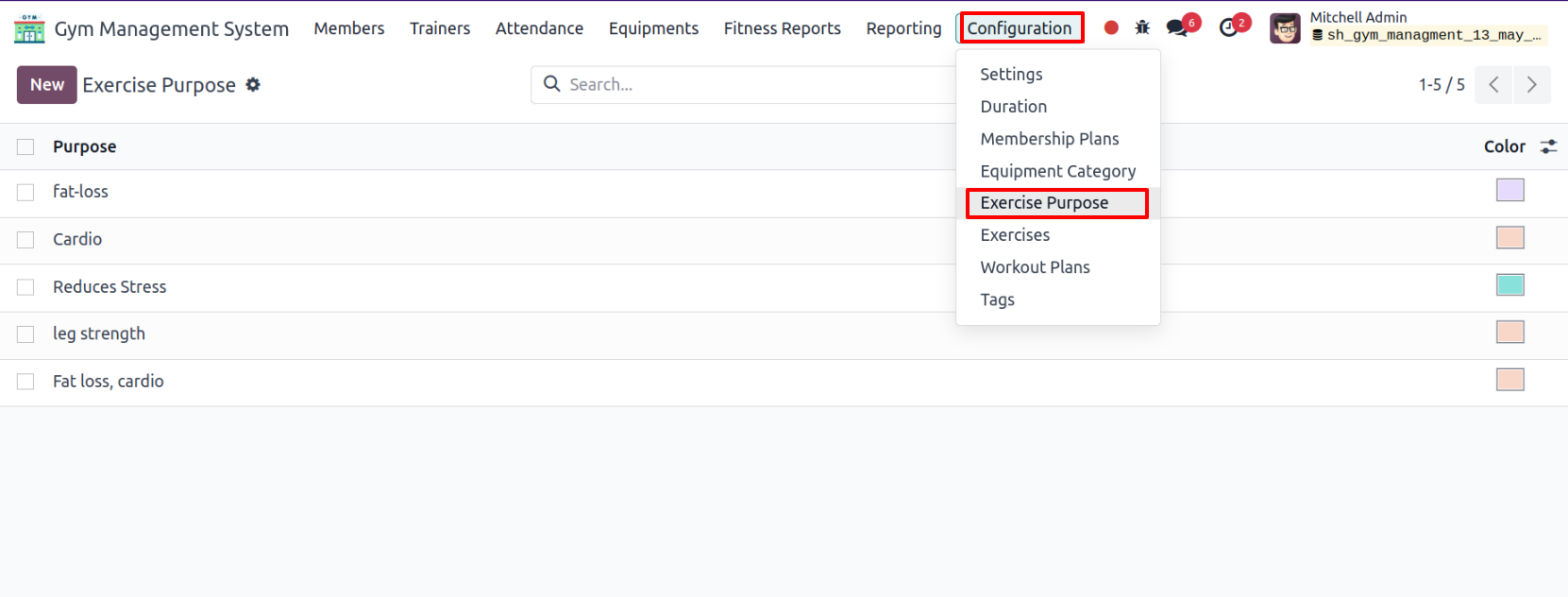
'Exercise Purpose' menu and tree view.
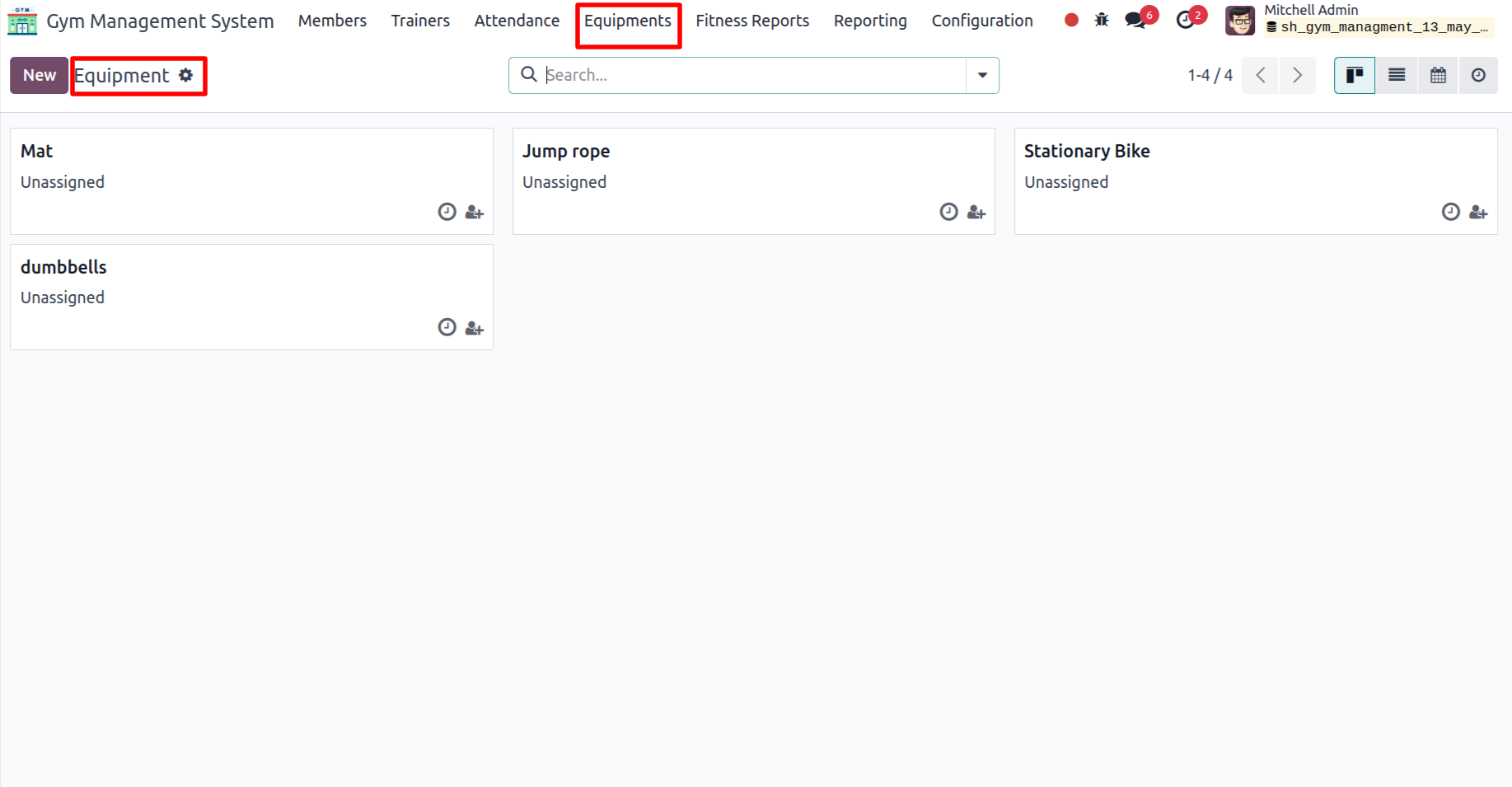
Equipments menu and kanban view.
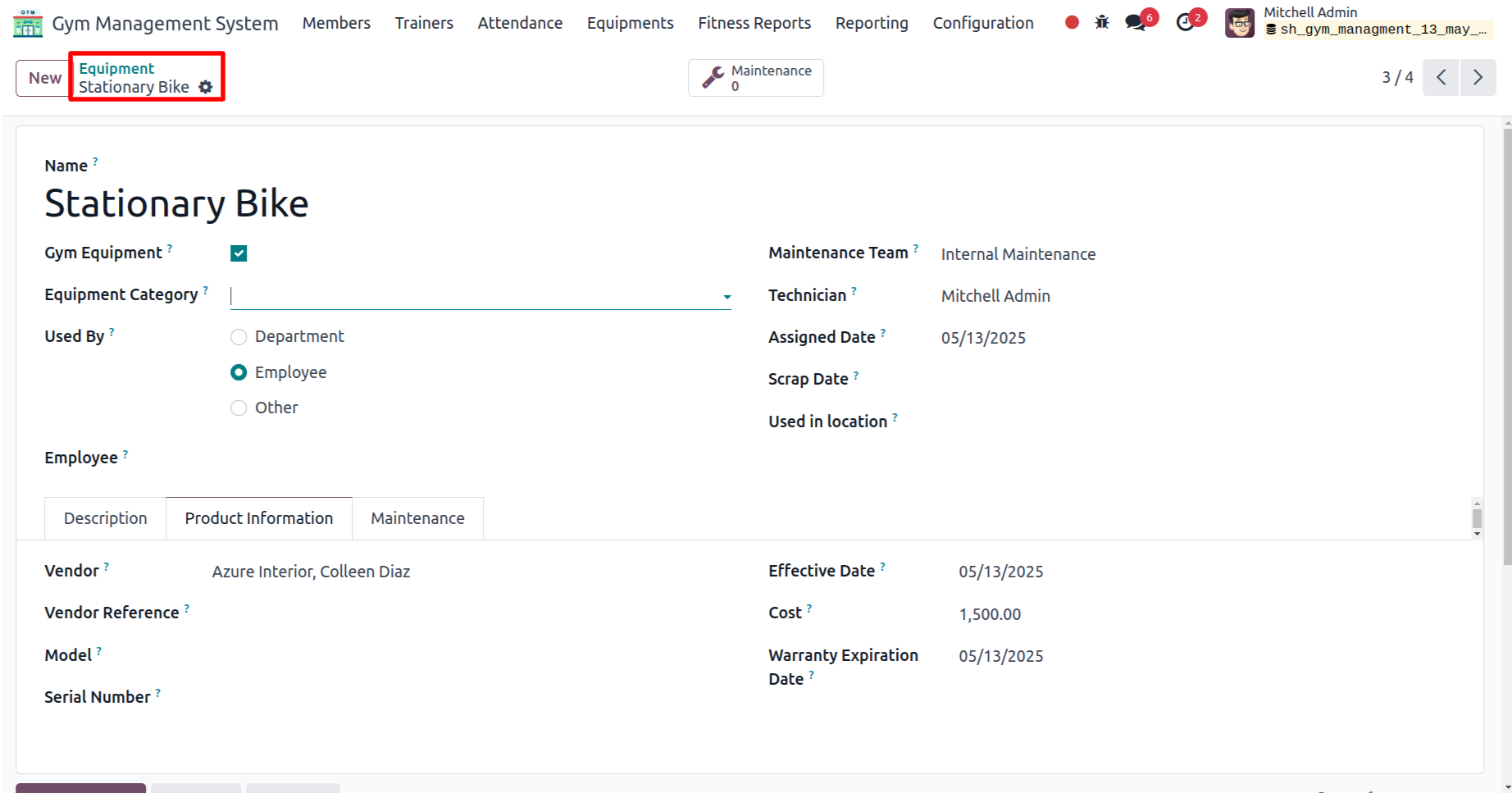
Form view of the Equipment.
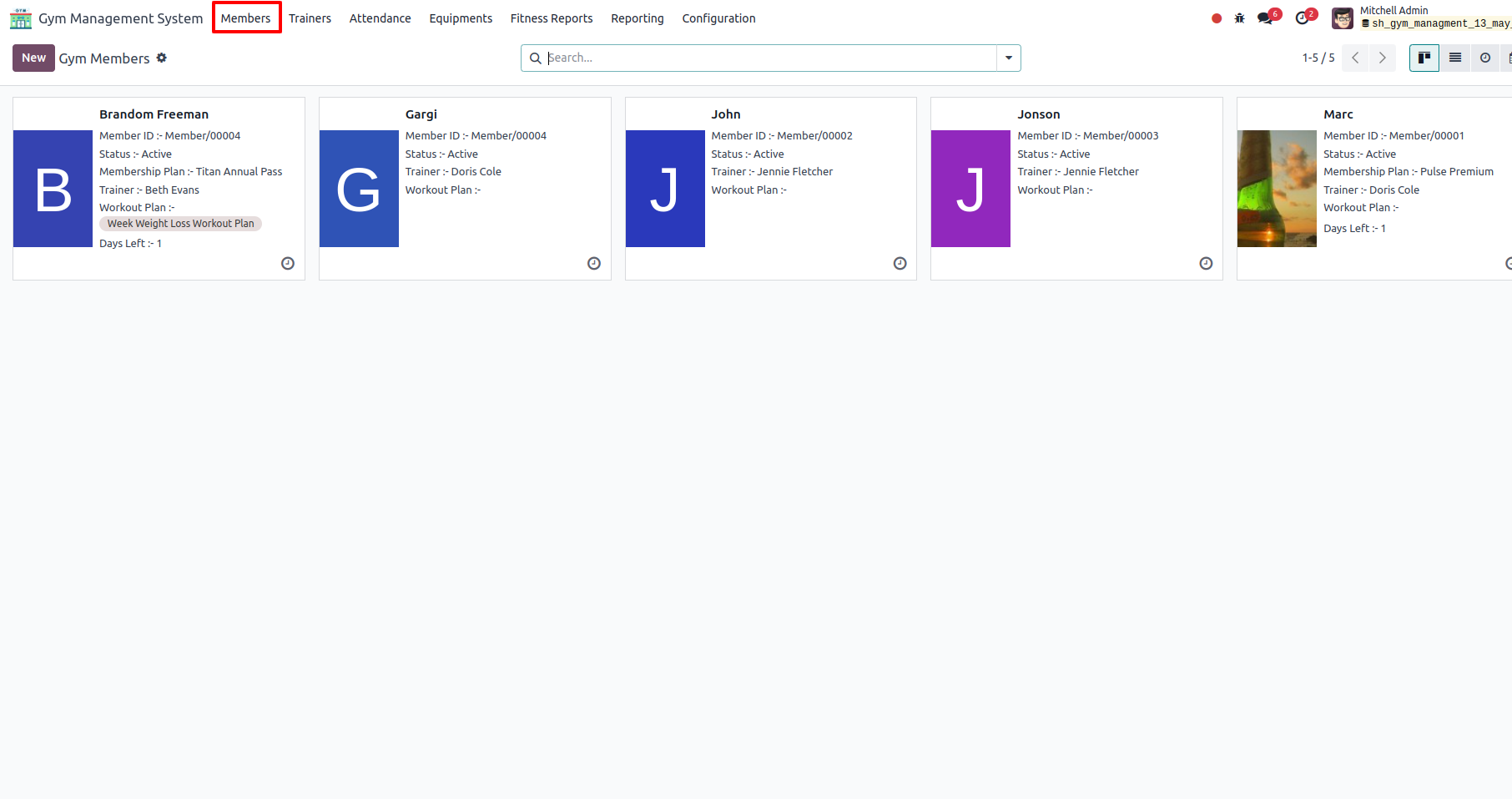
Member's menu and kanban view.
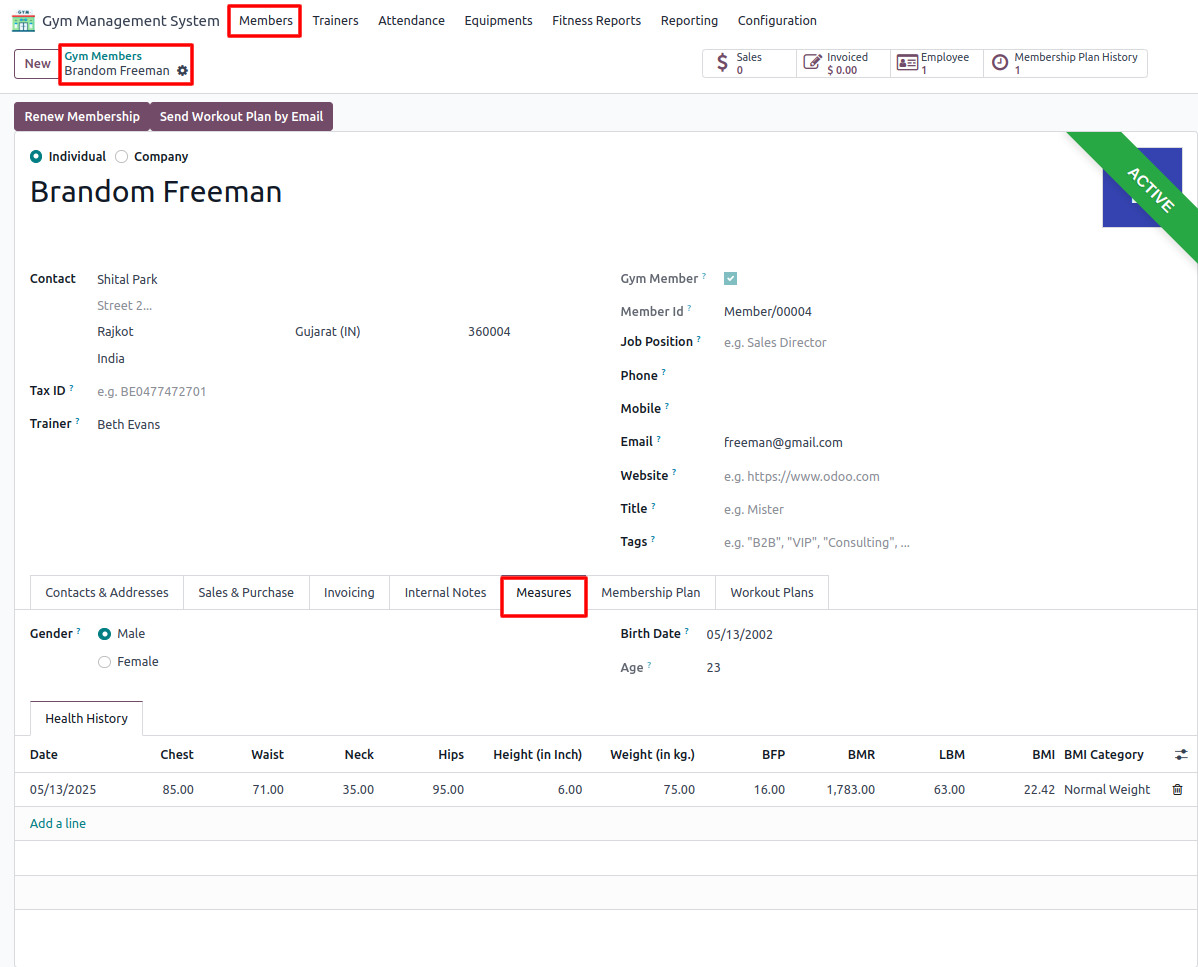
In the Members menu, open the form view and enter data under the Measures tab.
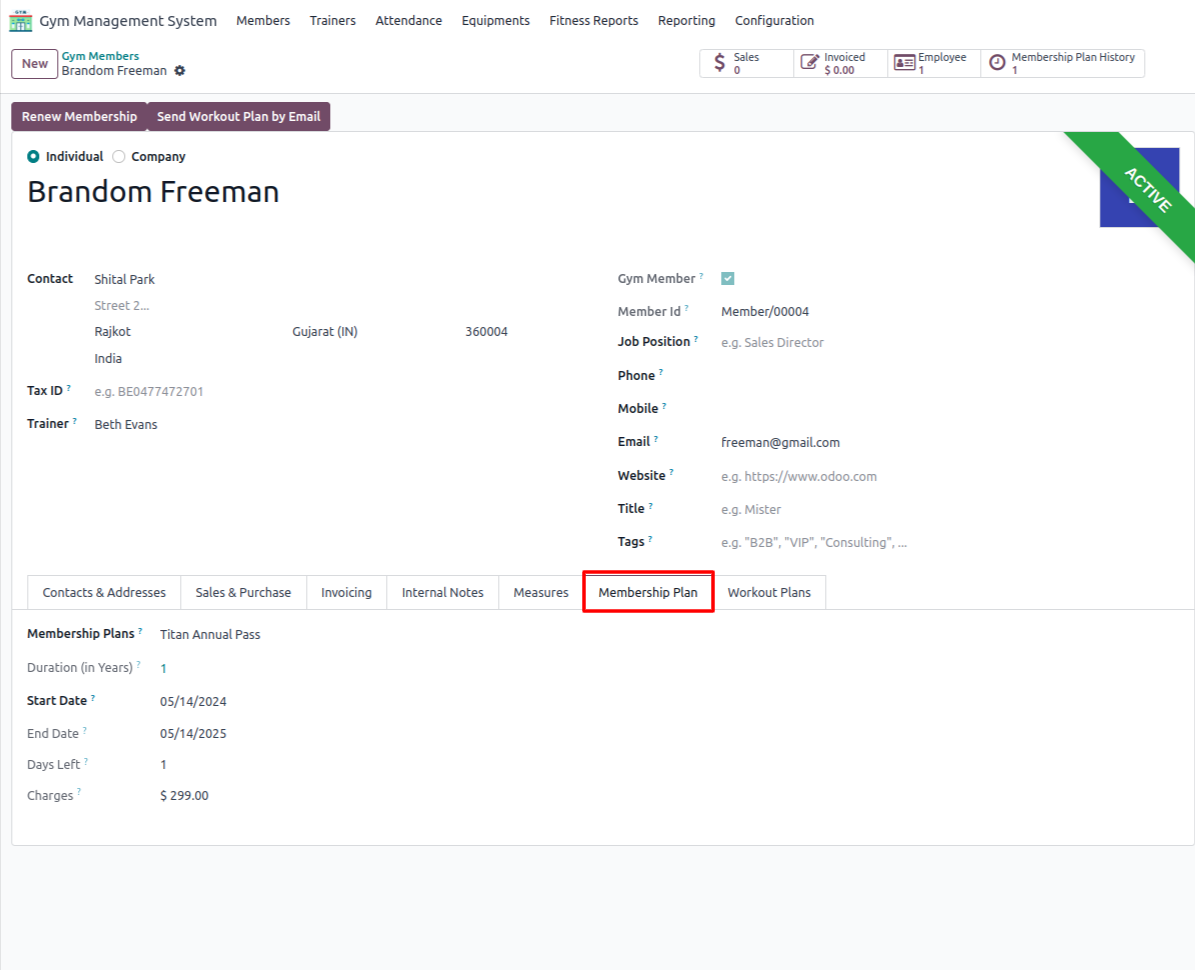
Add details in the 'Membership Plan' tab.
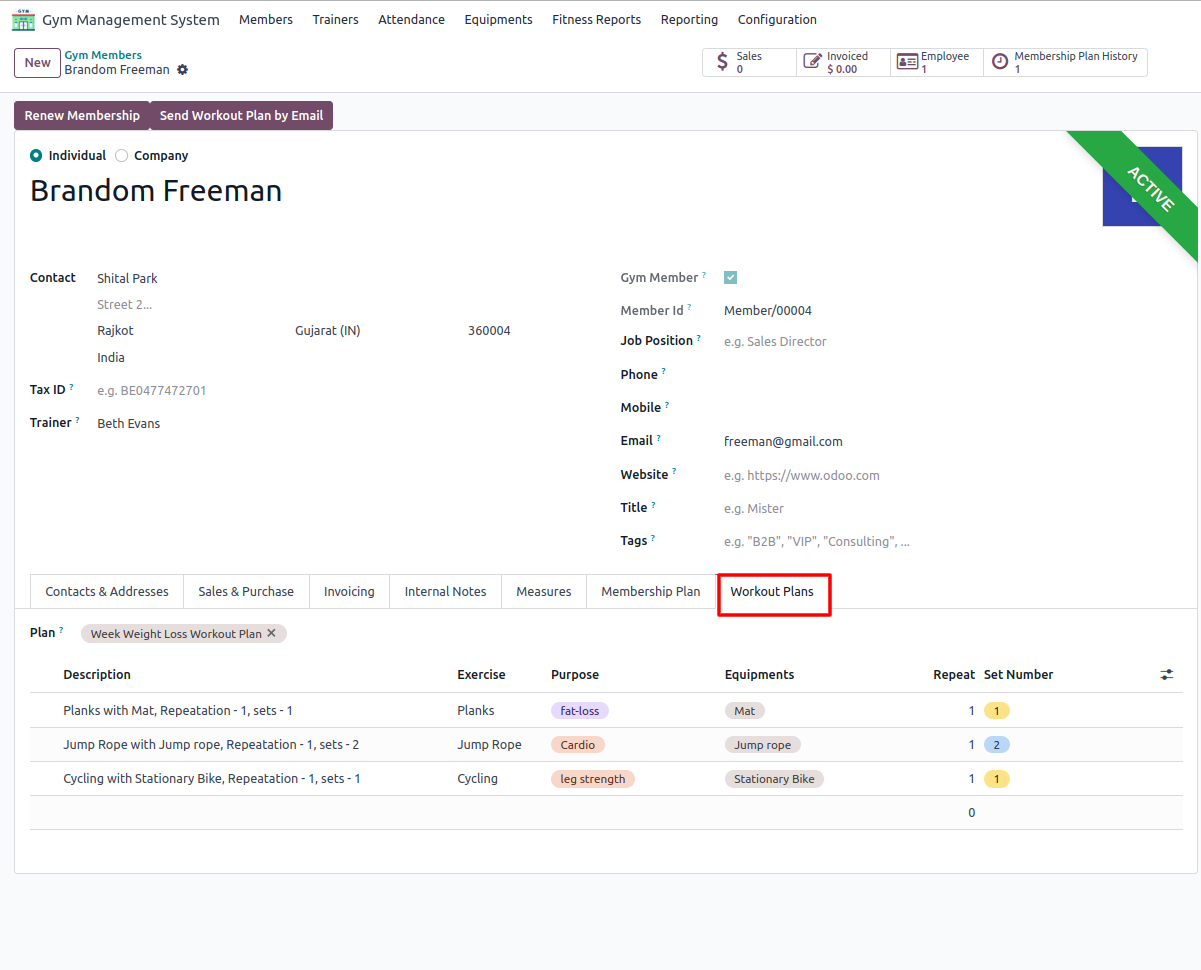
Add details in the 'Workout Plan' tab.
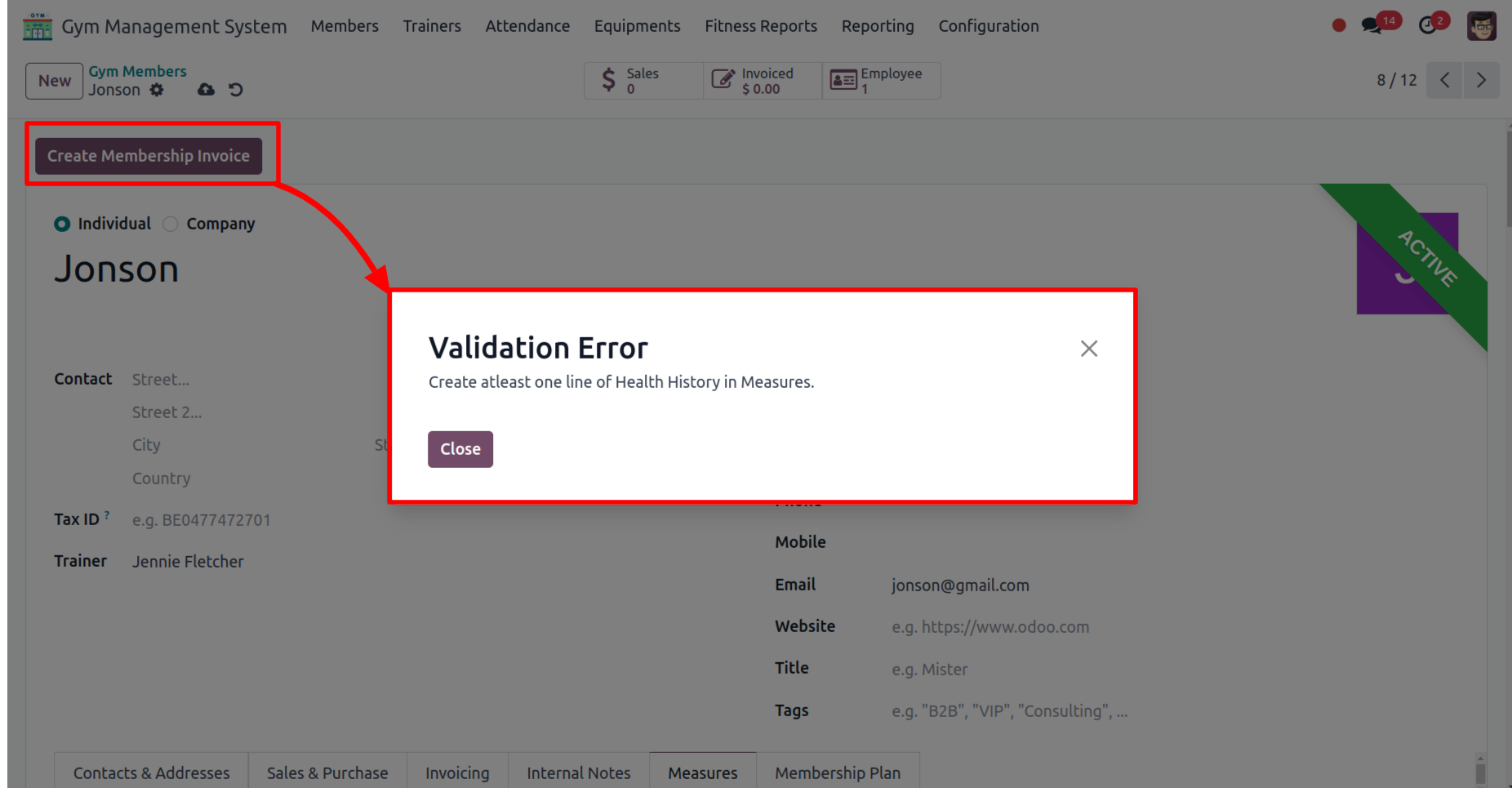
Click on the 'Create Membership Invoice' button.
If health history is not provided under the Measures tab, a warning will appear.
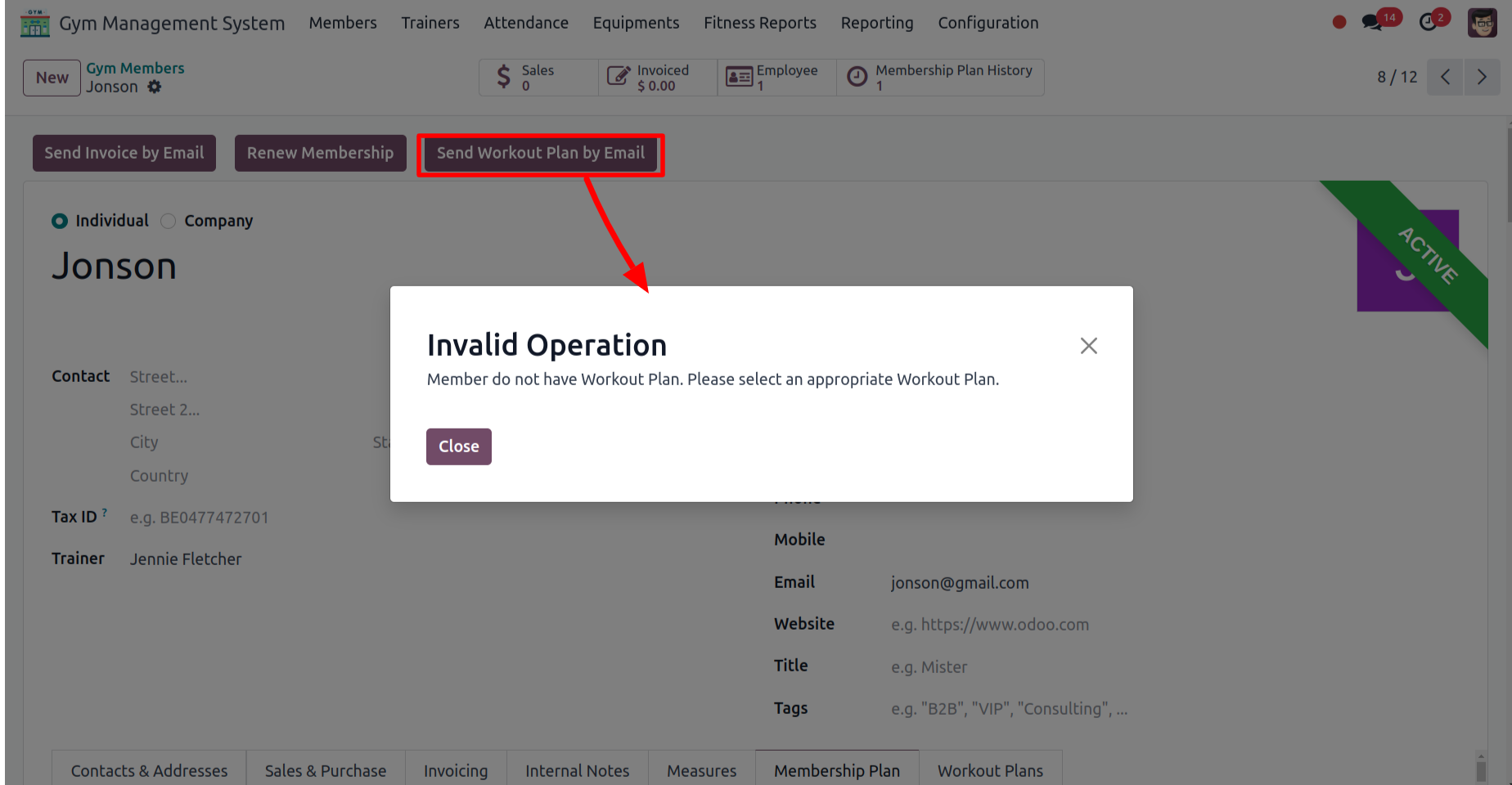
Click on the 'Send Workout plan by email' button.
If no workout plan is selected, a warning will appear.
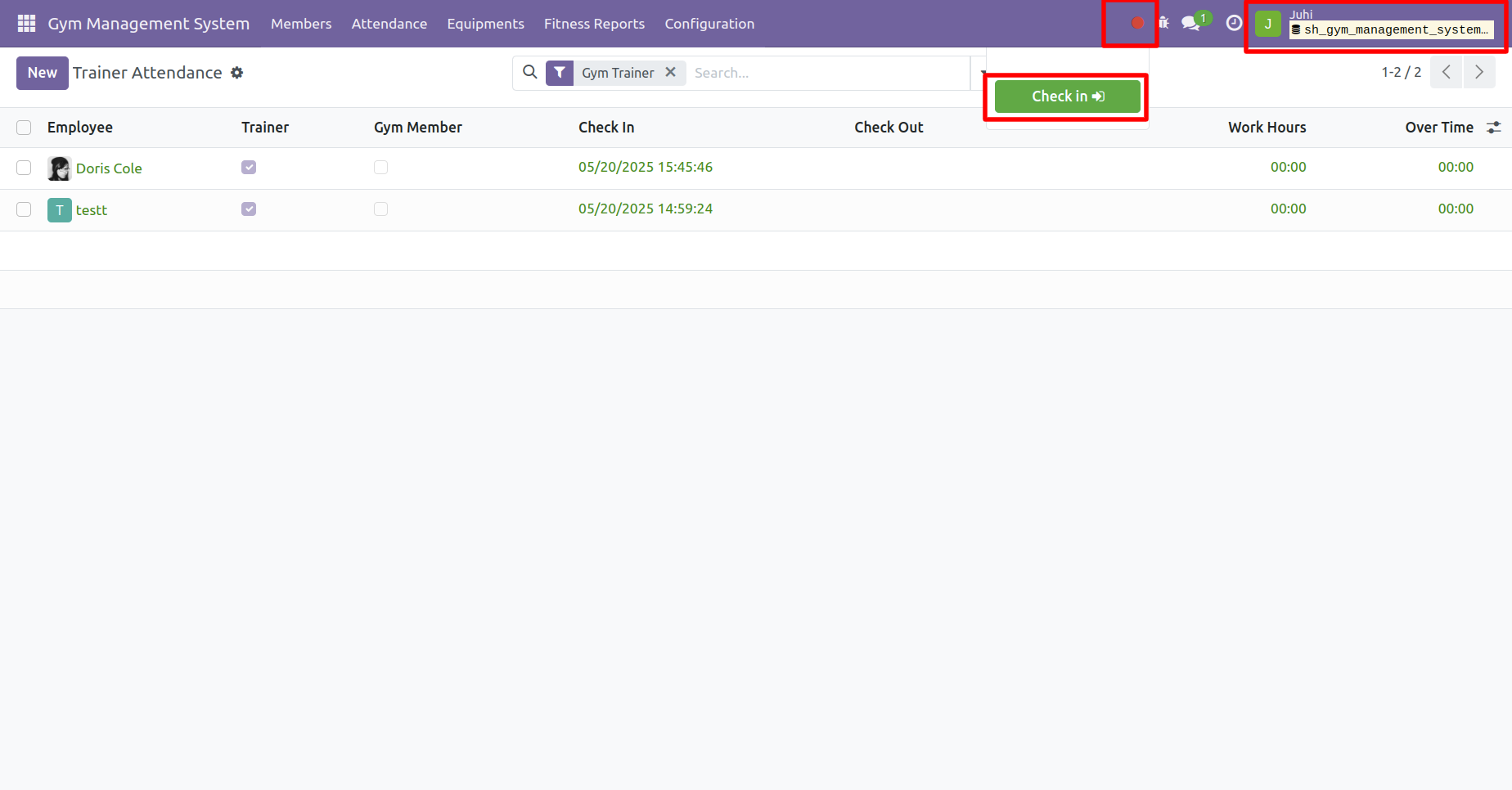
To complete check-in, click on the Check-In icon, then press on the Check In button.
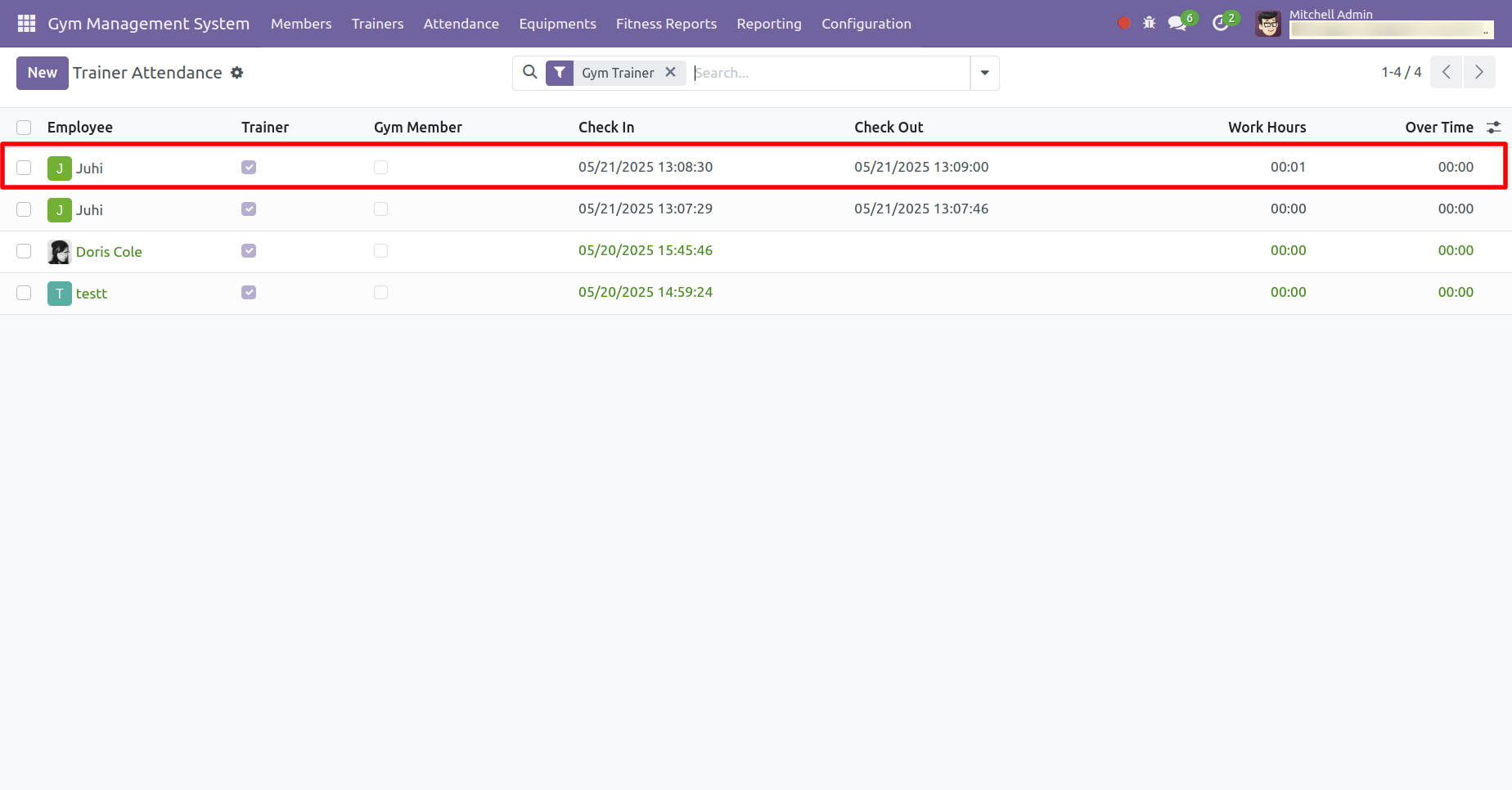
Click on the 'Check Out' button.
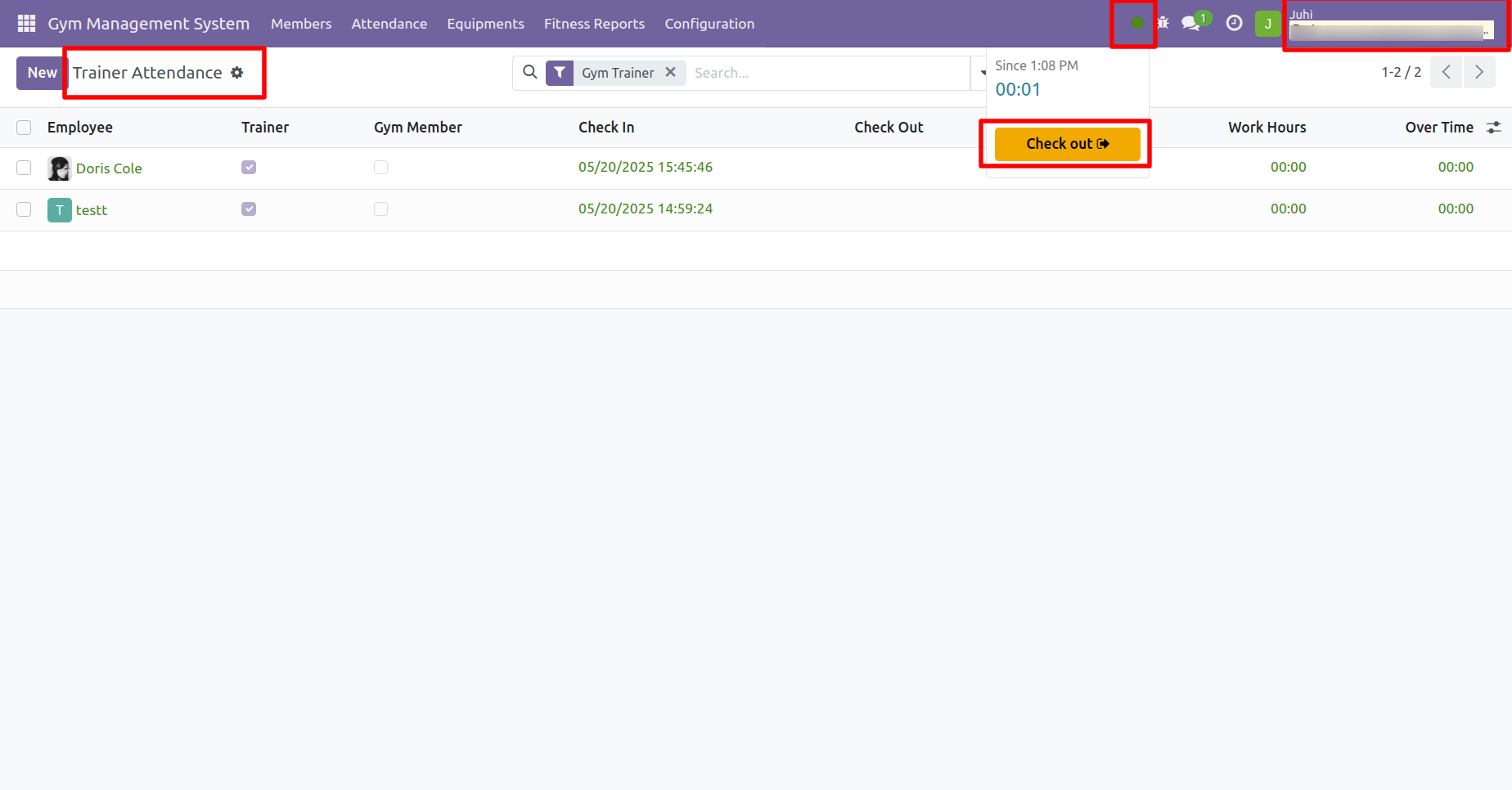
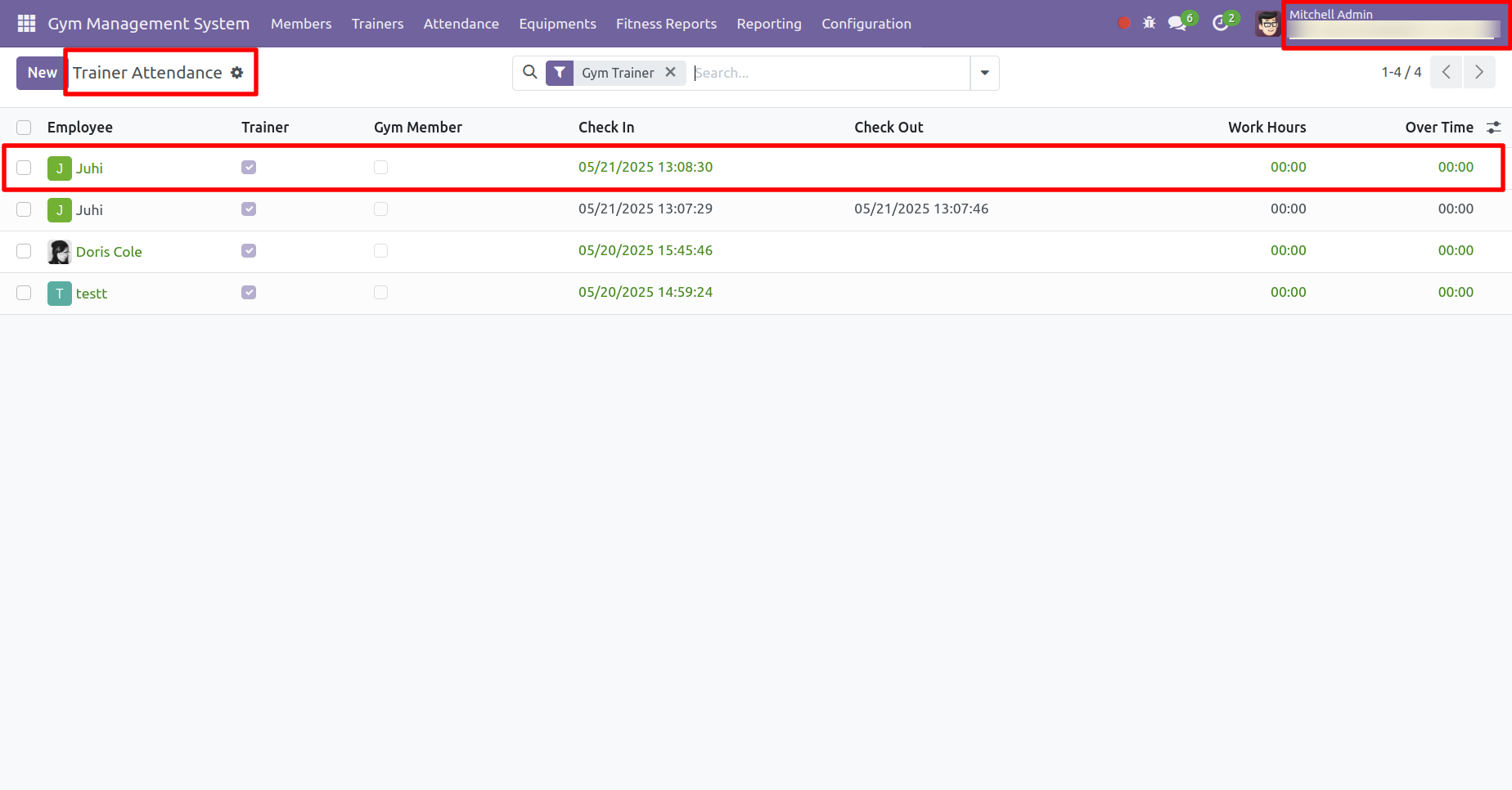
The trainer/manager can review the check-in history.
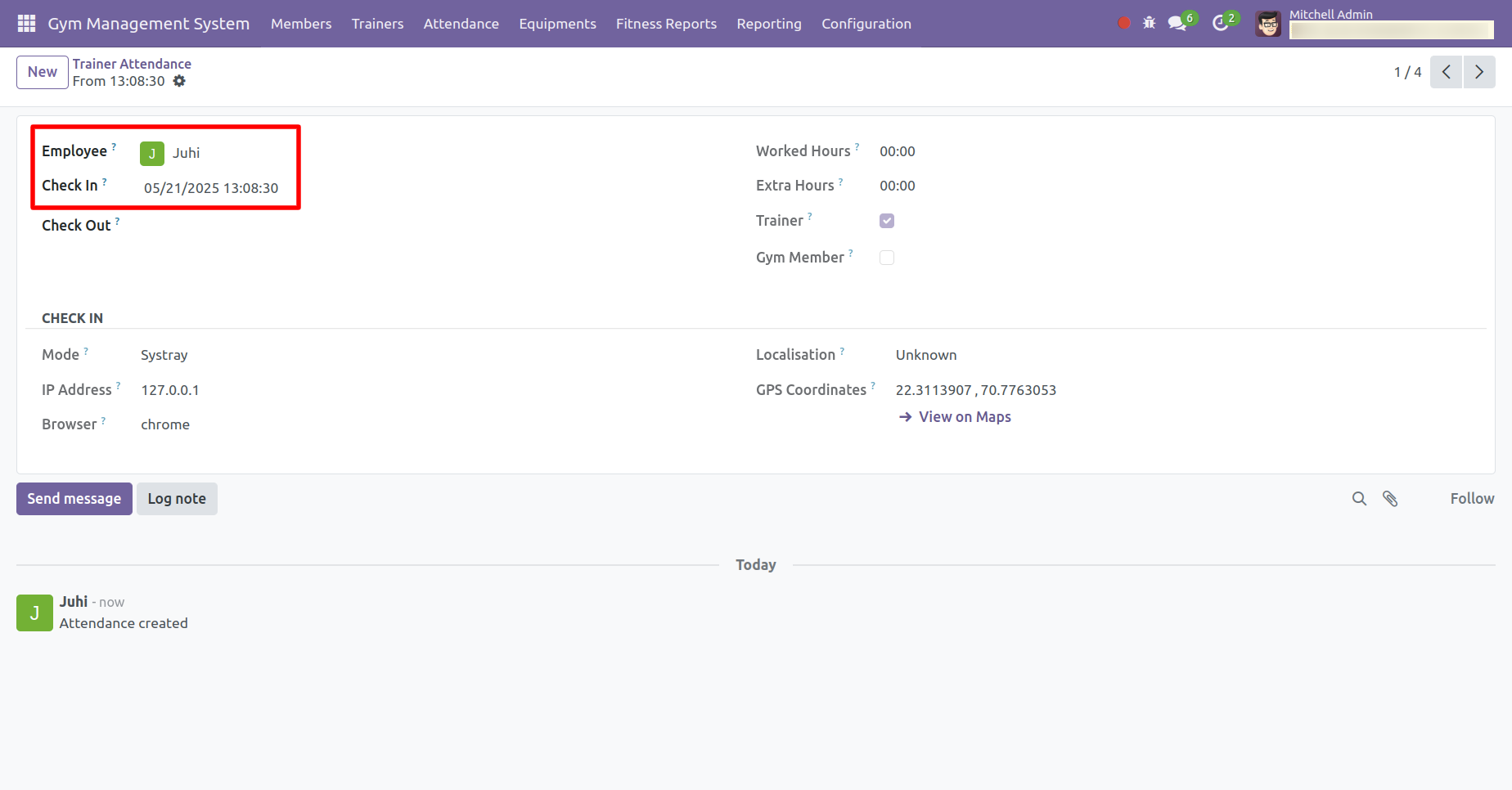
Check-in history is also accessible from the form view.
Check-out history can be viewed here.
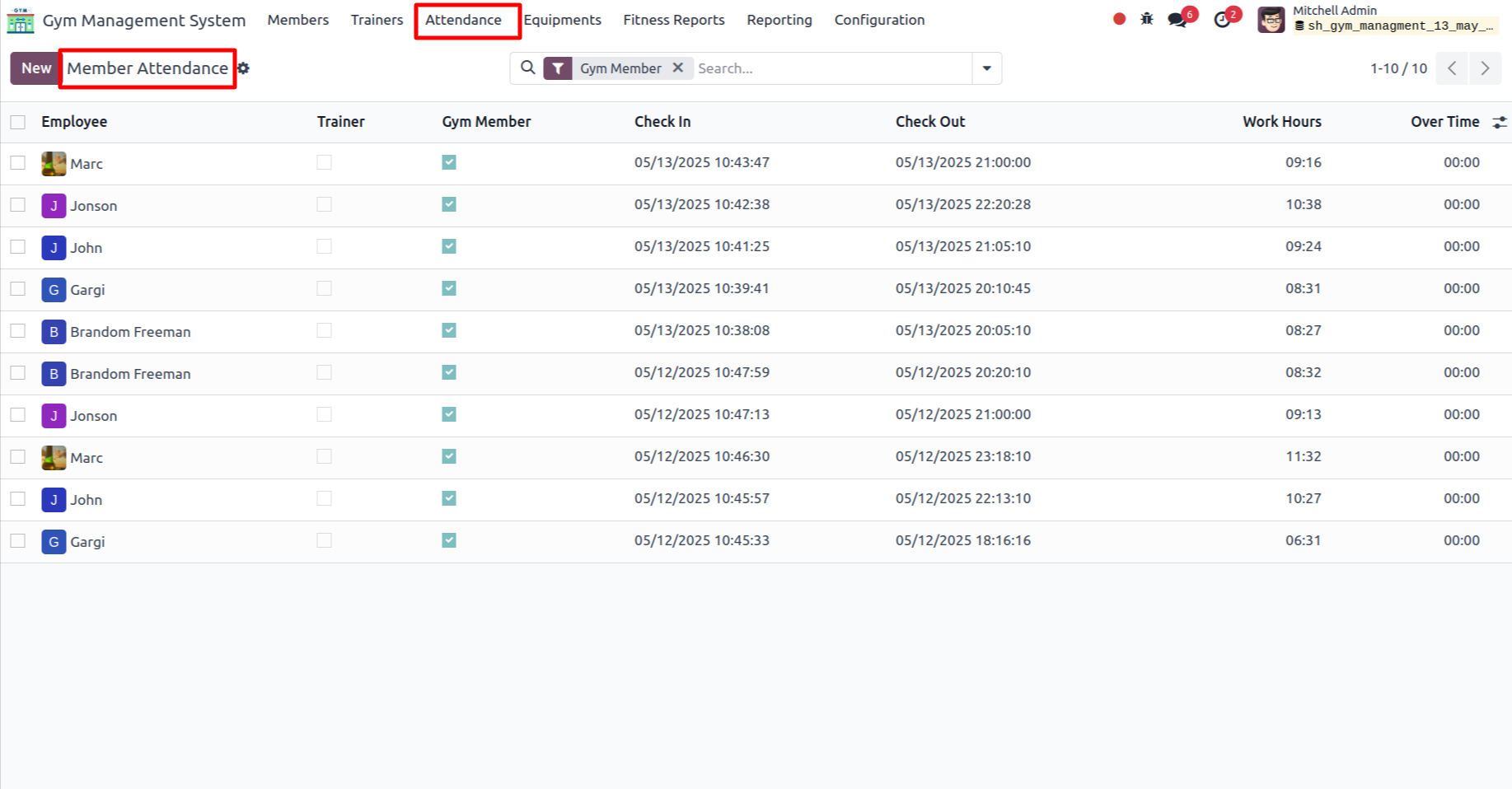
In the Attendance section, click on the Members menu.
.png)
Tree view of the member attendance.
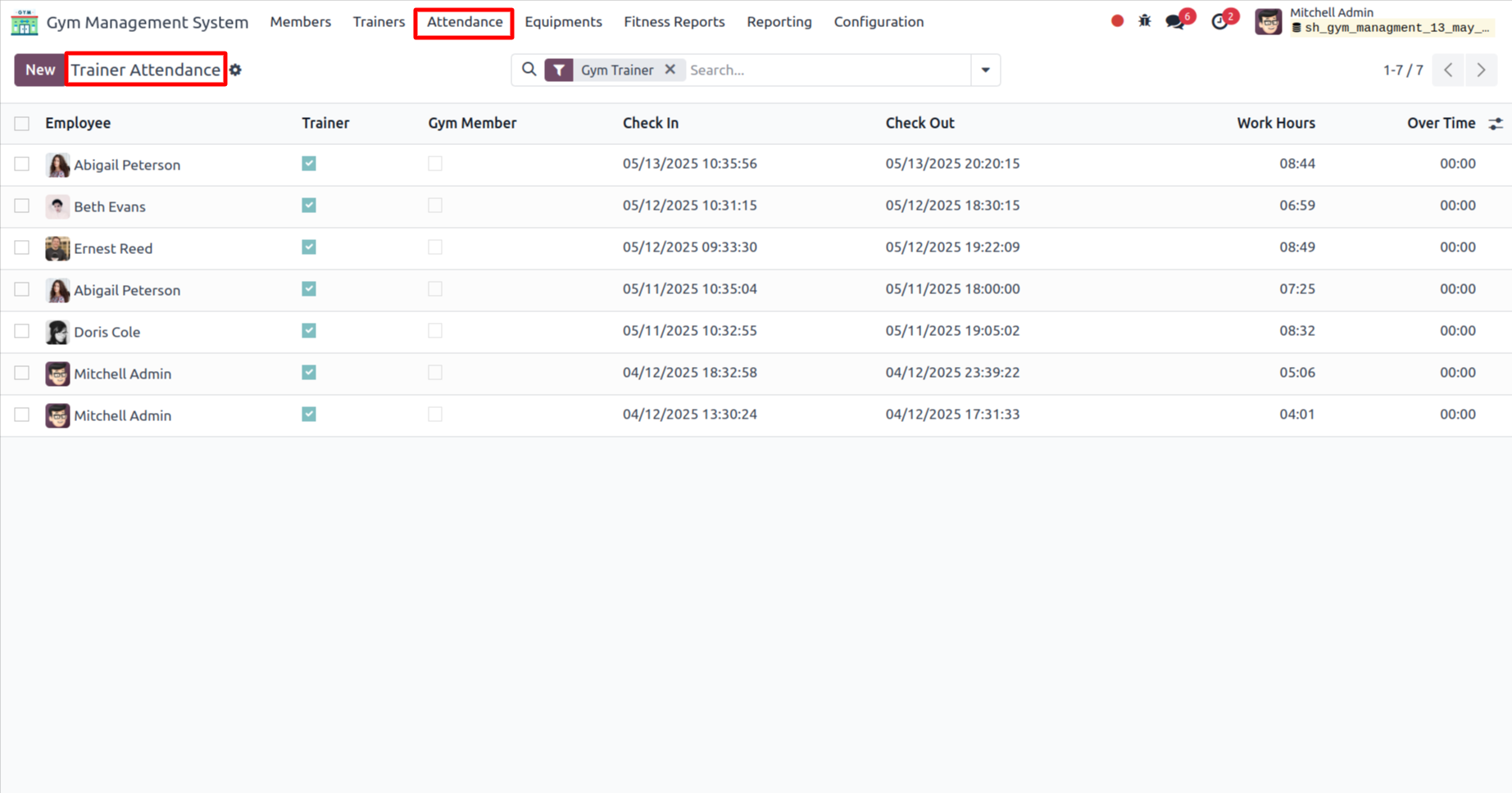
Tree view of the trainer attendance.
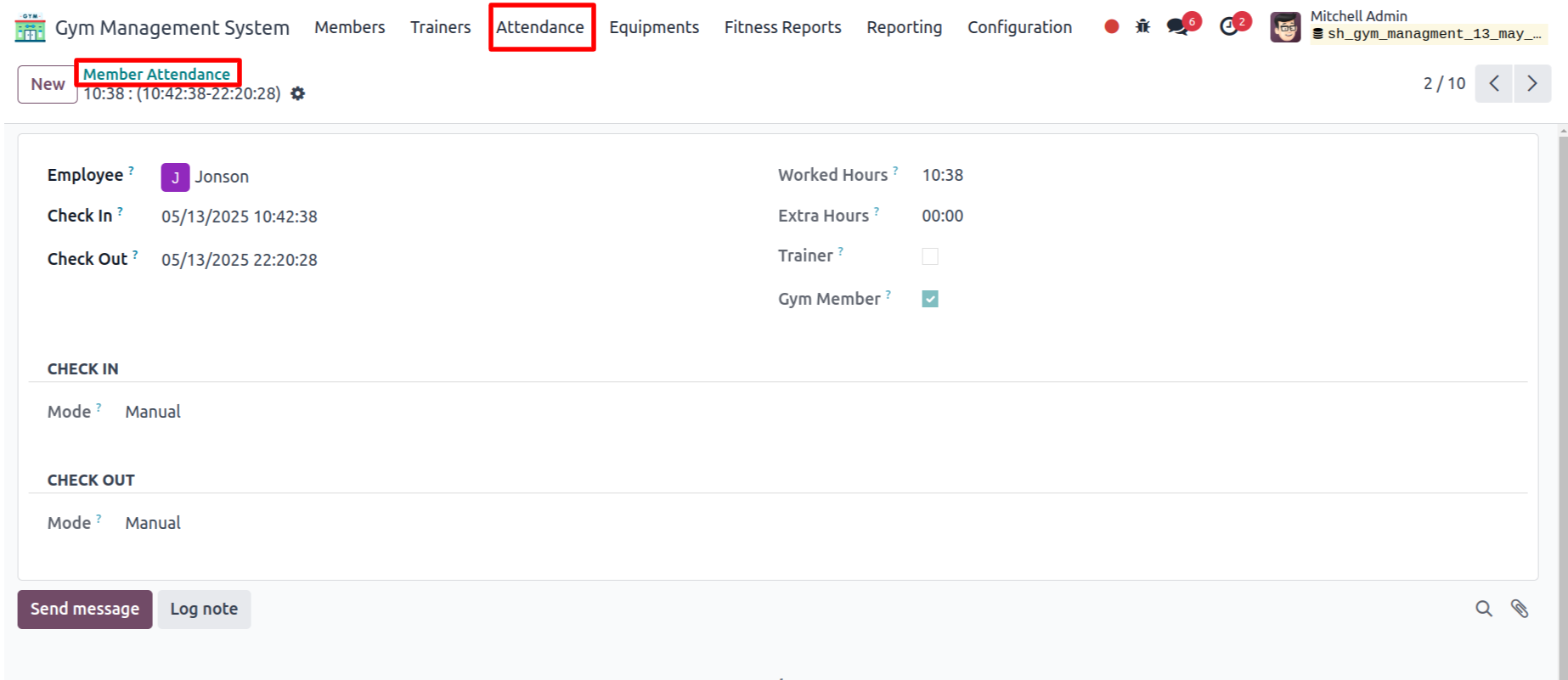
Form view of the 'Member Attendance'.
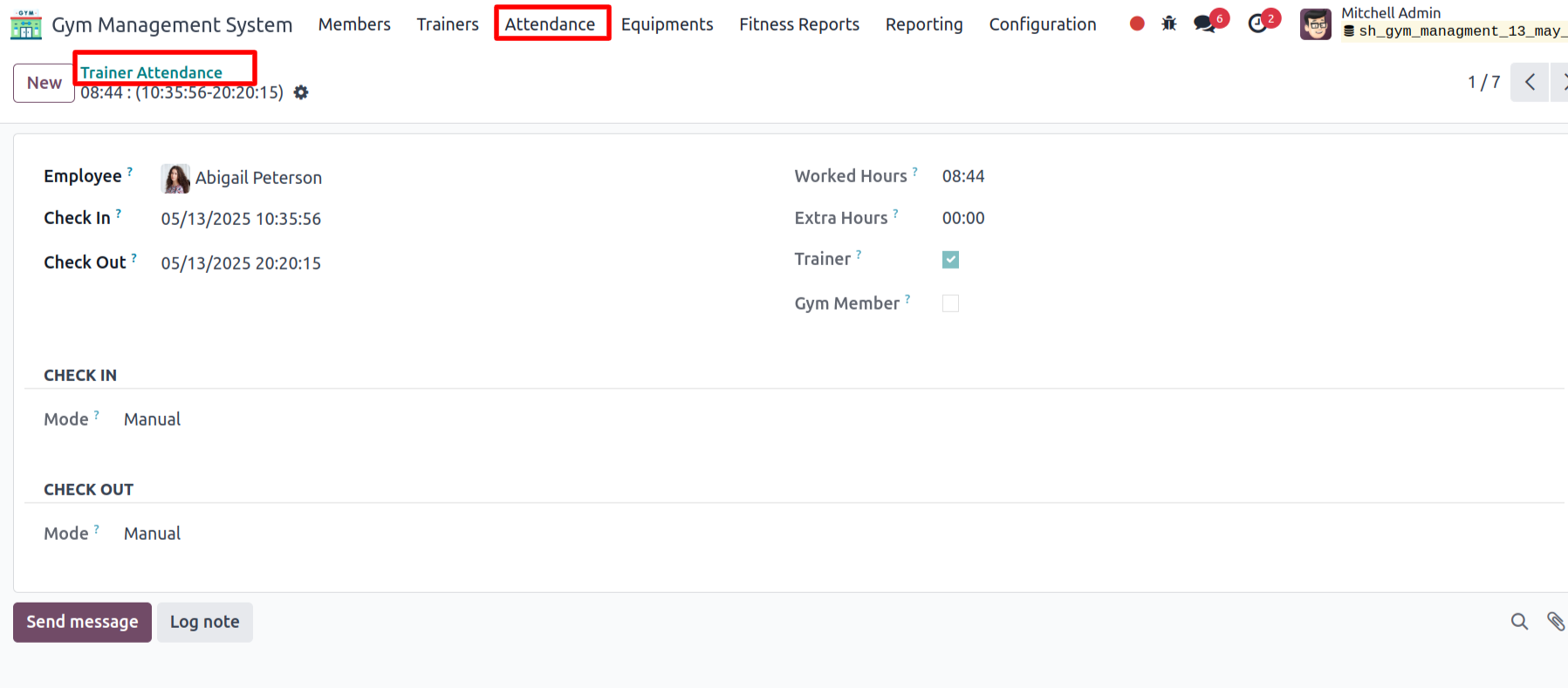
Form view of the 'Trainer Attendance'.
'Fitness Reports' menu and tree view.
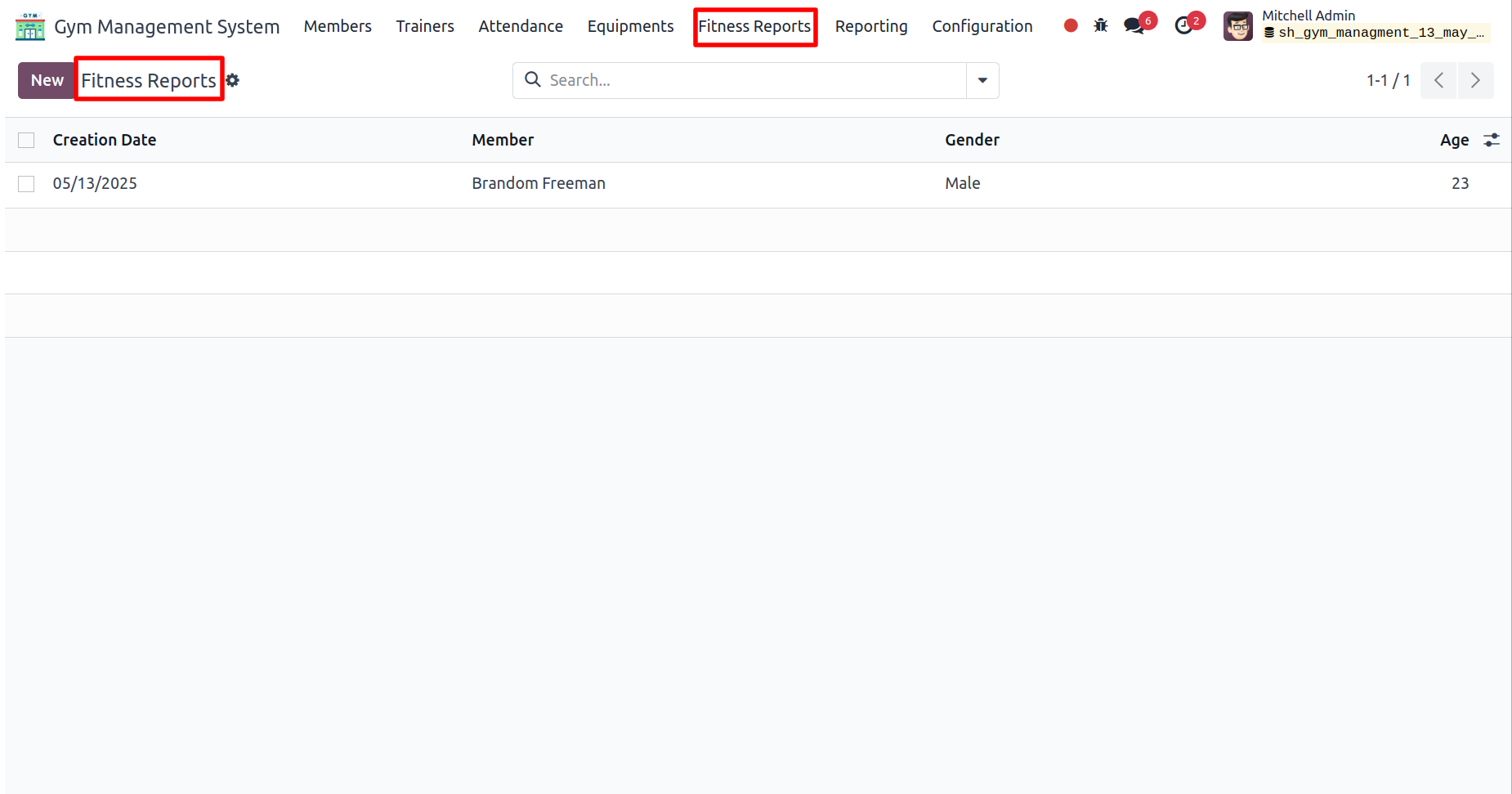
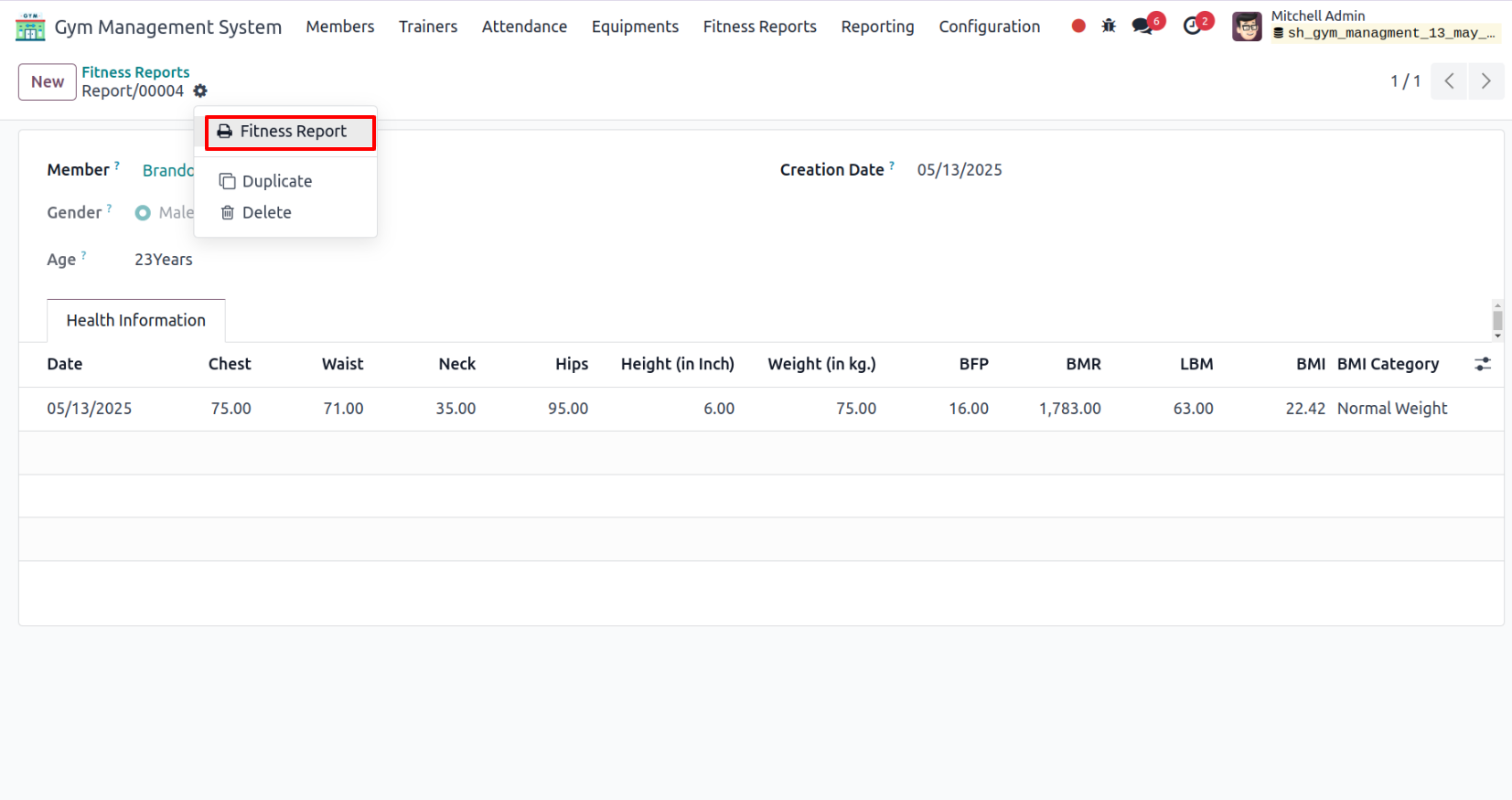
In the form view of Fitness Reports, click on the Fitness Report under the Action menu to print the report.
The printed PDF report will appear as shown below.
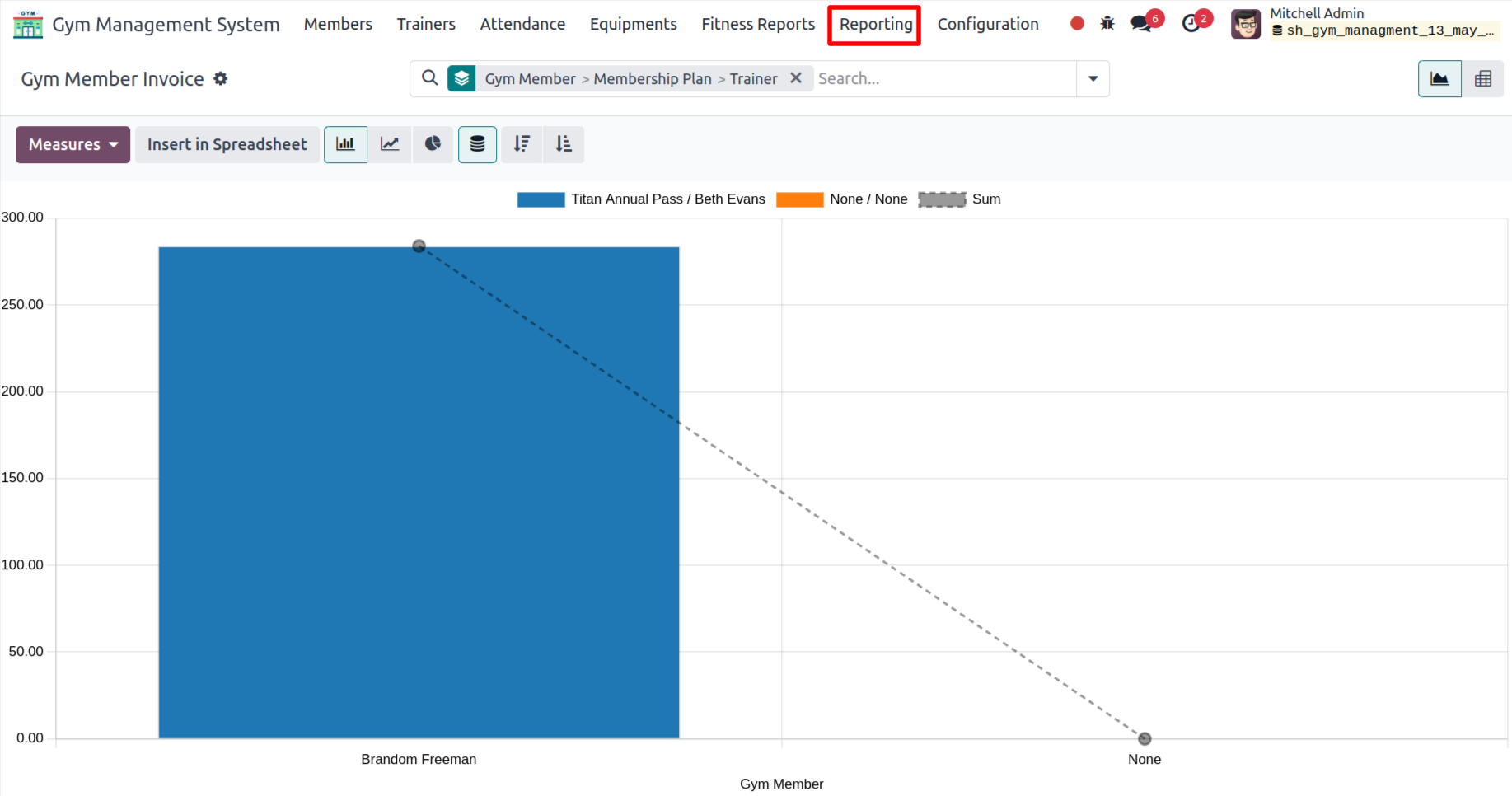
The graphical report will appear as shown below.
'Exercise' menu and tree view.
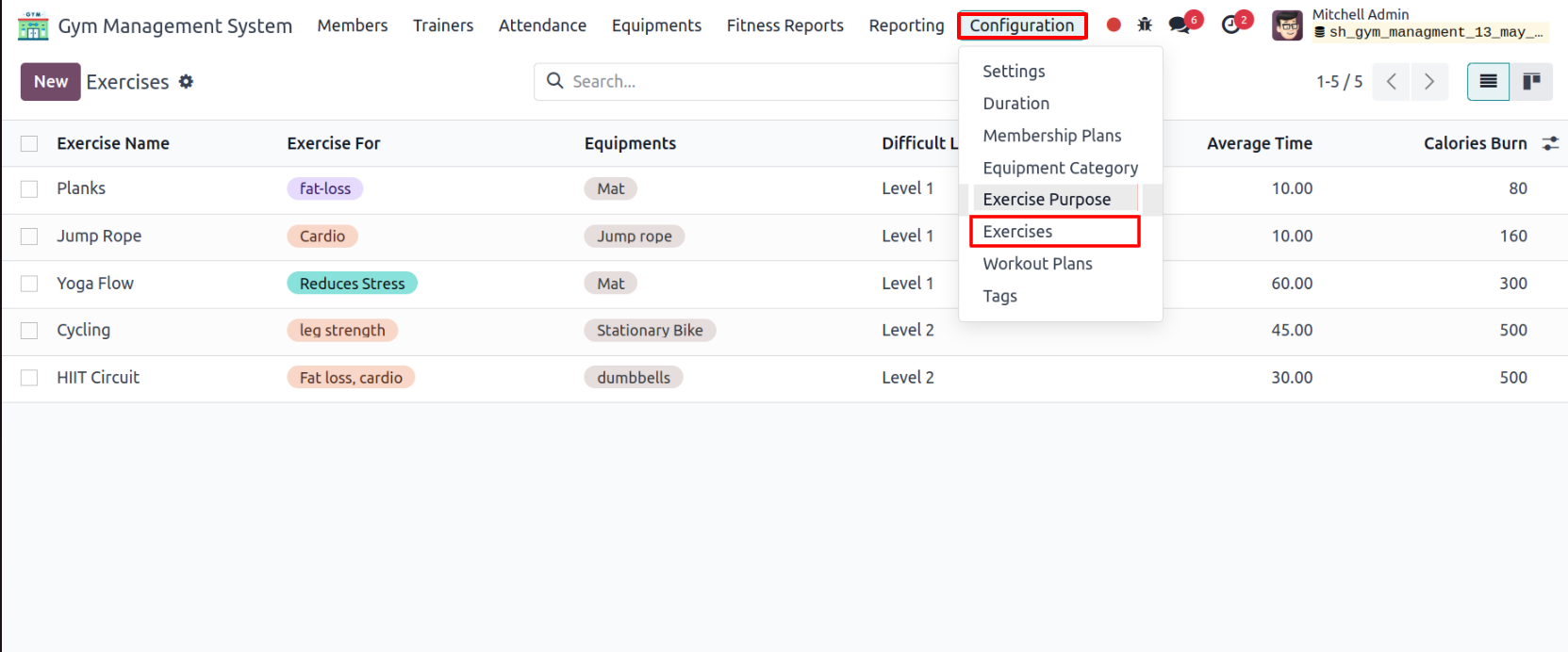
Form view of the Exercise.
.png)
'Steps' tab.
.png)
'Benefits' tab.
.png)
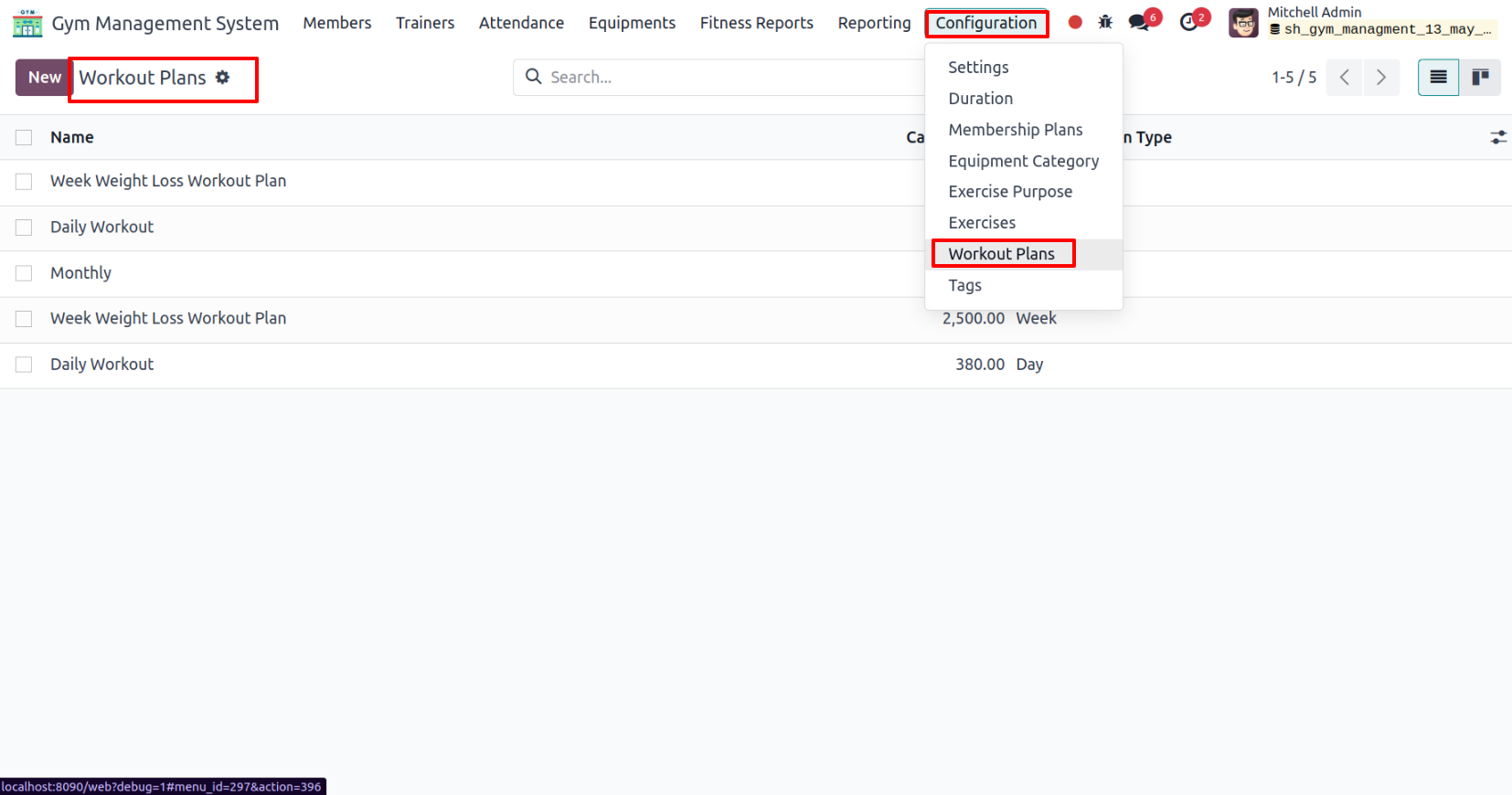
'Workout Plans' menu and tree view.
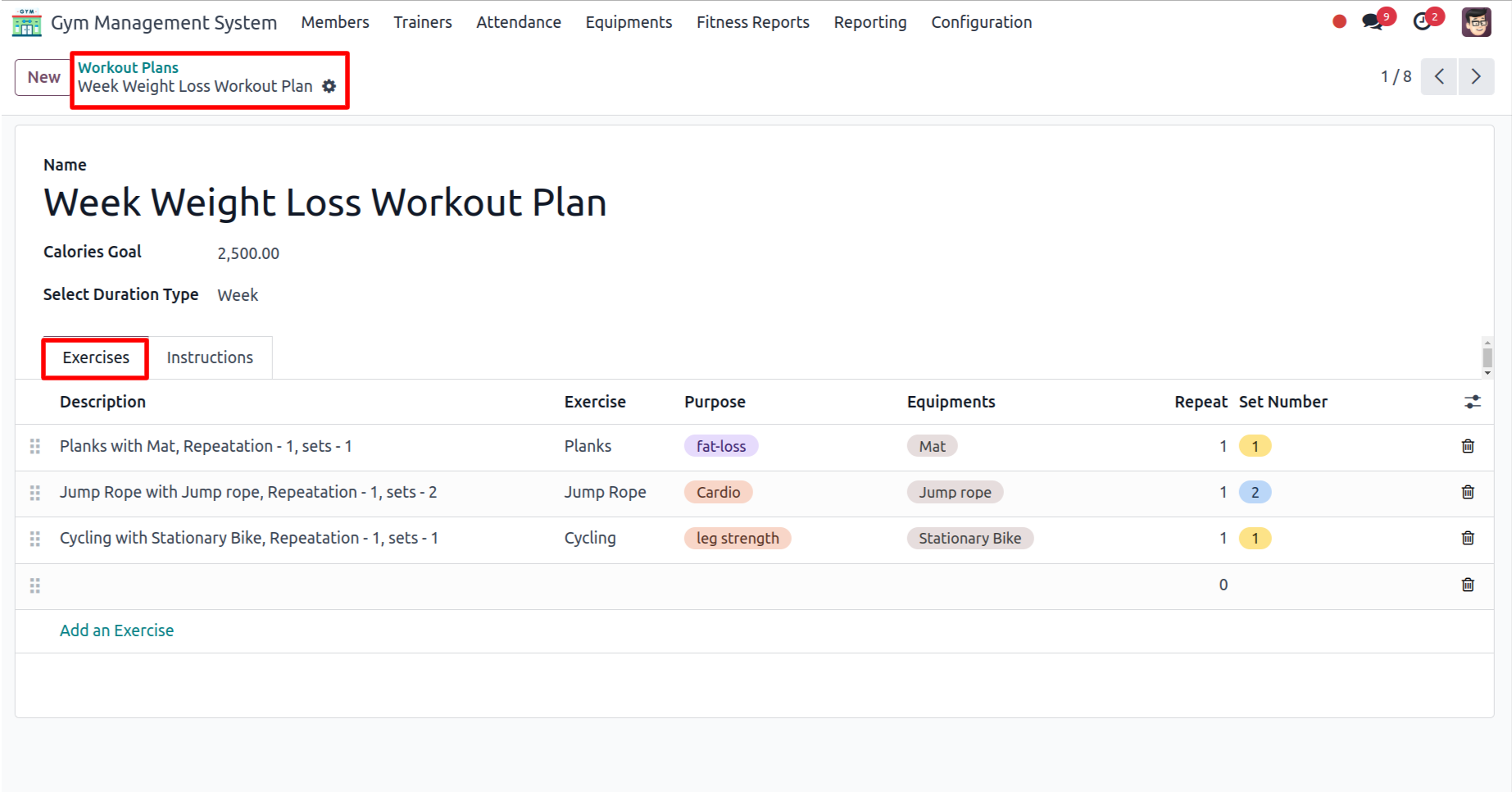
In the form view of Workout Plans, add the details under the Exercise tab.
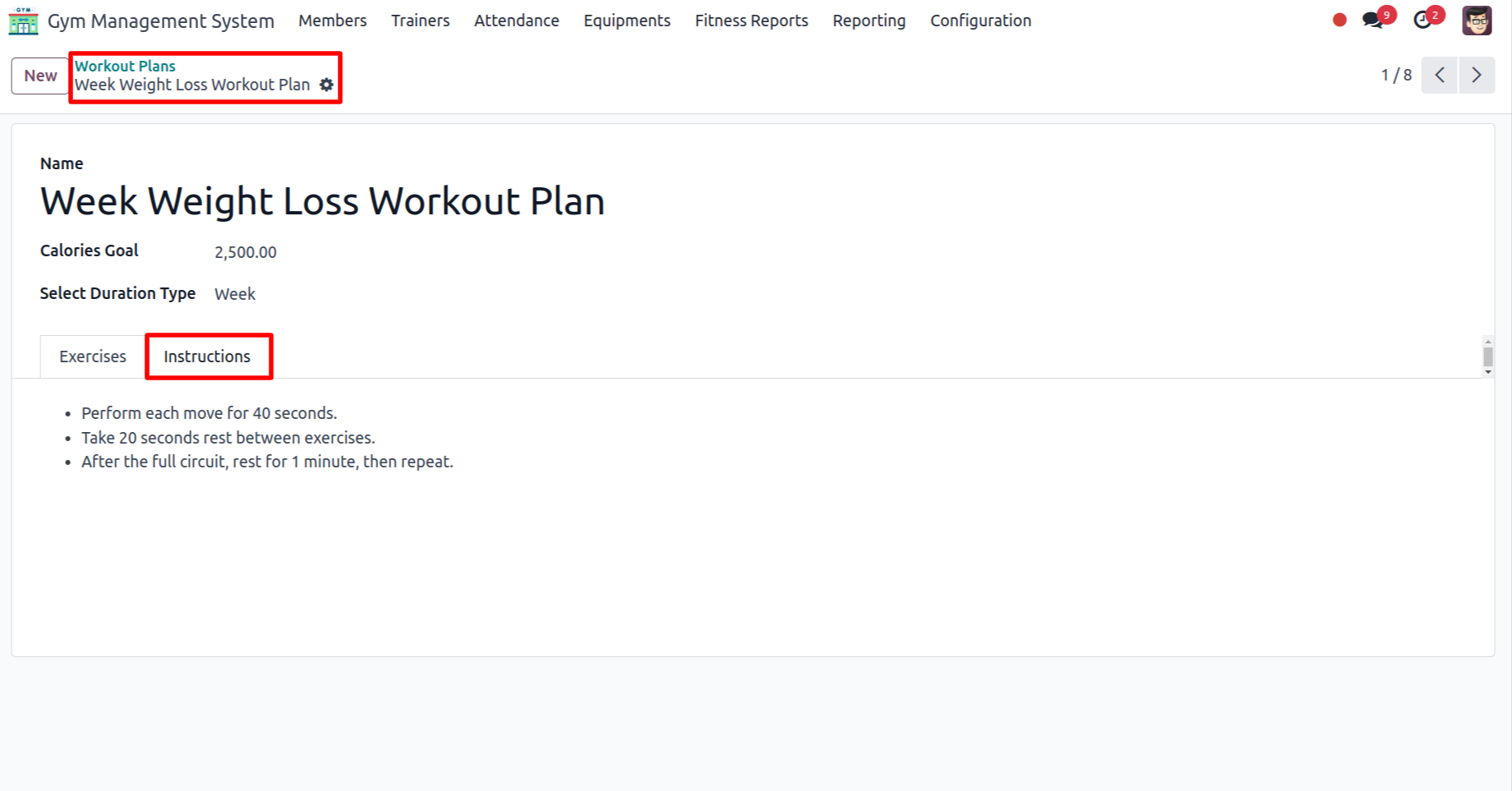
In the form view of Workout Plans, add the details under the Instructions tab.
Version 19.0.1.0.0 | Released on : 31st July 2026
- Yes, this app works perfectly with Odoo Enterprise (Odoo.sh & Premise) as well as Community.
- No, this application is not compatible with odoo.com(odoo saas/Odoo Online)
- Yes, to test this module, please contact us at sales@softhealer.com.
- Please contact us at sales@softhealer.com to request customization.
- Yes, we provide free lifetime support for the version you purchased.
- Yes, you will receive lifetime free updates for the version of the module you purchased.
- No, there is no need to install any additional libraries.
- Yes, for version 12 and above, you need to purchase the module separately for each version you intend to use.
- No, exchanges or refunds are not allowed. Please make sure to select the correct version before purchasing.
- You can contact us at support@softhealer.com for language translation support. We use Google Translator tools to provide translations in multiple languages, so the accuracy may vary. We welcome your suggestions to help improve translations.
Discover Our Latest Apps