












Google Sheets Odoo Connector

The Google Sheets Odoo Connector provides a seamless way to fetch and work with Odoo data directly inside Google Sheets. After generating an API key and connecting your Odoo instance, you can browse any Odoo model and instantly load them into Google Sheets. This connector is built for users who prefer spreadsheet-based workflows but need real-time access to Odoo data. It eliminates manual exports, improves accuracy, and saves hours of repetitive work.
Features

Connect with Odoo Using API Key
You can securely connect Google Sheets with your Odoo database using your generated API key.

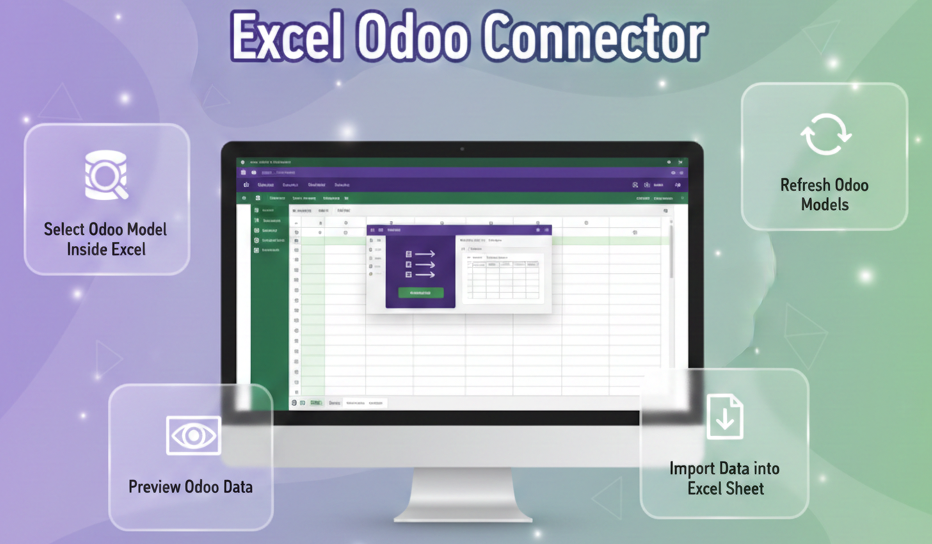
Select Odoo Model Inside Google Sheets
Select any Odoo model directly from Google Sheets and instantly connect your spreadsheet to live Odoo data.

Configurable Refresh Frequency
Schedule automatic data refresh at defined intervals such as hourly, every 6 hours, every 12 hours, or daily to keep records updated without manual intervention.
Model List Endpoint

Retrieve available Odoo models in Google Sheets to select supported records for data synchronization.
Allowed Model Configuration
Configure which Odoo models Google Sheets can access through the company connector settings.
Fetch Limit Controls
Set default and maximum fetch limits to control the amount of Odoo data returned to Google Sheets.
Fetch Log
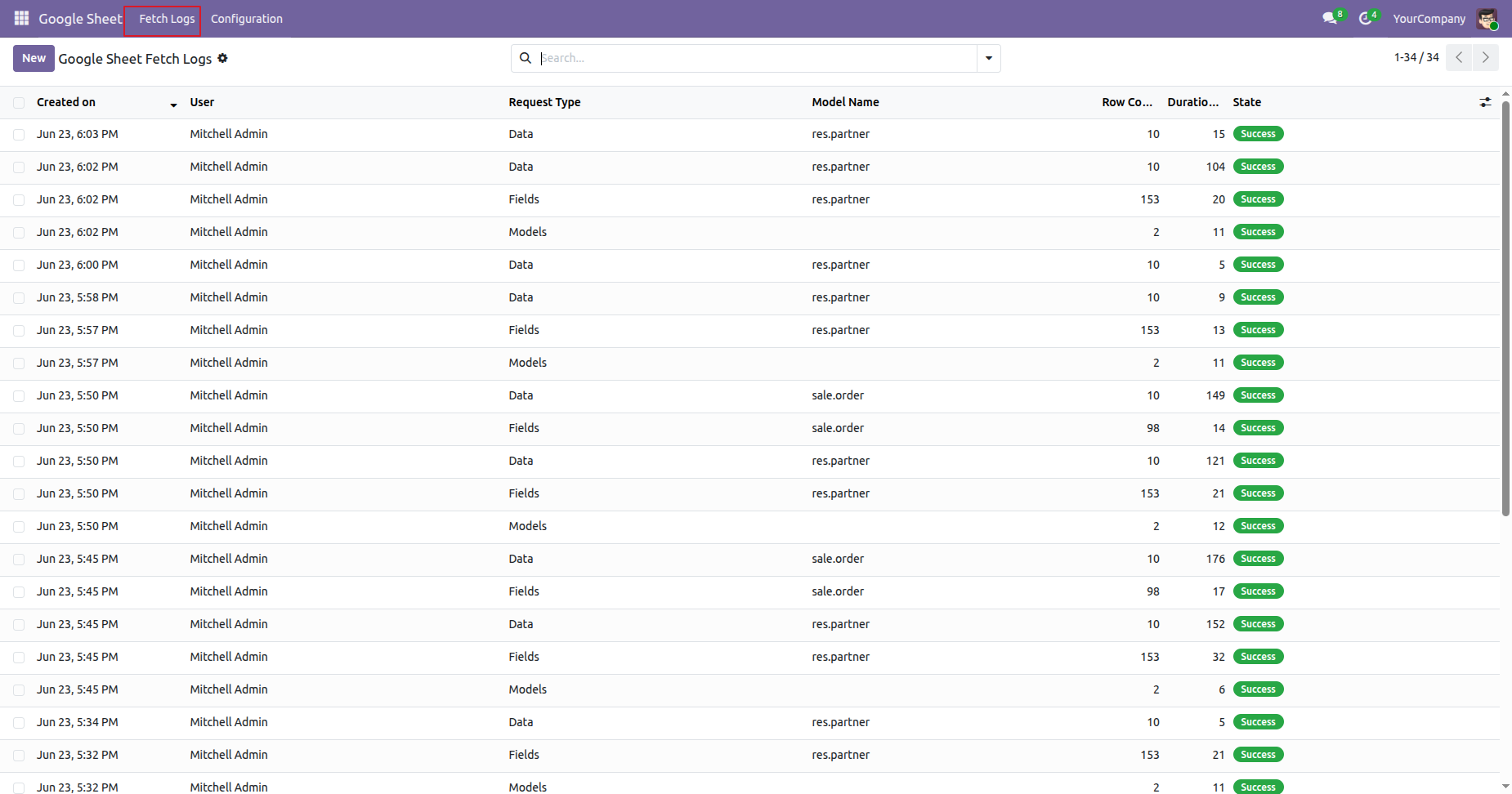
Review Google Sheet fetch activity with request type, model, row count, duration, and execution state details.
Log Cleanup Cron
Automatically remove older Google Sheet fetch logs according to the configured retention period.
Scheduled Refresh
Schedule automatic spreadsheet refreshes through Google Apps Script time-driven triggers for recurring updates.
Refresh Odoo Models
You can refresh the entire Odoo model list whenever new models or fields are added.
Schedule Auto Refresh
Schedule auto-refresh for any Odoo model, and remove auto refresh whenever you no longer need it.
Bearer-auth Google Sheet API
Securely connect Google Sheets to Odoo through Bearer-authenticated API requests for controlled data access.
Connection Test
Test the configured Odoo connection from Google Sheets and confirm successful API connectivity before syncing data.
Field List
Load available fields for the selected Odoo model before choosing data for spreadsheet retrieval.
Paginated Data Fetch
Fetch Odoo records through controlled data requests using offset and limit values for manageable result sets.
Error Notification System
Receive connector notifications when Google Sheet operations encounter errors during API requests or processing.

Field Selection
Choose specific Odoo fields in the interactive fetch dialog before retrieving records into Google Sheets.
Integration Base Management
Use the connector with the integration base module to provide its required shared integration framework.


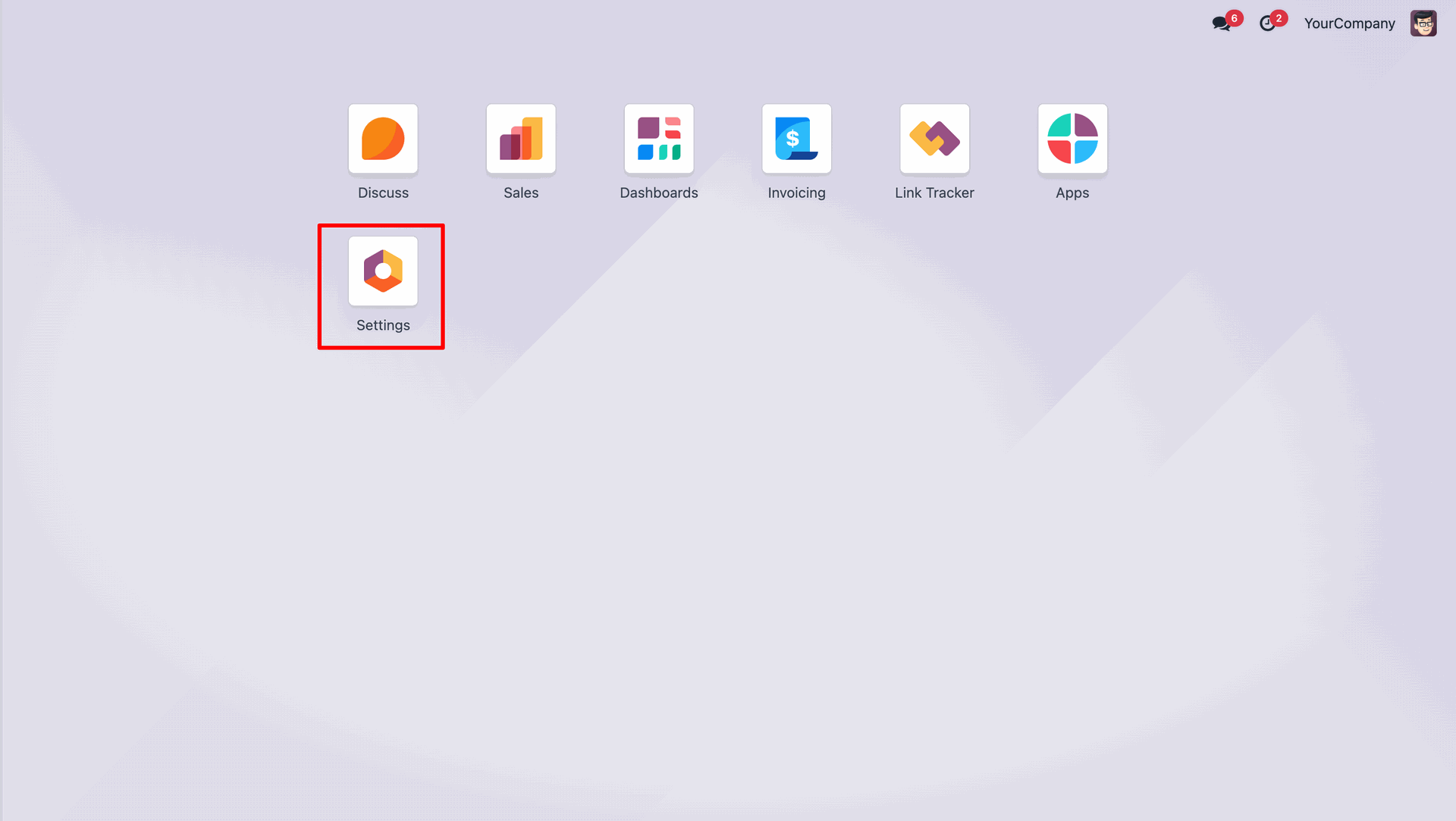
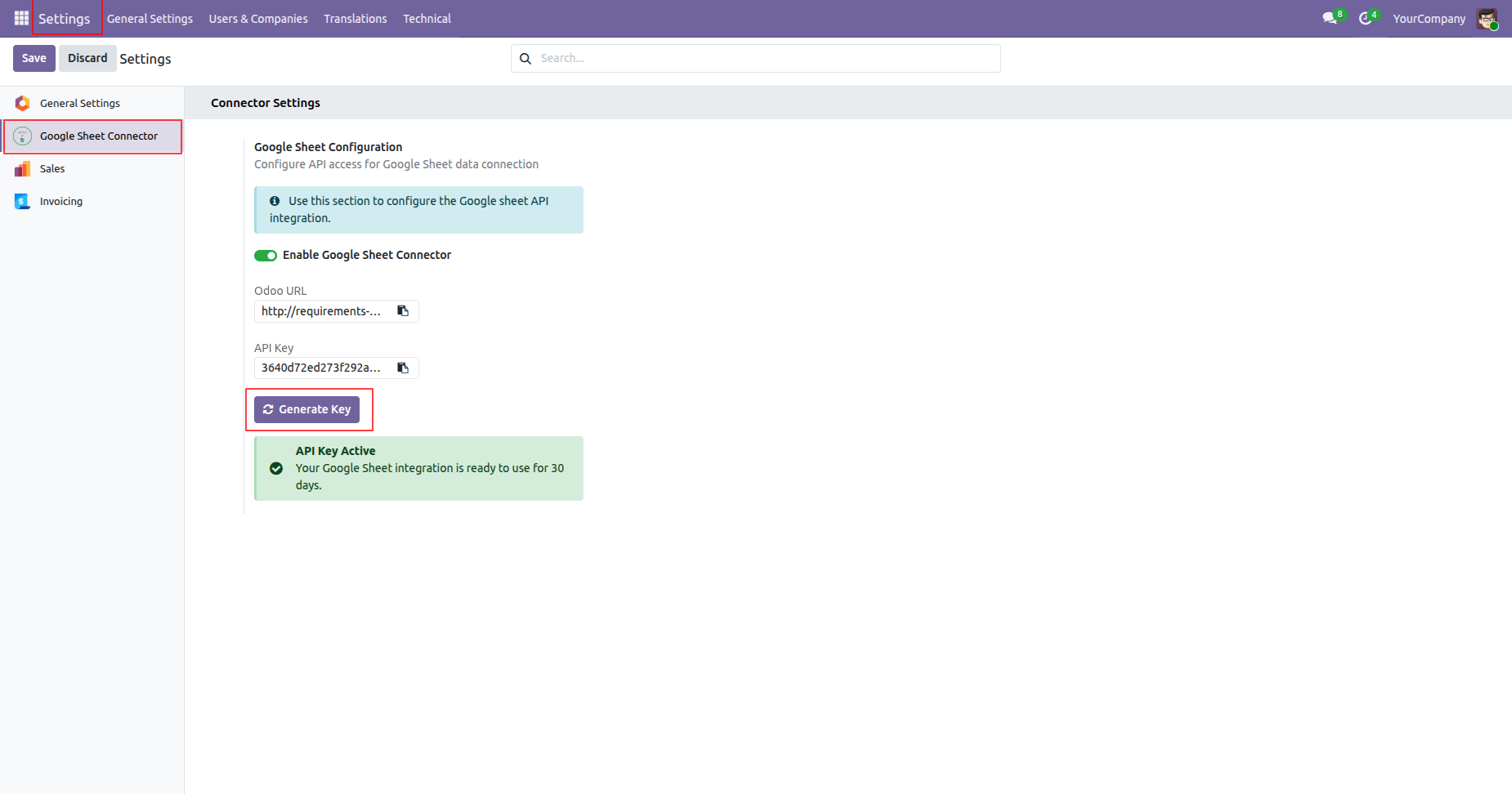
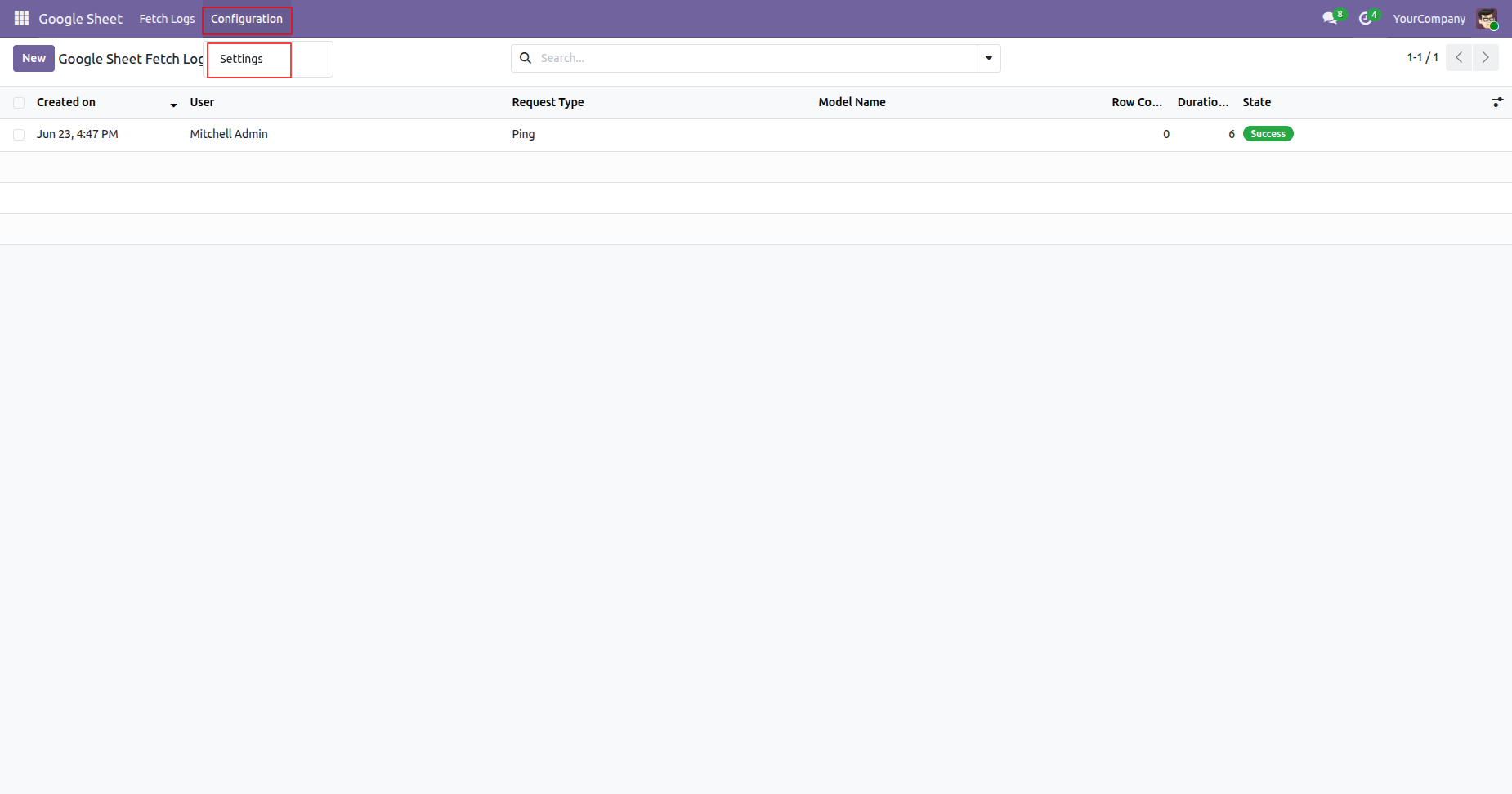
Go to the 'Settings'.
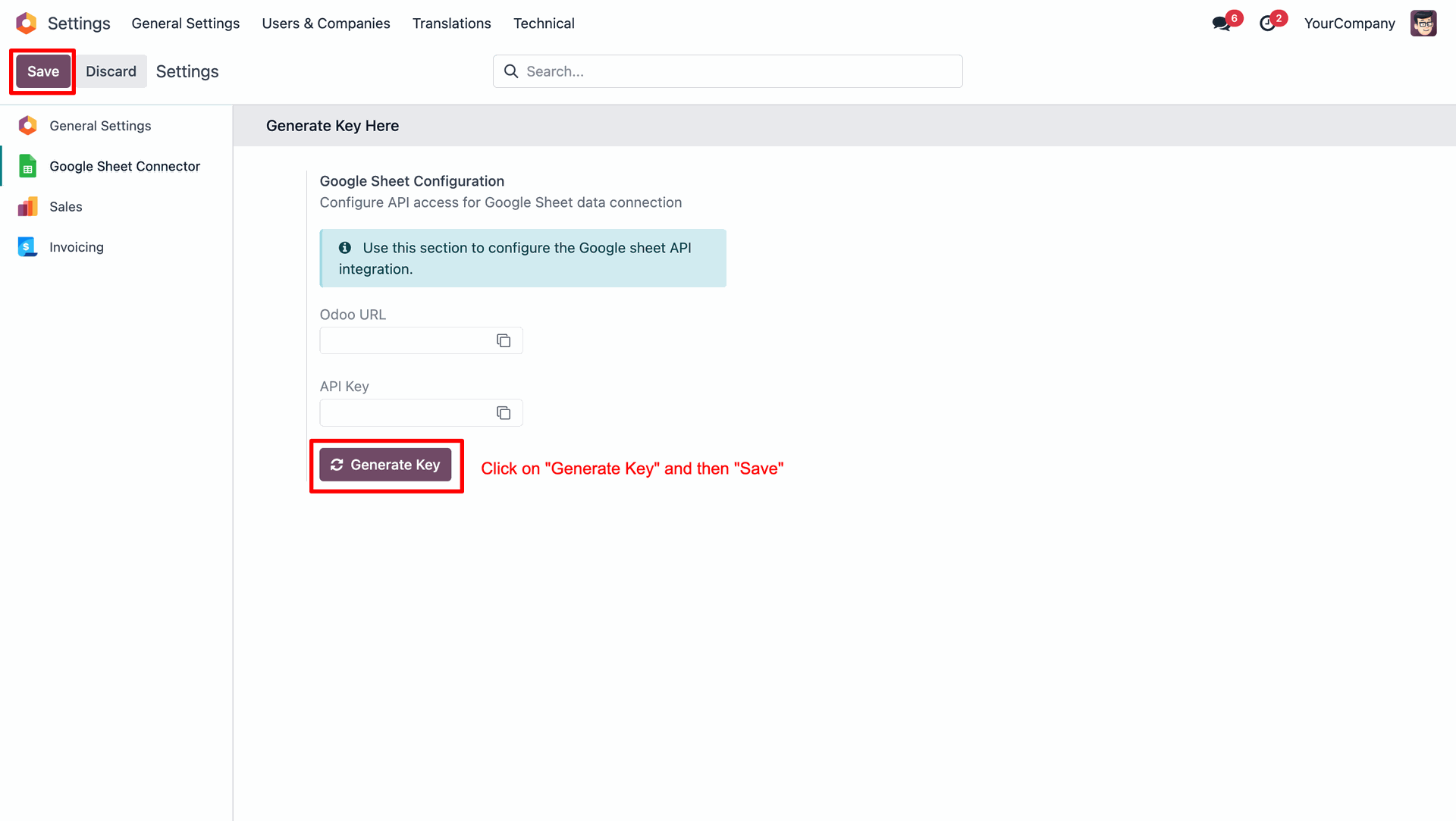
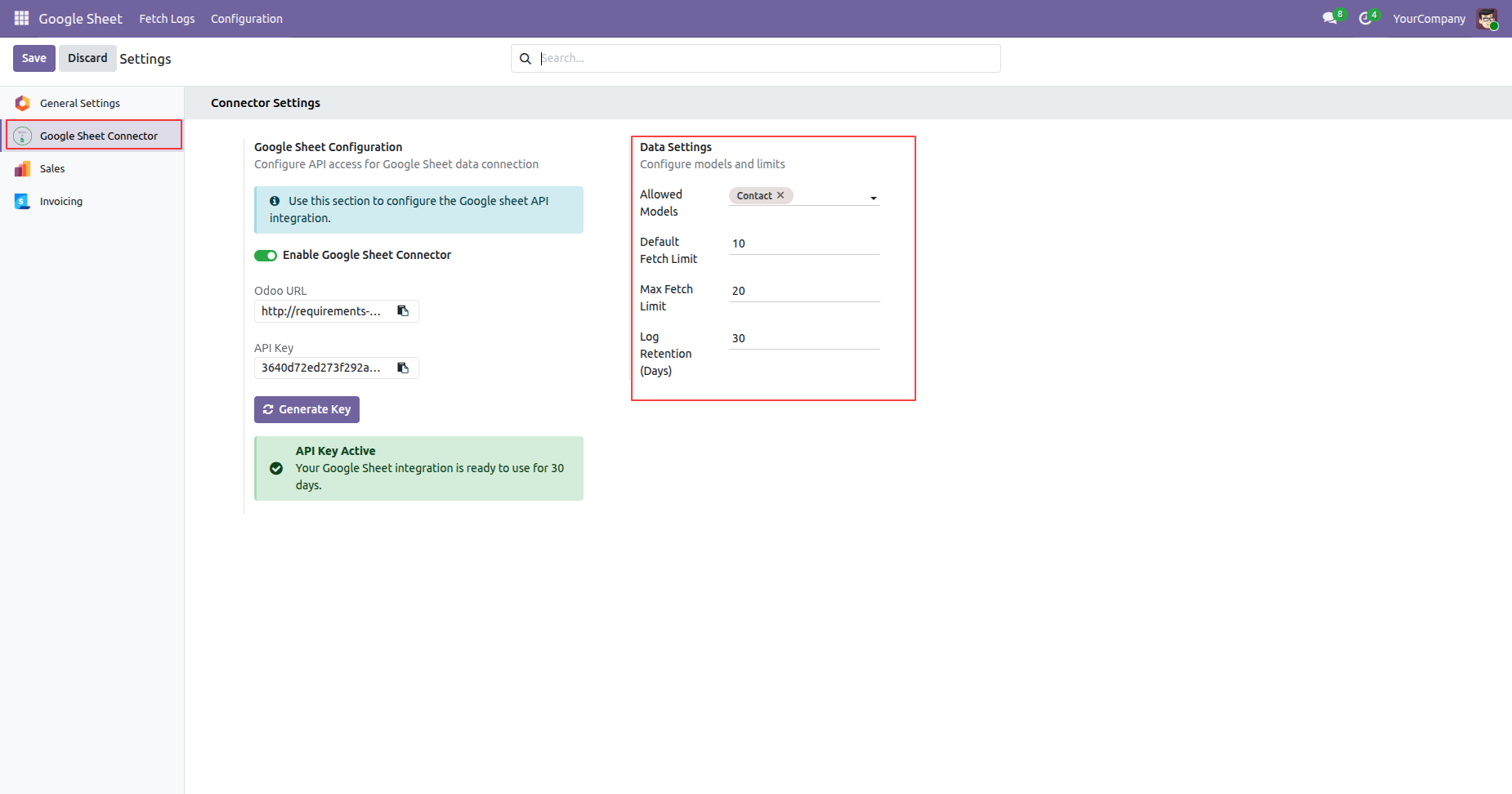
Generate your Odoo URL and API Key using Generate Key, then click Save to apply the configuration.
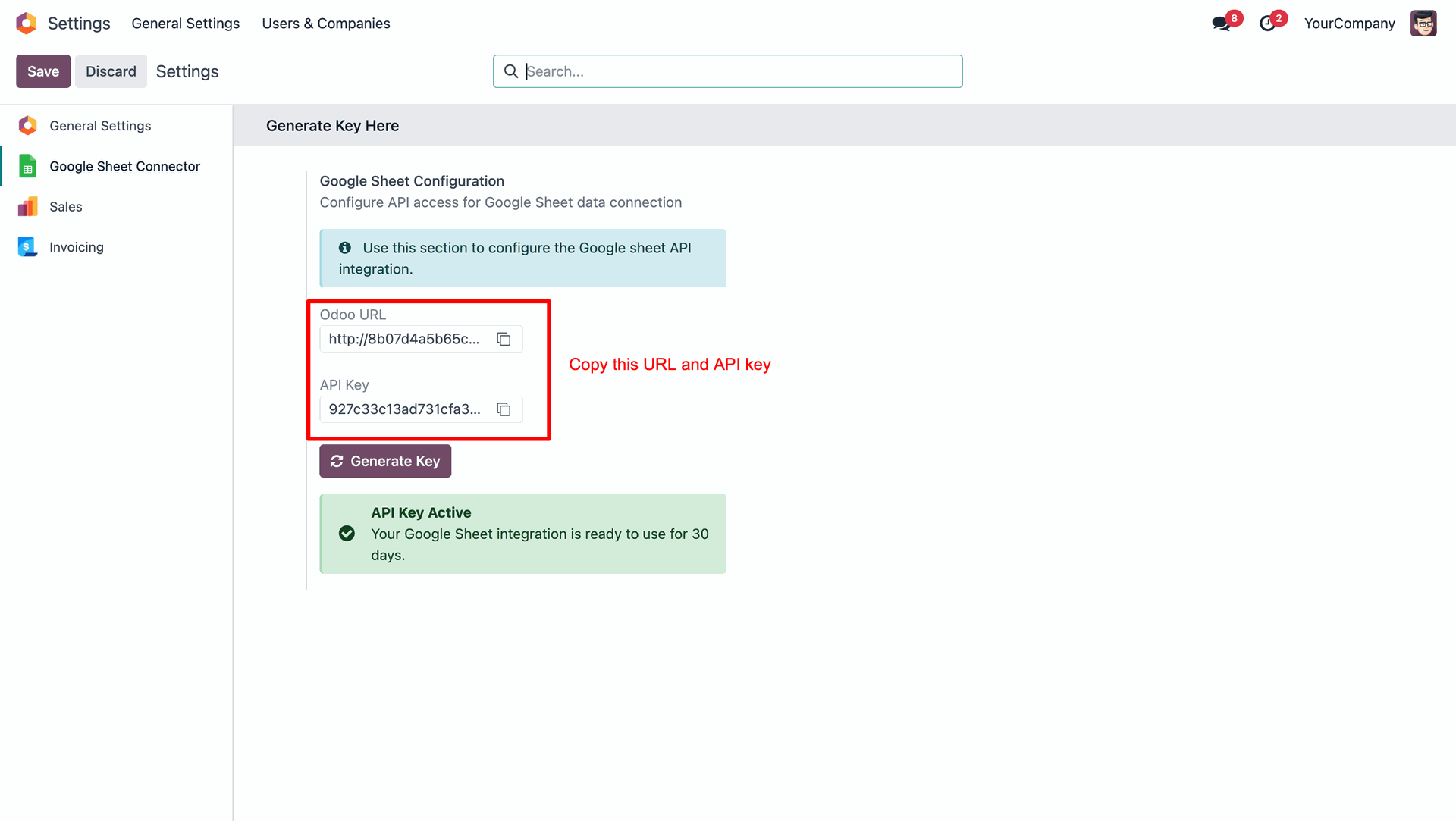
You can copy your Odoo URL and API Key from here to use in the Google Sheets.
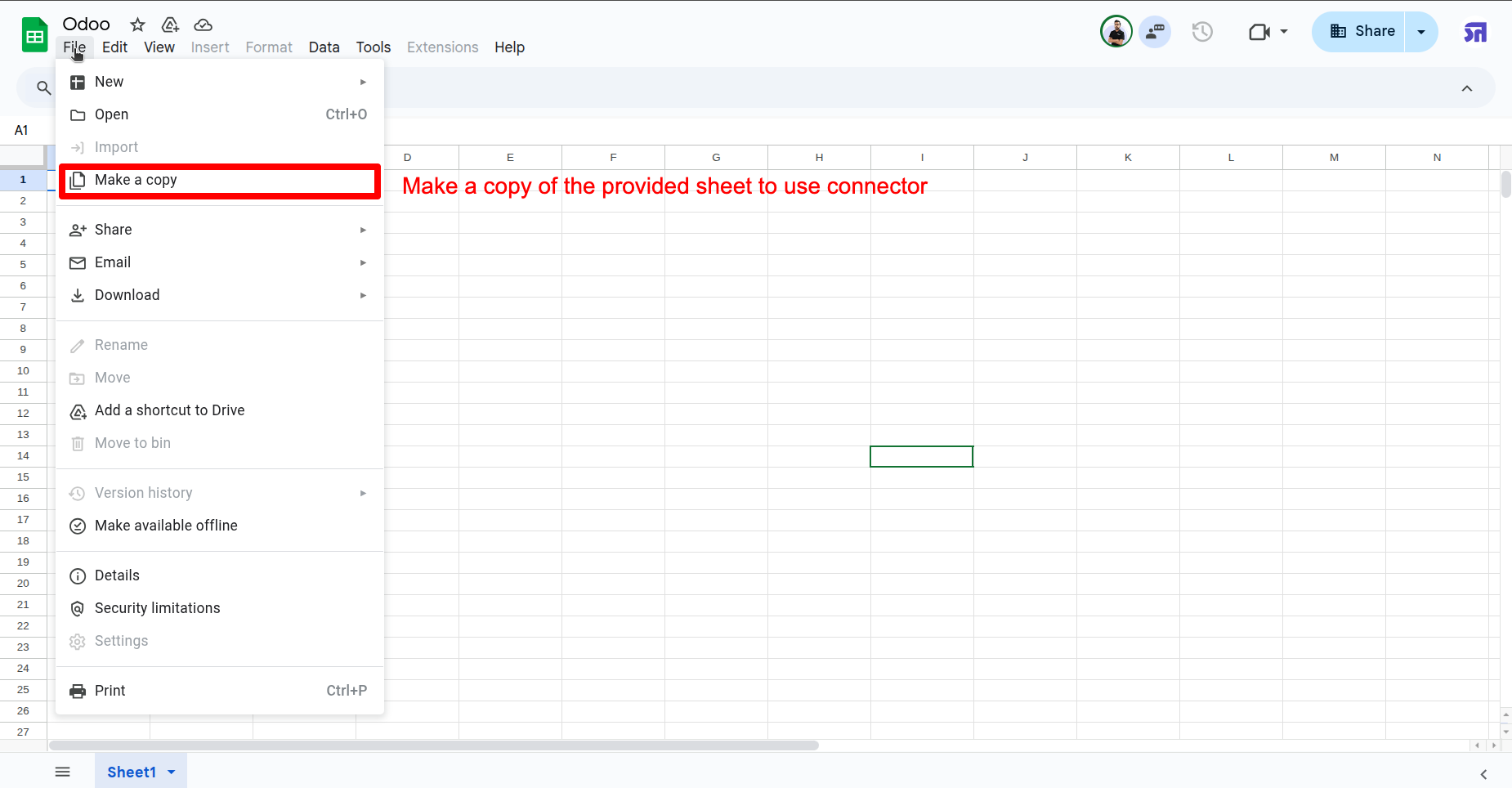
Make a copy of the provided sheet to use the Google Sheets connector.
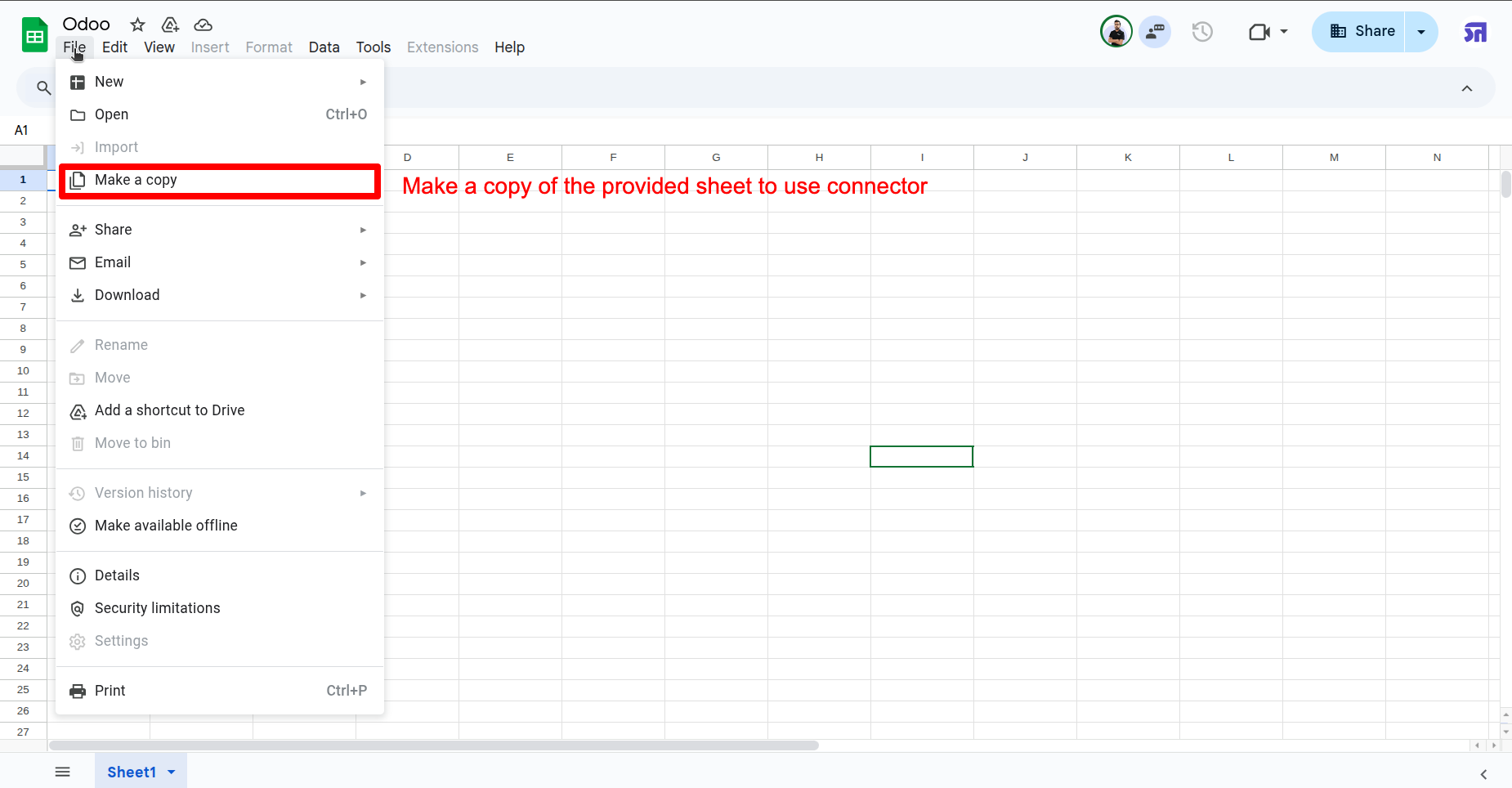
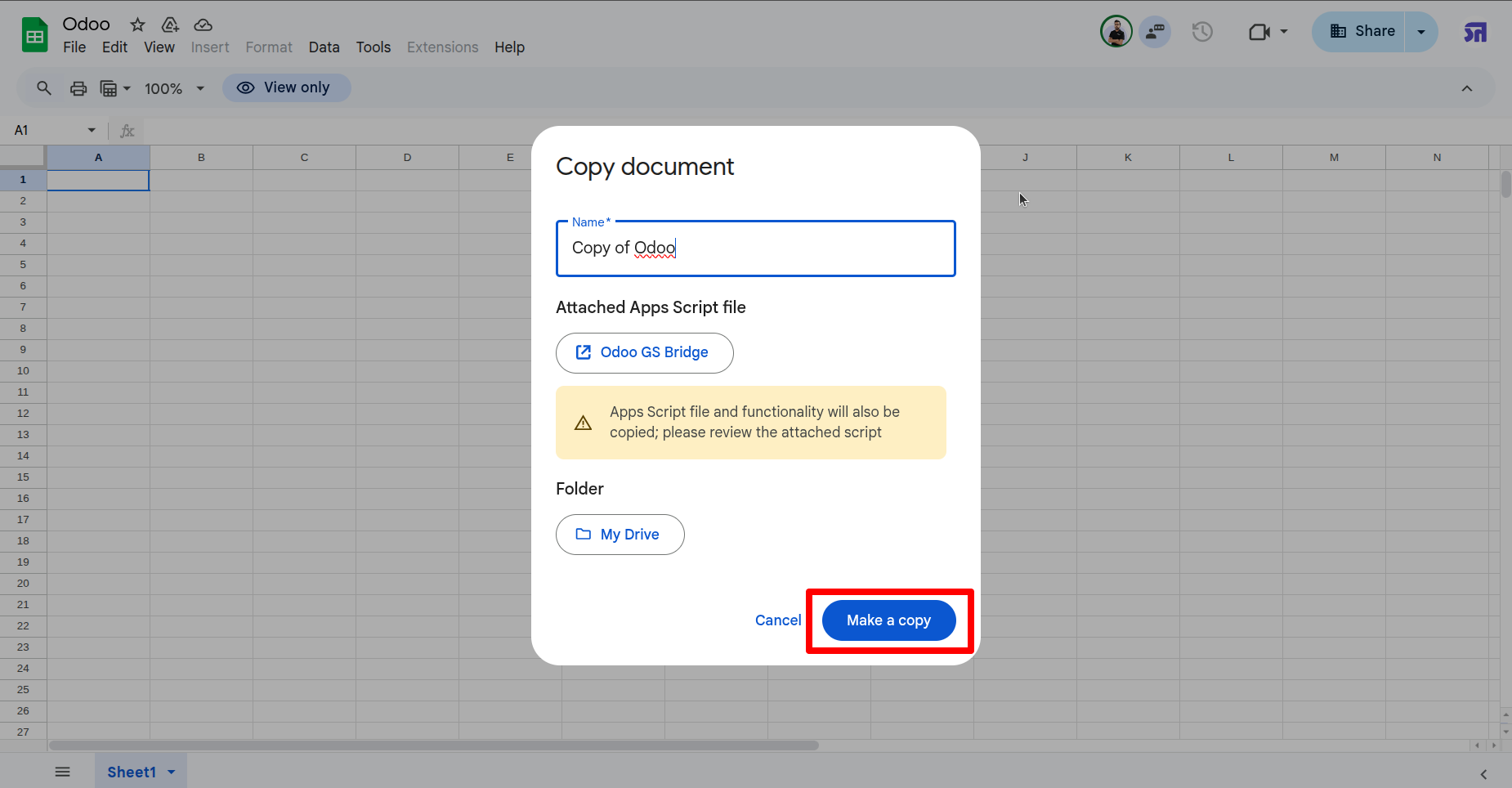
Click on the "Make a Copy".
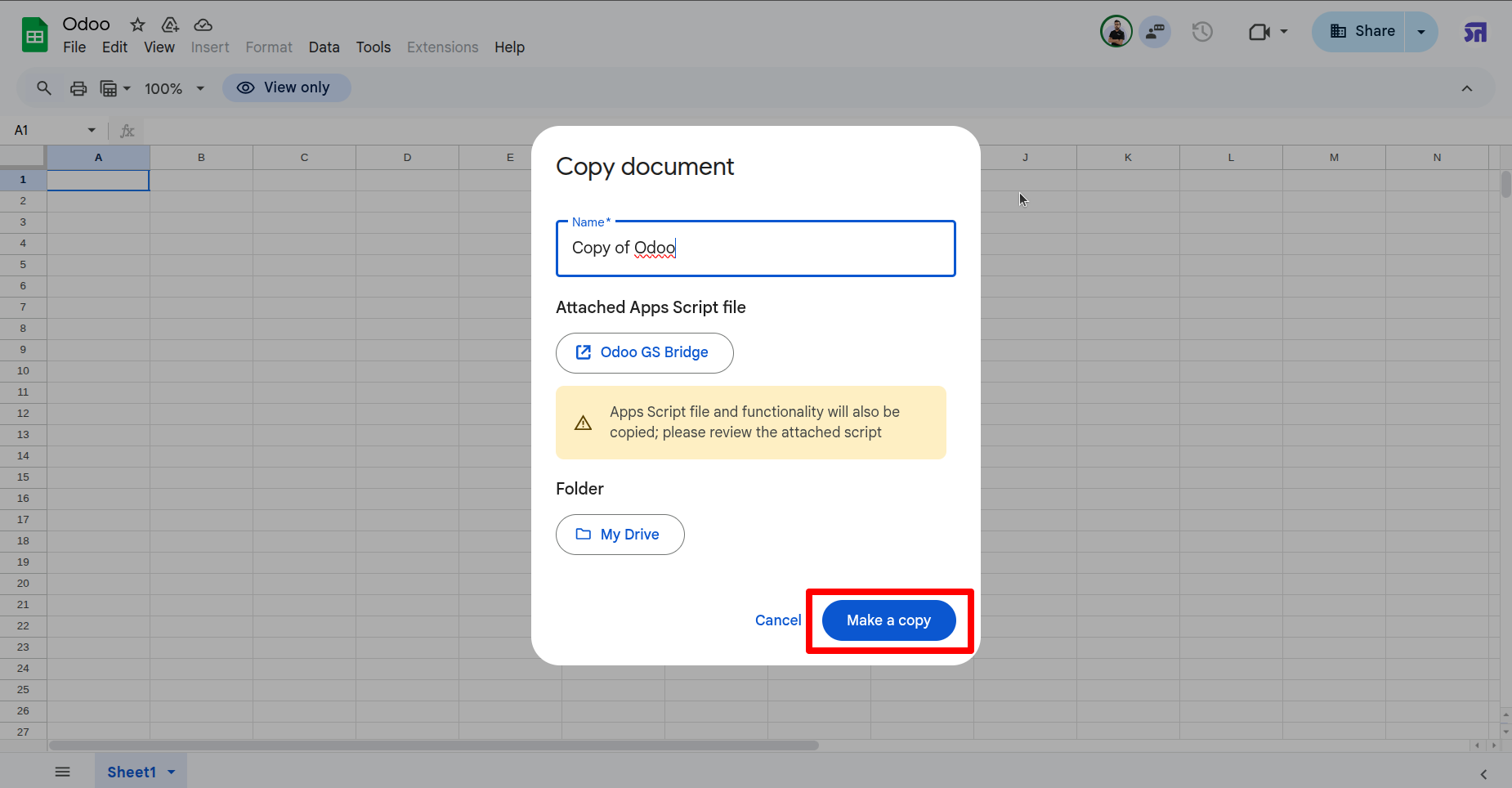
Go to the "Configure Odoo URL and API key" from the "Odoo Connector" menu.
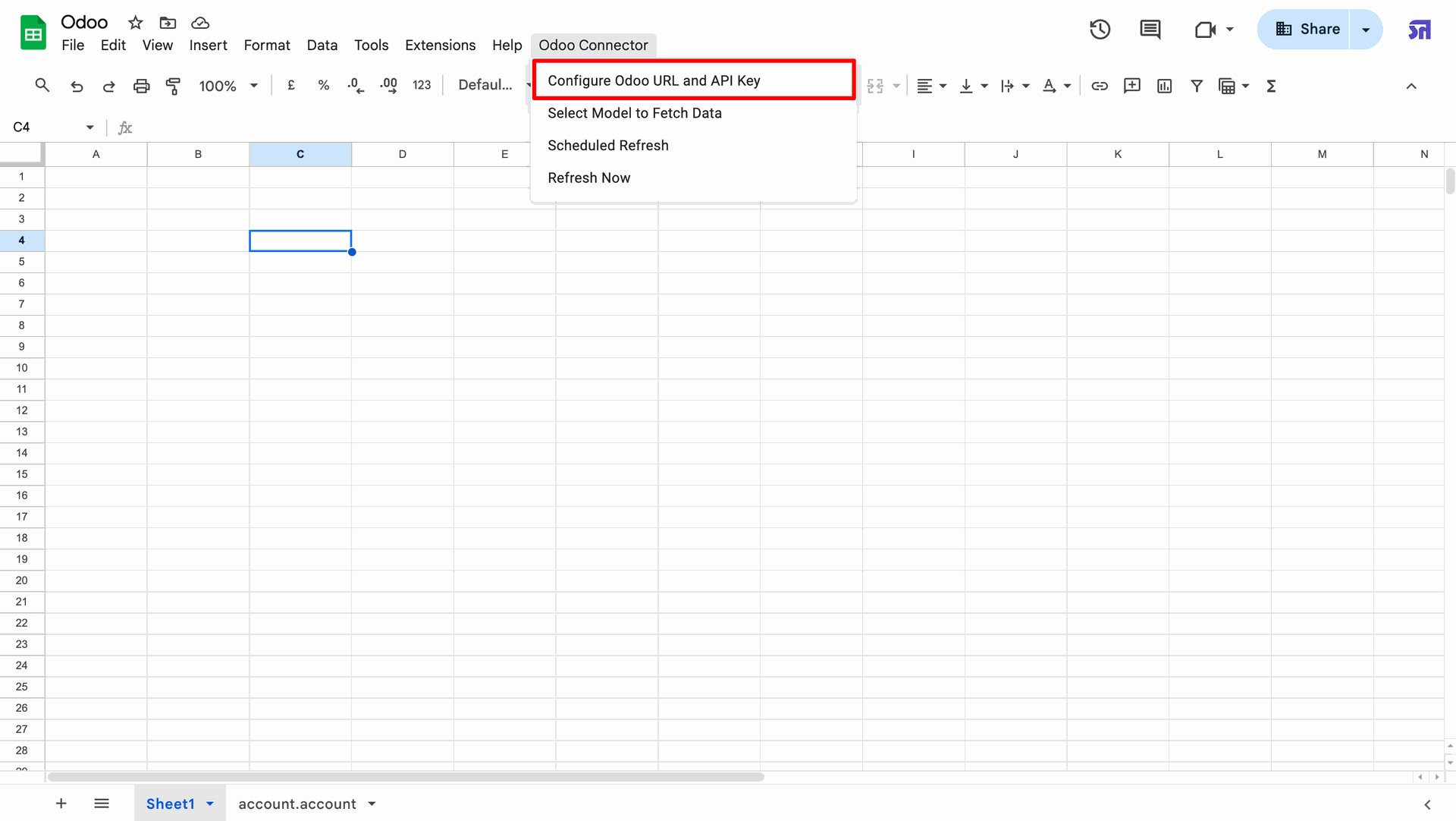
Add the generated Odoo URL and API key from the settings, then click on the "Test and Save Connection" button.
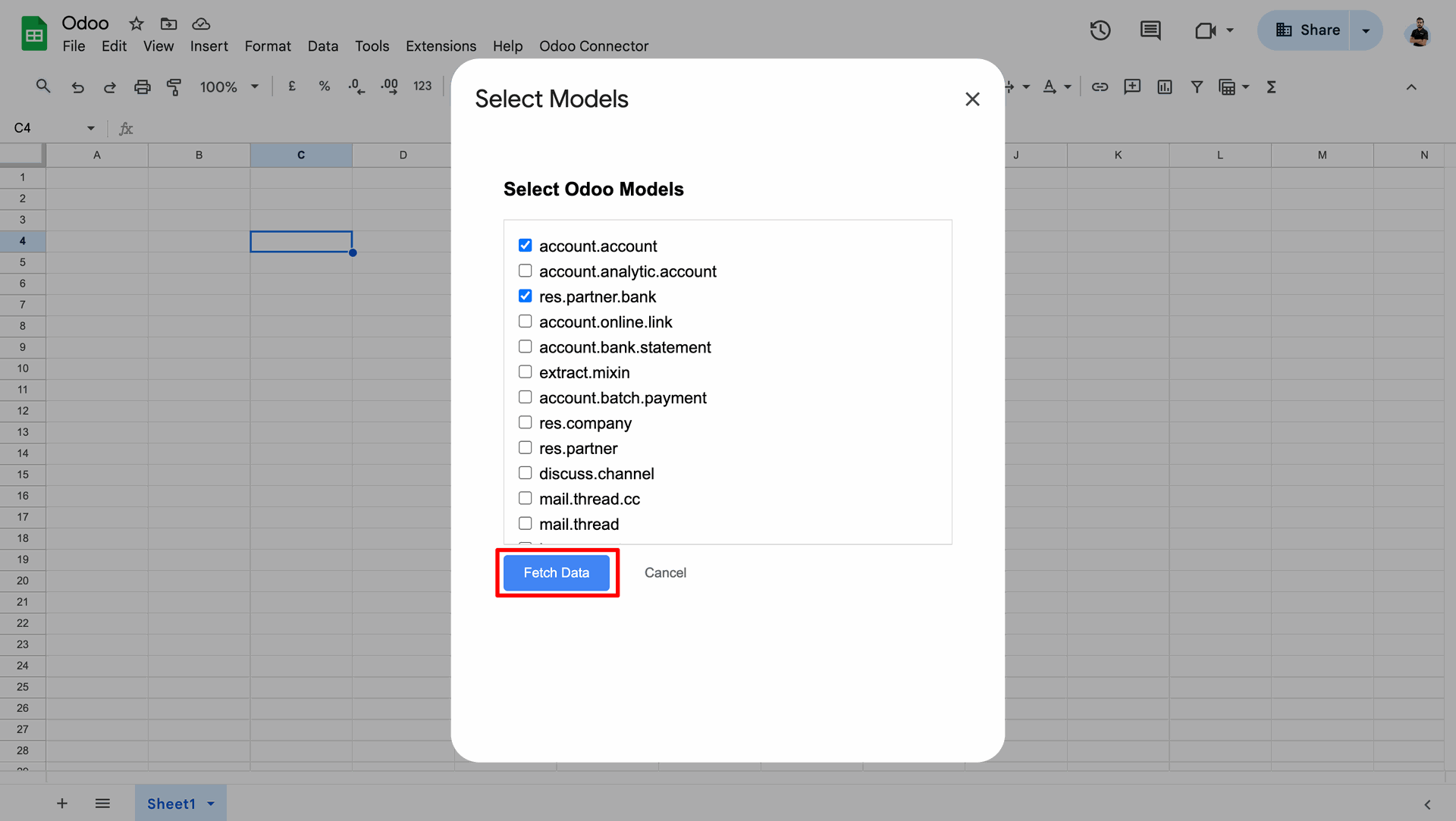
Select the models and click on the "Fetch Data" button.
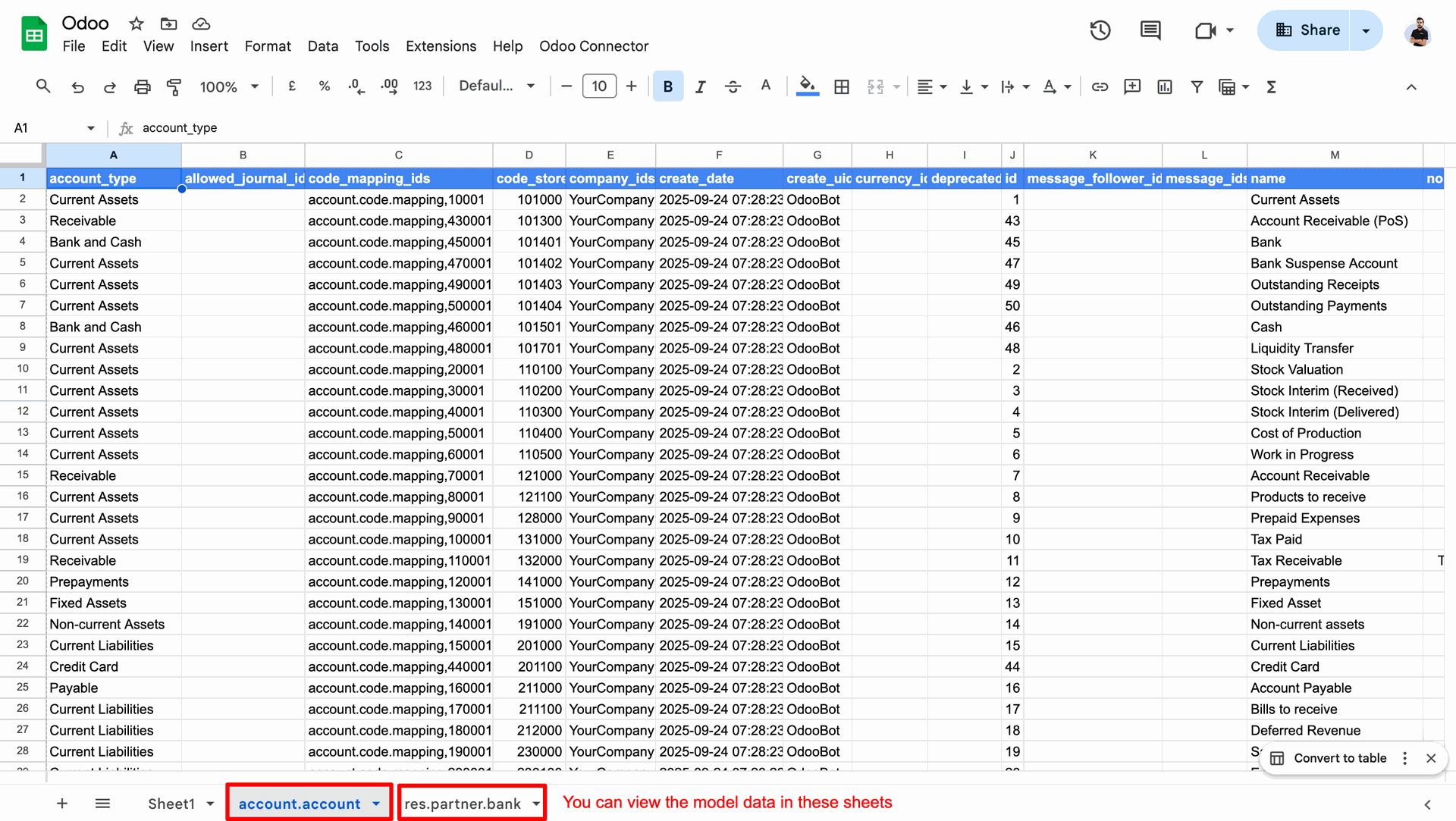
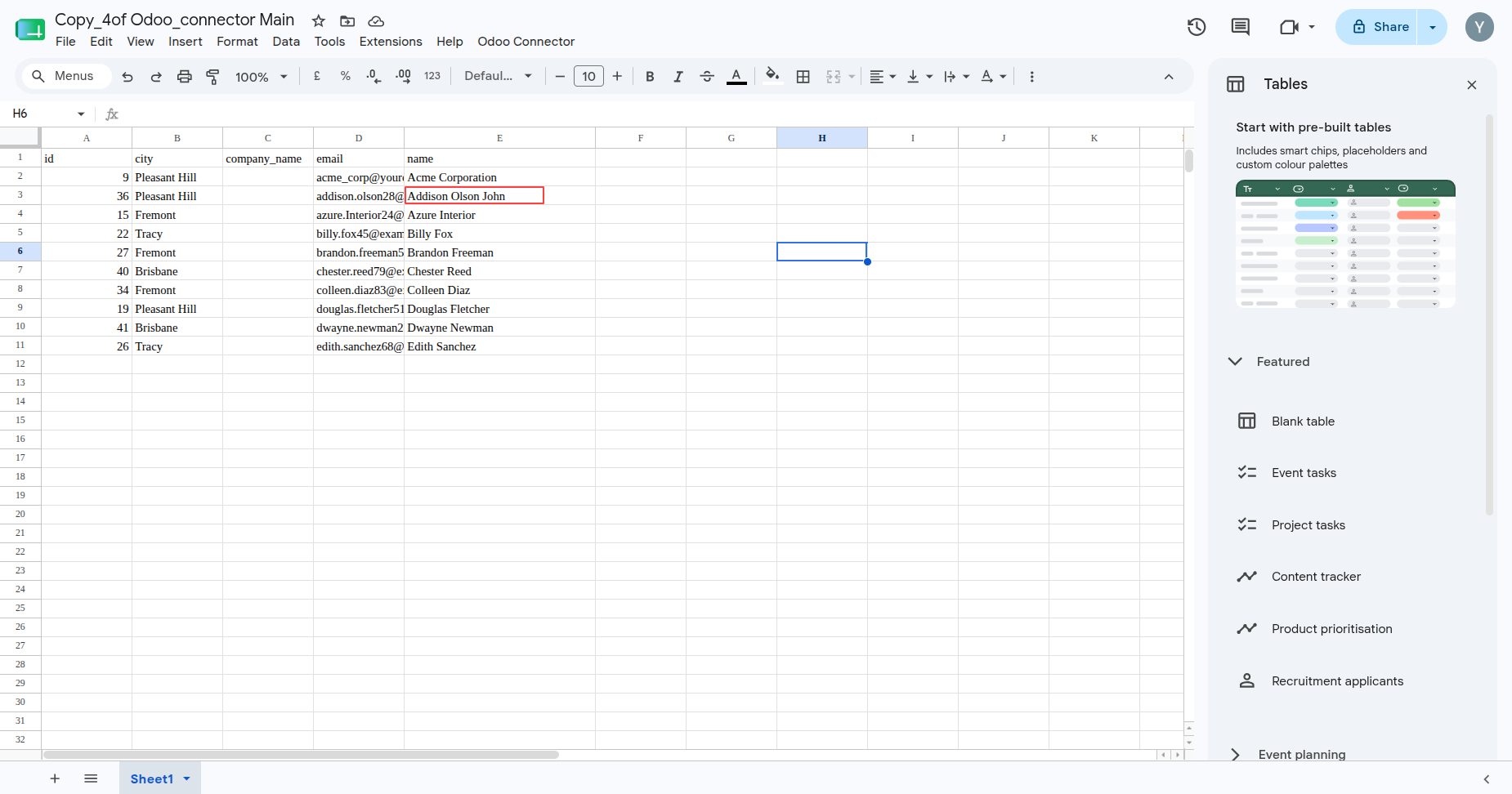
Here, you can see the fetched data of the selected models.
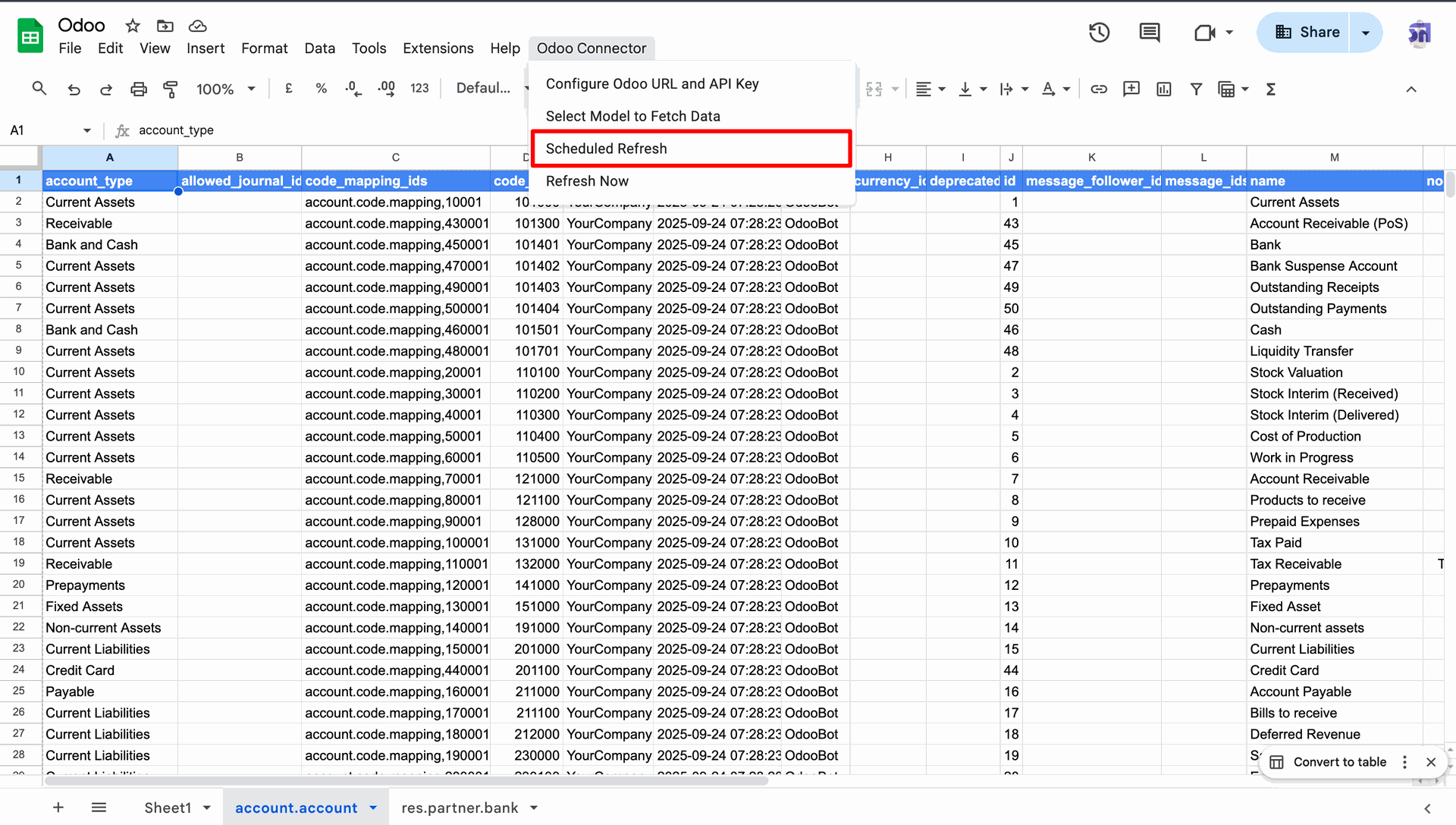
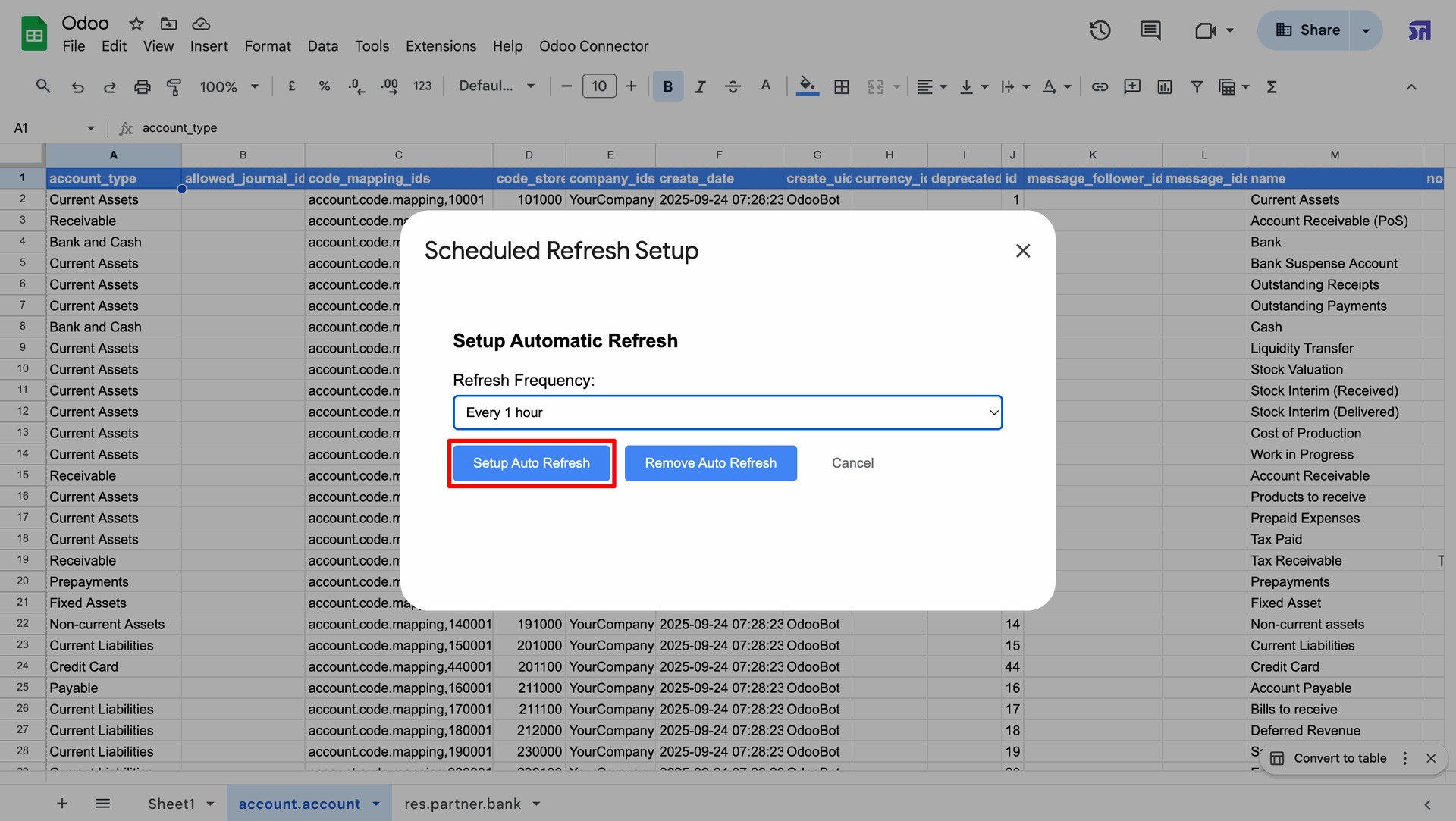
Go to the "Scheduled Refresh" from the "Odoo Connector" menu.
Select the "Refresh Frequency", The data will refresh automatically at the scheduled interval (e.g., every 1 hour).
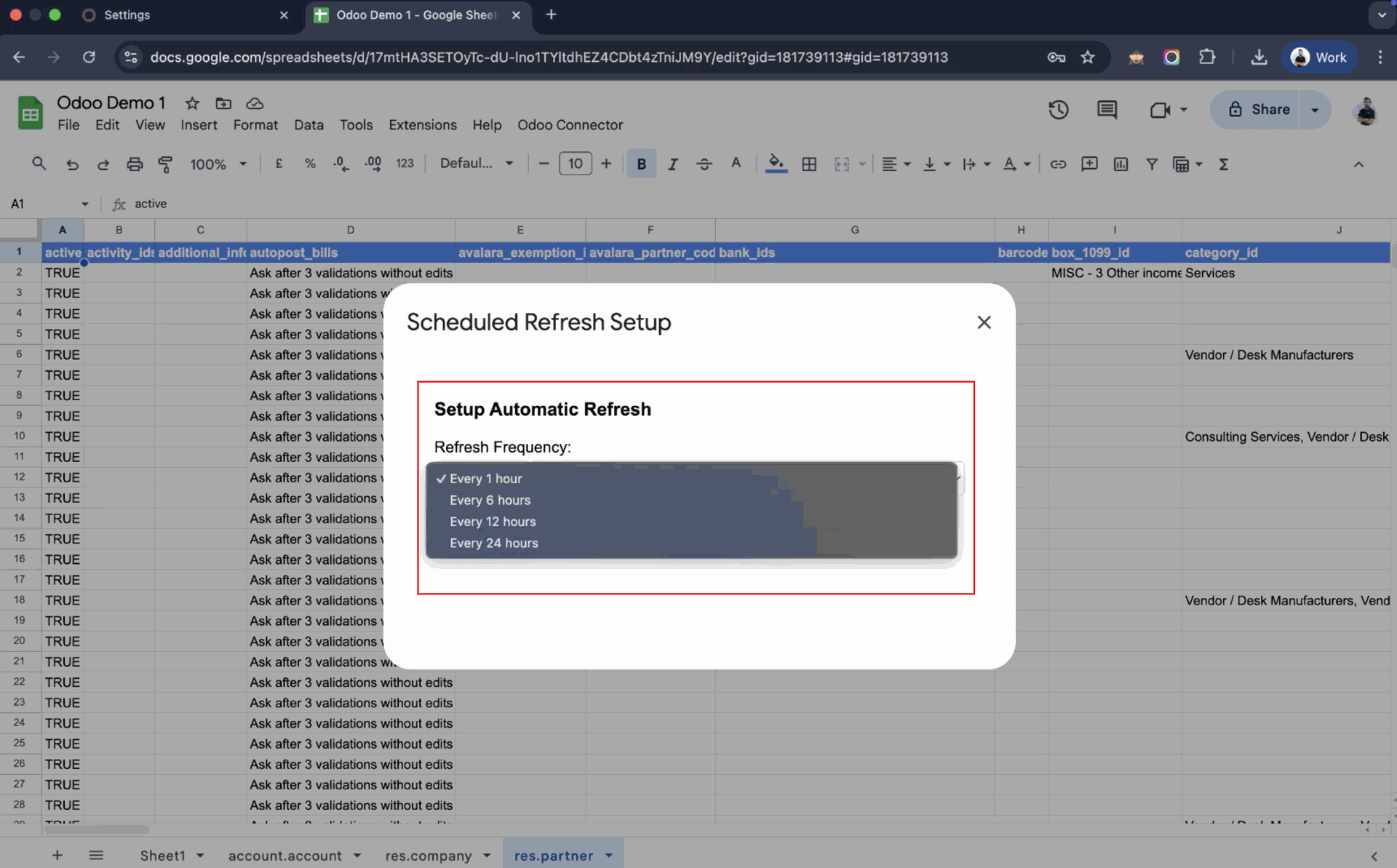
Click on the "Setup Auto Refresh" button.
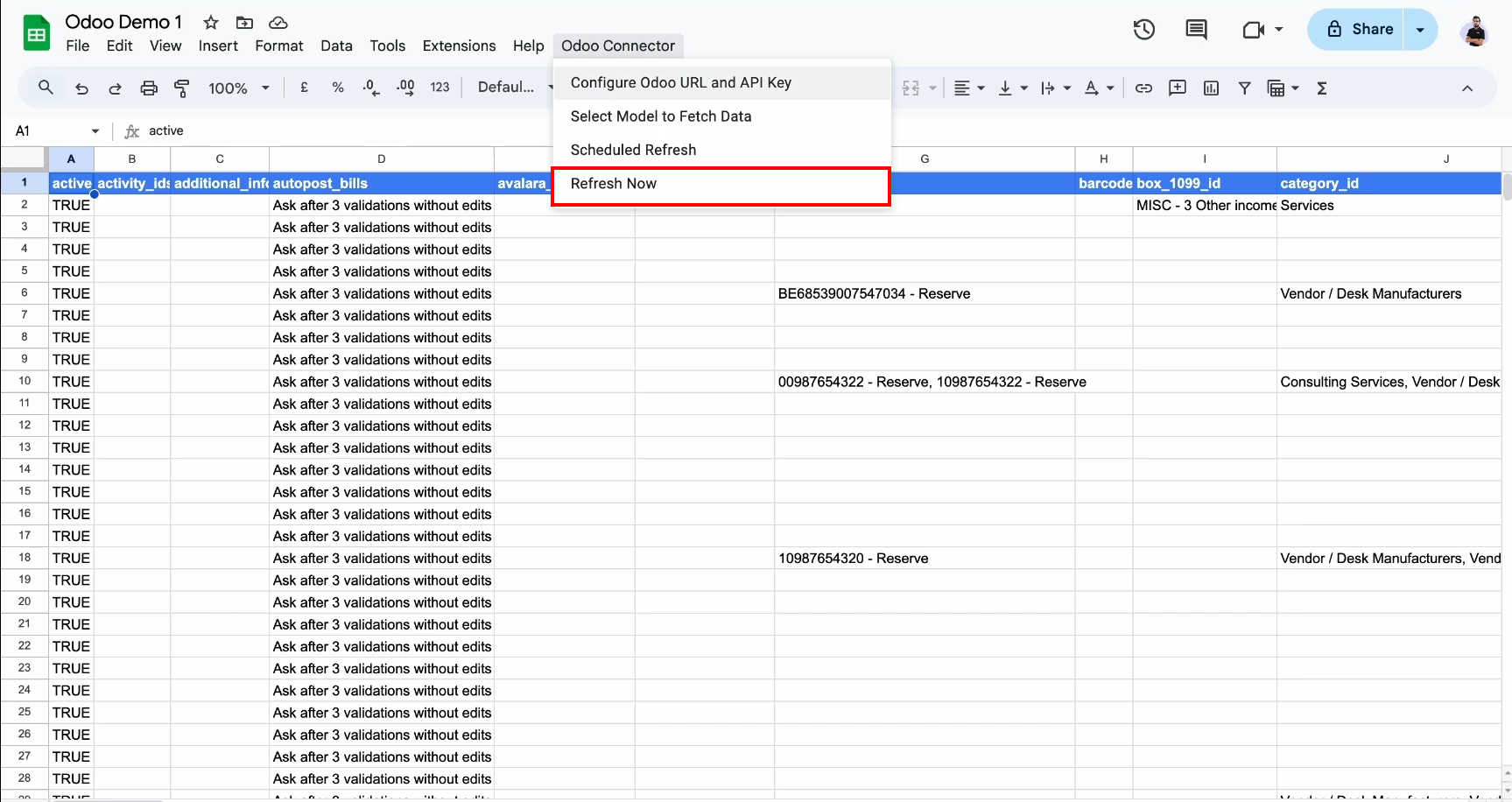
Select the "Refresh Now" to refresh models now.
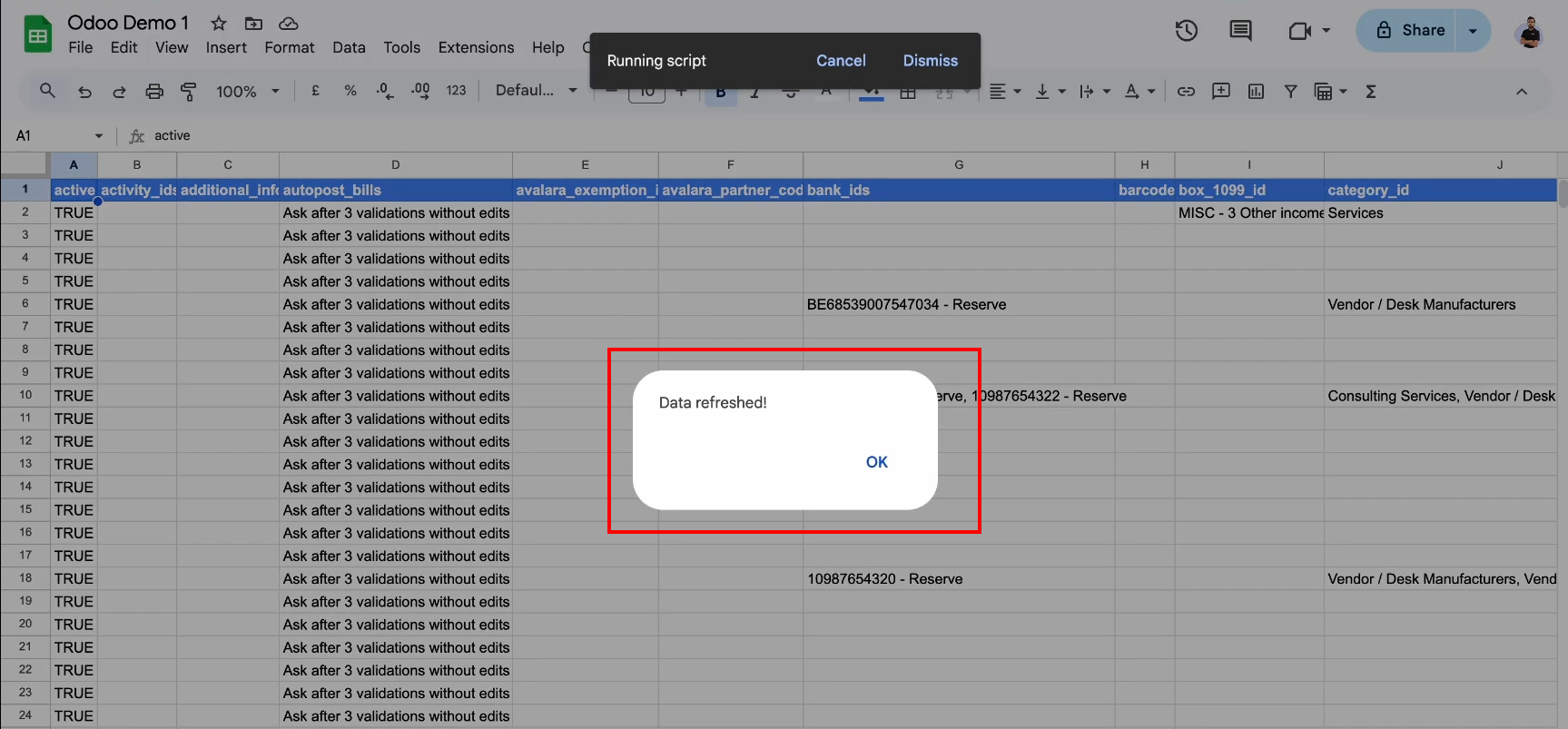
Data refreshed popup comes, when refresh done.
Go to the Google Sheet Connector and generate the Odoo URL and API key for secure access.
Click on the seetings menu from Google Sheet Configuration
.
Go to the connector configuration showing API access and connection settings in Odoo.
Make a copy of the provided Google Sheet before configuring the connector workflow.
Click on Make a copy button from the popup.
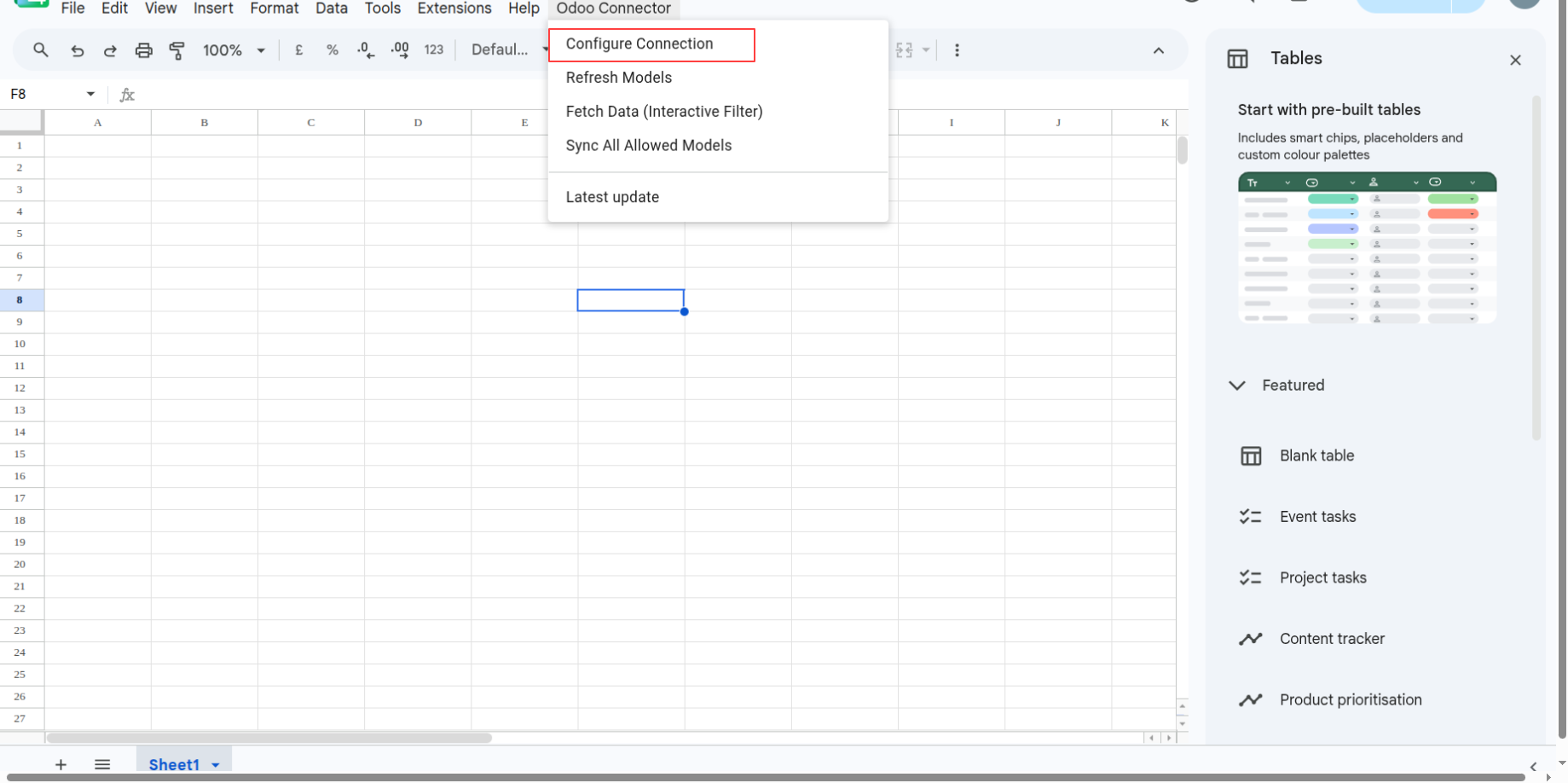
Open the Odoo Connector menu in the copied Google Sheet to continue integration setup.
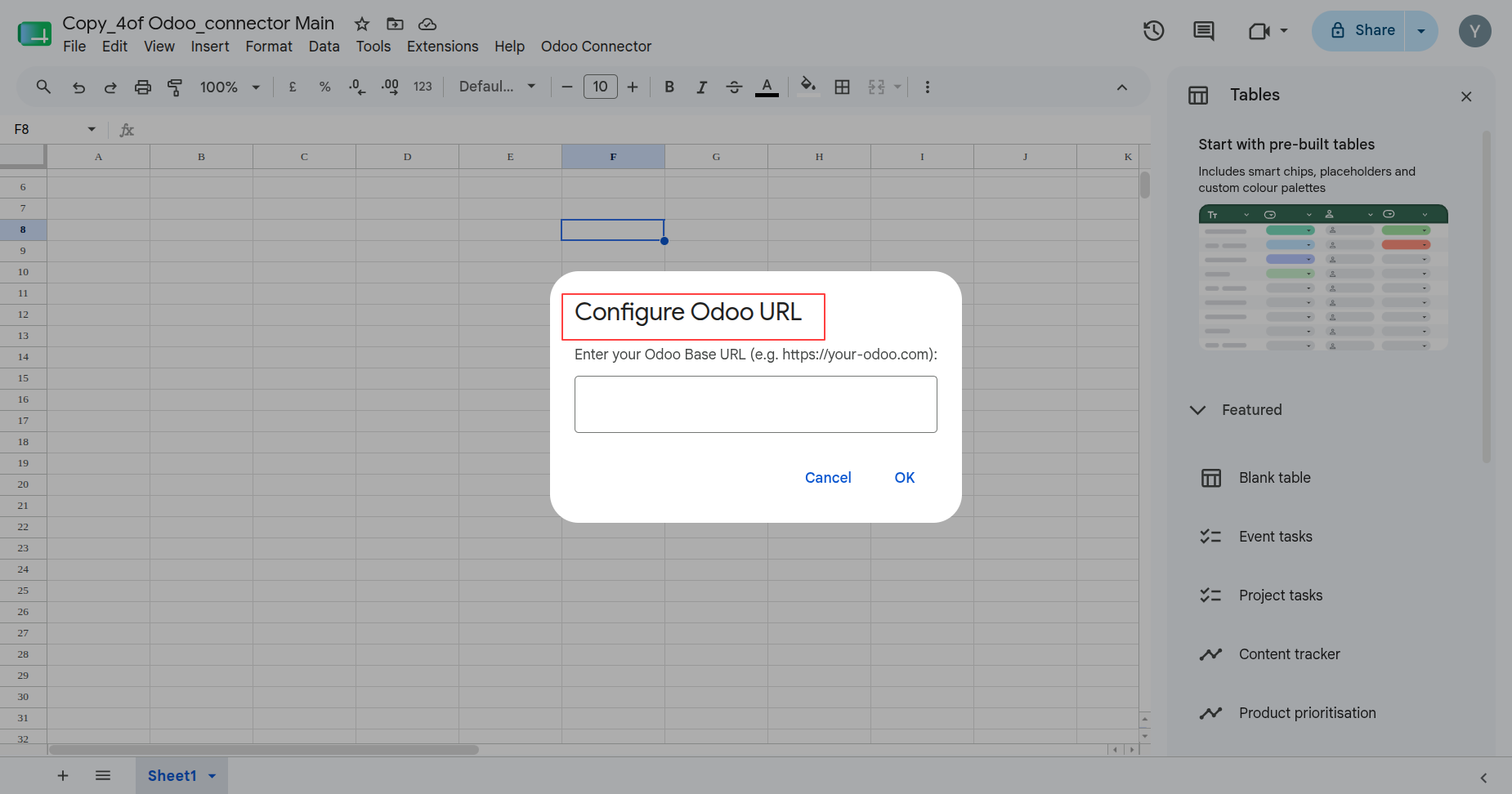
Enter the Odoo Base URL in Google Sheets to configure the connector connection.
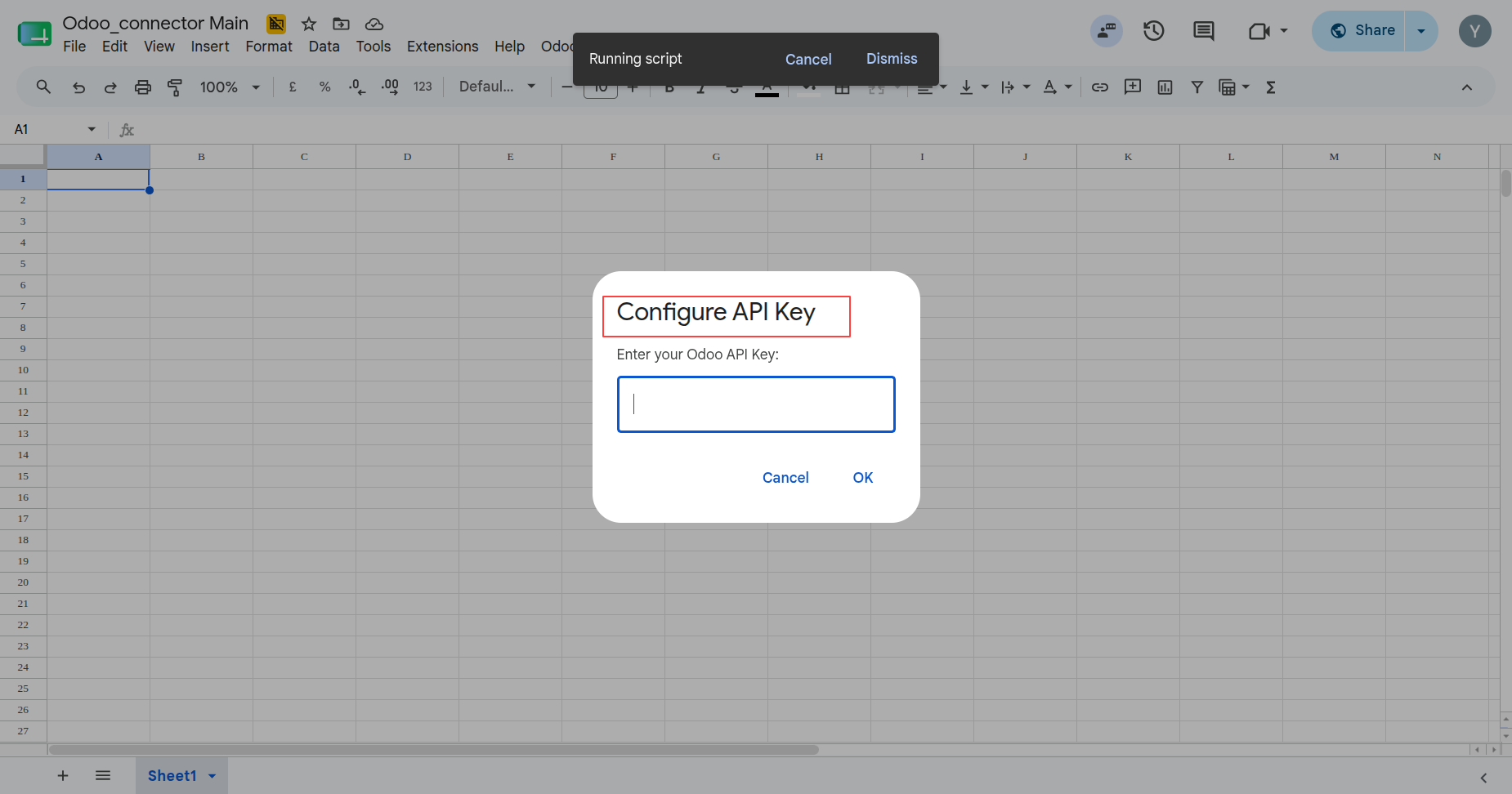
Provide the Odoo API key in Google Sheets before validating connector access.
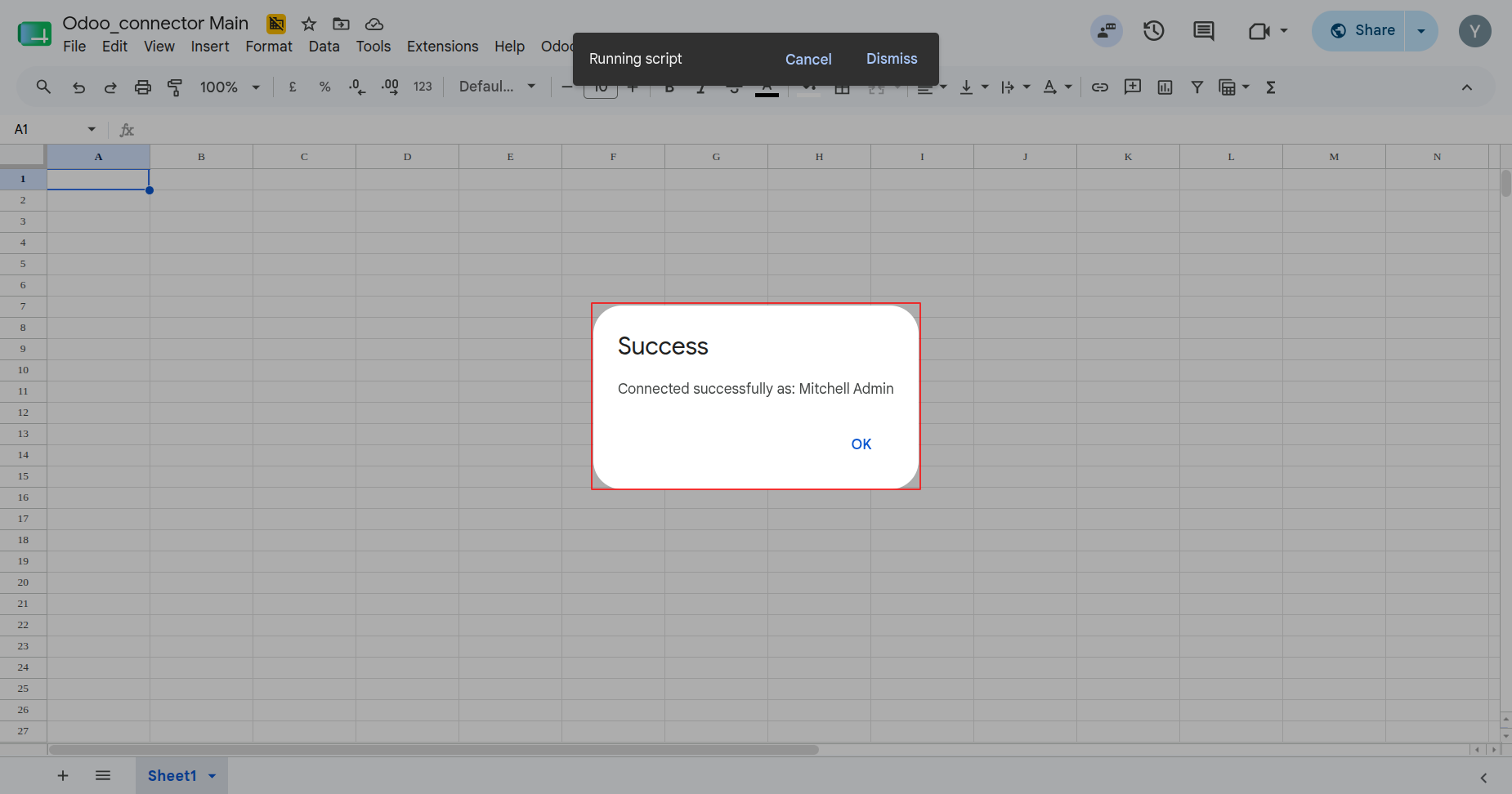
Confirm successful connector connectivity after configuring the Odoo URL and API key.
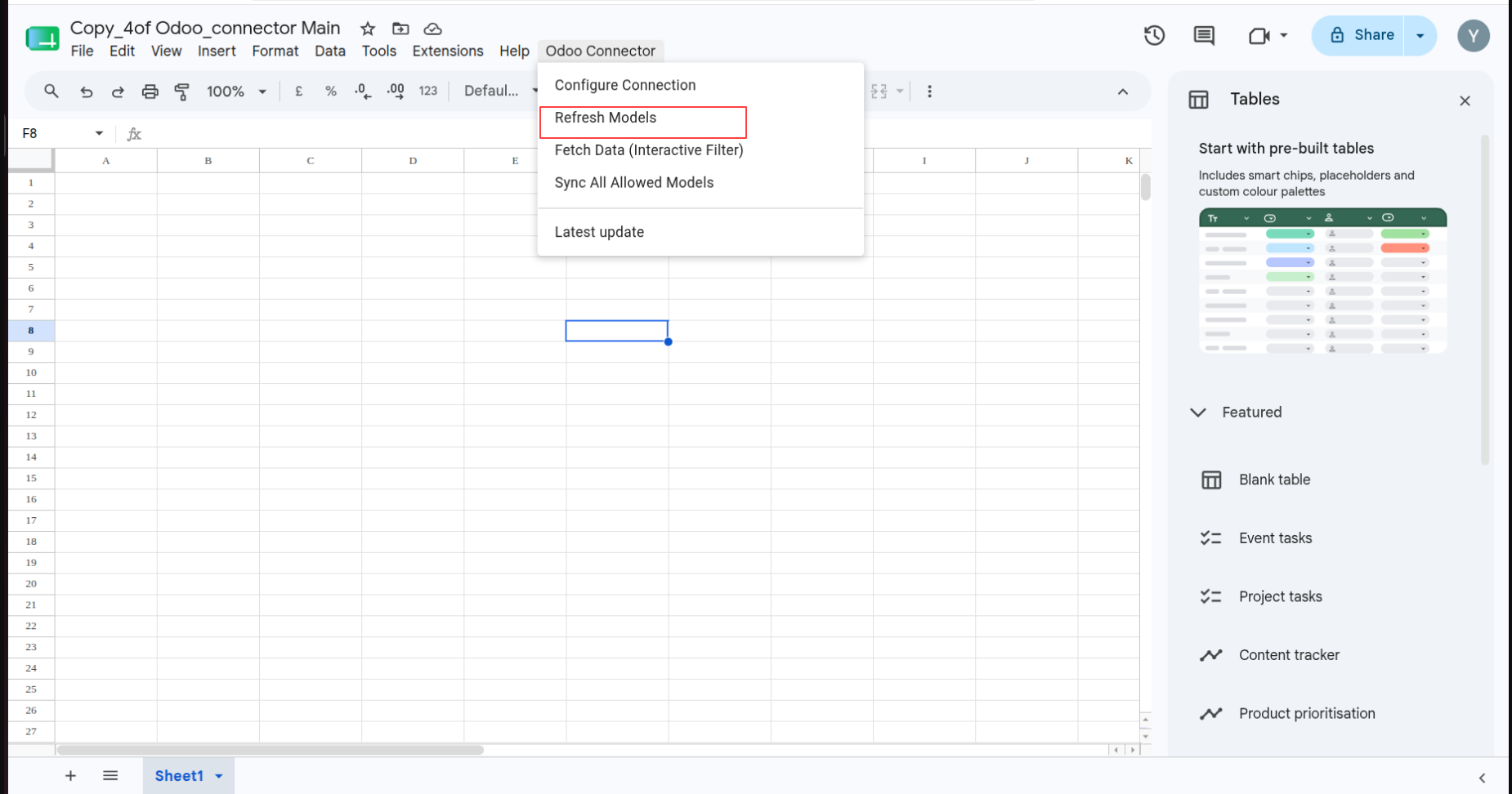
Open Odoo Connector and select Refresh Models to update the available Odoo model list.
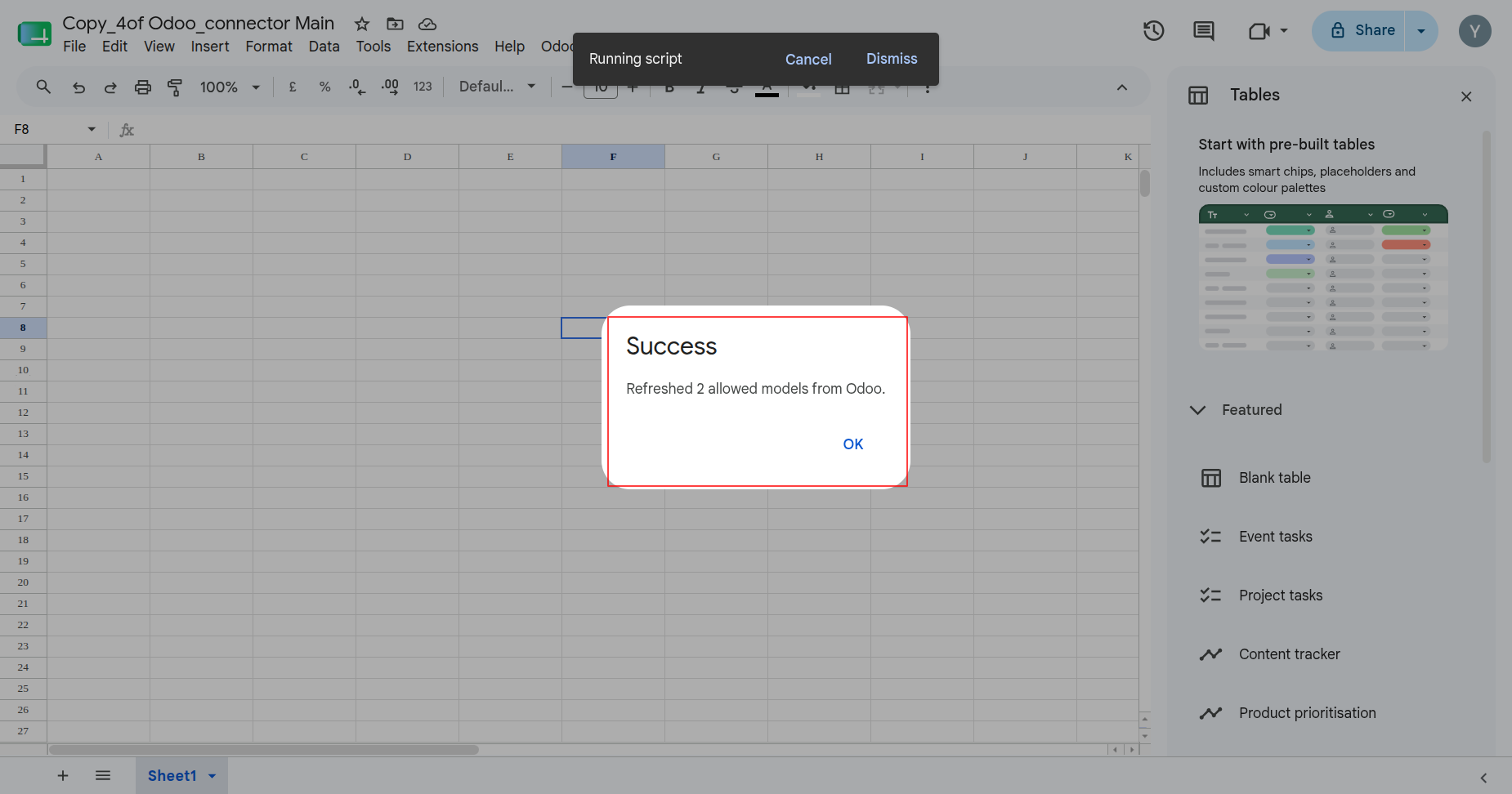
Review the refresh confirmation after the connector retrieves allowed models from Odoo.
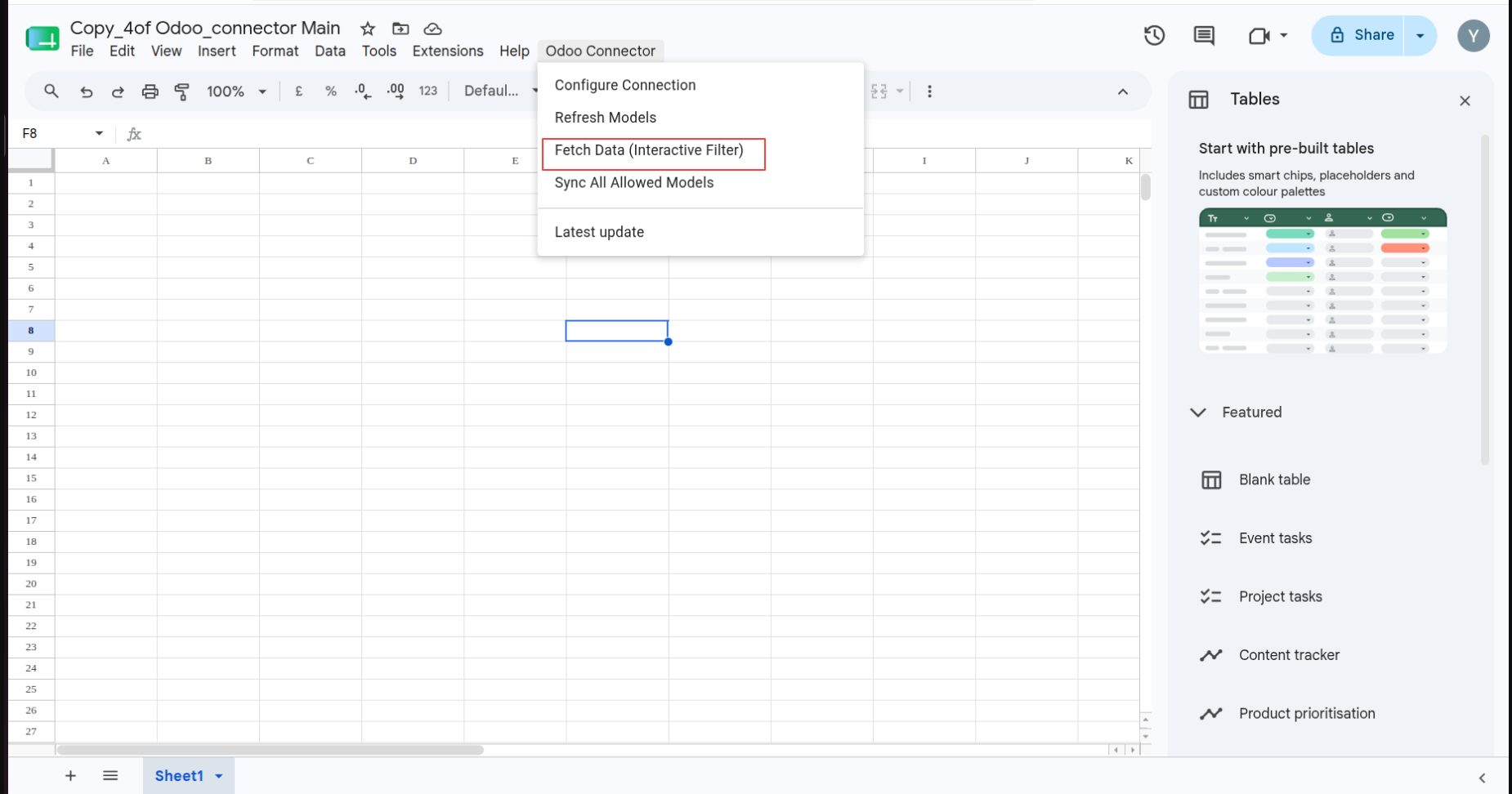
Open Odoo Connector and choose Fetch Data (Interactive Filter) to start the data workflow.
Open the interactive fetch dialog and choose an Odoo model before selecting fields.
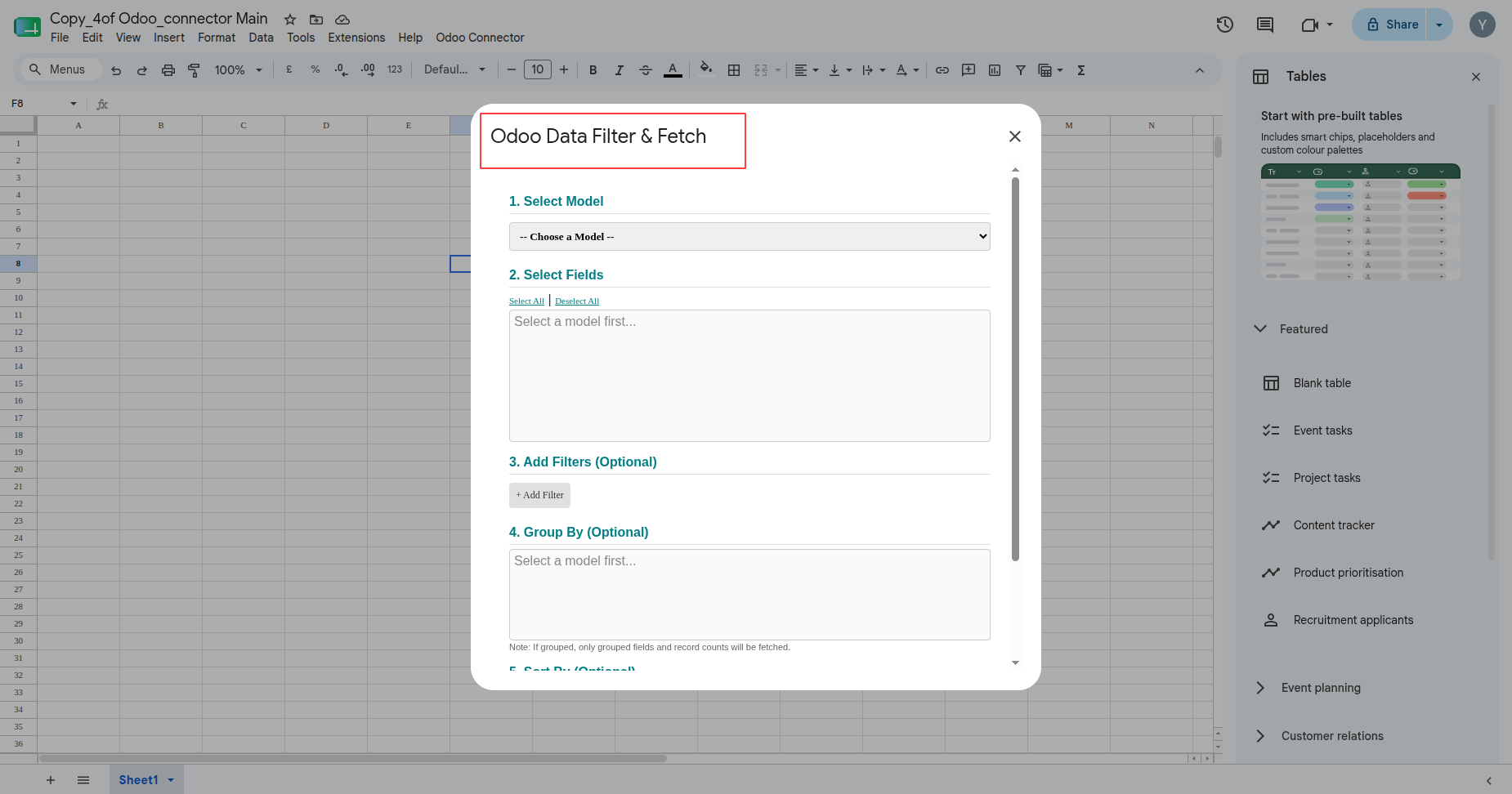
Complete the Odoo Data Filter & Fetch dialog before requesting spreadsheet data.
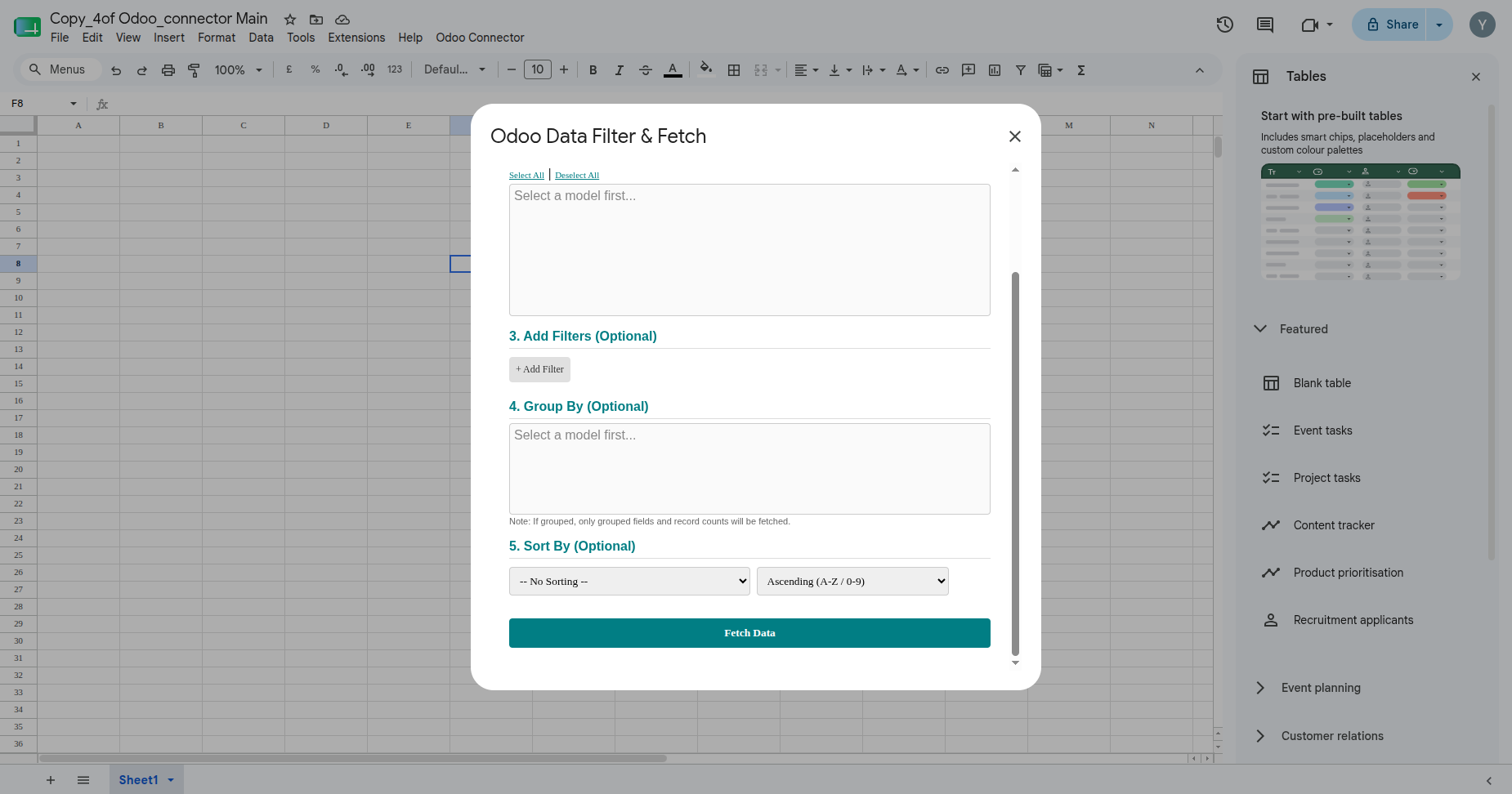
Review the loaded Odoo fields for the selected model before choosing spreadsheet columns.
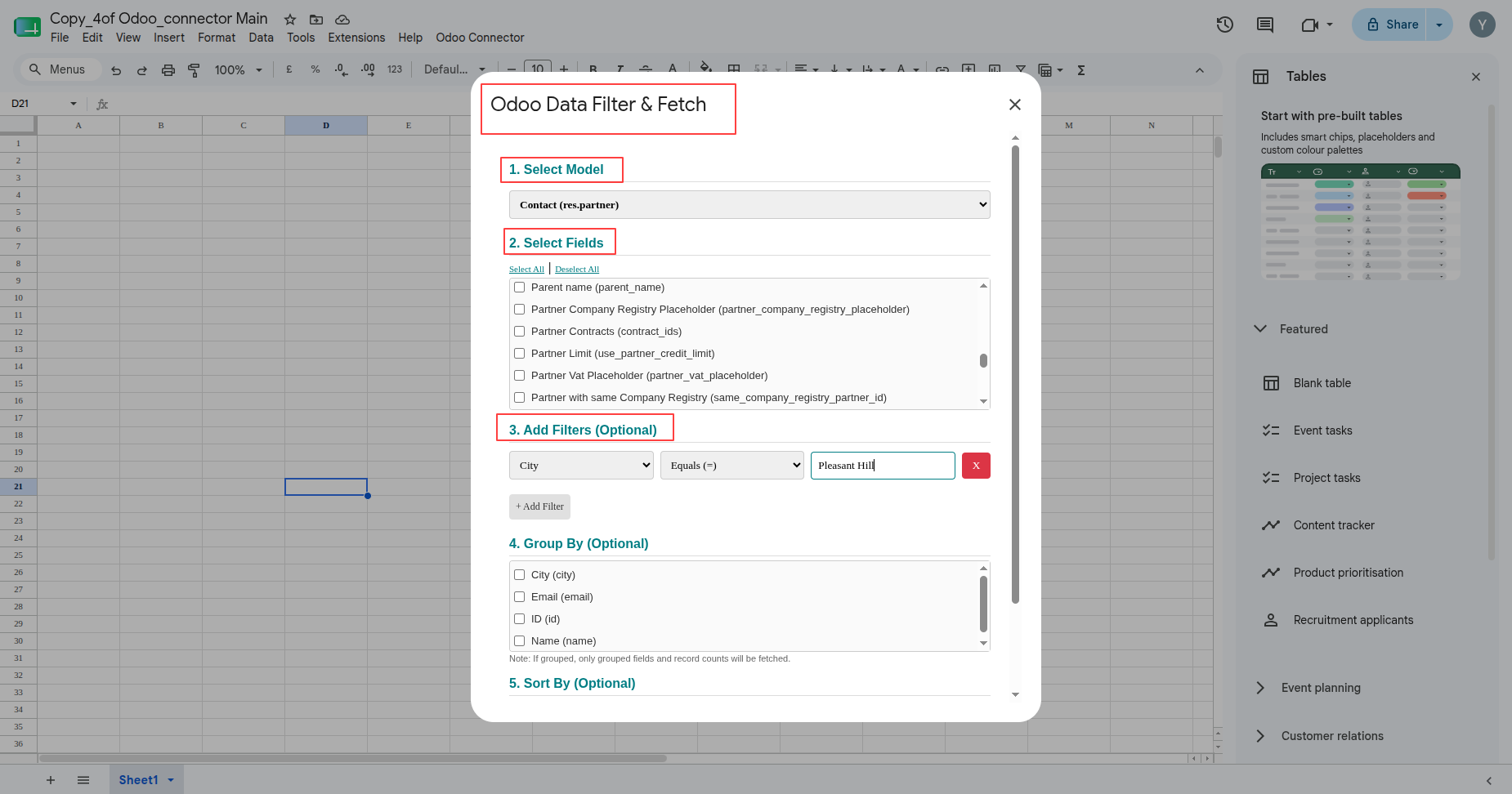
Review populated Google Sheet rows after the Odoo data fetch completes successfully.
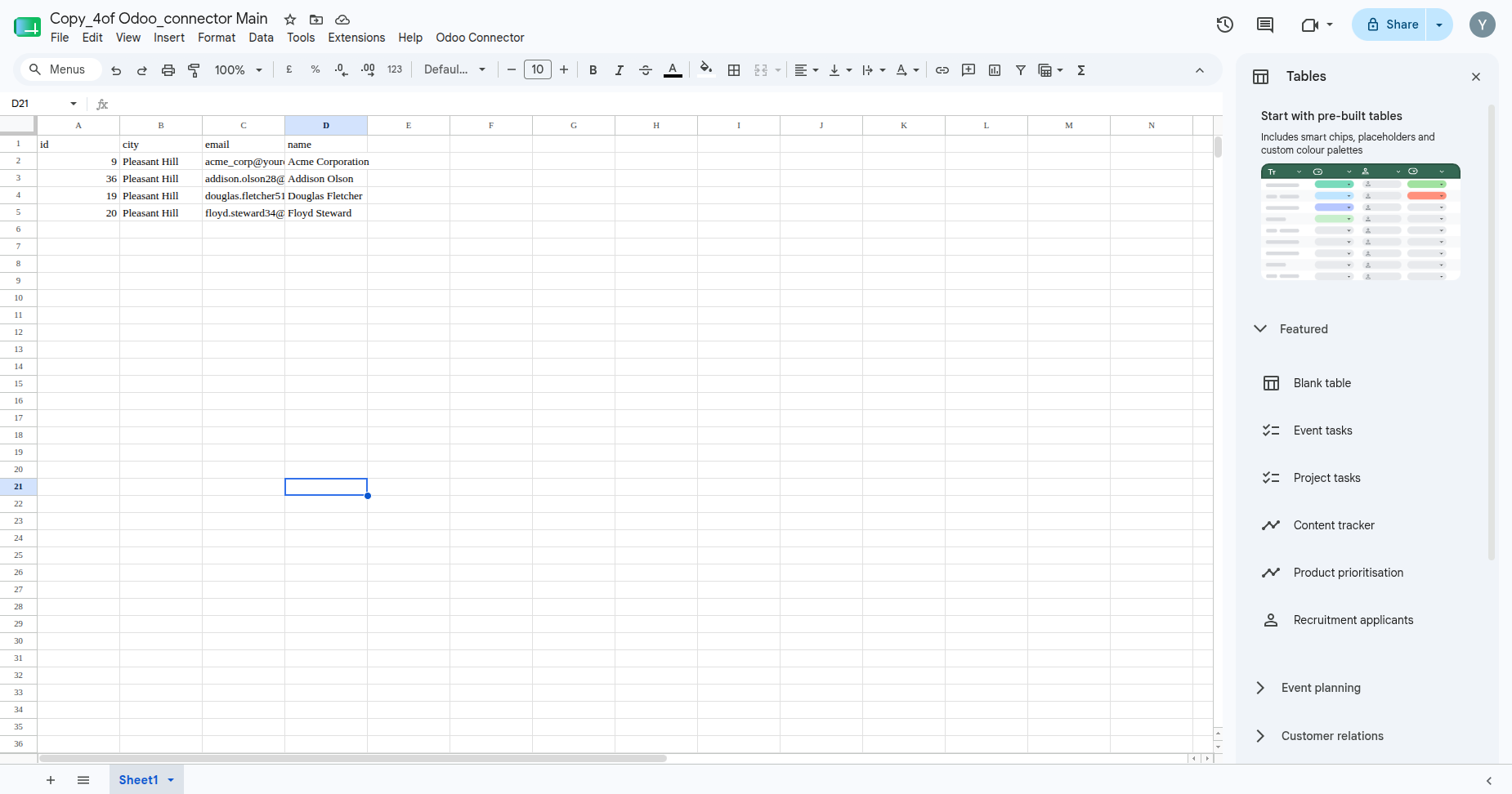
Select required fields and review the available options before fetching data.
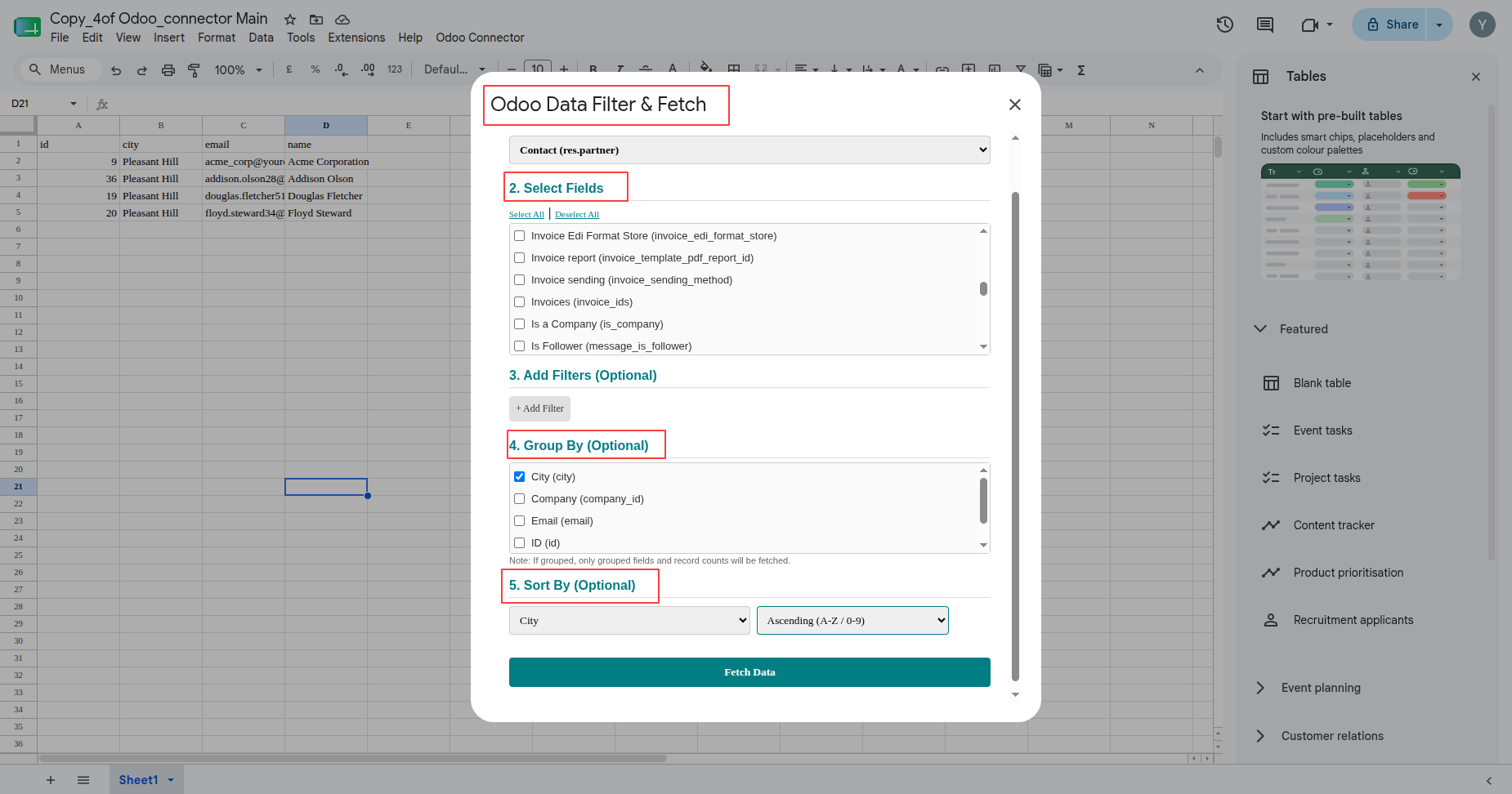
Inspect the resulting Google Sheet after records are written by the connector.
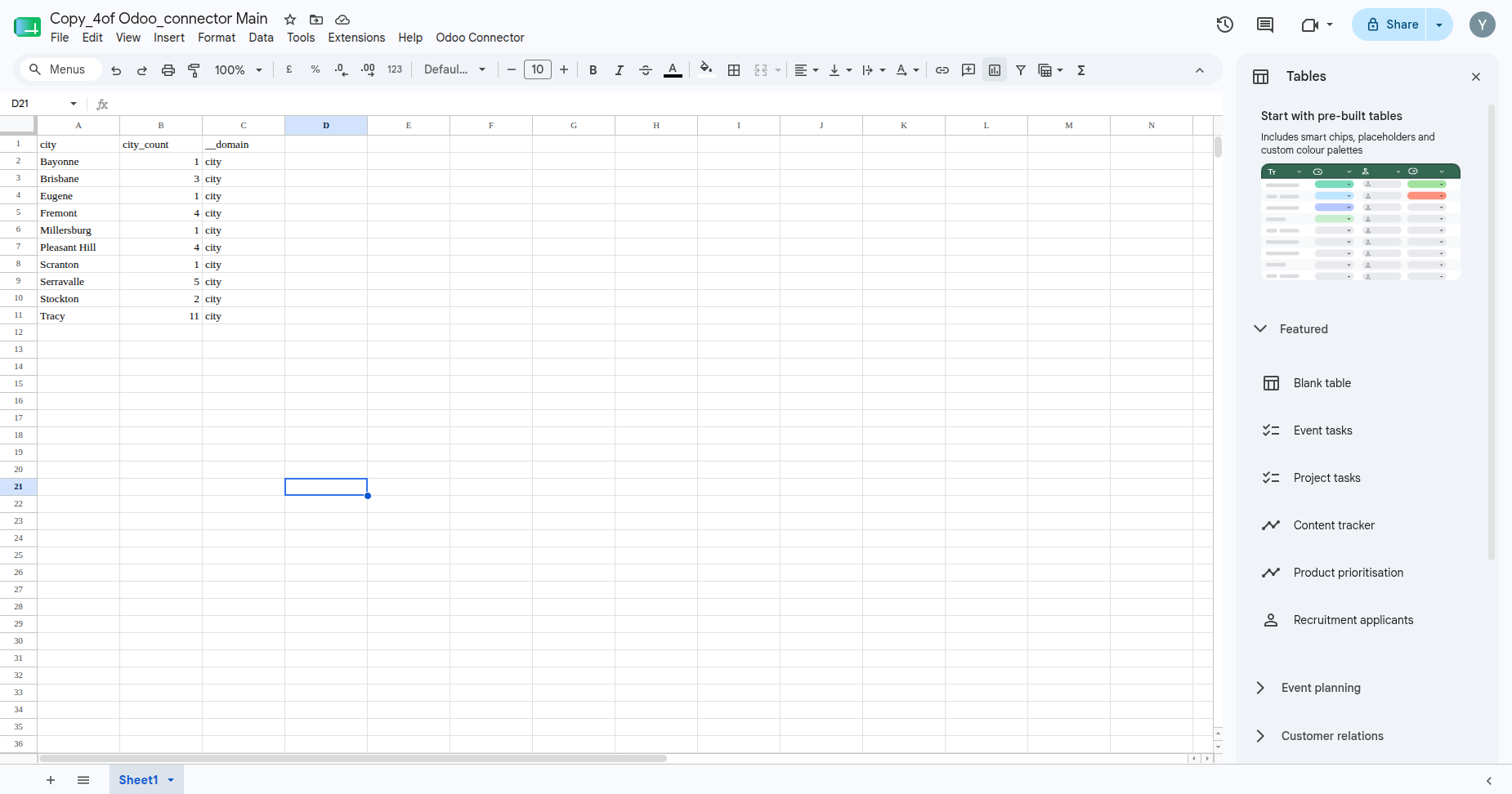
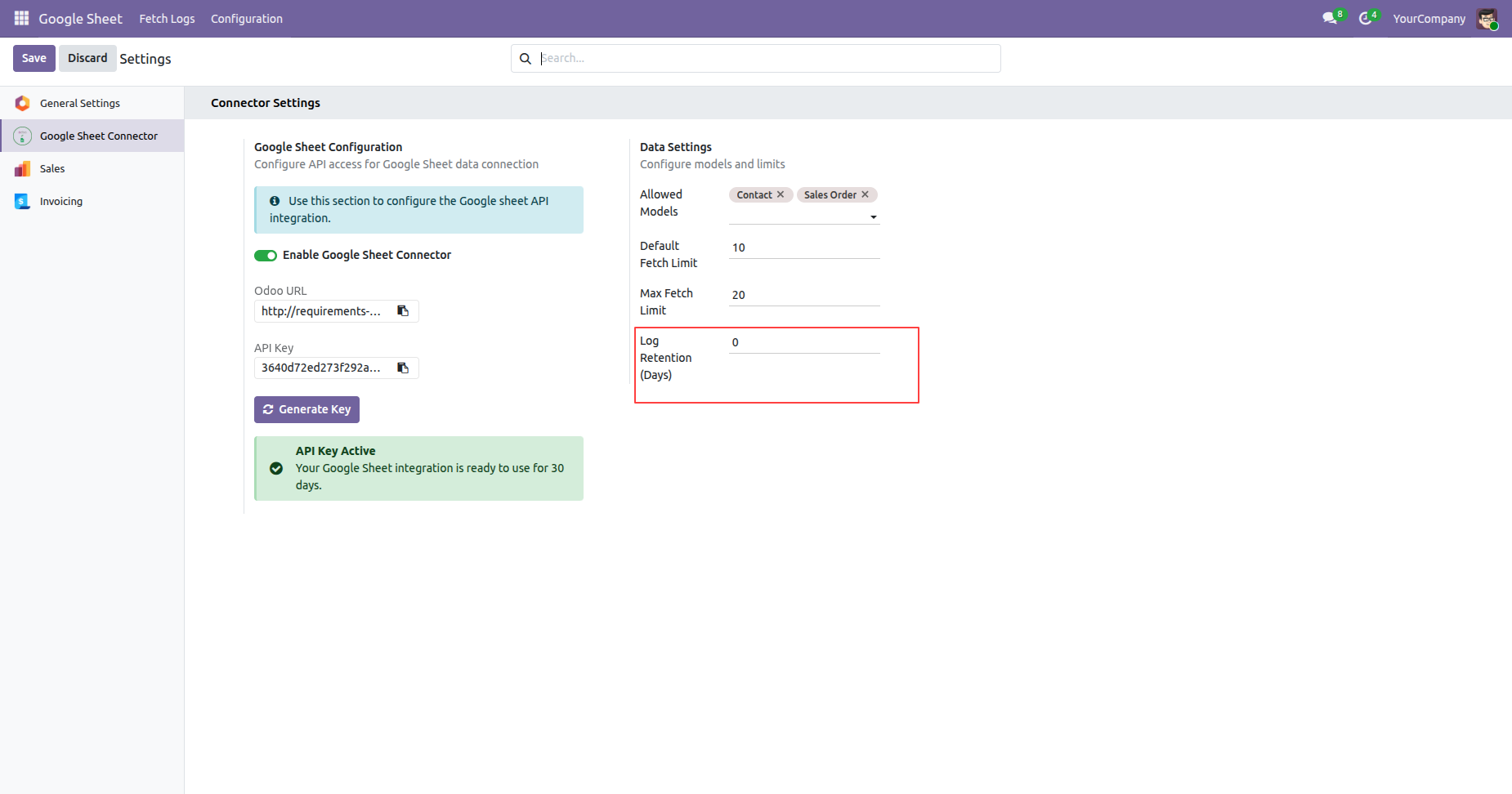
Review connector settings and available model access controls before synchronization.
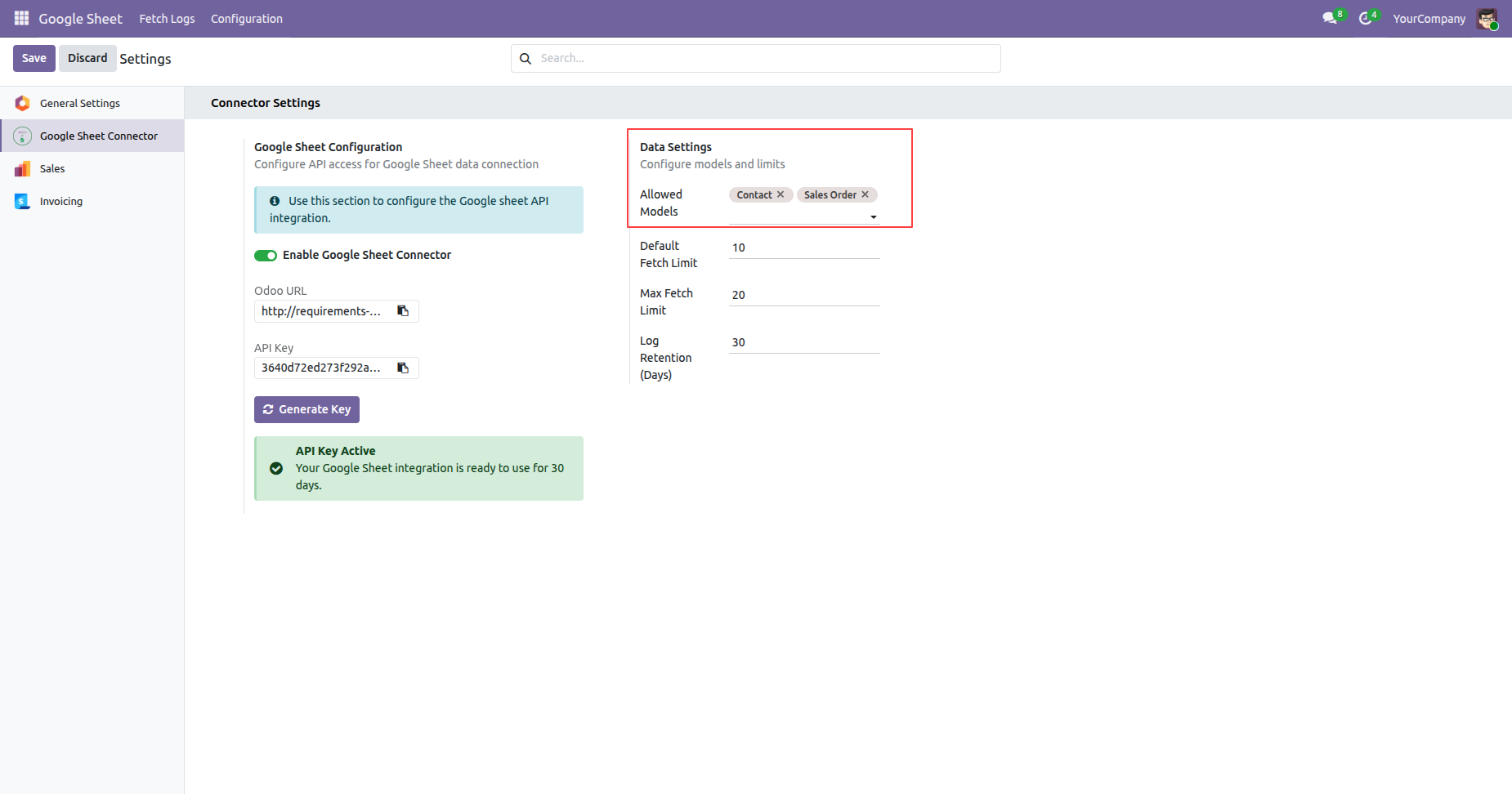
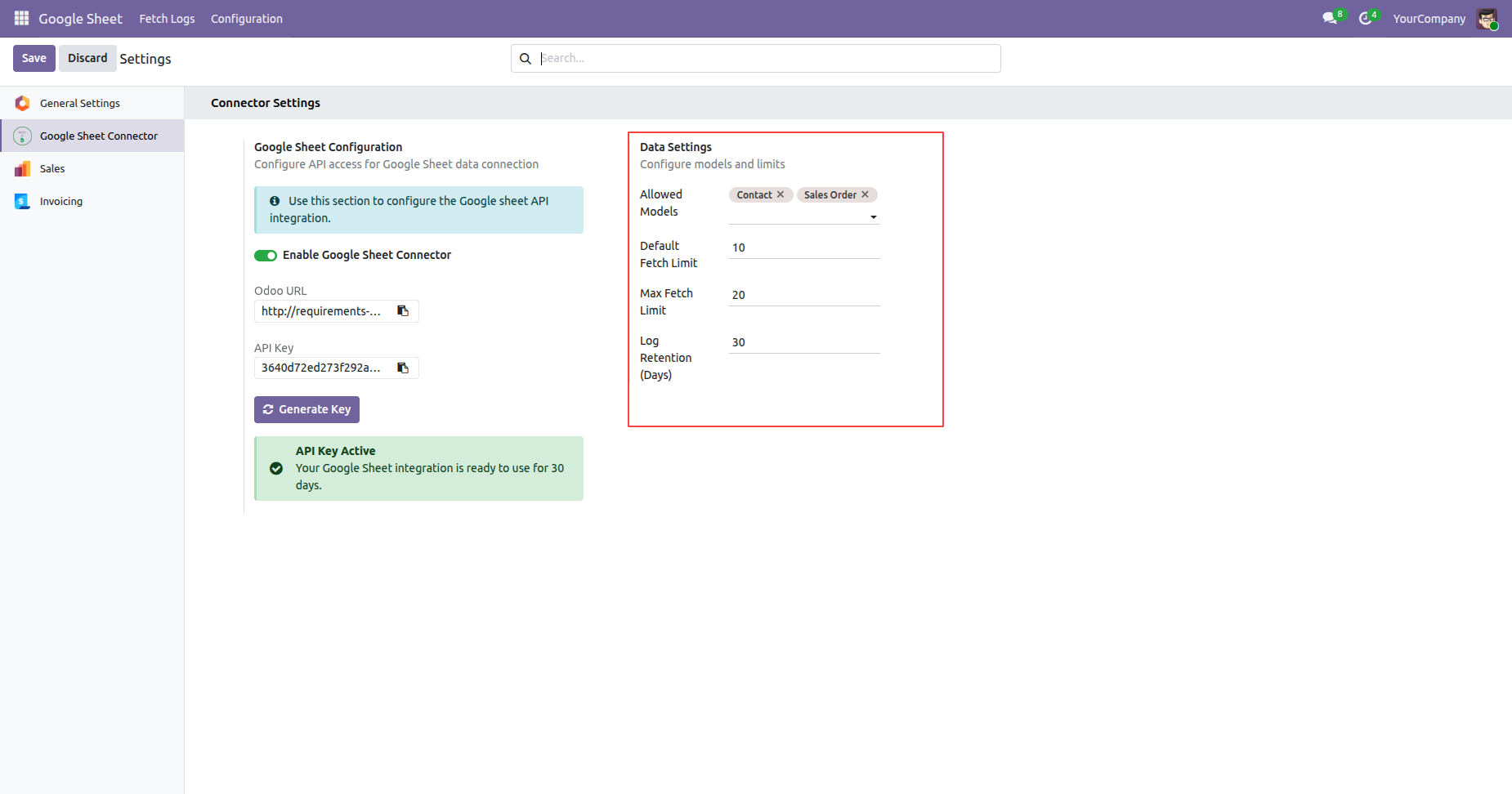
Configure allowed models and fetch settings in the Google Sheet connector configuration.
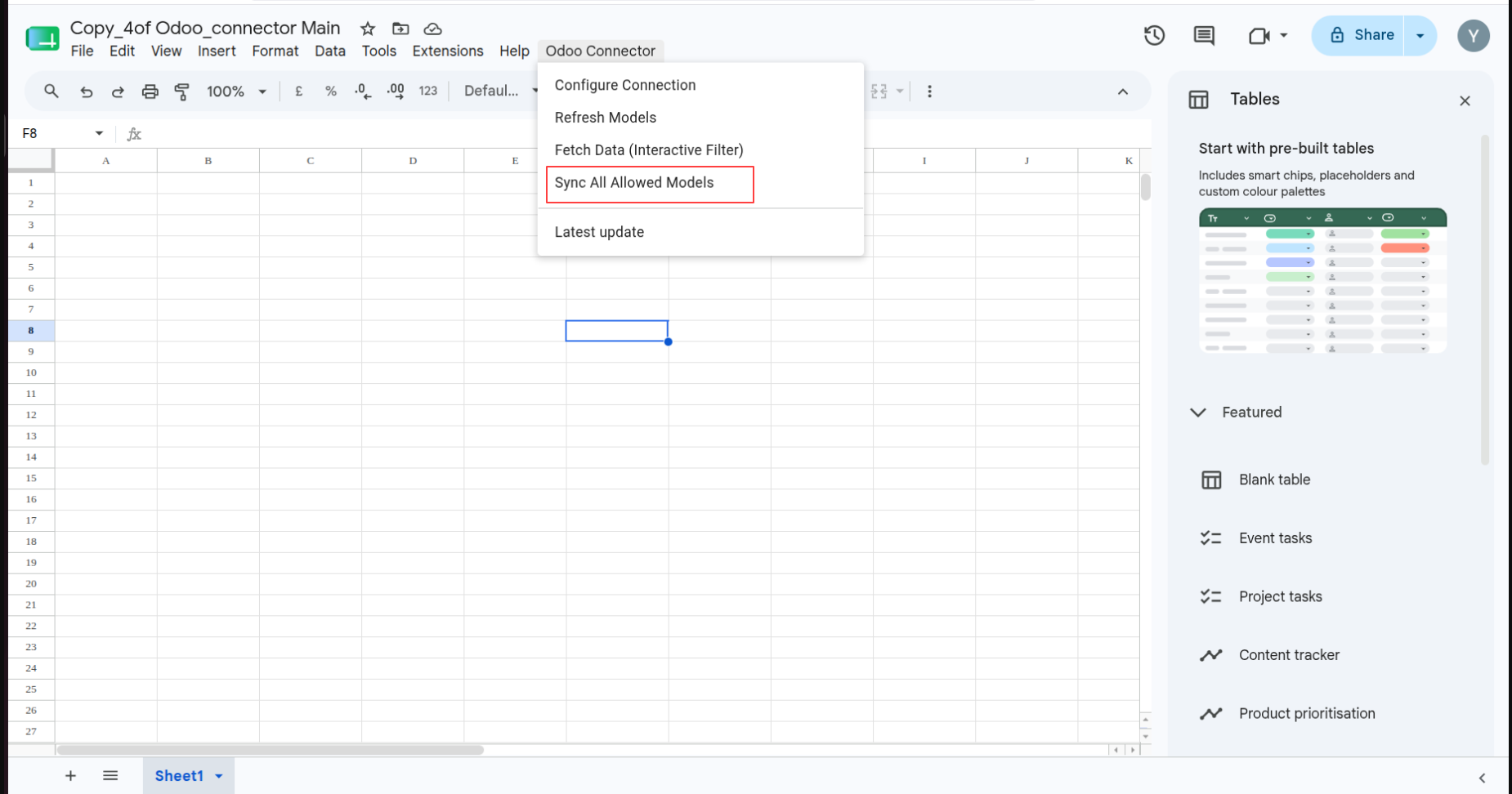
Open Odoo Connector and select Sync All Allowed Models to synchronize permitted models.
Confirm the Sync Complete message after allowed models finish synchronizing.
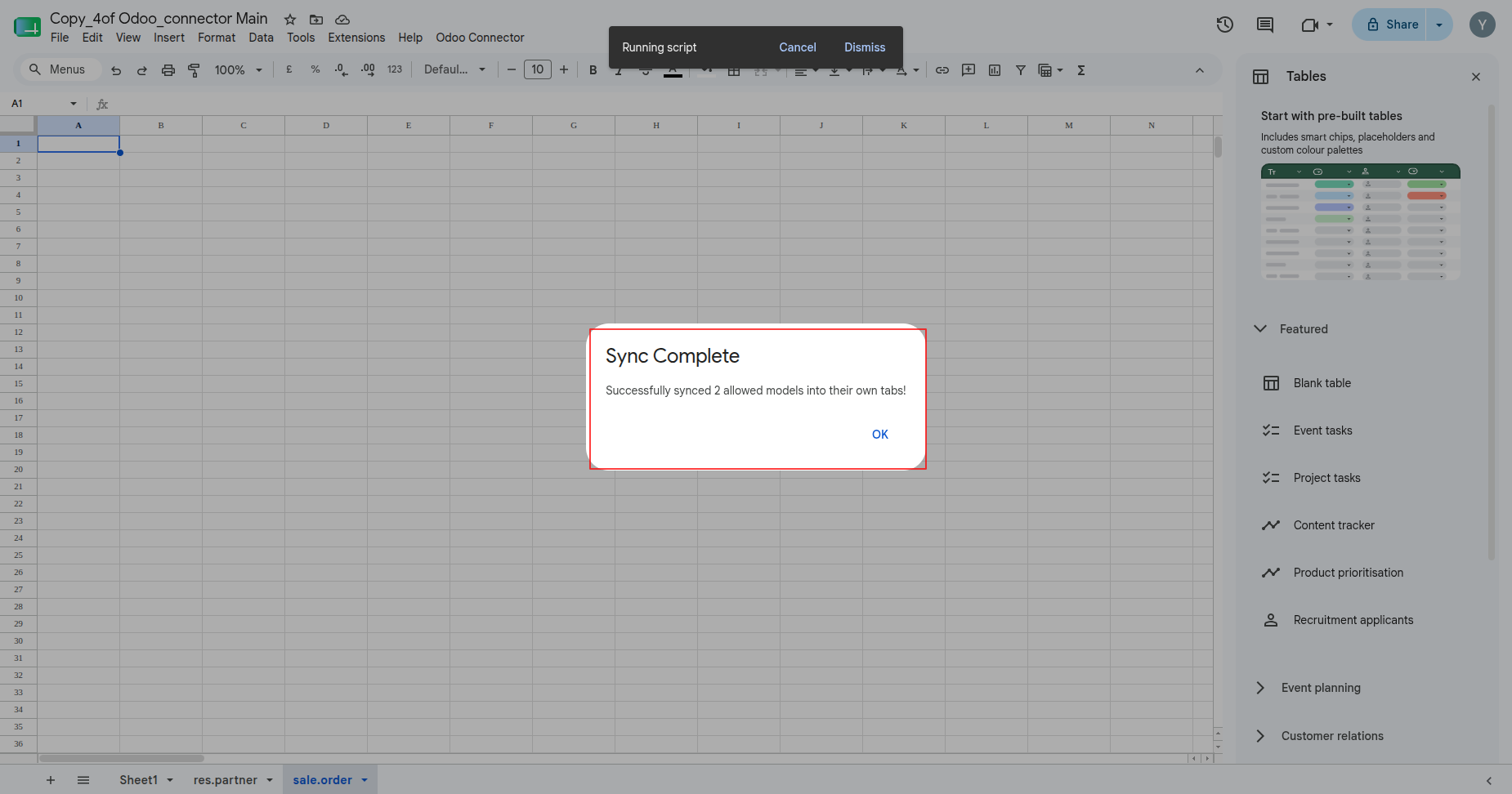
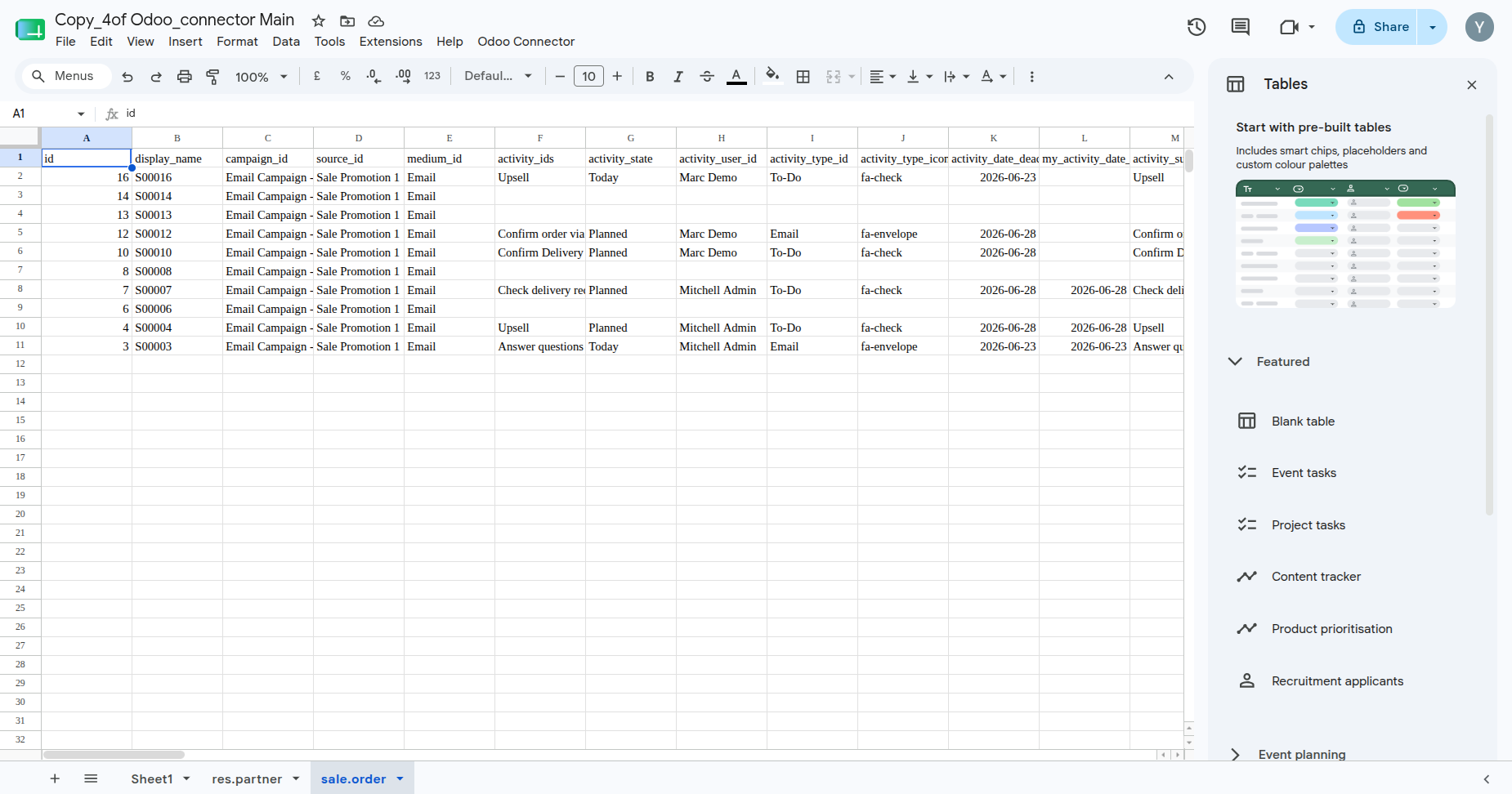
Review synchronized Odoo records in the generated Google Sheets model tabs.
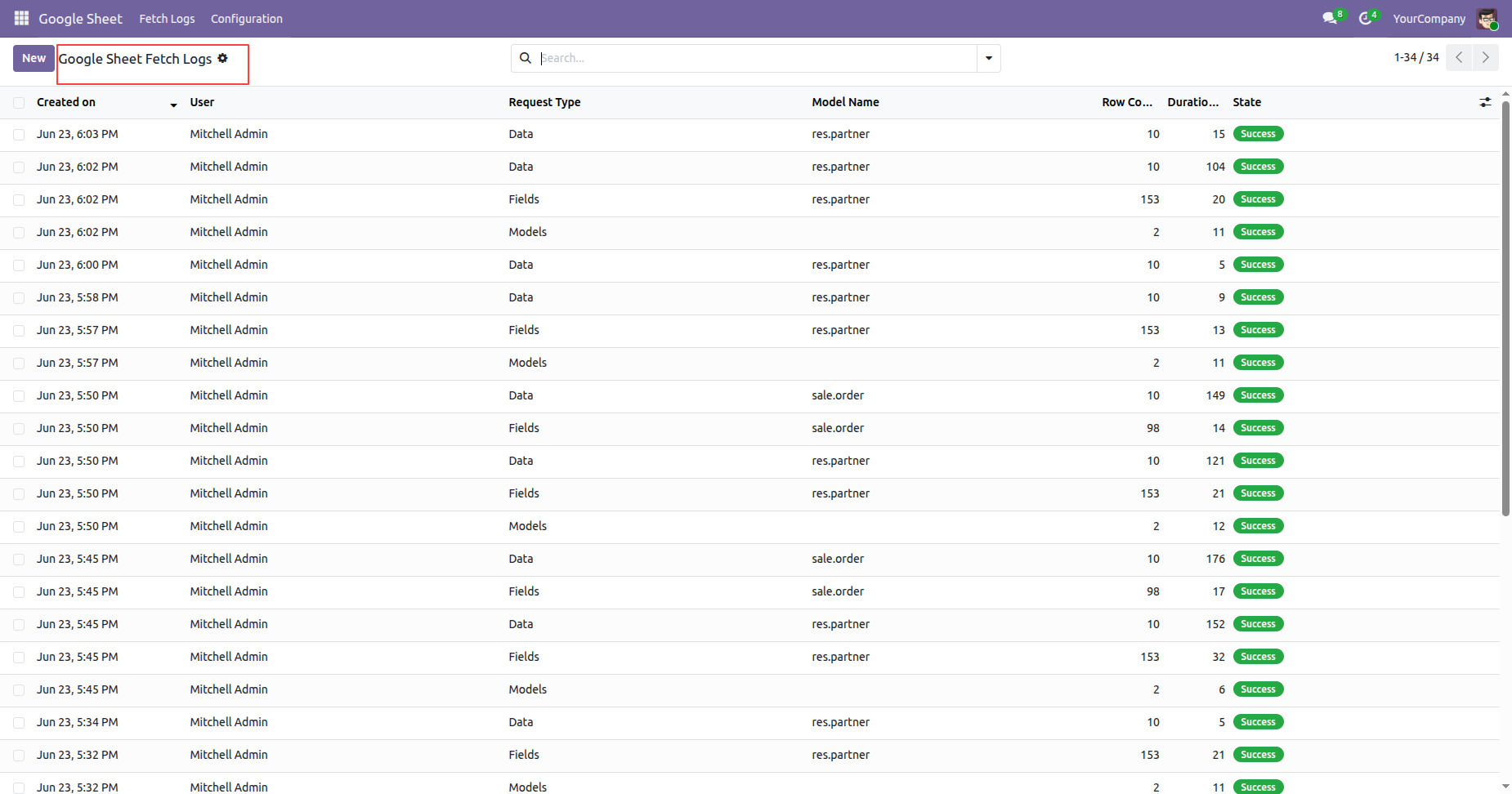
Review Google Sheet Fetch Logs with request type, model, row count, duration, and state.
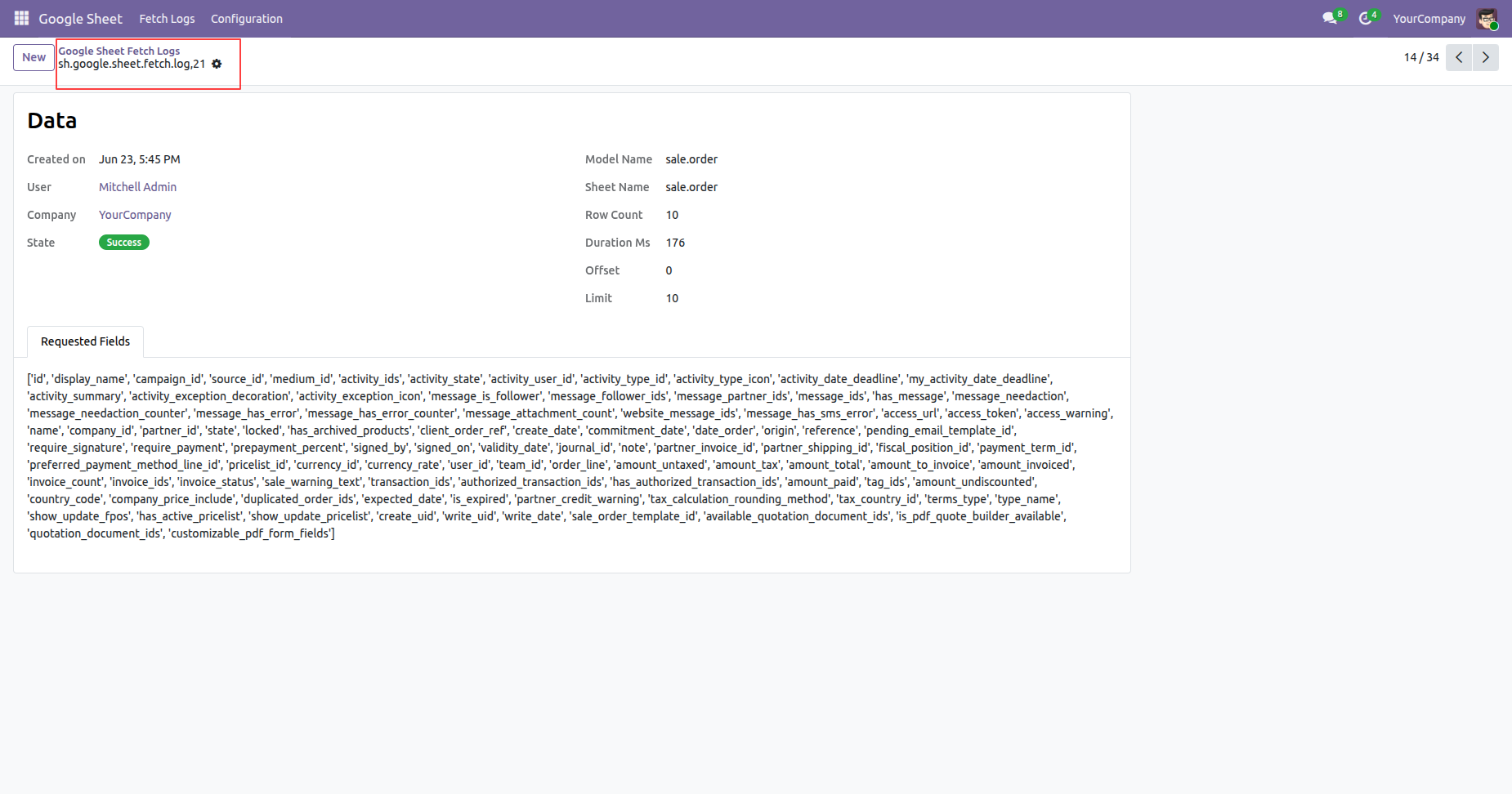
Click on the log from list view will open the log form view.
Review connector settings containing log retention controls before scheduled cleanup runs.
Review Google Sheet Fetch Logs before older records are removed by cleanup.
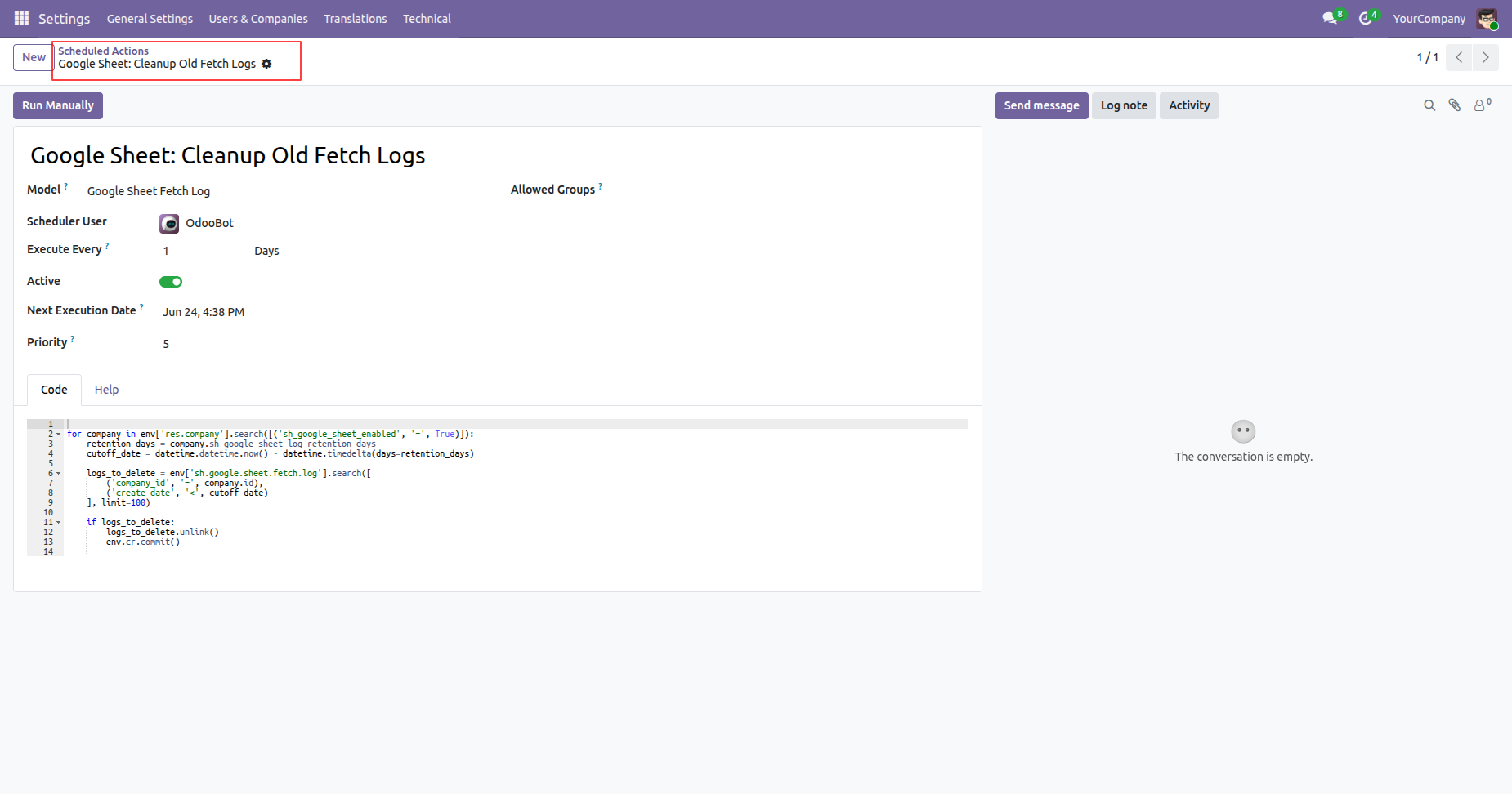
Review the Cleanup Old Fetch Logs scheduled action and its daily execution settings.
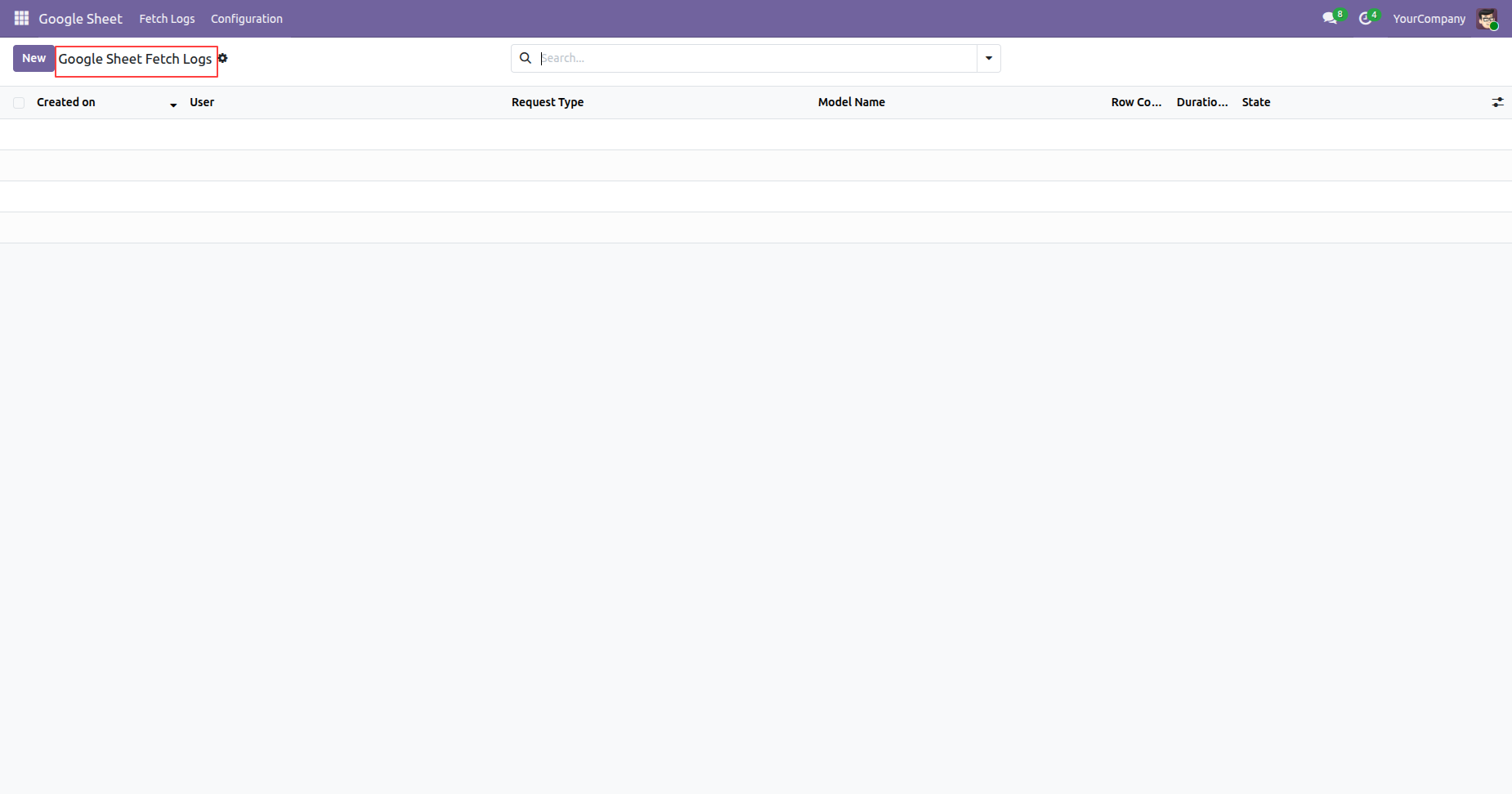
View the fetch log list after older records have been removed by cleanup.
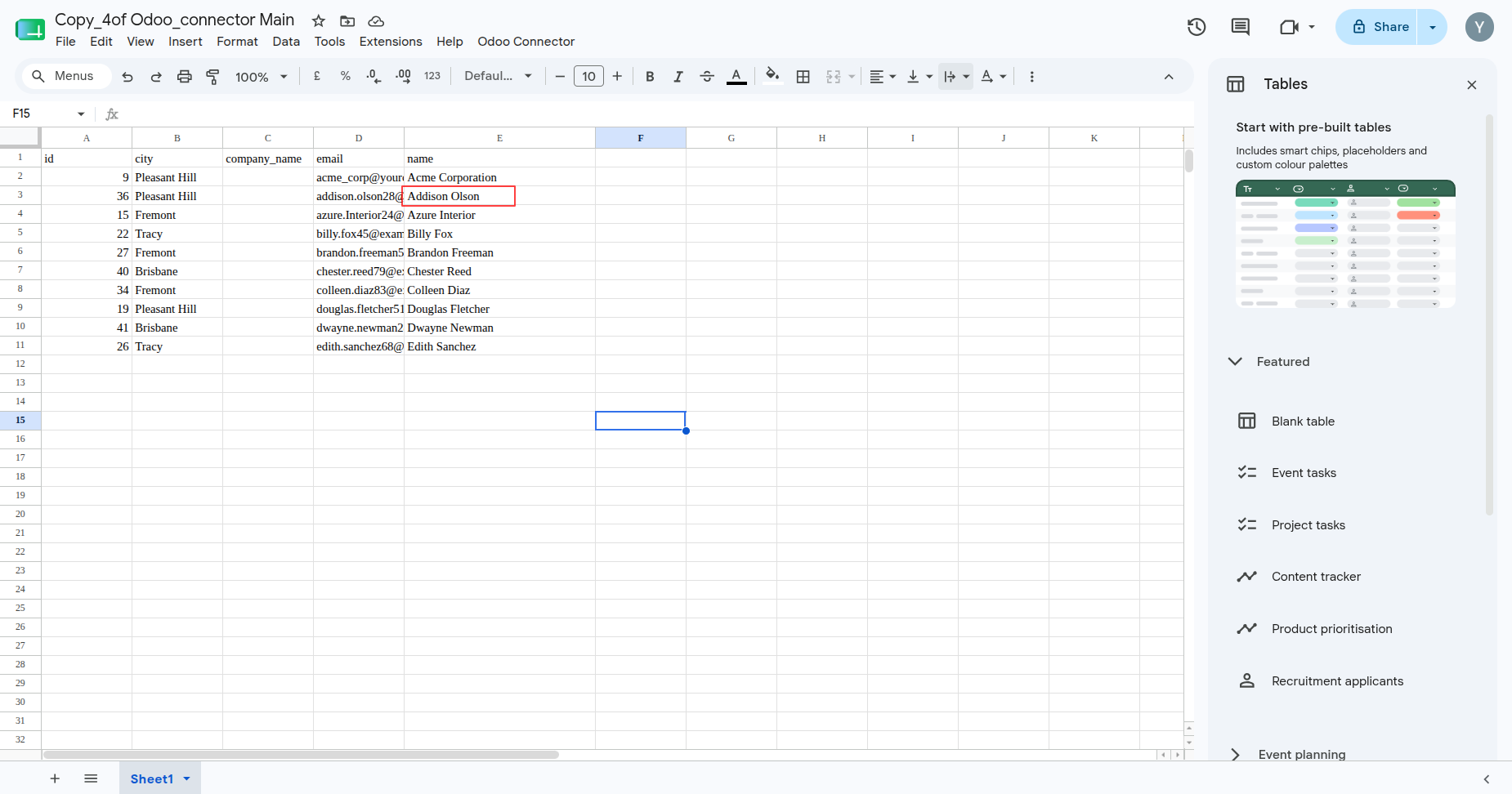
Review synchronized records displayed in Google Sheets after data retrieval.
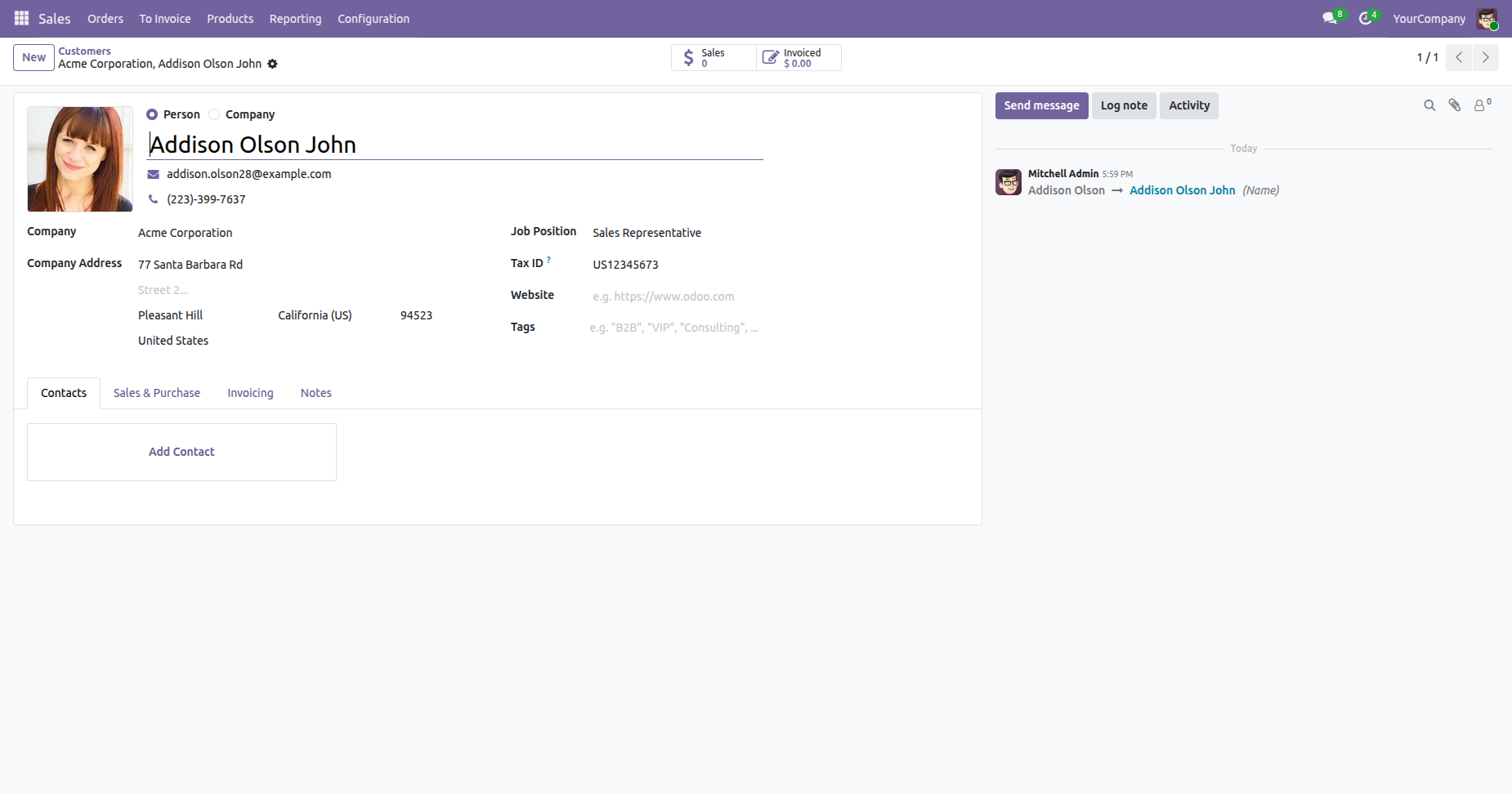
Review the corresponding Odoo record that provides the synchronized spreadsheet data.
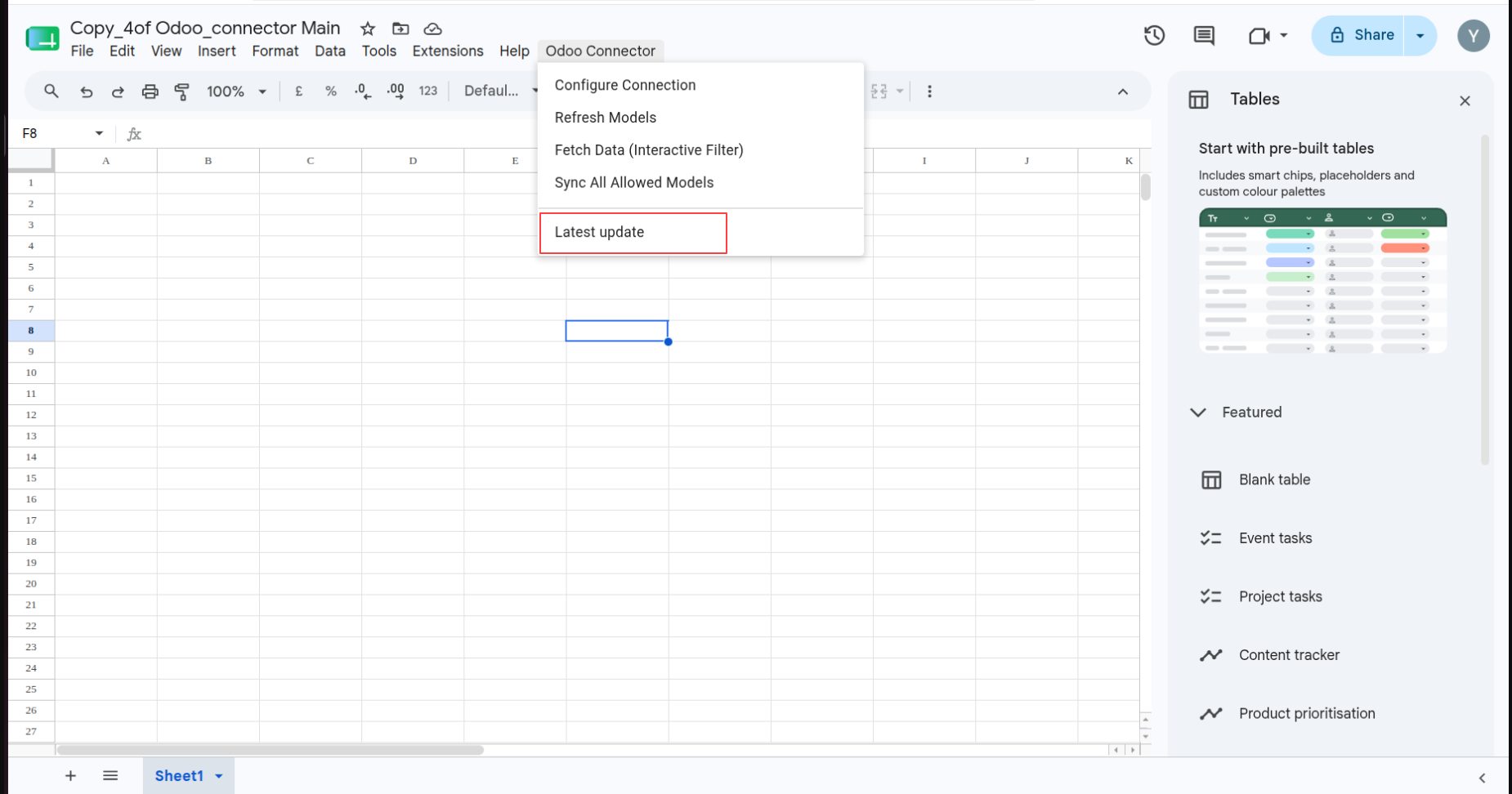
Open Odoo Connector and select Latest update to start the refresh workflow.
Confirm the Refresh Complete message after the latest update finishes successfully.
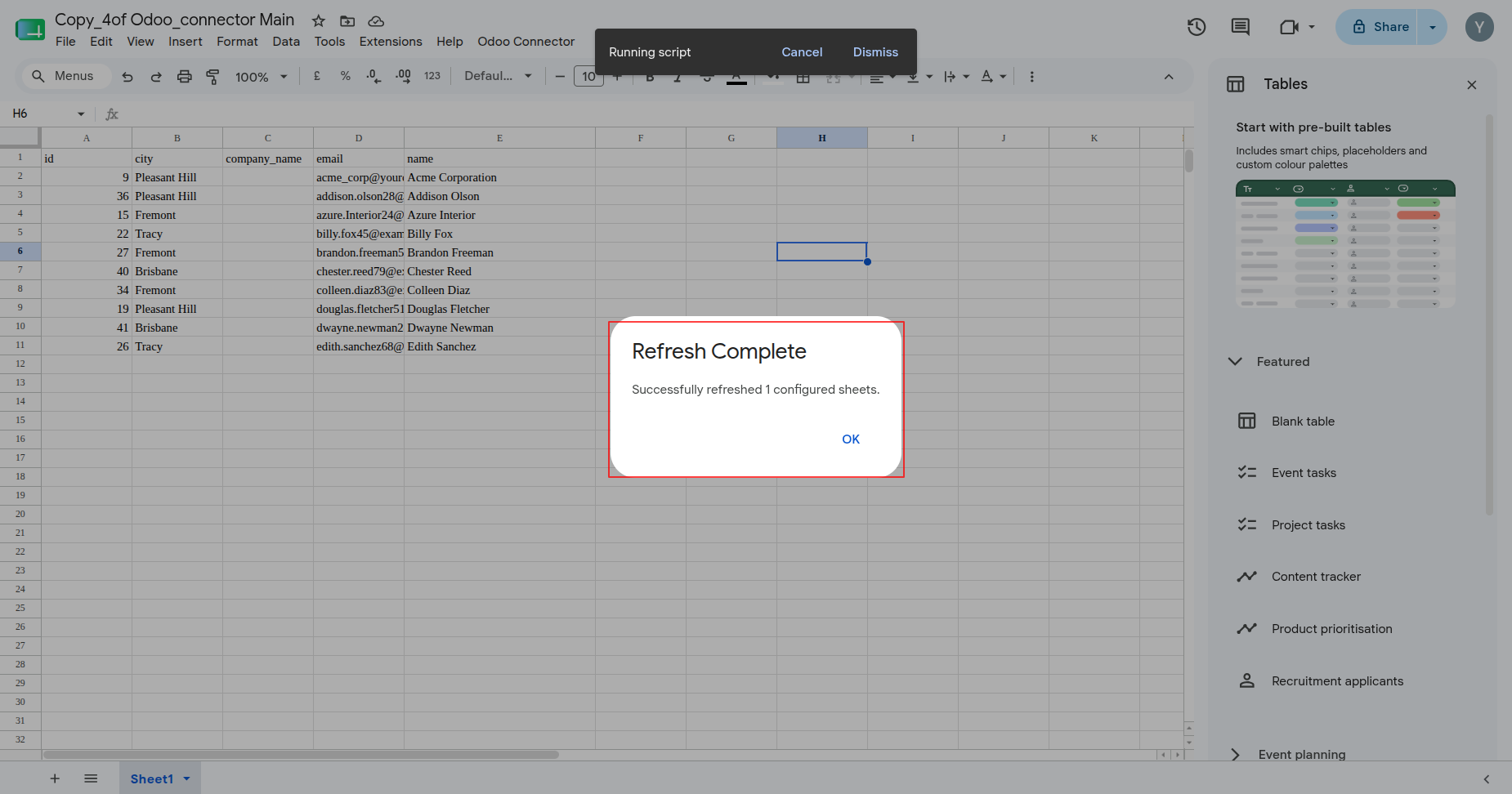
Review the refreshed Google Sheet rows after the latest update completes.
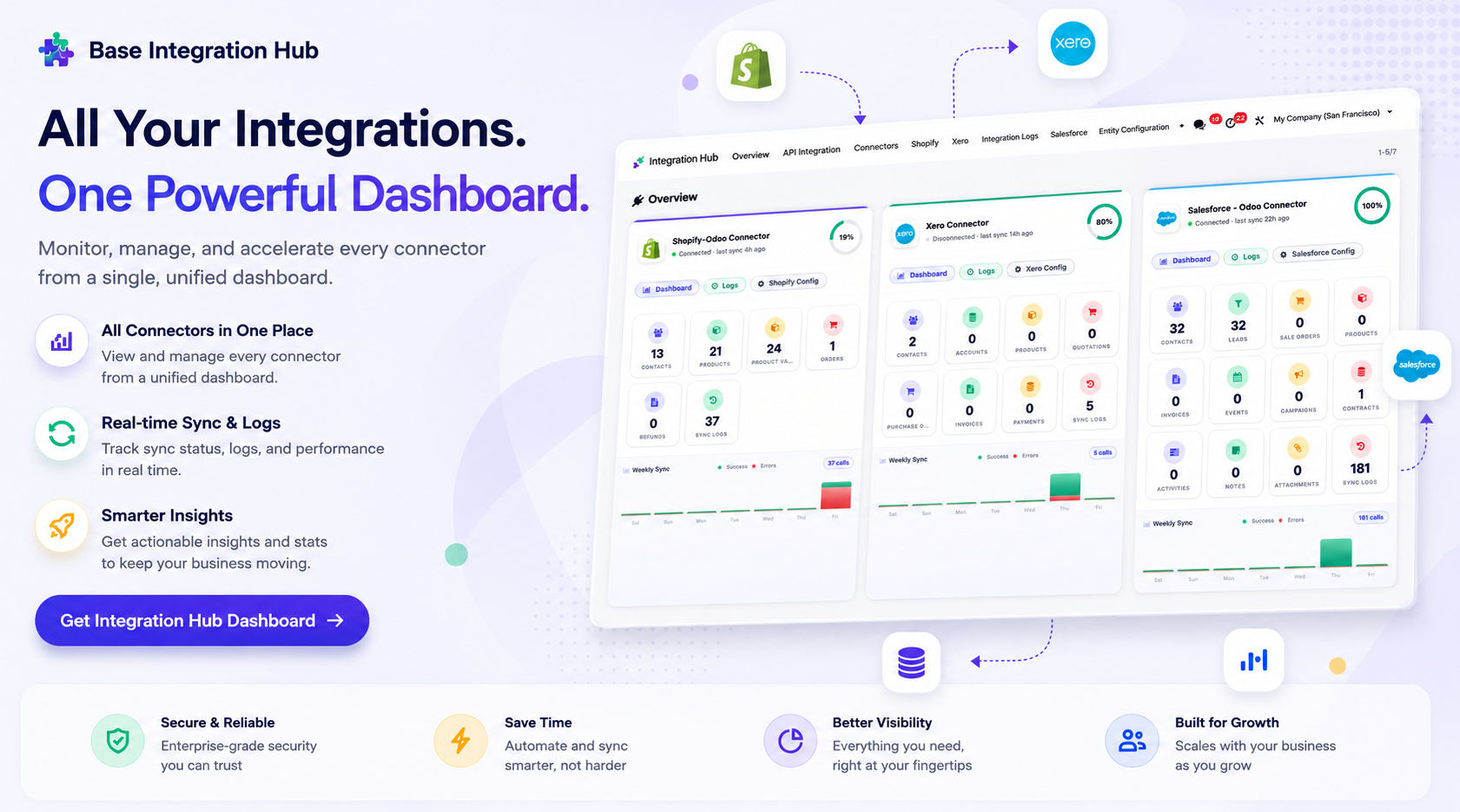
Centralized dashboard to manage and monitor all connectors from one place. Quickly access sync summary, activity logs, and configuration controls with improved visibility.
Version 18.0.2.0.0 | Released on : 25th August 2026
Version 18.0.1.0.0 | Released on : 23rd January 2026
- Yes, this app works perfectly with Odoo Enterprise (Odoo.sh & Premise) as well as Community.
- No, this application is not compatible with odoo.com(odoo saas/Odoo Online)
- Yes, to test this module, please contact us at sales@softhealer.com.
- Please contact us at sales@softhealer.comto request customization.
- Yes, we provide free lifetime support for the version you purchased.
- Yes, you will receive lifetime free updates for the version of the module you purchased.
- No, there is no need to install any additional libraries.
- Yes, for version 12 and above, you need to purchase the module separately for each version you intend to use.
- No, exchanges or refunds are not allowed. Please make sure to select the correct version before purchasing.
- You can contact us at support@softhealer.com for language translation support. We use Google Translator tools to provide translations in multiple languages, so the accuracy may vary. We welcome your suggestions to help improve translations.
Discover Our Latest Apps