











Google Merchant Center Integration with Odoo

Google Merchant Center Integration with Odoo allows you to connect your Odoo website directly with Google Merchant Center using secure OAuth2 credentials. The module supports multi-account management, feed configuration, and seamless product exports. The module also features automated synchronization via cron jobs. Additionally, comprehensive log records are stored inside Odoo to help you track and monitor the catalog synchronization process easily.

Related Modules
Features

Google Merchant Integration
Connect Odoo directly with Google Merchant Center using secure OAuth2 credentials.

Multi-Account Support
Fetch, select, and manage multiple Google Merchant accounts and sub-accounts with ease.
Flexible Feed Scope
Export all products, select specific categories, or manually pick individual products.

Manual Export Execution
Instantly export products to the Google Merchant Center with a manual sync action.

Automated Sync (Cron)
Enable scheduled cron-based refreshes to automatically keep Google feed up-to-date.

Comprehensive Sync Logs
Monitor and track synchronization status, logs, and errors directly inside Odoo.
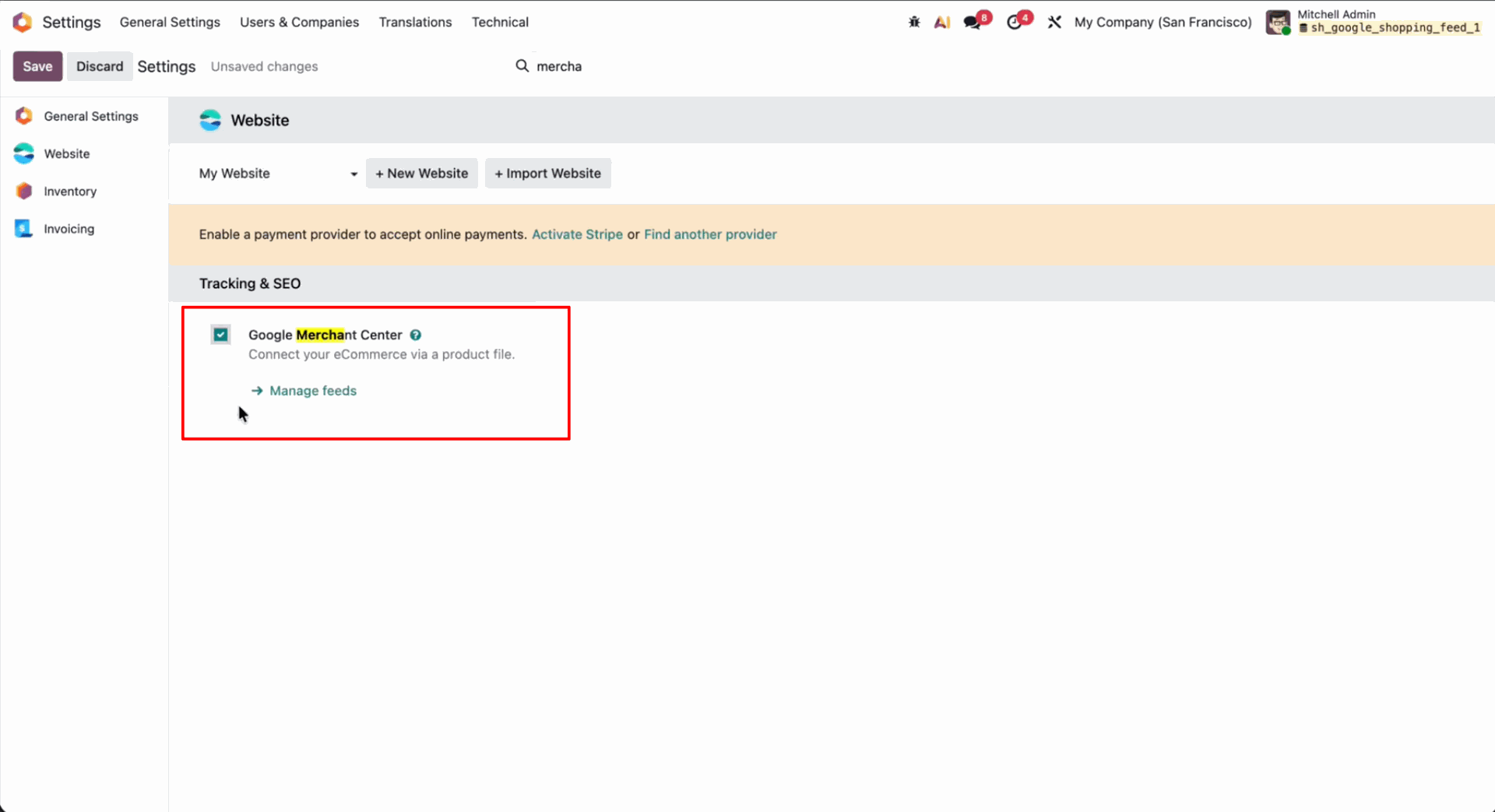
Enable Google Merchant Center and select Manage feeds under Tracking & SEO website settings.
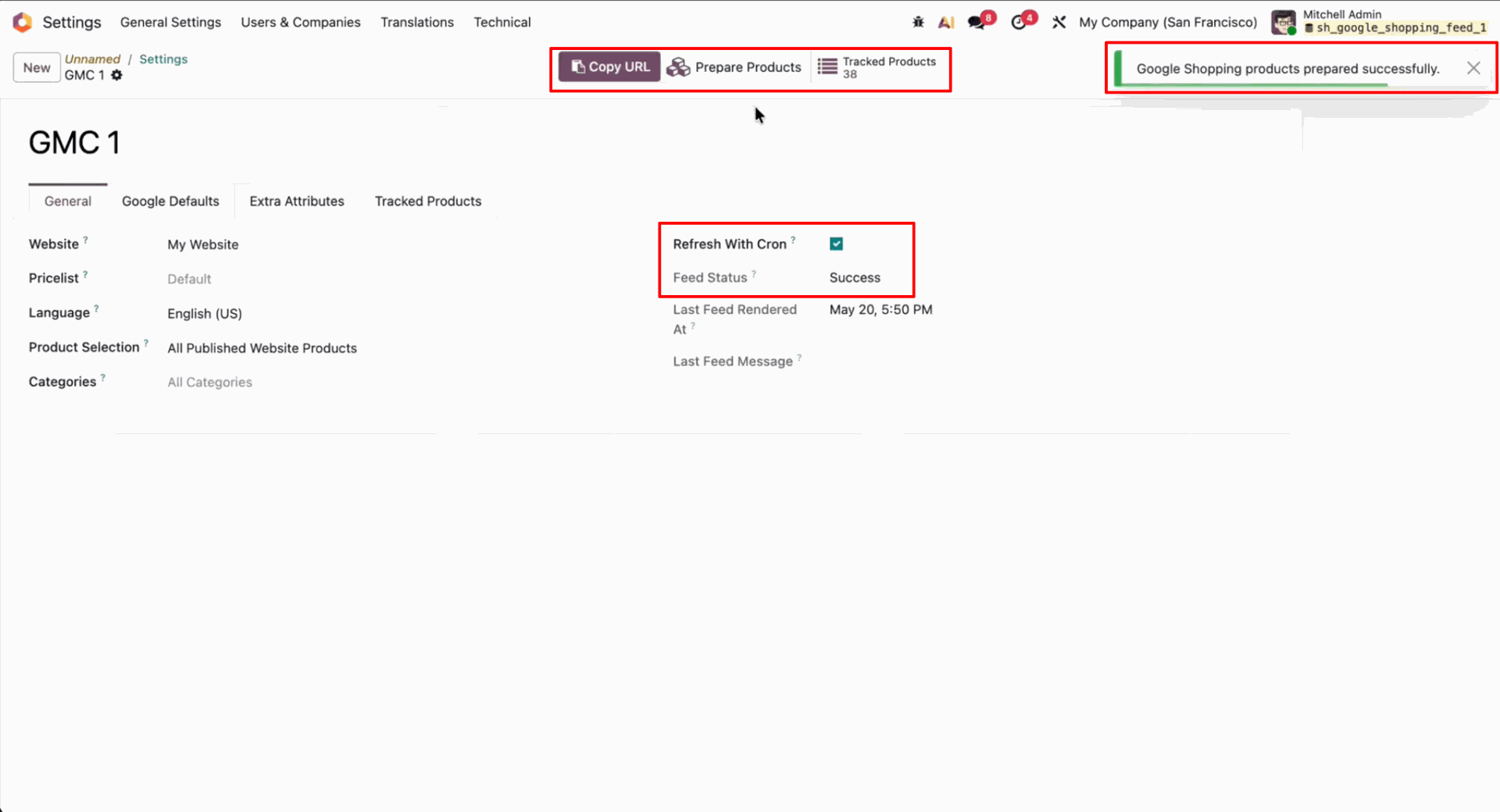
Enable Refresh With Cron and press Prepare Products to generate the Google Shopping product feed.
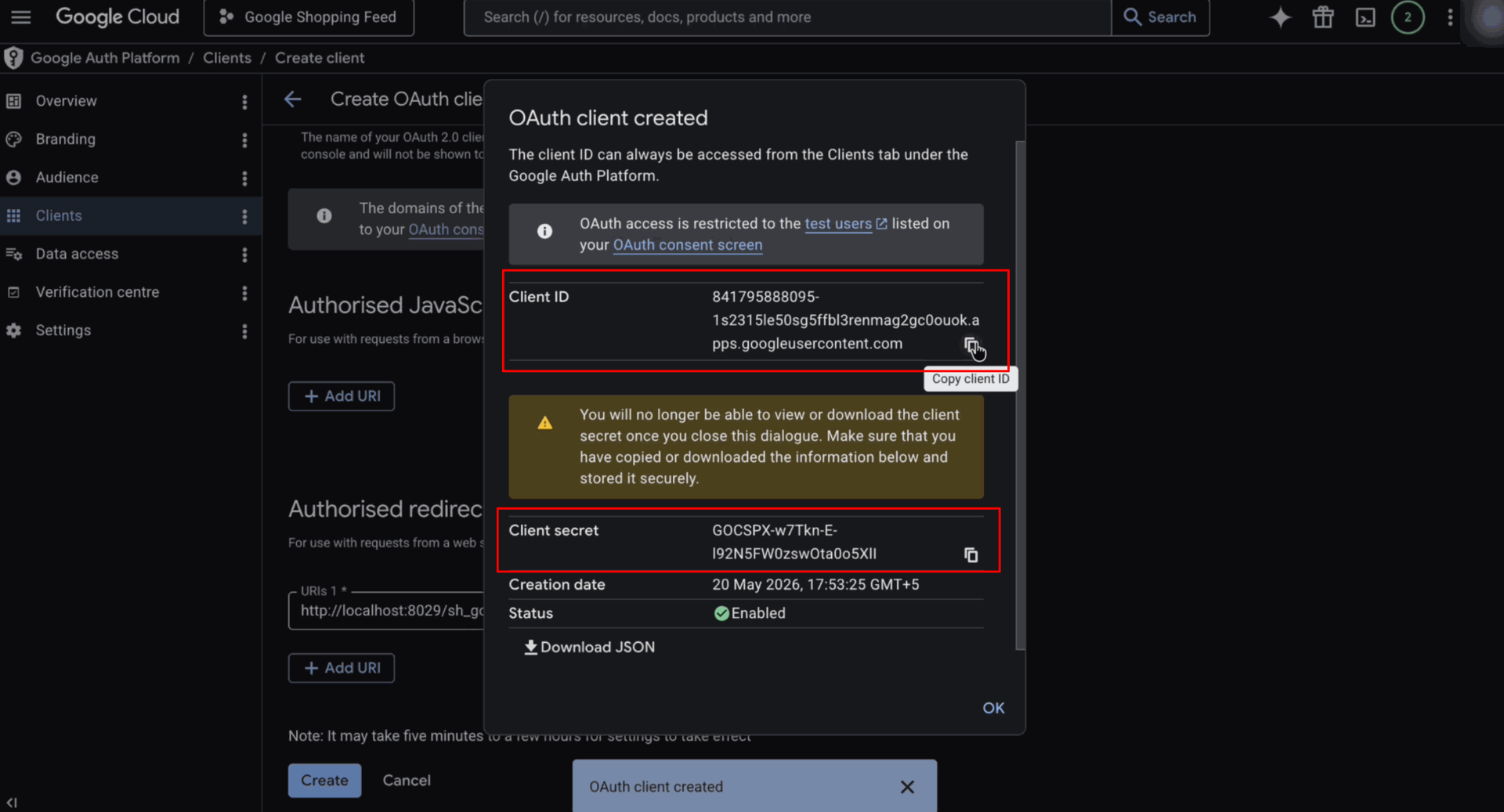
Displays the created Google Cloud OAuth client credentials containing Client ID and Client Secret.
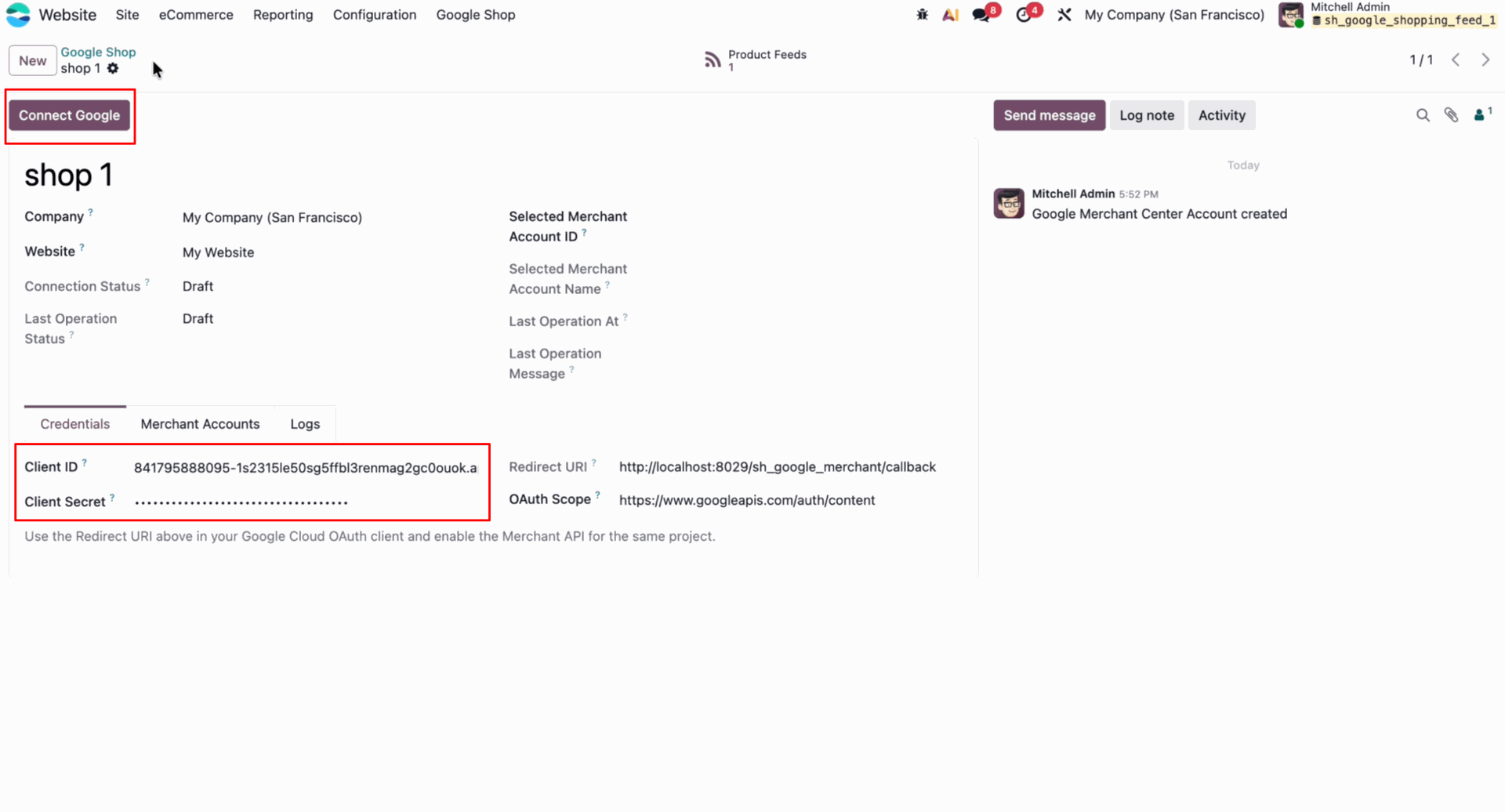
Press Connect Google to authorize your Odoo store connection with Google Merchant Center.
Press Test Connection to verify and confirm the active connection state with Google Merchant.
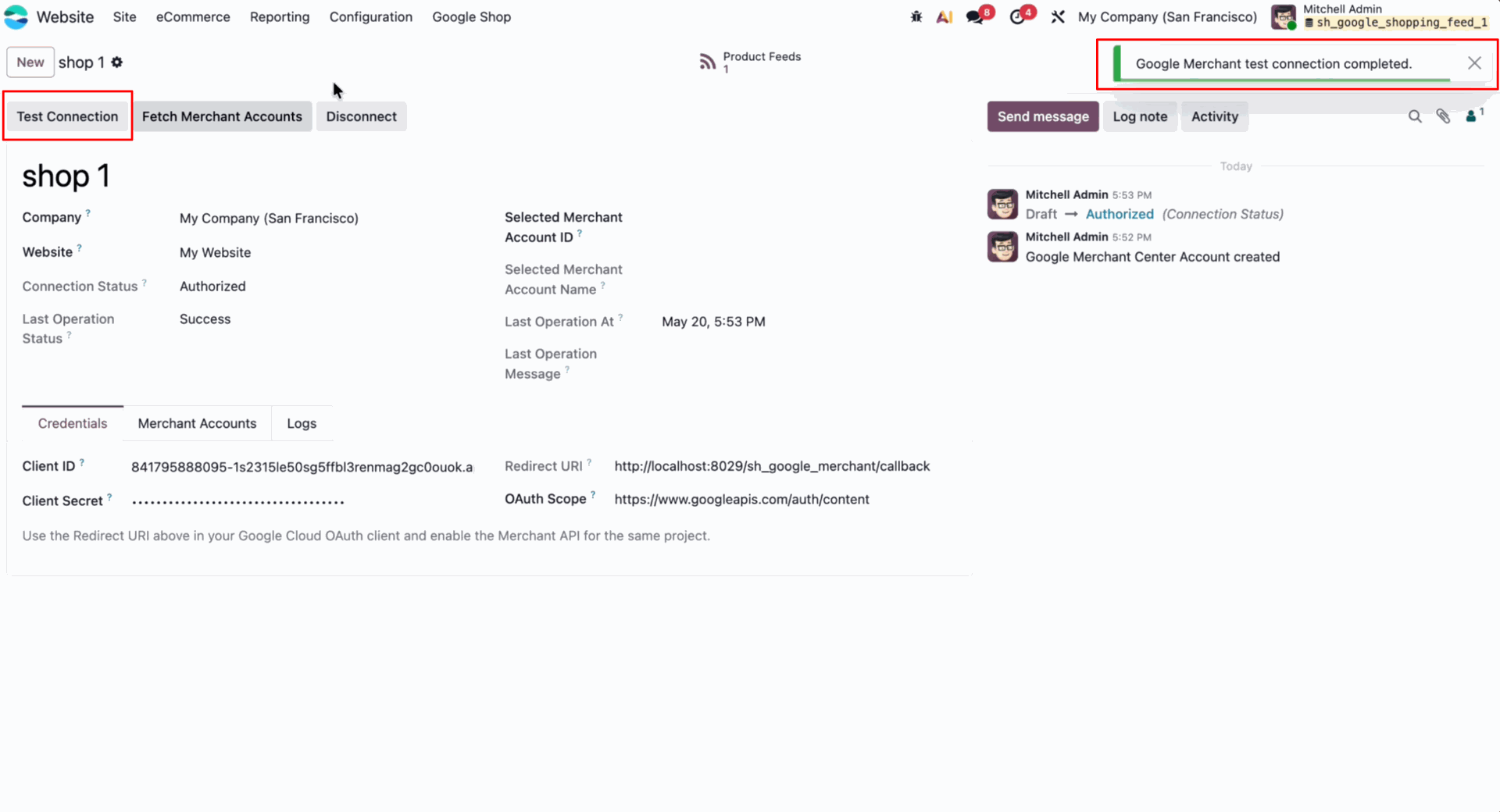
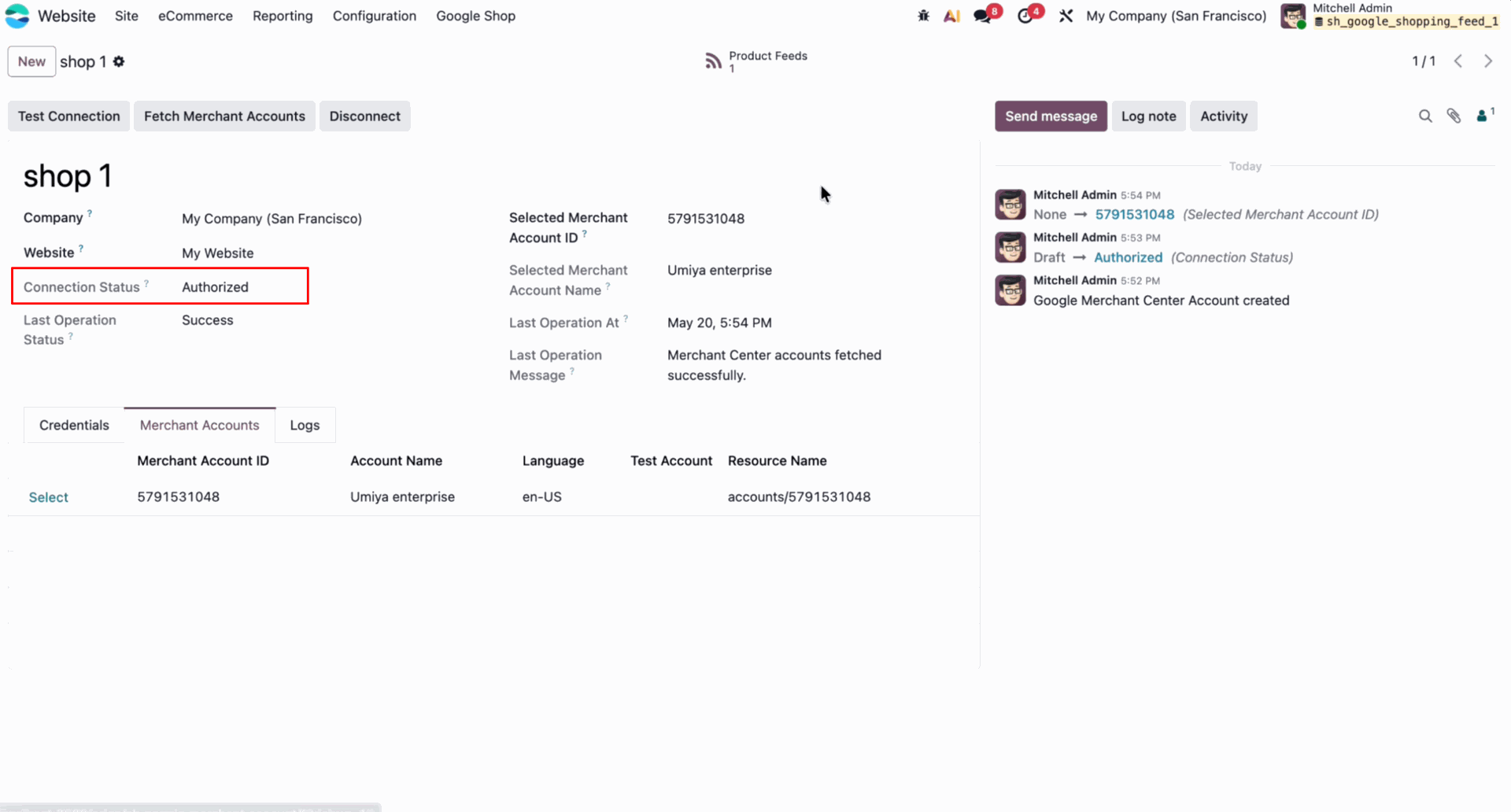
Displays the active connection status after successfully authorizing Odoo with Google Merchant.
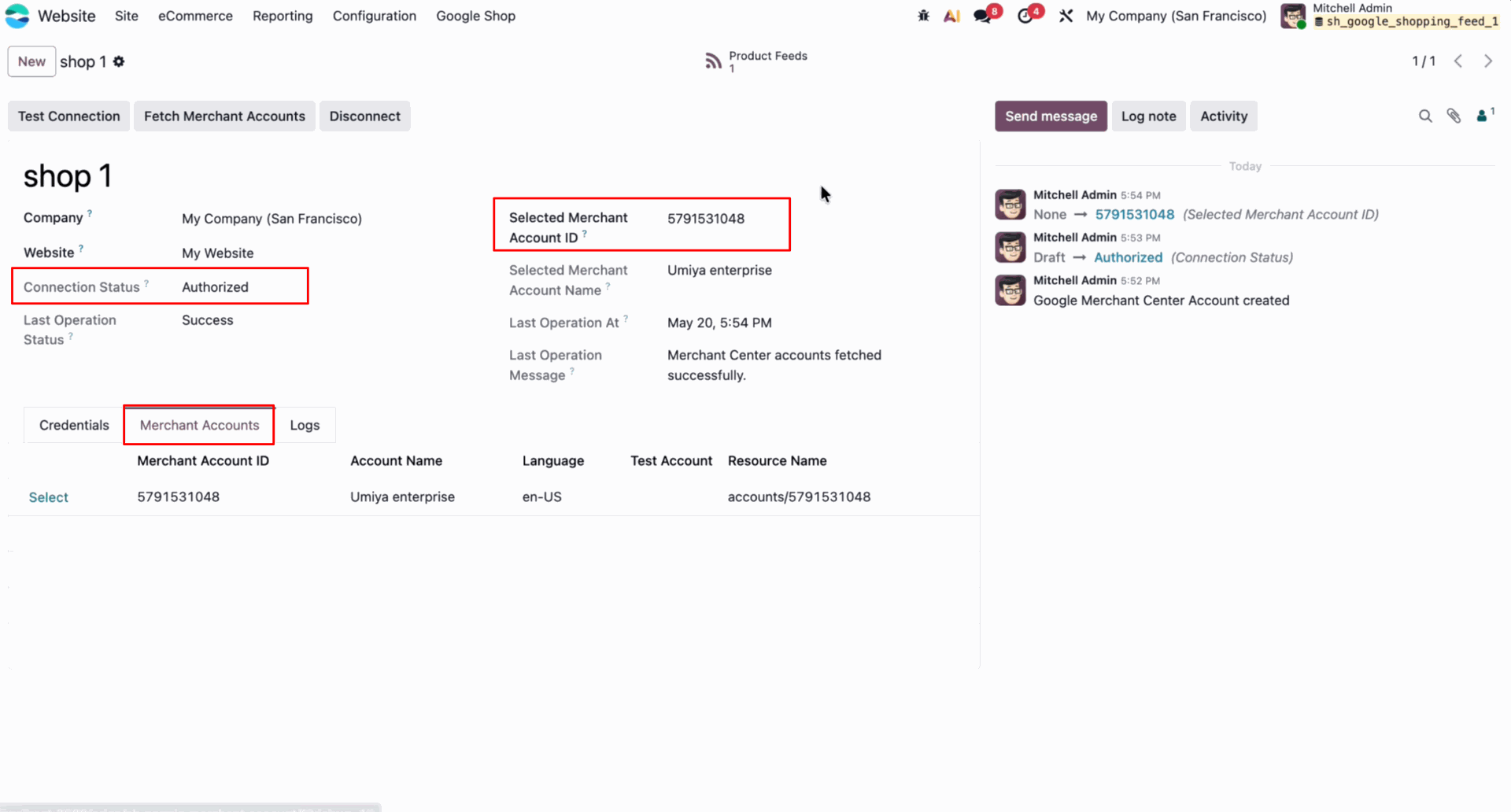
Displays the selected Google Merchant Center sub-account ID linked to the current shop configuration.
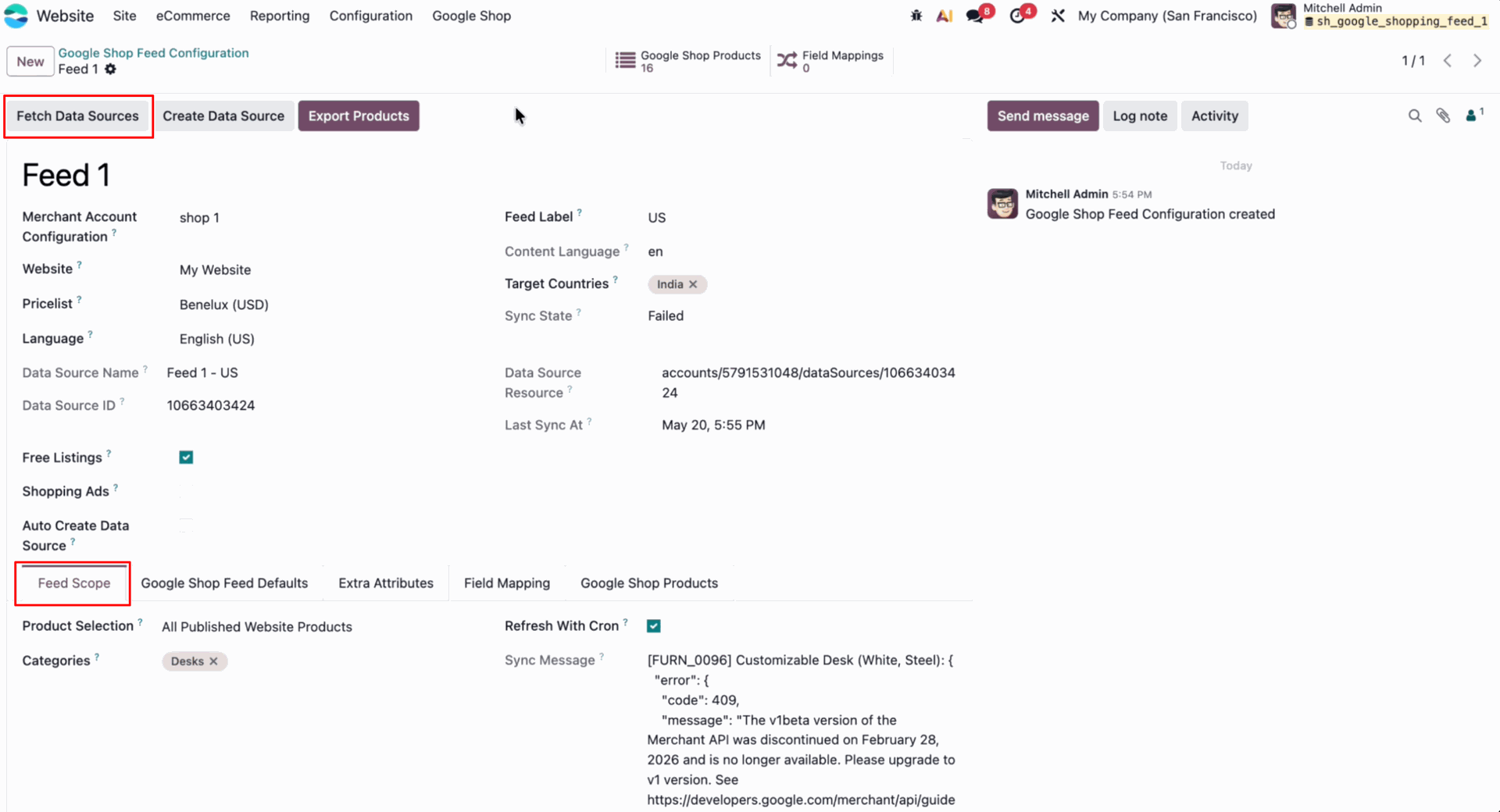
Press Fetch Data Sources to retrieve available Google feed configurations and display sync message.
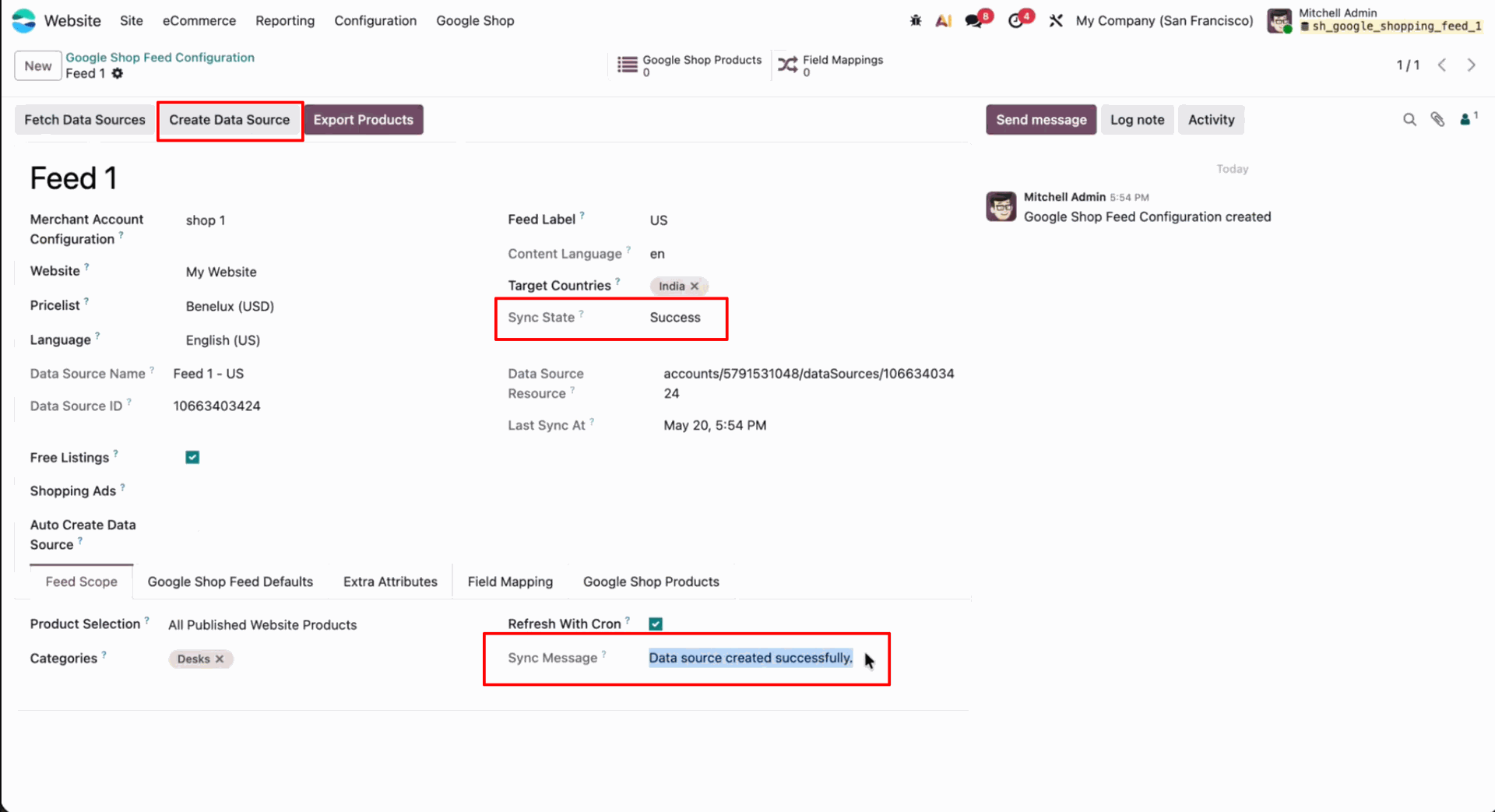
Press Create Data Source and verify success state.
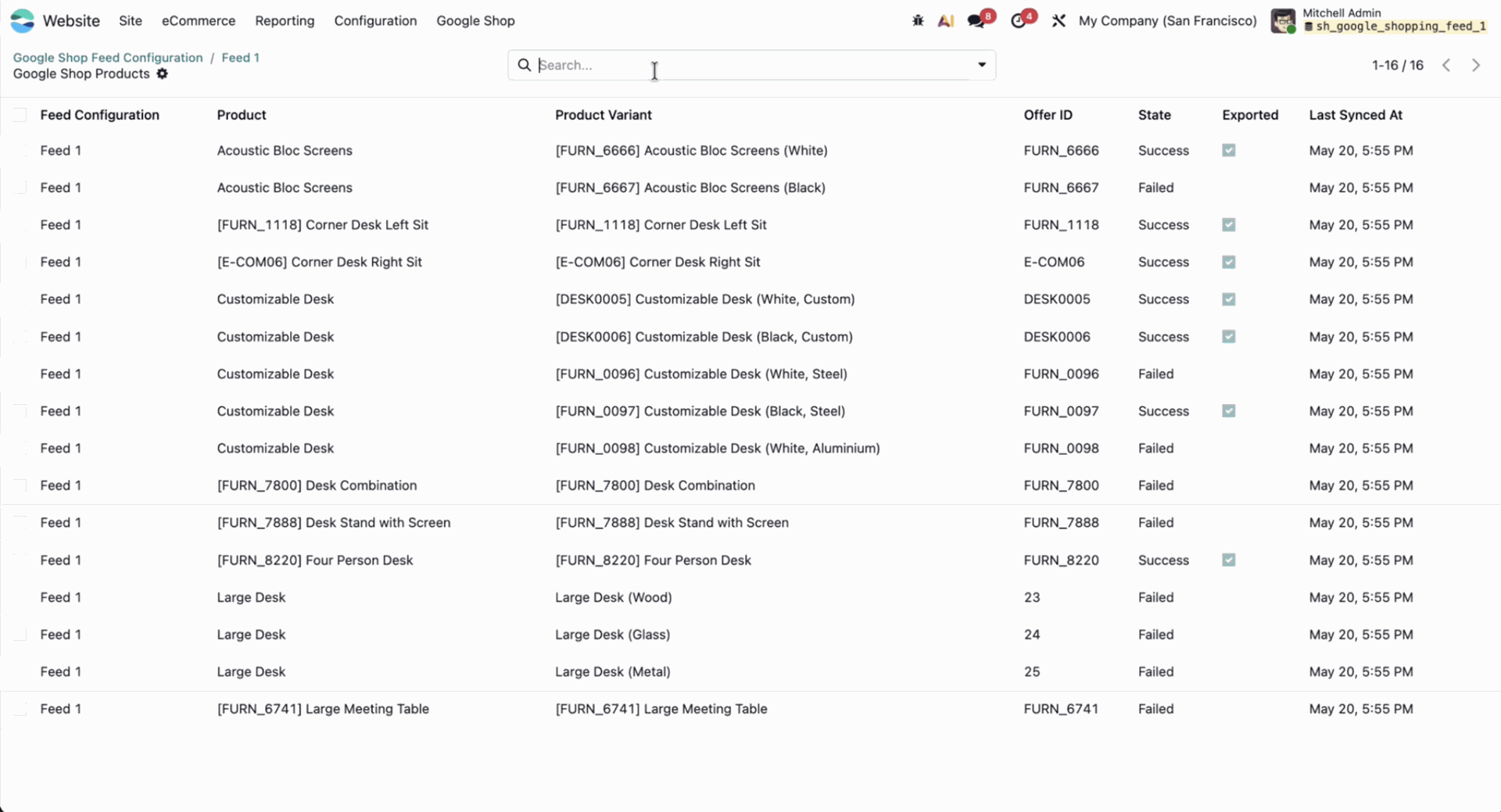
Displays the list of Google Shop products with variant names, offer IDs, and sync states.
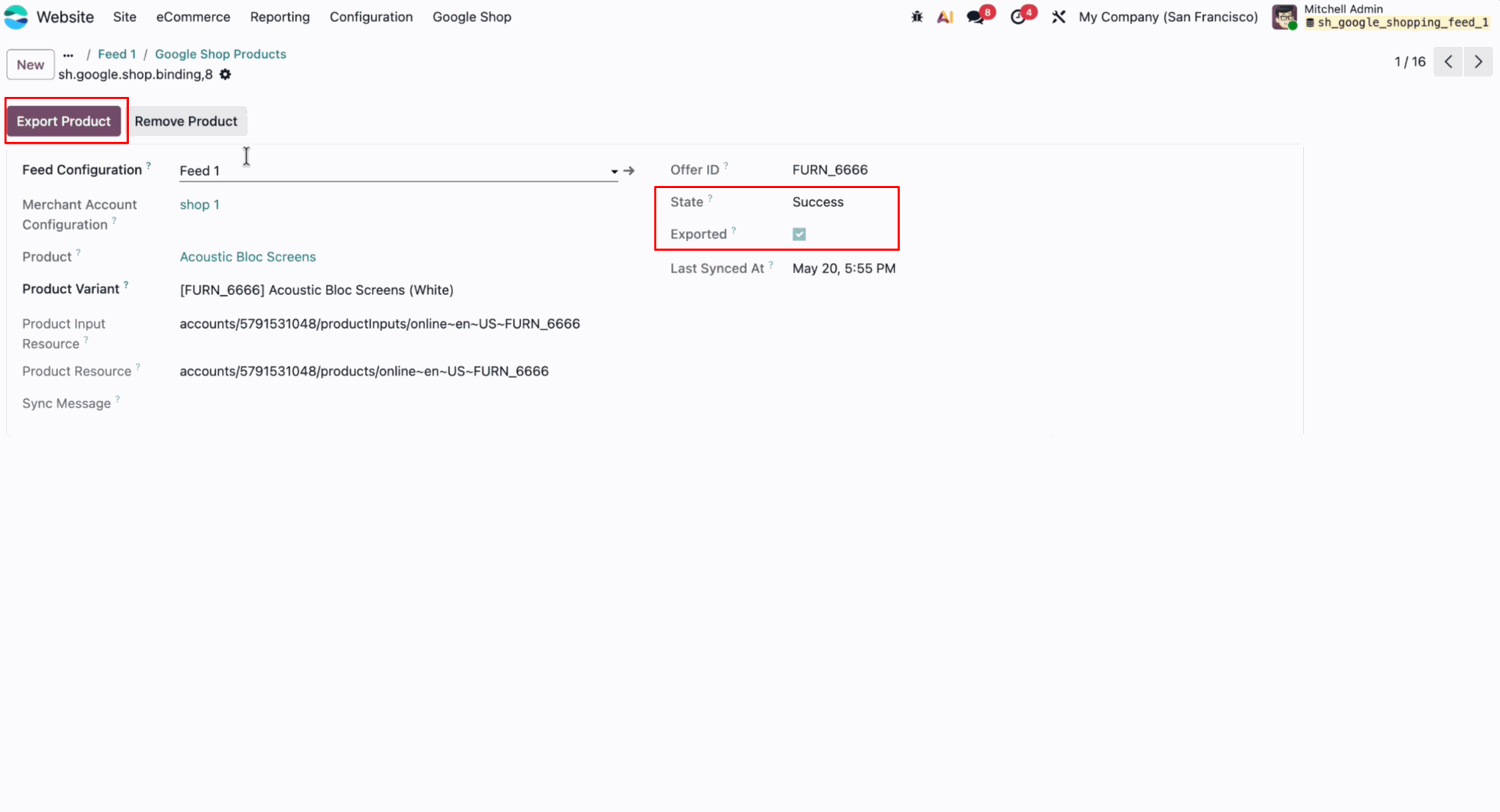
Press Export Product to synchronize the specific variant data with Google Merchant Center.
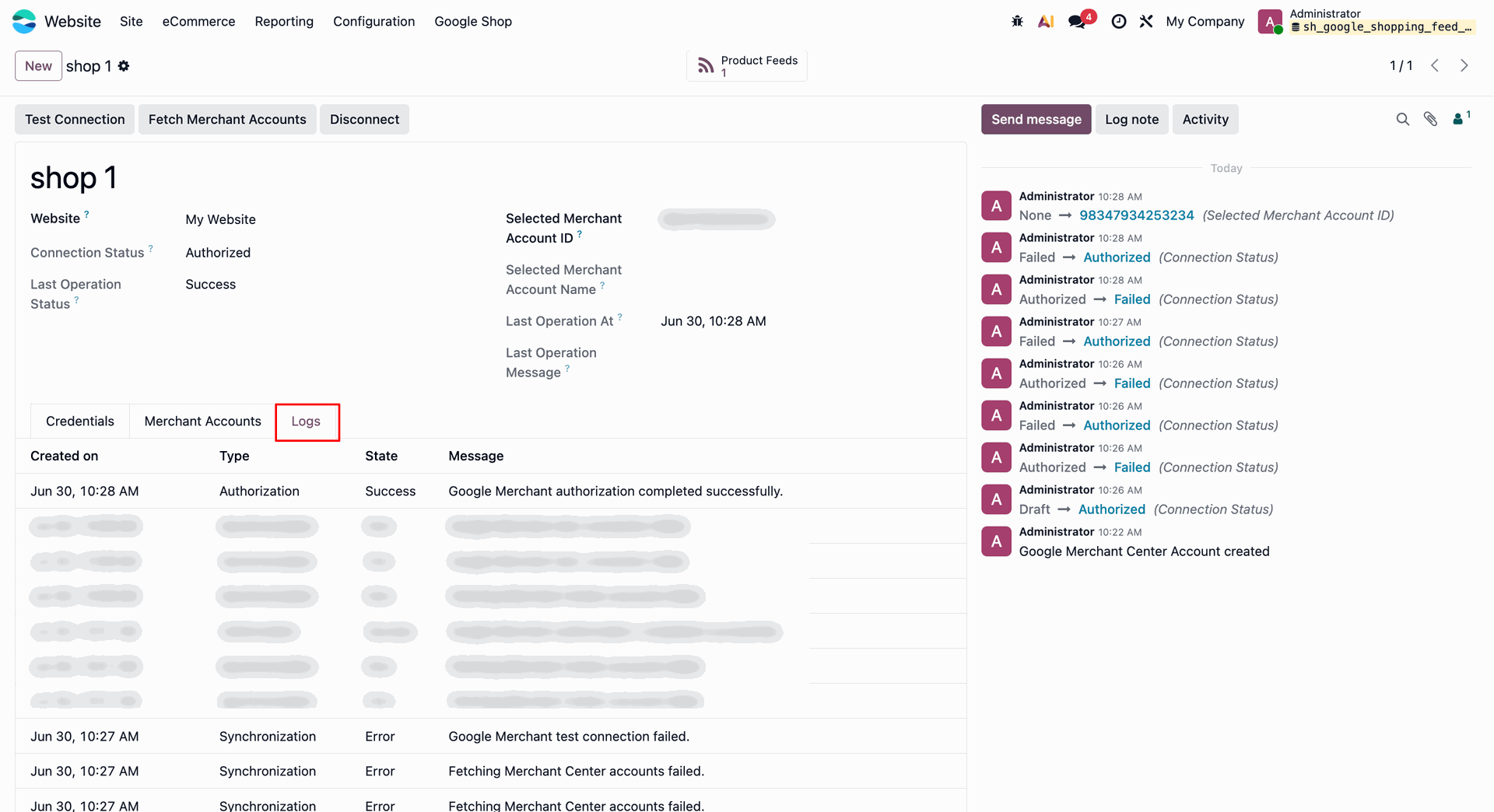
Displays the Google Shop logs tab containing connection logs, operation types, and messages.
Enable Google Shop on the product template.
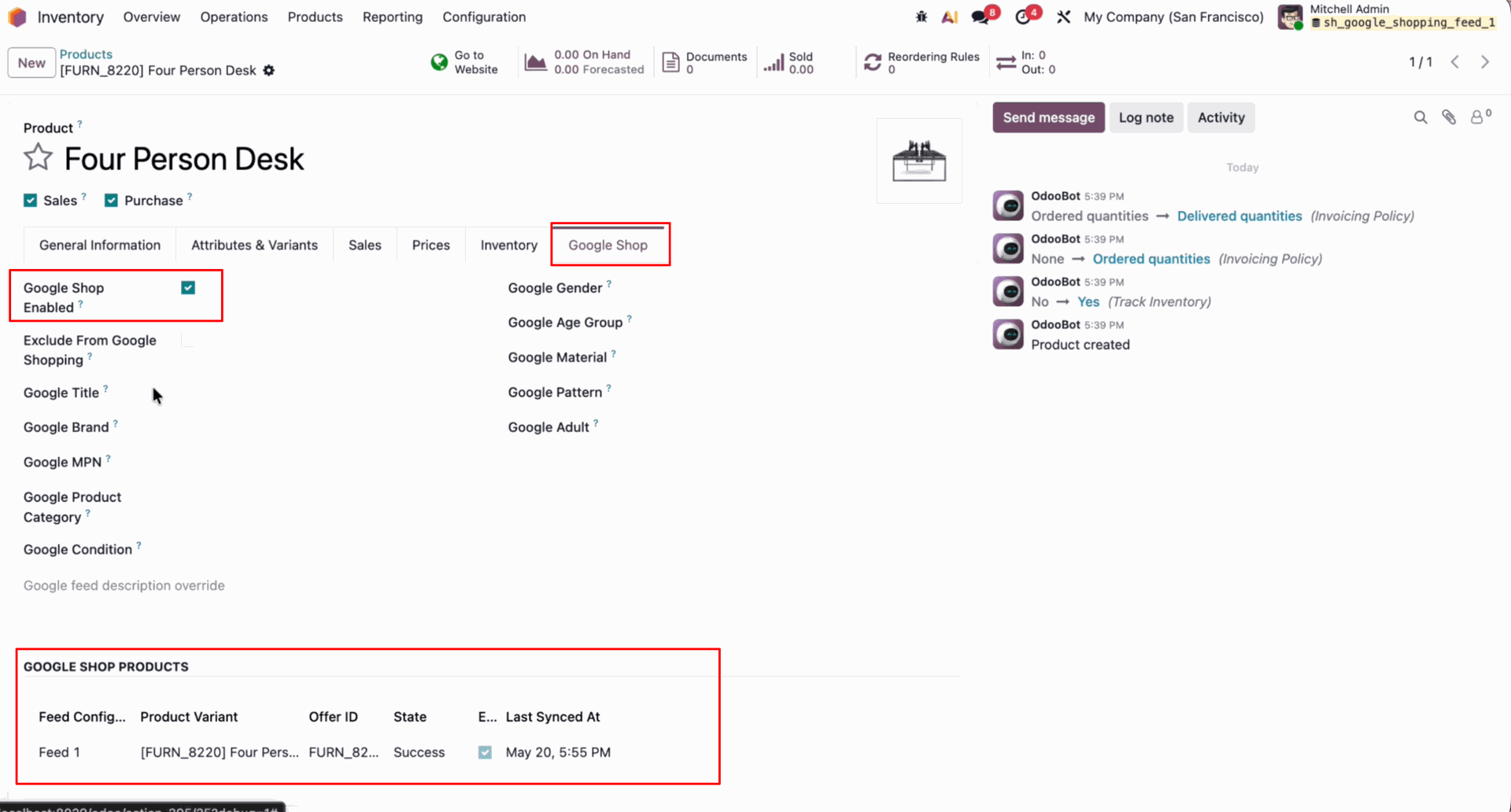
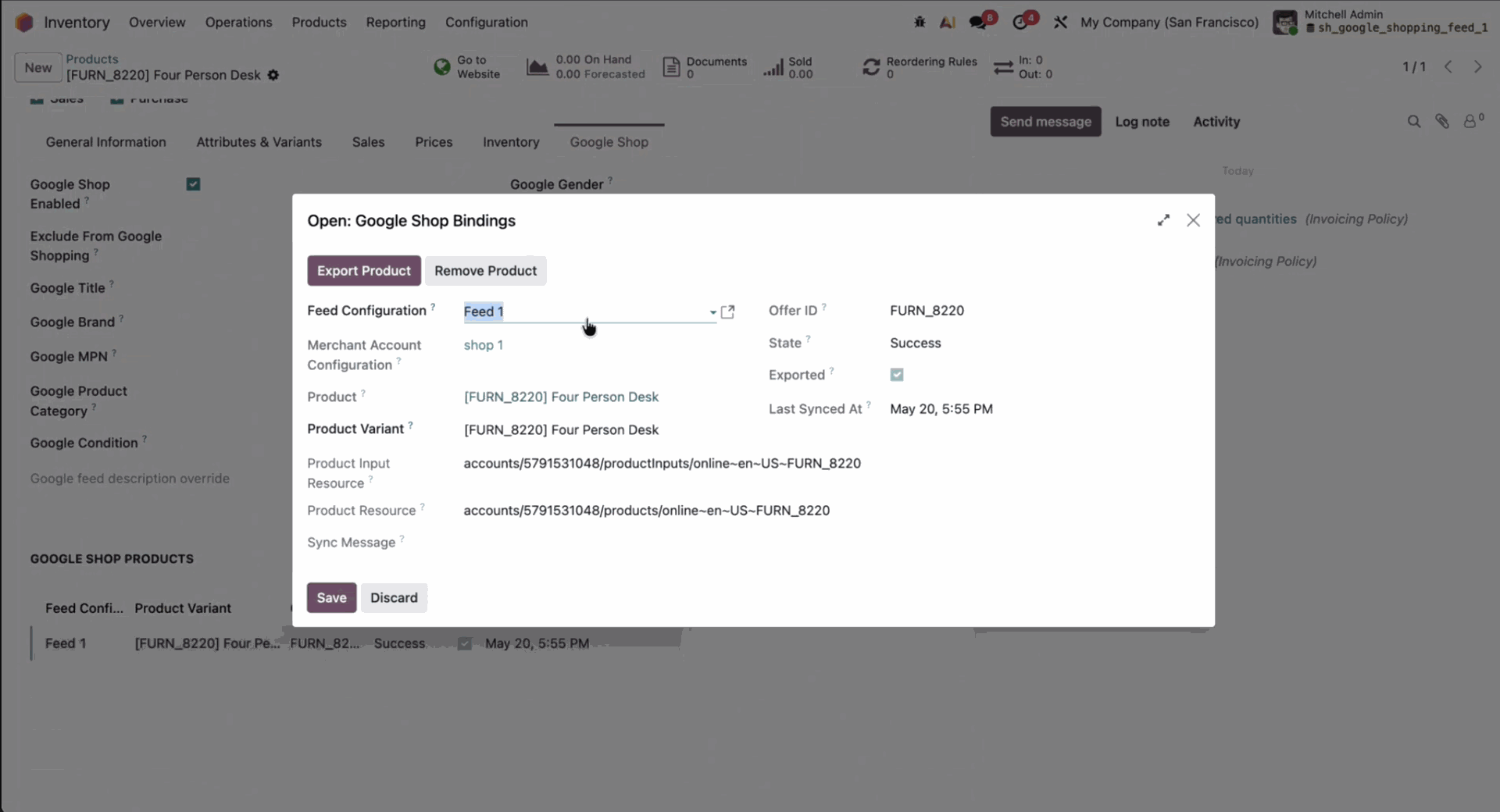
Displays the Google Shop Bindings wizard to review specific product variant sync configurations.
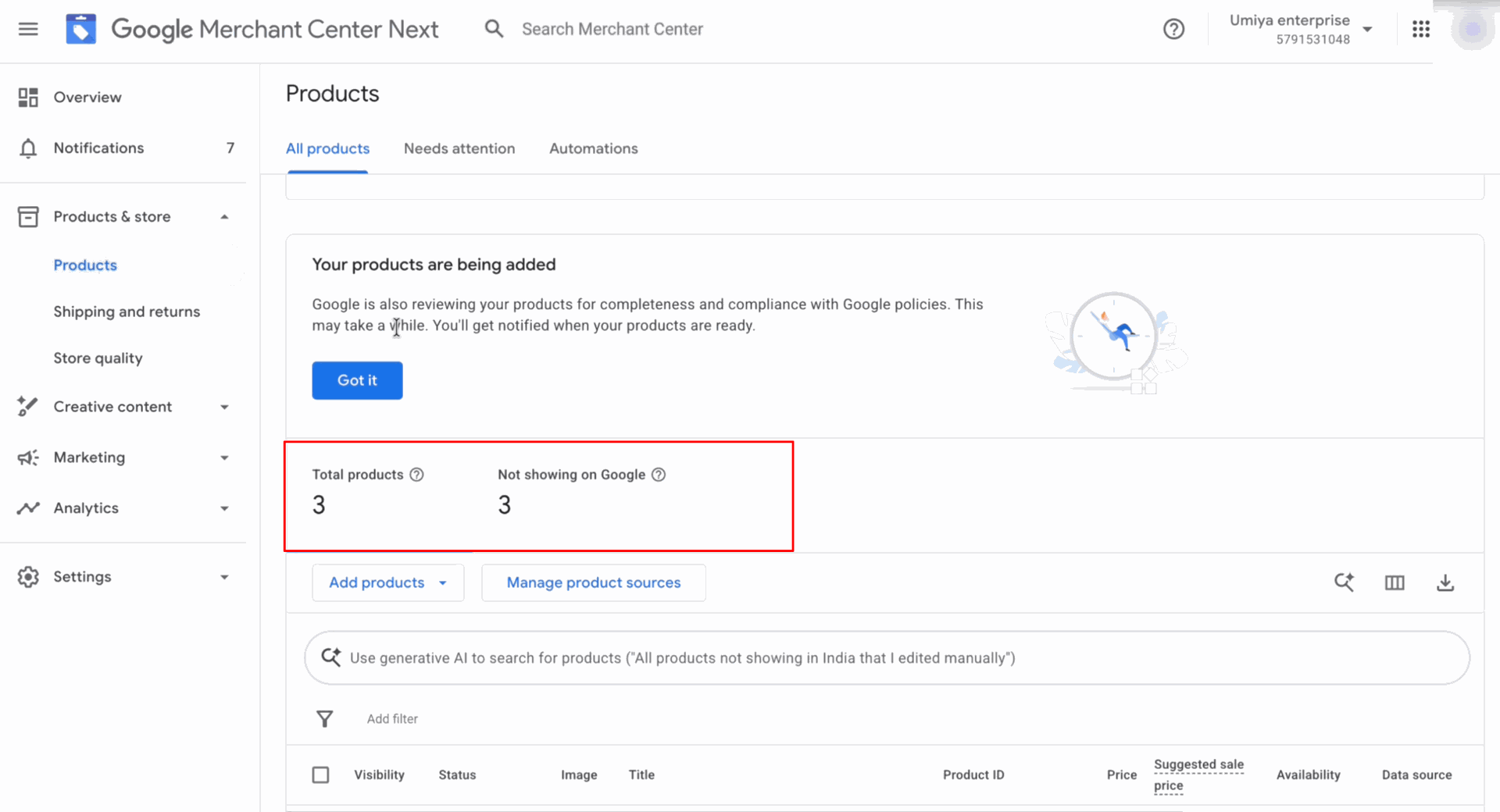
Displays the synchronized product totals and review status metrics inside Google Merchant Center Next.
Version 19.0.1.0.0 | Released on : 03rd July 2026
- Yes, this app works perfectly with Odoo Enterprise (Odoo.sh & Premise) as well as Community.
- No, this application is not compatible with odoo.com(odoo saas/Odoo Online)
- Yes, to test this module, please contact us at sales@softhealer.com.
- Please contact us at sales@softhealer.com to request customization.
- Yes, we provide free support for 365 days from the date of purchase.
- Yes, you will receive lifetime free updates for the version of the module you purchased.
- No, there is no need to install any additional libraries.
- Yes, for version 12 and above, you need to purchase the module separately for each version you intend to use.
- No, exchanges or refunds are not allowed. Please make sure to select the correct version before purchasing.
- You can contact us at support@softhealer.com for language translation support. We use Google Translator tools to provide translations in multiple languages, so the accuracy may vary. We welcome your suggestions to help improve translations.
Discover Our Latest Apps