










Google Drive Odoo Integration - Enterprise Edition

Google Drive Odoo Integration is an essential Odoo application that bridges the gap between Odoo and Google Drive. It allows seamless, automated synchronization of documents and folders. With dynamic folder rules, your team can manage files effortlessly while keeping your Odoo storage optimized and organized.

Features
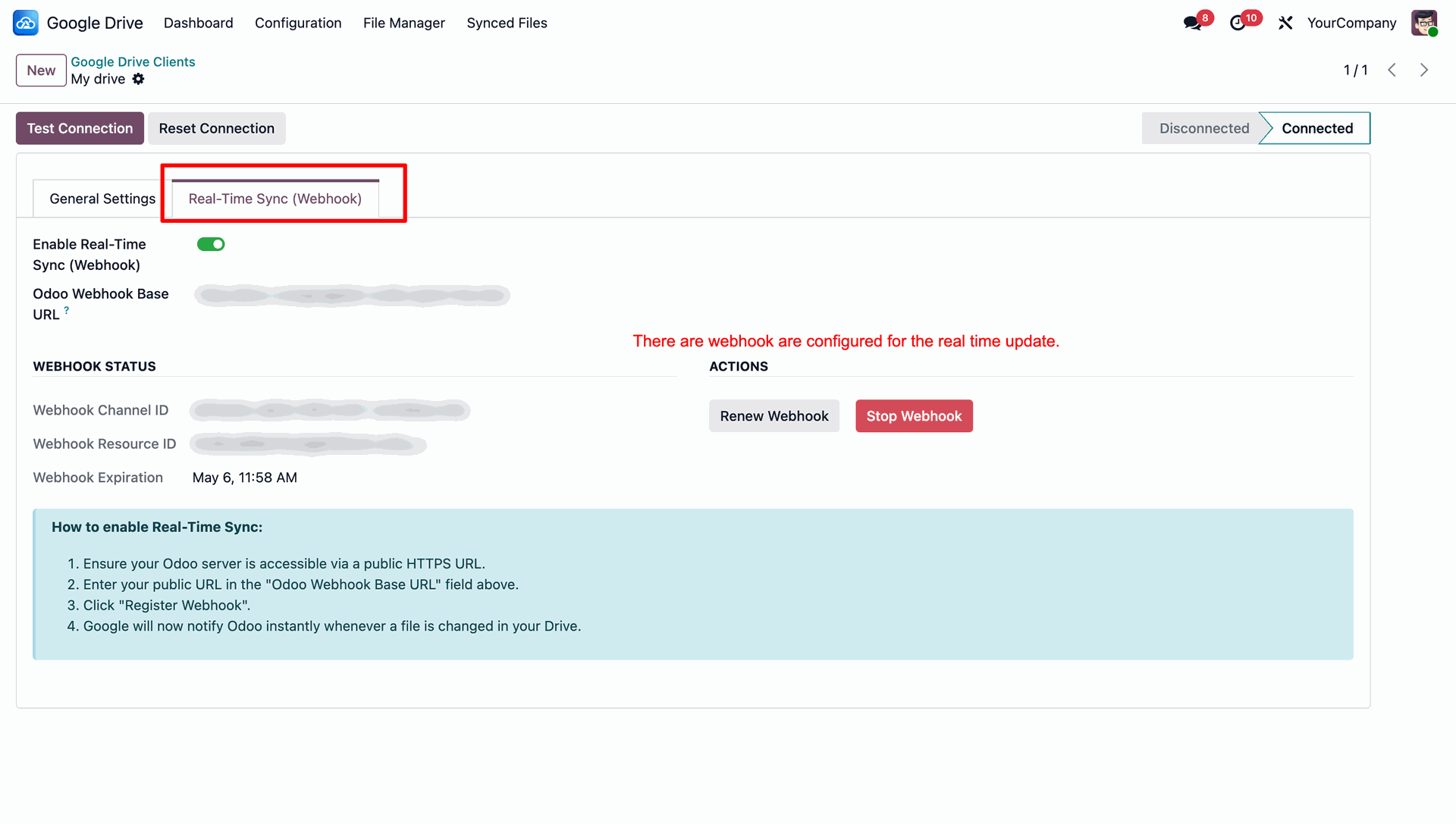
Real-Time Synchronization
Sync Odoo documents and folders with Google Drive in real-time. ensuring files remain up to date across both platforms.
Bi-Directional Synchronization
Supports seamless two-way synchronization between Odoo and Google Drive for documents and folders.

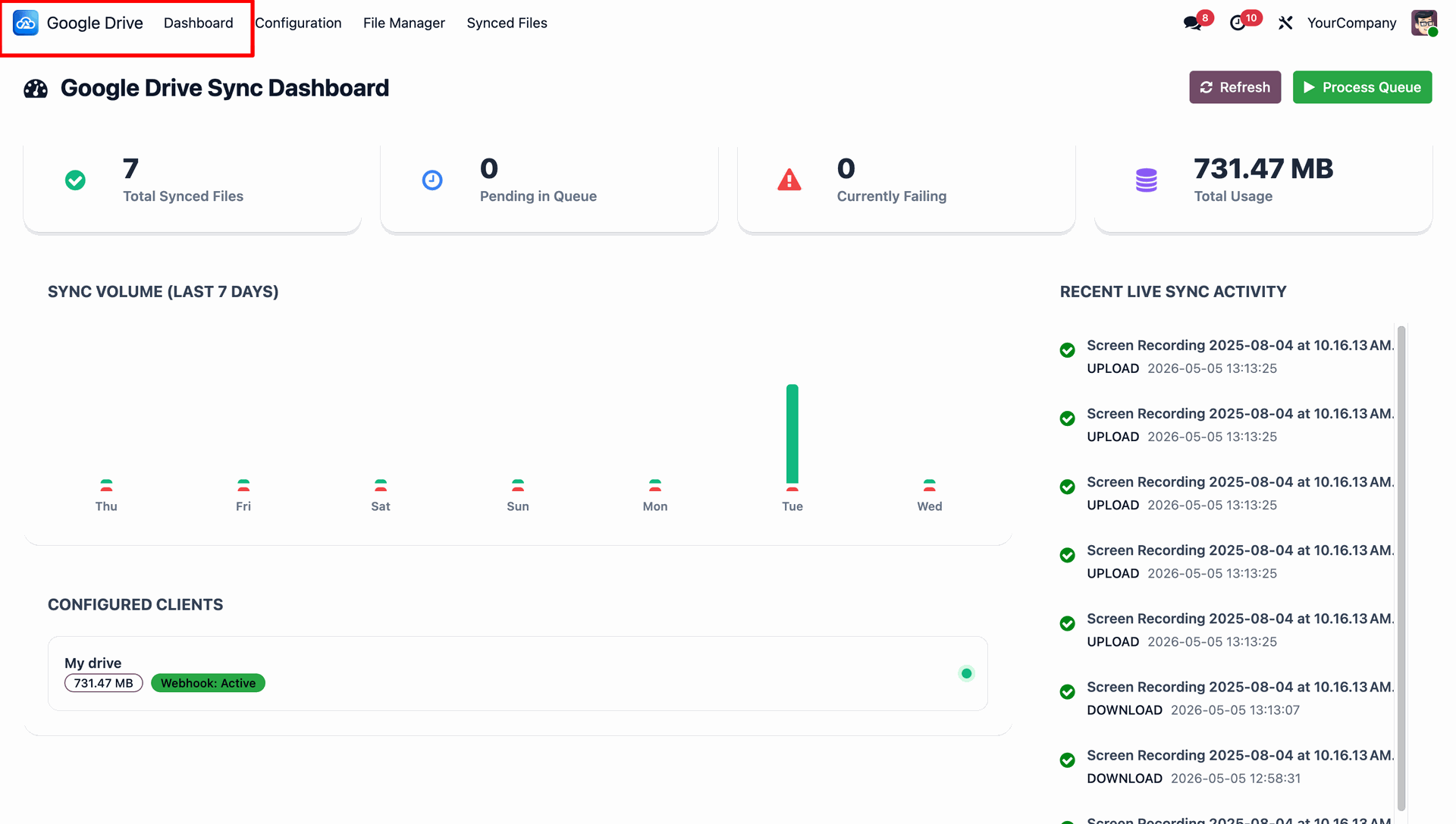
Google Drive Sync Dashboard
Interactive dashboard to track storage usage, synchronization history, and manage Google Drive settings.

Automated Cron Jobs
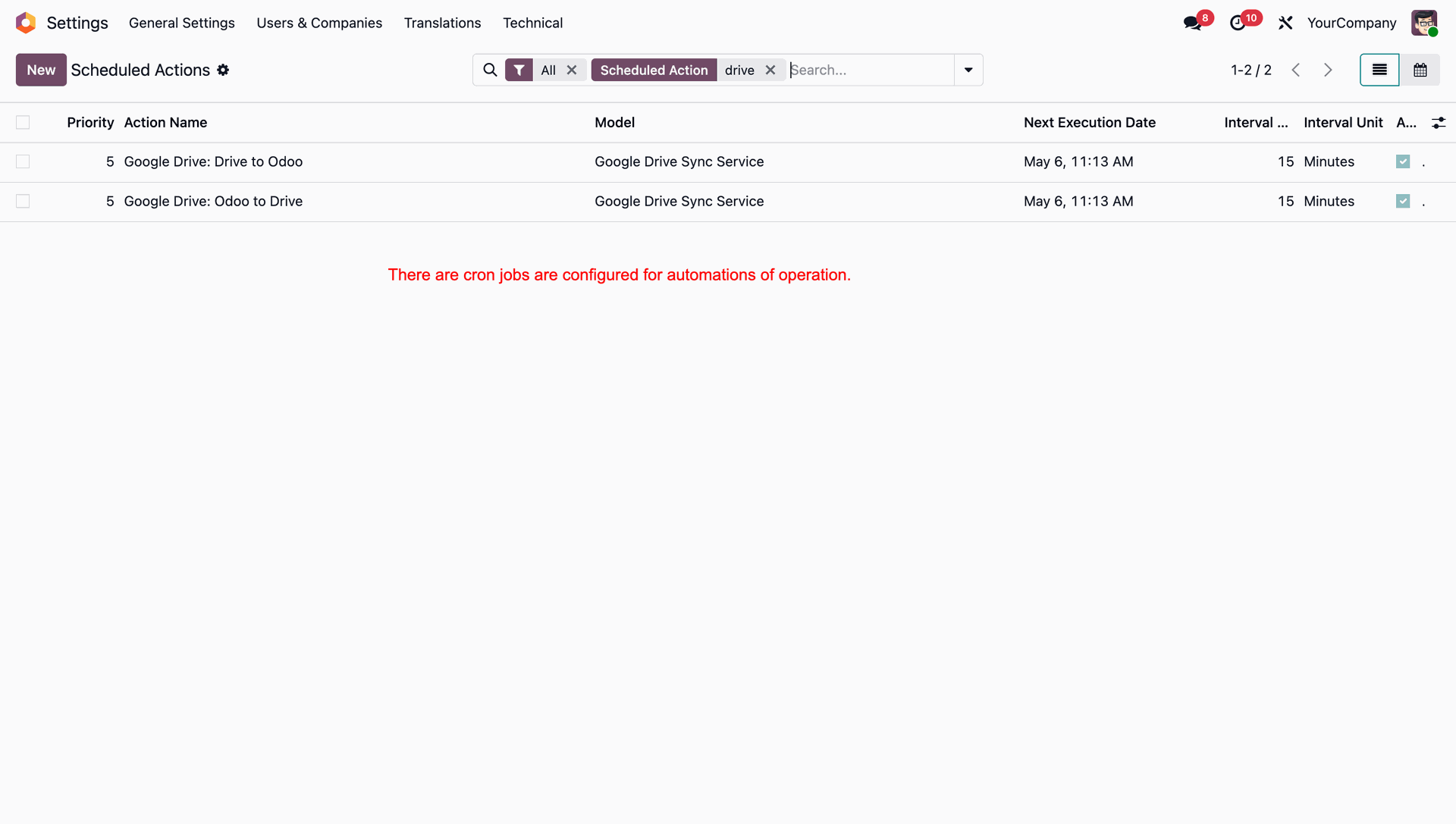
Set up scheduled cron jobs for automatic synchronization of large volumes of documents in the background.

Folder Rules & Policies
Create specific folder mapping rules based on different Odoo models and records.
Sync History Tracking
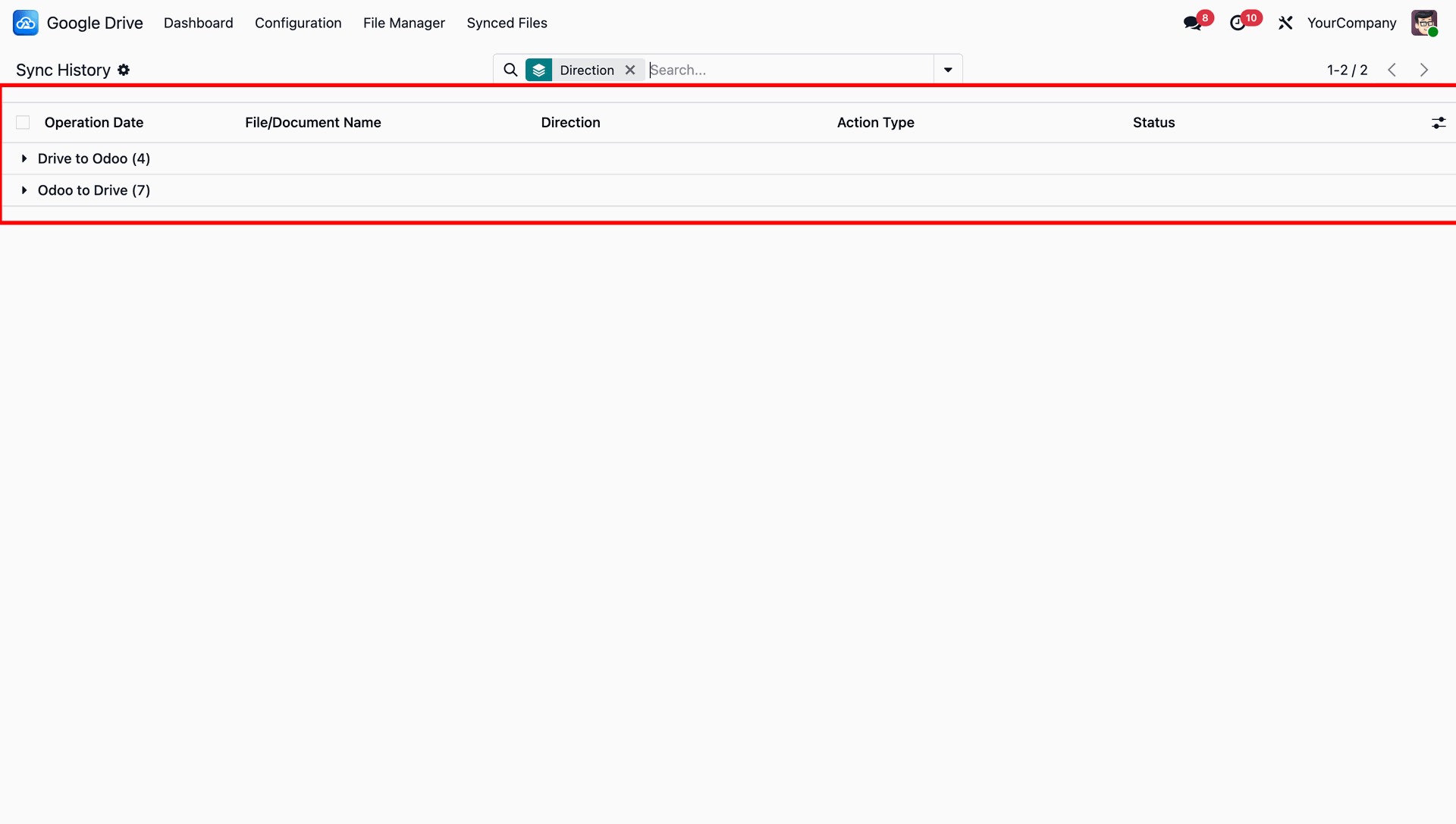
Maintain a complete history of all Google Drive and Odoo synchronization activities with detailed direction status and action logs.
Maximum File Size Control
Define a maximum file size limit for uploads to Google Drive and automatically restrict files that exceed the limit.
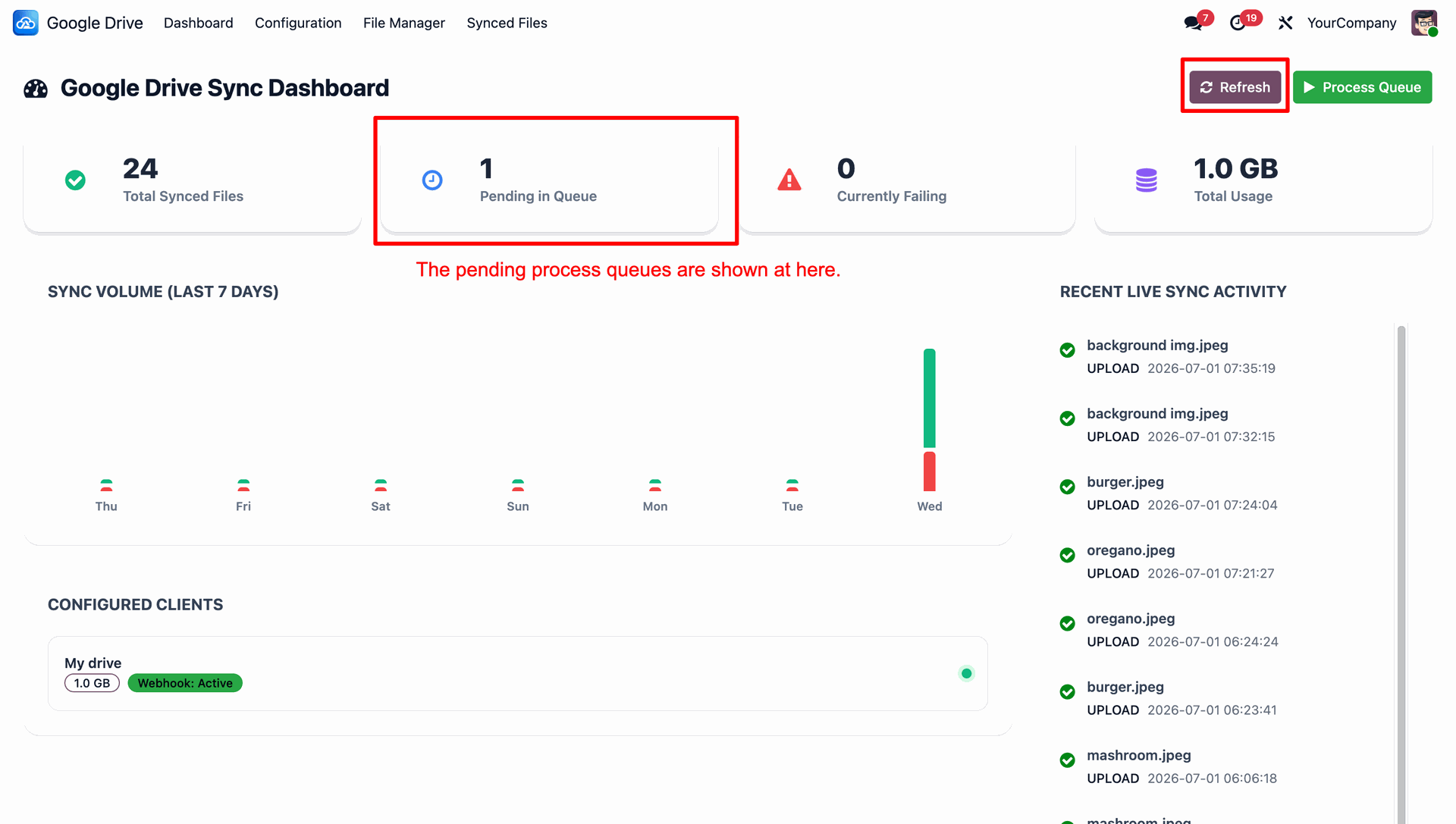
The Google Drive Sync Dashboard provides a comprehensive overview, displaying total synced files, pending items, failed syncs, storage usage, and recent live sync activity.
Clicking on a 'Pending Queue' card opens its list view.
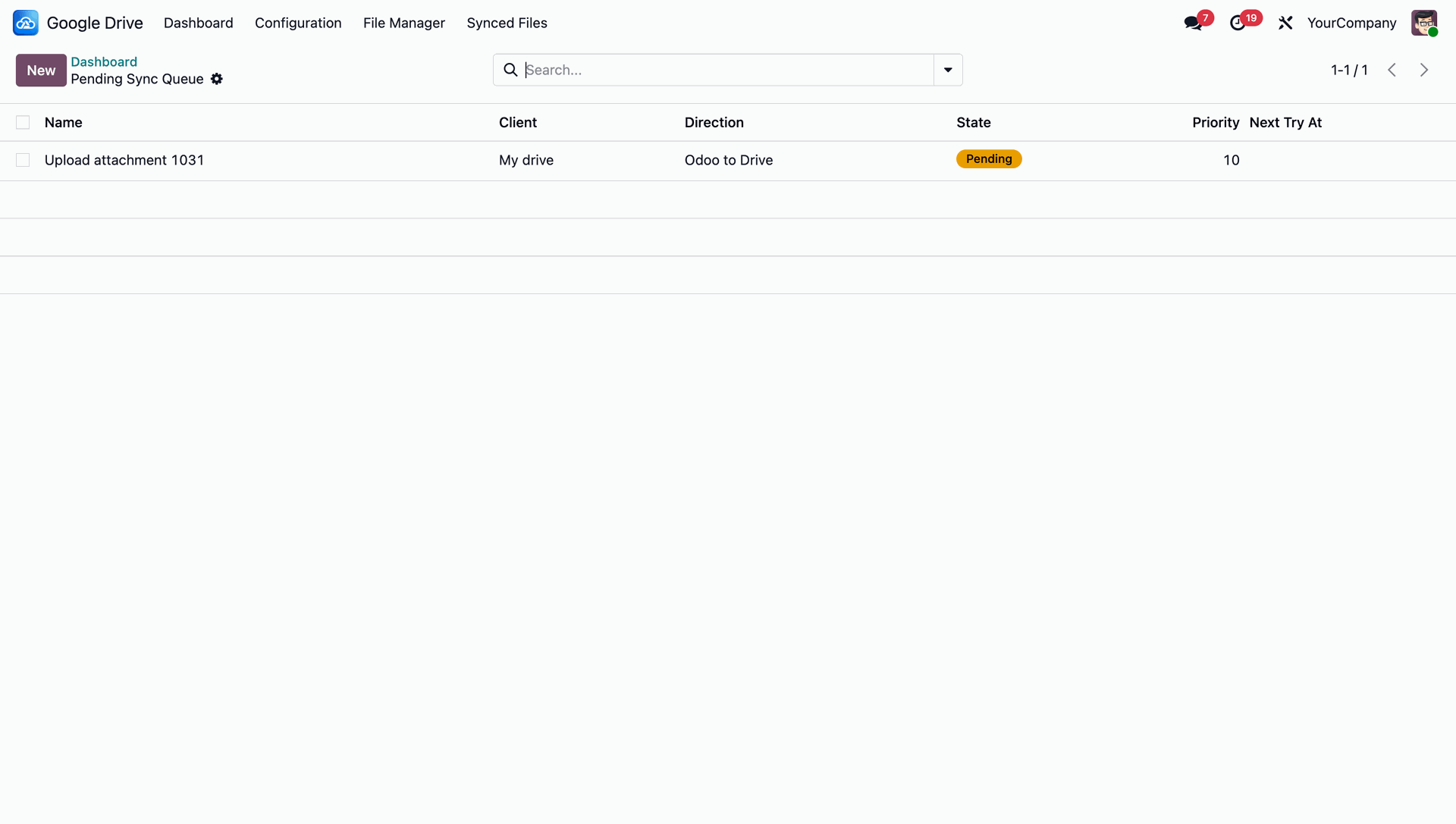
List view with details.
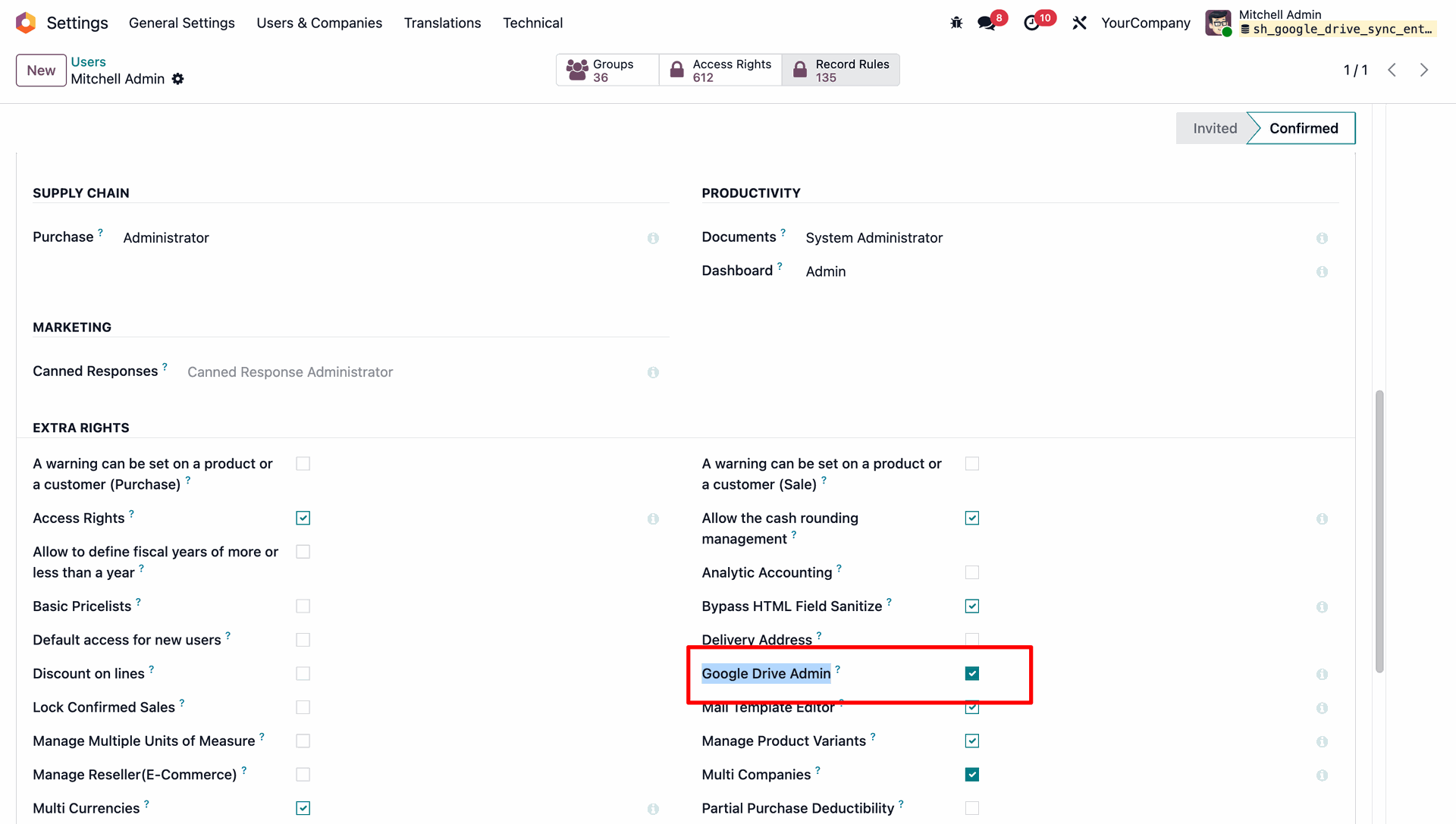
Under Settings, you can easily enable the 'Google Drive Admin' access right to configure and manage the Google Drive synchronization features.
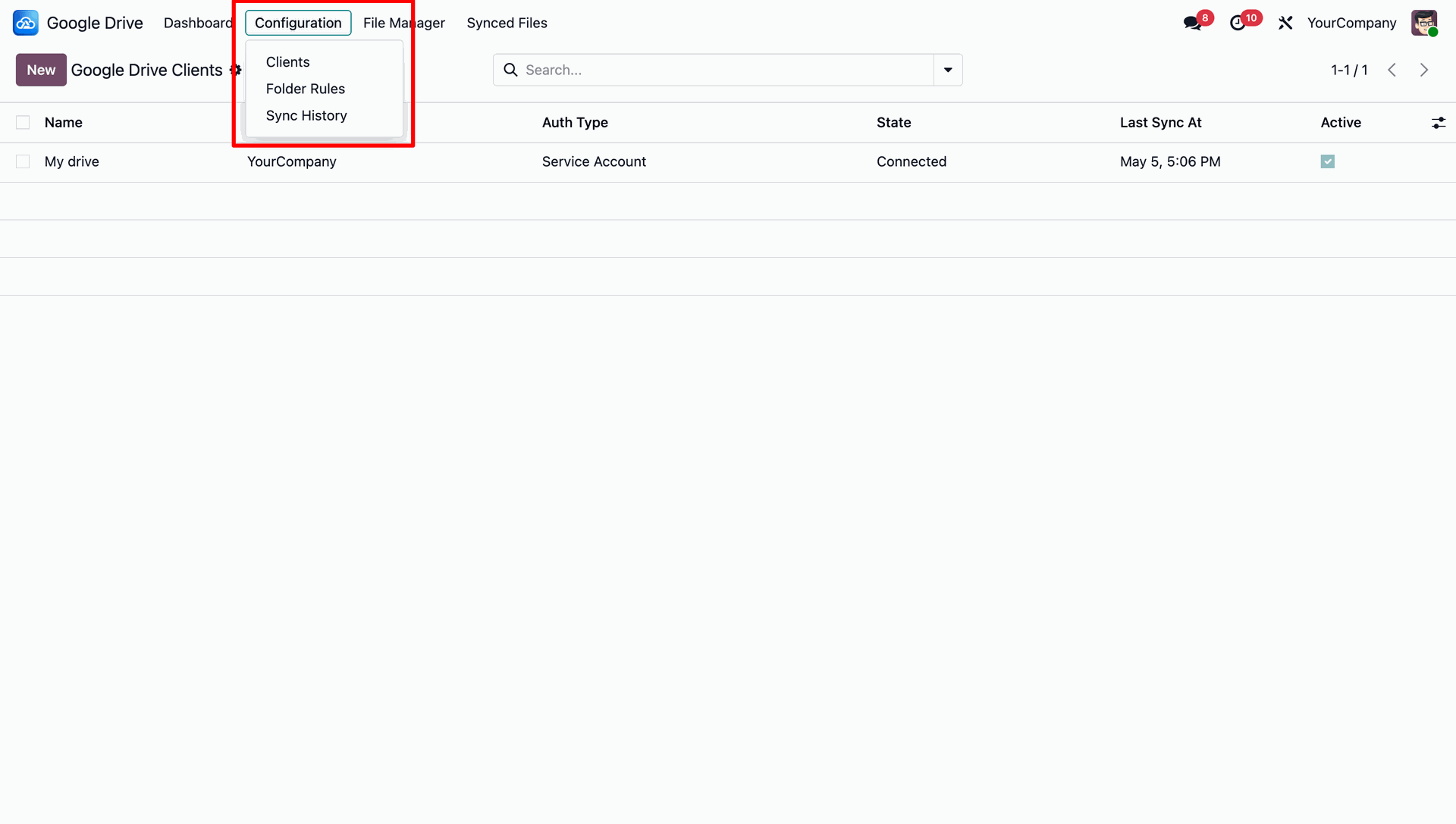
Easily navigate to different configuration options including Clients, Folder Rules, and Sync History directly from the Configuration menu.
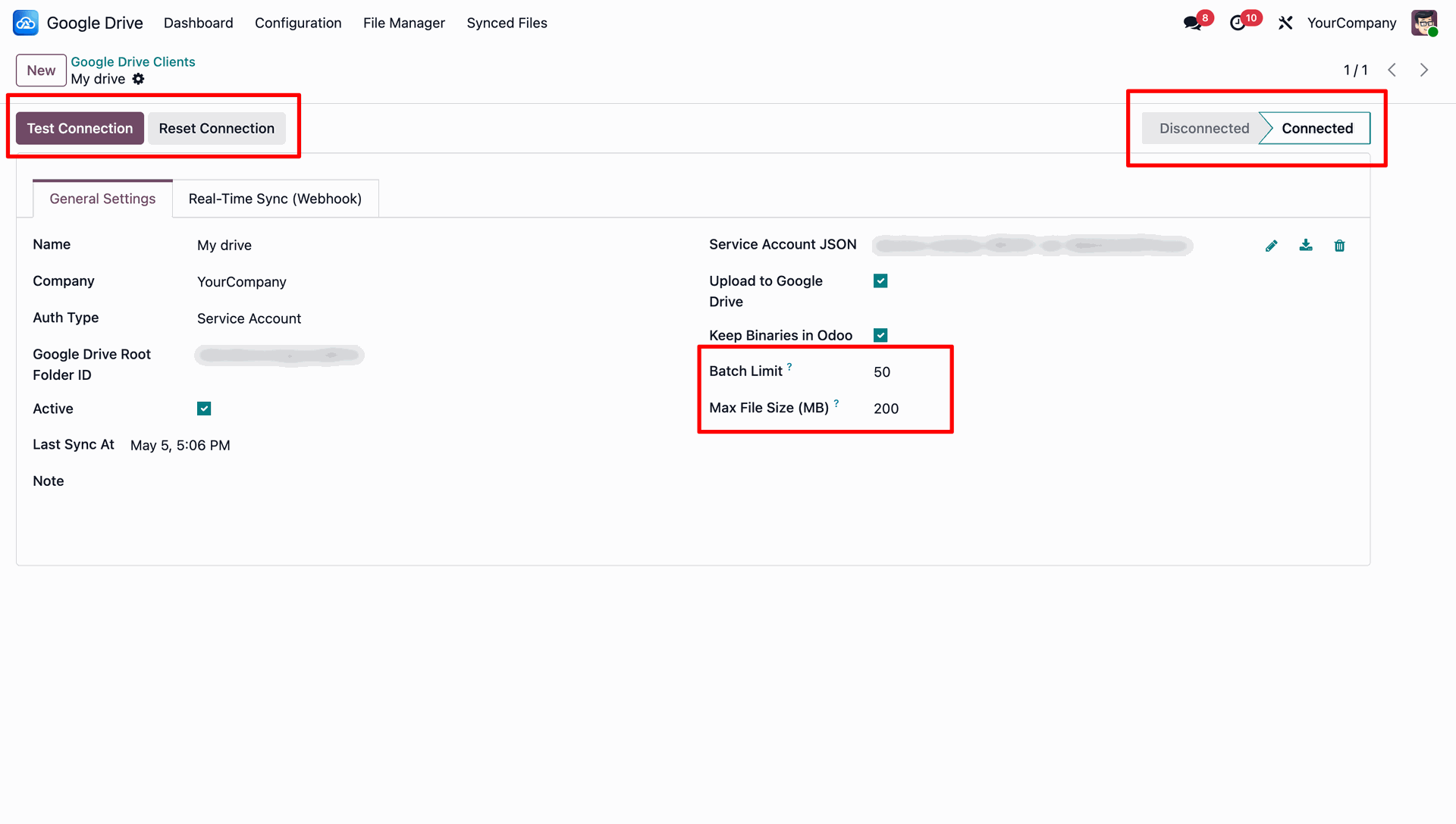
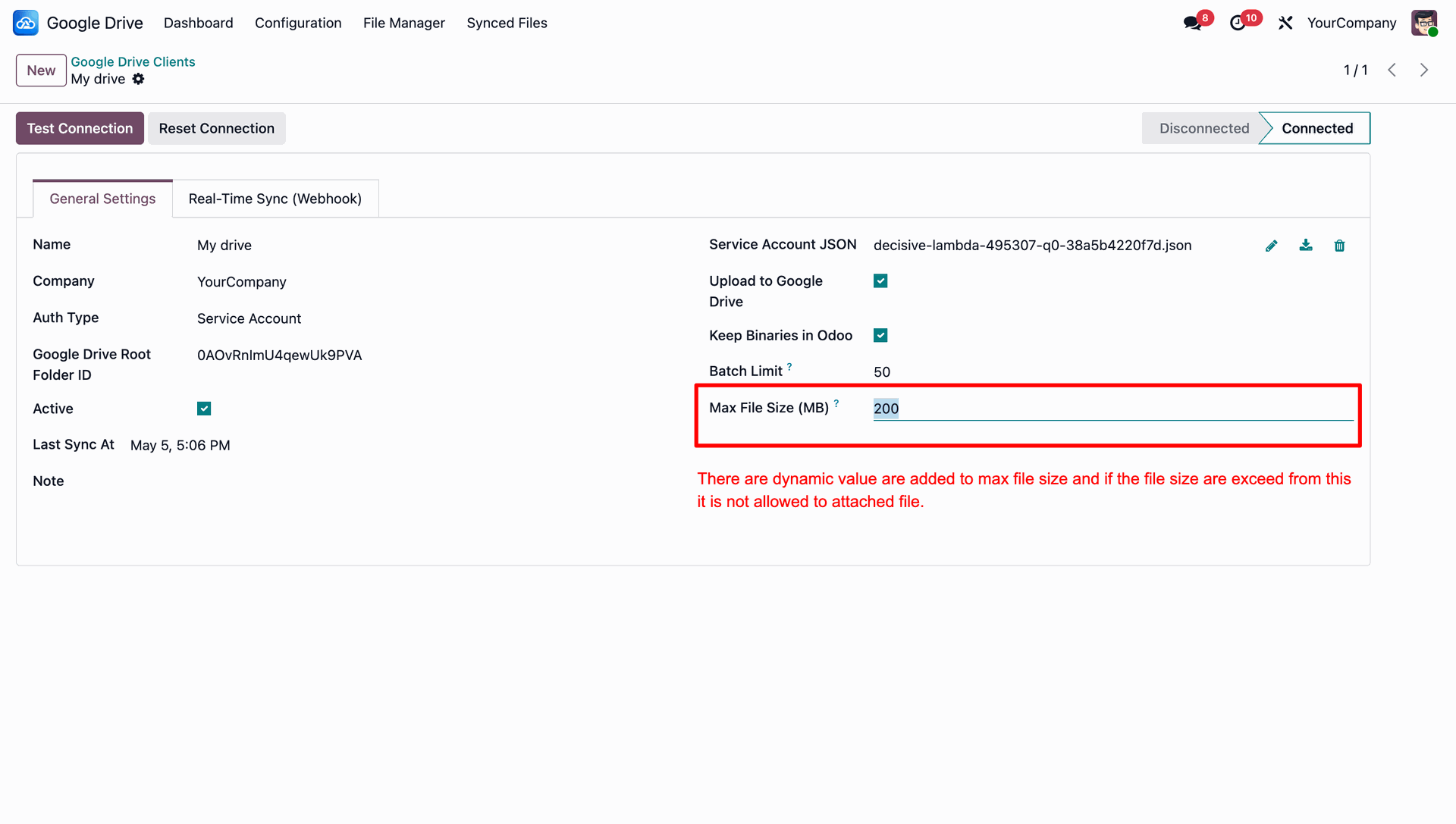
Configure your Google Drive Client by setting up the service account, testing connections, defining batch limits, and specifying the maximum allowed file size for uploads.
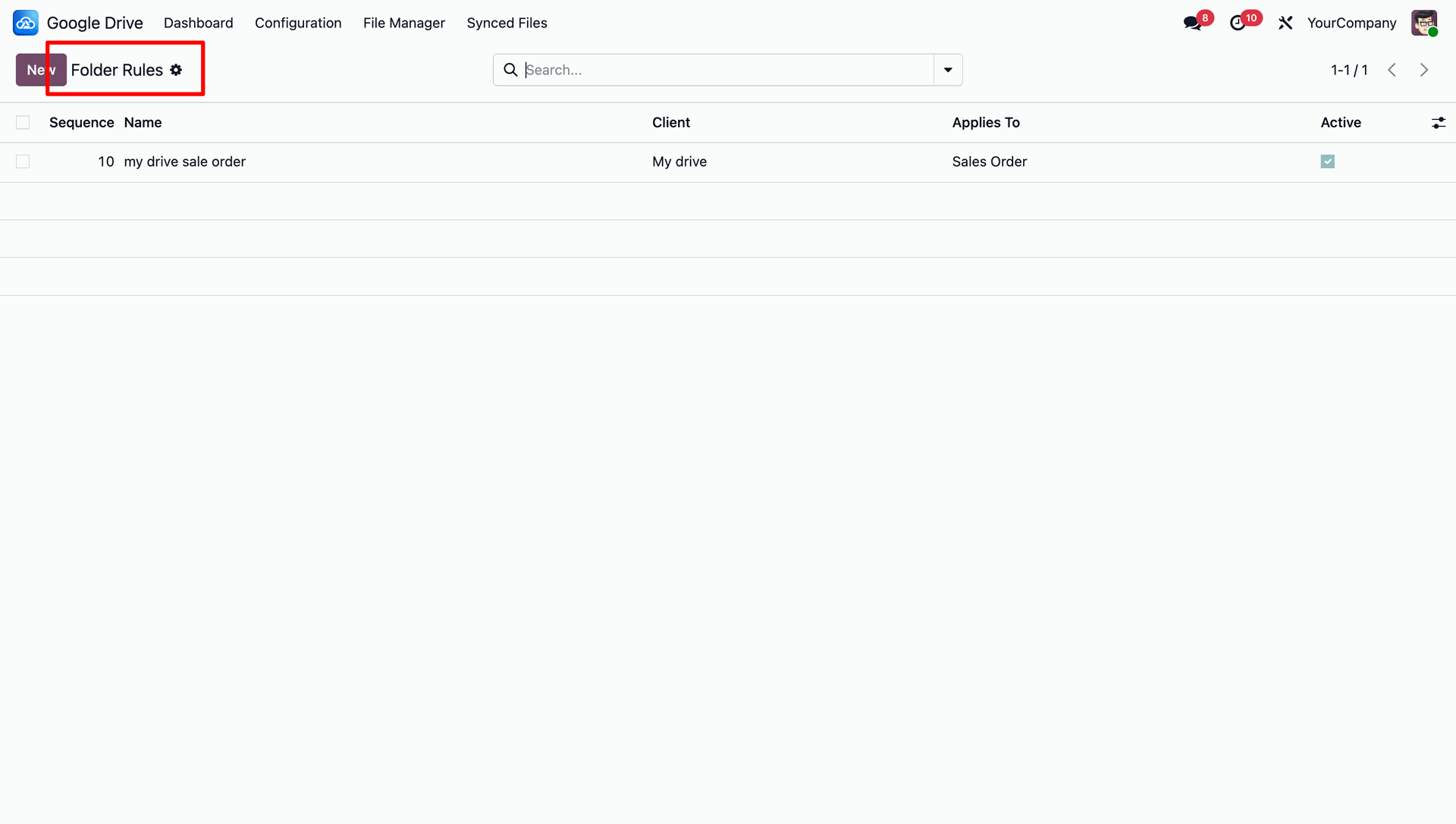
Access the Folder Rules configuration to set up automated synchronization rules for different Odoo models and records.
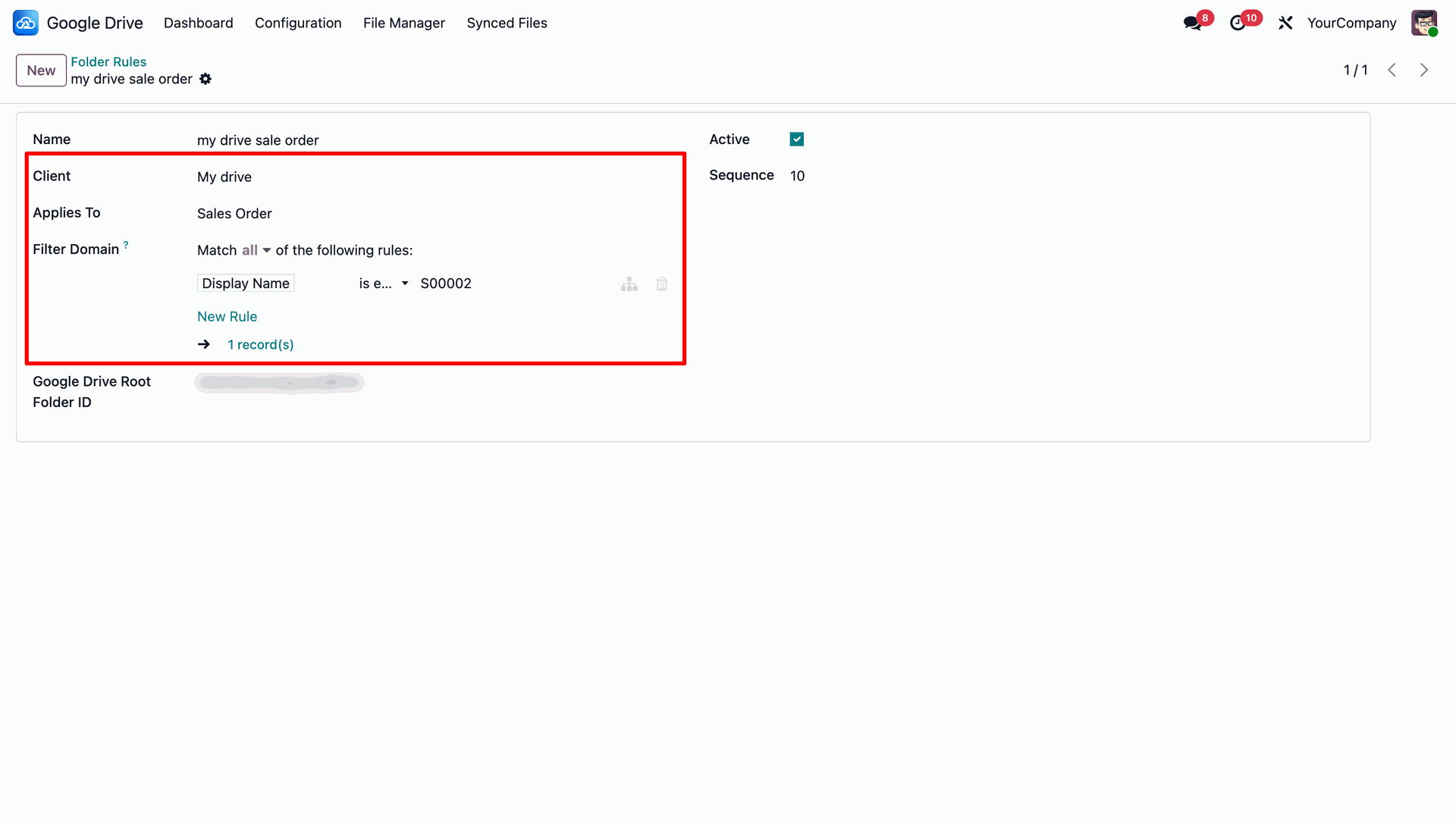
Create advanced folder rules and apply specific domain filters to ensure only relevant documents are synchronized to your Google Drive.
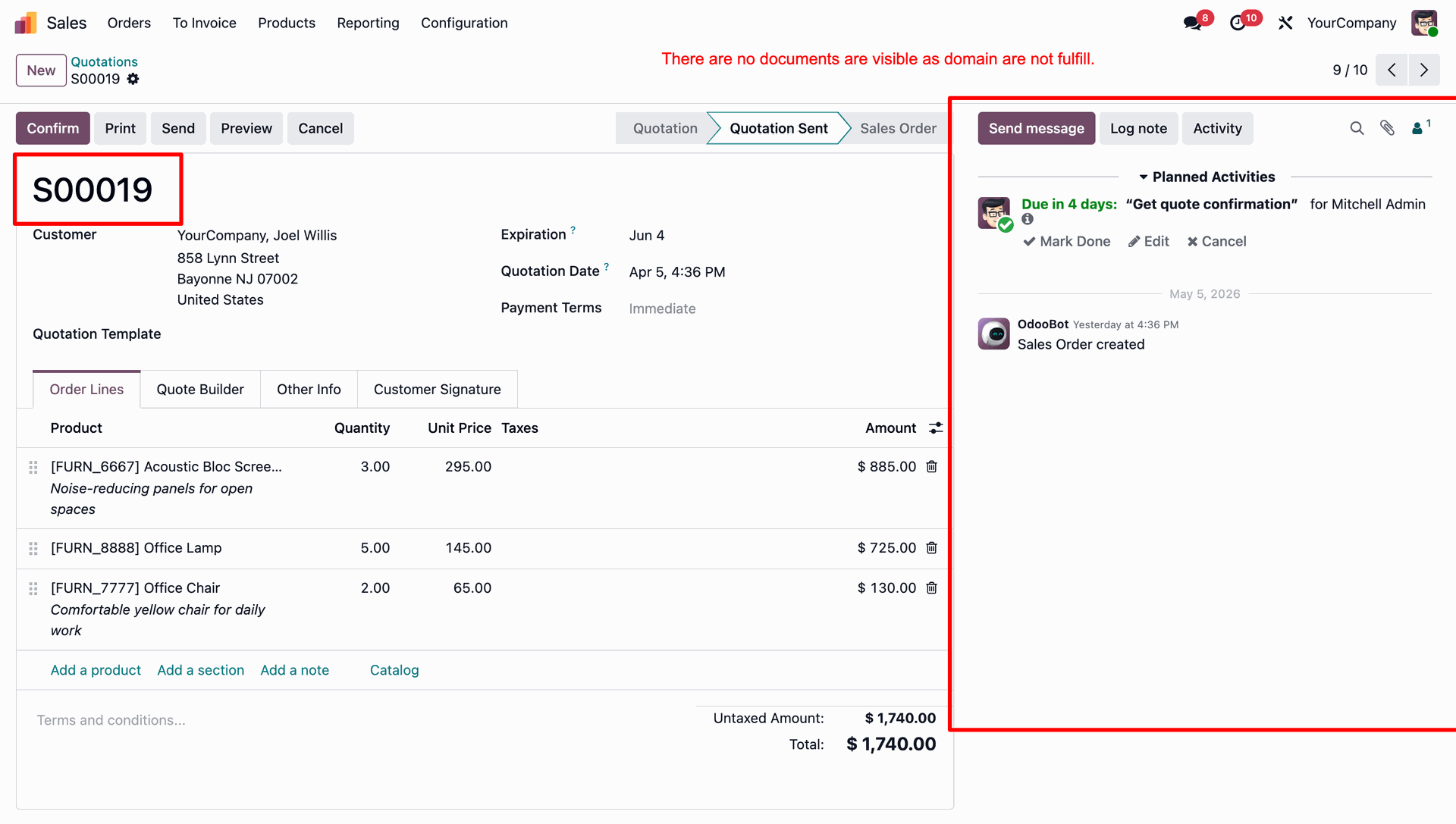
Documents are hidden and not visible if the domain conditions are not fulfilled.
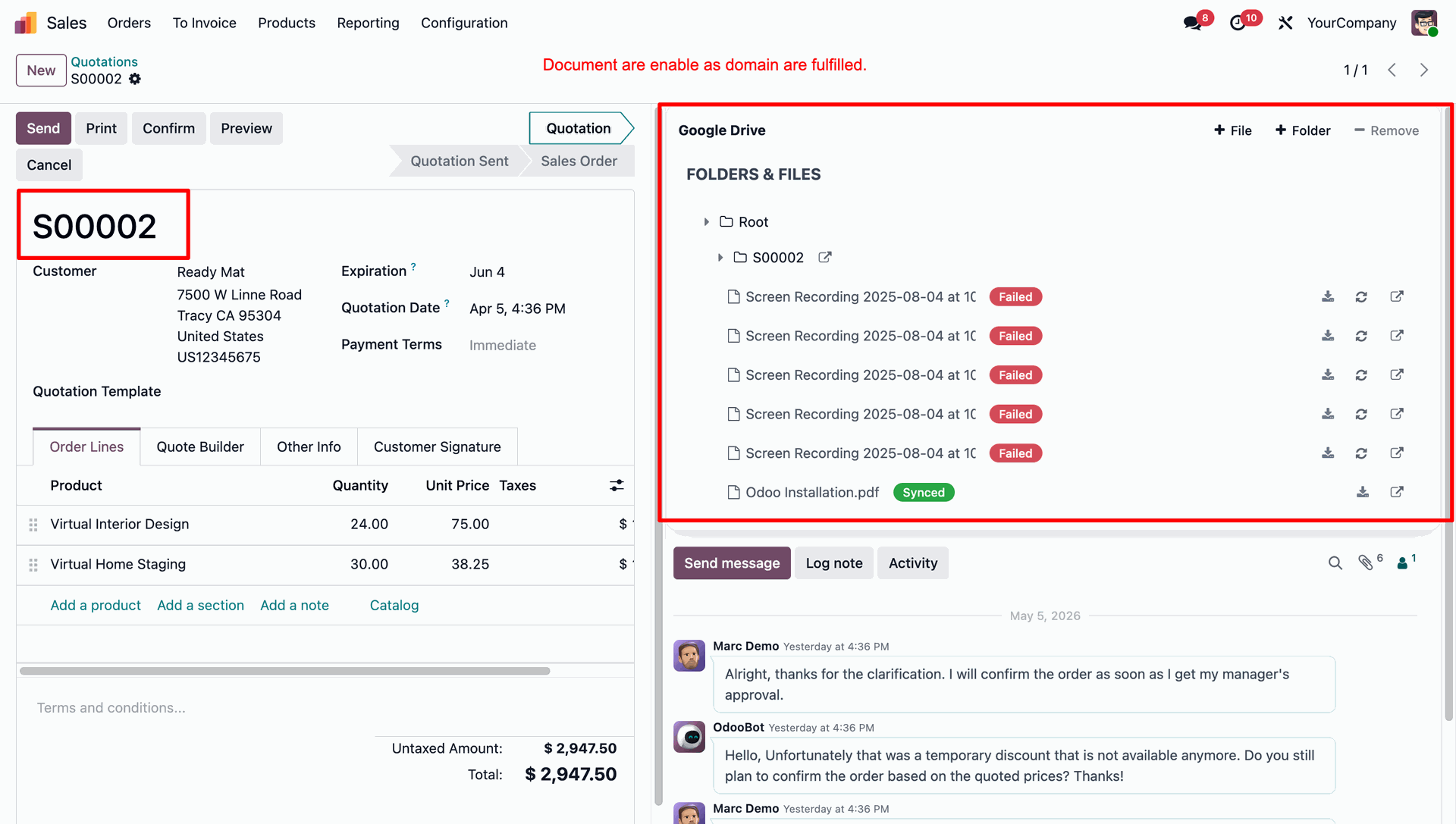
Documents become visible and enabled when the domain conditions are fulfilled.
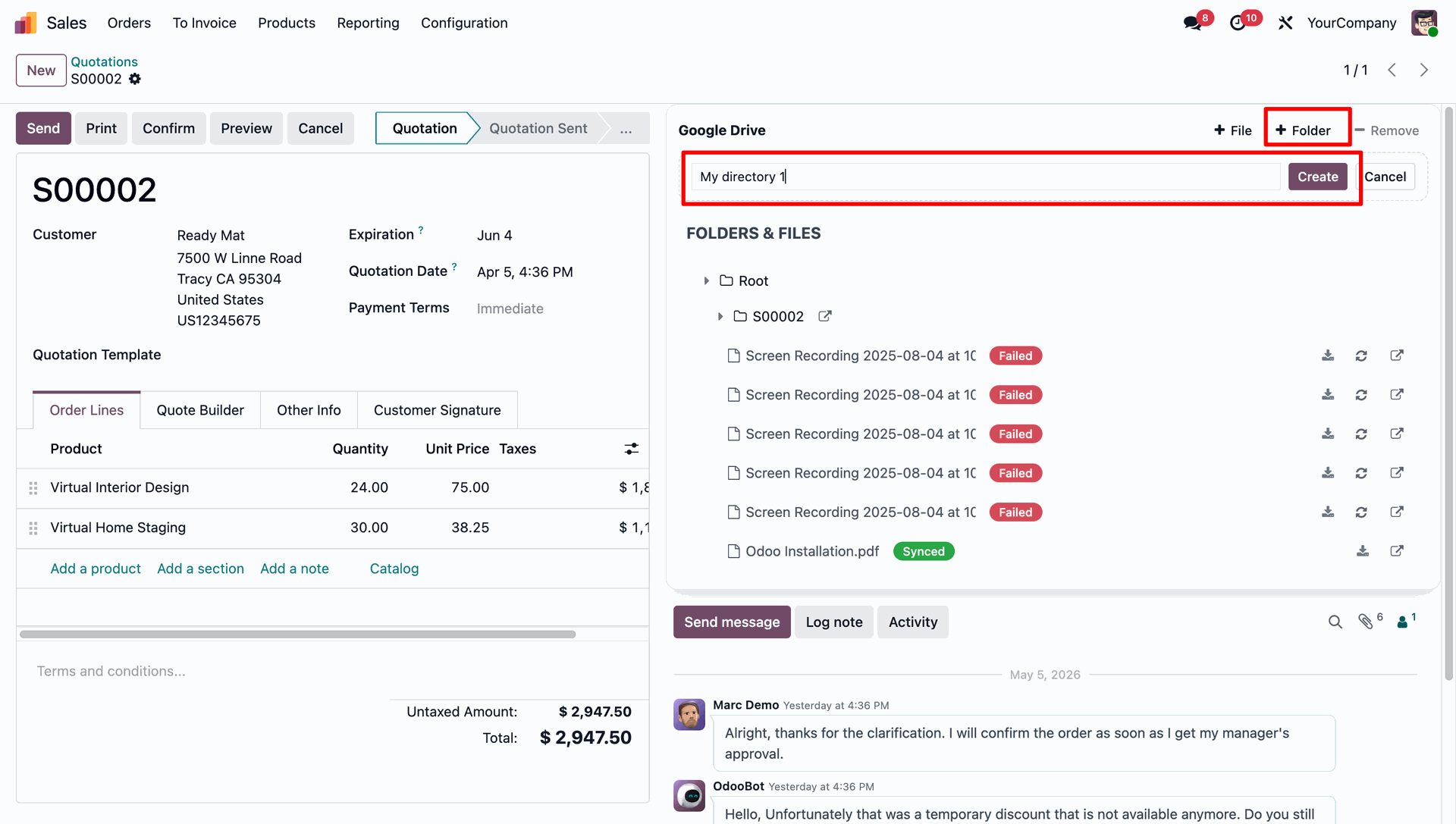
You can easily create new folders within Google Drive directly from the Odoo interface to keep your files organized.
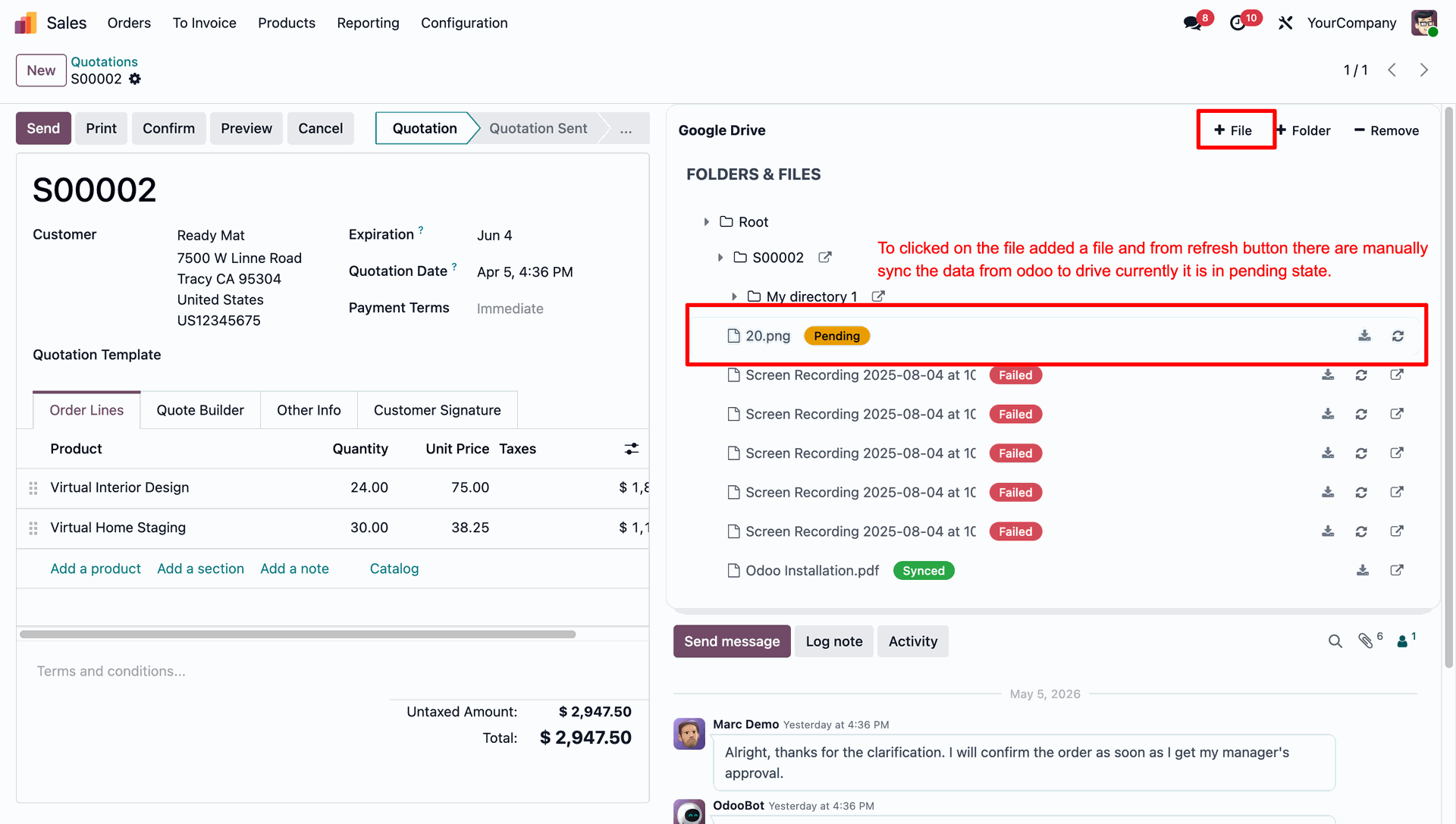
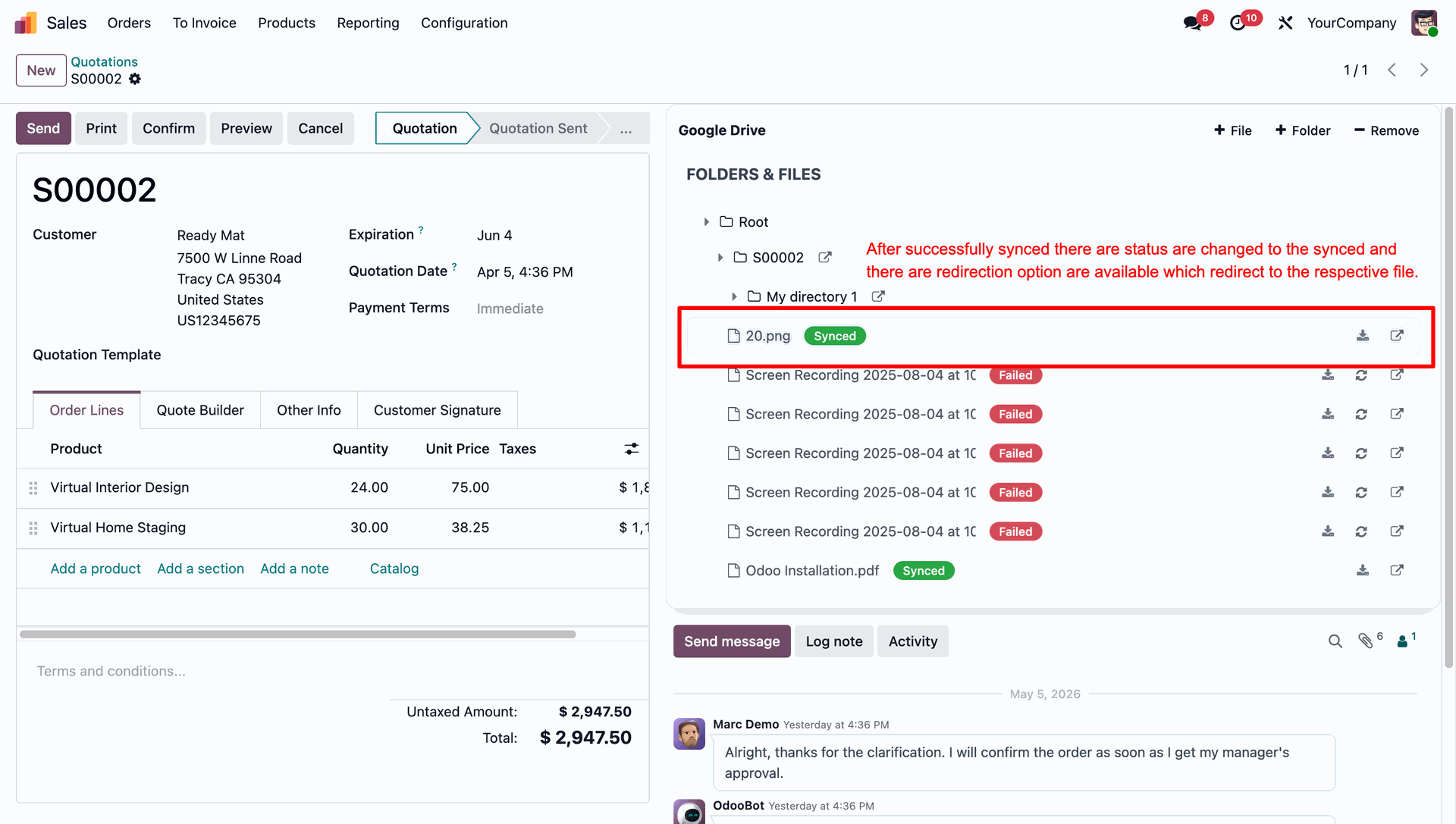
Click the '+ File' button to upload a file to Google Drive. Once added, the file initially appears in a 'Pending' state. You can click the refresh icon to manually trigger the synchronization process.
After a successful synchronization, the file status updates to 'Synced', and a direct link becomes available to open the file directly in Google Drive.
You can configure a dynamic maximum file size limit for uploads to prevent excessively large files from being attached and synced.
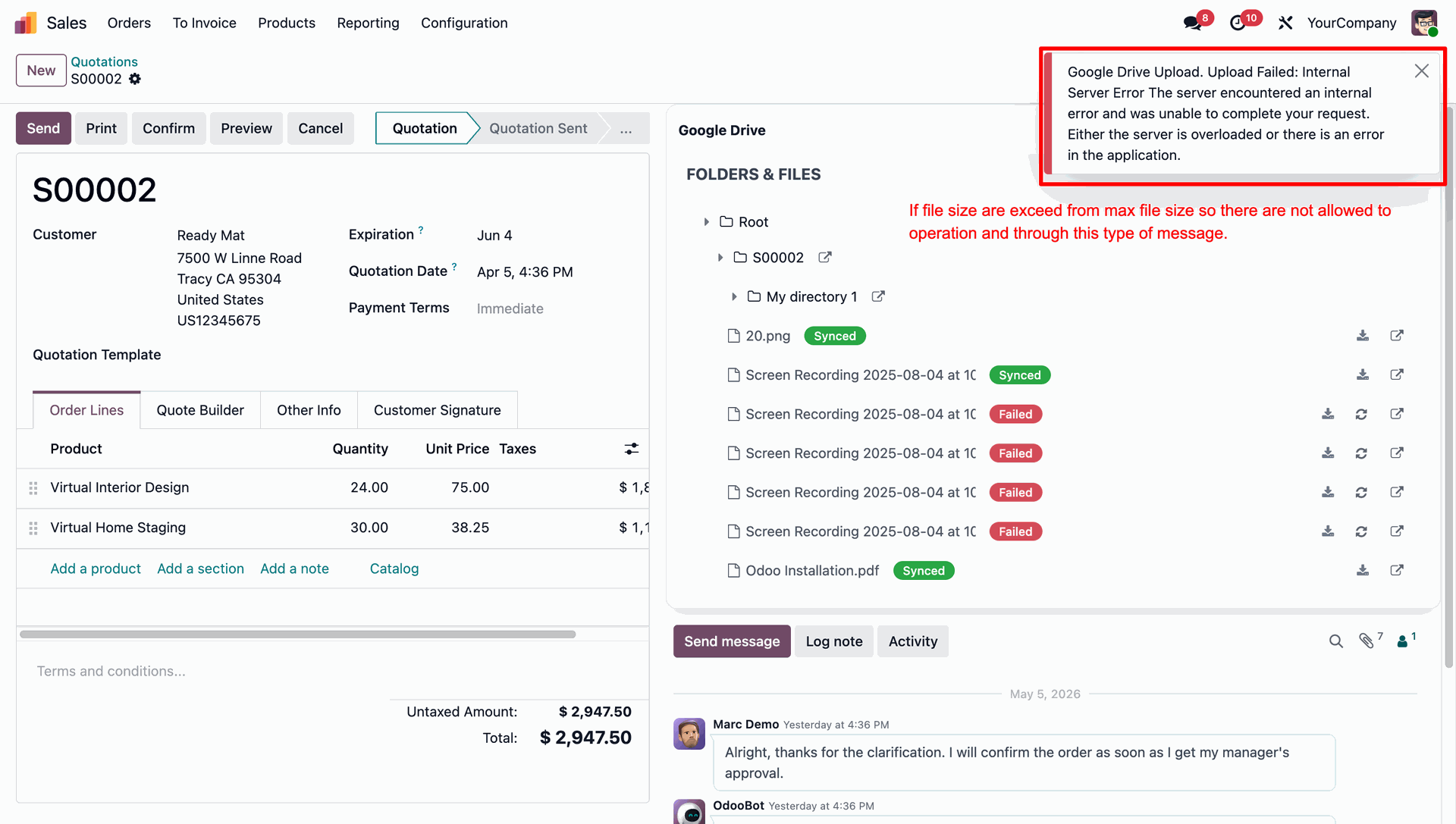
If a user attempts to upload a file that exceeds the configured maximum size limit, the system blocks the operation and displays a clear error message.
A comprehensive Sync History log tracks all synchronization operations, including the date, file name, sync direction, and current status.
Google Drive File Manager menu allows you to conveniently browse, view, and manage your synced files and folders directly from within Odoo.
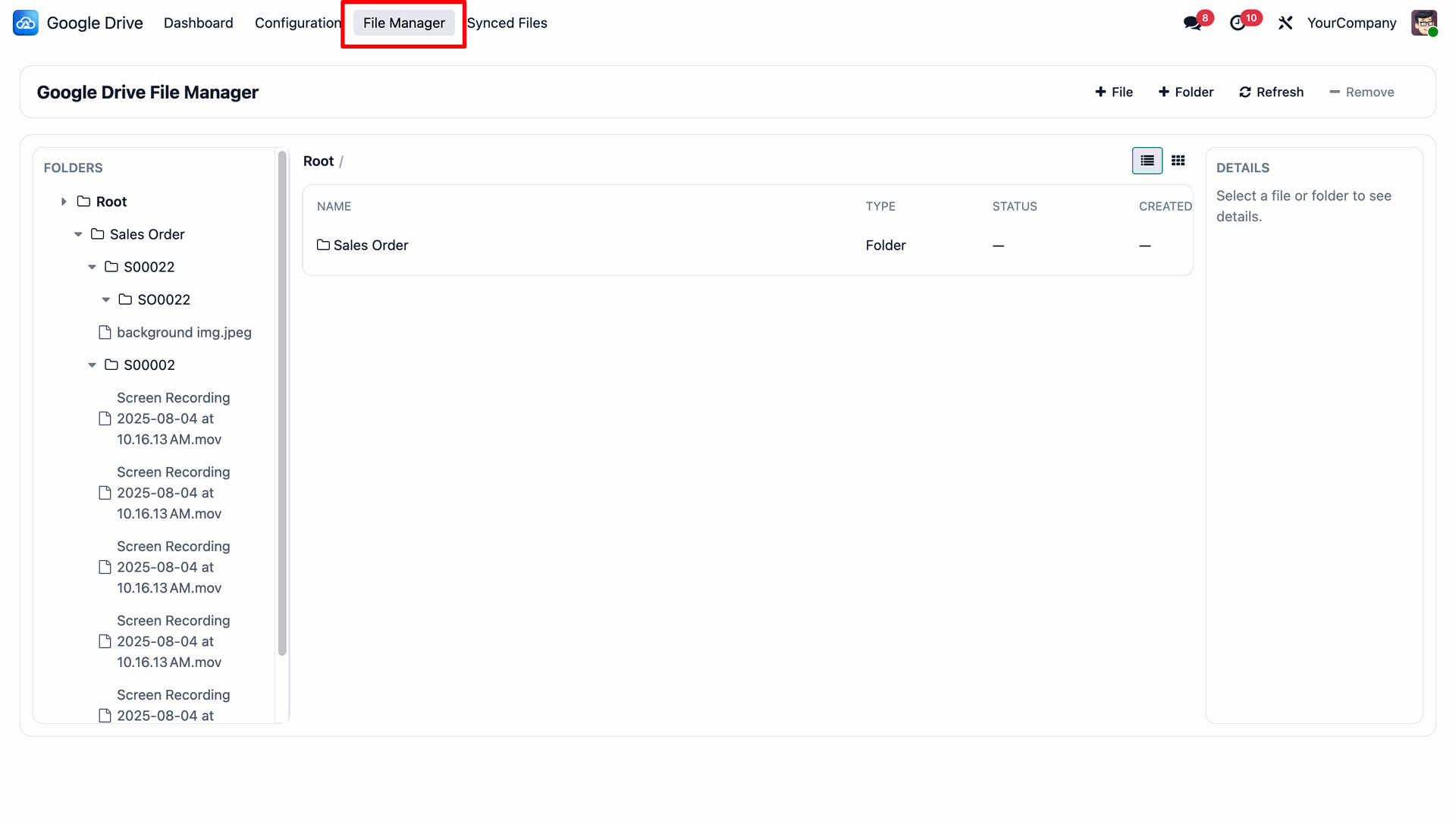
Scheduled cron jobs can be easily configured to automate the synchronization process between Odoo and Google Drive at regular intervals.
Real-time sync can be enabled via webhooks, ensuring that any changes made in Google Drive are instantly updated and reflected in Odoo.
Version 19.0.1.0.0 | Released on: 03rd July 2026
- No, this app works perfectly with Odoo Enterprise (Odoo.sh & Premise) as only.
- No, this application is not compatible with odoo.com(odoo saas/Odoo Online)
- Yes, to test this module, please contact us at sales@softhealer.com.
- Please contact us at sales@softhealer.com to request customization.
- Yes, we provide free support for 365 days from the date of purchase.
- Yes, you will receive lifetime free updates for the version of the module you purchased.
- Yes, there is need to install google-api-python-client, google-auth, google-auth-httplib2, google-auth-oauthlib additional libraries.
- Yes, for version 12 and above, you need to purchase the module separately for each version you intend to use.
- No, exchanges or refunds are not allowed. Please make sure to select the correct version before purchasing.
- You can contact us at support@softhealer.com for language translation support. We use Google Translator tools to provide translations in multiple languages, so the accuracy may vary. We welcome your suggestions to help improve translations.
Discover Our Latest Apps