











Google Auto Translator

Effortlessly translate Odoo records with Google Auto Translator. This powerful backend module integrates Google Translate to provide seamless automatic and manual translations for any Odoo model. Configure specific fields, set auto-translate triggers on create or update, and use the intuitive wizard for bulk processing. Support multiple languages and enhance global collaboration within your Odoo system.

Related Modules
Features

Google Translate Integration
Integrate Google Translate with Odoo to support quick and accurate multi-language translation.

Flexible Model Configuration
Easily select any Odoo model and choose specific translatable fields for processing.
Real-time Automatic Translation
Easily translate records in real-time with the help of the Translation Wizard.
Mass Translation
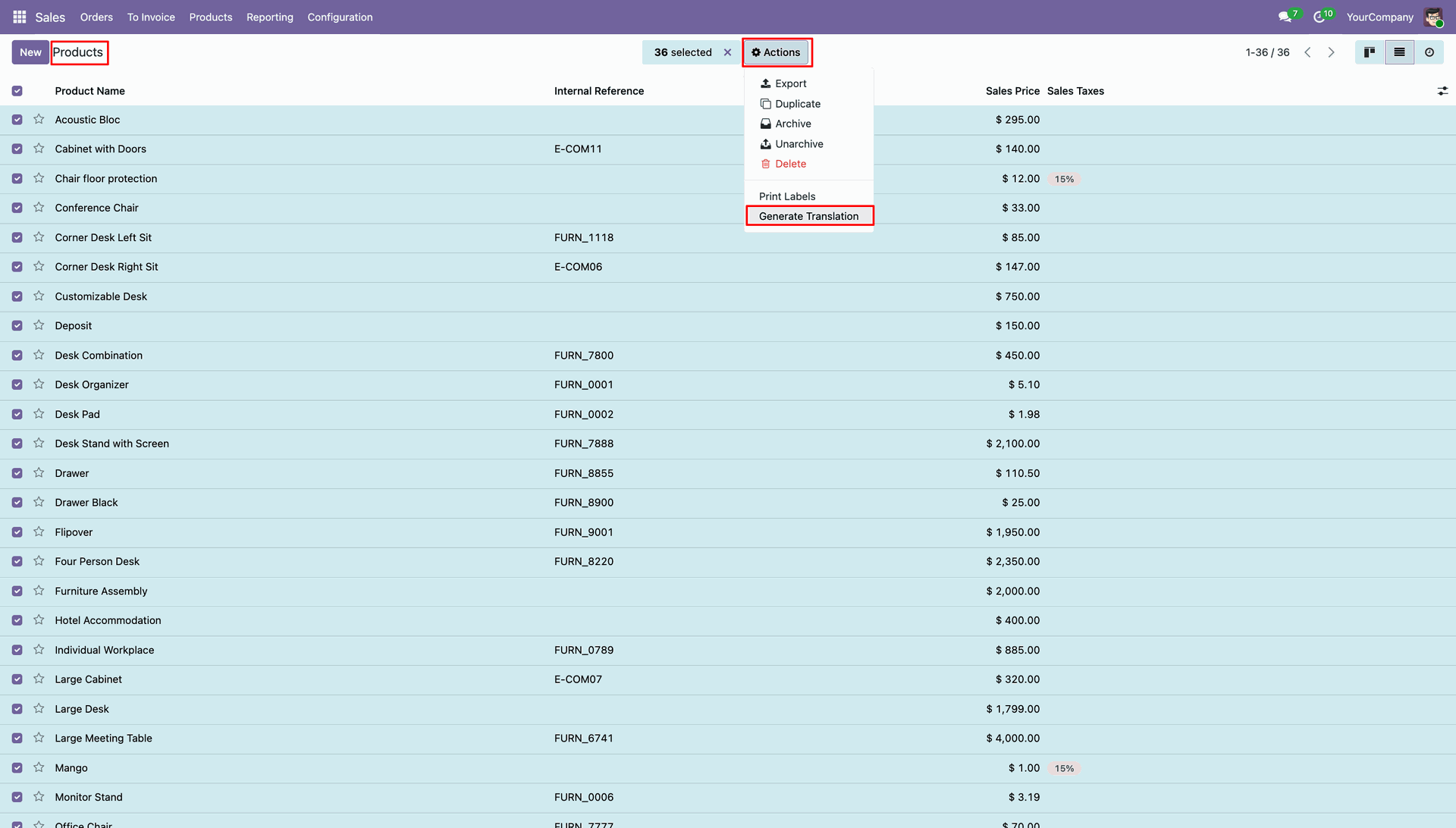
Quickly mass translate multiple records at once using the Generate Translation option in the action menu.

Multi-Language Versatility
Supports all active languages in your Odoo instance, ensuring global reach for your data.
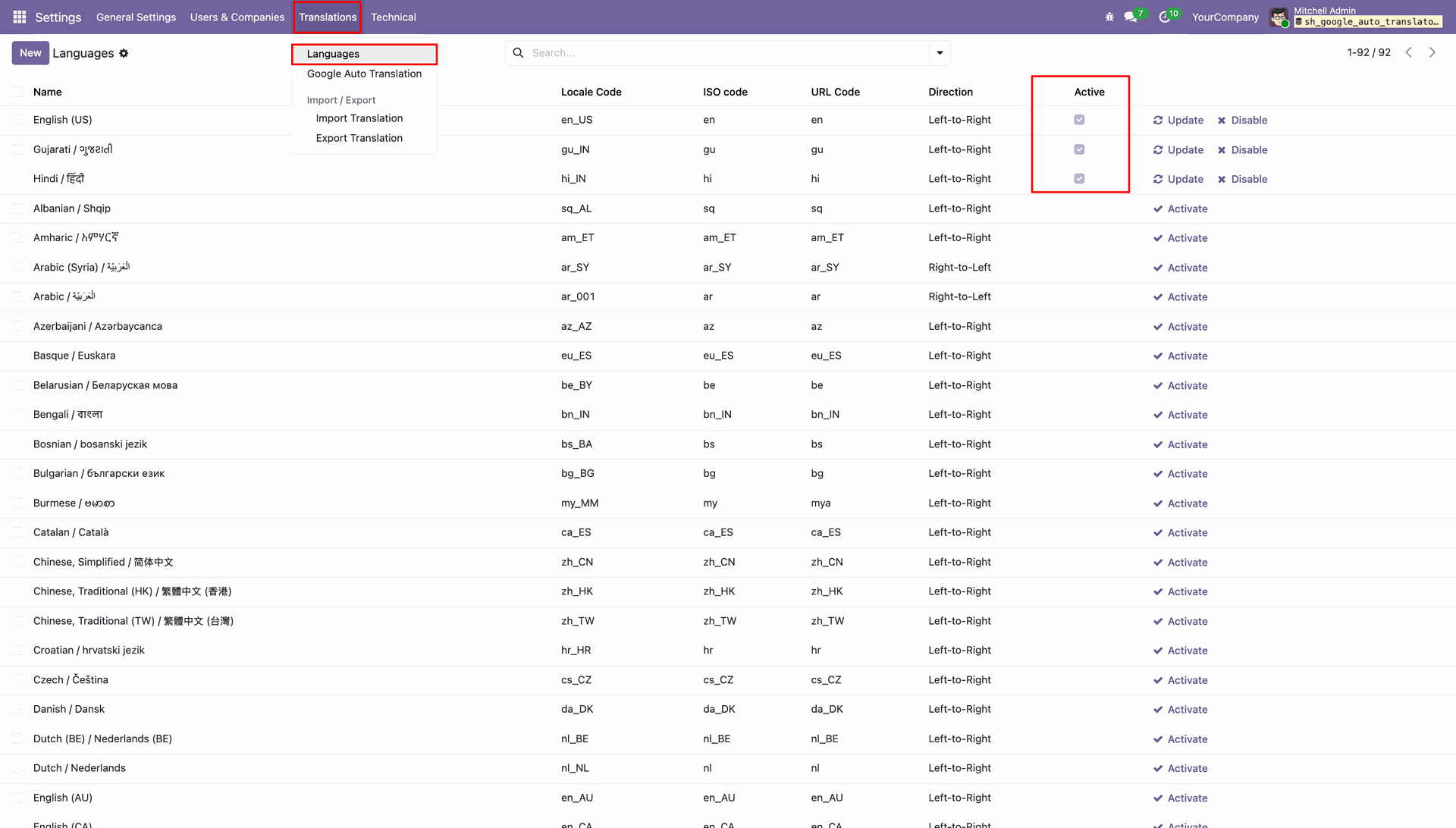
Google Auto Translation Configuration List View.
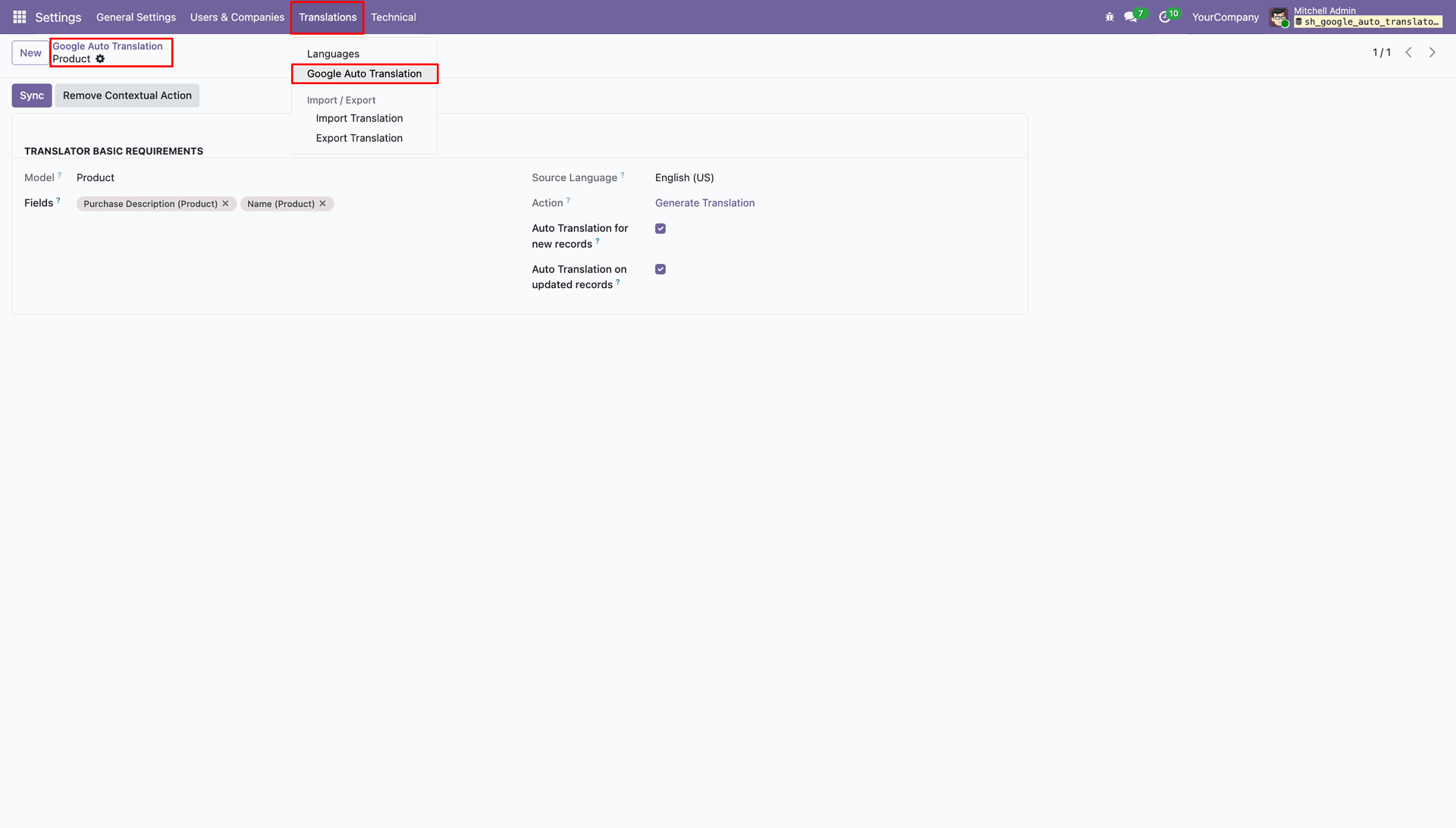
Comprehensive Configuration Form for Specific Models.
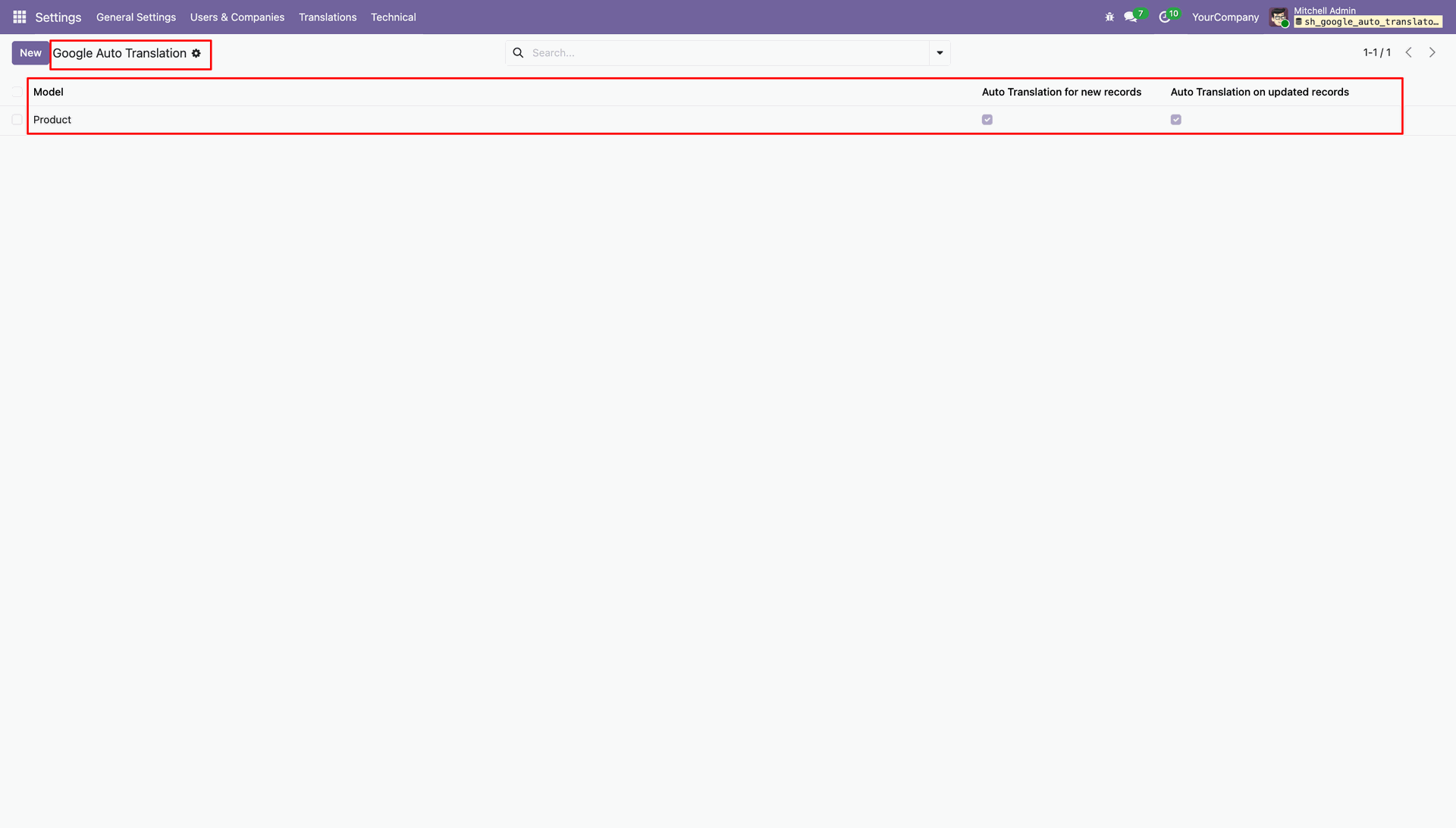
Auto translation enabled for the Product model.
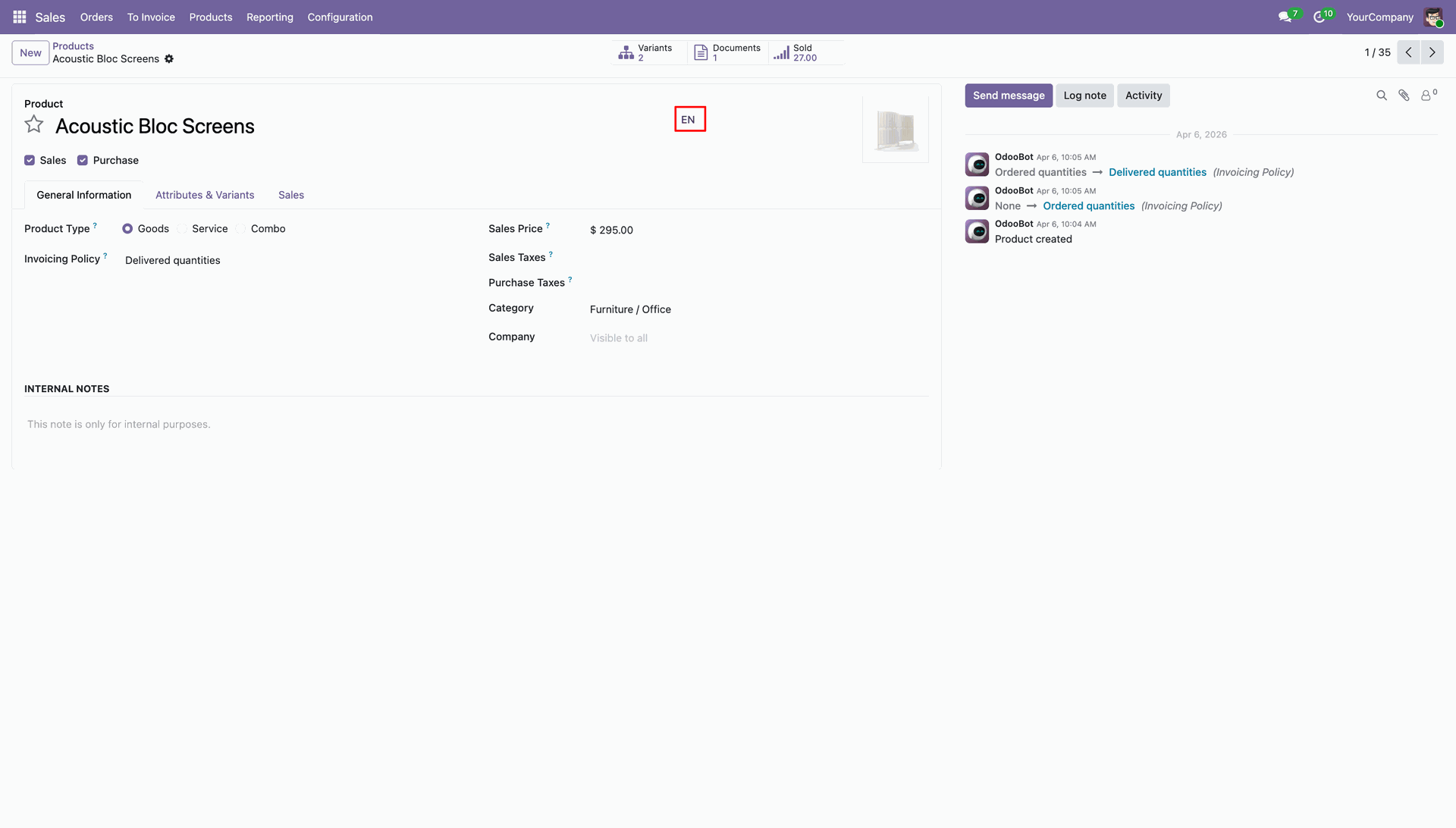
Click on the highlighted EN button/icon to open auto translation wizard.
Auto Translation Wizard for the enabled languages.
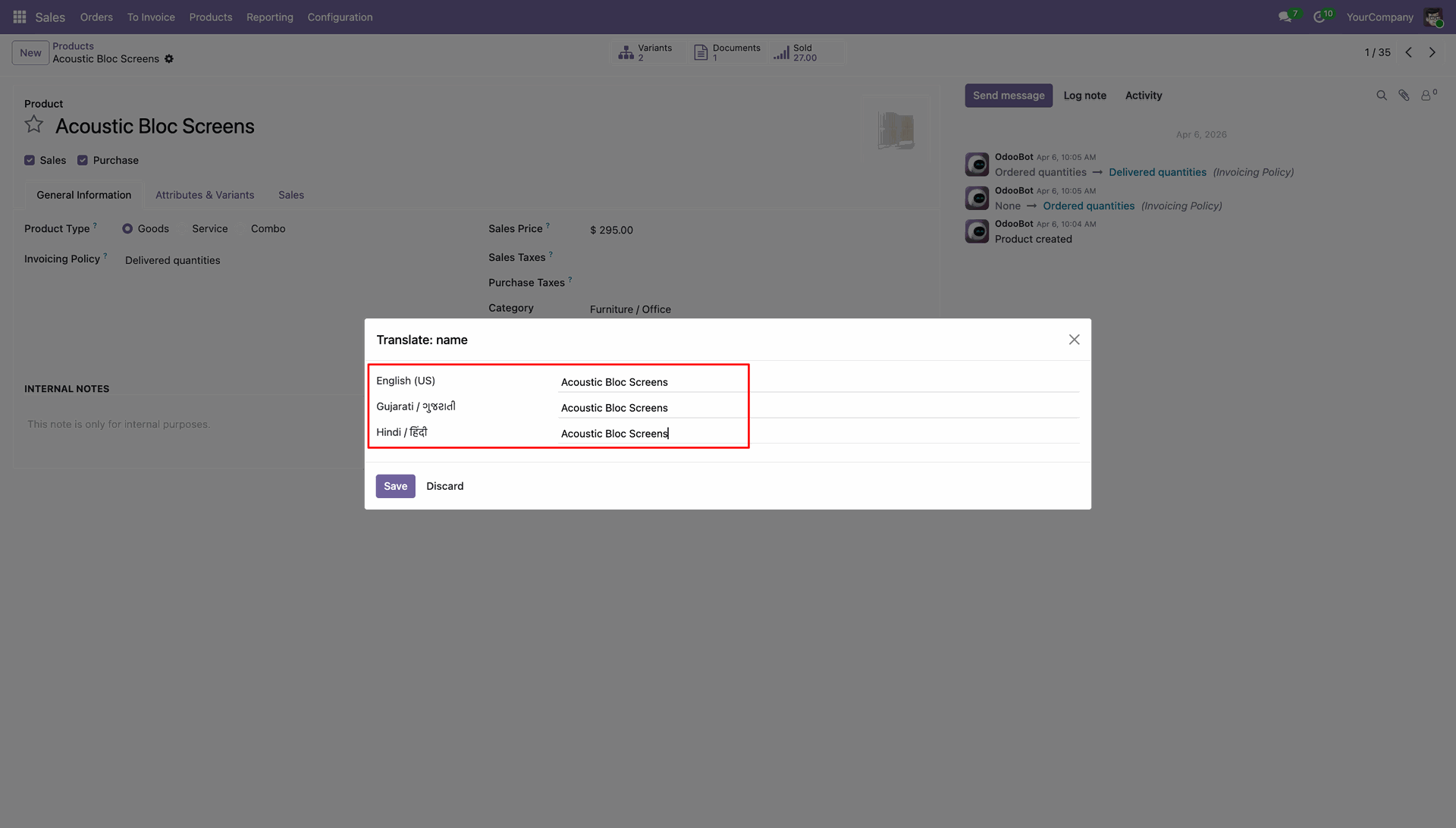
'Generate Translation' Action in the Model's Action Menu.
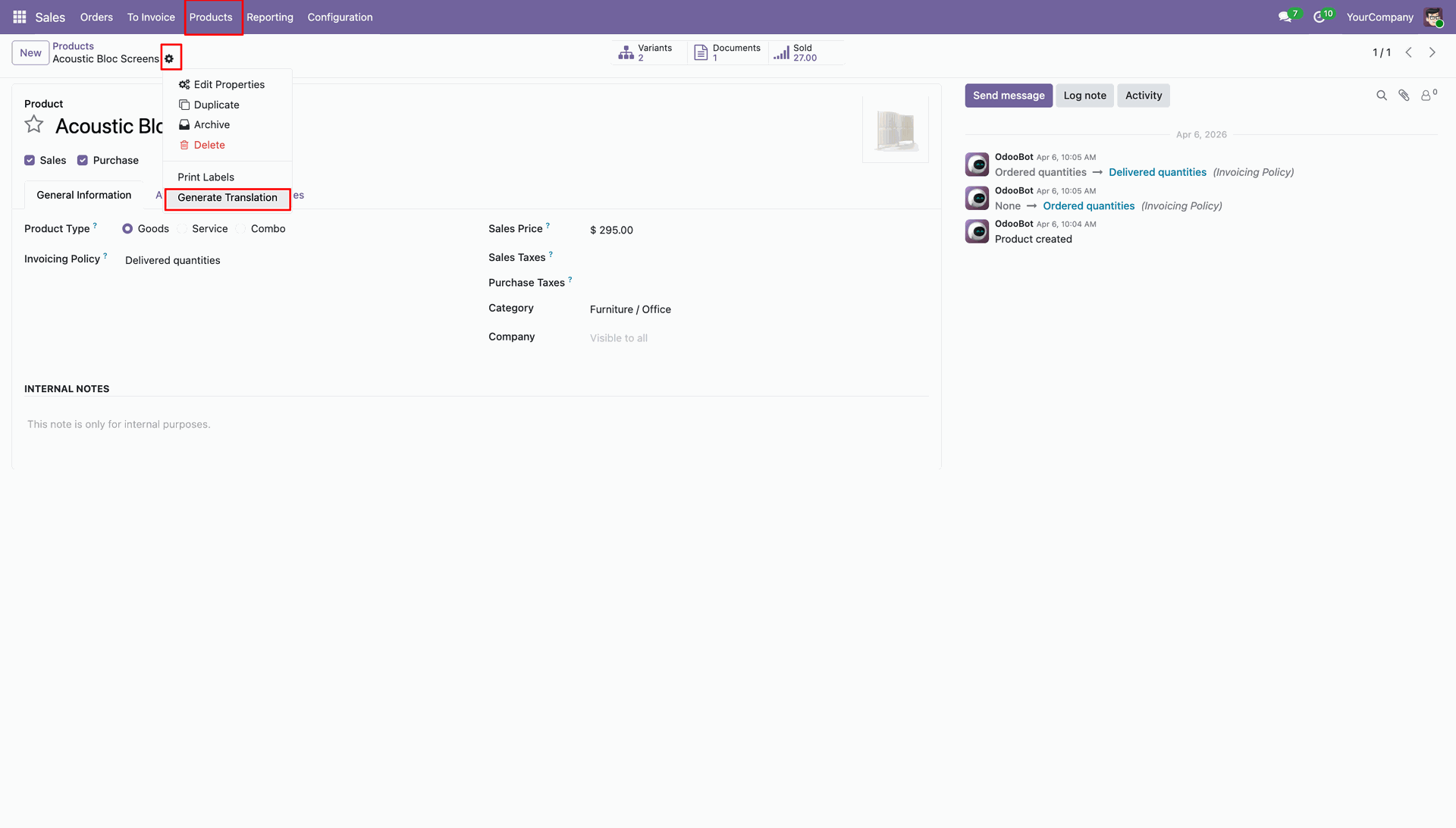
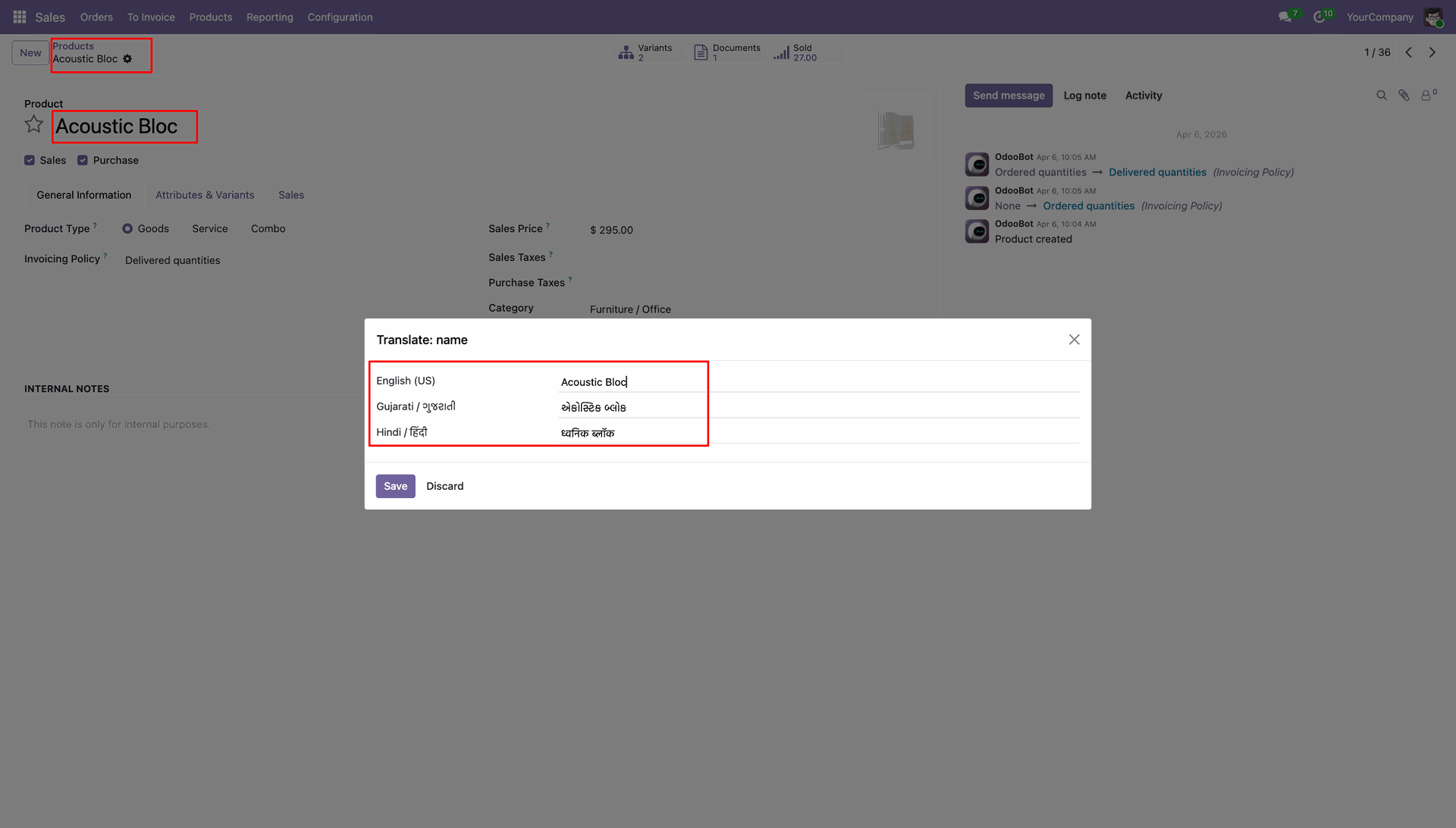
Intuitive Manual Translation Wizard Interface.
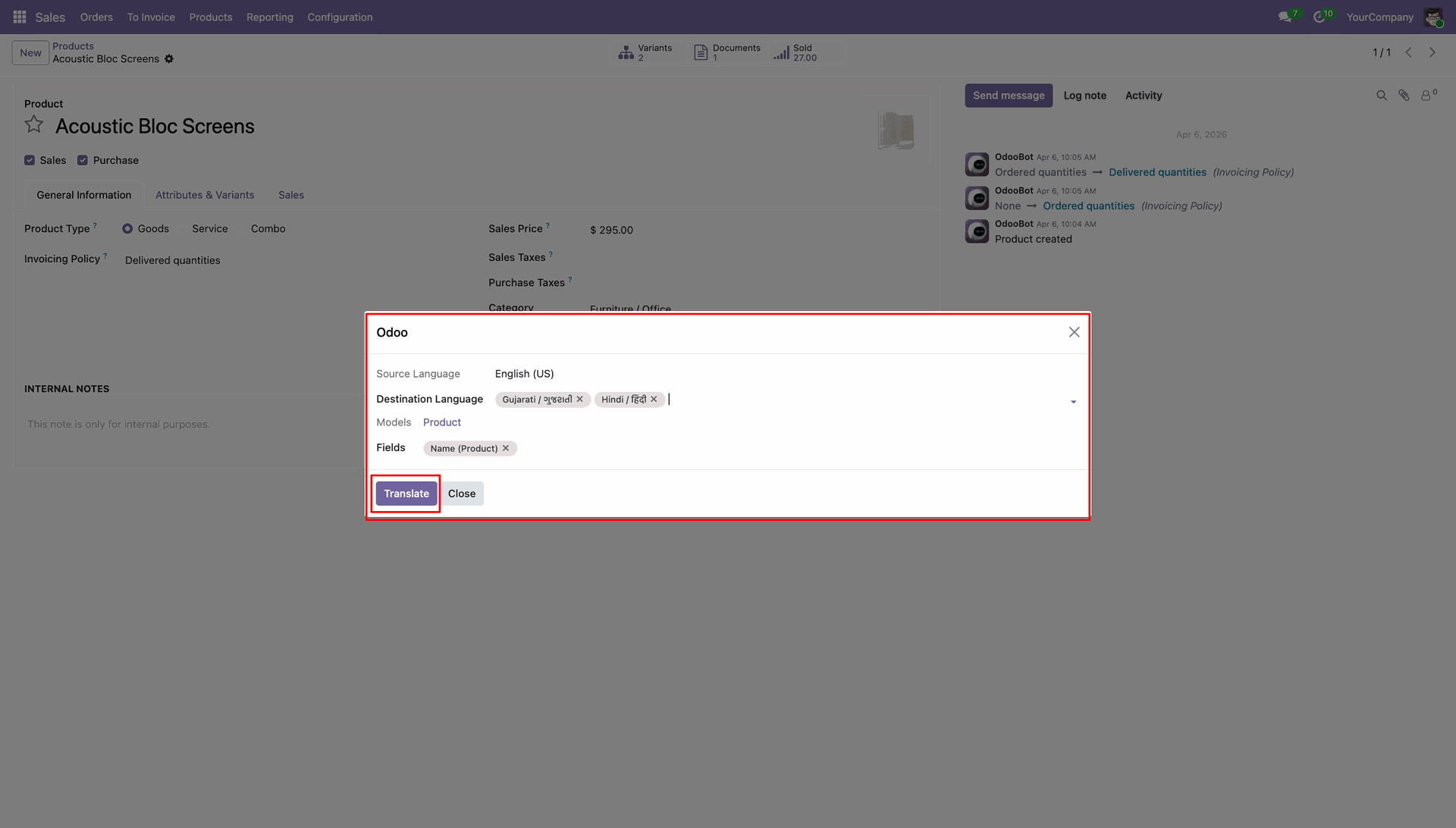
Translated into Destination Languages and Fields in the Wizard.
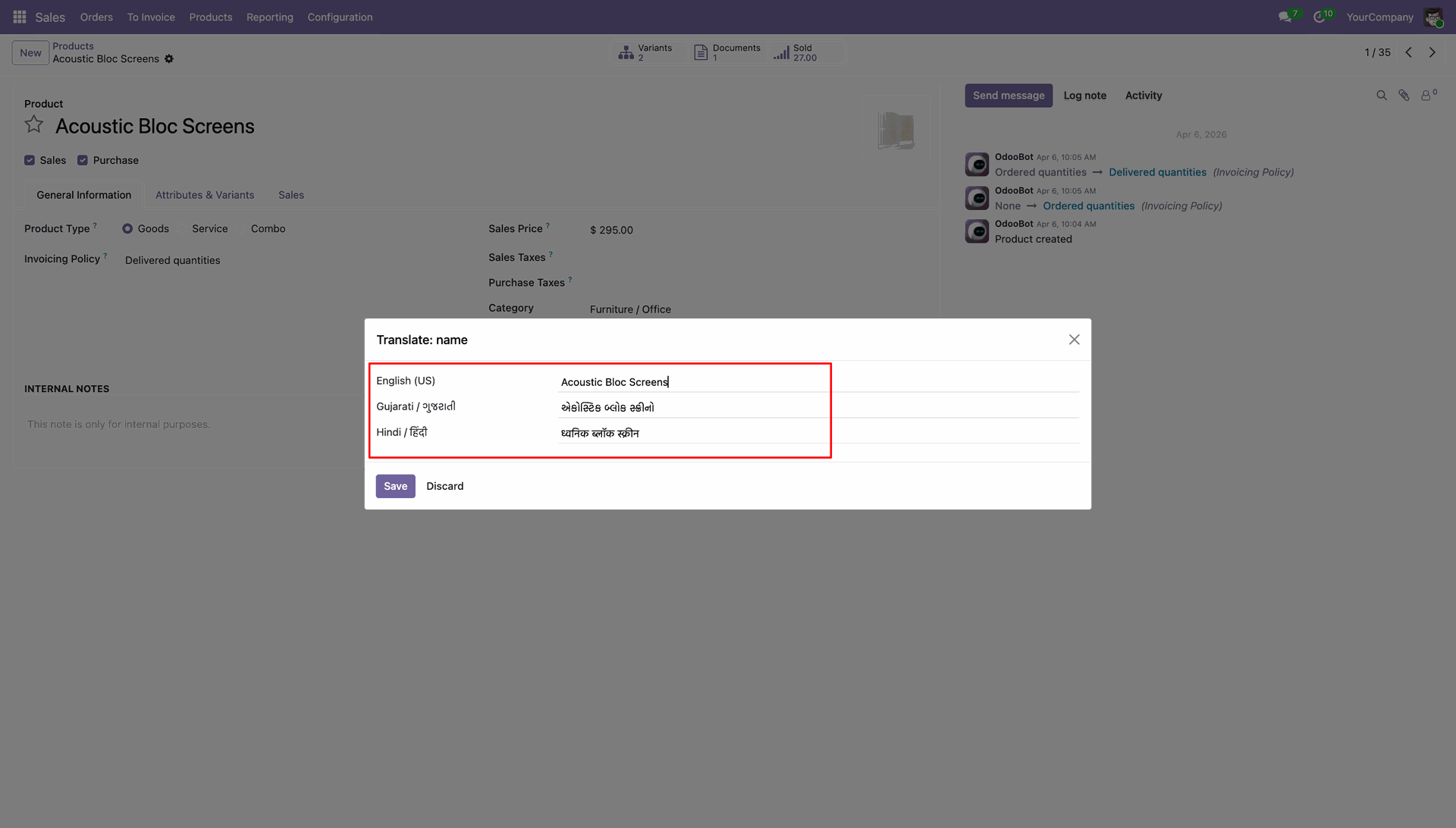
Real-time Progress and Batch Processing of Translations.
Mass translate the record through Generate Translation action in the Action menu.
Version 18.0.1.0.0 | Released on : 29th April 2026
- Yes, this app works perfectly with Odoo Enterprise (Odoo.sh & Premise) as well as Community.
- No, this application is not compatible with odoo.com(odoo saas/Odoo Online)
- Yes, to test this module, please contact us at sales@softhealer.com.
- Please contact us at sales@softhealer.com to request customization.
- Yes, we provide free support for 365 days from the date of purchase.
- Yes, you will receive lifetime free updates for the version of the module you purchased.
- No, there is no need to install any additional libraries.
- Yes, for version 12 and above, you need to purchase the module separately for each version you intend to use.
- No, exchanges or refunds are not allowed. Please make sure to select the correct version before purchasing.
- You can contact us at support@softhealer.com for language translation support. We use Google Translator tools to provide translations in multiple languages, so the accuracy may vary. We welcome your suggestions to help improve translations.
Discover Our Latest Apps